
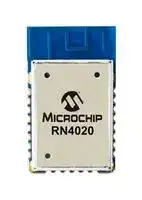


RN4020-V/RM123
Bluetooth 4.1, Class 2 Module, 1.8V to 3.6V Supply, 100m Range, 1Mbps, -92.5dBm Sensitivity
- Manufacturer: MICROCHIP
- Product type: Bluetooth Modules & Adaptors
- Bluetooth Version:Bluetooth 4.1; Supply Voltage Min:1.8V; Supply Voltage Max:3.6V; Signal Range Max:100m; Data Rate:1Mbps; Bluetooth Class:Class 2; Receive Sensitivity:-92.5dBm; Operating T
- SVHC: No SVHC (04-Feb-2026)
- Interfaces: SPI, UART
- Product Range: -
- Certifications: CE, FCC, IC, KC, NCC, VCCI
- Bluetooth Class: Class 2
- Bluetooth Version: Bluetooth 4.1
- Supply Voltage Range: 1.8 V to 3.6 V
- Receiver Sensitivity Rx: -92.5 dBm
- Operating Temperature Range: -40 °C to 85 °C
| Delivery and price | |
|---|---|
| Units per pack | 250 |
| Price | 7.2 € |
| Current stock | 200+ |
| Lead time | 30 days |

## **RN4020 Bluetooth[®] Low Energy Module User’s Guide**
DS70005191B
2014 Microchip Technology Inc.
**Note the following details of the code protection feature on Microchip devices:**
- Microchip products meet the specification contained in their particular Microchip Data Sheet.
- Microchip believes that its family of products is one of the most secure families of its kind on the market today, when used in the intended manner and under normal conditions.
- There are dishonest and possibly illegal methods used to breach the code protection feature. All of these methods, to our knowledge, require using the Microchip products in a manner outside the operating specifications contained in Microchip’s Data Sheets. Most likely, the person doing so is engaged in theft of intellectual property.
- Microchip is willing to work with the customer who is concerned about the integrity of their code.
- Neither Microchip nor any other semiconductor manufacturer can guarantee the security of their code. Code protection does not mean that we are guaranteeing the product as “unbreakable.”
Code protection is constantly evolving. We at Microchip are committed to continuously improving the code protection features of our products. Attempts to break Microchip’s code protection feature may be a violation of the Digital Millennium Copyright Act. If such acts allow unauthorized access to your software or other copyrighted work, you may have a right to sue for relief under that Act.
Information contained in this publication regarding device applications and the like is provided only for your convenience and may be superseded by updates. It is your responsibility to ensure that your application meets with your specifications. MICROCHIP MAKES NO REPRESENTATIONS OR WARRANTIES OF ANY KIND WHETHER EXPRESS OR IMPLIED, WRITTEN OR ORAL, STATUTORY OR OTHERWISE, RELATED TO THE INFORMATION, INCLUDING BUT NOT LIMITED TO ITS CONDITION, QUALITY, PERFORMANCE, MERCHANTABILITY OR FITNESS FOR PURPOSE **.** Microchip disclaims all liability arising from this information and its use. Use of Microchip devices in life support and/or safety applications is entirely at the buyer’s risk, and the buyer agrees to defend, indemnify and hold harmless Microchip from any and all damages, claims, suits, or expenses resulting from such use. No licenses are conveyed, implicitly or otherwise, under any Microchip intellectual property rights.
## **Trademarks**
The Microchip name and logo, the Microchip logo, dsPIC, FlashFlex, flexPWR, JukeBlox, KEELOQ, KEELOQ logo, Kleer, LANCheck, MediaLB, MOST, MOST logo, MPLAB, OptoLyzer, PIC, PICSTART, PIC[32] logo, RightTouch, SpyNIC, SST, SST Logo, SuperFlash and UNI/O are registered trademarks of Microchip Technology Incorporated in the U.S.A. and other countries.
The Embedded Control Solutions Company and mTouch are registered trademarks of Microchip Technology Incorporated in the U.S.A.
Analog-for-the-Digital Age, BodyCom, chipKIT, chipKIT logo, CodeGuard, dsPICDEM, dsPICDEM.net, ECAN, In-Circuit Serial Programming, ICSP, Inter-Chip Connectivity, KleerNet, KleerNet logo, MiWi, MPASM, MPF, MPLAB Certified logo, MPLIB, MPLINK, MultiTRAK, NetDetach, Omniscient Code Generation, PICDEM, PICDEM.net, PICkit, PICtail, RightTouch logo, REAL ICE, SQI, Serial Quad I/O, Total Endurance, TSHARC, USBCheck, VariSense, ViewSpan, WiperLock, Wireless DNA, and ZENA are trademarks of Microchip Technology Incorporated in the U.S.A. and other countries.
SQTP is a service mark of Microchip Technology Incorporated in the U.S.A.
Silicon Storage Technology is a registered trademark of Microchip Technology Inc. in other countries.
GestIC is a registered trademarks of Microchip Technology Germany II GmbH & Co. KG, a subsidiary of Microchip Technology Inc., in other countries.
All other trademarks mentioned herein are property of their respective companies.
© 2014, Microchip Technology Incorporated, Printed in the U.S.A., All Rights Reserved.
ISBN: 978-1-63277-072-1
## **QUALITY MANAGEMENT SYSTEM CERTIFIED BY DNV** == == **ISO/TS 16949**
_Microchip received ISO/TS-16949:2009 certification for its worldwide headquarters, design and wafer fabrication facilities in Chandler and Tempe, Arizona; Gresham, Oregon and design centers in California and India. The Company’s quality system processes and procedures are for its PIC[®] MCUs and dsPIC[®] DSCs, KEELOQ[®] code hopping devices, Serial EEPROMs, microperipherals, nonvolatile memory and analog products. In addition, Microchip’s quality system for the design and manufacture of development systems is ISO 9001:2000 certified._
DS70005191B-page 2
2014 Microchip Technology Inc.
**Object of Declaration: RN4020 Bluetooth[®] Low Energy Module**
DS70005191B-page 3
2014 Microchip Technology Inc.
**RN4020 Bluetooth Low Energy Module User’s Guide**
## **NOTES:**
DS70005191B-page 4
2014 Microchip Technology Inc.
## **RN4020 BLUETOOTH LOW ENERGY MODULE USER’S GUIDE**
## **Table of Contents**
**Preface ........................................................................................................................... 7 Chapter 1. Introduction** 1.1 Bluetooth Low Energy Fundamentals .......................................................... 13 **Chapter 2. RN4020 Command Interface** 2.1 RN4020 Control Lines .................................................................................. 15 2.2 GAP Role Switching ..................................................................................... 19 2.3 RN4020 UART-ASCII COMMAND AND RESPONSES ............................... 20 2.4 Summary of RN4020 UART Outputs ........................................................... 74 2.5 Device Firmware Upgrade ............................................................................ 80 **Chapter 3. Application Examples** 3.1 Demonstration with a Smart Device ............................................................. 83 3.2 Connecting Two RN4020 Modules ............................................................... 93 3.3 MLDP Demonstration ................................................................................... 96 3.4 RN4020 Scripting Demonstration ................................................................. 97 **Appendix A. PICtail™ Daughter Board Schematics Worldwide Sales and Service .................................................................................. 106**
DS70005191B-page 5
2014 Microchip Technology Inc.
**RN4020 Bluetooth Low Energy Module User’s Guide**
## **NOTES:**
DS70005191B-page 6
2014 Microchip Technology Inc.
# **RN4020 BLUETOOTH LOW ENERGY MODULE USER’S GUIDE**
## **Preface**
## **NOTICE TO CUSTOMERS**
**All documentation becomes dated, and this manual is no exception. Microchip tools and documentation are constantly evolving to meet customer needs, so some actual dialogs and/or tool descriptions may differ from those in this document. Please refer to our web site (www.microchip.com) to obtain the latest documentation available.**
**Documents are identified with a “DS” number. This number is located on the bottom of each page, in front of the page number. The numbering convention for the DS number is “DSXXXXXXXXA”, where “XXXXXXXX” is the document number and “A” is the revision level of the document.**
**For the most up-to-date information on development tools, see the MPLAB[®] IDE online help. Select the Help menu, and then Topics to open a list of available online help files.**
## **INTRODUCTION**
This chapter contains general information that will be useful to know before using the RN4020 Bluetooth[®] Low Energy Module. Items discussed in this chapter include:
- Document Layout
- Conventions Used in this Guide
- Recommended Reading
- The Microchip Web Site
- Development Systems Customer Change Notification Service
- Customer Support
- Document Revision History
## **DOCUMENT LAYOUT**
This document describes how to use the RN4020 Bluetooth[®] Low Energy Module as a development tool to emulate and debug firmware on a target board. This document includes the following chapters:
- **Chapter 1. “Introduction”** provides a brief overview of the RN4020, highlighting its features and uses.
- **Chapter 2. “RN4020 Command Interface”** provides information on the module interface.
- **Chapter 3. “Application Examples”** provides application examples that emphasize the features of the RN4020.
- **Appendix A. “PICtail™ Daughter Board Schematics”** provides schematic diagram information for the PICtail Daughter Board.
DS70005191B-page 7
2014 Microchip Technology Inc.
**RN4020 Bluetooth Low Energy Module User’s Guide**
## **CONVENTIONS USED IN THIS GUIDE**
This manual uses the following documentation conventions:
## **DOCUMENTATION CONVENTIONS**
|**Description**|**Represents**|**Examples**|
|---|---|---|
|Italic characters|Referenced books|_MPLAB_~~_®_~~_IDE User’s Guide_|
||Emphasized text|...is the_only_compiler...|
|Initial caps|A window|the Output window|
||A dialog|the Settings dialog|
||A menu selection|select Enable Programmer|
|Quotes|A field name in a window or<br>dialog|“Save project before build”|
|Underlined, italic text with<br>right angle bracket|A menu path|_File> Save_|
|Bold characters|A dialog button|Click**OK**|
||A tab|Click the**Power**tab|
|Text in angle brackets < >|A key on the keyboard|Press <Enter>, <F1>|
|Plain Courier New|Sample source code|#define START|
||Filenames|autoexec.bat|
||File paths|c:\mcc18\h|
||Keywords|_asm, _endasm, static|
||Command-line options|-Opa+, -Opa-|
||Bit values|0, 1|
||Constants|0xFF, ‘A’|
|_Italic Courier New_|A variable argument|_file_.o, where_file_can be any<br>valid filename|
|Square brackets [ ]|Optional arguments|mcc18 [options]_file_<br>[options]|
|Curly brackets and pipe<br>character: { | }|Choice of mutually exclusive<br>arguments; an OR selection|errorlevel {0|1}|
|Ellipses...|Replaces repeated text|var_name [, var_name...]|
||Represents code supplied by<br>user|void main (void)<br>{ ...<br>}|
|Notes|A Note presents information<br>that we want to re-emphasize,<br>either to help you avoid a<br>common pitfall or to make you<br>aware of operating differences<br>between some device family<br>members. A Note can be in a<br>box, or when used in a table<br>or figure, it is located at the<br>bottom of the table or figure.||
|||**Note:**<br>This is a standard<br>note box.|
||||
|||**CAUTION**<br>**This is a caution note.**|
|||**Note 1:** This is a note used in a<br>table.|
DS70005191B-page 8
2014 Microchip Technology Inc.
## **RECOMMENDED READING**
The following documents are recommended as supplemental reference resources.
## **RN4020 Family Data Sheet (DS50002279)**
Consult this document for detailed information on the RN4020 Bluetooth[®] Low Energy Module. Reference information found in this data sheet includes:
- Device pinout and packaging details
- Device electrical specifications
- List of features included on the device
This document is available for download from the Microchip website (www.microchip.com).
## **Bluetooth Core Specification v4.0, 30 June 2010**
This specification is available for download from www.bluetooth.org.
## **Bluetooth Core Specification v4.1, 3 December 2013**
Bluetooth[®] Core Specification 4.1 is an important evolutionary update to the Bluetooth Core Specification. It rolls up adopted Bluetooth Core Specification Addenda (CSA 1, 2, 3, and 4) while adding new features and benefits. Bluetooth 4.1 improves usability for consumers, empowers innovation for product developers, and extends the technology's foundation as an essential link for the Internet of Things.
This specification is available for download from www.bluetooth.org.
DS70005191B-page 9
2014 Microchip Technology Inc.
**RN4020 Bluetooth Low Energy Module User’s Guide**
## **THE MICROCHIP WEB SITE**
Microchip provides online support via our web site at: http://www.microchip.com. This web site makes files and information easily available to customers. Accessible by most Internet browsers, the web site contains the following information:
- **Product Support** – Data sheets and errata, application notes and sample programs, design resources, user’s guides and hardware support documents, latest software releases and archived software
- **General Technical Support** – Frequently Asked Questions (FAQs), technical support requests, online discussion groups, Microchip consultant program member listings
- **Business of Microchip** – Product selector and ordering guides, latest Microchip press releases, listings of seminars and events; and listings of Microchip sales offices, distributors and factory representatives
## **DEVELOPMENT SYSTEMS CUSTOMER CHANGE NOTIFICATION SERVICE**
Microchip’s customer notification service helps keep customers current on Microchip products. Subscribers will receive e-mail notification whenever there are changes, updates, revisions or errata related to a specified product family or development tool of interest.
To register, access the Microchip web site at www.microchip.com, click on Customer Change Notification and follow the registration instructions.
The Development Systems product group categories are:
- **Compilers** – The latest information on Microchip C compilers and other language tools
- **Emulators** – The latest information on the Microchip in-circuit emulator, MPLAB[®] REAL ICE™
- **In-Circuit Debuggers** – The latest information on the Microchip in-circuit debugger, MPLAB ICD 3
- **MPLAB X IDE** – The latest information on Microchip MPLAB X IDE, the Windows[®] Integrated Development Environment for development systems tools
- **Programmers** – The latest information on Microchip programmers including the PICkit™ 3 development programmer
## **CUSTOMER SUPPORT**
Users of Microchip products can receive assistance through several channels:
- Distributor or Representative
- Local Sales Office
- Field Application Engineer (FAE)
- Technical Support
Customers should contact their distributor, representative or field application engineer (FAE) for support. Local sales offices are also available to help customers. A listing of sales offices and locations is included in the back of this document.
Technical support is available through the web site at: http://support.microchip.com
DS70005191B-page 10
2014 Microchip Technology Inc.
## **DOCUMENT REVISION HISTORY**
## **Revision A (June 2014)**
Initial release of this document.
## **Revision B (December 2014)**
This revision includes updates that document the changes for Firmware Version 1.20:
- Pin 15 in the RN4020 Module Pin Diagram was updated (see Figure 2-1)
- Pin 15 in the RN4020 Module Pin Description was updated (see Table 2-1)
- The commands, SP , Q , [ , ] , and PF , were added to the Command Descriptions (see Table 2-4)
- The Set/Get command, SP , was added (see SP,<0-7>)
- The Action command, F , was updated (see F,<hex16>,<hex16>)
- The Action command, H , was updated (see H)
- The Action command, Q , was added (see Q,<1>)
- A Note was added to the Action command Y (see Y)
- The Private Service Configuration command, PF, was added (see PF,<UUID><Z>)
- The following sections were added:
- **2.2 “GAP Role Switching”**
- **2.4 “Summary of RN4020 UART Outputs”**
- **2.3.3 “I[2] C™ Commands”**
- **2.3.4 “PWM Commands”**
- **2.3.7.2 “MLDPv2”**
- **2.3.8.5 “Remote Function Call”**
- In addition, minor updates to text and formatting were incorporated throughout the document
DS70005191B-page 11
2014 Microchip Technology Inc.
**RN4020 Bluetooth Low Energy Module User’s Guide**
## **NOTES:**
DS70005191B-page 12
2014 Microchip Technology Inc.
## **RN4020 BLUETOOTH LOW ENERGY MODULE USER’S GUIDE**
## **Chapter 1. Introduction**
This chapter introduces the Microchip RN4020 Bluetooth Low Energy module which also includes some fundamentals concepts of Bluetooth Low Energy (BLE).
The RN4020 Bluetooth[®] Low Energy Module is a single mode Bluetooth Smart module that complies with Bluetooth Core Specification v4.1.
Through its high-speed UART interface, this module can be configured to act as either a central or peripheral role when establishing a connection. This module supports 13 public profiles and 17 public services, which are adopted by the Bluetooth Special Interest Group (SIG).
For all supported profiles and services, the RN4020 module can be configured to act as server and client roles at the same time. Furthermore, the RN4020 module supports the private Microchip Low-energy Data Profile (MLDP), which provides an asynchronous serial data connection between two RN4020 devices.
Finally, the Microchip RN4020 module also supports a user-defined private profile/service, which can precisely fit a user's particular application. All configurations will be saved in on-board non-volatile memory (NVM), so users need to set up the module only once.
The Microchip RN4020 module is easy to use and provides users with a fast-to-market, flexible, and powerful solution for BTLE technology.
## **1.1 BLUETOOTH LOW ENERGY FUNDAMENTALS**
All BTLE device roles are built on top of the Generic Accessory Profile (GAP), which defines the devices to be either Central, Peripheral, Observer or a Broadcaster. When two BTLE devices need to establish a connection, one is in a central role and the other in a peripheral role. Only central role devices can initiate a connection to peripheral role devices. Likewise, peripheral devices are not allowed to initiate connections. The peripheral advertises its connection status, while the central device starts the connection process. Once connected, either end of the connection can initiate the bond. Once bonded, all security-related keys will be saved and the security process will be waived when reconnecting. The bonded peripheral device can only perform direct advertise; therefore, it is no longer able to connect to devices other than its bonded peer.
Similar to Bluetooth Classic, BTLE uses the concept of profiles to ensure interoperability between different devices. However, unlike Bluetooth Classic, BTLE profiles are a collection of services. All BTLE services are built on top of the Generic Attribute Profile (GATT), where GATT defines the accessibility of attributes, which are called characteristics. Therefore, the main functionality of BTLE profiles is built around these characteristics. Devices that maintain the value of characteristics in a service are the “server” of the service. Conversely, devices that acquire data from their peer are considered the “client”.
Each service and its characteristics are identified by their Universally Unique Identifier (UUID). The UUID can either be short form (16-bit) or long form (128-bit). All Bluetooth SIG adopted services and characteristics have a short UUID, whereas a user-defined private UUID must be in long form. For information on the Bluetooth SIG adopted services and characteristics, visit the Bluetooth Developer Portal at:
DS70005191B-page 13
2014 Microchip Technology Inc.
**RN4020 Bluetooth Low Energy Module User’s Guide**
https://developer.bluetooth.org/gatt/profiles/Pages/ProfilesHome.aspx.
The accessibility of each characteristic is defined by the 8-bit characteristic property in bitmap format, as shown in Table 1-1.
## **TABLE 1-1: CHARACTERISTIC PROPERTIES**
|**Property**|**Bitmap**|**Description**|
|---|---|---|
|Extended Property**(1)**|0‘b10000000|Additionalpropertyavailable.|
|Authenticated Write**(1)**|0‘b01000000|Write characteristic with authentication from client to server.|
|Indicate|0‘b00100000|Indicate value of characteristic with acknowledgment from server to client.|
|Notify|0‘b00010000|Notifyvalue of characteristic without acknowledgment from server to client.|
|Write|0‘b00001000|Write value of characteristic with acknowledgment from client to server.|
|Write Without Response|0‘b00000100|Write value of characteristic without acknowledgment from client to server.|
|Read|0‘b00000010|Read value of characteristic. Value is sent from server to client.|
|Broadcast**(1)**|0‘b00000001|Broadcast value of characteristic.|
**Note 1:** The RN4020 does not currently support this property.
DS70005191B-page 14
2014 Microchip Technology Inc.
# **RN4020 BLUETOOTH LOW ENERGY MODULE USER’S GUIDE**
## **Chapter 2. RN4020 Command Interface**
The RN4020 module is a fully certified Bluetooth Low Energy single mode OEM module. The module is controlled by the user through input/output lines (i.e., physical device pins) and a UART interface.
The UART Interface supports ASCII commands to control/configure the RN4020 modules for any specific requirement based on the application.
The following topics are included in this chapter:
- RN4020 Control Lines
- RN4020 UART-ASCII Command and Responses
- Device Firmware Upgrade
## **2.1 RN4020 CONTROL LINES**
The RN4020 module uses the WAKE_SW (pin 7), CMD/MLDP (pin 8), WAKE_HW (pin 15) pins to place the module into different states, and three output pins to indicate its current status.
WAKE_SW is used to control the operating state of the RN4020. When WAKE_SW is set high, the module wakes up and is set into Active mode. Upon waking up, “CMD” will be output to the UART and indicate that the module is in Command mode and ready to take commands from UART. Conversely, when WAKE_SW is set low, the module exits Command mode by outputting “END” to the UART, and then operates in Deep Sleep mode. The UART interface will not be responsive in Deep Sleep mode unless the UART baud rate is 2400 bps. When the module is in Deep Sleep mode, MLDP_EV (pin 11) will be held low.
CMD/MLDP (pin 8) is used to control the RN4020 module when an MLDP serial data service (see **Section 2.3.7 “Microchip MLDP Commands”** ) is used. Once MLDP mode is entered by setting CMD/MLDP high, all data from the UART is sent to the peer device as a data stream. To exit MLDP mode, CMD/MLDP must be set low so that the RN4020 module is returned to Command mode by outputting “CMD” to the UART.
Setting WAKE_HW (pin 15) high wakes the RN4020 module from Dormant mode. After powering up, if WAKE_HW flips up and down three cycles (putting the WAKE_HW pin into high, and then low, and then high again is considered one flip cycle) in the first five seconds, the RN4020 module performs a factory Reset. If WAKE_SW is high when a factory Reset is performed, the factory Reset is complete; otherwise, it is a partial factory Reset that retains the device name, private service, and scripts. Refer to **Section 2.3.1 “Set/Get Commands”** for information on “SF,1” describing factory default.
When the RN4020 module is connected to a peer device, SCK/PIO1 – CONNECTION LED (pin 10) will output high; otherwise, CONNECTION LED outputs low.
When in MLDP mode, if the RN4020 module must output a status to the UART or is requesting a response from the host MCU, MLDP_EV will be set high. Once the RN4020 module exits MLDP mode and returns to Command mode, status and/or requests will be output to the UART. Once stored data is output to the UART,
DS70005191B-page 15
2014 Microchip Technology Inc.
**RN4020 Bluetooth Low Energy Module User’s Guide**
MLDP_EV will be set low. The maximum buffer size of status and requests is 256 bytes. When the RN4020 module is in Active mode, WS/MISO/PIO3 (pin 12) will be output high; otherwise, it outputs low.
Figure 2-1 and Table 2-1 provide the pin diagram and their descriptions for the RN4020 module. For additional information, refer to _“RN4020 Bluetooth Low Energy Module Data Sheet”_ (DS50002279).
**FIGURE 2-1:**
## **RN4020 MODULE PIN DIAGRAM**
**==> picture [437 x 361] intentionally omitted <==**
**----- Start of picture text -----**<br>
RN4020<br>1 24<br>GND GND<br>VDD3V3<br>AIO2 2 23<br>AIO2 VDD<br>AIO1 3 22 RSVD3<br>AIO1 RSVD<br>C1<br>AIO0 4 21 RSVD2 4.7 µF<br>AIO0 RSVD<br>BT_UART_TX 5 20 RSVD1<br>UART_TX RSVD<br>BT_UART_RX 6 19 PIO7<br>UART_RX PIO7<br>SWAKE 7 18 BT_UART_RTS<br>WAKE_SW RTS/PIO6<br>CMD/MLDP 8 17 SPI_PIO<br>CMD/MLDP SPI/PIO<br>GND SCK/PIO1 MLDP_EV/CS/PIO2 WS/MOSI/PIO3 MISO/PIO4 CTS/PIO5 WAKE_HW/FACTORY_RESET GND<br>9 10 11 12 13 14 15 16<br>PIO1 PIO2 PIO3 PIO4 BT_UART_CTS BT_WAKE<br>**----- End of picture text -----**<br>
DS70005191B-page 16
2014 Microchip Technology Inc.
**RN4020 Command Interface**
## **TABLE 2-1: RN4020 MODULE PIN DESCRIPTION**
|**Pin**|**Symbol**|**Description**|**Function**|
|---|---|---|---|
|1|GND|Ground.|Ground|
|2|AIO2|Bidirectional with programmable analogI/O.|1.65V input, 1.35V out, and 30 mA max out|
|3|AIO1|Bidirectional with programmable analogI/O.|1.65V input, 1.35V out, and 30 mA max out|
|4|AIO0|Bidirectional with programmable analogI/O.|1.65V input, 1.35V out, and 30 mA max out|
|5|UART TX|UART Transmit(TX).|Output from RN4020. The line is 3.3V TTL|
|6|UART RX|UART Receive(RX).|Input to RN4020. The line is 3.3V TTL|
|7|WAKE_SW|Deep Sleep Wake; active-high to wake module<br>from Deep Sleep.|Input; weak pull-down|
|8|CMD/MLDP|CMD – Command Mode – Module enters<br>Command mode where UART commands and<br>responses sent over UART are exchanged<br>between the RN4020 command interpreter and<br>the MCU host.<br>MLDP Mode – Data Mode – Data through<br>UART is sent over the Bluetooth Low Energy<br>connection to the remote device using MLDP<br>data service.|Input; active-high to enter Command|
|9|GND|Ground.|Ground|
|10|CONNECTION LED<br>SCK<br>PIO[1]|Default state is output: Active-high indicates the<br>module is connected to a remote device.<br>Active-low indicates a disconnected state.<br>Configurable as PIO[1] via software command.<br>SCK for diagnostics and factory calibration if<br>pin 17 is asserted.|• Green LED<br>• PIO[1]<br>• SCK|
|11|MLDP_EV<br>CS<br>PIO[2]|Default function is output used for MLDP data<br>event indicator (red LED). Active-high indicates<br>MLDP data received or UART console data<br>pending. Low level indicates no events. Event<br>only triggered in CMD mode, when CMD/MLDP<br>(pin 8) is high.<br>Configurable as PIO[2] via “|O” and “|I”<br>commands.<br>CS for diagnostics and factory calibration if pin<br>17 is asserted.|• MLDP Data Event (Red LED)<br>• PIO[2]<br>• CS|
|12|WS<br>MOSI<br>PIO[3]|Default function is an output used for an Activity<br>indicator (blue LED). High level indicates the<br>module is awake and active. Low level<br>indicates the module is in a Sleep state.<br>Accessible as PIO[3] via “|O” and “|I”<br>commands.<br>MOSI for diagnostics and factory calibration if<br>pin 17 is asserted.|• WS (Blue LED)<br>• PIO[3]<br>• MOSI|
|13|MISO<br>PIO[4]|Trigger pin to generate event @PIOH and<br>@PIOL.<br>MISO for diagnostics and factory calibration if<br>pin 17 asserted.|• PIO[4]<br>• MISO|
|14|CTS<br>PIO[5]|Reserved for CTS if hardware flow control is on<br>the UART.|• CTS (input)<br>• PIO[5]|
DS70005191B-page 17
2014 Microchip Technology Inc.
**RN4020 Bluetooth Low Energy Module User’s Guide**
**TABLE 2-1: RN4020 MODULE PIN DESCRIPTION (CONTINUED)**
|**Pin**|**Symbol**|**Description**|**Function**|
|---|---|---|---|
|15|WAKE_HW<br>FACTORY RESET<br> <br> <br> <br> <br> <br> <br> <br> <br> <br> <br> <br> <br>|Hardware wake from Hibernate or Dormant<br>state. SettingWAKE_HW(pin 15) high wakes the<br>RN4020 module from Dormant mode. After<br>powering up, ifWAKE_HWflips up and down<br>three cycles (putting theWAKE_HWpin into high,<br>and then low, and then high again, is consid-<br>ered as one flip cycle) in the first five seconds,<br>the RN4020 module performs a factory Reset.<br>IfWAKE_SW (SWAKE)is high when a factory<br>Reset is performed, the factory Reset is com-<br>plete; otherwise, it is a partial factory Reset that<br>retains the device name, private service, and<br>scripts.<br>**CAUTION**<br>A full factory reset erases scripts and sets<br>the device name to the serialized name. See<br>theSF,<1,2>command for details.|Active-high; internal pull down|
|16|GND<br>|Ground.|Ground|
|17|SPI/PIO<br>|SPI/PIO for pins 10-13, active-high.|Input with internal pull down; selects SPI on<br>10-13|
|18|PIO[6]<br> <br>|Reserved for RTS if hardware flow control on<br>UART.|• RTS (output)<br>• PIO[6]|
|19|PIO[7]<br> <br>|Spare PIO. Refer to**Section 2.3.2 “Action**<br>**Commands”**for the “|O” and “|I” commands.|Spare PIO configurable as input or output|
|20|RSVD<br>|Do not connect. Factorydiagnostics.|No Connect|
|21|RSVD<br>|Do not connect. Factorydiagnostics.|No Connect|
|22|RSVD<br>|Do not connect. Factorydiagnostics.|No Connect|
|23|VDD<br>|Supplyvoltage.|1.8 to 3.6V|
|24|GND<br>|Ground.|Ground|
DS70005191B-page 18
2014 Microchip Technology Inc.
**RN4020 Command Interface**
## **2.2 GAP ROLE SWITCHING**
In the previous firmware version (1.10.09), the RN4020 module is configured to operate as either the Peripheral or central Generic Access Profile (GAP) role at boot time. The module’s role is determined by bit 31 (0x80000000) in the “SR” command.
While in Peripheral mode, the RN4020 module is permitted to broadcast advertising packets and be connectable. Similarly in Central mode, the RN4020 module can scan for advertisements and connect to a peripheral. Changing the mode requires setting or clearing bit 31 with the “SR” command, and rebooting the RN4020 module.
Beginning in Firmware Version 1.20, the GAP roles are determined by Action commands or events.
**Note:** Bit 31, or the “SR,80000000” command to set Peripheral or Central mode, is ignored in Firmware Version 1.20.
Table 2-2 summarizes the commands that switch the GAP roles.
**TABLE 2-2: ROLE SWITCH COMMANDS**
|**Event/Action Command**|**Gap Roles**|
|---|---|
|Boot up|None|
|A – Start advertising|Peripheral|
|F – Start scanning|Central|
|E – Connect command|Central|
|J,1 – Enter Observer|Observer|
|J,0 – Exit Observer|Peripheral|
|N – Enter Broadcaster|Broadcaster|
DS70005191B-page 19
2014 Microchip Technology Inc.
**RN4020 Bluetooth Low Energy Module User’s Guide**
## **2.3 RN4020 UART-ASCII COMMAND AND RESPONSES**
**Note:** Not all commands are available on all firmware releases. Refer to the RN4020 product page (http://www.microchip.com/RN4020) for the latest firmware information and release notes.
All commands are parsed through the UART, which acts as the main control interface for the RN4020 module. The default UART port configuration is shown in Table 2-3.
**TABLE 2-3: RN4020 UART CONFIGURATION**
|**Parameter**|**Value**|
|---|---|
|Baud Rate|115200|
|Data Bits|8|
|Parity|None|
|StopBits|1|
|Flow Control|None|
The UART baud rate can be adjusted from 2400 to 932 Kbps with the “SB” command. When the UART baud rate is set to 2400, there is no need to wake the module via WAKE_SW (pin 7) before communicating with the module.
All control takes place through ASCII commands and their parameters. All commands and parameters are separated by commas. No spaces are allowed between commands and parameters. All commands are completed by either a line feed or a return.
All commands are divided into the following types:
- Set/Get Commands
- Action Commands
- Characteristic Access Commands
- Private Service Configuration Commands
- Microchip MLDP Commands
- RN4020 Scripting Commands
- Remote Command
- DFU Commands
DS70005191B-page 20
2014 Microchip Technology Inc.
**RN4020 Command Interface**
Table 2-4 lists and provides brief descriptions of all commands by type.
**TABLE 2-4: COMMAND DESCRIPTIONS**
|**Type**|**Command Name**|**Description**|
|---|---|---|
|Set/Get|S-|Serialized name|
||SB|Set UART baud rate|
||SDF|Set firmware revision|
||SDH|Set hardware revision|
||SDM|Set model name|
||SDN|Set manufacturer name|
||SDR|Set software revision|
||SDS|Set serial number|
||SF|Factorydefault|
||SM|Set Timers inµs|
||SN|Set name|
||SP|Set transmission power(see**Note 1**)|
||SR|Set features|
||SS|Set server services|
||ST|Set connection parameters|
|Action|+|Echo|
||@O|Output analogsignal|
||@I|Input analogsignal|
|||O|Set PIO’s output|
|||I|Get PIO’s input|
||A|Advertise|
||B|Bond|
||D|Dumpconfiguration|
||E|Establish connection|
||F|Start scan|
||H|Help|
||J|Observer role|
||K|Disconnect|
||M|Get RSSI frompeer|
||N|Enter broadcast information|
||O|Enter dormant state|
||Q|Retrieve connection status(see**Note 1**)|
||R|Reboot|
||T|Changeparameter for current connection|
||U|Unbond|
||V|Firmware version|
||X|Stopscan|
||Y|Stopadvertisement|
||Z|Stop connecting|
|I2C™|]|I2C interface commands. Refer to<br>**Section 2.3.3 “I2C™ Commands”** (see**Note 1**).|
|PWM|[|PWM commands. Refer to**2.3.4“PWM Commands”**<br>(see**Note 1**)|
|**Note 1:**<br>This command is only available with firmware version 1.20 or later.|||
DS70005191B-page 21
2014 Microchip Technology Inc.
**RN4020 Bluetooth Low Energy Module User’s Guide**
**TABLE 2-4: COMMAND DESCRIPTIONS (CONTINUED)**
|**Type**|**Command Name**|**Description**|
|---|---|---|
|Services (GATT)|LC|List client services|
||LS|List server services|
||CHR|Read value from client handle|
||CHW|Write value to client handle|
||CURC|Read configuration of client UUID|
||CURV|Read value of client UUID|
||CUWC|Client UUID notify/indicate start|
||CUWV|Write value to client UUID|
||SHR|Read value of server handle|
||SHW|Write value to server handle|
||SUR|Read value of server UUID|
||SUW|Write value to server UUID|
|Private Services|PC|Setprivate characteristic UUID|
||PF|Set primaryservice UUID filter(see**Note 1**)|
||PS|Setprivate service UUID|
||PZ|Clearprivate service|
|MLDP|SE|Set MLDP securitymode|
||I|Enter MLDP mode|
|Scripting|LW|Show script|
||WC|Clear script|
||WP|Pause script|
||WR|Run script|
||WW|Write script|
|Remote|!|Enter Remote Command mode|
|DFU|~|Device Firmware Update|
|**Note 1:**<br>This command is only available with firmware version 1.20 or later.|||
DS70005191B-page 22
2014 Microchip Technology Inc.
**RN4020 Command Interface**
## **2.3.1 Set/Get Commands**
This group of commands is used to configure specific functions of the RN4020 module. The Set commands start with the letter S and are followed by one or two letters as the command identifier. The Set command parameters are mandatory and are separated from the command by a comma. The format of the Set commands is provided in Example 2-1.
## **EXAMPLE 2-1: SET COMMAND FORMAT**
S Command Identifier , Input Parameter
A reboot is required for most Set commands to ensure the new settings will take effect. Configurations from the Set commands are stored in the non-volatile memory (NVM) of the RN4020 module and restored after a power cycle or reset. All Set commands have a corresponding Get command to output the configurations to the UART. Get commands have the same command identifier as Set commands, but have no parameters.
## **S-,<string>**
## **Description**
This command sets the serialized Bluetooth-friendly name of the device, where <string> is up to 15 alphanumeric characters. This command automatically appends the last 2 bytes of the Bluetooth MAC address to the name, which is useful for generating a custom name with unique numbering.
## **Default:**
Not applicable.
## **Example**
S-,MyDevice // Set device name to “MyDevice-ABCD”
DS70005191B-page 23
2014 Microchip Technology Inc.
**RN4020 Bluetooth Low Energy Module User’s Guide**
## **SB,<0-7>**
## **Description**
This command sets the baud rate of the UART communication. The input parameter is a single digit number in the range of 0 to 7, representing a baud rate from 2400 to 921K, as shown in Table 2-5. When the baud rate is set to 2400, there is no need to wake the RN4020 module by pulling WAKE_SW high for UART communication.
**TABLE 2-5: UART BAUD RATE SETTINGS**
|**Setting**|**Baud Rate**|**Comments**|
|---|---|---|
|0|2400|When the UART is set to 2400 Kbps, the RN4020<br>module can remain in Deep Sleep. In other<br>words, when set to 2400 Kbps, the UART is<br>always accessible; therefore, the WAKE_SW line<br>does_not_need to be pulled high to wake the<br>RN4020 module for UART access.|
|1|9600|—|
|2|19200|—|
|3|38400|—|
|4|115200|—|
|5|230400|—|
|6|460800|—|
|7|921600|—|
## **SDF,<text>**
## **Description**
This command sets the value of the firmware revision characteristic in the Device Information Service.
The Device Information Service is used to identify the device. Since all of its characteristics rarely change, the values of the characteristics in the Device Information Service can be set and saved into NVM.
**Note:** All characteristic values in the Device Information Service have a maximum size of 20 bytes.
## **Default:**
Determined by firmware version.
## **Example**
SDF,0.9
DS70005191B-page 24
2014 Microchip Technology Inc.
**RN4020 Command Interface**
## **SDH,<text>**
## **Description**
This command sets the value of the hardware revision characteristics in the Device Information Service.
## **Default**
Determined by hardware version.
## **Example**
SDH,2.1
## **SDM,<text>**
## **Description**
This command sets the value of the model characteristics in the Device Information Service.
## **Default**
RN4020
## **Example**
SDM,RN4020
## **SDN,<text>**
## **Description**
This command sets the value of the manufacturer name characteristics in the Device Information Service.
## **Default**
Microchip
## **Example**
SDN,Microchip
DS70005191B-page 25
2014 Microchip Technology Inc.
**RN4020 Bluetooth Low Energy Module User’s Guide**
## **SDR,<text>**
## **Description**
This command sets the value of the software revision characteristics in the Device Information Service.
## **Default**
Determined by software version.
## **Example**
SDR,1.0
## **SDS,<text>**
## **Description**
This command sets the value of the serial number characteristics in the Device Information Service.
## **Default**
The MAC address of the device.
## **Example**
SDS,12345678
## **SF,<1,2>**
## **Description**
This command resets the configurations to the factory default at the next reboot. The parameters for this command can be either ‘1’ and ‘2’.
When the input parameter is ‘1’, a majority of the settings will be restored to the factory default, but some settings, such as device name, device info, script and private services, stay the same. When the input parameter is ‘2’, all parameters are restored to factory default.
## **Default**
Not applicable.
## **Example**
SF,1
DS70005191B-page 26
2014 Microchip Technology Inc.
**RN4020 Command Interface**
## **SM,<1-3>,<hex32>**
## **Description**
This command starts one of the application timers. The first parameter is the identifier of the timer to start, and the second parameter is the timer expiration time in microseconds if the value is in the range between 0x00000001 and 0x7FFFFFFF. The second parameter outside the this range will stop the timer.
## **Default**
Not applicable.
## **Example**
SM,1,000f4240 // Start Timer1 to expire in 1 second SM,1,FFFFFFFF // Stop Timer1 immediately
## **SN,<string>**
## **Description**
This command sets the device name, where <string> is up to 20 alphanumeric characters.
## **Default**
Not applicable.
## **Example**
SN,MyDevice // Set the device name to “MyDevice”
DS70005191B-page 27
2014 Microchip Technology Inc.
**RN4020 Bluetooth Low Energy Module User’s Guide**
## **SP,<0-7>**
**Note:** This command is only available in firmware version 1.20 or later.
## **Description**
This command sets the transmission power. The transmission power value will be saved in NVM and retrievable by the command “GP”.
**Note:** A reboot is not needed for the new power value to become effective.
The default value set by factory default command is “4”. The TX power values are provided in Table 2-6:
**TABLE 2-6: SP LEVEL/TX POWER OUT**
|**SP Value**|**TX Power (dBm)**|
|---|---|
|0|-19.1|
|1|-15.1|
|2|-10.9|
|3|-6.9|
|4|-2.5(default)|
|5|1.6|
|6|5.8|
|7|7.5|
## **Default**
4
## **Example**
SP,0
DS70005191B-page 28
2014 Microchip Technology Inc.
**RN4020 Command Interface**
## **SR,<hex32>**
## **Description**
This command sets the supported features of current RN4020 module. The input parameter is a 32-bit bitmap that indicates features to be supported. After changing the features, a reboot is necessary to make the changes effective. The bitmap of features is shown in Table 2-7.
## **TABLE 2-7: BITMAP FEATURES**
|**Feature**|**Bitmap**|**Description**|
|---|---|---|
|Central|0x80000000|If set, the device that starts the connection is central. If cleared, the device that<br>starts advertisement as peripheral.<br>Beginning with Firmware Version 1.20, this option is ignored as GAP roles are<br>determined by Action commands. Refer to**Section 2.2 “GAP Role Switching”**<br>for more information.|
|Real-time Read|0x40000000|If set, the device request values from the host MCU through the UART and the<br>host MCU must respond in a timely manner. If cleared, the device reads from the<br>internal RAM of the RN4020 for the characteristic values that were previously<br>set.|
|Auto Advertise|0x20000000|This setting only applies to a peripheral device. If set, the device starts advertise-<br>ment after a power cycle, reboot, or disconnection. If cleared, the device starts<br>advertisement after receivingcommand “A” from the UART in Command mode.|
|Enable MLDP|0x10000000|If set, the device enables the private service MLDP that provides asynchronous<br>serial data over Bluetooth LE. If cleared, MLDP is disabled. See<br>**Section 2.3.7 “Microchip MLDP Commands”**for more information.|
|Auto MLDP<br>Disable|0x08000000|This setting is only effective when MLDP is enabled. If set, the device enters<br>MLDP mode after receiving command “I” from the UART in Command mode, or<br>when CMD/MLDP (pin 8) is set high. If cleared, the device enters MLDP mode<br>not only by command “I” or the CMD/MLDP pin, but also by receiving an MLDP<br>data stream from thepeer device.|
|No Direct<br>Advertisement|0x04000000|This setting is only effective for peripheral devices. If set, the peripheral will not<br>issue a direct advertisement even if it is bonded; therefore, it is discoverable<br>whenever it is advertising. This setting is useful when working with iOS or<br>Android devices.|
|UART Flow<br>Control|0x02000000|This setting is used to control RTS/CTS hardware flow control on the RN4020<br>module UART port. If set, flow control is enabled and the host needs to support<br>the UART hardware flow control feature. Flow control is recommended when<br>MLDP is enabled.|
|Run Script After<br>Power On|0x01000000|This setting is used to control script execution. If set, after powering on, script<br>execution will be automaticallystarted by generatinga@PW_ON event.|
|Reserved|0x00800000|—|
|Enable<br>Authentication|0x00400000|This setting enables authentication during connection, preventing a<br>Man-In-The-Middle (MITM) attack. When authentication is enabled, I/O<br>capability is set to be keyboard and/or display. For details, refer to_Table 2.5:_<br>_“Mapping of IO Capabilities to STK Generation Method”_in_Vol 3, Part H,_<br>_Section 2.3.5.1 “Selecting STK Generation Method”_in “_Bluetooth Core_<br>_Specification v4.1”_.|
|Enable Remote<br>Command|0x00200000|This setting is only effective if the MLDP feature is enabled. This setting enables<br>the local device to receive remote commands from a remote device and to send<br>command output to a remote device through the MLDP data stream.|
|Do not Save<br>Bonding|0x00100000|Once set, the bonding information will not be saved in NVM and the bonding is<br>onlyvalid for the current connection.|
DS70005191B-page 29
2014 Microchip Technology Inc.
**RN4020 Bluetooth Low Energy Module User’s Guide**
**TABLE 2-7: BITMAP FEATURES (CONTINUED)**
|**Feature**|**Bitmap**|**Description**|
|---|---|---|
|I/O Capabilities|0x000E0000|I/O capability of the module. Only useful if the Enable Authentication bit is set.<br>• ‘b000= Display Only<br>• ‘b001= Display Yes/No<br>• ‘b010= Keyboard Only<br>• ‘b011= No Input, no output<br>• ‘b100= Keyboard Display|
|Block Set<br>Commands in<br>Remote<br>Command Mode|0x00010000|If set, all “Set” commands are no longer effective in Remote Command mode.|
|Enable OTA|0x00008000|If set, DFU over the air is effective. Otherwise, support of DFU OTA is disabled.|
|iOS Mode|0x00004000|If set, connection parameters will be checked against Apple®Bluetooth<br>Accessory Design Guidelines. See theST,<interval>,<latency>,<timeout><br>command for details.|
|Server Only|0x00002000|If set, the RN4020 module will not act as a client. No service discovery will be<br>performed after connection to save connection time andpower.|
|Enable UART in<br>Script|0x00001000|If set, allow normal UART output when running a script.|
|Auto-enter MLDP<br>Mode|0x00000800|If set, and the Support MLDP bit is also set, once connected, the RN4020 module<br>automaticallyenters MLDP mode.|
|MLDP without<br>Status|0x00000400|If set, no additional status string, such as “CMD”, “Connected”, and “Connection<br>End”, is in the UART output.|
## **Default**
00000000 **Example**
SR,20000000 // Set device as peripheral, and // automatically start advertisement
DS70005191B-page 30
2014 Microchip Technology Inc.
**RN4020 Command Interface**
## **SS,<hex32>**
## **Description**
This command sets the services supported by the device in a server role. The input parameter is a 32-bit bitmap that indicates the services supported as a server. Supporting the service-as-server role means that the host MCU needs to supply the values of all characteristics in the supported services and provides client access to those values upon request. The values for the service characteristics are written to the server database using the “SUW” or “SHW” commands. Once the service bitmap is modified, the device must reboot to make the new services effective. The 32-bit bitmap is provided in Table 2-8.
**TABLE 2-8: BITMAP SERVICES**
|**Service**|**Bitmap**|**Used in Profiles**|
|---|---|---|
|Device Information|0x80000000|Blood Pressure, Cycling Speed Cadence,<br>Glucose, Health Thermometer, Heart Rate,<br>RunningSpeed Cadence|
|Battery|0x40000000||
|Heart Rate|0x20000000|Heart Rate|
|Health Thermometer|0x10000000|Health Thermometer|
|Glucose|0x08000000|Glucose|
|Blood Pressure|0x04000000|Blood Pressure|
|RunningSpeed Cadence|0x02000000|RunningSpeed Cadence|
|CyclingSpeed Cadence|0x01000000|CyclingSpeed Cadence|
|Current Time|0x00800000|Time|
|Next DST Change|0x00400000|Time|
|Reference Time Update|0x00200000|Time|
|Link Loss|0x00100000|Proximity|
|Immediate Alert|0x00080000|Find Me, Proximity|
|TX Power|0x00040000|Proximity|
|Alert Notification|0x00020000|Alert Notification|
|Phone Alert Status|0x00010000|Phone Alert Status|
|Scan Parameters|0x00004000|Scan Parameters|
|User Defined Private Service|0x00000001|User Defined Private Profile|
## **Default**
80000000
## **Example**
SS,060000
// Support blood pressure and running speed // cadence as server role
DS70005191B-page 31
2014 Microchip Technology Inc.
**RN4020 Bluetooth Low Energy Module User’s Guide**
## **ST,<interval>,<latency>,<timeout>**
## **Description**
This command sets the initial connection parameters for future connections. The three input parameters are all 16-bit values in hexadecimal format. To modify the current connection parameters, refer to the action command “T”.
For a central device, the connection parameters will be used to establish connections with peripherals. For a peripheral device, the connection parameters are used to request the connection update once a new connection is established. Acceptance of the connection update from a peripheral device depends on the central device.
The corresponding Get command “GT” returns the desirable connection parameters set by the “ST” command when a connection is not established. Once a connection is established, the actual connection parameters will be displayed in response to the command “GT”.
**Note:** Every Set command has a corresponding Get command, which is used to obtain the setting. See **Section 2.3.1 “Set/Get Commands”** for more information.
Connection interval, latency and timeout are often associated with how frequently a peripheral device needs to communicate with central and is therefore closely related to power consumption. The three parameters’ ranges and relationships are listed in Table 2-9.
## **TABLE 2-9: CONNECTION PARAMETERS**
|**Parameter**|**Range**|**Default Value**|**Description**|
|---|---|---|---|
|Interval|0x0006-0x0C80|0006|The time interval of communication between two<br>connected devices.(unit: 1.25 ms)|
|Latency|0x0000-0x01F3<br>Must less than:<br>(Timeout * 10 / Interval * 1.25 - 1)|0000|The number of consecutive connection events that<br>the peripheral does not need to communicate with<br>central.|
|Timeout|0x000A-0x0C80|0064|The maximum time between raw communications<br>before the link is considered lost.(unit: 10 ms)|
Apple iOS devices have a special requirement of these parameters. As a result, if connection with an iOS device is expected, the iOS Mode bit in the “SR” command (see the SR,<hex32> command) will be enabled and the following rules must be applied:
- Interval 16
- Latency 4
- Timeout 600
- (Interval + 16) * (Latency + 1) < Timeout * 8 / 3
## **Default**
0006,0000,0064
## **Example**
ST,0064,0002,0064
// Set the interval to 125 ms, // latency to 2, and time-out to 1 second
DS70005191B-page 32
2014 Microchip Technology Inc.
**RN4020 Command Interface**
## **2.3.2 Action Commands**
The group of action commands are mainly used to initiate functionality, as well as display critical information.
**+**
## **Description**
This command toggles the local echo on and off. If the “+” command is sent in Command mode, all typed characters are echoed to the output. Entering the “+” command again will turn local echo off.
## **Default**
Off
## **Example**
+ // Turn on local echo
**@O,<0-2>,<hex16> @I,<0-2>**
## **Description**
These commands set the analog port output (O) and get the input (I) voltage. The first parameter can be 0, 1, or 2, which specifies the analog port number. The second parameter is only for analog output, which sets the output voltage in mV. The range of output/input voltage is 0V to 1.3V (valid range is 0x0000 to 0x0514).
When outputting the analog signal, the RN4020 module cannot operate in Deep Sleep mode. Instead, the firmware will automatically adjust the operation mode to Shallow Sleep. Once the analog output is turned off by issuing the command @O,<0-2>,0000 , the firmware will again automatically adjust the operation mode back to Deep Sleep mode, when available.
## **Default**
Not applicable.
## **Example**
@O,1,03E8 // Set AIO1 output voltage to be 1000 mV
DS70005191B-page 33
2014 Microchip Technology Inc.
**RN4020 Bluetooth Low Energy Module User’s Guide**
**|O,<hex8>,<hex8> |I,<hex8>**
## **Description**
The “|O” and “|I” commands set the output (O) and get the input (I) on the digital I/O pins (PIO1, PIO3, and PIO7). The first input parameter is a bitmap to indicate which PIO is affected by this command and the second parameter indicates the digital value to set. Table 2-10 shows the bitmap of the pins. Notice that PIO1 through PIO3 are used as output to indicate status by default.
For example, the RN4020 PICtail™ Daughter Board uses these status PIOs to drive indicator LEDs (see **Appendix A. “PICtail™ Daughter Board Schematics”** ). Once these pins are read or written by setting the first three bits in the first parameter, the status is no longer output and the user has full control over the pins.
**TABLE 2-10: BITMAP OF “|O” AND “|I” COMMANDS**
|**Bitmap**|**PIO**|
|---|---|
|0‘b00000001|PIO1|
|0‘b00000010|PIO2|
|0‘b00000100|PIO3|
|0‘b00001000|PIO7|
## **Default**
Not applicable.
## **Example**
|O,07,05
// Set PIO1 and PIO3 output to be high and PIO2 // output to be low
|I,06
// Read states of PIO2 and PIO3. The result is a one // byte bitmap. If the result is 04, PIO2 is low // and PIO3 is high.
## **CAUTION**
**Accessing PIO1-PIO3 will disable the default behavior of serving as status indicators (blue, green, red).**
DS70005191B-page 34
2014 Microchip Technology Inc.
**RN4020 Command Interface**
## **A,<hex16>,<hex16>**
## **Description**
This command is only available to a device that operates as a peripheral in a broadcaster role.
The “A” command is used to start advertisement. When the device acts in a broadcaster role, which is enabled by the “N” command, the advertisement is an undirected, unconnectable, manufacturer-specific broadcast message. The payload of the message is set by the “N” command.
When the device acts in a peripheral role and it is not bonded, the advertisement is undirected connectable, which means it is discoverable by all BTLE central devices. When the device is bonded, the advertisement is directed if the no_direct_adv bit is cleared using the “SR” command; otherwise, the advertisement is undirected if the no_direct_adv bit is set. When direct advertisement is used, it is directed to the bonded device so that other BTLE devices are not heard.
When the “A” command is issued without a parameter, by default, the advertisement interval is 100 ms and advertising is indefinite. The “A” command can be followed by two 16-bit hex parameters, which indicates an advertisement interval in milliseconds and total advertisement window time in milliseconds. The second parameter must be larger than the first parameter.
## **Default**
100 ms
## **Example**
A,0050,07D0
// Start advertisement with interval of // 80 milliseconds for 2 seconds
DS70005191B-page 35
2014 Microchip Technology Inc.
**RN4020 Bluetooth Low Energy Module User’s Guide**
## **B,<0,1>**
## **Description**
This command is used to secure the connection and bond two connected devices. The “B” command is only effective if two devices are already connected. Bonding can be issued from either a central or a peripheral device.
If no input parameter is provided or the input parameter is ‘1’, the connection will be secured and the peer device remembered. In this situation, the two devices are considered bonded. If the input parameter is ‘0’, the connection is secured; however, the peer device is not saved into NVM. In this situation, the connection is not bonded.
Once bonded, security information is saved to both ends of the connection if the “do_not_save_bonding” setting is cleared using the “SR” command. Therefore, reconnection between bonded devices does not require authentication, allowing reconnection to be done in a short amount of time. For bonded peripheral devices, advertisement can only be directed. As a result, bonded peripheral devices are not available for inquiry or connection.
After a bonded connection is lost due to any reason, reconnection does not provide a secured link automatically. To secure the connection, another “B” command will be issued. However, this command is only for securing links rather than saving connection information.
## **Default**
‘0’ (Not bonded)
## **Example**
B // bond with connected peer device
DS70005191B-page 36
2014 Microchip Technology Inc.
**RN4020 Command Interface**
## **D**
## **Description**
This command displays critical information about the current device over the UART. The following information will be output after issuing a “D” command:
- Device MAC Address
- Device Name
- Device Connection Role (Central or Peripheral)
- Connected Device: Show the MAC address and address type (Public or Random) if connected, or “no” if no active connection
- Bonded Device: Show the MAC address and address type (Public or Random) if connected, or “no” if no bonding device
- Server Services: Bitmap of services that are supported in the server role
- Features **[(1)]** : Current value of features bitmap. Refer to “SR” command
- Transmit Power **[(1)]** : Current value of transmit power. Refer to “SP” command **Note 1:** Added in Firmware 1.20
## **Default**
The “D” command has no parameters.
## **Example**
- D // Dump information
DS70005191B-page 37
2014 Microchip Technology Inc.
**RN4020 Bluetooth Low Energy Module User’s Guide**
## **E,<0,1>,<mac address>**
## **Description**
The “E” command starts the process to establish a connection with a peer peripheral device.
**Note:** This command is only available to devices in a central role.
If the central device is already bonded with a peripheral, issuing the “E” command without parameters will automatically start the process of connecting with the bonded peripheral. Usually, the bonded central device needs to first issue the “E” command, and then the bonded peripheral starts the directed advertisement.
If the central device is not bonded with the peripheral, two input parameters are required to establish connection with a peripheral device. The first parameter is the MAC address type, and second parameter is the MAC address of the peripheral device. The MAC address type is either ‘0’ for public address or ‘1’ for a random address. The address type will be available in the result of an inquiry using the “F” command. The second parameter is a 6-byte MAC address, which is also available as a result of using the “F” command.
## **Default**
Bonded MAC address
## **Example**
E,0,00035B0358E6
// Connect to peripheral with // public address 00035B0358E6
## **F,<hex16>,<hex16>**
## **Description**
This command is only available to a device in a central or observer role. For a central device, it is used to query the peripheral devices before establishing a connection. For the observer role, it is used to receive broadcast messages.
If no parameter is provided, the “F” command starts the active scan process with a default scan interval of 375 milliseconds and a scan window of 250 milliseconds. The user has the option to specify the scan interval and scan window as the first and second parameter, respectively, as a 16-bit hex value in milliseconds.
The “F” command can also be used to display the UUID of the primary service upon results of the scan. The “F” command will stop after eight (8) unique devices or the timeout window expires. The format of the scan result is:
<BTADDR>,<PRIVATE>,<BTName>,<UUID>,<RSSI>
## **Default**
375 ms for scan interval, 250 ms for scan window.
## **Example**
F,012C,00C8
// Start inquiry with 300 ms scan interval // and 200 ms scan window
DS70005191B-page 38
2014 Microchip Technology Inc.
**RN4020 Command Interface**
## **H**
**Note:**
The “H” command has been removed beginning with Firmware Version 1.20, which was done to release system resources for additional features. The new commands that are available in Firmware Version 1.20 are described in this document.
## **Description**
This command sends a help page to the UART. The help page is grouped into “Set Commands”, “Action Commands”, “Service Commands”, “Private Service Commands” and “MLDP Commands”. According to the feature settings from “Set Commands”, the help page displays only commands that apply to the current settings.
## **Default**
The “H” command has no parameters.
## **Example**
H // Display the help page
## **J,<0,1>**
## **Description**
This command places the device into or out of an observer role.
If the input parameter is ‘1’, the RN4020 module enters Observer mode. After issuing the “F” command, the RN4020 module is able to receive undirected, unconnectable advertisements from broadcasters. If the input parameter is ‘0’, the RN4020 module exits Observer mode.
## **Default**
Not applicable.
## **Example**
J,1 // Enter observer mode. To receive broadcast, // the “F” command must be issued.
DS70005191B-page 39
2014 Microchip Technology Inc.
**RN4020 Bluetooth Low Energy Module User’s Guide**
## **K**
## **Description**
This command is used to disconnect the active BTLE link. The “K” command can be used in a central or peripheral role. An error is returned if there is no connection.
## **Default**
The “K” command does not have any parameters.
## **Example**
- K // Kill the active BTLE connection
## **M**
## **Description**
This command is used to obtain the signal strength of the last communication with the peer device. The signal strength can be used to estimate the distance between the device and its peer.
The return value of the “M” command is the Received Signal Strength Indication (RSSI) in dBm. The accuracy of the result is within 6 dBm.
## **Default**
The “M” command does not have any parameters.
## **Example**
M // Check the signal strength of the last // communication with the peer device
## **N,<hex>**
## **Description**
This command is used to place the RN4020 module into a broadcaster role and to set the advertisement content. The input parameter is in hexadecimal format, with a limit of up to 25 bytes. After setting the advertisement content, use the “A” command to start advertisement.
## **Default**
The “N” command does not have any parameters.
## **Example**
N,11223344
// Place RN4020 module into a broadcaster role and set
- // advertisement content to be 0x11, 0x22, 0x33, and 0x44.
DS70005191B-page 40
2014 Microchip Technology Inc.
**RN4020 Command Interface**
## **O**
## **Description**
This command places the module into a Dormant mode that consumes very little power, and can be issued by either a central or peripheral device.
When the RN4020 module is in Dormant mode, power consumption is less than 700 nA. For comparison, power consumption is less than 5 µA in Deep Sleep mode. Once the RN4020 module enters Dormant mode, the WS pin (pin 10, PIO1/BLUE LED) will assert low and all connection will be lost, as well as any data in RAM. To exit Dormant mode and enter Deep Sleep, pull the WAKE_HW pin (pin 15) high. Once the module has exited from Dormant mode, it behaves the same as after a reboot. To exit Deep Sleep and enter Active mode, pull WAKE_SW high.
## **Default**
The “O” command does not have any parameters.
## **Example**
O // Enter low-power dormant mode
## **Q,<1>**
**Note:** This command is available in firmware version 1.20 or later.
## **Description**
If connected, the “Q” command returns the Bluetooth connection status <BT address>,<0-1>. The first parameter is the Bluetooth address of the remote device. The second parameter indicates whether the address is private/random (1) or public (0). If not connected, the “Q” command returns “No Connection”.
The command “Q,1” returns the bonding state of the RN4020 module <BT address>,<0-1>. The first parameter is the Bluetooth address of the remote device. The second parameter indicates whether the address is private (1) or public (0). If not bonded, the command “Q,1” returns “No Bonding”.
## **Default**
Not applicable.
## **Example**
Q,1 // Return bonded status Q // Return connection status
DS70005191B-page 41
2014 Microchip Technology Inc.
**RN4020 Bluetooth Low Energy Module User’s Guide**
## **R,1**
## **Description**
This command forces a complete device reboot (similar to a power cycle). It has one mandatory parameter of ‘1’. After rebooting the RN4020 module, all prior change settings take effect.
## **Default**
Not applicable.
## **Example**
R,1 // Reboot the RN4020 module
## **T,<interval>,<latency>,<timeout>**
## **Description**
This command is used to change the connection parameters, interval, latency, and time-out for the current connection. The parameters of the “T” command are lost after a power cycle. All parameters are 16-bit values in hexadecimal format. The “T” command is only effective if an active connection exists when the command is issued.
For the definitions, ranges and relationships of connection interval, latency, and timeout, please refer to the “ST” command and Table 2-9 for details.
When a “T” command with valid parameters is issued by a peripheral device, a minimum time-out interval is required between the two connection parameter update requests. Also, whether to accept the connection parameter update request is up to the central device. When the RN4020 module acts as a central device, it accepts all valid connection parameter update requests.
## **Default**
Interval: 6 Latency: 0 Time-out: 100
## **Example**
T,0190,0001,03E8
// Request Connection Parameter to be interval // 400 ms, latency 1, and timeout 1000 ms
DS70005191B-page 42
2014 Microchip Technology Inc.
**RN4020 Command Interface**
## **U**
## **Description**
This command removes the existing bonding. The “U” command not only removes the bonding, but it also changes the advertisement method. If a peripheral is advertising when a “U” command is issued, the RN4020 module will remove the bonding, stop the directed advertisement, and then start undirected advertisement.
## **Default**
The “U” command does not have any parameters and can be issued by either the central or peripheral device.
## **Example**
- U // Remove existing bond
## **V**
## **Description**
This command displays the firmware version.
## **Default**
Not applicable.
## **Example**
V // Display the firmware version
## **X**
## **Description**
This command is only available to a central or observer device. For a central device, it stops the inquiry process. For observers, it stops receiving broadcast messages.
## **Default**
The “X” command does not have any parameters.
## **Example**
X // Stop inquiry
DS70005191B-page 43
2014 Microchip Technology Inc.
**RN4020 Bluetooth Low Energy Module User’s Guide**
## **Y**
## **Description**
This command is only available to a peripheral or broadcaster device. It stops advertisement that was started by an “A” command.
**Note:** The command, SR,20000000 , overrides the “Y” command.
## **Default**
The “Y” command does not have any parameters.
## **Example**
Y // Stop advertisement
## **Z**
## **Description**
This command is only available to a central device. It stops the connection process that was started by an “E” command.
## **Default**
The “Z” command does not have any parameters.
## **Example**
Z // Stop the connection process
DS70005191B-page 44
2014 Microchip Technology Inc.
**RN4020 Command Interface**
## **2.3.3 I[2] C™ Commands**
**Note:** These commands are only available in Firmware Version 1.20 or later.
Beginning with Firmware Version 1.20, the RN4020 module supports the I[2] C interface through two predefined pins: 21 and 22. Pin 21 is the SDA data line and pin 22 is the SCL clock line. The RN4020 module always acts as the I[2] C master.
RN4020 supports I[2] C access to any device that appears as a standard I[2] C EEPROM (i.e. real EEPROM devices or other peripherals that provide a memory-mapped register interface). RN4020 also supports raw I[2] C access by generating discrete I[2] C conditions such as START, RESTART, STOP, ACKs, and NACKs, and sending or receiving individual bytes.
These commands provide access to the I[2] C master interface on pins 21 (SDA) and 22 (SCL). The I[2] C is used for connecting peripherals to the RN4020 module. The commands to access and configure I[2] C are listed in Table 2-11.
**TABLE 2-11: I[2] C™ COMMANDS**
|**TABLE 2-11:**|**I2C™ COMMANDS**||
|---|---|---|
|**Command**|**Syntax**|**Description**|
|Enable I2C™|]A,<clock>,<pio-power>|Clock is speed of I2C interface:<br>1 = 100 kHz, 4 = 400 kHz.<br>PIO used to supply power to I2C<br>bus. Valid values are 1, 2, 3, 7 to<br>designate which PIO is used to<br>power I2C.|
|Disable I2C|]Z|Pulls PIOpower low.|
|Read EEPROM|]ER,<i2c_addr>,<mem>,<length>|Reads data (32 bytes max) from<br>EEPROM device.|
|Write EEPROM|]EW,<i2c_addr>,<mem>,<data>|Writes data (32 bytes max) to<br>EEPROM device.|
|I2C Bus Event|]C,<event>|Generates events on bus:<br>0 – Start,1 – Restart, 2 – Stop,<br>3 – Wait for ACK, 4 – Send ACK,<br>5 – Send NACK.|
|I2C Read Data|]R,<len>|Reads data from I2C slave<br>peripheral, max 32 bytes.|
|I2C Write Data|]W,<data>|Write data to I2C slave peripheral,<br>max 32 bytes.|
## 2.3.3.1 ENABLE I[2] C
The command “ ] A” is used to initialize and enable I[2] C interface. It expects two parameters.
The first parameter is either 1 or 4, indicating the clock speed of I[2] C interface to be either 100 KHz standard mode or 400 KHz fast mode. User needs to choose the proper I[2] C speed according to speed capability of I[2] C peripherals.
The second parameter is the PIO that could be used to control power supply to I[2] C peripherals. When I[2] C interface on RN4020 is enabled on RN4020, the assigned PIO will pull high; when I[2] C interface on RN4020 is disabled, the assigned PIO will pull low. The available pins to support this feature are PIO1/2/3/7. Any number other than those 4 will be ignored and I[2] C peripheral should control its own power supply.
## **Syntax**
]A,<1,4>,<1-3,7>
DS70005191B-page 45
2014 Microchip Technology Inc.
**RN4020 Bluetooth Low Energy Module User’s Guide**
## 2.3.3.2 DISABLE I[2] C
The command “]Z” is used to disable the I[2] C interface. If one of the pins is assigned to control the power of the I[2] C, that pin will pull low after issuing this command.
## **Syntax**
]Z
## 2.3.3.3 I[2] C EEPROM ACCESS
RN4020 can access peripherals that behave like a standard EEPROM, which use 16-bit memory address to access data. There are two commands that have been defined to read and write data.
## 2.3.3.3.1 Reading Data
The command “]ER” is used to read data from the EEPROM, which expects three parameters.
The first parameter is the address of the I[2] C peripheral. Currently, only a 7-bit address is supported. The address does not include a read/write indication bit.
The second parameter is the address of the memory, or the address of the register if the device operates like an EEPROM.
The third parameter is the length of data to be read in bytes. The range of length is between 01 and 20 in hex, or 1 to 32 bytes in decimal. Notice that some EEPROM devices do not allow a read across the page boundary. If that is the case, the user needs to make sure that there is no page boundary within the data to be read.
## **Syntax**
]ER,<H16>,<H16>,<H8>
2.3.3.3.2 Writing Data
The command “]EW” is used to write data to the EEPROM. It expects three parameters.
The first parameter is the address of the I[2] C peripheral. Currently, only a 7-bit address is supported. The address does not include a read/write indication bit.
The second parameter is the address of the memory, or the address of the register if the device operates like an EEPROM.
The third parameter is the data to be written to the EEPROM in hex format between 1 and 32 bytes.
## **Syntax**
]EW,<H16>,<H16>,<H8 data>
DS70005191B-page 46
2014 Microchip Technology Inc.
**RN4020 Command Interface**
## 2.3.3.4 I[2] C BASIC OPERATIONS
Other than accessing EEPROM-like devices, the RN4020 I[2] C interface also defines commands to operate in basic modes to access any I[2] C peripherals.
## 2.3.3.4.1 Events
The command “]C” generates I[2] C events on the bus. One parameter in the range of 0 to 5 is expected for this command. Table 2-11 lists the parameter and its associated I[2] C event.
**TABLE 2-12: I[2] C™ EVENTS**
|**Parameter**|**Event**|
|---|---|
|0|Send START condition|
|1|Send RESTART condition|
|2|Send STOP condition|
|3|Wait for ACK|
|4|Send ACK|
|5|Send NACK|
## **Syntax**
]C,<0-5>
## 2.3.3.4.2 Reading Data
The command “]R” reads data directly from the I[2] C peripheral and expects one parameter.
The input parameter is in hex format in the range of 01 to 20, or 1 to 32 in decimal. The parameter is the number of bytes to be read.
## **Syntax**
]R,<H8>
## 2.3.3.4.3 Writing Data
The command “]W” writes data directly to the I[2] C slave. This command expects one parameter of data to be written to the I[2] C slave in hex format. The parameter maximum input size is 32 bytes.
## **Syntax**
]W,<H8 data>
## 2.3.3.5 EXAMPLE OF ACCESSING THE MICROCHIP I[2] C EEPROM 24LC512
The Microchip 24LC512 is a standard EEPROM with an I[2] C interface. The following procedure shows how to access the EEPROM through both EEPROM access methods and basic EEPROM operations.
The 24LC512 can be configured to use one of eight available I[2] C addresses through the A0, A1, and A2 chip configuration pins. In this example, we connected A0, A1, and A2 all to GND and, therefore, configured its I[2] C address to be 0x0050.
Using the “]A” command, the 24LC512 device can be accessed at a 400 kHz I[2] C clock and powered by PIO2. The following command is issued for this configuration:
]A,4,2
DS70005191B-page 47
2014 Microchip Technology Inc.
**RN4020 Bluetooth Low Energy Module User’s Guide**
2.3.3.5.1 Writing Data to the 24LC512
Writing data via the I[2] C interface is done through the following procedure.
## **FIGURE 2-2: WRITING DATA VIA THE I[2] C™ INTERFACE**
To write data using basic I[2] C operations, the following command should be used:
]C,0 // Send START event ]W,A00010AABBCCDDEEFF // Write AABBCCDDEEFF to memory // 0010 of I2C address 0x0050 //(0xA0 with write bit 0) ]C,2 // Send STOP event
Alternatively, we could directly write 6 bytes to 24LC512, starting from address 0x0010, through a standard EEPROM access command:
]EW,0050,0010,AABBCCDDEEFF
## 2.3.3.5.2 Reading Data From the 24LC512
Reading data via the I[2] C interface is done through the following procedures:
## **FIGURE 2-3: READING DATA VIA THE I[2] C™ INTERFACE**
To read data using basic I[2] C operations, the following commands should be used:
]C,0 // Send START event ]W,A00010 // Send access address ]C,1 // Send RESTART event ]W,A1 // Send Control Byte ]R,06 // Read 6 bytes ]C,2 // Send STOP event
Alternatively, 6 bytes can be read directly from the 24LC512, starting from address 0x0010, through the standard EEPROM access command:
]ER,0050,0010,06
DS70005191B-page 48
2014 Microchip Technology Inc.
**RN4020 Command Interface**
## **2.3.4 PWM Commands**
**Note:** These commands are only available in Firmware Version 1.20 or later.
These commands support up to four HIGH/LOW Pulse Width Modulation (PWM) patterns. These PWMs can be used to flash an LED in a pattern, control voltage to a motor/servo, or to drive an audio tone to a speaker.
Beginning with Firmware Version 1.20, up to four concurrent two-pattern PWMs are supported on four configurable PIO pins (PIO1, PIO2, PIO3, and PIO7).
The command “[” is used to start the PWM service. The command syntax is as follows:
## [,<1-3,7>,<H8>,<H8>,<H8>,<H8>,<H8>,<H8>
The first parameter is used to specify the PWM pin. The available pins are PIO1, PIO2, PIO3, and PIO7, with parameters 1, 2, 3, and 7, respectively.
Next, are six 8-bit hex value parameters for two PWM patterns. The first three parameters are for the first pattern, and the next three parameters are for the second pattern.
Parameters 2 and 5 are used to identify the total time in a cycle that the PWM outputs high in units of 30 µs for pattern 1 and pattern 2, respectively.
Parameters 3 and 6 are used to identify the total time in a cycle that the PWM outputs low in units of 30 µs for pattern 1 and pattern 2, respectively.
Parameters 4 and 7 are used to identify the pattern lasting time in units of 16 ms for pattern 1 and pattern 2, respectively.
For the command “[,1,UU,VV,WW,XX,YY,ZZ”, the PWM waveform shown in Figure 2-4 will be generated.
## **FIGURE 2-4: PWM WAVEFORM**
If only one pattern is required, and depending on the resolution requirement, two methods could be used.
If the pulse width and cycle time are both short and the resolution requirement is high, we could ignore the pattern 2 parameters. Under this configuration, the maximum pulse width is 4.08 ms (255 * 16 µs) and the maximum cycle time is pulse width plus 4.08 ms. The following command can be used under this configuration.
[,2,UU,VV,WW,00,00,00
If pulse width and duty cycle are higher than the first configuration, then we could use pattern 1 as the pulse on time and pattern 2 as the pulse off time. In this configuration, the minimum pulse width is 30 ms, minimum cycle time is pulse width plus 30ms, maximum pulse width is 7.65 seconds (255 * 30 ms), and maximum cycle time is pulse width plus 7.65 seconds. For instance, the following command describes a PWM waveform that is on for WW * 30 ms and off for ZZ * 30 ms.
[,3,FF,00,WW,00,FF,ZZ
DS70005191B-page 49
2014 Microchip Technology Inc.
**RN4020 Bluetooth Low Energy Module User’s Guide**
## **[<pio>,<h1>,<l1>,<d1>,<h2>,<l2>,<d2>**
## **Description**
This command enables the specified PWM. Table 2-13 lists the available parameters.
**TABLE 2-13: PWM PARAMETERS**
|**TABLE 2-13:**|**PWM PARAMETERS**|
|---|---|
|**Parameter**|**Description**|
|<pio>|The PIO number: 1, 2, 3, or 7.|
|<h1>|Byte indicatingthe time to hold High increments of 30 µs.|
|<l1>|Byte indicatingthe time to hold Low increments of 30µs.|
|<d1>|Pattern 1.|
|<h2>|Byte indicatingthe time to hold High increments of 16 µs.|
|<l2>|Byte indicatingthe time to hold Low increments of 16µs.|
|<d2>|Pattern 2.|
|**Default**<br>Not applicable<br>**Example**<br>[,2,UU,VV,WW,00,00,00<br>// PIO2 Max pulse width of 4.08 ms<br>// PIO2 Max cycle time of 4.08 ms||
DS70005191B-page 50
2014 Microchip Technology Inc.
**RN4020 Command Interface**
## **2.3.5 Characteristic Access Commands**
The main functionality of BTLE profiles and services are providing access to the values and configurations of characteristics. The RN4020 module provides a set of commands to address this issue.
## 2.3.5.1 DEFINITION OF CHARACTERISTIC ACCESS COMMANDS
The RN4020 module can be configured to act as a server and client at the same time. When it performs dual roles as the server and client, two sets of services and characteristics are known to the RN4020 module. For services where the RN4020 module acts as the server, these are called “server services”, where all values and configurations of characteristics are stored locally. For services where the RN4020 module acts as the client, these are called “client services”, where all data and configurations of the characteristics are stored remotely in the peer device. To address server services, the first letter of a characteristic access command is “S”, and to address client services, the first letter of a characteristic access command is “C”.
The Bluetooth SIG adopted a group of public services specifications, which are the basis of interoperability between devices. All Bluetooth SIG public service and characteristics in the service have been assigned 16-bit short UUIDs. However, users are able to define their own private service and its associated characteristics with 128-bit long UUIDs. Conversely, even though it is rare, one public characteristic may be used in more than one service. Furthermore, because addressing a 128-bit private characteristic may not be very efficient, the RN4020 module provides a unique 16-bit reference handle to each characteristic. Therefore, a characteristic can be addressed either by its UUID or its handle. To address a characteristic by its UUID, the second letter of a characteristic access command is “U”, and to address a characteristic by its handle, the second letter of a characteristic access command is “H”.
In addition, the value or configuration of a characteristic can either be read or write. To read a characteristic, the third letter of a characteristic access command is “R”, and to write a characteristic, the third letter of a characteristic access command is “W”.
Finally, access to a characteristic may be directed to its value or its configuration. Usually, only client services need to access the configuration of a characteristic. If the address is done by handle, this problem has been solved, since the value and configuration of a characteristic have different handles. However, if addressing is done by UUID, a fourth letter “V” or “C” needs to be added to indicate whether the access request to client service is for either the value (V) or the configuration (C) of a characteristic.
Before addressing the characteristics, users may want to determine the accessible characteristics. The Characteristic Access Commands group provides two commands, “LC” and “LS”, to list the client services and server services, respectively.
DS70005191B-page 51
2014 Microchip Technology Inc.
**RN4020 Bluetooth Low Energy Module User’s Guide**
## **LC**
## **Description**
This command lists the available client services and their characteristics. Client services and their characteristics are only available under two conditions:
- An active connection exists
- Peer device supports services in a server role
The output of the “LC” command follows this format:
- The first line is the primary service UUID. If there are more services available, they can be accessed using the Primary Service Filter command, “PF” command (see “PF,<UUID><Z>” for details).
- The second line starts with two spaces, and then follows the characteristic UUID, handle, and characteristic property
- The property for the characteristic value follows the definitions shown in Table 1-1 in **Chapter 1. “Introduction”** . The property for the characteristic value must have bit 4 and bit 5 cleared (no notification or indication), while the property for the characteristic configuration must have either bit 4 or bit 5 set
Example 2-2 shows the Battery Service output. 0x180F is the UUID for the Battery Service. The second line shows that the Battery Level UUID is 0x2A19, its handle is 0x001A and the property is 0x02 (Readable, a value handle (see Table 1-1)). The third line shows that the Battery Level UUID is 0x2A19, its handle is 0x001B and its property is 0x10 (Notify, a configuration handle).
When the “LC” command has no parameter, it displays all client services along with their characteristics. Optionally, the “LC” command can accept one or two parameters.
If one parameter is provided to the “LC” command, it must be the UUID of the client service. Then, only the client service with the provided UUID along with all of its characteristics will be displayed. If two parameters are provided to the “LC” command, the first parameter is the UUID of the client service, and the second parameter is the UUID of its characteristic. Only the characteristic with the provided UUID in the client service with the given UUID is displayed.
**EXAMPLE 2-2: LISTING CLIENT SERVICE AND CHARACTERISTICS**
180F 2A19,001A,02 2A19,001B,10
DS70005191B-page 52
2014 Microchip Technology Inc.
**RN4020 Command Interface**
## **LS**
## **Description**
This command lists the server services and their characteristics.
The output format of the “LS” command is similar to that of the “LC” command, as follows:
- The first line is the primary service UUID
- The second line starts with two spaces, and then follows the characteristic UUID, handle, and letter “V” or “C” to indicate the value handle or configuration handle, respectively.
## **Example**
LS // Display all server services
## **CHR**
## **Description**
The “CHR” command reads the content of the characteristic of the client service from a remote device by addressing its handle.
The parameter of the “CHR” command is the 16-bit hexadecimal value of the handle, which corresponds to a characteristic of the client service. Users can find a match between the handle and its characteristic UUID using the “LC” command.
This command is only effective if an active link with a peer exists, the handle parameter is valid, and the corresponding characteristic is readable according to its property. The value returned is retrieved from the remote peer device.
## **Example**
CHR,001A
// Read the content of the characteristic with
// the handle 0x001A from a remote device
DS70005191B-page 53
2014 Microchip Technology Inc.
**RN4020 Bluetooth Low Energy Module User’s Guide**
## **CHW**
## **Description**
The “CHW” command writes the contents of the characteristic in the client service from a remote device by addressing its handle.
This command expects two parameters. The first parameter is the 16-bit hexadecimal value of the handle, which corresponds to a characteristic of the client service. Users can find a match between the handle and its characteristic UUID using the “LC” command. The second parameter is the content to be written to the characteristic. The format of each public characteristic is defined in the Bluetooth SIG specifications. The format of each private characteristic is defined by the user.
This command is only effective if an active link with a peer exists, the handle parameter is valid, and the corresponding characteristic is writable according to its property. The content value is written to the remote peer device. The writing method depends on the property of the characteristic.
When writing to a configuration handle of a remote device, the Bluetooth Specification defines the format to be 0x0000, 0x0001, or 0x0002. Value 0x0001 (01 00 over the air in little-endian) starts notification, value 0x0002 (02 00 over the air in little-endian) starts indication, and value 0x0000 stops both of them. To start notification or indication depends on the service specification, as well as the property of the characteristic. Please refer to Table 1-1 in **Chapter 1. “Introduction”** and Example 2-2 for details.
## **Example**
CHW,001A,64 // Set the value of the characteristic // with the handle value 0x001A to be // 100 on the remote device
CHW,001B,0100 // Start notification on the characteristic // by writing 0x0001 to its configuration // handle 0x001B on the remote device
DS70005191B-page 54
2014 Microchip Technology Inc.
**RN4020 Command Interface**
## **CURC**
## **Description**
The “CURC” command reads the configuration of a characteristic in the client service from a remote device by addressing its UUID.
This command expects one parameter, which is the UUID of the characteristic in the client service. The UUID can be either a 16-bit short UUID for a public characteristic, or a 128-bit long UUID for a private characteristic. Only characteristics with a property of notification or indication have a configuration and, therefore, are addressable by this command.
This command is only effective if an active link with a peer exists and the UUID parameter is valid. The configuration of a characteristic, if it exists, is always readable. The value returned is retrieved from the remote peer device. The return value is 0000, 0100, or 0200, or endian format for value 0x0000, 0x0001, and 0x0002. A return value of 0000 means no indication or notification started, a return value of 0100 means a notification started, and 0200 means an indication started.
## **Example**
CURC,2A19
// Read the configuration of the characteristic // Battery Level with the UUID 0x2A19 from the // remote device
## **CURV**
## **Description**
The “CURV” command reads the value of a characteristic in the client service from a remote device by addressing its UUID.
This command expects one parameter, which is the UUID of the characteristic in the client service. The UUID can be either a 16-bit short UUID for a public characteristic, or a 128-bit long UUID for a private characteristic.
This command is only effective if an active link with a peer exists, the UUID parameter is valid, and the characteristic is readable according to its property. The value returned is retrieved from the remote peer device.
## **Example**
CURV,2A19 // Read the value of the characteristic // Battery Level with the UUID 0x2A19 // from the remote device
DS70005191B-page 55
2014 Microchip Technology Inc.
**RN4020 Bluetooth Low Energy Module User’s Guide**
## **CUWC**
## **Description**
The “CUWC” command writes the configuration of a characteristic in the client service to a remote device by addressing its UUID.
This command expects two parameters. The first parameter is the UUID (either a 16-bit short UUID or a 128- bit long UUID) of the characteristic. The second parameter is either ‘0’ or ‘1’. Parameter ‘1’ starts notification or indication, depending on the property of the configuration handle. Parameter ‘0’ turns off notification or indication. Only characteristics with a property of notification or indication have a configuration and, therefore, are addressable by this command.
This command is only effective if an active link with a peer exists and the UUID parameter is valid. The characteristic configuration, if it exists, is always writable.
## **Example**
CUWC,2A19,1
// Start notification on the remote device // for the characteristic Battery Level with // the UUID 0x2A19
## **CUWV**
## **Description**
The “CUWV” command writes the value of a characteristic in the client service to a remote device by addressing its UUID.
This command expects two parameters. The first parameter is the UUID (either a 16-bit short UUID or a 128-bit long UUID) of the characteristic. The second parameter is the hexadecimal value of the contents to be written. The format of the public characteristic is defined in the Bluetooth SIG specifications. The format of the private characteristic is defined by the user.
This command is only effective if an active link with a peer exists, the UUID parameter is valid, and the characteristic is writable according to its property. The content value is written to the remote peer device. The writing method depends on the property of the characteristic.
## **Example**
CUWV,2A19,64 // Write 100% to the remote device for the // characteristic Battery Level with the // UUID 0x2A19
DS70005191B-page 56
2014 Microchip Technology Inc.
**RN4020 Command Interface**
## **SHR**
## **Description**
The “SHR” command reads the contents of the characteristic of the server service on a local device by addressing its handle.
The parameter of the “SHR” command is the 16-bit hexadecimal value of the handle, which corresponds to a characteristic of the server service. Users can find a match between the handle and its characteristic UUID using the “LS” command.
This command is effective with or without an active link. Reading the contents of a characteristic locally is always permitted regardless of characteristic property. The characteristic property is only used for remote access. The value returned is retrieved from the local device and equal to what was written the most recently.
## **Example**
SHR,001A
// Read the local content of the characteristic // with the handle 0x001A
DS70005191B-page 57
2014 Microchip Technology Inc.
**RN4020 Bluetooth Low Energy Module User’s Guide**
## **SHW**
## **Description**
The “SHW” command writes the contents of the characteristic in the server service to a local device by addressing its handle.
This command takes two parameters. The first parameter is the 16-bit hexadecimal value of the handle, which corresponds to a characteristic of the server service. Users can find a match between the handle and its characteristic UUID using the “LS” command. The second parameter is the content to be written to the characteristic. The format of each public characteristic is defined in the Bluetooth SIG specifications. The format of each private characteristic is defined by the user.
This command is effective only if the handle is valid in the server service. The characteristic in the server service is always writable regardless of its property. The characteristic property is only for remote access. The contents of a configuration handle, which starts or stops notification/indication, is usually set remotely. It is highly recommended to not write to the configuration handle, although that operation is not prohibited.
When the Real-Time Read feature is enabled (see the “SR” command), the RN4020 module requests the contents of a characteristic from the host MCU when receiving a read request from the remote device. The host MCU needs to use the “SHW” or “SUW” command to write the contents and, therefore, responds to the request.
When the “SHW” command is used to change the local contents of a characteristic, a notification or indication will be sent to the remote device, provided the following conditions are met:
- An active connection exists
- The remote device supports the corresponding service and characteristic in a client role
- The property of the corresponding characteristic supports notification or indication
- The notification or indication service for the corresponding characteristic has been started by the remote device
## **Example**
SHW,001A,64
// Set the local value of characteristic Battery // Level with value handle 0x001A to be 100%. If the // notification service was previously started on // Battery Level, the local device will notify the // new value of 100% to the remote peer device
DS70005191B-page 58
2014 Microchip Technology Inc.
**RN4020 Command Interface**
## **SUR**
## **Description**
The “SUR” command reads the value of the characteristic in the server service on a local device by addressing its UUID.
The parameter of the “SUR” command is the hexadecimal value of the UUID of a characteristic. The UUID can be either a 16-bit short UUID for a public characteristic, or a 128-bit long UUID for a private characteristic.
This command can only read the value of a characteristic. Generally, the configuration of a characteristic in a server service is accessed remotely by a peer device. Therefore, the local device does not care about the setting. If the user needs to know the configuration of a local characteristic, the “SHR” command will be used to retrieve this information.
This command is effective with or without an active link. Reading the value of a characteristic locally is always permitted regardless of the characteristic property. The characteristic property is only used for remote access. The value returned is retrieved from the local device and is equal to what was written the most recently.
## **Example**
SUR,2A19
// Read the local value of the characteristic with // the UUID 0x2A19
DS70005191B-page 59
2014 Microchip Technology Inc.
**RN4020 Bluetooth Low Energy Module User’s Guide**
## **SUW**
## **Description**
The “SUW” command writes the contents of the characteristic in the server service to a local device by addressing its UUID.
This command takes two parameters. The first parameter is the hexadecimal value of the UUID of a characteristic. The UUID can be either a 16-bit short UUID for a public characteristic, or a 128-bit long UUID for a private characteristic. The second parameter is the content to be written to the characteristic. The format of each public characteristic is defined in the Bluetooth SIG specifications. The format of each private characteristic is defined by the user.
The “SUW” command is effective only if the UUID is valid in the server service. The characteristic in the server service is always writable regardless of its property. The characteristic property is only for remote access. The configuration of a characteristic, which starts or stops notification/indication, is usually set remotely. Therefore, the “SUW” command cannot be used to modify the configuration of a local characteristic. In the exceptional case that such a configuration has to be modified, the “SHW” command will be used.
When the Real-Time Read feature is enabled (see the “SR” command), the RN4020 module requests the contents of a characteristic from the host MCU when receiving a read request from the remote device. The host MCU needs to use the “SHW” or “SUW” command to write the content and, therefore, responds to the request.
When the “SUW” command is issued to change the local contents of characteristic, a notification or indication will be sent to the remote device, provided the following conditions are met:
- An active connection exists
- The remote device supports the corresponding service and characteristic in a client role
- The property of the corresponding characteristic supports notification or indication
- The notification or indication service for the corresponding characteristic has been started by the remote device
## **Example**
SUW,2A19,64
// Set the local value of the characteristic Battery // Level with value handle 0x001A to be 100%. If the // notification service was previously started on // Battery Level, the local device will notify the // new value of 100% to the remote peer device
DS70005191B-page 60
2014 Microchip Technology Inc.
**RN4020 Command Interface**
## **2.3.6 Private Service Configuration Commands**
The Bluetooth SIG Specification defines public profiles, services, and characteristics to ensure interoperability between devices. Alternatively, it is possible to define a private service to address unique requirements not provided by a public service. The RN4020 module provides the capability to define their own private service or characteristics in the server role, as well as working with private service or characteristics in the client role.
All Bluetooth adopted public service/characteristics have a 16-bit short UUID. Conversely, all private service/characteristics have a 128-bit long UUID. Once the private service is enabled (see the “SS” command and its bitmap parameter), the private service/characteristic commands will be displayed in a help page (see the “H” command).
All private service/characteristic configuration commands begin with the letter “P”. The main function of those commands is to define the private service and its private characteristics. All definitions will be saved in NVM on the RN4020 module, which can be restored after a power cycle.
## **PC**
## **Description**
The “PC” command sets the private characteristic. This command must be called after the private service UUID has been set (see the “PS” command). Calling this command adds one private characteristic to the private service at a time. Calling this command later will not overwrite the previous settings, but instead will add another private characteristic. This command is only effective if the private service bit is set (see the “SS” command and its bitmap parameter). The new settings will not take effect until a power cycle is performed.
**Note:** The RN4020 module supports up to 10 private characteristics.
Private characteristics with a property of notification or indication occupy two slots, whereas those characteristics without a property of notification or indication occupy one slot.
The “PC” command expects three or four parameters.
The first parameter is the 128-bit UUID for the private characteristic. There are many ways that a user can generate the 128-bit UUID with little possibility of conflict. For information, refer to the related Wikipedia page:
http://en.wikipedia.org/wiki/Universally_unique_identifier
The second parameter is the 8-bit property bitmap of the characteristic. Refer to Table 1-1 in **Chapter 1. “Introduction”** for the characteristic property.
The third parameter is an 8-bit value that indicates the maximum data size in bytes that the private characteristic holds. The real data size can be smaller. The maximum data size of a characteristic cannot exceed 20 bytes.
DS70005191B-page 61
2014 Microchip Technology Inc.
**RN4020 Bluetooth Low Energy Module User’s Guide**
The optional fourth parameter is the 8-bit security flag bitmap of the characteristic. The bitmap is described in Table 2-14. Note that if an authenticated read or write is defined, the authentication bit in the “SR” command must be set and the RN4020 module must have I/O capability for security keys. If this parameter is not provided, access to the characteristic requires no additional GATT security.
**TABLE 2-14: SECURITY FLAGS OF CHARACTERISTIC**
|**Name**|**Bitmap**|**Description**|
|---|---|---|
|ENCR_R|0b00000001|Encryption required to read the characteristic|
|AUTH_R|0b00000010|Authentication required to read the characteristic|
|ENCR_W|0b00010000|Encryption required to write the characteristic|
|AUTH_W|0b00100000|Authentication required to write the characteristic|
DS70005191B-page 62
2014 Microchip Technology Inc.
**RN4020 Command Interface**
## **PF,<UUID><Z>**
**Note:** This command is only available in Firmware Version 1.20 or later.
## **Description**
The “PF” command sets the primary UUID filter of the private service.
Previous versions of RN4020 firmware would only recognize the first private service enumerated by the GATT server on the remote module. Other private services were not accessible. Beginning with Firmware Version 1.20, a primary service filter can be used to specify a unique GATT service on the remote module to access by the local RN4020 as a client. The command “PF,<UUID>” sets the service filter value. The command “PF,Z” clears the filter. The parameter UUID must be a 128-bit private UUID.
## **Example**
PF,Z // Clear the filter
## **PS**
## **Description**
The “PS” command sets the UUID of the private service. This command must be called before the “PC” command is called. This command is only effective if the private service bit is set (see the “SS” command and its bitmap parameter).
The effect of the “PS” command can only be shown after a valid “PC” command has been issued and after a power cycle.
The “PS” command expects one parameter, which is the 128-bit UUID for the private service. The UUID generation process is the same as that of private characteristics. For information, refer to the related Wikipedia page: http://en.wikipedia.org/wiki/Universally_unique_identifier.
## **Example**
PS,010203040506070809000A0B0C0D0E0F // Define a private service with UUID 0x010203040506070809000A0B0C0D0E0F
## **PZ**
## **Description**
The “PZ” command clears all settings of the private service and the private characteristics. A power cycle is required to make the changes effective.
## **Example**
PZ // Clear all private service and characteristics settings
DS70005191B-page 63
2014 Microchip Technology Inc.
**RN4020 Bluetooth Low Energy Module User’s Guide**
## **2.3.7 Microchip MLDP Commands**
## 2.3.7.1 MICROCHIP LOW-ENERGY DATA PROFILE (MLDP)
Built on top of BTLE GATT, Microchip developed the private service MLDP to simulate the operation of SPP.
To enable MLDP, the MLDP bit has to be set (see the “SR” command).
To run MLDP between two RN4020 modules, both devices must have the MLDP feature enabled.
The throughput of MDLP communication highly depends on the connection parameters, which decide the frequency of communication between a central device and a peripheral device (see the “T” command). High MLDP throughput requires frequent communication between the two devices and, therefore, consumes more power and shortens battery life. If battery life is the priority of the application, the expectation of MLDP throughput can be lowered.
Once MLDP is enabled, connection parameters are decided and an active link has been established between a central and peripheral device. Setting CMD/MLDP (pin 8) high enters MLDP mode. In MLDP mode, any data input from the UART module of the RN4020 will be sent wirelessly to the peer device. To exit MLDP mode, CMD/MLDP must be set low. After exiting MLDP mode, the RN4020 module will be back to the default Command mode.
To ensure data streams between the two RN4020 devices, both devices must enter MLDP mode. Conversely, the user has the option to enter MLDP mode automatically when receiving an MLDP message from the peer device by setting the MLDP_ENABLE_RX bit in the RN4020 features (see the “SR” command). When the MLDP_ENABLE_RX bit is set, MLDP mode can be initiated from one side of communication.
Besides being controlled by the CMD/MLDP pin, MLDP mode can also be entered by issuing the “I” command.
## **I**
## **Description**
This command places the RN4020 module into MLDP simulation mode.
The “I” command is only effective if all of the following conditions are met:
- Central and peripheral devices have been connected
- MLDP mode is enabled using the “SR” command, which takes effect after a power cycle on both of the RN4020 devices
Once the “I” command is issued, the RN4020 module enters MLDP mode and all data through the UART will be wirelessly transmitted to the peer device. The only way to exit MLDP mode is to assert CMD/MLDP low.
## **Default**
This command does not have any parameters.
## **Example**
I // Enter MLDP mode
DS70005191B-page 64
2014 Microchip Technology Inc.
**RN4020 Command Interface**
**SE,<0-2>**
## **Description**
The “SE” command sets the security mode for MLDP communications and expects one parameter.
If the parameter is ‘0’, no additional security is required.
If the parameter is ‘1’, MLDP data over the air will be encrypted. Bonding is required before the MLDP service starts.
If the parameter is ‘2’, MLDP data over the air will be authenticated. If this mode is enabled, the Enable Authentication bit must be set for the “SR” command, the RN4020 module must have I/O capability, and bonding must be done before the MLDP service starts.
## **Default**
0
## **Example**
SE,1 // Secure MLDP data over the air
DS70005191B-page 65
2014 Microchip Technology Inc.
**RN4020 Bluetooth Low Energy Module User’s Guide**
## 2.3.7.2 MLDPv2
**Note:** This feature is only available in Firmware Version 1.20 or later.
MLDPv2 increases the over-the-air throughput to 7 KB/s when used with two RN4020 modules with the UART set to 115200 Kbps. This is done by allowing unacknowledged writes to increase data throughput.
For point-to-point connections where two RN4020s are connected, the MLDPv2 is enabled by setting a configuration bit using the “SR” command on bit 9.
To effectively use MLDPv2, the UART baud rate must be configured above the desired over-the-air data rate, and UART flow control should be enabled. Since MLDPv2 uses unacknowledged writes, a write-response is not returned to the sender to indicate successful delivery.
On the remote side, configured as a BTLE central device (e.g., smartphone or tablet), the remote end should send data to the RN4020 module by using the Write_CMD method. In the same manner, the remote BTLE should initiate notification on the MLDP data characteristics to received unacknowledged data transfers from the RN4020 module.
If an RN4020 module exchanges MLDPv2 data between itself and other BLE devices (e.g., smartphone or tablet), the other BLE device should send data using the write_command to enable the RN4020 module to receive the unacknowledged data stream. Conversely, other BLE devices should start notification instead of indication on the MLDP data characteristic to obtain the unacknowledged data stream from the RN4020 module to other BLE devices.
The UART baud rate of the RN4020 module should be high enough to maintain sustained data high throughput over the BLE link. If the data throughput over the BLE link is higher than that of the UART, data may be lost.
DS70005191B-page 66
2014 Microchip Technology Inc.
**RN4020 Command Interface**
## **2.3.8 RN4020 Scripting Commands**
## 2.3.8.1 RN4020 SCRIPTING CAPABILITIES
In a typical setup, a host MCU via ASCII commands drives the RN4020 BLE module over the UART interface. However, for simple applications that do not require the I/O and computing functions of a host MCU, the RN4020 on-board I/O and scripting capabilities can be used. These scripts are ASCII commands that do not need to be compiled or processed before writing to the RN4020. The RN4020 firmware is not changed by writing, reading or executing the scripts. Scripts are written into the NVM of the RN4020 module, so a power cycle does not affect the script contents.
The scripting capability on the RN4020 module may be useful under the following circumstances:
- Reduced cost of the host MCU
- The user application uses proprietary service and characteristics
- The user application lends itself to the analog or digital ports that are available on the RN4020
- The user application logic is simple; instead of the RN4020, a peer device can perform interpolation of data
- A script cannot exceed 1000 bytes and be less than 100 lines
- The scripting capability can also be used to lower the load of the host MCU and can be used to initialize settings and perform operations once a certain event is triggered
- User-defined functions (only available in Firmware Version 1.20 or later)
- 2.3.8.1.1 RN4020 Script Fundamentals
The main functionalities of scripting are achieved by executing ASCII commands, which are the same as those via the UART interface.
## 2.3.8.2 EVENT DRIVEN
A script is driven by events. Currently, there are 11 events defined. Table 2-15 lists the supported events and their labels. All event scripts start with an event label, which is then followed by one or more logic operations or ASCII commands. Once an event is triggered, if an event label is defined, control is passed over to the script engine. The script engine begins executing the commands that are listed following the event label until the end of script or until another event label is encountered.
**TABLE 2-15: LIST OF EVENTS AND EVENT LABELS**
|**Event**|**Event Label**|
|---|---|
|Power On|@PW_ON|
|Timer1 expired|@TMR1|
|Timer2 expired|@TMR2|
|Timer3 expired|@TMR3|
|Connected|@CONN|
|Disconnected|@DISCON|
|PIO4(pin 13)Input Change to Low|@PIOL|
|PIO4(pin 13)Input Change to High|@PIOH|
|High PriorityAlert|@ALERTH|
|Low PriorityAlert|@ALERTL|
|Alert Off|@ALERTO|
DS70005191B-page 67
2014 Microchip Technology Inc.
**RN4020 Bluetooth Low Energy Module User’s Guide**
## 2.3.8.3 COMMENTS
The RN4020 script engine handles each script line by line. Each line can start with multiple spaces or tabs and end with a return or line feed. Even though spaces are generally not supported between ASCII commands and their parameters, which is the same as commands through the UART, spaces or tabs are supported in assignment and logic expressions, as shown in the following example.
Comment lines can be added to the script. A comment line starts with the ‘#’ character and lasts the whole line. The script engine will ignore the comment line and jump to the next script line once a comment line is detected.
The following script line is treated as a comment:
# This is an example of a comment line
## 2.3.8.4 VARIABLES
The RN4020 script engine defines two variables: $VAR1 and $VAR2. Variable names are case sensitive. Using the ‘=’ operator, the value of the variables can be assigned to a constant value, or a value that is returned by an ASCII command. For instance, the following script line assigns the value 0x1234 to the variable $VAR1:
## $VAR1 = “1234”
Similarly, the following script line assigns the reading of AIO1 to the variable $VAR2:
$VAR2 = @I,1
After assigning a value, variables can then be used in an ASCII command. For instance, the following ASCII command assigns the value of the variable $VAR1 to the server characteristic handle 0x0019.
SHW,0019,$VAR1
The range of variables can be defined so that if a variable value is not in the defined range, the corresponding ASCII command(s) with variables would not be executed.
The range of a variable can be a single condition, such as the following script line, which defines that the variable $VAR1 must be larger than 0x0100.
$VAR1 > “0100”
The variable range can also be defined by two conditions using the Boolean operators “&&” for logical AND, and “||” for logical OR. In the following script lines, $VAR1 is defined to be valid in the range between 0x0050 and 0x0120, while $VAR2 is defined to be either larger than 0x0100 or less than 0x0020.
$VAR1 > “0050” && $VAR1 < “0120” $VAR2 > “0100” || $VAR2 < “0020” $VAR1 = @I,0 $VAR2 = @I,1 SHW,0019,$VAR1 SHW,0021,$VAR2
In the first two lines of the script, the variable ranges are defined. The following two script lines read the values of analog port AIO0 and AIO1, respectively, and assigns them to the two variables. If the read of AIO0 is between the values of 0x0050 and 0x0120, the value is assigned to server characteristic handle 0x0019; otherwise, no value is assigned to the handle. Similarly, if the read of AIO1 is larger than 0x0100 or less than 0x0020, the value is assigned to server characteristic handle 0x0021; otherwise, no value is assigned to the handle.
Currently, only two single character logic operators, “>” and “<”, are supported.
DS70005191B-page 68
2014 Microchip Technology Inc.
**RN4020 Command Interface**
## 2.3.8.4.1 Handle Association
An I/O port can be associated with the handle of a server characteristic. Once the handle receives requests from a peer device to read or write, the I/O port is read or written, respectively, without further instruction. The analog port and four digital ports can be associated with a handle. The associated handle can be identified by the proceeding identifier “%”.
For instance, the following script line associates server characteristic handle 0x0021 with a read operation of analog port AIO2, so whenever the peer device wants to read handle 0x0021, AIO2 is read and the value will be returned to the peer device.
## %0021 = @I,2
The following script line associates server characteristic handle 0x0023 with a write operation of analog port AIO0, so whenever the peer device wants to write to handle 0x0023, the written value from the peer device will be used to set the output voltage on AIO0.
## @O,0,%0023
In the same manner, a characteristic value can be associated with, or linked to, one or more ports using “|I” or “|O”. For example, the following command maps PIO1 and PIO7 to characteristic handle 0x0021 for reading:
## %0021 = |I,09
The following command maps PIO2 and PIO3 to characteristic handle 0x0023 (hex) for writing:
|O,06,%0023
## **NOTICE**
**Association with digital I/O ports can be either read and/or write; however, a read or write association can only be done once. A subsequent read association will overwrite the previous read. The same rule applies to write association, but a read association does not overwrite a write association.**
## 2.3.8.5 REMOTE FUNCTION CALL
RN4020 Firmware Version 1.20 supports an association between a characteristic handle and a user-defined function in a script.
## 2.3.8.5.1 Function Definitions
RN4020 Firmware Version 1.20 supports three custom functions. These functions are defined as ?FUNC1 , ?FUNC2 and ?FUNC3 . Each function can be associated with a write operation of a characteristic handle using the following syntax:
## %handle = ?FUNCx
As an example, the following line in a script associates the write operation of handle 0x0018 to the function ?FUNC2 :
%0018 = ?FUNC2
The characteristic (most likely a private characteristic) of the handle must have the property of Write or Write_CMD. If the function expects a return value, such a characteristic must have the property of Read or Notify. The data size of the character should be the higher of the input parameter or return value. For simplicity, we can just assign the maximum data size to be 20 when defining such a private characteristic.
One or more ASCII commands can be executed within the function until reaching the next function definition or next event. The function body format is the same as an event, with the exception of the following differences.
DS70005191B-page 69
2014 Microchip Technology Inc.
**RN4020 Bluetooth Low Energy Module User’s Guide**
## 2.3.8.5.2 Parameters of Function
New Variables $PM1, $PM2, $PM3, $PM4, and $PM5 have been defined to pass input parameters to the function. A remote peer could write an ASCII value of the handle that associates with the function in the following format:
<Parameter1>,<Parameter2>…
The parameters are in ASCII format in 1, 2, or 4 characters to specify up to a 16-bit hex value. If the function does not expect any parameters, the user is free to write any dummy value to the handle to start the function. Up to 5 input parameters in total length (including separating commas) up to 20 characters are supported.
For example, the following ASCII value written to handle 0x0018 passes input parameters to function ?FUNC2 :
1234,0,56
When function ?FUNC2 is called after the written operation to handle %0018, variables are assigned as follows:
$PM1:1234 $PM2:0 $PM3:56
All parameters could be used in ASCII commands as input parameters.
If a function returns a value, either the command SHW (recommended), or the command SUW could be used to set the return value to the same handle. Notice that the input parameter is in ASCII format, while the return value is in binary format.
Example 2-3 shows how to use functions to read an EEPROM through I[2] C.
**EXAMPLE 2-3: FUNCTION EXAMPLE**
@PW_ON # handle associates with function %0018 = ?FUNC1 ?FUNC1 # enable I2C, powered by PIO2 ]A,4,2 # read EEPROM, assign to $VAR1 $VAR1 = ]ER,$PM1,$PM2,$PM3 # disable I2C ]Z # assign return value SHW,0018,$VAR1
From the remote peer, the following ASCII value is written to handle 0x0018:
0050,0010,06
or, in hex format:
303035302C303031302C3036
If a private characteristic is configured to be able to notify and the peer has started notification, the return value will be sent to the peer automatically. Otherwise, the peer needs to read the same handle to get the return value.
DS70005191B-page 70
2014 Microchip Technology Inc.
**RN4020 Command Interface**
## **2.3.9 RN4020 Script Commands**
The following ASCII commands over the UART were developed to support the scripting functionality on the RN4020 module.
## **LW**
## **Description**
The “LW” command lists the current script that is loaded in the RN4020 module. After all script lines are output, the string “END” will be output to the UART.
## **Default**
The “LW” command has no parameters.
## **Example**
LW // List the complete script loaded in the RN4020 module
## **WC**
## **Description**
The “WC” command clears the script, if any, that is loaded in the RN4020.
## **Default**
The “WC” command has no parameters.
## **Example**
WC // Clear the script loaded in the RN4020 module
## **WP**
## **Description**
The “WP” command stops script execution.
## **Default**
The “WP” command has no parameters.
## **Example**
WP // Stop running the script
DS70005191B-page 71
2014 Microchip Technology Inc.
**RN4020 Bluetooth Low Energy Module User’s Guide**
## **WR,<0-9>**
## **Description**
The “WR” command starts script execution. If no parameter is provided, the script runs normally by starting a @PW_ON event. When a parameter in the range of 0 to 9 is provided, the script starts running the corresponding event in Debugging mode. When the script is running Debugging mode, all variables assigned and any ASCII commands executed would be output to the UART for debugging purposes by the developer.
The input parameters and their associated events are listed in Table 2-16.
To minimize power consumption, the UART output is disabled when running a script. Use the “SR,00001000” command to override UART mute when running a script.
**TABLE 2-16: “WR” COMMAND INPUT PARAMETERS AND ASSOCIATED EVENTS**
|**TABLE 2-16:**<br>**“WR” COMMAND INPUT**<br>**EVENTS**|**PARAMETERS AND ASSOCIATED**|
|---|---|
|**Input Parameter**|**Event**|
|0|@PW_ON|
|1|@TMR1|
|2|@TMR2|
|3|@CONN|
|4|@DISCON|
|5|@PIOL|
|6|@PIOH|
|7|@ALERTH|
|8|@ALERTL|
|9|@ALERTO|
## **Default**
Not applicable.
## **Example**
WR,1 // Starts script by entering @TMR1 event
## **WW**
The “WW” command enters Script Input mode. When in Script Input mode, the script can be input through the UART line by line terminated by either a Carriage Return (\r) or a Line Feed (\n). Once all script lines are input, press the “ESC” (\x1b) key to exit Script Input. The “END” status message is returned to indicated Script Input is completed and Command mode is resumed.
## **Default**
The “WW” command has no parameters.
## **Example**
WW // Enter script input mode
DS70005191B-page 72
2014 Microchip Technology Inc.
**RN4020 Command Interface**
## **2.3.10 Remote Command**
The RN4020 module has the capability of executing an ASCII command remotely from connected devices. This remote command feature is built on top of MLDP, so it is a prerequisite to support MLDP before using the remote command feature.
The remote command feature enables users to execute commands on connected peer devices. The command is sent to the connected remote device, executed at the remote device, and the result is sent back to the local device. Since the UART output rate is usually much higher than the BLE transmission rate, if the output data (such as the “H” or “LS” command, etc.) exceeds the buffer size (128 bytes), the local device may only receive whatever is stored in the buffer.
The remote command capability provides a mechanism for another Bluetooth device running in Central mode to send commands to a remote RN4020 module in Peripheral mode. A host device can use a remote command to gain access to the remote device and access and control all of its analog or digital I/O ports. All application logic is performed on the host device. Therefore, no programming or application logic needs to be run on the remote device. To summarize, the remote command function allows the central host to connect to any RN4020 peripheral device and invoke commands.
## **!,<0,1>**
## **Description**
The “!” command enables the remote command feature. This command is only effective under the following three conditions:
- The local and remote devices both support the MLDP feature
- The Enable Remote Command bit of the remote device was set using the “SR” command
- The two devices are connected
The “!” command expects one parameter, either ‘1’ or ‘0’.
If the input parameter is ‘1’, the Remote Command mode is enabled, the device enters Remote Command mode automatically, and the message “RMT_CMD” is sent from the remote device to indicate the start of the remote command session.
To exit Remote Command mode, the local device sets the CMD/MLDP pin low, and then issues the command “!,0”. The remote device will then exit Remote Command mode and return to local command mode.
DS70005191B-page 73
2014 Microchip Technology Inc.
**RN4020 Bluetooth Low Energy Module User’s Guide**
## **2.4 SUMMARY OF RN4020 UART OUTPUTS**
The RN4020 uses its UART module as the primary control interface to interact with the Host controller. The Host controller can send ASCII commands to the RN4020 module to operate the Bluetooth Low Energy (BLE) module. RN4020 ASCII commands that are available to the Host controller are documented in **Section 2.3 “RN4020 UART-ASCII Command and Responses”** . This section describes UART communications from the RN4020 module to the Host controller.
The RN4020 module will respond to all ASCII commands from the Host controller. The Host controller should wait until responses are received before issuing the next set of ASCII commands. Except as described in the following paragraphs, the RN4020 module responds to the ASCII commands with the status, either success or failure.
Other than the following commands, if ASCII commands are received and parsed successfully, the status “AOK” will be sent by the RN4020 module. Conversely, if there is an issue for any ASCII command, the status “ERR” will be sent. The possible reasons for ASCII command failure may be due to the following:
- The ASCII command does not exist
- The ASCII command is not allowed within the current configuration. For example, if a device is set as a peripheral, the command “E” for establishing connection will return “ERR”
- The ASCII command is not allowed within the current state. For example, if a peripheral is already advertising, issuing the command “A” to start advertisement will return “ERR”
- The ASCII command has an invalid input parameter. For example, if the command expects a 16-bit parameter, but an 8-bit parameter is provided; if the ASCII command expects two parameters, but only one parameter is provided; or the parameter is not within the valid range
All ASCII commands that do not respond with the status “AOK” are described in the following sections.
DS70005191B-page 74
2014 Microchip Technology Inc.
**RN4020 Command Interface**
## **2.4.1 ASCII Commands with Non-Standard Response**
When there are errors, all ASCII commands respond with the status “ERR”. When ASCII commands are valid and are executed successfully, some ASCII commands may have a response other than the standard “AOK” response. Table 2-17 shows the expected response for those ASCII commands with a non-standard response.
## **TABLE 2-17: NON-STANDARD RESPONSE FOR ASCII COMMANDS**
|**TABLE 2-17:**|**NON-STANDARD RESPONSE FOR ASCII COMMANDS**|
|---|---|
|**Command**|**UART Response Description**|
|GB|Single digit number that indicates the current baud rate setting. See<br>Table 2-5for information.|
|GE|Single digit number that indicates the current security setting for the MLDP<br>connection.|
|GDF|ASCII stringof the firmware version in Device Info Service.|
|GDH|ASCII stringof the hardware version in Device Info Service.|
|GDM|ASCII stringof the model number in Device Info Service.|
|GDN|ASCII stringof the manufacture name in Device Info Service.|
|GDR|ASCII stringof the software version in Device Info Service.|
|GDS|ASCII stringof the serial number in Device Info Service.|
|GM,<1-3>|Current Timer (1-3) expiration setting in 32-bit hex format. The output is the<br>total expiration time that does not change with time. The expiration time<br>resets to ‘0’ after the timer expires.|
|GN|ASCII stringof the device name.|
|GP|Returns the current transmitpower level as set bythe “SP” command.|
|GR|32-bit hex value that represents RN4020 feature settings. SeeTable 2-7for<br>information.|
|GS|32-bit hex value that represents supported server services. SeeTable 2-8for<br>information.|
|GT|Three 16-bit hex values, separated by a comma, which, in order, represent<br>connection interval, slave latency, and supervision timeout. SeeTable 2-9for<br>information.|
|+|Toggle echo byoutputtingeither “Echo On” or “Echo Off”.|
|@I,<0-2>|16-bit hex value of analog port(0-2)readingin mV.|
||I,<hex8>|8-bit hex value of bitmap that indicates high or low of digital port inputs. See<br>Table 2-10for information.|
|B|Normal “AOK” status will be output to indicate that the command was<br>accepted. Bonding status will be output later as either “Bonded” when bond-<br>ingfor the first time or “Secured” for reconnection.|
|D|Dump the main settings of the RN4020: Device MAC address, Device<br>Name, Device GAP Role, Connected Device, Bonded Device and Server<br>Services.|
|E|If the MAC address is provided, the standard “AOK” status will be output first<br>to accept the command. Connection status will be output later as “Con-<br>nected” after service discovery. If reconnecting to a bonded device without<br>providing the MAC address, no “AOK” status is output before the<br>“Connected” status output after service discovery.|
DS70005191B-page 75
2014 Microchip Technology Inc.
**RN4020 Bluetooth Low Energy Module User’s Guide**
## **TABLE 2-17: NON-STANDARD RESPONSE FOR ASCII COMMANDS**
|**TABLE 2-17:**|**NON-STANDARD RESPONSE FOR ASCII COMMANDS**|
|---|---|
|**Command**|**UART Response Description**|
|F|Standard “AOK” will be output to accept the command.<br>If the RN4020 module is in the Peripheral role, when a new device found, it<br>will output to the UART. Every new device starts a new line. Several parame-<br>ters will be output and each item is separated by a comma. For example:<br><48bit MAC Address>,<1bit Address Type>,<Optional Device<br>Name>,<Optional UUIDs>,<negative 8bit RSSI value><br>If the RN4020 module is in the Observer role, when a broadcast message is<br>received, it will output the message to the UART. Every new message starts<br>a new line with the following format:<br><48bit MAC address>,<1bit Address Type>,<8bit RSSI<br>value>,Brcst:<broadcast message>|
|H|Output the help page(not applicable for Firmware Version 1.20 or later).|
|K|Output “Connection End” once disconnected.|
|M|Negative 8-bit hex that indicates signal strength in dBm.|
|Q|“No Connection” or “<BT Addresss>,<0-1>”.|
|Q,1|“No Bonding” or “<BT Addresss>,<0-1>”.|
|R,1|Output “Reboot” before rebooting.|
|T|If the connection parameter update is not successful, message “PERR” will<br>be sent to UART; otherwise, “AOK” will be sent.|
|V|Displaythe ASCII stringof current firmware version.|
|LC|List client side services and their characteristics. SeeExample 2-2for the<br>output format. “END” is attached to the end of the list in a separate line.|
|LS|List server side services and their characteristics. The output format is very<br>similar to that of the command “LC”. The property item in the list is replaced<br>by the letter “V” for the value handle or the letter “C” for the configuration<br>handle. “END” is attached to the end of the list in a separate line.|
|CHR|Upon successful reading of the handle value from the server, the value is<br>sent to the UART, starting with the letter “R”, followed by a comma, and then<br>the characteristic value in little-endian format. For example:<br>R,3412 // return characteristic value 0x1234<br>Finally, “AOK” is output for a successful read. If the read was not successful,<br>the followingmessage appears:Err(<16bit error code>)|
|CURC|Upon a successful read of the characteristic configuration from the server,<br>the value is sent to the UART, starting with the letter “R”, followed by comma,<br>and then the characteristic value in little-endian format. For example:<br>R,3412 // return characteristic value 0x1234<br>Finally, “AOK” is output for a successful read. If the read was not successful,<br>the followingmessage appears:Err(<16bit error code>)|
|CURV|Upon successful reading of characteristic value from the server, the value is<br>sent to the UART, starting with the letter “R”, followed by a comma, and then<br>the characteristic value in little endian format.<br>R,3412 // return characteristic value 0x1234<br>Finally, “AOK” is output for successful read. If the read was not successful,<br>the followingmessage appears:Err(<16bit error code>)|
DS70005191B-page 76
2014 Microchip Technology Inc.
**RN4020 Command Interface**
## **TABLE 2-17: NON-STANDARD RESPONSE FOR ASCII COMMANDS**
|**TABLE 2-17:**|**NON-STANDARD RESPONSE FOR ASCII COMMANDS**|
|---|---|
|**Command**|**UART Response Description**|
|CUWC|Upon a successful write of the new configuration to the characteristic config-<br>uration, a normal “AOK” message will be returned. If the server already has<br>data set for the characteristic, a notification or indication will be displayed in<br>the following format:<br>Notify,<16bit handle>,<characteristic value in little<br>endian><br>Indicate,<16bit handle>,<characteristic value in little<br>endian><br>If the write is not successful, the following message will appear:<br>Err(<16bit error code>).|
|SHR|Upon a successful read of the value via the handle from the server, the value<br>is sent directlyto the UART in little-endian format.|
|SUR|Upon a successful read of the value via the UUID from the server, the value<br>is sent directlyto the UART in little-endian format.|
|I|Upon successfully entering MLDP mode by issuing the command “I”, the<br>string “MLDP” will be output to the UART, unless the “MLDP without Status”<br>bit is set. Refer toTable 2-3for information.|
|LW|The “LW” command will output the current script stored in the RN4020 mod-<br>ule. At the end of the script, the string“END” will be output in a separate line.|
|WW|The command “WW” will return the standard “AOK” message. However, any<br>additional input from the UART will be treated as a script and stored in the<br>NVM of the RN4020 module. After script entering is complete, pressing the<br><ESC> key triggers a send of the string “END” to indicate the end of the<br>script input.|
|!|When the command “!” has an input parameter of 1, the string “RMT_CMD”<br>will be sent to the UART to indicate the start of the Remote Command mode.|
|~|When the command “~” has an input parameter of 1, the string “DFU” indi-<br>cates the start of the Device Firmware Upgrade (DFU) process. When the<br>input parameter is 2, the string “OTA” indicates the start of the Over-The-Air<br>DFU process.<br>Upon a successful upgrade, the message “Upgrade OK” will be sent to the<br>UART and RN4020 module reboots; otherwise, the message “Upgrade Err”<br>will be sent.|
DS70005191B-page 77
2014 Microchip Technology Inc.
**RN4020 Bluetooth Low Energy Module User’s Guide**
## **2.4.2 UART Response to PIO Switches**
The RN4020 has four optional digital input pins. The RN4020 may respond to the voltage change to those pins. Table 2-18 provides the UART response to PIO events.
## **TABLE 2-18: UART RESPONSE TO PIO EVENTS**
|**TABLE 2-18:**|**UART RESPONSE TO PIO EVENTS**|
|---|---|
|**PIO Pins**|**Description of UART Response**|
|WAKE_SW<br>(SWAKE)|The rising edge of the signal on the pin triggers UART output “CMD” and<br>indicates the UART is ready to receive ASCII commands.<br>The falling edge of the pin triggered UART output “END” and indicates the<br>UART is turned OFF for input.|
|CMD/MLDP|The rising edge of the signal on the pin triggered UART output “MLDP” to<br>enter MLDP mode.<br>The falling edge of the pin triggered the UART to output “CMD” to return to<br>Command Input mode.|
|WAKE_HW<br>(BT_WAKE)|When the RN4020 module is in Dormant mode, the rising edge of the signal<br>on thepin wakes the RN4020 module. No UART output is triggered.|
|PIO4|The rising edge of the signal on the pin triggers event @PIOH.<br>The falling edge of the signal on the pin triggers event @PIOL. No UART<br>output is triggered.|
## **2.4.3 UART Notifications**
When the RN4020 has a status to report or requests data from the host MCU, a message will be sent through the UART interface. Table 2-19 lists UART notifications under various circumstances.
## **TABLE 2-19: UART NOTIFICATION**
|**TABLE 2-19:**<br>**UART NOTIFICATION**||
|---|---|
|**UART Notification**|**Conditions**|
|AOK<br>NFail|When a server characteristic value is set, if notification/indication has<br>been supported and started on such characteristic, in addition to the<br>“AOK” message of characteristic setting commands such as “SHW”<br>or “SUW”, if sending of notification/indication is successful, message<br>“AOK” will be sent; otherwise, message “NFail” will be sent.|
|WV,<hex16>,<various>|When connected, if the other end writes a value to the local server<br>characteristic, message “WV” is output to the UART. The “WV” mes-<br>sage has two parameters. The first parameter is the 16-bit handle of<br>the server characteristic; the second parameter is the value that has<br>been written to the characteristic.|
|WC,<hex16>,<hex16>|When connected, if the other end writes a configuration to the local<br>server characteristic to start/stop notification/indication, message<br>“WC” is output to the UART. The “WC” message has two parameters.<br>The first parameter is the 16-bit handle of the configuration for the<br>server characteristic; the second parameter is the new configuration<br>of the characteristic:<br>0000: Stop notification/indication<br>0100: Start notification<br>0200: Start indication|
|RV,<hex16>.|When connected, if the “Real-time Read” bit is set in command “SR”<br>(seeTable 2-7for bitmap features), message “RV” is sent to the<br>UART to notify the host MCU to update the value of the server char-<br>acteristic. Message “RV” has one parameter, which is the 16-bit han-<br>dle of the server characteristic. The host MCU is supposed to<br>respond by setting the value of server characteristic with a command<br>such as “SUW” or “SHW”.|
DS70005191B-page 78
2014 Microchip Technology Inc.
**RN4020 Command Interface**
## **TABLE 2-19: UART NOTIFICATION (CONTINUED)**
|**UART Notification**|**Conditions**|
|---|---|
|Notify,<hex16>,<various><br>Indicate,<hex16>,<various>|When connected, if the peer device in the GATT server role sends a<br>notification or indication, message “Notify” or “Indicate” will be output<br>to the UART. Two parameters are expected. The first parameter is<br>the 16-bit handle of the characteristic; the second parameter is the<br>new value of the characteristic.|
|Passcode:|When authentication is enabled by setting the “Enable Authentica-<br>tion” bit in the “SR” command, and “I/O Capabilities” bits are set to<br>support the keyboard (seeTable 2-7for bitmap features), during the<br>authentication process, message “Passcode:” is sent to the UART to<br>wait for input of the passcode. Usually under such setting, the peer<br>device should have display capability and show a six digit passcode.<br>The six digit ASCII passcode should then input through the UART to<br>finish the authenticationprocess.|
|Peer Passcode:<6 digit passcode>|When authentication is enabled by setting the “Enable Authentica-<br>tion” bit in the “SR” command, and “I/O Capabilities” bits are set to<br>support “Display” but not “Display Yes/No” (seeTable 2-7for bitmap<br>features), during the authentication process, message “Peer Pass-<br>code:” is sent to the UART followed by a random six digit pass code.<br>The passcode needs to be displayed and the peer device is expected<br>to enter the same six digit passcode to finish the authentication pro-<br>cess.|
|ConnParam:<hex16>,<hex16>,<hex16>|When connected and connection parameters are updated by the<br>peer device, message “ConnParam” is sent to the UART. Message<br>“ConnParam” has three 16-bit parameters, which are connection<br>interval, slave latencyand supervision timeout respectively.|
DS70005191B-page 79
2014 Microchip Technology Inc.
**RN4020 Bluetooth Low Energy Module User’s Guide**
## **2.5 DEVICE FIRMWARE UPGRADE**
The Device Firmware Upgrade (DFU) feature allows the RN4020 module to upgrade its firmware in the field. As with any DFU process, a firmware upgrade should be handled carefully to avoid unrecoverable damage to the device.
The RN4020 module supports two methods for performing a DFU:
- A wired solution through the UART
- A wireless solution Over-the-Air (OTA)
Both solutions provide firmware integrity support. If an upgrade fails for any reason, keep the RN4020 module alive and try to recover by applying the DFU process again.
The following conditions must be met when the RN4020 module performs a DFU through the UART:
- UART hardware flow control (RTS/CTS) must be used
- No UART communication other than streaming the DFU image
- No RF communication attempts. All other operations during a DFU period should be avoided
The following conditions must be met when the RN4020 performs DFU through OTA:
- Only a one-to-one connection is allowed between the device whose firmware is to be updated and the device that provides the update image
- Avoid RF interference whenever possible
- The module that is streaming the image to the remote device must have UART hardware flow control enabled
See **Section 2.5.1 “DFU Commands”** for a description of the actions that occur during a DFU.
DS70005191B-page 80
2014 Microchip Technology Inc.
**RN4020 Command Interface**
## **2.5.1 DFU Commands**
## **~,<1,2>**
## **Description**
The “~” command places the device into Device Firmware Service mode. To use this command, it is mandatory to enable the UART flow control. The “~” command expects one input parameter.
If the input parameter is ‘1’, DFU mode is set for the upgrade to be handled through the UART. The message “DFU” will be output and the RN4020 module waits for the DFU image to be sent through the UART. The user must then stream the signed Microchip RN4020 image to the UART. If a terminal emulator is used, it is recommended to use a feature such as “send file” or something similar.
If the input parameter is ‘2’, DFU mode is set for the upgrade to occur OTA. A valid BLE connection must be established before the command “~,2” can be issued from the device that will send the DFU image. Both ends of the connection must support MLDP, and ENABLE OTA must be set by the “SR” command.
Once both devices enter OTA mode, the message “OTA” is sent to the UART of the device that is to send the DFU image. The device sending the DFU image can then begin streaming the valid and signed Microchip RN4020 image. If a terminal emulator is used, it is recommended to use the “send file” feature to upload the DFU image. Visit http://www.microchip.com/RN4020 for the latest DFU images.
Once the DFU has completed and is verified as successful, the message “ Upgrade OK ” is displayed and the RN4020 module reboots to use the new firmware. If the DFU is not successful, the message “ Upgrade Err ” is displayed and both RN4020 modules remain in OTA mode. Users should NOT reset or power down either module, but instead try to stream the valid and signed Microchip RN4020 image again until the upgrade is successful.
DS70005191B-page 81
2014 Microchip Technology Inc.
**RN4020 Bluetooth Low Energy Module User’s Guide**
## **NOTES:**
DS70005191B-page 82
2014 Microchip Technology Inc.
# **RN4020 BLUETOOTH LOW ENERGY MODULE USER’S GUIDE**
## **Chapter 3. Application Examples**
This chapter provides application examples for the RN4020 module. The following topics are included:
- Demonstration with a Smart Device
- Connecting Two RN4020 Modules
- MLDP Demonstration
- RN4020 Scripting Demonstration
The Bluetooth Low Energy capabilities of the RN4020 module can be demonstrated either between the RN4020 and a third-party Bluetooth Smart/Smart Ready device (such as a smartphone or tablet), or between two RN4020 modules.
## **3.1 DEMONSTRATION WITH A SMART DEVICE**
In this section, a step-by-step procedure is detailed which demonstrates how the RN4020 module can interface with a smartphone or tablet device. To support BTLE, the following hardware and software are required:
- Bluetooth Low Energy enabled smart phone or tablet
- Bluetooth Low Energy Browser APP - BTLE BROWSER APP (see the **Note** )
- Terminal emulator connected to the RN4020 UART for access to the command interface
**Note:** The following diagrams show a generic version Smartphone BTLE Service Browser APP, which is referred to as the BTLE BROWSER APP. **3.1.1 Setup** Before connecting an RN4020 module to a smartphone device, users may need to set up the RN4020 module as follows:
1. Set the WAKE_SW pin high to enter Command mode.
2. Open a terminal emulator that connects to the serial port of the RN4020 module with the following parameters:
- Baud rate: 115200
- Data bits: 8
- Parity: None
- Stop bits: 1
3. Issue the “+” command to turn on echo.
4. Issue the command SF,1 to reset to the factory default configuration.
5. Issue the command SS,C0000000 to enable support of the Device Information and Battery services.
6. Issue the command SR,00000000 to set the RN4020 module as a peripheral.
7. Issue the command R,1 to reboot the RN4020 module and to make the new settings effective.
DS70005191B-page 83
2014 Microchip Technology Inc.
**RN4020 Bluetooth Low Energy Module User’s Guide**
8. After the RN4020 module has powered up and “CMD” is displayed on the terminal emulator, issue the “LS” command to display the current services that the RN4020 module enumerates and supports in the server role. The output of the “LS” command will be as follows:
180A 2A25,000B,V 2A27,000D,V 2A26,000F,V 2A28,0011,V 2A29,0013,V 2A24,0015,V 180F 2A19,0018,V 2A19,0019,C END
## **3.1.2 Running the Demonstration**
1. On the terminal emulator, enter the “A” command to start advertisement.
2. Launch your BTLE BROWSER APP.
3. Configure the BTLE BROWSER APP to be the “Central” device and start active scan for BTLE peripherals. After the scan is completed, the RN4020 module will be listed as “RN4020-xxxx”, where “xxxx” is the first two bytes of the Bluetooth device address. The RN4020 module is now ready to be connected.
**FIGURE 3-1: DISCOVERING THE RN4020 MODULE**
DS70005191B-page 84
2014 Microchip Technology Inc.
**Application Examples**
4. From BTLE BROWSER APP, issue the command to connect to the RN4020. The BTLE BROWSER APP will list the handle of the services, service “180A” and “180F”, and the UUIDs of the Device Information and Battery Services, respectively, will be seen.
5. Opening the service “180A” will display six additional UUIDs for the characteristics of the Device Information service. Access each of the six characteristic UUIDs to display the characteristic window. Invoke the read command in the BTLE BROWSER APP to read the current settings of those characteristics. Figure 3-2 shows an example of the application displaying the Model Number String of RN4020 in the Device Information Service.
**FIGURE 3-2: READING THE MODEL NUMBER STRING FROM THE DEVICE INFORMATION SERVICE**
6. Read UUID “180F” to show one characteristic Battery Level with UUID “2A19”. Reading the “2A19” characteristic shows this characteristic’s property: readable and notification can be started.
DS70005191B-page 85
2014 Microchip Technology Inc.
**RN4020 Bluetooth Low Energy Module User’s Guide**
7. Return to the terminal emulator to control the RN4020 directly to set the Battery Level to 99% using either of the following two commands:
- SUW,2A19,63 SHW,0018,63
The first command sets the value of characteristic Battery Level to be 99 (0x63) by addressing its UUID 0x2A19.
The second command sets the value of characteristic Battery Level to be 99 (0x63) by addressing its handle 0x0018. The match between handle and UUID can be found by command “LS”. The handle value for each characteristic stays the same for the same set of server service settings. As long as the supported server services are not changed by command “SS”, the handles of the characteristics stay the same.
8. Read the characteristic identified by UUID 0x2A19. The returned value will show 63 in hexadecimal and 99 in decimal, as shown in Figure 3-3.
**FIGURE 3-3: READING BATTERY LEVEL IN BATTERY SERVICE**
The application can also start notification on the Battery Level characteristic by tapping the “Start Notify” button. On the RN4020 side, a notification will output to the screen and display as follows:
WC,0019,0100
DS70005191B-page 86
2014 Microchip Technology Inc.
**Application Examples**
This output means the application tried to write the two byte value, 0x0001 (little endian over air makes it 0100), to the configuration handle of the Battery Level characteristic with the UUID 0x2A19 in the Battery Service with the UUID 0x180F, effectively enabling notification for this characteristic. Refer to _Table 3.11: “Client Characteristic Configuration bit field definition”_ in _Volume 3, Part G, Section 3.3.3.3 “Client Characteristic Configuration”_ of _“Bluetooth Core Specification v4.1”_ , for details.
9. Update the battery level to 50% on the RN4020 module by entering either of the following two commands:
SUW,2A19,32 SHW,0018,32
After issuing either of the two commands, users will see that the characteristic value of UUID 2A19 in the BTLE BROWSER APP automatically updates to 0x32 (50 decimal). This is because with an active notification, any update to the value of a characteristic on the server side will be notified to the client side. See Figure 3-4 for an example.
**FIGURE 3-4: NOTIFICATION RESULT OF BATTERY LEVEL**
If desired, the private services that can be defined by the user on the RN4020 module can be tested. The command procedures and their descriptions are shown in Example 3-1.
DS70005191B-page 87
2014 Microchip Technology Inc.
**RN4020 Bluetooth Low Energy Module User’s Guide**
## **EXAMPLE 3-1: USER-DEFINED PRIVATE SERVICES**
SS,C0000001 //Enable private service support PZ // Clear the current private service and characteristics PS,11223344556677889900AABBCCDDEEFF // Set private service UUID to be 0x11223344556677889900AABBCCDDEEFF PC,010203040506070809000A0B0C0D0E0F,02,05 // Add private characteristic 0x010203040506070809000A0B0C0D0E0F to // current private service. The property of this characteristic is 0x02 // (readable; see Table 1-1 ) and has a maximum data size of 5 bytes PC,111213141516171819101A1B1C1D1E1F,18,02 // Add private characteristic 0x111213141516171819101A1B1C1D1E1F to // current private service. The property of this characteristic is 0x18 (writable // and could notify; see Table 1-1 ) and has a maximum data size of 2 bytes. U // Unbond to make device discoverable R,1 // Reboot RN4020 to make the changes effective + // Enable echo LS // list the services on server side. Private service and // characteristics could be found in the list
The following results will be returned for the server services:
180A 2A25,000B,V 2A27,000D,V 2A26,000F,V 2A28,0011,V 2A29,0013,V 2A24,0015,V 180F 2A19,0018,V 2A19,0019,C 11223344556677889900AABBCCDDEEFF 010203040506070809000A0B0C0D0E0F,001C,02,05 111213141516171819101A1B1C1D1E1F,001E,08,02 111213141516171819101A1B1C1D1E1F,001F,10,02 END
Since the service settings were changed, but the previous settings are still in the smartphone/tablet’s cache, rebooting the smartphone/tablet device may be necessary to clear the device cache. After power cycling and launching the BTLE BROWSER APP, the private service and characteristics will be seen. Figure 3-5 shows that the BTLE BROWSER APP has discovered the private services that were just defined.
DS70005191B-page 88
2014 Microchip Technology Inc.
**Application Examples**
**FIGURE 3-5: PRIVATE SERVICES DISCOVERED AFTER POWER CYCLE**
Just as with public services, such as Device Information and Battery service, these characteristics can read, write and get notification by issuing commands as follows:
SUW,010203040506070809000A0B0C0D0E0F,1234 // Set value 0x3412 to characteristic // 0x010203040506070809000A0B0C0D0E0F
SHW,001C,5678
// Set value 0x7856 to handle 0x001C, which is associated // with characteristic 0x010203040506070809000A0B0C0D0E0F
The application can then read the value of characteristic 0x010203040506070809000A0B0C0D0E0F, as shown in Figure 3-6.
DS70005191B-page 89
2014 Microchip Technology Inc.
**RN4020 Bluetooth Low Energy Module User’s Guide**
**FIGURE 3-6: READING THE PRIVATE CHARACTERISTIC**
The BTLE BROWSER APP can also write or start notification on characteristic 0x111213141516171819101A1B1C1D1E1F. The effect is the same as operating on a public characteristic. The only difference to the RN4020 module is that the public characteristic has a short 16-bit UUID, while the private characteristic has a long 16-byte UUID.
Figure 3-7 shows writing the value 0x3412 (little endian) to the private characteristic 0x111213141516171819101A1B1C1D1E1F from the application. On the terminal emulator of the RN4020 module, the following status message will appear, which means the value of characteristic 0x111213141516171819101A1B1C1D1E1F (with handle 0x001E) has been written as 0x3412 (little endian).
WV,001E,1234
DS70005191B-page 90
2014 Microchip Technology Inc.
**Application Examples**
## **FIGURE 3-7: WRITING VALUES TO PRIVATE CHARACTERISTICS**
Notification on a private characteristic can also be enabled. The RN4020 module will notify the host of the start of notification by the following status message, which means the configuration of characteristic
0x111213141516171819101A1B1C1D1E1F has been written as 0x0001 (little endian); therefore, the notification has been started.
WC,001F,0100
Once the notification has been started, the value of the private characteristic is updated from the RN4020 module, and the updated value is displayed in the BTLE BROWSER APP.
Use the following commands to update the value of the private characteristic:
SUW, 111213141516171819101A1B1C1D1E1F,AB90
// Set value 0x90AB to characteristic // 0x111213141516171819101A1B1C1D1E1F
SHW,001E,EFCD
// Set value 0xCDEF to handle 0x001E, which is associated // with characteristic 0x111213141516171819101A1B1C1D1E1F
The value of the private characteristic
0x111213141516171819101A1B1C1D1E1F will be updated automatically to 0x90AB and 0xCDEF, respectively, as shown in Figure 3-8.
DS70005191B-page 91
2014 Microchip Technology Inc.
**RN4020 Bluetooth Low Energy Module User’s Guide**
**FIGURE 3-8: NOTIFICATION TO PRIVATE CHARACTERISTIC**
DS70005191B-page 92
2014 Microchip Technology Inc.
**Application Examples**
## **3.2 CONNECTING TWO RN4020 MODULES**
BTLE functionality can be demonstrated between two RN4020 modules.
**Note:** In this demonstration, one RN4020 module must act in a central role and the other in a peripheral role. In addition, the services as server and client roles will also be demonstrated.
To demonstrate module-to-module connectivity, two RN4020 modules are required. For this demonstration, the RN4020 Bluetooth Low Energy PICtail™/PICtail Plus Daughter Board is recommended.
## **3.2.1 Configure the First Device (Module A)**
The first RN4020 module, which is referred to as Module A, must be configured to be in a central role. The following commands are issued to configure the device:
1. Pull WAKE_SW high to enter Command mode. On the daughter board, this is the default state.
2. Open a terminal emulator that connects to the serial port of Module A with the following parameters:
- Baud rate: 115200
- Data bits: 8
- Parity: none
- Stop bits: 1
- Flow control: hardware
3. + // turn echo on 4. SF,1 // factory reset 5. SS,C0000000 // Support Device Info and Battery as server 6. SR,92000000 // Set device as central, support MLDP and enable // UART flow control 7. R,1 // reboot to make changes effective
## **3.2.2 Configure the Second Device (Module B)**
The second RN4020 module, which is referred to as Module B, must be configured to be in a peripheral role. The following commands are issued to configure this device:
1. Pull WAKE_SW high to enter Command mode. On the daughter board, this is the default state.
2. Open a terminal emulator that connects to the serial port of Module A with the following parameters:
- Baud rate: 115200
- Data bits: 8
- Parity: none
- Stop bits: 1
- Flow control: hardware
3. + // turn echo on 4. SF,1 // factory reset 5. SS,30000000 // Support Heart Rate and Health Thermometer // services as server. Notice that server services // in Module B overlap client services in Module A 6. SR,32000000 // Set device as peripheral with automatic // advertisement, and support for MLDP and flow // control features 7. R,1 // Reboot the device to make the changes effective
DS70005191B-page 93
2014 Microchip Technology Inc.
**RN4020 Bluetooth Low Energy Module User’s Guide**
## **3.2.3 Connecting the Two Devices**
When Module B is powered up, it automatically starts advertisement since the automatic advertisement feature is enabled with the “SR” command. Module A can then try to connect to Module B using the “F” command:
F // Start scan
The scan result will appear quickly as follows, where the three elements are the MAC address, the MAC address type, and the device name, respectively.
00035B0358E6,0,MCHP-LE,-50
Issue an “X” command followed by an “E” command to stop scanning and then establish a connection:
X // Stop scanning E,0,00035B0358E6 // Try to establish connection with device of // public MAC address 0x00035B0358E6
## **3.2.4 Checking Server and Client Services**
Once connected, the message “Connected” will appear on the terminal emulators of both devices. Then we can check the server and client services on both modules.
From Module A, issue the following commands:
LS // List server services LC // List client services
The server and client services for Module A are listed in Table 3-1.
**TABLE 3-1: MODULE A SERVER AND CLIENT SERVICES**
|**Server Services**|**Client Services**|
|---|---|
|180A<br>2A25,000B,V<br>2A27,000D,V<br>2A26,000F,V<br>2A28,0011,V<br>2A29,0013,V<br>2A24,0015,V<br>180F<br>2A19,0018,V<br>2A19,0019,C<br>END|180D<br>2A37,000B,00<br>2A37,000C,10<br>2A38,000E,02<br>2A39,0010,08<br>1809<br>2A1C,0013,00<br>2A1C,0014,20<br>2A1D,0016,02<br>END|
From Module B, issue the following commands:
LS // List server services LC // List client services
The server and client services for Module B are listed in Table 3-2.
DS70005191B-page 94
2014 Microchip Technology Inc.
**Application Examples**
**TABLE 3-2: MODULE B SERVER AND CLIENT SERVICES**
|**Server Services**|**Client Services**|
|---|---|
|180D<br>2A37,000B,V<br>2A37,000C,C<br>2A38,000E,V<br>2A39,0010,V<br>1809<br>2A1C,0013,V<br>2A1C,0014,C<br>2A1D,0016,V<br>END|180A<br>2A25,000B,02<br>2A27,000D,02<br>2A26,000F,02<br>2A28,0011,02<br>2A29,0013,02<br>2A24,0015,02<br>180F<br>2A19,0018,02<br>2A19,0019,10<br>END|
Users will notice that the server services on Module A match the client services on Module B and vice versa. Therefore, the data exchange between Module A and Module B can follow the client-server model where the server maintains the data and the client has access to the data.
## **3.2.5 Setting the Battery Service**
From Module A, the Battery Service is a server service, so the battery level can be set to 100% by either of the following commands as server services access:
SUW,2A19,64 // Set Battery Level (UUID 0x2A19) to be 100 SHW,0018,64 // Set Battery Level (handle 0x0018) to be 100
From Module B, the Battery Service is in a client role, so the battery level can be read from the server service on Module A using the following commands as client access:
CURV,2A19 CHR,0018
Both commands will return the value of Battery Level characteristic 0x2A19 to be 100 as follows:
R,64
The output means the characteristic read returns data of 1 byte in length and a value of 0x64.
From Module B, notification can be started by issuing either of the following commands:
CUWC,2A19,1 CHW,0019,0100
The client service command, “CUWC”, writes a configuration of UUID 0x2A19 to be notification enabled. The client service command, “CHW”, writes value 0x0001 (little-endian format) to handle 0x0019, which corresponds to the characteristic UUID of 0x2A19. According to _Table 3.11: “Client Characteristic Configuration bit field definition”_ in _Volume 3, Part G_ , _Section 3.3.3.3 “Client Characteristic Configuration”_ of _“Bluetooth Core Specification 4.1”,_ the value 0x0001 means start notification.
Once notification is successfully started, Module A will notify the host of the event with the following format:
WC,0019,0100
This means the configuration for primary service 0x180F (Battery Service), characteristic 0x2A19 (Battery Level), has been written by 2 bytes with value 0x0001 (little endian format), or means notification has started. If the Battery Level characteristic had a set value before, a notification will be sent to Module B automatically.
DS70005191B-page 95
2014 Microchip Technology Inc.
**RN4020 Bluetooth Low Energy Module User’s Guide**
Once notification is successfully started, and the Battery Level characteristic has been set to the previous value, a notification will be received by Module B with the following format:
Notify,0018,64
This means that the value of characteristic 0x2A19 (Battery Level) in the primary service 0x180F (Battery Service) has been updated to 0x64.
After notification starts, the value change on the Battery Level on Module A will be updated on Module B. Use either of the following commands on Module A and check the automatic updates on Module B.
SUW,2A19,5A // Set Battery Level to be 90% on Module A SHW,0018,50 // Set Battery Level to be 80% on Module A
Similar operations can be performed on Heart Rate or Health Thermometer services, where Module B sets the values and Module A reads values.
## **3.3 MLDP DEMONSTRATION**
Once access of characteristics in public services have been verified, the MLDP service can be started. The MLDP service is built on top of the private service, but acts transparently to the user. To use the MLDP service between two RN4020 devices, both devices must enable MLDP with the proper parameters using the “SR” command. MLDP mode can only be started when two RN4020 modules both have MLDP enabled and are connected together.
To start MLDP mode, simply assert the CMD/MLDP pin to be high. The RN4020 module will output “MLDP” to indicate the start of MLDP mode. Once in MLDP mode, any data from the UART will be sent to the peer device. When receiving MLDP data from the peer, if the AUTO_MLDP_DISABLE feature is not enabled (see the “SR” command), the RN4020 module will automatically enter MLDP mode; otherwise, all data will be ignored until CMD/MLDP is set high to enter MLDP mode.
From Module A, assert CMD/MLDP to be high and wait until “MLDP” is output to the terminal emulator. Provided Module B shows “MLDP”, anything typed on the terminal emulator of Module A Type will appear on the terminal emulator of Module A. Users can also try to type on the terminal emulator of Module B, which shows the same output on the terminal emulator of Module A.
To exit MLDP mode, set CMD/MLDP to be low and “CMD” will appear on the terminal emulator to indicate that the RN4020 module is back in Command mode. Next, set CMD/MLDP to be low on Module B (WAKE_HW and CMD/MLDP have weak pull down resistors, so they will stay low if not pulled high). Then, disable the notification on Battery Level with either of the following commands:
CHW,0019,0000 CUWC,2A19,0
On Module A, the status change will be notified to the host. However, Module A is currently in MLDP mode and only output MLDP data is sent to the UART. Instead, PIO2 will be set high (the red LED (MLDP_EV) illuminates on the RN4020 PICtail Daughter Board) to indicate the pending status message. Once CMD/MLDP is set low to enter Command mode, the status message will be output to the UART. The maximum status message that can be held is 256 bytes.
DS70005191B-page 96
2014 Microchip Technology Inc.
**Application Examples**
## **3.4 RN4020 SCRIPTING DEMONSTRATION**
In this section, a step-by-step guide is provided to demonstrate the capability of scripting on the RN4020 Bluetooth Low Energy PICtail™/PICtail Plus Daughter Board.
## **3.4.1 Setting Up Private Service and Characteristics**
The scripting function works best with the private service and characteristics. The main input/output peripherals in scripting are the analog or digital ports. The predefined data format of public services and characteristics may not always work with the reading or output of RN4020 ports. However, private service and characteristics can define the data format freely. Therefore, a peer device of the BLE connection is able to take over the data interpolation functionality without involvement of the device that runs scripts.
The following UART ASCII commands set up the private service and characteristics:
+ // Echo on SF,1 // Factory Reset SS,00000001 // Enable private service SR,00000000 // Set as Peripheral PZ // Clean private Service PS,123456789012345678901234567890FF // Set private service UUID PC,12345678901234567890123456789011,12,02 // Set private // characteristic to be readable, notifiable and 2 bytes // in length PC,12345678901234567890123456789022,02,02 // Set private // characteristic to be readable and 2 bytes in length R,1 // Reboot
After rebooting, the “LS” command can be used to check the server characteristics:
123456789012345678901234567890FF 12345678901234567890123456789011,000B,02,02 12345678901234567890123456789011,000C,10,02 12345678901234567890123456789022,000E,02,02
## **3.4.2 Script Input**
To start writing the script, it must first be cleared and Script Input mode is entered using the following commands:
WC // Clean script WW // Enter script input mode Next, input the following script. After entering the script, press the “ESC” key to exit. @PW_ON # start advertisement A # define range of variable $VAR1 $VAR1 < “0300” # associate handle 0x000E to reading of AIO2 %000E = @I,2 @CONN # set timer 1 to be around 5 seconds SM,1,00500000 @TMR1 # read AIO0 $VAR1 = @I,0 # set handle 0x000B to the AIO0 value SHW,000B,$VAR1 # restart timer SM,1,00500000
DS70005191B-page 97
2014 Microchip Technology Inc.
**RN4020 Bluetooth Low Energy Module User’s Guide**
After powering on, event @PW_ON is generated. The script will first start advertisement. Then, it defines the range of $VAR1 to be less than 0x0300. Finally, it associates handle 0x000E to the analog port AIO1, which is the temperature sensor.
Once connection is established, event @CONN is generated. The script sets up Timer1 to expire in approximately five seconds.
Once Timer1 is expired, event @TMR1 is generated. AIO0 is read and the value is assigned to $VAR1. If the read is within the predefined range (less than 0x0300), the value is written to handle 0x000B; otherwise, handle 0x000B is not updated.
If desired, the command “WR,<0-9>” can be used to debug the script.
## **3.4.3 Running the Script**
Run the script by enabling the script after power on using the following commands:
SR,01000000 // Run script after power on R,1 // Reboot
After rebooting, the script will be running. Users can open the Bluetooth access application from a smartphone or tablet and connect to the RN4020 module. Click the characteristic 0x12345678901234567890123456789011 and start notify.
Every five seconds, AIO0 (the light sensor) will be read. If the AIO0 value matches the rule for $VAR1 < “0300”, the value of the characteristic will be updated every five seconds.
When the light sensor is exposed to bright light, the reading of AIO0 is usually higher than 0x0400; therefore, the value to handle 0x000B is not updated. If the light sensor is blocked from bright light, the AIO0 reading may be lowered to less than 0x0300; therefore, the value will be updated on the Bluetooth access application.
Conversely, for characteristic 0x12345678901234567890123456789022, users can read its value using a BTLE BROWSER APP. Since the corresponding handle 0x000E has been associated with AIO2, a read of handle 0x000E will return the reading of AIO2 without involvement of a host MCU.
In this demonstration, the script runs the RN4020 module and performs tasks independently. It shows that for a simple application like this, the RN4020 module can run stand-alone without the need for a host MCU.
DS70005191B-page 98
2014 Microchip Technology Inc.
## **RN4020 BLUETOOTH LOW ENERGY MODULE USER’S GUIDE**
## **Appendix A. PICtail™ Daughter Board Schematics**
This appendix provides the schematic diagrams for the PICtail Daughter Board and includes the following figures:
- **Figure A-1: “RN4020 Module”**
- **Figure A-2: “PIC18LF25K50-I/ML Device”**
- **Figure A-3: “28-pin and 30-pin PICtail™ Connectors”**
- **Figure A-4: “RN4020 Module Breakout Pins”**
- **Figure A-5: “Status LEDs”**
- **Figure A-6: “Voltage Regulator”**
- **Figure A-7: “Decoupling Capacitor for the PIC18LF25K50-I/ML Device”**
- **Figure A-8: “Test Switch”**
- **Figure A-9: “ICSP™ Connector”**
## **FIGURE A-1: RN4020 MODULE**
|||||||||||**RN4020**|**RN4020**|**RN4020**|**RN4020**|||||||||||
|---|---|---|---|---|---|---|---|---|---|---|---|---|---|---|---|---|---|---|---|---|---|---|---|
|~~‘| --—~~|||1<br>~~--—~~|GND||||||||||||GND||24|I):||VDD3V3|||
|AIO2|||2|AIO2||||||||||||VDD||23||||||
|BT_UART_TX<br>AIO0<br>AIO1<br>3<br>4<br>5<br>~~_—~~||||AIO1<br>AIO0<br>UART_TX||||||||||||RSVD<br>RSVD<br>RSVD||20<br>21<br>22||RSVD1<br>RSVD2<br>RSVD3|4.7 µF<br>C1<br>~~a~~||4.7 µF|
|BT_UART_RX<br>SWAKE<br>CMD/MLDP|||6<br>7<br>8|UART_RX<br>WAKE_SW<br>CMD/MLDP<br>GND<br>SCK/PIO1||MLDP_EV/CS/PIO2||WS/MOSI/PIO3||MISO/PIO4||CTS/PIO5||WAKE_HW/FACTORY_RESET||GND<br>SPI/PIO<br>RTS/PIO6<br>PIO7||17<br>18<br>19||PIO7<br>SPI_PIO<br>BT_UART_RTS||||
|||||9<br>10||11||12||13||14||15||16||||||||
|||||PIO1||PIO2||PIO3||PIO4||BT_UART_CTS||BT_WAKE||||||||||
DS70005191B-page 99
2014 Microchip Technology Inc.
## **FIGURE A-2:**
## **PIC18LF25K50-I/ML DEVICE**
||6|J5|VUSB<br>4k7<br>R4|VUSB<br>4k7<br>R4|VUSB<br>4k7<br>R4|8|8|8|RA2<br>1<br>RA3<br>2<br>RA4<br>3<br>RA5<br>4<br>VSS<br>5<br>RA7<br>6<br>RA6<br>7<br>RC0<br>RC1<br>RC2<br>VUSB3V3<br>D-<br>D+<br>RC6<br>RC7<br>15<br>VSS<br>16<br>VDD<br>17<br>RB0<br>18<br>RB1<br>19<br>RB2<br>20<br>RB3<br>21<br>RB4<br>22<br>RB5<br>23<br>RB6<br>24<br>RB7<br>25<br>MCLR/VPP/RE3<br>26<br>RA0<br>27<br>RA1<br>28<br>TH<br>29<br>PIC18LF25K50-I/ML<br>U2<br>VDD3V3<br>4k7<br>R6<br>VDD3V3<br>MCLR<br>PGD<br>PGC<br>BT_UART_RTS<br>SWAKE<br>CMD/MLDP<br>BT_UART_CTS<br>BT_WAKE<br>RSVD3<br>PIO1<br>PIO2<br>RSVD2|
|---|---|---|---|---|---|---|---|---|---|
||||||||||RA2<br>RA3<br>RA4<br>RA5<br>VSS<br>RA7<br>RA6<br>RC0<br>RC1<br>RC2<br>VUSB3V3<br>D-<br>D+<br>RC6<br>RC7<br>VSS<br>VDD<br>RB0<br>RB1<br>RB2<br>RB3<br>RB4<br>RB5<br>RB6<br>RB7<br>MCLR/VPP/RE3<br>RA0<br>RA1<br>TH|
||||||2<br>1<br>VUSB<br>10k<br>R5|9<br>SENSE||||
|||||||10<br>BT_UART_TX||||
|||||||D-<br>VDD3V3||11||
|||||||||12||
|||MTAB<br>|GND<br>D+<br>D-<br>VBUS<br>|||||||
|||||||||13||
||||||3|D+||||
||||||5|14<br>BTUARTRX||||
|||||||BT_UART_TX<br>__||||
|||USB Mini B||||||||
||||||||||15<br>29|
|||||||||||
## **FIGURE A-3: 28-PIN AND 30-PIN PICtail™ CONNECTORS**
|BT_UART_TX|1|RE2<br>RA5<br>2<br>RE3<br>RA4<br>4<br>RA7/OSC1<br>RA3<br>6<br>RA6/OSC2<br>RC5<br>8<br>RC7<br>RC4<br>10<br>RC6<br>RC3<br>12<br>RB7<br>RA0<br>14<br>RB6<br>RA1<br>16<br>RB5<br>RA2<br>18<br>RB4<br>RC0<br>20<br>RB3<br>RC1<br>22<br>RB2<br>RC2<br>24<br>RB1<br>V_VAR<br>26<br>RB0<br>GND<br>28<br><br> <br>Vin<br>i<br> <br>BT_UART_RTS<br>SWAKE<br>BT_WAKE|2<br>4<br>BT_WAKE|
|---|---|---|---|
||3|||
||5||6<br>SWAKE<br>|
||7||8<br>10<br>12<br>14<br>16<br>18<br>BT_UART_RTS|
||9|||
|BT_UART_RX|11|||
|PIO1|13|||
||15|||
||17|||
|CMD/MLDP|19|||
||21|||
|BTUARTCTS|23|||
|__<br>PIO2|25|||
|PIO3|27|||
|||||
|VDD3V3<br>BT_UART_RTS<br>PIO1<br>PIO3<br>PIO4<br>PIO2||PIO1|PIO1|1|RB2/SS1/AN2<br>RF2/U1RX_E<br>RF6/SCK1<br>RF3/U1TX_E<br>RF7/SDI1_E<br>RG2/SCL1<br>RF8/SDO1_E<br>RG3/SDA1<br>GND<br>GND<br>RB0/AN0<br>RB1/AN1<br>RB3/AN3<br>RB4/AN4<br>GND<br>GND<br>RE9/INT2<br>RE8/INT1<br>RD14/U1CTS_E<br>RD15/U1RTS_E<br>3.3V<br>3.3V<br>5V<br>5V<br>9V<br>9V<br>RG0<br>RF0<br>RG1<br>RF1|2<br>4<br>6<br>8<br>10<br>BT_UART_TX<br>BT_UART_RX<br>SENSE|||MCLR|
|---|---|---|---|---|---|---|---|---|---|
|||||3||||||
|||PIO4||5||||||
|||PIO3||7||||||
|||||9||||||
|||||11||||||
|||||13||||||
|||||15|||1<br>2|||
||BT_UART_RTS<br>PIO2|PIO2||17||||||
|||||19||||||
|||||21||||||
|||||23||||||
|||||25||||||
|||||27||||||
|||||29||||||
|||||||||||
**RN4020 Bluetooth Low Energy Module User’s Guide**
**FIGURE A-4: RN4020 MODULE BREAKOUT PINS**
**==> picture [290 x 227] intentionally omitted <==**
**----- Start of picture text -----**<br>
VDD3V3<br>1 1<br>AIO2<br>2 2<br>AIO1 RSVD3<br>3 3<br>AIO0 RSVD2<br>4 4<br>BT_UART_TX RSVD1<br>5 5<br>BT_UART_RX PIO7<br>6 6<br>7 SWAKE BT_UART_RTS 7<br>8 CMD/MLDP SPI_PIO 8<br>J3 J4<br>J6<br>PIO1 PIO2 PIO3 PIO4 BT_UART_CTS BT_WAKE<br>1 2 3 4 5 6 7 8<br>**----- End of picture text -----**<br>
**FIGURE A-5:**
## **STATUS LEDs**
**==> picture [246 x 186] intentionally omitted <==**
**----- Start of picture text -----**<br>
R1 R2 R3<br>330R 330R 330R<br>D1 D2 D3<br>Blue Red Green<br>PIO3 PIO2 PIO1<br>**----- End of picture text -----**<br>
DS70005191B-page 102
2014 Microchip Technology Inc.
## **FIGURE A-6: VOLTAGE REGULATOR**
**==> picture [408 x 129] intentionally omitted <==**
**----- Start of picture text -----**<br>
Power Net<br>D4<br>i Power Net TC1262-3.3VDBTR<br>VUSB VDD3V3<br>i<br>1 3<br>Vin Vout i Power Net<br>Vin C2 C3<br>4.7uF 4.7uF<br>PMEG2005CT,215 U1<br>Power Net i<br>GND Tab<br>2 4<br>**----- End of picture text -----**<br>
## **FIGURE A-7: DECOUPLING CAPACITOR FOR THE PIC18LF25K50-I/ML DEVICE**
**==> picture [109 x 76] intentionally omitted <==**
**----- Start of picture text -----**<br>
VDD3V3<br>C5 C6<br>100nF 100nF<br>**----- End of picture text -----**<br>
## **FIGURE A-8:**
## **TEST SWITCH**
**==> picture [283 x 41] intentionally omitted <==**
**----- Start of picture text -----**<br>
S1<br>R15<br>PIO3<br>VDD3V3<br>FN 330R<br>**----- End of picture text -----**<br>
## **FIGURE A-9: ICSP™ CONNECTOR**
**==> picture [253 x 98] intentionally omitted <==**
**----- Start of picture text -----**<br>
MCLR<br>1<br>VDD3V3 2<br>3<br>PGD<br>4<br>PGC<br>5<br>J7<br>PICICSP<br>**----- End of picture text -----**<br>
DS70005191B-page 103
2014 Microchip Technology Inc.
## **Worldwide Sales and Service**
## **AMERICAS**
**Corporate Office** 2355 West Chandler Blvd. Chandler, AZ 85224-6199 Tel: 480-792-7200 Fax: 480-792-7277 Technical Support: http://www.microchip.com/ support Web Address: www.microchip.com
**Atlanta** Duluth, GA Tel: 678-957-9614 Fax: 678-957-1455
**Austin, TX** Tel: 512-257-3370
**Boston** Westborough, MA Tel: 774-760-0087 Fax: 774-760-0088
**Chicago** Itasca, IL Tel: 630-285-0071 Fax: 630-285-0075
**Cleveland** Independence, OH Tel: 216-447-0464 Fax: 216-447-0643
**Dallas**
Addison, TX Tel: 972-818-7423 Fax: 972-818-2924
**Detroit** Novi, MI Tel: 248-848-4000
**Houston, TX** Tel: 281-894-5983
**Indianapolis** Noblesville, IN Tel: 317-773-8323 Fax: 317-773-5453
**Los Angeles** Mission Viejo, CA Tel: 949-462-9523 Fax: 949-462-9608
**New York, NY** Tel: 631-435-6000
**San Jose, CA** Tel: 408-735-9110
**Canada - Toronto** Tel: 905-673-0699 Fax: 905-673-6509
## **ASIA/PACIFIC**
**Asia Pacific Office** Suites 3707-14, 37th Floor Tower 6, The Gateway Harbour City, Kowloon Hong Kong Tel: 852-2943-5100 Fax: 852-2401-3431
**Australia - Sydney** Tel: 61-2-9868-6733 Fax: 61-2-9868-6755
**China - Beijing** Tel: 86-10-8569-7000 Fax: 86-10-8528-2104
**China - Chengdu** Tel: 86-28-8665-5511 Fax: 86-28-8665-7889
**China - Chongqing** Tel: 86-23-8980-9588 Fax: 86-23-8980-9500
**China - Hangzhou** Tel: 86-571-8792-8115 Fax: 86-571-8792-8116
**China - Hong Kong SAR** Tel: 852-2943-5100 Fax: 852-2401-3431
**China - Nanjing** Tel: 86-25-8473-2460 Fax: 86-25-8473-2470
**China - Qingdao** Tel: 86-532-8502-7355 Fax: 86-532-8502-7205
**China - Shanghai** Tel: 86-21-5407-5533 Fax: 86-21-5407-5066
**China - Shenyang** Tel: 86-24-2334-2829 Fax: 86-24-2334-2393
**China - Shenzhen** Tel: 86-755-8864-2200 Fax: 86-755-8203-1760
**China - Wuhan** Tel: 86-27-5980-5300 Fax: 86-27-5980-5118
**China - Xian** Tel: 86-29-8833-7252 Fax: 86-29-8833-7256
**China - Xiamen** Tel: 86-592-2388138 Fax: 86-592-2388130
**China - Zhuhai** Tel: 86-756-3210040 Fax: 86-756-3210049
## **ASIA/PACIFIC**
**India - Bangalore** Tel: 91-80-3090-4444 Fax: 91-80-3090-4123
**India - New Delhi** Tel: 91-11-4160-8631 Fax: 91-11-4160-8632
**India - Pune** Tel: 91-20-3019-1500
**Japan - Osaka** Tel: 81-6-6152-7160 Fax: 81-6-6152-9310
**Japan - Tokyo** Tel: 81-3-6880- 3770 Fax: 81-3-6880-3771
**Korea - Daegu** Tel: 82-53-744-4301 Fax: 82-53-744-4302
**Korea - Seoul** Tel: 82-2-554-7200 Fax: 82-2-558-5932 or 82-2-558-5934
**Malaysia - Kuala Lumpur** Tel: 60-3-6201-9857 Fax: 60-3-6201-9859
**Malaysia - Penang** Tel: 60-4-227-8870 Fax: 60-4-227-4068
**Philippines - Manila** Tel: 63-2-634-9065 Fax: 63-2-634-9069
**Singapore** Tel: 65-6334-8870 Fax: 65-6334-8850
**Taiwan - Hsin Chu** Tel: 886-3-5778-366 Fax: 886-3-5770-955
**Taiwan - Kaohsiung** Tel: 886-7-213-7830
**Taiwan - Taipei** Tel: 886-2-2508-8600 Fax: 886-2-2508-0102
**Thailand - Bangkok** Tel: 66-2-694-1351 Fax: 66-2-694-1350
## **EUROPE**
**Austria - Wels** Tel: 43-7242-2244-39 Fax: 43-7242-2244-393
**Denmark - Copenhagen** Tel: 45-4450-2828 Fax: 45-4485-2829
**France - Paris** Tel: 33-1-69-53-63-20 Fax: 33-1-69-30-90-79
**Germany - Dusseldorf** Tel: 49-2129-3766400
**Germany - Munich** Tel: 49-89-627-144-0 Fax: 49-89-627-144-44
**Germany - Pforzheim** Tel: 49-7231-424750
**Italy - Milan** Tel: 39-0331-742611 Fax: 39-0331-466781
**Italy - Venice** Tel: 39-049-7625286
**Netherlands - Drunen** Tel: 31-416-690399 Fax: 31-416-690340
**Poland - Warsaw** Tel: 48-22-3325737
**Spain - Madrid** Tel: 34-91-708-08-90 Fax: 34-91-708-08-91
**Sweden - Stockholm** Tel: 46-8-5090-4654
**UK - Wokingham** Tel: 44-118-921-5800 Fax: 44-118-921-5820
03/25/14
DS70005191B-page 104
2014 Microchip Technology Inc.
Updated at April 28, 2026
Microchip Technology Inc. is a leading global provider of smart, connected, and secure embedded control solutions. Known for enabling engineers to design with confidence, the company delivers a comprehensive product portfolio that reduces total system costs and accelerates time to market across the industrial, automotive, communications, and computing sectors. Our extensive selection of Microchip components highlights the manufacturer's strength in both discrete semiconductors and advanced wireless connectivity. We carry a robust lineup of highly efficient single MOSFETs and Schottky diodes tailored for demanding power management and switching applications. Alongside these essential discretes, engineers can source a wide array of ready-to-use networking modules, prominently featuring Bluetooth and WLAN adapters that streamline the development of modern IoT and connected devices. Rounding out the offering is a diverse range of Microchip integrated circuits and specialized components. This includes versatile I/O expanders for simplified system integration, precision timing solutions such as MEMS oscillators and pulse generators, as well as AC/DC LED driver ICs and sub-2.4GHz RF transceivers. Backed by Microchip's renowned commitment to exceptional quality and reliable performance, these components provide scalable, dependable building blocks for complex electronic designs.
About Novapart
Novapart is a B2B electronic component broker specialising in stock shortages and cost reduction. We source hard-to-find parts and identify compliant alternatives across a catalogue of 410,000+ components from 500+ manufacturers.
Learn more →Stock Shortage Specialist
When a component is unavailable, discontinued or has an unacceptable lead time, we tap into our network of vetted European and Asian distributors to source what you need — without compromising on quality or traceability.
Request a quote →Compliant Alternatives
We identify pin-to-pin, electrically equivalent substitutes that meet the same certifications (RoHS, AEC-Q100, REACH) as your original specification — validated against datasheets, not just part numbers. Often at a lower cost.
BOM Analysis service →