
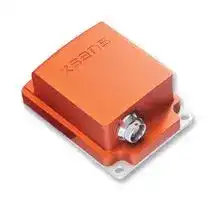


MTI-10-2A5G4
MTI-10 Series MEMS Inertial Measurement Unit (IMU) Module
- Manufacturer: XSENS
- Product type: MEMS Modules
- MEMS Module Function:-; Supply Voltage Min:4.5V; Supply Voltage Max:34V; Sensor Case Style:Module; No. of Pins:-; Gyroscope Range:± 450°/s; Acceleration Range:± 5g; Product Range:-; RoHS
- MSL: -
- No. of Pins: -
- Sensor Type: Accelerometer, Gyroscope, Magnetometer
- Sensing Axis: X, Y, Z
- Product Range: MTi-10 Series
- Output Interface: USB, RS232, RS422, UART
- Sensor Case Style: Module
- Supply Voltage Max: 34V
- Supply Voltage Min: 4.5V
- Sensor Case / Package: Module
- Operating Temperature Max: 85°C
- Operating Temperature Min: -40°C
- Sensing Range - Gyroscope: ± 450°/s
- Temperature Sensing Range: -
- Sensing Range - Accelerometer: ± 5g
| Delivery and price | |
|---|---|
| Units per pack | 1 |
| Price | 327.99 € |
| Current stock | 10+ |
| Lead time | 30 days |

## **MTi User Manual**
## **MTi 10-series and MTi 100-series**
Document MT0605P, Revision E, 17 January 2014
Xsens Technologies B.V.
Pantheon 6a phone +31 (0)88 973 67 00 P.O. Box 559 fax +31 (0)88 973 67 01 7500 AN Enschede e-mail info@xsens.com The Netherlands internet www.xsens.com
Xsens North America, Inc.
10557 Jefferson Blvd, phone 310-481-1800 Suite C fax 310-416-9044 CA-90232 Culver City e-mail info@xsens.com USA internet www.xsens.com
## xsens
## **Revisions**
|**Revision**|**Date**|**By**|**Changes**|
|---|---|---|---|
|A|26 Sep 2012|MHA|Initial release|
|B|18 Dec 2012|MHA|Included MTi-G-700|
|C|07 May 2013|MHA||
|D|28 October 2013|MHA|Added NMEA, StartSampling,<br>vibration mounts|
|E|17 January 2014|MHA|Added product code, 3V3 and remark<br>on termination resistor|
© 2005-2014, Xsens Technologies B.V. All rights reserved. Information in this document is subject to change without notice. Xsens, MVN, MotionGrid, MTi, MTi-G, MTx, MTw, Awinda and KiC are registered trademarks or trademarks of Xsens Technologies B.V. and/or its parent, subsidiaries and/or affiliates in The Netherlands, the USA and/or other countries. All other trademarks are the property of their respective owners.
Document MT0605P.E MTi User Manual
ii
© Xsens Technologies B.V.
## xsens
## **Table of Contents**
|**1**|**REFERENCES ..................................................................................................................................... 2**|**REFERENCES ..................................................................................................................................... 2**|
|---|---|---|
|**2**|**INTRODUCTION ................................................................................................................................ 3**||
||2.1<br>MTI10-SERIES................................................................................................................................. 3||
||_2.1.1_|_MTi-30 AHRS ........................................................................................................................ 3_|
||_2.1.2_|_MTi-20 VRU ......................................................................................................................... 3_|
||_2.1.3_|_MTi-10 IMU ......................................................................................................................... 3_|
||2.2<br>MTI100-SERIES............................................................................................................................... 4||
||_2.2.1_|_MTi-G-700 GPS/INS .............................................................................................................. 4_|
||_2.2.2_|_MTi-300 AHRS ...................................................................................................................... 4_|
||_2.2.3_|_MTi-200 VRU ........................................................................................................................ 4_|
||_2.2.4_|_MTi-100 IMU ........................................................................................................................ 4_|
||_2.2.5_|_Identifying device functionality using the unique Device Identifier ............................................ 5_|
||_2.2.6_|_Product code ........................................................................................................................ 5_|
||2.3<br>EVOLUTION OFMTI PRODUCTS.............................................................................................................. 6||
||2.4<br>OVERVIEWMTIDEVELOPMENTKIT........................................................................................................ 7||
||_2.4.1_|_Contents .............................................................................................................................. 7_|
||2.5<br>INSTALLATION................................................................................................................................... 8||
||_2.5.1_|_Transient accelerations ......................................................................................................... 8_|
||_2.5.2_|_Vibrations ............................................................................................................................ 8_|
||_2.5.3_|_Magnetic materials and magnets .......................................................................................... 9_|
||2.6<br>TYPICALUSERSCENARIOS.................................................................................................................. 10||
||_2.6.1_|_MT Software Suite .............................................................................................................. 10_|
||_2.6.2_|_Getting Started with the MT Manager.................................................................................. 11_|
||_2.6.3_|_Using the Software Development Kit (SDK) ........................................................................... 12_|
||_2.6.4_|_Direct low-level communication with MTi ............................................................................. 14_|
||_2.6.5_|_Migration from MT SDK 3.3 (CMT) ....................................................................................... 14_|
||_2.6.6_|_Terms of use MT Software Suite ........................................................................................... 15_|
|**3**|**MTI SYSTEM OVERVIEW .................................................................................................................. 16**||
||3.1<br>CALIBRATION................................................................................................................................. 16||
||3.2<br>XSENSKALMANFILTER(XKF3I)FORMTI10-SERIES.................................................................................. 16||
||_3.2.1_|_Using the acceleration of gravity to stabilize inclination (roll/pitch) ........................................ 16_|
||_3.2.2_|_Using the Earth magnetic field to stabilize yaw ..................................................................... 17_|
||_3.2.3_|_Initialization ....................................................................................................................... 17_|
||_3.2.4_|_XKF3i filter profiles.............................................................................................................. 17_|
||3.3<br>XSENS SENSOR FUSION ALGORITHM FORMTI100-SERIES............................................................................ 19||
||_3.3.1_|_MTi 100-series filter ............................................................................................................ 19_|
||_3.3.2_|_Transient accelerations ....................................................................................................... 19_|
||_3.3.3_|_Magnetic distortions ........................................................................................................... 19_|
||_3.3.4_|_Loss of GPS ........................................................................................................................ 19_|
||_3.3.5_|_MTi 100-series filter profiles ................................................................................................ 19_|
||_3.3.6_|_MTi-G-700 filter profiles ...................................................................................................... 20_|
|**4**|**OUTPUT SPECIFICATION .................................................................................................................. 22**||
||4.1<br>OVERVIEW OF DATA OUTPUTS............................................................................................................. 23||
||_4.1.1_|_MTData2 output in XBus protocol ........................................................................................ 23_|
||_4.1.2_|_NMEA protocol ................................................................................................................... 24_|
Document MT0605P.E
iii
© Xsens Technologies B.V.
MTi User Manual
## xsens
||4.2<br>COORDINATE SYSTEMS...................................................................................................................... 25|
|---|---|
||_4.2.1_<br>_Calibrated inertial data and magnetic field data ................................................................... 25_|
||_4.2.2_<br>_Delta_angle and delta_velocity............................................................................................ 25_|
||_4.2.3_<br>_Orientation data ................................................................................................................. 26_|
||_4.2.4_<br>_Velocity data ...................................................................................................................... 27_|
||_4.2.5_<br>_Position data ...................................................................................................................... 27_|
||4.3<br>ORIENTATION PERFORMANCE SPECIFICATION........................................................................................... 30|
||4.4<br>POSITION AND VELOCITY PERFORMANCE SPECIFICATION(MTI-G-700)............................................................ 31|
||4.5<br>ORIENTATION OUTPUT MODES............................................................................................................. 31|
||_4.5.1_<br>_Quaternion orientation output mode ................................................................................... 32_|
||_4.5.2_<br>_Euler angles orientation output mode .................................................................................. 33_|
||_4.5.3_<br>_Rotation Matrix orientation output mode ............................................................................. 33_|
||4.6<br>SENSOR DATA PERFORMANCE SPECIFICATION........................................................................................... 35|
||_4.6.1_<br>_Gyroscopes ........................................................................................................................ 35_|
||_4.6.2_<br>_Accelerometers and magnetometer ..................................................................................... 36_|
||_4.6.3_<br>_Y zBarometer ..................................................................................................................... 36_|
||_4.6.4_<br>_GPS receiver ....................................................................................................................... 37_|
||4.7<br>BUILT-IN SELF-TEST.......................................................................................................................... 38|
||4.8<br>TEST ANDCALIBRATIONCERTIFICATE..................................................................................................... 39|
||4.9<br>SENSORS DATA OUTPUTS.................................................................................................................... 40|
||_4.9.1_<br>_Physical sensor model ......................................................................................................... 40_|
||_4.9.2_<br>_Calibrated delta_q and delta_v outputs ................................................................................ 41_|
||_4.9.3_<br>_Calibrated inertial and magnetic data outputs ...................................................................... 41_|
||_4.9.4_<br>_Free acceleration ................................................................................................................ 41_|
||_4.9.5_<br>_Uncalibrated raw output mode ............................................................................................ 42_|
||4.10 LEGACY OUTPUT MESSAGES................................................................................................................ 43|
||4.11 RESET OF OUTPUT OR REFERENCE CO-ORDINATE SYSTEMS............................................................................ 44|
||4.12 TIMESTAMP AND PACKET COUNTER OUTPUT............................................................................................ 47|
||_4.12.1_<br>_Packet counter ................................................................................................................... 47_|
||_4.12.2_<br>_Time UTC ........................................................................................................................... 47_|
||_4.12.3_<br>_Time stamp (Sample Time Fine) ........................................................................................... 47_|
||_4.12.4_<br>_Setting UTC time on non-GPS MTi’s ...................................................................................... 47_|
||4.13 STATUS BYTE.................................................................................................................................. 48|
|**5**|**BASIC COMMUNICATION ................................................................................................................ 50**|
||5.1<br>INTRODUCTION............................................................................................................................... 50|
||5.2<br>STATES......................................................................................................................................... 50|
||5.3<br>MESSAGES.................................................................................................................................... 51|
||_5.3.1_<br>_Message structure .............................................................................................................. 51_|
||_5.3.2_<br>_Message usage .................................................................................................................. 52_|
||_5.3.3_<br>_Common messages ............................................................................................................. 53_|
||5.4<br>COMMUNICATIONTIMING................................................................................................................. 54|
||5.5<br>TRIGGERING AND SYNCHRONIZATION..................................................................................................... 57|
||_5.5.1_<br>_External device triggers MTi (Send Latest) ............................................................................ 57_|
||_5.5.2_<br>_Marker in MT data (Trigger Indication) ................................................................................ 57_|
||_5.5.3_<br>_MTi triggers external devices (Interval Transition Measurement) ........................................... 58_|
||_5.5.4_<br>_Clock synchronization (Clock Bias Estimation) ....................................................................... 59_|
||_5.5.4.1_ _Clock Bias Estimation from GPS ........................................................................................... 59_|
||_5.5.5_<br>_StartSampling .................................................................................................................... 59_|
||_5.5.6_<br>_Combining synchronization functions ................................................................................... 60_|
Document MT0605P.E
iv
© Xsens Technologies B.V.
MTi User Manual
## xsens
||5.6<br>INTERNAL CLOCK ACCURACY................................................................................................................ 61|
|---|---|
||_5.6.1_<br>_Clock of MTi’s without GPS receiver ..................................................................................... 61_|
||_5.6.2_<br>_Clock of MTi-G-700 GPS/INS ................................................................................................ 61_|
||5.7<br>DEFAULTSERIALCONNECTIONSETTINGS................................................................................................ 61|
||_5.7.1_<br>_General definitions for binary data ....................................................................................... 62_|
||_5.7.2_<br>_Serial or USB communication ............................................................................................... 62_|
|**6**|**PHYSICAL SPECIFICATIONS ............................................................................................................... 63**|
||6.1<br>PHYSICAL PROPERTIES OVERVIEW.......................................................................................................... 63|
||6.2<br>POWER SUPPLY............................................................................................................................... 63|
||_6.2.1_<br>_Alternative 3V3 power supply .............................................................................................. 64_|
||6.3<br>MECHANICAL AND ELECTRICAL INTERFACE SPECIFICATIONS........................................................................... 65|
||_6.3.1_<br>_Encased MTi connectors overview ........................................................................................ 65_|
||_6.3.2_<br>_OEM connections overview ................................................................................................. 67_|
||_6.3.3_<br>_Additional interface specifications ....................................................................................... 69_|
||_6.3.4_<br>_Using the MTi MkIV with an external USB converter .............................................................. 70_|
||6.4<br>HOUSING MECHANICAL SPECIFICATIONS.................................................................................................. 71|
||_6.4.1_<br>_Environmental protection of the housing .............................................................................. 71_|
||_6.4.2_<br>_Dimensions MTi .................................................................................................................. 71_|
||_6.4.3_<br>_Mounting the MTi-OEM ...................................................................................................... 71_|
||_6.4.4_<br>_MTi 10-series technical drawing .......................................................................................... 72_|
||_6.4.5_<br>_MTi 100-200-300 technical drawing ..................................................................................... 73_|
||_6.4.6_<br>_MTi-G-700 technical drawing .............................................................................................. 74_|
||_6.4.7_<br>_MTi-OEM technical drawing ................................................................................................ 75_|
|**7**|**IMPORTANT NOTICES ...................................................................................................................... 76**|
||7.1<br>SAFETY INSTRUCTIONS....................................................................................................................... 76|
||7.2<br>ABSOLUTE MAXIMUM RATINGS............................................................................................................ 76|
||7.3<br>MAINTENANCE............................................................................................................................... 76|
||7.4<br>CE DECLARATION OFCONFORMITY FOR THEMTDEVICES............................................................................ 77|
||7.5<br>FCC DECLARATION OFCONFORMITY FOR THEMTDEVICES.......................................................................... 78|
||7.6<br>WARRANTY AND LIABILITY.................................................................................................................. 79|
||7.7<br>CUSTOMERSUPPORT........................................................................................................................ 79|
Document MT0605P.E
© Xsens Technologies B.V.
MTi User Manual
v
## xsens
## **1 References**
|**Reference**<br>**id**|**Document description**|
|---|---|
|[LLCP]|“MT Low-Level Communication Protocol Documentation.pdf”, document ID<br>MT0101P|
|[MTM]|“MT Manager User Manual.pdf”, document ID MT0216P|
|[XDA_DOC]|XDA doxygen HTML documentation. Found in Xsens folder structure|
|[MTI_TD]|“MTi Technical Datasheet.pdf”, document ID MT0503P|
Document MT0605P.E MTi User Manual
2
© Xsens Technologies B.V.
## xSens
## **2 Introduction**
The MTi product portfolio from Xsens currently has 7 family members ranging in functionality from inertial measurement units (IMU’s) to a fully integrated GPS/INS solution. All products contain a 3D inertial sensor assembly (ISA: gyroscopes and accelerometers) and 3D magnetometers, with optionally a barometer and GNSS receiver.
The MTi product range is divided in two series, the MTi 10-series and the MTi 100-series. The MTi 10series is Xsens’ entry level model with robust accuracy and a limited range of IO options. The 100series is a revolutionary new class of MEMS IMU’s, orientation and position sensor modules offering unprecedented accuracies and a wide array of IO interfaces.
All MTi’s have a powerful multi-processor core design, capable of processing roll, pitch and yaw with extremely low latencies, as well as outputting calibrated 3D linear acceleration, rate of turn (gyro), (earth) magnetic field and atmospheric pressure (100-series only) data. The MTi-G-700 GPS/INS also offers 3D position and 3D velocity. Over 50 various output formats can be provided directly from the MTi interface. The various outputs per product can be found in section 4.1.
This documentation describes the use, basic communication interfaces and specifications of all the 7 MTi’s. Where they differ is clearly indicated. All products are designed to be interchangeable from a mechanical and software interface point of view.
## _**2.1 MTi 10-series**_
The MTi 10-series is the basic product range of the MTi product portfolio, offering inertial data and orientation data at an affordable price. The MTi 10-series consists of 3 products that have various integration levels.
The MTi-10 series can easily be recognized by the silver base plate. There are no visual differences between the MTi-10 IMU, MTi-20 VRU and MTi-30 AHRS, other than the label.
## **2.1.1 MTi-30 AHRS**
The MTi-30 AHRS is a full gyro-enhanced Attitude and Heading Reference System (AHRS). It outputs drift-free roll, pitch and true/magnetic North referenced yaw, plus sensors data: 3D acceleration, 3D rate of turn and 3D earth-magnetic field data. All products of the MTi 10-series are also capable of outputting data generated by the Strapdown integration algorithm (orientation and velocity increments ∆ q and ∆ v).
## **2.1.2 MTi-20 VRU**
The MTi-20 VRU is a 3D vertical reference unit (VRU), which means that it outputs the same data as the MTi-30, except for the referenced yaw. They yaw is unreferenced, though still superior to just gyroscope integration.
## **2.1.3 MTi-10 IMU**
The MTi-10 IMU is a 3D inertial measurement unit (IMU) that outputs 3D acceleration, 3D rate of turn and 3D earth-magnetic field data, so it doesn’t process data to orientation. The MTi-10-IMU is also capable of outputting data generated by the Strapdown integration algorithm (orientation and velocity increments ∆ q and ∆ v).
Document MT0605P.E
3
© Xsens Technologies B.V.
MTi User Manual
## xsens
## _**2.2 MTi 100-series**_
The MTi-100 series is the high-performance product range of the MTi product portfolio, with accuracies overpowering conventional MEMS AHRS’s, because of the use of superior gyroscopes and a new optimization filter, going beyond (Extended) Kalman Filter implementations. In addition, the factory calibration is more elaborate to make use of these higher class gyroscopes.
The MTi 100-series can be recognized by the darkgrey base plate and the holes on one side of the casing. These holes are used for the adaptation of the inside air pressure to atmospheric pressure,
required for a proper working of the barometer. Note that the electronics inside is protected with a vent that keeps the casing IP67 rated. There are no visual differences between the MTi-100 IMU, MTi-200 VRU and MTi-300 AHRS, other than the label. The MTi-G-700 has an extra SMA connector to allow a GPS antenna to be attached.
## **2.2.1 MTi-G-700 GPS/INS**
The flagship of the MTi product portfolio is the MTi-G-700 GPS/INS, a fully integrated solution that includes an onboard GPS receiver. The MTi-G-700-GPS/INS is thus capable of not only outputting GPS-enhanced 3D orientation, it can also output AHRS-augmented 3D position and velocity, so that velocity and position accuracy significantly improve with respect to the accuracy of the GPS receiver alone. Furthermore, it provides 3D sensors data, such as acceleration, rate of turn, magnetic field, the navigation solution of the GPS receiver and static pressure. Data generated from the strapdown integration algorithm (orientation and velocity increments ∆ q and ∆ v) are available, as all other processed data, at 400 Hz.
## **2.2.2 MTi-300 AHRS**
The MTi-300 AHRS is a full gyro-enhanced Attitude and Heading Reference System (AHRS). It outputs drift-free roll, pitch and true/magnetic North referenced yaw. It also outputs sensors data and data generated from the Strapdown integration algorithm as well as described in section 2.2.1.
## **2.2.3 MTi-200 VRU**
The MTi-200 VRU is a 3D vertical reference unit (VRU) and this unit too runs the Xsens sensor fusion algorithm from the MTi-G-700 and MTi-300. The difference between the data of the MTi-300 and MTi200 is that yaw is unreferenced, though the yaw is still much better than just integrating rate of turn.
## **2.2.4 MTi-100 IMU**
The MTi-100 IMU is a 3D inertial measurement unit (IMU) that outputs 3D acceleration, 3D rate of turn and 3D earth-magnetic field data. The MTi-10-IMU is also capable of outputting data generated by the Strapdown integration algorithm (orientation and velocity increments ∆ q and ∆ v).
Document MT0605P.E
4
© Xsens Technologies B.V.
MTi User Manual
## xsens
## **2.2.5 Identifying device functionality using the unique Device Identifier**
Each Xsens product is marked with a unique serial device identifier referred to as the DeviceID. The DeviceID is categorized per MTi product configuration in order to make it possible to recognize the MTi (and thus its functionality and interface) by reviewing the DeviceID. The second digit of the DeviceID denotes the functionality (e.g. ‘1’ for MTi-10 and MTi-100), the third digit denotes the product series (6 for MTi 10-series, 7 for MTi 100-series) and the fourth digit denotes the interface (e.g. ‘0’ for RS232+USB). The last four digits are unique for each device; these four digits have a hexadecimal format.
Below is a list of the products and interfaced with their corresponding products.
|**Product**|**RS232+USB**|**RS422**|**RS485+USB**|
|---|---|---|---|
|MTi-10 IMU|0160xxxx|0161xxxx|0163xxxx|
|MTi-20 VRU|0260xxxx|0261xxxx|0263xxxx|
|MTi-30 AHRS|0360xxxx|0361xxxx|0363xxxx|
|MTi-100 IMU|0170xxxx|0171xxxx|0173xxxx|
|MTi-200 VRU|0270xxxx|0271xxxx|0273xxxx|
|MTi-300 AHRS|0370xxxx|0371xxxx|0373xxxx|
|MTi-G-700 GPS/INS|0770xxxx|0771xxxx|0773xxxx|
## **2.2.6 Product code**
The product code of the MTi MkIV consists of a number of characters that represent the product type, full ranges of the inertial sensors, the interface and the casing option. The table below shows the product code build-up.
|**Format**|**MTi-**|**####**|**####**|-|*****|*****|**A***|**A***|**G***|**G***|||
|---|---|---|---|---|---|---|---|---|---|---|---|---|
|Example|MTi-|G-700||**-**|2||A5||G4||-OEM||
||~~a~~<br>~~a~~<br>~~a~~|10<br>~~ee~~<br>~~ee ee~~<br>|IMU<br>~~ee~~<br>~~ee ee~~<br>|~~ee~~<br>~~ee ee~~<br>|2<br>~~ee~~<br>~~ee ee~~<br>|RS232<br>~~ee~~<br>~~ee ee ee~~<br>|A5<br>~~ee~~<br>~~ee~~<br>|5g<br>~~ee~~<br>~~ee~~<br>|G4<br>~~ee~~<br>~~ee~~<br>~~ee~~<br>|450 º/s<br>~~ee~~<br>~~ee~~<br>~~ee~~<br>|Blank<br>~~ee~~<br>~~ee~~<br>~~ee~~|Alu casing<br>~~ee~~<br>~~ee~~<br>~~ee~~|
||~~a~~<br>~~a ~~<br>~~a~~<br>~~a~~|20<br>~~ee~~<br> ~~ee ee~~<br>~~ee ee~~<br>|VRU<br>~~ee~~<br>~~ee ee~~<br>~~ee ee~~<br>|~~ee~~<br>~~ee ee~~<br>~~ee ee~~<br>|4<br>~~ee~~<br>~~ee ee~~<br>~~ee ee~~<br>|RS485<br>~~ee~~<br>~~ee ee ee~~<br>~~ee ee ee~~<br>|A8<br>~~ee~~<br>~~ee~~<br>~~ee~~<br>|15g<br>~~ee~~<br>~~ee~~<br>~~ee~~<br>|G0<br>~~ee~~<br>~~ee~~<br>~~ee~~<br>~~ee~~<br>|1000 º/s<br>~~ee~~<br>~~ee ~~<br>~~ee~~<br>~~ee~~<br>|-OEM<br>~~ee~~<br> ~~ee ~~<br>~~ee~~<br>~~ee~~|No casing<br>~~ee~~<br> ~~ee~~<br>~~ee~~<br>~~ee~~|
||<br>~~a ~~<br>~~a~~<br>~~a~~|30<br> ~~ee ee~~<br> ~~ee ee~~<br>~~ee ee~~<br>|AHRS<br>~~ee ee~~<br>~~ee ee~~<br>~~ee ee~~<br>|~~ee ee~~<br>~~ee ee~~<br>~~ee ee~~<br>|6<br>~~ee ee~~<br>~~ee ee~~<br>~~ee ee~~<br>|RS422<br>~~ee ee ee~~<br>~~ee ee ee~~<br>~~ee ee ee~~<br>|~~ee~~<br>~~ee~~<br>~~ee~~<br>|~~ee~~<br>~~ee~~<br>~~ee~~<br>|~~ee~~<br>~~ee~~<br>~~ee~~<br>|~~ee~~<br>~~ee~~<br>~~ee~~<br>|~~ee~~<br>~~ee~~<br>~~ee~~<br>|~~ee~~<br>~~ee~~<br>~~ee~~<br>|
||<br>~~a ~~<br>~~a~~<br>~~pf~~|100<br> ~~ee ee~~<br> ~~ee ee~~<br>~~ee ee~~<br>~~pf~~|IMU<br>~~ee ee~~<br>~~ee ee~~<br>~~ee ee~~<br>|~~ee ee~~<br>~~ee ee~~<br>~~ee ee~~|~~ee ee~~<br>~~ee ee~~<br>~~ee ee~~|~~ee ee ee~~<br>~~ee ee ee~~<br>~~ee ee~~|~~ee~~<br>~~ee~~<br>|~~ee~~<br>~~ee~~<br>~~ee~~|~~ee~~<br>~~ee~~<br>~~ee~~|~~ee~~<br>~~ee~~<br>~~ee~~|~~ee~~<br>~~ee~~<br>~~ee~~|~~ee~~<br>~~ee~~<br>~~ee~~|
||<br>~~a ~~<br>~~pf~~|200<br> ~~ee ee~~<br> ~~ee ee~~<br>~~pf~~|VRU<br>~~ee ee~~<br>~~ee ee~~<br>|~~ee ee~~<br>~~ee ee~~|~~ee ee~~<br>~~ee ee~~|~~ee ee ee~~<br>~~ee ee~~|~~ee~~<br>|~~ee~~<br>~~ee~~|~~ee~~<br>~~ee~~|~~ee~~<br>~~ee~~|~~ee~~<br>~~ee~~|~~ee~~<br>~~ee~~|
||<br>~~pf~~<br>~~es~~|300<br> ~~ee ee~~<br>~~pf|~~<br>~~ee~~|AHRS<br>~~ee ee~~<br>~~|~~<br>~~ee~~|~~ee ee~~<br>~~2~~|~~ee ee~~|~~ee ee~~<br>~~ee~~|~~ee~~|~~ee~~<br>~~ee~~|~~ee~~<br>~~eee~~|~~ee~~<br>~~eee~~|~~ee~~<br>~~eee~~|~~ee~~<br>~~eee~~|
||<br>~~pf~~<br>~~es~~|G-700<br> ~~ee ee~~<br>~~pf |~~<br>~~ee~~|GPS/INS<br>~~ee ee~~<br>~~|~~<br>~~ee~~|~~ee ee~~<br>~~2~~|~~ee ee~~|~~ee ee ~~<br>~~ee~~|<br>~~ee~~|~~ee~~<br>~~ee~~|~~ee~~<br>~~eee~~|~~ee ~~<br>~~eee~~|~~ee ~~<br>~~eee~~|~~ee~~<br>~~eee~~|
Document MT0605P.E
5
© Xsens Technologies B.V.
MTi User Manual
## _**2.3 Evolution of MTi products**_
The MTi 10-series and MTi 100-series are Xsens 4[th] generation products, building on knowledge and products from over a decade. They may be designated as MkIV MTi’s. In source code or software, this can be Mk4.
In this manual, the term legacy MTi, MTx or MTi-G may be used. In these cases, it is referred to the previous generation products, which set the standard in MEMS Motion Tracking technology.
Also included in the Motion Tracker range is the wireless MTw, which has a close resemblance to the MTi 10-series and MTi 100-series in terms of system architecture and interfacing.
The MTi 10-series and MTi 100-series are described in detail in section 2.1 and 2.2, for completeness they are listed below as well:
|**Product name**|**Description**|**Availability**|**Productphoto**|
|---|---|---|---|
|Legacy MTi<br>~~ee~~|The standard setting MTi is a full 3D<br>AHRS, comparable in function to the<br>MTi-30 and MTi-300. It has a plastic<br>casing and aluminum bottom plate.<br>Product codes are in the form of MTi-<br>28A53G35<br>~~ee~~|Introduced:<br>2005<br>Available: at<br>least till Dec<br>2013<br>~~ee~~|~~ee~~|
|Legacy MTi-OEM<br>~~ee~~<br>|The OEM board of the legacy MTi.<br>The board is green (contrary to<br>orange MTi-10s and MTi-100s OEM<br>board)<br>~~ee~~<br>|Introduced:<br>2006<br>Available: at<br>least till Dec<br>2013<br>~~ee~~<br>|~~ee~~<br>~~2~~|
|Legacy MTx<br>~~ee~~<br>~~nr~~|Designed as a Motion Tracker for<br>human movements, this low-weight<br>Motion Tracker has a fully plastic<br>casing. Product codes are in the form<br>of MTx-28A53G25<br>~~ee~~<br>~~nr~~|Introduced:<br>2005<br>Available: at<br>least till Dec<br>2013<br>~~ee~~<br>~~nr~~|~~ee~~<br>~~nr2~~|
|Legacy MTi-G<br>~~nr~~<br>~~ES~~|The GPS-aided MTi-G offers reliable<br>orientation during accelerations. The<br>successor of the MTi-G is the MTi-G-<br>700. The casing is as the legacy<br>MTi’s casing. Product codes are in<br>the form of MTi-G-28A53G35.<br>~~nr~~<br>~~ES~~|Introduced:<br>2007<br>Available: at<br>least till Dec<br>2013<br>~~nr~~<br>~~ES~~|~~nr2~~<br>~~ES~~|
|MTw<br>~~ES~~<br>~~nS~~|The wireless MTw is available as<br>single Motion Tracker or in a time-<br>synchronized network together with<br>the Awinda station. Product codes are<br>in the form of MTw-38A70G20.<br>~~ES~~<br>~~nS~~|Introduced:<br>2010<br>~~ES~~<br>~~nS~~|~~ES~~<br>~~nS~~|
|MTi 10-series,<br>MTi 100-series<br>(including MTi-G-<br>700) and OEM<br>~~nS~~<br>~~ww~~|The latest 4thgeneration addition to<br>the Motion Trackers of Xsens (MkIV).<br>See section 2.1 and 2.2 for more<br>information. The OEM board is<br>orange. This manual focuses on<br>these products. Product codes are in<br>the form of e.g. MTi-30-2A5G4<br>~~nS~~<br>~~ww~~|Introduced:<br>2012<br>~~nS~~<br>~~ww~~|~~nS~~<br>~~ww~~|
Document MT0605P.E MTi User Manual
6
© Xsens Technologies B.V.
## _**2.4 Overview MTi Development Kit**_
The MTi development kit is a very easy to use starter’s kit that allows for fast and easy integration of the MTi in any user scenario. On the right, the Development Kit is shown, containing an MTi, USB cable, Software Suite (on USB flash drive), a Quick Setup sheet and license key (both in the lid).
The full content of the MTi DK is described below.
## **2.4.1 Contents**
- Your MTi
- Device specific Test and Calibration Certificate
- A letter with your individual software license code
- USB cable (CA-USB-MTi)
- Multi-purpose cable (CA-MP-MTi) (optional)
- Quick Setup Sheet
- MT Software Suite on USB Flash Drive
- MT Low-level communication Documentation PDF [MT0101P]
- Quick Setup PDF
- MT Software Suite
- Xsens MTi USB driver
- MT Manager
- **MT Software Development Kit (MT SDK)**
- **XsensDeviceApi.DLL, 32-bit and 64-bit**
- DLL C and C++ interface
`o` COM interface
**==> picture [217 x 22] intentionally omitted <==**
`o` MATLAB: DLL example supported from MATLAB 2010b `o` C: DLL example `o` C++: public source example and DLL example
**==> picture [307 x 22] intentionally omitted <==**
- Documentation
- MTi User Manual [MT0506P]
- MT Low level communication Documentation [MT0101P]
MT Magnetic Field Mapper Documentation [MT0202P] XDA doxygen HTML API documentation
_**NOTE**_ : the most recent version of the software, source code and documentation can always be downloaded on the support section of www.xsens.com/en/support.
Document MT0605P.E
7
© Xsens Technologies B.V.
MTi User Manual
## xsens
## _**2.5 Installation**_
## **2.5.1 Transient accelerations**
The 3D linear accelerometers in the MTi are primarily used to estimate the direction of gravity to obtain a reference for attitude (pitch/roll). During long periods (more than tens of seconds) of transient “free” accelerations (i.e. 2[nd] derivative of position) the observation of gravity cannot be made. The sensor fusion algorithms take these effects into account, but nonetheless it is impossible to estimate true vertical without added information.
The impact of transient accelerations can be minimized when you take into account a few things when positioning the device when installing it in the object you want to track/navigate/stabilize or control.
If you want to use the MTi to measure the dynamics of a moving vehicle/craft it is best to position the measurement device at a position where you expect the least (smallest) transient accelerations. This is typically close to the centre of gravity (CG) of the vehicle/craft since any rotations around the centre of gravity translate into centripetal accelerations at any point outside the point of rotation, which is usually close to the CG. The acceleration of the vehicle as a whole can of course not be taken into account. For the MTi-G-700 however that have a valid GPS-fix, transient accelerations make the orientation better observable.
The MTi 100-series cope better with transient “free” accelerations because of the higher-class gyroscopes in the MTi 100-series. Next to the better hardware, the algorithm in the MTi 100-series is superior in detecting and coping with challenging conditions, such as transient accelerations.
## **2.5.2 Vibrations**
Although the MTi samples at 10kHz and includes a strap down integration algorithm with coning/sculling compensation and vibration rejection, for best results it is recommended that the MTi is mechanically isolated from vibrations as much as possible: since vibrations are measured directly by the accelerometers, the following two conditions can make the readings from the accelerometers invalid;
1. The magnitude of the vibration is larger than the measurement range of the accelerometer. This will cause the accelerometer to saturate, which may be observed as a “drift” in the zerolevel of the accelerometer. This will show up as an erroneous roll/pitch.
2. The frequency of the vibration is higher than the bandwidth of the accelerometer. In theory, such vibrations are rejected, but in practice they can still give rise to aliasing, especially if close to the bandwidth limit. This can be observed as a low frequency oscillation. Further, high frequency vibrations often tend to have large acceleration amplitudes (see item 1).
There is an effect on the gyroscopes as well and especially when the vibrations include high-frequent coning motion, the gyroscope readings may become invalid. The MTi 100-series features vibration rejecting gyroscopes, designed to better cope with these specific conditions.
Note that the sleeve on the Fischer connector can move by design in order to enable unmating. Vibrations on the MTi, especially in the direction of the MTi’s x-axis, can make the sleeve vibrate against the panel part of the connector. This may be visible in the accelerometer and gyroscope data. To prevent this, the sleeve of the Fischer connector may be locked with the ring at the connector.
Xsens has tested a set of vibration dampeners on the MTi. Vibration dampeners are low-profile rubber cylinders that allow the MTi to be mounted on an object without a direct metal to metal connection that transduces vibrations from the object to the MTi. The vibration dampeners have been tested with frequencies up to 1200 Hz that caused aliasing when the MTi was mounted directly on the vibration table had no effect with the vibration dampeners fitted. The dampeners tested are manufactured by Norelem and have part number 26102-00800855, www.norelem.com
Document MT0605P.E MTi User Manual
8
© Xsens Technologies B.V.
## xsens
## **2.5.3 Magnetic materials and magnets**
When an MTi is placed close to or on an object that is either magnetic or contains ferromagnetic materials, the measured magnetic field is distorted (warped) and causes an error in measured yaw. The earth magnetic field is altered by ferromagnetic materials, permanent magnets or very strong currents (several amperes). In practice, the distance to the object and the amount of ferromagnetic material determines the amount of disturbance. Errors in yaw (MTi-30, MTi-300 and MTi-G-700 only) due to such distortions can become quite large, since the earth magnetic field is very weak in comparison to the magnitude of many sources of distortion.
Whether or not an object is ferromagnetic should preferably be checked by using the MTi’s magnetometers. It can also be checked with a small magnet, but be careful, you can easily magnetize hard ferromagnetic materials, causing even larger errors. If you find that some object is magnetized (hard iron effect), this is often the case with for example stainless steels that are normally not magnetic, it may be possible to “degauss[1] ” the object.
In most cases when the disturbance of the magnetic field caused by placement of the MTi on a ferromagnetic object can be corrected for using a specialized calibration procedure commonly known as a “hard- and soft iron calibration”. The calibration procedure (MTi-30, MTi-300 and MTi-G-700 only) can be executed in a few minutes and yields a new set of calibration parameters that can be written to the MTi non-volatile memory. This calibration procedure is implemented in the software module “Magnetic Field Mapper” (MFM) that comes with the Software Suite.
Disturbance caused by objects in the environment near the MTi, like file cabinets or vehicles, that move independently, with respect to the device cause a type of distortion that cannot be accounted for[2] . With the MTi-300 and MTi-G-700, the effect of magnetic distortions will be lower than in the MTi30. Also, the choice for a filter profile greatly influences the total error amount because of the magnetic distortion.
> 1 Degaussing is a procedure to apply strong alternating magnetic fields with decreasing magnitude in random direction to an object that has been magnetized. The effect of the strong alternating fields is to remove any magnetized (aligned) domains in the object. When degaussing, make sure the MTi is not attached to the object. 2 This type of disturbance is non-deterministic.
Document MT0605P.E
9
© Xsens Technologies B.V.
MTi User Manual
## _**2.6 Typical User Scenarios**_
This section is intended to help you find the right software component and corresponding documentation for the way you want to use your MTi.
## **2.6.1 MT Software Suite**
The MT Software Suite is a set of software components that can be used to communicate with the MTi and to perform more high-level routines, such as logging, exporting, a magnetic field calibration and updating of the firmware. Depicted below is a flow chart based on the software platform and the preferred interface level.
On the left, three programs with GUIs are shown (Firmware Updater, Magnetic Field Mapper and MT Manager). These programs offer the possibility to configure the MTi in a very easy way. The MT Manager also can be used to communicate with the MTi.
The MT SDK contains all the developer code, such as a DLL, a shared object for x86 computers and basic functionality in C source code for embedded systems. Of course it is possible to use lower level communication options, down to the XBus low-level protocol; the most functionality however can be found in the DLL and shared object.
The XBus low-level protocol is described in high detail in the Low Level Communication Protocol: [LLCP].
The hardware driver of the USB interface for Linux can be found on http://github.com/xsens/xsens_mt. The driver is also included in Linux kernel 3.9 and higher.
Document MT0605P.E
10
© Xsens Technologies B.V.
MTi User Manual
## xsens
## **2.6.2 Getting Started with the MT Manager**
The easiest way to get started with your MTi is to use the **MT Manager** software for Windows XP/W7. This easy to use software with a Windows user interface allows you to:
- record data and playback/review data
- view orientation, position and velocity in real-time (if available)
- view inertial and magnetic sensor data in real time
- view low-level communication and XDA communication via message terminals
- export log files to ASCII and KML/KMZ
- change and view various device settings and properties
- reprocess pre-recorded data, e.g. with different settings
The MT Manager is therefore an easy way to get to know and to demonstrate the capabilities of the MTi and to configure the device easily to suit your needs.
With the MT Manager, it is possible to apply a configuration profile to multiple MTi’s. This allows system integrators to configure MTi’s fast and accurate.
## **Applies to: Windows PC platform**
Please refer to the **MT Manager User Manual** [MTM] for more information on this topic
Document MT0605P.E
11
© Xsens Technologies B.V.
MTi User Manual
## **2.6.3 Using the Software Development Kit (SDK)**
This chapter gives an introduction to the Xsens Device API (XDA). It serves as a starting point for members of a software development department interested in assessing the basis of the SDK and knowing about the background considerations. The main objective of the SDK is to facilitate easy development of user-specific host applications based on Xsens motion trackers.
The MT SDK 4.x (and the MT Software Suite) are designed for the MTi 10-series and MTi 100-series. The communication protocol is the same as in previous versions of the SDK. Obviously, new functionality has been introduced. In some functions and messages a new term is introduced to point specifically to the MTi 10-series and MTi 100-series. This term is MkIV (or Mk4 in functions) and is an abbreviation for Mark IV: the 4[th] generation MTi.
## **2.6.3.1 Using the Source code and Dynamic Library**
The MT SDK consists of Source code and a Dynamic Library. Source code is made available in C, since this language can be handled by many other programming languages, such as C++, Java and Python. Since C++ is a more convenient language to use for first-time users of the MT SDK (lower risk ee of making mistakes, easier to handle complex t Host applications functions), Xsens also supplies a C++ wrapper around the C-compiled library. Depicted on the COM} cl a right is a schematic overview of the MT SDK. As can be seen, the host application developer can choose to use a COM, C, C# or C++ interface. Creme} +(e) | However, only the C interface is delivered as a compiled dynamic library. For the C# and C++ 4 interface the source code of the wrapper classes are supplied as part of the SDK. The interfaces are i discussed in more detail in the following sections. Serialicati File.
Note that conceptually XDA makes no distinction between the cases that the data source is real-time data stream from a device or if it is a recorded file data stream.
Using the Xsens XBus low-level communication protocol is discussed in section 2.6.4.
Device management and global control functions are grouped in the XsControl object. To access functionality for a specific device the XsDevice object is available. Typical steps are:
**Figure 1: Xsens Device API**
1. Enter a serial key with XsControl::setSerialKey
2. Scan for Xsens devices with XsScanner::scanPorts
3. Open port with XsControl::openPort and get device object with XsControl::device
4. Configure device with XsDevice functions
5. Start measuring
Document MT0605P.E
12
© Xsens Technologies B.V.
MTi User Manual
## xsens
## **C-interface libraries**
XDA is implemented in two C-interface libraries that are supplied for MS Windows and Linux, consisting of two parts:
- XDA that contains the access to functionality as implemented in devices, e.g. configuring the Motion Trackers, requesting data etc (– Linux only available as beta via support@xsens.com)
- XsTypes that contains generic types (vectors, matrices, quaternions, etc.) and some basic operations on those types, e.g. converting quaternions coming from the MTi into Euler angles.
The C API exposes all possible functions that could be supported by an Xsens device. As such, a certain functionality implemented in devices is accessible by a function call that takes at least an XsDevice Object as a parameter. Not every Xsens device supports all functionality, e.g. an MTi does not support getting a position estimate whereas the MTi-G does. This means that whether the function returns a meaningful result depends on the connected device. The DeviceID indicates the MTi product with associated functionality: a list of DeviceIDs can be found in section 2.2.5. Exposing all the possible functionalities has the advantage that when changing the MTi in the application to a device with other functionalities, the majority of the code can remain unchanged.
Internally the Xsens host software is implemented using an object oriented approach in which the functionality is only implemented in subclasses, see schematic below.
**Figure 2: Functionality implementation for specific products**
It is important for the developer to use only functions supported by the connected device. During run time, calling an unsupported function will generate an error status in line with the normal error handling framework.
## **C++ interface**
To offer the convenience of object-lifetime management to developers, the XDA is also offered as a C++ interface which basically implements a convenience wrapper around the C API. This means that the developer does not have to deal with memory management (i.e. easy object-lifetime management) as the class implementation takes care of this. This means that for example functions named `XsDevice_<function name>` in the C interface are available in the C++ interface as the `<function name>` method of the `XsDevice` class.
## **COM interface**
For MS Windows environments, all the functionality is also available via a COM interface.
Document MT0605P.E
13
© Xsens Technologies B.V.
MTi User Manual
## xsens
## **2.6.4 Direct low-level communication with MTi**
The MTi features a powerful embedded multi-processor core. Since the MTi has an on-board nonvolatile memory that can store all settings, the MTi can conveniently be used without using a host computer.
The low-level communication protocol (named XBus protocol) offers full control and functionality, however without the convenience advantages that the Xsens Device API offers, such as threading, object-oriented programming and error handling. Low-level communication is essential on platforms that do not support the Xsens Device API, such as custom embedded computers.
The low-level communication is extensively described in the Low-Level Communication Protocol Documentation. Next to that, source code is delivered to make driver development and Xbus message parsing for the MTi as easy and quick as possible.
## **2.6.5 Migration from MT SDK 3.3 (CMT)**
Programmers familiar with using the CMT interface from the MT SDK 3.x and lower (Xsens’ interface for legacy MTi products) will find that changes need to be made in order to work with the new XDA. Notable differences are shown below:
|**MT SDK 3.3 / CMT 3.3**|**MT SDK 4 / XDA 4.x**|
|---|---|
|Xsens CMT (Communication for<br>Motion Trackers)library|XDA (Xsens Device API) library|
|Mixed C/C++ interface|Pure C interface with C++ wrapper interface. The C interface<br>supplies the same functionality as the C++ interface but uses<br>the class name as a function prefix (ie XsControl_openPort<br>instead of XsControl::openPort)|
|Preallocation of buffers is often<br>required|XDA-managed safe interface objects are passed between the<br>library and the application|
|Library functions are plain functions<br>using an instance number and<br>DeviceID for device identification|Library functions and structures are available as C++ classes<br>without the need for explicit identification per function|
|Only supports MT9-C and Xbus<br>Master devices|Supports all Xsens devices|
|Data output in fixed-rate all-in-one<br>format|Data output rates configurable per type of output. Also many<br>more output types are available.|
|All functions are prefixed with cmt<br>All structs areprefixed with Cmt|All global functions and objects are prefixed with Xs.|
|Source code is available including<br>logging and custom functions|Source code is limited to a message interface. However,<br>fewer messages are required to configure MTis and data<br>messages are easier to understand so the message interface<br>is more robust.|
|Linux functions in source code only|A shared object for Linux on x86 processors is available (beta)|
XDA can be run side-by-side with CMT, but the libraries don’t interact. A full conversion to XDA is recommended. The following coding steps are needed: replace all Cmt objects in the code by their Xs counterparts and replace DeviceID storage by XsDevice storage and use XsDevice class functions instead of global CMT-functions. In section 2.6.3.1, the typical workflow of XDA is explained. Also refer to examples, to be found in the Xsens folder in Program Files of your computer.
Document MT0605P.E
14
© Xsens Technologies B.V.
MTi User Manual
## xsens
MTi 10-series and MTi 100-series devices are designed to be drop-in replaceable with legacy MTi and MTx devices. When new MTi’s are configured to output orientation data in legacy output mode, CMT will recognize the device. In this case only basic functionality is available, such as the reading of orientation data. See section 4.10 for more information about the legacy output mode.
## **2.6.6 Terms of use MT Software Suite**
The installer of the MT Software Suite can install 4 components of the MT Software Suite: the MT Manager, the MT SDK, the MT Magnetic Field Mapper and the MT Firmware Updater. It is possible to install only parts of the MT Software Suite, so every component has a separate EULA or Software License Agreement that you need to read and accept. In the following table, the guidelines for use of each component are described.
|**Component**|**EULA/SLA**|**Guidelines**|
|---|---|---|
|MT Manager|EULA|For use with Xsens products only<br>Not allowed to re-distribute<br>Not allowed to reverse engineer<br>Not allowed to modify<br>Serial key required|
|MT SDK|SLA|For use with Xsens products only<br>Allowed to re-distribute “as is” or embed in programs<br>Not allowed to reverse engineer<br>Allowed to modify and extend source code; not allowed to modify DLL<br>Serial key required for use of DLL; not needed for source code<br>Include Software License Agreement with distribution|
|MT MFM|SLA|For use with Xsens products only<br>Allowed to re-distribute “as is”<br>Not allowed to reverse engineer<br>Not allowed to modify<br>No serial key required<br>Include Software License Agreement with distribution|
|MT FWU|SLA|For use with Xsens products only<br>Allowed to re-distribute “as is”<br>Not allowed to reverse engineer<br>Not allowed to modify<br>No serial key required<br>Include Software License Agreement with distribution|
Document MT0605P.E
15
© Xsens Technologies B.V.
MTi User Manual
## xsens
## **3 MTi System Overview**
## _**3.1 Calibration**_
A correct calibration of the sensor components inside the MTi is essential for an accurate output. Because of the importance of the calibration, each Xsens’ MTi is calibrated and tested by subjecting each product to a wide range of motions and temperatures.
The MTi 10-series and the MTi 100-series feature different gyroscopes and a different sensor fusion algorithm. Therefore, the high-performance MTi 100-series require a more elaborate calibration method.
The individual calibration parameters are used to convert the sensor component readout (digitized voltages) to physical quantities as accurately as possible, compensating for a wide range of deterministic errors. Additionally, the calibration values are used in both Xsens sensor fusion algorithms, as discussed below.
## _**3.2 Xsens Kalman Filter (XKF3i) for MTi 10-series**_
The orientation of the MTi 10-series is computed by Xsens Kalman Filter. XKF3i uses signals of the rate gyroscopes, accelerometers and magnetometers to compute a statistical optimal 3D orientation estimate of high accuracy with no drift for both static and dynamic movements. XKF3 is a proven sensor fusion algorithm, which can be found in various products from Xsens and partner products.
The design of the XKF3i algorithm can be summarized as a sensor fusion algorithm where the measurement of gravity (by the 3D accelerometers) and Earth magnetic north (by the 3D magnetometers) compensate for otherwise slowly, but unlimited, increasing (drift) errors from the integration of rate of turn data (angular velocity from the rate gyros). This type of drift compensation is often called attitude and heading referencing and such a system is referred to as an Attitude and Heading Reference System (AHRS).
## **3.2.1 Using the acceleration of gravity to stabilize inclination (roll/pitch)**
XKF3i stabilizes the inclination (i.e. roll and pitch combined) using the accelerometer signals. An accelerometer measures gravitational acceleration plus acceleration due to the movement of the object with respect to its surroundings.
XKF3i uses the assumption that on average the acceleration due to the movement is zero. Using this assumption, the direction of the gravity can be observed and used to stabilize the attitude. The orientation of the MTi in the gravity field is accounted for so that centripetal accelerations or asymmetrical movements cannot cause a degraded orientation estimate performance. This assumption is surprisingly powerful, almost all moving objects undergo accelerations if they are moving, but in most cases the average acceleration with respect to the environment during some period of time is zero. The key here is the amount of time over which the acceleration must be averaged for the assumption to hold. During this time, the rate gyroscopes must be able to track the orientation to a high degree of accuracy. In practice, this limits the amount of time over which the assumption holds true. For the class of miniature MEMS rate gyroscopes used in the MTi-10 series this period of time is about 10-20 seconds maximum.
However, for some applications this assumption does not hold. For example an accelerating automobile may generate significant accelerations for time periods lasting longer than the maximum duration the MT’s rate gyroscopes can reliably keep track of the orientation. This will degrade the accuracy of the orientation estimates with XKF3i somewhat, because the application does not match
Document MT0605P.E
16
© Xsens Technologies B.V.
MTi User Manual
## xsens
the assumptions made in the algorithm. Note however, that as soon as the movement again matches the assumptions made, XKF3i will recover and stabilize. The recovery to optimal accuracy can take some time.
_**NOTE:**_ To be able to accurately measure orientations as well as position in applications which can encounter long term accelerations we offer a solution that incorporates a GPS receiver (the MTi-G-700 GPS/INS).
## **3.2.2 Using the Earth magnetic field to stabilize yaw**
By default, yaw is stabilized using the local (earth) magnetic field (only in the MTi-30 AHRS). In other words, the measured magnetic field is used as a compass. If the local Earth magnetic field is temporarily disturbed, XKF3i will track this disturbance instead of incorrectly assuming there is no disturbance. However, in case of structural magnetic disturbance (>10 to 30 s, depending on the filter setting) the computed heading will slowly converge to a solution using the 'new' local magnetic north. Note that the magnetic field has no direct effect on the inclination estimate.
In the special case the MTi is rigidly strapped to an object containing ferromagnetic materials, structural magnetic disturbances will be present. Using a so-called 'magnetic field mapping' (MFM, i.e. a 3D calibration for soft and hard iron effects), these magnetic disturbances can be completely calibrated for, allowing the MTi to be used as if it would not be secured to an object containing ferromagnetic materials.
## **3.2.3 Initialization**
The XKF3i algorithm not only computes orientation, but also keeps track of variables such as sensor biases or properties of the local magnetic field (magnetic field: MTi-30 AHRS only). For this reason, the orientation output may need some time to stabilize once the MTi is put into measurement mode. Time to obtain optimal stable output depends on a number of factors. An important factor determining stabilizing time is determined by the time to correct for small errors on the bias of the rate gyroscopes. The bias of the rate gyroscope may slowly change due to different effect such as temperature change or exposure to impact.
## **3.2.4 XKF3i filter profiles**
As described above, XKF3i uses assumptions about the acceleration and the magnetic field to obtain orientation. Because the characteristics of the acceleration or magnetic field differ for different applications, XKF3i makes use of filter profiles to be able to use the correct assumptions given the application. This way, XKF3i can be optimized for different types of movement. For optimal performance in a given application, the correct filter profile must be set by the user. For information on how to specify a filter profile in XKF3i, please refer to the MT Manager User manual [MTM] or the MT low-level communication protocol documentation [LLCP].
The different filter profiles are divided in several types of motion and are discussed below.
|**Number**|**Name**|**IMU**|**Magnetometer**|**Product**|
|---|---|---|---|---|
|39|General|**•**|**•**|30-AHRS|
|40|High_mag_dep|**•**|**•**|30-AHRS|
|41|Dynamic|**•**|**•**|30-AHRS|
|42|Low_mag_dep|**•**|**•**|30-AHRS|
|43|VRU_general|**•**||30-AHRS, 20-VRU|
Document MT0605P.E
17
© Xsens Technologies B.V.
MTi User Manual
## xsens
The **general** filter profile is the default setting. It assumes moderate dynamics and a homogenous magnetic field. External magnetic distortions are considered relatively short (up to ~20 seconds). Typical applications include camera tracking (e.g. TV camera’s), remotely operated robotic arms on ROV’s etc
The **high_mag_dep** filter profile assumes homogenous magnetic field and an excellent Magnetic Field Mapping. This filter profile heavily relies on the magnetometer for heading. Dynamics of the motion are relatively slow. Typical applications are navigation of ROV’s or the control of small unmanned helicopters.
The **dynamic** filter profile assumes jerky motions. However, the assumption is also made that there is no GPS available and/or that the velocity is not very high. In these conditions a 100-series MTi may be a better choice. The dynamic filter profile uses the magnetometer for stabilization of the heading, and assumes very short magnetic distortions. Typical applications are where the MTi is mounted on persons or hand-held (e.g. HMD, sports attributes etc.).
The **low mag_dep** filter profile assumes that the dynamics is relatively low and that there are longlasting external magnetic distortions. Also use this filter profile when it is difficult to do a very good Magnetic Field Mapping (MFM). The use of the low_mag_dep filter profile can be useful to limit drift in heading whilst not being in a homogenous magnetic field. Typical applications are large vessels and unmanned ground vehicles in buildings.
The **VRU_general** filter profile assumes moderate dynamics in a field where the magnetic field cannot be trusted at all. It is also possible to use this filter profile in situations where an alternative source of yaw is available. Yaw from the VRU is unreferenced; note however, that because of the working principle of the VRU, the drift in yaw will be much lower than when gyroscope signals would be integrated. Typical applications are stabilized antenna platforms mounted on cars of ships and pipeline inspection tools. This filter profile is the only one available for the MTi-20 VRU.
Every application is different and although example applications are listed above, results may vary from setup to setup. It is recommended to reprocess recorded data with different filter profiles in MT Manager to determine the best results in your specific application.
Document MT0605P.E
18
© Xsens Technologies B.V.
MTi User Manual
## xsens
## _**3.3 Xsens sensor fusion algorithm for MTi 100-series**_
## **3.3.1 MTi 100-series filter**
The Xsens sensor fusion algorithm in the MTi 100-series has several advanced features. It can handle a multitude of data channels, to incorporate GPS and barometer data as well.
## **3.3.2 Transient accelerations**
The overall accuracy and robustness of the MTi 100-series is significantly higher than the overall accuracy of the MTi 10-series. The most important factor contributing to this is the use of higheraccuracy gyroscopes. The gyroscopes in the MTi-100 series are vibration-rejecting, quad-structure MEMS-gyroscopes. Because of the excellent bias stability it is possible to integrate the rate of turn for a long time, requiring less frequent reference updates for orientation. The Xsens sensor fusion algorithm can detect transient accelerations and will use the gyroscopes for a longer time. Next to the better gyroscopes, the MTi-G-700 algorithm adds robustness to the orientation and position estimates, making the MTi 100-series the better choice in more demanding applications.
## **3.3.3 Magnetic distortions**
As with transient accelerations, magnetic distortions are also detected by the sensor fusion algorithm in the MTi 100-series. This makes it possible to use the magnetometers in periods of homogenous magnetic fields but discarding magnetometer updates when the magnetic field is distorted. Because of the superior gyroscopes in the MTi 100-series, the heading will be drifting at a relatively low rate.
## **3.3.4 Loss of GPS**
When the MTi-G-700 GPS/INS has limited/mediocre GPS reception or even no GPS reception at all, the MTi-G-700 sensor fusion algorithm seamlessly adjusts the filter settings in such a way that the highest possible accuracy is maintained. The GPS status will be monitored continuously so that the filter can take GPS data into account when available and sufficiently trustworthy. In case loss of GPS lasts longer than 45-60 seconds (exact time depends on the filter profile), the MTi-G-700 will go into a state where it no longer uses velocity estimates in the filter.
## **3.3.5 MTi 100-series filter profiles**
Only the MTi-G-700 GPS/INS can use GPS updates; the MTi-300 AHRS and MTi-G-700 GPS/INS use the magnetometers. The MTi-200 only uses the inertial sensors.
The sensor fusion algorithm uses assumptions about the acceleration and the magnetic field to obtain orientation. Because the characteristics of the acceleration or magnetic field differ for different applications, the filter makes use of filter profiles to be able to use the correct assumptions given the application. This way, the filter can be optimized for different types of movement. For optimal performance, the correct filter profile must be set by the user.
|**Number**|**Name**|**IMU**|**Magnetometer**|**Product**|
|---|---|---|---|---|
|39|General|**•**|**•**|300-AHRS|
|40|High_mag_dep|**•**|**•**|300-AHRS|
|41|Dynamic|**•**|**•**|300-AHRS|
|42|Low_mag_dep|**•**|**•**|300-AHRS|
|43|VRU_general|**•**||300-AHRS, 200-VRU|
Document MT0605P.E
19
© Xsens Technologies B.V.
MTi User Manual
## xsens
These are the same filter profiles as the MTi 10-series, but they are differently tuned in the MTi 100series to make better use of the gyroscopes and calibration. For descriptions on these filter profiles, refer to section 3.2.4.
## **3.3.6 MTi-G-700 filter profiles**
The MTi-G-700 GPS/INS uses different filter profiles as it is typically used in outdoor applications. These filter profiles are described below. Please note the specific cautions with each of these filter profiles.
|**Nr**|**Name**|**IMU**|**Magnetic**<br>**field**|**Barometric**<br>**pressure**|**GPS**|**Holonomic**<br>**constraints**|**Product**|
|---|---|---|---|---|---|---|---|
|1|General|**•**||**•**|**•**||700-GPS/INS|
|2|GeneralNoBaro|**•**|||**•**||700-GPS/INS|
|3|GeneralMag|**•**|**•**|**•**|**•**||700-GPS/INS|
|4|Automotive|**•**||**•**|**•**|**•**|700-GPS/INS|
|5|Automotive<br>UrbanCanyon|**•**||**•**|**•**|**•**|700-GPS/INS|
The **General** filter profile is the default setting. It makes few assumptions about movements. Yaw is referenced by comparing GPS acceleration with the on-board accelerometers, so the more movement (when GPS is available) will result in a better yaw. Altitude (height) is determined by combining static pressure, GPS altitude and accelerometers. The barometric baseline is referenced by GPS, so during GPS outages, accurate height measurements are maintained because this barometric baseline is monitored.
The **GeneralNoBaro** filter profile is very similar to the general filter profile. However, it does not use the barometer for height estimation (it thus uses GPS and accelerometers only). Since airflows near the venting holes in the MTi-G will lower the barometric pressure (and thus make height estimations inaccurate), you can use this filter profile when the MTi-G is mounted in such airflow.
The **GeneralMag** filter profile bases it yaw mainly on magnetic heading, together with comparison of GPS acceleration and the accelerometers. Although this combination makes the yaw more robust than magnetic field alone, a homogenous or calibrated-for magnetic field is essential for good-performance yaw. Other parameters are tuned the same as in the General filter profile.
The **Automotive** filter profile assumes that the yaw of the MTi-G is also the GPS course over ground (holonomic constraints). This assumption holds for most automotive/ground vehicles, except for those who experience side slip, such as racing cars, tracked vehicles, some articulated vehicles (depending on where the MTi-G is mounted) and vehicles driving on rough terrain. The Automotive filter profile thus uses GPS to determine the yaw. Note that it is essential to mount MTi-G exactly in the direction of movement in order to prevent an offset. Please refer to 4.2.3 for proper mounting. When GPS is lost, yaw will be determined by the velocity estimation algorithm for 60 seconds, before yaw is determined by gyroscopes integration only. Should GPS outages recur regularly or if you have bad GPSavailability (e.g. in urban canyons), consider using AutomotiveUrbanCanyon.
In the Automotive filter profile, yaw is locked (e.g. gyro bias will be estimated and yaw will not change), when GPS indicates that there is no movement. This is useful when standing still, as gyro bias would otherwise induce a yaw drift.
Document MT0605P.E
20
© Xsens Technologies B.V.
MTi User Manual
## xsens
The **AutomotiveUrbanCanyon** filter profile is similar to the Automotive filter profile in that they both use the same assumptions. The assumptions are triggered with the monitoring on the GPS receiver measurements. The filter profile assumes the deteriorated GPS conditions and places less trust on holonomic constraint updates. The user is advised to make use of this filter profile for robust performance in deteriorated GPS conditions. Using the Automotive filter profile (instead of AutomotiveUrbanCanyon) in applications where GPS conditions are deteriorated can result in long position outages.
Every application is different and although example applications are listed above, results may vary from setup to setup. It is recommended to reprocess recorded data with different filter profiles in MT Manager to determine the best results in your specific application.
Document MT0605P.E MTi User Manual
21
© Xsens Technologies B.V.
## xsens
## **4 Output Specification**
In this chapter the various output modes of the MTi are described. The MTi’s have tens of various output options; it is possible to select a different output frequency and/or output format (e.g. float or double) per output or group of outputs. A full overview of outputs can be found section 4.1.
Performance specifications on orientation, position and sensor data can be found in section 4.3. Before going into these sections, it is useful to read section 4.1.2, which explains the various coordinate systems and position representations.
Document MT0605P.E MTi User Manual
22
© Xsens Technologies B.V.
## xsens
## _**4.1 Overview of data outputs**_
The MTi supports two different data protocols: the binary (hexadecimal) XBus protocol and NMEA. Refer to [LLCP] to learn how to switch between data protocols.
## **4.1.1 MTData2 output in XBus protocol**
In order to learn more on how to work with XDA type name and Hex Value, please refer to [XDA_DOC] and [LLCP] respectively.
|**Group Name**|**Type Name**|**XDA type name**|**Hex**<br>**Value**|**Valid for MTi**<br>**product**|**Valid for MTi**<br>**product**|**Valid for MTi**<br>**product**|**Valid for MTi**<br>**product**|**Valid for MTi**<br>**product**|**Valid for MTi**<br>**product**|**Valid for MTi**<br>**product**|**Max**<br>**freq3**|
|---|---|---|---|---|---|---|---|---|---|---|---|
|||||10|20|30|100|200|300|700||
|**Temperature**<br>~~po~~|~~po~~|**XDI_TemperatureGroup**<br>~~po~~|**08x0**<br>~~po~~|**●**<br>~~po~~|**● **<br>~~po~~<br>~~OO~~|**● **<br>~~po~~<br>~~OO~~|**● **<br>~~po~~<br>~~OO~~|**● **<br>~~po~~|**● **<br>~~po~~|**●**<br>~~po~~|1 Hz<br>~~po~~|
|~~GO~~|Temperature<br>~~GO~~|XDI_Temperature<br>~~GO~~|081y<br>~~GO~~|**●**<br>~~GO~~|**●** <br>~~GO~~<br>~~OO~~|**●** <br>~~GO~~<br>~~OO~~|**●** <br>~~GO~~<br>~~OO~~|**●** <br>~~GO~~|**●** <br>~~GO~~|**●**<br>~~GO~~|~~GO~~|
|**Timestamp**<br>~~GO~~<br>~~po~~|~~GO~~<br>~~po~~|**XDI_TimestampGroup**<br>~~GO~~<br>~~po~~|**10x0**<br>~~GO~~<br>~~po~~|**●**<br>~~GO~~<br>~~po~~|**● **<br>~~GO~~<br>~~OO~~<br>~~po~~<br>~~OO~~|**● **<br>~~GO~~<br>~~OO~~<br>~~po~~<br>~~OO~~|**● **<br>~~GO~~<br>~~OO~~<br>~~po~~<br>~~OO~~|**● **<br>~~GO~~<br>~~po~~|**● **<br>~~GO~~<br>~~po~~|**●**<br>~~GO~~<br>~~po~~|2000 Hz<br>~~GO~~<br>~~po~~|
|~~GO~~|UTC Time<br>~~GO~~|XDI_UtcTime<br>~~GO~~|1010<br>~~GO~~|**●**<br>~~GO~~|**●** <br>~~GO~~<br>~~OO~~|**●** <br>~~GO~~<br>~~OO~~|**●** <br>~~GO~~<br>~~OO~~|**●** <br>~~GO~~|**●** <br>~~GO~~|**●**<br>~~GO~~|~~GO~~|
|~~GO~~<br>~~po~~|Packet Counter<br>~~GO~~<br>~~po~~|XDI_PacketCounter<br>~~GO~~<br>~~po~~|1020<br>~~GO~~<br>~~po~~|**●**<br>~~GO~~<br>~~po~~|**●** <br>~~GO~~<br>~~OO~~<br>~~po~~<br>~~OO~~|**●** <br>~~GO~~<br>~~OO~~<br>~~po~~<br>~~OO~~|**●** <br>~~GO~~<br>~~OO~~<br>~~po~~<br>~~OO~~|**●** <br>~~GO~~<br>~~po~~|**●** <br>~~GO~~<br>~~po~~|**●**<br>~~GO~~<br>~~po~~|~~GO~~<br>~~po~~|
|~~GO~~|Integer Time of Week<br>~~GO~~|XDI_Itow<br>~~GO~~|1030<br>~~GO~~|**●**<br>~~GO~~|**● **<br>~~GO~~<br>~~OO~~|**● **<br>~~GO~~<br>~~OO~~|**● **<br>~~GO~~<br>~~OO~~|**● **<br>~~GO~~|**● **<br>~~GO~~|**●**<br>~~GO~~|~~GO~~|
|~~GO~~<br>~~po~~|GPS Age<br>~~GO~~<br>~~po~~|XDI_GpsAge<br>~~GO~~<br>~~po~~|1040<br>~~GO~~<br>~~po~~|~~GO~~<br>~~po~~|~~GO~~<br>~~OO~~<br>~~po~~<br>~~OO~~|~~GO~~<br>~~OO~~<br>~~po~~<br>~~OO~~|~~GO~~<br>~~OO~~<br>~~po~~<br>~~OO~~|~~GO~~<br>~~po~~|~~GO~~<br>~~po~~|**●**<br>~~GO~~<br>~~po~~|~~GO~~<br>~~po~~|
|~~GO~~|Pressure Age (legacy)<br>~~GO~~|XDI_PressureAge<br>~~GO~~|1050<br>~~GO~~|~~GO~~|~~GO~~<br>~~OO~~|~~GO~~<br>~~OO~~|~~GO~~<br>~~OO~~|~~GO~~|~~GO~~|~~GO~~|~~GO~~|
|~~GO~~<br>~~pO~~|Sample Time Fine<br>~~GO~~<br>~~pO~~|XDI_SampleTimeFine<br>~~GO~~<br>~~pO~~|1060<br>~~GO~~<br>~~pO~~|**●**<br>~~GO~~<br>~~pO~~|**●** <br>~~GO~~<br>~~OO~~<br>~~pO~~|**●** <br>~~GO~~<br>~~OO~~<br>~~pO~~|**●** <br>~~GO~~<br>~~OO~~<br>~~pO~~|**●** <br>~~GO~~<br>~~pO~~|**●** <br>~~GO~~<br>~~pO~~|**●**<br>~~GO~~<br>~~pO~~|~~GO~~<br>~~pO~~|
|~~pO~~<br>~~po~~<br>~~a~~|Sample Time Coarse<br>~~pO~~<br>~~po~~<br>~~a~~|XDI_SampleTimeCoarse<br>~~pO~~<br>~~po~~<br>~~GO~~|1070<br>~~pO~~<br>~~po~~<br>~~GO~~|**●**<br>~~pO~~<br>~~po~~<br>~~GO~~|**●** <br>~~pO~~<br>~~po~~<br>~~OO~~|**●** <br>~~pO~~<br>~~po~~<br>~~OO~~|**●** <br>~~pO~~<br>~~po~~<br>~~OO~~|**●** <br>~~pO~~<br>~~po~~<br>~~OO~~|**●** <br>~~pO~~<br>~~po~~|**●**<br>~~pO~~<br>~~po~~|~~pO~~<br>~~po~~|
|~~a~~|Frame Range<br>~~a~~|XDI_FrameRange<br>~~GO~~|1080<br>~~GO~~|~~GO~~|~~OO~~|~~OO~~|~~OO~~|~~OO~~||||
|**Orientation Data**<br>~~a a~~<br>~~pf~~<br>~~a a~~||**XDI_OrientationGroup**<br>~~GO~~<br>~~pf~~<br>~~GO~~|**20xy**<br>~~GO~~<br>~~pf~~<br>~~GO~~|~~GO ~~<br>~~pf~~<br>~~GO~~|**●** <br> ~~OO~~<br>~~pf~~<br>~~OO~~|**●**<br>~~OO~~<br>~~pf~~<br>~~OO~~|~~OO~~<br>~~pf~~<br>~~OO~~|**●** <br>~~OO~~<br>~~pf~~<br>~~OO~~|**●** <br>~~pf~~|**●**<br>~~pf~~|400 Hz<br>~~pf~~|
|~~a a~~<br>~~es~~|Quaternion<br>~~a~~<br>~~CG~~|XDI_Quaternion<br>~~GO~~<br>~~CG~~|201y<br>~~GO~~<br>~~CG~~|~~GO~~<br>~~CG~~<br>~~OOO~~|**●** <br>~~OO~~<br>~~CG~~<br>~~OOO~~|**●**<br>~~OO~~<br>~~CG~~<br>~~OOO~~|~~OO~~<br>~~CG~~<br>~~OOO~~|**●** <br>~~OO~~<br>~~CG~~<br>~~OOO~~|**●** <br>~~CG~~<br>~~OOO~~|**●**<br>~~CG~~|~~CG~~|
|~~a a~~<br>~~es~~<br>~~es~~|Rotation Matrix<br>~~a~~<br>~~CG~~<br>|XDI_RotationMatrix<br>~~GO~~<br>~~CG~~<br>|202y<br>~~GO~~<br>~~CG~~<br>|~~GO ~~<br>~~CG~~<br>~~OOO~~<br>|**●** <br> ~~OO~~<br>~~CG~~<br>~~OOO~~<br>~~OO~~<br>|**●**<br>~~OO~~<br>~~CG~~<br>~~OOO~~<br>~~OO~~<br>|~~OO~~<br>~~CG~~<br>~~OOO~~<br>~~OO~~<br>|**●** <br>~~OO~~<br>~~CG~~<br>~~OOO~~<br>~~OO~~<br>|**●** <br>~~CG~~<br>~~OOO~~<br>~~OO~~<br>|**●**<br>~~CG~~<br>|~~CG~~<br>|
|~~es~~<br>~~GO~~<br>~~es~~|Euler Angles<br>~~CG~~<br>~~GO~~<br>|XDI_EulerAngles<br>~~CG~~<br>~~GO~~<br>|203y<br>~~CG~~<br>~~GO~~<br>|~~CG~~<br>~~OOO~~<br>~~GO~~<br><br>~~OOO~~|**●** <br>~~CG~~<br>~~OOO~~<br>~~GO~~<br>~~OO~~<br><br>~~OOO~~|**●**<br>~~CG~~<br>~~OOO~~<br>~~GO~~<br>~~OO~~<br><br>~~OOO~~|~~CG~~<br>~~OOO~~<br>~~GO~~<br>~~OO~~<br><br>~~OOO~~|**●** <br>~~CG~~<br>~~OOO~~<br>~~GO~~<br>~~OO~~<br><br>~~OOO~~|**●** <br>~~CG~~<br>~~OOO~~<br>~~GO~~<br>~~OO~~<br><br>~~OOO~~|**●**<br>~~CG~~<br>~~GO~~<br>|~~CG~~<br>~~GO~~<br>|
|**Pressure**<br>~~GO~~<br>~~es~~<br>~~es~~|~~GO~~<br>~~CG~~<br>|**XDI_PressureGroup**<br>~~GO~~<br>~~CG~~<br>|**30xy**<br>~~GO~~<br>~~CG~~<br>|~~GO~~<br>~~CG~~<br>~~OOO~~<br>|~~GO~~<br>~~OO~~<br>~~CG~~<br>~~OOO~~<br>~~OO~~<br>|~~GO~~<br>~~OO~~<br>~~CG~~<br>~~OOO~~<br>~~OO~~<br>|**●** <br>~~GO~~<br>~~OO~~<br>~~CG~~<br>~~OOO~~<br>~~OO~~<br>|**●** <br>~~GO~~<br>~~OO~~<br>~~CG~~<br>~~OOO~~<br>~~OO~~<br>|**●** <br>~~GO~~<br>~~OO~~<br>~~CG~~<br>~~OOO~~<br>~~OO~~<br>|**●**<br>~~GO~~<br>~~CG~~<br>|50 Hz<br>~~GO~~<br>~~CG~~<br>|
|~~es~~<br>~~GO~~<br>~~es~~|Baro Pressure<br><br>~~GO~~<br>|XDI_BaroPressure<br><br>~~GO~~<br>|301y<br><br>~~GO~~<br>|~~OOO~~<br>~~GO~~<br><br>~~OOO~~|~~OO~~<br><br>~~OOO~~<br>~~GO~~<br>~~OO~~<br><br>~~OOO~~|~~OO~~<br><br>~~OOO~~<br>~~GO~~<br>~~OO~~<br><br>~~OOO~~|**●** <br>~~OO~~<br><br>~~OOO~~<br>~~GO~~<br>~~OO~~<br><br>~~OOO~~|**●** <br>~~OO~~<br><br>~~OOO~~<br>~~GO~~<br>~~OO~~<br><br>~~OOO~~|**●** <br>~~OO~~<br><br>~~OOO~~<br>~~GO~~<br>~~OO~~<br><br>~~OOO~~|**●**<br><br>~~GO~~<br>|~~GO~~<br>|
|**Acceleration**<br>~~GO~~<br>~~es~~|~~GO~~<br>~~CG~~|**XDI_AccelerationGroup**<br>~~GO~~<br>~~CG~~|**40xy**<br>~~GO~~<br>~~CG~~|**●**<br>~~GO~~<br>~~CG~~<br>~~OOO~~|**●** <br>~~GO~~<br>~~OO~~<br>~~CG~~<br>~~OOO~~<br>~~OO~~|**●** <br>~~GO~~<br>~~OO~~<br>~~CG~~<br>~~OOO~~<br>~~OO~~|**●** <br>~~GO~~<br>~~OO~~<br>~~CG~~<br>~~OOO~~<br>~~OO~~|**●** <br>~~GO~~<br>~~OO~~<br>~~CG~~<br>~~OOO~~<br>~~OO~~|**●** <br>~~GO~~<br>~~OO~~<br>~~CG~~<br>~~OOO~~<br>~~OO~~|**●**<br>~~GO~~<br>~~CG~~|2000 Hz<br>~~GO~~<br>~~CG~~|
|~~es~~<br>~~GO~~|Delta V<br><br>~~GO~~|XDI_DeltaV<br><br>~~GO~~|401y<br><br>~~GO~~|**●**<br><br>~~OOO~~<br>~~GO~~|**●** <br>~~OO~~<br><br>~~OOO~~<br>~~GO~~<br>~~OO~~|**●** <br>~~OO~~<br><br>~~OOO~~<br>~~GO~~<br>~~OO~~|**●** <br>~~OO~~<br><br>~~OOO~~<br>~~GO~~<br>~~OO~~|**●** <br>~~OO~~<br><br>~~OOO~~<br>~~GO~~<br>~~OO~~|**●** <br>~~OO~~<br><br>~~OOO~~<br>~~GO~~<br>~~OO~~|**●**<br><br>~~GO~~|~~GO~~|
|~~GO~~<br>~~po~~|Acceleration<br>~~GO~~<br>~~po~~|XDI_Acceleration<br>~~GO~~<br>~~po~~|402y<br>~~GO~~<br>~~po~~|**●**<br>~~GO~~<br>~~po~~|**●** <br>~~GO~~<br>~~OO~~<br>~~po~~|**●** <br>~~GO~~<br>~~OO~~<br>~~po~~|**●** <br>~~GO~~<br>~~OO~~<br>~~po~~|**●** <br>~~GO~~<br>~~OO~~<br>~~po~~|**●** <br>~~GO~~<br>~~OO~~<br>~~po~~|**●**<br>~~GO~~<br>~~po~~|~~GO~~<br>~~po~~|
|~~po~~<br>~~pO~~|Free Acceleration<br>~~po~~<br>~~pO~~|XDI_FreeAcceleration<br>~~po~~<br>~~pO~~|403y<br>~~po~~<br>~~pO~~|~~po~~<br>~~pO~~|**●** <br>~~po~~<br>~~pO~~|**●**<br>~~po~~<br>~~pO~~|~~po~~<br>~~pO~~|**●** <br>~~po~~<br>~~pO~~|**●** <br>~~po~~<br>~~pO~~|**●**<br>~~po~~<br>~~pO~~|~~po~~<br>~~pO~~|
|**Trigger Indication**<br>~~eG~~||**XDI_IndicationGroup**<br>~~eG~~|4800<br>~~eG~~|For MTw only; MTi see StatusWord<br>~~eG~~||||||||
|~~eG~~<br>~~GO~~|TriggerIn1<br>~~eG~~<br>~~GO~~|XDI_TriggerIn<br>~~eG~~<br>~~GO~~|4810<br>~~eG~~<br>~~GO~~|For MTw only; MTi see StatusWord<br>~~eG~~<br>~~GO~~||||||||
|~~a~~|TriggerIn1<br>~~a~~|XDI_TriggerIn2<br>~~a~~|4820<br>~~a~~|For MTw only; MTi see StatusWord<br>~~a~~||||||||
|**Position**<br>~~a~~<br>~~po~~|~~a~~<br>~~po~~|**XDI_PositionGroup**<br>~~a~~<br>~~po~~|**50xy**<br>~~a~~<br>~~po~~|~~a~~<br>~~po~~|~~a~~<br>~~po~~|~~a~~<br>~~po~~|~~a~~<br>~~po~~|~~a~~<br>~~po~~|~~a~~<br>~~po~~|**●**<br>~~a~~<br>~~po~~|400 Hz<br>~~a~~<br>~~po~~|
|~~eG~~|Altitude MSL<br>~~eG~~|XDI_AltitudeMsl<br>~~eG~~|501y<br>~~OO~~|~~OO~~|~~OO~~|~~OO~~|~~OO~~|~~OO~~|~~OO~~|**●**<br>~~OO~~|~~OO~~|
|~~eG~~<br>~~po~~|Altitude Ellipsoid<br>~~eG~~<br>~~po~~|XDI_AltitudeEllipsoid<br>~~eG~~<br>~~po~~|502y<br>~~OO~~<br>~~po~~<br>~~OO~~|~~OO~~<br>~~po~~<br>~~OO~~|~~OO~~<br>~~po~~<br>~~OO~~|~~OO~~<br>~~po~~<br>~~OO~~|~~OO~~<br>~~po~~<br>~~OO~~|~~OO~~<br>~~po~~<br>~~OO~~|~~OO~~<br>~~po~~<br>~~OO~~|**●**<br>~~OO~~<br>~~po~~|~~OO~~<br>~~po~~|
|~~e~~|Position ECEF<br>~~e~~|XDI_PositionEcef<br>~~eG~~|503y<br>~~G~~<br>~~OO~~|~~G~~<br>~~OO~~|~~G~~<br>~~OO~~|~~G~~<br>~~OO~~|~~G~~<br>~~OO~~|~~G~~<br>~~OO~~|~~G~~<br>~~OO~~|**●**<br>~~G~~|~~G~~|
3 Maximum frequencies may differ on the chosen combination of outputs. Availability and frequency of outputs may differ between onboard processing and processing in XDA, as SCR or delta_q/delta_v is needed for processing data.
Document MT0605P.E
23
© Xsens Technologies B.V.
MTi User Manual
## xsens
|~~Pe~~<br>~~Po~~|LatLon<br>~~Pe~~<br>~~Po~~|XDI_LatLon<br>~~Pe~~|504y<br>~~Pe~~|~~Pe~~|~~Pe~~|~~Pe~~|~~Pe~~|~~Pe~~|~~Pe~~|**●**<br>~~Pe~~|~~Pe~~|
|---|---|---|---|---|---|---|---|---|---|---|---|
|**Angular Velocity**<br>~~Po~~<br>~~ee~~<br>~~rs~~||**XDI_AngularVelocityGroup**<br>~~nD~~|**80xy**<br>~~Od~~|**●**<br>~~Od~~|**●** <br>~~Od~~|**●** <br>~~Od~~|**●** <br>~~Od~~|**●**|**●** <br>~~Od~~|**●**|2000 Hz|
|~~Po~~<br>~~ee~~|Rate of Turn<br>~~Po~~<br>~~rs~~|XDI_RateOfTurn<br>~~nD~~|802y<br>~~Od~~|**●**<br>~~Od~~|**●** <br>~~Od~~|**●** <br>~~Od~~|**●** <br>~~Od~~|**●**|**●** <br>~~Od~~|**●**||
|~~ee~~<br>~~Pe~~<br>~~ee~~|Delta Q<br>~~rs~~<br>~~Pe~~<br>~~ts~~|XDI_DeltaQ<br>~~nD~~<br>~~Pe~~<br>~~rs~~|803y<br>~~Od~~<br>~~Pe~~<br>~~ns~~|**●**<br>~~Od~~<br>~~Pe~~<br>~~Od~~|**●** <br>~~Od~~<br>~~Pe~~<br>~~Od~~|**●** <br>~~Od ~~<br>~~Pe~~<br>~~Od~~|**●** <br> ~~Od~~<br>~~Pe~~<br>~~Od~~|**●** <br>~~Pe~~|**●** <br>~~Od~~<br>~~Pe~~<br>~~Gd~~|**●**<br>~~Pe~~|~~Pe~~|
|**GPS**<br>~~ee~~|~~ts~~|**XDI_GpsGroup**<br>~~rs~~|**88x0**<br>~~ns~~|~~Od~~|~~Od~~|~~Od~~|~~Od~~||~~Gd~~|**●**|4 Hz|
|~~ee~~<br>~~Pe~~<br>~~ee~~|DOP<br>~~ts~~<br>~~Pe~~<br>~~ts~~|XDI_GpsDop<br>~~rs~~<br>~~Pe~~<br>~~rs~~|8830<br>~~ns~~<br>~~Pe~~<br>~~ns~~|~~Od~~<br>~~Pe~~<br>~~Od~~|~~Od~~<br>~~Pe~~<br>~~Od~~|~~Od ~~<br>~~Pe~~<br>~~Od~~|~~Od~~<br>~~Pe~~<br>~~Od~~|~~Pe~~|~~Gd~~<br>~~Pe~~<br>~~Gd~~|**●**<br>~~Pe~~|~~Pe~~|
|~~ee~~|SOL<br>~~ts~~|XDI_GpsSol<br>~~rs~~|8840<br>~~ns~~|~~Od~~|~~Od~~|~~Od~~|~~Od~~||~~Gd~~|**●**||
|~~ee~~<br>~~Pe~~<br>~~ee~~|Time UTC<br>~~ts~~<br>~~Pe~~<br>~~Rs~~|XDI_GpsTimeUtc<br>~~rs~~<br>~~Pe~~<br>~~rns~~|8880<br>~~ns~~<br>~~Pe~~<br>~~I~~|~~Od~~<br>~~Pe~~<br>~~Ft~~|~~Od~~<br>~~Pe~~<br>~~Ot~~|~~Od ~~<br>~~Pe~~<br>~~Ot~~|~~Od~~<br>~~Pe~~<br>~~(Gd~~|~~Pe~~<br>~~(Gd~~|~~Gd~~<br>~~Pe~~<br>~~(Gd~~|**●**<br>~~Pe~~|~~Pe~~|
|~~ee~~<br>~~es~~|SV Info<br>~~Rs~~|XDI_GpsSvInfo<br>~~rns~~|88A0<br>~~I~~|~~Ft~~|~~Ot~~|~~Ot~~|~~(Gd~~|~~(Gd~~|~~(Gd~~|**●**||
|**Sensor Component Readout (SCR)**<br>~~eeRs ~~<br>~~es~~||**XDI_RawSensorGroup**<br> ~~rns ~~|**A0x0**<br> ~~I~~|**●**<br>~~Ft~~|**●** <br>~~Ot~~|**●** <br>~~Ot~~|**●** <br>~~(Gd~~|**●** <br>~~(Gd~~|**●** <br>~~(Gd~~|**●**|2000 Hz|
|~~es~~<br>~~PoE~~|ACC + GYR + MAG +<br>temperature<br>~~PoE~~|XDI_RawAccGyrMagTemp<br>|A010<br>|**●**<br>|**●** <br>|**●** <br>|**●** <br>|**●** <br>|**●** <br>|**●**<br>||
|~~es~~<br>~~PoE~~<br>~~a~~<br>~~PoE~~|Gyro temperatures<br>~~PoEee~~<br>~~rts~~<br>~~PoE~~|XDI_RawGyroTemp<br>~~ee~~<br>~~er~~<br>|A020<br>~~ee~~<br>~~er~~<br>~~I~~<br>|**●**<br>~~ee~~<br>~~er~~<br>~~Ot~~<br>|**●** <br>~~ee~~<br>~~er~~<br>~~Ot~~<br>|**●** <br>~~ee~~<br>~~er~~<br>~~Ot~~<br>|**●** <br>~~ee~~<br>~~er~~<br>~~Od~~<br>|**●** <br>~~ee~~<br>~~er~~<br>~~Od~~<br>|**●** <br>~~ee~~<br>~~er~~<br>~~Od~~<br>|**●**<br>~~ee~~<br>~~er~~<br>~~Od~~<br>|~~ee~~<br>~~er~~<br>|
|**Magnetic**<br>~~PoE~~<br>~~a~~<br>~~PoE~~|~~PoE~~<br>~~rts~~<br>~~PoE~~|**XDI_MagneticGroup**<br><br>~~er~~<br>|**C0xy**<br><br>~~er~~<br>~~I~~<br>|**●**<br><br>~~er~~<br>~~Ot~~<br>|**●** <br><br>~~er~~<br>~~Ot~~<br>|**●** <br><br>~~er~~<br>~~Ot~~<br>|**●** <br><br>~~er~~<br>~~Od~~<br>|**●** <br><br>~~er~~<br>~~Od~~<br>|**●** <br><br>~~er~~<br>~~Od~~<br>|**●**<br><br>~~er~~<br>~~Od~~<br>|100 Hz<br><br>~~er~~<br>|
|~~a~~<br>~~PoE~~<br>~~a~~<br>~~PoE~~|Magnetic Field<br>~~rts~~<br>~~PoEee~~<br>~~rts~~<br>~~PoE~~|XDI_MagneticField<br>~~er~~<br>~~ee~~<br>~~er~~<br>|C02y<br>~~er~~<br>~~I~~<br>~~ee~~<br>~~er~~<br>~~I~~<br>|**●**<br>~~er~~<br>~~Ot~~<br>~~ee~~<br>~~er~~<br>~~Ot~~<br>|**●** <br>~~er~~<br>~~Ot~~<br>~~ee~~<br>~~er~~<br>~~Ot~~<br>|**●** <br>~~er~~<br>~~Ot~~<br>~~ee~~<br>~~er~~<br>~~Ot~~<br>|**●** <br>~~er~~<br>~~Od~~<br>~~ee~~<br>~~er~~<br>~~Od~~<br>|**●** <br>~~er~~<br>~~Od~~<br>~~ee~~<br>~~er~~<br>~~Od~~<br>|**●** <br>~~er~~<br>~~Od~~<br>~~ee~~<br>~~er~~<br>~~Od~~<br>|**●**<br>~~er~~<br>~~Od~~<br>~~ee~~<br>~~er~~<br>~~Od~~<br>|~~er~~<br>~~ee~~<br>~~er~~<br>|
|**Velocity**<br>~~PoE~~<br>~~a~~<br>~~PoE~~|~~PoE~~<br>~~rts~~<br>~~PoE~~|**XDI_VelocityGroup**<br><br>~~er~~<br>|**D0xy**<br>~~I~~<br><br>~~er~~<br>~~I~~<br>|~~Ot~~<br><br>~~er~~<br>~~Ot~~<br>|~~Ot~~<br><br>~~er~~<br>~~Ot~~<br>|~~Ot~~<br><br>~~er~~<br>~~Ot~~<br>|~~Od~~<br><br>~~er~~<br>~~Od~~<br>|~~Od ~~<br><br>~~er~~<br>~~Od~~<br>|~~Od~~<br><br>~~er~~<br>~~Od~~<br>|**●**<br>~~Od~~<br><br>~~er~~<br>~~Od~~<br>|400 Hz<br><br>~~er~~<br>|
|~~a~~<br>~~PoE~~<br>~~a~~<br>~~PoE~~|Velocity XYZ<br>~~rts~~<br>~~PoEee~~<br>~~rts~~<br>~~PoE~~|XDI_VelocityXYZ<br>~~er~~<br>~~ee~~<br>~~er~~<br>|D01y<br>~~er~~<br>~~I~~<br>~~ee~~<br>~~er~~<br>~~I~~<br>|~~er~~<br>~~Ot~~<br>~~ee~~<br>~~er~~<br>~~Ot~~<br>|~~er~~<br>~~Ot~~<br>~~ee~~<br>~~er~~<br>~~Ot~~<br>|~~er~~<br>~~Ot~~<br>~~ee~~<br>~~er~~<br>~~Ot~~<br>|~~er~~<br>~~Od~~<br>~~ee~~<br>~~er~~<br>~~Od~~<br>|~~er~~<br>~~Od~~<br>~~ee~~<br>~~er~~<br>~~Od~~<br>|~~er~~<br>~~Od~~<br>~~ee~~<br>~~er~~<br>~~Od~~<br>|**●**<br>~~er~~<br>~~Od~~<br>~~ee~~<br>~~er~~<br>~~Od~~<br>|~~er~~<br>~~ee~~<br>~~er~~<br>|
|**Status**<br>~~PoE~~<br>~~a~~<br>~~PoE~~|~~PoE~~<br>~~rts~~<br>~~PoE~~|**XDI_StatusGroup**<br><br>~~er~~<br>|**E0x0**<br>~~I~~<br><br>~~er~~<br>~~I~~<br>|**●**<br>~~Ot~~<br><br>~~er~~<br>~~Ot~~<br>|**●** <br>~~Ot~~<br><br>~~er~~<br>~~Ot~~<br>|**●** <br>~~Ot~~<br><br>~~er~~<br>~~Ot~~<br>|**●** <br>~~Od~~<br><br>~~er~~<br>~~Od~~<br>|**●** <br>~~Od ~~<br><br>~~er~~<br>~~Od~~<br>|**●** <br> ~~Od~~<br><br>~~er~~<br>~~Od~~<br>|**●**<br>~~Od~~<br><br>~~er~~<br>~~Od~~<br>|2000 Hz<br><br>~~er~~<br>|
|~~a~~<br>~~PoE~~<br>~~a~~<br>~~Po~~|Status Byte<br>~~rts~~<br>~~PoEee~~<br>~~rts~~<br>|XDI_StatusByte<br>~~er~~<br>~~ee~~<br>~~er~~<br>|E010<br>~~er~~<br>~~I~~<br>~~ee~~<br>~~er~~<br>~~I~~<br>|**●**<br>~~er~~<br>~~Ot~~<br>~~ee~~<br>~~er~~<br>~~Ot~~<br>|**●** <br>~~er~~<br>~~Ot~~<br>~~ee~~<br>~~er~~<br>~~Ot~~<br>|**●** <br>~~er~~<br>~~Ot~~<br>~~ee~~<br>~~er~~<br>~~Ot~~<br>|**●** <br>~~er~~<br>~~Od~~<br>~~ee~~<br>~~er~~<br>~~Od~~<br>|**●** <br>~~er~~<br>~~Od~~<br>~~ee~~<br>~~er~~<br>~~Od~~<br>|**●** <br>~~er~~<br>~~Od~~<br>~~ee~~<br>~~er~~<br>~~Od~~<br>|**●**<br>~~er~~<br>~~Od~~<br>~~ee~~<br>~~er~~<br>~~Od~~<br>|~~er~~<br>~~ee~~<br>~~er~~<br>|
|~~PoE~~<br>~~a~~<br>~~Po~~|Status Word<br>~~PoE~~<br>~~rts~~<br>|XDI_StatusWord<br><br>~~er~~<br>|E020<br>~~I~~<br><br>~~er~~<br>~~I~~<br>|**●**<br>~~Ot~~<br><br>~~er~~<br>~~Ot~~<br>|**●** <br>~~Ot~~<br><br>~~er~~<br>~~Ot~~<br>|**●** <br>~~Ot~~<br><br>~~er~~<br>~~Ot~~<br>|**●** <br>~~Od~~<br><br>~~er~~<br>~~Od~~<br>|**●** <br>~~Od ~~<br><br>~~er~~<br>~~Od~~<br>|**●** <br> ~~Od~~<br><br>~~er~~<br>~~Od~~<br>|**●**<br>~~Od~~<br><br>~~er~~<br>~~Od~~<br>|~~er~~<br>|
|~~a~~<br>~~Po ~~|RSSI<br>~~rts~~<br> ~~EEE~~|XDI_Rssi<br>~~er~~<br>~~EEE~~|E040<br>~~er~~<br>~~I~~<br>~~EEE~~|~~er~~<br>~~Ot~~<br>~~EEE~~|~~er~~<br>~~Ot~~<br>~~EEE~~|~~er~~<br>~~Ot~~<br>~~EEE~~|~~er~~<br>~~Od~~<br>~~EEE~~|~~er~~<br>~~Od~~<br>~~EEE~~|~~er~~<br>~~Od~~<br>~~EEE~~|~~er~~<br>~~Od~~<br>~~EEE~~|~~er~~<br>~~EEE~~|
## **4.1.2 NMEA protocol**
The MTi also supports a variety of strings in NMEA protocol. Below is a list of the various strings that can be outputted by the MTi.
|**Bit**|**String Type **|**Description**|
|---|---|---|
|Bit 0|$HCHDM|Magnetic Heading|
|Bit 1|$HCHDG|Headingwith HeadingOffset|
|Bit 2|TSS2|Heading, Heave(0), Status, Roll, Pitch, HeadingStatus flag (F)|
|Bit 3|$PHTRO|Pitch, Roll|
|Bit 4|$PRDID|Pitch, Roll, Heading|
|Bit 5|EM1000|Roll, Pitch, Heave (0), Heading|
|Bit 6|$PSONCMS|Quaternion, Acceleration, Rate of Turn, Magnetic Field, Temp.|
|Bit 7|$HCMTW|Temperature|
|Bit 8|$HEHDT|True Heading|
|Bit 9|$HEROT|Rate of Turn|
|Bit 10-15|Reserved|Reserved for future string types|
Document MT0605P.E
24
© Xsens Technologies B.V.
MTi User Manual
## _**4.2 Coordinate systems**_
Data from the MTi is represented in various coordinate systems, which are explained below.
## **4.2.1 Calibrated inertial data and magnetic field data**
The **sensor coordinate system (S)** is a right-handed coordinate Carthesian system that is body-fixed to the device and is used to output rate-of-turn (DataID 0x8020), acceleration (DataID 0x4020) and magnetic field (DataID 0xC020). The encased version of the MTi shows the coordinate system on the sticker. Depicted below is the sensor coordinate system on the encased MTi and the OEM version. Small x, y and z are used for **(S)** and the object coordinate system **(O)** . Capital X, Y and Z are _generally_ , but not always, used for velocity. They stand for the local-earth fixed coordinate system **(L)** , see section 4.2.3.
**==> picture [431 x 106] intentionally omitted <==**
**----- Start of picture text -----**<br>
z<br>z<br>x<br>x<br>y ( . fl<br>y<br>**----- End of picture text -----**<br>
**Figure 3: coordinate system of the encased MTi (Note: origin is located at the accelerometers)**
**Figure 4: Coordinate system of the MTi-OEM (Note: origin is located at the accelerometers)**
The aluminum base plate of the MTi is carefully aligned with the output coordinate system during the individual factory calibration. The alignment of the bottom plane and sides of the aluminum base-plate with respect to the sensor-fixed output coordinate system ( _**S**_ ) is within 0.1 deg. Convenient alignment points are designed in the base plate of the MTi.
The non-orthogonality between the axes of the body-fixed co-ordinate system, **(S)** , is <0.05. This also means that the output of 3D linear acceleration, 3D rate of turn (gyro) and 3D magnetic field data all will have orthogonal xyz readings within <0.05 as defined in the figure above.
It is possible to rotate the sensor coordinate system to an **object coordinate system (O)** when the MTi is not exactly aligned with the axes of the object or vehicle the MTi is attached to. When this alignment matrix has been applied, calibrated inertial data and magnetic field data are outputted in **(O)** . See section 4.11 for more information on alignment matrices.
## **4.2.2 Delta_angle and delta_velocity**
The SDI output of the MTi contain delta_angle (dq, DataID 0x8030) and delta_velocity (dv, DataID 0x4010). These values represent the orientation change and velocity change during a certain interval. In the MTi, this interval is 2.5 ms (400 Hz) by default. The values dq and dv are always represented in the same coordinate system as calibrated inertial data and magnetic field data (see section 4.2.1), which can be (S) or (O).
Document MT0605P.E
25
© Xsens Technologies B.V.
MTi User Manual
## xsens
## **4.2.3 Orientation data**
The MTi calculates the orientation (DataID 0x2010, 0x2020, 0x2030) between the calibrated inertial data and magnetic field, represented in **(S)** or **(O)** , and the local Earth-fixed coordinate system **(L)** .
By default the local earth-fixed reference co-ordinate system used is defined as a right handed Cartesian co-ordinate system with:
- X positive to the East (E).
- Y positive to the North (N).
- Z positive when pointing up (U).
This coordinate system is known as ENU and is the standard in inertial navigation for aviation and geodetic applications. Note that it is possible to change the coordinate system using an alignment matrix or orientation reset.
The 3D orientation output is defined as the orientation between the body-fixed co-ordinate system, **(S)** , and the earth-fixed co-ordinate system, **(L)** , using the earth-fixed co-ordinate system, **(L)** , as the reference co-ordinate system.
## **Interpretation of yaw as heading**[4]
Heading is defined as the angle between north and horizontal projection of the vehicle roll axis. Yaw is defined for a particular local-level navigation frame as the angle from a horizontal navigation axis to the projection of the longitudinal axis in the horizontal plane following the right-hand rule. Based on the definition of heading and yaw, consider the use of the MTi in an aircraft which is stationary and pointing north. Below, a table is displayed that shows the heading and yaw outputs for the three reference coordinate system (available with MTi)
|**Reference coordinate**<br>**system**|**Direction of mounting,**<br>**aircraftpointing North**|**Heading value (not**<br>**outputted by MTi)**|**Yaw value**|
|---|---|---|---|
|East-North-Up (ENU)|x-axis of MTi aligned with<br>vehicle (pointing North)|0 deg|90 deg|
|North-West-Up (NWU)|x-axis of MTi aligned with<br>vehicle(pointingNorth)|0 deg|0 deg|
|North-East-Down<br>(NED)|x-axis of MTi aligned with<br>vehicle (pointing North)|0 deg|0 deg|
When using the ENU convention (default), the yaw output is 0º when the vehicle (x-axis of the MTi) is pointing East. When it is required that the yaw output is 0º when the vehicle (x-axis of the MTi) is pointing North, it is recommended to select NWU or NED as the reference coordinate system. In section 4.11 the various alignment resets are described.
Note that for proper working of the MTi-G in the automotive filter profile, it is needed to mount the MTi in such a way that the yaw indicates 0 deg in the direction of the vehicle. For ENU coordinate systems without an alignment reset, this means that the y-axis of the MTi-G should point to the front of the vehicle, in NWU and NED coordinate systems that means that the x-axis of the MTi-G should point to the front of the vehicle.
> 4 IEEE Standard for Inertial Systems Terminology
Document MT0605P.E
26
© Xsens Technologies B.V.
MTi User Manual
## xsens
## **True North vs. Magnetic North**
As defined above the output coordinate system of the MTi is with respect to local Magnetic North. The deviation between Magnetic North and True North (known as the magnetic declination) varies depending on the location on earth and can be roughly obtained from the World Magnetic Model (Xsens uses WMM 2010-2015) of the earth’s magnetic field as a function of latitude and longitude. The MTi accepts a setting of the declination value. This is done by setting the position in the MT Manager, SDK or by direct communication with the sensor. The output will then be offset by the declination calculated internally and thus referenced to “local” True North. The MTi-G-700 GPS/INS calculates True North automatically when GPS-position is available.
## **4.2.4 Velocity data**
Velocity data, calculated by sensor fusion algorithm (DataID 0xD010) is outputted in the same coordinate system as the orientation data, and thus adopts orientation resets as well. It is available only in the MTi-G-700.
Velocity data from the navigation solution from the GPS receiver (DataID 0x8840) is represented in Earth Centered – Earth Fixed (ECEF).
## **4.2.5 Position data**
Position data, calculated by the sensor fusion algorithm (DataID 0x5040) is represented in Latitude, Longitude in the WGS84 datum. It is available only in the MTi-G-700.
It is possible to retrieve position data, calculated by sensor fusion algorithm, in Earth Centered – Earth Fixed (ECEF) format. Use DataID 0x5030 to retrieve this output.
Altitude is outputted in WGS84 datum (DataID 0x5020).
Position data from the navigation solution from the GPS receiver (DataID 0x8840) is represented in Earth Centered – Earth Fixed (ECEF).
## **4.2.5.1 Linearization errors and relation WGS84 and LTP**
The following section describes in more detail the (linearization) errors made and other artefacts introduced when using global coordinate systems. It also describes the relation between WGS84 (LLA) and ENU (LTP). Most users will not experience these artefacts; neither should they need to take these into account. This section is primarily in the User Manual for completeness and accuracy reasons.
## **World coordinates WGS84 and LTP**
Navigating around the world (f)using GPS and inertial sensors requires an understanding of the Cartesian and Spherical coordinate systems commonly used for describing a position on the Earth.
For purposes of measuring and determining the orbits of the GPS satellites, it is convenient to use an Earth Centered Inertial (ECI) coordinate system in which the origin is at the centre of the mass of the Earth and which axes are pointing in fixed direction with respect to the stars. For the purpose of computing the position of a GPS receiver, it is more convenient to use a coordinate system that rotates with the Earth, known as an Earth Centered Earth Fixed (ECEF) system.
In the ECEF system, the xy-plane coincides with the Earth’s equatorial plane, the x-axis points in the direction of 0° longitude (Greenwich meridian) and the y-axis points in the direction of 90°E. It is typical to transform these Cartesian coordinates to latitude, longitude and height (or altitude), which are often projected on maps. In order to carry out this transformation, it is necessary to have a physical model
Document MT0605P.E
27
© Xsens Technologies B.V.
MTi User Manual
describing the Earth. The standard physical model of the Earth used for GPS applications is the World Geodetic System 1984 (WGS84). WGS84 is also what is used in the MTi-G.
WGS84 provides an ellipsoidal model of the Earth’s shape, as well as Earth’s gravitational irregularities. Major parameters are the semi-major axis _a_ (=6,378,137 m) and the semi-minor axis _b_ (=6,356,752 m), see figures below. There are several local models (datums) which will increase local accuracy using modified _a_ and _b_ and shift parameters (x, y, z) of the origin. However, if a selected datum is used beyond its ‘borders’, accuracy will deteriorate fast. The MTi-G uses the default WGS84 model and not a specific datum.
## Earth Centered Earth Fixed – ECEF
WGS-84 parameters: a = 6,378,317 meter b = 6,356,752 meter
**Figure 5: Earth-Centered Earth-Fixed Coordinate System**
Spherical coordinates - LLA: λ = longitude φ = latitude h = altitude
**Figure 6: Definition of Ellipsoidal Coordinates (Latitude, Longitude, Altitude) in WGS-84 Ellipsoid**
In order to combine the output of the GPS receiver with the IMU, both systems have to be converted to an appropriate coordinate system. Inertial sensors measure properties in the ECI system. However, the MEMS inertial sensors used in the MTi-G are not accurate enough to measure the Earth’s rotation rate or the transport rate of the MTi-G over the curved Earth surface if the MTi-G has a velocity. Therefore, we can work with a local linearized tangent plane without making any significant errors.
Document MT0605P.E
28
© Xsens Technologies B.V.
MTi User Manual
## xSens
This system is called the locally tangent plane (LTP) and is in fact a local linearization of the Ellipsoidal Coordinates (Latitude, Longitude, Altitude) in the WGS-84 Ellipsoid.
When mapping the ellipsoidal coordinates defined by to latitude, longitude, and altitude to a local tangent plane, a spatial distortion is introduced as shown in Figure 7.
**==> picture [227 x 156] intentionally omitted <==**
**----- Start of picture text -----**<br>
linearized meridian<br>local meridian<br>N<br>53<br>52 E<br>6 7<br>longitude<br>latitude<br>**----- End of picture text -----**<br>
**Figure 7: Spatial Distortion as Result of Mapping Ellipsoidal Coordinates to Local Tangent Plane (LTP)**
In order to minimize the linearization error, the reference coordinates should be chosen as close as possible to the points that are being mapped. The MTi-G performs a local linearization for each valid GPS update according to the following linearization scheme, given a reference coordinates defined by a latitude-longitude pair (ref,ref). The height is the same for both coordinate systems.
{𝑁= 𝑅. ∆𝜃 𝐸= 𝑅 . ∆𝜑. cos(𝜃)
Where R is the radius of Earth at a given latitude.
∆𝜃= 𝜃−𝜃 𝑟𝑒𝑓 {∆𝜑= 𝜑−𝜑𝑟𝑒𝑓
∆𝜑= 𝜑−𝜑𝑟𝑒𝑓𝑟𝑒𝑓
In this documentation we will refer to the WGS84 co-ordinates system as _**G**_ . The output of position data from the MTi-G is in Ellipsoidal Coordinates (Latitude, Longitude, Altitude) in the WGS84 Ellipsoid.
The MTi-G uses HE (Height over Ellipsoid) – Altitude above the ellipsoid (WGS84).
Furthermore, the local gravity vector may differ from the h BN caer CG eoid vector perpendicular to the local tangent plane nee (perpendicular to the plane tangent to the ellipsoid) as shown in the figure below. The imaginary shape that is a ALIS —___Ellipsoid perpendicular to the natural gravity vector is called **Figure 8: Difference between Geoid and** “geoid”. The value of vertical deviation (or also called **Ellipsoid** vertical deflection) can be a small fraction of a degree. For the continental US, the maximum vertical deviation can be about +/- 0.01 degrees.
Document MT0605P.E
29
© Xsens Technologies B.V.
MTi User Manual
## xsens
## _**4.3 Orientation performance specification**_
In the MTi product portfolio, several products provide roll, pitch and (un)stabilized yaw. The table below provides an overview of the specific products and orientation performances. The 10-IMU and the 100-IMU are not listed, as they do not provide orientation.
Typical orientation errors are in 1 σ RMS values; maximum errors are in degrees. Note that the validation tests can be found in the Technical Datasheet (document MT0503P, [MTI_TD]). For yaw, maximum errors cannot be provided, as this strongly depends on the environmental conditions.
|||**MTi-20**<br>**VRU**|**MTi-20**<br>**VRU**|**MTi-30**<br>**AHRS**|**MTi-30**<br>**AHRS**||**MTi-200**<br>**VRU**|**MTi-200**<br>**VRU**|**MTi-300**<br>**AHRS**|**MTi-300**<br>**AHRS**|**MTi-G-700**<br>**GPS/INS**|**MTi-G-700**<br>**GPS/INS**|
|---|---|---|---|---|---|---|---|---|---|---|---|---|
|~~—fe~~<br>~~—~~|~~fe~~|Typ<br>~~fe~~|Max<br>~~fe~~|Typ<br>~~fe~~|Max<br>~~fe~~||Typ|Max|Typ|Max|Typ|Max|
|Roll/Pitch<br>~~—fe~~<br>~~——~~|Static5<br>~~fe~~|0.2º<br>~~fe~~|0.4º<br>~~fe~~|0.2º<br>~~fe~~|0.4º<br>~~fe~~||0.2º|0.25º|0.2º|0.25º|0.2º|0.25º|
|~~———~~<br>~~|~~|Dynamic<br>~~|~~|0.5º<br>~~|~~|2.0º<br>~~|~~|0.5º|2.0º||0.3º|1.0º|0.3º|1.0º|0.3º|1.0º|
|Yaw6<br>~~——~~<br>~~|~~|~~|~~|Unref.<br>~~|~~||1.0|N/A||Unref.||1.0º|N/A|1.0º N/A|1.0º N/A|
Performance specifications highly depend on the conditions. The MTi Technical Datasheet [MTI_TD], containing validation tests and more details on the specifications of orientation and individual sensors, is available. The orientation performance of the MTi-G-700 is valid in an increased range of applications and motions.
The performance specifications in this chapter are subject to the following assumptions (see also footnotes);
- **Correct filter profile:** If an unsuitable filter profile is chosen, the sensor fusion algorithm will use erroneous assumptions. Depending on the specific situation this can lead to large errors or even instability of the filter. Take care to select the correct filter profile. If you are uncertain, do not hesitate to contact Xsens or your local distributor.
- **Magnetic distortions:** In several filter profiles the on-board 3D magnetometer is used to observe the heading. It is assumed that a magnetic field mapping is performed and that the magnetometers are not distorted by nearby ferromagnetic materials in the environment.
- **Long-lasting accelerations (all, except for MTi-G-700)** : every filter profile copes different with long-lasting accelerations. Although the MTi’s are able to discard these transient accelerations, they will have an effect after a certain period of time. In the MTi 10-series, this period is shorter than in the MTi-100 series. The MTi-G-700 with a good GPS fix can compensate for these long-lasting accelerations.
- **Settling time:** Parameters in the MTi’s such as the rate gyro bias or the pressure at sea level are continuously estimated. The sensor fusion algorithms need some time to estimate such parameters. Depending on the time since last calibration of the MTi’s, the chosen filter profile and the quality of the GPS fix this can take up to 15 minutes. There is no need to have the MTi’s static during the settling time, on the contrary, movement (accelerations, turns) of the MTi’s will help to estimate for example the gyro bias quicker as they become observable.
- **Good GPS fix (MTi-G-700 only):**
- If there is no GPS fix the position estimates based on the IMU will degrade very rapidly (in the order of a few seconds).
- If there is no GPS fix the MTi-G cannot calculate correct attitude and heading under all dynamic conditions due to “apparent gravity” (e.g. centripetal and linear
> 5 Max error with respect to earth coordinate system
> 6 MTi-20 VRU and MTi-200 VRU: unreferenced (heading is yaw rate of gyroscopes)
Document MT0605P.E
30
© Xsens Technologies B.V.
MTi User Manual
## xsens
accelerations). Based on the rate gyros the attitude and heading estimates will degrade slowly (typically a degree every minute).
- **Valid holonomic constraints (MTi-G-700 only)** : In several filter profiles of the MTi-G-700 it is assumed that the x-axis of the MTi-G is mounted in the driving direction of the vehicle. If this is not the case within about 1 degree, the estimated heading and position specification may not be obtained.
- **Barometric conditions (MTi 100-series only):** In some of the filter profiles, the altitude of the MTi-G-700 is partly estimated by the on-board barometer. It is assumed that the pressure near the MTi-G reflects the atmospheric pressure outside of the vehicle. So, if you selected a filter profile that uses barometer data, the MTi-G cannot be used in e.g. a pressurized cabin. Furthermore, the height accuracy may reduce with very rapid changes in atmospheric pressure that could occur in e.g. severe thunderstorms.
## _**4.4 Position and velocity performance specification (MTi-G-700)**_
The MTi-G-700 has the ability to output position. The performance highly depends on the GPS availability, placement of the GPS antenna etc.
The table below states the position and velocity accuracy according to Xsens’ reference trajectories, as explained in [MTI_TD].
|**Parameter**|**Data source**|**Condition**|**Specification**|
|---|---|---|---|
|Position||||
||AHRS augmented (400 Hz GPS/INS), SBAS|Horizontal|1.0 m STD|
|||Vertical|2.0 m STD|
||GPS receiver (4 Hz GPS navigation solution), SBAS|Horizontal|2.0 m CEP|
|||Vertical|5.0 m CEP|
|||||
|Velocity||||
||AHRS augmented (400 Hz GPS/INS)|@ 30 m/s|0.1 m/s 1σ<br>RMS|
||GPS receiver (4 Hz GPS navigation solution)|@ 30 m/s|0.1 m/s 1σ<br>RMS|
## _**4.5 Orientation output modes**_
The orientation as calculated by the MTi is the orientation of the sensor-fixed co-ordinate system ( _**S**_ ) with respect to a Cartesian earth-fixed co-ordinate system ( _**L**_ ). The output orientation can be presented in different parameterizations:
- Unit Quaternions
Document MT0605P.E
31
© Xsens Technologies B.V.
MTi User Manual
## Ss
- Euler angles[7] : roll, pitch, yaw (XYZ Earth fixed type, also known as Cardan or aerospace sequence)
- Rotation Matrix (directional cosine matrix)
A positive rotation is always “right-handed”, i.e. defined according to the right hand rule (corkscrew
rule). This means a positive rotation is defined as clockwise in the direction of the axis of rotation.
**==> picture [109 x 40] intentionally omitted <==**
_**NOTE:**_ This section is intended to give detailed information on the definition of the various orientation output modes of the MTi. The output sequence of the elements in the vectors and matrices defined here holds for all interface options (Low-level communication protocol, API, GUI). For more detailed information about the respective interfaces please refer to their specific documentation;
Low-level communication **MTi Low-level Communication Documentation** GUI **MT Manager User Manual**
## **4.5.1 Quaternion orientation output mode**
A unit quaternion vector can be interpreted to represents a rotation about a unit vector **n** through an angle α .
**==> picture [115 x 20] intentionally omitted <==**
A unit quaternion itself has unit magnitude, and can be written in the following vector format;
**==> picture [85 x 10] intentionally omitted <==**
**==> picture [36 x 10] intentionally omitted <==**
Quaternions are an efficient, non-singular description of 3D orientation and a quaternion is unique up to sign:
**==> picture [33 x 8] intentionally omitted <==**
An alternative representation of a quaternion is as a vector with a complex part, the real component is the first one, q0.
The inverse ( _**qSL**_ ) is defined by the complex conjugate ( † ) of _**qLS**_ . The complex conjugate is easily calculated;
**==> picture [133 x 13] intentionally omitted <==**
> 7 Please note that due to the definition of Euler angles there is a mathematical singularity when the sensor-fixed x- axis is pointing up or down in the earth-fixed reference frame (i.e. pitch approaches ±90). In practice this means roll and pitch is not defined as such when pitch is close to ±90 deg. This singularity is in _**no way**_ present in the quaternion or rotation matrix output mode.
Document MT0605P.E
32
© Xsens Technologies B.V.
MTi User Manual
## xsens
As defined here _**qLS**_ rotates a vector in the sensor co-ordinate system ( _**S**_ ) to the global reference coordinate system ( _**L**_ ).
**==> picture [110 x 14] intentionally omitted <==**
Hence, _**qSL**_ rotates a vector in the global reference co-ordinate system (L) to the sensor co-ordinate system ( _**S**_ ), where _**qSL**_ is the complex conjugate of _**qSL**_ .
## **4.5.2 Euler angles orientation output mode**
Euler angles describe the rotation of a rigid body by means of three successive rotations in a particular sequence. The Euler angles used are ‘roll, pitch, yaw’, referred to in the literature as Cardan/TaitBryan angles. The sequence of rotations for Euler angles follows the aerospace convention (Z-Y’-X’’ sequence) for rotation from the global reference co-ordinate system ( **L** ) to the sensor co-ordinate system ( _**S**_ ).
- ψ = yaw[8] = rotation around ZL, defined from [-180…180]
- θ = pitch[9] = rotation around YL’ which is the current Y axis after the first rotation, defined from [-90…90]
- φ = roll[10] = rotation around XL’’, which is the current X axis after the second rotation, defined from [-180…180]
_**NOTE:**_ Due to the definition of Euler angles there is a mathematical singularity when the sensor-fixed x-axis is pointing up or down in the **L** co-ordinate system (i.e. pitch approaches ±90). This singularity is not present in the quaternion or direction cosine matrix (rotation matrix) representation. Quaternion and rotation matrix output modes can be used to access these orientation representations respectively.
The Euler-angles can be interpreted in terms of the components of the rotation matrix, _**RLS**_ , or in terms of the unit quaternion, _**qLS**_ ;
**==> picture [195 x 89] intentionally omitted <==**
Here, the arctangent (tan[-1] ) is the four quadrant inverse tangent function.
_**NOTE:**_ that the output is in **degrees** and not radians.
## **4.5.3 Rotation Matrix orientation output mode**
The rotation matrix (also known as Direction Cosine Matrix, DCM) is a well-known, redundant and complete representation of orientation. The rotation matrix can be interpreted as the unit-vector components of the sensor coordinate system _**S**_ expressed in _**L-coordinate system**_ . For _**RLS**_ the unit vectors of _**S**_ are found in the columns of the matrix, so col 1 is _**XS**_ expressed in _**L**_ etc. A rotation matrix
> 8 “yaw” is also known as: “heading”, “pan” or “azimuth”
> 9 “pitch” is also known as: “elevation” or “tilt”
> 10 “roll” is also known as: “bank”
Document MT0605P.E
33
© Xsens Technologies B.V.
MTi User Manual
## xsens
norm is always equal to one (1) and a rotation _**RLS**_ followed by the inverse rotation _**RSL**_ naturally yields the identity matrix _**I[3]**_ .
**==> picture [33 x 10] intentionally omitted <==**
**==> picture [54 x 11] intentionally omitted <==**
The rotation matrix, _**RLS**_ , can be interpreted in terms of quaternions;
**==> picture [286 x 77] intentionally omitted <==**
or in terms of Euler-angles;
**==> picture [354 x 93] intentionally omitted <==**
As defined here _**RLS**_ , rotates a vector in the sensor co-ordinate system ( _**S**_ ) to the global reference system ( _**L**_ ):
𝑇
**==> picture [100 x 10] intentionally omitted <==**
It follows naturally that, _**RSL**_ rotates a vector in the global reference co-ordinate system ( _**L**_ ) to the sensor co-ordinate system ( _**S**_ ).
For the rotation matrix (DCM) output mode it is defined that:
**==> picture [309 x 80] intentionally omitted <==**
Document MT0605P.E MTi User Manual
34
© Xsens Technologies B.V.
## xsens
## _**4.6 Sensor data performance specification**_
This section describes the specifications of the physical sensors of the MTi’s. Not all MTi’s feature all sensors. Per sensor, the applicable MTi’s are mentioned. For more detailed specifications, refer to [MTI_TD].
## **4.6.1 Gyroscopes**
The main difference between the MTi 10-series and the MTi 100-series is the type of gyroscopes used. The two different specifications are listed below. A full range of 1000 º/s is available upon request.
Gyroscopes in MTi 10-series: MTi-10, MTi-20, MTi-30 Gyroscopes in MTi 100-series: MTi-100, MTi-200, MTi-300, MTi-G-700
|**Gyroscope specification**|**Gyroscope specification**|**Gyroscope specification**|**MTi 10-series**<br>||**MTi 10-series**<br>||**MTi 100-series**|**MTi 100-series**|
|---|---|---|---|---|---|---|
|**Rate of turn**<br>~~eG~~<br>~~a De~~||~~eG~~<br>~~eG~~|Typical<br>~~eG~~<br>~~eG~~|Max<br>~~eG~~<br>~~eG~~|Typical<br>~~eG~~<br>~~eG~~|Max<br>~~eG~~<br>~~eG~~|
|~~a De~~|Standard full range<br>~~De~~|[deg/s]<br>~~eG~~|450<br>~~eG~~|-<br>~~eG~~|450<br>~~eG~~|-<br>~~eG~~|
|~~a De~~<br>a|Bias repeatability (1 yr)<br>~~De~~<br>~~ee~~|[deg/s]<br>~~eG~~<br>~~ee~~|0.2<br>~~eG~~<br>~~ee~~|0.5<br>~~eG~~<br>~~ee~~|0.2<br>~~eG~~<br>~~ee~~|0.5<br>~~eG~~<br>~~ee~~|
|a|In-run bias stability<br>~~ee~~|[deg/h]<br>~~ee~~|18<br>~~ee~~|-<br>~~ee~~|10<br>~~ee~~|-<br>~~ee~~|
|a|Bandwidth (-3dB)<br>~~ee~~|[Hz]<br>~~ee~~|415<br>~~ee~~|N/A<br>~~ee~~|450<br>~~ee~~|N/A<br>~~ee~~|
|a|Noise density<br>~~eG~~|[deg/s/√Hz]<br>~~eG~~|0.03<br>~~eG~~|0.05<br>~~eG~~|0.01<br>~~eG~~|0.015<br>~~eG~~|
|a<br>~~Re~~<br>~~a~~|g-sensitivity (calibrated)<br>~~Re~~<br>|[deg/s/g]<br>~~**eG**~~|0.006<br>~~**eG**~~|0.02<br>~~**eG**~~|0.003<br>~~**eG**~~|0.015<br>~~**eG**~~|
|a~~Re~~<br>~~a Re~~|Non-orthogonality<br>~~Re~~<br>~~Re~~|[deg]<br>~~**eG**~~|0.05<br>~~**eG**~~|-<br>~~**eG**~~|0.05<br>~~**eG**~~|-<br>~~**eG**~~|
|~~Re~~<br>~~a Re~~|Non-linearity<br>~~Re~~<br>~~Re~~|[% FS]<br>~~**eG**~~|0.03<br>~~**eG**~~|0.1<br>~~**eG**~~|0.01<br>~~**eG**~~|-<br>~~**eG**~~|
|~~Re~~<br>~~pp~~|A/D resolution<br>~~Re~~<br>~~pp~~|[bits]|16|N/A|16|N/A|
Document MT0605P.E
35
© Xsens Technologies B.V.
MTi User Manual
## xsens
## **4.6.2 Accelerometers and magnetometer**
The MTi 10-series and MTi 100-series use the same accelerometers and magnetometer. The output of the magnetometer is in arbitrary units (a.u.), one a.u. is the magnetic field strength during calibration at Xsens’ calibration lab. This is approximately 40 uT. An accelerometer range of 15g is available as well.
Accelerometers/magnetometer: all products: MTi-10, MTi-20, MTi-30, MTi-100, MTi-200, MTi-300, MTi-G-700
|**Accelerometers/magnetometers specification**|**Accelerometers/magnetometers specification**|**Accelerometers/magnetometers specification**|**MTi 10-series and**<br>**MTi 100-series**|**MTi 10-series and**<br>**MTi 100-series**|
|---|---|---|---|---|
|**Acceleration**<br>~~ee~~||~~ee~~|Typical<br>~~ee~~|Max<br>~~ee~~|
|~~ee~~|Standard full range<br>~~ee~~|[m/s2]<br>~~ee~~|50<br>~~ee~~|-<br>~~ee~~|
|~~a~~|Bias repeatability (1 yr)|[m/s2]|0.03|0.05|
|~~a~~|In-run bias stability|[µg]|40|-|
|~~a~~|Bandwidth(-3dB)|[Hz]|375|N/A|
|~~a~~|Noise density|[µg/√Hz]|80|150|
|~~a~~|Non-orthogonality|[deg]|0.05|0.05|
|~~a~~<br>~~a~~|Non-linearity|[% FS]|0.03|0.5|
|~~a~~<br>~~aa~~|A/D resolution|[bits]|16|N/A|
|**Magnetic field**<br>~~aa~~|||||
|~~aa~~|Full range|[µT]|-|80|
|~~a~~<br>~~a~~|Noise density|[µGauss/√Hz]|200|-|
|~~a~~<br>~~a~~|Non-linearity|[% FS]|0.1|-|
|~~a~~<br>~~a~~|A/D resolution|[bits]|12|N/A|
|~~a~~<br>~~a~~|||||
## **4.6.3 Barometer**
The barometer features barometric (atmospheric) pressure. The MTi-100 series feature this barometer. The MTi 100-series has three holes with a protective vent in its casing in order to ensure fast adaptation inside the MTi to atmospheric pressure. Typical latency because of the vent is <10 ms.
Barometer: MTi 100-series only: MTi-100, MTi-200, MTi-300, MTi-G-700
|**Barometer specification**|**Barometer specification**|||||
|---|---|---|---|---|---|
|Barometric pressure|||N/A|||
||Full range|[hpa]||-|300-1100|
||Noise density|[hpa/√Hz]||0.01|-|
Document MT0605P.E
36
© Xsens Technologies B.V.
MTi User Manual
## xsens
## **4.6.4 GPS receiver**
The MTi-G-700 is the only MTi that features a GPS receiver. It requires an active antenna, which is delivered with the Development Kit and can be ordered separately from Xsens as well. It is possible to use a different antenna that better suits your application.
|**GPS Receiver specification**|**MTi 100-series**|
|---|---|
|Receiver Type:|50 channels, GPS L1, C/A code|
|Datum, reference frame|WGS84, ITRF2004|
|GPS Update Rate:|4 Hz|
|Horizontal Accuracy Position SPS:|2.5 m CEP|
|SBAS:|2.0 m CEP|
|Vertical AccuracyPosition SPS:|5 m|
|Velocityaccuracy|0.1 m/s @ 30 m/s|
|Start-upTime Cold start:|27 s|
|Re-acquisition:|<1 s|
|Tracking Sensitivity:|-161 dBm|
|Timing Accuracy:|30 ns RMS|
|Maximum Altitude:|18 km|
|Maximum Velocity:|515 m/s|
|Max dynamics GPS:|4 g|
Note that when you are not using the default GPS antenna, it is important to use an antenna that is suitable for the MTi-G-700. Please consult www.xsens.com/support.
Document MT0605P.E
37
© Xsens Technologies B.V.
MTi User Manual
## xsens
## _**4.7 Built-in self-test**_
All MTi’s feature a built-in self-test (BIT). The self-test actuates the mechanical structures in the MEMS accelerometer and gyroscope by inducing an electric signal. This allows checking the proper functioning of the mechanical structures in the MEMS inertial sensors as well as the signal processing circuitry. In the magnetometer, a magnetic field is induced by a coil designed around the component, which will generate an offset in the signal.
During self-test the MTi will read out all sensors and in case of a successful self-test, a known offset with respect to the signal prior to enabling self-test should be visible in the data. The MTi will internally evaluate the sensors readings, the self-test will return the status of the self-test per individual sensor. The status is stored into the non-volatile memory.
A passed self-test will result in a valid self-test flag in the status byte. Because the self-test influences the sensor data, the self-test is only available in Config mode. For more information, refer to [LLCP], function **`RunSelftest`** .
Document MT0605P.E MTi User Manual
38
© Xsens Technologies B.V.
## xsens
## _**4.8 Test and Calibration Certificate**_
Each MTi is accompanied by an individual Test and Calibration Certificate. This certificate states the calibration values determined during the calibration of the MTi at Xsens’ calibration facilities. The values are explained here in short:
The “ **IMU specifications** ” chapter contains the full ranges and bandwidths of the physical sensors inside.
The “ **Basic test results** ” describes the noise of the all internal sensors and contains residuals in orientation.
“ **Calibration data** ” are the values that describe the conversion from the physical phenomenon to a digital output in an orthogonal coordinate system:
**Gains** (bits): Gains (or scale factor) describe the relation between the digital reading in bits and the measured physical signal.
**Offsets** (bits): Digital reading in bits of the sensor when no physical signal is measured.
**Alignment matrix** : Non-orthogonality of the sensor triade. This includes non-orthogonality in the orientation of the sensitive system inside the MEMS sensor, the mounting of the sensors on the PCB of the MTi, the mounting of the PCB’s and the misalignment of the OEM board in the MTi housing.
Next to the basic Test and Calibration values documented in the certificate, each device is calibrated according to more complicated models to ensure accuracy (e.g. non-linear temperature effect, cross coupling between acceleration and angular rate[11] ).
> 11 Also known as “g-sensitivity”.
Document MT0605P.E MTi User Manual
39
© Xsens Technologies B.V.
## xsens
## _**4.9 Sensors data outputs**_
## **4.9.1 Physical sensor model**
This section explains the basics of the individual calibration parameters of each MTi. This explains the values found on the **MT Test and Calibration Certificate** that comes with each MTi.
The physical sensors inside the MTi (accelerometers, gyroscopes and magnetometers) are all calibrated according to a physical model of the response of the sensors to various physical quantities, e.g. temperature. The barometer and GPS receiver do not require calibration. The basic model is linear and according to the following relation:
𝑠= 𝐾𝑇−1(𝑢−𝑏𝑇)
The model really used is more complicated and is continuously being developed further. From factory calibration each MTi has been assigned a unique gain matrix, _**KT**_ and the bias vector, _**bT**_ This calibration data is used to relate the sampled digital voltages, _**u**_ , (unsigned integers from the 16 bit ADC’s) from the sensors to the respective physical quantity, _**s**_ .
The gain matrix is split into a misalignment matrix, _**A**_ , and a gain matrix, _**G**_ . The misalignment specifies the direction of the sensitive axes with respect to the ribs of the sensor-fixed coordinate system ( _**S**_ ) housing. E.g. the first accelerometer misalignment matrix element _**a1,x**_ describes the sensitive direction of the accelerometer on channel one. The three sensitive directions are used to form the misalignment matrix:
**==> picture [206 x 80] intentionally omitted <==**
With _**O**_ representing higher order models and temperature modelling, g-sensitivity corrections, etc.
Each individual MTi is modeled for temperature dependence of both gain and bias for all sensors and other effects. This modeling is not represented in the simple model in the above equations, but is implemented in the firmware.
The basic indicative parameters in the above model of your individual MTi can be found on the **MT Test and Calibration Certificate** and in the MT Manager (MT Settings dialog).
Document MT0605P.E MTi User Manual
40
© Xsens Technologies B.V.
## **4.9.2 Calibrated delta_q and delta_v outputs**
This output is coning- and sculling compensated strap down integrated data in the sensor-fixed coordinate system ( _**S**_ ) or ( _**O**_ ). Note that the value of the output depends on the output frequency, as the values are integrated over a specific time.
|Delta_q can also be noted as dq, delta_angle, del_q or OriInc. Delta_v can also be noted as dv,|
|---|
|delta_velocity, del_v or VelInc.<br>**Output**<br>**Unit**<br>Delta_q (DataID 0x8030)<br>a.u.(quaternion values)<br>Delta_v (DataID 0x4010)<br>m/s<br>~~———~~|
|It is possible to multiply consecutive delta_q values to find the total orientation change over a specific|
|period. Note that this data is not drift free, as it has not been processed by the sensor fusion filters.|
|Use the orientation output for drift free orientation.|
## **4.9.3 Calibrated inertial and magnetic data outputs**
Output of calibrated 3D linear acceleration, 3D rate of turn (gyro) and 3D magnetic field data is in sensor-fixed coordinate system ( _**S**_ ) or ( _**O**_ ).
The units of the calibrated data output are as follows:
|**Vector**<br>~~——————~~|**Unit**<br>~~——————~~|
|---|---|
|Acceleration<br>~~——————~~|m/s2<br>~~——————~~|
|Angular velocity (rate of turn)<br>~~——————~~|rad/s<br>~~——————~~|
|Magnetic field<br>~~——————~~|a.u.( arbitrary units) normalized to earth field strength)<br>~~——————~~|
Calibrated data has been going through Strapdown Integration and Inverse Strapdown Integration.
## **4.9.4 Free acceleration**
Free acceleration (Data ID 0x4030) is the acceleration of which gravity is deducted. Output is in m/s[2] .
Document MT0605P.E
41
© Xsens Technologies B.V.
MTi User Manual
## xsens
## **4.9.5 Uncalibrated raw output mode**
The MTi can output sensor component readout (SCR), i.e. digitized voltages of all sensors, before they are filtered or calibrated using Xsens’ proprietary firmware and calibration parameters. These sensors are the gyroscopes (rate of turn), accelerometers (acceleration), magnetometer (magnetic field), barometer (static pressure) and temperatures (gyroscope temperatures and a general temperature sensor). When selecting sensor component readout, the following outputs are available:
|**Sensor**|**Digital/analog**|**Unit**|**Maximum frequency**|
|---|---|---|---|
|Gyroscopes|Analog sensor, 16 bit ADC|2-byte integer|2000 Hz|
|Accelerometers|Analog sensor, 16 bit ADC|2-byte integer|2000 Hz|
|Magnetometer|Digital sensor|a.u.|100 Hz|
|Barometer|Digital sensor|Pa|50 Hz|
|Temperature sensors|Analog sensor, 12 bit ADC|ºC|1 Hz|
Note that these SCR-values of the gyroscopes and accelerometers are not calibrated for offset, gain, misalignment and temperature. Also, coning and sculling compensation is not applied. It is possible to post-process SCR data with MT Manager, and this output is very suitable if you need to perform your own calibration. Note that this output cannot be combined with any other output.
Document MT0605P.E MTi User Manual
42
© Xsens Technologies B.V.
## _**4.10 Legacy output messages**_
The MTi 10-series and MTi 100-series are Xsens’ 4[th] generation MTi (MkIV). The 2[nd] and 3[rd] generation products have been released in 2005 and 2008. The 4[th] generation can be distinguished by their aluminium casing (or orange PCB if you are using an OEM). A photo of the 4[th] generation MTi can be found on the cover of this manual.
The MTi 10-series and MTi 100-series use the same XBus communication protocol as legacy MTi’s, MTx’s and MTi-G’s (see photo on the right). However, because of increased functionality and a different signal processing pipeline, the MTi 10-series and MTi 100-series are not drop-in replaceable in all cases. It is possible to configure the MTi’s in such a way that they are drop-in replaceable in some programs that are based on legacy classes and source code. Note that it is only possible to use the MTi in legacy mode when data is processed onboard the MTi. It is not possible to process raw data (16-bit binary data) with legacy source code into orientation, position or dynamic data.
**Figure 9: Legacy MTi/x product range (3[rd] generation)**
All outputs are only available at frequencies that can be are integer divisions of 400 Hz (400 Hz, 200 Hz, 100 Hz, 80 Hz, etc). The following outputs are available in the MTi legacy data message:
|**Available ‘legacy’ output modes**|**Available ‘legacy’ output modes**||
|---|---|---|
|Orientation|||
||Quaternions|NWU|
||Euler angles|NWU|
||Rotation Matrix|NWU|
|Calibrated data|||
||Rate of turn||
||Acceleration||
||Magnetic Field|Note that at a frequency higher than 100 Hz,<br>magnetometer data will be sent out duplicate (200 Hz<br>will result in two duplicate values; 400 Hz will result in 4<br>duplicate values)|
|Timestamp|||
||Sample counter|16-bits, wraps after 65536 samples|
||UTC|MTi-G-700 only|
|Position and velocity|||
||3D Position|LLA|
||3D Velocity|ENU|
|Status|||
||Status byte|Self-test, valid XKF, GPS-fix (MTi-G-700), NoRotation<br>status|
Document MT0605P.E MTi User Manual
43
© Xsens Technologies B.V.
## xsens
## _**4.11 Reset of output or reference co-ordinate systems**_
In some situations it may occur that the MT sensor axes are not exactly aligned with the axes of the object of which the orientation has to be recorded. It may be desired to output the orientation and/or calibrated inertial data in different sensor-fixed frame (S’ instead of S) or a different earth-fixed local frame (L’ instead of L). The transformations are defined by the rotation matrices[L’L] R and[SS’] R resulting in the following equations affecting the rotation matrix[LS] R, the SDI data ([S] ∆ q and[S] ∆ v), the calibrated data ([S] s), and the sensor fusion algorithm output ([L] x):
**==> picture [98 x 102] intentionally omitted <==**
**==> picture [62 x 11] intentionally omitted <==**
Five methods are available to facilitate in obtaining the output in the desired coordinate frames, which are:
1. An inclination reset that levels the sensor by defining the S’ frame.
2. A heading reset that defines the L’ frame by setting the x-axis of L’ frame while maintaining the z-axis along the vertical (also known as "bore sighting").
3. A combined inclination/heading reset, referred to as alignment reset.
4. Setting an arbitrary alignment rotation matrix to rotate S to the chosen frame S’ :[SS’] R.
5. Setting an arbitrary alignment rotation matrix to rotate L to the chosen frame L’ :[L’L] R.
The different orientation resets are explained using Figure 10, showing a side and top view of each of the resets, with the standard orientation output[LS] R.
## **Orientation resets**
The orientation reset functions aim to facilitate in aligning the sensor object it is strapped to, by defining the L’ frame (heading reset) and the S’ frame (inclination reset) resulting in[L’S’] R, defined in the equations above. The orientation reset is separated in an inclination reset (leveling) and a heading reset (bore sighting). After a full orientation reset, the orientation of the L’ and S’ frames are equal, and the coordinate axes are defined by:
- the L’ and S’ z-axis is the vertical (up, along gravity)
- the L’ and S’ x-axis equals the S x-axis, but projected on the horizontal plane
- the L’ and S’ y-axis is chosen as to obtain a right handed coordinate frame. The coordinate rotation matrices[L’L] R and[SS’] R are calculated by:
**==> picture [164 x 42] intentionally omitted <==**
**==> picture [115 x 13] intentionally omitted <==**
**==> picture [87 x 38] intentionally omitted <==**
Document MT0605P.E
44
© Xsens Technologies B.V.
MTi User Manual
## xSens
After an inclination and/or heading reset, the equation for[L’S’] R is applied (see above). It should be noted that the inclination reset ([SS’] R) will not work if the sensor x-axis is aligned along the z-axis of the object, since the sensor x-axis is used to describe the direction of the object x-axis. Furthermore, after a heading reset, the yaw may not be exactly zero, especially when the x-axis is close to the vertical. This is caused by the definition of yaw in Euler angles, which becomes unstable when the pitch approaches 90 deg.
**Figure 10: Top view and side view of an MT with coordinate frame S (left) strapped to an object and local frame L. The different alignments and resets define the S’ and/or L’ frame. (a): the default orientation output of S with respect to L: LSR; (b): after inclination reset, method 1: LS’R (c): after heading reset, method 2: L’SR, (d): after alignment reset, method 3: L’S’R. All of these are also possible to set with arbitrary alignments.**
## **NWU and NED reference coordinate frames**
The default reference coordinate frame in the MTi is ENU-frame, described in section 4.2.3, the MTi supports two other reference coordinate systems that can be selected. These are NWU and NED.
NWU is the reference coordinate system that used to be the default up to the third generation MTi and MTi-G. In order to configure the MTi to output in the NWU local frame, apply the following rotation matrix in RotLocal.
**==> picture [115 x 31] intentionally omitted <==**
Document MT0605P.E MTi User Manual
45
© Xsens Technologies B.V.
## xsens
NED is a reference coordinate system often used in aerospace applications. NED is also a reference coordinate system available in the third generation MTi and MTi-G. In order to configure the MTi in NED, apply the following rotation matrix in RotLocal:
**==> picture [110 x 31] intentionally omitted <==**
## **Arbitrary alignment**
If the measured kinematics is required in a frame S’ and/or a frame L’ with known orientations with respect to standard sensor coordinate frames S and L, the alignment matrices can be set with an arbitrary but known orientation. This can be useful if for mechanical reasons the MT can only be fastened in some specific orientation. The alignment matrices[L’L] R or[SS’] R are applied to the output data according to the equations above. Refer to the MT Manager User Manual on how to use these alignment matrices.
The different orientation resets can be summarized as follows
- Inclination reset: Applying[SS’] R only
- Heading reset: Applying[L’L] R only
- Alignment reset: Applying both[L’L] R, and[SS’] R
_**NOTE**_ : when applying SS’R and outputting dq/dv only will result in double applying of SS’R when outputting orientation from XDA. To prevent this, output orientation directly from the MTi.
Document MT0605P.E MTi User Manual
46
© Xsens Technologies B.V.
## xsens
## _**4.12 Timestamp and packet counter output**_
Each data message can be accompanied by a packet counter and/or timestamp.
## **4.12.1 Packet counter**
The packet counter is an incremental number that comes with each packet, regardless of what data is in the packet. It can also mean that time differences between packet counters may not be the same. Note that the packet counter is a good indication if data is missed during transmission of the data, as the packet counters are created when generating (composing) a data message prior to sending.
## **4.12.2 Time UTC**
Time UTC is time in the format of UTC; note that this time does not have to be synchronized with GPS UTC. The format is described below:
|**DATA(B)**|**Description**|
|---|---|
|0|Nanoseconds of second, range 0 .. 1.000.000.000|
|4|Year, range 1999 .. 2099|
|6|Month, range 1..12|
|7|Day of Month, range 1..31|
|8|Hour of Day, range 0..23|
|9|Minute of Hour, range 0..59|
|10|Seconds of Minute, range 0..59|
|11|0x01 = Valid Time of Week|
||0x02 = Valid Week Number|
||0x04 = Valid UTC|
When outputted, the Time UTC starts as following:
- At 0.0 sec, unless
- A time is available in the non-volatile memory, unless
- GPS time is available (MTi-G-700 only)
When the time stamp wraps over 0.00h (midnight), the date progresses a day.
## **4.12.3 Time stamp (Sample Time Fine)**
The time stamp is a 0.1 ms resolution 4 byte time stamp.
## **4.12.4 Setting UTC time on non-GPS MTi’s**
It is possible to set a time in UTC format to an MTi. The MTi will count from this time using the internal clock. As the moment of setting the time is different than the time the MTi receives the message and sets the starting point, a message is implemented to adjust Time UTC in ticks of 0.1 ms. See [LLCP] for more information about the messages SetUTCTime and AdjustUTCTime.
Document MT0605P.E
47
© Xsens Technologies B.V.
MTi User Manual
## xsens
## _**4.13 Status byte**_
The status byte includes information about the status of the MTi, its sensors, the filter and user inputs. The following information can be found in the status byte and status word:
Status byte (DataID 0xE010) is the short status byte (8 bits), identical to the status byte of the legacy output message (see section 4.10).
Status word (DataID 0xE020) is an extended 32 bits status message. The bits in StatusWord are defined in the following table (note that bit 0:7 are the same as Status Byte):
|**Bits**|**Field**|**Description**|
|---|---|---|
|0|Selftest|This flag indicates if the MT passed the latest self-test<br>(**RunSelftest**).|
|1|Filter Valid|This flag indicates if input into the filter orientation filter is<br>reliable and / or complete. If for example the measurement<br>range of internal sensors is exceeded, orientation output cannot<br>be reliably estimated and the filter flag will drop to 0. For the<br>MTi-G, the filter flag will also become invalid if the GPS status<br>remains invalid for an extended period|
|2|GPS fix|This flag indicates if the GPS unit has a proper fix. The flag is<br>onlyavailable in MTi-G units.|
|3:4|NoRotationUpdate Status|(only available for legacy devices):<br>This flag indicates the status of the no rotation update<br>procedure in the filter after the SetNoRotation message has<br>been sent.<br>11: Running with no rotation assumption<br>10: Error: Rotation detected, procedure not started<br>(sticky)<br>01: Estimation complete, some samples rejected<br>(sticky)<br>00: Estimation complete, no errors|
|5<br>~~a~~|Timestamp GPS synced||
|6<br>~~a~~|Timestamp clock synced||
|7<br>~~a~~|On/Off||
|8<br>~~a~~|ClipflagAcc X|If set an out of range acceleration on the X axis is detected|
|9<br>~~a~~|ClipflagAcc Y|If set an out of range acceleration on the Y axis is detected|
|10<br>~~a~~|ClipflagAcc Z|If set an out of range acceleration on the Z axis is detected|
|11<br>~~a~~|ClipflagGyr X<br>|If set an out of range angular velocityon the X axis is detected<br>|
|12<br>~~eG~~|Clipflag Gyr Y<br>~~eG~~|If set an out of range angular velocity on the Y axis is detected<br>~~eG~~|
|13<br>~~eG~~<br>~~a~~|Clipflag Gyr Z<br>~~eG~~|If set an out of range angular velocity on the Z axis is detected<br>~~eG~~|
|14<br>~~a~~<br>~~a~~|Clipflag Mag X|If set an out of range magnetic field on the X axis is detected|
|15<br>~~a~~<br>~~a~~|Clipflag Mag Y|If set an out of range magnetic field on the Y axis is detected|
|16<br>~~a~~<br>~~a~~|Clipflag Mag Z|If set an out of range magnetic field on the Z axis is detected|
|17:18<br>~~a~~<br>~~a~~|NoVelocityUpdate status||
Document MT0605P.E
48
© Xsens Technologies B.V.
MTi User Manual
## xsens
|19|Clipping indication|This flag indicates going out of range of one of the sensors (is<br>set when one or more bits from 8:16 are set)|
|---|---|---|
|20|Reserved|Reserved for future use|
|21|SyncIn Marker|When a SyncIn is detected, this bit will rise to 1|
|22|SyncOut Marker|When SyncOut is active this bit will rise to 1|
|23:25|Filter mode|Indicates the filter mode, only available for MTi-G-700<br>000: Without GPS (filter profile is in VRU mode, except<br>GeneralMag filter profile that continues to use magnetometers)<br>001: Coasting mode (GPS has been lost <60 sec ago)<br>011: With GPS (default mode of MTi-G-700)|
|26:31|Reserved|Reserved for future use|
Document MT0605P.E MTi User Manual
49
© Xsens Technologies B.V.
## **5 Basic communication**
## _**5.1 Introduction**_
This section describes the basics of how to communicate with the MTi directly on low-level using RS232/422/485 serial communication or USB. For a detailed and complete list of all messages please refer to the **MT Low-level Communication Documentation.** You can skip this chapter if you plan to only interface with the device using Xsens’ MT Manager GUI software or SDK API.
The communication protocol, which is message based, enables the user to change the configuration of the MTi and to retrieve the data from the device. The communication protocol used for the MTi is mostly compatible with legacy MTi and MTx devices. The configuration is fully user-settable, e.g. data output modes, in- & output synchronization, baud rate, can all be changed to fit your requirements.
All configuration changes must be made while the device is in the so-called Config State. In this state the device accepts messages that set the output mode or changes to other settings. Whenever the preferred configuration is completed the user can set the device to Measurement State. In this state the device outputs data based the current configuration settings.
## _**5.2 States**_
**==> picture [454 x 146] intentionally omitted <==**
**----- Start of picture text -----**<br>
WakeUp<br>procedure<br>WakeUpAck No WakeUpAck<br>received by device received by device<br>GotoMeasurement<br>Config Measurement<br>GotoConfig<br>cas<br>The MTi has two states, i.e. Config State and Measurement State. In the Config State various settings<br>can be read and written. In the Measurement State the device will output its data message which<br>contains data dependent on the current configuration.<br>**----- End of picture text -----**<br>
There are two different ways to enter the Config State or the Measurement State **.** At power-up the device starts the WakeUp procedure, if no action is taken it will then enter Measurement State by default, using its latest stored configuration. Prior to entering the Measurement State, the **`Configuration`** and eMTS (extended Motion Tracker Specification messages are always sent to the host. Configuration data is the configuration that is read from the internal non-volatile memory and will be used in the Measurement State. The data in the **`Configuration`** message can always be used to determine the output mode and settings. It is also possible to enter the Config State at power-up, see **`WakeUp`** message description in the **MT Low-Level Communication Document** . Another way to enter the Config State or Measurement State is to use the **`GoToConfig`** or **`GoToMeasurement`** messages. The eMTS data is required to be able to later process the data by Xsens software to calculate calibrated inertial data values as well as estimating orientation etc.
The default configuration of the MTi is shown in the following table.
|**Property**<br>~~——~~|**Value**<br>~~——~~|
|---|---|
|Output data and frequency<br>~~——~~|Orientation-quaternion legacy @ 100 Hz<br>Sample Counter @ 100 Hz<br>~~——~~|
|Baud rate<br>~~——~~|115k2 bps (serial), for USB not applicable<br>~~——~~|
Document MT0605P.E MTi User Manual
© Xsens Technologies B.V. 50
## xsens
## _**5.3 Messages**_
## **5.3.1 Message structure**
The communication with the MTi is done by messages which are built according to a standard structure. The standard MT message can contain zero to 254 bytes of data and the total length is five to 259 bytes. An MT message contains the following fields:
PRE BID MID LEN DATA CS | | t | |
|**Field**|**Field width**|**Description**|
|---|---|---|
|PRE|1 byte|Preamble, indicator of start of packet250 (0xFA)|
|BID|1 byte|Bus identifier / address255 (0xFF)|
|MID|1 byte|Message identifier|
|LEN|1 byte|Value equals number of bytes in DATA field<br>Maximum value is 254 (0xFE). Value 255 (0xFF) is reserved.|
|DATA|0 – 254 bytes|Data bytes (optional)|
|CS|1 byte|Checksum of message|
## **Preamble (PRE)**
Every message starts with the preamble. This field always contains the value 250 (=0xFA).
## **Bus identifier (BID) or Address**
All messages used for the MTi and MTx use the address value 255 (0xFF) indicating a “master device”. MT’s used on the Xbus have other BID’s.
## **Message Identifier (MID)**
This message field identifies the kind of message. For a complete listing of all possible messages see **MTi and MTx Low-Level Communication Document.** The message MTData2 is explained in section 5.3.3.
## **Length (LEN)**
Specifies the number of data bytes in the DATA field. Value 255 (=0xFF) is reserved. This means that a message has a maximum payload of 254 bytes. If Length is zero no data field exists.
## **Data (DATA)**
This field contains the data bytes and it has a variable length which is specified in the Length field. The interpretation of the data bytes are message specific, i.e. depending on the MID value the meaning of the data bytes is different. See the description of the specific message for more details about interpretation of the data bytes.
## **Checksum**
This field is used for communication error-detection. If all message bytes excluding the preamble are summed and the lower byte value of the result equals zero, the message is valid and it may be processed. The checksum value of the message should be included in the summation.
Document MT0605P.E
51
© Xsens Technologies B.V.
MTi User Manual
## xsens
## **5.3.2 Message usage**
Generally, a message with a certain MID value will be replied with a message with a MID value that is increased by one, i.e. the acknowledge message. Depending on the type of message the acknowledge message has no or a certain number of data bytes. In some cases an error message will be returned (MID = 66 (0x42)). This occurs in case the previous message has invalid parameters, is not valid, or could not be successfully executed. An error message contains an error code in its data field.
## **Example**
Requesting the device ID of an MTi:
Sending message: **`ReqDID =`** 0xFA 0xFF 0x00 0x00 0x01 (hexadecimal values)
Receiving message (= Acknowledge):
**`DeviceID =`** 0xFA 0xFF 0x01 0x04 HH HL LH LL CS (hexadecimal values)
The requested Device ID is given in the acknowledged message **`DeviceID`** (here shown as: HH HL LH LL, the checksum is CS). As you can see the MID (Message ID) of the acknowledgement is increased by one in comparison with the sending message **`ReqDID`** .
Some messages have the same MID and depending on whether or not the message contains the data field the meaning differs. This is the case with all the messages that refer to changeable settings. For example, the MID of message requesting the output mode ( **`ReqOutputMode`** ) is the same as the message that sets the output mode ( **`SetOutputMode`** ). The difference between the two messages is that the Length field of **`ReqOutputMode`** is zero and non-zero for **`SetOutputMode`** .
## **Example**
Request current output mode: Sending message: **`ReqBaudrate =`** 0xFA 0xFF 0x18 0x00 0xE9 (hexadecimal values) Receiving message (= Acknowledge): **`ReqBaudrateAck =`** 0xFA 0xFF 0x19 0x01 BR CS (hexadecimal values)
**`ReqBaudrateAck`** contains data which represents the current mode (= BR). CS stands for the checksum value. To change the baud rate you must add the baud rate in the data field of the sending message:
Set the output mode: Sending message: **`SetBaudrate =`** 0xFA 0xFF 0x18 0x01 BR CS (hexadecimal values) Receiving message (= Acknowledge): **`SetBaudrateAck =`** 0xFA 0xFF 0x19 0x00 0xE8 (hexadecimal values)
Document MT0605P.E
52
© Xsens Technologies B.V.
MTi User Manual
## xsens
## **5.3.3 Common messages**
## **`GoToConfig`**
MID 48 (0x30) Data field n/a Direction To MTi Valid in Measurement State & Config State
Switches the active state of the device from Measurement State to Config State. This message can also be used in Config State to confirm that Config State is currently the active state.
## **`SetOutputConfiguration`**
MID 192 (0xC0) DATA OutputConfig (N*4 bytes) Valid in Config State
Set the output configuration of the device. This supersedes SetPeriod, SetOutputSkipFactor, SetOutputMode and SetOutputSettings.
The data is a list of maximum 32 data identifiers combined with a desired output frequency. The response message contains a list with the same format, but with the values actually used by the device.
Each entry in the list contains:
|**Offset**|**Value**|
|---|---|
|0|Data Identifier (2 bytes)|
|2|Output Frequency (2 bytes)|
A full list of all Data Identifiers can be found in the MT Low Level Communication Protocol documentation (under **`SetOutputConfiguration`** ).
## **`GoToMeasurement`**
MID 16 (0x10) Data field n/a Direction To MTi / MTx Valid in Config State
Switches the active state of the device from Config State to Measurement State. The current configuration settings are used to start the measurement.
## **`MTData2`**
MID 54 (0x36) DATA DATA (length variable) Direction To host Valid in Measurement State
The MTData2 message contains output data according the current OutputConfiguration. Unlike the legacy MTData message an MTData2 message does not have to contain all configured output all the
Document MT0605P.E
53
© Xsens Technologies B.V.
MTi User Manual
time. Instead of a single fixed output format for a particular configuration an MTData2 message consists of one or more packets, each containing a specific output.
The layout of an MTData2 message is shown below:
The payload of the message consists of multiple (N) packets. Each packet starts with a two byte Data Identifier followed by a one byte Size field. After that follows the Packet Data that is Size bytes long. The Data Identifier determines the format of the Packet Data.
This packet scheme makes the output data format very flexible. If a particular output data is not available the packet is omitted from the message. Also if during parsing of the message an unknown Data Identifier is encountered the packet can be skipped using its Size field. It allows for more optimal bandwidth usage and simplifies keeping future devices and/or software backwards compatible.
In the MT Low Level Communication Protocol documentation, format descriptions of all data packets are described.
## _**5.4 Communication Timing**_
For many applications it can be crucial to know exactly the various delays and latencies in a system. In this section it is described how the timing between physical events and the device output are related in the basic usage modes of the MTi
**==> picture [419 x 105] intentionally omitted <==**
**----- Start of picture text -----**<br>
Output formatting<br>Sampling<br>and Physical Sensor fusion and Data<br>calibration message<br>ADC<br>generation<br>Hardware/software<br>triggers<br>Triggering<br>**----- End of picture text -----**<br>
When the MTi is in Measurement State, the internal processor core continuously controls a signal processing pipeline, roughly according to the above diagram. Outputting data can be triggered by the device internal clock, or by external software triggers (polling), or hardware triggers. For more
Document MT0605P.E
54
© Xsens Technologies B.V.
MTi User Manual
## xsens
information about triggering see section 5.5. Note that sampling of the sensors cannot be externally triggered because of the high sampling rate of 10 kHz. It is possible to adjust the internal sampling clock though by using the ClockSync functionality (see section 0).
The time delay between a physical event (e.g. an orientation change or acceleration) is dictated by two factors;
1. Internal acquisition, calculation time and message generation (signal processing duration) 2. Serial transmission time
Thanks to the system architecture of the Xsens sensor fusion algorithm, the **signal processing duration** is independent of the filter profile. Using a multi-core processing unit, it is possible to bring down the _total_ time from physical event to data transmission on the USB or serial output to far below 2 ms.
The **serial transmission time** can easily be calculated when the byte message and the baud rate is known:
(𝑡𝑜𝑡𝑎𝑙 𝑏𝑦𝑡𝑒𝑠 𝑖𝑛 𝑚𝑒𝑠𝑠𝑎𝑔𝑒) ∗10 𝑏𝑖𝑡𝑠/𝑏𝑦𝑡𝑒
𝑐𝑜𝑚𝑚𝑢𝑛𝑖𝑐𝑎𝑡𝑖𝑜𝑛 𝑏𝑎𝑢𝑑𝑟𝑎𝑡𝑒 (𝑏𝑖𝑡𝑠/𝑠)
= transmission time
These factors will be discussed using the example of two common output configurations of the MTi.
The bytes in the message consist of the Preamble, BusID, MessageID, length indicator, data itself and the checksum:
PREAMBLE BID MID LEN DATA CHECKSUM [of ~~fT~~ ft
The Preamble, BusID, MesssageID, length indicator and checksum together is always 5 bytes. The length of the various data messages is discussed in **[LLCP]** .
Example 1: Euler angels orientation data at 400 Hz and SDI data (delta_q and delta_v) at 100 Hz with a baud rate of 230400 bps (RS232).
Euler angles is 12 bytes, SDI data is 24 bytes. This means that there will be one message of 41 bytes, followed by three messages of 17 bytes, and then one message of 41 bytes again.
(36 + 5) ∗10 𝑏𝑖𝑡𝑠/𝑏𝑦𝑡𝑒 transmission time Euler angles and SDI = = 1.78 𝑚𝑠 230400 𝑏𝑖𝑡𝑠/𝑠 (12 + 5) ∗10 𝑏𝑖𝑡𝑠/𝑏𝑦𝑡𝑒 transmission time SDI only = = 0.74𝑚𝑠 230400 𝑏𝑖𝑡𝑠/𝑠
Note that, although the average data stream is lower than the baud rate, it is not possible to choose a baud rate lower than 230400 bps in this particular case, as data comes at 400 Hz (every 2.5 ms) and the longest transmission time at a baud rate of 115200 bps would be 3.56 ms.
Example 2: Quaternion data output at 100 Hz with a baud rate of 921600 bps (RS232).
Quaternion data is 16 bytes.
(16 + 5) ∗10 𝑏𝑖𝑡𝑠/𝑏𝑦𝑡𝑒 transmission time = = 0.23 𝑚𝑠 921600 𝑏𝑖𝑡𝑠/𝑠
Document MT0605P.E
55
© Xsens Technologies B.V.
MTi User Manual
## xsens
## **USB communication timing**
When the MTi is used with the USB cable, much of the timing depends on the scheduling of the host (e.g. Windows) as the host needs to poll data from the USB devices. For real time interfaces, a serial interface (RS232, RS422 or RS485) is recommended.
Document MT0605P.E MTi User Manual
56
© Xsens Technologies B.V.
## xsens
## _**5.5 Triggering and synchronization**_
In case multiple systems are used during a measurement it is important to have the measurement data synchronized between the systems. Processing synchronised data is much easier because there is no need to resample the data to compensate for timing inaccuracies like clock drift and clock deviations. Synchronization using multiple systems involves 2 important issues: starting the measurement at the same time and having a fixed time relationship of the sampling instances. This section will explain how the MTi must be setup when using multiple measurement systems. All MTi’s have a minimum of 3 GPIOs, offering the MTi capabilities to be triggered by external devices, trigger external devices or synchronize clock drift. These three user scenarios are explained in the following subsections.
## **5.5.1 External device triggers MTi (Send Latest)**
In the following figure, a possible configuration is shown where a Motion Tracker and Device A are synchronised. In this example, a clock generator triggers device A and an MTi ensuring that the two devices are synchronized with each other.
The output of the clock generator can be directly connected to the MTi.
_**NOTE:**_ Always check if the SyncIn specification matches with the trigger signal.
Once a SyncIn signal or a `ReqData` message is received, the MTi will output the latest available data. It is possible to delay the data to be sent, to choose whether the SyncIn signal needs to be triggered on rising edge or falling edge etc. The internal clock determines when data is available. This data is transmitted only if a trigger is detected on the SyncIn line or when polled ( `ReqData` ). This means that the trigger instance will not coincide with the availability of the data. Because two different clocks are used the time difference between the trigger instance and the last sampling instance may vary during the measurement and at most with a time equal to the used sampling period.
## **5.5.2 Marker in MT data (Trigger Indication)**
Next to let the MTi send data to the computer, it is also possible to incorporate a trigger indication in the MTData2 packet (Status Word). The data will not be affected by the trigger indication; the data is marked with the pulse received.
Document MT0605P.E
57
© Xsens Technologies B.V.
MTi User Manual
## xSens
## **5.5.3 MTi triggers external devices (Interval Transition Measurement)**
In case the clock specification of the MTi is accurate enough for the measurement, the MTi can provide a sync pulse which is generated based on its internal clock at a frequency of 400 Hz, regardless of the frequency of the data outputted. For more details on clock accuracy see section 5.6.
For example, when Interval Transition Measurement is set with a skip factor of 4 and a pulse width of 1000 µs, the following will be outputted: 1 ms sync pulse, 9 ms no sync pulse, 1 ms sync pulse, 9 ms no sync pulse and so on. The data output (e.g. orientation) and frequency is irrelevant for the functionality of Interval Transition Measurement.
A SyncOut marker is outputted in the data stream that shows the exact time of the transmission of the SyncOut pulse. The signal can be set to either pulse or toggle mode and in case of pulse mode the polarity can be set to negative or positive. For more information about enabling SyncOut and its settings see [LLCP].
To connect the SyncOut signal to an external device you can either make a custom cable that wires the SyncOut pin (see section 6.3.1.2) directly from the MTi/MTi-OEM or in case you use the CA-MPMTI cable you can connect directly to the appropriate pin of the Molex header.
_**NOTE:**_ Always check if the input voltage levels and the input impedance of the external device matches the SyncOut specifications.
Document MT0605P.E MTi User Manual
58
© Xsens Technologies B.V.
## **5.5.4 Clock synchronization (Clock Bias Estimation)**
The MTi features clock synchronization: it is possible to adjust the bias of the MTi’s internal clock with an external clock of which the frequency is known. Note that the adjusted bias is also used in the calibration of the inertial sensors, so that no additional errors are introduced. When a pulse is missed, e.g. because it was not sent or was lost on the input line, this will not have a bad influence on the performance. The maximum time that the pulses may be absent is 30 seconds.
The clock synchronization can be used for two distinctive use cases:
- When a precise external clock is available (e.g. a GPS time pulse), this frequency can be sent to the MTi to make sure that the time of the MTi follows the UTC time.
- When an external device has a time constant that differs from the MTi, the sensor readings will at some point no longer be aligned to each other. If the external device accepts synchronization pulses, it is possible to use SyncOut; if the external device can send synchronization pulses at a frequency that is the same as the required output frequency of the MTi, it is possible to use SyncIn. If these two options are not possible, the Clock Sync is an alternative.
|**Specification**|**Value**|
|---|---|
|MTi’s internal clock accuracy|10 ppm|
|Input frequency|0.1 – 1000 Hz|
|Maximum deviation from MTi’s internal clock|900 ppm|
|Initialisation time (per ppm difference between<br>internal clock and external clock)|0.72 ms/ppm|
## **5.5.4.1 Clock Bias Estimation from GPS**
The MTi-G-700 GPS/INS uses the clock bias estimation function to synchronize the MTi-G with the GPS time (1 ppm). This synchronization is set by default, and although not recommended, it is possible to disable this synchronization setting.
## **5.5.5 StartSampling**
One of the advanced timing features of the MTi is the StartSampling synchronization function. StartSampling will trigger the MTi to start processing data, so that the start time for sampling can be chosen. This is useful when the timing of a data needs to be aligned with an external sensor or sensor system at an accuracy of better than 2.5 ms. Timing specification is as following:
|0ms<br>0.69 +/-0.05ms<br>External pulse<br>received atMTi<br>First sample (10kHz) received<br>forsignalprocessing<br>~~es~~|First sample (10kHz) received|3.19 +/-0.05ms<br>First inertial data available<br>(acc/gyr,400Hz)|10.69 +/-0.05ms<br>First orientation<br>available (400Hz)|
|---|---|---|---|
|It is possible to delay the “First sample received”, and with that the entire data output, with up to|It is possible to delay the “First sample received”, and with that the entire data output, with up to|||
|0.65536 seconds. For example, setting a delay of 6810 us (6.81 ms) will output data at exactly 10 ms|0.65536 seconds. For example, setting a delay of 6810 us (6.81 ms) will output data at exactly 10 ms|||
|after the external pulse has been received.||||
Document MT0605P.E MTi User Manual
59
© Xsens Technologies B.V.
## **5.5.6 Combining synchronization functions**
It is possible to configure multiple synchronization functions on the MTi. This can be useful if you need to synchronize multiple devices, e.g. a GPS device (providing a 1 pulse per second (PPS) pulse), an MTi-300 and an external camera that needs 0.2 seconds to make a picture.
In this example, you could use the GPS pulse to synchronize the clock of the MTi with the GPS clock (use Clock Bias Estimation), but you also need to know the timing difference between the GPS and MTi (so connect the 1 PPS to Trigger Indication as well: the 1 PPS trigger will be inside the MT Data2 packet). If you need orientation at a different rate than the camera images, you can send the Interval Transition Measurement (SyncOut) at a SkipFactor and with an offset to give the camera time to make the picture.
Document MT0605P.E
60
© Xsens Technologies B.V.
MTi User Manual
## xsens
## _**5.6 Internal clock accuracy**_
## **5.6.1 Clock of MTi’s without GPS receiver**
The internal clock jitter of the MTi is less than 25ns.
The internal clock of the MTi which generates the sample timing based on the set sample period is accurate to ±10 ppm with a maximum of ±15 ppm (this differs per MTi) over the temperature operating range. Using a typical MT (with an accuracy of 10 ppm), this means that the worst case deviation after a 1 hour log is ± 0.036 seconds (= 3600 s ∙ 10 ppm) or 15 sample counts in 1,440,000 at 400 Hz sample rate (± 25 ns/data packet @ 400 Hz).
## **5.6.2 Clock of MTi-G-700 GPS/INS**
In the case that the MTi-G has a GPS fix the bias of the clock will be estimated and on the long term there will on average be no deviation from GPS time. On the short time scale, the clock jitter is the determining factor. The MTi-G is capable of generating a quite accurate hardware-synchronised time pulse when GPS is available. The time pulse is synchronised to UTC time. This accurate Time Pulse can be used to correct the sampling clock of the MTi-G. This clock bias estimation will improve the accuracy of the crystal used in the MTi-G, under normal operating conditions to below 1ppm.
The time pulse used to correct the clock of the MTi-G has minor inaccuracies, caused by the following:
- Delay caused by distance between antenna phase centre to input pin of the GPS receiver module in the MTi-G. The cable delay is 5.5ns/m for PFTE, resulting in 16.5ns delay with the development kit antenna (PCTel 3910D).
- Quantisation loss, clock of 23.104MHz, results in a resolution of 43ns.
- Rise time of Timepulse 7-25ns, best results when loaded with a high impedance.
- Software delay, for handling the time pulse interrupt clock_ticks/300Mhz.
The first point is compensated in the MT GPS receiver, but will vary with cable length.
The internal clock jitter of the MTi is less than 25ns. The internal clock of the MTi which generates the sample timing based on the set sample period is accurate to ±10 ppm with a maximum of ±15 ppm (this differs per MTi) over the temperature operating range. f there is no GPS fix available. Using a typical MT (with an accuracy of 80 ppm), this means that the worst case deviation after a 1 hour log is ± 0.288 seconds (= 3600 s ∙ 80 ppm) or 29 sample counts in 360,000 at 100 Hz sample rate (± 0.8 μs/sample @ 100 Hz).
## _**5.7 Default Serial Connection Settings**_
|**Setting**|**Default Value**|
|---|---|
|Bits/second (bps):|115200|
|Data bits:|8|
|Parity:|none|
|Stop bits:|2|
|Flow control:|none|
These settings are the same for the RS-232 as the RS-422/RS485 versions. The baud rate (bps) setting can be changed by the user. The maximum is 921600 bps and the minimum 4800 bps. Please refer to the [LLCP] for details. Should the communication fail, it can be helpful to change the number of stop bits to 1.
Note that there is no terminating resistor in the MTi with RS422/RS485 communication. Should communication problems arise, terminate the connection either at the application side or alternatively close to the MTi.
Document MT0605P.E
61
© Xsens Technologies B.V.
MTi User Manual
## xsens
## **5.7.1 General definitions for binary data**
All binary data communication is done in **big-endian** format.
## **Example:**
Un-calibrated 16 bits accelerometer output 1275 (decimal) = 0x04FB (hexadecimal) Transmission order of bytes = 0x04 0xFB
Calibrated accelerometer output (float, 4 bytes) 9.81 (decimal) = 0x411CF5C3 (hexadecimal) Transmission order of bytes = 0x41 0x1C 0xF5 0xC3
The bit-order in a byte is always:
[MSB…LSB] [bit 7 …bit 0]
## **5.7.2 Serial or USB communication**
The MTi has a parallel serial (RS232/RS422/RS485 or alternative UART) and USB interface. However, it is not possible to have communication on both the serial and USB interfaces simultaneously. Therefore, the MTi wakes up as a serial device, unless USB is detected. When a USB interface is detected, the communication will be done via that USB interface.
Document MT0605P.E MTi User Manual
62
© Xsens Technologies B.V.
## xsens
## **6 Physical Specifications**
## _**6.1 Physical properties overview**_
All products of the MTi product range have the same mechanical and communication interfaces. Note that the RS422 version does not have an on-board USB interface.
||**MTi 10-series**|**MTi 100-series**|**MTi 100-series**|**MTi 100-series**|
|---|---|---|---|---|
||MTi-##-%A#G#||MTi-###-%A#G#|MTi-G-700-%A#G#|
|Communication interface:|%=2: RS232, USB, UART (OEM only)<br>%=4: RS485, USB, UART (OEM only)<br>%=6: RS422, UART(OEM only); no USB||||
|Additional interfaces:|3x SyncOut/SyncIn(GPIO)||||
|Operatingvoltage:|4.5-30V||||
|Power consumption12:|530 mW @ 5V||650 mW @ 5V|960 mW @ 5V|
|Temperature operating<br>range:|-40 ºC – 85 ºC||||
|Specified performance<br>operatingrange:|0 ºC – 55ºC||||
|Altitude operating range:|N/A||N/A|-900 m – 9000 m<br>(baro)<br>< 18000 m (GPS)|
|Maximum velocity:|N/A||N/A|0-515 m/s|
|Outline dimensions:|57 x 42 x 24 mm<br>(W x L x H)||57 x 42 x 24 mm<br>(W x L x H)|57 x 42 x 24 mm<br>(W x L x H)|
|Weight:|55g (cased)<br>11g (OEM)||55g (cased)<br>11g (OEM)|58g (cased)<br>11g (OEM)|
## _**6.2 Power supply**_
The nominal power supply of the MTi is 5V DC.
The minimum operating supply voltage is >4.5V (for the external connector) and the absolute maximum is <40V.
- The sensor works at a power supply of >4.5-34V. Use only SELV (Separated or Safety extralow voltage) power supplies (double isolated) that are short-circuit proof.
- The average operating power consumption is 530mW (~106 mA @ 5V) for the MTi 10-series. The average power consumption may vary slightly with usage mode (DSP load).
- The peak current at startup (power on) can be up to 200mA[13] .
- When operated in room temperature the temperature inside the sensor will be 35-40°C in normal conditions.
> 12 Increasing baud rate from 115k2 to 460k8 will decrease 10% in power consumption for all configurations. Please note that efficiency of the power input stage will decrease with increasing supply voltage.
> 13 If an alternative power supply is used check if it can supply these peak currents. Do not use a power supply if the peak supply current is lower than stated.
Document MT0605P.E
63
© Xsens Technologies B.V.
MTi User Manual
## xsens
## **6.2.1 Alternative 3V3 power supply**
From hardware revision 2.0 the OEM version of the MTi operates on 3V3. The 3V3 power supply can be used when:
- there is only 3V3 available
- there are constraints on the power usage. 3V3 reduces the power usage with 20%.
The hardware of the MTi is designed in such a way that power is automatically drawn from either the standard VCC (4.5-34V) or the alternative 3V3 power. When there is a voltage applied both to the standard VCC and the alternative 3V3, the MTi will not start up and may be damaged.
Refer to section 6.3 for the pin configuration, including 3V3.
Document MT0605P.E MTi User Manual
64
© Xsens Technologies B.V.
## xsens
## _**6.3 Mechanical and electrical interface specifications**_
## **6.3.1 Encased MTi connectors overview**
The MTi is available as OEM version and encased version. The encased version has an external 9- pins connection for power and data and one SMA connector for the antenna (MTi-G-700 only). The colour of the hexagonal nut, together with the colour of the base plate, indicates whether the MTi is an MTi 10-series or MTi 100-series. A grey/silver base plate and nut indicates an MTi 10-series, a dark grey/black base plate and nut indicates an MTi 100-series.
## **6.3.1.1 Power and data connection**
For connection with the Fischer receptacle (Fischer part number: DBPU 102 A059-130), Xsens supplies two cables. The cable with product code CA-USB-MTi can be used to connect the MTi to any USB port (except for MTi’s with an RS422 interface). The cable with product code CA-MP-MTi allows access to all 9 pins of the Fischer connector on the MTi.
## **6.3.1.2 Pin configuration casing receptacle**
## **CA-USB-MTi**
Connect the cable to the MTi and the USB cable to any USB port. Under Windows 7 and Windows XP, the Xsens USB driver will be automatically installed if not already installed. In order to lock the CAMP-MTi to the casing (this will prevent vibration of the push-pull sleeve to be transferred to the casing and MEMS sensors), screw the round nut clockwise. Be sure not to tighten too fast. To unplug the CAMP-MTi, screw the round locking counter clock wise and pull the connector out of the receptacle by sliding the sleeve of the connector backwards.
|2.90|
|---|
|Fisher SV 102 A 059-130<br>m<br>2o%<br>Co}<br>Li~~—_~~|e<br>OO/<br>©O/<br>4,<br>GND (4)3+ 8)<br>Solderbucketview(backside)<br>EL ‘La<br>/|
|**Functionality**<br>**Wire colour**<br>**Fisherpin no.**<br>**USBpin no.**<br>**10-pins OEM header**<br>||
|GND<br>Black<br>1<br>4<br>4, 8<br>NC<br>2<br>NC<br>3<br>Vin<br>Red<br>4<br>1<br>1<br>NC<br>5<br>NC<br>6<br>NC<br>7<br>USB DP (D+)<br>Green<br>8<br>3<br>9<br>USB DM (D-)<br>White<br>9<br>2<br>7<br>~~a~~<br>~~ee~~<br>~~eess~~<br>~~eses~~<br>~~eses~~<br>~~eses~~<br>~~eses~~<br>~~eses~~<br>~~esee~~|
Document MT0605P.E MTi User Manual
65
© Xsens Technologies B.V.
## xsens
## **CA-MP-MTi**
Cable CA-MP-MTi allows for full control of the MTi. Hardware synchronization options are available, as well as easy access to the serial interface. Although the USB connection wires of the CA-MP-MTi are connected it is not recommended to use the USB connection as the shielding of the CA-MP-MTi cable is not attached to the Molex header. In order to lock the CA-MP-MTi to the casing (this will prevent vibration of the push-pull sleeve to be transferred to the casing and MEMS sensors), screw the round nut clockwise. Be sure not to tighten too fast. To unplug the CA-MP-MTi, screw the round locking counter clock wise and pull the connector out of the receptacle by sliding the sleeve of the connector backwards.
|**Functionality**|**Wire color**|**Fisherpin no.**|**Molexpin no.**<br>||**10-pins header**|
|---|---|---|---|---|
|GND<br>~~es~~|Black<br>~~es~~|1<br>~~es~~|2<br>~~es~~|4,8<br>~~es~~|
|RS232 TX / RS422_Z(TX-)<br>~~es~~<br>~~Rs~~|Yellow<br>~~es~~<br>~~Rs~~|2<br>~~es~~<br>~~Rs~~|4<br>~~es~~<br>~~Rs~~|5<br>~~es~~<br>~~Rs~~|
|RS232 RX / RS422_Y(TX+)<br>~~Rs~~<br>~~es~~|Grey<br>~~Rs~~<br>~~es~~|3<br>~~Rs~~<br>~~es~~|5<br>~~Rs~~<br>~~es~~|3<br>~~Rs~~<br>~~es~~|
|Vin(4.5-30V)<br>~~es~~<br>~~es~~|Red<br>~~es~~<br>~~es~~|4<br>~~es~~<br>~~es~~|1<br>~~es~~<br>~~es~~|1<br>~~es~~<br>~~es~~|
|SyncIn<br>~~es~~<br>~~es~~|Blue<br>~~es~~<br>~~es~~<br>~~es~~|5<br>~~es~~<br>~~es~~|7<br>~~es~~<br>~~es~~|2<br>~~es~~<br>~~es~~|
|SyncOut<br>~~es~~<br>~~Rs~~|Pink<br>~~es~~<br>~~Rs~~<br>~~es~~<br>~~es~~|6<br>~~es~~<br>~~Rs~~|9<br>~~es~~<br>~~Rs~~|6<br>~~es~~<br>~~Rs~~|
|ClockSync<br>~~Rs~~<br>~~Rs~~<br>~~po~~|Brown<br>~~Rs~~<br>~~es~~<br>~~Rs~~<br>~~es~~<br>~~es~~|7<br>~~Rs~~<br>~~Rs~~|8<br>~~Rs~~<br>~~Rs~~|10<br>~~Rs~~<br>~~Rs~~|
|USB DP (D+) / RS422_A (RX+)<br>~~Rs~~<br>~~Rs~~<br>~~po~~|Green<br>~~Rs~~<br>~~es~~<br>~~Rs~~<br>~~es~~|8<br>~~Rs~~<br>~~Rs~~|3<br>~~Rs~~<br>~~Rs~~|9<br>~~Rs~~<br>~~Rs~~|
|USB DM (D-) / RS422_B (RX-)<br>~~Rs~~<br>~~po~~|White<br>~~Rs~~<br>~~es~~|9<br>~~Rs~~|6<br>~~Rs~~|7<br>~~Rs~~|
## **6.3.1.3 GPS Antenna**
The MTi-G-700 has an onboard GPS receiver that needs an active antenna. This antenna can be connected to the SMA connector on the front panel of the MTi-G-700.
## **6.3.1.3.1 Not using the default PCTel 3910 D antenna**
When using another GPS antenna than the one supplied as a part of the MTi-G-700 Development Kit, one has to consider the antenna gain of the active antenna. It is recommended to only use active antennas with gain between 15-50 dB. The voltage supplied by the MTi-G to the SMA or u.fl connector (OEM) is 3.3V. The maximum current must be under 7.5mA.
Patch antennas are not suitable for hand-held devices, because of the de-tuning effect of the hand/body. The hand/body will dielectrically load the patch antenna, which will de-tune the resonant frequency of the patch. For this purpose a helix antenna is recommended.
In contrast to helix antennas, patch antennas require a ground plane for operation. Helix antennas can be designed for use with or without a ground plane.
Document MT0605P.E
66
© Xsens Technologies B.V.
MTi User Manual
## xsens
## **6.3.2 OEM connections overview**
## **6.3.2.1 Power en data**
All MTi’s are available as OEM-board as well. The connection from the OEM board to the push-pull connector of the encased version is a flexible PCB, which has put to vibration test according to MILSTD 202. The OEM board contains two headers, one 10-pins header and one 14-pins header. Details of the headers are:
|**Description**|**Manufacturer**|**Part number**|
|---|---|---|
|5x2(10pins dual row)box header,pitch 1.27 mm|Samtec|FTS-105-01-F-DV-P-K|
|7x2 (14 pins dual row) box header, pitch 1.27 mm|Samtec|FTS-107-01-F-DV-P-K|
The two headers both have several functions, of which some are reserved for future use. The 10-pins header offers basic functionality, the 14-pins header features advanced options. Note that MTi’s with an RS422 interface don’t have a USB interface.
|**Pin**<br>|<br>~~—~~|**Functionality**<br>||~~a~~<br>|**Pin**<br>~~a~~<br>|**Functionality**<br>|<br>|
|---|---|---|---|---|---|
|10_1<br>~~—|~~<br>~~—~~|Vin (4.5-34V)<br>~~|~~<br>|~~| C~~<br>||14_1<br>~~C~~<br>|GND<br>~~CU~~<br>|
|10_2<br>~~—|~~<br>~~—|~~<br>~~—~~|SyncIn<br>~~|~~<br>~~|~~<br>|~~| C~~<br>~~| C~~<br>||14_2<br>~~C~~<br>~~C~~<br>|3V314<br>~~CU~~<br>~~CU~~<br>|
|10_3<br>~~—|~~<br>~~—|~~<br>~~—~~|RS232 RX / RS422_Y (TX+)<br>~~|~~<br>~~|~~<br>|~~| C~~<br>~~| C~~<br>||14_3<br>~~C~~<br>~~C~~<br>|UART_TX<br>~~CU~~<br>~~CU~~<br>|
|10_4<br>~~—|~~<br>~~—|~~<br>~~—~~|GND<br>~~|~~<br>~~|~~<br>|~~| C~~<br>~~| C~~<br>||14_4<br>~~C~~<br>~~C~~<br>|UART_RX<br>~~CU~~<br>~~CU~~<br>|
|10_5<br>~~—|~~<br>~~—|~~<br>~~—~~|RS232 TX / RS422_Z(TX-)<br>~~|~~<br>~~|~~<br>|~~| C~~<br>~~| C~~<br>||14_5<br>~~C~~<br>~~C~~<br>|GND<br>~~CU~~<br>~~CU~~<br>|
|10_6<br>~~—|~~<br>~~—|~~<br>~~—~~|SyncOut<br>~~|~~<br>~~|~~<br>|~~| C~~<br>~~| C~~<br>||14_6<br>~~C~~<br>~~C~~<br>|Reserved<br>~~CU~~<br>~~CU~~<br>|
|10_7<br>~~—|~~<br>~~—|~~|USB DP(D+)/ RS422_A(RX+)<br>~~|~~<br>~~|~~|~~| C~~<br>~~| C~~||14_7<br>~~C~~<br>~~C~~|Reserved<br>~~CU~~<br>~~CU~~|
|10_8<br>~~—|~~<br>~~es~~|GND<br>~~|~~<br>~~es~~|~~| C~~<br>~~es~~||14_8<br>~~C~~|Reserved<br>~~CU~~|
|10_9<br>~~es~~|USB DP (D+) / RS422_A (RX+)<br>~~es~~|~~es~~||14_9|Reserved|
|10_10<br>~~es~~|ClockSync<br>~~es~~|~~es~~||14_10|Reserved|
|~~es~~|~~es~~|~~es~~||14_11|Reserved|
|~~es~~|~~es~~|~~es~~||14_12|GND|
|~~es~~|~~es~~|~~es~~||14_13|Reserved|
|~~es~~|~~es~~|~~es~~||14_14|Reserved|
Pin 1 and 10 of the 10-pins header and pin 1 and pin 14 of the 14-pins header are labelled on the PCB.
> 14 3V3 available from hardware version 2.0
Document MT0605P.E MTi User Manual
67
© Xsens Technologies B.V.
## xSens
## **Start-up procedure**
The MTi starts up with communication over the serial (RS232/RS485/RS422) interface by default:
- If alternative UART is set, the MTi will switch to alternative UART
- If USB is detected, the MTi will switch to USB communication
- WakeUp message sent
- If WakeUp is not interrupted, the MTi will be put in Measurement Mode.
- Plugging in USB at any time will let the MTi switch to USB immediately.
When for some reason, the MTi becomes unresponsive in serial mode and unplugging/connecting the MTi does not solve the communication problem, just connect the MTi to a USB port and check the settings of the device. For RS422 devices, there is a restore communication procedure (see [MTM], not available for alternative UART).
## **Alternative UART**
With the MTi-OEM, the alternative UART is available. This UART interface is a direct serial interface with 3V3 CMOS levels. It can be used e.g. on embedded systems. To configure the MTi to communicate via this alternative UART, use the command SetExtOutputMode (see [LLCP]). This setting will be stored in the non-volatile memory, so the device will start up communicating over this alternative UART, unless a USB connection is detected. Note that the maximum baud rate on the alternative UART is 750 kbps.
## **6.3.2.2 GPS receiver**
The MTi-G-700 GPS/INS needs an active antenna. The connection on the OEM board of the MTi-G700 is done with a u.FL miniature coax.
## **6.3.2.3 Connecting with the OEM board**
Connecting to the OEM board is possible by using sockets with a pitch of 1.27 mm. Notable manufacturers are Samtec, Molex and Hirose. Two examples of such sockets are:
|**Socket**|**Manufacturer**|**Part number**|**Farnellpart number**|
|---|---|---|---|
|10-pins 1.27 mm pitch|Samtec|FFSD-05-01-N|1753841|
|14-pins 1.27 mm pitch|Molex|90635-1143|1392991|
These connectors can be connected to ribbon cables without tools to make a cable like below. On the right is an application of such a cable.
Document MT0605P.E MTi User Manual
68
© Xsens Technologies B.V.
## xsens
## **6.3.3 Additional interface specifications**
The MTi has three GPIO lines on the main 10 pins connector (and thus on the 9-pins external Fischer connector). These 3 lines can be configured individually for synchronization purposes (see section 5.5).
The three Sync lines are the following:
|**Name**|**Fischer**<br>**pin nr**|**OEM-1**<br>**pin nr**|**Value high/low**|**Input resistance/**<br>**output load**|**Absolute**<br>**max input**|
|---|---|---|---|---|---|
|SyncIn|5|2|Low value: 0 - 0.8 V<br>High value: 2.5 -20 V|Input resistance: ~100 kΩ|0-20V|
|SyncOut|6|6|Low value: 0 - 0.4 V<br>High value: > 2.9 V|Output load: >330Ω|N/A|
|ClockSync|7|10|Low value: 0 - 0.8 V<br>High value: 2.5 -20 V|Input resistance: ~100 kΩ|0-20V|
For the descriptions of the synchronization functions, see [LLCP].
Document MT0605P.E
69
© Xsens Technologies B.V.
MTi User Manual
## xsens
## **6.3.4 Using the MTi MkIV with an external USB converter**
Xsens offers a cable to use the MTi with USB and SyncIn. This cable also offers an interface via a virtual COM-port instead of WinUSB. The following cables are available in Xsens’ webshop (http://shop.xsens.com):
- CA-USB2-MTI: Multi-use cable for MTi MkIV (RS232)
- CA-USB4-MTI: Multi-use cable for MTi MkIV (RS485)
- CA-USB6-MTI: Multi-use cable for MTi MkIV (RS422)
It is possible to connect the MTi MkIV to legacy USB converter cables. Follow these instructions:
- disassemble a legacy CA-USB2, CA-USB4 or CA-USB6 USB converter cable.
- **Only** in case of an RS422 interface (CA-USB6), swap wires 3 and 5 of the MTi MkIV multiplug cable CA-MP-MTI (Grey and Green)
- Remove the cable of the legacy MTi and connect the (modified) MTi MkIV cable MP-MTI in the 9-pins Molex receptacle.
- At the 7-pins receptacle of the USB converter, the following connections are now available:
|**Wire**<br>**color**<br>~~—x__—__———=—_~~|**Molex recept.**<br>**pin no.**<br>~~—x__—__———=—_~~|**Functionality**<br>**CA-USB2-MTI**<br>~~—x__—__———=—_~~|**Functionality**<br>**Functionality**<br>**CA-USB4-MTI**<br>~~—x__—__———=—_~~|**Functionality**<br>**CA-USB6-MTI**<br>~~—x__—__———=—_~~|
|---|---|---|---|---|
|Red<br>~~|~~<br>~~|~~|1<br>~~|~~<br>~~|~~<br>~~|~~|Vin (4.5-34V)<br>~~|~~<br>~~|~~<br>~~|~~<br>~~|~~|Vin (4.5-34V)<br>~~|~~<br>~~|~~<br>~~|~~<br>~~|~~<br>~~|~~|Vin (4.5-34V)<br>~~|~~<br>~~|~~<br>~~|~~<br>~~|~~<br>~~|~~<br>~~|~~|
|Black<br>~~|~~<br>~~|~~|2<br>~~|~~<br>~~|~~<br>||GND<br>~~|~~<br>|<br>||GND<br>~~|~~<br>|<br>||GND<br>~~|~~<br>|<br>||
|Green<br>~~|~~<br>~~|~~<br>a|3<br>~~|~~<br>~~|~~<br>||USB DP (D+)<br>~~|~~<br>|<br>||USB DP (D+)<br>~~|~~<br>|<br>||RS422_Y<br>~~|~~<br>|<br>||
|Yellow<br>a<br>|<br>||4<br>||RS232 TX<br>||RS485 TX<br>|<br>||RS422_Z<br>|<br>||
|Grey<br>||5|RS232 RX|RS485 RX|RS422_A|
|White|6|USB DM (D-)|USB DM (D-)|RS422_B|
|Blue|7|SyncIn / Active|SyncIn / Active|SyncIn / Active|
||||||
|Brown|8|Clock sync In|Clock sync In|Clock sync In|
|Pink|9|Sync IN/OUT|Sync IN/OUT|Sync IN/OUT|
Pin 8 and 9 are only accessible by removing the two wires (brown/pink) from the 9-pins connector.
Pin 1 of 7-pins Molex
Pin 1 of 7-pins Molex
Pin 1 of 9-pins Molex **USB converter with cable of legacy MTi attached**
**==> picture [141 x 33] intentionally omitted <==**
**----- Start of picture text -----**<br>
Pin 1 of 9-pins Molex<br>USB converter with cable of MTi<br>MkIV attached<br>**----- End of picture text -----**<br>
Document MT0605P.E
70
© Xsens Technologies B.V.
MTi User Manual
## _**6.4 Housing mechanical specifications**_
The top casing of the MTi is made of anodized Aluminum 6060. The bottom plate is made of anodized Aluminum 6060 The MTi connector socket and housing assembly features rubber O-ring sealing. The MTi-100 series feature a vent that allows for the inside pressure to be the same as the ambient pressure without compromising the ingress protection.
## **6.4.1 Environmental protection of the housing**
All encased MTi’s are designed to withstand usage in application where dust and occasional water splashing can be expected. However, Xsens in house testing has confirmed that the casing and connector can withstand temporary environmental circumstances equivalent to Protection Classification IP67 (sealed against dust, 30 minutes immersion at depth of 1 m).
## **6.4.2 Dimensions MTi**
The MTi 10-series and the MTi 100-series (including MTi-G-700) have an identical footprint and (position of the) connector. Differences in casings are limited to colour, barometer holes (MTi 100series only) and SMA connector (MTi-G-700 only).
## **6.4.3 Mounting the MTi-OEM**
The MTi-OEM has four mounting holes (holes for M1.6 screws). In order to lower and tighten the screws, it is convenient to use a piece of heat shrink tube placed over the holes.
**Figure 11: Using a heat shrink tube to position the mounting screws**
Document MT0605P.E MTi User Manual
71
© Xsens Technologies B.V.
## **6.4.4 MTi 10-series technical drawing**
CAD drawings (STEP) are available at request via sales@xsens.com
Document MT0605P.E MTi User Manual
72
© Xsens Technologies B.V.
## **6.4.5 MTi 100-200-300 technical drawing**
CAD drawings (STEP) are available at request via sales@xsens.com
Document MT0605P.E MTi User Manual
73
© Xsens Technologies B.V.
## **6.4.6 MTi-G-700 technical drawing**
CAD drawings (STEP) are available at request via sales@xsens.com
Document MT0605P.E MTi User Manual
74
© Xsens Technologies B.V.
## **6.4.7 MTi-OEM technical drawing**
CAD drawings (STEP) are available at request via sales@xsens.com
Document MT0605P.E MTi User Manual
75
© Xsens Technologies B.V.
## xsens
## **7 Important notices**
## _**7.1 Safety instructions**_
- It is recommended to study the instructions below
- Do not place the MTi near strong magnetic fields.
- Do not use cables or connectors other than described in this manual.
## _**7.2 Absolute maximum ratings**_
Stresses above Absolute Maximum Ratings may cause permanent damage to the device.
|**Shock (any axis):**|20000 m/s2(2000 g) 0.5 ms (half-sine)|
|---|---|
|**Standard Input Voltage:**|-0.3 V … 40 V|
|**Alternative Input Voltage:**|3.3 V +/- 0.1 V|
|**Interface inputs:**|-25 V … 25 V (RX, A and B inputs)|
||-0.3 V …3.6 V (alternative UART)|
|**SyncIn:**|0 – 20 V|
|**Bidirectional SyncIn:**|0 - 3.6V|
|**Operating/Storage Temperature:**|-40C … 85C|
|**Humidity:**|Casing is IP67 (for OEM: 95% max, non-condensing)|
Stresses beyond those listed here may cause permanent damage to the device. These are stress ratings only, and functional operation of the MTi at these or any other conditions beyond those indicated in section 4.6 of the specifications is not implied. Exposure to absolute maximum rating conditions for extended periods may affect device reliability.
NOTE: Drops onto hard surfaces can cause shocks of greater than 20000 m/s[2] (2000 g) exceed the absolute maximum rating of the device. Care should be taken when handling to avoid damage. Drops causing shock greater than absolute maximum ratings may not destroy the device but will permanently alter the properties of the physical motion sensors, which may cause the device to become inaccurate.
## _**7.3 Maintenance**_
The MTi will not require any maintenance if properly used (see also section 7.1 and 7.2). However, if the Motion Tracker is not functioning according to the specifications please contact Xsens or your local distributor (www.xsens.com/support).
Document MT0605P.E
76
© Xsens Technologies B.V.
MTi User Manual
## _**7.4 CE Declaration of Conformity for the MT devices**_
## We, **Xsens Technologies BV** , of **Pantheon 6a 7521 PR Enschede, The Netherlands**
declare under our sole responsibility that our products:
MTi-10-#A#G# (MTi-10-2A5G4, MTi-10-2A5G0, MTi-10-4A5G4, MTi-104A5G0, MTi-10-6A5G4, MTi-10-6A5G0, MTi-10-2A8G4, MTi-10-2A8G0, MTi-10-4A8G4, MTi-10-4A8G0, MTi-106A8G4, MTi-10-6A8G0) MTi-20-#A#G# (MTi-20-2A5G4, MTi-20-2A5G0, MTi-20-4A5G4, MTi-204A5G0, MTi-20-6A5G4, MTi-20-6A5G0, MTi-20-2A8G4, MTi-20-2A8G0, MTi-20-4A8G4, MTi-20-4A8G0, MTi-206A8G4, MTi-20-6A8G0) MTi-30-#A#G# (MTi-30-2A5G4, MTi-30-2A5G0, MTi-30-4A5G4, MTi-304A5G0, MTi-30-6A5G4, MTi-30-6A5G0, MTi-30-2A8G4, MTi-30-2A8G0, MTi-30-4A8G4, MTi-30-4A8G0, MTi-306A8G4, MTi-30-6A8G0) MTi-100-#A#G# (MTi-100-2A5G4, MTi-100-2A5G0, MTi-100-4A5G4, MTi-1004A5G0, MTi-100-6A5G4, MTi-100-6A5G0, MTi-100-2A8G4, MTi-100-2A8G0, MTi-100-4A8G4, MTi-100-4A8G0, MTi-1006A8G4, MTi-100-6A8G0) MTi-200-#A#G# (MTi-200-2A5G4, MTi-200-2A5G0, MTi-200-4A5G4, MTi-2004A5G0, MTi-200-6A5G4, MTi-200-6A5G0, MTi-200-2A8G4, MTi-200-2A8G0, MTi-200-4A8G4, MTi-200-4A8G0, MTi-2006A8G4, MTi-200-6A8G0) MTi-300-#A#G# (MTi-300-2A5G4, MTi-300-2A5G0, MTi-300-4A5G4, MTi-3004A5G0, MTi-300-6A5G4, MTi-300-6A5G0, MTi-300-2A8G4, MTi-300-2A8G0, MTi-300-4A8G4, MTi-300-4A8G0, MTi-3006A8G4, MTi-300-6A8G0) MTi-G-700-#A#G# (MTi-G-700-2A5G4, MTi-G-700-2A5G0, MTi-G-700-4A5G4, MTiG-700-4A5G0, MTi-G-700-6A5G4, MTi-G-700-6A5G0, MTi-G-7002A8G4, MTi-G-700-2A8G0, MTi-G-700-4A8G4, MTi-G-7004A8G0, MTi-G-700-6A8G4, MTi-G-700-6A8G0)
to which this declaration relates, are in conformity with the essential requirements of the **EMC Directive: 2004/108/EC** and the following Standards and other Normative Documents:
## **EMC Directive: 2004/108/EEC**
EN 61326-1 (2006) ; EN 61000-3-2 (2006); EN 61000-3-3 (1995) + A1 (2001) + A2 (2005)
Environment to be used is light industrial/laboratory; Class of emission is B; performance criterion B.
Jan 17[th] 2014, Enschede, the Netherlands
Per Slycke CTO Xsens Technologies
Document MT0605P.E MTi User Manual
77
© Xsens Technologies B.V.
## _**7.5 FCC Declaration of Conformity for the MT devices**_
We, **Xsens Technologies BV** , of **Pantheon 6a 7521 PR Enschede, The Netherlands**
declare under our sole responsibility that our products:
MTi-10-#A#G# (MTi-10-2A5G4, MTi-10-2A5G0, MTi-10-4A5G4, MTi-104A5G0, MTi-10-6A5G4, MTi-10-6A5G0, MTi-10-2A8G4, MTi-10-2A8G0, MTi-10-4A8G4, MTi-10-4A8G0, MTi-106A8G4, MTi-10-6A8G0) MTi-20-#A#G# (MTi-20-2A5G4, MTi-20-2A5G0, MTi-20-4A5G4, MTi-204A5G0, MTi-20-6A5G4, MTi-20-6A5G0, MTi-20-2A8G4, MTi-20-2A8G0, MTi-20-4A8G4, MTi-20-4A8G0, MTi-206A8G4, MTi-20-6A8G0) MTi-30-#A#G# (MTi-30-2A5G4, MTi-30-2A5G0, MTi-30-4A5G4, MTi-304A5G0, MTi-30-6A5G4, MTi-30-6A5G0, MTi-30-2A8G4, MTi-30-2A8G0, MTi-30-4A8G4, MTi-30-4A8G0, MTi-306A8G4, MTi-30-6A8G0) MTi-100-#A#G# (MTi-100-2A5G4, MTi-100-2A5G0, MTi-100-4A5G4, MTi-1004A5G0, MTi-100-6A5G4, MTi-100-6A5G0, MTi-100-2A8G4, MTi-100-2A8G0, MTi-100-4A8G4, MTi-100-4A8G0, MTi-1006A8G4, MTi-100-6A8G0) MTi-200-#A#G# (MTi-200-2A5G4, MTi-200-2A5G0, MTi-200-4A5G4, MTi-2004A5G0, MTi-200-6A5G4, MTi-200-6A5G0, MTi-200-2A8G4, MTi-200-2A8G0, MTi-200-4A8G4, MTi-200-4A8G0, MTi-2006A8G4, MTi-200-6A8G0) MTi-300-#A#G# (MTi-300-2A5G4, MTi-300-2A5G0, MTi-300-4A5G4, MTi-3004A5G0, MTi-300-6A5G4, MTi-300-6A5G0, MTi-300-2A8G4, MTi-300-2A8G0, MTi-300-4A8G4, MTi-300-4A8G0, MTi-3006A8G4, MTi-300-6A8G0) MTi-G-700-#A#G# (MTi-G-700-2A5G4, MTi-G-700-2A5G0, MTi-G-700-4A5G4, MTiG-700-4A5G0, MTi-G-700-6A5G4, MTi-G-700-6A5G0, MTi-G-7002A8G4, MTi-G-700-2A8G0, MTi-G-700-4A8G4, MTi-G-7004A8G0, MTi-G-700-6A8G4, MTi-G-700-6A8G0)
to which this declaration relates, have been tested and found to comply with the limits for a Unintentional Radiator as described in 47 CFR 15 (2007 May, 04 Edition) Class B Digital Device, pursuant to Part 15 of the FCC Rules.
Operation is subject to the following two conditions:
1. This device may not cause harmful interference, and
2. This device must accept any interference received, including interference that may cause undesired operation.
Jan 17[th] 2014, Enschede, the Netherlands
Per Slycke CTO
Document MT0605P.E
78
© Xsens Technologies B.V.
MTi User Manual
## xsens
## _**7.6 Warranty and liability**_
Xsens Technologies B.V. warrants the products manufactured by it to be free from defects in material and workmanship for a period of 1 year from the date of delivery. Products not subjected to misuse will be repaired, replaced or credit issued at the sole option of Xsens Technologies B.V. Contact Xsens via www.xsens.com/support for return material authorization (RMA) prior to returning any items for calibration, repair or exchange. The product **must be returned in its original packaging** to prevent damage during shipping.
The warranty shall not apply to products repaired or altered or removed from the original casing by others than Xsens Technologies B.V. so as, in Xsens Technologies B.V. opinion, to have adversely affected the product, products subjected to negligence, accidents or damaged by circumstances beyond Xsens Technologies B.V.’s control.
_**NOTE**_ : Xsens reserves the right to make changes in its products in order to improve design, performance, or reliability.
Subject to the conditions and limitations on liability stated herein, Xsens warrants that the Product as so delivered shall materially conform to Xsens’ then current specifications for the Product, for a period of one year from the date of delivery. ANY LIABILITY OF XSENS WITH RESPECT TO THE SYSTEM OR THE PERFORMANCE THEREOF UNDER ANY WARRANTY, NEGLIGENCE, STRICT LIABILITY OR OTHER THEORY WILL BE LIMITED EXCLUSIVELY TO PRODUCT REPAIR, REPLACEMENT OR, IF REPLACEMENT IS INADEQUATE AS A REMEDY OR, IN XSENS' OPINION IMPRACTICAL, TO REFUND THE PRICE PAID FOR THE PRODUCT. XSENS DOES NOT WARRANT, GUARANTEE, OR MAKE ANY REPRESENTATIONS REGARDING THE USE, OR THE RESULTS OF THE USE, OF THE PRODUCT OR WRITTEN MATERIALS IN TERMS OF CORRECTNESS, ACCURACY, RELIABILITY, OR OTHERWISE. Xsens shall have no liability for delays or failures beyond its reasonable control.
## _**7.7 Customer Support**_
Xsens is glad to help you with any questions you may have about the MTi, or about the use of the technology for your application. Please use the FAQ, contact Xsens’ distributor or if you are a direct customer of Xsens our Customer Support:
- Internet and FAQ: http://www.xsens.com/support
- Distributror network: http://www.xsens.com/en/company-pages/company/distributors
- Telephone EMEA/Pacific: +31(0)88-9736700 (+31 88 XSENS 00)
- telephone US (Los Angeles, CA): +1 310-481-1800
To be able to help you, please mention your Motion Tracker **Device ID** (on the side of the device) and **software license registration number** in your e-mail.
Document MT0605P.E
79
© Xsens Technologies B.V.
MTi User Manual
Updated at April 24, 2026
Xsens is a recognized industry leader in 3D motion tracking technology and advanced sensor fusion solutions. Their innovative hardware bridges the gap between the physical and digital worlds, providing critical motion data for consumer electronics, industrial control, stabilization systems, and professional motion analysis. Within the electronic components sector, the company is highly regarded for engineering precision sensor technologies that deliver robust and reliable kinematics measurements. Their high-performance components are designed to meet the rigorous demands of complex engineering applications and automated environments. Our selection of Xsens products centers on their highly accurate MEMS modules. These sophisticated integrated circuit sensors deliver dependable orientation, positioning, and inertial data, providing design engineers with the essential building blocks required to integrate professional-grade motion tracking into their next-generation systems.
About Novapart
Novapart is a B2B electronic component broker specialising in stock shortages and cost reduction. We source hard-to-find parts and identify compliant alternatives across a catalogue of 410,000+ components from 500+ manufacturers.
Learn more →Stock Shortage Specialist
When a component is unavailable, discontinued or has an unacceptable lead time, we tap into our network of vetted European and Asian distributors to source what you need — without compromising on quality or traceability.
Request a quote →Compliant Alternatives
We identify pin-to-pin, electrically equivalent substitutes that meet the same certifications (RoHS, AEC-Q100, REACH) as your original specification — validated against datasheets, not just part numbers. Often at a lower cost.
BOM Analysis service →