
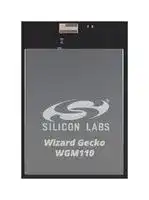


WGM110A1MV2
Wireless LAN Module, 2.472GHz, I2C, SPI, UART, USB, Wireless Connectivity
- Manufacturer: SILICON LABS
- Product type:
- Frequency RF:2.472GHz; Module Interface:I2C, SPI, UART, USB; Module Applications:Wireless Connectivity; Product Range:-; SVHC:No SVHC (27-Jun-2018)
- SVHC: To Be Advised
- Frequency RF: 2.472GHz
- Product Range: -
- Module Interface: I2C, SPI, UART, USB
- Module Applications: Wireless Connectivity
| Delivery and price | |
|---|---|
| Units per pack | 250 |
| Price | 12.29 € |
| Current stock | 10+ |
| Lead time | 30 days |

## **WGM110 Wizard Gecko Wi-Fi[®] Module Data Sheet**

The Wizard Gecko WGM110 is an all-inclusive Wi-Fi[®] Module targeted for applications where good RF performance, low-power consumption, and easy application development, together with fast time to market, are key requirements. WGM110 has excellent RF performance and can provide long range with robust wireless connectivity.

## **KEY POINTS**

- Module variants

- WGM110A (chip antenna)

The WGM110 Module integrates all of the necessary elements required for an IoT Wi-Fi application, including an 802.11b/g/n radio, integrated chip antenna (WGM110A) or an u.FL connector for an external antenna (WGM110E), certifications, a microcontroller, Wi-Fi and IP stacks, an HTTP server, and multiple protocols, such as TCP and UDP.

- WGM110E (u.FL connector)

- 802.11b/g/n compliant

- TX power: +16 dBm

- RX sensitivity: -98 dBm

WGM110 can act as a Wi-Fi client or be used as a Wi-Fi access point, making the provisioning of the device as easy as surfing on the web. WGM110 can host BGScript™ end user applications, which means applications can be designed without relying on an external microcontroller. Alternatively, the Wi-Fi Module can run in Network Co-Processor (NCP) mode, leaving the complexity of TCP/IP networking to the Module so that the customer’s own host controller can be fully dedicated to processing the customer application tasks. The WGM110 Module also has highly flexible hardware interfaces which allows connection to different peripherals and sensors.

In addition to the Wi-Fi Module itself, Silicon Labs offers support to guide and help developers in using WGM110 to build IoT applications, enabling a quick time to market.

- Range: up to 450 m

- CPU core: 32-bit ARM[®] Cortex-M3

- Flash memory: 1 MB

- RAM: 128 kB

- Modular certification

- FCC

- IC

- Japan

- Korea

- CE compliant

- End-to-end security

- Can host applications

- Small size: 21.0 x 14.4 x 2.0 mm

**silabs.com** | Building a more connected world.

Rev. 1.5

## **Table of Contents**

|**1.**|**Key Features**<br>**.**<br>**.**<br>**.**<br>**.**<br>**.**<br>**.**|**.**|**.**|**.**|**.**|**.**|**.**|**.**|**.**|**.**|**.**|**.**|**.**|**.**|**.**|**.**|**.**|**.**|**.**|**.**|**.**|**.**|**.**|**.**|**.**|**. 5**|
|---|---|---|---|---|---|---|---|---|---|---|---|---|---|---|---|---|---|---|---|---|---|---|---|---|---|---|
|**2.**|**Pinout .**<br>**.**<br>**.**<br>**.**<br>**.**<br>**.**<br>**.**<br>**.**<br>**.**|**.**|**.**|**.**|**.**|**.**|**.**|**.**|**.**|**.**|**.**|**.**|**.**|**.**|**.**|**.**|**.**|**.**|**.**|**.**|**.**|**.**|**.**|**.**|**.**|**. 6**|
||2.1  Power, Ground and Reset Pads .|||.|.|.|.|.|.|.|.|.|.|.|.|.|.|.|.|.|.|.|.|.|.|. 6|
||2.2  Peripherals and GPIOs.<br>.|.|.|.|.|.|.|.|.|.|.|.|.|.|.|.|.|.|.|.|.|.|.|.|.|. 7|
||2.2.1  Peripheral and GPIO Pads|||.|.|.|.|.|.|.|.|.|.|.|.|.|.|.|.|.|.|.|.|.|.|. 7|
||2.2.2  Peripheral Locations|.|.|.|.|.|.|.|.|.|.|.|.|.|.|.|.|.|.|.|.|.|.|.|.|. 8|
||2.2.3  GPIO Port Pins<br>.<br>.|.|.|.|.|.|.|.|.|.|.|.|.|.|.|.|.|.|.|.|.|.|.|.|.|.10|
||2.2.4  GPIO Input and Output|Modes|||.|.|.|.|.|.|.|.|.|.|.|.|.|.|.|.|.|.|.|.|.|.10|
||2.2.5  Interrupt Pins .<br>.<br>.|.|.|.|.|.|.|.|.|.|.|.|.|.|.|.|.|.|.|.|.|.|.|.|.|.10|
||2.3  Debug and RF Test Pads .|.|.|.|.|.|.|.|.|.|.|.|.|.|.|.|.|.|.|.|.|.|.|.|.|.10|
|**3.**|**Interfaces.**<br>**.**<br>**.**<br>**.**<br>**.**<br>**.**<br>**.**<br>**.**|**.**|**.**|**.**|**.**|**.**|**.**|**.**|**.**|**.**|**.**|**.**|**.**|**.**|**.**|**.**|**.**|**.**|**.**|**.**|**.**|**.**|**.**|**.**|**.**|**12**|
||3.1  Host Interfaces<br>.<br>.<br>.<br>.|.|.|.|.|.|.|.|.|.|.|.|.|.|.|.|.|.|.|.|.|.|.|.|.|.12|
||3.1.1  UART<br>.<br>.<br>.<br>.<br>.|.|.|.|.|.|.|.|.|.|.|.|.|.|.|.|.|.|.|.|.|.|.|.|.|.12|
||3.1.2  SPI<br>.<br>.<br>.<br>.<br>.<br>.|.|.|.|.|.|.|.|.|.|.|.|.|.|.|.|.|.|.|.|.|.|.|.|.|.14|
||3.1.3  USB .<br>.<br>.<br>.<br>.<br>.|.|.|.|.|.|.|.|.|.|.|.|.|.|.|.|.|.|.|.|.|.|.|.|.|.15|
||3.2  Peripheral Interfaces and Functions||||.|.|.|.|.|.|.|.|.|.|.|.|.|.|.|.|.|.|.|.|.|.16|
||3.2.1  USART (UART/SPI).|.|.|.|.|.|.|.|.|.|.|.|.|.|.|.|.|.|.|.|.|.|.|.|.|.17|
||3.2.2  I2C<br>.<br>.<br>.<br>.<br>.<br>.|.|.|.|.|.|.|.|.|.|.|.|.|.|.|.|.|.|.|.|.|.|.|.|.|.17|
||3.2.3  Timer / PWM .<br>.<br>.|.|.|.|.|.|.|.|.|.|.|.|.|.|.|.|.|.|.|.|.|.|.|.|.|.17|
||3.2.4  Analog to Digital Converter (ADC)|||||.|.|.|.|.|.|.|.|.|.|.|.|.|.|.|.|.|.|.|.|.17|
||3.3  Firmware Update and RF Test Interfaces.||||||.|.|.|.|.|.|.|.|.|.|.|.|.|.|.|.|.|.|.|.17|
||3.3.1  ARM Serial Wire Debug (SWD)||||.|.|.|.|.|.|.|.|.|.|.|.|.|.|.|.|.|.|.|.|.|.17|
||3.3.2  Device Firmware Upgrade (DFU)|||||.|.|.|.|.|.|.|.|.|.|.|.|.|.|.|.|.|.|.|.|.18|
||3.3.3  RF Test Interface.<br>.|.|.|.|.|.|.|.|.|.|.|.|.|.|.|.|.|.|.|.|.|.|.|.|.|.18|
||3.3.4  Reference Schematic for SWD Debug and||||||||RF|Test||Interfaces||||.|.|.|.|.|.|.|.|.|.|.18|
||3.4  Real Time Counter (RTC) .|.|.|.|.|.|.|.|.|.|.|.|.|.|.|.|.|.|.|.|.|.|.|.|.|.18|
|**4.**|**Module Software**<br>**.**<br>**.**<br>**.**<br>**.**<br>**.**|**.**|**.**|**.**|**.**|**.**|**.**|**.**|**.**|**.**|**.**|**.**|**.**|**.**|**.**|**.**|**.**|**.**|**.**|**.**|**.**|**.**|**.**|**.**|**. **|**19**|
|**5.**|**Hardware Design Guidelines**||**.**|**.**|**.**|**.**|**.**|**.**|**.**|**.**|**.**|**.**|**.**|**.**|**.**|**.**|**.**|**.**|**.**|**.**|**.**|**.**|**.**|**.**|**.**|**.21**|
||5.1  Power Supply Requirements|.|.|.|.|.|.|.|.|.|.|.|.|.|.|.|.|.|.|.|.|.|.|.|.|.21|
||5.2  PCB Design Guidelines<br>.|.|.|.|.|.|.|.|.|.|.|.|.|.|.|.|.|.|.|.|.|.|.|.|.|.21|
||5.3  Antenna Design Guidelines|.|.|.|.|.|.|.|.|.|.|.|.|.|.|.|.|.|.|.|.|.|.|.|.|.22|
||5.3.1  Effect of Plastic and Metal Materials||||||.|.|.|.|.|.|.|.|.|.|.|.|.|.|.|.|.|.|.|.22|
||5.3.2  Locating the Module Close to Human||||||Body||.|.|.|.|.|.|.|.|.|.|.|.|.|.|.|.|.|.23|
|**6.**|**Electrical Characteristics .**<br>**.**|**.**|**.**|**.**|**.**|**.**|**.**|**.**|**.**|**.**|**.**|**.**|**.**|**.**|**.**|**.**|**.**|**.**|**.**|**.**|**.**|**.**|**.**|**.**|**.**|**24**|
||6.1  Absolute Maximum Ratings|.|.|.|.|.|.|.|.|.|.|.|.|.|.|.|.|.|.|.|.|.|.|.|.|.24|
||6.2  Recommended Operating Conditions||||.|.|.|.|.|.|.|.|.|.|.|.|.|.|.|.|.|.|.|.|.|.24|
||6.3  Input/Output Terminal Characteristics||||.|.|.|.|.|.|.|.|.|.|.|.|.|.|.|.|.|.|.|.|.|.24|
||6.4  Power-on Reset .<br>.<br>.<br>.|.|.|.|.|.|.|.|.|.|.|.|.|.|.|.|.|.|.|.|.|.|.|.|.|.25|
||6.5  Analog Digital Converter (ADC)||.|.|.|.|.|.|.|.|.|.|.|.|.|.|.|.|.|.|.|.|.|.|.|.25|


**silabs.com** | Building a more connected world.

Rev. 1.5 |  2

|6.6  Power Consumption.<br>.<br>.|.|.|.|.|.|.|.|.||.||.||.||.||.||.||.||.||.||.||.||.||.||.||.||.|.25|
|---|---|---|---|---|---|---|---|---|---|---|---|---|---|---|---|---|---|---|---|---|---|---|---|---|---|---|---|---|---|---|---|---|---|---|---|---|---|---|---|---|---|
|**7.  RF Characteristics**<br>**.**<br>**.**<br>**.**<br>**.**|**.**|**.**|**.**|**.**|**.**|**.**|**.**||**.**||**.**||**.**||**.**||**.**||**.**||**.**||**.**||**.**||**.**||**.**||**.**||**.**||**.**||**.**||**.**||**. 27**|
|7.1  Supported Frequencies.<br>.|.|.|.|.|.|.|.|.||.||.||.||.||.||.||.||.||.||.||.||.||.||.||.||.|.27|
|7.2  Typical Receiver Sensitivity|.|.|.|.|.|.|.|.||.||.||.||.||.||.||.||.||.||.||.||.||.||.||.||.|.27|
|7.3  Transmitter Power at Maximum Setting|||||.|.|.|.||.||.||.||.||.||.||.||.||.||.||.||.||.||.||.||.|.27|
|7.4  Antenna Characteristics<br>.|.|.|.|.|.|.|.|.||.||.||.||.||.||.||.||.||.||.||.||.||.||.||.||.|.27|
|7.4.1  Typical Antenna Performance (WGM110A)||||||||.||.||.||.||.||.||.||.||.||.||.||.||.||.||.||.||.|.28|
|7.4.2  Typical Radiation Pattern Plot (WGM110A)||||||||.||.||.||.||.||.||.||.||.||.||.||.||.||.||.||.||.|.29|
|7.4.3  Qualified Antenna Types (WGM110E).|||||||.|.||.||.||.||.||.||.||.||.||.||.||.||.||.||.||.||.|.30|
|**8.  Physical Dimensions and PCB**|**Land Pattern**|||||||**.**||**.**||**.**||**.**||**.**||**.**||**.**||**.**||**.**||**.**||**.**||**.**||**.**||**.**||**.**||**.**||**.**|**.31**|
|8.1  Module Top View Dimensions||.|.|.|.|.|.|.||.||.||.||.||.||.||.||.||.||.||.||.||.||.||.||.|.31|
|8.2  Module Side View Dimensions||.|.|.|.|.|.|.||.||.||.||.||.||.||.||.||.||.||.||.||.||.||.||.|.32|
|8.3  u.FL Connector Placement (WGM110E)|||||.|.|.|.||.||.||.||.||.||.||.||.||.||.||.||.||.||.||.||.|.33|
|8.4  Recommended Application PCB||Land||Pattern|||.|.||.||.||.||.||.||.||.||.||.||.||.||.||.||.||.||.|.34|
|**9.  Soldering Recommendations**|**.**|**.**|**.**|**.**|**.**|**.**|**.**||**.**||**.**||**.**||**.**||**.**||**.**||**.**||**.**||**.**||**.**||**.**||**.**||**.**||**.**||**.**||**.**||**. 35**|
|**10.  Tape and Reel Packaging**<br>**.**|**.**|**.**|**.**|**.**|**.**|**.**|**.**||**.**||**.**||**.**||**.**||**.**||**.**||**.**||**.**||**.**||**.**||**.**||**.**||**.**||**.**||**.**||**.**||**. 36**|
|10.1  Tape Material and Dimensions||.|.|.|.|.|.|.||.||.||.||.||.||.||.||.||.||.||.||.||.||.||.||.|.36|
|10.2  Reel Material and Dimensions||.|.|.|.|.|.|.||.||.||.||.||.||.||.||.||.||.||.||.||.||.||.||.|.38|
|10.3  Module Orientation in Tape|.|.|.|.|.|.|.|.||.||.||.||.||.||.||.||.||.||.||.||.||.||.||.||.|.38|
|10.4  Moisture Sensitivity Level|.|.|.|.|.|.|.|.||.||.||.||.||.||.||.||.||.||.||.||.||.||.||.||.|.39|
|10.5  Tape and Reel Box Dimensions|||.|.|.|.|.|.||.||.||.||.||.||.||.||.||.||.||.||.||.||.||.||.|.39|
|**11.  Certifications .**<br>**.**<br>**.**<br>**.**<br>**.**<br>**.**|**.**|**.**|**.**|**.**|**.**|**.**|**.**|**.**||**.**||**.**||**.**||**.**||**.**||**.**||**.**||**.**||**.**||**.**||**.**||**.**||**.**||**.**||**.**||**.**|**40**|
|11.1  CE .<br>.<br>.<br>.<br>.<br>.<br>.<br>.|.|.|.|.|.|.|.|.||.||.||.||.||.||.||.||.||.||.||.||.||.||.||.||.|.40|
|11.2  FCC.<br>.<br>.<br>.<br>.<br>.<br>.<br>.|.|.|.|.|.|.|.|.||.||.||.||.||.||.||.||.||.||.||.||.||.||.||.||.|.40|
|11.3  IC<br>.<br>.<br>.<br>.<br>.<br>.<br>.<br>.|.|.|.|.|.|.|.|.||.||.||.||.||.||.||.||.||.||.||.||.||.||.||.||.|.42|
|11.4  MIC Japan<br>.<br>.<br>.<br>.<br>.|.|.|.|.|.|.|.|.||.||.||.||.||.||.||.||.||.||.||.||.||.||.||.||.|.43|
|11.5  KC South-Korea.<br>.<br>.<br>.|.|.|.|.|.|.|.|.||.||.||.||.||.||.||.||.||.||.||.||.||.||.||.||.|.43|
|**12.  Ordering Information .**<br>**.**<br>**.**|**.**|**.**|**.**|**.**|**.**|**.**|**.**|**.**||**.**||**.**||**.**||**.**||**.**||**.**||**.**||**.**||**.**||**.**||**.**||**.**||**.**||**.**||**.**||**.**|**44**|
|**13.  Support .**<br>**.**<br>**.**<br>**.**<br>**.**<br>**.**<br>**.**<br>**.**|**.**|**.**|**.**|**.**|**.**|**.**|**.**|**.**||**.**||**.**||**.**||**.**||**.**||**.**||**.**||**.**||**.**||**.**||**.**||**.**||**.**||**.**||**.**||**.**|**45**|
|13.1  Device Support .<br>.<br>.<br>.|.|.|.|.|.|.|.|.||.||.||.||.||.||.||.||.||.||.||.||.||.||.||.||.|.45|
|13.1.1  Wireless Starter Kit WSTK6120A|||||.|.|.|.||.||.||.||.||.||.||.||.||.||.||.||.||.||.||.||.|.45|
|13.2  Documentation Support .|.|.|.|.|.|.|.|.||.||.||.||.||.||.||.||.||.||.||.||.||.||.||.||.|.45|
|13.3  Knowledge Base<br>.<br>.<br>.|.|.|.|.|.|.|.|.||.||.||.||.||.||.||.||.||.||.||.||.||.||.||.||.|.45|
|13.4  Technical Support .<br>.<br>.|.|.|.|.|.|.|.|.||.||.||.||.||.||.||.||.||.||.||.||.||.||.||.||.|.45|
|**14.  Revision History.**<br>**.**<br>**.**<br>**.**<br>**.**|**.**|**.**|**.**|**.**|**.**|**.**|**.**|**.**||**.**||**.**||**.**||**.**||**.**||**.**||**.**||**.**||**.**||**.**||**.**||**.**||**.**||**.**||**.**||**.**|**46**|
|14.1  Revision 1.5 .<br>.<br>.<br>.<br>.|.|.|.|.|.|.|.|.||.||.||.||.||.||.||.||.||.||.||.||.||.||.||.||.|.46|
|14.2  Revision 1.4 .<br>.<br>.<br>.<br>.|.|.|.|.|.|.|.|.||.||.||.||.||.||.||.||.||.||.||.||.||.||.||.||.|.46|


**silabs.com** | Building a more connected world.

Rev. 1.5 |  3

14.3  Revision 1.3 . . . . . . . . . . . . . . . . . . . . . . . . . . . . . .46 14.4  Revision 1.2 . . . . . . . . . . . . . . . . . . . . . . . . . . . . . .46 14.5  Revision 1.1 . . . . . . . . . . . . . . . . . . . . . . . . . . . . . .46 14.6  Revision 1.0 . . . . . . . . . . . . . . . . . . . . . . . . . . . . . .46

**silabs.com** | Building a more connected world.

Rev. 1.5 |  4

WGM110 Wizard Gecko Wi-Fi[®] Module Data Sheet Key Features

## **1.  Key Features**

The key features of the WGM110 Module are listed below.

## **Radio Features**

- Antenna

   - Chip Antenna: WGM110A

   - External Antenna: WGM110E (u.FL connector)

- TX Power: +16 dBm

- RX Sensitivity: -98 dBm

- Range: up to 450 m

## **Wi-Fi Features**

- 802.11: b/g/n

- Bit rate: up to 72.2 Mbps

- 802.11 Security: WPA2/WPA Personal, WPA2/WPA Enterprise and WEP

- STA (Station Mode)

- SoftAP (Soft Access Point Mode): up to 5 clients

- Wi-Fi Direct

- WPS: 1.0 (push-button)

## **IP Stack**

- IP version: IPv4

- IP multicast

- TCP: client/server

- UDP: client/server

- TCP sockets: 20+

- DHCP: client/server

## **Hardware Interfaces**

- Host interface: UART/SPI/USB

- Peripheral interfaces

   - 2 x USART (UART/SPI)

   - 1 x USB (2.0 Full speed)

   - 2 x I[2] C peripheral interfaces

- Up to 32 x GPIO with interrupts

- 8-channel 12-bit ADC

- 2 x TIMER (3 PWM's each)

- Real-time counter

## **Electrical Characteristics**

- Supply voltage: 2.7 V to 4.8 V for the radio block

- Supply voltage: 1.98 V to 3.8 V for the processor block

## **Power consumption**

- 261 mA TX current at +16 dBm

- 81 mA RX current

- 2.5 mA associated idle consumption

- 23 μA deep sleep current

## **Environmental specifications**

- Temperature range: -40°C to +85°C

## **Modular certification**

   - FCC

- ARP

   - IC

- DNS: client/server

- mDNS

   - Japan

   - South-Korea

- DNS-SD

- HTTP: server

- TLS/SSL: client

## **Software APIs**

## **CE Compliant**

## **Dimensions**

   - W x L x H: 21.0 mm x 14.4 mm x 2.0 mm

- BGAPI[™] serial protocol API over UART/SPI/USB for modem usage

- BGLIB[™] host API which implements BGAPI serial protocol

- BGScript[™] scripting language for standalone usage

## **Software Development Tools**

- Free SDK

## **MCU Features**

- ARM[®] Cortex-M3

- 48 MHz

- 128 kB RAM

- 1 MB Flash

**silabs.com** | Building a more connected world.

Rev. 1.5  |  5

WGM110 Wizard Gecko Wi-Fi[®] Module Data Sheet Pinout

## **2.  Pinout**

This section describes the pinout of the WGM110 Module.

Pads in the middle of the Module are intended for ground connections and for RF test and production programming, while pads on the Module edges consist of general purpose input/output, power supply voltage input, ground, and reset signal connections.

**Figure 2.1.  WGM110 Pinout (Top View)**

## **2.1  Power, Ground and Reset Pads**

The table below lists the power, ground, and reset pads of the WGM110 Module.

## **Table 2.1.  WGM110 Power, Ground, and Reset Pads**

|**Pad number**|**Function **|**Description**|
|---|---|---|
|38, 51|VDDCPU|Processor core and peripheral interface power supply.|
|39|VDDPA|RF power amplifier and Wi-Fi core power supply|
|1, 16, 25, 40,<br>42, 44, 46, 48|GND|Ground.<br>All ground pads are connected together internally.<br>Connect ground pads directly to a solid ground plane with maximum number of vias in close proximity to<br>pads especially at the antenna end.<br>These ground pads also act as thermal paths which should be used to conduct heat from the module to the<br>PCB.<br>Do not use thermal reliefs on ground pads.|
|24|VBUS|USB VBUS detect input is used to detect the presence of an external USB port bus voltage.<br>When USB is not used connect VBUS to VDDCPU.|
|37, 49|RESETn|Reset signal input. To reset the Module pull this line low.<br>The reset signals resets both the MCU and the Wi-Fi radio.<br>Connected to an internal pull-up, can be left floating if not needed.|


**silabs.com** | Building a more connected world.

Rev. 1.5  |  6

WGM110 Wizard Gecko Wi-Fi[®] Module Data Sheet Pinout

## **2.2  Peripherals and GPIOs**

The WGM110 has 32 GPIO pads which can be configured to various peripheral functions, like UART, I[2] C, USB, etc., or alternatively they can be used as general purpose I/O pads.

These peripheral functions can be typically configured to multiple pad locations on the devices. Available peripherals, locations, and I/Os are described in the following sub-sections.

## **2.2.1  Peripheral and GPIO Pads**

The table below maps out all supported peripheral functions and the GPIOs (pads) they can be routed to.

## **Table 2.2.  Available Peripheral Functions and GPIO Pad Mapping**

|**PERIPHERAL AND GPIO PAD MAPPING**|**PERIPHERAL AND GPIO PAD MAPPING**|**PERIPHERAL AND GPIO PAD MAPPING**|**PERIPHERAL AND GPIO PAD MAPPING**|**PERIPHERAL AND GPIO PAD MAPPING**|**PERIPHERAL AND GPIO PAD MAPPING**|**PERIPHERAL AND GPIO PAD MAPPING**|**PERIPHERAL AND GPIO PAD MAPPING**|**PERIPHERAL AND GPIO PAD MAPPING**|**PERIPHERAL AND GPIO PAD MAPPING**|**PERIPHERAL AND GPIO PAD MAPPING**|**PERIPHERAL AND GPIO PAD MAPPING**|**PERIPHERAL AND GPIO PAD MAPPING**|**PERIPHERAL AND GPIO PAD MAPPING**|**PERIPHERAL AND GPIO PAD MAPPING**|**PERIPHERAL AND GPIO PAD MAPPING**|**PERIPHERAL AND GPIO PAD MAPPING**|**PERIPHERAL AND GPIO PAD MAPPING**|**PERIPHERAL AND GPIO PAD MAPPING**|**PERIPHERAL AND GPIO PAD MAPPING**|**PERIPHERAL AND GPIO PAD MAPPING**|**PERIPHERAL AND GPIO PAD MAPPING**|**PERIPHERAL AND GPIO PAD MAPPING**|**PERIPHERAL AND GPIO PAD MAPPING**|**PERIPHERAL AND GPIO PAD MAPPING**|**PERIPHERAL AND GPIO PAD MAPPING**|**PERIPHERAL AND GPIO PAD MAPPING**|**PERIPHERAL AND GPIO PAD MAPPING**|**PERIPHERAL AND GPIO PAD MAPPING**|**PERIPHERAL AND GPIO PAD MAPPING**|**PERIPHERAL AND GPIO PAD MAPPING**|**PERIPHERAL AND GPIO PAD MAPPING**|**PERIPHERAL AND GPIO PAD MAPPING**|**PERIPHERAL AND GPIO PAD MAPPING**|
|---|---|---|---|---|---|---|---|---|---|---|---|---|---|---|---|---|---|---|---|---|---|---|---|---|---|---|---|---|---|---|---|---|---|
|**Port Name**||**PA**||**PB**||**PC**||||||**PD**||||||||**PE**|||||||||**PF**|||||
|**Port Pin #**||**2**|**6**|**11**|**12**|**0**|**1**|**9**|**13**|**14**|**15**|**0**|**1**|**2**|**3**|**4**|**5**|**6**|**7**|**0**|**1**|**2**|**10**|**11**|**12**|**13**|**14**|**15**|**0**|**1**|**2**|**10**|**11**|
|**Pad #**||**6**|**32**|**10**|**11**|**26**|**27**|**33**|**7**|**8**|**9**|**2**|**3**|**28**|**29**|**4**|**5**|**30**|**31**|**19**|**20**|**21**|**12**|**13**|**14**|**15**|**17**|**18**|**34**|**35**|**36**|**22**|**23**|
|**Pad #**|||||||||||||||||||||||||||||**50**|**52**||||
|**DEBUG**||||||||||||||||||||||||||||||||||
|SWCLK|||||||||||||||||||||||||||||•|||||
|SWDIO||||||||||||||||||||||||||||||•||||
|**I2C0**||||||||||||||||||||||||||||||||||
|SCL|||||||•||||||||||||•|||||||•||||•||||
|SDA||||||•||||||||||||•|||||||•||||•|||||
|**I2C1**||||||||||||||||||||||||||||||||||
|SCL|||||•||||||||||||||||•|||||||||||||
|SDA||||•||||||||||||||||•||||||||||||||
|**USART0**||||||||||||||||||||||||||||||||||
|UART SPI||||||||||||||||||||||||||||||||||
|CTS|CLK|||||||•|||•||||||||||||||•|||||||||
|RTS|CS|||||||||•||||||||||||||||•||||||||
|RX|MISO||||||•|||||||||||||||||•|•|||||||||
|TX|MOSI|||||•|||||||||||||||||•|||•||||||||
|**USART1**||||||||||||||||||||||||||||||||||
|UART SPI||||||||||||||||||||||||||||||||||
|CTS|CLK|||||||||||||•|||||||||||||||•|||||
|RTS|CS||||||||||||||•|||||||||||||||•||||
|RX|MISO||||||•||||||•|||||•||||||||||||||||
|TX|MOSI|||||•||||||•|||||||•|||||||||||||||
|**TIMER0**||||||||||||||||||||||||||||||||||
|CC0|||||||||||||•||||||||||||||||•|||||
|CC1||||||•||||||||•||||||||||||||||•||||


**silabs.com** | Building a more connected world.

Rev. 1.5  |  7

WGM110 Wizard Gecko Wi-Fi[®] Module Data Sheet Pinout

|**PERIPHERAL AND GPIO PAD MAPPING**|**PERIPHERAL AND GPIO PAD MAPPING**|**PERIPHERAL AND GPIO PAD MAPPING**|**PERIPHERAL AND GPIO PAD MAPPING**|**PERIPHERAL AND GPIO PAD MAPPING**|**PERIPHERAL AND GPIO PAD MAPPING**|**PERIPHERAL AND GPIO PAD MAPPING**|**PERIPHERAL AND GPIO PAD MAPPING**|**PERIPHERAL AND GPIO PAD MAPPING**|**PERIPHERAL AND GPIO PAD MAPPING**|**PERIPHERAL AND GPIO PAD MAPPING**|**PERIPHERAL AND GPIO PAD MAPPING**|**PERIPHERAL AND GPIO PAD MAPPING**|**PERIPHERAL AND GPIO PAD MAPPING**|**PERIPHERAL AND GPIO PAD MAPPING**|**PERIPHERAL AND GPIO PAD MAPPING**|**PERIPHERAL AND GPIO PAD MAPPING**|**PERIPHERAL AND GPIO PAD MAPPING**|**PERIPHERAL AND GPIO PAD MAPPING**|**PERIPHERAL AND GPIO PAD MAPPING**|**PERIPHERAL AND GPIO PAD MAPPING**|**PERIPHERAL AND GPIO PAD MAPPING**|**PERIPHERAL AND GPIO PAD MAPPING**|**PERIPHERAL AND GPIO PAD MAPPING**|**PERIPHERAL AND GPIO PAD MAPPING**|**PERIPHERAL AND GPIO PAD MAPPING**|**PERIPHERAL AND GPIO PAD MAPPING**|**PERIPHERAL AND GPIO PAD MAPPING**|**PERIPHERAL AND GPIO PAD MAPPING**|**PERIPHERAL AND GPIO PAD MAPPING**|**PERIPHERAL AND GPIO PAD MAPPING**|**PERIPHERAL AND GPIO PAD MAPPING**|**PERIPHERAL AND GPIO PAD MAPPING**|
|---|---|---|---|---|---|---|---|---|---|---|---|---|---|---|---|---|---|---|---|---|---|---|---|---|---|---|---|---|---|---|---|---|
|**Port Name**|**PA**||**PB**||**PC**||||||**PD**||||||||**PE**|||||||||**PF**|||||
|**Port Pin #**|**2**|**6**|**11**|**12**|**0**|**1**|**9**|**13**|**14**|**15**|**0**|**1**|**2**|**3**|**4**|**5**|**6**|**7**|**0**|**1**|**2**|**10**|**11**|**12**|**13**|**14**|**15**|**0**|**1**|**2**|**10**|**11**|
|**Pad #**|**6**|**32**|**10**|**11**|**26**|**27**|**33**|**7**|**8**|**9**|**2**|**3**|**28**|**29**|**4**|**5**|**30**|**31**|**19**|**20**|**21**|**12**|**13**|**14**|**15**|**17**|**18**|**34**|**35**|**36**|**22**|**23**|
|**Pad #**||||||||||||||||||||||||||||**50**|**52**||||
|CC2||||||•||||||||•||||||||||||||||•|||
|**TIMER1**|||||||||||||||||||||||||||||||||
|CCO||||||||•|||||||||•|||||•|||||||||||
|CC1|||||||||•|||||||||•|||||•||||||||||
|CC2|||•|||||•||•||||||||||||||•|||||||||
|**ADC**|||||||||||||||||||||||||||||||||
|CH0|||||||||||•||||||||||||||||||||||
|CH1||||||||||||•|||||||||||||||||||||
|CH2|||||||||||||•||||||||||||||||||||
|CH3||||||||||||||•|||||||||||||||||||
|CH4|||||||||||||||•||||||||||||||||||
|CH5||||||||||||||||•|||||||||||||||||
|CH6|||||||||||||||||•||||||||||||||||
|CH7||||||||||||||||||•|||||||||||||||
|**USB**|||||||||||||||||||||||||||||||||
|DM|||||||||||||||||||||||||||||||•||
|DP||||||||||||||||||||||||||||||||•|


## **2.2.2  Peripheral Locations**

Many of the peripheral functions can be configured into multiple locations on the GPIO pads. This allows a more flexible configuration of the Wi-Fi Modules GPIOs.

The following table shows the available locations and the corresponding GPIO pads.

**Note:** Peripheral function signals must always be grouped to a single location, combining signals from several locations to form a peripheral function is not allowed.

The configuration of the peripheral locations is defined in the hardware configuration file. See UG161: WGM110 Wi-Fi Module Configuration User's Guide for more details.

**silabs.com** | Building a more connected world.

Rev. 1.5  |  8

WGM110 Wizard Gecko Wi-Fi[®] Module Data Sheet Pinout

## **Table 2.3.  GPIO Peripheral Locations**

|**Peripheral**|**Peripheral**|**Signal**<br>**name**|**LOC 0**|**LOC 1**|**LOC 2**|**LOC 3**|**LOC 4**|**LOC 5**|**LOC 6**|**NOTE**|
|---|---|---|---|---|---|---|---|---|---|---|
|**USART0**|_SPI_|MOSI|PE10|||PE13||PC0|||
|||MISO|PE11|||PE12||PC1|||
|||CLK|PE12||PC9|PC15|||||
|||CS|PE13|||PC14|||||
||_UART_|TX|PE10|||PE13||PC0||1|
|||RX|PE11|||PE12||PC1||1|
|||CTS|PE12|||PC15|||||
|||RTS|PE13|||PC14|||||
|**USART1**|_SPI_|MOSI|PC0|PD0|PD7||||||
|||MISO|PC1|PD1|PD6||||||
|||CLK||PD2|PF0||||||
|||CS||PD3|PF1||||||
||_UART_|TX|PC0|PD0|PD7|||||2|
|||RX|PC1|PD1|PD6|||||2|
|||CTS||PD2|PF0||||||
|||RTS||PD3|PF1||||||
|**I2C0**||SCL||PD7|||PC1|PF1|PE13||
|||SDA||PD6|||PC0|PF0|PE12||
|**I2C1**||SCL||PB12|PE1||||||
|||SDA||PB11|PE0||||||
|**USB**||DM|PF10||||||||
|||DP|PF11||||||||
|**TIMER0**||CC0||||PD1||PF0|||
|||CC1||||PD2|PC0|PF1|||
|||CC2|PA2|PA2||PD3|PC1|PF2|||
|**TIMER1**||CC0|PC13|PE10|||PD6||||
|||CC1|PC14|PE11|||PD7||||
|||CC2|PC15|PE12||PB11|PC13||||
|**DEBUG**||SWCLK|PF0|PF0|PF0|PF0|||||
|||SWDIO|PF1|PF1|PF1|PF1|||||


**Note:** The following notes apply to UART Locations:

- **1:** USART0 as UART: LOC 5 can be used as an UART without handshake.

- **2:** USART1 as UART: LOC 0 can be used as an UART without handshake.

**silabs.com** | Building a more connected world.

Rev. 1.5  |  9

WGM110 Wizard Gecko Wi-Fi[®] Module Data Sheet Pinout

## **2.2.3  GPIO Port Pins**

The table below lists available Ports and corresponding Port pins in the WGM110 Module and the pads they can be routed to.

## **Table 2.4.  Available GPIO Ports and Pins and Related Pads on the WGM110 Module**

|**Pin →**|**15**|**14**|**13**|**12**|**11**|**10**|**9**|**8**|**7**|**6**|**5**|**4**|**3**|**2**|**1**|**0**|
|---|---|---|---|---|---|---|---|---|---|---|---|---|---|---|---|---|
|**Port ↓**|||||||||||||||||
|Port A||||||||||PA6||||PA2|||
|Port B||||PB12|PB11||||||||||||
|Port C|PC15|PC14|PC13||||PC9||||||||PC1|PC0|
|Port D|||||||||PD7|PD6|PD5|PD4|PD3|PD2|PD1|PD0|
|Port E|PE15|PE14|PE13|PE12|PE11|PE10||||||||PE2|PE1|PE0|
|Port F|||||PF11|PF10||||||||PF2|PF1|PF0|


## **2.2.4  GPIO Input and Output Modes**

The GPIO pins on the WGM110 Module can be configured as inputs (options are normal input with pull-up or pull-down or with pull-up with filter or pull-down with filter), outputs (maximum output current 6 mA) or disabled (tristate). The default state of the GPIO pins after reset is "disabled".

For more information on how to configure the GPIO pins and modes, see WGM110 API Reference Manual.

## **2.2.5  Interrupt Pins**

All GPIO pins may be used as interrupts. WGM110 supports up to 14 asynchronous external pin interrupts with the following limitations:

- All pins with the same number are grouped together and multiplexed to trigger one interrupt.

- **Pin 0** from any port cannot be used as an interrupt, because it is reserved for the Module’s internal operation.

- **Pin 8** of **Port A - F** is not available for external use.

## **Example:**

- If **PB11** is used as an interrupt pin, then the use of **Pin 11** of any other available port as an interrupt is not allowed ( **PE11** and **PF11** cannot be used as an interrupt).

## **2.3  Debug and RF Test Pads**

The table below indicates the pads available for debug and RF test connections.

**silabs.com** | Building a more connected world.

Rev. 1.5  |  10

WGM110 Wizard Gecko Wi-Fi[®] Module Data Sheet Pinout

## **Table 2.5.  Debug and RF Test Pads**

|**Debug and RF Test pads**|**Debug and RF Test pads**|**Debug and RF Test pads**|**Debug and RF Test pads**|**Debug and RF Test pads**|**Debug and RF Test pads**|**Debug and RF Test pads**|
|---|---|---|---|---|---|---|
|**Port Name**|**RFPORT**||||**PF**||
|**Pad #**|**41**|**43**|**45**|**47**|**34**|**35**|
|**Pad #**|||||**50**|**52**|
|**Pad Name**|**SPIMISO**|**SPICLK**|**SPIMOSI**|**SPICS**|**PF0**|**PF1**|
|**DEBUG**|||||||
|SWCLK|||||•||
|SWDIO||||||•|
|**RF TEST**|||||||
|SPIMISO|•||||||
|SPIMOSI|||•||||
|SPICLK||•|||||
|SPICS||||•|||


**silabs.com** | Building a more connected world.

Rev. 1.5  |  11

WGM110 Wizard Gecko Wi-Fi[®] Module Data Sheet Interfaces

## **3.  Interfaces**

This section describes the features and functionalities of the available host, peripheral, debug, and RF test interfaces.

## **3.1  Host Interfaces**

There are three available host interfaces one of which can be used to connect an external host, typically an MCU, to the WGM110 WiFi Module and use it as a Wi-Fi modem.

## **3.1.1  UART**

UART is one of the available host interfaces on the WGM110 Module, and it is also the default host interface for the WGM110 Modules delivered from the factory.

When using WGM110 UART in transparent mode, we highly recommend to use flow control to avoid the possibility of losing data. Futhermore, we recommend to use DMA on the receiving host, because the SW emulated flow control used in the WGM110 is not as fast as HW flow control, and therefore when CTS is raised, module will most likely still send at least one extra byte. Also using lower baud rates (<1Mbps) can help.

The table below shows the features of the UART host interface:

**Table 3.1.  UART Host Interface Features and Default Values**

|**Parameter**|**Features / Supported ranges**|**Default value**|
|---|---|---|
|UART baud rate|9600 bps - 6 Mbps|115200 Kbps|
|Flow control|RTS/CTS|Enabled|
|Data bits|8 or 9|8|
|Parity|none, odd, even|None|
|Stop bits|1 or 2|1|
|Supported USARTs|USART0 or USART1|-|
|Location|USART0<br>• LOC 0<br>• LOC 3<br>USART1<br>• LOC 1<br>• LOC 2|USART 0<br>LOC 0|
|Host protocol|BGAPI serial protocol|BGAPI serial protocol|


**silabs.com** | Building a more connected world.

Rev. 1.5  |  12

WGM110 Wizard Gecko Wi-Fi[®] Module Data Sheet Interfaces

In the table below is a list of recommended baud rates for UART communication.

## **Table 3.2.  UART baud rates**

|**Desired baud rate [baud/s]**|**Actual baud rate [baud/s]**|**Error [%]**|
|---|---|---|
|9600|9600|0.00|
|14400|14397|-0.02|
|19200|19200|0.00|
|28800|28811|0.04|
|38400|38400|0.00|
|57600|57553|-0.08|
|76800|76677|-0.16|
|115200|115384|0.16|
|230400|230769|0.16|
|256000|255319|-0.27|
|460800|461538|0.16|
|921600|923076|0.16|
|2000000|2000000|0.00|
|2400000|2400000|0.00|
|3000000|3000000|0.00|
|4000000|4000000|0.00|
|4800000|4800000|0.00|
|6000000|6000000|0.00|


**silabs.com** | Building a more connected world.

Rev. 1.5  |  13

WGM110 Wizard Gecko Wi-Fi[®] Module Data Sheet Interfaces

**Figure 3.1.  Recommended Schematics: Connecting WGM110 with an External Host Using the UART Interface (USART0 Loc 0)**

**Note:** In the figure above the UART interface is wired using **USART0 Location 0** pins.

**Note:** If handshaking is required, then connect external host **CTS** to **PE13** and external host **RTS** to **PE12** .

**Note:** A programming connector, as shown in the schematics, must be available in the design to enable WGM110 firmware update.

## **3.1.2  SPI**

SPI is one of the available host interfaces on the WGM110 Module. SPI must be always enabled and configured by the user, because it is not enabled or configured as default.

The table below shows the features of the SPI host interface:

**Table 3.3.  SPI Host Interface Features**

|**Parameter**|**Features (value ranges)**|
|---|---|
|SPI mode|SPI slave|
|Bit rates|9600 bps - 6 Mbps|
|Bit order|MSB first|
|Clock polarity and phase|Configurable|
|Supported USARTs|USART0 and USART1|
|Supported locations|All locations|
|Host protocol|BGAPI serial protocol|


The following figure shows the recommended schematics for connecting WGM110 with an external host over SPI. In addition to the selected USART/SPI port signals, one additional GPIO pin must be dedicated to be used as a notify signal to inform the SPI Master that data from module is available.

**Note:** The SPI host interface can only be used as a **SPI Slave** .

**silabs.com** | Building a more connected world.

Rev. 1.5  |  14

WGM110 Wizard Gecko Wi-Fi[®] Module Data Sheet Interfaces

**Figure 3.2.  Connecting WGM110 with an External Host Using the SPI Interface**

**Note:** In the figure above, the SPI interface is wired using **USART0 Location 0** pins.

**Note:** Pin **PB12** is configured as an output and used to notify the external host (SPI Master) that the WGM110 Module has data to send to the host.

## **3.1.3  USB**

USB is one of the available host interfaces on the WGM110 Module. USB must be always enabled and configured by the user, because it is not enabled or configured as default.

The table below shows the features of the USB host interface:

**Table 3.4.  USB Host Interface Features**

|**Parameter**|**Compatibility**|
|---|---|
|USB mode|USB device|
|USB version|2.0 Full speed|
|USB device class|CDC/ACM (COM port)|
|Host protocol|BGAPI serial protocol|


**silabs.com** | Building a more connected world.

Rev. 1.5  |  15

WGM110 Wizard Gecko Wi-Fi[®] Module Data Sheet Interfaces

The next figure shows the recommended schematics for connecting WGM110 Module with an external host over USB.

**Figure 3.3.  Connecting the WGM110 Module with an External Host using the USB Interface**

**Note:** When using the USB interface, the VBUS signal should be connected to the USB host's VBUS line.

**Note:** If the VBUS line is not available on the host, the module's VBUS signal should be connected to the VDDCPU.

**Note:** If the USB is not used at all, the VBUS signal can be left unconnected.

## **3.2  Peripheral Interfaces and Functions**

There are several different types of peripheral interface connections available on the WGM110 Module. External sensors and peripheral chips can be connected using the USART (UART/SPI) and I2C interfaces. In addition to the above mentioned connections, WGM110 includes two timers for PWM applications, an 8-channel 12-bit ADC converter and a real time counter.

**silabs.com** | Building a more connected world.

Rev. 1.5  |  16

WGM110 Wizard Gecko Wi-Fi[®] Module Data Sheet Interfaces

## **3.2.1  USART (UART/SPI)**

The Universal Synchronous/Asynchronous Receiver/Transmitter (USART) provides a flexible serial I/O interface. It supports full duplex asynchronous UART communication up to 6 Mbps. Both SPI Master and Slave modes are also supported up to 6 Mbps.

Software emulated RTS/CTS handshaking is supported. For this reason there may be up to two extra data bytes transmited by the Module after the host's RTS has been pulled high.

**Figure 3.4.  USART**

## **3.2.2  I[2] C**

The I[2] C peripheral provides an interface between the WGM110 Module and a serial I[2] C bus. It is capable of acting as a I[2] C Master. Standard-mode is supported, allowing transmission rates up to 100 Kbps.

**Figure 3.5.  WGM110 Acting as an I[2] C Master with Several I2C Slaves Connected to the Module**

## **3.2.3  Timer / PWM**

Timer peripherals count events and can be used to generate PWM outputs. The core of each timer is a 16-bit counter. There are two timers, each with three separate outputs configurable for PWM applications.

## **3.2.4  Analog to Digital Converter (ADC)**

The ADC inside the WGM110 Module is based on Successive Approximation Register (SAR) architecture and has a resolution of up to 12 bits (1 MSPS). The ADC includes user selectable integrated voltage references but also allows the use of an external reference. There are 8 fixed GPIO pins configurable for single-ended ADC inputs.

## **3.3  Firmware Update and RF Test Interfaces**

Firmware updates can be done over the ARM Serial Wire Debug (SWD) interface, which is the recommended firmware update interface for development and production programming.

It is also possible to update the firmware using the Device Firmware Update (DFU) protocol by using an interface configured as the host interface (UART, SPI or USB).

## **3.3.1  ARM Serial Wire Debug (SWD)**

The WGM110 Module contains a 2-wire ARM SWD interface for programming and debugging. It is recommended that the pads of this interface are exposed in the application design to allow firmware updates and debugging.

**silabs.com** | Building a more connected world.

Rev. 1.5  |  17

WGM110 Wizard Gecko Wi-Fi[®] Module Data Sheet Interfaces

## **3.3.2  Device Firmware Upgrade (DFU)**

The firmware can be updated over the configured host interface (UART, SPI, or USB) using the Device Firmware Upgrade (DFU) protocol. This method is intended to be used for field updates of the firmware, for example, when updating the WGM110 Module firmware from a connected host using the BGAPI serial protocol.

**Note:** You cannot update the bootloader using the DFU protocol. Bootloader update must be done using the SWD Debug interface.

**Note:** In case the DFU recovery mode is not useable for any reason, the SWD bus is always available at boot when the RESET pin of the WGM110 Module is being pulled down.

## **3.3.3  RF Test Interface**

There are dedicated pads on the WGM110 Module that are used to enable the Wi-Fi radio test modes. These test modes would typically be used if RF measurements relating to CE or any other certification requirements are needed. More specifically, RF Test pads are used to enable the TX and RX test modes of the WGM110 Module.

## **3.3.4  Reference Schematic for SWD Debug and RF Test Interfaces**

The schematic below shows the necessary connections needed for using the SWD and RF test interfaces.

**Figure 3.6.  SWD Debug and RF Test Interface Connections**

## **3.4  Real Time Counter (RTC)**

The Real Time Counter is a 24-bit counter providing timekeeping functions for the WGM110 Module.

**silabs.com** | Building a more connected world.

Rev. 1.5  |  18

WGM110 Wizard Gecko Wi-Fi[®] Module Data Sheet Module Software

## **4.  Module Software**

This section gives a short overview of the software provided with the WGM110 Module and describes the basic methods of using the Module. The figure below shows the block diagram of the software provided with the WGM110 Module and how it relates to the software on the external host.

**Figure 4.1.  WGM110 Software Allows Both BGScript™ Based or Host MCU Based Control of the Module**

The WGM110 Module includes full Wi-Fi and IP stacks, an HTTP/HTTPS server, and multiple protocols, such as TCP and UDP. Key security features include WPA2/WPA Personal and Enterprise support and TLS/SSL for end-to-end encryption. The WGM110 SDK contains all necessary tools for developing and deploying IoT applications for the WGM110 Module

The Wi-Fi Module has been designed to allow flexibility in selecting the most suitable design architecture. There are three main architectural options for using the WGM110 Module:

- Network Co-Processor (NCP) mode, in which the Module is connected to an external host MCU via the BGLIB API

- Stand-alone mode, in which the module is used to run BGScript applications

- Mixed mode, in which is a combination of the two above listed modes

## **Network Co-Processor (NCP) mode**

The NCP mode is the choice to use when there is a need to implement a more complicated IoT application and the resources of an external MCU are needed. In the NCP mode, the external host MCU is connected to the Module using one of the three available host interfaces (UART, SPI, or USB). The WGM110 Module provides a high-level BGAPI to manage Wi-Fi as well as data connections. Silicon Labs provides a thin API layer (BGLib) written in ANSI C for the host, which can take care of creating and parsing the messages sent over the host interface. For evaluation purposes, GUI tools are also provided as part of the SDK.

Data between the WGM110 Module and the external host MCU can be routed either through the BGAPI or via another physical interface. For example, a serial-to-TCP/IP solution, if one UART interface is used for sending and receiving BGAPI commands; the second UART can be bound with a TCP/IP socket. Data written to the second UART will be seamlessly passed to the TCP/IP socket.

**silabs.com** | Building a more connected world.

Rev. 1.5  |  19

WGM110 Wizard Gecko Wi-Fi[®] Module Data Sheet Module Software

## **Stand-alone mode**

The stand-alone mode is especially suitable for more lightweight IoT applications, and there is no need for hosting an external MCU controller. This will naturally result in HW BOM cost savings. The WGM110 Module is natively running and controlled by a BGScript application.

## **Mixed mode**

The WGM110 Module can also be used in a mixed mode, where both the NCP and Stand-alone approaches are used in parallel. In this case the BGScript application on the module can be run completely independent from any MCU action. Normally the approach is to automate certain processes in BGScript (e.g. Wi-Fi network scanning and connection) to relieve the host from doing these.

**Note:** To learn more about the WGM110 Module software, the SDK and the APIs in general please read the QSG122: WGM110 Wi-Fi Module Software Quick-Start Guide.

**Note:** For a complete reference of the API, please see the WGM110 API Reference Manual.

**silabs.com** | Building a more connected world.

Rev. 1.5  |  20

WGM110 Wizard Gecko Wi-Fi[®] Module Data Sheet Hardware Design Guidelines

## **5.  Hardware Design Guidelines**

WGM110 is an easy-to use Module with regard to hardware application design, but certain guidelines must be followed to guarantee optimal performance. These guidelines are listed in the next sub-sections.

## **5.1  Power Supply Requirements**

WGM110 Module consists of two separate internal blocks, the microcontroller and the Wi-Fi radio block. Individual power supplies are needed for both the MCU and the Wi-Fi radio blocks.

The WGM110 Module is designed to operate with a 3.3 V nominal input voltage supplied to the two supply inputs as follows:

- The **VDDCPU** powers the MCU and can be fed with a voltage between 2.0 V and 3.8 V. The regulator supplying VDDCPU should be able to supply at least 30 mA.

- The **VDDPA** pad can be supplied with a voltage between 2.7 V and 4.8 V and supplies the RF power amplifier and the internal switch-mode converter powering the Wi-Fi digital core. VDDPA may draw short peaks up to 350 mA.

In lithium battery powered applications, VDDPA can be connected directly to the battery, while a regulator is needed to supply the VDDCPU with a lower voltage, as needed by the design. Care should be taken that the supply source is capable of supplying enough current for the heavy load peaks of the power amplifier.

External high frequency bypass capacitors are not needed because the module contains the required supply filter capacitors. However, care should be taken to prevent strong switching noise from being superimposed on the supply lines. Such noise can be generated, for example, by on-board charge pump converters used in RS232 level shifters. Note that there is a total of about 20 µF of low ESR ceramic capacitors on the VDDPA line and approximately 2 µF on the VDDCPU line inside the module. When using external regulators to generate regulated supplies for the module, the stability of the regulator with the low ESR provided by these capacitors should be checked. Many low-drop linear regulators and some switched mode regulators are not stable when using ceramic output capacitors. The datasheet of the regulator typically lists recommendations concerning suitable capacitors, including data on ESR range and/or stability curves. A regulator with a statement _“stable with ceramic capacitors”_ is recommended.

## **5.2  PCB Design Guidelines**

For optimal performance of the WGM110 Module, please follow these guidelines:

- Place the Module at the edge of the PCB (does not apply to WGM110E), as shown in the figure below.

- Do not place any metal (traces, components, battery, etc.) within the clearance area of the antenna, shown in the figure below as a white rectangle between the pad rows (does not apply to WGM110E).

- Connect all ground pads directly to a solid ground plane.

- Place the ground vias as close to the ground pads as possible.

- Do not place plastic or any other dielectric material in touch with the antenna.

**Figure 5.1.  Recommended Application PCB Layout for WGM110A Module**

**silabs.com** | Building a more connected world.

Rev. 1.5  |  21

WGM110 Wizard Gecko Wi-Fi[®] Module Data Sheet Hardware Design Guidelines

The layouts shown in the figure below will result in severely degraded RF-performance.

**Figure 5.2.  Non-optimal Application PCB Layouts for WGM110A Module**

The impact of the size of the ground plane on the achievable range of the maximum range available for the WGM110A Module is shown below. As can be seen from the image, the curve indicates that the maximum range is achieved with an approximately 35 - 40 mm wide ground plane. Narrower ground planes can be used but will result in compromised RF performance.

**Figure 5.3.  Guideline For the Achievable Range vs. Ground Plane Width for WGM110A**

## **5.3  Antenna Design Guidelines**

This section contains information regarding the optimal functioning of the antenna when using the WGM110A version. When using the WGM110E version with an external antenna follow the antenna manufacturers design related information typically available from the antenna data sheet.

## **5.3.1  Effect of Plastic and Metal Materials**

Do not place plastic or any other dielectric material in touch with the antenna.

Any metallic objects in close proximity to the antenna will prevent the antenna from radiating freely. The minimum recommended distance of metallic and/or conductive objects is 10 mm in any direction from the antenna except in the directions of the application PCB ground planes.

**silabs.com** | Building a more connected world.

Rev. 1.5  |  22

WGM110 Wizard Gecko Wi-Fi[®] Module Data Sheet Hardware Design Guidelines

## **5.3.2  Locating the Module Close to Human Body**

When using the Module in an application where the radio is located close to human body, the human RF exposure must be evaluated. FCC, IC, and CE all have different standards for evaluating the RF exposure and, because of this, each standard will require a different minimum separation distance between the Module and human body. Certification of WGM110 allows the following minimum separation distances without any actions required from the end product manufacturer but the allowed minimum separation distances differ slightly between the WGM110A and WGM110E versions as indicated in the table below.

**Table 5.1.  Minimum Allowed Separation Distances for WGM110 A and E Variants**

|**Certification**|**WGM110A**|**WGM110E**|
|---|---|---|
|FCC|21 mm|21 mm|
|IC|25 mm|30 mm|
|CE|The RF exposure must be evaluated using<br>the end product|The RF exposure must be evaluated using<br>the end product|


For FCC and IC, using the Module in end products where the separation distance is smaller than those listed above is allowed but requires evaluation of the RF exposure in the final assembly and applying for a _Class 2 Permissive Change_ or _Change of ID_ to be applied to the existing FCC/IC certificates of the Module.

For CE certification, RF exposure must be evaluated using the end product in all cases.

**Note:** Placing the Module in touch or very close to the human body will have a negative impact on the efficiency of the antenna thus reducing range.

**silabs.com** | Building a more connected world.

Rev. 1.5  |  23

WGM110 Wizard Gecko Wi-Fi[®] Module Data Sheet Electrical Characteristics

## **6.  Electrical Characteristics**

This section contains tables with electrical characteristics of WGM110 Module.

## **6.1  Absolute Maximum Ratings**

The values indicated in the table below define the absolute maximum ratings for WGM110 Module.

## **Table 6.1.  Absolute Maximum Ratings**

|**Rating**|**Min**|**Max**|**Unit**|
|---|---|---|---|
|Storage Temperature|-40|85|°C|
|VDDPA|0|6|V|
|VDDCPU|0|3.8|V|
|GPIO Terminal Voltages|-0.3|VDDCPU + 0.3|V|


## **6.2  Recommended Operating Conditions**

The values indicated in the table below define the recommended operating value ranges for WGM110 Module.

## **Table 6.2.  Recommended Operating Conditions**

|**Rating**|**Min**|**Max**|**Unit**|
|---|---|---|---|
|Operating Temperature Range<br>(including internal heating)|-40|85|°C|
|VDDPA|2.7|4.8|V|
|VDDCPU|1.98|3.8|V|


## **6.3  Input/Output Terminal Characteristics**

The values indicated in the table below define the input and output terminal characteristics for WGM110 Module.

**Table 6.3.  Digital Input/Output Terminal Electrical Characteristics**

|**Digital terminals**|**Min**|**Typ**|**Max**|**Unit**|
|---|---|---|---|---|
|**Input voltage levels**|||||
|VIL input logic level low<br>1.7 V ≤ VDD ≤ 3.6 V|—|—|0.3VDD|V|
|VIH input logic level high<br>1.7 V ≤ VDD ≤ 3.6 V|0.7 VDD|—|—|V|
|**Output voltage levels**|||||
|VOL output logic level<br>low, Vdd = 3.3 V, Iol = 20<br>mA, strongest drive|—|—|0.2 × VDD|V|
|VOH output logic level<br>high Vdd = 3.3 V, Ioh =<br>-20 mA, strongest drive|0.8 × VDD|—|—|V|
|Internal pull-up resistor|—|40|—|kΩ|


**silabs.com** | Building a more connected world.

Rev. 1.5  |  24

WGM110 Wizard Gecko Wi-Fi[®] Module Data Sheet Electrical Characteristics

|**Digital terminals**|**Min**|**Typ**|**Max**|**Unit**|
|---|---|---|---|---|
|Internal pull-down resis-<br>tor|—|40|—|kΩ|
|Pulse width of pulses to<br>be removed by the glitch<br>suppression filter when<br>enabled|10||50|ns|


## **6.4  Power-on Reset**

The values indicated in the table below define the power-on reset signal characteristics for WGM110 Module.

**Table 6.4.  Power-on Reset Characteristics**

|**Power-on Reset**|**Min**|**Typ**|**Max**|**Unit**|
|---|---|---|---|---|
|Power-on reset threshold<br>(rising edge)|—|—|1.96|V|


## **6.5  Analog Digital Converter (ADC)**

The values indicated in the table below define the ADC characteristics for WGM110 Module.

**Table 6.5.  ADC Characteristics**

|**Power-on Reset**|**Min**|**Typ**|**Max**|**Unit**|
|---|---|---|---|---|
|Input impedance|1|—|—|MΩ|
|Input voltage range (sin-<br>gle ended)|0|—|Vref|V|
|Common mode input<br>range|0|—|VDDCPU|V|
|Range of external refer-<br>ence voltage|1.25|—|VDDCPU|V|
|Resolution|—|—|12|bits|
|ADC clock frequency|—|—|13|MHz|
|Acquisition time (pro-<br>grammable)|1|—|256|ADC CLK cycles|
|Conversion time (6-bit)|7|—|—|ADC CLK cycles|
|Conversion time (8-bit)|11|—|—|ADC CLK cycles|
|Conversion time (12-bit)|13|—|—|ADC CLK cycles|
|Offset error (single-<br>ended)|—|0.3|—|mV|
|Integral non-linearity|—|±1.2|±3|LSB|


## **6.6  Power Consumption**

The values indicated in the table below define the power consumption characteristics and the typical power consumption in practical use cases respectively for WGM110 Module.

**silabs.com** | Building a more connected world.

Rev. 1.5  |  25

WGM110 Wizard Gecko Wi-Fi[®] Module Data Sheet Electrical Characteristics

**Table 6.6.  Typical Power Consumption for Different Operating Modes**

|**Wi-Fi Chipset State**|**CPU EM mode**|**Current**|**Unit**|**Description**|**802.11 Standard**|
|---|---|---|---|---|---|
|Continuous transmit|EM0|261|mA|+16 dBm, 1 Mbps|b|
|Continuous transmit|EM0|242|mA|+14 dBm, 54 Mbps|g / n|
|Continuous receive|EM0|81|mA|1 Mbps or 54 Mbps|—|
|Powered off|EM0|16.9|mA|CPU executing pro-<br>gram|—|
|Powered off|EM1|7.2|mA|CPU in idle state|—|
|Powered off|EM2|23|μA|Module deepest<br>power down state|—|
|Sleep, unassociated|EM2|160|μA|CPU and Wi-Fi chip-<br>set in sleep state|—|
|Associated, idle|EM2|2.5|mA|DTIM=1, 100 ms<br>beacon period|—|
|Associated, idle|EM2|1.2|mA|DTIM=3, 100 ms<br>beacon period|—|


**silabs.com** | Building a more connected world.

Rev. 1.5  |  26

WGM110 Wizard Gecko Wi-Fi[®] Module Data Sheet RF Characteristics

## **7.  RF Characteristics**

This section contains tables with RF characteristics of the WGM110 Module.

## **7.1  Supported Frequencies**

Supported frequencies for WGM110 Module are listed in the table below.

**Table 7.1.  Supported Frequencies**

|**Parameter**|**Min**|**Max**|**Unit**|
|---|---|---|---|
|Frequency|2412|2472|MHz|
|Channels CLIENT MODE|1|13|—|
|Channels AP MODE|1|11|—|


**Note:** WGM110 detects the regulatory domain according to 802.11d and adjusts the number of approved channels accordingly.

## **7.2  Typical Receiver Sensitivity**

Typical receiver sensitivity values for the WGM110 Module at different throughput values are listed in the table below.

**Table 7.2.  Typical Receiver Sensitivity**

|**802.11b**|**Typ**|**802.11g**|**Typ**|**802.11n Short**<br>**GI**|**Typ**|**802.11n Long**<br>**GI**|**Typ**|
|---|---|---|---|---|---|---|---|
|1 Mbps|-98 dBm|6 Mbps|-93 dBm|6.5 Mbps|-92 dBm|7.2 Mbps|-93 dBm|
|2 Mbps|-96 dBm|9 Mbps|-92 dBm|13 Mbps|-88 dBm|14.4 Mbps|-91 dBm|
|5.5 Mbps|-95 dBm|12 Mbps|-90 dBm|19.5 Mbps|-86 dBm|21.7 Mbps|-88 dBm|
|11 Mbps|-90 dBm|18 Mbps|-87 dBm|26 Mbps|-83 dBm|28.9 Mbps|-85 dBm|
|—|—|24 Mbps|-85 dBm|39 Mbps|-79 dBm|43.3 Mbps|-81 dBm|
|—|—|36 Mbps|-81 dBm|52 Mbps|-75 dBm|57.8 Mbps|-76 dBm|
|—|—|48 Mbps|-76 dBm|58.5 Mbps|-72 dBm|65 Mbps|-73 dBm|
|—|—|54 Mbps|-74 dBm|65 Mbps|-69 dBm|72.2 Mbps|-70 dBm|


## **7.3  Transmitter Power at Maximum Setting**

Transmitter output power values at maximum setting for WGM110 Module are listed in the table below.

## **Table 7.3.  Transmitter Output Power at Maximum Setting**

|**Modulation type**|**Typ**|**Unit**|
|---|---|---|
|802.11b|+16|dBm|
|802.11g|+15|dBm|
|802.11n|+15|dBm|


## **7.4  Antenna Characteristics**

This sub-section contains information describing the characteristics of the chip antenna on WGM110 Module.

**silabs.com** | Building a more connected world.

Rev. 1.5  |  27

WGM110 Wizard Gecko Wi-Fi[®] Module Data Sheet RF Characteristics

## **7.4.1  Typical Antenna Performance (WGM110A)**

Typical antenna performance values for WGM110A Module are listed in the following table.

## **Table 7.4.  Typical Antenna Performance for WGM110 Module**

|**Parameter**|**Typ**|**Unit**|
|---|---|---|
|Antenna efficiency|- 2 ... -6|dB|
|Antenna peak gain|+1 ... -2|dBi|


**silabs.com** | Building a more connected world.

Rev. 1.5  |  28

WGM110 Wizard Gecko Wi-Fi[®] Module Data Sheet RF Characteristics

## **7.4.2  Typical Radiation Pattern Plot (WGM110A)**

Typical 3D radiation pattern plot for the Wizard Gecko WGM110A Module is shown in the figure below. Application layout and mechanics in close proximity to the antenna have an effect on the antenna radiation pattern, antenna efficiency, and peak gain. Optimal PCB size with regard to the effect on the antenna performance is indicated in Figure 5.3 Guideline For the Achievable Range vs. Ground Plane Width for WGM110A on page 22. Typically peak gain is achieved in the direction pointing away from the largest ground plane.

**Figure 7.1.  Typical 3D Radiation Pattern for WGM110A Module**

**Figure 7.2.  Corresponding WGM110A Module Position**

**silabs.com** | Building a more connected world.

Rev. 1.5  |  29

WGM110 Wizard Gecko Wi-Fi[®] Module Data Sheet RF Characteristics

## **7.4.3  Qualified Antenna Types (WGM110E)**

This device has been designed to operate with antennas having a maximum gain of 2.14 dB (see table below). Antenna types not listed in the table and/or antennas having a gain greater than 2.14 dB are strictly prohibited for use with this device. The required antenna impedance is 50 Ω.

## **Table 7.5.  Qualified Antenna Types for WGM110E**

|**Qualified Antenna Types for WGM110E**|**Qualified Antenna Types for WGM110E**|
|---|---|
|**Antenna type**|**Maximum Gain**|
|Dipole|2.14 dBi|


Any antenna that is of the same type and of equal or less directional gain as listed in the above table can be used without a need for retesting. To reduce potential radio interference to other users, the antenna type and its gain should be selected so that the equivalent isotropically radiated power (e.i.r.p.) is not more than that permitted for successful communication. Using an antenna of a different type or gain more than 2.14 dBi will require additional testing for FCC, CE and IC certification.

**Note:** Use of antennas not complying to the type and maximum gain requirements set in this section will require the user to perform additional testing for FCC, CE and IC certifications.

**silabs.com** | Building a more connected world.

Rev. 1.5  |  30

WGM110 Wizard Gecko Wi-Fi[®] Module Data Sheet Physical Dimensions and PCB Land Pattern

## **8.  Physical Dimensions and PCB Land Pattern**

This section contains dimensional drawings of the WGM110 Module and the recommended application PCB land pattern dimensions. The indicated dimensions apply for both WGM110A and WGM110E versions, the only difference physically being the u.Fl connector on the WGM110E version.

## **8.1  Module Top View Dimensions**

**Figure 8.1.  Top View Dimensions**

**Note:** The clearance area indicated in the figure above is required only for WGM110A.

**silabs.com** | Building a more connected world.

Rev. 1.5  |  31

WGM110 Wizard Gecko Wi-Fi[®] Module Data Sheet Physical Dimensions and PCB Land Pattern

## **8.2  Module Side View Dimensions**

**Figure 8.2.  Side and Antenna End View Dimensions (WGM110A)**

**silabs.com** | Building a more connected world.

Rev. 1.5  |  32

WGM110 Wizard Gecko Wi-Fi[®] Module Data Sheet Physical Dimensions and PCB Land Pattern

**Figure 8.3.  Side and Antenna View Dimensions (WGM110E)**

## **8.3  u.FL Connector Placement (WGM110E)**

The WGM110E type has an u.FL connector for attaching an external antenna. The location of the u.FL connector in relation to the Module package is shown in the figure below.

**Figure 8.4.  u.FL Connector Placement on the WGM110E Module**

**silabs.com** | Building a more connected world.

Rev. 1.5  |  33

WGM110 Wizard Gecko Wi-Fi[®] Module Data Sheet Physical Dimensions and PCB Land Pattern

**8.4  Recommended Application PCB Land Pattern**

**Figure 8.5.  Recommended Application PCB Land Pattern**

**silabs.com** | Building a more connected world.

Rev. 1.5  |  34

WGM110 Wizard Gecko Wi-Fi[®] Module Data Sheet Soldering Recommendations

## **9.  Soldering Recommendations**

This section describes the soldering recommendations regarding WGM110 Module.

WGM110 is compatible with industrial standard reflow profile for Pb-free solders. The reflow profile used is dependent on the thermal mass of the entire populated PCB, heat transfer efficiency of the oven, and particular type of solder paste used

- Refer to technical documentations of particular solder paste for profile configurations.

- Avoid using more than two reflow cycles.

- Aperture size of the stencil should be 1:1 with the pad size.

- A no-clean, type-3 solder paste is recommended.

- For further recommendation, please refer to the JEDEC/IPC J-STD-020, IPC-SM-782 and IPC 7351 guidelines..

**silabs.com** | Building a more connected world.

Rev. 1.5  |  35

WGM110 Wizard Gecko Wi-Fi[®] Module Data Sheet Tape and Reel Packaging

## **10.  Tape and Reel Packaging**

This section contains information regarding the tape and reel packaging for the Wizard Gecko WGM110 Wi-Fi Module including shipment packaging information.

## **10.1  Tape Material and Dimensions**

- Tape material: Polystyrene (PS)

- Tape length/reel: 53.4 m

- Tape surface resistivity: 10[4] ... 10[9] Ω/sq.

- Curvature of the tape / 100 mm of tape: Complies with EIA-481 standard

- Maximum radius of unmarked round corners: 0.2 mm

- Cumulative tolerance of any 10 consecutive sprocket holes: ± 0.2 mm

- Cover tape peel strength: The peeling force required to tear the cover tape from the carrier tape will fall within tthe range of 0.1 Newton to 1.3 Newton (10 to 130 grams) at peeling speed to 300 mm per minute. This complies with the EIA standard.

- Cover tape adhesion method: pressure sensitive

**silabs.com** | Building a more connected world.

Rev. 1.5  |  36

WGM110 Wizard Gecko Wi-Fi[®] Module Data Sheet Tape and Reel Packaging

**Figure 10.1.  Tape Dimensions - Top View**

**Figure 10.2.  Dimensions of the Module Slot on Tape**

**Figure 10.3.  Dimensions of the Cover Tape**

|**Symbol**|**Dimensions [mm]**|
|---|---|
|Thickness (T)|0.061|
|Width (W)|37.5 +/- 0.2|


**silabs.com** | Building a more connected world.

Rev. 1.5  |  37

WGM110 Wizard Gecko Wi-Fi[®] Module Data Sheet Tape and Reel Packaging

## **10.2  Reel Material and Dimensions**

- Reel material: Polystyrene (PS)

- Reel diameter: 13 inches (330 mm)

- Number of modules per reel: 500 pcs

- Environmental standard of reel materials: Delta Management Standard for Environnment related substances

- Disk deformation, folding whitening and mold imperfections: Not allowed

- Disk set: consists of two 13 inch (330 mm) rotary round disks and one central axis (100 mm)

- Antistatic treatment: Required

- Surface resistivity: 10[8] - 10[11] Ω/cm[2]

## **Figure 10.4.  Reel Dimensions - Side View**

|**Symbol**|**Dimensions [mm]**|
|---|---|
|W0|45.0 ± 0.5|
|W1|50.0 ± 1.0|


**Figure 10.5.  Central Axis Dimensions**

## **10.3  Module Orientation in Tape**

**Figure 10.6.  Module Orientation in Tape**

**silabs.com** | Building a more connected world.

Rev. 1.5  |  38

WGM110 Wizard Gecko Wi-Fi[®] Module Data Sheet Tape and Reel Packaging

## **10.4  Moisture Sensitivity Level**

WGM110 Module reels are delivered in packing which conforms to MSL3 (Moisture Sensitivity Level 3) requirements.

## **10.5  Tape and Reel Box Dimensions**

## **Figure 10.7.  Tape and Reel Box Dimensions**

|**Symbol**|**Dimensions [mm]**|
|---|---|
|W2|368|
|W3|338|
|W4|72|


**silabs.com** | Building a more connected world.

Rev. 1.5  |  39

WGM110 Wizard Gecko Wi-Fi[®] Module Data Sheet Certifications

## **11.  Certifications**

The certifications for the WGM110 Wi-Fi Module are listed in this section.

## **11.1  CE**

The WGM110 Module is in conformity with the essential requirements and other relevant requirements of the R&TTE Directive (1999/5/ EC). This device is compliant with the following standards:

- **Safety** : EN 60950

- **EMC** : EN 301 489

- **Spectrum** : EN 300 328

A formal DoC is available from _www.silabs.com_ .

## **11.2  FCC**

This device complies with Part 15 of the FCC Rules. Operation is subject to the following two conditions:

1. This device may not cause harmful interference, and

2. This device must accept any interference received, including interference that may cause undesirable operation.

Any changes or modifications not expressly approved by Silicon Labs could void the user’s authority to operate the equipment.

## **FCC RF Radiation Exposure Statement:**

This equipment complies with FCC radiation exposure limits set forth for an uncontrolled environment. End users must follow the specific operating instructions for satisfying RF exposure compliance. This transmittermeets both portable and mobile limits as demonstrated in the RF Exposure Analysis. This transmitter must not be co-located or operating in conjunction with any other antenna or transmitter except in accordance with FCC multi-transmitter product procedures. As long as the condition above is met, further transmitter testing will not be required. However, the OEM integrator is still responsible for testing their end-product for any additional compliance requirements required with this module installed (for example, digital device emissions, PC peripheral requirements, etc.).

## **OEM Responsibilities to comply with FCC Regulations**

The WGM110 Module has been certified for integration into products only by OEM integrators under the following condition:

- The antenna(s) must be installed such that a minimum separation distance of 21 mm (WGM110A and WGM110E) is maintained between the radiator (antenna) and all persons at all times.

- The transmitter module must not be co-located or operating in conjunction with any other antenna or transmitter except in accordance with FCC multi-transmitter product procedures.

**silabs.com** | Building a more connected world.

Rev. 1.5  |  40

WGM110 Wizard Gecko Wi-Fi[®] Module Data Sheet Certifications

As long as the conditions above are met, further transmitter testing will not be required. However, the OEM integrator is still responsible for testing their end-product for any additional compliance requirements required with this module installed (for example, digital device emissions, PC peripheral requirements, etc.).

**Note:** In the event that this condition cannot be met (for certain configurations or co-location with another transmitter), then the FCC authorization is no longer considered valid and the FCC ID cannot be used on the final product. In these circumstances, the OEM integrator will be responsible for re-evaluating the end product (including the transmitter) and obtaining a separate FCC authorization.

## **End Product Labeling**

The WGM110 Module is labeled with its own FCC ID. If the FCC ID is not visible when the module is installed inside another device, then the outside of the device into which the module is installed must also display a label referring to the enclosed module. In that case, the final end product must be labeled in a visible area with the following:

## **"Contains Transmitter Module FCC ID: QOQ-WGM110"**

or

## **"Contains FCC ID: QOQ-WGM110"**

The OEM integrator must not provide information to the end user regarding how to install or remove this RF module or change RF related parameters in the user manual of the end product.

**To comply with FCC RF radiation exposure limits for general population, the antenna(s) used for this transmitter must be installed such that a minimum separation distance of 21 mm (WGM110A and WGM110E) is maintained between the radiator (antenna) and all persons at all times and must not be co-located or operating in conjunction with any other antenna or transmitter.**

**silabs.com** | Building a more connected world.

Rev. 1.5  |  41

WGM110 Wizard Gecko Wi-Fi[®] Module Data Sheet Certifications

## **11.3  IC**

## **IC (English)**

This radio transmitter has been approved by Industry Canada to operate with the embedded chip antenna. Other antenna types are strictly prohibited for use with this device.

This device complies with Industry Canada’s license-exempt RSS standards. Operation is subject to the following two conditions:

1. This device may not cause interference; and

2. This device must accept any interference, including interference that may cause undesired operation of the device.

## **RF Exposure Statement**

Exception from routine SAR evaluation limits are given in RSS-102 Issue 5. WGM110A meets the given requirements when the minimum separation distance to human body 25 mm and WGM110E when the minimum separation distance to human body is 30 mm. RF exposure or SAR evaluation is not required when the separation distance is 25 mm (WGM110A) / 30 mm (WGM110E) or more. If the separation distance is less than 25 mm (WGM110A) / 30 mm (WGM110E) the OEM integrator is responsible for evaluating the SAR.

## **OEM Responsibilities to comply with IC Regulations**

The WGM110 Module has been certified for integration into products only by OEM integrators under the following conditions:

- The antenna(s) must be installed such that a minimum separation distance of 25 mm (WGM110A) / 30 mm (WGM110E) is maintained between the radiator (antenna) and all persons at all times.

- The transmitter module must not be co-located or operating in conjunction with any other antenna or transmitter.

As long as the two conditions above are met, further transmitter testing will not be required. However, the OEM integrator is still responsible for testing their end-product for any additional compliance requirements required with this module installed (for example, digital device emissions, PC peripheral requirements, etc.).

**Note:** In the event that these conditions cannot be met (for certain configurations or co-location with another transmitter), then the IC authorization is no longer considered valid and the IC ID cannot be used on the final product. In these circumstances, the OEM integrator will be responsible for re-evaluating the end product (including the transmitter) and obtaining a separate IC authorization.

## **End Product Labeling**

The WGM110 Module is labeled with its own IC ID. If the IC ID is not visible when the module is installed inside another device, then the outside of the device into which the module is installed must also display a label referring to the enclosed module. In that case, the final end product must be labeled in a visible area with the following:

## **"Contains Transmitter Module IC: 5123A-WGM110"**

or

## **"Contains IC: 5123A-WGM110"**

The OEM integrator has to be aware not to provide information to the end user regarding how to install or remove this RF module or change RF related parameters in the user manual of the end product.

## **IC (Francais)**

Cet émetteur radio (IC : 5123A-WGM110) a reçu l'approbation d'Industrie Canada pour une exploitation avec l'antenne puce incorporée. Il est strictement interdit d'utiliser d'autres types d'antenne avec cet appareil.

Le présent appareil est conforme aux CNR d’Industrie Canada applicables aux appareils radio exempts de licence. L’exploitation est autorisée aux deux conditions suivantes:

1. L’appareil ne doit pas produire de brouillage;

2. L’utilisateur de l’appareil doit accepter tout brouillage radioélectrique subi, même si le brouillage est susceptible d’en compromettre le fonctionnement.

## **Déclaration relative à l'exposition aux radiofréquences (RF)**

Les limites applicables à l’exemption de l’évaluation courante du DAS sont énoncées dans le CNR 102, 5e édition. L'appareil WGM110 répond aux exigences données quand la distance de séparation minimum par rapport au corps humain est inférieure ou égale à 25 mm (WGM110A) / 30 mm (WGM110E). L'évaluation de l'exposition aux RF ou du DAS n'est pas requise quand la distance de séparation est de 25 mm ou plus (WGM110A) / 30 mm ou plus (WGM110E). Si la distance de séparation est inférieure à 25 mm (WGM110A) / 30 mm (WGM110E), il incombe à l'intégrateur FEO d'évaluer le DAS.

## **Responsabilités du FEO ayant trait à la conformité avec les règlements IC**

**silabs.com** | Building a more connected world.

Rev. 1.5  |  42

WGM110 Wizard Gecko Wi-Fi[®] Module Data Sheet Certifications

Le Module WGM110 a été certifié pour une intégration dans des produits uniquement par les intégrateurs FEO dans les conditions suivantes:

- La ou les antennes doivent être installées de telle façon qu'une distance de séparation minimum de 25 mm (WGM110A) / 30 mm (WGM110E) (soit maintenue entre le radiateur (antenne) et toute personne à tout moment.

- Le module émetteur ne doit pas être installé au même endroit ou fonctionner conjointement avec toute autre antenne ou émetteur.

Dès lors que les deux conditions ci-dessus sont respectées, d'autres tests de l'émetteur ne sont pas obligatoires. Cependant, il incombe toujours à l'intégrateur FEO de tester la conformité de son produit final vis-à-vis de toute exigence supplémentaire avec ce module installé (par exemple, émissions de dispositifs numériques, exigences relatives aux matériels périphériques PC, etc).

**Note:** S'il s'avère que ces conditions ne peuvent être respectées (pour certaines configurations ou la colocation avec un autre émetteur), alors l'autorisation IC n'est plus considérée comme valide et l'identifiant IC ne peut plus être employé sur le produit final. Dans ces circonstances, l'intégrateur FEO aura la responsabilité de réévaluer le produit final (y compris l'émetteur) et d'obtenir une autorisation IC distincte.

## **Étiquetage du produit final**

L'étiquette du Module WGM110 porte son propre identifiant IC. Si l'identifiant IC n'est pas visible quand le module est installé à l'intérieur d'un autre appareil, l'extérieur de l'appareil dans lequel le module est installé doit aussi porter une étiquette faisant référence au module qu'il contient. Dans ce cas, une étiquette comportant les informations suivantes doit être collée sur une partie visible du produit final.

## **"Contient le module émetteur IC: 5123A-WGM110"**

or

## **"Contient IC : 5123A-WGM110"**

L'intégrateur FEO doit être conscient de ne pas fournir d'informations à l'utilisateur final permettant d'installer ou de retirer ce module RF ou de changer les paramètres liés aux RF dans le mode d'emploi du produit final.

## **11.4  MIC Japan**

The WGM110 Module is certified for Japan.

## Certification number: **209-J00197** .

Since September 1, 2014 it is allowed (and highly recommended) that a manufacturer who integrates a radio module in their host equipment can place the certification mark and certification number (the same marking/number as depicted on the label of the radio module) on the outside of the host equipment. The certification mark and certification number must be placed close to the text in the Japanese language which is provided below. This change in the Radio Law has been made in order to enable users of the combination of host and radio module to verify if they are actually using a radio device which is approved for use in Japan.

## **Figure 11.1.  Text to be Placed on the Housing of the End-user Device**

Translation of the text in the figure above:

“This equipment contains specified radio equipment that has been certified to the Technical Regulation Conformity Certification under the Radio Law.”

## **11.5  KC South-Korea**

The WGM110 Module is certified for South-Korea.

This product has not been tested for SAR in South-Korea. The module antenna needs to have 20cm or more separation to human body in end application. If a closer proximity to a human body is required, SAR measurement must be performed for the end product.

## WGM110A Certification number: **MSIP-CRM-BGT-WGM110** .

WGM110E Certification number: **MSIP-CRM-BGT-WGM110E** .

**silabs.com** | Building a more connected world.

Rev. 1.5  |  43

WGM110 Wizard Gecko Wi-Fi[®] Module Data Sheet Ordering Information

## **12.  Ordering Information**

This section contains cut reel (100 pcs) and full reel (500 pcs) ordering information for WGM110 Module. WGM110 Module offer a WGM110A version with integrated antenna and WGM110E version with an U.FL external antenna connector.

WGM110A1MV2 (orderable part number / cut reel) and WGM110A1MV2R (orderable part number / full reel) are the product codes for the full production (certified) version of the WGM110 Wizard Gecko Wi-Fi™ Module. The certification codes are printed on the metallic RF shield of the WGM110 Module.

WGM110A1MV1 (cut reel) and WGM110A1MV1 (full reel) are the product codes for the pre-production (non-certified) version of the Module. The only difference of the the V1 and V2 Module versions is the certification markings on the shield of the V2 version.

**Note:** The only visual difference between pre-production and production Module versions are the certification codes printed on the RF shield.

Silicon Labs reserves the right to deliver WGM110A1MV2 or WGM110A1MV2R (production version) for customers ordering WGM110A1MV1 (pre-production version) and WGM110E1MV2 or WGM110E1MV2R (production version) for customers ordering WGM110E1MV1 (pre-production version).

**Table 12.1.  WGM110 Ordering Information**

|**Part Number**|**Description**|**Features**|
|---|---|---|
|WGM110A1MV2|WGM110 Wi-Fi Module with in-<br>ternal chip antenna<br>Cut reel|Packaging: 100 pcs cut reel<br>**Status:**Full production version|
|WGM110A1MV2R|WGM110 Wi-Fi Module with in-<br>ternal chip antenna<br>Full reel|Packaging: 500 pcs tape and reel<br>**Status:**Full production version|
|WGM110E1MV2|WGM110 Wi-Fi Module with<br>U.FL antenna connector.<br>Cut Reel|Packaging: 100 pcs cut reel<br>**Status:**Full production version|
|WGM110E1MV2R|WGM110 Wi-Fi Module with<br>U.FL antenna connector.<br>Full reel|Packaging: 500pcs tape and reel<br>**Status:**Full production version|
|SLWSTK6120A|Wi-Fi Module Wireless Starter<br>Kit|WGM110 Wi-Fi Module Radio Board<br>WSTK Main Board<br>Expansion Board (buttons, leds, accelerometer, joystick)<br>Accessories|


**silabs.com** | Building a more connected world.

Rev. 1.5  |  44

WGM110 Wizard Gecko Wi-Fi[®] Module Data Sheet Support

## **13.  Support**

This section lists the available support provided by Silicon Labs for the WGM110 Module.

## **13.1  Device Support**

Silicon Labs provides support material to help test, evaluate, and program the WGM110 Module. The following sub-section describes the Wireless Starter Kit WSTK6120A in more detail.

## **13.1.1  Wireless Starter Kit WSTK6120A**

Silicon Labs Wireless Starter Kit WSTK6120A provides a platform which enables easy testing and programming of the WGM110 Module. The kit includes the WSTK Mainboard, the BRD4320A Radio Board with the WGM110 Module installed on it and an Add-On Board BRD8006A, an external battery holder for 2x AA batteries, and USB cables.

The WGM110 Module on the Radio Board has firmware which includes a demo software. The WSTK kit provides the easiest and most recommendable way of getting started on application development using the WGM110 Module.

## **13.2  Documentation Support**

Silicon Labs offers a set of documents which provide further information required for developing applications bases on the WGM110 Module. These documents are available in the web from the Silicon Labs Document Library nd include the following:

- _UG172: Wizard Gecko Wi-Fi[®] Module Wireless Starter Kit SLWSTK6120A User's Guide_

- _Wizard Gecko WGM110 Wi-Fi[®] Module Radio Board BRD4320A Reference Manual_

- _QSG119: Wizard Gecko WSTK Quick-Start Guide_

- _AN967: Wizard Gecko WSTK Demo Walkthrough_

- _UG160: Wizard Gecko BGTool[™] User's Guide_

- _UG170: Wizard Gecko BGScript[™] User's Guide_

- _UG161: WGM110 Wi-Fi[®] Module Configuration User's Guide_

- _QSG122: WGM110 Wi-Fi[®] Module Software Quick-Start Guide_

- _WGM110 API Reference Manual_

## **13.3  Knowledge Base**

Silicon Labs provides an online knowledge base on its web site offering an efficient way of exchanging user experience and enabling the presentation of both questions and solutions to all registered users.

The link to the knowledge base is www.silabs.com/support/knowledgebase.

## **13.4  Technical Support**

If you need further assistance and can not find the answer from the Silicon Labs' Knowledgebase you can contact Silicon Labs Technical Support through a web page.

Technical Support web link: www.silabs.com/support/

**silabs.com** | Building a more connected world.

Rev. 1.5  |  45

WGM110 Wizard Gecko Wi-Fi[®] Module Data Sheet Revision History

## **14.  Revision History**

## **14.1  Revision 1.5**

October 30th, 2017

Power consumption values updated due to MCU revision change and WGM110E maximum allowed external antenna gain corrected.

## **14.2  Revision 1.4**

March 31st, 2017

Wi-Fi Direct included.

## **14.3  Revision 1.3**

October 26th, 2016

Soldering recommendation, module tape cover and orientation picture graphics updated.

## **14.4  Revision 1.2**

August 30th, 2016

Added WGM110E variant information.

## **14.5  Revision 1.1**

May 12, 2016

This revision is published with the release of the full production version of the WGM110 Wizard Gecko Wi-Fi™ Module.

Changes: Added support for IP multicast, power consumption values updated, SPI support information updated, power supply requirements clarified, Ground plane width guideline updated, Japan and Korea certification numbers added.

## **14.6  Revision 1.0**

April 31, 2016

This revision is published with the release of the pre-production version of the WGM110 Wizard Gecko Wi-Fi™ Module.

First release.

**silabs.com** | Building a more connected world.

Rev. 1.5  |  46

**==> picture [80 x 34] intentionally omitted <==**

**----- Start of picture text -----**<br>
Smart.<br>Connected.<br>Energy-Friendly.<br>**----- End of picture text -----**<br>


**==> picture [470 x 17] intentionally omitted <==**

**----- Start of picture text -----**<br>
Products Quality Support and Community<br>www.silabs.com/products www.silabs.com/quality community.silabs.com<br>**----- End of picture text -----**<br>


## **Disclaimer**

Silicon Labs intends to provide customers with the latest, accurate, and in-depth documentation of all peripherals and modules available for system and software implementers using or intending to use the Silicon Labs products. Characterization data, available modules and peripherals, memory sizes and memory addresses refer to each specific device, and "Typical" parameters provided can and do vary in different applications. Application examples described herein are for illustrative purposes only. Silicon Labs reserves the right to make changes without further notice and limitation to product information, specifications, and descriptions herein, and does not give warranties as to the accuracy or completeness of the included information. Silicon Labs shall have no liability for the consequences of use of the information supplied herein. This document does not imply or express copyright licenses granted hereunder to design or fabricate any integrated circuits. The products are not designed or authorized to be used within any Life Support System without the specific written consent of Silicon Labs. A "Life Support System" is any product or system intended to support or sustain life and/or health, which, if it fails, can be reasonably expected to result in significant personal injury or death. Silicon Labs products are not designed or authorized for military applications. Silicon Labs products shall under no circumstances be used in weapons of mass destruction including (but not limited to) nuclear, biological or chemical weapons, or missiles capable of delivering such weapons.

## **Trademark Information**

Silicon Laboratories Inc.® , Silicon Laboratories®, Silicon Labs®, SiLabs® and the Silicon Labs logo®, Bluegiga®, Bluegiga Logo®, Clockbuilder®, CMEMS®, DSPLL®, EFM®, EFM32®, EFR, Ember®, Energy Micro, Energy Micro logo and combinations thereof, "the world’s most energy friendly microcontrollers", Ember®, EZLink®, EZRadio®, EZRadioPRO®, Gecko®, ISOmodem®, Micrium, Precision32®, ProSLIC®, Simplicity Studio®, SiPHY®, Telegesis, the Telegesis Logo®, USBXpress®, Zentri and others are trademarks or registered trademarks of Silicon Labs. ARM, CORTEX, Cortex-M3 and THUMB are trademarks or registered trademarks of ARM Holdings. Keil is a registered trademark of ARM Limited. All other products or brand names mentioned herein are trademarks of their respective holders.

**Silicon Laboratories Inc. 400 West Cesar Chavez Austin, TX 78701 USA**

**http://www.silabs.com**
Updated at March 31, 2026
Silicon Labs is a recognized industry leader in secure, intelligent wireless technology and precision timing solutions. Renowned for driving innovation in the Internet of Things (IoT) and industrial automation, the company develops electronic components that deliver the performance, energy savings, and design simplicity required to build a seamlessly connected world. Our extensive portfolio of Silicon Labs components prominently features their robust wireless connectivity and timing products. This includes a comprehensive selection of Bluetooth modules and adaptors engineered for reliable, low-power communication in smart devices. Complementing these wireless offerings is a broad array of precision timing devices, particularly standard and advanced MEMS oscillators, which are critical for ensuring exact synchronization and stable frequency control in demanding circuit designs. To support a wider spectrum of networking and communication requirements, the lineup also encompasses versatile WLAN modules and USB adaptors. Additionally, engineers will find highly integrated sub-2.4GHz ISM band RF transceivers, available as both standalone integrated circuits and complete RF modules, providing exceptional range and signal resilience for complex wireless deployments.
About Novapart
Novapart is a B2B electronic component broker specialising in stock shortages and cost reduction. We source hard-to-find parts and identify compliant alternatives across a catalogue of 410,000+ components from 500+ manufacturers.
Learn more →Stock Shortage Specialist
When a component is unavailable, discontinued or has an unacceptable lead time, we tap into our network of vetted European and Asian distributors to source what you need — without compromising on quality or traceability.
Request a quote →Compliant Alternatives
We identify pin-to-pin, electrically equivalent substitutes that meet the same certifications (RoHS, AEC-Q100, REACH) as your original specification — validated against datasheets, not just part numbers. Often at a lower cost.
BOM Analysis service →