
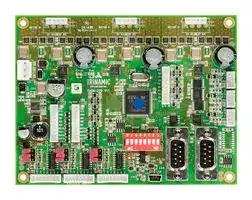
Image not available
Illustrative purposes only

TMCM-3110-CANOPEN
Stepper Motor Driver, 2-Phase, 6-Axis, 2.8A, 48V DC Output, CANOpen Firmware
⚠️ Reference pricing provided. In case of supply shortages, we will connect you with our trusted procurement partners to ensure your project's continuity.
- Manufacturer: TRINAMIC / ANALOG DEVICES
- Product type: Stepper Motor Drives
- Supply Voltage Min:9V; Supply Voltage Max:52.8V; No. of Phases:Two Phase; Power Rating:-; Output Voltage Max:48V; Output Current:2.8A; Product Range:-; SVHC:No SVHC (27-Jun-2018)
- SVHC: No SVHC (04-Feb-2026)
- No. of Phases: Two Phase
- Product Range: TMCM StepRocker
- Output Current Max: 2.8A
- Supply Voltage Max: 52.8VDC
- Supply Voltage Min: 9VDC
- Control / Drive Type: 3-Axis Controller / Driver Module
| Delivery and price | |
|---|---|
| Units per pack | 1 |
| Price | 282.71 € |
| Current stock | 10+ |
| Lead time | 30 days |
Datasheet

**MODULE**

**Module for Stepper**

## TMCM-3212 CANopen[®] Firmware Manual

## Firmware Version V3.22 | Document Revision V1.05 • 2019-FEB-13

**The TMCM-3212 is a three axes controller/driver module for 2-phase bipolar stepper motors with separate differential encoder and separate home and stop switch inputs for each axis. Dynamic current control, and quiet, smooth and efficient operation are combined with StealthChop™, DcStep™, StallGuard2™and CoolStep™features. The module offers four analog or digital inputs as well as four digital outputs in combination with a break chopper unit.**

## Features

- 3-Axes Stepper Motor Control

- CANopen® CiA-402 Drive Profile

- Encoder Support

- SixPoint™ramps

- CoolStep™

- DcStep™

- StallGuard2™

- StealthChop™

## Applications

- Laboratory Automation

- Manufacturing

- Semiconductor Handling

- Robotics • Life Science

   - Biotechnology

- Factory Automation

- Test & Measurement • Liquid Handling

## Simplified Block Diagram

**==> picture [459 x 204] intentionally omitted <==**

**----- Start of picture text -----**<br>
TMCM-3212<br>17..53V<br>DC<br>DC<br>EEPROM<br>I2C esIan nnis rol|<br>| 3x Iii<br>RS485<br>g || MOSFET tilIii<br>I TMC2130 Driver E |<br>CAN s ! Stage ri<br>| 14<br>SPI +5V<br>USB µC +5V<br>3<br>(ARM) +5V HOME, REFL, REFR<br>|<br>Inputs<br>Outputs A ! HI\<br>| A/B/N Encoder<br>**----- End of picture text -----**<br>


> ©2019 TRINAMIC Motion Control GmbH & Co. KG, Hamburg, Germany Terms of delivery and rights to technical change reserved. Download newest version at: www.trinamic.com

Read entire documentation.

TMCM-3212 CANopen[®] Firmware Manual • Firmware Version V3.22 | Document Revision V1.05 • 2019-FEB-13

2 / 129

## **Contents**

|**1**|**Preface**|**Preface**|**7**|
|---|---|---|---|
||1.1|General Features of this CANopen Implementation . . . . . . . . . . . . . . . . . . . . . . . . .|7|
||1.2|Abbreviations used in this Manual . . . . . . . . . . . . . . . . . . . . . . . . . . . . . . . . . . .|8|
||1.3|Firmware Update . . . . . . . . . . . . . . . . . . . . . . . . . . . . . . . . . . . . . . . . . . . . .|8|
||1.4|Trinamic’s unique Features — easy to use with CANopen®<br>. . . . . . . . . . . . . . . . . . . .|9|
|||1.4.1<br>StallGuard2™<br>. . . . . . . . . . . . . . . . . . . . . . . . . . . . . . . . . . . . . . . . . . .|9|
|||1.4.2<br>CoolStep™. . . . . . . . . . . . . . . . . . . . . . . . . . . . . . . . . . . . . . . . . . . . .|9|
||1.5|SixPoint™Motion Controller. . . . . . . . . . . . . . . . . . . . . . . . . . . . . . . . . . . . . . .|10|
|**2**|**Communication**||**12**|
||2.1|Reference Model<br>. . . . . . . . . . . . . . . . . . . . . . . . . . . . . . . . . . . . . . . . . . . . .|12|
||2.2|NMT State Machine . . . . . . . . . . . . . . . . . . . . . . . . . . . . . . . . . . . . . . . . . . . .|14|
||2.3|Device Model<br>. . . . . . . . . . . . . . . . . . . . . . . . . . . . . . . . . . . . . . . . . . . . . . .|15|
||2.4|Object Dictionary . . . . . . . . . . . . . . . . . . . . . . . . . . . . . . . . . . . . . . . . . . . . .|16|
|||2.4.1<br>Object Indices on Multi-Axis Modules . . . . . . . . . . . . . . . . . . . . . . . . . . . . .|17|
|**3**|**Communication Area**||**18**|
||3.1|Detailed Object Specifcations. . . . . . . . . . . . . . . . . . . . . . . . . . . . . . . . . . . . . .|18|
|||3.1.1<br>Object 1000h: Device Type<br>. . . . . . . . . . . . . . . . . . . . . . . . . . . . . . . . . . .|18|
|||3.1.2<br>Object 1001h: Error Register<br>. . . . . . . . . . . . . . . . . . . . . . . . . . . . . . . . . .|18|
|||3.1.3<br>Object 1005h: COB-ID SYNC Message . . . . . . . . . . . . . . . . . . . . . . . . . . . . .|19|
|||3.1.4<br>Object 1008h: Manufacturer Device Name . . . . . . . . . . . . . . . . . . . . . . . . . .|20|
|||3.1.5<br>Object 1009h: Manufacturer Hardware Version . . . . . . . . . . . . . . . . . . . . . . .|20|
|||3.1.6<br>Object 100Ah: Manufacturer Software Version . . . . . . . . . . . . . . . . . . . . . . . .|20|
|||3.1.7<br>Object 100Ch: Guard Time<br>. . . . . . . . . . . . . . . . . . . . . . . . . . . . . . . . . . .|21|
|||3.1.8<br>Object 100Dh: Life Time Factor . . . . . . . . . . . . . . . . . . . . . . . . . . . . . . . . .|21|
|||3.1.9<br>Object 1010h: Store Parameters . . . . . . . . . . . . . . . . . . . . . . . . . . . . . . . .|21|
|||3.1.10 Object 1011h: Restore Parameters . . . . . . . . . . . . . . . . . . . . . . . . . . . . . . .|23|
|||3.1.11 Object 1014h: COB-ID Emergency Object . . . . . . . . . . . . . . . . . . . . . . . . . . .|24|
|||3.1.12 Object 1015h: Inhibit Time EMCY . . . . . . . . . . . . . . . . . . . . . . . . . . . . . . . .|24|
|||3.1.13 Object 1016h: Consumer Heartbeat Time . . . . . . . . . . . . . . . . . . . . . . . . . . .|25|
|||3.1.14 Object 1017h: Producer Heartbeat Time<br>. . . . . . . . . . . . . . . . . . . . . . . . . . .|26|
|||3.1.15 Object 1018h: Identity Object . . . . . . . . . . . . . . . . . . . . . . . . . . . . . . . . . .|26|
|||3.1.16 Object 1023h: OS Command<br>. . . . . . . . . . . . . . . . . . . . . . . . . . . . . . . . . .|27|
|||3.1.17 Object 1029h: Error Behaviour . . . . . . . . . . . . . . . . . . . . . . . . . . . . . . . . .|27|
|||3.1.18 Objects 1400h – 1403h: Receive PDO Communication Parameter . . . . . . . . . . . . .|28|
|||3.1.19 Objects 1600h – 1603h: Receive PDO Mapping Parameter . . . . . . . . . . . . . . . . .|29|
|||3.1.20 Objects 1800h – 1803h: Transmit PDO Communication Parameter . . . . . . . . . . . .|30|
|||3.1.21 Objects 1A00h – 1A03h: Transmit PDO Mapping Parameter . . . . . . . . . . . . . . . .|31|
|**4**|**Manufacturer specifc Area**||**33**|
||4.1|Objects related to CoolStep™. . . . . . . . . . . . . . . . . . . . . . . . . . . . . . . . . . . . . .|33|
||4.2|Detailed Object Specifcations. . . . . . . . . . . . . . . . . . . . . . . . . . . . . . . . . . . . . .|36|
|||4.2.1<br>Object 2000h: Microstep Resolution . . . . . . . . . . . . . . . . . . . . . . . . . . . . . .|36|
|||4.2.2<br>Object 2001h: Fullstep Resolution . . . . . . . . . . . . . . . . . . . . . . . . . . . . . . .|36|
|||4.2.3<br>Object 2002h: Brake Delay Times. . . . . . . . . . . . . . . . . . . . . . . . . . . . . . . .|36|
|||4.2.4<br>Object 2003h: Maximum Current. . . . . . . . . . . . . . . . . . . . . . . . . . . . . . . .|37|
|||4.2.5<br>Object 2004h: Standby Current . . . . . . . . . . . . . . . . . . . . . . . . . . . . . . . . .|38|
|||4.2.6<br>Object 2005h: Limit Switches . . . . . . . . . . . . . . . . . . . . . . . . . . . . . . . . . .|38|
|||4.2.7<br>Object 200Ah: Enable Drive Delay Time . . . . . . . . . . . . . . . . . . . . . . . . . . . .|39|
|||4.2.8<br>Object 200Bh: Encoder Parameters . . . . . . . . . . . . . . . . . . . . . . . . . . . . . .|39|
|||4.2.9<br>Object 200Ch: Brake Current Feed . . . . . . . . . . . . . . . . . . . . . . . . . . . . . . .|40|


©2019 TRINAMIC Motion Control GmbH & Co. KG, Hamburg, Germany Terms of delivery and rights to technical change reserved. Download newest version at www.trinamic.com

TMCM-3212 CANopen[®] Firmware Manual • Firmware Version V3.22 | Document Revision V1.05 • 2019-FEB-13

3 / 129

|4.2.10|Object|200Fh:|Encoder N Channel Latch|.|.|.|. . . . . . . . . . . . . . . . . . . . . . . . 40|
|---|---|---|---|---|---|---|---|
|4.2.11|Object|2010h:|Profle Start Velocity. . . .|.|.|.|. . . . . . . . . . . . . . . . . . . . . . . . 41|
|4.2.12|Object|2011h:|Profle A1 . . . . . . . . . .|.|.|.|. . . . . . . . . . . . . . . . . . . . . . . . 41|
|4.2.13|Object|2012h:|Profle V1 . . . . . . . . . .|.|.|.|. . . . . . . . . . . . . . . . . . . . . . . . 42|
|4.2.14|Object|2013h:|Profle D1 . . . . . . . . . .|.|.|.|. . . . . . . . . . . . . . . . . . . . . . . . 42|
|4.2.15|Object|2015h:|Ramp Wait Time . . . . . .|.|.|.|. . . . . . . . . . . . . . . . . . . . . . . . 42|
|4.2.16|Object|2089h:|Setting Delay . . . . . . . .|.|.|.|. . . . . . . . . . . . . . . . . . . . . . . . 43|
|4.2.17|Object|208Ch:|Velocity Dimension Index|.|.|.|. . . . . . . . . . . . . . . . . . . . . . . . 43|
|4.2.18|Object|208Eh:|Acceleration Dimension Index|||.|. . . . . . . . . . . . . . . . . . . . . . . . 44|
|4.2.19|Object|2092h:|Chopper Blank Time<br>. . .|.|.|.|. . . . . . . . . . . . . . . . . . . . . . . . 44|
|4.2.20|Object|2093h:|Chopper Mode . . . . . . .|.|.|.|. . . . . . . . . . . . . . . . . . . . . . . . 45|
|4.2.21|Object|2094h:|Chopper Hysteresis Decrement||||. . . . . . . . . . . . . . . . . . . . . . . . 45|
|4.2.22|Object|2095h:|Chopper Hysteresis End .|.|.|.|. . . . . . . . . . . . . . . . . . . . . . . . 46|
|4.2.23|Object|2096h:|Chopper Hysteresis Start .|.|.|.|. . . . . . . . . . . . . . . . . . . . . . . . 46|
|4.2.24|Object|2097h:|Chopper Of Time . . . . .|.|.|.|. . . . . . . . . . . . . . . . . . . . . . . . 46|
|4.2.25|Object|2098h:|Smart Energy Current Minimum||||. . . . . . . . . . . . . . . . . . . . . . . 47|
|4.2.26|Object|2099h:|Smart Energy Current Down Step . . . . . . . . . . . . . . . . . . . . . . . 47|||||
|4.2.27|Object|209Ah:|Smart Energy Hysteresis .|.|.|.|. . . . . . . . . . . . . . . . . . . . . . . . 48|
|4.2.28|Object|209Bh:|Smart Energy Current Up Step||||. . . . . . . . . . . . . . . . . . . . . . . . 48|
|4.2.29|Object|209Ch:|Smart Energy Hysteresis Start|||.|. . . . . . . . . . . . . . . . . . . . . . . . 49|
|4.2.30|Object|209Dh:|Smart Energy Filter Enable|.|.|.|. . . . . . . . . . . . . . . . . . . . . . . . 49|
|4.2.31|Object|209Eh:|StallGuard2 Threshold . .|.|.|.|. . . . . . . . . . . . . . . . . . . . . . . . 50|
|4.2.32|Object|20A1h:|Short Protection Disable .|.|.|.|. . . . . . . . . . . . . . . . . . . . . . . . 50|
|4.2.33|Object|20A3h:|Vsense<br>. . . . . . . . . . .|.|.|.|. . . . . . . . . . . . . . . . . . . . . . . . 51|
|4.2.34|Object|20A4h:|Stop on Stall . . . . . . . .|.|.|.|. . . . . . . . . . . . . . . . . . . . . . . . 51|
|4.2.35|Object|20A5h:|Smart Energy Threshold Speed||||. . . . . . . . . . . . . . . . . . . . . . . . 52|
|4.2.36|Object|20B0h:|PWM Threshold Speed . .|.|.|.|. . . . . . . . . . . . . . . . . . . . . . . . 52|
|4.2.37|Object|20B1h:|PWM Gradient . . . . . . .|.|.|.|. . . . . . . . . . . . . . . . . . . . . . . . 52|
|4.2.38|Object|20B2h:|PWM Amplitude . . . . . .|.|.|.|. . . . . . . . . . . . . . . . . . . . . . . . 53|
|4.2.39|Object|20B3h:|DcStep Minimum Speed .|.|.|.|. . . . . . . . . . . . . . . . . . . . . . . . 53|
|4.2.40|Object|20B4h:|DcStep Time . . . . . . . .|.|.|.|. . . . . . . . . . . . . . . . . . . . . . . . 54|
|4.2.41|Object|20B5h:|DcStep StallGuard . . . . .|.|.|.|. . . . . . . . . . . . . . . . . . . . . . . . 54|
|4.2.42|Object|20B6h:|Fullstep Threshold Speed|.|.|.|. . . . . . . . . . . . . . . . . . . . . . . . 55|
|4.2.43|Object|20B7h:|High Speed Chopper Mode||.|.|. . . . . . . . . . . . . . . . . . . . . . . . 55|
|4.2.44|Object|20B8h:|High Speed Fullstep Mode|.|.|.|. . . . . . . . . . . . . . . . . . . . . . . . 55|
|4.2.45|Object|20B9h:|Power Down Ramp . . . .|.|.|.|. . . . . . . . . . . . . . . . . . . . . . . . 56|
|4.2.46|Object|2100h:|Home Ofset Display . . .|.|.|.|. . . . . . . . . . . . . . . . . . . . . . . . 56|
|4.2.47|Object|2101h:|Actual Load Value . . . . .|.|.|.|. . . . . . . . . . . . . . . . . . . . . . . . 57|
|4.2.48|Object|2102h:|Driver Error Flags . . . . .|.|.|.|. . . . . . . . . . . . . . . . . . . . . . . . 57|
|4.2.49|Object|2107h:|Microstep Resolution Display|||.|. . . . . . . . . . . . . . . . . . . . . . . . 58|
|4.2.50|Object|210Bh:|Step Counter . . . . . . . .|.|.|.|. . . . . . . . . . . . . . . . . . . . . . . . 58|
|4.2.51|Object|2121h:|PWM Scale Value<br>. . . . .|.|.|.|. . . . . . . . . . . . . . . . . . . . . . . . 59|
|4.2.52|Object|2122h:|Measured Velocity . . . . .|.|.|.|. . . . . . . . . . . . . . . . . . . . . . . . 59|
|4.2.53|Object|2700h:|TMCL Direct Communication|||.|. . . . . . . . . . . . . . . . . . . . . . . . 59|
|4.2.54|Object|2701h:|Manufacturer Specifc Mode||.|.|. . . . . . . . . . . . . . . . . . . . . . . . 60|
|4.2.55|Object|2702h:|Device Digital Inputs<br>. . .|.|.|.|. . . . . . . . . . . . . . . . . . . . . . . . 60|
|4.2.56|Object|2703h:|Device Digital Outputs<br>. .|.|.|.|. . . . . . . . . . . . . . . . . . . . . . . . 61|
|4.2.57|Object|2704h:|CAN Bit Rate . . . . . . . .|.|.|.|. . . . . . . . . . . . . . . . . . . . . . . . 62|
|4.2.58|Object|2705h:|Node ID . . . . . . . . . . .|.|.|.|. . . . . . . . . . . . . . . . . . . . . . . . 63|
|4.2.59|Object|2706h:|Store<br>. . . . . . . . . . . .|.|.|.|. . . . . . . . . . . . . . . . . . . . . . . . 63|
|4.2.60|Object|2707h:|CAN Bit Rate Load . . . . .|.|.|.|. . . . . . . . . . . . . . . . . . . . . . . . 64|
|4.2.61|Object|2708h:|Node ID Load<br>. . . . . . .|.|.|.|. . . . . . . . . . . . . . . . . . . . . . . . 64|
|4.2.62|Object|270Eh:|Device Analog Inputs . . .|.|.|.|. . . . . . . . . . . . . . . . . . . . . . . . 64|


> ©2019 TRINAMIC Motion Control GmbH & Co. KG, Hamburg, Germany Terms of delivery and rights to technical change reserved. Download newest version at www.trinamic.com

TMCM-3212 CANopen[®] Firmware Manual • Firmware Version V3.22 | Document Revision V1.05 • 2019-FEB-13

4 / 129

|**5**|**Profle specifc Area**<br>**66**|**Profle specifc Area**<br>**66**|
|---|---|---|
||5.1|Detailed Object Specifcations. . . . . . . . . . . . . . . . . . . . . . . . . . . . . . . . . . . . . . 66|
|||5.1.1<br>Object 605Ah: Quick Stop Option Code . . . . . . . . . . . . . . . . . . . . . . . . . . . . 66|
|||5.1.2<br>Object 605Bh: Shutdown Option Code<br>. . . . . . . . . . . . . . . . . . . . . . . . . . . . 67|
|||5.1.3<br>Object 605Ch: Disable Operation Option Code . . . . . . . . . . . . . . . . . . . . . . . . 68|
|||5.1.4<br>Object 605Dh: Halt Option Code . . . . . . . . . . . . . . . . . . . . . . . . . . . . . . . . 68|
|||5.1.5<br>Object 605Eh: Fault Reaction Option Code . . . . . . . . . . . . . . . . . . . . . . . . . . 69|
|||5.1.6<br>Object 6060h: Modes of Operation. . . . . . . . . . . . . . . . . . . . . . . . . . . . . . . 69|
|||5.1.7<br>Object 6061h: Modes of Operation Display . . . . . . . . . . . . . . . . . . . . . . . . . . 70|
|||5.1.8<br>Object 606Ah: Sensor Selection Code . . . . . . . . . . . . . . . . . . . . . . . . . . . . . 71|
|||5.1.9<br>Object 608Fh: Position Encoder Resolution . . . . . . . . . . . . . . . . . . . . . . . . . . 72|
|||5.1.10 Object 60FDh: Digital Inputs. . . . . . . . . . . . . . . . . . . . . . . . . . . . . . . . . . . 72|
|||5.1.11 Object 6502h: Supported Drive Modes<br>. . . . . . . . . . . . . . . . . . . . . . . . . . . . 73|
|**6**|**Profle Position Mode**<br>**75**||
||6.1|Detailed Object Specifcations. . . . . . . . . . . . . . . . . . . . . . . . . . . . . . . . . . . . . . 75|
|||6.1.1<br>Object 6040h: Control Word . . . . . . . . . . . . . . . . . . . . . . . . . . . . . . . . . . . 76|
|||6.1.2<br>Object 6041h: Status Word<br>. . . . . . . . . . . . . . . . . . . . . . . . . . . . . . . . . . . 77|
|||6.1.3<br>Object 6062h: Position Demand Value. . . . . . . . . . . . . . . . . . . . . . . . . . . . . 78|
|||6.1.4<br>Object 6063h: Position Actual Internal Value . . . . . . . . . . . . . . . . . . . . . . . . . 79|
|||6.1.5<br>Object 6064h: Position Actual Value . . . . . . . . . . . . . . . . . . . . . . . . . . . . . . 79|
|||6.1.6<br>Object 6065h: Following Error Window<br>. . . . . . . . . . . . . . . . . . . . . . . . . . . . 80|
|||6.1.7<br>Object 6067h: Position Window. . . . . . . . . . . . . . . . . . . . . . . . . . . . . . . . . 80|
|||6.1.8<br>Object 6068h: Position Window Time . . . . . . . . . . . . . . . . . . . . . . . . . . . . . 81|
|||6.1.9<br>Object 606Ch: Velocity Actual Value . . . . . . . . . . . . . . . . . . . . . . . . . . . . . . 81|
|||6.1.10 Object 607Ah: Target Position . . . . . . . . . . . . . . . . . . . . . . . . . . . . . . . . . . 82|
|||6.1.11 Object 607Dh: Software Position Limit. . . . . . . . . . . . . . . . . . . . . . . . . . . . . 82|
|||6.1.12 Object 6081h: Profle Velocity . . . . . . . . . . . . . . . . . . . . . . . . . . . . . . . . . . 83|
|||6.1.13 Object 6082h: End Velocity<br>. . . . . . . . . . . . . . . . . . . . . . . . . . . . . . . . . . . 83|
|||6.1.14 Object 6083h: Profle Acceleration . . . . . . . . . . . . . . . . . . . . . . . . . . . . . . . 84|
|||6.1.15 Object 6084h: Profle Deceleration . . . . . . . . . . . . . . . . . . . . . . . . . . . . . . . 84|
|||6.1.16 Object 6085h: Quick Stop Deceleration . . . . . . . . . . . . . . . . . . . . . . . . . . . . 84|
|||6.1.17 Object 60F2h: Positioning Option Code . . . . . . . . . . . . . . . . . . . . . . . . . . . . 85|
||6.2|How to move a Motor in pp Mode . . . . . . . . . . . . . . . . . . . . . . . . . . . . . . . . . . . 86|
|**7**|**Profle Velocity Mode**<br>**87**||
||7.1|Detailed Object Specifcations. . . . . . . . . . . . . . . . . . . . . . . . . . . . . . . . . . . . . . 87|
|||7.1.1<br>Object 6040h: Control Word . . . . . . . . . . . . . . . . . . . . . . . . . . . . . . . . . . . 87|
|||7.1.2<br>Object 6041h: Status Word<br>. . . . . . . . . . . . . . . . . . . . . . . . . . . . . . . . . . . 88|
|||7.1.3<br>Object 6062h: Position Demand Value. . . . . . . . . . . . . . . . . . . . . . . . . . . . . 90|
|||7.1.4<br>Object 6063h: Position Actual Internal Value . . . . . . . . . . . . . . . . . . . . . . . . . 90|
|||7.1.5<br>Object 6064h: Position Actual Value . . . . . . . . . . . . . . . . . . . . . . . . . . . . . . 91|
|||7.1.6<br>Object 6065h: Following Error Window<br>. . . . . . . . . . . . . . . . . . . . . . . . . . . . 91|
|||7.1.7<br>Object 606Ch: Velocity Actual Value . . . . . . . . . . . . . . . . . . . . . . . . . . . . . . 92|
|||7.1.8<br>Object 607Dh: Software Position Limit. . . . . . . . . . . . . . . . . . . . . . . . . . . . . 92|
|||7.1.9<br>Object 6083h: Profle Acceleration . . . . . . . . . . . . . . . . . . . . . . . . . . . . . . . 93|
|||7.1.10 Object 6085h: Quick Stop Deceleration . . . . . . . . . . . . . . . . . . . . . . . . . . . . 93|
|||7.1.11 Object 60FFh: Target Velocity . . . . . . . . . . . . . . . . . . . . . . . . . . . . . . . . . . 93|
||7.2|How to move a Motor in pv Mode<br>. . . . . . . . . . . . . . . . . . . . . . . . . . . . . . . . . . . 94|


> ©2019 TRINAMIC Motion Control GmbH & Co. KG, Hamburg, Germany Terms of delivery and rights to technical change reserved. Download newest version at www.trinamic.com

TMCM-3212 CANopen[®] Firmware Manual • Firmware Version V3.22 | Document Revision V1.05 • 2019-FEB-13

5 / 129

|**8**|**Homing Mode**|**Homing Mode**||**95**|
|---|---|---|---|---|
||8.1|Homing Methods . . . . . . . . . . . . . . . . . . . . . . . . . .|.|. . . . . . . . . . . . . . . . . . 96|
|||8.1.1<br>Homing Method 1: Homing on negative Limit Switch and Index Pulse . . . . . . . . . . 96|||
|||8.1.2<br>Homing Method 2: Homing on positive Limit Switch and||Index Pulse<br>. . . . . . . . . . 97|
|||8.1.3<br>Homing Method 3: Homing on positive Home Switch and Index Pulse. . . . . . . . . . 97|||
|||8.1.4<br>Homing Method 5: Homing on negative Home Switch and Index Pulse . . . . . . . . . 97|||
|||8.1.5<br>Homing Method 17: Homing on negative Limit Switch|.|. . . . . . . . . . . . . . . . . . 98|
|||8.1.6<br>Homing Method 18: Homing on positive Limit Switch|.|. . . . . . . . . . . . . . . . . . 98|
|||8.1.7<br>Homing Method 19: Homing on positive Home Switch|.|. . . . . . . . . . . . . . . . . . 99|
|||8.1.8<br>Homing Method 21: Homing on negative Home Switch||. . . . . . . . . . . . . . . . . . 99|
|||8.1.9<br>Homing Method 33 and 34: Homing on next Index Pulse||. . . . . . . . . . . . . . . . . 99|
|||8.1.10 Homing Method 35: Current Position as Home Position||. . . . . . . . . . . . . . . . . . 100|
||8.2|Detailed Object Specifcations. . . . . . . . . . . . . . . . . . .|.|. . . . . . . . . . . . . . . . . . 101|
|||8.2.1<br>Object 6040h: Control Word . . . . . . . . . . . . . . . .|.|. . . . . . . . . . . . . . . . . . 101|
|||8.2.2<br>Object 6041h: Status Word<br>. . . . . . . . . . . . . . . .|.|. . . . . . . . . . . . . . . . . . 102|
|||8.2.3<br>Object 606Ch: Velocity Actual Value . . . . . . . . . . .|.|. . . . . . . . . . . . . . . . . . 103|
|||8.2.4<br>Object 607Ch: Home Ofset . . . . . . . . . . . . . . . .|.|. . . . . . . . . . . . . . . . . . 104|
|||8.2.5<br>Object 6098h: Homing Method . . . . . . . . . . . . . .|.|. . . . . . . . . . . . . . . . . . 105|
|||8.2.6<br>Object 6099h: Homing Speeds . . . . . . . . . . . . . .|.|. . . . . . . . . . . . . . . . . . 105|
|||8.2.7<br>Object 609Ah: Homing Acceleration . . . . . . . . . . .|.|. . . . . . . . . . . . . . . . . . 105|
||8.3|How to start a Homing in hm Mode . . . . . . . . . . . . . . .|.|. . . . . . . . . . . . . . . . . . 106|
|**9**|**Cyclic synchonous Position Mode**|||**107**|
||9.1|Detailed Object Specifcations. . . . . . . . . . . . . . . . . . .|.|. . . . . . . . . . . . . . . . . . 107|
|||9.1.1<br>Object 6040h: Control Word . . . . . . . . . . . . . . . .|.|. . . . . . . . . . . . . . . . . . 107|
|||9.1.2<br>Object 6041h: Status Word<br>. . . . . . . . . . . . . . . .|.|. . . . . . . . . . . . . . . . . . 108|
|||9.1.3<br>Object 6062h: Position Demand Value. . . . . . . . . .|.|. . . . . . . . . . . . . . . . . . 110|
|||9.1.4<br>Object 6063h: Position Actual Internal Value . . . . . .|.|. . . . . . . . . . . . . . . . . . 110|
|||9.1.5<br>Object 6064h: Position Actual Value . . . . . . . . . . .|.|. . . . . . . . . . . . . . . . . . 111|
|||9.1.6<br>Object 606Ch: Velocity Actual Value . . . . . . . . . . .|.|. . . . . . . . . . . . . . . . . . 111|
|||9.1.7<br>Object 607Ah: Target Position . . . . . . . . . . . . . . .|.|. . . . . . . . . . . . . . . . . . 111|
|||9.1.8<br>Object 607Dh: Software Position Limit. . . . . . . . . .|.|. . . . . . . . . . . . . . . . . . 112|
|||9.1.9<br>Object 60B0h: Position Ofset . . . . . . . . . . . . . . .|.|. . . . . . . . . . . . . . . . . . 112|
|||9.1.10 Object 60C2h: Interpolation Time Period . . . . . . . .|.|. . . . . . . . . . . . . . . . . . 113|
|**10 **|**Cyclic synchonous Velocity Mode**|||**114**|
||10.1|Detailed Object Specifcations. . . . . . . . . . . . . . . . . . .|.|. . . . . . . . . . . . . . . . . . 114|
|||10.1.1 Object 6040h: Control Word . . . . . . . . . . . . . . . .|.|. . . . . . . . . . . . . . . . . . 114|
|||10.1.2 Object 6041h: Status Word<br>. . . . . . . . . . . . . . . .|.|. . . . . . . . . . . . . . . . . . 115|
|||10.1.3 Object 606Ch: Velocity Actual Value . . . . . . . . . . .|.|. . . . . . . . . . . . . . . . . . 117|
|||10.1.4 Object 60FFh: Target Velocity . . . . . . . . . . . . . . .|.|. . . . . . . . . . . . . . . . . . 117|
|||10.1.5 Object 607Dh: Software Position Limit. . . . . . . . . .|.|. . . . . . . . . . . . . . . . . . 117|
|||10.1.6 Object 60B1h: Velocity Ofset . . . . . . . . . . . . . . .|.|. . . . . . . . . . . . . . . . . . 118|
|||10.1.7 Object 60C2h: Interpolation Time Period . . . . . . . .|.|. . . . . . . . . . . . . . . . . . 118|
|**11 **|**Emergency Messages (EMCY)**|||**120**|
|**12 **|**Figures Index**|||**122**|
|**13 **|**Tables Index**|||**123**|


> ©2019 TRINAMIC Motion Control GmbH & Co. KG, Hamburg, Germany Terms of delivery and rights to technical change reserved. Download newest version at www.trinamic.com

TMCM-3212 CANopen[®] Firmware Manual • Firmware Version V3.22 | Document Revision V1.05 • 2019-FEB-13

6 / 129

|**14 **|**Supplemental Directives**<br>**127**|
|---|---|
||14.1 Producer Information<br>. . . . . . . . . . . . . . . . . . . . . . . . . . . . . . . . . . . . . . . . . . 127|
||14.2 Copyright . . . . . . . . . . . . . . . . . . . . . . . . . . . . . . . . . . . . . . . . . . . . . . . . . . 127|
||14.3 Trademark Designations and Symbols . . . . . . . . . . . . . . . . . . . . . . . . . . . . . . . . . 127|
||14.4 Target User . . . . . . . . . . . . . . . . . . . . . . . . . . . . . . . . . . . . . . . . . . . . . . . . . 127|
||14.5 Disclaimer: Life Support Systems . . . . . . . . . . . . . . . . . . . . . . . . . . . . . . . . . . . . 127|
||14.6 Disclaimer: Intended Use<br>. . . . . . . . . . . . . . . . . . . . . . . . . . . . . . . . . . . . . . . . 127|
||14.7 Collateral Documents & Tools . . . . . . . . . . . . . . . . . . . . . . . . . . . . . . . . . . . . . . 128|
|**15 **|**Revision History**<br>**129**|
||15.1 Firmware Revision<br>. . . . . . . . . . . . . . . . . . . . . . . . . . . . . . . . . . . . . . . . . . . . 129|
||15.2 Document Revision . . . . . . . . . . . . . . . . . . . . . . . . . . . . . . . . . . . . . . . . . . . . 129|


> ©2019 TRINAMIC Motion Control GmbH & Co. KG, Hamburg, Germany Terms of delivery and rights to technical change reserved. Download newest version at www.trinamic.com

TMCM-3212 CANopen[®] Firmware Manual • Firmware Version V3.22 | Document Revision V1.05 • 2019-FEB-13

7 / 129

## **1 Preface**

This document specifies objects and modes of operation of the Trinamic TMCM-3212 stepper motor control module with CANopen firmware. The CANopen firmware is designed to fulfill the CANopen DS402 and DS301 standards. This manual assumes that the reader is already familiar with the basics of the CANopen protocol, defined by the DS301 and DS402 standards of the CAN-CiA.

If necessary it is always possible to turn the module into a TMCL module by loading the TMCM-3212 TMCL fimware again through the USB interface, with the help of the firmware update function of the TMCL-IDE 3.0.

## **1.1 General Features of this CANopen Implementation**

## **Main Characteristics**

- Communication according to standard CiA-301 V4.1

- CAN bit rate: 20. . . 1000kBit/s

- CAN ID: 11 bit

- Node ID: 1. . . 127 (use vendor specific objects for changing the node ID)

- NMT services: NMT slave

## **SDO Communication**

- 1 server

- Expedited transfer

- Segmented transfer

- No block transfer

## **PDO Communication**

- Producer

- Consumer

- RPDOs

   - Axis 0: 1, 2, 3, 4

   - Axis 1: 65, 66, 67, 68

   - Axis 2: 129, 130, 131, 132

   - Transmission modes: asynchronous.

   - Dynamic mapping with max. 3 mapping entries.

   - Default mappings: according to CiA-402 for first three PDOs of each axis, manufacturer specific for other PDOs of each axis.

- TPDOs

   - Axis 0: 1, 2, 3, 4

   - Axis 1: 65, 66, 67, 68

   - Axis 2: 129, 130, 131, 132

   - Transmission modes: asynchronous, asynchronous with event timer, synchronous.

   - Dynamic mapping with max. 3 mapping entries.

   - Default mappings: according to CiA-402 for first three PDOs of each axis, manufacturer specific for other PDOs of each axis.

> ©2019 TRINAMIC Motion Control GmbH & Co. KG, Hamburg, Germany Terms of delivery and rights to technical change reserved. Download newest version at www.trinamic.com

TMCM-3212 CANopen[®] Firmware Manual • Firmware Version V3.22 | Document Revision V1.05 • 2019-FEB-13

8 / 129

## **Further Characteristics**

- SYNC: consumer (TPDOs 3, 67, 131 are synchronous PDOs)

- Emergency: producer

- RTR: supported only for node guarding/life guarding

- Heartbeat: consumer and producer

## **1.2 Abbreviations used in this Manual**

|Abbreviations|Abbreviations|
|---|---|
|CAN|Controller area network|
|CHGND|chassis ground / earth ground|
|COB|Communication object|
|FSA|Finite state automaton|
|FSM|Finite state machine|
|NMT|Network management|
|ID|Identifer|
|LSB|Least signifcant bit|
|MSB|Most signifcant bit|
|PDO|Process data object|
|PDS|Power drive system|
|RPDO|Receive process data object|
|SDO|Service data object|
|TPDO|Transmit process data object|
|EMCY|Emergency object|
|rw|Read and write|
|ro|Read only|
|hm|Homing mode|
|pp|Profle position mode|
|pv|Profle velocity mode|
|vm|Velocity mode|


_Table 1: Abbreviations used in this Manual_

## **1.3 Firmware Update**

The software running on the microprocessor consists of two parts, a boot loader and the CANopen firmware itself. Whereas the boot loader is installed during production and testing at TRINAMIC and remains untouched throughout the whole lifetime, the CANopen firmware can easily be updated by the user. The new firmware can be loaded into the module via the firmware update function of the TMCL-IDE, using the USB interface of the module.

> ©2019 TRINAMIC Motion Control GmbH & Co. KG, Hamburg, Germany Terms of delivery and rights to technical change reserved. Download newest version at www.trinamic.com

TMCM-3212 CANopen[®] Firmware Manual • Firmware Version V3.22 | Document Revision V1.05 • 2019-FEB-13

9 / 129

## **1.4 Trinamic’s unique Features — easy to use with CANopen®**

## **1.4.1 StallGuard2™**

StallGuard2™ is a high-precision sensorless load measurement using the back EMF of the coils. It can be used for stall detection as well as other uses at loads below those which stall the motor. The StallGuard2™ measurement value changes linearly over a wide range of load, velocity, and current settings. At maximum motor load, the value reaches zero or is near zero. This is the most energy-efficient point of operation for the motor.

**==> picture [451 x 185] intentionally omitted <==**

**----- Start of picture text -----**<br>
stallGuard2<br>Load [Nm]<br>Initial stallGuard2 (SG) value: 100%<br>Max. load<br>stallGuard2 (SG) value: 0<br>Maximum load reached.<br>Motor close to stall.<br>Motor stalls<br>**----- End of picture text -----**<br>


_Figure 1: StallGuard2 Load Measurement as a Function of Load_

## **1.4.2 CoolStep™**

CoolStep™ is a load-adaptive automatic current scaling based on the load measurement via StallGuard2™ adapting the required current to the load. Energy consumption can be reduced by as much as 75%. CoolStep™ allows substantial energy savings, especially for motors which see varying loads or operate at a high duty cycle. Because a stepper motor application needs to work with a torque reserve of 30% to 50%, even a constant-load application allows significant energy savings because CoolStep™ automatically enables torque reserve when required. Reducing power consumption keeps the system cooler, increases motor life, and allows cost reduction.

> ©2019 TRINAMIC Motion Control GmbH & Co. KG, Hamburg, Germany Terms of delivery and rights to technical change reserved. Download newest version at www.trinamic.com

TMCM-3212 CANopen[®] Firmware Manual • Firmware Version V3.22 | Document Revision V1.05 • 2019-FEB-13

10 / 129

**==> picture [405 x 195] intentionally omitted <==**

**----- Start of picture text -----**<br>
0,9<br>Efficiency with coolStep<br>0,8 Efficiency with 50v torque reserve<br>0,7<br>0,6<br>0,5<br>Efficiency<br>0,4<br>0,3<br>0,2<br>0,1<br>0<br>0 50 100 150 200 250 300 350<br>Velocity [RPM]<br>**----- End of picture text -----**<br>


_Figure 2: Energy Efficiency Example with CoolStep_

## **1.5 SixPoint™Motion Controller**

TRINAMIC’s SixPoint™ motion controller is a new type of ramp generator which offers faster machine operation compared to the classical linear acceleration ramps. The SixPoint™ ramp generator allows adapting the acceleration ramps to the torque curves of a stepper motor. It uses two different acceleration settings for the acceleration phase and also tow different deceleration settings for the deceleration phase. Start and stop speeds greater than zero can also be used.

**==> picture [386 x 176] intentionally omitted <==**

_Figure 3: Typical motion profile with TRINAMIC’s SixPoint™motion controller_

A six point ramp begins using the start speed VSTART (which can also be zero). Then, the acceleration value A1 will be used to accelerate the motor to the speed V1. When the speed V1 has been reached, the motor will be further accelerated using the acceleration value A2 until it has reached the speed VMAX. The deceleration phase begins using the deceleration value D2. After reaching the speed V1 again the deceleration value D2 will be used to declerate to the stop speed VSTOP (which can also be zero).

> ©2019 TRINAMIC Motion Control GmbH & Co. KG, Hamburg, Germany Terms of delivery and rights to technical change reserved. Download newest version at www.trinamic.com

TMCM-3212 CANopen[®] Firmware Manual • Firmware Version V3.22 | Document Revision V1.05 • 2019-FEB-13

11 / 129

The SixPoint™ramp can be configured using the following objects:

|Parameter Name|Object Index|
|---|---|
|Start velocity (VSTART)|2010h|
|Acceleration A1|2011h|
|Velocity V1|2012h|
|Acceleration A2|6083h|
|Maximum positioning velocity (VMAX)|6081h|
|Deceleration D2|6084h|
|Deceleration D1|2013h|
|Stop velocity VSTOP|6082h|
|Wait time WAIT|2015h|


_Table 2: SixPoint Ramp Parameters_

Setting the velocity V1 (object 2012h) to zero switches off the SixPoint™ ramp. In this case, a trapezoidal ramp defined by the parameters VSTART, A2, VMAX, D2 and VSTOP will be used.

> _**Note**_ The SixPoint™ ramp will only be used in profile positioning mode (pp mode). Profile velocity mode (pv mode) will always use a trapezoidal ramp, defined just by the acceleration (object 6083h), the speed given using object 60FFh and the start and stop speed (objects 2010h and 6082h). The deceleration parameters will not be used in pv mode.

> ©2019 TRINAMIC Motion Control GmbH & Co. KG, Hamburg, Germany Terms of delivery and rights to technical change reserved. Download newest version at www.trinamic.com

TMCM-3212 CANopen[®] Firmware Manual • Firmware Version V3.22 | Document Revision V1.05 • 2019-FEB-13

12 / 129

## **2 Communication**

## **2.1 Reference Model**

The application layer comprises a concept to configure and communicate real-time-data as well as the mechanisms for synchronization between devices. The functionality which the application layer offers to an application is logically divided over different service data objects (SDO) in the application layer. A service object offers a specific functionality and all the related services.

Applications interact by invoking services of a service object in the application layer. To realize these services this object exchanges data via the CAN Network with peer service object(s) using a protocol.

The application and the application layer interact with service primitives.

|Service Primitives|Service Primitives|
|---|---|
|Primitive|Defnition|
|Request|Issued by the application to the application layer to request a service.|
|Indication|Issued by the application layer to the application to report an internal event detected by<br>the application layer or indicate that a service is requested.|
|Response|Issued by the application to the application layer to respond to a previous received<br>indication.|
|Confrmation|Issued by the application layer to the application to report the result of a previously<br>issued request.|


_Table 3: Service Primitives_

A service type defines the primitives that are exchanged between the application layer and the cooperating applications for a particular service of a service object. Unconfirmed and confirmed services are collectively called remote services.

> ©2019 TRINAMIC Motion Control GmbH & Co. KG, Hamburg, Germany Terms of delivery and rights to technical change reserved. Download newest version at www.trinamic.com

TMCM-3212 CANopen[®] Firmware Manual • Firmware Version V3.22 | Document Revision V1.05 • 2019-FEB-13

13 / 129

|Service Types|Service Types|
|---|---|
|Type|Defnition|
|Local service|Involves only the local service object. The application issues a request to its<br>local service object that executes the requested service without communi-<br>cating with peer service object(s).|
|Unconfrmed service|Involves one or more peer service objects. The application issues a request<br>to its local service object. This request is transferred to the peer service<br>object(s) that each passes it to their application as an indication. The result<br>is not confrmed back.|
|Confrmed service|Can involve only one peer service object. The application issues a request<br>to its local service object. This request is transferred to the peer service<br>object that passes it to the other application as an indication. The other<br>application issues a response that is transferred to the originating service<br>object that passes it as a confrmation to the requesting application.|
|Provider initiated service|Involves only the local service object. The service object (being the service<br>provider) detects an event not solicited by a requested service. This event<br>is then indicated to the application.|


_Table 4: Service Types_

> ©2019 TRINAMIC Motion Control GmbH & Co. KG, Hamburg, Germany Terms of delivery and rights to technical change reserved. Download newest version at www.trinamic.com

TMCM-3212 CANopen[®] Firmware Manual • Firmware Version V3.22 | Document Revision V1.05 • 2019-FEB-13

14 / 129

## **2.2 NMT State Machine**

The finite state machine (FSM) or simply state machine is a model of behavior composed of a finite number of states, transitions between those states, and actions. It shows which way the logic runs when certain conditions are met.

Starting and resetting the device is controlled via the state machine. The NMT state machine consists of the states shown in figure 4.

**==> picture [246 x 138] intentionally omitted <==**

**----- Start of picture text -----**<br>
Initialization<br>ID / Boot-up<br>Pre-operational<br>Stopped<br>Operational<br>**----- End of picture text -----**<br>


_Figure 4: NMT State Machine_

After power-on or reset the device enters the Initialization state. After the device initialization is finished, the device automatically transits to the **Pre-operational** state and indicates this state transition by sending the boot-up message. This way the device indicates that it is ready to work. A device that stays in Pre-operational state may start to transmit SYNC-, time stamp- or heartbeat message. In contrast to the PDO communication that is disabled in this state, the device can communicate via SDO.

The PDO communication is only possible within the **Operational** state. During Operational state the device can use all supported communication objects.

A device that was switched to the **Stopped** state only reacts on received NMT commands. In addition the device indicates the current NMT state by supporting the error control protocol during Stopped state.

The transitions between states are made by issuing a network management (NMT) communication object to the device. The NMT protocols are used to generate state machine change commands (e.g. to start and stop the device), detect remote device boot-ups and error conditions.

The Heartbeat message of a CANopen device contains the device status of the NMT state machine and is sent cyclically by the CANopen device.

The NMT state machine (or DS301 state machine) is not to be confused with the DS402 state machine. There is only one NMT state machine for the entire device, but for each motor there is a DS402 state machine which controls the motor. There are no links between these state machines, with one exception: When the NMT state machine is being switched to the stopped state, all DS402 state machines that are in OPERATION_ENABLED state will be switch to FAULT state.

> ©2019 TRINAMIC Motion Control GmbH & Co. KG, Hamburg, Germany Terms of delivery and rights to technical change reserved. Download newest version at www.trinamic.com

TMCM-3212 CANopen[®] Firmware Manual • Firmware Version V3.22 | Document Revision V1.05 • 2019-FEB-13

15 / 129

**==> picture [270 x 240] intentionally omitted <==**

**----- Start of picture text -----**<br>
CANopen device profile CiA DSP 402<br>Modes of operation:<br>Profile Position (pp)<br>Profile Velocity (pv)<br>Homing (hm)<br>...<br>Device control state machine<br>CANopen Communication Profile CiA DS301<br>NMT State Machine<br>CAN<br>**----- End of picture text -----**<br>


_Figure 5: Communication Architecture_

## **2.3 Device Model**

A CANopen device mainly consists of the following parts:

- _Communication:_ This function unit provides the communication objects and the appropriate functionality to transport data items via the underlying network structure.

- _Object dictionary:_ The object dictionary is a collection of all the data items which have an influence on the behavior of the application objects, the communication objects and the state machine used on this device.

- _Application:_ The application comprises the functionality of the device with respect to the interaction with the process environment.

> ©2019 TRINAMIC Motion Control GmbH & Co. KG, Hamburg, Germany Terms of delivery and rights to technical change reserved. Download newest version at www.trinamic.com

TMCM-3212 CANopen[®] Firmware Manual • Firmware Version V3.22 | Document Revision V1.05 • 2019-FEB-13

16 / 129

**==> picture [355 x 225] intentionally omitted <==**

**----- Start of picture text -----**<br>
Communication Application<br>Object dictionary<br>State machine Application<br>object<br>Entry 1<br>Communication Entry 2<br>object<br>Communication Application<br>object object<br>Communication Application<br>object object<br>Entry n<br>Communication Application<br>object object<br>Bus system Process<br>**----- End of picture text -----**<br>


_Figure 6: Device Model_

## **2.4 Object Dictionary**

The most important part of a device profile is the object dictionary description. The object dictionary is essentially a grouping of objects accessible via the network in an ordered pre-defined fashion. Each object within the dictionary is addressed using a 16-bit index. The overall layout of the standard object dictionary is shown in table 5:

|Object Dictionary|Object Dictionary|
|---|---|
|Index|Object|
|0000h|Not used.|
|0001h – 001Fh|Static data types.|
|0020h – 003Fh|Complex data types.|
|0040h – 005Fh|Manufacturer specifc complex data types.|
|0060h – 007Fh|Device profle specifc static data types.|
|0080h – 009Fh|Device profle specifc complex data types.|
|00A0h – 0FFFh|Reserved for further use.|
|1000h – 1FFFh|Communication profle area.|
|2000h – 5FFFh|Manufacturer specifc profle area.|
|6000h – 9FFFh|Standardized device profle area.|
|A000h – BFFFh|Standardized interface profle area.|
|C000h – FFFFh|Reserved for further use.|


_Table 5: Object Dictionary_

> ©2019 TRINAMIC Motion Control GmbH & Co. KG, Hamburg, Germany Terms of delivery and rights to technical change reserved. Download newest version at www.trinamic.com

TMCM-3212 CANopen[®] Firmware Manual • Firmware Version V3.22 | Document Revision V1.05 • 2019-FEB-13

17 / 129

The communication profile area at indices 1000h through 1FFFh contains the communication specific parameters for the CAN network. These entries are common to all devices.

The manufacturer segment at indices 2000h through 5FFFh contains manufacturer specific objects. These objects control the special features of the Trinamic TMCM-3212 motion control device.

The standardized device profile area at indices 6000h through 9FFFh contains all data objects common to a class of devices that can be read or written via the network. They describe the device parameters and the device functionality of the device profile.

## **2.4.1 Object Indices on Multi-Axis Modules**

On a multi-axis module like the TMCM-3212 each object in the manufacturer area and each object in the profile specific area is available for each motor. In this manual, only the object indices for motor #0 are shown. The objects for the other motors can be accessed by adding offsets to the object indices:

- Add an offset of _motor_  number·_ 200h to the index of a manufacturer specifc object to get its index for other motors.

- Add an offset of _motor_  number·_ 800h to the index of a profile specific object to get its index for other motors.

For example, the control word for motor #1 would be 6840h (instead of 6040h for motor #0), and the microstep resolution of motor #1 would be 2200h for motor #1 (instead of 2000h for motor #0).

|Multi-Axis Object Indices|Multi-Axis Object Indices|Multi-Axis Object Indices|
|---|---|---|
|Motor|Manufacturer area|Profle area|
|Motor #0|2000h – 21FFh|6000h – 67FFh|
|Motor #1|2200h – 23FFh|6800h – 6FFFh|
|Motor #2|2400h – 25FFh|7000h – 77FFh|


_Table 6: Multi-Axis Object Indices_

> ©2019 TRINAMIC Motion Control GmbH & Co. KG, Hamburg, Germany Terms of delivery and rights to technical change reserved. Download newest version at www.trinamic.com

TMCM-3212 CANopen[®] Firmware Manual • Firmware Version V3.22 | Document Revision V1.05 • 2019-FEB-13

18 / 129

## **3 Communication Area**

The communication area contains all objects that define the communication parameters of the CANopen device according to the DS301 standard.

## **3.1 Detailed Object Specifications**

## **3.1.1 Object 1000h: Device Type**

This object contains information about the device type. The object 1000h describes the type of device and its functionality. It is composed of a 16-bit field which describes the device profile that is used and a second 16-bit field which provides additional information about optional functionality of the device.

|Object Description|Object Description|Object Description|Object Description|
|---|---|---|---|
|Index|Name|Object Type|Data Type|
|1000h|Device type|Variable|UNSIGNED32|


_Table 7: Object Description (1000h)_

|Entry Description|Entry Description|Entry Description|Entry Description|Entry Description|
|---|---|---|---|---|
|Sub-index|Access|PDO Mapping|Value Range|Default Value|
|0|ro|no|UNSIGNED32|FFFC0192h|


_Table 8: Entry Description (1000h)_

## **3.1.2 Object 1001h: Error Register**

This object contains error information. The CANopen device maps internal errors into object 1001h. It is part of an emergency object.

|Object Description|Object Description|Object Description|Object Description|
|---|---|---|---|
|Index|Name|Object Type|Data Type|
|1001h|Error register|Variable|UNSIGNED8|


_Table 9: Object Description (1001h)_

|Entry Description|Entry Description|Entry Description|Entry Description|Entry Description|
|---|---|---|---|---|
|Sub-index|Access|PDO Mapping|Value Range|Default Value|
|0|ro|no|UNSIGNED8|0|


_Table 10: Entry Description (1001h)_

> ©2019 TRINAMIC Motion Control GmbH & Co. KG, Hamburg, Germany Terms of delivery and rights to technical change reserved. Download newest version at www.trinamic.com

TMCM-3212 CANopen[®] Firmware Manual • Firmware Version V3.22 | Document Revision V1.05 • 2019-FEB-13

19 / 129

|Error Register Bits|Error Register Bits|
|---|---|
|Bit|Defnition|
|0|Generic error|
|1|Current|
|2|Voltage|
|3|Temperature|
|4|Communication error|
|5|Device profle specifc|
|6|Reserved (always 0)|
|7|Manufacturer specifc|


_Table 11: Error Register Bits_

## **3.1.3 Object 1005h: COB-ID SYNC Message**

This object defines the COB-ID of the synchronization object (SYNC). Further, it defines whether the module generates the SYNC.

|Value Defnition|Value Defnition|Value Defnition|
|---|---|---|
|Bit|Name|Defnition|
|30|Generate|0: Device does not generate SYNC message<br>1: Device generates SYNC message|
|29|Frame|Not supported, always set to 0.|
|28. . . 11|29 bit ID|Not supported, always set to 0.|
|10. . . 0|11 bit ID|11 bit COB-ID.|


_Table 12: Value Definition (1005h)_

|Object Description|Object Description|Object Description|Object Description|
|---|---|---|---|
|Index|Name|Object Type|Data Type|
|1005h|COB-ID SYNC message|Variable|UNSIGNED32|


_Table 13: Object Description (1005h)_

|Entry Description|Entry Description|Entry Description|Entry Description|Entry Description|
|---|---|---|---|---|
|Sub-index|Access|PDO Mapping|Value Range|Default Value|
|0|rw|no|UNSIGNED32|80h|


_Table 14: Entry Description (1005h)_

> ©2019 TRINAMIC Motion Control GmbH & Co. KG, Hamburg, Germany Terms of delivery and rights to technical change reserved. Download newest version at www.trinamic.com

TMCM-3212 CANopen[®] Firmware Manual • Firmware Version V3.22 | Document Revision V1.05 • 2019-FEB-13

20 / 129

## **3.1.4 Object 1008h: Manufacturer Device Name**

This object contains the name of the device as given by the manufacturer.

|Object Description|Object Description|Object Description|Object Description|
|---|---|---|---|
|Index|Name|Object Type|Data Type|
|1008h|Manufacturer Device Name|Variable|Visible String|


_Table 15: Object Description (1008h)_

|Entry Description|Entry Description|Entry Description|Entry Description|Entry Description|
|---|---|---|---|---|
|Sub-index|Access|PDO Mapping|Value Range|Default Value|
|0|ro|no|—|TMCM-3212|


_Table 16: Entry Description (1008h)_

## **3.1.5 Object 1009h: Manufacturer Hardware Version**

This object contains the hardware version description.

|Object Description|Object Description|Object Description|Object Description|
|---|---|---|---|
|Index|Name|Object Type|Data Type|
|1009h|Manufacturer Hardware Version|Variable|Visible String|


_Table 17: Object Description (1009h)_

|Entry Description|Entry Description|Entry Description|Entry Description|Entry Description|
|---|---|---|---|---|
|Sub-index|Access|PDO Mapping|Value Range|Default Value|
|0|ro|no|—|Depends on device, e.g. 1.0.|


_Table 18: Entry Description (1009h)_

## **3.1.6 Object 100Ah: Manufacturer Software Version**

This object contains the software version description.

|Object Description|Object Description|Object Description|Object Description|
|---|---|---|---|
|Index|Name|Object Type|Data Type|
|100Ah|Manufacturer Software Version|Variable|Visible String|


_Table 19: Object Description (100Ah)_

> ©2019 TRINAMIC Motion Control GmbH & Co. KG, Hamburg, Germany Terms of delivery and rights to technical change reserved. Download newest version at www.trinamic.com

TMCM-3212 CANopen[®] Firmware Manual • Firmware Version V3.22 | Document Revision V1.05 • 2019-FEB-13

21 / 129

|Entry Description|Entry Description|Entry Description|Entry Description|Entry Description|
|---|---|---|---|---|
|Sub-index|Access|PDO Mapping|Value Range|Default Value|
|0|ro|no|—|Depends on device, e.g. 1.0.|


_Table 20: Entry Description (100Ah)_

## **3.1.7 Object 100Ch: Guard Time**

The objects at index 100Ch and 100Dh shall indicate the configured guard time respectively the life time factor. The life time factor multiplied with the guard time gives the life time for the life guarding protocol.

|Object Description|Object Description|Object Description|Object Description|
|---|---|---|---|
|Index|Name|Object Type|Data Type|
|100Ch|Guard Time|Variable|UNSIGNED16|


_Table 21: Object Description (100Ch)_

|Entry Description|Entry Description|Entry Description|Entry Description|Entry Description|
|---|---|---|---|---|
|Sub-index|Access|PDO Mapping|Value Range|Default Value|
|0|rw|no|UNSIGNED16|0|


_Table 22: Entry Description (100Ch)_

## **3.1.8 Object 100Dh: Life Time Factor**

The life time factor multiplied with the guard time gives the life time for the life guarding protocol.

|Object Description|Object Description|Object Description|Object Description|
|---|---|---|---|
|Index|Name|Object Type|Data Type|
|100Dh|Life Time Factor|Variable|UNSIGNED8|


_Table 23: Object Description (100Dh)_

|Entry Description|Entry Description|Entry Description|Entry Description|Entry Description|
|---|---|---|---|---|
|Sub-index|Access|PDO Mapping|Value Range|Default Value|
|0|rw|no|UNSIGNED8|0|


_Table 24: Entry Description (100Dh)_

## **3.1.9 Object 1010h: Store Parameters**

This object supports the saving of parameters in non volatile memory. By read access the device provides information about its saving capabilities.

> ©2019 TRINAMIC Motion Control GmbH & Co. KG, Hamburg, Germany Terms of delivery and rights to technical change reserved. Download newest version at www.trinamic.com

TMCM-3212 CANopen[®] Firmware Manual • Firmware Version V3.22 | Document Revision V1.05 • 2019-FEB-13

22 / 129

There are several parameter groups:

- Sub-index 0h: contains the largest sub-index that is supported.

- Sub-index 1h: saves all parameters.

- Sub-index 2h: saves communication parameters 2704h and 2705h.

- Sub-index 3h: saves device profile parameters.

- Sub-index 4h: saves motor 0 parameters.

- Sub-index 5h: saves motor 1 parameters.

- Sub-index 6h: saves motor 2 parameters.

> _**Note**_ In order to avoid storage of parameters by mistake, storage is only executed when a specific signature is written to the appropriate sub-Index. This signature is "save" (65766173h, see also table 25).

|Save Signature|Save Signature|Save Signature|Save Signature|
|---|---|---|---|
|e|v|a|s|
|65h|76h|61h|73h|


_Table 25: Save Signature_

On reception of the correct signature in the appropriate sub-index the device stores the parameter and then confirms the SDO transmission (initiate download response). If the storing failed, the device responds with an abort SDO transfer (abort code: 06060000h). If a wrong signature is written, the device refuses to store and responds with abort SDO transfer (abort code: 0800002xh).

On read access, each sub-index provides information if it is possible to store the parameter group. It reads 1 if yes and 0 if no.

|Object Description|Object Description|Object Description|Object Description|
|---|---|---|---|
|Index|Name|Object Type|Data Type|
|1010h|Store Parameters|Array|UNSIGNED32|


_Table 26: Object Description (1010h)_

> ©2019 TRINAMIC Motion Control GmbH & Co. KG, Hamburg, Germany Terms of delivery and rights to technical change reserved. Download newest version at www.trinamic.com

TMCM-3212 CANopen[®] Firmware Manual • Firmware Version V3.22 | Document Revision V1.05 • 2019-FEB-13

23 / 129

|Entry Description|Entry Description|Entry Description|Entry Description|Entry Description|Entry Description|
|---|---|---|---|---|---|
|Sub-index|Description|Access|PDO Mapping|Value Range|Default Value|
|01h|Save all parameters|rw|no|UNSIGNED32|—|
|02h|Save communication parameters|rw|no|UNSIGNED32|—|
|03h|Save device profle parameters|rw|no|UNSIGNED32|—|
|04h|Save motor axis 0 parameters|rw|no|UNSIGNED32|—|
|04h|Save motor axis 1 parameters|rw|no|UNSIGNED32|—|
|04h|Save motor axis 2 parameters|rw|no|UNSIGNED32|—|


_Table 27: Entry Description (1010h)_

## **3.1.10 Object 1011h: Restore Parameters**

With this object the default values of parameters according to the communication or device profile are restored. By read access the device provides information about its capabilities to restore these values.

There are several parameter groups:

- Sub-index 0h: contains the largest sub-index that is supported.

- Sub-index 1h: restores all parameters (factory reset).

- Sub-index 2h: restores communication parameters 2704h and 2705h.

- Sub-index 3h: restores device profile parameters.

- Sub-index 4h: restores motor 0 parameters.

- Sub-index 5h: restores motor 1 parameters.

- Sub-index 6h: restores motor 2 parameters.

## _**Note**_

In order to avoid restoring the parameters by mistake, restoring is only executed when a specific signature is written to the appropriate sub-Index. This signature is "load" (64616F6Ch, see also table 28).

|Load Signature|Load Signature|Load Signature|Load Signature|
|---|---|---|---|
|d|a|o|l|
|64h|61h|6Fh|6Ch|


## _Table 28: Load Signature_

On reception of the correct signature in the appropriate sub-index the device restores the parameter and then confirms the SDO transmission (initiate download response). If the restoring failed, the device responds with an abort SDO transfer (abort code: 06060000h). If a wrong signature is written, the device refuses to restore and responds with abort SDO transfer (abort code: 0800002xh).

> ©2019 TRINAMIC Motion Control GmbH & Co. KG, Hamburg, Germany Terms of delivery and rights to technical change reserved. Download newest version at www.trinamic.com

TMCM-3212 CANopen[®] Firmware Manual • Firmware Version V3.22 | Document Revision V1.05 • 2019-FEB-13

24 / 129

On read access, each sub-index provides information if it is possible to restore the parameter group. It reads 1 if yes and 0 if no.

After the default values have been restored they will become active after the next rest or power cycle of the TMCM-3212.

|Object Description|Object Description|Object Description|Object Description|
|---|---|---|---|
|Index|Name|Object Type|Data Type|
|1011h|Restore parameters|Array|UNSIGNED32|


_Table 29: Object Description (1011h)_

|Entry Description|Entry Description|Entry Description|Entry Description|Entry Description|Entry Description|
|---|---|---|---|---|---|
|Sub-index|Description|Access|PDO Mapping|Value Range|Default Value|
|01h|Restore all parameters|rw|no|UNSIGNED32|—|
|02h|Restore communication parameters|rw|no|UNSIGNED32|—|
|03h|Restore device profle parameters|rw|no|UNSIGNED32|—|
|04h|Restore motor axis 0 parameters|rw|no|UNSIGNED32|—|
|04h|Restore motor axis 1 parameters|rw|no|UNSIGNED32|—|
|04h|Restore motor axis 2 parameters|rw|no|UNSIGNED32|—|


_Table 30: Entry Description (1011h)_

## **3.1.11 Object 1014h: COB-ID Emergency Object**

This object defines the COB-ID of the emergency object (EMCY).

|Object Description|Object Description|Object Description|Object Description|
|---|---|---|---|
|Index|Name|Object Type|Data Type|
|1014h|COB-ID emergency object|Variable|UNSIGNED32|


_Table 31: Object Description (1014h)_

|Entry Description|Entry Description|Entry Description|Entry Description|Entry Description|
|---|---|---|---|---|
|Sub-index|Access|PDO Mapping|Value Range|Default Value|
|0|rw|no|UNSIGNED32|80h + Node ID|


_Table 32: Entry Description (1014h)_

## **3.1.12 Object 1015h: Inhibit Time EMCY**

The inhibit time for the EMCY message can be adjusted via this entry. The time has to be a multiple of 100 _µs_ .

> ©2019 TRINAMIC Motion Control GmbH & Co. KG, Hamburg, Germany Terms of delivery and rights to technical change reserved. Download newest version at www.trinamic.com

TMCM-3212 CANopen[®] Firmware Manual • Firmware Version V3.22 | Document Revision V1.05 • 2019-FEB-13

25 / 129

|Object Description|Object Description|Object Description|Object Description|
|---|---|---|---|
|Index|Name|Object Type|Data Type|
|1015h|COB-ID emergency object|Variable|UNSIGNED16|


_Table 33: Object Description (1015h)_

|Entry Description|Entry Description|Entry Description|Entry Description|Entry Description|
|---|---|---|---|---|
|Sub-index|Access|PDO Mapping|Value Range|Default Value|
|0|rw|no|UNSIGNED16|0|


_Table 34: Entry Description (1015h)_

## **3.1.13 Object 1016h: Consumer Heartbeat Time**

The consumer heartbeat time defines the expected heartbeat cycle time and thus has to be higher than the corresponding producer heartbeat time configured on the module producing this heartbeat. The monitoring starts after the reception of the first heartbeat. If the consumer heartbeat time is 0 the corresponding entry is not used. The time has to be a multiple of 1ms.

|Value Defnition|Value Defnition|Value Defnition|
|---|---|---|
|Bits|Name|Defnition|
|31. . . 24|Reserved|—|
|23. . . 16|Node ID|Heartbeat Producer Node ID|
|15. . . 0|Heartbeat time|Time in 1ms|


_Table 35: Value Definition (1016h)_

|Object Description|Object Description|Object Description|Object Description|
|---|---|---|---|
|Index|Name|Object Type|Data Type|
|1016h|Consumer heartbeat time|Variable|UNSIGNED16|


_Table 36: Object Description (1016h)_

|Entry Description|Entry Description|Entry Description|Entry Description|Entry Description|
|---|---|---|---|---|
|Sub-index|Access|PDO Mapping|Value Range|Default Value|
|0|rw|no|UNSIGNED16|0|


_Table 37: Entry Description (1016h)_

> ©2019 TRINAMIC Motion Control GmbH & Co. KG, Hamburg, Germany Terms of delivery and rights to technical change reserved. Download newest version at www.trinamic.com

TMCM-3212 CANopen[®] Firmware Manual • Firmware Version V3.22 | Document Revision V1.05 • 2019-FEB-13

26 / 129

## **3.1.14 Object 1017h: Producer Heartbeat Time**

The producer heartbeat time defines the cycle time of the heartbeat. The producer heartbeat time is 0 if it is not used. The time has to be a multiple of 1ms.

|Object Description|Object Description|Object Description|Object Description|
|---|---|---|---|
|Index|Name|Object Type|Data Type|
|1017h|Producer heartbeat time|Variable|UNSIGNED16|


_Table 38: Object Description (1017h)_

|Entry Description|Entry Description|Entry Description|Entry Description|Entry Description|
|---|---|---|---|---|
|Sub-index|Access|PDO Mapping|Value Range|Default Value|
|0|rw|no|UNSIGNED16|0|


_Table 39: Entry Description (1017h)_

## **3.1.15 Object 1018h: Identity Object**

The object 1018h contains general information about the device:

- The vendor ID (sub-index 01h) contains a unique value allocated to each manufacturer. The vendor ID of Trinamic is 286h.

- The manufacturer specific product code (sub-index 2h) identifies a specific device version.

- The manufacturer specific revision number (sub-index 3h) consists of a major revision number and a minor revision number.

|Object Description|Object Description|Object Description|Object Description|
|---|---|---|---|
|Index|Name|Object Type|Data Type|
|1018h|Identity object|Record|Identity|


_Table 40: Object Description (1018h)_

|Entry Description|Entry Description|Entry Description|Entry Description|Entry Description|Entry Description|
|---|---|---|---|---|---|
|Sub-index|Description|Access|PDO Mapping|Value Range|Default Value|
|00h|Number of entries|ro|no|0. . . 3|3|
|01h|Vendor ID|ro|no|UNSIGNED32|0286h|
|02h|Product code|ro|no|UNSIGNED32|3212|
|03h|Revision number|ro|no|UNSIGNED32|e.g. 20003h for version 2.3|


_Table 41: Entry Description (1018h)_

> ©2019 TRINAMIC Motion Control GmbH & Co. KG, Hamburg, Germany Terms of delivery and rights to technical change reserved. Download newest version at www.trinamic.com

TMCM-3212 CANopen[®] Firmware Manual • Firmware Version V3.22 | Document Revision V1.05 • 2019-FEB-13

27 / 129

## **3.1.16 Object 1023h: OS Command**

After switching to TMCL command mode using object 2700h, this object can be used to send TMCL commands to the TMCM-3212 module. A TMCL command can be written to sub-index 1. After the command has been executed, the status code and the TMCL reply can be read from sub-index 2 and sub-index 3.

|Object Description|Object Description|Object Description|Object Description|
|---|---|---|---|
|Index|Name|Object Type|Data Type|
|1023h|OS Command|Record|Command|


_Table 42: Object Description (1023h)_

|Entry Description|Entry Description|Entry Description|Entry Description|Entry Description|Entry Description|
|---|---|---|---|---|---|
|Sub-index|Description|Access|PDO Mapping|Value Range|Default Value|
|00h|Number of entries|ro|no|—|3|
|01h|TMCL command|rw|no|Octet string (7 bytes)|—|
|02h|Reply|ro|no|UNSIGNED8|—|
|03h|TMCL reply|ro|no|Octet string (7 bytes)|—|


_Table 43: Entry Description (1023h)_

## **3.1.17 Object 1029h: Error Behaviour**

If a device failure is detected in operational state, the device can be configured to enter alternatively the stopped state or remain in the current state in case of a device failure. Device failures include the following errors:

- Communication error

- Application error

|Object Description|Object Description|Object Description|Object Description|
|---|---|---|---|
|Index|Name|Object Type|Data Type|
|1029h|Error behaviour|Array|UNSIGNED8|


_Table 44: Object Description (1029h)_

|Entry Description|Entry Description|Entry Description|Entry Description|Entry Description|Entry Description|
|---|---|---|---|---|---|
|Sub-index|Description|Access|PDO Mapping|Value Range|Default Value|
|00h|Number of error classes|ro|no|—|2|
|01h|Communication error|rw|no|UNSIGNED8|0 (enter stopped state)|
|02h|Application error|rw|no|UNSIGNED8|1 (remain in current state)|


_Table 45: Entry Description (1029h)_

- ©2019 TRINAMIC Motion Control GmbH & Co. KG, Hamburg, Germany Terms of delivery and rights to technical change reserved. Download newest version at www.trinamic.com

TMCM-3212 CANopen[®] Firmware Manual • Firmware Version V3.22 | Document Revision V1.05 • 2019-FEB-13

28 / 129

## **3.1.18 Objects 1400h – 1403h: Receive PDO Communication Parameter**

This object contains the communication parameters for the RPDOs which the device is able to receive. The sub-index 00h contains the number of valid entries within the communication record. Its value normally is 2, as this object consists of two other entries.

Sub-index 01h contains the COB-ID used by this PDO (in bits 10. . . 0). Bit 30 (RTR bit) defines if this PDO uses RTRs. As RTRs are not supported for PDOs by this CANopen implementation, this bit must always be set in order to turn off RTR support for this PDO. Bit 31 defines if this PDO is active or not. If this bit is set, the PDO is inactive, and if this bit is clear, the PDO is active. Before making any changes to a PDO definition, set this bit to inactivate the PDO.

Sub-Index 02h contains the transmission type of the RPDO. This can be FFh or FEh for event-driven, or 00h for synchronous.

The RPDOs defined by objects 1400h – 1403h (RPDO 1. . . 3) are normally used for motor #0. For the other motors, the following RPDOs are used:

- RPDO 65. . . 68 (objects 1440h – 1443h) for motor #1.

- RPDO 129. . . 132 (objects 1480h – 1483h) for motor #2.

|Object Description|Object Description|Object Description|Object Description|
|---|---|---|---|
|Index|Name|Object Type|Data Type|
|1400h – 1403h|Receive PDO parameter|RECORD|RPDO CommPar|
|1400h|RPDO 1|RECORD|RPDO CommPar|
|1401h|RPDO 2|RECORD|RPDO CommPar|
|1402h|RPDO 3|RECORD|RPDO CommPar|
|1403h|RPDO 4|RECORD|RPDO CommPar|


_Table 46: Object Description (1400h)_

|Entry Description|Entry Description|Entry Description|Entry Description|Entry Description|
|---|---|---|---|---|
|Sub-index|Description|Access|Value Range|Default Value|
|00h|Largest sub-index<br>supported|ro|2|2|
|01h|COB-ID<br>used<br>by<br>PDO|rw|UNSIGNED32|Index 1400h: 200h + Node-ID<br>Index 1401h: 300h + Node-ID<br>Index 1402h: 400h + Node-ID<br>Index 1403h: 500h + Node-ID|
|02h|Transmission type|rw|UNSIGNED8|Index 1400h: FFh<br>Index 1401h: FFh<br>Index 1402h: FFh<br>Index 1403h: FEh|


_Table 47: Entry Description (1400h)_

> ©2019 TRINAMIC Motion Control GmbH & Co. KG, Hamburg, Germany Terms of delivery and rights to technical change reserved. Download newest version at www.trinamic.com

TMCM-3212 CANopen[®] Firmware Manual • Firmware Version V3.22 | Document Revision V1.05 • 2019-FEB-13

29 / 129

## **3.1.19 Objects 1600h – 1603h: Receive PDO Mapping Parameter**

These objects contain the mapping parameters for the RPDOs the device is able to receive. The sub-index 00h contains the number of valid entries within the mapping record. This number of entries is also the number of the application variables which shall be received with the corresponding RPDO. The sub-indices from 01h to the number of entries contain the information about the mapped application variables. These entries describe the PDO contents by their index, sub-index and length.

The RPDOs defined by objects 1600h – 1603h (RPDO 1. . . 3) are normally used for motor #0. For the other motors, the following RPDOs are used:

- RPDO 65. . . 68 (objects 1640h – 1643h) for motor #1.

- RPDO 129. . . 132 (objects 1680h – 1683h) for motor #2.

|Object Description|Object Description|Object Description|Object Description|
|---|---|---|---|
|Index|Name|Object Type|Data Type|
|1600h – 1603h|Receive PDO mapping parameter|RECORD|PDO Mapping|
|1600h|RPDO 1|RECORD|PDO Mapping|
|1601h|RPDO 2|RECORD|PDO Mapping|
|1602h|RPDO 3|RECORD|PDO Mapping|
|1603h|RPDO 4|RECORD|PDO Mapping|


_Table 48: Object Description (1600h)_

|Entry Description|Entry Description|Entry Description|Entry Description|Entry Description|
|---|---|---|---|---|
|Sub-index|Description|Access|Value Range|Default Value|
|00h|Number<br>of<br>mapped<br>appli-<br>cation objects in<br>PDO|rw|0. . . 3|Index 1600h: 1<br>Index 1601h: 2<br>Index 1602h: 2<br>Index 1603h: 2|
|01h|Mapping entry 1|rw|UNSIGNED32|Index 1600h: 60400010h<br>Index 1601h: 60400010h<br>Index 1602h: 60400010h<br>Index 1603h: 60400010h|
|02h|Mapping entry 2|rw|UNSIGNED32|Index 1600h: 0<br>Index 1601h: 60600008h<br>Index 1602h: 607A0020h<br>Index 1603h: 60FF0020h|
|03h|Mapping entry 3|rw|UNSIGNED32|Index 1600h: 0h<br>Index 1601h: 0h<br>Index 1602h: 0h<br>Index 1603h: 0h|


_Table 49: Entry Description (1600h)_

> ©2019 TRINAMIC Motion Control GmbH & Co. KG, Hamburg, Germany Terms of delivery and rights to technical change reserved. Download newest version at www.trinamic.com

TMCM-3212 CANopen[®] Firmware Manual • Firmware Version V3.22 | Document Revision V1.05 • 2019-FEB-13

30 / 129

Before making changes to PDO definitions, first mark the PDO as inactive by setting bit 31 of its COB-ID (see section 3.1.18). Then, set its number of mapped PDO entries to zero (sub-index 0 of the appropriate PDO mapping object). Now, the mapppings themself can be changed. After that, set the number of map objects to the desired value, and finally activate the PDO by clearing bit 31 of its COB-ID.

**3.1.20 Objects 1800h – 1803h: Transmit PDO Communication Parameter**

This object contains the communication parameters for the TPDOs which the device is able to transmit. The sub-index 00h contains the number of valid entries within the communication record. Its value normally is 5, as this object consists of five other entries.

Sub-index 01h contains the COB-ID used by this PDO (in bits 10. . . 0). Bit 30 (RTR bit) defines if this PDO uses RTRs. As RTRs are not supported for PDOs by this CANopen implementation, this bit must always be set in order to turn off RTR support for this PDO. Bit 31 defines if this PDO is active or not. If this bit is set, the PDO is inactive, and if this bit is clear, the PDO is active. Before making any changes to a PDO definition, set this bit to inactivate the PDO.

Sub-index 02h contains the transmission type of the RPDO. This can be FFh or FEh for event-driven, or 00h or 01h for synchronous.

Sub-index 03h contains the inhibit time, given in milliseconds. After a TPDO has been sent, it will not be sent again before the inhibit time has elapsed.

Sub-index 04h is not used.

Sub-index 05h contains the event timer value in milliseconds. When this is set to a value greater than 0 the TPDO will be sent repeatedly each time the event timer has elapsed. For example, when this value is set to 250, the TPDO will be sent every 250ms.

The TPDOs defined by objects 1800h – 1803h (TPDO 1. . . 3) are normally used for motor #0. For the other motors, the following TPDOs are used:

- TPDO 65. . . 68 (objects 1840h – 1843h) for motor #1.

- TPDO 129. . . 132 (objects 1880h – 1883h) for motor #2.

|Object Description|Object Description|Object Description|Object Description|
|---|---|---|---|
|Index|Name|Object Type|Data Type|
|1800h – 1803h|Transmit PDO communication parameter|RECORD|TPDO CommPar|
|1800h|TPDO 1|RECORD|TPDO CommPar|
|1801h|TPDO 2|RECORD|TPDO CommPar|
|1802h|TPDO 3|RECORD|TPDO CommPar|
|1803h|TPDO 4|RECORD|TPDO CommPar|


_Table 50: Object Description (1800h)_

> ©2019 TRINAMIC Motion Control GmbH & Co. KG, Hamburg, Germany Terms of delivery and rights to technical change reserved. Download newest version at www.trinamic.com

TMCM-3212 CANopen[®] Firmware Manual • Firmware Version V3.22 | Document Revision V1.05 • 2019-FEB-13

31 / 129

|Entry Description|Entry Description|Entry Description|Entry Description|Entry Description|
|---|---|---|---|---|
|Sub-index|Description|Access|Value Range|Default Value|
|00h|Largest sub-index<br>supported|ro|5|5|
|01h|COB-ID|rw|UNSIGNED32|Index 1800h: 180h + Node-ID<br>Index 1801h: 280h + Node-ID<br>Index 1802h: 380h + Node-ID<br>Index 1803h: 480h + Node-ID|
|02h|Transmission type|rw|UNSIGNED8|Index 1800h: FFh<br>Index 1801h: FFh<br>Index 1802h: 01h<br>Index 1803h: 01h|
|03h|Inhibit time|rw|UNSIGNED16|0|
|04h|Compatibility<br>en-<br>try|ro|UNSIGNED8|0|
|05h|Event timer|rw|UNSIGNED16|0|


_Table 51: Entry Description (1800h)_

## **3.1.21 Objects 1A00h – 1A03h: Transmit PDO Mapping Parameter**

These objects contain the mapping parameters for the TPDOs the device is able to transmit. The sub-index 00h contains the number of valid entries within the mapping record. This number of entries is also the number of the application variables which shall be transmitted with the corresponding TPDO. The sub-indices from 01h to the number of entries contain the information about the mapped application variables. These entries describe the PDO contents by their index, sub-index and length.

The TPDOs defined by objects 1A00h – 1A03h (TPDO 1. . . 3) are normally used for motor #0. For the other motors, the following TPDOs are used:

- TPDO 65. . . 68 (objects 1A40h – 1A43h) for motor #1.

- TPDO 129. . . 132 (objects 1A80h – 1A83h) for motor #2.

|Object Description|Object Description|Object Description|Object Description|
|---|---|---|---|
|Index|Name|Object Type|Data Type|
|1A00h – 1A03h|Transmit PDO mapping parameter|RECORD|PDO Mapping|
|1A00h|TPDO 1|RECORD|PDO Mapping|
|1A01h|TPDO 2|RECORD|PDO Mapping|
|1A02h|TPDO 3|RECORD|PDO Mapping|
|1A03h|TPDO 4|RECORD|PDO Mapping|


_Table 52: Object Description (1A00h)_

> ©2019 TRINAMIC Motion Control GmbH & Co. KG, Hamburg, Germany Terms of delivery and rights to technical change reserved. Download newest version at www.trinamic.com

TMCM-3212 CANopen[®] Firmware Manual • Firmware Version V3.22 | Document Revision V1.05 • 2019-FEB-13

32 / 129

|Entry Description|Entry Description|Entry Description|Entry Description|Entry Description|
|---|---|---|---|---|
|Sub-index|Description|Access|Value Range|Default Value|
|00h|Number<br>of<br>mapped<br>aapli-<br>cation objects in<br>PDO|rw|0. . . 3|Index 1A00h: 1<br>Index 1A01h: 2<br>Index 1A02h: 2<br>Index 1A03h: 2|
|01h|Mapping entry 1|rw|UNSIGNED32|Index 1A00h: 60410010h<br>Index 1A01h: 60410010h<br>Index 1A02h: 60410010h<br>Index 1A03h: 60410010h|
|02h|Mapping entry 2|rw|UNSIGNED32|Index 1A00h: 0<br>Index 1A01h: 60610008h<br>Index 1A02h: 60640020h<br>Index 1A03h: 606C0020h|
|03h|Mapping entry 3|rw|UNSIGNED32|Index 1A00h: 0h<br>Index 1A01h: 0h<br>Index 1A02h: 0h<br>Index 1A03h: 0h|


_Table 53: Entry Description (1A00h)_

Before making changes to PDO definitions, first mark the PDO as inactive by setting bit 31 of its COB-ID (see section 3.1.20). Then, set its number of mapped PDO entries to zero (sub-index 0 of the appropriate PDO mapping object). Now, the mapppings themself can be changed. After that, set the number of map objects to the desired value, and finally activate the PDO by clearing bit 31 of its COB-ID.

> ©2019 TRINAMIC Motion Control GmbH & Co. KG, Hamburg, Germany Terms of delivery and rights to technical change reserved. Download newest version at www.trinamic.com

TMCM-3212 CANopen[®] Firmware Manual • Firmware Version V3.22 | Document Revision V1.05 • 2019-FEB-13

33 / 129

## **4 Manufacturer specific Area**

The manufacturer segment contains manufacturer specific objects. These objects control the special features of the Trinamic Motion Control device TMCM-3212.

_**Info**_ This section of the manual only shows the object indices for motor #0. Of course the same objects are also available for the other motors. For the other motors, add an offset of _motor_  number·_ 200h to the object index. So for example the microstep resolution (object 2000h for motor #0) can be accessed as object 2200h for motor #1 and as object 2400h for motor #2. Please see also section 2.4.1.

|Multi-axis Object Indices|Multi-axis Object Indices|
|---|---|
|Motor|Object Index Range|
|Motor #0|2000h – 21FFh|
|Motor #1|2200h – 23FFh|
|Motor #2|2400h – 25FFh|


_Table 54: Multi-axis Object Indices (Manufacturer specific Area)_

## **4.1 Objects related to CoolStep™**

Figure 7 shows an overview of the CoolStep™ related objects for motor #0. Please bear in mind that the figure only shows one example for a drive. There are objects which concern the configuration of the current. Other objects are for velocity regulation and for time adjustment. The CoolStep™ feature is sometimes also called SmartEnergy.

The following adjustments have to be made:

- Thresholds for current and velocity have to be identified and set.

- The StallGuard2™feature has to be adjusted and enabled.

- The reduction or increasing of the current in the CoolStep™ area (depending on the load) has to be configured.

> ©2019 TRINAMIC Motion Control GmbH & Co. KG, Hamburg, Germany Terms of delivery and rights to technical change reserved. Download newest version at www.trinamic.com

TMCM-3212 CANopen[®] Firmware Manual • Firmware Version V3.22 | Document Revision V1.05 • 2019-FEB-13

34 / 129

## **coolStep™adjustment points and thresholds**

**==> picture [454 x 227] intentionally omitted <==**

**----- Start of picture text -----**<br>
Velocity Current<br>2003h<br>The current depends on<br>the load of the motor.<br>20A6h 2003h<br>209A h<br>20A4h 2003h<br>20A5h<br>2004h 2004h<br>2004h Time<br>2089h<br>coolStep area<br>é<br>area without coolStep<br>= Current and objects Time object<br>Velocity and objects stallGuard2 objects<br>**----- End of picture text -----**<br>


_Figure 7: CoolStep Adjustment Points and Thresholds_

> ©2019 TRINAMIC Motion Control GmbH & Co. KG, Hamburg, Germany Terms of delivery and rights to technical change reserved. Download newest version at www.trinamic.com

TMCM-3212 CANopen[®] Firmware Manual • Firmware Version V3.22 | Document Revision V1.05 • 2019-FEB-13

35 / 129

|CoolStep Adjustment Objects|CoolStep Adjustment Objects|CoolStep Adjustment Objects|
|---|---|---|
|Object|Name|Description|
|2003h|Absolute maximum current|The maximum value is 255. This value means 100% of<br>the maximum current of the module. The current adjust-<br>ment is within the range 0. . . 255 and can be adjusted in<br>32 steps (0. . . 255 divided by eight; step 0 = 0. . . 7, step 1<br>= 8. . . 15 and so on).<br>The most important motor setting, since too high values<br>might cause motor damage!|
|2004h|Standby current|The current limit two seconds after the motor has<br>stopped.|
|2098h|SmartEnergy current minimum|Sets the lower motor current limit for CoolStep operation<br>by scaling the run current (object 2003h) value.<br>This can be:<br>0: for 1/2 of the run current<br>1: for 1/4 of the run current|
|2099h|SmartEnergy current down step|Sets the speed of current decrement when the Stall-<br>Guard2 reading is above the upper threshold.<br>0: slow decrement<br>3: fast decrement|
|209Bh|SmartEnergy current up step|Sets the current increment step when the StallGuard2<br>below the lower threshold.<br>0: slow increment<br>3: fast increment / fast reaction to rising load|
|209Ah|SmartEnergy hysteresis|Sets the distance between the lower and the upper<br>threshold for StallGuard2 reading. Above the upper<br>threshold the motor current becomes decreased.|
|20A4h|Stop on stall|Below this speed the motor will not be stopped. Above<br>this speed the motor will stop in case StallGuard2 load<br>value reaches zero.|
|20A5h|SmartEnergy threshold speed.|Above this speed CoolStep becomes enabled.|
|2089h|Standby delay|Standstill period before the current is changed down to<br>standby current. The standard value is 200 which is 2<br>seconds.|


_Table 55: CoolStep related Objects_

> ©2019 TRINAMIC Motion Control GmbH & Co. KG, Hamburg, Germany Terms of delivery and rights to technical change reserved. Download newest version at www.trinamic.com

TMCM-3212 CANopen[®] Firmware Manual • Firmware Version V3.22 | Document Revision V1.05 • 2019-FEB-13

36 / 129

## **4.2 Detailed Object Specifications**

## **4.2.1 Object 2000h: Microstep Resolution**

This object sets the microstep resolution of the drive. A value of 8 selects 256 (2[8] ) microsteps per full step.

|Object Description|Object Description|Object Description|Object Description|
|---|---|---|---|
|Index|Name|Object Type|Data Type|
|2000h|Microstep Resolution|Variable|UNSIGNED8|


_Table 56: Object Description (2000h)_

|Entry Description|Entry Description|Entry Description|Entry Description|Entry Description|
|---|---|---|---|---|
|Sub-index|Access|PDO Mapping|Value Range|Default Value|
|0|rw|no|0. . . 8|8|


_Table 57: Entry Description (2000h)_

## **4.2.2 Object 2001h: Fullstep Resolution**

This object sets the fullstep resolution of the motor connected to the drive. Its default value is 200 because most motors are 1.8° motors.

|Object Description|Object Description|Object Description|Object Description|
|---|---|---|---|
|Index|Name|Object Type|Data Type|
|2001h|Motor full step resolution|Variable|UNSIGNED16|


_Table 58: Object Description (2001h)_

|Entry Description|Entry Description|Entry Description|Entry Description|Entry Description|
|---|---|---|---|---|
|Sub-index|Access|PDO Mapping|Value Range|Default Value|
|0|rw|no|0. . . 65535|200|


_Table 59: Entry Description (2001h)_

## **4.2.3 Object 2002h: Brake Delay Times**

With this object the delay times for applying and releasing an (optional) brake can be defined. Please see also object 200Ah for an additional delay between enabling the power stage and releasing the brake. Both times are given in ms.

> ©2019 TRINAMIC Motion Control GmbH & Co. KG, Hamburg, Germany Terms of delivery and rights to technical change reserved. Download newest version at www.trinamic.com

TMCM-3212 CANopen[®] Firmware Manual • Firmware Version V3.22 | Document Revision V1.05 • 2019-FEB-13

37 / 129

**==> picture [229 x 101] intentionally omitted <==**

**----- Start of picture text -----**<br>
ON<br>Brake<br>OFF<br>ON<br>Bridge<br>OFF<br>t1 t2 Operation Enable t3<br>200Ah<br>2002hsub index2 2002hsub index1<br>**----- End of picture text -----**<br>


_Figure 8: Brake Output Timing_

|Object Description|Object Description|Object Description|Object Description|
|---|---|---|---|
|Index|Name|Object Type|Data Type|
|2002h|Brake delay times|Array|UNSIGNED16|


_Table 60: Object Description (2002h)_

|Entry Description|Entry Description|Entry Description|Entry Description|Entry Description|Entry Description|
|---|---|---|---|---|---|
|Sub-index|Description|Access|PDO Mapping|Value Range|Default Value|
|1|Time between applying brake /<br>disabling power stage|rw|no|0. . . 65535|0|
|2|Time between releasing brake /<br>switching the state machine to<br>operational|rw|no|0..65535|0|


_Table 61: Entry Description (2002h)_

## **4.2.4 Object 2003h: Maximum Current**

This object defines the current used when the motor is moving. A value of 255 means 100% of the maximum current of the drive.

|Object Description|Object Description|Object Description|Object Description|
|---|---|---|---|
|Index|Name|Object Type|Data Type|
|2003h|Maximum current|Variable|UNSIGNED8|


_Table 62: Object Description (2003h)_

|Entry Description|Entry Description|Entry Description|Entry Description|Entry Description|
|---|---|---|---|---|
|Sub-index|Access|PDO Mapping|Value Range|Default Value|
|0|rw|no|0. . . 255|128|


_Table 63: Entry Description (2003h)_

> ©2019 TRINAMIC Motion Control GmbH & Co. KG, Hamburg, Germany Terms of delivery and rights to technical change reserved. Download newest version at www.trinamic.com

TMCM-3212 CANopen[®] Firmware Manual • Firmware Version V3.22 | Document Revision V1.05 • 2019-FEB-13

38 / 129

## **4.2.5 Object 2004h: Standby Current**

This object defines the current used when the motor is standing (two seconds after the last move). A value of 255 means 100% of the maximum current of the drive.

|Object Description|Object Description|Object Description|Object Description|
|---|---|---|---|
|Index|Name|Object Type|Data Type|
|2004h|Maximum current|Variable|UNSIGNED8|


_Table 64: Object Description (2004h)_

|Entry Description|Entry Description|Entry Description|Entry Description|Entry Description|
|---|---|---|---|---|
|Sub-index|Access|PDO Mapping|Value Range|Default Value|
|0|rw|no|0. . . 255|8|


_Table 65: Entry Description (2004h)_

## **4.2.6 Object 2005h: Limit Switches**

This object defines which limit switches are to be used. Bit 0 stands for the left and bit 1 stands for the right limit switch. If a bit is set, the corresponding limit switch will not be used. So this object has to be set to the value 3 if limit switches are not connected. The object can only be written when the drive is in the SWITCHED_ON_DISABLED state (but is always readable).

The limit switches can also be inverted using bit 2 and bit 3:

- Bit 2 inverts the left limit switch

- Bit 3 inverts the right limit switch

The polarity of the home switch can be set using bit 5.

|Object Description|Object Description|Object Description|Object Description|
|---|---|---|---|
|Index|Name|Object Type|Data Type|
|2005h|Limit switches|Variable|UNSIGNED32|


_Table 66: Object Description (2005h)_

|Entry Description|Entry Description|Entry Description|Entry Description|Entry Description|
|---|---|---|---|---|
|Sub-index|Access|PDO Mapping|Value Range|Default Value|
|0|rw|no|0. . . 63|0|


_Table 67: Entry Description (2005h)_

> ©2019 TRINAMIC Motion Control GmbH & Co. KG, Hamburg, Germany Terms of delivery and rights to technical change reserved. Download newest version at www.trinamic.com

TMCM-3212 CANopen[®] Firmware Manual • Firmware Version V3.22 | Document Revision V1.05 • 2019-FEB-13

39 / 129

|Bit Defnitions|Bit Defnitions|
|---|---|
|Bit|Defnition|
|0|Left limit switch deactivated if set.|
|1|Right limit switch deactivated if set.|
|2|Left limit switch inverted if set.|
|3|Right limit switch inverted if set.|
|4|Home switch deactivated if set.|
|5|Home switch inverted if set.|


_Table 68: Bit Definitions (2005h)_

## **4.2.7 Object 200Ah: Enable Drive Delay Time**

This is an additional delay time (in milliseconds) between enabling the power stage and releasing the brake. It can be used to prevent the brake from being released too early (before the hold current in the motor has been reached). Please see also object 4.2.3.

|Object Description|Object Description|Object Description|Object Description|
|---|---|---|---|
|Index|Name|Object Type|Data Type|
|200Ah|Enable drive delay time|Variable|UNSIGNED16|


_Table 69: Object Description (200Ah)_

|Entry Description|Entry Description|Entry Description|Entry Description|Entry Description|
|---|---|---|---|---|
|Sub-index|Access|PDO Mapping|Value Range|Default Value|
|0|rw|no|0. . . 65535|0|


_Table 70: Entry Description (200A)h_

## **4.2.8 Object 200Bh: Encoder Parameters**

This object defines encoder parameters. These are the polarity of the encoder null channel, the direction of rotaion (set it to 1 if the direction is reversed compared to the motor) and if the position is to be intialized with the encoder position. It is only writable in SWITCHED_ON_DISABLED state.

|Object Description|Object Description|Object Description|Object Description|
|---|---|---|---|
|Index|Name|Object Type|Data Type|
|200Bh|Encoder parameters|Array|UNSIGNED8|


_Table 71: Object Description (200Bh)_

> ©2019 TRINAMIC Motion Control GmbH & Co. KG, Hamburg, Germany Terms of delivery and rights to technical change reserved. Download newest version at www.trinamic.com

TMCM-3212 CANopen[®] Firmware Manual • Firmware Version V3.22 | Document Revision V1.05 • 2019-FEB-13

40 / 129

|Entry Description|Entry Description|Entry Description|Entry Description|Entry Description|Entry Description|
|---|---|---|---|---|---|
|Sub-index|Description|Access|PDO Mapping|Value Range|Default Value|
|1|Null channel polarity|rw|no|0/1|0|
|2|Direction of rotation|rw|no|0/1|0|
|3|Initialize position|rw|no|0/1|1|


_Table 72: Entry Description (200Bh)_

## **4.2.9 Object 200Ch: Brake Current Feed**

This object configures how much current has to be fed into the brake to apply and to release it. 0 means 0%, 255 means 100% of the maximum current (this depends on the module). In most cases it is needed to feed current into the brake to release it. Setting both values to 0 disables the automatic brake control. This object is only writable in SWITCHED_ON_DISABLED state.

|Object Description|Object Description|Object Description|Object Description|
|---|---|---|---|
|Index|Name|Object Type|Data Type|
|200Ch|Brake current feed|Array|UNSIGNED8|


_Table 73: Object Description (200Ch)_

|Entry Description|Entry Description|Entry Description|Entry Description|Entry Description|Entry Description|
|---|---|---|---|---|---|
|Sub-index|Description|Access|PDO Mapping|Value Range|Default Value|
|1|Apply current|rw|no|0. . . 255|0|
|2|Release current|rw|no|0. . . 255|0|


_Table 74: Entry Description (200Ch)_

## **4.2.10 Object 200Fh: Encoder N Channel Latch**

With this object it is possible to make use of the encoder N channel latch capabilities of the motion controller used on the TMCM-3212 module. Write 1 to sub-index 1 to activate the latch functionality. When the encoder N channel has been passed, the internal position and the encoder position will automatically be stored to sub-index 2 and sub-index 3 of this object, and sub-index 1 will be reset to zero to show that the N channel event has occurred.

The encoder interface must have been configured properly in order to make this function work correctly.

|Object Description|Object Description|Object Description|Object Description|
|---|---|---|---|
|Index|Name|Object Type|Data Type|
|200Fh|Encoder N Channel Latch|Variable|RECORD|


_Table 75: Object Description (200Fh)_

> ©2019 TRINAMIC Motion Control GmbH & Co. KG, Hamburg, Germany Terms of delivery and rights to technical change reserved. Download newest version at www.trinamic.com

TMCM-3212 CANopen[®] Firmware Manual • Firmware Version V3.22 | Document Revision V1.05 • 2019-FEB-13

41 / 129

|Entry Description|Entry Description|Entry Description|Entry Description|Entry Description|Entry Description|
|---|---|---|---|---|---|
|Sub-index|Description|Access|PDO Mapping|Value Range|Default Value|
|1|Mode|rw|no|0/1|0|
|2|Latched internal position|ro|no|SIGNED32|0|
|3|Latched encoder position|ro|no|SIGNED32|0|


_Table 76: Entry Description (200Fh)_

## **4.2.11 Object 2010h: Profile Start Velocity**

This object contains the velocity with which a positioning ramp will be started.

|Object Description|Object Description|Object Description|Object Description|
|---|---|---|---|
|Index|Name|Object Type|Data Type|
|2010h|Profle Start Velocity|Variable|UNSIGNED32|


_Table 77: Object Description (2010h)_

|Entry Description|Entry Description|Entry Description|Entry Description|Entry Description|
|---|---|---|---|---|
|Sub-index|Access|PDO Mapping|Value Range|Default Value|
|0|rw|no|0. . . 268435455|0|


_Table 78: Entry Description (2010h)_

## **4.2.12 Object 2011h: Profile A1**

This object contains the acceleration value used for ramping up from the start velocity (object 2011h, see section 4.2.11) to the velocity V1 (object (h2012), see section 4.2.13).

|Object Description|Object Description|Object Description|Object Description|
|---|---|---|---|
|Index|Name|Object Type|Data Type|
|2011h|Profle A1|Variable|UNSIGNED32|


_Table 79: Object Description (2011h)_

|Entry Description<br>Sub-index<br>Access<br>PDO Mapping<br>Value Range<br>Default Value<br>0<br>rw<br>no<br>0. . . 16777215<br>0|Entry Description<br>Sub-index<br>Access<br>PDO Mapping<br>Value Range<br>Default Value<br>0<br>rw<br>no<br>0. . . 16777215<br>0|Entry Description<br>Sub-index<br>Access<br>PDO Mapping<br>Value Range<br>Default Value<br>0<br>rw<br>no<br>0. . . 16777215<br>0|Entry Description<br>Sub-index<br>Access<br>PDO Mapping<br>Value Range<br>Default Value<br>0<br>rw<br>no<br>0. . . 16777215<br>0|
|---|---|---|---|
|Sub-index|Access|PDO Mapping|Value Range|
|0|rw|no|0. . . 16777215|


_Table 80: Entry Description (2011h)_

> ©2019 TRINAMIC Motion Control GmbH & Co. KG, Hamburg, Germany Terms of delivery and rights to technical change reserved. Download newest version at www.trinamic.com

TMCM-3212 CANopen[®] Firmware Manual • Firmware Version V3.22 | Document Revision V1.05 • 2019-FEB-13

42 / 129

## **4.2.13 Object 2012h: Profile V1**

This object contains the velocity used for the first segment of a positioning ramp.

|Object Description|Object Description|Object Description|Object Description|
|---|---|---|---|
|Index|Name|Object Type|Data Type|
|2012h|Profle V1|Variable|UNSIGNED32|


_Table 81: Object Description (2012h)_

|Entry Description|Entry Description|Entry Description|Entry Description|Entry Description|
|---|---|---|---|---|
|Sub-index|Access|PDO Mapping|Value Range|Default Value|
|0|rw|no|0. . . 16777215|0|


_Table 82: Entry Description (2012h)_

## **4.2.14 Object 2013h: Profile D1**

This object contains the deceleration value used for decelerating from the maximum positioning velocity to the velocity V1 (object 2012h, see section 4.2.13).

|Object Description|Object Description|Object Description|Object Description|
|---|---|---|---|
|Index|Name|Object Type|Data Type|
|2013h|Profle D1|Variable|UNSIGNED32|


_Table 83: Object Description (2013h)_

|Entry Description|Entry Description|Entry Description|Entry Description|Entry Description|
|---|---|---|---|---|
|Sub-index|Access|PDO Mapping|Value Range|Default Value|
|0|rw|no|0. . . 16777215|0|


_Table 84: Entry Description (2013h)_

## **4.2.15 Object 2015h: Ramp Wait Time**

This object defines the waiting time after ramping down to zero velocity before the next movement or direction inversion can start. Time range is 0 to 2 seconds. This setting avoids excess acceleration e.g. from positive stop velocity to negative start velocity.

> ©2019 TRINAMIC Motion Control GmbH & Co. KG, Hamburg, Germany Terms of delivery and rights to technical change reserved. Download newest version at www.trinamic.com

TMCM-3212 CANopen[®] Firmware Manual • Firmware Version V3.22 | Document Revision V1.05 • 2019-FEB-13

43 / 129

|Object Description|Object Description|Object Description|Object Description|
|---|---|---|---|
|Index|Name|Object Type|Data Type|
|2015h|Ramp Wait Time|Variable|UNSIGNED16|


_Table 85: Object Description (2015h)_

|Entry Description|Entry Description|Entry Description|Entry Description|Entry Description|
|---|---|---|---|---|
|Sub-index|Access|PDO Mapping|Value Range|Default Value|
|0|rw|no|0. . . 65535 [0.000032s]|0|


_Table 86: Entry Description (2015h)_

**4.2.16 Object 2089h: Setting Delay** This object has to be used for setting a standstill period before the current is changed down to standby current.

## **Unit:** 10msec

|Object Description|Object Description|Object Description|Object Description|
|---|---|---|---|
|Index|Name|Object Type|Data Type|
|2089h|Setting Delay|Variable|UNSIGNED16|


_Table 87: Object Description (2089h)_

|Entry Description|Entry Description|Entry Description|Entry Description|Entry Description|
|---|---|---|---|---|
|Sub-index|Access|PDO Mapping|Value Range|Default Value|
|0|rw|no|0. . . 400|0|


_Table 88: Entry Description (2089h)_

## **4.2.17 Object 208Ch: Velocity Dimension Index**

With this object different units can be chosen:

- Writing 0 selects internal units.

- Writing 181 sets PPS for velocity and PPS/s for acceleration.

This can only be changed in SWITCHED_ON_DISABLED mode.

> ©2019 TRINAMIC Motion Control GmbH & Co. KG, Hamburg, Germany Terms of delivery and rights to technical change reserved. Download newest version at www.trinamic.com

TMCM-3212 CANopen[®] Firmware Manual • Firmware Version V3.22 | Document Revision V1.05 • 2019-FEB-13

44 / 129

|Object Description|Object Description|Object Description|Object Description|
|---|---|---|---|
|Index|Name|Object Type|Data Type|
|208Ch|Velocity Dimension Index|Variable|UNSIGNED8|


_Table 89: Object Description (208Ch)_

|Entry Description|Entry Description|Entry Description|Entry Description|Entry Description|
|---|---|---|---|---|
|Sub-index|Access|PDO Mapping|Value Range|Default Value|
|0|rw|no|0/181|181|


_Table 90: Entry Description (208Ch)_

## **4.2.18 Object 208Eh: Acceleration Dimension Index**

With this object, the unit for acceleration can be read out. The unit can be set using object 208Ch. Object 208Eh reads 0 when internal units are selected and 179 when PPS/s is selected.

|Object Description|Object Description|Object Description|Object Description|
|---|---|---|---|
|Index|Name|Object Type|Data Type|
|208Eh|Acceleration Dimension Index|Variable|UNSIGNED8|


_Table 91: Object Description (208Eh)_

|Entry Description|Entry Description|Entry Description|Entry Description|Entry Description|
|---|---|---|---|---|
|Sub-index|Access|PDO Mapping|Value Range|Default Value|
|0|ro|no|0/179|179|


_Table 92: Entry Description (208Eh)_

## **4.2.19 Object 2092h: Chopper Blank Time**

This object serves for selecting the comparator blank time. This time needs to safely cover the switching event and the duration of the ringing on the sense resistor. For low current drivers, a setting of 1 or 2 is good. For higher current applications a setting of 2 or 3 will be required.

|Object Description|Object Description|Object Description|Object Description|
|---|---|---|---|
|Index|Name|Object Type|Data Type|
|2092h|Chopper Blank Time|Variable|UNSIGNED8|


_Table 93: Object Description (2092h)_

> ©2019 TRINAMIC Motion Control GmbH & Co. KG, Hamburg, Germany Terms of delivery and rights to technical change reserved. Download newest version at www.trinamic.com

TMCM-3212 CANopen[®] Firmware Manual • Firmware Version V3.22 | Document Revision V1.05 • 2019-FEB-13

45 / 129

|Entry Description|Entry Description|Entry Description|Entry Description|Entry Description|
|---|---|---|---|---|
|Sub-index|Access|PDO Mapping|Value Range|Default Value|
|0|rw|no|0. . . 3|2|


_Table 94: Entry Description (2092h)_

## **4.2.20 Object 2093h: Chopper Mode**

Select the chopper mode using this object:

- 0 – spreadCycle chopper

- 1 – classic constant off time chopper

|Object Description|Object Description|Object Description|Object Description|
|---|---|---|---|
|Index|Name|Object Type|Data Type|
|2093h|Chopper Mode|Variable|UNSIGNED8|


_Table 95: Object Description (2093h)_

|Entry Description|Entry Description|Entry Description|Entry Description|Entry Description|
|---|---|---|---|---|
|Sub-index|Access|PDO Mapping|Value Range|Default Value|
|0|rw|no|0/1|0|


_Table 96: Entry Description (2093h)_

## **4.2.21 Object 2094h: Chopper Hysteresis Decrement**

This object serves for the hysteresis decrement setting. This setting determines the slope of the hysteresis during on time and during fast decay time.

- 0 – fast decrement

- 3 – very slow decrement

|Object Description|Object Description|Object Description|Object Description|
|---|---|---|---|
|Index|Name|Object Type|Data Type|
|2094h|Chopper Hysteresis Decrement|Variable|UNSIGNED8|


_Table 97: Object Description (2094h)_

|Entry Description|Entry Description|Entry Description|Entry Description|Entry Description|
|---|---|---|---|---|
|Sub-index|Access|PDO Mapping|Value Range|Default Value|
|0|rw|no|0. . . 3|0|


_Table 98: Entry Description (2094h)_

- ©2019 TRINAMIC Motion Control GmbH & Co. KG, Hamburg, Germany Terms of delivery and rights to technical change reserved. Download newest version at www.trinamic.com

TMCM-3212 CANopen[®] Firmware Manual • Firmware Version V3.22 | Document Revision V1.05 • 2019-FEB-13

46 / 129

## **4.2.22 Object 2095h: Chopper Hysteresis End**

This object provides the setting of the hysteresis end value after a number of decrements. The decrement interval time is controlled by object 2094h (section 4.2.21). Possible values are:

- -3. . . -1 – negative hysteresis end setting

- 0 – zero hysteresis end setting

- 1. . . 12 – positive hysteresis end setting

|Object Description|Object Description|Object Description|Object Description|
|---|---|---|---|
|Index|Name|Object Type|Data Type|
|2095h|Chopper Hysteresis End|Variable|SIGNED8|


_Table 99: Object Description (2095h)_

|Entry Description|Entry Description|Entry Description|Entry Description|Entry Description|
|---|---|---|---|---|
|Sub-index|Access|PDO Mapping|Value Range|Default Value|
|0|rw|no|-3. . . 12|0|


_Table 100: Entry Description (2095h)_

## **4.2.23 Object 2096h: Chopper Hysteresis Start**

This object provides the hysteresis start setting. Please notice that this value is an offset to the hysteresis end value.

|Object Description|Object Description|Object Description|Object Description|
|---|---|---|---|
|Index|Name|Object Type|Data Type|
|2096h|Chopper Hysteresis Start|Variable|UNSIGNED8|


_Table 101: Object Description (2096h)_

|Entry Description|Entry Description|Entry Description|Entry Description|Entry Description|
|---|---|---|---|---|
|Sub-index|Access|PDO Mapping|Value Range|Default Value|
|0|rw|no|0. . . 8|3|


_Table 102: Entry Description (2096h)_

## **4.2.24 Object 2097h: Chopper Off Time**

The off time setting controls the minimum chopper frequency. Under normal circumstances, an off time within the range of 5µs to 20µs is used. Off time setting for constant tOFF chopper: _NCLK_ = 12 + 32 _∗ tOF F_ .

> ©2019 TRINAMIC Motion Control GmbH & Co. KG, Hamburg, Germany Terms of delivery and rights to technical change reserved. Download newest version at www.trinamic.com

TMCM-3212 CANopen[®] Firmware Manual • Firmware Version V3.22 | Document Revision V1.05 • 2019-FEB-13

47 / 129

## Minimum is 64 clocks.

Setting this parameter to zero completely disables all driver transistors and so lets the motor free-wheel.

|Object Description|Object Description|Object Description|Object Description|
|---|---|---|---|
|Index|Name|Object Type|Data Type|
|2097h|Chopper Of Time|Variable|UNSIGNED8|


_Table 103: Object Description (2097h)_

|Entry Description|Entry Description|Entry Description|Entry Description|Entry Description|
|---|---|---|---|---|
|Sub-index|Access|PDO Mapping|Value Range|Default Value|
|0|rw|no|0 / 2. . . 15|5|


_Table 104: Entry Description (2097h)_

## **4.2.25 Object 2098h: Smart Energy Current Minimum**

This object provides the setting of the lower motor current limit for CoolStep™ operation by scaling the CS value.

Possible values are:

- 0 – 1 _/_ 2 of maximum motor current setting (section 4.2.4)

- 1 – 1 _/_ 4 of maximum motor current setting (section 4.2.4)

|Object Description|Object Description|Object Description|Object Description|
|---|---|---|---|
|Index|Name|Object Type|Data Type|
|2098h|Smart Energy Current Minimum|Variable|UNSIGNED8|


_Table 105: Object Description (2098h)_

|Entry Description|Entry Description|Entry Description|Entry Description|Entry Description|
|---|---|---|---|---|
|Sub-index|Access|PDO Mapping|Value Range|Default Value|
|0|rw|no|0/1|0|


_Table 106: Entry Description (2098h)_

## **4.2.26 Object 2099h: Smart Energy Current Down Step**

This object provides the setting of the number of StallGuard2 readings above the upper threshold necessary for each current decrement of the motor current. Possible values are:

- 0 – 32 measurements – slowest decrement

- 1 – 8 measurements

> ©2019 TRINAMIC Motion Control GmbH & Co. KG, Hamburg, Germany Terms of delivery and rights to technical change reserved. Download newest version at www.trinamic.com

TMCM-3212 CANopen[®] Firmware Manual • Firmware Version V3.22 | Document Revision V1.05 • 2019-FEB-13

48 / 129

- 2 – 2 measurements

- 3 – 1 measurements – fastest decrement

|Object Description|Object Description|Object Description|Object Description|
|---|---|---|---|
|Index|Name|Object Type|Data Type|
|2099h|Smart Energy Current Down Step|Variable|UNSIGNED8|


_Table 107: Object Description (2099h)_

|Entry Description|Entry Description|Entry Description|Entry Description|Entry Description|
|---|---|---|---|---|
|Sub-index|Access|PDO Mapping|Value Range|Default Value|
|0|rw|no|0. . . 3|0|


_Table 108: Entry Description (2099h)_

## **4.2.27 Object 209Ah: Smart Energy Hysteresis**

This object sets the distance between the lower and the upper threshold for StallGuard2 reading. Above the upper threshold the motor current becomes decreased.

Hysteresis: (SmartEnergy hysteresis value + 1) _∗_ 32

Upper StallGuard2 threshold: (SmartEnergy hysteresis start + SmartEnergy hysteresis + 1) _∗_ 32

|Object Description|Object Description|Object Description|Object Description|
|---|---|---|---|
|Index|Name|Object Type|Data Type|
|209Ah|Smart Energy Hysteresis|Variable|UNSIGNED8|


_Table 109: Object Description (209Ah)_

|Entry Description|Entry Description|Entry Description|Entry Description|Entry Description|
|---|---|---|---|---|
|Sub-index|Access|PDO Mapping|Value Range|Default Value|
|0|rw|no|0. . . 15|0|


_Table 110: Entry Description (209Ah)_

## **4.2.28 Object 209Bh: Smart Energy Current Up Step**

This object sets the current increment step. The current becomes incremented for each measured StallGuard2 value below the lower threshold (see smart energy hysteresis start (object 209Ch, section 4.2.29).

Possible values are:

- 0 – 1 step – slowest increment

> ©2019 TRINAMIC Motion Control GmbH & Co. KG, Hamburg, Germany Terms of delivery and rights to technical change reserved. Download newest version at www.trinamic.com

TMCM-3212 CANopen[®] Firmware Manual • Firmware Version V3.22 | Document Revision V1.05 • 2019-FEB-13

49 / 129

- 1 – 2 steps

- 2 – 4 steps

- 3 – 8 steps – fastest increment

|Object Description|Object Description|Object Description|Object Description|
|---|---|---|---|
|Index|Name|Object Type|Data Type|
|209Bh|Smart Energy Current Up Step|Variable|UNSIGNED8|


_Table 111: Object Description (209Bh)_

|Entry Description|Entry Description|Entry Description|Entry Description|Entry Description|
|---|---|---|---|---|
|Sub-index|Access|PDO Mapping|Value Range|Default Value|
|0|rw|no|0. . . 3|0|


_Table 112: Entry Description (209Bh)_

## **4.2.29 Object 209Ch: Smart Energy Hysteresis Start**

This object serves to set the lower threshold for the StallGuard2 value (see smart Energy current up step (section 4.2.28). Setting this to 0 disables the CoolStep™function.

|Object Description|Object Description|Object Description|Object Description|
|---|---|---|---|
|Index|Name|Object Type|Data Type|
|209Ch|Smart Energy Hysteresis Start|Variable|UNSIGNED8|


_Table 113: Object Description (209Ch)_

|Entry Description|Entry Description|Entry Description|Entry Description|Entry Description|
|---|---|---|---|---|
|Sub-index|Access|PDO Mapping|Value Range|Default Value|
|0|rw|no|0. . . 15|0|


_Table 114: Entry Description (209Ch)_

## **4.2.30 Object 209Dh: Smart Energy Filter Enable**

This object is used to set the StallGuard2 filter for more precision of the measurement. It reduces the measurement frequency to one measurement per four fullsteps if set.

In most cases it is expedient to set the filtered mode when using CoolStep™. Use the standard mode for step loss detection. Possible values are:

- 0 – standard mode

- 1 – filtered mode

> ©2019 TRINAMIC Motion Control GmbH & Co. KG, Hamburg, Germany Terms of delivery and rights to technical change reserved. Download newest version at www.trinamic.com

TMCM-3212 CANopen[®] Firmware Manual • Firmware Version V3.22 | Document Revision V1.05 • 2019-FEB-13

50 / 129

|Object Description|Object Description|Object Description|Object Description|
|---|---|---|---|
|Index|Name|Object Type|Data Type|
|209Dh|Smart Energy Filter Enable|Variable|UNSIGNED8|


_Table 115: Object Description (209Dh)_

|Entry Description|Entry Description|Entry Description|Entry Description|Entry Description|
|---|---|---|---|---|
|Sub-index|Access|PDO Mapping|Value Range|Default Value|
|0|rw|no|0/1|0|


_Table 116: Entry Description (209Dh)_

## **4.2.31 Object 209Eh: StallGuard2 Threshold**

This signed value controls the StallGuard2 threshold level for stall output and sets the optimum measurement range for readout. A lower value gives a higher sensitivity. Zero is the starting value. A higher value makes StallGuard2 less sensitive and requires more torque to indicate a stall.

|Object Description|Object Description|Object Description|Object Description|
|---|---|---|---|
|Index|Name|Object Type|Data Type|
|209Eh|StallGuard2 Threshold|Variable|SIGNED8|


_Table 117: Object Description (209Eh)_

|Entry Description|Entry Description|Entry Description|Entry Description|Entry Description|
|---|---|---|---|---|
|Sub-index|Access|PDO Mapping|Value Range|Default Value|
|0|rw|no|-63. . . 63|0|


_Table 118: Entry Description (209Eh)_

## **4.2.32 Object 20A1h: Short Protection Disable**

This object is used to enable or to disable the short to ground protection. Normally there is no need to change this. Use the default value. Possible values are:

- 0 – Short to GND protection enabled

- 1 – Short to GND protection disabled

|Object Description|Object Description|Object Description|Object Description|
|---|---|---|---|
|Index|Name|Object Type|Data Type|
|20A1h|Short Protection Disable|Variable|UNSIGNED8|


_Table 119: Object Description (20A1h)_

> ©2019 TRINAMIC Motion Control GmbH & Co. KG, Hamburg, Germany Terms of delivery and rights to technical change reserved. Download newest version at www.trinamic.com

TMCM-3212 CANopen[®] Firmware Manual • Firmware Version V3.22 | Document Revision V1.05 • 2019-FEB-13

51 / 129

|Entry Description|Entry Description|Entry Description|Entry Description|Entry Description|
|---|---|---|---|---|
|Sub-index|Access|PDO Mapping|Value Range|Default Value|
|0|rw|no|0/1|0|


_Table 120: Entry Description (20A1h)_

## **4.2.33 Object 20A3h: Vsense**

This object is used for setting the sense resistor voltage based current scaling. _Use the default value and change only when recommended by Trinamic._ Possible settings are:

- 0 - Full scale sense resistor voltage is 1/18 VDD

- 1 - Full scale sense resistor voltage is 1/36 VDD

|Object Description|Object Description|Object Description|Object Description|
|---|---|---|---|
|Index|Name|Object Type|Data Type|
|20A3h|Vsense|Variable|UNSIGNED8|


_Table 121: Object Description (20A3h)_

|Entry Description|Entry Description|Entry Description|Entry Description|Entry Description|
|---|---|---|---|---|
|Sub-index|Access|PDO Mapping|Value Range|Default Value|
|0|rw|no|0/1|0|


_Table 122: Entry Description (20A3h)_

## **4.2.34 Object 20A4h: Stop on Stall**

Below this speed the motor will not be stopped. Above this speed the motor will be stopped in case the StallGuard2 load value reaches zero.

|Object Description|Object Description|Object Description|Object Description|
|---|---|---|---|
|Index|Name|Object Type|Data Type|
|20A4h|Stop on Stall|Variable|UNSIGNED32|


_Table 123: Object Description (20A4h)_

|Entry Description|Entry Description|Entry Description|Entry Description|Entry Description|
|---|---|---|---|---|
|Sub-index|Access|PDO Mapping|Value Range|Default Value|
|0|rw|no|0. . . 2147483647|0|


_Table 124: Entry Description (20A4h)_

> ©2019 TRINAMIC Motion Control GmbH & Co. KG, Hamburg, Germany Terms of delivery and rights to technical change reserved. Download newest version at www.trinamic.com

TMCM-3212 CANopen[®] Firmware Manual • Firmware Version V3.22 | Document Revision V1.05 • 2019-FEB-13

52 / 129

## **4.2.35 Object 20A5h: Smart Energy Threshold Speed**

The CoolStep™ functionality will be enabled when the actual speed is above this speed. It will be disabled again when the actual speed drops below this value.

|Object Description|Object Description|Object Description|Object Description|
|---|---|---|---|
|Index|Name|Object Type|Data Type|
|20A5h|Smart Energy Threshold Speed|Variable|UNSIGNED32|


_Table 125: Object Description (20A5h)_

|Entry Description|Entry Description|Entry Description|Entry Description|Entry Description|
|---|---|---|---|---|
|Sub-index|Access|PDO Mapping|Value Range|Default Value|
|0|rw|no|0. . . 2147483647|0|


_Table 126: Entry Description (20A5h)_

## **4.2.36 Object 20B0h: PWM Threshold Speed**

The StealthChop feature will be switched on when the value of this object is greater than zero and the actual velocity is lower than the value set by this object.

|Object Description|Object Description|Object Description|Object Description|
|---|---|---|---|
|Index|Name|Object Type|Data Type|
|20B0h|PWM Threshold Speed|Variable|UNSIGNED32|


_Table 127: Object Description (20B0h)_

|Entry Description|Entry Description|Entry Description|Entry Description|Entry Description|
|---|---|---|---|---|
|Sub-index|Access|PDO Mapping|Value Range|Default Value|
|0|rw|no|0. . . 16777215|0|


_Table 128: Entry Description (20B0h)_

## **4.2.37 Object 20B1h: PWM Gradient**

Velocity dependent gradient for the PWM amplitude (StealthChop). Setting this value to 0 turns off StealthChop.

> ©2019 TRINAMIC Motion Control GmbH & Co. KG, Hamburg, Germany Terms of delivery and rights to technical change reserved. Download newest version at www.trinamic.com

TMCM-3212 CANopen[®] Firmware Manual • Firmware Version V3.22 | Document Revision V1.05 • 2019-FEB-13

53 / 129

|Object Description|Object Description|Object Description|Object Description|
|---|---|---|---|
|Index|Name|Object Type|Data Type|
|20B1h|PWM Gradient|Variable|UNSIGNED8|


_Table 129: Object Description (20B1h)_

|Entry Description|Entry Description|Entry Description|Entry Description|Entry Description|
|---|---|---|---|---|
|Sub-index|Access|PDO Mapping|Value Range|Default Value|
|0|rw|no|0. . . 255|0|


_Table 130: Entry Description (20B1h)_

## **4.2.38 Object 20B2h: PWM Amplitude**

Maximum PWM amplitude when switching to StealthChop mode. Do not set too low. Values above 64 are recommended.

|Object Description|Object Description|Object Description|Object Description|
|---|---|---|---|
|Index|Name|Object Type|Data Type|
|20B2h|PWM Amplitude|Variable|UNSIGNED8|


_Table 131: Object Description (20B2h)_

|Entry Description|Entry Description|Entry Description|Entry Description|Entry Description|
|---|---|---|---|---|
|Sub-index|Access|PDO Mapping|Value Range|Default Value|
|0|rw|no|0. . . 255|0|


_Table 132: Entry Description (20B2h)_

## **4.2.39 Object 20B3h: DcStep Minimum Speed**

Minimum speed for switching to DcStep. The motor driver will not switch to DcStep mode when the actual velocity is below this value. Setting this object to zero completely switches off DcStep.

|Object Description|Object Description|Object Description|Object Description|
|---|---|---|---|
|Index|Name|Object Type|Data Type|
|20B3h|DcStep Minimum Speed|Variable|UNSIGNED32|


_Table 133: Object Description (20B3h)_

> ©2019 TRINAMIC Motion Control GmbH & Co. KG, Hamburg, Germany Terms of delivery and rights to technical change reserved. Download newest version at www.trinamic.com

TMCM-3212 CANopen[®] Firmware Manual • Firmware Version V3.22 | Document Revision V1.05 • 2019-FEB-13

54 / 129

|Entry Description|Entry Description|Entry Description|Entry Description|Entry Description|
|---|---|---|---|---|
|Sub-index|Access|PDO Mapping|Value Range|Default Value|
|0|rw|no|0. . . 16777215|0|


_Table 134: Entry Description (20B3h)_

## **4.2.40 Object 20B4h: DcStep Time**

This setting controls the reference pulse width for DcStep load measurement. It must be optimized for robust operation with maximum motor torque. A higher value allows higher torque and higher velocity, a lower value allows operation down to a lower velocity as set by the minimum DcStep speed (object 20B3h, see section 4.2.39).

|Object Description|Object Description|Object Description|Object Description|
|---|---|---|---|
|Index|Name|Object Type|Data Type|
|20B4h|DcStep Time|Variable|UNSIGNED16|


_Table 135: Object Description (20B4h)_

|Entry Description|Entry Description|Entry Description|Entry Description|Entry Description|
|---|---|---|---|---|
|Sub-index|Access|PDO Mapping|Value Range|Default Value|
|0|rw|no|0. . . 1023|0|


_Table 136: Entry Description (20B4h)_

## **4.2.41 Object 20B5h: DcStep StallGuard**

This setting controls stall detection in DcStep mode. Increase this value for higher sensitivity.

|Object Description|Object Description|Object Description|Object Description|
|---|---|---|---|
|Index|Name|Object Type|Data Type|
|20B5h|DcStep StallGuard|Variable|UNSIGNED8|


_Table 137: Object Description (20B5h)_

|Entry Description|Entry Description|Entry Description|Entry Description|Entry Description|
|---|---|---|---|---|
|Sub-index|Access|PDO Mapping|Value Range|Default Value|
|0|rw|no|0. . . 255|0|


_Table 138: Entry Description (20B5h)_

> ©2019 TRINAMIC Motion Control GmbH & Co. KG, Hamburg, Germany Terms of delivery and rights to technical change reserved. Download newest version at www.trinamic.com

TMCM-3212 CANopen[®] Firmware Manual • Firmware Version V3.22 | Document Revision V1.05 • 2019-FEB-13

55 / 129

## **4.2.42 Object 20B6h: Fullstep Threshold Speed**

Depending on the settings of objects 20B7h and 20B8h (see sections 4.2.43 and 4.2.44) the driver switches to fullstep mode and/or to a different chopper mode when the speed set by this object is exceeded.

|Object Description|Object Description|Object Description|Object Description|
|---|---|---|---|
|Index|Name|Object Type|Data Type|
|20B6h|Fullstep Threshold Speed|Variable|UNSIGNED32|


_Table 139: Object Description (20B6h)_

|Entry Description|Entry Description|Entry Description|Entry Description|Entry Description|
|---|---|---|---|---|
|Sub-index|Access|PDO Mapping|Value Range|Default Value|
|0|rw|no|0. . . 16777215|0|


_Table 140: Entry Description (20B6h)_

## **4.2.43 Object 20B7h: High Speed Chopper Mode**

The motor driver will switch to a different chopper mode when this object is set to 1 and the measured speed is greater than the threshold speed set by object 20B6h (see section 4.2.42).

|Object Description|Object Description|Object Description|Object Description|
|---|---|---|---|
|Index|Name|Object Type|Data Type|
|20B7h|High Speed Chopper Mode|Variable|UNSIGNED8|


_Table 141: Object Description (20B7h)_

|Entry Description|Entry Description|Entry Description|Entry Description|Entry Description|
|---|---|---|---|---|
|Sub-index|Access|PDO Mapping|Value Range|Default Value|
|0|rw|no|0/1|0|


_Table 142: Entry Description (20B7h)_

## **4.2.44 Object 20B8h: High Speed Fullstep Mode**

The motor driver will switch to fullstep mode when this object is set to 1 and the measured speed is greater than the threshold speed set by object 20B6h (see section 4.2.42).

|Object Description|Object Description|Object Description|Object Description|
|---|---|---|---|
|Index|Name|Object Type|Data Type|
|20B8h|High Speed Chopper Mode|Variable|UNSIGNED8|


_Table 143: Object Description (20B8h)_

> ©2019 TRINAMIC Motion Control GmbH & Co. KG, Hamburg, Germany Terms of delivery and rights to technical change reserved. Download newest version at www.trinamic.com

TMCM-3212 CANopen[®] Firmware Manual • Firmware Version V3.22 | Document Revision V1.05 • 2019-FEB-13

56 / 129

|Entry Description|Entry Description|Entry Description|Entry Description|Entry Description|
|---|---|---|---|---|
|Sub-index|Access|PDO Mapping|Value Range|Default Value|
|0|rw|no|0/1|0|


_Table 144: Entry Description (20B8h)_

## **4.2.45 Object 20B9h: Power Down Ramp**

The value set by this object controls the number of clock cycles for motor power down after a motion as soon as the motor has stopped and the setting time (set by object 2089h, please see section 4.2.16) has expired. The smooth transition avoids a motor jerk upon power down.

- 0=instant power down.

- 15=longest possible power down ramp.

|Object Description|Object Description|Object Description|Object Description|
|---|---|---|---|
|Index|Name|Object Type|Data Type|
|20B9h|Power Down Ramp|Variable|UNSIGNED8|


_Table 145: Object Description (20B9h)_

|Entry Description|Entry Description|Entry Description|Entry Description|Entry Description|
|---|---|---|---|---|
|Sub-index|Access|PDO Mapping|Value Range|Default Value|
|0|rw|no|0. . . 15|7|


_Table 146: Entry Description (20B9h)_

## **4.2.46 Object 2100h: Home Offset Display**

This object shows the home offset. The value is given in microsteps.

|Object Description|Object Description|Object Description|Object Description|
|---|---|---|---|
|Index|Name|Object Type|Data Type|
|2100h|Home Ofset Display|Variable|SIGNED32|


_Table 147: Object Description (2100h)_

|Entry Description|Entry Description|Entry Description|Entry Description|Entry Description|
|---|---|---|---|---|
|Sub-index|Access|PDO Mapping|Value Range|Default Value|
|0|ro|no|-2147483648. . . 2147483647|0|


_Table 148: Entry Description (2100h)_

- ©2019 TRINAMIC Motion Control GmbH & Co. KG, Hamburg, Germany Terms of delivery and rights to technical change reserved. Download newest version at www.trinamic.com

TMCM-3212 CANopen[®] Firmware Manual • Firmware Version V3.22 | Document Revision V1.05 • 2019-FEB-13

57 / 129

## **4.2.47 Object 2101h: Actual Load Value**

This object shows the actual load value used for stall detection (StallGuard2™).

|Object Description|Object Description|Object Description|Object Description|
|---|---|---|---|
|Index|Name|Object Type|Data Type|
|2101h|Actual Load Value|Variable|UNSIGNED16|


_Table 149: Object Description (2101h)_

|Entry Description|Entry Description|Entry Description|Entry Description|Entry Description|
|---|---|---|---|---|
|Sub-index|Access|PDO Mapping|Value Range|Default Value|
|0|ro|no|0. . . 1023|0|


_Table 150: Entry Description (2101h)_

## **4.2.48 Object 2102h: Driver Error Flags**

This object shows the error flags of the motor driver IC.

|Error Flags|Error Flags|Error Flags|
|---|---|---|
|Bit|Name|Meaning|
|7|OT|Overtemperature|
|6|OTPW|Temperature pre-warning|
|5|UV|Undervoltage|
|4|OCHS|Overcurrent high side|
|3|OLB|Open load on bridge B|
|2|OLA|Open load on bridge A|
|1|OCB|Overcurrent on bridge B|
|0|OCA|Overcurrent on bridge A|


_Table 151: Driver Error Flags (2102h)_

|Object Description|Object Description|Object Description|Object Description|
|---|---|---|---|
|Index|Name|Object Type|Data Type|
|2102h|Driver Error Flags|Variable|UNSIGNED8|


_Table 152: Object Description (2102h)_

> ©2019 TRINAMIC Motion Control GmbH & Co. KG, Hamburg, Germany Terms of delivery and rights to technical change reserved. Download newest version at www.trinamic.com

TMCM-3212 CANopen[®] Firmware Manual • Firmware Version V3.22 | Document Revision V1.05 • 2019-FEB-13

58 / 129

|Entry Description|Entry Description|Entry Description|Entry Description|Entry Description|
|---|---|---|---|---|
|Sub-index|Access|PDO Mapping|Value Range|Default Value|
|0|ro|no|0. . . 255|0|


_Table 153: Entry Description (2102h)_

## **4.2.49 Object 2107h: Microstep Resolution Display**

This object shows the microstep resolution, set by object 2000h (please see section 4.2.1).

|Object Description|Object Description|Object Description|Object Description|
|---|---|---|---|
|Index|Name|Object Type|Data Type|
|2107h|Microstep resolution display|Variable|UNSIGNED8|


_Table 154: Object Description (2107h)_

|Entry Description|Entry Description|Entry Description|Entry Description|Entry Description|
|---|---|---|---|---|
|Sub-index|Access|PDO Mapping|Value Range|Default Value|
|0|ro|no|0. . . 8|8|


_Table 155: Entry Description (2107h)_

## **4.2.50 Object 210Bh: Step Counter**

This object shows the overall number of microsteps done by this motor so far. The value can be read as a 64 bit value (sub-index 3) or split into two 32 bit values (sub-index 1 and sub-index 2).

|Object Description|Object Description|Object Description|Object Description|
|---|---|---|---|
|Index|Name|Object Type|Data Type|
|210Bh|Step Counter|Variable|RECORD|


_Table 156: Object Description (210Bh)_

|Entry Description|Entry Description|Entry Description|Entry Description|Entry Description|Entry Description|
|---|---|---|---|---|---|
|Sub-index|Description|Access|PDO Mapping|Value Range|Default Value|
|1<br>2<br>3|Lower 32 Bits<br>Higher 32 Bits<br>64 Bit Value|ro<br>ro<br>ro|no<br>no<br>no|0. . . f f<br>h<br>0. . . f f<br>h<br>0. . . f f f f<br>h|0<br>0<br>0|


_Table 157: Entry Description (210Bh)_

> ©2019 TRINAMIC Motion Control GmbH & Co. KG, Hamburg, Germany Terms of delivery and rights to technical change reserved. Download newest version at www.trinamic.com

TMCM-3212 CANopen[®] Firmware Manual • Firmware Version V3.22 | Document Revision V1.05 • 2019-FEB-13

59 / 129

## **4.2.51 Object 2121h: PWM Scale Value**

Actual PWM scale value used when the motor driver is operaing in StealthChop mode.

|Object Description|Object Description|Object Description|Object Description|
|---|---|---|---|
|Index|Name|Object Type|Data Type|
|2121h|PWM Scale Value|Variable|UNSIGNED8|


_Table 158: Object Description (2121h)_

|Entry Description|Entry Description|Entry Description|Entry Description|Entry Description|
|---|---|---|---|---|
|Sub-index|Access|PDO Mapping|Value Range|Default Value|
|0|ro|no|0. . . 255|—|


_Table 159: Entry Description (2121h)_

## **4.2.52 Object 2122h: Measured Velocity**

This object contains the velocity measured by the motor driver. This value is important only when the motor driver is operating in DcStep mode.

|Object Description|Object Description|Object Description|Object Description|
|---|---|---|---|
|Index|Name|Object Type|Data Type|
|2122h|Measured Velocity|Variable|SIGNED32|


_Table 160: Object Description (2122h)_

|Entry Description|Entry Description|Entry Description|Entry Description|Entry Description|
|---|---|---|---|---|
|Sub-index|Access|PDO Mapping|Value Range|Default Value|
|0|ro|no|-16777215. . . 16777215|—|


_Table 161: Entry Description (2122h)_

## **4.2.53 Object 2700h: TMCL Direct Communication**

After writing the make signature 656b616dh to this object the drive switches to TMCL mode. The drive can then only be controlled via TMCL commands written to the OS command object 1023/01h. The drive can only be reset to normal CANopen functionality using the DS-301 reset application command.

> ©2019 TRINAMIC Motion Control GmbH & Co. KG, Hamburg, Germany Terms of delivery and rights to technical change reserved. Download newest version at www.trinamic.com

TMCM-3212 CANopen[®] Firmware Manual • Firmware Version V3.22 | Document Revision V1.05 • 2019-FEB-13

60 / 129

|Object Description|Object Description|Object Description|Object Description|
|---|---|---|---|
|Index|Name|Object Type|Data Type|
|2700h|TMCL Direct Communication|Variable|UNSIGNED32|


_Table 162: Object Description (2700h)_

|Entry Description|Entry Description|Entry Description|Entry Description|Entry Description|
|---|---|---|---|---|
|Sub-index|Access|PDO Mapping|Value Range|Default Value|
|0|rw|no|656b616dh|0|


_Table 163: Entry Description (2700)h_

## **4.2.54 Object 2701h: Manufacturer Specific Mode**

Writing the make signature to this object turns on the manufacturer specific mode. The manufacturer specific mode can be turned off again by writing the kill signature to this object. The manufacturer specific mode has the following features:

- PDOs do not need to be disabled and re-enabled when the PDO mapping is to be changed.

- The RTR bit in the COB-ID of PDO definitions is ignored.

read: 0 = manufacturer specific mode is inactive 1 = manufacturer specific mode is active write: 656b616dh = make signature 6c6c696bh = kill signature

|Object Description|Object Description|Object Description|Object Description|
|---|---|---|---|
|Index|Name|Object Type|Data Type|
|2701h|Manufacturer Specifc Mode|Variable|UNSIGNED32|


_Table 164: Object Description (2701h)_

|Entry Description|Entry Description|Entry Description|Entry Description|Entry Description|
|---|---|---|---|---|
|Sub-index|Access|PDO Mapping|Value Range|Default Value|
|0|rw|no|see above|0|


_Table 165: Entry Description (2701)h_

## **4.2.55 Object 2702h: Device Digital Inputs**

Bits 23. . . 16 of this object reflect the states of the general purpose inputs of the module. The number of available inputs depends on the module type.

> ©2019 TRINAMIC Motion Control GmbH & Co. KG, Hamburg, Germany Terms of delivery and rights to technical change reserved. Download newest version at www.trinamic.com

TMCM-3212 CANopen[®] Firmware Manual • Firmware Version V3.22 | Document Revision V1.05 • 2019-FEB-13

61 / 129

|Bit Defnitions|Bit Defnitions|
|---|---|
|Bit|Description|
|16|IN0|
|17|IN1|
|18|IN2|
|19|IN3|


_Table 166: Bit Definitions (2702h)_

|Object Description|Object Description|Object Description|Object Description|
|---|---|---|---|
|Index|Name|Object Type|Data Type|
|2702h|Device Digital Inputs|Variable|UNSIGNED32|


_Table 167: Object Description (2702h)_

|Entry Description|Entry Description|Entry Description|Entry Description|Entry Description|
|---|---|---|---|---|
|Sub-index|Access|PDO Mapping|Value Range|Default Value|
|0|ro|yes|–|0|


_Table 168: Entry Description (2702)h_

## **4.2.56 Object 2703h: Device Digital Outputs**

With this object the digital outputs (general purpose outputs) can be set. Bits 23. . . 16 of sub index 1 switch the outputs of the module. Bits 23. . . 16 of sub index 2 determine which outputs can be switched. The number of available digital outputs depends on the module type.

|Bit Defnitions|Bit Defnitions|
|---|---|
|Bit|Description|
|16|OUT0|
|17|OUT1|
|18|OUT2|
|19|OUT3|


_Table 169: Bit Definitions (2703h)_

> ©2019 TRINAMIC Motion Control GmbH & Co. KG, Hamburg, Germany Terms of delivery and rights to technical change reserved. Download newest version at www.trinamic.com

TMCM-3212 CANopen[®] Firmware Manual • Firmware Version V3.22 | Document Revision V1.05 • 2019-FEB-13

62 / 129

|Object Description|Object Description|Object Description|Object Description|
|---|---|---|---|
|Index|Name|Object Type|Data Type|
|2703h|Device Digital Outputs|Variable|ARRAY|


_Table 170: Object Description (2703h)_

|Entry Description|Entry Description|Entry Description|Entry Description|Entry Description|Entry Description|
|---|---|---|---|---|---|
|Sub-index|Description|Access|PDO Mapping|Value Range|Default Value|
|1|Physical outputs|rw|yes|UNSIGNED32|0|
|2|Output mask|rw|yes|UNSIGNED32|0|


_Table 171: Entry Description (2703h)_

_**Note**_ Some outputs can also be used for automatically controlling a brake that can be connected to the module via these outputs. In order to be able to control these outputs via this object the autmatic brake control function has to be disabled. Do this by writing 0 to sub-index 1 and sub-index 2 of object 200Ch.

## **4.2.57 Object 2704h: CAN Bit Rate**

With this object it is possible to change the CAN bit rate. To do this, first write the new value to this object. Then, store the new setting by writing the save signature to object 2706h. After that, reset the module. The new setting then becomes active.

|Object Description|Object Description|Object Description|Object Description|
|---|---|---|---|
|Index|Name|Object Type|Data Type|
|2704h|CAN Bit Rate|Variable|UNSIGNED16|


_Table 172: Object Description (2704h)_

|Entry Description|Entry Description|Entry Description|Entry Description|Entry Description|
|---|---|---|---|---|
|Sub-index|Access|PDO Mapping|Value Range|Default Value|
|0|rw|no|20,50,100,125,250,500,800,1000|1000|


_Table 173: Entry Description (2704)h_

How to change the bit rate of a module:

- Write new bit rate in object 2704h.

- Write the save signature 65766173h to sub-index 1 of object 2706h.

- Reset module.

> ©2019 TRINAMIC Motion Control GmbH & Co. KG, Hamburg, Germany Terms of delivery and rights to technical change reserved. Download newest version at www.trinamic.com

TMCM-3212 CANopen[®] Firmware Manual • Firmware Version V3.22 | Document Revision V1.05 • 2019-FEB-13

63 / 129

## **4.2.58 Object 2705h: Node ID**

On modules that do not have address switches the node ID can be selected using this object. On modules with address switches the node ID is normally selected using the address switches. Only when the address switches are set to an invalid value (0 or >127) this object overrides the address switch setting. To change the node ID, first write the new node ID to this object. Then, store the new setting by writing the save signature to object 2706h. After that, reset the module. The new setting then becomes active.

|Object Description|Object Description|Object Description|Object Description|
|---|---|---|---|
|Index|Name|Object Type|Data Type|
|2705h|Node ID|Variable|UNSIGNED8|


_Table 174: Object Description (2705h)_

|Entry Description|Entry Description|Entry Description|Entry Description|Entry Description|
|---|---|---|---|---|
|Sub-index|Access|PDO Mapping|Value Range|Default Value|
|0|rw|no|1. . . 127|1|


_Table 175: Entry Description (2705)h_

How to change the node ID of a module:

- Write new node ID to object 2705h.

- Write save signature 65766173h to sub-index 1 of object 2706h.

- Reset the module.

## **4.2.59 Object 2706h: Store**

Writing the save signature to this object permanently saves changes made to objects 2704h and 2705h. The save signature is 65766173h.

|Object Description|Object Description|Object Description|Object Description|
|---|---|---|---|
|Index|Name|Object Type|Data Type|
|2706h|Store|Variable|UNSIGNED32|


_Table 176: Object Description (2706h)_

|Entry Description|Entry Description|Entry Description|Entry Description|Entry Description|
|---|---|---|---|---|
|Sub-index|Access|PDO Mapping|Value Range|Default Value|
|0|rw|no|save signature: 65766173h|1|


_Table 177: Entry Description (2706)h_

> ©2019 TRINAMIC Motion Control GmbH & Co. KG, Hamburg, Germany Terms of delivery and rights to technical change reserved. Download newest version at www.trinamic.com

TMCM-3212 CANopen[®] Firmware Manual • Firmware Version V3.22 | Document Revision V1.05 • 2019-FEB-13

64 / 129

## **4.2.60 Object 2707h: CAN Bit Rate Load** This object shows the selected CAN bit rate.

|Object Description|Object Description|Object Description|Object Description|
|---|---|---|---|
|Index|Name|Object Type|Data Type|
|2707h|CAN Bit Rate Load|Variable|UNSIGNED8|


_Table 178: Object Description (2707h)_

|Entry Description|Entry Description|Entry Description|Entry Description|Entry Description|
|---|---|---|---|---|
|Sub-index|Access|PDO Mapping|Value Range|Default Value|
|0|ro|no|20. . . 1000|depends on bit rate|


_Table 179: Entry Description (2707)h_

## **4.2.61 Object 2708h: Node ID Load**

This object shows the selected node ID.

|Object Description|Object Description|Object Description|Object Description|
|---|---|---|---|
|Index|Name|Object Type|Data Type|
|2708h|Node ID Load|Variable|UNSIGNED8|


_Table 180: Object Description (2708h)_

|Entry Description|Entry Description|Entry Description|Entry Description|Entry Description|
|---|---|---|---|---|
|Sub-index|Access|PDO Mapping|Value Range|Default Value|
|0|ro|no|1..127|Depends on node ID setting|


_Table 181: Entry Description (2708h)_

## **4.2.62 Object 270Eh: Device Analog Inputs**

This object shows the values of the analog inputs of the device.

|Object Description|Object Description|Object Description|Object Description|
|---|---|---|---|
|Index|Name|Object Type|Data Type|
|270Eh|Device Analog Inputs|Array|UNSIGNED32|


_Table 182: Object Description (270Eh)_

> ©2019 TRINAMIC Motion Control GmbH & Co. KG, Hamburg, Germany Terms of delivery and rights to technical change reserved. Download newest version at www.trinamic.com

TMCM-3212 CANopen[®] Firmware Manual • Firmware Version V3.22 | Document Revision V1.05 • 2019-FEB-13

65 / 129

|Entry Description|Entry Description|Entry Description|Entry Description|Entry Description|Entry Description|
|---|---|---|---|---|---|
|Sub-index|Description|Access|PDO Mapping|Value Range|Default Value|
|1|Analog input 0|ro|yes|0. . . 65535|–|
|2|Analog input 1|ro|yes|0. . . 65535|–|
|3|Analog input 2|ro|yes|0. . . 65535|–|
|4|Analog input 3|ro|yes|0. . . 65535|–|


_Table 183: Entry Description (270Eh)_

> ©2019 TRINAMIC Motion Control GmbH & Co. KG, Hamburg, Germany Terms of delivery and rights to technical change reserved. Download newest version at www.trinamic.com

TMCM-3212 CANopen[®] Firmware Manual • Firmware Version V3.22 | Document Revision V1.05 • 2019-FEB-13

66 / 129

## **5 Profile specific Area**

The profile segment contains CiA-402 standard motion control objects. These objects control the motion control functions of the TMCM-3212. Since it is not possible to operate the modes in parallel, the user is able to activate the required function by selecting a mode of operation. The control device writes to the modes of operation object in order to select the operation mode. The drive device provides the modes of operation display object to indicate the actual activated operation mode. Controlword, statusword, and set-points are used mode-specific. This implies the responsibility of the control device to avoid inconsistencies and erroneous behavior.

The following operating modes (selectable via object 6060h, please see 5.1.6) are implemented on the TMCM-3212:

- Profile position mode (pp)

- Profile velocity mode (pv)

- Homing mode (hm)

- Cyclic position mode (csp)

- Cyclic velocity mode (csv)

## _**Info**_

This section of the manual only shows the object indices for motor #0. Of course the same objects are also available for the other motors. For the other motors, add an offset of _motor_  number·_ 800h to the object index. So for example the control word (object 6040h for motor #0) can be accessed as object 6840h for motor #1 and as object 7040h for motor #2. Please see also section 2.4.1.

|Multi-axis Object Indices|Multi-axis Object Indices|
|---|---|
|Motor|Object Index Range|
|Motor #0|6000h – 67FFh|
|Motor #1|6800h – 6FFFh|
|Motor #2|7000h – 77FFh|


_Table 184: Multi-axis Object Indices (Profile specific Area)_

## **5.1 Detailed Object Specifications**

## **5.1.1 Object 605Ah: Quick Stop Option Code**

This object indicates what action is performed when the quick stop function is executed. The slow down ramp is the deceleration value of the used mode of operation. The following quick stop option codes are supported in the current version of the CANopen firmware:

> ©2019 TRINAMIC Motion Control GmbH & Co. KG, Hamburg, Germany Terms of delivery and rights to technical change reserved. Download newest version at www.trinamic.com

TMCM-3212 CANopen[®] Firmware Manual • Firmware Version V3.22 | Document Revision V1.05 • 2019-FEB-13

67 / 129

|Value Defnition|Value Defnition|
|---|---|
|Value|Defnition|
|1|Slow down on_slow down ramp_and transit into_switch on disabled_|
|2|Slow down on_quick stop ramp_and transit into_switch on disabled_|
|5|Slow down on_slow down ramp_and stay in_quick stop active_)|
|6|Slow down on_quick stop ramp_and stay in_quick stop active_|


_Table 185: Value Description (605Ah)_

|Object Description|Object Description|Object Description|Object Description|
|---|---|---|---|
|Index|Name|Object Type|Data Type|
|605Ah|Quick stop option code|Variable|SIGNED16|


_Table 186: Object Description (605Ah)_

|Entry Description|Entry Description|Entry Description|Entry Description|Entry Description|
|---|---|---|---|---|
|Sub-index|Access|PDO Mapping|Value Range|Default Value|
|0|rw|no|1/2/5/6|2|


_Table 187: Entry Description (605Ah)_

## **5.1.2 Object 605Bh: Shutdown Option Code**

This object indicates what action is performed if there is a transition from _operation enabled_ state to _ready to switch on state_ . The shutdown option code always has the value 0 as only this is supported.

|Value Defnition|Value Defnition|
|---|---|
|Value|Defnition|
|0|Disable drive function (switch of the power stage)|


_Table 188: Value Description (605Bh)_

|Object Description|Object Description|Object Description|Object Description|
|---|---|---|---|
|Index|Name|Object Type|Data Type|
|605Bh|Shutdown option code|Variable|UNSIGNED16|


_Table 189: Object Description (605Bh)_

> ©2019 TRINAMIC Motion Control GmbH & Co. KG, Hamburg, Germany Terms of delivery and rights to technical change reserved. Download newest version at www.trinamic.com

TMCM-3212 CANopen[®] Firmware Manual • Firmware Version V3.22 | Document Revision V1.05 • 2019-FEB-13

68 / 129

|Entry Description|Entry Description|Entry Description|Entry Description|Entry Description|
|---|---|---|---|---|
|Sub-index|Access|PDO Mapping|Value Range|Default Value|
|0|rw|no|0|0|


_Table 190: Entry Description (605Bh)_

## **5.1.3 Object 605Ch: Disable Operation Option Code**

This object indicates what action is performed if there is a transition from _operation enabled_ state to _switched on_ state. The disable operation option code always has the value 1 as only this is supported. The slow down ramp is the deceleration value of the used mode of operation.

|Value Defnition|Value Defnition|
|---|---|
|Value|Defnition|
|1|Slow down on slow down ramp|


_Table 191: Value Description (605Ch)_

|Object Description|Object Description|Object Description|Object Description|
|---|---|---|---|
|Index|Name|Object Type|Data Type|
|605Ch|Disable operation option code|Variable|UNSIGNED16|


_Table 192: Object Description (605Ch)_

|Entry Description|Entry Description|Entry Description|Entry Description|Entry Description|
|---|---|---|---|---|
|Sub-index|Access|PDO Mapping|Value Range|Default Value|
|0|rw|no|1|1|


_Table 193: Entry Description (605Ch)_

## **5.1.4 Object 605Dh: Halt Option Code**

This object indicates what action is performed when the halt function is executed. The slow down ramp is the deceleration value of the used mode of operation. The halt option code always has the value 1 as only this is supported.

|Value Defnition|Value Defnition|
|---|---|
|Value|Defnition|
|1|Slow down on slow down ramp and stay in_operation enabled_|


_Table 194: Value Description (605Dh)_

> ©2019 TRINAMIC Motion Control GmbH & Co. KG, Hamburg, Germany Terms of delivery and rights to technical change reserved. Download newest version at www.trinamic.com

TMCM-3212 CANopen[®] Firmware Manual • Firmware Version V3.22 | Document Revision V1.05 • 2019-FEB-13

69 / 129

|Object Description|Object Description|Object Description|Object Description|
|---|---|---|---|
|Index|Name|Object Type|Data Type|
|605Dh|Halt option code|Variable|UNSIGNED16|


_Table 195: Object Description (605Dh)_

|Entry Description|Entry Description|Entry Description|Entry Description|Entry Description|
|---|---|---|---|---|
|Sub-index|Access|PDO Mapping|Value Range|Default Value|
|0|rw|no|1|1|


_Table 196: Entry Description (605Dh)_

## **5.1.5 Object 605Eh: Fault Reaction Option Code**

This object indicates what action is performed when fault is detected in the power drive system. The slow down ramp is the deceleration value of the used mode of operation. The fault reaction option code always has the value 2 as only this is supported.

|Value Defnition|Value Defnition|
|---|---|
|Value|Defnition|
|2|Slow down on quick stop ramp|


_Table 197: Value Description (605Eh)_

|Object Description|Object Description|Object Description|Object Description|
|---|---|---|---|
|Index|Name|Object Type|Data Type|
|605Eh|Fault reaction option code|Variable|UNSIGNED16|


_Table 198: Object Description (605Eh)_

|Entry Description|Entry Description|Entry Description|Entry Description|Entry Description|
|---|---|---|---|---|
|Sub-index|Access|PDO Mapping|Value Range|Default Value|
|0|rw|no|2|2|


_Table 199: Entry Description (605Eh)_

## **5.1.6 Object 6060h: Modes of Operation**

This object indicates the requested operation mode. Supported operating modes are:

> ©2019 TRINAMIC Motion Control GmbH & Co. KG, Hamburg, Germany Terms of delivery and rights to technical change reserved. Download newest version at www.trinamic.com

TMCM-3212 CANopen[®] Firmware Manual • Firmware Version V3.22 | Document Revision V1.05 • 2019-FEB-13

70 / 129

|Value Defnition|Value Defnition|
|---|---|
|Value|Mode|
|0|No mode|
|1|Profle position mode (pp)|
|3|Profle velocity mode (pv)|
|6|Homing mode (hm)|
|8|Cyclic synchronous position mode (csp)|
|9|Cyclic synchronous velocity mode (csv)|


_Table 200: Value Description (6060h)_

The motor will not run when the operating mode is set to 0. It will be stopped when the motor is running in one of the supported operating modes and the operating mode is then switched to 0.

|Object Description|Object Description|Object Description|Object Description|
|---|---|---|---|
|Index|Name|Object Type|Data Type|
|6060h|Modes of operation|Variable|SIGNED8|


_Table 201: Object Description (6060h)_

|Entry Description|Entry Description|Entry Description|Entry Description|Entry Description|
|---|---|---|---|---|
|Sub-index|Access|PDO Mapping|Value Range|Default Value|
|0|rw|refer to CiA-402|see table200|0|


_Table 202: Entry Description (6060h)_

_**Note**_ It is not allowed to write the same mode number twice to object 6060h. So before writing a new value to object 6060h, either check object 6061h or object 6060h to see if the operating mode has not already been set to that value.

## **5.1.7 Object 6061h: Modes of Operation Display**

This object shows the operating mode that is currently set.

> ©2019 TRINAMIC Motion Control GmbH & Co. KG, Hamburg, Germany Terms of delivery and rights to technical change reserved. Download newest version at www.trinamic.com

TMCM-3212 CANopen[®] Firmware Manual • Firmware Version V3.22 | Document Revision V1.05 • 2019-FEB-13

71 / 129

|Value Defnition|Value Defnition|
|---|---|
|Value|Mode|
|0|No mode|
|1|Profle position mode (pp)|
|3|Profle velocity mode (pv)|
|6|Homing mode (hm)|
|8|Cyclic synchronous position mode (csp)|
|9|Cyclic synchronous velocity mode (csv)|


_Table 203: Value Description (6061h)_

The motor will not run when the operating mode is set to 0. It will be stopped when the motor is running in one of the supported operating modes and the operating mode is then switched to 0.

|Object Description|Object Description|Object Description|Object Description|
|---|---|---|---|
|Index|Name|Object Type|Data Type|
|6061h|Modes of operation display|Variable|SIGNED8|


_Table 204: Object Description (6061h)_

|Entry Description|Entry Description|Entry Description|Entry Description|Entry Description|
|---|---|---|---|---|
|Sub-index|Access|PDO Mapping|Value Range|Default Value|
|0|rw|refer to CiA-402|see table203|0|


_Table 205: Entry Description (6061h)_

## **5.1.8 Object 606Ah: Sensor Selection Code**

This object provides the source of the position sensor actual value. It selects whether an encoder is to be used or not.

|Value Defnition|Value Defnition|
|---|---|
|Value|Mode|
|0|Encoder used|
|-1|No encoder|


_Table 206: Value Description (606Ah)_

> ©2019 TRINAMIC Motion Control GmbH & Co. KG, Hamburg, Germany Terms of delivery and rights to technical change reserved. Download newest version at www.trinamic.com

TMCM-3212 CANopen[®] Firmware Manual • Firmware Version V3.22 | Document Revision V1.05 • 2019-FEB-13

72 / 129

|Object Description|Object Description|Object Description|Object Description|
|---|---|---|---|
|Index|Name|Object Type|Data Type|
|606Ah|Sensor selection code|Variable|SIGNED16|


_Table 207: Object Description (606Ah)_

|Entry Description|Entry Description|Entry Description|Entry Description|Entry Description|
|---|---|---|---|---|
|Sub-index|Access|PDO Mapping|Value Range|Default Value|
|0|rw|no|0/-1|-1|


_Table 208: Entry Description (606Ah)_

## **5.1.9 Object 608Fh: Position Encoder Resolution**

This object defines the resolution of the encoder. The position encoder resolution is calculated by the following formula:

> _[increments] position encoder resolution_ = _[encoder]_

_motor revolutions_

All values are dimensionless.

|Object Description|Object Description|Object Description|Object Description|
|---|---|---|---|
|Index|Name|Object Type|Data Type|
|608Fh|Position Encoder Resolution|Array|UNSIGNED32|


_Table 209: Object Description (608Fh)_

|Entry Description|Entry Description|Entry Description|Entry Description|Entry Description|Entry Description|
|---|---|---|---|---|---|
|Sub-index|Description|Access|PDO Mapping|Value Range|Default Value|
|0|Highest sub-index supported|ro|no|2|2|
|1|Encoder increments|rw|no|0. . . 2147483647|1|
|2|Motor revolutions|ro|no|1|1|


_Table 210: Entry Description (608Fh)_

## **5.1.10 Object 60FDh: Digital Inputs**

This object contains the states of the digital inputs of the module. Starting from bit 0, every bit reflects the state of one digital input. The number of valid bits depends on the number of digital inputs on the module used.

> ©2019 TRINAMIC Motion Control GmbH & Co. KG, Hamburg, Germany Terms of delivery and rights to technical change reserved. Download newest version at www.trinamic.com

TMCM-3212 CANopen[®] Firmware Manual • Firmware Version V3.22 | Document Revision V1.05 • 2019-FEB-13

73 / 129

|Object Description|Object Description|Object Description|Object Description|
|---|---|---|---|
|Index|Name|Object Type|Data Type|
|60FDh|Digital inputs|Variable|UNSIGNED32|


_Table 211: Object Description (60FDh)_

|Entry Description|Entry Description|Entry Description|Entry Description|Entry Description|
|---|---|---|---|---|
|Sub-index|Access|PDO Mapping|Value Range|Default Value|
|0|rw|mappable|UNSIGNED32|0|


_Table 212: Entry Description (60FDh)_

## **5.1.11 Object 6502h: Supported Drive Modes**

This object provides information on the supported drive modes. A bit that is set means that the mode is supported, a bit that is not set means that the mode is not supported by the drive.

|Value Defnition|Value Defnition|
|---|---|
|Bit|Mode|
|0|Profle position mode (pp)|
|1|Velocity mode (vl)|
|2|Profle velocity mode (pv)|
|3|Torque mode (tq)|
|4|Reserved|
|5|Homing mode (hm)|
|6|Interpolated position mode (ip)|
|7|Cyclic synchronous position mode (csp)|
|8|Cyclic synchronous velocity mode (csv)|
|9|Cyclic synchronous torque mode (cst)|


_Table 213: Value Definition (6502h)_

|Object Description|Object Description|Object Description|Object Description|
|---|---|---|---|
|Index|Name|Object Type|Data Type|
|6502h|Supported drive modes|Variable|UNSIGNED32|


_Table 214: Object Description (6502h)_

> ©2019 TRINAMIC Motion Control GmbH & Co. KG, Hamburg, Germany Terms of delivery and rights to technical change reserved. Download newest version at www.trinamic.com

TMCM-3212 CANopen[®] Firmware Manual • Firmware Version V3.22 | Document Revision V1.05 • 2019-FEB-13

74 / 129

|Entry Description|Entry Description|Entry Description|Entry Description|Entry Description|
|---|---|---|---|---|
|Sub-index|Access|PDO Mapping|Value Range|Default Value|
|0|ro|no|UNSIGNED32|Depends on supported modes.|


_Table 215: Entry Description (6502h)_

> ©2019 TRINAMIC Motion Control GmbH & Co. KG, Hamburg, Germany Terms of delivery and rights to technical change reserved. Download newest version at www.trinamic.com

TMCM-3212 CANopen[®] Firmware Manual • Firmware Version V3.22 | Document Revision V1.05 • 2019-FEB-13

75 / 129

## **6 Profile Position Mode**

A target position is applied to the trajectory generator. It is generating a position demand value for the position control loop described in the position control function.

Please refer to object 6060h (section 5.1.6) for information about how to choose an operation mode. Object 6061h (section 5.1.7) shows the operation mode that is set.

## **6.1 Detailed Object Specifications**

The following text offers detailed object specifications. For a better understanding, it is necessary to see how the state machine works.

**==> picture [92 x 26] intentionally omitted <==**

**----- Start of picture text -----**<br>
Controlword 6040h<br>**----- End of picture text -----**<br>


**==> picture [232 x 273] intentionally omitted <==**

**----- Start of picture text -----**<br>
Power disabled Fault<br>Start Fault reaction active<br>automatically automatically<br>0 14<br>Not ready to switch on Fault<br>automatically 15<br>1<br>Switch on disable<br>2<br>7<br>Ready to switch on 10 12<br>3<br>6<br>9 8 13<br>Switched on<br>4<br>5<br>13<br>Operation enable<br>11<br>16<br>13<br>Quick stop active<br>Power enabled<br>Statusword 6041h<br>**----- End of picture text -----**<br>


_Figure 9: DS402 Finite State Machine_

Notes on state transitions:

- Commands directing a change in state are processed completely and the new state achieved before additional state change commands are processed.

- Transitions 0 and 1 occur automatically at drive power-on or reset. Transition 14 occurs automatically, too. All other state changes must be directed by the host.

- Drive function disabled indicates that no current is being supplied to the motor.

- Drive function enabled indicates that current is available for the motor and profile position and profile velocity reference values may be processed.

> ©2019 TRINAMIC Motion Control GmbH & Co. KG, Hamburg, Germany Terms of delivery and rights to technical change reserved. Download newest version at www.trinamic.com

TMCM-3212 CANopen[®] Firmware Manual • Firmware Version V3.22 | Document Revision V1.05 • 2019-FEB-13

76 / 129

## **6.1.1 Object 6040h: Control Word**

This object indicates the received command controlling the power drive system finite state automaton (PDS FSA). The CiA-402 state machine can be controlled using this object. Please refer to figure 9 for detailed information.

|Structure of the Control Word|Structure of the Control Word|Structure of the Control Word|Structure of the Control Word|Structure of the Control Word|Structure of the Control Word|Structure of the Control Word|Structure of the Control Word|Structure of the Control Word|Structure of the Control Word|
|---|---|---|---|---|---|---|---|---|---|
|15<br>11<br>10<br>9<br>8<br>7<br>6<br>4<br>3<br>2<br>1<br>0||||||||||
|nu|r|oms|h|fr|oms|eo|qs|ev|so|
|MSB<br>LSB||||||||||


Legend: nu=not used; r=reserved; oms=operation mode specific; h=halt; fr=fault reset; eo=enable operation; qs=quick stop; ev=enable voltage; so=switch on.

_Table 216: Structure of the Control Word in pp Mode_

|Operation Mode specifc Bits in pp Mode|Operation Mode specifc Bits in pp Mode|Operation Mode specifc Bits in pp Mode|
|---|---|---|
|Bit|Name|Defnition|
|4|New set point|0-to-1: the next positioning will be started.|
|5|Change immediately|Not supported.|
|6|Absolute / relative|0: New position is absolute.<br>1: New position is relative.|
|9|Change set point|Not supported.|


_Table 217: Operation Mode specific Bits in pp Mode_

|Command Coding|Command Coding|Command Coding|Command Coding|Command Coding|Command Coding|Command Coding|
|---|---|---|---|---|---|---|
|Command|Bits of Control Word|||||Transitions|
||Bit 7|Bit 3|Bit 2|Bit 1|Bit 0||
|Shutdown|0|x|1|1|0|2,6,8|
|Switch on|0|0|1|1|1|3|
|Switch on & enable operation|0|1|1|1|1|3, 4|
|Disable voltage|0|x|x|0|x|7,9,10,12|
|Quick stop|0|x|0|1|x|7,10,11|
|Disable operation|0|0|1|1|1|5|
|Enable operation|0|1|1|1|1|4, 16|
|Fault reset|0-to-1|x|x|x|x|15|


_Table 218: Command Coding_

> ©2019 TRINAMIC Motion Control GmbH & Co. KG, Hamburg, Germany Terms of delivery and rights to technical change reserved. Download newest version at www.trinamic.com

TMCM-3212 CANopen[®] Firmware Manual • Firmware Version V3.22 | Document Revision V1.05 • 2019-FEB-13

77 / 129

|Object Description|Object Description|Object Description|Object Description|
|---|---|---|---|
|Index|Name|Object Type|Data Type|
|6040h|Controlword|Variable|UNSIGNED16|


_Table 219: Object Description (6040h in pp Mode)_

|Entry Description|Entry Description|Entry Description|Entry Description|Entry Description|
|---|---|---|---|---|
|Sub-index|Access|PDO Mapping|Value Range|Default Value|
|0|rw|see CiA402-3|See command coding above.||


_Table 220: Entry Description (6040h in pp Mode)_

## **6.1.2 Object 6041h: Status Word**

This object provides the status of the PDS FSA. It reflects the status of the CiA-402 state machine. Please refer to figure 9 for detailed information. The object is structured as defined below. For more information about the coding please refer to the CANopen Drives and motion control device profile, part 2.

|Structure of the Status Word|Structure of the Status Word|Structure of the Status Word|Structure of the Status Word|Structure of the Status Word|Structure of the Status Word|Structure of the Status Word|Structure of the Status Word|Structure of the Status Word|Structure of the Status Word|Structure of the Status Word|Structure of the Status Word|Structure of the Status Word|Structure of the Status Word|Structure of the Status Word|
|---|---|---|---|---|---|---|---|---|---|---|---|---|---|---|
|15<br>14<br>13<br>12<br>11<br>10<br>9<br>8<br>7<br>6<br>5<br>4<br>3<br>2<br>1<br>0|||||||||||||||
|dir|mot|oms|ila|tr|rm|ms|w|sod|qs|ve|f|oe|so|rtso|
|MSB<br>LSB|||||||||||||||


Legend: nu=not used; r=reserved; oms=operation mode specific; h=halt; fr=fault reset; oe=operation enable; qs=quick stop; ve=voltage enable; so=switch on.

_Table 221: Structure of the Staus Word in pp Mode_

|Trinamic Specifc Bits|Trinamic Specifc Bits|Trinamic Specifc Bits|
|---|---|---|
|Bit|Name|Defnition|
|14|Motor activity|0: Motor stands still.<br>1: Motor rotates.|
|15|Direction of rotation|This bit shows the direction of rotation.|


_Table 222: Trinamic Specific Bits_

> ©2019 TRINAMIC Motion Control GmbH & Co. KG, Hamburg, Germany Terms of delivery and rights to technical change reserved. Download newest version at www.trinamic.com

TMCM-3212 CANopen[®] Firmware Manual • Firmware Version V3.22 | Document Revision V1.05 • 2019-FEB-13

78 / 129

|Operation Mode specifc Bits in pp Mode|Operation Mode specifc Bits in pp Mode|Operation Mode specifc Bits in pp Mode|
|---|---|---|
|Bit|Name|Defnition|
|10|Target reached|Set when the motor is within the position window.|
|12|Set point acknowledged|0: Set point processed.<br>1: Set point still in process.|
|13|Following error|Not supported.|


_Table 223: Operation Mode specific Bits in pp Mode_

|State Coding|State Coding|
|---|---|
|Status word|FSA state|
|xxxx xxxx x0xx 0000h|Not ready to switch on|
|xxxx xxxx x1xx 0000h|Switch on disabled|
|xxxx xxxx x01x 0001h|Ready to switch on|
|xxxx xxxx x01x 0011h|Switched on|
|xxxx xxxx x01x 0111h|Operation enabled|
|xxxx xxxx x00x 0111h|Quick stop active|
|xxxx xxxx x0xx 1111h|Fault reaction active|
|xxxx xxxx x0xx 1000h|Fault|


_Table 224: State Coding_

|Object Description|Object Description|Object Description|Object Description|
|---|---|---|---|
|Index|Name|Object Type|Data Type|
|6041h|Controlword|Variable|UNSIGNED16|


_Table 225: Object Description (6041h in pp Mode)_

|Entry Description|Entry Description|Entry Description|Entry Description|Entry Description|
|---|---|---|---|---|
|Sub-index|Access|PDO Mapping|Value Range|Default Value|
|0|rw|see CiA402-3|See state coding above.||


_Table 226: Entry Description (6041h in pp Mode)_

## **6.1.3 Object 6062h: Position Demand Value**

This object provides the demanded position value. The value is given in microsteps. Object 6062h indicates the actual position that the motor should have. It is not to be confused with objects 6063h and 6064h.

> ©2019 TRINAMIC Motion Control GmbH & Co. KG, Hamburg, Germany Terms of delivery and rights to technical change reserved. Download newest version at www.trinamic.com

TMCM-3212 CANopen[®] Firmware Manual • Firmware Version V3.22 | Document Revision V1.05 • 2019-FEB-13

79 / 129

|Object Description|Object Description|Object Description|Object Description|
|---|---|---|---|
|Index|Name|Object Type|Data Type|
|6062h|Position Demand Value|Variable|SIGNED32|


_Table 227: Object Description (6062h)_

|Entry Description|Entry Description|Entry Description|Entry Description|Entry Description|
|---|---|---|---|---|
|Sub-index|Access|PDO Mapping|Value Range|Default Value|
|0|ro|Refer to CiA402-3|SIGNED32|no|


_Table 228: Entry Description (6062h)_

## **6.1.4 Object 6063h: Position Actual Internal Value**

This object provides the actual value of the encoder or the motor. Please use the sensor selection object 606Ah (see section 5.1.8) for selecting the motor or the encoder first. Object 6063h indicates the actual position of the encoder or the motor, re-scaled to the microstep resolution. The value is given in microsteps.

|Object Description|Object Description|Object Description|Object Description|
|---|---|---|---|
|Index|Name|Object Type|Data Type|
|6063h|Position Actual Internal Value|Variable|SIGNED32|


_Table 229: Object Description (6063h)_

|Entry Description|Entry Description|Entry Description|Entry Description|Entry Description|
|---|---|---|---|---|
|Sub-index|Access|PDO Mapping|Value Range|Default Value|
|0|ro|Refer to CiA402-3|SIGNED32|no|


_Table 230: Entry Description (6063h)_

## **6.1.5 Object 6064h: Position Actual Value**

This object provides the actual value of the position measurement device. It always contains the same value as object 6063h.

|Object Description|Object Description|Object Description|Object Description|
|---|---|---|---|
|Index|Name|Object Type|Data Type|
|6064h|Position Actual Value|Variable|SIGNED32|


_Table 231: Object Description (6064h)_

> ©2019 TRINAMIC Motion Control GmbH & Co. KG, Hamburg, Germany Terms of delivery and rights to technical change reserved. Download newest version at www.trinamic.com

TMCM-3212 CANopen[®] Firmware Manual • Firmware Version V3.22 | Document Revision V1.05 • 2019-FEB-13

80 / 129

|Entry Description|Entry Description|Entry Description|Entry Description|Entry Description|
|---|---|---|---|---|
|Sub-index|Access|PDO Mapping|Value Range|Default Value|
|0|ro|Refer to CiA402-3|SIGNED32|no|


_Table 232: Entry Description (6064h)_

## **6.1.6 Object 6065h: Following Error Window**

This object indicates the configured range of tolerated position values symmetrically to the position demand value. If the position actual value is out of the following error window, a following error occurs. A following error may occur when a drive is blocked, unreachable profile velocity occurs, or at wrong closed-loop coefficients. The value shall be given in microsteps.

When the difference between motor position (object 6062h) and encoder position (object 6063h or 6064h) is greater than the value set here, the motor will be stopped and an emergency message will be sent. Setting this object to zero will turn off this feature completely.

## _**Note**_

Setting this object to a too low value will lead to false alarms.

|Object Description|Object Description|Object Description|Object Description|
|---|---|---|---|
|Index|Name|Object Type|Data Type|
|6065h|Following Error Window|Variable|UNSIGNED32|


_Table 233: Object Description (6065h)_

|Entry Description|Entry Description|Entry Description|Entry Description|Entry Description|
|---|---|---|---|---|
|Sub-index|Access|PDO Mapping|Value Range|Default Value|
|0|rw|no|0. . . 2147483647|0|


_Table 234: Entry Description (6065h)_

## **6.1.7 Object 6067h: Position Window**

This object indicates the configured symmetrical range of accepted positions relative to the target position. If the actual value of the position encoder is within the position window, this target position is regarded as having been reached. The value is given in increments. If the value of the position window is FFFFFFFFh, the position window control is switched off. If this object is set to zero, the target reached event will be signaled when the demand position (6062h) has reached the target position (6064h). When the position window is set to a value greater than zero, the target reached event will be signaled when the actual encoder position value (6064h) is within ( _target_  position − position_  window_ ) and ( _target_  position_ + _position_  window_ ).

> ©2019 TRINAMIC Motion Control GmbH & Co. KG, Hamburg, Germany Terms of delivery and rights to technical change reserved. Download newest version at www.trinamic.com

TMCM-3212 CANopen[®] Firmware Manual • Firmware Version V3.22 | Document Revision V1.05 • 2019-FEB-13

81 / 129

|Object Description|Object Description|Object Description|Object Description|
|---|---|---|---|
|Index|Name|Object Type|Data Type|
|6067h|Position Window|Variable|UNSIGNED32|


_Table 235: Object Description (6067h)_

|Entry Description|Entry Description|Entry Description|Entry Description|Entry Description|
|---|---|---|---|---|
|Sub-index|Access|PDO Mapping|Value Range|Default Value|
|0|rw|no|UNSIGNED32|FFFFFFFFh|


_Table 236: Entry Description (6067h)_

## **6.1.8 Object 6068h: Position Window Time**

This object indicates the configured time, during which the actual position within the position window is measured. The value is given in ms. If this object is set to a value greater than zero and also the position window (6067h) is set to a value greater than zero the target reached event will not be signaled until the actual position (6064h) is at least as many milliseconds within the position window as defined by this object.

|Object Description|Object Description|Object Description|Object Description|
|---|---|---|---|
|Index|Name|Object Type|Data Type|
|6068h|Position Window Time|Variable|UNSIGNED16|


_Table 237: Object Description (6068h)_

|Entry Description|Entry Description|Entry Description|Entry Description|Entry Description|
|---|---|---|---|---|
|Sub-index|Access|PDO Mapping|Value Range|Default Value|
|0|rw|no|UNSIGNED16|0|


_Table 238: Entry Description (6068h)_

## **6.1.9 Object 606Ch: Velocity Actual Value**

This object shows the actual velocity value of the motor. The value is given in internal or user-defined velocity units (depending on object 208Ch, described in section 4.2.17).

|Object Description|Object Description|Object Description|Object Description|
|---|---|---|---|
|Index|Name|Object Type|Data Type|
|606Ch|Velocity Actual Value|Variable|SIGNED32|


_Table 239: Object Description (606Ch)_

> ©2019 TRINAMIC Motion Control GmbH & Co. KG, Hamburg, Germany Terms of delivery and rights to technical change reserved. Download newest version at www.trinamic.com

TMCM-3212 CANopen[®] Firmware Manual • Firmware Version V3.22 | Document Revision V1.05 • 2019-FEB-13

82 / 129

|Entry Description|Entry Description|Entry Description|Entry Description|Entry Description|
|---|---|---|---|---|
|Sub-index|Access|PDO Mapping|Value Range|Default Value|
|0|ro|Refer to CiA402-3|SIGNED32|no|


_Table 240: Entry Description (606Ch)_

## **6.1.10 Object 607Ah: Target Position**

The target position is the position that the drive should move to in profile position mode using the current settings of motion control parameters (such as velocity, acceleration, deceleration, motion profile type etc.). The value of this object is interpreted as absolute or relative depending on the abs/rel flag in the controlword. It is given in microsteps.

|Object Description|Object Description|Object Description|Object Description|
|---|---|---|---|
|Index|Name|Object Type|Data Type|
|607Ah|Target Position|Variable|SIGNED32|


_Table 241: Object Description (607Ah in pp Mode)_

|Entry Description|Entry Description|Entry Description|Entry Description|Entry Description|
|---|---|---|---|---|
|Sub-index|Access|PDO Mapping|Value Range|Default Value|
|0|rw|Refer to CiA402-3|SIGNED32|0|


_Table 242: Entry Description (607Ah in pp Mode)_

## **6.1.11 Object 607Dh: Software Position Limit**

This object indicates the configured maximal and minimal software position limits. These parameters define the absolute position limits for the position demand value and the position actual value. Every new target position is checked against these limits. The limit positions are always relative to the machine home position. Before being compared with the target position, they are corrected internally by the home offset as follows:

_Corrected_  min_  position_  limit_ = _min_  position_  limit − home_  offset Corrected_  max_  position_  limit_ = _max_  position_  limit − home_  offset_

|Object Description|Object Description|Object Description|Object Description|
|---|---|---|---|
|Index|Name|Object Type|Data Type|
|607Dh|Software Position Limit|Array|SIGNED32|


_Table 243: Object Description (607Dh)_

> ©2019 TRINAMIC Motion Control GmbH & Co. KG, Hamburg, Germany Terms of delivery and rights to technical change reserved. Download newest version at www.trinamic.com

TMCM-3212 CANopen[®] Firmware Manual • Firmware Version V3.22 | Document Revision V1.05 • 2019-FEB-13

83 / 129

|Entry Description|Entry Description|Entry Description|Entry Description|Entry Description|Entry Description|
|---|---|---|---|---|---|
|Sub-index|Description|Access|PDO Mapping|Value Range|Default Value|
|1|Mininmum Position Limit|rw|no|SIGNED32|-2147483648|
|2|Maximum Position Limit|rw|no|SIGNED32|2147483647|


_Table 244: Entry Description (607Dh)_

## **6.1.12 Object 6081h: Profile Velocity**

This object indicates the configured velocity normally attained at the end of the acceleration ramp during a profiled motion and is valid for both directions of motion. The profile velocity is the maximum velocity used when driving to a new position. It is given in internal or user specific units (depending on object 208Ch, section 4.2.17).

|Object Description|Object Description|Object Description|Object Description|
|---|---|---|---|
|Index|Name|Object Type|Data Type|
|6081h|Profle Velocity|Variable|SIGNED32|


_Table 245: Object Description (6081h)_

|Entry Description|Entry Description|Entry Description|Entry Description|Entry Description|
|---|---|---|---|---|
|Sub-index|Access|PDO Mapping|Value Range|Default Value|
|0|rw|no|SIGNED32|0|


_Table 246: Entry Description (6081h)_

## **6.1.13 Object 6082h: End Velocity**

This object indicates the configured velocity normally attained at the end of the deceleration ramp during a profiled motion and is valid for both directions of motion. The end velocity is the velocity used when reaching the new position. It is given in internal or user specific units (depending on object 208Ch, section 4.2.17).

|Object Description|Object Description|Object Description|Object Description|
|---|---|---|---|
|Index|Name|Object Type|Data Type|
|6082h|End Velocity|Variable|SIGNED32|


_Table 247: Object Description (6082h)_

|Entry Description|Entry Description|Entry Description|Entry Description|Entry Description|
|---|---|---|---|---|
|Sub-index|Access|PDO Mapping|Value Range|Default Value|
|0|rw|no|SIGNED32|0|


_Table 248: Entry Description (6082h)_

> ©2019 TRINAMIC Motion Control GmbH & Co. KG, Hamburg, Germany Terms of delivery and rights to technical change reserved. Download newest version at www.trinamic.com

TMCM-3212 CANopen[®] Firmware Manual • Firmware Version V3.22 | Document Revision V1.05 • 2019-FEB-13

84 / 129

## **6.1.14 Object 6083h: Profile Acceleration**

This object indicates the configured acceleration. Object 6083h sets the maximum acceleration to be used in profile position and profile velocity mode.

The units for object 6083h can be choosen with object 208Eh, described in section 4.2.18. In profile velocity mode, this object also sets the deceleration to be used (the deceleration ramp is always the same as the acceleration ramp in pv mode).

|Object Description|Object Description|Object Description|Object Description|
|---|---|---|---|
|Index|Name|Object Type|Data Type|
|6083h|Profle Acceleration|Variable|SIGNED32|


_Table 249: Object Description (6083h)_

|Entry Description|Entry Description|Entry Description|Entry Description|Entry Description|
|---|---|---|---|---|
|Sub-index|Access|PDO Mapping|Value Range|Default Value|
|0|rw|no|SIGNED32|0|


_Table 250: Entry Description (6083h)_

## **6.1.15 Object 6084h: Profile Deceleration**

This object indicates the configured deceleration. Object 6084h sets the maximum deceleration to be used in profile positioning mode.

The units for object 6084h can be choosen with object 208Eh, described in section 4.2.18.

|Object Description|Object Description|Object Description|Object Description|
|---|---|---|---|
|Index|Name|Object Type|Data Type|
|6084h|Profle Deceleration|Variable|SIGNED32|


_Table 251: Object Description (6084h)_

|Entry Description|Entry Description|Entry Description|Entry Description|Entry Description|
|---|---|---|---|---|
|Sub-index|Access|PDO Mapping|Value Range|Default Value|
|0|rw|no|SIGNED32|0|


_Table 252: Entry Description (6084h)_

## **6.1.16 Object 6085h: Quick Stop Deceleration**

This object indicates the configured deceleration used to stop the motor when the quick stop function is activated and the quick stop code object 605Ah is set to 2 (or 6). The value is given in the same unit as profile acceleration object 6083h.

> ©2019 TRINAMIC Motion Control GmbH & Co. KG, Hamburg, Germany Terms of delivery and rights to technical change reserved. Download newest version at www.trinamic.com

TMCM-3212 CANopen[®] Firmware Manual • Firmware Version V3.22 | Document Revision V1.05 • 2019-FEB-13

85 / 129

|Object Description|Object Description|Object Description|Object Description|
|---|---|---|---|
|Index|Name|Object Type|Data Type|
|6085h|Quick stop deceleration|Variable|UNSIGNED32|


_Table 253: Object Description (6085h)_

|Entry Description|Entry Description|Entry Description|Entry Description|Entry Description|
|---|---|---|---|---|
|Sub-index|Access|PDO Mapping|Value Range|Default Value|
|0|rw|no|UNSIGNED32|51200|


_Table 254: Entry Description (6085h)_

## **6.1.17 Object 60F2h: Positioning Option Code**

This object indicates the positioning behaviour in profile position mode. Only bits 0 and 1 (relative option) are supported.

|Bit Defnitions|Bit Defnitions|Bit Defnitions|
|---|---|---|
|Bit 1|Bit 0|Defnition|
|0|0|Positioning moves shall be performed relative to the preceding (internal absolute) target<br>position.|
|0|1|Positioning moves shall be performed relative to the actual position demand value<br>(object 6063h).|
|1|0|Positioning moves shall be performed relative to the position actual value (object 6064h).|
|1|1|reserved|


_Table 255: Bit Definitions of Object 60F2h_

|||Object Description||
|---|---|---|---|
|Index||Name<br>Object Type<br>Data Type||
|60F2h|Positioning option code<br>Variable<br>UNSIGNED16|||
|||_Table 256: Object Description (60F2h)_||
|||Entry Description||
|Sub-index||Access<br>PDO Mapping<br>Value Range<br>Default Value||
|0||rw<br>no<br>UNSIGNED16<br>0||


_Table 257: Entry Description (60F2h)_

> ©2019 TRINAMIC Motion Control GmbH & Co. KG, Hamburg, Germany Terms of delivery and rights to technical change reserved. Download newest version at www.trinamic.com

TMCM-3212 CANopen[®] Firmware Manual • Firmware Version V3.22 | Document Revision V1.05 • 2019-FEB-13

86 / 129

## **6.2 How to move a Motor in pp Mode**

Here is a little example that shows how to get a motor running in pp mode. In this little example we assume that the module has been reset (and then switched to pre-operational or operational) by NMT commands before. Please note that the values are decimal.

- If you do not have any limit switches connected, first disable the limit switch inputs by writing 3 to object 2005h.

- Select pp mode by writing 1 to object 6060h.

- Write 6 to object 6040h to switch to READY_TO_SWITCH_ON state.

- Write 7 to object 6040h to switch to SWITCHED_ON state.

- Write 15 to object 6040h to switch to OPERATION_ENABLED state.

- Write the desired target position (e.g. 500000) to object 607Ah.

- Mark the new target position as active by writing 31 to object 6040h. The motor starts moving now.

- Reset the activation by writing 15 to object 6040h (this can be done while the motor is still moving).

> ©2019 TRINAMIC Motion Control GmbH & Co. KG, Hamburg, Germany Terms of delivery and rights to technical change reserved. Download newest version at www.trinamic.com

TMCM-3212 CANopen[®] Firmware Manual • Firmware Version V3.22 | Document Revision V1.05 • 2019-FEB-13

87 / 129

## **7 Profile Velocity Mode**

The profile velocity mode is used to control the velocity of the drive without a special regard of the position. It contains limit functions and trajectory generation.

The profile velocity mode covers the following sub-functions:

- Demand value input via trajectory generator.

- Monitoring of the profile velocity using a window-function.

- Monitoring of velocity actual value using a threshold.

The operation of the reference value generator and its input parameters include:

- Profile velocity

- Profile acceleration

- Profile deceleration

- Emergency stop

- Motion profile type

## **7.1 Detailed Object Specifications**

## **7.1.1 Object 6040h: Control Word**

This object indicates the received command controlling the power drive system finite state automaton (PDS FSA). The CiA-402 state machine can be controlled using this object. Please refer to figure 9 for detailed information.

In pv mode the control word does not contain any operation mode specific bits.

|Structure of the Control Word|Structure of the Control Word|Structure of the Control Word|Structure of the Control Word|Structure of the Control Word|Structure of the Control Word|Structure of the Control Word|Structure of the Control Word|Structure of the Control Word|Structure of the Control Word|
|---|---|---|---|---|---|---|---|---|---|
|15<br>11<br>10<br>9<br>8<br>7<br>6<br>4<br>3<br>2<br>1<br>0||||||||||
|nu|r|r|h|fr|r|eo|qs|ev|so|
|MSB<br>LSB||||||||||


Legend: nu=not used; r=reserved; h=halt; fr=fault reset; eo=enable operation; qs=quick stop; ev=enable voltage; so=switch on.

_Table 258: Structure of the Control Word in pv Mode_

> ©2019 TRINAMIC Motion Control GmbH & Co. KG, Hamburg, Germany Terms of delivery and rights to technical change reserved. Download newest version at www.trinamic.com

TMCM-3212 CANopen[®] Firmware Manual • Firmware Version V3.22 | Document Revision V1.05 • 2019-FEB-13

88 / 129

|Command Coding|Command Coding|Command Coding|Command Coding|Command Coding|Command Coding|Command Coding|
|---|---|---|---|---|---|---|
|Command|Bits of Control Word|||||Transitions|
||Bit 7|Bit 3|Bit 2|Bit 1|Bit 0||
|Shutdown|0|x|1|1|0|2,6,8|
|Switch on|0|0|1|1|1|3|
|Switch on & enable operation|0|1|1|1|1|3, 4|
|Disable voltage|0|x|x|0|x|7,9,10,12|
|Quick stop|0|x|0|1|x|7,10,11|
|Disable operation|0|0|1|1|1|5|
|Enable operation|0|1|1|1|1|4, 16|
|Fault reset|0-to-1|x|x|x|x|15|


_Table 259: Command Coding_

|Object Description|Object Description|Object Description|Object Description|
|---|---|---|---|
|Index|Name|Object Type|Data Type|
|6040h|Controlword|Variable|UNSIGNED16|


_Table 260: Object Description (6040h in pv Mode)_

|Entry Description|Entry Description|Entry Description|Entry Description|Entry Description|
|---|---|---|---|---|
|Sub-index|Access|PDO Mapping|Value Range|Default Value|
|0|rw|see CiA402-3|See command coding above.||


_Table 261: Entry Description (6040h in pv Mode)_

## **7.1.2 Object 6041h: Status Word**

This object provides the status of the PDS FSA. It reflects the status of the CiA-402 state machine. Please refer to figure 9 for detailed information. The object is structured as defined below. For more information about the coding please refer to the CANopen Drives and motion control device profile, part 2.

|Structure of the Status Word|Structure of the Status Word|Structure of the Status Word|Structure of the Status Word|Structure of the Status Word|Structure of the Status Word|Structure of the Status Word|Structure of the Status Word|Structure of the Status Word|Structure of the Status Word|Structure of the Status Word|Structure of the Status Word|Structure of the Status Word|Structure of the Status Word|Structure of the Status Word|
|---|---|---|---|---|---|---|---|---|---|---|---|---|---|---|
|15<br>14<br>13<br>12<br>11<br>10<br>9<br>8<br>7<br>6<br>5<br>4<br>3<br>2<br>1<br>0|||||||||||||||
|dir|mot|oms|ila|tr|rm|ms|w|sod|qs|ve|f|oe|so|rtso|
|MSB<br>LSB|||||||||||||||


Legend: nu=not used; r=reserved; oms=operation mode specific; h=halt; fr=fault reset; oe=operation enable; qs=quick stop; ve=voltage enable; so=switch on.

_Table 262: Structure of the Status Word in pv Mode_

> ©2019 TRINAMIC Motion Control GmbH & Co. KG, Hamburg, Germany Terms of delivery and rights to technical change reserved. Download newest version at www.trinamic.com

TMCM-3212 CANopen[®] Firmware Manual • Firmware Version V3.22 | Document Revision V1.05 • 2019-FEB-13

89 / 129

|Trinamic Specifc Bits|Trinamic Specifc Bits|Trinamic Specifc Bits|
|---|---|---|
|Bit|Name|Defnition|
|14|Motor activity|0: Motor stands still.<br>1: Motor rotates.|
|15|Direction of rotation|This bit shows the direction of rotation.|


_Table 263: Trinamic Specific Bits_

|Operation Mode specifc Bits in pv Mode|Operation Mode specifc Bits in pv Mode|Operation Mode specifc Bits in pv Mode|
|---|---|---|
|Bit|Name|Defnition|
|10|Target reached|Indicates that the target speed has been reached.|
|12|Speed|Not supported.|
|13|Max. slippage error|Not supported.|


_Table 264: Operation Mode specific Bits in pv Mode_

|State Coding|State Coding|
|---|---|
|Status word|FSA state|
|xxxx xxxx x0xx 0000h|Not ready to switch on|
|xxxx xxxx x1xx 0000h|Switch on disabled|
|xxxx xxxx x01x 0001h|Ready to switch on|
|xxxx xxxx x01x 0011h|Switched on|
|xxxx xxxx x01x 0111h|Operation enabled|
|xxxx xxxx x00x 0111h|Quick stop active|
|xxxx xxxx x0xx 1111h|Fault reaction active|
|xxxx xxxx x0xx 1000h|Fault|


_Table 265: State Coding_

|Object Description|Object Description|Object Description|Object Description|
|---|---|---|---|
|Index|Name|Object Type|Data Type|
|6041h|Controlword|Variable|UNSIGNED16|


_Table 266: Object Description (6041h in pv Mode)_

> ©2019 TRINAMIC Motion Control GmbH & Co. KG, Hamburg, Germany Terms of delivery and rights to technical change reserved. Download newest version at www.trinamic.com

TMCM-3212 CANopen[®] Firmware Manual • Firmware Version V3.22 | Document Revision V1.05 • 2019-FEB-13

90 / 129

|Entry Description|Entry Description|Entry Description|Entry Description|Entry Description|
|---|---|---|---|---|
|Sub-index|Access|PDO Mapping|Value Range|Default Value|
|0|rw|see CiA402-3|See state coding above||


_Table 267: Entry Description (6041h in pv Mode)_

## **7.1.3 Object 6062h: Position Demand Value**

This object provides the demanded position value. The value is given in microsteps. Object 6062h indicates the actual position that the motor should have. It is not to be confused with objects 6063h and 6064h.

|Object Description|Object Description|Object Description|Object Description|
|---|---|---|---|
|Index|Name|Object Type|Data Type|
|6062h|Position Demand Value|Variable|SIGNED32|


_Table 268: Object Description (6062h)_

|Entry Description|Entry Description|Entry Description|Entry Description|Entry Description|
|---|---|---|---|---|
|Sub-index|Access|PDO Mapping|Value Range|Default Value|
|0|ro|Refer to CiA402-3|SIGNED32|no|


_Table 269: Entry Description (6062h)_

## **7.1.4 Object 6063h: Position Actual Internal Value**

This object provides the actual value of the encoder or the motor. Please use the sensor selection object 606Ah (see section 5.1.8) for selecting the motor or the encoder first. Object 6063h indicates the actual position of the encoder or the motor, re-scaled to the microstep resolution. The value is given in microsteps.

|Object Description|Object Description|Object Description|Object Description|
|---|---|---|---|
|Index|Name|Object Type|Data Type|
|6063h|Position Actual Internal Value|Variable|SIGNED32|


_Table 270: Object Description (6063h)_

|Entry Description|Entry Description|Entry Description|Entry Description|Entry Description|
|---|---|---|---|---|
|Sub-index|Access|PDO Mapping|Value Range|Default Value|
|0|ro|Refer to CiA402-3|SIGNED32|no|


_Table 271: Entry Description (6063h)_

> ©2019 TRINAMIC Motion Control GmbH & Co. KG, Hamburg, Germany Terms of delivery and rights to technical change reserved. Download newest version at www.trinamic.com

TMCM-3212 CANopen[®] Firmware Manual • Firmware Version V3.22 | Document Revision V1.05 • 2019-FEB-13

91 / 129

## **7.1.5 Object 6064h: Position Actual Value**

This object provides the actual value of the position measurement device. It always contains the same value as object 6063h.

|Object Description|Object Description|Object Description|Object Description|
|---|---|---|---|
|Index|Name|Object Type|Data Type|
|6064h|Position Actual Value|Variable|SIGNED32|


_Table 272: Object Description (6064h)_

|Entry Description|Entry Description|Entry Description|Entry Description|Entry Description|
|---|---|---|---|---|
|Sub-index|Access|PDO Mapping|Value Range|Default Value|
|0|ro|Refer to CiA402-3|SIGNED32|no|


_Table 273: Entry Description (6064h)_

## **7.1.6 Object 6065h: Following Error Window**

This object indicates the configured range of tolerated position values symmetrically to the position demand value. If the position actual value is out of the following error window, a following error occurs. A following error may occur when a drive is blocked, unreachable profile velocity occurs, or at wrong closed-loop coefficients. The value shall be given in microsteps.

When the difference between motor position (object 6062h) and encoder position (object 6063h or 6064h) is greater than the value set here, the motor will be stopped and an emergency message will be sent. Setting this object to zero will turn off this feature completely.

## _**Note**_

Setting this object to a too low value will lead to false alarms.

|Object Description|Object Description|Object Description|Object Description|
|---|---|---|---|
|Index|Name|Object Type|Data Type|
|6065h|Following Error Window|Variable|UNSIGNED32|


_Table 274: Object Description (6065h)_

|Entry Description|Entry Description|Entry Description|Entry Description|Entry Description|
|---|---|---|---|---|
|Sub-index|Access|PDO Mapping|Value Range|Default Value|
|0|rw|no|0. . . 2147483647|0|


_Table 275: Entry Description (6065h)_

> ©2019 TRINAMIC Motion Control GmbH & Co. KG, Hamburg, Germany Terms of delivery and rights to technical change reserved. Download newest version at www.trinamic.com

TMCM-3212 CANopen[®] Firmware Manual • Firmware Version V3.22 | Document Revision V1.05 • 2019-FEB-13

92 / 129

## **7.1.7 Object 606Ch: Velocity Actual Value**

This object shows the actual velocity value of the motor. The value is given in internal or user-defined velocity units (depending on object 208Ch, described in section 4.2.17).

|Object Description|Object Description|Object Description|Object Description|
|---|---|---|---|
|Index|Name|Object Type|Data Type|
|606Ch|Velocity Actual Value|Variable|SIGNED32|


_Table 276: Object Description (606Ch)_

|Entry Description|Entry Description|Entry Description|Entry Description|Entry Description|
|---|---|---|---|---|
|Sub-index|Access|PDO Mapping|Value Range|Default Value|
|0|ro|Refer to CiA402-3|SIGNED32|no|


_Table 277: Entry Description (606Ch)_

## **7.1.8 Object 607Dh: Software Position Limit**

This object indicates the configured maximal and minimal software position limits. These parameters define the absolute position limits for the position demand value and the position actual value. Every new target position is checked against these limits. The limit positions are always relative to the machine home position. Before being compared with the target position, they are corrected internally by the home offset as follows:

_Corrected_  min_  position_  limit_ = _min_  position_  limit − home_  offset Corrected_  max_  position_  limit_ = _max_  position_  limit − home_  offset_

|Object Description|Object Description|Object Description|Object Description|
|---|---|---|---|
|Index|Name|Object Type|Data Type|
|607Dh|Software Position Limit|Array|SIGNED32|


_Table 278: Object Description (607Dh)_

|Entry Description|Entry Description|Entry Description|Entry Description|Entry Description|Entry Description|
|---|---|---|---|---|---|
|Sub-index|Description|Access|PDO Mapping|Value Range|Default Value|
|1|Mininmum Position Limit|rw|no|SIGNED32|-2147483648|
|2|Maximum Position Limit|rw|no|SIGNED32|2147483647|


_Table 279: Entry Description (607Dh)_

> ©2019 TRINAMIC Motion Control GmbH & Co. KG, Hamburg, Germany Terms of delivery and rights to technical change reserved. Download newest version at www.trinamic.com

TMCM-3212 CANopen[®] Firmware Manual • Firmware Version V3.22 | Document Revision V1.05 • 2019-FEB-13

93 / 129

## **7.1.9 Object 6083h: Profile Acceleration**

This object indicates the configured acceleration. Object 6083h sets the maximum acceleration to be used in profile position and profile velocity mode.

The units for object 6083h can be choosen with object 208Eh, described in section 4.2.18. In profile velocity mode, this object also sets the deceleration to be used (the deceleration ramp is always the same as the acceleration ramp in pv mode).

|Object Description|Object Description|Object Description|Object Description|
|---|---|---|---|
|Index|Name|Object Type|Data Type|
|6083h|Profle Acceleration|Variable|SIGNED32|


_Table 280: Object Description (6083h)_

|Entry Description|Entry Description|Entry Description|Entry Description|Entry Description|
|---|---|---|---|---|
|Sub-index|Access|PDO Mapping|Value Range|Default Value|
|0|rw|no|SIGNED32|0|


_Table 281: Entry Description (6083h)_

## **7.1.10 Object 6085h: Quick Stop Deceleration**

This object indicates the configured deceleration used to stop the motor when the quick stop function is activated and the quick stop code object 605Ah is set to 2 (or 6). The value is given in the same unit as profile acceleration object 6083h.

|Object Description|Object Description|Object Description|Object Description|
|---|---|---|---|
|Index|Name|Object Type|Data Type|
|6085h|Quick stop deceleration|Variable|UNSIGNED32|


_Table 282: Object Description (6085h)_

|Entry Description|Entry Description|Entry Description|Entry Description|Entry Description|
|---|---|---|---|---|
|Sub-index|Access|PDO Mapping|Value Range|Default Value|
|0|rw|no|UNSIGNED32|51200|


_Table 283: Entry Description (6085h)_

## **7.1.11 Object 60FFh: Target Velocity**

This object indicates the configured target velocity and is used as input for the trajectory generator. Object 60FFh sets the target velocity when using profile velocity mode. The drive then accelerates or decelerates to that velocity using the acceleration and deceleration set by objects 6083h and 6084h. The values are given in units which can be selected with object 208Ch, described in section 4.2.17.

> ©2019 TRINAMIC Motion Control GmbH & Co. KG, Hamburg, Germany Terms of delivery and rights to technical change reserved. Download newest version at www.trinamic.com

TMCM-3212 CANopen[®] Firmware Manual • Firmware Version V3.22 | Document Revision V1.05 • 2019-FEB-13

94 / 129

|Object Description|Object Description|Object Description|Object Description|
|---|---|---|---|
|Index|Name|Object Type|Data Type|
|60FFh|Target Velocity|Variable|SIGNED32|


_Table 284: Object Description (60FFh)_

|Entry Description|Entry Description|Entry Description|Entry Description|Entry Description|
|---|---|---|---|---|
|Sub-index|Access|PDO Mapping|Value Range|Default Value|
|0|rw|see CiA402-3|SIGNED32|0|


_Table 285: Entry Description (60FFh)_

## **7.2 How to move a Motor in pv Mode**

Here is a little example that shows how to get a motor running in pv mode. In this little example we assume that the module has been reset (and then switched to pre-operational or operational) by NMT commands before.

- If you do not have any limit switches connected, first disable the limit switch inputs by writing 3 to object 2005h.

- Select pv mode by writing 3 to object 6060h.

- Write 6 to object 6040h to switch to READY_TO_SWITCH_ON state.

- Write 7 to object 6040h to switch to SWITCHED_ON state.

- Write 15 to object 6040h to switch to OPERATION_ENABLED state.

- Write the desired target speed (e.g. 100000) to object 60FFh. The motor now accelerates to that speed.

- Stop the motor by writing 0 to object 60FFh.

> ©2019 TRINAMIC Motion Control GmbH & Co. KG, Hamburg, Germany Terms of delivery and rights to technical change reserved. Download newest version at www.trinamic.com

TMCM-3212 CANopen[®] Firmware Manual • Firmware Version V3.22 | Document Revision V1.05 • 2019-FEB-13

95 / 129

## **8 Homing Mode**

This chapter describes the method by which a drive seeks the home position (reference point). There are various methods of achieving this using limit switches at the ends of travel or a home switch in mid-travel. Some methods also use the index (zero) pulse train from an incremental encoder. The user may specify the speeds, acceleration and the method of homing.

There is no output data except for those bits in the statusword which return the status or result of the homing process and the demand to the position control loops.

There are four sources of the homing signal available: these are positive and negative limit switches, the home switch and the index pulse from an encoder.

Figure 10 shows the defined input objects as well as the output objects. The user can specify the speeds, acceleration and method of homing. The home offset object 607Ch allows displacing the zero in point the coordinate system for the home position.

**==> picture [288 x 115] intentionally omitted <==**

**----- Start of picture text -----**<br>
Controlword 6040h<br>Homing method 6098h Statusword 6041h<br>Homing speeds 6099h<br>Homing method<br>Position demand value 6062h<br>Homing acceleration 609Ah<br>Home offset 607Ch<br>**----- End of picture text -----**<br>


_Figure 10: Homing Mode Function_

Choosing a homing mode determines the following things:

- The homing signal (positive limit switch, negative limit switch, and home switch).

- The direction of actuation where appropriate.

- The position of the index pulse.

The home position and the zero position are offset by the home offset (see object 607Ch, section 8.2.4).

Depending on the module there are different sources of homing methods available:

- Negative and positive limit switches.

- Home switch.

- Index pulse of an encoder.

For the operation of positioning drives, an exact knowledge of the absolute position is normally required. Since for cost reasons drives often do not have an absolute encoder, a homing operation is necessary.

> ©2019 TRINAMIC Motion Control GmbH & Co. KG, Hamburg, Germany Terms of delivery and rights to technical change reserved. Download newest version at www.trinamic.com

TMCM-3212 CANopen[®] Firmware Manual • Firmware Version V3.22 | Document Revision V1.05 • 2019-FEB-13

96 / 129

## **8.1 Homing Methods**

The TMCM-3212 supports a subset of different standard CANopen homing methods. The homing method that is to be used can be choosen via object 6098h (section 8.2.5).

|Supported Homing Methods|Supported Homing Methods|
|---|---|
|Method|Description|
|0|No homing (default value for object 6098h).|
|1|Search the left end switch, then search the next encoder index pulse.|
|2|Search the right end switch, then search the next encoder index pulse.|
|3|Search the positive edge of the home switch, then search the next encoder index pulse.|
|5|Search the negative edge of the home switch, then search the next encoder index pulse.|
|17|Search the left end switch.|
|18|Search the right end switch.|
|19|Search the positive edge of the home switch.|
|21|Search the negative edge of the home switch.|
|33|Search next index pulse in negative direction.|
|34|Search next index pulse in positive direction.|
|35|The actual position is used as home position. All position values (objects 6062h, 6063h,<br>and 6064h) are set to zero, but the motor will not move.|


_Table 286: Supported CANopen Homing Methods_

When using homing methods that need end switch inputs or home switch inputs please take care of their configuration (object 2005h, section 4.2.6).

## **8.1.1 Homing Method 1: Homing on negative Limit Switch and Index Pulse**

Using this method, the initial direction of movement shall be leftward if the negative limit switch is inactive (here: low). The home position shall be at the first index pulse to the right of the position where the negative limit switch becomes inactive.

**==> picture [174 x 97] intentionally omitted <==**

**----- Start of picture text -----**<br>
1<br>1<br>Index pulse<br>Negative limit switch<br>**----- End of picture text -----**<br>


_Figure 11: Homing Method 1_

> ©2019 TRINAMIC Motion Control GmbH & Co. KG, Hamburg, Germany Terms of delivery and rights to technical change reserved. Download newest version at www.trinamic.com

TMCM-3212 CANopen[®] Firmware Manual • Firmware Version V3.22 | Document Revision V1.05 • 2019-FEB-13

97 / 129

## **8.1.2 Homing Method 2: Homing on positive Limit Switch and Index Pulse**

Using this method, the initial direction of movement shall be rightward if the positive limit switch is inactive (here: low). The position of home shall be at the first index pulse to the left of the position where the positive limit switch becomes inactive.

**==> picture [170 x 61] intentionally omitted <==**

**----- Start of picture text -----**<br>
2<br>2<br>Index pulse<br>Positive limit switch<br>**----- End of picture text -----**<br>


_Figure 12: Homing Method 2_

## **8.1.3 Homing Method 3: Homing on positive Home Switch and Index Pulse**

Using this method, the initial direction of movement shall be dependent on the state of the home switch. The home position shall be at the index pulse to either to the left or the right of the point where the home switch changes state. If the initial position is situated so that the direction of movement shall reverse during homing, the point at which the reversal takes place is anywhere after a change of state of the home switch.

**==> picture [162 x 73] intentionally omitted <==**

**----- Start of picture text -----**<br>
3<br>3<br>Index pulse<br>Home switch<br>**----- End of picture text -----**<br>


_Figure 13: Homing Method 3_

## **8.1.4 Homing Method 5: Homing on negative Home Switch and Index Pulse**

Using this method, the initial direction of movement shall be dependent on the state of the home switch. The home position shall be at the index pulse to either to the left or the right of the point where the home switch changes state. If the initial position is situated so that the direction of movement shall reverse during homing, the point at which the reversal takes place is anywhere after a change of state of the home switch.

> ©2019 TRINAMIC Motion Control GmbH & Co. KG, Hamburg, Germany Terms of delivery and rights to technical change reserved. Download newest version at www.trinamic.com

TMCM-3212 CANopen[®] Firmware Manual • Firmware Version V3.22 | Document Revision V1.05 • 2019-FEB-13

98 / 129

**==> picture [162 x 96] intentionally omitted <==**

**----- Start of picture text -----**<br>
5<br>5<br>Index pulse<br>Home switch<br>**----- End of picture text -----**<br>


_Figure 14: Homing Method 5_

## **8.1.5 Homing Method 17: Homing on negative Limit Switch**

Using this method, the initial direction of movement shall be leftward if the negative limit switch is inactive (here: low). The home position shall at the point where the negative limit switch becomes inactive.

**==> picture [126 x 108] intentionally omitted <==**

**----- Start of picture text -----**<br>
17<br>17<br>Negative limit switch<br>**----- End of picture text -----**<br>


_Figure 15: Homing Method 17_

## **8.1.6 Homing Method 18: Homing on positive Limit Switch**

Using this method, the initial direction of movement shall be rightward if the positive limit switch is inactive (here: low). The home position shall be at point the where the positive limit switch becomes inactive.

**==> picture [192 x 73] intentionally omitted <==**

**----- Start of picture text -----**<br>
18<br>18<br>Positive limit switch<br>**----- End of picture text -----**<br>


_Figure 16: Homing Method 18_

> ©2019 TRINAMIC Motion Control GmbH & Co. KG, Hamburg, Germany Terms of delivery and rights to technical change reserved. Download newest version at www.trinamic.com

TMCM-3212 CANopen[®] Firmware Manual • Firmware Version V3.22 | Document Revision V1.05 • 2019-FEB-13

99 / 129

## **8.1.7 Homing Method 19: Homing on positive Home Switch**

Using this method, the initial direction of movement shall be dependent on the state of the home switch. The home position shall be at the point where the home switch changes state. If the initial direction of movement leads away from the home switch, the drive shall reverse on encountering the relevant limit switch.

**==> picture [197 x 57] intentionally omitted <==**

**----- Start of picture text -----**<br>
19<br>19<br>Home switch<br>**----- End of picture text -----**<br>


_Figure 17: Homing Method 19_

## **8.1.8 Homing Method 21: Homing on negative Home Switch**

Using this method, the initial direction of movement shall be dependent on the state of the home switch. The home position shall be at the point where the home switch changes state. If the initial direction of movement leads away from the home switch, the drive shall reverse on encountering the relevant limit switch.

**==> picture [126 x 98] intentionally omitted <==**

**----- Start of picture text -----**<br>
21<br>21<br>Home switch<br>**----- End of picture text -----**<br>


_Figure 18: Homing Method 21_

## **8.1.9 Homing Method 33 and 34: Homing on next Index Pulse**

Using these methods, the direction of homing is negative or positive respectively. The home position shall be at the index pulse found in the selected direction.

> ©2019 TRINAMIC Motion Control GmbH & Co. KG, Hamburg, Germany Terms of delivery and rights to technical change reserved. Download newest version at www.trinamic.com

TMCM-3212 CANopen[®] Firmware Manual • Firmware Version V3.22 | Document Revision V1.05 • 2019-FEB-13

100 / 129

**==> picture [242 x 81] intentionally omitted <==**

**----- Start of picture text -----**<br>
33<br>34<br>Index pulse<br>**----- End of picture text -----**<br>


_Figure 19: Homing Methods 33 and 34_

## **8.1.10 Homing Method 35: Current Position as Home Position**

In this method, the current position shall be taken to be the home position. This method does not require the drive device to be in operation enabled state.

> ©2019 TRINAMIC Motion Control GmbH & Co. KG, Hamburg, Germany Terms of delivery and rights to technical change reserved. Download newest version at www.trinamic.com

TMCM-3212 CANopen[®] Firmware Manual • Firmware Version V3.22 | Document Revision V1.05 • 2019-FEB-13

101 / 129

## **8.2 Detailed Object Specifications**

## **8.2.1 Object 6040h: Control Word**

This object indicates the received command controlling the power drive system finite state automaton (PDS FSA). The CiA-402 state machine can be controlled using this object. Please refer to figure 9 for detailed information.

|Structure of the Control Word|Structure of the Control Word|Structure of the Control Word|Structure of the Control Word|Structure of the Control Word|Structure of the Control Word|Structure of the Control Word|Structure of the Control Word|Structure of the Control Word|Structure of the Control Word|
|---|---|---|---|---|---|---|---|---|---|
|15<br>11<br>10<br>9<br>8<br>7<br>6<br>4<br>3<br>2<br>1<br>0||||||||||
|nu|r|oms|h|fr|oms|eo|qs|ev|so|
|MSB<br>LSB||||||||||


Legend: nu=not used; r=reserved; oms=operation mode specific; h=halt; fr=fault reset; eo=enable operation; qs=quick stop; ev=enable voltage; so=switch on.

_Table 287: Structure of the Control Word in hm Mode_

|Operation Mode specifc Bits in hm Mode|Operation Mode specifc Bits in hm Mode|Operation Mode specifc Bits in hm Mode|
|---|---|---|
|Bit|Name|Defnition|
|4|Homing operation start|1: start homing; 0: stop homing|
|8|Halt|Not supported.|


_Table 288: Operation Mode specific Bits in hm Mode_

|Command Coding|Command Coding|Command Coding|Command Coding|Command Coding|Command Coding|Command Coding|
|---|---|---|---|---|---|---|
|Command|Bits of Control Word|||||Transitions|
||Bit 7|Bit 3|Bit 2|Bit 1|Bit 0||
|Shutdown|0|x|1|1|0|2,6,8|
|Switch on|0|0|1|1|1|3|
|Switch on & enable operation|0|1|1|1|1|3, 4|
|Disable voltage|0|x|x|0|x|7,9,10,12|
|Quick stop|0|x|0|1|x|7,10,11|
|Disable operation|0|0|1|1|1|5|
|Enable operation|0|1|1|1|1|4, 16|
|Fault reset|0-to-1|x|x|x|x|15|


_Table 289: Command Coding_

> ©2019 TRINAMIC Motion Control GmbH & Co. KG, Hamburg, Germany Terms of delivery and rights to technical change reserved. Download newest version at www.trinamic.com

TMCM-3212 CANopen[®] Firmware Manual • Firmware Version V3.22 | Document Revision V1.05 • 2019-FEB-13

102 / 129

|Object Description|Object Description|Object Description|Object Description|
|---|---|---|---|
|Index|Name|Object Type|Data Type|
|6040h|Controlword|Variable|UNSIGNED16|


_Table 290: Object Description (6040h in hm Mode)_

|Entry Description|Entry Description|Entry Description|Entry Description|Entry Description|
|---|---|---|---|---|
|Sub-index|Access|PDO Mapping|Value Range|Default Value|
|0|rw|see CiA402-3|See command coding above.||


_Table 291: Entry Description (6040h in hm Mode)_

## **8.2.2 Object 6041h: Status Word**

This object provides the status of the PDS FSA. It reflects the status of the CiA-402 state machine. Please refer to figure 9 for detailed information. The object is structured as defined below. For more information about the coding please refer to the CANopen Drives and motion control device profile, part 2.

|Structure of the Status Word|Structure of the Status Word|Structure of the Status Word|Structure of the Status Word|Structure of the Status Word|Structure of the Status Word|Structure of the Status Word|Structure of the Status Word|Structure of the Status Word|Structure of the Status Word|Structure of the Status Word|Structure of the Status Word|Structure of the Status Word|Structure of the Status Word|Structure of the Status Word|
|---|---|---|---|---|---|---|---|---|---|---|---|---|---|---|
|15<br>14<br>13<br>12<br>11<br>10<br>9<br>8<br>7<br>6<br>5<br>4<br>3<br>2<br>1<br>0|||||||||||||||
|dir|mot|oms|ila|tr|rm|ms|w|sod|qs|ve|f|oe|so|rtso|
|MSB<br>LSB|||||||||||||||


Legend: nu=not used; r=reserved; oms=operation mode specific; h=halt; fr=fault reset; oe=operation enable; qs=quick stop; ve=voltage enable; so=switch on.

_Table 292: Structure of the Status Word in hm Mode_

|Trinamic Specifc Bits|Trinamic Specifc Bits|Trinamic Specifc Bits|
|---|---|---|
|Bit|Name|Defnition|
|14|Motor activity|0: Motor stands still.<br>1: Motor rotates.|
|15|Direction of rotation|This bit shows the direction of rotation.|


_Table 293: Trinamic Specific Bits_

> ©2019 TRINAMIC Motion Control GmbH & Co. KG, Hamburg, Germany Terms of delivery and rights to technical change reserved. Download newest version at www.trinamic.com

TMCM-3212 CANopen[®] Firmware Manual • Firmware Version V3.22 | Document Revision V1.05 • 2019-FEB-13

103 / 129

|Operation Mode specifc Bits in hm Mode|Operation Mode specifc Bits in hm Mode|Operation Mode specifc Bits in hm Mode|
|---|---|---|
|Bit|Name|Defnition|
|10|Target reached|Set when the zero position has been found or homing has<br>been stopped by setting controlword bit 4 to zero.|
|12|Home attained|Set when zero position has been found.|
|13|Homing error|Not supported.|


_Table 294: Operation Mode specific Bits in hm Mode_

|State Coding|State Coding|
|---|---|
|Status word|FSA state|
|xxxx xxxx x0xx 0000h|Not ready to switch on|
|xxxx xxxx x1xx 0000h|Switch on disabled|
|xxxx xxxx x01x 0001h|Ready to switch on|
|xxxx xxxx x01x 0011h|Switched on|
|xxxx xxxx x01x 0111h|Operation enabled|
|xxxx xxxx x00x 0111h|Quick stop active|
|xxxx xxxx x0xx 1111h|Fault reaction active|
|xxxx xxxx x0xx 1000h|Fault|


_Table 295: State Coding_

|Object Description|Object Description|Object Description|Object Description|
|---|---|---|---|
|Index|Name|Object Type|Data Type|
|6041h|Controlword|Variable|UNSIGNED16|


_Table 296: Object Description (6041h in hm Mode)_

|Entry Description|Entry Description|Entry Description|Entry Description|Entry Description|
|---|---|---|---|---|
|Sub-index|Access|PDO Mapping|Value Range|Default Value|
|0|rw|see CiA402-3|See state coding above.||


_Table 297: Entry Description (6041h in hm Mode)_

## **8.2.3 Object 606Ch: Velocity Actual Value**

This object shows the actual velocity value of the motor. The value is given in internal or user-defined velocity units (depending on object 208Ch, described in section 4.2.17).

> ©2019 TRINAMIC Motion Control GmbH & Co. KG, Hamburg, Germany Terms of delivery and rights to technical change reserved. Download newest version at www.trinamic.com

TMCM-3212 CANopen[®] Firmware Manual • Firmware Version V3.22 | Document Revision V1.05 • 2019-FEB-13

104 / 129

|Object Description|Object Description|Object Description|Object Description|
|---|---|---|---|
|Index|Name|Object Type|Data Type|
|606Ch|Velocity Actual Value|Variable|SIGNED32|


_Table 298: Object Description (606Ch)_

|Entry Description|Entry Description|Entry Description|Entry Description|Entry Description|
|---|---|---|---|---|
|Sub-index|Access|PDO Mapping|Value Range|Default Value|
|0|ro|Refer to CiA402-3|SIGNED32|no|


_Table 299: Entry Description (606Ch)_

## **8.2.4 Object 607Ch: Home Offset**

This object indicates the configured difference between the zero position for the application and the machine home position/home switch (found during homing). While homing, the machine home position is found and once the homing is completed, the zero position is offset from the home position by adding the home offset to the home position. The effect of setting the home position to a non-zero value depends on the selected homing method. The value of this object is given in microsteps. Negative values indicate the opposite direction.

**==> picture [281 x 59] intentionally omitted <==**

**----- Start of picture text -----**<br>
Zero position Home switch<br>Home offset<br>**----- End of picture text -----**<br>


_Figure 20: Home Offset_

|Object Description|Object Description|Object Description|Object Description|
|---|---|---|---|
|Index|Name|Object Type|Data Type|
|607Ch|Home ofset|Variable|SIGNED32|


_Table 300: Object Description (607Ch)_

|Entry Description|Entry Description|Entry Description|Entry Description|Entry Description|
|---|---|---|---|---|
|Sub-index|Access|PDO Mapping|Value Range|Default Value|
|0|rw|no|SIGNED32|0|


_Table 301: Entry Description (607Ch)_

> ©2019 TRINAMIC Motion Control GmbH & Co. KG, Hamburg, Germany Terms of delivery and rights to technical change reserved. Download newest version at www.trinamic.com

TMCM-3212 CANopen[®] Firmware Manual • Firmware Version V3.22 | Document Revision V1.05 • 2019-FEB-13

105 / 129

## **8.2.5 Object 6098h: Homing Method**

The homing method to be used can be selected by writing to this object. Please see table 286 for a list of homing methods supported by the current version of the TMCM-3212 CANopen firmware.

|Object Description|Object Description|Object Description|Object Description|
|---|---|---|---|
|Index|Name|Object Type|Data Type|
|6098h|Homing method|Variable|SIGNED8|


_Table 302: Object Description (6098h)_

|Entry Description|Entry Description|Entry Description|Entry Description|Entry Description|
|---|---|---|---|---|
|Sub-index|Access|PDO Mapping|Value Range|Default Value|
|0|rw|no|SIGNED8|0|


_Table 303: Entry Description (6098h)_

## **8.2.6 Object 6099h: Homing Speeds**

This object indicates the configured speeds used during homing procedure. The values are given in pps units or internal units selectable with object 208Ch (section 4.2.17). Using object 6099h a fast and a slow homing speed can be set. In most homing modes, the home switch is searched with the fast speed first. When the home switch has been found, the motor will be decelerated to the slow speed (using the homing acceleration, object 609Ah) to search for the exact switch point. When the switch point has been found the motor will be stopped at that point.

|Object Description|Object Description|Object Description|Object Description|
|---|---|---|---|
|Index|Name|Object Type|Data Type|
|6099h|Homing speeds|Array|UNSIGNED32|


_Table 304: Object Description (6099h)_

|Entry Description|Entry Description|Entry Description|Entry Description|Entry Description|Entry Description|
|---|---|---|---|---|---|
|Sub-index|Description|Access|PDO Mapping|Value Range|Default Value|
|1|Fast homing speed|rw|no|UNSIGNED32|0|
|2|Slow homing speed|rw|no|UNSIGNED32|0|


_Table 305: Entry Description (6099h)_

## **8.2.7 Object 609Ah: Homing Acceleration**

This object indicates the configured acceleration and deceleration to be used during homing operation. The value is given in units selected by object 208Eh (section 4.2.18).

> ©2019 TRINAMIC Motion Control GmbH & Co. KG, Hamburg, Germany Terms of delivery and rights to technical change reserved. Download newest version at www.trinamic.com

TMCM-3212 CANopen[®] Firmware Manual • Firmware Version V3.22 | Document Revision V1.05 • 2019-FEB-13

106 / 129

|Object Description|Object Description|Object Description|Object Description|
|---|---|---|---|
|Index|Name|Object Type|Data Type|
|609Ah|Homing acceleration|Variable|UNSIGNED32|


_Table 306: Object Description (609Ah)_

|Entry Description|Entry Description|Entry Description|Entry Description|Entry Description|
|---|---|---|---|---|
|Sub-index|Access|PDO Mapping|Value Range|Default Value|
|0|rw|no|UNSIGNED32|0|


_Table 307: Entry Description (609Ah)_

## **8.3 How to start a Homing in hm Mode**

Here is a little example that shows how to home the motor in hm mode. In this little example we assume that the module has been reset (and then switched to pre-operational or operational) by NMT commands before. The home switch must be connected to the home switch input. It can be operated manually.

- Select hm mode by writing 6 to object 6060h.

- Write 6 to object 6040h to switch to READY_TO_SWITCH_ON state.

- Write 7 to object 6040h to switch to SWITCHED_ON state.

- Write 15 to object 6040h to switch to OPERATION_ENABLED state.

- Select homing method 19 by writing 19 to object 6098h.

- Set the homing speeds by writing e.g. 50000 to object 6099h sub index 1 and e.g. 10000 to object 6099h sub index 2.

- Write 31 to object 6040h to start the homing process.

- Press and release the home switch.

- When homing has finished, write 15 to object 6040h again.

> ©2019 TRINAMIC Motion Control GmbH & Co. KG, Hamburg, Germany Terms of delivery and rights to technical change reserved. Download newest version at www.trinamic.com

TMCM-3212 CANopen[®] Firmware Manual • Firmware Version V3.22 | Document Revision V1.05 • 2019-FEB-13

107 / 129

## **9 Cyclic synchonous Position Mode**

The cyclic synchronous position mode is used to directly control the position of the motor. It contains limit functions, but not a trajectory generator. The trajectory generator is located in the control device (the master), not in the drive device. In cyclic synchronous manner, the control device provides a target position to the drive device, which performs position control, velocity control and torque control.

The main control parameters are the target position (object 607Ah, see section 9.1.7) and the interpolation time period (object 60C2h, see section 9.1.10). The drive automatically sets the velocity in such a manner that the next target position is reached within the interpolation time period. Acceleration and deceleration ramps are not used in this mode.

The cyclic synchronous position mode covers the following sub-functions:

- Position demand value input directly via an object.

- Monitoring of the position.

- Limiting the position using the software limits or the hardware limit switches.

## **9.1 Detailed Object Specifications**

## **9.1.1 Object 6040h: Control Word**

This object indicates the received command controlling the power drive system finite state automaton (PDS FSA). The CiA-402 state machine can be controlled using this object. Please refer to figure 9 for detailed information. The cyclic synchronous position mode does not use any mode specific bits of the control word.

|Structure of the Control Word|Structure of the Control Word|Structure of the Control Word|Structure of the Control Word|Structure of the Control Word|Structure of the Control Word|Structure of the Control Word|Structure of the Control Word|
|---|---|---|---|---|---|---|---|
|15<br>9<br>8<br>7<br>6<br>4<br>3<br>2<br>1<br>0||||||||
|nu|h|fr|nu|eo|qs|ev|so|
|MSB<br>LSB||||||||


Legend: nu=not used; h=halt; fr=fault reset; eo=enable operation; qs=quick stop; ev=enable voltage; so=switch on.

_Table 308: Structure of the Control Word in csp Mode_

> ©2019 TRINAMIC Motion Control GmbH & Co. KG, Hamburg, Germany Terms of delivery and rights to technical change reserved. Download newest version at www.trinamic.com

TMCM-3212 CANopen[®] Firmware Manual • Firmware Version V3.22 | Document Revision V1.05 • 2019-FEB-13

108 / 129

|Command Coding|Command Coding|Command Coding|Command Coding|Command Coding|Command Coding|Command Coding|
|---|---|---|---|---|---|---|
|Command|Bits of Control Word|||||Transitions|
||Bit 7|Bit 3|Bit 2|Bit 1|Bit 0||
|Shutdown|0|x|1|1|0|2,6,8|
|Switch on|0|0|1|1|1|3|
|Switch on & enable operation|0|1|1|1|1|3, 4|
|Disable voltage|0|x|x|0|x|7,9,10,12|
|Quick stop|0|x|0|1|x|7,10,11|
|Disable operation|0|0|1|1|1|5|
|Enable operation|0|1|1|1|1|4, 16|
|Fault reset|0-to-1|x|x|x|x|15|


_Table 309: Command Coding_

|Object Description|Object Description|Object Description|Object Description|
|---|---|---|---|
|Index|Name|Object Type|Data Type|
|6040h|Controlword|Variable|UNSIGNED16|


_Table 310: Object Description (6040h in csp Mode)_

|Entry Description|Entry Description|Entry Description|Entry Description|Entry Description|
|---|---|---|---|---|
|Sub-index|Access|PDO Mapping|Value Range|Default Value|
|0|rw|see CiA402-3|See command coding above.||


_Table 311: Entry Description (6040h in csp Mode)_

## **9.1.2 Object 6041h: Status Word**

This object provides the status of the PDS FSA. It reflects the status of the CiA-402 state machine. Please refer to figure 9 for detailed information. The object is structured as defined below. For more information about the coding please refer to the CANopen Drives and motion control device profile, part 2.

|Structure of the Status Word|Structure of the Status Word|Structure of the Status Word|Structure of the Status Word|Structure of the Status Word|Structure of the Status Word|Structure of the Status Word|Structure of the Status Word|Structure of the Status Word|Structure of the Status Word|Structure of the Status Word|Structure of the Status Word|Structure of the Status Word|Structure of the Status Word|Structure of the Status Word|
|---|---|---|---|---|---|---|---|---|---|---|---|---|---|---|
|15<br>14<br>13<br>12<br>11<br>10<br>9<br>8<br>7<br>6<br>5<br>4<br>3<br>2<br>1<br>0|||||||||||||||
|dir|mot|oms|ila|r|rm|ms|w|sod|qs|ve|f|oe|so|rtso|
|MSB<br>LSB|||||||||||||||


Legend: nu=not used; r=reserved; oms=operation mode specific; h=halt; fr=fault reset; oe=operation enable; qs=quick stop; ve=voltage enable; so=switch on.

_Table 312: Structure of the Status Word in csp Mode_

> ©2019 TRINAMIC Motion Control GmbH & Co. KG, Hamburg, Germany Terms of delivery and rights to technical change reserved. Download newest version at www.trinamic.com

TMCM-3212 CANopen[®] Firmware Manual • Firmware Version V3.22 | Document Revision V1.05 • 2019-FEB-13

109 / 129

|Trinamic Specifc Bits|Trinamic Specifc Bits|Trinamic Specifc Bits|
|---|---|---|
|Bit|Name|Defnition|
|14|Motor activity|0: Motor stands still.<br>1: Motor rotates.|
|15|Direction of rotation|This bit shows the direction of rotation.|


_Table 313: Trinamic Specific Bits_

|Operation Mode specifc Bits in csp Mode|Operation Mode specifc Bits in csp Mode|Operation Mode specifc Bits in csp Mode|
|---|---|---|
|Bit|Name|Defnition|
|10|Reserved|Not used.|
|12|Target position ignored|0: Target position ignored.<br>1: Target position used as input to position controller.|
|13|Following error|0: No following error.<br>1: Following error.|


_Table 314: Operation Mode specific Bits in csp Mode_

|State Coding|State Coding|
|---|---|
|Status word|FSA state|
|xxxx xxxx x0xx 0000h|Not ready to switch on|
|xxxx xxxx x1xx 0000h|Switch on disabled|
|xxxx xxxx x01x 0001h|Ready to switch on|
|xxxx xxxx x01x 0011h|Switched on|
|xxxx xxxx x01x 0111h|Operation enabled|
|xxxx xxxx x00x 0111h|Quick stop active|
|xxxx xxxx x0xx 1111h|Fault reaction active|
|xxxx xxxx x0xx 1000h|Fault|


_Table 315: State Coding_

|Object Description|Object Description|Object Description|Object Description|
|---|---|---|---|
|Index|Name|Object Type|Data Type|
|6041h|Controlword|Variable|UNSIGNED16|


_Table 316: Object Description (6041h in csp Mode)_

> ©2019 TRINAMIC Motion Control GmbH & Co. KG, Hamburg, Germany Terms of delivery and rights to technical change reserved. Download newest version at www.trinamic.com

TMCM-3212 CANopen[®] Firmware Manual • Firmware Version V3.22 | Document Revision V1.05 • 2019-FEB-13

110 / 129

|Entry Description|Entry Description|Entry Description|Entry Description|Entry Description|
|---|---|---|---|---|
|Sub-index|Access|PDO Mapping|Value Range|Default Value|
|0|rw|see CiA402-3|See state coding above||


_Table 317: Entry Description (6041h in csp Mode)_

## **9.1.3 Object 6062h: Position Demand Value**

This object provides the demanded position value. The value is given in microsteps. Object 6062h indicates the actual position that the motor should have. It is not to be confused with objects 6063h and 6064h.

|Object Description|Object Description|Object Description|Object Description|
|---|---|---|---|
|Index|Name|Object Type|Data Type|
|6062h|Position Demand Value|Variable|SIGNED32|


_Table 318: Object Description (6062h)_

|Entry Description|Entry Description|Entry Description|Entry Description|Entry Description|
|---|---|---|---|---|
|Sub-index|Access|PDO Mapping|Value Range|Default Value|
|0|ro|Refer to CiA402-3|SIGNED32|no|


_Table 319: Entry Description (6062h)_

## **9.1.4 Object 6063h: Position Actual Internal Value**

This object provides the actual value of the encoder or the motor. Please use the sensor selection object 606Ah (see section 5.1.8) for selecting the motor or the encoder first. Object 6063h indicates the actual position of the encoder or the motor, re-scaled to the microstep resolution. The value is given in microsteps.

|Object Description|Object Description|Object Description|Object Description|
|---|---|---|---|
|Index|Name|Object Type|Data Type|
|6063h|Position Actual Internal Value|Variable|SIGNED32|


_Table 320: Object Description (6063h)_

|Entry Description|Entry Description|Entry Description|Entry Description|Entry Description|
|---|---|---|---|---|
|Sub-index|Access|PDO Mapping|Value Range|Default Value|
|0|ro|Refer to CiA402-3|SIGNED32|no|


_Table 321: Entry Description (6063h)_

> ©2019 TRINAMIC Motion Control GmbH & Co. KG, Hamburg, Germany Terms of delivery and rights to technical change reserved. Download newest version at www.trinamic.com

TMCM-3212 CANopen[®] Firmware Manual • Firmware Version V3.22 | Document Revision V1.05 • 2019-FEB-13

111 / 129

## **9.1.5 Object 6064h: Position Actual Value**

This object provides the actual value of the position measurement device. It always contains the same value as object 6063h.

|Object Description|Object Description|Object Description|Object Description|
|---|---|---|---|
|Index|Name|Object Type|Data Type|
|6064h|Position Actual Value|Variable|SIGNED32|


_Table 322: Object Description (6064h)_

|Entry Description|Entry Description|Entry Description|Entry Description|Entry Description|
|---|---|---|---|---|
|Sub-index|Access|PDO Mapping|Value Range|Default Value|
|0|ro|Refer to CiA402-3|SIGNED32|no|


_Table 323: Entry Description (6064h)_

## **9.1.6 Object 606Ch: Velocity Actual Value**

This object shows the actual velocity value of the motor. The value is given in internal or user-defined velocity units (depending on object 208Ch, described in section 4.2.17).

|Object Description|Object Description|Object Description|Object Description|
|---|---|---|---|
|Index|Name|Object Type|Data Type|
|606Ch|Velocity Actual Value|Variable|SIGNED32|


_Table 324: Object Description (606Ch)_

|Entry Description|Entry Description|Entry Description|Entry Description|Entry Description|
|---|---|---|---|---|
|Sub-index|Access|PDO Mapping|Value Range|Default Value|
|0|ro|Refer to CiA402-3|SIGNED32|no|


_Table 325: Entry Description (606Ch)_

## **9.1.7 Object 607Ah: Target Position**

The target position is the position that the drive should move to in cyclic synchronous position mode using the current interpolation time period. In csp mode this value is always interpreted as an absolute value.

|Object Description|Object Description|Object Description|Object Description|
|---|---|---|---|
|Index|Name|Object Type|Data Type|
|607Ah|Target Position|Variable|SIGNED32|


_Table 326: Object Description (607Ah in csp Mode)_

> ©2019 TRINAMIC Motion Control GmbH & Co. KG, Hamburg, Germany Terms of delivery and rights to technical change reserved. Download newest version at www.trinamic.com

TMCM-3212 CANopen[®] Firmware Manual • Firmware Version V3.22 | Document Revision V1.05 • 2019-FEB-13

112 / 129

|Entry Description|Entry Description|Entry Description|Entry Description|Entry Description|
|---|---|---|---|---|
|Sub-index|Access|PDO Mapping|Value Range|Default Value|
|0|rw|Refer to CiA402-3|SIGNED32|0|


_Table 327: Entry Description (607Ah in csp Mode)_

## **9.1.8 Object 607Dh: Software Position Limit**

This object indicates the configured maximal and minimal software position limits. These parameters define the absolute position limits for the position demand value and the position actual value. Every new target position is checked against these limits. The limit positions are always relative to the machine home position. Before being compared with the target position, they are corrected internally by the home offset as follows:

_Corrected_  min_  position_  limit_ = _min_  position_  limit − home_  offset Corrected_  max_  position_  limit_ = _max_  position_  limit − home_  offset_

|Object Description|Object Description|Object Description|Object Description|
|---|---|---|---|
|Index|Name|Object Type|Data Type|
|607Dh|Software Position Limit|Array|SIGNED32|


_Table 328: Object Description (607Dh)_

|Entry Description|Entry Description|Entry Description|Entry Description|Entry Description|Entry Description|
|---|---|---|---|---|---|
|Sub-index|Description|Access|PDO Mapping|Value Range|Default Value|
|1|Mininmum Position Limit|rw|no|SIGNED32|-2147483648|
|2|Maximum Position Limit|rw|no|SIGNED32|2147483647|


_Table 329: Entry Description (607Dh)_

## **9.1.9 Object 60B0h: Position Offset**

This object provides an offset to the target position (object 607Ah, see section 9.1.7)). The value is given in microsteps and will be added to the target position.

|Object Description|Object Description|Object Description|Object Description|
|---|---|---|---|
|Index|Name|Object Type|Data Type|
|60B0h|Ofset Torque|Variable|INTEGER32|


_Table 330: Object Description (60B0h)_

> ©2019 TRINAMIC Motion Control GmbH & Co. KG, Hamburg, Germany Terms of delivery and rights to technical change reserved. Download newest version at www.trinamic.com

TMCM-3212 CANopen[®] Firmware Manual • Firmware Version V3.22 | Document Revision V1.05 • 2019-FEB-13

113 / 129

|Entry Description|Entry Description|Entry Description|Entry Description|Entry Description|
|---|---|---|---|---|
|Sub-index|Access|PDO Mapping|Value Range|Default Value|
|0|rw|yes|-2147483648. . . 2147483647|0|


_Table 331: Entry Description (60B0h)_

## **9.1.10 Object 60C2h: Interpolation Time Period**

This object indicates the interpolation cycle time. The interpolation time period (sub-index 01h) is given in 10 _[interpolation]_[_] _[time]_[_] _[index]_ s. The interpolation time index (sub-index 02h) is dimensionless.

|Object Description|Object Description|Object Description|Object Description|
|---|---|---|---|
|Index|Name|Object Type|Data Type|
|60C2h|Ofset Torque|Vecord|Interpolation time period record (0080h)|


_Table 332: Object Description (60C2h)_

|Entry Description|Entry Description|Entry Description|Entry Description|Entry Description|Entry Description|
|---|---|---|---|---|---|
|Sub-index|Description|Access|PDO Mapping|Value Range|Default Value|
|0|Highest sub-index supported|ro|no|UNSIGNED8|2|
|1|Interpolation time period value|rw|no|UNSIGNED8|1|
|2|Interpolation time index|rw|no|-3. . . 3|-3|


_Table 333: Entry Description (60C2h)_

> ©2019 TRINAMIC Motion Control GmbH & Co. KG, Hamburg, Germany Terms of delivery and rights to technical change reserved. Download newest version at www.trinamic.com

TMCM-3212 CANopen[®] Firmware Manual • Firmware Version V3.22 | Document Revision V1.05 • 2019-FEB-13

114 / 129

## **10 Cyclic synchonous Velocity Mode**

The cyclic synchronous velocity mode is used to directly control the velocity of the motor. It contains limit functions, but not a trajectory generator. The trajectory generator is located in the control device (the master), not in the drive device. In cyclic synchronous manner, the control device provides a target velocity to the drive device, which performs position control, velocity control and torque control.

The main control parameters are the target velocity (object 60FFh, see section 10.1.4) and the interpolation time period (object 60C2h, see section 10.1.7). The drive automatically sets the acceleration in such a manner that the next target velocity is reached within the interpolation time period. Acceleration and deceleration ramps are not used in this mode.

The cyclic synchronous velocity mode covers the following sub-functions:

- Velocity demand value input directly via an object.

- Monitoring of the position.

- Limiting the position using the software limits or the hardware limit switches.

## **10.1 Detailed Object Specifications**

## **10.1.1 Object 6040h: Control Word**

This object indicates the received command controlling the power drive system finite state automaton (PDS FSA). The CiA-402 state machine can be controlled using this object. Please refer to figure 9 for detailed information. The cyclic synchronous velocity mode does not use any mode specific bits of the control word.

|Structure of the Control Word|Structure of the Control Word|Structure of the Control Word|Structure of the Control Word|Structure of the Control Word|Structure of the Control Word|Structure of the Control Word|Structure of the Control Word|
|---|---|---|---|---|---|---|---|
|15<br>9<br>8<br>7<br>6<br>4<br>3<br>2<br>1<br>0||||||||
|nu|h|fr|nu|eo|qs|ev|so|
|MSB<br>LSB||||||||


Legend: nu=not used; h=halt; fr=fault reset; eo=enable operation; qs=quick stop; ev=enable voltage; so=switch on.

## _Table 334: Structure of the Control Word in csv Mode_

> ©2019 TRINAMIC Motion Control GmbH & Co. KG, Hamburg, Germany Terms of delivery and rights to technical change reserved. Download newest version at www.trinamic.com

TMCM-3212 CANopen[®] Firmware Manual • Firmware Version V3.22 | Document Revision V1.05 • 2019-FEB-13

115 / 129

|Command Coding|Command Coding|Command Coding|Command Coding|Command Coding|Command Coding|Command Coding|
|---|---|---|---|---|---|---|
|Command|Bits of Control Word|||||Transitions|
||Bit 7|Bit 3|Bit 2|Bit 1|Bit 0||
|Shutdown|0|x|1|1|0|2,6,8|
|Switch on|0|0|1|1|1|3|
|Switch on & enable operation|0|1|1|1|1|3, 4|
|Disable voltage|0|x|x|0|x|7,9,10,12|
|Quick stop|0|x|0|1|x|7,10,11|
|Disable operation|0|0|1|1|1|5|
|Enable operation|0|1|1|1|1|4, 16|
|Fault reset|0-to-1|x|x|x|x|15|


_Table 335: Command Coding_

|Object Description|Object Description|Object Description|Object Description|
|---|---|---|---|
|Index|Name|Object Type|Data Type|
|6040h|Controlword|Variable|UNSIGNED16|


_Table 336: Object Description (6040h in csv Mode)_

|Entry Description|Entry Description|Entry Description|Entry Description|Entry Description|
|---|---|---|---|---|
|Sub-index|Access|PDO Mapping|Value Range|Default Value|
|0|rw|see CiA402-3|See command coding above.||


_Table 337: Entry Description (6040h in csv Mode)_

## **10.1.2 Object 6041h: Status Word**

This object provides the status of the PDS FSA. It reflects the status of the CiA-402 state machine. Please refer to figure 9 for detailed information. The object is structured as defined below. For more information about the coding please refer to the CANopen Drives and motion control device profile, part 2.

|Structure of the Status Word|Structure of the Status Word|Structure of the Status Word|Structure of the Status Word|Structure of the Status Word|Structure of the Status Word|Structure of the Status Word|Structure of the Status Word|Structure of the Status Word|Structure of the Status Word|Structure of the Status Word|Structure of the Status Word|Structure of the Status Word|Structure of the Status Word|Structure of the Status Word|
|---|---|---|---|---|---|---|---|---|---|---|---|---|---|---|
|15<br>14<br>13<br>12<br>11<br>10<br>9<br>8<br>7<br>6<br>5<br>4<br>3<br>2<br>1<br>0|||||||||||||||
|dir|mot|oms|ila|r|rm|ms|w|sod|qs|ve|f|oe|so|rtso|
|MSB<br>LSB|||||||||||||||


Legend: nu=not used; r=reserved; oms=operation mode specific; h=halt; fr=fault reset; oe=operation enable; qs=quick stop; ve=voltage enable; so=switch on.

_Table 338: Structure of the Status Word in csv Mode_

> ©2019 TRINAMIC Motion Control GmbH & Co. KG, Hamburg, Germany Terms of delivery and rights to technical change reserved. Download newest version at www.trinamic.com

TMCM-3212 CANopen[®] Firmware Manual • Firmware Version V3.22 | Document Revision V1.05 • 2019-FEB-13

116 / 129

|Trinamic Specifc Bits|Trinamic Specifc Bits|Trinamic Specifc Bits|
|---|---|---|
|Bit|Name|Defnition|
|14|Motor activity|0: Motor stands still.<br>1: Motor rotates.|
|15|Direction of rotation|This bit shows the direction of rotation.|


_Table 339: Trinamic Specific Bits_

|Operation Mode specifc Bits in csv Mode|Operation Mode specifc Bits in csv Mode|Operation Mode specifc Bits in csv Mode|
|---|---|---|
|Bit|Name|Defnition|
|10|Reserved|Not used.|
|12|Target position ignored|0: Target velocity ignored.<br>1: Target velocity used as input to velocity controller.|
|13|Reserved|Not used.|


_Table 340: Operation Mode specific Bits in csv Mode_

|State Coding|State Coding|
|---|---|
|Status word|FSA state|
|xxxx xxxx x0xx 0000h|Not ready to switch on|
|xxxx xxxx x1xx 0000h|Switch on disabled|
|xxxx xxxx x01x 0001h|Ready to switch on|
|xxxx xxxx x01x 0011h|Switched on|
|xxxx xxxx x01x 0111h|Operation enabled|
|xxxx xxxx x00x 0111h|Quick stop active|
|xxxx xxxx x0xx 1111h|Fault reaction active|
|xxxx xxxx x0xx 1000h|Fault|


_Table 341: State Coding_

|Object Description|Object Description|Object Description|Object Description|
|---|---|---|---|
|Index|Name|Object Type|Data Type|
|6041h|Controlword|Variable|UNSIGNED16|


_Table 342: Object Description (6041h in csv Mode)_

> ©2019 TRINAMIC Motion Control GmbH & Co. KG, Hamburg, Germany Terms of delivery and rights to technical change reserved. Download newest version at www.trinamic.com

TMCM-3212 CANopen[®] Firmware Manual • Firmware Version V3.22 | Document Revision V1.05 • 2019-FEB-13

117 / 129

|Entry Description|Entry Description|Entry Description|Entry Description|Entry Description|
|---|---|---|---|---|
|Sub-index|Access|PDO Mapping|Value Range|Default Value|
|0|rw|see CiA402-3|See state coding above||


_Table 343: Entry Description (6041h in csv Mode)_

## **10.1.3 Object 606Ch: Velocity Actual Value**

This object shows the actual velocity value of the motor. The value is given in internal or user-defined velocity units (depending on object 208Ch, described in section 4.2.17).

|Object Description|Object Description|Object Description|Object Description|
|---|---|---|---|
|Index|Name|Object Type|Data Type|
|606Ch|Velocity Actual Value|Variable|SIGNED32|


_Table 344: Object Description (606Ch)_

|Entry Description|Entry Description|Entry Description|Entry Description|Entry Description|
|---|---|---|---|---|
|Sub-index|Access|PDO Mapping|Value Range|Default Value|
|0|ro|Refer to CiA402-3|SIGNED32|no|


_Table 345: Entry Description (606Ch)_

## **10.1.4 Object 60FFh: Target Velocity**

In csv mode the target velocity specifies the velocity that is to be reached within the interpolation time period. The values are given in units which can be selected with object 208Ch, described in section 4.2.17.

|Object Description|Object Description|Object Description|Object Description|
|---|---|---|---|
|Index|Name|Object Type|Data Type|
|60FFh|Target Velocity|Variable|SIGNED32|


_Table 346: Object Description (60FFh)_

|Entry Description|Entry Description|Entry Description|Entry Description|Entry Description|
|---|---|---|---|---|
|Sub-index|Access|PDO Mapping|Value Range|Default Value|
|0|rw|see CiA402-3|SIGNED32|0|


_Table 347: Entry Description (60FFh)_

## **10.1.5 Object 607Dh: Software Position Limit**

This object indicates the configured maximal and minimal software position limits. These parameters define the absolute position limits for the position demand value and the position actual value. Every new

> ©2019 TRINAMIC Motion Control GmbH & Co. KG, Hamburg, Germany Terms of delivery and rights to technical change reserved. Download newest version at www.trinamic.com

TMCM-3212 CANopen[®] Firmware Manual • Firmware Version V3.22 | Document Revision V1.05 • 2019-FEB-13

118 / 129

target position is checked against these limits. The limit positions are always relative to the machine home position. Before being compared with the target position, they are corrected internally by the home offset as follows:

_Corrected_  min_  position_  limit_ = _min_  position_  limit − home_  offset Corrected_  max_  position_  limit_ = _max_  position_  limit − home_  offset_

|Object Description|Object Description|Object Description|Object Description|
|---|---|---|---|
|Index|Name|Object Type|Data Type|
|607Dh|Software Position Limit|Array|SIGNED32|


_Table 348: Object Description (607Dh)_

|Entry Description|Entry Description|Entry Description|Entry Description|Entry Description|Entry Description|
|---|---|---|---|---|---|
|Sub-index|Description|Access|PDO Mapping|Value Range|Default Value|
|1|Mininmum Position Limit|rw|no|SIGNED32|-2147483648|
|2|Maximum Position Limit|rw|no|SIGNED32|2147483647|


_Table 349: Entry Description (607Dh)_

## **10.1.6 Object 60B1h: Velocity Offset**

This object provides an offset to the target velocity (object 60FFh, see section 10.1.4)). The value will be added to the target velocity.

|Object Description|Object Description|Object Description|Object Description|
|---|---|---|---|
|Index|Name|Object Type|Data Type|
|60B1h|Velocity Ofset|Variable|INTEGER32|


_Table 350: Object Description (60B1h)_

|Entry Description|Entry Description|Entry Description|Entry Description|Entry Description|
|---|---|---|---|---|
|Sub-index|Access|PDO Mapping|Value Range|Default Value|
|0|rw|yes|-2147483648. . . 2147483647|0|


_Table 351: Entry Description (60B1h)_

## **10.1.7 Object 60C2h: Interpolation Time Period**

This object indicates the interpolation cycle time. The interpolation time period (sub-index 01h) is given in 10 _[interpolation]_[_] _[time]_[_] _[index]_ s. The interpolation time index (sub-index 02h) is dimensionless.

> ©2019 TRINAMIC Motion Control GmbH & Co. KG, Hamburg, Germany Terms of delivery and rights to technical change reserved. Download newest version at www.trinamic.com

TMCM-3212 CANopen[®] Firmware Manual • Firmware Version V3.22 | Document Revision V1.05 • 2019-FEB-13

119 / 129

|Object Description|Object Description|Object Description|Object Description|
|---|---|---|---|
|Index|Name|Object Type|Data Type|
|60C2h|Ofset Torque|Vecord|Interpolation time period record (0080h)|


_Table 352: Object Description (60C2h)_

|Entry Description|Entry Description|Entry Description|Entry Description|Entry Description|Entry Description|
|---|---|---|---|---|---|
|Sub-index|Description|Access|PDO Mapping|Value Range|Default Value|
|0|Highest sub-index supported|ro|no|UNSIGNED8|2|
|1|Interpolation time period value|rw|no|UNSIGNED8|1|
|2|Interpolation time index|rw|no|-3. . . 3|-3|


_Table 353: Entry Description (60C2h)_

> ©2019 TRINAMIC Motion Control GmbH & Co. KG, Hamburg, Germany Terms of delivery and rights to technical change reserved. Download newest version at www.trinamic.com

TMCM-3212 CANopen[®] Firmware Manual • Firmware Version V3.22 | Document Revision V1.05 • 2019-FEB-13

120 / 129

## **11 Emergency Messages (EMCY)**

The module sends an emergency message if an error occurs. The message contains information about the error type. The module can map internal errors and object 1001h (error register) is part of every emergency object.

Please note that the additional byte #2 shows which motor is affected.

|Emergency Messages (EMCY) of the TMCM-3212|Emergency Messages (EMCY) of the TMCM-3212|Emergency Messages (EMCY) of the TMCM-3212|Emergency Messages (EMCY) of the TMCM-3212|Emergency Messages (EMCY) of the TMCM-3212|Emergency Messages (EMCY) of the TMCM-3212|Emergency Messages (EMCY) of the TMCM-3212|
|---|---|---|---|---|---|---|
|Error code|Additional byte|||||Description|
||1|2|3|4|5||
|0000h|0|0. . . 2|0|0|0|**Fault reset**<br>The fault reset command has been executed.|
|1000h|1|0. . . 2|0|0|0|**Generic error: open load bridge A**<br>The motor driver indicates open load on bridge A. It is possible<br>that the motor cable is broken or that there is an error in the<br>power amplifer itself.|
|1000h|2|0. . . 2|0|0|0|**Generic error: open load bridge B**<br>The motor driver indicates open load on bridge B. It is possible<br>that the motor cable is broken or that there is an error in the<br>power amplifer itself.|
|2310h|0|0. . . 2|0|0|0|**Overcurrent high side**<br>The motor driver indicates an overcurrent on the high side.<br>This can be caused by a short circuit in the driver stage.|
|2311h|0|0. . . 2|0|0|0|**Overcurrent bridge B**<br>The motor driver indicates that there is overcurrent on bridge<br>B. This can be caused by a short circuit in the motor itself or in<br>the motor driver stage.|
|2312h|0|0. . . 2|0|0|0|**Overcurrent bridge A**<br>The motor driver indicates that there is overcurrent on bridge<br>A. This can be caused by a short circuit in the motor itself or in<br>the motor driver stage.|
|3230h|0|0. . . 2|0|0|0|**stallGuard2 error**<br>The actual load value exceeds the stallGuard2 limit.|
|4310h|1|0. . . 2|0|0|0|**Overtemperature pre-warning**<br>The temperature in the motor driver exceeds the pre-warning<br>limit.|
|4310h|2|0. . . 2|0|0|0|**Overtemperature error**<br>The motor driver has been switched of because the tempera-<br>ture limit has been exceeded.|
|5441h|0|255|0|0|0|**Shutdown switch active**<br>The enable signal is missing (due to the shutdown switch) and<br>the motor driver has been switched of.|
|6320h|0|255|0|0|0|**Parameter error**<br>The data in the received PDO is either wrong or cannot be<br>accepted due to the internal state of the drive.|


> ©2019 TRINAMIC Motion Control GmbH & Co. KG, Hamburg, Germany Terms of delivery and rights to technical change reserved. Download newest version at www.trinamic.com

TMCM-3212 CANopen[®] Firmware Manual • Firmware Version V3.22 | Document Revision V1.05 • 2019-FEB-13

121 / 129

|Error code|Additional byte|Additional byte|Additional byte|Additional byte|Additional byte|Description|
|---|---|---|---|---|---|---|
||1|2|3|4|5||
|8110h|1|255|0|0|0|**CAN controller overfow**<br>The receive message bufer of the CAN controller hardware is<br>full and some CAN messages are lost.|
|8110h|2|255|0|0|0|**CAN Tx bufer overfow**<br>The software CAN transmit bufer is full and thus some CAN<br>messages are lost.|
|8110h|3|255|0|0|0|**CAN Rx bufer overfow**<br>The software CAN receive bufer is full and so some CAN mes-<br>sages are lost.|
|8120h|0|255|0|0|0|**CAN error passive**<br>The CAN controller has detected communication errors and<br>has entered the CAN Error passive state.|
|8140h|0|255|0|0|0|**CAN controller recovered from bus-of state**<br>The CAN controller has detected too many errors and has<br>changed into the bus-of state. The drive has been stopped<br>and disabled. This message is sent after the CAN controller<br>has recovered from bus-of state and is bus-on again.|
|8611h|0|0. . . 2|0|0|0|**Following error**<br>The deviation between motor position counter and encoder<br>position counter has exceeded the following error window.|
|f00h|0|0. . . 2|0|0|0|**Undervoltage**<br>The supply voltage is too low to drive a motor.|
|f01h|1|0. . . 2|0|0|0|**Positive software limit**<br>The actual position is outside the range defned by object<br>607dh.|
|f01h|2|0. . . 2|0|0|0|**Negative software limit**<br>The actual position is outside the range defned by object<br>607dh.|
|f01h|3|0. . . 2|0|0|0|**Positive limit switch**<br>The positive limit switch has been touched outside of the hom-<br>ing function.|
|f01h|4|0. . . 2|0|0|0|**Negative limit switch**<br>The negative limit switch has been touched outside of the<br>homing function.|


_Table 354: Emergency Messages (EMCY)_

> ©2019 TRINAMIC Motion Control GmbH & Co. KG, Hamburg, Germany Terms of delivery and rights to technical change reserved. Download newest version at www.trinamic.com

TMCM-3212 CANopen[®] Firmware Manual • Firmware Version V3.22 | Document Revision V1.05 • 2019-FEB-13

122 / 129

## **12 Figures Index**

|1|StallGuard2 Load Measurement as a||10|Homing Mode Function<br>. . . . . . . .|95|
|---|---|---|---|---|---|
||Function of Load<br>. . . . . . . . . . . .|9|11|Homing Method 1. . . . . . . . . . . .|96|
|2<br>3<br>4<br>5<br>6|Energy Efciency Example with CoolStep <br>Typical motion profle with TRINAMIC’s<br>SixPoint™motion controller . . . . . .<br>NMT State Machine . . . . . . . . . . .<br>Communication Architecture . . . . .<br>Device Model<br>. . . . . . . . . . . . . .|10<br>10<br>14<br>15<br>16|12<br>13<br>14<br>15<br>16|Homing Method 2. . . . . . . . . . . .<br>Homing Method 3. . . . . . . . . . . .<br>Homing Method 5. . . . . . . . . . . .<br>Homing Method 17 . . . . . . . . . . .<br>Homing Method 18 . . . . . . . . . . .|97<br>97<br>98<br>98<br>98|
|7|CoolStep<br>Adjustment<br>Points<br>and<br>Thresholds . . . . . . . . . . . . . . . .|34|17<br>18|Homing Method 19 . . . . . . . . . . .<br>Homing Method 21 . . . . . . . . . . .|99<br>99|
|8|Brake Output Timing . . . . . . . . . .|37|19|Homing Methods 33 and 34 . . . . . .|100|
|9|DS402 Finite State Machine . . . . . .|75|20|Home Ofset . . . . . . . . . . . . . . .|104|


> ©2019 TRINAMIC Motion Control GmbH & Co. KG, Hamburg, Germany Terms of delivery and rights to technical change reserved. Download newest version at www.trinamic.com

TMCM-3212 CANopen[®] Firmware Manual • Firmware Version V3.22 | Document Revision V1.05 • 2019-FEB-13

123 / 129

## **13 Tables Index**

|1|Abbreviations used in this Manual . .|Abbreviations used in this Manual . .|8|53|Entry Description (1A00h)|. . . . . . .|32|
|---|---|---|---|---|---|---|---|
|2|SixPoint Ramp Parameters|. . . . . .|11|54|Multi-axis Object Indices|(Manufac-||
|3|Service Primitives . . . . .|. . . . . . .|12||turer specifc Area) . . . .|. . . . . . .|33|
|4|Service Types<br>. . . . . . .|. . . . . . .|13|55|CoolStep related Objects.|. . . . . . .|35|
|5|Object Dictionary . . . . .|. . . . . . .|16|56|Object Description (2000h)|. . . . . . .|36|
|6|Multi-Axis Object Indices .|. . . . . . .|17|57|Entry Description (2000h)|. . . . . . .|36|
|7|Object Description (1000h)|. . . . . . .|18|58|Object Description (2001h)|. . . . . . .|36|
|8|Entry Description (1000h)|. . . . . . .|18|59|Entry Description (2001h)|. . . . . . .|36|
|9|Object Description (1001h)|. . . . . . .|18|60|Object Description (2002h)|. . . . . . .|37|
|10|Entry Description (1001h)|. . . . . . .|18|61|Entry Description (2002h)|. . . . . . .|37|
|11|Error Register Bits . . . . .|. . . . . . .|19|62|Object Description (2003h)|. . . . . . .|37|
|12|Value Defnition (1005h) .|. . . . . . .|19|63|Entry Description (2003h)|. . . . . . .|37|
|13|Object Description (1005h)|. . . . . . .|19|64|Object Description (2004h)|. . . . . . .|38|
|14|Entry Description (1005h)|. . . . . . .|19|65|Entry Description (2004h)|. . . . . . .|38|
|15|Object Description (1008h)|. . . . . . .|20|66|Object Description (2005h)|. . . . . . .|38|
|16|Entry Description (1008h)|. . . . . . .|20|67|Entry Description (2005h)|. . . . . . .|38|
|17|Object Description (1009h)|. . . . . . .|20|68|Bit Defnitions (2005h)<br>. .|. . . . . . .|39|
|18|Entry Description (1009h)|. . . . . . .|20|69|Object Description (200Ah)|. . . . . .|39|
|19|Object Description (100Ah)|. . . . . .|20|70|Entry Description (200A)h|. . . . . . .|39|
|20|Entry Description (100Ah)|. . . . . . .|21|71|Object Description (200Bh)|. . . . . .|39|
|21|Object Description (100Ch)|. . . . . .|21|72|Entry Description (200Bh)|. . . . . . .|40|
|22|Entry Description (100Ch)|. . . . . . .|21|73|Object Description (200Ch)|. . . . . .|40|
|23|Object Description (100Dh)|. . . . . .|21|74|Entry Description (200Ch)|. . . . . . .|40|
|24|Entry Description (100Dh)|. . . . . . .|21|75|Object Description (200Fh)|. . . . . . .|40|
|25|Save Signature . . . . . . .|. . . . . . .|22|76|Entry Description (200Fh)|. . . . . . .|41|
|26|Object Description (1010h)|. . . . . . .|22|77|Object Description (2010h)|. . . . . . .|41|
|27|Entry Description (1010h)|. . . . . . .|23|78|Entry Description (2010h)|. . . . . . .|41|
|28|Load Signature<br>. . . . . .|. . . . . . .|23|79|Object Description (2011h)|. . . . . . .|41|
|29|Object Description (1011h)|. . . . . . .|24|80|Entry Description (2011h)|. . . . . . .|41|
|30|Entry Description (1011h)|. . . . . . .|24|81|Object Description (2012h)|. . . . . . .|42|
|31|Object Description (1014h)|. . . . . . .|24|82|Entry Description (2012h)|. . . . . . .|42|
|32|Entry Description (1014h)|. . . . . . .|24|83|Object Description (2013h)|. . . . . . .|42|
|33|Object Description (1015h)|. . . . . . .|25|84|Entry Description (2013h)|. . . . . . .|42|
|34|Entry Description (1015h)|. . . . . . .|25|85|Object Description (2015h)|. . . . . . .|43|
|35|Value Defnition (1016h) .|. . . . . . .|25|86|Entry Description (2015h)|. . . . . . .|43|
|36|Object Description (1016h)|. . . . . . .|25|87|Object Description (2089h)|. . . . . . .|43|
|37|Entry Description (1016h)|. . . . . . .|25|88|Entry Description (2089h)|. . . . . . .|43|
|38|Object Description (1017h)|. . . . . . .|26|89|Object Description (208Ch)|. . . . . .|44|
|39|Entry Description (1017h)|. . . . . . .|26|90|Entry Description (208Ch)|. . . . . . .|44|
|40|Object Description (1018h)|. . . . . . .|26|91|Object Description (208Eh)|. . . . . . .|44|
|41|Entry Description (1018h)|. . . . . . .|26|92|Entry Description (208Eh)|. . . . . . .|44|
|42|Object Description (1023h)|. . . . . . .|27|93|Object Description (2092h)|. . . . . . .|44|
|43|Entry Description (1023h)|. . . . . . .|27|94|Entry Description (2092h)|. . . . . . .|45|
|44|Object Description (1029h)|. . . . . . .|27|95|Object Description (2093h)|. . . . . . .|45|
|45|Entry Description (1029h)|. . . . . . .|27|96|Entry Description (2093h)|. . . . . . .|45|
|46|Object Description (1400h)|. . . . . . .|28|97|Object Description (2094h)|. . . . . . .|45|
|47|Entry Description (1400h)|. . . . . . .|28|98|Entry Description (2094h)|. . . . . . .|45|
|48|Object Description (1600h)|. . . . . . .|29|99|Object Description (2095h)|. . . . . . .|46|
|49|Entry Description (1600h)|. . . . . . .|29|100|Entry Description (2095h)|. . . . . . .|46|
|50|Object Description (1800h)|. . . . . . .|30|101|Object Description (2096h)|. . . . . . .|46|
|51|Entry Description (1800h)|. . . . . . .|31|102|Entry Description (2096h)|. . . . . . .|46|
|52|Object Description (1A00h)|. . . . . .|31|103|Object Description (2097h)|. . . . . . .|47|


©2019 TRINAMIC Motion Control GmbH & Co. KG, Hamburg, Germany Terms of delivery and rights to technical change reserved. Download newest version at www.trinamic.com

TMCM-3212 CANopen[®] Firmware Manual • Firmware Version V3.22 | Document Revision V1.05 • 2019-FEB-13

124 / 129

|104|Entry Description (2097h)|. . . . . . .|47|158 Object Description (2121h)|. . . . . . .|59|
|---|---|---|---|---|---|---|
|105|Object Description (2098h)|. . . . . . .|47|159 Entry Description (2121h)|. . . . . . .|59|
|106|Entry Description (2098h)|. . . . . . .|47|160 Object Description (2122h)|. . . . . . .|59|
|107|Object Description (2099h)|. . . . . . .|48|161 Entry Description (2122h)|. . . . . . .|59|
|108|Entry Description (2099h)|. . . . . . .|48|162 Object Description (2700h)|. . . . . . .|60|
|109|Object Description (209Ah)|. . . . . .|48|163 Entry Description (2700)h|. . . . . . .|60|
|110|Entry Description (209Ah)|. . . . . . .|48|164 Object Description (2701h)|. . . . . . .|60|
|111|Object Description (209Bh)|. . . . . .|49|165 Entry Description (2701)h|. . . . . . .|60|
|112|Entry Description (209Bh)|. . . . . . .|49|166 Bit Defnitions (2702h)<br>. .|. . . . . . .|61|
|113|Object Description (209Ch)|. . . . . .|49|167 Object Description (2702h)|. . . . . . .|61|
|114|Entry Description (209Ch)|. . . . . . .|49|168 Entry Description (2702)h|. . . . . . .|61|
|115|Object Description (209Dh)|. . . . . .|50|169 Bit Defnitions (2703h)<br>. .|. . . . . . .|61|
|116|Entry Description (209Dh)|. . . . . . .|50|170 Object Description (2703h)|. . . . . . .|62|
|117|Object Description (209Eh)|. . . . . . .|50|171 Entry Description (2703h)|. . . . . . .|62|
|118|Entry Description (209Eh)|. . . . . . .|50|172 Object Description (2704h)|. . . . . . .|62|
|119|Object Description (20A1h)|. . . . . .|50|173 Entry Description (2704)h|. . . . . . .|62|
|120|Entry Description (20A1h)|. . . . . . .|51|174 Object Description (2705h)|. . . . . . .|63|
|121|Object Description (20A3h)|. . . . . .|51|175 Entry Description (2705)h|. . . . . . .|63|
|122|Entry Description (20A3h)|. . . . . . .|51|176 Object Description (2706h)|. . . . . . .|63|
|123|Object Description (20A4h)|. . . . . .|51|177 Entry Description (2706)h|. . . . . . .|63|
|124|Entry Description (20A4h)|. . . . . . .|51|178 Object Description (2707h)|. . . . . . .|64|
|125|Object Description (20A5h)|. . . . . .|52|179 Entry Description (2707)h|. . . . . . .|64|
|126|Entry Description (20A5h)|. . . . . . .|52|180 Object Description (2708h)|. . . . . . .|64|
|127|Object Description (20B0h)|. . . . . .|52|181 Entry Description (2708h)|. . . . . . .|64|
|128|Entry Description (20B0h)|. . . . . . .|52|182 Object Description (270Eh)|. . . . . . .|64|
|129|Object Description (20B1h)|. . . . . .|53|183 Entry Description (270Eh)|. . . . . . .|65|
|130|Entry Description (20B1h)|. . . . . . .|53|184 Multi-axis Object Indices (Profle spe-|||
|131|Object Description (20B2h)|. . . . . .|53|cifc Area) . . . . . . . . . .|. . . . . . .|66|
|132|Entry Description (20B2h)|. . . . . . .|53|185 Value Description (605Ah)|. . . . . . .|67|
|133|Object Description (20B3h)|. . . . . .|53|186 Object Description (605Ah)|. . . . . .|67|
|134|Entry Description (20B3h)|. . . . . . .|54|187 Entry Description (605Ah)|. . . . . . .|67|
|135|Object Description (20B4h)|. . . . . .|54|188 Value Description (605Bh)|. . . . . . .|67|
|136|Entry Description (20B4h)|. . . . . . .|54|189 Object Description (605Bh)|. . . . . .|67|
|137|Object Description (20B5h)|. . . . . .|54|190 Entry Description (605Bh)|. . . . . . .|68|
|138|Entry Description (20B5h)|. . . . . . .|54|191 Value Description (605Ch)|. . . . . . .|68|
|139|Object Description (20B6h)|. . . . . .|55|192 Object Description (605Ch)|. . . . . .|68|
|140|Entry Description (20B6h)|. . . . . . .|55|193 Entry Description (605Ch)|. . . . . . .|68|
|141|Object Description (20B7h)|. . . . . .|55|194 Value Description (605Dh)|. . . . . . .|68|
|142|Entry Description (20B7h)|. . . . . . .|55|195 Object Description (605Dh)|. . . . . .|69|
|143|Object Description (20B8h)|. . . . . .|55|196 Entry Description (605Dh)|. . . . . . .|69|
|144|Entry Description (20B8h)|. . . . . . .|56|197 Value Description (605Eh)|. . . . . . .|69|
|145|Object Description (20B9h)|. . . . . .|56|198 Object Description (605Eh)|. . . . . . .|69|
|146|Entry Description (20B9h)|. . . . . . .|56|199 Entry Description (605Eh)|. . . . . . .|69|
|147|Object Description (2100h)|. . . . . . .|56|200 Value Description (6060h)|. . . . . . .|70|
|148|Entry Description (2100h)|. . . . . . .|56|201 Object Description (6060h)|. . . . . . .|70|
|149|Object Description (2101h)|. . . . . . .|57|202 Entry Description (6060h)|. . . . . . .|70|
|150|Entry Description (2101h)|. . . . . . .|57|203 Value Description (6061h)|. . . . . . .|71|
|151|Driver Error Flags (2102h)|. . . . . . .|57|204 Object Description (6061h)|. . . . . . .|71|
|152|Object Description (2102h)|. . . . . . .|57|205 Entry Description (6061h)|. . . . . . .|71|
|153|Entry Description (2102h)|. . . . . . .|58|206 Value Description (606Ah)|. . . . . . .|71|
|154|Object Description (2107h)|. . . . . . .|58|207 Object Description (606Ah)|. . . . . .|72|
|155|Entry Description (2107h)|. . . . . . .|58|208 Entry Description (606Ah)|. . . . . . .|72|
|156|Object Description (210Bh)|. . . . . .|58|209 Object Description (608Fh)|. . . . . . .|72|
|157|Entry Description (210Bh)|. . . . . . .|58|210 Entry Description (608Fh)|. . . . . . .|72|


©2019 TRINAMIC Motion Control GmbH & Co. KG, Hamburg, Germany Terms of delivery and rights to technical change reserved. Download newest version at www.trinamic.com

TMCM-3212 CANopen[®] Firmware Manual • Firmware Version V3.22 | Document Revision V1.05 • 2019-FEB-13

125 / 129

|211|Object Description (60FDh)<br>. . . . . .|73|263 Trinamic Specifc Bits . . . . . . . . . .|89|
|---|---|---|---|---|
|212|Entry Description (60FDh) . . . . . . .|73|264 Operation Mode specifc Bits in pv Mode|89|
|213|Value Defnition (6502h) . . . . . . . .|73|265 State Coding . . . . . . . . . . . . . . .|89|
|214|Object Description (6502h). . . . . . .|73|266 Object Description (6041h in pv Mode)|89|
|215|Entry Description (6502h)<br>. . . . . . .|74|267 Entry Description (6041h in pv Mode)|90|
|216|Structure of the Control Word in pp||268 Object Description (6062h). . . . . . .|90|
||Mode . . . . . . . . . . . . . . . . . . .|76|269 Entry Description (6062h)<br>. . . . . . .|90|
|217|Operation Mode specifc Bits in pp Mode|76|270 Object Description (6063h). . . . . . .|90|
|218 <br>219 <br>220 <br>221 <br>222 <br>223 <br>224 <br>225 <br>226 <br>227 <br>228 <br>229 <br>230 <br>231 <br>232 <br>233 <br>234 <br>235 <br>236 <br>237 <br>238 <br>239 <br>240 <br>241 <br>242 <br>243 <br>244 <br>245 <br>246 <br>247 <br>248 <br>249 <br>250 <br>251 <br>252 <br>253|Command Coding . . . . . . . . . . . .<br> Object Description (6040h in pp Mode)<br> Entry Description (6040h in pp Mode)<br> Structure of the Staus Word in pp Mode <br> Trinamic Specifc Bits . . . . . . . . . .<br> Operation Mode specifc Bits in pp Mode <br> State Coding . . . . . . . . . . . . . . .<br> Object Description (6041h in pp Mode)<br> Entry Description (6041h in pp Mode)<br> Object Description (6062h). . . . . . .<br> Entry Description (6062h)<br>. . . . . . .<br> Object Description (6063h). . . . . . .<br> Entry Description (6063h)<br>. . . . . . .<br> Object Description (6064h). . . . . . .<br> Entry Description (6064h)<br>. . . . . . .<br> Object Description (6065h). . . . . . .<br> Entry Description (6065h)<br>. . . . . . .<br> Object Description (6067h). . . . . . .<br> Entry Description (6067h)<br>. . . . . . .<br> Object Description (6068h). . . . . . .<br> Entry Description (6068h)<br>. . . . . . .<br> Object Description (606Ch)<br>. . . . . .<br> Entry Description (606Ch)<br>. . . . . . .<br> Object Description (607Ah in pp Mode)<br> Entry Description (607Ah in pp Mode)<br> Object Description (607Dh)<br>. . . . . .<br> Entry Description (607Dh) . . . . . . .<br> Object Description (6081h). . . . . . .<br> Entry Description (6081h)<br>. . . . . . .<br> Object Description (6082h). . . . . . .<br> Entry Description (6082h)<br>. . . . . . .<br> Object Description (6083h). . . . . . .<br> Entry Description (6083h)<br>. . . . . . .<br> Object Description (6084h). . . . . . .<br> Entry Description (6084h)<br>. . . . . . .<br> Object Description (6085h). . . . . . .|76<br>77<br>77<br> 77<br>77<br> 78<br>78<br>78<br>78<br>79<br>79<br>79<br>79<br>79<br>80<br>80<br>80<br>81<br>81<br>81<br>81<br>81<br>82<br>82<br>82<br>82<br>83<br>83<br>83<br>83<br>83<br>84<br>84<br>84<br>84<br>85|271 Entry Description (6063h)<br>. . . . . . .<br>90<br>272 Object Description (6064h). . . . . . .<br>91<br>273 Entry Description (6064h)<br>. . . . . . .<br>91<br>274 Object Description (6065h). . . . . . .<br>91<br>275 Entry Description (6065h)<br>. . . . . . .<br>91<br>276 Object Description (606Ch)<br>. . . . . .<br>92<br>277 Entry Description (606Ch)<br>. . . . . . .<br>92<br>278 Object Description (607Dh)<br>. . . . . .<br>92<br>279 Entry Description (607Dh) . . . . . . .<br>92<br>280 Object Description (6083h). . . . . . .<br>93<br>281 Entry Description (6083h)<br>. . . . . . .<br>93<br>282 Object Description (6085h). . . . . . .<br>93<br>283 Entry Description (6085h)<br>. . . . . . .<br>93<br>284 Object Description (60FFh) . . . . . . .<br>94<br>285 Entry Description (60FFh)<br>. . . . . . .<br>94<br>286 Supported CANopen Homing Methods<br>96<br>287 Structure of the Control Word in hm<br>Mode . . . . . . . . . . . . . . . . . . .<br>101<br>288 Operation Mode specifc Bits in hm<br>Mode . . . . . . . . . . . . . . . . . . .<br>101<br>289 Command Coding . . . . . . . . . . . .<br>101<br>290 Object Description (6040h in hm Mode)102<br>291 Entry Description (6040h in hm Mode)<br>102<br>292 Structure of the Status Word in hm Mode102<br>293 Trinamic Specifc Bits . . . . . . . . . .<br>102<br>294 Operation Mode specifc Bits in hm<br>Mode . . . . . . . . . . . . . . . . . . .<br>103<br>295 State Coding . . . . . . . . . . . . . . .<br>103<br>296 Object Description (6041h in hm Mode)103<br>297 Entry Description (6041h in hm Mode)<br>103<br>298 Object Description (606Ch)<br>. . . . . .<br>104<br>299 Entry Description (606Ch)<br>. . . . . . .<br>104<br>300 Object Description (607Ch)<br>. . . . . .<br>104<br>301 Entry Description (607Ch)<br>. . . . . . .<br>104<br>302 Object Description (6098h). . . . . . .<br>105||
|254|Entry Description (6085h)<br>. . . . . . .|85|303 Entry Description (6098h)<br>. . . . . . .|105|
|255|Bit Defnitions of Object 60F2h<br>. . . .|85|304 Object Description (6099h). . . . . . .|105|
|256|Object Description (60F2h) . . . . . . .|85|305 Entry Description (6099h)<br>. . . . . . .|105|
|257|Entry Description (60F2h)<br>. . . . . . .|85|306 Object Description (609Ah)<br>. . . . . .|106|
|258|Structure of the Control Word in pv||307 Entry Description (609Ah)<br>. . . . . . .|106|
||Mode . . . . . . . . . . . . . . . . . . .|87|308 Structure of the Control Word in csp||
|259|Command Coding . . . . . . . . . . . .|88|Mode . . . . . . . . . . . . . . . . . . .|107|
|260|Object Description (6040h in pv Mode)|88|309 Command Coding . . . . . . . . . . . .|108|
|261|Entry Description (6040h in pv Mode)|88|310 Object Description (6040h in csp Mode)|108|
|262|Structure of the Status Word in pv Mode|88|311 Entry Description (6040h in csp Mode)|108|


©2019 TRINAMIC Motion Control GmbH & Co. KG, Hamburg, Germany Terms of delivery and rights to technical change reserved. Download newest version at www.trinamic.com

TMCM-3212 CANopen[®] Firmware Manual • Firmware Version V3.22 | Document Revision V1.05 • 2019-FEB-13

126 / 129

|312|Structure of the Status Word in csp|Structure of the Status Word in csp||334 Structure of the Control Word in csv||
|---|---|---|---|---|---|
||Mode . . . . . . . . . . . .|. . . . . . .|108|Mode . . . . . . . . . . . . . . . . . . .|114|
|313|Trinamic Specifc Bits . . .|. . . . . . .|109|335 Command Coding . . . . . . . . . . . .|115|
|314|Operation Mode specifc Bits in csp|||336 Object Description (6040h in csv Mode)|115|
||Mode . . . . . . . . . . . .|. . . . . . .|109|337 Entry Description (6040h in csv Mode)|115|
|315|State Coding . . . . . . . .|. . . . . . .|109|338 Structure of the Status Word in csv Mode115||
|316 <br>317 <br>318 <br>319 <br>320 <br>321 <br>322 <br>323 <br>324 <br>325 <br>326 <br>327 <br>328 <br>329|Object Description (6041h in csp Mode) <br> Entry Description (6041h in csp Mode)<br> Object Description (6062h). . . . . . .<br> Entry Description (6062h)<br>. . . . . . .<br> Object Description (6063h). . . . . . .<br> Entry Description (6063h)<br>. . . . . . .<br> Object Description (6064h). . . . . . .<br> Entry Description (6064h)<br>. . . . . . .<br> Object Description (606Ch)<br>. . . . . .<br> Entry Description (606Ch)<br>. . . . . . .<br> Object Description (607Ah in csp Mode) <br> Entry Description (607Ah in csp Mode) <br> Object Description (607Dh)<br>. . . . . .<br> Entry Description (607Dh) . . . . . . .||109<br>110<br>110<br>110<br>110<br>110<br>111<br>111<br>111<br>111<br>111<br> 112<br>112<br>112|339 Trinamic Specifc Bits . . . . . . . . . .<br>340 Operation Mode specifc Bits in csv<br>Mode . . . . . . . . . . . . . . . . . . .<br>341 State Coding . . . . . . . . . . . . . . .<br>342 Object Description (6041h in csv Mode) <br>343 Entry Description (6041h in csv Mode)<br>344 Object Description (606Ch)<br>. . . . . .<br>345 Entry Description (606Ch)<br>. . . . . . .<br>346 Object Description (60FFh) . . . . . . .<br>347 Entry Description (60FFh)<br>. . . . . . .<br>348 Object Description (607Dh)<br>. . . . . .<br>349 Entry Description (607Dh) . . . . . . .<br>350 Object Description (60B1h)<br>. . . . . .<br>351 Entry Description (60B1h)<br>. . . . . . .<br>352 Object Description (60C2h)<br>. . . . . .|116<br>116<br>116<br> 116<br>117<br>117<br>117<br>117<br>117<br>118<br>118<br>118<br>118<br>119|
|330|Object Description (60B0h)|. . . . . .|112|353 Entry Description (60C2h)<br>. . . . . . .|119|
|331|Entry Description (60B0h)|. . . . . . .|113|354 Emergency Messages (EMCY) . . . . .|121|
|332|Object Description (60C2h)|. . . . . .|113|355 Firmware Revision<br>. . . . . . . . . . .|129|
|333|Entry Description (60C2h)|. . . . . . .|113|356 Document Revision . . . . . . . . . . .|129|


> ©2019 TRINAMIC Motion Control GmbH & Co. KG, Hamburg, Germany Terms of delivery and rights to technical change reserved. Download newest version at www.trinamic.com

TMCM-3212 CANopen[®] Firmware Manual • Firmware Version V3.22 | Document Revision V1.05 • 2019-FEB-13

127 / 129

## **14 Supplemental Directives**

## **14.1 Producer Information**

## **14.2 Copyright**

TRINAMIC owns the content of this user manual in its entirety, including but not limited to pictures, logos, trademarks, and resources. © Copyright 2019 TRINAMIC. All rights reserved. Electronically published by TRINAMIC, Germany.

Redistributions of source or derived format (for example, Portable Document Format or Hypertext Markup Language) must retain the above copyright notice, and the complete Datasheet User Manual documentation of this product including associated Application Notes; and a reference to other available product-related documentation.

## **14.3 Trademark Designations and Symbols**

Trademark designations and symbols used in this documentation indicate that a product or feature is owned and registered as trademark and/or patent either by TRINAMIC or by other manufacturers, whose products are used or referred to in combination with TRINAMIC’s products and TRINAMIC’s product documentation.

This CANopen[®] Firmware Manual is a non-commercial publication that seeks to provide concise scientific and technical user information to the target user. Thus, trademark designations and symbols are only entered in the Short Spec of this document that introduces the product at a quick glance. The trademark designation /symbol is also entered when the product or feature name occurs for the first time in the document. All trademarks and brand names used are property of their respective owners.

## **14.4 Target User**

The documentation provided here, is for programmers and engineers only, who are equipped with the necessary skills and have been trained to work with this type of product.

The Target User knows how to responsibly make use of this product without causing harm to himself or others, and without causing damage to systems or devices, in which the user incorporates the product.

## **14.5 Disclaimer: Life Support Systems**

TRINAMIC Motion Control GmbH & Co. KG does not authorize or warrant any of its products for use in life support systems, without the specific written consent of TRINAMIC Motion Control GmbH & Co. KG.

Life support systems are equipment intended to support or sustain life, and whose failure to perform, when properly used in accordance with instructions provided, can be reasonably expected to result in personal injury or death.

Information given in this document is believed to be accurate and reliable. However, no responsibility is assumed for the consequences of its use nor for any infringement of patents or other rights of third parties which may result from its use. Specifications are subject to change without notice.

## **14.6 Disclaimer: Intended Use**

The data specified in this user manual is intended solely for the purpose of product description. No representations or warranties, either express or implied, of merchantability, fitness for a particular purpose

> ©2019 TRINAMIC Motion Control GmbH & Co. KG, Hamburg, Germany Terms of delivery and rights to technical change reserved. Download newest version at www.trinamic.com

TMCM-3212 CANopen[®] Firmware Manual • Firmware Version V3.22 | Document Revision V1.05 • 2019-FEB-13

128 / 129

or of any other nature are made hereunder with respect to information/specification or the products to which information refers and no guarantee with respect to compliance to the intended use is given.

In particular, this also applies to the stated possible applications or areas of applications of the product. TRINAMIC products are not designed for and must not be used in connection with any applications where the failure of such products would reasonably be expected to result in significant personal injury or death (safety-Critical Applications) without TRINAMIC’s specific written consent.

TRINAMIC products are not designed nor intended for use in military or aerospace applications or environments or in automotive applications unless specifically designated for such use by TRINAMIC. TRINAMIC conveys no patent, copyright, mask work right or other trade mark right to this product. TRINAMIC assumes no liability for any patent and/or other trade mark rights of a third party resulting from processing or handling of the product and/or any other use of the product.

## **14.7 Collateral Documents & Tools**

This product documentation is related and/or associated with additional tool kits, firmware and other items, as provided on the product page at: www.trinamic.com.

> ©2019 TRINAMIC Motion Control GmbH & Co. KG, Hamburg, Germany Terms of delivery and rights to technical change reserved. Download newest version at www.trinamic.com

TMCM-3212 CANopen[®] Firmware Manual • Firmware Version V3.22 | Document Revision V1.05 • 2019-FEB-13

129 / 129

## **15 Revision History**

## **15.1 Firmware Revision**

|Version|Date|Author|Description|
|---|---|---|---|
|3.19|2016-JUL-13|OK|First release.|
|3.20|2017-JUN-17|OK|Save parameter function fxed.|
|3.21|2018-JAN-10|OK|CSP mode included.|
|3.22|2019-FEB-11|OK|CSV mode included.<br>Internal performance optimized.<br>Automatic brake control switched of by default (default value of<br>object 200Ch sub-index 2 now 0).|


_Table 355: Firmware Revision_

## **15.2 Document Revision**

|Version|Date|Author|Description|
|---|---|---|---|
|1.01|2016-JUL-16|OK|First release.|
|1.02|2016-NOV-29|OK|Block diagrams included.|
|1.03|2017-JUN-09|OK|CSP mode added (frmware rev. 3.20).|
|1.04|2018-JAN-10|OK|Includes frmware V3.21.|
|1.05|2019-FEB-13|OK|Includes frmware V3.22.<br>CSV mode added.<br>SixPoint™ramp added.|


_Table 356: Document Revision_

> ©2019 TRINAMIC Motion Control GmbH & Co. KG, Hamburg, Germany Terms of delivery and rights to technical change reserved. Download newest version at www.trinamic.com
Updated at April 29, 2026
About Novapart
Novapart is a B2B electronic component broker specialising in stock shortages and cost reduction. We source hard-to-find parts and identify compliant alternatives across a catalogue of 410,000+ components from 500+ manufacturers.
Learn more →Stock Shortage Specialist
When a component is unavailable, discontinued or has an unacceptable lead time, we tap into our network of vetted European and Asian distributors to source what you need — without compromising on quality or traceability.
Request a quote →Compliant Alternatives
We identify pin-to-pin, electrically equivalent substitutes that meet the same certifications (RoHS, AEC-Q100, REACH) as your original specification — validated against datasheets, not just part numbers. Often at a lower cost.
BOM Analysis service →