
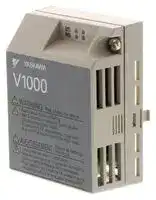


SI-N3/V
Option Card, DeviceNet, AC Drive
- Manufacturer: OMRON INDUSTRIAL AUTOMATION
- Product type: Controller Accessories
- SVHC: To Be Advised
| Delivery and price | |
|---|---|
| Units per pack | 1 |
| Price | 245.12 € |
| Current stock | 10+ |
| Lead time | 30 days |

## YASKAWA AC Drive-V1000 Option **DeviceNet Technical Manual**

## **Type** SI-N3/V

To properly use the product, read this manual thoroughly and retain for easy reference, inspection, and maintenance. Ensure the end user receives this manual.

MANUAL NO.  SIEP C730600 28A

## Copyright © 2008 YASKAWA ELECTRIC CORPORATION

All rights reserved. No part of this publication may be reproduced, stored in a retrieval system, or transmitted, in any form or by any means, mechanical, electronic, photocopying, recording, or otherwise, without the prior written permission of Yaskawa. No patent liability is assumed with respect to the use of the information contained herein. Moreover, because Yaskawa is constantly striving to improve its high-quality products, the information contained in this manual is subject to change without notice. Every precaution has been taken in the preparation of this manual. Yaskawa assumes no responsibility for errors or omissions. Neither is any liability assumed for damages resulting from the use of the information contained in this publication.

**YASKAWA ELECTRIC** SIEP C730600 28A V1000 Option DeviceNet Technical Manual

**2**

## **Table of Contents**

|**1**|**PREFACE AND SAFETY . . . . . . . . . . . . . . . . . . . . . . . . . . . . . . . . . . . . . . . . . . .4**|
|---|---|
|**2**|**PRODUCT OVERVIEW  . . . . . . . . . . . . . . . . . . . . . . . . . . . . . . . . . . . . . . . . . . . .8**|
|**3**|**RECEIVING. . . . . . . . . . . . . . . . . . . . . . . . . . . . . . . . . . . . . . . . . . . . . . . . . . . . . .9**|
|**4**|**DEVICENET OPTION COMPONENTS  . . . . . . . . . . . . . . . . . . . . . . . . . . . . . . .10**|
|**5**|**INSTALLATION PROCEDURE  . . . . . . . . . . . . . . . . . . . . . . . . . . . . . . . . . . . . .14**|
|**6**|**DEVICENET OPTION DRIVE PARAMETERS. . . . . . . . . . . . . . . . . . . . . . . . . .20**|
|**7**|**CONFIGURING DEVICENET MESSAGING  . . . . . . . . . . . . . . . . . . . . . . . . . . .23**|
|**8**|**DEVICENET OPTION DETAILS. . . . . . . . . . . . . . . . . . . . . . . . . . . . . . . . . . . . .25**|
|**9**|**OUTPUT ASSEMBLIES (DRIVE CONSUMES) . . . . . . . . . . . . . . . . . . . . . . . . .26**|
|**10**|**INPUT ASSEMBLIES (DRIVE PRODUCES) . . . . . . . . . . . . . . . . . . . . . . . . . . .47**|
|**11**|**GENERAL CLASS OBJECTS . . . . . . . . . . . . . . . . . . . . . . . . . . . . . . . . . . . . . .71**|
|**12**|**VENDOR-SPECIFIC (YASKAWA) CLASS OBJECTS  . . . . . . . . . . . . . . . . . . .84**|
|**13**|**TROUBLESHOOTING . . . . . . . . . . . . . . . . . . . . . . . . . . . . . . . . . . . . . . . . . . . .86**|
|**14**|**SPECIFICATIONS  . . . . . . . . . . . . . . . . . . . . . . . . . . . . . . . . . . . . . . . . . . . . . . .92**|


**YASKAWA ELECTRIC** SIEP C730600 28A V1000 Option DeviceNet Technical Manual

**3**

**1  Preface and Safety**

## **1 Preface and Safety**

Yaskawa manufactures products used as components in a wide variety of industrial systems and equipment. The selection and application of Yaskawa products remain the responsibility of the equipment manufacturer or end user. Yaskawa accepts no responsibility for the way its products are incorporated into the final system design. Under no circumstances should any Yaskawa product be incorporated into any product or design as the exclusive or sole safety control. Without exception, all controls should be designed to detect faults dynamically and fail safely under all circumstances. All systems or equipment designed to incorporate a product manufactured by Yaskawa must be supplied to the end user with appropriate warnings and instructions as to the safe use and operation of that part. Any warnings provided by Yaskawa must be promptly provided to the end user. Yaskawa offers an express warranty only as to the quality of its products in conforming to standards and specifications published in the Yaskawa manual. NO OTHER WARRANTY, EXPRESSED OR IMPLIED, IS OFFERED. Yaskawa assumes no liability for any personal injury, property damage, losses, or claims arising from misapplication of its products.

## ~~a~~ **Applicable Documentation**

The following manuals are available for the DeviceNet Option:

**Option Unit**

Yaskawa AC Drive -V1000 Option DeviceNet Installation Manual Manual No: TOBPC73060028 Read this manual first. The installation manual is packaged with the DeviceNet Option and contains a basic overview of wiring, settings, ~~a~~ functions, and fault diagnoses. Yaskawa AC Drive -V1000 Option DeviceNet Technical Manual ~~=~~ Manual No: SIEPC73060028 ~~a~~ The technical manual contains detailed information. To obtain the technical manual access these sites: U.S.: http://www.yaskawa.com Europe: http://www.yaskawa.eu.com Japan: http://www.e-mechatronics.com Other areas: contact a Yaskawa representative.

**Yaskawa Drive**

oa ~~se~~ s **Yaskawa AC Drive-V1000 Quick Start Guide** To obtain instruction manuals for Yaskawa products access these sites:U.S.: http://www.yaskawa.com STOP Europe: http://www.yaskawa.eu.com V1000 Japan: http://www.e-mechatronics.com (Hz)(Hz)(A)(V) **Yaskawa AC Drive-V1000 Technical Manual** Other areas: contact a Yaskawa representative. For questions, contact the local Yaskawa sales office or the nearest 5 400V Yaskawa representative. ~~im~~

## **Terms**

**Note:** Indicates a supplement or precaution that does not cause drive damage.

**Drive:** Yaskawa AC Drive -V1000 Series **DeviceNet SI-N3/V Option:** Yaskawa AC Drive -V1000 Option DeviceNet ≥ **1011:** A drive feature or function that is only available in drive software version 1011 or later.

## ~~a~~ **Registered Trademarks**

## **Registered Trademarks**

- DeviceNet is a trademark of the ODVA.

- All trademarks are the property of their respective owners.

**YASKAWA ELECTRIC** SIEP C730600 28A V1000 Option DeviceNet Technical Manual

**4**

**1  Preface and Safety**

## � **Supplemental Safety Information**

Read and understand this manual before installing, operating, or servicing this option unit. The option unit must be installed according to this manual and local codes.

The following conventions are used to indicate safety messages in this manual. Failure to heed these messages could result in serious or possibly even fatal injury or damage to the products or to related equipment and systems.

## **DANGER**

**Indicates a hazardous situation, which, if not avoided, will result in death or serious injury** .

## **W ARNING**

**Indicates a hazardous situation, which, if not avoided, could result in death or serious injury.**

## **CAUTION**

**Indicates a hazardous situation, which, if not avoided, could result in minor or moderate injury.**

## **NOTICE**

## **Indicates an equipment damage message.**

## � **General Safety**

## General Precautions

- The diagrams in this section may include option units and drives without covers or safety shields to illustrate details. Be sure to reinstall covers

- or shields before operating any devices. The option should be used according to the instructions described in this manual.

- Any illustrations, photographs, or examples used in this manual are provided as examples only and may not apply to all products to which this

- manual is applicable.

- The products and specifications described in this manual or the content and presentation of the manual may be changed without notice to

- improve the product and/or the manual.

- When ordering a new copy of the manual due to damage or loss, contact your Yaskawa representative or the nearest Yaskawa sales office and

- provide the manual number shown on the front cover.

## **DANGER**

## **Heed the safety messages in this manual.**

Failure to comply will result in death or serious injury.

The operating company is responsible for any injuries or equipment damage resulting from failure to heed the warnings in this manual.

**YASKAWA ELECTRIC** SIEP C730600 28A V1000 Option DeviceNet Technical Manual

**5**

**1  Preface and Safety**

**NOTICE Do not expose the drive to halogen group disinfectants.** Failure to comply may cause damage to the electrical components in the option unit. Do not pack the drive in wooden materials that have been fumigated or sterilized. Do not sterilize the entire package after the product is packed. **Do not modify the drive circuitry.** Failure to comply could result in damage to the drive and will void warranty. YASKAWA is not responsible for any modification of the product made by the user. This product must not be modified.

**YASKAWA ELECTRIC** SIEP C730600 28A V1000 Option DeviceNet Technical Manual

**6**

**1  Preface and Safety**

## ~~——~~

## **Option Unit Warning Labels**

Warning information is displayed on the option unit as shown in the figure below. Follow all warnings and safety instructions when using the product.

When using the drive in an area that may require displaying warning information in Japanese or Chinese, a warning label is provided with the DeviceNet Option. This sticker can be placed over the English and French warnings on the front of the DeviceNet Option.

**==> picture [148 x 86] intentionally omitted <==**

**----- Start of picture text -----**<br>
V1000<br>WARNING Risk of electric shock.<br>Read manual before installing.<br>Wait 5 minutes for capacitor discharge after<br>disconnecting power supply.To conform to     requirements, make sure<br>to ground the supply neutral for 400V class.<br>AVERTISSEMENT Risque de dechargeelectrique. Warning<br>Lire le manuel avant l'installation.<br>Attendre  5 minutes apres la coupure de l'alimentation, information<br>pour permettre la decharge des condensateurs.<br>Pour repondre aux exigences      , s assurer que le<br>neutre soit relie a la terre, pour la serie 400V.<br>=  I<br>———=——=_=t,<br>**----- End of picture text -----**<br>


## **Warning Contents**

## WARNING

## Risk of electric shock.

   - Read manual before installing. Wait 5 minutes for capacitor discharge after disconnecting power supply. To conform to ce requirements, make sure to ground the supply neutral for 400V class.

- Risque de decharge

- ~~A~~ AVERTISSEMENT electrique. Lire le manuel avant l'installation. Attendre  5 minutes apres la coupure de l'alimentation,

- A ~~:~~ _ 1 pour permettre la decharge des condensateurs.Pour repondre aux exigences      , s assurer que le ‘ - ce neutre soit relie a la terre, pour la serie 400V.

**YASKAWA ELECTRIC** SIEP C730600 28A V1000 Option DeviceNet Technical Manual

**7**

**2  Product Overview**

**2 Product Overview**

## � **About This Product**

The DeviceNet option provides a communications connection between the drive and an ODVA DeviceNet network. The SI-N3/V DeviceNet Option connects the drive to a DeviceNet network and facilitates the exchange of data.

This manual explains the handling, installation and specifications of this product.

DeviceNet is a communications link to connect industrial devices (such as limit switches, photoelectric switches, valve manifolds, motor starters, smart motor controllers, operator interfaces, and variable frequency drives) as well as control devices (such as programmable controllers and computers) to a network. DeviceNet is a simple, networking solution that reduces the cost and time to wire and install factory automation devices, while providing interchangeability of "like" components from multiple vendors.

By installing the DeviceNet Option to a drive, it is possible to do the following from a DeviceNet master device:

- Operate the drive

- Monitor the operation status of the drive

- Change parameter settings.

## **Figure 1  DeviceNet Approved**

## � **Applicable Models**

The DeviceNet Option can be used with the drive models in _**Table 1**_ .

**Table 1  Applicable Models**

|Drive|Software Version**_<1>_**|
|---|---|
|CIMR-V��A�����A�|≥1011|


<1> See “PRG” on the drive nameplate for the software version number.

**YASKAWA ELECTRIC** SIEP C730600 28A V1000 Option DeviceNet Technical Manual

**8**

**3  Receiving**

**3 Receiving**

Please perform the following tasks after receiving the DeviceNet Option:

- Inspect the DeviceNet Option for damage.

- If the DeviceNet Option appears damaged upon receipt, contact the shipper immediately.

- Verify receipt of the correct model by checking the information on the nameplate (see _**Figure 2**_ ).

- If you have received the wrong model or the DeviceNet Option does not function properly, contact your supplier.

## ~~QS~~ **Contents and Packaging**

## **Table 2  Contents of Package**

**==> picture [530 x 122] intentionally omitted <==**

**----- Start of picture text -----**<br>
Description: Option Unit Ground Cables Warning Labels Installation Manual<br>es Ce (<br>MANUAL<br>_<br>a: ey —<br>Quantity: 1 4 1 1<br>a a PD<br>**----- End of picture text -----**<br>


## ~~QS~~ **Tool Requirements**

A Phillips screwdriver (M3, M3.5 to M6 _**<1>**_ ) metric or (#1, #2 _**<1>**_ ) U.S. standard size is required to install the DeviceNet Option. <1> Screw sizes vary by drive capacity. Select a screwdriver that matches the drive capacity.

**Note:** Tools required to prepare DeviceNet cables for wiring are not listed in this manual.

**YASKAWA ELECTRIC** SIEP C730600 28A V1000 Option DeviceNet Technical Manual

**9**

**4  DeviceNet Option Components**

## **4 DeviceNet Option Components**

## **DeviceNet Option**

**==> picture [331 x 294] intentionally omitted <==**

**----- Start of picture text -----**<br>
DeviceNet Option with cover attached DeviceNet Option with cover removed<br>Underside<br>D<br>A<br>E<br>B<br>F<br>L<br>C G<br>H H<br>| bd I<br>K J<br>A – LED (MS) G – Function Earth cable<br>connection (FE)<br>B – LED (NS) H – Mounting tabs<br>C – Option cover I – Ground cable  <1><br>D – DeviceNet PCB J – Pass-through hole for<br>cable<br>E – Attachment screw hole for K – Terminals<br>option cover<br>F – Nameplate L – Option connector<br>SI-N3<br>**----- End of picture text -----**<br>


- <1> Ground cables are packaged loose inside the DeviceNet Option shipping package and must be connected during installation.

## **Figure 2  Option Unit**

**Note:** For details on the LEDs, _**Refer to DeviceNet Option LED Display on page 12**_ .

## **Dimensions**

The installed DeviceNet Option adds 27 mm (1.06 in.) to the total depth of the drive.

**==> picture [52 x 7] intentionally omitted <==**

**----- Start of picture text -----**<br>
27 mm (1.06 in.)<br>**----- End of picture text -----**<br>


**Figure 3  Dimensions**

**YASKAWA ELECTRIC** SIEP C730600 28A V1000 Option DeviceNet Technical Manual

**10**

**4  DeviceNet Option Components**

## � **Terminal Block**

The communication connector is a pluggable terminal block. This pluggable terminal block is the connection point of the DeviceNet network communication cable to the Option.

**==> picture [105 x 134] intentionally omitted <==**

**Figure 4  Pluggable terminal block**

**Table 3  Terminal Descriptions**

|Terminal|Terminal|Pin|Color|Signal|Description|
|---|---|---|---|---|---|
|||1|Black|V-<br>|Network common|
|||2|Blue|CAN_L|CAN data Low|
|||3|–|Shield<br>|Cable shield|
|||4|White|CAN_H<br>|CAN data High|
|||5|Red|V+<br>|Communications DC+24V|


**YASKAWA ELECTRIC** SIEP C730600 28A V1000 Option DeviceNet Technical Manual

**11**

**4  DeviceNet Option Components**

## � **DeviceNet Option LED Display**

The DeviceNet Option has two bi-color, red/green LEDs, one for Module Status (MS) and one for Network Status (NS).

The operational states of the DeviceNet Option LEDs after the DeviceNet power-up diagnostic LED sequence is completed are described in _**Table 5**_ . Wait at least 2 seconds for the power-up diagnostic process to complete before verifying the states of the LEDs.

**Table 4  DeviceNet Operation LED States**

|**Name**|**Indication**|**Indication**|**Operating Status**|**Remarks**|
|---|---|---|---|---|
||**Color**|**Status**|||
|MS|–|OFF|Power supplyOFF|Power is not beingsupplied to the drive.|
||Green|ON|SI-N3/V Option operating|The SI-N3/V Option card is operatingnormally.|
||Green|Flashing|SI-N3/V Option<br>initializing|There is an incorrect baud rate setting or there is a MAC ID.|
||Red|ON|Fatal error occurred|A fatal(irrecoverable)error occurred in the SI-N3/V Option.|
||Red|Flashing|Non-fatal error occurred|A non-fatal(recoverable)error occurred.|
||Green/Red|Flashing|Device self-test|Device in self-test mode.|
|NS|–|OFF|Offline or Power supply<br>OFF|–|
||Green|ON|Online communications<br>established|Device is on-line and has connections in the established state.|
||Green|Flashing|Online communications<br>not established|Device is on-line but has no connections in the established state.<br>Dup Mac-ID test has been passed, is on-line but has no open connections<br>to other nodes.|
||Red|ON|Communications error|An error occurred that disables DeviceNet communications.<br>MAC ID duplication<br>Bus Off detected|
||Red|Flashing|Communications time-out|A communications time-out occurred with the master.|
||Green/Red|Flashing|Communication faulted|Specific communication faulted device.<br>The device has detected a network access error and is in the<br>communications faulted state.<br>The device has then received and accepted an Identify communication<br>fault request-long protocol message.|


**YASKAWA ELECTRIC** SIEP C730600 28A V1000 Option DeviceNet Technical Manual

**12**

**4  DeviceNet Option Components**

## � **Power-Up Diagnostics**

An LED test is performed each time the drive is powered up. The initial boot sequence may take several seconds. After the LEDs have completed the DeviceNet diagnostic LED sequence, the DeviceNet Option is successfully initialized. The LEDs then assume operational conditions as shown in _**Table 4**_ .

**Table 5  Power-Up Diagnostic LED Sequence**

|**Sequence**|**Module Status(MS)**|**Network Status(NS)**|**Time(ms)**|
|---|---|---|---|
|1|GREEN|OFF|250|
|2|RED|OFF|250|
|3|GREEN|GREEN|250|
|4|GREEN|RED|250|
|5|GREEN|OFF|-|


## � **Set the DeviceNet Option MAC ID**

## � **Parameter F6-50, MAC ID Setting**

## **Range:** 0~64

The MAC ID is set by drive parameter F6-50. A MAC ID setting in the range of 0~63 is considered a valid MAC ID. A value other than 0~63 indicates the MAC ID is settable over the network.

The DeviceNet Option SI-N3/V reads the MAC ID value from parameter F6-50 upon power-up and upon a network reset.

## � **Set the DeviceNet Option Baud Rate**

The DeviceNet Option will support standard baud rates of 125 kbps, 250 kbps, and 500 kbps.

Powering up the drive causes the DeviceNet Option to read parameter F6-51 and automatically configure the DeviceNet Option baud rate without the use of hardware switches.

**Note:** The DeviceNet Option also supports a network settable baud rate. Execution of a "Reset" service (Identity Object) will cause F651 to be set to a value of "0", 125 kBaud. The node will then attempt to connect to the network at 125 kBaud.

**Table 6  Parameter F6-51 Baud Rate Setting**

|**Description**|**Value**|
|---|---|
|125 kbps|0|
|250 kbps|1|
|500 kbps|2|
|Programmable From Network|3|
|Auto Detect|4|


## � **Auto Baud Rate Sensing (F6-51 = 4)**

Setting parameter F6-51 = 4, "Auto Detect" causes the DeviceNet Option to determine the data rate of the DeviceNet Network and configure itself appropriately.

- **Note:** The auto baud capability will only be valid when there is more than one node physically on the DeviceNet network segment. The drive digital operator will display “bUS” and the DeviceNet option LEDs will be (NS-OFF and MS=Solid Green) as long as auto baud rate sensing fails to detect the baud rate.

**YASKAWA ELECTRIC** SIEP C730600 28A V1000 Option DeviceNet Technical Manual

**13**

**5  Installation Procedure**

## **5 Installation Procedure**

## � **Section Safety**

## **DANGER**

## **Electrical Shock Hazard**

## **Do not connect or disconnect wiring while the power is on.**

Failure to comply will result in death or serious injury.

Disconnect all power to the drive, wait at least five minutes after all indicators are off, measure the DC bus voltage to confirm safe level, and check for unsafe voltages before servicing to prevent electric shock. The internal capacitor remains charged even after the power supply is turned off. The charge indicator LED will extinguish when the DC bus voltage is below 50 Vdc.

## **W ARNING**

## **Electrical Shock Hazard**

## **Do not remove option cover while the power is on.**

Failure to comply could result in death or serious injury.

The diagrams in this section may include option units and drives without covers or safety shields to show details. Be sure to reinstall covers or shields before operating any devices. The option should be used according to the instructions described in this manual.

## **Do not allow unqualified personnel to use equipment.**

Failure to comply could result in death or serious injury.

Maintenance, inspection, and replacement of parts must be performed only by authorized personnel familiar with installation, adjustment, and maintenance of this product.

## **Do not remove option cover while the power to the drive is on.**

Failure to comply could result in death or serious injury.

## **Do not use damaged wires, place excessive stress on wiring, or damage the wire insulation.**

Failure to comply could result in death or serious injury.

## **Fire Hazard**

## **Tighten all terminal screws to the specified tightening torque.**

Loose electrical connections could result in death or serious injury by fire due to overheating of electrical connections.

## **NOTICE**

## **Damage to Equipment**

**Observe proper electrostatic discharge (ESD) procedures when handling the option unit, drive, and circuit boards.**

Failure to comply may result in ESD damage to circuitry.

## **Never shut the power off while the drive is outputting voltage.**

Failure to comply may cause the application to operate incorrectly or damage the drive.

**YASKAWA ELECTRIC** SIEP C730600 28A V1000 Option DeviceNet Technical Manual

**14**

**5  Installation Procedure**

## **NOTICE**

## **Do not operate damaged equipment.**

Failure to comply may cause further damage to the equipment.

Do not connect or operate any equipment with visible damage or missing parts.

## **Do not use unshielded cable for control wiring.**

Failure to comply may cause electrical interference resulting in poor system performance.

Use shielded twisted-pair wires and ground the shield to the ground terminal of the drive.

## **Properly connect all pins and connectors.**

Failure to comply may prevent proper operation and possibly damage equipment.

**Check wiring to ensure that all connections are correct after installing the option unit and connecting any other devices.**

Failure to comply may result in damage to the option unit.

## � **Wiring Diagram**

**==> picture [276 x 133] intentionally omitted <==**

**----- Start of picture text -----**<br>
R U<br>Power S V M Motor<br>T W<br>V1000<br><1><br>CN5<br>DeviceNet Cable<br>FE<br>�Red� V+ SI-N3/V<br>DeviceNet Master �Black�<br>V-<br>or �White�<br>drop line �Blue� CAN_H<br>CAN_L<br>Shield<br>**----- End of picture text -----**<br>


**Figure 5  Wiring Diagram**

**<1>** The FE terminal on the DeviceNet Option is supplied with a ground cable that should be connected to the ground terminal on the drive.

## � **Prior to Installing the Option Unit**

Prior to installing the DeviceNet Option, wire the drive and make necessary connections to the drive terminals. Refer to the Quick Start Guide for information on wiring and connecting the drive. Verify that the drive functions normally prior to installing the Option.

**YASKAWA ELECTRIC** SIEP C730600 28A V1000 Option DeviceNet Technical Manual

**15**

**5  Installation Procedure**

## � **Installing the Option Unit**

Remove the front cover of the drive before installing the DeviceNet Option. Follow the directions below for proper installation.

## **1.** Switch off the power supply to the drive.

**DANGER!** _**Electrical Shock Hazard** - Do not connect or disconnect wiring while the power is on. Failure to comply will result in death or serious injury. Before installing the DeviceNet Option, disconnect all power to the drive. The internal capacitor remains charged even after the power supply is turned off. The charge indicator LED will extinguish when the DC bus voltage is below 50 Vdc. To prevent electric shock, wait at least five minutes after all indicators are off and measure the DC bus voltage level to confirm safe level._

**2.** Remove the front cover. The original drive front cover may be discarded because it will be replaced by the DeviceNet Option cover in step 8.

**==> picture [135 x 118] intentionally omitted <==**

**Figure 6  Remove Front Cover**

**3.** Remove the bottom cover and connect the DeviceNet Option ground cable to the ground terminal.

**==> picture [153 x 115] intentionally omitted <==**

**----- Start of picture text -----**<br>
Ground terminal<br>Ground cable<br>Bottom cover<br>**----- End of picture text -----**<br>


**Figure 7  Connect Ground Cable**

**Note:** The four different ground cables packaged with the DeviceNet Option connect the unit to different models. Select the proper ground cable from the DeviceNet Option kit depending on drive size.

**==> picture [72 x 53] intentionally omitted <==**

**----- Start of picture text -----**<br>
B<br>A<br>**----- End of picture text -----**<br>


**A – Option unit connection: screw size = M3**

**B – Drive-side connection: screw size = M3.5 to M6**

## **Figure 8  Ground Cable**

**Note: Cover removal for certain larger models with a Terminal Cover:**

- -Single-Phase 200 V Class: CIMR-V � BA0006 to BA0018

- -Three-Phase 200 V Class: CIMR-V � 2A0008 to 2A0069

- -Three-Phase 400 V Class: All models

Remove the terminal cover before removing the bottom cover to install the DeviceNet Option. Replace the terminal cover after wiring the DeviceNet Option.

**YASKAWA ELECTRIC** SIEP C730600 28A V1000 Option DeviceNet Technical Manual

**16**

**5  Installation Procedure**

**==> picture [209 x 92] intentionally omitted <==**

**Figure 9  Models with Terminal Cover**

**4.** Reattach the bottom cover.

**5.** Connect the DeviceNet Option to the drive. Properly secure the tabs on the left and right sides of the DeviceNet Option to the drive case.

**==> picture [208 x 331] intentionally omitted <==**

**----- Start of picture text -----**<br>
Tabs should line up<br>Tabs should line up<br>Figure 10  Attach DeviceNet Option<br>Drive ground<br>Ground cable  terminal<br>Through-hole<br>for ground cable Ground Pass the ground<br>cable cable through<br>the bottom cover<br>of the drive.<br>**----- End of picture text -----**<br>


**6.** Connect the ground cable from the drive ground terminal to the DeviceNet Option ground. When wiring the DeviceNet Option, pass the ground cable through the inside of the drive bottom cover, then pass the ground cable into the through-hole at the front of the DeviceNet Option.

**Figure 11  Ground Cable Connection**

**7.** Connect the communications cable to the terminal block. Refer to procedure on page _**18**_ .

**8.** Attach the DeviceNet Option cover to the front of the DeviceNet Option.

**==> picture [138 x 127] intentionally omitted <==**

**----- Start of picture text -----**<br>
Tabs should<br>line up<br>**----- End of picture text -----**<br>


**Figure 12  Attach Cover**

**Note:** When using the drive in an area that may require displaying warning information in Japanese or Chinese, a label is provided with

**YASKAWA ELECTRIC** SIEP C730600 28A V1000 Option DeviceNet Technical Manual

**17**

**5  Installation Procedure**

the DeviceNet Option. This label can be placed over the English and French warnings on the front of the DeviceNet Option.

## � **Communication Cable Wiring**

## � **Procedure**

Follow the instructions below to connect the communications cable to the terminal block.

**WARNING!** _Tighten all terminal screws according to the specified tightening torque. Tightening screws too tight could damage the terminal block, and leaving screws too loose can cause a short-circuit or drive malfunction._

**1.** Connect the communications cable to the terminal block as shown in the diagram below.

**Note:** Communication lines should be separated from main circuit wiring and other electrical lines. (Tightening torque: 0.5 to 0.6 (N � m) or 4.4 to 5.3 (inch-lbs)) for Network Cable Wiring.

**==> picture [267 x 133] intentionally omitted <==**

**----- Start of picture text -----**<br>
Preparing wire ends: Screwdriver blade size<br>Pull back the shielding and lightly<br>twist the end with fingers to keep<br>the ends from fraying<br>Up to<br>3.5 mm<br>About 5.5 mm Blade width Black Blue White Red<br>When not using up to 0.6 mm<br>terminal extensions<br>Loosen the screws and<br>insert the cable into the  Terminal block<br>opening on the terminal block<br>DeviceNet comm cable<br>(Do not solder ends)<br>**----- End of picture text -----**<br>


**Figure 13  Communication Cable Wiring**

**2.** Ensure all wiring connections are tightened and wire insulation is not pinched in the terminal block. Remove any stray wire strands that touch other terminals.

**3.** After the terminal block is fully attached to the option unit, tighten the screws on the left and right sides of the terminal block. (Tightening torque: 0.5 to 0.6 (N�m) or 4.4 to 5.3 (inch-lbs)).

- **Note:** Be sure to put the option cover back on after all wiring is completed.

**==> picture [182 x 109] intentionally omitted <==**

**----- Start of picture text -----**<br>
Screwdriver blade size<br>Up to<br>3.5 mm<br>Blade width up to 0.6 mm<br>**----- End of picture text -----**<br>


**Figure 14  Terminal Block Installation**

## � **Termination Resistor Connection**

A network termination resistor (121 Ω , ±1%, 1/4 W) must be connected only to nodes of the two ends of trunkline. Refer to ODVA specification for more details on DeviceNet termination.

## � **Communication Cable Specifications**

Refer to the ODVA website for more information on network cabling (http://www.odva.org/).

**YASKAWA ELECTRIC** SIEP C730600 28A V1000 Option DeviceNet Technical Manual

**18**

**5  Installation Procedure**

## � **Cable Length**

## � **Trunk Line**

The maximum allowed trunk line length depends on the type of cable used and the network baud rate. The total cable length includes the length of the trunk and the sum of all the drop lines.

**Table 7  Trunk Line Cable Length**

|**Baud Rate(kbps)**|**Thick Cable(m)**|**Thin Cable(m)**|
|---|---|---|
|125|500|100|
|250|250|100|
|500|100|100|


To calculate the maximum total length for trunk lines of mixed thick and thin cables, use the following formulas:

- 125 kbps: Lthick + (5 x Lthin) ≤ 500 m

- 250 kbps: Lthick + (2.5 x Lthin) ≤ 250 m

- 500 kbps: Lthick + Lthin ≤ 100 m

## � **Drop Line**

The drop line is measured from the tap on the trunk line to the transceiver of the DeviceNet node. Note that the total cable length includes the length of the trunk and the sum of all the drop lines.

**Table 8  Drop Line Cable Length**

|**Baud Rate(kbps)**|**Maximum at Each Drop (m)**|**Maximum Total(m)**|
|---|---|---|
|125|6|156|
|250||78|
|500||39|


## � **EDS Files**

For easy network implementation of drives equipped with a SI-N3/V, an EDS file can be obtained from:

U.S.: http://www.yaskawa.com

Other areas: Contact a Yaskawa representative.

**YASKAWA ELECTRIC** SIEP C730600 28A V1000 Option DeviceNet Technical Manual

**19**

**6  DeviceNet Option Drive Parameters**

## **6 DeviceNet Option Drive Parameters**

Confirm proper setting of the all parameters in _**Table 9**_ before starting network communications.

**Table 9  Parameter Settings**

|**No.**<br>**(Addr.**<br>**Hex)**|**Name**|**Description**|**Values**|
|---|---|---|---|
|b1-01<br>(180)<br>**_<1>_**|Frequency Reference Selection|Selects the frequency reference input source<br>0: Operator - Digital preset speed d1-01 to d1-17<br>1: Terminals - Analog input terminal A1 or A2<br>2: MEMOBUS/Modbus communications<br>3: Option PCB<br>4: Pulse Input(Terminal RP)|Default: 1<br>Range: 0~4<br>(Set to 3 for DeviceNet only)|
|b1-02<br>(181)<br>**_<1>_**|Run Command Selection|Selects the run command input source<br>0: Digital Operator - RUN and STOP keys<br>1: Digital input terminals S1 to S7<br>2: MEMOBUS/Modbus communications<br>3: Option PCB|Default: 1<br>Range: 0~3<br>(Set to 3 for DeviceNet only)|
|F6-01<br>(3A2)|Operation Selection after<br>Communications Error|Determines drive response when a bUS error is detected during<br>communications with the DeviceNet Option<br>0: Ramp to Stop<br>1: Coast to Stop<br>2: Fast-Stop<br>3: Alarm Only**_<2>_**|Default: 1<br>Range: 0~3|
|F6-02<br>(3A3)|External Fault Detection Conditions<br>(EF0)|Sets the condition for external fault detection (EF0)<br>0: Always detected<br>1: Detected onlyduringoperation|Default: 0<br>Range: 0~1|
|F6-03<br>(3A4)|Stopping Method for External Fault<br>from Communication Option|Determines drive response for external fault input (EF0)<br>detection during DeviceNet communication<br>0: Ramp to Stop<br>1: Coast to Stop<br>2: Fast-Stop<br>3: Alarm Only**_<2>_**|Default: 1<br>Range: 0~3|
|F6-07<br>(3A8)<br>**_<8>_**|NetRef/ComRef Selection Function|0: multi-step speed reference disabled (F7 mode)<br>1: multi-step speed reference allowed (V7 mode)|Default: 1|
|F6-08<br>(36A)<br>**_<8>_**|Reset Communication Related<br>Parameters|Determines which communications-related parameters are set<br>back to their original default values when the drive is initialized.<br>0: Do not reset F6-��and F7-��parameters when the drive is<br>initialized using parameter A1-03.<br>1: Reset F6-��and F7-��parameters when the drive is<br>initialized using parameter A1-03.<br>**Note:**Setting this parameter does not affect communication-<br>relatedparameters.|Default: 0|
|F6-50<br>(3C1)<br>**_<3>_**|MAC ID|Selects the drive MAC address**_<4>_**<br>**Note:**Used in the DeviceNet Object|Default: 0<br>Range: 0~64<br>**_<4>_**|
|F6-51<br>(3C2)|Baud Rate|DeviceNet communication speed<br>0: 125 kbps<br>1: 250 kbps<br>2: 500 kbps<br>3: Programable from Network**_<5>_**<br>4: Detect automatically**_<5>_**<br>**Note:**Used in the DeviceNet Object|Default: 0<br>Range: 0~4<br>**_<5>_**|
|F6-52<br>(3C3)<br>**_<7>_**|PCA setting|I/O Polled Consuming Assembly data instance<br>**Note:**Used in the Connection Object|Default: 21<br>Range: 0~255|


**YASKAWA ELECTRIC** SIEP C730600 28A V1000 Option DeviceNet Technical Manual

**20**

**6  DeviceNet Option Drive Parameters**

|**No.**<br>**(Addr.**<br>**Hex)**|**Name**|**Description**|**Values**|
|---|---|---|---|
|F6-53<br>(3C4)<br>**_<7>_**|PPA setting|I/O Polled Producing Assembly data instance<br>**Note:**Used in the Connection Object|Default: 71<br>Range: 0~255|
|F6-54<br>(3C5)|Idle Mode Fault Detection Selection|When detection is enabled and idle messages are detected, the<br>option will set Run and Frequency to 0.<br>0: Detection enabled<br>1: No detection|Default: 0<br>Range: 0~1|
|F6-55<br>(3C6)<br>**_<6>_**|Baud rate from Network|(Read only)<br>DeviceNet actual communication speed<br>0: 125 kbps<br>1: 250 kbps<br>2: 500 kbps<br>**Note:**Used in the DeviceNet Object|Range: 0~2|
|F6-56<br>(3D7)|Speed Scaling|Sets the scaling factor for the Speed Monitor in the DeviceNet<br>Object Class 2A hex<br>**Note:**Used in the AC/DC Drive Object|Default: 0<br>Range: -15~15|
|F6-57<br>(3D8)|Current Scaling|Sets the scaling factor for the Output Current Monitor in the<br>DeviceNet Object Class 2A hex<br>**Note:**Used in the AC/DC Drive Object|Default: 0<br>Range: -15~15|
|F6-58<br>(3D9)|Torque Scaling|Sets the scaling factor for the Torque Monitor in the DeviceNet<br>Object Class 2A<br>hex<br>**Note:**Used in the AC/DC Drive Object|Default: 0<br>Range: -15~15|
|F6-59<br>(3DA)|Power Scaling|Sets the scaling factor for the Power Monitor in the DeviceNet<br>Object Class 2A<br>hex<br>**Note:**Used in the AC/DC Drive Object|Default: 0<br>Range: -15~15|
|F6-60<br>(3DB)|Voltage Scaling|Sets the scaling factor for the Voltage Monitor in the DeviceNet<br>Object Class 2A<br>hex<br>**Note:**Used in the AC/DC Drive Object|Default: 0<br>Range: -15~15|
|F6-61<br>(3DC)|Time Scaling|Sets the scaling factor for the Time Monitor in the DeviceNet<br>Object Class 2A<br>hex<br>**Note:**Used in the AC/DC Drive Object|Default: 0<br>Range: -15~15|
|F6-62<br>(3DD)|Heart Beat|Sets the heartbeat interval<br>**Note:**Used in the IdentityObject|Default: 0<br>Range: 0~10|
|F6-63<br>(3DE)<br>**_<6>_**|MAC ID from Network|(Read only)<br>Actual MAC address<br>**Note:**Used in the DeviceNet Object|Range: 0~63|
|U6-98<br>(7F8)|Previous Option Fault|Displays previous faulted status.<br>0: No fault<br>1: Option failure<br>2: PLC in idle state<br>3: Forcefault<br>1000: Network power loss<br>1001: Connection time-out<br>1002: Duplicate MAC ID<br>1003: Bus-Off<br>**Note:**Used in DeviceNet Option Faults|Range: 0~3; 1000~1003|


**YASKAWA ELECTRIC** SIEP C730600 28A V1000 Option DeviceNet Technical Manual

**21**

**6  DeviceNet Option Drive Parameters**

|**No.**<br>**(Addr.**<br>**Hex)**|**Name**|**Description**|**Values**|
|---|---|---|---|
|U6-99<br>(7F9)|Current Option Fault|Displays the most recent fault status.<br>0:No fault<br>1: Option failure<br>2: PLC in idle state<br>3: Force fault<br>1000: Network power loss<br>1001: Connection time-out<br>1002: Duplicate MAC ID<br>1003: Bus-Off<br>**Note:**Used in DeviceNet Option Faults|Range: 0~3; 1000~1003|


<1> To start and stop the drive with the DeviceNet master device using serial communications, set b1-02 to “3” or set the “Net Control” bit in the assemblies or Control Supervisor Object. To control the frequency reference of the drive via the master device, set b1-01 to “3” or set the “Net Reference” bit in the assemblies or AC/DC object.

<2> If F6-01 or F6-03 is set to 3, then the drive will continue to operate when a fault is detected. Take proper safety measures, such as installing an emergency stop switch.

<3> All MAC addresses must be unique.

<4> Software version 1011 has a setting range of 0 to 63 with a default value of 63.

<5> F6-51=3 and 4 are not possible in software version 1011. Default value is 3.

<6> F6-55 and F6-63 are not available in software version 1011.

<7> PCA and PPA will be initialized if unavailable values are set.

<8> Software versions 1012 and later have F6-07 and F6-08 both set to 1.

**YASKAWA ELECTRIC** SIEP C730600 28A V1000 Option DeviceNet Technical Manual

**22**

**7  Configuring DeviceNet Messaging**

**7 Configuring DeviceNet Messaging**

This section provides information on the various methods used to control the drive on DeviceNet.

## � **Drive Configuration on DeviceNet**

## � **Polled Configuration**

The Drive DeviceNet Polled connection must be configured before receiving commands from a Master device. The two parameters that must be configured are:

- F6-52: Polled Consuming Assembly (PCA)

- **Note:** Output assembly consumed by the drive.

- F6-53: Polled Producing Assembly (PPA) **Note:** Input assembly produced by the drive.

The default connection paths for the DeviceNet Option are set for Extended Speed Control.

The PCA and PPA parameters can be accessed by two methods.

- A software configuration tool (not supplied), and Yaskawa Electronic Data Sheet (EDS) **Note:** The PCA and PPA parameters can be accessed from the “DN: Polled Config” parameter group.

- A software configuration tool (not supplied), via a DeviceNet message path, such as (Extended Speed Control) **Note:** Use DeviceNet Connection Object to change the PCA or PPA if required by the application (Class 5, Instance 1, Attributes 14 and 16)

One each PCA and PPA assembly from the following table must be selected to configure the drive for polled operation.

**Table 10  Supported Polled Assemblies (PCA and PPA)**

|**Assembly**<br>**Number(decimal)**|**Description**|**Type**|**Bytes**|**Page**|
|---|---|---|---|---|
|20|**_Basic Speed Control Output - 20 (0x14)_**|PCA|4|**_26_**|
|21|**_Extended Speed Control Output - 21 (0x15)_** (Default Setting)|PCA|4|**_27_**|
|22|**_Speed and Torque Control Output - 22 (0x16)_**|PCA|6|**_28_**|
|23|**_Extended Speed and Torque Control Output - 23 (0x17)_**|PCA|6|**_29_**|
|70|**_Basic Speed Control Input - 70 (0x46)_**|PPA|4|**_47_**|
|71|**_Extended Speed Control Input - 71 (0x47)_** (Default Setting)|PPA|4|**_48_**|
|72|**_Speed and Torque Control Input - 72 (0x48)_**|PPA|6|**_49_**|
|73|**_Extended Speed and Torque Control Input - 73 (0x49)_**|PPA|6|**_50_**|
|100|**_MEMOBUS/Modbus Message Command (Vendor Specific YE Assy) - 100 (0x64)_**|PCA|5|**_30_**|
|101|**_Standard Control (Vendor Specific YE Assy) - 101 (0x65)_**|PCA|8|**_31_**|
|102|**_Accel/Decel Time (Vendor Specific YE Assy) - 102 (0x66)_**|PCA|8|**_32_**|
|105|**_Enhanced Speed Control, Dynamic (Vendor Specific YE Assy) - 105 (0x69)_**|PCA|8|**_34_**|
|106|**_Enhanced Control (Vendor Specific YE Assy) - 106 (0x6A)_**|PCA|8|**_36_**|
|107|**_Standard DI/DO Control (Vendor Specific YE Assy) - 107 (0x6B)_**|PCA|8|**_37_**|
|108|**_Enhanced Torque Control, Dynamic (Vendor Specific YE Assy) - 108 (0x6C)_**|PCA|8|**_38_**|
|120|**_Speed Command 1 (Vendor Specific YE Assy) - 120 (0x78)_**|PCA|4|**_40_**|
|121|**_Torque Command 1 (Vendor Specific YE Assy) - 121 (0x79)_**|PCA|4|**_41_**|
|122|**_Speed Command 2 (Vendor Specific YE Assy) - 122 (0x7A)_**|PCA|6|**_42_**|
|123|**_Torque Command 2 (Vendor Specific YE Assy) - 123 (0x7B)_**|PCA|6|**_43_**|
|124|**_Speed Dynamic Assy (Vendor Specific YE Assy) - 124 (0x7C)_**|PCA|8|**_44_**|
|125|**_Torque Dynamic Assy (Vendor Specific YE Assy) - 125 (0x7D)_**|PCA|8|**_45_**|
|126|**_Speed/Torque Assy (Vendor Specific YE Assy) - 126 (0x7E)_**|PCA|8|**_46_**|
|130|**_Speed Status (Vendor Specific YE Assy) - 130 (0x82)_**|PPA|4|**_51_**|
|131|**_Current Status (Vendor Specific YE Assy) - 131 (0x83)_**|PPA|4|**_52_**|
|132|**_Current & Speed Status (Vendor Specific YE Assy) - 132 (0x84)_**|PPA|6|**_53_**|
|134|**_Speed Status Dynamic Assy (Vendor Specific YE Assy) - 134 (0x86)_**|PPA|8|**_54_**|


**YASKAWA ELECTRIC** SIEP C730600 28A V1000 Option DeviceNet Technical Manual

**23**

**7  Configuring DeviceNet Messaging**

|**Assembly**<br>**Number(decimal)**|**Description**|**Type**|**Bytes**|**Page**|
|---|---|---|---|---|
|135|**_Current Status Dynamic Assy (Vendor Specific YE Assy) - 135 (0x87)_**|PPA|8|**_55_**|
|136|**_Torque and Speed Status (Vendor Specific YE Assy) - 136 (0x88)_**|PPA|8|**_57_**|
|150|**_MEMOBUS/Modbus Message Reply (Vendor Specific YE Assy) - 150 (0x96)_**|PPA|5|**_58_**|
|151|**_Standard Status 1 (Vendor Specific YE Assy) - 151 (0x97)_**|PPA|8|**_59_**|
|152|**_Standard Status 2 (Vendor Specific YE Assy) -152 (0x98)_**|PPA|8|**_60_**|
|155|**_Enhanced Speed Status, Dynamic (Vendor Specific YE Assy) - 155 (0x9B)_**|PPA|8|**_62_**|
|156|**_Enhanced Control Status (Vendor Specific YE Assy) -156 (0x9C)_**|PPA|8|**_64_**|
|157|**_Standard DI/DO Status (Vendor Specific YE Assy) - 157 (0x9D)_**|PPA|8|**_65_**|
|158|**_Enhanced Torque Status, Dynamic (Vendor Specific YE Assy) - 158 (0x9E)_**|PPA|8|**_67_**|
|199|**_Change of State Response (Vendor Specific YE Assy) - 199 (0xC7)_**|PPA|8|**_69_**|


<1> Torque Control is not available in the V1000 drive.

**YASKAWA ELECTRIC** SIEP C730600 28A V1000 Option DeviceNet Technical Manual

**24**

**8  DeviceNet Option Details**

**8 DeviceNet Option Details**

## � **Support Message Type**

Explicit Messages: Fragmentation is supported. Up to 32 Bytes can be input and output.

Polled I/O Messages: Fragmentation is not supported. Up to 8 Bytes can be input and output.

COS Messages: Fragmentation is not supported.

Faulted Node Recovery / Offline Connection Set Messages

## � **Support Connection Path Type**

Logical encoding is used for the Polled Consumed and Produced connection paths. To support application tools and development tools that do not handle explicit message fragmentation this option supports Symbolic encoding. Symbolic encoding only requires a 3 byte long message where logical encoding requires eleven bytes. This option has a third method of setting Polled Consumed and Produced connection paths. Class 5, Instance 2, Attributes (100, 101) allow setting connection path with a single byte. For instance, to set the Consumed connection path to 100, write 100 (0x64) to Attribute 101. See appendix C of "The CIP Networks Library, Volume 1" for more information on CIP segments.

**YASKAWA ELECTRIC** SIEP C730600 28A V1000 Option DeviceNet Technical Manual

**25**

**9  Output Assemblies (Drive Consumes)**

## **9 Output Assemblies (Drive Consumes)**

**Note:** The convention in this manual is from the PLC perspective. As such, an assembly is called an “Output Assembly” when outputted from the PLC and received by this node. An “Input Assembly” is outputted from this node and read by the PLC. This section details “Output Assemblies” that are “Consumed” by this drive.

## � **Basic Speed Control Output - 20 (0x14)**

|**Output Instance**|**Byte**|**Bit 7**|**Bit 6**|**Bit 5**|**Bit 4**|**Bit 3**|**Bit 2**|**Bit 1**|**Bit 0**|
|---|---|---|---|---|---|---|---|---|---|
|20|0|–|–|–|–|–|Fault<br>Reset|–|Run<br>Fwd|
||1|-||||||||
||2|Speed Reference(Low Byte)||||||||
||3|Speed Reference(High Byte)||||||||
|||||||||||
|**Name**||**Description**||||||||
|Run Fwd||Forward Run Command<br>0: Stop<br>1: Forward Run||||||||
|Fault Reset||Fault Reset<br>0: No Fault Reset<br>1: Fault Reset||||||||
|Speed Reference||Speed Command<br>Sets the Drive's speed reference.<br>Speed reference data:<br>Frequency reference × 2SS(SS: Speed scale)<br>Setting range: 0 to 0xFFFF<br>For example, when setting a reference of 1024 with a speed scale of 2:<br>Speed reference data = 1024 × 22= 4096 = 0x1000<br>Unit depends on o1-03.||||||||


**YASKAWA ELECTRIC** SIEP C730600 28A V1000 Option DeviceNet Technical Manual

**26**

**9  Output Assemblies (Drive Consumes)**

## � **Extended Speed Control Output - 21 (0x15)**

|**Output Instance**|**Byte**|**Bit 7**|**Bit 6**|**Bit 5**|**Bit 4**|**Bit 3**|**Bit 2**|**Bit 1**|**Bit 0**|
|---|---|---|---|---|---|---|---|---|---|
|21|0|–|Net<br>Ref|Net<br>Ctrl|–|–|Fault<br>Reset|Run<br>Rev|Run<br>Fwd|
||1|–||||||||
||2|Speed Reference(Low Byte)||||||||
||3|Speed Reference(High Byte)||||||||
|||||||||||
|**Name**||**Description**||||||||
|Run Fwd||Forward Run Command<br>0: Stop<br>1: Forward Run||||||||
|Run Rev||Reverse Run Command<br>0: Stop<br>1: Reverse Run||||||||
|Fault Reset||Fault Reset<br>0: No Fault Reset<br>1: Fault Reset||||||||
|NetCtrl||Run command from Network<br>0: Depends on b1-02<br>1: Enables the run command from network||||||||
|NetRef||Speed reference from Network<br>0: Depends on b1-01<br>1: Enables the speed reference from network||||||||
|Speed Reference||Speed Command<br>Sets the Drive's speed reference.<br>Speed reference data:<br>Frequency reference × 2SS(SS: Speed scale)<br>Setting range: 0 to 0xFFFF<br>For example, when setting a reference of 1024 with a speed scale of 2:<br>Speed reference data = 1024 × 22= 4096 = 0x1000<br>Unit depends on o1-03.||||||||


**YASKAWA ELECTRIC** SIEP C730600 28A V1000 Option DeviceNet Technical Manual

**27**

**9  Output Assemblies (Drive Consumes)**

## � **Speed and Torque Control Output - 22 (0x16)**

|**Output Instance**|**Byte**|**Bit 7**|**Bit 6**|**Bit 5**|**Bit 4**|**Bit 3**|**Bit 2**|**Bit 1**|**Bit 0**|
|---|---|---|---|---|---|---|---|---|---|
|22|0|–|–|–|–|–|Fault<br>Reset|–|Run<br>Fwd|
||1|–||||||||
||2|Speed Reference(Low Byte)||||||||
||3|Speed Reference(High Byte)||||||||
||4|Torque Reference(Low Byte), not supported||||||||
||5|Torque Reference(High Byte), not supported||||||||
|||||||||||
|**Name**||**Description**||||||||
|Run Fwd||Forward Run Command<br>0: Stop<br>1: Forward Run||||||||
|Fault Reset||Fault Reset<br>0: No Fault Reset<br>1: Fault Reset||||||||
|Speed Reference||Speed Command<br>Sets the Drive's speed reference.<br>Speed reference data:<br>Frequency reference × 2SS(SS: Speed scale)<br>Setting range: 0 to 0xFFFF<br>For example, when setting a reference of 1024 with a speed scale of 2:<br>Speed reference data = 1024 × 22= 4096 = 0x1000<br>Unit depends on o1-03.||||||||
|Torque Reference||Not supported||||||||


**YASKAWA ELECTRIC** SIEP C730600 28A V1000 Option DeviceNet Technical Manual

**28**

**9  Output Assemblies (Drive Consumes)**

## � **Extended Speed and Torque Control Output - 23 (0x17)**

|**Output Instance**|**Byte**|**Bit 7**|**Bit 6**|**Bit 5**|**Bit 4**|**Bit 3**|**Bit 2**|**Bit 1**|**Bit 0**|
|---|---|---|---|---|---|---|---|---|---|
|23|0|–|Net<br>Ref|Net<br>Ctrl|–|–|Fault<br>Reset|Run<br>Rev|Run<br>Fwd|
||1|–||||||||
||2|Speed Reference(Low Byte)||||||||
||3|Speed Reference(High Byte)||||||||
||4|Torque Reference(Low Byte), not supported||||||||
||5|Torque Reference(High Byte), not supported||||||||


|**Name**|**Description**|
|---|---|
|Run Fwd|Forward Run Command<br>0: Stop<br>1: Forward Run|
|Run Rev|Reverse Run Command<br>0: Stop<br>1: Reverse Run|
|Fault Reset|Fault Reset<br>0: No Fault Reset<br>1: Fault Reset|
|NetCtrl|Run command from Network<br>0: Depends on b1-02<br>1: Enables the run command from network|
|NetRef|Speed reference from Network<br>0: Depends on b1-01<br>1: Enables the speed reference from network|
|Speed Reference|Speed Command<br>Sets the Drive's speed reference.<br>Speed reference data:<br>Frequency reference × 2SS(SS: Speed scale)<br>Setting range: 0 to 0xFFFF<br>For example, when setting a reference of 1024 with a speed scale of 2<br>Speed reference data = 1024 × 22= 4096 = 0x1000<br>Unit depends on o1-03.|
|Torque Reference|Not supported|


**YASKAWA ELECTRIC** SIEP C730600 28A V1000 Option DeviceNet Technical Manual

**29**

**9  Output Assemblies (Drive Consumes)**

## � **MEMOBUS/Modbus Message Command (Vendor Specific YE Assy) - 100 (0x64)**

|**Output Instance**|**Byte**|**Bit 7**|**Bit 6**|**Bit 5**|**Bit 4**|**Bit 3**|**Bit 2**|**Bit 1**|**Bit 0**|
|---|---|---|---|---|---|---|---|---|---|
|100|0|Function Code||||||||
||1|Register Number(High Byte)||||||||
||2|Register Number(Low Byte)||||||||
||3|Register Data(High Byte)||||||||
||4|Register Data(Low Byte)||||||||


**Note:** This is a paired assembly (100/150).

|**Name**|**Description**|
|---|---|
|Function Code|MEMOBUS/Modbus Function Code<br>**_Refer to Function Code Decode Table onpage 30_**.|
|Register Number|MEMOBUS/Modbus Register Number|
|Register Data|MEMOBUS/Modbus Register Data|


**Table 11  Function Code Decode Table**

|**Function Code**|**MEMOBUS/Modbus Function**|
|---|---|
|0x00|No Operation|
|0x03|Read Register|
|0x10|Write Register|


**Note:** Refer to the MEMOBUS/Modbus Data Table in Appendix C of the V1000 Technical Manual for a list of monitor data using the MEMOBUS/Modbus message area.

**YASKAWA ELECTRIC** SIEP C730600 28A V1000 Option DeviceNet Technical Manual

**30**

**9  Output Assemblies (Drive Consumes)**

## � **Standard Control (Vendor Specific YE Assy) - 101 (0x65)**

|**Output**<br>**Instance**|**Byte**|**Bit 7**|**Bit 6**|**Bit 5**|**Bit 4**|**Bit 3**|**Bit 2**|**Bit 1**|**Bit 0**|
|---|---|---|---|---|---|---|---|---|---|
|101|0|–|Multi-<br>Function Input<br>7|Multi-<br>Function Input<br>6|Multi-<br>Function Input<br>5|Multi-<br>Function Input<br>4|Multi-<br>Function Input<br>3|Run<br>Rev|Run<br>Fwd|
||1|Multi-<br>Function<br>Photo Coupler<br>2|Multi-<br>Function<br>Photo Coupler<br>1|Multi-<br>Function<br>Digital Output|–|–|–|Fault<br>Reset|External<br>Fault|
||2|Speed Reference(Low Byte)||||||||
||3|Speed Reference(High Byte)||||||||
||4|Torque Reference(Low Byte), not supported||||||||
||5|Torque Reference(High Byte), not supported||||||||
||6|Torque Compensation(Low Byte), not supported||||||||
||7|Torque Compensation(High Byte), not supported||||||||


|**Output Instance**|**Byte**|
|---|---|
|Run Fwd|Forward Run Command<br>0: Stop<br>1: Forward Run|
|Run Rev|Reverse Run Command<br>0: Stop<br>1: Reverse Run|
|Multi-Function Input 3|Terminal S3 Function Input<br>0: Terminal S3 Function (H1-03) OFF<br>1: Terminal S3 Function(H1-03)ON|
|Multi-Function Input 4|Terminal S4 Function Input<br>0: Terminal S4 Function (H1-04) OFF<br>1: Terminal S4 Function(H1-04)ON|
|Multi-Function Input 5|Terminal S5 Function Input<br>0: Terminal S5 Function (H1-05) OFF<br>1: Terminal S5 Function(H1-05)ON|
|Multi-Function Input 6|Terminal S6 Function Input<br>0: Terminal S6 Function (H1-06) OFF<br>1: Terminal S6 Function(H1-06)ON|
|Multi-Function Input 7|Terminal S7 Function Input<br>0: Terminal S7 Function (H1-07) OFF<br>1: Terminal S7 Function(H1-07)ON|
|External Fault|External Fault EF0<br>0: No External Fault (EF0)<br>1: External Fault(EF0)|
|Fault Reset|Fault Reset<br>0: No Fault Reset<br>1: Fault Reset|
|Multi-Function Digital Output|Terminal MA/MB<br>0: MA/MB OFF<br>1: MA/MB ON<br>This function is enabled onlywhen H2-01 is set to F.|
|Multi-Function Photo Coupler 1|Terminal P1<br>0: P1 OFF<br>1: P1 ON<br>This function is enabled onlywhen H2-02 is set to F.|
|Multi-Function Photo Coupler 2|Terminal P2<br>0: P2 OFF<br>1: P2 ON<br>This function is enabled onlywhen H2-03 is set to F.|


**YASKAWA ELECTRIC** SIEP C730600 28A V1000 Option DeviceNet Technical Manual

**31**

**9  Output Assemblies (Drive Consumes)**

|**Output Instance**|**Byte**|
|---|---|
|Speed Reference|Speed Command<br>Sets the Drive's speed reference.<br>Unit depends on o1-03.<br>Unit is not affected bySpeed Scale SS.|
|Torque Reference|Not supported|
|Torque Compensation|Not supported|


## � **Accel/Decel Time (Vendor Specific YE Assy) - 102 (0x66)**

|**Output**<br>**Instance**|**Byte**|**Bit 7**|**Bit 6**|**Bit 5**|**Bit 4**|**Bit 3**|**Bit 2**|**Bit 1**|**Bit 0**|
|---|---|---|---|---|---|---|---|---|---|
|102|0|–|Multi-<br>Function<br>Input 7|Multi-<br>Function<br>Input 6|Multi-<br>Function<br>Input 5|Multi-<br>Function<br>Input 4|Multi-<br>Function<br>Input 3|Run<br>Rev|Run<br>Fwd|
||1|Multi-<br>Function<br>Photo Coupler<br>2|Multi-<br>Function<br>Photo Coupler<br>1|Multi-<br>Function<br>Digital Output|–|–|–|Fault<br>Reset|External<br>Fault|
||2|Speed Reference(Low Byte)||||||||
||3|Speed Reference(High Byte)||||||||
||4|Acceleration Time 1(Low Byte)||||||||
||5|Acceleration Time 1(High Byte)||||||||
||6|Deceleration Time 1(Low Byte)||||||||
||7|Deceleration Time 1(High Byte)||||||||


|**Parameter**|**Data**|
|---|---|
|Run Fwd|Forward Run Command<br>0: Stop<br>1: Forward Run|
|Run Rev|Reverse Run Command<br>0: Stop<br>1: Reverse Run|
|Multi-Function Input 3|Terminal S3 Function Input<br>0: Terminal S3 Function (H1-03) OFF<br>1: Terminal S3 Function(H1-03)ON|
|Multi-Function Input 4|Terminal S4 Function Input<br>0: Terminal S4 Function (H1-04) OFF<br>1: Terminal S4 Function(H1-04)ON|
|Multi-Function Input 5|Terminal S5 Function Input<br>0: Terminal S5 Function (H1-05) OFF<br>1: Terminal S5 Function(H1-05)ON|
|Multi-Function Input 6|Terminal S6 Function Input<br>0: Terminal S6 Function (H1-06) OFF<br>1: Terminal S6 Function(H1-06)ON|
|Multi-Function Input 7|Terminal S7 Function Input<br>0: Terminal S7 Function (H1-07) OFF<br>1: Terminal S7 Function(H1-07)ON|
|External Fault|External Fault EF0<br>0: No External Fault (EF0)<br>1: External Fault(EF0)|
|Fault Reset|Fault Reset<br>0: No Fault Reset<br>1: Fault Reset|


**YASKAWA ELECTRIC** SIEP C730600 28A V1000 Option DeviceNet Technical Manual

**32**

**9  Output Assemblies (Drive Consumes)**

|**Parameter**|**Data**|
|---|---|
|Multi-Function Digital Output|Terminal MA/MB<br>0: MA/MB OFF<br>1: MA/MB ON<br>This function is enabled onlywhen H2-01 is set to F.|
|Multi-Function Photo Coupler 1|Terminal P1<br>0: P1 OFF<br>1: P1 ON<br>This function is enabled onlywhen H2-02 is set to F.|
|Multi-Function Photo Coupler 2|Terminal P2<br>0: P2 OFF<br>1: P2 ON<br>This function is enabled onlywhen H2-03 is set to F.|
|Speed Reference|Speed Command<br>Sets the Drive's speed reference.<br>Unit depends on o1-03.<br>Unit is not affected bySpeed Scale SS.|
|Acceleration Time 1|Acceleration Time 1 (C1-01)<br>Unit depends on C1-10.<br>Unit is not affected byTime Scale TS.|
|Deceleration Time 1|Deceleration Time 1 (C1-02)<br>Unit depends on C1-10.<br>Unit is not affected byTime Scale TS.|


**YASKAWA ELECTRIC** SIEP C730600 28A V1000 Option DeviceNet Technical Manual

**33**

**9  Output Assemblies (Drive Consumes)**

## � **Enhanced Speed Control, Dynamic (Vendor Specific YE Assy) - 105 (0x69)**

|**Output**<br>**Instance**|**Byte**|**Bit 7**|**Bit 6**|**Bit 5**|**Bit 4**|**Bit 3**|**Bit 2**|**Bit 1**|**Bit 0**|
|---|---|---|---|---|---|---|---|---|---|
|105|0|–|Multi-<br>Function Input<br>7|Multi-<br>Function Input<br>6|Multi-<br>Function Input<br>5|Multi-<br>Function Input<br>4|Multi-<br>Function Input<br>3|Run<br>Rev|Run<br>Fwd|
||1|Multi-<br>Function<br>Photo-coupler<br>2|Multi-<br>Function<br>Photo-coupler<br>1|Multi-<br>Function<br>Digital Output|–|Function Code<br>High Bit|Function Code<br>Low Bit|Fault<br>Reset|External<br>Fault|
||2|Speed Reference(Low Byte)||||||||
||3|Speed Reference(High Byte)||||||||
||4|Register Number(Low Byte)||||||||
||5|Register Number(High Byte)||||||||
||6|Register Data(Low Byte)||||||||
||7|Register Data(High Byte)||||||||


|**Name**|**Description**|
|---|---|
|Run Fwd|Forward Run Command<br>0: Stop<br>1: Forward Run|
|Run Rev|Reverse Run Command<br>0: Stop<br>1: Reverse Run|
|Multi-Function Input 3|Terminal S3 Function Input<br>0: Terminal S3 Function (H1-03) OFF<br>1: Terminal S3 Function(H1-03)ON|
|Multi-Function Input 4|Terminal S4 Function Input<br>0: Terminal S4 Function (H1-04) OFF<br>1: Terminal S4 Function(H1-04)ON|
|Multi-Function Input 5|Terminal S5 Function Input<br>0: Terminal S5 Function (H1-05) OFF<br>1: Terminal S5 Function(H1-05)ON|
|Multi-Function Input 6|Terminal S6 Function Input<br>0: Terminal S6 Function (H1-06) OFF<br>1: Terminal S6 Function(H1-06)ON|
|Multi-Function Input 7|Terminal S7 Function Input<br>0: Terminal S7 Function (H1-07) OFF<br>1: Terminal S7 Function(H1-07)ON|
|External Fault|External Fault EF0<br>0: No External Fault (EF0)<br>1: External Fault(EF0)|
|Fault Reset|Fault Reset<br>0: No Fault Reset<br>1: Fault Reset|
|Function Code|MEMOBUS/Modbus Function Code<br>**_Refer to Function Code Decode Table onpage 35_**.|
|Multi-Function Digital Output|Terminal MA/MB<br>0: MA/MB OFF<br>1: MA/MB ON<br>This function is enabled onlywhen H2-01 is set to F.|
|Multi-Function Photo Coupler 1|Terminal P1<br>0: P1 OFF<br>1: P1 ON<br>This function is enabled onlywhen H2-02 is set to F.|


**YASKAWA ELECTRIC** SIEP C730600 28A V1000 Option DeviceNet Technical Manual

**34**

**9  Output Assemblies (Drive Consumes)**

|**Name**|**Description**|
|---|---|
|Multi-Function Photo Coupler 2|Terminal P2<br>0: P2 OFF<br>1: P2 ON<br>This function is enabled onlywhen H2-03 is set to F.|
|Speed Reference|Speed Command<br>Sets the Drive's speed reference.<br>Unit depends on o1-03.<br>Unit is not affected bySpeed Scale SS.|
|Register Number|MEMOBUS/Modbus Register Number**_<1>_**|
|Register Data|MEMOBUS/Modbus Register Data|


<1> Register numbers 0x0001, 0x0002, and 0x0009 are disabled.

**Note:** This is a paired assembly (105/155).

## **Table 12  Function Code Decode Table**

|**Function Code**<br>**High Byte - Low Byte**|**MEMOBUS/Modbus Function**|
|---|---|
|0 0|No Operation|
|1 0|Read Register|
|0 1|Write Register|
|1 1|No Operation|


**Note:** Refer to the MEMOBUS/Modbus Data Table in Appendix C of the V1000 Technical Manual for a list of monitor data using the MEMOBUS/Modbus message area.

**YASKAWA ELECTRIC** SIEP C730600 28A V1000 Option DeviceNet Technical Manual

**35**

**9  Output Assemblies (Drive Consumes)**

## � **Enhanced Control (Vendor Specific YE Assy) - 106 (0x6A)**

|**Output**<br>**Instance**|**Byte**|**Bit 7**|**Bit 6**|**Bit 5**|**Bit 4**|**Bit 3**|**Bit 2**|**Bit 1**|**Bit 0**|
|---|---|---|---|---|---|---|---|---|---|
|106|0|–|Multi-<br>Function Input<br>7|Multi-<br>Function Input<br>6|Multi-<br>Function Input<br>5|Multi-<br>Function Input<br>4|Multi-<br>Function Input<br>3|Run<br>Rev|Run<br>Fwd|
||1|Multi-<br>Function<br>Photo Coupler<br>2|Multi-<br>Function<br>Photo Coupler<br>1|Multi-<br>Function<br>Digital Output|–|–|–|Fault<br>Reset|External<br>Fault|
||2|Speed Reference(Low Byte)||||||||
||3|Speed Reference(High Byte)||||||||
||4|–||||||||
||5|–||||||||
||6|–||||||||
||7|–||||||||


|**Parameter**|**Data**|
|---|---|
|Run Fwd|Forward Run Command<br>0: Stop<br>1: Forward Run|
|Run Rev|Reverse Run Command<br>0: Stop<br>1: Reverse Run|
|Multi-Function Input 3|Terminal S3 Function Input<br>0: Terminal S3 Function (H1-03) OFF<br>1: Terminal S3 Function(H1-03)ON|
|Multi-Function Input 4|Terminal S4 Function Input<br>0: Terminal S4 Function (H1-04) OFF<br>1: Terminal S4 Function(H1-04)ON|
|Multi-Function Input 5|Terminal S5 Function Input<br>0: Terminal S5 Function (H1-05) OFF<br>1: Terminal S5 Function(H1-05)ON|
|Multi-Function Input 6|Terminal S6 Function Input<br>0: Terminal S6 Function (H1-06) OFF<br>1: Terminal S6 Function(H1-06)ON|
|Multi-Function Input 7|Terminal S7 Function Input<br>0: Terminal S7 Function (H1-07) OFF<br>1: Terminal S7 Function(H1-07)ON|
|External Fault|External Fault EF0<br>0: No External Fault (EF0)<br>1: External Fault(EF0)|
|Fault Reset|Fault Reset<br>0: No Fault Reset<br>1: Fault Reset|
|Multi-Function Digital Output|Terminal MA/MB<br>0: MA/MB OFF<br>1: MA/MB ON<br>This function is enabled onlywhen H2-01 is set to F.|
|Multi-Function Photo Coupler 1|Terminal P1<br>0: P1 OFF<br>1: P1 ON<br>This function is enabled onlywhen H2-02 is set to F.|
|Multi-Function Photo Coupler 2|Terminal P2<br>0: P2 OFF<br>1: P2 ON<br>This function is enabled onlywhen H2-03 is set to F.|


**YASKAWA ELECTRIC** SIEP C730600 28A V1000 Option DeviceNet Technical Manual

**36**

**9  Output Assemblies (Drive Consumes)**

|**Parameter**|**Data**|
|---|---|
|Speed Reference|Speed Command<br>Sets the Drive's speed reference.<br>Unit depends on o1-03.<br>Unit is not affected bySpeed Scale SS.|


## � **Standard DI/DO Control (Vendor Specific YE Assy) - 107 (0x6B)**

|**Output**<br>**Instance**|**Byte**|**Bit 7**|**Bit 6**|**Bit 5**|**Bit 4**|**Bit 3**|**Bit 2**|**Bit 1**|**Bit 0**|
|---|---|---|---|---|---|---|---|---|---|
|107|0|–|Multi-<br>Function Input<br>7|Multi-<br>Function Input<br>6|Multi-<br>Function Input<br>5|Multi-<br>Function Input<br>4|Multi-<br>Function Input<br>3|Run<br>Rev|Run<br>Fwd|
||1|–|–|–|–|–|–|Fault<br>Reset|External<br>Fault|
||2|–|–|Multi-<br>Function<br>Photo Coupler<br>2|Multi-<br>Function<br>Photo Coupler<br>1|Multi-<br>Function<br>Digital Output|–|–|–|
||3|–|–|–|–|–|–|–|–|
||4|AnalogOutput 1(Low Byte)||||||||
||5|AnalogOutput 1(High Byte)||||||||
||6|Speed Reference(Low Byte)||||||||
||7|Speed Reference(High Byte)||||||||


|**Parameter**|**Data**|
|---|---|
|Run Fwd|Forward Run Command<br>0: Stop<br>1: Forward Run|
|Run Rev|Reverse Run Command<br>0: Stop<br>1: Reverse Run|
|Multi-Function Input 3|Terminal S3 Function Input<br>0: Terminal S3 Function (H1-03) OFF<br>1: Terminal S3 Function(H1-03)ON|
|Multi-Function Input 4|Terminal S4 Function Input<br>0: Terminal S4 Function (H1-04) OFF<br>1: Terminal S4 Function(H1-04)ON|
|Multi-Function Input 5|Terminal S5 Function Input<br>0: Terminal S5 Function (H1-05) OFF<br>1: Terminal S5 Function(H1-05)ON|
|Multi-Function Input 6|Terminal S6 Function Input<br>0: Terminal S6 Function (H1-06) OFF<br>1: Terminal S6 Function(H1-06)ON|
|Multi-Function Input 7|Terminal S7 Function Input<br>0: Terminal S7 Function (H1-07) OFF<br>1: Terminal S7 Function(H1-07)ON|
|External Fault|External Fault EF0<br>0: No External Fault (EF0)<br>1: External Fault(EF0)|
|Fault Reset|Fault Reset<br>0: No Fault Reset<br>1: Fault Reset|
|Multi-Function Digital Output|Terminal MA/MB<br>0: MA/MB OFF<br>1: MA/MB ON<br>This function is enabled onlywhen H2-01 is set to F.|


**YASKAWA ELECTRIC** SIEP C730600 28A V1000 Option DeviceNet Technical Manual

**37**

**9  Output Assemblies (Drive Consumes)**

|**Parameter**|**Data**|
|---|---|
|Multi-Function Photo Coupler 1|Terminal P1<br>0: P1 OFF<br>1: P1 ON<br>This function is enabled onlywhen H2-02 is set to F.|
|Multi-Function Photo Coupler 2|Terminal P2<br>0: P2 OFF<br>1: P2 ON<br>This function is enabled onlywhen H2-03 is set to F.|
|Analog Output 1|Analog Output AM<br>This function is enabled onlywhen H4-01 is set to 000.|
|Speed Reference|Speed Command<br>Sets the Drive's speed reference.<br>Unit depends on o1-03.<br>Unit is not affected bySpeed Scale SS.|


## � **Enhanced Torque Control, Dynamic (Vendor Specific YE Assy) - 108 (0x6C)**

|**Output**<br>**Instance**|**Byte**|**Bit 7**|**Bit 6**|**Bit 5**|**Bit 4**|**Bit 3**|**Bit 2**|**Bit 1**|**Bit 0**|
|---|---|---|---|---|---|---|---|---|---|
|108|0|–|Multi-<br>Function Input<br>7|Multi-<br>Function Input<br>6|Multi-<br>Function Input<br>5|Multi-<br>Function Input<br>4|Multi-<br>Function Input<br>3|Run<br>Rev|Run<br>Fwd|
||1|Multi-<br>Function<br>Photo-coupler<br>2|Multi-<br>Function<br>Photo-coupler<br>1|Multi-<br>Function<br>Digital Output|–|Function Code<br>High Bit|Function Code<br>Low Bit|Fault<br>Reset|External<br>Fault|
||2|Torque Reference(Low Byte), not supported||||||||
||3|Torque Reference(High Byte), not supported||||||||
||4|Register Number(Low Byte)||||||||
||5|Register Number(High Byte)||||||||
||6|Register Data(Low Byte)||||||||
||7|Register Data(High Byte)||||||||


|**Name**|**Description**|
|---|---|
|Run Fwd|Forward Run Command<br>0: Stop<br>1: Forward Run|
|Run Rev|Reverse Run Command<br>0: Stop<br>1: Reverse Run|
|Multi-Function Input 3|Terminal S3 Function Input<br>0: Terminal S3 Function (H1-03) OFF<br>1: Terminal S3 Function(H1-03)ON|
|Multi-Function Input 4|Terminal S4 Function Input<br>0: Terminal S4 Function (H1-04) OFF<br>1: Terminal S4 Function(H1-04)ON|
|Multi-Function Input 5|Terminal S5 Function Input<br>0: Terminal S5 Function (H1-05) OFF<br>1: Terminal S5 Function(H1-05)ON|
|Multi-Function Input 6|Terminal S6 Function Input<br>0: Terminal S6 Function (H1-06) OFF<br>1: Terminal S6 Function(H1-06)ON|
|Multi-Function Input 7|Terminal S7 Function Input<br>0: Terminal S7 Function (H1-07) OFF<br>1: Terminal S7 Function(H1-07)ON|


**YASKAWA ELECTRIC** SIEP C730600 28A V1000 Option DeviceNet Technical Manual

**38**

**9  Output Assemblies (Drive Consumes)**

|**Name**|**Description**|
|---|---|
|External Fault|External Fault EF0<br>0: No External Fault (EF0)<br>1: External Fault(EF0)|
|Fault Reset|Fault Reset<br>0: No Fault Reset<br>1: Fault Reset|
|Function Code|MEMOBUS/Modbus Function Code<br>**_Refer to Function Code Decode Table onpage 35_**.|
|Multi-Function Digital Output|Terminal MA/MB<br>0: MA/MB OFF<br>1: MA/MB ON<br>This function is enabled onlywhen H2-01 is set to F.|
|Multi-Function Photo Coupler 1|Terminal P1<br>0: P1 OFF<br>1: P1 ON<br>This function is enabled onlywhen H2-02 is set to F.|
|Multi-Function Photo Coupler 2|Terminal P2<br>0: P2 OFF<br>1: P2 ON<br>This function is enabled onlywhen H2-03 is set to F.|
|Torque Reference|Not supported|
|Register Number|MEMOBUS/Modbus Register Number**_<1>_**|
|Register Data|MEMOBUS/Modbus Register Data|


<1> Register number 0x0001, and 0x0009 are disabled.

**Note:** This is a paired assembly (108/158).

**Note:** Refer to the MEMOBUS/Modbus Data Table in Appendix C of the V1000 Technical Manual for a list of monitor data using the MEMOBUS/Modbus message area.

**YASKAWA ELECTRIC** SIEP C730600 28A V1000 Option DeviceNet Technical Manual

**39**

**9  Output Assemblies (Drive Consumes)**

## � **Speed Command 1 (Vendor Specific YE Assy) - 120 (0x78)**

|**Output Instance**|<br>**Byte**|**Bit 7**|**Bit 6**|**Bit 5**|**Bit 4**|**Bit 3**|**Bit 2**|**Bit 1**|**Bit 0**|
|---|---|---|---|---|---|---|---|---|---|
|120|0|–|Multi-<br>Function<br>Input 7|Multi-<br>Function<br>Input 6|Multi-<br>Function<br>Input 5|Multi-<br>Function<br>Input 4|Multi-<br>Function<br>Input 3|Run<br>Rev|Run<br>Fwd|
||1|–|–|–|–|–|–|Fault<br>Reset|External<br>Fault|
||2|Speed Reference(Low Byte)||||||||
||3|Speed Reference(High Byte)||||||||


|**Parameter**|**Data**|
|---|---|
|Run Fwd|Forward Run Command<br>0: Stop<br>1: Forward Run|
|Run Rev|Reverse Run Command<br>0: Stop<br>1: Reverse Run|
|Multi-Function Input 3|Terminal S3 Function Input<br>0: Terminal S3 Function (H1-03) OFF<br>1: Terminal S3 Function(H1-03)ON|
|Multi-Function Input 4|Terminal S4 Function Input<br>0: Terminal S4 Function (H1-04) OFF<br>1: Terminal S4 Function(H1-04)ON|
|Multi-Function Input 5|Terminal S5 Function Input<br>0: Terminal S5 Function (H1-05) OFF<br>1: Terminal S5 Function(H1-05)ON|
|Multi-Function Input 6|Terminal S6 Function Input<br>0: Terminal S6 Function (H1-06) OFF<br>1: Terminal S6 Function(H1-06)ON|
|Multi-Function Input 7|Terminal S7 Function Input<br>0: Terminal S7 Function (H1-07) OFF<br>1: Terminal S7 Function(H1-07)ON|
|External Fault|External Fault EF0<br>0: No External Fault (EF0)<br>1: External Fault(EF0)|
|Fault Reset|Fault Reset<br>0: No Fault Reset<br>1: Fault Reset|
|Speed Reference|Speed Command<br>Sets the Drive's speed reference.<br>Unit depends on o1-03.<br>Unit is not affected bySpeed Scale SS.|


**YASKAWA ELECTRIC** SIEP C730600 28A V1000 Option DeviceNet Technical Manual

**40**

**9  Output Assemblies (Drive Consumes)**

## � **Torque Command 1 (Vendor Specific YE Assy) - 121 (0x79)**

|**Output Instance**|<br>**Byte**|**Bit 7**|**Bit 6**|**Bit 5**|**Bit 4**|**Bit 3**|**Bit 2**|**Bit 1**|**Bit 0**|
|---|---|---|---|---|---|---|---|---|---|
|121|0|–|Multi-<br>Function<br>Input 7|Multi-<br>Function<br>Input 6|Multi-<br>Function<br>Input 5|Multi-<br>Function<br>Input 4|Multi-<br>Function<br>Input 3|Run<br>Rev|Run<br>Fwd|
||1|–|–|–|–|–|–|Fault<br>Reset|External<br>Fault|
||2|Torque Reference(Low Byte), not supported||||||||
||3|Torque Reference(High Byte), not supported||||||||


|**Parameter**|**Data**|
|---|---|
|Run Fwd|Forward Run Command<br>0: Stop<br>1: Forward Run|
|Run Rev|Reverse Run Command<br>0: Stop<br>1: Reverse Run|
|Multi-Function Input 3|Terminal S3 Function Input<br>0: Terminal S3 Function (H1-03) OFF<br>1: Terminal S3 Function(H1-03)ON|
|Multi-Function Input 4|Terminal S4 Function Input<br>0: Terminal S4 Function (H1-04) OFF<br>1: Terminal S4 Function(H1-04)ON|
|Multi-Function Input 5|Terminal S5 Function Input<br>0: Terminal S5 Function (H1-05) OFF<br>1: Terminal S5 Function(H1-05)ON|
|Multi-Function Input 6|Terminal S6 Function Input<br>0: Terminal S6 Function (H1-06) OFF<br>1: Terminal S6 Function(H1-06)ON|
|Multi-Function Input 7|Terminal S7 Function Input<br>0: Terminal S7 Function (H1-07) OFF<br>1: Terminal S7 Function(H1-07)ON|
|External Fault|External Fault EF0<br>0: No External Fault (EF0)<br>1: External Fault(EF0)|
|Fault Reset|Fault Reset<br>0: No Fault Reset<br>1: Fault Reset|
|Torque Reference|Not supported|


**YASKAWA ELECTRIC** SIEP C730600 28A V1000 Option DeviceNet Technical Manual

**41**

**9  Output Assemblies (Drive Consumes)**

## � **Speed Command 2 (Vendor Specific YE Assy) - 122 (0x7A)**

|**Output Instance**|<br>**Byte**|**Bit 7**|**Bit 6**|**Bit 5**|**Bit 4**|**Bit 3**|**Bit 2**|**Bit 1**|**Bit 0**|
|---|---|---|---|---|---|---|---|---|---|
|122|0|–|Multi-<br>Function<br>Input 7|Multi-<br>Function<br>Input 6|Multi-<br>Function<br>Input 5|Multi-<br>Function<br>Input 4|Multi-<br>Function<br>Input 3|Run<br>Rev|Run<br>Fwd|
||1|–|–|–|–|–|–|Fault<br>Reset|External<br>Fault|
||2|Speed Reference(Low Byte)||||||||
||3|Speed Reference(High Byte)||||||||
||4|NetRef||||||||
||5|NetCtrl||||||||


|**Parameter**|**Data**|
|---|---|
|Run Fwd|Forward Run Command<br>0: Stop<br>1: Forward Run|
|Run Rev|Reverse Run Command<br>0: Stop<br>1: Reverse Run|
|Multi-Function Input 3|Terminal S3 Function Input<br>0: Terminal S3 Function (H1-03) OFF<br>1: Terminal S3 Function(H1-03)ON|
|Multi-Function Input 4|Terminal S4 Function Input<br>0: Terminal S4 Function (H1-04) OFF<br>1: Terminal S4 Function(H1-04)ON|
|Multi-Function Input 5|Terminal S5 Function Input<br>0: Terminal S5 Function (H1-05) OFF<br>1: Terminal S5 Function(H1-05)ON|
|Multi-Function Input 6|Terminal S6 Function Input<br>0: Terminal S6 Function (H1-06) OFF<br>1: Terminal S6 Function(H1-06)ON|
|Multi-Function Input 7|Terminal S7 Function Input<br>0: Terminal S7 Function (H1-07) OFF<br>1: Terminal S7 Function(H1-07)ON|
|External Fault|External Fault EF0<br>0: No External Fault (EF0)<br>1: External Fault(EF0)|
|Fault Reset|Fault Reset<br>0: No Fault Reset<br>1: Fault Reset|
|Speed Reference|Speed Command<br>Sets the Drive's speed reference.<br>Unit depends on o1-03.<br>Unit is not affected bySpeed Scale SS.|
|NetRef|Speed reference form Network<br>0x00: Depends on b1-01<br>0x01: Enables the speed reference from network|
|NetCtrl|Run command form Network<br>0x00: Depends on b1-02<br>0x01: Enables the run command from network|


**YASKAWA ELECTRIC** SIEP C730600 28A V1000 Option DeviceNet Technical Manual

**42**

**9  Output Assemblies (Drive Consumes)**

## � **Torque Command 2 (Vendor Specific YE Assy) - 123 (0x7B)**

|**Output Instance**|<br>**Byte**|**Bit 7**|**Bit 6**|**Bit 5**|**Bit 4**|**Bit 3**|**Bit 2**|**Bit 1**|**Bit 0**|
|---|---|---|---|---|---|---|---|---|---|
|123|0|–|Multi-<br>Function<br>Input 7|Multi-<br>Function<br>Input 6|Multi-<br>Function<br>Input 5|Multi-<br>Function<br>Input 4|Multi-<br>Function<br>Input 3|Run<br>Rev|Run<br>Fwd|
||1|–|–|–|–|–|–|Fault<br>Reset|External<br>Fault|
||2|Torque Reference(Low Byte), not supported||||||||
||3|Torque Reference(High Byte), not supported||||||||
||4|NetRef||||||||
||5|NetCtrl||||||||


|**Parameter**|**Data**|
|---|---|
|Run Fwd|Forward Run Command<br>0: Stop<br>1: Forward Run|
|Run Rev|Reverse Run Command<br>0: Stop<br>1: Reverse Run|
|Multi-Function Input 3|Terminal S3 Function Input<br>0: Terminal S3 Function (H1-03) OFF<br>1: Terminal S3 Function(H1-03)ON|
|Multi-Function Input 4|Terminal S4 Function Input<br>0: Terminal S4 Function (H1-04) OFF<br>1: Terminal S4 Function(H1-04)ON|
|Multi-Function Input 5|Terminal S5 Function Input<br>0: Terminal S5 Function (H1-05) OFF<br>1: Terminal S5 Function(H1-05)ON|
|Multi-Function Input 6|Terminal S6 Function Input<br>0: Terminal S6 Function (H1-06) OFF<br>1: Terminal S6 Function(H1-06)ON|
|Multi-Function Input 7|Terminal S7 Function Input<br>0: Terminal S7 Function (H1-07) OFF<br>1: Terminal S7 Function(H1-07)ON|
|External Fault|External Fault EF0<br>0: No External Fault (EF0)<br>1: External Fault(EF0)|
|Fault Reset|Fault Reset<br>0: No Fault Reset<br>1: Fault Reset|
|Torque Reference|Not supported|
|NetRef|Speed reference from Network<br>0x00: Depends on b1-01<br>0x01: Enables the speed reference from network|
|NetCtrl|Run command from Network<br>0x00: Depends on b1-02<br>0x01: Enables the run command from network|


**YASKAWA ELECTRIC** SIEP C730600 28A V1000 Option DeviceNet Technical Manual

**43**

**9  Output Assemblies (Drive Consumes)**

## � **Speed Dynamic Assy (Vendor Specific YE Assy) - 124 (0x7C)**

|**Output Instance**|<br>**Byte**|**Bit 7**|**Bit 6**|**Bit 5**|**Bit 4**|**Bit 3**|**Bit 2**|**Bit 1**|**Bit 0**|
|---|---|---|---|---|---|---|---|---|---|
|124|0|–|Multi-<br>Function<br>Input 7|Multi-<br>Function<br>Input 6|Multi-<br>Function<br>Input 5|Multi-<br>Function<br>Input 4|Multi-<br>Function<br>Input 3|Run<br>Rev|Run<br>Fwd|
||1|Service Code||||||||
||2|Class||||||||
||3|Attribute||||||||
||4|Data(Low Byte)||||||||
||5|Data(High Byte)||||||||
||6|Speed Reference(Low Byte)||||||||
||7|Speed Reference(High Byte)||||||||


|**Parameter**|**Data**|
|---|---|
|Run Fwd|Forward Run Command<br>0: Stop<br>1: Forward Run|
|Run Rev|Reverse Run Command<br>0: Stop<br>1: Reverse Run|
|Multi-Function Input 3|Terminal S3 Function Input<br>0: Terminal S3 Function (H1-03) OFF<br>1: Terminal S3 Function(H1-03)ON|
|Multi-Function Input 4|Terminal S4 Function Input<br>0: Terminal S4 Function (H1-04) OFF<br>1: Terminal S4 Function(H1-04)ON|
|Multi-Function Input 5|Terminal S5 Function Input<br>0: Terminal S5 Function (H1-05) OFF<br>1: Terminal S5 Function(H1-05)ON|
|Multi-Function Input 6|Terminal S6 Function Input<br>0: Terminal S6 Function (H1-06) OFF<br>1: Terminal S6 Function(H1-06)ON|
|Multi-Function Input 7|Terminal S7 Function Input<br>0: Terminal S7 Function (H1-07) OFF<br>1: Terminal S7 Function(H1-07)ON|
|Service Code|Service Code<br>**_Refer to Service Code Decode Table onpage 44_**|
|Class|Class<br>Valid Classes are Control Supervisor Object (41) and AC/DC Object (42).<br>Instance will always be 1.|
|Attribute|Attribute|
|Data|Data|
|Speed Reference|Speed Command<br>Sets the Drive's speed reference.<br>Unit depends on o1-03.<br>Unit is not affected bySpeed Scale SS.|


**Note:** This is a paired assembly (124/134).

## **Table 13  Service Code Decode Table**

|**Service Code**|**Function**|
|---|---|
|0x00|No Operation|
|0x0E|Get Attribute Single|
|0x10|Set Attribute Single|


**YASKAWA ELECTRIC** SIEP C730600 28A V1000 Option DeviceNet Technical Manual

**44**

**9  Output Assemblies (Drive Consumes)**

## � **Torque Dynamic Assy (Vendor Specific YE Assy) - 125 (0x7D)**

|**Output Instance**|<br>**Byte**|**Bit 7**|**Bit 6**|**Bit 5**|**Bit 4**|**Bit 3**|**Bit 2**|**Bit 1**|**Bit 0**|
|---|---|---|---|---|---|---|---|---|---|
|125|0|–|Multi-<br>Function<br>Input 7|Multi-<br>Function<br>Input 6|Multi-<br>Function<br>Input 5|Multi-<br>Function<br>Input 4|Multi-<br>Function<br>Input 3|Run<br>Rev|Run<br>Fwd|
||1|Function Code||||||||
||2|Class||||||||
||3|Attribute||||||||
||4|Data(Low Byte)||||||||
||5|Data(High Byte)||||||||
||6|Torque Reference(Low Byte), not supported||||||||
||7|Torque Reference(High Byte), not supported||||||||


|**Parameter**|**Data**|
|---|---|
|Run Fwd|Forward Run Command<br>0: Stop<br>1: Forward Run|
|Run Rev|Reverse Run Command<br>0: Stop<br>1: Reverse Run|
|Multi-Function Input 3|Terminal S3 Function Input<br>0: Terminal S3 Function (H1-03) OFF<br>1: Terminal S3 Function(H1-03)ON|
|Multi-Function Input 4|Terminal S4 Function Input<br>0: Terminal S4 Function (H1-04) OFF<br>1: Terminal S4 Function(H1-04)ON|
|Multi-Function Input 5|Terminal S5 Function Input<br>0: Terminal S5 Function (H1-05) OFF<br>1: Terminal S5 Function(H1-05)ON|
|Multi-Function Input 6|Terminal S6 Function Input<br>0: Terminal S6 Function (H1-06) OFF<br>1: Terminal S6 Function(H1-06)ON|
|Multi-Function Input 7|Terminal S7 Function Input<br>0: Terminal S7 Function (H1-07) OFF<br>1: Terminal S7 Function(H1-07)ON|
|Service Code|Service Code<br>**_Refer to Service Code Decode Table onpage 44_**|
|Class|Class<br>Valid Classes are Control Supervisor Object (41) and AC/DC Object (42).<br>Instance will always be 1.|
|Attribute|Attribute|
|Data|Data|
|Torque Reference|Not supported|


**Note:** This is a paired assembly (125/135).

**YASKAWA ELECTRIC** SIEP C730600 28A V1000 Option DeviceNet Technical Manual

**45**

**9  Output Assemblies (Drive Consumes)**

## � **Speed/Torque Assy (Vendor Specific YE Assy) - 126 (0x7E)**

|**Output Instance**|<br>**Byte**|**Bit 7**|**Bit 6**|**Bit 5**|**Bit 4**|**Bit 3**|**Bit 2**|**Bit 1**|**Bit 0**|
|---|---|---|---|---|---|---|---|---|---|
|126|0|–|Multi-<br>Function<br>Input 7|Multi-<br>Function<br>Input 6|Multi-<br>Function<br>Input 5|Multi-<br>Function<br>Input 4|Multi-<br>Function<br>Input 3|Run<br>Rev|Run<br>Fwd|
||1|–|–|–|–|–|–|Fault<br>Reset|External<br>Fault|
||2|Speed Reference(Low Byte)||||||||
||3|Speed Reference(High Byte)||||||||
||4|Torque Reference(Low Byte), not supported||||||||
||5|Torque Reference(High Byte), not supported||||||||
||6|Torque Compensation(Low Byte), not supported||||||||
||7|Torque Compensation(High Byte), not supported||||||||


|**Parameter**|**Data**|
|---|---|
|Run Fwd|Forward Run Command<br>0: Stop<br>1: Forward Run|
|Run Rev|Reverse Run Command<br>0: Stop<br>1: Reverse Run|
|Multi-Function Input 3|Terminal S3 Function Input<br>0: Terminal S3 Function (H1-03) OFF<br>1: Terminal S3 Function(H1-03)ON|
|Multi-Function Input 4|Terminal S4 Function Input<br>0: Terminal S4 Function (H1-04) OFF<br>1: Terminal S4 Function(H1-04)ON|
|Multi-Function Input 5|Terminal S5 Function Input<br>0: Terminal S5 Function (H1-05) OFF<br>1: Terminal S5 Function(H1-05)ON|
|Multi-Function Input 6|Terminal S6 Function Input<br>0: Terminal S6 Function (H1-06) OFF<br>1: Terminal S6 Function(H1-06)ON|
|Multi-Function Input 7|Terminal S7 Function Input<br>0: Terminal S7 Function (H1-07) OFF<br>1: Terminal S7 Function(H1-07)ON|
|External Fault|External Fault EF0<br>0: No External Fault (EF0)<br>1: External Fault(EF0)|
|Fault Reset|Fault Reset<br>0: No Fault Reset<br>1: Fault Reset|
|Speed Reference|Speed Command<br>Sets the Drive's speed reference.<br>Unit depends on o1-03.<br>Unit is not affected bySpeed Scale SS.|
|Torque Reference|Not supported|
|Torque Compensation|Not supported|


**YASKAWA ELECTRIC** SIEP C730600 28A V1000 Option DeviceNet Technical Manual

**46**

**10  Input Assemblies (Drive Produces)**

## **10 Input Assemblies (Drive Produces)**

**Note:** The convention in this manual is from the PLC perspective. As such, an assembly is called an “Output Assembly” when outputted from the PLC and received by this node. An “Input Assembly” is outputted from this node and read by the PLC. This section details “Input Assemblies” that are “Produced” by this drive.

## � **Basic Speed Control Input - 70 (0x46)**

|**Input**<br>**Instance**|**Byte**|**Bit 7**|**Bit 6**|**Bit 5**|**Bit 4**|**Bit 3**|**Bit 2**|**Bit 1**|**Bit 0**|
|---|---|---|---|---|---|---|---|---|---|
|70|0|–|–|–|–|–|Running 1<br>(FWD)|–|Faulted|
||1|–||||||||
||2|Speed Actual(Low Byte)||||||||
||3|Speed Actual(High Byte)||||||||


|**Parameter**|**Data**|
|---|---|
|Faulted|Faulted<br>0: No Faults Occurred<br>1: Fault Occurred|
|Running1|Forward Running<br>0: Stop or Reverse Running<br>1: Forward Running|
|Speed Actual|Actual Drive Speed<br>Monitored the Drive's output frequency.<br>Speed actual data: Output frequency / 2SS(SS: Speed scale)<br>Range: 0 to 0xFFFF<br>For example, when output frequency of 4096 with a speed scale of 2<br>Speed actual data = 4096 / 22 = 1024 = 0x0400<br>Unit depends on o1-03.|


**YASKAWA ELECTRIC** SIEP C730600 28A V1000 Option DeviceNet Technical Manual

**47**

**10  Input Assemblies (Drive Produces)**

## � **Extended Speed Control Input - 71 (0x47)**

|**Input**<br>**Instance**|**Byte**|**Bit 7**|**Bit 6**|**Bit 5**|**Bit 4**|**Bit 3**|**Bit 2**|**Bit 1**|**Bit 0**|
|---|---|---|---|---|---|---|---|---|---|
|71|0|At Speed|Ref from Net|Ctrl from Net|Ready|Running 2<br>(REV)|Running 1<br>(FWD)|Warning|Faulted|
||1|–||||||||
||2|Speed Actual(Low Byte)||||||||
||3|Speed Actual(High Byte)||||||||


|**Name**|**Description**|
|---|---|
|Faulted|Faulted<br>0: No Faults Occurred<br>1: Fault Occurred|
|Warning|Warning<br>0: No Warning Occurred<br>1: WarningOccurred|
|Running 1 (FWD)|Forward Running<br>0: Stop or Reverse Running<br>1: Forward Running|
|Running 2 (REV)|Reverse Running<br>0: Stop or Forward Running<br>1: Reverse Running|
|Ready|Drive Ready<br>0: Not Ready<br>1: Ready|
|Ctrl from Net|Status of Run command from Network<br>0: Run command is not from network<br>1: Run command is from network|
|Ref from Net|Status of Speed reference from Network<br>0: Speed reference is not from network<br>1: Speed reference is from network|
|At Speed|Speed Agree<br>0: No Speed Agree<br>1: Actual speed at speed reference|
|Speed Actual|Actual Drive Speed<br>Monitored the Drive's output frequency.<br>Speed actual data: Output frequency / 2SS(SS: Speed scale)<br>Range: 0 to 0xFFFF<br>For example, when output frequency of 4096 with a speed scale of 2<br>Speed actual data = 4096 / 22= 1024 = 0x0400<br>Unit depends on o1-03.|


**YASKAWA ELECTRIC** SIEP C730600 28A V1000 Option DeviceNet Technical Manual

**48**

**10  Input Assemblies (Drive Produces)**

## � **Speed and Torque Control Input - 72 (0x48)**

|**Input**<br>**Instance**|**Byte**|**Bit 7**|**Bit 7**|**Bit 6**|**Bit 5**|**Bit 4**|**Bit 3**|**Bit 2**|**Bit 1**|**Bit 0**|
|---|---|---|---|---|---|---|---|---|---|---|
|72|0|–||–|–|–|–|Running 1<br>(FWD)|–|Faulted|
||1|–|||||||||
||2|Speed Actual(Low Byte)|||||||||
||3|Speed Actual(High Byte)|||||||||
||4|Torque Actual(Low Byte), not supported|||||||||
||5|Torque Actual(High Byte), not supported|||||||||
||||||||||||
||**Name**||**Description**||||||||
|Faulted|||Faulted<br>0: No Faults Occurred<br>1: Fault Occurred||||||||
|Running 1|||Forward Running<br>0: Stop or Reverse Running<br>1: Forward Running||||||||
|Speed Actual|||Actual Drive Speed<br>Monitored the Drive's output frequency.<br>Speed actual data: Output frequency / 2SS(SS: Speed scale)<br>Range: 0 to 0xFFFF<br>For example, when output frequency of 4096 with a speed scale of 2<br>Speed actual data = 4096 / 22= 1024 = 0x0400<br>Unit depends on o1-03.||||||||
|Torque Actual|||Output Torque, not supported||||||||


**YASKAWA ELECTRIC** SIEP C730600 28A V1000 Option DeviceNet Technical Manual

**49**

**10  Input Assemblies (Drive Produces)**

## � **Extended Speed and Torque Control Input - 73 (0x49)**

|**Input**<br>**Instance**|**Byte**|**Bit 7**|**Bit 6**|**Bit 5**|**Bit 4**|**Bit 3**|**Bit 2**|**Bit 1**|**Bit 0**|
|---|---|---|---|---|---|---|---|---|---|
|73|0|At Speed|Ref from Net|Ctrl from Net|Ready|Running 2<br>(REV)|Running 1<br>(FWD)|Warning|Faulted|
||1|–||||||||
||2|Speed Actual(Low Byte)||||||||
||3|Speed Actual(High Byte)||||||||
||4|Torque Actual(Low Byte), not supported||||||||
||5|Torque Actual(High Byte), not supported||||||||


|**Name**|**Description**|
|---|---|
|1.<br>Faulted|Faulted<br>0: No Faults Occurred<br>1: Fault Occurred|
|1.<br>Warning|Warning<br>0: No Warning Occurred<br>1: WarningOccurred|
|1.<br>Running 1 (FWD)|Forward Running<br>0: Stop or Reverse Running<br>1: Forward Running|
|1.<br>Running 2 (REV)|Reverse Running<br>0: Stop or Forward Running<br>1: Reverse Running|
|1.<br>Ready|Drive Ready<br>0: Not Ready<br>1: Ready|
|1.<br>Ctrl from Net|Status of Run command from Network<br>0: Run command is not from network<br>1: Run command is from network|
|1.<br>Ref from Net|Status of Speed reference from Network<br>0: Speed reference is not from network<br>1: Speed reference is from network|
|1.<br>At Speed|Speed Agree<br>0: No Speed Agree<br>1: Actual speed at speed reference|
|1.<br>Speed Actual|Actual Drive Speed<br>Monitored the Drive's output frequency.<br>Speed actual data: Output frequency / 2SS(SS: Speed scale)<br>Range: 0 to 0xFFFF<br>For example, when output frequency of 4096 with a speed scale of 2<br>Speed actual data = 4096 / 22= 1024 = 0x0400<br>Unit depends on o1-03.|
|1.<br>Torque Actual|Output Torque, not supported|


**YASKAWA ELECTRIC** SIEP C730600 28A V1000 Option DeviceNet Technical Manual

**50**

**10  Input Assemblies (Drive Produces)**

## � **Speed Status (Vendor Specific YE Assy) - 130 (0x82)**

|**Input**<br>**Instance**|**Byte**|**Bit 7**|**Bit 6**|**Bit 5**|**Bit 4**|**Bit 3**|**Bit 2**|**Bit 1**|**Bit 0**|
|---|---|---|---|---|---|---|---|---|---|
|130|0|FAULT|ALARM|READY|Speed<br>Agree|Reset|REV<br>Running|ZSP|Running|
||1|–|–|Multi-<br>Function<br>Photo Coupler<br>2|Multi-<br>Function<br>Photo Coupler<br>1|Multi-<br>Function<br>Digital Output|Local/<br>Remote|UV|–|
||2|Output Frequency (Low Byte)||||||||
||3|Output Frequency (High Byte)||||||||


|**Parameter**|**Data**|
|---|---|
|Running|Running<br>0: Stop<br>1: Forward or Reverse Running|
|ZSP|Zero Speed<br>0: Running<br>1: Stopor DC Injection Braking|
|REV Running|Reverse Running<br>0: Not Reverse Running<br>1: Reverse Running|
|Reset|Reset<br>0: No Reset<br>1: Reset|
|Speed Agree|Speed Agree<br>0: No Speed Agree<br>1: Actual speed at speed reference|
|READY|Drive Ready<br>0: Not Ready<br>1: Ready|
|ALARM|Drive Alarm<br>0: No Drive Alarm<br>1: Alarm|
|FAULT|Drive Fault<br>0: No Drive Fault<br>1: Fault|
|UV|Under Voltage<br>0: No Under Voltage<br>1: Under Voltage|
|Local/Remote|Status of Run command from Network<br>0: Run command is not from network<br>1: Run command is from network|
|Multi-Function Digital Output|Terminal MA/MB<br>0: Terminal MA/MB OFF<br>1: Terminal MA/MB ON|
|Multi-Function Photo Coupler 1|Terminal P1<br>0: Terminal P1 OFF<br>1: Terminal P1 ON|
|Multi-Function Photo Coupler 2|Terminal P2<br>0: Terminal P2 OFF<br>1: Terminal P2 ON|
|Output Frequency|Actual Drive Speed<br>Monitored the Drive's output frequency.<br>Unit depends on o1-03.<br>Unit is not affected bySpeed Scale SS.|


**YASKAWA ELECTRIC** SIEP C730600 28A V1000 Option DeviceNet Technical Manual

**51**

**10  Input Assemblies (Drive Produces)**

## � **Current Status (Vendor Specific YE Assy) - 131 (0x83)**

|**Input**<br>**Instance**|**Byte**|**Bit 7**|**Bit 6**|**Bit 5**|**Bit 4**|**Bit 3**|**Bit 2**|**Bit 1**|**Bit 0**|
|---|---|---|---|---|---|---|---|---|---|
|131|0|FAULT|ALARM|READY|Speed<br>Agree|Reset|REV<br>Running|ZSP|Running|
||1|–|–|Multi-<br>Function<br>Photo Coupler<br>2|Multi-<br>Function<br>Photo Coupler<br>1|Multi-<br>Function<br>Digital Output|Local/<br>Remote|UV|–|
||2|Actual Current(Low Byte)||||||||
||3|Actual Current(High Byte)||||||||


|**Parameter**|**Data**|
|---|---|
|Running|Running<br>0: Stop<br>1: Forward or Reverse Running|
|ZSP|Zero Speed<br>0: Running<br>1: Stopor DC Injection Braking|
|REV Running|Reverse Running<br>0: Not Reverse Running<br>1: Reverse Running|
|Reset|Reset<br>0: No Reset<br>1: Reset|
|Speed Agree|Speed Agree<br>0: No Speed Agree<br>1: Actual speed at speed reference|
|READY|Drive Ready<br>0: Not Ready<br>1: Ready|
|ALARM|Drive Alarm<br>0: No Drive Alarm<br>1: Alarm|
|FAULT|Drive Fault<br>0: No Drive Fault<br>1: Fault|
|UV|Under Voltage<br>0: No Under Voltage<br>1: Under Voltage|
|Local/Remote|Status of Run command from Network<br>0: Run command is not from network<br>1: Run command is from network|
|Multi-Function Digital Output|Terminal MA/MB<br>0: Terminal MA/MB OFF<br>1: Terminal MA/MB ON|
|Multi-Function Photo Coupler 1|Terminal P1<br>0: Terminal P1 OFF<br>1: Terminal P1 ON|
|Multi-Function Photo Coupler 2|Terminal P2<br>0: Terminal P2 OFF<br>1: Terminal P2 ON|
|Actual Current|Actual Output Current<br>Monitored the Drive's output current.<br>Unit is 0.01 A for drives set up to 11 kW in Heavy Duty or Normal Duty and 0.1 A for drives set up for 15<br>kW and above.<br>Unit is not affected byCurrent Scale CS.|


**YASKAWA ELECTRIC** SIEP C730600 28A V1000 Option DeviceNet Technical Manual

**52**

**10  Input Assemblies (Drive Produces)**

## � **Current & Speed Status (Vendor Specific YE Assy) - 132 (0x84)**

|**Input**<br>**Instance**|**Byte**|**Bit 7**|**Bit 6**|**Bit 5**|**Bit 4**|**Bit 3**|**Bit 2**|**Bit 1**|**Bit 0**|
|---|---|---|---|---|---|---|---|---|---|
|132|0|FAULT|ALARM|READY|Speed<br>Agree|Reset|REV<br>Running|ZSP|Running|
||1|–|–|Multi-<br>Function<br>Photo Coupler<br>2|Multi-<br>Function<br>Photo Coupler<br>1|Multi-<br>Function<br>Digital Output|Local/<br>Remote|UV|–|
||2|Actual Current(Low Byte)||||||||
||3|Actual Current(High Byte)||||||||
||4|Output Frequency (Low Byte)||||||||
||5|Output Frequency (High Byte)||||||||


|**Parameter**|**Data**|
|---|---|
|Running|Running<br>0: Stop<br>1: Forward or Reverse Running|
|ZSP|Zero Speed<br>0: Running<br>1: Stopor DC Injection Braking|
|REV Running|Reverse Running<br>0: Not Reverse Running<br>1: Reverse Running|
|Reset|Reset<br>0: No Reset<br>1: Reset|
|Speed Agree|Speed Agree<br>0: No Speed Agree<br>1: Actual speed at speed reference|
|READY|Drive Ready<br>0: Not Ready<br>1: Ready|
|ALARM|Drive Alarm<br>0: No Drive Alarm<br>1: Alarm|
|FAULT|Drive Fault<br>0: No Drive Fault<br>1: Fault|
|UV|Under Voltage<br>0: No Under Voltage<br>1: Under Voltage|
|Local/Remote|Status of Run command from Network<br>0: Run command is not from network<br>1: Run command is from network|
|Multi-Function Digital Output|Terminal MA/MB<br>0: Terminal MA/MB OFF<br>1: Terminal MA/MB ON|
|Multi-Function Photo Coupler 1|Terminal P1<br>0: Terminal P1 OFF<br>1: Terminal P1 ON|
|Multi-Function Photo Coupler 2|Terminal P2<br>0: Terminal P2 OFF<br>1: Terminal P2 ON|


**YASKAWA ELECTRIC** SIEP C730600 28A V1000 Option DeviceNet Technical Manual

**53**

**10  Input Assemblies (Drive Produces)**

|**Parameter**|**Data**|
|---|---|
|Actual Current|Actual Output Current<br>Monitored the Drive's output current.<br>Unit is 0.01 A for drives set up to 11 kW in Heavy Duty or Normal Duty and 0.1 A for drives set up for 15<br>kW and above.<br>Unit is not affected byCurrent Scale CS.|
|Output Frequency|Actual Drive Speed<br>Monitored the Drive's output frequency.<br>Unit depends on o1-03.<br>Unit is not affected bySpeed Scale SS.|


## � **Speed Status Dynamic Assy (Vendor Specific YE Assy) - 134 (0x86)**

|**Input**<br>**Instance**|**Byte**|**Bit 7**|**Bit 6**|**Bit 5**|**Bit 4**|**Bit 3**|**Bit 2**|**Bit 1**|**Bit 0**|
|---|---|---|---|---|---|---|---|---|---|
|134|0|FAULT|ALARM|READY|Speed<br>Agree|Reset|REV<br>Running|ZSP|Running|
||1|Service Code||||||||
||2|Class||||||||
||3|Attribute||||||||
||4|Data(Low Byte)||||||||
||5|Data(High Byte)||||||||
||6|Output Frequency (Low Byte)||||||||
||7|Output Frequency (High Byte)||||||||


|**Parameter**|**Data**|
|---|---|
|Running|Running<br>0: Stop<br>1: Forward or Reverse Running|
|ZSP|Zero Speed<br>0: Running<br>1: Stopor DC Injection Braking|
|REV Running|Reverse Running<br>0: Not Reverse Running<br>1: Reverse Running|
|Reset|Reset<br>0: No Reset<br>1: Reset|
|Speed Agree|Speed Agree<br>0: No Speed Agree<br>1: Actual speed at speed reference|
|READY|Drive Ready<br>0: Not Ready<br>1: Ready|
|ALARM|Drive Alarm<br>0: No Drive Alarm<br>1: Alarm|
|FAULT|Drive Fault<br>0: No Drive Fault<br>1: Fault|
|Service Code|Service Code<br>**_Refer to Service Code Decode Table onpage 44_**|
|Class|Class<br>Valid Classes are Control Supervisor Object (41) and AC/DC Object (42).<br>Instance will always be 1.|
|Attribute|Attribute|


**YASKAWA ELECTRIC** SIEP C730600 28A V1000 Option DeviceNet Technical Manual

**54**

**10  Input Assemblies (Drive Produces)**

|**Parameter**|**Data**|
|---|---|
|Data|Data<br>If Service Code is 0x94, Data is Error Code.|
|Output Frequency|Actual Drive Speed<br>Monitored the Drive's output frequency.<br>Unit depends on o1-03.<br>Unit is not affected bySpeed Scale SS.|


**Note:** This is a paired assembly (124/134).

## **Table 14  Reply Mapping - 134**

|**Byte**|**Write**<br>**Success**|**Read Success**|**Write Failure**|**Read Failure**|**Busy**|**Illegal**<br>**Function**<br>**Code**|**Function Code**<br>**Equals Zero**|
|---|---|---|---|---|---|---|---|
|1|0x90|0x8E|0x94|0x94|0x8E/0x90|0x94|0|
|2|Class Number|Class Number|0|0|Class Number|0|0|
|3|Attribute<br>Number|Attribute<br>Number|0|0|Attribute<br>Number|0|0|
|4|0|Data Low Byte|DeviceNet Error<br>Code|DeviceNet Error<br>Code|0|0x08|0|
|5|0|Data High Byte|0xFF|0xFF|0|0xFF|0|


## � **Current Status Dynamic Assy (Vendor Specific YE Assy) - 135 (0x87)**

|**Input**<br>**Instance**|**Byte**|**Bit 7**|**Bit 6**|**Bit 5**|**Bit 4**|**Bit 3**|**Bit 2**|**Bit 1**|**Bit 0**|
|---|---|---|---|---|---|---|---|---|---|
|135|0|FAULT|ALARM|READY|Speed<br>Agree|Reset|REV<br>Running|ZSP|Running|
||1|Service Code||||||||
||2|Class||||||||
||3|Attribute||||||||
||4|Data(Low Byte)||||||||
||5|Data(High Byte)||||||||
||6|Actual Current(Low Byte)||||||||
||7|Actual Current(High Byte)||||||||


|**Parameter**|**Data**|
|---|---|
|Running|Running<br>0: Stop<br>1: Forward or Reverse Running|
|ZSP|Zero Speed<br>0: Running<br>1: Stopor DC Injection Braking|
|REV Running|Reverse Running<br>0: Not Reverse Running<br>1: Reverse Running|
|Reset|Reset<br>0: No Reset<br>1: Reset|
|Speed Agree|Speed Agree<br>0: No Speed Agree<br>1: Actual speed at speed reference|
|READY|Drive Ready<br>0: Not Ready<br>1: Ready|


**YASKAWA ELECTRIC** SIEP C730600 28A V1000 Option DeviceNet Technical Manual

**55**

**10  Input Assemblies (Drive Produces)**

|**Parameter**|**Data**|
|---|---|
|ALARM|Drive Alarm<br>0: No Drive Alarm<br>1: Alarm|
|FAULT|Drive Fault<br>0: No Drive Fault<br>1: Fault|
|Service Code|Service Code<br>**_Refer to Service Code Decode Table onpage 44_**|
|Class|Class<br>Valid Classes are Control Supervisor Object (41) and AC/DC Object (42).<br>Instance will always be 1.|
|Attribute|Attribute|
|Data|Data<br>If Service Code is 0x94, Data is Error Code.|
|Actual Current|Actual Output Current<br>Monitored the Drive's output current.<br>Unit is 0.01 A for drives set up to 11 kW in Heavy Duty or Normal Duty and 0.1 A for drives set up for 15<br>kW and above.<br>Unit is not affected byCurrent Scale CS.|


**Note:** This is a paired assembly (125/135).

## **Table 15  Reply Mapping - 135**

|**Byte**|**Write**<br>**Success**|**Read Success**|**Write Failure**|**Read Failure**|**Busy**|**Illegal**<br>**Function**<br>**Code**|**Function Code**<br>**Equals Zero**|
|---|---|---|---|---|---|---|---|
|1|0x90|0x8E|0x94|0x94|0x8E/0x90|0x94|0|
|2|Class Number|Class Number|0|0|Class Number|0|0|
|3|Attribute<br>Number|Attribute<br>Number|0|0|Attribute<br>Number|0|0|
|4|0|Data Low Byte|DeviceNet Error<br>Code|DeviceNet Error<br>Code|0|0x08|0|
|5|0|Data High Byte|0xFF|0xFF|0|0xFF|0|


**YASKAWA ELECTRIC** SIEP C730600 28A V1000 Option DeviceNet Technical Manual

**56**

**10  Input Assemblies (Drive Produces)**

## � **Torque and Speed Status (Vendor Specific YE Assy) - 136 (0x88)**

|**Input**<br>**Instance**|**Byte**|**Bit 7**|**Bit 6**|**Bit 5**|**Bit 4**|**Bit 3**|**Bit 2**|**Bit 1**|**Bit 0**|
|---|---|---|---|---|---|---|---|---|---|
|136|0|FAULT|ALARM|READY|Speed<br>Agree|Reset|REV<br>Running|ZSP|Running|
||1|-|-|Multi-<br>Function<br>Photo Coupler<br>2|Multi-<br>Function<br>Photo Coupler<br>1|Multi-<br>Function<br>Digital Output|Local/Remote|UV|–|
||2|Actual Torque(Low Byte), not supported||||||||
||3|Actual Torque(High Byte), not supported||||||||
||4|Output Frequency (Low Byte)||||||||
||5|Output Frequency (High Byte)||||||||
||6|Speed Reference(Low Byte)||||||||
||7|Speed Reference(High Byte)||||||||


|**Parameter**|**Data**|
|---|---|
|Running|Running<br>0: Stop<br>1: Forward or Reverse Running|
|ZSP|Zero Speed<br>0: Running<br>1: Stopor DC Injection Braking|
|REV Running|Reverse Running<br>0: Not Reverse Running<br>1: Reverse Running|
|Reset|Reset<br>0: No Reset<br>1: Reset|
|Speed Agree|Speed Agree<br>0: No Speed Agree<br>1: Actual speed at speed reference|
|READY|Drive Ready<br>0: Not Ready<br>1: Ready|
|ALARM|Drive Alarm<br>0: No Drive Alarm<br>1: Alarm|
|FAULT|Drive Fault<br>0: No Drive Fault<br>1: Fault|
|UV|Under Voltage<br>0: No UV Fault<br>1: Fault|
|Local/Remote|Status of Run command from Network<br>0: Run command is not from network<br>1: Run command is from network|
|Multi-Function Digital Output|Terminal MA/MB<br>0: Terminal MA/MB OFF<br>1: Terminal MA/MB ON|
|Multi-Function Photo Coupler 1|Terminal P1<br>0: Terminal P1 OFF<br>1: Terminal P1 ON|
|Multi-Function Photo Coupler 2|Terminal P2<br>0: Terminal P2 OFF<br>1: Terminal P2 ON|


**YASKAWA ELECTRIC** SIEP C730600 28A V1000 Option DeviceNet Technical Manual

**57**

**10  Input Assemblies (Drive Produces)**

|**Parameter**|**Data**|
|---|---|
|Actual Torque|Output Torque, not supported|
|Output Frequency|Actual Drive Speed<br>Monitored the Drive's output frequency.<br>Unit depends on o1-03.<br>Unit is not affected bySpeed Scale SS.|
|Speed Reference|Frequency Reference<br>Monitored the Drive's frequency reference.<br>Unit depends on o1-03.<br>Unit is not affected bySpeed Scale SS.|


## � **MEMOBUS/Modbus Message Reply (Vendor Specific YE Assy) - 150 (0x96)**

|**Input Instance**|**Byte**|**Bit 7**|**Bit 6**|**Bit 5**|**Bit 4**|**Bit 3**|**Bit 2**|**Bit 1**|**Bit 0**|
|---|---|---|---|---|---|---|---|---|---|
|150|0|Function Code||||||||
||1|Register Number(High Byte)||||||||
||2|Register Number(Low Byte)||||||||
||3|Register Data(High Byte)||||||||
||4|Register Data(Low Byte)||||||||


**Note:** This is a paired assembly (100/150).

## **Table 16  Reply Mapping - 150**

|**Byte**|**Write Success**|**Read Success**|**Write Failure**|**Read Failure**|**Illegal Function**<br>**Code**|**Function**<br>**Code**<br>**Equals**<br>**Zero**|
|---|---|---|---|---|---|---|
|0|0x10|0x03|0x90|0x83|Function Code Or-ed<br>with 0x80|0|
|1|Output Assembly<br>Register Number<br>(High Byte)|Output Assembly<br>Register Number<br>(High Byte)|Output Assembly<br>Register Number<br>(High Byte)|Output Assembly<br>Register Number<br>(High Byte)|Output Assembly<br>Register Number<br>(High Byte)|0|
|2|Output Assembly<br>Register Number<br>(Low Byte)|Output Assembly<br>Register Number<br>(Low Byte)|Output Assembly<br>Register Number<br>(Low Byte)|Output Assembly<br>Register Number<br>(Low Byte)|Output Assembly<br>Register Number<br>(Low Byte)|0|
|3|0|Read Data(High Byte)|0|0|0|0|
|4|0|Read Data(Low Byte)|Error Code|Error Code|1|0|


## **Table 17  Error Replies - 150**

|**Error Code**|**Description**|
|---|---|
|0x01|Invalid Function Code|
|0x02|Invalid Register Number|
|0x21|Upper/Lower Limit Error|
|0x22|Option generated busy event. The MEMOBUS/Modbus requested operation is in the process loop but the drive is not done yet.<br>Writing “Enter” when drive is running.<br>Attempt to write data that is read only.<br>Attempt to write a constant when drive is running.<br>Duringa CPF06 event attemptingto write to registers other than A1-00 to A1-05, E1-03, o2-04.|
|0x23|Attemptingto write duringa drive undervoltage(Uv)event.|
|0x24|Attemptingto write while the drive is storingdata.|


**Note:** Refer to the MEMOBUS/Modbus Data Table in Appendix C of the V1000 Technical Manual for a list of monitor data using the MEMOBUS/Modbus message area.

**YASKAWA ELECTRIC** SIEP C730600 28A V1000 Option DeviceNet Technical Manual

**58**

**10  Input Assemblies (Drive Produces)**

## � **Standard Status 1 (Vendor Specific YE Assy) - 151 (0x97)**

|**Output**<br>**Instance**|**Byte**|**Bit 7**|**Bit 6**|**Bit 5**|**Bit 4**|**Bit 3**|**Bit 2**|**Bit 1**|**Bit 0**|
|---|---|---|---|---|---|---|---|---|---|
|151|0|FAULT|ALARM|READY|Speed<br>Agree|Reset|REV<br>Running|ZSP|Running|
||1|–|–|Multi-<br>Function<br>Photo Coupler<br>2|Multi-<br>Function<br>Photo Coupler<br>1|Multi-<br>Function<br>Digital Output|Local/<br>Remote|UV|OPE|
||2|Output Frequency (Low Byte)||||||||
||3|Output Frequency (High Byte)||||||||
||4|Actual Torque(Low Byte), not supported||||||||
||5|Actual Torque(High Byte), not supported||||||||
||6|Actual Current(Low Byte)||||||||
||7|Actual Current(High Byte)||||||||


|**Parameter**|**Data**|
|---|---|
|Running|Running<br>0: Stop<br>1: Forward or Reverse Running|
|ZSP|Zero Speed<br>0: Running<br>1: Stopor DC Injection Braking|
|REV Running|Reverse Running<br>0: Not Reverse Running<br>1: Reverse Running|
|Reset|Reset<br>0: No Reset<br>1: Reset|
|Speed Agree|Speed Agree<br>0: No Speed Agree<br>1: Actual speed at speed reference|
|READY|Drive Ready<br>0: Not Ready<br>1: Ready|
|ALARM|Drive Alarm<br>0: No Drive Alarm<br>1: Alarm|
|FAULT|Drive Fault<br>0: No Drive Fault<br>1: Fault|
|OPE|OPE Fault<br>0: No OPExx Fault<br>1: OPExx|
|UV|Under Voltage<br>0: No Under Voltage<br>1: Under Voltage|
|Local/Remote|Status of Run command from Network<br>0: Run command is not from network<br>1: Run command is from network|
|Multi-Function Digital Output|Terminal MA/MB<br>0: Terminal MA/MB OFF<br>1: Terminal MA/MB ON|
|Multi-Function Photo Coupler 1|Terminal P1<br>0: Terminal P1 OFF<br>1: Terminal P1 ON|


**YASKAWA ELECTRIC** SIEP C730600 28A V1000 Option DeviceNet Technical Manual

**59**

**10  Input Assemblies (Drive Produces)**

|**Parameter**|**Data**|
|---|---|
|Multi-Function Photo Coupler 2|Terminal P2<br>0: Terminal P2 OFF<br>1: Terminal P2 ON|
|Output Frequency|Actual Drive Speed<br>Monitored the Drive's output frequency.<br>Unit depends on o1-03.<br>Unit is not affected bySpeed Scale SS.|
|Actual Torque|Output Torque, not supported|
|Actual Current|Actual Output Current<br>Monitored the Drive's output current.<br>Unit is 0.01 A for drives set up to 11 kW in Heavy Duty or Normal Duty and 0.1 A for drives set up for 15<br>kW and above.<br>Unit is not affected byCurrent Scale CS.|


## � **Standard Status 2 (Vendor Specific YE Assy) -152 (0x98)**

|**Input**<br>**Instance**|**Byte**|**Bit 7**|**Bit 7**|**Bit 6**|**Bit 5**|**Bit 4**|**Bit 3**|**Bit 2**|**Bit 1**|**Bit 0**|
|---|---|---|---|---|---|---|---|---|---|---|
|152|0|FAULT||ALARM|READY|Speed<br>Agree|Reset|REV<br>Running|ZSP|Running|
||1|–||–|Multi-<br>Function<br>Photo Coupler<br>2|Multi-<br>Function<br>Photo Coupler<br>1|Multi-<br>Function<br>Digital Output|Local/<br>Remote|UV|OPE|
||2|Output Frequency (Low Byte)|||||||||
||3|Output Frequency (High Byte)|||||||||
||4|Speed Reference(Low Byte)|||||||||
||5|Speed Reference(High Byte)|||||||||
||6|Actual Current(Low Byte)|||||||||
||7|Actual Current(High Byte)|||||||||
||||||||||||
|**Parameter**|||**Data**||||||||
|Running|||Running<br>0: Stop<br>1: Forward or Reverse Running||||||||
|ZSP|||Zero Speed<br>0: Running<br>1: Stopor DC Injection Braking||||||||
|REV Running|||Reverse Running<br>0: Not Reverse Running<br>1: Reverse Running||||||||
|Reset|||Reset<br>0: No Reset<br>1: Reset||||||||
|Speed Agree|||Speed Agree<br>0: No Speed Agree<br>1: Actual speed at speed reference||||||||
|READY|||Drive Ready<br>0: Not Ready<br>1: Ready||||||||
|ALARM|||Drive Alarm<br>0: No Drive Alarm<br>1: Alarm||||||||
|FAULT|||Drive Fault<br>0: No Drive Fault<br>1: Fault||||||||


**YASKAWA ELECTRIC** SIEP C730600 28A V1000 Option DeviceNet Technical Manual

**60**

**10  Input Assemblies (Drive Produces)**

|**Parameter**|**Data**|
|---|---|
|OPE|OPE Fault<br>0: No OPExx Fault<br>1: OPExx|
|UV|Under Voltage<br>0: No Under Voltage<br>1: Under Voltage|
|Local/Remote|Status of Run command from Network<br>0: Run command is not from network<br>1: Run command is from network|
|Multi-Function Digital Output|Terminal MA/MB<br>0: Terminal MA/MB OFF<br>1: Terminal MA/MB ON|
|Multi-Function Photo Coupler 1|Terminal P1<br>0: Terminal P1 OFF<br>1: Terminal P1 ON|
|Multi-Function Photo Coupler 2|Terminal P2<br>0: Terminal P2 OFF<br>1: Terminal P2 ON|
|Output Frequency|Actual Drive Speed<br>Monitored the Drive's output frequency.<br>Unit depends on o1-03.<br>Unit is not affected bySpeed Scale SS.|
|Frequency Reference|Frequency Reference<br>Monitored the Drive's frequency reference.<br>Unit depends on o1-03.<br>Unit is not affected bySpeed Scale SS.|
|Actual Current|Actual Output Current<br>Monitored the Drive's output current.<br>Unit is 0.01 A for drives set up to 11 kW in Heavy Duty or Normal Duty and 0.1 A for drives set up for 15<br>kW and above.<br>Unit is not affected byCurrent Scale CS.|


**YASKAWA ELECTRIC** SIEP C730600 28A V1000 Option DeviceNet Technical Manual

**61**

**10  Input Assemblies (Drive Produces)**

## � **Enhanced Speed Status, Dynamic (Vendor Specific YE Assy) - 155 (0x9B)**

|**Output Instance**|<br>**Byte**|**Bit 7**|**Bit 6**|**Bit 5**|**Bit 4**|**Bit 3**|**Bit 2**|**Bit 1**|**Bit 0**|
|---|---|---|---|---|---|---|---|---|---|
|155|0|FAULT|ALARM|READY|Speed<br>Agree|Reset|REV<br>Running|ZSP|Running|
||1|Multi-<br>Function<br>Photo Coupler<br>2|Multi-<br>Function<br>Photo Coupler<br>1|Multi-<br>Function<br>Digital<br>Output|Local /<br>Remote|Function<br>Code<br>High Bit|Function<br>Code<br>Low Bit|UV|OPE|
||2|Output Frequency (Low Byte)||||||||
||3|Output Frequency (High Byte)||||||||
||4|Register Number(Low Byte)||||||||
||5|Register Number(High Byte)||||||||
||6|Register Data(Low Byte)||||||||
||7|Register Data(High Byte)||||||||


|**Parameter**|**Data**|
|---|---|
|Running|Running<br>0: Stop<br>1: Forward or Reverse Running|
|ZSP|Zero Speed<br>0: Running<br>1: Stopor DC Injection Braking|
|REV Running|Reverse Running<br>0: Not Reverse Running<br>1: Reverse Running|
|Reset|Reset<br>0: No Reset<br>1: Reset|
|Speed Agree|Speed Agree<br>0: No Speed Agree<br>1: Actual speed at speed reference|
|READY|Drive Ready<br>0: Not Ready<br>1: Ready|
|ALARM|Drive Alarm<br>0: No Drive Alarm<br>1: Alarm|
|FAULT|Drive Fault<br>0: No Drive Fault<br>1: Fault|
|OPE|OPE Fault<br>0: No OPExx Fault<br>1: OPExx|
|UV|Under Voltage<br>0: No Under Voltage<br>1: Under Voltage|
|Function Code|MEMOBUS/Modbus Function Code**_Refer to Function Code Decode Table onpage 35_**|
|Local/Remote|Status of Run command from Network<br>0: Run command is not from network<br>1: Run command is from network|
|Multi-Function Digital Output|Terminal MA/MB<br>0: Terminal MA/MB OFF<br>1: Terminal MA/MB ON|
|Multi-Function Photo Coupler 1|Terminal P1<br>0: Terminal P1 OFF<br>1: Terminal P1 ON|


**YASKAWA ELECTRIC** SIEP C730600 28A V1000 Option DeviceNet Technical Manual

**62**

**10  Input Assemblies (Drive Produces)**

|**Parameter**|**Data**|
|---|---|
|Multi-Function Photo Coupler 2|Terminal P2<br>0: Terminal P2 OFF<br>1: Terminal P2 ON|
|Output Frequency|Actual Drive Speed<br>Monitored the Drive's output frequency.<br>Unit depends on o1-03.<br>Unit is not affected bySpeed Scale SS.|
|Register Number|MEMOBUS/Modbus Register Number|
|Register Data|MEMOBUS/Modbus Register Data|


**Note:** This is a paired assembly (105/155). **Note:** Refer to the MEMOBUS/Modbus Data Table in Appendix C of the V1000 Technical Manual for a list of monitor data using the MEMOBUS/Modbus message area.

## **Table 18  Reply Mapping - 155**

|**Function Code Bits/**<br>**Byte**|**Write Success**|**Read Success**|**Write Failure**|**Read Failure**|**Function Code**<br>**Equal to 0 0**|
|---|---|---|---|---|---|
|Function Bits(High/Low)|1 1|1 1|0 1|0 1|0 0|
|4|Output Assembly<br>Register Number<br>(Low Byte)|Output Assembly<br>Register Number<br>(Low Byte)|Output Assembly<br>Register Number<br>(Low Byte)|Output Assembly<br>Register Number<br>(Low Byte)|0|
|5|Output Assembly<br>Register Number<br>(High Byte)|Output Assembly<br>Register Number<br>(High Byte)|Output Assembly<br>Register Number<br>(High Byte)|Output Assembly<br>Register Number<br>(High Byte)|0|
|6|0|Read Data(Low Byte)|Error Code|Error Code|0|
|7|0|Read Data(High Byte)|0|0|0|


## **Table 19  Error Replies - 155**

|**Error Code**|**Description**|
|---|---|
|0x02|Invalid Register Number|
|0x21|Upper/Lower Limit Error|
|0x22|Option generated busy event. The MEMOBUS/Modbus requested operation is in the process loop but the drive is not done yet.<br>Writing “Enter” when drive is running.<br>Attempt to write data that is read only.<br>Attempt to write a parameter when drive is running.<br>Duringa CPF06 event attemptingto write to registers other than A1-00 to A1-05, E1-03, o2-04.|
|0x23|Attemptingto write duringa drive undervoltage(Uv)event.|
|0x24|Attemptingto write while the drive is storingdata.|


**Note:** Refer to the MEMOBUS/Modbus Data Table in Appendix C of the V1000 Technical Manual for a list of monitor data using the MEMOBUS/Modbus message area.

**YASKAWA ELECTRIC** SIEP C730600 28A V1000 Option DeviceNet Technical Manual

**63**

**10  Input Assemblies (Drive Produces)**

## � **Enhanced Control Status (Vendor Specific YE Assy) -156 (0x9C)**

|**Input**<br>**Instance**|**Byte**|**Bit 7**|**Bit 6**|**Bit 5**|**Bit 4**|**Bit 3**|**Bit 2**|**Bit 1**|**Bit 0**|
|---|---|---|---|---|---|---|---|---|---|
|156|0|FAULT|ALARM|READY|Speed<br>Agree|Reset|REV<br>Running|ZSP|Running|
||1|Multi-<br>Function<br>Photo Coupler<br>2|Multi-<br>Function<br>Photo Coupler<br>1|Multi-<br>Function<br>Digital<br>Output|–|Multi-<br>Function<br>Input 4|Multi-<br>Function<br>Input 3|Multi-<br>Function<br>Input 2|Multi-<br>Function<br>Input 1|
||2|Output Frequency (Low Byte)||||||||
||3|Output Frequency (High Byte)||||||||
||4|–||||||||
||5|–||||||||
||6|Actual Current(Low Byte)||||||||
||7|Actual Current(High Byte)||||||||


|**Parameter**|**Data**|
|---|---|
|Running|Running<br>0: Stop<br>1: Forward or Reverse Running|
|ZSP|Zero Speed<br>0: Running<br>1: Stopor DC Injection Braking|
|REV Running|Reverse Running<br>0: Not Reverse Running<br>1: Reverse Running|
|Reset|Reset<br>0: No Reset<br>1: Reset|
|Speed Agree|Speed Agree<br>0: No Speed Agree<br>1: Actual speed at speed reference|
|READY|Drive Ready<br>0: Not Ready<br>1: Ready|
|ALARM|Drive Alarm<br>0: No Drive Alarm<br>1: Alarm|
|FAULT|Drive Fault<br>0: No Drive Fault<br>1: Fault|
|Multi-Function Input 1|Terminal S1<br>0: Terminal S1 OFF<br>1: Terminal S1 ON|
|Multi-Function Input 2|Terminal S2<br>0: Terminal S2 OFF<br>1: Terminal S2 ON|
|Multi-Function Input 3|Terminal S3<br>0: Terminal S3 OFF<br>1: Terminal S3 ON|
|Multi-Function Input 4|Terminal S4<br>0: Terminal S4 OFF<br>1: Terminal S4 ON|
|Multi-Function Digital Output|Terminal MA/MB<br>0: Terminal MA/MB OFF<br>1: Terminal MA/MB ON|


**YASKAWA ELECTRIC** SIEP C730600 28A V1000 Option DeviceNet Technical Manual

**64**

**10  Input Assemblies (Drive Produces)**

|**Parameter**|**Data**|
|---|---|
|Multi-Function Photo Coupler 1|Terminal P1<br>0: Terminal P1 OFF<br>1: Terminal P1 ON|
|Multi-Function Photo Coupler 2|Terminal P2<br>0: Terminal P2 OFF<br>1: Terminal P2 ON|
|Output Frequency|Actual Drive Speed<br>Monitored the Drive's output frequency.<br>Unit depends on o1-03.<br>Unit is not affected bySpeed Scale SS.|
|Actual Current|Actual Output Current<br>Monitored the Drive's output current.<br>Unit is 0.01 A for drives set up to 11 kW in Heavy Duty or Normal Duty and 0.1 A for drives set up for 15<br>kW and above.<br>Unit is not affected byCurrent Scale CS.|


## � **Standard DI/DO Status (Vendor Specific YE Assy) - 157 (0x9D)**

|**Input**<br>**Instance**|**Byte**|**Bit 7**|**Bit 6**|**Bit 5**|**Bit 4**|**Bit 3**|**Bit 2**|**Bit 1**|**Bit 0**|
|---|---|---|---|---|---|---|---|---|---|
|157|0|FAULT|ALARM|READY|Speed<br>Agree|Reset|REV<br>Running|ZSP|Running|
||1|–|–|–|–|–|Local/<br>Remote|UV|OPE|
||2|–|Multi-<br>Function<br>Input 7|Multi-<br>Function<br>Input 6|Multi-<br>Function<br>Input 5|Multi-<br>Function<br>Input 4|Multi-<br>Function<br>Input 3|Multi-<br>Function<br>Input 2|Multi-<br>Function<br>Input 1|
||3|–|–|Multi-<br>Function<br>Photo<br>Coupler 2|Multi-<br>Function<br>Photo<br>Coupler<br>1|Multi-<br>Function<br>Digital<br>Output|–|–|–|
||4|AnalogInput 1(Low Byte)||||||||
||5|AnalogInput 1(High Byte)||||||||
||6|Output Frequency (Low Byte)||||||||
||7|Output Frequency (High Byte)||||||||


|**Parameter**|**Data**|
|---|---|
|Running|Running<br>0: Stop<br>1: Forward or Reverse Running|
|ZSP|Zero Speed<br>0: Running<br>1: Stopor DC Injection Braking|
|REV Running|Reverse Running<br>0: Not Reverse Running<br>1: Reverse Running|
|Reset|Reset<br>0: No Reset<br>1: Reset|
|Speed Agree|Speed Agree<br>0: No Speed Agree<br>1: Actual speed at speed reference|


**YASKAWA ELECTRIC** SIEP C730600 28A V1000 Option DeviceNet Technical Manual

**65**

**10  Input Assemblies (Drive Produces)**

|**Parameter**|**Data**|
|---|---|
|READY|Drive Ready<br>0: Not Ready<br>1: Ready|
|ALARM|Drive Alarm<br>0: No Drive Alarm<br>1: Alarm|
|FAULT|Drive Fault<br>0: No Drive Fault<br>1: Fault|
|OPE|OPE Fault<br>0: No OPExx Fault<br>1: OPExx|
|UV|Under Voltage<br>0: No Under Voltage<br>1: Under Voltage|
|Local/Remote|Status of Run command from Network<br>0: Run command is not from network<br>1: Run command is from network|
|Multi-Function Input 1|Terminal S1<br>0: Terminal S1 OFF<br>1: Terminal S1 ON|
|Multi-Function Input 2|Terminal S2<br>0: Terminal S2 OFF<br>1: Terminal S2 ON|
|Multi-Function Input 3|Terminal S3<br>0: Terminal S3 OFF<br>1: Terminal S3 ON|
|Multi-Function Input 4|Terminal S4<br>0: Terminal S4 OFF<br>1: Terminal S4 ON|
|Multi-Function Input 5|Terminal S5<br>0: Terminal S5 OFF<br>1: Terminal S5 ON|
|Multi-Function Input 6|Terminal S6<br>0: Terminal S6 OFF<br>1: Terminal S6 ON|
|Multi-Function Input 7|Terminal S7<br>0: Terminal S7 OFF<br>1: Terminal S7 ON|
|Multi-Function Digital Output|Terminal MA/MB<br>0: Terminal MA/MB OFF<br>1: Terminal MA/MB ON|
|Multi-Function Photo Coupler 1|Terminal P1<br>0: Terminal P1 OFF<br>1: Terminal P1 ON|
|Multi-Function Photo Coupler 2|Terminal P2<br>0: Terminal P2 OFF<br>1: Terminal P2 ON|
|AnalogInput 1|AnalogInput A1|
|Output Frequency|Actual Drive Speed<br>Monitored the Drive's output frequency.<br>Unit depends on o1-03.<br>Unit is not affected bySpeed Scale SS.|


**YASKAWA ELECTRIC** SIEP C730600 28A V1000 Option DeviceNet Technical Manual

**66**

**10  Input Assemblies (Drive Produces)**

## � **Enhanced Torque Status, Dynamic (Vendor Specific YE Assy) - 158 (0x9E)**

|**Input Instance**|**Byte**|**Bit 7**|**Bit 6**|**Bit 5**|**Bit 4**|**Bit 3**|**Bit 2**|**Bit 1**|**Bit 0**|
|---|---|---|---|---|---|---|---|---|---|
|158|0|FAULT|ALARM|READY|Speed<br>Agree|Reset|REV<br>Running|ZSP|Running|
||1|Multi-<br>Function<br>Photo Coupler<br>2|Multi-<br>Function<br>Photo Coupler<br>1|Multi-<br>Function<br>Digital<br>Output|Local/<br>Remote|Function<br>Code High<br>Bit|Function<br>Code Low Bit|UV|OPE|
||2|Actual Torque(Low Byte), not supported||||||||
||3|Actual Torque(High Byte), not supported||||||||
||4|Register Number(Low Byte)||||||||
||5|Register Number(High Byte)||||||||
||6|Register Data(Low Byte)||||||||
||7|Register Data(High Byte)||||||||


|**Parameter**|**Data**|
|---|---|
|Running|Running<br>0: Stop<br>1: Forward or Reverse Running|
|ZSP|Zero Speed<br>0: Running<br>1: Stopor DC Injection Braking|
|REV Running|Reverse Running<br>0: Not Reverse Running<br>1: Reverse Running|
|Reset|Reset<br>0: No Reset<br>1: Reset|
|Speed Agree|Speed Agree<br>0: No Speed Agree<br>1: Actual speed at speed reference|
|READY|Drive Ready<br>0: Not Ready<br>1: Ready|
|ALARM|Drive Alarm<br>0: No Drive Alarm<br>1: Alarm|
|FAULT|Drive Fault<br>0: No Drive Fault<br>1: Fault|
|OPE|OPE Fault<br>0: No OPExx Fault<br>1: OPExx|
|UV|Under Voltage<br>0: No Under Voltage<br>1: Under Voltage|
|Local/Remote|Status of Run command from Network<br>0: Run command is not from network<br>1: Run command is from network|
|Multi-Function Digital Output|Terminal MA/MB<br>0: Terminal MA/MB OFF<br>1: Terminal MA/MB ON|
|Multi-Function Photo Coupler 1|Terminal P1<br>0: Terminal P1 OFF<br>1: Terminal P1 ON|


**YASKAWA ELECTRIC** SIEP C730600 28A V1000 Option DeviceNet Technical Manual

**67**

**10  Input Assemblies (Drive Produces)**

|**Parameter**|**Data**|
|---|---|
|Multi-Function Photo Coupler 2|Terminal P2<br>0: Terminal P2 OFF<br>1: Terminal P2 ON|
|Actual Torque|Output Torque, not supported|
|Register Number|MEMOBUS/Modbus Register Number|
|Register Data|MEMOBUS/Modbus Register Data|


**Note:** This is a paired assembly (108/158). **Note:** Refer to the MEMOBUS/Modbus Data Table in Appendix C of the V1000 Technical Manual for a list of monitor data using the MEMOBUS/Modbus message area.

## **Table 20  Reply Mapping - 158**

|**Function Code Bits/**<br>**Byte**|**Write Success**|**Read Success**|**Write Failure**|**Read Failure**|**Function Code**<br>**Equal to 0 0**|
|---|---|---|---|---|---|
|Function Bits(High/Low)|1 1|1 1|0 1|0 1|0 0|
|4|Output Assembly<br>Register Number<br>(Low Byte)|Output Assembly<br>Register Number<br>(Low Byte)|Output Assembly<br>Register Number<br>(Low Byte)|Output Assembly<br>Register Number<br>(Low Byte)|0|
|5|Output Assembly<br>Register Number<br>(High Byte)|Output Assembly<br>Register Number<br>(High Byte)|Output Assembly<br>Register Number<br>(High Byte)|Output Assembly<br>Register Number<br>(High Byte)|0|
|6|0|Read Data(Low Byte)|Error Code|Error Code|0|
|7|0|Read Data(High Byte)|0|0|0|


**Table 21  Error Replies - 158**

|**Error Code**|**Description**|
|---|---|
|0x02|Invalid Register Number|
|0x21|Upper/Lower Limit Error|
|0x22|Option generated busy event. The MEMOBUS/Modbus requested operation is in the process loop but the drive is not done yet.<br>Writing “Enter” when drive is running.<br>Attempt to write data that is read only.<br>Attempt to write a constant when drive is running.<br>Duringa CPF06 event attemptingto write to registers other than A1-00 to A1-05, E1-03, o2-04.|
|0x23|Attempting to write during a drive undervoltage (Uv) event.|
|0x24|Attempting to write while the drive is storing data.|


**YASKAWA ELECTRIC** SIEP C730600 28A V1000 Option DeviceNet Technical Manual

**68**

**10  Input Assemblies (Drive Produces)**

## � **Change of State Response (Vendor Specific YE Assy) - 199 (0xC7)**

|**Input Instance**|<br>**Byte**|**Bit 7**|**Bit 6**|**Bit 5**|**Bit 4**|**Bit 3**|**Bit 2**|**Bit 1**|**Bit 0**|
|---|---|---|---|---|---|---|---|---|---|
|199|0|Multi-<br>Function<br>Input 4|Multi-Function<br>Input 3|NetCtrl|NetRef|Fault Reset|External<br>Fault|Run Rev|Run Fwd|
||1|–|–|–|–|–|Multi-<br>Function<br>Input 7|Multi-<br>Function<br>Input 6|Multi-<br>Function<br>Input 5|
||2|FAULT|ALARM|READY|Speed Agree|Reset|REV<br>Running|ZSP|Running|
||3|NetCtrl<br>(Status)|NetRef<br>(Status)|–|–|–|2nd Motor|UV|OPE|
||4|Output Frequency (Low Byte)||||||||
||5|Output Frequency (High Byte)||||||||
||6|Actual Torque(Low Byte), not supported||||||||
||7|Actual Torque(High Byte), not supported||||||||


|**Parameter**|**Data**|
|---|---|
|Run Fwd|Forward Run command from Network<br>0: Forward Run command is not from network<br>1: Forward Run command is from network|
|Run Rev|Reverse Run command from Network<br>0: Reverse Run command is not from network<br>1: Reverse Run command is from network|
|External Fault|External Fault command from Network<br>0: External Fault command is not from network<br>1: External Fault command is from network|
|Fault Reset|Fault Reset command from Network<br>0: Fault Reset command is not from network<br>1: Fault Reset command is from network|
|NetRef|Reference command from Network<br>0: Reference command is not from network<br>1: Reference command is from network|
|NetCtrl|Run command from Network<br>0: Run command is not from network<br>1: Run command is from network|
|Multi-Function Input 3|Terminal S3 command by Network<br>0: Terminal S3 command OFF<br>1: Terminal S3 command ON|
|Multi-Function Input 4|Terminal S4 command by Network<br>0: Terminal S4 command OFF<br>1: Terminal S4 command ON|
|Multi-Function Input 5|Terminal S5 command by Network<br>0: Terminal S5 command OFF<br>1: Terminal S5 command ON|
|Multi-Function Input 6|Terminal S6 command by Network<br>0: Terminal S6 command OFF<br>1: Terminal S6 command ON|
|Multi-Function Input 7|Terminal S7 command by Network<br>0: Terminal S7 command OFF<br>1: Terminal S7 command ON|
|Running|Running<br>0: Stop<br>1: Forward or Reverse Running|


**YASKAWA ELECTRIC** SIEP C730600 28A V1000 Option DeviceNet Technical Manual

**69**

**10  Input Assemblies (Drive Produces)**

|**Parameter**|**Data**|
|---|---|
|ZSP|Zero Speed<br>0: Running<br>1: Stopor DC Injection Braking|
|REV Running|Reverse Running<br>0: Not Reverse Running<br>1: Reverse Running|
|Reset|Reset<br>0: No Reset<br>1: Reset|
|Speed Agree|Speed Agree<br>0: No Speed Agree<br>1: Actual speed at speed reference|
|READY|Drive Ready<br>0: Not Ready<br>1: Ready|
|ALARM|Drive Alarm<br>0: No Drive Alarm<br>1: Alarm|
|FAULT|Drive Fault<br>0: No Drive Fault<br>1: Fault|
|OPE|OPE Fault<br>0: No OPExx fault<br>1: OPExx|
|UV|Under Voltage<br>0: No Under Voltage<br>1: Under Voltage|
|2nd Motor|Status of Second Motor<br>0: First Motor Select<br>1: Second Motor Select|
|NetRef (Status)|Status of reference command from Network<br>0: Reference command is not from network<br>1: Reference command is from network|
|NetCtrl (Status)|Status of Run command from Network<br>0: Run command is not from network<br>1: Run command is from network|
|Output Frequency|Actual Drive Speed<br>Monitored the Drive's output frequency.<br>Unit depends on o1-03.<br>Unit is not affected bySpeed Scale SS.|
|Actual Torque|Output Torque, not supported|


**YASKAWA ELECTRIC** SIEP C730600 28A V1000 Option DeviceNet Technical Manual

**70**

**11  General Class Objects**

## **11 General Class Objects**

## � **Identity Object - 1 (Class 0x01)**

## � **Services Supported**

|**Service Code No.(hex)**|**Service Name**|
|---|---|
|0E|Get Attribute Single|
|10|Set Attribute Single|
|05|Reset|


## � **Attributes Supported**

|**Instance**<br>**ID**|<br>**Attribute**|**Name**|**Descriptions**|**Get**|**Set**|**Size**|**Range**|
|---|---|---|---|---|---|---|---|
|0|1|Object Software<br>Revision|Identity Object software revision|�|–|Word|–|
|1|1|Vendor ID|Manufacturer code.<br>44(2C Hex): Yaskawa Electric|�|–|Word|–|
|1|2|Device Type|Device profile.<br>The profile for this product is an AC<br>drive.<br>2: AC drive|�|–|Word|–|
|1|3|Product Code|Product codes determined by the<br>manufacturer.|�|–|Word|–|
|1|4|Revision|Software revision for the option card.|�|–|Word|–|
|1|5|Status|Shows the comm. status for the drive.|�|–|Word|–|
|1|6|Serial Number|Option card serial number|�|–|Long|–|
|1|7|Product Name|Product name.|�|–|String<br>(14<br>Bytes)|–|
|1|8|State|Operation status of the drive.<br>3: Drive ready<br>4: Fault|�|–|Byte|–|
|1|9|Configuration<br>ConsistencyValue|–|�|–|Word|–|
|1|10|Heartbeat Interval|Heartbeat interval.|�|�|Word|0-10|


<1> Product code is 2 bytes. The first byte is the drive type and the second byte is the model number of the drive.

## � **Message Router Object - 2 (Class 0x02)**

## � **Services Supported**

|**Service Code No.(hex)**|**Service Name**|
|---|---|
|0E|Get Attribute Single|


## � **Attributes Supported**

|**Instance**<br>**ID**|**Attribute**|**Name**|**Descriptions**|**Get**|**Set**|**Size**|**Rang**<br>**e**|**Default**|
|---|---|---|---|---|---|---|---|---|
|0|1|Object Software<br>Revision|Shows the Message Router object<br>software revision|�|–|Word|–|1|


**YASKAWA ELECTRIC** SIEP C730600 28A V1000 Option DeviceNet Technical Manual

**71**

**11  General Class Objects**

## � **DeviceNet Object - 3 (Class 0x03)**

## � **Services Supported**

|**Service Code No.(hex)**|**Service Name**|
|---|---|
|0E|Get Attribute Single|
|10|Set Attribute Single|
|05|Reset|


## � **Attributes Supported**

|**Instance ID**|**Attribute**|**Name**|**Description**|**Get**|**Set**|**Size**|**Range**|**Default**<br>**(Hex)**|
|---|---|---|---|---|---|---|---|---|
|0|1|Object Software<br>Revision|DeviceNet object software revision.|O|–|Word|–|2|
|1|1|MAC ID|Current Value of MAC Address|O|O**_<1>_**|Byte|0-63|63|
|1|2|Baud Rate|Current Value of Baud Rate|O|O**_<2>_**|Byte|0-3|00|
|1|3|Bus Off Interruption<br>(BOI)|Operation at a Bus Off Detection is<br>shown.|O|–|Byte|00-01|00|
|1|4|Bus Off Counter|The number of Bus Off Detection is<br>shown|O|–|Byte|0-255|00|
|1|5|Allocation Information|DeviceNet communication<br>connection information.|O|–|Byte x2|–|00, 00|
|1|6|MAC ID Switch<br>Changed|Indication that MAC Address<br>Switch Changed since last Power-<br>up|O|–|Bool|–|0|
|1|7|Baud Rate Switch<br>Changed|Indication that Baud Rate Switch<br>Changed since last Power-up|O|–|Bool|–|0|
|1|8|MAC ID Switch Value|MAC ID setting value.<br>Setting is done through drive<br>operator, F6-50.|O|–|Byte|0-64|–|
|1|9|Baud Rate Switch Value|Baud rate setting value.<br>Setting is done through drive<br>operator.|O|–|Byte|0-4|–|


<1> Set only settable when Attribute 08, F6-50 = 64

<2> Set only valid when Attribute 09, F6-63 = 3.

**YASKAWA ELECTRIC** SIEP C730600 28A V1000 Option DeviceNet Technical Manual

**72**

**11  General Class Objects**

## � **Assembly Object - 4 (Class 0x04)**

## � **Services Supported**

|**Service Code No.(hex)**|**Service Name**|
|---|---|
|0E|Get Attribute Single|
|10|Set Attribute Single|


## � **Attributes Supported**

|**Instance**<br>**ID**|**Attribute**|**Name**|**Descriptions**|**Get**|**Set**|**Size**|**Range**|**Default**|
|---|---|---|---|---|---|---|---|---|
|0|1|Object Software<br>Revision|Show the DeviceNet Object<br>software revision|�|–|Word|–|2|
|20|3|Data|Same function as the Basic Speed<br>Control(Output Assembly)|�|�|Array 4<br>bytes|–|00 00 00 00|
|21|3|Data|Same function as the Extended<br>Speed Control(Output Assembly)|�|�|Array 4<br>bytes|–|00 00 00 00|
|22|3|Data|Same function as the Speed and<br>Torque Control(Output Assembly)|�|�|Array 6<br>Bytes|–|00 00 00 00 00 00|
|23|3|Data|Same function as the Extended<br>Speed and Torque Control (Output<br>Assembly)|�|�|Array 6<br>Bytes|–|00 00 00 00 00 00|
|70|3|Data|Same function as the Basic Speed<br>Control(Input Assembly)|�|–|Array 4<br>bytes|–|00 00 00 00|
|71|3|Data|Same function as the Extended<br>Speed Control(Input Assembly)|�|–|Array 4<br>bytes|–|00 00 00 00|
|72|3|Data|Same function as the Speed<br>Control(Input Assembly)|�|–|Array 6<br>bytes|–|00 00 00 00 00 00|
|73|3|Data|Same function as the Speed and<br>Torque Control(Input Assembly)|�|–|Array 6<br>bytes|–|00 00 00 00 00 00|
|100|3|Data|Same function as the MEMOBUS/<br>Modbus Message Command<br>(Output Assembly)|�|�|Array 5<br>bytes|–|00 00 00 00 00|
|101|3|Data|Same function as the Standard<br>Control(Output Assembly)|�|�|Array 8<br>bytes|–|00 00 00 00 00 00 00 00|
|102|3|Data|Same function as the Accel/ Decel<br>Time(Output Assembly)|�|�|Array 8<br>bytes|–|00 00 00 00 00 00 00 00|
|105|3|Data|Same function as the Enhanced<br>Torque Control, Dynamic (Output<br>Assembly)|�|�|Array 8<br>bytes|–|00 00 00 00 00 00 00 00|
|106|3|Data|Same function as the Enhanced<br>Control(Output Assembly)|�|�|Array 8<br>bytes|–|00 00 00 00 00 00 00 00|
|107|3|Data|Same function as the Standard DI/<br>DO Control(Output Assembly)|�|�|Array 8<br>bytes|–|00 00 00 00 00 00 00 00|
|108|3|Data|Same function as the Enhanced<br>Torque Control, Dynamic (Output<br>Assembly)|�|�|Array 8<br>bytes|–|00 00 00 00 00 00 00 00|
|120|3|Data|Same function as the Speed<br>Command 1(Output Assembly)|�|�|Array 4<br>bytes|–|00 00 00 00|
|121|3|Data|Same function as the Torque<br>Command 1(Output Assembly)|�|�|Array 4<br>bytes|–|00 00 00 00|
|122|3|Data|Same function as the Speed<br>Command 2(Output Assembly)|�|�|Array 6<br>bytes|–|00 00 00 00 00 00|
|123|3|Data|Same function as the Torque<br>Command 2(Output Assembly)|�|�|Array 6<br>bytes|–|00 00 00 00 00 00|
|124|3|Data|Same function as the Speed<br>Dynamic Assy (Output Assembly)|�|�|Array 8<br>bytes|–|00 00 00 00 00 00 00 00|


**YASKAWA ELECTRIC** SIEP C730600 28A V1000 Option DeviceNet Technical Manual

**73**

**11  General Class Objects**

|**Instance**<br>**ID**|**Attribute**|**Name**|**Descriptions**|**Get**|**Set**|**Size**|**Range**|**Default**|
|---|---|---|---|---|---|---|---|---|
|125|3|Data|Same function as the Torque<br>Dynamic Assy (Output Assembly)|�|�|Array 8<br>bytes|–|00 00 00 00 00 00 00 00|
|126|3|Data|Same function as the Speed /<br>Torque Assy (Output Assembly)|�|�|Array 8<br>bytes|–|00 00 00 00 00 00 00 00|
|130|3|Data|Same function as the Speed Status<br>1(Input Assembly)|�|–|Array 4<br>bytes|–|00 00 00 00|
|131|3|Data|Same function as the Current<br>Status 1(Input Assembly)|�|–|Array 4<br>bytes|–|00 00 00 00|
|132|3|Data|Same function as the Current &<br>Speed Status 1(Input Assembly)|�|–|Array 6<br>bytes|–|00 00 00 00 00 00|
|134|3|Data|Same function as the Speed Status<br>Dynamic Assy (Input Assembly)|�|–|Array 8<br>bytes|–|00 00 00 00 00 00 00 00|
|135|3|Data|Same function as the Current<br>Status Dynamic Assy (Input<br>Assembly)|�|–|Array 8<br>bytes|–|00 00 00 00 00 00 00 00|
|136|3|Data|Same function as the Torque and<br>Speed Status(Input Assembly)|�|–|Array 8<br>bytes|–|00 00 00 00 00 00 00 00|
|150|3|Data|Same function as the MEMOBUS/<br>Modbus Message Reply (Input<br>Assembly)|�|–|Array 5<br>bytes|–|00 00 00 00 00|
|151|3|Data|Same function as the Standard<br>Status(Input Assembly)|�|–|Array 8<br>bytes|–|00 00 00 00 00 00 00 00|
|152|3|Data|Same function as the Standard<br>Status 2(Input Assembly)|�|–|Array 8<br>bytes|–|00 00 00 00 00 00 00 00|
|155|3|Data|Same function as the Enhanced<br>Speed Status(Input Assembly)|�|–|Array 8<br>bytes|–|00 00 00 00 00 00 00 00|
|156|3|Data|Same function as the Enhanced<br>Control Status(Input Assembly)|�|–|Array 8<br>bytes|–|00 00 00 00 00 00 00 00|
|157|3|Data|Same function as the Standard DI/<br>DO Status(Input Assembly)|�|–|Array 8<br>bytes|–|00 00 00 00 00 00 00 00|
|158|3|Data|Same function as the Enhanced<br>Torque Status, Dynamic (Input<br>Assembly)|�|–|Array 8<br>bytes|–|00 00 00 00 00 00 00 00|
|199|3|Data|Same function as the Change of<br>State Response(Input Assembly)|�|–|Array 8<br>bytes|–|00 00 00 00 00 00 00 00|


**YASKAWA ELECTRIC** SIEP C730600 28A V1000 Option DeviceNet Technical Manual

**74**

**11  General Class Objects**

## � **DeviceNet Connection Object - 5 (Class 0x05)**

## � **Services Supported**

|**Service Code No.(hex)**|**Service Name**|
|---|---|
|0E|Get Attribute Single|
|10|Set Attribute Single|


## � **Attributes Supported**

|**Instance**<br>**ID**|<br>Attribute|**Name**|**Descriptions**|**Get**|**Set**|**Size**|**Range**|**Default**|
|---|---|---|---|---|---|---|---|---|
|0|1|Object Software<br>Revision|DeviceNet Connection object software<br>revision|�|–|Word|–|1|
|1<br>Explicit|1|State|Status of the instance.<br>00: Network not found or not yet<br>connected.<br>01: Online, awaiting connection from the<br>master.<br>02: Waiting to write the connection ID.<br>03: Connected successfully.<br>04: Time-out.|�|–|Byte|–|3|
||2|Instance type|Shows the instance type.<br>00: Explicit message<br>01: I/O message|�|–|Byte|–|0|
||3|Transport class trigger|Defines behavior of the connection.|�|–|Byte|–|83h|
||4|Produced connection<br>ID|Label used in the comm. header for the<br>drive.<br>Set once the comm. connection is complete.|�|–|Word|–|–|
||5|Consumed connection<br>ID||<br>�|–|Word|–|–|
||6|Initial comm<br>characteristics|Code for the comm. type.|�|–|Byte|–|21h|
||7|Produced connection<br>size|Maximum number of bytes that can be<br>transmitted.|�|–|Byte|–|–|
||8|Consumed connection<br>size|Maximum number of bytes received.|�|–|Byte|–|–|
||9|Expected packet rate|The time it takes to time-out after receiving<br>a comm. request. Rounds up to the nearest<br>10 ms.|<br>�|�|Word|0 ~<br>65535|0|
||12|Watchdog time-out<br>action|Action taken after timeout.<br>00: Save value until reset or power is shut<br>off<br>01: Auto delete<br>02: Restart while remainingconnected|�|–|Byte|–|1|
||13|Produced connection<br>path length|Number of bytes for the transmission<br>connectionpath.|�|–|Word|–|0|
||14|Produced connection<br>path|Specifies the application object that will<br>produce data bythis Connection Object.|�|–|Array|–|–|
||15|Consumed connection<br>path length|Number of bytes in the consumed<br>connectionpath.|�|–|Word|–|0|
||16|Consumed connection<br>path|Specifies the Application Object that will<br>receive data consumed by this Connection<br>Object.|�|–|Array|–|–|


**YASKAWA ELECTRIC** SIEP C730600 28A V1000 Option DeviceNet Technical Manual

**75**

**11  General Class Objects**

|**Instance**<br>**ID**|<br>Attribute|**Name**|**Descriptions**|**Get**|**Set**|**Size**|**Range**|**Default**|
|---|---|---|---|---|---|---|---|---|
|2<br>Polled I/<br>O|1|State|Status of the instance.<br>00: Network not found or not yet<br>connected.<br>01: Online, awaiting connection from the<br>master.<br>02: Waiting to write the connection ID.<br>03: Connected successfully.<br>04: Timeout.|�|–|Byte|–|3|
||2|Instance type|Shows the instance type.<br>00: Explicit message<br>01: I/O message|�|–|Byte|–|1|
||3|Transport class trigger|Defines behavior of the connection.|�|–|Byte|–|–|
||4|Produced connection<br>ID|Label used in the comm. header for the<br>drive.<br>Set once the comm. connection is complete.|�|–|Word|–|–|
||5|Consumed connection<br>ID||<br>�|–|Word|–|–|
||6|Initial comm<br>characteristics|Code for the comm. type.|�|–|Byte|–|–|
||7|Produced connection<br>size|Maximum number of bytes that can be<br>transmitted.|�|–|Byte|–|4|
||8|Consumed connection<br>size|Maximum number of bytes received.|�|–|Byte|–|4|
||9|Expected packet rate|The time it takes to time-out after receiving<br>a comm. request. Rounds up to the nearest<br>10 ms.|<br>�|�|Word<br>**_<1>_**|0 ~<br>65535|0|
|2<br>Polled I/O|12|Watchdog time-out<br>action|Action taken after timeout.<br>00: Save value until reset or power is shut<br>off<br>01: Auto delete<br>02: Restart while remainingconnected|�|�|Byte|0 ~ 2|0|
||13|Produced connection<br>path length|Number of bytes for the transmission<br>connectionpath.|�|–|Word<br>**_<2>_**|–|6|
||14|Produced connection<br>path|Specifies the application object whose data<br>will be produced by this Connection<br>Object.|<br>�|�|Array<br>**_<2>_**|–|20h 04h 24h 47h<br>30h 03h|
||<br>15|Consumed connection<br>path length|Number of bytes in the consumed<br>connectionpath.|�|–|Word<br>**_<2>_**|–|6|
||16|Consumed connection<br>path|Specifies the Application Object that will<br>receive data consumed by this Connection<br>Object.|�|�|Array<br>**_<2>_**|–|20h 04h 24h 15h<br>30h 03h|
||100|Produced connection<br>path|Number of bytes in the consumed<br>connectionpath.|�|�|Byte|–|71|
||101|Consumed connection<br>path|Specifies the Application Object that will<br>receive data consumed by this Connection<br>Object.|�|�|Byte3|–|21|


**YASKAWA ELECTRIC** SIEP C730600 28A V1000 Option DeviceNet Technical Manual

**76**

**11  General Class Objects**

|**Instance**<br>**ID**|<br>Attribute|**Name**|**Descriptions**|**Get**|**Set**|**Size**|**Range**|**Default**|
|---|---|---|---|---|---|---|---|---|
|3<br>COS|1|State|Status of the instance.<br>00: Network not found or not yet<br>connected.<br>01: Online, awaiting connection from the<br>master.<br>02: Waiting to write the connection ID.<br>03: Connected successfully.<br>04: Timeout.|�|–|Byte|–|1|
||2|Instance type|The instance type.<br>00: Explicit message<br>01: I/O message|�|–|Byte|–|1|
||3|Transport class trigger|Defines behavior of the connection.|�|–|Byte|–|0x10|
||4|Produced connection<br>ID|Label used in the comm. header for the<br>drive.<br>Set once the comm. connection is complete.|�|–|Word|–|-|
||5|Consumed connection<br>ID||<br>�|–|Word|–|0xFFFF|
||6|Initial comm<br>characteristics|Code for the comm. type.|�|–|Byte|–|0x0F|
||7|Produced connection<br>size|Maximum number of bytes that can be<br>transmitted.|�|–|Byte|–|8|
||8|Consumed connection<br>size|Maximum number of bytes received.|�|–|Byte|–|0|
||9|Expected packet rate|The time it takes to time-out after receiving<br>a comm. request. Rounds up to the nearest<br>10 ms.|<br>�|�|Word|–|0|
||12|Watchdog time-out<br>action|Action taken after timeout.<br>00: Save value until reset or power is shut<br>off<br>01: Auto delete<br>02: Restart while remainingconnected|�|�|Byte|–|0|
||13|Produced connection<br>path length|Number of bytes for the transmission<br>connectionpath.|�|–|Word<br>**_<1>_**|–|6|
||14|Produced connection<br>path|Specifies the application object whose data<br>will be produced by this Connection<br>Object.|<br>�|–|Array<br>**_<1>_**|–|20h 04h 24h<br>C7h 30h 03h|
||15|Consumed connection<br>path length|Number of bytes in the consumed<br>connectionpath.|�|–|0|–|0|
||16|Consumed connection<br>path|Specifies the Application Object that will<br>receive data consumed by this Connection<br>Object.|�|–|Array<br>**_<1>_**|–|0|
||17|Production inhibit<br>time|–|�|�|Word|–|0|


<1> These attributes default on power-up to Logical encoding. If a message is received that is in Symbolic encoding, a three-byte Symbolic encoded message is returned.

<2> A polled EPR time. Timing out will cause the drive to fault with a “bUS” fault.

**YASKAWA ELECTRIC** SIEP C730600 28A V1000 Option DeviceNet Technical Manual

**77**

**11  General Class Objects**

## � **Motor Data Object - 40 (Class 0x28)**

## � **Services Supported**

|**Service Code No.(hex)**|**Service Name**|
|---|---|
|0E|Get Attribute Single|
|10|Set Attribute Single|


## � **Attributes Supported**

|**Instance**<br>**ID**|**Attribute**|**Name**|**Descriptions**|**Get**|**Set**|**Size**|**Range**|**Default**|
|---|---|---|---|---|---|---|---|---|
|0|1|Object Software Revision|Motor Data Object software<br>revision|�|–|Word|–|1|
|1|3|Motor Type|Differs by the motor control mode<br>that is selected. When set for Open<br>Loop Vector for PM motors (A1-<br>02 = 5), value becomes 3 (PM<br>motor). When the drive is set for<br>V/f Control (A1-02 = 0) or Open<br>Loop Vector (A1-02 = 2), value<br>becomes 7(squirrel cage motor).|�|–|Byte|–|Depends on A1-02,<br>Control Method<br>Selection|
|1|6|Rated Current [0.1 A]|Motor rated current.<br>Displayed in 0.1 A units. Changes<br>accordingto the current scale(CS).|�|�|Byte||Depends on Capacity|
|1|7|Rated Voltage [1 V]|Motor rated voltage.<br>Displayed in 1 V units. Changes<br>according to the voltage scale<br>(VS).|�|�|Byte||Depends on Capacity|


## � **Corresponding Data on V1000 MEMOBUS/Modbus**

|**Instance ID**|**Attribute**|**Description**|**Data**|
|---|---|---|---|
|1|3|Motor Type|The value of this parameter is dependent of the value of A1-02, Control Method<br>Selection. If A1-02 is equal to “5”, PM Open Loop Vector (PM), set this<br>parameter to “3”, Permanent Magnet Motor. Else, set this parameter to “7”,<br>Induction Motor.|
|1|6|Rated Current [0.1 A]|Motor Rated Current<br>The unit of value returned is 0.1[A]. Uses current scale.|
|1|7|Rated Voltage [1 V]|Uses voltage scale.|


**YASKAWA ELECTRIC** SIEP C730600 28A V1000 Option DeviceNet Technical Manual

**78**

**11  General Class Objects**

## � **Control Supervisor Object - 41 (Class 0x29)**

## � **Services Supported**

|**Service Code No.(hex)**|**Service Name**|
|---|---|
|0E|Get Attribute Single|
|10|Set Attribute Single|
|05|Reset|


## � **Attributes Supported**

|**Instance**<br>**ID**|**Attribute**|**Name**|**Descriptions**|**Get**|**Set**|**Size**|**Range**|**Default**|
|---|---|---|---|---|---|---|---|---|
|0|1|Object Software Revision|Revision number of the Control<br>Supervisor Object.|�|–|Word|–|1|
|1|3|Run 1 (Forward Run<br>Command)|Forward Running<br>0: Stop<br>1: Forward Running|�|�|Byte|0,1|0|
|1|4|Run 2 (Reverse Run<br>Command)|Reverse Running<br>0: Stop<br>1: Reverse Running|�|�|Byte|0,1|0|
|1|5|NetCtrl (Command)|Run command from Network<br>0: Depends on b1-02<br>1: Enables the run command from<br>network|�|�|Byte|0,1|0|
|1|6|State|Drive status.<br>2: Not ready<br>3: Ready (stopped)<br>4: Enabled (Run command present)<br>5: Deceleration to stop<br>6: Fault stop<br>7: Fault|�|–|Byte|–|3|
|1|7|Running 1 (FWD)|Forward Running<br>0: Stop<br>1: Forward Running|�|–|Byte|–|0|
|1|8|Running 1 (REV)|Reverse Running<br>0: Stop<br>1: Reverse Running|�|–|Byte|–|0|
|1|9|Ready|Drive Ready<br>0: Not ready<br>1: Ready|�|–|Byte|–|1|
|1|10|Fault|Drive Fault<br>0: No Drive Fault<br>1: Fault|�|–|Byte|–|0|
|1|11|Warning|Warning<br>0: No Warning<br>1: Warning|�|–|Byte|–|0|
|1|12|Fault Reset|Fault Reset<br>0: No Fault Reset<br>1: Fault Reset|�|�|Byte|0,1|0|
|1|13|Fault Code|Current Fault Refer to**_DeviceNet_**<br>**_Fault Code Conversion Table on_**<br>**_page 81_**for details|�|–|Word|–|0000|
|1|15|Control from Net (Status)|Run Command from DeviceNet<br>0: Enables the run command from<br>except for DeviceNet<br>1: Enables the run command from<br>DeviceNet|�|–|Byte|–|0|
|1|16|DeviceNet Fault Mode|Normal 2(vendor specific)|�|–|Byte|–|2|


**YASKAWA ELECTRIC** SIEP C730600 28A V1000 Option DeviceNet Technical Manual

**79**

**11  General Class Objects**

|**Instance**<br>**ID**|**Attribute**|**Name**|**Descriptions**|**Get**|**Set**|**Size**|**Range**|**Default**|
|---|---|---|---|---|---|---|---|---|
|1|17|Force Fault|External fault<br>0: No External fault<br>1: External fault (EF0)<br>Triggered by the rising edge of the<br>signal|�|�|Byte|0,1|0|
|1|18|Force Reset|External fault status<br>0: No External fault<br>1: External fault<br>Triggered by the rising edge of the<br>signal.|�|–|Byte|–|0|


## � **Corresponding Data on V1000 MEMOBUS/Modbus (Control Supervisor Object)**

|**Instance ID**|**Attribute**|**Description**|**Data**|
|---|---|---|---|
|1|3|Run 1|Forward Run Command|
|1|4|Run 2|Reverse Run Command|
|1|5|NetCtrl<br>(Command)|Net Control Command|
|1|6|State|Drive Status<br>2 = Not ready (complement of Ready)<br>3 = Ready, Drive Ready<br>4 = Enable<br>5 = Stopping<br>6 = Stopping due to fault<br>7 = Faulted|
|1|7|Running1|Forward Running|
|1|8|Running2|Reverse Running|
|1|9|Ready|Drive Ready|
|1|10|Faulted|Drive Fault|
|1|11|Warning|Drive Alarm|
|1|12|Fault Reset|Fault Reset|
|1|13|Fault Code|Current Fault|
|1|15|Control from Net<br>(Status)|Status of Run command source (1 =<br>Network)<br>0 = As set by b1-02<br>1 =  Network|
|1|16|DeviceNet Fault Mode|Always set to “2”(Vendor specific)|
|1|17|Force Fault|External Fault, 0 -> 1|
|1|18|Force Reset|0 -> 1|


**YASKAWA ELECTRIC** SIEP C730600 28A V1000 Option DeviceNet Technical Manual

**80**

**11  General Class Objects**

## � **DeviceNet Fault Code Conversion Table**

|**V1000 Fault Code [Dec]**<br>**(MEMOBUS/Modbus #0080hex)**|**DeviceNet Fault Code [hex]**|**Description**|
|---|---|---|
|0|0000|None|
|2|3220|DC Bus Undervolt(Uv1)|
|3|5110|CTL PS Undervolt(Uv2)|
|4|3222|MC Answerback(Uv3)|
|6|2120|Ground Fault(GF)|
|7|2300|Over Current(oC)|
|8|3210|DC Bus Overvolt(ov)|
|9|4200|Heatsink Overtemp (oH)|
|10|4210|Heatsink Max Temp (oH1)|
|11|2220|Motor Overload(oL1)|
|12|2200|Inv Overload(oL2)|
|13|2221|Overtorque Det 1(oL3)|
|14|2222|Overtorque Det 2(oL4)|
|15|7110|DynBrk Transistor(rr)|
|16|7112|DynBrk Resistor(rH)|
|17|9000|External Fault 3(EF3)|
|18|9000|External Fault 4(EF4)|
|19|9000|External Fault 5(EF5)|
|20|9000|External Fault 6(EF6)|
|21|9000|External Fault 7(EF7)|
|24|7310|Overspeed Det(oS)|
|25|7310|Speed Deviation(dEv)|
|26|7301|PG Open(PGo)|
|27|3130|Input Phase Loss(PF)|
|28|3130|Output Phase Loss(LF)|
|30|5300|Operator Disconnected(oPr)|
|31|6320|EEPROM R/W Error(Err)|
|33|7500|MEMOBUS/Modbus Com Fault(CE)|
|34|7500|DeviceNet communication Error(bUS)|
|37|8321|Out of Control(CF)|
|39|9000|External Fault 0(EF0)|


**YASKAWA ELECTRIC** SIEP C730600 28A V1000 Option DeviceNet Technical Manual

**81**

**11  General Class Objects**

## � **AC/DC Drive Object - 42 (Class 0x2A)**

## � **Services Supported**

|**Service Code No.(hex)**|**Service Name**|
|---|---|
|0E|Get Attribute Single|
|10|Set Attribute Single|


## � **Attributes Supported**

|**Instance**<br>**ID**|<br>**Attribute**|**Name**|**Descriptions**|**Get**|**Set**|**Size**|**Range**|**Default**|
|---|---|---|---|---|---|---|---|---|
|0|1|Object Software Revision|Revision number of AC/DC Drive object|�|–|Word|–|1|
|1|3|Speed Agree|Speed Agree<br>0: –<br>1: Speed Agree|�|–|Byte|–|0|
|1|4|NetRef (Command)|Status of reference command from<br>DeviceNet<br>0: Reference command from DeviceNet<br>1: Reference command from except for<br>DeviceNet|�|–|Byte|–|0|
|1|6|Drive Mode|Drive control mode.<br>0: Open Loop Vector for PM motors<br>1: V/f Control<br>2: Open LoopVector|�|�|Byte|0 ~ 2|0|
|1|7|Speed Actual|Actual drive speed<br>Unit is not affected bySpeed Scale SS.|�|–|Word|–|3|
|1|8|Speed Reference|Frequency Reference<br>Monitored the Drive’s frequency<br>reference<br>Unit is not affected bySpeed Scale SS.|�|�|Word||0|
|1|9|Current Actual|Actual Output Current<br>Unit is 0.01 A for drives set up to 11 kW<br>in Heavy Duty or Normal Duty and 0.1<br>A for drives set up for 15 kW and above.<br>Unit is not affected byCurrent Scale CS.|�|–|Word|–|0|
|1|11|Torque Actual|Not supported|�|–|Word|–|0|
|1|12|Torque Reference|Not supported|�|�|Word|–|0|
|1|15|Power Actual [W]|Drive Output Power Unit is affected by<br>Power Scale PS|�|–|Word|–|0|
|1|16|Input Voltage [V]|Drive Input Voltage<br>Unit is affected byVoltage Scale VS|�|–|Word|–|Depends on<br>Capacity|
|1|17|Output Voltage [V]|Drive Output Voltage<br>Unit is affected byVoltage Scale VS|�|–|Word|–|0|
|1|18|Accel Time [ms]|Acceleration Time 1 (C1-01)<br>Units set in parameter C1-10.<br>Unit is affected byTime scale(TS).|�|�|Word||2710h|
|1|19|Decel Time [ms]|Deceleration Time 1 (C1-02)<br>Units set in parameter C1-10.<br>Unit is affected byTime scale(TS).|�|�|Word||2710h|
|1|20|Low Speed Limit Percent of<br>Max Speed|Frequency Reference Lower Limit (d2-<br>02)|�|�|Word|0 ~ 1100|0|
|1|21|High Speed Limit Percent of<br>Max Speed|Frequency Reference Upper Limit(d2-<br>01)|�|�|Word|0 ~ 1100|3E8h|
|1|22|Speed Scale (–15 to 15)|Reference and setting for F6-56, scale of<br>units for speed-related data|�|�|Byte|–15 ~ 15|0|
|1|23|Current Scale (–15 to 15)|Reference and setting for F6-57, scale of<br>units for current-related data|�|�|Byte|–15 ~ 15|0|


**YASKAWA ELECTRIC** SIEP C730600 28A V1000 Option DeviceNet Technical Manual

**82**

**11  General Class Objects**

|**Instance**<br>**ID**|<br>**Attribute**|**Name**|**Descriptions**|**Get**|**Set**|**Size**|**Range**|**Default**|
|---|---|---|---|---|---|---|---|---|
|1|24|Torque Scale (–15 to 15)|Reference and setting for F6-58, scale of<br>units for torque-related data|�|�|Byte|–15 ~ 15|0|
|1|26|Power Scale (–15 to 15)|Reference and setting for F6-59, scale of<br>units forpower-related data|�|�|Byte|–15 ~ 15|0|
|1|27|Voltage Scale (–15 to 15)|Reference and setting for F6-60, scale of<br>units for voltage-related data|�|�|Byte|–15 ~ 15|0|
|1|28|Time Scale (–15 to 15)|Reference and setting for F6-61, scale of<br>units for speed-related data|�|�|Byte|–15 ~ 15|0|
|1|29|Reference from Net (Status)|Status of reference command from<br>DeviceNet<br>0: Reference command from DeviceNet<br>1: Reference command from except for<br>DeviceNet|�|–|Byte|–|0|


## � **Corresponding Data on V1000 MEMOBUS/Modbus (AC/DC Drive Object)**

|**Instance ID**|**Attribute**|**Description**|**Data**|
|---|---|---|---|
|1|3|At Reference|Speed Agree|
|1|4|Net Reference(Command)|Net Reference Command|
|1|6|Drive Mode|Sets the Control Method|
|1|7|Speed Actual [RPM]|Speed Feedback or Output frequency|
|1|8|Speed Reference[RPM]|Speed Command|
|1|9|Current Actual [0.01A]|Output Current|
|1|10|Current Limit|Not Supported|
|1|11|Torque Actual|Not Supported|
|1|12|Torque Reference|Not Supported|
|1|15|Power Actual [W]|Monitor Parameter U1-08|
|1|16|Input Voltage[V]|Parameter E1-01|
|1|17|Output Voltage [V]|Monitor Parameter U1-06|
|1|18|Accel Time [ms]|Parameter C1-01|
|1|19|Decel Time[ms]|Parameter C1-02|
|1|20|Low Speed Limit<br>Percent of Max Speed|Parameter d2-02|
|1|21|High Speed Limit<br>Percent of Max Speed|Parameter d2-01|
|1|22|Speed Scale(-15 to 15)|Parameter F6-56|
|1|23|Current Scale(-15 to 15)|Parameter F6-57|
|1|24|Torque Scale(-15 to 15)|Parameter F6-58|
|1|26|Power Scale(-15 to 15)|Parameter F6-59|
|1|27|Voltage Scale(-15 to 15)|Parameter F6-60|
|1|28|Time Scale(-15 to 15)|Parameter F6-61|
|1|29|Reference from the Net<br>(Status)|Status of reference command (1 = Network)<br>0 = As set bybl-01, 1 = Network|


**YASKAWA ELECTRIC** SIEP C730600 28A V1000 Option DeviceNet Technical Manual

**83**

**12  Vendor-Specific (Yaskawa) Class Objects**

## **12 Vendor-Specific (Yaskawa) Class Objects**

## � **Yaskawa Drive Parameters Object - 100 (Class 0x64)**

## � **Services Supported**

|**Service Code No.(hex)**|**Service Name**|
|---|---|
|0E|Get Attribute Single|
|10|Set Attribute Single|


This is a dynamic explicit Class Object. With this Class object any drive parameter with a MEMOBUS/Modbus address greater than 0x00FF can be accessed. The mapping of Class Object instance / attribute to MEMOBUS/Modbus address is as follows.

Given a typical MEMOBUS/Modbus Address of 0xXXYY

The DeviceNet Instance value is equal to XX

The DeviceNet Attribute value is equal to YY

As an example, to access parameter b5-12 (MEMOBUS/Modbus Address =0x01B0)

Class Object is 100 (0x64) (Always for this Class Object)

Instance = 0x01, Attribute = 0xB0

**Note:** Writing a zero to 0x0900 (Enter) stores changed parameters to the drive non-volatile memory. Writing a zero to 0x0910 (Accept) allows the drive to use the changed parameters. This normally is automatically sent when the parameter is changed. Read Enter Command 0x0900 or Accept Command 910 will always return a value of 0x0001.

## � **Attributes Supported**

|**Instance ID**|**Attribute**|**Name**|**Descriptions**|**Get**|**Set**|**Size**|**Range**|**Default**|
|---|---|---|---|---|---|---|---|---|
|0|1|Object Software Revision|Yaskawa Drive Parameters object<br>software revision|�|–|Word|–|1|
|1|00|MEMOBUS/Modbus Register<br>0x0100|Language selection|�|�|Word|0 ~ 7|1|
|1|01|MEMOBUS/Modbus Register<br>0x0101|Parameter access level|�|�|Word|0 ~ 2|2|
|1|YY|MEMOBUS/Modbus<br>Registers 0x0100 ~ 0x01FF|MEMOBUS/Modbus registers<br>0x0100 to 0x01FF|�|�|Word|–|–|
|2<br>thru<br>255|YY|MEMOBUS/Modbus<br>Registers 0x0200 ~ 0x02FF|MEMOBUS/Modbus registers<br>0x0200 to 0x02FF|�|�|Word|–|–|
||–|–|–|�|�|Word|–|–|
||YY|MEMOBUS/Modbus Register<br>0xFF00 ~ 0xFFFF|MEMOBUS registers 0xFF00 to<br>0xFFFF|�|�|Word|–|–|


**Note:** Attempting to set a read-only parameter results in a DeviceNet error code of 0x0E, Attribute Not Settable.

**Note:** Attempting to access an invalid parameter results in a DeviceNet error code of 0x09, Invalid Attribute Value

**Note:** Refer to the MEMOBUS/Modbus Data Table in Appendix C of the V1000 Technical Manual for a list of monitor data using the MEMOBUS/Modbus message area.

**YASKAWA ELECTRIC** SIEP C730600 28A V1000 Option DeviceNet Technical Manual

**84**

**12  Vendor-Specific (Yaskawa) Class Objects**

## � **Yaskawa Monitor/Control Object - 125 (Class 0x7D)**

## � **Services Supported**

|**Service Code No.(hex)**|**Service Name**|
|---|---|
|0E|Get Attribute Single|
|10|Set Attribute Single|


This is a dynamic explicit Class Object. With this Class object any parameter with a MEMOBUS/Modbus address less than 0x0100 can be accessed. This class is similar to the Drive Parameters Object Class 100, except that since the most significant byte of MEMOBUS/Modbus address is always zero, the instance in this class remains at "1".

Given a typical MEMOBUS/Modbus Address 0f 0x00YY

The DeviceNet Instance value is equal to 0x01

The DeviceNet Attribute value is equal to YY

As an example, to access Drive Status (MEMOBUS/Modbus Address = 0x002C)

Class Object is 125 (0x7D) (Always for this Class Object)

Instance = 0x01

Attribute = 0x2C

## � **Attributes Supported**

|**Instance ID**|**Attribute**|**MEMOBUS/Modbus**<br>**Address**|**Description**|**Get**|**Set**|**Size**|
|---|---|---|---|---|---|---|
|0|1|-|Object Software Revision|O|-|Word|
|1|1|0x0001|Drive Command Bits|O|O|Word|
|1|2<br>thru<br>255|0x0002|FrequencyInstruction|O|O|Word|
|–||–|–|O|O|Word|
|1||0x00FF|Unused|O|O|Word|


**Note:** Attempting to set a read-only parameter results in a DeviceNet error code of 0x0E, Attribute Not Settable.

**Note:** Attempting to access an invalid parameter results in a DeviceNet error code of 0x09, Invalid Attribute Value

**Note:** Refer to the MEMOBUS/Modbus Data Table in Appendix C of the V1000 Technical Manual for a list of monitor data using the MEMOBUS/Modbus message area.

**YASKAWA ELECTRIC** SIEP C730600 28A V1000 Option DeviceNet Technical Manual

**85**

**13  Troubleshooting**

## **13 Troubleshooting**

## � **Drive-Side Error Codes**

Drive-side error codes appear on the drive’s LED operator. Causes of the errors and corrective actions are listed in _**Table 22**_ .

For additional error codes that may appear on the LED operator screen, refer to the technical manual for the drive.

## � **Faults**

Both bUS (DeviceNet Option Communication Error) and EF0 (External Fault Input from the DeviceNet Option) can appear as an alarm or as a fault. When a fault occurs, the digital operator ALM LED remains. When an alarm occurs, the digital operator ALM LED flashes.

If communication stops while the drive is running, answer the following questions to help remedy the fault:

- Is the DeviceNet Option properly installed?

- Is the communication line properly connected to the DeviceNet Option? Is it loose?

- Is the controller program working? Has the controller CPU stopped?

- Did a momentary power loss interrupt communications?

## **Table 22  Fault Display and Possible Solutions**

|LED Operator Display|LED Operator Display|Fault Name|
|---|---|---|
||bUS|DeviceNet Option Communication Error|
|||After establishing initial communication, the connection was lost.<br>Only detected when the run command frequency reference is assigned to the option (bl-01=3 or<br>bl-02=3).|
|Cause||Possible Solution|
|Master controller (PLC) has stopped<br>communicating.||Check for faulty wiring.<br>Correct any wiring problems.|
|Communication cable is not connectedproperly.|||
|A data error occurred due to noise.||Check the various options available to minimize the effects of noise.<br>Take steps to counteract noise in the control circuit wiring, main circuit lines, and ground<br>wiring.<br>If a magnetic contactor is identified as a source of noise, install a surge absorber to the contactor<br>coil.<br>Make sure the cable used fulfills the DeviceNet requirements. Ground the shield on the<br>controller side and on the<br>DeviceNet Option side.|
|DeviceNet Option is damaged.||If there are no problems with the wiring and the error continues to occur, replace the DeviceNet<br>Option.|
|Network power loss||The power on the DeviceNet network cable is 0.<br>Verify power is available between option terminals V+(red)and V-(black).|
|Connection time-out||The DeviceNet option Expected Packet Rate (EPR) timer timed out.<br>Make sure that EPR time is set properly.|
|Duplicate MAC ID||The DeviceNet option MAC ID and at least one other mode have the same MAC ID.<br>VerifyF6-50 is setproperly.|


|LED Operator Display|LED Operator Display|Fault Name|
|---|---|---|
||EF0|External Fault Input from DeviceNet Option|
|||The alarm function for an external device has been triggered.|
|Cause||Corrective Action|
|An external fault is being sent from the upper<br>controller(PLC).||Remove the cause of the external fault.<br>Reset the external fault input from the PLC device.|
|Problem with the PLCprogram.||Check theprogram used bythe PLC and make the appropriate corrections.|


**YASKAWA ELECTRIC** SIEP C730600 28A V1000 Option DeviceNet Technical Manual

**86**

**13  Troubleshooting**

|LED Operator Display|LED Operator Display|Fault Name|
|---|---|---|
||oFA00|DeviceNet Option Fault|
|||DeviceNet Option is notproperlyconnected.|
|Cause||Possible Solution|
|ompatible option connected to the drive.||Connect an option that is compatible with the drive.|


|LED Operator Display|LED Operator Display|Fault Name|
|---|---|---|
||oFA01|DeviceNet Option Fault|
|||DeviceNet Option is notproperlyconnected.|
|Cause||Possible Solution|
|m with the connectors between the drive<br>eviceNet Option.||Turn the power off and check the connectors between the drive and DeviceNet Option.|


|LED Operator Display|LED Operator Display|Fault Name|
|---|---|---|
||oFA03|DeviceNet Option Fault|
|||DeviceNet Option self-diagnostics error.|
|Cause||Possible Solution|
|eNet Option hardware fault.||Replace the DeviceNet Option.|
||||
|LED Operator Display||Fault Name|
||oFA04|DeviceNet Option Fault|
|||DeviceNet Option Flash write mode|
|Cause||Possible Solution|
|eNet Option hardware fault.||Replace the DeviceNet Option.|


|LED Operator Display|LED Operator Display|Fault Name<br>|
|---|---|---|
|to|oFA30 to oFA43|DeviceNet Option Fault(port A)|
|||Communication ID error|
|Cause||Possible Solution|
|nk Option hardware fault||⇒Replace the DeviceNet Option. Contact Yaskawa for assistance.|


## � **Minor Faults and Alarms**

|LED Operator Display|LED Operator Display|Fault Name||
|---|---|---|---|
||CALL|Serial Communication Transmission Error||
|||Communication has notyet been established.||
|Cause||Possible Solution|Minor Fault<br>(H2-��= 10)|
|unication wiring or terminal resistor<br>ction is faulty, there is a short circuit, or<br>hingis not connectedproperly.||Check for wiring errors.<br>⇒Correct the wiring.<br>⇒Remove andground shorts and reconnect loose wires.|Yes|
|mmingerror on the master side||⇒Check communications at start-upand correctprogrammingerrors.||
|unication circuitry is damaged.||Perform a self-diagnostics check.<br>⇒Replace the drive if the fault continues to occur.||


## � **Explicit Message Communications Errors**

When there is a problem with a request message sent from the master in explicit communications, the drive will return a response message with 94 as the service code well as one of the following error codes as the data.

**YASKAWA ELECTRIC** SIEP C730600 28A V1000 Option DeviceNet Technical Manual

**87**

**13  Troubleshooting**

|**Error Code**|**Description**|**Cause**|**Possible Solution**|
|---|---|---|---|
|08FF|Service not<br>supported|The service code is<br>incorrect.|Correct the service code.|
|09FF|Invalid<br>attribute value|The attribute is incorrect.|Correct the attribute.|
|0CFF|Object state<br>conflict|Attempted to change an<br>drive constant that cannot<br>be changed while the drive<br>is running.|Stop the drive.|
|0EFF|Attribute not<br>settable|Attempted to change a read-<br>onlyattribute.|Correct the service code or attribute setting.|
|13FF|Not enough<br>data|The data size is incorrect.|Correct the data size.|
|14FF|Attribute not<br>supported|Attempted to execute a<br>service that is not defined<br>for the attribute.|Correct the service code or attribute setting.|
|15FF|Too much data|The data size is incorrect.|Correct the data size.|
|16FF|Object does<br>not exist|An unsupported object was<br>specified.|Correct the class or instance setting.|
|1FFF|Vendor<br>specific error|Attempted to change an<br>Inverter constant that<br>cannot be changed while<br>the drive is running.<br>Attempted to change an<br>drive constant to a value<br>outside of the settingrange.|Stop the drive.<br>Specify a value that is within the setting range.|
|20FF|Invalid<br>parameter|Attempted to change to a<br>data value outside of the<br>settingrange.|Specify a data value that is within the setting range.|


**Note:** Refer to the MEMOBUS/Modbus Data Table in Appendix C of the V1000 Technical Manual for a list of monitor data using the MEMOBUS/Modbus message area.

**YASKAWA ELECTRIC** SIEP C730600 28A V1000 Option DeviceNet Technical Manual

**88**

**13  Troubleshooting**

## � **DeviceNet Option Error Codes**

**Table 23  DeviceNet Option Error Codes**

|**Drive Error**<br>**Code**<br> **(hex)****_<1>_**|**DeviceNet**<br>**Error Code**<br>**(hex)**|**Description**|**Corrective Action**|
|---|---|---|---|
|00|0000|None|-|
|01|5120|DC Bus Fuse Open(PUF)|Output Transistor Failure – Replace the drive|
|02|3220|DC Bus Undervolt(UV1)|Inputpower fluctuation too large|
|03|5110|CTL PS Undervolt(UV2)|Cycle drivepower – Replace drive if fault continues|
|04|3222|MC Answerback(UV3)|Cycle drivepower – Replace drive if fault continues|
|05|2130|Short Circuit (SC)|Check drive wiring<br>Cycle drivepower – Replace drive if fault continues.|
|06|2120|Ground Fault(GF)|Check for motor and/or cable damage|
|07|2300|Over Current(OC)|Check motor, motor load and acc/dec rates|
|08|3210|DC Bus Overvolt (OV)|Check incoming voltage<br>Check deceleration time|
|09|4200|Heatsink Overtemp (OH)|Check ambient temperature<br>Check drive coolingfan|
|0A|4210|Heatsink Max Temp (OH1)|Check drive coolingfan|
|0B|2220|Motor Overload (OL1)|Check the load, acc/dec and cycle times<br>Check motor rated current(E2-01)|
|0C|2200|Inv Overload (OL2)|Check the load, acc/dec and cycle times<br>Check drive rating|
|0D|2221|Overtorque Det 1 (OL3)|Check L6-02 and L6-03 settings<br>Check system mechanics|
|0E|2222|Overtorque Det 2 (OL4)|Check L6-05 and L6-06 settings<br>Check system mechanics|
|0F|7110|DynBrk Transistor(RR)|Cycle drivepower – Replace drive if fault continues|
|10|7112|DynBrk Resistor(RH)|Check load, operatingspeed and deceleration time|
|11|9000|External Fault 3(EF3)|Multifunction digital input set to external fault<br>Circuit at terminal is closed|
|12|9000|External Fault 4(EF4)||
|13|9000|External Fault 5(EF5)||
|14|9000|External Fault 6(EF6)||
|15|9000|External Fault 7(EF7)||
|16|9000|External Fault 8(EF8)||
|17|4140|Heatsink Fan(FAN)|Check drive coolingfan|
|18|7310|Overspeed Det (OS)|Check reference and reference gain<br>Check F1-08 and F1-09 settings|
|19|7310|Speed Deviation (DEV)|Check load, acc/dec times and system mechanics<br>Check F1-10 and F1-11 settings|
|1A|7301|PG Open(PGO)|Check PG card connections|
|1B|3130|Input Phase Loss(PF)|Excessive input voltage fluctuation|
|1C|3130|Output Phase Loss (LF)|Check for broken wire/loose terminals<br>Check motor rating|
|1D|5210|None|-|
|1E|5300|Operator Disconnected(OPR)|Reconnect the digital operator|
|1F|6320|EEPROM R/W Error(ERR)|Cycle drivepower – Replace drive if fault continues|
|20|0000|None||
|21|7500|DeviceNet Comm Error (BUS)|Check DeviceNet network cable connections.<br>Check 24VDCpower supplyvoltage.|
|22|||Check DeviceNet Option Card installation and connections.|
|23|||Cycle drive power – Replace DeviceNet Option or drive if fault continues.|
|24||||


**YASKAWA ELECTRIC** SIEP C730600 28A V1000 Option DeviceNet Technical Manual

**89**

**13  Troubleshooting**

|**Drive Error**<br>**Code**<br> **(hex)****_<1>_**|**DeviceNet**<br>**Error Code**<br>**(hex)**|**Description**|**Corrective Action**|
|---|---|---|---|
|25|8321|Out of Control (CF)|Check motor parameters<br>Auto-tune|
|27|9000|External Fault 0 (EF0)|Check PLC program<br>Check MI switch setting<br>Check DeviceNet Option Card LEDs for fault indication|


- <1> Drive error code is stored in MEMOBUS/Modbus address 0080 hex.

## � **DeviceNet Option Fault Monitors U6-98 and U6-99**

The DeviceNet Option SI-N3/V can declare the error/warning conditions via drive monitor parameters as shown in .

**Table 24  DeviceNet Option Fault Monitor Descriptions**

|**Fault Condition**|**Fault Declared**|**Status Value (U6-99/**<br>**U6-98)**|**Description**|
|---|---|---|---|
|No Fault|n/a|0|No faults.|
|CPU Error|EF0|1|Option board failure.|
|PLC in Idle State|EF0|2|PLC is sending polled I/O with all data set to zero.|
|Force Fault|EF0|3|Network sent a message to force this node to the fault state.|
|Network Power Loss|BUS ERROR|1000|Power on DeviceNet network is off.|
|Connection Time-out|BUS ERROR|1001|This nodes timer(Expect Packet Rate)timed out.|
|Dup MAC ID|BUS ERROR|1002|This node and at least one other node have the same MAC ID.<br>Another node sent it’s MAC ID to the network first.|
|Bus-Off|BUS ERROR|1003|CAN transceiver senses network error.|


Two drive monitor parameters, U6-99 (OPTN ACTIVE STAT) and U6-98 (OPTN LATCH STAT) assist the user in network troubleshooting.

- U6-99 displays the present DeviceNet Option SI-N3/V status.

- U6-98 displays the first declared fault since the last fault reset or power cycle.

These parameters are accessible from the DeviceNet network the or the drive digital operator. A drive fault reset or power off clears and refreshes both U6-99 and U6-98.

**Note:** In the event of a PLC idle state, the action taken by the DeviceNet Option SI-N3/V is dependent on the value of parameter F6-54 (Idle Mode Fault Detection).

**YASKAWA ELECTRIC** SIEP C730600 28A V1000 Option DeviceNet Technical Manual

**90**

**13  Troubleshooting**

## � **Automatic Device Replacement (ADR)**

This DeviceNet Interface is compatible with the ADR feature associated with Rockwell controllers and DeviceNet Scanners. ADR features Configuration Recovery and Auto Address Recovery.

**Note:** Drive software version ≥ 1013 is necessary to support the ADR functionality

## � **Configuration Recovery (CR)**

CR is the scanner’s ability to download previously uploaded and saved configuration data to the DeviceNet node.

When a DeviceNet node is removed and returned to the network or replaced with another device, an ADR-enabled scanner reads the device’s Electronic Key that is configured in the scanner. A typical setup of the Electronic Key is: Vendor Id, Product Code, Model Number and Product Revision. When the CR feature is enabled, the stored configuration is downloaded to the DeviceNet node.

If the scanner reads the Configuration Consistency Value (CCV), it will use this value to determine if a download will occur. If the CCV in the scanner does not equal the CCV in the DeviceNet node, the configuration information saved in the scanner will be downloaded to the DeviceNet node. In this implementation of DeviceNet, the CCV will always be 0.

## � **Auto Address Recovery (AAR)**

AAR is the ability of the scanner to change the MAC ID of a node to a predetermined MAC ID. To use this feature the DeviceNet node must have its MAC ID switch (F6-50) set to 64 and its actual MAC ID (F6-63) equal to 63.

If the recovering node is a replacement for another device, putting the new device on the network enables the AAR feature. A scanner with AAR enabled will search the network for a node with a MAC ID of 63 and then read its Electronic Key. If the Electronic Key matches the node being replaced, the scanner will change the found device’s MAC ID to the MAC ID of the device it is replacing.

After the device’s MAC ID is changed the device sends its duplicate MAC IDs and executes the CR feature. Example: With current Rockwell PLCs, the AAR feature can only be enabled if the CR feature is also enabled.

**YASKAWA ELECTRIC** SIEP C730600 28A V1000 Option DeviceNet Technical Manual

**91**

**14  Specifications**

## **14 Specifications**

## � **Specifications**

## **Table 25  Option Specifications**

||**Table 25  Option Specifications**|
|---|---|
|Model|SI-N3/V(PCB model: SI-N3)|
|SI-N3/V Supported Messages|• Group 2 Server (UCMM capable)<br>• Explicit Messages: Fragmentation is supported. Up to 32 bytes can be input and output.<br>• Polled I/O Messages: Fragmentation is not supported. Up to 8 bytes can be input and output.<br>• Faulted Node Recovery / Offline Connection Set Messages / Automatic Device Replacement (ADR)<br>• Change of State Message (COS).<br>**Note:**<br>COS can be used as an I/O Input Assembly.|
|I/O Assembly Instance|Input: 17 types (4~8 bytes)<br>Output: 18 types(4~8 bytes)|
|DeviceNet Specification|Conformance Level 19: Passed|
|DeviceNet Profile|AC Drive|
|Input Power|Voltage: 11~25 Vdc<br>Current: 40 mA|
|Connector Type|5-pin open-style screw connector|
|Physical Layer Type|Isolated Physical Layer<br>CAN transceiver +photocoupler|
|MAC ID Setting|Programmable from drive keypad or network:<br>MAC ID 0 to 63|
|Communications Speed/Baud Rate|Programmable from drive keypad or network:<br>125/250/500 kbps<br>• Auto Baud Rate<br>• Idle Mode Detect<br>• Heartbeat|
|Ambient Temperature|–10°C to +50°C|
|Humidity|upto 95% RH(no condensation)|
|Storage Temperature|–20°C to +60°C(allowed for short-term transport of theproduct)|
|Area of Use|Indoor(free of corrosivegas, airborneparticles, etc.)|
|Altitude|upto 1000 m|


## � **Revision History**

The revision dates and the numbers of the revised manuals appear on the bottom of the back cover.

MANUAL NO. TOBP C730600 28A Published in Japan    April 2008  08-4

Date of publication Date of original publication

|**Date of Publication **|**Revision Number **|**Section**|**Revised Content**|
|---|---|---|---|
|April 2008|−|−|First edition|


**YASKAWA ELECTRIC** SIEP C730600 28A V1000 Option DeviceNet Technical Manual

**92**

**14  Specifications**

**YASKAWA ELECTRIC** SIEP C730600 28A V1000 Option DeviceNet Technical Manual

**93**

## YASKAWA AC Drive-V1000 Option **DeviceNet Technical Manual**

**IRUMA BUSINESS CENTER (SOLUTION CENTER)** 480, Kamifujisawa, Iruma, Saitama 358-8555, Japan Phone  81-4-2962-5696   Fax  81-4-2962-6138

## **YASKAWA ELECTRIC AMERICA, INC.**

2121 Norman Drive South, Waukegan, IL 60085, U.S.A. Phone  1-847-887-7000 or (800) YASKAWA (927-5292), Fax  1-847-887-7370

## **YASKAWA ELETRICO DO BRASIL LTDA.**

Avenida Fagundes Filho, 620  Sao Paulo-SP CEP 04304-000, Brazil Phone  55-11-3585-1100   Fax  55-11-5581-8795

## **YASKAWA ELECTRIC EUROPE GmbH**

Hauptstra β e 185, 65760 Eschborn, Germany Phone: 49-6196-569-300   Fax: 49-6196-569-398

## **YASKAWA ELECTRIC UK LTD.**

1 Hunt Hill Orchardton Woods Cumbernauld, G68 9LF,  United  Kingdom Phone  44-1236-735000   Fax  44-1236-458182

**YASKAWA ELECTRIC KOREA CORPORATION**

7F, Doore Bldg. 24, Yeoido-dong, Youngdungpo-Ku, Seoul 150-877, Korea Phone  82-2-784-7844   Fax  82-2-784-8495

## **YASKAWA ELECTRIC (SINGAPORE) PTE. LTD.**

151 Lorong Chuan, #04-01, New Tech Park 556741, Singapore Phone  65-6282-3003  Fax  65-6289-3003

## **YASKAWA ELECTRIC (SHANGHAI) CO., LTD.**

No.18 Xizang Zhong Road. Room 1702-1707, Harbour Ring Plaza Shanghai 200001, China Phone  86-21-5385-2200   Fax  86-21-5385-3299

## **YASKAWA ELECTRIC (SHANGHAI) CO., LTD. BEIJING OFFICE**

Room 1011A, Tower W3 Oriental Plaza, No.1 East Chang An Ave., Dong Cheng District, Beijing 100738, China Phone  86-10-8518-4086   Fax 86-10-8518-4082

## **YASKAWA ELECTRIC TAIWAN CORPORATION**

9F, 16, Nanking E. Rd., Sec. 3, Taipei, Taiwan Phone  886-2-2502-5003   Fax  886-2-2505-1280

## YASKAWA ELECTRIC CORPORATION

**==> picture [41 x 41] intentionally omitted <==**

## YASKAWA

In the event that the end user of this product is to be the military and said product is to be employed in any weapons systems or the manufacture thereof, the export will fall under the relevant regulations as stipulated in the Foreign Exchange and Foreign Trade Regulations.  Therefore, be sure to follow all procedures and submit all relevant documentation according to any and all rules, regulations and laws that may apply. Specifications are subject to change without notice for ongoing product modifications and improvements.

> © 2008 YASKAWA ELECTRIC CORPORATION. All rights reserved.

**==> picture [77 x 792] intentionally omitted <==**

MANUAL NO.  SIEP C730600 28A Published in U.S.A   April 2008  08-4 07-11-2
Updated at April 22, 2026
With a legacy spanning over 80 years, Omron Industrial Automation is a globally recognized leader in the manufacture of advanced industrial control and automation components. Renowned for their reliability and engineering excellence, Omron delivers comprehensive solutions that enhance efficiency, machine safety, and precision across a wide range of manufacturing environments. Our extensive portfolio of Omron products is heavily focused on their industry-leading sensing and switching technologies. We offer a vast selection of sensors, excelling specifically in high-performance proximity sensors, light sensors, and temperature sensors. Complementing this range are robust switching solutions, featuring a deep inventory of power relays, solid-state relays, safety relays, and essential relay accessories designed for demanding operational requirements. Beyond sensing and switching, Omron is highly regarded for its precision automation and process control equipment. Our selection features highly accurate temperature controllers, versatile process controllers, and sophisticated panel displays and instrumentation. To support these fundamental systems, we also supply dependable Omron power supplies, notably AC/DC converters, alongside vital connectivity components like DIN rail terminal blocks to ensure secure, efficient, and complete industrial setups.
About Novapart
Novapart is a B2B electronic component broker specialising in stock shortages and cost reduction. We source hard-to-find parts and identify compliant alternatives across a catalogue of 410,000+ components from 500+ manufacturers.
Learn more →Stock Shortage Specialist
When a component is unavailable, discontinued or has an unacceptable lead time, we tap into our network of vetted European and Asian distributors to source what you need — without compromising on quality or traceability.
Request a quote →Compliant Alternatives
We identify pin-to-pin, electrically equivalent substitutes that meet the same certifications (RoHS, AEC-Q100, REACH) as your original specification — validated against datasheets, not just part numbers. Often at a lower cost.
BOM Analysis service →