
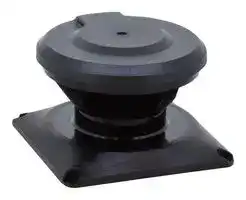


SE9Z-HS2-WD01
Optical Window, Safety Laser Scanner, SE2L Series
- Manufacturer: IDEC
- Product type:
- SVHC: No SVHC (25-Jun-2025)
- For Use With: Safety Laser Scanner
- Accessory Type: Optical Window
| Delivery and price | |
|---|---|
| Units per pack | 50 |
| Price | 152.03 € |
| Current stock | 10+ |
| Lead time | 30 days |

# **Safety Laser Scanner SE2L** ## Area Protection Ensures the safety of humans in a hazardous area, or those approaching the machine. ## Distance 5m, sensing angle 270º **==> picture [73 x 48] intentionally omitted <==** **----- Start of picture text -----**<br> 7 steps or more [∗][1]<br>5m<br>**----- End of picture text -----**<br> Ensures productivity and safety **==> picture [40 x 33] intentionally omitted <==** **----- Start of picture text -----**<br> Stop<br>Low speed<br>**----- End of picture text -----**<br> The SE2L is a safety sensor that can detect approach. Stop area can be made smaller by detecting approach at the additional protection zone to start slowdown. (Conventional configuration of one protection zone + two warning zones is possible) ## Master slave function ~~a~~ , first in its industry One SE2L protects a wide area (270º and 5m) and can be used in a variety of applications such as large sized systems or long conveyor lines. > * 1: average stride length (70 cm) of a 170 cm person A maximum of four SE2Ls can be interconnected using RS-485 for master/slave operation. IDEC’s safety products for safe and productive production lines RF2 force-guided relay (2-pole) Can be used as interface relays to send input signals to a controller, or to amplify current for driving a contactor. RF1V force-guided relay (4-pole/6-pole) Can interrupt a small load directly. 2 **==> picture [111 x 10] intentionally omitted <==** **----- Start of picture text -----**<br> Access Protection<br>**----- End of picture text -----**<br> Allows only objects to pass through. Detects the access of humans. Dual protection function Ensures safety at positional change ~~Po~~ **==> picture [20 x 8] intentionally omitted <==** **----- Start of picture text -----**<br> Door<br>**----- End of picture text -----**<br> An SE2L can monitor two separate hazardous areas to stop machines when detecting the access of humans. No reflective sensor is necessary, thus eliminating the need of optical axis alignment. Can replace two light curtains. Reference monitoring function ensures safety by detecting the positional change of SE2L or reference boundary, such as a door’s opening/closing status. Ensures safety at entrance of works. Override function enables restart from unintended stop. ~~POeee~~ **==> picture [38 x 45] intentionally omitted <==** **----- Start of picture text -----**<br> ©& !<br>**----- End of picture text -----**<br> By disabling some areas of protection zone, muting function allows objects to enter the hazardous area without stopping the machine. With override function, when stopped by errors at muting status, the work can be moved easily. ## FS1A Safety Controller A variety of safety products can be connected to the controller equipped with various control logics. LD6A LED SignaLight Towers Used to indicate the status of processes. Visible even at a distance. 3 ## Collision Avoidance Protects humans from colliding. Also prevents loads on from falling. ## A maximum of 32 area patterns A maximum of 32 area patterns can be configured/ switched according to the mobile application such as AGV, ensuring the optimum protection in various applications. ## Monitors external output equipment ~~ee~~ ## Utilize distance measurement data During safety protection, the SE2L can send out distance measurement data through the Ethernet port, in order to obtain the data of the obstacles. ## Encoder inputs **==> picture [68 x 9] intentionally omitted <==** **----- Start of picture text -----**<br> Force-guided relay<br>**----- End of picture text -----**<br> EDM function monitors the status of external devices, enabling monitoring of welded contacts and such. IDEC’s safety products for safe and productive production lines Pulse signals from an incremental encoder can be sent to the SE2L directly without a controller, enabling to switch areas easily depending on the speed. Emergency Stop Switches XW/XN/X6 A variety of models to choose from. 4 Easy-to-use configuration and useful functions for simple and comfortable maintenance. Excellent Usability ## Supports area configuration ## Check detection status with video **==> picture [172 x 14] intentionally omitted <==** **----- Start of picture text -----**<br> No human in the Human approaching Human inside the<br>protection zone the protection zone protection zone<br>**----- End of picture text -----**<br> Area data and distance measurement data can be recorded while monitoring on PC. Video of detection status can be replayed with the file. ## Reduce maintenance and start-up time Teaching function enables automatic area configuration by referring to obstacles such as walls and columns. Area can be configured easily even with complicated background. ## Detection log report reduces maintenance Area data and function settings created on PC can be transferred to the SE2L using not only by USB cable but also micro SD card. ## Stable operation even in dusty environment Checks dust in air with signals and reduces unintended detection. Safety function is not impaired. ## Optical window can be replaced on-site Operational status is displayed on the SE2L. It can also be displayed on PC to monitor errors and data log for easy trouble shooting. **==> picture [221 x 9] intentionally omitted <==** **----- Start of picture text -----**<br> Cover Bracket Optical Window<br>**----- End of picture text -----**<br> Optical window can be replaced by the user, reducing downtime and cost. A cover bracket to protect the SE2L for damage by collision is also available. ## IDEC Safety Solution − Safety system − Safety consulting − Risk assessment − Safety seminars IDEC—Committed to creating the optimum safety environment—both for humans and systems. 5 SE2L Safety Laser Scanner ## ~~L~~ SE2L Safety Laser Scanner ~~o~~ |Part No.<br>~~——————~~|Cable Length<br>~~————~~|Part No.<br>~~————~~|Remarks| |---|---|---|---| |Connector Cable<br>~~——————~~<br>~~Oe~~<br>~~es© ee~~|2m<br>~~————~~<br>~~Oe~~|SE9Z-HS2-C002<br>~~————~~<br>~~Oe~~|• Degree of protection: IP65<br>• Used with connector model SE2L-H05LPC only.<br>~~Oe~~| ||5m<br>~~————~~<br>~~Oe~~|SE9Z-HS2-C005<br>~~————~~<br>~~Oe~~|| ||10m<br>~~Oe~~|SE9Z-HS2-C010<br>~~Oe~~|| ||20m<br>~~Oe~~<br>~~ee~~|SE9Z-HS2-C020<br>~~Oe~~<br>~~es~~|| |Micro USB Cable<br>~~Oe~~<br>~~es© ee~~<br>~~es©ye~~|1m<br>~~Oe~~<br>~~ee~~<br>~~ye~~|SE9Z-HS2-XCM11<br>~~Oe~~<br>~~es~~<br>~~es~~|• Used to connect the SE2L and PC.<br>~~Oe~~| |Ethernet Cable<br>~~es © ee~~<br>~~es©ye~~|3m<br>~~ee~~<br>~~ye~~|SE9Z-HS2-XCD13<br>~~es~~<br>~~es~~|• Degree of protection: IP65<br>• Waterproof LAN cable| |Extension Cable<br>~~es © ye~~<br>~~ONT...~~<br>~~en~~|10m<br>~~ye ~~<br>~~ONT...~~|SE9Z-HS2-XCE010<br> ~~es~~<br>~~ONT...~~|• Used to extend the cable length of the SE2L.<br>~~ONT...~~<br>~~ee~~| ||20m<br>~~ONT...~~<br>~~en~~|SE9Z-HS2-XCE020<br>~~ONT...~~<br>~~ee~~|| |Base Mounting Bracket<br>~~ONT...~~<br>~~en~~||SE9Z-HS2-BK01<br>~~ONT...~~<br>~~ee~~|• Used to change the vertical angle alignment of the SE2L.<br>• Adjustable by 15 degrees total (7.5 degrees each direction)<br>• Material: iron<br>• Attachment: Four bolts(M5×12)<br>~~ONT...~~<br>~~ee~~| |Rear Mounting Bracket<br>~~en ~~<br>~~DB~~<br>~~ee~~||SE9Z-HS2-BK02<br> ~~ee~~<br>~~DB~~|• Used to change the vertical/horizontal angle adjustment of the SE2L.<br>• Adjustable by 15 degrees total (7.5 degrees each direction)<br>• Material: iron<br>• Attachment: Four bolts(M5×12)<br>~~ee~~<br>~~DB~~| |Simple Base Mounting Bracket<br>~~DB~~<br>~~ee~~<br>~~Se~~||SE9Z-HS2-BK03<br>~~DB~~<br>~~Se~~|• Attachment: Four bolts (M5×10)<br>~~DB~~| |Rear Mounting Bracket<br>(long type)<br>~~ee~~<br>~~ee~~<br>~~Se~~||SE9Z-HS2-BK04L<br>~~ee~~<br>~~Se~~|• Attachment: Four bolts (M5×10)<br>~~ee~~| |Cover Bracket<br>~~Se~~<br>~~ee~~<br>~~Se~~||SE9Z-HS2-CM01<br>~~Se~~<br>~~ee~~<br>~~Se~~|• Used to protect the optical window in combination with base<br>mounting bracket or rear mounting bracket.<br>• Material: iron<br>• Attachment: Four bolts(M5×12)<br>~~ee~~| |Optical Window<br>~~ee~~<br>~~ee~~<br>~~Se~~||SE9Z-HS2-WD01<br>~~ee~~<br>~~ee~~<br>~~Se~~|• Material: polycarbonate<br>• Attachment: Four bolts (M3×8)<br>~~ee~~<br>~~ee~~| Safety Controller LED SignaLight Tower ~~ae~~ Name & Shape Part No. ~~ee~~ Remarks ~~Grrr~~ Name & Shape Part No. Remarks FS1A-C11S • 24 logics • Degree of protection: LD6A- * IP65 FS1A-C21S • 11 logics Force-guided Relay Emergency Stop Switches ~~ae~~ Name & Shape Part No. Remarks Name & Shape Part No. Remarks 2-pole RF2S- * • Force guided contact ø30mm • Degree of protection: mechanism (EN50205 XN1E- * IP65 ~~a~~ RF2V- ~~ee~~ * ~~Re~~ Type A TÜV approved). frre ~~(nn }~~ 4-pole ø22mm RF1V- * XW1E- * 6-pole RF1V- * ø16mm AB6E- * ~~oga J ee~~ * See product catalogs or IDEC's website for detailed part no. 6 SE2L Safety Laser Scanner ## Performance Specifications **==> picture [495 x 638] intentionally omitted <==** **----- Start of picture text -----**<br> Part No. SE2L-H05LP/SE2L-H05LPC<br>Protection Zone 5.0m maximum<br>Warning Zone (Note 1) 20m maximum (non-safety)<br>Additional Safety Distance (Note 2) +100 mm<br>Sensing Characteristics Black reflector sheet (1.8%) to retro-reflector sheet<br>Sensing Angle 270°<br>Sensing ø30 mm (maximum distance: 1.8m)<br>Characteristics Minimum Sensing Width ø50 mm (maximum distance: 3.0m)<br>ø70 mm/ø150 mm (maximum distance: 5.0m)<br>Scan Cycle 30 ms (rotating speed 2,000 rpm)<br>Scan Area 32 patterns maximum<br>ON→OFF: 60 to 510 ms<br>Response Time OFF→ON: 270 to 510 ms<br>Element Pulse laser diode<br>Light Source Wavelength 905nm<br>Laser Class Laser class 1 (IEC 60825-1)<br>Type Type 3 (IEC 61946-1, IEC 61496-3)<br>Functional Safety SIL 2 (Type B, HFT=1) (IEC 61508)<br>PFHd 7.8×10 [-8] (T1=20 years): when master slave function is disabled<br>1.6×10 [-7] (T1=20 years): when master slave function is enabled<br>Master Slave Connection 4 maximum<br>Dimensions 80W × 80D × 95H (mm) (cable not included)<br>Weight (approx.) Cable model: 0.8 kg (incl. 3 m cable)/Connector model 0.5 kg<br>Enclosure Degree of Protection IP65 (IEC 60529)<br>Material Body: aluminum diecast / Optical window: polycarbonate<br>Cable Cable model: 3 m/Connector model 0.3 m<br>24V DC ±10%: power from converter<br>Power Voltage 24V DC −30%/+20%: power from battery<br>Power Without Output Load 6W<br>Consumption Maximum (without output load) 50W<br>Output type (high side SW)<br>Output current (maximum: 500 mA) (Note 3)<br>OSSD1/2 (safety) Leakage current (maximum: 1 mA)<br>Cable (AWG 26)<br>Allowable load (L/R=25 ms, C=1μF)<br>Output type (high side SW)<br>OSSD3 (safety) Output current (maximum: 250 mA) (Note 3)<br>Output OSSD4 (safety)WARNING1 (non-safety) Leakage current (maximum: 1 mA)<br>Cable (AWG 28)<br>WARNING2 (non-safety)<br>Allowable load (L/R=25 ms, C=1μF)<br>Output type (PNP transistor output)<br>RES_REQ1, RES_REQ2, Output current (maximum: 200 mA)<br>MUT_OUT1, MUT_OUT2 Leakage current (maximum: 1 mA)<br>Cable (AWG 28)<br>Area Switching<br>(5 inputs × 2 channels)<br>EDM1/EDM2/MUTING1/MUTING2/ Input Resistance: 4.7kΩ<br>Input<br>MUTING3/MUTING4/OVERRIDE1/ Cable: AWG 28<br>OVERRIDE2/RESET1/RESET2/<br>ENC1_A/ENC1_B/ENC2_A/ENC2_B<br>PC USB2.0 (USB micro type-B connector)<br>Interface Master Slave RS-485 (cable)<br>Distance Measurement Data Output Ethernet 100BASE-TX (water proof connector)<br>Operating Temperature −10 to +50˚C (no freezing)<br>Storage Temperature −25 to +70˚C (no freezing)<br>Operating Humidity 95% RH (no condensation)<br>Storage Humidity 95% RH (no condensation)<br>Environmental Surrounding Light Intensity (Note 4) 1500 lx maximum<br>Resistance Vibration Resistance Frequency: 10 to 55 Hz Sweep: 1 octave/minute<br>Amplitude: 0.35 mm ±0.05 mm<br>Shock Resistance Acceleration: 98 m/s [2] (10G) Pulse duration: 16 ms<br>Outdoor Operation Not permitted<br>Altitude Below 2,000m<br>**----- End of picture text -----**<br> Note 1: When the reflectance of object is 90% or above. Note 2: Additional distance of 200 mm is needed when the SE2L operates under high reflective background. Note 3: Total current supply of OSSD output and warning output should be below 1.0A. Note 4: The angle between the sensing plane and the light source should be more than 5 degrees. 7 ## SE2L Safety Laser Scanner ## Dimensions All dimensions in mm. **==> picture [277 x 300] intentionally omitted <==** **----- Start of picture text -----**<br> Safety Laser Scanner<br>SE2L-H05LP <br>9<br>Connection cable<br>(30)<br>Ethernet cable (sold separately)<br>80 80 21<br>66 (30) 29.5<br>4-M5 Depth 8 32<br>Cable Model<br>66<br>4-M5 Depth 8<br>32<br>Connector Model<br>Scan angle 270°<br>30<br>95<br>67.4<br>54.5<br>33<br>(Sensing Plane) 17<br>(10)<br>68 28<br>68 28<br>**----- End of picture text -----**<br> ## Cover Bracket ## SE9Z-HS2-CM01 **==> picture [150 x 163] intentionally omitted <==** **----- Start of picture text -----**<br> ø85<br>40<br>25 15<br>96.2 4-M5 50<br>90.7<br>70<br>9<br>18<br>**----- End of picture text -----**<br> - Used to protect the optical window in combination with base mounting bracket or rear mounting bracket. Cannot be used with simple base mounting bracket or rear mounting bracket. ## Base Mounting Bracket SE9Z-HS2-BK01 ## Rear Mounting Bracket SE9Z-HS2-BK02 **==> picture [239 x 171] intentionally omitted <==** **----- Start of picture text -----**<br> 4-ø5.3<br>28 SE2L Mounting Holes<br>4-ø5.3<br>68 Cover Bracket<br>48.2 25 Mounting Holes<br>134 25<br>150 61.2<br>) )<br>93.2 101.2<br>66 ( (<br>7.5° 7.5°<br>45<br>7.5° 20 7.5°<br>**----- End of picture text -----**<br> **==> picture [245 x 196] intentionally omitted <==** **----- Start of picture text -----**<br> 4-ø5.3 SE2L<br>Mounting Holes 28 3-ø5.3<br>60<br>68 4-ø5.3<br>Cover Bracket<br>110<br>48.2 25 Mounting Holes<br>60 25<br>66 110 130<br>)<br>18<br>(<br>0<br>1<br>7.5°<br>70 45<br>7.5°<br>36<br>**----- End of picture text -----**<br> ## Rear Mounting Bracket ## SE9Z-HS2-BK04L (Note 1) Simple Base Mounting Bracket **==> picture [197 x 149] intentionally omitted <==** **----- Start of picture text -----**<br> 120<br>(1) Position A: M5 screws<br>106 [±0.1]<br>A<br>(2) Position B: M6 screws<br>106<br>B<br>88<br>106 91.5<br>4-ø6<br>2-M6<br>screws<br>4-M5 screws<br>R53<br>49.5<br>32.4 ±0.1<br>133.5<br>32.4 45 50<br>**----- End of picture text -----**<br> SE9Z-HS2-BK03 (Note 1) **==> picture [215 x 118] intentionally omitted <==** **----- Start of picture text -----**<br> 124<br>110 (1) Position A: M5 screws<br>92<br>110 [±0.1] A<br>(2) Position B, C, or D: M6 screws<br>110 B<br>C<br>Note 1: D<br>4-M5<br>screws<br>2-M6<br>screws<br>15<br>82 68 37 68 ±0.1<br>15<br>11<br>**----- End of picture text -----**<br> - Use washers when fastening screws. - Use two M6 screws when installing on an aluminum frame. 8 SE2L Safety Laser Scanner ## Wiring Examples ## a) When using 32 scanning areas (e.g. AGV) ## c) When switching 32 scanning areas using an encoder **==> picture [411 x 306] intentionally omitted <==** **----- Start of picture text -----**<br> E-STOP<br>+24VDC<br>+24VDC0VDCOSSD1 X0X1X2 ControllerSafety 0VDCOSSD1OSSD2 RF2K1 RF2K2 SignaLightw/alarmLD6A<br>OSSD2OSSD3 X3 FS1A-C11SLogic 105 Y0 EDM1 COM OUT<br>OSSD4 X4X5 Y1 WARNING1WARNING2 IN1IN2 PLC<br>IN_A<br>IN_A<br>IN_A<br>IN_A<br>IN_B<br>IN_B<br>IN_B<br>IN_B<br>IN_C<br>ENC1_A<br>IN_C Rotary<br>ENC1_B Encoder 1<br>IN_D<br>ENC2_A 4c<br>IN_D Rotary<br>ENC2_B Encoder 2<br>IN_E<br>RES_REQ1 LED<br>IN_E Pilot Light<br>RESET1<br>FG<br>FG<br>o<br>IDEC safety products IDEC safety products<br>Safety Controller: FS1A SignaLight w/alarm: LD6A<br>E-STOP: X series PLC: FC6A<br>LED pilot light: AP22<br>Force-guided relay: RF2<br>**----- End of picture text -----**<br> ## b) When using muting/override/EDM **==> picture [190 x 194] intentionally omitted <==** **----- Start of picture text -----**<br> +24VDC<br>0VDC<br>OSSD1 RF2 SignaLightLD6A Muting Lamp<br>K1 RF2 w/alarm<br>OSSD2<br>K1<br>EDM1 COM OUT<br>WARNING1 IN1<br>WARNING2 IN2 PLC<br>MUT_OUT1<br>IN_A<br>IN_A<br>IN_B<br>IN_B<br>MUTING1 Muting Sensor 1 (PNP)<br>MUTING2<br>Muting Sensor 2 (PNP)<br>OVERRIDE1<br>RESET1<br>FG<br>**----- End of picture text -----**<br> IDEC safety products SignaLight w/alarm: LD6A PLC: FC6A Muting sensor: SA1E Muting sensor lamp: HW1P-5 Force-guided relay: RF2 9 ## SE2L Safety Laser Scanner ## d) When using the master slave function to guard an AGV or robot e) When using the master slave function to guard multiple hazards and perform partial stops **==> picture [438 x 493] intentionally omitted <==** **----- Start of picture text -----**<br> E-STOP E-STOP<br>T4 Y0 X0<br>+24VDC0VDCOSSD1OSSD2 T5X4X5X0X1 FS1A-C11SLogic 11CControllerSafety Y1 +24VDC0VDCOSSD1OSSD2WARNING1 X1X2X3X4X5 FS1A-C11SLogic 105ControllerSafety Y0Y1<br>WARNING1 WARNING2 X6 Y2<br>WARNING2 COM IN_A X7<br>IN_A IN1 LD6A IN_AIN_B X10X11 Y3<br>IN_AIN_B IN2 PLC OUT SignaLightw/alarm IN_BIN_CIN_C COM<br>IN_BIN_CIN_C IN_DIN_DIN_EIN_E IN1IN2IN4IN3 PLC OUT1OUT2 SignaLightSignaLightw/alarmw/alarmLD6ALD6A<br>IN_DIN_DIN_E RES_REQ1RESET1RS-485–RS-485+ Pilot LightLED IN5IN6IN7IN8 OUT3OUT4 SignaLightSignaLightw/alarmw/alarmLD6ALD6A<br>IN_E FG<br>RES_REQ1 LED<br>Pilot Light +24VDC<br>RESET1 0VDC<br>RS-485+ OSSD1<br>OSSD2<br>RS-485– WARNING1<br>FG WANING2<br>RES_REQ1RESET1 Pilot LightLED<br>+24VDC RS-485+<br>0VDC RS-485–<br>RS-485+ FG<br>RS-485– +24VDC<br>FG 0VDC<br>OSSD1<br>OSSD2<br>+24VDC WARNING1<br>0VDC WANING2<br>RES_REQ1 LED<br>RS-485+ RESET1 Pilot Light<br>RS-485– RS-485+<br>FG RS-485–<br>FG<br>+24VDC +24VDC<br>0VDC 0VDC<br>OSSD1<br>RS-485+ OSSD2<br>RS-485– WARNING1<br>FG WANING2<br>RES_REQ1 LED<br>RESET1 Pilot Light<br>RS-485+<br>IDEC safety products RS-485–<br>SignaLight w/alarm: LD6A FG<br>PLC: FC6A<br>LED pilot light: AP22 IDEC safety products<br>Safety Controller: FS1A SignaLight w/alarm: LD6A<br>E-STOP: X series PLC: FC6A<br>LED pilot light: AP22<br>Safety Controller: FS1A<br>E-STOP: X series<br>**----- End of picture text -----**<br> ## Input/Output Circuit ## Input Circuit ## OSSD/WARNING Output Circuit ## Other Output Circuit OSSD/WARNING outputs are N channel MOSFET outputs. RES_REQ1, RES_REQ2, MUT_OUT1, MUT_OUT2 outputs are PNP outputs. Available for are input, EDM1, EDM2, RESET1, RESET2, MUTING1, MUTING2, MUTING3, MUTING4, OVERRIDE1, and OVERRIDE2. **==> picture [457 x 90] intentionally omitted <==** **----- Start of picture text -----**<br> +24V<br>OSSD1<br>+24V<br>OSSD2 RES_REQ1 / MUT_OUT1 Input<br>Control<br>Control Control<br>Circuit OSSD3 / WARNING1 Circuit RES_REQ2 / MUT_OUT2 Circuit 0V<br>OSSD4 / WARNING2<br>**----- End of picture text -----**<br> 10 SE2L Safety Laser Scanner ## Operating Principle With the SE2L, the distance is measured by the Time of Flight (TOF) principle. The SE2L sends out very short pulses of infrared light. The mirror rotated by the motor sends the infrared light within the scanning range of 270º, and is reflected back from an object within the range. **==> picture [201 x 81] intentionally omitted <==** **----- Start of picture text -----**<br> Laser Emitted pulse laser<br>Object<br>Received pulse laser<br>Photodiode<br>Time difference<br>Distance to object (L)<br>**----- End of picture text -----**<br> The distance can be calculated as follows: = −[1] × c × T L 2 L = Distance to the object c = Speed of light - T = Time difference ## Scanning Area A scanning area of the SE2L consists of: - A protection + two zones - A protection zone - Two protection zones Up to 32 sets of scanning areas can be configured. A software SLS Project Designer supplied with the SE2L is used to configure the protection and warning zones, providing excellent user interface. Automatic zone configuration by referring the boundary is also possible. See SE2L User's Manual “7. Function Configuration of SE2L” for details. The latest version of the software can be downloaded from IDEC website. Protection zone: The area obtained by risk assessment and calculation of safety distance Warning zone: The area to send alarms which can be set according to the application ## Area Switching The SE2L can store up to 32 area patterns. The number of maximum configurable areas depends on selected functions such as scan area mode and muting. Maximum number of patterns |Mode|Protection|Max.<br>Internal<br>Input|Max.<br>Area|Max.<br>Encoder<br>Area| |---|---|---|---|---| |Standard|1|5|32|−| ||2|5|32|−| |EDN|1|4|16|−| ||2|4|16|−| |MUTING/EDM|1|2|4|−| ||2|1|2|−| |Encoder(Note 1)|1|2|3|32(Note 2)| Note 1: Dual protection and muting function modes cannot be used when encoder input mode is selected. Note 2: Among the four input patterns, at least one pattern must be used for encoder input. Other three remaining patterns can be selected to be used as a static input or not in use. A pattern with encoder input mode has up to 32 sets of area. ## Input combination for area switching (ex. 5 inputs) Area ~~OG~~ IN_A IN_B IN_C IN_D IN_E IN_A IN_B IN_C IN_D IN_E 1 ON ON ON ON ON OFF OFF OFF OFF OFF ~~P|~~ 2 OFF ON ON ON ON ON OFF OFF OFF OFF ~~| |TEtT tT rT ee~~ 3 ON OFF ON ON ON OFF ON OFF OFF OFF 4 OFF OFF ON ON ON ON ON OFF OFF OFF ~~P| ee ee ee~~ 5 ON ON OFF ON ON OFF OFF ON OFF OFF ~~PF ot|~~ ~~**t** T tUE~~ 6 OFF ON OFF ON ON ON OFF ON OFF OFF ~~eee eee ee~~ 7 ON OFF OFF ON ON OFF ON ON OFF OFF 8 OFF OFF OFF ON ON ON ON ON OFF OFF ~~PF | of ct TT eee ee a~~ 9 ON ON ~~eee~~ ON OFF ON OFF OFF ~~eee~~ OFF ON OFF ~~ee~~ 10 OFF ON ON ~~ee~~ OFF ON ~~eee~~ ON OFF OFF ~~eee~~ ON OFF • See User's Manual for more combinations (max. 32 areas) ® Area preview ~~©~~ Area display @ Area comment @ Mouse position @ Response time (ON/OFF) Zoom-in, zoom-out tool @ Area selection @ Drawing tools bar ® Point coordinate 11 ## SE2L Safety Laser Scanner ## Response Time The OFF response time (default: 60ms) for the OSSD signal and ON response time (default: 270ms) can be configured by using the SLS Project Designer. The response time for WARNING 1, 2 is the same as the response time for OSSD. In dual protection mode, different response time can be set for protection zone 1 and 2 each. The stability of the SE2L can be increased by setting a long response time, but a long safety distance is required (see User's Manual 4. Application Examples of SE2L). Before setting the response time, the user must perform a risk assessment thoroughly. The configurable response time is shown in the table below. Be sure to add the time taken to switch areas (30 ms). ## Time Chart **==> picture [63 x 83] intentionally omitted <==** **----- Start of picture text -----**<br> Object<br>present<br>Object<br>Detection Object<br>absent<br>ON<br>OSSD<br>OFF<br>**----- End of picture text -----**<br> OFF Response Time ON Response Time ## SE2L Response Time ||||Response Time|Response Time|onse Time(ms)|onse Time(ms)||| |---|---|---|---|---|---|---|---|---| |OFF|60|90|120|150|180|210|240|270| |(ON→OFF)|300|330|360|390|420|450|480|510| |||||||||| ||||Response Time||onse Time(ms)|||| |ON|−|−|−|−|−|−|−|270| |(OFF→ON)|300|330|360|390|420|450|480|510| - Default value - ss - • Minimum configurable response time in Master/Slave mode OFF: 120ms, ON: 300ms ## Safety Distance Warning zones 1 and 2 are set around the protection zone to send alarms to prevent humans or objects from entering the hazardous area and stopping the machine. By detecting humans or objects in the protection zone, the OSSD signal switches from ON to OFF. Also, when humans or objects are detected in the warning zone, WARNING signal switches from ON to OFF. ## Upper view (stationary) **==> picture [175 x 370] intentionally omitted <==** **----- Start of picture text -----**<br> b<br>s<br>Zs<br>Protection<br>zone<br>Hazardous<br>area<br>a<br>• Maintain the distance “a” shorter than the minimum<br>|<br>Hazardous a<br>area<br>H<br>Zs<br>S<br>S<br>a<br>b<br>**----- End of picture text -----**<br> - Maintain the distance “a” shorter than the minimum detection width. To prevent unwanted detection, maintain the distance "b" 100mm. ## Side view (stationary) ## Access protection In this application, the SE2L is horizontally installed to protect the hazardous area. The protection zone is set around the hazardous area to prevent humans or objects from entering the hazardous area. Warning zones 1 and 2 are configured to surround the protection zone. ## Protection zone 1 application (horizontal, stationary installation) ## Calculation S = (K × (Tm + Ts) + C + Zs - S = Safety distance (mm) K = Human approach speed 1,600 (mm/s) - Tm = Maximum stop speed of machine or system (s) - Ts = Response time of SE2L (s) - C = 1200 − 0.4 × H ≥ 850 H = height from the floor to the sensing plane (mm) 1000 ≥ H ≥ 15 × (d − 50) - d = Minimum sensing width of object (mm) - Zs = Additional safety distance of SE2L (mm) - See User's Manual for access protection and area protection (access detection, collision avoidance for mobiles) **==> picture [223 x 40] intentionally omitted <==** **----- Start of picture text -----**<br> Warning<br>Zone 1<br>__t Protection<br>Warning<br>Zone<br>Zone 2<br>**----- End of picture text -----**<br> 12 SE2L Safety Laser Scanner ## Installation ## Light Interference SE2L is a sensor that transmits pulsed laser for obstacle detection. Interfering light sources may lead to false detection. Before using the SE2L, examine the surrounding environment. If the SE2L must be used under the environment shown below, install the SE2L so that the light source is located more than ±5 degrees from the sensing plane to prevent light interference. a) Incandescent light b) Florescent light c) Strobe light d) Flashing beacon e) Sunlight f) Infrared light source Light source 5 degrees Sensing plane 5 degrees Light source Detection origin point ## Mutual Interference When using several safety laser scanners or scanning range finders of the same model, pulse laser signals from other sensors may be falsely detected. To prevent mutual interference, see the installation methods shown below. See User's Manual for more details. ## 1) Changing the installation height Install the SE2Ls at different heights to keep at least 5 degree distance between the detection planes. ## Face to face installation Detection plane 5° or more 5° or more Detection plane ## Parallel installation Detection plane 5° or more 5° or more Detection plane ## 2) Changing the installation angle Adjust the angle of SE2Ls to keep at least 5 degree distance between the detection planes. ## Face to face installation 5° or more Parallel installation 5° or more ~~ae—~~ ## 3) Using shields Install a shield between the SE2Ls to prevent prevent the laser beams from entering the other SE2L. Face to face installation Detection plane Detection plane Sheild ~~me~~ Detection plane Detection plane Sheild ed ~~r~~ iced Parallel installation 13 ## SE2L Safety Laser Scanner ## Highly Reflective Background ## Wiring Highly reflective backgrounds may cause false detection causing the SE2L to detect a longer distance than the actual distance. If an operating environment with a highly reflective background cannot be avoided, an additional distance of 200 mm, in addition to the 100mm additional safety distance, is needed when configuring protection or warning zones. The table below shows the functions of each wire. Use of a shielded wire is recommended. **==> picture [427 x 451] intentionally omitted <==** **----- Start of picture text -----**<br> ||||||||| |---|---|---|---|---|---|---|---| |Wire Color and Functions| |a|Color|Signal|Function|Description|AWG|Pin No.| |Brown|+24V DC|a|Power: 24V DC|22|1| |Power| |Blue|0V DC|Power: 0V DC|22|2| |afe| |Red|OSSD 1|Protection zone output 1|26|3| |Output| |a|Yellow|OSSD 2|ee|Protection zone output 2|26|4| |Red/|OSSD 3|Protection zone output 3| |Oe|Black|WARNING1|Output|Warning zone output 1|28|5| |Protection Zone|Yellow/|OSSD 4|Protection zone output 4| |or|ee|Black|WARNING2|Output|Warning zone output 2|28|6| |Warning Zone|Purple|IN_A|Area switching input A|28|7| |IN_B|Area switching input B| |Gray|28|8| |Highly reflective|MUTING3|Muting input 3| |background|IN_C|Area switching input C| |White|OVERRIDE1|Override input 1|28|9| |ENC1_A|Encoder input 1_A| |IN_D|Area switching input D| |Pink|MUTING1|Muting input 1|28|10| |i|ENC1_B|ee|Encoder input 1_B| |Green|IN_E|Area switching input E|28|11| |a|EDM1|External device monitoring 1| |—|Purple/Black|IN_A|Input|Area switching input A invert|28|12| |Gray/|IN_B|Area switching input B invert|28|13| |a|Black|MUTING4|ee|Muting input 4| |IN_C|Area switching input C invert| |White/| |Black|OVERRIDER2|Override input 2|28|14| |pt|ENC2|f|_A|Et|Encoder input 2_A| |IN_D|Area switching input D invert| |Pink/| |Black|MUTING2|Muting input 2|28|15| |pt|ENC2|}|_B|Encoder input 2_B| |Green/|IN_E|Area switching input E invert| |28|16| |||/|Black|EDM2|=|External device monitoring 2| |Yellow/| |en|Green|RESET1|Reset input 1|28|17| |90mm| |Yellow/| |a|Blue|RESET2|Reset input 2|28|18| |RES_REQ1|RES_REQ1: request output 1| |Orange|MUT_OUT1: muting state|28|19| |Protection Zone|MUT_OUT1|Output|output 1| |RES_REQ2: request output 2| |Limited detection|tf}Pf|Orange/ Black|MUT_OUT2RES_REQ2|MUT_OUT2: muting state output 2|28|20| |capability zone|White/|RS-485+|Communication protocol|28|21| |=|Blue|||Commu-|fT|RS-485 (twisted pair)| |White/|nication|Communication protocol| |RS-485−|28|22| |———|Red|—a--—+7-|RS-485 (twisted pair)| |a|Shield|FG|−|Frame ground|−|Case| **----- End of picture text -----**<br> **==> picture [226 x 59] intentionally omitted <==** **----- Start of picture text -----**<br> Protection Zone<br>or<br>Warning Zone<br>* Additional Highly reflective<br> distance (100 + 200 mm) background<br>1<br>2<br>0<br>0<br>0<br>0<br>m<br>m<br>m<br>m<br>**----- End of picture text -----**<br> - Additional distance: the distance required to operate the SE2L under high reflective background ## Limited Detection Capability Area The limited detection capability area is the area between the optical window and the beginning of the detection zone. The area from the origin point of the SE2L to 90 mm from the origin point is the limited detection capability area. In this area, a low reflective object is difficult to detect. **==> picture [165 x 100] intentionally omitted <==** **----- Start of picture text -----**<br> 1 14 14 1<br>2 13 13 2<br>15 22 22 15<br>3 12 12 3<br>16 21 21 16<br>GOOD) 4 11 11 008 4<br>17 20 20 17<br>5 18 19 10 10 19 18 5<br>6 9 9 6<br>7 8 8 7<br>0569 2509<br>SE2L-H05LPC SE9Z-HSC-C <br>Pin No. Socket No.<br>**----- End of picture text -----**<br> 14 SE2L Safety Laser Scanner ## OSSD In SE2Ls, the OSSD signal has a self-diagnosis function that tests the signal periodically to detect malfunction. The OSSD signal will turn OFF when a error is detected due to the self-diagnosis function. The self-diagnosis function of the OSSD detects abnormality by switching off OSSD 1 to OSSD 4 at intervals of 300 µs maximum. Be sure to use a force-guided relay, converter, or controller that does not respond to this self-diagnosis function. ## Time chart **==> picture [167 x 125] intentionally omitted <==** **----- Start of picture text -----**<br> 30ms 30ms 30ms 30ms<br>OSSD1<br>300μs<br>OSSD2<br>OSSD3<br>OSSD4<br>**----- End of picture text -----**<br> ## **Safety Precautions** For correct use of the SE2L, take note of the following precautions. - x SE2L is a AOPDDR (Active Optoelectronic Protective Device responsive to Diffuse Reflection) that detects diffused emitted light within the protection zone. - x Perform tests before operation to check the function and performance of the SE2L. - x SE2L is designed to protect human beings or systems by monitoring the hazardous area. It is not designed for the protection from high speed objects or electromagnetic radiation. - x To maintain the degree of protection and to prevent injury or death, do not modify or disassemble the SE2L. - x IDEC does not warrant any problems that were caused by modification or disassembly of the SE2L. - x The operator must be a person qualified to operate the SE2L. The operator must be trained and be able to operate the SE2L correctly. - x The administrator must provide continuous training to the operator for correct use of the SE2L. - x The administrator must understand the user's manual and be responsible for ensuring appropriate operating conditions for SE2L. - x SE2L has been manufactured and shipped under strict quality control. If you find any defect in the product, contact distributor or sales representative. - x IDEC does not take responsibility for damage caused by improper use of the product by customers or third parties. IDEC cannot take responsibilities for any loss from the misuse except for the responsibilities governed by law. - x To examine the object detecting performance, use a test piece the size equivalent to the minimum detectable object. - x Error occurs when detection capability is below 30% due to homogenous dirt on the optical window. The operator must keep the windows clean. - x When the interlock function is active, make sure that the surrounding environment, especially within the protection zone, is safe before resetting the interlock. - x While SE2L is removed, a protective measure must be taken to ensure safety within the protection zone. To prevent entry into the danger zone, use protective materials such as a safety guard or light curtain. ## Operating Environment - x Make sure that the operating environment is within the range of the specifications (temperature, humidity, light interference) described in User’s Manual, otherwise malfunction or degradation of detection performance may result. - x Do not use the SE2L near a machine that may generate strong radio waves. It may interfere with the operation of the SE2L. - x Do not use or install the SE2L where dust, smoke, or corrosive chemical substances exist. Using the SE2L under these environments may lead to degradation of detection performance. - x The SE2L is for indoor use only. ## Installation - x Install the SE2L on a stable surface or structure to prevent displacement of the sensor. - x Install the SE2L securely so that screws do not loosen due to shock or vibration. (Recommended tightening torque 3 N∙m). Displacement may degrade protection performance. - x Determine the safety distance before installing the SE2L. After installing the SE2L, use a test piece for all protection zones to check the sensing functions. - x After installing the SE2L, use protective materials such as safety guards and light curtains to prevent entry into the protective zone. - x The following switches must be installed far from the protection zone, so that the operator can operate the switches while overseeing the entire protection zone. - Switch to reset the interlock function - Switch to start muting function - Switch to start override function - x If several SE2Ls are installed on the same sensing plane, mutual interference may occur. - x Provide enough space for installation and maintenance of the SE2L. - x Do not cover the front of the optical window with glass or transparent cover, otherwise detection characteristics of the SE2L may be impaired. - x Minimum sensing width differs according to the distance. - x SE2L and its accessories are subject to change for improvement without prior notice. - x Dispose the SE2L as industrial waste or in accordance with the local regulations. 15 SE2L Safety Laser Scanner ## **Safety Precautions** ## Wiring - x Be sure to turn off all power before wiring. - x When using converter power, make sure to use power that satisfies the following requirements. - 1) The rated output voltage is within 24V DC±10% (SELV circuit, overvoltage category II) - 2) The circuit between primary circuit and secondary circuit is reinforced insulation or double insulation. - 3) The output holding time is 20 ms. - 4) The power supply must comply with electrical safety and electromagnetic compatibility (EMC) regulations requirements of each country, state, and district. - x All input/output cables must be located away from power cables and high voltage cables. - x To control safety-related machine or system, use OSSD output. Because warning zone output (warning signal) is a non-safety signal, do not use for safety purposes. ## Testing and Maintenance - x The operator should perform the following tests or maintenance based on the checklist described in the User's Manual. - 1) Pre-operation inspection - 2) Operation inspection - 3) Daily inspection - 4) Periodic inspection The checklist in the User's Manual is a basic guideline for performing tests and maintenance. The operator should perform additional tests and maintenance if necessary. - x Stop the machine if failure occurs during tests. - x Clean the optical window if any dirt is found, and ask for repair if damaged. Refer to the User's Manual for details. - x Both the OSSD1 and OSSD2 outputs should be - connected to safety-related machines or control system. When OSSD3 and OSSD4 are used, connect the outputs in the same manner. - x Use shielded cable for the connection between OSSD signals and safety-related machines or systems. ## Installation - x A password is used for configuring the safety function. Only an administrator or operator should be able to set safety functions. - x SE2L will not operate without initial configuration. - x Perform test operation and check the configuration before using the SE2L. - x The stability of the SE2L increases by delaying the response time of the OSSD signal but the sensing performance decreases for moving objects. Before using this function, be sure to carry out risk assessment. - x The operator must record the changes made in the configuration. SLS Configurator report function is available. For details, see the User's Manual. **Head Office** 6-64, Nishi-Miyahara-2-Chome, Yodogawa-ku, Osaka 532-0004, Japan ## **www.idec.com** **USA** IDEC Corporation Tel: +1-408-747-0550 opencontact@idec.com **Hong Kong** IDEC Izumi (H.K.) Co., Ltd. Tel: +852-2803-8989 info@hk.idec.com **Australia** IDEC Australia Pty. Ltd. Tel: +61-3-8523-5900 sales@au.idec.com **China/Shanghai** IDEC (Shanghai) Corporation Tel: +86-21-6135-1515 idec@cn.idec.com **Germany** IDEC Electrotechnik GmbH Tel: +49-40-25 30 54 - 0 service@eu.idec.com **China/Shenzen** IDEC (Shenzen) Corporation Tel: +86-755-8356-2977 idec@cn.idec.com **Singapore** IDEC Izumi Asia Pte. Ltd. Tel: +65-6746-1155 info@sg.idec.com **China/Beijing** IDEC (Beijing) Corporation Tel: +86-10-6581-6131 idec@cn.idec.com **Thailand** IDEC Asia (Thailand) Co., Ltd Tel: +66-2-392-9765 sales@th.idec.com **Japan** IDEC Corporation Tel: +81-6-6398-2527 marketing@idec.co.jp **Taiwan** IDEC Taiwan Corporation Tel: +886-2-2698-3929 service@tw.idec.com Specifications and other descriptions in this brochure are subject to change without notice. 2017 IDEC Corporation, All Rights Reserved. **==> picture [95 x 33] intentionally omitted <==** EP1590-3 MARCH 2017 16
Updated at June 9, 2026
Founded in 1945, IDEC is a globally recognized leader in industrial automation, machine safety, and control products. Renowned for pioneering innovations in Human-Machine Interface (HMI) systems, the company is dedicated to creating a safe and efficient harmony between advanced workplace technology and human operators. At the core of IDEC’s extensive portfolio is a comprehensive selection of high-performance relays designed for demanding industrial environments. This includes a broad range of electromechanical power relays, solid-state relays, contactors, and critical safety relays, supported by a wide array of specialized relay accessories to ensure reliable and efficient switching. Beyond switching components, IDEC provides complete solutions for modern control panels and automated systems. Their robust engineering extends to advanced panel displays and instrumentation, precision light sensors, and dependable AC/DC power converters. With additional offerings in industrial switches, visual signaling units, and DIN rail terminal blocks, IDEC equips engineers with the high-quality components required to build secure, next-generation automation infrastructure.
About Novapart
Novapart is a B2B electronic component broker specialising in stock shortages and cost reduction. We source hard-to-find parts and identify compliant alternatives across a catalogue of 410,000+ components from 500+ manufacturers.
Learn more →Stock Shortage Specialist
When a component is unavailable, discontinued or has an unacceptable lead time, we tap into our network of vetted European and Asian distributors to source what you need — without compromising on quality or traceability.
Request a quote →Compliant Alternatives
We identify pin-to-pin, electrically equivalent substitutes that meet the same certifications (RoHS, AEC-Q100, REACH) as your original specification — validated against datasheets, not just part numbers. Often at a lower cost.
BOM Analysis service →