
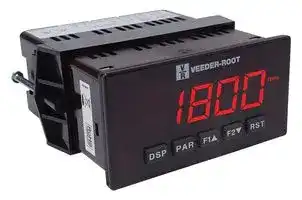
Image not available
Illustrative purposes only

RFXD00
UNIVERSAL DC METER, 5DIGIT
⚠️ Reference pricing provided. In case of supply shortages, we will connect you with our trusted procurement partners to ensure your project's continuity.
- Manufacturer: VEEDER ROOT
- Product type: Digital Panel Meters
- Meter Function: DC Current / DC Voltage / Resistance
- Supply Voltage Max: 250VAC
- Supply Voltage Min: 85VAC
- No. of Digits / Alpha: 5
| Delivery and price | |
|---|---|
| Units per pack | 5 |
| Price | 418.7 € |
| Current stock | 10+ |
| Lead time | 30 days |
Datasheet

Bulletin No. FLEX-L Drawing No. LP0545 Released 08/12
Danaher Specialty Products 1-800-390-6405
www.danaherspecialtyproducts.com/Veeder-Root
## **MODEL FLEX – 1/8 DIN ANALOG INPUT PANEL METERS**
- _PROCESS, VOLTAGE, CURRENT, TEMPERATURE, AND STRAIN GAGE INPUTS_
- _5-DIGIT 0.56" RED SUNLIGHT READABLE DISPLAY_
- _VARIABLE INTENSITY DISPLAY_
- _16 POINT SCALING FOR NON-LINEAR PROCESSES_
- _PROGRAMMABLE FUNCTION KEYS/USER INPUTS_
- _9 DIGIT TOTALIZER (INTEGRATOR) WITH BATCHING_
- _OPTIONAL CUSTOM UNITS OVERLAY W/BACKLIGHT_
- _FOUR SETPOINT ALARM OUTPUTS (W/OPTION CARD)_
- _COMMUNICATION AND BUS CAPABILITIES (W/OPTION CARD)_
**==> picture [114 x 40] intentionally omitted <==**
**----- Start of picture text -----**<br>
C ULR US LISTED<br>IND. CONT. EQ.<br>51EB<br>**----- End of picture text -----**<br>
- _RETRANSMITTED ANALOG OUTPUT (W/OPTION CARD)_
- _NEMA 4X/IP65 SEALED FRONT BEZEL_
## **GENERAL DESCRIPTION**
The FLEX[®] Analog Panel Meters offer many features and performance capabilities to suit a wide range of industrial applications. Available in five different models to handle various analog inputs, including DC Voltage/Current, AC Voltage/Current, Process, Temperature, and Strain Gage Inputs. Refer to pages 4 through 6 for the details on the specific models. The optional plug-in output cards allow the opportunity to configure the meter for present applications, while providing easy upgrades for future needs.
The meters employ a bright 0.56" LED display. The unit is available with a red sunlight readable or a standard green LED. The intensity of display can be adjusted from dark room applications up to sunlight readable, making it ideal for viewing in bright light applications.
The meters provide a MAX and MIN reading memory with programmable capture time. The capture time is used to prevent detection of false max or min readings which may occur during start-up or unusual process events.
The signal totalizer (integrator) can be used to compute a time-input product. This can be used to provide a readout of totalized flow, calculate service intervals of motors or pumps, etc. The totalizer can also accumulate batch weighing operations.
The meters have four setpoint outputs, implemented on Plug-in option cards. The Plug-in cards provide dual FORM-C relays (5A), quad FORM-A (3A), or either quad sinking or quad sourcing open collector logic outputs. The setpoint alarms can be configured to suit a variety of control and alarm requirements.
Communication and Bus Capabilities are also available as option cards. These include RS232, RS485, Modbus, DeviceNet, and Profibus-DP. Readout values and setpoint alarm values can be controlled through the bus. Additionally, the meters have a feature that allows a remote computer to directly control the outputs of the meter. With an RS232 or RS485 card installed, it is possible to configure the meter using a Windows[®] based program. The configuration data can be saved to a file for later recall.
A linear DC output signal is available as an optional Plug-in card. The card provides either 20 mA or 10 V signals. The output can be scaled independent of the input range and can track either the input, totalizer, max or min readings.
Once the meters have been initially configured, the parameter list may be locked out from further modification in its entirety or only the setpoint values can be made accessible.
The meters have been specifically designed for harsh industrial environments. With NEMA 4X/IP65 sealed bezel and extensive testing of noise effects to CE requirements, the meter provides a tough yet reliable application solution.
## **SAFETY SUMMARY**
All safety related regulations, local codes and instructions that appear in this literature or on equipment must be observed to ensure personal safety and to prevent damage to either the instrument or equipment connected to it. If equipment is used in a manner not specified by the manufacturer, the protection provided by the equipment may be impaired.
Do not use this unit to directly command motors, valves, or other actuators not equipped with safeguards. To do so can be potentially harmful to persons or equipment in the event of a fault to the unit.
**==> picture [98 x 21] intentionally omitted <==**
**----- Start of picture text -----**<br>
CAUTION: Risk of Danger<br>Read complete instructions prior to<br>installation and operation of the unit.<br>**----- End of picture text -----**<br>
**CAUTION:** Risk of electric shock.
## **DIMENSIONS In inches (mm)**
Note: Recommended minimum clearance (behind the panel) for mounting clip installation is 2.1" (53.4) H x 5.0" (127) W.
**==> picture [249 x 75] intentionally omitted <==**
**----- Start of picture text -----**<br>
MAX<br>MIN 1.95<br>TOT 8.8.8.8.8 [V]<br>SP1 SP2 SP3 SP4 (49.5)<br>DSP PAR F1 F2 RST<br>OOSGO<br>3.80 .10<br>|__ (96.5) —H (2.5) i<br>**----- End of picture text -----**<br>
**==> picture [278 x 76] intentionally omitted <==**
**----- Start of picture text -----**<br>
12 16 20<br>13 17 21<br>1.75 1415 1819 2322 1.75<br>= = (44.5) seene 1 2 3 4 5 6 7 ee 8 9 10 11 2425 (44.5)<br>t= ——<br>4.10<br>3.60 (91.4)<br>(104.1)<br>**----- End of picture text -----**<br>
_1_
## **Table Of COnTenTs**
|Ordering Information . . . . . . . . . . . . . . . . . . . 2<br>General Meter Specifications . . . . . . . . . . . . . 3<br>Universal DC Input Panel Meter . . . . . . . . . . . 4<br>Process Input Panel Meter . . . . . . . . . . . . . . . 4|Setting the Jumpers . . . . . . . . . . . . . . . . . . . . 8<br>Installing Plug-In Cards . . . . . . . . . . . . . . . . . 10<br>Wiring the Meter . . . . . . . . . . . . . . . . . . . . . . 11<br>Reviewing the Front Buttons and Display . . . 14|
|---|---|
|AC True RMS Voltage and Current Meter. . . . 5|Programming the Meter. . . . . . . . . . . . . . . . . 15|
|Strain Gage Input Panel Meter . . . . . . . . . . . . 5<br>Thermocouple and RTD Input Meter . . . . . . . 6<br>Optional Plug-In Cards . . . . . . . . . . . . . . . . . . 7<br>Installing the Meter . . . . . . . . . . . . . . . . . . . . . 8|Factory Service Operations . . . . . . . . . . . . . 29<br>Parameter Value Chart . . . . . . . . . . . . . . . . . 31<br>Programming Overview . . . . . . . . . . . . . . . . 33|
## **Ordering infOrmaTiOn**
|**Meter**<br>**Part**<br>**Numbers**<br>RFXD00|**Product Type**<br>1/8 DIN Process Indicator|**Description**<br>1/8/ Din Universal DC Input, LED, AC Powered|
|---|---|---|
|RFXP00|1/8 DIN Process Indicator|1/8 Din Process Input (0-10 VDC, 0/4-20 mA), LED, AC Powered|
|RFXH00|1/8 DIN Process Indicator|1/8 Din AC True RMS Voltage and Current , LED, AC Powered (only)|
|RFXS00|1/8 DIN Process Indicator|1/8 Din Strain Gauge Input, LED, AC Powered|
|RFXT00|1/8 DIN Process Indicator|1/8 Din Thermocouple and RTD Input, LED, AC Powered|
|RFXD10|1/8 DIN Process Indicator|1/8/ Din Universal DC Input, LED, DC Powered|
|RFXP10|1/8 DIN Process Indicator|1/8 Din Process Input (0-10 VDC, 0/4-20 mA), LED, DC Powered|
|RFXS10|1/8 DIN Process Indicator|1/8 Din Strain Gauge Input, LED, DC Powered|
|RFXT10|1/8 DIN Process Indicator|1/8 Din Thermocouple and RTD Input, LED, DC Powered|
## **Option Card and Accessories Part Numbers**
**==> picture [421 x 149] intentionally omitted <==**
**----- Start of picture text -----**<br>
TYPE MODEL NO. DESCRIPTION PART NUMBER<br>Dual Setpoint Relay Output Card RFXDS10<br>Quad Setpoint Relay Output Card RFX4RLY<br>FLEX<br>Quad Setpoint Sinking Open Collector Output Card RFX4RLYSK30<br>Quad Setpoint Sourcing Open Collector Output Card RFXDS40<br>RS485 Serial Communications Card with Terminal Block RFXDC10<br>Optional<br>Plug-In RS232 Serial Communications Card with Terminal Block RFXCOMM232<br>Cards<br>Extended RS232 Serial Communications Card with 9 Pin D Connector RFXCOMM9P<br>FLEX<br>DeviceNet Communications Card RFXDEVNET30<br>Modbus Communications Card RFXDC40<br>Profibus-DP Communications Card RFXPFB50<br>FLEX Analog Output Card RFXDL10<br>**----- End of picture text -----**<br>
## **general meTer speCifiCaTiOns**
1. **DISPLAY** : 5 digit, 0.56" (14.2 mm) red sunlight readable or standard green LEDs, (-19999 to 99999)
2. **POWER** :
AC Versions:
AC Power: 85 to 250 VAC, 50/60 Hz, 15 VA Isolation: 2300 Vrms for 1 min. to all inputs and outputs. DC Versions (Not available on RFXH): DC Power: 11 to 36 VDC, 11 W
(derate operating temperature to 40° C if operating <15 VDC and three plug-in option cards are installed)
AC Power: 24 VAC, ± 10%, 50/60 Hz, 15 VA
Isolation: 500 Vrms for 1 min. to all inputs and outputs (50 V working).
3. **ANNUNCIATORS** :
MAX - maximum readout selected
MIN - minimum readout selected
TOT - totalizer readout selected, flashes when total overflows SP1 - setpoint alarm 1 is active SP2 - setpoint alarm 2 is active SP3 - setpoint alarm 3 is active SP4 - setpoint alarm 4 is active Units Label - optional units label backlight
4. **KEYPAD** : 3 programmable function keys, 5 keys total
5. **A/D CONVERTER** : 16 bit resolution
## 6. **UPDATE RATES** :
A/D conversion rate: 20 readings/sec.
Step response: 200 msec. max. to within 99% of final readout value (digital filter and internal zero correction disabled)
700 msec. max. (digital filter disabled, internal zero correction enabled) RFXH Only: 1 sec max. to within 99% of final readout value (digital filter disabled) Display update rate: 1 to 20 updates/sec. Setpoint output on/off delay time: 0 to 3275 sec. Analog output update rate: 0 to 10 sec Max./Min. capture delay time: 0 to 3275 sec.
## 7. **DISPLAY MESSAGES** :
- “OLOL” - Appears when measurement exceeds + signal range.
“ULUL” - Appears when measurement exceeds - signal range RFXT: “SHrt” - Appears when shorted sensor is detected. (RTD only) RFXT: “OPEN” - Appears when open sensor is detected.
- “. . . .” - Appears when display values exceed + display range.
- “- . . .” - Appears when display values exceed - display range.
- “E . . .” - Appears when Totalizer exceeds 9 digits.
- “h . . .” - Denotes the high order display of the Totalizer.
8. **INPUT CAPABILITIES** : See specific product specifications, pages 4-6
9. **EXCITATION POWER** : See specific product specifications, pages 4-6
10. **LOW FREQUENCY NOISE REJECTION** : (Does not apply to RFXH) Normal Mode: > 60 dB @ 50 or 60 Hz ±1%, digital filter off Common Mode: >100 dB, DC to 120 Hz
11. **USER INPUTS** : Three programmable user inputs
Max. Continuous Input: 30 VDC
Isolation To Sensor Input Common: Not isolated. (Not RFXH) RFXH00: Isolation to Sensor Input Common: 1400 Vrms for 1 min. Working Voltage: 125 V
Response Time: 50 msec. max.
Logic State: Jumper selectable for sink/source logic
**SINKING INPUTS SOURCING INPUTS INPUT STATE 22 K** Ω **pull-up to +5 V 22 K** Ω **pull-down** Active VIN < 0.9 VDC VIN > 3.6 VDC Inactive VIN > 3.6 VDC VIN < 0.9 VDC
## 12. **TOTALIZER** :
Function:
Time Base: second, minute, hour, or day Batch: Can accumulate (gate) input display from a user input Time Accuracy: 0.01% typical Decimal Point: 0 to 0.0000
Scale Factor: 0.001 to 65.000
Low Signal Cut-out: -19,999 to 99,999
Total: 9 digits, display alternates between high order and low order readouts
## 13. **CUSTOM LINEARIZATION** :
Data Point Pairs: Selectable from 2 to 16 Display Range: -19,999 to 99,999 Decimal Point: 0 to 0.0000
RFXT: Ice Point Compensation: user value (0.00 to 650.00 µV/°C)
14. **MEMORY** : Nonvolatile E[2] PROM retains all programmable parameters and display values.
## 15. **ENVIRONMENTAL CONDITIONS** :
Operating Temperature Range: 0 to 50°C (0 to 45°C with all three plug-in
cards installed) Vibration According to IEC 68-2-6: Operational 5 to 150 Hz, in X, Y, Z direction for 1.5 hours, 2 g.
Shock According to IEC 68-2-27: Operational 25 g (10 g relay), 11 msec in 3 directions.
Storage Temperature Range: -40 to 60°C
Operating and Storage Humidity: 0 to 85% max. RH non-condensing Altitude: Up to 2000 meters
## 16. **CERTIFICATIONS AND COMPLIANCES** :
## **SAFETY**
UL Recognized Component, File #E179259, UL61010A-1, CSA C22.2 No. 61010-1
RFXT00 and RFXT10 only File # E156876, UL873, CSA C22.2 No. 24 Recognized to U.S. and Canadian requirements under the Component Recognition Program of Underwriters Laboratories, Inc. UL Listed, File # E137808, UL508, CSA C22.2 No. 14-M95
LISTED by Und. Lab. Inc. to U.S. and Canadian safety standards Type 4X Enclosure rating (Face only), UL50 IECEE CB Scheme Test Report #04ME11209-20041018
Issued by Underwriters Laboratories, Inc.
IEC 61010-1, EN 61010-1: Safety requirements for electrical equipment for measurement, control, and laboratory use, Part I IP65 Enclosure rating (Face only), IEC 529
IP20 Enclosure rating (Rear of unit), IEC 529
## **ELECTROMAGNETIC COMPATIBILITY**
Emissions and Immunity to EN 61326:2006: Electrical Equipment for Measurement, Control and Laboratory use.
## **Immunity to Industrial Locations:**
|Electrostatic discharge|EN 61000-4-2|Criterion A|
|---|---|---|
|||4 kV contact discharge|
|Electromagnetic RF fields|EN 61000-4-3|8 kV air discharge<br>Criterion A4|
|||10 V/m (80 MHz to 1 GHz)|
|||3 V/m (1.4 GHz to 2 GHz)<br>1 V/m (2 GHz to 2.7 GHz)|
|Fast transients (burst)<br>Surge<br>RF conducted interference|EN 61000-4-4<br>EN 61000-4-5<br>power<br>signal<br>EN 61000-4-6|Criterion B<br>2 kV power<br>1 kV I/O signal<br>2 kV I/O signal connected<br>to power<br>Criterion A<br>1 kV L to L, 2 kV L to G<br>1 kV<br>Criterion A|
|||3 Vrms|
|Power freq magnetic fields|EN 61000-4-8|Criterion A|
|||30 A/m|
|AC power<br>Voltage dip|EN 61000-4-11|Criterion A<br>0% during 1 cycle|
|||40% during 10/12 cycle|
|||70% during 25/30 cycle|
|Short interruptions||Criterion C|
|||0% during 250/300 cycles|
|**Emissions:**|||
|Emissions|EN 55011|Class A|
Notes:
1. Criterion A: Normal operation within specified limits.
2. Criterion B: Temporary loss of performance from which the unit selfrecovers.
3. Criterion C: Temporary loss of function where system reset occurs.
4. Self-recoverable loss of performance during EMI disturbance at 10 V/m: Measurement input and/or analog output signal may deviate during EMI disturbance.
For operation without loss of performance:
Unit is mounted in a metal enclosure (Buckeye SM7013-0 or equivalent) I/O and power cables are routed in metal conduit connected to earth ground. Refer to EMC Installation Guidelines section of the bulletin for additional information.
17. **CONNECTIONS** : High compression cage-clamp terminal block Wire Strip Length: 0.3" (7.5 mm) Wire Gage: 30-14 AWG copper wire Torque: 4.5 inch-lbs (0.51 N-m) max.
18. **CONSTRUCTION** : This unit is rated for NEMA 4X/IP65 outdoor use. IP20 Touch safe. Installation Category II, Pollution Degree 2. One piece bezel/case. Flame resistant. Synthetic rubber keypad. Panel gasket and mounting clip included.
19. **WEIGHT** : 10.4 oz. (295 g)
_3_
## **mOdel rfXd - Universal dC inpUT**
- _FOUR VOLTAGE RANGES (300 VDC Max)_
- _FIVE CURRENT RANGES (2A DC Max)_
- _THREE RESISTANCE RANGES (10K Ohm Max)_
- _SELECTABLE 24 V, 2 V, 1.75 mA EXCITATION_
## **RFXD SPECIFICATIONS**
## **INPUT RANGES:**
|**INPUT**<br>**RANGE**|**ACCURACY***<br>**(18 to 28°C)**|**ACCURACY***<br>**(0 to 50°C)**|**IMPEDANCE/**<br>**COMPLIANCE**|**MAX**<br>**CONTINUOUS**<br>**OVERLOAD**|**RESOLUTION**|
|---|---|---|---|---|---|
|±200µADC|0.03% of reading<br>+0.03µA|0.12% of reading<br>+0.04µA|1.11 Kohm|15 mA|10 nA|
|±2 mADC|0.03% of reading<br>+0.3µA|0.12% of reading<br>+0.4µA|111 ohm|50 mA|0.1µA|
|±20 mADC|0.03% of reading<br>+3µA|0.12% of reading<br>+4µA|11.1 ohm|150 mA|1µA|
|±200 mADC|0.05% of reading<br>+30µA|0.15% of reading<br>+40µA|1.1 ohm|500 mA|10µA|
|±2 ADC|0.5% of reading<br>+0.3 mA|0.7% of reading<br>+0.4 mA|0.1 ohm|3 A|0.1 mA|
|±200 mVDC|0.03% of reading<br>+30µV|0.12% of reading<br>+40µV|1.066 Mohm|100 V|10µV|
|±2 VDC|0.03% of reading<br>+0.3 mV|0.12% of reading<br>+0.4 mV|1.066 Mohm|300 V|0.1 mV|
|±20 VDC|0.03% of reading<br>+3 mV|0.12% of reading<br>+4 mV|1.066 Mohm|300 V|1 mV|
|±300 VDC|0.05% of reading<br>+30 mV|0.15% of reading<br>+40 mV|1.066 Mohm|300 V|10 mV|
|100 ohm|0.05% of reading<br>+0.03 ohm|0.2% of reading<br>+0.04 ohm|0.175 V|30 V|0.01 ohm|
|1000 ohm|0.05% of reading<br>+0.3 ohm|0.2% of reading<br>+0.4 ohm|1.75 V|30 V|0.1 ohm|
|10 Kohm|0.05% of reading<br>+1 ohm|0.2% of reading<br>+1.5 ohm|17.5 V|30 V|1 ohm|
- After 20 minute warm-up. Accuracy is specified in two ways: Accuracy over an 18 to 28 ° C and 10 to 75% RH environment; and accuracy over a 0 to 50 ° C and 0 to 85% RH (non-condensing environment). Accuracy over the 0 to 50 ° C range includes the temperature coefficient effect of the meter.
## **EXCITATION POWER** :
- Transmitter Power: 24 VDC, ± 5%, regulated, 50 mA max. Reference Voltage: 2 VDC, ± 2%
- Compliance: 1 kohm load min. (2 mA max.) Temperature coefficient: 40 ppm/ ° C max.
- Reference Current: 1.75 mADC, ± 2% Compliance: 10 kohm load max. Temperature coefficient: 40 ppm/ ° C max.
## **mOdel rfXp - prOCess inpUT**
_DUAL RANGE INPUT (20 mA or 10 VDC)_ _24 VDC TRANSMITTER POWER_
## **RFXP SPECIFICATIONS**
## **SENSOR INPUTS** :
|**INPUT**<br>**(RANGE)**|**ACCURACY***<br>**(18 to 28°C)**|**ACCURACY***<br>**(0 to 50°C)**|**IMPEDANCE/**<br>**COMPLIANCE**|**MAX**<br>**CONTINUOUS**<br>**OVERLOAD**|**DISPLAY**<br>**RESOLUTION**|
|---|---|---|---|---|---|
|20 mA<br>(-2 to 26 mA)|0.03% of<br>reading +2µA|0.12% of<br>reading +3µA|20 ohm|150 mA|1µA|
|10 VDC<br>(-1 to 13 VDC)|0.03% of<br>reading +2 mV|0.12% of<br>reading +3 mV|500 Kohm|300 V|1 mV|
- After 20 minute warm-up. Accuracy is specified in two ways: Accuracy over an 18 to 28 ° C and 10 to 75% RH environment; and accuracy over a 0 to 50 ° C and 0 to 85%RH (non-condensing environment). Accuracy over the 0 to 50 ° C range includes the temperature coefficient effect of the meter.
## **EXCITATION POWER** :
Transmitter Power: 24 VDC, ± 5%, regulated, 50 mA max.
_4_
## **mOdel rfXH - aC TrUe rms vOlT and CUrrenT**
- _FOUR VOLTAGE RANGES (300 VAC Max)_
- _FIVE CURRENT RANGES (5 A Max)_
- _ACCEPTS AC OR DC COUPLED INPUTS_
- _THREE WAY ISOLATION: POWER, INPUT AND OUTPUTS_
## **RFXH SPECIFICATIONS**
## **INPUT RANGES** :
Isolation To Option Card Commons and User Input Commons: 125 Vrms Isolation To AC Power Terminals: 250 Vrms
|**INPUT**<br>**RANGE**|**ACCURACY***|**IMPEDANCE**<br>**(60 Hz)**|**MAX**<br>**CONTINUOUS**<br>**OVERLOAD**|**MAX DC**<br>**BLOCKING**|**RESOLUTION**|
|---|---|---|---|---|---|
|200 mV|0.1% of reading<br>+0.4 mV|686 Kohm|30 V|±10 V|0.01 mV|
|2 V|0.1% of reading<br>+2 mV|686 Kohm|30 V|±50 V|0.1 mV|
|20 V|0.1% of reading<br>+20 mV|686 Kohm|300 V|±300 V|1 mV|
|300 V|0.2% of reading<br>+0.3 V|686 Kohm|300 V|±300 V***|0.1 V|
|200µA|0.1% of reading<br>+0.4µA|1.11 Kohm|15 mA|±15 mA|0.01µA|
|2 mA|0.1% of reading<br>+2µA|111 ohm|50 mA|±50 mA|0.1µA|
|20 mA|0.1% of reading<br>+20µA|11.1 ohm|150 mA|±150 mA|1µA|
|200 mA|0.1% of reading<br>+0.2 mA|1.1 ohm|500 mA|±500 mA|10µA|
|5 A|0.5% of reading<br>+5 mA|0.02 ohm|7 A**|±7 A***|1 mA|
- Conditions for accuracy specification:
- 20 minutes warmup
- 18-28 ° C temperature range, 10-75% RH non-condensing
- 50 Hz - 400 Hz sine wave input with 1.414 crest factor
- 1% to 100% of range
- For conditions outside the above listed:
- Temperature from 0-18 and 28-50°C: Add 0.1% reading + 20 counts error Crest factors:
- 1-3: Add 0.2% reading + 10 counts error
- 3-5: Add 1% reading
- DC component: Add 0.5% reading + 10 counts
- 20-50 Hz and 400-10 KHz: Add 1% reading + 20 counts error
- ** Non-repetitive surge rating: 15 A for 5 seconds
- *** Inputs are direct coupled to the input divider and shunts. Input signals with high DC component levels may reduce the usable range.
**MAX CREST FACTOR (Vp/VRMS)** : 5 @ Full Scale Input **INPUT COUPLING:** AC or AC and DC
**INPUT CAPACITANCE:** 10 pF
**COMMON MODE VOLTAGE:** 125 VAC working **COMMON MODE REJECTION:** (DC to 60 Hz) 100 dB
## **mOdel rfXs - sTrain gage inpUT**
- _LOAD CELL, PRESSURE AND TORQUE BRIDGE INPUTS_
- _DUAL RANGE INPUT: ±24 mV OR ±240 mV_
- _SELECTABLE 5 VDC OR 10 VDC BRIDGE EXCITATION_
- _PROGRAMMABLE AUTO-ZERO TRACKING_
## **RFXS SPECIFICATIONS**
## **SENSOR INPUTS** :
|**INPUT RANGE**|**ACCURACY***<br>**(18 to 28 °C)**|**ACCURACY***<br>**(0 to 50 °C)**|**IMPEDANCE**|**MAX**<br>**CONTINUOUS**<br>**OVERLOAD**|**RESOLUTION**|
|---|---|---|---|---|---|
|±24 mVDC|0.02% of<br>reading +3µV|0.07% of<br>reading +4µV|100 Mohm|30 V|1µV|
|±240 mVDC|0.02% of<br>reading +30µV|0.07% of<br>reading +40µV|100 Mohm|30 V|10µV|
- After 20 minute warm-up. Accuracy is specified in two ways: Accuracy over an 18 to 28 ° C and 10 to 75% RH environment; and accuracy over a 0 to 50 ° C and 0 to 85% RH (non-condensing environment). Accuracy over the 0 to 50 ° C range includes the temperature coefficient effect of the meter.
**CONNECTION TYPE** : 4-wire bridge (differential)
- 2-wire (single-ended)
- **COMMON MODE RANGE (** w.r.t. input common): 0 to +5 VDC Rejection: 80 dB (DC to 120 Hz)
## **BRIDGE EXCITATION** :
Jumper Selectable: 5 VDC @ 65 mA max., ± 2%
- 10 VDC @ 125 mA max., ± 2%
- Temperature coefficient (ratio metric): 20 ppm/ ° C max.
_5_
## **mOdel rfXT - THermOCOUple and rTd inpUT**
- _THERMOCOUPLE AND RTD INPUTS_
- _CONFORMS TO ITS-90 STANDARDS_
- _CUSTOM SCALING FOR NON-STANDARD PROBES_
- _TIME-TEMPERATURE INTEGRATOR_
## **RFXT SPECIFICATIONS**
## **READOUT** :
Resolution: Variable: 0.1, 0.2, 0.5, or 1, 2, or 5 degrees Scale: F or C Offset Range: -19,999 to 99,999 display units
## **THERMOCOUPLE INPUTS** :
Input Impedance: 20 M Ω Lead Resistance Effect: 0.03 µ V/ohm Max. Continuous Overvoltage: 30 V
|**INPUT**<br>**TYPE**|**RANGE**|**ACCURACY***<br>**(18 to 28 °C)**|**ACCURACY***<br>**(0 to 50 °C)**<br>|<br>**STANDARD**|**WIRE COLOR**|**WIRE COLOR**|
|---|---|---|---|---|---|---|
||||||**ANSI**|**BS 1843**|
|T|-200 to 400°C<br>-270 to -200°C|1.2°C<br>**|2.1°C|ITS-90|(+) blue<br>(-) red|(+) white<br>(-) blue|
|E|-200 to 871°C<br>-270 to -200°C|1.0°C<br>**|2.4°C|ITS-90|(+) purple<br>(-) red|(+) brown<br>(-) blue|
|J|-200 to 760°C|1.1°C|2.3°C|ITS-90|(+) white<br>(-) red|(+) yellow<br>(-) blue|
|K|-200 to 1372°C<br>-270 to -200°C|<br>1.3°C<br>**|3.4°C|ITS-90|(+) yellow<br>(-) red|(+) brown<br>(-) blue|
|R|-50 to 1768°C|1.9°C|4.0°C|ITS-90|no<br>standard|(+) white<br>(-) blue|
|S|-50 to 1768°C|1.9°C|4.0°C|ITS-90|no<br>standard|(+) white<br>(-) blue|
|B|100 to 300°C<br>300 to 1820°C|3.9°C<br>2.8°C|5.7°C<br>4.4°C|ITS-90|no<br>standard|no<br>standard|
|N|-200 to 1300°C<br>-270 to -200°C|1.3°C<br>**<br>|3.1°C|ITS-90|(+) orange<br>(-) red|(+) orange<br>(-) blue|
|C<br>(W5/W26)|0 to 2315°C|1.9°C|6.1°C|ASTM<br>E988-90***|no<br>standard|no<br>standard|
* After 20 min. warm-up. Accuracy is specified in two ways: Accuracy over an 18 to 28 °C and 15 to 75% RH environment; and Accuracy over a 0 to 50 °C and 0 to 85% RH (non condensing) environment. Accuracy specified over the 0 to 50 °C operating range includes meter tempco and ice point tracking effects. The specification includes the A/D conversion errors, linearization conformity, and thermocouple ice point compensation. Total system accuracy is the sum of meter and probe errors. Accuracy may be improved by field calibrating the meter readout at the temperature of interest.
## **RTD INPUTS** :
Type: 3 or 4 wire, 2 wire can be compensated for lead wire resistance Excitation current: 100 ohm range: 165 µ A
10 ohm range: 2.6 mA Lead resistance: 100 ohm range: 10 ohm/lead max. 10 ohm range: 3 ohms/lead max.
Max. continuous overload: 30 V
|**INPUT TYPE**|**RANGE**|**ACCURACY***<br>**(18 to 28**°**C)**|**ACCURACY***<br>**(0 to 50**°**C)**|**STANDARD**<br>*******|
|---|---|---|---|---|
|100 ohm Pt<br>alpha = .00385|-200 to 850°C|0.4°C|1.6°C|IEC 751|
|100 ohm Pt<br>alpha = .003919<br>|-200 to 850°C|0.4°C|1.6°C|no official<br>standard|
|120 ohm Nickel<br>alpha = .00672|-80 to 260°C|0.2°C|0.5°C|no official<br>standard|
|10 ohm Copper<br>alpha = .00427|-100 to 260°C|0.4°C|0.9°C|no official<br>standard|
**CUSTOM RANGE** : Up to 16 data point pairs
Input range: -10 to 65 mV
0 to 400 ohms, high range 0 to 25 ohms, low range Display range: -19999 to 99999
|**INPUT TYPE**|**RANGE**|**ACCURACY***<br>**(18 to 28**°**C)**|**ACCURACY***|
|---|---|---|---|
||||**(0 to 50**°**C)**|
|Custom<br>mV range|-10 to 65mV<br>(1µV res.)|0.02% of reading<br>+ 4µV|0.12% of reading<br>+ 5µV|
|Custom<br>100 ohm range|0 to 400Ω<br>(10 MΩres.)|0.02% of reading<br>+ 0.04Ω|0.12% of reading<br>+ 0.05Ω|
|Custom<br>10 ohm range|0 to 25Ω<br>(1 MΩres.)|0.04% of reading<br>+ 0.005Ω|0.20% of reading<br>+ 0.007Ω|
** The accuracy over the interval -270 to -200 °C is a function of temperature, ranging from 1 °C at -200 °C and degrading to 7 °C at -270 °C. Accuracy may be improved by field calibrating the meter readout at the temperature of interest.
*** These curves have been corrected to ITS-90.
## **aCCessOries**
## **UNITS LABEL KIT (FLXLBK) - Not required for RFXT**
Each meter has a units indicator with backlighting that can be customized using the Units Label Kit. The backlight is controlled in the programming.
Each PAXT meter is shipped with ° F and ° C overlay labels which can be installed into the meter’s bezel display assembly.
## **EXTERNAL CURRENT SHUNTS (APSCM)**
To measure DC current signals greater than 2 ADC, a shunt must be used. The APSCM010 current shunt converts a maximum 10 ADC signal into 100.0 mV. The APSCM100 current shunt converts a maximum 100 ADC signal into 100.0 mV. The continuous current through the shunt is limited to 115% of the rating.
_6_
## **- OpTiOnal plUg in OUTpUT Cards**
## **Adding Option Cards**
The FLEX series meters can be fitted with up to three optional plug-in cards. The details for each plug-in card can be reviewed in the specification section below. Only one card from each function type can be installed at one time. The function types include Setpoint Alarms (RFXDS), Communications (RFXDC), and Analog Output (RFXDL). The plug-in cards can be installed initially or at a later date.
**PAXH Isolation Specifications For All Option Cards Isolation To Sensor Commons** : 1400 Vrms for 1 min.
Working Voltage: 125 V **Isolation to User Input Commons** : 500 Vrms for 1 min. Working Voltage 50 V
## **COMMUNICATION CARDS (RFXDC)**
A variety of communication protocols are available for the FLEX and series. Only one of these cards can be installed at a time. When programming the unit via Crimson, a Windows[®] based program, the RS232, RS485, or USB Cards must be used.
RFXDC10 - RS485 Serial (Terminal) RFXDEVNET30 - DeviceNet RFXCOMM232 - RS232 Serial (Terminal) RFXDC40 - Modbus (Terminal)
## **SERIAL COMMUNICATIONS CARD**
**Type** : RS485 or RS232
**Isolation To Sensor & User Input Commons** : 500 Vrms for 1 min.
Working Voltage: 50 V. Not Isolated from all other commons.
**Data** : 7/8 bits
**Baud** : 300 to 19,200
**Parity** : No, Odd or Even
**Bus Address** : Selectable 0 to 99, Max. 32 meters per line (RS485) **Transmit Delay** : Selectable for 2 to 50 msec or 50 to 100 msec (RS485)
## **DEVICENET™ CARD**
**Compatibility** : Group 2 Server Only, not UCMM capable
**Baud Rates** : 125 Kbaud, 250 Kbaud, and 500 Kbaud
**Bus Interface** : Phillips 82C250 or equivalent with MIS wiring protection per DeviceNet™ Volume I Section 10.2.2.
**Node Isolation** : Bus powered, isolated node
**Host Isolation** : 500 Vrms for 1 minute (50 V working) between DeviceNet™ and meter input common.
## **MODBUS CARD**
**Type** : RS485; RTU and ASCII MODBUS modes
**Isolation To Sensor & User Input Commons** : 500 Vrms for 1 minute. Working Voltage: 50 V. Not isolated from all other commons.
**Baud Rates** : 300 to 38400.
**Data** : 7/8 bits
**Parity** : No, Odd, or Even **Addresses** : 1 to 247.
**Transmit Delay** : Programmable; See Transmit Delay explanation.
**WARNING: Disconnect all power to the unit before installing Plug-in cards.**
## **SETPOINT CARDS (RFXDS)**
The FLEX series has 4 available setpoint alarm output plug-in cards. Only one of these cards can be installed at a time. (Logic state of the outputs can be reversed in the programming.) These plug-in cards include:
RFXDS10 - Dual Relay, FORM-C, Normally open & closed RFX4RLY - Quad Relay, FORM-A, Normally open only RFX4RLYSK30 - Isolated quad sinking NPN open collector RFXDS40 - Isolated quad sourcing PNP open collector
## **DUAL RELAY CARD**
**Type** : Two FORM-C relays
**Isolation To Sensor & User Input Commons** : 2000 Vrms for 1 min. Working Voltage: 240 Vrms
**Contact Rating** :
One Relay Energized: 5 amps @ 120/240 VAC or 28 VDC (resistive load), 1/8 HP @120 VAC, inductive load.
Total current with both relays energized not to exceed 5 amps **Life Expectancy** : 100 K cycles min. at full load rating. External RC snubber extends relay life for operation with inductive loads
## **QUAD RELAY CARD**
**Type** : Four FORM-A relays
**Isolation To Sensor & User Input Commons** : 2300 Vrms for 1 min. Working Voltage: 250 Vrms
**Contact Rating** :
One Relay Energized: 3 amps @ 240 VAC or 30 VDC (resistive load), 1/10 HP @120 VAC, inductive load.
Total current with all four relays energized not to exceed 4 amps **Life Expectancy** : 100K cycles min. at full load rating. External RC snubber extends relay life for operation with inductive loads
## **QUAD SINKING OPEN COLLECTOR CARD**
**Type** : Four isolated sinking NPN transistors.
**Isolation To Sensor & User Input Commons** : 500 Vrms for 1 min. Working Voltage: 50 V. Not Isolated from all other commons.
**Rating** : 100 mA max @ VSAT = 0.7 V max. VMAX = 30 V
## **QUAD SOURCING OPEN COLLECTOR CARD**
- **Type** : Four isolated sourcing PNP transistors.
**Isolation To Sensor & User Input Commons** : 500 Vrms for 1 min. Working Voltage: 50 V. Not Isolated from all other commons. **Rating** : Internal supply: 24 VDC ± 10% , 30 mA max. total
External supply: 30 VDC max., 100 mA max. each output
## **ALL FOUR SETPOINT CARDS**
- **Response Time** : 200 msec. max. to within 99% of final readout value (digital filter and internal zero correction disabled)
- 700 msec. max. (digital filter disabled, internal zero correction enabled)
## **PROFIBUS-DP CARD**
**Fieldbus Type** : Profibus-DP as per EN 50170, implemented with Siemens SPC3 ASIC
**Conformance** : PNO Certified Profibus-DP Slave Device
**Baud Rates** : Automatic baud rate detection in the range 9.6 Kbaud to 12 Mbaud **Station Address** : 0 to 125, set by rotary switches.
**Connection** : 9-pin Female D-Sub connector
**Network Isolation** : 500 Vrms for 1 minute (50 V working) between Profibus network and sensor and user input commons. Not isolated from all other commons.
## **PAXUSB PROGRAMMING CARD**
**Type** : USB Virtual Comms Port **Connection** : Type mini B
**Isolation To Sensor & User Input Commons** : 500 Vrms for 1 min. Working Voltage: 50 V. Not Isolated from all other commons.
**Baud Rate** : 300 to 19.2k
**Unit Address** : 0 to 99; only 1 meter can be configured at a time
## **LINEAR DC OUTPUT (RFXDL)**
Either a 0(4)-20 mA or 0-10 V retransmitted linear DC output is available from the analog output plug-in card. The programmable output low and high scaling can be based on various display values. Reverse slope output is possible by reversing the scaling point positions.
RFXDL10 - Retransmitted Analog Output Card
## **ANALOG OUTPUT CARD**
**Types** : 0 to 20 mA, 4 to 20 mA or 0 to 10 VDC
**Isolation To Sensor & User Input Commons** : 500 Vrms for 1 min.
Working Voltage: 50 V. Not Isolated from all other commons.
**Accuracy** : 0.17% of FS (18 to 28 °C); 0.4% of FS (0 to 50 °C) **Resolution** : 1/3500
**Compliance** : 10 VDC: 10 K Ω load min., 20 mA: 500 Ω load max.
- **Update time** : 200 msec. max. to within 99% of final output value (digital filter and internal zero correction disabled)
- 700 msec. max. (digital filter disabled, internal zero correction enabled)
_7_
## **1.0 insTalling THe meTer**
## _**Installation**_
The FLEX meets NEMA 4X/IP65 requirements when properly installed. The unit is intended to be mounted into an enclosed panel. Prepare the panel cutout to the dimensions shown. Remove the panel latch from the unit. Slide the panel gasket over the rear of the unit to the back of the bezel. The unit should be installed fully assembled. Insert the unit into the panel cutout.
While holding the unit in place, push the panel latch over the rear of the unit so that the tabs of the panel latch engage in the slots on the case. The panel latch should be engaged in the farthest forward slot possible. To achieve a proper seal, tighten the latch screws evenly until the unit is snug in the panel (Torque to approximately 7 in-lbs [79N-cm]). Do not over-tighten the screws.
## _**Installation Environment**_
The unit should be installed in a location that does not exceed the maximum operating temperature and provides good air circulation. Placing the unit near devices that generate excessive heat should be avoided.
**==> picture [457 x 145] intentionally omitted <==**
**----- Start of picture text -----**<br>
PANEL<br>devices that generate excessive heat should be avoided.<br>The bezel should be cleaned only with a soft cloth and neutral soap product.<br>BEZEL Do NOT use solvents. Continuous exposure to direct sunlight may accelerate<br>the aging process of the bezel.<br>LATCHING PANEL Do not use tools of any kind (screwdrivers, pens, pencils, etc.) to operate the<br>SLOTS<br>LATCH keypad of the unit.<br>PANEL CUT-OUT<br>LATCHING<br>TABS 3.62 [+.03] -.00<br>+.8<br>PANEL GASKET (92 )-.0 1.77+.02-.00<br>+.5<br>‘he (45 )-.0<br>PANEL<br>MOUNTING<br>SCREWS<br>**----- End of picture text -----**<br>
The bezel should be cleaned only with a soft cloth and neutral soap product. Do NOT use solvents. Continuous exposure to direct sunlight may accelerate the aging process of the bezel.
Do not use tools of any kind (screwdrivers, pens, pencils, etc.) to operate the keypad of the unit.
## **2.0 seTTing THe JUmpers**
The meter can have up to four jumpers that must be checked and / or changed prior to applying power. The following Jumper Selection Figures show an enlargement of the jumper area.
To access the jumpers, remove the meter base from the case by firmly squeezing and pulling back on the side rear finger tabs. This should lower the latch below the case slot (which is located just in front of the finger tabs). It is recommended to release the latch on one side, then start the other side latch.
## **Input Range Jumper**
This jumper is used to select the proper input range. The input range selected in programming must match the jumper setting. Select a range that is high enough to accommodate the maximum input to avoid overloads. The selection is different for each meter. See the Jumper Selection Figure for appropriate meter.
## **Excitation Output Jumper**
If your meter has excitation, this jumper is used to select the excitation range for the application. If excitation is not being used, it is not necessary to check or move this jumper.
## **User Input Logic Jumper**
This jumper selects the logic state of all the user inputs. If the user inputs are not used, it is not necessary to check or move this jumper.
## **RFXH:**
## **Signal Jumper**
This jumper is used to select the signal type. For current signals, the jumper is installed. For voltage signals, remove the jumper from the board. (For 2 V inputs, this removed jumper can be used in the “2 V only” location.)
## **Couple Jumper**
This jumper is used for AC / DC couple. If AC couple, then the jumper is removed from the board. If DC couple is used, then the jumper is installed.
## **RFXD Jumper Selection**
## **Input Range Jumper**
One jumper is used for voltage/ohms or current input ranges. Select the proper input range high enough to avoid input signal overload. Only one jumper is allowed in this area. Do not have a jumper in both the voltage and current ranges at the same time. Avoid placing the jumper across two ranges.
**==> picture [372 x 157] intentionally omitted <==**
**----- Start of picture text -----**<br>
JUMPER SELECTIONS Main<br>The indicates factory setting. Circuit<br>Board<br>ot ITATIOTON |"<br>REF.<br>|<br>T )<br>°= JUMPER (4 JUMPER<br>; LOCATION LOCATION<br>CURRENT EXCITATION<br>VOLT/<br>- ese” e =“p OHM : — E USER INPUT<br>**----- End of picture text -----**<br>
_8_
**RFXP Jumper Selection**
**==> picture [218 x 95] intentionally omitted <==**
**----- Start of picture text -----**<br>
JUMPER SELECTIONS<br>The indicates factory setting.<br>USER INPUT LOGIC JUMPER<br>| ° SINK ||<br>SOURCE<br>REAR TERMINALS pio<br>**----- End of picture text -----**<br>
**==> picture [117 x 121] intentionally omitted <==**
**----- Start of picture text -----**<br>
Main<br>Circuit<br>Board<br>e s J|<br>USER INPUT<br>| JUMPERLOCATION<br>**----- End of picture text -----**<br>
## **RFXH Jumper Selection**
**CAUTION:** To maintain the electrical safety of the meter, remove unneeded jumpers completely from the meter. Do not move the jumpers to positions other than those specified.
**==> picture [455 x 183] intentionally omitted <==**
**----- Start of picture text -----**<br>
To maintain the electrical safety of the meter, remove JUMPER SELECTIONS<br>unneeded jumpers completely from the meter. Do not move the The indicates factory setting.<br>jumpers to positions other than those specified.<br>INPUT RANGE 2 V ONLY<br>Main 200 mA |<br>Circuit 20 mA<br>Board 2 mA<br>200 µA<br>SIGNAL COUPLE<br>VOLTAGE: OFF AC: OFF<br>_ | | +1 ! ee<br>CURRENT: ON DC: ON<br>| ! _ yo<br>SOURCE<br>Jumper 2 V ONLY SINK<br>Locations i | Fog 300 V | | USER INPUT |<br>CURR/VOLT 20 V<br>RANGES SIGNAL .2V/2V<br>CURRENT i AC/DC COUPLE [oe 5 REAR TERMINALS %<br>VOLTAGE USER INPUT<br>**----- End of picture text -----**<br>
## **Input Range Jumper**
## **Signal Jumper**
One jumper is used for the input signal type. For current signals, the jumper is installed. For voltage signals, remove the jumper from the board. (For 2 V inputs, this removed jumper can be used in the “2 V only” location.)
## **Couple Jumper**
For most inputs, one jumper is used to select the input range. However, for the following ranges, set the jumpers as stated:
- **5 A** : Remove all jumpers from the input range.
- **2 V** : Install one jumper in “.2/2V” position and one jumper in “2 V only”. **All Other Ranges** : One jumper in the selected range only. Do not have a jumper in both the voltage and current ranges at the same time.
- Avoid placing a jumper across two ranges.
One jumper is used for AC / DC couple. If AC couple is used, then the jumper is removed from the board. If DC couple is used, then the jumper is installed.
## **RFXS Jumper Selection**
## **Bridge Excitation**
One jumper is used to select bridge excitation to allow use of the higher sensitivity 24 mV input range. Use the 5 V excitation with high output (3 mV/V) bridges. The 5 V excitation also reduces bridge power compared to 10 V excitation.
A maximum of four 350 ohm load cells can be driven by the internal bridge excitation voltage.
**==> picture [188 x 84] intentionally omitted <==**
**----- Start of picture text -----**<br>
JUMPER SELECTIONS<br>p y The indicates factory setting. a 6<br>BRIDGE INPUT RANGE USER INPUT<br>EXCITATION<br>±24mV SINK<br>5V ±240mV SOURCE<br>10V<br>oe<br>**----- End of picture text -----**<br>
**==> picture [120 x 130] intentionally omitted <==**
**----- Start of picture text -----**<br>
Main<br>Circuit<br>Board<br>a i<br>cS<br>JUMPER JUMPER<br>LOCATION LOCATION<br>BRIDGE USER INPUT<br>Bu y INPUT RANGE<br>**----- End of picture text -----**<br>
REAR TERMINALS
_9_
**RFXT Jumper Selection**
## **RTD Input Jumper**
**==> picture [141 x 143] intentionally omitted <==**
**----- Start of picture text -----**<br>
Main<br>Circuit<br>Board<br>a c<br>em JUMPER p JUMPER PB)<br>LOCATION LOCATION<br>RTD — USER INPUT<br>INPUT<br>**----- End of picture text -----**<br>
One jumper is used for RTD input ranges. Select the proper range to match the RTD probe being used. It is not necessary to remove this jumper when not using RTD probes.
JUMPER SELECTIONS The indicates factory setting.
**==> picture [253 x 92] intentionally omitted <==**
**----- Start of picture text -----**<br>
RTD INPUT JUMPER USER INPUT LOGIC JUMPER<br>FO)<br>100 ohms SINK<br>10 ohms SOURCE<br>| el jg<br>Po<br>REAR TERMINALS<br>**----- End of picture text -----**<br>
## **3.0 insTalling plUg-in Cards**
The plug-in cards are separately purchased optional cards that perform specific functions. These cards plug into the main circuit board of the meter. The plug-in cards have many unique functions when used with the FLEX.
- **CAUTION** : The plug-in card and main circuit board contain static sensitive components. Before handling the cards, discharge static charges from your body by touching a grounded bare metal object. Ideally, handle the cards at a static controlled clean workstation. Also, only handle the cards by the edges. Dirt, oil or other contaminants that may contact the cards can adversely affect circuit operation.
**==> picture [250 x 204] intentionally omitted <==**
**----- Start of picture text -----**<br>
TOP VIEW<br>Alignment<br>Slots<br>ZN<br>Main<br>Circuit<br>Board<br>Analog Output<br>Card<br>Connectors i<br>Serial Setpoint<br>Communications Output<br>Card Card<br>Finger<br>Finger<br>Tab<br>Tab<br>**----- End of picture text -----**<br>
## **To Install:**
1. With the meter removed from the case, locate the plug-in card connector for the card type to be installed. The types are keyed by position with different main circuit board connector locations. When installing the card, hold the meter by the rear terminals and not by the front display board. If installing the Quad sourcing Plug-in Card (RFXDS40), set the jumper for internal or external supply operation before continuing.
**==> picture [73 x 53] intentionally omitted <==**
**----- Start of picture text -----**<br>
Internal Supply<br>(18 V unregulated)<br>External Supply<br>(30 V ) max<br>**----- End of picture text -----**<br>
2. Install the plug-in card by aligning the card terminals with the slot bay in the rear cover. Be sure the connector is fully engaged and the tab on the plug-in card rests in the alignment slot on the display board.
3. Slide the meter base back into the case. Be sure the rear cover latches fully into the case.
4. Apply the plug-in card label to the bottom side of the meter in the designated area. Do Not Cover the vents on the top surface of the meter. The surface of the case must be clean for the label to adhere properly.
_10_
## **4.0 Wiring THe meTer** SP
## **WIRING OVERVIEW**
Electrical connections are made via screw-clamp terminals located on the back of the meter. All conductors should conform to the meter’s voltage and current ratings. All cabling should conform to appropriate standards of good installation, local codes and regulations. It is recommended that power supplied to the meter (DC or AC) be protected by a fuse or circuit breaker.
When wiring the meter, compare the numbers embossed on the back of the meter case against those shown in wiring drawings for proper wire position. Strip the wire, leaving approximately 0.3" (7.5 mm) bare lead exposed (stranded wires should be tinned with solder). Insert the lead under the correct screwclamp terminal and tighten until the wire is secure. (Pull wire to verify tightness.) Each terminal can accept up to one #14 AWG (2.55 mm) wire, two #18 AWG (1.02 mm), or four #20 AWG (0.61 mm).
## **EMC INSTALLATION GUIDELINES**
Although this meter is designed with a high degree of immunity to ElectroMagnetic Interference (EMI), proper installation and wiring methods must be followed to ensure compatibility in each application. The type of the electrical noise, its source or the method of coupling into the unit may be different for various installations.Listed below are some EMC guidelines for successful installation in an industrial environment.
1. The meter should be mounted in a metal enclosure, which is properly connected to protective earth.
2. With use of the lower input ranges or signal sources with high source impedance, the use of shielded cable may be necessary. This helps to guard against stray AC pick-up. Attach the shield to the input common of the meter. Line voltage monitoring and 5A CT applications do not usually require shielding.
3. To minimize potential noise problems, power the meter from the same power branch, or at least the same phase voltage as that of the signal source.
4. Never run Signal or Control cables in the same conduit or raceway with AC power lines, conductors feeding motors, solenoids, SCR controls, and heaters, etc. The cables should be run in metal conduit that is properly grounded. This is especially useful in applications where cable runs are long and portable two-way radios are used in close proximity or if the installation is near a commercial radio transmitter.
5. Signal or Control cables within an enclosure should be routed as far away as possible from contactors, control relays, transformers, and other noisy components.
6. In extremely high EMI environments, the use of external EMI suppression devices, such as ferrite suppression cores, is effective. Install them on Signal and Control cables as close to the unit as possible. Loop the cable through the core several times or use multiple cores on each cable for additional protection. Install line filters on the power input cable to the unit to suppress power line interference. Install them near the power entry point of the enclosure. The following EMI suppression devices (or equivalent) are recommended:
- Ferrite Suppression Cores for signal and control cables: Fair-Rite # 0443167251 TDK # ZCAT3035-1330A Steward #28B2029-0A0
- Line Filters for input power cables: Schaffner # FN610-1/07 Schaffner # FN670-1.8/07 Corcom #1VR3
_Note: Reference manufacturer’s instructions when installing a line filter._
7. Long cable runs are more susceptible to EMI pickup than short cable runs. Therefore, keep cable runs as short as possible.
8. Switching of inductive loads produces high EMI. Use of snubbers across inductive loads suppresses EMI. Snubber: VR# PBN2002
## **4.1 POWER WIRING**
**==> picture [517 x 108] intentionally omitted <==**
**----- Start of picture text -----**<br>
AC Power DC Power<br>Terminal 1: VAC Terminal 1: +VDC<br>Terminal 2: VAC 1 2 Terminal 2: -VDC<br>1 2<br>+ -<br>oe<br>4.2 INPUT SIGNAL WIRING<br>AC AC DC+ DC-<br>**----- End of picture text -----**<br>
## **RFXD INPUT SIGNAL WIRING**
Before connecting signal wires, the Input Range Jumper and Excitation Jumper should be verified for proper position.
**==> picture [276 x 176] intentionally omitted <==**
**----- Start of picture text -----**<br>
Voltage Signal Current Signal Current Signal (2 wire<br> (self powered) (self powered) requiring excitation)<br>Terminal 3: +VDC Terminal 4: +ADC Terminal 4: -ADC<br>Terminal 5: -VDC Terminal 5: -ADC Terminal 6: +ADC<br>Excitation Jumper: 24 V<br>4 5<br>3 4 5 + - 4 5 6<br>Load +24V<br>+ -<br>2 WIRE<br>- TRANSMITTER +<br>300VDC MAX. p ep 2A DC MAX.<br>po p<br>CURRENT COMM.<br>VOLT/OHM CURRENT COMM. CURRENT COMM. +24 V EXC.<br>**----- End of picture text -----**<br>
**Current Signal (3 wire requiring excitation)** Terminal 4: +ADC (signal) Terminal 5: -ADC (common) Terminal 6: +Volt supply Excitation Jumper: 24 V
**==> picture [216 x 122] intentionally omitted <==**
**----- Start of picture text -----**<br>
Terminal 4: +ADC (signal)<br>Terminal 5: -ADC (common)<br>Terminal 6: +Volt supply<br>Excitation Jumper: 24 V<br>3 4 5 6<br>Voltage Signal (3 wire<br>requiring excitation)<br>Terminal 3: +VDC (signal) Vout Iout COMM.<br>Terminal 5: -VDC (common)<br>Terminal 6: +Volt supply 3 WIRE TRANSMITTER +Vs<br>Excitation Jumper: 24 V<br>10 V 20 mA COMM. +24 V EXC.<br>**----- End of picture text -----**<br>
_11_
**==> picture [516 x 130] intentionally omitted <==**
**----- Start of picture text -----**<br>
Resistance Signal Potentiometer Signal<br>(3 wire requiring (3 wire requiring excitation)<br>excitation) Terminal 3: Wiper<br>Terminal 3: Resistance Terminal 5: Low end of pot.<br>Terminal 5: Resistance Terminal 6: High end of pot.<br>Terminal 6: Jumper to Excitation Jumper: 2 V REF.<br>terminal 3 Input Range Jumper: 2 Volt<br>3 4 5 6 3 4 5 6<br>Excitation Jumper: Module 1 Input Range: 2 Volt<br>1.75 mA REF. Note: The Apply signal scaling style 2V 2V REF.<br>1.75 mA<br>should be used because the signal INPUT<br>REF.<br>10K MAX. will be in volts. Rmin=1KΩ<br>7594 peas<br>VOLT/OHM CURRENT COMM. +EXCITATION VOLT/OHM CURRENT COMM. +EXCITATION<br>**----- End of picture text -----**<br>
_**CAUTION:** Sensor input common is NOT isolated from user input common. In order to preserve the safety of the meter application, the sensor input common must be suitably isolated from hazardous live earth referenced voltages; or input common must be at protective earth ground potential. If not, hazardous live voltage may be present at the User Inputs and User Input Common terminals. Appropriate considerations must then be given to the potential of the user input common with respect to earth common; and the common of the isolated plug-in cards with respect to input common._
## **RFXP INPUT SIGNAL WIRING**
**==> picture [534 x 499] intentionally omitted <==**
**----- Start of picture text -----**<br>
Voltage Signal Current Signal Current Signal (2 wire Current Signal (3 wire<br> (self powered) (self powered) requiring excitation) requiring excitation)<br>Terminal 3: +VDC Terminal 4: +ADC Terminal 4: -ADC Terminal 4: +ADC (signal)<br>Terminal 5: -VDC Terminal 5: -ADC Terminal 6: +ADC Terminal 5: -ADC (common)<br>Terminal 6: +Volt supply<br>Voltage Signal (3 wire 3 4 5 6<br>requiring excitation)<br>3 4 5 4 5 Terminal 3: +VDC (signal) Vout Iout COMM.<br>+ - + - 4 5 6 Terminal 5: -VDC (common)<br>Terminal 6: +Volt supply 3 WIRE TRANSMITTER<br>LOAD +24V +Vs<br>10 VDC MAX. 20 mA DC MAX. - TRANSMITTER2 WIRE +<br>TT BE p09 Lid]<br>CAUTION: Sensor input common is NOT isolated from user input common. In order to preserve the safety of the meter application, the sensor input<br>common must be suitably isolated from hazardous live earth referenced voltages; or input common must be at protective earth ground potential. If not,<br>hazardous live voltage may be present at the User Inputs and User Input Common terminals. Appropriate considerations must then be given to the<br>potential of the user input common with respect to earth common; and the common of the isolated plug-in cards with respect to input common.<br>RFXH INPUT SIGNAL WIRING<br>Before connecting signal wires, the Signal, Input Range and Couple Jumpers<br>should be verified for proper position.<br>Voltage Signal Current Signal (Amps) Current Signal (Milliamps)<br>CAUTION : Connect only one input signal range to the<br>meter. Hazardous signal levels may be present on<br>unused inputs.<br>CAUTION : The isolation rating of the input common of the<br>4 5 6 3 4 meter with respect to the option card commons and the<br>4 5<br>user input common Terminal 8 (If used) is 125 Vrms; and<br>250 Vrms with respect to AC Power (meter Terminals 1 &<br>Load<br>Load 2). To be certain that the ratings are not exceeded, these<br>Line (Hot) voltages should be verified by a high-voltage meter before<br>Line (Hot) wiring the meter.<br>5A AC MAX.<br>300V MAX. AC 200mA AC MAX.<br>CAUTION :<br>1. Where possible, connect the neutral side of the signal (including current shunts) to the input common of the meter. If the input signal is sourced from<br>T ed A<br>Zn an active circuit, connect the lower impedance (usually circuit common) to the input signal common of the meter. Ls<br>2. For phase-to-phase line monitoring where a neutral does not exist, or for any other signal input in which the isolation voltage rating is exceeded, an isolating potential<br>transformer must be used to isolate the input voltage from earth. With the transformer, the input common of the meter can then be earth referenced for safety.<br>3. When measuring line currents, the use of a current transformer is recommended. If using external current shunts, insert the shunt in the neutral return line. If the<br>isolation voltage rating is exceeded, the use of an isolating current transformer is necessary.<br>10 V 20 mA COMM. +24 V EXC.<br>10 V 20 mA COMM. 20 mA COMM. CURRENT COMM. +24 V EXC.<br>COMM. CURRENT VOLT 5 AMP COMM.<br>COMM. CURRENT<br>Neutral Line (Hot) Neutral Neutral<br>**----- End of picture text -----**<br>
_**12**_
## **RFXS INPUT SIGNAL WIRING**
**==> picture [533 x 241] intentionally omitted <==**
**----- Start of picture text -----**<br>
Before connecting signal wires, the Input Range Jumper should be verified for proper position.<br>2-Wire Single 4-Wire Bridge Input 6-Wire Bridge Input<br>Ended Input<br>3 4 5 6 3 4 5 6<br>3 4 5<br>+SEN<br>+EXC.<br>+ - +EXC.<br>40 mVDC MAX. +SIG. -SIG. +SIG. -SIG.<br>-SEN<br>-EXC. -EXC.<br>reel ifr| ig<br>DEADLOAD COMPENSATION BRIDGE COMPLETION RESISTORS<br>In some cases, the combined deadload and liveload output may exceed the For single strain gage applications, bridge completion resistors must be<br>range of the 24 mV input. To use this range, the output of the bridge can be offset employed externally to the meter. Only use metal film resistors with a low<br>a small amount by applying a fixed resistor across one arm of the bridge. This temperature coefficient of resistance.<br>shifts the electrical output of the bridge downward to within the operating range Load cells and pressure transducers are normally implemented as full<br>of the meter. A 100 K ohm fixed resistor shifts the bridge output approximately resistance bridges and do not require bridge completion resistors.<br>-10 mV (350 ohm bridge, 10 V excitation).<br>+SIG -SIG COMM. +EXC +SIG -SIG COMM. +EXC<br>+ SIG - SIG COMM<br>**----- End of picture text -----**<br>
Connect the resistor between +SIG and -SIG. Use a metal film resistor with a low temperature coefficient of resistance.
## **RFXT INPUT SIGNAL WIRING**
**==> picture [319 x 117] intentionally omitted <==**
**----- Start of picture text -----**<br>
Thermocouple 3-Wire RTD 2-Wire RTD<br>3 4 5 3 4 5<br>3 4 5<br>+ - Sense Lead Sense Lead<br>OF A RTD (Excitation) A Jumper<br>RTD TC+ COMM. RTD TC+ COMM.<br>RTD TC+ COMM.<br>**----- End of picture text -----**<br>
_**CAUTION** : Sensor input common is NOT isolated from user input common. In order to preserve the safety of the meter application, the sensor input common must be suitably isolated from hazardous live earth referenced voltages; or input common must be at protective earth ground potential. If not, hazardous live voltage may be present at the User Inputs and User Input Common terminals. Appropriate considerations must then be given to the potential of the user input common with respect to earth common; and the common of the isolated plugin cards with respect to input common._
## **4.3 USER INPUT WIRING**
Before connecting the wires, the User Input Logic Jumper should be verified for proper position. If not using User Inputs, then skip this section. Only the appropriate User Input terminal has to be wired.
## **Sinking Logic**
Terminal 8-10: Connect external switching device between Terminal 7: } appropriate User Input terminal and User Comm. In this logic, the user inputs of the meter are internally pulled up to +5 V with 22 K resistance. The input is active when it is pulled low (<0 .9 V). 7 8 9 10
## **Sourcing Logic**
Terminal 8-10: + VDC thru external switching device Terminal 7: -VDC thru external switching device
In this logic, the user inputs of the meter are internally pulled down to 0 V with 22 K resistance. The input is active when a voltage greater than 3.6 VDC is applied.
**==> picture [91 x 132] intentionally omitted <==**
**----- Start of picture text -----**<br>
7 8 9 10<br>- +<br>V SUPPLY (30V max.)<br>USER COMM. USER1 USER2 USER3<br>**----- End of picture text -----**<br>
_**13**_
## **RFXH ONLY**
## **Sinking Logic**
Terminals 9-11 Connect external Terminal 8 }switching device between appropriate User Input terminal and User Comm.
In this logic, the user inputs of the meter are internally pulled up to +5 V with 22 K resistance. The input is active when it is pulled low (<0 .9 V).
8 9 10 11 TEES
**Sourcing Logic** Terminals 9-11: + VDC through external switching device -VDC through external switching device In this logic, the user inputs of the meter are internally pulled down with 22 K resistance. 8 9 10 11 The input is active when a voltage greater than 3.6 VDC is applied. - + V 1 SUPPLY ~~Pes~~ (30V max.)
## **Sourcing Logic**
Terminals 9-11:
+ VDC through external switching device Terminal 8:
## **4.4 SETPOINT (ALARMS) WIRING 4.5 SERIAL COMMUNICATION WIRING 4.6 ANALOG OUTPUT WIRING**
## _**See appropriate plug-in card bulletin for details.**_
**==> picture [533 x 150] intentionally omitted <==**
**----- Start of picture text -----**<br>
5.0 revieWing THe frOnT bUTTOns and display<br>|<br>Display<br>MAX Optional Custom<br>Readout<br>Vo Ue oe oe oe<br>MIN A Units Overlay<br>Legends* TOT aee �<br>S P1 S P2 S P3 S P4<br>Setpoint Alarm<br>DSP PAR F1 F2 RST<br>C JLICYCIL Annunciators<br>**----- End of picture text -----**<br>
## **KEY DISPLAY MODE OPERATION**
## **PROGRAMMING MODE OPERATION**
**DSP** Index display through max/min/total/input readouts Quit programming and return to display mode **PAR** Access parameter list Store selected parameter and index to next parameter **F1** Function key 1; hold for 3 seconds for Second Function 1 ** Increment selected parameter value **F2** Function key 2; hold for 3 seconds for Second Function 2 ** Decrement selected parameter value **RST** Reset (Function key) ** Hold with F1, F2 to scroll value by x1000
- Display Readout Legends may be locked out in Factory Settings.
- ** Factory setting for the F1, F2, and RST keys is NO mode.
_**14**_
## **6.0 prOgramming THe meTer**
**==> picture [503 x 143] intentionally omitted <==**
**----- Start of picture text -----**<br>
DISPLAYMODE OVERVIEW<br>PAR PROGRAMMING MENU MAIN MENU<br>NO<br>User Input/ Display/<br>Signal Function Program Secondary Totalizer Setpoint* Serial* Analog* Factory<br>Input Key Lock-out Function (Integrator) (Alarm) Communication Output Service<br>Parameters Parameters Parameters Parameters Parameters Parameters Parameters Parameters Operations<br>Pro<br>F1/F2<br>Keys<br>PAR PAR PAR PAR PAR PAR PAR PAR PAR<br>1-INP 2-FNC 3-LOC 4-SEC 5-tOt 6-SPt 7-SrL 8-Out 9-FCS<br>**----- End of picture text -----**<br>
* Only accessible with appropriate plug-in card.
## **DISPLAY MODE**
The meter normally operates in the Display Mode. In this mode, the meter displays can be viewed consecutively by pressing the **DSP** key. The annunciators to the left of the display indicate which display is currently shown; Max Value (MAX), Min Value (MIN), or Totalizer Value (TOT). Each of these displays can be locked from view through programming. (See Module 3) The Input Display Value is shown with no annunciator.
## **PROGRAMMING MODE**
Two programming modes are available.
- **Full Programming Mode** permits all parameters to be viewed and modified. Upon entering this mode, the front panel keys change to Programming Mode operations. This mode should not be entered while a process is running, since the meter functions and User Input response may not operate properly while in Full Programming Mode.
- **Quick Programming Mode** permits only certain parameters to be viewed and/ or modified. When entering this mode, the front panel keys change to Programming Mode operations, and all meter functions continue to operate properly. Quick Programming Mode is configured in Module 3. The Display Intensity Level “” parameter is available in the Quick Programming Mode only when the security code is non-zero. For a description, see Module 9—Factory Service Operations. Throughout this document, Programming Mode (without Quick in front) always refers to “Full” Programming Mode.
## **PROGRAMMING TIPS**
The Programming Menu is organized into nine modules (See above). These modules group together parameters that are related in function. It is recommended to begin programming with Module 1 and proceed through each module in sequence. Note that Modules 6 through 8 are only accessible when the appropriate plug-in option card is installed. If lost or confused while programming, press the **DSP** key to exit programming mode and start over. When programming is complete, it is recommended to record the meter settings on the Parameter Value Chart and lock-out parameter programming with a User Input or lock-out code. (See Modules 2 and 3 for lock-out details.)
## **FACTORY SETTINGS**
Factory Settings may be completely restored in Module 9. This is a good starting point if encountering programming problems. Throughout the module description sections which follow, the factory setting for each parameter is shown below the parameter display. In addition, all factory settings are listed on the Parameter Value Chart following the programming section.
## **ALTERNATING SELECTION DISPLAY**
In the module description sections which follow, the dual display with arrows appears for each programming parameter. This is used to illustrate the display alternating between the parameter (top display) and the parameter's Factory Setting (bottom display). In most cases, selections or value ranges for the parameter will be listed on the right.
## _**STEP BY STEP PROGRAMMING INSTRUCTIONS:**_
## **PROGRAMMING MODE ENTRY (PAR KEY)**
The Programming Mode is entered by pressing the **PAR** key. If this mode is not accessible, then meter programming is locked by either a security code or a hardware lock. (See Modules 2 and 3 for programming lock-out details.)
## **MODULE ENTRY (ARROW & PAR KEYS)**
Upon entering the Programming Mode, the display alternates between and the present module (initially ). The arrow keys ( **F1** and **F2** ) are used to select the desired module, which is then entered by pressing the **PAR** key.
## **PARAMETER (MODULE) MENU (PAR KEY)**
Each module has a separate parameter menu. These menus are shown at the start of each module description section which follows. The **PAR** key is pressed to advance to a particular parameter to be changed, without changing the programming of preceding parameters. After completing a module, the display will return to . From this point, programming may continue by selecting and entering additional modules. (See **MODULE ENTRY** above.)
## **PARAMETER SELECTION ENTRY (ARROW & PAR KEYS)**
For each parameter, the display alternates between the parameter and the present selection or value for that parameter. For parameters which have a list of selections, the arrow keys ( **F1** and **F2** ) are used to sequence through the list until the desired selection is displayed. Pressing the **PAR** key stores and activates the displayed selection, and also advances the meter to the next parameter.
## **NUMERICAL VALUE ENTRY (ARROW, RST & PAR KEYS)**
For parameters which require a numerical value entry, the arrow keys can be used to increment or decrement the display to the desired value. When an arrow key is pressed and held, the display automatically scrolls up or scrolls down. The longer the key is held, the faster the display scrolls.
The **RST** key can be used in combination with the arrow keys to enter large numerical values. When the **RST** key is pressed along with an arrow key, the display scrolls by 1000’s. Pressing the **PAR** key stores and activates the displayed value, and also advances the meter to the next parameter.
## **PROGRAMMING MODE EXIT (DSP KEY or PAR KEY at**
## **)**
The Programming Mode is exited by pressing the **DSP** key (from anywhere in the Programming Mode) or the **PAR** key (with displayed). This will commit any stored parameter changes to memory and return the meter to the Display Mode. If a parameter was just changed, the **PAR** key should be pressed to store the change before pressing the **DSP** key. (If power loss occurs before returning to the Display Mode, verify recent parameter changes.)
||**Indicates Program Mode Alternating Display**|**Indicates Program Mode Alternating Display**|**Indicates Program Mode Alternating Display**|**Indicates Program Mode Alternating Display**||
|---|---|---|---|---|---|
||**Parameter**|<br>||||
|||||**Selection/Value**||
|||||||
_**15**_
**==> picture [533 x 231] intentionally omitted <==**
**----- Start of picture text -----**<br>
6.1 mOdUle 1 - signal inpUT parameTers ( )<br>1-INP FLEX PARAMETER MENU Pro<br>RFXH<br>PAR ONLY<br>rAN6E COUPL dECPt round FILtr bANd PtS StYLE INP x dSP x<br>Input Input Display Display Filter Filter Scaling Scaling Input x Display x<br>Range Couple Decimal Point Rounding Setting Band Points Style Value Value<br>1-INP RFXT PARAMETER MENU Pro<br>PAR<br>tYPE SCALE dECPt round OFFSt FILtr bANd ICE PtS INP x dSP x<br>Input Temperature Display Display Display Filter Filter Ice Point Scaling Input x Display x<br>Type Scale Decimal Point Rounding Offset Setting Band Slope Points Value Value<br>Custom Scaling Only<br>a<br>Refer to the appropriate Input Range for the selected RFXS INPUT RANGE<br>meter. Use only one Input Range, then proceed to Display RANGE<br>Decimal Point. SELECTION<br>**----- End of picture text -----**<br>
**RANGE** **SELECTION RESOLUTION** [| | ±24 mV±240 mV
Select the input range that corresponds to the external signal. This selection should be high enough to avoid input signal overload but low enough for the desired input resolution. This selection and the position of the Input Range Jumper must match.
## **RFXD INPUT RANGE**
|<br><br><br><br><br><br>10000 ohm<br>1000.0 ohm<br>±200.00 mV<br><br>±2.0000 A<br><br>**SELECTION**<br>**RANGE**<br>**RESOLUTION**<br>**RANGE**<br>**RESOLUTION**<br>**SELECTION**<br><br><br>100.00 ohm<br>±300.00 V<br>±200.00 mA<br><br><br><br>±20.000 V<br>±2.0000 V<br>±20.000 mA<br><br>±2.0000 mA<br><br>±200.00 µA<br><br>[|||desired input resolution. This selection and the position of the Input Range<br>Jumper must match.<br><br><br><br><br>**RFXT INPUT TYPE**<br>**SELECTION**<br>[|||
|---|---|
|Select the input range that corresponds to the external signal. This selection||
|should be high enough to avoid input signal overload but low enough for the||
|desired input resolution. This selection and the position of the Input Range||
|Jumper must match.||
|**RFXP INPUT RANGE**|Select the input type that corresponds to the input sensor. For RTD types,|
|<br><br><br><br>10.000 V<br><br>20.000 mA<br><br>**RANGE**<br>**RESOLUTION**<br>**SELECTION**<br>[|||check the RTD Input Jumper for matching selection. For custom types, the<br>Temperature Scale parameter is not available, the Display Decimal Point is<br>expanded, and Custom Sensor Scaling must be completed.|
|Select the input range that corresponds to the external signal.|**RFXT TEMPERATURE SCALE**|
|<br><br><br><br>**RFXH INPUT RANGE**<br>**SELECTION**<br><br><br><br><br>**RANGE**<br>**RESOLUTION**<br>5.000 A<br>200.00 mA<br>20.000 mA<br>2.0000 mA<br>**RANGE**<br>**RESOLUTION**<br>**SELECTION**<br>300.0 V<br><br>20.000 V<br><br>2.0000 V<br><br>200.00 mV<br><br><br><br><br><br>Select the temperature scale. This selection applies for Input, MAX, MIN,<br>and TOT displays. This does not change the user installed Custom Units<br>Overlay display. If changed, those parameters that relate to the temperature<br>scale should be checked. This selection is not available for custom sensor types.<br>[|<br>~~a|~~<br>~~|~~||
|200.00 µA<br>||
|Select the input range that corresponds to the external signal. This selection||
|should be high enough to avoid input signal overload but low enough for the||
|desired input resolution. This selection and the position of the Input Range<br>**DISPLAY DECIMAL POINT**||
|Jumper must match.||
## **RFXT INPUT TYPE**
|<br><br><br><br>[|||<br><br><br><br>[|||<br><br><br><br>[|||<br><br><br><br>[|||<br><br><br><br>[|||<br><br><br><br>[|||**SELECTION**<br><br>|**TYPE**<br>E TC<br>T TC|**SELECTION**<br><br>|**TYPE**<br>RTD platinum 385<br>C TC|
|---|---|---|---|---|---|---|---|---|---|
||||||||J TC||RTD platinum 392|
||||||||K TC||RTD nickel 672|
||||||||R TC||RTD copper 10Ω|
||||||||S TC||Custom TC|
||||||||B TC||Custom RTD High|
||||||||N TC||Custom RTD Low|
Select the input type that corresponds to the input sensor. For RTD types, check the RTD Input Jumper for matching selection. For custom types, the Temperature Scale parameter is not available, the Display Decimal Point is expanded, and Custom Sensor Scaling must be completed.
## **RFXT TEMPERATURE SCALE**
[| Select the temperature scale. This selection applies for Input, MAX, MIN, and TOT displays. This does not change the user installed Custom Units Overlay display. If changed, those parameters that relate to the temperature scale should be checked. This selection is not available for custom sensor types.
## **DISPLAY DECIMAL POINT**
**==> picture [254 x 53] intentionally omitted <==**
**----- Start of picture text -----**<br>
<br> <br>For the RFXT, these are only<br>[| available with Custom Scaling. <br>**----- End of picture text -----**<br>
## **RFXH INPUT COUPLE**
[| or |
Select the decimal point location for the Input, **MAX** and **MIN** displays. (The **TOT** display decimal point is a separate parameter.) This selection also affects , and parameters and setpoint values.
The input signal can be either AC coupled (rejecting the DC components of the signal) or DC coupled (measures both the AC and DC components of the signal). The coupling jumper and the setting of this parameter must match.
_**16**_
## **DISPLAY ROUNDING***
**==> picture [221 x 57] intentionally omitted <==**
**----- Start of picture text -----**<br>
<br> <br> <br>[ |__|<br>These bottom selections are not<br>available for the RFXT.<br> <br>**----- End of picture text -----**<br>
Rounding selections other than one, cause the Input Display to ‘round’ to the nearest rounding increment selected (ie. rounding of ‘5’ causes 122 to round to 120 and 123 to round to 125). Rounding starts at the least significant digit of the Input Display. Remaining parameter entries (scaling point values, setpoint values, etc.) are not automatically adjusted to this display rounding selection.
## **SCALING POINTS***
**==> picture [56 x 44] intentionally omitted <==**
**----- Start of picture text -----**<br>
<br> <br>[<br>**----- End of picture text -----**<br>
## to
## **Linear - Scaling Points (2)**
For linear processes, only 2 scaling points are necessary. It is recommended that the 2 scaling points be at opposite ends of the input signal being applied. The points do not have to be the signal limits. Display scaling will be linear between and continue past the entered points up to the limits of the Input Signal Jumper position. Each scaling point has a coordinate-pair of Input Value () and an associated desired Display Value ().
## **Nonlinear - Scaling Points (Greater than 2)**
## **RFXT: TEMPERATURE DISPLAY OFFSET*** aa to |
The temperature display can be corrected with an offset value. This can be used to compensate for probe errors, errors due to variances in probe placement or adjusting the readout to a reference thermometer. This value is automatically updated after a Zero Display to show how far the display is offset. A value of zero will remove the affects of offset.
For non-linear processes, up to 16 scaling points may be used to provide a piece-wise linear approximation. (The greater the number of scaling points used, the greater the conformity accuracy.) The Input Display will be linear between scaling points that are sequential in program order. Each scaling point has a coordinate-pair of Input Value () and an associated desired Display Value (). Data from tables or equations, or empirical data could be used to derive the required number of segments and data values for the coordinate pairs.
## **SCALING STYLE**
This parameter does not apply for the RFXT Scaling values for the RFXT must be keyed-in.
## **FILTER SETTING***
to seconds [ oa
The input filter setting is a time constant expressed in tenths of a second. The filter settles to 99% of the final display value within approximately 3 time constants. This is an Adaptive Digital Filter which is designed to steady the Input Display reading. A value of ‘0’ disables filtering.
## key-in data [| apply signal |
If Input Values and corresponding Display Values are known, the Key-in () scaling style can be used. This allows scaling without the presence or changing of the input signal. If Input Values have to be derived from the actual input signal source or simulator, the Apply () scaling style must be used. After using the Apply () scaling style, this parameter will default back to but the scaling values will be shown from the previous applied method.
## **FILTER BAND***
## to display units [ ~~1~~
The digital filter will adapt to variations in the input signal. When the variation exceeds the input filter band value, the digital filter disengages. When the variation becomes less than the band value, the filter engages again. This allows for a stable readout, but permits the display to settle rapidly after a large process change. The value of the band is in display units. A band setting of ‘0’ keeps the digital filter permanently engaged.
For the RFXT, the following parameters only apply to Custom Sensor Scaling.
## to [| ~~|~~
## **INPUT VALUE FOR SCALING POINT 1**
For Key-in (), enter the known first Input Value by using the arrow keys. The Input Range selection sets up the decimal location for the Input Value. With 0.02A Input Range, 4mA would be entered as 4.000. For Apply (), apply the input signal to the meter, adjust the signal source externally until the desired Input Value appears. In either method, press the **PAR** key to enter the value being displayed.
_Note:_ _style - Pressing the_ **RST** _key will advance the display to the next scaling display point without storing the input value._
## **DISPLAY VALUE FOR SCALING POINT 1**
## oa to µV/°C _ **I C E**
**RFXT: POINT SLOPE**
This parameter sets the slope value for ice point compensation for the Custom TC range () only. The fixed thermocouple ranges are automatically compensated by the meter and do not require this setting. To calculate this slope, use µ V data obtained from thermocouple manufacturers’ tables for two points between 0 ° C and 50 ° C. Place this corresponding µ V and ° C information into the equation:
° ° slope = ( µ V2 - µ V1)/( C2 - C1).
Due to the nonlinear output of thermocouples, the compensation may show a small offset error at room temperatures. This can be compensated by the offset parameter. A value of 0 disables internal compensation when the thermocouple is externally compensated.
***** _Factory Setting can be used without affecting basic start-up._
to [| Enter the first coordinating Display Value by using the arrow keys. This is | the same for and scaling styles. The decimal point follows the selection.
## **INPUT VALUE FOR SCALING POINT 2**
## to [| |
For Key-in (), enter the known second Input Value by using the arrow keys. For Apply (), adjust the signal source externally until the next desired Input Value appears. (Follow the same procedure if using more than 2 scaling points.)
_**17**_
**DISPLAY VALUE FOR SCALING POINT 2**
to
Enter the second coordinating Display Value by using the arrow keys. This is the same for and scaling styles. (Follow the same procedure if using more than 2 scaling points.)
## **General Notes on Scaling**
1. Input Values for scaling points should be confined to the limits of the Input Range Jumper position.
2. The same Input Value should not correspond to more than one Display Value. (Example: 20 mA can not equal 0 and 10.) This is referred to as read out jumps (vertical scaled segments).
3. The same Display Value can correspond to more than one Input Value. (Example: 0 mA and 20 mA can equal 10.) This is referred to as readout dead zones (horizontal scaled segments).
4. The maximum scaled Display Value spread between range maximum and minimum is limited to 65,535. For example using +20 mA range the maximum +20 mA can be scaled to is 32,767 with 0 mA being 0 and Display Rounding of 1. (Decimal points are ignored.) The other half of 65,535 is for the lower half of the range 0 to -20 mA even if it is not used. With Display Rounding of 2, +20 mA can be scaled for 65,535 (32,767 x 2) but with even Input Display values shown.
5. For input levels beyond the first programmed Input Value, the meter extends the Display Value by calculating the slope from the first two coordinate pairs ( / & / ). If = 4 mA and = 0, then 0 mA would be some negative Display Value. This could be prevented by making = 0 mA / = 0, = 4 mA / = 0, with = 20 mA / = the desired high Display Value. The calculations stop at the limits of the Input Range Jumper position.
6. For input levels beyond the last programmed Input Value, the meter extends the Display Value by calculating the slope from the last two sequential coordinate pairs. If three coordinate pair scaling points were entered, then the Display Value calculation would be between / & / . The calculations stop at the limits of the Input Range Jumper position.
## **6.2 mOdUle 2 - User inpUT and frOnT panel fUnCTiOn Key**
## **parameTers** **( )**
**==> picture [533 x 156] intentionally omitted <==**
**----- Start of picture text -----**<br>
2-FNC Pro<br>PARAMETER MENU<br>PAR<br>USr-1 USr-2 USr-3 F1 F2 rSt Sc-F1 Sc-F2<br>USER INPUTS FUNCTION KEYS<br>The three user inputs are individually programmable to perform specific<br>meter control functions. While in the Display Mode or Program Mode, the ZERO (TARE) DISPLAY<br>function is executed the instant the user input transitions to the active state.<br>The front panel function keys are also individually programmable to perform <br>specific meter control functions. While in the Display Mode, the primary<br>function is executed the instant the key is pressed. Holding the function key for <br>**----- End of picture text -----**<br>
The front panel function keys are also individually programmable to perform specific meter control functions. While in the Display Mode, the primary function is executed the instant the key is pressed. Holding the function key for three seconds executes a secondary function. It is possible to program a secondary function without a primary function.
The Zero (Tare) Display provides a way to zero the Input Display value at various input levels, causing future Display readings to be offset. This function is useful in weighing applications where the container or material on the scale should not be included in the next measurement value. When activated (momentary action), flashes and the Display is set to zero. At the same time, the Display value (that was on the display before the Zero Display) is subtracted from the Display Offset Value and is automatically stored as the new Display Offset Value (). If another Zero (tare) Display is performed, the display will again change to zero and the Display reading will shift accordingly.
In most cases, if more than one user input and/or function key is programmed for the same function, the maintained (level trigger) actions will be performed while at least one of those user inputs or function keys are activated. The momentary (edge trigger) actions will be performed every time any of those user inputs or function keys transition to the active state.
- _**Note** : In the following explanations, not all selections are available for both user inputs and front panel function keys. Alternating displays are shown with each selection. Those selections showing both displays are available for both. If a display is not shown, it is not available for that selection._ _will represent all three user inputs._ _will represent all five function keys._
## **RELATIVE/ABSOLUTE DISPLAY**
## **NO FUNCTION**
No function is performed if activated. This is the factory setting for all user inputs and function keys. No function can be selected without affecting basic start-up.
## **PROGRAMMING MODE LOCK-OUT**
Programming Mode is locked-out, as long as activated (maintained action). A security code can be configured to allow programming access during lock-out.
**==> picture [256 x 34] intentionally omitted <==**
**----- Start of picture text -----**<br>
<br> <br>**----- End of picture text -----**<br>
This function will switch the Input Display between Relative and Absolute. The Relative is a net value that includes the Display Offset Value. The Input Display will normally show the Relative unless switched by this function. Regardless of the display selected, all meter functions continue to operate based on relative values. The Absolute is a gross value (based on Module 1 **DSP** and **INP** entries) without the Display Offset Value. The Absolute display is selected as long as the user input is activated (maintained action) or at the transition of the function key (momentary action). When the user input is released, or the function key is pressed again, the input display switches back to Relative display. (absolute) or (relative) is momentarily displayed at transition to indicate which display is active.
_**18**_
## **HOLD DISPLAY**
The shown display is held but all other meter functions continue as long as activated (maintained action).
## **RESET MAXIMUM**
> When activated (momentary action), flashes and the Maximum resets to the present Input Display value. The
> Maximum function then continues from that value. This selection functions independent of the selected display.
## **HOLD ALL FUNCTIONS**
The meter disables processing the input, holds all display contents, and locks the state of all outputs as long as activated (maintained action). The serial port continues data transfer.
## **SYNCHRONIZE METER READING**
The meter suspends all functions as long as activated (maintained action). When the user input is released, the meter synchronizes the restart of the A/D with other processes or timing events.
## **STORE BATCH READING IN TOTALIZER**
The Input Display value is one time added (batched) to the Totalizer at transition to activate (momentary action). The Totalizer retains a running sum of each batch operation until the Totalizer is reset. When this function is selected, the normal operation of the Totalizer is overridden.
## **SELECT TOTALIZER DISPLAY**
The Totalizer display is selected as long as activated (maintained action). When the user input is released, the Input Display is returned. The **DSP** key overrides the active user input. The Totalizer continues to function including associated outputs independent of being displayed.
## **RESET TOTALIZER**
When activated (momentary action), flashes and the Totalizer resets to zero. The Totalizer then continues to operate as it is configured. This selection functions independent of the selected display.
## **RESET AND ENABLE TOTALIZER**
the Totalizer resets to zero. The Totalizer continues to When activated (momentary action), flashes and operate while active (maintained action). When the user input is released, the Totalizer stops and holds its value. This selection functions independent of the selected display.
## **RESET, SELECT, ENABLE MAXIMUM DISPLAY**
When activated (momentary action), the Maximum value is set to the present Input Display value. Maximum continues from that value while active (maintained action). When the user input is released, Maximum detection stops and holds its value. This selection functions independent of the selected display. The **DSP** key overrides the active user input display but not the Maximum function.
## **SELECT MINIMUM DISPLAY**
The Minimum display is selected as long as activated (maintained action). When the user input is released, the Input Display is returned. The **DSP** key overrides the active user input. The Minimum continues to function independent of being displayed.
## **RESET MINIMUM**
the Minimum reading is set to the present Input Display When activated (momentary action), flashes and value. The Minimum function then continues from that value. This selection functions independent of the selected display.
## **RESET, SELECT, ENABLE MINIMUM DISPLAY**
is set to the present Input Display value. Minimum continues When activated (momentary action), the Minimum value from that value while active (maintained action). When the user input is released, Minimum detection stops and holds its value. This selection functions independent of the selected display. The **DSP** key overrides the active user input display but not the Minimum function.
## **RESET MAXIMUM AND MINIMUM**
When activated (momentary action), flashes and the Maximum and Minimum readings are set to the present Input Display value. The Maximum and Minimum function then continues from that value. This selection functions independent of the selected display.
## **CHANGE DISPLAY INTENSITY LEVEL**
## **ENABLE TOTALIZER**
The Totalizer continues to operate as long as activated (maintained action). When the user input is released, the Totalizer stops and holds its value. This selection functions independent of the selected display.
## **SELECT MAXIMUM DISPLAY**
The Maximum display is selected as long as activated (maintained action). When the user input is released, the Input Display returns. The **DSP** key overrides the active user input. The Maximum continues to function independent of being displayed.
When activated (momentary action), the display intensity changes to the next intensity level (of 4). The four levels correspond to Display Intensity Level () settings of 0, 3, 8, and 15. The intensity level, when changed via the User Input/ Function Key, is not retained at power-down, unless Quick Programming or Full Programming mode is entered and exited. The meter will power-up at the last saved intensity level.
_**19**_
**SETPOINT SELECTIONS**
**PRINT REQUEST**
The following selections are accessible only with the Setpoint plug-in card installed. Refer to Module 6 for an explanation of their operation.
**- Select main or alternate setpoints** **- Reset Setpoint 1 (Alarm 1) Setpoint** ì **- Reset Setpoint 2 (Alarm 2) Card** **- Reset Setpoint 3 (Alarm 3)** **- Reset Setpoint 4 (Alarm 4)** í **Only** **- Reset Setpoint 3 & 4 (Alarm 3 & 4)** **- Reset Setpoint 2, 3 & 4 (Alarm 2, 3 & 4)** î **- Reset Setpoint All (Alarm All)**
The meter issues a block print through the serial port when activated. The data transmitted during a print request is programmed in Module 7. If the user input is still active after the transmission is complete (about 100 msec), an additional transmission occurs. As long as the user input is held active, continuous transmissions occur.
## **6.3 mOdUle 3 - display and prOgram lOCK-OUT parameTers** **( )**
**==> picture [513 x 154] intentionally omitted <==**
**----- Start of picture text -----**<br>
3-LOC PARAMETER MENU Pro<br>PAR<br> HI LO tOt SP-1 SP-2 SP-3 SP-4 CodE<br>Max Display Min Display Total Display Setpoint 1 Setpoint 2 Setpoint 3 Setpoint 4 Security<br>Lock-out Lock-out Lock-out Access Access Access Access Code<br>Module 3 is the programming for Display lock-out and “Full” and “Quick” MAXIMUM DISPLAY LOCK-OUT*<br>MINIMUM DISPLAY LOCK-OUT*<br>When in the Display Mode, the available displays can be read consecutively TOTALIZER DISPLAY LOCK-OUT*<br>DSP key. An annunciator indicates the display being<br>shown. These displays can be locked from being visible. It is recommended that <br> when the corresponding function is not used. when the corresponding function is not used.<br> <br>**----- End of picture text -----**<br>
Module 3 is the programming for Display lock-out and “Full” and “Quick” Program lock-out.
When in the Display Mode, the available displays can be read consecutively by repeatedly pressing the **DSP** key. An annunciator indicates the display being shown. These displays can be locked from being visible. It is recommended that the display be set to when the corresponding function is not used. when the corresponding function is not used.
|<br>be set to|<br>when the corresponding function is no|
|---|---|
|||
|**SELECTION**|**DESCRIPTION**|
||Visible in Display Mode|
||Not visible in Display Mode|
These displays can be programmed for or . When programmed for , the display will not be shown when the **DSP** key is pressed regardless of Program Lock-out status. It is suggested to lock-out the display if it is not needed. The associated function will continue to operate even if its display is locked-out.
“Full” Programming Mode permits all parameters to be viewed and modified. This Programming Mode can be locked with a security code and/or user input. When locked and the **PAR** key is pressed, the meter enters a Quick Programming Mode. In this mode, the setpoint values can still be read and/or changed per the selections below. The Display Intensity Level () parameter also appears whenever Quick Programming Mode is enabled and the security code is greater than zero.
## **SP-1 SP-2 SP-3 SP-4 SETPOINT ACCESS***
|**SELECTION**|**DESCRIPTION**|
|---|---|
||Visible but not changeable in Quick Programming Mode|
||Visible and changeable in Quick Programming Mode|
||Not visible in Quick Programming Mode|
The setpoint displays can be programmed for , or (See the following table). Accessible only with the Setpoint plug-in card installed.
## **PROGRAM MODE SECURITY CODE***
***** _Factory Setting can be used without affecting basic start-up._
to
By entering any non-zero value, the prompt will appear when trying to access the Program Mode. Access will only be allowed after entering a matching security code or universal code of . With this lock-out, a user input would not have to be configured for Program Lock-out. However, this lock-out is overridden by an inactive user input configured for Program Lock-out.
## **PROGRAMMING MODE ACCESS**
|**SECURITY**<br>**CODE**|**USER INPUT**<br>**CONFIGURED**|**USER INPUT**<br>**STATE**|**WHEN PAR KEY IS**<br>**PRESSED**|**“FULL” PROGRAMMING MODE ACCESS**|
|---|---|---|---|---|
|0|not|————|“Full” Programming|Immediate access.|
|>0|not|————|Quick Programming w/Display Intensity|After Quick Programming with correct code # atprompt.|
|>0||Active|Quick Programming w/Display Intensity|After Quick Programming with correct code # atprompt.|
|>0||Not Active|“Full” Programming|Immediate access.|
|0||Active|Quick Programming|No access|
|0||Not Active|“Full” Programming|Immediate access.|
Throughout this document, Programming Mode (without Quick in front) always refers to “Full” Programming (all meter parameters are accessible).
_**20**_
|4-SEC<br>LO-t<br>HI-t<br>dSP-t<br>b-LIt<br>OFFSt<br>PAR<br>Pro<br>Max. Capture<br>Delay Time<br>Min. Capture<br>Delay Time<br>Display Update<br>Time<br>Units Label<br>BackLight<br>Display Offset<br>Value<br>Auto-Zero<br>Tracking Delay<br>Time<br>At-t<br>At-b<br>Auto-Zero<br>Tracking Band<br>RFXS<br>ONLY<br>RFXS<br>ONLY<br>Ice Point<br>Compensation<br>ICE<br>RFXT<br>ONLY<br>NOT<br>RFXT<br>**6.4 mOdUle 4 - seCOndary fUnCTiOn parameTers (****)**<br>**PARAMETER MENU**<br>~~Pe eee~~|4-SEC<br>LO-t<br>HI-t<br>dSP-t<br>b-LIt<br>OFFSt<br>PAR<br>Pro<br>Max. Capture<br>Delay Time<br>Min. Capture<br>Delay Time<br>Display Update<br>Time<br>Units Label<br>BackLight<br>Display Offset<br>Value<br>Auto-Zero<br>Tracking Delay<br>Time<br>At-t<br>At-b<br>Auto-Zero<br>Tracking Band<br>RFXS<br>ONLY<br>RFXS<br>ONLY<br>Ice Point<br>Compensation<br>ICE<br>RFXT<br>ONLY<br>NOT<br>RFXT<br>**6.4 mOdUle 4 - seCOndary fUnCTiOn parameTers (****)**<br>**PARAMETER MENU**<br>~~Pe eee~~|4-SEC<br>LO-t<br>HI-t<br>dSP-t<br>b-LIt<br>OFFSt<br>PAR<br>Pro<br>Max. Capture<br>Delay Time<br>Min. Capture<br>Delay Time<br>Display Update<br>Time<br>Units Label<br>BackLight<br>Display Offset<br>Value<br>Auto-Zero<br>Tracking Delay<br>Time<br>At-t<br>At-b<br>Auto-Zero<br>Tracking Band<br>RFXS<br>ONLY<br>RFXS<br>ONLY<br>Ice Point<br>Compensation<br>ICE<br>RFXT<br>ONLY<br>NOT<br>RFXT<br>**6.4 mOdUle 4 - seCOndary fUnCTiOn parameTers (****)**<br>**PARAMETER MENU**<br>~~Pe eee~~|
|---|---|---|
|**MAX CAPTURE DELAY TIME***<br>**UNITS LABEL BACKLIGHT***|||
|<br><br><br><br><br><br><br><br> to sec.<br><br><br>[|<br>[<br>~~||~~|~~|~~|~~|~~|
|When the Input Display is above the present MAX value for the entered<br>delay time, the meter will capture that display value as the new MAX reading.<br>A delay time helps to avoid false captures of sudden short spikes.<br>The Units Label Kit Accessory contains a sheet of custom unit overlays<br>which can be installed in to the meter’s bezel display assembly. The backlight<br>for these custom units is activated by this parameter.|||
## **MIN CAPTURE DELAY TIME***
## **DISPLAY OFFSET VALUE***
to sec. ~~|~~ This parameter does not apply for the RFXT. When the Input Display is below the present MIN value for the entered delay to time, the meter will capture that display value as the new MIN reading. A delay time helps to avoid false captures of sudden short spikes. [| |
Unless a Zero Display was performed or an offset from Module 1 scaling is desired, this parameter can be skipped. The Display Offset Value is the difference from the Absolute (gross) Display value to the Relative (net) Display value for the same input level. The meter will automatically update this Display Offset Value after each Zero Display. The Display Offset Value can be directly keyed-in to intentionally add or remove display offset. See Relative / Absolute Display and Zero Display explanations in Module 2.
## **DISPLAY UPDATE RATE***
updates/sec. [| ~~|~~ This parameter determines the rate of display update. When set to 20 updates/second, the internal re-zero compensation is disabled, allowing for the fastest possible output response.
## **RFXT: ICE POINT COMPENSATION***
## **RFXS: AUTO-ZERO TRACKING**
aa to sec. i)
## **RFXS: AUTO-ZERO BAND**
oa to |
The meter can be programmed to automatically compensate for zero drift. Drift may be caused by changes in the transducers or electronics, or accumulation of material on weight systems.
Auto-zero tracking operates when the readout remains within the tracking band for a period of time equal to the tracking delay time. When these conditions are met, the meter re-zeroes the readout. After the re-zero operation, the meter resets and continues to auto-zero track.
hi |
This parameter turns the internal ice point compensation on or off. Normally, the ice point compensation is on. If using external compensation, set this parameter to off. In this case, use copper leads from the external compensation point to the meter. If using Custom TC range, the ice point compensation can be adjusted by a value in Module 1 when this is yes.
***** _Factory Setting can be used without affecting basic start-up._
The auto-zero tracking band should be set large enough to track normal zero drift, but small enough to not interfere with small process inputs.
For filling operations, the fill rate must exceed the auto-zero tracking rate. This avoids false tracking at the start of the filling operation.
Fill Rate ≥ tracking band
tracking time
Auto-zero tracking is disabled by setting the auto-zero tracking parameter = 0.
_**21**_
## **6.5 mOdUle 5 - TOTalizer (inTegraTOr) parameTers (** **)**
|**6.5 mOdUle 5 - TOTalizer (inTegraTOr) parameTers (****)**|**6.5 mOdUle 5 - TOTalizer (inTegraTOr) parameTers (****)**|
|---|---|
|5-tOt<br>tbASE<br>dECPt<br>PAR<br>Totalizer<br>Decimal Point<br>Totalizer<br>Time Base|SCFAC<br>Locut<br>P-UP<br>Pro<br>Totalizer<br>Scale Factor<br>Totalizer Low<br>Cut Value<br>Totalizer Power<br>Up Reset<br>**PARAMETER MENU**|
The totalizer accumulates (integrates) the Input Display value using one of two modes. The first is using a time base. This can be used to compute a timetemperature product. The second is through a user input or function key programmed for Batch (one time add on demand). This can be used to provide a readout of temperature integration, useful in curing and sterilization applications. If the Totalizer is not needed, its display can be locked-out and this module can be skipped during programming.
## **TOTALIZER HIGH ORDER DISPLAY**
When the total exceeds 5 digits, the front panel annunciator **TOT** flashes. In this case, the meter continues to totalize up to a 9 digit value. The high order 4 digits and the low order 5 digits of the total are displayed alternately. The letter “” denotes the high order display. When the total exceeds a 9 digit value, the Totalizer will show “E . . .” and will stop.
## **TOTALIZER BATCHING**
## **TOTALIZER DECIMAL POINT***
##
For most applications, this matches the Input Display Decimal Point (). If a different location is desired, refer to Totalizer Scale Factor.
The Totalizer Time Base and scale factor are overridden when a user input or function key is programmed for store batch (). In this mode, when the user input or function key is activated, the Input Display reading is one time added to the Totalizer (batch). The Totalizer retains a running sum of each batch operation until the Totalizer is reset. This is useful in weighing operations, when the value to be added is not based on time but after a filling event.
## **TOTALIZER USING TIME BASE**
Totalizer accumulates as defined by:
## **TOTALIZER TIME BASE**
- seconds (÷ 1) - hours (÷ 3600) - minutes (÷ 60) - days (÷ 86400)
This is the time base used in Totalizer accumulations. If the Totalizer is being accumulated through a user input programmed for Batch, then this parameter does not apply.
## **TOTALIZER SCALE FACTOR***
##
##
## to
>
For most applications, the Totalizer reflects the same decimal point location and engineering units as the Input Display. In these cases, the Totalizer Scale Factor is 1.000. The Totalizer Scale Factor can be used to scale the Totalizer to a different value than the Input Display. Common possibilities are:
1. Changing decimal point location (example tenths to whole)
2. Average over a controlled time frame.
Details on calculating the scale factor are shown later.
If the Totalizer is being accumulated through a user input programmed for Batch, then this parameter does not apply.
Input Display x Totalizer Scale Factor Totalizer Time Base
Where:
Input Display - the present input reading Totalizer Scale Factor - 0.001 to 65.000 Totalizer Time Base - (the division factor of )
Example: The input reading is at a constant rate of 10.0 gallons per minute. The Totalizer is used to determine how many gallons in tenths has flowed. Because the Input Display and Totalizer are both in tenths of gallons, the Totalizer Scale Factor is 1. With gallons per minute, the Totalizer Time Base is minutes (60). By placing these values in the equation, the Totalizer will accumulate every second as follows:
10.0 x 1.000 = 0.1667 gallon accumulates each second 60
This results in: 10.0 gallons accumulates each minute 600.0 gallons accumulates each hour
## **TOTALIZER SCALE FACTOR CALCULATION EXAMPLES**
1. When changing the Totalizer Decimal Point () location from the Input Display Decimal Point (), the required Totalizer Scale Factor is multiplied by a power of ten.
Example:
## **TOTALIZER LOW CUT VALUE***
## to
A low cut value disables Totalizer when the Input Display value falls below the value programmed.
## **TOTALIZER POWER UP RESET***
Do not reset buffer Reset buffer
The Totalizer can be reset to zero on each meter power-up by setting this parameter to reset.
|Input () = 0|Input () = 0|Input () = 0|Input () = 0.0 Input () = 0.00<br>0.001<br>x10<br>0.01<br>0<br>0.1<br>0.0<br>1<br>0.00<br>10<br>0.000<br>**Scale**<br>**Factor**<br>**Totalizer**<br><br>**Scale**<br>**Factor**<br>0.00<br>10<br>0.0<br>1<br>0<br>0.1<br>x10<br>0.01<br>x100<br>0.001<br>**Totalizer**<br>|Input () = 0.0 Input () = 0.00<br>0.001<br>x10<br>0.01<br>0<br>0.1<br>0.0<br>1<br>0.00<br>10<br>0.000<br>**Scale**<br>**Factor**<br>**Totalizer**<br><br>**Scale**<br>**Factor**<br>0.00<br>10<br>0.0<br>1<br>0<br>0.1<br>x10<br>0.01<br>x100<br>0.001<br>**Totalizer**<br>|Input () = 0.0 Input () = 0.00<br>0.001<br>x10<br>0.01<br>0<br>0.1<br>0.0<br>1<br>0.00<br>10<br>0.000<br>**Scale**<br>**Factor**<br>**Totalizer**<br><br>**Scale**<br>**Factor**<br>0.00<br>10<br>0.0<br>1<br>0<br>0.1<br>x10<br>0.01<br>x100<br>0.001<br>**Totalizer**<br>|Input () = 0.0 Input () = 0.00<br>0.001<br>x10<br>0.01<br>0<br>0.1<br>0.0<br>1<br>0.00<br>10<br>0.000<br>**Scale**<br>**Factor**<br>**Totalizer**<br><br>**Scale**<br>**Factor**<br>0.00<br>10<br>0.0<br>1<br>0<br>0.1<br>x10<br>0.01<br>x100<br>0.001<br>**Totalizer**<br>|Input () = 0.0 Input () = 0.00<br>0.001<br>x10<br>0.01<br>0<br>0.1<br>0.0<br>1<br>0.00<br>10<br>0.000<br>**Scale**<br>**Factor**<br>**Totalizer**<br><br>**Scale**<br>**Factor**<br>0.00<br>10<br>0.0<br>1<br>0<br>0.1<br>x10<br>0.01<br>x100<br>0.001<br>**Totalizer**<br>|
|---|---|---|---|---|---|---|---|
|**Totalizer**<br>|**Scale**<br>**Factor**||**Totalizer**<br>|**Scale**<br>**Factor**||**Totalizer**<br>|**Scale**<br>**Factor**|
|0.0|10||0.00|10||0.000|10|
|0|1||0.0|1||0.00|1|
|x10|0.1||0|0.1||0.0|0.1|
|x100|0.01||x10|0.01||0|0.01|
|x1000|0.001||x100|0.001||x10|0.001|
_(x = Totalizer display is round by tens or hundreds)_
2. To obtain an average reading within a controlled time frame, the selected Totalizer Time Base is divided by the given time period expressed in the same timing units.
Example: Average temperature per hour in a 4 hour period, the scale factor would be 0.250. To achieve a controlled time frame, connect an external timer to a user input programmed for . The timer will control the start (reset) and the stopping (hold) of the totalizer.
***** _Factory Setting can be used without affecting basic start-up._
_**22**_
## **6.6 mOdUle 6 - seTpOinT (alarm) parameTers (** **)** Ñ
**==> picture [515 x 65] intentionally omitted <==**
**----- Start of picture text -----**<br>
6-SPt PARAMETER MENU RFXT<br>PAR ONLY<br>SPSEL ACt-n SP-n HYS-n tON-n tOF-n out-n rSt-n Stb-n LIt-n brn-n<br>Setpoint Setpoint Setpoint Setpoint On Time Off Time Output Reset Standby Setpoint Burn-out<br>Select Action Value Hysteresis Delay Delay Logic Action Operation Annunciators Action<br>**----- End of picture text -----**<br>
Pro
Ñ **- A setpoint card must be installed in order to access this module.**
Depending on the card installed, there will be two or four setpoint outputs available. For maximum input frequency, unused Setpoints should be configured for action. The setpoint assignment and the setpoint action determine certain setpoint feature availability.
## **SETPOINT SELECT**
Enter the setpoint (alarm output) to be programmed. The in the following parameters will reflect the chosen setpoint number. After the chosen setpoint is completely programmed, the display will return to . Repeat step for each setpoint to be programmed. The chosen at will return to . The number of setpoints available is setpoint output card dependent.
## **SETPOINT ACTION**
Enter the action for the selected setpoint (alarm output). See Setpoint Alarm Figures for a visual detail of each action.
- = Setpoint always off, (returns to SPSEL NO) = Absolute high, with balanced hysteresis = Absolute low, with balanced hysteresis = Absolute high, with unbalanced hysteresis = Absolute low, with unbalanced hysteresis = Deviation high, with unbalanced hysteresis * = Deviation low, with unbalanced hysteresis * = Outside band, with unbalanced hysteresis * = Lower Totalizer absolute high, unbalance hysteresis** = Upper Totalizer absolute high, unbalance hysteresis**
* Deviation and band action setpoints are relative to the value of setpoint 1. It is not possible to configure setpoint 1 as deviation or band actions. It is possible to use setpoint 1 for an absolute action, while its value is being used for deviation or band.
** The lower Totalizer action allows setpoints to function off of the lower 5 digits of the Totalizer. The upper Totalizer action allows setpoints to function off of the upper 4 digits of the Totalizer. To obtain absolute low alarms for the Totalizer, program the or output logic as reverse.
## **Setpoint Alarm Figures**
With reverse output logic , the below alarm states are opposite.
**==> picture [533 x 335] intentionally omitted <==**
**----- Start of picture text -----**<br>
SP1 + SPn<br>Hys<br>SP + ½Hys SP + Hys<br>SP Hys Hys SP1<br>SP - ½Hys SP<br>SP1 - SPn Hys<br>ALARM OFF ON OFF ALARM OFF ON OFF ALARM OFF ON OFF ON OFF<br>STATE STATE STATE<br>TRIGGER POINTS TRIGGER POINTS TRIGGER POINTS<br>Absolute High Acting (Balanced Hys) = Absolute Low Acting (Unbalanced Hys) = Band Outside Acting = <br>SP + ½Hys SP1 + SPn SP1<br>Hys<br>SP Hys SP1 + (-SPn)<br>SP - ½Hys SP1 Hys<br>ALARM<br>OFF OFF ALARM OFF ON OFF STATE ON OFF ON<br>ALARM ON STATE<br>STATE<br>TRIGGER POINTS TRIGGER POINTS TRIGGER POINTS<br>Absolute Low Acting (Balanced Hys) = Deviation High Acting (SP > 0) = Deviation High Acting (SP < 0) = <br>SP<br>SP1<br>Hys<br>Hys SP1 - (-SPn)<br>SP - Hys Hys<br>SP1 - SPn SP1<br>ALARMSTATE OFF ON OFF ALARMSTATE OFF ON OFF ALARMSTATE ON OFF ON<br>TRIGGER POINTS<br>TRIGGER POINTS TRIGGER POINTS<br>Absolute High Acting (Unbalanced Hys) = <br>This is also for Totalizer alarms: , Deviation Low Acting (SP > 0) = Deviation Low Acting (SP < 0)= <br>**----- End of picture text -----**<br>
_**23**_
## **SETPOINT VALUE**
## [| to [|
Enter desired setpoint alarm value. These setpoint values can also be entered in the Display Mode during Program Lock-out when the setpoint is programmed as in Parameter Module 3. When a setpoint is programmed as deviation or band acting, the associated output tracks as it is changed. The value entered is the offset, or difference from .
maintained), the corresponding “on” alarm output is reset immediately and remains off until the trigger point is crossed again. (Previously latched alarms will be off if power up Display Value is lower than setpoint value.) = Latch with delay reset action; This action latches the alarm output on at the trigger point per the Setpoint Action shown in Setpoint Alarm Figures. Latch means that the alarm output can only be turned off by front panel function key or user input manual reset, serial reset command or meter power cycle. When the user input or function key is activated (momentary or maintained), the meter delays the event until the corresponding “on” alarm output crosses the trigger off point. (Previously latched alarms are off if power up Display Value is lower than setpoint value. During a power cycle, the meter erases a previous Latch 2 reset if it is not activated at power up.)
## **HYSTERESIS VALUE**
## [| to [|
Enter desired hysteresis value. See Setpoint Alarm Figures for visual explanation of how setpoint alarm actions (balance and unbalance) are affected by the hysteresis. When the setpoint is a control output, usually balance hysteresis is used. For alarm applications, usually unbalanced hysteresis is used. For unbalanced hysteresis modes, the hysteresis functions on the low side for high acting setpoints and functions on the high side for low acting setpoints.
_Note: Hysteresis eliminates output chatter at the switch point, while time delay can be used to prevent false triggering during process transient events._
## [| |
## **ON TIME DELAY**
## to sec. |
Enter the time value in seconds that the alarm is delayed from turning on after the trigger point is reached. A value of 0.0 allows the meter to update the alarm status per the response time listed in the Specifications. When the output logic is , this becomes off time delay. Any time accumulated at power-off resets during power-up.
## **OFF TIME DELAY**
## ~~J~~
## to sec.
Enter the time value in seconds that the alarm is delayed from turning off after the trigger point is reached. A value of 0.0 allows the meter to update the alarm status per the response time listed in the Specifications. When the output logic is , this becomes on time delay. Any time accumulated at power-off resets during power-up. **OUTPUT LOGIC** ~~[|~~
##
Enter the output logic of the alarm output. The logic leaves the output operation as normal. The logic reverses the output logic. In , the alarm states in the Setpoint Alarm Figures are reversed.
[|
## **RESET ACTION**
##
Enter the reset action of the alarm output.
= Automatic action; This action allows the alarm output to automatically reset off at the trigger points per the Setpoint Action shown in Setpoint Alarm Figures. The “on” alarm may be manually reset (off) immediately by a front panel function key or user input.The alarm remains reset off until the trigger point is crossed again.
= Latch with immediate reset action; This action latches the alarm output on at the trigger point per the Setpoint Action shown in Setpoint Alarm Figures. Latch means that the alarm output can only be turned off by front panel function key or user input manual reset, serial reset command or meter power cycle. When the user input or function key is activated (momentary or
## **STANDBY OPERATION**
[| [| When , the alarm is disabled (after a power up) until the trigger point is crossed. Once the alarm is on, the alarm operates normally per the Setpoint Action and Reset Mode.
## **SETPOINT ANNUNCIATORS**
The mode disables display setpoint annunciators. The mode [| displays the corresponding setpoint annunciators of “on” alarm outputs. The mode displays the corresponding setpoint annunciators of “off” alarms outputs. The mode flashes the corresponding setpoint annunciators of “on” alarm outputs.
## **PROBE BURN-OUT ACTION (RFXT ONLY)**
**==> picture [258 x 54] intentionally omitted <==**
**----- Start of picture text -----**<br>
| <br> <br> Enter the probe burn-out action. In the event of a temperature probe failure, a |<br>the alarm output can be programmed to go on or off.<br>**----- End of picture text -----**<br>
**==> picture [243 x 159] intentionally omitted <==**
**----- Start of picture text -----**<br>
MANUAL<br>RESET<br>SP<br>Hys<br>SP - Hys<br>ODS | pel |<br>OFF ON OFF ON OFF ( Auto)<br>ALARMSTATE OFF ON OFF ON OFF (LAtC1)<br>iee OFF ON OFF ON | OFF (LAtC2)<br>Setpoint Alarm Reset Actions a en<br>**----- End of picture text -----**<br>
## _**Alternate Setpoints**_
An Alternate list of setpoint values can be stored and recalled as needed. The Alternate list allows an additional set of setpoint values. (The setpoint numbers nor rear terminal numbers will change in the Alternate list.) The Alternate list can only be activated through a function key or user input programmed for in Module 2. When the Alternate list is selected, the Main list is stored and becomes inactive. When changing between Main and Alternate, the alarm state of Auto Reset Action alarms will always follow their new value. Latched “on” alarms will always stay latched during the transition and can only be reset with a user input or function key. Only during the function key or user input transition does the display indicate which list is being used.
_24_
## **6.7 mOdUle 7 - serial COmmUniCaTiOns parameTers (** **)** Ñ
## **PARAMETER MENU**
7-SrL Pro RFXS RFXS PAR ONLY ONLY bAUd dAtA PAr Addr Abrv OPt 6roSS tArE INP tot HILO SPNt Baud Data Parity Meter Abbreviated Print Gross Tare Print Input Print Total Print Max Print Setpoint Rate Bit Bit Address Printing Options Value Value & Min Values Values
Ñ **- A communication card must be installed in order to access this module.**
## **BAUD RATE**
Set the baud rate to match that of other serial communications equipment. Normally, the baud rate is set to the highest value that all of the serial communications equipment is capable of transmitting.
## **DATA BIT**
Select either 7 or 8 bit data word lengths. Set the word length to match that of other serial communication equipment. Since the meter receives and transmits 7-bit ASCII encoded data, 7 bit word length is sufficient to request and receive data from the meter.
## **METER ADDRESS**
##
##
## to
>
Enter the serial node address. With a single unit on a bus, an address is not needed and a value of zero can be used (RS232 applications). Otherwise, with multiple bussed units, a unique address number must be assigned to each meter. The node address applies specifically to RS485 applications.
## **ABBREVIATED PRINTING**
##
Select abbreviated transmissions (numeric only) or full field transmission. When the data from the meter is sent directly to a terminal for display, the extra characters that are sent identify the nature of the meter parameter displayed. In this case, select . When the data from the meter goes to a computer, it may be desirable to suppress the node address and mnemonic when transmitting. In this case, set this parameter to .
## **PRINT OPTIONS**
## **PARITY BIT**
##
##
Set the parity bit to match that of the other serial communications equipment used. The meter ignores the parity when receiving data, and sets the parity bit for outgoing data. If no parity is selected with 7-bit word length the meter transmits and receives data with 2 stop bits. (For example: 10 bit frame with mark parity)
##
##
- Enters the sub-menu to select those meter parameters to appear in the block print. For each parameter in the sub-menu select for the parameter to appear with the block print, and to disable the parameter.
*Setpoints 1-4 are setpoint plug-in card dependent.
|**Gross Value (RFXS Only)**|| |
|---|---|---|
|**Tare Value (RFXS Only)**|| |
|**Input Value**|| |
|**Max and Min Values**|| |
|**Total Value**|| |
|**Setpoint values***|| |
_25_
## _**Sending Commands and Data**_
When sending commands to the meter, a string containing at least one command character must be constructed. A command string consists of a command character, a value identifier, numerical data (if writing data to the meter) followed by a the command terminator character * or $.
## **Command Chart**
|**Command**|**Description**|**Notes**|
|---|---|---|
|N|Node Address<br>Specifier|Address a specific meter. Must be followed by<br>one or two digit node address. Not required<br>when node address = 0.|
|T|Transmit Value (read)|Read a register from the meter. Must be<br>followed by register ID character.|
|V|Value change (write)|Write to register of the meter. Must be<br>followed by register ID character and numeric<br>data|
|R|Reset|.<br>Reset a register or output. Must be followed<br>by register ID character|
|P|Block Print Request<br>(read)|Initiates a block print output. Registers are<br>defined inprogramming.|
## **Register Identification Chart**
|**ID**|**Value Description**|**Register**<br>**ID**|**Applicable Commands/Comments**|**Applicable Commands/Comments**|
|---|---|---|---|---|
|A|Input|INP|T, P, R|(Reset command [Ver2.5+]<br>zeros the input [“REL” or Tare])|
|B|Total|TOT|T, P, R|(Reset command resets total to<br>zero)|
|C|Max Input|MAX|T, P, R|(Reset command resets MAX to<br>current reading)|
|D|Min Input|MIN|T, P, R|(Reset command resets MIN to<br>current reading)|
|E|Setpoint 1|SP1|T, P, V, R|(Reset command resets the<br>setpoint output)|
|F|Setpoint 2|SP2|T, P, V, R|<br>(Reset command resets the<br>setpoint output)|
|G|Setpoint 3|SP3|T, P, V, R|<br>(Reset command resets the<br>setpoint output)|
|H|Setpoint 4|SP4|T, P, V, R|(Reset command resets the<br>setpoint output)|
|I|Analog Output<br>Register|AOR|T, V|(Applies to manual mode)|
|J|Control Status<br>Register|CSR|T, V||
|L|Absolute (gross)<br>input display value|ABS<br>GRS†|T, P||
|||OFS|||
|Q|Offset/Tare (RFXS)|<br>TAR†|T, P, V|(Ver 2.5+)|
- -Register ID for the RFXS.
## **Command String Construction**
The command string must be constructed in a specific sequence. The meter does not respond with an error message to illegal commands. The following procedure details construction of a command string:
1. The first 2 or 3 characters consist of the Node Address Specifier (N) followed by a 1 or 2 character node address number. The node address number of the meter is programmable. If the node address is 0, this command and the node address itself may be omitted. This is the only command that may be used in conjunction with other commands.
2. After the optional address specifier, the next character is the command character.
3. The next character is the register ID. This identifies the register that the command affects. The P command does not require a register ID character. It prints according to the selections made in print options.
4. If constructing a value change command (writing data), the numeric data is sent next.
5. All command strings must be terminated with the string termination characters * or $. The meter does not begin processing the command string until this character is received. See timing diagram figure for differences of * and $ terminating characters.
## _**Receiving Data**_
Data is transmitted by the meter in response to either a transmit command (T), a print block command (P) or User Function print request. The response from the meter is either a full field transmission or an abbreviated transmission. In this case, the response contains only the numeric field. The meter response mode is established in programming.
## **Full Field Transmission**
|**Byte**|**Description**|
|---|---|
|1, 2|2 byte Node Address field [00-99]|
|3|<SP> (Space)|
|4-6|3 byte Register Mnemonic field|
|7-18|12 byte data field; 10 bytes for number, one byte for sign, one byte for<br>decimal point (The T command may be a different byte length)|
|19|<CR> carriage return|
|20|<LF> line feed|
|21|<SP>* (Space)|
|22|<CR>* carriage return|
|23|<LF>* line feed|
_* These characters only appear in the last line of a block print._
The first two characters transmitted are the node address, unless the node address assigned =0, in which case spaces are substituted. A space follows the node address field. The next three characters are the register ID (Serial Mnemonic).
The numeric data is transmitted next. The numeric field is 12 characters long (to accommodate the 10 digit totalizer), with the decimal point position floating within the data field. Negative value have a leading minus sign. The data field is right justified with leading spaces.
## **Command String Examples:**
1. Node address = 17, Write 350 to Setpoint 1, response delay of 2 msec min String: N17VE350$
2. Node address = 5, Read Input value, response delay of 50 msec min String: N5TA*
3. Node address = 0, Reset Setpoint 4 output, response delay of 50 msec min String: RH*
## **Sending Numeric Data**
Numeric data sent to the meter must be limited to 5 digits (-19,999 to 99,999). If more than 5 digits are sent, the meter accepts the last 5. Leading zeros are ignored. Negative numbers must have a minus sign. The meter ignores any decimal point and conforms the number to the scaled resolution. (For example: the meter’s scaled decimal point position = 0.0 and 25 is written to a register. The value of the register is now 2.5 In this case, write a value = 25.0).
_Note: Since the meter does not issue a reply to value change commands, follow with a transmit value command for readback verification._
The end of the response string is terminated with a carriage return <CR> and <LF>. When block print is finished, an extra <SP><CR> <LF> is used to provide separation between the blocks.
## **Abbreviated Transmission**
- **Byte Description** 1-12 12 byte data field, 10 bytes for number, one byte for sign, one byte for decimal point
- 13 <CR> carriage return 14 <LF> line feed 15 <SP>* (Space) 16 <CR>* carriage return 17 <LF>* line feed
- _These characters only appear in the last line of a block print._
The abbreviated response suppresses the node address and register ID, leaving only the numeric part of the response.
## **Meter Response Examples:**
1. Node address = 17, full field response, Input = 875 17 INP 875 <CR><LF>
2. Node address = 0, full field response, Setpoint 2 = -250.5 SP2 -250.5<CR><LF>
3. Node address = 0, abbreviated response, Setpoint 2 = 250, last line of block print
_26_
## **SERIAL COMMANDS FOR FLEX SOFTWARE**
## **(CSR) Control Status Register**
The Control Status Register is used to both directly control the meter’s outputs (setpoints and analog output), and interrogate the state of the setpoint outputs. The register is bit mapped with each bit position within the register assigned to a particular control function. The control function are invoked by writing to each bit position. The bit position definitions are:
bit 0: Setpoint 1 Output Status
0 = output off 1 = output on
bit 1: Setpoint 2 Output Status 0 = output off 1 = output on
bit 2: Setpoint 3 Output Status 0 = output off 1 = output on
bit 3: Setpoint 4 Output Status 0 = output off 1 = output on
bit 4: Manual Mode 0 = automatic mode 1 = manual mode
bit 5: Always stays 0, even if 1 is sent. bit 6: Sensor Status (RFXT only) 0 = sensor normal 1 = sensor fail bit 7: Always stays 0, even if 1 is sent.
Although the register is bit mapped starting with bit 7, HEX < > characters are sent in the command string. Bits 7 and 5 always stay a zero, even if a “1” is sent. This allows ASCII characters to be used with terminals that may not have extended character capabilities.
Writing a “1” to bit 4 of CSR selects manual mode. In this mode, the setpoint outputs are defined by the values written to the bits b0, b1, b2, b3; and the analog output is defined by the value written to the AOR. Internal control of these outputs is then overridden.
In automatic mode, the setpoint outputs can only be reset off. Writing to the setpoint output bits of the CSR has the same effect as a Reset command (R). The contents of the CSR may be read to interrogate the state of the setpoint outputs and to check the status of the temperature sensor (RFXT only).
## **Examples:**
1. Set manual mode, turn all setpoints off:
|||7|6|5|4|3|2|1|0:bit location|
|---|---|---|---|---|---|---|---|---|---|
|VJ<30>* or VJ0*|ASCII 0 =|0|0|1|1|0|0|0|0<br>or <30>|
|V is command write, J is CSR and *||is terminator.||||||||
|2. Turn SP1, SP3 outputs on and SP2, SP4 outputs||||||off:||||
|||7|6|5|4|3|2|<br>1|0:bit location|
|VJ<35>* or VJ5*|ASCII 5 =|0|0|1|1|0|1|0|or <35><br>1|
|3. Select Automatic mode:||||||||||
|VJ<40>* or VJ@*|ASCII @ =|0<br>7|1<br>6|0<br>5|0<br>4|0<br>3|0<br>2|0<br>1|or <40><br>0<br>0:bit location|
_Note: Avoid writing values <0A> (LF), <0D> (CR), <24> ($) and <2E> (*) to the CSR. These values are interpreted by the meter as end of command control codes and will prematurely end the write operation._
## **(AOR) Analog Output Register**
The Analog Output Register controls the analog output of the meter. The manual mode must first be engaged by setting bit 4 of the Control Status Register. The range of values of this register is 0 to 4095, which corresponds to 0 mA, 0 V and 20 mA, 10 V; respectively. The table lists correspondence of the output signal with the register value.
|**Register Value**|**Output Signal***|**Output Signal***|_*Due to the absolute accuracy_<br>_rating and resolution of the output_<br>_card, the actual output signal may_<br>_differ 0.15% FS from the table_<br>_values._<br>_The_<br>_output_<br>_signal_<br>_corresponds to the range selected_<br>_(20 mA or 10 V)._|
|---|---|---|---|
||**I (mA)**|**V (V)**||
|0|0.000|0.000||
|1|0.005|0.0025||
|2047|10.000|5.000||
|4094|19.995|9.9975||
|4095|20.000|10.000||
Writing to this register while the meter is in the manual mode causes the output signal to update immediately. While in the automatic mode, this register may be written to, but the output will not update until the meter is placed in manual mode.
## **Examples:**
1. Set output to full scale: VI4095*
2. Set output to zero scale: VI0*
## _**Command Response Time**_
The meter can only receive data or transmit data at any one time (half-duplex operation). The meter ignores commands while transmitting data, but instead uses RXD as a busy signal. When sending commands and data to the meter, a delay must be imposed before sending another command. This allows enough time for the meter to process the command and prepare for the next command.
## NO REPLY FROM METER
**==> picture [243 x 150] intentionally omitted <==**
**----- Start of picture text -----**<br>
Command Meter<br>String Response<br>Transmission Time<br>Ready t1 t2 Ready<br>RESPONSE FROM METER<br>Ready t1 t2 t3 Ready<br>Command First Reply<br>Terminator Character Transmission<br>Received of Reply Time<br>Timing Diagram Figure<br>**----- End of picture text -----**<br>
At the start of the time interval t1, the computer program prints or writes the string to the com port, thus initiating a transmission. During t1, the command characters are under transmission and at the end of this period, the command terminating character (*) is received by the meter. The time duration of t1 is dependent on the number of characters and baud rate of the channel.
## t1 = (10 * # of characters) / baud rate
At the start of time interval t2, the meter starts the interpretation of the command and when complete, performs the command function. This time interval t2 varies from 2 msec to 50 msec. If no response from the meter is expected, the meter is ready to accept another command.
If the meter is to reply with data, the time interval t2 is controlled by the use of the command terminating character. The standard command line terminating character is ‘*’. This terminating character results in a response time window of 50 msec minimum and 100 msec maximum. This allows sufficient time for the release of the sending driver on the RS485 bus. Terminating the command line with ‘$’ results in a response time window (t2) of 2 msec minimum and 50 msec maximum. The faster response time of this terminating character requires that sending drivers release within 2 msec after the terminating character is received.
At the beginning of time interval t3, the meter responds with the first character of the reply. As with t1, the time duration of t3 is dependent on the number of characters and baud rate of the channel. t3 = (10 * # of characters) / baud rate. At the end of t3, the meter is ready to receive the next command.
The maximum serial throughput of the meter is limited to the sum of the times t1, t2 and t3.
_27_
## **Communication Format**
Data is transferred from the meter through a serial communication channel. In serial communications, the voltage is switched between a high and low level at a predetermined rate (baud rate) using ASCII encoding. The receiving device reads the voltage levels at the same intervals and then translates the switched levels back to a character.
The voltage level conventions depend on the interface standard. The table lists the voltage levels for each standard.
|**LOGIC**|**INTERFACE STATE**|**RS232***|**RS485***|
|---|---|---|---|
|1|mark (idle)|TXD,RXD; -3 to -15 V|a-b < -200 mV|
|0|space (active)|TXD,RXD; +3 to +15 V|a-b > +200 mV|
|* Voltage levels at the Receiver||||
Data is transmitted one byte at a time with a variable idle period between characters (0 to ∞ ). Each ASCII character is “framed” with a beginning start bit, an optional error detection parity bit and one or more ending stop bits. The data format and baud rate must match that of other equipment in order for communication to take place. The figures list the data formats employed by the meter.
## **Start bit and Data bits**
Data transmission always begins with the start bit. The start bit signals the receiving device to prepare for reception of data. One bit period later, the least significant bit of the ASCII encoded character is transmitted, followed by the remaining data bits. The receiving device then reads each bit position as they are transmitted. Since the sending and receiving devices operate at the same transmission speed (baud rate), the data is read without timing errors.
**==> picture [169 x 124] intentionally omitted <==**
**----- Start of picture text -----**<br>
Start bit Stop bit<br>\ f<br>IDLE 0 b 0 b 1 b 2 b 3 b 4 b 5 b 6 b 7 1 IDLE<br>TLE<br>LL er<br>(8 data, no parity, 1 stop)<br>IDLE 0 b 0 b 1 b 2 [b] 3 b 4 b 5 b 6 P 1 IDLE<br>TLEbib rr<br>(7 data, parity, 1 stop)<br>IDLE 0 b 0 b 1 b 2 b 3 b 4 b 5 b 6 [1] 1 IDLE<br>(7 data, no parity, 2 stop)<br>Note: b - b is ASCII data.0 7<br>Character Frame Figure<br>**----- End of picture text -----**<br>
## **Parity bit**
After the data bits, the parity bit is sent. The transmitter sets the parity bit to a zero or a one, so that the total number of ones contained in the transmission (including the parity bit) is either even or odd. This bit is used by the receiver to detect errors that may occur to an odd number of bits in the transmission. However, a single parity bit cannot detect errors that may occur to an even number of bits. Given this limitation, the parity bit is often ignored by the receiving device. The FLEX meter ignores the parity bit of incoming data and sets the parity bit to odd, even or none (mark parity) for outgoing data.
## **Stop bit**
The last character transmitted is the stop bit. The stop bit provides a single bit period pause to allow the receiver to prepare to re-synchronize to the start of a new transmission (start bit of next byte). The receiver then continuously looks
for the occurrence of the start bit.
**6.8 mOdUle 8 - analOg OUTpUT parameTers (** **)** Ñ 8-Out **PARAMETER MENU** Pro RFXT PAR ONLY tYPE ASIN AN-LO AN-HI udt burn Analog Analog Analog Low Analog High Analog Burn-out Type Assignment Scale Value Scale Value Update Time Action ~~rs~~ Ñ **- An analog output card must be installed in order to access this module. ANALOG HIGH SCALE VALUE ANALOG TYPE** to **SELECTION RANGE** Enter the Display Value that corresponds to 20 mA (0-20 [|[|] 0 to 20 mA [| | mA) , 20 mA (4-20 mA) or 10 VDC (0-10 VDC). || 4 to 20 mA
**==> picture [247 x 109] intentionally omitted <==**
**----- Start of picture text -----**<br>
ANALOG TYPE <br>SELECTION RANGE <br> 0 to 20 mA [| |<br> 4 to 20 mA<br> 0 to 10 V<br>Enter the analog output type. For 0-20 mA or 4-20 mA<br>use terminals 18 and 19. For 0-10 V use terminals 16 and <br>17. Only one range can be used at a time.<br>[| [|]<br> || <br>**----- End of picture text -----**<br>
## **ANALOG UPDATE TIME**
Enter the analog output type. For 0-20 mA or 4-20 mA use terminals 18 and 19. For 0-10 V use terminals 16 and 17. Only one range can be used at a time.
to
Enter the analog output update rate in seconds. A value of 0.0 allows the meter to update the analog output at a rate of 20/sec.
## **ANALOG ASSIGNMENT**
Enter the source for the analog output to retransmit: = Display Input Value || = Maximum Display Input Value = Maximum Display Input Value
**PROBE BURN-OUT ACTION (PAXT ONLY)** aa a| | Enter the probe burn-out action. In the event of a temperature probe failure, the analog output can be temperature probe failure, the analog output can be
= Maximum Display Input Value = Maximum Display Input Value
Enter the probe burn-out action. In the event of a temperature probe failure, the analog output can be temperature probe failure, the analog output can be programmed for low or high scale.
= Minimum Display Input Value
= Totalize Display Value
## **ANALOG LOW SCALE VALUE**
[|[|] to || Enter the Display Value that corresponds to 0 mA (0-20 mA) , 4 mA (4-20 mA) or 0 VDC (0-10 VDC).
_28_
## **6.9 mOdUle 9 - faCTOry serviCe OperaTiOns (** **)**
**==> picture [309 x 81] intentionally omitted <==**
**----- Start of picture text -----**<br>
9-FCS Pro<br>PARAMETER MENU<br>PAR<br>d-LEV COdE<br>Display Factory<br>Intensity Level Service Code<br>**----- End of picture text -----**<br>
## **DISPLAY INTENSITY LEVEL**
Enter the desired Display Intensity Level (0-15) by using the arrow keys. The display will actively dim or brighten as the levels are changed. This parameter also appears in Quick Programming Mode when enabled. —_
## **RESTORE FACTORY DEFAULTS**
Use the arrow keys to display and press **PAR** . The meter will display and then return to . Press **DSP** key to return to Display Mode. This will [| | overwrite all user settings with the factory settings. **CALIBRATION** The meter has been fully calibrated at the factory. Scaling to convert the input signal to a desired display —_ value is performed in Module 1. If the meter appears to be indicating incorrectly or inaccurately, refer to Troubleshooting before attempting to calibrate the meter. When recalibration is required (generally every 2 years), it should only be performed by qualified technicians using appropriate equipment. Calibration does not change any user programmed parameters. However, it may affect the accuracy of the input signal values previously stored using the Apply () Scaling Style.
Calibration may be aborted by disconnecting power to the meter before exiting Module 9. In this case, the existing calibration settings remain in effect.
## **RFXP - Input Calibration**
AN
_**WARNING** : Calibration of this meter requires a signal source with an accuracy of 0.01% or better and an external meter with an accuracy of 0.005% or better._
Before starting, verify that the precision signal source is connected to the correct terminals and ready. Allow a 30 minute warm-up period before calibrating the meter. and **PAR** can be chosen to exit the calibration mode without any changes taking place.
Then perform the following procedure:
1. Use the arrow keys to display and press **PAR** .
2. Choose the range to be calibrated by using the arrow keys and press **PAR** . ( and **PAR** can be chosen to exit the calibration mode without any changes taking place.)
3. When the zero range limit appears on the display, apply the appropriate:
- Voltage range: dead short applied
- Current range: open circuit
4. Press **PAR** and will appear on the display for about 10 seconds.
5. When the top range limit appears on the display, apply the appropriate:
- Voltage range: 10 VDC
- Current range: 20 mADC
6. Press **PAR** and will appear on the display for about 10 seconds.
7. When appears, press **PAR** twice.
8. If the meter is not field scaled, then the input display should match the value of the input signal.
9. Repeat the above procedure for each input range to be calibrated.
## **RFXD - Input Calibration**
_**WARNING** : Calibration of this meter requires a signal source with an accuracy of 0.01% or better and an external meter with an accuracy of 0.005% or better. Resistance inputs require a resistance substitution device with an accuracy of 0.01% or better._ AN
Before starting, verify that the Input Ranger Jumper is set for the range to be calibrated. Also verify that the precision signal source is connected and ready. Allow a 30 minute warm-up period before calibrating the meter. and **PAR** can be chosen to exit the calibration mode without any changes taking place. Then perform the following procedure:
1. Use the arrow keys to display and press **PAR** .
2. Choose the range to be calibrated by using the arrow keys and press **PAR** .
3. When the zero range limit appears on the display, apply the appropriate:
- Voltage ranges: dead short applied
- Current ranges: open circuit
- Resistance ranges: dead short with current source connected
4. Press **PAR** and will appear on the display for about 10 seconds.
5. When the top range limit appears on the display, apply the appropriate:
- Voltage ranges: top range value applied (The 300 V range is the exception. It is calibrated with a 100 V signal.)
- Current ranges: top range value
- Resistance ranges: top range value (The ohms calibration requires connection of the internal current source through a resistance substitution device and the proper voltage range selection.)
6. Press **PAR** and will appear on the display for about 10 seconds.
7. When appears, press **PAR** twice.
8. If the meter is not field scaled, then the input display should match the value of the input signal.
## **RFXH - Input Calibration**
## Z\
_**WARNING** : In the RFXH, DC signals are used to calibrate the AC ranges. Calibration of the RFXH requires a DC voltmeter with an accuracy of 0.025% and a precision DC signal source capable of:_
_1. +1% of full scale, DC_
_2. -1% of full scale, DC_
_3. +100% of full scale, DC; (300 V range = +100 V calibration)_
_4. -100% of full scale, DC; (300 V range = -100 V calibration)_
Before starting, verify the Input Range and Signal Jumpers are set for the range to be calibrated and the Couple jumper is installed for DC. Also verify the DC signal source is connected and ready. Allow a 30 minute warm-up period before calibrating the meter. and **PAR** can be chosen to exit the calibration mode without any changes taking place.
Then perform the following procedure:
1. Press the arrow keys to display and press **PAR** .
2. The meter displays . Use the arrow keys to select the range that matches the Signal Jumper setting. Press **PAR** .
3. Apply the signal matching the meter prompt.
4. Press **PAR** and will appear on the display, wait for next prompt.
5. Repeat steps 3 and 4 for the remaining three prompts.
6. When appears, press **PAR** twice.
7. If the meter is scaled to show input signal, the Input Display should match the value of the input signal in the Display Mode.
8. Repeat the above procedure for each range to be calibrated or to recalibrate the same range. It is only necessary to calibrate the input ranges being used.
9. When all desired calibrations are completed, remove the external signal source and restore original configuration and jumper settings. If AC is being measured, continue with AC Couple Offset Calibration.
9. Repeat the above procedure for each input range to be calibrated.
_29_
## **AC Couple Offset Calibration - RFXH**
It is recommended that Input Calibration be performed first.
1. With meter power removed, set the Input Range Jumper for 20 V, the Couple Jumper for DC, and set the Signal Jumper for voltage by removing the jumper.
2. Connect a wire (short) between Volt (terminal 6) and COMM (terminal 4).
3. Apply meter power.
4. In Module 1, program as follows: Range: ; Couple: ; Decimal Point: ; Round: ; Filter: ; Band: ; Points: ; Style: ; INP1: ; DSP1: ; INP2: ; DSP2:
5. In Module 4, program as follows: Hi-t: ; Lo-t:
## **100 OHM RTD Range Calibration**
1. Set the Input Range Jumper to 100 ohm.
2. Use the arrow keys to display and press **PAR** . Then choose and press **PAR** .
3. At , apply a direct short to input terminals 3, 4 and 5 using a three wire link. Wait 10 seconds, then press **PAR** .
4. At , apply a precision resistance of 300 ohms (with an accuracy of 0.01% or better) using a three wire link, to terminals 3, 4 and 5. Wait 10 seconds, press **PAR** .
5. Connect the RTD, return to the Display Mode and verify the input reading (with 0 Display Offset) is correct. If not correct repeat calibration.
6. Press **PAR** then **DSP** to exit programming and view the Input Display.
7. The readout displays the DC coupled zero input, record the value.
8. Remove the meter power and set the Couple Jumper to AC by removing the jumper.
9. Maintaining the short between terminals 4 and 6, reapply the meter power.
10. Keeping all programming the same, view the Input Display.
11. The readout now displays the AC coupled zero input, record the value.
12. In Module 9, Use the arrow keys to display and press **PAR** .
13. Press the down arrow key twice to and press **PAR** .
14. Calculate the offset using the following formula:
## **THERMOCOUPLE Range Calibration**
1. Use the arrow keys to display and press **PAR** . Then choose and press **PAR** .
2. At , apply a dead short or set calibrator to zero to input terminals 4 and 5. Wait 10 seconds, then press **PAR** .
3. At , apply 50.000 mV input signal (with an accuracy of 0.01% or better) to input terminals 4 and 5. Wait 10 seconds, then press **PAR** .
4. Return to the Display Mode.
5. Continue with Ice Point Calibration.
- = AC coupled reading (step 11) - DC coupled reading (step 7)
15. Use the arrow keys to enter the calculated .
16. Press **PAR** three times, to exit programming.
17. Remove the meter power and remove the short from terminals 4 and 6.
18. Restore the original jumper and configuration settings.
## **ICE POINT Calibration**
## 1. **Remove all option cards or invalid results will occur.**
2. The ambient temperature must be within 20 ° C to 30 ° C.
3. Connect a thermocouple (types T, E, J, K, or N only) with an accuracy of 1 ° C or better to the meter.
## **RFXS - Input Calibration**
- _WARNING: Calibration of this meter requires a signal source with an accuracy of 0.01% or better and an external meter with an accuracy of 0.005% or better._
- A\
Before starting, connect -SIG (terminal 4) to COMM (terminal 5). This allows a single ended signal to be used for calibration. Connect the calibration signal to +SIG (terminal 3) and -SIG (terminal 4). Verify the Input Range jumper is in the desired position. Allow a 30 minute warm-up period before calibrating the meter. and **PAR** can be chosen to exit the calibration mode without any changes taking place. Perform the following procedure:
1. Press the arrow keys to display and press **PAR** .
2. Choose the range to be calibrated by using the arrow keys and press **PAR** .
3. When the zero range limit appears on the display, apply 0 mV between +SIG and -SIG.
4. Verify the readout Display Offset is 0, Temperature Scale is ° C, Display Resolution is 0.0, and the Input Range is set for the connected thermocouple.
5. Place the thermocouple in close thermal contact to a reference thermometer probe. (Use a reference thermometer with an accuracy of 0.25 ° C or better.) The two probes should be shielded from air movement and allowed sufficient time to equalize in temperature. (A calibration bath could be used in place of the thermometer.)
6. In the Normal Display mode, compare the readouts.
7. If a difference exists then continue with the calibration.
8. Enter Module 9, use the arrow keys to display and press **PAR** . Then choose and press **PAR** .
9. Calculate a new Ice Point value using: existing Ice Point value + (reference temperature - Display Mode reading). All values are based on ° C.
10. Enter the new Ice Point value.
11. Return to the Display Mode and verify the input reading (with 0 Display Offset) is correct. If not correct repeat steps 8 through 10.
4. Press **PAR** and ---- will appear, wait for next prompt.
5. When the top range limit appears on the display, apply the corresponding +SIG and -SIG voltage (20 mV or 200 mV).
6. Press **PAR** and ---- will appear, on the display for about 10 seconds.
7. When appears, press **PAR** twice to exit programming.
8. Repeat the above procedure for each range to be calibrated or to recalibrate the same range. It is only necessary to calibrate the input ranges being used.
9. When all desired calibrations are completed, remove -SIG to COMM connection and external signal source.
10. Restore original configuration and jumper settings.
## **RFXT - Input Calibration**
_Warning: Calibration of this meter requires precision instrumentation operated by qualified technicians. It is recommended that a calibration service calibrates the meter._ ZN
Before selecting any of the calibration procedures, the input to the meter must be at 0 mV or 0 ohms. Set the digital filer in Module 1 to 1 second. Allow a 30 minute warm-up period before calibrating the meter. The and **PAR** can be chosen to exit calibration mode without any changes taking place.
## **ANALOG OUTPUT CARD CALIBRATION**
Before starting, verify that the precision voltmeter (voltage output) or current meter (current output) is connected and ready. Perform the following procedure:
1. Use the arrow keys to display and press **PAR** .
2. Use the arrow keys to choose and press **PAR** .
3. Using the chart below, step through the five selections to be calibrated. At each prompt, use the FLEX arrow keys to adjust the external meter display to match the selection being calibrated. When the external reading matches, or if this range is not being calibrated, press **PAR** .
|to match the selection being calibrated. When the external reading matches,<br>or if this range is not being calibrated, press|to match the selection being calibrated. When the external reading matches,<br>or if this range is not being calibrated, press|to match the selection being calibrated. When the external reading matches,<br>or if this range is not being calibrated, press**PAR**.|
|---|---|---|
|**SELECTION**|**EXTERNAL METER**|**ACTION**|
||0.00|Adjust if necessary, press**PAR**|
||4.00|Adjust if necessary, press**PAR**|
||20.00|Adjust if necessary, press**PAR**|
||0.00|Adjust if necessary, press**PAR**|
||10.00|Adjust if necessary, press**PAR**|
4. When appears remove the external meters and press **PAR** twice.
## **10 OHM RTD Range Calibration**
1. Set the Input Range Jumper to 10 ohm.
2. Use the arrow keys to display and press **PAR** . Then choose
- and press **PAR** .
3. At , apply a direct short to input terminals 3, 4 and 5 using a three wire link. Wait 10 seconds, then press **PAR** .
4. At , apply a precision resistance of 15 ohms (with an accuracy of 0.01% or better) using a three wire link, to input terminals 3, 4 and 5. Wait 10 seconds, then press **PAR** .
5. Connect the RTD, return to the Display Mode and verify the input reading (with 0 Display Offset) is correct. If not correct repeat calibration.
_30_
## **TROUBLESHOOTING**
|**TROUBLESHOOTING**||
|---|---|
|**PROBLEM**|**REMEDIES**|
|NO DISPLAY|CHECK: Power level, power connections|
|PROGRAM LOCKED-OUT|CHECK: Active (lock-out) user input<br>ENTER: Security code requested|
|MAX, MIN, TOT LOCKED-OUT|CHECK: Module 3 programming|
|INCORRECT INPUT DISPLAY VALUE|CHECK: Module 1 programming, Input Range Jumper position, input connections, input signal level,<br>Module 4 Display Offset is zero, press DSP for Input Display<br>PERFORM: Module 9 Calibration (If the above does not correct the problem.)|
|“OLOL” in DISPLAY (SIGNAL HIGH)|CHECK: Module 1 programming, Input Range Jumper position, input connections, input signal level|
|“ULUL” in DISPLAY (SIGNAL LOW)|CHECK: Module 1 programming, Input Range Jumper position, input connections, input signal level|
|JITTERY DISPLAY|INCREASE: Module 1 filtering, rounding, input range<br>CHECK: Wiring is per EMC installation guidelines|
|MODULES or PARAMETERS NOT ACCESSIBLE|CHECK: Corresponding plug-in card installation|
|ERROR CODE (Err 1-4)|PRESS: Reset KEY (If cannot clear contact factory.)|
|DISPLAY ZERO’S AT LEVELS BELOW 1% OF RANGE|PROGRAM: Module 4 as Hi-t: 0.0 LO-t: 3271.1 (to disable zero chop feature)|
For further assistance, contact technical support at the appropriate company numbers listed.
## **PARAMETER VALUE CHART**
## **PARAMETER VALUE CHART Programmer ________________ Date ________ FLEX MODEL NUMBER ________ Meter# _____________ Security Code __________**
## **Signal Input Parameters**
| **Signal Input Parameters**|||
|---|---|---|
|**DISPLAY**<br>**PARAMETER**<br>**FACTORY**<br>**SETTING**|**USER SETTING**<br><br><br><br><br><br><br><br><br><br><br><br><br><br><br><br><br><br><br><br><br><br><br>* INPUT VALUE 7<br>* DISPLAY VALUE 12<br>* INPUT VALUE 9<br>* DISPLAY VALUE 14<br>* INPUT VALUE 8<br>* DISPLAY VALUE 13<br>* INPUT VALUE 6<br>* DISPLAY VALUE 11<br>* INPUT VALUE 10<br>* DISPLAY VALUE 15<br>* DISPLAY VALUE 7<br>* INPUT VALUE 13<br>* INPUT VALUE 11<br>* DISPLAY VALUE 9<br>* DISPLAY VALUE 16<br>* INPUT VALUE 15<br>* DISPLAY VALUE 8<br>* INPUT VALUE 14<br>* DISPLAY VALUE 6<br>* INPUT VALUE 12<br>* DISPLAY VALUE 10<br>* INPUT VALUE 16<br> <br> <br> <br> <br> <br> <br> <br> <br> <br> <br> <br> <br> <br> <br> <br> <br> <br> <br> <br> <br> <br> <br>**FACTORY**<br>**SETTING**<br>**PARAMETER**<br>**DISPLAY**|**USER SETTING**|
|<br>MODEL DEPENDENT|||
|<br>RFXT: INPUT TYPE<br>|||
|RFXT: TEMPERATURE SCALE<br><br>|||
|<br>RFXH: INPUT COUPLE<br>|||
|<br>* DISPLAY RESOLUTION<br>|||
|<br>DISPLAY ROUNDING INCREMENT<br>|||
|<br>RFXT: DISPLAY OFFSET<br>|||
|<br>FILTER SETTING - RFXH<br>|||
|<br><br>FILTER ENABLE BAND - RFXH|||
|<br>RFXT: ICE POINT SLOPE<br>|||
|<br>SCALING POINTS<br>|||
|<br>SCALING STYLE - NOT RFXT<br>|||
| <br>* INPUT VALUE 1<br>|||
| <br>* DISPLAY VALUE 1<br>|||
| <br>* INPUT VALUE 2<br>|||
| <br>* DISPLAY VALUE 2<br>|||
| <br>* INPUT VALUE 3<br>|||
| <br>* DISPLAY VALUE 3<br>|||
| <br>* INPUT VALUE 4<br>|||
| <br>* DISPLAY VALUE 4<br>|||
| <br>* INPUT VALUE 5<br>|||
| <br>* DISPLAY VALUE 5<br>|||
||||
* Decimal point location is model and programming dependent.
_31_
## **User Input and Function Key Parameters**
|**DISPLAY**<br>**PARAMETER**<br>**FACTORY**<br>**SETTING**|**USER SETTING**<br>|
|---|---|
|<br>USER INPUT 1<br>||
|<br>USER INPUT 2<br>||
|<br>USER INPUT 3<br>||
|<br>FUNCTION KEY 1<br>||
|<br>FUNCTION KEY 2<br>||
|<br>RESET KEY<br>||
|<br>2nd FUNCTION KEY 1<br>||
|<br>2nd FUNCTION KEY 2<br>||
|||
## **Display and Program Lockout Parameters**
|**FACTORY**<br>**SETTING**<br>**PARAMETER**<br>**DISPLAY**|<br>**USER SETTING**|
|---|---|
|<br>MAX DISPLAY LOCKOUT<br>||
|MIN DISPLAY LOCKOUT<br><br>||
|TOTAL DISPLAY LOCKOUT<br><br>||
|<br>SETPOINT 1 ACCESS<br>||
|<br>SETPOINT 2 ACCESS<br>||
|<br>SETPOINT 3 ACCESS<br>||
|<br>SETPOINT 4 ACCESS<br>||
|<br>SECURITY CODE<br>||
|||
## **Totalizer (Integrator) Parameters**
|**Totalizer (Integrator) Parameters**||
|---|---|
|**DISPLAY**<br>**PARAMETER**<br>**FACTORY**<br>**SETTING**|<br>**USER SETTING**|
|<br>* TOTALIZER DECIMAL POINT<br>||
|<br>TOTALIZER TIME BASE<br>||
|<br>TOTALIZER SCALE FACTOR<br>||
|<br>* TOTALIZER LOW CUT VALUE<br>||
|<br>TOTALIZER POWER-UP RESET<br>||
## **Serial Communication Parameters**
|**Serial Communication Parameters**||
|---|---|
|**DISPLAY**<br>**PARAMETER**<br>**FACTORY**<br>**SETTING**|**USER SETTING**|
|<br>BAUD RATE<br>||
|<br>DATA BIT<br>||
|<br>PARITY BIT<br>||
|<br>METER ADDRESS<br>||
|<br>ABBREVIATED PRINTING<br>||
|<br>ENTER PRINT OPTIONS<br>||
|<br>RFXS: PRINT GROSS OFFSET<br>||
|<br><br>RFXS: PRINT TARE OFFSET||
|<br>PRINT INPUT VALUE<br>||
|<br>PRINT TOTAL VALUE<br>||
|<br>PRINT MAX & MIN VALUES<br>||
|<br><br>PRINT SETPOINT VALUES||
|||
## **Secondary Function Parameters**
|**Secondary Function Parameters**||
|---|---|
|**FACTORY**<br>**SETTING**<br>**PARAMETER**<br>**DISPLAY**|<br>**USER SETTING**|
|<br>MAX CAPTURE DELAY TIME<br>||
|<br>MIN CAPTURE DELAY TIME<br><br>||
|<br>DISPLAY UPDATE TIME<br><br>||
|<br>RFXS: AUTO-ZERO DELAY<br>||
|<br>RFXS: AUTO-ZERO BAND<br>||
|<br>UNITS LABEL BACKLIGHT - PAXT<br>||
|<br>DISPLAY OFFSET - NOT PAXT<br>||
|<br><br>RFXT: ICE POINT COMPENSATION||
|||
## **Analog Output Parameters**
|**Analog Output Parameters**||
|---|---|
|**PARAMETER**<br>**FACTORY**<br>**SETTING**<br>**DISPLAY**|<br>**USER SETTING**|
|<br><br>ANALOG TYPE||
|<br>ANALOG ASSIGNMENT<br>||
|<br>* ANALOG LOW SCALE VALUE<br>||
|<br>* ANALOG HIGH SCALE VALUE<br>||
|<br>ANALOG UPDATE TIME<br>||
|<br>RFXT: PROBE BURN-OUT ACTION<br>||
## **Factory Setting Parameters**
|**Factory Setting Parameters**||
|---|---|
|**FACTORY**<br>**SETTING**<br>**PARAMETER**<br>**DISPLAY**|**USER SETTING**<br>|
|<br>DISPLAY INTENSITY LEVEL<br>||
|||
|<br><br><br><br> **Setpoint (Alarm) Parameters**|<br><br><br><br> **Setpoint (Alarm) Parameters**|<br><br><br><br> **Setpoint (Alarm) Parameters**|<br><br><br><br> **Setpoint (Alarm) Parameters**|<br><br><br><br> **Setpoint (Alarm) Parameters**|
|---|---|---|---|---|
|**FACTORY**<br>**SETTING**<br>**PARAMETER**<br>**DISPLAY**|**FACTORY**<br>**SETTING**<br>**USER SETTING**|**FACTORY**<br>**SETTING**<br>**USER SETTING**|**FACTORY**<br>**SETTING**<br>**USER SETTING**|**USER SETTING**|
|<br>SETPOINT ACTION<br>|||||
|<br>* SETPOINT VALUE (main)<br>|||||
|<br>* SETPOINT VALUE (alternate)|||||
|<br>* SETPOINT HYSTERESIS<br>|||||
|<br>ON TIME DELAY<br>|||||
|<br>OFF TIME DELAY<br>|||||
|<br>OUTPUT LOGIC<br>|||||
|<br>RESET ACTION<br>|||||
|<br>STANDBY OPERATION<br>|||||
|<br>SETPOINT ANNUNCIATORS<br>|||||
||||||
|<br><br>RFXT: PROBE BURN-OUT ACTION|||||
Select alternate list to program these values.
* Decimal point location is model and programming dependent.
_32_
## **fleX prOgramming QUiCK OvervieW**
**==> picture [528 x 691] intentionally omitted <==**
**----- Start of picture text -----**<br>
Values<br> SPNt<br>Print Setpoint<br>RFXT ONLY Action HILO & Min Values<br>brn-n Burn-out Print Max<br>x<br>x<br>Value<br>dSP Display x Value dSP Display x LIt-n Setpoint tot Print Total Value<br>Annunciators<br>x<br>x INP Input x Value<br>INP Input x Value ICE Stb-n Standby Operation INP Print Input Value<br>RFXT ONLY<br>Ice Point<br> PtS Scaling Points Compensation<br>Custom Scaling Only<br>Scaling Style CodE Security Code Reset Action RFXS ONLY tarE Value<br>StYLE Sc-F2 rSt-n Print Tare<br> ICE Ice Point Slope NOT RFXT OFFSt Display Offset Value<br> PtS Scaling Points Sc-F1 SP-4 Setpoint 4 Access out-n Output Logic RFXS ONLY 6roSS Print Gross Value<br> bANd Filter Band<br>b-LIt Units Label BackLight n = Setpoint Selected<br>burn Probe Action<br> bANd Filter Band FILtr Filter Setting rSt SP-3 Setpoint 3 Access tOF-n Off Time Delay OPt Print Options RFXT ONLY Burn-out<br>FUNCTION KEYS<br>RFXS ONLY At-b Auto-Zero Tracking Band P-UP Totalizer Power Up Reset<br>Time<br>FILtr Filter Setting OFFSt Display Offset F2 SP-2 Setpoint 2 Access tON-n On Time Delay Abrv Abbreviated Printing udt Analog Update<br>RFXS ONLY At-t Time<br>Auto-Zero Locut Cut Value<br>round Display Rounding round Display Rounding F1 SP-1 Setpoint 1 Access Tracking Delay Totalizer Low HYS-n Setpoint Hysteresis Addr Meter Address AN-HI Analog High Scale Value<br>Time<br>dSP-t Display Update SCFAC Totalizer Bit<br>dECPt Display Resolution dECPt Display USr-3 tOt Total Display Lock-out Scale Factor SP-n Setpoint Value PAr Parity AN-LO Analog Low Scale Value<br>Decimal Point<br>RFXH ONLY COUPL Input Couple SCALE Temperature Scale USr-2 USER INPUTS LO Min. Display Lock-out LO-t Min. Capture Delay Time tbASE Totalizer Time Base ACt-n Setpoint Action dAtA Data Bit ASIN Analog Assignment CodE Factory Service Code<br>rAN6E Input Range tYPE Input Type USr-1 HI Lock-out HI-t Delay Time dECPt Totalizer SPSEL Setpoint Select bAUd Baud Rate tYPE Analog Type d-LEv Display Intensity Level<br>Max. Display Max. Capture Decimal Point<br>F1/F2 Keys<br>Pro<br>1-INP 1-INP 2-FNC 3-LOC 4-SEC 5-tOt 6-SPt 7-SrL 8-Out 9-FCS<br>RFXT ONLY<br>**----- End of picture text -----**<br>
_33_
**This page intentionally left blank.**
_34_
**This page intentionally left blank.**
_35_
## **LIMITED WARRANTY**
The Company warrants the products it manufactures against defects in materials and workmanship for a period limited to two years from the date of shipment, provided the products have been stored, handled, installed, and used under proper conditions. The Company’s liability under this limited warranty shall extend only to the repair or replacement of a defective product, at The Company’s option. The Company disclaims all liability for any affirmation, promise or representation with respect to the products.
The customer agrees to hold Danaher Specialty Products harmless from, defend, and indemnify DSP against damages, claims, and expenses arising out of subsequent sales of DSP products or products containing components manufactured by DSP and based upon personal injuries, deaths, property damage, lost profits, and other matters which Buyer, its employees, or sub-contractors are or may be to any extent liable, including without limitation penalties imposed by the Consumer Product Safety Act (P.L. 92-573) and liability imposed upon any person pursuant to the Magnuson-Moss Warranty Act (P.L. 93-637), as now in effect or as amended hereafter.
No warranties expressed or implied are created with respect to The Company’s products except those expressly contained herein. The Customer acknowledges the disclaimers and limitations contained herein and relies on no other warranties or affirmations.
Danaher Specialty Products Visit our website to learn more: danaherspecialtyproducts.com/Veeder-Root 1-800-390-6405
Updated at February 9, 2023
About Novapart
Novapart is a B2B electronic component broker specialising in stock shortages and cost reduction. We source hard-to-find parts and identify compliant alternatives across a catalogue of 410,000+ components from 500+ manufacturers.
Learn more →Stock Shortage Specialist
When a component is unavailable, discontinued or has an unacceptable lead time, we tap into our network of vetted European and Asian distributors to source what you need — without compromising on quality or traceability.
Request a quote →Compliant Alternatives
We identify pin-to-pin, electrically equivalent substitutes that meet the same certifications (RoHS, AEC-Q100, REACH) as your original specification — validated against datasheets, not just part numbers. Often at a lower cost.
BOM Analysis service →