
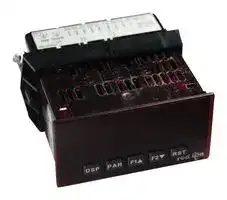
Image not available
Illustrative purposes only

PAXI0030
COUNTER, DIGITAL, 6DIGIT, 24VAC
⚠️ Reference pricing provided. In case of supply shortages, we will connect you with our trusted procurement partners to ensure your project's continuity.
- Manufacturer: RED LION CONTROLS
- Product type: Counters
- Digit Height: 14.2mm
- Panel Cutout Width: 92mm
- Supply Voltage Max: 36VDC
- Supply Voltage Min: 11VDC
- Panel Cutout Height: 45mm
- No. of Digits / Alpha: 6
- Operating Temperature Max: 50°C
- Operating Temperature Min: 0°C
| Delivery and price | |
|---|---|
| Units per pack | 1 |
| Price | 390.04 € |
| Current stock | 25+ |
| Lead time | 7 days |
Datasheet

Bulletin No. PAXICR-D Drawing No. LP0896 red @ ® Released 10/14 Tel +1 (717) 767-6511 Fax +1 (717) 764-0839 lpn ~~a~~ www.redlion.net **MODEL PAX - 1/8 DIN DIGITAL INPUT PANEL METERS**
- _COUNT, DUAL COUNTER, RATE AND SLAVE DISPLAY_
- _0.56" RED SUNLIGHT READABLE DISPLAY_
- _VARIABLE INTENSITY DISPLAY_
- _10 POINT SCALING FOR NON-LINEAR PROCESSES (PAXI)_
- _FOUR SETPOINT ALARM OUTPUTS (W/Option Card)_
- _RETRANSMITTED ANALOG OUTPUT (W/Option Card) (PAXI)_
- _COMMUNICATION AND BUS CAPABILITIES (W/Option Card) (PAXI)_
- _BUS CAPABILITIES; DEVICENET, MODBUS, AND PROFIBUS-DP_
- _CRIMSON[®] PROGRAMMING SOFTWARE (PAXI)_
- _ETHERNET(W/ External Gateway) (PAXI)_
**==> picture [114 x 40] intentionally omitted <==**
**----- Start of picture text -----**<br>
C ULR US LISTED<br>IND. CONT. EQ.<br>51EB<br>**----- End of picture text -----**<br>
- _NEMA 4X/IP65 SEALED FRONT BEZEL_
## **GENERAL DESCRIPTION**
The PAX Digital Input Panel Meters offer many features and performance capabilities to suit a wide range of industrial applications. Available in three different models, PAXC Counter/Dual Counter, PAXR Rate Meter and the PAXI which offers both counting and rate in the same package. Refer to pages 4 - 5 for the details on the specific models. The PAXC and PAXR offer only the Setpoint Option, while the PAXI is the fully featured version offering all the capabilities as outlined in this bulletin as well as a slave display feature. The optional plug-in output cards allow the opportunity to configure the meter for present applications, while providing easy upgrades for future needs.
The meters employ a bright 0.56" LED display. The meters are available with a red sunlight readable or standard green LED display. The intensity of the display can be adjusted from dark room applications up to sunlight readable, making it ideal for viewing in bright light applications.
The meters accept digital inputs from a variety of sources including switch contacts, outputs from CMOS or TTL circuits, magnetic pickups and all standard RLC sensors. The meter can accept directional, uni-directional or Quadrature signals simultaneously. The maximum input signal varies up to 34 KHz depending on the count mode and function configurations programmed. Each input signal can be independently scaled to various process values.
The Rate Meters provide a MAX and MIN reading memory with programmable capture time. The capture time is used to prevent detection of false max or min readings which may occur during start-up or unusual process events.
Optional digital output plug-in cards provide the meter with up to four setpoint outputs. The cards are available as dual relay, quad relay, quad sinking transistor, quad sourcing transistor/SSR drive, or dual triac/dual SSR drive outputs. The setpoint alarms can be configured to suit a variety of control and alarm requirements.
Communication and Bus Capabilities are also available as option cards for the PAXI only. These include RS232, RS485, Modbus, DeviceNet, and Profibus-DP. Readout values and setpoint alarm values can be controlled
through the bus. Additionally, the meters have a feature that allows a remote computer to directly control the outputs of the meter. With an RS232 or RS485 card installed, it is possible to configure the meter using Red Lion’s Crimson software. The configuration data can be saved to a file for later recall.
A linear DC output signal is available as an optional Plug-in card for the PAXI only. The card provides either 20 mA or 10 V signals. The output can be scaled independent of the input range and can track any of the counter or rate displays.
Once the meters have been initially configured, the parameter list may be locked out from further modification in its entirety or only the setpoint values can be made accessible.
The meters have been specifically designed for harsh industrial environments. With NEMA 4X/IP65 sealed bezel and extensive testing of noise effects to CE requirements, the meter provides a tough yet reliable application solution.
## **SAFETY SUMMARY**
All safety related regulations, local codes and instructions that appear in this literature or on equipment must be observed to ensure personal safety and to prevent damage to either the instrument or equipment connected to it. If equipment is used in a manner not specified by the manufacturer, the protection provided by the equipment may be impaired.
Do not use this meter to directly command motors, valves, or other actuators not equipped with safeguards. To do so can be potentially harmful to persons or equipment in the event of a fault to the meter.
> **CAUTION: Risk of Danger.** Z\ Read complete instructions prior to installation and operation of the unit.
**CAUTION:** Risk of electric shock. Z\
## **DIMENSIONS In inches (mm)**
Note: Recommended minimum clearance (behind the panel) for mounting clip installation is 2.1" (53.4) H x 5" (127) W.
**==> picture [150 x 70] intentionally omitted <==**
**----- Start of picture text -----**<br>
A<br>CB 8.8.8.8.8.8 1.95<br>SP1 SP2 SP3 SP4 (49.5)<br>DSP PAR F1 F2 RST<br>.10<br>3.80<br>(2.5)<br>(96.5)<br>**----- End of picture text -----**<br>
**==> picture [266 x 70] intentionally omitted <==**
**----- Start of picture text -----**<br>
12 16 20<br>13 17 21<br>1.75 1415 1819 2322 1.75<br>(44.5) 1 2 3 4 5 6 7 8 9 10 11 2425 (44.5)<br>4.10<br>| 3.60 (91.4) |<br>(104.1)<br>**----- End of picture text -----**<br>
_1_
## **Table Of COnTenTs**
|Ordering Information . . . . . . . . . . . . . . . . . . . . 2<br>General Meter Specifications . . . . . . . . . . . . . 3<br>PAXC Counter . . . . . . . . . . . . . . . . . . . . . . . . . 4<br>PAXR Rate Meter . . . . . . . . . . . . . . . . . . . . . . 4<br>PAXI Counter/Rate Meter . . . . . . . . . . . . . . . . 5<br>Optional Plug-In Output Cards . . . . . . . . . . . . 6<br>Crimson Programming Software . . . . . . . . . . . 7<br>Installing the Meter . . . . . . . . . . . . . . . . . . . . . 7<br>Setting the Jumper and DIP Switches . . . . . . 8|Installing Plug-In Cards . . . . . . . . . . . . . . . . . . 8<br>Wiring the Meter . . . . . . . . . . . . . . . . . . . . . . . 9<br>Reviewing the Front Buttons and Display . . . 11<br>Programming the Meter. . . . . . . . . . . . . . . . . 11<br>Factory Service Operations . . . . . . . . . . . . . . 28<br>Troubleshooting . . . . . . . . . . . . . . . . . . . . . . . 29<br>Parameter Value Chart . . . . . . . . . . . . . . . . . 30<br>Programming Overview . . . . . . . . . . . . . . . . . 32|
|---|---|
## **Ordering infOrmaTiOn**
## **Meter Part Numbers**
**==> picture [269 x 158] intentionally omitted <==**
**----- Start of picture text -----**<br>
PAX 0 0<br>C - Counter/Dual Counter<br>R - Rate Meter<br> I - Counter/Dual Counter/<br> Rate Meter/Slave Display<br>0 - Red, Sunlight Readable Display<br>1 - Green Display<br>**----- End of picture text -----**<br>
- **2 - 85 to 250 VAC 3 - 11 to 36 VDC, 24 VAC**
## **Option Card and Accessories Part Numbers**
|**TYPE**|**MODEL NO.**|**DESCRIPTION**|**PART NUMBER**|
|---|---|---|---|
|**Optional**<br>**Plug-In**<br>**Cards**|**PAXCDS**|Dual Setpoint RelayOutput Card|PAXCDS10|
|||Quad Setpoint RelayOutput Card|PAXCDS20|
|||Quad Setpoint SinkingOpen Collector Output Card|PAXCDS30|
|||Quad Setpoint SourcingOpen Collector Output Card|PAXCDS40|
|||Dual Triac/Dual SSR Drive Output Card|PAXCDS50|
|||Quad Form C RelayOutput Card|PAXCDS60 *|
|||RS485 Serial Communications Card with Terminal Block|PAXCDC10|
|||Extended RS485 Serial Communications Card with Dual RJ11 Connector|PAXCDC1C|
||**1**|RS232 Serial Communications Card with Terminal Block|PAXCDC20|
||**PAXCDC**|Extended RS232 Serial Communications Card with 9 Pin D Connector|PAXCDC2C|
|||DeviceNet Communications Card|PAXCDC30|
|||Profibus-DP Communications Card|PAXCDC50|
||**PAXUSB**|PAX USB ProgrammingCard(Not included in PAXproduct UL E179259 file).|PAXUSB00|
||**PAXCDL**|AnalogOutput Card|PAXCDL10|
||**SFCRD2**|Crimson PC Configuration Software for Windows 2000, XP and Windows 7|SFCRD200|
|**Accessories**|**ICM8**|Communication Gateway|ICM80000|
- _This card is not suitable for use in older PAX models. For proper installation, a case knock-out feature must be present on the top surface of the PAX case. This feature began to be introduced to the standard PAX units in July of 2014 (2614)._
- Notes:
1. For Modbus communications use RS485 Communications Card and configure Communication Type parameter (tYPE) for Modbus.
2. Crimson software is available for free download from http://www.redlion.net/ 3. Shaded areas are only available for the PAXI
_2_
## **general meTer speCifiCaTiOns**
1. **DISPLAY:** 6 digit, 0.56" (14.2 mm) red sunlight readable or standard green LED
## 2. **POWER:**
- AC Versions:
AC Power: 85 to 250 VAC, 50/60 Hz, 18 VA
- Isolation: 2300 Vrms for 1 min. to all inputs and outputs. (300 V working)
- DC Versions:
DC Power: 11 to 36 VDC, 14 W
- (derate operating temperature to 40° C if operating <15 VDC and three plug-in option cards are installed)
- AC Power: 24 VAC, ± 10%, 50/60 Hz, 15 VA
Isolation: 500 Vrms for 1 min. to all inputs and outputs (50 V working).
3. **SENSOR POWER:** 12 VDC, ±10%, 100 mA max. Short circuit protected
4. **KEYPAD:** 3 programmable function keys, 5 keys total
5. **USER INPUTS:** Three programmable user inputs Max. Continuous Input: 30 VDC Isolation To Sensor Input Commons: Not isolated Logic State: Jumper selectable for sink/source logic
|**INPUT STATE**|**SINKING INPUTS**<br>**5.1 K**Ω**pull-up to +12 V**|**SOURCING INPUTS**<br>**5.1 K**Ω**pull-down**|
|---|---|---|
|Active|VIN< 0.9 VDC|VIN> 2.4 VDC|
|Inactive|VIN> 2.4 VDC|VIN< 0.9 VDC|
- Response Time: 6 msec. typical; function dependent. Certain resets, stores and inhibits respond within 25 µsec if an edge occurs with the associated counter or within 6 msec if no count edge occurs with the associated counter. These functions include , , , , , , and . Once activated, all functions are latched for 50 msec min. to 100 msec max. After that period, another edge/level may be recognized.
6. **OUTPUT:**
- Response Time: 25 µsec.; add 6 msec (typical) if a relay card is installed Timed Output Accuracy: Counter = ± 0.01% + 10 msec.
Rate = ± 0.01% + 20 msec.
8. **CERTIFICATIONS AND COMPLIANCES: CE Approved**
EN 61326-1 Immunity to Industrial Locations Emission CISPR 11 Class A
- Safety requirements for electrical equipment for measurement, control, and laboratory use:
EN 61010-1: General Requirements
- EN 61010-2-030: Particular Requirements for Testing and Measuring Circuits
RoHS Compliant UL Recognized Component: File #E179259 UL Listed: File #E137808
Type 4X Enclosure rating (Face only) IP65 Enclosure rating (Face only) IP20 Enclosure rating (Rear of unit)
- _Refer to EMC Installation Guidelines section of the bulletin for additional information._
9. **ENVIRONMENTAL CONDITIONS:**
- Operating Temperature Range: 0 to 50°C (0 to 45°C with all three plug-in cards installed)
Storage Temperature Range: -40 to 60°C
- Operating and Storage Humidity: 0 to 85% max. relative humidity noncondensing
Vibration to IEC 68-2-6: Operational 5 to 150 Hz, 2 g. Shock to IEC 68-2-27: Operational 25 g (10 g relay). Altitude: Up to 2000 meters
10. **CONNECTIONS:** High compression cage-clamp terminal block Wire Strip Length: 0.3" (7.5 mm) Wire Gage: 30-14 AWG copper wire
- Torque: 4.5 inch-lbs (0.51 N-m) max.
11. **CONSTRUCTION:** This unit is rated for NEMA 4X/IP65 outdoor use. IP20 Touch safe. Installation Category II, Pollution Degree 2. One piece bezel/case. Flame resistant. Synthetic rubber keypad. Panel gasket and mounting clip included.
12. **WEIGHT:** 10.1 oz. (286 g)
7. **MEMORY:** Nonvolatile memory retains all programmable parameters and display values when power is removed.
_3_
## **mOdel OunTer paXC - 1/8 din C**
_6-DIGIT LED DISPLAY (Alternating 8 digits for counting)_
- _DUAL COUNT QUAD INPUTS_
- _UP TO 3 COUNT DISPLAYS_
- _SETPOINT ALARM OUTPUTS (W/Plug-in card)_
## **PAXC SPECIFICATIONS**
## **ANNUNCIATORS:**
## **MAXIMUM SIGNAL FREQUENCIES** :
To determine the maximum frequency for the input(s), first answer the questions with a yes (Y) or no (N). Next determine the Count Mode to be used for the counter(s). If dual counters are used with different Count Modes, then the lowest frequency applies to both counters.
|**FUNCTION QUESTIONS**|**Single**: Counter A or B|**Single**: Counter A or B|**Single**: Counter A or B|**Single**: Counter A or B|**Dual**: Counter A & B|**Dual**: Counter A & B|**Dual**: Counter A & B|**Dual**: Counter A & B|
|---|---|---|---|---|---|---|---|---|
|Are any setpoints used?|N|N|Y|Y|N|N|Y|Y|
|Is Counter C used?|N|Y|N|Y|N|Y|N|Y|
|**COUNT MODE**|(Values are in KHz)||||(Values are in KHz)||||
|Count x1|34|25|18|15|13|12|9|7.5|
|Count x2|17|13|9|7|9|7|5|4|
|Quadrature x1|22|19|12|10|7|6|4|3.5|
|Quadrature x2|17|13|9|7|7|6|4|3.5|
|Quadrature x4|8|6|4|3|||||
## **Notes:**
1. Counter Modes are explained in the Module 1 programming section.
2. Listed values are with frequency DIP switch set on HI frequency.
A - Counter A
B - Counter B
C - Counter C
- - Upper significant digit display of counter SP1 - setpoint 1 output state SP2 - setpoint 2 output state SP3 - setpoint 3 output state
- SP4 - setpoint 4 output state
## **COUNTER DISPLAYS:**
- Maximum display: 8 digits: ± 99999999 (greater than 6 digits, display alternates between high order and low order.)
**INPUTS A and B:**
- DIP switch selectable to accept pulses from a variety of sources including switch contacts, TTL outputs, magnetic pickups and all standard RLC sensors.
- LOGIC: Input trigger levels VIL = 1.5 V max.; VIH = 3.75 V min. Current sinking: Internal 7.8 K Ω pull-up to +12 VDC, IMAX = 1.9 mA. Current sourcing: Internal 3.9 K Ω pull-down, 7.3 mA max. @ 28 VDC, VMAX = 30 VDC.
- Filter: Damping capacitor provided for switch contact bounce. Limits input frequency to 50 Hz and input pulse widths to 10 msec. minimum.
- DUAL COUNT MODES:
- When any dual count mode is used, then User Inputs 1 and/or 2 will accept the second signal of each signal pair. The user inputs do not have the Logic/Mag, HI/LO Freq, and Sink/Source input setup switches. The user inputs are inherently a logic input with no low frequency filtering. Any mechanical contacts used for these inputs in a dual count mode must be debounced externally. The user input may only be selected for sink/source by the User Jumper placement.
## **mOdel aTe meTer paXr - 1/8 din r**
- _5-DIGIT LED DISPLAY_
- _RATE INDICATION_
- _MINIMUM/MAXIMUM RATE DISPLAYS_
- _SETPOINT ALARM OUTPUTS (W/Plug-in card)_
## **PAXR SPECIFICATIONS**
## **ANNUNCIATORS:**
- - Rate
- - Maximum (High) Rate
- Minimum (Low) Rate SP1 - setpoint 1 output state SP2 - setpoint 2 output state SP3 - setpoint 3 output state SP4 - setpoint 4 output state
**RATE DISPLAY:** Accuracy: ±0.01% Minimum Frequency: 0.01 Hz Maximum Frequency: 34 KHz Maximum Display: 5 Digits: 99999 Adjustable Display (low) Update: 0.1 to 99.9 seconds Over Range Display: “ ”
## **INPUT A:**
DIP switch selectable to accept pulses from a variety of sources including TTL outputs, magnetic pickups and all standard RLC sensors.
LOGIC: Input trigger levels VIL = 1.5 V max.; VIH = 3.75 V min. Current sinking: Internal 7.8 K Ω pull-up to +12 VDC, IMAX = 1.9 mA. Current sourcing: Internal 3.9 K Ω pull-down, 7.3 mA max. @ 28 VDC, VMAX = 30 VDC.
MAGNETIC PICKUP: Sensitivity: 200 mV peak Hysteresis: 100 mV Input impedance: 3.9 K Ω @ 60 Hz Maximum input voltage: ±40 V peak, 30 Vrms
_4_
## **mOdel OunTer aTe meTer paXi - 1/8 din C /r**
- _COUNT, RATE AND SLAVE DISPLAY_
- _6-DIGIT 0.56" RED SUNLIGHT READABLE DISPLAY_
- _VARIABLE INTENSITY DISPLAY_
- _10 POINT SCALING (FOR NON-LINEAR PROCESSES)_
- _FOUR SETPOINT ALARM OUTPUTS (W/OPTION CARD)_
- _RETRANSMITTED ANALOG OUTPUT (W/OPTION CARD)_
- _COMMUNICATION AND BUS CAPABILITIES (W/OPTION CARD)_
- _BUS CAPABILITIES; DEVICENET, MODBUS, AND PROFIBUS-DP_
- _CRIMSON PROGRAMMING SOFTWARE_
## **PAXI SPECIFICATIONS**
## **MAXIMUM SIGNAL FREQUENCIES TABLE**
To determine the maximum frequency for the input(s), first answer the questions with a yes (Y) or no (N). Next determine the Count Mode to be used for the counter(s). If dual counters are used with different Count Modes, then the lowest frequency applies to both counters.
|**FUNCTION QUESTIONS**|**Single**: Counter A or B (with/without rate) or Rate only|**Single**: Counter A or B (with/without rate) or Rate only|**Dual**: Counter A & B or Rate not assigned to active single counter|**Dual**: Counter A & B or Rate not assigned to active single counter|
|---|---|---|---|---|
|Are any setpoints used?|N<br>N<br>N<br>N|Y<br>Y<br>Y<br>Y|N<br>N<br>N<br>N|Y<br>Y<br>Y<br>Y|
|Is Prescaler Output used?|Y<br>Y<br>N<br>N<br>|Y<br>Y<br>N<br>N|Y<br>Y<br>N<br>N|Y<br>Y<br>N<br>N|
|Is Counter C used?|Y<br>N<br>Y<br>N|Y<br>N<br>Y<br>N|Y<br>N<br>Y<br>N|Y<br>N<br>Y<br>N|
|**COUNT MODE**|(Values are in KHz)|(Values are in KHz)|(Values are in KHz)|(Values are in KHz)|
|Count x1|17<br>21<br>25<br>34|11<br>13<br>15<br>18|11<br>13<br>12<br>13|7<br>9<br>7.5<br>9|
|Count x2|12<br>16<br>13<br>17|7<br>8<br>7<br>9|7 *<br>9 *<br>7 *<br>9 *|4 *<br>5 *<br>4 *<br>5 *|
|Quadrature x1|17<br>20<br>19<br>22|10<br>11<br>10<br>12|5 *<br>6 *<br>6 *<br>7 *|3 *<br>3.5 *<br>3.5 *<br>4 *|
|Quadrature x2|12<br>16<br>13<br>17|6<br>8<br>7<br>9|5 *<br>6 *<br>6 *<br>7 *|3 *<br>3.5 *<br>3.5 *<br>4 *|
|Quadrature x4|6<br>8<br>6<br>8|3<br>4<br>3<br>4|||
|Rate Only|N/A<br>21<br>N/A<br>34|N/A<br>21<br>N/A<br>34|||
## **Notes:**
1. Counter Modes are explained in the Module 1 programming section.
2. If using Rate with single counter with direction or quadrature, assign it to Input A for the listed frequency.
3. * Double the listed value for Rate frequency.
4. Listed values are with frequency DIP switch set on HI frequency.
5. Derate listed frequencies by 20% during serial communications. (Placing a 5 msec. delay between serial characters will eliminate the derating.)
## **ANNUNCIATORS:**
## **INPUTS A and B:**
DIP switch selectable to accept pulses from a variety of sources including switch contacts, TTL outputs, magnetic pickups and all standard RLC sensors.
A - Counter A DIP switch selectable to accept pulses from a variety of sources B - Counter B including switch contacts, TTL outputs, magnetic pickups and all C - Counter C standard RLC sensors. - Rate LOGIC: Input trigger levels VIL = 1.5 V max.; VIH = 3.75 V min.IL = 1.5 V max.; VIH = 3.75 V min. = 1.5 V max.; VIH = 3.75 V min.IH = 3.75 V min. = 3.75 V min. - Maximum (High) Rate Current sinking: Internal 7.8 K Ω pull-up to +12 VDC, IMAX = 1.9 mA.MAX = 1.9 mA. = 1.9 mA. - Minimum (Low) Rate Current sourcing: Internal 3.9 K Ω pull-down, 7.3 mA max. @ 28 VDC, - Upper significant digit display of counter VMAX = 30 VDC.MAX = 30 VDC. = 30 VDC. SP1 - setpoint 1 output state Filter: Damping capacitor provided for switch contact bounce. Limits SP2 - setpoint 2 output state input frequency to 50 Hz and input pulse widths to 10 msec. minimum. SP3 - setpoint 3 output state MAGNETIC PICKUP: SP4 - setpoint 4 output state Sensitivity: 200 mV peak **RATE DISPLAY:** Hysteresis: 100 mV Accuracy: ±0.01% Input impedance: 3.9 K Ω @ 60 Hz Minimum Frequency: 0.01 Hz Maximum input voltage: ±40 V peak, 30 Vrms Maximum Frequency: see Max Signal Frequencies Table. DUAL COUNT MODES: Maximum Display: 5 Digits: 99999 When any dual count mode is used, then User Inputs 1 and/or 2 will Adjustable Display (low) Update: 0.1 to 99.9 seconds accept the second signal of each signal pair. The user inputs do not have Over Range Display: “ ” the Logic/Mag, HI/LO Freq, and Sink/Source input setup switches. The
LOGIC: Input trigger levels VIL = 1.5 V max.; VIH = 3.75 V min.IL = 1.5 V max.; VIH = 3.75 V min. = 1.5 V max.; VIH = 3.75 V min.IH = 3.75 V min. = 3.75 V min. Current sinking: Internal 7.8 K Ω pull-up to +12 VDC, IMAX = 1.9 mA.MAX = 1.9 mA. = 1.9 mA. Current sourcing: Internal 3.9 K Ω pull-down, 7.3 mA max. @ 28 VDC, VMAX = 30 VDC.MAX = 30 VDC. = 30 VDC.
When any dual count mode is used, then User Inputs 1 and/or 2 will accept the second signal of each signal pair. The user inputs do not have the Logic/Mag, HI/LO Freq, and Sink/Source input setup switches. The user inputs are inherently a logic input with no low frequency filtering. Any mechanical contacts used for these inputs in a dual count mode must be debounced externally. The user input may only be selected for sink/source by the User Jumper placement.
## **COUNTER DISPLAYS:**
Maximum display: 8 digits: ± 99999999 (greater than 6 digits, the display alternates between high order and low order.)
## **PRESCALER OUTPUT:**
NPN Open Collector: ISNK = 100 mA max. @ VOL = 1 VDC max. VOH = 30 VDC max. With duty cycle of 25% min. and 50 % max.
_5_
## **- OpTiOnal plug in OuTpuT Cards**
**WARNING: Disconnect all power to the unit before installing Plug-in cards.**
- **Life Expectancy** : 100 K cycles min. at full load rating. External RC snubber extends relay life for operation with inductive loads
## **QUAD RELAY CARD:** PAXCDS20
## **Type** : Four FORM-A relays
## **Adding Option Cards**
The PAX and MPAX series meters can be fitted with up to three optional plugin cards. The details for each plug-in card can be reviewed in the specification section below. Only one card from each function type can be installed at one time. The function types include Setpoint Alarms (PAXCDS), Communications (PAXCDC), and Analog Output (PAXCDL). The plug-in cards can be installed initially or at a later date.
- **Isolation To Sensor & User Input Commons** : 2300 Vrms for 1 min. **Contact Rating** :
One Relay Energized: 3 amps @ 250 VAC or 30 VDC (resistive load). Total current with all four relays energized not to exceed 4 amps
- **Life Expectancy** : 100K cycles min. at full load rating. External RC snubber extends relay life for operation with inductive loads
## **QUAD SINKING OPEN COLLECTOR CARD:** PAXCDS30
- **Type** : Four isolated sinking NPN transistors.
## **PAXI COMMUNICATION CARDS (PAXCDC)**
A variety of communication protocols are available for the PAX and MPAX series. Only one of these cards can be installed at a time. When programming the unit via Crimson, a Windows[®] based program, the RS232, RS485 or USB Cards must be used. _Note: For Modbus communications use RS485 Communications Output Card and configure Communication Type parameter_ (tYPE) _for Modbus._
**Isolation To Sensor & User Input Commons** : 500 Vrms for 1 min. Not Isolated from all other commons.
**Rating** : 100 mA max @ VSAT = 0.7 V max. VMAX = 30 V
## **QUAD SOURCING OPEN COLLECTOR CARD:** PAXCDS40
## **Type** : Four isolated sourcing PNP transistors.
**Isolation To Sensor & User Input Commons** : 500 Vrms for 1 min. Not Isolated from all other commons.
**Rating** : Internal supply: 24 VDC ± 10% , 30 mA max. total
## **SERIAL COMMUNICATIONS CARD** : PAXCDC1_ and PAXCDC2_
**Type** : RS485 or RS232
- **Communication Type** : RLC Protocol (ASCII), Modbus RTU, and Modbus ASCII
**Isolation To Sensor & User Input Commons** : 500 Vrms for 1 min. Not Isolated from all other commons.
**Data** : 7/8 bits **Baud** : 1200 to 38,400
**Parity** : no, odd or even
**Bus Address** : Selectable 0 to 99 (RLC Protocol), or 1 to 247 (Modbus Protocol), Max. 32 meters per line (RS485)
**Transmit Delay** : Selectable for 0 to 0.250 sec (+2 msec min)
## **DEVICENET™ CARD** : PAXCDC30
- **Compatibility** : Group 2 Server Only, not UCMM capable
**Baud Rates** : 125 Kbaud, 250 Kbaud, and 500 Kbaud
- **Bus Interface** : Phillips 82C250 or equivalent with MIS wiring protection per DeviceNet™ Volume I Section 10.2.2.
**Node Isolation** : Bus powered, isolated node
**Host Isolation** : 500 Vrms for 1 minute between DeviceNet™ and meter input common.
External supply: 30 VDC max., 100 mA max. each output
## **DUAL TRIAC/DUAL SSR DRIVE CARD:** PAXCDS50
**Triac** :
**Type** : Isolated, zero crossing detection
**Voltage** : 260 VAC max., 20 VAC min.
**Max Load Current** : 1 Amp @ 25°C
0.75 Amp @ 50°C
Total load current with both triacs ON not to exceed 1.5 Amps
**Min Load Current** : 5 mA
**Off State Leakage Current** : 1 mA max @ 60 Hz **Operating Frequency** : 20-400 Hz
**SSR Drive** :
**Type** : Two isolated sourcing PNP Transistors.
**Isolation To Sensor & User Input Commons** : 500 Vrms for 1 min.
Not Isolated from all other commons.
**Rating** :
Output Voltage: 18/24 VDC (unit dependent) ± 10%, 30 mA max. total both outputs
## **QUAD FORM C RELAY CARD:** PAXCDS60
**Type** : Four FORM-C relays
## **PAXUSB PROGRAMMING CARD** : PAXUSB00
**Type** : USB Virtual Comms Port
**Connection** : Type mini B
**Isolation To Sensor & User Input Commons** : 500 Vrms for 1 min.
- Not Isolated from all other commons.
**Baud Rate** : 1200 to 38,400
- **Unit Address** : Selectable 0 to 99 (RLC Protocol), or 1 to 247 (Modbus Protocol)
## **PROFIBUS-DP CARD** : PAXCDC50
- **Fieldbus Type:** Profibus-DP as per EN 50170, implemented with Siemens SPC3 ASIC
**Conformance:** PNO Certified Profibus-DP Slave Device
- **Baud Rates:** Automatic baud rate detection in the range 9.6 Kbaud to 12 Mbaud **Station Address:** 0 to 125, set by rotary switches.
- **Connection:** 9-pin Female D-Sub connector
**Network Isolation:** 500 Vrms for 1 minute between Profibus network and sensor and user input commons. Not isolated from all other commons.
## **SETPOINT CARDS (PAXCDS)**
The PAX and MPAX series has 4 available setpoint alarm output plug-in cards. Only one of these cards can be installed at a time. (Logic state of the outputs can be reversed in the programming.) These plug-in cards include:
**Isolation To Sensor & User Input Commons** : 500 Vrms for 1 min. **Contact Rating** :
Rated Load: 3 Amp @ 30 VDC/125 VAC Total Current With All Four Relays Energized not to exceed 4 amps
- **Life Expectancy** : 100 K cycles min. at full load rating. External RC snubber extends relay life for operation with inductive loads
## **PAXI ANALOG OUTPUT CARD (PAXCDL)**
Either a 0(4)-20 mA or 0-10 V retransmitted linear DC output is available from the analog output plug-in card. The programmable output low and high scaling can be based on various display values. Reverse slope output is possible by reversing the scaling point positions.
## **ANALOG OUTPUT CARD:** PAXCDL10 **- Self-Powered Output (Active)**
**Types** : 0 to 20 mA, 4 to 20 mA or 0 to 10 VDC
- **Isolation To Sensor & User Input Commons** : 500 Vrms for 1 min. Not Isolated from all other commons.
- **Accuracy** : 0.17% of FS (18 to 28°C); 0.4% of FS (0 to 50°C) **Resolution** : 1/3500
**Compliance** : 10 VDC: 10 K Ω load min., 20 mA: 500 Ω load max. **Response Time** : 50 msec. max., 10 msec. typ.
## **DUAL RELAY CARD:** PAXCDS10
**Type** : Two FORM-C relays
**Isolation To Sensor & User Input Commons** : 2000 Vrms for 1 min. **Contact Rating** :
One Relay Energized: 5 amps @ 120/240 VAC or 28 VDC (resistive load). Total current with both relays energized not to exceed 5 amps
_6_
## **CrimsOn prOgramming sOfTware**
Crimson software is a Windows[®] based program that allows configuration of the PAX meter from a PC. Crimson offers standard drop-down menu commands, that make it easy to program the meter. The meter’s program can then be saved in a PC file for future use. A PAX serial plug-in card or PAX USB programming card is required to program the meter using the software.
## **1.0 insTalling The meTer**
## _**Installation**_
The PAX meets NEMA 4X/IP65 requirements when properly installed. The unit is intended to be mounted into an enclosed panel. Prepare the panel cutout to the dimensions shown. Remove the panel latch from the unit. Slide the panel gasket over the rear of the unit to the back of the bezel. The unit should be installed fully assembled. Insert the unit into the panel cutout.
While holding the unit in place, push the panel latch over the rear of the unit so that the tabs of the panel latch engage in the slots on the case. The panel latch should be engaged in the farthest forward slot possible. To achieve a proper seal, tighten the latch screws evenly until the unit is snug in the panel (Torque to approximately 7 in-lbs [79N-cm]). Do not over-tighten the screws.
**==> picture [276 x 216] intentionally omitted <==**
**----- Start of picture text -----**<br>
PANEL<br>BEZEL<br>LATCHING<br>PANEL<br>SLOTS<br>LATCH<br>LATCHING<br>TABS<br>PANEL<br>GASKET<br>PANEL<br>MOUNTING<br>SCREWS<br>**----- End of picture text -----**<br>
## _**Installation Environment**_
The unit should be installed in a location that does not exceed the operating temperature and provides good air circulation. Placing the unit near devices that generate excessive heat should be avoided.
The bezel should only be cleaned with a soft cloth and neutral soap product. Do NOT use solvents. Continuous exposure to direct sunlight may accelerate the aging process of the bezel.
Do not use tools of any kind (screwdrivers, pens, pencils, etc.) to operate the keypad of the unit.
## PANEL CUT-OUT
**==> picture [221 x 108] intentionally omitted <==**
**----- Start of picture text -----**<br>
3.62 [+.03] -.00<br>+.8<br>(92 )-.0 1.77+.02-.00<br>+.5<br>(45 )-.0<br>**----- End of picture text -----**<br>
_7_
## **2.0 seTTing The Jumper and dip swiTChes**
To access the jumper and switches, remove the meter base from the meter case by firmly squeezing and pulling back on the side rear finger tabs. This should lower the latch below the case slot (which is located just in front of the finger tabs). It is recommended to release the latch on one side, then start the other side latch.
## **2.1 SETTING THE JUMPER**
The meter has one jumper for user input logic. When using the user inputs this jumper must be set before applying power. The Main Circuit Board figure shows the location of the jumper and DIP switch.
The user input jumper determines signal logic for the user inputs, when they are used with user functions or for input signal direction. All user inputs are set by this jumper.
**==> picture [219 x 155] intentionally omitted <==**
**----- Start of picture text -----**<br>
FRONT DISPLAY<br>Main<br>Circuit<br>Board<br>USB<br>Connector<br>INPUT SET-UP<br>USER<br>Finger DIP SWITCHES INPUT Finger<br>Tab JUMPER Tab<br>SRC<br>SNK<br>6<br>5<br>4<br>3<br>2<br>1<br>**----- End of picture text -----**<br>
**==> picture [68 x 7] intentionally omitted <==**
**----- Start of picture text -----**<br>
REAR TERMINALS<br>**----- End of picture text -----**<br>
**Warning** : Exposed line voltage exists on the circuit boards. Remove all power to the meter and load circuits before accessing inside of the meter.
## **2.2 SETTING THE INPUT DIP SWITCHES**
The meter has six DIP switches for Input A and Input B terminal set-up that must be set before applying power. NOTE: The PAXR only uses switches 1-3.
**==> picture [257 x 81] intentionally omitted <==**
**----- Start of picture text -----**<br>
Input B LO Freq. 6 HI Freq.<br>Input B SRC. 5 SNK.<br>Input B MAG. 4 Logic<br>Input A LO Freq. 3 HI Freq.<br>Input A SRC. 2 SNK.<br>Input A MAG. ON 1 Logic<br>Factory Setting<br>**----- End of picture text -----**<br>
## **SWITCHES 1 and 4**
**LOGIC** : Input trigger levels VIL = 1.5 V max.; VIH = 3.75 V min. **MAG** : 200 mV peak input (must also have SRC on). Not recommended with counting applications.
## **SWITCHES 2 and 5**
**SRC** .: Adds internal 3.9 K Ω pull-down resistor, 7.3 mA max. @ 28 VDC, VMAX = 30 VDC.
**SNK** .: Adds internal 7.8 K Ω pull-up resistor to +12 VDC, IMAX = 1.9 mA.
## **SWITCHES 3 and 6**
**HI Frequency** : Removes damping capacitor and allows max. frequency. **LO Frequency** : Adds a damping capacitor for switch contact bounce. Also limits input frequency to 50 Hz and input pulse widths to 10 msec.
## **3.0 insTalling plug-in Cards**
The Plug-in cards are separately purchased optional cards that perform specific functions. These cards plug into the main circuit board of the meter. The Plug-in cards have many unique functions when used with the PAX. _**Note: The PAXC and PAXR only use the setpoint option card.**_
- **CAUTION** : The Plug-in card and main circuit board contain static sensitive components. Before handling the cards, discharge static charges from your body by touching a grounded bare metal object. Ideally, handle the cards at a static controlled clean workstation. Also, only handle the cards by the edges. Dirt, oil or other contaminants that may contact the cards can adversely affect circuit operation.
**==> picture [255 x 225] intentionally omitted <==**
**----- Start of picture text -----**<br>
Alignment TOP VIEW<br>Slots<br>Main<br>Circuit<br>Board<br>Analog Output<br>Card<br>Connectors<br>Serial Setpoint<br>Communications Output<br>Card Card<br>Finger Finger<br>Hold Hold<br>**----- End of picture text -----**<br>
## **To Install:**
1. With the case open, locate the Plug-in card connector for the card type to be installed. The types are keyed by position with different main circuit board connector locations. When installing the card, hold the meter by the rear terminals and not by the front display board.*
2. Install the Plug-in card by aligning the card terminals with the slot bay in the rear cover. Be sure the connector is fully engaged and the tab on the Plug-in card rests in the alignment slot on the display board.
3. Slide the meter base back into the case. Be sure the rear cover latches fully into the case.
4. Apply the Plug-in card label to the bottom side of the meter in the designated area. Do Not Cover the vents on the top surface of the meter. The surface of the case must be clean for the label to adhere properly.
## **Quad Sourcing Open Collector Output Card Supply Select**
* If installing the Quad sourcing Plug-in Card (PAXCDS40), set the jumper for internal or external supply operation before continuing.
**==> picture [257 x 126] intentionally omitted <==**
**----- Start of picture text -----**<br>
Internal Supply<br>(18 V unregulated)<br>External Supply<br>(30 V ) max<br>**----- End of picture text -----**<br>
_8_
## **4.0 wiring The meTer**
## _**WIRING OVERVIEW**_
Electrical connections are made via screw-clamp terminals located on the back of the meter. All conductors should conform to the meter’s voltage and current ratings. All cabling should conform to appropriate standards of good installation, local codes and regulations. It is recommended that the power supplied to the meter (DC or AC) be protected by a fuse or circuit breaker.
When wiring the meter, compare the numbers embossed on the back of the meter case against those shown in wiring drawings for proper wire position. Strip the wire, leaving approximately 0.3" (7.5 mm) bare lead exposed (stranded wires should be tinned with solder.) Insert the lead under the correct screwclamp terminal and tighten until the wire is secure. (Pull wire to verify tightness.) Each terminal can accept up to one #14 AWG (2.55 mm) wire, two #18 AWG (1.02 mm), or four #20 AWG (0.61 mm).
## **EMC INSTALLATION GUIDELINES**
Although Red Lion Controls Products are designed with a high degree of immunity to Electromagnetic Interference (EMI), proper installation and wiring methods must be followed to ensure compatibility in each application. The type of the electrical noise, source or coupling method into a unit may be different for various installations. Cable length, routing, and shield termination are very important and can mean the difference between a successful or troublesome installation. Listed are some EMI guidelines for a successful installation in an industrial environment.
1. A unit should be mounted in a metal enclosure, which is properly connected to protective earth.
2. Use shielded cables for all Signal and Control inputs. The shield connection should be made as short as possible. The connection point for the shield depends somewhat upon the application. Listed below are the recommended methods of connecting the shield, in order of their effectiveness.
- a. Connect the shield to earth ground (protective earth) at one end where the unit is mounted.
- b. Connect the shield to earth ground at both ends of the cable, usually when the noise source frequency is over 1 MHz.
3. Never run Signal or Control cables in the same conduit or raceway with AC power lines, conductors, feeding motors, solenoids, SCR controls, and heaters, etc. The cables should be run through metal conduit that is properly grounded. This is especially useful in applications where cable runs are long
and portable two-way radios are used in close proximity or if the installation is near a commercial radio transmitter. Also, Signal or Control cables within an enclosure should be routed as far away as possible from contactors, control relays, transformers, and other noisy components.
4. Long cable runs are more susceptible to EMI pickup than short cable runs.
5. In extremely high EMI environments, the use of external EMI suppression devices such as Ferrite Suppression Cores for signal and control cables is effective. The following EMI suppression devices (or equivalent) are recommended:
- Fair-Rite part number 0443167251 (RLC part number FCOR0000) Line Filters for input power cables: Schaffner # FN2010-1/07 (Red Lion Controls # LFIL0000)
6. To protect relay contacts that control inductive loads and to minimize radiated and conducted noise (EMI), some type of contact protection network is normally installed across the load, the contacts or both. The most effective location is across the load.
- a. Using a snubber, which is a resistor-capacitor (RC) network or metal oxide varistor (MOV) across an AC inductive load is very effective at reducing EMI and increasing relay contact life.
- b. If a DC inductive load (such as a DC relay coil) is controlled by a transistor switch, care must be taken not to exceed the breakdown voltage of the transistor when the load is switched. One of the most effective ways is to place a diode across the inductive load. Most RLC products with solid state outputs have internal zener diode protection. However external diode protection at the load is always a good design practice to limit EMI. Although the use of a snubber or varistor could be used. RLC part numbers: Snubber: SNUB0000
- Varistor: ILS11500 or ILS23000
7. Care should be taken when connecting input and output devices to the instrument. When a separate input and output common is provided, they should not be mixed. Therefore a sensor common should NOT be connected to an output common. This would cause EMI on the sensitive input common, which could affect the instrument’s operation.
Visit RLC’s web site at http://www.redlion.net/Support/InstallationConsiderations. html for more information on EMI guidelines, Safety and CE issues as they relate to Red Lion Controls products.
## **4.1 POWER WIRING**
**==> picture [247 x 75] intentionally omitted <==**
**----- Start of picture text -----**<br>
AC Power DC Power<br>Terminal 1: VAC Terminal 1: +VDC<br>Terminal 2: VAC Terminal 2: -VDC<br>1 2 1 2<br>+ -<br>AC AC DC+ DC-<br>**----- End of picture text -----**<br>
## **4.2 USER INPUT WIRING**
Before connecting the wires, the User Input Logic Jumper should be verified for proper position. If User Input 1 and/ or 2 are wired for quadrature or directional counting, an additional switching device should not be connected to that User Input terminal. Only the appropriate User Input terminal has to be wired.
## **Sinking Logic**
Terminals 7-9 Connect external switching device between the Terminal 10 }appropriate User Input terminal and User Comm. The user inputs of the meter are internally pulled up to +12 V with 5.1 K resistance. The input is active when it is pulled low (<0 .9 V). 7 8 9 10
**==> picture [61 x 57] intentionally omitted <==**
## **Sourcing Logic**
Terminals 7-9:
**==> picture [268 x 128] intentionally omitted <==**
**----- Start of picture text -----**<br>
+ VDC through external switching device<br>Terminal 10:<br>-VDC through external switching device<br>The user inputs of the meter are internally<br>pulled down to 0 V with 5.1 K resistance.<br>The input is active when a voltage greater<br>than 2.4 VDC is applied. 7 8 9 10<br>+ -<br>V SUPPLY (30V max.)<br>USER1 USER2 USER3 COMM<br>**----- End of picture text -----**<br>
_9_
## **4.3 INPUT WIRING**
**CAUTION** : Sensor input common is NOT isolated from user input common. In order to preserve the safety of the meter application, the sensor input common must be suitably isolated from hazardous live earth referenced voltage; or input common must be at protective earth ground potential. If not, hazardous voltage may be present at the User Inputs and User Input Common terminals. Appropriate considerations must then be given to the potential of the user input common with respect to earth ground; and the common of the isolated plug-in cards with respect to input common.
**If you are wiring Input B, connect signal to Terminal 6 instead of 5, and set DIP switches 4, 5, and 6 to the positions shown for 1, 2, and 3.**
|**Magnetic Pickup**<br>**Input A**<br>xt<br>isa}<br>L<br>&<br>2<br>35<br>8<br>¥<br>8<br>24<br>2<br>[6]<br>=<br>3<br>2<br>[**M**AG**N**ETICPICKUP]<br>ON<br>1<br>A ET [ARCAUIP|**AC Inputs From Tach Generators, Etc.**<br>**Input A**<br><=<br>o<br>E<br>bE<br>&<br>2<br>2<br>2<br>*<br>§<br>42<br>@<br>[6]<br>[0 3<br>2<br>Resistor to limit current<br>(c)<br>ON<br>|<br>to 2.5 mA MAX.|**Two Wire Proximity, Current Source**<br>**Input A**<br>xt<br>ea)<br>=<br>Kb<br>iad<br>©<br>32<br>2<br>@<br>+<br>8<br>4<br>2<br>[6]<br>Ce]3<br>2<br>2.2Ka<br>ON<br>||
|---|---|---|
|**Current Sinking Output**<br>**Input A**<br>4<br>faa}<br>b<br>kK<br>a<br>2<br>3<br>5<br>+<br>8<br>Z<br>4<br>[6]<br>=F<br>= 2<br>BR<br>ON =) 1|**Current Sourcing Output**<br>**Input A**<br>xt<br>oO<br>K<br>io<br>&<br>2<br>2<br>2<br>¥<br>§&<br>Z<br>2<br>[6]<br>=F<br>eS2<br>on E>) 1<br>>|**Interfacing With TTL**<br>**Input A**<br>¢<br>faa)<br>i<br>io<br>&<br>5<br>2<br>2<br>¥<br>6<br>2<br>@<br>[6] ><br>& +5V<br>=<br>=,<br>= 2<br>“a<br>ON E>) 1<br>& COMM|
|**Switch or Isolated Transistor; Current Sink**<br>**Input A**<br><=<br>a<br>=<br>kK<br>bE<br>&<br>3<br>2<br>2<br>+<br>8<br>2<br>&<br>[6]<br>C1 3<br>=)2<br>° + Pa<br>ON E>) 1<br>?|**Switch or Isolated Transistor; Current Source**<br>**Input A**<br><x<br>a<br>Kk<br>KE<br>2<br>2<br>5<br>5<br>¥<br>8<br>2<br>@<br>[6]<br>CE]S<br><2<br>° “ 4<br>ON 1<br>fo)|**Emitter Follower; Current Source**<br>**Input A**<br><<br>faa)<br>kK<br>io<br>x<br>2<br>5<br>5<br>+<br>Oo<br>4<br>&<br>[6]<br>=<br>iD<br>2<br>ON 5) 1<br>Ez|
|**Current Sink Output; Quad/Direction**<br>**Single Counter A**<br>If using single Counter B, then wire signal to 6,<br>and Quad/Direction to 8. Set switch positions<br>4, 5, and 6 as shown for 1, 2, and 3.<br><<br>_<br>=<br>+<br>Z<br>2<br>2<br>—<br>6]<br>C213<br>5<br>on me|**Current Sink Output; Quad/Direction**<br>**Counter A**<br>**& Rate B**<br>User Input Jumper<br>in Sink Position<br>es<br>oe.<br>of<br>><br>5<br>5D<br>a<br>[6]<br>Count<br>:<br>6<br>I<br>5<br>a4<br>1<br>m3<br>=<br>2<br>I<br>f<br>~~1~~<br>toe<br>Loo<br>npn oe.|**Counter A &**<br>**Counter B**<br>**Current Sink Output; Quad/Direction**<br>User Input Jumper<br>in Sink Position<br>ce<br>oe<br>><br>8<br>><br>2<br>5<br>a<br>iv<br>[6]<br>|<br>Theo«<br>6<br>i!<br>= Be)<br>I<br>1!<br>a4<br>i<br>=P<br>|<br>=<br>2<br>I<br>f<br>I<br>~~1~~<br>1<br>H<br>esLie<br>NPN<br>0.C.|
_Switch position is application dependent._
Shaded areas not recommended for counting applications.
## **4.4 PAXI PRESCALER OUTPUT WIRING (NPN O.C.)**
**==> picture [73 x 71] intentionally omitted <==**
**----- Start of picture text -----**<br>
10 11<br>- +<br>COMM PS OUT<br>**----- End of picture text -----**<br>
## **4.5 SETPOINT (ALARMS) WIRING 4.6 SERIAL COMMUNICATION WIRING 4.7 ANALOG OUTPUT WIRING**
_**See appropriate plug-in card bulletin for wiring details.**_
_10_
## **5.0 reviewing The frOnT buTTOns and display**
Counter **A** Readout **B** Legends* **C** 8.8.8.8.8.8 Setpoint Alarm **SP1 SP2 SP3 SP4** Annunciators **DSP PAR F1 F2 RST**
## **DISPLAY MODE OPERATION**
## **KEY**
**DSP** Index display through the selected displays. **PAR** Access Programming Mode **F1** Function key 1; hold for 3 seconds for Second Function 1 F2**[] Function key 2; hold for 3 seconds for Second Function 2 RST** Reset (Function key) ***
## **PROGRAMMING MODE OPERATION**
Quit programming and return to Display Mode Store selected parameter and index to next parameter Increment selected parameter value or selections Decrement selected parameter value or selections Advances digit location in parameter values
* Counters B, and C are locked out in Factory Settings (PAXC and PAXI only).
** Factory setting for the F1, and F2 keys is NO mode. *** Factory setting for the RST key is (Reset Display).
## **6.0 prOgramming The meTer**
**==> picture [482 x 137] intentionally omitted <==**
**----- Start of picture text -----**<br>
DISPLAY<br>MODE OVERVIEW<br>PAR<br>PROGRAMMING MENU<br>NO<br>User Input/ Display/<br>Counter A Function Program Rate Setpoint* Serial* Analog* Factory<br>& B Input Key Lock-out Input Counter C (Alarm) Communication Output Service<br>Parameters Parameters Parameters Parameters Parameters Parameters Parameters Parameters Operations<br>Pro<br>F1/F2<br>Keys<br>PAR PAR PAR PAR PAR PAR PAR PAR PAR<br>1-INP 2-FNC 3-LOC 4-rtE 5-CtrC 6-SPt 7-SrL 8-AnA 9-FCS<br>Shaded areas represent program access that is model dependent. * Only accessible with appropriate plug-in card.<br>**----- End of picture text -----**<br>
## **PROGRAMMING MODE ENTRY (PAR KEY)**
The meter normally operates in the Display Mode. No parameters can be programmed in this mode. The Programming Mode is entered by pressing the **PAR** key. If it is not accessible then it is locked by either a security code, or a hardware lock.
Two types of programming modes are available. Quick Programming Mode permits only certain parameters to be viewed and/or modified. All meter functions continue to operate except the front panel keys change to Programming Mode Operations. Quick Programming Mode is configured in Module 3. Full Programming Mode permits all parameters to be viewed and modified. In this mode, incoming counts may not be recognized correctly, the front panel keys change to Programming Mode Operations and certain user input functions are disabled. Throughout this document, Programming Mode (without Quick in front) always refers to “Full” Programming.
## **MODULE ENTRY (ARROW & PAR KEYS)**
The Programming Menu is organized into nine modules. These modules group together parameters that are related in function. The display will alternate between and the present module. The arrow keys ( **F1** and **F2** ) are used to select the desired module. The displayed module is entered by pressing the **PAR** key.
## **MODULE MENU (PAR KEY)**
Each module has a separate module menu (which is shown at the start of each module discussion). The **PAR** key is pressed to advance to a particular parameter to be changed, without changing the programming of preceding parameters. After completing a module, the display will return to . Programming may continue by accessing additional modules.
## **SELECTION / VALUE ENTRY (ARROW & PAR KEYS)**
For each parameter, the display alternates between the present parameter and the selections/value for that parameter. The arrow keys ( **F1** and **F2** ) are used to move through the selections/values for that parameter. Pressing the **PAR** key, stores and activates the displayed selection/value. This also advances the meter to the next parameter.
## **PROGRAMMING MODE EXIT (DSP KEY or at** **PAR KEY)**
The Programming Mode is exited by pressing the **DSP** key (from anywhere in the Programming Mode) or the **PAR** key (with displayed). This will commit any stored parameter changes to memory and return the meter to the Display Mode. If a parameter was just changed, the **PAR** key should be pressed to store the change before pressing the **DSP** key. (If power loss occurs before returning to the Display Mode, verify recent parameter changes.)
## **PROGRAMMING TIPS**
It is recommended to start with Module 1 for counting and Module 4 for rate. If lost or confused while programming, press the **DSP** key and start over. When programming is complete, it is recommended to record the parameter programming on the Parameter User Chart and lock out parameter programming with a user input or lock-out code.
## **FACTORY SETTINGS**
Factory Settings may be completely restored in Module 9. This is a good starting point for programming problems. Most parameters can be left at their Factory Settings without affecting basic start-up.
## **ALTERNATING SELECTION DISPLAY**
In the explanation of the modules, the following dual display with arrows will appear. This is used to illustrate the display alternating between the parameter on top and the parameter’s Factory Setting on the bottom. In most cases, selections and values for the parameter will be listed on the right.
**==> picture [158 x 62] intentionally omitted <==**
**----- Start of picture text -----**<br>
Indicates Program Mode Alternating Display<br>Parameter <br> Selection/Value<br>Factory Settings are shown.<br>**----- End of picture text -----**<br>
For numeric values, the **RST** key may be used to select a specific digit to be changed. Once a digit is selected, the arrow keys are used to increment or decrement that digit to the desired number.
_11_
## **6.1 mOdule 1 - COunT a & b inpuT parameTers (** **)**
## **paXC & i**
## **PARAMETER MENU**
x = Counter A or Counter B
Module 1 is the programming for Counter A, Counter B and the Prescaler Output. Counter B parameters follow the Prescaler parameters. For maximum input frequency, the counters should be set to mode NONE and the Prescaler to NO when they are not in use. When set to NONE or NO, the remaining related parameters are not accessible. A corresponding annunciator indicates the counter being shown in the Display Mode. An Exchange Parameter Lists feature for scale factors and count load values is explained in Module 2.
## **COUNTER A OPERATING MODE**
Select the operating mode for Counter A.
**SELECTION MODE DESCRIPTION**
- Does not count. Count X1 Adds Input A falling edge. Count X1 Adds Input A falling edge if Input B is high. Subtracts w/direction Input A falling edge if Input B is low.
- Count X1 Adds Input A falling edge if User 1 is high. Subtracts w/direction Input A falling edge if User 1 is low.
- Quad X1 Adds Input A rising edge when Input B is high. Subtracts Input A falling edge when Input B is high.
- Quad X2 Adds Input A rising edge when Input B is high and Input A falling edge when Input B is low. Subtracts Input A falling edge when Input B is high and Input A rising edge when Input B is low.
- Quad X4 Adds Input A rising edge when Input B is high, Input A falling edge when Input B is low, Input B rising edge when Input A is low, and Input B falling edge when Input A is high. Subtracts Input A falling edge when Input B is high, Input A rising edge when Input B is low, Input B rising edge when Input A is high, and Input B falling edge when Input A is low.
- Quad X1 Adds Input A rising edge when User 1 is high. Subtracts Input A falling edge when User 1 is high.
- Quad X2 Adds Input A rising edge when User 1 is high and Input A falling edge when User 1 is low. Subtracts Input A falling edge when User 1 is high and Input A rising edge when User 1 is low.
- Count X2 Adds Input A rising and falling edges. Count X2 Adds Input A rising and falling edges if Input B is w/direction high. Subtracts Input A rising and falling edge if Input B is low.
- Count X2 Adds Input A rising and falling edges if User 1 is w/direction high. Subtracts Input A rising and falling edge if User 1 is low.
## **COUNTER A SCALE FACTOR**
## to
The number of input counts is multiplied by the scale factor and the scale multiplier to obtain the desired process value. A scale factor of 1.00000 will result in the display of the actual number of input counts. (Details on scaling calculations are explained at the end of this section.)
## **COUNTER A SCALE MULTIPLIER**
The number of input counts is multiplied by the scale multiplier and the scale factor to obtain the desired process value. A scale multiplier of 1 will result in only the scale factor affecting the display. (Details on scaling calculations are explained at the end of this section.)
## **COUNTER A COUNT LOAD VALUE**
## to
When reset to count load action is selected, Counter A will reset to this value.
## **COUNTER A RESET POWER-UP**
**==> picture [217 x 43] intentionally omitted <==**
**----- Start of picture text -----**<br>
<br> <br> <br>Counter A may be programmed to reset at each meter power-up.<br>**----- End of picture text -----**<br>
## **PAXI: PRESCALER OUTPUT ENABLE**
## **COUNTER A RESET ACTION**
##
When Counter A is reset, it returns to zero or Counter A count load value. This reset action affects all Counter A resets, except the Setpoint Counter Auto Reset in Module 6.
## **COUNTER A DECIMAL POSITION**
This enables the prescaler output. The prescaler output is useful for providing a lower frequency scaled pulse train to a PLC or another external counter. On each falling edge of Input A, the prescaler output register increments by the prescaler scale value (). When the register equals or exceeds 1.0000, a pulse is output and the register is lowered by 1.0000. The prescaler register is reset to zero whenever Counter A is reset (except for Setpoint Counter Auto Reset). (See Prescaler Output Figure.)
This selects the decimal point position for Counter A and any setpoint value assigned to Counter A. The selection will also affect Counter A scale factor calculations.
_12_
**PAXI: PRESCALER SCALE VALUE** to
**COUNTER B COUNT LOAD VALUE**
##
The prescaler output frequency is the Input A frequency times the prescaler scale value.
**==> picture [63 x 30] intentionally omitted <==**
**----- Start of picture text -----**<br>
<br> <br>**----- End of picture text -----**<br>
## to
When reset to count load action is selected, Counter B will reset to this value.
## **COUNTER B RESET POWER-UP**
**==> picture [217 x 43] intentionally omitted <==**
**----- Start of picture text -----**<br>
<br> <br> <br>[|<br>Counter B may be programmed to reset at each meter power-up.<br>**----- End of picture text -----**<br>
## **COUNTER B OPERATING MODE**
Select the operating mode for Counter B.
## **SELECTION MODE DESCRIPTION**
- Does not count. Count X1 Adds Input B falling edge. Count X1 Adds Input B falling edge if User 2 is high. Subtracts w/direction Input B falling edge if User 2 is low.
- Quad X1 Adds Input B rising edge when User 2 is high. Subtracts Input B falling edge when User 2 is high.
- Quad X2 Adds Input B rising edge when User 2 is high and Input B falling edge when User 2 is low. Subtracts Input B falling edge when User 2 is high and Input B rising edge when User 2 is low.
- Count X2 Adds Input B rising and falling edges. Count X2 Adds Input B rising and falling edges if User 2 is w/direction high. Subtracts Input B rising and falling edge if User 2 is low.
## **8 DIGIT COUNT VALUES**
Any counter display value below -99999 or above 999999 (less decimal point) will consist of a two part display. This display alternates between the least 6 significant digits and the remaining most significant digits beginning with “” in the display. If the display exceeds ± 99999999 the display will roll to zero and continue counting. Outputs cannot be set to counter values above 6 digits. The annunciator, indicating the counter being displayed, will flash when the value is above 6 digits.
## **SCALING CALCULATIONS**
Each counter has the ability to scale an input signal to a desired display value. This is accomplished by the counter mode (x-), scale factor (x), scale multiplier (x) and decimal point (x). The scale factor is calculated using:
SF (x ) = Desired Display Decimal DDD (Number of pulses per ‘single’ unit x CM x SM)
## **Where:**
## **COUNTER B RESET ACTION**
##
##
When Counter B is reset, it returns to zero or Counter B count load value. This reset action affects all Counter B resets, except the Setpoint Counter Auto Reset Action in Module 6.
## **COUNTER B DECIMAL POSITION**
|||||||
|---|---|---|---|---|---|
|||||||
This selects the decimal point position for Counter B and any setpoint value assigned to Counter B. The selection will also affect Counter B scale factor calculations.
## **COUNTER B SCALE FACTOR**
## to
The number of input counts is multiplied by the scale factor and the scale multiplier to obtain the desired process value. A scale factor of 1.00000 will result in the display of the actual number of input counts. (Details on scaling calculations are explained at the end of this section.)
## **COUNTER B SCALE MULTIPLIER**
The number of input counts is multiplied by the scale multiplier and the scale factor to obtain the desired process value. A scale multiplier of 1 will result in only the scale factor affecting the display. (Details on scaling calculations are explained at the end of this section.)
**Desired Display x** **Counter Decimal Selection Decimal DDD** 1 0 None 10 0.0 Tenths 100 0.00 Hundredths 1000 0.000 Thousandths 10000 0.0000 Ten Thousandths 100000 0.00000 Hundred Thousandths
- **Number of pulses per ‘single’ uni** t: pulses per unit generated by the process (i.e. # of pulses per foot)
- **CM** : Counter Mode(x- ) times factor of the mode 1,2 or 4. **SM** : Scale Multiplier (x ) selection of 1, 0.1 or 0.01.
## **Example:**
1. Show feet to the hundredths (0.00) with 100 pulses per foot: Scale Factor would be 100 / (100 x 1 x 1) = 1
- (In this case, the scale multiplier and counter mode factor are 1)
2. Show feet with 120 pulses per foot: Scale Factor would be 1 / (120 x 1 x 1) = 0.0083333. (In this case, the scale multiplier of 0.01 could be used: 1 / (120 x 1 x 0.01) = 0.83333 or show to hundredths (0.00): 100 / (120 x 1 x 1) = 0.8333.)
## **General Rules on Scaling**
1. It is recommended that, the scale factor be as close as possible to, but not exceeding 1.00000. This can be accomplished by increasing or decreasing the counter decimal point position, using the scale multiplier, or selecting a different count mode.
2. To double the number of pulses per unit, use counter modes direction X2 or quad X2. To increase it by four times, use counter mode quad X4. Using these modes will decrease the maximum input frequency.
3. A scale factor greater than 1.00000 will cause Counter display rounding. In this case, digit jumps could be caused by the internal count register rounding the display. The precision of a counter application cannot be improved by using a scale factor greater than 1. 00000.
4. The number of pulses per single unit must be greater than or equal to the DDD value for the scale factor to be less than or equal to one.
5. Lowering the scale factor can be accomplished by lowering the counter decimal position. (Example: 100 (Hundredths)/10 pulses = 10.000 lowering to 10 (Tenths)/10 = 1.000.)
_**13**_
## **6.2 mOdule 2 - user inpuT and frOnT panel funCTiOn Key parameTers** **( )**
## **PARAMETER MENU**
Module 2 is the programming for rear terminal user inputs and front panel function keys.
Three rear terminal user inputs are individually programmable to perform specific meter control functions. While in the Display Mode, the function is executed when the user input transitions to the active state. (Refer to the user input specifications for active state response times.) Certain user input functions are disabled in “full” Programming Mode.
Three front panel function **F1** , **F2** and **RST** keys are also individually programmable to perform specific meter control functions. While in the Display Mode, the primary function is executed when the key is pressed. Holding the **F1** and **F2** function keys for three seconds executes a secondary function. It is possible to program a secondary function without a primary function. The front panel key functions are disabled in both Programming Modes.
In most cases, if more than one user input and/or function key is programmed for the same function, the maintained (level trigger) actions will be performed while at least one of those user inputs or function keys are activated. The momentary (edge trigger) actions are performed every time any of those user inputs or function keys transition to the active state. All functions are available to both user inputs and function keys.
Some of the user functions have a sublist of parameters. The sublist is accessed when **PAR** is pressed at the listed function. The function will only be performed for the parameters entered as . If a user input or function key is configured for a function with a sublist, then that sublist will need to be scrolled through each time to access the following user inputs or function keys parameters.
**NO FUNCTION** — —e With this selection, NO function is performed. This is the factory setting for —— —L all user inputs and function keys except the Reset ( **RST** ) Key. **NOTE: When a user input is used to accept a quad or directional input signal, then that user input should be programmed for NO function.**
**==> picture [256 x 57] intentionally omitted <==**
**----- Start of picture text -----**<br>
EXCHANGE PARAMETER LISTS<br>— — <br> <br>Two lists of values are available for , , , , , , , , , , , , , , , , , , , , , , —— , , , , , , , , , , , , , , , , , , , , , , —L , ,<br>**----- End of picture text -----**<br>
Two lists of values are available for , , , , , , , , , , , , , , , , , , , , , , , , , . The two lists are named and . If a user input is used to select the list then is selected when the user input is not active and and is selected when the user input is active, (maintained action). If a front panel key is used to select the list then the list will toggle for each key press, (momentary action). The meter will suspend ALL operations for approximately 1 msec. while the new values are loaded. The display will only indicate which list is active when the list is changed or when entering any Programming Mode.
To program the values for and , first complete the programming of all the parameters. Exit programming and switch to the other list. Re-enter programming and enter the values for , , , , , , , , , . If any other parameters are changed then the other list values must be reprogrammed.
Shaded parameters do not apply to the PAXR.
## **PAXI: PRINT REQUEST**
= = — The meter issues a block print through the serial port when activated. The data transmitted during the print request is configured in Module 7. If the user input is still active after the transmission is complete (about 100 msec.), an additional transmission will occur. Only one transmission will take place with each function key depression. This selection will only function when a serial communications Plug-in card is installed in the meter.
## **PROGRAMMING MODE LOCK-OUT**
Programming Mode is locked-out, as long as activated (maintained action). In Module 3, certain parameters can — be setup where they are still accessible during Programming Mode Lockout. A security code can be configured to allow complete programming access during user input lockout. Function keys should not be programmed for .
**ADVANCE DISPLAY** —_ — — —L When activated (momentary action), the display advances to the next display that is not locked out from the Display Mode. **RESET DISPLAY** —_ — — —L
## **PAXI: PRINT REQUEST AND RESET DISPLAYS**
**==> picture [256 x 33] intentionally omitted <==**
The meter issues a block print through the serial port when activated just like the Print Request function. In addition, when activated (momentary action), the meter performs a reset of the displays configured as . The print aspect of this action only functions when a serial communication plug-in card is installed. The reset action functions regardless.
|**DISPLAY**<br> |**DESCRIPTION**<br>Counter A|**FACTORY**<br>|
|---|---|---|
| |Counter B||
| |Counter C||
||Maximum||
||Minimum||
When activated (momentary action), the shown display is reset. This is the factory setting for the Reset ( **RST** ) Key.
_**14**_
## **MAINTAINED (LEVEL) RESET AND INHIBIT**
## **DEACTIVATE SETPOINT MAINTAINED (LEVEL)** [| ee , as long as activated [|
|<br><br><br><br>The meter performs a reset and inhibits the displays configured as<br>[|<br>||<br><br><br><br>The meter performs a reset and inhibits the displays configured as<br>[|<br>||<br><br><br><br>The meter performs a reset and inhibits the displays configured as<br>[|<br>||<br><br><br><br>The meter performs a reset and inhibits the displays configured as<br>[|<br>||<br><br><br><br>The meter performs a reset and inhibits the displays configured as<br>[|<br>||<br><br><br><br>The meter performs a reset and inhibits the displays configured as<br>[|<br>||<br><br><br><br>The meter performs a reset and inhibits the displays configured as, as<br>ee<br>a|<br><br><br><br>The meter performs a reset and inhibits the displays configured as, as<br>ee<br>a|<br><br><br><br>The meter performs a reset and inhibits the displays configured as, as<br>ee<br>a|<br><br><br><br>The meter performs a reset and inhibits the displays configured as, as<br>ee<br>a|<br><br><br><br>The meter performs a reset and inhibits the displays configured as, as<br>ee<br>a|
|---|---|---|---|---|---|---|---|---|---|---|
|long as activated (maintained action).|||long as activated (maintained action).||||||||
||||**DISPLAY**||**DESCRIPTION**|**FACTORY**|||||
|||| | |Counter A||||||
|||| | |Counter B||||||
|||| | |Counter C||||||
||||||Maximum||||||
||||||Minimum||||||
The meter deactivates the setpoints configured as , as long as activated (maintained action). This action only functions with a Setpoint card installed.
|**DISPLAY**|**DESCRIPTION**|**FACTORY**|
|---|---|---|
||Setpoint 1||
||Setpoint 2||
||Setpoint 3||
||Setpoint 4||
## **DEACTIVATE SETPOINT MOMENTARY (EDGE)**
**PAXR: MAINTAINED (LEVEL) RESET AND INHIBIT** a [| The meter performs a reset and inhibits the displays configured as ee , as long as activated (maintained action).
|<br><br><br><br>When activated (momentary action), the meter deactivates the setpoints<br>configured as. This action only functions with a Setpoint card installed.<br>[|<br>ee|<br><br><br><br>When activated (momentary action), the meter deactivates the setpoints<br>configured as. This action only functions with a Setpoint card installed.<br>[|<br>ee|<br><br><br><br>When activated (momentary action), the meter deactivates the setpoints<br>configured as. This action only functions with a Setpoint card installed.<br>[|<br>ee|<br><br><br><br>When activated (momentary action), the meter deactivates the setpoints<br>. This action only functions with a Setpoint card installed.<br>[<br>[||<br><br><br><br>When activated (momentary action), the meter deactivates the setpoints<br>. This action only functions with a Setpoint card installed.<br>[<br>[||<br><br><br><br>When activated (momentary action), the meter deactivates the setpoints<br>. This action only functions with a Setpoint card installed.<br>[<br>[||<br><br><br><br>When activated (momentary action), the meter deactivates the setpoints<br>. This action only functions with a Setpoint card installed.<br>[<br>[||
|---|---|---|---|---|---|---|
||**DISPLAY**|**DESCRIPTION**|**FACTORY**||||
|||Setpoint 1|||||
|||Setpoint 2|||||
|||Setpoint 3|||||
|||Setpoint 4|||||
**DISPLAY DESCRIPTION FACTORY** Maximum Minimum
## **MOMENTARY (EDGE) RESET**
[ [ | a When activated (momentary action), the meter resets the displays configured as . (Momentary resets improve max. input frequencies over maintained resets.)
## **HOLD SETPOINT STATE**
[| | |
The meter holds the state of the setpoints configured as , as long as activated (maintained action). This action only functions with a Setpoint plug-in card installed.
| <br>**DISPLAY**|Counter A<br>**DESCRIPTION**|<br>**FACTORY**|
|---|---|---|
| |Counter B||
| |Counter C||
||Maximum||
||Minimum||
|Counter B<br> |||card installed.|card installed.|card installed.|||
|---|---|---|---|---|---|---|---|
|Counter B<br> |||||**FACTORY**<br>**DESCRIPTION**<br>**DISPLAY**|||
|Counter C<br> |||||<br>Setpoint 1<br>|||
|Maximum<br>|||||<br>Setpoint 2<br>|||
|Minimum<br>|||||<br>Setpoint 3<br>|||
||||||<br>Setpoint 4<br>|||
|**PAXR: MOMENTARY (EDGE) RESET**<br><br><br><br><br><br><br><br><br>When activated (momentary action), the meter resets the displays configured as<br>. (Momentary resets improve max. input frequencies over maintained resets.)<br>**DISPLAY**<br>**DESCRIPTION**<br>**FACTORY**<br><br>Maximum<br><br><br>Minimum<br><br>la<br>||||<br><br><br><br><br><br><br><br>**ACTIVATE SETPOINT MAINTAINED (LEVEL)**<br>The meter activates the setpoints configured as, as long as activated<br>(maintained action). This action only functions with a Setpoint card installed.<br><br>Setpoint 1<br><br>**FACTORY**<br>**DESCRIPTION**<br>**DISPLAY**<br>[<br>[<br>|<br>||||||
|<br><br>**INHIBIT**<br>[||<br><br>[|||||<br>Setpoint 4<br><br><br>Setpoint 3<br><br><br>Setpoint 2<br>|||
The meter activates the setpoints configured as , as long as activated (maintained action). This action only functions with a Setpoint card installed.
[| [| | Ld The meter inhibits the displays configured as , as long as activated (maintained action).
## **ACTIVATE SETPOINT MOMENTARY (EDGE)**
[ [ | [| When activated (momentary action), the meter activates the setpoints configured as . This action only functions with a Setpoint card installed.. This action only functions with a Setpoint card installed.. This action only functions with a Setpoint card installed. **DISPLAY DESCRIPTION FACTORY** Setpoint 1 Setpoint 2 Setpoint 3 Setpoint 4 **CHANGE DISPLAY INTENSITY LEVEL** [| [| | Ld
|The meter inhibits the displays configured as<br>(maintained action).|The meter inhibits the displays configured as|The meter inhibits the displays configured as, as long as activated, as long as activated|
|---|---|---|
|<br> <br> <br> <br>**DISPLAY**|Maximum<br>Counter C<br>Counter B<br>Counter A<br>**DESCRIPTION**|<br><br><br><br>**FACTORY**|
||Minimum||
When activated (momentary action), the meter activates the setpoints configured as . This action only functions with a Setpoint card installed.. This action only functions with a Setpoint card installed.. This action only functions with a Setpoint card installed.
## **STORE DISPLAY**
[| [ | |
The meter holds (freeze) the displays configured as , as long as activated (maintained action). Internally the counters and max. and min. values continue to update.
|(maintained action). Internally the counters and max. and min. values continue to|(maintained action). Internally the counters and max. and min. values continue to|(maintained action). Internally the counters and max. and min. values continue to|
|---|---|---|
| <br>**DISPLAY**|Counter A<br>**DESCRIPTION**|<br>**FACTORY**|
| |Counter B||
| |Counter C||
||Maximum||
||Minimum||
When activated (momentary action), the display intensity changes to the next intensity level (of 4). The four levels correspond to Display Intensity Level () settings of 0, 3, 8 & 15.
_**15**_
## **6.3 mOdule 3 - display and prOgram lOCK-OuT**
## **parameTers** **( )**
**==> picture [519 x 96] intentionally omitted <==**
**----- Start of picture text -----**<br>
3-LOC PARAMETER MENU Pro<br>PAR<br>x CNt rAtE HI LO SP-n x CNtLd xSCFAC d-LEV COdE<br>Counter x Rate Display Max Display Min Display Setpoint 1-4 Counter x Scale Display Security<br>Display Lock-out Lock-out Lock-out Access Count Load Factor x Intensity Code<br>Lock-out Access Access<br>Access<br>x = Counter A , Counter B, and then Counter C Shaded areas represent program access that is model dependent.<br>n = Setpoints 1 to 4<br>**----- End of picture text -----**<br>
Module 3 is the programming for Display lock-out and “Full” and “Quick” Program lock-out.
When in the Display Mode, the available displays can be read consecutively by repeatedly pressing the **DSP** key. An annunciator indicates the display being shown. These displays can be locked from being visible. It is recommended that the display be set to when the corresponding function is not used.
|**SELECTION**|**DESCRIPTION**|
|---|---|
||Visible in Display Mode|
||Not visible in Display Mode|
“Full” Programming Mode permits all parameters to be viewed and modified. This Programming Mode can be locked with a security code and/or user input. When locked and the **PAR** key is pressed, the meter enters a Quick Programming Mode. In this mode, setpoint, count load, scale factor values, and the Display Intensity Level () parameter can still be read and/or changed per the selections below.
|**SELECTION**|**DESCRIPTION**|
|---|---|
||Visible but not changeable in Quick Programming Mode|
||Visible and changeable in Quick Programming Mode|
||Not visible in Quick Programming Mode|
## **SETPOINT 1 to 4 ACCESS LOCK-OUT**
**==> picture [271 x 65] intentionally omitted <==**
**----- Start of picture text -----**<br>
<br>Se<br> ee <br>The setpoint displays can be programmed for , , or (See the<br>following table). Accessible only with the Setpoint Plug-in card installed.<br>**----- End of picture text -----**<br>
**COUNT LOAD A B C ACCESS LOCK-OUT** Tr] es eeCo. eeCod The Count Load Values can be programmed for , , or . **SCALE FACTOR A B C ACCESS LOCK-OUT** rT] Co. CoD
The Scale Factor values can be programmed for , , or .
**==> picture [256 x 136] intentionally omitted <==**
**----- Start of picture text -----**<br>
COUNTER A B C DISPLAY LOCK-OUT<br>RATE DISPLAY LOCK-OUT<br>MAX. MIN. DISPLAY LOCK-OUT<br>es <br> <br>es<br>es <br> <br>ee<br>ee<br>These displays can be programmed for or .<br>**----- End of picture text -----**<br>
## **DISPLAY INTENSITY ACCESS LOCK-OUT**
ry The Display Intensity Level can be programmed for |__| , , or .
## **SECURITY CODE**
to ro Entry of a non-zero value will cause the prompt to appear when trying to SJ access the “Full” Programming Mode. Access will only be allowed after entering a matching security code or universal code of . With this lock-out, a user input would not have to be configured for Program Lock-out. However, this lock-out is overridden by an inactive user input configured for Program Lock-out.
## Shaded areas are model dependent.
## **PROGRAMMING MODE ACCESS**
|**SECURITY**<br>**CODE**|**USER INPUT**<br>**CONFIGURED**|**USER INPUT**<br>**STATE**|**WHEN PAR KEY IS**<br>**PRESSED**|**“FULL” PROGRAMMING MODE ACCESS**|
|---|---|---|---|---|
|0|not|————|“Full” Programming|Immediate access.|
|>0|not|————|Quick Programming|After Quick Programming with correct code # atprompt.|
|>0||Active|Quick Programming|After Quick Programming with correct code # atprompt.|
|>0||Not Active|“Full” Programming|Immediate access.|
|0||Active|Quick Programming|No access|
|0||Not Active|“Full” Programming|Immediate access.|
Throughout this document, Programming Mode (without Quick in front) always refers to “Full” Programming (all meter parameters are accessible).
_**16**_
## **6.4 mOdule 4 - raTe inpuT parameTers (** **) - paXr & i**
## **PARAMETER MENU**
Module 4 is the programming for the Rate parameters. For maximum input frequency, Rate assignment should be set to when not in use. When set to , the remaining related parameters are not accessible. The Rate value is shown with an annunciator of ‘’ in the Display Mode.
_Note: For PAXR,_ _is actually_ _on the unit’s display and_ _is actually_ _on the unit’s display._
## **PAXI: RATE ASSIGNMENT**
## a | a
For measuring the rate (speed) of pulses on Input A, select . For Input B select . This assignment is independent of the counting modes.
## **LOW UPDATE TIME (DISPLAY UPDATE)**
to seconds [|[|]
The Low Update Time is the minimum amount of time between display updates for the Rate display. Values of 0.1 and 0.2 seconds will update the display correctly but may cause the display to appear unsteady. The factory setting of 1.0 will update the display every second minimum.
## **HIGH UPDATE TIME (DISPLAY ZERO)** r._] to seconds ||
The High Update Time is the maximum amount of time before the Rate display is forced to zero. (For more explanation, refer to Input Frequency Calculation.) The High Update Time **must** be higher than the Low Update Time and higher than the desired slowest readable speed (one divided by pulses per second). The factory setting of 2.0, will force the display to zero for speeds below 0.5 Hz or a pulse every 2 seconds.
## **RATE DECIMAL POSITION**
[| ~~|~~
This selects the decimal point position for Rate, Minimum and Maximum rate displays and any setpoint value assigned to these displays. This parameter does not affect rate scaling calculations.
## **PAXI: LINEARIZER SEGMENTS**
7 to a | This parameter specifies the number of linear segments used for the Rate Scaling function. Each linear segment has two scaling points which define the upper and lower endpoints of the segment. The number of segments used depends on the linearity of the process and the display accuracy required as described below.
## **Linear Application – 2 Scaling Points**
Linear processes use a single segment (two scaling points) to provide a linear Rate display from 0 up to the maximum input frequency. For typical zero based frequency measurements (0 Hz = 0 on display), leave (factory setting). For non-zero based 2 scaling point applications, set , to enter both the zero segment ( & ) and segment 1 ( & ).
## **Non-linear Application – Up to 10 Scaling Points**
Non-linear processes may utilize up to nine segments (ten scaling points) to provide a piece-wise linear approximation representing the non-linear function. The Rate display will be linear throughout each individual segment (i.e. between sequential scaling points). Thus, the greater the number of segments, the greater the conformity accuracy. Several linearization equations are available in the software.
## **About Scaling Points**
Each Scaling Point is specified by two programmable parameters: A desired Rate Display Value () and a corresponding Rate Input Value (). Scaling points are entered sequentially in ascending order of Rate Input Value.
Two scaling points must be programmed to define the upper and lower endpoints of the first linear segment. Setting , automatically factory sets the first scaling point to 0.0 for typical single segment, zero based applications. When multiple segments are used, the upper scaling point for a given segment becomes the lower scaling point for the next sequential segment. Thus, for each additional segment used, only one additional scaling point must be programmed.
The following chart shows the Scaling Points, the corresponding Parameter mnemonics, and the Factory Default Settings for each point.
|**SEGMENT**<br>ee<br>a|**SCALING**<br>**POINT**<br>~~**ee**~~<br>|**SCALING**<br>**DISPLAY**<br>**PARAMETER**<br>~~**ee**~~<br>|**DISPLAY**<br>**DEFAULT**<br>**DISPLAY**<br>**PARAMETER**<br>~~**ee**~~<br>ee<br>|**INPUT**<br>**PARAMETER**<br>**DISPLAY**<br>**DEFAULT**<br>~~**ee**~~<br>ee<br>|**INPUT**<br>**DEFAULT**<br>**PARAMETER**<br>~~**ee**~~<br>|
|---|---|---|---|---|---|
|ee<br>a<br>a<br>a|1<br>~~**ee**~~<br><br>| <br>~~**ee**~~<br><br>|000000<br>~~**ee**~~<br>ee<br><br>| <br>000000<br>~~**ee**~~<br>ee<br><br>ee<br>|00000.0<br>~~**ee**~~<br><br>ee<br>|
|1<br>a~~ee~~<br>a<br>a|2<br>~~ee~~<br><br>| <br>~~ee~~<br><br>|001000<br>ee<br>~~ee~~<br><br>| <br>001000<br>ee<br>~~ee~~<br>ee<br><br>ee<br>|01000.0<br>~~ee~~<br>ee<br><br>ee<br>|
|2<br>a~~ee~~<br>a<br>a|3<br>~~ee~~<br><br>| <br>~~ee~~<br><br>|002000<br>~~ee~~<br><br>| <br>002000<br>ee<br>~~ee~~<br>ee<br><br>ee<br>|02000.0<br>ee<br>~~ee~~<br>ee<br><br>ee<br>|
|3<br>a~~ee~~<br>a|4<br>~~ee~~<br>| <br>~~ee~~<br>|003000<br>~~ee~~<br>| <br>003000<br>ee<br>~~ee~~<br>ee<br><br>ee|03000.0<br>ee<br>~~ee~~<br>ee<br><br>ee|
|4<br>a~~ee~~|5<br>~~ee~~| <br>~~ee~~|004000<br>~~ee~~| <br>004000<br>ee<br>~~ee~~<br>ee|04000.0<br>ee<br>~~ee~~<br>ee|
|5<br>a|6| |005000| <br>005000<br>ee<br>ee|05000.0<br>ee<br>ee|
|6<br>a~~ee~~|7<br>~~ee~~| <br>~~ee~~|006000<br>~~ee~~| <br>006000<br>ee<br>~~ee~~<br>ee|06000.0<br>ee<br>~~ee~~<br>ee|
|7<br>aa<br>a|8<br>aa| <br>aa|007000| <br>007000<br>ee<br>ee|07000.0<br>ee<br>ee|
|8<br>a<br>a|9<br>a~~ee~~| <br>~~ee~~|008000<br>~~ee~~| <br>008000<br>ee<br>~~ee~~<br>ee|08000.0<br>ee<br>~~ee~~<br>ee|
|9<br>a|10| |009000| <br>009000<br>ee|09000.0<br>ee|
## **PAXI: RATE DISPLAY VALUE FOR SCALING POINT 1**
7 to |7 Confirm the Rate Display Value for the first Scaling Point is 0. This parameter is automatically set to 0 and does not appear when . _(See Note)_
## **PAXI: RATE INPUT VALUE FOR SCALING POINT 1**
to |[7] |7 Confirm the Rate Input Value for the first Scaling Point is 0.0. _(See Note)_
_Note: For all linear and most non-linear applications, the Scaling Point 1 parameters (_ _and_ _) should be set to 0 and 0.0 respectively. Consult the factory before using any non-zero values for Scaling Point 1. These parameters are automatically set to 0 and do not appear when_ _._
## **RATE DISPLAY VALUE FOR SCALING POINT 2**
to | [| Enter the desired Rate Display Value for the second Scaling Point by using the arrow keys.
_**17**_
## **RATE INPUT VALUE FOR SCALING POINT 2**
## to
Enter the corresponding Rate Input Value for the second Scaling Point by using the arrow keys. Rate Input values for scaling points can be entered by using the Key-in or the Applied method described below.
## **RATE SCALING**
To scale the Rate, enter a Scaling Display value with a corresponding Scaling Input value. (The Display and Input values can be entered by Key-in or Applied Methods.) These values are internally plotted to a Display value of 0 and Input value of 0 Hz. A linear relationship is formed between these points to yield a rate display value that corresponds to the incoming input signal rate. The PAXI and PAXR are capable of showing a rate display value for any linear process.
## **KEY-IN SCALING METHOD CALCULATION**
## **Key-in Method:**
Enter the Rate Input value () that corresponds to the entered Rate Display value () by pressing the **F1** or **F2** keys. This value is always in pulses per second (Hz).
## **Applied Method:**
Apply an external rate signal to the appropriate input terminals. At the Rate Input Value () press and hold the **F1** and **F2** keys at the same time. The applied input frequency (in Hz) will appear on the display. (To verify correct reading wait for at least the length of the Low Update Time. Then press and hold the **F1** and **F2** keys at the same time again. The new value should be ± 0.1% of the previous entered value.) Press **PAR** to enter the displayed frequency as the Rate Input value. To prevent the displayed value from being entered, press **DSP** . This will take the meter out of Programming Mode and the previous Rate Input value will remain.
## **RATE DISPLAY ROUND**
Rounding values other than one round the Rate display to the nearest increment selected (e.g. rounding of ‘5’ causes 122 to round to 120 and 123 to round to 125). Rounding starts at the least significant digit of the Rate display.
## **LOW CUT OUT**
to The Low Cut Out value forces the Rate display to zero when the Rate display falls below the value entered.
## **MAXIMUM CAPTURE DELAY TIME**
## to seconds
When the Rate value is above the present Maximum rate value for the entered amount of time, the meter will capture that Rate value as the new Maximum value. A delay time helps to avoid false captures of sudden short spikes. Maximum detection will only function if Rate is assigned to Input A or B. The Maximum rate value is shown with an annunciator of ‘’ in the display and will continue to function independent of being displayed.
## **MINIMUM CAPTURE DELAY TIME**
to seconds
When the Rate value is below the present Minimum rate value for the entered amount of time, the meter will capture that Rate value as the new Minimum value. A delay time helps to avoid false captures of sudden short spikes. Minimum detection will only function if Rate is assigned to Input A or B. The Minimum rate value is shown with an annunciator of ‘’ in the display and will continue to function independent of being displayed.
## **RATE DISPLAY EXCEEDED**
If the rate of the input signal causes a display that exceeds the capacity of the Rate display (5 digits, 99999), then the display will indicate an overflow condition by showing “ ”. During this overflow condition, the Minimum and Maximum rate values will stay at their values even during resets.
If a display value versus input signal (in pulses per second) is known, then those values can be entered into Scaling Display ( x ) and Scaling Input ( x ). No further calculations are needed.
If only the number of pulses per ‘single’ unit (i.e. # of pulses per foot) is known, then it can be entered as the Scaling Input value and the Scaling Display value will be entered as the following:
|**RATE PER**|**DISPLAY (**x**)**|**INPUT (**x**)**|
|---|---|---|
|Second|1|# of pulses per unit|
|Minute|60|# of pulses per unit|
|Hour|3600|# of pulses per unit|
## **NOTES:**
1. If # of pulse per unit is less than 10, then multiply both Input and Display values by 10.
2. If # of pulse per unit is less than 1, then multiply both Input and Display values by 100.
3. If the Display value is raised or lowered, then Input value must be raised or lowered by the same proportion (i.e. Display value for per hour is entered by a third less (1200) then Input value is a third less of # of pulses per unit). The same is true if the Input value is raised or lowered, then Display value must be raised or lowered by the same proportion.
4. Both values must be greater than 0.0.
## **EXAMPLE:**
1. With 15.1 pulses per foot, show feet per minute in tenths. Scaling Display = 60.0 Scaling Input = 15.1.
2. With 0.25 pulses per gallon, show whole gallons per hour. (To have greater accuracy, multiply both Input and Display values by 10.) Scaling Display = 36000 Scaling Input = 2.5.
## **INPUT FREQUENCY CALCULATION**
The meter determines the input frequency by summing the number of falling edges received during a sample period of time. The sample period begins on the first falling edge. At this falling edge, the meter starts accumulating time towards Low Update and High Update values. Also, the meter starts accumulating the number of falling edges. When the time reaches the Low Update Time value, the meter looks for one more falling edge to end the sample period. If a falling edge occurs (before the High Update Time value is reached), the Rate display will update to the new value and the next sample period will start on the same edge. If the High Update Time value is reached (without receiving a falling edge after reaching Low Update Time), then the sample period will end but the Rate display will be forced to zero. The High Update Time value must be greater than the Low Update Time value. Both values must be greater than 0.0. The input frequency calculated during the sample period, is then shown as a Rate value determined by either scaling method.
**==> picture [178 x 203] intentionally omitted <==**
_**18**_
## **6.5 mOdule 5 - COunTer C inpuT parameTers (** **)**
## **paXC & i**
## **PARAMETER MENU**
Module 5 is the programming for Counter C. For maximum input frequency, the counter operating mode should be set to when not in use. When set to the remaining related parameters are not accessible. The C annunciator indicates that Counter C is being shown in the Display Mode. An Exchange Parameter List feature for scale factor and count load values is explained in Module 2.
## **COUNTER C OPERATING MODE**
Select the operating mode for Counter C.
- Does not count.
- Counter C counts the incoming pulses from Counter A input as per Counter A mode of operation. The signal is scaled only according to Counter C parameters.
- Counter C counts the incoming pulses from Counter A and B inputs as per Counter A and B modes of operation. The result is scaled only according to Counter C parameters. (Example: If Counter A is set for Count X1 mode and Counter B is set for Count X2 mode, then Counter C will increment by 1 for each pulse received on Input A and increment by 2 for each pulse received on Input B. Counter C scale settings are then applied and the result is displayed.)
## **COUNTER C DECIMAL POSITION**
||||<br><br><br><br><br>|
|---|---|---|---|
|||||
This selects the decimal point position for Counter C and any setpoint value assigned to Counter C. The selection will also affect Counter C scale factor calculations.
## **COUNTER C SCALE FACTOR**
## to
The number of input counts is multiplied by the scale factor and the scale multiplier to obtain the desired process value. A scale factor of 1.00000 will result in the display of the actual number of input counts. For the mode of operation, the input signal is scaled directly. For and modes of operation, the math is performed on the input signals and then the result is scaled. To achieve correct results, both Input A and Input B must provide the same amount of pulses per unit of measurement. (Details on scaling calculations are explained at the end of Module 1 section.)
## **COUNTER C SCALE MULTIPLIER**
- Counter C counts the incoming pulses from Counter A and B inputs as per Counter A and B modes of operation and subtracts the B counts from the A counts. The result is scaled only according to Counter C parameters. (Example: If Counter A is set for Count X1 mode and Counter B is set for Count X2 mode, then Counter C will increment by 1 for each pulse received on Input A and decrement by 2 for each pulse received on Input B. Counter C scale settings are then applied and the result is displayed.)
The number of input counts is multiplied by the scale multiplier and the scale factor to obtain the desired process value. A scale multiplier of 1 will result in only the scale factor affecting the display. (Details on scaling calculations are explained at the end of Module 1 section.)
_Note: When using Add Ab or Sub Ab, Counter A, B and C must all be reset at the same time for the math to be performed on the display values._
See Serial Communications for details. (PAXI only)
## **COUNTER C RESET ACTION**
When Counter C is reset, it returns to zero or Counter C count load value. This reset action affects all Counter C resets, except the Setpoint Counter Auto Reset Action in Module 6.
## **COUNTER C COUNT LOAD VALUE**
## to
When reset to count load action is selected, Counter C will reset to this value.
## **COUNTER C RESET POWER-UP**
Counter C may be programmed to reset at each meter power-up.
_**19**_
## **6.6 mOdule 6 - seTpOinT (alarm) parameTers (** **)**
**==> picture [534 x 147] intentionally omitted <==**
**----- Start of picture text -----**<br>
6-SPt PARAMETER MENU Pro<br>PAR<br>SPSEL Lit-n OUt-n SUP-n ACt-n ASN-n SP-n trC-n tYP-n<br>Setpoint Setpoint Output Power-up Setpoint Setpoint Setpoint Setpoint Boundary<br>Select Annunciators Logic State Action Assignment Value Tracking Type<br>PAR<br>Stb-n HYS-n tOFF-n tON-n tOUt-n AUtO-n rSd-n rSAS-n rSAE-n<br>Standby Setpoint Off Time On Time Time-out Counter Reset Reset Reset<br>Operation Hysteresis Delay Delay Value Auto Reset W/Display w/SPn+1 w/SPn+1<br>Reset Activates Deactivates<br>**----- End of picture text -----**<br>
Module 6 is the programming for the setpoint (alarms) output parameters. To have setpoint outputs, a setpoint Plug-in card needs to be installed into the PAX (see Ordering Information). Depending on the card installed, there will be two or four setpoint outputs available. For setpoint hardware and wiring details, refer to the bulletin shipped with the plug-in card. For maximum input frequency, unused Setpoints should be configured for action.
The setpoint assignment and the setpoint action determine certain setpoint feature availability. The chart below illustrates this.
## **SETPOINT PARAMETER AVAILABILITY**
|**PARAMETER**|**DESCRIPTION**|**RATE**|**RATE**|**RATE**|**COUNTER**|**COUNTER**|**COUNTER**|
|---|---|---|---|---|---|---|---|
|||**TIMED OUT**<br>|**BOUNDARY**<br>|**LATCH**<br>|**TIMED OUT**<br>|**BOUNDARY**<br>|**LATCH**<br>|
||Annunciators|Yes|Yes|Yes|Yes|Yes|Yes|
||Output Logic|Yes|Yes|Yes|Yes|Yes|Yes|
||Power Up State|Yes|Yes|Yes|Yes|Yes|Yes|
||Setpoint Value|Yes|Yes|Yes|Yes|Yes|Yes|
||Setpoint Tracking|Yes|Yes|Yes|Yes|Yes|Yes|
||Boundary Type|Yes|Yes|Yes|No|Yes|No|
||Standby Operation|Yes|Yes|Yes|No|Yes|No|
||Setpoint Hysteresis|No|Yes|No|No|No|No|
||Setpoint Off Delay|No|Yes|No|No|No|No|
||Setpoint On Delay|Yes|Yes|Yes|No|No|No|
||Setpoint Time Out|Yes|No|No|Yes|No|No|
||Counter Auto Reset|No|No|No|Yes|No|Yes|
||Reset With Display Reset|No|No|No|Yes|No|Yes|
||Reset When SPn+1 Activates|No|No|No|Yes|No|Yes|
||Reset When SPn+1 Deactivates|No|No|No|Yes|No|Yes|
## **SETPOINT SELECT**
Select a setpoint (alarm output) to open the remaining module menu. (The “” in the following parameters will reflect the chosen setpoint number.) After the chosen setpoint is programmed, the display will default to . Select the next setpoint to be programmed and continue the sequence for each setpoint. Pressing **PAR** at will exit Module 6.
## **SETPOINT OUTPUT LOGIC**
Normal () turns the output “on” when activated and “off” when deactivated. Reverse () turns the output “off” when activated and “on” when deactivated.
## **SETPOINT POWER UP STATE**
## **SETPOINT ANNUNCIATORS**
disables the display of the setpoint annunciator. Normal () displays the corresponding setpoint annunciator of an “on” alarm output. Reverse () displays the corresponding setpoint annunciator of an “off” alarm output. flashes the display and the corresponding setpoint annunciator of an “on” alarm output.
will restore the output to the same state it was at before the meter was powered down. will activate the output at power up. will deactivate the output at power up.
_**20**_
Ld [|
## **SETPOINT ACTION**
## Ld [|
: When not using a setpoint, it should be set to (no action).
## **For Counter Assignments:**
- [With Timed Out action, the setpoint output activates when the ] count value equals the setpoint value and deactivates after the Time Out value. This action is not associated with Boundary types.
- [With boundary action, the setpoint output activates when the count ] value is greater than or equal to (for = ) or less than or equal to (for = ) the setpoint value. The setpoint output will deactivate when the count value is less than (for = ) or greater than (for = ) the setpoint value.
- [With Latch action, the setpoint output activates when the count ] value equals the setpoint value. The output remains active until reset. This action is not associated with Boundary types.
## **For Rate Assignments:**
- [With Timed Out action, the setpoint output cycles when the rate ] value is greater than or equal to (for = ) or less than or equal to (for = ) the setpoint value. The Setpoint Time Out ( ) and Setpoint On Delay ( ) values determine the cycling times.
- [With Boundary action, the setpoint output activates when the rate ] value is greater than or equal to (for = ) or less than or equal to (for = ) the setpoint value. The setpoint output will deactivate (Auto reset) as determined by the hysteresis value.
- [With Latch action, the setpoint output activates when the rate value ] is equal to the setpoint value. The setpoint output remains active until reset. If after reset, the rate value is greater than or equal to (for = ) or less than or equal to (for = ) the setpoint value, the output will reactivate.
## **PAXC & I: SETPOINT ASSIGNMENT**
> Select the display that the setpoint is to be assigned.
## **SETPOINT STANDBY OPERATION**
Selecting will disable low acting setpoints at a power up until the display value crosses into the alarm “off” area. Once in the alarm “off” area, the setpoint will function according to the configured setpoint parameters.
## **PAXI & R: SETPOINT HYSTERESIS**
## to
##
The hysteresis value is added to (for = ), or subtracted from (for = ), the setpoint value to determine at what value to deactivate the associated setpoint output. Hysteresis is only available for setpoints assigned to the Rate with boundary action.
## **PAXI & R: SETPOINT OFF DELAY**
## to seconds
This is the amount of time the Rate display must meet the setpoint deactivation requirements (below hysteresis for high acting and above hysteresis for low acting) before the setpoint’s output deactivates.
## **PAXI & R: SETPOINT ON DELAY**
## to seconds
This is the amount of time the Rate display must meet the setpoint activation requirements (below setpoint for = and above setpoint for = ) before the setpoint’s output activates. If the Rate Setpoint Action is Timed Out, this is the amount of time the output is off during the on / off output cycling.
## **SETPOINT TIME OUT**
## **SETPOINT VALUE**
~~a~~ 7
## to
Enter the desired setpoint value. Setpoint values can also be entered in the Quick Programming Mode when the setpoint is configured as in Module 3. (See Module 2 for Exchange Parameter Lists explanation.)
## Ld [|
## to seconds
If the setpoint action is Timed Out and the setpoint is assigned to Rate, then this is the amount of time the output is on during the on / off output cycling. If the setpoint action is Timed Out and the setpoint is assigned to Count, then this is the amount of time the output will activate once the count value equals the
setpoint value.
## **SETPOINT TRACKING PAXC & I: COUNTER AUTO RESET** ss If a selection other than NO is chosen, then the value of the setpoint being programmed (“n”) will track the entered selection’s value. Tracking means that This automatically resets the display value of the Setpoint Assignment when the selection’s value is changed, the “n” setpoint value will also change () counter each time the setpoint value is reached. This reset may be ) counter each time the setpoint value is reached. This reset may be ) counter each time the setpoint value is reached. This reset may be (or follow) by the same amount. different than the Counter’s Reset Action (x) in Module 1 or 5.) in Module 1 or 5.) in Module 1 or 5. **SELECTION ACTION** [No auto reset.] **SETPOINT BOUNDARY TYPE** [Reset to zero at the start of output activation.] [L [Reset to count load value at the start of output activation.] [Reset to zero at the end of output activation. (][][ action only).] | activates the output when the assigned display value ( ) equals or [Reset to count load value at the end of output activation. (][] exceeds the setpoint value. activates the setpoint when the assigned display action only). value is less than or equal to the setpoint. ~~|.~~ &g
This automatically resets the display value of the Setpoint Assignment () counter each time the setpoint value is reached. This reset may be ) counter each time the setpoint value is reached. This reset may be ) counter each time the setpoint value is reached. This reset may be different than the Counter’s Reset Action (x) in Module 1 or 5.) in Module 1 or 5.) in Module 1 or 5.
_**21**_
**PAXC & I: SETPOINT RESET WHEN SPn+1 DEACTIVATES**
## **PAXC & I: SETPOINT RESET WITH DISPLAY RESET**
**==> picture [147 x 29] intentionally omitted <==**
**----- Start of picture text -----**<br>
<br> <br> <br>**----- End of picture text -----**<br>
Select , so the setpoint output will deactivate (reset) when the Setpoint Assignment () counter display resets. The only exception is if the assigned counter is reset by a Counter Auto reset generated by another setpoint.
Select , so the setpoint output will deactivate (reset) when SPn +1 activates and then times out (deactivates). This function may only be used if the SPn+1 is programmed for Setpoint Action of . (Example SP1 deactivates when SP2 is activated and then times out.) The last setpoint will wrap around to the first.
## **PAXC & I: SETPOINT RESET WHEN SPn+1 ACTIVATES**
##
Select , so the setpoint output will deactivate (reset) when SPn +1 activates. (Example: SP1 deactivates when SP2 activates and SP4 when SP1 activates.) The last setpoint will wrap around to the first.
## **PAXR & I: SETPOINT (ALARM) FIGURES FOR RATE**
(For Reverse Action, The Alarm state is opposite.)
## **LOW ACTING WITH NO DELAY**
**==> picture [104 x 7] intentionally omitted <==**
**----- Start of picture text -----**<br>
LOW ACTING WITH DELAY<br>**----- End of picture text -----**<br>
## **HIGH ACTING WITH NO DELAY**
## **HIGH ACTING WITH DELAY**
**==> picture [115 x 7] intentionally omitted <==**
**----- Start of picture text -----**<br>
HIGH ACTING WITH TIMEOUT<br>**----- End of picture text -----**<br>
**==> picture [114 x 7] intentionally omitted <==**
**----- Start of picture text -----**<br>
LOW ACTING WITH TIMEOUT<br>**----- End of picture text -----**<br>
_**22**_
## **6.7 mOdule 7 - serial COmmuniCaTiOns parameTers (** **)**
**==> picture [533 x 156] intentionally omitted <==**
**----- Start of picture text -----**<br>
7-SrL Pro<br>PARAMETER MENU<br>paXi Only<br>PAR<br>NO<br>tYPE bAUd dAtA PAr Addr dELAY AbrV OPt<br>Comms Baud Data Bit Parity Bit Meter Transmit Abbreviated Print<br>Type Rate Address Delay Printing Options<br>YES<br>PAR<br>A CNt b CNt C CNt rAtE HILO SCFAC CNtLd SPNt<br>Print Print Print Print Print Print Print Print<br>Counter A Counter B Counter C Rate Max/Min Scale Count Setpoint<br>Factors Loads Values<br>**----- End of picture text -----**<br>
Module 7 is the programming module for the Serial Communications Parameters. These parameters are used to match the serial settings of the PAXI with those of the host computer or other serial device, such as a terminal or printer. This programming module can only be accessed if an RS232 or RS485 Serial Communications card is installed.
This section also includes an explanation of the commands and formatting required for communicating with the PAXI. In order to establish serial communications, the user must have host software that can send and receive ASCII characters or Modbus protocol. Red Lion’s Crimson software can be used for configuring the PAXI (See Ordering Information). For serial hardware and wiring details, refer to the bulletin shipped with the plug-in card.
_This section does NOT apply to the DeviceNet or Profibus-DP communication cards. For details on the operation of the Fieldbus cards, refer to the bulletin shipped with each card._
## **COMMUNICATIONS TYPE**
**==> picture [65 x 17] intentionally omitted <==**
**----- Start of picture text -----**<br>
<br>**----- End of picture text -----**<br>
u - Modbus RTU - Modbus ASCII - RLC Protocol (ASCII)
## u
Select the desired communications protocol. Modbus protocol provides access to all meter values and parameters. Since Modbus is included within the PAXI, the PAX Modbus option card, PAXCDC4, should not be used. The PAXCDC1 (RS485), or PAXCDC2 (RS232) card should be used instead.
## **BAUD RATE**
00 800 9600 900 800
Set the baud rate to match the other serial communications equipment on the serial link. Normally, the baud rate is set to the highest value that all the serial equipment is capable of transmitting and receiving.
## **DATA BIT**
Select either 7 or 8 bit data word lengths. Set the word length to match the other serial communications equipment on the serial link.
## **PARITY BIT**
>
Set the parity bit to match that of the other serial communications equipment on the serial link. The meter ignores the parity when receiving data and sets the parity bit for outgoing data. If no parity is selected with 7 bit word length, an additional stop bit is used to force the frame size to 10 bits.
## **METER ADDRESS**
to - Modbus to - RLC Protocol
Enter the serial meter (node) address. The address range is dependent on the parameter. With a single unit, configured for RLC protocol ( = ), an address is not needed and a value of zero can be used. With multiple units (RS485 applications), a unique 2 digit address number must be assigned to each meter.
## **TRANSMIT DELAY**
##
## to seconds
Following a transmit value (‘*’ terminator) or Modbus command, the PAXI will wait this minimum amount of time before issuing a serial response.
Parameters below only appear when Communications Type parameter () is set to .
## **ABBREVIATED PRINTING**
Select for full print or Command T transmissions (meter address, parameter data and mnemonics) or for abbreviated print transmissions (parameter data only). This will affect all the parameters selected in the print options. (If the meter address is 0, it will not be sent during a full transmission.)
## **PRINT OPTIONS**
##
- Enters the sub-menu to select the meter parameters to appear during a print request. For each parameter in the sub-menu, select for that parameter information to be sent during a print request or for that parameter information not to be sent. A print request is sometimes referred to as a block print because more than one parameter information (meter address, parameter data and mnemonics) can be sent to a printer or computer as a block.
**PARAMETER DESCRIPTION FACTORY MNEMONIC** Counter A CTA Counter B CTB Counter C CTC Rate RTE Max. & Min. MIN MAX A B C Scale Factors SFA SFB SFC A B C Count Load LDA LDB LDC 1 2 3 4 Setpoints * SP1 SP2 SP3 SP4
_*Setpoints are plug-in card dependent._
_**23**_
## _**SERIAL MODBUS COMMUNICATIONS**_
Modbus Communications requires that the Serial Communications Type
Parameter (tYPE) be set to Modbus RTU (Mbrtu) or Modbus ASCII (MbASC).
PAXI CONFIGURATION USING CRIMSON AND SERIAL COMMUNICATIONS CARD
1. Install Crimson software.
2. Install RS232 or RS485 card and connect communications cable from PAXI to PC.
3. Supply power to PAXI.
4. Configure serial parameters to Modbus RTU (Mbrtu), 38,400 baud, address 247. (Note:These are the factory default settings.)
5. Create a new file (File, New) or open an existing PAXI V3.0+ database.
6. Configure Crimson Link options (Link, Options) to the serial port which the communication cable is attached (in step 2).
## **SUPPORTED FUNCTION CODES**
## **FC03: Read Holding Registers**
1. Up to 64 registers can be requested at one time.
2. HEX <8000> is returned for non-used registers.
## **FC04: Read Input Registers**
1. Up to 64 registers can be requested at one time.
2. Block starting point can not exceed register boundaries.
3. HEX <8000> is returned in registers beyond the boundaries.
4. Input registers are a mirror of Holding registers.
## **FC06: Preset Single Register**
1. HEX <8001> is echoed back when attempting to write to a read only register.
2. If the write value exceeds the register limit (see Register Table), then that register value changes to its high or low limit. It is also returned in the response.
## **FC16: Preset Multiple Registers**
1. No response is given with an attempt to write to more than 64 registers at a time.
2. Block starting point cannot exceed the read and write boundaries (4000141280).
3. If a multiple write includes read only registers, then only the write registers will change.
4. If the write value exceeds the register limit (see Register Table), then that register value changes to its high or low limit.
## **FC08: Diagnostics**
The following is sent upon FC08 request:
- Module Address, 08 (FC code), 04 (byte count), “Total Comms” 2 byte count, “Total Good Comms” 2 byte count, checksum of the string
- “Total Comms” is the total number of messages received that were addressed to the PAXI. “Total Good Comms” is the total messages received by the PAXI with good address, parity and checksum. Both counters are reset to 0 upon response to FC08 and at power-up.
## **FC17: Report Slave ID**
The following is sent upon FC17 request:
- RLC-PAXI_V3 <a><b><0300h><0040h><0040h><0010h> <a> = SP Card Status. “0”-None, “2”-Dual, “4”-Quad <b> = Linear Card Status. “0”-Not Installed, “1”-Installed <0300h> = Software Version Number (e.g. 3.00) <0040h><0040h> = Max Register Reads/Writes (64)
<0010h> = Number of GUID/Scratch Pad Registers (16)
## **SUPPORTED EXCEPTION CODES**
## **01: Illegal Function**
Issued whenever the requested function is not implemented in the meter.
## **02: Illegal Data Address**
Issued whenever an attempt is made to access a single register that does not exist (outside the implemented space) or to access a block of registers that falls completely outside the implemented space.
## **03: Illegal Data Value**
Issued when an attempt is made to read or write more registers than the meter can handle in one request.
## **07: Negative Acknowledge**
Issued when a write to a register is attempted with an invalid string length.
## **PAXI MODBUS REGISTER TABLE**
This table shows the most commonly used registers for the PAXI. The complete register table listing is available at http://www.redlion.net.
Values less than 65,535 will be in (Lo word). Values greater than 65,535 will continue into (Hi word). Negative values are represented by two’s complement of the combined (Hi word) and (Lo word). The PAXI should not be powered down while parameters are being changed. Doing so may corrupt the non-volatile memory resulting in checksum errors.
|**REGISTER**<br>**ADDRESS**|**REGISTER NAME**|**LOW LIMIT**|**HIGH LIMIT**|**FACTORY**<br>**SETTING**|**ACCESS**|**COMMENTS**|
|---|---|---|---|---|---|---|
||**FREQUENTLY USED REGISTERS**||||||
|40001|Counter A Value(Hi word)|-99999999|999999999|0|Read/Write|1 = 1 Display Unit|
|40002|Counter A Value(Lo word)||||||
|40003|Counter B Value(Hi word)|-99999999|999999999|0|Read/Write|1 = 1 Display Unit|
|40004|Counter B Value(Lo word)||||||
|40005|Counter C Value(Hi word)|-99999999|999999999|0|Read/Write|1 = 1 Display Unit|
|40006|Counter C Value(Lo word)||||||
|40007|Rate Value(Hi word)|0|99999|0|Read/Write|1 = 1 Display Unit|
|40008|Rate Value(Lo word)||||||
|40009|Min(Lo)Value(Hi word)|0|99999|0|Read/Write|1 = 1 Display Unit|
|40010|Min(Lo)Value(Lo word)||||||
|40011|Max(Hi)Value(Hi word)|0|99999|0|Read/Write|1 = 1 Display Unit|
|40012|Max(Hi)Value(Lo word)||||||
|40013|Counter A Scale Factor(Hi word)|1|999999|100000|Read/Write|Active List (A or B)|
|40014|Counter A Scale Factor(Lo word)||||||
|40015|Counter B Scale Factor(Hi word)|1|999999|100000|Read/Write|Active List (A or B)|
|40016|Counter B Scale Factor(Lo word)||||||
|40017|Counter C Scale Factor(Hi word)|1|999999|100000|Read/Write|Active List (A or B)|
|40018|Counter C Scale Factor(Lo word)||||||
|40019|Counter A Count Load(Hi word)|-99999|999999|500|Read/Write|Active List (A or B)|
|40020|Counter A Count Load(Lo word)||||||
|40021|Counter B Count Load(Hi word)|-99999|999999|500|Read/Write|Active List (A or B)|
|40022|Counter B Count Load(Lo word)||||||
|40023|Counter C Count Load(Hi word)|-99999|999999|500|Read/Write|Active List (A or B)|
|40024|Counter C Count Load(Lo word)||||||
|40025|Setpoint 1 Value(Hi word)|-199999|999999|100|Read/Write|Active List (A or B)|
|40026|Setpoint 1 Value(Lo word)||||||
_24_
|**REGISTER**<br>**ADDRESS**|**REGISTER NAME**|**LOW LIMIT**|**HIGH LIMIT**|**FACTORY**<br>**SETTING**|**ACCESS**|**COMMENTS**|
|---|---|---|---|---|---|---|
|40027|Setpoint 2 Value(Hi word)|-199999|999999|200|Read/Write|Active List (A or B)|
|40028|Setpoint 2 Value(Lo word)||||||
|40029|Setpoint 3 Value(Hi word)|-199999|999999|300|Read/Write|Active List (A or B)|
|40030|Setpoint 3 Value(Lo word)||||||
|40031|Setpoint 4 Value(Hi word)|-199999|999999|400|Read/Write|Active List (A or B)|
|40032|Setpoint 4 Value(Lo word)||||||
||**Manual Mode Registers**||||||
|40036|Manual Mode Register (MMR)|0|31|0|Read/Write|Bit State: 0 = Auto Mode, 1 = Manual Mode Bit 4 = S1, Bit 3<br>= S2, Bit 2 = S3, Bit 1 = S4, Bit 0 = Linear Output|
|40037|Analog Output Register (AOR)|0|4095|0|Read/Write|Linear Output Card written to only if Linear Output is in<br>Manual Mode(MMR bit 0 = 1).|
|40038|Setpoint Output Register (SOR)|0|15|N/A|Read/Write|Status of Setpoint Outputs. Bit State: 0=Off, 1=On.<br>Bit 3 = S1, Bit 2 = S2, Bit 1 = S3, Bit 0 = S4.<br>Outputs can only be activated/reset with this register when the<br>respective bits in the Manual Mode Register(MMR)are set.|
|40039|Reset Output Register|0|15|0|Read/Write|Bit State: 1= Reset Output, bit is returned to zero following<br>resetprocessing; Bit 3 = S1, Bit 2 = S2, Bit 1 = S3, Bit 0 = S4|
## _**SERIAL RLC PROTOCOL COMMUNICATIONS**_
RLC Communications requires the Serial Communications Type Parameter (tYPE) be set to RLC Protocol (rLC).
## **SENDING SERIAL COMMANDS AND DATA TO THE METER**
When sending commands to the meter, a string containing at least one command character must be constructed. A command string consists of a command character, a value identifier, numerical data (if writing data to the meter) followed by a command terminator character * or $. The <CR> is also available as a terminator when Counter C is in the SLAVE mode.
## **Command Chart**
|**COMMAND**|**DESCRIPTION**|**NOTES**|
|---|---|---|
|N|Node (Meter)<br>Address<br>Specifier|Address a specific meter. Must be followed by a<br>two digit node address. Not required when<br>address = 00.|
|T|Transmit Value<br>(read)|Read a register from the meter. Must be followed<br>byregister ID character|
|V|Value Change<br>(write)|Write to register of the meter. Must be followed by<br>register ID character and numeric data.|
|R|Reset|Reset a register or output. Must be followed by<br>register ID character.|
|P|Block Print<br>Request|Initiates a block print output. Registers are defined<br>inprogramming.|
## **Command String Construction**
The command string must be constructed in a specific sequence. The meter does not respond with an error message to invalid commands. The following procedure details construction of a command string:
1. The first characters consist of the Node Address Specifier (N) followed by a 1 or 2 character address number. The address number of the meter is programmable. If the node address is 0, this command and the node address itself may be omitted. For node address 1 through 9, a leading zero character is not required. (The only exception is a numeric transmission when Counter C is set for slave mode.) This is the only command that may be used in conjunction with other commands.
2. After the optional address specifier, the next character is the command character.
3. The next character is the Register ID. This identifies the register that the command affects. The P command does not require a Register ID character. It prints according to the selections made in print options.
4. If constructing a value change command (writing data), the numeric data is sent next.
5. All command strings must be terminated with the string termination characters *, $ or when Counter C is set for slave mode <CR>. The meter does not begin processing the command string until this character is received. See Timing Diagram figure for differences between terminating characters.
## **Sending Numeric Data**
Numeric data sent to the meter must be limited to the digit range shown under transmit details in the Register Identification Chart. Leading zeros are ignored. Negative numbers must have a minus sign. The meter ignores any decimal point and conforms the number to the scaled resolution. (For example: the meter’s scaled decimal point position = 0.0 and 25 is written to a register. The value of the register is now 2.5.
_Note: Since the meter does not issue a reply to value change commands, follow with a transmit value command for readback verification._
## **Register Identification Chart**
|**ID**|**VALUE DESCRIPTION**|**MNEMONIC**|**COMMAND **|**TRANSMIT DETAILS**|
|---|---|---|---|---|
|A|Count A|CTA|T, V, R|6 digit (V), 8 digit (T)|
|B|Count B|CTB|T, V, R|6 digit (V), 8 digit (T)|
|C|Count C|CTC|T, V, R|6 digit (V), 8 digit (T)|
|D|Rate|RTE|T, V|5 digit, positive only|
|E|Min (Lo) Value|MIN|T, V, R|6 digit, positive only|
|F|Max (Hi) Value|MAX|T, V, R|6 digit, positive only|
|G|Scale Factor A|SFA|T, V|6 digit, positive only|
|H|Scale Factor B|SFB|T, V|6 digit, positive only|
|I|Scale Factor C|SFC|T, V|6 digit, positive only|
|J|Counter Load A|LDA|T, V|5 negative / 6 positive|
|K|Counter Load B|LDB|T, V|5 negative / 6 positive|
|L|Counter Load C|LDC|T, V|5 negative / 6 positive|
|M|Setpoint 1|SP1|T, V, R|5 negative / 6 positive|
|O|Setpoint 2|SP2|T, V, R|5 negative / 6 positive|
|Q|Setpoint 3|SP3|T, V, R|5 negative / 6 positive|
|S|Setpoint 4|SP4|T, V, R|5 negative / 6 positive|
|U|Auto/Manual Register|MMR|T, V|0 – auto, 1 - manual|
|W|Analog Output Register|AOR|T, V|0 – 4095 normalized|
|X|Setpoint Register|SOR|T, V|0 – not active, 1 – active|
## **Command String Examples:**
1. Address = 17, Write 350 to Setpoint 1. String: N17VM350$
2. Address = 5, Read Count A value. String: N5TA*
3. Address = 0, Reset Setpoint 4 output. String: RS*
_25_
## **RECEIVING DATA FROM THE METER**
Data is transmitted by the meter in response to either a transmit command (T), a print block command (P) or User Function print request. The response from the meter is either a full field transmission or an abbreviated transmission. The meter response mode is established in Module 7.
## **Full Field Transmission (Address, Mnemonic, Numeric data)**
## **Byte Description**
- 1, 2 2 byte Node (meter) Address field [00-99] 3 <SP> (Space) 4-6 3 byte Register Mnemonic field 7-18 12 byte data field, 10 bytes for number, one byte for sign, one byte for decimal point
- 19 <CR> carriage return 20 <LF> line feed 21 <SP>* (Space) 22 <CR>* carriage return 23 <LF>* line feed
_* These characters only appear in the last line of a block print._
The first two characters transmitted (bytes 1 and 2) are the unit address. If the address assigned is 00, two spaces are substituted. A space (byte 3) follows the unit address field. The next three characters (bytes 4 to 6) are the register mnemonic. The numeric data is transmitted next.
The numeric field (bytes 7 to 18) is 12 characters long. When the requested value exceeds eight digits for count values or five digits for rate values, an * (used as an overflow character) replaces the space in byte 7. Byte 8 is always a space. The remaining ten positions of this field (bytes 9 to 18) consist of a minus sign (for negative values), a floating decimal point (if applicable), and eight positions for the requested value. The data within bytes 9 to 18 is right-aligned with leading spaces for any unfilled positions.
The end of the response string is terminated with <CR> (byte 19), and <LF> (byte 20). When a block print is finished, an extra <SP> (byte 21), <CR> (byte 22), and <LF> (byte 23) are used to provide separation between the transmissions.
## **Abbreviated Transmission (Numeric data only)**
- **Byte Description** 1-12 12 byte data field, 10 bytes for number, one byte for sign, one byte for decimal point
- 13 <CR> carriage return 14 <LF> line feed 15 <SP>* (Space) 16 <CR>* carriage return 17 <LF>* line feed
_* These characters only appear in the last line of a block print._
## **Meter Response Examples:**
1. Address = 17, full field response, Count A = 875 17 CTA 875 <CR><LF>
2. Address = 0, full field response, Setpoint 2 = -250.5 SP2 -250.5<CR><LF>
3. Address = 0, abbreviated response, Setpoint 2 = 250, last line of block print 250<CR><LF><SP><CR><LF>
## **COUNTER C SLAVE COMMUNICATIONS**
Counter C may be programmed for , to act as a serial slave display. By doing this, the carriage return <CR> is added as a valid command terminator character for all serial command strings. The <CR> as a terminator may be very useful for standard serial commands, even if Counter C is never displayed or sent a slave message. The $ terminator should not be used in the slave mode. If numeric values are not to be saved to memory, then send the value as a literal transmission with <CR> terminator.
The Counter C slave display is right aligned. It has a capacity of displaying six characters. When less than six characters are received, blank spaces will be placed in front of the characters. If more than six characters are sent, then only the last six are displayed. The meter has a 192 character buffer for the slave display. If more than 192 characters are sent, the additional characters are discarded until a terminator is received. Counter C processes numeric and literal transmissions differently.
## **Numeric Transmissions**
When a string that does not begin with #, T, V, P or R is received, the meter processes it as a Numeric transmission. In this case, only the recognized numbers and punctuation are displayed. All other characters in the string are discarded. If a negative sign appears anywhere in the string the resulting number will be negative. Only the most significant decimal point is retained. If no
## **AUTO/MANUAL MODE REGISTER (MMR) ID: U**
This register sets the controlling mode for the outputs. In Auto Mode (0) the meter controls the setpoint and analog output. In Manual Mode (1) the outputs are defined by the registers SOR and AOR. When transferring from auto mode to manual mode, the meter holds the last output value (until the register is changed by a write). Each output may be independently changed to auto or manual. In a write command string (VU), any character besides 0 or 1 in a field will not change the corresponding output mode.
U abcde e = Analog Output d = SP4 c = SP3 b = SP2 a = SP1
**Example** : VU00011* places SP4 and Analog in manual.
## **ANALOG OUTPUT REGISTER (AOR) ID: W**
This register stores the present signal value of the analog output. The range of values of this register is 0 to 4095, which corresponds to the analog output range per the following chart:
|**Register**<br>**Value**|<br>**Output Signal***|<br>**Output Signal***|<br>**Output Signal***|_*Due to the absolute accuracy rating_<br>_and resolution of the output card, the_<br>_actual output signal may differ 0.15%_<br>_FS from the table values. The output_<br>_signal corresponds to the range selected_<br>_(0-20 mA, 4-20 mA or 0-10 V)._|
|---|---|---|---|---|
||**0-20 mA**|**4-20 mA**|**0-10 V**||
|0|0.00|4.00|0.000||
|1|0.005|4.004|0.0025||
|2047|10.000|12.000|5.000||
|4094|19.995|19.996|9.9975||
|4095|20.000|20.000|10.000||
Writing to this register (VW) while the analog output is in the Manual Mode causes the output signal level to update immediately to the value sent. While in the Automatic Mode, this register may be written to, but it has no effect until the analog output is placed in the manual mode. When in the Automatic Mode, the meter controls the analog output signal level. Reading from this register (TW) will show the present value of the analog output signal.
**Example** : VW2047* will result in an output of 10.000 mA, 12.000 mA or 5.000V depending on the range selected.
## **SETPOINT OUTPUT REGISTER (SOR) ID: X**
This register stores the states of the setpoint outputs. Reading from this register (TX) will show the present state of all the setpoint outputs. A “0” in the setpoint location means the output is off and a “1” means the output is on.
X abcd d = SP4 c = SP3 b = SP2 a = SP1
In Automatic Mode, the meter controls the setpoint output state. In Manual Mode, writing to this register (VX) will change the output state. Sending any character besides 0 or 1 in a field or if the corresponding output was not first in manual mode, the corresponding output value will not change. (It is not necessary to send least significant 0s.) **Example** : VX10* will result in output 1 on and output 2 off.
numerical characters are received, then the numeric value will be zero. The numeric display can be used for setpoint (boundary action only) and analog output functions. When using this display for setpoint and analog output values, the decimal point position must match the programming entered through the front panel. The numeric value is retained in Counter C memory until another Numeric transmission is received.
Recognized Numbers = 0, 1, 2, 3, 4, 5, 6, 7, 8, 9 Recognized Punctuation = period, comma, minus
## **Literal Transmissions**
When a string that begins with # is received, the meter processes it as a Literal transmission. In this case, any unrecognized characters will be replaced with a space. A Literal display will replace a Numeric value in the Counter C display. However, it will not remove a previous Numeric value from Counter C memory or prevent the Counter C outputs from functioning with the Numeric value. Literal transmissions are only possible when using RS232 or RS485 cards.
Recognized Characters = a, b, c, d, e, f, g, h, i, j, l, n, o, p, q, r, s, t, u, y, z (in upper or lower case) Recognized Numbers = 0, 1, 2, 3, 4, 5, 6, 7, 8, 9 Recognized Punctuation = period, comma, minus, blank
_**26**_
## **COMMAND RESPONSE TIME**
The meter can only receive data or transmit data at any one time (half-duplex operation). During RS232 transmissions, the meter ignores commands while transmitting data, but instead uses RXD as a busy signal. When sending commands and data to the meter, a delay must be imposed before sending another command. This allows enough time for the meter to process the command and prepare for the next command.
At the start of the time interval t1, the computer program prints or writes the string to the com port, thus initiating a transmission. During t1, the command characters are under transmission and at the end of this period, the command terminating character (*, $ or slave only <CR>) is received by the meter. The time duration of t1 is dependent on the number of characters and baud rate of the channel.
## _**Timing Diagrams**_
## **NO REPLY FROM METER**
**==> picture [234 x 95] intentionally omitted <==**
t1 = (10 times the # of characters) / baud rate
At the start of time interval t2, the meter starts the interpretation of the command and when complete, performs the command function. This time interval t2 varies from 2 msec to 15 msec. If no response from the meter is expected, the meter is ready to accept another command.
If the meter is to reply with data, the time interval t2 is controlled by the use of the command terminating character and the Serial Transmit Delay parameter (dELAY). The ‘*’ or ‘<CR>’ terminating character results in a response time window of the Serial Transmit Delay time (dELAY) plus 15 msec. maximum. The dELAY parameter should be programmed to a value that allows sufficient time for the release of the sending driver on the RS485 bus. Terminating the command line with “$” results in a response time window (t2) of 2 msec minimum and 15 msec maximum. The response time of this terminating character requires that sending drivers release within 2 msec after the terminating character is received.
## **RESPONSE FROM METER**
**==> picture [257 x 88] intentionally omitted <==**
At the beginning of time interval t3, the meter responds with the first character of the reply. As with t1, the time duration of t3 is dependent on the number of characters and baud rate of the channel. At the end of t3, the meter is ready to receive the next command.
t3 = (10 times the # of characters) / baud rate
The maximum serial throughput of the meter is limited to the sum of the times t1, t2 and t3.
## **COMMUNICATION FORMAT**
Data is transferred from the meter through a serial communication channel. In serial communications, the voltage is switched between a high and low level at a predetermined rate (baud rate) using ASCII encoding. The receiving device reads the voltage levels at the same intervals and then translates the switched levels back to a character.
The voltage level conventions depend on the interface standard. The table lists the voltage levels for each standard.
|**LOGIC**<br>1|**INTERFACE STATE**<br>k idl|**RS232***<br>TXDRXD 3 t 15 V|**RS485***<br>b < 200 V|
|---|---|---|---|
|0|mar (e)<br>space (active)|,; - o -<br>TXD,RXD; +3 to +15 V|a- - m<br>a-b > +200 mV|
|* Voltage levels at the Receiver||||
Data is transmitted one byte at a time with a variable idle period between characters (0 to ∞ ). Each ASCII character is “framed” with a beginning start bit, an optional parity bit and one or more ending stop bits. The data format and baud rate must match that of other equipment in order for communication to take place. The figures list the data formats employed by the meter.
## **Start bit and Data bits**
Data transmission always begins with the start bit. The start bit signals the receiving device to prepare for reception of data. One bit period later, the least significant bit of the ASCII encoded character is transmitted, followed by the remaining data bits. The receiving device then reads each bit position as they are transmitted.
**==> picture [183 x 117] intentionally omitted <==**
## **Character Frame Figure**
## **Parity bit**
After the data bits, the parity bit is sent. The transmitter sets the parity bit to a zero or a one, so that the total number of ones contained in the transmission (including the parity bit) is either even or odd. This bit is used by the receiver to detect errors that may occur to an odd number of bits in the transmission. However, a single parity bit cannot detect errors that may occur to an even number of bits. Given this limitation, the parity bit is often ignored by the receiving device. The PAX meter ignores the parity bit of incoming data and sets the parity bit to odd, even or none (mark parity) for outgoing data.
## **Stop bit**
The last character transmitted is the stop bit. The stop bit provides a single bit period pause to allow the receiver to prepare to re-synchronize to the start of a new transmission (start bit of next byte). The receiver then continuously looks for the occurrence of the start bit. If 7 data bits and no parity is selected, then 2 stop bits are sent from the PAXI.
_27_
## **6.8 mOdule 8 - analOg OuTpuT parameTers (** **)**
**==> picture [533 x 95] intentionally omitted <==**
**----- Start of picture text -----**<br>
paXi Only 8-AnA PARAMETER MENU Pro<br>PAR<br> tYPE ASIN AN-LO AN-HI<br>Analog Analog Analog Low Analog High<br>Type Assignment Scale Value Scale Value<br>**----- End of picture text -----**<br>
Module 8 is the programming for the analog output parameters. To have an analog output signal, an analog output plug-in card needs to be installed (See Ordering Information). For analog output hardware and wiring details, refer to the bulletin shipped with the plug-in card.
##
##
##
## **ANALOG LOW SCALE VALUE**
## 99999 to 999999
Enter the display value within the selected Analog Assignment that corresponds to the low limit of the type selected.
## **ANALOG TYPE**
**SELECTION RANGE** 00 0 to 20 mA 0 4 to 20 mA 00 0 to 10 V
Enter the analog output type. For voltage output use terminals 16 and 17. For current output use terminals 18 and 19. Only one range can be used at a time.
## **ANALOG ASSIGNMENT**
Select the display that the analog output is to follow: = Counter A Value = Rate Value = Counter B Value = Minimum Value = Counter C Value = Maximum Value
Select the display that the analog output is to follow:
The decimal point is determined by the decimal point setting of the assigned counter or rate. The scale value can not be set to read values with more than 6 digits. Reverse acting output is possible by reversing the scaling values.
## **ANALOG HIGH SCALE VALUE**
##
## 99999 to 999999
Enter the display value within the selected Analog Assignment that corresponds to the high limit of the type selected.
The decimal point is determined by the decimal point setting of the assigned counter or rate. The scale value can not be set to read values with more than 6 digits. Reverse acting output is possible by reversing the scaling values.
## **6.9 mOdule 9 - faCTOry serviCe OperaTiOns (** **)**
**==> picture [533 x 80] intentionally omitted <==**
**----- Start of picture text -----**<br>
9-FCS Pro<br>PARAMETER MENU<br>PAR<br>d-LEV COdE<br>Display Factory<br>Intensity Level Service Code<br>**----- End of picture text -----**<br>
## **DISPLAY INTENSITY LEVEL**
Enter the desired Display Intensity Level (0-15) by using the arrow keys. The display will actively dim or brighten as the levels are changed. This parameter also appears in Quick Programming Mode when enabled.
## **RESTORE FACTORY DEFAULTS**
Use the arrow keys to display and press **PAR** . The meter will display Press **DSP** key to return to the Display Mode. This will and then returns to . overwrite all user settings with the factory settings. Pressing the **PAR** and **DSP** keys at the same time on power-up will load the factory settings and display . This allows operation in the event of a memory failure or corrupted data. Immediately press **RST** key and reprogram the meter. If the meter is powered down again before pressing the **RST** key, the existing dynamic data will not be overwritten.
_28_
## **UNIT TYPE AND VERSION**
current firmware version (The meter briefly displays the unit type followed by the x.x), and then returns to . This information is also displayed during the meter power-up sequence.
## **INPUT A AND B LOGIC SELECTION** [ |
The Count Inputs A and B are factory configured for falling edge triggered (active low) operation in single edge count modes. The Counter Operating Mode descriptions in the Input programming section reflect this logic. If an application is better suited to use rising edge triggered (active high) operation, the Input Logic for Input A and/or Input B can be changed by entering Code 55.
## [| |
Selecting sets the Input A logic to rising edge triggered (active high) operation. Be advised that all references to Input A falling edge and Input A rising edge will be reversed for the Counter Operating Mode descriptions.
Selecting sets the Input B logic to rising edge triggered (active high) operation. Be advised that all references to Input B falling edge and Input B rising edge will be reversed for the Counter Operating Mode descriptions. [|
**PAXI: CALIBRATION** aa The only item in the PAXI meter that can be calibrated is the Analog Output. The Count A and B values are scaled using the parameters in Module 1, Counter C value is scaled using Module 5 and the Rate value is scaled using Module 4. If the meter appears to be indicating incorrectly or inaccurately, refer to the Troubleshooting section.
When Analog Out recalibration is required (generally every 2 years), it should be performed by qualified technicians using appropriate equipment. Calibration does not change any user programmed parameters.
Calibration may be aborted by disconnecting power to the meter before exiting Module 9. In this case, the existing calibration settings remain in effect.
_**Note** : Allow a 30 minute warm-up period before staring calibration._
## **Analog Output Card Calibration**
Before starting, verify that a precision meter with an accuracy of 0.05% or better (voltmeter for voltage output and/or current meter for current output) is connected and ready. Then perform the following procedure:
1. Use the arrow keys to display and press **PAR** .
2. is displayed. Use the arrow keys to select and press **PAR** .
|3. Using the chart below, step through the five selections to be calibrated. At|
|---|
|each prompt, use the PAXI arrow keys to adjust the output so that the|
|external meter display matches the selection being calibrated. When the|
|external reading matches, or if the range is not being calibrated, press**PAR**.<br>**SELECTION**<br>**EXTERNAL METER**<br>**ACTION**<br>00~~~~<br>0.00<br>Adjust if necessary, press**PAR**<br>0~~~~<br>4.00<br>Adjust if necessary, press**PAR**<br>00~~~~<br>20.00<br>Adjust if necessary, press**PAR**<br>00<br>0.00<br>Adjust if necessary, press**PAR**<br>00<br>10.00<br>Adjust if necessary, press**PAR**<br>4. When appears, press**PAR**twice and remove the external meters.<br>~~S32~~|
## **TROUBLESHOOTING**
For further assistance, contact technical support at the appropriate company numbers listed.
|**PROBLEM**|**REMEDIES**|
|---|---|
|**NO DISPLAY**|**CHECK**: Power level, power connections|
|**PROGRAM LOCKED-OUT**|**CHECK**: Active (lock-out) user input<br>**ENTER**: Security code requested|
|**CERTAIN DISPLAYS ARE LOCKED OUT**|**CHECK**: Module 3 programming|
|**INCORRECT DISPLAY VALUE or NOT**<br>**COUNTING**|**CHECK**: Input wiring, DIP switch setting, input programming, scale factor calculation,<br>input signal level, user input jumper, lower input signal frequency|
|**USER INPUT NOT WORKING CORRECTLY**|**CHECK**: User input wiring, user input jumper, user input being used for signal, Module 2|
|**OUTPUT DOES NOT WORK**|**CHECK**: Corresponding plug-in card installation, output configuration, output wiring|
|**JITTERY DISPLAY**|**CHECK**: Wiring is per EMC installation guidelines, input signal frequency, signal quality,<br>scaling, update time, DIP switch setting|
|“ ”**RATE**|**CHECK**: Lower input signal frequency, reduce rate scaling|
|**MODULES or PARAMETERS NOT ACCESSIBLE**|**CHECK**: Corresponding plug-in card installation, related controlling parameter selected|
|**ERROR CODE**( )|**PRESS**: Reset key (if unable to clear contact factory.)|
|**SERIAL COMMUNICATIONS**|**CHECK**: Wiring, connections, meter and host settings|
Shaded areas are model dependent.
_29_
**PARAMETER VALUE CHART PAX Model Number _________**
**Programmer ________________ Date ________ Meter# _____________ Security Code __________**
## **Counter A & B Input Parameters - PAXC & I only**
|**DISPLAY**<br>**PARAMETER**<br>**FACTORY**<br>**SETTING**|<br>**USER SETTING**|
|---|---|
| <br>COUNTER A OPERATING MODE<br>||
|<br>COUNTER A RESET ACTION<br>||
|<br>COUNTER A DECIMAL POSITION<br>||
|<br>COUNTER A SCALE FACTOR (A)<br>||
|<br><br>COUNTER A SCALE FACTOR (B) *<br>||
|<br><br><br>COUNTER A SCALE MULTIPLIER<br>||
|<br>COUNTER A COUNT LOAD VALUE (A)<br>00||
|COUNTER A COUNT LOAD VALUE (B)*<br> <br>||
|<br> <br>COUNTER A RESET POWER-UP<br>||
|<br>PRESCALER OUTPUT ENABLE<br>||
|<br>PRESCALER SCALE VALUE<br>||
| <br>COUNTER B OPERATING MODE<br>||
|<br>COUNTER B RESET ACTION<br>||
|<br>COUNTER B DECIMAL POSITION<br>||
|<br>COUNTER B SCALE FACTOR (A)<br>||
|COUNTER B SCALE FACTOR (B)*<br> <br><br>||
|<br> <br>COUNTER B SCALE MULTIPLIER<br><br>||
|<br>COUNTER B COUNT LOAD VALUE (A)<br>||
|<br>COUNTER B COUNT LOAD VALUE (B)*<br>||
| <br>COUNTER B RESET POWER-UP<br> <br>||
|||
_* See Module 2, Exchanging Parameter Lists, for details on programming this value._ Shaded areas are model dependent.
## **User Input and Function Key Parameters**
|**DISPLAY**<br>**PARAMETER**<br>**FACTORY**<br>**SETTING**|**USER SETTING**|
|---|---|
|<br>USER INPUT 1<br>||
|<br>USER INPUT 2<br>||
|<br><br>USER INPUT 3<br>||
|<br><br>FUNCTION KEY 1<br>||
|<br><br>FUNCTION KEY 2<br>||
|<br><br>RESET KEY<br>||
|<br><br>2nd FUNCTION KEY 1<br>||
|<br><br>2nd FUNCTION KEY 2<br>||
|||
## **Display and Program Lockout Parameters**
|**DISPLAY**<br>**PARAMETER**<br>**FACTORY**<br>**SETTING**|**USER SETTING**|
|---|---|
| <br>COUNTER A DISPLAY LOCK-OUT<br>||
| <br>COUNTER B DISPLAY LOCK-OUT<br>||
| <br>COUNTER C DISPLAY LOCK-OUT<br>||
|<br>RATE DISPLAY LOCK-OUT<br>||
|<br><br><br>MAX DISPLAY LOCK-OUT<br>||
|<br><br>MIN DISPLAY LOCK-OUT<br>||
|<br>SETPOINT 1 ACCESS LOCK-OUT<br><br><br>SETPOINT 2 ACCESS LOCK-OUT<br><br><br>SETPOINT 3 ACCESS LOCK-OUT<br><br><br>SETPOINT 4 ACCESS LOCK-OUT<br>||
|||
|||
|||
|<br><br><br>COUNT LOAD A ACCESS<br>||
|<br><br>COUNT LOAD B ACCESS<br>||
|<br><br>COUNT LOAD C ACCESS<br>||
|<br><br>SCALE FACTOR A ACCESS<br>||
|<br><br>SCALE FACTOR B ACCESS<br>||
|<br><br>SCALE FACTOR C ACCESS<br>||
|<br>DISPLAY INTENSITY ACCESS<br><br><br>SECURITY CODE<br>0<br>Shaded areas are model dependent.||
|||
|||
## **Rate Input Parameters - PAXI & R only**
|**DISPLAY**<br>**PARAMETER**<br>**FACTORY**<br>**SETTING**|**USER SETTING**|
|---|---|
|<br>RATE ASSIGNMENT<br>||
|<br><br>LOW UPDATE TIME<br>0||
|<br><br>HIGH UPDATE TIME<br>0||
|<br> <br>RATE DECIMAL POINT<br>0||
|6<br> <br>LINEARIZER SEGMENTS<br> <br>0||
| 0<br>SCALING PT. 1 - DISPLAY VALUE<br>0<br>||
|<br> 0<br> <br>SCALING PT. 1 - INPUT VALUE<br>00||
| <br> <br>SCALING PT. 2 - DISPLAY VALUE<br> <br>000||
|<br> <br> <br>SCALING PT. 2 - INPUT VALUE<br>0000||
| <br> <br>SCALING PT. 3 - DISPLAY VALUE<br> <br>000||
|<br> <br> <br>SCALING PT. 3 - INPUT VALUE<br>0000||
| <br> <br>SCALING PT. 4 - DISPLAY VALUE<br> <br>000||
|<br> <br> <br>SCALING PT. 4 - INPUT VALUE<br>0000||
| <br> <br>SCALING PT. 5 - DISPLAY VALUE<br> <br>000||
|<br> <br> <br>SCALING PT. 5 - INPUT VALUE<br>0000||
| <br> <br>SCALING PT. 6 - DISPLAY VALUE<br> <br>000||
|<br> <br> <br>SCALING PT. 6 - INPUT VALUE<br>0000||
| 6<br> <br>SCALING PT. 7 - DISPLAY VALUE<br> <br>6000||
|<br> 6<br> <br>SCALING PT. 7 - INPUT VALUE<br>60000||
| <br> <br>SCALING PT. 8 - DISPLAY VALUE<br> <br>000||
|<br> <br> <br>SCALING PT. 8 - INPUT VALUE<br>0000||
| 8<br> <br>SCALING PT. 9 - DISPLAY VALUE<br> <br>8000||
|<br> 8<br> <br>SCALING PT. 9 - INPUT VALUE<br>80000||
| 9<br>SCALING PT. 10 - DISPLAY VALUE<br> <br>9000||
|<br> 9<br> <br>SCALING PT. 10 - INPUT VALUE<br>90000||
|<br><br>RATE DISPLAY ROUNDING<br>||
|<br><br>MINIMUM LOW CUT OUT<br>0||
|<br><br>MAX CAPTURE DELAY TIME<br>0||
|<br>MIN CAPTURE DELAY TIME<br>0||
Shaded areas are model dependent.
## **Counter C Input Parameters - PAXC & I only**
|**DISPLAY**<br>**PARAMETER**<br>**FACTORY**<br>**SETTING**|<br>**USER SETTING**|
|---|---|
| <br>COUNTER C OPERATING MODE<br>||
|<br> <br><br><br>COUNTER C RESET ACTION<br>||
|<br>COUNTER C DECIMAL POSITION<br> <br>||
|<br><br>COUNTER C SCALE FACTOR (A)<br>||
|<br><br>COUNTER C SCALE FACTOR (B)*<br>||
|<br><br><br>COUNTER C SCALE MULTIPLIER<br>||
|<br><br>COUNTER C COUNT LOAD VALUE (A)<br>00||
|COUNTER C COUNT LOAD VALUE (B)*<br> <br><br>||
|<br><br> <br>COUNTER C RESET POWER-UP<br>||
|<br> <br>||
_* See Module 2, Exchanging Parameter Lists, for details on programming this value._
_30_
|<br><br><br><br>6 **Setpoint (Alarm) Parameters**|<br><br><br><br>6 **Setpoint (Alarm) Parameters**|<br><br><br><br>6 **Setpoint (Alarm) Parameters**|<br><br><br><br>6 **Setpoint (Alarm) Parameters**|<br><br><br><br>6 **Setpoint (Alarm) Parameters**|
|---|---|---|---|---|
|**FACTORY**<br>**SETTING**<br>**PARAMETER**<br>**DISPLAY**|**FACTORY**<br>**SETTING**<br>**USER SETTING**|**FACTORY**<br>**SETTING**<br>**USER SETTING**|**FACTORY**<br>**SETTING**<br>**USER SETTING**|**USER SETTING**|
|<br>SETPOINT ANNUNCIATORS<br>|||||
|<br>SETPOINT OUTPUT LOGIC<br>|||||
|<br>SETPOINT POWER UP STATE<br> <br>|||||
|<br>SETPOINT ACTION<br>|||||
| <br>SETPOINT ASSIGNMENT<br>| | | ||
|<br><br>00<br>SETPOINT VALUE (A)<br>|00|00|00||
|00<br>SETPOINT VALUE (B)*<br>|00|00|00||
|<br><br>SETPOINT TRACKING<br>|||||
|<br>SETPOINT BOUNDARY TYPE<br>|||||
|<br>STANDBY OPERATION<br>|||||
|0<br>SETPOINT HYSTERESIS (rate)<br>|0|0|0||
|<br><br>000<br>SETPOINT OFF DELAY<br>|000|000|000||
|000<br>SETPOINT ON DELAY<br>|000|000|000||
|00<br>SETPOINT TIME OUT<br>|00|00|00||
|<br>COUNTER AUTO RESET ACTION<br>|||||
|<br>SETPOINT RESET WITH DISPLAY<br><br>|||||
|<br>RESET WHEN SPn+1 ACTIVATES<br><br>|||||
|<br>RESET WHEN SPn+1 DEACTIVATES<br><br>|||||
||||||
_* See Module 2, Exchanging Parameter Lists, for details on programming this value._ Shaded areas are model dependent.
## **Serial Communication Parameters - PAXI only**
## 8 **Analog Output Parameters - PAXI only**
**FACTORY FACTORY DISPLAY PARAMETER USER SETTING DISPLAY PARAMETER USER SETTING SETTING SETTING** COMMUNICATIONS TYPE Mbrtv ANALOG TYPE 0 BAUD RATE 800 ANALOG ASSIGNMENT DATA BIT 8 ANALOG LOW SCALE VALUE 0 PARITY BIT ANALOG HIGH SCALE VALUE 000 METER ADDRESS TRANSMIT DELAY 000 ABBREVIATED PRINTING PRINT COUNTER A 9 **Factory Service Parameters** PRINT COUNTER B **DISPLAY PARAMETER FACTORY USER SETTING** PRINT COUNTER C **SETTING** PRINT RATE DISPLAY INTENSITY LEVEL PRINT MAX & MIN PRINT SCALE FACTORS PRINT COUNT LOAD VALUES PRINT SETPOINT VALUES
## **LIMITED WARRANTY**
The Company warrants the products it manufactures against defects in materials and workmanship for a period limited to two years from the date of shipment, provided the products have been stored, handled, installed, and used under proper conditions. The Company’s liability under this limited warranty shall extend only to the repair or replacement of a defective product, at The Company’s option. The Company disclaims all liability for any affirmation, promise or representation with respect to the products.
The customer agrees to hold Red Lion Controls harmless from, defend, and indemnify RLC against damages, claims, and expenses arising out of subsequent sales of RLC products or products containing components manufactured by RLC and based upon personal injuries, deaths, property damage, lost profits, and other matters which Buyer, its employees, or sub-contractors are or may be to any extent liable, including without limitation penalties imposed by the Consumer Product Safety Act (P.L. 92-573) and liability imposed upon any person pursuant to the Magnuson-Moss Warranty Act (P.L. 93-637), as now in effect or as amended hereafter.
No warranties expressed or implied are created with respect to The Company’s products except those expressly contained herein. The Customer acknowledges the disclaimers and limitations contained herein and relies on no other warranties or affirmations.
_31_
## **PROGRAMMING QUICK OVERVIEW**
**==> picture [563 x 698] intentionally omitted <==**
**----- Start of picture text -----**<br>
<br> Min. Capture Delay Time<br> Reset w/ SPn+1 Deactivates<br><br> Code Delay Time Print<br> Prescaler Scale Value Security Max. Capture Boundary Type Counter A<br> Reset w/ SPn+1 Activates<br> = Setpoint number<br> Min. Low Cut-out x = Counter A, B, or C # = Scaling Points (0-9)<br> Prescaler Output Enable Display Intensity Access Setpoint Tracking Print Options<br><br> Reset w/ Display Reset Values<br> Rounding Print Setpoint<br> Rate Display<br>x Counter x Reset at Power-up x Scale Factor x Access Counter C Reset at Power-up Setpoint Value Printing<br>#<br>Abbreviated<br> Rate Scaling Input Counter Auto Reset Print Count Load Values<br><br> x Counter x Count Load Value x Counter x Count Load Access # Counter C Count Load Value Setpoint Assignment Transmit Delay<br>FUNCTION KEYS<br> Rate Scaling Display Time-out Value Print Scale Factors<br> x Counter x Scale Multiplier Setpoint 1-4 Access Counter C Scale Multiplier Setpoint Action Meter Address<br> Linearizer Segments Min<br> On Time Delay Print Max/<br> <br> x Counter x Scale Factor Min Display Lock-out Counter C Scale Factor Power-up State Parity Bit Analog High Scale Value<br>Position<br> <br>Rate Decimal Delay <br> Off Time Print Rate<br><br>Counter parameters apply to the PAXC and PAXI, while the rate parameters apply to the PAXR and PAXI.<br> x Counter x Decimal Position Max Display Lock-out Time Counter C Decimal Position Output Logic Data Bit Analog Low Scale Value<br><br>High Update<br>Print<br> Setpoint Hysteresis Counter C<br> x Counter x Reset Action USER INPUTS Rate Display Lock-out Low Update Time Counter C Reset Action Setpoint Annunciators Baud Rate Analog Assignment Factory Service Code<br> Standby Operation Print Counter B<br> x Counter x Operating Mode x Counter x Display Lock-out Rate Assignment Counter C Operating Mode Setpoint Select Comms Type Analog Type Display<br>Intensity Level<br><br> <br>F1/F2 Keys<br><br> <br>**----- End of picture text -----**<br>
_32_
Updated at February 9, 2023
About Novapart
Novapart is a B2B electronic component broker specialising in stock shortages and cost reduction. We source hard-to-find parts and identify compliant alternatives across a catalogue of 410,000+ components from 500+ manufacturers.
Learn more →Stock Shortage Specialist
When a component is unavailable, discontinued or has an unacceptable lead time, we tap into our network of vetted European and Asian distributors to source what you need — without compromising on quality or traceability.
Request a quote →Compliant Alternatives
We identify pin-to-pin, electrically equivalent substitutes that meet the same certifications (RoHS, AEC-Q100, REACH) as your original specification — validated against datasheets, not just part numbers. Often at a lower cost.
BOM Analysis service →