
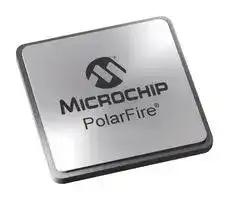


MPF050T-FCSG325E
FPGA, PolarFire, DLL, PLL, 164 I/O's, 500 MHz, 48000 Cells, 970 mV to 1.08 V, BGA-325
- Manufacturer: MICROCHIP
- Product type: FPGAs
- MSL: MSL 3 - 168 hours
- SVHC: No SVHC (04-Feb-2026)
- FPGA Type: -
- FPGA Family: PolarFire
- IC Mounting: Surface Mount
- No. of Pins: 325Pins
- Speed Grade: -
- No. of I/O's: 164I/O's
- Product Range: PolarFire MPF050T Series
- Qualification: -
- Total RAM Bits: 3686.4Kbit
- No.of User I/Os: 164I/O's
- Clock Management: DLL, PLL
- Logic Case Style: BGA
- IC Case / Package: BGA
- No. of Macrocells: 48000Macrocells
- I/O Supply Voltage: 3.3V
- No. of Logic Cells: 48000Logic Cells
- Process Technology: 28nm (CMOS)
- No. of Logic Blocks: 48000
- Core Supply Voltage Max: 1.08V
- Core Supply Voltage Min: 970mV
- Operating Frequency Max: 500MHz
- Operating Temperature Max: 100°C
- Operating Temperature Min: 0°C
| Delivery and price | |
|---|---|
| Units per pack | 1 |
| Price | 86.95 € |
| Current stock | 10+ |
| Lead time | 30 days |

**PolarFire[®] FPGA and PolarFire SoC FPGA PCI Ex ress p**

**==> picture [39 x 54] intentionally omitted <==**

## **Introduction**

Microchip's PolarFire FPGAs are the fifth-generation family of non-volatile FPGA devices, built on state-of-the-art 28 nm non-volatile process technology. PolarFire FPGAs deliver the lowest power at mid-range densities. PolarFire FPGAs lower the cost of mid-range FPGAs by integrating the industry’s lowest power FPGA fabric, lowest power 12.7 Gbps transceiver lane, built-in low power dual PCI Express Gen2 (EP/RP), and, on select data security (S) devices, an integrated low-power crypto co-processor.

Microchip's PolarFire SoC FPGAs are the fifth-generation family of non-volatile SoC FPGA devices, built on state-ofthe-art 28 nm non-volatile process technology. The PolarFire SoC family offers industry's first RISC-V based SoC FPGAs capable of running Linux. It combines a powerful 64-bit 5x core RISC-V Microprocessor Subsystem (MSS), based on SiFive’s U54-MC family, with the PolarFire FPGA fabric in a single device.

PCI Express (PCIe) is a scalable, high-bandwidth serial interconnect technology that maintains compatibility with existing PCI systems. Microchip’s PolarFire SoC FPGAs and PolarFire FPGAs contain fully integrated PCIe endpoint and root port subsystems with optimized embedded controller blocks that use the physical layer interface of the transceiver for the PCI Express (PIPE) interconnection within the transceiver block.

Each device includes two embedded PCIe subsystem (PCIESS) blocks that can be configured using the PF_PCIE configurator in the Libero® SoC software.

The following table summarizes the PCIESS components available in PolarFire and PolarFire SoC families.

**Table 1. PCIESS Components**

|**Fabric Component**|**PolarFire FPGA (MPF)**|**PolarFire SoC FPGA (MPFS)**|
|---|---|---|
|Physical layer of XCVR|✓|✓|
|PCIe IP (Data link layer (DL) and Transaction layer (TL))|✓|✓|
|Bridge Layer|✓|✓|
|AXI4 Layer|✓|✓|
|**MSS Component**|||
|PCIe MSS|—|✓|


The PCIESS supports AMBA AXI4 master/slave user interface functionality between the AXI4 and PCIe systems.

**User Guide**

DS50003188B-page 1

© 2022 Microchip Technology Inc. and its subsidiaries

**Figure 1. PCIe Functional Layers of PCIESS**

**==> picture [460 x 144] intentionally omitted <==**

**----- Start of picture text -----**<br>
PHY Layer Data Link Layer Transaction Layer<br>Electrical Intf.<br>PCIE LinkTo/From Ordered Set Enc/decChannel AlignmtWord AlignmtClk Comp EP PI  Flow Ctrl (InitFC)Ack/Nak, Seq #Retry BufferLCRC Extended CRC (ECRC)Virtual Channel (1) DMA ControllerAXI4and  AXI Master/Slave User Interface<br>LTSSM Flow Ctrl (UpdateFC)<br>Data Scramb/descram<br>Config Registers<br>Transceiver Embedded PCIe IP<br>**----- End of picture text -----**<br>


The PCIESS is compliant with the following standards:

- PCI Express Base Specification with GEN1/2, Revision 3.0

- PCI Express Card Electromechanical (CEM) 2.0

- PCI Industrial Computer Manufacturers Group (PICMG) 3.4

- PCI Power Management Specification, v1.2

- AMBA AXI Protocol Specification, Version 2.0 – ARM, March 2010

## **Features**

The PCIESS is a hard block and supports the following features:

- PCIE 3.0 compliant with 2.5 and 5.0 Gbps line speeds

- x1, x2, and x4 lane-support[1]

- Endpoint support for up to six 32-bit or three 64-bit base address register (BAR)

- Root port support for up to two 32-bit or one 64-bit BAR

- Two fully-independent Direct Memory Access (DMA) engines with Scatter-Gather DMA (SGDMA) support

- One virtual channel (VC)

- Single-function capability

- Maximum payload size (MPS) of up to 256 bytes

- Advanced error reporting (AER) support

- Integrated clock domain crossing (CDC) to support user-selected frequency

- Lane reversal/polarity inversion

- Legacy PCI power management

- Endpoint hot-plug capability (not supported for root port)

- Native active-state power management L0 and L1 support

- Power management event (PME) message

- Latency tolerance reporting (LTR)

- 64-bit AXI master and slave interface to the FPGA fabric

- End-to-end data integrity

- 1 Each device supports two PCIESS blocks, which shares four lanes within a transceiver block. This permits two x1 PCIESS or two x2 PCIESS that can run simultaneously, or one PCIESS that can run as x4 and the other PCIESS is left unused.

**User Guide**

DS50003188B-page 2

© 2022 Microchip Technology Inc. and its subsidiaries

## **References**

- For information about transmitter, receiver, and transceiver block generation, see PolarFire FPGA and PolarFire SoC FPGA Transceiver User Guide.

- For information about DRI, see PolarFire and PolarFire SoC DRI User Guide.

- For information about PolarFire SoC PCIe Root Port Linux reference design, see github.com/polarfire-soc/iciclekitreference- design.

- For information about PolarFire FPGA reference design, see DG0756: PolarFire FPGA PCIe Endpoint, DDR3,and DDR4 Memory Controller Data Plane Demo Guide.

- For information about MSS, see PolarFire SoC FPGA MSS Technical Reference Manual.

- For information about design initialization, see PolarFire FPGA and PolarFire SoC FPGA Device Power-Up and Resets User Guide.

- For information about board design recommendations, see respective UG0726: PolarFire FPGA Board Design User Guide or PolarFire SoC FPGA Board Design Guidelines User Guide.

- For information about configuration registers, see respective PolarFire Device Register Map or PolarFire SoC Register Map.

**User Guide**

DS50003188B-page 3

© 2022 Microchip Technology Inc. and its subsidiaries

## **Table of Contents**

|Introduction.....................................................................................................................................................1|Introduction.....................................................................................................................................................1|
|---|---|
||1.<br>Features....................................................................................................................................... 2|
||2.<br>References...................................................................................................................................3|
|1.|Functional Descriptions...........................................................................................................................5|
||1.1.<br>Physical Layer Interface...............................................................................................................5|
||1.2.<br>Data-link and Transaction Layers.................................................................................................7|
||1.3.<br>Bridge Layer............................................................................................................................... 11|
||1.4.<br>AXI4 Layer..................................................................................................................................21|
||1.5.<br>PCIESS Configuration Interface.................................................................................................23|
||1.6.<br>PCIESS Port List........................................................................................................................23|
|2.|PCIe MSS............................................................................................................................................. 30|
|3.|Implementation......................................................................................................................................31|
||3.1.<br>Libero Configurators...................................................................................................................32|
||3.2.<br>PCIe Configurator.......................................................................................................................32|
||3.3.<br>Design Constraints.....................................................................................................................40|
||3.4.<br>PCIe Simulation..........................................................................................................................40|
||3.5.<br>PCIe Subsystem Performance...................................................................................................42|
||3.6.<br>Initialization.................................................................................................................................44|
|4.|Configuration Registers.........................................................................................................................45|
|5.|PCIe Configuration Space.....................................................................................................................46|
|6.|Board Design Recommendations......................................................................................................... 49|
||6.1.<br>AC-Coupling...............................................................................................................................49|
||6.2.<br>Lane Reversal............................................................................................................................ 49|
||6.3.<br>Polarity Inversion........................................................................................................................49|
||6.4.<br>PCIe Power-Up.......................................................................................................................... 49|
|7.|Revision History.................................................................................................................................... 51|
|Microchip FPGA Support..............................................................................................................................54||
|The|Microchip Website.................................................................................................................................54|
|Product Change Notification Service............................................................................................................54||
|Customer Support........................................................................................................................................ 54||
|Microchip Devices Code Protection Feature................................................................................................54||
|Legal Notice................................................................................................................................................. 55||
|Trademarks.................................................................................................................................................. 55||
|Quality Management System....................................................................................................................... 56||
|Worldwide Sales and Service.......................................................................................................................57||


**User Guide**

DS50003188B-page 4

© 2022 Microchip Technology Inc. and its subsidiaries

**Functional Descriptions**

## **1. Functional Descriptions**

The PCIe subsystem uses several built-in features such as transceivers, embedded PCIe controller, and programmable FPGA resources. The functional details of the PCIe subsystem are described in this chapter.

As shown in the following figure, the PCIESS is composed of four sub-modules:

- Physical layer

- PCIe DL and TL

- Bridge layer

- AXI layer

- Configuration interface (DRI and APB)

**Figure 1-1. Embedded PCIESS Architecture**

**==> picture [454 x 287] intentionally omitted <==**

**----- Start of picture text -----**<br>
Physical  PCIe DL and TL Bridge Layer AXI Layer<br>Layer<br>Address<br>Translation AXI4 Master FPGA Fabric<br>PCIe<br>XCVR_TXP TX/RX<br>XCVR_TXN<br>PCIe PCIe AXI4 Slave FPGA Fabric<br>Controller Config<br>XCVR_RXP<br>PCIe Registers<br>XCVR_RXN<br>PCIe<br>Misc<br>DMA Engine 0<br>APB<br>FPGA Fabric<br>DMA Engine 1 APB Master<br>FPGA Fabric<br>DRI DRI Master<br>Transceiver PIPE<br>Bridge Interconnect<br>**----- End of picture text -----**<br>


## **1.1 Physical Layer Interface**

A PCIe lane consists of a pair of differential transmit signals and a pair of differential receive signals. The lanes are organized, as listed in the following table.

**Table 1-1. Lane Configuration**

|**X1**|**X2**|**X3**|
|---|---|---|
|PCIe0 (Lane0) and PCIe1 (Lane2)|PCIe0 (Lane0, Lane1) and<br>PCIe1 (Lane2, Lane3)|PCIe1 (Lane 0, Lane1, Lane2, and<br>Lane3)|


**User Guide**

DS50003188B-page 5

© 2022 Microchip Technology Inc. and its subsidiaries

**Functional Descriptions**

## **1.1.1 Physical Layer Functions**

The physical layer is an electrical physical media attachment (PMA) required to connect to a PCIe system, and supports the following features:

- PCI Express 2.0 electrical compliance

- 2.5 and 5.0 Gbps common-mode logic (CML) electrical interface

- Signal integrity programmability including differential output voltage, transmitter de-emphasis, and receiver-side continuous-time linear equalization (CTLE)

- ±300 ppm clock-tolerance compensation

- Serializer and de-serializer

- 8b/10b symbol encoding/decoding

- Symbol alignment

- Framing and application of symbols to lanes

- Lane to lane Tx deskew

## **1.1.2**

## **Receiver**

The transceiver input includes all the features required to build a PCIe interface, such as input level sensitivity, signal detection, and termination. When PCIESS is used within a device, the Libero SoC software configures the receiver with all the necessary input features. For more information, see PolarFire FPGA and PolarFire SoC FPGA Transceiver User Guide.

## **1.1.3**

## **Transmitter**

The transceiver output includes features such as output swing, termination, and de-emphasis. When PCIESS is used within a device, the Libero SoC software configures the transmitter with all the necessary output features. For more information, see PolarFire FPGA and PolarFire SoC FPGA Transceiver User Guide.

**Note:** In PCIe subsystem, the receiver detection circuitry within the transmitter is bypassed and the link training and status state machine (LTSSM) state moves to “polling.compliance” state (when 50 Ω is terminated to the Transmitter) when REFCLK is available and TX PLL is locked. The link training remains unaffected when an active receiver is connected. This causes the optional key-sight protocol test card (PTC) test (LOOPBACK_THROUGH_CONFIG) to fail. To pass the test, set the PMA_RXPLL_FLOCK_SEL bit to 0 when LTSSM is in “polling.compliance” state and set to 1 in other states.

## **1.1.4**

## **Reference Clock**

For PCIe applications, a differential 100 or 125 MHz reference clock with a ±300 ppm tolerance is used by the transceiver transmit PLL and CDR PLL to generate the required 125 MHz output clock (depending on the lane speed settings), which is passed to the embedded PCIESS. The settings for the transmit PLL and the CDR PLL are automatically determined by the Libero SoC software.

The transceiver reference clock inputs accept LVDS/CML/HCSL input clock signals according to PCIe specifications. Proper termination is included as required by the specification. For more information, see PolarFire FPGA and PolarFire SoC FPGA Transceiver User Guide.

According to PCIe specifications, upstream and downstream PCIe devices must transmit data at a rate within 600 ppm for each other at all times. This specification allows a reference clock with a ±300 ppm tolerance. To ensure that the minimum clock period is not violated, the PCIESS uses a spread-spectrum technique that does not permit modulation above the nominal frequency.

The data rate can be modulated from 0% to 0.5% of the nominal data rate frequency at a modulation rate ranging from 30 to 33 KHz. Along with the ±300 ppm tolerance limit, both ports require the same bit-rate clock when the data is modulated using spread-spectrum clocking (SSC).

Both the family devices support the following clocking topologies defined by the PCIe specifications: common Refclk and separate Refclk.

- The Common Refclk is the most widely supported clocking method in open systems where the root port or root complex provides a clock to the endpoint. An advantage of this clocking architecture is that it supports SSC, which reduces electromagnetic interference (EMI).

- The Separate Refclk uses two independent clock sources: one each for the root and the endpoint. The clock sources must maintain ± 300 ppm frequency accuracy and cannot use SSC.

**User Guide**

DS50003188B-page 6

© 2022 Microchip Technology Inc. and its subsidiaries

**Functional Descriptions**

## **1.1.5 Low-Power States**

The PCIESS supports PCIe low-power operation states known as L0s and L1 states. These states are available in both, root port, and endpoint configurations.

**L0s** (Autonomous electrical idle): This state reduces power during short intervals of idle. Devices must transition to L0s independently on each direction of the link.

**L1** (Directed electrical idle): This state reduces power when the downstream port directs the upstream ports. This state saves power in two ways:

- Shutting down the transceiver circuitry and associated PLL.

- Significantly decreasing the number of internal core transitions.

**Note:** PCIe Link Training and Status State Machine (LTSSM) hardware blocks of PolarFire transceiver do not support the L2/P2 power management link state. The L2/P2 power management link state does not achieve further operational power-savings for the PolarFire device.

To achieve further operational power savings, on top of the already power-optimized PolarFire device architecture, the FPGA designer must employ power management techniques directly to the FPGA fabric design.

- Software-driven L2/P2 entry commands issued by the PolarFire PCIESS Root Port to the downstream endpoints are not supported to the down-stream end-points. As a Root Port, this causes the link to be completely disrupted and only recoverable by re-initializing the link with side-band PERSTn (fundamental reset) or a power cycle.

- PolarFire PCIESS endpoint must not be commanded by the host to enter L2/P2 link state. As an endpoint, the link might be disruptive and only recoverable by re-initializing the link with side-band PERSTn (fundamental reset) or a power cycle.

## **1.2 Data-link and Transaction Layers**

The PCIe DL and TL includes:

- PCIe controller

   - Lane reversal

   - Link training and status state machine (LTSSM)

   - Electrical idle generation

   - Receiver detection

   - TS1/TS2 generation/detection

- PCIe transmit/receive interface between the PCIe bridge and PCIe controller

- PCIe configuration interface providing the bridge access to the PCIe configuration space

- PCIe miscellaneous interface to allow the bridge access to manage low-power and interrupts

The PCIESS includes the data path from the transceiver to the user-defined application layer of the FPGA fabric. The AXI4 bridges the application layer to the transaction layer. The transaction layer communicates with the data-link layer through FIFOs. The data-link layer communicates with the physical layer through FIFOs. The data is then passed to the transaction layer blocks that manage read and write requests from the software. Finally, the data is passed to the application layer hosted in the FPGA fabric (Figure 1-7).

**Data Link Layer** – The data link layer (DL) is responsible for link management including transaction layer packet (TLP) acknowledgment (a retry mechanism in case of a non-acknowledged packet), flow control across the link (transmission and reception), power management, CRC generation and checking, error reporting, and logging. The DL verifies the packets sequence number and checks for errors. The DL ensures packet integrity, and adds a sequence number and Link Cyclic Redundancy Check (LCRC) to the packet.

The replay buffer located in the data link layer stores a copy of a transmitted TLP until the transmitted packet is acknowledged by the receive side of the link. Each stored TLP includes the header, an optional data payload (the maximum size of which is determined by the maximum payload size parameter), an optional end-to-end cyclic redundancy check (ECRC), the sequence number, and the link cyclic redundancy check (LCRC) field for transaction and data integrity. The replay buffer stores the read data payload from the AXI4 master and write data payload from the AXI4 slave.

**User Guide**

DS50003188B-page 7

© 2022 Microchip Technology Inc. and its subsidiaries

**Functional Descriptions**

**Transaction Layer** – The transaction layer is responsible for the transfer of transaction layer packets (TLP). The transaction layer disassembles the transaction and transfers data to the application layer in a form that it can recognize. The transaction layer generates a TLP from information sent by the application layer. This TLP includes a header and can also include a data payload. The application communicates to the PCIe link using AXI4 master and slave interface through bridge layer.

## **1.2.1**

## **Flow Control**

PCIe is a flow control-based protocol. Receivers advertise the supported number of receive buffers, and transmitters are not allowed to send TLPs without ensuring that sufficient receive buffer space is available. This control is provided by the 8 KB dedicated buffers included in the PCIESS receive and transmit channels.

**Maximum Payload Size** – The size of the TLP depends on the capabilities of both link partners. After the link is trained, the root complex sets the maximum payload size register (MAX_PAYLOAD_SIZE) value in the device control register. The maximum allowable payload size is 256 bytes.

## **1.2.2**

## **Credit Queue**

PCIe credit queues are categorized into posted, non-posted, and completion queues. When the host sends writes to the PCIESS, this data consumes posted and non-posted credits. When the host needs to send a completion to a read, it consumes completion credits. As is the case for most PCIe endpoints, the completion credit count is infinite in the PCIESS.

A completion timeout is a condition where the host blocks completion due to the lack of non-posted credits. When the PCIESS does a read, if completion data is not returned, the PCIESS issues a completion timeout and the transaction is voided, triggering the AXI slave to terminate the read to avoid a deadlock.

All credit settings are automatically set according to the buffer sizes fixed in the PCIESS. As per PCIe standards, when the PCIe controller issues a read request, it ensures that the controller can sync with the associated read data (completion TLP).

## **1.2.3**

## **Receive Buffer**

The transaction layer contains an 8-KB receive buffer to accept incoming TLPs from the link and send them to the application layer for processing. The receive buffer stores TLPs based on the transaction type (posted, non-posted, or completion). A transaction always has a header but does not always have data. The receive buffer accounts for this distinction, maintaining separate resources for the headers and data for each type of transaction. For completion transactions, data (CPLD) TLPs are stored in the received buffer in the 64-bit addressing format, with each outstanding AXI4 slave read request consuming 16 credits (totaling 128 bytes), and the headers and data consuming one credit each (totaling 16 bytes).

## **1.2.4 Replay Buffer**

In the transmit direction, the AXI4 bridge layer first checks the credits available on the far end before sending the TLP. There must be enough credits available for the entire TLP to be sent. The AXI4 bridge layer must then check that the PCIESS is ready to send the TLP. If there is enough credit, it can proceed with sending data. If the credit is insufficient, the TLP must wait until enough credit is available.

**User Guide**

DS50003188B-page 8

© 2022 Microchip Technology Inc. and its subsidiaries

**Functional Descriptions**

The replay buffer is used to fetch TLPs that are:

- Issued by the AXI before their transmission on the PCIe link.

- Transmitted on the PCIe link, as long as they are not acknowledged by the opposite PCIe device, in case a replay is required.

The replay buffer is 8 KB, allowing the transmit buffer to support up to 16 outstanding transmit replay data packets with a maximum payload of 256 bytes each. A maximum of 32 TLPs can be supported by the replay buffer.

## **Compliance**

PCIe Protocol Compliance Test with LeCroy Exerciser:

Device testing for PCIe compliance with a LeCroy exerciser reports a failure for a PTC test related to Replay Buffer. However, the PTC test conducted on the Key-sight exerciser passed successfully. PolarFire FPGA met full compliance at the PCISIG Compliance Workshop #101 and entered into the integrators list. PTC Test 52-20 (LinkRetrainOnRetryFail) fails in the LeCroy testing suite. The root-cause is that the PCIe controller executes some of the second-round replays; prior to, rather than after, link re-training. It does not impact any application functionality as no transaction layer packet (TLP) is lost due to the built-in replay mechanism required by the PCIe base specification. Replays occur both before and after link re-training as long as TLP is not acknowledged.

## **1.2.5 Extended CRC**

The PCIESS optionally performs automatic ECRC to ensure data integrity by default is disabled. The PCIE_PEX_SPC2 bridge configuration register controls the ECRC settings. For information about Configuration registers, see respective PolarFire Device Register Map or PolarFire SoC Register Map.

ECRC is enabled when PCIE Specific Capabilities Settings Register PCIE_PEX_SPC Bit[31] is set to 1 to indicate Advanced Error Reporting (AER) is enabled. ECRC error generation and checking can further be individually disabled or enabled by PCIE_PEX_SPC2 Bit[1] and Bit[2] register .

## **1.2.6 ECC**

PCIe subsystem has—AXI to PCIE, PCIE to AXI, Rx, Tx—memory buffers as shown in the following figure. These buffers support ECC capability with single bit error correction and dual bit error detection (SECDED). ECC can be disabled or enabled by configuring the ECC_CONTROL register. This register also supports error injection feature.

**Figure 1-2. PCIe Subsystem Memory Buffers**

**==> picture [447 x 171] intentionally omitted <==**

**----- Start of picture text -----**<br>
AXI Read and<br>Read<br>Response<br>Fabric  PCIe Read<br>AXI S Response<br>AXI to PCIE<br>AXI M Tx Buffer<br>Buffer<br>AXI  PCIe Write<br>Write Data<br>TL DL<br>PCIe Write<br>Req<br>AXI Read and  PCIE to AXI<br>Read  AXI S Buffer Rx Buffer<br>Response PCIe Read<br>Response<br>Fabric<br>AXI M AXI Write<br>**----- End of picture text -----**<br>


The ECC error detection flags are captured in SEC_ERROR_INT and DED_ERROR_INT registers. These are RW registers and can be cleared by the user writing 1s.

SEC_ERROR_EVENT_CNT and DED_ERROR_EVENT_CNT are counter registers that record the number of SEC and DED errors encountered by AXI to PCIe, PCIe to AXI, Rx, and Tx buffers. The system register up-counts on the internal event it monitors, saturating at the largest unsigned value the counter can hold. The count value can be

**User Guide**

DS50003188B-page 9

© 2022 Microchip Technology Inc. and its subsidiaries

**Functional Descriptions**

cleared by writing all-ones pattern through the DRI. Writing through DRI takes momentary precedence over functional up-count. Writing zeros to the count register has no effect.

In addition to these, the dual bit error detection flags are exposed to fabric as listed in the following table.

**Table 1-2. Error Ports**

|**Signal**|**Direction**|**Description**|
|---|---|---|
|PCIE_#_M_WDERR|—|Asserted to '1' when PCIe to AXI buffer reports dual error. The<br>TLP is forwarded to AXI interface.<br>Error during AXI master IF write transactions.|
|PCIE_#_S_RDERR|—|Asserted to '1' when PCIe to AXI buffer reports dual error. The<br>TLP is forwarded to AXI interface.<br>Error during AXI slave IF read transactions.|
|PCIE_#_M_RDERR|—|Reports data error if the uncorrectable error is detected in the<br>fabric memory used by application. If this signal is asserted, the<br>PCIe controller sets the TLP header bit EP (error forwarding field)<br>to '1'.<br>Report error during AXI master IF read transactions.|
|PCIE_#_S_WDERR|—|Reports data error if the uncorrectable error is detected in the<br>fabric memory used by the application. If this signal is asserted,<br>the PCIe controller sets the TLP header bit EP (error forwarding<br>field) to '1'.<br>Report error during AXI slave IF write transactions.|


**Table 1-3. Summary of Dual Error in Buffers**

|**Dual Error in**<br>**Buffer**|**Effect at PCIe IF**|**Effect at Fabric IF**|
|---|---|---|
|Rx buffer|TLP is forwarded to AXI IF.|Application requires to poll<br>SEC_ERROR_EVENT_CNT or<br>DED_ERROR_EVENT_CNT status register to<br>find out the error.|
|Tx buffer|TLP is transmitted. Tx buffer memory error<br>is ignored and cannot be recovered by PCIe<br>protocol|Application requires to poll<br>SEC_ERROR_EVENT_CNT or<br>DED_ERROR_EVENT_CNT status register to<br>find out the error.|
|PCIE to AXI buffer|TLP forwarded to AXI IF.|The PCIE_#_M_WDERR and<br>PCIE_#_S_RDERR signals to fabric IF are<br>asserted.|
|AXI to PCIE buffer|If ECRC is enabled, PCIe interface marks<br>this TLP as erroneous and an ECRC error is<br>generated by PCIe controller.<br>If ECRC is disabled, TLP is discarded.<br>If this AXI to PCIE buffer error is during a read<br>transaction, it results in a completion timeout.|If this error is during a write transaction,<br>PCIESS_AXI_#_S_BRESP [1:0] == 2'b10 is<br>returned in AXI Write Response.|


**Note:** Rx/Tx buffer reports either SEC or DED error, when TLP is forwarded to AXI interface. The ERROR_INT and ERROR_EVENT_CNT registers indicate the SEC or DED errors.

To enable ECC after PCIe enumeration, follow:

1. Enable ECC using ECC_CONTROL register.

2. Perform greater than 16 KB writes on PCIe to AXI and AXI to PCIe.

**User Guide**

DS50003188B-page 10

© 2022 Microchip Technology Inc. and its subsidiaries

**Functional Descriptions**

3. Clear the SEC_ERROR_EVENT_CNT, DED_ERROR_EVENT_CNT, SEC_ERROR_INT, and DED_ERROR_INT registers.

4. ECC errors can be injected using the ECC_CONTROL register.

## **1.3 Bridge Layer**

The bridge layer includes:

- Two independent DMA engines.

- An address translator to convert between the AXI and PCIe interfaces.

- A bridge interconnect module to interconnect and arbitrate between input and output flows.

## **1.3.1 DMA Transfers**

Each PCIe controller supports the following built-in DMA features, enabling low-power and efficient data transfer to the FPGA fabric:

- Eight outstanding read and write requests

- Completion re-ordering support

- Flexible SGDMA modes, including dynamic DMA control per descriptor

- DMA engine that reports to the descriptor for easy software management

- Fetches up to three descriptors to optimize throughput

The PCIESS has two fully-independent DMA engines (DMA0 and DMA1), which helps to deliver higher performance on both, write and read functions. Each DMA engine can be configured to function as direct DMA or SGDMA. The DMA engines can be configured using PCIESS registers. For more information about DMA registers, see respective PolarFire Device Register Map or PolarFire SoC Register Map.

In direct DMA transfer mode, the DMA start address is a pointer to a contiguous data buffer mapped in the PCI bus address space. Data is read from and written to the buffer sequentially.

For DMA0, source is fixed to PCIe IF and destination is configurable. DMA0 is used to transfer data from:

- PCIe link (Host PC memory) to EP AXI (LSRAM/DDR in EP design).

- PCIe link (Host PC memory) to PCIe link (Host PC memory).

For DMA1, source is fixed to AXI IF and destination is fixed to PCIe IF. DMA1 is used to transfer data from EP AXI (LSRAM/DDR in EP design) to PCIe link (Host PC memory).

## **Figure 1-3. Direct DMA Transfer**

**==> picture [167 x 151] intentionally omitted <==**

**----- Start of picture text -----**<br>
System<br>Memory<br>DMA Start Address Buffer<br>**----- End of picture text -----**<br>


In SG transfer mode, the DMA source and/or destination start address is a pointer to a chained list of page descriptors. Each descriptor contains the address and size of a data block (page), and a pointer to the next descriptor block to enable circular buffers.

**User Guide**

DS50003188B-page 11

© 2022 Microchip Technology Inc. and its subsidiaries

**Functional Descriptions**

**Figure 1-4. SGDMA Transfer**

**==> picture [274 x 283] intentionally omitted <==**

**----- Start of picture text -----**<br>
System Memory<br>Page Address<br>Page Size<br>DMA Start Address (bytes) Page 1<br>Next Descriptor<br>Pointer<br>Page Address<br>Page Size  Page 2<br>(bytes)<br>Next Descriptor<br>Pointer<br>**----- End of picture text -----**<br>


The implementation of SGDMA transfer is different in DMA0 and DMA1.

## **SGDMA Transfer in DMA0**

Source and Destination addresses are set according to the Descriptor. DMA source is always PCIe link and destination can be configured as PCIe link or AXI Master.

**User Guide**

DS50003188B-page 12

© 2022 Microchip Technology Inc. and its subsidiaries

**Functional Descriptions**

**Figure 1-5. DMA0 Descriptor**

**==> picture [446 x 362] intentionally omitted <==**

**----- Start of picture text -----**<br>
Scatter-Gather DMA<br>PCIe Link or<br>PCIe Link AXI Master<br>Page 1 Page 1<br>Descriptor 1<br>Descriptor 2<br>Page 2 Page 2<br>Descriptor 3<br>Descriptor 4<br>Page 3 Page 3<br>Page 4 Page 4<br>**----- End of picture text -----**<br>


**Note:** For DMA0, addresses and length must be multiples of 4 bytes. Source and destination start addresses must be 32 byte aligned. For example, if the start address is 0xXX14 and the destination address can be 0xXX14, 0xXX34, 0xXX54 and so on.

## **SGDMA Transfer in DMA1**

Source and destination addresses are set by two independent Scatter-Gather descriptors all DMA destination is always PCIe and source is AXI IF.

**User Guide**

DS50003188B-page 13

© 2022 Microchip Technology Inc. and its subsidiaries

**Functional Descriptions**

**Figure 1-6. DMA1 Descriptor**

**==> picture [443 x 267] intentionally omitted <==**

**----- Start of picture text -----**<br>
Scatter-Gather DMA<br>AXI Master PCIe Link<br>Page 1 Page 1<br>Descriptor 1 Descriptor 1<br>Descriptor 2 Descriptor 2<br>Page 2 Page 2<br>Descriptor 3 Descriptor 3<br>Descriptor 4 Descriptor 4<br>Page 3 Page 3<br>Page 4 Page 4<br>**----- End of picture text -----**<br>


**Note:** For DMA1, addresses and length must be multiple of 32 bytes. Source and destination start addresses must be 32 byte aligned.

## **1.3.2 Scatter-Gather DMA Descriptors**

The following table lists the Scatter-Gather DMA Descriptors.

**Table 1-4. Scatter-Gather DMA Descriptors**

|**Name**|**Byte Offset**|**R/W**|**Description**|
|---|---|---|---|
|DESC_STATUS|0x00 - 0x03|RW|Enables dynamic monitoring of the SGDMA transfer (when<br>0thbit of DESC_CONTROL register is set)<br>Bits [3:0]: Provides the status number of the DMA engine.<br>This number is incremented, enabling the application to<br>determine the last processed descriptor, which is key in<br>streaming flow between asynchronous devices.<br>Bits [7:4]:<br>Bit 4: Indicates SG-DMA descriptor has been processed.<br>Bit 5: Indicates an error occurred during the processing of<br>the current SGDMA descriptor.<br>Bit 6: Indicates an End of Packet (EOP) condition has been<br>reported by the source of the SGDMA transfer.<br>Bit 7: Reserved<br>Bits [31:8]: Indicates the Processed Page Size, which is the<br>actual written or read page size.|


**User Guide**

DS50003188B-page 14

© 2022 Microchip Technology Inc. and its subsidiaries

**Functional Descriptions**

|**...........continued**|**...........continued**|**...........continued**||
|---|---|---|---|
|**Name**|**Byte Offset**|**R/W**|**Description**|
|DESC_CONTROL|0x04 - 0x07|RO|DESC_CONTROL enables dynamic control of the SGDMA<br>transfer.<br>Bit [0]: Defines whether the DMA engine provides a status<br>report by writing to DESC_STATUS when the current<br>SGDMA descriptor has been processed.<br>Bits [3:1]: Reserved<br>Bits [7:4]: Defines when an interrupt must be issued.<br>Bit 4: Indicates an IRQ is issued when this SGDMA<br>descriptor has been processed.<br>Bit 5: Indicates an IRQ is issued if an error occurs.<br>Bit 6: Indicates an IRQ is issued if the source of the transfer<br>reports an EOP condition.<br>Bit 7: Reserved<br>Bits [31:8]: Provides the page size in bytes, from<br>1 to 16 M bytes.|
|DESC_NEXT_ADDR[63:32]|0x0C - 0x0F|RO|Indicates next descriptor address. This field must be aligned<br>on a 32-byte boundary.|
|DESC_NEXT_ADDR[31:5]|0x08 - 0x0B|RO|Indicates next descriptor address.|
|DESC_NEXT_RDY[4]|||Indicates if the next SGDMA Descriptor is ready and fetch-<br>able.|
|DESC_SE_COND[3:0]|||Defines the Start and End conditions for SGDMA descriptor<br>processing.<br>Bit 0: Indicates end the DMA transfer after this SGDMA<br>descriptor has been processed (equivalent to an End Of<br>Chain).<br>Bit 1: Indicates to abort this SGDMA descriptor processing if<br>an error occurs.<br>Bit 2: Reserved<br>Bit 3: Indicates to start this SGDMA descriptor processing<br>when the source of the transfer reports a SOP reception.|
|DESC_SRC_ADDR[31:0]|0x10 - 0x13|RO|Indicates the source address of the descriptors. It must be 32<br>|
|DESC_SRC_ADDR[63:32]|0x14 - 0x17|RO|byte aligned.|
|DESC_DEST_ADDR[31:0]|0x18 - 0x1B|RO|Indicates the destination address of the descriptors. It must<br>|
|DESC_DEST_ADDR[63:32]|0x1C - 0x1F|RO|be<br>32 byte aligned.|


## **1.3.3 PCIe/AXI4 Address Translation**

There are six address table registers (ATRs) that perform address translation from the PCIe address space (BAR) to the AXI master, and six ATRs for the slave, which addresses translation from the AXI4 slave to the PCIe address space.

For the address translation, PCIESS uses the following:

- Master Windows

- Slave Windows

**User Guide**

DS50003188B-page 15

© 2022 Microchip Technology Inc. and its subsidiaries

**Functional Descriptions**

## **1.3.3.1 Master Windows**

Master windows translate the addresses from PCIE domain to AXI 4 domain.

When the PCIESS is in endpoint mode, there is direct mapping between the BAR and the address tables, as shown in the following figures.

Each 32-bit BAR has an address translation table (ATR). The PCIe implementation supports up to six 32-bit base address registers (BARs). Each BAR is 32 bits, but two BARs can be combined to make a 64-bit BAR. For example, BAR0 (address offset 010h) and BAR1 (address offset 014h) can be combined to form a 64-bit BAR01.

For a 64-bit BAR mapping, address tables are used as follows:

- BAR01 targets ATR0, and ATR1 remains unused

- BAR23 targets ATR2, and ATR3 remains unused

- BAR45 targets ATR4, and ATR5 remains unused

**Figure 1-7. PCIe to AXI4 Master Address Translation Endpoint Mode for 32-Bit BAR**

**==> picture [455 x 339] intentionally omitted <==**

**----- Start of picture text -----**<br>
PCIe Address Space<br>BAR0 ATR0<br>AXI4 Master #0 Address Space<br>BAR1 ATR1<br>Space0<br>BAR2 ATR2<br>Space3<br>Space1<br>BAR3 ATR3<br>Space2<br>BAR4 ATR4 Space5<br>Space4<br>BAR5 ATR5<br>**----- End of picture text -----**<br>


**User Guide**

DS50003188B-page 16

© 2022 Microchip Technology Inc. and its subsidiaries

**Functional Descriptions**

**Figure 1-8. PCIe to AXI4 Master Address Translation Endpoint Mode for 64-Bit BAR**

**==> picture [442 x 157] intentionally omitted <==**

**----- Start of picture text -----**<br>
PCIe Address Space AXI4 Master #0 Address Space<br>BAR01 ATR0 Space0<br>BAR23 ATR2 Space1<br>BAR45 ATR4 Space2<br>**----- End of picture text -----**<br>


The PCIESS Configurator in Libero SoC software provides a GUI to configure the BAR settings for an endpoint application.

The following figure shows an example of configuring Master settings to map the BAR0 transactions to PCIe AXI master IF transactions for AXI address 0xBB000000.

**Figure 1-9. Example of Configuring Master EP Settings**

If BAR0 receives write/read request with offset 1010, then ATR0 translates this address to 0xBB001010.

**Figure 1-10. PCIe to AXI4 Master Address Translation Endpoint Mode Example**

**==> picture [458 x 66] intentionally omitted <==**

**----- Start of picture text -----**<br>
PCI Express Address Space AXI4 Master Address Space<br>0xAAAAAAAA00000000 0x00000 0xBB000000<br>0xAAAAAAAA00001010 0xBB001010<br>BAR0 ATR0 Space 0<br>0xAAAAAAAA000FFFFF 0xFFFFF 0xBB0FFFFF<br>**----- End of picture text -----**<br>


**Note:** In this example, BAR0 address of host is shown as 0xAAAAAAAA00000000.

**User Guide**

DS50003188B-page 17

© 2022 Microchip Technology Inc. and its subsidiaries

**Functional Descriptions**

When the PCIESS is in root port mode (Figure 1-11), up to six translation tables (currently, Libero SoC supports two translation tables) can be implemented. When transferring PCI Express receive requests to the AXI master, the bridge performs a windows match using the PCIe 64-bit address. If a match is found, the bridge forwards the request to the desired AXI4 master interface and adds the corresponding AXI base address.

When the PCI Express BAR0/1 are configured as a 64-bit prefetchable memory space of 16 Kbytes, PCIe read and write requests targeting BAR0 or BAR1 are routed to the bridge configuration space. This memory space operates in the following two ways:

- When I/O or prefetchable memory windows are implemented, PCIe read and write requests targeting I/O or prefetchable memory windows are routed to the PCIe window address translation module.

- When I/O or prefetchable memory windows are not implemented, PCIe read and write requests that do not target BAR0 or BAR1 are routed to the PCIe window address translation module.

## **Figure 1-11. PCIe to AXI4 Master Address Translation Root Port Mode**

**==> picture [455 x 343] intentionally omitted <==**

**----- Start of picture text -----**<br>
PCIe Address Space AXI4 Master #0 Address Space<br>Space #0 ATR0<br>Space #4<br>Space #1 ATR1 Space #2<br>Space #3<br>Space #2<br>Space #0<br>Space #3<br>Space #4<br>Space #1<br>**----- End of picture text -----**<br>


**User Guide**

DS50003188B-page 18

© 2022 Microchip Technology Inc. and its subsidiaries

**Functional Descriptions**

The following figure shows an example of configuring Master settings to map the PCIe RP address space to PCIe AXI master IF address space for AXI address 0xBB000000.

## **Figure 1-12. Example of Configuring Master RP Settings**

When PCIe receives write/read request at address 0x00001010, this address is mapped to ATR0, which removes the upper 44 bits (depending on table size) and adds the translation address 0xBB000000 to offset 0x1010.

**Figure 1-13. PCIe to AXI4 Master Address Translation Root Port Mode Example**

**==> picture [458 x 70] intentionally omitted <==**

**----- Start of picture text -----**<br>
PCI Express Address Space AXI4 Master Address Space<br>0x00000000 0x00000 0xBB000000<br>0x00001010 0xBB001010<br>Space 0 ATR0 Space 0<br>0x000FFFFF 0xFFFFF 0xBB0FFFFF<br>**----- End of picture text -----**<br>


## **1.3.3.2 Slave Windows**

The address translation method used to transfer AXI slave receive requests to the PCIe interface is similar to the method used in the endpoint mode. Up to six translation tables can be implemented for AXI4 slave interface.

**User Guide**

DS50003188B-page 19

© 2022 Microchip Technology Inc. and its subsidiaries

**Functional Descriptions**

**Figure 1-14. AXI4 Slave to PCIe Address Translation**

**==> picture [431 x 176] intentionally omitted <==**

**----- Start of picture text -----**<br>
PCIe Address Space AXI4 Slave #0 Address Space<br>SLV0 - Table #1<br>ATR0 Space #0<br>SLV0 - Table #0 ATR1 Space #1<br>SLV0 – Table #2 ATR2 Space #2<br>**----- End of picture text -----**<br>


The following figure shows an example of configuring Slave settings to map AXI IF slave requests to PCIE requests for AXI address 0xBB000000 and PCIe address 0xAAAAAAAA00000000.

**Figure 1-15. Example of Slave EP Settings**

When PCIe receives write/read request at address 0xBB001010, this address is mapped to Table0, which removes the upper 12 bits (depending on table size) and adds the translation address 0xAAAAAAAA0000000 to offset 0x1010.

**User Guide**

DS50003188B-page 20

© 2022 Microchip Technology Inc. and its subsidiaries

**Functional Descriptions**

**Figure 1-16. AXI4 Slave to PCIe Address Translation Example**

**==> picture [460 x 62] intentionally omitted <==**

**----- Start of picture text -----**<br>
PCI Express Address Space AXI4 Slave Address Space<br>0xAAAAAAAA00000000 0x00000 0xBB000000 0xBB000000<br>0xAAAAAAAA00001010 0xBB001010<br>Space 0 ATR0 Space 0<br>0xAAAAAAAA000FFFFF 0xFFFFF 0xBB0FFFFF 0xBB0FFFFF<br>**----- End of picture text -----**<br>


## **1.4 AXI4 Layer**

The AXI4 layer of the PCIESS provides a transaction-level translation of AXI4 commands to PCIe packets and PCIe requests to AXI4 commands. The user application in the FPGA fabric must implement an AXI4 master interface to transfer data to the PCIe link and an AXI4 slave interface to receive data from the PCIe link.

## **1.4.1 AXI MasterIF**

A typical PCIe application interface uses an AXI master interface to respond to data read requests and an AXI slave interface to initiate requests. The AXI master performs the following functions:

- Conveys PCIe read and write transactions to the fabric in the form of AXI4 reads and writes.

- Accesses the DMA controller through the bridge and issues reads and writes that allow data pulled from the fabric to be sent over PCIe and data pulled from the PCIe to be written out to the fabric.

## **1.4.1.1**

## **AXI Master Write Transactions**

Write transactions are handled in big-endian order as required by the PCI Express Base Specification. The master path does not reorder transactions, but arbitrates between transactions at the AXI4 master interface. If a transaction is currently waiting for a response phase, the transaction is allowed to complete before the read transaction is forwarded to the AXI4 master interface. PCIe transactions sizes may vary up to the configurable maximum payload size (256 bytes):

- AXI4 transactions are limited to 256 bytes, and the received TLP is divided into several AXI4 transactions.

- AXI4 master receives a write transaction, processing it in 256-byte segments.

- TLP is de-constructed from the PCIe system and sent to the AXI4 interface in little-endian format.

## **1.4.1.2**

## **AXI Master Read Transactions**

Read transactions are handled similar to write transactions, except that before transferring the transaction to the AXI4 master read channel, the PCIESS checks the transmit buffer for available space. If the transmit replay buffer does not have sufficient place to store the PCIe completions, the PCIESS does not transfer the read transaction. Hence, the number of outstanding AXI4 master read transactions is limited by the size of the transmit buffer.

The AXI4 master read channel can receive transactions in any order, and data can be completely interleaved. However, the PCIESS generates completions in the order they are initiated on the link.

## **1.4.2**

## **AXI SlaveIF**

The AXI4 slave interface forwards AXI read and write requests from the FPGA fabric to the PCIe link. The fabric application initiates PCIe transactions (memory write TLP and memory read TLP transactions) using the slave interface. The data on a read request comes back to the same interface. The slave path does not reorder transactions, but arbitrates between transactions if they occur simultaneously with master read completions. The order of priority for arbitrations is as follows:

1. Master read completions

2. Slave write requests

3. Slave read requests

## **1.4.2.1**

## **AXI Slave Write Transactions**

Slave write transactions support incrementing address bursts, fixed bursts, wrapping bursts, and narrow type transfers. Data interleaving, however, is not supported. Data packets of a maximum of 2 K bytes can be created. Wait states are used if the buffer is full, or has less than 128 bytes of available space. Write responses are generated as soon as the last phase is over with support for up to four outstanding write transactions.

**User Guide**

DS50003188B-page 21

© 2022 Microchip Technology Inc. and its subsidiaries

**Functional Descriptions**

## **1.4.2.2 AXI Slave Read Transactions**

PCIESS generates a PCIe tag, arbitrates between write requests and completions, and then checks for available credits. An error response is generated if a timeout occurs or if a “completion with error” status is received.

## **1.4.3 AXI4 Limitations**

Unsupported AXI4 features in the PCIESS are:

- 8, 16, and 32 bits data bus widths.

- User-defined signals.

- • Low-power interface.

- Exclusive accesses are not supported.

## **1.4.4 Conversion Between PCIe and AXI Transactions**

The PCIESS converts AXI read and write transaction as described in the following sections:

## **1.4.4.1 Conversion from PCIe Write to AXI Write Transactions**

A single PCIe write transaction is converted into multiple AXI write transactions at the fabric interface whenever the AXI write address space crosses the negotiated maximum payload size boundary. For example, the negotiated maximum payload size is 256 Bytes, then the address boundaries are 0x000, 0x100, 0x200, 0x300, …, 0xE00, 0xF00. In this case, a PCIe write transaction writes a TLP with payload of 24 Double-Words, that is, 24 × 4 = 96 Bytes. The write transaction targets the contiguous AXI write addresses starting from 0x0005AAF0. With a payload size of 96 Bytes, the ending write address is 0x0005AAF0 + 0x50 = 0x0005AB50, which crosses the 256 Byte boundary. The bridge breaks it into two AXI write transactions—AXI write transaction starting at 0x0005AAF0 with 16 Bytes and AXI write transaction starting at 0x0005AB00 with the remaining 80 Bytes.

## **1.4.4.2 Conversion from PCIe Read to AXI Read Transactions**

A single PCIe read transaction is converted into multiple AXI read transactions when the bridge complies with the following two constraints:

- When the PCIe read transaction targets AXI address space that crosses the negotiated maximum payload boundary, the fabric logic may still return with one single AXI burst transaction. In this case, the PCIe bridge breaks it into multiple separate PCIe read completions with AXI read data broken at the negotiated maximum payload boundary in AXI address space.

Read requests, which cross the address boundaries at integer multiples of RCB bytes may be completed using more than one completion, but the data must not be fragmented except along the following:

- The first completion starts with the address specified in the request, and ends at one of the following:

   - The address specified in the request plus the length specified by the request, that is, the entire request.

   - An address boundary between the start and end of the request at an integer multiple of RCB bytes.

- The final completion ends with the address specified in the request plus the length specified by the request.

- All completions between, but no including, the first and final completions will be an integer multiple of RCB bytes in length.

**Note:** For a root complex, RCB can be configured to 64 Bytes or 128 Bytes using PCIE_PEX_SPC[15] register bit. For an Endpoint, RCB is always 128 bytes.

The following are the examples of AXI split transactions:

- Assume the negotiated maximum payload size is 256 Bytes. Memory read request with address of 0x10000 and length of 192 bytes can be completed by a root complex with a RCB value of 64 Bytes with one of the following combination of completions (bytes):

   - 192

   - 128, 64

   - 64, 128

   - 64, 64, 64

- Assume the negotiated maximum payload size is 256 Bytes. Memory read request with address of 0x10200h and length of 256 bytes can be completed by an Endpoint in one of the following combination of completions (bytes):

**User Guide**

DS50003188B-page 22

© 2022 Microchip Technology Inc. and its subsidiaries

**Functional Descriptions**

– 256 – 96, 160 – 96, 128, 32 – 224, 32

## **1.5 PCIESS Configuration Interface**

**Programmable FPGA Resources** : The registers required for the initial configuration of the PCIESS are loaded based on the options selected in the Libero PCIESS Configurator wizard. On device power-up, these values are automatically loaded into the configuration registers from the on-chip non-volatile memory during the design initialization process. The design initialization uses the dedicated resources to bring up the PCIESS features at power-up or device reset. This does not require any programmable FPGA user resources. The PCIESS then reads and writes the configuration space registers as the link comes up and the endpoint device is enumerated into the host system.

PCIESS can be dynamically configured through the following interfaces:

- DRI – is used to configure transceiver lane registers.

- APB – is used to configure PCIe control registers.

## **1.6 PCIESS Port List**

The PCIESS block is generated using the Libero PCIe Configurator. The generation of the PCIESS block includes ports based on the PCIe Configurator settings. The following table lists the port descriptions. The PCIESS also has several status signals, interrupt signals, and power management signals available to the FPGA fabric.

**Table 1-5. PCIESS Port List[1][,][2]**

|**Port Name**|**Direction**|**Description**|
|---|---|---|
|AXI_CLK|Input|Global AXI clock. Shared for both PCIESS interfaces.|
|AXI_CLK_STABLE|Input|Clock lock signal. Indicates that the AXI_CLK source from the<br>fabric is locked and ready for use.|
|**Master**|||
|PCIESS_AXI_#_M_ARADDR[31:0]|Output|Read address. The address of the first transfer in a read burst<br>transaction.|
|PCIESS_AXI_#_M_ARBURST[1:0]|Output|Read burst type. The burst type and the size details determine<br>how the address for each transfer within the burst is calculated.|
|PCIESS_AXI_#_M_ARID[3:0]|Output|Read address ID. Identification tag for the read address group of<br>signals.|
|PCIESS_AXI_#_M_ARLEN[7:0]|Output|Burst length. Indicates the exact number of transfers in a burst.|
|PCIESS_AXI_#_M_ARREADY|Input|Read address ready. Indicates that the slave is ready to accept<br>an address and associated control signals.|
|PCIESS_AXI_#_M_ARSIZE[1:0]|Output|Burst size. Indicates the size of each transfer in the burst.|
|PCIESS_AXI_#_M_ARVALID|Output|Read address valid. Indicates that the channel is signaling valid<br>read address and control information.|
|PCIESS_AXI_#_M_AWADDR[31:0]|Output|Write address. The address of the first transfer in a write burst<br>transaction.|
|PCIESS_AXI_#_M_AWBURST[1:0]|Output|Write burst type. The burst type and the size of information<br>determine how the address for each transfer within the burst is<br>calculated.|


**User Guide**

DS50003188B-page 23

© 2022 Microchip Technology Inc. and its subsidiaries

**Functional Descriptions**

|**...........continued**|**...........continued**|**...........continued**|
|---|---|---|
|**Port Name**|**Direction**|**Description**|
|PCIESS_AXI_#_M_AWID[3:0]|Output|Write address ID. Identification tag for the write address group of<br>signals.|
|PCIESS_AXI_#_M_AWLEN[7:0]|Output|Burst length. Indicates the exact number of transfers in a burst,<br>which determines the number of data transfers associated with<br>the address.|
|PCIESS_AXI_#_M_AWREADY|Input|Write address ready. Indicates that the slave is ready to accept<br>an address and associated control signals.|
|PCIESS_AXI_#_M_AWSIZE|Output|Burst size. Indicates the size of each transfer in the burst.|
|PCIESS_AXI_#_M_AWVALID|Output|Write address valid. Indicates that the channel is signaling valid<br>write address and control information.|
|PCIESS_AXI_#_M_BID[3:0]|Input|Response ID tag. Identification tag for the write response.|
|PCIESS_AXI_#_M_BREADY|Output|Response ready. Indicates that the master is ready to accept a<br>write response.|
|PCIESS_AXI_#_M_BRESP[1:0]|Input|Write response. Indicates the status of the write transaction.<br>when it is asserted to 2'b10 (SLVERR/DECERR), unsupported<br>request to PCIe is reported.|
|PCIESS_AXI_#_M_BVALID|Input|Write response valid. Indicates that the channel is signaling a<br>valid write response.|
|PCIESS_AXI_#_M_RDATA[63:0]|Input|Read data.|
|PCIESS_AXI_#_M_RID[3:0]|Input|Read ID tag. Identification tag for the read data group of signals<br>generated by the slave.|
|PCIESS_AXI_#_M_RLAST|Input|Read last. Indicates the last transfer in a read burst.|
|PCIESS_AXI_#_M_RREADY|Output|Read ready. Indicates that the master can accept the read data<br>and associated control signals, along with response information.|
|PCIESS_AXI_#_M_RRESP[1:0]|Input|Read response. Indicates the status of the read transfer.<br>•<br>When it is asserted to 2'b10(SLVERR), completion with<br>unsupported request status is returned.<br>•<br>When it is asserted to 2'b11(DECERR), completion with<br>Completion Abort status is returned.|
|PCIESS_AXI_#_M_RVALID|Input|Read valid. Indicates that the channel is signaling the required<br>read data.|
|PCIESS_AXI_#_M_WDATA[63:0]|Output|Write data.|
|PCIESS_AXI_#_M_WLAST|Output|Write last. Indicates the last transfer in a write burst.|
|PCIESS_AXI_#_M_WREADY|Input|Write ready. Indicates that the slave can accept the write data.|
|PCIESS_AXI_#_M_WSTRB[7:0]|Output|Write strobes. Indicates the byte lanes that hold valid data. There<br>is one write strobe bit for every eight bits of the write data bus.|
|PCIESS_AXI_#_M_WVALID|Output|Write valid. Indicates that valid write data and strobes are<br>available.|
|**Slave**|||
|PCIESS_AXI_#_S_ARADDR[31:0]|Input|Read address. The address of the first transfer in a read burst<br>transaction.|


**User Guide**

DS50003188B-page 24

© 2022 Microchip Technology Inc. and its subsidiaries

**Functional Descriptions**

|**...........continued**|**...........continued**|**...........continued**|
|---|---|---|
|**Port Name**|**Direction**|**Description**|
|PCIESS_AXI_#_S_ARBURST[1:0]|Input|Burst type. The burst type and the size of information determine<br>how the address for each transfer within the burst is calculated.|
|PCIESS_AXI_#_S_ARID[3:0]|Input|Read address ID. Identification tag for the read address group of<br>signals.|
|PCIESS_AXI_#_S_ARLEN[7:0]|Input|Burst length. Indicates the exact number of transfers in a burst.|
|PCIESS_AXI_#_S_ARREADY|Output|Write address ready. Indicates that the slave is ready to accept<br>an address and the associated control signals.|
|PCIESS_AXI_#_S_ARSIZE[1:0]|Input|Burst size. Indicates the size of each transfer in the burst.|
|PCIESS_AXI_#_S_ARVALID|Input|Read address valid. Indicates that the channel is signaling valid<br>read address and control information.|
|PCIESS_AXI_#_S_AWADDR[31:0]|Input|Write address. Address of the first transfer in a write burst<br>transaction.|
|PCIESS_AXI_#_S_AWBURST[1:0]|Input|Burst type. The burst type and the size information determine<br>how the address for each transfer within the burst is calculated.|
|PCIESS_AXI_#_S_AWID[3:0]|Input|Write address ID. Identification tag for the write address group of<br>signals.|
|PCIESS_AXI_#_S_AWLEN[7:0]|Input|Burst length. Indicates the exact number of transfers in a burst,<br>which determines the number of data transfers associated with<br>the address.|
|PCIESS_AXI_#_S_AWREADY|Output|Write address ready. Indicates that the slave is ready to accept<br>an address and associated control signals.|
|PCIESS_AXI_#_S_AWSIZE[1:0]|Input|Burst size. Indicates the size of each transfer in the burst.|
|PCIESS_AXI_#_S_AWVALID|Input|Write address valid. Indicates that the channel is signaling valid<br>write address and control information.|
|PCIESS_AXI_#_S_BID[3:0]|Output|Response ID tag. Identification tag for the write response.|
|PCIESS_AXI_#_S_BREADY|Input|Response ready. Indicates that the master can accept a write<br>response.|
|PCIESS_AXI_#_S_BRESP[1:0]|Output|Write response. Indicates the status of the write transaction.<br>It is asserted to 2'b10(SLVERR), when:<br>•<br>an AXI Write Completion Timeout (128 ms in hardware and<br>128 µs in simulation) cannot be transferred to the PCIe link<br>due to an AXI write transaction, because the link is down or<br>in low-power mode.<br>•<br>ECRC error occurs in TLP/Poisoned TLP<br>It is asserted to 2'b11(DECERR) when no address<br>translation table is matched (Unsupported Address).|
|PCIESS_AXI_#_S_BVALID|Output|Write response valid. Indicates that the channel is signaling a<br>valid write response.|
|PCIESS_AXI_#_S_RDATA[63:0]|Output|Read data.|
|PCIESS_AXI_#_S_RID[3:0]|Output|Read ID tag. Identification tag for the read data group of signals<br>generated by the slave.|
|PCIESS_AXI_#_S_RLAST|Output|Read last. Indicates the last transfer in a read burst.|


**User Guide**

DS50003188B-page 25

© 2022 Microchip Technology Inc. and its subsidiaries

**Functional Descriptions**

|**...........continued**|**...........continued**|**...........continued**|
|---|---|---|
|**Port Name**|**Direction**|**Description**|
|PCIESS_AXI_#_S_RREADY|Input|Read ready. Indicates that the master can accept the read data<br>and response information.|
|PCIESS_AXI_#_S_RRESP[1:0]|Output|Read response. Indicates the status of the read transfer.<br>It is asserted to 2'b10(SLVERR), when:<br>•<br>PCIe Completion TLP with Unsupported Request (UR)<br>Status<br>•<br>ECRC error/Poisoned TLP occurs.<br>It is asserted to 2'b11(DECERR), when:<br>–<br>no address translation table is matched (Unsupported<br>Address)<br>–<br>PCIe Completion TLP with Completer Abort (CA)<br>status.|
|PCIESS_AXI_#_S_RVALID|Output|Read valid. Indicates that the channel is signaling the required<br>read data.|
|PCIESS_AXI_#_S_WDATA[63:0]|Input|Write data.|
|PCIESS_AXI_#_S_WLAST|Input|Write last. Indicates the last transfer in a write burst.|
|PCIESS_AXI_#_S_WREADY|Output|Write ready. Indicates that the slave can accept the write data.|
|PCIESS_AXI_#_S_WSTRB[7:0]|Input|Write strobes. Indicates the byte lanes that hold valid data. There<br>is one write strobe bit for each eight bits of the write data bus.|
|PCIESS_AXI_#_S_WVALID|Input|Write valid. Indicates that valid write data and strobes are<br>available.|
|**PCIe**|||
|PCIE_#_M_RDERR|Input|Master read data error. Allows the application to report data error<br>by asserting this signal during AXI read data phase.|
|PCIE_#_M_WDERR|Output|Master write data error. Asserted when an uncorrectable error<br>is detected by the memory's ECC logic when reading data from<br>the buffer. The error is reported on the same clock cycle as the<br>affected data, that is, AXI write data phase.|
|PCIE_#_S_RDERR|Output|Slave read data error. Asserted when an uncorrectable error is<br>detected by the memory's ECC logic when reading data from<br>the buffer. The error is reported on the same clock cycle as the<br>affected data, that is, AXI read data phase.|
|PCIE_#_S_WDERR|Input|Slave write data error. Allows the application to report data error<br>by asserting this signal during AXI read data phase.|
|PCIE_#_HOT_RST_EXIT|Output|Hot reset exit. Asserted for one clock cycle when the LTSSM<br>exits hot reset state. Prompts the application layer to perform a<br>global reset.|
|PCIE_#_DLUP_EXIT|Output|DL-up exit. Indicates transition from DL_UP to DL_DOWN.<br>•<br>dlup_exit = 1'b0, data link layer is down<br>•<br>dlup_exit = 1'b1, data link layer is up<br>only valid when LTSSM is in L0 state|


**User Guide**

DS50003188B-page 26

© 2022 Microchip Technology Inc. and its subsidiaries

**Functional Descriptions**

|**...........continued**|**...........continued**|**...........continued**|
|---|---|---|
|**Port Name**|**Direction**|**Description**|
|PCIE_#_INTERUPT[7:0]|Input|Local interrupt input ports. The fabric logic can drive up to eight<br>interrupt sources by generating a pulse (high) on the ports and<br>the clock pluses are asserted. [7:0] can be used for MSI. [0] is<br>also available for INTx. Used only for endpoints. PCIESS uses<br>TL_CLK to monitor this signal.<br>MSI offsets are [negotiated interrupt-1:negotiated interrupt-8]|
|PCIE_#_INTERUPT_OUT|Output|Local interrupt output port. Indicates that one of the possible<br>interrupt sources was detected and the user can read the<br>interrupt through the DRI. It is a level sensitive signal whenever<br>an interrupt described in ISTATUS_LOCAL, SEC_ERROR_INT<br>register, DED_ERROR_INT register, and PCIE_EVENT_INT<br>register is active, the PCIE_#_INTERUPT_OUT signal gets<br>asserted and remains high. It is low when the corresponding<br>interrupts in the registers are cleared.|


**User Guide**

DS50003188B-page 27

© 2022 Microchip Technology Inc. and its subsidiaries

**Functional Descriptions**

|**...........continued**|**...........continued**|**...........continued**|
|---|---|---|
|**Port Name**|**Direction**|**Description**|
|PCIE_#_LTSSM[4:0]|Output|LTSSM state encoding:<br>0x0: LTSSM_DET_QUIET<br>0x1: LTSSM_DET_ACT<br>0x2: LTSSM_POL_ACT<br>0x3: LTSSM_POL_COMP<br>0x4: LTSSM_POL_CFG<br>0x5: LTSSM_CFG_LWSTR<br>0x6: LTSSM_CFG_LWACC<br>0x7: LTSSM_CFG_LWAIT<br>0x8: LTSSM_CFG_LNACC<br>0x9: LTSSM_CFG_CPLT<br>0xa: LTSSM_CFG_IDLE<br>0xb: LTSSM_RCV_RLOCK<br>0xc: LTSSM_RCV_EQL<br>0xd: LTSSM_RCV_SPEED<br>0xe: LTSSM_RCV_RCFG<br>0xf: LTSSM_RCV_IDLE<br>0x10: LTSSM_L0<br>0x11: LTSSM_L0S<br>0x12: LTSSM_L1_ENTRY<br>0x13: LTSSM_L1_IDLE<br>0x14: Reserved<br>0x15: Reserved<br>0x16: LTSSM_DISABLED<br>0x17: LTSSM_LOOPBACK_ENTRY<br>0x18: LTSSM_LOOPBACK_ACTIVE<br>0x19: LTSSM_LOOPBACK_EXIT<br>0x1a: LTSSM_HOTRESET|
|PCIE_#_PERST_N|Input|Asynchronous. PERST_N can use any GPIO.|


**User Guide**

DS50003188B-page 28

© 2022 Microchip Technology Inc. and its subsidiaries

**Functional Descriptions**

|**...........continued**|**...........continued**||
|---|---|---|
|**Port Name**|**Direction**|**Description**|
|PCIE_#_TL_CLK_125MHz|Input|125 MHz (maximum) clock input. Continuous running clock<br>is required for PCIe core transaction layer. Connects to the<br>DIV_CLK output from the TX_PLL.<br>TL_CLK is available only after PCIe initialization. User have to<br>derive from the on-chip oscillator to drive the TL_CLK during<br>PCIe initialization. An NGMUX can be used to switch this clock to<br>the required DIV_CLK after PCIe initialization.<br>For information about PolarFire FPGA reference design, see<br>DG0756: PolarFire FPGA PCIe Endpoint, DDR3, and DDR4<br>Memory Controller Data Plane Demo Guide.<br>For information about PolarFire SoC FPGA Linux reference<br>design, seegithub.com/polarfire-soc/icicle-kit-reference-design.|
|**Transceiver**|||
|CLKS_FROM_TXPLL_TO_PCIE_#|Input|PCIE_#_TX_BIT_CLK_#: This port must be driven by the<br>BIT_CLK output of the Tx PLL. Gen1 2.5 G, Gen2 5 G, and mix<br>of Gen 1 and Gen 2 is 2.5 G.|
|||PCIE_#_TX_PLL_REF_CLK_#: Reference clock from TX_PLL.|
|||PCIE_#_TX_PLL_LOCK_#: Lock status input to PCIESS.<br>Connects to the lock output of the TX_PLL.|
|PCIESS_LANE#_CDR_REF_CLK_#|Input|Reference clock to lane CDR. Connects to the REF_CLK input of<br>the TX_PLL.|
|PCIESS_LANE_TXDn_P|Output|Transceiver differential output transmit data. n = 0, 1, 2, 3.|
|PCIESS_LANE_TXDn_N|||
|PCIESS_LANE_RXDn_P|Output|Transceiver differential input receive data. n = 0, 1, 2, 3.|
|PCIESS_LANE_RXDn_N|||


(1) Unless otherwise indicated, all signals are active high. (2) # = 0, 1.

**User Guide**

DS50003188B-page 29

© 2022 Microchip Technology Inc. and its subsidiaries

**PCIe MSS**

## **2. PCIe MSS**

The PolarFire SoC FPGA PCIe block connects to the MSS LPDDR4 and LSRAM block through MSS Fabric Interface Controllers (FIC0) AXI4 master bus interface. The PCIe AXI_1_Master is interconnected with CoreAXI4Interconnect bus and this is configured for single master and two slaves. It is used to connect the PF_PCIE_C0_0 with PCIe LSRAM and MSS LPDDR4 for DMA operations. The PF_PCIE_C0_0 IP block is used to configure the PCIESS as a Root Port (PCIe 1). PCIESS block is configured for x4 lanes, 5 Gbps data rate, and APB interface for PCIe Controller access. Root port system uses Dynamic Reconfiguration Interface (DRI) to access the PCIe and PCS soft reset registers. The APB3 interface is enabled to access the PCIe DMA and address translation registers. APB3 is connected to MSS FIC3 APB master interface.

For information about DRI, see PolarFire and PolarFire SoC DRI User Guide.

For information about PolarFire SoC PCIe Root Port Linux reference design, see github.com/polarfire-soc/icicle-kitreference-design.

For information about PolarFire SoC HSS, see github.com/polarfire-soc/hart-software-services.

For information about Yocto BSP, see github.com/polarfire-soc/meta-polarfire-soc-yocto-bsp.

**User Guide**

DS50003188B-page 30

© 2022 Microchip Technology Inc. and its subsidiaries

**Implementation**

## **3. Implementation**

The PCIe core uses several embedded blocks that are built using Libero configurators. PCIESS functionality is reserved for the Quad0 transceiver block, and this functionality allows up to two x1 or x2 PCIe endpoint/root ports links or one x4 PCIe endpoint/root port link. PCIe 0 and PCIe 1 blocks can be used in any combination of x1 and x2 links within Quad0. A PCIe x4 link is only supported using PCIe 1, PCIe 0 is unused. The Libero configurator allows the setting of the reference clock and data rates for the PCIe block. This information is used to generate the configuration settings for the PMA as well as associated interface logic. The configurators build the components that are used to instantiate/configure specific hardware macros including the PMA and PCS blocks using the Libero SmartDesign software.

Lane[0:1] and Lane[2:3] share on-chip hardware resources that create inter-dependency between the physical lanes. The possible combinations for implementing and mixing the PCIe controllers on four physical XCVR lanes within QUAD0 are shown in the following figure.

**Figure 3-1. Legal Combinations of PCIe and XCVR Protocols**

**==> picture [451 x 429] intentionally omitted <==**

**----- Start of picture text -----**<br>
PCIE1  PCIE1 PCIE1 PCIE1<br>Unused Unused<br>Q0_LANE3 Unused Q0_LANE3 Q0_LANE3 Q0_LANE3 Unused<br>Q0_LANE2 Unused Q0_LANE2* Q0_LANE2* Q0_LANE2 Unused<br>Q0_LANE1  Unavailable Unavailable<br>Q0_LANE1 Unused PCIE1<br>Q0_LANE0* Q0_LANE0 Unused Q0_LANE0 Q0_LANE0 Q0_LANE3<br>PCIE0<br>PCIE0 Unused PCIE0 PCIE0 Q0_LANE2<br>Q0_LANE1<br>PCIE1 PCIE1 PCIE1 PCIE1<br>Q0_LANE0*<br>Q0_LANE3 Unavailable Unavailable Unavailable<br>PCIE0<br>Unused<br>Q0_LANE2* Q0_LANE2 Q0_LANE2 Q0_LANE2<br>Q0_LANE1 Unavailable Q0_LANE1 Q0_LANE1 Unused<br>Q0_LANE0<br>Q0_LANE0* Q0_LANE0 Q0_LANE0* Unused<br>PCIE0<br>PCIE0 PCIE0 PCIE0<br>Unused<br>* Denotes the x1 downgrade lane for a x2 or x4  link<br>   Unused: Can use for any other protocol<br>XCVR XCVR<br>XCVR x2 PCIE AXI Interface x2 PCIE AXI Interface XCVR<br>XCVR<br>x2 PCIE AXI Interface XCVR x1 PCIE AXI Interface x1 PCIE AXI Interface<br>x4 PCIE AXI Interface<br>x2 PCIE AXI Interface x1 PCIE AXI Interface x1 PCIE AXI Interface x1 PCIE AXI Interface<br>XCVR<br>x2 PCIE AXI Interface x1 PCIE AXI Interface x2 PCIE AXI Interface XCVR<br>**----- End of picture text -----**<br>


**User Guide**

DS50003188B-page 31

© 2022 Microchip Technology Inc. and its subsidiaries

**Implementation**

## **3.1 Libero Configurators**

The transceiver configurator is the preferred tool for the wrapper generation needed to instantiate the transceiver primitive macros called PF_XCVR_REF_CLK, PF_TXPLL, and PF_PCIE. The configurator is part of the Libero SoC design tools and is available when the macros are downloaded into the Libero catalog. This section describes how to enter the configuration parameters in the Libero configurator GUIs. The following table provides details of three Libero configurator modules used by the Libero FPGA design when the blocks are implemented in the design. These three blocks must be instantiated and configured in the PCIe design.

**Table 3-1. Libero Configurators in Libero Software**

|**Libero Configurator**|**Macro**|**Details**|
|---|---|---|
|Transceiver Reference Clock|PF_XCVR_REF_CLK|Generates the reference clock based on the input<br>to the GUI—differential or single-ended input buffer<br>and single or dual-clock input to the transmit PLL<br>clock network.<br>Reference clocks for PCIESS systems use<br>differential HCSL/LVDS. However, this can vary<br>according to the system application.|
|Transmit PLL1|PF_TXPLL|Generates the TxPLL/TxPLL_SSC based on the<br>input to the GUI.<br>Typically, a 100 MHz clock (Refclk) with greater<br>than ±300 ppm frequency stability is used for PCIe<br>applications.<br>For Refclk flexibility, the PCIESS block accepts 100<br>MHz, 125 MHz, or 156.25 MHz input and translates<br>for PCIe Gen1 or Gen2 speeds.|
|PCI Express|PF_PCIE|Configures the requested number of lanes with the<br>same PMA and PCS settings—location of each lane<br>and CDRPLL settings.<br>The configurator has presets for all the supported<br>protocols.|


(1) It is not advisable to share the TxPLL with other serial protocols that have a tight transmit jitter specification.

Each transceiver module configurator guides the user through a sequential selection of choices and defaults. Each configurator maintains a macro diagram that displays module ports based on the current configuration. When all of the choices are made, the configurator generates a macro specific to the requirements of the design. Only the relevant ports appear in the generated macro.

A PCIe design requires the transceiver reference clock and transceivers transmit PLL blocks to be configured and instantiated in the design.

For more information on TX_REF_CLK and TX_PLL block configurators, see PolarFire FPGA and PolarFire SoC FPGA Transceiver User Guide.

For information about how to debug PCIe, see SmartDebug User v2021.2 Guide for PolarFire.

## **3.2 PCIe Configurator**

The PCIe configurator is used to build a PCIe endpoint or root port PCIe block. The configurator sets up the correct PCIESS registers and ports based on the user inputs.

To create a configured PCIe component, follow the steps:

1. Access the PCIe module in the Features from the catalog, as shown in the following figure. Double-click **PCI Express** , **Create Component** dialog box pops-up.

**User Guide**

DS50003188B-page 32

© 2022 Microchip Technology Inc. and its subsidiaries

**Implementation**

**Figure 3-2. PCIe Selection from Catalog**

2. Enter the name of the component and then click **OK** to launch the configurator, as shown in the following figure. The GUI allows the user to select the related PCIe properties.

## **Figure 3-3. PCIe General Settings**

The following table lists the options available in the General tab.

**Table 3-2. PCIe General Settings**

|**PCIE General Settings**<br>**(PCIe 0 and PCIe 1)**|**Options**|**Default**|
|---|---|---|
|PCIe Controller|Enabled and Disabled|PCIe 0 = Enabled<br>PCIe 1 = Disabled|
|Port Type|End Point and Root Port1|End Point|
|Number of Lanes|x1, x2, and x4|x1|
|Lane Rate|Gen1 (2.5 Gbps) and<br>Gen2 (5.0 Gbps)|PCIe 0 = Enabled<br>PCIe 1 = Disabled|
|Reference Clock Frequency (MHz)|100, 125, and 156.25|100|
|CDR Reference Clock Source|Dedicated and Fabric|Dedicated|
|Number of CDR Reference Clocks|1 and 2|1|
|Embedded DLL in fabric interface2|Enabled and Disabled|Enabled|


**User Guide**

DS50003188B-page 33

© 2022 Microchip Technology Inc. and its subsidiaries

**Implementation**

|**...........continued**<br>**PCIE General Settings**<br>**(PCIe 0 and PCIe 1)**<br>**Options**<br>**Default**|**...........continued**<br>**PCIE General Settings**<br>**(PCIe 0 and PCIe 1)**<br>**Options**<br>**Default**|**...........continued**<br>**PCIE General Settings**<br>**(PCIe 0 and PCIe 1)**<br>**Options**<br>**Default**|
|---|---|---|
|Embedded DLL Jitter Range|Low, Medium-Low, Medium-High, and<br>High|Medium-Low|
|**Optional Interfaces**|||
|APB Slave Interface3|Enabled and Disabled|Disabled|
|DRI Slave Interface4|Enabled and Disabled|Disabled|


(1) The PCIe Slot Capabilities register of PolarFire SoC FPGA is a read-only register and the Slot Power Limit and Slot Power Scale fields are hardwired to zeros. Hence, the PCIe Root Port advertises the Slot Power Limit as zero to the add-in card. However, the PCIe endpoints whose power requirement is 25 W or below work as expected. For PCIe endpoints whose power requirement is more than 25 W or needs a strict adherence to PCIe spec, it is recommended to connect the endpoint through a Microchip SwitchTec Gen3 PCIe Switch.

(2) AXI clock frequency must be greater than or equal to 125 MHz when the embedded DLL is enabled. Select the Use embedded DLL in the fabric interface option for removing clock insertion delay.

(3) APB interface is used to configure PCIe control registers.

(4) For PolarFire SoC FPGA, DRI interface is used to configure lane related registers.

**Number of Lanes** : PCIe requires selection of the initial lane width. Wider lane-width cores are capable of training down to smaller lane widths if attached to smaller lane-width devices. The configurations, x2 and x4 support automatic lane reversal, allowing the PCIe link to permit board interconnections with reversed lane numbers, and the PCIESS continues to link train successfully and operate normally.

**Reference Clock Frequency** : PCIESS requires a 100 MHz, 125 MHz, or 156.25 MHz clock input. The specified clock frequency must match with the TXPLL clock frequency.

**Optional Interfaces (APB Slave/DRI Slave)** : Enabling these options, exposes the particular bus on the PCIESS component for connecting to the FPGA fabric of the APB and DRI.

The following figure shows the options available in the Identification tab.

**Figure 3-4. PCIe Identification Settings**

The following table lists the options available in the Identification tab.

**Table 3-3. PCIe Identification Settings**

|**PCIE Identification Settings**<br>**(PCIe 0 and PCIe 1)**|**Options**|**Default**|
|---|---|---|
|Vendor ID|User Input|0x11AA|
|Sub-System Vendor ID|User Programmable|0x0000|


**User Guide**

DS50003188B-page 34

© 2022 Microchip Technology Inc. and its subsidiaries

**Implementation**

|**...........continued**<br>**PCIE Identification Settings**<br>**(PCIe 0 and PCIe 1)**<br>**Options**<br>**Default**|**...........continued**<br>**PCIE Identification Settings**<br>**(PCIe 0 and PCIe 1)**<br>**Options**<br>**Default**|**...........continued**<br>**PCIE Identification Settings**<br>**(PCIe 0 and PCIe 1)**<br>**Options**<br>**Default**|
|---|---|---|
|Revision ID|User Input|0x0000|
|Device ID|User Input|0x1556|
|Sub-System Device ID|User Input|0x0000|
|Class Code|User Input|0x0000|


**Vendor ID** : It identifies the manufacturer of the device or application. The default value (0x11AA) is the vendor ID of Microchip and is registered with PCI-Sig. Customized vendor identification IDs can also be used.

**Sub-System Vendor ID** : This ID further qualifies the manufacturer of the device or application. The default value is 0x0000 matching the vendor ID. Customized vendor identification IDs can also be used.

## **Notes:**

- 0x0000 is not recommended for vendor IDs or sub-system vendor ID.

- SSVID/SSDID value of 0x0000 causes the Endpoint to fail the PCIECV compliance tests when non-zero SSVID/ SSDID is a requirement by the PCIe specification.

**Revision ID** : This indicates the revision of the device or application; an extension of the device ID. The default value is 0x0000. Customized revision IDs can also be used.

**Device ID** : A unique identifier for the application. This can be any value based on the input.

**Sub-System Device ID** : This is similar to sub-system vendor ID and further qualifies the device application.

**Class Code** : The class code identifies the general function of a device, and is divided into three byte-size fields:

- Base Class: Broadly identifies the type of the function performed by the device.

- Sub-Class: More specifically identifies the device function.

- Interface: Defines a specific register-level programming interface.

Class code encoding details can be found at www.pcisig.com.

The following figure shows the options available in the Power Management tab. Selecting the power management option allows loading settings to the PCIe config space headers.

**Figure 3-5. PCIe Power Management Settings**

The following table lists the options available in the Power Management tab.

## **Table 3-4. PCIe Power Management Settings**

|**PCIE Power Management Settings (PCIe 0 and PCIe 1)**|**Options**|**Default**|
|---|---|---|
|Number of Fast Training Sequences (FTS)|User entered|63|


**User Guide**

DS50003188B-page 35

© 2022 Microchip Technology Inc.

and its subsidiaries

**Implementation**

|**...........continued**|**...........continued**|**...........continued**|
|---|---|---|
|**PCIE Power Management Settings (PCIe 0 and PCIe 1)**|**Options**|**Default**|
|L0 Standby (L0s) Acceptable Latency|No Limit<br>Maximum of 64 ns<br>Maximum of 128 ns<br>Maximum of 256 ns<br>Maximum of 512 ns<br>Maximum of 1 µs<br>Maximum of 2 µs<br>Maximum of 4 µs|No Limit|
|Enable L1 Capability|Disabled and Enabled|Disabled|
|L1 Acceptable Latency|No Limit<br>Maximum of 1 µs<br>Maximum of 2 µs<br>Maximum of 4 µs<br>Maximum of 8 µs<br>Maximum of 16 µs<br>Maximum of 32 µs<br>Maximum of 64 µs|No Limit|
|L1 Exit Latency|Less than 1 µs<br>1 µs less than 2 µs<br>2 µs less than 4 µs<br>4 µs less than 8 µs<br>8 µs less than 16 µs<br>16 µs less than 32 µs<br>32 µs to 64 µs<br>more than 64 µs|16 µs to less<br>than 32 µs|


The PCIe base specification defines two levels of active state power management (ASPM) that are designed to provide options for trading off increased power conservation with rapid recovery to the L0 state.

**Number of fast training sequences (FTS)** : The specific number to be repeated is defined by the receiving device and broadcast during training sequences at the link up time. The more FTS transmitted, the easier it is to obtain a receiver lock on the transmitted signal. The user can specify an input value for the number of FTS required.

**L0s Acceptable Latency** : This state is required by all the PCIe devices and applies to a single direction on the link. The latency to return to L0 from L0s is specified to be very short. When entering L0s, the device moving into the power saving state sends an electrical idle ordered set (EIOS) to the receiving device, and then turn off the power to its transmitter. When returning from L0s to L0, the device must first generate a specific number of small order known as FTS. However, the purpose of L0s is to regain receiver lock and be able to receive traffic as quickly as possible, so the receiving device selects the lowest number of FTS that ensure clock recovery based on its specific design. This selection is used to choose a time interval to achieve L0s.

**Enable L1 Compatibility** : The L1 ASPM is optionally enabled and can be entered to achieve a greater degree of power conservation. In this state, both directions of the link are placed in the L1 state. Return to L0 requires both devices to go through the link recovery process which results in a greater latency to return to L0, so that the power state can typically be used when activity on the link is not expected for some significant time period.

**User Guide**

DS50003188B-page 36

© 2022 Microchip Technology Inc. and its subsidiaries

**Implementation**

**L1 Acceptable Latency** : To enter the L1 state, the downstream device must first request permission from the upstream device for entering in to a deeper power conservation state. Upon acknowledgement, both devices turn off their transmitters and enter an electrical idle state. This settings gives the allowable time to wait to achieve L1.

**L1 Exit Latency** : Returning from L1 requires, that both devices must now go through the link recovery process. The link recovery process uses TS1 and TS2 standard ordered sets as opposed to the smaller FTSs used by L0s. This setting selects the time interval to exit from L1.

**Note:** When Enable, L1 capability is enabled.

The following figure shows the options available in the Interrupts and Auxiliary Settings tab.

## **Figure 3-6. PCIe Interrupts and Auxiliary Settings**

The following table lists the options available in the Interrupt and Auxiliary Settings tab.

**Table 3-5. PCIe Interrupts and Auxiliary Settings**

|**PCIE Interrupts and Auxiliary Settings (PCIe 0**<br>**and PCIe 1)**|**Options**|**Default**|
|---|---|---|
|Physical layer reference clock slot|Slot and Independent|Slot|
|Interrupts|INTx, MSI 1, MSI 2, MSI 4, MSI 8, MSI 16,<br>and MSI 32|INTx|
|Expose wake signals1|Enabled and Disabled|Enabled|
|Transmit swing|Full Swing and Half Swing|Full swing|
|De-Emphasis|−3.5 dB and −6 dB|−3.5 dB|


**PHY Reference Clock Slot** : Select this option, if the PHY reference clock is either from a PCIe slot or is generated separately. Slot is a clock source shared in the PCIe system between the host and endpoint link. An Independent slot is used in a system that uses the independent clock sources on either side of the link. This setting changes the PCIe configuration space register, to advertise the used clocked topology to the system root. It makes no other functional changes to the endpoint.

**Interrupts** : The PCIe EP implementation supports 32 MSI interrupt and INTx interrupts. It cannot simultaneously support both the interrupts.

**Expose Wake Signals** : Enabling this option, exposes the WAKE_N input signal on the PCIESS component allowing connection to the FPGA fabric.

**Transmit Swing** : This sets the transmit swing for PCIe GEN 2 speed.

**De-Emphasis** : This sets the de-emphasis (3.5 dB and 6.0 dB) for PCIe GEN 2 speed.

~~———~~ © 2022 Microchip Technology Inc. and its subsidiaries

**User Guide**

DS50003188B-page 37

**Implementation**

The following figure shows the options available in the Master Settings tab.

## **Figure 3-7. PCIe Master Settings**

The following table lists the options available in the Master Settings tab.

**Table 3-6. PCIe Master Settings**

|**PCIE Master Settings**<br>**(PCIe 0 and PCIe 1)**|**Options**|**Default**|
|---|---|---|
|BAR Type|Disabled, 32-bit memory,<br>32-bit prefetchable memory, and 64-bit prefetchable memory|32-bit<br>memory|
|BAR Size|4 KB, 8 KB, 16 KB, 32 KB, 64 KB, 128 KB, 256 KB, 512 KB, 1 MB, 2 MB,<br>4 MB, 8 MB, 16 MB, 32 MB, 64 MB, 128 MB, 256 MB, 512 MB,1 GB, and<br>2 GB.|4 KB|
|AXI Address [32 bit]|User Input, 32-bit address to be entered, lower 12 bits must be zero.|0x0000|


**Note:** At least one Master Bar must be enabled for PCIe 0 and PCIe 1 controllers.

**User Guide**

DS50003188B-page 38

© 2022 Microchip Technology Inc. and its subsidiaries

**Implementation**

The following figure shows the options available in the Slave Settings tab.

## **Figure 3-8. PCIe Slave Settings**

The following table lists the options available in the Slave Settings tab.

**Table 3-7. PCIe Slave Settings**

|**PCIE Slave Settings**<br>**(PCIe 0 and PCIe 1)**|**Options**|**Default**|
|---|---|---|
|State|Disabled<br>Enabled|Disabled|
|Size|4 KB, 8 KB, 16 KB, 32 KB, 64 KB, 128 KB, 256 KB, 512 KB, 1 MB, 2<br>MB, 4 MB, 8 MB, 16 MB, 32 MB, 64 MB,128 MB, 256 MB, 512 MB, 1<br>GB, and 2 GB|4 KB|
|AXI Address [32 bit]|User Input, 32-bit address to be entered, lower 12 bits must be zero.|0x0000|
|Translation Address [64<br>bit]|User Input, 64-bit address to be entered, lower 12 bits must be zero.|0x0000|


**Note:** When State is enabled, the size, AXI address, and translation address settings are available. After making all selections in the PCIe configurator, complete the generation by clicking **OK** .

The next step is to create the XCVR_REFCLK and TX_PLL modules to be instantiated and connected to the PCIe block. Typically, the REF_CLK output of the PF_XCVR_REF_CLK is connected to the respective inputs of the PF_PCIE as well as the input REF_CLK of the PF_TX_PLL. For information on XCVR block generation, see PolarFire FPGA and PolarFire SoC FPGA Transceiver User Guide.

**User Guide**

DS50003188B-page 39

© 2022 Microchip Technology Inc. and its subsidiaries

**Implementation**

**Figure 3-9. Complete PCIe Interface Example**

The following table lists the key connections of the SmartDesign PCIe example.

**Table 3-8. Key Connections of SmartDesign**

|**Source**|**Destination**|
|---|---|
|PF_XCVR_REF_CLK_PCIE_0:REF_CLK|PF_TX_PLL_PCIE_0:REFCLK|
||PF_PCIE_0_0:PCIESS_LANE0_CDR_REF_CLK_0|
|PF_TX_PLL_PCIE_0:CLKS_TO_XCVR|PF_PCIE_0_0:CLKS_FROM_TXPLL_TO_PCIE_0|
|PF_TX_PLL_PCIE_0:CLK_125|PF_PCIE_0_0:PCIE_0_TL_CLK_125MHz|


**Note:** For information about how to demonstrate the high-speed data transfer capability of PolarFire FPGA using the hardened PCIe EndPoint, Soft DDR3, and DDR4 controller IP, see DG0756: PolarFire FPGA PCIe Endpoint, DDR3 and DDR4 Memory Controller Data Plane Demo Guide.

**Note:** For information about Root Port capabilities of the PolarFire FPGA PCIe controller using Mi-V soft processor, see DG0802: PolarFire FPGA PCIe Root Port Demo Guide.

**Note:** For information about PolarFire SoC PCIe Root Port Linux reference design, see github.com/polarfire-soc/ icicle-kit-reference-design.

## **3.3 Design Constraints**

No physical design constraints (PDC) are required for PCIe. Constraints are required for PF_TXPLL and PF_XCVR_REF_CLK. The Libero software automatically places the PCIESS blocks. The PCIESS overlays the related transceiver quad 0 lanes. Therefore, when only PCIe 0 is used, it can be used as a x1 or x2 link.

Timing constraints are automatically generated by Libero SoC.

**Note:** Do not add user-supplied clock constraint if the paths are internal to the core.

## **3.4 PCIe Simulation**

The PCIe supports two simulation modes:

- Bus functional model (BFM)

- Full register-transfer level (RTL) model

~~EeEUOoOc0O0O——_EEee~~ DS50003188B-page 40

**User Guide**

© 2022 Microchip Technology Inc. and its subsidiaries

**Implementation**

## **3.4.1 Bus Functional Model**

The PCIe is simulated using the bus functional model (BFM) for the PCIESS. In this simulation mode, data transfer does not go off-chip. In the PCIe BFM simulation mode, the user can transmit/receive data from/to the fabric using the AXI4 of the PCIESS. The BFM simulation mode is selected from the Libero PCIESS configurator GUI. Libero generates the required files for BFM simulation.

The PCIe simulation mode uses the BFM commands to emulate the data that is transferred through the PCIESS block across the AXI4 bus interface to the fabric. The physical layer of the PCIe protocol is not implemented in this simulation mode. This mode is intended to validate the fabric interfaces to the PCIESS block, and the physical interface of the XCVR PMA block remains inactive.

The AXI4 bus master in the PCIe BFM simulation mode enables emulating 64-bit AXI master transactions. Libero SoC generates user-customizable BFM files that instruct the model to start transactions to the fabric. The BFM allows the user to use a text file to issue the transactions from the PCIe AXI master interface to the fabric, to exercise the design. The user must include BFM instructions in the `<project>/simulation/PCIE_<0:1>_user.bfm` file. The BFM model interprets these instructions and initiates AXI transactions in sequence. The PCIE_init.bfm model is not user-editable.

The AXI bus slave available in the BFM_PCIe simulation mode provides a 64-bit slave interface for fabric communication. The user can interact with the slave by initiating write and read bus transactions using the appropriate bus master. The slave acts as a memory model, so whatever is written to the slave can be read back from the same address.

The BFM commands used in the PCIESS BFM files are similar to the BFM commands used by the bus masters.

**Note:** Simulation of APB interface is not supported in the BFM mode.

The following figure shows the PCIESS BFM structure.

**Figure 3-10. PCIESS BFM Structure**

**==> picture [276 x 163] intentionally omitted <==**

**----- Start of picture text -----**<br>
Fabric Master Memory Model<br>Fabric Slave PCIE1 BFM Model<br>Fabric Master Memory Model<br>Fabric Slave PCIE0 BFM Model<br>CoreAXI<br>CoreAXI<br>**----- End of picture text -----**<br>


**Note:** There are additional BFM commands that are only used for the PCIe AXI BFM simulation, to emulate 64-bit AXI transactions.

The command, `write64 w <base_address> <base_address_offset> <32-bit MSB> <32-bit LSB>` , makes the bus master start a 64-bit write transaction on the external bus for a slave with address given by the `<base_address>` and `<base_address_offset>` , using the data generated by `<32-bit MSB>` and `<32-bit LSB >` .

For example: `write64 w 0x00000000 0x0 0xA0A1A2A3 0xB0B1B2B3;`

The command, `readcheck64 w <base_address> <base_address_offset> <32-bit MSB> <32-bit LSB>` , makes the bus master start a 64-bit read transaction for the address given by the `<base_address>` and `<base_address_offset>` . It compares the 64-bit read data to the data.

The command setup 0x8 `<source address> <destination address>` is used to set source and destination address for DMA.

**User Guide**

DS50003188B-page 41

© 2022 Microchip Technology Inc. and its subsidiaries

**Implementation**

The command setup 0xA <data> is used to set DMA data source.

- <data> =0 ==> Data increment by 1 starting from 0x1

- <data> =1 ==> Random data

- <data> =2 ==> Data from DMADATA.vec file

For example, setup `0xA 0x2 data_in.vec` . In this command, DMA data source is `data_in.vec` file.

The command setup 0x9 <DMA_Length> <Control> is used for DMA control.

set control bit0 to '1' => start DMA

set control bit1 to '1' => sets transfer from PCIe domain to Fabric domain

set control bit2 to '1' => sets transfer from Fabric domain to PCIe domain

When control = 0x3, BFM starts DMA transfer from PCIe to Fabric and when control = 0x5, BFM starts DMA transfers from Fabric to PCIe.

## **3.4.2 Full Register-transfer Level (RTL) Model**

In this simulation mode, the register-transfer level (RTL) model of the PCIESS is used, and the entire data path through the PCIESS is exercised. It requires a third-party verification IP (VIP) model for PCIe. The user is responsible for the VIP model for the PCIe.

When using VIP models, ensure the following:

- Verification IP must be configured properly.

   - BFM type: indicates type of BFM (0 – Root port and 1 – End point).

   - Number of lanes: indicates number of connected lanes.

   - I/O size: specifies the size of internal I/O space. The values range from 12 to 24.

   - MEM32_SIZE: specifies the size of internal 32-bit addressing memory space. The values range from 12 to 24.

   - MEM64_SIZE: specifies the size of internal 64-bit addressing memory space. The values range from 12 to 24.

   - PCLK: PIPE clock frequency depends on the signaling rate and PIPE interface width configuration.

- The receiver pin for XCVR must not be in an unused state. The following example code snippet is used in the testbench to prevent the transmitter pin from going into an unused state.

```
rxp[i] <=(tx_1b[i]===1'bX || tx_1b[i]===1'bZ) ? 1'b0 : tx_1b[i];
```

```
 rxn[i] <=(tx_1b[i]===1'bX || tx_1b[i]===1'bZ) ? 1'b0 : ~tx_1b[i];
```

- The receiver pin for VIP model must not be in an unused state. The following example code snippet is used in the testbench to prevent the transmitter pin from going into an unused state.

```
rx_1b[i] <=(txp[i]==txn[i] || txp[i]===1'bX) ? 1'bZ : txp[i];
```

Where,

- i – Number of BFM lanes

- txp and txn – Transmitter pins from XCVR

- rxp and rxn – Receiver pins from XCVR

- tx_1b – Transmitter pin from VIP model

- rx_1b – Receiver pin from VIP model

## **3.5 PCIe Subsystem Performance**

Throughput is the amount of data transferred over a given period of time. Table 3-9 and Table 3-10 lists the throughput values of PCIe AXI master interface and AXI slave interface.

**User Guide**

DS50003188B-page 42

© 2022 Microchip Technology Inc. and its subsidiaries

**Implementation**

## **3.5.1 PCIe AXI Master IF Throughput**

Throughput calculation is carried out at 250 MHz AXI CLK using built-in DMA (64 KB of DMA size), maximum payload of 128 Bytes. The built-in DMA initiates 32-bit AXI burst length transactions on AXI Master IF. When using the built-in DMA, eight PCIe outstanding transactions are supported.

**Table 3-9. PCIe AXI Master IF Throughput**

|**Link Width**|**Link Speed**|**PC to LSRAM (Memory Read**<br>**from PC)**|**PC to LSRAM (Memory Read**<br>**from PC)**|**LSRAM to PC (Memory Write**<br>**to PC)**|**LSRAM to PC (Memory Write**<br>**to PC)**|**Maximum**<br>**Theoretical**<br>**Throughput**<br>**(MBps)**|
|---|---|---|---|---|---|---|
|||**Maximum**<br>**Throughput**<br>**(MBps)**|**% of**<br>**Theoretical**<br>**Throughput**|**Throughput**<br>**(MBps)**|**% of**<br>**Theoretical**<br>**Throughput**||
|x1|Gen1|206|82.4|226|90.4|250|
||Gen2|411|82.2|453|90.6|500|
|x2|Gen1|410|82|439|87.8|500|
||Gen2|814|81.4|875|87.5|1000|
|x4|Gen1|811|81.1|830|83|1000|
||Gen2|1181|59.05|1508|75.4|2000|


## **3.5.2 PCIe AXI Slave IF Throughput**

Throughput calculation is carried out at 250 MHz AXI CLK using fabric AXI DMA (64 KB of DMA size), maximum payload of 128 Bytes. The fabric AXI DMA 256-beat AXI burst length transactions on AXI slave IF. When using AXI slave IF, four PCIe outstanding transactions are supported.

**Table 3-10. PCIe AXI Slave IF Throughput**

|**Link Width**|**Link Speed**|**PC to LSRAM (Memory Read**<br>**from PC)**|**PC to LSRAM (Memory Read**<br>**from PC)**|**LSRAM to PC (Memory Write**<br>**to PC)**|**LSRAM to PC (Memory Write**<br>**to PC)**|**Maximum**<br>**Theoretical**<br>**Throughput**<br>**(MBps)**|
|---|---|---|---|---|---|---|
|||**Maximum**<br>**Throughput**<br>**(MBps)**|**% of**<br>**Theoretical**<br>**Throughput**|**Throughput**<br>**(MBps)**|**% of**<br>**Theoretical**<br>**Throughput**||
|x1|Gen1|204|81.6|226|90.4|250|
||Gen2|411|82.2|453|90.6|500|
|x2|Gen1|397|79.4|440|88|500|
||Gen2|599|59.9|877|87.7|1000|
|x4|Gen1|483|48.3|831|83.1|1000|
||Gen2|665|33.25|1646|82.3|2000|


PCIe Throughput depends on the following factors:

- PCIe uses 8b10b encoding, which causes 20% reductions in throughput.

- The maximum PCIe read throughput also depends on the supported PCIe outstanding transactions and Roundtrip time (RTT).

- Maximum effective bandwidth is the rate at which valuable data is transferred at a particular point. It does not include transaction overhead, such as headers, sequence numbers, CRCs, ECRCs, and other packets like DLLPs and SKIP advanced sets.

   - Maximum Effective Bandwidth = data/(data + overhead)

The following table lists the relation between maximum transaction payload size and efficiency. Increasing the transaction payload size (increasing the burst length) also improves throughput.

**User Guide**

DS50003188B-page 43

© 2022 Microchip Technology Inc. and its subsidiaries

**Implementation**

**Table 3-11. Relation Between Maximum Transaction Payload Size and Efficiency**

|**Maximum Transaction Payload Size (Byte)**|**Efficiency**|
|---|---|
|128|86%|
|256|92%|


## **3.6 Initialization**

When the device powers up, some registers contained in the PCIESS are automatically initialized using data stored in the non-volatile storage of the device. The values associated with these registers are set either using flash bits or based on fixed values. Some registers are also loaded at power-up through an initialization mechanism that is programmed into devices implementing PCIESS blocks. This initialization is autonomously generated by Libero and is transparent.

For information about initialization, see PolarFire FPGA and PolarFire SoC FPGA Device Power-Up and Resets User Guide.

**User Guide**

DS50003188B-page 44

© 2022 Microchip Technology Inc. and its subsidiaries

**Configuration Registers**

## **4. Configuration Registers**

The PCIe settings can be reconfigured through 32 bit-wide configuration space registers, which include:

- Information registers, which provide device, system, and bridge identification information.

- Bridge configuration registers, which enable configuration of the bridge functionality. These include:

   - Read-only registers that report control and status registers to the AXI4 bus

   - Bridge settings that must be configured at power-up, such as local interrupt mapping.

- Control/status registers, which can be used by the AXI4 bus to control bridge behavior during an operation.

- Power management registers, which configure the power management capabilities of the bridge.

- Address mapping registers, which provide address mapping for AXI4 master and slave windows used for address translation.

- Root port and endpoint interrupt registers.

- PCIe control and status registers, which enable the local processor to check the PCIe interface status. These read-only registers enable the local processor to detect the initialization of the bridge’s PCIe interface and monitor PCI link events.

Some registers are hardwired to a fixed value within the embedded PCIESS block.

For information about Configuration registers, see respective PolarFire Device Register Map or PolarFire SoC Register Map.

**User Guide**

DS50003188B-page 45

© 2022 Microchip Technology Inc. and its subsidiaries

**PCIe Configuration Space**

## **5. PCIe Configuration Space**

The following tables list the layout of the PCI express configuration space and provides the mapping for each register in the space.

**Table 5-1. PCI Configuration Space**

|**Offset**|**Description**|
|---|---|
|0x00 to 0x03C|Type0 (endpoint) or Type1 (Root port/Bridge/Switch) Standard PCI<br>configuration header|
|0x040 to 0x07C|Reserved|
|0x080 to 0x0B8|PCI Express Capability|
|0x0BC to 0x0CC|Reserved|
|0x0DC|Reserved|
|0x0E0 to 0x0F4|MSI Capability|
|0x0F8 to 0x0FC|PCI Power Management Capability|


**Table 5-2. PCI Express Capability Structure**

|**Byte Offset**|**Bit Number**|**Bit Number**|**Bit Number**|**Bit Number**|
|---|---|---|---|---|
||31:24|23:16|15:8|7:0|
|0x080|Capability Register||Next capability Pointer|Capability ID|
|0x084|Device capabilities||||
|0x088|Device status||Device control||
|0x08C|Link capabilities||||
|0x090|Link status||Link control||
|0x094|Slot capabilities||||
|0x098|Slot status||Slot control||
|0x09C|Root capabilities||Root control||
|0x0A0|Root Status||||
|0x0A4|Device capabilities 2||||
|0x0A8|Device status 2||Device control 2||
|0x0AC|Link capabilities 2||||
|0x0B0|Link status 2||Link control 2||
|0x0B4|Slot capabilities 2||||
|0x0B8|Slot status 2||Slot control 2||


**Table 5-3. MSI Capability Structure**

|**Byte Offset**|**Bit Number**|**Bit Number**|**Bit Number**|**Bit Number**|
|---|---|---|---|---|
||31:24|23:16|15:8|7:0|
|0x0E0|Message Control||Next pointer|Capability ID|


**User Guide**

DS50003188B-page 46

© 2022 Microchip Technology Inc. and its subsidiaries

**PCIe Configuration Space**

|**...........continued**|**...........continued**|**...........continued**|
|---|---|---|
|**Byte Offset**|**Bit Number**||
|0x0E4|Message Address||
|0x0E8|Message Upper Address||
|0x0EC||Message Data|


**Table 5-4. Power management Capability Structure**

|**Byte Offset**|**Bit Number**|**Bit Number**|**Bit Number**|**Bit Number**|
|---|---|---|---|---|
||31:24|23:16|15:8|7:0|
|0x0F8|Power management capabilities||Next item pointer|Capability ID|
|0x0FC|Data|PMCSR_BSE bridge<br>support extensions|Power management control and status<br>registers||


**Table 5-5. PCI Express Extended Configuration Space**

|**Offset**|**Description**|
|---|---|
|0x100 to 0x104|Vendor-specific capability with VSECID = 1556h; RevID = 1h|
|0x108 to 0x10C|Latency Tolerance Reporting capability|
|0x200 to 0x234|Advanced Error Reporting capability|


**Table 5-6. Vendor Specific Extended Capability Structure**

|**Byte Offset**|**Bit Number**|**Bit Number**|**Bit Number**|**Bit Number**|
|---|---|---|---|---|
||31:24|23:16|15:8|7:0|
|0x100|Vendor-Specific Extended Capability Header||||
|0x104|Vendor-Specific Header||||
|**Table 5-7. Latency Tolerance Reporting Capability Structure**|||||
|**Byte Offset**|**Bit Number**||||
||31:24|23:16|15:8|7:0|
|0x108|PCI Express Extended Capability Header||||
|0x10C|Max No-Snoop Latency Register||Max Snoop Latency Register||


**Table 5-8. Advanced Error Reporting Capability Structure**

|**Byte Offset**|**Bit Number**|**Bit Number**|**Bit Number**|**Bit Number**|
|---|---|---|---|---|
||31:24|23:16|15:8|7:0|
|0x200|PCI Express Enhanced Capability Header||||
|0x204|Uncorrectable Error Status Register||||
|0x208|Uncorrectable Error Mask Register||||
|0x20C|Uncorrectable Error Severity Register||||
|0x210|Correctable Error Status Register||||
|0x214|Correctable Error Mask Register||||


**User Guide**

DS50003188B-page 47

© 2022 Microchip Technology Inc. and its subsidiaries

**PCIe Configuration Space**

|**...........continued**|**...........continued**|**...........continued**|**...........continued**|
|---|---|---|---|
|**Byte Offset**|**Bit Number**|||
|0x218|Advanced Error Capabilities and Control Register|||
|0x21C|Header Log Register|||
|0x22C|Root Error Command|||
|0x230|Root Error Status|||
|0x234|Error Source Identification Register|||


**User Guide**

DS50003188B-page 48

© 2022 Microchip Technology Inc. and its subsidiaries

**Board Design Recommendations**

## **6. Board Design Recommendations**

This chapter discusses board-level implementation details of a PCIe design using both the family devices. Optimal performance requires understanding the functionality of the device pins and properly addressing issues such as device interfacing, protocol specifications, and signal integrity.

For more information, see respective UG0726: PolarFire FPGA Board Design User Guide or PolarFire SoC FPGA Board Design Guidelines User Guide.

Various specifications from PCI-SIG apply depending on the form factor of the design. This chapter focuses on a subset of these specifications centered on chip-to-chip and add-in card implementations.

For more information, see the PCI Express Base Specification, Revision 2.0 and PCI Express Card Electromechanical Specification (CEM) Revision 2.0 from PCI-SIG.

## **6.1 AC-Coupling**

PCIe electrical signals require a 75 - 200 nF AC-coupling capacitor between the transmitter and receiver. All transmitters are AC-coupled, either within the media or within the transmitting component itself. If located within the media, the AC-coupling capacitors are placed close to the transmitter. The AC-coupling capacitor is used in conjunction with internal termination for PCIe link detection.

## **6.2 Lane Reversal**

The PCIESS supports lane reversal when required, allowing the PCIe physical I/O to be reversed with the block’s logical lanes for a more flexible PCB layout. Lane reversal functionality is incorporated into the PCIESS to be layout-agnostic with respect to lane ordering and lane polarity. Using lane reversal can ease routing congestion on the PCB, leading to a cleaner interface between the PCIe host and the endpoint or root port.

## **6.3**

## **Polarity Inversion**

The transceiver block with PCIESS supports differential polarity inversion. Receiver polarity is automatically detected by the PCIESS during link training, as defined in the PCIe specification. The differential data received by the transceiver RX are reversed if RXP and RXN differential traces are swapped on the PCB, accidentally. The transceiver RX inversion allows within the PCIESS to offset the reversed polarity of a serial differential pair.

## **6.4 PCIe Power-Up**

The PCIe specification provides timing requirements for power-up. The PCIe connector specification specifies that the fundamental reset (PERST_N) be de-asserted at a minimum of 100 ms from the point of stable power. The PCIe PERST_N signal release time (known as PCIe timing parameter TPVPERL) of 100 ms is used for the PCIe card electro-mechanical specification for add-in cards.

The semi-autonomous nature of the PCIESS in a device allows the device to quickly move from power-up to link detect. The transceiver initially terminates to 50 kΩ for hot-swap protection but quickly returns to 100 Ω termination so that link detection operates within the PCIe specifications. When the device is detected by the root, it proceeds to the polling state of the LTSSM. The link then cycles through the remaining LTSSM states. In cases where the root point and the endpoint power-up separately, the PERST_N signal must be used to handshake the link startups.

PERST_N is a system-level requirement for PCIe system as defined by the PCIE specification. The PERST_N pin resets the PL, TL domains, but it does not reach the AXI, bridge logic, or bridge map registers in the PCIESS core within the device.

## **6.4.1 PCIe Edge Connector**

PCIe is a point-to-point serial differential low-voltage interconnect supporting up to four channels. Each lane consists of two pairs of differential signals: transmit pair, receive pair, XCVR_x_TXy_P/N, and XCVR_x_RXy_P/N. Each signal has a 2.5 GHz embedded clock.

**User Guide**

DS50003188B-page 49

© 2022 Microchip Technology Inc. and its subsidiaries

**Board Design Recommendations**

The following figure shows the connectivity between the transceiver interface and the PCIe edge connector.

**Figure 6-1. Connectivity Between XCVR Interface and PCIe Edge Connector**

|**XCVR Interface**<br>Tx<br>XCVR Lane0/TXD<br>Tx<br>XCVR Lane0/TXD<br>Tx<br>XCVR Lane1/TXD<br>Tx<br>XCVR Lane2/TXD<br>Rx<br>XCVR Lane0/RXD<br>Rx<br>XCVR Lane1/RXD<br>Rx<br>XCVR Lane2/RXD<br>Rx<br>XCVR Lane3/RXD<br>Rx<br>XCVR REFCLK0<br>Any Fabric<br>Any Fabric<br>Rx<br>XCVR REFCLK1|**XCVR Interface**<br>Tx<br>XCVR Lane0/TXD<br>Tx<br>XCVR Lane0/TXD<br>Tx<br>XCVR Lane1/TXD<br>Tx<br>XCVR Lane2/TXD<br>Rx<br>XCVR Lane0/RXD<br>Rx<br>XCVR Lane1/RXD<br>Rx<br>XCVR Lane2/RXD<br>Rx<br>XCVR Lane3/RXD<br>Rx<br>XCVR REFCLK0<br>Any Fabric<br>Any Fabric<br>Rx<br>XCVR REFCLK1|||||0.1µF|0.1µF|**PCIe Edge**<br>**Connector**<br>Rx<br>Rx<br>Rx<br>Rx<br>Tx<br>Tx<br>Tx<br>Tx<br>Tx<br>Wake#<br>Tx|
|---|---|---|---|---|---|---|---|---|
|||||||0.1µF|||
|||||||0.1µF|||
|||||||0.1µF|||
|||||||0.1µF|||
|||||||0.1µF|||
|||||||0.1µF|||
|||||||0.1µF|||
||||||||||
||||||||||
||||||||||
||||||||||
||||||||||
||||||||||
||||||||||
||||||||||
||||||||||
|||I/O<br>I/O|||||||
|||||||PERSTN|||
||||||||||
||||||||||
|||||||||Tx<br>On-board<br>100 MHz<br>differential<br>clock source|
||||||||||
||||||||||


**Note:** Between the fabric I/O and the host may require additional components to match 3.3 V levels.

**User Guide**

DS50003188B-page 50

© 2022 Microchip Technology Inc. and its subsidiaries

**Revision History**

## **7. Revision History**

The revision history table describes the changes that were implemented in the document. The changes are listed by revision, starting with the most current publication.

**Table 7-1. Revision History**

|**Revision**|**Date**|**Description**|
|---|---|---|
|B|01/2022|The following is a summary of changes made in the revision.<br>•<br>Information aboutFigure 1-8was updated.<br>•<br>Information about low-power operation state L2/P2 was removed<br>as it is defeatured.<br>•<br>The revision history tables of both the user guides are retained<br>here for the future reference. For information, seeTable 7-2and<br>Table 7-3.|
|A|08/2021|The first publication of the document.<br>This user guide was created by merging the following documents:<br>•<br>UG0685: PolarFire FPGA PCI Express User Guide<br>•<br>UG0920: PolarFire SoC FPGA PCI Express User Guide|


The following revision history table describes the changes that were implemented in the UG0685: PolarFire FPGA PCI Express User Guide document. The changes are listed by revision.

**Note:** UG0685: PolarFire FPGA PCI Express User Guide document is now obsolete and the information in the document has been migrated to PolarFire[®] FPGA and PolarFire SoC FPGA PCI Express User Guide.

**Table 7-2. Revision History of UG0685: PolarFire FPGA PCI Express User Guide**

|**Revision**|**Date**|**Description**|
|---|---|---|
|Revision<br>10.0|4/21|The following is a summary of the changes in the revision.<br>•<br>Information about PCIE_#_INTERUPT[7:0] port description was updated. See PCIESS<br>Port List table.<br>•<br>Information about Bus Functional Model was updated.<br>•<br>Information about MSI Capability Structure was updated. See MSI Capability Structure<br>table.<br>•<br>Information about PERST_N signal was added. See PCIe Power-Up.<br>•<br>Reference to information about how to debug PCIe was added. See Libero<br>Configurators.|
|Revision 9.0|9/20|The following is a summary of the changes in the revision.<br>•<br>Information about signal width of AWBURST, ARBURST, AWID, and AWLEN was<br>updated. See PCIESS Port List table.<br>•<br>Information about using of embedded DLL in fabric interface was updated. See PCIe<br>General Settings table.|
|Revision 8.0|5/20|The following is a summary of the changes in the revision.<br>•<br>Information about SEC_ERROR_EVENT_CNT and DED_ERROR_EVENT_CNT counter<br>registers was updated. See ECC.<br>•<br>Information about unused PCIe lanes were updated. See Legal Combinations of PCIe<br>and XCVR Protocols figure.<br>•<br>Information about DLUP_EXIT signal was updated. See PCIESS Port List table.|


**User Guide**

DS50003188B-page 51

© 2022 Microchip Technology Inc. and its subsidiaries

**Revision History**

|**...........continued**|**...........continued**|**...........continued**|
|---|---|---|
|**Revision**|**Date**|**Description**|
|Revision 7.0|4/19|The following is a summary of the changes in the revision.<br>•<br>Structural changes were made throughout the document.<br>•<br>Information about PCIe general settings was updated.<br>•<br>Information about PCIESS_AXI_#_M_BRESP[1:0] was updated. See PCIESS Port List<br>table.<br>•<br>Information about PCIE_#_M_RDERR and PCIE_#_M_WDERR was updated. See<br>PCIESS Port List table.<br>•<br>Information about PCIE_#_INTERUPT[7:0] port was updated. See PCIESS Port List<br>table.|
|Revision 6.0|10/18|The following is a summary of the changes in the revision.<br>•<br>Information about port description was updated. See PCIESS Port List table.<br>•<br>Information about DMA source and destination address register descriptions was<br>updated. See Scatter-Gather DMA Descriptors table.<br>•<br>Information about user-supplied clock constraint was added. See Design Constraints.<br>•<br>Information about Transmitter was updated.<br>•<br>Information about how to enable ECC after PCIe enumeration was added. See ECC.|
|Revision 5.0|7/18|The document was updated for Libero SoC PolarFire v2.2 release.|
|Revision 4.0|4/18|The following is a summary of the changes in the revision.<br>•<br>Information about AXI split transactions was added. See Conversion Between PCIe and<br>AXI Transactions.<br>•<br>Information about AXI limitation was added. See AXI4 Limitations.<br>•<br>Information about AXI Master and Slave Throughput was added. See PCIe AXI Master IF<br>Throughput and PCIe AXI Slave IF Throughput.<br>•<br>Information about wake signals was updated. See PCIe Interrupts and Auxiliary Settings<br>table.<br>•<br>Information about PCIe translation address was updated. See PCIe Master Settings and<br>PCIe Slave Settings tables.|
|Revision 3.0|11/17|The following is a summary of the changes in the revision.<br>•<br>Information about PCIe Subsystem memory buffers was added. See ECC.<br>•<br>Information about PCIE_#_TL_CLK_125MHz port name was updated. See PCIESS Port<br>List table.<br>•<br>Information about register content of the PCIe configuration space was added. See PCIe<br>Configuration Space.<br>•<br>Updated Configuration Registers chapter.<br>•<br>A note about PCIe BFM simulation model was added in PCIe Simulation section.|
|Revision 2.0|6/17|The following is a summary of the changes in the revision.<br>•<br>Information about how to use VIP models was added. See PCIe Simulation.<br>•<br>Information about DMA Descriptors was added. See DMA Transfers.<br>•<br>Updated PCIe Configurator screen shots.|
|Revision 1.0|2/17|The first publication of UG0685: PolarFire FPGA PCI Express User Guide|


The following revision history table describes the changes that were implemented in the UG0920: PolarFire SoC FPGA PCI Express User Guide document. The changes are listed by revision.

**Note:** UG0920: PolarFire SoC FPGA PCI Express User Guide document is now obsolete and the information in the document has been migrated to PolarFire[®] FPGA and PolarFire SoC FPGA PCI Express User Guide.

**User Guide**

DS50003188B-page 52

© 2022 Microchip Technology Inc. and its subsidiaries

**Revision History**

**Table 7-3. Revision History of UG0920: PolarFire SoC FPGA PCI Express User Guide**

|**Revision**|**Date **|**Description**|
|---|---|---|
|Revision 3.0|5/21|The following is a summary of the changes in the revision.<br>•<br>Information about PCIE_#_INTERUPT[7:0] port description was updated. See PCIESS<br>Port List table.<br>•<br>Information about Bus Functional Model was updated.<br>•<br>Information about MSI Capability Structure was updated. See MSI Capability Structure<br>table.<br>•<br>Information about PERST_N signal was added. See PCIe Power-Up.<br>•<br>Reference to information about how to debug PCIe was added. See Libero Configurators.|
|Revision 2.0|9/20|The following is a summary of the changes in the revision.<br>•<br>Information about signal width of AWBURST, ARBURST, AWID, and AWLEN was<br>updated. See PCIESS Port List table.<br>•<br>Information about using of embedded DLL in fabric interface was updated. See PCIe<br>General Settings table.|
|Revision 1.0|5/20|The first publication of UG0920: PolarFire SoC FPGA PCI Express User Guide|


**User Guide**

DS50003188B-page 53

© 2022 Microchip Technology Inc. and its subsidiaries

## **Microchip FPGA Support**

Microchip FPGA products group backs its products with various support services, including Customer Service, Customer Technical Support Center, a website, and worldwide sales offices. Customers are suggested to visit Microchip online resources prior to contacting support as it is very likely that their queries have been already answered.

Contact Technical Support Center through the website at www.microchip.com/support. Mention the FPGA Device Part number, select appropriate case category, and upload design files while creating a technical support case.

Contact Customer Service for non-technical product support, such as product pricing, product upgrades, update information, order status, and authorization.

- From North America, call **800.262.1060**

- From the rest of the world, call **650.318.4460**

- Fax, from anywhere in the world, **650.318.8044**

## **The Microchip Website**

Microchip provides online support via our website at www.microchip.com/. This website is used to make files and information easily available to customers. Some of the content available includes:

- **Product Support** – Data sheets and errata, application notes and sample programs, design resources, user’s guides and hardware support documents, latest software releases and archived software

- **General Technical Support** – Frequently Asked Questions (FAQs), technical support requests, online discussion groups, Microchip design partner program member listing

- **Business of Microchip** – Product selector and ordering guides, latest Microchip press releases, listing of seminars and events, listings of Microchip sales offices, distributors and factory representatives

## **Product Change Notification Service**

Microchip’s product change notification service helps keep customers current on Microchip products. Subscribers will receive email notification whenever there are changes, updates, revisions or errata related to a specified product family or development tool of interest.

To register, go to www.microchip.com/pcn and follow the registration instructions.

## **Customer Support**

Users of Microchip products can receive assistance through several channels:

- Distributor or Representative

- Local Sales Office

- Embedded Solutions Engineer (ESE)

- Technical Support

Customers should contact their distributor, representative or ESE for support. Local sales offices are also available to help customers. A listing of sales offices and locations is included in this document.

Technical support is available through the website at: www.microchip.com/support

## **Microchip Devices Code Protection Feature**

Note the following details of the code protection feature on Microchip devices:

- Microchip products meet the specifications contained in their particular Microchip Data Sheet.

- Microchip believes that its family of products is secure when used in the intended manner and under normal conditions.

**User Guide**

DS50003188B-page 54

© 2022 Microchip Technology Inc. and its subsidiaries

- There are dishonest and possibly illegal methods being used in attempts to breach the code protection features of the Microchip devices. We believe that these methods require using the Microchip products in a manner outside the operating specifications contained in Microchip’s Data Sheets. Attempts to breach these code protection features, most likely, cannot be accomplished without violating Microchip’s intellectual property rights.

- Microchip is willing to work with any customer who is concerned about the integrity of its code.

- Neither Microchip nor any other semiconductor manufacturer can guarantee the security of its code. Code protection does not mean that we are guaranteeing the product is “unbreakable.” Code protection is constantly evolving. We at Microchip are committed to continuously improving the code protection features of our products. Attempts to break Microchip’s code protection feature may be a violation of the Digital Millennium Copyright Act. If such acts allow unauthorized access to your software or other copyrighted work, you may have a right to sue for relief under that Act.

## **Legal Notice**

Information contained in this publication is provided for the sole purpose of designing with and using Microchip products. Information regarding device applications and the like is provided only for your convenience and may be superseded by updates. It is your responsibility to ensure that your application meets with your specifications.

THIS INFORMATION IS PROVIDED BY MICROCHIP “AS IS”. MICROCHIP MAKES NO REPRESENTATIONS OR WARRANTIES OF ANY KIND WHETHER EXPRESS OR IMPLIED, WRITTEN OR ORAL, STATUTORY OR OTHERWISE, RELATED TO THE INFORMATION INCLUDING BUT NOT LIMITED TO ANY IMPLIED WARRANTIES OF NON-INFRINGEMENT, MERCHANTABILITY, AND FITNESS FOR A PARTICULAR PURPOSE OR WARRANTIES RELATED TO ITS CONDITION, QUALITY, OR PERFORMANCE.

IN NO EVENT WILL MICROCHIP BE LIABLE FOR ANY INDIRECT, SPECIAL, PUNITIVE, INCIDENTAL OR CONSEQUENTIAL LOSS, DAMAGE, COST OR EXPENSE OF ANY KIND WHATSOEVER RELATED TO THE INFORMATION OR ITS USE, HOWEVER CAUSED, EVEN IF MICROCHIP HAS BEEN ADVISED OF THE POSSIBILITY OR THE DAMAGES ARE FORESEEABLE. TO THE FULLEST EXTENT ALLOWED BY LAW, MICROCHIP'S TOTAL LIABILITY ON ALL CLAIMS IN ANY WAY RELATED TO THE INFORMATION OR ITS USE WILL NOT EXCEED THE AMOUNT OF FEES, IF ANY, THAT YOU HAVE PAID DIRECTLY TO MICROCHIP FOR THE INFORMATION. Use of Microchip devices in life support and/or safety applications is entirely at the buyer’s risk, and the buyer agrees to defend, indemnify and hold harmless Microchip from any and all damages, claims, suits, or expenses resulting from such use. No licenses are conveyed, implicitly or otherwise, under any Microchip intellectual property rights unless otherwise stated.

## **Trademarks**

The Microchip name and logo, the Microchip logo, Adaptec, AnyRate, AVR, AVR logo, AVR Freaks, BesTime, BitCloud, chipKIT, chipKIT logo, CryptoMemory, CryptoRF, dsPIC, FlashFlex, flexPWR, HELDO, IGLOO, JukeBlox, KeeLoq, Kleer, LANCheck, LinkMD, maXStylus, maXTouch, MediaLB, megaAVR, Microsemi, Microsemi logo, MOST, MOST logo, MPLAB, OptoLyzer, PackeTime, PIC, picoPower, PICSTART, PIC32 logo, PolarFire, Prochip Designer, QTouch, SAM-BA, SenGenuity, SpyNIC, SST, SST Logo, SuperFlash, Symmetricom, SyncServer, Tachyon, TimeSource, tinyAVR, UNI/O, Vectron, and XMEGA are registered trademarks of Microchip Technology Incorporated in the U.S.A. and other countries.

AgileSwitch, APT, ClockWorks, The Embedded Control Solutions Company, EtherSynch, FlashTec, Hyper Speed Control, HyperLight Load, IntelliMOS, Libero, motorBench, mTouch, Powermite 3, Precision Edge, ProASIC, ProASIC Plus, ProASIC Plus logo, Quiet-Wire, SmartFusion, SyncWorld, Temux, TimeCesium, TimeHub, TimePictra, TimeProvider, WinPath, and ZL are registered trademarks of Microchip Technology Incorporated in the U.S.A.

Adjacent Key Suppression, AKS, Analog-for-the-Digital Age, Any Capacitor, AnyIn, AnyOut, Augmented Switching, BlueSky, BodyCom, CodeGuard, CryptoAuthentication, CryptoAutomotive, CryptoCompanion, CryptoController, dsPICDEM, dsPICDEM.net, Dynamic Average Matching, DAM, ECAN, Espresso T1S, EtherGREEN, IdealBridge, In-Circuit Serial Programming, ICSP, INICnet, Intelligent Paralleling, Inter-Chip Connectivity, JitterBlocker, maxCrypto, maxView, memBrain, Mindi, MiWi, MPASM, MPF, MPLAB Certified logo, MPLIB, MPLINK, MultiTRAK, NetDetach, Omniscient Code Generation, PICDEM, PICDEM.net, PICkit, PICtail, PowerSmart, PureSilicon, QMatrix, REAL ICE, Ripple Blocker, RTAX, RTG4, SAM-ICE, Serial Quad I/O, simpleMAP, SimpliPHY, SmartBuffer, SMART-I.S., storClad, SQI, SuperSwitcher, SuperSwitcher II, Switchtec, SynchroPHY, Total Endurance, TSHARC, USBCheck, VariSense,

**User Guide**

DS50003188B-page 55

© 2022 Microchip Technology Inc. and its subsidiaries

VectorBlox, VeriPHY, ViewSpan, WiperLock, XpressConnect, and ZENA are trademarks of Microchip Technology Incorporated in the U.S.A. and other countries.

SQTP is a service mark of Microchip Technology Incorporated in the U.S.A.

The Adaptec logo, Frequency on Demand, Silicon Storage Technology, and Symmcom are registered trademarks of Microchip Technology Inc. in other countries.

GestIC is a registered trademark of Microchip Technology Germany II GmbH & Co. KG, a subsidiary of Microchip Technology Inc., in other countries.

All other trademarks mentioned herein are property of their respective companies.

© 2022, Microchip Technology Incorporated, Printed in the U.S.A., All Rights Reserved.

ISBN: 978-1-5224-9597-0

## **Quality Management System**

For information regarding Microchip’s Quality Management Systems, please visit www.microchip.com/quality.

**User Guide**

DS50003188B-page 56

© 2022 Microchip Technology Inc. and its subsidiaries

**==> picture [39 x 54] intentionally omitted <==**

## **Worldwide Sales and Service**

|**AMERICAS**|**ASIA/PACIFIC**|**ASIA/PACIFIC**|**EUROPE**|
|---|---|---|---|
|**Corporate Office**<br>2355 West Chandler Blvd.<br>Chandler, AZ 85224-6199<br>Tel: 480-792-7200<br>Fax: 480-792-7277<br>Technical Support:<br>www.microchip.com/support<br>Web Address:<br>www.microchip.com<br>**Atlanta**<br>Duluth, GA<br>Tel: 678-957-9614<br>Fax: 678-957-1455<br>**Austin, TX**<br>Tel: 512-257-3370<br>**Boston**<br>Westborough, MA<br>Tel: 774-760-0087<br>Fax: 774-760-0088<br>**Chicago**<br>Itasca, IL<br>Tel: 630-285-0071<br>Fax: 630-285-0075<br>**Dallas**<br>Addison, TX<br>Tel: 972-818-7423<br>Fax: 972-818-2924<br>**Detroit**<br>Novi, MI<br>Tel: 248-848-4000<br>**Houston, TX**<br>Tel: 281-894-5983<br>**Indianapolis**<br>Noblesville, IN<br>Tel: 317-773-8323<br>Fax: 317-773-5453<br>Tel: 317-536-2380<br>**Los Angeles**<br>Mission Viejo, CA<br>Tel: 949-462-9523<br>Fax: 949-462-9608<br>Tel: 951-273-7800<br>**Raleigh, NC**<br>Tel: 919-844-7510<br>**New York, NY**<br>Tel: 631-435-6000<br>**San Jose, CA**<br>Tel: 408-735-9110<br>Tel: 408-436-4270<br>**Canada - Toronto**<br>Tel: 905-695-1980<br>Fax: 905-695-2078|**Australia - Sydney**<br>Tel: 61-2-9868-6733<br>**China - Beijing**<br>Tel: 86-10-8569-7000<br>**China - Chengdu**<br>Tel: 86-28-8665-5511<br>**China - Chongqing**<br>Tel: 86-23-8980-9588<br>**China - Dongguan**<br>Tel: 86-769-8702-9880<br>**China - Guangzhou**<br>Tel: 86-20-8755-8029<br>**China - Hangzhou**<br>Tel: 86-571-8792-8115<br>**China - Hong Kong SAR**<br>Tel: 852-2943-5100<br>**China - Nanjing**<br>Tel: 86-25-8473-2460<br>**China - Qingdao**<br>Tel: 86-532-8502-7355<br>**China - Shanghai**<br>Tel: 86-21-3326-8000<br>**China - Shenyang**<br>Tel: 86-24-2334-2829<br>**China - Shenzhen**<br>Tel: 86-755-8864-2200<br>**China - Suzhou**<br>Tel: 86-186-6233-1526<br>**China - Wuhan**<br>Tel: 86-27-5980-5300<br>**China - Xian**<br>Tel: 86-29-8833-7252<br>**China - Xiamen**<br>Tel: 86-592-2388138<br>**China - Zhuhai**<br>Tel: 86-756-3210040|**India - Bangalore**<br>Tel: 91-80-3090-4444<br>**India - New Delhi**<br>Tel: 91-11-4160-8631<br>**India - Pune**<br>Tel: 91-20-4121-0141<br>**Japan - Osaka**<br>Tel: 81-6-6152-7160<br>**Japan - Tokyo**<br>Tel: 81-3-6880- 3770<br>**Korea - Daegu**<br>Tel: 82-53-744-4301<br>**Korea - Seoul**<br>Tel: 82-2-554-7200<br>**Malaysia - Kuala Lumpur**<br>Tel: 60-3-7651-7906<br>**Malaysia - Penang**<br>Tel: 60-4-227-8870<br>**Philippines - Manila**<br>Tel: 63-2-634-9065<br>**Singapore**<br>Tel: 65-6334-8870<br>**Taiwan - Hsin Chu**<br>Tel: 886-3-577-8366<br>**Taiwan - Kaohsiung**<br>Tel: 886-7-213-7830<br>**Taiwan - Taipei**<br>Tel: 886-2-2508-8600<br>**Thailand - Bangkok**<br>Tel: 66-2-694-1351<br>**Vietnam - Ho Chi Minh**<br>Tel: 84-28-5448-2100|**Austria - Wels**<br>Tel: 43-7242-2244-39<br>Fax: 43-7242-2244-393<br>**Denmark - Copenhagen**<br>Tel: 45-4485-5910<br>Fax: 45-4485-2829<br>**Finland - Espoo**<br>Tel: 358-9-4520-820<br>**France - Paris**<br>Tel: 33-1-69-53-63-20<br>Fax: 33-1-69-30-90-79<br>**Germany - Garching**<br>Tel: 49-8931-9700<br>**Germany - Haan**<br>Tel: 49-2129-3766400<br>**Germany - Heilbronn**<br>Tel: 49-7131-72400<br>**Germany - Karlsruhe**<br>Tel: 49-721-625370<br>**Germany - Munich**<br>Tel: 49-89-627-144-0<br>Fax: 49-89-627-144-44<br>**Germany - Rosenheim**<br>Tel: 49-8031-354-560<br>**Israel - Ra’anana**<br>Tel: 972-9-744-7705<br>**Italy - Milan**<br>Tel: 39-0331-742611<br>Fax: 39-0331-466781<br>**Italy - Padova**<br>Tel: 39-049-7625286<br>**Netherlands - Drunen**<br>Tel: 31-416-690399<br>Fax: 31-416-690340<br>**Norway - Trondheim**<br>Tel: 47-72884388<br>**Poland - Warsaw**<br>Tel: 48-22-3325737<br>**Romania - Bucharest**<br>Tel: 40-21-407-87-50<br>**Spain - Madrid**<br>Tel: 34-91-708-08-90<br>Fax: 34-91-708-08-91<br>**Sweden - Gothenberg**<br>Tel: 46-31-704-60-40<br>**Sweden - Stockholm**<br>Tel: 46-8-5090-4654<br>**UK - Wokingham**<br>Tel: 44-118-921-5800<br>Fax: 44-118-921-5820|


**User Guide**

DS50003188B-page 57

© 2022 Microchip Technology Inc. and its subsidiaries
Updated at June 9, 2026
Microchip Technology Inc. is a leading global provider of smart, connected, and secure embedded control solutions. Known for enabling engineers to design with confidence, the company delivers a comprehensive product portfolio that reduces total system costs and accelerates time to market across the industrial, automotive, communications, and computing sectors. Our extensive selection of Microchip components highlights the manufacturer's strength in both discrete semiconductors and advanced wireless connectivity. We carry a robust lineup of highly efficient single MOSFETs and Schottky diodes tailored for demanding power management and switching applications. Alongside these essential discretes, engineers can source a wide array of ready-to-use networking modules, prominently featuring Bluetooth and WLAN adapters that streamline the development of modern IoT and connected devices. Rounding out the offering is a diverse range of Microchip integrated circuits and specialized components. This includes versatile I/O expanders for simplified system integration, precision timing solutions such as MEMS oscillators and pulse generators, as well as AC/DC LED driver ICs and sub-2.4GHz RF transceivers. Backed by Microchip's renowned commitment to exceptional quality and reliable performance, these components provide scalable, dependable building blocks for complex electronic designs.
About Novapart
Novapart is a B2B electronic component broker specialising in stock shortages and cost reduction. We source hard-to-find parts and identify compliant alternatives across a catalogue of 410,000+ components from 500+ manufacturers.
Learn more →Stock Shortage Specialist
When a component is unavailable, discontinued or has an unacceptable lead time, we tap into our network of vetted European and Asian distributors to source what you need — without compromising on quality or traceability.
Request a quote →Compliant Alternatives
We identify pin-to-pin, electrically equivalent substitutes that meet the same certifications (RoHS, AEC-Q100, REACH) as your original specification — validated against datasheets, not just part numbers. Often at a lower cost.
BOM Analysis service →