
Image not available
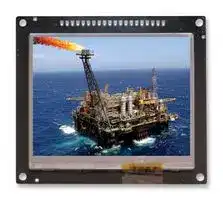
Illustrative purposes only

MCT035U6TW320240LMLC
TFT LCD, 3.5
⚠️ Reference pricing provided. In case of supply shortages, we will connect you with our trusted procurement partners to ensure your project's continuity.
- Manufacturer: MIDAS
- Product type: TFT LCD Displays
- VGA Size: QVGA
- Resolution: 320 x 240
- Module Size: 76.9mm x 64mm
- Touchscreen: Resistive Touch
- Display Size: 3.5"
- Logic Voltage: 5V
- Product Range: MCT035U6
- Display Pinout: SIL / USB
- Interface Type: UART, USB
- Display Appearance: RGB with Fonts
- Display Brightness: 240cd/m²
- Display Orientation: Landscape
- Operating Temperature Max: 70°C
- Operating Temperature Min: -20°C
| Delivery and price | |
|---|---|
| Units per pack | 50 |
| Price | 57.16 € |
| Current stock | 10+ |
| Lead time | 30 days |
Datasheet

**Midas Components Limited Telephone** +44 (0)1493 602602 Electra House **Fax** +44 (0)1493 665111 32 Southtown Road **Email** sales@midasdisplays.com Great Yarmouth **Website** www.midasdisplays.com Norfolk NR31 0DU England

## **S ecification p**

Part Number: ~~oe~~ Version: ~~a~~ Date: ~~a~~

**Revision No. Date Description Item Page** ~~ii,[ion,] AA! |~~

**==> picture [448 x 474] intentionally omitted <==**

**----- Start of picture text -----**<br>
Table of Contents<br>1.0  General Description ------------------------------------------------------------------------------------------------3<br>2.0  Electrical Characteristics -----------------------------------------------------------------------------------------3<br>3.0  Mechanical Parameters --------------------------------------------------------------------------------------------3<br>4.0  Pin Definition ----------------------------------------------------------------------------------------------------------3<br>5.0  Interface Design ------------------------------------------------------------------------------------------------------4<br>6.0  Control Command ---------------------------------------------------------------------------------------------------4<br>7.0  Outline Drawing ------------------------------------------------------------------------------------------------------8  MIDAS<br>8.0  User’s Guide --------------------------------------------------- -------- ----------------------------------------------9<br>9.0  Reliability Test Items ---------------------------------------------------------------------------------------------- 11<br>10.0  Package Specification ------------------------------------------------------------------------------------------ 11<br>**----- End of picture text -----**<br>


# **Midas Active Matrix Display Part Number System**

**MC T 057 A 6 * W 320240 L M L * * * * *** 1 2 3 4 5 6 7 8 9 10 11 12 13 14 15 16

- 1 = **MC:** Midas Components

- 2 = **T:** TFT **A:** Active Matrix OLED

- 3 = **Size**

- 4 = **Series**

- 5

6

- 7

8

   - = **Viewing Angle: 6:** 6 O’clock **12:** 12 O’clock **O:** All round = **Blank:** No Touch **T:** Resistive Touchscreen **C:** Capacitive Touchscreen = **Operating Temp Range:  S:** 0 to 50Deg C **B:** -20+60Deg C MIDAS **W:** -20+70Deg C **E:** -30+85Deg C

   - = **No of Pixels**

- 9 = **Orientation: P:** Portrait **L:** Landscape

- 10 = **Mode: R:** Reflective **M:** Transmissive **T:** Transflective **S:** Sunlight Readable (transmissive)

      - **W:** White on Black (Monochrome)

- 11 = **Backlight: Blank:** None **L:** LED **C:** CCFL

- 12 = **Blank:** No Module/board **C:** Controller board module

- 13 = **Blank:** None **V** : Video 14 = **Blank:** None **B** : Bracket

- 15 = **Blank:** None **H** : Host Cable 16 = **Blank:** None **K** : Keyboard

M3 TFT is target to the users updating their product from monochrome LCD to TFT displays or new products fast developing; our solution can provides a simple and reliable way to control TFT displays. M3-DM series include small screen with RGB port from 3.5” to 8.0”, meeting the requirements for various applications from customers.

## **1.0  General Description**

1. Built-in command table

2. Typical data space 128M Byte

3. Communication interface UART (Customizable RS232)

4. Data updated using USB port

5. Font 8*16, 12*24, 16*32, 24*48, 32*64 or own definition

6. Resistance touch screen (Optional for capacitance touch panel)

## **2.0   Electrical Parameters:**

|**Name**||
|---|---|
|Input voltage|5V±5%|
|Current|<200mA|
|Color Depth|65K colors|
|Operating|℃<br>-20---70|
|Temperature||
|Storage|℃<br>-30---80|
|Temperature||
|Luminance|240cd/m²|
|DisplayMode|Transmissive|
|Resolution|320*240|


## **3.0  Mechanical Parameters  (mm)**

|**ITEM**||
|---|---|
|Size ofpanel|76.90*64.00|
|Size of module|93.00*70.000*13.9|
|Size(VA)Bezel|72.80*55.50|


## **4.0  Pin Definition**

## **J1 on module is communication port and K1 is reset key.**

## **5.0 Interface Design**

1. Firstly, put all pictures needed into the folder of BMP_FILE, convert them into BMP format and change picture names in proper sequence from 000.BMP. The operation can be completed with software of ACDSEE; see Appendix I for details in operation.

The picture files with names in proper sequence are shown in figure below:

2. Execute batch processing command Bmptobin.exe and two files will be generated in the folder of BMP_DATA after execution, among which BMPDATA.BIN is the data file where all picture data are put successively and TABLE.BIN is the table file equivalent to index file; copy these two files into the folder virtualized by the module and then they are available for use.

3. If special character display is required by user, like Chinese or Japanese etc. The software attached in this module can be used for extracting font library; ( Only for Chinese version )

Revise the name of extracted font library file and copy it in to USB flash disk for application; the file name should be changed as HZK.BIN.

4. Note: this USB flash disk is a virtualized one; the file system is regulated for the convenience of application of this module and improvement of picture refreshing speed; please use FAT12 to format the USB flash disk; the limit number of files in root directory is 16 and generally there are only font library file, table file and data file; if other files need to be stored by user, it had better to make a new folder for storage of these files.

5. Press K1 key (reset key) on module after all files are copied into USB flash disk and then they are available for use.

## **6.0 Control Command**

This module adopts alphabetic string to control all operations.

The command format begins with command word continued with parameter list in which parameters are separated by space and ends with a return character; pay attention that the return character is a must. When the command is executing, the busy pin is low, and the module can’t receive new command, until the busy pin is high.

## “CMD n1 n2……Return”

The parameters n1, n2… in table below express a 16 -bit unsigned integer data and s1, s2…expresses alphabetic string.

**Drawing commands**

|**Function**|**Command Format**|**Example**||
|---|---|---|---|
|Browse Pictures|ALL|"ALL\n"||
|Draw a circle|CIRCLE Xa Ya R C|"CIRCLE 100 100 50 31\n"||
|Fill in color|CLR Xa Ya Xe Ye C|"CLR 0 0 100 100 31\n"||
|Clear screen|CLS C|"CLS 31\n"||
|Cut apicture|CUT Pn Xa Ya Xb Yb Xs Ys|"CUT 1 30 30 0 0 100 100\n"||
|Draw a dot|DOT Xa Ya C|"DOT 100 100 31\n"||
|Draw a line|LINE Xa Ya Xe Ye C|"LINE 10 10 50 50 31\n"||
|Backlight on|LEDON|"LEDON\n"||
|Adjusting backlight<br>luminance|LEDON X    (X:1~10)|"<br>n<br>10\<br>N<br>O<br>D<br>E<br>L<br>"||
|Backlight off|LEDOFF|"LEDOFF\n"||
|LOAD   PIC|PIC Pn Xa Ya|"PIC 1 30 30\n"||
|Display image files<br>directly|LOAD Xa Ya Path|"LOAD 0 0 jpg\jpg03.jpg\n"|Support<br>BMP,JPG,TGA,PN<br>G|
|Draw a rectangle|RECT Xa Ya Xe Ye C|"RECT 10 10 100 100 31\n"||
|*Get screen size|SIZE|"SIZE\n"||
|Display alphabetic<br>string|STR Xa Ya C Str|"STR 0 0 31 ABCDEF\n"||
|Display<br>alphabetic<br>string<br>with<br>grounding|BSTR Fontsize Xa Ya C Cb<br>Str|"BSTR 16 0 0 31 0 ABCDEF\n"||
|Display font<br>user-defined|UF FontIndex Xa Ya C Str|"UF 0 0 0 31 ABCDEF\n"||
|Display font with<br>grounding<br>user-defined|BUF FontIndex Xa Ya C Cb<br>Str|"BUF 0 0 0 31 0 ABCDEF\n"||
|Buzzer control<br>~~===~~|BUZ Tb Fb<br>~~===~~|"BUZ 300 2000\n"<br>~~===~~|~~===~~|


## **Display alphabetic string. Copy the font file to flash before use these commands**

|**Function**|**Command Format**|**Example**||
|---|---|---|---|
|Display alphabetic<br>string(Font 16)|HZ16 Xa Ya C Str|" HZ16 0 0 31 ABCDEF\n"|Font Size 8x16|
|Display alphabetic<br>string(Font 24)|HZ24 Xa Ya C Str|" HZ24 0 0 31 ABCDEF\n"|Font Size 12x24|
|Display alphabetic<br>string(Font 32)|HZ32 Xa Ya C Str|" HZ32 0 0 31 ABCDEF\n"|Font Size 16x32|
|Display alphabetic<br>string(Font 48)|HZ48 Xa Ya C Str|" HZ48 0 0 31 ABCDEF\n"|Font Size 24x48|


|Display alphabetic<br>string(Font 64)|HZ64 Xa Ya C Str|" HZ64 0 0 31 ABCDEF\n"|Font Size 32x64|
|---|---|---|---|
|Display alphabetic string<br>with back color(Font 16)|HZB16 Xa Ya C Cb Str|" HZB16 0 0 31 0 ABCDEF\n"|Font Size 8x16|
|Display alphabetic string<br>with back color(Font 24)|HZB24 Xa Ya C Cb Str|" HZB24 0 0 31 0 ABCDEF\n"|Font Size 12x24|
|Display alphabetic string<br>with back color(Font 32)|HZB32 Xa Ya C Cb Str|" HZB32 0 0 31 0 ABCDEF\n"|Font Size 16x32|
|Display alphabetic string<br>with back color(Font 48)|HZB48 Xa Ya C Cb Str|" HZB48 0 0 31 0 ABCDEF\n"|Font Size 24x48|
|Display alphabetic string<br>with back color(Font 64)|HZB64 Xa Ya C Cb Str|" HZB64 0 0 31 0 ABCDEF\n"|Font Size 32x64|


## **Animation, the series picture must be same size  ****

**Function Command Format Example *Animation1** M1 On/Off Xa Ya Ps Pe Pt “M1 1 0 0 0 8 100\n” **Animation2** M2 On/Off Xa Ya Ps Pe Pt “M2 1 0 0 0 8 100 \n” **Animation3** M3 On/Off Xa Ya Ps Pe Pt “M3 1 0 0 0 8 100 \n” **Animation4** M4 On/Off Xa Ya Ps Pe Pt “M4 1 0 0 0 8 100 \n” ~~=~~ **Note:** Xa Ya    :start x y coordinates Xe Ye :End x y coordinates C        :color(16bits,RGB 565 ) Cb  color underpainting Xs Ys : Need to intercept the Xb Yb : start end  X Y coordinates in livelong PIC size from livelong picture Str :alphabetic string(8x16) Pn     : Pictures serial number(000-999) R  : Radius Ps      : Start animation picture number Pe      : End animation picture number Pt       : Spacing time    (Unit  ms) Bt      : Buzzer on time  (Unit  ms) Bf      : Buzzer frequency(Unit  Hz)  1K-4K Path Denote the path of the picture file  BMP,JPG,PNG,TGA

Fontsize   8*16, 12*24, 16*32, 24*48, 32*64 FontIndex  user-defined font index (0~19)

* ** Please ensure the command will be ended with the HEX value of “ 0x0d & 0x0a”.

If “LINE 10 10 50 50 31 \n”doesn’t work, please try “LINE 10 10 50 50 31 \n\r” or “LINE

10 10 50 50 31\r\n” (“\n”: 0x0d & 0x0a.)

## ****Parameter configuration:**

**This part use config.ini to set module basic parameters like UART baud rate, touch**

## **panel calibrating, demo setting, etc...**

**Config.ini already existed in flash memory before shipping out. Below is the comments for config.ini**

BaudRate=9600 // Uart baud rate

StartColor=30 // The color of starting DemoStatus=1 // Demo ON (or OFF) DemoTime=1000 // Demo interval (ms) DemoXaddr=0 // Demo pic coordinate X DemoYaddr=0 // Demo pic coordinate Y

Monitor=0 // Uart monitor

MotionSize1=1024 //Motion picture size (KB) MotionSize2=200 MotionSize3=0 MotionSize4=0

TpTestFlag=1 // Test TP, it will display a small circle at clicking position. TpColor=63488 // Color of small circle

TpInterval=10 // Interval of TP testing (ms) *************** DO NOT modify below KEY TFT timing parameters ******************* TFT_CLK=0 // TFT_THD= 800 // TFT_THPW=48 // TFT_THB=40 // MIDAS TFT_THFP=40 // TFT_TVD=480 // TFT_TVPW=3 // TFT_TVB=29 // TFT_TVFP=13 // --------------------------------------

RTPHV=0 //RTP wires order

XA=350

XB=-13605 YA=259 YB=-38457

## **7.0 Outline Drawing**

**==> picture [74 x 242] intentionally omitted <==**

**----- Start of picture text -----**<br>
|||||||||
|---|---|---|---|---|---|---|---|
|oyaya|
|m|<|<|S/%fofol2|N|)|2|
|YI"|
|=g|)|S|=1%Ymiim|||15|
|"|
|=|
|=|
|E|
|2A|
|lalala|/|a|l|ole|!|a|
|e|ee) P-4|a1 Ulmim|
|xlZ\AwiziQ|||||Pial|2/2/2|e|l=|
|MITE!|S|I|S|
|Q||2|m|z|
|BlO||A|4|/a/|9|
|||0|m|a|
|ful|Zlmle|
|a|als||s|
|a9z|||||S|2[|S|/l 3/|=>s|l25|
|=|zr|5|Alac0|
|R21|Lw|Si|z|]|™|O.|O12alz|
|oO)||e|5\|3|
|3|m|
|m3|a|

**----- End of picture text -----**<br>


## **8.0   User’s Guide**

## **Appendix I**

Application of ACDSEE for classifying pictures

   1. Collect materials for use into the

- folder of BMP_FILE; at the beginning, —

- the pictures may be disordered and the processing of following steps is | needed to make them in proper order for operation.

- a maa eee ee Ea |" | | 4] Ea Bs

   2. Convert all files into BMP format.

3. Sort the pictures successively beginning with 000.

**==> picture [137 x 42] intentionally omitted <==**

**----- Start of picture text -----**<br>
a<br>eis Site? SRR Ee<br>**----- End of picture text -----**<br>


**==> picture [71 x 37] intentionally omitted <==**

**----- Start of picture text -----**<br>
ff a<br>012. bmp "TS bap. s<br>**----- End of picture text -----**<br>


   4. Reorder the special picture sequence, for instance, the animation part and special font part must be continuous.

5. Execute the batch file of BmptoBin.exe

6. After execution, there are two files generated in BMP_DATA, wherein BMPDATA.BIN is data file in which all picture data are put inside in order; TABLE.BIN is table file equivalent to index file. Copy these two files into the folder virtualized the module and then they are available for use.

## **Appendix II**

Application circuit

## **9.0  Reliability Test Items**

|**No**<br>~~aa~~<br>~~ee~~|**Item**<br>~~aa~~<br>~~ee~~|**Condition**<br>~~aa~~<br>~~ee~~<br>|**Quantity**<br>~~aa~~<br>~~ee~~<br>|
|---|---|---|---|
|1<br>~~ee~~<br>~~ee~~|High Temperature Operating<br>~~ee~~<br>~~ee~~|50<br>, 96Hrs<br>~~ee~~<br>~~ee~~<br>|5<br>~~ee~~<br>~~ee~~<br>|
|2<br>~~ee~~|Low Temperature Operating<br>~~ee ~~|0<br>, 96Hrs<br>~~ee~~<br> ~~ee~~|5<br>~~ee~~<br>~~ee~~|
|3<br>~~ee~~<br>~~ee~~|High Humidity<br>~~ee ~~<br>~~ee ~~|60<br>, 90%RH, 96Hrs<br>~~ee~~<br> <br> ~~ee~~|5<br>~~ee~~<br><br>~~ee~~<br>~~ee~~|
|4<br>~~ee~~|High Temperature Storage<br>~~ee~~|80<br>, 96Hrs<br>~~ee~~|5<br>~~ee~~<br>~~ee~~|
|5<br>~~pp~~|Low Temperature Storage<br>~~pp~~|-40<br>, 96Hrs<br>~~pp~~<br>~~eee~~|5<br>~~ee~~<br>~~pp~~<br>~~eee~~|
|6<br>~~ee~~|Thermal shock<br>~~ee~~|-20<br>,<br>30min~70<br>,<br>30min,<br>20<br>cycles.<br>~~ee~~<br>~~eee~~|5<br>~~ee~~<br>~~eee~~|
Updated at February 9, 2023
About Novapart
Novapart is a B2B electronic component broker specialising in stock shortages and cost reduction. We source hard-to-find parts and identify compliant alternatives across a catalogue of 410,000+ components from 500+ manufacturers.
Learn more →Stock Shortage Specialist
When a component is unavailable, discontinued or has an unacceptable lead time, we tap into our network of vetted European and Asian distributors to source what you need — without compromising on quality or traceability.
Request a quote →Compliant Alternatives
We identify pin-to-pin, electrically equivalent substitutes that meet the same certifications (RoHS, AEC-Q100, REACH) as your original specification — validated against datasheets, not just part numbers. Often at a lower cost.
BOM Analysis service →