
Image not available
Illustrative purposes only

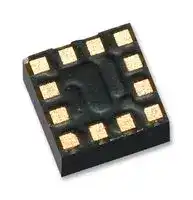
KX127-1068
MEMS Accelerometer, Digital, X, Y, Z, ± 2g, ± 4g, ± 8g, 1.71 V, 3.6 V, LGA
⚠️ Reference pricing provided. In case of supply shortages, we will connect you with our trusted procurement partners to ensure your project's continuity.
- Manufacturer: KIONIX
- Product type: MEMS Accelerometers
- No. of Pins: 12Pins
- Sensitivity Max: 17counts, 34counts, 68counts, 4342counts/g, 8684counts/g, 17367counts/g
- Sensitivity Min: 15counts, 30counts, 60counts, 3850counts/g, 7700counts/g, 15401counts/g
- Sensitivity Typ: 16counts, 32counts, 64counts, 4096counts/g, 8192counts/g, 16384counts/g
- Measurement Axis: X, Y, Z
- Sensor Case Style: LGA
- Acceleration Range: ± 2g, ± 4g, ± 8g
- MEMS Sensor Output: Digital
- Supply Voltage Max: 3.6V
- Supply Voltage Min: 1.71V
| Delivery and price | |
|---|---|
| Units per pack | 2500 |
| Price | 0.585 € |
| Current stock | 10+ |
| Lead time | 30 days |
Datasheet

**PART NUMBER: ± 2g / 4g / 8g Tri-axis Digital KX127-1068 Accelerometer Specifications Rev. 1.0 23-Feb-2018**
## **Product Description**
The KX127-1068 is a tri-axis ±2g, ±4g, or ±8g silicon micromachined accelerometer with integrated Pedometer, 2048-byte buffer, orientation, Directional-Tap[TM] /Double-Tap[TM] , activity detecting, and Free fall algorithms. The sense element is fabricated using Kionix’s proprietary plasma micromachining process technology. Acceleration sensing is based on the principle of a differential capacitance arising from acceleration-induced motion of the sense element, which further utilizes common mode cancellation to decrease errors from process variation, temperature, and environmental stress. The sense element is hermetically sealed at the wafer level by bonding a second silicon lid wafer to the device using a glass frit. A separate ASIC device
packaged with the sense element provides signal conditioning, and intelligent user-programmable application algorithms. The accelerometer is delivered in a 2 x 2 x 0.9 mm LGA plastic package operating from a 1.71V – 3.6V DC supply. Voltage regulators are used to maintain constant internal operating voltages over the range of input supply voltages. This results in stable operating characteristics over the range of input supply voltages. I[2] C or SPI digital protocol is used to communicate with the chip to configure and check for updates to the orientation, Directional-Tap[TM] /Double-Tap[TM] detection, Free fall detection, Pedometer and activity monitoring algorithms.
## **Features**
- Small footprint: 2 x 2 x 0.9 mm LGA 12-pin package
- User-configurable g-range up to ±8g and Output Data Rate up to 25600Hz
- Integrated pedometer (step counter) with overflow, watermark, and increment interrupts
- High resolution Wake-Up/Back-to-Sleep functions with threshold configurable down to 3.9 mg
- User accessible manufacturer and part ID registers
- Integrated Free fall, Directional-Tap[TM] /Double-Tap[TM] , and Device-orientation Algorithms
- Improved ODR accuracy in Low Power mode over temperature
- Factory Programmed Offset and Sensitivity with improved performance over temperature
- Extra-large embedded 2048-byte FIFO/FILO buffer continues to record data even when being read
- Low Power Consumption with FlexSet™ Performance Optimization
- User-selectable Low Power or High Resolution modes
- Internal voltage regulator
- Digital I[2] C up to 3.4MHz and Digital SPI up to 10MHz
- RoHS / REACH compliant
- Excellent temperature performance with high shock survivability
- Self-test Function
- Digital High-Pass Filter Outputs
36 Thornwood Dr. – Ithaca, NY 14850 tel: 607-257-1080 – fax:607-257-1146 www.kionix.com - info@kionix.com
© 2018 Kionix – All Rights Reserved 805-10813-1802231032-0.21
Page 1 of 98
**PART NUMBER: ± 2g / 4g / 8g Tri-axis Digital KX127-1068 Accelerometer Specifications Rev. 1.0** 6Kionix’
**23-Feb-2018**
## **Table of Contents**
**==> picture [539 x 525] intentionally omitted <==**
**----- Start of picture text -----**<br>
|||||
|---|---|---|---|
|PRODUCT DESCRIPTION .................................................................................................................................................................... 1|
|FEATURES ......................................................................................................................................................................................... 1|
|TABLE OF CONTENTS ......................................................................................................................................................................... 2|
|FUNCTIONAL DIAGRAM .................................................................................................................................................................... 6|
|PRODUCT SPECIFICATIONS ................................................................................................................................................................ 7|
|MECHANICAL ............................................................................................................................................................................................ 7|
|ELECTRICAL ............................................................................................................................................................................................... 8|
|Start Up Time Profile ........................................................................................................................................................................ 9|
|Current Profile .................................................................................................................................................................................. 9|
|Power-On Procedure ....................................................................................................................................................................... 10|
|ENVIRONMENTAL ..................................................................................................................................................................................... 11|
|TERMINOLOGY ........................................................................................................................................................................................ 12|
|FUNCTIONALITY ....................................................................................................................................................................................... 13|
|APPLICATION SCHEMATIC AND PIN DESCRIPTION ........................................................................................................................................... 14|
|Application Schematic .................................................................................................................................................................... 14|
|Pin Description ................................................................................................................................................................................ 14|
|PACKAGE DIMENSIONS AND ORIENTATION ................................................................................................................................................... 15|
|Dimensions ..................................................................................................................................................................................... 15|
|Orientation ..................................................................................................................................................................................... 16|
|DIGITAL INTERFACE ......................................................................................................................................................................... 18|
|I|[2]|C|SERIAL INTERFACE ............................................................................................................................................................................... 18|
|I|[2]|C Operation .................................................................................................................................................................................. 19|
|Writing to an 8-bit Register ............................................................................................................................................................ 20|
|Reading from an 8-bit Register ....................................................................................................................................................... 21|
|Data Transfer Sequences ................................................................................................................................................................ 22|
|HS-mode ......................................................................................................................................................................................... 23|
|I|[2]|C Timing Diagram ......................................................................................................................................................................... 24|
|SPI|COMMUNICATIONS............................................................................................................................................................................. 25|
|4-Wire SPI Interface ........................................................................................................................................................................ 25|
|4-Wire SPI Timing Diagram ............................................................................................................................................................ 26|
|4-Wire Read and Write Registers ................................................................................................................................................... 27|
|3-Wire SPI Interface ........................................................................................................................................................................ 28|
|3-Wire SPI Timing Diagram ............................................................................................................................................................ 29|
|3-Wire Read and Write Registers ................................................................................................................................................... 30|
|EMBEDDED REGISTERS.................................................................................................................................................................... 31|
|ACCELEROMETER OUTPUTS........................................................................................................................................................................ 32|
|MAN_ID .............................................................................................................................................................................................. 33|
|PART_ID .............................................................................................................................................................................................. 33|
|XHP_L .................................................................................................................................................................................................. 33|
|XHP_H ................................................................................................................................................................................................. 33|
|YHP_L .................................................................................................................................................................................................. 34|
**----- End of picture text -----**<br>
36 Thornwood Dr. – Ithaca, NY 14850 tel: 607-257-1080 – fax:607-257-1146 www.kionix.com - info@kionix.com
© 2018 Kionix – All Rights Reserved 805-10813-1802231032-0.21 Page 2 of 98
**==> picture [498 x 66] intentionally omitted <==**
**----- Start of picture text -----**<br>
|||
|---|---|
|PART NUMBER:|
|± 2g / 4g / 8g Tri-axis Digital|KX127-1068|
|Accelerometer Specifications|Rev. 1.0|
|6Kionix’|
|23-Feb-2018|
**----- End of picture text -----**<br>
YHP_H ................................................................................................................................................................................................. 34 ZHP_L .................................................................................................................................................................................................. 34 ZHP_H ................................................................................................................................................................................................. 34 XOUT_L ............................................................................................................................................................................................... 35 XOUT_H............................................................................................................................................................................................... 35 YOUT_L ............................................................................................................................................................................................... 35 YOUT_H ............................................................................................................................................................................................... 35 ZOUT_L................................................................................................................................................................................................ 36 ZOUT_H ............................................................................................................................................................................................... 36 PED_STP_L AND PED_STP_H ................................................................................................................................................................ 37 COTR ................................................................................................................................................................................................... 37 WHO_AM_I ......................................................................................................................................................................................... 37 TSCP .................................................................................................................................................................................................... 38 TSPP .................................................................................................................................................................................................... 38 INS1 ..................................................................................................................................................................................................... 39 INS2 ..................................................................................................................................................................................................... 39 INS3 ..................................................................................................................................................................................................... 41 STAT .................................................................................................................................................................................................... 42 INT_REL ............................................................................................................................................................................................... 43 CNTL1 .................................................................................................................................................................................................. 43 CNTL2 .................................................................................................................................................................................................. 44 CNTL3 .................................................................................................................................................................................................. 46 CNTL4 .................................................................................................................................................................................................. 47 CNTL5 .................................................................................................................................................................................................. 49 ODCNTL ............................................................................................................................................................................................... 50 INC1 .................................................................................................................................................................................................... 52 INC2 .................................................................................................................................................................................................... 53 INC3 .................................................................................................................................................................................................... 53 INC4 .................................................................................................................................................................................................... 54 INC5 .................................................................................................................................................................................................... 55 INC6 .................................................................................................................................................................................................... 56 INC7 .................................................................................................................................................................................................... 57 TILT_TIMER ......................................................................................................................................................................................... 58 TDTRC .................................................................................................................................................................................................. 58 TDTC .................................................................................................................................................................................................... 59 TTH ...................................................................................................................................................................................................... 59 TTL ....................................................................................................................................................................................................... 60 FTD ...................................................................................................................................................................................................... 60 STD ...................................................................................................................................................................................................... 61 TLT ....................................................................................................................................................................................................... 61 TWS ..................................................................................................................................................................................................... 62 FFTH .................................................................................................................................................................................................... 62 FFC ...................................................................................................................................................................................................... 62 FFCNTL ................................................................................................................................................................................................ 63
36 Thornwood Dr. – Ithaca, NY 14850 tel: 607-257-1080 – fax:607-257-1146 www.kionix.com - info@kionix.com
© 2018 Kionix – All Rights Reserved 805-10813-1802231032-0.21 Page 3 of 98
**==> picture [498 x 66] intentionally omitted <==**
**----- Start of picture text -----**<br>
|||
|---|---|
|PART NUMBER:|
|± 2g / 4g / 8g Tri-axis Digital|KX127-1068|
|Accelerometer Specifications|Rev. 1.0|
|6Kionix’|
|23-Feb-2018|
**----- End of picture text -----**<br>
**==> picture [539 x 540] intentionally omitted <==**
**----- Start of picture text -----**<br>
|||
|---|---|
|TILT_ANGLE_LL ................................................................................................................................................................................... 64|
|TILT_ANGLE_HL................................................................................................................................................................................... 64|
|HYST_SET ............................................................................................................................................................................................ 64|
|LP_CNTL .............................................................................................................................................................................................. 65|
|WUFTH,|BTSWUFTH AND BTSTH .......................................................................................................................................................... 66|
|BTSC .................................................................................................................................................................................................... 66|
|WUFC .................................................................................................................................................................................................. 67|
|PED_STPWM_L AND PED_STPWM_H .................................................................................................................................................. 67|
|PED_CNTL1 ......................................................................................................................................................................................... 67|
|PED_CNTL2 ......................................................................................................................................................................................... 68|
|PED_CNTL3 ......................................................................................................................................................................................... 69|
|PED_CNTL4 ......................................................................................................................................................................................... 70|
|PED_CNTL5 ......................................................................................................................................................................................... 71|
|PED_CNTL6 ......................................................................................................................................................................................... 71|
|PED_CNTL7 ......................................................................................................................................................................................... 71|
|PED_CNTL8 ......................................................................................................................................................................................... 72|
|PED_CNTL9 ......................................................................................................................................................................................... 72|
|PED_CNTL10 ....................................................................................................................................................................................... 72|
|SELF_TEST ........................................................................................................................................................................................... 73|
|BUF_CNTL1 ......................................................................................................................................................................................... 73|
|BUF_CNTL2 ......................................................................................................................................................................................... 74|
|BUF_STATUS_1 AND BUF_STATUS_2 ................................................................................................................................................... 75|
|BUF_CLEAR ......................................................................................................................................................................................... 75|
|BUF_READ ........................................................................................................................................................................................... 76|
|EMBEDDED APPLICATIONS ............................................................................................................................................................. 77|
|ORIENTATION DETECTION FEATURE ............................................................................................................................................................. 77|
|Hysteresis........................................................................................................................................................................................ 77|
|Device Orientation Angle (aka Tilt Angle)....................................................................................................................................... 78|
|Tilt Timer ......................................................................................................................................................................................... 79|
|MOTION INTERRUPT FEATURE DESCRIPTION ................................................................................................................................................. 80|
|Wake-Up function ........................................................................................................................................................................... 80|
|Back-to-Sleep function .................................................................................................................................................................... 82|
|DIRECTIONAL-TAP DETECTION FEATURE DESCRIPTION .................................................................................................................................... 84|
|Performance Index.......................................................................................................................................................................... 84|
|Single Tap Detection ....................................................................................................................................................................... 85|
|Double-Tap Detection ..................................................................................................................................................................... 86|
|FREE FALL DETECT .................................................................................................................................................................................... 87|
|SAMPLE BUFFER FEATURE DESCRIPTION ....................................................................................................................................................... 89|
|FIFO Mode ...................................................................................................................................................................................... 89|
|Stream Mode .................................................................................................................................................................................. 89|
|Trigger Mode .................................................................................................................................................................................. 90|
|FILO Mode ...................................................................................................................................................................................... 90|
|Buffer Operation ............................................................................................................................................................................. 90|
|PEDOMETER (STEP COUNTER)|FEATURE ....................................................................................................................................................... 96|
**----- End of picture text -----**<br>
36 Thornwood Dr. – Ithaca, NY 14850 tel: 607-257-1080 – fax:607-257-1146 www.kionix.com - info@kionix.com
© 2018 Kionix – All Rights Reserved 805-10813-1802231032-0.21 Page 4 of 98
**PART NUMBER: ± 2g / 4g / 8g Tri-axis Digital KX127-1068 Accelerometer Specifications Rev. 1.0** 6Kionix’ **23-Feb-2018**
**REVISION HISTORY .......................................................................................................................................................................... 97 APPENDIX ....................................................................................................................................................................................... 98**
36 Thornwood Dr. – Ithaca, NY 14850 tel: 607-257-1080 – fax:607-257-1146 www.kionix.com - info@kionix.com
© 2018 Kionix – All Rights Reserved 805-10813-1802231032-0.21 Page 5 of 98
**==> picture [511 x 438] intentionally omitted <==**
**----- Start of picture text -----**<br>
PART NUMBER:<br>± 2g / 4g / 8g Tri-axis Digital KX127-1068<br>Accelerometer Specifications Rev. 1.0<br>Ktonix’<br>23-Feb-2018<br>Kreme)<br>Functional Diagram<br>X<br>Accel<br>Ch<br>Y<br>Amplifier ADC<br>Accel<br>a<br>Z<br>Accel<br>pH<br>DSP<br>FIFO buffer<br>I 2C/SPI Interface<br>Power<br>= al<br>VDD GND IO_VDD nCS SDO/ADDR SDI/SDA SCLK/SCL TRIG INT1 INT2<br>**----- End of picture text -----**<br>
36 Thornwood Dr. – Ithaca, NY 14850 tel: 607-257-1080 – fax:607-257-1146 www.kionix.com - info@kionix.com
© 2018 Kionix – All Rights Reserved 805-10813-1802231032-0.21 Page 6 of 98
«6Kionix’
## **± 2g / 4g / 8g Tri-axis Digital Accelerometer Specifications**
**PART NUMBER:**
**KX127-1068**
**Rev. 1.0**
**23-Feb-2018**
## **Product Specifications**
## **Mechanical**
= (specifications are for operation at 2.5V and T 25C unless stated otherwise)
~~a~~ **Parameters Units Min Typical Max** ~~a~~ Operating Temperature Range ºC -40 - +85 ~~a~~ Zero-g Offset mg ±25 ±90 Zero-g Offset Variation from RT over Temp. mg/ºC 0.2 ~~eo a~~ GSEL1=0, GSEL0=0 (± 2g) 15401 16384 17367 Sensitivity[1] (16 bit) GSEL1=0, GSEL0=1 (± 4g) counts/g 7700 8192 8684 ~~SS~~ GSEL1=1, GSEL0=0 (± 8g) 3850 4096 4342 GSEL1=0, GSEL0=0 (± 2g) 60 64 68 Sensitivity GSEL1=0, GSEL0=1 (± 4g) counts/g 30 32 34 (Buffer 8-bit mode)[1,2] ~~aa~~ GSEL1=1, GSEL0=0 (± 8g) ~~a~~ 15 16 17 Sensitivity Variation from RT over Temp. %/ºC 0.01 ~~Ps~~ 0.25 (xy) Positive Self Test Output change on Activation[4] g 0.5 0.75 ~~ee~~ 0.2 (z) ~~ee~~ 3500 (xy) Signal Bandwidth (-3dB) Hz ~~ee~~ 1800 (z) ~~a~~ Non-Linearity % of FS 0.6 ~~oo~~ Cross Axis Sensitivity % 2 RMS mg 0.7 Noise[3,5] ~~aa~~ Density µg/√Hz ~~ee~~ 130 **Table 1:** Mechanical Specifications
Notes:
1. Resolution and acceleration ranges are user selectable via I[2] C or SPI.
2. Sensitivity is proportional to BRES in BUF_CNTL2.
3. Noise varies with Output Data Rate (ODR), and the Average Filter Control settings and can be tested using Kionix FlexSet[TM] Performance Optimization Tool found at http://www.kionix.com/flexset.
4. Requires changing of STPOL bit in INC1 register to 1 prior to performing self-test
5. Measured with ODR=50Hz, IIR_BYPASS=0, LPRO=1 (filter corner frequency set to ODR/2)
36 Thornwood Dr. – Ithaca, NY 14850 tel: 607-257-1080 – fax:607-257-1146 www.kionix.com - info@kionix.com
© 2018 Kionix – All Rights Reserved 805-10813-1802231032-0.21 Page 7 of 98
**PART NUMBER:**
**± 2g / 4g / 8g Tri-axis Digital KX127-1068 Accelerometer Specifications Rev. 1.0** [¢KTonix **23-Feb-2018 Electrical** = (specifications are for operation at 2.5V and T 25C unless stated otherwise) ~~a~~ **Parameters Units Min Typical Max** Supply Voltage (VDD) Operating V 1.71 2.5 3.6 ~~esOO a~~ I/O Pads Supply Voltage (IO_VDD) V 1.7 3.6 ~~Qs~~ High Resolution Mode (RES = 1) 145 Current Consumption ~~a~~ Low Power Mode[1] (RES = 0) A 10 ~~a~~ Standby 0.9 ~~GO~~ Output Low Voltage (IO_VDD < 2V)[2] V - - 0.2 * IO_VDD ~~OC~~ Output Low Voltage (IO_VDD ≥ 2V)[2] V - - 0.4 ~~GC~~ Output High Voltage V 0.8 * IO_VDD - - ~~OO~~ Input Low Voltage V - - 0.2 * IO_VDD ~~a~~ Input High Voltage V 0.8 * IO_VDD - - ~~OC~~ Start Up Time[3] ms 2 1300 ~~OO~~ Power Up Time[4] ms 20 50 ~~a~~ I[2] C Communication Rate MHz 3.4 ~~OC~~ I[2] C Slave Address (7-bit) 0x1E / 0x1F ~~GO~~ SPI Communication Rate MHz 10 ~~a~~ Output Data Rate (ODR)[5] ~~G~~ Hz 0.781 50 25600 ODR/9 or Bandwidth (-3dB)[6] Hz ~~eeee~~ ODR/2 ~~ee~~ **Table 2:** Electrical Specifications
**KX127-1068**
**Rev. 1.0**
**23-Feb-2018**
Notes:
1. Current varies with Output Data Rate (ODR) as shown in Figure 2, types and number of enabled digital engines, and the Average Filter Control settings that can be tested using Kionix FlexSet[TM] Performance Optimization Tool found at http://www.kionix.com/flexset.
2. For I[2] C communication, this assumes a minimum 1.5kΩ pull-up resistor on SCL and SDA pins.
3. Start up time is from PC1 set to valid outputs. Time varies with Output Data Rate (ODR) and power mode setting. See Figure 1 for details.
4. Power up time is from VDD valid to device boot completion.
5. User selectable through I[2] C or SPI.
6. User selectable and dependent on ODR. See ODCNTL register description for details.
36 Thornwood Dr. – Ithaca, NY 14850 tel: 607-257-1080 – fax:607-257-1146 www.kionix.com - info@kionix.com
© 2018 Kionix – All Rights Reserved 805-10813-1802231032-0.21 Page 8 of 98
## **PART NUMBER: ± 2g / 4g / 8g Tri-axis Digital KX127-1068 Accelerometer Specifications Rev. 1.0 23-Feb-2018** ~~I~~
## **Start Up Time Profile**
**Figure 1:** Start Up Time as a function of the Output Data Rate (ODR) and Power Mode Settings
## **Current Profile**
**==> picture [418 x 211] intentionally omitted <==**
**----- Start of picture text -----**<br>
Representative Current Profile (µA)<br>ODR (Hz) High Res Low Power Representative Current (µA)<br>Standby 0.9 0.9 16x Averaging Filter (default )<br>0.781 145 1.8 1000.0<br>1.563 145 2.0<br>3.125 145 2.2<br>6.25 145 3.0 145 145 145 145 145 145 145 145 145 145 145 145 145 145 145 145<br>12.5 145 5 100.0 145 145 145 145 145 145 145<br>25 145 7<br>a 50 a 145 13 43<br>a 100 a 145 21 °<br>a 200 a 145 43 10.0 21<br>13<br>aa 400800 ee 145145 145145 @ 5 ° 7 RES = 0 (Low Power Mode)RES = 1 when ODR ≥ 400Hz<br>| 1600 aee 145 145 @ ° 3.0 ° °<br>3200 145 145 1.0 1.8 [2][.0] [2.2] RES = 1 (High Resolution Mode)<br>a ee ° ‘<br>6400 145 145<br>12800 145 145<br>Accelerometer ODR (Hz)<br>25600 145 145<br>0.1 1 10 100 1000 10000 100000<br>Current (µA)<br>**----- End of picture text -----**<br>
**Figure 2:** Current as a function of Output Data Rate (ODR) and Power Mode Settings
36 Thornwood Dr. – Ithaca, NY 14850 tel: 607-257-1080 – fax:607-257-1146 www.kionix.com - info@kionix.com
© 2018 Kionix – All Rights Reserved 805-10813-1802231032-0.21 Page 9 of 98
**PART NUMBER: ± 2g / 4g / 8g Tri-axis Digital KX127-1068 Accelerometer Specifications Rev. 1.0 23-Feb-2018** ~~Kf~~ **Power-On Procedure** Proper functioning of power-on reset (POR) is dependent on the specific **VDD, VDDLOW** , **TVDD** (rise time) **,** and **TVDD_OFF** profile of individual applications. It is recommended to minimize **VDDLOW,** and **TVDD** , and maximize **TVDD_OFF** . It is also advised that the **VDD** ramp up time **TVDD** be monotonic. Note that the outputs will not be stable until **VDD** has reached its final value.
_To assure proper POR, the application should be evaluated over the customer specified range of VDD, VDDLOW, TVDD, TVDD_OFF and temperature as POR performance can vary depending on these parameters._
Please refer to Technical Note _**TN021 Power-On Procedure**_ for more information.
36 Thornwood Dr. – Ithaca, NY 14850 tel: 607-257-1080 – fax:607-257-1146 www.kionix.com - info@kionix.com
© 2018 Kionix – All Rights Reserved 805-10813-1802231032-0.21 Page 10 of 98
|**± 2g / 4g / 8g Tri-axis Digital**<br>**Accelerometer Specifications**<br>**PART NUMBER:**<br>**KX127-1068**<br>**Rev. 1.0**<br>**23-Feb-2018**<br>4K10"IX|~~pe~~|**± 2g / 4g / 8g Tri-axis Digital**<br>**Accelerometer Specifications**<br>**PART NUMBER:**<br>**KX127-1068**<br>**Rev. 1.0**<br>**23-Feb-2018**<br>4K10"IX|~~pe~~|**± 2g / 4g / 8g Tri-axis Digital**<br>**Accelerometer Specifications**<br>**PART NUMBER:**<br>**KX127-1068**<br>**Rev. 1.0**<br>**23-Feb-2018**<br>4K10"IX|~~pe~~|**± 2g / 4g / 8g Tri-axis Digital**<br>**Accelerometer Specifications**<br>**PART NUMBER:**<br>**KX127-1068**<br>**Rev. 1.0**<br>**23-Feb-2018**<br>4K10"IX|~~pe~~|**± 2g / 4g / 8g Tri-axis Digital**<br>**Accelerometer Specifications**<br>**PART NUMBER:**<br>**KX127-1068**<br>**Rev. 1.0**<br>**23-Feb-2018**<br>4K10"IX|~~pe~~|**± 2g / 4g / 8g Tri-axis Digital**<br>**Accelerometer Specifications**<br>**PART NUMBER:**<br>**KX127-1068**<br>**Rev. 1.0**<br>**23-Feb-2018**<br>4K10"IX|~~pe~~|
|---|---|---|---|---|---|
|**Environmental**||||||
|**Parameters**<br>**Units**|**Min**|**Typical **||**Max **||
|SupplyVoltage (VDD)AbsoluteLimits<br>V|-0.3|-||3.60||
|OperatingTemperatureRange<br>ºC|-40|-||85||
|StorageTemperatureRange<br>ºC|-55|-||150||
|Mech. Shock (powered and unpowered)<br>g|-|-|5000 for 0.5ms<br>10000for0.2ms|||
|ESD<br>HBM<br>V|-|-||2000||
**Table 3:** Environmental Specifications
Caution: ESD Sensitive and Mechanical Shock Sensitive Component, improper handling can cause permanent damage to the device.
These products conform to RoHS Directive 2011/65/EU of the European Parliament and of Y the Council of the European Union that was issued June 8, 2011. Specifically, these products RoHS do not contain any non-exempted amounts of lead, mercury, cadmium, hexavalent chromium, 2011/65/EU polybrominated biphenyls (PBB) or polybrominated diphenyl ethers (PBDE) above the maximum concentration values (MCV) by weight in any of its homogenous materials. Homogenous materials are “of uniform composition throughout”. The MCV for lead, mercury, hexavalent chromium, PBB, and PBDE is 0.10%. The MCV for cadmium is 0.010%.
Applicable Exemption: _7C-I - Electrical and electronic components containing lead in a glass or ceramic other than dielectric ceramic in capacitors (piezoelectronic devices) or in a glass or ceramic matrix compound._
These products are also in conformance with REACH Regulation No 1907/2006 of the European Parliament and of the Council that was issued Dec. 30, 2011. They do not contain any Substances of Very High Concern (SVHC-174) as identified by the European Chemicals Agency as of 12 July 2017.
This product is halogen-free per IEC 61249-2-21. Specifically, the materials used in this product HF contain a maximum total halogen content of 1500 ppm with less than 900-ppm bromine and less than 900-ppm chlorine.
## **Soldering**
Soldering recommendations are available upon request or from www.kionix.com.
36 Thornwood Dr. – Ithaca, NY 14850 tel: 607-257-1080 – fax:607-257-1146 www.kionix.com - info@kionix.com
© 2018 Kionix – All Rights Reserved 805-10813-1802231032-0.21 Page 11 of 98
**==> picture [498 x 66] intentionally omitted <==**
**----- Start of picture text -----**<br>
PART NUMBER:<br>± 2g / 4g / 8g Tri-axis Digital KX127-1068<br>Accelerometer Specifications Rev. 1.0<br>6Kionix’<br>23-Feb-2018<br>**----- End of picture text -----**<br>
## **Terminology**
## **g**
A unit of acceleration equal to the acceleration of gravity at the earth's surface. One thousandth of a g (0.0098 m/s[2] ) is referred to as 1 milli-g (1 mg).
**==> picture [53 x 25] intentionally omitted <==**
## **Sensitivity**
The sensitivity of an accelerometer is the change in output per unit of input acceleration at nominal VDD and temperature. The term is essentially the gain of the sensor expressed in counts per g (counts/g) or LSB’s per g (LSB/g). Occasionally, sensitivity is expressed as a resolution, i.e. milli-g per LSB (mg/LSB) or milli-g per count (mg/count). Sensitivity for a given axis is determined by measurements of the formula:
**==> picture [217 x 32] intentionally omitted <==**
The sensitivity tolerance describes the range of sensitivities that can be expected from a large population of sensors at room temperature and over life. When the temperature deviates from room temperature (25ºC), the sensitivity will vary by the amount shown in Table 1.
## **Zero-g offset**
Zero-g offset or 0-g offset describes the actual output of the accelerometer when no acceleration is applied. Ideally, the output would always be in the middle of the dynamic range of the sensor (content of the XOUT, YOUT, ZOUT registers = 0x00, expressed as a 2’s complement number). However, because of mismatches in the sensor, calibration errors, and mechanical stress, the output can deviate from 00. This deviation from the ideal value is called 0-g offset. The zero-g offset tolerance describes the range of 0-g offsets of a population of sensors over the operating temperature range.
## **Self-test**
Self-test allows a functional test of the sensor without applying a physical acceleration to it. When activated, an electrostatic force is applied to the sensor, simulating an input acceleration. The sensor outputs respond accordingly. If the output signals change within the amplitude specified in Table 1, then the sensor is working properly and the parameters of the interface chip are within the defined specifications.
> © 2018 Kionix – All Rights Reserved 805-10813-1802231032-0.21 Page 12 of 98
36 Thornwood Dr. – Ithaca, NY 14850 tel: 607-257-1080 – fax:607-257-1146 www.kionix.com - info@kionix.com
**PART NUMBER: ± 2g / 4g / 8g Tri-axis Digital KX127-1068 Accelerometer Specifications Rev. 1.0** 6Kionix’ **23-Feb-2018**
## **Functionality**
## **Sense element**
The sense element is fabricated using Kionix’s proprietary plasma micromachining process technology. This process technology allows Kionix to create mechanical silicon structures which are essentially massspring systems that move in the direction of the applied acceleration. Acceleration sensing is based on the principle of a differential capacitance arising from the acceleration-induced motion. Capacitive plates on the moving mass move relative to fixed capacitive plates anchored to the substrate. The sense element is hermetically sealed at the wafer level by bonding a second silicon lid wafer to the device using a glass frit.
## **ASIC interface**
A separate ASIC device packaged with the sense element provides all of the signal conditioning and communication with the sensor. The complete measurement chain is composed by a low-noise capacitance to voltage amplifier which converts the differential capacitance of the MEMS sensor into an analog voltage that is sent through an analog-to-digital converter. The acceleration data may be accessed through the I[2] C or SPI digital communications provided by the ASIC. In addition, the ASIC contains all of the logic to allow the user to choose data rates, g-ranges, filter settings, and interrupt logic. Plus, there are two programmable state machines which allow the user to create unique embedded functions based on changes in acceleration.
## **Factory calibration**
Kionix trims the offset and sensitivity of each accelerometer by adjusting gain (sensitivity) and 0-g offset trim codes stored in nonvolatile memory (OTP). Additionally, all functional register default values are also programmed into the nonvolatile memory. Every time the device is turned on or a software reset command is issued, the trimming parameters and default register values are downloaded into the volatile registers to be used during active operation. This allows the device to function without further calibration.
36 Thornwood Dr. – Ithaca, NY 14850 tel: 607-257-1080 – fax:607-257-1146 www.kionix.com - info@kionix.com
© 2018 Kionix – All Rights Reserved 805-10813-1802231032-0.21 Page 13 of 98
||**PART NUMBER:**|
|---|---|
|**± 2g / 4g / 8g Tri-axis Digital**|**KX127-1068**|
|**Accelerometer Specifications**|**Rev. 1.0**|
||**23-Feb-2018**|
## **Application Schematic and Pin Description**
## **Application Schematic**
## **Pin Description**
|**Pin**|**Name**|**Description **|**Description **|
|---|---|---|---|
|1|SCLK/SCL||SPI and I2C Serial Clock|
|2|nCS||ChipSelect(active LOW)for SPI communication. Connect to IO_VDD for I2C communication. Do not leave floating.|
|3|SDO/ADDR||Serial Data Out pin during 4 wire SPI communication and part of the device address during I2C communication. Do not leave<br>floating.|
|4|SDI/SDA||SPI Data input / I2C Serial Data|
|5|NC||Not InternallyConnected - Can be connected to VDD, IO_VDD, GND or leave floating.|
|6|GND||Ground|
|7|TRIG||Triggerpin for FIFO buffer control - Connect to GND when not usingexternal trigger option.|
|8|GND||Ground|
|9|VDD||Thepower supplyinput. Decouple thispin toground with a 0.1uF ceramic capacitor.|
|10|IO_VDD||The power supply input for the digital communication bus. Optionally decouple this pin to ground with a 0.1uF ceramic<br>capacitor.|
|11|INT2||Physical Interrupt 2 (Push-Pull). The pin is in High-Z state during POR and is driven LOW following POR. Leave floating if not<br>used.|
|12|INT1||Physical Interrupt 1 (Push-Pull). The pin is in High-Z state during POR and is driven LOW following POR. Leave floating if not<br>used.|
**Table 4:** Pin Description
36 Thornwood Dr. – Ithaca, NY 14850 tel: 607-257-1080 – fax:607-257-1146 www.kionix.com - info@kionix.com
© 2018 Kionix – All Rights Reserved 805-10813-1802231032-0.21 Page 14 of 98
## **± 2g / 4g / 8g Tri-axis Digital Accelerometer Specifications** ~~CSronie oo~~
**PART NUMBER: KX127-1068 Rev. 1.0 23-Feb-2018**
## **Package Dimensions and Orientation**
## **Dimensions**
2 x 2 x 0.9 mm LGA
All dimensions and tolerances conform to ASME Y14.5M-1994
36 Thornwood Dr. – Ithaca, NY 14850 tel: 607-257-1080 – fax:607-257-1146 www.kionix.com - info@kionix.com
© 2018 Kionix – All Rights Reserved 805-10813-1802231032-0.21 Page 15 of 98
**PART NUMBER: ± 2g / 4g / 8g Tri-axis Digital KX127-1068 Accelerometer Specifications Rev. 1.0 23-Feb-2018**
## **Orientation**
When device is accelerated in +X, +Y or +Z direction, the corresponding output will increase.
## **Static X/Y/Z Output Response versus Orientation to Earth’s surface (1g):** GSEL1=0, GSEL0=0 (±2g)
|~~a~~|~~es~~|~~es~~|||||||||||
|---|---|---|---|---|---|---|---|---|---|---|---|---|
|**Position**<br>~~a~~|**1**<br>~~es~~||**2**||**3**||**4**||**5**||**6**||
|Diagram<br>~~a~~<br>~~a~~|~~es~~||||||||Top<br>Bottom||Bottom<br>Top<br>~~ee~~||
|Resolution<br>(bits)<br>~~a~~<br>~~a~~|16<br>~~ee~~|8<br>~~ee~~|16<br>~~ee~~|8<br>~~ee~~|16<br>~~ee~~|8<br>~~ee~~|16<br>~~ee~~|8<br>~~ee~~|16<br>~~ee~~|8<br>~~ee~~|16<br>~~ee~~<br>~~ee~~|8<br>~~ee~~<br>~~ee~~|
|X (counts)<br>~~a~~|0|0|+16384|+64|0|0|-16384|-64|0|0|0<br>~~ee~~|0<br>~~ee~~|
|Y(counts)<br>~~a~~|-16384|-64|0|0|+16384|+64|0|0|0|0|0|0|
|Z(counts)<br>~~a~~|0|0|0|0|0|0|0|0|+16384|+64|-16384|-64|
|~~a ~~|~~a~~||||||||||||
|X-Polarity<br>~~a~~|**0**||**+**||**0**||**-**||**0**||**0**||
|Y-Polarity<br>~~a~~|**-**||**0**||**+**||**0**||**0**||**0**||
|Z-Polarity<br>~~a~~|**0**||**0**||**0**||**0**||**+**||**-**||
(1g)
Earth’s Surface
36 Thornwood Dr. – Ithaca, NY 14850 tel: 607-257-1080 – fax:607-257-1146 www.kionix.com - info@kionix.com
© 2018 Kionix – All Rights Reserved 805-10813-1802231032-0.21 Page 16 of 98
**± 2g / 4g / 8g Tri-axis Digital Accelerometer Specifications**
**PART NUMBER: KX127-1068**
**Rev. 1.0 23-Feb-2018**
**Static X/Y/Z Output Response versus Orientation to Earth’s surface (1g):** GSEL1=0, GSEL0=1 (±4g)
|**Position**<br>~~QO~~|**1**<br>~~QO~~|**1**<br>~~QO~~|**2**<br>~~QO~~|**2**<br>~~QO~~|**3**<br>~~QO~~|**3**<br>~~QO~~|**4**<br>~~QO~~|**4**<br>~~QO~~|**5**<br>~~QO~~|**5**<br>~~QO~~|**6**<br>~~QO~~|**6**<br>~~QO~~|
|---|---|---|---|---|---|---|---|---|---|---|---|---|
|Diagram<br>~~|~~|~~|~~<br>~~|~~||~~ff~~||~~ff~~<br>~~ftft~~||~~ft~~||Top<br>Bottom||Bottom<br>Top||
|Resolution<br>(bits)<br>~~|~~<br>~~po~~|16<br>~~|~~|8<br>~~|~~|16<br>~~ff~~|8<br>~~ff~~|16<br>~~ff~~<br>~~ft~~|8<br>~~ftft~~|16<br>~~ft~~|8<br>~~ft~~|16|8|16|8|
|X (counts)<br>~~|~~<br>~~po~~<br>~~po~~|0<br>~~|~~|0<br>~~|~~|+8192<br>~~ff~~|+32<br>~~ff~~|0<br>~~ff~~<br>~~ft~~|0<br>~~ft ft~~|-8192<br>~~ft~~|-32<br>~~ft~~|0|0|0|0|
|Y(counts)<br>~~po~~<br>~~po~~<br>~~po~~|-8192<br>|-32<br>|0<br>|0<br>|+8192<br>|+32<br>|0<br>|0<br>|0<br>|0<br>|0<br>|0<br>|
|Z(counts)<br>~~po~~<br>~~po~~|0<br>|0<br>|0<br>|0<br>|0<br>|0<br>|0<br><br>~~GG~~|0<br><br>~~GG~~|+8192<br><br>~~GG~~|+32<br>|-8192<br>|-32<br>|
|~~poGG~~|~~GG~~||~~GG~~||~~GG~~||~~GG~~<br>~~GG~~<br>~~GG~~||~~GG~~<br>~~GG~~<br>~~GG~~||~~GG~~||
|X-Polarity<br>~~GG~~|**0**<br>~~GG~~||**+**<br>~~GG~~||**0**<br>~~GG~~||**-**<br>~~GG~~<br>~~GG~~<br>~~GG~~<br>~~GG~~||**0**<br>~~GG~~<br>~~GG~~<br>~~GG~~<br>~~GG~~||**0**<br>~~GG~~||
|Y-Polarity<br>~~GG~~|**-**<br>~~GG~~||**0**<br>~~GG~~||**+**<br>~~GG~~||**0**<br>~~GG~~<br>~~GG~~<br>~~GG~~||**0**<br>~~GG~~<br>~~GG~~<br>~~GG~~<br>~~GO~~||**0**<br>~~GG~~||
|Z-Polarity<br>~~OG~~|**0**<br>~~OG~~||**0**<br>~~OG~~||**0**<br>~~OG~~||**0**<br>~~GG~~<br>~~OG~~||**+**<br>~~GG~~<br>~~OG~~<br>~~GO~~||**-**<br>~~OG~~||
## Earth’s Surface
**Static X/Y/Z Output Response versus Orientation to Earth’s surface (1g):** GSEL1=1, GSEL0=0 (±8g)
|**Position**<br>~~OF~~|**1**<br>~~OF~~|**1**<br>~~OF~~|**2**<br>~~a~~|**2**<br>~~a~~|**3**<br>~~a~~|**3**<br>~~a~~|**4**|**4**|**5**|**5**|**6**|**6**|
|---|---|---|---|---|---|---|---|---|---|---|---|---|
|Diagram<br>~~OF~~<br>~~po~~|~~OF~~<br>~~po~~||~~a~~||~~a~~||||Top<br>Bottom<br>~~ee~~||Bottom<br>Top||
|Resolution<br>(bits)<br>~~OF~~<br>~~a~~<br>~~po~~|16<br>~~OF~~<br>~~a~~<br>~~po~~|8<br>~~a~~|16<br>~~a~~<br>~~ee~~|8<br>~~a~~<br>~~ee~~|16<br>~~a~~<br>~~ee~~|8<br>~~a~~<br>~~ee~~|16<br>~~ee~~|8<br>~~ee~~|16<br>~~ee~~<br>~~ee~~|8<br>~~ee~~<br>~~ee~~|16<br>~~ee~~|8<br>~~ee~~|
|X (counts)<br>~~po~~<br>~~po~~|0<br>~~po~~<br>~~po~~|0|+4096|+16|0|0|-4096|-16|0<br>~~ee~~|0<br>~~ee~~|0|0|
|Y(counts)<br>~~po~~<br>~~po~~<br>~~po~~|-4096<br>~~po~~<br>~~po~~|-16|0|0|+4096|+16|0|0|0<br>~~ee~~|0<br>~~ee~~|0|0|
|Z(counts)<br>~~po~~<br>~~po~~<br>~~po~~|0<br>~~po~~|0|0|0|0|0|0|0|+4096|+16|-4096|-16|
|~~po~~<br>~~po~~<br>~~a~~|||||||~~OG~~<br>||~~OG~~<br>||||
|X-Polarity<br>~~po~~<br>~~a GG~~<br>~~a~~<br>~~Sn~~|**0**<br>~~GG~~<br><br>~~Sn~~||**+**<br>~~GG~~<br><br>~~Sn~~||**0**<br>~~GG~~<br>||**-**<br>~~GG~~<br>~~OG~~<br><br>~~OG~~||**0**<br>~~GG~~<br>~~OG~~<br><br>~~OG~~||**0**<br>~~GG~~<br>||
|Y-Polarity<br>~~a GG~~<br>~~Sn~~|**-**<br>~~GG~~<br>~~Sn~~||**0**<br>~~GG~~<br>~~Sn~~||**+**<br>~~GG~~||**0**<br>~~OG~~<br>~~GG~~<br>~~OG~~||**0**<br>~~OG~~<br>~~GG~~<br>~~OG~~||**0**<br>~~GG~~||
|Z-Polarity<br>~~Sn~~|**0**<br>~~Sn~~||**0**<br>~~Sn~~||**0**||**0**<br>~~OG~~||**+**<br>~~OG~~||**-**||
Earth’s Surface
36 Thornwood Dr. – Ithaca, NY 14850 tel: 607-257-1080 – fax:607-257-1146 www.kionix.com - info@kionix.com
© 2018 Kionix – All Rights Reserved 805-10813-1802231032-0.21 Page 17 of 98
**==> picture [347 x 66] intentionally omitted <==**
**----- Start of picture text -----**<br>
PART NUMBER:<br>± 2g / 4g / 8g Tri-axis Digital KX127-1068<br>Accelerometer Specifications Rev. 1.0<br>23-Feb-2018<br>**----- End of picture text -----**<br>
## **Digital Interface**
The Kionix KX127 digital accelerometer can communicate via the I[2] C and SPI digital serial interface protocols. This allows for easy system integration by eliminating analog-to-digital converter requirements and by providing direct communication with system micro-controllers.
The serial interface terms and descriptions as indicated in Table 5 will be observed throughout this document.
|**Term**<br>**Description**<br>Transmitter<br>The device that transmits data to the bus.<br>Receiver<br>The device that receives data from the bus.<br>Master<br>The device that initiates a transfer, generates clock signals, and terminates a transfer.<br>Slave<br>The device addressed by the Master.<br>~~———————————~~|
|---|
|**Table 5:**Serial Interface Terminologies|
|**I2C Serial Interface**|
As previously mentioned, the KX127 can communicate on an I[2] C bus. I[2] C is primarily used for synchronous serial communication between a Master device and one or more Slave devices. The Master, typically a micro controller, provides the serial clock signal and addresses Slave devices on the bus. The KX127 always operates as a Slave device during standard Master-Slave I[2] C operation.
I[2] C is a two-wire serial interface that contains a Serial Clock (SCL) line and a Serial Data (SDA) line. SCL is a serial clock that is provided by the Master, but can be held LOW by any Slave device, putting the Master into a wait condition. SDA is a bi-directional line used to transmit and receive data to and from the interface. Data is transmitted MSB (Most Significant Bit) first in 8-bit per byte format, and the number of bytes transmitted per transfer is unlimited. The I[2] C bus is considered free when both lines are HIGH.
The I[2] C interface is compliant with high-speed mode, fast mode and standard mode I[2] C protocols.
36 Thornwood Dr. – Ithaca, NY 14850 tel: 607-257-1080 – fax:607-257-1146 www.kionix.com - info@kionix.com
© 2018 Kionix – All Rights Reserved 805-10813-1802231032-0.21 Page 18 of 98
**PART NUMBER: ± 2g / 4g / 8g Tri-axis Digital KX127-1068 Accelerometer Specifications Rev. 1.0** 6Kionix’ **23-Feb-2018**
## **I[2] C Operation**
Transactions on the I[2] C bus begin after the Master transmits a start condition (S), which is defined as a HIGHto-LOW transition on the data line while the SCL line is held HIGH. The bus is considered busy after this condition. The next byte of data transmitted after the start condition contains the Slave Address (SAD) in the seven MSBs (Most Significant Bits), and the LSB (Least Significant Bit) tells whether the Master will be receiving data ‘1’ from the Slave or transmitting data ‘0’ to the Slave. When a Slave Address is sent, each device on the bus compares the seven MSBs with its internally stored address. If they match, the device considers itself addressed by the Master. The KX127 Slave Address is comprised of a user programmable part, a factory programmable part, and a fixed part, which allows for connection of multiple accelerometers to the same I[2] C bus. The Slave Address associated with the KX127 is 00111YX, where the user programmable bit X, is determined by the assignment of ADDR pin to GND or IO_VDD. Also, the factory programmable bit Y is set at the factory. **For KX127-1068, the factory programmable bit Y is fixed to 1** (contact your Kionix sales representative for list of available devices). Table 6 lists possible I[2] C addresses for KX127-1068. It is possible to have up to four accelerometers on a shared I[2] C bus as shown in Figure 3 (i.e. two KX127-1068 accelerometers and two additional accelerometers with the factory programmable bit Y set to **0** ).
||||||||||**Y**<br>~~TT~~|**X**<br>~~TT~~||
|---|---|---|---|---|---|---|---|---|---|---|---|
|**Description**<br>~~|~~<br>~~a~~|**Address**<br>**Pad**<br>~~|~~|**7-bit**<br>**Address**<br>~~|~~|**Address**|**<7>**<br>~~ee~~|**<6>**<br>~~ee~~|**<5>**<br>~~ee~~|**<4>**<br>~~ee~~|**<3>**<br>~~ee~~|**<2>**<br>~~TT~~<br>~~ee~~|**<1>**<br>~~TT~~|**<0>**|
|I2C Wr<br>~~|~~<br>~~ee~~<br>~~a~~|GND<br>~~|~~<br>~~ee~~|0x1E<br>~~|~~<br>~~ee~~|0x3C<br>~~ee~~|0<br>~~ee~~<br>~~ee~~|0<br>~~ee~~<br>~~ee~~|1<br>~~ee~~<br>~~ee~~|1<br>~~ee~~<br>~~ee~~|1<br>~~ee~~<br>~~ee~~|1<br>~~ee~~<br>~~ee~~|0<br>~~ee~~|0<br>~~ee~~|
|I2CRd<br>~~ee~~<br>~~a~~|GND<br>~~ee~~|0x1E<br>~~ee~~|0x3D<br>~~ee~~|0<br>~~ee~~<br>~~ee~~|0<br>~~ee~~<br>~~ee~~|1<br>~~ee~~<br>~~ee~~|1<br>~~ee~~<br>~~ee~~|1<br>~~ee~~<br>~~ee~~|1<br>~~ee~~<br>~~ee~~|0<br>~~ee~~|1<br>~~ee~~|
|I2C Wr<br>~~a~~<br>~~ee~~|IO_VDD<br>~~a~~|0x1F|0x3E|0<br>~~ee ~~|0<br> ~~ee ~~|1<br> ~~ee~~|1<br>~~ee ~~|1<br> ~~ee~~|1<br>~~ee~~|1|0|
|I2CRd<br>~~ee~~|IO_VDD<br>~~a~~|0x1F|0x3F|0|0|1|1|1|1|1|1|
It is mandatory that receiving devices acknowledge (ACK) each transaction. Therefore, the transmitter must release the SDA line during this ACK pulse. The receiver then pulls the data line LOW so that it remains stable LOW during the HIGH period of the ACK clock pulse. A receiver that has been addressed, whether it is Master or Slave, is obliged to generate an ACK after each byte of data has been received. To conclude a transaction, the Master must transmit a stop condition (P) by transitioning the SDA line from LOW to HIGH while SCL is HIGH. The I[2] C bus is now free. Note that if the KX127 is accessed through I[2] C protocol before the startup is finished a NACK signal is sent.
36 Thornwood Dr. – Ithaca, NY 14850 tel: 607-257-1080 – fax:607-257-1146 www.kionix.com - info@kionix.com
© 2018 Kionix – All Rights Reserved 805-10813-1802231032-0.21 Page 19 of 98
**==> picture [347 x 66] intentionally omitted <==**
**----- Start of picture text -----**<br>
PART NUMBER:<br>± 2g / 4g / 8g Tri-axis Digital KX127-1068<br>Accelerometer Specifications Rev. 1.0<br>23-Feb-2018<br>**----- End of picture text -----**<br>
|**I2C Device**|**Part Number**|**ADDR Pin**|**Slave Address**|**Bit Y (Bit 1 in 7-bit address)**|
|---|---|---|---|---|
|1|KX127-1068|GND|0x1E|FactorySet to 1|
|2|KX127-1068|IO_VDD|0x1F|FactorySet to 1|
|3|*KXMMM|GND|0x1C|FactorySet to 0|
|4|*KXMMM|IO_VDD|0x1D|FactorySet to 0|
- KXMMM – contact Kionix sales representative for list of compatible devices
**Figure 3:** Multiple KX127 Accelerometers on a Shared I[2] C Bus
## **Writing to an 8-bit Register**
Upon power up, the Master must write to the KX127’s control registers to set its operational mode. Therefore, when writing to a control register on the I[2] C bus, as shown Sequence 1, the following protocol must be observed: After a start condition, SAD+W transmission, and the KX127 ACK has been returned, an 8-bit Register Address (RA) command is transmitted by the Master. This command is telling the KX127 to which 8-bit register the Master will be writing the data. Since this is I[2] C mode, the LSB of the RA command should always be zero (0). The KX127 acknowledges the RA and the Master transmits the data to be stored in the 8-bit register. The KX127 acknowledges that it has received the data and the Master transmits a stop condition (P) to end the data transfer. The data sent to the KX127 is now stored in the appropriate register. The KX127 automatically increments the received RA commands and, therefore, multiple bytes of data can be written to sequential registers after each Slave ACK as shown in Sequence 2.
****Note**** If a STOP condition is sent on the least significant bit of write data or the following master acknowledge cycle, the last write operation is not guaranteed and it may alter the content of the affected registers.
36 Thornwood Dr. – Ithaca, NY 14850 tel: 607-257-1080 – fax:607-257-1146 www.kionix.com - info@kionix.com
© 2018 Kionix – All Rights Reserved 805-10813-1802231032-0.21 Page 20 of 98
**PART NUMBER: ± 2g / 4g / 8g Tri-axis Digital KX127-1068 Accelerometer Specifications Rev. 1.0** 6Kionix’ **23-Feb-2018**
## **Reading from an 8-bit Register**
When reading data from a KX127 8-bit register on the I[2] C bus, as shown in Sequence 3 on the next page, the following protocol must be observed: The Master first transmits a start condition (S) and the appropriate Slave Address (SAD) with the LSB set at ‘0’ to write. The KX127 acknowledges and the Master transmits the 8-bit RA of the register it wants to read. The KX127 again acknowledges, and the Master transmits a repeated start condition (Sr). After the repeated start condition, the Master addresses the KX127 with a ‘1’ in the LSB (SAD+R) to read from the previously selected register. The Slave then acknowledges and transmits the data from the requested register. The Master does not acknowledge (NACK) it received the transmitted data, but transmits a stop condition to end the data transfer. Note that the KX127 automatically increments through its sequential registers, allowing data to be read from multiple registers following a single SAD+R command as shown below in Sequence 4 on the following page. Reading data from a buffer read register is a special case because if register address (RA) is set to buffer read register (BUF_READ) in Sequence 4, the register auto-increment feature is automatically disabled. Instead, the Read Pointer will increment to the next data in the buffer, thus allowing reading multiple bytes of data from the buffer using a single SAD+R command.
****Note**** Accelerometer’s output data should be read in a single transaction using the auto-increment feature to prevent output data from being updated prior to intended completion of the read transaction.
36 Thornwood Dr. – Ithaca, NY 14850 tel: 607-257-1080 – fax:607-257-1146 www.kionix.com - info@kionix.com
© 2018 Kionix – All Rights Reserved 805-10813-1802231032-0.21 Page 21 of 98
**PART NUMBER: ± 2g / 4g / 8g Tri-axis Digital KX127-1068 Accelerometer Specifications Rev. 1.0 23-Feb-2018** ~~Chow} |~~ **Data Transfer Sequences** The following information clearly illustrates the variety of data transfers that can occur on the I[2] C bus and how the Master and Slave interact during these transfers. Table 7 defines the I[2] C terms used during the data transfers.
|**Term**|**Definition**|
|---|---|
|S|Start Condition|
|Sr|Repeated Start Condition|
|SAD|Slave Address|
|W|Write Bit|
|R|Read Bit|
|ACK|Acknowledge|
|NACK|Not Acknowledge|
|RA|Register Address|
|Data|Transmitted/Received Data|
|P|Stop Condition|
**Table 7:** I[2] C Terms
**Sequence 1:** The Master is writing one byte to the Slave.
Master S SAD + W RA DATA P Slave ACK ACK ACK ~~—a~~ **Sequence 2:** The Master is writing multiple bytes to the Slave. Master S SAD + W RA DATA DATA P Slave ACK ACK ACK ACK ~~—a~~
**Sequence 3:** The Master is receiving one byte of data from the Slave.
Master S SAD + W RA Sr SAD + R NACK P ~~—ee~~ Slave ~~ee~~ ACK ACK ACK DATA **Sequence 4:** The Master is receiving multiple bytes of data from the Slave.
Master S SAD + W RA Sr SAD + R ACK NACK P ~~—ee~~ Slave ~~ee~~ ACK ACK ACK DATA ~~ee~~ DATA 36 Thornwood Dr. – Ithaca, NY 14850 © 2018 Kionix – All Rights Reserved tel: 607-257-1080 – fax:607-257-1146 805-10813-1802231032-0.21 www.kionix.com - info@kionix.com Page 22 of 98
© 2018 Kionix – All Rights Reserved 805-10813-1802231032-0.21 Page 22 of 98
**PART NUMBER: ± 2g / 4g / 8g Tri-axis Digital KX127-1068 Accelerometer Specifications Rev. 1.0 23-Feb-2018**
## **HS-mode**
To enter the 3.4MHz high speed mode of communication, the device must receive the following sequence of conditions from the master: a Start condition followed by a Master code (00001XXX) and a Master Nonacknowledge. Once recognized, the device switches to HS-mode communication. Read/write data transfers then proceed as described in the sequences above. Devices return to the FS-mode after a STOP occurrence on the bus.
**Sequence 5:** HS-mode data transfer of the Master writing multiple bytes to the Slave.
|Speed<br>~~————~~|FS-mode<br>~~————~~|FS-mode<br>~~————~~|FS-mode<br>~~————~~|HS-mode|HS-mode|HS-mode|HS-mode|HS-mode|HS-mode|HS-mode|HS-mode|FS-mode|
|---|---|---|---|---|---|---|---|---|---|---|---|---|
|Master<br>~~————~~|S<br>~~————~~|M-code NACK Sr<br>~~————~~|code NACK Sr|code NACK Sr|SAD + W||RA||DATA||P||
|Slave<br>~~————~~|~~————~~|~~————~~||||ACK|ACK|ACK|ACK|ACK|||
**Sequence 6:** HS-mode data transfer of the Master receiving multiple bytes of data from the Slave.
|Speed<br>FS-mode<br>HS-mode<br>Master<br>S<br>M-code NACK Sr<br>SAD + W<br>RA<br>Slave<br>ACK<br>ACK<br>~~————~~|Speed<br>FS-mode<br>HS-mode<br>Master<br>S<br>M-code NACK Sr<br>SAD + W<br>RA<br>Slave<br>ACK<br>ACK<br>~~————~~|ACK||
|---|---|---|---|
|Speed<br>HS-mode<br>FS-mode<br>Master<br>Sr<br>SAD + R<br>NACK<br>P<br>Slave<br>ACK<br>DATA<br>ACK<br>DATA<br>~~—————~~||||
|(n-1) bytes + ack.||||
36 Thornwood Dr. – Ithaca, NY 14850 tel: 607-257-1080 – fax:607-257-1146 www.kionix.com - info@kionix.com
© 2018 Kionix – All Rights Reserved 805-10813-1802231032-0.21 Page 23 of 98
**==> picture [508 x 210] intentionally omitted <==**
**----- Start of picture text -----**<br>
PART NUMBER:<br>± 2g / 4g / 8g Tri-axis Digital KX127-1068<br>Accelerometer Specifications Rev. 1.0<br>[¢KIonix<br>23-Feb-2018<br>I [2] C Timing Diagram<br>t0 t2 t3 t4 t6<br>t1 t5 t7<br>SCL<br>SDA =a bit7 bit6 bit0 n e addr_ack b7 an bit7 bit0 addr_nack cin<br>S Sr t11 P<br>a t8 t9 alr t10<br>**----- End of picture text -----**<br>
|**Number **<br>~~a~~|**Description **|**MIN**|**MAX**|**Units**|
|---|---|---|---|---|
|t0<br>~~a~~<br>~~a~~|SDA LOW to SCL LOW transition(Start event)|50|-|ns|
|t1<br>~~a~~<br>~~a~~|SDA LOW to first SCL risingedge|100|-|ns|
|t2<br>~~a~~<br>~~a~~|SCLpulse width: HIGH|100|-|ns|
|t3<br>~~a~~<br>~~a~~|SCLpulse width: LOW|100|-|ns|
|t4<br>~~a~~<br>~~a~~|SCL HIGH before SDA fallingedge(Start Repeated)|50|-|ns|
|t5<br>~~a~~<br>~~a~~|SCLpulse width: HIGH duringa S/Sr/P event|100|-|ns|
|t6<br>~~a~~<br>~~a~~|SCL HIGH before SDA risingedge(Stop)|50|-|ns|
|t7<br>~~a~~<br>~~a~~|SDApulse width: HIGH|25|-|ns|
|t8<br>~~a~~<br>~~a~~<br>~~nn~~|SDA valid to SCL risingedge|50|-|ns|
|t9<br>~~nn~~<br>~~nn~~|SCL risingedge to SDA invalid|50|-|ns|
|t10<br>~~nn~~<br>~~nn~~<br>~~nn~~|SCL fallingedge to SDA valid(when slave is transmitting)|-|100|ns|
|t11<br>~~nn~~<br>~~nn~~<br>~~ne~~|SCL fallingedge to SDA invalid(when slave is transmitting)|0|-|ns|
|Note<br>~~nn~~<br>~~ne~~|Recommended I2C CLK|2.5|-|µs|
**Table 8:** I[2] C Timing (Fast Mode)
36 Thornwood Dr. – Ithaca, NY 14850 tel: 607-257-1080 – fax:607-257-1146 www.kionix.com - info@kionix.com
© 2018 Kionix – All Rights Reserved 805-10813-1802231032-0.21 Page 24 of 98
**PART NUMBER: ± 2g / 4g / 8g Tri-axis Digital KX127-1068 Accelerometer Specifications Rev. 1.0 23-Feb-2018**
## **SPI Communications**
## **4-Wire SPI Interface**
The KX127 also utilizes an integrated 4-Wire Serial Peripheral Interface (SPI) for digital communication. The SPI interface is primarily used for synchronous serial communication between one Master device and one or more Slave devices. The Master, typically a micro controller, provides the SPI clock signal (SCLK) and determines the state of Chip Select (nCS). The KX127 always operates as a Slave device during standard Master-Slave SPI operation.
4-wire SPI is a synchronous serial interface that uses two control and two data lines. With respect to the Master, the Serial Clock output (SCLK), the Data Output (SDI or MOSI) and the Data Input (SDO or MISO) are shared among the Slave devices. The Master generates an independent Chip Select (nCS) for each Slave device that goes LOW at the start of transmission and goes back HIGH at the end. The Slave Data Output (SDO) line, remains in a high-impedance (hi-z) state when the device is not selected, so it does not interfere with any active devices. This allows multiple Slave devices to share a master SPI port as shown in Figure 4.
**Figure 4.** 4-wire SPI Connections
36 Thornwood Dr. – Ithaca, NY 14850 tel: 607-257-1080 – fax:607-257-1146 www.kionix.com - info@kionix.com
© 2018 Kionix – All Rights Reserved 805-10813-1802231032-0.21 Page 25 of 98
## C Kionix’ ~~Tene}~~
**PART NUMBER: ± 2g / 4g / 8g Tri-axis Digital KX127-1068 Accelerometer Specifications Rev. 1.0 23-Feb-2018**
## **4-Wire SPI Timing Diagram**
**==> picture [452 x 117] intentionally omitted <==**
**----- Start of picture text -----**<br>
t3 t1 t2 t4<br>nCS<br>— OT<br>CLK<br>PLE LLP LP LP LS<br>SDI bit 7 bit 6 bit 1 bit 0 bit 7 bit 6 bit 1 bit 0<br>SDO bit 7 bit 6 bit 1 bit 0<br>Se SS t5 Oe Ci I a a<br>aE Ca 6<br>t6 t7 IE<br>**----- End of picture text -----**<br>
|**Number**|**Description**|**MIN**|**MAX**|**Units**|
|---|---|---|---|---|
|t1|CLKpulsewidth: HIGH|45||ns|
|t2|CLK pulse width: LOW|45||ns|
|t3|nCS LOW to first CLK rising edge|20||ns|
|t4|nCS LOW after the final CLK rising edge to nCS HIGH|20||ns|
|t5|SDI valid to CLK rising edge|10||ns|
|t6|CLK rising edge to SDI invalid|10||ns|
|t7|CLK falling edge to SDO valid||35|ns|
**Table 9:** 4-Wire SPI Timing
Notes
1. t7 is only present during reads.
2. Timings are for VDD of 1.8V to 3.6V with 1k pull-up resistor and maximum 20pF load capacitor on SDO.
36 Thornwood Dr. – Ithaca, NY 14850 tel: 607-257-1080 – fax:607-257-1146 www.kionix.com - info@kionix.com
© 2018 Kionix – All Rights Reserved 805-10813-1802231032-0.21 Page 26 of 98
**PART NUMBER: ± 2g / 4g / 8g Tri-axis Digital KX127-1068 Accelerometer Specifications Rev. 1.0 23-Feb-2018**
## **4-Wire Read and Write Registers**
The registers embedded in the KX127 accelerometer have 8-bit addresses. Upon power up, the Master must write to the accelerometer’s control registers to set its operational mode. On the falling edge of nCS, a 2-byte command is written to the appropriate control register. The first byte initiates the write to the appropriate register, and is followed by the user-defined, data byte. The MSB (Most Significant Bit) of the register address byte will indicate “0” when writing to the register and “1” when reading from the register. This operation occurs over 16 clock cycles. All commands are sent MSB first. The host must return nCS HIGH for at least one clock cycle before the next data request. However, when data is being read from a buffer read register (BUF_READ), the nCS signal can remain LOW until the buffer is read. Figure 5 shows the timing diagram for carrying out an 8-bit register write operation.
**==> picture [331 x 65] intentionally omitted <==**
**----- Start of picture text -----**<br>
Write Address First 8 bits Second 8 bits Last 8 bits<br>CLK<br>SDI A7 A6 A5 A4 A3 A2 A1 A0 D7 D6 D5 D4 D3 D2 D1 D0 D7 D6 D5 D2 D1 D0<br>SDO HI-Z HI-Z<br>e ae caceeeeeee ate<br>CS<br>**----- End of picture text -----**<br>
**Figure 5:** Timing Diagram for 8-Bit Register Write Operation
In order to read an 8-bit register, an 8-bit register address must be written to the accelerometer to initiate the read. The MSB of this register address byte will indicate “0” when writing to the register and “1” when reading from the register. Upon receiving the address, the accelerometer returns the 8-bit data stored in the addressed register. This operation also occurs over 16 clock cycles. All returned data is sent MSB first, and the host must return nCS HIGH for at least one clock cycle before the next data request. Figure 6 shows the timing diagram for an 8-bit register read operation.
**==> picture [334 x 67] intentionally omitted <==**
**----- Start of picture text -----**<br>
Read Address First 8 bits Second 8 bits Last 8 bits<br>CLK<br>SDI A7 A6 A5 A4 A3 A2 A1 A0<br>SDO HI-Z D7 D6 D5 D4 D3 D2 D1 D0 D7 D6 D5 D3 D2 D1 D0 HI-Z<br>CS<br>**----- End of picture text -----**<br>
**Figure 6:** Timing Diagram for 8-Bit Register Read Operation
36 Thornwood Dr. – Ithaca, NY 14850 tel: 607-257-1080 – fax:607-257-1146 www.kionix.com - info@kionix.com
© 2018 Kionix – All Rights Reserved 805-10813-1802231032-0.21 Page 27 of 98
**==> picture [347 x 66] intentionally omitted <==**
**----- Start of picture text -----**<br>
PART NUMBER:<br>± 2g / 4g / 8g Tri-axis Digital KX127-1068<br>Accelerometer Specifications Rev. 1.0<br>23-Feb-2018<br>**----- End of picture text -----**<br>
## **3-Wire SPI Interface**
The KX127 also utilizes an integrated 3-Wire Serial Peripheral Interface (SPI) for digital communication. 3-wire SPI is a synchronous serial interface that uses two control lines and one data line. With respect to the Master, the Serial Clock output (SCLK), the Data Output/Input (SDI) are shared among the Slave devices. The Master generates an independent Chip Select (nCS) for each Slave device that goes LOW at the start of transmission and goes back HIGH at the end. This allows multiple Slave devices to share a master SPI port as shown in Figure 7.
**Figure 7:** 3-wire SPI Connections
36 Thornwood Dr. – Ithaca, NY 14850 tel: 607-257-1080 – fax:607-257-1146 www.kionix.com - info@kionix.com
© 2018 Kionix – All Rights Reserved 805-10813-1802231032-0.21 Page 28 of 98
(‘Kionix’
**PART NUMBER: ± 2g / 4g / 8g Tri-axis Digital KX127-1068 Accelerometer Specifications Rev. 1.0 23-Feb-2018**
## **3-Wire SPI Timing Diagram**
|nCS|t3<br>~~TI~~|t3<br>~~TI~~|t3<br>~~TI~~|t1|t2||||||||||t4||
|---|---|---|---|---|---|---|---|---|---|---|---|---|---|---|---|---|
|CLK|||||||||||||||||
|SDI|bit 7<br>bit 6<br>t5<br>t6<br>SS|||bit 1||bit 0<br>bit 7<br>bit 1<br>bit 0<br>t7<br>t8<br>~~oa~~|||||||||||
|||**Number**|**Description**|||||||||**MIN**|**MAX Units**|**MAX Units**|**MAX Units**||
|||t1|CLKpulse width: HIGH|||||||||45|-||ns||
|||t2|CLKpulse width: LOW|||||||||45|-||ns||
|||t3|nCS LOW to first CLK risingedge|||||||||20|-||ns||
|||t4|nCS LOW after the final CLK fallingedge to nCS HIGH|||||||||20|-||ns||
|||t5|SDI valid to CLK risingedge|||||||||10|-||ns||
|||t6|CLK risingedge to SDI input invalid|||||||||10|-||ns||
|||t7|CLK extra clock cycle risingedge to SDI out|||e to SDI output becomes valid|||ut becomes valid|ut becomes valid||-|-||ns||
|||t8|CLK fallingedge to SDI output becomes valid|||||||||-|35||ns||
**Table 10:** 3-Wire SPI Timing
## Notes
1. t7 and t8 are only present during reads
2. Timings are for VDD of 1.8V to 3.6V with 1k pull-up resistor and maximum 20pF load capacitor on SDI.
3. The SDO/ADDR pin is configured in a high-impedance input-state, and must be externally tied to GND or IO_VDD
36 Thornwood Dr. – Ithaca, NY 14850 tel: 607-257-1080 – fax:607-257-1146 www.kionix.com - info@kionix.com
© 2018 Kionix – All Rights Reserved 805-10813-1802231032-0.21 Page 29 of 98
**PART NUMBER: ± 2g / 4g / 8g Tri-axis Digital KX127-1068 Accelerometer Specifications Rev. 1.0** 6Kionix’ **23-Feb-2018**
## **3-Wire Read and Write Registers**
The registers embedded in the KX127 accelerometer have 8-bit addresses. Upon power up, the Master must write to the accelerometer’s control registers to set its operational mode. On the falling edge of nCS, a 2-byte command is written to the appropriate control register. The first byte initiates the write to the appropriate register, and is followed by the user-defined, data byte. The MSB (Most Significant Bit) of the register address byte will indicate “0” when writing to the register and “1” when reading from the register. A read operation occurs over 17 clock cycles and a write operation occurs over 16 clock cycles. All commands are sent MSB first. The host must return nCS HIGH for at least one clock cycle before the next data request. However, when data is being read from a buffer read register (BUF_READ), the nCS signal can remain LOW until the buffer is read. Figure 8 shows the timing diagram for carrying out an 8-bit register write operation.
****NOTE**** If a STOP condition is sent on the least significant bit of write data or the following master acknowledge cycle, the last write operation is not guaranteed and it would cause unexpected register write.
**==> picture [307 x 62] intentionally omitted <==**
**----- Start of picture text -----**<br>
SCLK<br>LOU YUU UU UU UU UU UU<br>SDI LOOOQOOOOIOOOOX A7 A6 A5 A4 A3 A2 A1 A0 D7 D6 D5 D4 D3 D2 D1 D0<br>(MSB) (MSB) XX IOOK<br>CS a eea<br>**----- End of picture text -----**<br>
**Figure 8:** Timing Diagram for 8-Bit Register Write Operation
In order to read an 8-bit register, an 8-bit register address must be written to the accelerometer to initiate the read. The MSB of this register address byte will indicate “0” when writing to the register and “1” when reading from the register. Upon receiving the address, the accelerometer returns the 8-bit data stored in the addressed register. For 3-wire read operations, one extra clock cycle between the address byte and the data output byte is required. Therefore, this operation occurs over 17 clock cycles. All returned data is sent MSB first, and the host must return nCS HIGH for at least one clock cycle before the next data request. Figure 9 shows the timing diagram for an 8-bit register read operation.
**==> picture [313 x 55] intentionally omitted <==**
**----- Start of picture text -----**<br>
SCLK<br>LU UU UU UU U U UU UU UU<br>SDI LO00COOQOOCROOOCOOQO A7 A6 A5 A4 A3 A2 A1 A0 D7 D6 D5 D4 D3 D2 D1 D0 O— HI-Z<br>(MSB) (MSB)<br>CS i<br>**----- End of picture text -----**<br>
**Figure 9:** Timing Diagram for 8-Bit Register Read Operation
36 Thornwood Dr. – Ithaca, NY 14850 tel: 607-257-1080 – fax:607-257-1146 www.kionix.com - info@kionix.com
© 2018 Kionix – All Rights Reserved 805-10813-1802231032-0.21 Page 30 of 98
**PART NUMBER: ± 2g / 4g / 8g Tri-axis Digital KX127-1068** Kionix’ **Accelerometer Specifications Rev. 1.0 23-Feb-2018** ~~Tee}~~ **Embedded Registers** The KX127 has 78 embedded 8-bit registers that are accessible by the user. This section contains the addresses for all embedded registers and describes bit functions of each register. Table 11 provides a listing of the accessible 8-bit registers and their addresses.
|Address|Register Name|R/W||Address|Register Name|R/W||Address|Register Name|R/W|
|---|---|---|---|---|---|---|---|---|---|---|
|00|MAN_ID|R||1C|CNTL3³|R/W||38-3B|Kionix Reserved²||
|01|PART_ID|R||1D|CNTL4³|R/W||3C|WUFTH³|R/W|
|02|XHPL¹|R||1E|CNTL53|R/W||3D|BTSWUFTH³|R/W|
|03|XHPH¹|R||1F|ODCNTL³|R/W||3E|BTSTH³|R/W|
|04|YHPL¹|R||20|INC1³|R/W||3F|BTSC³|R/W|
|05|YHPH¹|R||21|INC2³|R/W||40|WUFC³|R/W|
|06|ZHPL¹|R||22|INC3³|R/W||41|PED_WM_L³|R/W|
|07|ZHPH¹|R||23|INC4³|R/W||42|PED_WM_H³|R/W|
|08|XOUTL|R||24|INC5³|R/W||43|PED_CNTL1³|R/W|
|09|XOUTH|R||25|INC6³|R/W||44|PED_CNTL2³|R/W|
|0A|YOUTL|R||26|INC7³|R/W||45|PED_CNTL3³|R/W|
|0B|YOUTH|R||27|TILT_TIMER³|R/W||46|PED_CNTL4³|R/W|
|0C|ZOUTL|R||28|TDTRC³|R/W||47|PED_CNTL5³|R/W|
|0D|ZOUTH|R||29|TDTC³|R/W||48|PED_CNTL6³|R/W|
|0E|PED_STPL|R||2A|TTH³|R/W||49|PED_CNTL7³|R/W|
|0F|PED_STPH|R||2B|TTL³|R/W||4A|PED_CNTL8³|R/W|
|10|COTR|R||2C|FTD³|R/W||4B|PED_CNTL9³|R/W|
|11|WHO_AM_I|R||2D|STD³|R/W||4C|PED_CNTL10³|R/W|
|12|TSCP|R||2E|TLT³|R/W||4D|SELF_TEST|W|
|13|TSPP|R||2F|TWS³|R/W||4E - 59|Kionix Reserved²||
|14|INS1|R||30|FFTH³|R/W||5A|BUF_CNTL1³|R/W|
|15|INS2|R||31|FFC³|R/W||5B|BUF_CNTL2³|R/W|
|16|INS3|R||32|FFCNTL³|R/W||5C|BUF_STATUS_1|R|
|17|STAT|R||33|Kionix Reserved²|||5D|BUF_STATUS_2|R|
|18|Kionix Reserved²|||34|TILT_ANGLE_LL³|R/W||5E|BUF_CLEAR|W|
|19|INT_REL|R||35|TILT_ANGLE_HL³|R/W||5F|BUF_READ|R|
|1A|CNTL1³|R/W||36|HYST_SET³|R/W|||||
|1B|CNTL2³|R/W||37|LP_CNTL³|R/W|||||
Note¹: In addition of setting PC=1, HPE in CNTL4 needs to be set HIGH to enable high-pass data outputs Note²: Reserved registers should not be written
Note³: When changing the contents of these registers, the PC1 bit in CNTL1 must first be set to “0”.
**Table 11:** Register Map
36 Thornwood Dr. – Ithaca, NY 14850 tel: 607-257-1080 – fax:607-257-1146 www.kionix.com - info@kionix.com
© 2018 Kionix – All Rights Reserved 805-10813-1802231032-0.21 Page 31 of 98
## [¢KIonix
**PART NUMBER: ± 2g / 4g / 8g Tri-axis Digital KX127-1068 Accelerometer Specifications Rev. 1.0 23-Feb-2018**
## **Register Descriptions**
## **Accelerometer Outputs**
These registers contain up to 16-bits of valid acceleration data for each axis. However, the user may choose to read only the 8 MSB thus reading an effective 8-bit resolution. When BRES bit is set to 0 in BUF_CNTL2 register, the 8 MSB is the only data recorded in the buffer. The data is updated every userdefined ODR period, is protected from overwrite during each read, and can be converted from digital counts to acceleration (g) per Table 12. The register acceleration output binary data is represented in 2’s complement format. For example, if N = 16 bits, then the Counts range is from -32768 to 32767, and if N = 8 bits, then the Counts range is from -128 to 127.
||**16-bit**|**Equivalent**|||
|---|---|---|---|---|
||**Register Data**|**Counts in**|||
|**(2’s complement)**<br>0111 1111 1111 1111<br>0111 1111 1111 1110<br>…<br>0000 0000 0000 0001<br>0000 0000 0000 0000<br>1111 1111 1111 1111<br>…<br>1000 0000 0000 0001<br>1000 0000 0000 0000<br>~~ee ~~<br>~~ee ~~<br>~~ee ~~<br>~~ee ~~<br>~~ee es~~<br>~~ee ~~<br>~~ee ~~<br>~~ee ~~<br>~~ee Ps~~||**decimal**<br>32767<br>32766<br>…<br>1<br>0<br>-1<br>…<br>-32767<br>-32768<br> ~~es~~<br> ~~es~~<br> ~~es~~<br> ~~es~~<br>~~es errs~~<br> ~~es~~<br> ~~es~~<br> ~~es~~<br>~~Ps es~~|**Range= ±2g**<br>**Range= ±4g**<br>+1.99994g<br>+3.99988g<br>+1.99988g<br>+3.99976g<br>…<br>…<br>+0.00006g<br>+0.00012g<br>0.00000g<br>0.00000g<br>-0.00006g<br>-0.00012g<br>…<br>…<br>-1.99994g<br>-3.99988g<br>-2.00000g<br>-4.00000g<br>~~rrr es~~<br>~~rrr es~~<br>~~rrr es~~<br>~~rrr es~~<br>~~errs es~~<br>~~rrr es~~<br>~~rn es~~<br>~~rn es~~<br>~~es es~~|**Range= ±8g**<br>+7.99976g<br>+7.99951g<br>…<br>+0.00024g<br>0.00000g<br>-0.00024g<br>…<br>-7.99976g<br>-8.00000g|
||**8-bit**|**Equivalent**|||
||**Register Data**|**Counts in**|||
|**(2’s complement)**<br>0111 1111<br>0111 1110<br>…<br>0000 0001<br>0000 0000<br>1111 1111<br>…<br>1000 0001<br>1000 0000<br>~~ee ees~~<br>~~ee ees~~<br>~~ee ees~~<br>~~ee ~~<br>~~ee ~~<br>~~ee ~~<br>~~ee ~~<br>~~ee ~~<br>~~ee~~||**decimal**<br>**Range= ±2g**<br>**Range= ±4g**<br>127<br>+1.98438g<br>+3.96875g<br>126<br>+1.96875g<br>+3.93750g<br>…<br>…<br>…<br>1<br>+0.01563g<br>+0.03125g<br>0<br>0.0000g<br>0.0000g<br>-1<br>-0.01563g<br>-0.03125g<br>…<br>…<br>…<br>-127<br>-1.98438g<br>-3.96875g<br>-128<br>-2.00000g<br>-4.00000g<br>~~ees ere~~<br>~~es~~<br>~~ees ere~~<br>~~es~~<br>~~ees ere~~<br>~~es~~<br> ~~ees errs es~~<br> ~~es eeses~~<br> ~~es eeses~~<br> ~~es eeses~~<br> ~~es eeses~~<br>~~esees~~<br>~~es~~||**Range= ±8g**<br>+7.93750g<br>+7.87500g<br>…<br>+0.06250g<br>0.0000g<br>-0.06250g<br>…<br>-7.93750g<br>-8.00000g|
**Table 12:** Acceleration (g) Calculation
36 Thornwood Dr. – Ithaca, NY 14850 tel: 607-257-1080 – fax:607-257-1146 www.kionix.com - info@kionix.com
© 2018 Kionix – All Rights Reserved 805-10813-1802231032-0.21 Page 32 of 98
## **± 2g / 4g / 8g Tri-axis Digital Accelerometer Specifications**
**PART NUMBER: KX127-1068 Rev. 1.0 23-Feb-2018**
## **MAN_ID**
A burst read (reading using the auto-increment) of 4 bytes starting at address 00, returns the manufacturing ID: "K" "i" "o" "n" in ASCII codes "0x4B" "0x69" "0x6F" "0x6E".
R R R R R R R R MANID7 MANID6 MANID5 MANID4 MANID3 MANID2 MANID1 MANID0 Bit7 Bit6 Bit5 Bit4 Bit3 Bit2 Bit1 Bit0 ~~eeee~~ Address: 0x00 **PART_ID** A burst read (reading using the auto-increment) of 2 bytes starting at address 01, returns Who_Am_I value ("WAI") as the first byte (LSB) and a 2nd byte (MSB) that returns silicon specific ID.
|R<br>~~—~~|R|R|R|R|R|R|R|
|---|---|---|---|---|---|---|---|
|PARTID7 PARTID6 PARTID5<br>~~—~~|PARTID7 PARTID6 PARTID5|PARTID7 PARTID6 PARTID5|PARTID4 PARTID3 PARTID2 PARTID1 PARTID0|PARTID4 PARTID3 PARTID2 PARTID1 PARTID0|PARTID4 PARTID3 PARTID2 PARTID1 PARTID0|PARTID4 PARTID3 PARTID2 PARTID1 PARTID0|PARTID4 PARTID3 PARTID2 PARTID1 PARTID0|
|Bit7<br>~~—~~|Bit6|Bit5|Bit4|Bit3|Bit2|Bit1|Bit0|
|~~—~~|||||Address: 0x01|||
Note: A burst read (reading using the auto-increment) of 6 bytes starting at address 00, returns the MAN_ID followed by the 2 bytes of PART_ID
## **XHP_L**
X-axis high-pass filter accelerometer output least significant byte. Data is updated at the ODR frequency determined by OWUF in CNTL3 and is available when HPE bit is set to 1 in CNTL4 register. 2’s complement data format is used. Data is protected while reading using auto increment mode.
|R<br>~~—~~|R|R|R|R|R|R|R|
|---|---|---|---|---|---|---|---|
|XHP7<br>~~—~~|XHP6|XHP5|XHP4|XHP3|XHP2|XHP1|XHP0|
|Bit7<br>~~—~~|Bit6|Bit5|Bit4|Bit3|Bit2|Bit1|Bit0|
|~~—~~|||||Address: 0x02|||
## **XHP_H**
X-axis high-pass filter accelerometer output most significant byte. Data is updated at the ODR frequency determined by OWUF in CNTL3 and is available when HPE bit is set to 1 in CNTL4 register. 2’s complement data format is used. Data is protected while reading using auto increment mode.
|XHP15<br>~~—~~|XHP14<br>~~a~~|XHP13<br>~~a~~|XHP12|XHP11|XHP10|XHP9|XHP8|
|---|---|---|---|---|---|---|---|
|Bit7<br>~~—~~|Bit6<br>~~a~~|Bit5<br>~~a~~|Bit4|Bit3|Bit2|Bit1|Bit0|
|~~—a~~|||||Address: 0x03|||
36 Thornwood Dr. – Ithaca, NY 14850 tel: 607-257-1080 – fax:607-257-1146 www.kionix.com - info@kionix.com
© 2018 Kionix – All Rights Reserved 805-10813-1802231032-0.21 Page 33 of 98
||**PART NUMBER:**|
|---|---|
|**± 2g / 4g / 8g Tri-axis Digital**|**KX127-1068**|
|**Accelerometer Specifications**|**Rev. 1.0**|
||**23-Feb-2018**|
## **YHP_L**
Y-axis high-pass filter accelerometer output least significant byte. Data is updated at the ODR frequency determined by OWUF in CNTL3 and is available when HPE bit is set to 1 in CNTL4 register. 2’s complement data format is used. Data is protected while reading using auto increment mode.
|R|R<br>R<br>R<br>R<br>R<br>R|R||
|---|---|---|---|
|YHP7<br>YHP6<br>YHP5<br>YHP4<br>YHP3<br>YHP2<br>YHP1<br>YHP0<br>Bit7<br>Bit6<br>Bit5<br>Bit4<br>Bit3<br>Bit2<br>Bit1<br>Bit0<br>Address:0x04<br>~~a~~||||
|**YHP_H**||||
|Y-axis high-pass filter accelerometer output most significant byte. Data is updated at the ODR frequency||||
|determined by OWUF in CNTL3 and is available when HPE bit is set to 1 in CNTL4 register. 2’s complement||||
|data format is used. Data is protected while reading using auto increment mode.||data format is used. Data is protected while reading using auto increment mode.||
|R|R<br>R<br>R<br>R<br>R<br>R|R||
|YHP15<br>YHP14<br>YHP13<br>YHP12<br>YHP11<br>YHP10<br>YHP9<br>YHP8<br>Bit7<br>Bit6<br>Bit5<br>Bit4<br>Bit3<br>Bit2<br>Bit1<br>Bit0<br>Address:0x05<br>~~a~~||||
|**ZHP_L**||||
|Z-axis high-pass filter accelerometer output least significant byte. Data is updated at the ODR frequency||||
|determined by OWUF in CNTL3 and is available when HPE bit is set to 1 in CNTL4 register. 2’s complement||||
|data format is used. Data is protected while reading using auto increment mode.||data format is used. Data is protected while reading using auto increment mode.||
|R|R<br>R<br>R<br>R<br>R<br>R|R||
|---|---|---|---|
|ZHP7<br>ZHP6<br>ZHP5<br>ZHP4<br>ZHP3<br>ZHP2<br>ZHP1<br>ZHP0<br>Bit7<br>Bit6<br>Bit5<br>Bit4<br>Bit3<br>Bit2<br>Bit1<br>Bit0<br>Address: 0x06<br>~~ee~~||||
|**ZHP_H**||||
|Z-axis high-pass filter accelerometer output most significant byte. Data is updated at the ODR frequency||||
|determined by OWUF in CNTL3 and is available when HPE bit is set to 1 in CNTL4 register. 2’s complement||||
|data format is used. Data is protected while reading using auto increment mode.||data format is used. Data is protected while reading using auto increment mode.||
|ZHP15<br>~~ee~~|ZHP14<br>~~ee~~|ZHP13<br>~~ee~~|ZHP12<br>~~ee~~|ZHP11<br>~~ee~~|ZHP10<br>~~ee~~|ZHP9<br>~~ee~~|ZHP8|
|---|---|---|---|---|---|---|---|
|Bit7<br>~~ee~~|Bit6<br>~~ee~~|Bit5<br>~~ee~~|Bit4<br>~~ee~~|Bit3<br>~~ee~~|Bit2<br>~~ee~~|Bit1<br>~~ee~~|Bit0|
|~~eeee~~|||||Address: 0x07<br>~~ee~~|||
> © 2018 Kionix – All Rights Reserved 805-10813-1802231032-0.21 Page 34 of 98
36 Thornwood Dr. – Ithaca, NY 14850 tel: 607-257-1080 – fax:607-257-1146 www.kionix.com - info@kionix.com
**PART NUMBER: ± 2g / 4g / 8g Tri-axis Digital KX127-1068 Accelerometer Specifications Rev. 1.0 23-Feb-2018**
## **XOUT_L**
X-axis accelerometer output least significant byte. Data is updated at the ODR frequency determined by OSA in ODCNTL register. 2’s complement data format is used. Data is protected while reading using auto increment mode.
|R<br>R<br>R|R|R<br>R<br>R<br>R||
|---|---|---|---|
|XOUT7<br>XOUT6<br>XOUT5<br>XOUT4<br>XOUT3<br>XOUT2<br>XOUT1<br>XOUT0<br>Bit7<br>Bit6<br>Bit5<br>Bit4<br>Bit3<br>Bit2<br>Bit1<br>Bit0<br>Address:0x08<br>~~a~~||||
|**XOUT_H**||||
|X-axis accelerometer output most significant byte. Data is updated at the ODR frequency determined by||||
|OSA in ODCNTL register. 2’s complement data format is used. Data is protected while reading using auto|OSA in ODCNTL register. 2’s complement data format is used. Data is protected while reading using auto|||
|increment mode.||||
|R<br>R<br>R|R|R<br>R<br>R<br>R||
|XOUT15<br>XOUT14<br>XOUT13<br>XOUT12<br>XOUT11<br>XOUT10<br>XOUT9<br>XOUT8<br>Bit7<br>Bit6<br>Bit5<br>Bit4<br>Bit3<br>Bit2<br>Bit1<br>Bit0<br>Address:0x09<br>~~a~~||||
|**YOUT_L**||||
|Y-axis accelerometer output least significant byte. Data is updated at the ODR frequency determined by||||
|OSA in ODCNTL register. 2’s complement data format is used. Data is protected while reading using auto|OSA in ODCNTL register. 2’s complement data format is used. Data is protected while reading using auto|||
|increment mode.||||
|R<br>R<br>R|R|R|R|R<br>R||
|---|---|---|---|---|---|
|YOUT7<br>YOUT6<br>YOUT5<br>YOUT4<br>YOUT3<br>YOUT2<br>YOUT1<br>YOUT0<br>Bit7<br>Bit6<br>Bit5<br>Bit4<br>Bit3<br>Bit2<br>Bit1<br>Bit0<br>Address: 0x0A<br>~~ee~~||||||
|**YOUT_H**||||||
|Y-axis accelerometer output most significant byte. Data is updated at the ODR frequency determined by||||Y-axis accelerometer output most significant byte. Data is updated at the ODR frequency determined by||
|OSA in ODCNTL register. 2’s complement data format is used. Data is protected while reading using auto|OSA in ODCNTL register. 2’s complement data format is used. Data is protected while reading using auto|||||
|increment mode.||||||
|YOUT15<br>~~ee~~|YOUT14<br>~~ee~~|YOUT13<br>~~ee~~|YOUT12<br>~~ee~~|YOUT11<br>~~ee~~|YOUT10<br>~~ee~~|YOUT9<br>~~ee~~|YOUT8|
|---|---|---|---|---|---|---|---|
|Bit7<br>~~ee~~|Bit6<br>~~ee~~|Bit5<br>~~ee~~|Bit4<br>~~ee~~|Bit3<br>~~ee~~|Bit2<br>~~ee~~|Bit1<br>~~ee~~|Bit0|
|~~eeee~~|||||Address: 0x0B<br>~~ee~~|||
> © 2018 Kionix – All Rights Reserved 805-10813-1802231032-0.21 Page 35 of 98
36 Thornwood Dr. – Ithaca, NY 14850 tel: 607-257-1080 – fax:607-257-1146 www.kionix.com - info@kionix.com
**± 2g / 4g / 8g Tri-axis Digital Accelerometer Specifications**
**PART NUMBER: KX127-1068 Rev. 1.0 23-Feb-2018**
## **ZOUT_L**
Z-axis accelerometer output least significant byte. Data is updated at the ODR frequency determined by OSA in ODCNTL register. 2’s complement data format is used. Data is protected while reading using auto increment mode.
R R R R R R R R ZOUT7 ZOUT6 ZOUT5 ZOUT4 ZOUT3 ZOUT2 ZOUT1 ZOUT0 Bit7 Bit6 Bit5 Bit4 Bit3 Bit2 Bit1 Bit0 ~~eeee~~ Address: 0x0C **ZOUT_H** Z-axis accelerometer output most significant byte. Data is updated at the ODR frequency determined by OSA in ODCNTL register. 2’s complement data format is used. Data is protected while reading using auto increment mode.
|R<br>~~—~~|R|R|R|R|R|R|R|
|---|---|---|---|---|---|---|---|
|ZOUT15<br>~~—~~|ZOUT14|ZOUT13|ZOUT12|ZOUT11|ZOUT10|ZOUT9|ZOUT8|
|Bit7<br>~~—~~|Bit6|Bit5|Bit4|Bit3|Bit2|Bit1|Bit0|
|~~—~~|||||Address: 0x0D|||
36 Thornwood Dr. – Ithaca, NY 14850 tel: 607-257-1080 – fax:607-257-1146 www.kionix.com - info@kionix.com
© 2018 Kionix – All Rights Reserved 805-10813-1802231032-0.21 Page 36 of 98
# **± 2g / 4g / 8g Tri-axis Digital Accelerometer Specifications**
**PART NUMBER: KX127-1068**
**Rev. 1.0 23-Feb-2018**
## **PED_STP_L and PED_STP_H**
16-bit pedometer step counter register. The 16-bit counter value is cleared when PED_STP_H register is read. Note, these registers are read-protected. If a step occurs during a read of these registers, the new step will be added after the read completes.
|will be added after the read completes.||
|---|---|
|R<br>R<br>R<br>R<br>R<br>R<br>R<br>R|**PED_STP_L**|
|STP7<br>STP6<br>STP5<br>STP4<br>STP3<br>STP2<br>STP1<br>STP0<br>Bit7<br>Bit6<br>Bit5<br>Bit4<br>Bit3<br>Bit2<br>Bit1<br>Bit0<br>Address: 0x0E<br>~~re~~||
|R<br>R<br>R<br>R<br>R<br>R<br>R<br>R|**PED_STP_H**|
|STP15<br>STP14<br>STP13<br>STP12<br>STP11<br>STP10<br>STP9<br>STP8<br>Bit7<br>Bit6<br>Bit5<br>Bit4<br>Bit3<br>Bit2<br>Bit1<br>Bit0<br>Address: 0x0F<br>~~re~~||
|**COTR**||
|The Command Test Response (COTR) register is used to verify proper integrated circuit functionality.||
|The value of this register will change from a default value of 0x55 to 0xAA when COTC bit in CNTL2 register is||
|set. After reading 0xAA from this register, the byte value returns to the default value of 0x55 and COTC bit in||
|CNTL2 register is cleared.||
|CNTL2 register is cleared.||
|---|---|
|R<br>R<br>R<br>R<br>R<br>R<br>R<br>R||
|COTR7<br>COTR6<br>COTR5<br>COTR4<br>COTR3<br>COTR2<br>COTR1<br>COTR0<br>Reset Value<br>Bit7<br>Bit6<br>Bit5<br>Bit4<br>Bit3<br>Bit2<br>Bit1<br>Bit0<br>01010101<br>Address: 0x10<br>~~re~~||
|**WHO_AM_I**||
|This register can be used for supplier recognition, as it can be factory written to a known byte value.||
|WHO_AM_I is also the first byte (LSB) of the PART_ID. The default value is 0x3B.||
|R<br>R<br>R|R|R|R|R|R||
|---|---|---|---|---|---|---|
|WAI7<br>WAI6<br>WAI5<br>WAI4<br>WAI3<br>WAI2<br>WAI1<br>WAI0<br>Reset Value<br>Bit7<br>Bit6<br>Bit5<br>Bit4<br>Bit3<br>Bit2<br>Bit1<br>Bit0<br>00111011<br>Address: 0x11<br>~~——————————~~|||||||
|36 Thornwood Dr. – Ithaca, NY 14850|||||© 2018 Kionix – All Rights Reserved||
|tel: 607-257-1080 – fax:607-257-1146||||||805-10813-1802231032-0.21|
|www.kionix.com - info@kionix.com||||||Page 37 of 98|
© 2018 Kionix – All Rights Reserved 805-10813-1802231032-0.21 Page 37 of 98
**PART NUMBER: ± 2g / 4g / 8g Tri-axis Digital KX127-1068 Accelerometer Specifications Rev. 1.0 23-Feb-2018**
## **Tilt Position Registers**
These two registers report previous and current position data that is updated at the user-defined ODR frequency determined by OTP<1:0> in CNTL3. Data is protected during register read. Table 13 describes the reported position for each bit value.
## **TSCP**
|R<br>~~se~~|R<br>~~se~~|R<br>~~se~~|R|R|R|R|R||
|---|---|---|---|---|---|---|---|---|
|0<br>~~se~~|0<br>~~se~~|LE<br>~~se~~|RI|DO|UP|FD|FU|Reset Value|
|Bit7<br>~~se~~|Bit6<br>~~se~~|Bit5<br>~~se~~|Bit4|Bit3|Bit2|Bit1|Bit0|00100000|
|~~se~~|||||Address: 0x12||||
## **TSPP**
The Tilt Status Previous Position (TSPP) register reports previous tilt position. R R R R R R R R 0 0 LE RI DO UP FD FU Reset Value Bit7 Bit6 Bit5 Bit4 Bit3 Bit2 Bit1 Bit0 00100000 ~~ee~~ Address: 0x13 **Bit Description** LE Left State (X-) RI Right State (X+) DO Down State (Y-) UP Up State (Y+) FD Face-Down State (Z-) ~~=—~~ FU Face-Up State (Z+) **Table 13:** Tilt Position
36 Thornwood Dr. – Ithaca, NY 14850 tel: 607-257-1080 – fax:607-257-1146 www.kionix.com - info@kionix.com
© 2018 Kionix – All Rights Reserved 805-10813-1802231032-0.21 Page 38 of 98
**PART NUMBER: ± 2g / 4g / 8g Tri-axis Digital KX127-1068 Accelerometer Specifications Rev. 1.0 23-Feb-2018**
## **Interrupt Source Registers**
These three registers report interrupt state changes. This data is updated when a new interrupt event occurs and each application’s result is latched until the interrupt release register is read.
## **INS1**
The Interrupt Source 1 (INS1) register contains 2 step counter interrupts and contains the Tap/DoubleTap[TM] axis specific interrupts. Data is updated at the ODR settings determined by OTDT<2:0> in CNTL3.
|R<br>R<br>R<br>R<br>R<br>R|R<br>R||
|---|---|---|
|STPOVI<br>STPWMI<br>TLE<br>TRI<br>TDO<br>TUP<br>TFD<br>TFU<br>Bit7<br>Bit6<br>Bit5<br>Bit4<br>Bit3<br>Bit2<br>Bit1<br>Bit0<br>Address:0x14<br>~~—ee~~|||
|**_STPOVI_**_– Step counter Overflow interrupt. This bit is cleared when the interrupt latch release register_||_– Step counter Overflow interrupt. This bit is cleared when the interrupt latch release register_|
|_(INT_REL) is read_|||
_**STPWMI** – Step counter Watermark interrupt. This bit is cleared when either the PED_STPL or PED_STPH step count registers is read._
||||**Bit**<br>**Description**<br>**TLE**<br>X Negative (X-)Reported<br>**TRI**<br>X Positive (X+) Reported<br>**TDO**<br>Y Negative (Y-)Reported<br>**TUP**<br>Y Positive (Y+) Reported<br>**TFD**<br>Z Negative (Z-)Reported<br>**TFU**<br>Z Positive (Z+) Reported<br>~~=——~~|**Bit**<br>**Description**<br>**TLE**<br>X Negative (X-)Reported<br>**TRI**<br>X Positive (X+) Reported<br>**TDO**<br>Y Negative (Y-)Reported<br>**TUP**<br>Y Positive (Y+) Reported<br>**TFD**<br>Z Negative (Z-)Reported<br>**TFU**<br>Z Positive (Z+) Reported<br>~~=——~~|**Bit**<br>**Description**<br>**TLE**<br>X Negative (X-)Reported<br>**TRI**<br>X Positive (X+) Reported<br>**TDO**<br>Y Negative (Y-)Reported<br>**TUP**<br>Y Positive (Y+) Reported<br>**TFD**<br>Z Negative (Z-)Reported<br>**TFU**<br>Z Positive (Z+) Reported<br>~~=——~~|**Bit**<br>**Description**<br>**TLE**<br>X Negative (X-)Reported<br>**TRI**<br>X Positive (X+) Reported<br>**TDO**<br>Y Negative (Y-)Reported<br>**TUP**<br>Y Positive (Y+) Reported<br>**TFD**<br>Z Negative (Z-)Reported<br>**TFU**<br>Z Positive (Z+) Reported<br>~~=——~~|**Bit**<br>**Description**<br>**TLE**<br>X Negative (X-)Reported<br>**TRI**<br>X Positive (X+) Reported<br>**TDO**<br>Y Negative (Y-)Reported<br>**TUP**<br>Y Positive (Y+) Reported<br>**TFD**<br>Z Negative (Z-)Reported<br>**TFU**<br>Z Positive (Z+) Reported<br>~~=——~~|
|---|---|---|---|---|---|---|---|
|||||**Table 14:**Directional-TapTMReporting||||
||**INS2**|||||||
||This register tells which function caused an interrupt.|||This register tells which function caused an interrupt.||||
||R|R|R|R|R<br>R<br>R|R|R|
|FFS<br>Bit7<br>~~—~~||BFI<br>Bit6|WMI<br>Bit5|DRDY<br>Bit4|TDTS1<br>TDTS0<br>STPINCI<br>Bit3<br>Bit2<br>Bit1<br>Address:|TPS<br>Bit0<br>:0x15||
_**FFS** – Free fall. This bit is cleared when the interrupt latch release register (INT_REL) is read. FFS = 0 – No Free fall_
_FFS = 1 – Free fall has activated the interrupt_
36 Thornwood Dr. – Ithaca, NY 14850 tel: 607-257-1080 – fax:607-257-1146 www.kionix.com - info@kionix.com
© 2018 Kionix – All Rights Reserved 805-10813-1802231032-0.21 Page 39 of 98
**PART NUMBER: ± 2g / 4g / 8g Tri-axis Digital KX127-1068 Accelerometer Specifications Rev. 1.0 23-Feb-2018**
- _**BFI** – Buffer Full Interrupt. Automatically cleared when at least one sample is read from the buffer or following the write to BUF_CLEAR register._
_BFI = 0 – Buffer is not full_
_BFI = 1 – Buffer is full_
- _**WMI** – The Watermark Interrupt bit is set to 1 when FIFO has filled up to the value stored in the SMP_TH <9:0> bits. when in FIFO, FILO, or Stream mode. Not used in Trigger mode. This bit is automatically cleared when FIFO is read and the SMP_LEV<10:0> returns to a value below the value stored in the SMP_TH <9:0> bits, or following the write to BUF_CLEAR register._
_WMI = 0 – Buffer watermark has not been exceeded WMI = 1 – Buffer watermark has been exceeded_
- _**DRDY** – The Data Ready bit indicates that new acceleration data (0x08 to 0x0D) is available. This bit is cleared when acceleration data is read or the interrupt latch release register (INT_REL) is read._
_DRDY = 0 - new acceleration data not available DRDY = 1 - new acceleration data available_
- _**TDTS1, TDTS0** – The Tap/Double-Tap[TM] Status bits indicate whether a tap event has occurred and what kind. The status bits are cleared when interrupt release register INT_REL is read._
|**TDTS1**<br>**TDTS0**<br>**Event**<br>0<br>0<br>No Tap<br>0<br>1<br>Single Tap<br>1<br>0<br>Double Tap<br>1<br>1<br>undefined<br>~~===~~|**TDTS1**<br>**TDTS0**<br>**Event**<br>0<br>0<br>No Tap<br>0<br>1<br>Single Tap<br>1<br>0<br>Double Tap<br>1<br>1<br>undefined<br>~~===~~|
|---|---|
|**_STPINCI_**_– The Step counter Increment Interrupt bit is cleared when the interrupt latch release_||
|_register (INT_REL) is read._||
_STPINCI = 1 – Step counter value has incremented_
_STPINCI = 0 – No step detected_
- _**TPS** – The Tilt Position Status bit is cleared when the interrupt release register INT_REL is read._
_TPS = 0 – Position has not changed TPS = 1 – Position has changed_
> © 2018 Kionix – All Rights Reserved 805-10813-1802231032-0.21 Page 40 of 98
36 Thornwood Dr. – Ithaca, NY 14850 tel: 607-257-1080 – fax:607-257-1146 www.kionix.com - info@kionix.com
**± 2g / 4g / 8g Tri-axis Digital Accelerometer Specifications**
**PART NUMBER: KX127-1068 Rev. 1.0 23-Feb-2018**
## **INS3**
The Interrupt Source 3 (INS3) register reports the interrupt status of the Wake-Up and Back-to-Sleep functions, as well as the axis and direction of the Wake-Up detected motion.
||R|R<br>R<br>R<br>R<br>R<br>R<br>R||
|---|---|---|---|
|WUFS<br>BTS<br>XNWU<br>XPWU<br>YNWU<br>YPWU<br>ZNWU<br>ZPWU<br>Bit7<br>Bit6<br>Bit5<br>Bit4<br>Bit3<br>Bit2<br>Bit1<br>Bit0<br>Address: 0x16<br>~~ee~~||||
|||**_WUFS_**_– The Wake-Up Function Status interrupt bit is cleared when the interrupt latch release_||
|||_register (INT_REL) is read._||
|||_WUFS = 1 – Motion is above the wake-up threshold WUFTH<10:0>_||
|||_WUFS = 0 – Motion is below the wake-up threshold WUFTH<10:0>_||
|||**_BTS_**_– Back-to-Sleep interrupt. This bit is cleared when the interrupt latch release register_||
|||_(INT_REL) is read._||
_BTS = 1 – Motion is below the back-to-sleep threshold BTSTH <10:0> BTS = 0 – Motion is above the back-to-sleep threshold BTSTH <10:0>_
|**Bit**<br>~~=—~~|**Description**<br>~~=—~~|
|---|---|
|XNWU<br>~~=—~~|X Negative (X-) Reported<br>~~=—~~|
|XPWU<br>~~=—~~|X Positive (X+) Reported<br>~~=—~~|
|YNWU<br>~~=—~~|Y Negative (Y-) Reported<br>~~=—~~|
|YPWU<br>~~=—~~|Y Positive (Y+) Reported<br>~~=—~~|
|ZNWU<br>~~=—~~|Z Negative (Z-) Reported<br>~~=—~~|
|ZPWU<br>~~=—~~|Z Positive (Z+) Reported<br>~~=—~~|
36 Thornwood Dr. – Ithaca, NY 14850 tel: 607-257-1080 – fax:607-257-1146 www.kionix.com - info@kionix.com
© 2018 Kionix – All Rights Reserved 805-10813-1802231032-0.21 Page 41 of 98
## **± 2g / 4g / 8g Tri-axis Digital Accelerometer Specifications**
**PART NUMBER: KX127-1068 Rev. 1.0 23-Feb-2018**
## **STAT**
The Status Register reports the status of whether the interrupt is present.
|0<br>~~ee~~|0<br>~~ee~~|0<br>~~ee~~|INT<br>~~oe~~|0|0|0|WAKE|
|---|---|---|---|---|---|---|---|
|Bit7<br>~~ee~~|Bit6<br>~~ee~~|Bit5<br>~~ee~~|Bit4<br>~~oe~~|Bit3|Bit2|Bit1|Bit0|
||||||Address:0x17|||
- _**INT** – The INT bit reports the combined (OR) interrupt information of all features. If BFI_ ~~:~~ _and WMI bits in INS2 register and STPWMI in INS1 register are 0, the INT bit is set to 0 when INT_REL register is read. If WMI or BFI bit in INS2 register or STPWMI bit in INS1 register are 1, INT bit remains at 1 until these bits are cleared by either FIFO/FILO buffer read in case of WMI/BFI bits or when either the low byte of the step counter (PED_STP_L) or the high byte of the step counter (PED_STP_H) is read in case of STPWMI bit._
_INT = 0 – interrupt event has not occurred INT = 1 – interrupt event has occurred_
_**WAKE** – The WAKE bit reports the current state of the KX127_
_WAKE = 0 –Back-To-Sleep state – WAKE =1 Wake state_
_Note: Wake is the default state at power-up, shown in STAT register. For wake engine only operation, set MAN_SLEEP bit to 1 in CNTL5 register to put KX127 in sleep state for the first time._
36 Thornwood Dr. – Ithaca, NY 14850 tel: 607-257-1080 – fax:607-257-1146 www.kionix.com - info@kionix.com
© 2018 Kionix – All Rights Reserved 805-10813-1802231032-0.21 Page 42 of 98
**PART NUMBER: ± 2g / 4g / 8g Tri-axis Digital KX127-1068 Accelerometer Specifications Rev. 1.0 23-Feb-2018**
## **INT_REL**
Interrupt Release (INT_REL) register: Latched interrupt source information reported in INS1, INS2, and INS3 registers is cleared and physical interrupt latched pin is changed to its inactive state when this register is read. However, WMI, BFI bits in INS2 register and STPWMI bit in INS1 register are not cleared by this command. Furthermore, INT bit in STAT will not be cleared by reading this register if WMI or BFI bits in INS2 register or STPWMI bit in INS1 register are set to 1. Read value is dummy.
|R<br>R||R<br>R|R|R<br>R<br>R||
|---|---|---|---|---|---|
|0<br>0<br>0<br>0<br>0<br>0<br>0<br>0<br>Bit7<br>Bit6<br>Bit5<br>Bit4<br>Bit3<br>Bit2<br>Bit1<br>Bit0<br>Address: 0x19<br>~~re~~||||||
|**CNTL1**||||||
|Control register 1. Read/write control register that controls the main feature set.||Control register 1. Read/write control register that controls the main feature set.||||
||R/W|R/W||R/W<br>R/W<br>R/W<br>R/W<br>R/W<br>R/W||
|---|---|---|---|---|---|
|PC1<br>RES<br>DRDYE<br>GSEL1<br>GSEL0<br>TDTE<br>PDE<br>TPE<br>Reset Value<br>Bit7<br>Bit6<br>Bit5<br>Bit4<br>Bit3<br>Bit2<br>Bit1<br>Bit0<br>00000000<br>Address:0x1A<br>~~re~~||||||
|||**_PC1_**_– The PC1 bit controls the operating mode of the_||_– The PC1 bit controls the operating mode of theKX127._||
|||||_PC1 = 0– Standby mode_||
|||||_PC1 = 1– operating mode (Low Power or High Resolution)_||
|||**_RES_**_– The RES bit determines the performance mode of the KX127. The noise varies with_||_– The RES bit determines the performance mode of the KX127. The noise varies with_||
|||||_ODR, RES and different LP_CNTL settings possibly reducing the effective resolution._||
|||||_Note that to change the value of this bit, the PC1 bit must first be set to “0”._||
_RES = 0 – Low Power mode (higher noise, lower current, 16-bit output data) RES = 1 – High Resolution mode (lower noise, higher current, 16-bit output data)_
- _**DRDYE** – The Data Ready Enable bit enables the reporting of the availability of new acceleration data as an interrupt. Note that to change the value of this bit, the PC1 bit must first be set to “0”._
_DRDYE = 0 – availability of new acceleration data is not reflected as an interrupt DRDYE = 1 – availability of new acceleration data is reflected as an interrupt_
36 Thornwood Dr. – Ithaca, NY 14850 tel: 607-257-1080 – fax:607-257-1146 www.kionix.com - info@kionix.com
© 2018 Kionix – All Rights Reserved 805-10813-1802231032-0.21 Page 43 of 98
**PART NUMBER: ± 2g / 4g / 8g Tri-axis Digital KX127-1068 Accelerometer Specifications Rev. 1.0 23-Feb-2018**
_**GSEL1, GSEL0** – The G-Select bits allow to select the acceleration range of the accelerometer outputs per Table 16. Note that to change the value of this bit, the PC1 bit must first be set to “0”._
**==> picture [195 x 76] intentionally omitted <==**
**----- Start of picture text -----**<br>
GSEL1 GSEL0 Range<br>0 0 ±2g<br>0 1 ±4g<br>=== 1 X ±8g<br>Table 16: Selected Acceleration Range<br>**----- End of picture text -----**<br>
- _**TDTE** – The Tap/Double-Tap[TM ] Enable bit enables the Directional-Tap[TM] function that will detect single and double tap events. Note that to change the value of this bit, the PC1 bit must first be set to “0”._
_TDTE = 0 – Tap/Double-Tap[TM ] disabled TDTE = 1 – Tap/Double-Tap[TM ] enabled_
- _**PDE** – The Pedometer Enable bit enables the pedometer (step-counter) engine. Note that to change the value of this bit, the PC1 bit must first be set to “0”._
_PDE = 0 – Pedometer engine disabled PDE = 1 – Pedometer engine enabled_
- _**TPE** – The Tilt Position Enable bit enables the Tilt Position function that will detect changes in device orientation. Note that to change the value of this bit, the PC1 bit must first be set to “0”._
_TPE = 0 – Tilt Position function disabled_
_TPE = 1 – Tilt Position function enabled_
## **CNTL2**
The Control 2 (CNTL2) register primarily controls tilt position state enabling. If a tilt direction bit’s state is set to one (1), a transition into the corresponding orientation state will generate an interrupt. If it is set to zero (0), a transition into the corresponding orientation state will not generate an interrupt. Note that to properly change the value of this register, the PC1 bit in CNTL1 must first be set to “0”.
|R/W<br>R/W<br>R/W|R/W|R/W|R/W|R/W|R/W|||
|---|---|---|---|---|---|---|---|
|SRST<br>COTC<br>LEM<br>RIM<br>DOM<br>UPM<br>FDM<br>FUM<br>Reset Value<br>Bit7<br>Bit6<br>Bit5<br>Bit4<br>Bit3<br>Bit2<br>Bit1<br>Bit0<br>00111111<br>Address: 0x1B<br>~~re~~||||||||
|36 Thornwood Dr. – Ithaca, NY 14850|||||© 2018 Kionix – All Rights Reserved|||
|tel: 607-257-1080 – fax:607-257-1146||||||805-10813-1802231032-0.21||
|www.kionix.com - info@kionix.com||||||Page 44 of 98||
**± 2g / 4g / 8g Tri-axis Digital Accelerometer Specifications**
**PART NUMBER: KX127-1068 Rev. 1.0 23-Feb-2018**
_**SRST** – The Software Reset bit initiates software reset, which performs the RAM reboot routine. This bit will remain 1 until the RAM reboot routine is finished. Please refer to Technical Note TN021 Power-On Procedure for more information on software reset._
_SRST = 0 – no action_
_SRST = 1 – start POR / RAM reboot routine_
_Note for I[2] C Communication: Setting SRST = 1 will NOT result in an ACK, since the part immediately enters the RAM reboot routine. NACK may be used to confirm this command._
_**COTC** – The Command Test Control bit is used to verify proper ASIC functionality._
_COTC = 0 – no action_
_COTC = 1 – sets COTR register to 0xAA. When COTR register is then read, sets COTC bit to 0 and sets COTR register to 0x55._
_**LEM, RIM, DOM, UPM, FDM, FUM** – these bits control the tilt axis mask. Per Table 17, if a direction’s bit is set to one (1), tilt in that direction will generate an interrupt. If it is set to zero (0), tilt in that direction will not generate an interrupt._
**Bit Description** LEM _Left state enable_ (X-) RIM _Right state enable_ (X+) DOM _Down state enable_ (Y-) UPM _Up state enable_ (Y+) FDM _Face-Down state enable_ (Z-) FUM _Face-Up state enable_ (Z+) **Table 17:** Tilt Direction Axis Mask ~~[=—]~~
36 Thornwood Dr. – Ithaca, NY 14850 tel: 607-257-1080 – fax:607-257-1146 www.kionix.com - info@kionix.com
© 2018 Kionix – All Rights Reserved 805-10813-1802231032-0.21 Page 45 of 98
**PART NUMBER: ± 2g / 4g / 8g Tri-axis Digital KX127-1068 Accelerometer Specifications Rev. 1.0 23-Feb-2018**
## **CNTL3**
|**CNTL3**|**CNTL3**|
|---|---|
|The Control 3 (CNTL3) register sets the output data rates for Tilt, Directional-TapTM, and the Motion||
|Wake-Up digital engines. The output data rate set in this register and the averaging filter control settings set in||
|LP_CNTL register, will influence overall performance of the digital engines and the power consumption of the||
|accelerometer. Note that to properly change the value of this register, the PC1 bit in CNTL1 register must first||
|be set to “0”.||
|R/W<br>R/W<br>R/W<br>R/W<br>R/W<br>R/W<br>R/W<br>R/W||
|OTP1<br>OTP0<br>OTDT2<br>OTDT1<br>OTDT0<br>OWUF2<br>OWUF1<br>OWUF0<br>Reset Value<br>Bit7<br>Bit6<br>Bit5<br>Bit4<br>Bit3<br>Bit2<br>Bit1<br>Bit0<br>10011000<br>Address: 0x1C<br>~~re~~||
|**_OTP1, OTP0_**_– The ODR Tilt bits set the output data rate for the Tilt Position function per Table_||
|_18. The default Tilt Position ODR is 12.5Hz._||
**==> picture [470 x 135] intentionally omitted <==**
|**OTDT2 OTDT1 OTDT0 Output Data Rate**|**OTDT2 OTDT1 OTDT0 Output Data Rate**|**OTDT2 OTDT1 OTDT0 Output Data Rate**|**OTDT2 OTDT1 OTDT0 Output Data Rate**|
|---|---|---|---|
|0|0|0|50Hz|
|0|0|1|100Hz|
|0|1|0|200Hz|
|0|1|1|400Hz|
|1|0|0|12.5Hz|
|1|0|1|25Hz|
|1|1|0|800Hz|
|1|1|1|1600Hz|
**Table 19:** Directional-Tap[TM] Function Output Data Rate
36 Thornwood Dr. – Ithaca, NY 14850 tel: 607-257-1080 – fax:607-257-1146 www.kionix.com - info@kionix.com
© 2018 Kionix – All Rights Reserved 805-10813-1802231032-0.21 Page 46 of 98
**PART NUMBER: ± 2g / 4g / 8g Tri-axis Digital KX127-1068 Accelerometer Specifications Rev. 1.0 23-Feb-2018**
_**OWUF2, OWUF1, OWUF0** – The ODR Wake-Up Function bits set the output data rate for the general motion detection function and the high-pass filtered outputs per Table 20._
_The default Motion Wake-Up ODR is 0.781Hz._
_Note: OWUF<2:0> setting needs to be less than or equal to OSA<3:0> to avoid irregular resulting acceleration ODR's._
|**OWUF2 OWUF1 OWUF0 Output Data Rate**|**OWUF2 OWUF1 OWUF0 Output Data Rate**|**OWUF2 OWUF1 OWUF0 Output Data Rate**|**OWUF2 OWUF1 OWUF0 Output Data Rate**|
|---|---|---|---|
|0|0|0|0.781Hz|
|0|0|1|1.563Hz|
|0|1|0|3.125Hz|
|0|1|1|6.250Hz|
|1|0|0|12.5Hz|
|1|0|1|25Hz|
|1|1|0|50Hz|
|1|1|1|100Hz|
**Table 20:** Motion Wake-Up Function Output Data Rate
## **CNTL4**
The Control 4 (CNTL4) register 4 provides more feature set control. Note that to properly change the value of this register, the PC1 bit in CNTL1 must first be set to “0”.
||R/W|R/W|R/W||R/W<br>R/W<br>R/W<br>R/W<br>R/W||
|---|---|---|---|---|---|---|
|C_MODE TH_MODE<br>WUFE<br>BTSE<br>HPE<br>OBTS2<br>OBTS1<br>OBTS0<br>Reset Value<br>Bit7<br>Bit6<br>Bit5<br>Bit4<br>Bit3<br>Bit2<br>Bit1<br>Bit0<br>01000000<br>Address: 0x1D<br>~~a~~|||||||
|||**_C_MODE_** _– The Counter Mode bit_|||_– The Counter Mode bitdefines debounce counter operation_||
||||_C_MODE = 0 – debounce counter is in clear mode_||_C_MODE = 0 – debounce counter is in clear mode_||
||||_C_MODE = 1 – debounce counter is in decrement mode_||_C_MODE = 1 – debounce counter is in decrement mode_||
|||**_TH_MODE_** _– The Threshold Mode bitdefines the type of the wake / back-to-sleep_|||||
||||_threshold_||_threshold_||
||||_TH_MODE = 0 – absolute threshold_||_TH_MODE = 0 – absolute threshold_||
||||_TH_MODE = 1 – relative threshold_||_TH_MODE = 1 – relative threshold_||
_**WUFE** – The Wake-Up Function Enable bit enables the Wake-up engine WUFE = 0 – Wake-up engine is disabled WUFE = 1 – Wake-up engine is enabled_
> © 2018 Kionix – All Rights Reserved 805-10813-1802231032-0.21 Page 47 of 98
36 Thornwood Dr. – Ithaca, NY 14850 tel: 607-257-1080 – fax:607-257-1146 www.kionix.com - info@kionix.com
**PART NUMBER: ± 2g / 4g / 8g Tri-axis Digital KX127-1068 Accelerometer Specifications Rev. 1.0 23-Feb-2018**
_**BTSE** – The Back-to-Sleep Enable bit enables the Back-to-Sleep engine BTSE = 0 – disabled BTSE = 1 – enable_
_**HPE** – The High-Pass Enable bit enables the High-pass outputs XHP, YHP, ZHP HPE = 0 – high-pass outputs disabled_
_HPE = 1 – high-pass outputs enabled_
_**OBTS2, OBTS1, OBTS0** – The ODR Back-To-Sleep bits set the output data rate (per Table 21) at which the back-to-sleep (motion detection) performs its function during wake state._
_The default Back-to-sleep ODR is 0.781Hz._
_Note: OBTS<2:0> setting needs to be less than or equal to OSA<3:0> to avoid irregular resulting acceleration ODR's._
|**OBTS2 OBTS1 OBTS0 Output Data Rate**|**OBTS2 OBTS1 OBTS0 Output Data Rate**|**OBTS2 OBTS1 OBTS0 Output Data Rate**|**OBTS2 OBTS1 OBTS0 Output Data Rate**|
|---|---|---|---|
|0|0|0|0.781Hz|
|0|0|1|1.563Hz|
|0|1|0|3.125Hz|
|0|1|1|6.250Hz|
|1|0|0|12.5Hz|
|1|0|1|25Hz|
|1|1|0|50Hz|
|1|1|1|100Hz|
**Table 21:** Motion Back-to-Sleep Function Output Data Rate
36 Thornwood Dr. – Ithaca, NY 14850 tel: 607-257-1080 – fax:607-257-1146 www.kionix.com - info@kionix.com
© 2018 Kionix – All Rights Reserved 805-10813-1802231032-0.21 Page 48 of 98
**± 2g / 4g / 8g Tri-axis Digital Accelerometer Specifications**
**PART NUMBER: KX127-1068 Rev. 1.0 23-Feb-2018**
## **CNTL5**
The Control 5 (CNTL5) register provides additional controls for wake-sleep engine. Note that to properly change the value of this register, the PC1 bit in CNTL1 must first be set to “0”.
|R/W<br>~~So~~|R/W|R/W|R/W|R/W|R/W|R/W|R/W||
|---|---|---|---|---|---|---|---|---|
|0<br>~~So~~|0|0|0|0|0|MAN_WAKE|MAN_SLEEP|Reset Value|
|Bit7<br>~~So~~|Bit6|Bit5|Bit4|Bit3|Bit2|Bit1|Bit0|00000001|
|~~So~~|||||Address: 0x1E||||
_**MAN_WAKE** – The manual wake overwrite bit_
_MAN_WAKE = 0 – default_
_MAN_WAKE = 1 – forces wake state (bit is self-cleared)_
_**MAN_SLEEP** – The manual sleep overwrite bit_
_MAN_SLEEP = 0 – default MAN_SLEEP = 1 – forces sleep state (bit is self-cleared)_
_Notes:_
_1. For having both WUF & BTS engine which has a wake state, if there is a wake interrupt, no additional wake interrupt is received until part is put back to sleep manually (using man_sleep bit) or using the BTS interrupt._
_2. Wake is the default state at power-up, shown in STAT register. For wake engine only operation, set MAN_SLEEP bit to 1 in CNTL5 register to put KX127 in sleep state for the first time._
36 Thornwood Dr. – Ithaca, NY 14850 tel: 607-257-1080 – fax:607-257-1146 www.kionix.com - info@kionix.com
© 2018 Kionix – All Rights Reserved 805-10813-1802231032-0.21 Page 49 of 98
**PART NUMBER: ± 2g / 4g / 8g Tri-axis Digital KX127-1068 Accelerometer Specifications Rev. 1.0 23-Feb-2018**
## **ODCNTL**
The ODR Control (ODCNTL) register is responsible for configuring Output Data Rate (ODR) and lowpass filter settings. Note that to properly change the value of this register, the PC1 bit in CNTL1 register must first be set to “0”.
|R/W|R/W|R/W|R/W|R/W|R/W|R/W|R/W||
|---|---|---|---|---|---|---|---|---|
|IIR_BYPASS|IIR_BYPASS<br>LPRO|0|0|OSA3|OSA2|OSA1|OSA0|Reset Value|
|Bit7|Bit6|Bit5|Bit4|Bit3|Bit2|Bit1|Bit0|00000010|
||||||Address: 0x1F||||
## _**IIR_BYPASS** filter bypass mode_
_IIR_BYPASS = 0 – filtering applied (default)_
_IIR_BYPASS = 1 – filter bypassed. This setting may reduce the resolution of the output data._
## _**LPRO** low-pass filter roll off control_
_LPRO = 0 – filter corner frequency set to ODR/9 (default) LPRO = 1 – filter corner frequency set to ODR/2_
**Figure 10:** Low-Pass Filter Design and Control Circuitry
36 Thornwood Dr. – Ithaca, NY 14850 tel: 607-257-1080 – fax:607-257-1146 www.kionix.com - info@kionix.com
© 2018 Kionix – All Rights Reserved 805-10813-1802231032-0.21 Page 50 of 98
## [¢KTonix
**PART NUMBER: ± 2g / 4g / 8g Tri-axis Digital KX127-1068 Accelerometer Specifications Rev. 1.0 23-Feb-2018**
_**OSA3, OSA2, OSA1, OSA0** – The OSA <3:0> bits set the acceleration output data rate (ODR). The default ODR is 50Hz._
|**OSA3 OSA2**<br>~~ee~~<br>~~ee~~|**OSA3 OSA2**<br>~~ee~~<br>~~ee~~|**OSA1**<br>~~ee~~<br>~~ee~~|**OSA0**<br>~~ee~~<br>~~ee~~|**Output Data Rate**<br>~~ee~~<br>~~ee~~|
|---|---|---|---|---|
|0<br>~~ee~~<br>~~ee~~|0<br>~~ee~~<br>~~ee~~|0<br>~~ee~~<br>~~ee~~|0<br>~~ee~~<br>~~ee~~|12.5Hz*<br>~~ee~~<br>~~ee~~|
|0<br>~~ee~~<br>~~ee~~<br>~~a~~|0<br>~~ee~~<br>~~ee~~<br>~~a~~|0<br>~~ee~~<br>~~ee~~<br>~~ee~~|1<br>~~ee~~<br>~~ee~~<br>~~ee~~|25Hz*<br>~~ee~~<br>~~ee~~<br>~~ee~~|
|0<br>~~ee ~~<br>~~a~~<br>~~a~~|0<br> ~~ee~~<br>~~a~~<br>~~ee~~|1<br>~~ee~~<br>~~ee~~<br>~~ee~~|0<br>~~ee~~<br>~~ee~~<br>~~ee~~|50Hz*<br>~~ee~~<br>~~ee~~|
|0<br>~~a ~~<br>~~a~~<br>~~ee~~|0<br> ~~a~~<br>~~ee~~<br>~~ee~~|1<br>~~ee~~<br>~~ee~~<br>~~ee~~|1<br>~~ee~~<br>~~ee~~<br>~~ee~~|100Hz*<br>~~ee~~|
|0<br>~~a~~<br>~~ee~~<br>~~ee~~|1<br>~~ee~~<br>~~ee~~<br>~~ee~~|0<br>~~ee~~<br>~~ee~~<br>~~ee~~|0<br>~~ee~~<br>~~ee~~<br>~~es~~|200Hz*|
|0<br>~~ee~~<br>~~ee~~<br>~~ee~~|1<br>~~ee ~~<br>~~ee~~<br>~~ee~~|0<br> ~~ee~~<br>~~ee~~<br>~~ee~~|1<br>~~ee~~<br>~~es~~<br>~~ee~~|400Hz**|
|0<br>~~ee~~<br>~~ee~~<br>~~ee~~|1<br>~~ee~~<br>~~ee~~<br>~~ee~~|1<br>~~ee~~<br>~~ee~~<br>~~ee~~|0<br>~~es~~<br>~~ee~~<br>~~es~~|800Hz|
|0<br>~~ee~~<br>~~ee~~<br>~~ee~~|1<br>~~ee ~~<br>~~ee~~<br>~~ee~~|1<br> ~~ee~~<br>~~ee~~<br>~~ee~~|1<br>~~ee~~<br>~~es~~<br>~~ee~~|1600Hz|
|1<br>~~ee~~<br>~~ee~~<br>~~ee~~|0<br>~~ee~~<br>~~ee~~<br>~~ee~~|0<br>~~ee~~<br>~~ee~~<br>~~ee~~|0<br>~~es~~<br>~~ee~~<br>~~es~~|0.781Hz*|
|1<br>~~ee~~<br>~~ee~~<br>~~ee~~|0<br>~~ee ~~<br>~~ee~~<br>~~ee~~|0<br> ~~ee~~<br>~~ee~~<br>~~ee~~|1<br>~~ee~~<br>~~es~~<br>~~ee~~|1.563Hz*|
|1<br>~~ee~~<br>~~ee~~<br>~~ae~~|0<br>~~ee~~<br>~~ee~~<br>~~ee~~|1<br>~~ee~~<br>~~ee~~<br>~~ee~~|0<br>~~es~~<br>~~ee~~<br>~~es~~|3.125Hz*|
|1<br>~~ee~~<br>~~ae~~<br>~~a~~|0<br>~~ee ~~<br>~~ee~~<br>~~ee~~|1<br> ~~ee~~<br>~~ee~~|1<br>~~ee~~<br>~~es~~|6.25Hz*|
|1<br>~~ae~~<br>~~a~~<br>~~ee~~|1<br>~~ee~~<br>~~ee~~<br>~~ee~~|0<br>~~ee~~<br>~~ee~~|0<br>~~es~~<br>~~es~~|3200Hz**|
|1<br>~~a~~<br>~~ee~~<br>~~a~~|1<br>~~ee~~<br>~~ee~~<br>~~ee~~|0<br>~~ee~~<br>~~ee~~|1<br>~~es~~<br>~~ee~~|6400Hz**|
|1<br>~~ee~~<br>~~a~~<br>~~ee~~|1<br>~~ee~~<br>~~ee~~<br>~~ee~~|1<br>~~ee~~<br>~~ee~~<br>~~ee~~|0<br>~~es~~<br>~~ee~~|12800Hz**|
|1<br>~~a~~<br>~~ee~~|1<br>~~ee~~<br>~~ee~~|1<br>~~ee~~<br>~~ee~~|1<br>~~ee~~|25600Hz**|
**Table 22:** Accelerometer Output Data Rates (ODR)
- _Low Power_ mode available, all other data rates will default to _High Resolution_ mode
- ** 400Hz _High Resolution_ mode only (will not output in _Low Power_ mode)
36 Thornwood Dr. – Ithaca, NY 14850 tel: 607-257-1080 – fax:607-257-1146 www.kionix.com - info@kionix.com
© 2018 Kionix – All Rights Reserved 805-10813-1802231032-0.21 Page 51 of 98
**PART NUMBER: ± 2g / 4g / 8g Tri-axis Digital KX127-1068 Accelerometer Specifications Rev. 1.0 23-Feb-2018**
## **INC1**
The Interrupt Control 1 (INC1) register controls the settings for the physical interrupt pin INT1, the Selftest function, and 3-wire SPI interface. Note that to properly change the value of this register, the PC1 bit in CNTL1 register must first be set to “0”.
||R/W|R/W<br>R/W|R/W<br>R/W<br>R/W<br>R/W|R/W||
|---|---|---|---|---|---|
|PW11<br>PW10<br>IEN1<br>IEA1<br>IEL1<br>Reserved<br>STPOL<br>SPI3E<br>Reset Value<br>Bit7<br>Bit6<br>Bit5<br>Bit4<br>Bit3<br>Bit2<br>Bit1<br>Bit0<br>00010000<br>Address: 0x20<br>~~a~~||||||
|||**_PW1<1:0>_**_– Pulse interrupt 1 width configuration._|_– Pulse interrupt 1 width configuration._|||
|||_00 = 50_|_00 = 50µsec (10 µsec if OSA > 1600Hz)_|||
_01 = 1 * OSA period_
- _10 = 2 * OSA periods 11 = 4 * OSA periods_
_When PW1 > 0, Interrupt source auto-clearing (ACLR1=1) should be set to keep consistency between the internal status and the physical interrupt._
_**IEN1** enables/disables the physical interrupt pin INT1_
- _IEN1 = 0 – physical interrupt pin is disabled_
- _IEN1 = 1 – physical interrupt pin is enabled_
- _**IEA1** Interrupt active level control for interrupt pin INT1_
- _IEA1 = 0 – polarity of the physical interrupt pin is active LOW_
- _IEA1 = 1 – polarity of the physical interrupt pin is active HIGH_
- _**IEL1** Interrupt latch control for physical interrupt pin INT1_
- _IEL1 = 0 – the physical interrupt pin latches until it is cleared by reading INT_REL. (excludes BFI, WMI, STPWMI)._
- _IEL1 = 1 – the physical interrupt pin will transmit one pulse configurable by PWSEL1_
- _**STPOL** sets the polarity of Self-test. STPOL = 0 – Negative_
- _STPOL = 1 – Positive_
- _**SPI3E** sets the 3-wire SPI interface (set to 0 when I[2] C communication is used) SPI3E = 0 – disabled SPI3E = 1 – enabled_
36 Thornwood Dr. – Ithaca, NY 14850 tel: 607-257-1080 – fax:607-257-1146 www.kionix.com - info@kionix.com
© 2018 Kionix – All Rights Reserved 805-10813-1802231032-0.21
Page 52 of 98
## **± 2g / 4g / 8g Tri-axis Digital Accelerometer Specifications**
**PART NUMBER: KX127-1068 Rev. 1.0 23-Feb-2018**
## **INC2**
The Interrupt Control 2 (INC2) register controls which axis and direction of detected motion can cause an interrupt. Note that to properly change the value of this register, the PC1 bit in CNTL1 must first be set to “0”.
||R/W|R/W|R/W<br>R/W<br>R/W<br>R/W<br>R/W|R/W||
|---|---|---|---|---|---|
|0<br>AOI<br>XNWUE<br>XPWUE<br>YNWUE<br>YPWUE<br>ZNWUE<br>ZPWUE<br>Reset Value<br>Bit7<br>Bit6<br>Bit5<br>Bit4<br>Bit3<br>Bit2<br>Bit1<br>Bit0<br>00111111<br>Address: 0x21<br>~~a~~||||||
|||**_AOI_**_– AND-OR configuration on motion detection_|_– AND-OR configuration on motion detection_|||
||||_0 – OR combination between selected directions_|||
_1 – AND combination between selected axes_
_Ex. If all directions are enabled,_
_Active state in OR configuration = (XN || XP || YN || YP || ZN || ZP)_
_Active state in AND configuration = (XN || XP) && (YN || YP) && (ZN || ZP)_
_**`XNWUE`**_ _`– x negative (x-): 0 = disabled, 1 = enabled`_ _**`XPWUE`**_ _`– x positive (x+): 0 = disabled, 1 = enabled`_ _**`YNWUE`**_ _`– y negative (y-): 0 = disabled, 1 = enabled`_ _**`YPWUE`**_ _`– y positive (y+): 0 = disabled, 1 = enabled`_ _**`ZNWUE`**_ _`– z negative (z-): 0 = disabled, 1 = enabled`_ _**`ZPWUE`**_ _`– z positive (z+): 0 = disabled, 1 = enabled`_
## **INC3**
|**INC3**|**INC3**|
|---|---|
|The Interrupt Control 3 (INC3) register controls which axis and direction of Tap/Double-TapTMcan cause||
|an interrupt. If a direction’s bit is set to one (1), a single or double tap in that direction will generate an interrupt.||
|If it is set to zero (0), a single or double tap in that direction will not generate an interrupt. Note that to properly||
|change the value of this register, the PC1 bit in CNTL1 must first be set to “0”.<br>R/W<br>R/W<br>R/W<br>R/W<br>R/W<br>R/W<br>R/W<br>R/W<br>0<br>TMEN<br>TLEM<br>TRIM<br>TDOM<br>TUPM<br>TFDM<br>TFUM<br>Reset Value<br>Bit7<br>Bit6<br>Bit5<br>Bit4<br>Bit3<br>Bit2<br>Bit1<br>Bit0<br>00111111<br>Address: 0x22<br>~~Se~~||
## _**TMEN** – enables/disables alternate tap masking scheme_
_TMEN = 0 – alternate tap masking scheme disabled_
_TMEN = 1 – alternate tap masking scheme enabled_
_**`TLEM`**_ _`– Tilt left state mask: 0 = disabled, 1 = enabled`_
_**`TRIM`**_ _`– Tilt right state mask: 0 = disabled, 1 = enabled`_ _**`TDOM`**_ _`– Tilt down state mask: 0 = disabled, 1 = enabled`_ _**`TUPM`**_ _`– Tilt up state mask: 0 = disabled, 1 = enabled`_ _**`TFDM`**_ _`– Tilt face-down state mask: 0 = disabled, 1 = enabled`_ _**`TFUM`**_ _`– Tilt face-up state mask: 0 = disabled, 1 = enabled`_
> © 2018 Kionix – All Rights Reserved 805-10813-1802231032-0.21 Page 53 of 98
36 Thornwood Dr. – Ithaca, NY 14850 tel: 607-257-1080 – fax:607-257-1146 www.kionix.com - info@kionix.com
**± 2g / 4g / 8g Tri-axis Digital Accelerometer Specifications**
**PART NUMBER: KX127-1068 Rev. 1.0 23-Feb-2018**
## **INC4**
The Interrupt Control 4 (INC4) register controls routing of an interrupt reporting to physical interrupt pin INT1. Note that to properly change the value of this register, the PC1 bit in CNTL1 must first be set to “0”.
||R/W|R/W<br>R/W|R/W<br>R/W<br>R/W<br>R/W<br>R/W||
|---|---|---|---|---|
|FFI1<br>BFI1<br>WMI1<br>DRDYI1<br>BTSI1<br>TDTI1<br>WUFI1<br>TPI1<br>Reset Value<br>Bit7<br>Bit6<br>Bit5<br>Bit4<br>Bit3<br>Bit2<br>Bit1<br>Bit0<br>00000000<br>Address: 0x23<br>~~a~~|||||
|||**_FFI1_**_– Free fall interrupt reported on physical interrupt pin INT1_|||
|||_FFI1 = 0 – disable_|||
|||_FFI1 = 1 – enable_|||
|||**_BFI1_**_– Buffer full interrupt reported on physical interrupt pin INT1_|||
_BFI = 0 – disable_
_BFI = 1 – enable_
- _**WMI1** - Watermark interrupt reported on physical interrupt pin INT1 WMI1 = 0 – disable_
_WMI1 = 1 – enable_
_Note: WMI, BFI, and STPWMI are level triggered interrupt source. If the valid condition persists, and the interrupt stays enabled, the interrupt will block any further interrupts from other sources from triggering the INT1 pin. In order to let other interrupt sources through, WMI/BFI/STPWI needs to be cleared once detected._
_**DRDYI1** – Data ready interrupt reported on physical interrupt pin INT1 DRDYI1 = 0 – disable_
_DRDYI1 = 1 – enable_
_**BTSI1** – Back-to-Sleep interrupt reported on physical interrupt pin INT1 BTSI1 = 0 – disable BTSI1 = 1 – enable_
- _**TDTI1** - Tap/Double Tap interrupt reported on physical interrupt pin INT1 TDTI1 = 0 – disable_
_TDTI1 = 1 – enable_
_**WUFI1** – Wake-Up (motion detect) interrupt reported on physical interrupt pin INT1 WUFI1 = 0 – disable WUFI1 = 1 – enable_
- _**TPI1** – Tilt position interrupt reported on physical interrupt pin INT1 TPI1 = 0 – disable TPI1 = 1 – enable_
36 Thornwood Dr. – Ithaca, NY 14850 tel: 607-257-1080 – fax:607-257-1146 www.kionix.com - info@kionix.com
© 2018 Kionix – All Rights Reserved 805-10813-1802231032-0.21
Page 54 of 98
**PART NUMBER:**
## **± 2g / 4g / 8g Tri-axis Digital Accelerometer Specifications**
**KX127-1068**
**Rev. 1.0 23-Feb-2018**
## **INC5**
The Interrupt Control 5 (INC5) register controls the settings for the physical interrupt pin INT2. Note that to properly change the value of this register, the PC1 bit in CNTL1 must first be set to “0”.
|R/W<br>~~Co~~|R/W|R/W|R/W|R/W|R/W|R/W|R/W||
|---|---|---|---|---|---|---|---|---|
|PW21<br>~~Co~~|PW20|IEN2|IEA2|IEL2|0|ACLR2|ACLR1|Reset Value|
|Bit7<br>~~Co~~|Bit6|Bit5|Bit4|Bit3|Bit2|Bit1|Bit0|00010000|
|~~Co~~|||||Address: 0x24||||
_**PW2<1:0>** – Pulse interrupt 2 width configuration_
_00 = 50 µsec (10 µsec if OSA > 1600Hz)_
_01 = 1 * OSA period_
_10 = 2 * OSA periods_
_11 = 4 * OSA periods_
_When PW2 > 0, Interrupt source auto-clearing (ACLR2=1) is strongly recommended to keep consistency between the internal status and the physical interrupt._
- _**IEN2** enables/disables the physical interrupt pin INT2 IEN2 = 0 – physical interrupt pin is disabled_
_IEN2 = 1 – physical interrupt pin is enabled_
_**IEA2** Interrupt active level control for interrupt pin INT2_
- _IEA2 = 0 – polarity of the physical interrupt pin is active LOW_
- _IEA2 = 1 – polarity of the physical interrupt pin is active HIGH_
- _**IEL2** Interrupt latch control for interrupt pin INT2_
- _IEL2 = 0 – the physical interrupt pin latches until it is cleared by reading INT_REL. (excludes BFI, WMI, STPWMI)._
_IEL2 = 1 – the physical interrupt pin will transmit one pulse configurable by PW2_
_**ACLR2** – Latched interrupt source information(INS1-INS3) is cleared and physical interrupt-1 latched pin is changed to its inactive state at pulse interrupt-2 trailing edge. Note: WMI, BFI, and STPWMI are not auto-cleared by a pulse interrupt trailing edge._
_ACLR2 = 0 – disable_
_ACLR2 = 1 – enable_
_**ACLR1** – Latched interrupt source information(INS1-INS3) is cleared and physical interrupt-2 latched pin is changed to its inactive state at pulse interrupt-1 trailing edge. Note: WMI, BFI, and STPWMI are not auto-cleared by a pulse interrupt trailing edge._
_ACLR1 = 0 – disable_
_ACLR1 = 1 – enable_
> © 2018 Kionix – All Rights Reserved 805-10813-1802231032-0.21 Page 55 of 98
36 Thornwood Dr. – Ithaca, NY 14850 tel: 607-257-1080 – fax:607-257-1146 www.kionix.com - info@kionix.com
**± 2g / 4g / 8g Tri-axis Digital Accelerometer Specifications**
**PART NUMBER: KX127-1068 Rev. 1.0 23-Feb-2018**
## **INC6**
The Interrupt Control 6 (INC6) register controls routing of interrupt reporting to physical interrupt pin INT2. Note that to properly change the value of this register, the PC1 bit in CNTL1 must first be set to “0”.
||R/W|R/W<br>R/W<br>R/W<br>R/W<br>R/W<br>R/W<br>R/W||
|---|---|---|---|
|FFI2<br>BFI2<br>WMI2<br>DRDYI2<br>BTSI2<br>TDTI2<br>WUFI2<br>TPI2<br>Reset Value<br>Bit7<br>Bit6<br>Bit5<br>Bit4<br>Bit3<br>Bit2<br>Bit1<br>Bit0<br>00000000<br>Address: 0x25<br>~~a~~||||
|||**_FFI2_**_– Free fall interrupt reported on physical interrupt pin INT2_||
|||_FFI2 = 0 – disable_||
|||_FFI2 = 1 – enable_||
|||**_BFI2_**_– Buffer full interrupt reported on physical interrupt pin INT2_||
|||_BF2 = 0 – disable_||
_BF2 = 1 – enable_
- _**WMI2** - Watermark interrupt reported on physical interrupt pin INT2 WMI2 = 0 – disable_
_WMI2 = 1 – enable_
_Note: WMI, BFI, and STPWMI are level triggered interrupt source. If the valid condition persists, and the interrupt stays enabled, the interrupt will block any further interrupts from other sources from triggering the INT2 pin. In order to let other interrupt sources through, WMI/BFI/STPWI needs to be cleared once detected._
_**DRDYI2** – Data ready interrupt reported on physical interrupt pin INT2 DRDYI2 = 0 – disable_
_DRDYI2 = 1 – enable_
_**BTSI2** – Back-to-Sleep interrupt reported on physical interrupt pin INT2 BTSI2 = 0 – disable_
_BTSI2 = 1 – enable_
- _**TDTI2** - Tap/Double Tap interrupt reported on physical interrupt pin INT2 TDTI2 = 0 – disable_
_TDTI2 = 1 – enable_
_**WUFI2** – Wake-Up (motion detect) interrupt reported on physical interrupt pin INT2_
_WUFI2 = 0 – disable WUFI2 = 1 – enable_
- _**TPI2** – Tilt position interrupt reported on physical interrupt pin INT2 TPI2 = 0 – disable_
_TPI2 = 1 – enable_
36 Thornwood Dr. – Ithaca, NY 14850 tel: 607-257-1080 – fax:607-257-1146 www.kionix.com - info@kionix.com
© 2018 Kionix – All Rights Reserved 805-10813-1802231032-0.21
Page 56 of 98
**PART NUMBER: ± 2g / 4g / 8g Tri-axis Digital KX127-1068 Accelerometer Specifications Rev. 1.0 23-Feb-2018**
## **INC7**
The Interrupt Control 7 (INC7) register controls the pedometer (step counter) engine. Note that to properly change the value of this register, the PC1 bit in CNTL1 must first be set to “0”.
R/W R/W R/W R/W R/W R/W R/W R/W 0 STPOVI2 STPWMI2 STPINCI2 0 STPOVI1 STPWMI1 STPINCI1 Reset Value Bit7 Bit6 Bit5 Bit4 Bit3 Bit2 Bit1 Bit0 00000000 ~~a~~ Address: 0x26 Please note, that the STPWMI is a level triggered interrupt source (same as BFI, WMI). Any mechanism to clear the INS register bits will fail as long as the condition persists. If the condition persists and the STPWMI interrupt stays enabled, the level triggered interrupt will block any further interrupts from other sources from triggering the pin. In order to let other interrupt sources through, STPWMI needs to be set LOW once detected. STPINCI and STPOVI are momentary events that do not persist.
_**STPOVI2** – Step counter overflow interrupt reported on physical interrupt pin INT2 STPOVI2 = 0 – disable STPOVI2 = 1 – enable_
_**STPWMI2 –** Step counter watermark interrupt reported on physical interrupt pin INT2 STPWMI2 = 0 – disable STPWMI2 = 1 – enable_
_**STPINCI2 –** Step counter increment interrupt reported on physical interrupt pin INT2 STPINCI2 = 0 – disable_
_STPINCI2 = 1 – enable_
_**STPOVI1** – Step counter overflow interrupt reported on physical interrupt pin INT1 STPOVI1 = 0 – disable STPOVI1 = 1 – enable_
- _**STPWMI1 –** Step counter watermark interrupt reported on physical interrupt pin INT1 STPWMI1 = 0 – disable_
_STPWMI1 = 1 – enable_
_**STPINCI1 –** Step counter increment interrupt reported on physical interrupt pin INT1 STPINCI1 = 0 – disable_
_STPINCI1 = 1 – enable_
36 Thornwood Dr. – Ithaca, NY 14850 tel: 607-257-1080 – fax:607-257-1146 www.kionix.com - info@kionix.com
© 2018 Kionix – All Rights Reserved 805-10813-1802231032-0.21 Page 57 of 98
**± 2g / 4g / 8g Tri-axis Digital Accelerometer Specifications**
**PART NUMBER: KX127-1068 Rev. 1.0 23-Feb-2018**
## **TILT_TIMER**
|**TILT_TIMER**||
|---|---|
|This register is the initial count register for the tilt position state timer (0 to 255 counts). Every count is|This register is the initial count register for the tilt position state timer (0 to 255 counts). Every count is|
|calculated as 1/ODR delay period, where the ODR is user-defined per Table 18. Note that to properly change|calculated as 1/ODR delay period, where the ODR is user-defined per Table 18. Note that to properly change|
|the value of this register, the PC1 bit in CNTL1 must first be set to “0”.||
|R/W<br>R/W<br>R/W<br>R/W<br>R/W<br>R/W<br>R/W<br>R/W||
|TSC7<br>TSC6<br>TSC5<br>TSC4<br>TSC3<br>TSC2<br>TSC1<br>TSC0<br>Reset Value<br>Bit7<br>Bit6<br>Bit5<br>Bit4<br>Bit3<br>Bit2<br>Bit1<br>Bit0<br>00000000<br>Address: 0x27<br>~~re~~||
|**TDTRC**||
|The Tap/Double-TapTMReport Control (TDTRC) register is responsible for enabling/disabling reporting||
|of Tap/Double-TapTMevents. Note that to properly change the value of this register, the PC1 bit in CNTL1||
|register must first be set to “0”.||
R/W R/W R/W R/W R/W R/W R/W R/W 0 0 0 0 0 0 DTRE STRE Reset Value Bit7 Bit6 Bit5 Bit4 Bit3 Bit2 Bit1 Bit0 00000011 ~~re~~ Address: 0x28 _**DTRE** – enables/disables the double tap interrupt DTRE = 0 – do not update INS1 or TDTS<1:0> in INS2 register if double tap occurs. DTRE = 1 – update INS1 and TDTS <1:0> in INS2 with double tap events._ _**STRE** – enables/disables single tap interrupt_
_STRE = 0 – do not update INS1 or TDTS<1:0> in INS2 register if single tap occurs. STRE = 1 –update INS1 and TDTS <1:0> in INS2 with single tap events._
36 Thornwood Dr. – Ithaca, NY 14850 tel: 607-257-1080 – fax:607-257-1146 www.kionix.com - info@kionix.com
© 2018 Kionix – All Rights Reserved 805-10813-1802231032-0.21 Page 58 of 98
**PART NUMBER: ± 2g / 4g / 8g Tri-axis Digital KX127-1068 Accelerometer Specifications Rev. 1.0 23-Feb-2018**
## **TDTC**
The Tap/Double-Tap[TM] Counter (TDTC) register contains counter information for the detection of a double tap event. When the Directional-Tap[TM] ODR is 400Hz or less, every count is calculated as 1/ODR delay period. When the Directional-Tap[TM] ODR is 800Hz, every count is calculated as 2/ODR delay period. When the Directional-Tap[TM] ODR is 1600Hz, every count is calculated as 4/ODR delay period. The Directional-Tap[TM] ODR is user-defined per Table 19. The TDTC counts starts at the beginning of the fist tap and it represents the minimum time separation between the first tap and the second tap in a double tap event. More specifically, the second tap event must end outside of the TDTC. The Kionix recommended default value is 0.3 seconds (0x78). Note that to properly change the value of this register, the PC1 bit in CNTL1 must first be set to “0”.
|R/W<br>~~Co~~|R/W|R/W|R/W|R/W|R/W|R/W|R/W||
|---|---|---|---|---|---|---|---|---|
|TDTC7<br>~~Co~~|TDTC6|TDTC5|TDTC4|TDTC3|TDTC2|TDTC1|TDTC0|Reset Value|
|Bit7<br>~~Co~~|Bit6|Bit5|Bit4|Bit3|Bit2|Bit1|Bit0|01111000|
|~~Co~~|||||Address: 0x29||||
## **TTH**
The Tap Threshold High (TTH) register represents the 8-bit jerk high threshold to determine if a tap is detected. The value is compared against the upper 8 bits of the 4g output value (independent of the actual g- range setting of the device). Though this is an 8-bit register, the register value is internally multiplied by two to set the high threshold. This multiplication results in a range of 0 to 510 with a resolution of two counts. The Performance Index (PI) is the jerk signal that is expected to be less than this threshold, but greater than the TTL threshold during single and double tap events. Equation 1 shows how to calculate the Performance Index. The Kionix recommended default value is 203 (0xCB). See _AN078 Getting Started_ for recommended settings. Note that to properly change the value of this register, the PC1 bit in CNTL1 register must first be set to “0”.
**==> picture [150 x 62] intentionally omitted <==**
## **Equation 1:** Performance Index
|R/W<br>R/W<br>R/W|R/W|R/W|R/W|R/W|R/W||
|---|---|---|---|---|---|---|
|TTH7<br>TTH6<br>TTH5<br>TTH4<br>TTH3<br>TTH2<br>TTH1<br>TTH0<br>Reset Value<br>Bit7<br>Bit6<br>Bit5<br>Bit4<br>Bit3<br>Bit2<br>Bit1<br>Bit0<br>11001011<br>Address: 0x2A<br>~~re~~|||||||
|36 Thornwood Dr. – Ithaca, NY 14850|||||© 2018 Kionix – All Rights Reserved||
|tel: 607-257-1080 – fax:607-257-1146||||||805-10813-1802231032-0.21|
|www.kionix.com - info@kionix.com||||||Page 59 of 98|
© 2018 Kionix – All Rights Reserved 805-10813-1802231032-0.21 Page 59 of 98
**PART NUMBER: ± 2g / 4g / 8g Tri-axis Digital KX127-1068 Accelerometer Specifications Rev. 1.0 23-Feb-2018**
## **TTL**
The Tap Threshold Low (TTL) register represents the 8-bit (0– 255) jerk low threshold to determine if a tap is detected. The value is compared against the upper 8 bits of the 4g output value (independent of the actual g-range setting of the device). The Performance Index (PI) is the jerk signal that is expected to be greater than this threshold and less than the TTH threshold during single and double tap events. The Kionix recommended default value is 26 (0x1A). See _AN078 Getting Started_ for recommended settings. Note that to properly change the value of this register, the PC1 bit in CNTL1 register must first be set to “0”
|R/W<br>~~BS~~|R/W|R/W|R/W|R/W|R/W|R/W|R/W||
|---|---|---|---|---|---|---|---|---|
|TTL7<br>~~BS~~|TTL6|TTL5|TTL4|TTL3|TTL2|TTL1|TTL0|Reset Value|
|Bit7<br>~~BS~~|Bit6|Bit5|Bit4|Bit3|Bit2|Bit1|Bit0|00011010|
|~~BS~~|||||Address:0x2B||||
## **FTD**
This register contains counter information for the detection of any tap event. When the Directional-Tap[TM ] ODR is 400Hz or less, every count is calculated as 1/ODR delay period. When the Directional-Tap[TM] ODR is 800Hz, every count is calculated as 2/ODR delay period. When the Directional-Tap[TM] ODR is 1600Hz, every count is calculated as 4/ODR delay period. The Directional-Tap[TM] ODR is user-defined per Table 19. To ensure that only tap events are detected, these time limits are used. A tap event must be above the performance index threshold for at least the low limit (FTDL0 – FTDL2) and no more than the high limit (FTDH0 – FTDH4). The Kionix recommended default value for the high limit is 0.05 seconds and for the low limit is 0.005 seconds (0xA2). Note that to properly change the value of this register, the PC1 bit in CNTL1 must first be set to “0”.
R/W R/W R/W R/W R/W R/W R/W R/W FTDH4 FTDH3 FTDH2 FTDH1 FTDH0 FTDL2 FTDL1 FTDL0 Reset Value Bit7 Bit6 Bit5 Bit4 Bit3 Bit2 Bit1 Bit0 10100010 ~~ee~~ Address: 0x2C
36 Thornwood Dr. – Ithaca, NY 14850 tel: 607-257-1080 – fax:607-257-1146 www.kionix.com - info@kionix.com
© 2018 Kionix – All Rights Reserved 805-10813-1802231032-0.21 Page 60 of 98
**PART NUMBER: ± 2g / 4g / 8g Tri-axis Digital KX127-1068 Accelerometer Specifications Rev. 1.0 23-Feb-2018**
## **STD**
This register contains counter information for the detection of a double tap event. When the DirectionalTap[TM] ODR is 400Hz or less, every count is calculated as 1/ODR delay period. When the Directional-Tap[TM] ODR is 800Hz, every count is calculated as 2/ODR delay period. When the Directional-Tap[TM] ODR is 1600Hz, every count is calculated as 4/ODR delay period. The Directional-Tap[TM] ODR is user-defined per Table 19. To ensure that only tap events are detected, this time limit is used. This register sets the total amount of time that the two taps in a double tap event can be above the PI threshold (TTL). The Kionix recommended default value for STD is 0.09 seconds (0x24). Note that to properly change the value of this register, the PC1 bit in CNTL1 must first be set to “0”.
R/W R/W R/W R/W R/W R/W R/W R/W STD7 STD6 STD5 STD4 STD3 STD2 STD1 STD0 Reset Value Bit7 Bit6 Bit5 Bit4 Bit3 Bit2 Bit1 Bit0 00100100 ~~a~~ Address: 0x2D **TLT** This register contains counter information for the detection of a tap event. When the Directional-Tap[TM] ODR is 400Hz or less, every count is calculated as 1/ODR delay period. When the Directional-Tap[TM] ODR is 800Hz, every count is calculated as 2/ODR delay period. When the Directional-Tap[TM] ODR is 1600Hz, every count is calculated as 4/ODR delay period. The Directional-Tap[TM] ODR is user-defined per Table 19. To ensure that only tap events are detected, this time limit is used. This register sets the total amount of time that the tap algorithm will count samples that are above the PI threshold (TTL) during a potential tap event. It is used during both single and double tap events. However, reporting of single taps on the physical interrupt pin INT1 or INT2 will occur at the end of the TWS. The Kionix recommended default value for TLT (TDT Latency Timer) is 0.1 seconds (0x28). Note that to properly change the value of this register, the PC1 bit in CNTL1 must first be set to “0”.
|TLT7<br>~~re~~|TLT6<br>~~re~~|TLT5<br>~~re~~|TLT4<br>~~re~~|TLT3<br>~~re~~|TLT2<br>~~re~~|TLT1<br>~~re~~|TLT0<br>~~re~~|Reset Value<br>~~re~~|
|---|---|---|---|---|---|---|---|---|
|Bit7<br>~~re~~|Bit6<br>~~re~~|Bit5<br>~~re~~|Bit4<br>~~re~~|Bit3<br>~~re~~|Bit2<br>~~re~~|Bit1<br>~~re~~|Bit0<br>~~re~~|00101000<br>~~re~~|
|~~re~~|||||Address: 0x2E<br>~~re~~|||~~re~~|
36 Thornwood Dr. – Ithaca, NY 14850 tel: 607-257-1080 – fax:607-257-1146 www.kionix.com - info@kionix.com
© 2018 Kionix – All Rights Reserved 805-10813-1802231032-0.21 Page 61 of 98
**PART NUMBER: ± 2g / 4g / 8g Tri-axis Digital KX127-1068 Accelerometer Specifications Rev. 1.0 23-Feb-2018**
## **TWS**
This register contains counter information for the detection of single and double taps. When the Directional-Tap[TM] ODR is 400Hz or less, every count is calculated as 1/ODR delay period. When the DirectionalTap[TM] ODR is 800Hz, every count is calculated as 2/ODR delay period. When the Directional-Tap[TM] ODR is 1600Hz, every count is calculated as 4/ODR delay period. The Directional-Tap[TM] ODR is user-defined per Table 19. It defines the time window for the entire tap event, single or double, to occur. Reporting of single taps on the physical interrupt pin INT1 or INT2 will occur at the end of this tap window. The Kionix recommended default value for TWS is 0.4 seconds (0xA0). Note that to properly change the value of this register, the PC1 bit in CNTL1 must first be set to “0”.
|R/W<br>~~Co~~|R/W|R/W|R/W|R/W|R/W|R/W|R/W||
|---|---|---|---|---|---|---|---|---|
|TWS7<br>~~Co~~|TWS6|TWS5|TWS4|TWS3|TWS2|TWS1|TWS0|Reset Value|
|Bit7<br>~~Co~~|Bit6|Bit5|Bit4|Bit3|Bit2|Bit1|Bit0|10100000|
|~~Co~~|||||Address: 0x2F||||
## **FFTH**
The Free Fall Threshold (FFTH) register contains the threshold of the Free fall detection. This value is compared to the top 8 bits of the accelerometer 8g output (independent of the actual g-range setting of the device). See _AN078 Getting Started_ for recommended settings. Note that to properly change the value of this register, the PC1 bit in CNTL1 must first be set to “0”.
|R/W<br>R/W|R/W<br>R/W<br>R/W<br>R/W<br>R/W<br>R/W||
|---|---|---|
|FFTH7<br>FFTH6<br>FFTH5<br>FFTH4<br>FFTH3<br>FFTH2<br>FFTH1<br>FFTH0<br>Reset Value<br>Bit7<br>Bit6<br>Bit5<br>Bit4<br>Bit3<br>Bit2<br>Bit1<br>Bit0<br>00000000<br>Address: 0x30<br>~~re~~|||
|**FFC**|||
|The Free Fall Counter (FFC) register contains the counter setting of the Free fall detection. Every count|The Free Fall Counter (FFC) register contains the counter setting of the Free fall detection. Every count||
|is calculated as 1/ODR delay period where ODR is a Free fall ODR set by OFFI<2:0> bits in FFCNTL register.|||
|Note that to properly change the value of this register, the PC1 bit in CNTL1 register must first be set to “0”.|Note that to properly change the value of this register, the PC1 bit in CNTL1 register must first be set to “0”.||
|R/W<br>R/W<br>R/W|R/W|R/W|R/W|R/W|R/W||
|---|---|---|---|---|---|---|
|FFC7<br>FFC6<br>FFC5<br>FFC4<br>FFC3<br>FFC2<br>FFC1<br>FFC0<br>Reset Value<br>Bit7<br>Bit6<br>Bit5<br>Bit4<br>Bit3<br>Bit2<br>Bit1<br>Bit0<br>00000000<br>Address: 0x31<br>~~re~~|||||||
|36 Thornwood Dr. – Ithaca, NY 14850|||||© 2018 Kionix – All Rights Reserved||
|tel: 607-257-1080 – fax:607-257-1146||||||805-10813-1802231032-0.21|
|www.kionix.com - info@kionix.com||||||Page 62 of 98|
© 2018 Kionix – All Rights Reserved 805-10813-1802231032-0.21 Page 62 of 98
## **± 2g / 4g / 8g Tri-axis Digital Accelerometer Specifications**
**PART NUMBER: KX127-1068 Rev. 1.0 23-Feb-2018**
## **FFCNTL**
The Free Fall Control (FFCNTL) register contains the control setting of the Free fall detection. Note that to properly change the value of this register, the PC1 bit in CNTL1 must first be set to “0”. R/W R/W R/W R/W R/W R/W R/W R/W FFIE ULMODE 0 0 DCRM OFFI2 OFFI1 OFFI0 Reset Value Bit7 Bit6 Bit5 Bit4 Bit3 Bit2 Bit1 Bit0 00000000 ~~a~~ Address: 0x32 _**FFIE –** Free fall engine enable FFIE = 0 – Free fall engine disabled FFIE = 1 – Free fall engine enabled_ _**ULMODE** – Free fall interrupt latch/un-latch control_
_ULMODE = 0 – latched ULMODE = 1 – unlatched_
_**DCRM** – Debounce methodology control DCRM = 0 – count up/down DCRM = 1 – count up/reset_
**OFFI<2:0>** _–_ Output Data Rate at which the Free fall engine performs its function. The default Free fall ODR is 12.5Hz.
|The default Free fall ODR is 12.5Hz.Free fall ODR is 12.5Hz.|The default Free fall ODR is 12.5Hz.Free fall ODR is 12.5Hz.ODR is 12.5Hz.|
|---|---|
|**OFFI**|**Output Data Rate (Hz)**|
|000|12.5|
|001|25|
|010|50|
|011|100|
|100|200|
|101|400|
|110|800|
|111|1600|
**Table 23:** Free Fall Function Output Data Rate
36 Thornwood Dr. – Ithaca, NY 14850 tel: 607-257-1080 – fax:607-257-1146 www.kionix.com - info@kionix.com
© 2018 Kionix – All Rights Reserved 805-10813-1802231032-0.21 Page 63 of 98
**PART NUMBER: ± 2g / 4g / 8g Tri-axis Digital KX127-1068 Accelerometer Specifications Rev. 1.0 23-Feb-2018**
## **TILT_ANGLE_LL**
Tilt Angle Low Limit: This register sets the low-level threshold for tilt angle detection. The low-level threshold value is compared against the upper 8 bits of the 4g output value (independent of the actual g-range setting of the device). The default tilt angle low level threshold is set to 22° from the horizontal. Note that the minimum suggested tilt angle is 10°. See _AN078 Getting Started_ for recommended settings. Note that to properly change the value of this register, the PC1 bit in CNTL1 register must first be set to “0”.
|R/W<br>R/W<br>R/W<br>R/W<br>R/W<br>R/W<br>R/W<br>R/W||
|---|---|
|LL7<br>LL6<br>LL5<br>LL4<br>LL3<br>LL2<br>LL1<br>LL0<br>Reset Value<br>Bit7<br>Bit6<br>Bit5<br>Bit4<br>Bit3<br>Bit2<br>Bit1<br>Bit0<br>00001100<br>Address: 0x34<br>~~re~~||
|**TILT_ANGLE_HL**||
|Tilt Angle High Limit: This register sets the high-level threshold for tilt angle detection. The high-level||
|threshold is used by an internal algorithm to eliminate dynamic g-variations caused by the device movement.||
|Instead, only static g-variation (gravity) caused by the actual tilt changes are used. The high-level threshold||
|value is compared against the upper 8 bits of the 4g output value (independent of the actual g-range setting of||
|the device). The default tilt angle high level threshold is set to just above 1g plus some margin of error to account|the device). The default tilt angle high level threshold is set to just above 1g plus some margin of error to account|
|for external factors (e.g. device mounting). See_AN078 Getting Started_ for recommended settings. Note that to||
|properly change the value of this register, the PC1 bit in CNTL1 register must first be set to “0”.||
|R/W<br>R/W<br>R/W<br>R/W<br>R/W<br>R/W<br>R/W<br>R/W||
|---|---|
|HL7<br>HL6<br>HL5<br>HL4<br>HL3<br>HL2<br>HL1<br>HL0<br>Reset Value<br>Bit7<br>Bit6<br>Bit5<br>Bit4<br>Bit3<br>Bit2<br>Bit1<br>Bit0<br>00101010<br>Address: 0x35<br>~~re~~||
|**HYST_SET**||
|This register sets the Hysteresis that is placed in between the Screen Rotation states. The KX127 ships||
|from the factory with HYST_SET set to ±15° of hysteresis. Note that when writing a new value to this register|from the factory with HYST_SET set to ±15° of hysteresis. Note that when writing a new value to this register|
|the current values of RES0 and RES1 must be preserved. These values are set at the factory and must not||
|change. Note that to properly change the value of this register, the PC1 bit in CNTL1 register must first be set||
|to “0”.||
|R/W|R/W|R/W|R/W|R/W|R/W|R/W|R/W||
|---|---|---|---|---|---|---|---|---|
|Reserved Reserved<br>~~re~~|Reserved Reserved<br>~~re~~|HYST5<br>~~re~~|HYST4<br>~~re~~|HYST3<br>~~re~~|HYST2<br>~~re~~|HYST1<br>~~re~~|HYST0<br>~~re~~|Reset Value<br>~~re~~|
|Bit7<br>~~re~~|Bit6<br>~~re~~|Bit5<br>~~re~~|Bit4<br>~~re~~|Bit3<br>~~re~~|Bit2<br>~~re~~|Bit1<br>~~re~~|Bit0<br>~~re~~|00010100<br>~~re~~|
|~~re~~|||||Address:0x36<br>~~re~~|||~~re~~|
36 Thornwood Dr. – Ithaca, NY 14850 tel: 607-257-1080 – fax:607-257-1146 www.kionix.com - info@kionix.com
© 2018 Kionix – All Rights Reserved 805-10813-1802231032-0.21 Page 64 of 98
**PART NUMBER: ± 2g / 4g / 8g Tri-axis Digital KX127-1068 Accelerometer Specifications Rev. 1.0 23-Feb-2018**
## **LP_CNTL**
Low Power Control: The Averaging Filter Control setting can be used in the optimization of current and noise performance of the accelerometer and can be tested using Kionix FlexSet[TM] Performance Optimization Tool. More specifically, this setting determines the number of internal acceleration samples to be averaged in Low Power mode. Also, it determines the number of internal acceleration samples to be averaged for digital engines operation (Directional-Tap[TM] , Tilt, Wake-Up, Back-to-Sleep, Free fall, Pedometer) both in _High Resolution_ and _Low Power_ modes. Note that to properly change the value of this register, the PC1 bit in CNTL1 must first be set to “0”.
|must first be set to “0”.|must first be set to “0”.|must first be set to “0”.||||
|---|---|---|---|---|---|
|R/W<br>R/W<br>R/W<br>R/W<br>Reserved<br>AVC2<br>AVC1<br>AVC0<br>Bit7<br>Bit6<br>Bit5<br>Bit4<br>~~ee~~|||R/W<br>Reserved <br>Bit3|R/W<br>R/W<br>R/W<br>Reserved Reserved<br>Reserved<br>Reset Value<br>Bit2<br>Bit1<br>Bit0<br>01001011<br>Address:0x37<br>~~ce~~||
|||**_AVC<2:0>_**_– Averaging Filter Control. The default setting is 16 samples and was found to_||||
|||_work for most case._||||
_`000 = No Averaging 001 = 2 Samples Averaged 010 = 4 Samples Averaged 011 = 8 Samples Averaged 100 = 16 Samples Averaged (default) 101 = 32 Samples Averaged 110 = 64 Samples Averaged 111 = 128 Samples Averaged`_
## _**Reserved** – these bits are reserved and their value should not be changed._
36 Thornwood Dr. – Ithaca, NY 14850 tel: 607-257-1080 – fax:607-257-1146 www.kionix.com - info@kionix.com
© 2018 Kionix – All Rights Reserved 805-10813-1802231032-0.21 Page 65 of 98
**PART NUMBER: ± 2g / 4g / 8g Tri-axis Digital KX127-1068 Accelerometer Specifications Rev. 1.0 23-Feb-2018**
## **WUFTH, BTSWUFTH and BTSTH**
Wake-up Function Threshold (WUFTH), Back-to-Sleep and Wake-Up Function Threshold (BTSWUFTH), and Back-to-Sleep Threshold (BTSTH) registers set the thresholds for Wake-up and Back-toSleep engines. Note that to properly change the value of this register, the PC1 bit in CNTL1 must first be set to “0”.
R/W R/W R/W R/W R/W R/W R/W R/W Address Register Reset Value WUFTH7 WUFTH6 WUFTH5 WUFTH4 WUFTH3 WUFTH2 WUFTH1 WUFTH0 0x3C WUFTH 10000000 0 BTSTH10 BTSTH9 BTSTH8 0 WUFTH10 WUFTH9 WUFTH8 0x3D BTSWUFTH 00000000 BTSTH7 BTSTH6 BTSTH5 BTSTH4 BTSTH3 BTSTH2 BTSTH1 BTSTH0 0x3E BTSTH 10000000 ~~=<~~ Bit7 Bit6 Bit5 Bit4 Bit3 Bit2 Bit1 Bit0 **WUFTH<10:0>** : Threshold for wake-up interrupt
**BTSTH<10:0>** : Threshold for Back-to-Sleep interrupt
The threshold values set by WUFTH<10:0> and BTSTH<10:0> are compared to the top 11 bits of the accelerometer 8g output (regardless of GSEL<1:0> setting in CNTL1 register). This results in threshold resolution of 3.9 mg/count per Equation 2.
_2[11] counts /_ 8 g _= 2048 counts /_ 8 _g =_ 256 _counts/g or_ 3.9 _mg/count_
**Equation 2** : Wake-Up / Back-to-Sleep Resolution Calculations
## **BTSC**
This register is the initial count register for the BTS motion detection timer (0 to 255 counts). Every count is calculated as 1/ODR delay period, where the Back-to-Sleep ODR is user-defined per Table 21. Note that to properly change the value of this register, the PC1 bit in CNTL1 must first be set to “0”.
|R/W<br>R/W<br>R/W|R/W|R/W|R/W|R/W|R/W||
|---|---|---|---|---|---|---|
|BTSC7<br>BTSC6<br>BTSC5<br>BTSC4<br>BTSC3<br>BTSC2<br>BTSC1<br>BTSC0<br>Reset Value<br>Bit7<br>Bit6<br>Bit5<br>Bit4<br>Bit3<br>Bit2<br>Bit1<br>Bit0<br>00000000<br>Address: 0x3F<br>~~re~~|||||||
|36 Thornwood Dr. – Ithaca, NY 14850|||||© 2018 Kionix – All Rights Reserved||
|tel: 607-257-1080 – fax:607-257-1146||||||805-10813-1802231032-0.21|
|www.kionix.com - info@kionix.com||||||Page 66 of 98|
© 2018 Kionix – All Rights Reserved 805-10813-1802231032-0.21 Page 66 of 98
**± 2g / 4g / 8g Tri-axis Digital Accelerometer Specifications**
**PART NUMBER: KX127-1068 Rev. 1.0 23-Feb-2018**
## **WUFC**
The Wake-Up Function Counter (WUFC) is the initial count register for the motion detection timer (0 to 255 counts). Every count is calculated as 1/ODR delay period, where the ODR is user-defined per Table 20. Note that to properly change the value of this register, the PC1 bit in CNTL1 must first be set to “0”.
|R/W<br>~~Bo~~|R/W|R/W|R/W|R/W|R/W|R/W|R/W||
|---|---|---|---|---|---|---|---|---|
|WUFC7<br>~~Bo~~|WUFC6|WUFC5|WUFC4|WUFC3|WUFC2|WUFC1|WUFC0|Reset Value|
|Bit7<br>~~Bo~~|Bit6|Bit5|Bit4|Bit3|Bit2|Bit1|Bit0|00000000|
|~~Bo~~|||||Address: 0x40||||
## **PED_STPWM_L and PED_STPWM_H**
Pedometer Step Counter Watermark Low and High registers set the 16-bit count value used as a watermark threshold for step counting. When the threshold value is exceeded, the interrupt will be reflected the STPWMI bit in INS2 register and on physical interrupt pin if configured. Note that to properly change the value of these registers, the PC1 bit in CNTL1 must first be set to “0”.
PED_STPWM_L register holds the lower 8 bits of the count value.
R/W R/W R/W R/W R/W R/W R/W R/W STPWM7 STPWM6 STPWM5 STPWM4 STPWM3 STPWM2 STPWM1 STPWM0 Reset Value Bit7 Bit6 Bit5 Bit4 Bit3 Bit2 Bit1 Bit0 00000000 ~~———————————————~~ Address: 0x41 PED_STPWM_H register holds the upper 8 bits of the count value. R/W R/W R/W R/W R/W R/W R/W R/W STPWM15 STPWM14 STPWM13 STPWM12 STPWM11 STPWM10 STPWM9 STPWM8 Reset Value Bit7 Bit6 Bit5 Bit4 Bit3 Bit2 Bit1 Bit0 00000000 ~~——————————————~~ Address: 0x42 **PED_CNTL1** Pedometer Control register 1 (PED_CNTL1). The setting of this register is affected by pedometer engine ODR selection. See _AN073 Getting Started with Pedometer_ for more information about recommended register setup. Note that to properly change the value of this register, the PC1 bit in CNTL1 must first be set to “0”.
R/W R/W R/W R/W R/W R/W R/W R/W 0 STP_TH2 STP_TH1 STP_TH0 MAG_SCALE3 MAG_SCALE2 MAG_SCALE1 MAG_SCALE0 Reset Value Bit7 Bit6 Bit5 Bit4 Bit3 Bit2 Bit1 Bit0 01000110 ~~tt~~ Address: 0x43 36 Thornwood Dr. – Ithaca, NY 14850 © 2018 Kionix – All Rights Reserved tel: 607-257-1080 – fax:607-257-1146 805-10813-1802231032-0.21 www.kionix.com - info@kionix.com Page 67 of 98
© 2018 Kionix – All Rights Reserved 805-10813-1802231032-0.21 Page 67 of 98
**± 2g / 4g / 8g Tri-axis Digital Accelerometer Specifications**
**PART NUMBER: KX127-1068 Rev. 1.0 23-Feb-2018**
_**STP_TH<2:0>**_ – It is used to allow a successful start for step detection. It is a threshold for discarding step counting if not enough steps are coming.
_`000 = No steps 001 = 2 steps 010 = 4 steps 011 = 6 steps 100 = 8 steps 101 = 10 steps 110 = 12 steps 111 = 14 steps`_
_**MAG_SCALE<3:0>**_ – Scaling factor for the input signal (x, y, z).
## **PED_CNTL2**
||**PED_CNTL2**|**PED_CNTL2**|**PED_CNTL2**||||||||
|---|---|---|---|---|---|---|---|---|---|---|
||Pedometer Control register 2 (PED_CNTL2). The setting of this register is affected by pedometer engine|||Pedometer Control register 2 (PED_CNTL2). The setting of this register is affected by pedometer engine|||||Pedometer Control register 2 (PED_CNTL2). The setting of this register is affected by pedometer engine||
||ODR selection. See_AN073 Getting Started with Pedometer_ for more information about recommended register||||||||||
||setup. Note that to properly change the value of this register, the PC1 bit in CNTL1 must first be set to “0”.||||||||setup. Note that to properly change the value of this register, the PC1 bit in CNTL1 must first be set to “0”.||
||R/W|R/W|R/W|R/W|R/W|R/W|R/W|R/W|||
|0<br>HPS2<br>HPS1<br>HPS0<br>PED_ODR3<br>PED_ODR2<br>PED_ODR1<br>PED_ODR0<br>Reset Value<br>Bit7<br>Bit6<br>Bit5<br>Bit4<br>Bit3<br>Bit2<br>Bit1<br>Bit0<br>00111100<br>Address:0x44<br>~~—————————~~|||||||||||
||**_HPS<2:0>_** – A Scaling factor for the output from the high-pass filter.||||||||||
||||_000 = 1_||||||||
||||_001 = 2_||||||||
||||_010 = 4_||||||||
||||_011 = 8_||||||||
||||_100 = 16_||||||||
||||_101 = 32_||||||||
||||_110 = 64_||||||||
||||_111 = 128_|_111 = 128_|||||||
_**PED_ODR<3:0>**_ – Pedometer Engine ODR Select
**==> picture [93 x 20] intentionally omitted <==**
36 Thornwood Dr. – Ithaca, NY 14850 tel: 607-257-1080 – fax:607-257-1146 www.kionix.com - info@kionix.com
© 2018 Kionix – All Rights Reserved 805-10813-1802231032-0.21 Page 68 of 98
# **± 2g / 4g / 8g Tri-axis Digital Accelerometer Specifications**
**PART NUMBER: KX127-1068 Rev. 1.0 23-Feb-2018**
## **PED_CNTL3**
Pedometer Control register 3 (PED_CNTL3). See _AN073 Getting Started with Pedometer_ for more information about recommended register setup. Note that to properly change the value of this register, the PC1 bit in CNTL1 must first be set to “0”. R/W R/W R/W R/W R/W R/W R/W R/W 0 0 FCB2 FCB1 FCB0 FCA2 FCA1 FCA0 Reset Value Bit7 Bit6 Bit5 Bit4 Bit3 Bit2 Bit1 Bit0 00001110 ~~————————~~ Address: 0x45 _**FCB<2:0>**_ – Scaling factor internal high-pass filter. Values: 0, 1, ..., 7. _`000 = 0 001 = 1 010 = 2 011 = 3 100 = 4 101 = 5 110 = 6 111 = 7`_
_**FCA<2:0>**_ – Scaling factor internal high-pass filter.
_`000 = 1 001 = 2 010 = 4 011 = 8 100 = 16 101 = 32 110 = 64 111 = 128`_
36 Thornwood Dr. – Ithaca, NY 14850 tel: 607-257-1080 – fax:607-257-1146 www.kionix.com - info@kionix.com
© 2018 Kionix – All Rights Reserved 805-10813-1802231032-0.21 Page 69 of 98
# **± 2g / 4g / 8g Tri-axis Digital Accelerometer Specifications**
**PART NUMBER: KX127-1068**
**Rev. 1.0 23-Feb-2018**
## **PED_CNTL4**
Pedometer Control register 4 (PED_CNTL4). See _AN073 Getting Started with Pedometer_ for more information about recommended register setup. Note that to properly change the value of this register, the PC1 bit in CNTL1 must first be set to “0”.
R/W R/W R/W R/W R/W R/W R/W R/W 0 B_CNT2 B_CNT1 B_CNT0 A_H3 A_H2 A_H1 A_H0 Reset Value Bit7 Bit6 Bit5 Bit4 Bit3 Bit2 Bit1 Bit0 00011111 ~~————————~~ Address: 0x46 _**B_CNT<2:0>**_ – Samples below the zero threshold before setting. Values: 0, 1, ..., 7. _`000 = 0 001 = 1 010 = 2 011 = 3 100 = 4 101 = 5 110 = 6 111 = 7`_
_**A_H<3:0>**_ – Maximum area of the peak (maximum impact from the floor). Values: 0, 1, ..., 15.
_`0000 = 0 0001 = 1 0010 = 2 0011 = 3 0100 = 4 0101 = 5 0110 = 6 0111 = 7 1000 = 8 1001 = 9 1010 = 10 1011 = 11 1100 = 12 1101 = 13 1110 = 14 1111 = 15`_
36 Thornwood Dr. – Ithaca, NY 14850 tel: 607-257-1080 – fax:607-257-1146 www.kionix.com - info@kionix.com
© 2018 Kionix – All Rights Reserved 805-10813-1802231032-0.21 Page 70 of 98
**PART NUMBER: ± 2g / 4g / 8g Tri-axis Digital KX127-1068 Accelerometer Specifications Rev. 1.0 23-Feb-2018**
## **PED_CNTL5**
Pedometer Control register 5 (PED_CNTL5). The setting of this register is affected by pedometer engine ODR selection. See _AN073 Getting Started with Pedometer_ for more information about recommended register setup. Note that to properly change the value of this register, the PC1 bit in CNTL1 must first be set to “0”. R/W R/W R/W R/W R/W R/W R/W R/W A_L7 A_L6 A_L5 A_L4 A_L3 A_L2 A_L1 A_L0 Reset Value Bit7 Bit6 Bit5 Bit4 Bit3 Bit2 Bit1 Bit0 00111100 ~~————————~~ Address: 0x47 _**A_L<7:0>**_ – Minimum area of the peak (minimum impact from the floor). Values: 0, 1, ..., 255. **PED_CNTL6**
|**PED_CNTL6**|**PED_CNTL6**|
|---|---|
|Pedometer Control register 6 (PED_CNTL6). The setting of this register is affected by pedometer engine||
|ODR selection. See_AN073 Getting Started with Pedometer_ for more information about recommended register||
|setup. Note that to properly change the value of this register, the PC1 bit in CNTL1 must first be set to “0”.||
|R/W<br>R/W<br>R/W<br>R/W<br>R/W<br>R/W<br>R/W<br>R/W||
|0<br>0<br>M_H5<br>M_H4<br>M_H3<br>M_H2<br>M_H1<br>M_H0<br>Reset Value<br>Bit7<br>Bit6<br>Bit5<br>Bit4<br>Bit3<br>Bit2<br>Bit1<br>Bit0<br>00010100<br>Address: 0x48<br>~~—————————~~||
|**_M_H<5:0>_** – Maximum time interval for the peak. Values: 0, 1, ..., 63.||
|**PED_CNTL7**||
Pedometer Control register 7 (PED_CNTL7). See _AN073 Getting Started with Pedometer_ for more information about recommended register setup. Note that to properly change the value of this register, the PC1 bit in CNTL1 must first be set to “0”.
R/W R/W R/W R/W R/W R/W R/W R/W M_L7 M_L6 M_L5 M_L4 M_L3 M_L2 M_L1 M_L0 Reset Value Bit7 Bit6 Bit5 Bit4 Bit3 Bit2 Bit1 Bit0 00000110 ~~—————————~~ Address: 0x49 _**M_L<7:0>**_ – Minimum time interval for the peak. Values: 0, 1, ..., 255.
36 Thornwood Dr. – Ithaca, NY 14850 tel: 607-257-1080 – fax:607-257-1146 www.kionix.com - info@kionix.com
© 2018 Kionix – All Rights Reserved 805-10813-1802231032-0.21 Page 71 of 98
## **± 2g / 4g / 8g Tri-axis Digital Accelerometer Specifications**
**PART NUMBER: KX127-1068 Rev. 1.0 23-Feb-2018**
## **PED_CNTL8**
Pedometer Control register 8 (PED_CNTL8). The setting of this register is affected by pedometer engine ODR selection. See _AN073 Getting Started with Pedometer_ for more information about recommended register setup. Note that to properly change the value of this register, the PC1 bit in CNTL1 must first be set to “0”. R/W R/W R/W R/W R/W R/W R/W R/W T_L7 T_L6 T_L5 T_L4 T_L3 T_L2 T_L1 T_L0 Reset Value Bit7 Bit6 Bit5 Bit4 Bit3 Bit2 Bit1 Bit0 00000101 ~~————————~~ Address: 0x4A _**T_L<7:0>**_ – Time window for noise and delay time. Values: 0, 1, ..., 255. **PED_CNTL9**
Pedometer Control register 9 (PED_CNTL9). The setting of this register is affected by pedometer engine ODR selection. See _AN073 Getting Started with Pedometer_ for more information about recommended register setup. Note that to properly change the value of this register, the PC1 bit in CNTL1 must first be set to “0”. R/W R/W R/W R/W R/W R/W R/W R/W 0 0 T_M5 T_M4 T_M3 T_M2 T_M1 T_M0 Reset Value Bit7 Bit6 Bit5 Bit4 Bit3 Bit2 Bit1 Bit0 00010110 ~~—————————~~ Address: 0x4B _**T_M<5:0>**_ – Time interval to prevent overflowing. Values: 0, 1, ...,63. **PED_CNTL10**
Pedometer Control register 10 (PED_CNTL10). The setting of this register is affected by pedometer engine ODR selection. See _AN073 Getting Started with Pedometer_ for more information about recommended register setup. Note that to properly change the value of this register, the PC1 bit in CNTL1 must first be set to “0”. R/W R/W R/W R/W R/W R/W R/W R/W 0 0 T_P5 T_P4 T_P3 T_P2 T_P1 T_P0 Reset Value Bit7 Bit6 Bit5 Bit4 Bit3 Bit2 Bit1 Bit0 00010011 ~~————————~~ Address: 0x4C _**T_P<5:0>**_ – Minimum time interval for a single stride. Values: 0, 1, ...,63.
36 Thornwood Dr. – Ithaca, NY 14850 tel: 607-257-1080 – fax:607-257-1146 www.kionix.com - info@kionix.com
© 2018 Kionix – All Rights Reserved 805-10813-1802231032-0.21 Page 72 of 98
## **± 2g / 4g / 8g Tri-axis Digital Accelerometer Specifications**
**PART NUMBER: KX127-1068 Rev. 1.0 23-Feb-2018**
## **SELF_TEST**
Self-Test: When 0xCA value is written to this register, the MEMS self-test function is enabled. Electrostatic-actuation of the accelerometer, results in a DC shift of the X, Y and Z axis outputs. Writing 0x00 to this register will return the accelerometer to normal operation.
**Note, this is a write-only register. Read back value from this register will always be 0x00.
|W<br>~~So~~|W|W|W|W|W|W|W||
|---|---|---|---|---|---|---|---|---|
|0<br>~~So~~|0|0|0|0|0|0|0|Reset Value|
|Bit7<br>~~So~~|Bit6|Bit5|Bit4|Bit3|Bit2|Bit1|Bit0|00000000|
|~~So~~|||||Address: 0x4D||||
## **BUF_CNTL1**
The Buffer Control 1 (BUF_CNTL1) register controls the buffer sample threshold. Note that to properly change the value of this register, the PC1 bit in CNTL1 register must first be set to “0”.
||R/W|R/W|R/W<br>R/W<br>R/W<br>R/W<br>R/W<br>R/W||
|---|---|---|---|---|
|SMP_TH7 SMP_TH6 SMP_TH5 SMP_TH4 SMP_TH3 SMP_TH2 SMP_TH1 SMP_TH0<br>Reset Value<br>Bit7<br>Bit6<br>Bit5<br>Bit4<br>Bit3<br>Bit2<br>Bit1<br>Bit0<br>00000000<br>Address: 0x5A<br>~~re~~|||||
|||**_SMP_TH[9:0]_** **_Sample Threshold_** –_determines the number of samples that will trigger a_|||
||||_watermark interrupt or will be saved prior to a trigger event. When BRES=1, the_||
||||_maximum number of samples is 342. When BRES=0, the maximum number of samples_||
||||_is 683. The minimum number of samples must be greater than or equal to 2._||
_Note: SMP_TH[9:8] bits are located in BUF_CNTL2 register._
|**Buffer Model**|**Sample Function**|
|---|---|
|Bypass|None|
|FIFO|Specifies how many buffer sample are needed<br>to trigger a watermark interrupt.|
|Stream|Specifies how many buffer samples are needed<br>to trigger a watermark interrupt.|
|Trigger|Specifies how many buffer samples before the<br>trigger event are retained in the buffer.|
|FILO|Specifies how many buffer samples are needed<br>to trigger a watermark interrupt.|
**Table 24:** Sample Threshold Operation by Buffer Mode
36 Thornwood Dr. – Ithaca, NY 14850 tel: 607-257-1080 – fax:607-257-1146 www.kionix.com - info@kionix.com
© 2018 Kionix – All Rights Reserved 805-10813-1802231032-0.21 Page 73 of 98
**PART NUMBER:**
# **± 2g / 4g / 8g Tri-axis Digital Accelerometer Specifications**
**KX127-1068**
**Rev. 1.0 23-Feb-2018**
## **BUF_CNTL2**
The Buffer Control 2 (BUF_CNTL2) register controls sample buffer operation. Note that to properly change the value of this register, the PC1 bit in CNTL1 register must first be set to “0”.
R/W R/W R/W R/W R/W R/W R/W R/W BUFE BRES BFIE 0 SMP_TH9 SMP_TH8 BM1 BM0 Reset Value Bit7 Bit6 Bit5 Bit4 Bit3 Bit2 Bit1 Bit0 00000000 ~~a~~ Address: 0x5B _**BUFE** controls activation of the sample buffer. BUFE = 0 – sample buffer inactive_
_BUFE = 1 – sample buffer active_
_Note: Disabling the sample buffer (BUFE = 0) will clear the buffer. The buffer will also be cleared (1) following write to BUF_CLEAR register and/or (2) after setting PC1 bit in CNTL1 register to 0 (standby mode)._
_**BRES** determines the resolution of the acceleration data samples collected by the sample buffer._
_BRES = 0 – 8-bit samples are accumulated in the buffer BRES = 1 – 16-bit samples are accumulated in the buffer_
_**BFIE** buffer full interrupt enable bit_
_BFIE = 0 – buffer full interrupt is disabled_
_BFIE = 1 – buffer full interrupt is enabled and updated in INS2_
_**BM1, BM0** selects the operating mode of the sample buffer per Table 25_
||**_BM1, BM0_**_selects the operating mode of the sample buffer per Table 25_|_selects the operating mode of the sample buffer per Table 25_|_selects the operating mode of the sample buffer per Table 25_|
|---|---|---|---|
|**BM1**|**BM0**|**Mode**|**Description**|
|0|0|FIFO|The buffer collects 683 sets of 8-bit low resolution values or 342 sets<br>of 16-bit high resolution values and then stops collecting data,<br>collecting new data only when the buffer is not full.|
|0|1|Stream|The buffer holds the last 683 sets of 8-bit low resolution values or 342<br>sets of 16-bit high resolution values. Once the buffer is full, the oldest<br>data is discarded to make room for newer data.|
|1|0|Trigger|When a trigger event occurs, the buffer holds the last data set of<br>SMP_TH[9:0] samples before the trigger event and then continues to<br>collect data until full. New data is collected only when the buffer is not<br>full.|
|1|1|FILO|The buffer holds the last 683 sets of 8-bit low resolution values or 342<br>sets of 16-bit high resolution values. Once the buffer is full, the oldest<br>data is discarded to make room for newer data. Reading from the<br>buffer in this mode will return the most recent data first.|
**Table 25:** Selected Buffer Mode
36 Thornwood Dr. – Ithaca, NY 14850 tel: 607-257-1080 – fax:607-257-1146 www.kionix.com - info@kionix.com
© 2018 Kionix – All Rights Reserved 805-10813-1802231032-0.21 Page 74 of 98
**PART NUMBER:**
## **± 2g / 4g / 8g Tri-axis Digital Accelerometer Specifications**
**KX127-1068**
**Rev. 1.0 23-Feb-2018**
## **BUF_STATUS_1 and BUF_STATUS_2**
Buffer Status: These register reports the status of the sample buffer. Note that BUF_STATUS_1 and BUF_STATUS_2 registers may have a delay of up to 1 µsec to update the sample level after a buffer read.
R R R R R R R R **BUF_STATUS_1** SMP_LEV7 SMP_LEV6 SMP_LEV5 SMP_LEV4 SMP_LEV3 SMP_LEV2 SMP_LEV1 SMP_LEV0 Reset Value Bit7 Bit6 Bit5 Bit4 Bit3 Bit2 Bit1 Bit0 00000000 ~~a~~ Address: 0x5C R R R R R R R R **BUF_STATUS_2** BUF_TRIG 0 0 0 SMP_LEV11 SMP_LEV10 SMP_LEV9 SMP_LEV8 Reset Value Bit7 Bit6 Bit5 Bit4 Bit3 Bit2 Bit1 Bit0 00000000 ~~re~~ Address: 0x5D
_**SMP_LEV [11:0] Sample Level:** reports the number of data bytes that have been stored in the sample buffer. When BRES=1, this count will increase by 6 for each 3-axis sample in the buffer. When BRES=0, the count will increase by 3 for each 3-axis sample. If this register reads 0, no data has been stored in the buffer._
_**BUF_TRIG** reports the status of the buffer’s trigger function if this mode has been selected._
_A trigger event is the combined interrupt events of_
_BUF_TRIG = FFS | TDTS1 | TDTS0 | WUFS | TPS | STPWMI |TRIG_
_This bit is also gets cleared after writing to BUF_CLEAR register. This will prevent Buffer Full interrupt from firing while TRIG pin remains de-asserted._
## **BUF_CLEAR**
Latched buffer status information and the entire sample buffer are cleared when any data is written to this register. This causes the sample level bits SMP_LEV[11:0] to be cleared in BUF_STATUS_1 and BUF_STATUS_2 registers. In addition, if the sample buffer is set to Trigger mode, the BUF_TRIG bit in BUF_STATUS_2 is cleared too. Finally, the BFI and WMI bits in INS2 will be cleared and physical interrupt latched pin will be changed to its inactive state.
W W W W W W W W X X X X X X X X Reset Value Bit7 Bit6 Bit5 Bit4 Bit3 Bit2 Bit1 Bit0 00000000 ~~re~~ Address: 0x5E 36 Thornwood Dr. – Ithaca, NY 14850 tel: 607-257-1080 – fax:607-257-1146 www.kionix.com - info@kionix.com
© 2018 Kionix – All Rights Reserved 805-10813-1802231032-0.21 Page 75 of 98
||**PART NUMBER:**|
|---|---|
|**± 2g / 4g / 8g Tri-axis Digital**|**KX127-1068**|
|**Accelerometer Specifications**|**Rev. 1.0**|
||**23-Feb-2018**|
## **BUF_READ**
Buffer output register: Data in the buffer can be read while continuing to fill according to the BRES and BM<1:0> settings in BUF_CNTL2. To prevent any data loss, data must be read on a single byte basis or as complete datasets (6 bytes for 16-bit samples and 3 bytes for 8-bit samples as set by BRES bit in BUF_CNTL2) using auto-increment (burst read). In STREAM, TRIGGER (before the trigger event), and FILO modes any burst read of the buffer shall last no longer than the current 1/ODR cycle minus 30µsec (1/ODR-30µsec) for asynchronous reads and no longer than twice the current 1/ODR cycle minus 30µsec (2*(1/ODR)-30µsec) for synchronous reads. In FIFO mode, there is no restriction other than the buffer must not run out of space. Output data is in 2’s Complement format.
|R<br>~~So~~|R|R|R|R|R|R|R||
|---|---|---|---|---|---|---|---|---|
|X<br>~~So~~|X|X|X|X|X|X|X|Reset Value|
|Bit7<br>~~So~~|Bit6|Bit5|Bit4|Bit3|Bit2|Bit1|Bit0|00000000|
||||||Address: 0x5F||||
36 Thornwood Dr. – Ithaca, NY 14850 tel: 607-257-1080 – fax:607-257-1146 www.kionix.com - info@kionix.com
© 2018 Kionix – All Rights Reserved 805-10813-1802231032-0.21 Page 76 of 98
**==> picture [347 x 66] intentionally omitted <==**
**----- Start of picture text -----**<br>
PART NUMBER:<br>± 2g / 4g / 8g Tri-axis Digital KX127-1068<br>Accelerometer Specifications Rev. 1.0<br>23-Feb-2018<br>**----- End of picture text -----**<br>
## **Embedded Applications**
## **Orientation Detection Feature**
The orientation detection feature of the KX127 will report changes in face up, face down, ± vertical and ± horizontal orientation. This intelligent embedded algorithm considers very important factors that provide accurate orientation detection from low cost tri-axis accelerometers. Factors such as: hysteresis, device orientation angle and delay time are described below as these techniques are utilized inside the KX127
## **Hysteresis**
A 45° tilt angle threshold seems like a good choice because it is halfway between 0° and 90°. However, a problem arises when the user holds the device near 45°. Slight vibrations, noise and inherent sensor error will cause the acceleration to go above and below the threshold rapidly and randomly, so the screen will quickly flip back and forth between the 0° and the 90° orientations. This problem is avoided in the KX127 by choosing a 30° threshold angle. With a 30° threshold, the screen will not rotate from 0° to 90° until the device is tilted to 60° (30° from 90°). To rotate back to 0°, the user must tilt back to 30°, thus avoiding the screen flipping problem. This example essentially applies ± 15° of hysteresis in between the four screen rotation states. Table 26 shows the acceleration limits implemented for T =30°.
**Orientation X Acceleration (g) Y Acceleration (g)** 0°/360° -0.5 < _ax_ < 0.5 _ay_ > 0.866 90° _ax_ > 0.866 -0.5 < _ay_ < 0.5 180° -0.5 < _ax_ < 0.5 _ay_ < -0.866 270° _ax_ < -0.866 -0.5 < _ay_ < 0.5 **Table 26:** Acceleration at the four orientations with ± 15° of hysteresis The KX127 allows the user to change the amount of hysteresis in between the four screen rotation states. By simply writing to the HYST_SET register, the user can adjust the amount of hysteresis up to ± 45°. The plot in Figure 11 shows the typical amount of hysteresis applied for a given digital count value of HYST_SET. ~~[==]~~ 36 Thornwood Dr. – Ithaca, NY 14850 © 2018 Kionix – All Rights Reserved tel: 607-257-1080 – fax:607-257-1146 805-10813-1802231032-0.21 www.kionix.com - info@kionix.com Page 77 of 98
© 2018 Kionix – All Rights Reserved 805-10813-1802231032-0.21 Page 77 of 98
**==> picture [498 x 66] intentionally omitted <==**
**----- Start of picture text -----**<br>
PART NUMBER:<br>± 2g / 4g / 8g Tri-axis Digital KX127-1068<br>Accelerometer Specifications Rev. 1.0<br>«6Kionix’<br>23-Feb-2018<br>**----- End of picture text -----**<br>
**==> picture [449 x 220] intentionally omitted <==**
**----- Start of picture text -----**<br>
HYST_SET vs Hysteresis<br>50<br>45<br>40<br>35<br>30<br>25 Hysteresis<br>20<br>15<br>10<br>5<br>0<br>0 5 10 15 20 25 30<br>HYST_SET Value (Counts)<br>Hysteresis (+/- degrees)<br>**----- End of picture text -----**<br>
**Figure 11:** HYST_SET vs Hysteresis
## **Device Orientation Angle (aka Tilt Angle)**
To ensure that horizontal and vertical device orientation changes are detected, even when it isn’t in the ideal vertical orientation – where the angle θ in Figure 12 is 90°, the KX127 considers device orientation angle in its algorithm.
**Figure 12:** Device Orientation Angle
As the angle in Figure 12 is decreased, the maximum gravitational acceleration on the X-axis or Y-axis will also decrease. Therefore, when the angle becomes small enough, the user will not be able to make
> © 2018 Kionix – All Rights Reserved 805-10813-1802231032-0.21 Page 78 of 98
36 Thornwood Dr. – Ithaca, NY 14850 tel: 607-257-1080 – fax:607-257-1146 www.kionix.com - info@kionix.com
6Kionix’
**PART NUMBER: ± 2g / 4g / 8g Tri-axis Digital KX127-1068 Accelerometer Specifications Rev. 1.0 23-Feb-2018**
the screen orientation change. When the device orientation angle approaches 0° (device is flat on a desk or table), _ax_ = _ay_ = 0g, _az_ = +1g, and there is no way to determine which way the screen should be oriented, the internal algorithm determines that the device is in either the face-up or face-down orientation, depending on the sign of the z-axis. The KX127 will only change the screen orientation when the orientation angle is above the factory-defaulted/user-defined threshold set in the TILT_ANGLE_LL register. Equation 3 can be used to determine what value to write to the TILT_ANGLE_LL register to set the device orientation angle. The value for TILT_ANGLE_HL is preset at the factory but can be adjusted in special cases (e.g. to reduce the effect of transient g-variation such as when device is being moved rather than just being rotated).
TILT_ANGLE_LL (counts) = sin θ * (32 (counts/g))
## **Equation 3:** Tilt Angle Threshold
## **Tilt Timer**
The 8-bit register, TILT_TIMER can be used to qualify changes in orientation. The KX127 does this by incrementing a counter with a size that is specified by the value in TILT_TIMER for each set of acceleration samples to verify that a change to a new orientation state is maintained. A user defined Tilt Position output data rate (ODR) as set by OTP<1:0> bits in CNTL3 register, determines the time period for each sample. Equation 4 shows how to calculate the TILT_TIMER register value for a desired delay time.
TILT_TIMER (counts) = Delay Time (sec) x Tilt Position ODR (Hz)
**Equation 4:** Tilt Position Delay Time
36 Thornwood Dr. – Ithaca, NY 14850 tel: 607-257-1080 – fax:607-257-1146 www.kionix.com - info@kionix.com
© 2018 Kionix – All Rights Reserved 805-10813-1802231032-0.21 Page 79 of 98
**PART NUMBER: ± 2g / 4g / 8g Tri-axis Digital KX127-1068 Accelerometer Specifications Rev. 1.0** 6Kionix’ **23-Feb-2018**
## **Motion Interrupt Feature Description**
The Motion interrupt feature of the KX127 reports qualified changes in the high-pass filtered acceleration based on the Wake-Up Threshold (WUFTH) and Back-to-Sleep Threshold (BTSTH). If the high-pass filtered acceleration on any axis is greater than the user-defined Wake-Up Threshold (WUFTH), the device has transitioned from an inactive state to an active state. On the other hand, if the high-pass filtered acceleration on any axis is less than the user-defined Back-to-Sleep Threshold (BTSTH), the device has transitioned from an active state to an inactive state. Equation 5 shows how to calculate the WUFTH and BTSTH register values for a desired wake-up and back-to-sleep thresholds. The wake-up engine function is independent of the user selected g-range and resolution.
WUFTH (counts) = Wake-Up Threshold (g) x 256 (counts/g)
BTSTH (counts) = Back-to-Sleep Threshold (g) x 256 (counts/g)
## **Equation 5:** Wake-Up/Back-to-Sleep Threshold
An 8-bit raw unsigned value represents a counter that permits the user to qualify each active/inactive state change. Note that each Wake-Up Function Counter (WUFC) count qualifies 1 (one) user-defined Wake-Up Function ODR period as set by OWUF<2:0> bits in CNTL3 register. Similarly, each Back-to-Sleep Counter (BTSC) count qualifies 1 (one) user-defined Back-to-Sleep function ODR period as set by OBTS<2:0> bits in CNTL4 register. Equation 6 shows how to calculate the WUFC and BTSC register values for a desired WakeUp and Back-to-Sleep delay times.
WUFC (counts) = Wake-Up Delay Time (sec) x Wake-up Function ODR (Hz)
BTSC (counts) = Back-to-Sleep Delay Time (sec) x Back-to-Sleep Function ODR (Hz)
**Equation 6:** Wake-Up and Back-to-Sleep counts
## **Wake-Up function**
While the part is in inactive state, the algorithm evaluates differential measurement between each new acceleration data point with the preceding one and evaluates it against the Wake-Up Function Threshold (WUFTH). When the differential measurement is greater than WUFTH, the Wake-up function counter (WUFC) starts the count. Differential measurements are now calculated based on the difference between the current acceleration and the acceleration when the counter started. The part will report that motion has occurred at the end of the count assuming each differential measurement has remained above the threshold. If at any moment during the count the differential measurement falls below the threshold, the counter will stop the count and the part will remain in inactive state.
To illustrate how the algorithm works, consider the Figure 13 that shows the latched response of the motion detection algorithm with the Wake-up Function Counter (WUFC) set to 10 counts. Note how the difference
> © 2018 Kionix – All Rights Reserved 805-10813-1802231032-0.21 Page 80 of 98
36 Thornwood Dr. – Ithaca, NY 14850 tel: 607-257-1080 – fax:607-257-1146 www.kionix.com - info@kionix.com
**PART NUMBER: ± 2g / 4g / 8g Tri-axis Digital KX127-1068 Accelerometer Specifications Rev. 1.0 23-Feb-2018**
between the acceleration sample marked in _red_ and the one marked in _green_ resulted in a differential measurement represented with _orange_ bar being above the Wake-Up Function Threshold (WUFTH). At this point, the Wake-up Function Counter (WUFC) begins to count number of counts stored in WUFC register and the wake-up algorithm will evaluate the difference between each new acceleration measurement and the measurement marked in _green_ that will remain a reference measurement for the duration of the counter count. At the end of the count, assuming all differential measurements were larger than Wake-Up Function Threshold (WUFTH), as is the case in the example showed in Figure 13, a motion event will be reported.
**Figure 13:** Latched Motion Interrupt Response with WUFC
36 Thornwood Dr. – Ithaca, NY 14850 tel: 607-257-1080 – fax:607-257-1146 www.kionix.com - info@kionix.com
© 2018 Kionix – All Rights Reserved 805-10813-1802231032-0.21 Page 81 of 98
**PART NUMBER: ± 2g / 4g / 8g Tri-axis Digital KX127-1068 Accelerometer Specifications Rev. 1.0** 6Kionix’ **23-Feb-2018**
## **Back-to-Sleep function**
While the part is in active state, the algorithm evaluates differential measurement between each new acceleration data point with the preceding one and evaluates it against the Back-to-Sleep Threshold (BTSTH). When the differential measurement is less than BTSTH threshold, the Back-to-Sleep Counter (BTSC) starts the count. Differential measurements are now calculated based on the difference between the current acceleration and the acceleration when the counter started. The part will report that motion has not occurred at the end of the count assuming each differential measurement has remained below the threshold. If at any moment during the count the differential measurement goes above the threshold, the counter will stop the count and the part will remain in active state.
Figure 14 shows the latched response of the motion detection algorithm with Back-to-Sleep Counter (BTSC) set to 10 counts. Note how the difference between the acceleration sample marked in _red_ and the one marked in _green_ resulted in a differential measurement represented with _orange_ bar being below the Back-to-Sleep Threshold (BTSTH). At this point, the counter begins to count number of counts stored in BTSC register and the back-to-sleep algorithm will evaluate the difference between each new acceleration measurement and the measurement marked in _green_ that will remain a reference measurement for the duration of the counter count. At the end of the count, assuming all differential measurements were below Back-to-Sleep Threshold (BTSTH), as is the case in the example showed in Figure 14, an inactive mode will be reported.
36 Thornwood Dr. – Ithaca, NY 14850 tel: 607-257-1080 – fax:607-257-1146 www.kionix.com - info@kionix.com
© 2018 Kionix – All Rights Reserved 805-10813-1802231032-0.21 Page 82 of 98
## **± 2g / 4g / 8g Tri-axis Digital Accelerometer Specifications**
**PART NUMBER: KX127-1068**
**Rev. 1.0 23-Feb-2018**
**Figure 14:** Latched Motion Interrupt Response with BTSC
36 Thornwood Dr. – Ithaca, NY 14850 tel: 607-257-1080 – fax:607-257-1146 www.kionix.com - info@kionix.com
© 2018 Kionix – All Rights Reserved 805-10813-1802231032-0.21 Page 83 of 98
**==> picture [508 x 89] intentionally omitted <==**
**----- Start of picture text -----**<br>
PART NUMBER:<br>± 2g / 4g / 8g Tri-axis Digital KX127-1068<br>Accelerometer Specifications Rev. 1.0<br>23-Feb-2018<br>Tene}<br>**----- End of picture text -----**<br>
## **Directional-Tap Detection Feature Description**
The Directional-Tap[TM] Detection feature of the KX127 recognizes single and double tap inputs and reports the acceleration axis and direction that each tap occurred. Eight performance parameters, as well as a userselectable ODR are used to configure the KX127 for a desired tap detection response.
## **Performance Index**
The Directional-Tap[TM] detection algorithm uses low and high thresholds to help determine when a tap event has occurred. A tap event is detected when the previously described jerk summation exceeds the low _threshold (TTL) for more than the tap detection low limit, but less than the tap detection high limit as contained_ in FTD. Samples that exceed the high limit (TTH) will be ignored. Figure 15 shows an example of a single tap event meeting the performance index criteria.
Calculated Performance Index
**==> picture [417 x 313] intentionally omitted <==**
**----- Start of picture text -----**<br>
PI<br>180 [——_]|<br>: Sampled Data<br>160 ad O<br>140<br>120<br>100<br>|<br>80<br>|?<br>60<br>40<br> TTL<br>a 20 -<br>0<br>3.14 3.15 3.16 3.17 3.18 3.19 3.2 3.21<br>time(sec)<br>jerk (counts)<br>**----- End of picture text -----**<br>
**Figure 15:** Jerk Summation vs Threshold
36 Thornwood Dr. – Ithaca, NY 14850 tel: 607-257-1080 – fax:607-257-1146 www.kionix.com - info@kionix.com
© 2018 Kionix – All Rights Reserved 805-10813-1802231032-0.21 Page 84 of 98
**==> picture [347 x 66] intentionally omitted <==**
**----- Start of picture text -----**<br>
PART NUMBER:<br>± 2g / 4g / 8g Tri-axis Digital KX127-1068<br>Accelerometer Specifications Rev. 1.0<br>23-Feb-2018<br>**----- End of picture text -----**<br>
## **Single Tap Detection**
The latency timer (TLT) sets the time period that a tap event will only be characterized as a single tap. A second tap has to occur outside of the latency timer. If a second tap occurs inside the latency time, it will be ignored as it occurred too quickly. The single tap will be reported at the end of the TWS. Figure 16 shows a single tap event meeting the PI, latency and window requirements.
**==> picture [422 x 353] intentionally omitted <==**
**----- Start of picture text -----**<br>
Calculated Performance Index<br>160<br>PI<br>140<br> TWS<br>120<br>|<br>100<br> TLT 80 ee eee Pa<br>|<br>|<br>60<br>|<br>|<br>40<br>|<br>|<br> TTL<br>a ——_— = oo == =f ee ee ee SE ——<br>20 |<br>iH}<br>0<br>2.1 2.2 2.3 2.4 2.5 2.6 2.7 2.8 2.9 3 3.1<br>time(sec)<br>jerk (counts)<br>**----- End of picture text -----**<br>
**Figure 16:** Single Directional-Tap[TM] Timing
36 Thornwood Dr. – Ithaca, NY 14850 tel: 607-257-1080 – fax:607-257-1146 www.kionix.com - info@kionix.com
© 2018 Kionix – All Rights Reserved 805-10813-1802231032-0.21 Page 85 of 98
**PART NUMBER: ± 2g / 4g / 8g Tri-axis Digital KX127-1068 Accelerometer Specifications Rev. 1.0 23-Feb-2018**
## **Double-Tap Detection**
An event can be characterized as a double tap if the second tap crosses the performance index (TTL) inside the TWS period and ends outside the TDTC. This means that the TDTC determines the minimum time separation that must exist between the two taps of a double tap event. Similar to the single tap, the first tap event must exceed the performance index for the time limit contained in FTD. Also, the duration when the first and second events combined exceed the performance index should not exceed STD. The double tap will be reported at the end of the second TLT. Figure 17 shows a double tap event meeting the PI, latency and window requirements.
**Figure 17:** Double-Tap[TM] Timing
36 Thornwood Dr. – Ithaca, NY 14850 tel: 607-257-1080 – fax:607-257-1146 www.kionix.com - info@kionix.com
© 2018 Kionix – All Rights Reserved 805-10813-1802231032-0.21 Page 86 of 98
**PART NUMBER: ± 2g / 4g / 8g Tri-axis Digital KX127-1068 Accelerometer Specifications Rev. 1.0** 6Kionix’ **23-Feb-2018**
## **Free fall Detect**
The KX127 features a Free fall interrupt that sends a flag through the INT1 or the INT2 output pins when the accelerometer senses a Free fall event. The interrupt event is also reflected on the INT (bit 4) of the STAT and FFS (bit 7) of the INS2 registers. A Free fall event is evident when all three accelerometer axes simultaneously fall below a certain acceleration threshold for a set amount of time. The KX127 gives the user the option to define the acceleration threshold value through the FFTH 8-bit register where 256 counts cover the g range of the accelerometer. This value is compared to the top 8 bits of the accelerometer 8g output value (independent of the actual g-range setting of the device). Equation 7 shows how to calculate the FFTH register value for a desired Free fall threshold. The threshold of 0.5g is a good starting point.
FFTH (counts) = Free fall Threshold (g) x 16 (counts/g)
## **Equation 7:** Free fall Threshold
Through the Free Fall Counter (FFC), the user can set the amount of time all three accelerometer axes must simultaneously remain below the FFTH acceleration threshold before the Free fall interrupt flag is sent through the INT1 or the INT2 output pins. This delay/debounce time is defined by the available 0 to 255 counts, which represent accelerometer samples taken at the Free fall ODR defined by OFFI<2:0> bits in the FFCNTL register. Every count is calculated as 1/ODR delay period. Equation 8 shows how to calculate the FFC register value for a desired Free fall delay. The delay of 0.32 sec is a good starting point.
FFC (counts) = Free fall delay (sec) x Free fall ODR (Hz)
## **Equation 8:** Free fall Threshold
When the Free fall interrupt is enabled the part must not be in a physical state that would trigger the Free fall interrupt or the delay will not be correct for the present Free fall.
36 Thornwood Dr. – Ithaca, NY 14850 tel: 607-257-1080 – fax:607-257-1146 www.kionix.com - info@kionix.com
© 2018 Kionix – All Rights Reserved 805-10813-1802231032-0.21 Page 87 of 98
**==> picture [118 x 52] intentionally omitted <==**
**----- Start of picture text -----**<br>
[<Kionix’<br>**----- End of picture text -----**<br>
**± 2g / 4g / 8g Tri-axis Digital Accelerometer Specifications**
**PART NUMBER: KX127-1068**
**Rev. 1.0**
**23-Feb-2018**
## Typical Freefall Interrupt Example (nonLatching)
**==> picture [109 x 204] intentionally omitted <==**
**----- Start of picture text -----**<br>
255<br>Pos. Motion limit 216<br>Pos. Freefall limit 148<br>0g 128<br>Neg. Freefall limit 108<br>Neg. Motion limit 40<br>0<br>Freefall debounce timer 10<br>Set to 10 counts.<br>FF/MOT Interrupt<br>**----- End of picture text -----**<br>
**Figure 18:** Typical Free fall Interrupt Example (FFCNTL ULMODE = 1)
## Typical Freefall Interrupt Example (Latching)
**==> picture [108 x 203] intentionally omitted <==**
**----- Start of picture text -----**<br>
255<br>Pos. Motion limit 216<br>Pos. Freefall limit 148<br>0g 128<br>Neg. Freefall limit 108<br>Neg. Motion limit 40<br>0<br>Freefall debounce timer 10<br>Set to 10 counts.<br>FF/MOT Interrupt<br>**----- End of picture text -----**<br>
**Figure 19:** Typical Free fall Interrupt Example (FFCNTL ULMODE = 0)
36 Thornwood Dr. – Ithaca, NY 14850 tel: 607-257-1080 – fax:607-257-1146 www.kionix.com - info@kionix.com
© 2018 Kionix – All Rights Reserved 805-10813-1802231032-0.21 Page 88 of 98
**==> picture [118 x 52] intentionally omitted <==**
**----- Start of picture text -----**<br>
6Kionix’<br>**----- End of picture text -----**<br>
**PART NUMBER: ± 2g / 4g / 8g Tri-axis Digital KX127-1068 Accelerometer Specifications Rev. 1.0 23-Feb-2018**
## **Sample Buffer Feature Description**
The sample buffer feature of the KX127 accumulates and outputs acceleration data based on how it is configured. There are 4 buffer modes available, and samples can be accumulated at either low (8-bit) or high (16-bit) resolution. Acceleration data is collected at the ODR specified by OSA[3:0] in the ODCNTL register. Each buffer mode accumulates data, reports data, and interacts with status indicators in a slightly different way.
## **FIFO Mode**
## Data Accumulation
Sample collection stops when the buffer is full. Data Reporting Data is reported with the oldest byte of the oldest sample first (X_L or X based on resolution).
Status Indicators
A watermark interrupt occurs when the number of samples in the buffer reaches the Sample Threshold. The watermark interrupt stays active until the buffer contains less than this number of samples. This can be accomplished through clearing the buffer or explicitly reading greater than SMPX samples (calculated with Equation 9).
BUF_RES=0: SMPX = SMP_LEV[11:0] /3 – SMP_TH[9:0] BUF_RES=1: SMPX = SMP_LEV[11:0] /6 – SMP_TH[9:0]
## **Equation 9:** Samples Above Sample Threshold
## **Stream Mode**
## Data Accumulation
Sample collection continues when the buffer is full; older data is discarded to make room for newer data.
Data Reporting Data is reported with the oldest sample first (uses FIFO read pointer). Status Indicators A watermark interrupt occurs when the number of samples in the buffer reaches the Sample Threshold. The watermark interrupt stays active until the buffer contains less than this number of samples. This can be accomplished through clearing the buffer or explicitly reading greater than SMPX samples (calculated with Equation 9).
36 Thornwood Dr. – Ithaca, NY 14850 tel: 607-257-1080 – fax:607-257-1146 www.kionix.com - info@kionix.com
© 2018 Kionix – All Rights Reserved 805-10813-1802231032-0.21 Page 89 of 98
**PART NUMBER: ± 2g / 4g / 8g Tri-axis Digital KX127-1068 Accelerometer Specifications Rev. 1.0** 6Kionix’
**Rev. 1.0 23-Feb-2018**
## **Trigger Mode**
## Data Accumulation
When a physical interrupt is caused by one of the digital engines or when a logic high signal occurs on the TRIG pin, the trigger event is asserted and SMP_TH[9:0] samples prior to the event are retained. Sample collection continues until the buffer is full.
Data Reporting
Data is reported with the oldest sample first (uses FIFO read pointer). Status Indicators
When a physical interrupt occurs and there are at least SMP_TH[9:0] samples in the buffer, BUF_TRIG in BUF_STATUS_2 is asserted.
## **FILO Mode**
## Data Accumulation
Sample collection continues when the buffer is full; older data is discarded to make room for newer data.
Data Reporting
Data is reported with the newest byte of the newest sample first (Z_H or Z based on resolution).
Status Indicators
A watermark interrupt occurs when the number of samples in the buffer reaches the Sample Threshold. The watermark interrupt stays active until the buffer contains less than this number of samples. This can be accomplished through clearing the buffer or explicitly reading greater than SMPX samples (calculated with Equation 9).
## **Buffer Operation**
The following diagrams illustrate the operation of the buffer conceptually. Actual physical implementation has been abstracted to offer a simplified explanation of how the different buffer modes operate. Figure 20 represents a high-resolution 3-axis sample within the buffer. Figure 21 – Figure 29 represent a 10-sample version of the buffer (for simplicity), with Sample Threshold set to 8.
Regardless of the selected mode, the buffer fills sequentially, one byte at a time. Figure 20 shows one 6-byte data sample. Note the location of the FILO read pointer versus that of the FIFO read pointer.
36 Thornwood Dr. – Ithaca, NY 14850 tel: 607-257-1080 – fax:607-257-1146 www.kionix.com - info@kionix.com
© 2018 Kionix – All Rights Reserved 805-10813-1802231032-0.21 Page 90 of 98
**PART NUMBER: ± 2g / 4g / 8g Tri-axis Digital KX127-1068 Accelerometer Specifications Rev. 1.0 23-Feb-2018 Index Byte** 0 X_L -- FIFO read pointer 1 X_H 2 Y_L 3 Y_H 4 Z_L 5 Z_H -- FILO read pointer buffer write pointer -- ~~=~~ 6 **Figure 20:** One Buffer Sample
Regardless of the selected mode, the buffer fills sequentially, one sample at a time. Note in Figure 21 the location of the FILO read pointer versus that of the FIFO read pointer. The buffer write pointer shows where the next sample will be written to the buffer.
||**Index**|**Sample**||
|---|---|---|---|
||0|Data0|←FIFO read pointer|
||1|Data1||
||2|Data2|←FILO read pointer|
|buffer write pointer→|3|||
||4|||
||5|||
||6|||
||7||←Sample Threshold|
||8|||
||9|||
**Figure 21:** Buffer Filling
36 Thornwood Dr. – Ithaca, NY 14850 tel: 607-257-1080 – fax:607-257-1146 www.kionix.com - info@kionix.com
© 2018 Kionix – All Rights Reserved 805-10813-1802231032-0.21 Page 91 of 98
||**PART NUMBER:**|
|---|---|
|**± 2g / 4g / 8g Tri-axis Digital**|**KX127-1068**|
|**Accelerometer Specifications**|**Rev. 1.0**|
||**23-Feb-2018**|
The buffer continues to fill sequentially until the Sample Threshold is reached. Note in Figure 22 the location of the FILO read pointer versus that of the FIFO read pointer.
buffer write pointer →
|**Index**|**Sample**||
|---|---|---|
|0|Data0|←FIFO read pointer|
|1|Data1||
|2|Data2||
|3|Data3||
|4|Data4||
|5|Data5||
|6|Data6|←FILO read pointer|
|7||←Sample Threshold|
|8|||
|9|||
**Figure 22:** Buffer Approaching Sample Threshold
In FIFO, Stream, and FILO modes, a watermark interrupt is issued when the number of samples in the buffer reaches the Sample Threshold. In trigger mode, this is the point where the oldest data in the buffer is discarded to make room for newer data.
||**Index**|**Sample**||
|---|---|---|---|
||0|Data0|←FIFO read pointer|
||1|Data1||
||2|Data2||
||3|Data3||
||4|Data4||
||5|Data5||
||6|Data6||
||7|Data7|←Sample Threshold/FILO read pointer|
|buffer write pointer→|8|||
||9|||
**Figure 23:** Buffer at Sample Threshold
36 Thornwood Dr. – Ithaca, NY 14850 tel: 607-257-1080 – fax:607-257-1146 www.kionix.com - info@kionix.com
© 2018 Kionix – All Rights Reserved 805-10813-1802231032-0.21 Page 92 of 98
||**PART NUMBER:**|
|---|---|
|**± 2g / 4g / 8g Tri-axis Digital**|**KX127-1068**|
|**Accelerometer Specifications**|**Rev. 1.0**|
||**23-Feb-2018**|
In trigger mode, data is accumulated in the buffer sequentially until the Sample Threshold is reached. Once the Sample Threshold is reached, the oldest samples are discarded when new samples are collected. Note in Figure 24 how Data0 was thrown out to make room for Data8.
||**Index**|**Sample**||
|---|---|---|---|
||0|Data1|←Trigger read pointer|
||1|Data2||
||2|Data3||
||3|Data4||
||4|Data5||
||5|Data6||
||6|Data7||
|Trigger write pointer→|7|Data8|←Sample Threshold|
||8|||
||9|||
**Figure 24:** Additional Data Prior to Trigger Event
After a trigger event occurs, the buffer no longer discards the oldest samples, and instead begins accumulating samples sequentially until full. The buffer then stops collecting samples, as seen in Figure 25. This results in the buffer holding SMP_TH[9:0] samples prior to the trigger event, and SMPX samples after the trigger event.
|**Index**|**Sample**||
|---|---|---|
|0|Data1|←Trigger read pointer|
|1|Data2||
|2|Data3||
|3|Data4||
|4|Data5||
|5|Data6||
|6|Data7||
|7|Data8|←Sample Threshold|
|8|Data9||
|9|Data10||
**Figure 25:** Additional Data after Trigger Event
36 Thornwood Dr. – Ithaca, NY 14850 tel: 607-257-1080 – fax:607-257-1146 www.kionix.com - info@kionix.com
© 2018 Kionix – All Rights Reserved 805-10813-1802231032-0.21 Page 93 of 98
**PART NUMBER: ± 2g / 4g / 8g Tri-axis Digital KX127-1068 Accelerometer Specifications Rev. 1.0 23-Feb-2018**
In FIFO, Stream, FILO, and Trigger (after a trigger event has occurred) modes, the buffer continues filling sequentially after the Sample Threshold is reached. Sample accumulation after the buffer is full depends on the selected operation mode. FIFO and Trigger modes stop accumulating samples when the buffer is full, and Stream and FILO modes begin discarding the oldest data when new samples are accumulated.
|**Index**|**Sample**||
|---|---|---|
|0|Data0|←FIFO read pointer|
|1|Data1||
|2|Data2||
|3|Data3||
|4|Data4||
|5|Data5||
|6|Data6||
|7|Data7|←Sample Threshold|
|8|Data8||
|9|Data9|←FILO read pointer|
**Figure 26:** Buffer Full
After the buffer has been filled in FILO or Stream mode, the oldest samples are discarded when new samples are collected. Note in Figure 27 how Data0 was thrown out to make room for Data10.
|**Index **|**Sample**||
|---|---|---|
|0|Data1|←FIFO read pointer|
|1|Data2||
|2|Data3||
|3|Data4||
|4|Data5||
|5|Data6||
|6|Data7||
|7|Data8|←Sample Threshold|
|8|Data9||
|9|Data10|←FILO read pointer|
**Figure 27:** Buffer Full – Additional Sample Accumulation in Stream or FILO Mode
36 Thornwood Dr. – Ithaca, NY 14850 tel: 607-257-1080 – fax:607-257-1146 www.kionix.com - info@kionix.com
© 2018 Kionix – All Rights Reserved 805-10813-1802231032-0.21 Page 94 of 98
||**PART NUMBER:**|
|---|---|
|**± 2g / 4g / 8g Tri-axis Digital**|**KX127-1068**|
|**Accelerometer Specifications**|**Rev. 1.0**|
||**23-Feb-2018**|
In FIFO, Stream, or Trigger mode, reading one sample from the buffer will remove the oldest sample and effectively shift the entire buffer contents up, as seen in Figure 28.
buffer write pointer →
|**Index**|**Sample**||
|---|---|---|
|0|Data1|←FIFO read pointer|
|1|Data2||
|2|Data3||
|3|Data4||
|4|Data5||
|5|Data6||
|6|Data7||
|7|Data8|←Sample Threshold|
|8|Data9|←FILO read pointer|
|9|||
**Figure 28:** FIFO Read from Full Buffer
In FILO mode, reading one sample from the buffer will remove the newest sample and leave the older samples untouched, as seen in Figure 29 **.**
buffer write pointer →
|**Index **|**Sample**||
|---|---|---|
|0|Data0|←FIFO read pointer|
|1|Data1||
|2|Data2||
|3|Data3||
|4|Data4||
|5|Data5||
|6|Data6||
|7|Data7|←Sample Threshold|
|8|Data8|←FILO read pointer|
|9|||
**Figure 29:** FILO Read from Full Buffer
36 Thornwood Dr. – Ithaca, NY 14850 tel: 607-257-1080 – fax:607-257-1146 www.kionix.com - info@kionix.com
© 2018 Kionix – All Rights Reserved 805-10813-1802231032-0.21 Page 95 of 98
|6Kionix’|**± 2g / 4g / 8g Tri-axis Digital**<br>**Accelerometer Specifications**|**PART NUMBER:**<br>**KX127-1068**<br>**Rev. 1.0**<br>**23-Feb-2018**|
|---|---|---|
## **Pedometer (Step Counter) Feature**
Please refer to Application Note _**AN073 Getting Started with Pedometer**_ for more information.
36 Thornwood Dr. – Ithaca, NY 14850 tel: 607-257-1080 – fax:607-257-1146 www.kionix.com - info@kionix.com
© 2018 Kionix – All Rights Reserved 805-10813-1802231032-0.21 Page 96 of 98
**PART NUMBER: ± 2g / 4g / 8g Tri-axis Digital KX127-1068 Accelerometer Specifications Rev. 1.0 23-Feb-2018** ~~Chow} |~~ **Revision History Revision Description Date** ~~ee~~ 1.0 Initial Release 23-Feb-2018
"Kionix" is a registered trademark of Kionix, Inc. Products described herein are protected by patents issued or pending. No license is granted by implication or otherwise under any patent or other rights of Kionix. The information contained herein is believed to be accurate and reliable but is not guaranteed. Kionix does not assume responsibility for its use or distribution. Kionix also reserves the right to change product specifications or discontinue this product at any time without prior notice. This publication supersedes and replaces all information previously supplied.
36 Thornwood Dr. – Ithaca, NY 14850 tel: 607-257-1080 – fax:607-257-1146 www.kionix.com - info@kionix.com
© 2018 Kionix – All Rights Reserved 805-10813-1802231032-0.21 Page 97 of 98
|6Kionix’|**± 2g / 4g / 8g Tri-axis Digital**<br>**Accelerometer Specifications**|**PART NUMBER:**<br>**KX127-1068**<br>**Rev. 1.0**<br>**23-Feb-2018**|
|---|---|---|
## **Appendix**
The following Notice is included to guide the use of Kionix products in its application and manufacturing processes. Kionix, Inc., is a ROHM Group company. For purposes of this Notice, the name “ROHM” would also imply Kionix, Inc.
36 Thornwood Dr. – Ithaca, NY 14850 tel: 607-257-1080 – fax:607-257-1146 www.kionix.com - info@kionix.com
© 2018 Kionix – All Rights Reserved 805-10813-1802231032-0.21 Page 98 of 98
## **Notice**
## **Precaution on using ROHM Products**
1. Our Products are designed and manufactured for application in ordinary electronic equipments (such as AV equipment, OA equipment, telecommunication equipment, home electronic appliances, amusement equipment, etc.). If you intend to use our Products in devices requiring extremely high reliability (such as medical equipment[(Note 1)] , transport equipment, traffic equipment, aircraft/spacecraft, nuclear power controllers, fuel controllers, car equipment including car accessories, safety devices, etc.) and whose malfunction or failure may cause loss of human life, bodily injury or serious damage to property (“Specific Applications”), please consult with the ROHM sales representative in advance. Unless otherwise agreed in writing by ROHM in advance, ROHM shall not be in any way responsible or liable for any damages, expenses or losses incurred by you or third parties arising from the use of any ROHM’s Products for Specific Applications.
|(Note1) Medical Equipment Classification of the Specific Applications|(Note1) Medical Equipment Classification of the Specific Applications|(Note1) Medical Equipment Classification of the Specific Applications|(Note1) Medical Equipment Classification of the Specific Applications|
|---|---|---|---|
|JAPAN|USA|EU|CHINA|
|CLASS`Ⅲ`|CLASS`Ⅲ`|CLASS`Ⅱ`b|CLASS`Ⅲ`|
|CLASS`Ⅳ`||CLASS`Ⅲ`||
2. ROHM designs and manufactures its Products subject to strict quality control system. However, semiconductor products can fail or malfunction at a certain rate. Please be sure to implement, at your own responsibilities, adequate safety measures including but not limited to fail-safe design against the physical injury, damage to any property, which a failure or malfunction of our Products may cause. The following are examples of safety measures:
- [a] Installation of protection circuits or other protective devices to improve system safety
- [b] Installation of redundant circuits to reduce the impact of single or multiple circuit failure
3. Our Products are designed and manufactured for use under standard conditions and not under any special or extraordinary environments or conditions, as exemplified below. Accordingly, ROHM shall not be in any way responsible or liable for any damages, expenses or losses arising from the use of any ROHM’s Products under any special or extraordinary environments or conditions. If you intend to use our Products under any special or extraordinary environments or conditions (as exemplified below), your independent verification and confirmation of product performance, reliability, etc, prior to use, must be necessary:
- [a] Use of our Products in any types of liquid, including water, oils, chemicals, and organic solvents
- [b] Use of our Products outdoors or in places where the Products are exposed to direct sunlight or dust
- [c] Use of our Products in places where the Products are exposed to sea wind or corrosive gases, including Cl2, H2S, NH3, SO2, and NO2
- [d] Use of our Products in places where the Products are exposed to static electricity or electromagnetic waves
- [e] Use of our Products in proximity to heat-producing components, plastic cords, or other flammable items
- [f] Sealing or coating our Products with resin or other coating materials
- [g] Use of our Products without cleaning residue of flux (even if you use no-clean type fluxes, cleaning residue of flux is recommended); or Washing our Products by using water or water-soluble cleaning agents for cleaning residue after soldering
- [h] Use of the Products in places subject to dew condensation
4. The Products are not subject to radiation-proof design.
5. Please verify and confirm characteristics of the final or mounted products in using the Products.
6. In particular, if a transient load (a large amount of load applied in a short period of time, such as pulse. is applied, confirmation of performance characteristics after on-board mounting is strongly recommended. Avoid applying power exceeding normal rated power; exceeding the power rating under steady-state loading condition may negatively affect product performance and reliability.
7. De-rate Power Dissipation depending on ambient temperature. When used in sealed area, confirm that it is the use in the range that does not exceed the maximum junction temperature.
8. Confirm that operation temperature is within the specified range described in the product specification.
9. ROHM shall not be in any way responsible or liable for failure induced under deviant condition from what is defined in this document.
## **Precaution for Mounting / Circuit board design**
1. When a highly active halogenous (chlorine, bromine, etc.) flux is used, the residue of flux may negatively affect product performance and reliability.
2. In principle, the reflow soldering method must be used on a surface-mount products, the flow soldering method must be used on a through hole mount products. If the flow soldering method is preferred on a surface-mount products, please consult with the ROHM representative in advance.
For details, please refer to ROHM Mounting specification
> **[Notice-PGA-E ]** © 2015 ROHM Co., Ltd. All rights reserved.
**Rev.003**
## **Precautions Regarding Application Examples and External Circuits**
1. If change is made to the constant of an external circuit, please allow a sufficient margin considering variations of the characteristics of the Products and external components, including transient characteristics, as well as static characteristics.
2. You agree that application notes, reference designs, and associated data and information contained in this document are presented only as guidance for Products use. Therefore, in case you use such information, you are solely responsible for it and you must exercise your own independent verification and judgment in the use of such information contained in this document. ROHM shall not be in any way responsible or liable for any damages, expenses or losses incurred by you or third parties arising from the use of such information.
## **Precaution for Electrostatic**
This Product is electrostatic sensitive product, which may be damaged due to electrostatic discharge. Please take proper caution in your manufacturing process and storage so that voltage exceeding the Products maximum rating will not be applied to Products. Please take special care under dry condition (e.g. Grounding of human body / equipment / solder iron, isolation from charged objects, setting of Ionizer, friction prevention and temperature / humidity control).
## **Precaution for Storage / Transportation**
1. Product performance and soldered connections may deteriorate if the Products are stored in the places where: [a] the Products are exposed to sea winds or corrosive gases, including Cl2, H2S, NH3, SO2, and NO2
- [b] the temperature or humidity exceeds those recommended by ROHM
- [c] the Products are exposed to direct sunshine or condensation
- [d] the Products are exposed to high Electrostatic
2. Even under ROHM recommended storage condition, solderability of products out of recommended storage time period may be degraded. It is strongly recommended to confirm solderability before using Products of which storage time is exceeding the recommended storage time period.
3. Store / transport cartons in the correct direction, which is indicated on a carton with a symbol. Otherwise bent leads may occur due to excessive stress applied when dropping of a carton.
4. Use Products within the specified time after opening a humidity barrier bag. Baking is required before using Products of which storage time is exceeding the recommended storage time period.
## **Precaution for Product Label**
A two-dimensional barcode printed on ROHM Products label is for ROHM’s internal use only.
## **Precaution for Disposition**
When disposing Products please dispose them properly using an authorized industry waste company.
## **Precaution for Foreign Exchange and Foreign Trade act**
Since concerned goods might be fallen under listed items of export control prescribed by Foreign exchange and Foreign trade act, please consult with ROHM in case of export.
## **Precaution Regarding Intellectual Property Rights**
1. All information and data including but not limited to application example contained in this document is for reference only. ROHM does not warrant that foregoing information or data will not infringe any intellectual property rights or any other rights of any third party regarding such information or data.
2. ROHM shall not have any obligations where the claims, actions or demands arising from the combination of the Products with other articles such as components, circuits, systems or external equipment (including software).
3. No license, expressly or implied, is granted hereby under any intellectual property rights or other rights of ROHM or any third parties with respect to the Products or the information contained in this document. Provided, however, that ROHM will not assert its intellectual property rights or other rights against you or your customers to the extent necessary to manufacture or sell products containing the Products, subject to the terms and conditions herein.
## **Other Precaution**
1. This document may not be reprinted or reproduced, in whole or in part, without prior written consent of ROHM.
2. The Products may not be disassembled, converted, modified, reproduced or otherwise changed without prior written consent of ROHM.
3. In no event shall you use in any way whatsoever the Products and the related technical information contained in the Products or this document for any military purposes, including but not limited to, the development of mass-destruction weapons.
4. The proper names of companies or products described in this document are trademarks or registered trademarks of ROHM, its affiliated companies or third parties.
> **[Notice-PGA-E ]** © 2015 ROHM Co., Ltd. All rights reserved.
**Rev.003**
Updated at February 9, 2023
About Novapart
Novapart is a B2B electronic component broker specialising in stock shortages and cost reduction. We source hard-to-find parts and identify compliant alternatives across a catalogue of 410,000+ components from 500+ manufacturers.
Learn more →Stock Shortage Specialist
When a component is unavailable, discontinued or has an unacceptable lead time, we tap into our network of vetted European and Asian distributors to source what you need — without compromising on quality or traceability.
Request a quote →Compliant Alternatives
We identify pin-to-pin, electrically equivalent substitutes that meet the same certifications (RoHS, AEC-Q100, REACH) as your original specification — validated against datasheets, not just part numbers. Often at a lower cost.
BOM Analysis service →