
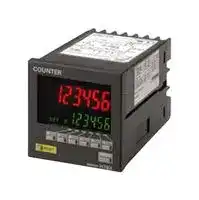


H7BX-AW
Preset Counter, 6-Digit, 13.5 mm, 100 VAC to 240 VAC
- Manufacturer: OMRON INDUSTRIAL AUTOMATION
- Product type:
- SVHC: To Be Advised
- Digit Height: 13.5mm
- Product Range: H7BX Series
- Panel Cutout Width: 68mm
- Supply Voltage Max: 240VAC
- Supply Voltage Min: 100VAC
- Panel Cutout Height: 68mm
- No. of Digits / Alpha: 6
- Operating Temperature Max: 55°C
- Operating Temperature Min: -10°C
| Delivery and price | |
|---|---|
| Units per pack | 1 |
| Price | 512.43 € |
| Current stock | 10+ |
| Lead time | 30 days |

× **Multifunction Counter (DIN 72 72) H7BX**

CSM_H7BX_DS_E_4_5

## **DIN 72** × **72 mm Multifunction Counter with a**

## **Bright, Easy-to-view, Negative Transmissive LCD.**

- Highly visible display with backlit transmissive LCD.

- Selectable display color (red/green) enables checking output status at a distance.

- Easy operation with a key for each digit.

- Perform all basic settings with a DIP switch.

- Provides a total and preset counter, batch counter, dual counter, and tachometer (See note.).

- Wide range of inputs accepted for NPN/PNP inputs (multi-inputs) and 2- wire DC sensors.

- Complies with UL, CSA, and CE marking.

- Degree of protection: IP54 equivalent (front section only).

For the most recent information on models that have been certified for safety standards, refer to your OMRON website.

**Note:** The functions that can be selected depend on the model.

**Refer to** _**Safety Precautions**_ **on page 25.**

## **Ordering Information**

## **List of Models**

|**External power supply**|**Output type**|**Supply voltage**|**1-stage**|**2-stage**|
|---|---|---|---|---|
|12 VDC|Contact and<br>NPN transistor output|100 to 240 VAC|**H7BX-A**|**H7BX-AW**|
|||24 VAC/12 to 24 VDC|**H7BX-AD1**|**H7BX-AWD1**|


## **Accessories (Order Separately)**

|**Name**|**Model**|
|---|---|
|Soft Cover|**Y92A-72F1**|
|Hard Cover|**Y92A-72**|
|Terminal Cover *|**Y92A-72T**|


*Supplied with the H7BX.

**1**

**H7BX**

## **Specifications**

## **Ratings**

|**Item**<br>**Model**|**Item**<br>**Model**|**H7BX-A/AD1**|**H7BX-AW/AWD1**|
|---|---|---|---|
|**Type**||Preset counter|Preset counter/tachometer|
|**Supported configurations**||1-stage preset counter, total and preset counter *1<br>(selectable)|1-stage preset counter, 2-stage preset counter, total and<br>preset counter (*1), batch counter, dual counter, tachometer<br>(selectable)|
|**Ratings**|**Power supply voltage *2**|H7BX-A/AW: 100 to 240 VAC (50/60 Hz)<br>H7BX-AD1/AWD1: 24 VAC (50/60 Hz)/12 to 24 VDC (ripple 20% max.)||
||**Operating voltage range**|85% to 110% of rated supply voltage (90% to 110% at 12 VDC)||
||**Power consumption**|H7BX-A/AW: 9.6 VA max. (100 to 240 VAC)<br>H7BX-AD1/AWD1: 8 VA max. (24 VAC), 5.3 W max. (12 to 24 VDC)||
|**Mounting**|**method**|Flush mounting||
|**External connections**||Screw terminals||
|**Degree of protection**||IP54 (front section only)||
|**Input signals**||CP1, CP2, reset 1, reset 2, key protection||
|**Counter**|**Max. counting speed**|30 Hz or 5 kHz (selectable, ON/OFF ratio 1:1), setting for both CP1 and CP2||
||**Input modes**|Increment, decrement, command (UP/DOWN A), individual (UP/DOWN B), quadrature (UP/DOWN C)||
||**Output modes**|N, F, C, R, K-1, P, Q, A, K-2, D, L|N, F, C, R, K-1, P, Q, A, K-2, D, L, H|
||**One-shot output time**|0.01 to 99.99 s||
||**Reset input**|External reset (minimum reset input signal width: 1 ms or 20 ms selectable), manual reset, and automatic reset (internal<br>according to C, R, P, and Q mode operation)||
|**Tachometer**|**Pulse measurement**<br>**method**|---|Periodic measurement (Sampling period: 200 ms)|
||**Max. counting speed**|---|30 Hz or 10 kHz (selectable)|
||**Measuring ranges**|---|30 Hz: 0.01 to 30.00 Hz<br>10 kHz: 0.01 Hz to 10 kHz|
||**Measuring accuracy**|---|±0.1% FS±1 digit max. (at 23±5°C)|
||**Output modes**|---|Upper and lower limits, area, upper limit, lower limit|
||**Auto-zero time**|---|0.1 to 99.9 s|
||**Startup time**|---|0.0 to 99.9 s|
||**Average processing**|---|OFF/2/4/8 times|
|**Prescaling function**||Yes (0.001 to 99.999)||
|**Decimal point adjustment**||Yes (rightmost 3 digits)||
|**Sensor waiting time**||290 ms max. (Control output is turned OFF and no input is accepted during sensor waiting time.)||
|**Key protection input**||Response speed: Approx. 1 s<br>No-voltage NPN input (fixed)<br>Short-circuit (ON) impedance: 1 kΩmax. (Leakage current at 0Ω: Approx. 12 mA)<br>Short-circuit (ON) residual voltage: 3 V max.<br>Open (OFF) impedance: 100 kΩmin.||
|**Input method**<br>**(except key protection input)**||No-voltage NPN input or voltage PNP input (selectable)<br>No-voltage input<br>Short-circuit (ON) impedance: 1 kΩmax. (Leakage current at 0Ω: Approx. 12 mA)<br>Short-circuit (ON) residual voltage: 3 V max.<br>Open (OFF) impedance: 100 kΩmin.<br>Voltage input<br>High level: 4.5 to 30 VDC<br>Low level: 0 to 2 VDC<br>Input resistance: Approx. 4.7 kΩ||
|**External power supply**||12 VDC (±10%), 100 mA (For details, refer to_External Power Supply_on page 26.)||
|**Control output**||Contact output: 3 A at 250 VDC/30 VDC, resistive load (cosφ= 1)<br>Minimum applied load: 10 mA at 5 VDC (Failure level: P, reference value)<br>Transistor output: 100 mA max. at 30 VDC max.<br>Residual voltage: 1.5 VDC max. (approx. 1 V)<br>Leakage current: 0.1 mA max.||
|**Display *3**||Backlit 7-segment negative transmissive LCD<br>Character Heights<br>PV: 13.5 mm (red/green)<br>SV: 9 mm (green)||
|**Digits**||6 digits<br>−99,999 to 999,999 (5 digits negative and 6 digits positive)|6 digits<br>Counter:−99,999 to 999,999 (5 digits negative and 6 digits<br>positive)<br>Tachometer: 0 to 999,999 (6 digits)|
|**Memory backup**||EEPROM (Overwrites: 100,000 min.), Data storage: 10 years min.||
|**Ambient operating temperature**||−10 to 55°C (with no icing)||
|**Ambient storage temperature**||−25 to 65°C (with no icing)||
|**Ambient operating humidity**||25 to 85°C (with no condensation)||
|**Case color**||Black (N1.5)||
|**Accessories**||Two flush-mounting adapters, terminal cover|Two flush-mounting adapters, terminal cover, DIP switch<br>setting stickers|


*1.The total and preset counter functions as a 1-stage preset counter and total counter.

*2.Do not use an inverter output for the power supply.

- *3.Displayed only when the power is ON. Not displayed when the power is OFF.

**2**

**H7BX**

## **Characteristics**

|**Insulation**<br>**resistance**|100 MΩmin. (at 500 VDC) between current-carrying terminal and exposed<br>non-current-carryingmetal parts, and between non-continuous contacts|
|---|---|
|**Dielectric**<br>**strength**|Between current-carrying metal parts and non-current-carrying metal parts:<br>2,000 VAC, 50/60 Hz for 1 min<br>Between power supply and input circuit: 2,000 VAC, 50/60 Hz for 1 min<br>(for models other than the H7BX-A@D1)<br>1,000 VAC, 50/60 Hz for 1 min (H7BX-A@D1)<br>Between control output, power supply, and input circuit: 2,000 VAC,<br>50/60 Hz for 1 min<br>Between non-continuous contacts: 1,000 VAC, 50/60 Hz for 1 min|
|**Impulse**<br>**withstand**<br>**voltage**|Between power terminals: 3.0 kV (1.0 kV for 24 VAC/12 to 24 VDC models)<br>Between current-carrying terminal and exposed non-current-carrying metal<br>parts:<br>4.5 kV (1.5 kV for 24 VAC/12 to 24 VDC models)|
|**Noise**<br>**immunity**|Between power terminals:±1.5 kV<br>Between input terminals:±600 V<br>Square-wave noise bynoise simulator (Pulse width: 100 ns/1μs, 1-ns rise)|
|**Static**<br>**immunity**|Malfunction: 8 kV<br>Destruction: 15 kV|
|**Vibration**<br>**resistance**|Destruction: 10 to 55 Hz, 0.75-mm single amplitude, 2 hours each in three<br>directions<br>Malfunction: 10 to 55 Hz, 0.50-mm single amplitude, 10 minutes each in<br>three directions|
|**Shock**<br>**resistance**|Destruction: 294 m/s23 times each in 6 directions<br>Malfunction: 98 m/s23 times each in 6 directions|
|**Life**<br>**expectancy**|Mechanical: 10,000,000 operations min.<br>Electrical: 100,000 operations min. (3 A at 250 VAC/30 VDC, resistive load) *|
|**Weight**|Approx. 250g|


*Check the electrical life expectancy curve.

## **Applicable Standards**

|**Approved**<br>**safety**<br>**standards**|cURus: UL 508, CSA C22.2 No. 14<br>EN 61010-1 (IEC 61010-1): Pollution degree 2/overvoltage category II;<br>EN 61326; VDE 0106 Part 100|
|---|---|
|**EMC**|(EMI)<br>EN 61326-1 *<br>Emission Enclosure:<br>EN 55011 Group 1 class A<br>Emission AC mains:<br>EN 55011 Group 1 class A<br>(EMS)<br>EN 61326-1 *<br>Immunity ESD:<br>EN 61000-4-2: 4 kV contact discharge;<br>8 kV air discharge<br>Immunity RF-interference:<br>EN 61000-4-3:<br>10 V/m (Amplitude-modulated,<br>80 MHz to 1 GHz);<br>10 V/m (Pulse-modulated,<br>900 MHz±5 MHz)<br>Immunity Conducted Disturbance: EN 61000-4-6: 3 V (0.15 to 80 MHz)<br>Immunity Burst:<br>EN 61000-4-4: 2 kV power-line;<br>1 kV I/O signal-line<br>Immunity Surge:<br>EN 61000-4-5: 1 kV line to lines (power and output lines<br>(relay outputs));<br>2 kV line to ground (power and output<br>lines (relay outputs))<br>Immunity Voltage Dip/Interruption: EN 61000-4-11: 0.5 cycle, 100% (rated voltage)|


## **Electrical Life Expectancy (Reference Values)**

## **Resistive Load**

**==> picture [151 x 300] intentionally omitted <==**

**----- Start of picture text -----**<br>
1,000<br>700<br>500<br>300<br>30 VDC (cosφ=1)<br>100 250 VAC (cosφ=1)<br>70<br>50<br>0 1 2 3 4<br>Load current (A)<br>Inductive Load<br>1,000<br>700<br>500<br>300<br>30 VDC (L/R=7 ms)<br>100<br>250 VAC (cosφ=0.4)<br>70<br>50<br>0 1 2 3 4<br>Load current (A)<br>)No. of operations (103×<br>)No. of operations (103×<br>**----- End of picture text -----**<br>


## **Inductive Load**

A current of 0.15 A max. can be switched at 125 VDC (cos φ = 1) and current of 0.1 A max. can be switched with L/R = 7 m/s. In both cases, a life of 100,000 operations can be expected.

*Industrial electromagnetic environment (EN/IEC 61326-1 Table 2)

**3**

**H7BX**

## **I/O Functions**

## **Using as a Counter *1**

|**Inputs**|**CP1, CP2**|(1) All Modes Except for Dual Counter Mode<br>•Reads count signals.<br>•Increment, decrement, up/down (command, individual, or quadrature) inputs<br>can be used.<br>(2) Dual Counter Mode<br>•Reads CP1 count signals on CP1 input and CP2 count signals on CP2 input.<br>•Increment signals can be used.|
|---|---|---|
||**Reset or**<br>**Reset 1**|(1) All Modes Except for Dual Counter Mode<br>•Resets present value and outputs (OUT2 when using the batch counter). *2<br>•Counting cannot be performed while resetting or when reset 1 input is ON.<br>•The reset indicator is lit while the reset input is ON.<br>(2) Dual Counter Mode<br>•Resets the CP1 present value to 0.<br>•Counting the CP1 input cannot be performed while the reset 1 input is ON.<br>•The reset indicator is lit while the reset 1 input is ON.|
||**Total Reset**<br>**or Reset 2**|The reset operation depends on the selected function. *3|
|**Outputs**|**OUT1, 2**|When the corresponding set value is reached, signals are output according to the<br>designated output mode.|


- *1.Refer to pages 14 to 17 for information on the operation of input and output functions.

- *2.In increment mode or increment/decrement mode, the present value returns to 0; in decrement mode, the present value returns to the set value with 1-stage models, and returns to set value 2 with 2-stage models.

- *3.The reset indicator will not be lit when the total reset or reset 2 input is ON.

|**Function**|**Reset operation**|
|---|---|
|**1-stage/2-stage preset counter**|Does not operate (Not used).|
|**Total and preset counter**|•Resets the total count value.<br>•Holds the total count value at 0 while the total reset input is ON.|
|**Batch counter**|•Resets the batch count value and batch output (OUT1).<br>•Holds the batch count value at 0 while the reset 2 input is ON.|
|**Dual counter**|•Resets the CP2 present value.<br>•Counting for CP2 input is disabled while the reset 2 input is ON.|


## **Using as a Tachometer**

|**Inputs**|**CP1,**<br>**CP2**|Reads counting signals.<br>(CP2 input is not<br>available.)|
|---|---|---|
||**Reset 1,**<br>**Reset 2**|•Holds the measurement<br>value and outputs.<br>(Reset 2 input is not<br>available.)<br>•The reset indicator is lit<br>during hold.|
|**Outputs**|**OUT1, 2**|Outputs signals according<br>to the specified output<br>mode when a set value is<br>reached.|


## **Using as a Counter or Tachometer**

|**Key protection**<br>**input**|•Prohibits using the keys on<br>the front panel.<br>•Set the key protection<br>level in function selection<br>mode.<br>•Key protection is enable<br>by short-circuited key<br>protection terminals.|
|---|---|


**Note:** For details, refer to page 24.

**4**

**H7BX**

## **Connections**

## **Terminal Arrangement**

Confirm that the power supply meets specifications before using the H7BX. **H7BX-A**

## **H7BX-AW**

**==> picture [457 x 330] intentionally omitted <==**

**----- Start of picture text -----**<br>
0 V 0 V<br>8 9 10 11 12 13 14 8 9 10 11 12 13 14<br>(−) External power supply (+) (−) External power supply (+)<br>Unused. 15 17 Unused. Unused. 15 17<br>OUT1<br>OUT OUT2<br>Key protection 16 OUT 18 Key protection 16 OUT2 OUT1 18<br>1 2 3 4 5 6 7 1 2 3 4 5 6 7<br>100 to 240 VAC 100 to 240 VAC<br>H7BX-AD1 H7BX-AWD1<br>0 V 0 V<br>8 9 10 11 12 13 14 8 9 10 11 12 13 14<br>(−) External power supply (+) (−) External power supply (+)<br>Unused. 15 17 Unused. Unused. 15 17<br>OUT1<br>OUT OUT2<br>Key protection 16 OUT 18 Key protection 16 OUT2 OUT1 18<br>1 2 3 4 5 6 7 1 2 3 4 5 6 7<br>(−) (+) (−) (+)<br>24VAC/12 to 24 VAC 24VAC/12 to 24 VAC<br>CP2 CP1 CP2 CP1<br>Reset 1 Reset 2 Reset 1 Reset 2<br>12 VDC Output COM 12 VDC Output COM<br>Unused. Unused. Unused. Unused.<br>CP2 CP1 CP2 CP1<br>Reset 1 Reset 2 Reset 1 Reset 2<br>12 VDC Output COM 12 VDC Output COM<br>Unused. Unused. Unused. Unused.<br>**----- End of picture text -----**<br>


**Note:** Do not use the unused terminals for relay connections.

## **Block Diagram**

**==> picture [172 x 73] intentionally omitted <==**

**----- Start of picture text -----**<br>
(Basic insulation)<br>Power supply<br>Output circuit circuit<br>(Basic insulation)<br>Display circuit<br>Internal control<br>Input circuit circuit<br>Key switch<br>circuit<br>**----- End of picture text -----**<br>


## **Input Circuits CP1, CP2, Reset/Reset 1, and Total Reset/Reset 2 Input**

**==> picture [240 x 50] intentionally omitted <==**

**----- Start of picture text -----**<br>
+14 V<br>1 kΩ<br>IN Internal Note:  The circuit shown above is for<br>circuit no-voltage input (NPN input).<br>**----- End of picture text -----**<br>


**5**

**H7BX**

## **Input Connections**

A no-voltage input (short-circuit or open) or voltage input can be selected for each input. (The key protection input is always a no-voltage input (NPN input)).

## **No-voltage Inputs (NPN Inputs)**

**Open Collector**

**==> picture [498 x 132] intentionally omitted <==**

**----- Start of picture text -----**<br>
Open Collector Voltage Output Contact Input DC Two-wire Sensor<br>PLC<br>or sensor Sensor<br>Terminal No. 8 9 10 11 12 16 Terminal No. 8 9 10 11 12 16 Terminal No. 8 9 10 11 12 16 Terminal No. 8 9 10 11 12 16<br>Operates when the transistor turns ON. Operates when the transistor turns ON. Operates when the contact turns ON. Operates when the transistor turns ON.<br>0-V input Reset/reset 1 input CP2 input CP1 input Total reset/reset 2 input Key protection input 0-V input Reset/reset 1 input CP2 input CP1 input Total reset/reset 2 input Key protection input 0-V input Reset/reset 1 input CP2 input CP1 input Total reset/reset 2 input Key protection input 0-V input Reset/reset 1 input CP2 input CP1 input Total reset/reset 2 input Key protection input<br>**----- End of picture text -----**<br>


**Note:** When using the H7BX as a tachometer, do not use the CP2 input or total reset/reset 2 input.

## **No-voltage Input Signal Levels**

Short-circuit level Transistor ON • Residual voltage: 3 V max. • Impedance when ON: 1 kΩ max. **No-contact** (The leakage current is approx. 12 mA when the impedance is **input** 0 Ω.) Open level Transistor OFF • Impedance when OFF: 100 kΩ min.

## **Applicable Two-wire Sensors**

- Leakage current: 1.5 mA max. • Switching capacity: 5 mA min. • Residual voltage: 3 VDC max. • Operating voltage: 10 VDC

**Contact input** Use contact which can adequately switch 5 mA at 10 V.

**Note:** Use a DC power supply of 30 V max.

## **Voltage Inputs (PNP Inputs)**

**==> picture [476 x 133] intentionally omitted <==**

**----- Start of picture text -----**<br>
No-contact Input (NPN Transistor) No-contact Input (PNP Transistor) Contact Input<br>Sensor Sensor<br>Terminal No. 8 9 10 11 12 Terminal No. 8 9 10 11 12 Terminal No. 8 9 10 11 12<br>Operates when the transistor turns OFF. Operates when the transistor turns ON. Operates when the contact turns ON.<br>0-V input Reset/reset 1 input CP2 input CP1 input Total reset/reset 2 input 0-V input Reset/reset 1 input CP2 input CP1 input Total reset/reset 2 input 0-V input Reset/reset 1 input CP2 input CP1 input Total reset/reset 2 input<br>**----- End of picture text -----**<br>


**Note:** When using the H7BX as a tachometer, do not use the CP2 input or total reset/reset 2 input.

## **Voltage Input Signal Levels**

High level (Input ON): 4.5 to 30 VDC Low level (Input OFF): 0 to 2 VDC

- **Note: 1.** Use a DC power supply of 30 V max. **2.** Input resistance: Approx. 4.7 kΩ

**6**

**H7BX**

## **Nomenclature**

## Indicators

## Operation Keys

**==> picture [109 x 75] intentionally omitted <==**

**----- Start of picture text -----**<br>
A<br>B<br>C<br>F<br>G<br>H<br>J<br>**----- End of picture text -----**<br>


**==> picture [284 x 160] intentionally omitted <==**

**----- Start of picture text -----**<br>
D I Mode Key<br>Used to switch mode and setting items.<br>E J Reset Key<br>K Up Keys: 1 to 6<br>K<br>I<br>Switches<br>L DIP Switch DIP Switch<br>L ON 1 2 3 4 5 6 7 8<br>A-H7BX-H7BXH7BX COUNTER<br>Lot No. X X X X X XMADE IN CHINAMADE IN CHINA OMRON Corporation<br>**----- End of picture text -----**<br>


## A Reset Indicator (Orange)

Lit when the reset input (1) or reset key is ON.

B Key Protection Indicator (Orange)

C Control Output Indicator (Orange) OUT: One stage OUT1, OUT2:  Two stages

- D Present Value (Main Display)

Character height: 13.5 mm (Red/green selectable)

E Set Value (Sub-display)  Set Value (Sub-display) Character height: 9 mm (Green)

**==> picture [511 x 430] intentionally omitted <==**

**----- Start of picture text -----**<br>
E Set Value (Sub-display)  Set Value (Sub-display)<br>Character height: 9 mm (Green) L DIP Switch DIP Switch<br>F Total Count Indicator (Green)<br>Lit when the total count value is displayed.<br>G Batch Indicator (Green)<br>L 1 2 3 4 5 6 7 8<br>Lit when the batch count value is displayed.<br>H Set Value 1 and 2 Stage Indicators (Green)<br>Dimensions (Unit: mm)<br>Counter<br>Counter<br>H7BX-A @@<br>6 M3.5 terminal screw<br>72 100 (effective length: 6 mm)<br>72 67.6 × 67.6<br>Note: M3.5 terminal screws<br>(effective length: 6 mm).<br>Dimensions with Flush Mounting Adapter<br>H7BX-A @@<br>(The flush mounting adapter is supplied with the H7BX.) Panel Cutouts<br>Panel cutouts are as shown below<br>M3.5 terminal screw<br>72 (effective length: 6 mm) (according to DIN 43700).<br>100 min.<br>68− [+0.7 ] 0<br>72 69 × 69 68− [+0.7 ] 0<br>82 min.<br>Panel<br>6 102<br>5 + panel thickness Note: The mounting panel<br>thickness must be 1 to 5 mm.<br>ON<br>A-H7BX-H7BXH7BX COUNTER<br>Lot No. X X X X X XMADE IN CHINAMADE IN CHINA OMRON Corporation<br>**----- End of picture text -----**<br>


## **Accessories (Order Separately)**

**Soft Cover Y92A-72F1**

**Note:** Depending on the operating environment, the condition of resin parts may deteriorate, and may shrink or harden. Therefore, it is recommended that resin parts are replaced regularly.

**Product Protection for Use in Environments Subject to Water or Oil** The panel surface has a protective structure so that the internal circuits will not be adversely affected if drops of water penetrate the gaps between the keys. If, however, there is a possibility of water or oil being present on the operator's hands, mount the optional Soft Cover. The Soft Cover ensures protection equivalent to IP54. Do not, however, use the H7BX in locations where it would come into direct contact with oil.

## **Hard Cover Y92A-72**

**Terminal Cover * Y92A-72T**

(VDE0106/T100)

* Supplied with the H7BX.

**7**

**H7BX**

## **Operating Procedures**

## **Setting Procedure Guide Settings for Counter Operation**

**(1-stage/2-stage Counter, Total and Preset Counter, Batch Counter, Dual Counter)**

- Using Basic Settings Only Basic Settings

**==> picture [513 x 205] intentionally omitted <==**

**----- Start of picture text -----**<br>
• Counting speed (30 Hz, 5 kHz) The settings can be made<br>• Input mode (UP, DOWN) easily with the DIP switch.<br>• Output mode (N, F, C, K-1) For details on the setting<br>1 2 3 4 5 6 7 8<br>• One-shot output time (0.5 s, 0.05 s) methods, refer to page 9.<br>• Reset input signal width (20 ms, 1 ms)<br>• NPN/PNP input mode (NPN, PNP)<br>● Using Input Modes Not Given Above (Up/Down A,  ● Performing Advanced Settings: Dual Count Calculating<br>Up/Down B, Up/Down C), Output Modes  Mode, Output 1 Time, Decimal Point Position, Prescale<br>(R/P/Q/A/K-2/D/L/H), or (OUT2) Output Time Value, Display Color, or Key Protect Level<br>Settings other than the basic functions above can<br>Set all functions with the operation keys.<br>be performed with the operation keys.<br>For details on the setting methods,<br>For details on the setting methods,<br>refer to page 10.<br>refer to page 10.<br>ON<br>**----- End of picture text -----**<br>


**Note:** The default setting is for a 1-stage preset counter. (For models with a 2-stage setting, the default is a 2-stage preset counter.)

## **Setting for Tachometer Operation (H7BX-AW** @ **only)**

- Using Basic Settings Only Basic Settings

- Counting speed (30 Hz, 10 kHz)

- Output mode (HI-LO, AREA, HI-HI, LO-LO)

- Average processing (OFF, 2, 4, 8 times)

- NPN/PNP input mode (NPN, PNP)

**==> picture [296 x 69] intentionally omitted <==**

**----- Start of picture text -----**<br>
The settings can be made<br>easily with the DIP switch.<br>For details on the setting<br>1 2 3 4 5 6 7 8<br>methods, refer to page 19.<br>ON<br>**----- End of picture text -----**<br>


- Performing Advanced Settings: Decimal Point Position, Prescale Value, Auto-zero Time, Startup Time, Display Color, or Key Protect Level

**Settings other than the basic functions above can be performed with the operation keys. For details on the setting methods, refer to page 20.**

**Note:** The default setting is for a 2-stage preset counter.

**8**

**H7BX**

## **Operating Procedures (Counter Function)**

## **Settings for Basic Operations**

**==> picture [513 x 374] intentionally omitted <==**

**----- Start of picture text -----**<br>
Settings for basic functions can be performed with just the DIP switch.<br>Be sure to turn ON pin 1 when using the DIP switch.<br>1 2 3 4 5 6 7 8<br>Item OFF ON<br>1 DIP switch settings enable/disable Disabled Enabled<br>2 Counting speed 30 Hz 5 kHz Pin 4 Pin 5 Output mode<br>OFF OFF N<br>3 Input mode UP (increment) DOWN (decrement)<br>ON OFF F<br>4<br>Output mode Refer to the table on the right. OFF ON C<br>5<br>ON ON K-1<br>6 One-shot output time (See note.) 0.5 s 0.05 s<br>7 Reset input signal width 20 ms 1 ms<br>8 NPN/PNP input mode NPN (no-voltage) PNP (voltage)<br>Note:  All the pins are factory-set to OFF.<br>The ON/OFF status of the DIP switch pins<br>can be confirmed using the front display.<br>For details, refer to page 23.<br>• Always turn OFF the power supply before changing the DIP switch settings.<br>Caution  • Always turn ON pin 1 when performing settings with the DIP switch. Performing settings with the DIP switch is<br>disabled when pin 1 is OFF.<br>• DIP switch setting changes will be updated when the power is turned ON. Perform the settings before performing<br>installation and supplying power.<br>• Properly set the DIP switch to match the item being counted (or measured) and use the DIP switch monitor for<br>confirmation.<br>Convenient<br>Function<br>ON<br>A -H7BX COUNTER<br>Lot No. X X X X X X MADE IN CHINA  OMRON Corporation<br>**----- End of picture text -----**<br>


- Use the keys on the front panel to perform all settings for input modes, output modes, and output times that cannot be set with the DIP switch. For details on the setting methods, refer to page 10. When performing these settings, always turn OFF pin 1(DIP switch setting) (disabled).

## **Using the H7BX as a Total and Preset Counter, Batch Counter, or Dual Counter**

**==> picture [504 x 137] intentionally omitted <==**

**----- Start of picture text -----**<br>
The default setting is for a 1-stage preset<br>counter. (For models with a 2-stage setting,  Power ON<br>the default is for a 2-stage preset counter.)<br>To make changes, use the procedure shown<br>on the right. For details, refer to page 23. Configuration selection mode  Run mode<br>Configuration           Key +         Key for at Up 1<br>selection  least 1 s (See note.)<br>Hold down the         Key and press the          Key  Up 1<br>for at least 1 s.   Select the configuration using the          Key. (The configurations that can be selected depend on the model.) Up<br>The mode will not change if the        Key is  Up 1<br>pressed first.  (1-stage preset  (2-stage preset  (Total and   (Batch counter)  (Dual counter)  (Tachometer)<br>counter)  counter)  preset counter)<br>**----- End of picture text -----**<br>


**Note:** This includes using a model with a 2-stage setting as a 1-stage preset counter. After setting the DIP switch for basic operations, advanced functions (*) can be added using the operation keys. For details, refer to page 10. *** Advanced functions consist of dual count calculating mode, output 1 time, decimal point position, prescale value, display color, and key protect level.**

**9**

**H7BX**

**When using the H7BX as a Total and Preset Counter, Batch Counter, or Dual Counter, switch the configuration using the procedure on page 23. Setting Advanced Functions**

**==> picture [510 x 665] intentionally omitted <==**

**----- Start of picture text -----**<br>
a Settings that cannot be performed with the DIP switch are performed with the operation keys.<br>Power ON<br>a]<br>ie] For details on operations and display in run mode, refer to page 12. The display depends on the configuration used.<br>*1.  If the mode is switched to the function setting mode during operation, operation will continue.<br>*1 *2 *2.  Changes made to settings in function setting mode are enabled for the first time when the mode is changed to run mode. Also, when settings are changed, the counter is reset (present value initialized<br>and output turned OFF) on returning to run mode.<br>3 s min. 3 s min.<br>The characters displayed in reverse video are the default settings.<br>When performing settings with operation keys only, turn OFF pin 1 of the DIP switch (factory setting).<br>If pin 1 of the DIP switch is ON, the setting items indicated by        will not be displayed. =<br>*3 *3.  When using as a dual counter<br>Dual count<br>Input mode • Set the input mode with any of the         Keys.Up calculating mode<br>(ADD)<br>(CNTM) *5 *5<br>iL UP < >  dan < > td-A < > Ud-b < > Ud-£ • Set the dual count calculating mode<br>(UP) (DOWN) (UP/DOWN A) (UP/DOWN B) (UP/DOWN C)<br>   the        Key.Up<br>*5.  Displayed for output modes other than K-2, D, L, and H only.<br>*4<br>owe = :<br>SAY Tid Output mode • Set the output mode with any of the         Keys. = Up | \> (Addition)(Subtraction) *4. BE  Displayed only when the  <> B Sth]<br>(OUTM) *6 *6 *6 *6 output mode is K-2, D, L,<br>A F <  F o  c e  t b e fe Fe F t  o p  -s t o  de o  i o [oe or H.<br>(N) (F) (C) (R) (K-1) (P) (Q) (A) (K-2) (D) (L) (H)<br>*7 *6. The input mode is displayed only when increment/decrement is selected. (H is only for models with 2-level setting.)<br>—{c=~~] | • Set the number for each digit with the        Keys.Up *7.  Set the number for each digit with the        Keys. oO Up<br>Output time ● 2-stage Preset Counter<br>(OTIM)<br>a (0.01 s) 0.0| ~ (0.50 s) WER) (99.99 s) Output 2time (OTM2) (0.01 s) (0.50 s) (99.99 s)<br>Note:  Displayed only when the output mode is C, R, K-1, P, ~ 93.93 | otne Note: Displayed only when the  00 ~~ 9999 |<br>          Q, A, or K-2. output mode is C, R, K-1,<br>P, Q, A, or K-2.<br>Counting  • Set the counting speed with any of the         Keys. Up<br>speed Output 1<br>(CNTS) time<br>3042 e e | (OTM1) (Outputs held) BEBEyo.0 1~99.99 (0.01 s) (99.99 s) !<br>(30 Hz) (5 kHz) If the output time is 0.00, hold is displayed.<br>Note 1: Displayed for output<br>modes other than D, L,<br>“tT Min. resetperiod • Set the min. reset input signal width with any of the         Keys.Up Note 2: HOLD cannot be set and H.<br>when the output mode<br>(IFLT) is K-2.<br>28a ERE < > 155 ● Batch Counter<br>(20 ms) (1 ms)<br>Output 2<br>time<br>| ce Decimal pointposition • Set the decimal point position with any of the         Keys.Up | 5a (OTM2) Note: Displayed only when the (0.01 s) oo output mode is C, R, K-1, P, Q, A, or K-2.  |~ (0.50 s)(99.99 s) HE ~ 99.99 |<br>vcr (DP) Cue GREE R<br>No decimal One digit after Two digits after Three digits after<br>point decimal point decimal point decimal point<br>|= << ------ <> ------ 4 ------ too--e eee eeeeee eeee<br>Prescale  • Set the number for each digit with the        Keys.Up<br>value<br>gaa (PSCL) a<br>(0.001) (1.000) (99.999)<br>| ce ooo! ~ PR ~ 99.999<br>NPN/PNP • Set the NPN/PNP input mode with any of the         Keys.Up<br>input mode<br>aPn (IMOD) _EE E— )<br>(NPN (PNP<br>input) input)<br>|cms) <—> Par<br>Display • Set the display color  with any of the         Keys.Up<br>color<br>réd (COLR) ec <> fen o r -f o er<br>(Red) (Green) (Red- (Green-<br>green) red)<br>cz<br>Key  • Set the key protect level with any of the         Keys.Up<br>PYPE protectionlevel =<br>PP- | (KYPT) Go a  pP-24-» PP-3e+ PP-4 a > PP-§<br>(KP-1) (KP-2) (KP-3) (KP-4) (KP-5)<br>Run mode<br>Function setting mode<br>**----- End of picture text -----**<br>


**10**

**H7BX**

## **Explanation of Functions**

## **Settings marked with a star can be performed with the DIP switch.**

## • **Input Mode (** cntm **)** ★

Set increment mode (UP), decrement mode (DOWN), or one of the increment/decrement modes (UP/DOWN A, UP/DOWN B, or UP/ DOWN C) as the input mode. Input modes other than UP or DOWN modes cannot be set using the DIP switch. Use the operation keys if other modes are required. (For details on the operation of the input modes, refer to _Input Modes and Present Value_ on page 13.)

## • **Dual Count Calculating Mode (** calm **)**

When the H7BX using as a dual counter, select either ADD (addition) or SUB (subtraction) as the calculation method for the dual count value.

ADD: Dual count value = CP1 PV + CP2 PV

SUB: Dual count value = CP1 PV − CP2 PV

## • **Output Mode (** outm **)** ★

Set the way that control output for the present value is output. The possible settings are N, F, C, R, K-1, P, Q, A, K-2, D, L, and H. Output modes other than N, F, C, or K-1 cannot be set using the DIP switch. Use the operation keys if other modes are required. The output modes that can be set vary with the model. (For details on the operation of the output modes, refer to _Input/Output Mode Settings_ on page 14.)

## • **One-shot Output Time (** otim **)** ★

Set the one-shot output time (0.01 to 99.99 s) for the control output. A one-shot output can be used only when C, R, K-1, P, Q, A, or K-2 is selected as the output mode. Output times other than 0.5 s or 0.05 s cannot be set with the DIP switch. Use the operation keys if other settings are required.

## • **Reset Input Signal Width (** iflt **)** ★

Set the reset input signal width (20 ms/1 ms) for reset/reset 1 and total reset/reset 2 inputs together. If contacts are used for input signals, set the counting speed to 20 ms. Processing to eliminate chattering is performed for this setting.

## • **Decimal Point Position (** dp **)**

Decide the decimal point position for the present value, CP1/CP2 present values, set values (SV1, SV2), total count value, dual count value and dual count set value.

## • **Prescale Value (** pscl **)**

Pulses input to the counter are converted according to the specified prescale value.

Setting range: 0.001 to 99.999

Example: To display the feed distance for systems that output

25 pulses for a feed length of 0.5 m in the form @@.@@ m:

1. Set the decimal point position to 2 decimal places.

2. Set the prescale value to 0.02 (0.5 ÷ 25).

**==> picture [166 x 96] intentionally omitted <==**

**----- Start of picture text -----**<br>
0.5 m<br>25 pulses<br>Encoder<br>**----- End of picture text -----**<br>


**==> picture [56 x 56] intentionally omitted <==**

## • **One-shot Output 2 Time (** otm2 **)** ★

When the H7BX using as a 2-stage counter or batch counter, set the one-shot output time (0.01 to 99.99 s) for control output (OUT2). A one-shot output can be used only when C, R, K-1, P, Q, A, or K-2 is selected as the output mode. Output times other than 0.5 s or 0.05 s cannot be set with the DIP switch. Use the operation keys if other settings are required.

## • **One-shot Output 1 Time (** otm1 **)**

When the H7BX using as a 2-stage counter, set the one-shot output time (0.01 to 99.99 s) for control output (OUT1). A one-shot output can be used only when D, L, or H is selected as the output mode. If the output time is set to 0.00, hold is displayed, and outputs are held.

## • **Counting Speed (** cnts **)** ★

Set the maximum counting speed (30 Hz/5 kHz) for CP1 and CP2 inputs together. If contacts are used for input signals, set the counting speed to 30 Hz. Processing to eliminate chattering is performed for this setting.

**Note:** Incorrectly setting the prescale value will result in counting errors. Check that the setting has been performed correctly before using the H7BX.

## • **NPN/PNP Input Mode (** imod **)**

Select either NPN input (no-voltage input) or PNP input (voltage input) as the input format. For 2-wire sensors, set the format to NPN input. The same format setting applies to all external inputs. For information on input connections, refer to page 6.

## • **Display Color (** colr **)**

Set the color used for the present value.

||**Output OFF ***|**Output ON ***|
|---|---|---|
|red|Red (fixed)||
|grn|Green (fixed)||
|r-g|Red|Green|
|g-r|Green|Red|


*When the H7BX using as a 2-stage counter, this is the status of output 2.

## • **Key Protect Level (** kypt **)**

Set the key protect level.

For details, refer to _Key Protect Level_ on page 24.

**11**

**H7BX**

## **Operation in Run Mode**

**==> picture [513 x 688] intentionally omitted <==**

**----- Start of picture text -----**<br>
• Set the number for each digit with the          Keys.Up<br>● 1-stage Counter<br>Present value •  Present Value<br>Set value Shows the present count value.<br>•  Set Value (Set Value 1, Set Value 2)<br>● 2-stage Counter Set the set value.<br>When the present value reaches the set<br>value, signals are output according to the<br>Present value specified output mode.<br>Set value 1<br>Present value<br>Set value 2<br>● Total and Preset Counter<br>Present value •  Present Value/Set Value<br>Set value Same as 1-stage counter.<br>•  Total Count Value<br>Shows the present total count value.<br>Total count value<br>● Batch Counter<br>Present value •  Present Value/Set Value<br>Set value Same as 1-stage counter.<br>•  Batch Count Value<br>Shows the number of times the count has<br>been completed for the present value.<br>Batch count value •  Batch Count Set Value<br>Batch count set Set the batch count set value. When the<br>value batch count value reaches the batch<br>count set value, batch output (OUT1)<br>● Dual Counter turns ON.<br>•  Dual Count Value<br>Dual count value<br>Shows the sum of the CP1 present value and CP2 present value when the dual count<br>Dual count set<br>value calculating mode is ADD and shows the value obtained by subtracting the CP2 present<br>value from the CP1 present value when the dual count calculating mode is SUB.<br>•  Dual Count Set Value<br>Set the dual count set value. When the dual count value reaches the dual count<br>CP1 present value<br>set value, signals are output according to the specified output mode.<br>CP2 present value<br>•  CP1/CP2 Present Value<br>Show the present count values for CP1 and CP2 present values respectively.<br>**----- End of picture text -----**<br>


**12**

**H7BX**

**Input Modes and Present Value** (See note 1.)

**==> picture [512 x 589] intentionally omitted <==**

**----- Start of picture text -----**<br>
UP (Increment) Mode DOWN (Decrement) Mode<br>CP1: Count input; CP2: Prohibit input CP1: Count input; CP2: Prohibit input<br>H H<br>CP1 CP1<br>L L<br>A A A A<br>Prohibit Prohibit<br>H H<br>CP2 CP2<br>L L<br>n<br>5 n−1<br>4 n−2<br>Presentvalue 3 Presentvalue n−3<br>2 n−4<br>1 n−5<br>0<br>0 0<br>A  must be greater than the minimum signal width. (See note 2.) A  must be greater than the minimum signal width. (See note 2.)<br>CP1: Prohibit input; CP2: Count input CP1: Prohibit input; CP2: Present value<br>H H<br>*CP1 CP1<br>L L<br>(See note 3.) A A (See note 3.) A A<br>Prohibit Prohibit<br>H H<br>CP2 CP2<br>L L<br>n<br>5 n−1<br>4 n−2<br>Present<br>value 3 Present n−3<br>value<br>2 n−4<br>1 n−5<br>0<br>0 0<br>A  must be greater than the minimum signal width. (See note 2.) A  must be greater than the minimum signal width. (See note 2.)<br>*If CP1 turns ON after the power is turned ON, it will be counted.<br>UP/DOWN A: Command Input Mode UP/DOWN B: Individual Input Mode<br>H H<br>CP1 CP1<br>L L<br>A A<br>H H<br>CP2 CP2<br>L L<br>3 3 3 3<br>Present Present<br>value 2 2 2 value 2 2 2<br>1 1 1 1 1<br>0 0<br>0 0<br>A  must be greater than the minimum signal width. (See note 2.)<br>UP/DOWN C: Quadrature Input Mode Note: 1. If the configuration is set to dual counter, CP1 and CP2 inputs will<br>operate in the same way as the count input (CP1) of UP (increment)<br>H mode.<br>CP1 L 2. A  must be greater than the minimum signal width and  B  must be at<br>B B B B least 1/2 the minimum signal width. If they are less, a count error of ±1<br>CP2 H may occur.<br>L Minimum signal width: 16.7 ms (when maximum counting speed = 30<br>Hz)<br>3 3 100 μs (when maximum counting speed = 5 kHz)<br>Present 3. The meaning of the H and L symbols in the tables is explained below.<br>value 1 2 2 1 2 Input method No-voltage input  Voltage input<br>Symbol (NPN input) (PNP input)<br>0<br>0 H Short-circuit 4.5 to 30 VDC<br>B  must be at least 1/2 the minimum signal width. (See note 2.) L Open 0 to 2 VDC<br>**----- End of picture text -----**<br>


**13**

**H7BX**

## **Input/Output Mode Settings**

|**Input/Output Mode Settings**|**Input/Output Mode Settings**|**Input/Output Mode Settings**|**Input/Output Mode Settings**|**Input/Output Mode Settings**|**Input/Output Mode Settings**|**Input/Output Mode Settings**|**Input/Output Mode Settings**|**Input/Output Mode Settings**|**Input/Output Mode Settings**|**Input/Output Mode Settings**|**Input/Output Mode Settings**|**Input/Output Mode Settings**|**Input/Output Mode Settings**|**Input/Output Mode Settings**|**Input/Output Mode Settings**|**Input/Output Mode Settings**|**Input/Output Mode Settings**|**Input/Output Mode Settings**|||||||||||
|---|---|---|---|---|---|---|---|---|---|---|---|---|---|---|---|---|---|---|---|---|---|---|---|---|---|---|---|---|
|<br>Operation for 1-stage models is the same as that for OUT2.<br>When using a 2-stage model as a 1-stage counter, total and preset counter,<br>or dual counter, OUT1 and OUT2 turn ON and OFF simultaneously.||||||||||||||||||||S||elf-holding<br>output<br>Se<br>One-sh||lf-holding<br>output<br>ot output from OUT1<br>One-shot output<br>from OUT2<br>(The one-shot output time<br>can be set in the range<br>0.01 to 99.99s.)|||||
||||||||||||||||**Input mode**|||||||||||||**Operation after count**<br>**completion**|
|||||**UP**|||||||||||**DOWN**|||||**UP**||**/DOWN A, B,**||**C**|||||
|**Output**<br>**mode**<br>**setting**|**N**|Reset/<br>reset 1<br>OUT1<br>OUT2<br>999999<br>Set<br>value 2<br>Set<br>value 1<br>0||||||||||||||||||||||||||The outputs and present<br>value display are held<br>until reset/reset 1 input<br>turns ON.|
||||||||||||||||||||||||||||||
||||||||||||||||||||||||||||||
||||||||||||||||||||||||||||||
||||||||||||||||||||||||||||||
||||||||||||||||||||||||||||||
||||||||||||||||||||||||||||||
||||||||||||||||||||||||||||||
||||||||||||||||||||||||||||||
||||||||||||||||||||||||||||||
||**F**|Reset/<br>reset 1<br>OUT1<br>OUT2<br>999999<br>Set<br>value 2<br>Set<br>value 1<br>0||||||||||||||||||||||||||The present value<br>display continues to<br>increase/decrease. The<br>outputs are held until<br>reset/reset 1 input turns<br>ON.|
||||||||||||||||||||||||||||||
||||||||||||||||||||||||||||||
||||||||||||||||||||||||||||||
||||||||||||||||||||||||||||||
||||||||||||||||||||||||||||||
||||||||||||||||||||||||||||||
||||||||||||||||||||||||||||||
||||||||||||||||||||||||||||||
||||||||||||||||||||||||||||||
||||||||||||||||||||||||||||||
||**C**|Reset/<br>reset 1<br>OUT1<br>OUT2<br>999999<br>Set<br>value 2<br>Set<br>value 1<br>0||||||||||||||||||||||||||As soon as the count<br>reaches SV, the present<br>value display returns to the<br>reset start status.<br>The present value display<br>does not show the present<br>value upon count-up.<br>The outputs repeat<br>one-shot operation.<br>OUT1 self-holding output<br>turns OFF after the OUT2<br>one-shot output time.<br>The OUT1 one-shot output<br>time is independent of<br>OUT2.|
||||||||||||||||||||||||||||||
||||||||||||||||||||||||||||||
||||||||||||||||||||||||||||||
||||||||||||||||||||||||||||||
||||||||||||||||||||||||||||||
||||||||||||||||||||||||||||||
||||||||||||||||||||||||||||||
||||||||||||||||||||||||||||||
||||||||||||||||||||||||||||||
||||||||||||||||||||||||||||||
||**R**|Reset/<br>reset 1<br>OUT1<br>OUT2<br>999999<br>Set<br>value 2<br>Set<br>value 1<br>0||||||||||||||||||||||||||The present value display<br>returns to the reset start<br>status after the one-shot<br>output time.<br>The outputs repeat one-<br>shot operation.<br>OUT1 self-holding output<br>turns OFF after the OUT2<br>one-shot output time.<br>The OUT1 one-shot output<br>time is independent of<br>OUT2.|
||||||||||||||||||||||||||||||
||||||||||||||||||||||||||||||
||||||||||||||||||||||||||||||
||||||||||||||||||||||||||||||
||||||||||||||||||||||||||||||
||||||||||||||||||||||||||||||
||||||||||||||||||||||||||||||
||||||||||||||||||||||||||||||
||||||||||||||||||||||||||||||
||||||||||||||||||||||||||||||
||**K-1**|Reset/<br>reset 1<br>OUT1<br>OUT2<br>999999<br>Set<br>value 2<br>Set<br>value 1<br>0||||||||||||||||||||||||||The present value<br>display continues to<br>increase/decrease.<br>OUT1 self-holding<br>output turns OFF after<br>the OUT2 one-shot<br>output time.<br>The OUT1 one-shot<br>output time is<br>independent of OUT2.|
||||||||||||||||||||||||||||||
||||||||||||||||||||||||||||||
||||||||||||||||||||||||||||||
||||||||||||||||||||||||||||||
||||||||||||||||||||||||||||||
||||||||||||||||||||||||||||||
||||||||||||||||||||||||||||||
||||||||||||||||||||||||||||||
||||||||||||||||||||||||||||||
||||||||||||||||||||||||||||||


**14**

**H7BX**

**==> picture [511 x 434] intentionally omitted <==**

**----- Start of picture text -----**<br>
One-shot output from OUT1<br>(The one-shot output time<br>can be set in the range<br>0.01 to 99.99s.)<br>Self-holding Self-holding One-shot output<br>output output from OUT2<br>Input mode Operation after count<br>UP DOWN UP/DOWN A, B, C completion<br>The present value display<br>Reset/ does not change during the<br>reset 1 one-shot output time<br>999999 period, but the actual count<br>Set returns to the reset start<br>value 2 status.<br>Set The outputs return to the<br>P value 1 one-shot start state and<br>0<br>repeat one-shot operation.<br>OUT1 self-holding output<br>OUT1 turns OFF after the OUT2<br>one-shot output time.<br>The OUT1 one-shot output<br>OUT2 time is independent of<br>OUT2.<br>Reset/reset 1 The present value continues to increase/<br>decrease for the one-shot<br>999999 output time, but returns to<br>Set the reset start status after<br>Output  value 2Set the one-shot output time<br>mode  value 1 has elapsed.<br>Q 0 The outputs repeat one-<br>setting<br>shot operation.<br>OUT1 self-holding output<br>OUT1 turns OFF after the OUT2<br>one-shot output time.<br>The OUT1 one-shot output<br>OUT2 time is independent of<br>OUT2.<br>Reset/<br>reset 1<br>999999<br>Setvalue 2 The present value display<br>Set and OUT1 self-holding<br>A value 1 output is held until reset/<br>0 reset 1 input turns ON.<br>OUT1 and OUT2 are<br>independent.<br>OUT1<br>OUT2<br>**----- End of picture text -----**<br>


**Note: 1.** When the present value reaches 999999, it returns to 0.

**2.** Counting cannot be performed while the reset/reset 1 input is ON.

**3.** If reset/reset 1 input turns ON while the one-shot output is ON, one-shot output turns OFF.

**4.** If there is power failure while an output is ON, the output will turn ON again when the power supply has recovered. For a one-shot output, the output will turn ON again for the duration of the output time setting once the power supply has recovered.

**5.** Do not use the counter function in applications where the count may be completed (again) while the one-shot output is ON.

**6.** The set values are between 0 and 999999.

**15**

**H7BX**

**==> picture [511 x 619] intentionally omitted <==**

**----- Start of picture text -----**<br>
(The one-shot output time<br>can be set in the range 0.01<br>Self-holding Instanta- One-shot to 99.99s.)<br>output neous output<br>(equals)<br>output<br>Input mode<br>Operation after count completion<br>UP/DOWN A, B, C<br>Reset/reset 1<br>999999<br>Set value 2<br>Set value 1 The display continues to increase/<br>K-2 0 decrease until the overflow or<br>underflow value is reached.<br>−99999 Only a one-shot output is possible.<br>OUT1<br>OUT2<br>Reset/reset 1<br>999999<br>Set value 2<br>Set value 1 The display continues to increase/<br>decrease until the overflow or<br>D 0 underflow value is reached. The<br>−99999 outputs are ON while the count is<br>equal.<br>OUT1<br>OUT2<br>Output<br>mode<br>setting<br>Reset/reset 1<br>999999<br>Set value 2 The display continues to increase/<br>Set value 1 decrease until the overflow or<br>underflow value is reached.<br>L 0 OUT1 is held while the present value<br>−99999 is less than or equal to set value 1.<br>OUT2 is held while the present value<br>is greater than or equal to set value 2.<br>OUT1<br>OUT2<br>Reset/reset 1<br>999999 The display continues to increase/<br>Set value 2 decrease until the overflow or<br>underflow value is reached.<br>Set value 1<br>OUT1 is held while the present value<br>H 0 is greater than or equal to set value 1.<br>−99999 OUT2 is held while the present value<br>is greater than or equal to set value 2.<br>Note: H mode is available only when<br>OUT1 using a 2- stage counter.<br>OUT2<br>**----- End of picture text -----**<br>


**Note: 1.** Counting cannot be performed while the reset/reset 1 input is ON.

**2.** If reset/reset 1 input turns ON while the one-shot output is ON, the one-shot output turns OFF.

**3.** If there is power failure while the output is ON, the output will turn ON again when the power supply has recovered. For a one-shot output, the output will turn ON again for the duration of the output time setting once the power supply has recovered.

**4.** Do not use the counter function in applications where the count may be completed (again) while the one-shot output is ON.

**5.** The set values are between −99999 and 999999.

**16**

**H7BX**

## **Total and Preset Counter Operation**

The H7BX has a total counter separate from the 1-stage preset counter for counting the total accumulated value.

- The total counter continues to count the total

- Reset/reset 1 accumulated value when the present value is reset using reset/reset 1 input (Reset Key).

- • The total count value is reset when the total

- Total reset/reset 2 reset/reset 2 input is turned ON. Present value If the Reset Key is pressed while the total 0 count value is displayed, the total count

- 999999 value is reset. The present value is also reset at this time.

- Total count value • The counting range of the total counter is −

- 0 99,999 to 999,999. The total count value

   - The counting range of the total counter is − 99,999 to 999,999. The total count value

   - returns to 0 when it reaches the full scale limit.

## **Batch Counter Operation**

The H7BX has a batch counter separate from the 1-stage preset counter for counting the number of times the count has been completed.

**==> picture [511 x 175] intentionally omitted <==**

**----- Start of picture text -----**<br>
Reset 1<br>Reset 2 (batchcounter reset) • The batch counter continues after count<br>completion.<br>Set value • Batch output is held until batch counter reset<br>Present value input turns ON.<br>0 • When the batch counter reset input is turned<br>ON, the batch count value is reset, and<br>OUT2 batch output turns OFF.<br>Batch count set value • If the Reset Key is pressed while the batch<br>(Sub-display)<br>Batch count value 2 count value is displayed, the batch count<br>(Main display) 1 value is reset and batch output turns OFF.<br>0 The present value is also reset at this time.<br>OUT1 (batch output)<br>Note: The above is for when the output mode is C.<br>**----- End of picture text -----**<br>


- **Note: 1.** The batch count value is held at 0 while the batch counter reset input is on.

   **2.** If the batch count set value is 0, batch count will be performed but there will be no batch output.

   **3.** The batch count value returns to 0 when it reaches 999,999.

   **4.** Once batch input has been turned ON, it will return to the ON state after power interruptions.

   **5.** If the batch count set value is changed from a value that is greater than the batch count value to one that is less, batch output will turn ON.

   **6.** After batch output turns ON, the ON state will be held even if the batch count set value is changed to a value greater than the batch count value.

## **Dual Counter Operation**

Using the dual counter allows the count from 2 inputs to be added or subtracted and the result displayed. It is possible to specify a set value for which output turns ON when the set value matches the added or subtracted result.

**==> picture [511 x 201] intentionally omitted <==**

**----- Start of picture text -----**<br>
(1) Dual Count Calculating Mode = ADD (2) Dual Count Calculating Mode = SUB<br>Dual count value = CP1 PV + CP2 PV Dual count value = CP1 PV - CP2 PV<br>Reset 1 Reset 1<br>(CP1 reset) (CP1 reset) • The operation after count completion for the<br>Reset 2 Reset 2 dual counter value is determined by the<br>(CP2 reset) (CP2 reset) output mode.<br>Dual count set value Dual count set value • The CP1 present value is reset when reset<br>Dual count value 1 input is turned ON and the CP2 present<br>Dual count value 0 value is reset when reset 2 input is turned<br>0 ON.<br>CP1 present value CP1 present value • If the Reset Key is pressed while the dual<br>count value, CP1 present value, or CP2<br>0<br>0 present value is displayed, all of the present<br>CP2 present value CP2 present value values are reset and the outputs turn OFF.<br>0 0 At this time, counting is not possible for CP1<br>or CP2 inputs.<br>OUT1, 2 OUT1, 2<br>Note: The above is for when the output mode is N. Note: The above is for when the output mode is K-2.<br>SUB mode can be used only when K-2, D, L, or H<br>is selected as the output mode with 6-digit models.<br>**----- End of picture text -----**<br>


- **Note: 1.** Counting is not possible for CP1 while the reset 1 input is ON. CP2 is not affected. The dual count value will be calculated based on a CP1 present value of 0.

   **2.** Counting is not possible for CP2 while the reset 2 input is ON. CP1 is not affected. The dual count value will be calculated based on a CP2 present value of 0.

   **3.** The counting range for the dual count value is −99,999 to 999,999.

      - The counting ranges for the CP1 present value and CP2 present value are 0 to 999,999.

      - If a present value exceeds 999,999, FFFFFF will be displayed to indicate an overflow, and all counting will stop.

**17**

**H7BX**

## **Reset Function List**

|**Function**|**1-stage/2-stage**<br>**counter**|**Total and preset counter**|**Total and preset counter**|**Batch counter**|**Batch counter**|**Dual counter**|**Dual counter**|
|---|---|---|---|---|---|---|---|
|**Display in run**<br>**mode**|**Present value/**<br>**set value (1, 2)**|**Present value/**<br>**set value**|**Total count**<br>**value**|**Present value/**<br>**set value**|**Batch count**<br>**value/batch**<br>**count set**<br>**value**|**Dual count**<br>**value/dual**<br>**count set**<br>**value**|**CP1 present**<br>**value/CP2**<br>**present value**|
|**Reset/reset 1**|Present value<br>and output reset.|Present value and output reset.||Present value and output reset.||Only the CP1 present value is reset.||
|**Total reset/**<br>**reset 2**|No effect.|Only the total count value is reset.||Batch count value and batch<br>output reset.||Only the CP2 present value is reset.||
|**Reset Key**|Present value<br>and output reset.|Present value<br>and output<br>reset.|Present value,<br>total count<br>value, and<br>output reset.|Present value<br>and output<br>reset.|Present value,<br>batch count<br>value, output<br>and batch<br>output reset.|CP1 present value, CP2 present<br>value, dual count value, and<br>output reset.||


**18**

**H7BX**

## **Operating Procedures (Tachometer Function) (H7BX-AW** @ **only)**

## **Switching from Counter to Tachometer**

**==> picture [513 x 132] intentionally omitted <==**

**----- Start of picture text -----**<br>
The H7BX is factory-set to the 2-stage counter<br>configuration. To switch to the tachometer  Power ON<br>configuration, use the procedure shown on the<br>right. For details,<br>refer to page 23.<br>Configuration selection mode Run mode<br>*  Hold down the          Key and then press  Configuration          Key +          Key for atUp 1<br>the         Key for at least 1 s.Up 1 selection least 1 s *<br>The mode will not change if the           Up 1<br>Switch from 2cnt to taco (tachometer) with the          Key.Up<br>Key is pressed first.<br>**----- End of picture text -----**<br>


## **Settings for Basic Operations**

**==> picture [513 x 430] intentionally omitted <==**

**----- Start of picture text -----**<br>
Settings for basic functions can be performed with just the DIP switch.<br>Be sure to turn ON pin 1.<br>1 2 3 4 5 6 7 8<br>Item OFF ON Pin 3 Pin 4 Tachometer output mode<br>1 DIP switch settings enable/disable Disabled Enabled OFF OFF Upper and lower limit<br>2 Counting speed 30 Hz 10 kHz ON OFF Area<br>3 OFF ON Upper limit<br>4 Tachometer output mode Refer to the table on the right. ON ON Lower limit<br>5<br>Average processing Refer to the table on the right.<br>6 Pin 4 Pin 5 Average processing<br>7 --- --- --- OFF OFF OFF (no average processing)<br>8 NPN/PNP input mode NPN PNP ON OFF 2 times<br>Note:  All pins are factory-set to OFF. OFF ON 4 times<br>ON ON 8 times<br>The ON/OFF status of the DIP switch pins<br>can be confirmed using the front display.<br>For details, refer to page 23.<br>• Always turn OFF the power supply before changing the DIP switch settings.<br>Caution  • Always turn ON pin 1 when performing settings with the DIP switch. Performing settings with the DIP switch is<br>disabled when pin 1 is OFF.<br>• DIP switch setting changes will be updated when the power is turned ON. Perform the settings before performing<br>installation and supplying power.<br>• Properly set the DIP switch to match the item being counted (or measured) and use the DIP switch monitor for<br>confirmation.<br>Convenient<br>function<br>ON<br>A -H7BX COUNTER<br>Lot No. X X X X X X MADE IN CHINA  OMRON Corporation<br>**----- End of picture text -----**<br>


After setting the DIP switch for basic operations, advanced functions (*) can be added using the operation keys. For details, refer to page 20.

*** Advanced functions consist of the decimal point position, prescale value, auto-zero time, startup time, display color, and key protect level.**

**19**

**H7BX**

## **When the H7BX using as a tachometer, switch to the tachometer configuration using the procedure given on page 23. Settings for Advanced Functions**

**==> picture [513 x 684] intentionally omitted <==**

**----- Start of picture text -----**<br>
Settings that cannot be performed with the DIP switch are performed with the operation keys.<br>Power ON<br>For details on operations in run mode, refer to page 22.<br>*1.  If the mode is switched to the function setting mode during operation, operation will<br>continue.<br>*1 *2 *2.  Changes made to settings in function setting mode are enabled for the first time when the<br>mode is changed to run mode. Also, when settings are changed, the counter is automatically<br>3 s min. 3 s min. reset (measured values initialized and outputs turned OFF) on returning to run mode.<br>The characters displayed in reverse video are the initial values.<br>When performing settings with operation keys only, turn ON pin 1 of the DIP switch to OFF (factory setting). If<br>pin 1 of the DIP switch is ON, the setting items indicated by        will not be displayed.<br>Tachometer • Set the tachometer output mode with any of the        Keys. Up<br>output mode<br>(TOTM)<br>(HI-LO) (AREA) (HI-HI) (LO-LO)<br>Counting • Set the counting speed with any of the        Keys.Up<br>speed<br>(CNTS)<br>(30 Hz) (10 kHz)<br>Decimal<br>point • Set the decimal point position with any of the        Keys.Up<br>position<br>(DP)<br>(No decimal (One digit (Two digits (Three digits<br>point) after decimal after decimal after decimal<br>point) point) point)<br>Prescale • Set the number for each digit with the        Keys.Up<br>value<br>(PSCL)<br>(0.001) (1.000) (99.999)<br>Average • Set the average processing with any of the        Keys.Up<br>processing<br>(AVG)<br>(No average (Average (Average (Average<br>processing) of 2 of 4 of 8<br>measurements) measurements) measurements)<br>Auto-zero • Set the number for each digit with the        Keys.Up<br>time<br>(AUTZ)<br>(0.1 s) (99.9 s)<br>Startup • Set the number for each digit with the        Keys.Up<br>time<br>(STMR)<br>(0.0 s) (99.9 s)<br>NPN/PNP • Set the NPN/PNP input mode with any of the        Keys.Up<br>input mode<br>(IMOD)<br>(NPN (PNP<br>input) input)<br>Display • Set the display color with any of the        Keys.Up<br>color<br>(COLR)<br>(Red) (Green) (Red-green) (Green-red)<br>Key protect • Set the key protect level with any of the        Keys.Up<br>level<br>(KYPT)<br>(KP-1) (KP-2) (KP-3) (KP-4) (KP-5)<br>Run mode<br>Function setting mode<br>**----- End of picture text -----**<br>


**20**

**H7BX**

## **Explanation of Functions**

## **Settings marked with a star can be performed with the DIP switch.**

## • **Tachometer Output Mode (** totm **)** ★

Set the output method for control output based on the OUT1/OUT2 set value. Upper and lower limit (HI-LO), area (AREA), upper limit (HI-HI), and lower limit (LO-LO) can be set. (For details on the operation of the output modes, refer to _Output Mode Settings_ on page 22.)

## • **Counting Speed (** cnts **)** ★

Set the maximum counting speed (30 Hz/10 kHz) for CP1 input. If contacts are used for input signals, set the counting speed to 30 Hz. Processing to eliminate chattering is performed for this setting.

## • **Decimal Point Position (** dp **)**

Decide the decimal point position for the measurement value, OUT1 set value, and OUT2 set value.

## • **Prescale Value (** pscl **)**

It is possible to display the rate of rotation or the speed of a device or machine to which the H7BX is mounted by converting input pulses to a desired unit. If this prescaling function is not used, the input frequency (Hz) will be displayed.

The relationship between display and input is determined by the following equation. Set the prescale value according to the unit to be displayed.

Displayed value = f × α

f: Input pulse frequency (number of pulses in 1 second)

α: Prescale value

## 1. Displaying the Rotation Rate

|**Display unit**|**Prescale value (**α**)**|
|---|---|
|rpm|1/N×60|
|rps|1/N|


N: Number of pulses per revolution

Example: In order to display the rate of rotation for a machine that outputs 5 pulses per revolution in the form @@.@ rpm: 1. Set the decimal point position to 1 decimal place.

2. Using the formula, set the prescale value to 1/N × 60 = 60/5 = 12.

## 2. Displaying the Speed

|**Display unit**|**Prescale value (**α**)**|**Prescale value (**α**)**|**Prescale value (**α**)**|
|---|---|---|---|
|m/min|πd×1/N×60|||
|m/s|πd×1/N|||
|N: Number of pulses per revolution<br>d: Diameter of rotating body (m)<br>πd: Circumference (m)|||d: Diameter<br>of rotating<br>body|
|||||


Note: Incorrectly setting the prescale value will result in counting errors. Check that the setting has been performed correctly before using the H7BX.

## • **Average Processing (** aug **)** ★

Flickering display and output chattering can be prevented by using average processing (simple averaging). Average processing can be set to one of four levels: no average processing, 2 times (i.e., the average of 2 measurement values), 4 times, or 8 times.

## • **Auto-zero Time (** avt **)** ★

It is possible to set the H7BX so that if there is no pulse for a certain time the display is force-set to 0. This time is called the auto-zero time. Set the auto-zero time to a time slightly longer than the estimated interval between input pulses. It will not be possible to make accurate measurements if the auto-zero time is set to a time shorter than the input pulse cycle. Setting a time that is too long may also result in problems, such as a time-lag between rotation stopping and the alarm turning ON.

## • **Startup Time (** stmr **)**

In order to prevent undesired output resulting from unstable input immediately after the power supply is turned ON, it is possible to prohibit measurement for a set time. This time is called the startup time.

It can also be used to stop measurement and disable output until the rotating body reaches the normal rate of rotation, after the power supply to the H7BX and rotating body are turned ON at the same time.

**==> picture [165 x 93] intentionally omitted <==**

**----- Start of picture text -----**<br>
Display Startup time<br>Comparison<br>value<br>(lower limit)<br>Time<br>Power supply<br>Output (lower limit)<br>**----- End of picture text -----**<br>


## • **NPN/PNP Input Mode (** imod **)** ★

Select either NPN input (no-voltage input) or PNP input (voltage input) as the input format. Select an NPN input when using a 2-wire sensor. The same setting is used for all external inputs.

For details on input connections, refer to Input Connections on page 6.

## • **Display Color (** colr **)**

Set the color used for the measurement value.

||**Control output OFF**|**Control output ON**|
|---|---|---|
|red|Red (fixed)||
|grn|Green (fixed)||
|r-g<br>***1**|Measured value<br>displayed in red when<br>both control outputs 1<br>and 2 are OFF.|Measured value displayed in<br>green when either control<br>output 1 or control output 2 is<br>ON.|
|g-r<br>***2**|Measured value<br>displayed in green when<br>both control outputs 1<br>and 2 are OFF.|Measured value displayed in<br>red when either control<br>output 1 or control output 2 is<br>ON.|


- *1.If the tachometer output mode is set to AREA, however, the measured value is displayed in red when control output 1 is OFF and in green when control output 1 is ON.

- *2.If the tachometer output mode is set to AREA, however, the measured value is displayed in green when control output 1 is OFF and in red when control output 1 is ON.

## • **Key Protect Level (** kypt **)**

Set the key protect level.

For details, refer to _Key Protect Level_ on page 24.

The measurement cycle will be equal to the sampling cycle (200 ms) multiplied by the average processing setting (i.e., the number of times). Average processing enables fluctuating input signals to be displayed stably. Set the optimum number of times for the application.

**21**

**H7BX**

## **Operation in Run Mode**

**==> picture [513 x 247] intentionally omitted <==**

**----- Start of picture text -----**<br>
• Set the number for each digit with the          Keys.Up<br>Measurement value • Measurement Value<br>Displays the currently measured value.<br>• OUT1/OUT2 Set Value<br>Set OUT1 set value and OUT2 set value. The<br>Measurement value measurement value is compared to OUT1 set value<br>OUT1 set value and OUT2 set value and output is made according to<br>the selected output mode.<br>Measurement value<br>OUT2 set value<br>**----- End of picture text -----**<br>


## **Output Mode Settings**

|**Output mode**<br>**setting**|**Upper and**<br>**lower limit**<br>**(HI-LO)**|OUT1<br>OUT2<br>Measurement value<br>(Upper-limit<br>OUT2 set value<br>(Lower-limit<br>OUT1 set value|)||||ON condition for OUT1: Measurement value≤OUT1 set value<br>ON condition for OUT2: Measurement value≥OUT2 set value|
|---|---|---|---|---|---|---|---|
||||<br><br> <br>)|||||
|||||||||
|||||||||
|||||||||
|||||||||
|||||||||
||**Area**<br>**(AREA)**|OUT1<br>OUT2<br>Measurement value<br>OUT2 set value<br>OUT1 set value|||||**Condition**<br>**OUT1 set value**≤**OUT2**<br>**set value**<br>**OUT1 set value > OUT2**<br>**set value**<br>**ON condition**<br>**for OUT1**<br>OUT1 set value≤<br>Measurement value≤<br>OUT2 set value<br>OUT2 set value≤<br>Measurement value≤<br>OUT1 set value<br>**ON condition**<br>**for OUT2**<br>Measurement value <<br>OUT1 set value or<br>Measurement value ><br>OUT2 set value<br>Measurement value <<br>OUT2 set value or<br>Measurement value ><br>OUT1 set value|
||||<br> <br>|||||
|||||||||
|||||||||
|||||||||
|||||||||
|||||||||
||**Upper**<br>**limit**<br>**(HI-HI)**|OUT1<br>OUT2<br>Measurement value<br>(Upper-limit)<br>OUT2 set value<br>(Upper-limit)<br>OUT1 set value|||||ON condition for OUT1: Measurement value≥OUT1 set value<br>ON condition for OUT2: Measurement value≥OUT2 set value|
||||<br><br> <br>|||||
|||||||||
|||||||||
|||||||||
|||||||||
|||||||||
||**Lower**<br>**limit**<br>**(LO-LO)**|OUT1<br>OUT2<br>Measurement value<br>(Lower-limit)<br>OUT2 set value<br>(Lower-limit)<br>OUT1 set value|||||ON condition for OUT1: Measurement value≤OUT1 set value<br>ON condition for OUT2: Measurement value≤OUT2 set value|
||||<br><br> <br>|||||
|||||||||
|||||||||
|||||||||
|||||||||
|||||||||


**22**

**H7BX**

## **Switching between Using a Preset Counter, Total and Preset Counter, Batch Counter, Dual Counter, and Tachometer**

Select which H7BX configuration to use (i.e., preset counter, total and preset counter, batch counter, dual counter, or tachometer) in the configuration selection mode. The H7BX is also equipped with a DIP switch monitor function, a convenient function that enables the settings of the DIP switch pins to be confirmed using the front display.

**==> picture [375 x 335] intentionally omitted <==**

**----- Start of picture text -----**<br>
Power ON<br>Up 1  Key<br>Key<br>Caution<br>*2  Up 1  *1  the        Key for 1 s min. with the key held down.  Up 1 Up 1<br>1 s min.  Up 1<br>Configuration<br>selection<br>(1-stage counter) (2-stage counter) (Total and preset<br>counter)<br>Note: 1.<br>2.<br>the default is for a 2-stage preset counter.)<br>DIP switch<br>Note:<br>monitor            (i.e., enabled).<br>(DIP)<br>Example<br>Convenient<br>function<br>Run Mode<br>Configuration Selection Mode<br>**----- End of picture text -----**<br>


To change the mode to configuration selection mode, press the        Key for 1 s min. with the key held down.  Up 1 Up 1 The mode will not change if the        Key is pressed first. Up 1

Select the configuration with any of the      Keys. Up

(1-stage counter) (2-stage counter) (Total and preset (Batch counter) (Dual counter) (Tachometer) counter)

**Note: 1.** The configuration that can be selected depend on the model.

**2.** The default setting is for a 1-stage preset counter. (For models with a 2-stage setting, the default is for a 2-stage preset counter.)

The status of the DIP switch pins (1 to 8) can be confirmed using the         Keys. Up

**Note:** This display is possible only if DIP switch pin 1 (DIP switch settings) is set to ON (i.e., enabled).

1 2 3 4 5 6 7 8 ···Indicates that DIP switch pin 8 is ON. ···Indicates that DIP switch pin 7 is OFF. ···Indicates that DIP switch pin 6 is ON. ···Indicates that DIP switch pin 5 is OFF. ···Indicates that DIP switch pin 4 is ON. ···Indicates that DIP switch pin 3 is OFF. ···Indicates that DIP switch pin 2 is ON. ···Indicates that DIP switch pin 1 is ON.

- ***1.** When the mode is changed to configuration selection mode, the present value is reset, outputs turns OFF, and counting (measuring) stops.

- ***2.** Setting changes made in configuration selection mode are enabled when the mode is changed to run mode. If the configuration is changed, the set value (or set value 1 and set value 2), OUT1 set value or OUT2 set value are initialized.

**23**

**H7BX**

## **Key Protect Level**

When the key-protect switch is set to ON, it is possible to prevent setting errors by prohibiting the use of certain operation keys by specifying the key protect level (KP-1 to KP-5). The key protect indicator is lit while the key-protect switch is set to ON. Confirm the ON/OFF status of the key protect switch after the H7BX is mounted to the panel.

Key protection is enable by short-circuited key protection terminals.

**==> picture [190 x 99] intentionally omitted <==**

**----- Start of picture text -----**<br>
Key protect indicator<br>A-H7BX COUNTER<br>Lot No. X X X X X XMADE IN CHINA<br>OMRON Corporation<br>**----- End of picture text -----**<br>


|**Level**||**Meaning**|**Details**|**Details**|**Details**|**Details**|
|---|---|---|---|---|---|---|
||||**Changing mode**<br>**(See note.)**|**Switching display**<br>**in run mode**|**Reset Key**|**Up/Down Keys**<br>**(Up Keys for 6-digit**<br>**models)**|
|**KP-1**<br>**(default setting)**|||No|Yes|Yes|Yes|
|**KP-2**|||No|Yes|No|Yes|
|**KP-3**|||No|Yes|Yes|No|
|**KP-4**|||No|Yes|No|No|
|**KP-5**|||No|No|No|No|


**Note:** Changing to configuration selection mode and function selection mode.

## **Self-diagnostic Function**

The following displays will appear if an error occurs.

|**Main display**|**Sub-display**|**Error**|**Output status**|**Correction method**|**Set value after reset**|
|---|---|---|---|---|---|
|-----<br>*1|No change|Present value<br>underflow *2|No change|Either press the Reset<br>Key or turn ON reset<br>input.|No change|
|fffff<br>*1|No change|Present value<br>overflow *3|No change|Either press the Reset<br>Key or turn ON reset<br>input. *4|No change|
|e1|Not lit|CPU|OFF|Either press the Reset<br>Key or reset the power<br>supply.|No change|
|e2|Not lit|Memory error (RAM)|OFF|Reset the power<br>supply.|No change|
|e2|sum|Memory error (EEP)<br>*5|OFF|Reset to the factory<br>settings using the<br>Reset Key.|0|


- *1.Display flashes (1-second cycles).

-

- *2.Occurs when the present value or the total count value goes below 99,999

- *3.Occurs when the present value reaches 999,999 under the following conditions:

   - The output mode is K-2, D, L, or H.

   - The H7BX is set for dual counter operation.

- *4.Except when the H7BX is used as a tachometer.

- *5.Includes the case where the EEPROM has reached its overwrite lifetime.

**24**

**H7BX**

## **Safety Precautions**

Refer to _Safety Precautions for All Counters_ .

## **Caution**

**Minor injury due to electric shock may occasionally occur. Do not touch any of the terminals while power is being supplied.**

**Fire may occasionally occur. Tighten the terminal screws to a torque of 0.5 to 0.6 N·m (4.4 to 5.3 in-lb).**

**Minor injury due to explosion may occasionally occur. Do not use the H7BX where subject to flammable or explosive gas.**

**If the output relay is used beyond its life expectancy, its contacts may become fused or there may be a risk of fire.**

**Use the output relay within its rated load and electrical life expectancy. The life expectancy of the output relay varies considerably according to its usage.**

**Minor electric shock, fire, or malfunction may occasionally occur. Never attempt to disassemble, modify, or repair the H7BX or touch any of the internal parts.**

## **Precautions for Safe Use**

## **Operating Environment**

- The H7BX is intended for indoor use only. Do not use the H7BX outdoors or in any of the following locations.

- Locations subject to sudden or extreme changes in temperature.

- Locations where high humidity may result in condensation.

- Locations subject to direct sunlight.

- Locations subject to corrosive gas.

- Locations subject to excessive dust or dirt.

- This is a class A product (for industrial environments). In residential areas, it may cause radio interference, in which case the user may be required to take adequate measures to reduce interference.

- Use the H7BX within the specified ratings for operating temperature and humidity. Temperature rise may shorten the service life of H7BX if it is used near a power supply or other heat-generating objects.

- Use the H7BX within the specified ratings for vibration, shock, and splashing water.

- The H7BX is not oil resistant. Do not use it in locations subject to oil.

- Install the H7BX well away from any sources of excessive static electricity, such as pipes transporting molding materials, power, or liquids.

- Store the H7BX within the specified ratings. If the H7BX has been stored at temperatures of −10°C or lower, let it stand for 3 hours or longer at room temperature before turning ON the power supply.

## **Power Supply**

- Maintain voltage fluctuations in the power supply within the specified range.

- Use a commercial power supply as the AC power supply for the H7BX. Using an inverter output with an output frequency of 50/60 Hz as the power supply may cause the H7BX to produce smoke or become damaged by burning.

- Use a switch, relay, or other device with contacts so that the rated power supply voltage will be reached within 2 s. If the power supply voltage is not reached quickly enough, the outputs may malfunction.

- Use a switch, relay, or other device with contacts so that the rated power supply voltage will be reached within 2 s. If the power supply voltage is not reached quickly enough, the outputs may malfunction.

## **Installation and Wiring**

- To mount the H7BX to a panel, attach the two supplied adapters to the left and right sides of the H7BX, and securely tighten the knurled screws on the adapters by hand, maintaining a balance between them. Damage may result if the knurled screws are excessively tightened with pliers or other tools.

- Be sure to wire the terminals correctly.

- Up to two wires of the same size and type can be inserted into a single terminal.

- Do not connect more than two crimp terminals to each H7BX terminal.

- Use the specified wires for wiring.

- Applicable wire: AWG 24 to AWG 18 (equal to a cross-sectional area of 0.20 to 0.82 mm[2] ) Solid wire or twisted wire (copper), operating temperature over 70°C.

- Separate the H7BX, the devices that generate input signals, and input signal wires from any potential sources of noise, such as high-voltage lines.

## **Handling**

   - Do not use organic solvents (such as paint thinner or benzine), strong alkaline, or strong acids because they will damage the external finish.

   - Approximately 14 V will be output to the input terminals when the H7BX is used with the key protection input terminals and no-voltage input (NPN input) is used. To prevent charging accidents, connect a diode to the power supply circuit of input devices if input devices are used with a power supply of less than 14 V.

   - Do not connect loads that exceed the rated output current. The output elements may be destroyed, possibly resulting in short-circuit or open-circuit faults.

   - When using heaters, be sure to use a thermal switch for the load circuit.

   - Always connect a diode to protect against counter electromotive force when using an inductive load. H7BX electromotive force may destroy output elements, possibly resulting in short-circuit or open-circuit faults.

   - Install a switch or circuit breaker that allows the operator to immediately turn OFF the power, and label it to clearly indicate its function.

   - Check that the display (backlight and LCD) is operating normally. Some operating environments may accelerate deterioration of the indicators, LCD, and resin components and cause display malfunctions. Periodically inspect and replace parts.

- Internal elements may be destroyed if a voltage beyond the rated voltage is applied.

- When the power is turned ON, an inrush current will flow for a short time (approx. 10 A for 2 ms). Depending on the power supply capacity, operation may not start. Be sure to use a power supply with a sufficient capacity.

**25**

**H7BX**

## **Precautions for Correct Use**

- Inrush current generated by turning ON or OFF the power supply may deteriorate contacts in the power supply circuit. Turn ON or OFF using a device with a rated current of 10 A or higher.

- Input signals may be accepted, not accepted, or unstable for the following time when the power supply is turned ON or OFF. Set the system to allow leeway in the timing of input signals.

Power supply[ON] OFF 200 ms 0 to 90 ms 5 ms 0 to 1 s Input Impossible stableUnPossible Unstable Impossible

- This H7BX always compares the count value with the set value. Thus, if you change the set value during operation, please remember that the output will turn ON when the set value becomes equal to the count value.

- With the factory setting, the output will turn ON when power is supplied to the H7BX because the set value and count value are both zero. While resetting, however, the output stays OFF.

- EEPROM is used as memory when the power is interrupted. The write life of the EEPROM is 100,000 writes. The EEPROM is written when settings are changed, or the power is tuned OFF.

- Water resistance will be lost if the front sheet is peeled off or torn. Do not use the H7BX if the front sheet is missing or torn.

- Abide by all local ordinances and regulations when disposing of the H7BX.

- External Power Supply

Reduce the load current as shown in the diagram on the right according to the power supply voltage if a DC power supply is used for models specified for 24 VAC/12 to 24 VDC.

**==> picture [164 x 157] intentionally omitted <==**

**----- Start of picture text -----**<br>
100<br>20<br>0 10.8 15<br>Power supply voltage (VDC)<br>Load current (mA)<br>**----- End of picture text -----**<br>


**26**

## Terms and Conditions Agreement

## Read and understand this catalog.

Please read and understand this catalog before purchasing the products.  Please consult your OMRON representative if you have any questions or comments.

## Warranties.

(a) Exclusive Warranty. Omron’s exclusive warranty is that the Products will be free from defects in materials and workmanship for a period of twelve months from the date of sale by Omron (or such other period expressed in writing by Omron). Omron disclaims all other warranties, express or implied.

(b) Limitations. OMRON MAKES NO WARRANTY OR REPRESENTATION, EXPRESS OR IMPLIED, ABOUT NON-INFRINGEMENT, MERCHANTABILITY OR FITNESS FOR A PARTICULAR PURPOSE OF THE PRODUCTS. BUYER ACKNOWLEDGES THAT IT ALONE HAS DETERMINED THAT THE

PRODUCTS WILL SUITABLY MEET THE REQUIREMENTS OF THEIR INTENDED USE.

Omron further disclaims all warranties and responsibility of any type for claims or expenses based on infringement by the Products or otherwise of any intellectual property right. (c) Buyer Remedy. Omron’s sole obligation hereunder shall be, at Omron’s election, to (i) replace (in the form originally shipped with Buyer responsible for labor charges for removal or replacement thereof) the non-complying Product, (ii) repair the non-complying Product, or (iii) repay or credit Buyer an amount equal to the purchase price of the non-complying Product; provided that in no event shall Omron be responsible for warranty, repair, indemnity or any other claims or expenses regarding the Products unless Omron’s analysis confirms that the Products were properly handled, stored, installed and maintained and not subject to contamination, abuse, misuse or inappropriate modification. Return of any Products by Buyer must be approved in writing by Omron before shipment. Omron Companies shall not be liable for the suitability or unsuitability or the results from the use of Products in combination with any electrical or electronic components, circuits, system assemblies or any other materials or substances or environments. Any advice, recommendations or information given orally or in writing, are not to be construed as an amendment or addition to the above warranty.

See http://www.omron.com/global/ or contact your Omron representative for published information.

## Limitation on Liability; Etc.

OMRON COMPANIES SHALL NOT BE LIABLE FOR SPECIAL, INDIRECT, INCIDENTAL, OR CONSEQUENTIAL DAMAGES, LOSS OF PROFITS OR PRODUCTION OR COMMERCIAL LOSS IN ANY WAY CONNECTED WITH THE PRODUCTS, WHETHER SUCH CLAIM IS BASED IN CONTRACT, WARRANTY, NEGLIGENCE OR STRICT LIABILITY. Further, in no event shall liability of Omron Companies exceed the individual price of the Product on which liability is asserted.

## Suitability of Use.

Omron Companies shall not be responsible for conformity with any standards, codes or regulations which apply to the combination of the Product in the Buyer’s application or use of the Product. At Buyer’s request, Omron will provide applicable third party certification documents identifying ratings and limitations of use which apply to the Product. This information by itself is not sufficient for a complete determination of the suitability of the Product in combination with the end product, machine, system, or other application or use. Buyer shall be solely responsible for determining appropriateness of the particular Product with respect to Buyer’s application, product or system. Buyer shall take application responsibility in all cases.

NEVER USE THE PRODUCT FOR AN APPLICATION INVOLVING SERIOUS RISK TO LIFE OR PROPERTY OR IN LARGE QUANTITIES WITHOUT ENSURING THAT THE SYSTEM AS A WHOLE HAS BEEN DESIGNED TO ADDRESS THE RISKS, AND THAT THE OMRON PRODUCT(S) IS PROPERLY RATED AND INSTALLED FOR THE INTENDED USE WITHIN THE OVERALL EQUIPMENT OR SYSTEM.

## Programmable Products.

Omron Companies shall not be responsible for the user’s programming of a programmable Product, or any consequence thereof.

## Performance Data.

Data presented in Omron Company websites, catalogs and other materials is provided as a guide for the user in determining suitability and does not constitute a warranty. It may represent the result of Omron’s test conditions, and the user must correlate it to actual application requirements. Actual performance is subject to the Omron’s Warranty and Limitations of Liability.

## Change in Specifications.

Product specifications and accessories may be changed at any time based on improvements and other reasons. It is our practice to change part numbers when published ratings or features are changed, or when significant construction changes are made. However, some specifications of the Product may be changed without any notice. When in doubt, special part numbers may be assigned to fix or establish key specifications for your application. Please consult with your Omron’s representative at any time to confirm actual specifications of purchased Product.

## Errors and Omissions.

Information presented by Omron Companies has been checked and is believed to be accurate; however, no responsibility is assumed for clerical, typographical or proofreading errors or omissions.

**In the interest of product improvement, specifications are subject to change without notice.**

## **OMRON Corporation**

## **Industrial Automation Company**

2018.6

**http://www.ia.omron.com/**

(c)Copyright OMRON Corporation 2018 All Right Reserved.
Updated at April 29, 2026
With a legacy spanning over 80 years, Omron Industrial Automation is a globally recognized leader in the manufacture of advanced industrial control and automation components. Renowned for their reliability and engineering excellence, Omron delivers comprehensive solutions that enhance efficiency, machine safety, and precision across a wide range of manufacturing environments. Our extensive portfolio of Omron products is heavily focused on their industry-leading sensing and switching technologies. We offer a vast selection of sensors, excelling specifically in high-performance proximity sensors, light sensors, and temperature sensors. Complementing this range are robust switching solutions, featuring a deep inventory of power relays, solid-state relays, safety relays, and essential relay accessories designed for demanding operational requirements. Beyond sensing and switching, Omron is highly regarded for its precision automation and process control equipment. Our selection features highly accurate temperature controllers, versatile process controllers, and sophisticated panel displays and instrumentation. To support these fundamental systems, we also supply dependable Omron power supplies, notably AC/DC converters, alongside vital connectivity components like DIN rail terminal blocks to ensure secure, efficient, and complete industrial setups.
About Novapart
Novapart is a B2B electronic component broker specialising in stock shortages and cost reduction. We source hard-to-find parts and identify compliant alternatives across a catalogue of 410,000+ components from 500+ manufacturers.
Learn more →Stock Shortage Specialist
When a component is unavailable, discontinued or has an unacceptable lead time, we tap into our network of vetted European and Asian distributors to source what you need — without compromising on quality or traceability.
Request a quote →Compliant Alternatives
We identify pin-to-pin, electrically equivalent substitutes that meet the same certifications (RoHS, AEC-Q100, REACH) as your original specification — validated against datasheets, not just part numbers. Often at a lower cost.
BOM Analysis service →