
Image not available
Illustrative purposes only

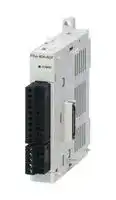
FX3U-4AD-TC-ADP
ANALOG TEMP I/P ADAPTER, 4CH, J/K, 24VDC
⚠️ Reference pricing provided. In case of supply shortages, we will connect you with our trusted procurement partners to ensure your project's continuity.
- Manufacturer: MITSUBISHI
- Product type: Controller Accessories
- SVHC: No SVHC (15-Jan-2018)
- Product Range: MELSEC FX3U
- Current Rating: 45mA
| Delivery and price | |
|---|---|
| Units per pack | 1 |
| Price | 374.97 € |
| Current stock | 10+ |
| Lead time | 30 days |
Datasheet

## **USER'S MANUAL**
## **Analog Control Edition**
## **Voltage / Current Input**
FX3G-2AD-BD FX3U-4AD FX3U-4AD-ADP FX3UC-4AD
## **Voltage / Current Output**
FX3G-1DA-BD FX3U-4DA
FX3U-4DA-ADP
**Voltage / Current Input / Output Mixture**
FX3U-3A-ADP
**Temperature Sensor Input** ~~DTT~~ FX3U-4AD-PT-ADP FX3U-4AD-PTW-ADP FX3U-4AD-PNK-ADP FX3U-4AD-TC-ADP
## **Safety Precautions**
(Read these precautions before use.)
Before installation, operation, maintenance or inspection of this product, thoroughly read through and understand this manual and all of the associated manuals. Also, take care to handle the module properly and safely.
This manual classifies the safety precautions into two categories:
and
.
Indicates that incorrect handling may cause hazardous conditions, resulting in death or severe injury. Indicates that incorrect handling may cause hazardous conditions, resulting in medium or slight personal injury or physical damage.
Depending on the circumstances, procedures indicated by may also cause severe injury. It is important to follow all precautions for personal safety.
Store this manual in a safe place so that it can be taken out and read whenever necessary. Always forward it to the end user.
## **1. DESIGN PRECAUTIONS**
**==> picture [458 x 44] intentionally omitted <==**
- Make sure to have the following safety circuits outside of the PLC to ensure safe system operation even during external power supply problems or PLC failure. Otherwise, malfunctions may cause serious accidents.
- 1) Most importantly, have the following: an emergency stop circuit, a protection circuit, an interlock circuit for opposite movements (such as normal vs. reverse rotation), and an interlock circuit (to prevent damage to the equipment at the upper and lower positioning limits).
- 2) Note that when the PLC CPU detects an error, such as a watchdog timer error, during self-diagnosis, all outputs are turned off. Also, when an error that cannot be detected by the PLC CPU occurs in an input/output control block, output control may be disabled. External circuits and mechanisms should be designed to ensure safe machinery operation in such a case.
- 3) Note that the output current of the 24V DC service power supply varies depending on the model and the absence/presence of extension blocks. If an overload occurs, the voltage automatically drops, inputs in the PLC are disabled, and all outputs are turned off. External circuits and mechanisms should be designed to ensure safe machinery operation in such a case.
- 4) Note that when an error occurs in a relay, triac or transistor output device, the output could be held either on or off. For output signals that may lead to serious accidents, external circuits and mechanisms should be designed to ensure safe machinery operation in such a case.
**==> picture [458 x 37] intentionally omitted <==**
- Do not bundle the control line together with or lay it close to the main circuit or power line. As a guideline, lay the control line at least 100mm(3.94") or more away from the main circuit or power line. Noise may cause malfunctions.
- • Make sure to ground the shield wire or shield of the shielded cable connected to an analog input expansion board, special analog input adapter, or special function block at one point on the PLC. However, do not use common grounding with heavy electrical systems. Noise may cause malfunctions.
- • Make sure to ground the shield wire or shield of the shielded cable connected to an analog output expansion board, special analog output adapter, or special function block at one point on the analog device side. However, do not use common grounding with heavy electrical systems. Noise may cause malfunctions.
- • Install module so that excessive force will not be applied to the power connectors or terminal blocks. Failure to do so may result in wire damage/breakage or PLC failure.
(1)
## **Safety Precautions**
(Read these precautions before use.)
## **2. WIRING PRECAUTIONS**
|**2. **|**WIRING PRECAUTIONS**||
|---|---|---|
||||
||||
|•|Make sure to cut off all phases of the power supply externally before attempting wiring work.||
||Failure to do so may cause electric shock or damage to the product.||
||||
||||
|•|Connect the DC power supply wiring to the dedicated terminals described in this manual.||
||If an AC power supply is connected to a DC input/output terminal or DC power supply terminal, the PLC will burn||
||out.||
|•|Do not wire vacant terminals externally.||
||Doing so may damage the product.||
|•|Perform class D grounding (grounding resistance: 100Ωor less)|to the grounding terminal on the main unit.|
||Do not use common grounding with heavy electrical systems.||
|•|When drilling screw holes or wiring, make sure cutting or wire debris does not enter the ventilation slits.||
||Failure to do so may cause fire, equipment failures or malfunctions.||
|•|Make sure to observe the following precautions in order to prevent malfunctions under the influence of noise:||
||-<br>Do not bundle the power line or shield of the analog input/output cable together with or lay it close to the main||
||circuit, high-voltage line, or load line.||
||Otherwise, noise disturbance and/or surge induction are likely to take place. As a guideline, lay the control line||
||at least 100mm (3.94") or more away from the main circuit, high-voltage line, or load line.||
||-<br>Ground the shield of the analog input/output cable at one point on the signal receiving side.||
||However, do not use common grounding with heavy electrical systems.||
|•|Make sure to properly wire to the terminal block (European type)|in accordance with the following precautions.|
||Failure to do so may cause electric shock, equipment failures, a short-circuit, wire breakage, malfunctions, or||
||damage to the product.||
||-<br>The disposal size of the cable end should follow the dimensions described in the manual.||
||-<br>Tightening torque should follow the specifications in the manual.||
||-<br>Twist the end of strand wire and make sure that there are no loose wires.||
||-<br>Do not solder-plate the electric wire ends.||
||-<br>Do not connect more than the specified number of wires or electric wires of unspecified size.||
||-<br>Affix the electric wires so that neither the terminal block nor the connected parts are directly stressed.||
|•|Make sure to properly wire the terminal block in accordance with|the following precautions.|
||Failure to do so may cause electric shock, equipment failures, a short-circuit, wire breakage, malfunctions, or||
||damage to the product.||
||-<br>The disposal size of the cable end should follow the dimensions described in the manual.||
||-<br>Tightening torque should follow the specifications in the manual.||
(2)
## **Safety Precautions**
(Read these precautions before use.)
## **3. STARTUP AND MAINTENANCE PRECAUTIONS**
- Do not touch any terminal while the PLC's power is on. Doing so may cause electric shock or malfunctions.
- Before cleaning or retightening terminals, cut off all phases of the power supply externally. Failure to do so may cause electric shock.
- Before modifying or disrupting the program in operation or running the PLC, carefully read through this manual and the associated manuals and ensure the safety of the operation. An operation error may damage the machinery or cause accidents.
- Do not change the program in the PLC from two or more peripheral equipment devices at the same time. (i.e. from a programming tool and a GOT) Doing so may cause destruction or malfunction of the PLC program.
**==> picture [458 x 37] intentionally omitted <==**
- Do not disassemble or modify the PLC. Doing so may cause fire, equipment failures, or malfunctions. For repair, contact your local Mitsubishi Electric representative.
- Turn off the power to the PLC before connecting or disconnecting any extension cable. Failure to do so may cause equipment failures or malfunctions.
- Turn of the power to the PLC before attaching or detaching the peripheral devices, expansion boards, special adapters, and extension blocks. Failure to do so may cause equipment failures or malfunctions.
(3)
**Safety Precautions**
(Read these precautions before use.)
## **MEMO**
(4)
FX3G/FX3U/FX3GC/FX3UC PLC User's Manual - Analog Control Edition
**==> picture [500 x 114] intentionally omitted <==**
## **FX3G/FX3U/FX3GC/FX3UC Series Programmable Controllers**
## **User's Manual [Analog Control Edition]**
**==> picture [500 x 114] intentionally omitted <==**
|Manual number|JY997D16701|
|---|---|
|Manual revision|J|
|Date|2/2012|
## **Foreword**
This manual describes the "analog" function of the MELSEC-F FX Series programmable controllers and should be read and understood before attempting to install or use the unit. Store this manual in a safe place so that you can take it out and read it whenever necessary. Always forward it to the end user.
This manual confers no industrial property rights or any rights of any other kind, nor does it confer any patent licenses. Mitsubishi Electric Corporation cannot be held responsible for any problems involving industrial property rights which may occur as a result of using the contents noted in this manual.
© 2005 MITSUBISHI ELECTRIC CORPORATION
**1**
FX3G/FX3U/FX3GC/FX3UC PLC User's Manual - Analog Control Edition
## **Outline Precautions**
- This manual provides information for the use of the FX3U Series Programmable Controllers. The manual has been written to be used by trained and competent personnel. The definition of such a person or persons is as follows;
- 1) Any engineer who is responsible for the planning, design and construction of automatic equipment using the product associated with this manual should be of a competent nature, trained and qualified to the local and national standards required to fulfill that role. These engineers should be fully aware of all aspects of safety with regards to automated equipment.
- 2) Any commissioning or service engineer must be of a competent nature, trained and qualified to the local and national standards required to fulfill that job. These engineers should also be trained in the use and maintenance of the completed product. This includes being completely familiar with all associated documentation for the said product. All maintenance should be carried out in accordance with established safety practices.
- 3) All operators of the completed equipment should be trained to use that product in a safe and coordinated manner in compliance to established safety practices. The operators should also be familiar with documentation which is connected with the actual operation of the completed equipment.
- **Note:** The term 'completed equipment' refers to a third party constructed device which contains or uses the product associated with this manual
- This product has been manufactured as a general-purpose part for general industries, and has not been designed or manufactured to be incorporated in a device or system used in purposes related to human life.
- Before using the product for special purposes such as nuclear power, electric power, aerospace, medicine or passenger movement vehicles, consult with Mitsubishi Electric.
- This product has been manufactured under strict quality control. However when installing the product where major accidents or losses could occur if the product fails, install appropriate backup or failsafe functions in the system.
- When combining this product with other products, please confirm the standard and the code, or regulations with which the user should follow. Moreover, please confirm the compatibility of this product to the system, machine, and apparatus with which a user is using.
- If in doubt at any stage during the installation of the product, always consult a professional electrical engineer who is qualified and trained to the local and national standards. If in doubt about the operation or use, please consult your local Mitsubishi Electric representative.
- Since the examples indicated by this manual, technical bulletin, catalog, etc. are used as a reference, please use it after confirming the function and safety of the equipment and system. Mitsubishi Electric will accept no responsibility for actual use of the product based on these illustrative examples.
- This manual content, specification etc. may be changed without a notice for improvement.
- The information in this manual has been carefully checked and is believed to be accurate; however, if you have noticed a doubtful point, a doubtful error, etc., please contact your local Mitsubishi Electric representative.
## **Registration**
- The company name and the product name to be described in this manual are the registered trademarks or trademarks of each company.
**2**
FX3G/FX3U/FX3GC/FX3UC PLC User's Manual - Analog Control Edition
Table of Contents
## **Table of Contents**
**SAFETY PRECAUTIONS ..................................................................................................(1)** A Common Items
||<br>|
|---|---|
||**1. Introduction**<br>**A-1**|
|||
||1.1 Outline and Features of Analog Control.......................................................................................A-1<br>1.1.1 Analog input control......................................................................................................................A-2<br>1.1.2 Analog output control....................................................................................................................A-3<br>1.1.3 Temperature sensor input control.................................................................................................A-4|
||<br>|
||**2. Description of Analog Products**<br>**A-5**|
|||
||2.1 Types of Analog Products............................................................................................................A-5<br>2.1.1 Expansion board...........................................................................................................................A-5<br>2.1.2 Special adapter.............................................................................................................................A-6<br>2.1.3 Special function block...................................................................................................................A-8<br>2.2 List of Analog Product Models ...................................................................................................A-10<br>2.2.1 Expansion board.........................................................................................................................A-10<br>2.2.2 Special adapter...........................................................................................................................A-10<br>2.2.3 Special function block.................................................................................................................A-11|
||<br>|
||**3. System Configuration Drawings of Analog Products**<br>**A-14**|
|||
||3.1 FX3USeries PLC .......................................................................................................................A-14<br>3.1.1 Connection of special adapters ..................................................................................................A-14<br>3.1.2 Connection of special function blocks ........................................................................................A-15<br>3.2 FX3UCSeries PLC.....................................................................................................................A-16<br>3.2.1 Connection of special adapters ..................................................................................................A-16<br>3.2.2 Connection of special function blocks ........................................................................................A-18<br>3.3 FX3GSeries PLC .......................................................................................................................A-20<br>3.3.1 Connection of expansion boards, special adapters...................................................................A-20<br>3.3.2 Connection of special function blocks ........................................................................................A-22<br>3.4 FX3GCSeries PLC.....................................................................................................................A-23<br>3.4.1 Connection of special adapters ..................................................................................................A-23<br>3.4.2 Connection of special function blocks ........................................................................................A-24|
||<br>|
||**4. Comparison of Performance Specifications**<br>**A-25**|
|||
||4.1 Analog Input...............................................................................................................................A-25<br>4.1.1 FX3U-4AD-ADP ..........................................................................................................................A-25<br>4.1.2 FX2N-2AD...................................................................................................................................A-26<br>4.1.3 FX3U-4AD...................................................................................................................................A-27<br>4.1.4 FX2N-4AD...................................................................................................................................A-28<br>4.1.5 FX3UC-4AD ................................................................................................................................A-29<br>4.1.6 FX2NC-4AD ................................................................................................................................A-30<br>4.1.7 FX2N-8AD...................................................................................................................................A-31<br>4.1.8 FX3G-2AD-BD ............................................................................................................................A-32<br>4.2 Analog Output ............................................................................................................................A-33<br>4.2.1 FX3U-4DA-ADP ..........................................................................................................................A-33<br>4.2.2 FX2N-2DA...................................................................................................................................A-34<br>4.2.3 FX3U-4DA...................................................................................................................................A-35<br>4.2.4 FX2N-4DA ..................................................................................................................................A-36<br>4.2.5 FX2NC-4DA ................................................................................................................................A-37<br>4.2.6 FX3G-1DA-BD ............................................................................................................................A-38|
**3**
FX3G/FX3U/FX3GC/FX3UC PLC User's Manual - Analog Control Edition
Table of Contents
4.3 Mixed Analog Input/Output.........................................................................................................A-39 4.3.1 FX3U-3A-ADP.............................................................................................................................A-39 4.3.2 FX2N-5A .....................................................................................................................................A-40 4.3.3 FX0N-3A .....................................................................................................................................A-42 4.4 Temperature Sensor Input .........................................................................................................A-43 4.4.1 FX3U-4AD-PT-ADP ....................................................................................................................A-43 4.4.2 FX3U-4AD-PTW-ADP.................................................................................................................A-44 4.4.3 FX3U-4AD-PNK-ADP .................................................................................................................A-45 4.4.4 FX3U-4AD-TC-ADP ....................................................................................................................A-46 4.4.5 FX2N-4AD-PT.............................................................................................................................A-47 4.4.6 FX2N-4AD-TC.............................................................................................................................A-48 4.4.7 FX2N-8AD...................................................................................................................................A-49 4.4.8 FX2N-2LC ...................................................................................................................................A-50 4.4.9 FX3U-4LC ...................................................................................................................................A-51
||<br>|
|---|---|
||**5. Version Number**<br>**A-52**|
|||
||5.1 PLC Main Unit............................................................................................................................A-52<br>5.1.1 Manufacturer's serial number check method..............................................................................A-52<br>5.1.2 Version check.............................................................................................................................A-53<br>5.2 Special adapter ..........................................................................................................................A-54<br>5.2.1 Manufacturer's serial number check method..............................................................................A-54|
||<br>|
||**6. Manual Introduction (Types, Contents, and Obtainment)**<br>**A-55**|
|||
||6.1 How to Use the Manuals............................................................................................................A-55<br>6.2 Description of Related Manuals .................................................................................................A-56<br>6.2.1 Analog control manuals..............................................................................................................A-56<br>6.2.2 Manuals related to the FX3G/FX3U/FX3GC/FX3UCSeries PLC main unit .................................A-56<br>6.2.3 Manuals of analog units..............................................................................................................A-58|
||<br>|
||**7. Generic Names and Abbreviations in This Manual**<br>**A-60**|
**4**
FX3G/FX3U/FX3GC/FX3UC PLC User's Manual - Analog Control Edition
Table of Contents
## B. FX3U-4AD (4-channel Analog Input) FX3UC-4AD (4-channel Analog Input)
||<br>|
|---|---|
||**1. Outline**<br>**B-3**|
|||
||1.1 Outline of Functions .....................................................................................................................B-3<br>1.2 Setup Procedure Before Starting Operation ................................................................................B-4<br>1.3 Connectable PLC and Version Numbers .....................................................................................B-5<br>1.4 Compatible Programming Tool Version Number .........................................................................B-5|
||<br>|
||**2. Specifications**<br>**B-7**|
|||
||2.1 Generic Specifications .................................................................................................................B-7<br>2.2 Power Supply Specifications........................................................................................................B-8<br>2.3 Performance Specifications .........................................................................................................B-8<br>2.4 Input Mode (Characteristics) BFM #0 ..........................................................................................B-9|
||<br>|
||**3. Wiring**<br>**B-11**|
|||
||3.1 Terminal Layout .........................................................................................................................B-12<br>3.2 Cable and Terminal Tightening Torque......................................................................................B-13<br>3.2.1 Power cable (FX3UC-4AD) .........................................................................................................B-13<br>3.2.2 Cable (FX3U-4AD)......................................................................................................................B-13<br>3.2.3 Cable (FX3UC-4AD)....................................................................................................................B-14<br>3.3 Examples of Power Supply Circuit.............................................................................................B-15<br>3.3.1 FX3U-4AD...................................................................................................................................B-15<br>3.3.2 FX3UC-4AD ................................................................................................................................B-16<br>3.3.3 Cautions regarding connection of power cables.........................................................................B-16<br>3.4 Analog Input Line .......................................................................................................................B-17<br>3.4.1 FX3U-4AD...................................................................................................................................B-17<br>3.4.2 FX3UC-4AD ................................................................................................................................B-18<br>3.5 Grounding ..................................................................................................................................B-18|
||<br>|
||**4. Analog Input**<br>**B-19**|
|||
||4.1 Analog Input Procedures............................................................................................................B-19|
||<br>|
||**5. Buffer Memory (BFM)**<br>**B-21**|
|||
||5.1 Assignment of Unit Numbers and Outline of Buffer Memory .....................................................B-21<br>5.2 Buffer Memory Reading/Writing Method....................................................................................B-23<br>5.2.1 Buffer memory direct specification (FX3U, FX3UCPLC only).....................................................B-23<br>5.2.2 FROM/TO instruction (FX3G, FX3U, FX3GC, FX3UCPLC) ........................................................B-23<br>5.3 Buffer Memory List (BFM)..........................................................................................................B-24<br>5.4 Buffer Memory Details................................................................................................................B-28<br>5.4.1 BFM #0: Input mode specification ..............................................................................................B-28<br>5.4.2 BFM #2 to #5: Averaging time....................................................................................................B-29<br>5.4.3 BFM #6 to #9: Digital filter setting...............................................................................................B-30<br>5.4.4 BFM #10 to #13: Channel data...................................................................................................B-31<br>5.4.5 BFM #19: Data change disable ..................................................................................................B-32<br>5.4.6 BFM #20: Initialization function (resetting to factory default status) ...........................................B-32<br>5.4.7 BFM #21: Input characteristics writing........................................................................................B-32<br>5.4.8 BFM #22: Convenient function setting........................................................................................B-33<br>5.4.9 BFM #26: Upper/lower limit error status.....................................................................................B-35<br>5.4.10 BFM #27: Abrupt change detection status ...............................................................................B-36|
**5**
FX3G/FX3U/FX3GC/FX3UC PLC User's Manual - Analog Control Edition
Table of Contents
||5.4.11 BFM #28: Over-scale status.....................................................................................................B-37<br>5.4.12 BFM #29: Error status ..............................................................................................................B-38<br>5.4.13 BFM #30: Model code ..............................................................................................................B-39<br>5.4.14 BFM #41 to #44: Offset data / BFM #51 to #54: Gain data ......................................................B-39<br>5.4.15 BFM #61 to #64: Addition data.................................................................................................B-40<br>5.4.16 BFM #71 to #74: Lower limit error setting / BFM #81 to #84: Upper limit error setting.............B-41<br>5.4.17 BFM #91 to #94: Abrupt change detection value setting..........................................................B-42<br>5.4.18 BFM #99: Clearance of upper/lower limit error data and abrupt change detection data ..........B-43<br>5.4.19 BFM #101 to #104: Minimum peak value / BFM #111 to #114: Maximum peak value ............B-43<br>5.4.20 BFM #109: Minimum peak value resetting / BFM #119: Maximum peak value resetting.........B-44<br>5.4.21 BFM #125: Peak value automatic transfer to first data register specification...........................B-44<br>5.4.22 BFM #126: Upper/lower error status data automatic transfer-to data register specification.....B-45<br>5.4.23 BFM #127: Abrupt change detection status data automatic transfer-to data register<br>specification...........................................................................................................................B-46<br>5.4.24 BFM #128: Over-scale status data automatic transfer-to data register specification ...............B-47<br>5.4.25 BFM #129: Error status data automatic transfer-to data register specification.........................B-47<br>5.4.26 BFM #197: Selection of cyclic data update function (function for data history)........................B-48<br>5.4.27 BFM #198: Data history sampling time setting.........................................................................B-48<br>5.4.28 BFM #199: Data history resetting/stoppage .............................................................................B-49<br>5.4.29 BFM #200 to #6999: Data history.............................................................................................B-50|
|---|---|
||<br>|
||**6. Changing Input Characteristics**<br>**B-51**|
|||
||6.1 Procedure for Changing Input Characteristics ...........................................................................B-51|
||<br>|
||**7. Examples of Practical Programs**<br>**B-54**|
|||
||7.1 Program That Uses Averaging Time..........................................................................................B-54<br>7.2 Program That Uses Convenient Functions ................................................................................B-56<br>7.3 Program That Uses Data History Function ................................................................................B-59<br>7.4 Initialization Program for 4AD (Factory Default).........................................................................B-62|
||<br>|
||**8. Troubleshooting**<br>**B-63**|
|||
||8.1 PLC Version Number Check......................................................................................................B-63<br>8.2 Wiring Check..............................................................................................................................B-63<br>8.3 Program Check ..........................................................................................................................B-63<br>8.4 Error Status Check.....................................................................................................................B-64<br>8.5 4AD Initialization and Test Program...........................................................................................B-65|
**6**
FX3G/FX3U/FX3GC/FX3UC PLC User's Manual - Analog Control Edition
Table of Contents
## C. FX3U-4AD-ADP (4-channel Analog Input)
||<br>|
|---|---|
||**1. Outline**<br>**C-3**|
|||
||1.1 Outline of Functions .................................................................................................................... C-3<br>1.2 Setup Procedure Before Starting Operation ............................................................................... C-4<br>1.3 Connectable PLCs and Version Number .................................................................................... C-5<br>1.4 Compatible Programming Tool Version Number ........................................................................ C-5|
||<br>|
||**2. Specifications**<br>**C-7**|
|||
||2.1 Generic Specifications ................................................................................................................ C-7<br>2.2 Power Supply Specifications....................................................................................................... C-8<br>2.3 Performance Specifications ........................................................................................................ C-8<br>2.4 A/D Conversion Time.................................................................................................................. C-9<br>2.4.1 When connected to a FX3U, FX3UCPLC.................................................................................... C-9<br>2.4.2 When connected to a FX3G, FX3GCPLC ................................................................................. C-10|
||<br>|
||**3. Wiring**<br>**C-11**|
|||
||3.1 Terminal Layout ........................................................................................................................ C-12<br>3.2 Applicable Cables and Terminal Tightening Torque ................................................................. C-13<br>3.3 Power Supply Line .................................................................................................................... C-14<br>3.3.1 To connect to the FX3G, FX3USeries PLC............................................................................... C-14<br>3.3.2 To connect to the FX3GC, FX3UCSeries PLC .......................................................................... C-14<br>3.4 Analog Input Line ...................................................................................................................... C-15<br>3.5 Grounding ................................................................................................................................. C-15|
||<br>|
||**4. Programming**<br>**C-16**|
|||
||4.1 Loading of A/D Conversion Data............................................................................................... C-16<br>4.2 List of Special Devices.............................................................................................................. C-18<br>4.3 Switching of Input Mode............................................................................................................ C-19<br>4.4 Input Data.................................................................................................................................. C-20<br>4.5 Averaging Time......................................................................................................................... C-21<br>4.6 Error Status............................................................................................................................... C-22<br>4.7 Model Code............................................................................................................................... C-24<br>4.8 Basic Program Example............................................................................................................ C-25|
||<br>|
||**5. Changing of Input Characteristics**<br>**C-27**|
|||
||5.1 Example: Changing of Voltage Input Characteristics................................................................ C-27|
||<br>|
||**6. Troubleshooting**<br>**C-30**|
|||
||6.1 PLC Version Number Check..................................................................................................... C-30<br>6.2 Wiring Check............................................................................................................................. C-30<br>6.3 Special Device Check ............................................................................................................... C-31<br>6.4 Program Check ......................................................................................................................... C-31<br>6.5 Error Status Check.................................................................................................................... C-32|
**7**
FX3G/FX3U/FX3GC/FX3UC PLC User's Manual - Analog Control Edition
Table of Contents
## D. FX3G-2AD-BD (2-channel Analog Input)
||<br>|
|---|---|
||**1. Outline**<br>**D-3**|
|||
||1.1 Outline of Functions .................................................................................................................... D-3<br>1.2 Setup Procedure Before Starting Operation ............................................................................... D-4<br>1.3 Connectable PLCs and Version Number .................................................................................... D-5<br>1.4 Compatible Programming Tool Version Number ........................................................................ D-5|
||<br>|
||**2. Specifications**<br>**D-6**|
|||
||2.1 Generic Specifications ................................................................................................................ D-6<br>2.2 Performance Specifications ........................................................................................................ D-7<br>2.3 A/D Conversion Time.................................................................................................................. D-8|
||<br>|
||**3. Wiring**<br>**D-9**|
|||
||3.1 Terminal Layout ........................................................................................................................ D-10<br>3.2 Applicable Cables and Terminal Tightening Torque ................................................................. D-11<br>3.3 Analog Input Line ...................................................................................................................... D-12<br>3.4 Grounding ................................................................................................................................. D-12|
||<br>|
||**4. Programming**<br>**D-13**|
|||
||4.1 Loading of A/D Conversion Data............................................................................................... D-13<br>4.2 List of Special Devices.............................................................................................................. D-14<br>4.3 Switching of Input Mode............................................................................................................ D-14<br>4.4 Input Data.................................................................................................................................. D-15<br>4.5 Averaging Time......................................................................................................................... D-16<br>4.6 Error Status............................................................................................................................... D-17<br>4.7 Model Code............................................................................................................................... D-19<br>4.8 Basic Program Example............................................................................................................ D-19|
||<br>|
||**5. Changing of Input Characteristics**<br>**D-20**|
|||
||5.1 Example: Changing of Voltage Input Characteristics................................................................ D-20|
||<br>|
||**6. Troubleshooting**<br>**D-21**|
|||
||6.1 PLC Version Number Check..................................................................................................... D-21<br>6.2 Checking Installation................................................................................................................. D-21<br>6.3 Wiring Check............................................................................................................................. D-21<br>6.4 Special Device Check ............................................................................................................... D-21<br>6.5 Program Check ......................................................................................................................... D-22<br>6.6 Error Status Check.................................................................................................................... D-22|
**8**
FX3G/FX3U/FX3GC/FX3UC PLC User's Manual - Analog Control Edition
Table of Contents
## E. FX3U-4DA (4-channel Analog Output)
||<br>|
|---|---|
||**1. Outline**<br>**E-3**|
|||
||1.1 Outline of Functions .....................................................................................................................E-3<br>1.2 Setup Procedure Before Starting Operation ................................................................................E-4<br>1.3 Connectable PLCs and Version Numbers ...................................................................................E-5<br>1.4 Compatible Programming Tool Version Number .........................................................................E-5|
||<br>|
||**2. Specifications**<br>**E-7**|
|||
||2.1 Generic Specifications .................................................................................................................E-7<br>2.2 Power Supply Specifications........................................................................................................E-8<br>2.3 Performance Specifications .........................................................................................................E-8<br>2.4 Output Mode (Characteristics) BFM #0........................................................................................E-9|
||<br>|
||**3. Wiring**<br>**E-10**|
|||
||3.1 Terminal Layout .........................................................................................................................E-11<br>3.2 Cable and Terminal Tightening Torque......................................................................................E-11<br>3.3 Wiring to Power Supply Terminals.............................................................................................E-12<br>3.3.1 Examples of Power Supply Circuit .............................................................................................E-12<br>3.3.2 Cautions regarding wiring to the power supply terminals...........................................................E-12<br>3.4 Analog Output Wiring.................................................................................................................E-13<br>3.5 Grounding ..................................................................................................................................E-13|
||<br>|
||**4. Analog Output**<br>**E-14**|
|||
||4.1 Analog Output Procedures.........................................................................................................E-14|
||<br>|
||**5. Buffer Memory (BFM)**<br>**E-16**|
|||
||5.1 Assignment of Unit Numbers and Outline of Buffer Memory .....................................................E-16<br>5.2 Buffer Memory Reading/Writing Method....................................................................................E-17<br>5.2.1 Buffer memory direct specification (FX3U, FX3UCPLC only).....................................................E-18<br>5.2.2 FROM/TO instruction (FX3G, FX3U, FX3GC, FX3UCPLC) ........................................................E-18<br>5.3 Buffer Memory List (BFM)..........................................................................................................E-19<br>5.4 Buffer Memory Details................................................................................................................E-22<br>5.4.1 BFM #0: Output mode specification ...........................................................................................E-22<br>5.4.2 BFM #1 to #4: Output data .........................................................................................................E-23<br>5.4.3 BFM #5: Output setting upon PLC stop......................................................................................E-23<br>5.4.4 BFM #6: Output status................................................................................................................E-24<br>5.4.5 BFM #9: Offset/gain setting value write command.....................................................................E-25<br>5.4.6 BFM #10 to #13: Offset data/BFM #14 to #17: Gain data ..........................................................E-26<br>5.4.7 BFM #19: Data change prohibition of setting change.................................................................E-27<br>5.4.8 BFM #20: Initialization function (resetting to factory default status) ...........................................E-28<br>5.4.9 BFM #28: Disconnection detection status (only in current output mode) ...................................E-28<br>5.4.10 BFM #29: Error status ..............................................................................................................E-29<br>5.4.11 BFM #30: Model code ..............................................................................................................E-30<br>5.4.12 BFM #32 to #35: Data to be output upon PLC stop..................................................................E-30<br>5.4.13 BFM #38: Upper/lower limit function setting.............................................................................E-31<br>5.4.14 BFM #39: Upper/lower limit function status..............................................................................E-32<br>5.4.15 BFM #40: Clearance of upper/lower limit function status .........................................................E-32<br>5.4.16 BFM #41 to #44: Lower limit values of upper/lower limit function<br>BFM #45 to #48: Upper limit values of upper/lower limit function..........................................E-33|
**9**
FX3G/FX3U/FX3GC/FX3UC PLC User's Manual - Analog Control Edition
Table of Contents
||5.4.17 BFM #50: Setting of output corrective function by load resistance<br>(only in voltage output mode)/BFM #51 to #54: Load resistance values...............................E-34<br>5.4.18 BFM #60: Status automatic transfer function setting................................................................E-35<br>5.4.19 BFM #61: Error status data automatic transfer-to data register specification...........................E-36<br>5.4.20 BFM #62: Upper/lower limit function status data automatic transfer-to data register<br>specification...........................................................................................................................E-37<br>5.4.21 BFM #63: Specification of data register for automatic transfer at disconnection detection......E-38<br>5.4.22 BFM #80 to #3098: Table output function ................................................................................E-38|
|---|---|
||<br>|
||**6. Table Output Function**<br>**E-39**|
|||
||6.1 Outline of Table Output Function ...............................................................................................E-39<br>6.2 Preparation of data table............................................................................................................E-40<br>6.3 Procedures for transferring data table to buffer memory ...........................................................E-45<br>6.4 Procedures for executing table output function..........................................................................E-49<br>6.5 Details of table output error........................................................................................................E-51<br>6.6 Examples uses of table output function .....................................................................................E-53|
||<br>|
||**7. Changing Output Characteristics**<br>**E-54**|
|||
||7.1 Procedure for Changing Output Characteristics ........................................................................E-54|
||<br>|
||**8. Examples of Practical Programs**<br>**E-57**|
|||
||8.1 Example of Program for Analog Output Operation (Regular Operation)....................................E-57<br>8.2 Example of Program using Useful Functions.............................................................................E-58<br>8.3 Example of Program for Table Output Operation (Pattern Output Operation)...........................E-61<br>8.4 Program to Initialize FX3U-4DA (Factory Default)......................................................................E-64|
||<br>|
||**9. Troubleshooting**<br>**E-65**|
|||
||9.1 PLC Version Number Check......................................................................................................E-65<br>9.2 Wiring Check..............................................................................................................................E-65<br>9.3 Program Check ..........................................................................................................................E-65<br>9.4 Error Status Check.....................................................................................................................E-66<br>9.5 FX3U-4DA Initialization and Test Program.................................................................................E-67|
**10**
FX3G/FX3U/FX3GC/FX3UC PLC User's Manual - Analog Control Edition
Table of Contents
## F. FX3U-4DA-ADP (4-channel Analog Output)
||<br>|
|---|---|
||**1. Outline**<br>**F-3**|
|||
||1.1 Outline of Functions .....................................................................................................................F-3<br>1.2 Setup Procedure Before Starting Operation ................................................................................F-4<br>1.3 Connectable PLCs and Version Numbers ...................................................................................F-5<br>1.4 Compatible Programming Tool Version Number .........................................................................F-5|
||<br>|
||**2. Specifications**<br>**F-7**|
|||
||2.1 Generic Specifications .................................................................................................................F-7<br>2.2 Power Supply Specifications........................................................................................................F-8<br>2.3 Performance Specifications .........................................................................................................F-8<br>2.4 D/A Conversion Time...................................................................................................................F-9<br>2.4.1 When connected to a FX3U, FX3UCPLC.....................................................................................F-9<br>2.4.2 When connected to a FX3G, FX3GCPLC ..................................................................................F-10|
||<br>|
||**3. Wiring**<br>**F-11**|
|||
||3.1 Terminal Layout .........................................................................................................................F-12<br>3.2 Applicable Cables and Terminal Tightening Torque ..................................................................F-13<br>3.3 Power Supply Line .....................................................................................................................F-14<br>3.3.1 To connect to the FX3G, FX3USeries PLC................................................................................F-14<br>3.3.2 To connect to the FX3GC, FX3UCSeries PLC ...........................................................................F-14<br>3.4 Analog Output Line ....................................................................................................................F-15<br>3.5 Grounding ..................................................................................................................................F-15|
||<br>|
||**4. Programming**<br>**F-16**|
|||
||4.1 Writing of D/A Conversion Data .................................................................................................F-16<br>4.2 List of Special Devices...............................................................................................................F-18<br>4.3 Switching of Output Mode..........................................................................................................F-19<br>4.4 Output Holding Function Cancellation Setting ...........................................................................F-20<br>4.5 Output Setting Data....................................................................................................................F-21<br>4.6 Error Status................................................................................................................................F-22<br>4.7 Model Code................................................................................................................................F-24<br>4.8 Basic Program Example.............................................................................................................F-24|
||<br>|
||**5. Changing of Output Characteristics**<br>**F-25**|
|||
||5.1 Example: Changing of Voltage Output Characteristics..............................................................F-25|
||<br>|
||**6. Troubleshooting**<br>**F-27**|
|||
||6.1 PLC Version Number Check......................................................................................................F-27<br>6.2 Wiring Check..............................................................................................................................F-27<br>6.3 Special Device Check ................................................................................................................F-27<br>6.4 Program Check ..........................................................................................................................F-28<br>6.5 Error Status Check.....................................................................................................................F-28|
**11**
FX3G/FX3U/FX3GC/FX3UC PLC User's Manual - Analog Control Edition
Table of Contents
## G. FX3G-1DA-BD (1-channel Analog Output)
||<br>|
|---|---|
||**1. Outline**<br>**G-3**|
|||
||1.1 Outline of Functions .................................................................................................................... G-3<br>1.2 Setup Procedure Before Starting Operation ............................................................................... G-4<br>1.3 Connectable PLCs and Version Numbers .................................................................................. G-5<br>1.4 Compatible Programming Tool Version Number ........................................................................ G-5|
||<br>|
||**2. Specifications**<br>**G-6**|
|||
||2.1 Generic Specifications ................................................................................................................ G-6<br>2.2 Performance Specifications ........................................................................................................ G-7<br>2.3 D/A Conversion Time.................................................................................................................. G-8|
||<br>|
||**3. Wiring**<br>**G-9**|
|||
||3.1 Terminal Layout ........................................................................................................................ G-10<br>3.2 Applicable Cables and Terminal Tightening Torque ................................................................. G-11<br>3.3 Analog Output Line ................................................................................................................... G-12<br>3.4 Grounding ................................................................................................................................. G-12|
||<br>|
||**4. Programming**<br>**G-13**|
|||
||4.1 Writing of D/A Conversion Data ................................................................................................ G-13<br>4.2 List of Special Devices.............................................................................................................. G-14<br>4.3 Switching of Output Mode......................................................................................................... G-14<br>4.4 Output Holding Function Cancellation Setting .......................................................................... G-15<br>4.5 Output Setting Data................................................................................................................... G-15<br>4.6 Error Status............................................................................................................................... G-16<br>4.7 Model Code............................................................................................................................... G-16<br>4.8 Basic Program Example............................................................................................................ G-17|
||<br>|
||**5. Changing of Output Characteristics**<br>**G-18**|
|||
||5.1 Example: Changing of Voltage Output Characteristics............................................................. G-18|
||<br>|
||**6. Troubleshooting**<br>**G-19**|
|||
||6.1 PLC Version Number Check..................................................................................................... G-19<br>6.2 Checking installation ................................................................................................................. G-19<br>6.3 Wiring Check............................................................................................................................. G-19<br>6.4 Special Device Check ............................................................................................................... G-19<br>6.5 Program Check ......................................................................................................................... G-20<br>6.6 Error Status Check.................................................................................................................... G-20|
**12**
FX3G/FX3U/FX3GC/FX3UC PLC User's Manual - Analog Control Edition
Table of Contents
## H. FX3U-3A-ADP
## (2-channel Analog Input, 1-channel Analog Output)
||<br>|
|---|---|
||**1. Outline**<br>**H-3**|
|||
||1.1 Outline of Functions .................................................................................................................... H-3<br>1.2 Setup Procedure Before Starting Operation ............................................................................... H-4<br>1.3 Connectable PLCs and Version Number .................................................................................... H-5<br>1.4 Compatible Programming Tool Version Number ........................................................................ H-5|
||<br>|
||**2. Specifications**<br>**H-7**|
|||
||2.1 Generic Specifications ................................................................................................................ H-7<br>2.2 Power Supply Specifications....................................................................................................... H-7<br>2.3 Performance Specifications ........................................................................................................ H-8<br>2.4 Conversion Time......................................................................................................................... H-9<br>2.4.1 When connected to a FX3U, FX3UCPLC.................................................................................... H-9<br>2.4.2 When connected to a FX3G, FX3GCPLC ................................................................................. H-10|
||<br>|
||**3. Wiring**<br>**H-11**|
|||
||3.1 Terminal Layout ........................................................................................................................ H-12<br>3.2 Applicable Cables and Terminal Tightening Torque ................................................................. H-13<br>3.3 Power Supply Line .................................................................................................................... H-14<br>3.3.1 To connect to the FX3G, FX3USeries PLC............................................................................... H-14<br>3.3.2 To connect to the FX3GC, FX3UCSeries PLC .......................................................................... H-14<br>3.4 Analog Input / output Line ......................................................................................................... H-15<br>3.4.1 Analog Input Line....................................................................................................................... H-15<br>3.4.2 Analog Output Line.................................................................................................................... H-15<br>3.5 Grounding ................................................................................................................................. H-16|
||<br>|
||**4. Programming**<br>**H-17**|
|||
||4.1 Loading/Writing of Conversion Data ......................................................................................... H-17<br>4.2 List of Special Devices.............................................................................................................. H-18<br>4.3 Switching of Input Mode............................................................................................................ H-19<br>4.4 Switching of Output Mode......................................................................................................... H-20<br>4.5 Output Holding Function Cancellation Setting .......................................................................... H-20<br>4.6 Setting whether or not a channel is used.................................................................................. H-21<br>4.7 Input Data.................................................................................................................................. H-22<br>4.8 Output Setting Data................................................................................................................... H-23<br>4.9 Averaging Time......................................................................................................................... H-24<br>4.10 Error Status............................................................................................................................. H-25<br>4.11 Model Code............................................................................................................................. H-27<br>4.12 Basic Program Example.......................................................................................................... H-28|
||<br>|
||**5. Changing of Input/output Characteristics**<br>**H-30**|
|||
||5.1 Example: Changing of Voltage Input Characteristics................................................................ H-30<br>5.2 Example: Changing of Voltage Output Characteristics............................................................. H-33|
**13**
FX3G/FX3U/FX3GC/FX3UC PLC User's Manual - Analog Control Edition
Table of Contents
||<br>|
|---|---|
||**6. Troubleshooting**<br>**H-35**|
|||
||6.1 PLC Version Number Check..................................................................................................... H-35<br>6.2 Wiring Check............................................................................................................................. H-35<br>6.3 Special Device Check ............................................................................................................... H-35<br>6.4 Program Check ......................................................................................................................... H-36<br>6.5 Error Status Check.................................................................................................................... H-36|
**14**
FX3G/FX3U/FX3GC/FX3UC PLC User's Manual - Analog Control Edition
Table of Contents
## I. FX3U-4AD-PT-ADP (4-channel Platinum Resistance Thermometer Data Input)
||<br>|
|---|---|
||**1. Outline**<br>**I-3**|
|||
||1.1 Outline of Functions ......................................................................................................................I-3<br>1.2 Setup Procedure Before Starting Operation .................................................................................I-4<br>1.3 Connectable PLC and Its Version Number ...................................................................................I-5<br>1.4 Compatible Programming Tool Version Number ..........................................................................I-5|
||<br>|
||**2. Specifications**<br>**I-7**|
|||
||2.1 Generic Specifications ..................................................................................................................I-7<br>2.2 Power Supply Specifications.........................................................................................................I-8<br>2.3 Performance Specifications ..........................................................................................................I-8<br>2.4 A/D Conversion Time....................................................................................................................I-9<br>2.4.1 When connected to a FX3U, FX3UCPLC......................................................................................I-9<br>2.4.2 When connected to a FX3G, FX3GCPLC ...................................................................................I-10<br>2.5 Temperature Measurement.........................................................................................................I-10|
||<br>|
||**3. Wiring**<br>**I-11**|
|||
||3.1 Terminal Layout ..........................................................................................................................I-12<br>3.2 Applicable Cable and Terminal Tightening Torque.....................................................................I-13<br>3.3 Power Supply Line ......................................................................................................................I-14<br>3.3.1 To connect to the FX3G, FX3USeries PLC.................................................................................I-14<br>3.3.2 To connect to the FX3GC, FX3UCSeries PLC ............................................................................I-14<br>3.4 Selection of the Platinum Resistance Thermometer Sensor.......................................................I-15<br>3.5 Wiring of the Platinum Resistance Thermometer Sensor ...........................................................I-15<br>3.6 Grounding ...................................................................................................................................I-15|
||<br>|
||**4. Programming**<br>**I-16**|
|||
||4.1 Loading of A/D Conversion Data.................................................................................................I-16<br>4.2 List of Special Devices................................................................................................................I-18<br>4.3 Selection of Temperature Unit ....................................................................................................I-19<br>4.4 Temperature Measurement.........................................................................................................I-20<br>4.5 Averaging Time...........................................................................................................................I-21<br>4.6 Error Status.................................................................................................................................I-22<br>4.7 Model Code.................................................................................................................................I-25<br>4.8 Basic Program Example..............................................................................................................I-26|
||<br>|
||**5. Troubleshooting**<br>**I-27**|
|||
||5.1 PLC Version Number Check.......................................................................................................I-27<br>5.2 Wiring Check...............................................................................................................................I-27<br>5.3 Special Device Check .................................................................................................................I-27<br>5.4 Program Check ...........................................................................................................................I-28<br>5.5 Error Status Check......................................................................................................................I-28|
**15**
FX3G/FX3U/FX3GC/FX3UC PLC User's Manual - Analog Control Edition
Table of Contents
## J. FX3U-4AD-PTW-ADP
## (4-channel Platinum Resistance Thermometer Data Input)
||<br>|
|---|---|
||**1. Outline**<br>**J-3**|
|||
||1.1 Outline of Functions ..................................................................................................................... J-3<br>1.2 Setup Procedure Before Starting Operation ................................................................................ J-4<br>1.3 Connectable PLC and Its Version Number .................................................................................. J-5<br>1.4 Compatible Programming Tool Version Number ......................................................................... J-5|
||<br>|
||**2. Specifications**<br>**J-7**|
|||
||2.1 Generic Specifications ................................................................................................................. J-7<br>2.2 Power Supply Specifications........................................................................................................ J-8<br>2.3 Performance Specifications ......................................................................................................... J-8<br>2.4 A/D Conversion Time................................................................................................................... J-9<br>2.4.1 When connected to a FX3U, FX3UCPLC..................................................................................... J-9<br>2.4.2 When connected to a FX3G, FX3GCPLC .................................................................................. J-10<br>2.5 Temperature Measurement........................................................................................................ J-10|
||<br>|
||**3. Wiring**<br>**J-11**|
|||
||3.1 Terminal Layout ......................................................................................................................... J-12<br>3.2 Applicable Cable and Terminal Tightening Torque.................................................................... J-13<br>3.3 Power Supply Line ..................................................................................................................... J-14<br>3.3.1 To connect to the FX3G, FX3USeries PLC................................................................................ J-14<br>3.3.2 To connect to the FX3GC, FX3UCSeries PLC ........................................................................... J-14<br>3.4 Selection of the Platinum Resistance Thermometer Sensor...................................................... J-15<br>3.5 Wiring of the Platinum Resistance Thermometer Sensor .......................................................... J-15<br>3.6 Grounding .................................................................................................................................. J-15|
||<br>|
||**4. Programming**<br>**J-16**|
|||
||4.1 Loading of A/D Conversion Data................................................................................................ J-16<br>4.2 List of Special Devices............................................................................................................... J-18<br>4.3 Selection of Temperature Unit ................................................................................................... J-19<br>4.4 Temperature Measurement........................................................................................................ J-20<br>4.5 Averaging Time.......................................................................................................................... J-21<br>4.6 Error Status................................................................................................................................ J-22<br>4.7 Model Code................................................................................................................................ J-25<br>4.8 Basic Program Example............................................................................................................. J-26|
||<br>|
||**5. Troubleshooting**<br>**J-27**|
|||
||5.1 PLC Version Number Check...................................................................................................... J-27<br>5.2 Wiring Check.............................................................................................................................. J-27<br>5.3 Special Device Check ................................................................................................................ J-27<br>5.4 Program Check .......................................................................................................................... J-28<br>5.5 Error Status Check..................................................................................................................... J-28|
**16**
FX3G/FX3U/FX3GC/FX3UC PLC User's Manual - Analog Control Edition
Table of Contents
## K. FX3U-4AD-PNK-ADP (4-channel Resistance Thermometer Data Input)
||<br>|
|---|---|
||**1. Outline**<br>**K-3**|
|||
||1.1 Outline of Functions .....................................................................................................................K-3<br>1.2 Setup Procedure Before Starting Operation ................................................................................K-4<br>1.3 Connectable PLC and Its Version Number ..................................................................................K-5<br>1.4 Compatible Programming Tool Version Number .........................................................................K-5|
||<br>|
||**2. Specifications**<br>**K-7**|
|||
||2.1 Generic Specifications .................................................................................................................K-7<br>2.2 Power Supply Specifications........................................................................................................K-7<br>2.3 Performance Specifications .........................................................................................................K-8<br>2.4 A/D Conversion Time...................................................................................................................K-9<br>2.4.1 When connected to a FX3U, FX3UCPLC.....................................................................................K-9<br>2.4.2 When connected to a FX3G, FX3GCPLC ..................................................................................K-10<br>2.5 Temperature Measurement........................................................................................................K-10|
||<br>|
||**3. Wiring**<br>**K-11**|
|||
||3.1 Terminal Layout .........................................................................................................................K-12<br>3.2 Applicable Cables and Terminal Tightening Torque ..................................................................K-13<br>3.3 Power Supply Line .....................................................................................................................K-14<br>3.3.1 To connect to the FX3G, FX3USeries PLC................................................................................K-14<br>3.3.2 To connect to the FX3GC, FX3UCSeries PLC ...........................................................................K-14<br>3.4 Selection of the Resistance Thermometer Sensor.....................................................................K-15<br>3.5 Wiring of the Resistance Thermometer Sensor ........................................................................K-15<br>3.6 Caution Regarding Wiring..........................................................................................................K-16<br>3.7 Grounding ..................................................................................................................................K-16|
||<br>|
||**4. Programming**<br>**K-17**|
|||
||4.1 Loading of A/D Conversion Data................................................................................................K-17<br>4.2 List of Special Devices...............................................................................................................K-19<br>4.3 Selection of Temperature Unit ...................................................................................................K-20<br>4.4 Input sensor selection ................................................................................................................K-21<br>4.5 Temperature Measurement........................................................................................................K-22<br>4.6 Averaging Time..........................................................................................................................K-23<br>4.7 Error Status................................................................................................................................K-24<br>4.8 Model Code................................................................................................................................K-27<br>4.9 Basic Program Example.............................................................................................................K-28|
||<br>|
||**5. Troubleshooting**<br>**K-30**|
|||
||5.1 PLC Version Number Check......................................................................................................K-30<br>5.2 Wiring Check..............................................................................................................................K-30<br>5.3 Special Device Check ................................................................................................................K-30<br>5.4 Program Check ..........................................................................................................................K-31<br>5.5 Error Status Check.....................................................................................................................K-31|
**17**
FX3G/FX3U/FX3GC/FX3UC PLC User's Manual - Analog Control Edition
Table of Contents
## L. FX3U-4AD-TC-ADP (4-channel Thermocouple Data Input)
||<br>|
|---|---|
||**1. Outline**<br>**L-3**|
|||
||1.1 Outline of Functions .....................................................................................................................L-3<br>1.2 Setup Procedure Before Starting Operation ................................................................................L-4<br>1.3 Connectable PLC and Its Version Number ..................................................................................L-5<br>1.4 Compatible Programming Tool Version Number .........................................................................L-5|
||<br>|
||**2. Specifications**<br>**L-7**|
|||
||2.1 Generic Specifications .................................................................................................................L-7<br>2.2 Power Supply Specifications........................................................................................................L-7<br>2.3 Performance Specifications .........................................................................................................L-8<br>2.4 A/D Conversion Time...................................................................................................................L-9<br>2.4.1 When connected to a FX3U, FX3UCPLC.....................................................................................L-9<br>2.4.2 When connected to a FX3G, FX3GCPLC ..................................................................................L-10<br>2.5 Temperature Measurement........................................................................................................L-10|
||<br>|
||**3. Wiring**<br>**L-11**|
|||
||3.1 Terminal Layout .........................................................................................................................L-12<br>3.2 Applicable Cables and Terminal Tightening Torque ..................................................................L-13<br>3.3 Power Supply Line .....................................................................................................................L-14<br>3.3.1 To connect to the FX3G, FX3USeries PLC................................................................................L-14<br>3.3.2 To connect to the FX3GC, FX3UCSeries PLC ...........................................................................L-14<br>3.4 Selection of the Thermocouple ..................................................................................................L-15<br>3.4.1 Thermocouple type.....................................................................................................................L-15<br>3.4.2 Compensating lead wire.............................................................................................................L-15<br>3.5 Wiring of Thermocouple.............................................................................................................L-15<br>3.5.1 Wiring of thermocouple type K ...................................................................................................L-15<br>3.5.2 Wiring of the thermocouple type J..............................................................................................L-16<br>3.6 Caution Regarding Wiring..........................................................................................................L-16<br>3.7 Grounding ..................................................................................................................................L-16|
||<br>|
||**4. Programming**<br>**L-17**|
|||
||4.1 Loading of A/D Conversion Data................................................................................................L-17<br>4.2 List of Special Devices...............................................................................................................L-19<br>4.3 Selection of Temperature Unit ...................................................................................................L-20<br>4.4 Selection of Type K or J.............................................................................................................L-21<br>4.5 Temperature Measurement........................................................................................................L-22<br>4.6 Averaging Time..........................................................................................................................L-23<br>4.7 Error Status................................................................................................................................L-24<br>4.8 Model Code................................................................................................................................L-27<br>4.9 Basic Program Example.............................................................................................................L-28|
||<br>|
||**5. Troubleshooting**<br>**L-30**|
|||
||5.1 PLC Version Number Check......................................................................................................L-30<br>5.2 Wiring Check..............................................................................................................................L-30<br>5.3 Special Device Check ................................................................................................................L-30<br>5.4 Program Check ..........................................................................................................................L-31<br>5.5 Error Status Check.....................................................................................................................L-31|
**18**
FX3G/FX3U/FX3GC/FX3UC PLC User's Manual - Analog Control Edition
Table of Contents
## M. PID Instruction (FNC 88)
||<br>|
|---|---|
||**1. Outline**<br>**M-3**|
|||
||1.1 Outline of function .......................................................................................................................M-3<br>1.2 Basic Operation Expressions in PID Instruction (Reference)......................................................M-4|
||<br>|
||**2. How to Use PID Instruction**<br>**M-5**|
|||
||2.1 Explanation of function and operation.........................................................................................M-5<br>2.2 Relationship Between Parameter Setting and Auto-Tuning........................................................M-6|
||<br>|
||**3. Parameter**<br>**M-7**|
|||
||3.1 Parameter List: (S3) to (S3) + 28................................................................................................M-7<br>3.2 Details of Parameters..................................................................................................................M-9<br>3.2.1 Sampling time (TS): (S3) .............................................................................................................M-9<br>3.2.2 Operation setting (ACT):(S3)+1.................................................................................................M-10<br>3.2.3 Input filter (α): (S3)+2 ................................................................................................................M-12<br>3.2.4 Proportional gain (KP): (S3)+3...................................................................................................M-13<br>3.2.5 Integral time (TI): (S3)+4 ...........................................................................................................M-13<br>3.2.6 Differential gain (KD): (S3)+5.....................................................................................................M-15<br>3.2.7 Differential time (TD): (S3)+6.....................................................................................................M-15<br>3.2.8 Alarm output flag: (S3)+24 ........................................................................................................M-17|
||<br>|
||**4. Auto-Tuning**<br>**M-18**|
|||
||4.1 Limit Cycle Method....................................................................................................................M-18<br>4.1.1 Parameters set in auto-tuning (of limit cycle method) ...............................................................M-18<br>4.1.2 Auto-tuning procedure...............................................................................................................M-19<br>4.1.3 Reference: How to obtain three constants in PID control (limit cycle method)..........................M-20<br>4.2 Step Response Method.............................................................................................................M-21<br>4.2.1 Parameters to be set by auto-tuning (step response method) ..................................................M-21<br>4.2.2 Auto-tuning procedure...............................................................................................................M-21<br>4.2.3 Reference: How to obtain three constants in PID control (step response method)...................M-22<br>4.3 Cautions on Auto-Tuning Execution..........................................................................................M-22|
||<br>|
||**5. Example of Practical Programs (for Step Response Method)**<br>**M-23**|
|||
||5.1 Example: System and operation ...............................................................................................M-23<br>5.2 Program example of auto-tuning (step response method) and PID control..............................M-24<br>5.3 Program example of auto-tuning (step response method)........................................................M-26|
||<br>|
||**6. Troubleshooting**<br>**M-28**|
|||
||6.1 Error Codes...............................................................................................................................M-28<br>**Warranty...................................................................................................................................... i**<br>**Revised History ......................................................................................................................... ii**|
**19**
FX3G/FX3U/FX3GC/FX3UC PLC User's Manual - Analog Control Edition
Table of Contents
## **MEMO**
**20**
FX3G/FX3U/FX3GC/FX3UC PLC User's Manual - Analog Control Edition Common Items
1 Introduction
_1.1 Outline and Features of Analog Control_
**A B C D E F**
**G**
**H**
**I J**
## **1. Introduction**
This manual describes the analog products for the FX3G/FX3U/FX3GC/FX3UC Series PLC. This chapter describes the analog control methods and applications.
## **1.1 Outline and Features of Analog Control**
For the FX Series, there are 3 types of analog control: Voltage/Current input, Voltage/Current output, and Temperature Sensor input.
It is important to select products that are optimum for the purpose of use.
**==> picture [395 x 375] intentionally omitted <==**
**----- Start of picture text -----**<br>
FX3U Series PLC FX3UC Series PLC FX3G Series PLC FX3GC Series PLC<br>�Voltage/current input �Voltage/current �Temperature sensor<br> control type output control type input control type<br>• FX3U-4AD •FX3U-4DA •FX3U-4AD-PT-ADP<br>• FX3UC-4AD •FX3U-4DA-ADP •FX3U-4AD-PTW-ADP<br>• FX3U-4AD-ADP •FX3U-3A-ADP •FX3U-4AD-PNK-ADP<br>• FX3U-3A-ADP •FX3G-1DA-BD •FX 3U -4AD-TC-ADP<br>• FX3G-2AD-BD<br>→ Refer to Subsection → Refer to Subsection → Refer to Subsection<br>1.1.1. 1.1.2. 1.1.3.<br>Flowmeter, Inverter, etc. Thermocouple,<br>platinum resistance<br>pressure sensor, etc. thermometer<br>sensor<br>**----- End of picture text -----**<br>
In addition to the above applications, the FX3G/FX3U/FX3GC/FX3UC Series PLC can be used for various purposes.
**A-1**
FX3G/FX3U/FX3GC/FX3UC PLC User's Manual - Analog Control Edition Common Items
1 Introduction _**1.1 Outline and Features of Analog Control**_
## **1.1.1 Analog input control**
Input the voltage/current signal from a flowmeter, pressure sensor, etc. to the PLC to monitor the condition of the workpiece or equipment.
**==> picture [429 x 136] intentionally omitted <==**
**----- Start of picture text -----**<br>
FX3G/FX3U/FX3GC/FX3UC Series PLC<br>Voltage or A/D conversion<br>current Analog input data<br>special function<br>block, special<br>adapter,<br>expansion board<br>Check the flux rate using<br>the PLC.<br>Output the current or voltage<br>data from the flux rate or the<br>pressure.<br>**----- End of picture text -----**<br>
→ **To determine whether or not a unit can be connected to the PLC, refer to Chapter 3 "System Configuration Drawings of Analog Products."**
## **FX3UC Series Analog input products**
- FX3UC-4AD
→ **For detailed description, refer to Section B.**
## **FX3U Series Analog input products**
- FX3U-4AD
→ **For detailed description, refer to Section B.**
- FX3U-4AD-ADP
→ **For detailed description, refer to Section C.**
- FX3U-3A-ADP
→ **For detailed description, refer to Section H.**
## **FX3G Series Analog input products**
- FX3G-2AD-BD
→ **For detailed description, refer to Section D.**
## **Other Series Analog input products**
- FX2NC-4AD • FX2N-4AD
- FX2N-8AD • FX2N-2AD
- FX2N-5A
- FX0N-3A
→ **For a detailed description of the other analog input products, refer to the corresponding manuals.**
**A-2**
FX3G/FX3U/FX3GC/FX3UC PLC User's Manual - Analog Control Edition Common Items
1 Introduction
_1.1 Outline and Features of Analog Control_
**A B**
**C**
**D E**
**F**
**G H I**
**J**
## **1.1.2 Analog output control**
Output the voltage/current signal from the PLC to an inverter, etc. to control the inverter frequency, etc.
**==> picture [405 x 124] intentionally omitted <==**
**----- Start of picture text -----**<br>
Inverter, etc.<br>FX3G/FX3U/FX3GC/FX3UC Series PLC<br>D/A conversion Analog output Voltage or<br>data special function current<br>block, special<br>adapter,<br>expansion board<br>Output the frequency data The frequency will be<br>from the PLC. changed depending on<br>the input voltage/current.<br>**----- End of picture text -----**<br>
→ **To determine whether or not a unit can be connected to the PLC, refer to Chapter 3 "System Configuration Drawings of Analog Products."**
## **Analog output products for FX3U Series**
- FX3U-4DA
→ **For detailed description, refer to Section E.**
- FX3U-4DA-ADP
→ **For detailed description, refer to Section F.**
- FX3U-3A-ADP
→ **For detailed description, refer to Section H.**
## **Analog output products for FX3G Series**
- FX3G-1DA-BD
→ **For detailed description, refer to Section G.**
## **Other Series Analog output products**
- FX2NC-4DA • FX2N-2DA
- FX0N-3A
- FX2N-4DA • FX2N-5A
→ **For a detailed description of the other analog output products, refer to the corresponding manuals.**
**A-3**
FX3G/FX3U/FX3GC/FX3UC PLC User's Manual - Analog Control Edition Common Items
1 Introduction _**1.1 Outline and Features of Analog Control**_
## **1.1.3 Temperature sensor input control**
Use the PLC to check the workpiece/machine temperature measured with a thermocouple or platinum resistance thermometer sensor.
**==> picture [432 x 113] intentionally omitted <==**
**----- Start of picture text -----**<br>
FX3G/FX3U/FX3GC/FX3UC Series PLC<br>Temperature data Temperature data<br>(Analog data) Temperature (Digital value)<br>sensor input,<br>special function<br>block or special<br>adapter<br>Measure the<br>temperature of the Check the temperature<br>equipment. using the PLC.<br>**----- End of picture text -----**<br>
- → **To determine whether or not a unit can be connected to the PLC, refer to Chapter 3 "System Configuration Drawings of Analog Products."**
## **FX3U Series Temperature sensor input products**
- FX3U-4AD-PT-ADP
→ **For detailed description, refer to Section I.**
- FX3U-4AD-PTW-ADP
→ **For detailed description, refer to Section J.**
- FX3U-4AD-PNK-ADP
→ **For detailed description, refer to Section K.**
- FX3U-4AD-TC-ADP
→ **For detailed description, refer to Section L.**
- FX3U-4LC
→ **For detailed description, refer to the FX3U-4LC User’s Manual.**
## **Other Series Temperature sensor input products**
- FX2N-8AD
- FX2N-4AD-TC
- FX2N-2LC
- FX2N-4AD-PT
→ **For a detailed description of the other temperature sensor input products, refer to the corresponding manuals.**
**A-4**
FX3G/FX3U/FX3GC/FX3UC PLC User's Manual - Analog Control Edition Common Items
2 Description of Analog Products
_2.1 Types of Analog Products_
**A B C**
**F**
**G H I**
**J**
## **2. Description of Analog Products**
## **2.1 Types of Analog Products**
Analog input/output products are required to perform analog control using the FX Series PLC. There are 3 types of input/output products: the expansion board, special adapter and the special function block.
Subsequent subsections explain differences among analog products.
## **2.1.1 Expansion board**
The analog expansion board uses PLC devices to send/receive data to/from the PLC.
## **1. FX3G Series PLC**
- Connect analog expansion boards to option connectors of an FX3G PLC.
- Up to 2[*1] analog expansion boards can be connected.
**==> picture [194 x 113] intentionally omitted <==**
**----- Start of picture text -----**<br>
PLC<br>Analog<br>expansion board<br>**----- End of picture text -----**<br>
**==> picture [37 x 73] intentionally omitted <==**
**----- Start of picture text -----**<br>
D<br>FX<br>3G<br>-2AD-BD<br>**----- End of picture text -----**<br>
**E**
- → **For a detailed description of the system configuration, refer to the PLC User’s Manual - Hardware**
- **Edition.**
- *1. Only 1 analog special adapter can be connected to the FX3G Series PLC(14-point and 24-point type). When two analog expansion boards are connected to the FX3G Series PLC(40-point or 60-point type), analog special adapters are not available in the main unit.
**A-5**
FX3G/FX3U/FX3GC/FX3UC PLC User's Manual - Analog Control Edition Common Items
2 Description of Analog Products _**2.1 Types of Analog Products**_
## **2.1.2 Special adapter**
The analog special adapter uses PLC devices to send/receive data to/from the PLC.
## **1. FX3U Series PLC**
- Connect the special adapter(s) to the left side of the FX3U Series PLC.
- An expansion board is needed to connect the special adapter(s).
- Up to 4 analog special adapters can be connected.
- When using the high-speed input/output special adapter(s), be sure to connect the high-speed input/output special adapter(s) first, and then connect the analog special adapter(s).
**==> picture [407 x 151] intentionally omitted <==**
**----- Start of picture text -----**<br>
High-speed<br>Analog special adapters input/output Expansion board PLC<br>special adapters<br>FX3U-4AD-ADP FX3U-4AD-ADP FX3U-4AD-ADP FX3U-4AD-ADP<br>POWER POWER POWER POWER<br>RD RDARDB<br>SDA<br>SD SDB<br>SG<br>FX3U-***-BD<br>"***" represents "422", "232",<br>Up to 4 Analog adapters can be connected. "485", "8AV", "CNV", or "USB."<br>**----- End of picture text -----**<br>
- → **For a detailed description of the system configuration, refer to the PLC User’s Manual - Hardware**
**Edition.**
## **2. FX3UC (D, DS, DSS) Series PLC**
- Connect the special adapter(s) to the left side of the FX3UC (D, DS, DSS) Series PLC.
- Up to 4 analog special adapters can be connected.
**==> picture [164 x 105] intentionally omitted <==**
**----- Start of picture text -----**<br>
Analog special adapters PLC<br>FX3U-4AD-ADP FX3U-4AD-ADP FX3U-4AD-ADP FX3U-4AD-ADP<br>POWER POWER POWER POWER<br>**----- End of picture text -----**<br>
Up to 4 Analog adapters can be connected.
→ **For a detailed description of the system configuration, refer to the PLC User’s Manual - Hardware Edition.**
**A-6**
FX3G/FX3U/FX3GC/FX3UC PLC User's Manual - Analog Control Edition Common Items
2 Description of Analog Products
_2.1 Types of Analog Products_
**A B C**
**D E**
**F**
**G H I**
## **3. FX3UC-32MT-LT(-2) PLC**
- Connect the special adapter(s) to the left side of the FX3UC-32MT-LT(-2) PLC.
- An expansion board is needed to connect the special adapter(s).
- Up to 4 analog special adapters can be connected.
**==> picture [269 x 95] intentionally omitted <==**
**----- Start of picture text -----**<br>
Analog special adapters Expansion board PLC<br>FX3U-4AD-ADP FX3U-4AD-ADP FX3U-4AD-ADP FX3U-4AD-ADP<br>POWER POWER POWER POWER<br>RD RDARDB<br>SDA<br>SD SDB<br>SG<br>IESEE ESISIE SIE:EIEE FX3U : -***-BD AO<br>**----- End of picture text -----**<br>
- Up to 4 Analog adapters can be connected. "***" represents "422", "232", "485", "8AV", "CNV", or "USB."
- → **For a detailed description of the system configuration, refer to the PLC User’s Manual - Hardware Edition.**
## **4. FX3G Series PLC**
- Connect the special adapter(s) to the left side of the FX3G Series PLC.
- A connector conversion board is needed to connect the special adapter(s).
- Up to 2[*1] analog special adapters can be connected.
**==> picture [269 x 111] intentionally omitted <==**
**----- Start of picture text -----**<br>
Analog Connector conversion adapter PLC<br>special adapters<br>aa n<br>a ea le =s FX3G-CNV-ADP<br>**----- End of picture text -----**<br>
Up to 2 Analog adapters can be connected.
- → **For a detailed description of the system configuration, refer to the PLC User’s Manual - Hardware Edition.**
- *1. Only 1 analog special adapter can be connected to the FX3G Series PLC(14-point and 24-point type). When two analog expansion boards are connected to FX3G Series PLC(40-point or 60-point type), analog special adapters are not available in the main unit.
## **5. FX3GC Series PLC**
- Connect the special adapter(s) to the left side of the FX3GC Series PLC.
- Up to 2 analog special adapters can be connected.
**==> picture [126 x 19] intentionally omitted <==**
**----- Start of picture text -----**<br>
Analog<br>PLC<br>special adapters<br>**----- End of picture text -----**<br>
Up to 2 Analog adapters can be connected.
- → **For a detailed description of the system configuration, refer to the PLC User’s Manual - Hardware Edition.**
**J**
**A-7**
FX3G/FX3U/FX3GC/FX3UC PLC User's Manual - Analog Control Edition Common Items
2 Description of Analog Products _**2.1 Types of Analog Products**_
## **2.1.3 Special function block**
The special function block uses buffer memory (BFM) to send/receive data to/from the PLC.
## **1. FX3U Series PLC**
- Connect the special function block(s) to the right side of the FX3U Series PLC.
- Up to 8 special function blocks can be connected.
**==> picture [302 x 130] intentionally omitted <==**
**----- Start of picture text -----**<br>
PLC Analog special function block<br>for FX3U, FX2N and FX0N<br>Up to 8 special function units/blocks can be<br>connected (excluding the special adapters).<br>**----- End of picture text -----**<br>
→ **For a detailed description of the system configuration, refer to the PLC User’s Manual - Hardware Edition.**
## **2. FX3UC Series PLC**
- Connect the special function block(s) to the right side of the FX3UC Series PLC.
- In some cases, FX2NC-CNV-IF or FX3UC-1PS-5V may be needed for connection.
- Up to 8[*1] special function blocks can be connected.
**==> picture [406 x 118] intentionally omitted <==**
**----- Start of picture text -----**<br>
PLC Analog special function block FX3UC-1PS-5V Analog special function block<br>for FX3UC and FX 2NC or for FX3U, FX2N and FX0N<br>FX2NC-CNV-IF<br>**----- End of picture text -----**<br>
Up to 8[*1] special function units/blocks can be connected (excluding the special adapters).
- *1. Up to 7 special function units/blocks can be connected to the FX3UC-32MT-LT(-2) PLC.
Select either FX3UC-1PS-5V or FX2NC-CNV-IF considering the current components consumption.
→ **For a detailed description of the system configuration, refer to the PLC User’s Manual - Hardware Edition.**
## **3. FX3G Series PLC**
- Connect the special function block(s) to the right side of the FX3G Series PLC.
- Up to 8 special function blocks can be connected.
**==> picture [271 x 128] intentionally omitted <==**
**----- Start of picture text -----**<br>
PLC Analog special function block<br>for FX3U and FX2N<br>Up to 8 special function units/blocks can be<br>connected (excluding the special adapters).<br>**----- End of picture text -----**<br>
→ **For a detailed description of the system configuration, refer to the PLC User's Manual - Hardware Edition.**
**A-8**
FX3G/FX3U/FX3GC/FX3UC PLC User's Manual - Analog Control Edition Common Items
2 Description of Analog Products _2.1 Types of Analog Products_
**A B C**
**D E F G H I J**
## **4. FX3GC Series PLC**
- Connect the special function block(s) to the right side of the FX3GC Series PLC.
- In some cases, FX2NC-CNV-IF or FX3UC-1PS-5V may be needed for connection.
- Up to 8 special function blocks can be connected.
**==> picture [400 x 119] intentionally omitted <==**
**----- Start of picture text -----**<br>
PLC Analog special function block FX3UC-1PS-5V Analog special function block<br>for FX3UC and FX 2NC or for FX3U and FX2N<br>FX2NC-CNV-IF<br>**----- End of picture text -----**<br>
Up to 8 special function units/blocks can be connected (excluding the special adapters).
Select either FX3UC-1PS-5V or FX2NC-CNV-IF considering the current components consumption. → **For a detailed description of the system configuration, refer to the PLC User’s Manual - Hardware Edition.**
**A-9**
FX3G/FX3U/FX3GC/FX3UC PLC User's Manual - Analog Control Edition Common Items
2 Description of Analog Products _**2.2 List of Analog Product Models**_
## **2.2 List of Analog Product Models**
The analog input/output products compatible with the FX3G/FX3U/FX3GC/FX3UC Series PLC are described below:
## **2.2.1 Expansion board**
- FX3G Series PLC
|**Type**|**No. of**<br>**channels**|**Range**|**Resolution**|**Function**|**Refer-**<br>**ence**|
|---|---|---|---|---|---|
|Voltage/current input||||||
|FX3G-2AD-BD|2ch|Voltage: 0V to 10V DC|2.5mV(12bits)|Combined use of voltage and<br>current inputs is possible.|D|
|||Current: 4mA to 20mA DC|8μA(11bits)|||
|Voltage/current output||||||
|FX3G-1DA-BD|1ch|Voltage: 0V to 10V DC|2.5mV(12bits)|Voltage and current output.|G|
|||Current: 4mA to 20mA DC|8μA(11bits)|||
## **2.2.2 Special adapter**
|**Type**|**No. of**<br>**channels**|**Range**|**Resolution**|**Function**|**Refer-**<br>**ence**|
|---|---|---|---|---|---|
|Voltage/current input||||||
|FX3U-4AD-ADP|4ch|Voltage: 0V to 10V DC|2.5mV(12bits)|Combined use of voltage and<br>current inputs is possible.|C|
|||Current: 4mA to 20mA DC|10μA(11bits)|||
|Voltage/current output||||||
|FX3U-4DA-ADP|4ch|Voltage: 0V to 10V DC|2.5mV(12bits)|Combined use of voltage and<br>current outputs is possible.|F|
|||Current: 4mA to 20mA DC|4μA(12bits)|||
|Voltage/current input/output mixture||||||
|FX3U-3A-ADP|Input<br>2ch|Voltage: 0V to 10V DC|2.5mV(12bits)|Combined use of voltage/<br>current inputs and voltage/<br>current output is possible.|H|
|||Current: 4mA to 20mA DC|5μA(12bits)|||
||Output<br>1ch|Voltage: 0V to 10V DC|2.5mV(12bits)|||
|||Current: 4mA to 20mA DC|4μA(12bits)|||
|Temperature sensor input||||||
|FX3U-4AD-PT-ADP|4ch|Pt100: -50°C to +250°C|0.1°C|Compatible with the platinum<br>resistance thermometer<br>sensor (Pt100).<br>The product can be switched<br>between "Centigrade" and<br>"Fahrenheit."|I|
|FX3U-4AD-PTW-ADP|4ch|Pt100: -100°C to +600°C|0.2°C to 0.3°C|Compatible with the platinum<br>resistance thermometer<br>sensor (Pt100).<br>The product can be switched<br>between "Centigrade" and<br>"Fahrenheit."|J|
|FX3U-4AD-PNK-ADP|4ch|Pt1000: -50°C to +250°C|0.1°C|Compatible with the input<br>sensor (Pt1000 and Ni1000).<br>The product can be switched<br>between "Centigrade" and<br>"Fahrenheit."|K|
|||Ni1000: -45°C to +115°C||||
|FX3U-4AD-TC-ADP|4ch|Type K: -100°C to +1000°C|0.4°C|Compatible with<br>thermocouple types K and J.<br>The product can be switched<br>between "Centigrade" and<br>"Fahrenheit."|L|
|||Type J: -100°C to +600°C|0.3°C|||
**A-10**
FX3G/FX3U/FX3GC/FX3UC PLC User's Manual - Analog Control Edition Common Items
2 Description of Analog Products _2.2 List of Analog Product Models_
**A B**
**C**
**D E F G H**
**G**
**I**
**J**
## **2.2.3 Special function block**
|**Type**|**No. of**<br>**channels**|**Range**|**Resolution**|**Function**|**Refer-**<br>**ence**|
|---|---|---|---|---|---|
|Voltage/current input||||||
|FX3U-4AD*1|4ch|Voltage:<br>-10V to +10V DC|0.32mV<br>(with sign, 16 bits)|Combined use of voltage and<br>current inputs is possible.The<br>offset/gain can be adjusted.*3<br>The sampling function is<br>incorporated.|B|
|||Current:<br>-20mA to +20mA DC|1.25μA<br>(with sign, 15 bits)|||
|FX3UC-4AD*2|4ch|Voltage:<br>-10V to +10V DC|0.32mV<br>(with sign, 16 bits)|Combined use of voltage and<br>current inputs is possible.The<br>offset/gain can be adjusted.*3<br>The sampling function is<br>incorporated.|B|
|||Current:<br>-20mA to +20mA DC|1.25μA<br>(with sign, 15 bits)|||
|FX2NC-4AD*2|4ch|Voltage:<br>-10V to +10V DC|0.32mV<br>(with sign, 16 bits)|Combined use of voltage and<br>current inputs is possible.<br>The offset/gain can be<br>adjusted.*3<br>The sampling function is<br>incorporated.|*5|
|||Current:<br>-20mA to +20mA DC|1.25μA<br>(with sign, 15 bits)|||
|FX2N-8AD*1|8ch|Voltage:<br>-10V to +10V DC|0.63mV<br>(with sign, 15 bits)|Combined use of voltage,<br>current, and thermocouple is<br>possible.The offset/gain can be<br>adjusted.*3<br>The sampling function is<br>incorporated.|*5|
|||Current:<br>-20mA to +20mA DC|2.5μA<br>(with sign, 14 bits)|||
|FX2N-4AD*1|4ch|Voltage:<br>-10V to +10V DC|5mV<br>(with sign, 12 bits)|Combined use of voltage and<br>current inputs is possible.<br>The offset/gain can be adjusted.|*5|
|||Current:<br>-20mA to +20mA DC|10μA<br>(with sign, 11 bits)|||
|FX2N-2AD*1|2ch|Voltage:<br>0V to 10V DC|2.5mV<br>(12bits)|Combined use of voltage and<br>current inputs is impossible.<br>The offset/gain can be adjusted.<br>(Common to 2 input channels)|*5|
|||Current:<br>4mA to 20mA DC|4μA<br>(12bits)|||
|Voltage/current output||||||
|FX3U-4DA*1|4ch|Voltage:<br>-10V to +10V DC|0.32mV<br>(with sign, 16 bits)|Combined use of voltage and<br>current outputs is possible.*4<br>The offset/gain can be adjusted.|E|
|||Current:<br>0mA to 20mA DC|0.63μA<br>(15bits)|||
|FX2NC-4DA*2|4ch|Voltage:<br>-10V to +10V DC|5mV<br>(with sign, 12 bits)|Combined use of voltage and<br>current outputs is possible.<br>The offset/gain can be adjusted.|*5|
|||Current:<br>0mA to 20mA DC|20μA<br>(10bits)|||
|FX2N-4DA*1|4ch|Voltage:<br>-10V to +10V DC|5 mV<br>(with sign, 12 bits)|Combined use of voltage and<br>current outputs is possible.<br>The offset/gain can be adjusted.|*5|
|||Current:<br>0mA to 20mA DC|20μA<br>(10bits)|||
|FX2N-2DA*1|2ch|Voltage:<br>0V to 10V DC|2.5 mV<br>(12 bits)|Combined use of voltage and<br>current outputs is possible.<br>The offset/gain can be adjusted.|*5|
|||Current:<br>4mA to 20mA DC|4μA<br>(12bits)|||
- *1. To connect this block to the FX3GC/FX3UC Series PLC, either the FX2NC-CNV-IF or FX3UC-1PS-5V is required.
- *2. Connectable with the FX3GC/FX3UC Series PLC only.
- *3. The offset and gain of the FX3U-4AD, FX3UC-4AD, FX2NC-4AD and FX2N-8AD cannot be adjusted for channels using the analog value direct indication mode.
- *4. The offset and gain of the FX3U-4DA cannot be adjusted for channels using the analog value mV (or μA) specification mode.
- *5. Refer to the instruction manual of the respective product.
**A-11**
FX3G/FX3U/FX3GC/FX3UC PLC User's Manual - Analog Control Edition Common Items
2 Description of Analog Products _**2.2 List of Analog Product Models**_
|**Type**|**No. of**<br>**channels**|**Range**|**Resolution**|**Function**|**Refer-**<br>**ence**|
|---|---|---|---|---|---|
|Voltage/current input/output mixture||||||
|FX2N-5A*1|Input<br>4ch|Voltage:<br>-10V to +10V DC|0.32mV<br>(with sign, 16 bits)|Combined use of voltage and<br>current is possible.<br>The offset/gain can be<br>adjusted.*3<br>The scaling function is<br>incorporated.|*2|
|||Current:<br>-20mA to +20mA DC|1.25μA<br>(with sign, 15 bits)|||
||Output<br>1ch|Voltage:<br>-10V to +10V DC|5mV<br>(with sign, 12 bits)|||
|||Current:<br>0mA to 20mA DC|20μA<br>(10bits)|||
|FX0N-3A*4, *5|Input<br>2ch|Voltage:<br>0V to 10V DC|40mV<br>(8bits)|The input format is common to 2<br>channels.<br>The offset/gain can be adjusted.<br>(Common to 2 input channels)|*2|
|||Current:<br>4mA to 20mA DC|64μA<br>(8bits)|||
||Output<br>1ch|Voltage:<br>0V to 10V DC|40mV<br>(8bits)|||
|||Current:<br>4mA to 20mA DC|64μA<br>(8bits)|||
|Temperature sen|sor input|||||
|FX2N-8AD*1|8ch|Type K:<br>-100°C to +1200°C|0.1°C|Combined use of voltage,<br>current, and thermocouple is<br>possible.<br>Compatible with thermocouple<br>types K, J, and T.<br>The unit can be switched between<br>"Centigrade" and "Fahrenheit."<br>The sampling function is<br>incorporated.|*2|
|||Type J:<br>-100°C to +600°C||||
|||Type T:<br>-100°C to +350°C||||
|FX2N-4AD-TC*1|4ch|Type K:<br>-100°C to +1200°C|0.4°C|Compatible with thermocouple<br>types K and J.<br>The unit can be switched between<br>"Centigrade" and "Fahrenheit."|*2|
|||Type J:<br>-100°C to +600°C|0.3°C|||
|FX2N-4AD-PT*1|4ch|Pt100:<br>-100°C to +600°C|0.2°C to 0.3°C|Compatible with the platinum<br>resistance thermometer sensor<br>(Pt100 or JPt100).<br>The unit can be switched between<br>"Centigrade" and "Fahrenheit."|*2|
|FX3U-4LC*1|4ch|Example:<br>Type K:<br>-100°C to +1300°C<br>Example:<br>Pt100:<br>-200°C to +600°C|0.1°C or 1°C<br>(Depends on the<br>sensor input range.)|Compatible with thermocouple<br>types K, J, R, S, E, T, B, N, PL II,<br>W5Re/W26Re, U, and L.<br>Compatible with the platinum<br>resistance thermometer sensor<br>(Pt1000, Pt100, and JPt100).<br>The unit can be switched between<br>"Centigrade" and "Fahrenheit."<br>Compatible with the micro<br>voltage input.<br>The temperature adjustment<br>function (PID operation, etc.) is<br>incorporated.<br>The peak disconnection<br>detection function is<br>incorporated.<br>(A CT sensor is needed.)|*2|
- *1. To connect this block to the FX3GC/FX3UC Series PLC, either the FX2NC-CNV-IF or FX3UC-1PS-5V is required.
- *2. Refer to the instruction manual of the respective product.
- *3. The offset and gain of the FX2N-5A cannot be adjusted for channels using the analog value direct indication mode or analog value mV (or μA) specification mode.
- *4. The FX0N-3A cannot be connected to the FX3G/FX3GC Series PLC.
- *5. To connect this block to the FX3UC Series PLC, either the FX2NC-CNV-IF or FX3UC-1PS-5V is required.
**A-12**
FX3G/FX3U/FX3GC/FX3UC PLC User's Manual - Analog Control Edition Common Items
2 Description of Analog Products _2.2 List of Analog Product Models_
**A B C D E F G H I J**
|**Type**|**No. of**<br>**channels**|**Range**|**Resolution**|**Function**|**Refer-**<br>**ence**|
|---|---|---|---|---|---|
|Temperature sensor input||||||
|FX2N-2LC*1|2ch|Example:<br>Type K:<br>-600°C to +1300°C|0.1°C or 1°C<br>(Depends on the<br>sensor input range.)|Compatible with thermocouple<br>types K, J, R, S, E, T, B, N, PL II,<br>W5Re/W26Re, U, and L.<br>Compatible with the platinum<br>resistance thermometer sensor<br>(Pt100, JPt100).<br>The unit can be switched between<br>"Centigrade" and "Fahrenheit."<br>The temperature adjustment<br>function (PID operation, etc.) is<br>incorporated.<br>The peak disconnection<br>detection function is<br>incorporated.<br>(A CT sensor is needed.)|*2|
|||Example:<br>Pt100:<br>-200°C to +600°C||||
- *1. To connect this block to the FX3GC/FX3UC Series PLC, either the FX2NC-CNV-IF or FX3UC-1PS-5V is required.
- *2. Refer to the instruction manual of the respective product.
**A-13**
FX3G/FX3U/FX3GC/FX3UC PLC User's Manual - Analog Control Edition Common Items
3 System Configuration Drawings of Analog Products _**3.1 FX3U Series PLC**_
## **3. System Configuration Drawings of Analog Products**
This section shows drawings to describe the configuration of analog units for the FX3G/FX3U/FX3GC/FX3UC Series PLC.
## **3.1 FX3U Series PLC**
## **3.1.1 Connection of special adapters**
**==> picture [438 x 460] intentionally omitted <==**
**----- Start of picture text -----**<br>
FX3U Series<br>A C To connect special function blocks C , refer to the next page.<br>B<br>A , represent the connecting positions.B , and C<br>For a detailed installation description, refer to the following manual supplied with<br>your PLC.<br>Refer to the FX3U Series User's Manual - Hardware Edition.<br>B A<br>Analog input<br>R DS D RDARDBSDASDB European terminal block • Flowmeter<br>SG • Pressure sensor<br>• Signal converter, etc.<br>FX3U-***-BD* [1] FX3U-4AD-ADP<br>A<br>Analog output<br>European terminal block<br>• Inverter, etc.<br>FX3U-4DA-ADP<br>A Analog input<br>• Flowmeter<br>• Pressure sensor<br>European terminal block<br>• Signal converter, etc.<br>FX3U-3A-ADP Analog output<br>• Inverter, etc.<br>A Temperature sensor<br>input<br>European terminal block • Thermocouple<br>(types K and J)<br>• Resistance<br>thermometer<br>FX3U-4AD-TC-ADP<br>sensor (Pt1000 and<br>FX3U-4AD-PNK-ADP Ni1000)<br>FX3U-4AD-PT-ADP • Platinum resistance<br>FX3U-4AD-PTW-ADP thermometer<br>sensor (Pt100)<br>**----- End of picture text -----**<br>
- *1. An FX3U-232-BD, FX3U-485-BD, FX3U-422-BD, FX3U-USB-BD, FX3U-8AV-BD, or FX3U-CNV-BD is needed to connect the special adapters.
**A-14**
FX3G/FX3U/FX3GC/FX3UC PLC User's Manual - Analog Control Edition Common Items
3 System Configuration Drawings of Analog Products
_3.1 FX3U Series PLC_
**A B C D**
**E**
**F**
**G H I**
**J**
## **3.1.2 Connection of special function blocks**
**==> picture [465 x 311] intentionally omitted <==**
**----- Start of picture text -----**<br>
FX3U Series A represent the connecting positions., B , and C<br>For a detailed description of installation, refer to the following manual<br>supplied with your PLC.<br>A B C → Refer to the FX3U Series User's Manual - Hardware Edition.<br>To connect the special adapters A or the expansion boards B ,<br>refer to the previous page.<br>Analog input<br>C • Flowmeter<br>• Pressure sensor<br>• Signal converter,<br> etc.<br>Terminal block<br>Analog output<br>Special function • Inverter, etc.<br>block for FX3U,<br>FX2N and FX0N<br>Temperature sensor<br>input<br>• Thermocouple<br>• Platinum resistance<br> thermometer<br> sensor (Pt100)<br>Up to 8 special function blocks can be connected.<br>**----- End of picture text -----**<br>
- For a detailed description of the connectable special function blocks and system configuration: → **Refer to the FX3U Series User's Manual - Hardware Edition.**
The analog special function blocks shown in the table below can be connected to the FX3U Series PLC:
|**FX Series**|**Type**|
|---|---|
|Analog special function blocks for<br>the FX3U|FX3U-4AD, FX3U-4DA, FX3U-4LC|
|Analog special function blocks for<br>the FX2N|FX2N-8AD, FX2N-4AD, FX2N-2AD, FX2N-4DA, FX2N-2DA, FX2N-5A,<br>FX2N-4AD-PT, FX2N-4AD-TC, FX2N-2LC|
|Analog special function blocks for<br>the FX0N|FX0N-3A|
**A-15**
FX3G/FX3U/FX3GC/FX3UC PLC User's Manual - Analog Control Edition Common Items
3 System Configuration Drawings of Analog Products _**3.2 FX3UC Series PLC**_
## **3.2 FX3UC Series PLC**
## **3.2.1 Connection of special adapters**
## **1. FX3UC (D, DS, DSS) Series PLC**
**==> picture [432 x 466] intentionally omitted <==**
**----- Start of picture text -----**<br>
A C1 D C2 refer to Subsection 3.2.2-1.To connect the special function blocks C or the conversion adapters D ,<br>A , represent the connecting positions.C<br>For a detailed description of installation, refer to the following manual supplied with to<br>your PLC.<br>→ Refer to the FX3UC Series User's Manual - Hardware Edition.<br>A<br>Analog input<br>•Flowmeter<br>European terminal block<br>•Pressure sensor<br>•Signal converter, etc.<br>FX3U-4AD-ADP<br>A<br>Analog output<br>European terminal block<br>•Inverter, etc.<br>FX3U-4DA-ADP<br>A<br>Analog input<br>•Flowmeter<br>European terminal block •Pressure sensor<br>•Signal converter, etc.<br>FX3U-3A-ADP Analog output<br>•Inverter, etc.<br>A Temperature sensor<br>input<br>•Thermocouple<br>European terminal block<br>(types K and J)<br>•Resistance<br>thermometer<br>FX3U-4AD-TC-ADP sensor (Pt1000 and<br>FX3U-4AD-PNK-ADP Ni1000)<br>FX3U-4AD-PT-ADP •Platinum resistance<br>FX3U-4AD-PTW-ADP thermometer<br>sensor (Pt100)<br>**----- End of picture text -----**<br>
**A-16**
FX3G/FX3U/FX3GC/FX3UC PLC User's Manual - Analog Control Edition Common Items
3 System Configuration Drawings of Analog Products
_3.2 FX3UC Series PLC_
**A**
**B C D E F**
**G**
**H**
**I J**
## **2. FX3UC-32MT-LT(-2) PLC**
**==> picture [456 x 449] intentionally omitted <==**
**----- Start of picture text -----**<br>
A B C1 D C2 To connect the special function blocksrefer to Subsection 3.2.2-2. C or the conversion adapters D ,<br>A , , and represent the connecting positions.B C<br>For a detailed description of installation, refer to the following manual supplied with to<br>your PLC.<br>→ Refer to the FX3UC Series User's Manual - Hardware Edition.<br>B A<br>RD RDARDB Analog input<br>SD SDASDBSG European terminal block •Flowmeter<br>•Pressure sensor<br>FX3U-***-BD [*1] FX3U-4AD-ADP •Signal converter, etc.<br>uti<br>A<br>Analog output<br>European terminal block<br>•Inverter, etc.<br>FX3U-4DA-ADP<br>—)j<br>A Analog input<br>•Flowmeter<br>•Pressure sensor<br>— European terminal block<br>•Signal converter, etc.<br>Analog output<br>FX3U-3A-ADP<br>•Inverter, etc.<br>A Temperature sensor<br>input<br>• Thermocouple<br>European terminal block<br>(types K and J)<br>• Resistance<br>thermometer<br>FX3U-4AD-TC-ADP sensor (Pt1000 and<br>FX3U-4AD-PNK-ADP Ni1000)<br>FX3U-4AD-PT-ADP • Platinum resistance<br>FX3U-4AD-PTW-ADP thermometer<br>sensor (Pt100)<br>am)<br>Up to 4 analog special adapters can be connected.<br>**----- End of picture text -----**<br>
- *1. An FX3U-232-BD, FX3U-485-BD, FX3U-422-BD, FX3U-USB-BD, FX3U-8AV-BD, or FX3U-CNV-BD is needed to connect the special adapters.
- ~~_______l~~
**A-17**
FX3G/FX3U/FX3GC/FX3UC PLC User's Manual - Analog Control Edition Common Items
3 System Configuration Drawings of Analog Products
_**3.2 FX3UC Series PLC**_
## **3.2.2 Connection of special function blocks**
## **1. FX3UC (D, DS, DSS) Series PLC**
**==> picture [465 x 499] intentionally omitted <==**
**----- Start of picture text -----**<br>
A represent the connecting positions., C , and D<br>For a detailed description of installation, refer to the following manual supplied with<br>A C1 D C2 to your PLC.<br>→ Refer to the FX3UC Series User's Manual - Hardware Edition.<br>To connect the special adapters refer to Subsection 3.2.1-1.A<br>C1<br>European terminal block<br>FX3UC-4AD<br>C1<br>European terminal block<br>Analog input<br>Special function •Flowmeter<br>block for FX2NC C1 •Pressure sensor<br>•Signal converter, etc.<br>European terminal block<br>Analog output<br>•Inverter, etc.<br>FX3UC-4AD<br>Temperature sensor<br>C1 input<br>•Thermocouple<br>D •Platinum resistance<br> thermometer<br>European terminal block<br> sensor (Pt100)<br>C1 or C2 Special function<br>block for FX2NC<br>FX3UC-1PS-5V<br>C2<br>D<br>Terminal block<br>Special function<br>block for FX3U,<br>FX2NC-CNV-IF FX2N and FX0N<br>Up to 8 special function blocks can be connected.<br>**----- End of picture text -----**<br>
- For a detailed description of special function block connectability and system configuration:
- → **Refer to the FX3UC Series User's Manual - Hardware Edition.**
- Use the FX3UC-1PS-5V (extension power supply unit) if the capacity of the 5V DC power supply unit incorporated in the FX3UC Series PLC is deteriorated.
- → **Refer to the FX3UC Series User's Manual - Hardware Edition.**
- The analog special function blocks shown in the table below can be connected to the FX3UC Series PLC:
|**FX Series**|**Type**|
|---|---|
|Analog special function blocks for the FX3UC|FX3UC-4AD|
|Analog special function blocks for the FX3U|FX3U-4AD, FX3U-4DA, FX3U-4LC|
|Analog special function blocks for the FX2NC|FX2NC-4AD, FX2NC-4DA|
|Analog special function blocks for the FX2N|FX2N-8AD, FX2N-4AD, FX2N-2AD, FX2N-4DA, FX2N-2DA,<br>FX2N-5A, FX2N-4AD-PT, FX2N-4AD-TC, FX2N-2LC|
|Analog special function blocks for the FX0N|FX0N-3A|
**A-18**
FX3G/FX3U/FX3GC/FX3UC PLC User's Manual - Analog Control Edition Common Items
3 System Configuration Drawings of Analog Products
_3.2 FX3UC Series PLC_
**H**
**I**
**J**
**==> picture [508 x 526] intentionally omitted <==**
**----- Start of picture text -----**<br>
A<br>FX3UC-32MT-LT(-2) PLC 3UC-32MT-LT(-2) PLC -32MT-LT(-2) PLC<br>A represent the connecting positions., B , C , and D<br>For a detailed description of installation, refer to the following manual supplied with<br>A B C1 D C2 your PLC.<br>→ Refer to the FX3UC Series User's Manual - Hardware Edition. :<br>To connect the special adapters A or the expansion boards B , B<br>refer to Subsection 3.2.1-2.<br>C1<br>=| European terminal block<br>C<br>FX3UC-4AD<br>C1<br>European terminal block<br>D<br>Analog input<br>Special function •Flowmeter<br>block for FX2NC C1 •Pressure sensor<br>•Signal converter, etc.<br>European terminal block<br>=| Analog output | i<br>E<br>•Inverter, etc.<br>FX3UC-4AD<br>Temperature sensor<br>C1 — input |<br>•Thermocouple<br>D •Platinum resistance<br> thermometer<br>European terminal block F<br> sensor (Pt100)<br>C1 or C2 Special function<br>block for FX2NC<br>Tel FX3UC-1PS-5V<br>C2<br>G<br>D<br>— Terminal block<br>Special function<br>block for FX3U,<br>FX2NC-CNV-IF FX2N and FX0N<br>Common Items<br>FX FX<br>3UC 3U<br>-4AD<br>-4AD<br>FX<br>3U<br>-4AD-ADP<br>FX<br>3G<br>-2AD-BD<br>FX<br>3U<br>-4DA<br>FX<br>3U<br>Up to 7 special function blocks can be connected.<br>-4DA-ADP<br>FX<br>3G<br>-1DA-BD<br>**----- End of picture text -----**<br>
## **2. FX3UC-32MT-LT(-2) PLC 3UC-32MT-LT(-2) PLC -32MT-LT(-2) PLC**
- For a detailed description of special function block connectability and system configuration:
- → **Refer to the FX3UC Series User's Manual - Hardware Edition.**
- Use the FX3UC-1PS-5V (extension power supply unit) if the capacity of the 5V DC power supply unit incorporated in the FX3UC Series PLC is deteriorated.
- → **Refer to the FX3UC Series User's Manual - Hardware Edition.**
The analog special function blocks shown in the table below can be connected to the FX3UC Series PLC:
|**FX Series**|**Type**|
|---|---|
|Analog special function blocks for the FX3UC|FX3UC-4AD|
|Analog special function blocks for the FX3U|FX3U-4AD, FX3U-4DA, FX3U-4LC|
|Analog special function blocks for the FX2NC|FX2NC-4AD, FX2NC-4DA|
|Analog special function blocks for the FX2N|FX2N-8AD, FX2N-4AD, FX2N-2AD, FX2N-4DA, FX2N-2DA,<br>FX2N-5A, FX2N-4AD-PT, FX2N-4AD-TC, FX2N-2LC|
|Analog special function blocks for the FX0N|FX0N-3A|
**A-19**
FX3G/FX3U/FX3GC/FX3UC PLC User's Manual - Analog Control Edition Common Items
3 System Configuration Drawings of Analog Products _**3.3 FX3G Series PLC**_
## **3.3 FX3G Series PLC**
## **3.3.1 Connection of expansion boards, special adapters**
## **1. FX3G Series PLC (14-point, 24-point type)**
**==> picture [468 x 624] intentionally omitted <==**
**----- Start of picture text -----**<br>
FX3G Series<br> and represent the connecting positions.<br>For a detailed description of installation, refer to the following manual<br>supplied with your PLC.<br>Refer to the FX3G Series User's Manual - Hardware Edition.<br>Board A<br>Analog input<br> Flowmeter<br>European terminal block<br> Pressure sensor<br> Signal converter, etc.<br>FX3G-2AD-BD<br>Board A<br>European terminal block Analog output<br> Inverter, etc.<br>FX3G-1DA-BD<br>1st<br>adapter Analog input<br> Flowmeter<br>European terminal block<br> Pressure sensor<br> Signal converter, etc.<br>FX3G-CNV-ADP FX3U-4AD-ADP<br>1st<br>adapter<br>Analog output<br>European terminal block<br> Inverter, etc.<br>FX3U-4DA-ADP<br>1st<br>Analog input<br>adapter<br> Flowmeter<br>European terminal block Pressure sensor<br> Signal converter, etc.<br>FX3U-3A-ADP Analog output<br> Inverter, etc.<br>Temperature sensor<br>1st<br>input<br>adapter<br> Thermocouple<br>European terminal block (types K and J)<br> Resistance<br> thermometer sensor<br>FX3U-4AD-TC-ADP<br> (Pt1000 and Ni1000)<br>FX3U-4AD-PNK-ADP<br> Platinum resistance<br>FX3U-4AD-PT-ADP<br> thermometer<br>FX3U-4AD-PTW-ADP<br> sensor (Pt100)<br>Up to 1 analog expansion board, analog special adapter can be connected.<br>**----- End of picture text -----**<br>
**A-20**
FX3G/FX3U/FX3GC/FX3UC PLC User's Manual - Analog Control Edition Common Items
3 System Configuration Drawings of Analog Products
_3.3 FX3G Series PLC_
**A B C D E F**
**G H**
**H**
**I**
**J**
## **2. FX3G Series PLC (40-point, 60-point type)**
**==> picture [494 x 700] intentionally omitted <==**
**----- Start of picture text -----**<br>
, , and represent the connecting positions.A B C<br>For a detailed description of installation, refer to the following manual supplied with to<br>AA B C<br>your PLC.<br>Refer to the FX3G Series User's Manual - Hardware Edition.<br>Only either orA C<br>can be used as 2nd.<br>European<br>B Board A te rminal Analog input<br>block<br>C Board B Flowmeter<br> Pressure sensor<br>European<br>terminal Signal converter,<br> etc.<br>block<br>FX3G-2AD-BD<br>FX3G-2AD-BD<br>B Board A European<br>te rminal<br>block<br>C Board B Analog output<br> Inverter, etc.<br>European<br>terminal<br>FX3G-1DA-BD block<br>FX3G-1DA-BD<br>Any one can be<br>selected.<br>A 2nd European<br>adapter ter minal Analog input<br>A 1st block Flowmeter<br>adapter Pressure sensor<br>B<br>European Signal converter,<br>FX3U-4AD-ADP terminal etc.<br>block<br>FX3U-4AD-ADP A 2nd<br>European<br>FX3G-CNV-ADP adapter<br>terminal<br>A 1st b lock Analog output<br>adapter Inverter, etc.<br>European<br>FX3U-4DA-ADP terminal<br>block<br>FX3U-4DA-ADP A 2nd Analog input<br> Flowmeter<br>adapter European Pressure sensor<br>A 1st ter minal Signal converter,<br>block<br>adapter etc.<br>FX3U-3A-ADP European Analog output<br>terminal Inverter, etc.<br>block<br>FX3U-3A-ADP<br>Temperature<br>A 2nd sensor input<br>adapter Thermocouple<br>A 1st (types K and J)<br> Resistance<br>adapter European<br>te rminal thermometer<br>FX3U-4AD-TC-ADP block sensor (Pt1000<br>FXFX3U3U-4AD-PNK-ADP-4AD-PT-ADP and Ni1000)<br>FX3U-4AD-TC-ADP FX3U-4AD-PTW-ADP European Platinum<br>FX3U-4AD-PNK-ADP terminal resistance<br>FX3U-4AD-PT-ADP block thermometer<br>FX3U-4AD-PTW-ADP<br> sensor (Pt100)<br>Up to 2 analog expansion boards, analog special adapters can be connected.<br>**----- End of picture text -----**<br>
**A-21**
FX3G/FX3U/FX3GC/FX3UC PLC User's Manual - Analog Control Edition Common Items
3 System Configuration Drawings of Analog Products _**3.3 FX3G Series PLC**_
## **3.3.2 Connection of special function blocks**
**==> picture [447 x 311] intentionally omitted <==**
**----- Start of picture text -----**<br>
FX3G Series<br>A represent the connecting positions., B , and C<br>For a detailed description of installation, refer to the following manual<br>supplied with your PLC.<br>A B C → Refer to the FX3G Series User's Manual - Hardware Edition.<br>To connect the special adapters A or the connector conversion<br>adapter B , refer to the previous page.<br>Analog input<br>C • Flowmeter<br>• Pressure sensor<br>• Signal converter,<br> etc.<br>Terminal block<br>Analog output<br>Special function • Inverter, etc.<br>block for FX3U<br>and FX2N<br>Temperature sensor<br>input<br>• Thermocouple<br>Up to 8 special function blocks can be connected.<br>**----- End of picture text -----**<br>
- For a detailed description of the connectable special function blocks and system configuration: → **Refer to the FX3G Series User's Manual - Hardware Edition.**
The analog special function blocks shown in the table below can be connected to the FX3G Series PLC:
|**FX Series**|**Type**|
|---|---|
|Analog special function blocks for<br>the FX3U|FX3U-4AD, FX3U-4DA, FX3U-4LC|
|Analog special function blocks for<br>the FX2N|FX2N-8AD, FX2N-4AD, FX2N-2AD, FX2N-4DA, FX2N-2DA, FX2N-5A,<br>FX2N-4AD-PT, FX2N-4AD-TC, FX2N-2LC|
**A-22**
FX3G/FX3U/FX3GC/FX3UC PLC User's Manual - Analog Control Edition Common Items
3 System Configuration Drawings of Analog Products
_3.4 FX3GC Series PLC_
**A B C D E**
**F**
**G**
**I**
**J**
## **3.4 FX3GC Series PLC**
## **3.4.1 Connection of special adapters**
## **1. FX3GC Series PLC**
**==> picture [22 x 425] intentionally omitted <==**
**----- Start of picture text -----**<br>
Up to 2 analog special adapters can be connected.<br>**----- End of picture text -----**<br>
**==> picture [432 x 467] intentionally omitted <==**
**----- Start of picture text -----**<br>
A C1 D C2 To connect the special function blocksrefer to Subsection 3.4.2-1. C or the conversion adapters D ,<br>A , represent the connecting positions.C<br>For a detailed description of installation, refer to the following manual supplied with to<br>your PLC.<br>→ Refer to the FX3GC Series User's Manual - Hardware Edition.<br>A<br>Analog input<br>•Flowmeter<br>European terminal block •Pressure sensor<br>•Signal converter, etc.<br>FX3U-4AD-ADP<br>A<br>Analog output<br>European terminal block • Inverter, etc.<br>FX3U-4DA-ADP<br>A<br>Analog input<br>•Flowmeter<br>European terminal block •Pressure sensor<br>•Signal converter, etc.<br>FX3U-3A-ADP Analog output<br>• Inverter, etc.<br>A Temperature sensor<br>input<br>• Thermocouple<br>European terminal block<br>(types K and J)<br>• Resistance<br>thermometer<br>FX3U-4AD-TC-ADP sensor (Pt1000 and<br>FX3U-4AD-PNK-ADP Ni1000)<br>FX3U-4AD-PT-ADP • Platinum resistance<br>FX3U-4AD-PTW-ADP thermometer<br>sensor (Pt100)<br>**----- End of picture text -----**<br>
**H**
**A-23**
FX3G/FX3U/FX3GC/FX3UC PLC User's Manual - Analog Control Edition Common Items
3 System Configuration Drawings of Analog Products
_**3.4 FX3GC Series PLC**_
## **3.4.2 Connection of special function blocks**
## **1. FX3GC Series PLC**
**==> picture [467 x 522] intentionally omitted <==**
**----- Start of picture text -----**<br>
A represent the connecting positions., C , and D<br>For a detailed description of installation, refer to the following manual supplied with<br>A C1 D C2 to your PLC.<br>→ Refer to the FX3GC Series User's Manual - Hardware Edition.<br>To connect the special adapters refer to Subsection 3.4.1-1.A<br>C1<br>European terminal block<br>FX3UC-4AD<br>C1<br>European terminal block<br>Analog input<br>Special function •Flowmeter<br>block for FX2NC C1 •Pressure sensor<br>•Signal converter, etc.<br>European terminal block<br>Analog output<br>•Inverter, etc.<br>FX3UC-4AD<br>Temperature sensor<br>C1 input<br>•Thermocouple<br>D •Platinum resistance<br> thermometer<br>European terminal block<br> sensor (Pt100)<br>C1 or C2 Special function<br>block for FX2NC<br>FX3UC-1PS-5V<br>C2<br>D<br>Terminal block<br>Special function<br>block for FX3U<br>FX2NC-CNV-IF and FX 2N<br>• For a detailed description of special function block connectability and system configuration:<br>→ Refer to the FX3GC Series User's Manual - Hardware Edition.<br>Up to 8 special function blocks can be connected.<br>**----- End of picture text -----**<br>
- Use the FX3UC-1PS-5V (extension power supply unit) if the capacity of the 5V DC power supply unit incorporated in the FX3GC Series PLC is deteriorated.
- → **Refer to the FX3GC Series User's Manual - Hardware Edition.**
- The analog special function blocks shown in the table below can be connected to the FX3GC Series PLC:
|**FX Series**|**Type**|
|---|---|
|Analog special function blocks for the FX3UC|FX3UC-4AD|
|Analog special function blocks for the FX3U|FX3U-4AD, FX3U-4DA, FX3U-4LC|
|Analog special function blocks for the FX2NC|FX2NC-4AD, FX2NC-4DA|
|Analog special function blocks for the FX2N|FX2N-8AD, FX2N-4AD, FX2N-2AD, FX2N-4DA, FX2N-2DA,<br>FX2N-5A, FX2N-4AD-PT, FX2N-4AD-TC, FX2N-2LC|
**A-24**
FX3G/FX3U/FX3GC/FX3UC PLC User's Manual - Analog Control Edition Common Items
4 Comparison of Performance Specifications
_4.1 Analog Input_
**A B C D E**
**F H**
**G**
**H**
**I**
**J**
## **4. Comparison of Performance Specifications**
The analog product performance specifications are shown in the following tables. Select the optimal product for your equipment.
## **4.1 Analog Input**
## **4.1.1 FX3U-4AD-ADP**
|**Specifications**|**Specifications**|**FX**3U**-4AD-ADP**|**FX**3U**-4AD-ADP**|**FX**3U**-4AD-ADP**|**FX**3U**-4AD-ADP**|**FX**3U**-4AD-ADP**|**FX**3U**-4AD-ADP**|
|---|---|---|---|---|---|---|---|
|||**Voltage input**||||**Current input**||
|Number of input points||4ch||||||
|Analog input range||0V to 10V DC<br>(Input resistance: 194 kΩ)||||4mA to 20mA DC<br>(Input resistance: 250Ω)||
|Absolute maximum input||-0.5V,+15V||||-2mA,+30mA||
|Offset||Impossible to change||||Impossible to change||
|Gain||||||||
|Digital output||12 bits, binary||||11 bits, binary||
|Resolution||2.5mV(10V×1/4000)||||10μA(16mA×1/1600)||
|Overall accuracy|Ambient temperature<br>:25±5°C|±0.5%(±50mV) for 10V full scale||||±0.5%(±80μA) for 16mA full scale||
||Ambient temperature<br>:0 to 55°C|±1.0%(±100mV) for 10V full scale||||±1.0%(±160μA) for 16mA full scale||
|Time required for A/D<br>conversion||•<br>FX3U/FX3UCSeries PLC : 200μs (Data updated every scan time.)<br>•<br>FX3G/FX3GCSeries PLC : 250μs (Data updated every scan time.)||||||
|Input characteristics||0<br>4000<br>4080<br>Digital output|||10.2V|0<br>1600<br>20mA<br>1640<br>Analog input<br>Digital output<br>4mA<br>20.4mA||
|||||||||
|||||||||
|||||||||
|||||10V<br>Analog input||||
|||||||||
|Insulation method||•<br>The photocoupler is used to insulate the analog input area from the PLC.<br>•<br>The DC/DC converter is used to insulate the power supply from the analog inputs.<br>•<br>Channels are not insulated from each other.||||||
|Number of I/O points<br>occupied||0 point (This number is not related to the maximum I/O points of the PLC.)||||||
**A-25**
FX3G/FX3U/FX3GC/FX3UC PLC User's Manual - Analog Control Edition Common Items
4 Comparison of Performance Specifications
_**4.1 Analog Input**_
## **4.1.2 FX2N-2AD**
|**Specifications**|**Specifications**|**FX2N-2AD**|**FX2N-2AD**|**FX2N-2AD**|**FX2N-2AD**|**FX2N-2AD**|
|---|---|---|---|---|---|---|
|||**Voltage input**||||**Current input**|
|Number of input points||2ch|||||
|Analog input range*1||0V to 5V DC<br>0V to 10V DC<br>(Input resistance: 200 kΩ)||||4mA to 20mA DC<br>(Input resistance: 250Ω)|
|Absolute maximum input||-0.5V,+15V||||-2mA,+60mA|
|Offset||If the digital value is "0":0V to 1V*2,*3||||If the digital value is "0":0mA to 4mA*2,*3|
|Gain||If the digital value is "4000":<br>5V to 10V*2,*3||||If the digital value is "4000":20mA*2,*3|
|Digital output||12 bits, binary|||||
|Resolution||2.5mV(10V×1/4000)*3||||4.00μA(16mA×1/4000)*3|
|Overall accuracy|Ambient temperature:<br>25±5°C|-||||-|
||Ambient temperature:<br>0 to 55°C|±1.0%(±100mV) for 10V full scale||||±1.0%(±160μA) for 16mA full scale|
|Time required for A/D<br>conversion||||2.5ms×number of selected channels<br>(Operation synchronized with sequence program)|||
|Input characteristics||0<br>4000<br>4095<br>Digital output|||10.238V|4095<br>0<br>4000<br>20mA<br>Analog input<br>Digital input<br>4mA<br>20.380mA|
||||||||
||||||||
||||||||
|||||10V<br>Analog input|||
||||||||
|Insulation method||•<br>The photocoupler is used to insulate the analog input area from the PLC.<br>•<br>Channels are not insulated from each other.|||||
|Number of I/O points<br>occupied||8 points (Taken from either the input or output points of the PLC.)|||||
*1. For FX2N-2AD, combined use of the voltage and current inputs is not possible.
*2. Use the adjustment volume to adjust FX2N-2AD.
- *3. Adjustment of the offset or gain value will change the resolution.
**A-26**
FX3G/FX3U/FX3GC/FX3UC PLC User's Manual - Analog Control Edition Common Items
4 Comparison of Performance Specifications
_4.1 Analog Input_
**A B C D E**
**F**
**G**
## **4.1.3 FX3U-4AD**
|**Specifications**|**Specifications**|**FX3U-4AD**|**FX3U-4AD**|**FX3U-4AD**|**FX3U-4AD**|**FX3U-4AD**|**FX3U-4AD**|**FX3U-4AD**|**FX3U-4AD**|**FX3U-4AD**|**FX3U-4AD**|
|---|---|---|---|---|---|---|---|---|---|---|---|
|||**Voltage input**|||||**Current input**|||||
|Number of input points||4ch||||||||||
|Analog input range||-10V to +10V DC<br>(Input resistance: 200 kΩ)|||||-20mA to +20mA DC<br>4mA to 20mA DC<br>(Input resistance: 250Ω)|||||
|Absolute maximum input||±15V|||||±30mA|||||
|Offset||-10V to +9V*1,*2|||||-20mA to +17mA*1,*3|||||
|Gain||-9V to +10V*1,*2|||||-17mA to +30mA*1,*3|||||
|Digital output||With sign, 16 bits, binary|||||With sign, 15 bits, binary|||||
|Resolution*4||0.32mV(20V×1/64000)<br>2.5mV(20V×1/8000)|||||1.25μA(40mA×1/32000)<br>5.00μA(40mA×1/8000)|||||
|Overall accuracy|Ambient temperature:<br>25±5°C|±0.3%(±60mV) for 20V full scale|||||±0.5%(±200μA) for 40mA full scale<br>Same accuracy for 4mA to 20mA input|||||
||Ambient temperature:<br>0 to 55°C|±0.5%(±100mV) for 20V full scale|||||±1.0%(±400μA) for 40mA full scale<br>Same accuracy for 4mA to 20mA input|||||
|Time required for A/D<br>conversion||500μs×number of selected channels*5||||||||||
|Input characteristics*4||�When the input mode is set to "0":<br>0<br>+32000<br>+10V<br>+10.2V<br>+32640<br>-10V<br>-10.2V<br>-32000<br>-32640|||||�When the input mode is set to "6":<br>0<br>+16000<br>+20mA<br>-20mA<br>-16000<br>+16320<br>+20.4mA<br>-16320<br>-20.4mA<br>�When the input mode is set to "3":<br>0<br>16000<br>20mA<br>4mA<br>16400<br>20.4mA|||||
|||||||||0<br>+16000<br>-20mA<br>+16320||||
|||||||||||||
|||||||||||||
||||-10.2V|||||-20.4mA||||
|||||||||||||
|||||||||||||
|Insulation method||•<br>The photocoupler is used to insulate the analog input area from the PLC.<br>•<br>The DC/DC converter is used to insulate the power supply from the analog inputs.<br>•<br>Channels are not insulated from each other.||||||||||
|Number of I/O points<br>occupied||8 points (Taken from either the input or output points of the PLC.)||||||||||
*1. Adjustment of the offset or gain value will not affect the resolution. In the direct indication mode, however, the offset/gain cannot be adjusted.
*2. The offset and the gain should satisfy the following condition: 1V ≤ (Gain - Offset)
**H**
**I**
*3. The offset and the gain should satisfy the following condition: 3mA ≤ (Gain - Offset) ≤ 30mA
- *4. The resolution and the input/output characteristics depend on the selected mode.
- *5. If 1 or more channels use the digital filter(s), the time required for A/D conversion will be "5 ms × number of selected channels."
**J**
**A-27**
FX3G/FX3U/FX3GC/FX3UC PLC User's Manual - Analog Control Edition Common Items
4 Comparison of Performance Specifications
_**4.1 Analog Input**_
## **4.1.4 FX2N-4AD**
|**Specifications**|**Specifications**|**FX2N-4AD**|**FX2N-4AD**|**FX2N-4AD**|
|---|---|---|---|---|
|||**Voltage input**||**Current input**|
|Number of input points||4ch|||
|Analog input range||-10V to +10V DC<br>(Input resistance: 200kΩ)||-20mA to +20mA DC<br>4mA to 20mA DC<br>(Input resistance: 250Ω)|
|Absolute maximum input||±15V||±32mA|
|Offset||-5V to +5V*1,*2||-20mA to +20mA*1,*3|
|Gain||-4V to +15V*1,*2||-16mA to +32mA*1,*3|
|Digital output||With sign, 12 bits, binary||With sign, 11 bits, binary|
|Resolution||5mV(20V×1/4000)*1||20μA(40mA×1/2000)*1|
|Overall accuracy|Ambient temperature:<br>25±5°C|-||-|
||Ambient temperature:<br>0 to 55°C|±1.0%(±200mV) for 20V full scale||±1.0%(±400μA) for 40mA full scale<br>Same accuracy for 4mA to 20mA input|
|Time required for A/D<br>conversion|||Normal conversion mode:15ms×number of selected channels<br>High-speed conversion mode: 6ms×number of selected channels||
|Input characteristics|||0<br>+2000<br>+10V<br>+10.235V<br>+2047<br>-10V<br>-10.240V<br>-2000<br>-2048|�When the input is set from -20 mA to +20 mA:<br>0<br>+1000<br>+20mA<br>-20mA<br>-1000<br>+1600<br>+32mA<br>-1600<br>-32mA<br>�When the input is set from 4 mA to 20 mA:<br>0<br>1000<br>20mA<br>4mA<br>1750<br>32mA|
|Insulation method||•<br>The photocoupler is used to insulate the analog input area from the PLC.<br>•<br>The DC/DC converter is used to insulate the power supply from the analog inputs.<br>•<br>Channels are not insulated from each other.|||
|Number of I/O points<br>occupied||8 points (Taken from either the input or output points of the PLC.)|||
*1. Adjustment of the offset or gain value will not affect the resolution.
- *2. The offset and the gain should satisfy the following condition: 1V ≤ (Gain - Offset) ≤ 15V
- *3. The offset and the gain should satisfy the following condition: 4mA ≤ (Gain - Offset) ≤ 32mA
**A-28**
FX3G/FX3U/FX3GC/FX3UC PLC User's Manual - Analog Control Edition Common Items
4 Comparison of Performance Specifications
_4.1 Analog Input_
**A B C D E**
**F**
**G**
## **4.1.5 FX3UC-4AD**
|**Specifications**|**Specifications**|**FX3UC-4AD**|**FX3UC-4AD**|**FX3UC-4AD**|**FX3UC-4AD**|**FX3UC-4AD**|**FX3UC-4AD**|**FX3UC-4AD**|**FX3UC-4AD**|**FX3UC-4AD**|**FX3UC-4AD**|
|---|---|---|---|---|---|---|---|---|---|---|---|
|||**Voltage input**|||||**Current input**|||||
|Number of input points||4ch||||||||||
|Analog input range||-10V to +10V DC<br>(Input resistance: 200 kΩ)|||||-20mA to +20mA DC<br>4mA to 20mA DC<br>(Input resistance: 250Ω)|||||
|Absolute maximum input||±15V|||||±30mA|||||
|Offset||-10V to +9V*1,*2|||||-20mA to +17mA*1,*3|||||
|Gain||-9V to +10V*1,*2|||||-17mA to +30mA*1,*3|||||
|Digital output||With sign, 16 bits, binary|||||With sign, 15 bits, binary|||||
|Resolution*4||0.32mV(20V×1/64000)<br>2.5mV(20V×1/8000)|||||1.25μA(40mA×1/32000)<br>5.00μA(40mA×1/8000)|||||
|Overall accuracy|Ambient temperature:<br>25±5°C|±0.3%(±60mV) for 20V full scale|||||±0.5%(±200μA) for 40mA full scale<br>Same accuracy for 4mA to 20mA input|||||
||Ambient temperature:<br>0 to 55°C|±0.5%(±100mV) for 20V full scale|||||±1.0%(±400μA) for 40mA full scale<br>Same accuracy for 4mA to 20mA input|||||
|Time required for A/D<br>conversion||500μs×number of selected channels*5||||||||||
|Input characteristics*4||�When the input mode is set to "0":<br>0<br>+32000<br>+10V<br>+10.2V<br>+32640<br>-10V<br>-10.2V<br>-32000<br>-32640|||||�When the input mode is set to "6":<br>0<br>+16000<br>+20mA<br>-20mA<br>-16000<br>+16320<br>+20.4mA<br>-16320<br>-20.4mA<br>�When the input mode is set to "3":<br>0<br>16000<br>20mA<br>4mA<br>16400<br>20.4mA|||||
|||||||||0<br>+16000<br>-20mA<br>+16320||||
|||||||||||||
|||||||||||||
||||-10.2V|||||-20.4mA||||
|||||||||||||
|||||||||||||
|Insulation method||•<br>The photocoupler is used to insulate the analog input area from the PLC.<br>•<br>The DC/DC converter is used to insulate the power supply from the analog inputs.<br>•<br>Channels are not insulated from each other.||||||||||
|Number of I/O points<br>occupied||8 points (Taken from either the input or output points of the PLC.)||||||||||
*1. Adjustment of the offset or gain value will not affect the resolution. In the direct indication mode, however, the offset/gain cannot be adjusted.
*2. The offset and the gain should satisfy the following condition: 1V ≤ (Gain - Offset)
**H**
**I**
*3. The offset and the gain should satisfy the following condition: 3mA ≤ (Gain - Offset) ≤ 30mA
- *4. The resolution and the input/output characteristics depend on the selected mode.
- *5. If 1 or more channels use the digital filter(s), the time required for A/D conversion will be "5 ms × number of selected channels."
**J**
**A-29**
FX3G/FX3U/FX3GC/FX3UC PLC User's Manual - Analog Control Edition Common Items
4 Comparison of Performance Specifications
_**4.1 Analog Input**_
## **4.1.6 FX2NC-4AD**
|**Specifications**|**Specifications**||**FX2NC-4AD**|**FX2NC-4AD**|
|---|---|---|---|---|
||||**Voltage input**|**Current input**|
|Number of input points|||4ch||
|Analog input range|||-10V to +10V DC<br>(Input resistance: 200kΩ)|-20mA to +20mA DC<br>4mA to 20mA DC<br>(Input resistance: 250Ω)|
|Absolute maximum input|||±15V|±30mA|
|Offset|||-10V to +9V*1,*2|-20mA to +17mA*1,*3|
|Gain|||-9V to +10V*1,*2|-17mA to +30mA*1,*3|
|Digital output|||With sign, 16 bits, binary|With sign, 15 bits, binary|
|Resolution*4|||0.32mV(20V×1/64000)<br>2.5mV(20V×1/8000)|1.25μA(40mA×1/32000)<br>5.00μA(40mA×1/8000)|
|Overall accuracy|Ambient temperature:<br>25±5°C||±0.3%(±60mV) for 20V full scale|±0.5%(±200μA) for 40mA full scale<br>Same accuracy for 4mA to 20mA input|
||Ambient temperature:<br>0 to 55°C||±0.5%(±100mV) for 20V full scale|±1.0%(±400μA) for 40mA full scale<br>Same accuracy for 4mA to 20mA input|
|Time required for A/D<br>conversion|||1ms×number of selected channels*5||
|Input characteristics*4|||�When the input mode is set to "0":<br>0<br>+32000<br>+10V<br>+10.2V<br>+32640<br>-10V<br>-10.2V<br>-32000<br>-32640|�When the input mode is set to "6":<br>0<br>+16000<br>20mA<br>-20mA<br>-16000<br>+16320<br>+20.4mA<br>-16320<br>-20.4mA<br>�When the input mode is set to "3":<br>0<br>16000<br>20mA<br>4mA<br>16400<br>20.4mA|
|Insulation method||•<br>The photocoupler is used to insulate the analog input area from the PLC.<br>•<br>The DC/DC converter is used to insulate the power supply from the analog inputs.<br>•<br>Channels are not insulated from each other.|||
|Number of I/O points<br>occupied||8 points (Taken from either the input or output points of the PLC.)|||
*1. Adjustment of the offset or gain value will not affect the resolution. In the direct indication mode, however, the offset/gain cannot be adjusted.
*2. The offset and the gain should satisfy the following condition: 1V ≤ (Gain - Offset)
*3. The offset and the gain should satisfy the following condition: 3mA ≤ (Gain - Offset) ≤ 30mA
*4. The resolution and the input/output characteristics depend on the selected mode.
- *5. If 1 or more channels use the digital filter(s), the time required for A/D conversion will be "5 ms × number of selected channels."
**A-30**
FX3G/FX3U/FX3GC/FX3UC PLC User's Manual - Analog Control Edition Common Items
4 Comparison of Performance Specifications
_4.1 Analog Input_
**A B C D E F**
**G**
**J**
## **4.1.7 FX2N-8AD**
|**Specifications**|**Specifications**|**FX2N-8AD**|**FX2N-8AD**|
|---|---|---|---|
|||**Voltage input**|**Current input**|
|Number of input points||8ch||
|Analog input range||-10V to +10V DC<br>(Input resistance: 200 kΩ)|-20mA to +20mA DC<br>4mA to 20mA DC<br>(Input resistance: 250Ω)|
|Absolute maximum input||±15V|±30mA|
|Offset||-10V to +9V*1,*2|-20mA to +17mA*1,*3|
|Gain||-9V to +10V*1,*2|-17mA to +30mA*1,*3|
|Digital output||With sign, 15 bits, binary|With sign, 14 bits, binary|
|Resolution*4||0.63mV(20V×1/32000)<br>2.5mV(20V×1/8000)|2.50μA(40mA×1/16000)<br>2.00μA(16mA×1/8000)|
|Overall accuracy|Ambient temperature:<br>25±5°C|±0.3%(±60mV) for 20V full scale|±0.3%(±120μA) for 40mA full scale<br>Same accuracy for 4mA to 20mA input|
||Ambient temperature:<br>0 to 55°C|±0.5%(±100mV) for 20V full scale|±0.5%(±200μA) for 40mA full scale<br>Same accuracy for 4mA to 20mA input|
|Time required for A/D<br>conversion||500μs×number of selected channels*5||
|Input characteristics*4||�When the input mode is set to "0":<br>0<br>+16000<br>+10V<br>+10.2V<br>+16320<br>-10V<br>-10.2V<br>-16000<br>-16320|�When the input mode is set to "6":<br>0<br>+8000<br>+20mA<br>-20mA<br>-8000<br>+8160<br>+20.4mA<br>Approx.-8160<br>-20.4mA<br>�When the input mode is set to "3":<br>0<br>8000<br>20mA<br>4mA<br>8200<br>20.4mA|
|Insulation method||•<br>The photocoupler is used to insulate the analog input area from the PLC.<br>•<br>The DC/DC converter is used to insulate the power supply from the analog inputs.<br>•<br>Channels are not insulated from each other.||
|Number of I/O points<br>occupied||8 points (Taken from either the input or output points of the PLC.)||
|*1.<br>Adjustment of the offset or gain value will not affect the resolution. In the direct indication mode, however, the<br>offset/gain cannot be adjusted.||||
**H**
**I**
*2. The offset and the gain should satisfy the following condition:
1V ≤ (Gain - Offset)
*3. The offset and the gain should satisfy the following condition: 3mA ≤ (Gain - Offset) ≤ 30mA
*4. The resolution and the input/output characteristics depend on the selected mode.
*5. If 1 or more channels use the thermocouple input(s), the input voltage/current data conversion speed will be "1 ms × number of selected channels."
**A-31**
FX3G/FX3U/FX3GC/FX3UC PLC User's Manual - Analog Control Edition Common Items
4 Comparison of Performance Specifications
_**4.1 Analog Input**_
## **4.1.8 FX3G-2AD-BD**
|**Specifications**|**Specifications**|**FX3G-2AD-BD**|**FX3G-2AD-BD**|**FX3G-2AD-BD**|**FX3G-2AD-BD**|
|---|---|---|---|---|---|
|||**Voltage input**||**Current input**||
|Number of input points||2ch||||
|Analog input range||0V to 10V DC<br>(Input resistance: 198.7 kΩ)||4mA to 20mA DC<br>(Input resistance: 250Ω)||
|Absolute maximum input||-0.5V. +15V||-2mA, +30mA||
|Offset||Impossible to change||Impossible to change||
|Gain||||||
|Digital output||12 bits, binary||11 bits, binary||
|Resolution||2.5mV(10V×1/4000)||8μA(16mA×1/2000)||
|Overall accuracy|Ambient temperature:<br>25±5°C|±0.5%(±50mV) for 10V full scale||±0.5%(±80μA) for 16mA full scale||
||Ambient temperature:<br>0 to 55°C|±1.0%(±100mV) for 10V full scale||±1.0%(±160μA) for 16mA full scale||
|Time required for A/D<br>conversion|||180μs (Data updated every scan time.)|||
|Input characteristics||0<br>4000<br>10V<br>10.2V<br>4080<br>Analog input<br>Digital output||0<br>2000<br>20mA<br>20.32mA<br>2040<br>Analog input<br>Digital output<br>4mA||
|Insulation method||•<br>The analog input area is not insulated from the PLC.<br>•<br>Channels are not insulated from each other.||||
|Number of I/O points<br>occupied||0 point (This number is not related to the maximum I/O points of the PLC.)||||
**A-32**
FX3G/FX3U/FX3GC/FX3UC PLC User's Manual - Analog Control Edition Common Items
4 Comparison of Performance Specifications
_4.2 Analog Output_
**A B C D**
**E**
**F**
**G**
**I**
**J**
## **4.2 Analog Output**
## **4.2.1 FX3U-4DA-ADP**
|**Specifications**|**Specifications**|**FX3U-4DA-ADP**|**FX3U-4DA-ADP**|**FX3U-4DA-ADP**|**FX3U-4DA-ADP**|**FX3U-4DA-ADP**|
|---|---|---|---|---|---|---|
|||**Voltage output**|||**Current output**||
|Number of output points||4ch|||||
|Analog output range||0V to 10V DC<br>(External load: 5k to 1MΩ)|||4mA to 20mA DC<br>(External load: 500Ωor less)||
|Offset||Impossible to change|||Impossible to change||
|Gain|||||||
|Digital input||12 bits, binary|||||
|Resolution||2.5mV(10V×1/4000)|||4μA(16mA×1/4000)||
|Overall accuracy|Ambient temperature:<br>25±5°C|±0.5%(±50mV) for 10V full scale|||±0.5%(±80μA) for 16mA full scale||
||Ambient temperature:<br>0 to 55°C|±1.0%(±100mV) for 10V full scale|||±1.0%(±160μA) for 16mA full scale||
||Reference|If the external load resistance (Rs) is less than<br>5kΩ,the accuracy increases as shown in the<br>following formula: (Increase: 100 mV per 1%)<br>47×100<br>Rs+47<br>-0.9(%)||||-|
|Time required for D/A<br>conversion||•<br>•|FX3U/FX3UCSeries PLC : 200μs (Data updated every scan time.)<br>FX3G/FX3GCSeries PLC : 250μs (Data updated every scan time.)||||
|Output characteristics|||0<br>10V<br>Analog output|4000<br>Digital input<br>4080|0<br>20mA<br>4000<br>Digital input<br>Analog output<br>4mA<br>4080||
|Insulation method||•<br>•<br>•|The photocoupler is used to insulate the analog output area from the PLC.<br>The DC/DC converter is used to insulate the power supply from the analog inputs.<br>Channels are not insulated from each other.||||
|Number of I/O points<br>occupied||0|point (This number is not related to the maximum I/O points of the PLC.)||||
**H**
**A-33**
FX3G/FX3U/FX3GC/FX3UC PLC User's Manual - Analog Control Edition Common Items
4 Comparison of Performance Specifications _**4.2 Analog Output**_
## **4.2.2 FX2N-2DA**
|**Specifications**|**FX2N-2DA**|**FX2N-2DA**|**FX2N-2DA**|
|---|---|---|---|
||**Voltage output**||**Current output**|
|Number of output points|2ch|||
|Analog output range|0V to 10V DC<br>0V to 5V DC<br>(External load: 2k to 1MΩ)||4mA to 20mA DC<br>(External load: 400Ωor less)|
|Offset*1,*2|If the digital value is "0":<br>0V to 1V||If the digital value is "0":<br>4mA|
|Gain*1,*2|If the digital value is "4000":<br>5V to 10V||If the digital value is "4000":<br>20mA|
|Digital output|12 bits, binary|||
|Resolution|2.5mV(10V×1/4000)*2||4μA(16mA×1/4000)*2|
|Overall accuracy|±0.1V||±0.16mA|
||Does not include any load fluctuation.||-|
|Time required for D/A<br>conversion||4ms×number of selected channels<br>(Operation synchronized with sequence program)||
|Output characteristics|0<br>10V<br>Analog output|4000<br>Digital input<br>4095|0<br>20mA<br>4000<br>Digital input<br>Analog output<br>4mA<br>4095|
||If the input data consists of 13 bits or more, only the lower 12 bits will be valid, and the other bits will<br>be ignored.|||
|Insulation method|•<br>The photocoupler is used to insulate the analog output area from the PLC.<br>•<br>Channels are not insulated from each other.|||
|Number of I/O points<br>occupied|8 points (Taken from either the input or output points of the PLC.)|||
*1. Use the adjustment volume to adjust the FX2N-2DA.
- *2. Adjustment of the offset or gain value will change the resolution.
**A-34**
FX3G/FX3U/FX3GC/FX3UC PLC User's Manual - Analog Control Edition Common Items
4 Comparison of Performance Specifications
_4.2 Analog Output_
**A B C D E F**
**G**
**H I**
**J**
## **4.2.3 FX3U-4DA**
|**Specifications**|**Specifications**|**FX3U-4DA**|**FX3U-4DA**|
|---|---|---|---|
|||**Voltage output**|**Current output**|
|Number of output points||4ch||
|Analog output range||-10V to +10V DC<br>(External load: 1k to 1MΩ)|0mA to 20mA DC<br>4mA to 20mA DC<br>(External load: 500Ωor less)|
|Offset||-10V to +9V*1,*2|0mA to 17mA*1,*3|
|Gain||-9V to +10V*1,*2|3mA to 30mA*1,*3|
|Digital input||With sign, 16 bits, binary|15 bits, binary|
|Resolution||0.32mV(20V×1/64000)*4|0.63μA(20mA×1/32000)*4|
|Overall accuracy|Ambient temperature:<br>25±5°C|±0.3%(±60mV) for 20V full scale|±0.3%(±60μA) for 20mA full scale<br>Same accuracy for 4mA to 20mA output|
||Ambient temperature:<br>0 to 55°C|±0.5%(±100mV) for 20V full scale|±0.5%(±100μA) for 20mA full scale<br>Same accuracy for 4mA to 20mA output|
||Reference|Includes corrective function by load fluctuation.|-|
|Time required for D/A<br>conversion||1ms (The number of selected channels will not affect this value.)||
|Output characteristics||0<br>+10V<br>+32000<br>-32000<br>-10V<br>�When the output mode is set to "0":<br>+32640<br>-32640<br>+10.2V<br>-10.2V|�When the output mode is "2":<br>(The dotted line is for mode 3.)<br>0<br>20mA<br>32000<br>Digital input<br>Analog<br>output<br>4mA<br>32640<br>20.4mA|
|Insulation method||•<br>The photocoupler is used to insulate the analog output area from the PLC.<br>•<br>The DC/DC converter is used to insulate the power supply from the analog output.<br>•<br>Channels are not insulated from each other.||
|Number of I/O points<br>occupied||8 points (Taken from either the input or output points of the PLC.)||
*1. Adjustment of the offset or gain value will not affect the resolution. In the analog value specification mode, however, the offset/gain cannot be adjusted.
- *2. The offset and the gain should satisfy the following condition: 1V ≤ (Gain - Offset) ≤ 10V
- *3. The offset and the gain should satisfy the following condition: 3mA ≤ (Gain - Offset) ≤ 30mA
- *4. Adjustment of the offset or gain value will not affect the resolution.
**A-35**
FX3G/FX3U/FX3GC/FX3UC PLC User's Manual - Analog Control Edition Common Items
4 Comparison of Performance Specifications
_**4.2 Analog Output**_
## **4.2.4 FX2N-4DA**
|**Specifications**|**FX2N-4DA**|**FX2N-4DA**|
|---|---|---|
||**Voltage output**|**Current output**|
|Number of output points|4ch||
|Analog output range|-10V to +10V DC<br>(External load: 2k to 1MΩ)|0mA to 20mA DC<br>4mA to 20mA DC<br>(External load: 500Ωor less)|
|Offset|-5V to +5V*1,*2|-20mA to +20mA*1,*3|
|Gain|15 V or less, and<br>Gain - Offset≥1V|32 mA or less, and<br>Gain - Offset≥4mA|
|Digital output|With sign, 12 bits, binary|10 bits, binary|
|Resolution|5mV(10V×1/2000)*1|20μA(20mA×1/1000)*1|
|Overall accuracy|±1.0%(±200mV) for 20V full scale|±1.0%(±200μA) for 20mA full scale<br>Same accuracy for 4mA to 20mA output|
||Does not include any load fluctuation.|-|
|Time required for D/A<br>conversion|2.1 ms (The number of selected channels will not affect this value.)||
|Output characteristics|0<br>+2000<br>+10V<br>-10V<br>-2000<br>�When the output mode is set to "0":<br>+2047<br>-2048|0<br>1000<br>Digital input<br>4mA<br>Analog output<br>20mA<br>�When the output mode is "2":<br>(The dotted line is for mode 1.)<br>1023|
|Insulation method|•<br>The photocoupler is used to insulate the analog input area from the PLC.<br>•<br>The DC/DC converter is used to insulate the power supply from the analog output.<br>•<br>Channels are not insulated from each other.||
|Number of I/O points<br>occupied|8 points (Taken from either the input or output points of the PLC.)||
*1. Adjustment of the offset or gain value will not affect the resolution.
*2. The offset and the gain should satisfy the following condition: 1V ≤ (Gain - Offset) ≤ 15V
*3. The offset and the gain should satisfy the following condition: 4mA ≤ (Gain - Offset) ≤ 32mA
**A-36**
FX3G/FX3U/FX3GC/FX3UC PLC User's Manual - Analog Control Edition Common Items
4 Comparison of Performance Specifications
_4.2 Analog Output_
**A B C D E F**
**G**
**H I**
**J**
## **4.2.5 FX2NC-4DA**
|**Specifications**|**Specifications**|**FX2NC-4DA**|**FX2NC-4DA**|
|---|---|---|---|
|||**Voltage output**|**Current output**|
|Number of output points||4ch||
|Analog output range||-10V to +10V DC<br>(External load: 2k to 1MΩ)|0mA to 20mA DC<br>4mA to 20mA DC<br>(External load: 500Ωor less)|
|Offset||-5V to +5V*1,*2|-20mA to +20mA*1,*3|
|Gain||-4V to +15V*1,*2|-16mA to +32mA*1,*3|
|Digital input||With sign, 12 bits, binary|10 bits, binary|
|Resolution*1||5mV(20V×1/4000)|20μA(20mA×1/1000)|
|Overall accuracy|Ambient temperature:<br>25±5°C|±0.5%(±100mV) for 20V full scale|±0.5%(±100μA) for 20mA full scale<br>Same accuracy for 4mA to 20mA output|
||Ambient temperature:<br>0 to 55°C|±1.0%(±200mV) for 20V full scale|±1.0%(±200μA) for 20mA full scale<br>Same accuracy for 4mA to 20mA output|
||Reference|Does not include any load fluctuation.|-|
|Time required for D/A<br>conversion||2.1ms (The number of selected channels will not affect this value.)||
|Output characteristics||0<br>+10V<br>+2000<br>-2000<br>-10V<br>�When the output mode is set to "0":<br>+2047<br>-2048|�When the output mode is "2":<br>(The dotted line is for mode 1.)<br>0<br>20mA<br>1000<br>Digital input<br>Analog<br>output<br>4mA<br>1023|
|Insulation method||•<br>The photocoupler is used to insulate the analog output area from the PLC.<br>•<br>The DC/DC converter is used to insulate the power supply from the analog output.<br>•<br>Channels are not insulated from each other.||
|Number of I/O points<br>occupied||8 points (Taken from either the input or output points of the PLC.)||
- *1. Adjustment of the offset or gain value will not affect the resolution.
- *2. The offset and the gain should satisfy the following condition: 1V ≤ (Gain - Offset) ≤ 15V
- *3. The offset and the gain should satisfy the following condition: 4mA ≤ (Gain - Offset) ≤ 32mA
**A-37**
FX3G/FX3U/FX3GC/FX3UC PLC User's Manual - Analog Control Edition Common Items
4 Comparison of Performance Specifications
_**4.2 Analog Output**_
## **4.2.6 FX3G-1DA-BD**
|**Specifications**|**Specifications**|**FX3G-1DA-BD**|**FX3G-1DA-BD**|**FX3G-1DA-BD**|**FX3G-1DA-BD**|**FX3G-1DA-BD**|**FX3G-1DA-BD**|**FX3G-1DA-BD**|
|---|---|---|---|---|---|---|---|---|
|||**Voltage output**|||**Current output**||||
|Number of output points||1ch|||||||
|Analog output range||0V to 10V DC<br>(External load: 2k to 1MΩ)|||4mA to 20mA DC<br>(External load: 500Ωor less)||||
|Offset||Impossible to change|||Impossible to change||||
|Gain|||||||||
|Digital input||12 bits, binary|||11 bits, binary||||
|Resolution||2.5mV(10V×1/4000)|||8μA(16mA×1/2000)||||
|Overall accuracy|Ambient temperature:<br>25±5°C|±0.5%(±50mV) for 10V full scale|||±0.5%(±80μA) for 16mA full scale||||
||Ambient temperature:<br>0 to 55°C|±1.0%(±100mV) for 10V full scale|||±1.0%(±160μA) for 16mA full scale||||
||Reference|Shipment adjustment is carried out by external<br>load resistance 2kΩ.<br>If external load resistance becomes larger than<br>2kΩ, the output voltage will increase slightly.<br>When the load is 1MΩ, the output voltage is<br>about 2% higher than the correct value.|||||-||
|Time required for D/A<br>conversion|||60μs (Data updated every scan||||time.)||
|Output characteristics||**Caution:**<br>An area of dead band is located in the region of<br>0V. Therefore the output analog value may not<br>represent the digital value accurately.<br>0<br>10V<br>4000<br>4080<br>Digital input<br>Analog output|||||||
||||||||||
||||||20mA<br>t||||
||||||||||
||||||u||||
||||||outp||||
||||||g||||
||||||Analo||||
||||||||||
||||||||||
|Insulation method||•<br>The analog output area is not insulated from the PLC.|||||||
|Number of I/O points<br>occupied||0 point (This number is not related to the maximum I/O points of the PLC.)|||||||
**A-38**
FX3G/FX3U/FX3GC/FX3UC PLC User's Manual - Analog Control Edition Common Items
4 Comparison of Performance Specifications
_4.3 Mixed Analog Input/Output_
**A B C D E**
**F**
**G**
**H**
**I**
**J**
## **4.3 Mixed Analog Input/Output**
## **4.3.1 FX3U-3A-ADP**
|**Specifications**|**Specifications**|**FX3U-3A-ADP**|**FX3U-3A-ADP**|**FX3U-3A-ADP**|**FX3U-3A-ADP**|**FX3U-3A-ADP**|**FX3U-3A-ADP**|**FX3U-3A-ADP**|**FX3U-3A-ADP**|**FX3U-3A-ADP**|**FX3U-3A-ADP**|**FX3U-3A-ADP**|**FX3U-3A-ADP**|**FX3U-3A-ADP**|
|---|---|---|---|---|---|---|---|---|---|---|---|---|---|---|
|||**Voltage input**||||**Current input**|||**Voltage output**|||**Current output**|||
|Number of input/<br>output points||2ch|||||||1ch||||||
|Analog input/<br>output range||0V to 10V DC<br>(Input resistance:198.7kΩ)||||4mA to 20mA DC<br>(Input resistance:250Ω)|||0V to 10V DC<br>(External load:5k to 1MΩ)|||4mA to 20mA DC<br>(External load:<br>500Ωor less)|||
|Absolute<br>maximum input||-0.5V,<br>+15V||||-2mA,<br>+30mA|||-|||-|||
|Digital input/<br>output||12 bits, binary|||||||||||||
|Resolution||2.5mV(10V×1/4000)||||5μA(16mA×1/3200)|||2.5mV(10V×1/4000)|||4μA(16mA×1/4000)|||
|Overall accuracy|Ambient<br>temperature:<br>25±5°C|±0.5%(±50mV)<br>for 10V full scale||||±0.5%(±80μA)<br>for 16mA full scale|||±0.5%(±50mV)<br>for 10V full scale|||±0.5%(±80μA)<br>for 16mA full scale|||
||Ambient<br>temperature:<br>0 to 55°C|±1.0%(±100mV)<br>for 10V full scale||||±1.0%(±160μA)<br>for 16mA full scale|||±1.0%(±100mV)<br>for 10V full scale|||±1.0%(±160μA)<br>for 16mA full scale|||
||Reference|-||||-|||If the external load<br>resistance (Rs) is less<br>than 5kΩ, the accuracy<br>increases as shown in the<br>following formula:<br>(Increase: 100 mV per<br>1%)<br>47×100<br>Rs+47<br>-0.9(%)|||||-|
|Time required<br>for conversion||•<br>FX3U/FX3UCSeries PLC :<br>80μs for each selected input channel + 40μs for each selected output channel<br>(Operation synchronized with sequence program)<br>•<br>FX3G/FX3GCSeries PLC :<br>90μs for each selected input channel + 50μs for each selected output channel<br>(Operation synchronized with sequence program)|||||||||||||
|I/O<br>characteristics||0<br>4000<br>4080<br>Digital output|||||||||||||
|||||||0<br>3200<br>20mA<br>3280<br>Analog input<br>Digital output<br>4mA<br>20.4mA||20.4mA|0<br>10V<br>Analog output|4080||0<br>20mA<br>4000<br>Digital input<br>Analog output<br>4mA<br>4080|||
||||||10.2V||||||4080||||
||||||||||||||||
|||||10V<br>Analog input||||||4000<br>Digital input|||||
||||||||||||||||
|Insulation<br>method||•<br>The photocoupler is used to insulate the analog input and output area from the PLC.<br>•<br>The DC/DC converter is used to insulate the power supply from the analog input and output.<br>•<br>Channels are not insulated from each other.|||||||||||||
|Number of I/O<br>points occupied||0 points<br>(This number of points is not related to the maximum number of input/output points of the PLC.)|||||||||||||
**A-39**
FX3G/FX3U/FX3GC/FX3UC PLC User's Manual - Analog Control Edition Common Items
4 Comparison of Performance Specifications _**4.3 Mixed Analog Input/Output**_
## **4.3.2 FX2N-5A**
## **1. Analog input**
|**Specifications**|**Specifications**|**FX2N-5A**|**FX2N-5A**|
|---|---|---|---|
|||**Voltage input**|**Current input**|
|Number of input points||4ch||
|Analog input range||-10V to +10V DC<br>-100mV to +100mV DC<br>(Input resistance: 200kΩ)|-20mA to +20mA DC<br>4mA to 20mA DC<br>(Input resistance: 250Ω)|
|Absolute maximum input||±15V|±30mA|
|Offset||•<br>-10V to +10V DC:<br>-32V to +5V DC<br>•<br>-100mV to +100mV DC:<br>-320mV to +50mV DC|-32mA to +10mA|
|Gain||•<br>-10V to +10V DC:<br>-5V to +32V, and Gain - Offset > 1V<br>•<br>-100mV to +100mV DC:<br>-50mVto +320mV, and Gain - Offset >10mA|-10mA to +32mA, and<br>Gain - Offset>1 mA|
|Digital input/output||•<br>-10V to +10V DC:<br>With sign, 16 bits, binary<br>•<br>-100mV to +100mV DC:<br>With sign, 12 bits, binary|With sign, 15 bits, binary|
|Resolution||312.5μV(20V×1/64000)<br>50μV(200mV×1/4000)|1.25μA(40mA×1/32000)<br>10μA(40mA×1/4000)|
|Overall accuracy|Ambient temperature:<br>25±5°C|•<br>-10V to +10V DC:<br>±0.3% (±60mV) for 20V full scale<br>•<br>-100mV to +100mV DC:<br>±0.5% (±1mV) for 200mV full scale|±0.3%(±120μA) for 40mA full scale<br>Same accuracy for 4mA to 20mA input|
||Ambient temperature:<br>0±55°C|•<br>-10V to +10V DC:<br>±0.5% (±100mV) for 20V full scale<br>•<br>-100mV to +100mV DC:<br>±1.0% (±2mV) for 200mV full scale|±0.5%(±200μA) for 40mA full scale<br>Same accuracy for 4mA to 20mA input|
|Time required for<br>conversion||1ms×number of selected channels||
|I/O characteristics||�When the input mode is set to "0":<br>0<br>+32000<br>+10V<br>+10.240V<br>+32767<br>-10V<br>-10.240V<br>-32000<br>-32768|�When the input mode is set to "2":<br>0<br>+32000<br>+20mA<br>-20mA<br>-32000<br>+32767<br>+20.480mA<br>-32768<br>-20.480mA<br>�When the input mode is set to "1":<br>0<br>+32000<br>20mA<br>4mA<br>+32767<br>20.383mA<br>2mA<br>-4000|
**A-40**
FX3G/FX3U/FX3GC/FX3UC PLC User's Manual - Analog Control Edition Common Items
4 Comparison of Performance Specifications
_4.3 Mixed Analog Input/Output_
**A B C D E**
**F**
**G**
**H I**
**J**
## **2. Analog output**
|**Specifications**|**Specifications**|**FX2N-5A**|**FX2N-5A**|
|---|---|---|---|
|||**Voltage output**|**Current output**|
|Number of output points||1ch||
|Analog output range||-10V to +10V DC<br>(External load: 5k to 1MΩ)|0mA to 20mA DC<br>4mA to 20mA DC<br>(External load: 500Ωor less)|
|Offset||-10V to +5V|0mA to 10mA|
|Gain||-9V to +10V, and<br>Gain - Offset≥1V|3 mA to 30 mA or less, and<br>Gain - Offset≥3mA|
|Digital input/output||With sign, 12 bits, binary|10 bits, binary|
|Resolution||5mV(10V×1/4000)|20μA(20mA×1/1000)|
|Overall accuracy|Ambient temperature:<br>25±5°C|±0.5% (±100mV) for 20V full scale|±0.5%(±200μA) for 40mA full scale<br>Same accuracy for 4mA to 20mA output|
||Ambient temperature:<br>0±55°C|±1.0% (±200mV) for 20V full scale|±1.0%(±400μA) for 40mA full scale<br>Same accuracy for 4mA to 20mA output|
|Time required for conversion||2ms||
|I/O characteristics||�When the output mode is set to "0":<br>0<br>+32000<br>+10V<br>-10V<br>-32000<br>+32767<br>-32768|�When the output mode is "4":<br>(The dotted line is for mode 2.)<br>0<br>32000<br>20mA<br>Digital input<br>4mA<br>Analog output<br>32767|
## **3. Other**
|**Specifications**|**FX2N-5A**|
|---|---|
|Insulation method|•<br>The photocoupler is used to insulate the analog input and output area from the<br>PLC.<br>•<br>The DC/DC converter is used to insulate the power supply from the analog input<br>and output.<br>•<br>Channels are not insulated from each other.|
|Number of I/O points<br>occupied|8 points (Taken from either the input or output points of the PLC.)|
**A-41**
FX3G/FX3U/FX3GC/FX3UC PLC User's Manual - Analog Control Edition Common Items
4 Comparison of Performance Specifications _**4.3 Mixed Analog Input/Output**_
## **4.3.3 FX0N-3A**
|**Specifications**|**FX0N-3A**|**FX0N-3A**|**FX0N-3A**|**FX0N-3A**|**FX0N-3A**|**FX0N-3A**|**FX0N-3A**|**FX0N-3A**|**FX0N-3A**|**FX0N-3A**|**FX0N-3A**|**FX0N-3A**|
|---|---|---|---|---|---|---|---|---|---|---|---|---|
||**Voltage input**||||**Current input**|||**Voltage output**||**Current output**|||
|Number of<br>input/output<br>points|2ch|||||||1ch|||||
|Analog input/<br>output range*1|0V to 10V DC<br>0V to 5V DC<br>(Input resistance: 200kΩ)||||4mA to 20mA DC<br>(Input resistance: 250Ω)|||0V to 10V DC<br>0V to 5V DC<br>(External load: 1k to 1MΩ)||4mA to 20mA DC<br>(External load: 500Ω)|||
|Absolute<br>maximum<br>input|-0.5V,<br>+15V||||-2mA,<br>+60mA|||-||-|||
|Offset*2*3|If the digital value is "0":<br>0V to 1V||||If the digital value is "0":<br>0mA to 4mA|||If the digital value is "0":<br>0V to 1V||If the digital value is "0":<br>4mA|||
|Gain*2*3|If the digital value is "250":<br>5V to 10V||||If the digital value is "250":<br>20mA|||If the digital value is "250":<br>5V to 10V||If the digital value is "250":<br>20mA|||
|Digital input/<br>output|0 to 250<br>8 bits, binary|||||||0 to 250<br>8 bits, binary|||||
|Resolution*3|40mV(10V×1/250)||||64μA(16mA×1/250)|||40mV(10V×1/250)||64μA(16mA×1/250)|||
|Overall<br>accuracy|||±0.1V||±0.16mA|||±0.1V||||±0.16mA|
|Time required<br>for conversion|||TO instruction processing time×2 + FROM instruction processing time<br>(operation synchronized with sequence program)||||||||||
|I/O<br>characteristics|0<br>250<br>255<br>Digital output||||||||250<br>Digital input<br>255||||
||||||255<br>0<br>250<br>20mA<br>Analog input<br>Digital output<br>4mA<br>20.320mA|||0<br>10V<br>Analog output||0<br>20mA<br>250<br>Digital input<br>Analog output<br>4mA<br>255||255|
|||||10.200V|||20.320mA||||||
||||||||||||||
||||10V<br>Analog input||||||||||
||||||||||||||
|||||||||If the input data consists of 9 bits or more, only the<br>lower 8 bits will be valid, and the other bits will be<br>ignored.|||||
|Insulation<br>method|•<br>The photocoupler is used to insulate the analog input and output area from the PLC.<br>•<br>Channels are not insulated from each other.||||||||||||
|Number of I/O<br>points<br>occupied|8 points (Taken from either the input or output points of the PLC.)||||||||||||
*1. Combined use of voltage and current inputs is not possible.
*2. Adjustment of the volume (offset or gain) value will change the resolution.
*3. Adjustment of the offset or gain value will change the resolution.
**A-42**
FX3G/FX3U/FX3GC/FX3UC PLC User's Manual - Analog Control Edition Common Items
4 Comparison of Performance Specifications
_4.4 Temperature Sensor Input_
**A B C D E**
**F**
**G H I**
**J**
## **4.4 Temperature Sensor Input**
## **4.4.1 FX3U-4AD-PT-ADP**
|**Specifications**|**FX3U-4AD-PT-ADP**|**FX3U-4AD-PT-ADP**|**FX3U-4AD-PT-ADP**|
|---|---|---|---|
||**Centigrade(**°**C)**|**Fahrenheit(**°**F)**||
|Number of input points|4ch|||
|Input signal|3-wire platinum resistance thermometer sensor(s)<br>JIS C 1604-1997|||
|Rated temperature range|-50°C to +250°C|-58°F to +482°F||
|Digital output|-500 to +2500|-580 to +4820||
|Resolution|0.1°C||0.18°F|
|Overall accuracy|•<br>Ambient temperature: 25°C±5°C±0.5% for full scale<br>•<br>Ambient temperature: 0°C to 55°C±1.0% for full scale|||
|Time required for<br>conversion|•<br>FX3U/FX3UCSeries PLC : 200μs (Data updated every scan time.)<br>•<br>FX3G/FX3GCSeries PLC : 250μs (Data updated every scan time.)|||
|Input characteristics|0<br>+2500<br>+250°C<br>-50°C<br>-550<br>Temperature<br>Digital<br>output<br>+2550<br>+255°C<br>-55°C<br>-500|0<br>+4910<br>+482°F<br>-58°F<br>-580<br>Temperature<br>Digital<br>output<br>+491°F<br>-670<br>-67°F<br>+4820||
|Insulation method|•<br>The photocoupler is used to insulate the analog input area from the PLC.<br>•<br>The DC/DC converter is used to insulate the power supply from the analog inputs.<br>•<br>Channels are not insulated from each other.|||
|Number of I/O points<br>occupied|0 points<br>(This number of points is not related to the maximum number of input/output points of the PLC.)|||
**A-43**
FX3G/FX3U/FX3GC/FX3UC PLC User's Manual - Analog Control Edition Common Items
4 Comparison of Performance Specifications _**4.4 Temperature Sensor Input**_
## **4.4.2 FX3U-4AD-PTW-ADP**
|**Specifications**|**FX3U-4AD-PTW-ADP**|**FX3U-4AD-PTW-ADP**|**FX3U-4AD-PTW-ADP**|
|---|---|---|---|
||**Centigrade(**°**C)**|**Fahrenheit(**°**F)**||
|Number of input points|4ch|||
|Input signal|3-wire platinum resistance thermometer sensor(s)<br>JIS C 1604-1997|||
|Rated temperature range|-100°C to +600°C|-148°F to +1112°F||
|Digital output|-1000 to +6000|-1480 to +11120||
|Resolution|0.2°C to 0.3°C|0.4°F to 0.5°F||
|Overall accuracy|•<br>Ambient temperature: 25°C±5°C±0.5% for full scale<br>•<br>Ambient temperature: 0°C to 55°C±1.0% for full scale|||
|Time required for<br>conversion|•<br>FX3U/FX3UCSeries PLC : 200μs (Data updated every scan time.)<br>•<br>FX3G/FX3GCSeries PLC : 250μs (Data updated every scan time.)|||
|Input characteristics|0<br>+6000<br>+600°C<br>-100°C<br>-1150<br>Temperature<br>Digital<br>output<br>+6150<br>+615°C<br>-115°C<br>-1000|0<br>+11390<br>+1112°F<br>-148°F<br>-1480<br>Temperature<br>Digital<br>output<br>+1139°F<br>-1750<br>-175°F<br>+11120||
|Insulation method|•<br>The photocoupler is used to insulate the analog input area from the PLC.<br>•<br>The DC/DC converter is used to insulate the power supply from the analog inputs.<br>•<br>Channels are not insulated from each other.|||
|Number of I/O points<br>occupied|0 points<br>(This number of points is not related to the maximum number of input/output points of the PLC.)|||
**A-44**
FX3G/FX3U/FX3GC/FX3UC PLC User's Manual - Analog Control Edition Common Items
4 Comparison of Performance Specifications
_4.4 Temperature Sensor Input_
**A B C D E**
**F**
**I**
**J**
## **4.4.3 FX3U-4AD-PNK-ADP**
|**Specifications**|**FX3U-4AD-PNK-ADP**|**FX3U-4AD-PNK-ADP**|**FX3U-4AD-PNK-ADP**|**FX3U-4AD-PNK-ADP**|**FX3U-4AD-PNK-ADP**|**FX3U-4AD-PNK-ADP**|**FX3U-4AD-PNK-ADP**|**FX3U-4AD-PNK-ADP**|**FX3U-4AD-PNK-ADP**|
|---|---|---|---|---|---|---|---|---|---|
||**Centigrade(**°**C)**|||||**Fahrenheit(**°**F)**||||
|Number of input points|4ch|||||||||
|Input signal|Platinum resistance thermometer sensor (2-wire or 3-wire) Pt1000<br>JIS C 1604-1997<br>Nickel resistance thermometer sensor (2-wire or 3-wire) Ni1000<br>DIN 43760-1987|||||||||
|Rated temperature range|Pt1000||-50°C to +250°C|||Pt1000|||-58°F to +482°F|
||Ni1000||-40°C to +110°C|||Ni1000|||-40°F to +230°F|
|Digital output|Pt1000||-500 to +2500|||Pt1000|||-580 to +4820|
||Ni1000||-400 to +1100|||Ni1000|||-400 to +2300|
|Resolution|Pt1000||0.1°C|||Pt1000|||0.2°F|
||Ni1000|||||Ni1000||||
|Overall accuracy|•<br>Ambient temperature : 25°C±5°C±0.5% for full scale<br>•<br>Ambient temperature : 0°C to 55°C±1.0% for full scale|||||||||
|Time required for<br>conversion|•<br>FX3U/FX3UCSeries PLC : 200μs (Data updated every scan time.)<br>•<br>FX3G/FX3GCSeries PLC : 250μs (Data updated every scan time.)|||||||||
|Input characteristics|0<br>+2500<br>-50°C<br>Approx.<br>-55°C<br>+2560<br>-Pt1000<br>0<br>+1100<br>-40°C<br>Approx.<br>-45°C<br>+1150<br>-Ni1000|||||0<br>+4820<br>+4920<br>-Pt1000<br>-58<br>Approx.<br>-67°F<br>°F<br>0<br>+2300<br>+2390<br>-Ni1000<br>-40°F<br>Approx.<br>-49°F|||-580<br>-670<br>Approx.<br>+492.8°F<br>+482<br>°F<br>-400<br>-490<br>Approx.<br>+239°F<br>+230°F|
|||0<br>+2500<br>-50°C<br>+2560<br>-Pt1000||||||||
|||||||||||
|||||||||||
|||||||||||
|||||||||||
|||||||||||
|||||||||||
|||0<br>+1100<br>-40°C<br>+1150<br>-Ni1000||||||||
|||||||||||
|||||||||||
|||||||||||
|||||||||||
|||||||||||
|||||||||||
|Insulation method|•<br>The photocoupler is used to insulate the analog input area from the PLC.<br>•<br>The DC/DC converter is used to insulate the power supply line from the analog input area.<br>•<br>Channels are not insulated from each other.|||||||||
|Number of I/O points<br>occupied|0 points<br>(This number of points is not related to the maximum number of input/output points of the PLC.)|||||||||
**G**
**H**
**A-45**
FX3G/FX3U/FX3GC/FX3UC PLC User's Manual - Analog Control Edition Common Items
4 Comparison of Performance Specifications _**4.4 Temperature Sensor Input**_
## **4.4.4 FX3U-4AD-TC-ADP**
|**Specifications**|**FX3U-4AD-TC-ADP**|**FX3U-4AD-TC-ADP**|**FX3U-4AD-TC-ADP**|
|---|---|---|---|
||**Centigrade(**°**C)**|**Fahrenheit(**°**F)**||
|Number of input points|4ch|||
|Input signal|Thermocouple type K or J<br>JIS C 1602-1995|||
|Rated temperature range|•<br>Type K: -100°C to +1000°C<br>•<br>Type J: -100°C to +600°C|•<br>Type K: -148°F to +1832°F<br>•<br>Type J: -148°F to +1112°F||
|Digital output|•<br>Type K: -1000 to +10000<br>•<br>Type J: -1000 to +6000|•<br>Type K: -1480 to +18320<br>•<br>Type J: -1480 to +11120||
|Resolution|•<br>Type K: 0.4°C<br>•<br>Type J: 0.3°C|•<br>Type K: 0.72°F<br>•<br>Type J: 0.54°F||
|Overall accuracy|±(0.5% for full scale +1°C)|||
|Time required for<br>conversion|•<br>FX3U/FX3UCSeries PLC : 200μs (Data updated every scan time.)<br>•<br>FX3G/FX3GCSeries PLC : 250μs (Data updated every scan time.)|||
|Input characteristics|•<br>Type K<br>•<br>Type J<br>0<br>+10000<br>+1000°C<br>-110°C<br>-1100<br>Temperature<br>Digital<br>output<br>+10100<br>+1010°C<br>-110°C<br>-1000<br>0<br>+6000<br>+600°C<br>-100°C<br>-1000<br>Temperature<br>-1100<br>+6100<br>+610°C<br>-110°C<br>Digital<br>output|•<br>Type K<br>•<br>Type J<br>0<br>+18500<br>+1832°F<br>-148°F<br>-1480<br>Temperature<br>+1850°F<br>-1660<br>-166°F<br>+18320<br>Digital<br>output<br>0<br>+11300<br>+1112°F<br>-148°F<br>-1480<br>Temperature<br>-1660<br>+11120<br>+1130°F<br>-166°F<br>Digital<br>output||
|Insulation method|•<br>The photocoupler is used to insulate the analog input area from the PLC.<br>•<br>The DC/DC converter is used to insulate the power supply from the analog inputs.<br>•<br>Channels are not insulated from each other.|||
|Number of I/O points<br>occupied|0 points<br>(This number of points is not related to the maximum number of input/output points of the PLC.)|||
**A-46**
FX3G/FX3U/FX3GC/FX3UC PLC User's Manual - Analog Control Edition Common Items
4 Comparison of Performance Specifications
_4.4 Temperature Sensor Input_
**A B**
**C D E**
**F**
**G H I**
**J**
## **4.4.5 FX2N-4AD-PT**
|**Specifications**|**FX2N-4AD-PT**|**FX2N-4AD-PT**|**FX2N-4AD-PT**|**FX2N-4AD-PT**|
|---|---|---|---|---|
||**Centigrade(**°**C)**||**Fahrenheit(**°**F)**||
|Number of input points|4ch||||
|Input signal|3-wire platinum resistance thermometer sensor(s)<br>DIN43760<br>Pt100 JIS C 1604-1997<br>JPt100 JIS C 1604-1981||||
|Input signal current|1mA(Constant current system)||||
|Rated temperature range|-100°C to +600°C||-148°F to +1112°F||
|Digital output|-1000 to +6000||-1480 to +11120||
|Resolution|0.2°C to 0.3°C||0.36°F to 0.54°F||
|Overall accuracy||±1.0% for full scale|||
|Time required for<br>conversion||60ms(15ms×4ch)|||
|Input characteristics|0<br>+6000<br>+600°C<br>-100°C<br>-1000<br>Temperature<br>Digital<br>output||0<br>+11120<br>+1112°F<br>-148°F<br>-1480<br>Temperature<br>Digital<br>output||
|Insulation method|•<br>The photocoupler is used to insulate the analog input area from the PLC.<br>•<br>The DC/DC converter is used to insulate the power supply from the analog inputs.<br>•<br>Channels are not insulated from each other.||||
|Number of I/O points<br>occupied|8 points (Count either the input or output points of the PLC.)||||
**A-47**
FX3G/FX3U/FX3GC/FX3UC PLC User's Manual - Analog Control Edition Common Items
4 Comparison of Performance Specifications _**4.4 Temperature Sensor Input**_
## **4.4.6 FX2N-4AD-TC**
|**Specifications**|**FX2N-4AD-TC**|**FX2N-4AD-TC**|
|---|---|---|
||**Centigrade(**°**C)**|**Fahrenheit(**°**F)**|
|Number of input points|4ch||
|Input signal|Thermocouple type K or J<br>JIS C 1602-1995||
|Rated temperature range|•<br>Type K: -100°C to +1200°C<br>•<br>Type J: -100°C to +600°C|•<br>Type K: -148°F to +2192°F<br>•<br>Type J: -148°F to +1112°F|
|Digital output|•<br>Type K: -1000 to +12000<br>•<br>Type J: -1000 to +6000|•<br>Type K: -1480 to +21920<br>•<br>Type J: -1480 to +11120|
|Resolution|•<br>Type K: 0.4°C<br>•<br>Type J: 0.3°C|•<br>Type K: 0.72°F<br>•<br>Type J: 0.54°F|
|Overall accuracy|±(0.5% for full scale +1°C)||
|Time required for<br>conversion|(240ms±2%)×number of selected channels||
|Input characteristics|0<br>+12000<br>(Type K)<br>+1200°C<br>(Type K)<br>-100°C<br>-1000<br>+600°C<br>(Type J)<br>+6000<br>(Type J)<br>Temperature<br>Digital<br>output|0<br>+11120<br>(Type J)<br>+2192°F<br>(Type K)<br>-148°F<br>-1480<br>+21920<br>(Type K)<br>+1112°F<br>(Type J)<br>Temperature<br>Digital<br>output|
|Insulation method|•<br>The photocoupler is used to insulate the analog input area from the PLC.<br>•<br>The DC/DC converter is used to insulate the power supply from the analog inputs.<br>•<br>Channels are not insulated from each other.||
|Number of I/O points<br>occupied|8 points (Taken from either the input or output points of the PLC.)||
**A-48**
FX3G/FX3U/FX3GC/FX3UC PLC User's Manual - Analog Control Edition Common Items
4 Comparison of Performance Specifications
_4.4 Temperature Sensor Input_
**A**
**B**
**C D E**
**C**
**D**
**E**
**F**
**G**
**I**
**J**
## **4.4.7 FX2N-8AD**
|**Specifications**|**Specifications**|**FX2N-8AD**|**FX2N-8AD**|**FX2N-8AD**|**FX2N-8AD**|
|---|---|---|---|---|---|
|||**Centigrade(**°**C)**||**Fahrenheit(**°**F)**||
|Number of input points||8ch||||
|Input signal||Thermocouple type K, J, and T<br>JIS C 1602-1995||||
|Rated temperature range||•<br>Type K<br>-100°C to +1200°C<br>•<br>Type J<br>-100°C to +600°C<br>•<br>Type T<br>-100°C to +350°C||•<br>Type K<br>-148°F to +2192°F<br>•<br>Type J<br>-148°F to +1112°F<br>•<br>Type T<br>-148°F to +662°F||
|Digital output||•<br>Type K<br>-1000 to +12000<br>•<br>Type J<br>-1000 to +6000<br>•<br>Type T<br>-1000 to +3500||•<br>Type K<br>-1480 to +21920<br>•<br>Type J<br>-1480 to +11120<br>•<br>Type T<br>-1480 to +6620||
|Resolution||0.1°C||0.1°F||
|Overall accuracy|Ambient temperature:<br>0 to 55°C|•<br>Type K:<br>±0.5%(±6.5°C) for full scale<br>•<br>Type J:<br>±0.5%(±3.5°C) for full scale<br>•<br>Type T:<br>±0.7%(±3.15°C) for full scale||•<br>Type K:<br>±0.5%(±11.7°F) for full scale<br>•<br>Type J:<br>±0.5%(±6.3°F) for full scale<br>•<br>Type T:<br>±0.7%(±5.67°F) for full scale||
|Time required for<br>conversion|||40ms×number of selected channels|||
|Input characteristics||0<br>+12000<br>(Type K)<br>+1200°C<br>(Type K)<br>-100°C<br>-1000<br>+600°C<br>(Type J)<br>+6000<br>(Type J)<br>+350°C<br>(Type T)<br>+3500<br>(Type T)<br>Temperature<br>Digital<br>output||0<br>+11120<br>(Type J)<br>+2192°F<br>(Type K)<br>-148°F<br>-1480<br>+21920<br>(Type K)<br>+1112°F<br>(Type J)<br>+662°F<br>(Type T)<br>+6620<br>(Type T)<br>Temperature<br>Digital<br>output||
|Insulation method||•<br>The photocoupler is used to insulate the analog input area from the PLC.<br>•<br>The DC/DC converter is used to insulate the power supply from the analog inputs.<br>•<br>Channels are not insulated from each other.||||
|Number of I/O points<br>occupied||8 points (Taken from either the input or output points of the PLC.)||||
**H**
**A-49**
FX3G/FX3U/FX3GC/FX3UC PLC User's Manual - Analog Control Edition Common Items
4 Comparison of Performance Specifications _**4.4 Temperature Sensor Input**_
## **4.4.8 FX2N-2LC**
|**Specifications**|**Specifications**|**FX2N-2LC*1*2**|**FX2N-2LC*1*2**|
|---|---|---|---|
|||**Centigrade(**°**C)**|**Fahrenheit(**°**F)**|
|Number of input points||2ch||
|Input signal||Thermocouple type K, J, R, S, E, T, B, N, PL II, W5Re/W26Re, U, and L<br>JIS C 1602-1995<br>3-wire platinum resistance thermometer sensor(s)<br>Pt100 JIS C 1604-1997, JPt100 JIS C 1604-1981||
|Rated temperature range||Examples:<br>•<br>Type K<br>-100°C to +1300°C<br>•<br>Type J<br>-100.0°C to +800.0°C|Examples:<br>•<br>Type K<br>-100°F to +2400°F<br>•<br>Type J<br>-100°F to +2100°F|
|Digital output||Examples:<br>•<br>Type K<br>-100 to +1300<br>•<br>Type J<br>-1000 to +8000|Examples:<br>•<br>Type K<br>-100 to +2400<br>•<br>Type J<br>-100 to +2100|
|Resolution||1°C or 0.1°C|1°F or 0.1°F|
|Overall accuracy|Ambient temperature:<br>23±5°C|±0.3°C(±1digit) for full scale||
||Ambient temperature:<br>0 to 55°C|±0.7°C (±1digit) for full scale||
|Cold junction temperature<br>compensation error||±1.0°C<br>±2.0°C if the input value is in the range from -150°C to -100°C<br>±3.0°C if the input value is in the range from -200°C to -150°C||
|Time required for<br>conversion||500ms(Sampling period)||
|Input characteristics||0<br>+1300<br>+1300°C<br>-100°C<br>-100<br>Temperature<br>�When type K (input mode 2)<br>is set:<br>Digital<br>output|0<br>+2400<br>+2400°F<br>-100°F<br>-100<br>Temperature<br>�When type K (input mode 4)<br>is set:<br>Digital<br>output|
|Insulation method||•<br>The photocoupler is used to insulate the analog input area from the PLC.<br>•<br>The DC/DC converter is used to insulate the power supply from the analog inputs.<br>•<br>Channels are insulated from each other.||
|Number of I/O points<br>occupied||8 points (Taken from either the input or output points of the PLC.)||
- *1. For FX2N-2LC, the rated temperature range, digital output value, and resolution depend on the selected sensor and mode.
- *2. Accuracy is not guaranteed for the temperature range of 0°C to 399°C(0[°] F to 799[°] F) of the thermocouple -B input and for the temperature range of 0[°] F to 32[°] F of the PL II and WRe5-26 inputs.
**A-50**
FX3G/FX3U/FX3GC/FX3UC PLC User's Manual - Analog Control Edition Common Items
4 Comparison of Performance Specifications
_4.4 Temperature Sensor Input_
**A B C D**
**E**
**F**
**G**
**H**
**I**
**J**
## **4.4.9 FX3U-4LC**
|**Specifications**|**Specifications**|**FX3U-4LC*1*2**|**FX3U-4LC*1*2**|
|---|---|---|---|
|||**Centigrade(**°**C)**|**Fahrenheit(**°**F)**|
|Number of input points||4ch||
|Input signal||Thermocouple type K, J, R, S, E, T, B, N JIS C 1602-1995<br>PL II, W5Re/W26Re, U, and L<br>3-wire platinum resistance thermometer sensor(s)<br>Pt100 JIS C 1604-1997, JPt100 JIS C 1604-1981<br>2-wire/3-wire platinum resistance thermometer sensor(s)<br>Pt1000 JIS C 1604-1997<br>micro voltage input||
|Rated temperature range||Examples:<br>•<br>Type K<br>-100°C to +1300°C<br>•<br>Type J<br>-100.0°C to +800.0°C|Examples:<br>•<br>Type K<br>-100°F to +2400°F<br>•<br>Type J<br>-100°F to +2100°F|
|Digital output||Examples:<br>•<br>Type K<br>-100 to +1300<br>•<br>Type J<br>-1000 to +8000|Examples:<br>•<br>Type K<br>-100 to +2400<br>•<br>Type J<br>-100 to +2100|
|Resolution||1°C or 0.1°C|1°F or 0.1°F|
|Overall accuracy|Ambient temperature:<br>25±5°C|Measurement accuracy differs depending on the type of input, and the input range.<br>For specification details, refer to the FX3U-4LC User's Manual.||
||Ambient temperature:<br>0 to 55°C|Measurement accuracy differs depending on the type of input, and the input range.<br>For specification details, refer to the FX3U-4LC User's Manual.||
|Cold junction temperature<br>compensation error||±1.0°C<br>±2.0°C if the input value is in the range from -150°C to -100°C<br>±3.0°C if the input value is in the range from -200°C to -150°C||
|Time required for<br>conversion||250ms(Sampling period)||
|Input characteristics||0<br>+1300<br>+1300°C<br>-100°C<br>-100<br>Temperature<br>�When type K (input mode 2)<br>is set:<br>Digital<br>output|0<br>+2400<br>+2400°F<br>-100°F<br>-100<br>Temperature<br>�When type K (input mode 4)<br>is set:<br>Digital<br>output|
|Insulation method||•<br>The photocoupler is used to insulate the analog input area from the PLC.<br>•<br>The DC/DC converter is used to insulate the power supply from the analog inputs.<br>•<br>Channels are insulated from each other.||
|Number of I/O points<br>occupied||8 points (Taken from either the input or output points of the PLC.)||
- *1. For FX3U-4LC, the rated temperature range, digital output value, and resolution depend on the selected sensor and mode.
- *2. For a detailed description of the micro voltage input, refer to the FX3U-4LC User's Manual.
**A-51**
FX3G/FX3U/FX3GC/FX3UC PLC User's Manual - Analog Control Edition Common Items
5 Version Number _**5.1 PLC Main Unit**_
## **5. Version Number**
## **5.1 PLC Main Unit**
## **5.1.1 Manufacturer's serial number check method**
The year and month of production of the PLC main unit can be checked on the nameplate, and "LOT" indicated on the front of the product.
## **1. Checking the nameplate**
The year and month of production of the PLC main unit can be checked from the manufacturer's serial number "S/N" indicated on the label adhered to the right side of the product.
**==> picture [182 x 74] intentionally omitted <==**
**----- Start of picture text -----**<br>
Right side<br>**----- End of picture text -----**<br>
Example nameplate (manufacture's serial number : 1010001)
**==> picture [123 x 91] intentionally omitted <==**
**==> picture [103 x 15] intentionally omitted <==**
**----- Start of picture text -----**<br>
* Actual product nameplate differs<br>from the example shown above.<br>**----- End of picture text -----**<br>
**==> picture [418 x 95] intentionally omitted <==**
**----- Start of picture text -----**<br>
<Product during December, 2009 or earlier> <Product from January, 2010><br>9 Z 0 0 0 1 1 0 1 0 0 0 1<br>Control number Control number<br>Month (Example: Dec.): M onth (Example: Jan.):<br>1 to 9 = January to September, 1 to 9 = January to September,<br>X = October, Y = November, Z = December X = October, Y = November, Z = December<br>Year (Example: 2009): Last digit of year Year (Example: 2010): Last two digit of year<br>**----- End of picture text -----**<br>
<Product during December, 2009 or earlier>
**A-52**
FX3G/FX3U/FX3GC/FX3UC PLC User's Manual - Analog Control Edition Common Items
5 Version Number
_5.1 PLC Main Unit_
**A B C D E F G H I**
**J**
## **2. Checking the front of the product**
The year and month of production of the PLC main unit can be checked from the manufacturer's serial number "LOT" on the front (at the bottom) of the product.
The "LOT" indication is adopted for products manufactured at the following times.
|**Main unit**|**"LOT" indication adoption time**|
|---|---|
|FX3U(C)Series PLC|January 2009 and later|
|FX3GSeries PLC|October 2008 and later|
|FX3GCSeries PLC|January 2012 and later (From first product)|
Example: FX3U-48MR/ES
**==> picture [116 x 48] intentionally omitted <==**
**==> picture [442 x 128] intentionally omitted <==**
**----- Start of picture text -----**<br>
<Product during December, 2009 or earlier> <Product from January, 2010><br>9 Z 1 0 1<br>Month (Example: Dec.): Month (Example: Jan.):<br>1 to 9 = January to September, 1 to 9 = January to September,<br>X = October, Y = November, Z = December X = October, Y = November, Z = December<br>Year (Example: 2009): Last digit of year Year (Example: 2010): Last two digit of year<br>**----- End of picture text -----**<br>
## **5.1.2 Version check**
Special data register D8001 contains information for determining the PLC version number.
**==> picture [299 x 68] intentionally omitted <==**
**----- Start of picture text -----**<br>
D8001 2 4 1 0 0<br>PLC type and<br>version number Version data (Example: Ver. 1.00)<br>PLC type Example: 24 = FX( 26 = FX3G3U/FX/FX3GC 3UC seriesseries [)]<br>**----- End of picture text -----**<br>
**A-53**
FX3G/FX3U/FX3GC/FX3UC PLC User's Manual - Analog Control Edition Common Items
5 Version Number
_**5.2 Special adapter**_
## **5.2 Special adapter**
## **5.2.1 Manufacturer's serial number check method**
## **1. Checking the nameplate**
The year and month of production of the PLC main unit can be checked from the manufacturer's serial number "S/N" indicated on the label adhered to the left side of the product.
**==> picture [220 x 147] intentionally omitted <==**
**----- Start of picture text -----**<br>
Example: FX3U-4DA-ADP<br>(manufacture's serial number: 1010001)<br>Left side<br>S/N 1010001<br>* Actual product nameplate differs<br>from the example shown above.<br>**----- End of picture text -----**<br>
|Pro<br>9|Pro<br>9|Year (Example: 2009): Last digit of year<br>Year (Example: 2010): Last two digit of year<br>0<br>1<br>1<br>0<br>0<br>0<br>Control number<br><Product from January, 2010><br>duct during December, 2009 or earlier><br>1<br>Month (Example: Jan.):<br>1 to 9 = January to September,<br>X = October, Y = November, Z = December<br>Z<br>0<br>0<br>0<br>Control number<br>1<br>Month (Example: Dec.):<br>1 to 9 = January to September,<br>X = October, Y = November, Z = December|
|---|---|---|
||||
<Product during December, 2009 or earlier>
**A-54**
FX3G/FX3U/FX3GC/FX3UC PLC User's Manual - Analog Control Edition Common Items
6 Manual Introduction (Types, Contents, and Obtainment)
_6.1 How to Use the Manuals_
**A B C D E F**
**E**
**G**
**H**
## **6. Manual Introduction (Types, Contents, and Obtainment)**
This chapter describes the FX3G/FX3U/FX3GC/FX3UC Series PLC main unit instruction manual and the various manuals of analog products.
## **6.1 How to Use the Manuals**
Various analog products can be connected to the FX Series PLC to control the analog inputs and outputs.
**==> picture [407 x 471] intentionally omitted <==**
**----- Start of picture text -----**<br>
PLC<br>For PLC wiring and installation:<br>•HARDWARE MANUAL Supplied<br> (This manual is supplied with the product.)<br>•User's Manual - Hardware Edition Supplied separately<br>For sequence programs:<br>•Programming manual Supplied separately<br>Analog products<br>Depending on the product type, the "Installation Manual" or the "User's Manual" is supplied with the<br>product.<br>For a detailed description, refer to the separate manual "User's Manual - Analog Control Edition" as<br>described below:<br>For installation and parts identification:<br>•Installation Manual Supplied<br> (For a detailed description of the programming method, refer to the<br> separate manual.)<br>For installation, parts identification, use, and examples of programs:<br>•User's Manual Supplied<br> (Necessary information is in the user's manual, but for a detailed description,<br> refer to the separate manual.)<br>Analog control<br>Voltage input Current input Voltage output Current output Temperature input<br>For use of each analog control product:<br>This<br>manual •User's Manual - Analog Control Edition Supplied separately<br>For each analog product, use this manual for details on wiring/setup details, example<br>programs, and troubleshooting methods.<br>**----- End of picture text -----**<br>
**I**
**J**
**A-55**
FX3G/FX3U/FX3GC/FX3UC PLC User's Manual - Analog Control Edition Common Items
6 Manual Introduction (Types, Contents, and Obtainment) _**6.2 Description of Related Manuals**_
## **6.2 Description of Related Manuals**
The main manuals necessary for the use of analog products are described below.
These manuals are classified into two groups: manuals necessary for the PLC main unit, and manuals necessary for analog products.
The manuals specified as "supplied separately" are not supplied with the products. Other manuals are supplied with the corresponding products.
## **6.2.1 Analog control manuals**
The following manuals are common manuals that can be used for any of the FX3G/FX3U/FX3GC/FX3UC Series analog products.
|**Manual type**|**Document**<br>**number**|**Supplied with**<br>**product or**<br>**supplied**<br>**separately**|**Description**|
|---|---|---|---|
|FX3G/FX3U/FX3GC/FX3UCSeries PLC||||
|FX3G/FX3U/FX3GC/FX3UC<br>Series User’s Manual<br>- Analog Control Edition|JY997D16701|Supplied<br>separately<br>(This manual)|This manual describes the details of the FX3G/FX3U/<br>FX3GC/FX3UCSeries PLC analog products.|
## **6.2.2 Manuals related to the FX3G/FX3U/FX3GC/FX3UC Series PLC main unit**
For a detailed description of the commands to be used for the sequence programs, refer to the programming manual. For a detailed description of the hardware, such as wiring of the PLC main unit, refer to the User's Manual - Hardware Edition.
|**Manual type**|**Document**<br>**number**|**Supplied with**<br>**product or**<br>**supplied**<br>**separately**|**Description**|
|---|---|---|---|
|FX3GSeries PLC||||
|FX3GSeries<br>HARDWARE MANUAL|JY997D33401|Supplied with<br>product|This manual describes various items necessary for the<br>hardware of the FX3GSeries PLC main unit, such as<br>specifications, wiring, and installation.|
|FX3GSeries User’s Manual<br>- Hardware Edition|JY997D31301|Supplied<br>separately|This manual describes various items necessary for the<br>FX3GSeries PLC main unit and various items for the<br>hardware, such as extension specifications, wiring, and<br>installation.|
|FX3USeries PLC||||
|FX3USeries<br>HARDWARE MANUAL|JY997D18801|Supplied with<br>product|This manual describes various items necessary for the<br>hardware of the FX3USeries PLC main unit, such as<br>specifications, wiring, and installation.|
|FX3USeries User’s Manual<br>- Hardware Edition|JY997D16501|Supplied<br>separately|This manual describes various items necessary for the<br>FX3USeries PLC main unit and various items for the<br>hardware, such as extension specifications, wiring, and<br>installation.|
|FX3GCSeries PLC||||
|FX3GCSeries<br>HARDWARE MANUAL|JY997D45201|Supplied with<br>product|This manual describes various items necessary for the<br>hardware of the FX3GCSeries PLC main unit, such as<br>specifications, wiring, and installation.|
|FX3GCSeries User’s Manual<br>- Hardware Edition|JY997D45401|Supplied<br>separately|This manual describes various items necessary for the<br>FX3GCSeries PLC main unit and various items for the<br>hardware, such as extension specifications, wiring, and<br>installation.|
**A-56**
FX3G/FX3U/FX3GC/FX3UC PLC User's Manual - Analog Control Edition Common Items
6 Manual Introduction (Types, Contents, and Obtainment) _6.2 Description of Related Manuals_
**A B C D E**
**F**
**G H I**
**J**
|**Manual type**|**Document**<br>**number**|**Supplied with**<br>**product or**<br>**supplied**<br>**separately**|**Description**|
|---|---|---|---|
|FX3UCSeries PLC||||
|FX3UC(D, DS, DSS) Series<br>HARDWARE MANUAL|JY997D28601|Supplied with<br>product|The input/output specifications and the wiring and<br>installation methods for the FX3UC(D, DS, DSS) PLC are<br>excerpted from the FX3UCSeries User's Manual (for<br>Hardware).<br>For details, refer to the FX3UCSeries User's Manual (for<br>Hardware).|
|FX3UC-32MT-LT-2<br>HARDWARE MANUAL|JY997D31601|Supplied with<br>product|This manual describes various items necessary for the<br>hardware of the FX3UC-32MT-LT-2 PLC main unit, such<br>as specifications, wiring, and installation.|
|FX3UCSeries User’s Manual<br>- Hardware Edition|JY997D28701|Supplied<br>separately|Provides detailed information on the hardware, such as<br>the input/output specifications and detailed wiring,<br>installation, and maintenance methods for the FX3UCPLC.|
|FX3G/FX3U/FX3GC/FX3UCSeries PLC||||
|FX3G/FX3U/FX3GC/FX3UC<br>Series Programming Manual<br>- Basic & Applied Instruction<br>Edition|JY997D16601|Supplied<br>separately|This manual describes the basic and application<br>commands necessary for the FX3G/FX3U/FX3GC/FX3UC<br>Series PLC.|
|MELSEC-Q/L/F<br>Structured Programming<br>Manual (Fundamentals)|SH-080782|Supplied<br>separately|Programming methods, specifications, functions, etc.<br>required to create structured programs.|
|FXCPU Structured<br>Programming Manual<br>[Device & Common]|JY997D26001|Supplied<br>separately|Devices, parameters, etc. provided in structured projects<br>of GX Works2.|
|FXCPU Structured<br>Programming Manual<br>[Basic & Applied Instruction]|JY997D34701|Supplied<br>separately|Sequence instructions provided in structured projects of<br>GX Works2.|
|FXCPU Structured<br>Programming Manual<br>[Application Functions]|JY997D34801|Supplied<br>separately|Application functions provided in structured projects of<br>GX Works2.|
**A-57**
FX3G/FX3U/FX3GC/FX3UC PLC User's Manual - Analog Control Edition Common Items
6 Manual Introduction (Types, Contents, and Obtainment) _**6.2 Description of Related Manuals**_
## **6.2.3 Manuals of analog units**
The manuals of various analog units are described below:
|**Manual type**|**Document**<br>**number**|**Supplied with**<br>**product or**<br>**supplied**<br>**separately**|**Description**|
|---|---|---|---|
|Analog input unit||||
|FX3G-2AD-BD<br>INSTALLATION MANUAL|JY997D33501|Supplied with<br>product|This manual describes the FX3G-2AD-BD analog input<br>expansion board hardware, such as specifications and<br>installation.|
|FX3U-4AD<br>INSTALLATION MANUAL|JY997D20701|Supplied with<br>product|This manual describes the FX3U-4AD analog input<br>special function block hardware, such as specifications<br>and installation, and also describes various programs.|
|FX3U-4AD-ADP<br>USER’S MANUAL|JY997D13901|Supplied with<br>product|This manual describes the FX3U-4AD-ADP analog input<br>special adapter hardware, such as specifications and<br>installation.|
|FX2NC-4AD<br>USER’S MANUAL|JY997D07801|Supplied with<br>product|This manual describes the FX2NC-4AD analog input<br>special function block hardware, such as specifications<br>and installation, and also describes various programs.|
|FX2N-8AD<br>USER’S MANUAL|JY992D86001|Supplied with<br>product|This manual describes the FX2N-8AD analog input<br>special function block hardware, such as specifications<br>and installation, and also describes various programs.|
|FX2N-4AD<br>USER’S GUIDE|JY992D65201|Supplied with<br>product|This manual describes the FX2N-4AD analog input<br>special function block hardware, such as specifications<br>and installation, and also describes various programs.|
|FX2N-2AD<br>USER’S GUIDE|JY992D74701|Supplied with<br>product|This manual describes the FX2N-2AD analog input<br>special function block hardware, such as specifications<br>and installation, and also describes various programs.|
|Analog output unit||||
|FX3G-1DA-BD<br>INSTALLATION MANUAL|JY997D33601|Supplied with<br>product|This manual describes the FX3G-1DA-BD analog output<br>expansion board hardware, such as specifications and<br>installation.|
|FX3U-4DA<br>INSTALLATION MANUAL|JY997D20801|Supplied with<br>product|This manual describes the FX3U-4DA analog output<br>special function block hardware, such as specifications<br>and installation.|
|FX3U-4DA-ADP<br>USER’S MANUAL|JY997D14001|Supplied with<br>product|This manual describes the FX3U-4DA-ADP analog output<br>special adapter hardware, such as specifications and<br>installation.|
|FX2NC-4DA<br>USER’S MANUAL|JY997D07601|Supplied with<br>product|This manual describes the FX2NC-4DA analog output<br>special function block hardware, such as specifications<br>and installation, and also describes various programs.|
|FX2N-4DA<br>USER’S GUIDE|JY992D65901|Supplied with<br>product|This manual describes the FX2N-4DA analog output<br>special function block hardware, such as specifications<br>and installation, and also describes various programs.|
|FX2N-2DA<br>USER’S GUIDE|JY992D74901|Supplied with<br>product|This manual describes the FX2N-2DA analog output<br>special function block hardware, such as specifications<br>and installation, and also describes various programs.|
|Analog input/output unit||||
|FX3U-3A-ADP<br>USER’S MANUAL|JY997D35601|Supplied with<br>product|This manual describes the FX3U-3A-ADP analog input/<br>output special adapter hardware, such as specifications<br>and installation.|
|FX2N-5A<br>USER’S MANUAL|JY997D11401|Supplied with<br>product|This manual describes the FX2N-5A analog input/output<br>special function block hardware, such as specifications<br>and installation, and also describes various programs.|
|FX0N-3A<br>USER’S GUIDE|JY992D49001|Supplied with<br>product|This manual describes the FX0N-3A analog input/output<br>special function block hardware, such as specifications<br>and installation, and also describes various programs.|
**A-58**
FX3G/FX3U/FX3GC/FX3UC PLC User's Manual - Analog Control Edition Common Items
6 Manual Introduction (Types, Contents, and Obtainment) _6.2 Description of Related Manuals_
**A B C D E**
**F**
**G**
**H**
**I**
**J**
|**Manual type**|**Document**<br>**number**|**Supplied with**<br>**product or**<br>**supplied**<br>**separately**|**Description**|
|---|---|---|---|
|Temperature sensor unit||||
|FX3U-4AD-PT-ADP<br>USER’S MANUAL|JY997D14701|Supplied with<br>product|This manual describes the FX3U-4AD-PT-ADP platinum<br>resistance thermometer input special adapter hardware,<br>such as specifications and installation.|
|FX3U-4AD-PTW-ADP<br>USER’S MANUAL|JY997D29101|Supplied with<br>product|This manual describes the FX3U-4AD-PTW-ADP<br>platinum resistance thermometer input special adapter<br>hardware, such as specifications and installation.|
|FX3U-4AD-PNK-ADP<br>USER’S MANUAL|JY997D29201|Supplied with<br>product|This manual describes the FX3U-4AD-PNK-ADP<br>resistance thermometer input special adapter hardware,<br>such as specifications and installation.|
|FX3U-4AD-TC-ADP<br>USER’S MANUAL|JY997D14801|Supplied with<br>product|This manual describes the FX3U-4AD-TC-ADP<br>thermocouple input special adapter hardware, such as<br>specifications and installation.|
|FX2N-4AD-PT<br>USER’S GUIDE|JY992D65601|Supplied with<br>product|This manual describes the FX2N-4AD-PT platinum<br>resistance thermometer input special function block<br>hardware, such as specifications and installation, and<br>also describes various programs.|
|FX2N-4AD-TC<br>USER’S GUIDE|JY992D65501|Supplied with<br>product|This manual describes the FX2N-4AD-TC thermocouple<br>input special function block hardware, such as<br>specifications and installation, and also describes various<br>programs.|
|FX3U-4LC<br>INSTALLATION MANUAL|JY997D38901|Supplied with<br>product|This manual describes the FX3U-4LC temperature<br>adjustment special function block hardware, such as<br>specifications and installation.|
|FX3U-4LC<br>USER’S MANUAL|JY997D39101|Supplied<br>separately|This manual describes the FX3U-4LC temperature<br>adjustment special function block hardware, such as<br>specifications and installation, and also describes various<br>programs.|
|FX2N-2LC<br>USER’S GUIDE|JY992D85601|Supplied with<br>product|This manual describes the FX2N-2LC temperature<br>adjustment special function block hardware, such as<br>specifications and installation.|
|FX2N-2LC<br>USER’S MANUAL|JY992D85801|Supplied<br>separately|This manual describes the FX2N-2LC temperature<br>adjustment special function block hardware, such as<br>specifications and installation, and also describes various<br>programs.|
**A-59**
FX3G/FX3U/FX3GC/FX3UC PLC User's Manual - Analog Control Edition Common Items
7 Generic Names and Abbreviations in This Manual
_**6.2 Description of Related Manuals**_
## **7. Generic Names and Abbreviations in This Manual**
## **1. Main unit**
|**Abbreviation, generic name**|**Abbreviation, generic name**|**Description**|
|---|---|---|
|PLC|||
|FX Series PLC||Generic name for the FX0, FX0S, FX1S, FX0N, FX1N, FX1, FX2(FX), FX2N, FX3G,<br>FX3U, FX1NC, FX2NC, FX3GC, and FX3UCSeries PLC|
|FX3GSeries<br>FX3GSeries PLC or main unit||Generic name for the FX3GSeries PLC|
||FX3GSeries PLC or main unit|Generic name for the FX3GSeries PLC main unit|
|FX3USeries<br>FX3USeries PLC or main unit||Generic name for the FX3USeries PLC|
||FX3USeries PLC or main unit|Generic name for the FX3USeries PLC main unit|
|FX3GCSeries<br>FX3GCSeries PLC or<br>main unit||Generic name for the FX3GCSeries PLC|
||FX3GCSeries PLC or<br>main unit|Generic name for the FX3GCSeries PLC main unit|
|FX3UCSeries<br>FX3UCSeries PLC or<br>main unit||Generic name for the FX3UCSeries PLC|
||FX3UCSeries PLC or<br>main unit|Generic name for the FX3UCSeries PLC main unit|
## **2. Expansion board and special adapter**
|**Abbreviation, generic name**|**Abbreviation, generic name**|**Description**|
|---|---|---|
|Expansion board|||
|Expansion board||Generic name for analog expansion board, communication expansion board,<br>special adapter connection expansion board and variable analog<br>potentiometer expansion board.<br>The number of connectable units, however, depends on the type of the main<br>unit. To check the number of connectable units, refer to the User’s Manual -<br>Hardware Edition of the main unit to be used for your system.|
|Analog expansion board<br>2AD-BD<br>1DA-BD||Generic name for 2AD-BD, 1DA-BD|
||2AD-BD|FX3G-2AD-BD|
||1DA-BD|FX3G-1DA-BD|
|Communication expansion board<br>232BD<br>422BD<br>485BD<br>USBBD||Generic name for 232BD, 422BD, 485BD, and USBBD.|
||232BD|FX3U-232-BD, FX3G-232-BD, FX2N-232-BD, FX1N-232-BD|
||422BD|FX3U-422-BD, FX3G-422-BD, FX2N-422-BD, FX1N-422-BD|
||485BD|FX3U-485-BD, FX3G-485-BD, FX2N-485-BD, FX1N-485-BD|
||USBBD|FX3U-USB-BD|
|Variable analog potentiometer<br>expansion board<br>8AV-BD||Generic name for 8AV-BD|
||8AV-BD|FX3U-8AV-BD, FX3G-8AV-BD|
|Special adapter connection board<br>or connector conversion board<br>CNVBD||Generic name for CNVBD.|
||CNVBD|FX3U-CNV-BD, FX2N-CNV-BD, FX1N-CNV-BD|
|Special adapter|||
|Special adapter||Generic name for high-speed input special adapter, high-speed output special<br>adapter, communication special adapter, CF card special adapter, and analog<br>special adapter.<br>The number of connectable units, however, depends on the type of the main<br>unit. To check the number of connectable units, refer to the User’s Manual -<br>Hardware Edition of the main unit to be used for your system.|
|High-speed input/output special<br>adapter<br>2HSY-ADP<br>4HSX-ADP||Generic name for high-speed input special adapter and high-speed output<br>special adapter.|
||2HSY-ADP|FX3U-2HSY-ADP|
||4HSX-ADP|FX3U-4HSX-ADP|
**A-60**
FX3G/FX3U/FX3GC/FX3UC PLC User's Manual - Analog Control Edition Common Items
7 Generic Names and Abbreviations in This Manual
_6.2 Description of Related Manuals_
**A B C D E F G H**
**I**
**J**
|**Abbreviation, generic name**|**Abbreviation, generic name**|**Description**|
|---|---|---|
|Communication special adapter<br>232ADP<br>485ADP||Generic name for communication special adapter.|
||232ADP|FX3U-232ADP(-MB), FX2NC-232ADP, FX0N-232ADP, FX-232ADP|
||485ADP|FX3U-485ADP(-MB), FX2NC-485ADP, FX0N-485ADP, FX-485ADP|
|CF card special adapter<br>CF-ADP||Generic name for CF card special adapter.|
||CF-ADP|FX3U-CF-ADP|
|Analog special adapter<br>4AD-ADP<br>4DA-ADP<br>3A-ADP<br>PT-ADP<br>PTW-ADP<br>PNK-ADP<br>TC-ADP||Generic name for analog special adapter.|
||4AD-ADP|FX3U-4AD-ADP|
||4DA-ADP|FX3U-4DA-ADP|
||3A-ADP|FX3U-3A-ADP|
||PT-ADP|FX3U-4AD-PT-ADP|
||PTW-ADP|FX3U-4AD-PTW-ADP|
||PNK-ADP|FX3U-4AD-PNK-ADP|
||TC-ADP|FX3U-4AD-TC-ADP|
|Special adapter connection<br>conversion adapter or connection<br>conversion adapter<br>CNVADP||Generic name for CNVADP|
||CNVADP|FX3G-CNV-ADP|
## **3. Extension unit**
|**Abbreviation, generic name**|**Abbreviation, generic name**|**Description**|
|---|---|---|
|Voltage/current input|||
|Extension unit<br>FX3USeries extension unit<br>FX3UCSeries extension unit<br>FX2NSeries extension unit<br>FX2NCSeries extension unit<br>FX0NSeries extension unit||Generic name for the FX3USeries extension unit, FX3UCSeries extension unit,<br>FX2NSeries extension unit, FX2NCSeries extension unit, and FX0NSeries<br>extension unit.<br>The number of connectable units, however, depends on the type of the main<br>unit. To check the number of connectable units, refer to the User’s Manual -<br>Hardware Edition of the main unit to be used for your system.|
||FX3USeries extension unit|Generic name for FX3USeries special function block.|
||FX3UCSeries extension unit|Generic name for FX3UCSeries special function block.|
||FX2NSeries extension unit|Generic name for FX2NSeries input/output powered extension unit, FX2NSeries<br>input/output extension block, FX2NSeries special function unit, and FX2NSeries<br>special function block.|
||FX2NCSeries extension unit|Generic name for FX2NCSeries input/output extension block and FX2NCSeries<br>special function block.|
||FX0NSeries extension unit|Generic name for FX0NSeries input/output extension block and FX0NSeries<br>special function block.|
|Special function unit/block<br>FX3USeries special<br>function block<br>FX3UCSeries special<br>function block<br>FX2NSeries special<br>function unit<br>FX2NSeries special<br>function block<br>FX2NCSeries special<br>function block<br>FX0NSeries special<br>function block||Generic name for FX3USeries special function block, FX3UCSeries special<br>function block, FX2NSeries special function unit, FX2NSeries special function<br>block, FX2NCSeries special function block, and FX0NSeries special function<br>block.|
||FX3USeries special<br>function block|FX3U-4AD, FX3U-4DA, FX3U-4LC, FX3U-2HC, FX3U-20SSC-H, FX3U-64CCL|
||FX3UCSeries special<br>function block|FX3UC-4AD|
||FX2NSeries special<br>function unit|FX2N-10GM, FX2N-20GM, FX2N-1RM-E-SET, FX2N-1RM-SET|
||FX2NSeries special<br>function block|FX2N-232IF, FX2N-16CCL-M, FX2N-32CCL, FX2N-32ASI-M, FX2N-2AD,<br>FX2N-4AD, FX2N-8AD, FX2N-4AD-PT, FX2N-4AD-TC, FX2N-2LC, FX2N-2DA,<br>FX2N-4DA, FX2N-5A, FX2N-1HC, FX2N-1PG-E, FX2N-1PG, FX2N-10PG<br>The number of connectable units, however, depends on the type of main unit.<br>To check the number of connectable units, refer to the User’s Manual -<br>Hardware Edition of the main unit to be used for your system.|
||FX2NCSeries special<br>function block|FX2NC-4AD, FX2NC-4DA, FX2NC-1HC|
||FX0NSeries special<br>function block|FX0N-3A|
**A-61**
FX3G/FX3U/FX3GC/FX3UC PLC User's Manual - Analog Control Edition Common Items
7 Generic Names and Abbreviations in This Manual
_**6.2 Description of Related Manuals**_
## **4. Peripheral unit**
|**Abbreviation, generic name**|**Abbreviation, generic name**|**Description**|
|---|---|---|
|Peripheral unit|||
|Peripheral unit||Generic name for programming software, handy programming panel,<br>and display units.|
|Programming tool|||
|Programming tool||Generic name for programming software, and handy programming panel.|
|Programming software<br>GX Works2<br>GX Developer||Generic name for Programming software.|
||GX Works2|Generic name for SW�DNC-GXW2-J and SW�DNC-GXW2-E programming<br>software packages.|
||GX Developer|Generic name for SW�D5C-GPPW-J and SW�D5C-GPPW-E programming<br>software packages.|
|Handy programming panels<br>(HPP)||Generic name for the following models<br>FX-30P, FX-20P(-E)-SET0, FX-20P(-E), FX-10P-SET0, FX-10P(-E)|
## **5. Manual**
|**Abbreviation, generic name**|**Description**|
|---|---|
|FX3Ghardware manual|FX3GSeries User's Manual - Hardware Edition|
|FX3Uhardware manual|FX3USeries User's Manual - Hardware Edition|
|FX3GChardware manual|FX3GCSeries User's Manual - Hardware Edition|
|FX3UChardware manual|FX3UCSeries User's Manual - Hardware Edition|
|Programming manual|FX3G/FX3U/FX3GC/FX3UCSeries Programming Manual - Basic and Applied<br>Instruction Edition|
**A-62**
FX3G/FX3U/FX3GC/FX3UC PLC User's Manual - Analog Control Edition FX3U-4AD/FX3UC-4AD (4-channel Analog Input)
**A B C D E F G H**
**I**
**==> picture [500 x 114] intentionally omitted <==**
## **FX3G/FX3U/FX3GC/FX3UC Series Programmable Controllers**
**User's Manual [Analog Control Edition]** B. FX3U -4AD (4-channel Analog Input) FX3UC -4AD (4-channel Analog Input)
**==> picture [500 x 114] intentionally omitted <==**
## **Foreword**
This manual describes the specifications, wiring, and operation methods for the FX3U-4AD/FX3UC-4AD special extension block (4-channel analog input) and should be read and understood before attempting to install or use the unit.
Store this manual in a safe place so that you can take it out and read it whenever necessary. Always forward it to the end user.
This manual confers no industrial property rights or any rights of any other kind, nor does it confer any patent licenses. Mitsubishi Electric Corporation cannot be held responsible for any problems involving industrial property rights which may occur as a result of using the contents noted in this manual.
**J**
© 2005 MITSUBISHI ELECTRIC CORPORATION
**B-1**
FX3G/FX3U/FX3GC/FX3UC PLC User's Manual - Analog Control Edition FX3U-4AD/FX3UC-4AD (4-channel Analog Input)
**B-2**
FX3G/FX3U/FX3GC/FX3UC PLC User's Manual - Analog Control Edition FX3U-4AD/FX3UC-4AD (4-channel Analog Input)
1 Outline
_1.1 Outline of Functions_
**A B C D E**
**F**
**G**
**J**
## **1. Outline**
This chapter outlines the FX3U-4AD/FX3UC-4AD.
For common descriptions of the FX3U-4AD and FX3UC-4AD, these model names are referred to as the 4AD.
## **1.1 Outline of Functions**
The FX3U-4AD is an analog special function block which is connectable with the FX3G/FX3U/FX3GC/FX3UC Series PLC used to capture 4-ch voltage/current data. The FX3UC-4AD cannot be connected to the FX3G/ FX3U Series PLC.
- 1) Up to 8[*1] units can be connected to the FX3G/FX3U/FX3GC/FX3UC Series PLC. (including the other special function blocks).
- 2) Either "voltage input" or "current input" can be specified for each channel.
- 3) The A/D conversion values will be stored in the 4AD buffer memory (BFM).
- 4) Set the digital filter to read out stable A/D conversion values.
- 5) For each channel, up to 1,700 A/D conversion values can be stored as history data.
**==> picture [451 x 301] intentionally omitted <==**
**----- Start of picture text -----**<br>
Point and section to be<br>System referred to<br>Up to 8 units*1 connect to the FX3G/FX3U/FX3GC/FX3UC Series PLC<br>(including other types of special function blocks)<br>������ Number of connectable units<br>FX3G/FX3U Series PLC<br>To check the connectable PLC<br>������ model number, refer to<br>Section 1.3.<br>• • • • • • • • •<br>FX3GC/FX3UC Series PLC<br>Analog data ������ For a detailed description of<br>wiring, refer to Chapter 3.<br>Flowmeter, pressure sensor, etc.<br>For a detailed description of<br>������<br>analog data reading programs,<br>refer to Chapter 4, 6, and 7.<br>For a detailed description of<br>Program Transmission direction Buffer memory ������ the buffer memory, refer toSection 5.3, and Section 5.4.<br>� [�] FROM(FNC 78) BFM#0<br> TO(FNC 79) To use FROM/TO instruction<br>������<br>� BFM direct BFM#6999 or to directly specify the BFM,refer to Section 5.2.<br> specification(U�\G�) [*2]<br>���<br>**----- End of picture text -----**<br>
Refer to the system configuration shown in the FX3G/FX3U/FX3GC/FX3UC User's Manual - Hardware Edition to check the number of connectable units and to configure the entire system.
**H**
**I**
- *1. Up to 7 units can be connected to the FX3UC-32MT-LT(-2) PLC.
- *2. This function is only available for FX3U and FX3UC PLCs.
**B-3**
FX3G/FX3U/FX3GC/FX3UC PLC User's Manual - Analog Control Edition FX3U-4AD/FX3UC-4AD (4-channel Analog Input)
1 Outline
_1.2 Setup Procedure Before Starting Operation_
## **1.2 Setup Procedure Before Starting Operation**
Before starting to use the 4AD, follow the procedure below to set up the system:
**==> picture [460 x 551] intentionally omitted <==**
**----- Start of picture text -----**<br>
FX3U-4AD/FX3UC-4AD<br>Refer to Chapter 1.<br>Outline Outline of system:<br>• Version number of compatible PLC<br>• Version number of compatible<br> programming tool<br>Refer to Chapter 2.<br>Check of specifications Specifications:<br>• Operation environment<br>Refer to the common • Performance specifications<br> pages. • Input characteristics<br>System configuration and selection System configuration:<br>(Refer to the analog control common<br>pages.)<br>Refer to Chapter 3. • Selection of units<br>Wiring Wiring:<br>• Power supply line<br>• Analog input line<br>Refer to Chapter 4.<br>Analog data reading (test program) Input mode specification:<br>• Input mode specification program for<br> channel 1 to 4<br>Refer to Chapter 5.<br>Buffer memory (BFM) check Buffer memory:<br>• Buffer memory read/write method<br>• List of buffer memories<br>• Details of buffer memory<br>Refer to Chapter 6.<br>Adjustment of input characteristics Adjustment of input characteristics:<br>• Input characteristics change procedure<br>Refer to Chapter 7.<br>Program edit Program edit:<br>• Basic program<br>• Convenient function program<br>If the error status data or the input analog value is<br>abnormal, refer to Chapter 8 "Troubleshooting."<br>**----- End of picture text -----**<br>
**B-4**
FX3G/FX3U/FX3GC/FX3UC PLC User's Manual - Analog Control Edition FX3U-4AD/FX3UC-4AD (4-channel Analog Input)
1 Outline
_1.3 Connectable PLC and Version Numbers_
**A**
**B C D E**
**F**
**G**
**H**
**I**
**J**
## **1.3 Connectable PLC and Version Numbers**
FX3U-4AD is compatible with the following PLC.
|**Compatible PLC**|**Version number**|**Date of production**|
|---|---|---|
|FX3USeries PLC|Ver. 2.20 or later|After May 2005 (From first product)|
|FX3UCSeries PLC|Ver. 1.30 or later|After August 2004|
|FX3GSeries PLC|Ver. 1.00 or later|After June 2008 (From first product)|
|FX3GCSeries PLC|Ver. 1.40 or later|After January 2012 (From first product)|
FX3UC-4AD is compatible with the following PLC.
|**Compatible PLC**|**Version number**|**Date of production**|
|---|---|---|
|FX3UCSeries PLC|Ver. 1.30 or later|After August 2004|
|FX3GCSeries PLC|Ver. 1.40 or later|After January 2012 (From first product)|
## **1. Version check**
Special data register D8001 contains information for determining the PLC version number.
→ **For a detailed description of the version check, refer to A. Common Items Subsection 5.1.2.**
## **2. How to check the manufacturer's serial number**
The year and month of production of the product can be checked on the nameplate, and on the front of the product.
→ **For a detailed description of how to check the manufacturer's serial number, refer to A. Common Items Subsection 5.1.1.**
## **1.4 Compatible Programming Tool Version Number**
Use a programming tool with the following version number to create 4AD programs for the FX3G/FX3U/FX3GC/ FX3UC Series PLC.
Refer to the User's Manual - Hardware Edition of each PLC for versions of programming tools applicable to each PLC version.
Some instructions and devices are not available in inapplicable versions.
## **1. Japanese versions**
|**Model name**<br>**(Media model name is shown below.)**|**Applicable version**|**Remarks**|
|---|---|---|
|FX3Uand FX3UCPLCs|||
|GX Works2<br>SW�DNC-GXW2-J|Ver. 1.07H or later|Model selection: FX3U/FX3UC|
|GX Developer<br>SW�D5C-GPPW-J|Ver. 8.13P or later|Model selection: FX3U(C)*1|
|FX-30P|Ver. 1.00 or later|Model selection: Not selected (Online mode)<br>Model selection: FX3U(C) (Offline mode)|
|FX3GPLC|||
|GX Works2<br>SW�DNC-GXW2-J|Ver. 1.07H or later|Model selection: FX3G/FX3GC*2|
|GX Developer<br>SW�D5C-GPPW-J|Ver. 8.72A or later|Model selection: FX3G|
|FX-30P|Ver. 1.00 or later|Model selection: Not selected (Online mode)<br>Model selection: FX3G(C)*3(Offline mode)|
|FX3GCPLC|||
|GX Works2<br>SW�DNC-GXW2-J|Ver. 1.77F or later|Model selection: FX3G/FX3GC|
|FX-30P|Ver. 1.30 or later|Model selection: Not selected (Online mode)<br>Model selection: FX3G(C) (Offline mode)|
*1. Select "FX3UC" in model selection for GX Developer Ver. 8.24A or earlier.
*2. Select "FX3G" in model selection for GX Works2 earlier than Ver. 1.77F.
*3. Select "FX3G" in model selection for the offline mode in FX-30P earlier than Ver. 1.30.
**B-5**
FX3G/FX3U/FX3GC/FX3UC PLC User's Manual - Analog Control Edition FX3U-4AD/FX3UC-4AD (4-channel Analog Input)
1 Outline
_1.4 Compatible Programming Tool Version Number_
## **2. English versions**
|**Model name**<br>**(Media model name is shown below.)**|**Applicable version**|**Remarks**|
|---|---|---|
|FX3Uand FX3UCPLCs|||
|GX Works2<br>SW�DNC-GXW2-E|Ver. 1.08J or later|Model selection: FX3U/FX3UC|
|GX Developer<br>SW�D5C-GPPW-E|Ver. 8.18U or later|Model selection: FX3U(C)*1|
|FX-30P|Ver. 1.00 or later|Model selection: Not selected (Online mode)<br>Model selection: FX3U(C) (Offline mode)|
|FX3GPLC|||
|GX Works2<br>SW�DNC-GXW2-E|Ver. 1.08J or later|Model selection: FX3G/FX3GC*2|
|GX Developer<br>SW�D5C-GPPW-E|Ver. 8.72A or later|Model selection: FX3G|
|FX-30P|Ver. 1.00 or later|Model selection: Not selected (Online mode)<br>Model selection: FX3G(C)*3(Offline mode)|
|FX3GCPLC|||
|GX Works2<br>SW�DNC-GXW2-E|Ver. 1.77F or later|Model selection: FX3G/FX3GC|
|FX-30P|Ver. 1.30 or later|Model selection: Not selected (Online mode)<br>Model selection: FX3G(C) (Offline mode)|
- *1. Select "FX3UC" in model selection for GX Developer Ver. 8.24A or earlier.
- *2. Select "FX3G" in model selection for GX Works2 earlier than Ver. 1.77F.
- *3. Select "FX3G" in model selection for the offline mode in FX-30P earlier than Ver. 1.30.
**B-6**
FX3G/FX3U/FX3GC/FX3UC PLC User's Manual - Analog Control Edition FX3U-4AD/FX3UC-4AD (4-channel Analog Input)
2 Specifications _2.1 Generic Specifications_
**A B C D**
**E F**
**G**
**J**
## **2. Specifications**
This chapter describes the general, power supply, and performance specifications for the 4AD.
## **2.1 Generic Specifications**
|**Item**|**Specifications**|**Specifications**|**Specifications**|**Specifications**|**Specifications**|
|---|---|---|---|---|---|
|Ambient<br>temperature|0 to 55°C (32 to 131°F) when operating<br>-25 to 75°C (-13 to 167°F) when stored|||||
|Relative<br>humidity|5 to 95%RH (no condensation) when operating|||||
|Vibration<br>resistance*1||Frequency<br>(Hz)|Acceleration<br>(m/s2)|Half amplitude<br>(mm)|10 times of testing in<br>each direction (X-, Y-,<br>and Z-axis directions)<br>(Total: 80 min, each)|
||DIN Rail Mounting|10 - 57|-|0.035||
|||57 - 150|4.9|-||
||Direct Mounting*2|10 - 57|-|0.075||
|||57 - 150|9.8|-||
|Shock<br>resistance*1|147 m/s2Acceleration, Action time: 11ms, 3 times by half-sine pulse in each direction X, Y, and Z|||||
|Noise<br>resistance|Using noise simulator of:<br>Noise voltage: 1,000Vp-p / Noise width: 1μs / Rise: 1ns / Cycle: 30 to 100Hz|||||
|Dielectric<br>withstand<br>voltage|500 V AC, for 1 min||Between all terminals and ground terminal|||
|Insulation<br>resistance|5MΩor more using 500V DC<br>insulation resistance meter|||||
|Grounding|Class D grounding (grounding resistance: 100Ωor less)<br><Common grounding with a heavy electrical system is not allowed.>*3|||||
|Working<br>atmosphere|Free from corrosive or flammable gas and excessive conductive dust|||||
|Working<br>altitude|< 2000m*4|||||
- *1. The criterion is shown in IEC61131-2.
- *2. The direct mounting method cannot be used with FX3UC-4AD.
**H**
- When this block is connected to the FX3GC/FX3UC Series PLC, the direct mounting method cannot be used.
*3.
|PLC|PLC|Other<br>equipment|Other<br>equipment||PLC|Other<br>equipment||PLC|PLC|Other<br>equipment|
|---|---|---|---|---|---|---|---|---|---|---|
||||||Shared grounding<br>Good condition|||Common grounding<br>Not allowed|||
**I**
→ **For a detailed description of grounding, refer to Section 3.5.**
- *4. If the pressure is higher than the atmospheric pressure, do not use the 4AD; 4AD may malfunction.
**B-7**
FX3G/FX3U/FX3GC/FX3UC PLC User's Manual - Analog Control Edition FX3U-4AD/FX3UC-4AD (4-channel Analog Input)
2 Specifications _2.2 Power Supply Specifications_
## **2.2 Power Supply Specifications**
## **FX3U-4AD**
|**Item**|**Specifications**|
|---|---|
|A/D conversion<br>circuit drive power|24V DC±10%, 90mA<br>(It is necessary to supply 24V DC from the terminal block.)|
|CPU drive power|5V DC, 110mA<br>(Since the internal power is supplied from the main unit, it is not necessary to supply power<br>externally.)|
## **FX3UC-4AD**
|**Item**|**Specifications**|
|---|---|
|A/D conversion<br>circuit drive power|24V DC±10%, 80mA<br>(It is necessary to supply 24V DC from the power connector.)|
|CPU drive power|5V DC, 100mA<br>(Since the internal power is supplied from the main unit, it is not necessary to supply the power.)|
## **2.3 Performance Specifications**
|**Item**|**Specifications**|**Specifications**|
|---|---|---|
||**Voltage input**|**Current input**|
|Analog input range|-10V to +10V DC<br>(Input resistance: 200kΩ)|-20mA to +20mA DC, 4mA to 20mA DC<br>(Input resistance: 250Ω)|
|Offset*1|-10V to +9V*2|-20mA to +17mA*3|
|Gain*1|-9V to +10V*2|-17mA to +30mA*3|
|Absolute maximum<br>input|±15V|±30mA|
|Digital output|With sign, 16bits, binary|With sign, 15bits, binary|
|Resolution*4|0.32mV (20V×1/ 64,000)<br>2.5mV (20V×1/8000)|1.25μA (40mA×1/ 32,000)<br>5.00μA (40mA×1/8000)|
|Overall accuracy|•<br>Ambient temperature: 25°C±5°C<br>±0.3% (±60mV) for 20V full scale<br>•<br>Ambient temperature: 0°C to 55°C<br>±0.5% (±100mV) for 20V full scale|•<br>Ambient temperature: 25°C±5°C<br>±0.5% (±200μA) for 40mA full scale<br>Same accuracy (±200μA) for 4mA to 20mA input<br>•<br>Ambient temperature: 0°C to 55°C<br>±1% (±400μA) for 40mV full scale<br>Same accuracy (±400μA) for 4mA to 20mA input|
|Time required for<br>A/D conversion|500μs×number of selected channels<br>(If 1 or more channels use the digital filter(s): 5ms×number of selected channels)||
|Insulation method|•<br>The photocoupler is used to insulate the analog input area from the PLC.<br>•<br>The DC/DC converter is used to insulate the analog input area from the power supply unit.<br>•<br>Channels are not insulated from each other.||
|Number of I/O<br>points occupied|8 points (Taken from either the input or output points of the PLC.)||
- *1. Adjustment of the offset or gain value will not affect the resolution. In the direct indication mode, however, the offset/gain cannot be adjusted.
- *2. The offset and the gain should satisfy the following condition: 1V ≤ (Gain - Offset)
- *3. The offset and the gain should satisfy the following condition: 3 mA ≤ (Gain - Offset) ≤ 30 mA
- *4. If 1 or more channels use the digital filter(s), the time required for A/D conversion will be "5 ms × number of selected channels."
**B-8**
FX3G/FX3U/FX3GC/FX3UC PLC User's Manual - Analog Control Edition FX3U-4AD/FX3UC-4AD (4-channel Analog Input)
2 Specifications _2.4 Input Mode (Characteristics) BFM #0_
**A**
**B C D**
**E F**
**G**
**H I**
**J**
## **2.4 Input Mode (Characteristics) BFM #0**
For the 4AD, there are two types of input characteristics: voltage (-10 to +10V) and current (4 to 20mA, -20 to +20mA) input characteristics. The input characteristics depend on the set input mode as described below. For each input range, there are 3 input modes.
## **1. Voltage input characteristics [-10 to +10V] (Input mode: 0 to 2)**
Set input mode: 0 Input type: Voltage input Analog input range: -10 to +10V Digital output range: -32000 to +32000 Offset/gain adjustment: Possible
Set input mode: 2 Set input mode: 1 Input type: Voltage input Input type: Voltage input (analog value direct indication) Analog input range: -10 to +10V Analog input range: -10 to +10V Digital output range: -4000 to +4000 Digital output range: -10000 to +10000 Offset/gain adjustment: Possible Offset/gain adjustment: Impossible
**==> picture [458 x 134] intentionally omitted <==**
**----- Start of picture text -----**<br>
Digital value Digital value Digital value<br>+32640 +4080 +10200<br>+32000 +4000 +10000<br>Input Input Input<br>voltage -10V 0 voltage -10V 0 voltage -10V 0<br>+10V +10V +10V<br>-32000 -4000 -10000<br>-32640 -4080 -10200<br>+10.2V +10.2V +10.2V<br>-10.2V -10.2V -10.2V<br>**----- End of picture text -----**<br>
## **2. Current input characteristics [4 to 20mA] (Input mode: 3 to 5)**
Set input mode: 4 Input type: Current input Analog input range: 4 to 20 mA Digital output range: 0 to 4000 Offset/gain adjustment: Possible
Set input mode: 3 Input type: Current input Analog input range: 4 to 20mA Digital output range: 0 to 16000 Offset/gain adjustment: Possible
**==> picture [298 x 142] intentionally omitted <==**
**----- Start of picture text -----**<br>
Digital value Digital value<br>16400 4100<br>16000 4000<br>0 4mA 20mA Current 0 4mA 20mA Current<br>input input<br>20.4 mA 20.4 mA<br>**----- End of picture text -----**<br>
Set input mode: 5 Input type: Current input (analog value direct indication) Analog input range: 4 to 20 mA Digital output range: 4000 to 20000 Offset/gain adjustment: Impossible
**==> picture [127 x 125] intentionally omitted <==**
**----- Start of picture text -----**<br>
Digital value<br>20400<br>20000<br>4000<br>0 4mA 20mA Current<br>input<br>20.4 mA<br>**----- End of picture text -----**<br>
**B-9**
FX3G/FX3U/FX3GC/FX3UC PLC User's Manual - Analog Control Edition FX3U-4AD/FX3UC-4AD (4-channel Analog Input)
2 Specifications
_2.4 Input Mode (Characteristics) BFM #0_
## **3. Current input characteristics [-20 to +20mA] (Input mode: 6 to 8)**
Set input mode: 6 Input type: Current input Analog input range: -20 to +20mA Digital output range: -16000 to +16000 Offset/gain adjustment: Possible
Set input mode: 7 Input type: Current input Analog input range: -20 to +20mA Digital output range: -4000 to +4000 Offset/gain adjustment: Possible
Set input mode: 8
Input type: Current input
(analog value direct indication) Analog input range: -20 to +20mA Digital output range: -20000 to +20000 Offset/gain adjustment: Impossible
**==> picture [458 x 135] intentionally omitted <==**
**----- Start of picture text -----**<br>
Digital value Digital value Digital value<br>+16320 +4080 +20400<br>+16000 +4000 +20000<br>Current Current Current<br>Input -20mA 0 Input -20mA 0 Input -20mA 0<br>+20mA +20mA +20mA<br>-16000 -4000 -20000<br>-16320 -4080 -20400<br>+20.4mA +20.4mA +20.4mA<br>-20.4mA -20.4mA -20.4mA<br>**----- End of picture text -----**<br>
**B-10**
FX3G/FX3U/FX3GC/FX3UC PLC User's Manual - Analog Control Edition FX3U-4AD/FX3UC-4AD (4-channel Analog Input)
3 Wiring
_2.4 Input Mode (Characteristics) BFM #0_
**A B**
**C**
**D**
**E**
**F**
**G**
**I J**
## **3. Wiring**
This chapter describes the 4AD wiring. Observe the following cautions when wiring the 4AD.
**==> picture [459 x 445] intentionally omitted <==**
**----- Start of picture text -----**<br>
WIRING PRECAUTIONS<br>• Make sure to cut off all phases of the power supply externally before attempting wiring work.<br>Failure to do so may cause electric shock or damage to the product.<br>WIRING PRECAUTIONS<br>• Connect the DC power supply wiring to the dedicated terminals described in this manual.<br>If an AC power supply is connected to a DC input/output terminal or DC power supply terminal, the PLC will burn<br>out.<br>• Do not wire vacant terminals externally.<br>Doing so may damage the product.<br>• Perform class D grounding (grounding resistance: 100Ω or less) to the grounding terminal on the main unit.<br>Do not use common grounding with heavy electrical systems.<br>• When drilling screw holes or wiring, make sure cutting or wire debris does not enter the ventilation slits.<br>Failure to do so may cause fire, equipment failures or malfunctions.<br>• Make sure to observe the following precautions in order to prevent malfunctions under the influence of noise:<br>-<br>Do not bundle the power line or shield of the analog input/output cable together with or lay it close to the main<br>circuit, high-voltage line, or load line.<br>Otherwise, noise disturbance and/or surge induction are likely to take place. As a guideline, lay the control line<br>at least 100mm (3.94") or more away from the main circuit, high-voltage line, or load line.<br>-<br>Ground the shield of the analog input/output cable at one point on the signal receiving side.<br>However, do not use common grounding with heavy electrical systems.<br>• Make sure to properly wire to the terminal block (European type) in accordance with the following precautions.<br>Failure to do so may cause electric shock, equipment failures, a short-circuit, wire breakage, malfunctions, or<br>damage to the product.<br>-<br>The disposal size of the cable end should follow the dimensions described in the manual.<br>-<br>Tightening torque should follow the specifications in the manual.<br>- Twist the end of strand wire and make sure that there are no loose wires.<br>-<br>Do not solder-plate the electric wire ends.<br>-<br>Do not connect more than the specified number of wires or electric wires of unspecified size.<br>-<br>Affix the electric wires so that neither the terminal block nor the connected parts are directly stressed.<br>• Make sure to properly wire the terminal block in accordance with the following precautions.<br>Failure to do so may cause electric shock, equipment failures, a short-circuit, wire breakage, malfunctions, or<br>damage to the product.<br>-<br>The disposal size of the cable end should follow the dimensions described in the manual.<br>-<br>Tightening torque should follow the specifications in the manual.<br>**----- End of picture text -----**<br>
**H**
**B-11**
FX3G/FX3U/FX3GC/FX3UC PLC User's Manual - Analog Control Edition FX3U-4AD/FX3UC-4AD (4-channel Analog Input)
3 Wiring
_3.1 Terminal Layout_
## **3.1 Terminal Layout**
FX3U-4AD
|Signal|Application|
|---|---|
|24+|Ground terminal<br>24V DC power supply|
|24-<br>~~x~~||
|VI-<br>V+|Channel-1 analog input<br>Channel-2 analog input|
|I+<br>FG<br>V+<br>VI-||
|FG<br>V+<br>VI-<br>VI-<br>I+<br>I+|Channel-3 analog input|
|FG<br>V+<br>VI<br>I+|Channel-4 analog input|
|VI-<br>I+||
FX3UC-4AD
**==> picture [277 x 232] intentionally omitted <==**
**----- Start of picture text -----**<br>
FX3UC-4AD Signal Application<br>PW V1+<br>@| I1+<br>24V COM1 Channel-1 analog input<br>A/D Q| SLD<br>Q| Pao V2+<br>Q| Pa I2+<br>Channel-2 analog input<br>Q| pa COM2<br>l L_} |@| EDoA SLD<br>@| pa • Do not connect any lines.<br>@| •<br>V3+<br>Q| pa I3+<br>Channel-3 analog input<br>Q| Pa COM3<br>Q| SLD<br>Q| Pao V4+<br>Q| po I4+<br>Channel-4 analog input<br>@| pa COM4<br>@| pa SLD<br>Ground terminal<br>|<br>V1+<br>I1+<br>COM1<br>SLD<br>V2+<br>I2+<br>COM2<br>SLD<br>•<br>•<br>V3+<br>I3+<br>COM3<br>SLD<br>V4+<br>I4+<br>COM4<br>SLD<br>**----- End of picture text -----**<br>
**B-12**
FX3G/FX3U/FX3GC/FX3UC PLC User's Manual - Analog Control Edition FX3U-4AD/FX3UC-4AD (4-channel Analog Input)
3 Wiring
_3.2 Cable and Terminal Tightening Torque_
**A**
**B C D**
**E**
**F G H I**
**J**
## **3.2 Cable and Terminal Tightening Torque**
## **3.2.1 Power cable (FX3UC-4AD)**
The power crossover cable (type "C" shown in the following table) is supplied with the FX3UC-4AD. To connect the power cable, refer to the User's Manual - Hardware Edition of the PLC main unit. There are 3 types of power cables as shown in the following table. Types "A" and "B" are supplied with the main unit, and type "C" is supplied with the input extension blocks or the special function blocks for FX3GC/ FX3UC Series.
|**Type**|**Application**|**Model**|**Length**|**Cable supplied with**|
|---|---|---|---|---|
|A|Power cable for main unit|FX2NC-100MPCB|1m<br>(3’ 3")|FX3GC/FX3UCSeries PLC main unit|
|B|Input power cable for input<br>extension block|FX2NC-100BPCB|1m<br>(3’ 3")||
|C|Input power crossover cable<br>for input extension block|FX2NC-10BPCB1|0.1m<br>(0’ 3")|•<br>Input extension block for FX2NCSeries<br>•<br>Special function block for FX3UC/FX2NCSeries|
The crossover cable (type "C") can skip up to 4 16-point output blocks to connect units. If more blocks should be skipped to supply power to an input block, use cable type "B".
<Self-made power cable>
To use self-made power cables, use the following wire rods and connectors:
|||**Specifications/model**|
|---|---|---|
|Wire size<br>||AWG24 (0.2mm2)|
|Crimp-style terminal<br>||1602-0069 (manufactured by Molex Japan Co., Ltd.)|
|Housing|For main unit<br>|51030-0330 (manufactured by Molex Japan Co., Ltd.)|
||For input extension block<br>|51030-0230 (manufactured by Molex Japan Co., Ltd.)|
Supply the 24V DC power to FX3UC-4AD via the power supply connector.
## **3.2.2 Cable (FX3U-4AD)**
The FX3U-4AD terminal block is designed for M3 screws. The end disposal of the cable shows blow.
Tighten the terminal to a torque of 0.5 to 0.8 N[•] m. Do not tighten terminal screws exceeding the specified torque. Failure to do so may cause equipment failures or malfunctions.
- When one wire is connected to one terminal
**==> picture [332 x 226] intentionally omitted <==**
**----- Start of picture text -----**<br>
Terminal Crimp<br> 3.2(0.13") screw terminal<br>6.2mm(0.24")<br>or less<br> 3.2(0.13")<br>6.2mm(0.24") Terminal<br>or less<br>• When two wires are connected to one terminal<br> 3.2(0.13")<br>6.2mm(0.24") Terminal Crimp<br>screw terminal<br>or less<br>6.3mm(0.25")<br>or more<br> 3.2(0.13")<br>6.2mm(0.24") Terminal<br>or less<br>6.3mm(0.25")<br>or more<br>**----- End of picture text -----**<br>
**B-13**
FX3G/FX3U/FX3GC/FX3UC PLC User's Manual - Analog Control Edition FX3U-4AD/FX3UC-4AD (4-channel Analog Input)
3 Wiring
_3.2 Cable and Terminal Tightening Torque_
## **3.2.3 Cable (FX3UC-4AD)**
Use the following cables to connect with counterpart equipment. Terminate the cable end as shown below.
## **1. Cable**
## **Applicable cable and tightening torque**
||**Wire size (stranded/**<br>**single-wire)**|**Tightening**<br>**torque**|**Termination**|
|---|---|---|---|
|Single wire|0.3mm2to 0.5mm2<br>(AWG22 to 20)|0.22 to<br>0.25N•m|•<br>To connect a stranded cable, peel the cover off the cable<br>and then twist the core before connection.<br>•<br>To connect a single-wire cable, peel the cover off the<br>cable before connection.|
|Double wire|0.3mm2(AWG22)|||
|Rod terminal<br>with<br>insulation<br>sleeve|0.3mm2to 0.5mm2<br>(AWG22 to 20)<br>(Refer to the external<br>view of rod terminal<br>shown in the following<br>figure.)||•<br>Rod terminal with insulation sleeve<br>(recommended terminal)<br>AI 0.5-8WH : Manufactured by Phoenix Contact<br>•<br>Caulking tool<br>CRIMPFOX 6*1: Manufactured by Phoenix Contact<br>(or CRIMPFOX 6T-F*2: Manufactured by Phoenix Contact)|
- *1. Old model name : CRIMPFOX ZA 3
- *2. Old model name : CRIMPFOX UD 6
## **2. Termination of cable end**
To terminate the cable, treat the stranded/single-wire directly or use the rod terminal with insulation sleeve. Tighten the terminals to a torque of 0.22 to 0.25 N[•] m.
Do not tighten terminal screws exceeding the specified torque. Failure to do so may cause equipment failures or malfunctions.
- To directly terminate end of stranded/single-wire cable:
**==> picture [443 x 152] intentionally omitted <==**
**----- Start of picture text -----**<br>
Termination of cable end<br>- Terminate the end of the stranded cable so that the "barbed wires"<br>cannot protrude.<br>-<br>Do not solder-plate the end of the cable.<br>9mm<br>To terminate cable end using rod terminal with insulation sleeve:<br>(0.35")<br>If the cable sheath is too thick, it may be difficult to insert the cable<br>Insulation sleeve Contact area<br>into the insulation sleeve. For this reason, select an appropriate cable<br>(Crimp area)<br>while referring to the external view.<br><Reference><br>8mm (0.31")<br>Manufacturer Model Caulking tool 2.6mm<br>14mm<br>CRIMPFOX 6 [*3] (0.1") (0.55")<br>Phoenix Contact AI 0.5-8WH<br>(or CRIMPFOX 6T-F [*4] )<br>**----- End of picture text -----**<br>
- To terminate cable end using rod terminal with insulation sleeve: If the cable sheath is too thick, it may be difficult to insert the cable into the insulation sleeve. For this reason, select an appropriate cable while referring to the external view.
- *3. Old model name : CRIMPFOX ZA 3
- *4. Old model name : CRIMPFOX UD 6
## **3. Tool**
- To tighten terminals, use a purchased small-sized screwdriver whose head is straight and is not widened as shown in the right figure.
## **Note:**
If the diameter of screwdriver grip is too small, tightening torque will not be able to be achieved. To achieve the appropriate tightening torque shown in the table above, use the following screwdriver or an appropriate replacement (grip diameter: approximately 25mm (0.98")). <Reference>
|I the diameter o screwdriver grip is too small, tightening torque will not<br>be able to be achieved. To achieve the appropriate tightening torque<br>shown in the table above, use the following screwdriver or an<br>appropriate replacement (grip diameter: approximately 25mm (0.98")).<br><Reference><br>**Manufacturer**<br>**Model**<br>Phoenix Contact<br>SZS 0.4×2.5<br>0.4mm<br>(0.01")|I the diameter o screwdriver grip is too small, tightening torque will not<br>be able to be achieved. To achieve the appropriate tightening torque<br>shown in the table above, use the following screwdriver or an<br>appropriate replacement (grip diameter: approximately 25mm (0.98")).<br><Reference><br>**Manufacturer**<br>**Model**<br>Phoenix Contact<br>SZS 0.4×2.5<br>0.4mm<br>(0.01")|I the diameter o screwdriver grip is too small, tightening torque will not<br>be able to be achieved. To achieve the appropriate tightening torque<br>shown in the table above, use the following screwdriver or an<br>appropriate replacement (grip diameter: approximately 25mm (0.98")).<br><Reference><br>**Manufacturer**<br>**Model**<br>Phoenix Contact<br>SZS 0.4×2.5<br>0.4mm<br>(0.01")||||2.5mm<br>The head<br>should be<br>straight.<br>(0.09")|
|---|---|---|---|---|---|---|
||||||||
|**Manufacturer**|**Model**||||||
|||0.01")|||||
|Phoenix Contact|SZS 0.4×2.5||||||
**B-14**
FX3G/FX3U/FX3GC/FX3UC PLC User's Manual - Analog Control Edition FX3U-4AD/FX3UC-4AD (4-channel Analog Input)
3 Wiring _3.3 Examples of Power Supply Circuit_
**A**
**B C D E F G**
**H**
**I J**
## **3.3 Examples of Power Supply Circuit**
## **3.3.1 FX3U-4AD**
Below are shown examples of circuits for using the 24V DC service power supply of the FX3G/FX3U Series PLC.
- 1) Sink input [- common] wiring
**==> picture [286 x 178] intentionally omitted <==**
**----- Start of picture text -----**<br>
AC power<br>100 to 240 V<br>Class-D<br>grounding<br>L N S/S 0V 24V 24+ 24-<br>+15V<br>FX3G/FX3U Series PLC<br>(main unit) -15V<br>FX3U-4AD<br>**----- End of picture text -----**<br>
Connect the "S/S" terminal of the main unit to the "24V" terminal.
- 2) Source input [+ common] wiring
**==> picture [284 x 177] intentionally omitted <==**
**----- Start of picture text -----**<br>
AC power<br>100 to 240 V<br>Class-D<br>grounding<br>L N S/S 0V 24V 24+ 24-<br>+15V<br>FX3G/FX3U Series PLC<br>(main unit) -15V<br>FX3U-4AD<br>**----- End of picture text -----**<br>
Connect the "S/S" terminal of the main unit to the "0V" terminal.
**B-15**
FX3G/FX3U/FX3GC/FX3UC PLC User's Manual - Analog Control Edition FX3U-4AD/FX3UC-4AD (4-channel Analog Input)
3 Wiring _3.3 Examples of Power Supply Circuit_
## **3.3.2 FX3UC-4AD**
## **Example of wiring of FX3UC Series PLC**
**==> picture [458 x 266] intentionally omitted <==**
**----- Start of picture text -----**<br>
Terminal block Terminal block<br>FX3UC Series PLC FX2NC Series PLC<br>(Main unit) FX3UC-4AD (Input extension block [*2] ) FX3UC-4AD<br>+15V +15V<br>-15V -15V<br>Power<br>Power Power crossover Power<br>crossoverconnector connector connector connectorcrossover<br>Power connector<br>24- 24+ 24- 24+ 24- 24+ 24- 24+ 24- 24+ 24- 24+ 24- 24+<br>Power Power<br>Black Red Green connector Black Red Black Red connector<br>Black Red Black Red Black Red<br>Class-D FX2NC-10BPCB1 FX2NC-10BPCB1<br>grounding Power crossover cable Power crossover cable<br>24V DC<br>Fuse FX2NC-100BPCB<br>Power cable [*1]<br>**----- End of picture text -----**<br>
For example of wiring of FX3GC Series PLC, refer to the following manual.
- → **Refer to the FX3GC Series User’s Manual - Hardware Edition "Section 4.2 Example External wiring".**
- *1. The FX3UC-��MT/D and FX3UC-32MT-LT(-2) are supplied together with power cable.
- *2. The FX2NC-��EX-DS and FX2NC-16EX-T-DS do not have a power connector, and receive power from the input connector.
## **3.3.3 Cautions regarding connection of power cables**
- Ground the " " terminal and " " terminal to the Class - D grounding line (100 Ω or less) together with the ground terminal of the main unit.
- To perform crossover wiring to connect the power line from FX3UC-4AD to a succeeding extension block, remove the resin cover from the power crossover connector using nippers.
- For the timing of power-on/off when using an external power supply, see the following manual of the connected PLC.
- → **Refer to the FX3G Series User’s Manual - Hardware Edition.** → **Refer to the FX3U Series User’s Manual - Hardware Edition.**
- → **Refer to the FX3GC Series User’s Manual - Hardware Edition.** → **Refer to the FX3UC Series User’s Manual - Hardware Edition.**
**B-16**
FX3G/FX3U/FX3GC/FX3UC PLC User's Manual - Analog Control Edition FX3U-4AD/FX3UC-4AD (4-channel Analog Input)
3 Wiring _3.4 Analog Input Line_
**A B C D**
**E**
**F**
**G**
**H I**
**J**
## **3.4 Analog Input Line**
The analog input type, "voltage input "or "current input", can be selected for each channel.
## **3.4.1 FX3U-4AD**
**==> picture [308 x 266] intentionally omitted <==**
**----- Start of picture text -----**<br>
External power supply FX3U-4AD<br>wiring<br>+15V<br>24+<br>24V DC<br>*1 24- -15V<br>Class-D grounding *2<br>If current input is<br>selected<br>ch�<br>*3 6.8kΩ ch�<br>V+<br>*4 250Ω<br>I+<br>VI-<br>200kΩ<br>FG<br>If voltage input is *2<br>selected<br>ch�<br>*3 6.8kΩ ch�<br>V+<br>*5 250Ω<br>I+<br>VI-<br>200kΩ<br>FG<br>*2<br>**----- End of picture text -----**<br>
ch� : � represents the channel number.
- *1. For FX3G/FX3U Series PLC (AC power type), the 24V DC service power supply is also available.
- *2. The [FG] terminal and the [ ] terminal are connected internally.
- There is no “FG” terminal for ch1. When using ch1, connect directly to the [ ] terminal.
- *3. Use a 2-core twisted shield wire for analog input line, and separate it from other power lines or inductive lines.
- *4. For the current input, short-circuit the [V+] terminal and the [I+] terminal.
- *5. If there is voltage ripple in the input voltage or there is noise in the external wiring, connect a capacitor of approximately 0.1 to 0.47μF 25 V.
**B-17**
FX3G/FX3U/FX3GC/FX3UC PLC User's Manual - Analog Control Edition FX3U-4AD/FX3UC-4AD (4-channel Analog Input)
3 Wiring _3.5 Grounding_
## **3.4.2 FX3UC-4AD**
**==> picture [303 x 252] intentionally omitted <==**
**----- Start of picture text -----**<br>
If current input is FX3UC-4AD<br>selected<br>Terminal<br>block<br>*1 6.8kΩ ch�<br>V�+<br>*2 250Ω<br>I�+<br>200kΩ<br>COM�<br>SLD *3<br>If voltage input is<br>selected<br>*1 6.8kΩ ch�<br>V�+<br>250Ω<br>I�+<br>200kΩ<br>COM�<br>SLD<br>*4 •<br>Class-D<br>grounding<br>**----- End of picture text -----**<br>
V�+, I�+, ch� : � represents the channel number.
- *1. Use the 2-core shielded twisted pair cable for the analog input lines, and separate the analog input lines from the other motive power lines or inductive lines.
- *2. To use the current input, be sure to short circuit the line between the V� + terminal and the I� + terminal (� : channel number).
- *3. The SLD and " " terminals are connected to each other inside.
- *4. Do not connect any lines to the "•" terminal.
## **3.5 Grounding**
Grounding should be performed as stated below.
- The grounding resistance should be 100Ω or less.
- Independent grounding should be performed for best results. When independent grounding is not performed, perform "shared grounding" as shown in the following figure.
- → **For details, refer to the User’s Manual - Hardware Edition of each Series.**
**==> picture [284 x 123] intentionally omitted <==**
**----- Start of picture text -----**<br>
Other Other Other<br>PLC PLC PLC<br>equipment equipment equipment<br>Independent grounding Shared grounding Common grounding<br>Best condition Good condition Not allowed<br>Use the following grounding wire.<br>FX3U-4AD AWG14 (2mm [2] )<br>FX3UC-4AD AWG22-20 (0.3 to 0.5mm [2] )<br>**----- End of picture text -----**<br>
- Use the following grounding wire.
- The PLC grounding point should be close, and all grounding wires should be as short as possible.
**B-18**
FX3G/FX3U/FX3GC/FX3UC PLC User's Manual - Analog Control Edition FX3U-4AD/FX3UC-4AD (4-channel Analog Input)
4 Analog Input _4.1 Analog Input Procedures_
**A B C D E**
**F G H I**
**G**
**H**
**I**
**J**
## **4. Analog Input**
This chapter describes the minimum programming necessary to readout the 4AD analog data. Follow the procedure below to confirm that the analog data can be properly read out.
## **4.1 Analog Input Procedures**
## **1 Unit number check**
Unit numbers from 0 to 7 will be assigned to the special function units/blocks starting from the left. When units/blocks are connected to the FX3UC-32MT-LT(-2) PLC, unit numbers from 1 to 7 are assigned. Check the unit number assigned to the 4AD.
**==> picture [344 x 94] intentionally omitted <==**
**----- Start of picture text -----**<br>
Unit Unit Unit<br>number: 0 number: 1 number: 2<br>Main unit Input/output Input/output<br>(FX3U Series extension function blockSpecial function blockSpecial extension function unitSpecial<br>PLC) block block<br>**----- End of picture text -----**<br>
## **2 Input mode (BFM #0) setting**
Depending on the analog signal generator to be connected, set the input mode (BFM #0) for each channel.
Use hexadecimal numbers for input mode setting. Set the corresponding channel digit to the input mode setting value specified in the following table:
## H
ch4 ch1 ch3 ch2
|**Setting**<br>**value**|**Input mode**|**Analog input**<br>**range**|**Digital output range**|
|---|---|---|---|
|0|Voltage input mode|-10V to +10V|-32000 to +32000|
|1|Voltage input mode|-10V to +10V|-4000 to +4000|
|2|Voltage input<br>Analog value direct indication mode|-10V to +10V|-10000 to +10000|
|3|Current input mode|4mA to 20mA|0 to 16000|
|4|Current input mode|4mA to 20mA|0 to 4000|
|5|Current input mode<br>Analog value direct indication mode|4mA to 20mA|4000 to 20000|
|6|Current input mode|-20mA to +20mA|-16000 to +16000|
|7|Current input mode|-20mA to +20mA|-4000 to +4000|
|8|Current input mode<br>Analog value direct indication mode|-20mA to +20mA|-20000 to +20000|
|F|Channel not used|||
→ **For a detailed description of the standard input characteristics, refer to Section 2.4.** → **For a detailed description of the input mode (BFM #0), refer to Subsection 5.4.1.**
**B-19**
FX3G/FX3U/FX3GC/FX3UC PLC User's Manual - Analog Control Edition FX3U-4AD/FX3UC-4AD (4-channel Analog Input)
4 Analog Input _4.1 Analog Input Procedures_
## **3 Creation of sequence program**
Create the program as follows to read analog signals.
- While referring to step 2, set the input mode "H****".
- While referring to step 1, set the unit number in �
- Program Example (For FX3U, FX3UC Series PLCs)[*1]
**==> picture [415 x 172] intentionally omitted <==**
**----- Start of picture text -----**<br>
Input mode (step 2)<br>Unit number (step 1)<br>Initial pulse<br>M8002<br>FNC 12 H**** U � \G0 Specify the input mode (BFM #0) for channels<br>MOV P 1 to 4.<br>RUN monitor<br>M8000<br>K50<br>T0<br>T0 5 seconds after starting the PLC, the digital<br>FNC 16<br>U � \G10 D0 K4 values of channels 1 to 4 (BFM #10 through<br>BMOV #13) will be read out to D0 to D3.<br>Unit number (step 1)<br>**----- End of picture text -----**<br>
- *1. Use the FROM and TO instructions in FX3G/FX3GC PLCs.
## **4**
## **Sequence program transfer and data register check**
- 1) Transfer the sequence program, and start the PLC.
- 2) The 4AD analog data input mode will be stored in data registers (D0 to D3) of the PLC.
- 3) Check that the data is stored in D0 to D3.
- → **If the data is not properly stored, refer to Chapter 8 "Troubleshooting."**
**B-20**
FX3G/FX3U/FX3GC/FX3UC PLC User's Manual - Analog Control Edition FX3U-4AD/FX3UC-4AD (4-channel Analog Input)
5 Buffer Memory (BFM) _5.1 Assignment of Unit Numbers and Outline of Buffer Memory_
**A B C D E**
**F G H I**
**J**
## **5. Buffer Memory (BFM)**
This chapter describes the buffer memory incorporated in 4AD.
## **5.1 Assignment of Unit Numbers and Outline of Buffer Memory**
## **1. Assignment of unit numbers**
Unit numbers from 0 to 7 will be assigned to the special function units/blocks starting from the left. When the units/blocks are connected to the FX3UC-32MT-LT(-2) PLC, unit numbers from 1 to 7 are assigned.
When connected to the FX3G/FX3U/FX3GC/FX3UC (D, DS, DSS) Series PLC
**==> picture [344 x 94] intentionally omitted <==**
**----- Start of picture text -----**<br>
Unit Unit Unit<br>number: 0 number: 1 number: 2<br>Input/output Input/output<br>Main unit extension Special Special extension Special<br>function block function block function unit<br>block block<br>**----- End of picture text -----**<br>
When connected to the FX3UC-32MT-LT(-2) PLC
**==> picture [342 x 102] intentionally omitted <==**
**----- Start of picture text -----**<br>
Unit number: 0<br>(Incorporated Unit Unit Unit<br>CC-Link/LT) number: 1 number: 2 number: 3<br>Main unit Input/output Input/output<br>(FX3UC-32MT extension function blockSpecial function blockSpecial extension function unitSpecial<br>-LT(-2)) block block<br>**----- End of picture text -----**<br>
**B-21**
FX3G/FX3U/FX3GC/FX3UC PLC User's Manual - Analog Control Edition FX3U-4AD/FX3UC-4AD (4-channel Analog Input)
5 Buffer Memory (BFM)
_5.1 Assignment of Unit Numbers and Outline of Buffer Memory_
## **2. Outline of buffer memory**
The analog signals input into the 4AD will be converted into digital values and then stored in the 4AD buffer memory.
To switch the input mode between voltage input and current input, or to adjust the offset or gain, numeric data will be sent from the main unit and written/set in the 4AD buffer memory.
To read/write data from/to the 4AD buffer memory, the buffer memory can be directly specified using the FROM/TO instruction or an applied instruction. Using this function, sequence programs can be easily created.
**==> picture [422 x 240] intentionally omitted <==**
**----- Start of picture text -----**<br>
• BFM direct<br>Main unit 4AD 4AD<br> specification [*1]<br>• TO instruction<br>Buffer<br>memory<br>• BFM direct<br>• BFM direct<br> specification [*1]<br> specification [*1]<br>• TO instruction<br>Sequence Buffer • FROM instruction<br>program memory<br>Digital<br>• BFM direct value<br>Digital<br> specification [*1] value<br>• FROM A/D A/D<br> instruction conversion conversion<br>Analog data Analog data<br>Flowmeter, pressure sensor, etc.<br>**----- End of picture text -----**<br>
- *1. Since buffer memory direct specification (U `�` \G `�` ) can directly specify the buffer memory in the source or destination area of an applied instruction, programs can be created efficiently. (This function is supported only in FX3U/FX3UC PLCs.)
- → **For a detailed description of buffer memory reading/writing, refer to Section 5.2.** → **For a detailed description of the buffer memory, refer to Section 5.4.**
**B-22**
FX3G/FX3U/FX3GC/FX3UC PLC User's Manual - Analog Control Edition FX3U-4AD/FX3UC-4AD (4-channel Analog Input)
5 Buffer Memory (BFM) _5.2 Buffer Memory Reading/Writing Method_
**A**
**B C**
**D**
**E**
**F H**
**G**
**H**
**I**
**J**
## **5.2 Buffer Memory Reading/Writing Method**
To read or write to the 4AD buffer memory, use the FROM/TO instructions or buffer memory direct specifications[*1] .
However, to use buffer memory direct specification[*1] , software compatible with FX3U/FX3UC Series PLCs is required.
*1. This function is supported only in FX3U/FX3UC PLCs.
→ **For a detailed description of software compatible with the FX3U/FX3UC Series PLC, refer to Section 1.4.**
## **5.2.1 Buffer memory direct specification (FX3U, FX3UC PLC only)**
When directly specifying the buffer memory, specify the following device in the source or destination area of the applied instruction as follows:
## U�\G�
**==> picture [103 x 7] intentionally omitted <==**
**----- Start of picture text -----**<br>
Enter a numeric value in �<br>**----- End of picture text -----**<br>
Unit number (0 to 7) Buffer memory number (0 - 6999)
## **1. Example 1**
If the following program is created, data in buffer memory (BFM #10) of unit 1 will be multiplied by the data (K10), and then the multiplication result will be output to data registers (D10, D11).
**==> picture [425 x 177] intentionally omitted <==**
**----- Start of picture text -----**<br>
READ command<br>FNC 22<br>U1\G10 K10 D10<br>MUL<br>Multiplication result<br>Unit number<br>Buffer memory number Multiplier<br>Example 2<br>If the following program is created, the value in data register (D20) is added to K10 and written to buffer<br>memory (BFM #6) of unit 1.<br>WRITE command<br>FNC 20<br>D20 K10 U1\G6<br>ADD<br>Addition Unit number<br>result [( )] Buffer memory number<br>Augend Addend<br>**----- End of picture text -----**<br>
## **2. Example 2**
If the following program is created, the value in data register (D20) is added to K10 and written to buffer memory (BFM #6) of unit 1.
## **5.2.2 FROM/TO instruction (FX3G, FX3U, FX3GC, FX3UC PLC)**
## **1. FROM instruction (Reading out BFM data to PLC)**
Use the FROM instruction to read the data from the buffer memory.
In a sequence program, use this instruction as follows:
**==> picture [368 x 66] intentionally omitted <==**
**----- Start of picture text -----**<br>
READ command<br>FNC 78<br>K1 K10 D10 K1<br>FROM<br>Number of transfer<br>Unit number data points<br>Buffer memory number Destination register<br>**----- End of picture text -----**<br>
If the above program is created, 1 point of data will be read out from the buffer memory BFM #10 of unit No.1 to data register D10.
## **2. TO instruction (Writing PLC data into BFM)**
Use the TO instruction to write data to a buffer memory.
In a sequence program, use this instruction as follows:
**==> picture [383 x 65] intentionally omitted <==**
**----- Start of picture text -----**<br>
WRITE command<br>FNC 79<br>K1 K0 H3300 K1<br>TO<br>Number of transfer<br>Unit number data points<br>Buffer memory number Transfer source<br>**----- End of picture text -----**<br>
If the above program is created, 1 point of data (H3300) will be written to buffer memory BFM #0 of unit No.1.
**B-23**
FX3G/FX3U/FX3GC/FX3UC PLC User's Manual - Analog Control Edition FX3U-4AD/FX3UC-4AD (4-channel Analog Input)
5 Buffer Memory (BFM) _5.3 Buffer Memory List (BFM)_
## **5.3 Buffer Memory List (BFM)**
## 4AD incorporates the following buffer memories.
→ **For a detailed description of the buffer memory, refer to Section 5.4 and subsequent sections.**
|**BFM number**|**Description**|**Setting range**|**Initial value**|**Data type**|**Reference**|
|---|---|---|---|---|---|
|#0*1|Input mode setting for channels 1 to 4|*2|H0000 at delivery|Hexadeci-<br>mal|Subsection<br>5.4.1|
|#1|Not used|-|-|-|-|
|#2|Averaging time units for channel 1|1 to 4095|K1|Decimal|Subsection<br>5.4.2|
|#3|Averaging time units for channel 2|1 to 4095|K1|Decimal||
|#4|Averaging time units for channel 3|1 to 4095|K1|Decimal||
|#5|Averaging time units for channel 4|1 to 4095|K1|Decimal||
|#6|Channel-1 digital filter setting|0 to 1600|K0|Decimal|Subsection<br>5.4.3|
|#7|Channel-2 digital filter setting|0 to 1600|K0|Decimal||
|#8|Channel-3 digital filter setting|0 to 1600|K0|Decimal||
|#9|Channel-4 digital filter setting|0 to 1600|K0|Decimal||
|#10|Channel-1 data (current data or average data)|-|-|Decimal|Subsection<br>5.4.4|
|#11|Channel-2 data (current data or average data)|-|-|Decimal||
|#12|Channel-3 data (current data or average data)|-|-|Decimal||
|#13|Channel-4 data (current data or average data)|-|-|Decimal||
|#14 to #18|Not used|-|-|-|-|
|#19*1|Data change disable<br>Disables adjustment of the following buffer<br>memory locations:<br>• Input mode specification (BFM #0)<br>• Initialization function (BFM #20)<br>• Input characteristics writing (BFM #21)<br>• Convenient functions (BFM #22)<br>• Offset data (BFM #41 to #44)<br>• Gain data (BFM #51 to #54)<br>• Automatic transfer-to data register<br>specification (BFM #125 to #129)<br>• Data history sampling time setting (BFM #198)|To enable data<br>change: K2080<br>To disable data<br>change: Value<br>other than K2080|K2080 at delivery|Decimal|Subsection<br>5.4.5|
|#20|Initialization function:<br>Set "K1" in this buffer memory to perform<br>initialization. At the completion of initialization,<br>buffer memory will be automatically reset to<br>"K0".|K0 or K1|K0|Decimal|Subsection<br>5.4.6|
|#21|Input characteristics writing:<br>Write the input characteristics offset/gain value.<br>At the completion of writing, buffer memory will<br>be automatically reset to "H0000" (b0 to b3:<br>OFF).|*3|H0000|Hexadeci-<br>mal|Subsection<br>5.4.7|
- *1. If power failure occurs, the EEPROM will retain its data.
- *2. To specify the input mode of each channel, set each digit using hexadecimal numbers 0 to 8 and F.
- *3. Use b0 to b3.
**B-24**
FX3G/FX3U/FX3GC/FX3UC PLC User's Manual - Analog Control Edition FX3U-4AD/FX3UC-4AD (4-channel Analog Input)
5 Buffer Memory (BFM)
_5.3 Buffer Memory List (BFM)_
**A B**
**C D**
**E**
**F**
**G**
**H**
**I**
|**BFM number**|**Description**|**Description**|**Setting range**|**Initial value**|**Data type**|**Reference**|
|---|---|---|---|---|---|---|
|#22*1|Convenient function setting:<br>Convenient functions:Automatic send<br>function, data addition, upper/lower limit<br>detection, abrupt change detection, peak<br>value holding||*2|H0000 at delivery|Hexadeci-<br>mal|Subsection<br>5.4.8|
|#23 to #25|Not used||-|-|-|-|
|#26|Upper/lower limit value error status (Valid if b1<br>of BFM #22 is set to ON)||-|H0000|Hexadeci-<br>mal|Subsection<br>5.4.9|
|#27|Abrupt change detection status (Valid if b2 of<br>BFM #22 is set to ON)||-|H0000|Hexadeci-<br>mal|Subsection<br>5.4.10|
|#28|Over-scale status||-|H0000|Hexadeci-<br>mal|Subsection<br>5.4.11|
|#29|Error status||-|H0000|Hexadeci-<br>mal|Subsection<br>5.4.12|
|#30|Model code K2080||-|K2080|Decimal|Subsection<br>5.4.13|
|#31 to #40|Not used||-|-|-|-|
|#41*1|Channel-1 offset data (Unit: mV orμA)|BFM #21<br>will be<br>used for<br>writing<br>data.|• Voltage input:<br>-10000 to<br>+9000*3<br>• Current input:<br>-20000 to<br>+17000*4|K0 at delivery|Decimal|Subsection<br>5.4.14|
|#42*1|Channel-2 offset data (Unit: mV orμA)|||K0 at delivery|Decimal||
|#43*1|Channel-3 offset data (Unit: mV orμA)|||K0 at delivery|Decimal||
|#44*1|Channel-4 offset data (Unit: mV orμA)|||K0 at delivery|Decimal||
|#45 to #50|Not used||-|-|-|-|
|#51*1|Channel-1 gain data (Unit: mV orμA)|BFM #21<br>will be<br>used for<br>writing<br>data.|• Voltage input:<br>-9000 to<br>+10000*3<br>• Current input:<br>-17000 to<br>+30000*4|K5000 at delivery|Decimal|Subsection<br>5.4.14|
|#52*1|Channel-2 gain data (Unit: mV orμA)|||K5000 at delivery|Decimal||
|#53*1|Channel-3 gain data (Unit: mV orμA)|||K5000 at delivery|Decimal||
|#54*1|Channel-4 gain data (Unit: mV orμA)|||K5000 at delivery|Decimal||
|#55 to #60|Not used||-|-|-|-|
|#61|Channel-1 addition data (Valid if b0 of BFM #22<br>is set to ON)||-16000 to +16000|K0|Decimal|Subsection<br>5.4.15|
|#62|Channel-2 addition data (Valid if b0 of BFM #22<br>is set to ON)||-16000 to +16000|K0|Decimal||
|#63|Channel-3 addition data (Valid if b0 of BFM #22<br>is set to ON)||-16000 to +16000|K0|Decimal||
|#64|Channel-4 addition data (Valid if b0 of BFM #22<br>is set to ON)||-16000 to +16000|K0|Decimal||
|#65 to #70|Not used||-|-|-|-|
|#71|Channel-1 lower limit value error setting (Valid if<br>b1 of BFM #22 is set to ON)||From minimum<br>digital value in<br>input range to<br>upper limit value<br>error setting value|Minimum digital<br>value in input<br>range|Decimal|Subsection<br>5.4.16|
|#72|Channel-2 lower limit value error setting (Valid if<br>b1 of BFM #22 is set to ON)|||Minimum digital<br>value in input<br>range|Decimal||
|#73|Channel-3 lower limit value error setting (Valid if<br>b1 of BFM #22 is set to ON)|||Minimum digital<br>value in input<br>range|Decimal||
|#74|Channel-4 lower limit value error setting (Valid if<br>b1 of BFM #22 is set to ON)|||Minimum digital<br>value in input<br>range|Decimal||
|#75 to #80|Not used||-|-|-|-|
|*1.<br>If power failure occurs, the EEPROM will retain its data.|||||||
**J**
*2. Use b0 to b7.
*3. The offset and gain values should satisfy the following conditions: Gain value - Offset value ≥ 1000 *4. The offset and gain values should satisfy the following conditions: 30000 ≥ Gain value - Offset value ≥ 3000
**B-25**
FX3G/FX3U/FX3GC/FX3UC PLC User's Manual - Analog Control Edition FX3U-4AD/FX3UC-4AD (4-channel Analog Input)
5 Buffer Memory (BFM) _5.3 Buffer Memory List (BFM)_
|**BFM number**|**Description**|**Setting range**|**Initial value**|**Data type**|**Reference**|
|---|---|---|---|---|---|
|#81|Channel-1 upper limit value error setting<br>(Valid if b1 of BFM #22 is set to ON)|From lower limit<br>value error setting<br>value to maximum<br>digital value in<br>input range|Maximum digital<br>value in input range|Decimal|Subsection<br>5.4.16|
|#82|Channel-2 upper limit value error setting<br>(Valid if b1 of BFM #22 is set to ON)||Maximum digital<br>value in input range|Decimal||
|#83|Channel-3 upper limit value error setting<br>(Valid if b1 of BFM #22 is set to ON)||Maximum digital<br>value in input range|Decimal||
|#84|Channel-4 upper limit value error setting<br>(Valid if b1 of BFM #22 is set to ON)||Maximum digital<br>value in input range|Decimal||
|#85 to #90|Not used|-|-|-|-|
|#91|Channel-1 abrupt change detection value<br>(Valid if b2 of BFM #22 is set to ON)|From 1 to 50% of<br>full scale|5% of full scale|Decimal|Subsection<br>5.4.17|
|#92|Channel-2 abrupt change detection value<br>(Valid if b2 of BFM #22 is set to ON)|From 1 to 50% of<br>full scale|5% of full scale|Decimal||
|#93|Channel-3 abrupt change detection value<br>(Valid if b2 of BFM #22 is set to ON)|From 1 to 50% of<br>full scale|5% of full scale|Decimal||
|#94|Channel-4 abrupt change detection value<br>(Valid if b2 of BFM #22 is set to ON)|From 1 to 50% of<br>full scale|5% of full scale|Decimal||
|#95 to #98|Not used|-|-|-|-|
|#99|Clear of upper/lower limit error data or abrupt<br>change error data|*1|H0000|-|Subsection<br>5.4.18|
|#100|Not used|-|-|-|-|
|#101|Channel-1 minimum peak value (Valid if b3 of<br>BFM #22 is set to ON)|-|-|Decimal|Subsection<br>5.4.19|
|#102|Channel-2 minimum peak value (Valid if b3 of<br>BFM #22 is set to ON)|-|-|Decimal||
|#103|Channel-3 minimum peak value (Valid if b3 of<br>BFM #22 is set to ON)|-|-|Decimal||
|#104|Channel-4 minimum peak value (Valid if b3 of<br>BFM #22 is set to ON)|-|-|Decimal||
|#105 to #108|Not used|-|-|-|-|
|#109|Minimum peak value resetting|*3|H0000|Hexadeci-<br>mal|Subsection<br>5.4.20|
|#110|Not used|-|-|-|-|
|#111|Channel-1 maximum peak value (Valid if b3<br>of BFM #22 is set to ON)|-|-|Decimal|Subsection<br>5.4.19|
|#112|Channel-2 maximum peak value (Valid if b3<br>of BFM #22 is set to ON)|-|-|Decimal||
|#113|Channel-3 maximum peak value (Valid if b3<br>of BFM #22 is set to ON)|-|-|Decimal||
|#114|Channel-4 maximum peak value (Valid if b3<br>of BFM #22 is set to ON)|-|-|Decimal||
|#115 to #118|Not used|-|-|-|-|
|#119|Maximum peak value resetting|*3|H0000|Hexadeci-<br>mal|Subsection<br>5.4.20|
|#120 to #124|Not used|-|-|-|-|
|#125*2|Peak values (Minimum: BFM #101 to #104 /<br>Maximum: #111 to #114) automatic transfer-<br>to first data register specification (Valid if b4 of<br>BFM #22 is set to ON / Occupies of 8<br>consecutive points)|0 to 7992|K200 at delivery|Decimal|Subsection<br>5.4.21|
- *1. Use b0 to b2.
- *2. If power failure occurs, the EEPROM will retain its data.
- *3. Use b0 to b3.
**B-26**
FX3G/FX3U/FX3GC/FX3UC PLC User's Manual - Analog Control Edition FX3U-4AD/FX3UC-4AD (4-channel Analog Input)
5 Buffer Memory (BFM)
_5.3 Buffer Memory List (BFM)_
**A B**
**C D**
**E F**
**G H I**
**J**
|**BFM number**|**Description**|**Setting range**|**Initial value**|**Data type**|**Reference**|
|---|---|---|---|---|---|
|#126*1|Upper/lower limit error status data (BFM #26)<br>automatic transfer-to data register specification<br>(Valid if b5 of BFM #22 is set to ON)|0 to 7999|K208 at delivery|Decimal|Subsection<br>5.4.22|
|#127*1|Abrupt change detection status data (BFM #27)<br>automatic transfer-to data register specification<br>(Valid if b6 of BFM #22 is set to ON)|0 to 7999|K209 at delivery|Decimal|Subsection<br>5.4.23|
|#128*1|Over-scale status data (BFM #28) automatic<br>transfer-to data register specification (Valid if b7<br>of BFM #22 is set to ON)|0 to 7999|K210 at delivery|Decimal|Subsection<br>5.4.24|
|#129*1|Error status data (BFM #29) automatic transfer-<br>to data register specification (Valid if b8 of BFM<br>#22 is set to ON)|0 to 7999|K211 at delivery|Decimal|Subsection<br>5.4.25|
|#130 to #196|Not used|-|-|-|-|
|#197|Selection of cyclic data update function (function<br>for data history)|*2|H0000|Hexadeci-<br>mal|Subsection<br>5.4.26|
|#198*1|Data history sampling time setting (Unit: ms)|0 to 30000|K15000|Decimal|Subsection<br>5.4.27|
|#199|Data history resetting/stoppage|*3|H0000|Hexadeci-<br>mal|Subsection<br>5.4.28|
|#200|Channel-1 data history (initial value)|-|K0|Decimal|Subsection<br>5.4.29|
|~|~|~|~|Decimal||
|#1899|Channel-1 data history (1,700th value)|-|K0|Decimal||
|#1900|Channel-2 data history (initial value)|-|K0|Decimal||
|~|~|~|~|Decimal||
|#3599|Channel-2 data history (1,700th value)|-|K0|Decimal||
|#3600|Channel-3 data history (initial value)|-|K0|Decimal||
|~|~|~|~|Decimal||
|#5299|Channel-3 data history (1,700th value)|-|K0|Decimal||
|#5300|Channel-4 data history (initial value)|-|K0|Decimal||
|~|~|~|~|Decimal||
|#6999|Channel-4 data history (1,700th value)|-|K0|Decimal||
|#7000to #8063|System area|-|-|-|-|
*1. If power failure occurs, the EEPROM will retain its data.
*2. Use b0 to b3.
*3. Use b0 to b3 and b8 to b11.
**B-27**
FX3G/FX3U/FX3GC/FX3UC PLC User's Manual - Analog Control Edition FX3U-4AD/FX3UC-4AD (4-channel Analog Input)
5 Buffer Memory (BFM) _5.4 Buffer Memory Details_
## **5.4 Buffer Memory Details**
## **5.4.1 BFM #0: Input mode specification**
## **Initial value (at delivery): H0000 Numeric data type: Hexadecimal (H)**
Specify the input modes of channel 1 to 4.
4 hexadecimal digits are assigned to specify the input modes of the 4 channels. Change the value of each digit to change the input mode of each channel. 0 to 8 or F can be set for each digit.
**==> picture [14 x 14] intentionally omitted <==**
**----- Start of picture text -----**<br>
H<br>**----- End of picture text -----**<br>
ch4 ch1 ch3 ch2
The different types of input modes are shown in the following table:
→ **For a detailed description of input characteristics, refer to Section 2.4.**
|**Set value**<br>**[HEX]**|**Input mode**|**Analog input**<br>**range**|**Digital output**<br>**range**|
|---|---|---|---|
|**0**|Voltage input mode|-10V to +10V|-32000 to +32000|
|**1**|Voltage input mode|-10V to +10V|-4000 to +4000|
|**2*1**|Voltage input<br>Analog value direct indication mode|-10V to +10V|-10000 to +10000|
|**3**|Current input mode|4mA to 20mA|0 to 16000|
|**4**|Current input mode|4mA to 20mA|0 to 4000|
|**5*1**|Current input<br>Analog value direct indication mode|4mA to 20mA|4000 to 20000|
|**6**|Current input mode|-20mA to +20mA|-16000 to +16000|
|**7**|Current input mode|-20mA to +20mA|-4000 to +4000|
|**8*1**|Current input<br>Analog value direct indication mode|-20mA to +20mA|-20000 to +20000|
|**9 to E**|Setting not possible|-|-|
|**F**|Channel not used|-|-|
- *1. The offset/gain values cannot be changed.
## **1. Cautions regarding input mode setting**
- If the input mode is set (changed), the analog input characteristics will be changed automatically. Furthermore, when the offset/gain value is changed, the characteristics can be set to the desired values. (The resolution cannot be changed.)
- If the analog value direct indication (*1) is specified, the offset/gain value cannot be changed.
- It takes approximately 5 seconds to determine the input mode. For this reason, after changing the input mode, be sure to wait for 5 seconds or more before writing other data.
- HFFFF (no channels used) cannot be set.
## **2. Caution regarding EEPROM writing**
- If data is written to BFM #0, #19, #21, #22, #125 to #129, or #198, the data will also be written to the 4AD EEPROM.
The maximum number of EEPROM rewrites is 10,000 times. Therefore, when creating a program, do not frequently write data to the above buffer memories (BFM).
**B-28**
FX3G/FX3U/FX3GC/FX3UC PLC User's Manual - Analog Control Edition FX3U-4AD/FX3UC-4AD (4-channel Analog Input)
5 Buffer Memory (BFM)
_5.4 Buffer Memory Details_
**A**
**B C D**
**E**
**F**
**G**
**H I**
**I**
**J**
## **5.4.2 BFM #2 to #5: Averaging time**
**Setting range: 1 to 4095 Initial value: K1 Numeric data type: Decimal (K)**
To change the channel data type from the immediate data (channels 1 to 4: BFM #10 to #13) to the average data, set the desired averaging time (channels 1 to 4 : BFM #2 to 5).
The relation between the set averaging time and the corresponding operation is shown in the following table.
→ **For a detailed description of channel data update timing, refer to Subsection 5.4.4.**
|**Averaging**<br>**time (BFM**<br>**#2 to #5)**|**Channel data (BFM #10 to #13) type**|**Error descriptions**|
|---|---|---|
|0 or less|Immediate data<br>(Each time the A/D conversion is performed, the channel<br>data will be updated.)|K0 will be set, and the averaging time<br>setting error (b10 of BFM #29) will<br>occur.|
|1 (initial<br>value)|Immediate data<br>(Each time the A/D conversion is performed, the channel<br>data will be updated.)|-|
|2 to 400|Average data<br>(Each time the A/D conversion is performed, the average<br>value will be calculated and the channel data will be<br>updated.)|-|
|401 to 4095|Average data<br>(Each time the A/D conversion data reaches the averaging<br>time, the average data will be calculated and the channel<br>data will be updated.)|-|
|4096 or more|Average data<br>(Each time the A/D conversion data reaches the averaging<br>time, the average data will be calculated and the channel<br>data will be updated.)|4096 will be set, and the averaging<br>time setting error (b10 of BFM #29) will<br>occur.|
## **1. Application**
If the measurement signal contains comparatively reduced ripple noise, such as supply voltage frequency, averaging will result in obtaining of stable data.
## **2. Cautions regarding averaging time setting**
- To use the averaging function, be sure to set the digital filter of the corresponding channel to "0". (Digital filter setting: BFM #6 to #9 for channels 1 to 4)
- To use the digital filter function, be sure to set the averaging time of the corresponding channel to "1". (Averaging time: BFM #2 to #5 for channels 1 to 4)
- If the averaging time is set to a value other than "1" and the digital filter (BFM #6 to #9 for channels 1 to 4) is set to a value other than "0", the digital filter setting error (b11 of BFM #29) will occur.
- If one of the channels uses the digital filter, the A/D conversion time will be set to 5 ms for all the channels.
- If the averaging time is out of the setting range, the averaging time setting error (b10 of BFM #29) will occur.
- If the averaging time is set, the data history function cannot be used.
**B-29**
FX3G/FX3U/FX3GC/FX3UC PLC User's Manual - Analog Control Edition FX3U-4AD/FX3UC-4AD (4-channel Analog Input)
5 Buffer Memory (BFM) _5.4 Buffer Memory Details_
## **5.4.3 BFM #6 to #9: Digital filter setting**
## **Setting range: 0 to 1600 Initial value: K0 Numeric data type: Decimal (K)**
To use the digital filter for channel data (BFM #10 to #13 for channels 1 to 4), set the digital filter value in the corresponding buffer memory (BFM #6 to #9 for channels 1 to 4).
→ **For a detailed description of channel data update timing, refer to Subsection 5.4.4.** If the digital filter function is used, the relation between the analog input value and the set digital filter value or the digital output value (channel data) will be as follows:
- **Digital filter value (BFM #6 to #9 for channels 1 to 4) > Fluctuation of analog signal (fluctuation width: less than 10 times of sampling)**
- If the fluctuation of the analog signal (input value) is less than the set digital filter value, the analog input value will be converted into a stabilized digital output value and stored in the corresponding buffer memory (BFM #10 to #13 for channels 1 to 4).
- **Digital filter value (BFM #6 to #9 for channels 1 to 4) < Fluctuation of analog signal** If the fluctuation of the analog signal (input value) is more than the set digital filter value, the digital output value will follow the analog input value, and the digital output value equal to the analog input value will be stored in the corresponding buffer memory (BFM #10 to #13 for channels 1 to 4).
**==> picture [315 x 121] intentionally omitted <==**
**----- Start of picture text -----**<br>
Analog input value<br>The digital output value will<br>Digital output value<br>follow the analog input value.<br>Set digital filter value<br>Set digital filter value<br>Converted into stabilized digital output value<br>(Fluctuation width is less than 10 times of sampling)<br>Time<br>Analog input value<br>**----- End of picture text -----**<br>
The relation between the set value and the corresponding operation is shown in the following table:
|**Set value**|**Operation**|
|---|---|
|Less than 0|Disables the digital filter function. A setting error will occur (b11 of BFM #29 will be set to ON).|
|0|Disables the digital filter function.|
|1 to 1600|Enables the digital filter function.|
|1601 or more|Disables the digital filter function. A setting error will occur (b11 of BFM #29 will be set to ON).|
## **1. Application**
If the measurement signal contains steep spike noise, use the digital filter instead of the averaging function. The digital filter produces more stabilized data results.
## **2. Cautions regarding digital filter setting**
- To use the digital filter function, be sure to set the averaging time of the corresponding channel to "1". (Averaging time: BFM #2 to #5 for channels 1 to 4) If the averaging time is set to a value other than "1" and the digital filter is set to a value other than "0", the digital filter setting error (b11 of BFM #29) will occur.
- If one of the channels uses the digital filter, the A/D conversion time will be set to 5 ms for all the channels.
- If the digital filter set value is not in the range from 0 to 1600, the digital filter setting error (b11 of BFM #29) will occur.
**B-30**
FX3G/FX3U/FX3GC/FX3UC PLC User's Manual - Analog Control Edition FX3U-4AD/FX3UC-4AD (4-channel Analog Input)
5 Buffer Memory (BFM)
_5.4 Buffer Memory Details_
**A**
**B**
**C D E F**
**G H I**
**J**
## **5.4.4 BFM #10 to #13: Channel data**
## **Numeric data type: Decimal (K)**
Use these buffer memories to store the A/D converted digital values.
The channel data (BFM #10 to #13 for channels 1 to 4) and the data update timing will depend on the set averaging time (BFM #2 to #5 for channels 1 to 4) or the digital filter setting condition (BFM #6 to #9 for channels 1 to 4) as shown in the following table.
→ **For a detailed description of the averaging time, refer to Subsection 5.4.2.** → **For a detailed description of digital filter functions, refer to Subsection 5.4.3.**
|**Averaging**<br>**time**<br>**(BFM #2 to #5)**|**Digital filter**<br>**function**<br>**(BFM #6 to #9)**|**Channel data (BFM #10 to #13) update timing**|**Channel data (BFM #10 to #13) update timing**|
|---|---|---|---|
|||**Channel data type**|**Update timing**|
|0 or less|0 (The digital filter<br>will not be used.)|Immediate data<br>"0" will be set, and the<br>averaging time setting error<br>(b10 of BFM #29) will occur.|Each time the A/D conversion is performed, the<br>data will be updated.<br>The update timing will be as follows:<br>**Update time = 500**μ**s*1**×**Number of**<br>**selected channels**|
|1|0 (The digital filter<br>will not be used.)|Immediate data||
||1 to 1600<br>(The digital filter<br>will be used.)|Immediate data<br>The digital filter function will<br>be used.|Each time the A/D conversion is performed, the<br>data will be updated.<br>The update timing will be as follows:<br>**Update time = 5ms**×**Number of selected**<br>**channels**|
|2 to 400|0 (The digital filter<br>will not be used.)|Average data|Each time the A/D conversion is performed, the<br>data will be updated.<br>The update timing will be as follows:<br>**Update time = 500**μ**s*1**×**Number of**<br>**selected channels**|
|401 to 4095||Average data|Each time the A/D conversion is performed for<br>the set averaging time, the data will be updated.<br>The update timing will be as follows:<br>**Update time = 500**μ**s*1**×**Number of**<br>**selected channels**×**Averaging time**|
|4096 or more||Average data<br>"4096" will be set, and the<br>averaging time setting error<br>(b10 of BFM #29) will occur.||
- *1. "500μs" represents the A/D conversion time.
However, if one of the channels uses the digital filter function, the A/D conversion time will be 5 ms for all the channels.
**B-31**
FX3G/FX3U/FX3GC/FX3UC PLC User's Manual - Analog Control Edition FX3U-4AD/FX3UC-4AD (4-channel Analog Input)
5 Buffer Memory (BFM)
_5.4 Buffer Memory Details_
## **5.4.5 BFM #19: Data change disable**
**Setting range: K2080, or value other than K2080 Initial value (at delivery): K2080 Numeric data type: Decimal (K)**
Disables adjustment of the following BFMs:
- Input mode specification (BFM #0)
- Input characteristics writing (BFM #21)
- Offset data (BFM #41 to #44)
- Initialization function (BFM #20)
- Convenient functions (BFM #22)
- Gain data (BFM #51 to #54)
- Automatic transfer-to data register specification (BFM #125 to #129)
- Data history sampling time setting (BFM #198)
Set the value of BFM #19 (Data change disable) as follows:
|**Set value**|**Description**|
|---|---|
|K2080|Data change enabled.|
|Value other than K2080|Data change disabled.|
## **1. Caution regarding EEPROM writing**
- If data is written to BFM #0, #19, #21, #22, #125 to #129, or #198, the data will also be written to the 4AD EEPROM.
→ **For a detailed description of caution regarding EEPROM writing, refer to Subsection 5.4.1.**
## **5.4.6 BFM #20: Initialization function (resetting to factory default status)**
**Setting range: K0 or K1 Initial value: K0 Numeric data type: Decimal (K)**
Use this function to initialize all data in BFM #0 to #6999, to the factory default status.
|**Set value**|**Description**|
|---|---|
|K0|Normal|
|K1|Initializes all data|
Set "K1" to initialize all data. When initialization is complete, "K0" will be set automatically.
## **1. Caution regarding initialization function setting**
- It takes approximately 5 seconds to initialize all the data.
- Priority is given to BFM #19 which prevents a data from being changed. To initialize, set K2080 in BFM #19.
## **5.4.7 BFM #21: Input characteristics writing**
**Initial value: H0000 Numeric data type: Hexadecimal (H)**
Channel numbers are assigned to the 4 lower bits of BFM #21. If any of these bits are turned on, the offset data (BFM #41 to #44) and gain data (BFM #51 to #54) of the corresponding channel will be written to the internal memory (EEPROM). When written to the internal memory, the data will become valid.
## **1. BFM #21 bits channel number assignment**
|**Bit No.**|**Description**|
|---|---|
|b0|Channel-1 offset data (BFM #41) and gain data (BFM #51) writing|
|b1|Channel-2 offset data (BFM #42) and gain data (BFM #52) writing|
|b2|Channel-3 offset data (BFM #43) and gain data (BFM #53) writing|
|b3|Channel-4 offset data (BFM #44) and gain data (BFM #54) writing|
|b4 to b15|Not used.|
The WRITE command can be given to two or more channels at the same time. (Set "H000F" to write all channel data to the EEPROM.) When writing is complete, "H0000" (b0 to b3: OFF) will be set automatically.
**B-32**
FX3G/FX3U/FX3GC/FX3UC PLC User's Manual - Analog Control Edition FX3U-4AD/FX3UC-4AD (4-channel Analog Input)
5 Buffer Memory (BFM)
_5.4 Buffer Memory Details_
**A**
**B**
**C**
**D E**
**F**
**G**
**H**
**I**
**J**
## **5.4.8 BFM #22: Convenient function setting**
**Initial value: H0000 Numeric data type: Hexadecimal (H)**
Turn on each bit (b0 to b8) of BFM #22 to enable the function assigned to each bit (refer to the following table). Turn off each bit to disable the function of each bit.
## **1. Function assigned to each bit of BFM #22**
|**Bit No.**|**Function**|**Description**|**Reference**|
|---|---|---|---|
|b0|Data addition function|The channel data (BFM #10 to #13), peak data (BFM #101 to<br>#104, #111 to #114), and data history (BFM #200 to #6999) will<br>be subject to change (the addition data (BFM #61 to #64) will be<br>added to the measurement data).<br>When setting the lower limit error data (BFM #71 to #74) or the<br>upper limit error data (BFM #81 to #84), add the addition data<br>(BFM #61 to #64) to the error data to be set.|Subsection<br>5.4.15|
|b1|Upper/lower limit<br>detection function|If the A/D conversion data of a channel is outside the range set<br>by the lower limit error data (BFM #71 to #74) and the upper limit<br>error data (BFM #81 to #84), the result will be written to BFM<br>#26 as the upper/lower limit error status data.|Subsection<br>5.4.16|
|b2|Abrupt change<br>detection function|When channel data (BFM #10 to #13) is updated, if the<br>difference between the previous value and the new value is<br>larger than the set abrupt change detection value (value set in<br>BFM #91 to #94), the result will be written to BFM #27 as the<br>abrupt change detection status data.|Subsection<br>5.4.17|
|b3|Peak value holding<br>function|The minimum value of channel data written to BFM #10 to #13<br>will be written to BFM #101 to #104 as the minimum peak value,<br>and the maximum value of channel data written to BFM #10 to<br>#13 will be written to BFM #111 to #114 as the maximum peak<br>value.|Subsection<br>5.4.19|
|b4|Peak value automatic<br>transfer function|If the automatic transfer-to first data register is specified in BFM<br>#125, the minimum peak value (BFM #101 to #104) and the<br>maximum peak value (BFM #111 to #114) will be automatically<br>written to the specified data registers (8 points (registers)<br>starting from the first data register specified).|Subsection<br>5.4.19<br>Subsection<br>5.4.21|
|b5|Upper/lower limit error<br>status data automatic<br>transfer function|If the upper/lower limit error status data automatic transfer-to<br>data register is specified in BFM #126, the upper/lower limit error<br>status data (BFM #26) will be automatically written to the<br>specified data register.|Subsection<br>5.4.16<br>Subsection<br>5.4.22|
|b6|Abrupt change<br>detection status data<br>automatic transfer<br>function|If the abrupt change detection status data automatic transfer-to<br>data register is specified in BFM #127, the abrupt change<br>detection status data (BFM #27) will be automatically writtento<br>the specified data register.|Subsection<br>5.4.17<br>Subsection<br>5.4.23|
|b7|Over-scale status<br>data automatic<br>transfer function|If the over-scale status data automatic transfer-to data register is<br>specified in BFM #128, the over-scale status data (BFM #28) will<br>be automatically written to the specified data register.|Subsection<br>5.4.24|
|b8|Error status data<br>automatic transfer<br>function|If the error status data automatic transfer to data register is<br>specified in BFM #129, the error status data (BFM #29) will be<br>automatically written to the specified data register.|Subsection<br>5.4.25|
|b9 to b15|-|Not used.|-|
**B-33**
FX3G/FX3U/FX3GC/FX3UC PLC User's Manual - Analog Control Edition FX3U-4AD/FX3UC-4AD (4-channel Analog Input)
5 Buffer Memory (BFM) _5.4 Buffer Memory Details_
## **2. Caution regarding convenient function setting**
- Even if the data addition function is used, the value before adding the addition data (BFM #61 to #64) will be checked to detect the over-scale error.
- To use the peak value automatic transfer function (b4 of BFM #22), be sure to enable the peak value holding function (b3 of BFM #22).
- To use the upper/lower limit error status data automatic transfer function (b5 of BFM #22), be sure to enable the upper/lower limit value detection function (b1 of BFM #22).
- To use the abrupt change detection status data automatic transfer function (b6 of BFM #22), be sure to enable the abrupt change detection function (b2 of BFM #22).
## **3. Caution regarding EEPROM writing**
- If data is written to BFM #0, #19, #21, #22, #125 to #129, or #198, the data will also be written to the 4AD EEPROM.
→ **For a detailed description of caution regarding EEPROM writing, refer to Subsection 5.4.1.**
**B-34**
FX3G/FX3U/FX3GC/FX3UC PLC User's Manual - Analog Control Edition FX3U-4AD/FX3UC-4AD (4-channel Analog Input)
5 Buffer Memory (BFM) _5.4 Buffer Memory Details_
**A**
**B**
**C**
**D E**
**D**
**F**
**G**
**H**
**I**
**J**
## **5.4.9 BFM #26: Upper/lower limit error status**
**Initial value: H0000 Numeric data type: Hexadecimal (H)**
If channel data (BFM #10 to #13) is out of the range set by the lower limit error data (BFM #71 to #74) and the upper limit error data (BFM #81 to #84), the following operation will be performed:
- If "channel data < lower limit error set value": The lower limit error bit will turn on.
- If "channel data > upper limit error set value": The upper limit error bit will turn on.
- → **For a detailed description of upper/lower limit error status data resetting, refer to Subsection 5.4.18.**
## **1. BFM #26 bit assignment**
The upper and lower limit error values of each channel are assigned as shown in the following table:
|**Bit No.**|**Channel number**|**Description**|
|---|---|---|
|b0|ch1|Lower limit error value|
|b1||Upper limit error value|
|b2|ch2|Lower limit error value|
|b3||Upper limit error value|
|b4|ch3|Lower limit error value|
|b5||Upper limit error value|
|b6|ch4|Lower limit error value|
|b7||Upper limit error value|
|b8 to b15|Not used.||
## **2. Cautions regarding use of upper/lower limit error status data**
- To use the upper/lower limit error status data, be sure to turn on the upper/lower limit detection function (b1 of BFM #22).
- Perform one of the following operations to turn off the previously turned on bit:
- Turn the power off and on.
- Turn on b0 or b1 of BFM #99 to reset the upper/lower limit error status.
- Write "H0000" in BFM #26 as the upper/lower limit error status data.
- Even if an error is detected, channel data (BFM #10 to #13) will be continuously updated.
## **3. Upper/lower limit error status data automatic transfer function (b5 of BFM #22)**
If the upper/lower limit error status data automatic transfer-to data register is specified in BFM #126, the data in BFM #26 can be transferred to the specified data register.
When the upper/lower error is detected, data will be automatically transferred from the 4AD to the PLC. For this reason, the PLC does not need the program for reading data, and the scanning time of the PLC can be shortened.
� : Represents a numeric value.
|**Convenient function**<br>**setting**|**Automatic data transfer function**|**Automatic data transfer function**|**Automatic data transfer function**|
|---|---|---|---|
|**ON = Valid**|**Transfer-from buffer memory**||**Transfer-to data register specification**<br>**(BFM #126: K**�**)**|
|BFM #22 b1:ON<br>BFM #22 b5:ON|BFM #26|→|D�|
**B-35**
FX3G/FX3U/FX3GC/FX3UC PLC User's Manual - Analog Control Edition FX3U-4AD/FX3UC-4AD (4-channel Analog Input)
5 Buffer Memory (BFM) _5.4 Buffer Memory Details_
## **5.4.10 BFM #27: Abrupt change detection status**
**Initial value: H0000 Numeric data type: Hexadecimal (H)**
When channel data (BFM #10 to #13) is updated, if the difference between the previous value and the new value is larger than the set abrupt change detection value (value set in BFM #91 to #94), the following operation will be performed:
- If "(new value) - (previous value) > (abrupt change detection value)": The "+" direction bit will turn on.
- If "(previous value) - (new value) > (abrupt change detection value)": The "-" direction bit will turn on.
- → **For a detailed description of abrupt change detection status data resetting, refer to Subsection 5.4.18.**
## **1. Assignment of each bit of BFM #27**
For the abrupt change detection function of each channel, the "+" and "-" directions are assigned as shown in the following table:
|**Bit No.**|**Channel number**|**Description**|
|---|---|---|
|b0|ch1|"-" direction for abrupt change detection|
|b1||"+" direction for abrupt change detection|
|b2|ch2|"-" direction for abrupt change detection|
|b3||"+" direction for abrupt change detection|
|b4|ch3|"-" direction for abrupt change detection|
|b5||"+" direction for abrupt change detection|
|b6|ch4|"-" direction for abrupt change detection|
|b7||"+" direction for abrupt change detection|
|b8 to b15||Not used.|
## **2. Caution regarding use of abrupt change detection status data**
- To use the abrupt change status data, be sure to turn on the abrupt change detection function (b2 of BFM #22).
- Perform one of the following operations to turn off the previously turned on bit:
- Turn the power off and on.
- Turn on b2 of BFM #99 to reset the abrupt change detection error status.
- Write "H0000" in BFM #27 as the abrupt change detection status data.
- Even if abrupt change is detected, channel data (BFM #10 to #13) will be continuously updated.
## **3. Abrupt change detection status data automatic transfer function (b6 of BFM #22)**
If the abrupt change detection status data automatic transfer-to data register is specified in BFM #127, the data in BFM #27 can be transferred to the specified data register.
When abrupt change is detected, data will be automatically transferred from the 4AD to the PLC. For this reason, the PLC does not need any program for reading the data, and the scan time of the PLC can be shortened.
� : Represents a numeric value.
|**Convenient function**<br>**setting**|**Automatic data transfer function**|**Automatic data transfer function**|**Automatic data transfer function**|
|---|---|---|---|
|**ON = Valid**|**Transfer-from memory**||**Transfer-to data register specification**<br>**(BFM #127: K**�**)**|
|BFM #22 b2:ON<br>BFM #22 b6:ON|BFM #27|→|D�|
**B-36**
FX3G/FX3U/FX3GC/FX3UC PLC User's Manual - Analog Control Edition FX3U-4AD/FX3UC-4AD (4-channel Analog Input)
5 Buffer Memory (BFM)
_5.4 Buffer Memory Details_
**A B C D E**
**F**
**G**
**H**
**I**
**J**
## **5.4.11 BFM #28: Over-scale status**
**Initial value: H0000 Numeric data type: Hexadecimal (H)**
If the input analog value is out of the A/D conversion range, the following operation will be performed:
- If "(analog input value) < (lower limit value in A/D conversion range)": The over-scale lower limit bit will turn on.
- If "(analog input value) < (upper limit value in A/D conversion range)": The over-scale upper limit bit will turn on.
## **1. A/D conversion range**
|**Input type**|**A/D conversion range**|
|---|---|
|Voltage input|-10.2V to +10.2V|
|Current input|-20.4mA to +20.4mA|
## **2. Assignment of each bit of BFM #28**
|**Bit No.**|**Channel number**|**Description**|
|---|---|---|
|b0|ch1|Over-scale (lower limit)|
|b1||Over-scale (upper limit)|
|b2|ch2|Over-scale (lower limit)|
|b3||Over-scale (upper limit)|
|b4|ch3|Over-scale (lower limit)|
|b5||Over-scale (upper limit)|
|b6|ch4|Over-scale (lower limit)|
|b7||Over-scale (upper limit)|
|b8 to b15||Not used.|
## **3. Caution regarding use of over-scale status data**
- Perform one of the following operations to turn off the previously turned on bit:
- Turn the power off and on.
- Write "H0000" in BFM #28 as the over-scale status data.
- Even if over scale is detected, channel data (BFM #10 to #13) will continuously be updated.
## **4. Over-scale status data automatic transfer function (b7 of BFM #22)**
If the over-scale status data automatic transfer-to data register is specified in BFM #128, the data in BFM #28 can be transferred to the specified data register.
When over-scale is detected, data will be automatically transferred from the 4AD to the PLC. For this reason, the PLC does not need any program for reading the data, and the scan time of the PLC can be shortened.
� : Represents a numeric value.
|**Convenient function**<br>**setting**|**Automatic data transfer function**|**Automatic data transfer function**|**Automatic data transfer function**|
|---|---|---|---|
|**ON = Valid**|**Transfer-from memory**||**Transfer-to data register specification**<br>**(BFM #128: K**�**)**|
|BFM #22 b7:ON|BFM #28|→|D�|
**B-37**
FX3G/FX3U/FX3GC/FX3UC PLC User's Manual - Analog Control Edition FX3U-4AD/FX3UC-4AD (4-channel Analog Input)
5 Buffer Memory (BFM) _5.4 Buffer Memory Details_
## **5.4.12 BFM #29: Error status**
**Initial value: H0000 Numeric data type: Hexadecimal (H)**
Error data is assigned to the bits of BFM #29.
## **1. BFM #29 Bit Assignment**
|**Bit No.**|**Item**|**Description**|
|---|---|---|
|b0|Error detection|If any bits between b2 and b4 are turned on, b0 will turn on.|
|b1|-|-|
|b2|Power supply error|The 24 V power is not supplied properly. Check the wiring condition<br>or the voltage supplied.|
|b3|Hardware error|FX3U-4AD/FX3UC-4AD may be defective. Please contact your local<br>Mitsubishi Electric representative.|
|b4|A/D conversion error|The A/D conversion value is abnormal.<br>Check the over-scale status data (BFM #28) to localize the error<br>channel.|
|b5|-|-|
|b6|BFM reading/writing<br>impossible|If change in the input characteristics is started, this bit will turn on. If<br>this bit (b6) is on, A/D conversion data cannot be read out correctly.|
|b7|-|-|
|b8|Data setting error detection|If any bits between b10 and b15 are turned on, b8 will turn on.|
|b9|-|-|
|b10|Averaging time setting error|The averaging time (BFM #2 to #5) is not set correctly.<br>Set the averaging time again in the range from 1 to 4095.|
|b11|Digital filter setting error|The digital filter value (BFM #6 to #9) is not set correctly.<br>Set the digital filter value again in the range from 0 to 1600.|
|b12|Abrupt change detection<br>value setting error|The abrupt change detection value (BFM #91 to #94) is not set<br>correctly.<br>Correctly set the value again.|
|b13|Upper/lower limit error<br>detection value setting error|The lower limit error detection value (BFM #71 to #74) or the upper<br>limit error detection value (BFM #81 to #84) is not set correctly.<br>Correctly set the value again.|
|b14|-|-|
|b15|Addition data setting error|The addition data (BFM #61 to #64) is not set correctly.<br>Set the addition data again in the range from -16000 to +16000.|
## **2. Caution regarding error status**
If the error cause is eliminated, the error bit will turn off.
Do not directly write "H0000" in BFM #29 using a sequence program.
## **3. Error status data automatic transfer function (b8 of BFM #22)**
If the error status data automatic transfer-to data register is specified in BFM #129, the data in BFM #29 can be transferred to the specified data register.
When an error is detected, data will be automatically transferred from 4AD to the PLC. For this reason, the
PLC does not need any program for reading the data, and the scan time of the PLC can be shortened.
- : Represents a numeric value.
|**Convenient function**<br>**setting**|**Automatic data transfer function**|**Automatic data transfer function**|**Automatic data transfer function**|
|---|---|---|---|
|**ON = Valid**|**Transfer-from memory**||**Transfer-to data register specification**<br>**(BFM #129: K**�**)**|
|BFM #22 b8:ON|BFM #29|→|D�|
**B-38**
FX3G/FX3U/FX3GC/FX3UC PLC User's Manual - Analog Control Edition FX3U-4AD/FX3UC-4AD (4-channel Analog Input)
5 Buffer Memory (BFM) _5.4 Buffer Memory Details_
**A**
**B C D E**
**F G**
**H**
**I J**
## **5.4.13 BFM #30: Model code**
**Initial value: K2080 Numeric data type: Decimal (K)**
"K2080" (fixed value) is stored as the model code.
## **5.4.14 BFM #41 to #44: Offset data / BFM #51 to #54: Gain data**
**Setting range: See below. Initial value: See below. Numeric data type: Decimal (K)**
If the input mode is specified in BFM #0, the offset data and the gain data of each channel will be automatically stored. The initial offset data and gain data are set for each mode as shown in the following table:
- Offset data: Analog input value when the digital value is "0" (reference offset value)
- Gain data: Analog input value when the digital value is equal to the reference gain value (The reference gain value depends on the set input mode.)
## **1. Reference offset/gain value and initial value set at delivery**
|**Input mode (BFM #0)**|**Input mode (BFM #0)**|**Offset**<br>**(Channels 1 to 4: BFM #41 to**<br>**#44)**|**Offset**<br>**(Channels 1 to 4: BFM #41 to**<br>**#44)**|**Gain**<br>**(Channels 1 to 4: BFM #51 to**<br>**#54)**|**Gain**<br>**(Channels 1 to 4: BFM #51 to**<br>**#54)**|
|---|---|---|---|---|---|
|**Set**<br>**value**|**Description**|**Reference**<br>**value**|**Initial value**|**Reference**<br>**value**|**Initial value**|
|**0**|Voltage input<br>(-10V to +10V:-32000 to +32000)|0|0mV|16000|5000mV|
|**1**|Voltage input<br>(-10V to +10V:-4000 to +4000)|0|0mV|2000|5000mV|
|**2**|Voltage input<br>Analog value direct indication mode<br>(-10V to +10V:-10000 to +10000)|0<br>(Data change<br>impossible)|0mV<br>(Data change<br>impossible)|5000<br>(Data change<br>impossible)|5000mV<br>(Data change<br>impossible)|
|**3**|Current input (4mA to 20mA:0 to 16000)|0|4000μA|16000|20000μA|
|**4**|Current input (4mA to 20mA:0 to 4000)|0|4000μA|4000|20000μA|
|**5**|Current input<br>Analog value direct indication mode<br>(4mA to 20mA:4000 to 20000)|4000<br>(Data change<br>impossible)|4000μA<br>(Data change<br>impossible)|20000<br>(Data change<br>impossible)|20000μA<br>(Data change<br>impossible)|
|**6**|Current input<br>(-20mA to +20mA:-16000 to +16000)|0|0μA|16000|20000μA|
|**7**|Current input<br>(-20mA to +20mA:-4000 to +4000)|0|0μA|4000|20000μA|
|**8**|Current input<br>Analog value direct indication mode<br>(-20mA to +20mA:-20000 to +20000)|0<br>(Data change<br>impossible)|0μA<br>(Data change<br>impossible)|20000<br>(Data change<br>impossible)|20000μA<br>(Data change<br>impossible)|
**B-39**
FX3G/FX3U/FX3GC/FX3UC PLC User's Manual - Analog Control Edition FX3U-4AD/FX3UC-4AD (4-channel Analog Input)
5 Buffer Memory (BFM) _5.4 Buffer Memory Details_
## **2. Offset/gain data change**
Set offset data and gain data to change the input characteristics.
The offset and gain data can be set for each channel. If the voltage input mode is set, write the offset and gain data in mV. If the current input mode is set, write the offset and gain data in μA.
To change the offset data or gain data, turn on the corresponding bit of BFM #21 (buffer memory for input characteristics writing).
The data setting range is shown in the following table:
||**Voltage input (mV)**|**Current input (**μ**A)**|
|---|---|---|
|Offset data|-10000 to +9000*1|-20000 to +17000*2|
|Gain data|-9000 to +10000*1|-17000 to +30000*2|
- *1. The offset and gain values should meet the following condition:
**Gain value - Offset value** ≥ **1000**
- *2. The offset and gain values should meet the following condition:
**30000** ≥ **Gain value - Offset value** ≥ **3000**
## **3. Cautions regarding offset/gain data change**
- If the analog value direct indication mode is used, the input characteristics cannot be changed.
- Even if the input characteristics are changed, the actual valid input range will not be changed: from -10V to +10V for the voltage input mode, and from -20mA to +20mA for the current input mode.
- Even if the input characteristics are changed, the resolution will not increase.
- → **For a detailed description of input characteristics change, refer to Chapter 6.**
## **5.4.15 BFM #61 to #64: Addition data**
**Setting range: -16000 to +16000 Initial value: K0 Numeric data type: Decimal (K)**
If the addition data (BFM #61 to #64) is set, the set data will be added before storing the channel data (BFM #10 to #13), peak data (BFM #101 to #104, BFM #111 to #114), or data history (BFM #200 to #6999).
## **1. Cautions regarding addition data setting**
- To use the addition data, be sure to turn on the data addition function (b0 of BFM #22).
- When setting the lower limit error data (BFM #71 to #74) or the upper limit error data (BFM #81 to #84), add the addition data (BFM #61 to #64) to the error data to be set.
**B-40**
FX3G/FX3U/FX3GC/FX3UC PLC User's Manual - Analog Control Edition FX3U-4AD/FX3UC-4AD (4-channel Analog Input)
5 Buffer Memory (BFM) _5.4 Buffer Memory Details_
**A**
**B C D E**
**F**
**G H I**
**J**
## **5.4.16 BFM #71 to #74: Lower limit error setting / BFM #81 to #84: Upper limit error setting**
**Setting range: See below. Initial value: See below. Numeric data type: Decimal (K)**
Set the upper/lower limit error data so that the upper/lower limit error status (BFM #26) can be detected. The data setting range depends on the input mode set in BFM #0.
The following table shows the data setting range for each input mode:
|**Input mode (BFM #0)**|**Input mode (BFM #0)**|**Setting range**|**Initial value**|**Initial value**|
|---|---|---|---|---|
|**Set**<br>**value**|**Description**||**Lower limit value**<br>**(Channels 1 to 4:**<br>**BFM #71 to #74)**|**Upper limit value**<br>**(Channels 1 to 4:**<br>**BFM #81 to #84)**|
|**0**|Voltage input<br>(-10V to +10V: -32000 to +32000)|-32768 to +32767|-32768|32767|
|**1**|Voltage input<br>(-10V to +10V: -4000 to +4000)|-4095 to +4095|-4095|4095|
|**2**|Voltage input<br>Analog value direct indication mode<br>(-10V to +10V:-10000 to +10000)|-10200 to +10200|-10200|10200|
|**3**|Current input<br>(4mA to 20mA:0 to 16000)|-1 to +16383|-1|16383|
|**4**|Current input (4mA to 20mA:0 to 4000)|-1 to +4095|-1|4095|
|**5**|Current input<br>Analog value direct indication mode<br>(4mA to 20mA:4000 to 20000)|3999 to 20400|3999|20400|
|**6**|Current input<br>(-20mA to +20mA:-16000 to +16000)|-16384 to +16383|-16384|16383|
|**7**|Current input<br>(-20mA to +20mA:-4000 to +4000)|-4096 to +4095|-4096|4095|
|**8**|Current input<br>Analog value direct indication mode<br>(-20mA to +20mA:-20000 to +20000)|-20400 to +20400|-20400|20400|
## **1. Cautions regarding upper/lower limit error setting**
- To use the set upper/lower limit error data, be sure to turn on the upper/lower limit error detection function (b1 of BFM #22).
- To use the data addition function (b0 of BFM #22) together with this function, be sure to add the addition data (channels 1 to 4: BFM #61 to #64) to the upper/lower limit values to be set. In addition, observe the data setting range.
**B-41**
FX3G/FX3U/FX3GC/FX3UC PLC User's Manual - Analog Control Edition FX3U-4AD/FX3UC-4AD (4-channel Analog Input)
5 Buffer Memory (BFM) _5.4 Buffer Memory Details_
## **5.4.17 BFM #91 to #94: Abrupt change detection value setting**
**Setting range: See below. Initial value: See below. Numeric data type: Decimal (K)**
When channel data (BFM #10 to #13) is updated, if the difference between the previous value and the new value is larger than the set abrupt change detection value (value set in BFM #91 to #94), the system will judge that the channel data is changed abruptly.
The result of abrupt change detection will be written to BFM #27 as the abrupt change detection status data. The abrupt change detection value setting range depends on the set input mode (BFM #0) as shown in the following table:
|**Input mode (BFM #0)**|**Input mode (BFM #0)**|**Setting range**|**Initial value**|
|---|---|---|---|
|**Set**<br>**value**|**Description**|||
|**0**|Voltage input<br>(-10Vto+10V:-32000to+32000)|1to32767|3200|
|**1**|Voltage input<br>(-10Vto+10V:-4000to+4000)|1to4095|400|
|**2**|Voltage input<br>Analog value direct indication mode<br>(-10Vto+10V:-10000to+10000)|1to10000|1000|
|**3**|Current input (4mAto20mA:0to16000)|1to8191|800|
|**4**|Current input (4mAto20mA:0to4000)|1to2047|200|
|**5**|Current input<br>Analog value direct indication mode<br>(4mAto20mA:4000to20000)|1to8191|800|
|**6**|Current input<br>(-20mAto+20mA:-16000to+16000)|1to16383|1600|
|**7**|Current input<br>(-20mAto+20mA:-4000to+4000)|1to4095|400|
|**8**|Current input<br>Analog value direct indication mode<br>(-20mAto+20mA:-20000to+20000)|1to20000|2000|
## **1. Caution regarding abrupt change detection value setting**
To use the abrupt change detection value, be sure to turn on the abrupt change detection function (b2 of BFM #22).
**B-42**
FX3G/FX3U/FX3GC/FX3UC PLC User's Manual - Analog Control Edition FX3U-4AD/FX3UC-4AD (4-channel Analog Input)
5 Buffer Memory (BFM) _5.4 Buffer Memory Details_
**A**
**B**
**C**
**D**
**E**
**F**
**G**
**H**
**I**
**J**
## **5.4.18 BFM #99: Clearance of upper/lower limit error data and abrupt change detection data**
**Initial value: H0000 Numeric data type: Hexadecimal (H)**
Three error data clearance commands (lower limit error data clearance command, upper limit error data clearance command, and abrupt change detection data clearance command) are respectively assigned to the 3 lower bits of BFM #99.
Turning on each bit (batch turning on for all channels) will reset the corresponding error status flag (#26 or #27 of BFM).
## **1. BFM #99 bits command assignment**
|**Bit No.**|**Description**|**Buffer memory to be cleared**|
|---|---|---|
|b0|Lower limit error data clearance command|BFM #26|
|b1|Upper limit error data clearance command||
|b2|Abrupt change detection data clearance command|BFM #27|
|b3 to b15|Not used.|-|
Two or more data clearance commands can be turned on at the same time.
## **2. Operation after resetting BFM #26, #27**
Each bit will turn off automatically.
## **5.4.19 BFM #101 to #104: Minimum peak value / BFM #111 to #114: Maximum peak value**
**Numeric data type: Decimal (K)**
The minimum channel data (channels 1 to 4) value written to BFM #10 to #13 will be written to BFM #101 to #104 as the minimum peak value, and the maximum channel data value will be written to BFM #111 to #114 as the maximum peak value.
## **1. Caution regarding peak value**
To use the minimum peak value and the maximum peak value, be sure to turn on the peak value holding function (b3 of BFM #22).
## **Note:**
- If the data addition function (b0 of BFM #22) is used together with this function, the addition data will be added to the measurement data.
- If the value holding function is not used, the peak value will be "K0".
## **2. Peak value automatic transfer function (b4 of BFM #22)**
If the automatic transfer-to first data register is specified in BFM #125, the minimum peak value and the maximum peak value will be automatically written to the specified data registers (8 points (registers) starting from the first data register specified).
When the peak value is updated, data will be automatically transferred from the 4AD to the PLC. For this reason, the PLC does not need any program for reading the data, and the scan time of the PLC can be shortened.
- : Represents a numeric value.
|**Convenient function**<br>**setting**|**Automatic data transfer function**|**Automatic data transfer function**|**Automatic data transfer function**|
|---|---|---|---|
|**ON = Valid**|**Transfer-from buffer memory**||**Transfer-to data register specification**<br>**(BFM #125: K**�**)**<br>**(8 points (registers) starting from the**<br>**specified data register)**|
|BFM #22 b4:ON<br>BFM #22 b3:ON|BFM #101 to 104<br>BFM #111 to 114|→|D�to D�+3<br>D�+4 to D�+7|
**B-43**
FX3G/FX3U/FX3GC/FX3UC PLC User's Manual - Analog Control Edition FX3U-4AD/FX3UC-4AD (4-channel Analog Input)
5 Buffer Memory (BFM) _5.4 Buffer Memory Details_
## **5.4.20 BFM #109: Minimum peak value resetting / BFM #119: Maximum peak value resetting**
**Initial value: H0000 Numeric data type: Hexadecimal (H)**
BFM #109 can reset the minimum peak value (BFM #101 to #104), and BFM #119 can reset the maximum peak value (BFM #111 to #114).
Channel numbers are assigned to the bits of BFM #109 and #119 to specify the channel to be subject to peak value resetting.
Turn on each bit to reset the peak value of the corresponding channel.
## **1. BFM #109/#119 bits Channel number assignment**
|**Bit No.**|**Description**|**Description**|
|---|---|---|
||**BFM #109**|**BFM #119**|
|b0|Channel-1 minimum peak value (BFM #101) resetting|Channel-1 maximum peak value (BFM #111) resetting|
|b1|Channel-2 minimum peak value (BFM #102) resetting|Channel-2 maximum peak value (BFM #112) resetting|
|b2|Channel-3 minimum peak value (BFM #103) resetting|Channel-3 maximum peak value (BFM #113) resetting|
|b3|Channel-4 minimum peak value (BFM #104) resetting|Channel-4 maximum peak value (BFM #114) resetting|
|b4 to b15|Not used.||
Two or more bits can be turned on at a time.
## **5.4.21 BFM #125: Peak value automatic transfer to first data register specification**
**Setting range: 0 to 7992 Initial value (at delivery) : K200 Numeric data type: Decimal (K)**
If the automatic transfer to first data register is specified in BFM #125, the minimum peak value (BFM #101 to #104) and the maximum peak value (BFM #111 to #114) will be automatically transferred to the specified data registers (8 points (registers) starting from the first data register specified).
When the peak value is updated, data will be automatically transferred from the 4AD to the PLC. For this reason, the PLC does not need any program for reading the data, and the scan time of the PLC can be shortened.
- → **For a detailed description of the minimum peak value (BFM #101 to #104) and the maximum peak**
**value (BFM #111 to #114), refer to Subsection 5.4.19.**
## **1. If "BFM #125 = K200 (initial value)"**
Data will be transferred to D200 to D207 (8 points).
|**Specified data register**|**Description**|
|---|---|
|D200|Channel-1 minimum peak value (BFM #101)|
|D201|Channel-2 minimum peak value (BFM #102)|
|D202|Channel-3 minimum peak value (BFM #103)|
|D203|Channel-4 minimum peak value (BFM #104)|
|D204|Channel-1 maximum peak value (BFM #111)|
|D205|Channel-2 maximum peak value (BFM #112)|
|D206|Channel-3 maximum peak value (BFM #113)|
|D207|Channel-4 maximum peak value (BFM #114)|
## **2. Caution regarding peak value automatic transfer-to first data register specification**
- If data registers are already specified for the other automatic transfer functions, do not specify the same data registers.
- Be sure to turn on the peak value automatic transfer function (b4 of BFM #22) and the peak value holding function (b3 of BFM #22).
- The data written to BFM #125 will be retained in the EEPROM.
**B-44**
FX3G/FX3U/FX3GC/FX3UC PLC User's Manual - Analog Control Edition FX3U-4AD/FX3UC-4AD (4-channel Analog Input)
5 Buffer Memory (BFM) _5.4 Buffer Memory Details_
**A**
**B C D**
**E**
**F G H I**
**J**
## **3. Caution regarding EEPROM writing**
- If data is written to BFM #0, #19, #21, #22, #125 to #129, or #198, the data will also be written to the 4AD EEPROM.
→ **For a detailed description of caution regarding EEPROM writing, refer to Subsection 5.4.1.**
## **5.4.22 BFM #126: Upper/lower error status data automatic transfer-to data register specification**
## **Setting range: 0 to 7999 Initial value (at delivery) : K208 Numeric data type: Decimal (K)**
Use this function to automatically transfer the upper/lower limit error status data (BFM #26) to the data register specified in BFM #126.
When the upper/lower limit error is detected, data will be automatically transferred from the 4AD to the PLC. For this reason, the PLC does not need any program for reading the data, and the scanning time of the PLC can be shortened.
→ **For a detailed description of the upper/lower limit error status data (BFM #26), refer to Subsection 5.4.9.**
## **1. If "BFM #126 = K208 (initial value)"**
|**Specified data register**|**Description**|
|---|---|
|D208|Upper/lower limit error status data in BFM #26|
## **2. Cautions regarding upper/lower limit error status data automatic transfer-to data register specification**
- If a data register is already specified for the other automatic transfer functions, do not specify the same data register.
- Be sure to turn on the upper/lower limit error status data automatic transfer function (b5 of BFM #22) and the upper/lower limit detection function (b1 of BFM #22).
- The data written to BFM #126 will be retained in the EEPROM.
## **3. Caution regarding EEPROM writing**
- If data is written to BFM #0, #19, #21, #22, #125 to #129, or #198, the data will also be written to the 4AD EEPROM.
→ **For a detailed description of caution regarding EEPROM writing, refer to Subsection 5.4.1.**
**B-45**
FX3G/FX3U/FX3GC/FX3UC PLC User's Manual - Analog Control Edition FX3U-4AD/FX3UC-4AD (4-channel Analog Input)
5 Buffer Memory (BFM) _5.4 Buffer Memory Details_
## **5.4.23 BFM #127: Abrupt change detection status data automatic transfer-to data register specification**
**Setting range: 0 to 7999 Initial value (at delivery) : K209 Numeric data type: Decimal (K)**
Use this function to automatically transfer the abrupt change detection status data (BFM #27) to the data register specified in BFM #127.
When abrupt change is detected, data will be automatically transferred from the 4AD to the PLC. For this reason, the PLC does not need any program for reading the data, and the scan time of the PLC can be shortened.
→ **For a detailed description of the abrupt change detection status data (BFM #27), refer to Subsection 5.4.10.**
## **1. If "BFM #127 = K209 (initial value)"**
|**Specified data register**|**Description**|
|---|---|
|D209|Abrupt change detection status data in BFM #27|
## **2. Caution regarding abrupt change detection status data automatic transfer to data register specification**
- If a data register is already specified for the other automatic transfer functions, do not specify the same data register.
- Be sure to turn on the abrupt change detection status data automatic transfer function (b6 of BFM #22) and the abrupt change detection function (b2 of BFM #22).
- The data written to BFM #127 will be retained in the EEPROM.
## **3. Caution regarding EEPROM writing**
If data is written to BFM #0, #19, #21, #22, #125 to #129, or #198, the data will also be written to the 4AD EEPROM.
## → **For a detailed description of caution regarding EEPROM writing, refer to Subsection 5.4.1.**
**B-46**
FX3G/FX3U/FX3GC/FX3UC PLC User's Manual - Analog Control Edition FX3U-4AD/FX3UC-4AD (4-channel Analog Input)
5 Buffer Memory (BFM) _5.4 Buffer Memory Details_
**A B**
**C D**
**E F**
**G**
**H**
**I**
**J**
## **5.4.24 BFM #128: Over-scale status data automatic transfer-to data register specification**
**Setting range: 0 to 7999 Initial value (at delivery) : K210 Numeric data type: Decimal (K)**
Use this function to automatically transfer the over-scale status data (BFM #28) to the data register specified in BFM #128.
When over-scale is detected, data will be automatically transferred from the 4AD to the PLC. For this reason, the PLC does not need any program for reading the data, and the scan time of the PLC can be shortened.
→ **For a detailed description of the over-scale status data (BFM #28), refer to Subsection 5.4.11.**
## **1. If "BFM #128 = K210 (initial value)"**
|**Specified data register**|**Description**|
|---|---|
|D210|Over-scale status data in BFM #28|
## **2. Cautions regarding over-scale status data automatic transfer-to data register specification**
- If a data register is already specified for the other automatic transfer functions, do not specify the same data register.
- Be sure to turn on the over-scale status data automatic transfer function (b7 of BFM #22).
- The data written to BFM #128 will be retained in the EEPROM.
## **3. Caution regarding EEPROM writing**
If data is written to BFM #0, #19, #21, #22, #125 to #129, or #198, the data will also be written to the 4AD EEPROM.
→ **For a detailed description of caution regarding EEPROM writing, refer to Subsection 5.4.1.**
## **5.4.25 BFM #129: Error status data automatic transfer-to data register specification**
**Setting range: 0 to 7999 Initial value (at delivery) : K211 Numeric data type: Decimal (K)**
Use this function to automatically transfer the error status data (BFM #29) to the data register specified in BFM #129.
When an error is detected, data will be automatically transferred from the 4AD to the PLC. For this reason, the PLC does not need any program for reading the data, and the scan time of the PLC can be shortened.
→ **For a detailed description of the error status data (BFM #29), refer to Subsection 5.4.12.**
## **1. If "BFM #129 = K211 (initial value)"**
|**Specified data register**|**Description**|
|---|---|
|D211|Error status data in BFM #29|
## **2. Cautions regarding error status data automatic transfer-to data register specification**
- If a data register is already specified for the other automatic transfer functions, do not specify the same data register.
- Be sure to turn on the error status data automatic transfer function (b8 of BFM #22).
- The data written to BFM #129 will be retained in the EEPROM.
## **3. Caution regarding EEPROM writing**
- If data is written to BFM #0, #19, #21, #22, #125 to #129, or #198, the data will also be written to the 4AD EEPROM.
→ **For a detailed description of caution regarding EEPROM writing, refer to Subsection 5.4.1.**
**B-47**
FX3G/FX3U/FX3GC/FX3UC PLC User's Manual - Analog Control Edition FX3U-4AD/FX3UC-4AD (4-channel Analog Input)
5 Buffer Memory (BFM) _5.4 Buffer Memory Details_
## **5.4.26 BFM #197: Selection of cyclic data update function (function for data history)**
**Initial value: H0000 Numeric data type: Hexadecimal (H)**
Use this function to update the data history in BFM #200 to #6999.
Channel numbers are respectively assigned to the 4 lower bits of BFM #197. Turn each bit on or off to select the data history update function.
- ON: If a bit is turned on, the corresponding data will be stored in the buffer memories in the order of the smallest BFM number to the largest BFM number, but when 1,700 points of data are stored, data will be then overwritten in the buffer memories starting from the smallest BFM numbers.
- OFF: If a bit is turned off, the corresponding data will be stored in the buffer memories in the order of the smallest BFM number to the largest BFM number, but when 1,700 points of data are stored, data storage will stop.
## **1. Channel number assignment to each bit of BFM #197**
|**Bit No.**|**Description**|**History data stored in**|
|---|---|---|
|b0|Selection of channel-1 data update function|BFM #200 to #1899, 1,700 points|
|b1|Selection of channel-2 data update function|BFM #1900 to #3599, 1,700 points|
|b2|Selection of channel-3 data update function|BFM #3600 to #5299, 1,700 points|
|b3|Selection of channel-4 data update function|BFM #5300 to #6999, 1,700 points|
|b4 to b15|Not used.|-|
## **5.4.27 BFM #198: Data history sampling time setting**
**Setting range: 0 to 30000 Initial value (at delivery) : K15000 Numeric data type: Decimal (K)**
Use this function to set the data history sampling time.
If one of the channels uses the digital filter function, set a multiple of 5.
## **1. Sampling cycle**
As shown in the following table, the sampling cycle depends on whether the digital filter function is used.
|**Whether digital filter function is used**|**Value set in**<br>**BFM #198**|**Sampling cycle**|
|---|---|---|
|None of the channels use the digital filter<br>function.|0|0.5 ms×number of selected channels (number of<br>channels using the digital filter function)|
||1 or more|Set value (ms) in BFM #198×number of selected<br>channels (number of channels using the digital filter<br>function)|
|One or more channels use the digital filter<br>function.|9 or less|5 ms×number of selected channels (number of<br>channels using the digital filter function)|
||10 or more|Set value (ms)*1 in BFM #198×number of selected<br>channels (number of channels using the digital filter<br>function)|
*1. Only multiples of 5 are valid.
(If any value from 10 to 14 is set, the sampling cycle will be 10 ms. If any value from 15 to 19 is set, the sampling cycle will be 15 ms.)
## **2. Caution regarding use of data history function**
If the averaging time is set, the data history function cannot be used.
## **3. Caution regarding EEPROM writing**
If data is written to BFM #0, #19, #21, #22, #125 to #129, or #198, the data will also be written to the 4AD EEPROM.
→ **For a detailed description of cautions regarding EEPROM writing, refer to Subsection 5.4.1.**
**B-48**
FX3G/FX3U/FX3GC/FX3UC PLC User's Manual - Analog Control Edition FX3U-4AD/FX3UC-4AD (4-channel Analog Input)
5 Buffer Memory (BFM) _5.4 Buffer Memory Details_
**A**
**B C D E**
**F G H I**
**J**
## **5.4.28 BFM #199: Data history resetting/stoppage**
**Initial value: H0000 Numeric data type: Hexadecimal (H)**
The data history resetting function and the data history stoppage function are assigned to the bits of BFM #199.
## **1. Data history resetting function (b0 to b3)**
The sampled history data can be reset for each channel.
Turn on a bit to reset all the history data (1st to 1,700th) of the corresponding channel. (Note that two or more bits can be turned on at a time.)
When the data reset is complete, the corresponding bit will turn off automatically.
## **2. Data history stoppage function (b8 to b11)**
Data sampling can be temporarily stopped for each channel.
Turn on a bit to temporarily stop sampling history data for the corresponding channel. (Note that two or more bits can be turned on at a time.)
Turn off the bit to restart sampling of history data.
## **3. Function assignment to each bit of BFM #199**
|**Bit No.**|**Channel number**|**Description**|
|---|---|---|
|b0|ch1|Data history resetting function|
|b1|ch2||
|b2|ch3||
|b3|ch4||
|b4 to b7|Not used.||
|b8|ch1|Data history stoppage function|
|b9|ch2||
|b10|ch3||
|b11|ch4||
|b12 to b15|Not used.||
## **4. Caution regarding data history resetting**
- When a bit is turned on, the corresponding data history will be reset.
**B-49**
FX3G/FX3U/FX3GC/FX3UC PLC User's Manual - Analog Control Edition FX3U-4AD/FX3UC-4AD (4-channel Analog Input)
5 Buffer Memory (BFM)
_5.4 Buffer Memory Details_
## **5.4.29 BFM #200 to #6999: Data history**
**Initial value: K0 Numeric data type: Decimal (K)**
Use this function to sample the A/D conversion data of each channel and to write the sampled data to the buffer memories.
The 4AD can sample up to 1,700 points of A/D conversion data of each channel at the sampling cycle specified in BFM #198, and can store the sampled data as history data in the buffer memories as shown in the following table. Buffer memories are assigned to the 4 channels as shown in the following table, and data is stored in the buffer memories in the order of the smallest BFM number to the largest BFM number. Use BFM #199 to stop or reset the data history.
|**Number of data**<br>**samples**|**BFM number**|**BFM number**|**BFM number**|**BFM number**|
|---|---|---|---|---|
||**ch1**|**ch2**|**ch3**|**ch4**|
|1st|#200|#1900|#3600|#5300|
|2nd|#201|#1901|#3601|#5301|
|3rd|#202|#1902|#3602|#5302|
|…|…|…|…|…|
|1,700th|#1899|#3599|#5299|#6999|
## **1. Caution regarding data history reading**
If a large amount of history data is collectively read out to the PLC main unit using the FROM instruction, the watchdog timer error may occur in the PLC main unit. Therefore, when programming, separate the history data and then read it out using the FROM instruction. Set WDT (watchdog timer refresh) instruction between the separated data.
**B-50**
FX3G/FX3U/FX3GC/FX3UC PLC User's Manual - Analog Control Edition FX3U-4AD/FX3UC-4AD (4-channel Analog Input)
6 Changing Input Characteristics _6.1 Procedure for Changing Input Characteristics_
**A B C D E**
**F**
**G**
**H**
**I**
**J**
## **6. Changing Input Characteristics**
For the 4AD, the standard input characteristics are provided for each input mode (BFM #0) at the time of factory shipment.
Changing the offset data (BFM #41 to #44) or gain data (BFM #51 to #54), however, can change the input characteristics of each channel. This chapter describes how to change the input characteristics.
## **6.1 Procedure for Changing Input Characteristics**
## **1 Determine the input mode (BFM #0)**
Determine the optimum input mode (BFM #0) for the selected channels and the voltage/current specifications.
|**Set value**<br>**(HEX)**|**Input mode**|**Analog input range**|**Digital output range**|
|---|---|---|---|
|**0**|Voltage input mode|-10V to +10V|-32000 to +32000|
|**1**|Voltage input mode|-10V to +10V|-4000 to +4000|
|**2**|Voltage input analog value direct indication<br>mode|The offset and the gain cannot be adjusted.||
|**3**|Current input mode|4mA to 20mA|0 to 16000|
|**4**|Current input mode|4mA to 20mA|0 to 4000|
|**5**|Current input analog value direct indication<br>mode|The offset and the gain cannot be adjusted.||
|**6**|Current input mode|-20mA to +20mA|-16000 to +16000|
|**7**|Current input mode|-20mA to +20mA|-4000 to +4000|
|**8**|Current input analog value direct indication<br>mode|The offset and the gain cannot be adjusted.||
|**9 to E**|Not used.|-|-|
|**F**|Channel not used|-|-|
Example: Enter "HFF00" in BFM #0 to set input mode 0 for channels 1 and 2 and prevent use channels 3 and 4.
## **Caution regarding data setting:**
- If a channel is set to the value "2", "5", "8" or "F", the input characteristics of the channel cannot be changed.
- Set the optimum input mode for the analog signal to be input.
**B-51**
FX3G/FX3U/FX3GC/FX3UC PLC User's Manual - Analog Control Edition FX3U-4AD/FX3UC-4AD (4-channel Analog Input)
6 Changing Input Characteristics _6.1 Procedure for Changing Input Characteristics_
## **2 Determine the input characteristics to be changed.**
Determine the digital value to be output according to the input voltage/current.
## **Example: To output digital values in the range from 0 to 32000 by inputting the voltage in the range from 1V DC to 5V DC:**
**==> picture [444 x 201] intentionally omitted <==**
**----- Start of picture text -----**<br>
Input mode 0 Input characteristics provided at the time Input characteristics newly provided<br>of factory shipment<br>Digital value Digital value<br>+32640 +32000<br>+32000<br>Gain reference value<br>Gain reference value<br>(+16000)<br>(+16000)<br>Input voltage -10V 0<br>Offset reference value (0)<br>+5V +10V Input voltage +1V +3V +5V<br>-32000<br>-32640<br>+10.2 V<br>-10.2 V<br>**----- End of picture text -----**<br>
## **3 Determine the offset data.**
Determine the analog input value (offset data) for digital output value of "0".
Set the analog input value in mV for the voltage input mode, and set the analog input value in μA for the current input mode.
Example: To set the offset value of 1 V, set 1,000 mV.
→ **For a detailed description of offset data, refer to Subsection 5.4.14.**
## **4 Determine the gain data.**
Determine the analog input value so that the digital output value is equal to the gain reference value of each input mode.
The following table shows the gain reference value of each input mode:
|**Numeric**<br>**value**|**Input mode**|**Analog input range**|**Gain standard value**|**Initial value**|
|---|---|---|---|---|
|0|Voltage input mode|-10V to +10V|16000|5000mV|
|1|Voltage input mode|-10V to +10V|2000|5000mV|
|3|Current input mode|4mA to 20mA|16000|20000μA|
|4|Current input mode|4mA to 20mA|4000|20000μA|
|6|Current input mode|-20mA to +20mA|16000|20000μA|
|7|Current input mode|-20mA to +20mA|4000|20000μA|
Set the analog input value in mV for the voltage input mode, and set the analog input value in μA for the current input mode.
Example: To set the gain value of 3 V, set 3000 mV.
→ **For a detailed description of gain data, refer to Subsection 5.4.14.**
**B-52**
FX3G/FX3U/FX3GC/FX3UC PLC User's Manual - Analog Control Edition FX3U-4AD/FX3UC-4AD (4-channel Analog Input)
6 Changing Input Characteristics _6.1 Procedure for Changing Input Characteristics_
**A B C D E**
**G**
**I**
**J**
## **5 Create a sequence program.**
To change the input characteristics, write the offset data (BFM #41 to #44) and the gain data (BFM #51 to #54) in the sequence program, and then turn on the corresponding bit of BFM #21 for the corresponding channel. The following example shows a program for the unit number 0.
## **Example: Program for changing the input characteristics of channels 1 and 2 (For FX3U, FX3UC Series PLCs):**
**==> picture [363 x 214] intentionally omitted <==**
**----- Start of picture text -----**<br>
Command for writing input characteristics<br>X000<br> FNC 12 Input mode specification<br>HFF00 U0\G0<br> MOV P for channels 1 to 4<br>M0<br>SET M0<br>K50 *1<br>T0<br>T0<br> FNC 16 Offset value of<br>K1000 U0\G41 K2<br> FMOV P channels 1 and 2<br> FNC 16 Gain value of<br>K3000 U0\G51 K2<br> FMOV P channels 1 and 2<br> FNC 12 H0003 U0\G21 Batch writing of offset and gain<br> MOV P values of channels 1 and 2<br>RST M0<br>**----- End of picture text -----**<br>
- *1. It takes approximately 5 seconds to change the input mode (BFM #0). This is because all the set values should be changed.
After changing the input mode, be sure to wait for 5 seconds or more before setting other data.
**F**
The input characteristics of each channel can be written in BFM #21. It is also possible to perform batch writing of input characteristics for two or more channels.
## **6 Transfer the sequence program to change the input characteristics.**
Transfer the sequence program, and start the PLC.
Start the PLC, and turn on the command (X000) to write the input characteristics. In approx. 5 seconds, the offset data and the gain data will be written.
Since the offset data and the gain data are stored in the 4AD EEPROM, it is possible to delete the sequence program.
**H**
## **7 Read out the analog data to check the data.**
Create the following program to check the stored data (For FX3U, FX3UC Series PLCs):
**==> picture [435 x 68] intentionally omitted <==**
**----- Start of picture text -----**<br>
RUN monitor<br>M8000 The digital values set for<br> FNC 16 channels 1 to 4 will be read<br>U0\G10 D0 K4<br> BMOV out to D0 to D3.<br>→ If data is not stored properly, refer to Chapter 8 "Troubleshooting".<br>**----- End of picture text -----**<br>
**B-53**
FX3G/FX3U/FX3GC/FX3UC PLC User's Manual - Analog Control Edition FX3U-4AD/FX3UC-4AD (4-channel Analog Input)
7 Examples of Practical Programs _7.1 Program That Uses Averaging Time_
## **7. Examples of Practical Programs**
Use the functions incorporated in the 4AD to create practical programs. This chapter describes the examples of practical programs.
- Program that uses the averaging time
- Program that uses convenient functions
- Program that uses the data history function
- Program that initializes 4AD (to the factory default status)
## **7.1 Program That Uses Averaging Time**
This section describes a program that uses the analog data averaging time input to the 4AD or the digital filter function of the 4AD.
## **1. Conditions**
The sequence program described in this section is created under the following conditions.
- 1) System configuration
The FX3U-4AD (unit No.0) should be connected to the FX3U Series PLC.
- 2) Input mode Channels 1 and 2 should be set to mode 0 (voltage input, -10V to +10V → -32000 to +32000). Channels 3 and 4 should be set to mode 3 (current input, 4mA to 20mA → 0 to 16000).
- 3) Averaging time
For channels 1 to 4, the averaging time should be set to "10".
- 4) Digital filter function
For channels 1 to 4, the digital filter function should be disabled (default).
- 5) Device assignment
|**Device**|**Description**|
|---|---|
|D0|A/D converted digital value for channel 1|
|D1|A/D converted digital value for channel 2|
|D2|A/D converted digital value for channel 3|
|D3|A/D converted digital value for channel 4|
## **2. Example of sequence program**
- For FX3U, FX3UC Series PLCs
|Initial|Initial|pulse|pulse||||||||||||
|---|---|---|---|---|---|---|---|---|---|---|---|---|---|---|
|M8002<br>RUN monitor|||||<br>|FNC 12<br>MOV<br>P|||||H3300|U0\G0||Input modes of channels 1<br>to 4 will be specified.<br>*1|
|M8000<br>T0|||<br>|FNC 16<br>FMOV<br>P||||~~K10~~|||K50<br>T0<br>U0\G2||*1<br>K4|For channels 1 to 4, the averaging time<br>will be set to "10".|
||||||||||||||||
||||<br>|FNC 16<br>FMOV<br>P||||K0|||U0\G6||K4|The digital filter function of channels 1<br>to 4 will be disabled.<br>*2|
||||||||||||||||
||||<br>|FNC 15<br>BMOV||||U0\G10|||D0||K4|The digital values set for channels<br>1 to 4 will be read out to D0 to D3.|
||||||||||||||||
- *1. After setting the input mode, set the data writing time (waiting time) to 5 seconds or more for each setting.
- The specified input mode will be retained even if power failure occurs. After specifying the input mode, if the same input mode is used, it is not necessary to set the input mode and waiting time (T0 K50).
- *2. To use the default value set for the digital filter function, it is not necessary to set the digital filter function in the sequence program.
**B-54**
FX3G/FX3U/FX3GC/FX3UC PLC User's Manual - Analog Control Edition FX3U-4AD/FX3UC-4AD (4-channel Analog Input)
7 Examples of Practical Programs
_7.1 Program That Uses Averaging Time_
**A B C D E F G H I**
**J**
- For FX3G, FX3U, FX3GC, FX3UC Series PLCs
|M8002<br>M8000<br>T0<br>Initial pulse<br>RUN monitor|M8002<br>M8000<br>T0<br>Initial pulse<br>RUN monitor|M8002<br>M8000<br>T0<br>Initial pulse<br>RUN monitor|K50<br>T0<br>*1<br>Input modes of channels 1<br>to 4 will be specified.<br>For channels 1 to 4, the averaging time<br>will be set to "10".<br>The digital filter function of channels 1<br>to 4 will be disabled.<br>*2<br>The digital values set for channels<br>1 to 4 will be read out to D0 to D3.<br>*1<br> FNC 79<br>TO<br>K0<br>K1<br>P<br>K0<br>H3300<br>FNC 79<br>TO<br>K2<br>K4<br>P<br>~~K0~~<br>K10<br>FNC 79<br>TO<br>K6<br>K4<br>P<br>K0<br>K0<br>FNC 78<br>FROM<br>K10<br>K4<br>K0<br>D0|K50<br>T0<br>*1<br>Input modes of channels 1<br>to 4 will be specified.<br>For channels 1 to 4, the averaging time<br>will be set to "10".<br>The digital filter function of channels 1<br>to 4 will be disabled.<br>*2<br>The digital values set for channels<br>1 to 4 will be read out to D0 to D3.<br>*1<br> FNC 79<br>TO<br>K0<br>K1<br>P<br>K0<br>H3300<br>FNC 79<br>TO<br>K2<br>K4<br>P<br>~~K0~~<br>K10<br>FNC 79<br>TO<br>K6<br>K4<br>P<br>K0<br>K0<br>FNC 78<br>FROM<br>K10<br>K4<br>K0<br>D0|K50<br>T0<br>*1<br>Input modes of channels 1<br>to 4 will be specified.<br>For channels 1 to 4, the averaging time<br>will be set to "10".<br>The digital filter function of channels 1<br>to 4 will be disabled.<br>*2<br>The digital values set for channels<br>1 to 4 will be read out to D0 to D3.<br>*1<br> FNC 79<br>TO<br>K0<br>K1<br>P<br>K0<br>H3300<br>FNC 79<br>TO<br>K2<br>K4<br>P<br>~~K0~~<br>K10<br>FNC 79<br>TO<br>K6<br>K4<br>P<br>K0<br>K0<br>FNC 78<br>FROM<br>K10<br>K4<br>K0<br>D0|K50<br>T0<br>*1<br>Input modes of channels 1<br>to 4 will be specified.<br>For channels 1 to 4, the averaging time<br>will be set to "10".<br>The digital filter function of channels 1<br>to 4 will be disabled.<br>*2<br>The digital values set for channels<br>1 to 4 will be read out to D0 to D3.<br>*1<br> FNC 79<br>TO<br>K0<br>K1<br>P<br>K0<br>H3300<br>FNC 79<br>TO<br>K2<br>K4<br>P<br>~~K0~~<br>K10<br>FNC 79<br>TO<br>K6<br>K4<br>P<br>K0<br>K0<br>FNC 78<br>FROM<br>K10<br>K4<br>K0<br>D0|K50<br>T0<br>*1<br>Input modes of channels 1<br>to 4 will be specified.<br>For channels 1 to 4, the averaging time<br>will be set to "10".<br>The digital filter function of channels 1<br>to 4 will be disabled.<br>*2<br>The digital values set for channels<br>1 to 4 will be read out to D0 to D3.<br>*1<br> FNC 79<br>TO<br>K0<br>K1<br>P<br>K0<br>H3300<br>FNC 79<br>TO<br>K2<br>K4<br>P<br>~~K0~~<br>K10<br>FNC 79<br>TO<br>K6<br>K4<br>P<br>K0<br>K0<br>FNC 78<br>FROM<br>K10<br>K4<br>K0<br>D0|K50<br>T0<br>*1<br>Input modes of channels 1<br>to 4 will be specified.<br>For channels 1 to 4, the averaging time<br>will be set to "10".<br>The digital filter function of channels 1<br>to 4 will be disabled.<br>*2<br>The digital values set for channels<br>1 to 4 will be read out to D0 to D3.<br>*1<br> FNC 79<br>TO<br>K0<br>K1<br>P<br>K0<br>H3300<br>FNC 79<br>TO<br>K2<br>K4<br>P<br>~~K0~~<br>K10<br>FNC 79<br>TO<br>K6<br>K4<br>P<br>K0<br>K0<br>FNC 78<br>FROM<br>K10<br>K4<br>K0<br>D0|K50<br>T0<br>*1<br>Input modes of channels 1<br>to 4 will be specified.<br>For channels 1 to 4, the averaging time<br>will be set to "10".<br>The digital filter function of channels 1<br>to 4 will be disabled.<br>*2<br>The digital values set for channels<br>1 to 4 will be read out to D0 to D3.<br>*1<br> FNC 79<br>TO<br>K0<br>K1<br>P<br>K0<br>H3300<br>FNC 79<br>TO<br>K2<br>K4<br>P<br>~~K0~~<br>K10<br>FNC 79<br>TO<br>K6<br>K4<br>P<br>K0<br>K0<br>FNC 78<br>FROM<br>K10<br>K4<br>K0<br>D0|
|---|---|---|---|---|---|---|---|---|---|
|||||||||||
||||FNC 79|||~~K0~~|K2|K10|K4|
||||TO|P||||||
|||||||||||
||||FNC 78|||K0|K10|D0|K4|
||||FROM|||||||
- *1. After setting the input mode, set the data writing time (waiting time) to 5 seconds or more for each setting.
- The specified input mode will be retained even if power failure occurs. After specifying the input mode, if the same input mode is used, it is not necessary to set the input mode and waiting time (T0 K50).
- *2. To use the default value set for the digital filter function, it is not necessary to set the digital filter function in the sequence program.
**B-55**
FX3G/FX3U/FX3GC/FX3UC PLC User's Manual - Analog Control Edition FX3U-4AD/FX3UC-4AD (4-channel Analog Input)
7 Examples of Practical Programs _7.2 Program That Uses Convenient Functions_
## **7.2 Program That Uses Convenient Functions**
This section describes a program that uses the 4AD convenient functions (BFM #22).
## **1. Conditions**
The sequence program described in this section is created under the following conditions.
- 1) System configuration The FX3U-4AD (unit No.0) should be connected to the FX3U Series PLC.
- 2) Input mode Channels 1 and 2 should be set to mode 0 (voltage input, -10V to +10V → -32000 to +32000). Channels 3 and 4 should be set to mode 3 (current input, 4mA to 20mA → 0 to 16000).
- 3) Averaging time For all the channels, the averaging time should be set to "1" (default). (To use the default value, it is not necessary to set the averaging time in the sequence program.)
- 4) Digital filter function For all channels, the digital filter function should be disabled (default). (To use the default value, it is not necessary to set the digital filter function in the sequence program.)
- 5) Convenient functions The upper/lower limit detection function, upper/lower limit error status data automatic transfer function, over-scale status data automatic transfer function, and error status data automatic transfer function should be used.
- 6) Device assignment
|**Device**|**Device**|**Description**|
|---|---|---|
|Input|X000|Clearance of upper/lower limit error data|
||X001|Clearance of over-scale data|
|Output|Y000|Output of channel-1 lower limit error data|
||Y001|Output of channel-1 upper limit error data|
||Y002|Output of channel-2 lower limit error data|
||Y003|Output of channel-2 upper limit error data|
||Y004|Output of channel-3 lower limit error data|
||Y005|Output of channel-3 upper limit error data|
||Y006|Output of channel-4 lower limit error data|
||Y007|Output of channel-4 upper limit error data|
||Y010|Output of channel-1 over-scale (lower limit) data|
||Y011|Output of channel-1 over-scale (upper limit) data|
||Y012|Output of channel-2 over-scale (lower limit) data|
||Y013|Output of channel-2 over-scale (upper limit) data|
||Y014|Output of channel-3 over-scale (lower limit) data|
||Y015|Output of channel-3 over-scale (upper limit) data|
||Y016|Output of channel-4 over-scale (lower limit) data|
||Y017|Output of channel-4 over-scale (upper limit) data|
||Y20|Output of error detection signal|
||Y21|Output of setting error detection signal|
||D0|A/D converted digital value of channel 1|
||D1|A/D converted digital value of channel 2|
||D2|A/D converted digital value of channel 3|
||D3|A/D converted digital value of channel 4|
||D100|Upper/lower limit error status data automatic transfer-to data register|
||D101|Over-scale status data automatic transfer-to data register|
||D102|Error status data automatic transfer-to data register|
**B-56**
FX3G/FX3U/FX3GC/FX3UC PLC User's Manual - Analog Control Edition FX3U-4AD/FX3UC-4AD (4-channel Analog Input)
7 Examples of Practical Programs
_7.2 Program That Uses Convenient Functions_
**A B**
**C**
**D**
**E**
**F**
**G**
**H**
**I J**
## **2. Example of sequence program**
- For FX3U, FX3UC Series PLCs
||Initial|Initial|Initial|pulse|pulse|pulse||||||
|---|---|---|---|---|---|---|---|---|---|---|---|
||M8002<br>RUN monitor|||||||FNC 12<br>MOV<br>P||H3300<br>U0\G0|Input modes of channels 1 to 4 will be<br>specified.<br>*2|
||M8000<br>T0|||||||FNC 12<br>MOV<br>P||K50<br>T0<br>*1<br>H01A2<br>U0\G22|The convenient functions will be set.<br>*2|
|||||||||FNC 12<br>MOV<br>P<br>FNC 12<br>MOV<br>P<br>FNC 12<br>MOV<br>P||K100<br>U0\G126<br>K101<br>U0\G128<br>K102<br>U0\G129|The upper/lower limit error status data automatic<br>transfer-to data register will be set to D100.<br>The over-scale status data automatic transfer-to data<br>register will be set to D101.<br>The error status data automatic transfer-to data register<br>will be set to D102.<br>*2<br>*2<br>*2|
||FNC 15<br>BMOV<br>X000<br>Clearance of upper/lower<br>limit error data||||||||U0\G10|D0<br>K4|Reads the digital values of channels 1 to 4 from BFM#10<br>to #13 into D0 to D3.|
||Clearance of over-scale|||||||FNC 12<br>MOV<br>P||H0003<br>U0\G99|Clearance of upper/lower limit error data|
||data<br>X001|||||||FNC 12<br>MOV<br>P||K0<br>U0\G28|Clearance of over-scale data|
||RUN||||monitor|||||||
||M8000<br>Error detection|||||||FNC 12<br>MOV<br>FNC 12<br>MOV||D100<br>K2Y000<br>D101<br>K2Y010|The upper/lower limit error status data of each channel<br>will be output to Y000 to Y007.<br>The over-scale status data of each channel will be output<br>to Y010 to Y017.|
||D102.0|||||||||Y020|The error detection signal will be output to Y020.|
||D102.8<br>Setting error detection|||||||||Y021|The setting error detection signal will be output to Y021.|
- *1. After setting the input mode, set the data writing time (waiting time) to 5 seconds or more for each setting.
After this, if the same input mode is used, it is not necessary to set the input mode and waiting time (T0 K50) again.
- *2. The set input mode, convenient functions, upper/lower limit error status data automatic transfer-to data register number, over-scale status data automatic transfer-to data register number, and error status data automatic transfer-to data register number are retained in the 4AD EEPROM. For this reason, even if the sequence program is deleted, the previously set functions will still be valid.
**B-57**
FX3G/FX3U/FX3GC/FX3UC PLC User's Manual - Analog Control Edition FX3U-4AD/FX3UC-4AD (4-channel Analog Input)
7 Examples of Practical Programs _7.2 Program That Uses Convenient Functions_
- For FX3G, FX3U, FX3GC, FX3UC Series PLCs
|Initial pulse|Initial pulse|Initial pulse|||||K50<br>T0<br>*1<br>Input modes of channels 1 to 4 will be<br>specified.<br>The convenient functions will be set.<br>The upper/lower limit error status data automatic<br>transfer-to data register will be set to D100.<br>Reads the digital values of channels 1 to 4 from<br>BFM#10 to #13 into D0 to D3.<br>The over-scale status data automatic transfer-to data<br>register will be set to D101.<br>The error status data automatic transfer-to data register<br>will be set to D102.<br>Clearance of upper/lower limit error data<br>Clearance of over-scale data<br> FNC 12<br>MOV<br>D100<br>K2Y000<br>The upper/lower limit error status data of each channel<br>will be output to Y000 to Y007.<br>The over-scale status data of each channel will be<br>output to Y010 to Y017.<br>The error detection signal will be output to Y020.<br>Y020<br>Y021<br>The setting error detection signal will be output to Y021.<br>*2<br>*2<br>*2<br>*2<br>*2<br>K0<br>K1<br>H3300<br>K22<br>K1<br>H01A2<br>K126<br>K1<br>K100<br>K128<br>K1<br>K101<br>K129<br>K1<br>K102<br>K10<br>K4<br>D0<br>K99<br>K1<br>H0003<br>K28<br>K1<br>K0<br> FNC 12<br>MOV<br>D102<br>K4M0<br> FNC 12<br>MOV<br>D101<br>K2Y010|K50<br>T0<br>*1<br>Input modes of channels 1 to 4 will be<br>specified.<br>The convenient functions will be set.<br>The upper/lower limit error status data automatic<br>transfer-to data register will be set to D100.<br>Reads the digital values of channels 1 to 4 from<br>BFM#10 to #13 into D0 to D3.<br>The over-scale status data automatic transfer-to data<br>register will be set to D101.<br>The error status data automatic transfer-to data register<br>will be set to D102.<br>Clearance of upper/lower limit error data<br>Clearance of over-scale data<br> FNC 12<br>MOV<br>D100<br>K2Y000<br>The upper/lower limit error status data of each channel<br>will be output to Y000 to Y007.<br>The over-scale status data of each channel will be<br>output to Y010 to Y017.<br>The error detection signal will be output to Y020.<br>Y020<br>Y021<br>The setting error detection signal will be output to Y021.<br>*2<br>*2<br>*2<br>*2<br>*2<br>K0<br>K1<br>H3300<br>K22<br>K1<br>H01A2<br>K126<br>K1<br>K100<br>K128<br>K1<br>K101<br>K129<br>K1<br>K102<br>K10<br>K4<br>D0<br>K99<br>K1<br>H0003<br>K28<br>K1<br>K0<br> FNC 12<br>MOV<br>D102<br>K4M0<br> FNC 12<br>MOV<br>D101<br>K2Y010|K50<br>T0<br>*1<br>Input modes of channels 1 to 4 will be<br>specified.<br>The convenient functions will be set.<br>The upper/lower limit error status data automatic<br>transfer-to data register will be set to D100.<br>Reads the digital values of channels 1 to 4 from<br>BFM#10 to #13 into D0 to D3.<br>The over-scale status data automatic transfer-to data<br>register will be set to D101.<br>The error status data automatic transfer-to data register<br>will be set to D102.<br>Clearance of upper/lower limit error data<br>Clearance of over-scale data<br> FNC 12<br>MOV<br>D100<br>K2Y000<br>The upper/lower limit error status data of each channel<br>will be output to Y000 to Y007.<br>The over-scale status data of each channel will be<br>output to Y010 to Y017.<br>The error detection signal will be output to Y020.<br>Y020<br>Y021<br>The setting error detection signal will be output to Y021.<br>*2<br>*2<br>*2<br>*2<br>*2<br>K0<br>K1<br>H3300<br>K22<br>K1<br>H01A2<br>K126<br>K1<br>K100<br>K128<br>K1<br>K101<br>K129<br>K1<br>K102<br>K10<br>K4<br>D0<br>K99<br>K1<br>H0003<br>K28<br>K1<br>K0<br> FNC 12<br>MOV<br>D102<br>K4M0<br> FNC 12<br>MOV<br>D101<br>K2Y010|K50<br>T0<br>*1<br>Input modes of channels 1 to 4 will be<br>specified.<br>The convenient functions will be set.<br>The upper/lower limit error status data automatic<br>transfer-to data register will be set to D100.<br>Reads the digital values of channels 1 to 4 from<br>BFM#10 to #13 into D0 to D3.<br>The over-scale status data automatic transfer-to data<br>register will be set to D101.<br>The error status data automatic transfer-to data register<br>will be set to D102.<br>Clearance of upper/lower limit error data<br>Clearance of over-scale data<br> FNC 12<br>MOV<br>D100<br>K2Y000<br>The upper/lower limit error status data of each channel<br>will be output to Y000 to Y007.<br>The over-scale status data of each channel will be<br>output to Y010 to Y017.<br>The error detection signal will be output to Y020.<br>Y020<br>Y021<br>The setting error detection signal will be output to Y021.<br>*2<br>*2<br>*2<br>*2<br>*2<br>K0<br>K1<br>H3300<br>K22<br>K1<br>H01A2<br>K126<br>K1<br>K100<br>K128<br>K1<br>K101<br>K129<br>K1<br>K102<br>K10<br>K4<br>D0<br>K99<br>K1<br>H0003<br>K28<br>K1<br>K0<br> FNC 12<br>MOV<br>D102<br>K4M0<br> FNC 12<br>MOV<br>D101<br>K2Y010|
|---|---|---|---|---|---|---|---|---|---|---|
|M8002<br>M8000<br>T0<br>RUN monitor|||FNC 79|||K0||K0|H3300|K1|
||||TO|P|||||||
||||||||K50<br>T0<br>*1||||
|T|||||||||||
||||FNC 79|||~~K0~~||K22|H01A2|K1|
|X000<br>Clearance of upper/<br>lower limit error data<br>Clearance of over-scale<br>data<br>X001<br>M8000<br>RUN monitor<br>TO<br>P<br><br>FNC 79<br>TO<br>P<br>K0<br>FNC 79<br>TO<br>P<br>K0<br>FNC 79<br>TO<br>P<br>~~K0~~<br>FNC 78<br>FROM<br>P<br>K0<br>FNC 79<br>TO<br>P<br>K0<br>FNC 79<br>TO<br>K0|||TO|P|||||||
||||||||||||
||||FNC 79|||K0||K126|K100|K1|
||||TO|P|||||||
||||||||||||
||||FNC 79|||K0||K128|K101|K1|
||||TO|P|||||||
||||||||||||
||||FNC 79|||~~K0~~||K129|K102|K1|
||||TO|P|||||||
||||||||||||
||||FNC 78<br>FROM<br>P|||K0||K10|D0|K4|
||||||||||||
||||FNC 79|||K0||K99|H0003|K1|
||||TO|P|||||||
||||||||||||
||||FNC 79|||K0||K28|K0|K1|
|M8000<br>RUN monitor|||TO||||||||
||||||||||||
||||||||FNC 12<br>MOV||D100|K2Y000|
|M0<br>Error detection|||||||||||
||||||||||||
||||||||FNC 12<br>MOV||D101|K2Y010|
||||||||||||
||||||||||||
||||||||FNC 12<br>MOV||D102|K4M0|
||||||||||||
||||||||Y020<br>Y021||||
|M8<br>Setting error detection|||||||||||
||||||||||||
- *1. After setting the input mode, set the data writing time (waiting time) to 5 seconds or more for each setting.
After this, if the same input mode is used, it is not necessary to set the input mode and waiting time (T0 K50) again.
- *2. The set input mode, convenient functions, upper/lower limit error status data automatic transfer-to data register number, over-scale status data automatic transfer-to data register number, and error status data automatic transfer-to data register number are retained in the 4AD EEPROM. For this reason, even if the sequence program is deleted, the previously set functions will still be valid.
**B-58**
FX3G/FX3U/FX3GC/FX3UC PLC User's Manual - Analog Control Edition FX3U-4AD/FX3UC-4AD (4-channel Analog Input)
7 Examples of Practical Programs
_7.3 Program That Uses Data History Function_
**A**
**B C**
**D E F**
**G**
**H I**
**J**
## **7.3 Program That Uses Data History Function**
This section describes a program that uses the data history function of the 4AD.
## **1. Conditions**
The sequence program described in this section is created under the following functions.
- 1) System configuration
The FX3U-4AD (unit No.0) should be connected to the FX3U Series PLC.
- 2) Input mode Channels 1 and 2 should be set to mode 0 (voltage input, -10V to +10V → -32000 to +32000). Channels 3 and 4 should be set to mode 3 (current input, 4mA to 20mA → 0 to 16000).
- 3) Averaging time For all the channels, the averaging time should be set to "1" (default). (To use the default value, it is not necessary to set the averaging time in the sequence program.)
- 4) Digital filter function For all channels, the digital filter function should be disabled (default). (To use the default value, it is not necessary to set the digital filter function in the sequence program.)
- 5) Data history function
- For all channels, the data sampling time should be set to 100 ms. The sampling cycle should be 100 ms × 4 (number of selected channels) = 400 ms. For all channels, data will be sampled 100 times, and the sampled data will be stored as data history in the data registers.
- 6) Device assignment
|**Device**|**Device**|**Description**|
|---|---|---|
|Input|X000|Clearance of data history|
||X001|Temporarily stoppage of data history|
|Data register|D0|A/D converted digital value of channel 1|
||D1|A/D converted digital value of channel 2|
||D2|A/D converted digital value of channel 3|
||D3|A/D converted digital value of channel 4|
||D100 to D199|Channel-1 data history(100 data samples)|
||D200 to D299|Channel-2 data history(100 data samples)|
||D300 to D399|Channel-3 data history(100 data samples)|
||D400 to D499|Channel-4 data history(100 data samples)|
**B-59**
FX3G/FX3U/FX3GC/FX3UC PLC User's Manual - Analog Control Edition FX3U-4AD/FX3UC-4AD (4-channel Analog Input)
7 Examples of Practical Programs _7.3 Program That Uses Data History Function_
## **2. Example of sequence program**
- For FX3U, FX3UC Series PLCs
|Initial pulse|Initial pulse|Initial pulse|||||H3300<br>U0\G0<br>K50<br>T0<br>*1<br>Input modes of channels 1 to 4 will be<br>specified.<br>The sampling time will be set to 100 ms.<br>D0<br>K4<br>The digital values set for channels 1<br>to 4 will be read out to D0 to D3.<br>K100<br>U0\G198<br>Data history of all the channels will be<br>erased.<br>H000F<br>U0\G199<br>*2<br>Data history of all the channels will be<br>temporarily stopped.<br>H0F00<br>U0\G199<br>Temporary stoppage of data history will be<br>canceled for all the channels.<br>H0000<br>U0\G199<br>D100<br>K100<br>D200<br>K100<br> FNC 07<br>WDT<br> FNC 07<br>WDT<br>D300<br>K100<br>D400<br>K100<br> FNC 07<br>WDT<br> FNC 07<br>WDT<br>Channel-1 history data (100 data samples)<br>will be read out to D100 to D199.<br>Channel-2 history data (100 data samples)<br>will be read out to D200 to D299.<br>Channel-3 history data (100 data samples)<br>will be read out to D300 to D399.<br>Channel-4 history data (100 data samples)<br>will be read out to D400 to D499.<br>The watchdog timer will be refreshed.*3<br>The watchdog timer will be refreshed.*3<br>The watchdog timer will be refreshed.*3<br>The watchdog timer will be refreshed.*3<br>*2|H3300<br>U0\G0<br>K50<br>T0<br>*1<br>Input modes of channels 1 to 4 will be<br>specified.<br>The sampling time will be set to 100 ms.<br>D0<br>K4<br>The digital values set for channels 1<br>to 4 will be read out to D0 to D3.<br>K100<br>U0\G198<br>Data history of all the channels will be<br>erased.<br>H000F<br>U0\G199<br>*2<br>Data history of all the channels will be<br>temporarily stopped.<br>H0F00<br>U0\G199<br>Temporary stoppage of data history will be<br>canceled for all the channels.<br>H0000<br>U0\G199<br>D100<br>K100<br>D200<br>K100<br> FNC 07<br>WDT<br> FNC 07<br>WDT<br>D300<br>K100<br>D400<br>K100<br> FNC 07<br>WDT<br> FNC 07<br>WDT<br>Channel-1 history data (100 data samples)<br>will be read out to D100 to D199.<br>Channel-2 history data (100 data samples)<br>will be read out to D200 to D299.<br>Channel-3 history data (100 data samples)<br>will be read out to D300 to D399.<br>Channel-4 history data (100 data samples)<br>will be read out to D400 to D499.<br>The watchdog timer will be refreshed.*3<br>The watchdog timer will be refreshed.*3<br>The watchdog timer will be refreshed.*3<br>The watchdog timer will be refreshed.*3<br>*2|
|---|---|---|---|---|---|---|---|---|
|M8002<br>M8000<br>T0<br>RUN monitor||||FNC 12<br>MOV<br>P|||H3300|U0\G0|
||||||||||
||||||||K50<br>T0<br>*1||
||||||||||
|||||FNC 12|||K100|U0\G198|
|X000<br>Clear data<br>history|||FNC 15<br>BMOV<br>U0\G10<br>MOV<br>P<br>FNC 12<br>MOV<br>P<br>FNC 12<br>MOV<br>P<br> <br>FNC 12<br>MOV<br>P<br>|MOV<br>P|||||
||||||||||
|||||||U0\G10|D0|K4|
||||||||||
|||||FNC 12<br>MOV<br>P|||H000F|U0\G199|
|X001<br>Temporarily stop<br>data history|||||||||
||||||||||
|||||FNC 12<br>MOV<br>P|||H0F00|U0\G199|
|Temporarily stop<br>data history<br>X001|||||||||
||||||||||
|||||FNC 12<br>MOV<br>P|||H0000|U0\G199|
|T0|||||||||
||||||||||
||||FNC 15<br>BMOV||U0\G200||D100|K100|
||||||||||
||||||||FNC 07<br>WDT||
||||||||||
||||FNC 15<br>BMOV||U0\G1900||D200|K100|
||||||||||
||||||||FNC 07<br>WDT||
||||||||||
||||FNC 15<br>BMOV||U0\G3600||D300|K100|
||||||||||
||||||||FNC 07<br>WDT||
||||||||||
||||FNC 15<br>BMOV||U0\G5300||D400|K100|
||||||||||
||||||||FNC 07<br>WDT||
||||||||FNC 07<br>WDT||
||||||||||
- *1. After setting the input mode, set the data writing time (waiting time) to 5 seconds or more for each setting.
- After this, if the same input mode is used, it is not necessary to set the input mode and waiting time (T0 K50) again.
- *2. The set input mode and the sampling time are retained in the 4AD EEPROM. Therefore, even if the sequence program is deleted, the previously set functions will still be valid.
- *3. If a large amount of history data is read out, the scan time of the PLC will be become longer. If the scan time exceeds 200 ms, the CPU error indicator lamp will illuminate, and the PLC will stop. Insert WDT instruction (watchdog timer refresh) between BMOV instructions.
**B-60**
FX3G/FX3U/FX3GC/FX3UC PLC User's Manual - Analog Control Edition FX3U-4AD/FX3UC-4AD (4-channel Analog Input)
7 Examples of Practical Programs
_7.3 Program That Uses Data History Function_
**A**
**B**
**C**
**D E**
**F**
**G**
**H**
**I J**
**I**
- For FX3G, FX3U, FX3GC, FX3UC Series PLCs
|Initial pulse|Initial pulse|Initial pulse||||||K50<br>T0<br>*1<br>Input modes of channels 1 to 4 will be<br>specified.<br>The sampling time will be set to 100 ms.<br>The digital values set for channels 1<br>to 4 will be read out to D0 to D3.<br>Data history of all the channels will be<br>erased.<br>*2<br>Data history of all the channels will be<br>temporarily stopped.<br>Temporary stoppage of data history will be<br>canceled for all the channels.<br> FNC 07<br>WDT<br> FNC 07<br>WDT<br> FNC 07<br>WDT<br> FNC 07<br>WDT<br>Channel-1 history data (100 data samples)<br>will be read out to D100 to D199.<br>Channel-2 history data (100 data samples)<br>will be read out to D200 to D299.<br>Channel-3 history data (100 data samples)<br>will be read out to D300 to D399.<br>Channel-4 history data (100 data samples)<br>will be read out to D400 to D499.<br>The watchdog timer will be refreshed.*3<br>The watchdog timer will be refreshed.*3<br>The watchdog timer will be refreshed.*3<br>The watchdog timer will be refreshed.*3<br>*2<br>K0<br>K1<br>H3300<br>K10<br>K4<br>D0<br>K198<br>K1<br>K100<br>K199<br>K1<br>H000F<br>K199<br>K1<br>H0F00<br>K199<br>K1<br>H0000<br>K200<br>K100<br>D100<br>K1900<br>K100<br>D200<br>K3600<br>K100<br>D300<br>K4300<br>K100<br>D400|K50<br>T0<br>*1<br>Input modes of channels 1 to 4 will be<br>specified.<br>The sampling time will be set to 100 ms.<br>The digital values set for channels 1<br>to 4 will be read out to D0 to D3.<br>Data history of all the channels will be<br>erased.<br>*2<br>Data history of all the channels will be<br>temporarily stopped.<br>Temporary stoppage of data history will be<br>canceled for all the channels.<br> FNC 07<br>WDT<br> FNC 07<br>WDT<br> FNC 07<br>WDT<br> FNC 07<br>WDT<br>Channel-1 history data (100 data samples)<br>will be read out to D100 to D199.<br>Channel-2 history data (100 data samples)<br>will be read out to D200 to D299.<br>Channel-3 history data (100 data samples)<br>will be read out to D300 to D399.<br>Channel-4 history data (100 data samples)<br>will be read out to D400 to D499.<br>The watchdog timer will be refreshed.*3<br>The watchdog timer will be refreshed.*3<br>The watchdog timer will be refreshed.*3<br>The watchdog timer will be refreshed.*3<br>*2<br>K0<br>K1<br>H3300<br>K10<br>K4<br>D0<br>K198<br>K1<br>K100<br>K199<br>K1<br>H000F<br>K199<br>K1<br>H0F00<br>K199<br>K1<br>H0000<br>K200<br>K100<br>D100<br>K1900<br>K100<br>D200<br>K3600<br>K100<br>D300<br>K4300<br>K100<br>D400|K50<br>T0<br>*1<br>Input modes of channels 1 to 4 will be<br>specified.<br>The sampling time will be set to 100 ms.<br>The digital values set for channels 1<br>to 4 will be read out to D0 to D3.<br>Data history of all the channels will be<br>erased.<br>*2<br>Data history of all the channels will be<br>temporarily stopped.<br>Temporary stoppage of data history will be<br>canceled for all the channels.<br> FNC 07<br>WDT<br> FNC 07<br>WDT<br> FNC 07<br>WDT<br> FNC 07<br>WDT<br>Channel-1 history data (100 data samples)<br>will be read out to D100 to D199.<br>Channel-2 history data (100 data samples)<br>will be read out to D200 to D299.<br>Channel-3 history data (100 data samples)<br>will be read out to D300 to D399.<br>Channel-4 history data (100 data samples)<br>will be read out to D400 to D499.<br>The watchdog timer will be refreshed.*3<br>The watchdog timer will be refreshed.*3<br>The watchdog timer will be refreshed.*3<br>The watchdog timer will be refreshed.*3<br>*2<br>K0<br>K1<br>H3300<br>K10<br>K4<br>D0<br>K198<br>K1<br>K100<br>K199<br>K1<br>H000F<br>K199<br>K1<br>H0F00<br>K199<br>K1<br>H0000<br>K200<br>K100<br>D100<br>K1900<br>K100<br>D200<br>K3600<br>K100<br>D300<br>K4300<br>K100<br>D400|
|---|---|---|---|---|---|---|---|---|---|---|
|M8002<br>M8000<br>T0<br>RUN monitor|||FNC 79<br>TO<br>P||||K0|K0|H3300|K1|
||||TO|P|||||||
|||||||||K50<br>T0<br>*1|||
||||||||||||
||||FNC 79||||~~K0~~|K198|K100|K1|
|X000<br>Clear data<br>history|||TO|P|||||||
||||||||||||
||||FNC 78<br>FROM<br>P||||K0|K10|D0|K4|
||||FROM|||P|||||
||||||||||||
||||FNC 79<br>TO<br>P||||K0|K199|H000F|K1|
|X001<br>Temporarily stop<br>data history|||TO|P|||||||
||||||||||||
||||FNC 79<br>TO<br>P||||K0|K199|H0F00|K1|
|Temporarily sto~~p~~<br>data history<br>X001|||TO|P|||||||
||||||||||||
||||FNC 79<br>TO<br>P||||K0|K199|H0000|K1|
|T0|||TO|P|||||||
||||||||||||
||||FNC 79<br>TO||||K0|K200|D100|K100|
||||||||||||
|||||||||FNC 07<br>WDT|||
||||||||||||
||||FNC 79<br>TO||||K0|K1900|D200|K100|
||||||||||||
|||||||||FNC 07<br>WDT|||
||||||||||||
||||FNC 79<br>TO||||K0|K3600|D300|K100|
||||||||||||
|||||||||FNC 07<br>WDT|||
||||||||||||
||||FNC 79<br>TO||||K0|K4300|D400|K100|
||||||||||||
|||||||||FNC 07<br>WDT|||
|||||||||FNC 07<br>WDT|||
||||||||||||
- *1. After setting the input mode, set the data writing time (waiting time) to 5 seconds or more for each setting.
- After this, if the same input mode is used, it is not necessary to set the input mode and waiting time (T0 K50) again.
- *2. The set input mode and the sampling time are retained in the 4AD EEPROM. Therefore, even if the sequence program is deleted, the previously set functions will still be valid.
- *3. If a large amount of history data is read out, the scan time of the PLC will be become longer. If the scan time exceeds 200 ms, the CPU error indicator lamp will illuminate, and the PLC will stop. Insert WDT instruction (watchdog timer refresh) between BMOV instructions.
**B-61**
FX3G/FX3U/FX3GC/FX3UC PLC User's Manual - Analog Control Edition FX3U-4AD/FX3UC-4AD (4-channel Analog Input)
7 Examples of Practical Programs _7.4 Initialization Program for 4AD (Factory Default)_
## **7.4 Initialization Program for 4AD (Factory Default)**
Execution of the following program will reset the input mode (BFM #0), offset data (BFM #41 to #44), gain data (BFM #51 to #54), etc. to the factory default status.
## **1. Conditions**
The sequence program described in this section runs under the following conditions.
- 1) System configuration
The FX3U-4AD (unit No.0) should be connected to the FX3U Series PLC.
- 2) Device assignment
|**Device**|**Description**|
|---|---|
|X000|4AD initialization command|
## **2. Example of sequence program**
- For FX3U, FX3UC Series PLCs
4AD initialization command X000
**==> picture [332 x 27] intentionally omitted <==**
**----- Start of picture text -----**<br>
FNC 12 The 4AD will be initialized.<br>K1 U0\G20<br> MOV P (BFM #0 to #6999 will be cleared.)<br>**----- End of picture text -----**<br>
- For FX3G, FX3U, FX3GC, FX3UC Series PLCs
**==> picture [404 x 43] intentionally omitted <==**
**----- Start of picture text -----**<br>
4AD initialization command<br>X000<br> FNC 79 The 4AD will be initialized.<br>K0 K20 K1 K1<br> TO P (BFM #0 to #6999 will be cleared.)<br>**----- End of picture text -----**<br>
## **3. Cautions**
- It takes approximately 5 seconds to complete initialization. Do not write any data to the buffer memory in this time.
- When initialization is complete, the value of BFM #20 will be reset to "K0".
- Priority is given to the data change disable (BFM #19). To initialize, write K2080 to BFM #19.
**B-62**
FX3G/FX3U/FX3GC/FX3UC PLC User's Manual - Analog Control Edition FX3U-4AD/FX3UC-4AD (4-channel Analog Input)
8 Troubleshooting _8.1 PLC Version Number Check_
**A B C D**
**E**
**F**
**G**
**H**
**I**
## **8. Troubleshooting**
This chapter describes troubleshooting methods and error codes.
If the A/D conversion data is not input, or if the proper digital value is not input, check the following items:
- PLC version number
- Wiring
- Program
- Error status
## **8.1 PLC Version Number Check**
Verify that the PLC being used is of the following version or later.
## **FX3U-4AD**
|**Compatible PLC**|**Version number**|
|---|---|
|FX3USeries PLC|Ver. 2.20 or later|
|FX3UCSeries PLC|Ver. 1.30 or later|
|FX3GSeries PLC|Ver. 1.00 or later|
|FX3GCSeries PLC|Ver. 1.40 or later|
## **FX3UC-4AD**
|**Compatible PLC**|**Version number**|
|---|---|
|FX3UCSeries PLC|Ver. 1.30 or later|
|FX3GCSeries PLC|Ver. 1.40 or later|
→ **For a detailed description of version number check method, refer to Section 1.3.**
## **8.2 Wiring Check**
Check the wiring as follows:
## **1. Power**
The 4AD needs driving power. Verify that the power supply line is properly connected. Also check that the 24 V indicator lamp of the 4AD is on.
## **2. Analog input line**
Use the 2-core twisted shielded cable for the analog input line. In addition, be sure to separate the analog input line from any other power lines or inductive lines.
## **3. Use of current input mode**
To use the current input mode for a channel, be sure to short-circuit the line between the V+ terminal and the I+ terminal of the channel.
Without short circuiting the terminals, it is impossible to obtain the correctly converted digital values.
→ **For a detailed description of wiring, refer to Chapter 4.**
**I**
## **8.3 Program Check**
Check the program as follows:
## **1. Storage devices**
Check whether the device holding digital values contains any values written by other programs.
**J**
## **2. Setting of averaging time and digital filter function**
Check if the averaging time or the digital filter function is set for the same channel. It is not possible to set both functions for the same channel.
**B-63**
FX3G/FX3U/FX3GC/FX3UC PLC User's Manual - Analog Control Edition FX3U-4AD/FX3UC-4AD (4-channel Analog Input)
8 Troubleshooting _8.4 Error Status Check_
## **8.4 Error Status Check**
If an error occurs in the 4AD, the corresponding bit of BFM #29 (error status buffer memory) will turn on. To solve the problem, refer to the troubleshooting method described below:
|**Bit No.**|**Items**|**Bit No.**|**Items**|
|---|---|---|---|
|b0|Error detection|b8|Data setting error detection|
|b1|-|b9|-|
|b2|Power supply error|b10|Averaging time setting error|
|b3|Hardware error|b11|Digital filter setting error|
|b4|A/D conversion error|b12|Abrupt change detection value setting error|
|b5|-|b13|Upper/lower limit detection setting error|
|b6|BFM reading/writing impossible|b14|-|
|b7|-|b15|Addition data setting error|
## **1. Error detection (b0)**
- 1) Description of error
If any bits from b2 to b4 are turned on, this bit (b0) will turn on.
## **2. Power supply error (b2)**
- 1) Description of error The 24 V power is not being supplied properly.
- 2) Remedy Check the wiring condition or the supplied voltage.
## **3. Hardware error (b3)**
- 1) Description of error 4AD may be defective.
- 2) Remedy
Please contact your local Mitsubishi Electric representative.
## **4. A/D conversion error (b4)**
- 1) Description of error
The A/D conversion value is abnormal.
- 2) Remedy Check the over-scale status data (BFM #28) to localize the error channel. After that, check to make sure the input analog data is in the specified range.
## **5. BFM reading/writing impossible (b6)**
- 1) Description of error While voltage input characteristics are being changed, this bit will turn on. If this bit (b6) is on, A/D conversion data cannot be read out correctly or cannot be written to the BFM correctly.
- 2) Remedy Check the sequence program and confirm that the input characteristics (BFM #21 b0 to b3) are not being written continuously.
## **6. Data setting error detection (b8)**
- 1) Description of error
If any bits from b10 to b15 are turned on, this bit (b8) will turn on.
## **7. Averaging time setting error (b10)**
- 1) Description of error
The averaging time (BFM #2 to #5) is not set correctly.
- 2) Remedy
Set the averaging time again in the range from 1 to 4095.
**B-64**
FX3G/FX3U/FX3GC/FX3UC PLC User's Manual - Analog Control Edition FX3U-4AD/FX3UC-4AD (4-channel Analog Input)
8 Troubleshooting
_8.5 4AD Initialization and Test Program_
**A B C**
**D**
**E**
**F**
**G H I**
**J**
## **8. Digital filter setting error (b11)**
- 1) Description of error The digital filter value (BFM #6 to #9) is not set correctly.
- 2) Remedy Set the digital filter value again in the range from 0 to 1600. Also check that the averaging is not set for the selected channel.
## **9. Abrupt change detection value setting error (b12)**
- 1) Description of error
The abrupt change detection value (BFM #91 to #94) is not set correctly.
- 2) Remedy Check that the abrupt change detection value is in the range specified for the selected input mode. If the value is out of the range, correct it.
## **10. Upper/lower limit detection setting error (b13)**
- 1) Description of error
- The lower limit error detection value (BFM #71 to #74) or the upper limit error detection value (BFM #81 to #84) is not set correctly.
- 2) Remedy Check that the upper/lower limit error detection value is in the range specified for the selected input mode. If the value is out of the range, correct it.
## **11. Addition data setting error (b15)**
- 1) Description of error
The addition data (BFM #61 to #64) is not set correctly.
- 2) Remedy
Set the addition data again in the range from -16000 to +16000.
## **8.5 4AD Initialization and Test Program**
If the remedies above cannot solve the problem, initialize and then check the conditions of the 4AD using the test program.
→ **For a detailed description of 4AD initialization program, refer to Section 7.4.** → **For a detailed description of the test program, refer to Chapter 4.**
**B-65**
FX3G/FX3U/FX3GC/FX3UC PLC User's Manual - Analog Control Edition FX3U-4AD/FX3UC-4AD (4-channel Analog Input)
8 Troubleshooting _8.5 4AD Initialization and Test Program_
## **MEMO**
**B-66**
FX3G/FX3U/FX3GC/FX3UC PLC User's Manual - Analog Control Edition FX3U-4AD-ADP (4-channel Analog Input)
**A**
**B C D E**
**F H**
**G**
**H**
**==> picture [500 x 114] intentionally omitted <==**
## **FX3G/FX3U/FX3GC/FX3UC Series Programmable Controllers**
**User's Manual [Analog Control Edition]** C. FX3U-4AD-ADP (4-channel Analog Input)
**==> picture [500 x 115] intentionally omitted <==**
## **Foreword**
This manual describes the specifications, wiring, and operation methods for the FX3U-4AD-ADP special adapter (4-channel analog input) and should be read and understood before attempting to install or use the unit.
**I**
Store this manual in a safe place so that you can take it out and read it whenever necessary. Always forward it to the end user.
This manual confers no industrial property rights or any rights of any other kind, nor does it confer any patent licenses. Mitsubishi Electric Corporation cannot be held responsible for any problems involving industrial property rights which may occur as a result of using the contents noted in this manual.
**J**
© 2005 MITSUBISHI ELECTRIC CORPORATION
**C-1**
FX3G/FX3U/FX3GC/FX3UC PLC User's Manual - Analog Control Edition FX3U-4AD-ADP (4-channel Analog Input)
**C-2**
FX3G/FX3U/FX3GC/FX3UC PLC User's Manual - Analog Control Edition FX3U-4AD-ADP (4-channel Analog Input)
1 Outline
_1.1 Outline of Functions_
**A B C D E**
**F**
**I J**
## **1. Outline**
This chapter outlines the FX3U-4AD-ADP (referred to as the 4AD-ADP).
## **1.1 Outline of Functions**
The FX3U-4AD-ADP is an analog special adapter. Connect the FX3U-4AD-ADP to the FX3U/FX3UC/FX3G/ FX3GC Series PLC to read 4 channels of voltage/current data.
- 1) Up to 4 4AD-ADP units can be connected to the FX3U/FX3UC Series PLC. Up to 2[*1] 4AD-ADP units can be connected to the FX3G/FX3GC Series PLC. (including the other analog special adapters).
- 2) Either "voltage input" or "current input" can be specified for each channel.
- 3) A/D conversion data of each channel will be automatically written to the special data register of the FX3U/ FX3UC/FX3G/FX3GC Series PLC.
**==> picture [481 x 332] intentionally omitted <==**
**----- Start of picture text -----**<br>
System Point and section to be<br>referred to<br>FX3U/FX3UC Series PLC : 4 maximum<br>FX3G/FX3GC Series PLC : 2 maximum*1<br>(including other analog special adapters) ������ Number of connectableunits<br>FX3U/FX3UC/FX3G/FX3GC<br> Series PLC<br>To check the connectable<br>������ PLC model number, refer<br>to Section 1.3.<br>+ +<br>*2<br>4th 3rd 2nd 1st Expansion board<br>adapter adapter adapter adapter<br>For a detailed<br>Analog data ������ description of wiring,<br>refer to Chapter 3.<br>Flowmeter, pressure sensor, etc.<br>For FX3U/FX3UC/FX3G/FX3GC<br>Series PLC<br>Contents Special devices ������ For a detailed descriptionof special devices, refer to<br>• Analog data Transfer direction 1st adapter M/D8260 to M/D8269*3 Chapter 4.<br>2nd adapter M/D8270 to M/D8279*3 For a detailed description<br>•• Switching of input modeSetting of averaging 3rd adapter M/D8280 to M/D8289*3 of a basic program, refer toSection 4.8.<br> time 4th adapter M/D8290 to M/D8299*3<br>**----- End of picture text -----**<br>
Refer to the system configuration shown in the User's Manual - Hardware Edition to check the number of connectable units and to configure the entire system.
**G**
**H**
**I**
- *1.Only 1 analog special adapter can be connected to the FX3G Series PLC (14-point and 24-point type).
- *2.The expansion board is not required when connecting with the FX3GC/FX3UC (D, DS, DSS) Series PLC. For the FX3G Series PLC a connector conversion adapter is used.
- *3.FX3G and FX3GC PLCs use the following special devices.
- 1st adapter : M/D8280 to M/D8289
- 2nd adapter : M/D8290 to M/D8299
- 3rd and 4th adapters : Cannot be connected
**C-3**
FX3G/FX3U/FX3GC/FX3UC PLC User's Manual - Analog Control Edition FX3U-4AD-ADP (4-channel Analog Input)
1 Outline
_1.2 Setup Procedure Before Starting Operation_
## **1.2 Setup Procedure Before Starting Operation**
Before starting analog input using the 4AD-ADP, follow the procedure below to set up the system:
**==> picture [451 x 424] intentionally omitted <==**
**----- Start of picture text -----**<br>
FX3U-4AD-ADP<br>Refer to Chapter 1.<br>Outline Outline of system:<br>• Compatible PLC version number<br>• Compatible programming tool version number<br>Refer to Chapter 2.<br>Specifications check Specifications:<br>• Operation environment<br>• Performance specifications<br>Refer to the • Input characteristics<br>common pages.<br>System configuration and selection System configuration:<br> (Refer to the common pages for analog control.)<br>• Selection of units<br>Refer to Chapter 3.<br>Wiring Wiring:<br>• Selection of sensor cable<br>• Power supply line<br>Refer to Chapter 4. • Analog input line<br>Programming Programming:<br>• Details of special devices<br>• Examples of basic programs<br>Refer to Chapter 5.<br>Changing of input characteristics Method of input characteristics change:<br>• Convenient function program<br>• How to use scaling instruction<br>If the error status data or the input analog value is<br>abnormal, refer to Chapter 6 "Troubleshooting."<br>**----- End of picture text -----**<br>
**C-4**
FX3G/FX3U/FX3GC/FX3UC PLC User's Manual - Analog Control Edition FX3U-4AD-ADP (4-channel Analog Input)
1 Outline
_1.3 Connectable PLCs and Version Number_
**A B**
**C**
**D E**
**F**
**G**
**H**
**I**
**J**
## **1.3 Connectable PLCs and Version Number**
The 4AD-ADP is compatible with the following PLCs.
|**Compatible PLC**|**Version number**|**Date of production**|
|---|---|---|
|FX3USeries PLC|Ver. 2.20 or later*1|After May 2005 (From first product)|
|FX3UCSeries PLC|Ver. 1.20 or later*1|After April 2004|
|FX3GSeries PLC|Ver. 1.00 or later|After June 2008 (From first product)|
|FX3GCSeries PLC|Ver. 1.40 or later|After January 2012 (From first product)|
- *1. The FX3U/FX3UC Series PLC Ver. 2.70 or later supports the under-scale detection.
## **1. Version check**
Special data register D8001 contains information for determining the PLC version number.
→ **For a detailed description of the version check, refer to A. Common Items Subsection 5.1.2.**
## **2. How to check the manufacturer's serial number**
The year and month of production of the product can be checked on the nameplate, and on the front of the product.
→ **For a detailed description of how to check the manufacturer's serial number, refer to A. Common Items Subsection 5.1.1.**
## **1.4 Compatible Programming Tool Version Number**
Use the programming tool with the following version number to create programs for 4AD-ADP of the FX3G/ FX3U/FX3GC/FX3UC Series PLC.
Refer to the User's Manual - Hardware Edition of each PLC for versions of programming tools applicable to each PLC version.
It is not possible to create programs in FX3G, FX3U and FX3UC PLCs using programming tools of inapplicable versions.
It is possible to create programs in FX3GC PLC using programming tools of inapplicable versions by selecting "FX3G" as the alternative model as far as such programming tools are applicable to FX3G PLC.
## **1. Japanese versions**
|**Model name**<br>**(Media model name is shown below.)**|**Applicable version**|**Remarks**|
|---|---|---|
|FX3Uand FX3UCPLCs|||
|GX Works2<br>SW�DNC-GXW2-J|Ver. 1.07H or later|Model selection: FX3U/FX3UC|
|GX Developer<br>SW�D5C-GPPW-J|Ver. 8.13P or later|Model selection: FX3U(C)*2|
|FX-30P|Ver. 1.00 or later|Model selection: Not selected (Online mode)<br>Model selection: FX3U(C) (Offline mode)|
|FX3GPLC|||
|GX Works2<br>SW�DNC-GXW2-J|Ver. 1.07H or later|Model selection: FX3G/FX3GC*3|
|GX Developer<br>SW�D5C-GPPW-J|Ver. 8.72A or later|Model selection: FX3G|
|FX-30P|Ver. 1.00 or later|Model selection: Not selected (Online mode)<br>Model selection: FX3G(C)*4(Offline mode)|
|FX3GCPLC|||
|GX Works2<br>SW�DNC-GXW2-J|Ver. 1.77F or later|Model selection: FX3G/FX3GC|
|FX-30P|Ver. 1.30 or later|Model selection: Not selected (Online mode)<br>Model selection: FX3G(C) (Offline mode)|
*2. Select "FX3UC" in model selection for GX Developer Ver. 8.24A or earlier.
*3. Select "FX3G" in model selection for GX Works2 earlier than Ver. 1.77F.
- *4. Select "FX3G" in model selection for the offline mode in FX-30P earlier than Ver. 1.30.
**C-5**
FX3G/FX3U/FX3GC/FX3UC PLC User's Manual - Analog Control Edition FX3U-4AD-ADP (4-channel Analog Input)
1 Outline
_1.4 Compatible Programming Tool Version Number_
## **2. English versions**
|**Model name**<br>**(Media model name is shown below.)**|**Applicable version**|**Remarks**|
|---|---|---|
|FX3Uand FX3UCPLCs|||
|GX Works2<br>SW�DNC-GXW2-E|Ver. 1.08J or later|Model selection: FX3U/FX3UC|
|GX Developer<br>SW�D5C-GPPW-E|Ver. 8.18U or later|Model selection: FX3U(C)*1|
|FX-30P|Ver. 1.00 or later|Model selection: Not selected (Online mode)<br>Model selection: FX3U(C) (Offline mode)|
|FX3GPLC|||
|GX Works2<br>SW�DNC-GXW2-E|Ver. 1.08J or later|Model selection: FX3G/FX3GC*2|
|GX Developer<br>SW�D5C-GPPW-E|Ver. 8.72A or later|Model selection: FX3G|
|FX-30P|Ver. 1.00 or later|Model selection: Not selected (Online mode)<br>Model selection: FX3G(C)*3(Offline mode)|
|FX3GCPLC|||
|GX Works2<br>SW�DNC-GXW2-E|Ver. 1.77F or later|Model selection: FX3G/FX3GC|
|FX-30P|Ver. 1.30 or later|Model selection: Not selected (Online mode)<br>Model selection: FX3G(C) (Offline mode)|
*1. Select "FX3UC" in model selection for GX Developer Ver. 8.24A or earlier.
- *2. Select "FX3G" in model selection for GX Works2 earlier than Ver. 1.77F.
- *3. Select "FX3G" in model selection for the offline mode in FX-30P earlier than Ver. 1.30.
**C-6**
FX3G/FX3U/FX3GC/FX3UC PLC User's Manual - Analog Control Edition FX3U-4AD-ADP (4-channel Analog Input)
2 Specifications
_2.1 Generic Specifications_
**A B C D**
**E F**
**G**
**H**
**J**
## **2. Specifications**
This chapter describes the general, power supply, and performance specifications for the 4AD-ADP.
## **2.1 Generic Specifications**
|**Item**|**Specifications**|**Specifications**|**Specifications**|**Specifications**|**Specifications**|
|---|---|---|---|---|---|
|Ambient<br>temperature|0 to 55°C (32 to 131°F) when operating<br>-25 to 75°C (-13 to 167°F) when stored|||||
|Relative<br>humidity|5 to 95%RH (no condensation) when operating|||||
|Vibration<br>resistance*1||Frequency<br>(Hz)|Acceleration<br>(m/s2)|Half amplitude<br>(mm)|Tests 10 times in each<br>direction (X-, Y-, and Z-<br>axis directions) (Total:<br>80 min, each)|
||DIN Rail Mounting|10 - 57|-|0.035||
|||57 - 150|4.9|-||
||Direct Mounting*2|10 to 57|−|0.075||
|||57 to 150|9.8|−||
|Shock<br>resistance*1|147 m/s2Acceleration, Action time: 11ms, 3 times by half-sine pulse in each direction X, Y, and Z|||||
|Noise<br>resistance|Using noise simulator of:<br>Noise voltage: 1,000Vp-p / Noise width: 1μs / Rise: 1ns / Cycle: 30 to 100Hz|||||
|Dielectric<br>withstand<br>voltage|500 V AC, for 1 min||Between all terminals and ground terminal|||
|Insulation<br>resistance|5MΩor more using 500V DC<br>insulation resistance meter|||||
|Grounding|Class D grounding (grounding resistance: 100Ωor less)<br><Common grounding with a heavy electrical system is not allowed.>*3|||||
|Working<br>environment|Free from corrosive or flammable gas and excessive conductive dusts|||||
|Working<br>altitude|< 2000m*4|||||
- *1. The criterion is shown in IEC61131-2.
|*2.|If|4AD-ADP is connected to the FX3GC/FX3UCSeries PLC, direct installation is not possible.|4AD-ADP is connected to the FX3GC/FX3UCSeries PLC, direct installation is not possible.|4AD-ADP is connected to the FX3GC/FX3UCSeries PLC, direct installation is not possible.|4AD-ADP is connected to the FX3GC/FX3UCSeries PLC, direct installation is not possible.|4AD-ADP is connected to the FX3GC/FX3UCSeries PLC, direct installation is not possible.|
|---|---|---|---|---|---|---|
|*3.||PLC<br>Other<br>equipment<br>Independent grounding||PLC<br>Other<br>equipment<br>Shared grounding|PLC<br>Other<br>equipment<br>Common grounding||
|||Best condition||Good condition|Not allowed||
→ **For a detailed description of the grounding, refer to Section 3.5.**
**I**
- *4. If the pressure is higher than the atmospheric pressure, do not use the 4AD-ADP. The 4AD-ADP may malfunction.
**C-7**
FX3G/FX3U/FX3GC/FX3UC PLC User's Manual - Analog Control Edition FX3U-4AD-ADP (4-channel Analog Input)
2 Specifications _2.2 Power Supply Specifications_
## **2.2 Power Supply Specifications**
|**Item**|**Specifications**|
|---|---|
|A/D conversion circuit<br>driving power|24V DC +20%-15%, 40mA<br>(It is necessary to connect a 24V DC power supply to the terminal block.)|
|Interface driving power|5V DC, 15mA<br>(Since the internal power is supplied from the FX Series main unit, it is not<br>necessary to supply the power.)|
## **2.3 Performance Specifications**
|**Item**|**Specifications**|**Specifications**|**Specifications**|
|---|---|---|---|
||**Voltage input**||**Current input**|
|Analog input<br>range|0V to 10V DC<br>(Input resistance: 194 kΩ)||4mA to 20mA DC<br>(Input resistance: 250Ω)|
|Absolute input<br>maximum|-0.5V, +15V||-2mA, +30mA|
|Digital output|12 bits, binary||11 bits, binary|
|Resolution|2.5mV (10V/4000)||10μA (16mA/1600)|
|Total accuracy|•<br>±0.5% (±50mV) for 10V full scale<br>(when ambient temperature is 25°C±5°C)<br>•<br>±1.0% (±100mV) for 10V full scale<br>(when ambient temperature is 0°C to 55°C)||•<br>±0.5% (±80μA) for 16mA full scale<br>(when ambient temperature is 25°C±5°C)<br>•<br>±1.0% (±160μA) for 16mA full scale<br>(when ambient temperature is 0°C to 55°C)|
|A/D conversion<br>time|•<br>FX3U/FX3UCSeries PLC : 200μs (The data will be updated at every scan time.)<br>•<br>FX3G/FX3GCSeries PLC : 250μs (The data will be updated at every scan time.)<br>→**For a detailed description of data update, refer to Section 2.4.**|||
|Input<br>characteristics|0<br>4000<br>4080<br>Digital output|10V<br>10.2V<br>Analog input|0<br>1600<br>20mA<br>20.4mA<br>1640<br>Analog input<br>Digital output<br>4mA|
|Insulation method|•<br>The photocoupler is used to insulate the analog input area from the PLC.<br>•<br>The DC/DC converter is used to insulate the power supply line from the analog input area.<br>•<br>Channels are not insulated from each other.|||
|Number of I/O<br>points occupied|0 point (This number is not related to the maximum number of input/output points of the PLC.)|||
**C-8**
FX3G/FX3U/FX3GC/FX3UC PLC User's Manual - Analog Control Edition FX3U-4AD-ADP (4-channel Analog Input)
2 Specifications _2.4 A/D Conversion Time_
**A**
**B C D E**
**F**
**G H I**
**J**
## **2.4 A/D Conversion Time**
This section describes the A/D conversion time.
## **2.4.1 When connected to a FX3U, FX3UC PLC**
## **1. A/D conversion and special data register update timing**
A/D conversion is performed at every scan time of the PLC.
During execution of END instruction, the PLC performs A/D conversion, reads out the A/D converted data, and then writes the data in the special data registers.
**==> picture [346 x 181] intentionally omitted <==**
**----- Start of picture text -----**<br>
FX3U-4AD-ADP FX3U-4AD-ADP FX3U/FX3UC Series PLC<br>n'th 1st<br>Sequence<br>program<br>A/D conversion start<br>A/D command<br>conversion<br>Digital value reading<br>200μs/4ch<br>A/D conversion start END instruction<br>A/D command<br>conversion<br>Digital value reading<br>200μs/4ch<br>**----- End of picture text -----**<br>
## **2. A/D conversion during PLC STOP**
Even if the PLC is stopped, A/D conversion will be performed and the special data registers will be updated.
## **3. If two or more analog special adapters are connected**
During execution of the END instruction, data will be read out from all the connected adapters (in the order of 1st adapter → 2nd adapter... 4th adapter).
## **4. A/D conversion speed (data update time)**
During execution of END instruction, the A/D converted data of all 4 channels will be read out in 200μs, and the data read out will be written to the special data registers.
END instruction execution time will be "200μs × number of connected analog adapters."
**C-9**
FX3G/FX3U/FX3GC/FX3UC PLC User's Manual - Analog Control Edition FX3U-4AD-ADP (4-channel Analog Input)
2 Specifications _2.4 A/D Conversion Time_
## **2.4.2 When connected to a FX3G, FX3GC PLC**
## **1. A/D conversion and special data register update timing**
A/D conversion is performed at every scan time of the PLC.
During execution of END instruction, the PLC performs A/D conversion, reads out the A/D converted data, and then writes the data in the special data registers.
**==> picture [346 x 179] intentionally omitted <==**
**----- Start of picture text -----**<br>
FX3U-4AD-ADP FX3U-4AD-ADP FX3G/FX3GC Series PLC<br>2nd 1st<br>Sequence<br>program<br>A/D conversion start<br>A/D command<br>conversion<br>Digital value reading<br>250μs/4ch<br>A/D conversion start END instruction<br>A/D command<br>conversion<br>Digital value reading<br>250μs/4ch<br>**----- End of picture text -----**<br>
## **2. A/D conversion during PLC STOP**
Even if the PLC is stopped, A/D conversion will be performed and the special data registers will be updated.
## **3. If two analog special adapters are connected**
During execution of the END instruction, data will be read out from all the connected adapters (in the order of 1st adapter → 2nd adapter).
## **4. A/D conversion speed (data update time)**
During execution of END instruction, the A/D converted data of all 4 channels will be read out in 250μs, and the data read out will be written to the special data registers.
END instruction execution time will be "250μs × number of connected analog adapters."
**C-10**
FX3G/FX3U/FX3GC/FX3UC PLC User's Manual - Analog Control Edition FX3U-4AD-ADP (4-channel Analog Input)
3 Wiring
**A B**
**C**
**D**
**E**
**F**
**G**
**H I**
**J**
## **3. Wiring**
This chapter describes the 4AD-ADP wiring. Observe the following caution to wire the 4AD-ADP.
|||||
|---|---|---|---|
|**WIRING PRECAUTIONS**||||
|•|Make sure to cut off all phases of the power supply externally before attempting wiring work.<br>Failure to do so may cause electric shock or damage to the product.|||
|**WIRING PRECAUTIONS**<br>•<br>Connect the DC power supply wiring to the dedicated terminals described in this manual.||||
||If an AC power supply is connected to a DC input/output terminal or DC power supply terminal, the PLC will burn<br>out.|||
|•<br>•|Do not wire vacant terminals externally.<br>Doing so may damage the product.<br>Perform class D grounding (grounding resistance: 100Ωor less)<br>Do not use common grounding with heavy electrical systems.||to the grounding terminal on the main unit.|
|•|When drilling screw holes or wiring, make sure cutting or wire debris does not enter the ventilation slits.<br>Failure to do so may cause fire, equipment failures or malfunctions.|||
|•|Make sure to observe the following precautions in order to prevent malfunctions under the influence of noise:<br>-<br>Do not bundle the power line or shield of the analog input/output cable together with or lay it close to the main<br>circuit, high-voltage line, or load line.<br>Otherwise, noise disturbance and/or surge induction are likely to take place. As a guideline, lay the control line|||
||at least 100mm (3.94") or more away from the main circuit, high-voltage line, or load line.|||
||-<br>Ground the shield of the analog input/output cable at one point on the signal receiving side.<br>However, do not use common grounding with heavy electrical systems.|||
|•|Make sure to properly wire to the terminal block (European type) in accordance with the following precautions.<br>Failure to do so may cause electric shock, equipment failures, a short-circuit, wire breakage, malfunctions, or<br>damage to the product.<br>-<br>The disposal size of the cable end should follow the dimensions described in the manual.<br>-<br>Tightening torque should follow the specifications in the manual.|||
||-<br>Twist the end of strand wire and make sure that there are no loose wires.<br>-<br>Do not solder-plate the electric wire ends.|||
||-<br>Do not connect more than the specified number of wires or electric wires of unspecified size.<br>-<br>Affix the electric wires so that neither the terminal block nor the connected parts are directly stressed.|||
**C-11**
FX3G/FX3U/FX3GC/FX3UC PLC User's Manual - Analog Control Edition FX3U-4AD-ADP (4-channel Analog Input)
3 Wiring
_3.1 Terminal Layout_
## **3.1 Terminal Layout**
The terminals of the 4AD-ADP are arranged as follows:
|24+<br>24-<br>VI+<br>I1+<br>COM1<br>V2+<br>I2+<br>COM2<br>V3+<br>I3+<br>COM3<br>V4+<br>I4+<br>COM4<br>FX3U-4AD-ADP<br>POWER|24+<br>24-<br>VI+<br>I1+<br>COM1<br>V2+<br>I2+<br>COM2<br>V3+<br>I3+<br>COM3<br>V4+<br>I4+<br>COM4<br>FX3U-4AD-ADP<br>POWER|24+<br>24-<br>VI+<br>I1+<br>COM1<br>V2+<br>I2+<br>COM2<br>V3+<br>I3+<br>COM3<br>V4+<br>I4+<br>COM4<br>FX3U-4AD-ADP<br>POWER||Signal<br>Application<br>External power<br>Channel 1 analog input<br>Channel 3 analog input<br>Channel 4 analog input<br>Channel 2 analog input<br>24+<br>24-<br>I1+<br>COM1<br>V2+<br>I3+<br>COM3<br>V4+<br>COM4<br>V1+<br>I2+<br>COM2<br>V3+<br>I4+<br>Groundingterminal|
|---|---|---|---|---|
||-4AD-ADP<br>POWER||||
|||||Signal|
|||||24+|
|||||24-|
||||||
|||||V1+|
|||||I1+|
|||||COM1|
|||||V2+|
|||||I2+|
|||||COM2|
|||||V3+|
||||||
|||||I3+|
|||||COM3|
|||||V4+|
|||||I4+|
|||||COM4|
||||||
||||||
**C-12**
FX3G/FX3U/FX3GC/FX3UC PLC User's Manual - Analog Control Edition FX3U-4AD-ADP (4-channel Analog Input)
3 Wiring
_3.2 Applicable Cables and Terminal Tightening Torque_
**A**
**B C D**
**E**
**F**
**G**
**H**
**I**
**J**
## **3.2 Applicable Cables and Terminal Tightening Torque**
Use the following cables to connect with the counterpart equipment. Terminate the cable ends as shown below.
## **1. Cables**
## **Applicable cable and tightening torque**
||**Wire size (stranded/**<br>**single-wire)**|**Tightening**<br>**torque**|<br>**Termination**|
|---|---|---|---|
|Single-wire|0.3mm2to 0.5mm2<br>(AWG22 to 20)|0.22 to<br>0.25N•m|•<br>To connect a stranded cable, peel the cover off the cable<br>and then twist the core before connection.<br>•<br>To connect a single-wire cable, just strip the cover off the<br>cable before connection.|
|2-wire|0.3mm2(AWG22)|||
|Rod terminal<br>with<br>insulation<br>sleeve|0.3mm2to 0.5mm2<br>(AWG22 to 20)<br>(Refer to the rod terminal<br>external view shown in the<br>following figure.)||•<br>Rod terminal with insulation sleeve<br>(recommended terminal)<br>AI 0.5-8WH : Manufactured by Phoenix Contact<br>•<br>Caulking tool<br>CRIMPFOX 6*1: Manufactured by Phoenix Contact<br>(or CRIMPFOX 6T-F*2: Manufactured by Phoenix Contact)|
- *1. Old model name : CRIMPFOX ZA 3
- *2. Old model name : CRIMPFOX UD 6
## **2. Termination of cable end**
To terminate the cable, treat the stranded/single-wire directly or use a rod terminal with insulation sleeve. Tighten the terminals to a torque of 0.22 to 0.25 N•m.
Do not tighten terminal screws exceeding the specified torque. Failure to do so may cause equipment failures or malfunctions.
- To directly terminate the end of a stranded/single-wire cable:
- Twist the end of the stranded cable so that the "barbed wires" cannot protrude.
- Do not solder-plate the end of the cable.
- To terminate cable end using a rod terminal with insulation sleeve: If the cable cover is too thick, it may be difficult to insert the cable into the insulation sleeve. For this reason, select an appropriate cable while referring to the external view.
- <Reference>
|**Manufacturer**|**Model**|**Caulking tool**|
|---|---|---|
|Phoenix Contact|AI 0.5-8WH|CRIMPFOX 6*3<br>(or CRIMPFOX 6T-F*4)|
**==> picture [140 x 140] intentionally omitted <==**
**----- Start of picture text -----**<br>
Termination of cable end<br>9mm<br>(0.35")<br>Insulation sleeve Contact area<br>(Crimp area)<br>8mm (0.31")<br>2.6mm<br>14mm<br>(0.1")<br>(0.55")<br>**----- End of picture text -----**<br>
- *3. Old model name : CRIMPFOX ZA 3
- *4. Old model name : CRIMPFOX UD 6
## **3. Tool**
- To tighten terminals, use a small-sized screwdriver whose head is straight and is not widened as shown in the figure to the right.
## **Note:**
If the diameter of screwdriver grip is too small, tightening torque will not be able to be achieved. To achieve the appropriate tightening torque shown in the table above, use the following screwdriver or an appropriate replacement (grip diameter: approximately 25mm (0.98")). <Reference>
**==> picture [443 x 87] intentionally omitted <==**
**----- Start of picture text -----**<br>
The head<br>be able to be achieved. To achieve the appropriate tightening torque should be<br>shown in the table above, use the following screwdriver or an straight.<br>appropriate replacement (grip diameter: approximately 25mm (0.98")).<br><Reference><br>0.4mm 2.5mm<br>Manufacturer Model<br>(0.01") (0.09")<br>Phoenix Contact SZS 0.4×2.5<br>**----- End of picture text -----**<br>
**C-13**
FX3G/FX3U/FX3GC/FX3UC PLC User's Manual - Analog Control Edition FX3U-4AD-ADP (4-channel Analog Input)
3 Wiring _3.3 Power Supply Line_
## **3.3 Power Supply Line**
Connect the 24V DC power supply line of the 4AD-ADP to the 24+ and 24- terminals of the terminal block.
## **3.3.1 To connect to the FX3G, FX3U Series PLC**
**==> picture [393 x 215] intentionally omitted <==**
**----- Start of picture text -----**<br>
1. To use an External power supply 2. To use the 24V DC power of the PLC<br>4AD-ADP FX3G/FX3U Series 4AD-ADP FX3G/FX3U Series<br>PLC (Main unit) PLC (Main unit)<br>+15V +15V<br>24+ 24- 24+ 24- 24V 0V<br>Terminal Terminal<br>block block<br>Fuse<br>Class-D Class-D<br>24V DC grounding grounding<br>**----- End of picture text -----**<br>
## **Caution regarding connection of the power supply line:**
- Ground the " " terminal to a class-D grounded power supply line (100Ω or less) together with the grounding terminal of the PLC main unit.
- When using an external power supply, turn it ON at the same time with the main unit or earlier than the main unit. When turning OFF the power, confirm the safety of the system, and then turn OFF the power of the PLC (including special adapter) at the same time.
## **3.3.2 To connect to the FX3GC, FX3UC Series PLC**
## **Example of wiring of FX3UC Series PLC**
**==> picture [191 x 212] intentionally omitted <==**
**----- Start of picture text -----**<br>
4AD-ADP FX3UC Series PLC<br>(Main unit)<br>+15V<br>Power<br>connector<br>24+ 24- 24+ 24-<br>Terminal Red Black Green<br>block<br>Fuse<br>Class-D<br>24V DC grounding<br>**----- End of picture text -----**<br>
For example of wiring of FX3GC Series PLC, refer to the following manual.
- → **Refer to the FX3GC Series User’s Manual - Hardware Edition "Section 4.2 Example External Wiring".**
## **Cautions regarding connection of the power supply line:**
- For the 24V DC power supply line, be sure to use the same power as the FX3GC/FX3UC Series PLC.
- Ground the " " terminal to a class-D grounded power supply line (100Ω or less) together with the grounding terminal of the PLC main unit.
**C-14**
FX3G/FX3U/FX3GC/FX3UC PLC User's Manual - Analog Control Edition FX3U-4AD-ADP (4-channel Analog Input)
3 Wiring
_3.4 Analog Input Line_
**A**
**B C D E**
**F H**
**G**
**H**
**I**
**J**
## **3.4 Analog Input Line**
For analog input, "voltage input" or "current input" can be selected for each channel.
**==> picture [302 x 259] intentionally omitted <==**
**----- Start of picture text -----**<br>
If current input is selected: 4AD-ADP<br>Terminal<br>block<br>*1 147kΩ ch�<br>V�+<br>*2 250Ω<br>I�+<br>47kΩ<br>COM�<br>If voltage input is selected:<br>*1 147kΩ ch�<br>V�+<br>250Ω<br>I�+<br>47kΩ<br>COM�<br>Connection of external +15V<br>power supply line<br>24+<br>24V DC<br>24-<br>Class-D<br>grounding<br>**----- End of picture text -----**<br>
V�+, I�+, ch� : � represents the channel number.
- *1. Use the 2-core shielded twisted pair cable for the analog input lines, and separate the analog input lines from other power lines or inductive lines.
- *2. If "current input" is selected, be sure to short the line between the V�+ terminal and the I�+ terminal. (�: Channel number).
## **3.5 Grounding**
Grounding should be performed as stated below.
- The grounding resistance should be 100Ω or less.
- Independent grounding should be performed for best results. When independent grounding is not performed, perform "shared grounding" as shown in the following figure.
→ **For details, refer to the User’s Manual - Hardware Edition of the PLC Series.**
|PLC|PLC|Other<br>equipment|Other<br>equipment||PLC<br>|Other<br>equipment||PLC|PLC|Other<br>equipment|
|---|---|---|---|---|---|---|---|---|---|---|
||||||Shared grounding<br>Good condition|||Common grounding<br>Not allowed|||
- The grounding wire size should be AWG22 to 20 (0.3 to 0.5 mm[2] ).
- The grounding point should be close to the PLC, and all grounding wires should be as short as possible.
**C-15**
FX3G/FX3U/FX3GC/FX3UC PLC User's Manual - Analog Control Edition FX3U-4AD-ADP (4-channel Analog Input)
4 Programming _4.1 Loading of A/D Conversion Data_
## **4. Programming**
This chapter describes how to create programs that can read analog data using the 4AD-ADP.
## **4.1 Loading of A/D Conversion Data**
- 1) The input analog data will be converted into digital data and then stored in the special devices of the FX3G/FX3U/FX3GC/FX3UC Series PLC.
- 2) If the data is stored in the special devices, the averaging time can be set, and the input mode can be specified.
- 3) Special auxiliary relays (10 points) and special data registers (10 points) are assigned automatically starting from the adapter nearest to the main unit.
- → **For a detailed description of special device assignment, refer to Section 4.2.**
- FX3U, FX3UC Series PLC
**==> picture [462 x 246] intentionally omitted <==**
**----- Start of picture text -----**<br>
Communic<br>FX3U-4AD FX3U-4AD FX3U-4AD -ation FX3U-4AD<br>-ADP -ADP -ADP special -ADP<br>FX3U/FX3UC Series PLC [*1]<br>adapter<br>4th 3rd 2nd 1st Special devices<br>Special auxiliary relays:<br>M8260 to M8269<br>A/D<br>Special data registers:<br>D8260 to D8269<br>Special auxiliary relays:<br>M8270 to M8279<br>A/D Special data registers:<br>D8270 to D8279<br>Sequence<br>program<br>Special auxiliary relays:<br>M8280 to M8289<br>A/D<br>Special data registers:<br>D8280 to D8289.<br>Special auxiliary relays:<br>M8290 to M8299<br>A/D Special data registers:<br>D8290 to D8299<br>**----- End of picture text -----**<br>
The analog special adapter nearest to the main unit is counted as the 1st analog special adapter, and the next adapter as the 2nd analog special adapter, and so on. However, in this case, do not include the highspeed input/output special adapter, communication special adapter, and the CF card special adapter.
- *1. An expansion board is required to connect the FX3U-4AD-ADP to the FX3U/FX3UC-32MT-LT(-2) PLC.
**C-16**
FX3G/FX3U/FX3GC/FX3UC PLC User's Manual - Analog Control Edition FX3U-4AD-ADP (4-channel Analog Input)
4 Programming _4.1 Loading of A/D Conversion Data_
**A**
**B C D E F G H I J**
- FX3G, FX3GC Series PLC
**==> picture [360 x 155] intentionally omitted <==**
**----- Start of picture text -----**<br>
Communi-<br>cation<br>FX3U-4AD special FX3U-4AD FX3G/FX3GC Series PLC*2<br>-ADP adapter -ADP<br>2nd [*1] 1st<br>Special devices<br>Special auxiliary relays:<br>M8280 to M8289<br>A/D<br>Special data registers:<br>D8280 to D8289.<br>Sequence<br>program<br>Special auxiliary relays:<br>M8290 to M8299<br>A/D Special data registers:<br>D8290 to D8299.<br>**----- End of picture text -----**<br>
The analog special adapter nearest to the main unit is counted as the 1st analog special adapter, and the next adapter as the 2nd analog special adapter. However, in this case, do not include the connector conversion adapter and the communication special adapter.
- *1. The second special adapter is not available in the FX3G Series PLC(14-point and 24-point type).
- *2. A connector conversion adapter is required to connect the FX3U-4AD-ADP to the FX3G Series PLC.
**C-17**
FX3G/FX3U/FX3GC/FX3UC PLC User's Manual - Analog Control Edition FX3U-4AD-ADP (4-channel Analog Input)
4 Programming _4.2 List of Special Devices_
## **4.2 List of Special Devices**
If the 4AD-ADP is connected, special devices will be assigned automatically as shown in the following table:
- FX3U, FX3UC Series PLC
R: Read / W: Write
|**Special**<br>**device**|**Device number**|**Device number**|**Device number**|**Device number**|**Description**|**Attribute**|**Reference**|
|---|---|---|---|---|---|---|---|
||**1st**|**2nd**|**3rd**|**4th**||||
|Special<br>auxiliary<br>relay|M8260|M8270|M8280|M8290|Switches the input mode of<br>channel 1|R/W|Section 4.3|
||M8261|M8271|M8281|M8291|Switches the input mode of<br>channel 2|R/W||
||M8262|M8272|M8282|M8292|Switches the input mode of<br>channel 3|R/W||
||M8263|M8273|M8283|M8293|Switches the input mode of<br>channel 4|R/W||
||M8264 to<br>M8269|M8274 to<br>M8279|M8284 to<br>M8289|M8294 to<br>M8299|Unused (Do not use.)|-|-|
|Special<br>data<br>register|D8260|D8270|D8280|D8290|Channel-1 input data|R|Section 4.4|
||D8261|D8271|D8281|D8291|Channel-2 input data|R||
||D8262|D8272|D8282|D8292|Channel-3 input data|R||
||D8263|D8273|D8283|D8293|Channel-4 input data|R||
||D8264|D8274|D8284|D8294|Averaging time for channel-1<br>(Setting range: 1 to 4095)|R/W|Section 4.5|
||D8265|D8275|D8285|D8295|Averaging time for channel-2<br>(Setting range: 1 to 4095)|R/W||
||D8266|D8276|D8286|D8296|Averaging time for channel-3<br>(Setting range: 1 to 4095)|R/W||
||D8267|D8277|D8287|D8297|Averaging time for channel-4<br>(Setting range: 1 to 4095)|R/W||
||D8268|D8278|D8288|D8298|Error status|R/W|Section 4.6|
||D8269|D8279|D8289|D8299|Model code = 1|R|Section 4.7|
**C-18**
FX3G/FX3U/FX3GC/FX3UC PLC User's Manual - Analog Control Edition FX3U-4AD-ADP (4-channel Analog Input)
4 Programming _4.3 Switching of Input Mode_
**A B**
**C D E**
**F**
**G**
**H I**
**H**
**I**
**J**
- FX3G, FX3GC Series PLC
R: Read / W: Write
|**Special**<br>**device**|**Device number**|**Device number**|**Description**|**Attribute**|**Reference**|
|---|---|---|---|---|---|
||**1st**|**2nd**||||
|Special<br>auxiliary<br>relay|M8280|M8290|Switches the input mode of channel 1|<br>R/W|Section 4.3|
||M8281|M8291|Switches the input mode of channel 2|<br>R/W||
||M8282|M8292|Switches the input mode of channel 3|<br>R/W||
||M8283|M8293|Switches the input mode of channel 4|<br>R/W||
||M8284 to<br>M8289|M8294 to<br>M8299|Unused (Do not use.)|-|-|
|Special<br>data<br>register|D8280|D8290|Channel-1 input data|R|Section 4.4|
||D8281|D8291|Channel-2 input data|R||
||D8282|D8292|Channel-3 input data|R||
||D8283|D8293|Channel-4 input data|R||
||D8284|D8294|Averaging time for channel-1<br>(Setting range: 1 to 4095)|R/W|Section 4.5|
||D8285|D8295|Averaging time for channel-2<br>(Setting range: 1 to 4095)|R/W||
||D8286|D8296|Averaging time for channel-3<br>(Setting range: 1 to 4095)|R/W||
||D8287|D8297|Averaging time for channel-4<br>(Setting range: 1 to 4095)|R/W||
||D8288|D8298|Error status|R/W|Section 4.6|
||D8289|D8299|Model code = 1|R|Section 4.7|
## **4.3 Switching of Input Mode**
Turn the special auxiliary relay on/off to switch the input mode of 4AD-ADP between the current input mode and the voltage input mode.
To switch the input mode, use the following special auxiliary relays:
- FX3U, FX3UC Series PLC
|**Special auxiliary relay**|**Special auxiliary relay**|**Special auxiliary relay**|**Special auxiliary relay**|**Description**|**Description**|
|---|---|---|---|---|---|
|**1st**|**2nd**|**3rd**|**4th**|||
|M8260|M8270|M8280|M8290|Switches the input mode of channel 1|OFF: Voltage input<br>ON: Current input|
|M8261|M8271|M8281|M8291|Switches the input mode of channel 2||
|M8262|M8272|M8282|M8292|Switches the input mode of channel 3||
|M8263|M8273|M8283|M8293|Switches the input mode of channel 4||
- FX3G, FX3GC Series PLC
|**Special auxiliary relay**|**Special auxiliary relay**|**Special auxiliary relay**|
|---|---|---|
|**1st**|**2nd**||
|M8280|M8290|Switches the input mode of channel 1|
|M8281|M8291|Switches the input mode of channel 2|
|M8282|M8292|Switches the input mode of channel 3|
|M8283|M8293|Switches the input mode of channel 4|
## **1. Program Example (For FX3U, FX3UC Series PLC)**
To switch the channel input mode, create a sequence program as follows:
1) To switch the input mode of channel 2) To switch the input mode of channel 2 1 of the 1st analog special adapter to the of the 1st analog special adapter to voltage input mode: the current input mode: M8001 M8000 M8260 M8261 Normally OFF Normally ON
**C-19**
FX3G/FX3U/FX3GC/FX3UC PLC User's Manual - Analog Control Edition FX3U-4AD-ADP (4-channel Analog Input)
4 Programming _4.4 Input Data_
## **4.4 Input Data**
## **Numeric data type: Decimal (K)**
The data converted by the 4AD-ADP will be stored in the special data registers. The special data registers that store the input data are shown in the following table:
- FX3U, FX3UC Series PLC
|**Special data register**|**Special data register**|**Special data register**|**Special data register**|**Description**|
|---|---|---|---|---|
|**1st**|**2nd**|**3rd**|**4th**||
|D8260|D8270|D8280|D8290|Stores the channel-1 input data|
|D8261|D8271|D8281|D8291|Stores the channel-2 input data|
|D8262|D8272|D8282|D8292|Stores the channel-3 input data|
|D8263|D8273|D8283|D8293|Stores the channel-4 input data|
- FX3G, FX3GC Series PLC
|**Special data register**|**Special data register**|**Description**|
|---|---|---|
|**1st**|**2nd**||
|D8280|D8290|Stores the channel-1 input data|
|D8281|D8291|Stores the channel-2 input data|
|D8282|D8292|Stores the channel-3 input data|
|D8283|D8293|Stores the channel-4 input data|
The converted A/D immediate data or averaged data (data average conforming to the specified averaging time) will be stored in the above data registers as the input data.
→ **For a detailed description of the averaging time, refer to Section 4.5.**
## **1. Caution regarding input data**
Input data is for reading only.
Do not change (rewrite) the input data using sequence program, indicator, or device monitor of the programming tool.
## **2. Program Example (For FX3U, FX3UC Series PLC)**
|M8000|M8000|FNC 12<br>MOV|D8260|D100||Stores the channel-1 input data<br>of the 1st analog special<br>adapter in the D100.<br>Stores the channel-2 input data<br>of the 1st analog special<br>adapter in the D101.|
|---|---|---|---|---|---|---|
|Normally<br>ON|||||||
|||FNC 12<br>MOV|D8261|D101|||
||||||||
Even if the input data is not stored in D100 or D101, data registers D8260 or D8261 can be directly used in the timer/counter set value or in a PID instruction.
**C-20**
FX3G/FX3U/FX3GC/FX3UC PLC User's Manual - Analog Control Edition FX3U-4AD-ADP (4-channel Analog Input)
4 Programming _4.5 Averaging Time_
**A B C D E**
**F G**
**H**
**I**
**J**
## **4.5 Averaging Time**
**Setting range: 1 to 4095 Initial value: K1 Numeric data type: Decimal (K)**
If the averaging time is set for the 4AD-ADP, the average data will be stored as the input data. The averaging time can be set for each channel.
Set the averaging time in the following special data registers:
- FX3U, FX3UC Series PLC
|**Special data register**|**Special data register**|**Special data register**|**Special data register**|**Description**|
|---|---|---|---|---|
|**1st**|**2nd**|**3rd**|**4th**||
|D8264|D8274|D8284|D8294|Averaging time for channel-1 data|
|D8265|D8275|D8285|D8295|Averaging time for channel-2 data|
|D8266|D8276|D8286|D8296|Averaging time for channel-3 data|
|D8267|D8277|D8287|D8297|Averaging time for channel-4 data|
- FX3G, FX3GC Series PLC
|**Special data register**|**Special data register**|**Description**|
|---|---|---|
|**1st**|**2nd**||
|D8284|D8294|Averaging time for channel-1 data|
|D8285|D8295|Averaging time for channel-2 data|
|D8286|D8296|Averaging time for channel-3 data|
|D8287|D8297|Averaging time for channel-4 data|
## **1. Cautions regarding averaging time setting**
- If the averaging time is set to "1", the immediate data is stored to the special data register.
- If the averaging time is set in the range from 2 to 4095, the average value will be calculated to conform to the set averaging time, and the average value obtained will be stored in the special data register.
- After turning the PLC power on, the current data is stored to special data registers until the number of data items reaches the set averaging time. After this, the average data will be stored.
- Set the averaging time in the range from 1 to 4095. If the set value is outside the setting range, an error signal will be output.
- If the averaging time is set to "0" or smaller, the PLC will perform as if the averaging time is set to "1". If the averaging time is set to "4096" or larger, the PLC will perform as if the averaging time is set to "4096". → **For a detailed description of the error status, refer to Section 6.5**
## **2. Program Example (For FX3U, FX3UC Series PLC)**
|M8000|M8000|FNC 12<br>MOV|K1|D8264||Sets the averaging time for<br>channel-1 of the 1st analog<br>special adapter to 1.<br>Sets the averaging time for<br>channel-2 of the 1st analog<br>special adapter to 5.|
|---|---|---|---|---|---|---|
|Normally<br>ON|||||||
|||FNC 12<br>MOV|K5|D8265|||
||||||||
**C-21**
FX3G/FX3U/FX3GC/FX3UC PLC User's Manual - Analog Control Edition FX3U-4AD-ADP (4-channel Analog Input)
4 Programming _4.6 Error Status_
## **4.6 Error Status**
If an error is detected in the 4AD-ADP, the error status data will be stored in the corresponding special data register.
The following table shows the special data registers that store the error status data:
- FX3U, FX3UC Series PLC
|**Special data register**|**Special data register**|**Special data register**|**Special data register**|**Description**|
|---|---|---|---|---|
|**1st**|**2nd**|**3rd**|**4th**||
|D8268|D8278|D8288|D8298|Stores the error status data.|
- FX3G, FX3GC Series PLC
|**Special data register**|**Special data register**|**Description**|
|---|---|---|
|**1st**|**2nd**||
|D8288|D8298|Stores the error status data.|
Check the ON/OFF status of each bit of the error status data register to check the description of the error. Errors are assigned to the bits as shown in the following table. Create a program to detect errors.
→ **For a detailed description of the error status, refer to Section 6.5.**
|**Bit**|**Description**||**Bit**|**Description**|
|---|---|---|---|---|
|b0|Channel-1 over-scale detection||b7|4AD-ADP communication data error|
|b1|Channel-2 over-scale detection||b8|Channel-1 under-scale detection*1|
|b2|Channel-3 over-scale detection||b9|Channel-2 under-scale detection*1|
|b3|Channel-4 over-scale detection||b10|Channel-3 under-scale detection*1|
|b4|EEPROM error||b11|Channel-4 under-scale detection*1|
|b5|Averaging time setting error||b12 to b15|Unused|
|b6|4AD-ADP hardware error<br>(Power supply error included)||-|-|
- *1. The FX3U/FX3UC Series PLC Ver.2.70 or later supports the under-scale detection function. The underscale detection function is valid only for current input mode. The FX3G and FX3GC are not supported.
## **1. Caution regarding use of error status data**
If a 4AD-ADP hardware error (b6) or 4AD-ADP communication data error (b7) is detected, it is necessary to clear the error status with a program at the next power-on of the PLC. For this reason, be sure to create the following program:
- For FX3G, FX3U, FX3GC, FX3UC Series PLC
**==> picture [388 x 136] intentionally omitted <==**
**----- Start of picture text -----**<br>
M8000<br>FNC 12<br>D8288 K4M0<br>MOV<br>Normally ON<br>M8002 Error status of 3rd analog special adapter*2<br>RST M6<br>b6 = OFF (hardware error)<br>Initial pulse<br>RST M7 Error status of 3rd analog status register*2<br>b7 = OFF (communication data error)<br>FNC 12<br>K4M0 D8288<br>MOV<br>**----- End of picture text -----**<br>
- *2. "1st" for the FX3G, FX3GC PLC.
**C-22**
FX3G/FX3U/FX3GC/FX3UC PLC User's Manual - Analog Control Edition FX3U-4AD-ADP (4-channel Analog Input)
4 Programming
_4.6 Error Status_
**A B**
**D**
**E**
**G**
**I**
- For FX3U, FX3UC Series PLC
|r FX3U, FX3UCSeries PLC|r FX3U, FX3UCSeries PLC|r FX3U, FX3UCSeries PLC|r FX3U, FX3UCSeries PLC|
|---|---|---|---|
|M8002<br>Error status of 1st analog special adapter<br>b6 = OFF (hardware error)<br>Error status of 1st analog status register<br>b7 = OFF (communication data error)<br>RST<br>D8268.6<br>RST<br>D8268.7<br>Initial pulse||||
|M8002<br>RST<br>D8268.6<br>RST<br>D8268.7<br>Initial pulse|RST|D8268.6||
|||||
## **1. Program Example 1 (For FX3G, FX3U, FX3GC, FX3UC Series PLC)**
|M8000|M8000|||Y000<br>Y001<br>Y002<br>Y003<br>Y004<br>Y005<br>Y006<br>Y007<br>K4M0|Y000<br>Y001<br>Y002<br>Y003<br>Y004<br>Y005<br>Y006<br>Y007<br>K4M0|Detects over-scale in channel 1 of<br>the 3rd adapter.<br>Detects over-scale in channel 2 of<br>Detects over-scale in channel 3 of<br>Detects over-scale in channel 4 of<br>EEPROM error in 3rd adapter<br>Averaging time setting error in<br>3rd adapter<br>4AD-ADP hardware error in<br>3rd adapter<br>4AD-ADP communication data<br>error in 3rd adapter<br>*1<br>*1<br>*1<br>*1<br>*1<br>the 3rd adapter.<br>*1<br>the 3rd adapter.<br>*1<br>the 3rd adapter.<br>*1|
|---|---|---|---|---|---|---|
|||FNC 12<br>MOV|D8288||K4M0||
|M0|||||||
||||||||
|M1|||||||
|M2|||||||
|M3|||||||
|M4|||||||
|M5|||||||
|M6|||||||
|M7|||||||
||||||||
**C**
**F**
*1. "1st" for the FX3G, FX3GC PLC.
## **2. Program Example 2 (For FX3U, FX3UC Series PLC)**
|Y000<br>D8268.0<br>Y001<br>D8268.1<br>Y002<br>D8268.2<br>Y003<br>D8268.3<br>Y004<br>D8268.4<br>Y005<br>D8268.5<br>Y006<br>D8268.6<br>Y007<br>D8268.7|Detects over-scale in channel 1 of<br>the 1st adapter.<br>Detects over-scale in channel 2 of<br>the 1st adapter.<br>Detects over-scale in channel 3 of<br>the 1st adapter.<br>Detects over-scale in channel 4 of<br>the 1st adapter.<br>EEPROM error in 1st adapter<br>Averaging time setting error in<br>1st adapter<br>4AD-ADP hardware error in 1st adapter<br>4AD-ADP communication data error<br>in 1st adapter|
|---|---|
|||
**H**
**J**
**C-23**
FX3G/FX3U/FX3GC/FX3UC PLC User's Manual - Analog Control Edition FX3U-4AD-ADP (4-channel Analog Input)
4 Programming _4.7 Model Code_
## **4.7 Model Code**
**Initial value: K1 Numeric data type: Decimal (K)**
When the 4AD-ADP is connected, model code "1" is stored in the corresponding special data register. The following table shows the special data registers that store the model code:
- FX3U, FX3UC Series PLC
|**Special data register**|**Special data register**|**Special data register**|**Special data register**|**Description**|
|---|---|---|---|---|
|**1st**|**2nd**|**3rd**|**4th**||
|D8269|D8279|D8289|D8299|Model code|
- FX3G, FX3GC Series PLC
|**Special data register**|**Special data register**|**Description**|
|---|---|---|
|**1st**|**2nd**||
|D8289|D8299|Model code|
Use the special data registers above to check whether a 4AD-ADP is connected or not.
## **1. Program Example (For FX3U, FX3UC Series PLC)**
|**ram Example (For FX3U, FX3UC Series PLC)**||
|---|---|
|FNC224<br>~~D8269~~<br>~~K1~~<br>~~Y007~~|Checks the model code of the 1st<br>analog special adapter|
|LD =<br><br><br>||
**C-24**
FX3G/FX3U/FX3GC/FX3UC PLC User's Manual - Analog Control Edition FX3U-4AD-ADP (4-channel Analog Input)
4 Programming _4.8 Basic Program Example_
**A**
**B C D E**
**F**
**G H I**
**J**
## **4.8 Basic Program Example**
Create the following basic program example to read out analog conversion (A/D conversion) data.
• For FX3G, FX3U, FX3GC, FX3UC Series PLC
The following program will set channel 1 of the 3rd[*1] adapter to voltage input mode and channel 2 to current input mode, and will store the converted A/D value of channel-1 data into D100 and that of channel-2 data into D101.
**==> picture [318 x 289] intentionally omitted <==**
**----- Start of picture text -----**<br>
M8001 Sets the input mode of channel<br>M8280 1 to the voltage input mode<br>(0 V to 10 V).<br>M8000 Sets the input mode of channel<br>M8281 2 to the current input mode<br>(4 mA to 20 mA).<br>M8000<br>FNC 12<br>D8288 K4M0<br>MOV<br>M8002<br>RST M6 Error status: b6 = OFF<br>Initial<br>pulse<br>RST M7 Error status: b7 = OFF<br>FNC 12<br>K4M0 D8288<br>MOV<br>M8000<br>FNC 12 K5 D8284 Sets the averaging time to "5"<br>MOV for channel-1 data.<br>FNC 12 K5 D8285 Sets the averaging time to "5"<br>MOV for channel-2 data.<br>M8000<br>FNC 12 Stores the A/D converted<br>D8280 D100<br>MOV channel-1 digital data into D100.<br>FNC 12 D8281 D101 Stores the A/D converted<br>MOV channel-2 digital data into D101.<br>**----- End of picture text -----**<br>
Even if the input data is not stored into D100 or D101, the data registers D8280 or D8281 can be directly used in the timer/counter setting value or in a PID instruction.
- *1. "1st" for the FX3G, FX3GC PLC.
**C-25**
FX3G/FX3U/FX3GC/FX3UC PLC User's Manual - Analog Control Edition FX3U-4AD-ADP (4-channel Analog Input)
4 Programming _4.8 Basic Program Example_
## • For FX3U, FX3UC Series PLC
The following program will set channel 1 of the 1st adapter to voltage input mode and channel 2 to current input mode, and will store the converted A/D value of channel-1 data into D100 and that of channel-2 data into D101.
**==> picture [323 x 234] intentionally omitted <==**
**----- Start of picture text -----**<br>
|||||
|---|---|---|---|
|M8001|Sets the input mode of channel|
|M8260|1 to the voltage input mode|
|(0 V to 10 V).|
|M8000|Sets the input mode of channel|
|M8261|2 to the current input mode|
|(4 mA to 20 mA).|
|M8002|
|RST|D8268.6|Error status: b6 = OFF|
|RST|D8268.7|Error status: b7 = OFF|
|M8000|
|FNC 12|K5|D8264|Sets the averaging time to "5"|
|MOV|for channel-1 data.|
|FNC 12|K5|D8265|Sets the averaging time to "5"|
|MOV|for channel-2 data.|
|M8000|
|FNC 12|Stores the A/D converted|
|D8260|D100|
|MOV|channel-1 digital data into D100.|
|FNC 12|D8261|D101|Stores the A/D converted|
|MOV|channel-2 digital data into D101.|
**----- End of picture text -----**<br>
Even if the input data is not stored into D100 or D101, the data registers D8260 or D8261 can be directly used in the timer/counter setting value or in a PID instruction.
**C-26**
FX3G/FX3U/FX3GC/FX3UC PLC User's Manual - Analog Control Edition FX3U-4AD-ADP (4-channel Analog Input)
5 Changing of Input Characteristics _5.1 Example: Changing of Voltage Input Characteristics_
**A B C D E**
**F**
**G H I**
**J**
## **5. Changing of Input Characteristics**
Use the scaling instruction (SCL/FNC259) for the FX3U/FX3UC Series PLC to change the input characteristics. FX3G/FX3GC Series PLCs do not support the scaling instruction. Use sequence programs to change the input characteristics.
→ **For a detailed description of scaling instruction, refer to the FX3G/FX3U/FX3GC/FX3UC Series Programming Manual - Basic & Applied Instruction Edition.**
## **5.1 Example: Changing of Voltage Input Characteristics**
In the example explained in this section, the voltage input data "1 to 5 V" (Digital output value: 400 to 2000) is changed to the digital output value "0 to 10000".
## **1. Input characteristics**
**==> picture [325 x 173] intentionally omitted <==**
**----- Start of picture text -----**<br>
Voltage input characteristics Digital output value to be changed<br>(product specifications) Y-axis<br>4000 10000<br>2000<br>400<br>0 1V 5V 10V 0 400(1V) 2000(5V)X-axis<br>Analog input<br>Digital value actually obtained<br>by A/D conversion<br>Digital output<br>Digital output to be calculated (D110)<br>**----- End of picture text -----**<br>
**C-27**
FX3G/FX3U/FX3GC/FX3UC PLC User's Manual - Analog Control Edition FX3U-4AD-ADP (4-channel Analog Input)
5 Changing of Input Characteristics
_5.1 Example: Changing of Voltage Input Characteristics_
## **2. Example of program 1 (For FX3U, FX3UC Series PLC)**
For example, create the following program to change the digital input data of the 1st analog special adapter:
||M8001<br>M8002<br>M8000|M8001<br>M8002<br>M8000|||||||||Sets the input mode of channel 1 to the voltage input mode<br>(0 V to 10 V)<br>Error status: b6 = OFF<br>Error status: b7 = OFF<br>Sets the averaging time to "1" for the channel-1 data|Sets the input mode of channel 1 to the voltage input mode<br>(0 V to 10 V)<br>Error status: b6 = OFF<br>Error status: b7 = OFF<br>Sets the averaging time to "1" for the channel-1 data|Sets the input mode of channel 1 to the voltage input mode<br>(0 V to 10 V)<br>Error status: b6 = OFF<br>Error status: b7 = OFF<br>Sets the averaging time to "1" for the channel-1 data|Sets the input mode of channel 1 to the voltage input mode<br>(0 V to 10 V)<br>Error status: b6 = OFF<br>Error status: b7 = OFF<br>Sets the averaging time to "1" for the channel-1 data|Sets the input mode of channel 1 to the voltage input mode<br>(0 V to 10 V)<br>Error status: b6 = OFF<br>Error status: b7 = OFF<br>Sets the averaging time to "1" for the channel-1 data|
|---|---|---|---|---|---|---|---|---|---|---|---|---|---|---|---|
|||||||||||||||||
|||||||||||||||||
|||||||||||||||||
|||||||||||||||||
||M8002|||FNC 12<br>MOV||K2||D50|||Program for setting scaling instruction data table|||||
|||||||||||||||||
||||||||||||Item||Description|Value|Device|
||||||||||||Number of points||Sets the number of points|2|D50|
||||||||||||<br>Start<br>point|<br>X-<br>coordinate|<br>A/D converted digital value<br>startpoint data|400|D51|
|||||||||||||Y-<br>coordinate|Digital output value of changed<br>X-axis value startpoint|0|D52|
|||||||||||||||||
||||||||||||End<br>point|X-<br>coordinate|A/D converted digital value end<br>point data|2000|D53|
|||||||||||||||||
|||||||||||||Y-<br>coordinate|Digital output value of changed<br>X-axis value endpoint|10000|D54|
|||||||||||||||||
||M8000||FNC259<br>SCL||D8260||D50|D100|||The scaling instruction operation results will be stored in D100.|||||
|||||||||||||||||
**C-28**
FX3G/FX3U/FX3GC/FX3UC PLC User's Manual - Analog Control Edition FX3U-4AD-ADP (4-channel Analog Input)
5 Changing of Input Characteristics
_5.1 Example: Changing of Voltage Input Characteristics_
**A**
**B C**
**D**
**E**
**F**
**G H I**
**J**
## **3. Example of program 2 (For FX3G, FX3GC Series PLC)**
For example, create the following program to change the digital input data (D110) of the 1st analog special adapter:
**==> picture [433 x 322] intentionally omitted <==**
**----- Start of picture text -----**<br>
M8001<br>M8280 Sets the input mode of channel 1 to the<br>voltage input mode<br>M8000 (0V to 10V).<br>FNC 12<br>D8288 K4M0<br>MOV<br>M8002<br>RST M6 Error status: b6 = OFF<br>RST M7 Error status: b7 = OFF<br>FNC 12<br>K4M0 D8288<br>MOV<br>M8000<br>FNC 12 Sets the averaging scaling to "1"<br>K1 D8284<br>MOV for the channel-1 data.<br>M8000<br>FNC 12<br>D8280 D110<br>MOV<br>FNC230 FNC237 Check to make sure the digital<br>D110 K400 D110 K2000 M10<br>LD>= AND<= value (D110) is in range.<br>M10<br>FNC 21<br>D110 K400 D111<br>SUB<br>Calculation for changing input<br>FNC 22<br>D111 K10000 D112 characteristics.<br>MUL<br>Stores the operation result in D100.<br>FNC 23<br>D112 K1600 D100<br>DDIV<br>**----- End of picture text -----**<br>
## **4. Cautions regarding programming**
- GX Developer version 8.13P or later supports scaling instruction (SCL/FNC259).
- If the A/D converted digital value is out of the data table range specified by the scaling instruction (SCL/ FNC259), the FX Series PLC will detect an operation error (error code: K6706).
**C-29**
FX3G/FX3U/FX3GC/FX3UC PLC User's Manual - Analog Control Edition FX3U-4AD-ADP (4-channel Analog Input)
6 Troubleshooting _6.1 PLC Version Number Check_
## **6. Troubleshooting**
This chapter describes troubleshooting methods and error statuses.
If the A/D conversion data is not input, or if the proper digital value is not input, check the following items:
- PLC version number
- Wiring
- Special devices
- Programs
- Error status
## **6.1 PLC Version Number Check**
- Any versions (from Ver. 2.20 (initial version) to the latest version) of the FX3U Series are compatible.
- Check the version number of the FX3UC Series PLC. The version number should be 1.20 or later.
- Any versions (from Ver. 1.00 (initial version) to the latest version) of the FX3G Series are compatible.
- Any versions (from Ver. 1.40 (initial version) to the latest version) of the FX3GC Series are compatible. → **For a detailed description of the version number check method, refer to Section 1.3.**
## **6.2 Wiring Check**
Check the following items for wiring:
## **1. Power**
The 4AD-ADP needs driving power. Verify that the power supply line is properly connected. Also check that the POWER indicator lamp of the 4AD-ADP is on.
## **2. Analog input line**
Use 2-core twisted shielded pair cable for the analog input line. In addition, be sure to separate the analog input line from other power lines or inductive lines.
## **3. Use of current input mode**
To use the current input mode for a channel, be sure to shortcircuit the line between the V�+ terminal and the I�+ terminal (� : channel number) of the channel. If the line is not shortcircuited, data will not be converted into proper digital data.
→ **For a detailed description of wiring, refer to Chapter 3.**
**C-30**
FX3G/FX3U/FX3GC/FX3UC PLC User's Manual - Analog Control Edition FX3U-4AD-ADP (4-channel Analog Input)
6 Troubleshooting _6.3 Special Device Check_
**A**
**B**
**C**
**D**
**E**
**F G H I**
**J**
## **6.3 Special Device Check**
Check whether the special devices for the 4AD-ADP are being used correctly:
## **1. Input mode switching**
Check that the special device for switching the input mode is set correctly.
Turn off the device to set the input mode to the voltage input mode. Turn on the device to set the input mode to the current input mode.
## **2. Input data**
Verify that the special device of the selected channel is correctly selected. This special device should be selected depending on the connecting position and the channel.
## **3. Averaging time**
Check that the set averaging time is within the specified range. The averaging time should be set in the range from 1 to 4095. If the set averaging time is outside the specified range, an error occurs.
## **4. Error status**
Check that no error is detected in the 4AD-ADP.
If an error is detected, check the details of the error, and then check the wiring and programs.
→ **For a detailed description of special devices, refer to Chapter 4.**
## **6.4 Program Check**
Check the following items for the program:
## **1. Clearing of error status at power on**
When the power is turned off and then on again, the error status should be cleared (b6 and b7 should turn off) using the program.
## **2. Check of storage devices**
Verify that different values are not being stored in the same device by other parts of the program.
**C-31**
FX3G/FX3U/FX3GC/FX3UC PLC User's Manual - Analog Control Edition FX3U-4AD-ADP (4-channel Analog Input)
6 Troubleshooting _6.5 Error Status Check_
## **6.5 Error Status Check**
If an error occurs in the 4AD-ADP, the corresponding bit will turn ON.
The bit which is turned ON due to the error status is held ON until overwritten to OFF by the program or the power is cycled. If b6 or b7 is turned ON, then it is necessary to clear the error status using the program the next time the power of the PLC is cycled.
|**Bit**|**Description**|**Bit**|**Description**|
|---|---|---|---|
|b0|Channel-1 over-scale detection|b7|4AD-ADP communication data error|
|b1|Channel-2 over-scale detection|b8|Channel-1 under-scale detection*1|
|b2|Channel-3 over-scale detection|b9|Channel-2 under-scale detection*1|
|b3|Channel-4 over-scale detection|b10|Channel-3 under-scale detection*1|
|b4|EEPROM error|b11|Channel-4 under-scale detection*1|
|b5|Averaging time setting error|b12 to b15|Unused|
|b6|4AD-ADP hardware error<br>(Power supply error included)|-|-|
- *1. The FX3U/FX3UC Series PLC Ver. 2.70 or later supports the under-scale detection function. The underscale detection function is valid only for current input mode. The FX3G and FX3GC are not supported.
To solve the problem, refer to the troubleshooting method described below:
## **1. Over-scale detection (b0 to b3)**
- 1) Description of error
The input analog value (voltage or current value) is outside the specified range. Voltage input mode : The input voltage value is over the specified upper limit of 10.2 V. Current input mode : The input current value is over the specified upper limit of 20.4 mA.
- 2) Remedy
Check that the input analog value is within the specified range. Also check the wiring.
## **2. EEPROM error (b4)**
- 1) Description of error
The adjustment data which was set in the EEPROM before delivery from our factory cannot be read out properly or has been destroyed.
- 2) Remedy
Please contact your local Mitsubishi Electric representative.
## **3. Averaging time setting error (b5)**
- 1) Description of error
The averaging time set for one of the channels (channels 1 to 4) is outside the specified range: 1 to 4095.
- 2) Remedy
Check that the averaging time is set correctly for each channel.
## **4. 4AD-ADP hardware error (b6)**
- 1) Description of error
The 4AD-ADP is not operating properly.
- 2) Remedy
Check that the 24V DC power is properly supplied to the 4AD-ADP. Also check that the 4AD-ADP is correctly connected to the PLC.
If the problem cannot be solved even after the above check, please contact your local Mitsubishi Electric representative.
**C-32**
FX3G/FX3U/FX3GC/FX3UC PLC User's Manual - Analog Control Edition FX3U-4AD-ADP (4-channel Analog Input)
6 Troubleshooting
_6.5 Error Status Check_
**A**
**B**
**C**
**D E F G H I**
**J**
## **5. 4AD-ADP communication error (b7)**
- 1) Description of error
A communication error is detected between the 4AD-ADP and the PLC.
- 2) Remedy Check that the 4AD-ADP is correctly connected to the PLC.
- If the problem cannot be solved even after the above check, please contact your local Mitsubishi Electric representative.
## **6. Under-scale detection (b8 to b11)**
- 1) Description of error
The input analog value (current value) is below the specified lower limit. This error is only detected for the current input mode, and indicates the input current is less than 2 mA.
- 2) Remedy
Check that the input analog value is within the specified range. Also check the wiring.
**C-33**
FX3G/FX3U/FX3GC/FX3UC PLC User's Manual - Analog Control Edition FX3U-4AD-ADP (4-channel Analog Input)
6 Troubleshooting _6.5 Error Status Check_
## **MEMO**
**C-34**
FX3G/FX3U/FX3GC/FX3UC PLC User's Manual - Analog Control Edition FX3G-2AD-BD (2-channel Analog Input)
**A B**
**C**
**D E**
**D**
**F H**
**G**
**H**
**==> picture [500 x 114] intentionally omitted <==**
## **FX3G/FX3U/FX3GC/FX3UC Series Programmable Controllers**
**User's Manual [Analog Control Edition]** D. FX3G -2AD-BD (2-channel Analog Input)
**==> picture [500 x 115] intentionally omitted <==**
## **Foreword**
This manual describes the specifications, wiring, and operation methods for the FX3G-2AD-BD analog input expansion board (2-channel analog input) and should be read and understood before attempting to install or use the unit.
**I**
Store this manual in a safe place so that you can take it out and read it whenever necessary. Always forward it to the end user.
This manual confers no industrial property rights or any rights of any other kind, nor does it confer any patent licenses. Mitsubishi Electric Corporation cannot be held responsible for any problems involving industrial property rights which may occur as a result of using the contents noted in this manual.
**J**
© 2005 MITSUBISHI ELECTRIC CORPORATION
**D-1**
FX3G/FX3U/FX3GC/FX3UC PLC User's Manual - Analog Control Edition FX3G-2AD-BD (2-channel Analog Input)
**D-2**
FX3G/FX3U/FX3GC/FX3UC PLC User's Manual - Analog Control Edition FX3G-2AD-BD (2-channel Analog Input)
1 Outline
_1.1 Outline of Functions_
**A B C D E**
**F**
**G**
**H**
**I**
**J**
## **1. Outline**
This chapter outlines the FX3G-2AD-BD (referred to as the 2AD-BD).
## **1.1 Outline of Functions**
The FX3G-2AD-BD is an analog expansion board. Connect the FX3G-2AD-BD to the FX3G Series PLC to read 2 channels of voltage/current data.
- 1) Up to 2[*1] 2AD-BD units can be connected to the FX3G Series PLC. (including the other analog expansion board, analog special adapters).
- 2) Either "voltage input" or "current input" can be specified for each channel.
- 3) A/D conversion data of each channel will be automatically written to the special data register of the FX3G Series PLC.
**==> picture [481 x 331] intentionally omitted <==**
**----- Start of picture text -----**<br>
System Point and section to be<br>referred to<br>2 [*1] maximum<br>including other analog expansion boards,<br>( analog special adapters. FX3G Series PLC …… Number of connectableunits<br>Board B Board A<br>…… [To check the connectable] PLC model number, refer<br>to Section 1.3.<br>Connected to the option connector 1<br>Connected to the option connector 2<br>Analog data<br>…… [For a detailed] description of wiring,<br>refer to Chapter 3.<br>Flowmeter, pressure sensor, etc.<br>For FX3G Series PLC<br>Contents Transfer direction Special devices …… [For a detailed description] of special devices, refer to<br>•Analog data Board A M/D8260 to M/D8269 Chapter 4.<br>•Switching of input mode Board B M/D8270 to M/D8279 For a detailed description<br>•Setting of averaging of a basic program, refer to<br> time Section 4.8.<br>(<br>**----- End of picture text -----**<br>
Refer to the system configuration shown in the User's Manual - Hardware Edition to check the number of connectable units and to configure the entire system.
- *1.Only 1 analog board can be connected to the FX3G Series PLC(14-point and 24-point type).
**D-3**
FX3G/FX3U/FX3GC/FX3UC PLC User's Manual - Analog Control Edition FX3G-2AD-BD (2-channel Analog Input)
1 Outline
_1.2 Setup Procedure Before Starting Operation_
## **1.2 Setup Procedure Before Starting Operation**
Before starting analog input using the 2AD-BD, follow the procedure below to set up the system:
**==> picture [451 x 340] intentionally omitted <==**
**----- Start of picture text -----**<br>
FX3G-2AD-BD<br>Refer to Chapter 1.<br>Outline Outline of system:<br>• Compatible PLC version number<br>• Compatible programming tool version number<br>Refer to Chapter 2.<br>Specifications check Specifications:<br>• Operation environment<br>• Performance specifications<br>Refer to the • Input characteristics<br>common pages.<br>System configuration and selection System configuration:<br> (Refer to the common pages for analog control.)<br>• Selection of units<br>Refer to Chapter 3.<br>Wiring Wiring:<br>• Selection of sensor cable<br>• Analog input line<br>Refer to Chapter 4.<br>Programming Programming:<br>• Details of special devices<br>• Examples of basic programs<br>Refer to Chapter 5.<br>Changing of input characteristics Method of input characteristics change<br>**----- End of picture text -----**<br>
If the error status data or the input analog value is abnormal, refer to Chapter 6 "Troubleshooting."
**D-4**
FX3G/FX3U/FX3GC/FX3UC PLC User's Manual - Analog Control Edition FX3G-2AD-BD (2-channel Analog Input)
1 Outline
_1.3 Connectable PLCs and Version Number_
**A B**
**C D**
**E F**
**G**
**H**
**I**
**J**
## **1.3 Connectable PLCs and Version Number**
The 2AD-BD is compatible with the following PLC.
|**Compatible PLC**|**Version number**|**Date of production**|
|---|---|---|
|FX3GSeries PLC|Ver. 1.10 or later|After October 2008|
## **1. Version check**
Special data register D8001 contains information for determining the PLC version number.
→ **For a detailed description of the version check, refer to A. Common Items Subsection 5.1.2.**
## **2. How to check the manufacturer's serial number**
The year and month of production of the product can be checked on the nameplate, and on the front of the product.
→ **For a detailed description of how to check the manufacturer's serial number, refer to A. Common Items Subsection 5.1.1.**
## **1.4 Compatible Programming Tool Version Number**
Use the programming tool with the following version number to create programs for the 2AD-BD of the FX3G Series PLC.
Refer to the User's Manual - Hardware Edition of each PLC for versions of programming tools applicable to each PLC version.
It is not possible to create programs using programming tools of inapplicable versions.
## **1. Japanese versions**
|**Model name**<br>**(Media model name is shown below.)**|**Applicable version**|**Remarks**|
|---|---|---|
|GX Works2<br>SW�DNC-GXW2-J|Ver. 1.07H or later|Model selection: FX3G/FX3GC*1|
|GX Developer<br>SW�D5C-GPPW-J|Ver. 8.72A or later|Model selection: FX3G|
|FX-30P|Ver. 1.00 or later|Model selection: Not selected (Online mode)<br>Model selection: FX3G(C)*2(Offline mode)|
- *1. Select "FX3G" in model selection for GX Works2 earlier than Ver. 1.77F.
- *2. Select "FX3G" in model selection for the offline mode in FX-30P earlier than Ver. 1.30.
## **2. English versions**
|**Model name**<br>**(Media model name is shown below.)**|**Applicable version**|**Remarks**|
|---|---|---|
|GX Works2<br>SW�DNC-GXW2-E|Ver. 1.08J or later|Model selection: FX3G/FX3GC*3|
|GX Developer<br>SW�D5C-GPPW-E|Ver. 8.72A or later|Model selection: FX3G|
|FX-30P|Ver. 1.00 or later|Model selection: Not selected (Online mode)<br>Model selection: FX3G(C)*4(Offline mode)|
- *3. Select "FX3G" in model selection for GX Works2 earlier than Ver. 1.77F.
- *4. Select "FX3G" in model selection for the offline mode in FX-30P earlier than Ver. 1.30.
**D-5**
FX3G/FX3U/FX3GC/FX3UC PLC User's Manual - Analog Control Edition FX3G-2AD-BD (2-channel Analog Input)
2 Specifications _2.1 Generic Specifications_
## **2. Specifications**
This chapter describes the general and performance specifications for the 2AD-BD.
## **2.1 Generic Specifications**
|**Item**|**Specifications**|**Specifications**|**Specifications**|**Specifications**|**Specifications**|
|---|---|---|---|---|---|
|Ambient<br>temperature|0 to 55°C (32 to 131°F) when operating<br>-25 to 75°C (-13 to 167°F) when stored|||||
|Relative<br>humidity|5 to 95%RH (no condensation) when operating|||||
|Vibration<br>resistance*1||Frequency<br>(Hz)|Acceleration<br>(m/s2)|Half amplitude<br>(mm)|Tests 10 times in each<br>direction (X-, Y-, and Z-<br>axis directions) (Total:<br>80 min, each)|
||DIN Rail Mounting|10 - 57|-|0.035||
|||57 - 150|4.9|-||
||Direct Mounting|10 to 57|−|0.075||
|||57 to 150|9.8|−||
|Shock*1<br>resistance|147 m/s2Acceleration, Action time: 11ms, 3 times by half-sine pulse in each direction X, Y, and Z|||||
|Noise<br>resistance|Using noise simulator of:<br>Noise voltage: 1,000Vp-p / Noise width: 1μs / Rise: 1ns / Cycle: 30 to 100Hz|||||
|Grounding|Class D grounding (grounding resistance: 100Ωor less)<br><Common grounding with a heavy electrical system is not allowed.>*2|||||
|Working<br>environment|Free from corrosive or flammable gas and excessive conductive dusts|||||
|Working<br>altitude|< 2000m*3|||||
*1. The criterion is shown in IEC61131-2.
*2.
|PLC|Other<br>equipment||PLC|Other<br>equipment||PLC|PLC|Other<br>equipment|Other<br>equipment|
|---|---|---|---|---|---|---|---|---|---|
|Independent grounding<br>Best condition|||Shared grounding<br>Good condition|||||||
|||||||||||
|||||||Common grounding<br>Not allowed||||
→ **For a detailed description of the grounding, refer to Section 3.5.**
- *3. If the pressure is higher than the atmospheric pressure, do not use the 2AD-BD. The 2AD-BD may malfunction.
**D-6**
FX3G/FX3U/FX3GC/FX3UC PLC User's Manual - Analog Control Edition FX3G-2AD-BD (2-channel Analog Input)
2 Specifications _2.2 Performance Specifications_
**A B**
**C D E F G H I**
**J**
## **2.2 Performance Specifications**
|**Item**|**Specifications**|**Specifications**|**Specifications**|**Specifications**|**Specifications**|**Specifications**|**Specifications**|**Specifications**|**Specifications**|
|---|---|---|---|---|---|---|---|---|---|
||**Voltage input**|||||**Current input**||||
|Analog input<br>range|0V to 10V DC<br>(Input resistance: 198.7 kΩ)|||||4mA to 20mA DC<br>(Input resistance: 250Ω)||||
|Absolute input<br>maximum|-0.5V, +15V|||||-2mA, +30mA||||
|Digital output|12 bits, binary|||||11 bits, binary||||
|Resolution|2.5mV (10V/4000)|||||8μA (16mA/2000)||||
|Total accuracy|•<br>±0.5% (±50mV) for 10V full scale<br>(when ambient temperature is 25°C±5°C)<br>•<br>±1.0% (±100mV) for 10V full scale<br>(when ambient temperature is 0°C to 55°C)|||||•<br>±0.5% (±80μA) for 16mA full scale<br>(when ambient temperature is 25°C±5°C)<br>•<br>±1.0% (±160μA) for 16mA full scale<br>(when ambient temperature is 0°C to 55°C)||||
|A/D conversion<br>time|180μs (The data will be updated at every scan time.)<br>→**For a detailed description of data update, refer to Section 2.3.**|||||||||
|Input<br>characteristics|0<br>4000<br>10V<br>10.2V<br>4080<br>Analog input<br>Digital output|||||||||
|||||||||||
|||||||||||
|||||||||||
|||||||Digital output||||
|||||||||||
|||||||||||
|Insulation method|•<br>The analog input area is not insulated from the PLC.<br>•<br>Channels are not insulated from each other.|||||||||
|Number of I/O<br>points occupied|0 point (This number is not related to the maximum number of input/output points of the PLC.)|||||||||
**D-7**
FX3G/FX3U/FX3GC/FX3UC PLC User's Manual - Analog Control Edition FX3G-2AD-BD (2-channel Analog Input)
2 Specifications _2.3 A/D Conversion Time_
## **2.3 A/D Conversion Time**
This section describes the A/D conversion time.
## **1. A/D conversion and special data register update timing**
A/D conversion is performed at every scan time of the PLC.
During execution of END instruction, the PLC performs A/D conversion, reads out the A/D converted data, and then writes the data in the special data registers.
**==> picture [260 x 264] intentionally omitted <==**
**----- Start of picture text -----**<br>
FX3G Series PLC<br>Sequence Program<br>END instruction<br>A/D conversion Digital value A/D conversion Digital value<br>start command reading start command reading<br> A/D A/D<br>conversion conversion<br>180μs 180μs<br>/2ch /2ch<br>FX3G-2AD-BD FX3G-2AD-BD<br>Board A Board B<br>**----- End of picture text -----**<br>
## **2. A/D conversion during PLC STOP**
Even if the PLC is stopped, A/D conversion will be performed and the special data registers will be updated.
## **3. If two analog expansion boards are connected**
During execution of the END instruction, data will be read out from all the connected boards (in the order of board A → board B).
## **4. A/D conversion speed (data update time)**
During execution of END instruction, the A/D converted data of all 2 channels will be read out in 180μs, and the data read out will be written to the special data registers.
END instruction execution time will be "180μs × number of connected analog boards."
**D-8**
FX3G/FX3U/FX3GC/FX3UC PLC User's Manual - Analog Control Edition FX3G-2AD-BD (2-channel Analog Input)
3 Wiring
**A B**
**C**
**D**
**E**
**F**
**G**
**H I J**
## **3. Wiring**
This chapter describes the 2AD-BD wiring. Observe the following caution to wire the 2AD-BD.
- **WIRING PRECAUTIONS** • Make sure to cut off all phases of the power supply externally before attempting wiring work. Failure to do so may cause electric shock or damage to the product.
|**WIRING PRECAUTIONS**<br>•<br>Connect the DC power supply wiring to the dedicated terminals described in this manual.|**WIRING PRECAUTIONS**<br>•<br>Connect the DC power supply wiring to the dedicated terminals described in this manual.|**WIRING PRECAUTIONS**<br>•<br>Connect the DC power supply wiring to the dedicated terminals described in this manual.|
|---|---|---|
||If an AC power supply is connected to a DC input/output terminal or DC power supply terminal, the PLC will burn<br>out.||
|•<br>•|Do not wire vacant terminals externally.<br>Doing so may damage the product.<br>Perform class D grounding (grounding resistance: 100Ωor less)<br>Do not use common grounding with heavy electrical systems.|to the grounding terminal on the main unit.|
|•|When drilling screw holes or wiring, make sure cutting or wire debris does not enter the ventilation slits.<br>Failure to do so may cause fire, equipment failures or malfunctions.||
|•|Make sure to observe the following precautions in order to prevent malfunctions under the influence of noise:<br>-<br>Do not bundle the power line or shield of the analog input/output cable together with or lay it close to the main<br>circuit, high-voltage line, or load line.<br>Otherwise, noise disturbance and/or surge induction are likely to take place. As a guideline, lay the control line||
||at least 100mm (3.94") or more away from the main circuit, high-voltage line, or load line.||
||-<br>Ground the shield of the analog input/output cable at one point on the signal receiving side.<br>However, do not use common grounding with heavy electrical systems.||
|•|Make sure to properly wire to the terminal block (European type) in accordance with the following precautions.<br>Failure to do so may cause electric shock, equipment failures, a short-circuit, wire breakage, malfunctions, or<br>damage to the product.<br>-<br>The disposal size of the cable end should follow the dimensions described in the manual.<br>-<br>Tightening torque should follow the specifications in the manual.||
||-<br>Twist the end of strand wire and make sure that there are no loose wires.<br>-<br>Do not solder-plate the electric wire ends.||
||-<br>Do not connect more than the specified number of wires or electric wires of unspecified size.<br>-<br>Affix the electric wires so that neither the terminal block nor the connected parts are directly stressed.||
**D-9**
FX3G/FX3U/FX3GC/FX3UC PLC User's Manual - Analog Control Edition FX3G-2AD-BD (2-channel Analog Input)
3 Wiring
_3.1 Terminal Layout_
## **3.1 Terminal Layout**
The terminals of the 2AD-BD are arranged as follows:
**==> picture [182 x 177] intentionally omitted <==**
|Signal|V1+|I1+|V2+|I2+|VI-|
|---|---|---|---|---|---|
|Application|Channel 1<br>analog input||Channel 2<br>analog input||COM<br>terminal|
**D-10**
FX3G/FX3U/FX3GC/FX3UC PLC User's Manual - Analog Control Edition FX3G-2AD-BD (2-channel Analog Input)
3 Wiring
_3.2 Applicable Cables and Terminal Tightening Torque_
**A**
**B C D**
**E**
**F**
**G**
**H**
**I**
**J**
## **3.2 Applicable Cables and Terminal Tightening Torque**
Use the following cables to connect with the counterpart equipment. Terminate the cable ends as shown below.
## **1. Cables**
## **Applicable cable and tightening torque**
||**Wire size (stranded/**<br>**single-wire)**|**Tightening**<br>**torque**|<br>**Termination**|
|---|---|---|---|
|Single-wire|0.3mm2to 0.5mm2<br>(AWG22 to 20)|0.22 to<br>0.25N•m|•<br>To connect a stranded cable, peel the cover off the cable<br>and then twist the core before connection.<br>•<br>To connect a single-wire cable, just strip the cover off the<br>cable before connection.|
|2-wire|0.3mm2(AWG22)|||
|Rod terminal<br>with<br>insulation<br>sleeve|0.3mm2to 0.5mm2<br>(AWG22 to 20)<br>(Refer to the rod terminal<br>external view shown in the<br>following figure.)||•<br>Rod terminal with insulation sleeve<br>(recommended terminal)<br>AI 0.5-8WH : Manufactured by Phoenix Contact<br>•<br>Caulking tool<br>CRIMPFOX 6*1: Manufactured by Phoenix Contact<br>(or CRIMPFOX 6T-F*2: Manufactured by Phoenix Contact)|
- *1. Old model name : CRIMPFOX ZA 3
- *2. Old model name : CRIMPFOX UD 6
## **2. Termination of cable end**
To terminate the cable, treat the stranded/single-wire directly or use a rod terminal with insulation sleeve. Tighten the terminals to a torque of 0.22 to 0.25 N•m.
Do not tighten terminal screws exceeding the specified torque. Failure to do so may cause equipment failures or malfunctions.
- To directly terminate the end of a stranded/single-wire cable:
- Twist the end of the stranded cable so that the "barbed wires" cannot protrude.
- Do not solder-plate the end of the cable.
- To terminate cable end using a rod terminal with insulation sleeve: If the cable cover is too thick, it may be difficult to insert the cable into the insulation sleeve. For this reason, select an appropriate cable while referring to the external view.
- <Reference>
|**Manufacturer**|**Model**|**Caulking tool**|
|---|---|---|
|Phoenix Contact|AI 0.5-8WH|CRIMPFOX 6*3<br>(or CRIMPFOX 6T-F*4)|
**==> picture [134 x 142] intentionally omitted <==**
**----- Start of picture text -----**<br>
Termination of cable end<br>9mm<br>(0.35")<br>Insulation sleeve Contact area<br>(Crimp area)<br>8mm (0.31")<br>2.6mm<br>14mm<br>(0.1")<br>(0.55")<br>**----- End of picture text -----**<br>
- *3. Old model name : CRIMPFOX ZA 3
- *4. Old model name : CRIMPFOX UD 6
## **3. Tool**
- To tighten terminals, use a small-sized screwdriver whose head is straight and is not widened as shown in the figure to the right.
## **Note:**
If the diameter of screwdriver grip is too small, tightening torque will not be able to be achieved. To achieve the appropriate tightening torque shown in the table above, use the following screwdriver or an appropriate replacement (grip diameter: approximately 25mm (0.98")). <Reference>
**==> picture [434 x 87] intentionally omitted <==**
**----- Start of picture text -----**<br>
The head<br>be able to be achieved. To achieve the appropriate tightening torque should be<br>shown in the table above, use the following screwdriver or an straight.<br>appropriate replacement (grip diameter: approximately 25mm (0.98")).<br><Reference><br>0.4mm 2.5mm<br>Manufacturer Model<br>(0.01") (0.09")<br>Phoenix Contact SZS 0.4×2.5<br>**----- End of picture text -----**<br>
**D-11**
FX3G/FX3U/FX3GC/FX3UC PLC User's Manual - Analog Control Edition FX3G-2AD-BD (2-channel Analog Input)
3 Wiring
_3.3 Analog Input Line_
## **3.3 Analog Input Line**
For analog input, "voltage input" or "current input" can be selected for each channel.
**==> picture [323 x 211] intentionally omitted <==**
**----- Start of picture text -----**<br>
If current input selected: 2AD-BD<br>Terminal<br>block<br>*1 110kΩ ch<br>V +<br>*2 250Ω<br>I +<br>88.7kΩ<br>Class-D<br>grounding<br>If voltage input is selected:<br>*1 110kΩ ch<br>V +<br>250Ω<br>I +<br>88.7kΩ<br>Class-D<br>grounding<br>VI-<br>*3<br>V +, I +, ch : represents the channel number.<br>**----- End of picture text -----**<br>
- *1. Use the 2-core shielded twisted pair cable for the analog input lines, and separate the analog input lines from other power lines or inductive lines.
- *2. If "current input" is selected, be sure to short the line between the V�+ terminal and the I�+ terminal. (�: Channel number).
- *3. Make sure to short-circuit the "V�+" and "VI-" terminals when ch is not used.
## **3.4 Grounding**
Grounding should be performed as stated below.
- The grounding resistance should be 100Ω or less.
- Independent grounding should be performed for best results. When independent grounding is not performed, perform "shared grounding" as shown in the following figure.
→ **For details, refer to the User’s Manual - Hardware Edition of the PLC Series.**
**==> picture [282 x 59] intentionally omitted <==**
**----- Start of picture text -----**<br>
Other Other Other<br>PLC PLC PLC<br>equipment equipment equipment<br>Independent grounding Shared grounding Common grounding<br>Best condition Good condition Not allowed<br>**----- End of picture text -----**<br>
- The grounding wire size should be AWG22 to 20 (0.3 to 0.5 mm[2] ).
- The grounding point should be close to the PLC, and all grounding wires should be as short as possible.
**D-12**
FX3G/FX3U/FX3GC/FX3UC PLC User's Manual - Analog Control Edition FX3G-2AD-BD (2-channel Analog Input)
4 Programming _4.1 Loading of A/D Conversion Data_
**A B**
**C D E**
**F**
**G H I**
**J**
## **4. Programming**
This chapter describes how to create programs that can read analog data using the 2AD-BD.
## **4.1 Loading of A/D Conversion Data**
- 1) The input analog data will be converted into digital data and then stored in the special devices of the FX3G Series PLC.
- 2) If the data is stored in the special devices, the averaging time can be set, and the input mode can be specified.
- 3) Special auxiliary relays (10 points) and special data registers (10 points) are assigned respectively to the analog expansion board (board A) connected to option connector 1 and the analog expansion board (board B) connected to option connector 2 in this order.
- → **For a detailed description of special device assignment, refer to Section 4.2.**
- FX3G Series PLC
**==> picture [330 x 163] intentionally omitted <==**
**----- Start of picture text -----**<br>
FX3G Series PLC<br>Sequence Program<br>Special auxiliary relays: Special auxiliary relays:<br>M8260 to M8269 M8270 to M8279<br>Special data register: Special data register:<br>D8260 to D8269 D8270 to D8279<br>Option connector 1 Option connector 2<br>A/D A/D<br>FX3G-2AD-BD FX3G-2AD-BD<br>Board A Board B [*1]<br>**----- End of picture text -----**<br>
The analog expansion board connected to option connector 1 is regarded as the "board A", and the analog expansion board connected to option connector 2 is regarded as the "board B".
- *1. Board B is not available in the FX3G Series PLC (14-point and 24-point type).
**D-13**
FX3G/FX3U/FX3GC/FX3UC PLC User's Manual - Analog Control Edition FX3G-2AD-BD (2-channel Analog Input)
4 Programming _4.2 List of Special Devices_
## **4.2 List of Special Devices**
If the 2AD-BD is connected, special devices will be assigned automatically as shown in the following table:
R: Read / W: Write
|**Special device**|**Device number**|**Device number**|**Description**|**Attribute**|**Reference**|
|---|---|---|---|---|---|
||**Board A**|**Board B**||||
|Special auxiliary relay|M8260|M8270|Switches the input mode of channel 1|R/W|Section 4.3|
||M8261|M8271|Switches the input mode of channel 2|R/W||
||M8262 to<br>M8269|M8272 to<br>M8279|Unused (Do not use.)|-|-|
|Special data register|D8260|D8270|Channel-1 input data|R|Section 4.4|
||D8261|D8271|Channel-2 input data|R||
||D8262|D8272|Unused (Do not use.)|-|-|
||D8263|D8273||||
||D8264|D8274|Averaging time for channel-1 (Setting<br>range: 1 to 4095)|R/W|Section 4.5|
||D8265|D8275|Averaging time for channel-2 (Setting<br>range: 1 to 4095)|R/W||
||D8266|D8276|Unused (Do not use.)|-|-|
||D8267|D8277||||
||D8268|D8278|Error status|R/W|Section 4.6|
||D8269|D8279|Model code = 3|R|Section 4.7|
## **4.3**
## **Switching of Input Mode**
Turn the special auxiliary relay on/off to switch the input mode of 2AD-BD between the current input mode and the voltage input mode.
To switch the input mode, use the following special auxiliary relays:
|**Special auxiliary relay**|**Special auxiliary relay**|**Description**|**Description**|
|---|---|---|---|
|**Board A**|**Board B**|||
|M8260|M8270|Switches the input mode of channel 1|OFF: Voltage input<br>ON: Current input|
|M8261|M8271|Switches the input mode of channel 2||
## **1. Program Example**
To switch the channel input mode, create a sequence program as follows:
1) To switch the input mode of channel 1 2) To switch the input mode of channel 2 of the board A to the voltage input mode: of the board A to the current input mode: M8001 M8000 M8260 M8261 Normally OFF Normally ON
**D-14**
FX3G/FX3U/FX3GC/FX3UC PLC User's Manual - Analog Control Edition FX3G-2AD-BD (2-channel Analog Input)
4 Programming
_4.4 Input Data_
**A**
**B C**
**D E**
**F G H I**
**J**
## **4.4 Input Data**
**Numeric data type: Decimal (K)**
The data converted by the 2AD-BD will be stored in the special data registers. The special data registers that store the input data are shown in the following table:
|**Special data register**|**Special data register**|**Description**|
|---|---|---|
|**Board A**|**Board B**||
|D8260|D8270|Stores the channel-1 input data|
|D8261|D8271|Stores the channel-2 input data|
The converted A/D immediate data or averaged data (data average conforming to the specified averaging time) will be stored in the above data registers as the input data.
→ **For a detailed description of the averaging time, refer to Section 4.5.**
## **1. Caution regarding input data**
Input data is for reading only.
Do not change (rewrite) the input data using sequence program, indicator, or device monitor of the programming tool.
## **2. Program Example**
**==> picture [352 x 71] intentionally omitted <==**
**----- Start of picture text -----**<br>
M8000<br>FNC 12 D8260 D100 Stores the channel-1 input data<br>MOV of the board A in the D100.<br>Normally<br>ON<br>FNC 12 Stores the channel-2 input data<br>D8261 D101 of the board A in the D101<br>MOV<br>**----- End of picture text -----**<br>
Even if the input data is not stored in D100 or D101, data registers D8260 or D8261 can be directly used in the timer/counter set value or in a PID instruction.
**D-15**
FX3G/FX3U/FX3GC/FX3UC PLC User's Manual - Analog Control Edition FX3G-2AD-BD (2-channel Analog Input)
4 Programming _4.5 Averaging Time_
## **4.5 Averaging Time**
**Setting range: 1 to 4095 Initial value: K1 Numeric data type: Decimal (K)**
If the averaging time is set for the 2AD-BD, the average data will be stored as the input data. The averaging time can be set for each channel.
Set the averaging time in the following special data registers:
|**Special data register**|**Special data register**|**Description**|
|---|---|---|
|**Board A**|**Board B**||
|D8264|D8274|Averaging time for channel-1 data|
|D8265|D8275|Averaging time for channel-2 data|
## **1. Cautions regarding averaging time setting**
- If the averaging time is set to "1", the immediate data is stored to the special data register.
- If the averaging time is set in the range from 2 to 4095, the average value will be calculated to conform to the set averaging time, and the average value obtained will be stored in the special data register.
- After turning the PLC power on, the current data is stored to special data registers until the number of data items reaches the set averaging time. After this, the average data will be stored.
- Set the averaging time in the range from 1 to 4095. If the set value is outside the setting range, an error signal will be output.
- If the averaging time is set to "0" or smaller, the PLC will perform as if the averaging time is set to "1". If the averaging time is set to "4096" or larger, the PLC will perform as if the averaging time is set to "4096". → **For a detailed description of the error status, refer to Section 6.5**
## **2. Program Example**
**==> picture [337 x 72] intentionally omitted <==**
**----- Start of picture text -----**<br>
M8000 Sets the averaging time for<br>FNC 12 K1 D8264 channel-1 of the board A<br>MOV to 1.<br>Normally<br>ON<br>Sets the averaging time for<br>FNC 12 K5 D8265 channel-2 of the board A<br>MOV to 5.<br>**----- End of picture text -----**<br>
**D-16**
FX3G/FX3U/FX3GC/FX3UC PLC User's Manual - Analog Control Edition FX3G-2AD-BD (2-channel Analog Input)
4 Programming _4.6 Error Status_
**A**
**B C**
**D E**
**F G H I**
**J**
## **4.6 Error Status**
If an error is detected in the 2AD-BD, the error status data will be stored in the corresponding special data register.
The following table shows the special data registers that store the error status data:
|**Special data register**|**Special data register**|**Description**|
|---|---|---|
|**Board A**|**Board B**||
|D8268|D8278|Stores the error status data.|
Check the ON/OFF status of each bit of the error status data register to check the description of the error. Errors are assigned to the bits as shown in the following table. Create a program to detect errors.
→ **For a detailed description of the error status, refer to Section 6.5.**
|**Bit**|**Description**||**Bit**|**Description**|
|---|---|---|---|---|
|b0|Channel-1 over-scale detection||b5|Averaging time setting error|
|b1|Channel-2 over-scale detection||b6|2AD-BD hardware error|
|b2|Unused||b7|2AD-BD communication data error|
|b3|Unused||b8 to b15|Unused|
|b4|EEPROM error||-|-|
## **1. Caution regarding use of error status data**
If a 2AD-BD hardware error (b6) or 2AD-BD communication data error (b7) is detected, it is necessary to clear the error status with a program at the next power-on of the PLC.
For this reason, be sure to create the following program:
||||||||Error status of board A<br>b6 = OFF (hardware error)<br>Error status of board A<br>b7 = OFF (communication data error)|
|---|---|---|---|---|---|---|---|
|M8000<br>Normally ON|||FNC 12<br>MOV|D8268|K4M0|||
|||||||||
|||||||||
|M8002<br>Initial pulse||||RST|M6|||
|||||||||
|||||||||
|||||||||
|||||||||
**D-17**
FX3G/FX3U/FX3GC/FX3UC PLC User's Manual - Analog Control Edition FX3G-2AD-BD (2-channel Analog Input)
4 Programming
_4.6 Error Status_
## **2. Program Example**
|M8000|M8000|||Y004<br>Y005<br>Y006<br>Y007<br>K4M0<br>Y000<br>Y001|Y004<br>Y005<br>Y006<br>Y007<br>K4M0<br>Y000<br>Y001|EEPROM error in board A<br>Averaging time setting error in<br>board A<br>2AD-BD hardware error in board A<br>2AD-BD communication data error in<br>board A<br>Detects over-scale in channel 1 of<br>the board A.<br>Detects over-scale in channel 2 of<br>the board A.|
|---|---|---|---|---|---|---|
|||FNC 12<br>MOV|D8268||K4M0||
|Normally<br>ON<br>M0|||||||
||||||||
|M1|||||||
|M4|||||||
|M5|||||||
|M6|||||||
|M7|||||||
||||||||
**D-18**
FX3G/FX3U/FX3GC/FX3UC PLC User's Manual - Analog Control Edition FX3G-2AD-BD (2-channel Analog Input)
4 Programming _4.7 Model Code_
**A**
**B C D E**
**E**
**F**
**G**
**I**
## **4.7 Model Code**
**Initial value: K3 Numeric data type: Decimal (K)**
When the 2AD-BD is connected, model code "3" is stored in the corresponding special data register. The following table shows the special data registers that store the model code:
|**Special data register**|**Special data register**|**Description**|
|---|---|---|
|**Board A**|**Board B**||
|D8269|D8279|Model code|
Use the special data registers above to check whether a 2AD-BD is connected or not.
## **1. Program Example**
**==> picture [353 x 30] intentionally omitted <==**
**----- Start of picture text -----**<br>
FNC224 D8269 K3 Y007 Checks the model code of the<br>LD = board A<br>**----- End of picture text -----**<br>
## **4.8 Basic Program Example**
Create the following basic program example to read out analog conversion (A/D conversion) data. The following program will set the board A to voltage input mode and channel 2 to current input mode, and will store the converted A/D value of channel-1 data into D100 and that of channel-2 data into D101.
**==> picture [337 x 331] intentionally omitted <==**
**----- Start of picture text -----**<br>
M8001 Sets the input mode of the 1st board<br>M8260 to the voltage input mode<br>Normally (0 V to 10 V).<br>OFF<br>M8000 Sets the input mode of the 2nd board<br>M8261 to the current input mode<br>Normally (4 mA to 20 mA).<br>ON<br>M8000<br>FNC 12<br>D8268 K4M0<br> MOV<br>M8002<br>RST M6 Error status: b6 = OFF<br>Initial<br>pulse<br>RST M7 Error status: b7 = OFF<br>FNC 12<br>K4M0 D8268<br> MOV<br>M8000<br>FNC 12 K5 D8264 Sets the averaging time to "5"<br>MOV for channel-1 data.<br>FNC 12 K5 D8265 Sets the averaging time to "5"<br>MOV for channel-2 data.<br>M8000<br>FNC 12 Stores the A/D converted<br>D8260 D100<br>MOV channel-1 digital data into D100.<br>FNC 12 D8261 D101 Stores the A/D converted<br>MOV channel-2 digital data into D101.<br>**----- End of picture text -----**<br>
Even if the input data is not stored into D100 or D101, the data registers D8260 or D8261 can be directly used in the timer/counter setting value or in a PID instruction.
**H**
**I**
**J**
**D-19**
FX3G/FX3U/FX3GC/FX3UC PLC User's Manual - Analog Control Edition FX3G-2AD-BD (2-channel Analog Input)
5 Changing of Input Characteristics _5.1 Example: Changing of Voltage Input Characteristics_
## **5. Changing of Input Characteristics**
The input characteristics can be changed using sequence programs in FX3G Series PLCs.
## **5.1 Example: Changing of Voltage Input Characteristics**
This section describes an example of a program that can change the digital output range of 400 to 2000 (when the voltage input is 1 to 5V) to the digital output range of 0 to 10000.
## **1. Input characteristics**
**==> picture [325 x 173] intentionally omitted <==**
**----- Start of picture text -----**<br>
Voltage input characteristics Digital output value to be changed<br>(product specifications) Y-axis<br>4000 10000<br>2000<br>400<br>0 1V 5V 10V 0 400(1V) 2000(5V)X-axis<br>Analog input<br>Digital value actually obtained<br>by A/D conversion<br>Digital output<br>Digital output to be calculated (D110)<br>**----- End of picture text -----**<br>
## **2. Example of program**
For example, create the following program to change the digital input data of the board A:
**==> picture [435 x 323] intentionally omitted <==**
**----- Start of picture text -----**<br>
M8001<br>M8260 Sets the input mode of channel 1 to the<br>Normally OFF voltage input mode (0V to 10V).<br>M8000<br>FNC 12<br>D8268 K4M0<br>MOV<br>Normally ON<br>M8002<br>RST M6 Error status : b6=OFF<br>Initial pulse<br>RST M7 Error status : b7=OFF<br>FNC 12<br>K4M0 D8268<br>MOV<br>M8000<br>FNC 12 K1 D8264 Sets the averaging scaling to "1" for<br>MOV the channel-1 data.<br>M8000<br>FNC 12<br>D8260 D110<br>MOV<br>FNC 230 FNC 237 Check to make sure the digital<br>D110 K400 D110 K2000 M10<br>LD>= AND<= value (D110) is in range.<br>M10 FNC 21<br>D110 K400 D111<br>SUB<br>FNC 22 Calculation for changing input<br>D111 K10000 D112 characteristics.<br>MUL<br>Stores the operation result in D100.<br>FNC 23<br>D112 K1600 D100<br>DDIV<br>**----- End of picture text -----**<br>
**D-20**
FX3G/FX3U/FX3GC/FX3UC PLC User's Manual - Analog Control Edition FX3G-2AD-BD (2-channel Analog Input)
6 Troubleshooting _6.1 PLC Version Number Check_
**A B C D**
**E F**
**G**
## **6. Troubleshooting**
This chapter describes troubleshooting methods and error statuses.
If the A/D conversion data is not input, or if the proper digital value is not input, check the following items:
- PLC version number
- Installation
- Wiring
- Special devices
- Programs
- Error status
## **6.1 PLC Version Number Check**
- Check the version number of the FX3G Series PLC. The version number should be 1.10 or later.
- → **For a detailed description of the version number check method, refer to Section 1.3.**
## **6.2 Checking Installation**
- Confirm that the 2AD-BD is attached correctly to the main unit. Confirm also that the POW indicator lamp of the 2AD-BD is lit correctly.
- → **For a detailed description of installing, refer to FX** 3G **Series User’s Manual - Hardware Edition.**
## **6.3 Wiring Check**
Check the following items for wiring:
## **1. Analog input line**
Use 2-core twisted shielded pair cable for the analog input line. In addition, be sure to separate the analog input line from other power lines or inductive lines.
## **2. Use of current input mode**
To use the current input mode for a channel, be sure to shortcircuit the line between the V�+ terminal and the I�+terminal (�: channel number) of the channel. If the line is not shortcircuited, data will not be converted into proper digital data.
→ **For a detailed description of wiring, refer to Chapter 3.**
## **6.4 Special Device Check**
**H**
Check whether the special devices for the 2AD-BD are being used correctly:
## **1. Input mode switching**
Check that the special device for switching the input mode is set correctly.
Turn off the device to set the input mode to the voltage input mode. Turn on the device to set the input mode to the current input mode.
**I**
## **2. Input data**
Verify that the special device of the selected channel is correctly selected. This special device should be selected depending on the connecting position and the channel.
## **3. Averaging time**
**J**
Check that the set averaging time is within the specified range. The averaging time should be set in the range from 1 to 4095. If the set averaging time is outside the specified range, an error occurs.
**D-21**
FX3G/FX3U/FX3GC/FX3UC PLC User's Manual - Analog Control Edition FX3G-2AD-BD (2-channel Analog Input)
6 Troubleshooting
_6.5 Program Check_
## **4. Error status**
Check that no error is detected in the 2AD-BD.
If an error is detected, check the details of the error, and then check the wiring and programs.
→ **For a detailed description of special devices, refer to Chapter 4.**
## **6.5 Program Check**
Check the following items for the program:
## **1. Clearing of error status at power on**
When the power is turned off and then on again, the error status should be cleared (b6 and b7 should turn off) using the program.
## **2. Check of storage devices**
Verify that different values are not being stored in the same device by other parts of the program.
## **6.6 Error Status Check**
If an error occurs in the 2AD-BD, the corresponding bit will turn on.
The bit which is turned ON due to the error status is held ON until overwritten to OFF by the program or the power is cycled. If b6 or b7 is turned ON, then it is necessary to clear the error status using the program the next time the power of the PLC is cycled.
|**Bit**|**Description**|**Bit**|**Description**|
|---|---|---|---|
|b0|Channel-1 over-scale detection|b5|Averaging time setting error|
|b1|Channel-2 over-scale detection|b6|2AD-BD hardware error|
|b2|Unused|b7|2AD-BD communication data error|
|b3|Unused|b8 to b15|Unused|
|b4|EEPROM error|-|-|
To solve the problem, refer to the troubleshooting method described below:
## **1. Over-scale detection (b0, b1)**
- 1) Description of error
The input analog value (voltage or current value) is outside the specified range. The digital value is out of the range specified for the voltage input mode (0 to 4080) or outside the range specified for the current input mode (0 to 2040).
- 2) Remedy
Check that the input analog value is within the specified range. Also check the wiring.
## **2. EEPROM error (b4)**
- 1) Description of error
The adjustment data which was set in the EEPROM before delivery from our factory cannot be read out properly or has been destroyed.
- 2) Remedy
Please contact your local Mitsubishi Electric representative.
## **3. Averaging time setting error (b5)**
- 1) Description of error
The averaging time set for one of the channels (channels 1 to 2) is outside the specified range: 1 to 4095.
- 2) Remedy
Check that the averaging time is set correctly for each channel.
**D-22**
FX3G/FX3U/FX3GC/FX3UC PLC User's Manual - Analog Control Edition FX3G-2AD-BD (2-channel Analog Input)
6 Troubleshooting
_6.6 Error Status Check_
**A**
**B**
**C**
**D E F G H I**
**J**
## **4. 2AD-BD hardware error (b6)**
- 1) Description of error
The 2AD-BD is not operating properly.
- 2) Remedy
Check that the 2AD-BD is correctly connected to the PLC.
If the problem cannot be solved even after the above check, please contact your local Mitsubishi Electric representative.
## **5. 2AD-BD communication data error (b7)**
- 1) Description of error
A communication error is detected between the 2AD-BD and the PLC.
- 2) Remedy
Check that the 2AD-BD is correctly connected to the PLC.
If the problem cannot be solved even after the above check, please contact your local Mitsubishi Electric representative.
**D-23**
FX3G/FX3U/FX3GC/FX3UC PLC User's Manual - Analog Control Edition FX3G-2AD-BD (2-channel Analog Input)
6 Troubleshooting _6.6 Error Status Check_
## **MEMO**
**D-24**
FX3G/FX3U/FX3GC/FX3UC PLC User's Manual - Analog Control Edition FX3U-4DA (4-channel Analog Output)
**A B C D E F G H**
**I**
**==> picture [500 x 114] intentionally omitted <==**
**FX3G/FX3U/FX3GC/FX3UC Series Programmable Controllers**
**User's Manual [Analog Control Edition]** E. FX3U -4DA (4-channel Analog Output)
**==> picture [500 x 115] intentionally omitted <==**
## **Foreword**
This manual describes the specifications, wiring, and operation methods for the FX3U-4DA special extension block (4-channel analog output) and should be read and understood before attempting to install or use the unit.
Store this manual in a safe place so that you can take it out and read it whenever necessary. Always forward it to the end user.
This manual confers no industrial property rights or any rights of any other kind, nor does it confer any patent licenses. Mitsubishi Electric Corporation cannot be held responsible for any problems involving industrial property rights which may occur as a result of using the contents noted in this manual.
**J**
© 2005 MITSUBISHI ELECTRIC CORPORATION
**E-1**
FX3G/FX3U/FX3GC/FX3UC PLC User's Manual - Analog Control Edition FX3U-4DA (4-channel Analog Output)
**E-2**
FX3G/FX3U/FX3GC/FX3UC PLC User's Manual - Analog Control Edition FX3U-4DA (4-channel Analog Output)
1 Outline
_1.1 Outline of Functions_
**A B C D**
**E**
**F**
**G**
**H**
**I**
**J**
## **1. Outline**
This chapter outlines the FX3U-4DA.
## **1.1 Outline of Functions**
FX3U-4DA is an analog special function block which is connectable to the FX3G, FX3U, FX3GC or FX3UC Series PLC to convert 4-channel digital signal from the PLC to analog signal (voltage/current).
- 1) Up to 8[*1] units can be connected to the FX3G/FX3U/FX3GC/FX3UC Series PLC. (including the other special function blocks).
- 2) Each channel has either Voltage Output or Current Output specification.
- 3) The block converts the digital values stored in the FX3U-4DA buffer memory (BFM) in FX3U-4DA to analog signals (voltage/current).
- 4) A predetermined output pattern is set as data table, and analog signal can be output according to the data table.
**==> picture [450 x 300] intentionally omitted <==**
**----- Start of picture text -----**<br>
Point and section to be<br>System referred to<br>Up to 8 [*1] units connect to the FX3G/FX3U/FX3GC/FX3UC Series PLC<br>(including other types of special function blocks) ������ Number of connectable units<br>FX3G/FX3U Series PLC<br>To check the connectable PLC<br>������ model number, refer to<br>Section 1.3.<br>• • • • • • • • •<br>FX3U-4DA FX3U-4DA<br>24VD/A 24VD/A<br>FX3GC/FX3UC Series PLC Analog data<br>Inverter etc. ������ For a detailed description ofwiring, refer to Chapter 3.<br>For a detailed description of<br>������ analog data output programs,<br>refer to Chapter 4, 7, and 8.<br>For a detailed description of<br>Program Transmission direction Buffer memory ������ the buffer memory, refer toSection 5.3, and Section 5.4.<br>�� FROM(FNC 78) BFM#0<br>TO(FNC 79) To use FROM/TO instruction<br>� BFM direct BFM#3098 ������ or to directly specify the BFM,refer to Section 5.2.<br> specification(U�\G�) [*2]<br>���<br>**----- End of picture text -----**<br>
Refer to the system configuration shown in the FX3G/FX3U/FX3GC/FX3UC User's Manual - Hardware Edition to check the number of connectable units and to configure the entire system.
- *1. Up to 7 units can be connected to the FX3UC-32MT-LT(-2) PLC.
- *2. This function is only available for FX3U and FX3UC PLCs.
**E-3**
**FX3G/FX3U/FX3GC/FX3UC PLC User's Manual - Analog Control** Edition EditionFX3U-4DA (4-channel Analog Output)
1 Outline
_1.2 Setup Procedure Before Starting Operation_
## **1.2 Setup Procedure Before Starting Operation**
Before starting to use the FX3U-4DA, follow the procedure below to set up the system:
**==> picture [275 x 527] intentionally omitted <==**
**----- Start of picture text -----**<br>
FX3U-4DA<br>Refer to Chapter 1.<br>Outline<br>Refer to Chapter 2.<br>Check specifications<br>Refer to the common<br> pages.<br>System configuration and selection<br>Refer to Chapter 3.<br>Wiring<br>Refer to Chapter 4.<br>Analog data output (test program)<br>Refer to Chapter 5.<br>Buffer memory (BFM) check<br>Refer to Chapter 6.<br>When the table output function is used<br>Refer to Chapter 7.<br>Adjustment of output characteristics<br>Refer to Chapter 8.<br>Program edit<br>**----- End of picture text -----**<br>
## Outline of system:
- Version number of compatible PLC
- Version number of compatible programming tool
Specifications:
- Operation environment
- Performance specifications
- Output characteristics
## System configuration:
- (Refer to the analog control common pages.)
- Selection of units
## Wiring:
- Power supply line
- Analog output line
## Output mode specification:
- Output mode specification program for channel 1 to 4
## Buffer memory:
- Buffer memory read/write method
- List of buffer memories
- Details of buffer memory
## Table output function:
- Preparation of data table
- Transfer of data table to buffer memory
- Execution of table output function
- Adjustment of output characteristics: • Output characteristics change procedure
## Program edit:
- Basic program
- Convenient function program
If the error status data or the output analog value is abnormal, refer to Chapter 9 "Troubleshooting."
**E-4**
FX3G/FX3U/FX3GC/FX3UC PLC User's Manual - Analog Control Edition FX3U-4DA (4-channel Analog Output)
1 Outline
_1.3 Connectable PLCs and Version Numbers_
**A**
**B**
**C D**
**E**
**F**
**G**
**H**
**I**
**J**
## **1.3 Connectable PLCs and Version Numbers**
FX3U-4DA is compatible with the following PLC.
|**Compatible PLC**|**Version number**|**Date of production**|
|---|---|---|
|FX3USeries PLC|Ver. 2.20 or later|After May 2005 (From first product)|
|FX3UCSeries PLC|Ver. 1.30 or later|After August 2004|
|FX3GSeries PLC|Ver. 1.00 or later|After June 2008 (From first product)|
|FX3GCSeries PLC|Ver. 1.40 or later|After January 2012 (From first product)|
## **1. Version check**
Special data register D8001 contains information for determining the PLC version.
→ **For a detailed description of the version check, refer to A. Common Items Subsection 5.1.2.**
## **2. How to check the manufacturer's serial number**
The year and month of production of the product can be checked on the nameplate, and on the front of the product.
→ **For a detailed description of how to check the manufacturer's serial number, refer to A. Common Items Subsection 5.1.1.**
## **1.4 Compatible Programming Tool Version Number**
Use a programming tool with the following version number to create FX3U-4DA programs for the FX3G/FX3U/ FX3GC/FX3UC Series PLC.
Refer to the User's Manual - Hardware Edition of each PLC for versions of programming tools applicable to each PLC version.
Some instructions and devices are not available in inapplicable versions.
## **1. Japanese versions**
|**Model name**<br>**(Media model name is shown below.)**|**Applicable version**|**Remarks**|
|---|---|---|
|FX3Uand FX3UCPLCs|||
|GX Works2<br>SW�DNC-GXW2-J|Ver. 1.07H or later|Model selection: FX3U/FX3UC|
|GX Developer<br>SW�D5C-GPPW-J|Ver. 8.13P or later|Model selection: FX3U(C)*1|
|FX-30P|Ver. 1.00 or later|Model selection: Not selected (Online mode)<br>Model selection: FX3U(C) (Offline mode)|
|FX3GPLC|||
|GX Works2<br>SW�DNC-GXW2-J|Ver. 1.07H or later|Model selection: FX3G/FX3GC*2|
|GX Developer<br>SW�D5C-GPPW-J|Ver. 8.72A or later|Model selection: FX3G|
|FX-30P|Ver. 1.00 or later|Model selection: Not selected (Online mode)<br>Model selection: FX3G(C)*3(Offline mode)|
|FX3GCPLC|||
|GX Works2<br>SW�DNC-GXW2-J|Ver. 1.77F or later|Model selection: FX3G/FX3GC|
|FX-30P|Ver. 1.30 or later|Model selection: Not selected (Online mode)<br>Model selection: FX3G(C) (Offline mode)|
- *1. Select "FX3UC" in model selection for GX Developer Ver. 8.24A or earlier.
- *2. Select "FX3G" in model selection for GX Works2 earlier than Ver. 1.77F.
- *3. Select "FX3G" in model selection for the offline mode in FX-30P earlier than Ver. 1.30.
**E-5**
**FX3G/FX3U/FX3GC/FX3UC PLC User's Manual - Analog Control** Edition EditionFX3U-4DA (4-channel Analog Output)
1 Outline
_1.4 Compatible Programming Tool Version Number_
## **2. English versions**
|**Model name**<br>**(Media model name is shown below.)**|**Applicable version**|**Remarks**|
|---|---|---|
|FX3Uand FX3UCPLCs|||
|GX Works2<br>SW�DNC-GXW2-E|Ver. 1.08J or later|Model selection: FX3U/FX3UC|
|GX Developer<br>SW�D5C-GPPW-E|Ver. 8.18U or later|Model selection: FX3U(C)*1|
|FX-30P|Ver. 1.00 or later|Model selection: Not selected (Online mode)<br>Model selection: FX3U(C) (Offline mode)|
|FX3GPLC|||
|GX Works2<br>SW�DNC-GXW2-E|Ver. 1.08J or later|Model selection: FX3G/FX3GC*2|
|GX Developer<br>SW�D5C-GPPW-E|Ver. 8.72A or later|Model selection: FX3G|
|FX-30P|Ver. 1.00 or later|Model selection: Not selected (Online mode)<br>Model selection: FX3G(C)*3(Offline mode)|
|FX3GCPLC|||
|GX Works2<br>SW�DNC-GXW2-E|Ver. 1.77F or later|Model selection: FX3G/FX3GC|
|FX-30P|Ver. 1.30 or later|Model selection: Not selected (Online mode)<br>Model selection: FX3G(C) (Offline mode)|
*1. Select "FX3UC" in model selection for GX Developer Ver. 8.24A or earlier.
- *2. Select "FX3G" in model selection for GX Works2 earlier than Ver. 1.77F.
- *3. Select "FX3G" in model selection for the offline mode in FX-30P earlier than Ver. 1.30.
**E-6**
FX3G/FX3U/FX3GC/FX3UC PLC User's Manual - Analog Control Edition FX3U-4DA (4-channel Analog Output)
2 Specifications
_2.1 Generic Specifications_
**A B C D**
**E F**
**G**
**H**
**I**
**J**
## **2. Specifications**
This chapter describes the general, power supply, and performance specifications for the FX3U-4DA.
## **2.1 Generic Specifications**
|**Item**|**Specifications**|**Specifications**|**Specifications**|**Specifications**|**Specifications**|
|---|---|---|---|---|---|
|Ambient<br>temperature|0 to 55°C (32 to 131°F) when operating<br>-25 to 75°C (-13 to 167°F) when stored|||||
|Relative<br>humidity|5 to 95%RH (no condensation) when operating|||||
|Vibration<br>resistance*1||Frequency<br>(Hz)|Acceleration<br>(m/s2)|Half amplitude<br>(mm)|Tests 10 times in each<br>direction (X-, Y-, and Z-<br>axis directions) (Total:<br>80 min, each)|
||DIN Rail Mounting|10 - 57|-|0.035||
|||57 - 150|4.9|-||
||Direct Mounting*2|10 - 57|-|0.075||
|||57 - 150|9.8|-||
|Shock<br>resistance*1|147 m/s2Acceleration, Action time: 11ms, 3 times by half-sine pulse in each direction X, Y, and Z|||||
|Noise<br>resistance|Using noise simulator of:<br>Noise voltage: 1,000Vp-p / Noise width: 1μs / Rise: 1ns / Cycle: 30 to 100Hz|||||
|Dielectric<br>withstand<br>voltage|500 V AC, for 1 min||Between batch of all terminals and ground terminal|||
|Insulation<br>resistance|5MΩor more using 500V DC<br>insulation resistance meter|||||
|Grounding|Class D grounding (grounding resistance: 100Ωor less)<br><Common grounding with a heavy electrical system is not allowed.>*3|||||
|Working<br>environment|Free from corrosive or flammable gas and excessive conductive dusts|||||
|Working<br>altitude|< 2000m*4|||||
- *1. The criterion is shown in IEC61131-2.
- *2. When this block is connected to the FX3GC/FX3UC Series PLC, the direct mounting method cannot be used.
- *3.
|PLC|Other<br>equipment||PLC|Other<br>equipment||PLC|PLC|Other<br>equipment|
|---|---|---|---|---|---|---|---|---|
|Independent grounding<br>Best condition|||Shared grounding<br>Good condition|||Common grounding<br>Not allowed|||
- → **For a detailed description of grounding, refer to Section 3.5.**
- *4. If the pressure is higher than the atmospheric pressure, do not use the FX3U-4DA, as it may malfunction.
**E-7**
**FX3G/FX3U/FX3GC/FX3UC PLC User's Manual - Analog Control** Edition EditionFX3U-4DA (4-channel Analog Output)
2 Specifications _2.2 Power Supply Specifications_
## **2.2 Power Supply Specifications**
|**Item**|**Specifications**|
|---|---|
|D/A conversion<br>circuit drive power|24V DC±10%, 160mA<br>(It is necessary to supply 24V DC from the terminal block.)|
|CPU drive power|5V DC, 120mA<br>(Since the internal power is supplied from the main unit, it is not necessary to supply power<br>externally.)|
## **2.3 Performance Specifications**
|**Item**|**Specifications**|**Specifications**|
|---|---|---|
||**Voltage output**|**Current output**|
|Analog output<br>range|-10V to +10V DC<br>(External load: 1kΩto 1MΩ)|0mA to 20mA DC, 4mA to 20mA DC<br>(External load: 500Ωor less)|
|Offset*1|-10V to +9V*2|0mA to 17mA*3|
|Gain*1|-9V to +10V*2|3mA to 30mA*3|
|Digital input|With sign, 16bits, binary|15bits, binary|
|Resolution|0.32mV (20V / 64,000)|0.63μA (20mA / 32,000)|
|Overall accuracy*4|•<br>Ambient temperature: 25°C±5°C<br>±0.3% (±60mV) for 20V full scale<br>•<br>Ambient temperature: 0°C to 55°C<br>±0.5% (±100mV) for 20V full scale|•<br>Ambient temperature: 25°C±5°C<br>±0.3% (±60μA) for 20mA full scale<br>•<br>Ambient temperature: 0°C to 55°C<br>±0.5% (±100μA) for 20mA full scale|
|Time required for<br>D/A conversion|1ms (The number of selected channels will not affect this value.)||
|Insulation method|•<br>The photocoupler is used to insulate the analog output area from the PLC.<br>•<br>The DC/DC converter is used to insulate the analog output area from the power supply unit.<br>•<br>Channels are not insulated from each other.||
|Number of I/O<br>points occupied|8 points (Taken from either the input or output points of the PLC.)||
*1. Adjustment of the offset or gain value will not affect the resolution. In output mode 1 or 4, however, the offset/gain cannot be adjusted.
*2. The offset and the gain should satisfy the following condition: 1V ≤ (Gain - Offset) ≤ 10 V
*3. The offset and the gain should satisfy the following condition: 3 mA ≤ (Gain - Offset) ≤ 30 mA
*4. When the external load is less than 30kΩ, please use the output corrective function by load resistance. → **For a detailed description of the output corrective function by load resistance, refer to Subsection 5.4.17.**
**E-8**
FX3G/FX3U/FX3GC/FX3UC PLC User's Manual - Analog Control Edition FX3U-4DA (4-channel Analog Output)
2 Specifications
_2.4 Output Mode (Characteristics) BFM #0_
**A B C**
**D E F**
**G H I**
**J**
## **2.4 Output Mode (Characteristics) BFM #0**
For the FX3U-4DA, there are two types of output characteristics: voltage (-10 to +10V) and current (0 to 20mA, 4 to 20mA) output characteristics. The output characteristics depend on the set output mode as described below.
## **1. Voltage output characteristics [-10 to +10V] (Output mode: 0, 1)**
Set output mode: 0 Output type: Voltage output Analog output range: -10 to +10V Digital input range: -32000 to +32000 Offset/gain adjustment: Possible
Set output mode: 1 Output type: Voltage output (Specification of analog value mV) Analog output range: -10 to +10V Digital input range: -10000 to +10000 Offset/gain adjustment: Impossible
**==> picture [298 x 129] intentionally omitted <==**
**----- Start of picture text -----**<br>
Output voltage (V) Output voltage (V)<br>10.2 10.2<br>Digital 10 Digital 10<br>value value<br>-32000 0 -10000 0<br>32000 10000<br>-10 -10<br>-10.2 -10.2<br>32640 10200<br>-32640 -10200<br>**----- End of picture text -----**<br>
## **2. Current output characteristics [0 to 20mA] (Output mode: 2, 4)**
Set output mode: 2 Output type: Current output Analog output range: 0 to 20mA Digital input range: 0 to 32000 Offset/gain adjustment: Possible
Set output mode: 4 Output type: Current output (Specification of analog value μA) Analog output range: 0 to 20 mA Digital input range: 0 to 20000 Offset/gain adjustment: Impossible
**==> picture [298 x 137] intentionally omitted <==**
**----- Start of picture text -----**<br>
Current Current<br>output (mA) output (mA)<br>20.4 20.4<br>20 20<br>0 32000 32640 0 20000 20400<br>Digital value Digital value<br>**----- End of picture text -----**<br>
## **3. Current Output characteristics [4 to 20mA] (Output mode: 3)**
Set output mode: 3 Output type: Current output Analog output range: 4 to 20mA Digital input range: 0 to 32000 Offset/gain adjustment: Possible
**==> picture [125 x 121] intentionally omitted <==**
**----- Start of picture text -----**<br>
Current<br>output (mA)<br>20.32<br>20<br>4<br>0 32000 32640<br>Digital value<br>**----- End of picture text -----**<br>
**E-9**
FX3G/FX3U/FX3GC/FX3UC PLC User's Manual - Analog Control Edition FX3U-4DA (4-channel Analog Output)
3 Wiring
## **3. Wiring**
This chapter describes wiring of the FX3U-4DA. Observe the following cautions wiring the FX3U-4DA.
**WIRING PRECAUTIONS** • Make sure to cut off all phases of the power supply externally before attempting wiring work. Failure to do so may cause electric shock or damage to the product. **WIRING PRECAUTIONS** • Connect the DC power supply wiring to the dedicated terminals described in this manual. If an AC power supply is connected to a DC input/output terminal or DC power supply terminal, the PLC will burn out. • Do not wire vacant terminals externally. Doing so may damage the product. • Perform class D grounding (grounding resistance: 100Ω or less) to the grounding terminal on the main unit. Do not use common grounding with heavy electrical systems. • When drilling screw holes or wiring, make sure cutting or wire debris does not enter the ventilation slits. Failure to do so may cause fire, equipment failures or malfunctions. • Make sure to observe the following precautions in order to prevent malfunctions under the influence of noise: - Do not bundle the power line or shield of the analog input/output cable together with or lay it close to the main circuit, high-voltage line, or load line. Otherwise, noise disturbance and/or surge induction are likely to take place. As a guideline, lay the control line at least 100mm (3.94") or more away from the main circuit, high-voltage line, or load line. - Ground the shield of the analog input/output cable at one point on the signal receiving side. However, do not use common grounding with heavy electrical systems. • Make sure to properly wire the terminal block in accordance with the following precautions. Failure to do so may cause electric shock, equipment failures, a short-circuit, wire breakage, malfunctions, or damage to the product. - The disposal size of the cable end should follow the dimensions described in the manual. - Tightening torque should follow the specifications in the manual.
**E-10**
FX3G/FX3U/FX3GC/FX3UC PLC User's Manual - Analog Control Edition FX3U-4DA (4-channel Analog Output)
3 Wiring
_3.1 Terminal Layout_
**A**
**B C D E F G**
**H**
**I J**
## **3.1 Terminal Layout**
The terminals of FX3U-4DA are arranged as follows:
**==> picture [138 x 215] intentionally omitted <==**
**----- Start of picture text -----**<br>
Signal Application<br>24+<br>24V DC power supply<br>24-<br>Ground terminal<br>V+<br>— VI- Channel-1 analog output<br>I+<br>• Do not connect any lines.<br>V+<br>VI- Channel-2 analog output<br>I+<br>• Do not connect any lines.<br>V+<br>VI- Channel-3 analog output<br>I+<br>• Do not connect any lines.<br>V+<br>VI- Channel-4 analog output<br>I+<br>**----- End of picture text -----**<br>
## **3.2 Cable and Terminal Tightening Torque**
The FX3U-4DA terminal block is designed for M3 screws. The end disposal of the cable shown below.
Tighten the terminal to a torque of 0.5 to 0.8 N[•] m.
Do not tighten terminal screws exceeding the specicified torque. Failure to do so may cause equipment failures or malfunctions.
- When one wire is connected to one terminal
**==> picture [280 x 73] intentionally omitted <==**
**----- Start of picture text -----**<br>
φ3.2 (0.13") Terminal<br>Crimp<br>6.2 mm (0.24") screw terminal<br>or less<br>φ3.2 (0.13")<br>6.2 mm (0.24") Terminal’[Žq<br>or less<br>**----- End of picture text -----**<br>
- When two wires are connected to one terminal
**==> picture [277 x 100] intentionally omitted <==**
**----- Start of picture text -----**<br>
φ3.2 (0.13")<br>6.2 mm (0.2 4 ") Terminal Crimp<br>screw terminal<br>or less<br>6.3 mm(0.25")<br>or more<br>a on :<br>φ3.2 (0.13")<br>6.2 mm (0.24") Terminal<br>or less Sr<br>6.3 mm(0.25")<br>aU or more<br>**----- End of picture text -----**<br>
**E-11**
**FX3G/FX3U/FX3GC/FX3UC PLC User's Manual - Analog Control** Edition EditionFX3U-4DA (4-channel Analog Output)
3 Wiring _3.3 Wiring to Power Supply Terminals_
## **3.3 Wiring to Power Supply Terminals**
## **3.3.1 Examples of Power Supply Circuit**
Below are examples of circuits for using the 24V DC service power supply of the FX3G/FX3U Series PLC. 1) Sink input [- common] wiring
**==> picture [286 x 178] intentionally omitted <==**
**----- Start of picture text -----**<br>
AC power<br>100 to 240 V<br>Class-D<br>grounding<br>L N S/S 0V 24V 24+ 24-<br>+15V<br>FX3G/FX3U Series PLC<br>(main unit) -15V<br>FX3U-4DA<br>**----- End of picture text -----**<br>
Connect the "S/S" terminal of the main unit to the "24V" terminal.
- 2) Source input [+ common] wiring
**==> picture [283 x 178] intentionally omitted <==**
**----- Start of picture text -----**<br>
AC power<br>100 to 240 V<br>Class-D<br>grounding<br>L N S/S 0V 24V 24+ 24-<br>+15V<br>FX3G/FX3U Series PLC<br>(main unit) -15V<br>FX3U-4DA<br>**----- End of picture text -----**<br>
Connect the "S/S" terminal of the main unit to the "0V" terminal.
## **3.3.2 Cautions regarding wiring to the power supply terminals**
- Ground the " " terminal and " " terminal to the Class - D grounding line (100 Ω or less) together with the ground terminal of the main unit.
- For the timing of power-on/off when using an external power supply, see the following manual of the connected PLC.
- → **Refer to the FX3G Series User's Manual - Hardware Edition.** → **Refer to the FX3U Series User's Manual - Hardware Edition.**
**E-12**
FX3G/FX3U/FX3GC/FX3UC PLC User's Manual - Analog Control Edition FX3U-4DA (4-channel Analog Output)
3 Wiring
_3.4 Analog Output Wiring_
**A B**
**C**
**D**
**E F G**
**G**
**H**
**I**
**J**
## **3.4 Analog Output Wiring**
The analog output mode, "voltage output "or "current output", can be selected for each channel.
**==> picture [314 x 261] intentionally omitted <==**
**----- Start of picture text -----**<br>
External power supply FX3U-4DA<br>wiring<br>24V DC 24+ +15V<br>*1 24- -15V<br>Class-D grounding<br>*2<br>If voltage output is<br>selected<br>ch�<br>Shield *3<br>V+<br>I+ ch�<br>VI-<br>*4 *5<br>If current output is<br>selected ch�<br>Shield *3 V+<br>I+ ch�<br>VI-<br>*5<br>**----- End of picture text -----**<br>
ch� : � represents the channel number.
- *1. For FX3G/FX3U Series PLC (AC power type), the 24V DC service power supply is also available.
- *2. Do not connect any wires to the "[•] " terminal.
- *3. Use a 2-core twisted shield wire for analog output wire, and separate it from other power lines or inductive lines.
- *4. If there is ripple or noise in the output voltage, connect a capacitor of approximately 0.1 to 0.47μF 25V in the vicinity of the signal receiving side.
- *5. Ground the shielded wire at one point on the signal receiving side.
## **3.5 Grounding**
Grounding should be performed as stated below.
- The grounding resistance should be 100Ω or less.
- Independent grounding should be performed for best results. When independent grounding is not performed, perform "shared grounding" as shown in the following figure.
→ **For details, refer to the User’s Manual - Hardware Edition of each Series.**
|PLC|Other<br>equipment|PLC|Other<br>equipment||PLC|PLC|Other<br>equipment|Other<br>equipment|
|---|---|---|---|---|---|---|---|---|
|Independent grounding<br>Best condition||Shared grounding<br>Good condition|||||||
||||||||||
||||||Common grounding<br>Not allowed||||
- The grounding wire size should be AWG14 (2mm[2] .)
- The grounding point should be close to the PLC, and all grounding wires should be as short as possible.
**E-13**
**FX3G/FX3U/FX3GC/FX3UC PLC User's Manual - Analog Control** Edition EditionFX3U-4DA (4-channel Analog Output)
4 Analog Output _4.1 Analog Output Procedures_
## **4. Analog Output**
This chapter describes the minimum programming necessary for analog output by the FX3U-4DA. Follow the procedure below to confirm that correct analog values can be output.
## **4.1 Analog Output Procedures**
## **1**
## **Unit number check**
Unit numbers from 0 to 7 will be assigned to the special function units/blocks starting from the left. When the units/blocks are connected to the FX3UC-32MT-LT(-2) PLC, the unit numbers from 1 to 7 are assigned. Check the unit number assigned to the FX3U-4DA.
**==> picture [344 x 95] intentionally omitted <==**
**----- Start of picture text -----**<br>
Unit Unit Unit<br>number: 0 number: 1 number: 2<br>Main unit Input/output Input/output<br>(FX3U Series extension function blockSpecial function blockSpecial extension function unitSpecial<br>PLC) block block<br>**----- End of picture text -----**<br>
## **2 Output mode (BFM #0) setting**
Depending on the analog signal generator to be connected, set the output mode (BFM #0) for each channel.
Use hexadecimal numbers for output mode setting. Set the corresponding channel digit to the output mode setting value specified in the following table:
H ch4 ch1 ch3 ch2
|**Setting**<br>**value**|**Output mode**|**Analog output range**|**Digital input range**|
|---|---|---|---|
|0|Voltage output mode|-10V to +10V|-32000 to +32000|
|1|Voltage output<br>analog value mV specification mode|-10V to +10V|-10000 to +10000|
|2|Current output mode|0mA to 20mA|0 to 32000|
|3|Current output mode|4mA to 20mA|0 to 32000|
|4|Current output<br>analog valueμA specification mode|0mA to 20mA|0 to 20000|
|F|Channel not used|||
→ **For a detailed description of the standard output characteristics, refer to Section 2.4.** → **For a detailed description of the output mode (BFM #0), refer to Subsection 5.4.1.**
**E-14**
FX3G/FX3U/FX3GC/FX3UC PLC User's Manual - Analog Control Edition FX3U-4DA (4-channel Analog Output)
4 Analog Output
_4.1 Analog Output Procedures_
**A**
**B C**
**G**
**H I**
**J**
## **3 Creation of sequence program**
Create the program as follows to output analog signals.
- While referring to step 2, set the output mode "H****".
- While referring to step 1, set the unit number in �
- Program Example (For FX3U, FX3UC Series PLCs)[*1]
**==> picture [425 x 238] intentionally omitted <==**
**----- Start of picture text -----**<br>
Output mode (step 2)<br>Unit number (step 1)<br>Initial pulse<br>M8002<br>FNC 12 H**** U � \G0 Specify the output mode (BFM #0) for channels<br>MOV P 1 to 4.<br>RUN monitor<br>M8000<br>K50<br>T0<br>Data to be output to channel 1 is written in D0.<br>Data to be output to channel 2 is written in D1. Data to be output to channels 1 to 4 are stored in<br>Data to be output to channel 3 is written in D2. D0 to D3.<br>Data to be output to channel 4 is written in D3.<br>T0<br>FNC 15 Data (BMF #1 to 4) to be output to channels 1<br>D0 U � \G1 K4 to 4 are transferred from D0 to D3.<br>BMOV<br>Unit number (step 1)<br>**----- End of picture text -----**<br>
- *1. Use the FROM and TO instructions in FX3G/FX3GC PLCs.
## **4 Transfer of sequence program and analog output signal check**
- 1) Transfer the sequence program, and start the PLC.
- 2) Check that analog signals appropriate to the set output data are output.
**==> picture [37 x 73] intentionally omitted <==**
**----- Start of picture text -----**<br>
D<br>FX<br>3G<br>-2AD-BD<br>**----- End of picture text -----**<br>
**E**
**==> picture [37 x 73] intentionally omitted <==**
**----- Start of picture text -----**<br>
F<br>FX<br>3U<br>-4DA-ADP<br>**----- End of picture text -----**<br>
→ **If analog signals are not output correctly, refer to Chapter 9 "Troubleshooting."**
**E-15**
**FX3G/FX3U/FX3GC/FX3UC PLC User's Manual - Analog Control** Edition EditionFX3U-4DA (4-channel Analog Output)
5 Buffer Memory (BFM) _5.1 Assignment of Unit Numbers and Outline of Buffer Memory_
## **5. Buffer Memory (BFM)**
This chapter describes the buffer memory incorporated in FX3U-4DA.
## **5.1 Assignment of Unit Numbers and Outline of Buffer Memory**
## **1. Assignment of unit numbers**
Unit numbers from 0 to 7 will be assigned to the special function units/blocks starting from the left one. When the units/blocks are connected to the FX3UC-32MT-LT(-2) PLC, unit numbers from 1 to 7 are assigned.
When connected to the FX3G/FX3U/FX3GC/FX3UC (D, DS, DSS) Series PLC
**==> picture [344 x 95] intentionally omitted <==**
**----- Start of picture text -----**<br>
Unit Unit Unit<br>number: 0 number: 1 number: 2<br>Input/output Input/output<br>Main unit extension Special Special extension Special<br>function block function block function unit<br>block block<br>**----- End of picture text -----**<br>
When connected to the FX3UC-32MT-LT(-2) PLC
**==> picture [342 x 102] intentionally omitted <==**
**----- Start of picture text -----**<br>
Unit number: 0<br>(Incorporated Unit Unit Unit<br>CC-Link/LT) number: 1 number: 2 number: 3<br>Main unit Input/output Input/output<br>(FX3UC-32MT extension function blockSpecial function blockSpecial extension function unitSpecial<br>-LT(-2)) block block<br>**----- End of picture text -----**<br>
**E-16**
FX3G/FX3U/FX3GC/FX3UC PLC User's Manual - Analog Control Edition FX3U-4DA (4-channel Analog Output)
5 Buffer Memory (BFM)
_5.2 Buffer Memory Reading/Writing Method_
**A**
**B C D**
**E**
**F**
**G**
**H**
**I**
**J**
## **2. Outline of buffer memory**
The digital values set in FX3U-4DA will be converted to analog signals.
To switch the output mode between voltage output and current output, or to adjust the offset or gain, numeric data will be sent from the main unit and written/set in the FX3U-4DA buffer memory.
To read/write data from/into the buffer memory of FX3U-4DA, the buffer memory can be directly specified using FROM/TO instructions or an applied instruction. Using this function, sequence programs can be easily created.
**==> picture [422 x 240] intentionally omitted <==**
**----- Start of picture text -----**<br>
� BFM direct<br>Main unit FX3U-4DA FX3U-4DA<br> specification [*1]<br>� TO instruction<br>Buffer<br>memory<br>� BFM direct � BFM direct<br> specification [*1]<br>� TO instruction specification [*1]<br>Sequence Buffer � FROM instruction<br>program memory<br>Digital<br>� BFM direct value<br>Digital<br> specification [*1] value<br>� FROM D/A D/A<br> instruction conversion conversion<br>Analog data Analog data<br>Inverter, DC motor, etc.<br>**----- End of picture text -----**<br>
- *1. Since buffer memory direct specification (U�\G�) can directly specify the buffer memory in the source or destination area of an applied instruction, programs can be created efficiently. (This function is supported only in FX3U/FX3UC PLCs.)
- → **For a detailed description of buffer memory reading/writing, refer to Section 5.2.** → **For a detailed description of the buffer memory, refer to Section 5.4.**
## **5.2 Buffer Memory Reading/Writing Method**
To read or write the buffer memory of FX3U-4DA, use FROM/TO instructions or the buffer memory direct specification function[*1] .
To use the buffer memory direct specification function[*1] , however, it is necessary to adopt the software compatible with the FX3U/FX3UC Series PLC.
- *1. This function is supported only in FX3U/FX3UC PLCs.
- → **For a detailed description of the software compatible with the FX3U/FX3UC Series PLC, refer to Section 1.4.**
**E-17**
**FX3G/FX3U/FX3GC/FX3UC PLC User's Manual - Analog Control** Edition EditionFX3U-4DA (4-channel Analog Output)
5 Buffer Memory (BFM)
_5.2 Buffer Memory Reading/Writing Method_
## **5.2.1 Buffer memory direct specification (FX3U, FX3UC PLC only)**
When directly specifying the buffer memory, specify the following device in the source or destination area of the applied instruction as follows:
## U�\G�
**==> picture [277 x 24] intentionally omitted <==**
**----- Start of picture text -----**<br>
Enter a numeric value in �<br>Unit number (0 to 7) Buffer memory number (0 - 3098)<br>**----- End of picture text -----**<br>
## **1. Example 1**
If the following program is created, data in buffer memory (BFM #10) of unit 1 will be multiplied by the data (K10), and then the multiplication result will be output to the data registers (D10, D11).
**==> picture [366 x 66] intentionally omitted <==**
**----- Start of picture text -----**<br>
READ command<br>FNC 22<br>U1\G10 K10 D10<br>MUL<br>Multiplication result<br>Unit number<br>Buffer memory number Multiplier<br>**----- End of picture text -----**<br>
## **2. Example 2**
If the following program is created, the value in the data register (D20) is added to K10 and written to buffer memory (BFM #6) of unit 1.
**==> picture [420 x 66] intentionally omitted <==**
**----- Start of picture text -----**<br>
WRITE command<br>FNC 20<br>D20 K10 U1\G6<br>ADD<br>Addition Unit number<br>result [( )] Buffer memory number<br>Augend Addend<br>**----- End of picture text -----**<br>
## **5.2.2 FROM/TO instruction (FX3G, FX3U, FX3GC, FX3UC PLC)**
## **1. FROM instruction (Reading out BFM data to PLC)**
Use FROM instruction to read out the data from the buffer memory.
In a sequence program, use this instruction as follows:
**==> picture [368 x 67] intentionally omitted <==**
**----- Start of picture text -----**<br>
READ command<br>FNC 78<br>K1 K10 D10 K1<br>FROM<br>Number of transfer<br>Unit number data points<br>Buffer memory number Transfer-to register<br>**----- End of picture text -----**<br>
If the above program is created, 1 point of data will be read out from the buffer memory BFM #10 of unit No.1 to the data register (D10).
## **2. TO instruction (Writing PLC data into BFM)**
Use the TO instruction to write data to a buffer memory.
In a sequence program, use this instruction as follows:
**==> picture [382 x 65] intentionally omitted <==**
**----- Start of picture text -----**<br>
WRITE command<br>FNC 79<br>K1 K0 H3300 K1<br>TO<br>Number of transfer<br>Unit number data points<br>Buffer memory number Transfer source<br>**----- End of picture text -----**<br>
If the above program is created, 1 point of data (H3300) will be written to buffer memory (BFM #0) of unit No.1.
**E-18**
FX3G/FX3U/FX3GC/FX3UC PLC User's Manual - Analog Control Edition FX3U-4DA (4-channel Analog Output)
5 Buffer Memory (BFM)
_5.3 Buffer Memory List (BFM)_
**A**
**B**
**C D E**
**F**
**G**
**H**
**I**
**J**
## **5.3 Buffer Memory List (BFM)**
## FX3U-4DA incorporates the following buffer memories.
→ **For a detailed description of the buffer memory, refer to Section 5.4 and subsequent sections.**
|**BFM number**|**Description**|**Setting range**|**Initial value**|**Data type**|**Reference**|
|---|---|---|---|---|---|
|#0*1|Output mode setting for channels 1 to 4|*2|H0000 at delivery|<br>Hexadeci-<br>mal|Subsection<br>5.4.1|
|#1|Channel 1 output data|Depending on the<br>mode used|K0|Decimal|Subsection<br>5.4.2|
|#2|Channel 2 output data||K0|Decimal||
|#3|Channel 3 output data||K0|Decimal||
|#4|Channel 4 output data||K0|Decimal||
|#5*1|Output setting upon PLC stop|*3|H0000|Hexadeci-<br>mal|Subsection<br>5.4.3|
|#6|Output status|-|H0000|Hexadeci-<br>mal|Subsection<br>5.4.4|
|#7, #8|Not used|-|-|-|-|
|#9|Command to write offset/gain setting value of<br>channels 1 to 4|*4|H0000|Hexadeci-<br>mal|Subsection<br>5.4.5|
|#10*1|Channel-1 offset data (Unit: mV orμA)|Depending on the<br>mode used|Depending on<br>the mode used|Decimal|Subsection<br>5.4.6|
|#11*1|Channel-2 offset data (Unit: mV orμA)|||Decimal||
|#12*1|Channel-3 offset data (Unit: mV orμA)|||Decimal||
|#13*1|Channel-4 offset data (Unit: mV orμA)|||Decimal||
|#14*1|Channel-1 gain data (Unit: mV orμA)|Depending on the<br>mode used|Depending on<br>the mode used|Decimal|Subsection<br>5.4.6|
|#15*1|Channel-2 gain data (Unit: mV orμA)|||Decimal||
|#16*1|Channel-3 gain data (Unit: mV orμA)|||Decimal||
|#17*1|Channel-4 gain data (Unit: mV orμA)|||Decimal||
|#18|Not used|-|-|-|-|
|#19*1|Setting change prohibition|To permit data<br>change: K3030<br>To disable data<br>change: Value<br>other than K3030|K3030 at delivery|<br>Decimal|Subsection<br>5.4.7|
|#20|Initialization function:<br>Set "K1" in this buffer memory to perform<br>initialization. At the completion of initialization,<br>the "K0" will be automatically set.|K0 or K1|K0|Decimal|Subsection<br>5.4.8|
|#21 to #27|Not used|-|-|-|-|
|#28|Disconnection detection status (Valid only in<br>current mode selection)|-|H0000|Hexadeci-<br>mal|Subsection<br>5.4.9|
|#29|Error status|-|H0000|Hexadeci-<br>mal|Subsection<br>5.4.10|
|#30|Model code K3030|-|K3030|Decimal|Subsection<br>5.4.11|
|#31|Not used|-|-|-|-|
- *1. If power failure occurs, the EEPROM will retain the data.
- *2. Specify the output mode of each channel setting one of hex code 0 to 4 and F in each digit.
- *3. Specify the data to be output from each channel upon PLC stop setting one of hex code 0 to 2 in each digit.
- *4. Use b0 to b3.
**E-19**
**FX3G/FX3U/FX3GC/FX3UC PLC User's Manual - Analog Control** Edition EditionFX3U-4DA (4-channel Analog Output)
5 Buffer Memory (BFM) _5.3 Buffer Memory List (BFM)_
|**BFM number**|**Description**|**Setting range**|**Initial value**|**Data type**|**Reference**|
|---|---|---|---|---|---|
|#32*1|Data to be output from channel 1 upon PLC stop<br>(Valid only if BFM #5 = H���2)|Depending on the<br>mode used|K0|Decimal|Subsection<br>5.4.12|
|#33*1|Data to be output from channel 2 upon PLC stop<br>(Valid only if BFM #5 = H��2�)|Depending on the<br>mode used|K0|Decimal||
|#34*1|Data to be output from channel 3 upon PLC stop<br>(Valid only if BFM #5 = H�2��)|Depending on the<br>mode used|K0|Decimal||
|#35*1|Data to be output from channel 4 upon PLC stop<br>(Valid only if BFM #5 = H2���)|Depending on the<br>mode used|K0|Decimal||
|#36, #37|Not used|-|-|-|-|
|#38|Upper/lower limit function setting|*2|H0000|Hexadeci-<br>mal|Subsection<br>5.4.13|
|#39|Upper/lower limit function status|-|H0000|Hexadeci-<br>mal|Subsection<br>5.4.14|
|#40|Clear of upper/lower limit function status|*3|H0000|Hexadeci-<br>mal|Subsection<br>5.4.15|
|#41|Channel-1 lower limit of upper/lower limit function|Depending on the<br>mode used|K-32640|Decimal|Subsection<br>5.4.16|
|#42|Channel-2 lower limit of upper/lower limit function||K-32640|Decimal||
|#43|Channel-3 lower limit of upper/lower limit function||K-32640|Decimal||
|#44|Channel-4 lower limit of upper/lower limit function||K-32640|Decimal||
|#45|Channel-1 upper limit of upper/lower limit function|Depending on the<br>mode used|K32640|Decimal|Subsection<br>5.4.16|
|#46|Channel-2 upper limit of upper/lower limit function||K32640|Decimal||
|#47|Channel-3 upper limit of upper/lower limit function||K32640|Decimal||
|#48|Channel-4 upper limit of upper/lower limit function||K32640|Decimal||
|#49|Not used|-|-|-|-|
|#50*1|Corrective function setting by load resistance<br>(Valid only in voltage output mode)|*4|H0000|Hexadeci-<br>mal|Subsection<br>5.4.17|
|#51*1|Load resistance value for channel 1 (Unit:Ω)|K1000 to K30000|K30000|Decimal|Subsection<br>5.4.17|
|#52*1|Load resistance value for channel 2 (Unit:Ω)|K1000 to K30000|K30000|Decimal||
|#53*1|Load resistance value for channel 3 (Unit:Ω)|K1000 to K30000|K30000|Decimal||
|#54*1|Load resistance value for channel 4 (Unit:Ω)|K1000 to K30000|K30000|Decimal||
|#55 to #59|Not used|-|-|-|-|
|#60*1|Status automatic transfer function setting|*5|K0|Decimal|Subsection<br>5.4.18|
|#61*1|Error status data (BFM #29) automatic transfer-<br>to data register specification (Valid if b0 of BFM<br>#60 is set to ON)|K0 to 7999 (BFM<br>#61, #62 and #63<br>must have different<br>values.)|K200|Decimal|Subsection<br>5.4.19|
|#62*1|Upper/lower limit function status data (BFM #39)<br>automatic transfer-to data register specification<br>(Valid if b1 of BFM #60 is set to ON)||<br>K201|Decimal|Subsection<br>5.4.20|
|#63*1|Disconnection detection status data (BFM #28)<br>automatic transfer-to data register specification<br>(Valid if b2 of BFM #60 is set to ON)||K202|Decimal|Subsection<br>5.4.21|
|#64 to #79|Not used|-|-|-|-|
*1. If power failure occurs, the EEPROM will retain the data.
- *2. Specify the use of the upper/lower limit function for each channel setting one of hex code 0 to 2 in each digit.
*3. Use b0 to b1.
- *4. Specify the use of the corrective function by load resistance for each channel setting a hex code 0 or 1 in each digit.
*5. Use b0 to b2.
**E-20**
FX3G/FX3U/FX3GC/FX3UC PLC User's Manual - Analog Control Edition FX3U-4DA (4-channel Analog Output)
5 Buffer Memory (BFM)
_5.3 Buffer Memory List (BFM)_
**A B**
**C**
**D**
**E F**
**G**
**H I**
**J**
|**BFM number**|**Description**|**Setting range**|**Initial value**|**Data type**|**Reference**|
|---|---|---|---|---|---|
|#80|Start/stop of table output function|*1|H0000|Hexadeci-<br>mal|Chapter 6|
|#81|Channel-1 output pattern|K1 to K10|K1|Decimal||
|#82|Channel-2 output pattern|K1 to K10|K1|Decimal||
|#83|Channel-3 output pattern|K1 to K10|K1|Decimal||
|#84|Channel-4 output pattern|K1 to K10|K1|Decimal||
|#85|Number of times of output execution of table<br>from channel 1|K0 to K32767|K0|Decimal||
|#86|Number of times of output execution of table<br>from channel 2|K0 to K32767|K0|Decimal||
|#87|Number of times of output execution of table<br>from channel 3|K0 to K32767|K0|Decimal||
|#88|Number of times of output execution of table<br>from channel 4|K0 to K32767|K0|Decimal||
|#89|Output completion flag of table output function|-|H0000|Hexadeci-<br>mal||
|#90|Table output error code|-|K0|Decimal||
|#91|Table output error occurrence number|-|K0|Decimal||
|#92 to #97|Not used|-|-|-|-|
|#98|Head device number in data table|K0 to K32767|K1000|Decimal|Chapter 6|
|#99|Data table transfer command|*2|H0000|Hexadeci-<br>mal||
|#100 to #398|Data table in pattern 1|-|K0|Decimal||
|#399|Not used|-|-|-|-|
|#400 to #698|Data table in pattern 2|-|K0|Decimal|Chapter 6|
|#699|Not used|-|-|-|-|
|#700 to #998|Data table in pattern 3|-|K0|Decimal|Chapter 6|
|#999|Not used|-|-|-|-|
|#1000 to<br>#1298|Data table in pattern 4|-|K0|Decimal|Chapter 6|
|#1299|Not used|-|-|-|-|
|#1300 to<br>#1598|Data table in pattern 5|-|K0|Decimal|Chapter 6|
|#1599|Not used|-|-|-|-|
|#1600 to<br>#1898|Data table in pattern 6|-|K0|Decimal|Chapter 6|
|#1899|Not used|-|-|-|-|
|#1900 to<br>#2198|Data table in pattern 7|-|K0|Decimal|Chapter 6|
|#2199|Not used|-|-|-|-|
|#2200 to<br>#2498|Data table in pattern 8|-|K0|Decimal|Chapter 6|
|#2499|Not used|-|-|-|-|
|#2500 to<br>#2798|Data table in pattern 9|-|K0|Decimal|Chapter 6|
|#2799|Not used|-|-|-|-|
|#2800 to<br>#3098|Data table in pattern 10|-|K0|Decimal|Chapter 6|
*1. Specify whether to start or stop the table output function for each channel setting a hex code 0 or 1 in each digit.
*2. Specify the data table transfer command and the register type setting 0 or 1 in the last two digits of the hex code.
**E-21**
**FX3G/FX3U/FX3GC/FX3UC PLC User's Manual - Analog Control** Edition EditionFX3U-4DA (4-channel Analog Output)
5 Buffer Memory (BFM) _5.4 Buffer Memory Details_
## **5.4 Buffer Memory Details**
## **5.4.1 BFM #0: Output mode specification**
## **Initial value (at delivery): H0000 Numeric data type: Hexadecimal (H)**
Specify the output modes of channel 1 to 4.
4 hexadecimal digits are assigned to specify the output modes of the 4 channels. Change the value of each digit to change the output mode of each channel. 0 to 4 and F can be set for each digit.
**==> picture [14 x 14] intentionally omitted <==**
**----- Start of picture text -----**<br>
H<br>**----- End of picture text -----**<br>
ch4 ch1 ch3 ch2
The different types of output modes are shown in the following table:
→ **For a detailed description of output characteristics, refer to Section 2.4.**
|**Set value**<br>**[HEX]**|**Output mode**|**Analog output range**|**Digital input range**|
|---|---|---|---|
|**0**|Voltage output mode|-10V to +10V|-32000 to +32000|
|**1*1**|Voltage output<br>analog value mV specification mode|-10V to +10V|-10000 to +10000|
|**2**|Current output mode|0mA to 20mA|0 to 32000|
|**3**|Current output mode|4mA to 20mA|0 to 32000|
|**4*1**|Current output<br>analog valueμA specification mode|0mA to 20mA|0 to 20000|
|**5 to E**|Invalid (setting values unchanged)|-|-|
|**F**|Channel not used|||
- *1. The offset/gain values cannot be changed.
## **1. Cautions regarding output mode setting**
- While the output mode is being changed, the output is stopped, and H0000 is automatically written in the output status (BFM #6).
- At the completion of change of the output mode, the output status (BFM #6) will automatically change to H1111, and the output is restarted.
- It takes approximately 5 seconds to determine the output mode. For this reason, after changing the output mode, be sure to wait for 5 seconds or more, and then write the other data.
- When the output mode is changed, the settings in the following buffer memory are initialized according to the new output mode.
BFM #5 (output setting upon PLC stop)[*1]
- BFM #10 to #13 (offset data)[*2]
BFM #14 to #17 (gain data)[*2]
BFM #28 (disconnection detection status)[*3]
BFM #32 to #35 (output data upon PLC stop)[*2]
BFM #38 (upper/lower limit function setting)[*1]
BFM #41 to #44 (lower limit values of upper/lower limit function)[*2]
BFM #45 to #48 (upper limit values of upper/lower limit function)[*2]
BFM #50 (Setting of output corrective function by load resistance)[*1]
- *1 FX3U-4DA initializes the corresponding bit to the channel where the user has changed the output mode.
- *2 FX3U-4DA initializes the corresponding buffer memory to the channel where the user has changed the output mode.
- *3 These settings are initialized only when the output mode is changed from current output mode (mode 2, 3 or 4) to voltage output mode (mode 0 or 1).
**E-22**
FX3G/FX3U/FX3GC/FX3UC PLC User's Manual - Analog Control Edition FX3U-4DA (4-channel Analog Output)
5 Buffer Memory (BFM) _5.4 Buffer Memory Details_
**A**
**B**
**C**
**D**
**E F**
**G**
**I**
**J**
- HFFFF (use of no channels) cannot be set.
## **2. Caution regarding EEPROM writing**
If data is written to BFM #0, #5, #10 to #17, #19, #32 to #35, #50 to #54 or #60 to #63, the data will also be written to the FX3U-4DA EEPROM.
Do not turn off the power immediately after writing values in these buffer memories.
The maximum number of EEPROM rewrites is 10,000 times. Therefore, when creating a program, do not frequently write data to the above buffer memories (BFM).
## **5.4.2 BFM #1 to #4: Output data**
**Initial value: K0 Numeric data type: Decimal (K)**
Input the digital values corresponding to the analog signals to be output in BFM #1 to #4.
|**BFM number**|**Description**|
|---|---|
|#1|Data to be output from channel 1|
|#2|Data to be output from channel 2|
|#3|Data to be output from channel 3|
|#4|Data to be output from channel 4|
## **5.4.3 BFM #5: Output setting upon PLC stop**
**Initial value: H0000 Numeric data type: Hexadecimal (H)**
It is possible to set the output conditions from channel 1 to 4 when the PLC is in the stopped state.
H
ch4 ch1 ch3 ch2
|**Set value (HEX)**|**Output conditions**|
|---|---|
|0|The final value during running is held.|
|1|The offset signal is output.*|
|2|The output data set in BFM #32 to #35 are output.*|
|3 to F|Invalid (setting values unchanged)|
- The output conditions depend on the output mode (BFM #0).
**H**
## **1. Cautions regarding output conditions setting upon PLC stop**
- While changing the setting values, the output is stopped, and H0000 is automatically written in the output status (BFM #6).
- At the completion of change, the output status (BFM #6) will automatically change to H1111, and output will be restarted.
## **2. Caution regarding EEPROM writing**
- If data is set in BFM #0, #5, #10 to #17, #19, #32 to #35, #50 to #54 or #60 to #63, the data will be written in the EEPROM of FX3U-4DA.
Do not turn off the power immediately after writing values in these buffer memories.
The maximum number of EEPROM rewritable times is 10,000 times. Therefore, when creating a program, do not frequently write data to the above buffer memories (BFM).
**E-23**
**FX3G/FX3U/FX3GC/FX3UC PLC User's Manual - Analog Control** Edition EditionFX3U-4DA (4-channel Analog Output)
5 Buffer Memory (BFM) _5.4 Buffer Memory Details_
## **5.4.4 BFM #6: Output status**
**Initial value: H0000 Numeric data type: Hexadecimal (H)**
The output status information of channel 1 to 4 is stored.
H ch4 ch1 ch3 ch2
|**Value status (HEX)**|**Description**|
|---|---|
|0|Output updating is stopped.*|
|1|Under output updating|
- The output conditions conform to the output setting upon PLC stop (BFM #5).
## **1. Cautions regarding use of output status**
- The output status setting is valid only if the PLC is running. When the PLC is stopped, H0000 is automatically written.
- When the setting in any of the following buffer memory areas is changed, output updating is stopped. H0000 is automatically written in BFM #6.
- BFM #0 (Output mode setting)
- BFM #5 (Output setting upon PLC stop)
- BFM #9 (Offset/gain setting value write command)
- BFM #19 (Setting change prohibition)
- BFM #20 (Initialization function)
- BFM #32 to #35 (Data to be output from each channel upon PLC stop)
- BFM #50 (Corrective function setting by load resistance)
- BFM #51 to #54 (Load resistance for each channel)
- BFM #60 (Status automatic transfer function Setting)
- BFM #61 (Error status data automatic transfer-to data register specification)
- BFM #62 (Upper/lower limit function status with automatic transfer to specified data register)
- BFM #63 (Disconnection detection status with automatic transfer to data register specification)
- BFM #99 (Data table transfer command)
**E-24**
FX3G/FX3U/FX3GC/FX3UC PLC User's Manual - Analog Control Edition FX3U-4DA (4-channel Analog Output)
5 Buffer Memory (BFM)
_5.4 Buffer Memory Details_
**A**
**B C D**
**E**
**F G H I**
**J**
## **5.4.5 BFM #9: Offset/gain setting value write command**
**Initial value: H0000 Numeric data type: Hexadecimal (H)**
Channel numbers are assigned to 4 lower bits of BFM #9. If one of those bits is turned on, the offset data (BFM #10 to #13) and the gain data (BFM #14 to #17) of the corresponding channel will be written in the internal memory (EEPROM). When written in the internal memory, the data will be valid.
## **1. Channel number assignment to each bit of BFM #9**
|**Bit No.**|**Description**|
|---|---|
|b0|Channel-1 offset data (BFM #10) and gain data (BFM #14) writing|
|b1|Channel-2 offset data (BFM #11) and gain data (BFM #15) writing|
|b2|Channel-3 offset data (BFM #12) and gain data (BFM #16) writing|
|b3|Channel-4 offset data (BFM #13) and gain data (BFM #17) writing|
|b4 to b15|Not used|
The WRITE command can be given to two or more channels at the same time. (Set "H000F" to write the data of all the channels in the EEPROM.)
On completion of writing, "H0000" (b0 to b3: OFF) will be set automatically.
## **2. Cautions regarding giving offset/gain setting value write command**
- While changing the setting, the output is stopped, and H0000 is automatically written in the output status (BFM #6).
- At the completion of writing, the output status (BFM #6) will automatically change to H1111, and output will be restarted.
- If the analog value specification mode (mode 1 or 4) is used, the offset/gain cannot be changed. When other output mode has been set, it is possible to change to same characteristics as those in the output mode 1 or 4.
- If the write command is not executed, the offset and gain data will not be stored in the EEPROM.
- When b1 of the error status (BFM #29) is set to ON, the offset and gain data will not be stored in the EEPROM.
→ **For a detailed description of offset and gain setting, refer to Subsection 5.4.6.**
**E-25**
**FX3G/FX3U/FX3GC/FX3UC PLC User's Manual - Analog Control** Edition EditionFX3U-4DA (4-channel Analog Output)
5 Buffer Memory (BFM) _5.4 Buffer Memory Details_
## **5.4.6 BFM #10 to #13: Offset data/BFM #14 to #17: Gain data**
## **Setting range: See below Initial value: See below Numeric data type: Decimal (K)**
If the output mode is specified in BFM #0, the initial value of the offset data and gain data of each channel will be automatically stored.
The initial offset data and the gain data are set for each mode as shown in the following table:
- Offset data: Analog output value when the output data in BFM #1 to #4 are 0 (reference offset value)
- Gain data: Analog output value when the output data in BFM #1 to #4 are the reference gain values (The reference gain value depends on the set output mode.)
## **1. Reference offset/gain value and initial value set**
|**Output mode (BFM #0)**|**Output mode (BFM #0)**|**Offset (channels 1 to 4:**<br>**BFM #10 to #13)**|**Offset (channels 1 to 4:**<br>**BFM #10 to #13)**|**Gain (channels 1 to 4:**<br>**BFM #14 to #17)**|**Gain (channels 1 to 4:**<br>**BFM #14 to #17)**|
|---|---|---|---|---|---|
|Set value|Description|Reference<br>value|Initial value|Reference<br>value|Initial value|
|0|Voltage output<br>(-10 V to +10 V: -32000 to +32000)|0|0mV|16000|5000mV|
|1|Voltage output Analog value mV<br>specification mode<br>(-10 V to +10 V: -10000 to +10000)|0<br>(Data change<br>impossible)|0mV<br>(Data change<br>impossible)|5000<br>(Data change<br>impossible)|5000mV<br>(Data change<br>impossible)|
|2|Current output<br>(0 mA to 20 mA: 0 to 32000)|0|0μA|16000|10000μA|
|3|Current output<br>(4 mA to 20 mA: 0 to 32000)|0|4000μA|16000|12000μA|
|4|Current output Analog valueμA<br>specification mode<br>(0 mA to 20 mA: 0 to 20000)|0<br>(Data change<br>impossible)|0μA<br>(Data change<br>impossible)|10000<br>(Data change<br>impossible)|10000μA<br>(Data change<br>impossible)|
## **2. Offset/gain data change**
Set offset data and gain data to change the output characteristics.
The offset and gain data can be set for each channel. If the voltage output mode is set, write the offset and gain data in mV. If the current output mode is set, write the offset and gain data in μA.
To change the offset or gain data, execute the offset/gain setting value write command (BFM #9). The setting range is shown in the following table.
||**Voltage output (mV)**|**Current output (**μ**A)**|
|---|---|---|
|Offset data|-10000 to +9000*1|0 to 17000*2|
|Gain data|-9000 to +10000*1|3000 to 30000*2|
- *1. The offset and gain values should meet the following conditions: 1000 ≤ Gain value - Offset value ≤ 10000
- *2. The offset and gain values should meet the following conditions: 3000 ≤ Gain value - Offset value ≤ 30000
**E-26**
FX3G/FX3U/FX3GC/FX3UC PLC User's Manual - Analog Control Edition FX3U-4DA (4-channel Analog Output)
5 Buffer Memory (BFM)
_5.4 Buffer Memory Details_
**A**
**B**
**C**
**D E F**
**G**
**I**
**J**
## **3. Cautions regarding offset/gain data change**
- If the analog value specification mode (mode 1 or 4) is used, the offset/gain cannot be changed. However, the characteristics can be changed as those in the output mode 1 or 4 by setting the following offset and gain data in the output mode 0 or 2.
||**Offset data**|**Gain data**|
|---|---|---|
|Change characteristics from output mode 0 to 1|0|16000|
|Change characteristics from output mode 2 to 4|0|16000|
- The offset and gain data should be set before the value write command BFM #9 is executed.
- The resolution cannot be increased by changing the output characteristics.
- When the value specified as the output mode (BFM #0) is changed, the initial value of offset and gain data in each output mode will be automatically written.
- Even if the output characteristics are changed, the actual valid output range will not be changed: -10 V to +10 V for the voltage output mode, and 0 mA to 20 mA in the current output mode.
- → **For a detailed description of output characteristics change, refer to Chapter 7.**
## **5.4.7 BFM #19: Data change prohibition of setting change**
**Setting range: K3030 or other than K3030 Initial value: K3030 Numeric data type: Decimal (K)**
Setting in the following buffer memory areas is prohibited.
- BFM #0 (output mode setting Output mode setting) BFM #5 (output setting upon PLC stop) BFM #9 (offset/gain setting value write command) BFM #10 to #13 (offset data)
- BFM #14 to #17 (gain data) BFM #20 (initialization function) BFM #32 to #35 (data to be output upon PLC stop) BFM #38 (upper/lower limit function setting)
BFM #41 to #48 (upper and lower limit values of upper/lower limit function) BFM #50 (corrective function setting by load resistance)
BFM #51 to #54 (load resistance values)
BFM #60 (status automatic transfer function setting)
BFM #61 (Error status data automatic transfer-to data register specification)
BFM #62 (Upper/lower limit function status with automatic transfer to specified register specification) BFM #63 (Disconnection detection status with automatic transfer to specified data register specification)
Specify the following value as the setting change prohibition mode (BFM #19).
|**Set value**|**Description**|
|---|---|
|K3030|permits data change|
|Other than K3030|disables data change|
**H**
## **1. Cautions regarding setting of the setting change prohibition mode**
- While changing the setting value, the output is stopped, and H0000 is automatically written in the output status (BFM #6).
- At the completion of writing, the output status (BFM #6) will automatically change to H1111, and the output will be restarted.
## **2. Cautions regarding EEPROM writing**
If data is set in BFM #0, #5, #10 to #17, #19, #32 to #35, #50 to #54 or #60 to #63, the data will be written in the EEPROM of FX3U-4DA.
Do not turn off power immediately after writing values in these buffer memories
The maximum number of EEPROM rewritable times is 10,000. Therefore, when creating a program, do not frequently write data in the above buffer memories (BFM).
**E-27**
**FX3G/FX3U/FX3GC/FX3UC PLC User's Manual - Analog Control** Edition EditionFX3U-4DA (4-channel Analog Output)
5 Buffer Memory (BFM) _5.4 Buffer Memory Details_
## **5.4.8 BFM #20: Initialization function (resetting to factory default status)**
**Setting range: K0 or K1 Initial value: K0 Numeric data type: Decimal (K)**
When K1 is set in BFM #20, all functions and all buffer memory (BFM #0 to #3098) will be initialized to the default status.
When BFM #20 is not K0 or K1, this function is invalid. (The settings will not be changed, and the functions will not be initialized.)
## **1. Cautions regarding initialization function**
- During initialization, output is stopped, and H0000 is automatically written in the output status (BFM #6). At the completion of initialization, the output status (BFM #6) will automatically change to H1111, and output will be restarted.
- It takes approximately 5 seconds to initialize all the data. Do not set (write) data in the buffer memory during this period.
- Priority is given to the setting of the value change prohibition mode (BFM #19).
- At the completion of initialization, the value of BFM #20 will automatically change to K0.
## **5.4.9 BFM #28: Disconnection detection status (only in current output mode)**
**Initial value: H0000 Numeric data type: Hexadecimal (H)**
When a wire-break is detected, the bit corresponding to the relevant channel will turn on.
## **1. Assignment to each bit of BFM #28**
|**Bit No.**|**Description**|
|---|---|
|b0|Wire-break in channel 1|
|b1|Wire-break in channel 2|
|b2|Wire-break in channel 3|
|b3|Wire-break in channel 4|
|b4 to b15|Not used|
## **2. Cautions regarding use of disconnection detection status**
- When any of b0 to b3 is turned on, b11 of the error status (BFM #29) is turned on.
- The disconnection detection status is valid only if the output mode (BFM #0) is the current output mode (mode 2 to 4). In other output modes, each corresponding bit of BFM #28 stays off.
## **3. Disconnection detection status automatic transfer function (b2 of BFM #60)**
If the disconnection detection status with automatic transfer-to data register is specified in BFM #63, the data in BFM #28 can be transferred to the specified data register.
Only when wire-break is detected, data will be automatically transferred from FX3U-4DA to the PLC. For this reason, the PLC does not need the program for reading data, and the scan time of the PLC can be shortened.
→ **For a detailed description of the status automatic transfer function, refer to Subsection 5.4.18.**
**E-28**
FX3G/FX3U/FX3GC/FX3UC PLC User's Manual - Analog Control Edition FX3U-4DA (4-channel Analog Output)
5 Buffer Memory (BFM)
_5.4 Buffer Memory Details_
**A**
**B C D**
**E**
**F**
**G**
**H**
**I J**
## **5.4.10 BFM #29: Error status**
**Initial value: H0000 Numeric data type: Hexadecimal (H)**
Error data is assigned each bit of BFM #29.
## **1. Assignment to each bit of BFM #29**
|**Bit No.**|**Item**|**Description**|
|---|---|---|
|b0|Error detection|If one of b1 to b11 is turned on, b0 will turn on.|
|b1|O/G error|Gain setting error: error in offset gain data or in EEPROM offset gain<br>setting|
|b2|Power supply error|24 V power is not supplied properly.<br>Check the wiring condition or the supplied voltage.|
|b3|Hardware error|FX3U-4DA may be defective.<br>Please contact your local Mitsubishi Electric representative.|
|b4|-|-|
|b5|Error setting function for<br>output setting upon PLC<br>stop|The setting value of the function for output setting upon PLC stop<br>(BFM #5) is not set correctly. Correctly set the value.|
|b6|Upper/lower limit function<br>setting error|The setting value of the upper/lower limit function (BFM #41 to BFM #48)<br>is not set correctly. Correctly reset the value.|
|b7|Error in corrective function<br>setting by load resistance<br>(Valid only in voltage output<br>mode)|The setting value of the corrective function by load resistance<br>(BFM #51 to #54) is not set correctly.<br>Correctly set the value.|
|b8|Table output function<br>setting error|The setting value of the table output function is not set correctly.<br>Correctly set the value.|
|b9|Status automatic transfer<br>setting error|The setting value of the status automatic transfer function<br>(BFM #61 to #63) is not set correctly.<br>Correctly set the value.|
|b10|Over-scale|The analog output is out of the specified range.|
|b11|Disconnection detection<br>(Valid only in current output<br>mode)|Wire-break has occurred. (The details are indicated by BFM #28.)<br>* The bit is turned on when BFM #28 is not 0.)|
|b12|Setting data change<br>prohibited|Setting change is prohibited.|
|b13 to b15|-|-|
## **2. Caution regarding error status**
If the error cause is eliminated, the error bit will turn off.
## **3. Error status data automatic transfer function (b0 of BFM #60)**
If the error status with automatic transfer to data register is specified in BFM #61, the data in BFM #29 can be transferred to a specified data register.
Only when an error is detected, data will be automatically transferred from FX3U-4DA to the PLC. For this reason, the PLC does not need the program for reading data, and the scan time of the PLC can be shortened. → **For a detailed description of the status automatic transfer function, refer to Subsection 5.4.18.**
**E-29**
**FX3G/FX3U/FX3GC/FX3UC PLC User's Manual - Analog Control** Edition EditionFX3U-4DA (4-channel Analog Output)
5 Buffer Memory (BFM) _5.4 Buffer Memory Details_
## **5.4.11 BFM #30: Model code**
**Initial value (at delivery): K3030 Numeric data type: Decimal (K)**
K3030 (fixed value) is stored as the model code.
## **5.4.12 BFM #32 to #35: Data to be output upon PLC stop**
**Initial value: K0 Numeric data type: Decimal (K)**
To enable the output data set when the PLC stops, Set "2" for any digit in the output data (H0000) at PLC's stop. Set the BFM values as follows.
|**BFM number**|**Description**|
|---|---|
|#32|Data in channel 1|
|#33|Data in channel 2|
|#34|Data in channel 3|
|#35|Data in channel 4|
The setting range depends on the output mode.
|**Output mode [BFM #0]**|**Setting range**|
|---|---|
|0|-32640 to +32640|
|1|-10200 to +10200|
|2, 3|0 to 32640|
|4|0 to 20400|
## **1. Cautions regarding data output setting when PLC is in stop**
- While changing the settings, the output is stopped, and H0000 is automatically written in the output status (BFM #6).
After the completion of writing, the output status (BFM #6) will automatically change to H1111, and output will be restarted.
- The analog values to be output depend on the output mode.
- When a value out of any of the above ranges is set, b5 of the error status (BFM #29) is turned on.
## **2. Cautions regarding EEPROM writing**
If data is set in BFM #0, #5, #10 to #17, #32 to #35, #50 to #54 or #60 to #63, the data will be written in the EEPROM of FX3U-4DA.
Do not turn off the power immediately after writing values in these buffer memories.
The maximum number of EEPROM rewritable times is 10,000. Therefore, when creating a program, do not frequently write data in the above buffer memories (BFM).
**E-30**
FX3G/FX3U/FX3GC/FX3UC PLC User's Manual - Analog Control Edition FX3U-4DA (4-channel Analog Output)
5 Buffer Memory (BFM)
_5.4 Buffer Memory Details_
**A**
**B C D**
**E F**
**G**
**H**
**J**
## **5.4.13 BFM #38: Upper/lower limit function setting**
**Initial value: H0000 Numeric data type: Hexadecimal (H)**
When any of the output data (BFM #1 to #4) becomes less than the lower limit (BMF #41 to #44) or more than the upper limit (BFM #45 to #48), the relevant bit of the upper/lower limit function status (BFM #39) is turned on.
The upper/lower limit function can be set valid or made invalid by writing a 4-digit hexadecimal number, H����, in BFM #38.
**==> picture [14 x 14] intentionally omitted <==**
**----- Start of picture text -----**<br>
H<br>**----- End of picture text -----**<br>
|ch4<br>ch3|||||
|---|---|---|---|---|
||||||
||||||
||**Set value**|||**Description**|
||0||T|he upper/lower limit function is invalid.|
||1||T|he upper/lower limit function without output limitation is valid.*1|
||2||T|he upper/lower limit function with output limitation is valid.*2|
|Other than above<br>values<br>I||||nvalid (setting values unchanged)|
- *1. When any value becomes less than the lower limit (BMF #41 to #44) or more than the upper limit (BFM #45 to #48), the relevant bit of the upper/lower limit function status is turned on.
**==> picture [273 x 95] intentionally omitted <==**
**----- Start of picture text -----**<br>
The value is output even if it exceeds<br>Analog value the upper limit.<br>Upper limit<br>Lower limit<br>The value is output even if it is<br>below the lower limit.<br>**----- End of picture text -----**<br>
- *2. When any value becomes less than the lower limit (BMF #41 to #44) or more than the upper limit (BFM #45 to #48), the relevant bit of the upper/lower limit function status is turned on. In this setting, analog values more than the upper limit and less than the lower limit are not output.
**==> picture [279 x 95] intentionally omitted <==**
**----- Start of picture text -----**<br>
Analog value Values more than the upper limit are not<br>output.<br>Upper limit<br>Lower limit<br>Values less than the lower limit are<br>not output.<br>**----- End of picture text -----**<br>
**==> picture [37 x 73] intentionally omitted <==**
**----- Start of picture text -----**<br>
I<br>FX<br>3U<br>-4AD-PT<br> -ADP<br>**----- End of picture text -----**<br>
**E-31**
**FX3G/FX3U/FX3GC/FX3UC PLC User's Manual - Analog Control** Edition EditionFX3U-4DA (4-channel Analog Output)
5 Buffer Memory (BFM) _5.4 Buffer Memory Details_
## **5.4.14 BFM #39: Upper/lower limit function status**
**Initial value: H0000 Numeric data type: Hexadecimal (H)**
When any of the output data (BFM #1 to #4) is out of range between the lower limit and the upper limit (BFM #41 to #48), the relevant bit is turned on.
## **1. Assignment to each bit of BFM #39**
|**Bit**|**Description**|
|---|---|
|b0|Data output from channel 1 < Lower limit (BFM #41)|
|b1|Data output from channel 1 > Upper limit (BFM #45)|
|b2|Data output from channel 2 < Lower limit (BFM #42)|
|b3|Data output from channel 2 > Upper limit (BFM #46)|
|b4|Data output from channel 3 < Lower limit (BFM #43)|
|b5|Data output from channel 3 > Upper limit (BFM #47)|
|b6|Data output from channel 4 < Lower limit (BFM #44)|
|b7|Data output from channel 4 > Upper limit (BFM #48)|
|b8 to b15|Not used|
## **2. Cautions regarding use of the upper/lower limit function status**
- The ON bits of the upper/lower limit function status are latched after the output data has returned to the specified ranges between the upper and lower limits.
- The upper/lower limit function status can be reset by the following methods.
- Use the upper/lower limit function status reset function (BFM #40).
- Turn the power supply off then on.
## **3. Upper/lower limit automatic transfer function (b1 of BFM #60)**
If the upper/lower limit automatic transfer data register is specified in BFM #62, the data in BFM #39 can be transferred to a specified data register.
Only when an error is detected, data will be automatically transferred from the FX3U-4DA to the PLC. For this reason, the PLC does not need the program for reading data, and the scan time of the PLC can be shortened. → **For a detailed description of the status automatic transfer function, refer to Subsection 5.4.18.**
## **5.4.15 BFM #40: Clearance of upper/lower limit function status**
**Initial value: H0000 Numeric data type: Hexadecimal (H)**
The flags can be reset by turning on the following bits of BFM #40.
## **1. Assignment to each bit of BFM #40**
|**Bit**|**Description**|
|---|---|
|b0|Clearance of lower limit status|
|b1|Clearance of upper limit status|
|b2 to b15|Invalid|
## **2. Operation to be performed after resetting**
At the completion of status reset, the bits of BFM #40 will automatically turn off.
**E-32**
FX3G/FX3U/FX3GC/FX3UC PLC User's Manual - Analog Control Edition FX3U-4DA (4-channel Analog Output)
5 Buffer Memory (BFM) _5.4 Buffer Memory Details_
**A**
**B C**
**D E F G H I**
**J**
## **5.4.16 BFM #41 to #44: Lower limit values of upper/lower limit function BFM #45 to #48: Upper limit values of upper/lower limit function**
**Initial value: See below Numeric data type: Decimal (K)**
When the upper/lower limit function has been made valid by the setting of BFM #38, set the upper and lower limit values to be used.
The setting range depends on the output mode.
## **1. Setting range of upper and lower limits and initial values**
|**Output mode**<br>**[BFM #0]**|**Setting range**|**Initial value**|**Initial value**|
|---|---|---|---|
|||**Lower limit value**<br>**[BFM #41 to #44]**|**Upper limit value**<br>**[BFM #45 to 48]**|
|0|-32640 to +32640|-32640|+32640|
|1|-10200 to +10200|-10200|+10200|
|2, 3|0 to +32640|0|+32640|
|4|0 to +20400|0|+20400|
## **2. Cautions regarding upper and lower limit values setting**
Check that the lower limit value is not equal to or more than the upper limit value.
If the lower limit value is equal to or more than the upper limit value, b6 of the error status (BFM #29) is turned on.
**E-33**
**FX3G/FX3U/FX3GC/FX3UC PLC User's Manual - Analog Control** Edition EditionFX3U-4DA (4-channel Analog Output)
5 Buffer Memory (BFM) _5.4 Buffer Memory Details_
## **5.4.17 BFM #50: Setting of output corrective function by load resistance (only in voltage output mode)/BFM #51 to #54: Load resistance values**
## **Initial value: BFM #50: H0000, BFM #51 to #54: K30000 Numeric data type: BFM #50: Hexadecimal (H), BFM #51 to #54: Decimal (K)**
The output characteristics of FX3U-4DA have been adjusted at 30 kΩ load resistance as a factory default. When the load resistance is 1kΩ, the output deviation is approx. -4.3% to 20V in full scale, whereas the output deviation is approx. 0.15% to 20V in full scale when the load resistance is 1MΩ. When the load resistance is 30 kΩ or less (1 kΩ to 30 kΩ), the deviation of the output characteristics can be corrected by specifying the output corrective function (BFM #50) and the load resistance values (BFM #51 to #54).
**==> picture [304 x 156] intentionally omitted <==**
**----- Start of picture text -----**<br>
Analog value<br>The deviation of output characteristics is<br>corrected by the corrective function by load<br>+10V resistance.<br>-32000<br>32000 Digital value<br>: Output characteristics after correction<br>-10V : Output characteristics before correction<br>**----- End of picture text -----**<br>
## **1. Setting of output corrective function (BFM #50)**
The corrective function by load resistance is valid or invalid by writing a 4-digit hexadecimal number, H����, in the output corrective function setting (BFM #50).
**==> picture [123 x 51] intentionally omitted <==**
**----- Start of picture text -----**<br>
H<br>ch4 ch1<br>ch3 ch2<br>**----- End of picture text -----**<br>
|**Set value**|**Description**|
|---|---|
|0|Corrective function by load resistance is invalid.|
|1|Corrective function by load resistance is valid.|
|Other than abov<br>values|e<br>Invalid (setting values unchanged)|
## **2. Setting range and initial value of load resistance (BFM #51 to #54)**
Set the load resistance value for each channel allocated to the following BFM.
|**BFM**<br>**number**|**Description**|**Setting range (**Ω**)**|**Initial value (**Ω**)**|
|---|---|---|---|
|#51<br>|Load resistance value for channel 1|1000 to 30000|30000|
|#52<br>|Load resistance value for channel 2|||
|#53<br>|Load resistance value for channel 3|||
|#54<br>|Load resistance value for channel 4|||
**E-34**
FX3G/FX3U/FX3GC/FX3UC PLC User's Manual - Analog Control Edition FX3U-4DA (4-channel Analog Output)
5 Buffer Memory (BFM)
_5.4 Buffer Memory Details_
**A**
**B**
**C**
**D**
**E**
**F**
**G**
**H**
**I**
**J**
## **3. Cautions regarding use of the output corrective function by load resistance**
- While changing the settings, the output is stopped, and H0000 is automatically written in the output status (BFM #6).
- At the completion of writing, the output status (BFM #6) will automatically change to H1111, and the output will be restarted.
- This function is valid only in the voltage output mode (mode 0 or 1).
- The corrective function by load resistance is valid only at a load resistance from 1 k to 30 kΩ.
- If a setting is out of the upper setting range, b7 of the error status BFM #29 is turned on.
- When not using this function, the output characteristics at a load resistance of 30 kΩ are applied.
## **4. Cautions regarding EEPROM writing**
If data is set in BFM #0, #5, #10 to #17, #19, #32 to #35, #50 to #54 or #60 to #63, the data will be written in the EEPROM of FX3U-4DA.
Do not turn off the power immediately after writing values in these buffer memories.
The maximum number of EEPROM rewritable times is 10,000. Therefore, when creating a program, do not frequently write data in the above buffer memories (BFM).
## **5.4.18 BFM #60: Status automatic transfer function setting**
**Initial value: H0000 Numeric data type: Hexadecimal (H)**
When the bits, b0 to b2, of BFM #60 are turned on, the assigned functions (see the table below) are valid. When the bits are turned off, the functions are invalid.
## **1. Assignment to each bit of BFM #60**
|**Bit No.**|**Description**|**Reference**|
|---|---|---|
|b0|When the value of the error status (BFM #29) changes,<br>the status value is transferred to the data register<br>specified by BFM #61.|Subsection 5.4.10<br>Subsection 5.4.19|
|b1|When the value of the upper/lower limit function status<br>(BFM #39) changes, the status value is transferred to the<br>data register specified by BFM #62.|Subsection 5.4.14<br>Subsection 5.4.20|
|b2|When the value of the disconnection detection status<br>(BFM #28) changes, the status value is transferred to the<br>data register specified by BFM #63.|Subsection 5.4.9<br>Subsection 5.4.21|
|b3 to b15|Invalid (setting values unchanged)|-|
## **2. Cautions regarding the status automatic transfer function**
- While changing the settings, the output is stopped, and H0000 is automatically written in the output status (BFM #6).
- At the completion of writing, the output status (BFM #6) will automatically change to H1111, and the output will be restarted.
## **3. Cautions regarding EEPROM writing**
If data is written to BFM #0, #5, #10 to #17, #32 to #35, #50 to #54 or #60 to #63, the data will also be written in the EEPROM of FX3U-4DA.
Do not turn off the power immediately after writing values in these buffer memories.
The maximum number of EEPROM rewritable times is 10,000. When creating a program, therefore, do not frequently write data in the above buffer memories (BFM).
**E-35**
**FX3G/FX3U/FX3GC/FX3UC PLC User's Manual - Analog Control** Edition EditionFX3U-4DA (4-channel Analog Output)
5 Buffer Memory (BFM) _5.4 Buffer Memory Details_
## **5.4.19 BFM #61: Error status data automatic transfer-to data register specification**
**Setting range: 0 to 7999 Initial value: K200 Numeric data type: Decimal (K)**
Use this function to automatically transfer the error status data (BFM #29) to the data register specified in BFM #61.
When an error is detected, data will be automatically transferred from FX3U-4DA to the PLC. For this reason, the PLC does not need a program for reading data, and the scan time of the PLC can be shortened.
→ **For a detailed description of the error status (BFM #29), refer to Subsection 5.4.12.**
## **1. If "BFM #61 = K200 (initial value)"**
|**Specified data**<br>**register**|**Description**|
|---|---|
|D200|Value of error status (BFM #29)|
## **2. Cautions regarding error status automatic transfer function setting**
- If a data is already specified for the other automatic transfer functions, do not specify the same data register.
- This function is valid by turning on b0 of the status automatic transfer function setting (BFM #60).
- When a value out of the above setting range is set, b9 of the error status BFM #29 is turned on.
- The data set in BFM #61 will be retained in the EEPROM.
## **3. Cautions regarding EEPROM writing**
If data is set in BFM #0, #5, #10 to #17, #32 to #35, #50 to #54 or #60 to #63, the data will be written in the EEPROM of FX3U-4DA.
Do not turn off the power immediately after writing values in these buffer memories.
The maximum number of EEPROM rewritable times is 10,000. Therefore, when creating a program, do not frequently write data in the above buffer memories (BFM).
**E-36**
FX3G/FX3U/FX3GC/FX3UC PLC User's Manual - Analog Control Edition FX3U-4DA (4-channel Analog Output)
5 Buffer Memory (BFM) _5.4 Buffer Memory Details_
**A**
**B C**
**D**
**E**
**F G H I**
**J**
## **5.4.20 BFM #62: Upper/lower limit function status data automatic transfer-to data register specification**
**Setting range: 0 to 7999 Initial value: K201 Numeric data type: Decimal (K)**
Use this function to automatically transfer the upper/lower limit function status data (BFM #39) to the data register specified in BFM #62.
Only when the value becomes more than the upper limit or less than the lower limit, data will be automatically transferred from FX3U-4DA to the PLC. For this reason, the PLC does not need the program to read data, and the scan time of the PLC can be shortened.
→ **For a detailed description of the upper/lower limit function status (BFM #39), refer to Subsection 5.4.14.**
## **1. If "BFM #62 = K201 (initial value)"**
|**Specified data**<br>**register**|**Description**|
|---|---|
|D201|Value of upper/lower limit function status (BFM #39)|
## **2. Cautions regarding upper/lower limit function status automatic transfer function setting**
- If a data is already specified for the other automatic transfer functions, do not specify the same data register.
- This function is valid by turning on b1 of the status automatic transfer function setting (BFM #60).
- When a value out of the above setting range is set, b9 of the error status BFM #29 is turned on.
- The data set in BFM #62 will be retained in the EEPROM.
## **3. Cautions regarding EEPROM writing**
If data is set in BFM #0, #5, #10 to #17, #19, #32 to #35, #50 to #54 or #60 to #63, the data will be written in the EEPROM of FX3U-4DA.
Do not turn off the power immediately after writing values in these buffer memories.
The maximum number of EEPROM rewritable times is 10,000. When creating a program, therefore, do not frequently write data in the above buffer memories (BFM).
**E-37**
**FX3G/FX3U/FX3GC/FX3UC PLC User's Manual - Analog Control** Edition EditionFX3U-4DA (4-channel Analog Output)
5 Buffer Memory (BFM) _5.4 Buffer Memory Details_
## **5.4.21 BFM #63: Specification of data register for automatic transfer at disconnection detection**
**Setting range: 0 to 7999 Initial value: K202 Numeric data type: Decimal (K)**
Use this function to automatically transfer the disconnection detection status data (BFM #28) to the data register specified in BFM #63.
Only when wire-break is detected, data will be automatically transferred from FX3U-4DA to the PLC. For this reason, the PLC does not need the program for reading data, and the scan time of the PLC can be shortened. → **For a detailed description of the disconnection detection status (BFM #28), refer to Subsection 5.4.9.**
## **1. If "BFM #63 = K202 (initial value)"**
|**Specified data**<br>**register**|**Description**|
|---|---|
|D202|Value of disconnection detection status (BFM #28)|
## **2. Cautions regarding disconnection detection status automatic transfer function setting**
- If a data is already specified for the other automatic transfer functions, do not specify the same data register.
- This function is valid by turning on b2 of the status automatic transfer function setting (BFM #60).
- When a value out of the above setting range is set, b9 of the error status BFM #29 is turned on.
- The data set in BFM #63 will be retained in the EEPROM.
## **3. Cautions regarding EEPROM writing**
If data is set in BFM #0, #5, #10 to #17, #19, #32 to #35, #50 to #54 or #60 to #63, the data will be written in the EEPROM of FX3U-4DA.
Do not turn off the power immediately after writing values in these buffer memories.
The maximum number of EEPROM rewritable times is 10,000. Therefore, when creating a program, do not frequently write data in the above buffer memories (BFM).
## **5.4.22 BFM #80 to #3098: Table output function**
## Related BFM:
BFM #80 (start/stop command of table output function) BFM #81 to #84 (output pattern setting of channels)
BFM #85 to #88 (output execution cycle number of channels) BFM #89 (completion flag of table output function) BFM #90 (table output error code) BFM #91 (table output error source number) BFM #98 (data table head device number) BFM #99 (data table transfer command) BFM #100 to #398, •••, #2800 to #3098 (data table in patterns)
Table output function: Sets predetermined output patterns as data table, and outputs analog signals according to the data table.
→ **For a detailed description of the table output function, refer to Chapter 6.**
**E-38**
FX3G/FX3U/FX3GC/FX3UC PLC User's Manual - Analog Control Edition FX3U-4DA (4-channel Analog Output)
6 Table Output Function
_6.1 Outline of Table Output Function_
**A B**
**C**
**D E**
**F**
**G H I**
**J**
## **6. Table Output Function**
This chapter describes the table output function of FX3U-4DA
## **6.1 Outline of Table Output Function**
## **1. Explanation of the function**
- This function sets predetermined output patterns as data table and outputs analog signals according to the data table.
## **2. Outline of procedures for table output function**
Refer to Section 6.2 Preparation of data table* Refer to Section 6.3 Transfer of data table* Refer to Section 6.4 Execution of output table
Data table is prepared in the data registers (D1000 to 7999) or the expansion registers (R0 to R32767).
The data table is transferred from the PLC main unit to the relevant buffer memory of FX3U-4DA.
Setting and execution
- Output patterns (BFM #81 to #84) of each channel
- The numbers of table output execution cycle number (BFM #85 to #88) of each channel
- Start/stop of table output function for each channel command (BFM #80)
- It is possible to write the data table directly in FX3U-4DA using a program (TO instruction, etc.).
**E-39**
**FX3G/FX3U/FX3GC/FX3UC PLC User's Manual - Analog Control** Edition EditionFX3U-4DA (4-channel Analog Output)
6 Table Output Function _6.2 Preparation of data table_
## **6.2 Preparation of data table**
## **1. Outline of data table**
The data table to be prepared in the PLC consists of the following items.
- (1) Number of patterns (1 to 10 patterns)
- (2) Each pattern
- (3) Number of points in each pattern (1 to 99 points)
- (4) Condition after output at final point in each pattern
- (5) Points in each pattern
- (6) Data to be output at each point
- (7) Output update time at each point
- (8) Unit of output update time at each point, and point-to-point interpolation method
## **2. Preparation of data table**
Prepare the data table consisting of the following items in the data registers (D1000 to D7999) in the PLC main unit or the expansion registers (R0 to R32767).
It is convenient to prepare the data table on spreadsheet software and copy and paste the data to the device memory of GX Developer.
|**Setting item**|**Setting item**|**Setting item**|**Device number in PLC assignment**|
|---|---|---|---|
|(1) Number of patterns (x)|||Device number specified in BFM #98|
|(2) Pattern 1|(3) Number of points in pattern 1 (n)||Device number+1 specified in BFM #98|
||(4) Condition after output at final point in pattern||Device number+2 specified in BFM #98|
||(5) Point 1|(6) Output data|Device number+3 specified in BFM #98|
|||(7) Output update time|Device number+4 specified in BFM #98|
|||(8) Unit of output update time at each point,<br>and point-to-point interpolation method|Device number+5 specified in BFM #98|
||.<br>.<br>.|.<br>.<br>.|.<br>.<br>.<br>.<br>.<br>.|
||(5) Point n|(6) Output data||
|||(7) Output update time||
|||(8) Unit of output update time at each point,<br>and point-to-point interpolation method||
|.<br>.<br>.||.<br>.<br>.||
|(2) Pattern X|(3) Number of points in pattern X (m)|||
||(4) Condition after output at final point in pattern|||
||(5) Point 1|(6) Output data||
|||(7) Output update time||
|||(8) Unit of output update time at each point,<br>and point-to-point interpolation method||
||.<br>.<br>.|.<br>.<br>.||
||(5) Point m|(6) Output data||
|||(7) Output update time||
|||(8) Unit of output update time at each point,<br>and point-to-point interpolation method|Device specified in BFM #98 + total number<br>of data tables -1*1|
Note) The device number marked by *1 should not exceed D7999 or R32767. For a detailed description of the data table items (1) to (8), refer to the following pages.
**E-40**
FX3G/FX3U/FX3GC/FX3UC PLC User's Manual - Analog Control Edition FX3U-4DA (4-channel Analog Output)
6 Table Output Function
_6.2 Preparation of data table_
**A**
**B**
**C**
**D**
**E**
**F**
**G**
**H**
**I**
**J**
## **3. Details of data table**
- (1) Number of patterns (number of data items: 1)
Store the number of patterns at the top of the data table (device specified in BFM #98).
Up to 10 patterns can be prepared. The setting range of the number of patterns is 1 to 10.
When the number of patterns is out of the setting range, table output error code K111 is stored in BFM #90, the device number in which the number of patterns is specified is stored in BFM #91, and b8 in error status BFM #29 is turned on.
## (2) Pattern (number of data items: 5 to 299)
A pattern refers to a predetermined flow of output. The contents of a pattern are defined by a combination of points.
Prepare pattern data following the number of patterns to form the data table.
Up to 10 patterns can be prepared.
- (3) Number of points (number of data items: 1)
Store the number of points to be used in each pattern at the top of the pattern. Up to 99 points can be provided. The setting range of number of points is 1 to 99.
When the number of points is out of the setting range, the error code is stored in the table output error code BFM #90, the device number or the buffer memory that has developed the table output error is stored in BFM #91, and b8 of the error status BFM #29 is turned on.
- (4) Condition after output at final point in pattern (number of data items: 1)
The condition after output at the final point in a pattern can be set to continue to output the output signal at the final point or output the offset signal.
The setting is shown in the following table.
|**Set value**|**Condition after output at final point**|
|---|---|
|K0|Continuing to output the output signal at the final point|
|K1|Outputting the offset signal|
|Other than above<br>values|Invalid*|
- When a value out of the setting range is set, the error code is stored in the table output error code BFM #90, the device number or the buffer memory that has developed the table output error is stored in BFM #91, and b8 of the error status BFM #29 is turned on.
- (5) Point (number of data items: 3)
Data output point. The data indicating a point consist of output data, output update time, output update time unit and point-to-point interpolation method.
Each pattern can have up to 99 points.
- (6) Output data (number of data items: 1)
Digital value corresponding to the analog signal to be output at the point The setting range depends on the output mode and offset/gain setting.
- (7) Output update time (number of data items: 1)
Output time to the next point. The output update time for the n-th point is the output time between the n-th point and the (n+1)-th point.
When the pattern is repeated, the output update time at the final point is used as the output time between the final point and the first point.
When the pattern is not repeated, the output update time for the final point is ignored. The setting range is 1 to 32767. For the unit, refer to Item (8).
When a value out of the setting range is set, the error code is stored in the table output error code BFM #90, the device number or the buffer memory that has developed the table output error is stored in BFM #91, and b8 of the error status BFM #29 is turned on.
**E-41**
**FX3G/FX3U/FX3GC/FX3UC PLC User's Manual - Analog Control** Edition EditionFX3U-4DA (4-channel Analog Output)
6 Table Output Function _6.2 Preparation of data table_
- (8) Output update time unit and point-to-point interpolation method (number of data items: 1) Set the unit of the output update time and the point-to-point interpolation method for each point. The output update time unit and the point-to-point interpolation method for the n-th point are applied between the n-th point and the (n+1)-th point.
- When the pattern is repeated, the output update time unit and the point-to-point interpolation method are applied between the final point and the first point.
When the pattern is not repeated, the output update time unit and the point-to-point interpolation method for the final point are ignored.
A 4-digit hexadecimal number, H����, is allocated as shown below.
H Invalid* Output updating time unit Invalid* Point-to-point interpolation method
- Setting of output update time unit
|**Set value**|**Output update time unit**|
|---|---|
|0|10 ms|
|1|100 ms|
|2|1 s|
|3|1 min|
|Other than above<br>values|<br>Invalid*|
- Interpolation method
Data output between points are interpolated every 1 ms and automatically updated.
|**Set value**|**Interpolation method**|
|---|---|
|0|No interpolation (Output data is held to the next point.)|
|1|Linear interpolation (Data output between points are<br>interpolated in the shape of a straight line.)|
|2|S-shaped interpolation (Data output between points are<br>interpolated in the shape of an S-shaped as shown<br>below.)|
|Other than above<br>values|<br>Invalid*|
- S-shaped interpolation
**==> picture [285 x 164] intentionally omitted <==**
**----- Start of picture text -----**<br>
Output data<br>D/8<br>Point n+1<br>D<br>D/2 D/8<br>Point n<br>Time<br>T/4 T/4 T/4 T/4<br>T<br>**----- End of picture text -----**<br>
- When a value out of the setting range is set, the error code is stored in the table output error code BFM #90, the device number or the buffer memory that has developed the table output error is stored in BFM #91, and b8 of the error status BFM #29 is turned on.
**E-42**
FX3G/FX3U/FX3GC/FX3UC PLC User's Manual - Analog Control Edition FX3U-4DA (4-channel Analog Output)
6 Table Output Function
_6.2 Preparation of data table_
**A**
**B C D E F**
**G**
**H**
**I J**
## **4. Example of data table**
The following table shows an example of data table containing two patterns prepared in and after D5000. Patterns 1 and 2 are in the output mode 1.
|**Data**<br>**register**|**Set value**|**Description**|**Description**|**Description**|**Description**|
|---|---|---|---|---|---|
|D5000|K2|Number of patterns|||2 patterns|
|D5001|K3|Pattern 1|Number of points in pattern 1||3 points|
|D5002|K0||Setting of condition after output at final point in pattern 1||Holding of value<br>output at final point|
|D5003|K3000||Point 1|Data to be output at point 1 in pattern 1|3V|
|D5004|K18|||Output update time at point 1 in pattern 1|1800 ms|
|D5005|H0021|||Output update time unit at point 1 in pattern 1<br>Point-to-point interpolation method|100 ms<br>S-shaped interpolation|
|D5006|K8000||Point 2|Data to be output at point 2 in pattern 1|8V|
|D5007|K26|||Output update time at point 2 in pattern 1|2600 ms|
|D5008|H0011|||Output update time unit at point 2 in pattern 1<br>Point-to-point interpolation method|100 ms<br>Linear interpolation|
|D5009|K5000||Point 3|Data to be output at point 3 in pattern 1|5V|
|D5010|K5|||Output update time at point 3 in pattern 1|500 ms|
|D5011|H0011|||Output update time unit at point 3 in pattern 1<br>Point-to-point interpolation method|100 ms<br>Linear interpolation|
|D5012|K4|Pattern 2|Number of points in pattern 2||4 points|
|D5013|K1||Setting of condition after output at final point in pattern 2||Output of offset value|
|D5014|K2000||Point 1|Data to be output at point 1 in pattern 2|2V|
|D5015|K6|||Output update time at point 1 in pattern 2|6s|
|D5016|H0022|||Output update time unit at point 1 in pattern 2<br>Point-to-point interpolation method|1s<br>S-shaped interpolation|
|D5017|K10000||Point 2|Data to be output at point 2 in pattern 2|10V|
|D5018|K15|||Output update time at point 2 in pattern 2|15s|
|D5019|H0002|||Output update time unit at point 2 in pattern 2<br>Point-to-point interpolation method|1s<br>No interpolation|
|D5020|K500||Point 3|Data to be output at point 3 in pattern 2|0.5V|
|D5021|K45|||Output update time at point 3 in pattern 2|4500 ms|
|D5022|H0021|||Output update time unit at point 3 in pattern 2<br>Point-to-point interpolation method|100 ms<br>S-shaped interpolation|
|D5023|K4000||Point 4|Data to be output at point 4 in pattern 2|4V|
|D5024|K9|||Output update time at point 4 in pattern 2|9s|
|D5025|H0012|||Output update time unit at point 4 in pattern 2<br>Point-to-point interpolation method|1s<br>Linear interpolation|
**E-43**
**FX3G/FX3U/FX3GC/FX3UC PLC User's Manual - Analog Control** Edition EditionFX3U-4DA (4-channel Analog Output)
6 Table Output Function _6.2 Preparation of data table_
## **5. Example of pattern output**
Data can be output in a predetermined pattern as shown below. (Example of pattern 1 in output mode 1 shown on the previous page)
**==> picture [426 x 257] intentionally omitted <==**
**----- Start of picture text -----**<br>
When the pattern<br>is repeated<br>(BFM #85 to #88<br>are set to 0 or 2 or<br>Output higher.)<br>value<br>Point 2<br>8V<br>Linear<br>interpolation<br>S-shaped<br>interpolation<br>5V<br>Point 3<br>Point 1<br>3V<br>Time<br>Output update Output update<br>Output update<br>time at point 1 time at point 2<br>time at point 3<br>(1800 ms) (2600 ms)<br>(500 ms)<br>**----- End of picture text -----**<br>
## **6. Caution when preparing the data table**
- Prepare the data table in continuous data registers in the PLC main unit or continuous expansion registers. (Prepare data without spaces between patterns or points.)
- If data has spaces, the data cannot be transferred normally to the buffer memory in FX3U-4DA.
- → **For a detailed description of data table errors, refer to Section 6.5.**
**E-44**
FX3G/FX3U/FX3GC/FX3UC PLC User's Manual - Analog Control Edition FX3U-4DA (4-channel Analog Output)
6 Table Output Function
_6.3 Procedures for transferring data table to buffer memory_
**A**
**B**
**C D E F**
**E**
**G**
**I**
**J**
## **6.3 Procedures for transferring data table to buffer memory**
The data table prepared in the data registers (D1000 to D7999) in the PLC or the expansion registers (R0 to R32767) are transferred to the buffer memory in FX3U-4DA.
The transfer procedures are shown below.
## **1. Specify the head device number of the data table to be transferred. (BFM #98, initial value: K1000)**
Specify the head device number of the data table in BFM #98.
The setting range is K1000 to K7994 for the data registers (D1000 to D7999) (because at least six points are occupied) or K0 to K32762 for the expansion registers (R0 to R32767) (because at least six points are occupied).
Example) When the data table is set starting from D1000, set K1000 in BFM #98.
When a value out of the setting range is set, the error code K21 is stored in the table output error code BFM #90, the number of the buffer memory, K98, that has developed the table output error is stored in BFM #91, and b8 of the error status BFM #29 is turned on.
## **2. Start transferring the data table. (BFM #99, initial value: H0000)**
Transfer the data table from the PLC to the FX3U-4DA using the data table transfer command (BFM #99).
**==> picture [256 x 51] intentionally omitted <==**
**----- Start of picture text -----**<br>
H<br>Invalid* Data table transfer command<br>Invalid* Register type<br>**----- End of picture text -----**<br>
- Data table transfer command
|**Set value**|**Transfer command**|
|---|---|
|0|No processing|
|1|Execution of transfer of data table|
|Other than above<br>values|<br>Invalid*|
- Register type
|**Set value**|**Register type**|
|---|---|
|0|Transfer of data table from data registers<br>(D1000 to 7999)|
|1|Transfer of data table from expansion registers<br>(R0 to 32767)|
|Other than above<br>values|<br>Invalid*|
**H**
- When a value out of the setting range is set, the error code is stored in the table output error code BFM #90, the number of the buffer memory, K99, that has developed the table output error is stored in BFM #91, and b8 of the error status BFM #29 is turned on.
Example) When K1000 is written in the head device number of data table (BFM #98) and H0001 is written in the data table transfer command (BFM #99), the data table will be transferred from the data register D1000.
**E-45**
**FX3G/FX3U/FX3GC/FX3UC PLC User's Manual - Analog Control** Edition EditionFX3U-4DA (4-channel Analog Output)
6 Table Output Function _6.3 Procedures for transferring data table to buffer memory_
## **3. Buffer memory contents in FX3U-4DA after transfer**
The transferred data table is stored in the following buffer memory areas.
|**BFM**<br>**number**||**Description**|**Description**|
|---|---|---|---|
|#100|Pattern 1|Number of points||
|#101||Condition after output at final point in pattern||
|#102||Point 1|Output data|
|#103|||Output update time|
|#104|||Unit of output update time at each point, and point-to-<br>point interpolation method|
|.<br>.<br>.||.<br>.<br>.|.<br>.<br>.|
|#396||Point 99|Output data|
|#397|||Output update time|
|#398|||Unit of output update time at each point, and point-to-<br>point interpolation method|
|#399|Not used|||
|.<br>.<br>.|.<br>.<br>.||.<br>.<br>.|
|#2800|Pattern 10|Number of points||
|#2801||Condition after output at final point in pattern||
|#2802||Point 1|Output data|
|#2803|||Output update time|
|#2804|||Unit of output update time at each point, and point-to-<br>point interpolation method|
|.<br>.<br>.||.<br>.<br>.|.<br>.<br>.|
|#3096||Point 99|Output data|
|#3097|||Output update time|
|#3098|||Unit of output update time at each point, and point-to-<br>point interpolation method|
**E-46**
FX3G/FX3U/FX3GC/FX3UC PLC User's Manual - Analog Control Edition FX3U-4DA (4-channel Analog Output)
6 Table Output Function
_6.3 Procedures for transferring data table to buffer memory_
**A**
**B C**
**D**
**E F**
**G**
**H I**
**J**
## **4. Example of transfer of data table**
The data table below shows the writing of K5000 to BFM#98 and H0001 to BFM#99. Data starting from D5000 is transferred to the buffer memory in the FX3U-4DA.
|PLC main unit<br>**Data register**<br>**Set value**<br>D5000<br>K2<br>Transfer to buffer<br>memory<br>D5001<br>K3<br>D5002<br>K0<br>D5003<br>K3000<br>D5004<br>K18<br>D5005<br>H0021<br>D5006<br>K8000<br>D5007<br>K26<br>D5008<br>H0011<br>D5009<br>K5000<br>D5010<br>K5<br>D5011<br>H0011<br>D5012<br>K4<br>D5013<br>K1<br>D5014<br>K2000<br>D5015<br>K6<br>D5016<br>H0022<br>D5017<br>K10000<br>D5018<br>K15<br>D5019<br>H0002<br>D5020<br>K500<br>D5021<br>K45<br>D5022<br>H0021<br>D5023<br>K4000<br>D5024<br>K9<br>D5025<br>H0012|FX<br>3U<br>-4DA|FX<br>3U<br>-4DA|FX<br>3U<br>-4DA|
|---|---|---|---|
||**BFM**<br>**number**|**Set value**|**Source data**<br>**register**|
||#100|K3|D5001|
||#101|K0|D5002|
||#102|K3000|D5003|
||#103|K18|D5004|
||#104|H0021|D5005|
||#105|K8000|D5006|
||#106|K26|D5007|
||#107|H0011|D5008|
||#108|K5000|D5009|
||#109|K5|D5010|
||#110|H0011|D5011|
||:<br>:|-|-|
||#400|K4|D5012|
||#401|K1|D5013|
||#402|K2000|D5014|
||#403|K6|D5015|
||#404|H0022|D5016|
||#405|K10000|D5017|
||#406|K15|D5018|
||#407|H0002|D5019|
||#408|K500|D5020|
||#409|K45|D5021|
||#410|H0021|D5022|
||#411|K4000|D5023|
||#412|K9|D5024|
||#413|H0012|D5025|
**E-47**
**FX3G/FX3U/FX3GC/FX3UC PLC User's Manual - Analog Control** Edition EditionFX3U-4DA (4-channel Analog Output)
6 Table Output Function
_6.3 Procedures for transferring data table to buffer memory_
## **5. Cautions regarding data table transfer**
- While the table output function is executed, it is impossible to start transferring the data table.
- The number of patterns is not transferred to the buffer memory in FX3U-4DA.
- The transferred data table is stored in the buffer memory in FX3U-4DA. The data table stored in FX3U-4DA will be erased when power is turned off. Therefore, it is necessary to transfer the data table after rebooting the power.
- At completion of transfer, BFM #99 will automatically change to H0000. Also when transfer is stopped due to an error, BFM #99 will automatically change to H0000. When BFM #99 changes to H0000, check the error flag.
→ **For a detailed description of errors related to table output, refer to Section 6.5.**
- If an error occurs during transfer of the data table, the data up to the error is transferred. Subsequent data is not transferred.
- It is possible to write the data table directly in the buffer memory without using the data table transfer command (BFM #99).
- In this case, the correctness of the data table is not evaluated until the table is output by the table output start/stop function (BFM #80).
If a data table with incorrect data is output, the data up to the point where incorrect data occurs is output. At the point where incorrect data occurs, an error is registered and only the data output just before the occurrence of the error is held.
- Execute the data table transfer command (BFM #99) as a pulse execution type instruction.
- During transfer of the data table, the scan time increases by up to about 10 ms.
- The standard data table transfer time is obtained by the following formula.
**==> picture [452 x 71] intentionally omitted <==**
**----- Start of picture text -----**<br>
Number of *<br>data table items<br>Transfer time = (Scan time) × × (number of FX3U-4DA units connected to main unit)<br>64<br>* Fractions omitted<br>Example)<br>**----- End of picture text -----**<br>
- Scan time: 50 ms (including increase in scan time caused by data table transfer)
- Number of data table items to be transferred: 2991 items (when the number of patterns is 10 and the number of points in each pattern is 99)
- Number of units connected to FX3U-4DA: 8 units
**==> picture [199 x 45] intentionally omitted <==**
**----- Start of picture text -----**<br>
2991<br>Transfer time = (50 ms) × × (8 units)<br>64<br>= 18800 ms<br>**----- End of picture text -----**<br>
**E-48**
FX3G/FX3U/FX3GC/FX3UC PLC User's Manual - Analog Control Edition FX3U-4DA (4-channel Analog Output)
6 Table Output Function _6.4 Procedures for executing table output function_
**A B C**
**D**
**E**
**G**
**I**
**J**
## **6.4 Procedures for executing table output function**
**After setting the output patterns for the channels (BFM #81 to #84) and the number outputs for the channels (BFM #85 to #88), turn on the table output function start/stop command (BFM #80) to execute the table output function.**
## **1. Set the output patterns for the channels. (BFM #81 to #84, initial value: K1)**
Set the output patterns for the channels in BFM #81 to #84.
The output pattern can be changed in the middle of outputting the table. Setting range for BFM #81 to #84: 1 to 10
When a value out of the setting range is set, the error code K31 is stored in the table output error code BFM #90, the number of the buffer memory (K81 to K84) that has developed the table output error is stored in BFM #91, and b8 of the error status BFM #29 is turned on.
## **2. Set the number of table outputs for the channels. (BFM #85 to #88, initial value: K0)**
Set the number of table outputs for the channels in BFM #85 to #88.
The number of outputs can be changed even during outputting the table. Setting range for BFM #85 to #88: 0 to 32767
When 0 is set, output of the table will be repeated until the table output is stopped by BFM #80.
When a value out of the setting range is set, the error code K32 is stored in the table output error code BFM #90, the number of the buffer memory (K85 to K88) that has developed the table output error is stored in BFM #91, and b8 of the error status BFM #29 is turned on.
## **3. Table output start/stop (BFM #80, initial value: H0000)**
Table output is started and stopped by setting BFM #80 as shown below.
H ch4 ch1 ch3 ch2
**F**
|**Set value**|**Description**|
|---|---|
|0<br>T|he table output function of each channel is stopped.|
|1<br>T<br> <br>a|he table output function of each channel is started.<br>After output of the final point in the last cycle, 0 will be<br>utomatically written.|
|Other than above<br>values<br>I|nvalid*|
* When a value out of the setting range is set, the error code K33 is stored in the table output error code BFM #90, the number of the buffer memory (K80) that has developed the table output error is stored in BFM #91, and b8 of the error status BFM #29 is turned on.
**H**
**E-49**
**FX3G/FX3U/FX3GC/FX3UC PLC User's Manual - Analog Control** Edition EditionFX3U-4DA (4-channel Analog Output)
6 Table Output Function _6.4 Procedures for executing table output function_
## **4. Cautions regarding table output**
- When BFM #99 (data table transfer command) is not H0000, the table output function cannot be started.
- When an error occurs during transfer of data table, start the table output after setting the correct data table.
- While the table output completion flag BFM #89 is ON, output of a new table cannot be started.
- The table output function is valid only while the PLC is in RUN mode.
- While even a single channel is outputting data table (BFM #80 is not H0000), it is prohibited to change BFM #0, #5, #9 to #17, #19, #20, #32 to #35, #38, #41 to 48, #50 to #54 and #60 to #63.
- The pattern can be changed during output as shown below. (The change is invalid while the table output completion flag BFM #89 is ON.)
**==> picture [392 x 167] intentionally omitted <==**
**----- Start of picture text -----**<br>
Output<br>value Pattern 5<br>Pattern 1<br>The data output in pattern 1 is<br>ignored, and data is output at<br>point 1 in output pattern 5.<br>Time<br>Table output start Change from output pattern<br>1 to output pattern 5<br>**----- End of picture text -----**<br>
## **5. Check the table output completion flag. (BFM #89, initial value: H0000)**
The value in BFM #89 indicates whether the table output from each channel has been completed. After data is output at the final point in the last cycle of a pattern, the table output completion flag is turned on. When the table output (BFM#80) is set to be stopped, the table output completion flag is turned off.
**==> picture [123 x 52] intentionally omitted <==**
**----- Start of picture text -----**<br>
H<br>ch4 ch1<br>ch3 ch2<br>**----- End of picture text -----**<br>
|**Value for each**<br>**channel**|**Table output completion flag**|
|---|---|
|0<br>T|able output uncompleted|
|1<br>T|able output completed|
**E-50**
FX3G/FX3U/FX3GC/FX3UC PLC User's Manual - Analog Control Edition FX3U-4DA (4-channel Analog Output)
6 Table Output Function
_6.5 Details of table output error_
**A**
**B C D**
**E**
**F**
**G**
**H**
**I**
**J**
## **6.5 Details of table output error**
When an error related to the table output function occurs, the error code is stored in BFM #90, and the device number or the buffer memory that has developed the error is stored in BFM #91.
## **1. Error code table and details of error source numbers**
|**Error code**<br>**(BFM #90)**|**Details of error**|**Table output error source number**<br>**(BFM #91)**|
|---|---|---|
|K111|The number of patterns in the data table that is held in<br>the PLC does not meet the following requirement.<br>1≤Number of patterns≤10|Device number where the number of<br>patterns is specified (same as the head<br>device number in the data table)|
|K121|The number of points in the data table that is held in the<br>PLC does not meet the following requirement.<br>1≤Number of patterns≤99|Device number where the number of<br>patterns is specified|
|K122|The number of points in the data table that is held in the<br>buffer memory does not meet the following requirement.<br>1≤Number of points≤99|Number of BFM where the number of<br>points is specified|
|K131|"The condition after output at final point in pattern"<br>specified in the data table that is held in the PLC is not 0<br>or 1.|Device number where "the condition after<br>the final point output point in pattern" is<br>specified|
|K132|"The condition after output at final point in pattern"<br>specified in the data table that is held in the buffer<br>memory is not 0 or 1.|Number of BFM where "the condition after<br>output point in the pattern" is specified|
|K151|The output update time in the data table that is held in the<br>PLC does not meet the following requirement.<br>1≤Output update time≤32767|Device number where the output update<br>time is specified|
|K152|The output update time in the data table that is held in the<br>buffer memory does not meet the following requirement.<br>1≤Output update time≤32767|Number of BFM where the output update<br>time is specified|
|K161|The output update time unit in the data table that is held<br>in the PLC is not 0, 1, 2 or 3.|Device number where the output update<br>time unit is specified|
|K162|The output update time unit in the data table that is held<br>in the buffer memory is not 0, 1, 2 or 3.|Number of BFM where the output update<br>time unit is specified|
|K171|The interpolation method in the data table that is held in<br>the PLC is not 0, 1 or 2.|Device number where the interpolation<br>method is specified|
|K172|The interpolation method in the data table that is held in<br>the buffer memory is not 0, 1 or 2.|Number of BFM where the interpolation<br>method is specified|
|K21|The head device number BFM #98 in the data table to be<br>transferred is out of the setting range.|K98|
|K22|The value indicated by b0 to b3 of the transfer command<br>BFM #99 is not 0 or 1.|K99|
|K23|The value indicated by b4 to b7 of the source register<br>type in BFM #99 is not 0 or 1.|K99|
|K31|Any of the output patterns BFM #81 to #84 does not meet<br>the following requirement.<br>1≤Output pattern≤10|One of K81 to K84|
|K32|The number of table outputs in BFM #85 to #88 does not<br>meet the following requirement.<br>0≤Number of repetitions of output≤32767|One of K85 to K88|
|K33|The bit corresponding to each channel in the table output<br>start/stop command in BFM #80 is not 0 or 1.|K80|
**E-51**
**FX3G/FX3U/FX3GC/FX3UC PLC User's Manual - Analog Control** Edition EditionFX3U-4DA (4-channel Analog Output)
6 Table Output Function _6.5 Details of table output error_
## **2. Cautions regarding table output errors**
- Errors in data table
- When the data table in the PLC contains an error, the error can be detected during transfer of the data to the buffer memory in FX3U-4DA. In this case, the error code (BFM #90) is K1�1, and the device number is written as the error source (BFM #91).
- If an error is caused in the data table by directly rewriting the data in BFM after the data table is transferred, the error can be detected when the table is output using incorrect data. In this case, the error code (BFM #90) is K1�2, and the BFM number is written as the error source (BFM #91).
- Error during transfer of the data table While transferring of the data table, an error (error codes K31 to K33) does not occur even when the BFM #80 (table output function start/stop) is set to a value out of the setting range. An error occurs after the completion of the transfer of the data table.
- Error during output of the table Even if the output value is scaled over during output of the table, the output of the table will not be stopped. However, while the output value is scaled over, b10 (scale over) of the error status BFM #29 stays on. When an error (error codes K122 to K172, K31 to K33) occurs during output of the table, the output of the table is cancelled and the analog output value just before the occurrence of the error is retained.
- Table output errors (BFM #90) and table output error source numbers (BFM #91) are not retained. They will be cleared when the next data table transfer command is given or the table output start function is executed.
**E-52**
FX3G/FX3U/FX3GC/FX3UC PLC User's Manual - Analog Control Edition FX3U-4DA (4-channel Analog Output)
6 Table Output Function _6.6 Examples uses of table output function_
**A B C**
**D**
**E**
**F**
**G**
**H**
**I J**
## **6.6 Examples uses of table output function**
[Uses of table output function]
- Inverter frequency setting, servo speed control, etc.
## **1. Inverter frequency setting**
The output frequency can be controlled by inputting analog signals (e.g. voltage from 0 to 10 V and current from 4 to 20 mA) to inverter frequency setting signals.
The analog signals and output signals have the following proportional relationship.
**==> picture [145 x 154] intentionally omitted <==**
**----- Start of picture text -----**<br>
Output<br>frequency<br>(Hz)<br>60<br>30<br>0<br>5 10V<br>Analog signal<br>**----- End of picture text -----**<br>
To control the frequency as shown below, where control the analog signal is proportional to the frequency use the table output function.
**==> picture [310 x 129] intentionally omitted <==**
**----- Start of picture text -----**<br>
Output<br>frequency<br>(Hz)<br>60<br>30<br>0<br>**----- End of picture text -----**<br>
**==> picture [20 x 7] intentionally omitted <==**
**----- Start of picture text -----**<br>
Time<br>**----- End of picture text -----**<br>
Example of table output
**==> picture [312 x 154] intentionally omitted <==**
**----- Start of picture text -----**<br>
Output<br>voltage (V)<br>Point 2 Point 3<br>10<br>No interpolation<br>S-shaped S-shaped<br>interpolation interpolation<br>5<br>Point 4<br>0 Point 1<br>Time<br>Output update Output update Output update<br>time at point 1 time at point 2 time at point 3<br>**----- End of picture text -----**<br>
**E-53**
**FX3G/FX3U/FX3GC/FX3UC PLC User's Manual - Analog Control** Edition EditionFX3U-4DA (4-channel Analog Output)
7 Changing Output Characteristics _7.1 Procedure for Changing Output Characteristics_
## **7. Changing Output Characteristics**
For FX3U-4DA, the standard output characteristics are provided for each output mode (BFM #0)at the time of factory shipment.
Changing the offset data (BFM #10 to #13) and gain data (BFM #14 to #17) can change the output characteristics of each channel. This chapter describes how to change the output characteristics.
## **7.1 Procedure for Changing Output Characteristics**
## **1 Cancel the setting change prohibition mode.**
If setting change is prohibited, write K3030 in BFM #19. The setting change prohibition mode will be canceled.
## **2 Determine the output mode (BFM #0).**
Determine the output mode (BFM #0) optimum for the selected channels and the voltage/current specifications.
|**Set value (HEX)**|**Output mode**|**Analog output range**|**Digital input range**|
|---|---|---|---|
|0|Voltage output mode|-10V to +10V|-32000 to +32000|
|1|Voltage output analog value mV<br>specification mode|The characteristic cannot be changed.||
|2|Current output mode|0mA to 20mA|0 to 32000|
|3|Current output mode|4mA to 20mA|0 to 32000|
|4|Current output analog valueμA<br>specification mode|The characteristic cannot be changed.||
|5 to E|Setting not allowed|-|-|
|F|Channel not used|-|-|
Example: Enter "HFF00" in BFM to set output mode 0 for channels 1 and 2 and prevent use channels 3 and 4
## **Cautions regarding data setting**
- If a value "1" or "4" is set for a channel, the output characteristics of the channel cannot be changed.
- Set the optimum output mode for the analog signal to be output.
**E-54**
FX3G/FX3U/FX3GC/FX3UC PLC User's Manual - Analog Control Edition FX3U-4DA (4-channel Analog Output)
7 Changing Output Characteristics _7.1 Procedure for Changing Output Characteristics_
**A B**
**C**
**D**
**E**
**F**
**G**
**H**
**I**
**J**
## **3 Determine the output characteristics to be changed.**
**Example: Change to output voltage of 1 to 5 V with digital values 0 to 32000**
**==> picture [431 x 230] intentionally omitted <==**
**----- Start of picture text -----**<br>
Output mode: 0<br>Output characteristics provided at the time Output characteristics newly provided<br>of factory shipment<br>Voltage output value Voltage output value<br>+10.2V<br>+10V 5V<br>Digital 1V Digital<br>-32000 0 value value<br>+32000 0 32000<br>-10V<br>-10.2V<br>**----- End of picture text -----**<br>
## **4 Determine the offset data.**
Determine the analog output value for the digital output value of 0.
Set the analog output value in mV for the voltage output mode, and the analog output value in μA for the current output mode.
Example: To set the offset value of 1 V, set 1000 mV.
→ **For a detailed description of the offset data, refer to Subsection 5.4.6.**
## **5 Determine the gain data.**
Determine the analog output value for the digital output value of 16000.
Set the analog output value in mV for the voltage output mode, and the analog output value in μA for the current output mode.
Example: To set the gain value of 3 V, set 3000 mV. (5-1)÷2+1 = 3V (3000 mV)
→ **For a detailed description of the gain data, refer to Subsection 5.4.6.**
**E-55**
**FX3G/FX3U/FX3GC/FX3UC PLC User's Manual - Analog Control** Edition EditionFX3U-4DA (4-channel Analog Output)
7 Changing Output Characteristics _7.1 Procedure for Changing Output Characteristics_
## **6 Create a sequence program.**
To change the output characteristics, write the offset data (BFM #10 to #13) and the gain data (BFM #14 to #17) in the sequence program, and then turn on the corresponding bit of BFM #9 for the corresponding channel.
## **Example: Program for changing the output characteristics of channels 1 and 2 (For FX3U, FX3UC Series PLCs):**
**==> picture [457 x 231] intentionally omitted <==**
**----- Start of picture text -----**<br>
X000<br> FNC 12 K3030 U0\G19 Cancellation of setting change<br> MOV P prohibition mode<br> FNC 12 Output mode specification for<br>HFF00 U0\G0<br> MOV P channels 1 to 4<br>SET M0<br>M0<br>K50<br>T0<br>T0<br> FNC 16<br>K1000 U0\G10 K2 Setting of offset data (channels 1 and 2)<br> FMOV P<br> FNC 16<br>K3000 U0\G14 K2 Setting of gain data (channels 1 and 2)<br> FMOV P<br> FNC 12<br>H0003 U0\G9 Offset/gain setting value write command<br> MOV P<br>FNC 224 FNC 12<br>K0 U0\G9 K0 U0\G19 Setting change prohibition<br>LD= MOV P<br>**----- End of picture text -----**<br>
## **7 Transfer the sequence program to change the output characteristics.**
Transfer the sequence program, and start the PLC.
After the PLC is started and the output characteristic write command (X000) is turned on, the offset data and gain data will be written.
Since the offset data and gain data are stored in the EEPROM incorporated in FX3U-4DA, it is possible to delete the pre-written sequence program.
## **8 Check the analog output signals**
Check that the output analog signals correspond to the set output data.
→ **If analog signals are not correctly output, refer to Chapter 9 "Troubleshooting."**
**E-56**
FX3G/FX3U/FX3GC/FX3UC PLC User's Manual - Analog Control Edition FX3U-4DA (4-channel Analog Output)
8 Examples of Practical Programs
_8.1 Example of Program for Analog Output Operation (Regular Operation)_
**A B C D**
**E**
**F**
**G**
**H**
**I J**
## **8. Examples of Practical Programs**
## **8.1 Example of Program for Analog Output Operation (Regular Operation)**
When you want to use the initial output characteristics but do not need to use the status information, you can operate the PLC with a simple program as shown below.
## **1. Conditions**
The sequence program described in this section is under the following conditions.
- 1) System configuration
FX3U-4DA (unit No.0) should be connected to the FX3U Series PLC.
- 2) Output mode
Channels 1 and 2 should be set to mode 0 (voltage output, -10 V to +10 V). Channel 3 should be set to mode 3 (current output, 4 mA to 20 mA). Channel 4 should be set to mode 2 (current output, 0 mA to 20 mA).
- For FX3U, FX3UC Series PLCs
**==> picture [411 x 171] intentionally omitted <==**
**----- Start of picture text -----**<br>
Initial pulse<br>Transfer H2300 to BFM #0 (output modes of<br>M8002 FNC 12 channels 1 to 4).<br>H2300 U0\G0 ch1 and ch2: Voltage output (-10 to +10 V),<br> MOV P output mode 0<br>RUN monitor ch3: Current output (4 mA to 20 mA), output<br>mode 3<br>M8000 T0 K50* ch4: Current output (0 mA to 20 mA), output<br>mode 2<br>Data to be output to channel 1 is written in D0. Store the data to be output to channels 1 to 4<br>Data to be output to channel 2 is written in D1. in D0 to D3 in the following ranges.<br>Data to be output to channel 3 is written in D2. D0 and D1: -32000 to +32000<br>Data to be output to channel 4 is written in D3. D2 and D3: 0 to 32000<br>T0<br> FNC 15 D0→BFM #1 (output to channel 1)<br> BMOV D0 U0\G1 K4 D1→BFM #2 (output to channel 2)<br>D2→BFM #3 (output to channel 3)<br>D3→BFM #4 (output to channel 4)<br>**----- End of picture text -----**<br>
- After setting the output mode, set the data writing time (waiting time) to 5 seconds or more for each setting. The specified output mode will be retained even if power failure occurs. After the output mode is specified, if the same output mode is used, it is not necessary to set the output mode and the waiting time (T0 K50).
- For FX3G, FX3U, FX3GC, FX3UC Series PLCs
**==> picture [419 x 172] intentionally omitted <==**
**----- Start of picture text -----**<br>
Initial pulse<br>Transfer H2300 to BFM #0 (output modes of<br>M8002 FNC 79 channels 1 to 4).<br>K 0 K0 H2300 K1 ch1 and ch2: Voltage output (-10 to +10 V),<br> TO P<br>output mode 0<br>RUN monitor ch3: Current output (4 mA to 20 mA), output<br>mode 3<br>M8000 T0 K50* ch4: Current output (0 mA to 20 mA), output<br>mode 2<br>Data to be output to channel 1 is written in D0. Store the data to be output to channels 1 to 4<br>Data to be output to channel 2 is written in D1. in D0 to D3 in the following ranges.<br>Data to be output to channel 3 is written in D2. D0 and D1: -32000 to +32000<br>Data to be output to channel 4 is written in D3. D2 and D3: 0 to 32000<br>T0 FNC 79 D0→BFM #1 (output to channel 1)<br>K0 K1 D0 K4 D1→BFM #2 (output to channel 2)<br> TO<br>D2→BFM #3 (output to channel 3)<br>D3→BFM #4 (output to channel 4)<br>**----- End of picture text -----**<br>
- After setting the output mode, set the data writing time (waiting time) to 5 seconds or more for each setting. The specified output mode will be retained even if power failure occurs. After the output mode is specified, if the same output mode is used, it is not necessary to set the output mode and the waiting time (T0 K50).
**E-57**
**FX3G/FX3U/FX3GC/FX3UC PLC User's Manual - Analog Control** Edition EditionFX3U-4DA (4-channel Analog Output)
8 Examples of Practical Programs _8.2 Example of Program using Useful Functions_
## **8.2 Example of Program using Useful Functions**
This section describes a practical program that uses the disconnection detection function (BFM #28), upper/ lower limit function (BFM #38 to #48), corrective function by load resistance (BFM #50 to #54) and status automatic transfer function (BFM #60 to #63) of FX3U-4DA.
## **1. Conditions**
The sequence program described in this section is created under the following conditions.
- 1) System configuration
FX3U-4DA (unit No.0) should be connected to the FX3U Series PLC.
- 2) Output mode Channels 1 and 2 should be set to mode 0 (voltage output, -10 V to +10 V). Channels 3 and 4 should be set to mode 2 (current output, 0 mA to 20 mA).
- 3) Convenient functions
The disconnection detection function, upper/lower limit function, corrective function by load resistance and status automatic transfer function are used.
- 4) Device assignment
|**Device**|**Device**|**Description**|
|---|---|---|
|Input|X000|Clearance of upper/lower limit function status data|
||X001|Clearance of error status data|
||X002|Clearance of disconnection detection status data|
||D10|Data to be output from channel 1|
||D11|Data to be output from channel 2|
||D12|Data to be output from channel 3|
||D13|Data to be output from channel 4|
|Output|Y000|Output of channel-1 lower limit error data|
||Y001|Output of channel-1 upper limit error data|
||Y002|Output of channel-2 lower limit error data|
||Y003|Output of channel-2 upper limit error data|
||Y004|Output of channel-3 lower limit error data|
||Y005|Output of channel-3 upper limit error data|
||Y006|Output of channel-4 lower limit error data|
||Y007|Output of channel-4 upper limit error data|
||Y010|Output of disconnection detection signal|
||Y011|Output of error detection signal|
||D200|Data register at destination of automatic transfer of error status|
||D201|Data register at destination of automatic transfer of upper/lower limit<br>function error status|
||D202|Data register at destination of automatic transfer of disconnection detection<br>error status|
**E-58**
FX3G/FX3U/FX3GC/FX3UC PLC User's Manual - Analog Control Edition FX3U-4DA (4-channel Analog Output)
8 Examples of Practical Programs
_8.2 Example of Program using Useful Functions_
**A B C D**
**E**
**F**
**G**
**H**
**I**
**J**
## **2. Example of sequence program**
- For FX3U, FX3UC Series PLCs
||Initial pulse|Initial pulse|Initial pulse|Initial pulse|Initial pulse|||||||||||
|---|---|---|---|---|---|---|---|---|---|---|---|---|---|---|---|
||M8002|||||||||||||||
||RUN||monitor||||<br>|FNC 12<br>MOV<br>P||||H2200<br>U0\G0|Output modes of channels 1 to 4 will be specified|*1||
||M8000<br>T0|||||||||||K50<br>T0<br>*2||||
||||||||<br>|FNC 12<br>MOV<br>P||||H1122<br>U0\G38|Upper/lower limit function setting|||
|||||||FNC 16<br>FMOV<br>P<br>FNC 16<br>FMOV<br>P<br>FNC 16<br>FMOV<br>P|||K-3200<br>K6400<br>~~K28800~~|||U0\G41<br>K2<br>U0\G43<br>K2<br>U0\G45<br>K2|Setting of lower limit values for channels 1 and 2<br>Setting of lower limit values for channels 3 and 4<br>Setting of upper limit values for channels 1 and 2|||
|||||||||||||||||
|||||||FNC 16<br>FMOV<br>P<br> <br>||K25600<br>FNC 12<br>MOV<br>P||||U0\G47<br>K2<br>H0011<br>U0\G50|Setting of upper limit values for channels 3 and 4<br>Corrective function setting by load resistance<br>*1|||
|||||||FNC 16<br>FMOV<br>P<br> <br>||K5000<br>FNC 12<br>MOV<br>P||||U0\G51<br>K2<br>H0007<br>U0\G60|Setting of load resistance values for channels 1 and 2<br>Status automatic transfer function setting<br>(The initial setting of destination data registers is used,<br>and the sequence program for this function is omitted.)<br>*1<br>*1|||
||X000|||||||||||||||
||X001<br>X002<br>M8000<br>RUN monitor|||||FNC 15<br>BMOV|<br> <br> <br> <br> <br>|FNC 12<br>MOV<br>P<br>FNC 12<br>MOV<br>P<br>FNC 12<br>MOV<br>P<br>D10||||H0003<br>U0\G40<br>K0<br>U0\G29<br>K0<br>U0\G28<br>U0\G1<br>K4|Clearance of upper/lower limit function status data<br>Clearance of disconnection detection status data<br>Clearance of error status data<br>Transfer of data that will be output from channels 1 to||4|
|||||||||||||||||
||D202.3<br>D202.2||||||<br>|FNC 12<br>MOV||||D201<br>K2Y000<br>Y010|Output of upper/lower limit error status of channels to<br>Y000 to Y007<br>Disconnection detected in channels 3 and 4<br>Output to Y010|||
||D200.0|||||||||||Y011|Error detected Output to Y011|||
- *1. The output mode setting, setting of corrective function by load characteristics and status automatic transfer function setting are retained in the EEPROM of FX3U-4DA. For this reason, even if the sequence program is deleted, the previously set functions will still be valid.
- *2. After setting the output mode, set the data writing time (waiting time) to 5 seconds or more for each setting. After the output mode is specified, and the same output mode is used, it is not necessary to set the output mode and the waiting time (T0 K50).
**E-59**
**FX3G/FX3U/FX3GC/FX3UC PLC User's Manual - Analog Control** Edition EditionFX3U-4DA (4-channel Analog Output)
8 Examples of Practical Programs
_8.2 Example of Program using Useful Functions_
- For FX3G, FX3U, FX3GC, FX3UC Series PLCs
|Initial pulse|Initial pulse|Initial pulse|||||K50<br>T0<br>Output modes of channels 1 to 4 will be specified<br>Upper/lower limit function setting<br>Clearance of upper/lower limit function status data<br>Clearance of disconnection detection status data<br>Output of upper/lower limit error status of channels to<br>Y000 to Y007<br>Error detected Output to Y011<br>Y011<br>*1<br>Y010<br>Setting of lower limit values for channels 1 and 2<br>Setting of lower limit values for channels 3 and 4<br>Setting of upper limit values for channels 1 and 2<br>Setting of upper limit values for channels 3 and 4<br>Corrective function setting by load resistance<br>Setting of load resistance values for channels 1 and 2<br>Status automatic transfer function setting<br>(The initial setting of destination data registers is used,<br>and the sequence program for this function is omitted.)<br>Clearance of error status data<br>Disconnection detected in channels 3 and 4<br>Output to Y010<br>Transfer of data that will be output from channels 1 to 4<br>*2<br>*1<br>*1<br>*1<br>K0<br>K1<br>H2200<br>~~K~~38<br>K1<br>H1122<br>K41<br>K2<br>K-3200<br>K45<br>K2<br>K28800<br>K43<br>K2<br>K6400<br>K47<br>K2<br>K25600<br>K50<br>K1<br>H0011<br>K51<br>K2<br>K5000<br>K60<br>K1<br>H0007<br>K40<br>K1<br>H0003<br>K29<br>K1<br>K0<br>K28<br>K1<br>K0<br>K1<br>K4<br>D10<br> FNC 12<br>MOV<br>D201<br>K2Y000<br> FNC 12<br>MOV<br>D202<br>K4M20<br> FNC 12<br>MOV<br>D200<br>K4M0|K50<br>T0<br>Output modes of channels 1 to 4 will be specified<br>Upper/lower limit function setting<br>Clearance of upper/lower limit function status data<br>Clearance of disconnection detection status data<br>Output of upper/lower limit error status of channels to<br>Y000 to Y007<br>Error detected Output to Y011<br>Y011<br>*1<br>Y010<br>Setting of lower limit values for channels 1 and 2<br>Setting of lower limit values for channels 3 and 4<br>Setting of upper limit values for channels 1 and 2<br>Setting of upper limit values for channels 3 and 4<br>Corrective function setting by load resistance<br>Setting of load resistance values for channels 1 and 2<br>Status automatic transfer function setting<br>(The initial setting of destination data registers is used,<br>and the sequence program for this function is omitted.)<br>Clearance of error status data<br>Disconnection detected in channels 3 and 4<br>Output to Y010<br>Transfer of data that will be output from channels 1 to 4<br>*2<br>*1<br>*1<br>*1<br>K0<br>K1<br>H2200<br>~~K~~38<br>K1<br>H1122<br>K41<br>K2<br>K-3200<br>K45<br>K2<br>K28800<br>K43<br>K2<br>K6400<br>K47<br>K2<br>K25600<br>K50<br>K1<br>H0011<br>K51<br>K2<br>K5000<br>K60<br>K1<br>H0007<br>K40<br>K1<br>H0003<br>K29<br>K1<br>K0<br>K28<br>K1<br>K0<br>K1<br>K4<br>D10<br> FNC 12<br>MOV<br>D201<br>K2Y000<br> FNC 12<br>MOV<br>D202<br>K4M20<br> FNC 12<br>MOV<br>D200<br>K4M0|K50<br>T0<br>Output modes of channels 1 to 4 will be specified<br>Upper/lower limit function setting<br>Clearance of upper/lower limit function status data<br>Clearance of disconnection detection status data<br>Output of upper/lower limit error status of channels to<br>Y000 to Y007<br>Error detected Output to Y011<br>Y011<br>*1<br>Y010<br>Setting of lower limit values for channels 1 and 2<br>Setting of lower limit values for channels 3 and 4<br>Setting of upper limit values for channels 1 and 2<br>Setting of upper limit values for channels 3 and 4<br>Corrective function setting by load resistance<br>Setting of load resistance values for channels 1 and 2<br>Status automatic transfer function setting<br>(The initial setting of destination data registers is used,<br>and the sequence program for this function is omitted.)<br>Clearance of error status data<br>Disconnection detected in channels 3 and 4<br>Output to Y010<br>Transfer of data that will be output from channels 1 to 4<br>*2<br>*1<br>*1<br>*1<br>K0<br>K1<br>H2200<br>~~K~~38<br>K1<br>H1122<br>K41<br>K2<br>K-3200<br>K45<br>K2<br>K28800<br>K43<br>K2<br>K6400<br>K47<br>K2<br>K25600<br>K50<br>K1<br>H0011<br>K51<br>K2<br>K5000<br>K60<br>K1<br>H0007<br>K40<br>K1<br>H0003<br>K29<br>K1<br>K0<br>K28<br>K1<br>K0<br>K1<br>K4<br>D10<br> FNC 12<br>MOV<br>D201<br>K2Y000<br> FNC 12<br>MOV<br>D202<br>K4M20<br> FNC 12<br>MOV<br>D200<br>K4M0|K50<br>T0<br>Output modes of channels 1 to 4 will be specified<br>Upper/lower limit function setting<br>Clearance of upper/lower limit function status data<br>Clearance of disconnection detection status data<br>Output of upper/lower limit error status of channels to<br>Y000 to Y007<br>Error detected Output to Y011<br>Y011<br>*1<br>Y010<br>Setting of lower limit values for channels 1 and 2<br>Setting of lower limit values for channels 3 and 4<br>Setting of upper limit values for channels 1 and 2<br>Setting of upper limit values for channels 3 and 4<br>Corrective function setting by load resistance<br>Setting of load resistance values for channels 1 and 2<br>Status automatic transfer function setting<br>(The initial setting of destination data registers is used,<br>and the sequence program for this function is omitted.)<br>Clearance of error status data<br>Disconnection detected in channels 3 and 4<br>Output to Y010<br>Transfer of data that will be output from channels 1 to 4<br>*2<br>*1<br>*1<br>*1<br>K0<br>K1<br>H2200<br>~~K~~38<br>K1<br>H1122<br>K41<br>K2<br>K-3200<br>K45<br>K2<br>K28800<br>K43<br>K2<br>K6400<br>K47<br>K2<br>K25600<br>K50<br>K1<br>H0011<br>K51<br>K2<br>K5000<br>K60<br>K1<br>H0007<br>K40<br>K1<br>H0003<br>K29<br>K1<br>K0<br>K28<br>K1<br>K0<br>K1<br>K4<br>D10<br> FNC 12<br>MOV<br>D201<br>K2Y000<br> FNC 12<br>MOV<br>D202<br>K4M20<br> FNC 12<br>MOV<br>D200<br>K4M0|
|---|---|---|---|---|---|---|---|---|---|---|
|M8002|||FNC 79|||K0||K0|H2200|K1|
|M8000<br>RUN monitor|||TO|P|||||||
||||||||K50<br>T0<br>*2||||
|T0|||||||||||
||||FNC 79|||~~K0~~||~~K~~38|H1122|K1|
|X000|||TO|P|||||||
||||||||||||
||||FNC 79|||K0||K41|K-3200|K2|
||||TO|P|||||||
||||||||||||
||||FNC 79|||K0||K43|K6400|K2|
||||TO|P|||||||
||||||||||||
||||FNC 79|||~~K0~~||K45|K28800|K2|
||||TO|P|||||||
||||||||||||
||||FNC 79<br>TO<br>P|||K0||K47|K25600|K2|
||||||||||||
||||||||||||
||||FNC 79|||K0||K50|H0011|K1|
||||TO|P|||||||
||||||||||||
||||FNC 79<br>TO<br>P|||K0||K51|K5000|K2|
||||||||||||
||||||||||||
||||FNC 79|||K0||K60|H0007|K1|
||||TO|P|||||||
||||||||||||
||||FNC 79|||K0||K40|H0003|K1|
|X001|||TO|P|||||||
||||||||||||
||||FNC 79|||K0||K29|K0|K1|
|X002|||TO|P|||||||
||||||||||||
||||FNC 79|||K0||K28|K0|K1|
|M8000<br>RUN monitor|||TO|P|||||||
||||||||||||
||||FNC 79|||K0||K1|D10|K4|
|M22|||TO||||||||
||||||||||||
||||||||FNC 12<br>MOV||D201|K2Y000|
||||||||||||
||||||||||||
||||||||FNC 12<br>MOV||D200|K4M0|
||||||||||||
||||||||||||
||||||||FNC 12<br>MOV||D202|K4M20|
||||||||||||
||||||||Y011<br>Y010||||
|M23|||||||||||
||||||||||||
- *1. The output mode setting, setting of corrective function by load characteristics and status automatic transfer function setting are retained in the EEPROM of FX3U-4DA. For this reason, even if the sequence program is deleted, the previously set functions will still be valid.
- *2. After setting the output mode, set the data writing time (waiting time) to 5 seconds or more for each setting. After the output mode is specified, and the same output mode is used, it is not necessary to set the output mode and the waiting time (T0 K50).
**E-60**
FX3G/FX3U/FX3GC/FX3UC PLC User's Manual - Analog Control Edition FX3U-4DA (4-channel Analog Output)
8 Examples of Practical Programs
_8.3 Example of Program for Table Output Operation (Pattern Output Operation)_
**A**
**B**
**C**
**D E**
**F**
**G**
**H I**
**J**
## **8.3 Example of Program for Table Output Operation (Pattern Output Operation)**
This section describes a practical program that uses the table output function.
## **1. Conditions**
The sequence program described in this section is under the following conditions.
- 1) System configuration
FX3U-4DA (unit No.0) should be connected to the FX3U Series PLC.
- 2) Output mode Channel 1 should be set to mode 0 (voltage output, -10 V to +10 V). Channel 3 should be set to mode 2 (current output, 0 mA to 20 mA). Channels 2 and 4 are out of use.
- 3) Convenient function
The table output function is used.
- 4) Device assignment
|**Device**|**Device**|**Description**|
|---|---|---|
|Input|X000|Start of table output function for channels 1 and 3|
||X001|Stop of table output function|
||X002|Restart of table output function for channel 3|
||D10|Data to be output from channel 1|
||D11|Data to be output from channel 2|
||D12|Data to be output from channel 3|
||D13|Data to be output from channel 4|
||D5000 or more|Data table *|
|Output|Y000|Completion of output of table from channel 1|
||Y001|Table output error|
||M0|Data table transfer complete|
||M1|During output of table from channel 3|
||D100|Data table transfer command|
||D101|Table output completion flag|
* It is necessary to separately create the data table.
→ **For a detailed description of creation of the data table, refer to Section 6.2.**
## **2. Example of sequence program**
- For FX3U, FX3UC Series PLCs
**==> picture [453 x 97] intentionally omitted <==**
**----- Start of picture text -----**<br>
Initial pulse<br>M8002<br> FNC 12 HF2F0 U0\G0 Specification of output modes of channels 1 to 4 *1<br> MOV P<br>RUN monitor<br>M8000<br>K50 *2<br>T0<br>Continued<br>**----- End of picture text -----**<br>
- *1. The output mode setting is retained in the EEPROM of the FX3U-4DA. For this reason, even if the sequence program is deleted, the previously set functions will still be valid.
- *2. After setting the output mode, set the data writing time (waiting time) to 5 seconds or more for each setting. After the output mode is specified, and the same output mode is used, it is not necessary to set the output mode and the waiting time (T0 K50).
**E-61**
**FX3G/FX3U/FX3GC/FX3UC PLC User's Manual - Analog Control** Edition EditionFX3U-4DA (4-channel Analog Output)
8 Examples of Practical Programs
_8.3 Example of Program for Table Output Operation (Pattern Output Operation)_
**==> picture [423 x 520] intentionally omitted <==**
**----- Start of picture text -----**<br>
T0<br> FNC 12<br>K1 U0\G81 Channel-1 output pattern<br> MOV P<br> FNC 12 K2 U0\G83 Channel-3 output pattern<br> MOV P<br> FNC 12 Number of repetitions of output of table<br>K5 U0\G85 from channel 1<br> MOV P<br> FNC 12 Number of repetitions of output of table<br>K0 U0\G87<br> MOV P from channel 3<br> FNC 12<br>K5000 U0\G98 Number of head device in data table<br> MOV P<br> FNC 12 H0001 U0\G99 Data table transfer command *<br> MOV P<br>FNC 79 K0 K99 D100 K1 Readout of data table transfer command<br>FROM<br>D100.0<br>SET M0 Turning-on of M0 At the completion of transfer<br>of data table<br>X000<br> FNC 12<br>H0100 U0\G80 Start table output function (channel 3)<br> MOV P<br>Turning-on of M1 when table is output from<br>SET M1<br>channel 3<br>X000 M1<br> FNC 12<br>H0101 U0\G80 Start table output function (channel 1)<br> MOV P<br>X001 M1<br> FNC 12<br>H0000 U0\G80 Stop table output function<br> MOV P<br>RST M1 Turning-off of M1 when output of table from<br>channel 3 is stopped<br>X002 M1<br> FNC 12<br>H0100 U0\G80 Restart of table output function (channel 3)<br> MOV P<br>SET M1 Turning-on of M1 when table is output from<br>channel 3<br>M1<br>FNC 79 K0 K89 D101 K2 Readout table output completion flag and table<br>FROM output error<br>D101.0<br>Y000 Completion of table output from channel 1<br>Output to Y000<br>FNC228<br>K0 D102 Y001 Output to Y001 when table output error occurs<br>LD< ><br>**----- End of picture text -----**<br>
* Execute the data table transfer command as a pulse execution type instruction.
**E-62**
FX3G/FX3U/FX3GC/FX3UC PLC User's Manual - Analog Control Edition FX3U-4DA (4-channel Analog Output)
8 Examples of Practical Programs
_8.3 Example of Program for Table Output Operation (Pattern Output Operation)_
**A**
**B**
**G**
**I**
**J**
- For FX3G, FX3U, FX3GC, FX3UC Series PLCs
|Initial pulse|Initial pulse|Initial pulse||||Channel-1 output pattern<br>Number of repetitions of output of table<br>from channel 1<br>Start table output function (channel 1)<br>Turning-off of M1 when output of table from<br>channel 3 is stopped<br>Turning-on of M1 when table is output from<br>channel 3<br>Number of repetitions of output of table<br>from channel 3<br>Number of head device in data table<br>Data table transfer command<br>Readout of data table transfer command<br>Turning-on of M0 At the completion of transfer<br>of data table<br>Start table output function (channel 3)<br>Turning-on of M1 when table is output from<br>channel 3<br>Stop table output function<br>Restart of table output function (channel 3)<br>SET<br>M0<br>SET<br>M1<br>RST<br>M1<br>SET<br>M1<br>Channel-3 output pattern<br>*3<br>K50<br>T0<br>Specification of output modes of channels 1 to 4<br>*1<br>*2<br>K0<br>K1<br>HF2F0<br>K81<br>K1<br>K1<br>K83<br>K1<br>K2<br>K85<br>K1<br>K5<br>K87<br>K1<br>K0<br>K98<br>K1<br>K5000<br>K99<br>K1<br>H0001<br>K99<br>K1<br>D100<br>FNC 12<br>MOV<br>D100<br>K4M10<br>K80<br>K1<br>H0100<br>K80<br>K1<br>H0101<br>K80<br>K1<br>H0000<br>K80<br>K1<br>H0100|Channel-1 output pattern<br>Number of repetitions of output of table<br>from channel 1<br>Start table output function (channel 1)<br>Turning-off of M1 when output of table from<br>channel 3 is stopped<br>Turning-on of M1 when table is output from<br>channel 3<br>Number of repetitions of output of table<br>from channel 3<br>Number of head device in data table<br>Data table transfer command<br>Readout of data table transfer command<br>Turning-on of M0 At the completion of transfer<br>of data table<br>Start table output function (channel 3)<br>Turning-on of M1 when table is output from<br>channel 3<br>Stop table output function<br>Restart of table output function (channel 3)<br>SET<br>M0<br>SET<br>M1<br>RST<br>M1<br>SET<br>M1<br>Channel-3 output pattern<br>*3<br>K50<br>T0<br>Specification of output modes of channels 1 to 4<br>*1<br>*2<br>K0<br>K1<br>HF2F0<br>K81<br>K1<br>K1<br>K83<br>K1<br>K2<br>K85<br>K1<br>K5<br>K87<br>K1<br>K0<br>K98<br>K1<br>K5000<br>K99<br>K1<br>H0001<br>K99<br>K1<br>D100<br>FNC 12<br>MOV<br>D100<br>K4M10<br>K80<br>K1<br>H0100<br>K80<br>K1<br>H0101<br>K80<br>K1<br>H0000<br>K80<br>K1<br>H0100|Channel-1 output pattern<br>Number of repetitions of output of table<br>from channel 1<br>Start table output function (channel 1)<br>Turning-off of M1 when output of table from<br>channel 3 is stopped<br>Turning-on of M1 when table is output from<br>channel 3<br>Number of repetitions of output of table<br>from channel 3<br>Number of head device in data table<br>Data table transfer command<br>Readout of data table transfer command<br>Turning-on of M0 At the completion of transfer<br>of data table<br>Start table output function (channel 3)<br>Turning-on of M1 when table is output from<br>channel 3<br>Stop table output function<br>Restart of table output function (channel 3)<br>SET<br>M0<br>SET<br>M1<br>RST<br>M1<br>SET<br>M1<br>Channel-3 output pattern<br>*3<br>K50<br>T0<br>Specification of output modes of channels 1 to 4<br>*1<br>*2<br>K0<br>K1<br>HF2F0<br>K81<br>K1<br>K1<br>K83<br>K1<br>K2<br>K85<br>K1<br>K5<br>K87<br>K1<br>K0<br>K98<br>K1<br>K5000<br>K99<br>K1<br>H0001<br>K99<br>K1<br>D100<br>FNC 12<br>MOV<br>D100<br>K4M10<br>K80<br>K1<br>H0100<br>K80<br>K1<br>H0101<br>K80<br>K1<br>H0000<br>K80<br>K1<br>H0100|Channel-1 output pattern<br>Number of repetitions of output of table<br>from channel 1<br>Start table output function (channel 1)<br>Turning-off of M1 when output of table from<br>channel 3 is stopped<br>Turning-on of M1 when table is output from<br>channel 3<br>Number of repetitions of output of table<br>from channel 3<br>Number of head device in data table<br>Data table transfer command<br>Readout of data table transfer command<br>Turning-on of M0 At the completion of transfer<br>of data table<br>Start table output function (channel 3)<br>Turning-on of M1 when table is output from<br>channel 3<br>Stop table output function<br>Restart of table output function (channel 3)<br>SET<br>M0<br>SET<br>M1<br>RST<br>M1<br>SET<br>M1<br>Channel-3 output pattern<br>*3<br>K50<br>T0<br>Specification of output modes of channels 1 to 4<br>*1<br>*2<br>K0<br>K1<br>HF2F0<br>K81<br>K1<br>K1<br>K83<br>K1<br>K2<br>K85<br>K1<br>K5<br>K87<br>K1<br>K0<br>K98<br>K1<br>K5000<br>K99<br>K1<br>H0001<br>K99<br>K1<br>D100<br>FNC 12<br>MOV<br>D100<br>K4M10<br>K80<br>K1<br>H0100<br>K80<br>K1<br>H0101<br>K80<br>K1<br>H0000<br>K80<br>K1<br>H0100|Channel-1 output pattern<br>Number of repetitions of output of table<br>from channel 1<br>Start table output function (channel 1)<br>Turning-off of M1 when output of table from<br>channel 3 is stopped<br>Turning-on of M1 when table is output from<br>channel 3<br>Number of repetitions of output of table<br>from channel 3<br>Number of head device in data table<br>Data table transfer command<br>Readout of data table transfer command<br>Turning-on of M0 At the completion of transfer<br>of data table<br>Start table output function (channel 3)<br>Turning-on of M1 when table is output from<br>channel 3<br>Stop table output function<br>Restart of table output function (channel 3)<br>SET<br>M0<br>SET<br>M1<br>RST<br>M1<br>SET<br>M1<br>Channel-3 output pattern<br>*3<br>K50<br>T0<br>Specification of output modes of channels 1 to 4<br>*1<br>*2<br>K0<br>K1<br>HF2F0<br>K81<br>K1<br>K1<br>K83<br>K1<br>K2<br>K85<br>K1<br>K5<br>K87<br>K1<br>K0<br>K98<br>K1<br>K5000<br>K99<br>K1<br>H0001<br>K99<br>K1<br>D100<br>FNC 12<br>MOV<br>D100<br>K4M10<br>K80<br>K1<br>H0100<br>K80<br>K1<br>H0101<br>K80<br>K1<br>H0000<br>K80<br>K1<br>H0100|Channel-1 output pattern<br>Number of repetitions of output of table<br>from channel 1<br>Start table output function (channel 1)<br>Turning-off of M1 when output of table from<br>channel 3 is stopped<br>Turning-on of M1 when table is output from<br>channel 3<br>Number of repetitions of output of table<br>from channel 3<br>Number of head device in data table<br>Data table transfer command<br>Readout of data table transfer command<br>Turning-on of M0 At the completion of transfer<br>of data table<br>Start table output function (channel 3)<br>Turning-on of M1 when table is output from<br>channel 3<br>Stop table output function<br>Restart of table output function (channel 3)<br>SET<br>M0<br>SET<br>M1<br>RST<br>M1<br>SET<br>M1<br>Channel-3 output pattern<br>*3<br>K50<br>T0<br>Specification of output modes of channels 1 to 4<br>*1<br>*2<br>K0<br>K1<br>HF2F0<br>K81<br>K1<br>K1<br>K83<br>K1<br>K2<br>K85<br>K1<br>K5<br>K87<br>K1<br>K0<br>K98<br>K1<br>K5000<br>K99<br>K1<br>H0001<br>K99<br>K1<br>D100<br>FNC 12<br>MOV<br>D100<br>K4M10<br>K80<br>K1<br>H0100<br>K80<br>K1<br>H0101<br>K80<br>K1<br>H0000<br>K80<br>K1<br>H0100|
|---|---|---|---|---|---|---|---|---|---|---|---|
|M8002|||FNC 79<br>TO<br>P||K0||K0|HF2F0||K1||
|M8000<br>RUN monitor|||TO|P||||||||
|||||||K50<br>T0<br>*2||||||
|T0||||||||||||
||||FNC 79<br>TO<br>P||K0||K81|K1||K1||
|X000<br>X000|||TO|P||||||||
|||||||||||||
||||FNC 79<br>TO<br>P||K0||K83|K2||K1||
||||TO|P||||||||
|||||||||||||
||||FNC 79<br>TO<br>P||K0||K85|K5||K1||
||||TO|P||||||||
|||||||||||||
||||FNC 79<br>TO<br>P||K0||K87|K0||K1||
||||TO|P||||||||
|||||||||||||
||||FNC 79<br>TO<br>P||K0||K98|K5000||K1||
||||TO|P||||||||
|||||||||||||
||||FNC 79<br>TO<br>P||K0||K99|H0001||K1||
||||TO|P||||||||
|||||||||||||
||||FNC 78<br>FROM||K0||K99|D100||K1||
|||||||||||||
|||||||||||||
|||||||FNC 12<br>MOV||D100||K4M10||
||M10|||||||||||
|||||||||||||
||||||||||SET||M0|
|||||||||||||
|||||||||||||
||||FNC 79<br>TO<br>P||K0||K80|H0100||K1||
||||TO|P||||||||
|||||||||||||
||||||||||SET||M1|
||M1|||||||||||
|||||||||||||
||||FNC 79<br>TO<br>P||K0||K80|H0101||K1||
|X002<br>X001<br>|M1||TO|P||||||||
|||||||||||||
||||FNC 79<br>TO<br>P||K0||K80|H0000||K1||
||||TO|P||||||||
|||||||||||||
||||||||||RST||M1|
||M1|||||||||||
|||||||||||||
||||FNC 79<br>TO<br>P||K0||K80|H0100||K1||
||||TO|P||||||||
|||||||||||||
||||||||||SET||M1|
|||||||||||||
Continued
**C**
**D**
**E**
**F**
**H**
- *1. The output mode setting is retained in the EEPROM of the FX3U-4DA. For this reason, even if the sequence program is deleted, the previously set functions will still be valid.
- *2. After setting the output mode, set the data writing time (waiting time) to 5 seconds or more for each setting. After the output mode is specified, and the same output mode is used, it is not necessary to set the output mode and the waiting time (T0 K50).
- *3. Execute the data table transfer command as a pulse execution type instruction.
**E-63**
**FX3G/FX3U/FX3GC/FX3UC PLC User's Manual - Analog Control** Edition EditionFX3U-4DA (4-channel Analog Output)
8 Examples of Practical Programs _8.4 Program to Initialize FX3U-4DA (Factory Default)_
**==> picture [459 x 122] intentionally omitted <==**
**----- Start of picture text -----**<br>
M1<br> FNC 78<br>K0 K89 D101 K2 Readout table output completion flag and table<br> FROM output error<br> FNC 12<br>D1 01 K4M30<br> MOV<br>M30<br>Y000 Completion of table output from channel 1<br>Output to Y000<br>FNC228<br>LD< > K0 D102 Y001 Output to Y001 when table output error occurs<br>**----- End of picture text -----**<br>
## **8.4 Program to Initialize FX3U-4DA (Factory Default)**
To initialize FX3U-4DA, execute the following program.
This will return the output mode (BFM #0), the offset data (BFM #10 to #13) and the gain data (BFM #14 to #17) will be to the factory default status state.
## **1. Conditions**
The sequence program described in this section is under the following conditions.
- 1) System configuration
FX3U-4DA (unit No.0) should be connected to the FX3U Series PLC.
- 2) Device assignment
|**Device**|**Description**|
|---|---|
|X000|4AD initialization command|
## **2. Example of sequence program**
- For FX3U, FX3UC Series PLCs
**==> picture [378 x 44] intentionally omitted <==**
**----- Start of picture text -----**<br>
4DA initialization command<br>X000<br> FNC 12 The 4DA will be initialized.<br>K1 U0\G20<br> MOV P (BFM #0 to #3098 will be cleared.)<br>**----- End of picture text -----**<br>
- For FX3G, FX3U, FX3GC, FX3UC Series PLCs
4DA initialization command X000 FNC 79 The 4DA will be initialized. ~~K~~ 0 K20 K1 K1 TO P (BFM #0 to #3098 will be cleared.)
## **3. Cautions regarding initializing**
- During initialization, output is stopped, and H0000 is automatically written in the output status (BFM #6). At the completion of initialization, the output status (BFM #6) will automatically change to H1111, and the output will be restarted.
- It takes approximately 5 seconds to complete initialization. Do not set (write) data in the buffer memory during the period.
- Priority is given to the setting of the change prohibition mode (BFM #19).
- Once initialization is completed, the value in BFM #20 will automatically change to "K0".
**E-64**
FX3G/FX3U/FX3GC/FX3UC PLC User's Manual - Analog Control Edition FX3U-4DA (4-channel Analog Output)
9 Troubleshooting _9.1 PLC Version Number Check_
**A B C D**
**E**
**F**
**G**
**I**
**J**
## **9. Troubleshooting**
This chapter describes the troubleshooting methods and error codes.
If the D/A conversion data is not output, or if the proper digital value is not output, check the following items:
- Wiring
- Program
- Error status
## **9.1 PLC Version Number Check**
- Any versions (from Ver. 2.20 (initial version) to the latest version) of the FX3U Series are compatible.
- Check the version number of FX3UC Series. The version number should be 1.30 or later.
- Any versions (from Ver. 1.00 (initial version) to the latest version) of the FX3G Series are compatible.
- Any versions (from Ver. 1.40 (initial version) to the latest version) of the FX3GC Series are compatible. → **For a detailed description of the version number check method, refer to Section 1.3.**
## **9.2 Wiring Check**
Check the wiring as follows:
## **1. Power**
FX3U-4DA needs driving power. Verify that the power supply line is properly connected. Also check that the 24 V indicator lamp of FX3U-4DA is on.
## **2. Analog output line**
Use the 2-core twisted shielded cable for the analog output line. In addition, be sure to separate the analog output line from the other motive power lines or inductive lines.
→ **For a detailed description of wiring, refer to Chapter 3.**
## **9.3 Program Check**
Check the program as follows:
## **1. Check the output mode and output data.**
Check that data has been set correctly in BFM #0 to #4.
## **2. Check the settings.**
Check that the offset data (BFM #10 to #13), gain data (BFM #14 to #17), upper/lower limit function setting (BFM #38) and table output function start/stop setting (BFM #80) are correct.
**H**
**E-65**
**FX3G/FX3U/FX3GC/FX3UC PLC User's Manual - Analog Control** Edition EditionFX3U-4DA (4-channel Analog Output)
9 Troubleshooting
_9.4 Error Status Check_
## **9.4 Error Status Check**
When an error occurs in FX3U-4DA, the bit appropriate to the error is turned on in the error status (BFM #29). Take measures, referring to the following table.
|**Bit No.**|**Items**|
|---|---|
|b0|Error detection|
|b1|O/G error|
|b2|Power supply error|
|b3|Hardware error|
|b4|-|
|b5|Error in setting of function for setting output upon PLC stop|
|b6|Upper/lower limit function setting error|
|b7|Error in corrective function setting by load resistance<br>(Valid only in voltage output mode)|
|b8|Table output function setting error|
|b9|Status automatic transfer setting error|
|b10|Over-scale|
|b11|Disconnection detection (Valid only in current output mode)|
|b12|Setting data change prohibited|
|b13 to b15|-|
## **1. Error detection (b0)**
- 1) Description of error
If any of b1 is turned on, this bit (b11) will turn on.
## **2. O/G error (b1)**
- 1) Description of error
The bit is turned on when the offset or gain data (BFM #10 to #17) in the EEPROM has a setting error.
- 2) Remedy
Check the output mode (BFM #0) and the offset and gain data (BFM #10 to #17).
## **3. Power supply error (b2)**
- 1) Description of error
- 24 V power is not correctly supplied.
- 2) Remedy Check the wiring condition or the supply voltage.
## **4. Hardware error (b3)**
- 1) Description of error FX3U-4DA may be defective.
- 2) Remedy Please contact your local Mitsubishi Electric representative.
## **5. Error when setting the function for output upon PLC stop (b5)**
- 1) Description of error
The bit will turn on when the functions setting value for setting output upon PLC stop is not correctly set.
- 2) Remedy
Check the output mode (BFM #0) and the setting value of output data upon PLC stop (BFM #32 to #35).
**E-66**
FX3G/FX3U/FX3GC/FX3UC PLC User's Manual - Analog Control Edition FX3U-4DA (4-channel Analog Output)
9 Troubleshooting
_9.5 FX3U-4DA Initialization and Test Program_
**A**
**B**
## **6. Upper/lower limit function value setting error (b6)**
- 1) Description of error
The bit will turn on when the setting value of the upper/lower limit function is not correctly set.
- 2) Remedy Check the output mode (BFM #0) and the lower limit (BFM #41 to 44) and upper limit (BFM #45 to #48) settings value of the upper/lower limit function.
## **7. Error in corrective function setting by load resistance (b7)**
- 1) Description of error
- The bit will turn on when the setting value of the corrective function by load resistance is not correctly set.
- 2) Remedy
Check the output mode (BFM #0) and the load resistance values (BFM #51 to #54) for the channels.
**C**
## **8. Table output function setting error (b8)**
- 1) Description of error
The bit will turn on when the setting value of the table output function is not correctly set.
- 2) Remedy
Check the output mode (BFM #0) and the setting value of the table output function.
## **9. Status automatic transfer setting error (b9)**
- 1) Description of error
The bit will turn on when the setting value of the status automatic transfer function is not correctly set.
- 2) Remedy Check the setting values in the automatic transfer destination data register specification field (BFM #61 to #63).
## **10. Over-scale (b10)**
**D**
**E**
- 1) Description of error
This bit will turn on when analog output is out of the specified range.
- 2) Remedy
Check the output mode (BFM #0) setting value and the values in the output data (BFM #1 to #4).
## **11. Disconnection detection (b11)**
- 1) Description of error
The bit is turned on when a cable is disconnected.
- 2) Remedy Check that no cables are disconnected or have contact failure.
## **12. Setting data change prohibited (b12)**
- 1) Description of error The bit will turn on while the setting change is prohibited.
- 2) Remedy To change any setting, set BFM #19 to K3030.
**9.5 FX3U-4DA Initialization and Test Program**
If the above-mentioned remedies cannot solve the problem, initialize FX3U-4DA and then check the conditions of the FX3U-4DA using the test program.
→ **For a detailed description of FX3U-4DA initialization program, refer to Section 8.4.**
→ **For a detailed description of the test program, refer to Chapter 4.**
**F**
**G**
**H**
**I J**
**E-67**
**FX3G/FX3U/FX3GC/FX3UC PLC User's Manual - Analog Control** Edition EditionFX3U-4DA (4-channel Analog Output)
9 Troubleshooting _9.5 FX3U-4DA Initialization and Test Program_
## **MEMO**
**E-68**
FX3G/FX3U/FX3GC/FX3UC PLC User's Manual - Analog Control Edition FX3U-4DA-ADP (4-channel Analog Output)
**A**
**B C D**
**E F G**
**G**
**H**
**==> picture [500 x 114] intentionally omitted <==**
## **FX3G/FX3U/FX3GC/FX3UC Series Programmable Controllers**
**User's Manual [Analog Control Edition]** F. FX3U -4DA-ADP (4-channel Analog Output)
**==> picture [500 x 115] intentionally omitted <==**
## **Foreword**
This manual describes the specifications, wiring, and operation method for the FX3U-4DA-ADP special adapter (4-channel analog output) and should be read and understood before attempting to install or use the unit.
**I**
Store this manual in a safe place so that you can take it out and read it whenever necessary. Always forward it to the end user.
This manual confers no industrial property rights or any rights of any other kind, nor does it confer any patent licenses. Mitsubishi Electric Corporation cannot be held responsible for any problems involving industrial property rights which may occur as a result of using the contents noted in this manual.
**J**
© 2005 MITSUBISHI ELECTRIC CORPORATION
**F-1**
FX3G/FX3U/FX3GC/FX3UC PLC User's Manual - Analog Control Edition FX3U-4DA-ADP (4-channel Analog Output)
**F-2**
FX3G/FX3U/FX3GC/FX3UC PLC User's Manual - Analog Control Edition FX3U-4DA-ADP (4-channel Analog Output)
1 Outline
_1.1 Outline of Functions_
**A B C D E**
**F**
**G**
**H**
**I**
**J**
## **1. Outline**
This chapter outlines the FX3U-4DA-ADP (referred to as 4DA-ADP).
## **1.1 Outline of Functions**
The FX3U-4DA-ADP is an analog special adapter. Which is connectable with the FX3U/FX3UC/FX3G/FX3GC Series PLC to output the voltage/current data for up to 4 channels.
- 1) Up to 4 units of 4DA-ADP can be connected to the FX3U/FX3UC Series PLC. Up to 2[*1] units of 4DA-ADP can be connected to the FX3G/FX3GC Series PLC. (Including other analog special adapters).
- 2) Either "voltage output" or "current output" can be specified for each channel.
- 3) The D/A conversion results will be automatically output as the values to the special data register of the FX3U/FX3UC/FX3G/FX3GC Series PLC.
**==> picture [476 x 329] intentionally omitted <==**
**----- Start of picture text -----**<br>
Point and section to be<br>System referred to<br> FX3U/FX3UC Series PLC : 4 maximum<br>(including other analog special adapters) FX3G/FX3GC Series PLC : 2 [*1] maximum ������ Number of connectableunits<br>FX3U/FX3UC/FX3G/FX3GC<br> Series PLC<br>To check the connectable<br>������ PLC model number, refer<br>+ + to Section 1.3.<br>4th 3rd 2nd 1st Expansion<br>board [*2]<br>adapter adapter adapter adapter For a detailed<br>������<br>description of wiring,<br>Analog data refer to Chapter 3.<br>Inverter, etc.<br>For FX3U/FX3UC/FX3G/FX3GC<br>Series PLC For a detailed description<br>Contents ������ of special devices, refer to<br>Special devices<br>Chapter 4.<br>Output mode Transfer direction 1st adapter M/D8260 to M/D8269*3<br>For a detailed description<br>switching 2nd adapter M/D8270 to M/D8279*3 of a basic program, refer to<br>Output setting data Section 4.8.<br>3rd adapter M/D8280 to M/D8289*3<br>Error status 4th adapter M/D8290 to M/D8299*3<br>**----- End of picture text -----**<br>
Refer to the system configuration shown in the User's Manual - Hardware Edition to check the number of connectable units and to configure the entire system.
- *1. Only 1 analog special adapter can be connected to the FX3G Series PLC (14-point and 24-point type).
- *2. The expansion board is not required when connecting with the FX3GC/FX3UC (D, DS, DSS) PLC. For the FX3G Series PLC a connector conversion adapter is used.
- *3. FX3G and FX3GC PLCs use the following special devices.
- 1st adapter : M/D8280 to M/D8289
- 2nd adapter : M/D8290 to M/D8299
- 3rd and 4th adapters : Cannot be connected
**F-3**
FX3G/FX3U/FX3GC/FX3UC PLC User's Manual - Analog Control Edition FX3U-4DA-ADP (4-channel Analog Output)
1 Outline
_1.2 Setup Procedure Before Starting Operation_
## **1.2 Setup Procedure Before Starting Operation**
Before starting analog output using the 4DA-ADP, follow the procedure below to set up the system:
**==> picture [462 x 423] intentionally omitted <==**
**----- Start of picture text -----**<br>
FX3U-4DA-ADP<br>Refer to Chapter 1.<br>Outline Outline of system:<br>• Compatible PLC version number<br>• Compatible programming tool version number<br>Refer to Chapter 2.<br>Specifications check Specifications:<br>• Operation environment<br>• Performance specifications<br>Refer to the common • Output characteristics<br>pages.<br>System configuration and selection System configuration:<br>(Refer to the common pages for analog control.)<br>• Selection of units<br>Refer to Chapter 3.<br>Wiring Wiring:<br>• Power supply line<br>• Analog output line<br>Refer to Chapter 4.<br>Programming:<br>Programming • Details of special devices<br>• Examples of basic programs<br>Refer to Chapter 5.<br>Changing of output characteristics Method of output characteristics change:<br>• Convenient function program<br>• How to use scaling instruction<br>If the error status data or the output analog value<br>is abnormal, refer to Chapter 6 "Troubleshooting."<br>**----- End of picture text -----**<br>
**F-4**
FX3G/FX3U/FX3GC/FX3UC PLC User's Manual - Analog Control Edition FX3U-4DA-ADP (4-channel Analog Output)
1 Outline
_1.3 Connectable PLCs and Version Numbers_
**A**
**B C D E**
**F**
**G**
**H**
**I**
**J**
## **1.3 Connectable PLCs and Version Numbers**
The 4DA-ADP is compatible with the following PLCs.
|**Compatible PLC**|**Version number**|**Date of production**|
|---|---|---|
|FX3USeries PLC|Ver. 2.20 or later*1|After May 2005 (From first product)|
|FX3UCSeries PLC|Ver. 1.20 or later*1|After April 2004|
|FX3GSeries PLC|Ver. 1.00 or later*1|After June 2008 (From first product)|
|FX3GCSeries PLC|Ver. 1.40 or later*1|After January 2012 (From first product)|
*1. The FX3U/FX3UC Series PLC Ver. 2.61 or later, FX3G Series PLC Ver. 1.20 or later and FX3GC Series PLC Ver. 1.40 or later (From first product) supports hardware error check.
→ **For a detailed description of hardware error, refer to Section 6.5.**
## **1. Version check**
Special data register D8001 contains information for determining the PLC version number.
→ **For a detailed description of the version check, refer to A. Common Items Subsection 5.1.2.**
## **2. How to check the manufacturer's serial number**
The year and month of production of the product can be checked on the nameplate, and on the front of the product.
→ **For a detailed description of how to check the manufacturer's serial number, refer to A. Common Items Subsection 5.1.1.**
## **1.4 Compatible Programming Tool Version Number**
Use the programming tool with the following version number to create programs for the 4DA-ADP of the FX3G/FX3U/FX3GC/FX3UC Series PLC.
Refer to the User's Manual - Hardware Edition of each PLC for versions of programming tools applicable to each PLC version.
It is not possible to create programs in FX3G, FX3U and FX3UC PLCs using programming tools of inapplicable versions.
It is possible to create programs in FX3GC PLC using programming tools of inapplicable versions by selecting "FX3G" as the alternative model as far as such programming tools are applicable to FX3G PLC.
## **1. Japanese versions**
|**Model name**<br>**(Media model name is shown below.)**|**Applicable version**|**Remarks**|
|---|---|---|
|FX3Uand FX3UCPLCs|||
|GX Works2<br>SW�DNC-GXW2-J|Ver. 1.07H or later|Model selection: FX3U/FX3UC|
|GX Developer<br>SW�D5C-GPPW-J|Ver. 8.13P or later|Model selection: FX3U(C)*2|
|FX-30P|Ver. 1.00 or later|Model selection: Not selected (Online mode)<br>Model selection: FX3U(C) (Offline mode)|
|FX3GPLC|||
|GX Works2<br>SW�DNC-GXW2-J|Ver. 1.07H or later|Model selection: FX3G/FX3GC*3|
|GX Developer<br>SW�D5C-GPPW-J|Ver. 8.72A or later|Model selection: FX3G|
|FX-30P|Ver. 1.00 or later|Model selection: Not selected (Online mode)<br>Model selection: FX3G(C)*4(Offline mode)|
|FX3GCPLC|||
|GX Works2<br>SW�DNC-GXW2-J|Ver. 1.77F or later|Model selection: FX3G/FX3GC|
|FX-30P|Ver. 1.30 or later|Model selection: Not selected (Online mode)<br>Model selection: FX3G(C) (Offline mode)|
- *2. Select "FX3UC" in model selection for GX Developer Ver. 8.24A or earlier.
*3. Select "FX3G" in model selection for GX Works2 earlier than Ver. 1.77F.
- *4. Select "FX3G" in model selection for the offline mode in FX-30P earlier than Ver. 1.30.
**F-5**
FX3G/FX3U/FX3GC/FX3UC PLC User's Manual - Analog Control Edition FX3U-4DA-ADP (4-channel Analog Output)
1 Outline
_1.4 Compatible Programming Tool Version Number_
## **2. English versions**
|**Model name**<br>**(Media model name is shown below.)**|**Applicable version**|**Remarks**|
|---|---|---|
|FX3Uand FX3UCPLCs|||
|GX Works2<br>SW�DNC-GXW2-E|Ver. 1.08J or later|Model selection: FX3U/FX3UC|
|GX Developer<br>SW�D5C-GPPW-E|Ver. 8.18U or later|Model selection: FX3U(C)*1|
|FX-30P|Ver. 1.00 or later|Model selection: Not selected (Online mode)<br>Model selection: FX3U(C) (Offline mode)|
|FX3GPLC|||
|GX Works2<br>SW�DNC-GXW2-E|Ver. 1.08J or later|Model selection: FX3G/FX3GC*2|
|GX Developer<br>SW�D5C-GPPW-E|Ver. 8.72A or later|Model selection: FX3G|
|FX-30P|Ver. 1.00 or later|Model selection: Not selected (Online mode)<br>Model selection: FX3G(C)*3(Offline mode)|
|FX3GCPLC|||
|GX Works2<br>SW�DNC-GXW2-E|Ver. 1.77F or later|Model selection: FX3G/FX3GC|
|FX-30P|Ver. 1.30 or later|Model selection: Not selected (Online mode)<br>Model selection: FX3G(C) (Offline mode)|
- *1. Select "FX3UC" in model selection for GX Developer Ver. 8.24A or earlier.
- *2. Select "FX3G" in model selection for GX Works2 earlier than Ver. 1.77F.
- *3. Select "FX3G" in model selection for the offline mode in FX-30P earlier than Ver. 1.30.
**F-6**
FX3G/FX3U/FX3GC/FX3UC PLC User's Manual - Analog Control Edition FX3U-4DA-ADP (4-channel Analog Output)
2 Specifications
_2.1 Generic Specifications_
**A B C D**
**E F**
**G**
**H**
**J**
## **2. Specifications**
This chapter describes the general, power supply, and performance specifications for 4DA-ADP.
## **2.1 Generic Specifications**
|**Item**|**Specifications**|**Specifications**|**Specifications**|**Specifications**|**Specifications**|
|---|---|---|---|---|---|
|Ambient<br>temperature|0 to 55°C (32 to 131°F) when operating<br>-25 to 75°C (-13 to 167°F) when stored|||||
|Relative<br>humidity|5 to 95%RH (no condensation) when operating|||||
|Vibration<br>resistance*1||Frequency<br>(Hz)|Acceleration<br>(m/s2)|Half amplitude<br>(mm)|10 times of testing in<br>each direction (X-, Y-,<br>and Z-axis directions)<br>(Total: 80 min, each)|
||DIN Rail Mounting|10 - 57|-|0.035||
|||57 - 150|4.9|-||
||Direct Mounting*2|10 to 57|−|0.075||
|||57 to 150|9.8|−||
|Shock<br>resistance*1|147 m/s2Acceleration, Action time: 11ms, 3 times by half-sine pulse in each direction X, Y, and Z|||||
|Noise<br>resistance|Using noise simulator of:<br>Noise voltage: 1,000Vp-p / Noise width: 1μs / Rise: 1ns / Cycle: 30 to 100Hz|||||
|Dielectric<br>withstand<br>voltage|500 V AC, for 1 min||Between all terminals and ground terminal|||
|Insulation<br>resistance|5MΩor more using 500V DC<br>insulation resistance meter|||||
|Grounding|Class D grounding (grounding resistance: 100Ωor less)<br><Common grounding with a heavy electrical system is not allowed.>*3|||||
|Working<br>environment|Free from corrosive or flammable gas and excessive conductive dusts|||||
|Working<br>altitude|< 2000m*4|||||
- *1. The criterion is shown in IEC61131-2.
- *2. If 4DA-ADP is connected to the FX3GC/FX3UC Series PLC, direct installation is not possible.
- *3.
|PLC|Other<br>equipment||PLC|Other<br>equipment||PLC|PLC|Other<br>equipment|Other<br>equipment|
|---|---|---|---|---|---|---|---|---|---|
|Independent grounding<br>Best condition|||Shared grounding<br>Good condition|||||||
|||||||||||
|||||||Common grounding<br>Not allowed||||
**I**
→ **For a detailed description of the grounding, refer to Section 3.5.**
- *4. If the pressure is higher than the atmospheric pressure, do not use 4DA-ADP. The 4DA-ADP may malfunction.
**F-7**
FX3G/FX3U/FX3GC/FX3UC PLC User's Manual - Analog Control Edition FX3U-4DA-ADP (4-channel Analog Output)
2 Specifications _2.2 Power Supply Specifications_
## **2.2 Power Supply Specifications**
|**Item**|**Specifications**|
|---|---|
|D/A conversion circuit<br>driving power|24V DC +20%-15%, 150mA<br>(It is necessary to connect a 24V DC power line to the terminal block.)|
|Interface driving power|5V DC, 15mA<br>(Since the internal power is supplied from the main unit of the FX Series, it is not<br>necessary to supply the power.)|
## **2.3 Performance Specifications**
|**Item**|**Specifications**|**Specifications**|**Specifications**|
|---|---|---|---|
||**Voltage output**||**Current output**|
|Analog output<br>range|0V to 10 V DC<br>(External load: 5kΩto 1MΩ)||4mA to 20mA DC<br>(External load: 500Ωor less)|
|Digital input|12 bits, binary|||
|Resolution|2.5mV(10V/4000)||4μA(16mA/4000)|
|Total accuracy|• ±0.5% (±50mV) for 10V full scale<br>(when ambient temperature is 25°C±5°C)<br>• ±1.0% (±100mV) for 10V full scale<br>(when ambient temperature is 0°C to 55°C)<br>If the external load resistance (Rs) is less than<br>5kΩ, the value calculated from the following<br>formula will be added:<br>(Addition will be 100mV per 1%.)<br>Rs+47<br>47×100<br>-0.9(%)||•<br>±0.5% (±80μA) for 16mA full scale<br>(when ambient temperature is 25°C±5°C)<br>•<br>±1.0% (±160μA) for 16mA full scale<br>(when ambient temperature is 0°C to 55°C)|
|D/A conversion<br>time|•<br>FX3U/FX3UCSeries PLC : 200μs (The data will be updated at every scan time.)<br>•<br>FX3G/FX3GCSeries PLC : 250μs (The data will be updated at every scan time.)<br>→**For a detailed description of data update, refer to Section 2.4.**|||
|Output<br>characteristics|0<br>10V<br>Analog output|4000<br>4080<br>Digital input|0<br>4000<br>20mA<br>Digital input<br>Analog output<br>4mA<br>4080|
|Insulation method|•<br>The photocoupler is used to insulate the analog output area from the PLC.<br>•<br>The DC/DC converter is used to insulate the power supply line from the analog output area.<br>•<br>Channels are not insulated from each other.|||
|Numbers of I/O<br>points occupied|0 point (This number is not related to the maximum number of input/output points of the PLC.)|||
**F-8**
FX3G/FX3U/FX3GC/FX3UC PLC User's Manual - Analog Control Edition FX3U-4DA-ADP (4-channel Analog Output)
2 Specifications
_2.4 D/A Conversion Time_
**A**
**B**
**C D E**
**G**
**H I**
**J**
## **2.4 D/A Conversion Time**
This section describes the D/A conversion time.
## **2.4.1 When connected to a FX3U, FX3UC PLC**
## **1. D/A conversion and special data register update timing**
D/A conversion is performed at every scan time of the PLC.
During execution of the END instruction, the PLC writes the output setting data of the special data registers, performs D/A conversion of the data, and updates the analog output data.
**==> picture [346 x 181] intentionally omitted <==**
**----- Start of picture text -----**<br>
FX3U-4DA-ADP FX3U-4DA-ADP FX3U/FX3UC Series PLC<br>n'th 1st<br>Sequence<br>program<br>Digital value<br>D/A writing<br>conversion<br>D/A conversion<br>200μs start command<br>/4ch<br>END instruction<br>D/A Digital value writing<br>conversion<br>D/A conversion<br>200μs/4ch start command<br>**----- End of picture text -----**<br>
## **2. D/A conversion during PLC stop**
If the output holding function cancellation setting is disabled by the special device, the offset value will be output.
**F**
If the output holding function cancellation setting is enabled, the output at switching from RUN to STOP will be latched.
Just after power-on, however, the offset value will be output until operation begins.
## **3. If two or more analog special adapters are connected**
During execution of the END instruction, data in all the connected adapters will be subject to D/A conversion and then output (in the order of 1st adapter → 2nd adapter... 4th adapter).
## **4. D/A conversion speed (data update time)**
During execution of END instruction, the output setting digital data per of 4 channel will be subject to D/A conversion which takes 200μs, after which the analog data will be output.
END instruction execution time will be "200μs × number of connected adapters."
**F-9**
FX3G/FX3U/FX3GC/FX3UC PLC User's Manual - Analog Control Edition FX3U-4DA-ADP (4-channel Analog Output)
2 Specifications _2.4 D/A Conversion Time_
## **2.4.2 When connected to a FX3G, FX3GC PLC**
## **1. D/A conversion and special data register update timing**
D/A conversion is performed at every scan time of the PLC.
During execution of the END instruction, the PLC writes the output setting data of the special data registers, performs D/A conversion of the data, and updates the analog output data.
**==> picture [346 x 179] intentionally omitted <==**
**----- Start of picture text -----**<br>
FX3U-4DA-ADP FX3U-4DA-ADP<br>FX3G/FX3GC Series PLC<br>2nd 1st<br>Sequence<br>program<br>Digital value<br>D/A writing<br>conversion<br>D/A conversion<br>250μs start command<br>/4ch<br>END instruction<br>D/A Digital value writing<br>conversion<br>D/A conversion<br>250μs/4ch start command<br>**----- End of picture text -----**<br>
## **2. D/A conversion during PLC stop**
If the output holding function cancellation setting is disabled by the special device, the offset value will be output.
If the output holding function cancellation setting is enabled, the output at switching from RUN to STOP will be latched.
Just after power-on, however, the offset value will be output until operation begins.
## **3. If two analog special adapters are connected**
During execution of the END instruction, data in all the connected adapters will be subject to D/A conversion and then output (in the order of 1st adapter → 2nd adapter).
## **4. D/A conversion speed (data update time)**
During execution of END instruction, the output setting digital data per of 4 channel will be subject to D/A conversion which takes 250μs, after which the analog data will be output.
END instruction execution time will be "250μs × number of connected adapters."
**F-10**
FX3G/FX3U/FX3GC/FX3UC PLC User's Manual - Analog Control Edition FX3U-4DA-ADP (4-channel Analog Output)
3 Wiring
**A B**
**C**
**D**
**E**
**F**
**G**
**H I J**
## **3. Wiring**
This chapter describes the 4DA-ADP wiring. Observe the following caution to wire the 4DA-ADP.
- **WIRING PRECAUTIONS** • Make sure to cut off all phases of the power supply externally before attempting wiring work. Failure to do so may cause electric shock or damage to the product.
|**WIRING PRECAUTIONS**<br>•<br>Connect the DC power supply wiring to the dedicated terminals described in this manual.|**WIRING PRECAUTIONS**<br>•<br>Connect the DC power supply wiring to the dedicated terminals described in this manual.|**WIRING PRECAUTIONS**<br>•<br>Connect the DC power supply wiring to the dedicated terminals described in this manual.|
|---|---|---|
||If an AC power supply is connected to a DC input/output terminal or DC power supply terminal, the PLC will burn<br>out.||
|•<br>•|Do not wire vacant terminals externally.<br>Doing so may damage the product.<br>Perform class D grounding (grounding resistance: 100Ωor less)<br>Do not use common grounding with heavy electrical systems.|to the grounding terminal on the main unit.|
|•|When drilling screw holes or wiring, make sure cutting or wire debris does not enter the ventilation slits.<br>Failure to do so may cause fire, equipment failures or malfunctions.||
|•|Make sure to observe the following precautions in order to prevent malfunctions under the influence of noise:<br>-<br>Do not bundle the power line or shield of the analog input/output cable together with or lay it close to the main<br>circuit, high-voltage line, or load line.<br>Otherwise, noise disturbance and/or surge induction are likely to take place. As a guideline, lay the control line||
||at least 100mm (3.94") or more away from the main circuit, high-voltage line, or load line.||
||-<br>Ground the shield of the analog input/output cable at one point on the signal receiving side.<br>However, do not use common grounding with heavy electrical systems.||
|•|Make sure to properly wire to the terminal block (European type) in accordance with the following precautions.<br>Failure to do so may cause electric shock, equipment failures, a short-circuit, wire breakage, malfunctions, or<br>damage to the product.<br>-<br>The disposal size of the cable end should follow the dimensions described in the manual.<br>-<br>Tightening torque should follow the specifications in the manual.||
||-<br>Twist the end of strand wire and make sure that there are no loose wires.<br>-<br>Do not solder-plate the electric wire ends.||
||-<br>Do not connect more than the specified number of wires or electric wires of unspecified size.<br>-<br>Affix the electric wires so that neither the terminal block nor the connected parts are directly stressed.||
**F-11**
FX3G/FX3U/FX3GC/FX3UC PLC User's Manual - Analog Control Edition FX3U-4DA-ADP (4-channel Analog Output)
3 Wiring
_3.1 Terminal Layout_
## **3.1 Terminal Layout**
The terminals of the 4DA-ADP are arranged as follows:
|24+<br>24-<br>VI+<br>I1+<br>COM1<br>V2+<br>I2+<br>COM2<br>V3+<br>I3+<br>COM3<br>V4+<br>I4+<br>COM4<br>FX3~~U-4~~DA~~-A~~DP<br>POWER|Signal<br>Application<br>External power<br>Channel 1 analog output<br>Channel 3 analog output<br>Channel 4 analog output<br>Channel 2 analog output<br>24+<br>24-<br>I1+<br>COM1<br>V2+<br>I3+<br>COM3<br>V4+<br>COM4<br>V1+<br>I2+<br>COM2<br>V3+<br>I4+<br>Groundingterminal|
|---|---|
**F-12**
FX3G/FX3U/FX3GC/FX3UC PLC User's Manual - Analog Control Edition FX3U-4DA-ADP (4-channel Analog Output)
3 Wiring
_3.2 Applicable Cables and Terminal Tightening Torque_
**A**
**B C D**
**E F**
**G**
**H**
**I J**
## **3.2 Applicable Cables and Terminal Tightening Torque**
Use the following cables to connect with the counterpart equipment. Terminate the cable end as shown below.
## **1. Cable**
## **Applicable cable and tightening torque**
||**Wire size (stranded/**<br>**single-wire)**|**Tightening**<br>**torque**|<br>**Termination**|
|---|---|---|---|
|Single-wire|0.3mm2to 0.5mm2<br>(AWG22 to 20)|0.22 to<br>0.25N•m|•<br>To connect a stranded cable, peel the cover off the cable<br>and then twist the core before connection.<br>•<br>To connect a single-wire cable, just peel the cover off the<br>cable before connection.|
|2-wire|0.3mm2(AWG22)|||
|Rod terminal<br>with<br>insulation<br>sleeve|0.3mm2to 0.5mm2<br>(AWG22 to 20)<br>(Refer to the rod terminal<br>external view shown in<br>the following figure.)||•<br>Rod terminal with insulation sleeve<br>(recommended terminal)<br>AI 0.5-8WH : Manufactured by Phoenix Contact<br>•<br>Caulking tool<br>CRIMPFOX 6*1: Manufactured by Phoenix Contact<br>(or CRIMPFOX 6T-F*2: Manufactured by Phoenix Contact)|
- *1. Old model name : CRIMPFOX ZA 3
- *2. Old model name : CRIMPFOX UD 6
## **2. Termination of cable end**
To terminate the cable, treat the stranded/single wire directly or use a rod terminal with insulation sleeve. Tighten the terminals to a torque of 0.22 to 0.25 N•m.
Do not tighten terminal screws exceeding the specified torque. Failure to do so may cause equipment failures or malfunctions.
- To directly terminate the end of a stranded/single-wire cable:
- Twist the end of the stranded cable so that the "barbed wires" cannot protrude.
- Do not solder-plate the end of the cable.
- To terminate cable end using a rod terminal with insulation sleeve: If the cable cover is too thick, it may be difficult to insert the cable into the insulation sleeve. For this reason, select an appropriate cable while referring to the external view.
- <Reference>
|**Manufacturer**|**Model**|**Caulking tool**|
|---|---|---|
|Phoenix Contact|AI 0.5-8WH|CRIMPFOX 6*3<br>(or CRIMPFOX 6T-F*4)|
**==> picture [140 x 138] intentionally omitted <==**
**----- Start of picture text -----**<br>
Termination of cable end<br>9mm<br>(0.35")<br>Insulation sleeve Contact area<br>(Crimp area)<br>8mm (0.31")<br>2.6mm<br>14mm<br>(0.1")<br>(0.55")<br>**----- End of picture text -----**<br>
- *3. Old model name : CRIMPFOX ZA 3
- *4. Old model name : CRIMPFOX UD 6
## **3. Tool**
- To tighten terminals, use a small-sized screwdriver whose head is straight and is not widened as shown in the figure to the right.
## **Note:**
If the diameter of screwdriver grip is too small, tightening torque will not be able to be achieved. To achieve the appropriate tightening torque shown in the table above, use the following screwdriver or an appropriate replacement (grip diameter: approximately 25mm (0.98")). <Reference>
**==> picture [443 x 87] intentionally omitted <==**
**----- Start of picture text -----**<br>
The head<br>be able to be achieved. To achieve the appropriate tightening torque should be<br>shown in the table above, use the following screwdriver or an straight.<br>appropriate replacement (grip diameter: approximately 25mm (0.98")).<br><Reference><br>0.4mm 2.5mm<br>Manufacturer Model<br>(0.01") (0.09")<br>Phoenix Contact SZS 0.4×2.5<br>**----- End of picture text -----**<br>
**F-13**
FX3G/FX3U/FX3GC/FX3UC PLC User's Manual - Analog Control Edition FX3U-4DA-ADP (4-channel Analog Output)
3 Wiring _3.3 Power Supply Line_
## **3.3 Power Supply Line**
Connect the 24V DC power supply line of the 4DA-ADP to the 24+ and 24- terminals of the terminal block.
## **3.3.1 To connect to the FX3G, FX3U Series PLC**
**==> picture [407 x 212] intentionally omitted <==**
**----- Start of picture text -----**<br>
1. To use an External power supply 2. To use the 24V DC power of the PLC<br>4DA-ADP FX3G/FX3U Series 4DA-ADP FX3G/FX3U Series<br>PLC (Main unit) PLC (Main unit)<br>+15V +15V<br>24+ 24- 24+ 24- 24V 0V<br>Terminal Terminal<br>block block<br>Fuse<br>Class-D Class-D<br>24V DC grounding grounding<br>**----- End of picture text -----**<br>
## **Caution regarding connection of the power supply line:**
- Ground the " " terminal to class-D grounded power supply line (100Ω or less) together with the grounding terminal of the PLC main unit.
- When using an external power supply, turn it ON at the same time with the main unit or earlier than the main unit. When turning OFF the power, confirm the safety of the system, and then turn OFF the power of the PLC (including special adapter) at the same time.
## **3.3.2 To connect to the FX3GC, FX3UC Series PLC**
## **Example of wiring of FX3UC Series PLC**
**==> picture [190 x 212] intentionally omitted <==**
**----- Start of picture text -----**<br>
4DA-ADP FX3UC Series PLC<br>(Main unit)<br>+15V<br>Power<br>connector<br>24+ 24- 24+ 24-<br>Terminal Red Black Green<br>block<br>Fuse<br>Class-D<br>24V DC grounding<br>**----- End of picture text -----**<br>
For example of wiring of FX3GC Series PLC, refer to the following manual.
- → **Refer to the FX3GC Series User’s Manual - Hardware Edition "Section 4.2 Example External Wiring".**
## **Caution regarding connection of the power supply line:**
- For the 24V DC power supply line, be sure to use the same power as the FX3GC/FX3UC Series PLC.
- Ground the " " terminal to a class-D grounded power supply line (100Ω or less) together with the grounding terminal of the PLC main unit.
**F-14**
FX3G/FX3U/FX3GC/FX3UC PLC User's Manual - Analog Control Edition FX3U-4DA-ADP (4-channel Analog Output)
3 Wiring
_3.4 Analog Output Line_
**A B C D**
**E**
**G**
**I J**
## **3.4 Analog Output Line**
The analog output type, "voltage output" or "current output", can be selected for each channel.
**==> picture [303 x 246] intentionally omitted <==**
**----- Start of picture text -----**<br>
If voltage output is selected: 4DA-ADP<br>Terminal<br>*1 Shielded block ch �<br>V � +<br>I � +<br>COM �<br>*3<br>If current output is selected:<br>ch �<br>V � +<br>I � +<br>COM �<br>*3<br>Connection of external power<br>supply line +15V<br>24+<br>24V DC<br>24-<br>*2<br>Class-D<br>grounding<br>**----- End of picture text -----**<br>
V `�` +, I `�` +, ch `�` : `�` represents the channel number.
- *1. Use 2-core shielded twisted pair cable for the analog output lines, and separate the analog output lines from other power lines or inductive lines.
- *2. 24V DC service power supply of the FX3G/FX3U Series PLC can also be used.
- *3. Ground the shielded wire at one point on the signal receiving side.
**F**
## **3.5 Grounding**
Grounding should be performed as stated below.
- The grounding resistance should be 100Ω or less.
- Independent grounding should be performed for best results. When independent grounding is not performed, perform "shared grounding" as shown in the following figure.
→ **For details, refer to User’s Manual - Hardware Edition of the PLC Series.**
|PLC|PLC|Other<br>equipment|Other<br>equipment||PLC|Other<br>equipment||PLC|PLC|Other<br>equipment|Other<br>equipment|
|---|---|---|---|---|---|---|---|---|---|---|---|
||||||Shared grounding<br>Good condition|||||||
|||||||||||||
|||||||||Common grounding<br>Not allowed||||
**H**
- The grounding wire size should be AWG22 to 20 (0.3 to 0.5 mm[2] ).
- The grounding point should be close to the PLC, and all grounding wires should be as short as possible.
**F-15**
FX3G/FX3U/FX3GC/FX3UC PLC User's Manual - Analog Control Edition FX3U-4DA-ADP (4-channel Analog Output)
4 Programming _4.1 Writing of D/A Conversion Data_
## **4. Programming**
This chapter describes how to create programs that can output the analog data using the 4DA-ADP.
## **4.1 Writing of D/A Conversion Data**
- 1) The input digital data will be converted into analog data and then output to the terminals.
- 2) If data is stored in the special devices, the averaging time can be set, and the output mode can be specified.
- 3) Special auxiliary relays (10 points) and special data registers (10 points) are assigned automatically starting from the adapter nearest the main unit.
- → **For a detailed description of special device assignment, refer to Section 4.2.**
- FX3U, FX3UC Series PLC
**==> picture [449 x 247] intentionally omitted <==**
**----- Start of picture text -----**<br>
Communi-<br>cation<br>FX-ADP3U-4DA FX-ADP3U-4DA FX-ADP3U-4DA adapterspecial FX-ADP3U-4DA FX3U/FX3UC Series PLC*1<br>4th 3rd 2nd 1st Special devices<br>Special auxiliary relays:<br>M8260 to M8269<br>D/A<br>Special data registers:<br>D8260 to D8269<br>Special auxiliary relays:<br>M8270 to M8279<br>D/A Special data registers:<br>D8270 to D8279<br>Sequence<br>program<br>Special auxiliary relays:<br>M8280 to M8289<br>D/A<br>Special data registers:<br>D8280 to D8289<br>Special auxiliary relays:<br>M8290 to M8299<br>D/A Special data registers:<br>D8290 to D8299<br>**----- End of picture text -----**<br>
The analog special adapter nearest to the main unit is counted as the 1st analog special adapter, and the next adapter as the 2nd analog special adapter, and so on. In this case, however, do not include the highspeed input/output special adapter, communication special adapter, and the CF card special adapter.
- *1. An expansion board is required to connect the FX3U-4DA-ADP to the FX3U/FX3UC-32MT-LT(-2) PLC.
**F-16**
FX3G/FX3U/FX3GC/FX3UC PLC User's Manual - Analog Control Edition FX3U-4DA-ADP (4-channel Analog Output)
4 Programming _4.1 Writing of D/A Conversion Data_
**A**
**B**
**C**
**D E F G H I J**
- FX3G, FX3GC Series PLC
**==> picture [368 x 160] intentionally omitted <==**
**----- Start of picture text -----**<br>
Communi-<br> cation<br>FX3U-4DA special FX3U-4DA<br>-ADP adapter -ADP FX3G/FX3GC Series PLC [*2]<br>2nd [*1] 1st<br>Special devices<br>Special auxiliary relays:<br> M8280 to M8289<br>D/A<br> Special data registers:<br> D8280 to D8289 Sequence<br> Program<br>Special auxiliary relays:<br> M8290 to M8299<br>D/A Special data registers:<br> D8290 to D8299<br>**----- End of picture text -----**<br>
The analog special adapter nearest to the main unit is counted as the 1st analog special adapter, and the next adapter as the 2nd analog special adapter. In this case, however, do not include the connector conversion adapter and the communication special adapter.
- *1. The second special adapter is not available in the FX3G Series PLC(14-point and 24-point type).
- *2. A connector conversion adapter is required to connect the FX3U-4DA-ADP to the FX3G Series PLC.
**F-17**
FX3G/FX3U/FX3GC/FX3UC PLC User's Manual - Analog Control Edition FX3U-4DA-ADP (4-channel Analog Output)
4 Programming _4.2 List of Special Devices_
## **4.2 List of Special Devices**
If 4DA-ADP is connected, special devices will be assigned automatically as shown in the following table:
- FX3U, FX3UC Series PLC
R: Read / W: Write
|**Special**<br>**device**|**Device number**|**Device number**|**Device number**|**Device number**|**Description**|**Attribute**|**Reference**|
|---|---|---|---|---|---|---|---|
||**1st**|**2nd**|**3rd**|**4th**||||
|Special<br>auxiliary<br>relay|M8260|M8270|M8280|M8290|Switches the output mode of<br>channel 1.|R/W|Section<br>4.3|
||M8261|M8271|M8281|M8291|Switches the output mode of<br>channel 2.|R/W||
||M8262|M8272|M8282|M8292|Switches the output mode of<br>channel 3.|R/W||
||M8263|M8273|M8283|M8293|Switches the output mode of<br>channel 4.|R/W||
||<br>M8264|M8274|M8284|M8294|Sets the cancel of the channel-1<br>output holding function.|R/W|Section<br>4.4|
||M8265|M8275|M8285|M8295|Sets the cancel of the channel-2<br>output holding function.|R/W||
||M8266|M8276|M8286|M8296|Sets the cancel of the channel-3<br>output holding function.|R/W||
||M8267|M8277|M8287|M8297|Sets the cancel of the channel-4<br>output holding function.|R/W||
||M8268 to<br>M8269|M8278 to<br>M8279|M8288 to<br>M8289|M8298 to<br>M8299|Unused (Do not use.)|-|-|
|Special<br>data<br>register|D8260|D8270|D8280|D8290|Channel-1 output setting data|R/W|Section<br>4.5|
||D8261|D8271|D8281|D8291|Channel-2 output setting data|R/W||
||D8262|D8272|D8282|D8292|Channel-3 output setting data|R/W||
||D8263|D8273|D8283|D8293|Channel-4 output setting data|R/W||
||D8264 to<br>D8267|D8274 to<br>D8277|D8284 to<br>D8287|D8294 to<br>D8297|Unused (Do not use.)|-|-|
||D8268|D8278|D8288|D8298|Error status|R/W|Section<br>4.6|
||D8269|D8279|D8289|D8299|Model code = 2|R|Section<br>4.7|
**F-18**
FX3G/FX3U/FX3GC/FX3UC PLC User's Manual - Analog Control Edition FX3U-4DA-ADP (4-channel Analog Output)
4 Programming _4.3 Switching of Output Mode_
**A B**
**C D E**
**F**
**G**
**H I**
**J**
- FX3G, FX3GC Series PLC
R: Read / W: Write
|**Special**<br>**device**|**Device number**|**Device number**|**Description**|**Attribute**|**Reference**|
|---|---|---|---|---|---|
||**1st**|**2nd**||||
|Special<br>auxiliary<br>relay|M8280|M8290|Switches the output mode of channel 1.|R/W|Section<br>4.3|
||M8281|M8291|Switches the output mode of channel 2.|R/W||
||M8282|M8292|Switches the output mode of channel 3.|R/W||
||M8283|M8293|Switches the output mode of channel 4.|R/W||
||M8284|M8294|Sets the cancel of the channel-1 output<br>holding function.|R/W|Section<br>4.4|
||M8285|M8295|Sets the cancel of the channel-2 output<br>holding function.|R/W||
||M8286|M8296|Sets the cancel of the channel-3 output<br>holding function.|R/W||
||M8287|M8297|Sets the cancel of the channel-4 output<br>holding function.|R/W||
||M8288 to<br>M8289|M8298 to<br>M8299|Unused (Do not use.)|-|-|
|Special<br>data register|D8280|D8290|Channel-1 output setting data|R/W|Section<br>4.5|
||D8281|D8291|Channel-2 output setting data|R/W||
||D8282|D8292|Channel-3 output setting data|R/W||
||D8283|D8293|Channel-4 output setting data|R/W||
||D8284 to<br>D8287|D8294 to<br>D8297|Unused (Do not use.)|-|-|
||D8288|D8298|Error status|R/W|Section<br>4.6|
||D8289|D8299|Model code = 2|R|Section<br>4.7|
## **4.3 Switching of Output Mode**
Turn the special auxiliary relay on/off to switch the output mode of 4DA-ADP between the current output mode and the voltage output mode.
To switch the output mode, use the following special auxiliary relays:
- FX3U, FX3UC Series PLC
|**Special auxiliary relay**|**Special auxiliary relay**|**Special auxiliary relay**|**Special auxiliary relay**|**Description**|**Description**|**Description**|
|---|---|---|---|---|---|---|
|**1st**|**2nd**|**3rd**|**4th**||||
|M8260|M8270|M8280|M8290|Switches the output mode of channel 1||OFF:Voltage output<br>ON :Current output|
|M8261|M8271|M8281|M8291|Switches the output mode of channel 2|||
|M8262|M8272|M8282|M8292|Switches the output mode of channel 3|||
|M8263|M8273|M8283|M8293|Switches the output mode of channel 4|||
|FX3G, FX3GCSeries PLC<br>**Special auxiliary**<br>**relay**<br>**Description**<br>**1st**<br>**2nd**<br>M8280<br>M8290<br>Switches the output mode of channel 1<br>OFF:Voltage output<br>ON :Current output<br>M8281<br>M8291<br>Switches the output mode of channel 2<br>M8282<br>M8292<br>Switches the output mode of channel 3<br>M8283<br>M8293<br>Switches the output mode of channel 4|||||||
|**Special auxiliary**<br>**relay**||**Description**|||||
|**1st**|**2nd**||||||
|M8280|M8290|Switches the output mode of channel 1|||OFF:Voltage output<br>ON :Current output||
|M8281|M8291|Switches the output mode of channel 2|||||
|M8282|M8292|Switches the output mode of channel 3|||||
|M8283|M8293|Switches the output mode of channel 4|||||
- FX3G, FX3GC Series PLC
**F-19**
FX3G/FX3U/FX3GC/FX3UC PLC User's Manual - Analog Control Edition FX3U-4DA-ADP (4-channel Analog Output)
4 Programming
_4.4 Output Holding Function Cancellation Setting_
## **1. Program Example (For FX3U, FX3UC Series PLC)**
To switch the output mode of a channel, create a sequence program as follows:
1) To switch the channel output mode of 2) To switch the output mode of channel 2 channel 1 of the 1st analog special of the 1st analog special adapter to the adapter to the voltage output mode: current output mode: M8001 M8000 M8260 M8261 Normally OFF Normally ON
## **4.4 Output Holding Function Cancellation Setting**
This setting can hold the analog data output or to output the offset data (0V for voltage output mode, 4mA for current output mode) when the PLC stops.
To cancel or set the output holding function, use the following special auxiliary relays:
- FX3U, FX3UC Series PLC
|**Special auxiliary relay**|**Special auxiliary relay**|**Special auxiliary relay**|**Special auxiliary relay**|**Description**|**Description**|
|---|---|---|---|---|---|
|**1st**|**2nd**|**3rd**|**4th**|||
|M8264|M8274|M8284|M8294|Cancel output holding<br>function setting for channel 1|OFF: Holds the analog data output<br>just before stop of the PLC.<br>ON : Outputs the offset data at<br>stop of the PLC.|
|M8265|M8275|M8285|M8295|Cancel output holding<br>function setting for channel 2||
|M8266|M8276|M8286|M8296|Cancel output holding<br>function setting for channel 3||
|M8267|M8277|M8287|M8297|Cancel output holding<br>function setting for channel 4||
- FX3G, FX3GC Series PLC
|**Special auxiliary relay**|**Special auxiliary relay**|**Description**|**Description**|
|---|---|---|---|
|**1st**|**2nd**|||
|M8284|M8294|Cancel output holding function<br>setting for channel 1|OFF: Holds the analog data output<br>just before stop of the PLC.<br>ON : Outputs the offset data at<br>stop of the PLC.|
|M8285|M8295|Cancel output holding function<br>setting for channel 2||
|M8286|M8296|Cancel output holding function<br>setting for channel 3||
|M8287|M8297|Cancel output holding function<br>setting for channel 4||
## **1. Program Example (For FX3U, FX3UC Series PLC)**
To set or cancel the output holding function for a channel, create a sequence program as follows:
- 1) To set the output holding function for 2) To cancel the output holding function for channel 1 of the 1st analog special adapter: channel 2 of the 1st analog special adapter: M8001 M8000 M8264 M8265
- Normally OFF Normally ON
**F-20**
FX3G/FX3U/FX3GC/FX3UC PLC User's Manual - Analog Control Edition FX3U-4DA-ADP (4-channel Analog Output)
4 Programming _4.5 Output Setting Data_
**A**
**B**
**C D E F**
**G H I**
**J**
## **4.5 Output Setting Data**
**Numeric data type: Decimal (K)**
The 4DA-ADP performs D/A conversion on the output setting data (digital data) into analog data, and outputs the analog data.
Use the special data registers shown in the following table for the output setting data:
- FX3U, FX3UC Series PLC
|**Special data register**|**Special data register**|**Special data register**|**Special data register**|**Description**|
|---|---|---|---|---|
|**1st**|**2nd**|**3rd**|**4th**||
|D8260|D8270|D8280|D8290|Channel-1 output setting data|
|D8261|D8271|D8281|D8291|Channel-2 output setting data|
|D8262|D8272|D8282|D8292|Channel-3 output setting data|
|D8263|D8273|D8283|D8293|Channel-4 output setting data|
- FX3G, FX3GC Series PLC
|**Special data register**|**Special data register**|**Description**|
|---|---|---|
|**1st**|**2nd**||
|D8280|D8290|Channel-1 output setting data|
|D8281|D8291|Channel-2 output setting data|
|D8282|D8292|Channel-3 output setting data|
|D8283|D8293|Channel-4 output setting data|
## **1. Program Example (For FX3U, FX3UC Series PLC)**
||||||||
|---|---|---|---|---|---|---|
|M8000<br>Normally ON||FNC 12<br>MOV|D100|D8260||Performs D/A conversion using the digital<br>data stored in the D100 for channel 1 of<br>the 1st analog special adapter.<br>Performs D/A conversion using the digital<br>data stored in the D101 for channel 2 of<br>the 1st analog special adapter.|
||||||||
|||FNC 12<br>MOV|D101|D8261|||
||||||||
Using the indicator or the sequence program, input the digital data to be subject to D/A conversion (to be output as analog data) in D100 and D101.
**F-21**
FX3G/FX3U/FX3GC/FX3UC PLC User's Manual - Analog Control Edition FX3U-4DA-ADP (4-channel Analog Output)
4 Programming _4.6 Error Status_
## **4.6 Error Status**
## **1. Description of setting**
If an error is detected on 4DA-ADP, the error status data will be stored in the corresponding special data register.
The following table shows the special data registers that store the error status data:
- FX3U, FX3UC Series PLC
|**Special data register**|**Special data register**|**Special data register**|**Special data register**|**Description**|
|---|---|---|---|---|
|**1st**|**2nd**|**3rd**|**4th**||
|D8268|D8278|D8288|D8298|Stores the error status data.|
- FX3G, FX3GC Series PLC
|**Special data register**|**Special data register**|**Description**|
|---|---|---|
|**1st**|**2nd**||
|D8288|D8298|Stores the error status data.|
Check the ON/OFF status of each bit of the error status data register to check the description of the error. Errors are assigned to the bits as shown in the following table. Create a program to detect errors.
|**Bit**|**Description**|
|---|---|
|b0|Channel-1 output data setting error|
|b1|Channel-2 output data setting error|
|b2|Channel-3 output data setting error|
|b3|Channel-4 output data setting error|
|b4|EEPROM error|
|b5|Unused|
|b6|4DA-ADP hardware error (Power supply error included)*1|
|b7 to b15|Unused|
- *1. The 4DA-ADP is supported from June, 2009 and later.
For using the 4DA-ADP, it is necessary to use a main unit whose version supports this function. For the applicability of each combination of 4DA-ADP and main unit, refer to Section 6.5.
## **2. Program Example 1 (For FX3G, FX3U, FX3GC, FX3UC Series PLC)**
**==> picture [380 x 223] intentionally omitted <==**
**----- Start of picture text -----**<br>
M8000<br>FNC 12<br>D8288 K4M0<br>MOV<br>Normally<br>ON<br>M0<br>Y000 Channel-1 output data setting error in<br>3rd adapter.*2<br>M1<br>Y001 Channel-2 output data setting error in<br>3rd adapter.*2<br>M2<br>Y002 Channel-3 output data setting error in<br>3rd adapter.*2<br>M3<br>Y003 Channel-4 output data setting error in<br>3rd adapter.*2<br>M4<br>Y004 EEPROM error in the 3rd adapter*2<br>**----- End of picture text -----**<br>
- *2. "1st" for the FX3G, FX3GC PLC.
**F-22**
FX3G/FX3U/FX3GC/FX3UC PLC User's Manual - Analog Control Edition FX3U-4DA-ADP (4-channel Analog Output)
4 Programming
_4.6 Error Status_
**A**
**B C D E F G H I J**
## **3. Program Example 2 (For FX3U, FX3UC Series PLC)**
|Y000<br>D8268.0<br>Y001<br>D8268.1<br>Y002<br>D8268.2<br>Y003<br>D8268.3<br>Y004<br>D8268.4|Channel-1 output data setting error in<br>1st adapter<br>Channel-2 output data setting error in<br>1st adapter<br>Channel-3 output data setting error in<br>1st adapter<br>Channel-4 output data setting error in<br>1st adapter<br>EEPROM error in 1st adapter|
|---|---|
|||
**F-23**
FX3G/FX3U/FX3GC/FX3UC PLC User's Manual - Analog Control Edition FX3U-4DA-ADP (4-channel Analog Output)
4 Programming _4.7 Model Code_
## **4.7 Model Code**
**Initial value: K2 Numeric data type: Decimal (K)**
## **1. Description of setting**
When the 4DA-ADP is connected, model code "2" is stored in the corresponding special data register. The following table shows the special data registers that store the model code:
- FX3U, FX3UC Series PLC
|**1st**|**2nd**|**3rd**|**4th**|**Description**|
|---|---|---|---|---|
|D8269|D8279|D8289|D8299|Model code|
- FX3G, FX3GC Series PLC
|**1st**|**2nd**|**Description**|
|---|---|---|
|D8289|D8299|Model code|
Use the special data registers above to check whether 4DA-ADP is connected or not.
## **2. Program Example (For FX3U, FX3UC Series PLC)**
|FNC224|~~D8269~~|~~K2~~|~~Y007~~|Checks the model code<br>of the 1st analog special<br>adapter.|
|---|---|---|---|---|
|LD =|||||
## **4.8 Basic Program Example**
Create the following basic program example to output D/A converted analog data.
- For FX3G, FX3U, FX3GC, FX3UC Series PLC
The following program will set channel 1 of the 3rd[*1] adapter to the voltage output mode and channel 2 to current output mode, and will set digital data in D100 and D101 for D/A conversion.
**==> picture [377 x 173] intentionally omitted <==**
**----- Start of picture text -----**<br>
M8001<br>M8280 Sets the output mode of channel 1 to the voltage<br>output mode (0 V to 10 V).<br>M8284 Sets the output holding function for channel 1.<br>M8000<br>M8281 Sets the output mode of channel 2 to the current<br>output mode (4 mA to 20 mA).<br>M8285 Cancels the output holding function for channel 2.<br>M8000<br>FNC 12 D100 D8280 Performs D/A conversion with the digital data stored<br>MOV in D100 for channel 1.<br>FNC 12 D101 D8281 Performs D/A conversion with the digital data stored<br>MOV in D101 for channel 2.<br>**----- End of picture text -----**<br>
Using the indicator or the sequence program, input the digital data to be subject to D/A conversion (to be output as analog data) in D100 and D101.
- *1. "1st" for the FX3G, FX3GC PLC.
**F-24**
FX3G/FX3U/FX3GC/FX3UC PLC User's Manual - Analog Control Edition FX3U-4DA-ADP (4-channel Analog Output)
5 Changing of Output Characteristics _5.1 Example: Changing of Voltage Output Characteristics_
**A B**
**C D E F G**
**G**
**H**
**I**
**J**
## **5. Changing of Output Characteristics**
Use the scaling instruction (SCL/FNC259) for the FX3U/FX3UC Series PLC to change the output characteristics.
FX3G/FX3GC Series PLCs do not support the scaling instruction. Use sequence programs to change the output characteristics.
## → **For a detailed description of scaling instruction, refer to the FX3G/FX3U/FX3GC/FX3UC Series Programming Manual - Basic & Applied Instruction.**
## **5.1 Example: Changing of Voltage Output Characteristics**
This section describes an example of a program that can change the digital value range from 400 to 2000 (when analog output range is 1 to 5V) to 0 to 10000.
A specified digital value is inputted into D100.
## **1. Output characteristics**
**==> picture [449 x 444] intentionally omitted <==**
**----- Start of picture text -----**<br>
Voltage output characteristics Digital value characteristics<br>(product specifications) to be changed<br>10V<br>Y-axis<br>5V 2000<br>(5V)<br>1V<br>400<br>(1V)<br>0 400 2000 4000 0 10000 X-axis<br>Digital value input<br>Desired digital value (D100)<br>Example of program 1 (For FX3U, FX3UC Series PLC)3U, FX3UC Series PLC), FX3UC Series PLC)3UC Series PLC) Series PLC)<br>For example, create the following program to change the digital output of the 1st analog special adapter.<br>M8001<br>M8260 Sets the output mode of channel 1 to the voltage output<br>mode.<br>M8264 Sets the output holding function for channel 1.<br>M8002<br>FNC 12 K2 D50 Program for setting scaling instruction data table<br>MOV<br>Item Description Value Device<br>FNC 12 Number of points Sets the number of points. 2 D50<br>K0 D51<br>MOV X- Digital value of specified 0 D51<br>Start coordinate start point on X-axis<br>FNC 12 K400 D52 point Y- Digital value of desired D/A 400 D52<br>MOV coordinate conversion start point<br>X- Digital value of specified end 10000 D53<br>FNC 12 K10000 D53 End coordinate point on X-axis<br>MOV point Y- Digital value of desired D/A 2000 D54<br>coordinate conversion end point<br>FNC 12<br>K2000 D54<br>MOV<br>M8000<br>FNC259 The result of operation by scaling instruction will be stored<br>D100 D50 D8260 in the D8260.<br>SCL<br>Analog output<br>Specified digital outputvalue to be actuallysubject to D/A conversion<br>**----- End of picture text -----**<br>
## **2. Example of program 1 (For FX3U, FX3UC Series PLC)3U, FX3UC Series PLC), FX3UC Series PLC)3UC Series PLC) Series PLC)**
For example, create the following program to change the digital output of the 1st analog special adapter.
**F-25**
FX3G/FX3U/FX3GC/FX3UC PLC User's Manual - Analog Control Edition FX3U-4DA-ADP (4-channel Analog Output)
5 Changing of Output Characteristics
_5.1 Example: Changing of Voltage Output Characteristics_
## **3. Example of program 2 (For FX3G, FX3GC Series PLC)**
For example, create the following program to change the digital output data (D100) of the 1st analog special adapter.
**==> picture [437 x 216] intentionally omitted <==**
**----- Start of picture text -----**<br>
M8001<br>M8280 Sets the output mode of channel 1 to the<br>voltage output mode.<br>Sets the output holding function for<br>M8284<br>channel 1.<br>FNC230 D100 K0 FNC237 D100 K10000 M10 Check to make sure the digital<br>LD>= AND<= value (D100) is in range.<br>M10<br> FNC 22<br>D100 K1600 D101<br>MUL<br> FNC 23<br>D101 K10000 D103<br>DDIV Calculation for changing output<br>characteristics.<br> FNC 20 D103 K400 D107 Stores the operation result in D8280.<br>ADD<br>FNC 12<br>D107 D8280<br>MOV<br>**----- End of picture text -----**<br>
## **4. Cautions regarding programming**
- GX Developer version 8.13P or later supports scaling instruction (SCL/FNC259).
- If the input digital value for the D/A conversion is out of the data table range specified by scaling instruction (SCL/FNC259), the FX Series PLC will detect an operation error (error code: K6706).
**F-26**
FX3G/FX3U/FX3GC/FX3UC PLC User's Manual - Analog Control Edition FX3U-4DA-ADP (4-channel Analog Output)
6 Troubleshooting _6.1 PLC Version Number Check_
**A B C**
**D**
**E**
**G**
**H**
**I**
**J**
## **6. Troubleshooting**
This chapter describes the troubleshooting methods and error status.
If analog data is not output, or if the proper analog value is not output, check the following items:
- Version number of PLC
- Wiring
- Special devices
- Programs
- Error status
## **6.1 PLC Version Number Check**
- Any versions (from Ver. 2.20 (initial version) to the latest version) of the FX3U Series are compatible.
- Check the version number of FX3UC Series. The version number should be 1.20 or later.
- Any versions (from Ver. 1.00 (initial version) to the latest version) of the FX3G Series are compatible.
- Any versions (from Ver. 1.40 (initial version) to the latest version) of the FX3GC Series are compatible. → **For a detailed description of the version number check method, refer to Section 1.3.**
## **6.2 Wiring Check**
Check the following items for wiring:
## **1. Power**
The 4DA-ADP needs driving power. Verify that the power supply line is properly connected. Also check that the POWER indicator lamp of the 4DA-ADP is on.
**F**
## **2. Analog output line**
Use the 2-core twisted shielded pair cable for the analog output line. In addition, be sure to separate the analog output line from other power lines or inductive lines.
→ **For a detailed description of wiring, refer to Chapter 3.**
## **6.3 Special Device Check**
Check whether the special devices for the 4DA-ADP are being used correctly:
## **1. Output mode switching**
Verify that the special device for switching the output mode is correctly set.
Turn off the device to set the output mode to the voltage output mode. Turn on the device to set the output mode to the current output mode.
## **2. Output setting data**
Check that the special device of the selected channel is correctly selected. This special device should be selected depending on the connected position and the channel.
## **3. Error status**
Check that no error is detected in the 4DA-ADP.
If an error is detected, check the details of the error, and then check the wiring and programs.
→ **For a detailed description of special devices, refer to Chapter 4.**
**F-27**
FX3G/FX3U/FX3GC/FX3UC PLC User's Manual - Analog Control Edition FX3U-4DA-ADP (4-channel Analog Output)
6 Troubleshooting _6.4 Program Check_
## **6.4 Program Check**
Check the following items for the program:
## **1. Device for setting specified digital value**
Check that different values are not written to this device using other programs.
## **6.5 Error Status Check**
If an error occurs in the 4DA-ADP, the corresponding bit will turn on.
The bit which is turned ON due to the error status is held ON until overwritten to OFF by the program or the power is cycled.
|**Bit**|**Description**|
|---|---|
|b0|Channel-1 output data setting error|
|b1|Channel-2 output data setting error|
|b2|Channel-3 output data setting error|
|b3|Channel-4 output data setting error|
|b4|EEPROM error|
|b5|Unused|
|b6|4DA-ADP hardware error (Power supply error included)*1|
|b7 to b15|Unused|
- *1. The 4DA-ADP is supported from June, 2009 and later.
For using the 4DA-ADP, it is necessary to use a main unit whose version supports this function. For the applicability of each combination of 4DA-ADP and main unit, refer to the table below.
|**4DA-ADP**<br>**year and month**<br>**of production**|**FX3U, FX3UC Series PLC**|**FX3U, FX3UC Series PLC**|**FX3G Series PLC**|**FX3G Series PLC**|**FX3GC Series**<br>**PLC**|
|---|---|---|---|---|---|
||**Former than**<br>**Ver.2.60**|**Ver.2.61 or**<br>**later**|**Former than**<br>**Ver.1.10**|**Ver.1.20 or**<br>**later**||
|**Former than**<br>**2009 May**|Not applicable|Not applicable|Not applicable|Not applicable|Not applicable|
|**2009 June**<br>**or later**|Not applicable|Applicable|Not applicable|Applicable|Applicable|
For confirmation of the version of the main unit and checking the 4DA-ADP serial number, refer to the following.
→ **For details of confirmation of the PLC main unit version, refer to A. Common Items Subsection 5.1.2.** → **For details of check of the 4DA-ADP serial number, refer to A. Common Items Subsection 5.2.1.**
To solve the problem, refer to the troubleshooting method described below:
## **1. Output data setting error (b0 to b3)**
- 1) Description of error The specified digital value is outside the specified range. Analog data will not be correctly output.
- 2) Remedy Check that the specified digital value is within the specified range.
## **2. EEPROM error (b4)**
- 1) Description of error The adjustment data set in the EEPROM before delivery from our factory cannot be read out properly or is destroyed.
- 2) Remedy
Please contact your local Mitsubishi Electric representative.
**F-28**
FX3G/FX3U/FX3GC/FX3UC PLC User's Manual - Analog Control Edition FX3U-4DA-ADP (4-channel Analog Output)
6 Troubleshooting _6.5 Error Status Check_
**A**
**B C D E F G H I**
**J**
## **3. 4DA-ADP hardware error (b6)**
- 1) Description of error The 4DA-ADP is not operating properly.
- 2) Remedy
Check that the 24V DC power is properly supplied to the 4DA-ADP. Also check that the 4DA-ADP is correctly connected to the PLC.
If the problem cannot be solved even after the above check, please contact your local Mitsubishi Electric representative.
**F-29**
FX3G/FX3U/FX3GC/FX3UC PLC User's Manual - Analog Control Edition FX3U-4DA-ADP (4-channel Analog Output)
6 Troubleshooting _6.5 Error Status Check_
## **MEMO**
**F-30**
FX3G/FX3U/FX3GC/FX3UC PLC User's Manual - Analog Control Edition FX3G-1DA-BD (1-channel Analog Output)
**A**
**B C D E**
**F**
**G**
**H**
**I**
**==> picture [500 x 114] intentionally omitted <==**
## **FX3G/FX3U/FX3GC/FX3UC Series Programmable Controllers**
**User's Manual [Analog Control Edition]** G. FX3G-1DA-BD (1-channel Analog Output)
**==> picture [500 x 115] intentionally omitted <==**
## **Foreword**
This manual describes the specifications, wiring, and operation method for the FX3G-1DA-BD analog output expansion board (1-channel analog output) and should be read and understood before attempting to install or use the unit.
Store this manual in a safe place so that you can take it out and read it whenever necessary. Always forward it to the end user.
This manual confers no industrial property rights or any rights of any other kind, nor does it confer any patent licenses. Mitsubishi Electric Corporation cannot be held responsible for any problems involving industrial property rights which may occur as a result of using the contents noted in this manual.
**J**
© 2005 MITSUBISHI ELECTRIC CORPORATION
**G-1**
FX3G/FX3U/FX3GC/FX3UC PLC User's Manual - Analog Control Edition FX3G-1DA-BD (1-channel Analog Output)
**G-2**
FX3G/FX3U/FX3GC/FX3UC PLC User's Manual - Analog Control Edition FX3G-1DA-BD (1-channel Analog Output)
1 Outline
_1.1 Outline of Functions_
**A B C D**
**E F**
**G**
**H**
**I**
**J**
## **1. Outline**
This chapter outlines the FX3G-1DA-BD (referred to as 1DA-BD).
## **1.1 Outline of Functions**
The FX3G-1DA-BD is an analog expansion board. Which is connectable with the FX3G Series PLC to output the voltage/current data for up to 1 channel.
- 1) Up to 2[*1] units of 1DA-BD can be connected to the FX3G Series PLC. (Including other analog expansion boards, analog special adapters).
- 2) Either "voltage output" or "current output" can be specified.
- 3) The D/A conversion results will be automatically output as the values to the special data register of the FX3G Series PLC.
**==> picture [478 x 329] intentionally omitted <==**
**----- Start of picture text -----**<br>
Point and section to be<br>System referred to<br>2 [*1] maximum Number of connectable<br>including other analog expansion …… units<br>( boards, analog special adapters. FX3G Series PLC<br>Board B Board A …… [To check the connectable] PLC model number, refer<br>to Section 1.3.<br>Connected to the option connector 1<br>Analog data Connected to the option connector 2 For a detailed<br>…… description of wiring,refer to Chapter 3.<br>Inverter, etc.<br>For a detailed description<br>Contents …… of special devices, refer to<br>For FX3G Series PLC Chapter 4.<br>Output mode Transfer direction Special devices<br>For a detailed description<br>switching Board A M/D8260 to M/D8269 of a basic program, refer to<br>Output setting data Section 4.8.<br>Board B M/D8270 to M/D8279<br>Error status<br>(<br>**----- End of picture text -----**<br>
Refer to the system configuration shown in the User's Manual - Hardware Edition to check the number of connectable units and to configure the entire system.
- *1. Only 1 analog board can be connected to the FX3G Series PLC(14-point and 24-point type).
**G-3**
FX3G/FX3U/FX3GC/FX3UC PLC User's Manual - Analog Control Edition FX3G-1DA-BD (1-channel Analog Output)
1 Outline
_1.2 Setup Procedure Before Starting Operation_
## **1.2 Setup Procedure Before Starting Operation**
Before starting analog output using the 1DA-BD, follow the procedure below to set up the system:
**==> picture [461 x 424] intentionally omitted <==**
**----- Start of picture text -----**<br>
FX3G-1DA-BD<br>Refer to Chapter 1.<br>Outline Outline of system:<br>• Compatible PLC version number<br>• Compatible programming tool version number<br>Refer to Chapter 2.<br>Specifications check Specifications:<br>• Operation environment<br>• Performance specifications<br>Refer to the common • Output characteristics<br>pages.<br>System configuration and selection System configuration:<br>(Refer to the common pages for analog control.)<br>• Selection of units<br>Refer to Chapter 3.<br>Wiring Wiring:<br>• Power supply line<br>• Analog output line<br>Refer to Chapter 4.<br>Programming:<br>Programming • Details of special devices<br>• Examples of basic programs<br>Refer to Chapter 5.<br>Changing of output characteristics Method of output characteristics change<br>If the error status data or the output analog value<br>is abnormal, refer to Chapter 6 "Troubleshooting."<br>**----- End of picture text -----**<br>
**G-4**
FX3G/FX3U/FX3GC/FX3UC PLC User's Manual - Analog Control Edition FX3G-1DA-BD (1-channel Analog Output)
1 Outline
_1.3 Connectable PLCs and Version Numbers_
**A**
**B C D**
**E**
**F**
**G**
**H**
**I**
**J**
## **1.3 Connectable PLCs and Version Numbers**
The 1DA-BD is compatible with the following PLC.
|**Compatible PLC**|**Version number**|**Date of production**|
|---|---|---|
|FX3GSeries PLC|Ver. 1.10 or later|After October 2008|
## **1. Version check**
Special data register D8001 contains information for determining the PLC version number.
→ **For a detailed description of the version check, refer to A. Common Items Subsection 5.1.2.**
## **2. How to check the manufacturer's serial number**
The year and month of production of the product can be checked on the nameplate, and on the front of the product.
→ **For a detailed description of how to check the manufacturer's serial number, refer to A. Common Items Subsection 5.1.1.**
## **1.4 Compatible Programming Tool Version Number**
Use the programming tool with the following version number to create programs for the 1DA-BD of the FX3G Series PLC.
Refer to the User's Manual - Hardware Edition of each PLC for versions of programming tools applicable to each PLC version.
It is not possible to create programs using programming tools of inapplicable versions.
## **1. Japanese versions**
|**Model name**<br>**(Media model name is shown below.)**|**Applicable version**|**Remarks**|
|---|---|---|
|GX Works2<br>SW�DNC-GXW2-J|Ver. 1.07H or later|Model selection: FX3G/FX3GC*1|
|GX Developer<br>SW�D5C-GPPW-J|Ver. 8.72A or later|Model selection: FX3G|
|FX-30P|Ver. 1.00 or later|Model selection: Not selected (Online mode)<br>Model selection: FX3G(C)*2(Offline mode)|
- *1. Select "FX3G" in model selection for GX Works2 earlier than Ver. 1.77F.
- *2. Select "FX3G" in model selection for the offline mode in FX-30P earlier than Ver. 1.30.
## **2. English versions**
|**Model name**<br>**(Media model name is shown below.)**|**Applicable version**|**Remarks**|
|---|---|---|
|GX Works2<br>SW�DNC-GXW2-E|Ver. 1.08J or later|Model selection: FX3G/FX3GC*3|
|GX Developer<br>SW�D5C-GPPW-E|Ver. 8.72A or later|Model selection: FX3G|
|FX-30P|Ver. 1.00 or later|Model selection: Not selected (Online mode)<br>Model selection: FX3G(C)*4(Offline mode)|
- *3. Select "FX3G" in model selection for GX Works2 earlier than Ver. 1.77F.
- *4. Select "FX3G" in model selection for the offline mode in FX-30P earlier than Ver. 1.30.
**G-5**
FX3G/FX3U/FX3GC/FX3UC PLC User's Manual - Analog Control Edition FX3G-1DA-BD (1-channel Analog Output)
2 Specifications _2.1 Generic Specifications_
## **2. Specifications**
This chapter describes the general and performance specifications for 1DA-BD.
## **2.1 Generic Specifications**
|**Item**|**Specifications**|**Specifications**|**Specifications**|**Specifications**|**Specifications**|
|---|---|---|---|---|---|
|Ambient<br>temperature|0 to 55°C (32 to 131°F) when operating<br>-25 to 75°C (-13 to 167°F) when stored|||||
|Relative<br>humidity|5 to 95%RH (no condensation) when operating|||||
|Vibration<br>resistance*1||Frequency<br>(Hz)|Acceleration<br>(m/s2)|Half amplitude<br>(mm)|10 times of testing in<br>each direction (X-, Y-,<br>and Z-axis directions)<br>(Total: 80 min, each)|
||DIN Rail Mounting|10 - 57|-|0.035||
|||57 - 150|4.9|-||
||Direct Mounting|10 to 57|−|0.075||
|||57 to 150|9.8|−||
|Shock<br>resistance*1|147 m/s2Acceleration, Action time: 11ms, 3 times by half-sine pulse in each direction X, Y, and Z|||||
|Noise<br>resistance|Using noise simulator of:<br>Noise voltage: 1,000Vp-p / Noise width: 1μs / Rise: 1ns / Cycle: 30 to 100Hz|||||
|Grounding|Class D grounding (grounding resistance: 100Ωor less)<br><Common grounding with a heavy electrical system is not allowed.>*2|||||
|Working<br>environment|Free from corrosive or flammable gas and excessive conductive dusts|||||
|Working<br>altitude|< 2000m*3|||||
- *1. The criterion is shown in IEC61131-2.
- *2.
|PLC|Other<br>equipment||PLC|Other<br>equipment||PLC|PLC|Other<br>equipment|Other<br>equipment|
|---|---|---|---|---|---|---|---|---|---|
|Independent grounding<br>Best condition|||Shared grounding<br>Good condition|||||||
|||||||||||
|||||||Common grounding<br>Not allowed||||
→ **For a detailed description of the grounding, refer to Section 3.5.**
- *3. If the pressure is higher than the atmospheric pressure, do not use 1DA-BD. The 1DA-BD may malfunction.
**G-6**
FX3G/FX3U/FX3GC/FX3UC PLC User's Manual - Analog Control Edition FX3G-1DA-BD (1-channel Analog Output)
2 Specifications _2.2 Performance Specifications_
**A B**
**C**
**D**
**E**
**I J**
## **2.2 Performance Specifications**
|**Item**|**Specifications**|**Specifications**|**Specifications**|
|---|---|---|---|
||**Voltage output**|**Current output**||
|Analog output<br>range|0V to 10 V DC<br>(External load: 2kΩto 1MΩ)|4mA to 20mA DC<br>(External load: 500Ωor less)||
|Digital input|12 bits, binary|11 bits, binary||
|Resolution|2.5mV(10V/4000)|8μA(16mA/2000)||
|Total accuracy|• ±0.5% (±50mV) for 10V full scale<br>(when ambient temperature is 25°C±5°C)<br>• ±1.0% (±100mV) for 10V full scale<br>(when ambient temperature is 0°C to 55°C)<br>Shipment adjustment is carried out by external<br>load resistance 2kΩ.<br>If external load resistance becomes larger<br>than 2kΩ, the output voltage will increase<br>slightly.<br>When the load is 1MΩ, the output voltage<br>becomes about 2% higher than the correct<br>value.|•<br>±0.5% (±80μA) for 16mA full scale<br>(when ambient temperature is 25°C±5°C)<br>•<br>±1.0% (±160μA) for 16mA full scale<br>(when ambient temperature is 0°C to 55°C)||
|D/A conversion<br>time|60μs (The data will be updated at every scan time.)<br>→**For a detailed description of data update, refer to Section 2.3.**|||
|Output<br>characteristics|**Caution:**<br>An area of dead band is located in the region<br>of 0V. Therefore the output analog value may<br>not represent the digital value accurately.<br>0<br>10V<br>4000<br>4080<br>Digital input<br>Analog output|0<br>2000<br>20mA<br>Digital input<br>Analog output<br>4mA<br>2040||
|Insulation method|•<br>The analog output area is not insulated from the PLC.|||
|Numbers of I/O<br>points occupied|0 point (This number is not related to the maximum number of input/output points of the PLC.)|||
**F**
**G**
**H**
**G-7**
FX3G/FX3U/FX3GC/FX3UC PLC User's Manual - Analog Control Edition FX3G-1DA-BD (1-channel Analog Output)
2 Specifications _2.3 D/A Conversion Time_
## **2.3 D/A Conversion Time**
This section describes the D/A conversion time.
## **1. D/A conversion and special data register update timing**
D/A conversion is performed at every scan time of the PLC.
During execution of the END instruction, the PLC writes the output setting data of the special data registers, performs D/A conversion of the data, and updates the analog output data.
**==> picture [258 x 265] intentionally omitted <==**
**----- Start of picture text -----**<br>
FX3G Series PLC<br>Sequence Program<br>END instruction<br>D/A conversion Digital value D/A conversion Digital value<br>start command writing start command writing<br> D/A D/A<br>conversion conversion<br>60μs 60μs<br>/1ch /1ch<br>FX3G-1DA-BD FX3G-1DA-BD<br>Board A Board B<br>**----- End of picture text -----**<br>
## **2. D/A conversion during PLC stop**
If the output holding function cancellation setting is disabled by the special device, the offset value will be output.
If the output holding function cancellation setting is enabled, the output at switching from RUN to STOP will be latched.
Just after power-on, however, the offset value will be output until operation begins.
## **3. If two analog expansion boards are connected**
During execution of the END instruction, data in all the connected boards will be subject to D/A conversion and then output (in the order of board A → board B).
## **4. D/A conversion speed (data update time)**
During execution of END instruction, the output setting digital data will be subject to D/A conversion which takes 60μs, after which the analog data will be output.
END instruction execution time will be "60μs × number of connected board."
**G-8**
FX3G/FX3U/FX3GC/FX3UC PLC User's Manual - Analog Control Edition FX3G-1DA-BD (1-channel Analog Output)
3 Wiring
**A B**
**C**
**D**
**E**
**F**
**G**
**H I**
**J**
## **3. Wiring**
This chapter describes the 1DA-BD wiring. Observe the following caution to wire the 1DA-BD.
- **WIRING PRECAUTIONS** • Make sure to cut off all phases of the power supply externally before attempting wiring work. Failure to do so may cause electric shock or damage to the product.
|**WIRING PRECAUTIONS**<br>•<br>Connect the DC power supply wiring to the dedicated terminals described in this manual.|**WIRING PRECAUTIONS**<br>•<br>Connect the DC power supply wiring to the dedicated terminals described in this manual.|**WIRING PRECAUTIONS**<br>•<br>Connect the DC power supply wiring to the dedicated terminals described in this manual.|
|---|---|---|
||If an AC power supply is connected to a DC input/output terminal or DC power supply terminal, the PLC will burn<br>out.||
|•<br>•|Do not wire vacant terminals externally.<br>Doing so may damage the product.<br>Perform class D grounding (grounding resistance: 100Ωor less)<br>Do not use common grounding with heavy electrical systems.|to the grounding terminal on the main unit.|
|•|When drilling screw holes or wiring, make sure cutting or wire debris does not enter the ventilation slits.<br>Failure to do so may cause fire, equipment failures or malfunctions.||
|•|Make sure to observe the following precautions in order to prevent malfunctions under the influence of noise:<br>-<br>Do not bundle the power line or shield of the analog input/output cable together with or lay it close to the main<br>circuit, high-voltage line, or load line.<br>Otherwise, noise disturbance and/or surge induction are likely to take place. As a guideline, lay the control line||
||at least 100mm (3.94") or more away from the main circuit, high-voltage line, or load line.||
||-<br>Ground the shield of the analog input/output cable at one point on the signal receiving side.<br>However, do not use common grounding with heavy electrical systems.||
|•|Make sure to properly wire to the terminal block (European type) in accordance with the following precautions.<br>Failure to do so may cause electric shock, equipment failures, a short-circuit, wire breakage, malfunctions, or<br>damage to the product.<br>-<br>The disposal size of the cable end should follow the dimensions described in the manual.<br>-<br>Tightening torque should follow the specifications in the manual.||
||-<br>Twist the end of strand wire and make sure that there are no loose wires.<br>-<br>Do not solder-plate the electric wire ends.||
||-<br>Do not connect more than the specified number of wires or electric wires of unspecified size.<br>-<br>Affix the electric wires so that neither the terminal block nor the connected parts are directly stressed.||
**G-9**
FX3G/FX3U/FX3GC/FX3UC PLC User's Manual - Analog Control Edition FX3G-1DA-BD (1-channel Analog Output)
3 Wiring
_3.1 Terminal Layout_
## **3.1 Terminal Layout**
The terminals of the 1DA-BD are arranged as follows:
**==> picture [181 x 176] intentionally omitted <==**
|Signal|•|•|V+|I+|VI-|
|---|---|---|---|---|---|
|Application|Unused<br>terminal||Output<br>terminal||COM<br>terminal|
**G-10**
FX3G/FX3U/FX3GC/FX3UC PLC User's Manual - Analog Control Edition FX3G-1DA-BD (1-channel Analog Output)
3 Wiring
_3.2 Applicable Cables and Terminal Tightening Torque_
**A**
**B C D**
**E**
**F**
**G**
**H**
**I J**
## **3.2 Applicable Cables and Terminal Tightening Torque**
Use the following cables to connect with the counterpart equipment. Terminate the cable end as shown below.
## **1. Cable**
## **Applicable cable and tightening torque**
||**Wire size (stranded/**<br>**single-wire)**|**Tightening**<br>**torque**|<br>**Termination**|
|---|---|---|---|
|Single-wire|0.3mm2to 0.5mm2<br>(AWG22 to 20)|0.22 to<br>0.25N•m|•<br>To connect a stranded cable, peel the cover off the cable<br>and then twist the core before connection.<br>•<br>To connect a single-wire cable, just peel the cover off the<br>cable before connection.|
|2-wire|0.3mm2(AWG22)|||
|Rod terminal<br>with<br>insulation<br>sleeve|0.3mm2to 0.5mm2<br>(AWG22 to 20)<br>(Refer to the rod terminal<br>external view shown in<br>the following figure.)||•<br>Rod terminal with insulation sleeve<br>(recommended terminal)<br>AI 0.5-8WH : Manufactured by Phoenix Contact<br>•<br>Caulking tool<br>CRIMPFOX 6*1: Manufactured by Phoenix Contact<br>(or CRIMPFOX 6T-F*2: Manufactured by Phoenix Contact)|
- *1. Old model name : CRIMPFOX ZA 3
- *2. Old model name : CRIMPFOX UD 6
## **2. Termination of cable end**
To terminate the cable, treat the stranded/single wire directly or use a rod terminal with insulation sleeve. Tighten the terminals to a torque of 0.22 to 0.25 N•m.
Do not tighten terminal screws exceeding the specified torque. Failure to do so may cause equipment failures or malfunctions.
- To directly terminate the end of a stranded/single-wire cable:
- Twist the end of the stranded cable so that the "barbed wires" cannot protrude.
- Do not solder-plate the end of the cable.
- To terminate cable end using a rod terminal with insulation sleeve: If the cable cover is too thick, it may be difficult to insert the cable into the insulation sleeve. For this reason, select an appropriate cable while referring to the external view.
- <Reference>
|**Manufacturer**|**Model**|**Caulking tool**|
|---|---|---|
|Phoenix Contact|AI 0.5-8WH|CRIMPFOX 6*3<br>(or CRIMPFOX 6T-F*4)|
**==> picture [137 x 141] intentionally omitted <==**
**----- Start of picture text -----**<br>
Termination of cable end<br>9mm<br>(0.35")<br>Insulation sleeve Contact area<br>(Crimp area)<br>8mm (0.31")<br>2.6mm<br>14mm<br>(0.1")<br>(0.55")<br>**----- End of picture text -----**<br>
- *3. Old model name : CRIMPFOX ZA 3
- *4. Old model name : CRIMPFOX UD 6
## **3. Tool**
- To tighten terminals, use a small-sized screwdriver whose head is straight and is not widened as shown in the figure to the right.
## **Note:**
If the diameter of screwdriver grip is too small, tightening torque will not be able to be achieved. To achieve the appropriate tightening torque shown in the table above, use the following screwdriver or an appropriate replacement (grip diameter: approximately 25mm (0.98")). <Reference>
**==> picture [437 x 87] intentionally omitted <==**
**----- Start of picture text -----**<br>
The head<br>be able to be achieved. To achieve the appropriate tightening torque should be<br>shown in the table above, use the following screwdriver or an straight.<br>appropriate replacement (grip diameter: approximately 25mm (0.98")).<br><Reference><br>0.4mm 2.5mm<br>Manufacturer Model<br>(0.01") (0.09")<br>Phoenix Contact SZS 0.4×2.5<br>**----- End of picture text -----**<br>
**G-11**
FX3G/FX3U/FX3GC/FX3UC PLC User's Manual - Analog Control Edition FX3G-1DA-BD (1-channel Analog Output)
3 Wiring _3.3 Analog Output Line_
## **3.3 Analog Output Line**
**==> picture [300 x 205] intentionally omitted <==**
**----- Start of picture text -----**<br>
If voltage output is selected: 1DA-BD<br>Terminal<br>block<br>*1 Shield<br>V+<br>I+<br>*2 Class-D VI-<br>grounding<br>If current output is selected: 1DA-BD<br>Terminal<br>block<br>*1 Shield<br>V+<br>I+<br>*2 Class-D VI-<br>grounding<br>**----- End of picture text -----**<br>
- *1. Use 2-core shielded twisted pair cable for the analog output lines, and separate the analog output lines from other power lines or inductive lines.
- *2. Ground the shielded wire at one point on the signal receiving side.
## **3.4 Grounding**
Grounding should be performed as stated below.
- The grounding resistance should be 100Ω or less.
- Independent grounding should be performed for best results. When independent grounding is not performed, perform "shared grounding" as shown in the following figure.
→ **For details, refer to User’s Manual - Hardware Edition of the PLC Series.**
|PLC|Other<br>equipment||PLC|Other<br>equipment||PLC|PLC|Other<br>equipment|Other<br>equipment|
|---|---|---|---|---|---|---|---|---|---|
|Independent grounding<br>Best condition|||Shared grounding<br>Good condition|||||||
|||||||||||
|||||||Common grounding<br>Not allowed||||
- The grounding wire size should be AWG22 to 20 (0.3 to 0.5 mm[2] ).
- The grounding point should be close to the PLC, and all grounding wires should be as short as possible.
**G-12**
FX3G/FX3U/FX3GC/FX3UC PLC User's Manual - Analog Control Edition FX3G-1DA-BD (1-channel Analog Output)
4 Programming _4.1 Writing of D/A Conversion Data_
**A B**
**D**
**G H I**
**J**
## **4. Programming**
This chapter describes how to create programs that can output the analog data using the 1DA-BD.
## **4.1 Writing of D/A Conversion Data**
- 1) The input digital data will be converted into analog data and then output to the terminals.
- 2) If data is stored in the special devices, the averaging time can be set, and the output mode can be specified.
**C**
- 3) Special auxiliary relays (10 points) and special data registers (10 points) are assigned respectively to the analog expansion board (board A) connected to option connector 1 and the analog expansion board (board B) connected to option connector 2 in this order.
- → **For a detailed description of special device assignment, refer to Section 4.2.**
- FX3G Series PLC
**==> picture [329 x 163] intentionally omitted <==**
**----- Start of picture text -----**<br>
FX3G Series PLC<br>Sequence Program<br>Special auxiliary relays: Special auxiliary relays:<br>M8260 to M8269 M8270 to M8279<br>Special data register: Special data register:<br>D8260 to D8269 D8270 to D8279<br>Option connector 1 Option connector 2<br>D/A D/A<br>FX3G-1DA-BD FX3G-1DA-BD<br>Board A Board B [*1]<br>**----- End of picture text -----**<br>
**==> picture [37 x 73] intentionally omitted <==**
**----- Start of picture text -----**<br>
E<br>FX<br>3U<br>-4DA<br>**----- End of picture text -----**<br>
**F**
The analog expansion board connected to option connector 1 is regarded as the "board A", and the analog expansion board connected to option connector 2 is regarded as the "board B".
- *1. Board B is not available in the FX3G Series PLC(14-point and 24-point type).
**G-13**
FX3G/FX3U/FX3GC/FX3UC PLC User's Manual - Analog Control Edition FX3G-1DA-BD (1-channel Analog Output)
4 Programming _4.2 List of Special Devices_
## **4.2 List of Special Devices**
If 1DA-BD is connected, special devices will be assigned automatically as shown in the following table:
R: Read / W: Write
|**Special**<br>**device**|**Device number**|**Device number**|**Description**|**Attribute**|**Reference**|
|---|---|---|---|---|---|
||**Board A**|**Board B**||||
|Special<br>auxiliary<br>relay|M8260|M8270<br>|Switches the output mode.|R/W|Section<br>4.3|
||M8261 to<br>M8263|M8271 to<br>M8273<br>|Unused (Do not use.)|-|-|
||M8264|M8274<br> <br>|Sets the cancel of output holding<br>function.|R/W|Section<br>4.4|
||M8265 to<br>M8269|M8275 to<br>M8279<br>|Unused (Do not use.)|-|-|
|Special<br>data<br>register|D8260|D8270<br>|Output setting data|R/W|Section<br>4.5|
||D8261 to<br>D8267|D8271 to<br>D8277<br>|Unused (Do not use.)|-|-|
||D8268|D8278<br>|Error status|R/W|Section<br>4.6|
||D8269|D8279<br>|Model code = 4|R|Section<br>4.7|
## **4.3**
## **Switching of Output Mode**
Turn the special auxiliary relay on/off to switch the output mode of 1DA-BD between the current output mode and the voltage output mode.
To switch the output mode, use the following special auxiliary relays:
|**Special auxiliary relay**|**Special auxiliary relay**|**Description**|**Description**|
|---|---|---|---|
|**Board A**|**Board B**|||
|M8260|M8270|Switches the output mode.|OFF:Voltage output<br>ON :Current output|
## **1. Program Example**
To switch the output mode, create a sequence program as follows:
To switch the channel output mode of the board A to the voltage output mode:
M8001 M8260 Normally OFF
**G-14**
FX3G/FX3U/FX3GC/FX3UC PLC User's Manual - Analog Control Edition FX3G-1DA-BD (1-channel Analog Output)
4 Programming
_4.4 Output Holding Function Cancellation Setting_
**A**
**B**
**C D**
**E F**
**G**
**H**
**I J**
## **4.4 Output Holding Function Cancellation Setting**
This setting can hold the analog data output or to output the offset data (0V for voltage output mode, 4mA for current output mode) when the PLC stops.
To cancel or set the output holding function, use the following special auxiliary relays:
|**Special auxiliary relay**|**Special auxiliary relay**|**Description**|**Description**|
|---|---|---|---|
|**Board A**|**Board B**|||
|M8264|M8274|Cancel output holding function<br>setting.|OFF: Holds the analog data output<br>just before stop of the PLC.<br>ON : Outputs the offset data at<br>stop of the PLC.|
## **1. Program Example**
To set or cancel the output holding function, create a sequence program as follows:
To set the output holding function for the board A: M8001 M8264 Normally OFF
## **4.5 Output Setting Data**
**Numeric data type: Decimal (K)**
The 1DA-BD performs D/A conversion on the output setting data (digital data) into analog data, and outputs the analog data.
Use the special data registers shown in the following table for the output setting data:
|**Special data register**|**Special data register**|**Description**|
|---|---|---|
|**Board A**|**Board B**||
|D8260|D8270|Output setting data|
## **1. Program Example**
**==> picture [383 x 71] intentionally omitted <==**
**----- Start of picture text -----**<br>
M8000<br>FNC 12 Performs D/A conversion using the digital<br>D100 D8260 data stored in the D100 for the board A.<br>MOV<br>Normally ON<br>Performs D/A conversion using the digital<br>FNC 12 D101 D8270 data stored in the D101 for the board B.<br>MOV<br>**----- End of picture text -----**<br>
Using the indicator or the sequence program, input the digital data to be subject to D/A conversion (to be output as analog data) in D100 and D101.
**G-15**
FX3G/FX3U/FX3GC/FX3UC PLC User's Manual - Analog Control Edition FX3G-1DA-BD (1-channel Analog Output)
4 Programming _4.6 Error Status_
## **4.6 Error Status**
## **1. Description of setting**
If an error is detected on 1DA-BD, the error status data will be stored in the corresponding special data register.
The following table shows the special data registers that store the error status data:
|**Special data register**|**Special data register**|**Description**|
|---|---|---|
|**Board A**|**Board B**||
|D8268|D8278|Stores the error status data.|
Check the ON/OFF status of each bit of the error status data register to check the description of the error. Errors are assigned to the bits as shown in the following table. Create a program to detect errors.
|**Bit**|**Description**|
|---|---|
|b0|Output data setting error|
|b1 to b3|Unused|
|b4|EEPROM error|
|b5 to b15|Unused|
## **2. Program Example**
**==> picture [359 x 112] intentionally omitted <==**
**----- Start of picture text -----**<br>
M8000<br>FNC 12<br>D8268 K4M0<br> MOV<br>Normally<br>ON<br>M0<br>Y000 Output data setting error on<br>board A.<br>M4<br>Y004 EEPROM error on the board A.<br>**----- End of picture text -----**<br>
## **4.7 Model Code**
**Initial value: K4 Numeric data type: Decimal (K)**
## **1. Description of setting**
When the 1DA-BD is connected, model code "4" is stored in the corresponding special data register. The following table shows the special data registers that store the model code:
|**Special data register**|**Special data register**|**Description**|
|---|---|---|
|**Board A**|**Board B**||
|D8269|D8279|Model code|
Use the special data registers above to check whether 1DA-BD is connected or not.
## **2. Program Example**
|FNC224|~~D8269~~|~~K4~~|~~Y007~~|Checks the model code<br>of the board A.|
|---|---|---|---|---|
|LD =|||||
**G-16**
FX3G/FX3U/FX3GC/FX3UC PLC User's Manual - Analog Control Edition FX3G-1DA-BD (1-channel Analog Output)
4 Programming
_4.8 Basic Program Example_
**A B C D E F G H I**
**J**
## **4.8 Basic Program Example**
Create the following basic program example to output D/A converted analog data.
The following program will set the board A to the voltage output mode and board B to current output mode, and will set digital data in D100 and D101 for D/A conversion.
**==> picture [378 x 173] intentionally omitted <==**
**----- Start of picture text -----**<br>
M8001<br>M8260 Sets the output mode of the board A to the voltage<br>output mode (0 V to 10 V).<br>Normally<br>OFF<br>M8264 Sets the output holding function for the board A.<br>M8000<br>M8270 Sets the output mode of the board B to the current<br>output mode (4 mA to 20 mA).<br>Normally<br>ON<br>M8274 Cancels the output holding function for the board B.<br>M8000<br>FNC 12 D100 D8260 Performs D/A conversion with the digital data stored<br>MOV in D100 for the board A.<br>FNC 12 D101 D8270 Performs D/A conversion with the digital data stored<br>MOV in D101 for the board B.<br>**----- End of picture text -----**<br>
Using the indicator or the sequence program, input the digital data to be subject to D/A conversion (to be output as analog data) in D100 and D101.
**G-17**
FX3G/FX3U/FX3GC/FX3UC PLC User's Manual - Analog Control Edition FX3G-1DA-BD (1-channel Analog Output)
5 Changing of Output Characteristics _5.1 Example: Changing of Voltage Output Characteristics_
## **5. Changing of Output Characteristics**
The output characteristics can be changed using sequence programs in FX3G Series PLCs.
## **5.1 Example: Changing of Voltage Output Characteristics**
This section describes an example of a program that can change the digital value range from 400 to 2000 (when analog output range is 1 to 5V) to 0 to 10000.
A specified digital value is inputted into D100.
## **1. Output characteristics**
**==> picture [436 x 422] intentionally omitted <==**
**----- Start of picture text -----**<br>
Voltage output characteristics Digital value characteristics<br>(product specifications) to be changed<br>10V<br>Y-axis<br>5V 2000<br>(5V)<br>1V<br>400<br>(1V)<br>0 400 2000 4000 0 10000 X-axis<br>Digital value input<br>Desired digital value (D100)<br>Example of program<br>For example, create the following program to change the digital output data (D100) of the board A.<br>M8001<br>M8260 Sets the output mode of 1st board<br>Normally to the voltage output mode (0V to 10V).<br>OFF<br>M8264 Sets the output mode to the<br>output holding mode.<br>FNC230 FNC237<br>D100 K0 D100 K10000 M10 Check to make sure the digital<br>LD>= AND<=<br>value (D100) is in range.<br>M10<br>FNC 22<br>D100 K1600 D101<br>MUL<br>FNC 23<br>D101 K10000 D103<br>DDIV Calculation for changing output<br>characteristics.<br>FNC 20 D103 K400 D107 Stores the operation result in D8260.<br>ADD<br>FNC 12<br>D107 D8260<br>MOV<br>Analog output<br>Specified digital outputvalue to be actuallysubject to D/A conversion<br>**----- End of picture text -----**<br>
## **2. Example of program**
For example, create the following program to change the digital output data (D100) of the board A.
**G-18**
FX3G/FX3U/FX3GC/FX3UC PLC User's Manual - Analog Control Edition FX3G-1DA-BD (1-channel Analog Output)
6 Troubleshooting _6.1 PLC Version Number Check_
**A**
**B C D**
**E**
**F**
**J**
## **6. Troubleshooting**
This chapter describes the troubleshooting methods and error status.
If analog data is not output, or if the proper analog value is not output, check the following items:
- Version number of PLC
- Installation
- Wiring
- Special devices
- Programs
- Error status
**6.1 PLC Version Number Check**
- Check the version number of the FX3G Series PLC. The version number should be 1.10 or later.
- → **For a detailed description of the version number check method, refer to Section 1.3.**
## **6.2 Checking installation**
• Confirm that the 1DA-BD is attached correctly to the main unit. Confirm also that the POW indicator lamp of the 1DA-BD is lit correctly.
- → **For a detailed description of installing, refer to FX3G User’s Manual-Hardware Edition.**
## **6.3 Wiring Check**
Check the following items for wiring:
## **1. Analog output line**
Use the 2-core twisted shielded pair cable for the analog output line. In addition, be sure to separate the analog output line from other power lines or inductive lines.
→ **For a detailed description of wiring, refer to Chapter 3.**
**G**
## **6.4 Special Device Check**
Check whether the special devices for the 1DA-BD are being used correctly:
## **1. Output mode switching**
**H**
Verify that the special device for switching the output mode is correctly set.
Turn off the device to set the output mode to the voltage output mode. Turn on the device to set the output mode to the current output mode.
## **2. Output setting data**
Check that the special device is correctly selected. This special device should be selected depending on the connected position and the channel.
**I**
## **3. Error status**
Check that no error is detected in the 1DA-BD.
If an error is detected, check the details of the error, and then check the wiring and programs.
→ **For a detailed description of special devices, refer to Chapter 4.**
**G-19**
FX3G/FX3U/FX3GC/FX3UC PLC User's Manual - Analog Control Edition FX3G-1DA-BD (1-channel Analog Output)
6 Troubleshooting _6.5 Program Check_
## **6.5 Program Check**
Check the following items for the program:
## **1. Device for setting specified digital value**
Check that different values are not written to this device using other programs.
## **6.6 Error Status Check**
If an error occurs in the 1DA-BD, the corresponding bit will turn on.
The bit which is turned ON due to the error status is held ON until overwritten to OFF by the program or the power is cycled.
|**Bit**|**Description**|
|---|---|
|b0|Output data setting error|
|b1 to b3|Unused|
|b4|EEPROM error|
|b5 to b15|Unused|
To solve the problem, refer to the troubleshooting method described below:
## **1. Output data setting error (b0)**
- 1) Description of error The specified digital value is outside the specified range. Analog data will not be correctly output.
- 2) Remedy
Check that the specified digital value is within the specified range.
## **2. EEPROM error (b4)**
- 1) Description of error
The adjustment data set in the EEPROM before delivery from our factory cannot be read out properly or is destroyed.
- 2) Remedy
Please contact the nearest Mitsubishi Electric distributor office.
**G-20**
FX3G/FX3U/FX3GC/FX3UC PLC User's Manual - Analog Control Edition FX3U-3A-ADP (2-channel Analog Input, 1-channel Analog Output)
**A B C D E**
**F**
**G**
**H**
**I**
**==> picture [500 x 114] intentionally omitted <==**
## **FX3G/FX3U/FX3GC/FX3UC Series Programmable Controllers**
## **User's Manual [Analog Control Edition]** H. FX3U -3A-ADP (2-channel Analog Input, 1-channel Analog Output)
**==> picture [500 x 114] intentionally omitted <==**
## **Foreword**
This manual describes the specifications, wiring, and operation methods for the FX3U-3A-ADP analog special adapter (2-channel analog input, 1-channel analog output) and should be read and understood before attempting to install or use the unit.
Store this manual in a safe place so that you can take it out and read it whenever necessary. Always forward it to the end user.
This manual confers no industrial property rights or any rights of any other kind, nor does it confer any patent licenses. Mitsubishi Electric Corporation cannot be held responsible for any problems involving industrial property rights which may occur as a result of using the contents noted in this manual.
**J**
© 2005 MITSUBISHI ELECTRIC CORPORATION
**H-1**
FX3G/FX3U/FX3GC/FX3UC PLC User's Manual - Analog Control Edition FX3U-3A-ADP (2-channel Analog Input, 1-channel Analog Output)
**H-2**
FX3G/FX3U/FX3GC/FX3UC PLC User's Manual - Analog Control Edition FX3U-3A-ADP (2-channel Analog Input, 1-channel Analog Output)
1 Outline
_1.1 Outline of Functions_
**A B C D**
**E**
**F**
**G**
**H**
**I J**
**I**
## **1. Outline**
This chapter outlines the FX3U-3A-ADP (referred to as the 3A-ADP).
## **1.1 Outline of Functions**
The analog special adapter FX3U-3A-ADP receives voltage/current data from 2 channels and outputs voltage/ current data from 1 channel when connected to a FX3U/FX3UC/FX3G/FX3GC Series PLC.
- 1) Up to 4 3A-ADP units can be connected to the FX3U/FX3UC Series PLC. Up to 2[*1] 3A-ADP units can be connected to the FX3G/FX3GC Series PLC. (including the other analog special adapters).
- 2) The 3A-ADP receives and outputs voltage/current data.
- 3) A/D conversion data of each channel will be automatically written to the special data register of the FX3U/ FX3UC/FX3G/FX3GC Series PLC.
- 4) D/A conversion results will be automatically output as the values to the special data register of the FX3U/ FX3UC/FX3G/FX3GC Series PLC.
**==> picture [490 x 351] intentionally omitted <==**
**----- Start of picture text -----**<br>
System Point and section to be<br>referred to<br>FX3U/FX3UC Series PLC : 4 maximum<br>FX3G/FX3GC Series PLC : 2 maximum*1<br>Number of connectable<br>������<br>(including other analog special adapters) units<br>FX3U/FX3UC/FX3G/FX3GC<br>Series PLC<br>To check the connectable<br>������ PLC model number, refer<br>to Section 1.3.<br>+ +<br>*2<br>4th 3rd 2nd 1st Expansion board<br>adapter adapter adapter adapter<br>For a detailed<br>Analog data ������ description of wiring,<br>refer to Chapter 3.<br>Flowmeter,<br>Inverter, etc.<br>pressure sensor, etc<br>For FX3U/FX3UC/FX3G/FX3GC<br>Series PLC<br>• Analog dataContents Transfer direction 1st adapter M/D8260 to M/D8269Special devices *3 ������ For a detailed descriptionof special devices, refer toChapter 4.<br>• Error status 2nd adapter M/D8270 to M/D8279*3 For a detailed description<br>•• Switching of input modeSetting of averaging time 3rd adapter M/D8280 to M/D8289*3 of a basic program, refer toSection 4.12.<br>•• Output mode switchingOutput setting data 4th adapter M/D8290 to M/D8299*3<br>• Setting whether or not<br>a channel is used<br>**----- End of picture text -----**<br>
- Refer to the system configuration shown in the User's Manual - Hardware Edition to check the number of connectable units and to configure the entire system.
- *1.Only 1 analog special adapter can be connected to the FX3G Series PLC (14-point and 24-point type).
- *2.The expansion board is not required when connecting with the FX3GC/FX3UC (D, DS, DSS) Series PLC. For the FX3G Series PLC a connector conversion adapter is used.
- *3.FX3G and FX3GC PLCs use the following special devices.
- 1st adapter : M/D8280 to M/D8289
- 2nd adapter : M/D8290 to M/D8299
- 3rd and 4th adapters : Cannot be connected
**H-3**
FX3G/FX3U/FX3GC/FX3UC PLC User's Manual - Analog Control Edition FX3U-3A-ADP (2-channel Analog Input, 1-channel Analog Output)
1 Outline _1.2 Setup Procedure Before Starting Operation_
## **1.2 Setup Procedure Before Starting Operation**
Before starting analog input / output using the 3A-ADP, follow the procedure below to set up the system:
**==> picture [272 x 340] intentionally omitted <==**
**----- Start of picture text -----**<br>
FX3U-3A-ADP<br>Refer to Chapter 1.<br>Outline<br>Refer to Chapter 2.<br>Specifications check<br>Refer to the<br>common pages.<br>System configuration and selection<br>Refer to Chapter 3.<br>Wiring<br>Refer to Chapter 4.<br>Programming<br>Refer to Chapter 5.<br>Changing of input/output characteristics<br>**----- End of picture text -----**<br>
Outline of system:
- Compatible PLC version number
- Compatible programming tool version number
Specifications:
- Operation environment
- Performance specifications
- Input/output characteristics
System configuration: (Refer to the common pages for analog control.) • Selection of units
Wiring:
- Selection of sensor cable
- Power supply line
- Analog input/output line
Programming:
- Details of special devices
- Examples of basic programs
Method of input/output characteristics change
- Convenient function program • How to use scaling instruction
If the error status data or the input/output analog value is abnormal, refer to Chapter 6 "Troubleshooting."
**H-4**
FX3G/FX3U/FX3GC/FX3UC PLC User's Manual - Analog Control Edition FX3U-3A-ADP (2-channel Analog Input, 1-channel Analog Output)
1 Outline
_1.3 Connectable PLCs and Version Number_
**A B C D**
**E F**
**G**
**H**
**I J**
## **1.3 Connectable PLCs and Version Number**
The 3A-ADP is compatible with the following PLC.
|**Compatible PLC**|**Version number**|**Date of production**|
|---|---|---|
|FX3USeries PLC|Ver. 2.61 or later*1|After July 2009|
|FX3UCSeries PLC|Ver. 2.61 or later*1|After July 2009|
|FX3GSeries PLC|Ver. 1.20 or later|After June 2009|
|FX3GCSeries PLC|Ver. 1.40 or later|After January 2012 (From first product)|
*1. The FX3U/FX3UC Series PLC Ver. 2.70 or later supports the under-scale detection.
## **1. Version check**
Special data register D8001 contains information for determining the PLC version number.
→ **For a detailed description of the version check, refer to A. Common Items Subsection 5.1.2.**
## **2. How to check the manufacturer's serial number**
The year and month of production of the product can be checked on the nameplate, and on the front of the product.
→ **For a detailed description of how to check the manufacturer's serial number, refer to A. Common Items Subsection 5.1.1.**
## **1.4 Compatible Programming Tool Version Number**
Use the programming tool with the following version number to create programs for 3A-ADP of the FX3G/ FX3U/FX3GC/FX3UC Series PLC.
Refer to the User's Manual - Hardware Edition of each PLC for versions of programming tools applicable to each PLC version.
It is not possible to create programs in FX3G, FX3U and FX3UC PLCs using programming tools of inapplicable versions.
It is possible to create programs in FX3GC PLC using programming tools of inapplicable versions by selecting "FX3G" as the alternative model as far as such programming tools are applicable to FX3G PLC.
## **1. Japanese versions**
|**Model name**<br>**(Media model name is shown below.)**|**Applicable version**|**Remarks**|
|---|---|---|
|FX3Uand FX3UCPLCs|||
|GX Works2<br>SW�DNC-GXW2-J|Ver. 1.07H or later|Model selection: FX3U/FX3UC|
|GX Developer<br>SW�D5C-GPPW-J|Ver. 8.13P or later|Model selection: FX3U(C)*2|
|FX-30P|Ver. 1.00 or later|Model selection: Not selected (Online mode)<br>Model selection: FX3U(C) (Offline mode)|
|FX3GPLC|||
|GX Works2<br>SW�DNC-GXW2-J|Ver. 1.07H or later|Model selection: FX3G/FX3GC*3|
|GX Developer<br>SW�D5C-GPPW-J|Ver. 8.72A or later|Model selection: FX3G|
|FX-30P|Ver. 1.00 or later|Model selection: Not selected (Online mode)<br>Model selection: FX3G(C)*4(Offline mode)|
|FX3GCPLC|||
|GX Works2<br>SW�DNC-GXW2-J|Ver. 1.77F or later|Model selection: FX3G/FX3GC|
|FX-30P|Ver. 1.30 or later|Model selection: Not selected (Online mode)<br>Model selection: FX3G(C) (Offline mode)|
*2. Select "FX3UC" in model selection for GX Developer Ver. 8.24A or earlier.
*3. Select "FX3G" in model selection for GX Works2 earlier than Ver. 1.77F.
- *4. Select "FX3G" in model selection for the offline mode in FX-30P earlier than Ver. 1.30.
**H-5**
FX3G/FX3U/FX3GC/FX3UC PLC User's Manual - Analog Control Edition FX3U-3A-ADP (2-channel Analog Input, 1-channel Analog Output)
1 Outline
_1.4 Compatible Programming Tool Version Number_
## **2. English versions**
|**Model name**<br>**(Media model name is shown below.)**|**Applicable version**|**Remarks**|
|---|---|---|
|FX3Uand FX3UCPLCs|||
|GX Works2<br>SW�DNC-GXW2-E|Ver. 1.08J or later|Model selection: FX3U/FX3UC|
|GX Developer<br>SW�D5C-GPPW-E|Ver. 8.18U or later|Model selection: FX3U(C)*1|
|FX-30P|Ver. 1.00 or later|Model selection: Not selected (Online mode)<br>Model selection: FX3U(C) (Offline mode)|
|FX3GPLC|||
|GX Works2<br>SW�DNC-GXW2-E|Ver. 1.08J or later|Model selection: FX3G/FX3GC*2|
|GX Developer<br>SW�D5C-GPPW-E|Ver. 8.72A or later|Model selection: FX3G|
|FX-30P|Ver. 1.00 or later|Model selection: Not selected (Online mode)<br>Model selection: FX3G(C)*3(Offline mode)|
|FX3GCPLC|||
|GX Works2<br>SW�DNC-GXW2-E|Ver. 1.77F or later|Model selection: FX3G/FX3GC|
|FX-30P|Ver. 1.30 or later|Model selection: Not selected (Online mode)<br>Model selection: FX3G(C) (Offline mode)|
- *1. Select "FX3UC" in model selection for GX Developer Ver. 8.24A or earlier.
- *2. Select "FX3G" in model selection for GX Works2 earlier than Ver. 1.77F.
- *3. Select "FX3G" in model selection for the offline mode in FX-30P earlier than Ver. 1.30.
**H-6**
FX3G/FX3U/FX3GC/FX3UC PLC User's Manual - Analog Control Edition FX3U-3A-ADP (2-channel Analog Input, 1-channel Analog Output)
2 Specifications _2.1 Generic Specifications_
**A B C D E**
**F**
**G**
**H**
**I**
**J**
## **2. Specifications**
This chapter describes the general, power supply, and performance specifications for the 3A-ADP.
## **2.1 Generic Specifications**
|**Item**|**Specifications**|**Specifications**|**Specifications**|**Specifications**|**Specifications**|
|---|---|---|---|---|---|
|Ambient<br>temperature|0 to 55°C (32 to 131°F) when operating<br>-25 to 75°C (-13 to 167°F) when stored|||||
|Relative humidity|5 to 95%RH (no condensation) when operating|||||
|Vibration<br>resistance*1||Frequency<br>(Hz)|Acceleration<br>(m/s2)|Half amplitude<br>(mm)|Tests 10 times in each<br>direction (X-, Y-, and Z-<br>axis directions) (Total:<br>80 min, each)|
||DIN Rail Mounting|10 to 57|-|0.035||
|||57 to 150|4.9|-||
||Direct Mounting*2|10 to 57|-|0.075||
|||57 to 150|9.8|-||
|Shock resistance*1|147 m/s2Acceleration, Action time: 11ms, 3 times by half-sine pulse in each direction X, Y, and Z|||||
|Noise resistance|Using noise simulator of:<br>Noise voltage: 1,000Vp-p / Noise width: 1μs / Rise: 1ns / Cycle: 30 to 100Hz|||||
|Dielectric withstand<br>voltage|500 V AC, for 1 min||Between all terminals and ground terminal|||
|Insulation<br>resistance|5MΩor more using 500V DC<br>insulation resistance meter|||||
|Grounding|Class D grounding (grounding resistance: 100Ωor less)<br><Common grounding with a heavy electrical system is not allowed.>*3|||||
|Working<br>environment|Free from corrosive or flammable gas and excessive conductive dusts|||||
|Working altitude|< 2000m*4|||||
- *1. The criterion is shown in IEC61131-2.
- *2. If 3A-ADP is connected to the FX3GC/FX3UC Series PLC, direct installation is not possible.
|*3.|||||||||||||
|---|---|---|---|---|---|---|---|---|---|---|---|---|
||PLC||Other<br>equipment|||PLC|Other<br>equipment||PLC||Other<br>equipment||
|||||||Shared grounding<br>Good condition|||||||
||||||||||||||
||||||||||Common grounding<br>Not allowed||||
→ **For a detailed description of the grounding, refer to Section 3.5.**
- *4. If the pressure is higher than the atmospheric pressure, do not use the 3A-ADP. The 3A-ADP may malfunction.
## **2.2 Power Supply Specifications**
|**Item**|**Specifications**|
|---|---|
|Conversion circuit driving<br>power|24V DC +20%-15%, 90mA<br>(It is necessary to connect a 24V DC power line to the terminal block.)|
|Interface driving power|5V DC, 20mA<br>(Since the internal power is supplied from the main unit of the FX Series, it is not<br>necessary to supply the power.)|
**H-7**
FX3G/FX3U/FX3GC/FX3UC PLC User's Manual - Analog Control Edition FX3U-3A-ADP (2-channel Analog Input, 1-channel Analog Output)
2 Specifications _2.3 Performance Specifications_
## **2.3 Performance Specifications**
|**Item**|**Item**|**Specifications**|**Specifications**|**Specifications**|**Specifications**|**Specifications**|**Specifications**|**Specifications**|**Specifications**|**Specifications**|**Specifications**|**Specifications**|**Specifications**|**Specifications**|
|---|---|---|---|---|---|---|---|---|---|---|---|---|---|---|
|||**Voltage input**||||**Current input**||||**Voltage output**||**Current output**|||
|Number of input/<br>output points||2ch||||||||1ch|||||
|Analog input/<br>output range||0V to 10V DC<br>(Input resistance:198.7kΩ)||||4mA to 20mA DC<br>(Input resistance:250Ω)||||0V to 10V DC<br>(External load:5k to 1MΩ)||4mA to 20mA DC<br>(External load:<br>500Ωor less)|||
|Absolute<br>maximum input||-0.5V,<br>+15V||||-2mA,<br>+30mA||||-||-|||
|Digital input/<br>output||12 bits, binary|||||||||||||
|Resolution||2.5mV(10V×1/4000)||||5μA(16mA×1/3200)||||2.5mV(10V×1/4000)||4μA(16mA×1/4000)|||
|Overall accuracy|Ambient<br>temperature:<br>25±5°C|±0.5%(±50mV)<br>for 10V full scale||||±0.5%(±80μA)<br>for 16mA full scale||||±0.5%(±50mV)<br>for 10V full scale||±0.5%(±80μA)<br>for 16mA full scale|||
||Ambient<br>temperature:<br>0 to 55°C|±1.0%(±100mV)<br>for 10V full scale||||±1.0%(±160μA)<br>for 16mA full scale||||±1.0%(±100mV)<br>for 10V full scale||±1.0%(±160μA)<br>for 16mA full scale|||
||Reference|-||||-||||If the external load<br>resistance (Rs) is less<br>than 5kΩ, the accuracy<br>increases as shown in the<br>following formula:<br>(Increase: 100 mV per<br>1%)<br>47×100<br>Rs+47<br>-0.9(%)||-|||
|Time required for<br>conversion||<br>•<br>FX3U/FX3UCSeries PLC :<br>80μs for each selected input channel + 40μs for each selected output channel<br>(Operation synchronized with sequence program)<br>•<br>FX3G/FX3GCSeries PLC :<br>90μs for each selected input channel + 50μs for each selected output channel<br>(Operation synchronized with sequence program)<br>→**For a detailed description of data update, refer to Section 2.4.**|||||||||||||
|I/O<br>characteristics||0<br>4000<br>4080<br>Digital output|||||||||||||
|||||||0<br>3200<br>20mA<br>3280<br>Analog input<br>Digital output<br>4mA<br>20.4mA||||0<br>10V<br>Analog output|4000<br>Digital input<br>4080|0<br>20mA<br>4000<br>Digital input<br>Analog output<br>4mA<br>4080||4080|
||||||10.2V||||20.4mA||||||
||||||||||||||||
|||||10V<br>Analog input|||||||||||
||||||||||||||||
|Insulation<br>method||•<br>The photocoupler is used to insulate the analog input and output area from the PLC.<br>•<br>The DC/DC converter is used to insulate the power supply from the analog input and output area.<br>•<br>Channels are not insulated from each other.|||||||||||||
|Number of I/O<br>points occupied||0 points<br>(This number of points is not related to the maximum number of input/output points of the PLC.)|||||||||||||
**H-8**
FX3G/FX3U/FX3GC/FX3UC PLC User's Manual - Analog Control Edition FX3U-3A-ADP (2-channel Analog Input, 1-channel Analog Output)
2 Specifications _2.4 Conversion Time_
**A**
**B**
**C**
**D**
**E**
**F**
**G**
**H**
**I**
**I**
**J**
## **2.4 Conversion Time**
This section describes the conversion time.
## **2.4.1 When connected to a FX3U, FX3UC PLC**
## **1. Conversion and special data register update timing**
A/D and D/A conversion is performed at every scan time of the PLC.
During execution of END instruction, the PLC performs A/D conversion, reads out the A/D converted data, and then writes the data in the special data registers.
The PLC writes output setting data to special data registers, performs D/A conversion, and updates analog output values.
**==> picture [370 x 180] intentionally omitted <==**
**----- Start of picture text -----**<br>
FX3U-3A-ADP FX3U-3A-ADP<br>FX3U/FX3UC Series PLC<br>n'th 1st<br>A/D conversion A/D,D/A conversion Sequence<br> 80 s for eachμ start command program<br> selected input<br> channel<br>+ Digital value writing<br>D/A conversion<br>A/D conversion 80 s for eachμ 40 s for each selected outputμ Digital value reading<br> selected input channel A/D,D/A conversion End instruction<br> channel start command<br>+<br>D/A conversion Digital value writing<br> 40 s for eachμ<br> selected output Digital value reading<br> channel<br>**----- End of picture text -----**<br>
## **2. Conversion during PLC STOP**
- 1) A/D conversion
Even if the PLC is stopped, A/D conversion will be performed and the special data registers will be updated.
- 2) D/A conversion
If the output holding function cancellation setting is disabled by the special device, the offset value will be output.
If the output holding function cancellation setting is enabled, the output at switching from RUN to STOP will be latched.
Just after power-on, however, the offset value will be output until operation begins.
## **3. If two or more analog special adapters are connected**
- 1) A/D conversion During execution of the END instruction, data will be read out from all the connected adapters (in the order of 1st adapter → 2nd adapter... 4th adapter).
- 2) D/A conversion During execution of the END instruction, data in all the connected adapters will be subject to D/A conversion and then output (in the order of 1st adapter → 2nd adapter... 4th adapter).
## **4. Conversion speed (data update time)**
- 1) A/D conversion During execution of END instruction, the A/D converted data of "80μs for each selected input channel", and the data read out will be written to the special data registers.
END instruction execution time will be "80μs for each selected input channel × number of connected analog adapters."
- 2) D/A conversion During execution of END instruction, the output setting digital data per of "40μs for each selected output channel", after which the analog data will be output.
END instruction execution time will be "40μs for each selected output channel × number of connected adapters."
**H-9**
FX3G/FX3U/FX3GC/FX3UC PLC User's Manual - Analog Control Edition FX3U-3A-ADP (2-channel Analog Input, 1-channel Analog Output)
2 Specifications _2.4 Conversion Time_
## **2.4.2 When connected to a FX3G, FX3GC PLC**
## **1. Conversion and special data register update timing**
A/D and D/A conversion is performed at every scan time of the PLC.
During execution of END instruction, the PLC performs A/D conversion, reads out the A/D converted data, and then writes the data in the special data registers.
The PLC writes output setting data to special data registers, performs D/A conversion, and updates analog output values.
**==> picture [370 x 179] intentionally omitted <==**
**----- Start of picture text -----**<br>
FX3U-3A-ADP FX3U-3A-ADP<br>FX3G/FX3GC Series PLC<br>2nd 1st<br>A/D conversion<br>A/D,D/A conversion Sequence<br> 90 s for eachμ start command program<br> selected input<br> channel<br>+ Digital value writing<br>D/A conversion<br>A/D conversion 50 s for eachμ<br> 90 s for eachμ selected output Digital value reading<br> selected input channel A/D,D/A conversion End instruction<br> channel start command<br>+<br>D/A conversion Digital value writing<br> 50 s for eachμ<br> selected output Digital value reading<br> channel<br>**----- End of picture text -----**<br>
## **2. Conversion during PLC STOP**
- 1) A/D conversion
Even if the PLC is stopped, A/D conversion will be performed and the special data registers will be updated.
- 2) D/A conversion
If the output holding function cancellation setting is disabled by the special device, the offset value will be output.
If the output holding function cancellation setting is enabled, the output at switching from RUN to STOP will be latched.
Just after power-on, however, the offset value will be output until operation begins.
## **3. If two or more analog special adapters are connected**
- 1) A/D conversion During execution of the END instruction, data will be read out from all the connected adapters (in the order of 1st adapter → 2nd adapter).
- 2) D/A conversion During execution of the END instruction, data in all the connected adapters will be subject to D/A conversion and then output (in the order of 1st adapter → 2nd adapter).
## **4. Conversion speed (data update time)**
- 1) A/D conversion During execution of END instruction, the A/D converted data of "90μs for each selected input channel", and the data read out will be written to the special data registers.
END instruction execution time will be "90μs for each selected input channel × number of connected analog adapters."
- 2) D/A conversion During execution of END instruction, the output setting digital data per of "50μs for each selected output channel", after which the analog data will be output.
- END instruction execution time will be "50μs for each selected output channel × number of connected adapters."
**H-10**
FX3G/FX3U/FX3GC/FX3UC PLC User's Manual - Analog Control Edition FX3U-3A-ADP (2-channel Analog Input, 1-channel Analog Output)
3 Wiring
**A B**
**C**
**D**
**E**
**F**
**G**
**H I**
**J**
## **3. Wiring**
This chapter describes the 3A-ADP wiring. Observe the following caution to wire the 3A-ADP.
|||||
|---|---|---|---|
|**WIRING PRECAUTIONS**||||
|•|Make sure to cut off all phases of the power supply externally before attempting wiring work.<br>Failure to do so may cause electric shock or damage to the product.|||
|**WIRING PRECAUTIONS**<br>•<br>Connect the DC power supply wiring to the dedicated terminals described in this manual.||||
||If an AC power supply is connected to a DC input/output terminal or DC power supply terminal, the PLC will burn<br>out.|||
|•<br>•|Do not wire vacant terminals externally.<br>Doing so may damage the product.<br>Perform class D grounding (grounding resistance: 100Ωor less)<br>Do not use common grounding with heavy electrical systems.||to the grounding terminal on the main unit.|
|•|When drilling screw holes or wiring, make sure cutting or wire debris does not enter the ventilation slits.<br>Failure to do so may cause fire, equipment failures or malfunctions.|||
|•|Make sure to observe the following precautions in order to prevent malfunctions under the influence of noise:<br>-<br>Do not bundle the power line or shield of the analog input/output cable together with or lay it close to the main<br>circuit, high-voltage line, or load line.<br>Otherwise, noise disturbance and/or surge induction are likely to take place. As a guideline, lay the control line|||
||at least 100mm (3.94") or more away from the main circuit, high-voltage line, or load line.|||
||-<br>Ground the shield of the analog input/output cable at one point on the signal receiving side.<br>However, do not use common grounding with heavy electrical systems.|||
|•|Make sure to properly wire to the terminal block (European type) in accordance with the following precautions.<br>Failure to do so may cause electric shock, equipment failures, a short-circuit, wire breakage, malfunctions, or<br>damage to the product.<br>-<br>The disposal size of the cable end should follow the dimensions described in the manual.<br>-<br>Tightening torque should follow the specifications in the manual.|||
||-<br>Twist the end of strand wire and make sure that there are no loose wires.<br>-<br>Do not solder-plate the electric wire ends.|||
||-<br>Do not connect more than the specified number of wires or electric wires of unspecified size.<br>-<br>Affix the electric wires so that neither the terminal block nor the connected parts are directly stressed.|||
**H-11**
FX3G/FX3U/FX3GC/FX3UC PLC User's Manual - Analog Control Edition FX3U-3A-ADP (2-channel Analog Input, 1-channel Analog Output)
3 Wiring
_3.1 Terminal Layout_
## **3.1 Terminal Layout**
The terminals of the 3A-ADP are arranged as follows:
|||||||||
|---|---|---|---|---|---|---|---|
|||||||||
||||Signal||||Application|
||||24+||||External power|
||||24-|||||
||||||||Groundingterminal|
||||•||||Do not connect anylines.<br>|
||||V1+<br>I1+||||Channel 1 analog input|
||||COM1|||||
||||V2+||||Channel 2 analog input|
||||I2+|||||
||||COM2|||||
||||V0||||Analog output|
||||I0|||||
||||COM|||||
||||•||||Do not connect any lines.|
||||•|||||
|||||||||
|||||||||
**H-12**
FX3G/FX3U/FX3GC/FX3UC PLC User's Manual - Analog Control Edition FX3U-3A-ADP (2-channel Analog Input, 1-channel Analog Output)
3 Wiring
_3.2 Applicable Cables and Terminal Tightening Torque_
**A**
**B C D**
**E**
**F**
**G**
**H**
**J**
## **3.2 Applicable Cables and Terminal Tightening Torque**
Use the following cables to connect with the counterpart equipment. Terminate the cable ends as shown below.
## **1. Cables**
## **Applicable cable and tightening torque**
||**Wire size (stranded/**<br>**single-wire)**|**Tightening**<br>**torque**|<br>**Termination**|
|---|---|---|---|
|Single-wire|0.3mm2to 0.5mm2<br>(AWG22 to 20)|0.22 to<br>0.25N•m|•<br>To connect a stranded cable, peel the cover off the cable<br>and then twist the core before connection.<br>•<br>To connect a single-wire cable, just strip the cover off the<br>cable before connection.|
|2-wire|0.3mm2(AWG22)|||
|Rod terminal<br>with<br>insulation<br>sleeve|0.3mm2to 0.5mm2<br>(AWG22 to 20)<br>(Refer to the rod terminal<br>external view shown in the<br>following figure.)||•<br>Rod terminal with insulation sleeve<br>(recommended terminal)<br>AI 0.5-8WH : Manufactured by Phoenix Contact<br>•<br>Caulking tool<br>CRIMPFOX 6*1: Manufactured by Phoenix Contact<br>(or CRIMPFOX 6T-F*2: Manufactured by Phoenix Contact)|
- *1. Old model name : CRIMPFOX ZA 3
- *2. Old model name : CRIMPFOX UD 6
## **2. Termination of cable end**
To terminate the cable, treat the stranded/single-wire directly or use a rod terminal with insulation sleeve. Tighten the terminals to a torque of 0.22 to 0.25 N•m.
Do not tighten terminal screws exceeding the specified torque. Failure to do so may cause equipment failures or malfunctions.
- To directly terminate the end of a stranded/single-wire cable:
- Twist the end of the stranded cable so that the "barbed wires" cannot protrude.
- Do not solder-plate the end of the cable.
- To terminate cable end using a rod terminal with insulation sleeve: If the cable cover is too thick, it may be difficult to insert the cable into the insulation sleeve. For this reason, select an appropriate cable while referring to the external view.
- <Reference>
|**Manufacturer**|**Model**|**Caulking tool**|
|---|---|---|
|Phoenix Contact|AI 0.5-8WH|CRIMPFOX 6*3<br>(or CRIMPFOX 6T-F*4)|
**==> picture [134 x 142] intentionally omitted <==**
**----- Start of picture text -----**<br>
Termination of cable end<br>9mm<br>(0.35")<br>Insulation sleeve Contact area<br>(Crimp area)<br>8mm (0.31")<br>2.6mm<br>14mm<br>(0.1")<br>(0.55")<br>**----- End of picture text -----**<br>
- *3. Old model name : CRIMPFOX ZA 3
- *4. Old model name : CRIMPFOX UD 6
## **3. Tool**
- To tighten terminals, use a small-sized screwdriver whose head is straight and is not widened as shown in the figure to the right.
**I**
## **Note:**
If the diameter of screwdriver grip is too small, tightening torque will not be able to be achieved. To achieve the appropriate tightening torque shown in the table above, use the following screwdriver or an appropriate replacement (grip diameter: approximately 25mm (0.98")). <Reference>
**==> picture [434 x 87] intentionally omitted <==**
**----- Start of picture text -----**<br>
The head<br>be able to be achieved. To achieve the appropriate tightening torque should be<br>shown in the table above, use the following screwdriver or an straight.<br>appropriate replacement (grip diameter: approximately 25mm (0.98")).<br><Reference><br>0.4mm 2.5mm<br>Manufacturer Model<br>(0.01") (0.09")<br>Phoenix Contact SZS 0.4×2.5<br>**----- End of picture text -----**<br>
**H-13**
FX3G/FX3U/FX3GC/FX3UC PLC User's Manual - Analog Control Edition FX3U-3A-ADP (2-channel Analog Input, 1-channel Analog Output)
3 Wiring _3.3 Power Supply Line_
## **3.3 Power Supply Line**
Connect the 24V DC power supply line of the 3A-ADP to the 24+ and 24- terminals of the terminal block.
## **3.3.1 To connect to the FX3G, FX3U Series PLC**
**==> picture [382 x 212] intentionally omitted <==**
**----- Start of picture text -----**<br>
1. To use an External power supply 2. To use the 24V DC power of the PLC<br>3A-ADP FX3G/FX3U Series 3A-ADP FX3G/FX3U Series<br>PLC (Main unit) PLC (Main unit)<br>+15V +15V<br>24+ 24- 24+ 24- 24V 0V<br>Terminal Terminal<br>block block<br>Fuse<br>Class-D Class-D<br>24V DC grounding grounding<br>**----- End of picture text -----**<br>
## **Caution regarding connection of the power supply line:**
- Ground the " " terminal to a class-D grounded power supply line (100Ω or less) together with the grounding terminal of the PLC main unit.
- When using an external power supply, turn it ON at the same time with the main unit or earlier than the main unit. When turning OFF the power, confirm the safety of the system, and then turn OFF the power of the PLC (including special adapter) at the same time.
## **3.3.2 To connect to the FX3GC, FX3UC Series PLC**
## **Example of wiring of FX3UC Series PLC**
**==> picture [191 x 212] intentionally omitted <==**
**----- Start of picture text -----**<br>
3A-ADP FX3UC Series PLC<br>(Main unit)<br>+15V<br>Power<br>connector<br>24+ 24- 24+ 24-<br>Terminal Red Black Green<br>block<br>Fuse<br>Class-D<br>24V DC grounding<br>**----- End of picture text -----**<br>
For example of wiring of FX3GC Series PLC, refer to the following manual.
- → **Refer to the FX3GC Series User’s Manual - Hardware Edition "Section 4.2 Example External Wiring".**
## **Cautions regarding connection of the power supply line:**
- For the 24V DC power supply line, be sure to use the same power as the FX3GC/FX3UC Series PLC.
- Ground the " " terminal to a class-D grounded power supply line (100Ω or less) together with the grounding terminal of the PLC main unit.
**H-14**
FX3G/FX3U/FX3GC/FX3UC PLC User's Manual - Analog Control Edition FX3U-3A-ADP (2-channel Analog Input, 1-channel Analog Output)
3 Wiring _3.4 Analog Input / output Line_
**A B C D E**
**E**
**F H**
**G**
**H**
## **3.4 Analog Input / output Line**
## **3.4.1 Analog Input Line**
For analog input, "voltage input" or "current input" can be selected for each channel.
**==> picture [299 x 260] intentionally omitted <==**
**----- Start of picture text -----**<br>
If current input is selected: 3A-ADP<br>Terminal<br>block<br>*1 110kΩ ch<br>V +<br>*2 250Ω<br>I +<br>COM<br>88.7kΩ<br>If voltage input is selected:<br>*1 110kΩ ch<br>V +<br>250Ω<br>I +<br>COM<br>88.7kΩ<br>Connection of external<br>power supply line +15V<br>24+<br>24V DC<br>24-<br>Class-D<br>grounding<br>**----- End of picture text -----**<br>
V +,I +,ch : represents the channel number.
- *1. Use the 2-core shielded twisted pair cable for the analog input lines, and separate the analog input lines from other power lines or inductive lines.
- *2. If "current input" is selected, be sure to short the line between the V�+ terminal and the I�+ terminal. (�: Channel number).
## **3.4.2 Analog Output Line**
**==> picture [303 x 205] intentionally omitted <==**
**----- Start of picture text -----**<br>
If voltage output is selected: 3A-ADP<br>Terminal<br>*1 block<br>V0<br>I0<br>COM<br>*2 Class-D grounding<br>If current output is selected: 3A-ADP<br>Terminal<br>*1 block<br>V0<br>I0<br>COM<br>*2 Class-D grounding<br>**----- End of picture text -----**<br>
- *1. Use 2-core shielded twisted pair cable for the analog output lines, and separate the analog output lines from other power lines or inductive lines.
**I**
**J**
- *2. Ground the shielded wire at one point on the signal receiving side.
**H-15**
FX3G/FX3U/FX3GC/FX3UC PLC User's Manual - Analog Control Edition FX3U-3A-ADP (2-channel Analog Input, 1-channel Analog Output)
3 Wiring _3.5 Grounding_
## **3.5 Grounding**
Grounding should be performed as stated below.
- The grounding resistance should be 100Ω or less.
- Independent grounding should be performed for best results. When independent grounding is not performed, perform "shared grounding" as shown in the following figure.
→ **For details, refer to the User's Manual - Hardware Edition of the PLC Series.**
|PLC|Other<br>equipment||PLC|Other<br>equipment||PLC|PLC|Other<br>equipment|
|---|---|---|---|---|---|---|---|---|
|Independent grounding<br>Best condition|||Shared grounding<br>Good condition|||Common grounding<br>Not allowed|||
- The grounding wire size should be AWG22 to 20 (0.3 to 0.5 mm[2] ).
- The grounding point should be close to the PLC, and all grounding wires should be as short as possible.
**H-16**
FX3G/FX3U/FX3GC/FX3UC PLC User's Manual - Analog Control Edition FX3U-3A-ADP (2-channel Analog Input, 1-channel Analog Output)
4 Programming _4.1 Loading/Writing of Conversion Data_
**A B C D**
**E F G**
**G**
**H**
**I**
**J**
## **4. Programming**
This chapter explains how to create programs for inputting and outputting analog data using the 3A-ADP.
## **4.1 Loading/Writing of Conversion Data**
## **Loading of A/D Conversion Data**
- 1) The input analog data will be converted into digital data and then stored in the special devices of the FX3G/FX3U/FX3GC/FX3UC Series PLC.
- 2) If the data is stored in the special devices, the averaging time can be set, and the input mode can be specified.
- 3) Special auxiliary relays (10 points) and special data registers (10 points) are assigned automatically starting from the adapter nearest the main unit.
- → **For a detailed description of special device assignment, refer to Section 4.2.**
## **Writing of D/A Conversion Data**
- 1) The input digital data will be converted into analog data and then output to the terminals.
- 2) If data is stored in the special devices, the averaging time can be set, and the output mode can be specified.
- 3) Special auxiliary relays (10 points) and special data registers (10 points) are assigned automatically starting from the adapter nearest the main unit.
- → **For a detailed description of special device assignment, refer to Section 4.2.**
- FX3U, FX3UC Series PLC
**==> picture [459 x 244] intentionally omitted <==**
**----- Start of picture text -----**<br>
Communic<br>FX3U-3A FX3U-3A FX3U-3A -ation FX3U-3A<br>-ADP -ADP -ADP adapterspecial -ADP FX3U/FX3UC Series PLC*1<br>4th 3rd 2nd 1st Special devices<br>A/D Special auxiliary relays:<br>M8260 to M8269<br>or Special data registers:<br>D/A D8260 to D8269<br>A/D Special auxiliary relays:<br>M8270 to M8279<br>or Special data registers:<br>D/A D8270 to D8279<br>Sequence<br>program<br>A/D Special auxiliary relays:<br>M8280 to M8289<br>or Special data registers:<br>D/A D8280 to D8289.<br>Special auxiliary relays:<br>A/D M8290 to M8299<br>or Special data registers:<br>D/A D8290 to D8299<br>**----- End of picture text -----**<br>
The analog special adapter nearest to the main unit is counted as the 1st analog special adapter, and the next adapter as the 2nd analog special adapter, and so on. However, in this case, do not include the highspeed input/output special adapter, communication special adapter, and the CF card special adapter.
- *1. An expansion board is required to connect the FX3U-3A-ADP to the FX3U/FX3UC-32MT-LT(-2) PLC.
**H-17**
FX3G/FX3U/FX3GC/FX3UC PLC User's Manual - Analog Control Edition FX3U-3A-ADP (2-channel Analog Input, 1-channel Analog Output)
4 Programming _4.2 List of Special Devices_
- FX3G, FX3GC Series PLC
**==> picture [360 x 155] intentionally omitted <==**
**----- Start of picture text -----**<br>
Communi-<br>cation<br>FX3U-3A special FX3U-3A<br>-ADP adapter -ADP FX3G/FX3GC Series PLC [*2]<br>2nd [*1] 1st<br>Special devices<br>Special auxiliary relays:<br>A/D<br>M8280 to M8289<br>or Special data registers:<br>D/A D8280 to D8289.<br>Sequence<br>program<br>Special auxiliary relays:<br>A/D M8290 to M8299<br>or Special data registers:<br>D/A D8290 to D8299.<br>**----- End of picture text -----**<br>
The analog special adapter nearest to the main unit is counted as the 1st analog special adapter, and the next adapter as the 2nd analog special adapter. In this case, however, do not include the connecter conversion adapter and the communication special adapter.
- *1. The second special adapter is not available in the 14-point and 24-point type FX3G PLC main unit.
- *2. A connector conversion adapter is required to connect the FX3U-3A-ADP to the FX3G Series PLC.
## **4.2 List of Special Devices**
If the 3A-ADP is connected, special devices will be assigned automatically as shown in the following table:
- FX3U, FX3UC Series PLC
R: Read / W: Write
|**Special**<br>**device**|**Device number**|**Device number**|**Device number**|**Device number**|**Description**|**Attribute**|**Reference**|
|---|---|---|---|---|---|---|---|
||**1st**|**2nd**|**3rd**|**4th**||||
|Special<br>auxiliary<br>relay|M8260|M8270|M8280|M8290|Switches the input mode of<br>channel 1|R/W|Section 4.3|
||M8261|M8271|M8281|M8291|Switches the input mode of<br>channel 2|R/W||
||M8262|M8272|M8282|M8292|Switches the output mode.|R/W|Section 4.4|
||M8263|M8273|M8283|M8293|Unused (Do not use.)|-|-|
||M8264|M8274|M8284|M8294||||
||M8265|M8275|M8285|M8295||||
||M8266|M8276|M8286|M8296|Sets the cancel of output<br>holding function.|R/W|Section 4.5|
||M8267|M8277|M8287|M8297|Sets whether or not input<br>channel 1 is used.|R/W|Section 4.6|
||M8268|M8278|M8288|M8298|Sets whether or not input<br>channel 2 is used.|R/W||
||M8269|M8279|M8289|M8299|Sets whether or not output<br>channel is used.|R/W||
|Special<br>data<br>register|D8260|D8270|D8280|D8290|Channel-1 input data|R|Section 4.7|
||D8261|D8271|D8281|D8291|Channel-2 input data|R||
||D8262|D8272|D8282|D8292|Output setting data|R/W|Section 4.8|
||D8263|D8273|D8283|D8293|Unused (Do not use.)|-|-|
||D8264|D8274|D8284|D8294|Averaging time for channel-1<br>(Setting range: 1 to 4095)|R/W|Section 4.9|
||D8265|D8275|D8285|D8295|Averaging time for channel-2<br>(Setting range: 1 to 4095)|R/W||
||D8266|D8276|D8286|D8296|Unused (Do not use.)|-|-|
||D8267|D8277|D8287|<br>D8297||||
||D8268|D8278|D8288|D8298|Error status|R/W|Section 4.10|
||D8269|D8279|D8289|D8299|Model code = 50|R|Section 4.11|
**H-18**
FX3G/FX3U/FX3GC/FX3UC PLC User's Manual - Analog Control Edition FX3U-3A-ADP (2-channel Analog Input, 1-channel Analog Output)
4 Programming _4.3 Switching of Input Mode_
**A**
**B C D E**
**F**
**G**
**H I J**
**I**
- FX3G, FX3GC Series PLC
R: Read / W: Write
|**Special**<br>**device**|**Device number**|**Device number**|**Description**<br>|**Attribute**|**Reference**|
|---|---|---|---|---|---|
||**1st**|**2nd**||||
|Special<br>auxiliary<br>relay|M8280|M8290|Switches the input mode of channel 1|R/W|Section 4.3|
||M8281|M8291|Switches the input mode of channel 2|R/W||
||M8282|M8292|Switches the output mode.|R/W|Section 4.4|
||M8283 to<br>M8285|M8293 to<br>M8296|Unused (Do not use.)|-|-|
||M8286|M8296|Sets the cancel of output holding<br>function.|R/W|Section 4.5|
||M8287|M8297|Sets whether or not the input channel 1<br>is used.|R/W|Section 4.6|
||M8288|M8298|Sets whether or not the input channel 2<br>is used.|R/W||
||M8289|M8299|Sets whether or not the output channel<br>is used.|R/W||
|Special<br>data<br>register|D8280|D8290|Channel-1 input data|R|Section 4.7|
||D8281|D8291|Channel-2 input data|R||
||D8282|D8292|Output setting data|R/W|Section 4.8|
||D8283|D8293|Unused (Do not use.)|-|-|
||D8284|D8294|Averaging time for channel-1<br>(Setting range: 1 to 4095)|R/W|Section 4.9|
||D8285|D8295|Averaging time for channel-2<br>(Setting range: 1 to 4095)|R/W||
||D8286|D8296|Unused (Do not use.)|-|-|
||D8287|D8297||||
||D8288|D8298|Error status|R/W|Section 4.10|
||D8289|D8299|Model code = 50|R|Section 4.11|
## **4.3 Switching of Input Mode**
Turn the special auxiliary relay on/off to switch the input mode of 3A-ADP between the current input mode and the voltage input mode.
To switch the input mode, use the following special auxiliary relays:
- FX3U, FX3UC Series PLC
|**Special auxiliary relay**|**Special auxiliary relay**|**Special auxiliary relay**|**Special auxiliary relay**|**Description**|**Description**|**Description**|
|---|---|---|---|---|---|---|
|**1st**|**2nd**|**3rd**|**4th**||||
|M8260|M8270|M8280|M8290|Switches the input mode of channel 1||OFF:Voltage input<br>ON :Current input|
|M8261|M8271|M8281|M8291|Switches the input mode of channel 2|||
|FX3G, FX3GCSeries PLC<br>**Special auxiliary**<br>**relay**<br>**Description**<br>**1st**<br>**2nd**<br>M8280<br>M8290<br>Switches the input mode of channel 1<br>OFF:Voltage input<br>ON :Current input<br>M8281<br>M8291<br>Switches the input mode of channel 2|||||||
|**Special auxiliary**<br>**relay**||**Description**|||||
|**1st**|**2nd**||||||
|M8280|M8290|Switches the input mode of channel 1|||OFF:Voltage input<br>ON :Current input||
|M8281|M8291|Switches the input mode of channel 2|||||
- FX3G, FX3GC Series PLC
## **1. Program Example (For FX3U, FX3UC Series PLC)**
To switch the channel input mode, create a sequence program as follows:
|1) To switch the input mode of channel<br>1 of the 1st analog special adapter to<br>the voltage input mode:<br>M8001<br>M8260<br>Normally OFF||2) To switch the input mode of channel 2<br>of the 1st analog special adapter to the<br>current input mode:<br>M8000<br>M8261<br>Normally ON|
|---|---|---|
**H-19**
FX3G/FX3U/FX3GC/FX3UC PLC User's Manual - Analog Control Edition FX3U-3A-ADP (2-channel Analog Input, 1-channel Analog Output)
4 Programming _4.4 Switching of Output Mode_
## **4.4 Switching of Output Mode**
Turn the special auxiliary relay on/off to switch the output mode of 3A-ADP between the current output mode and the voltage output mode.
To switch the output mode, use the following special auxiliary relays:
- FX3U, FX3UC Series PLC
|**Special auxiliary relay**|**Special auxiliary relay**|**Special auxiliary relay**|**Special auxiliary relay**|**Description**|**Description**|
|---|---|---|---|---|---|
|**1st**|**2nd**|**3rd**|**4th**|||
|M8262|M8272|M8282|M8292|Switches the output mode|OFF:Voltage output<br>ON :Current output|
|FX3G, FX3GCSeries PLC||||||
|**Special auxiliary relay**||||**Description**||
|**1st**||**2nd**||||
|M8282||M8292||Switches the output mode|OFF:Voltage output<br>ON :Current output|
- FX3G, FX3GC Series PLC
## **1. Program Example (For FX3U, FX3UC Series PLC)**
To switch the output mode of a channel, create a sequence program as follows:
1) To switch the channel output mode of channel 1 of the 1st analog special adapter to the voltage output mode: M8001 M8262 Normally OFF
## **4.5 Output Holding Function Cancellation Setting**
This setting can hold the analog data output or to output the offset data (0V for voltage output mode, 4mA for current output mode) when the PLC stops.
To cancel or set the output holding function, use the following special auxiliary relays:
- FX3U, FX3UC Series PLC
|**Special auxiliary relay**|**Special auxiliary relay**|**Special auxiliary relay**|**Special auxiliary relay**|**Description**|**Description**|
|---|---|---|---|---|---|
|**1st**|**2nd**|**3rd**|**4th**|||
|M8266|M8276|M8286|M8296|Cancel output holding<br>function setting|OFF: Holds the analog data output<br>just before stop of the PLC.<br>ON : Outputs the offset data at stop<br>of the PLC.|
|FX3G, FX3GCSeries PLC||||||
|**Special auxiliary relay**||||**Description**||
|**1st**||**2nd**||||
|M8286||M8296||Cancel output holding<br>function setting|OFF: Holds the analog data output<br>just before stop of the PLC.<br>ON : Outputs the offset data at stop<br>of the PLC.|
- FX3G, FX3GC Series PLC
## **1. Program Example (For FX3U, FX3UC Series PLC)**
To set or cancel the output holding function for a channel, create a sequence program as follows:
1) To set the output holding function for channel 1 of the 1st analog special adapter: M8001
M8266 Normally OFF
**H-20**
FX3G/FX3U/FX3GC/FX3UC PLC User's Manual - Analog Control Edition FX3U-3A-ADP (2-channel Analog Input, 1-channel Analog Output)
4 Programming
_4.6 Setting whether or not a channel is used_
**A**
**B C**
**D E**
**F G H I**
**J**
## **4.6 Setting whether or not a channel is used**
The 3A-ADP sets to ON or OFF special auxiliary relays to set whether or not each channel is used. This setting can be used to disable or enable the input or output channels of the 3A-ADP.
- FX3U, FX3UC Series PLCs
|**Special auxiliary relay**|**Special auxiliary relay**|**Special auxiliary relay**|**Special auxiliary relay**|**Description**|**Description**|
|---|---|---|---|---|---|
|**1st**|**2nd**|**3rd**|**4th**|||
|M8267|M8277|M8287|M8297|Sets whether or not input<br>channel 1 is used.|OFF: Channel is used.<br>ON: Channel is not used.|
|M8268|M8278|M8288|M8298|Sets whether or not input<br>channel 2 is used.||
|M8269|M8279|M8289|M8299|Sets whether or not output<br>channel is used.||
- FX3G, FX3GC Series PLC
|**Special auxiliary relay**|**Special auxiliary relay**|**Description**|**Description**|
|---|---|---|---|
|**1st**|**2nd**|||
|M8287|M8297|Sets whether or not input<br>channel 1 is used.|OFF: Channel is used.<br>ON: Channel is not used.|
|M8288|M8298|Sets whether or not input<br>channel 2 is used.||
|M8289|M8299|Sets whether or not output<br>channel is used.||
## **POINT**
When the setting whether or not the output channel is used is changed from "Used (OFF)" to "Not used (ON)", the last output before the change is held.
## **1. Program Example (For FX3U, FX3UC Series PLCs)**
Set whether or not each channel is used in a sequence program.
- 1) To set that input channel 2 in the 1st unit is not used: M8001
M8268 Normally OFF
**H-21**
FX3G/FX3U/FX3GC/FX3UC PLC User's Manual - Analog Control Edition FX3U-3A-ADP (2-channel Analog Input, 1-channel Analog Output)
4 Programming _4.7 Input Data_
## **4.7 Input Data**
## **Numeric data type: Decimal (K)**
The data converted by the 3A-ADP will be stored in the special data registers. The special data registers that store the input data are shown in the following table:
- FX3U, FX3UC Series PLC
|**Special auxiliary relay**|**Special auxiliary relay**|**Special auxiliary relay**|**Special auxiliary relay**|**Description**|
|---|---|---|---|---|
|**1st**|**2nd**|**3rd**|**4th**||
|D8260|D8270|D8280|D8290|Stores the channel-1 input data|
|D8261|D8271|D8281|D8291|Stores the channel-2 input data|
- FX3G, FX3GC Series PLC
|**Special auxiliary relay**|**Special auxiliary relay**|**Description**|
|---|---|---|
|**1st**|**2nd**||
|D8280|D8290|Stores the channel-1 input data|
|D8281|D8291|Stores the channel-2 input data|
The converted A/D immediate data or averaged data (data average conforming to the specified averaging time) will be stored in the above data registers as the input data. When the channel is not used, "0" will be stored.
→ **For a detailed description of the averaging time, refer to Section 4.9.**
## **1. Caution regarding input data**
Input data is for reading only.
Do not change (rewrite) the input data using sequence program, indicator, or device monitor of the programming tool.
## **2. Program Example (For FX3U, FX3UC Series PLC)**
**==> picture [359 x 71] intentionally omitted <==**
**----- Start of picture text -----**<br>
M8000 Stores the channel-1 input data<br>FNC 12<br>D8260 D100 of the 1st analog special adapter<br>MOV<br>Normally in the D100.<br>ON<br>Stores the channel-2 input data<br>FNC 12<br>D8261 D101 of the 1st analog special adapter<br>MOV in the D101<br>**----- End of picture text -----**<br>
Even if the input data is not stored in D100 or D101, data registers D8260 or D8261 can be directly used in the timer/counter set value or in a PID instruction.
**H-22**
FX3G/FX3U/FX3GC/FX3UC PLC User's Manual - Analog Control Edition FX3U-3A-ADP (2-channel Analog Input, 1-channel Analog Output)
4 Programming _4.8 Output Setting Data_
**A**
**B**
**C D E F G H I**
**J**
## **4.8 Output Setting Data**
## **Numeric data type: Decimal (K)**
The 3A-ADP performs D/A conversion on the output setting data (digital data) into analog data, and outputs the analog data.
Use the special data registers shown in the following table for the output setting data:
- FX3U, FX3UC Series PLC
|**Special auxiliary relay**|**Special auxiliary relay**|**Special auxiliary relay**|**Special auxiliary relay**|**Description**|
|---|---|---|---|---|
|**1st**|**2nd**|**3rd**|**4th**||
|D8262|D8272|D8282|D8292|Output setting data|
|FX3G, FX3GCSeries PLC|||||
|**Special data register**||||**Description**|
|**1st**||**2nd**|||
|D8282||D8292||Output setting data|
- FX3G, FX3GC Series PLC
## **1. Program Example (For FX3U, FX3UC Series PLC)**
|M8000<br>Normally ON|FNC 12<br>MOV<br>D102<br>D8262|Performs D/A conversion using the digital<br>data stored in the D102 of the 1st analog<br>special adapter.|
|---|---|---|
Using the indicator or the sequence program, input the digital data to be subject to D/A conversion (to be output as analog data) in D102.
**H-23**
FX3G/FX3U/FX3GC/FX3UC PLC User's Manual - Analog Control Edition FX3U-3A-ADP (2-channel Analog Input, 1-channel Analog Output)
4 Programming _4.9 Averaging Time_
## **4.9 Averaging Time**
**Setting range: 1 to 4095 Initial value: K1 Numeric data type: Decimal (K)**
If the averaging time is set for the 3A-ADP, the average data will be stored as the input data. The averaging time can be set for each channel.
Set the averaging time in the following special data registers:
- FX3U, FX3UC Series PLC
|**Special auxiliary relay**|**Special auxiliary relay**|**Special auxiliary relay**|**Special auxiliary relay**|**Description**|
|---|---|---|---|---|
|**1st**|**2nd**|**3rd**|**4th**||
|D8264|D8274|D8284|D8294|Averaging time for channel-1 data|
|D8265|D8275|D8285|D8295|Averaging time for channel-2 data|
- FX3G, FX3GC Series PLC
|**Special data register**|**Special data register**|**Description**|
|---|---|---|
|**1st**|**2nd**||
|D8284|D8294|Averaging time for channel-1 data|
|D8285|D8295|Averaging time for channel-2 data|
## **1. Cautions regarding averaging time setting**
- If the averaging time is set to "1", the immediate data is stored to the special data register.
- If the averaging time is set in the range from 2 to 4095, the average value will be calculated to conform to the set averaging time, and the average value obtained will be stored in the special data register.
- After turning the PLC power on, the current data is stored to special data registers until the number of data items reaches the set averaging time. After this, the average data will be stored.
- Set the averaging time in the range from 1 to 4095. If the set value is outside the setting range, an error signal will be output.
- If the averaging time is set to "0" or smaller, the PLC will perform as if the averaging time is set to "1". If the averaging time is set to "4096" or larger, the PLC will perform as if the averaging time is set to "4096". → **For a detailed description of the error status, refer to Section 6.5.**
## **2. Program Example (For FX3U, FX3UC Series PLC)**
**==> picture [337 x 72] intentionally omitted <==**
**----- Start of picture text -----**<br>
M8000 Sets the averaging time for<br>FNC 12 K1 D8264 channel-1 of the 1st analog<br>MOV special adapter to 1.<br>Normally<br>ON<br>Sets the averaging time for<br>FNC 12 K5 D8265 channel-2 of the 1st analog<br>MOV special adapter to 5.<br>**----- End of picture text -----**<br>
**H-24**
FX3G/FX3U/FX3GC/FX3UC PLC User's Manual - Analog Control Edition FX3U-3A-ADP (2-channel Analog Input, 1-channel Analog Output)
4 Programming _4.10 Error Status_
**A**
**B C D**
**E**
**F**
**G H I**
**I**
**J**
## **4.10 Error Status**
If an error is detected in the 3A-ADP, the error status data will be stored in the corresponding special data register.
The following table shows the special data registers that store the error status data:
- FX3U, FX3UC Series PLC
|**Special auxiliary relay**|**Special auxiliary relay**|**Special auxiliary relay**|**Special auxiliary relay**|**Description**|
|---|---|---|---|---|
|**1st**|**2nd**|**3rd**|**4th**||
|D8268|D8278|D8288|D8298|Stores the error status data.|
- FX3G, FX3GC Series PLC
|**Special data register**|**Special data register**|**Description**|
|---|---|---|
|**1st**|**2nd**||
|D8288|D8298|Stores the error status data.|
Check the ON/OFF status of each bit of the error status data register to check the description of the error. Errors are assigned to the bits as shown in the following table. Create a program to detect errors.
→ **For a detailed description of the error status, refer to Section 6.5.**
|**Bit**|**Description**||**Bit**|**Description**|
|---|---|---|---|---|
|b0|Channel-1 over-scale detection||b6|3A-ADP hardware error<br>(Power supply error included)*1|
|b1|Channel-2 over-scale detection||b7|3A-ADP communication data error*2|
|b2|Output data setting error||b8|Channel-1 under-scale detection*3|
|b3|Unused||b9|Channel-2 under-scale detection*3|
|b4|EEPROM error||b10 to b15|Unused|
|b5|Averaging time setting error||-|-|
- *1. A 3A-ADP hardware error (b6) is valid only when the use of analog input is set. Detection of power supply error is valid only when the use of analog input channel 2 is set.
- *2. A 3A-ADP communication data error (b7) is valid only when the use of analog input is set.
- *3. The FX3U/FX3UC Series PLC Ver.2.70 or later supports the under-scale detection function. The underscale detection function is valid only for current input mode. The FX3G and FX3GC are not supported.
## **1. Caution regarding use of error status data**
If a 3A-ADP hardware error (b6) or 3A-ADP communication data error (b7) is detected, it is necessary to clear the error status with a program at the next power-on of the PLC.
For this reason, be sure to create the following program:
- FX3G, FX3U, FX3GC, FX3UC Series PLC
**==> picture [387 x 136] intentionally omitted <==**
**----- Start of picture text -----**<br>
M8000<br>FNC 12<br>D8288 K4M0<br>MOV<br>Normally ON<br>M8002 Error status of 3rd analog special adapter*1<br>RST M6<br>b6 = OFF (hardware error)<br>Initial pulse<br>RST M7 Error status of 3rd analog status register*1<br>b7 = OFF (communication data error)<br>FNC 12<br>K4M0 D8288<br>MOV<br>**----- End of picture text -----**<br>
- *1. "1st" for the FX3G, FX3GC PLC.
**H-25**
FX3G/FX3U/FX3GC/FX3UC PLC User's Manual - Analog Control Edition FX3U-3A-ADP (2-channel Analog Input, 1-channel Analog Output)
4 Programming _4.10 Error Status_
- FX3U, FX3UC Series PLC
|M8002<br>RST<br>D8268.6<br>RST<br>D8268.7<br>Initial pulse|Error status of 1st analog special adapter<br>b6 = OFF (hardware error)<br>Error status of 1st analog status register<br>b7 = OFF (communication data error)|
|---|---|
## **2. Program Example 1 (FX3G, FX3U, FX3GC, FX3UC Series PLC)**
|M8000|M8000|||Y000<br>Y001<br>Y002<br>Y004<br>Y005<br>Y006<br>Y007<br>K4M0|Y000<br>Y001<br>Y002<br>Y004<br>Y005<br>Y006<br>Y007<br>K4M0|Detects over-scale in channel 1 of<br>the 3rd adapter.<br>Detects over-scale in channel 2 of<br>Output data setting error of the 3rd<br>adapter.<br>EEPROM error in 3rd adapter<br>Averaging time setting error in<br>3rd adapter<br>3A-ADP hardware error in 3rd adapter<br>3A-ADP communication data error in 3rd adapter<br>*1<br>*1<br>*1<br>*1<br>*1<br>the 3rd adapter.<br>*1<br>*1|
|---|---|---|---|---|---|---|
|||FNC 12<br>MOV|D8288||K4M0||
|M0|||||||
||||||||
|M1|||||||
|M2|||||||
|M4|||||||
|M5|||||||
|M6|||||||
|M7|||||||
||||||||
*1. "1st" for the FX3G, FX3GC PLC.
## **3. Program Example 2 (FX3U, FX3UC Series PLC)**
|Y000<br>D8268.0<br>Y001<br>D8268.1<br>Y002<br>D8268.2<br>Y004<br>D8268.4<br>Y005<br>D8268.5<br>Y006<br>D8268.6<br>Y007<br>D8268.7|Detects over-scale in channel 1 of<br>the 1st adapter.<br>Detects over-scale in channel 2 of<br>the 1st adapter.<br>Output data setting error of the 1st<br>adapter.<br>EEPROM error in 1st adapter<br>Averaging time setting error in<br>1st adapter<br>3A-ADP hardware error in 1st adapter<br>3A-ADP communication data error in 1st adapter|
|---|---|
|||
**H-26**
FX3G/FX3U/FX3GC/FX3UC PLC User's Manual - Analog Control Edition FX3U-3A-ADP (2-channel Analog Input, 1-channel Analog Output)
4 Programming _4.11 Model Code_
**A**
**B C**
**D E F G H I**
**J**
## **4.11 Model Code**
**Initial value: K50 Numeric data type: Decimal (K)**
When the 3A-ADP is connected, model code "50" is stored in the corresponding special data register. The following table shows the special data registers that store the model code:
- FX3U, FX3UC Series PLC
|**Special auxiliary relay**|**Special auxiliary relay**|**Special auxiliary relay**|**Special auxiliary relay**|**Description**|
|---|---|---|---|---|
|**1st**|**2nd**|**3rd**|**4th**||
|D8269|D8279|D8289|D8299|Model code|
|FX3G, FX3GCSeries PLC|||||
|**Special data register**||||**Description**|
|**1st**||**2nd**|||
|D8289||D8299||Model code|
- FX3G, FX3GC Series PLC
Use the special data registers above to check whether a 3A-ADP is connected or not.
## **1. Program Example (FX3U, FX3UC Series PLC)**
|FNC224|~~D8289~~|~~K50~~|~~Y007~~|Checks the model code of the 1st<br>analog special adapter|
|---|---|---|---|---|
|LD =|||||
**H-27**
FX3G/FX3U/FX3GC/FX3UC PLC User's Manual - Analog Control Edition FX3U-3A-ADP (2-channel Analog Input, 1-channel Analog Output)
4 Programming _4.12 Basic Program Example_
## **4.12 Basic Program Example**
Create the following basic program example to input/output analog conversion data.
- FX3G, FX3U, FX3GC, FX3UC Series PLC
The following program will set channel 1 of the 3rd[*1] adapter to voltage input mode and channel 2 to current input mode, and will store the converted A/D value of channel-1 data into D100 and that of channel-2 data into D101. The program also sets "voltage output" for output channels, and sets the D/A conversion output to D102.
|M8002<br>RST<br>M6<br>RST<br>M7<br>M8000<br>FNC 12<br>MOV<br>K5<br>D8284<br>FNC 12<br>MOV<br>K5<br>D8285<br>M8000<br>M8000<br>FNC 12<br>MOV<br>D8280<br>D100<br>FNC 12<br>MOV<br>D8281<br>D101<br>M8000<br>FNC 12<br>MOV<br>D8288<br>K4M0<br>FNC 12<br>MOV<br>K4M0<br>D8288<br>M8001<br>M8280<br>M8000<br>M8281<br>FNC 12<br>MOV<br>D102<br>D8282<br>M8001<br>M8282<br>M8286<br>Normally OFF<br>Normally ON<br>Normally<br>OFF<br>Initial<br>pulse|M8002<br>RST<br>M6<br>RST<br>M7<br>M8000<br>FNC 12<br>MOV<br>K5<br>D8284<br>FNC 12<br>MOV<br>K5<br>D8285<br>M8000<br>M8000<br>FNC 12<br>MOV<br>D8280<br>D100<br>FNC 12<br>MOV<br>D8281<br>D101<br>M8000<br>FNC 12<br>MOV<br>D8288<br>K4M0<br>FNC 12<br>MOV<br>K4M0<br>D8288<br>M8001<br>M8280<br>M8000<br>M8281<br>FNC 12<br>MOV<br>D102<br>D8282<br>M8001<br>M8282<br>M8286<br>Normally OFF<br>Normally ON<br>Normally<br>OFF<br>Initial<br>pulse|M8002<br>RST<br>M6<br>RST<br>M7<br>M8000<br>FNC 12<br>MOV<br>K5<br>D8284<br>FNC 12<br>MOV<br>K5<br>D8285<br>M8000<br>M8000<br>FNC 12<br>MOV<br>D8280<br>D100<br>FNC 12<br>MOV<br>D8281<br>D101<br>M8000<br>FNC 12<br>MOV<br>D8288<br>K4M0<br>FNC 12<br>MOV<br>K4M0<br>D8288<br>M8001<br>M8280<br>M8000<br>M8281<br>FNC 12<br>MOV<br>D102<br>D8282<br>M8001<br>M8282<br>M8286<br>Normally OFF<br>Normally ON<br>Normally<br>OFF<br>Initial<br>pulse|M8002<br>RST<br>M6<br>RST<br>M7<br>M8000<br>FNC 12<br>MOV<br>K5<br>D8284<br>FNC 12<br>MOV<br>K5<br>D8285<br>M8000<br>M8000<br>FNC 12<br>MOV<br>D8280<br>D100<br>FNC 12<br>MOV<br>D8281<br>D101<br>M8000<br>FNC 12<br>MOV<br>D8288<br>K4M0<br>FNC 12<br>MOV<br>K4M0<br>D8288<br>M8001<br>M8280<br>M8000<br>M8281<br>FNC 12<br>MOV<br>D102<br>D8282<br>M8001<br>M8282<br>M8286<br>Normally OFF<br>Normally ON<br>Normally<br>OFF<br>Initial<br>pulse|M8002<br>RST<br>M6<br>RST<br>M7<br>M8000<br>FNC 12<br>MOV<br>K5<br>D8284<br>FNC 12<br>MOV<br>K5<br>D8285<br>M8000<br>M8000<br>FNC 12<br>MOV<br>D8280<br>D100<br>FNC 12<br>MOV<br>D8281<br>D101<br>M8000<br>FNC 12<br>MOV<br>D8288<br>K4M0<br>FNC 12<br>MOV<br>K4M0<br>D8288<br>M8001<br>M8280<br>M8000<br>M8281<br>FNC 12<br>MOV<br>D102<br>D8282<br>M8001<br>M8282<br>M8286<br>Normally OFF<br>Normally ON<br>Normally<br>OFF<br>Initial<br>pulse|M8002<br>RST<br>M6<br>RST<br>M7<br>M8000<br>FNC 12<br>MOV<br>K5<br>D8284<br>FNC 12<br>MOV<br>K5<br>D8285<br>M8000<br>M8000<br>FNC 12<br>MOV<br>D8280<br>D100<br>FNC 12<br>MOV<br>D8281<br>D101<br>M8000<br>FNC 12<br>MOV<br>D8288<br>K4M0<br>FNC 12<br>MOV<br>K4M0<br>D8288<br>M8001<br>M8280<br>M8000<br>M8281<br>FNC 12<br>MOV<br>D102<br>D8282<br>M8001<br>M8282<br>M8286<br>Normally OFF<br>Normally ON<br>Normally<br>OFF<br>Initial<br>pulse|Set the input mode of channel 1 to the voltage<br>input mode (0 V to 10 V).<br>Set the input mode of channel 2 to the current<br>input mode (4 mA to 20 mA).<br>Set the output mode to the voltage output mode<br>(0 V to 10 V).<br>Set the output holding function.<br>Error status: b6 = OFF<br>Error status: b7 = OFF<br>Set the averaging time to "5" for channel-1 data.<br>Set the averaging time to "5" for channel-2 data.<br>Stores the A/D converted channel-1 digital data<br>into D100.<br>Stores the A/D converted channel-2 digital data<br>into D101.<br>Performs D/A conversion with the digital data<br>stored in D102.|
|---|---|---|---|---|---|---|
|M8001<br>Normally ON|||||||
|M8000<br>Normally<br>OFF|||||||
||||||||
||||FNC 12<br>MOV|D8288|K4M0||
|M8002|||||||
||||||||
|M8000<br>Initial<br>pulse|||||||
||||||||
||||FNC 12<br>MOV|K4M0|D8288||
||||||||
|M8000|||||||
||||||||
|M8000|||||||
||||||||
||||||||
Even if the input data is not stored into D100 or D101, the data registers D8280 or D8281 can be directly used in the timer/counter setting value or in a PID instruction.
Using the indicator or the sequence program, input the digital data to be subject to D/A conversion (to be output as analog data) in D102.
- *1. "1st" for the FX3G, FX3GC PLC.
**H-28**
FX3G/FX3U/FX3GC/FX3UC PLC User's Manual - Analog Control Edition FX3U-3A-ADP (2-channel Analog Input, 1-channel Analog Output)
4 Programming _4.12 Basic Program Example_
**A**
**B**
**C**
**D**
**E**
**F**
**G H I**
**J**
## • FX3U, FX3UC Series PLC
The following program will set channel 1 of the 1st adapter to voltage input mode and channel 2 to current input mode, and will store the converted A/D value of channel-1 data into D100 and that of channel-2 data into D101. The program will also set "voltage output" for output channels, and set the digital D/A conversion output to D102.
**==> picture [380 x 320] intentionally omitted <==**
**----- Start of picture text -----**<br>
|||||
|---|---|---|---|
|M8001|
|M8260|Set the input mode of channel 1 to the voltage|
|Normally OFF|input mode (0 V to 10 V).|
|M8000|
|M8261|Set the input mode of channel 2 to the current|
|Normally ON|input mode (4 mA to 20 mA).|
|M8001|
|M8262|Set the output mode to the voltage output mode|
|Normally|(0 V to 10 V).|
|OFF|
|M8266|Set the output holding function.|
|M8002|
|RST|D8268.6|Error status: b6 = OFF|
|Initial|
|pulse|
|RST|D8268.7|Error status: b7 = OFF|
|M8000|
|FNC 12|
|K5|D8264|Set the averaging time to "5" for channel-1 data.|
|MOV|
|FNC 12|
|K5|D8265|Set the averaging time to "5" for channel-2 data.|
|MOV|
|M8000|
|FNC 12|D8260|D100|Stores the A/D converted channel-1 digital data|
|MOV|into D100.|
|FNC 12|D8261|D101|Stores the A/D converted channel-2 digital data|
|MOV|into D101.|
|M8000|
|FNC 12|
|D102|D8262|Performs D/A conversion with the digital data|
|MOV|stored in D102.|
**----- End of picture text -----**<br>
Even if the input data is not stored into D100 or D101, the data registers D8260 or D8261 can be directly used in the timer/counter setting value or in a PID instruction.
Using the indicator or the sequence program, input the digital data to be subject to D/A conversion (to be output as analog data) in D102.
**H-29**
FX3G/FX3U/FX3GC/FX3UC PLC User's Manual - Analog Control Edition FX3U-3A-ADP (2-channel Analog Input, 1-channel Analog Output)
5 Changing of Input/output Characteristics _5.1 Example: Changing of Voltage Input Characteristics_
## **5. Changing of Input/output Characteristics**
Use the scaling instruction (SCL/FNC259) for the FX3U/FX3UC Series PLC to change the input/output characteristics. FX3G/FX3GC Series PLCs do not support the scaling instruction. Use sequence programs to change the input/output characteristics.
→ **For a detailed description of scaling instruction, refer to the FX3G/FX3U/FX3GC/FX3UC Series Programming Manual - Basic & Applied Instruction Edition.**
## **5.1 Example: Changing of Voltage Input Characteristics**
This section describes an example of a program that can change the digital output range of 400 to 2000 (when the voltage input is 1 to 5V) to the digital output range of 0 to 10000.
## **1. Input characteristics**
**==> picture [325 x 173] intentionally omitted <==**
**----- Start of picture text -----**<br>
Voltage input characteristics Digital output value to be changed<br>(product specifications) Y-axis<br>4000 10000<br>2000<br>400<br>0 1V 5V 10V 0 400(1V) 2000(5V)X-axis<br>Analog input<br>Digital value actually obtained<br>by A/D conversion<br>Digital output<br>Digital output to be calculated (D110)<br>**----- End of picture text -----**<br>
**H-30**
FX3G/FX3U/FX3GC/FX3UC PLC User's Manual - Analog Control Edition FX3U-3A-ADP (2-channel Analog Input, 1-channel Analog Output)
5 Changing of Input/output Characteristics
_5.1 Example: Changing of Voltage Input Characteristics_
**A B C D**
**E F G H I**
**J**
## **2. Example of program 1 (FX3U, FX3UC Series PLC)**
For example, create the following program to change the digital input data of the 1st analog special adapter:
||M8001<br>M8002<br>M8000|M8001<br>M8002<br>M8000|||||||||Sets the input mode of channel 1 to the voltage input mode<br>(0 V to 10 V)<br>Error status: b6 = OFF<br>Error status: b7 = OFF<br>Sets the averaging time to "1" for the channel-1 data|Sets the input mode of channel 1 to the voltage input mode<br>(0 V to 10 V)<br>Error status: b6 = OFF<br>Error status: b7 = OFF<br>Sets the averaging time to "1" for the channel-1 data|Sets the input mode of channel 1 to the voltage input mode<br>(0 V to 10 V)<br>Error status: b6 = OFF<br>Error status: b7 = OFF<br>Sets the averaging time to "1" for the channel-1 data|Sets the input mode of channel 1 to the voltage input mode<br>(0 V to 10 V)<br>Error status: b6 = OFF<br>Error status: b7 = OFF<br>Sets the averaging time to "1" for the channel-1 data|Sets the input mode of channel 1 to the voltage input mode<br>(0 V to 10 V)<br>Error status: b6 = OFF<br>Error status: b7 = OFF<br>Sets the averaging time to "1" for the channel-1 data|
|---|---|---|---|---|---|---|---|---|---|---|---|---|---|---|---|
|||||||||||||||||
|||||||||||||||||
|||||||||||||||||
|||||||||||||||||
||M8002|||FNC 12<br>MOV||K2||D50|||Program for setting scaling instruction data table|||||
|||||||||||||||||
||||||||||||Item||Description|Value|Device|
||||||||||||Number of points||Sets the number of points|2|D50|
||||||||||||<br>Start<br>point|<br>X-<br>coordinate|<br>A/D converted digital value<br>startpoint data|400|D51|
|||||||||||||Y-<br>coordinate|Digital output value of changed<br>X-axis value startpoint|0|D52|
|||||||||||||||||
||||||||||||End<br>point|X-<br>coordinate|A/D converted digital value end<br>point data|2000|D53|
|||||||||||||||||
|||||||||||||Y-<br>coordinate|Digital output value of changed<br>X-axis value endpoint|10000|D54|
|||||||||||||||||
||M8000||FNC259<br>SCL||D8260||D50|D100|||The scaling instruction operation results will be stored in D100.|||||
|||||||||||||||||
**H-31**
5 Changing of Input/output Characteristics
_5.1 Example: Changing of Voltage Input Characteristics_
FX3G/FX3U/FX3GC/FX3UC PLC User's Manual - Analog Control Edition FX3U-3A-ADP (2-channel Analog Input, 1-channel Analog Output)
## **3. Example of program 2 (FX3G, FX3GC Series PLC)**
For example, create the following program to change the digital input data (D110) of the 1st analog special adapter:
**==> picture [433 x 321] intentionally omitted <==**
**----- Start of picture text -----**<br>
M8001<br>M8280 Sets the input mode of channel 1 to the<br>voltage input mode<br>M8000 (0V to 10V).<br>FNC 12<br>D8288 K4M0<br>MOV<br>M8002<br>RST M6 Error status: b6 = OFF<br>RST M7 Error status: b7 = OFF<br>FNC 12<br>K4M0 D8288<br>MOV<br>M8000<br>FNC 12 Sets the averaging scaling to "1"<br>K1 D8284<br>MOV for the channel-1 data.<br>M8000<br>FNC 12<br>D8280 D110<br>MOV<br>FNC230 FNC237 Check to make sure the digital<br>D110 K400 D110 K2000 M10<br>LD>= AND<= value (D110) is in range.<br>M10<br>FNC 21<br>D110 K400 D111<br>SUB<br>Calculation for changing input<br>FNC 22<br>D111 K10000 D112 characteristics.<br>MUL<br>Stores the operation result in D100.<br>FNC 23<br>D112 K1600 D100<br>DDIV<br>**----- End of picture text -----**<br>
## **4. Cautions regarding programming**
- GX Developer version 8.13P or later supports scaling instruction (SCL/FNC259).
- If the A/D converted digital value is out of the data table range specified by the scaling instruction (SCL/ FNC259), the FX Series PLC will detect an operation error (error code: K6706).
**H-32**
FX3G/FX3U/FX3GC/FX3UC PLC User's Manual - Analog Control Edition FX3U-3A-ADP (2-channel Analog Input, 1-channel Analog Output)
5 Changing of Input/output Characteristics _5.2 Example: Changing of Voltage Output Characteristics_
**A**
**B**
**C D E**
**F**
**G**
**H I**
**J**
## **5.2 Example: Changing of Voltage Output Characteristics**
This section describes an example of a program that can change the digital value range from 400 to 2000 (when analog output range is 1 to 5V) to 0 to 10000.
A specified digital value is inputted into D120.
## **1. Output characteristics**
**==> picture [438 x 449] intentionally omitted <==**
**----- Start of picture text -----**<br>
Voltage output characteristics Digital value characteristics<br>(product specifications) to be changed<br>10V<br>Y-axis<br>5V 2000<br>(5V)<br>1V<br>400<br>(1V)<br>0 400 2000 4000 0 10000 X-axis<br>Digital value input<br>Desired digital value (D120)<br>Example of program 1 (FX3U, FX3UC Series PLC)3U, FX3UC Series PLC), FX3UC Series PLC)3UC Series PLC) Series PLC)<br>For example, create the following program to change the digital output of the 1st analog special adapter.<br>M8001<br>M8262 Sets the output mode of channel 1 to the voltage output<br>mode.<br>Normally<br>OFF<br>M8266 Sets the output holding function for channel 1.<br>M8002<br>FNC 12 K2 D50 Program for setting scaling instruction data table<br>MOV<br>Item Description Value Device<br>FNC 12 Number of points Sets the number of points. 2 D50<br>K0 D51<br>MOV X- Digital value of specified 0 D51<br>Start coordinate start point on X-axis<br>FNC 12 K400 D52 point Y- Digital value of desired D/A 400 D52<br>MOV coordinate conversion start point<br>X- Digital value of specified end 10000 D53<br>FNC 12 K10000 D53 End coordinate point on X-axis<br>MOV point Y- Digital value of desired D/A 2000 D54<br>coordinate conversion end point<br>FNC 12<br>K2000 D54<br>MOV<br>M8000<br>FNC259 The result of operation by scaling instruction will be stored<br>D120 D50 D8262 in the D8262.<br>SCL<br>Analog output<br>Specified digital outputvalue to be actuallysubject to D/A conversion<br>**----- End of picture text -----**<br>
## **2. Example of program 1 (FX3U, FX3UC Series PLC)3U, FX3UC Series PLC), FX3UC Series PLC)3UC Series PLC) Series PLC)**
For example, create the following program to change the digital output of the 1st analog special adapter.
**H-33**
5 Changing of Input/output Characteristics
_5.2 Example: Changing of Voltage Output Characteristics_
FX3G/FX3U/FX3GC/FX3UC PLC User's Manual - Analog Control Edition FX3U-3A-ADP (2-channel Analog Input, 1-channel Analog Output)
## **3. Example of program 2 (FX3G, FX3GC Series PLC)**
For example, create the following program to change the digital output data (D120) of the 1st analog special adapter.
**==> picture [433 x 216] intentionally omitted <==**
**----- Start of picture text -----**<br>
M8001<br>M8282 Sets the output mode to the voltage<br>output mode.<br>Normally<br>OFF<br>M8286 Sets the output holding function.<br>FNC230 D120 K0 FNC237 D120 K10000 M20 Check to make sure the digital<br>LD>= AND<= value (D120) is in range.<br>M20<br> FNC 22<br>D120 K1600 D121<br>MUL<br> FNC 23<br>D121 K10000 D123<br>DDIV Calculation for changing output<br>characteristics.<br> FNC 20 D123 K400 D127 Stores the operation result in D8282.<br>ADD<br>FNC 12<br>D127 D8282<br>MOV<br>**----- End of picture text -----**<br>
## **4. Cautions regarding programming**
- GX Developer version 8.13P or later supports scaling instruction (SCL/FNC259).
- If the input digital value for the D/A conversion is out of the data table range specified by scaling instruction (SCL/FNC259), the FX Series PLC will detect an operation error (error code: K6706).
**H-34**
FX3G/FX3U/FX3GC/FX3UC PLC User's Manual - Analog Control Edition FX3U-3A-ADP (2-channel Analog Input, 1-channel Analog Output)
6 Troubleshooting _6.1 PLC Version Number Check_
**A B C D E**
**F**
**G**
**H**
## **6. Troubleshooting**
This chapter describes troubleshooting methods and error statuses.
Refer to the following items when conversion data is not input or output, or when proper digital values are not input or output.
- PLC version number
- Installation
- Wiring
- Special devices
- Programs
- Error status
## **6.1 PLC Version Number Check**
- Check the version number of the FX3U, FX3UC Series PLC. The version number should be 2.61 or later.
- Check the version number of the FX3G Series PLC. The version number should be 1.20 or later.
- Any versions (from Ver. 1.40 (initial version) to the latest version) of the FX3GC Series are compatible. → **For a detailed description of the version number check method, refer to Section 1.3.**
## **6.2 Wiring Check**
Check the following items for wiring:
## **1. Power**
The 3A-ADP needs driving power. Verify that the power supply line is properly connected. Also check that the POWER indicator lamp of the 3A-ADP is on.
## **2. Analog input/output line**
Use 2-core twisted shielded pair cable for the analog input/output line. In addition, be sure to separate the analog input line from other power lines or inductive lines.
## **3. Use of current input mode**
To use the current input mode for a channel, be sure to shortcircuit the line between the V�+ terminal and the I�+terminal (�: channel number) of the channel. If the line is not shortcircuited, data will not be converted into proper digital data.
→ **For a detailed description of wiring, refer to Chapter 3.**
## **6.3 Special Device Check**
Check whether the special devices for the 3A-ADP are being used correctly:
## **1. Input mode switching**
Check that the special device for switching the input mode is set correctly.
Turn off the device to set the input mode to the voltage input mode. Turn on the device to set the input mode to the current input mode.
**I**
## **2. Output mode switching**
Verify that the special device for switching the output mode is correctly set.
Turn off the device to set the output mode to the voltage output mode. Turn on the device to set the output mode to the current output mode.
**J**
## **3. Input data**
Verify that the special device of the selected channel is correctly selected. This special device should be selected depending on the connecting position and the channel.
**H-35**
FX3G/FX3U/FX3GC/FX3UC PLC User's Manual - Analog Control Edition FX3U-3A-ADP (2-channel Analog Input, 1-channel Analog Output)
6 Troubleshooting _6.4 Program Check_
## **4. Output setting data**
Check that the special device of the selected channel is correctly selected. This special device should be selected depending on the connected position and the channel.
## **5. Averaging time**
Check that the set averaging time is within the specified range. The averaging time should be set in the range from 1 to 4095. If the set averaging time is outside the specified range, an error occurs.
## **6. Setting whether or not each channel is used**
Check whether each channel is set correctly.
Set a channel to OFF when using it. Set a channel to ON when not using it.
## **7. Error status**
Check that no error is detected in the 3A-ADP.
If an error is detected, check the details of the error, and then check the wiring and programs.
→ **For a detailed description of special devices, refer to Chapter 4.**
## **6.4 Program Check**
Check the following items for the program:
## **1. Clearing of error status at power on**
- When the power is turned off and then on again, the error status should be cleared (b6 and b7 should turn off) using the program.
## **2. Check of storage devices**
Verify that different values are not being stored in the same device by other parts of the program.
## **3. Device for setting specified digital value**
Check that different values are not written to this device using other programs.
## **6.5 Error Status Check**
If an error occurs in the 3A-ADP, the corresponding bit will turn ON.
The bit which is turned ON due to the error status is held ON until overwritten to OFF by the program or the power is cycled. If b6 or b7 is turned ON, then it is necessary to clear the error status using the program the next time the power of the PLC is cycled.
|**Bit**|**Description**|**Bit**|**Description**|
|---|---|---|---|
|b0|Channel-1 over-scale detection|b6|3A-ADP hardware error<br>(Power supply error included)*1|
|b1|Channel-2 over-scale detection|b7|3A-ADP communication data error*2|
|b2|Output data setting error|b8|Channel-1 under-scale detection*3|
|b3|Unused|b9|Channel-2 under-scale detection*3|
|b4|EEPROM error|b10 to b15|Unused|
|b5|Averaging time setting error|-|-|
- *1. 3A-ADP hardware error (b6) is valid only when use of analog input is set. Detection of power supply error is valid only when use of the analog input channel 2 is set.
- *2. 3A-ADP communication data error (b7) is valid only when use of analog input is set.
- *3. The FX3U/FX3UC Series PLC Ver. 2.70 or later supports the under-scale detection function. The under-scale detection function is valid only for current input mode. The FX3G and FX3GC are not supported.
**H-36**
FX3G/FX3U/FX3GC/FX3UC PLC User's Manual - Analog Control Edition FX3U-3A-ADP (2-channel Analog Input, 1-channel Analog Output)
6 Troubleshooting _6.5 Error Status Check_
**A B C**
**I**
**J**
To solve the problem, refer to the troubleshooting method described below:
## **1. Over-scale detection (b0, b1)**
- 1) Description of error
- The input analog value (voltage or current value) is outside the specified range. Voltage input mode : The input voltage value is over the specified upper limit of 10.2 V. Current input mode : The input current value is over the specified upper limit of 20.4 mA.
- 2) Remedy
Check that the input analog value is within the specified range. Also check the wiring.
## **2. Output data setting error (b2)**
- 1) Description of error The specified digital value is outside the specified range. Analog data will not be correctly output.
- 2) Remedy
Check that the specified digital value is within the specified range.
## **3. EEPROM error (b4)**
**D**
- 1) Description of error The adjustment data which was set in the EEPROM before delivery from our factory cannot be read out properly or has been destroyed.
- 2) Remedy
Please contact the nearest Mitsubishi Electric distributor office.
## **4. Averaging time setting error (b5)**
- 1) Description of error
The averaging time set for one of the channels (channels 1 to 2) is outside the specified range: 1 to 4095.
**E**
- 2) Remedy
Check that the averaging time is set correctly for each channel.
## **5. 3A-ADP hardware error (b6)**
- 1) Description of error
The 3A-ADP is not operating properly.
- 2) Remedy
Check that the 3A-ADP is correctly connected to the PLC.
If the problem cannot be solved even after the above check, please contact the nearest Mitsubishi Electric distributor office.
**F**
**G**
## **6. 3A-ADP communication data error (b7)**
- 1) Description of error
A communication error is detected between the 3A-ADP and the PLC.
2) Remedy Check that the 3A-ADP is correctly connected to the PLC.
If the problem cannot be solved even after the above check, please contact the nearest Mitsubishi Electric distributor office.
## **7. Under-scale detection (b8, b9)**
**H**
- 1) Description of error The input analog value (current value) is below the specified lower limit. This error is only detected for the current input mode, and indicates the input current is less than 2 mA.
- 2) Remedy
Check that the input analog value is within the specified range. Also check the wiring.
**H-37**
FX3G/FX3U/FX3GC/FX3UC PLC User's Manual - Analog Control Edition FX3U-3A-ADP (2-channel Analog Input, 1-channel Analog Output)
6 Troubleshooting _6.5 Error Status Check_
## **MEMO**
**H-38**
FX3G/FX3U/FX3GC/FX3UC PLC User's Manual - Analog Control Edition FX3U-4AD-PT-ADP (4-channel Platinum Resistance Thermometer Data Input)
**A B C D E**
**F**
**G**
**H**
**I**
**J**
**==> picture [500 x 114] intentionally omitted <==**
## **FX3G/FX3U/FX3GC/FX3UC Series Programmable Controllers**
## **User's Manual [Analog Control Edition]**
I. FX3U -4AD-PT-ADP (4-channel Platinum Resistance Thermometer Data Input)
**==> picture [500 x 114] intentionally omitted <==**
## **Foreword**
This manual describes the specifications, wiring, and operation methods for the FX3U-4AD-PT-ADP special adapter (4-channel platinum resistance thermometer input) and should be read and understood before attempting to install or use the unit.
Store this manual in a safe place so that you can take it out and read it whenever necessary. Always forward it to the end user.
This manual confers no industrial property rights or any rights of any other kind, nor does it confer any patent licenses. Mitsubishi Electric Corporation cannot be held responsible for any problems involving industrial property rights which may occur as a result of using the contents noted in this manual.
- © 2005 MITSUBISHI ELECTRIC CORPORATION
**I-1**
FX3G/FX3U/FX3GC/FX3UC PLC User's Manual - Analog Control Edition FX3U-4AD-PT-ADP (4-channel Platinum Resistance Thermometer Data Input)
**I-2**
FX3G/FX3U/FX3GC/FX3UC PLC User's Manual - Analog Control Edition FX3U-4AD-PT-ADP (4-channel Platinum Resistance Thermometer Data Input)
1 Outline
_1.1 Outline of Functions_
**A B C D E**
**F**
**G**
**J**
## **1. Outline**
This chapter describes the outline of FX3U-4AD-PT-ADP (referred to as PT-ADP).
## **1.1 Outline of Functions**
The FX3U-4AD-PT-ADP is an analog special adapter. Connect the FX3U-4AD-PT-ADP to the FX3U/FX3UC/ FX3G/FX3GC Series PLC to read the temperature data from the 4-channel platinum resistance thermometers.
- 1) Up to 4 PT-ADP units can be connected to the FX3U/FX3UC Series PLC. Up to 2[*1] PT-ADP units can be connected to the FX3G/FX3GC Series PLC. (including other analog special adapters)
- 2) After connection of the platinum resistance thermometer (Pt100), measurement of temperature will be possible.
- 3) The temperature measurement data will be automatically written to the special data registers of the FX3U/ FX3UC/FX3G/FX3GC Series PLC.
**==> picture [482 x 330] intentionally omitted <==**
**----- Start of picture text -----**<br>
Point and section to be<br>System referred to<br> FX3U/FX3UC Series PLC : 4 maximum<br> FX3G/FX3GC Series PLC : 2 [*1] maximum ������ [Number of connectable]<br>(including other analog special adapters) units<br>FX3U/FX3UC/FX3G/FX3GC<br>Series PLC<br>To check the connectable<br>������ PLC model number, refer<br>+ + to Section 1.3.<br>4th 3rd 2nd 1st Expansion<br>board [*2]<br>adapter adapter adapter adapter For a detailed<br>������ description of wiring,<br>Analog data refer to Chapter 3.<br>Platinum resistance thermometer<br>sensor(Pt100)<br>For FX3U/FX3UC/FX3G/FX3GC<br>Series PLC For a detailed description<br>Description Special devices ������ of special devices, refer to<br>Measurement Transfer direction 1st adapter M/D8260 to M/D8269*3 Chapter 4.<br>temperature 2nd adapter M/D8270 to M/D8279*3 For a detailed descriptionof a basic program, refer to<br>Setting of temperatureunit 3rd adapter M/D8280 to M/D8289*3 Section 4.8.<br>Setting of averaging time 4th adapter M/D8290 to M/D8299*3<br>**----- End of picture text -----**<br>
- Refer to the system configuration shown in the User's Manual - Hardware Edition to check the number of connectable units and to configure the entire system.
**H**
**I**
- *1. Only 1 analog special adapter can be connected to the FX3G Series PLC (14-point and 24-point type).
- *2. The expansion board is not required when connecting with the FX3GC/FX3UC (D, DS, DSS) Series PLC. For the FX3G Series PLC a connector conversion adapter is used.
- *3. FX3G and FX3GC PLCs use the following special devices.
- 1st adapter : M/D8280 to M/D8289
- 2nd adapter : M/D8290 to M/D8299
- 3rd and 4th adapters : Cannot be connected
**I-3**
FX3G/FX3U/FX3GC/FX3UC PLC User's Manual - Analog Control Edition FX3U-4AD-PT-ADP (4-channel Platinum Resistance Thermometer Data Input)
1 Outline
_1.2 Setup Procedure Before Starting Operation_
## **1.2 Setup Procedure Before Starting Operation**
Before starting analog input using the PT-ADP, follow the procedure below to set up the system:
**==> picture [461 x 366] intentionally omitted <==**
**----- Start of picture text -----**<br>
FX3U-4AD-PT-ADP<br>Refer to Chapter 1.<br>Outline Outline of system:<br>•Compatible PLC version number<br>•Compatible programming tool version<br>Refer to Chapter 2. number<br>Specifications check Specifications:<br>•Operation environment<br>•Performance specifications<br>Refer to the common<br>•Input characteristics<br>pages.<br>System configuration and selection System configuration:<br> (Refer to the common pages for analog<br> control.)<br>Refer to Chapter 3.<br>•Selection of units<br>Wiring Wiring:<br>•Power supply line<br>•Platinum resistance thermometer<br>Refer to Chapter 4. sensor line<br>Programming Programming:<br>•Details of special devices<br>•Examples of basic programs<br>If the error status data or the input digital value is<br>abnormal, refer to Chapter 5 "Troubleshooting."<br>**----- End of picture text -----**<br>
**I-4**
FX3G/FX3U/FX3GC/FX3UC PLC User's Manual - Analog Control Edition FX3U-4AD-PT-ADP (4-channel Platinum Resistance Thermometer Data Input)
1 Outline
_1.3 Connectable PLC and Its Version Number_
**A B**
**C D**
**E**
**F**
**G**
**H**
**I**
**J**
## **1.3 Connectable PLC and Its Version Number**
PT-ADP is compatible with the following PLC.
|**Compatible PLC**|**Version number**|**Date of production**|
|---|---|---|
|FX3USeries PLC|Ver. 2.20 or later|After May 2005 (From first product)|
|FX3UCSeries PLC|Ver. 1.30 or later|After August 2004|
|FX3GSeries PLC|Ver. 1.00 or later|After June 2008 (From first product)|
|FX3GCSeries PLC|Ver. 1.40 or later|After January 2012 (From first product)|
## **1. Version check**
Special data register D8001 contains information for determining the PLC version.
→ **For a detailed description of the version check, refer to A. Common Items Subsection 5.1.2.**
## **2. How to check the manufacturer's serial number**
The year and month of production of the product can be checked on the nameplate, and on the front of the product.
→ **For a detailed description of how to check the manufacturer's serial number, refer to A. Common Items Subsection 5.1.1.**
## **1.4 Compatible Programming Tool Version Number**
Use the programming tool with the following version number to create programs for PT-ADP of the FX3G/ FX3U/FX3GC/FX3UC Series PLC.
Refer to the User's Manual - Hardware Edition of each PLC for versions of programming tools applicable to each PLC version.
It is not possible to create programs in FX3G, FX3U and FX3UC PLCs using programming tools of inapplicable versions.
It is possible to create programs in FX3GC PLC using programming tools of inapplicable versions by selecting "FX3G" as the alternative model as far as such programming tools are applicable to FX3G PLC.
## **1. Japanese versions**
|**Model name**<br>**(Media model name is shown below.)**|**Applicable version**|**Remarks**|
|---|---|---|
|FX3Uand FX3UCPLCs|||
|GX Works2<br>SW�DNC-GXW2-J|Ver. 1.07H or later|Model selection: FX3U/FX3UC|
|GX Developer<br>SW�D5C-GPPW-J|Ver. 8.13P or later|Model selection: FX3U(C)*1|
|FX-30P|Ver. 1.00 or later|Model selection: Not selected (Online mode)<br>Model selection: FX3U(C) (Offline mode)|
|FX3GPLC|||
|GX Works2<br>SW�DNC-GXW2-J|Ver. 1.07H or later|Model selection: FX3G/FX3GC*2|
|GX Developer<br>SW�D5C-GPPW-J|Ver. 8.72A or later|Model selection: FX3G|
|FX-30P|Ver. 1.00 or later|Model selection: Not selected (Online mode)<br>Model selection: FX3G(C)*3(Offline mode)|
|FX3GCPLC|||
|GX Works2<br>SW�DNC-GXW2-J|Ver. 1.77F or later|Model selection: FX3G/FX3GC|
|FX-30P|Ver. 1.30 or later|Model selection: Not selected (Online mode)<br>Model selection: FX3G(C) (Offline mode)|
*1. Select "FX3UC" in model selection for GX Developer Ver. 8.24A or earlier.
*2. Select "FX3G" in model selection for GX Works2 earlier than Ver. 1.77F.
- *3. Select "FX3G" in model selection for the offline mode in FX-30P earlier than Ver. 1.30.
**I-5**
FX3G/FX3U/FX3GC/FX3UC PLC User's Manual - Analog Control Edition FX3U-4AD-PT-ADP (4-channel Platinum Resistance Thermometer Data Input)
1 Outline
_1.4 Compatible Programming Tool Version Number_
## **2. English versions**
|**Model name**<br>**(Media model name is shown below.)**|**Applicable version**|**Remarks**|
|---|---|---|
|FX3Uand FX3UCPLCs|||
|GX Works2<br>SW�DNC-GXW2-E|Ver. 1.08J or later|Model selection: FX3U/FX3UC|
|GX Developer<br>SW�D5C-GPPW-E|Ver. 8.18U or later|Model selection: FX3U(C)*1|
|FX-30P|Ver. 1.00 or later|Model selection: Not selected (Online mode)<br>Model selection: FX3U(C) (Offline mode)|
|FX3GPLC|||
|GX Works2<br>SW�DNC-GXW2-E|Ver. 1.08J or later|Model selection: FX3G/FX3GC*2|
|GX Developer<br>SW�D5C-GPPW-E|Ver. 8.72A or later|Model selection: FX3G|
|FX-30P|Ver. 1.00 or later|Model selection: Not selected (Online mode)<br>Model selection: FX3G(C)*3(Offline mode)|
|FX3GCPLC|||
|GX Works2<br>SW�DNC-GXW2-E|Ver. 1.77F or later|Model selection: FX3G/FX3GC|
|FX-30P|Ver. 1.30 or later|Model selection: Not selected (Online mode)<br>Model selection: FX3G(C) (Offline mode)|
- *1. Select "FX3UC" in model selection for GX Developer Ver. 8.24A or earlier.
- *2. Select "FX3G" in model selection for GX Works2 earlier than Ver. 1.77F.
- *3. Select "FX3G" in model selection for the offline mode in FX-30P earlier than Ver. 1.30.
**I-6**
FX3G/FX3U/FX3GC/FX3UC PLC User's Manual - Analog Control Edition FX3U-4AD-PT-ADP (4-channel Platinum Resistance Thermometer Data Input)
2 Specifications _2.1 Generic Specifications_
**A B C D**
**E F**
**G**
**H**
**J**
## **2. Specifications**
This chapter describes the general, power supply, and performance specifications for the PT-ADP.
## **2.1 Generic Specifications**
|**Item**|**Specifications**|**Specifications**|**Specifications**|**Specifications**|**Specifications**|
|---|---|---|---|---|---|
|Ambient<br>temperature|0 to 55°C (32 to 131°F) when operating<br>-25 to 75°C (-13 to 167°F) when stored|||||
|Relative<br>humidity|5 to 95%RH (no condensation) when operating|||||
|Vibration<br>resistance*1||Frequency<br>(Hz)|Acceleration<br>(m/s2)|Half amplitude<br>(mm)|Tested 10 times in each<br>direction (X-, Y-, and Z-<br>axis directions) (Total:<br>80 min, each)|
||DIN Rail Mounting|10 - 57|-|0.035||
|||57 - 150|4.9|-||
||Direct Mounting*2|10 to 57|−|0.075||
|||57 to 150|9.8|−||
|Shock<br>resistance*1|147 m/s2Acceleration, Action time: 11ms, 3 times by half-sine pulse in each direction X, Y, and Z|||||
|Noise<br>resistance|Using noise simulator of:<br>Noise voltage: 1,000Vp-p / Noise width: 1μs / Rise: 1ns / Cycle: 30 to 100Hz|||||
|Dielectric<br>withstand<br>voltage|500 V AC, for 1 min||Between all terminals and ground terminal|||
|Insulation<br>resistance|5MΩor more using 500V DC<br>insulation resistance meter|||||
|Grounding|Class D grounding (grounding resistance: 100Ωor less)<br><Common grounding with a heavy electrical system is not allowed.>*3|||||
|Working<br>environment|Free from corrosive or flammable gas and excessive conductive dusts|||||
|Working<br>altitude|< 2000m*4|||||
- *1. The criterion is shown in IEC61131-2.
- *2. If PT-ADP is connected to the FX3GC/FX3UC Series PLC, direct installation is not possible.
*3.
|PLC|PLC|Other<br>equipment|Other<br>equipment||PLC|Other<br>equipment||PLC|PLC|Other<br>equipment|Other<br>equipment|
|---|---|---|---|---|---|---|---|---|---|---|---|
||||||Shared grounding<br>Good condition|||||||
|||||||||||||
|||||||||Common grounding<br>Not allowed||||
→ **For a detailed description of the grounding, refer to Section 3.6.**
**I**
- *4. If the pressure is higher than the atmospheric pressure, do not use the PT-ADP. The PT-ADP may malfunction.
**I-7**
FX3G/FX3U/FX3GC/FX3UC PLC User's Manual - Analog Control Edition FX3U-4AD-PT-ADP (4-channel Platinum Resistance Thermometer Data Input)
2 Specifications _2.2 Power Supply Specifications_
## **2.2 Power Supply Specifications**
|**Items**|**Specification**|
|---|---|
|A/D conversion circuit<br>driving power|24V DC +20% -15%, 50mA<br>(It is necessary to connect a 24V DC power supply to the terminal block.)|
|Interface driving power|5V DC, 15mA<br>(Since the internal power is supplied from the FX Series main unit, it is not<br>necessary to supply the power.)|
## **2.3 Performance Specifications**
|**Items**|**Specifications**|**Specifications**|**Specifications**|**Specifications**|**Specifications**|**Specifications**|
|---|---|---|---|---|---|---|
||**Centigrade (**°**C)**|||||**Fahrenheit (**°**F)**|
|Input signal|3-wire platinum resistance thermometer sensor<br>Pt100 JIS C 1604-1997||||||
|Rated temperature<br>range|-50°C to +250°C|||||-58°F to +482°F|
|Digital output|-500 to +2500|||||-580 to +4820|
|Resolution|0.1°C|||||0.18°F|
|Total accuracy|•<br>±0.5% for full scale (when ambient temperature is 25°C±5°C)<br>•<br>±1.0% for full scale (when ambient temperature is in the range from 0 to 55°C)||||||
|A/D conversion<br>time|•<br>FX3U/FX3UCSeries PLC : 200μs (The data will be updated at every scan time.)<br>•<br>FX3G/FX3GCSeries PLC : 250μs (The data will be updated at every scan time.)<br>→**For a detailed description of data update, refer to Section 2.4.**||||||
|Input<br>characteristics|||||||
|||0<br>+2500<br>-50°C<br>+2550|||+250°C<br>-500<br>+255°C<br>-550|0<br>+4820<br>-58°F<br>-67°F<br>+4910|
||||||||
||||||||
|||-55°C|||||
||||||||
||||||||
||||||||
|Insulation method|•<br>The photocoupler is used to insulate the analog input area from the PLC.<br>•<br>The DC/DC converter is used to insulate the power supply line from the analog input<br>area.<br>•<br>Channels are not insulated from each other.||||||
|Number of I/O<br>points occupied|0 points<br>(This number is not related to the maximum number of input/output points of the PLC.)||||||
**I-8**
FX3G/FX3U/FX3GC/FX3UC PLC User's Manual - Analog Control Edition FX3U-4AD-PT-ADP (4-channel Platinum Resistance Thermometer Data Input)
2 Specifications _2.4 A/D Conversion Time_
**A**
**B C D E**
**F**
**G H I**
**J**
## **2.4 A/D Conversion Time**
This section describes the A/D conversion time.
## **2.4.1 When connected to a FX3U, FX3UC PLC**
## **1. A/D conversion and special data register update timing**
A/D conversion is performed at every scan time of the PLC.
During execution of END instruction, the PLC performs A/D conversion, reads out the A/D converted data, and then writes the data in the special data registers.
**==> picture [352 x 181] intentionally omitted <==**
**----- Start of picture text -----**<br>
FX3U-4AD-PT-ADP FX3U-4AD-PT-ADP FX3U/FX3UC Series PLC<br>n'th 1st<br>Sequence<br>program<br>A/D conversion start<br>A/D command<br>conversion<br>Digital value reading<br>200μs/4ch<br>A/D conversion start END instruction<br>A/D command<br>conversion<br>Digital value reading<br>200μs/4ch<br>**----- End of picture text -----**<br>
## **2. A/D conversion during PLC stop**
Even if the PLC is stopped, A/D conversion will be performed and the special data registers will be updated.
## **3. If two or more analog special adapters are connected**
During execution of the END instruction, data will be read out from all the connected adapters (in the order of 1st adapter → 2nd adapter … 4th adapter).
## **4. A/D conversion speed (data update time)**
During execution of the END instruction, the A/D converted data of all 4 channels will be read out in 200μs, and the data read out will be written to the special data registers.
END instruction execution time will be "200μs × number of connected adapters."
**I-9**
FX3G/FX3U/FX3GC/FX3UC PLC User's Manual - Analog Control Edition FX3U-4AD-PT-ADP (4-channel Platinum Resistance Thermometer Data Input)
2 Specifications
_2.5 Temperature Measurement_
## **2.4.2 When connected to a FX3G, FX3GC PLC**
## **1. A/D conversion and special data register update timing**
A/D conversion is performed at every scan time of the PLC.
During execution of END instruction, the PLC performs A/D conversion, reads out the A/D converted data, and then writes the data in the special data registers.
**==> picture [352 x 180] intentionally omitted <==**
**----- Start of picture text -----**<br>
FX3U-4AD-PT-ADP FX3U-4AD-PT-ADP<br>FX3G/FX3GC Series PLC<br>2nd 1st<br>Sequence<br>program<br>A/D conversion start<br>A/D command<br>conversion<br>Digital value reading<br>250μs/4ch<br>A/D conversion start END instruction<br>A/D command<br>conversion<br>Digital value reading<br>250μs/4ch<br>**----- End of picture text -----**<br>
## **2. A/D conversion during PLC stop**
Even if the PLC is stopped, A/D conversion will be performed and the special data registers will be updated.
## **3. If two analog special adapters are connected**
During execution of the END instruction, data will be read out from all the connected adapters (in the order of 1st adapter → 2nd adapter).
## **4. A/D conversion speed (data update time)**
During execution of the END instruction, the A/D converted data of all 4 channels will be read out in 250μs, and the data read out will be written to the special data registers.
END instruction execution time will be "250μs × number of connected adapters."
## **2.5 Temperature Measurement**
To stabilize the temperature measurement, warm-up the system for 30 minutes or more after power-on.
**I-10**
FX3G/FX3U/FX3GC/FX3UC PLC User's Manual - Analog Control Edition FX3U-4AD-PT-ADP (4-channel Platinum Resistance Thermometer Data Input)
3 Wiring
**A B**
**C**
**D**
**E**
**F**
**G**
**H I J**
## **3. Wiring**
This chapter describes the PT-ADP wiring. Observe the following caution to wire the PT-ADP.
- **WIRING PRECAUTIONS** • Make sure to cut off all phases of the power supply externally before attempting wiring work. Failure to do so may cause electric shock or damage to the product.
|**WIRING PRECAUTIONS**<br>•<br>Connect the DC power supply wiring to the dedicated terminals described in this manual.|**WIRING PRECAUTIONS**<br>•<br>Connect the DC power supply wiring to the dedicated terminals described in this manual.|**WIRING PRECAUTIONS**<br>•<br>Connect the DC power supply wiring to the dedicated terminals described in this manual.|
|---|---|---|
||If an AC power supply is connected to a DC input/output terminal or DC power supply terminal, the PLC will burn<br>out.||
|•<br>•|Do not wire vacant terminals externally.<br>Doing so may damage the product.<br>Perform class D grounding (grounding resistance: 100Ωor less)<br>Do not use common grounding with heavy electrical systems.|to the grounding terminal on the main unit.|
|•|When drilling screw holes or wiring, make sure cutting or wire debris does not enter the ventilation slits.<br>Failure to do so may cause fire, equipment failures or malfunctions.||
|•|Make sure to observe the following precautions in order to prevent malfunctions under the influence of noise:<br>-<br>Do not bundle the power line or shield of the analog input/output cable together with or lay it close to the main<br>circuit, high-voltage line, or load line.<br>Otherwise, noise disturbance and/or surge induction are likely to take place. As a guideline, lay the control line||
||at least 100mm (3.94") or more away from the main circuit, high-voltage line, or load line.||
||-<br>Ground the shield of the analog input/output cable at one point on the signal receiving side.<br>However, do not use common grounding with heavy electrical systems.||
|•|Make sure to properly wire to the terminal block (European type) in accordance with the following precautions.<br>Failure to do so may cause electric shock, equipment failures, a short-circuit, wire breakage, malfunctions, or<br>damage to the product.<br>-<br>The disposal size of the cable end should follow the dimensions described in the manual.<br>-<br>Tightening torque should follow the specifications in the manual.||
||-<br>Twist the end of strand wire and make sure that there are no loose wires.<br>-<br>Do not solder-plate the electric wire ends.||
||-<br>Do not connect more than the specified number of wires or electric wires of unspecified size.<br>-<br>Affix the electric wires so that neither the terminal block nor the connected parts are directly stressed.||
**I-11**
FX3G/FX3U/FX3GC/FX3UC PLC User's Manual - Analog Control Edition FX3U-4AD-PT-ADP (4-channel Platinum Resistance Thermometer Data Input)
3 Wiring
_3.1 Terminal Layout_
## **3.1 Terminal Layout**
The terminals of the PT-ADP are arranged as follows:
|24+<br>24-<br>L1+<br>L1-<br>I1-<br>L2+<br>L2-<br>I2-<br>L3+<br>L3-<br>I3-<br>L4+<br>L4-<br>I4-<br>FX3U-4AD-P<br>-ADP<br>POWER|24+<br>24-<br>L1+<br>L1-<br>I1-<br>L2+<br>L2-<br>I2-<br>L3+<br>L3-<br>I3-<br>L4+<br>L4-<br>I4-<br>FX3U-4AD-P<br>-ADP<br>POWER|T<br>|T<br>|Signal<br>Application<br>External power<br>Channel-1 platinum<br>resistance thermometer<br>sensor input<br>Channel-3 platinum<br>resistance thermometer<br>sensor input<br>Channel-4 platinum<br>resistance thermometer<br>sensor input<br>Channel-2 platinum<br>resistance thermometer<br>sensor input<br>24+<br>24-<br>L1-<br>I1-<br>L2+<br>L3-<br>I3-<br>L4+<br>I4-<br>L1+<br>L2-<br>I2-<br>L3+<br>L4-<br>Ground terminal|
|---|---|---|---|---|
|||T<br>|||
||3U-4AD-P<br>-ADP||||
||POWER||||
|||||Signal|
||||||
|||||24+|
|||||24-|
|||||L1+|
|||||L1-|
|||||I1-|
|||||L2+|
|||||L2-|
|||||I2-|
|||||L3+|
||||||
|||||L3-|
|||||I3-|
|||||L4+|
|||||L4-|
|||||I4-|
||||||
||||||
||||||
**I-12**
FX3G/FX3U/FX3GC/FX3UC PLC User's Manual - Analog Control Edition FX3U-4AD-PT-ADP (4-channel Platinum Resistance Thermometer Data Input)
3 Wiring _3.2 Applicable Cable and Terminal Tightening Torque_
**A**
**B C**
**D E**
**F**
**G**
**H**
**J**
## **3.2 Applicable Cable and Terminal Tightening Torque**
Use the following cables to connect with the counterpart equipment. Terminate the cable end as shown below. To connect the platinum resistance thermometer sensor, use the cable supplied with the Pt100 platinum resistance thermometer or a twisted pair shielded cable.
## **1. Cables**
**Applicable cable and tightening torque**
||**Wire size**<br>**(stranded/single-wire)**|**Tightening**<br>**torque**|**Termination**|
|---|---|---|---|
|Single-wire|0.3mm2to 0.5mm2<br>(AWG22 to 20)|0.22 to<br>0.25 N•m|•<br>To connect a stranded cable, peel the cover off the cable<br>and then twist the core before connection.<br>•<br>To connect a single-wire cable, just strip the cover off the<br>cable before connection.|
|2-wire|0.3mm2(AWG22)|||
|Rod<br>terminal<br>with<br>insulation<br>sleeve|0.3mm2to 0.5mm2<br>(AWG22 to 20)<br>(Refer to the rod terminal<br>external view shown in<br>the following figure.)||•<br>Rod terminal with insulation sleeve<br>(recommended terminal)<br>AI 0.5-8WH : Manufactured by Phoenix Contact<br>•<br>Caulking tool<br>CRIMPFOX 6*1: Manufactured by Phoenix Contact<br>(or CRIMPFOX 6T-F*2: Manufactured by Phoenix Contact)|
- *1. Old model name : CRIMPFOX ZA 3
- *2. Old model name : CRIMPFOX UD 6
## **2. Termination of cable ends**
To terminate the cable, treat the stranded/single wire directly or use a rod terminal with insulation sleeve. Tighten the terminals to a torque of 0.22 to 0.25 N•m.
Do not tighten terminal screws exceeding the specified torque. Failure to do so may cause equipment failures or malfunctions.
- To directly terminate the end of a stranded/single-wire cable:
- Twist the end of the stranded cable so that the "barbed wires" cannot protrude.
- Do not solder-plate the end of the cable.
- To terminate cable end using a rod terminal with insulation sleeve: If the cable sheath is too thick, it may be difficult to insert the cable into the insulation sleeve. For this reason, select an appropriate cable while referring to the external view.
- <Reference>
|**Manufacturer**|**Model**|**Caulking tool**|
|---|---|---|
|Phoenix Contact|AI 0.5-8WH|CRIMPFOX 6*3<br>(or CRIMPFOX 6T-F*4)|
**==> picture [139 x 143] intentionally omitted <==**
**----- Start of picture text -----**<br>
Termination of cable end<br>9mm<br>(0.35")<br>Insulation sleeve Contact area<br>(Crimp area)<br>8mm (0.31")<br>2.6mm<br>14mm<br>(0.1")<br>(0.55")<br>**----- End of picture text -----**<br>
- *3. Old model name : CRIMPFOX ZA 3
- *4. Old model name : CRIMPFOX UD 6
## **3. Tool**
- To tighten terminals, use a small-sized screwdriver whose head is straight and is not widened as shown in the figure to the right.
**I**
## **Note:**
If the diameter of screwdriver grip is too small, tightening torque will not be able to be achieved. To achieve the appropriate tightening torque shown in the table above, use the following screwdriver or an appropriate replacement (grip diameter: approximately 25mm (0.98")). <Reference>
**==> picture [443 x 87] intentionally omitted <==**
**----- Start of picture text -----**<br>
The head<br>be able to be achieved. To achieve the appropriate tightening torque should be<br>shown in the table above, use the following screwdriver or an straight.<br>appropriate replacement (grip diameter: approximately 25mm (0.98")).<br><Reference><br>0.4mm 2.5mm<br>Manufacturer Type<br>(0.01") (0.09")<br>Phoenix Contact SZS 0.4 × 2.5<br>**----- End of picture text -----**<br>
**I-13**
FX3G/FX3U/FX3GC/FX3UC PLC User's Manual - Analog Control Edition FX3U-4AD-PT-ADP (4-channel Platinum Resistance Thermometer Data Input)
3 Wiring _3.3 Power Supply Line_
## **3.3 Power Supply Line**
Connect the 24V DC power supply line of the PT-ADP to the 24+ and 24- terminals of the terminal block.
## **3.3.1 To connect to the FX3G, FX3U Series PLC**
**==> picture [409 x 212] intentionally omitted <==**
**----- Start of picture text -----**<br>
1. To use an external power 2. To use the 24V DC power of the PLC<br>PT-ADP FX3G/FX3U Series PT-ADP FX3G/FX3U Series<br>PLC (Main unit) PLC (Main unit)<br>+5V +5V<br>24+ 24- 24+ 24- 24V 0V<br>Terminal Terminal<br>block block<br>Fuse<br>Class-D Class-D<br>24V DC grounding grounding<br>**----- End of picture text -----**<br>
## **Caution regarding connection of the power supply line:**
- Ground the " " terminal to a class-D grounding power supply line (100Ω or less) together with the ground terminal of the PLC main unit.
- When using an external power supply, turn it ON at the same time with the main unit or earlier than the main unit. When turning OFF the power, confirm the safety of the system, and then turn OFF the power of the PLC (including special adapter) at the same time.
## **3.3.2 To connect to the FX3GC, FX3UC Series PLC**
## **Example of wiring of FX3UC Series PLC**
**==> picture [189 x 212] intentionally omitted <==**
**----- Start of picture text -----**<br>
PT-ADP FX3UC Series PLC<br>(Main unit)<br>+5V<br>Power<br>connector<br>24+ 24- 24+ 24-<br>Terminal Red Black Green<br>block<br>Fuse<br>Class-D<br>24V DC grounding<br>**----- End of picture text -----**<br>
For example of wiring of FX3GC Series PLC, refer to the following manual.
- → **Refer to the FX3GC Series User’s Manual - Hardware Edition "Section 4.2 Example External Wiring".**
## **Caution regarding connection of the power supply line:**
- For the 24V DC power supply line, be sure to use the same power as the FX3GC/FX3UC Series PLC.
- Ground the " " terminal to a class-D grounding power supply line (100Ω or less) together with the grounding terminal of the PLC main unit.
**I-14**
FX3G/FX3U/FX3GC/FX3UC PLC User's Manual - Analog Control Edition FX3U-4AD-PT-ADP (4-channel Platinum Resistance Thermometer Data Input)
3 Wiring
_3.4 Selection of the Platinum Resistance Thermometer Sensor_
**A**
**B C D E**
**F**
**G H I**
**J**
## **3.4 Selection of the Platinum Resistance Thermometer Sensor**
Select the Pt100 3-wire platinum resistance thermometer sensor.
This thermometer will not be affected by voltage drop in the wiring area, and will ensure accurate measurement.
## **3.5 Wiring of the Platinum Resistance Thermometer Sensor**
**==> picture [277 x 285] intentionally omitted <==**
**----- Start of picture text -----**<br>
PT-ADP<br>+5V<br>Twisted shielded Terminal 4.7kΩ 4.7kΩ<br>Pt100 cable [*1] block<br>100kΩ ch�<br>L�+<br>L�-<br>I�- 100kΩ<br>Shield +5V<br>Twisted shielded 4.7kΩ 4.7kΩ<br>Pt100<br>cable [*1]<br>100kΩ ch�<br>L�+<br>L�-<br>I�- 100kΩ<br>+5V<br>24+<br>24V DC<br>24-<br>Class-D grounding<br>**----- End of picture text -----**<br>
L�+, L�-, I�-, ch�: � represents the channel number.
- *1. Separate the cable of the platinum resistance thermometer sensor from the other power cables or areas easily affected by inductive noise (of the commercial power, etc.).
## **3.6 Grounding**
Grounding should be performed as stated below.
- The grounding resistance should be 100Ω or less.
- Independent grounding should be performed for best results. When independent grounding is not performed, perform "shared grounding" as shown in the following figure.
→ **For details, refer to the User’s Manual - Hardware Edition of the PLC Series.**
|PLC|PLC|Other<br>equipment|Other<br>equipment||PLC|Other<br>equipment||PLC|PLC|Other<br>equipment|Other<br>equipment|
|---|---|---|---|---|---|---|---|---|---|---|---|
||||||Shared grounding<br>Good condition|||||||
|||||||||||||
|||||||||Common grounding<br>Not allowed||||
- The grounding wire size should be AWG22 to 20 (0.3 to 0.5 mm[2] ).
- The grounding point should be close to the PLC, and all grounding wires should be as short as possible.
**I-15**
FX3G/FX3U/FX3GC/FX3UC PLC User's Manual - Analog Control Edition FX3U-4AD-PT-ADP (4-channel Platinum Resistance Thermometer Data Input)
4 Programming _4.1 Loading of A/D Conversion Data_
## **4. Programming**
This chapter describes how to create programs that can read analog data using the PT-ADP.
## **4.1 Loading of A/D Conversion Data**
- 1) The input analog data will be converted into digital data and then stored in the special devices of the FX3G/FX3U/FX3GC/FX3UC Series PLC.
- 2) If data is stored in the special devices, the averaging time can be set, and the input mode can be specified.
- 3) Special auxiliary relays (10 points) and special data registers (10 points) are assigned automatically starting from the adapter nearest to the main unit.
- → **For a detailed description of special device assignment, refer to Section 4.2.**
- FX3U, FX3UC Series PLC
**==> picture [449 x 248] intentionally omitted <==**
**----- Start of picture text -----**<br>
Communi-<br>cation<br>FX3U-4AD FX3U-4AD FX3U-4AD special FX3U-4AD<br>-PT-ADP -PT-ADP -PT-ADP adapter -PT-ADP FX3U/FX3UC Series PLC*1<br>4th 3rd 2nd 1st Special devices<br>Special auxiliary relays:<br>A/D M8260 to M8269<br>Special data registers:<br>D8260 to D8269<br>Special auxiliary relays:<br>M8270 to M8279<br>A/D<br>Special data registers:<br>D8270 to D8279<br>Sequence<br>program<br>Special auxiliary relays:<br>A/D M8280 to M8289<br>Special data registers:<br>D8280 to D8289<br>Special auxiliary relays:<br>M8290 to M8299<br>A/D Special data registers:<br>D8290 to D8299<br>**----- End of picture text -----**<br>
The analog special adapter nearest to the main unit is counted as the 1st analog special adapter, and the next adapter as the 2nd analog special adapter, and so on. However, in this case, do not include the highspeed input/output special adapter, communication special adapter, and the CF card special adapter.
- *1. An expansion board is required to connect the FX3U-4AD-PT-ADP to the FX3U/FX3UC-32MT-LT(-2) PLC.
**I-16**
FX3G/FX3U/FX3GC/FX3UC PLC User's Manual - Analog Control Edition FX3U-4AD-PT-ADP (4-channel Platinum Resistance Thermometer Data Input)
4 Programming _4.1 Loading of A/D Conversion Data_
**A**
**B C D E F G H I J**
- FX3G, FX3GC Series PLC
**==> picture [369 x 160] intentionally omitted <==**
**----- Start of picture text -----**<br>
Communi-<br> cation<br>FX3U-4AD FX3U-4AD<br> -PT-ADP special -PT-ADP<br> adapter FX3G/FX3GC Series PLC [*2]<br>2nd [*1] 1st<br>Special devices<br>Special auxiliary relays:<br> M8280 to M8289<br>A/D<br> Special data registers:<br> D8280 to D8289 Sequence<br> Program<br>Special auxiliary relays:<br> M8290 to M8299<br>A/D Special data registers:<br> D8290 to D8299<br>**----- End of picture text -----**<br>
The analog special adapter nearest to the main unit is counted as the 1st analog special adapter, and the next adapter as the 2nd analog special adapter. However, in this case, do not include the connector conversion adapter and the communication special adapter.
- *1. The second special adapter is not available in the FX3G Series PLC(14-point and 24-point type).
- *2. A connector conversion adapter is required to connect the FX3U-4AD-PT-ADP to the FX3G Series PLC.
**I-17**
FX3G/FX3U/FX3GC/FX3UC PLC User's Manual - Analog Control Edition FX3U-4AD-PT-ADP (4-channel Platinum Resistance Thermometer Data Input)
4 Programming _4.2 List of Special Devices_
## **4.2 List of Special Devices**
If the PT-ADP is connected, special devices will be assigned automatically as shown in the following table:
- FX3U, FX3UC Series PLC
R: Read / W: Write
|**Special**<br>**device**|**Device number**|**Device number**|**Device number**|**Device number**|**Description**|**Attribute**|**Reference**|
|---|---|---|---|---|---|---|---|
||**1st**|**2nd**|**3rd**|**4th**||||
|Special<br>auxiliary<br>relay|M8260|M8270|M8280|M8290|Selects the temperature unit.|R/W|Section<br>4.3|
||M8261 to<br>M8269|M8271 to<br>M8279|M8281 to<br>M8289|M8291 to<br>M8299|Unused (Do not use.)|-|-|
|Special<br>data<br>register|D8260|D8270|D8280|D8290|Channel-1 temperature<br>measurement data|R|Section<br>4.4|
||D8261|D8271|D8281|D8291|Channel-2 temperature<br>measurement data|R||
||D8262|D8272|D8282|D8292|Channel-3 temperature<br>measurement data|R||
||D8263|D8273|D8283|D8293|Channel-4 temperature<br>measurement data|R||
||D8264|D8274|D8284|D8294|Averaging time for channel 1<br>(Setting range: 1 to 4095)|R/W|Section<br>4.5|
||D8265|D8275|D8285|D8295|Averaging time for channel 2<br>(Setting range: 1 to 4095)|R/W||
||D8266|D8276|D8286|D8296|Averaging time for channel 3<br>(Setting range: 1 to 4095)|R/W||
||D8267|D8277|D8287|D8297|Averaging time for channel 4<br>(Setting range: 1 to 4095)|R/W||
||D8268|D8278|D8288|D8298|Error status|R/W|Section<br>4.6|
||D8269|D8279|D8289|D8299|Model code = 20|R|Section<br>4.7|
**I-18**
FX3G/FX3U/FX3GC/FX3UC PLC User's Manual - Analog Control Edition FX3U-4AD-PT-ADP (4-channel Platinum Resistance Thermometer Data Input)
4 Programming
_4.3 Selection of Temperature Unit_
**A B C D E**
**F**
**G H I**
**I**
**J**
- FX3G, FX3GC Series PLC
R: Read / W: Write
|**Special device**|**Device number**|**Device number**|**Description**|**Attribute**|**Reference**|
|---|---|---|---|---|---|
||**1st**|**2nd**||||
|Special auxiliary relay|M8280|M8290|Selects the temperature unit.|R/W|Section 4.3|
||M8281 to<br>M8289<br>|M8291 to<br>M8299|Unused (Do not use.)|-|-|
|Special data register|D8280|D8290|Channel-1 temperature<br>measurement data|R|Section 4.4|
||D8281|D8291|Channel-2 temperature<br>measurement data|R||
||D8282|D8292|Channel-3 temperature<br>measurement data|R||
||D8283|D8293|Channel-4 temperature<br>measurement data|R||
||D8284|D8294|Averaging time for channel 1<br>(Setting range: 1 to 4095)|R/W|Section 4.5|
||D8285|D8295|Averaging time for channel 2<br>(Setting range: 1 to 4095)|R/W||
||D8286|D8296|Averaging time for channel 3<br>(Setting range: 1 to 4095)|R/W||
||D8287|D8297|Averaging time for channel 4<br>(Setting range: 1 to 4095)|R/W||
||D8288|D8298|Error status|R/W|Section 4.6|
||D8289|D8299|Model code = 20|R|Section 4.7|
## **4.3 Selection of Temperature Unit**
To switch the temperature unit of the PT-ADP turn the special auxiliary relay ON for Fahrenheit (°F) or OFF for Centigrade (°C).
To switch the temperature unit, use the following special auxiliary relays:
- FX3U, FX3UC Series PLC
|**Special auxiliary relay**|**Special auxiliary relay**|**Special auxiliary relay**|**Special auxiliary relay**|**Description**|
|---|---|---|---|---|
|**1st**|**2nd**|**3rd**|**4th**||
|M8260|M8270|M8280|M8290|Selection of temperature unit:<br>OFF: Centigrade (°C)<br>ON:<br>Fahrenheit (°F)|
- FX3G, FX3GC Series PLC
|**Special auxiliary relay**|**Special auxiliary relay**|**Description**|
|---|---|---|
|**1st**|**2nd**||
|M8280|M8290|Selection of temperature unit:<br>OFF: Centigrade (°C)<br>ON:<br>Fahrenheit (°F)|
## **1. Program Example (For FX3U, FX3UC Series PLC)**
- 1) To switch the temperature unit to centigrade (°C) 2) To switch the temperature unit to Fahrenheit (°F) for the 1st adapter: for the 2nd adapter: M8001 M8000 M8260 M8270
- Normally OFF Normally ON
**I-19**
FX3G/FX3U/FX3GC/FX3UC PLC User's Manual - Analog Control Edition FX3U-4AD-PT-ADP (4-channel Platinum Resistance Thermometer Data Input)
4 Programming
_4.4 Temperature Measurement_
## **4.4 Temperature Measurement**
The temperature data input in the PT-ADP will be stored in the special data registers. The special data registers that store the temperature data are shown in the following table:
- FX3U, FX3UC Series PLC
|**Special data register**|**Special data register**|**Special data register**|**Special data register**|**Description**|
|---|---|---|---|---|
|**1st**|**2nd**|**3rd**|**4th**||
|D8260|D8270|D8280|D8290|Stores the channel-1 temperature measurement data.|
|D8261|D8271|D8281|D8291|Stores the channel-2 temperature measurement data.|
|D8262|D8272|D8282|D8292|Stores the channel-3 temperature measurement data.|
|D8263|D8273|D8283|D8293|Stores the channel-4 temperature measurement data.|
- FX3G, FX3GC Series PLC
|**Special data register**|**Special data register**|**Description**|
|---|---|---|
|**1st**|**2nd**||
|D8280|D8290|Stores the channel-1 temperature measurement data.|
|D8281|D8291|Stores the channel-2 temperature measurement data.|
|D8282|D8292|Stores the channel-3 temperature measurement data.|
|D8283|D8293|Stores the channel-4 temperature measurement data.|
The immediate data or the average data (data averaged in accordance with the specified averaging time) will be stored in the above data registers as the temperature measurement data.
→ **For a detailed description of the averaging time, refer to Section 4.6.**
## **1. Caution regarding temperature measurement**
The special data registers for temperature measurement data are for reading only. Do not change (rewrite) the current data using the sequence program, indicator, or device monitor of the programming tool.
## **2. Program Example (For FX3U, FX3UC Series PLC)**
|M8000|M8000|M8000|||||||
|---|---|---|---|---|---|---|---|---|
|Normally||||FNC 12<br>MOV|D8260|D100||Stores the channel-1 temperature measurement<br>data of the 1st analog special adapter in D100.|
|ON|||||||||
|||||FNC 12<br>MOV|D8261|D101||Stores the channel-2 temperature measurement<br>data of the 1st analog special adapter in D101.|
Even if the temperature measurement data is not stored in the D100 or the D101, the D8260 or the D8261 can be directly used in the arithmetic operation instruction or a PID instruction.
**I-20**
FX3G/FX3U/FX3GC/FX3UC PLC User's Manual - Analog Control Edition FX3U-4AD-PT-ADP (4-channel Platinum Resistance Thermometer Data Input)
4 Programming _4.5 Averaging Time_
**A B C D E**
**F G**
**H**
**I**
**J**
## **4.5 Averaging Time**
**Setting range: 1 to 4095 Initial value: K1 Numeric data type: Decimal (K)**
If the averaging time is set for the PT-ADP, the averaged temperature measurement data will be stored in the D8260 to D8263, D8270 to D8273, D8280 to D8283, and D8290 to D8293. The averaging time can be set for each channel.
Set the averaging time in the following special data registers:
- FX3U, FX3UC Series PLC
|**Special data register**|**Special data register**|**Special data register**|**Special data register**|**Description**|
|---|---|---|---|---|
|**1st**|**2nd**|**3rd**|**4th**||
|D8264|D8274|D8284|D8294|Averaging time for channel-1 data|
|D8265|D8275|D8285|D8295|Averaging time for channel-2 data|
|D8266|D8276|D8286|D8296|Averaging time for channel-3 data|
|D8267|D8277|D8287|D8297|Averaging time for channel-4 data|
- FX3G, FX3GC Series PLC
|**Special data register**|**Special data register**|**Description**|
|---|---|---|
|**1st**|**2nd**||
|D8284|D8294|Averaging time for channel-1 data|
|D8285|D8295|Averaging time for channel-2 data|
|D8286|D8296|Averaging time for channel-3 data|
|D8287|D8297|Averaging time for channel-4 data|
## **1. Cautions regarding averaging time setting**
- If the averaging time is set to "1", the immediate data will be stored in the temperature measurement special data register.
- If the averaging time is set to "2" or more, the average value will be calculated in accordance with the set averaging time, and the average value obtained will be stored in the temperature measurement special data register.
- After turning the PLC power on, the average data will be stored in the temperature measurement special data registers (D8260 to D8263, D8270 to D8273, D8280 to D8283, and D8290 to D8293) until the number of data items is increased to the set averaging time.
- Set the averaging time in the range from 1 to 4095. If the set value is outside the setting range, the error signal will be output.
- If the averaging time is set to "0" or smaller, the PLC will perform as if the averaging time is set to "1". If the averaging time is set to "4096" or larger, the PLC will perform as if the averaging time is set to "4096". → **For a detailed description of error status, refer to Section 5.5**
## **2. Program Example (For FX3U, FX3UC Series PLC)**
|M8|000|000|FNC 12<br>MOV|K1|D8264||Sets the averaging time to "1" for the channel-1<br>data of the 1st analog special adapter.<br>Sets the averaging time to "5" for the channel-2<br>data of the 1st analog special adapter.|
|---|---|---|---|---|---|---|---|
|Normal<br>ON|ly|||||||
||||FNC 12<br>MOV|K5|D8265|||
|||||||||
**I-21**
FX3G/FX3U/FX3GC/FX3UC PLC User's Manual - Analog Control Edition FX3U-4AD-PT-ADP (4-channel Platinum Resistance Thermometer Data Input)
4 Programming _4.6 Error Status_
## **4.6 Error Status**
If an error is detected in the PT-ADP, the error status data will be stored in the corresponding special data register.
The following table shows the special data registers that store the error status data:
- FX3U, FX3UC Series PLC
|**Special data register**|**Special data register**|**Special data register**|**Special data register**|**Description**|
|---|---|---|---|---|
|**1st**|**2nd**|**3rd**|**4th**||
|D8268|D8278|D8288|D8298|Stores the error status data.|
- FX3G, FX3GC Series PLC
|**Special data register**|**Special data register**|**Description**|
|---|---|---|
|**1st**|**2nd**||
|D8288|D8298|Stores the error status data.|
Check the ON/OFF status of each bit of the error status data register to determine the error. Errors are assigned to the bits as shown in the following table. Create a program to detect errors.
|**Bit**|**Description**||**Bit**|**Description**|
|---|---|---|---|---|
|b0|The temperature measurement data<br>of channel 1 is outside the specified<br>range, or disconnection is detected.||b5|Averaging time setting error|
|b1|The temperature measurement data<br>of channel 2 is outside the specified<br>range, or disconnection is detected.||b6|PT-ADP hardware error|
|b2|The temperature measurement data<br>of channel 3 is outside the specified<br>range, or disconnection is detected.||b7|PT-ADP communication data error|
|b3|The temperature measurement data<br>of channel 4 is outside the specified<br>range, or disconnection is detected.||b8 to b15|Unused|
|b4|EEPROM error||-|-|
## **1. Caution regarding use of error status data**
If a PT-ADP hardware error (b6) or PT-ADP communication data error (b7) is detected, it is necessary to clear the error status with a program at the next power-on of the PLC.
For this reason, be sure to create the following program:
- For FX3G, FX3U, FX3GC, FX3UC Series PLC
**==> picture [389 x 156] intentionally omitted <==**
**----- Start of picture text -----**<br>
M8000<br>FNC 12<br>D8288 K4M0<br>MOV<br>Normally<br>ON<br>M8002<br>RST M6 Error status of 3rd [*1] analog special adapter<br>b6 = OFF (hardware error)<br>Initial pulse<br>RST M7 Error status of 3rd [*1] analog special adapter<br>b7 = OFF (communication data error)<br>FNC 12<br>K4M0 D8288<br>MOV<br>**----- End of picture text -----**<br>
- *1. "1st" for the FX3G, FX3GC PLC.
**I-22**
FX3G/FX3U/FX3GC/FX3UC PLC User's Manual - Analog Control Edition FX3U-4AD-PT-ADP (4-channel Platinum Resistance Thermometer Data Input)
4 Programming
_4.6 Error Status_
**A B C D E**
**E**
**F**
**G**
**H I J**
- For FX3U, FX3UC Series PLC
|M8002||RST<br>D8268.6<br>RST<br>D8268.7|Error status of 1st analog special adapter<br>b6 = OFF (hardware error)<br>Error status of 1st analog special adapter<br>b7 = OFF (communication data error)|
|---|---|---|---|
|Initial pulse||||
|||||
## **2. Program Example 1 (For FX3G, FX3U, FX3GC, FX3UC Series PLC)**
|M8000|M8000|||Y000<br>Y001<br>Y002<br>Y003<br>Y004<br>Y005<br>Y006<br>Y007<br>K4M0|Y000<br>Y001<br>Y002<br>Y003<br>Y004<br>Y005<br>Y006<br>Y007<br>K4M0|EEPROM error in 3rd*1adapter<br>Averaging time setting error in 3rd*1<br>adapter<br>PT-ADP hardware error in 3rd*1<br>adapter<br>PT-ADP communication data error in<br>3rd*1adapter<br>The temperature measurement data<br>of channel 1 is outside the specified<br>range, or disconnection is detected.<br>The temperature measurement data<br>of channel 2 is outside the specified<br>range, or disconnection is detected.<br>The temperature measurement data<br>of channel 3 is outside the specified<br>range, or disconnection is detected.<br>The temperature measurement data<br>of channel 4 is outside the specified<br>range, or disconnection is detected.|
|---|---|---|---|---|---|---|
|||FNC 12<br>MOV|D8288||K4M0||
|M0|||||||
||||||||
|M1|||||||
|M2|||||||
|M3|||||||
|M4|||||||
|M5|||||||
|M6|||||||
|M7|||||||
||||||||
*1. "1st" for the FX3G, FX3GC PLC.
**I-23**
FX3G/FX3U/FX3GC/FX3UC PLC User's Manual - Analog Control Edition FX3U-4AD-PT-ADP (4-channel Platinum Resistance Thermometer Data Input)
4 Programming _4.6 Error Status_
## **3. Program Example 2 (For FX3U, FX3UC Series PLC)**
||D8268.0|D8268.0|D8268.0|Y000|The temperature measurement data|
|---|---|---|---|---|---|
||||||of channel 1 is outside the specified|
||D8268.1|||Y001|range, or disconnection is detected.<br>The temperature measurement data|
||||||of channel 2 is outside the specified|
||||||range, or disconnection is detected.|
||D8268.2|||Y002|The temperature measurement data|
||||||of channel 3 is outside the specified|
||D8268.3|||Y003|range, or disconnection is detected.<br>The temperature measurement data|
||||||of channel 4 is outside the specified|
||||||range, or disconnection is detected.|
||D8268.4|||Y004|EEPROM error in 1st adapter|
||D8268.5|||Y005|Averaging time setting error in 1st<br>adapter|
||D8268.6|||Y006|PT-ADP hardware error in 1st|
||||||adapter|
||D8268.7|||Y007|PT-ADP communication data error in<br>1st adapter|
**I-24**
FX3G/FX3U/FX3GC/FX3UC PLC User's Manual - Analog Control Edition FX3U-4AD-PT-ADP (4-channel Platinum Resistance Thermometer Data Input)
4 Programming _4.7 Model Code_
**A B C D E F G H I J**
## **4.7 Model Code**
**Initial value: K20 Numeric data type: Decimal (K)**
When the PT-ADP is connected, model code "20" will be stored in the corresponding special data register. The following table shows the special data registers that store the model code:
- FX3U, FX3UC Series PLC
|**Special data register**|**Special data register**|**Special data register**|**Special data register**|**Description**|
|---|---|---|---|---|
|**1st**|**2nd**|**3rd**|**4th**||
|D8269|D8279|D8289|D8299|Model code|
- FX3G, FX3GC Series PLC
|**Special data register**|**Special data register**|**Description**|
|---|---|---|
|**1st**|**2nd**||
|D8289|D8299|Model code|
Use the special data registers above to check whether PT-ADP is connected or not.
## **1. Program Example (For FX3U, FX3UC Series PLC)**
|||||||||||||
|---|---|---|---|---|---|---|---|---|---|---|---|
|||||||||||||
||||FNC224<br>LD =||~~D8269~~||~~K20~~||~~Y010~~||Checks the model code of the 1st<br>analog special adapter.|
|||||||||||||
**I-25**
FX3G/FX3U/FX3GC/FX3UC PLC User's Manual - Analog Control Edition FX3U-4AD-PT-ADP (4-channel Platinum Resistance Thermometer Data Input)
4 Programming _4.8 Basic Program Example_
## **4.8 Basic Program Example**
Create the following basic program example to read out the temperature measurement data.
- For FX3G, FX3U, FX3GC, FX3UC Series PLC
The following program will store the temperature measurement data (°C) from channels 1 and 2 of the 3rd[*1] adapter to D100 and D101, respectively. The averaging time is set to "1" (immediate data) for channel 1, and "5" for channel 2.
|M8000|M8000||||||M8280<br>D8284<br>D8285<br>M6<br>M7<br>D100<br>D101<br>K4M0<br>D8288|M8280<br>D8284<br>D8285<br>M6<br>M7<br>D100<br>D101<br>K4M0<br>D8288|Sets the temperature unit to centigrade<br>(°C).<br>Sets the averaging time to "1" for<br>channel-1 data.<br>Sets the averaging time to "5" for<br>channel-2 data.<br>Error status of 3rd*1analog special<br>adapter<br>b6 = OFF (hardware error)<br>Error status of 3rd*1analog special<br>adapter<br>b7 = OFF (communication data error)<br>Stores the current value of the channel-1<br>temperature measurement data in the D100.<br>Stores the average value of the channel-2<br>temperature measurement data in the D101.|
|---|---|---|---|---|---|---|---|---|---|
|||||FNC 12|D8288|||K4M0||
|M8002||||MOV||||||
|||||||||||
||||||~~RST~~|||M6||
|M8001<br>Initial<br>pulse||||||||||
|||||||||||
||||||RST|||M7||
|||||||||||
|||||||||||
|||||FNC 12<br>MOV|K4M0|||D8288||
|||||||||||
|||||||||||
|M8002||||||||||
|||||FNC 12<br>MOV||K1||D8284||
|M8000||||||||||
|||||||||||
|||||FNC 12<br>MOV||K5||D8285||
|||||||||||
|||||||||||
|||||FNC 12<br>MOV||D8280||D100||
|||||||||||
|||||||||||
|||||FNC 12<br>MOV||D8281||D101||
|||||||||||
|||||||||||
Even if the temperature measurement data is not stored in D100 or D101, data register D8280 or D8281 can be directly used in the arithmetic operation instruction or a PID instruction.
- *1. "1st" for the FX3G, FX3GC PLC.
- For FX3U, FX3UC Series PLC
The following program will store the temperature measurement data (°C) from channels 1 and 2 of the 1st adapter to D100 and D101, respectively. The averaging time is set to "1" (immediate data) for channel 1, and "5" for channel 2.
||||||||||
|---|---|---|---|---|---|---|---|---|
|M8002||||~~RST~~||~~D~~8268.6||Sets the temperature unit to centigrade<br>(°C).<br>Sets the averaging time to "1" for<br>channel-1 data.<br>Sets the averaging time to "5" for<br>channel-2 data.<br>Error status of 1st analog special<br>adapter<br>b6 = OFF (hardware error)<br>Error status of 1st analog special<br>adapter<br>b7 = OFF (communication data error)<br>Stores the current value of the channel-1<br>temperature measurement data in the D100.<br>Stores the average value of the channel-2<br>temperature measurement data in the D101.|
|M8001|||||||||
||||||||||
|M8002|||||||||
||||FNC 12<br>MOV||K1|D8264|||
|M8000|||||||||
||||||||||
||||||||||
||||FNC 12<br>MOV||D8261|D101|||
||||||||||
Even if the temperature measurement data is not stored in D100 or D101, data register D8260 or D8261 can be directly used in the arithmetic operation instruction or a PID instruction.
**I-26**
FX3G/FX3U/FX3GC/FX3UC PLC User's Manual - Analog Control Edition FX3U-4AD-PT-ADP (4-channel Platinum Resistance Thermometer Data Input)
5 Troubleshooting _5.1 PLC Version Number Check_
**A B C D E F**
**G**
**H**
**I**
**J**
## **5. Troubleshooting**
This chapter describes the troubleshooting methods and error status.
If the temperature measurement data is not input, or if the proper digital value is not input, check the following items:
- Version number of the PLC
- Wiring
- Special devices
- Programs
- Error status
## **5.1 PLC Version Number Check**
- Any versions (from Ver. 2.20 (initial version) to the latest version) of the FX3U Series are compatible.
- Check the version number of the FX3UC Series. The version number should be 1.30 or later.
- Any versions (from Ver. 1.00 (initial version) to the latest version) of the FX3G Series are compatible.
- Any versions (from Ver. 1.40 (initial version) to the latest version) of the FX3GC Series are compatible. → **For a detailed description of the version number check method, refer to Section 1.3.**
## **5.2 Wiring Check**
Check the following items for wiring:
## **1. Power**
The PT-ADP needs driving power. Verify that the power supply line is properly connected. Also check that the POWER indicator lamp of the PT-ADP is on.
## **2. Platinum resistance thermometer sensor cable**
Separate the cable of the platinum resistance thermometer from other power cables or inductive cables.
→ **For a detailed description of wiring, refer to Chapter 3.**
## **5.3 Special Device Check**
Check whether the special devices for the PT-ADP are correctly used:
## **1. Temperature measurement**
Verify that the special device for the selected channel is correctly selected. This special device should be selected depending on the connecting position and the channel.
## **2. Averaging time**
Check that the set averaging time is within the specified range. The averaging time should be set in the range from 1 to 4095. If the set averaging time is outside the specified range, an error occurs.
## **3. Error status**
Check that no error is detected in the PT-ADP.
If an error is detected, check the details of the error, and then check the wiring and programs.
→ **For a detailed description of special devices, refer to Chapter 4.**
**I-27**
FX3G/FX3U/FX3GC/FX3UC PLC User's Manual - Analog Control Edition FX3U-4AD-PT-ADP (4-channel Platinum Resistance Thermometer Data Input)
5 Troubleshooting _5.4 Program Check_
## **5.4 Program Check**
Check the following items for the program:
## **1. Cancellation of error status at power-on**
- When the power is turned off and then on again, the error status should be cleared (b6 and b7 should turn off) using the program.
## **2. Check of storage devices**
Verify that different values are not being stored in the same device by the other parts of the programs.
## **5.5 Error Status Check**
If an error occurs in the PT-ADP, the corresponding bit will turn on.
The bit which is turned ON due to the error status is held ON until overwritten to OFF by the program or the power is cycled. If b6 or b7 is turned ON, then it is necessary to clear the error status using the program the next time the power of the PLC is cycled.
|**Bit**|**Description**|**Bit**|**Description**|
|---|---|---|---|
|b0|The temperature measurement data of<br>channel 1 is outside the specified<br>range, or disconnection is detected.|b5|Averaging time setting error|
|b1|The temperature measurement data of<br>channel 2 is outside the specified<br>range, or disconnection is detected.|b6|PT-ADP hardware error|
|b2|The temperature measurement data of<br>channel 3 is outside the specified<br>range, or disconnection is detected.|b7|PT-ADP communication data error|
|b3|The temperature measurement data of<br>channel 4 is outside the specified<br>range, or disconnection is detected.|b8 to 15|Unused|
|b4|EEPROM error|-|-|
To solve a problem, refer to the troubleshooting method described below:
## **1. Temperature measurement out of specified range or disconnection of line (b0 to b3)**
- 1) Description of error
The input temperature measurement value is outside the specified range.
The temperature measurement value is not in the range between -55°C to 255°C. Or the line between PT-ADP and the platinum resistance thermometer sensor is disconnected.
- 2) Remedy Check that the input temperature measurement value is within the specified range. Also check the wiring condition.
## **2. EEPROM error (b4)**
- 1) Description of error
The adjustment data set in the EEPROM before delivery from our factory cannot be read out properly or is destroyed.
- 2) Remedy
Please contact the nearest Mitsubishi Electric distributor office.
## **3. Averaging time setting error (b5)**
- 1) Description of error The averaging time set for one of the channels (channels 1 to 4) is outside the specified range: 1 to 4095.
- 2) Remedy
Check that the averaging time is correctly set for each channel.
**I-28**
FX3G/FX3U/FX3GC/FX3UC PLC User's Manual - Analog Control Edition FX3U-4AD-PT-ADP (4-channel Platinum Resistance Thermometer Data Input)
5 Troubleshooting
_5.5 Error Status Check_
**A**
**B**
**C D E F G H I**
**J**
## **4. PT-ADP hardware error (b6)**
- 1) Description of error
The PT-ADP does not operate properly.
- 2) Remedy
Check that the 24V DC power is properly supplied to the PT-ADP. Also check that the PT-ADP is correctly connected to the PLC.
If the problem cannot be solved even after the above check, please contact the nearest Mitsubishi Electric distributor office.
## **5. PT-ADP communication data error (b7)**
- 1) Description of error
A communication error is detected between the PT-ADP and the PLC.
- 2) Remedy
Check that the PT-ADP is correctly connected to the PLC.
If the problem cannot be solved even after the above check, please contact the nearest Mitsubishi Electric distributor office.
**I-29**
FX3G/FX3U/FX3GC/FX3UC PLC User's Manual - Analog Control Edition FX3U-4AD-PT-ADP (4-channel Platinum Resistance Thermometer Data Input)
5 Troubleshooting _5.5 Error Status Check_
## **MEMO**
**I-30**
FX3G/FX3U/FX3GC/FX3UC PLC User's Manual - Analog Control Edition FX3U-4AD-PTW-ADP (4-channel Platinum Resistance Thermometer Data Input)
**A B C D E**
**F H**
**G**
**H**
**I**
**==> picture [500 x 114] intentionally omitted <==**
## **FX3G/FX3U/FX3GC/FX3UC Series Programmable Controllers**
## **User's Manual [Analog Control Edition]**
J. FX3U-4AD-PTW-ADP
(4-channel Platinum Resistance Thermometer Data Input)
**==> picture [500 x 115] intentionally omitted <==**
## **Foreword**
This manual describes the specifications, wiring, and operation methods for the FX3U-4AD-PTW-ADP special adapter (4-channel platinum resistance thermometer input) and should be read and understood before attempting to install or use the unit.
Store this manual in a safe place so that you can take it out and read it whenever necessary. Always forward it to the end user.
This manual confers no industrial property rights or any rights of any other kind, nor does it confer any patent licenses. Mitsubishi Electric Corporation cannot be held responsible for any problems involving industrial property rights which may occur as a result of using the contents noted in this manual.
**J**
© 2005 MITSUBISHI ELECTRIC CORPORATION
**J-1**
FX3G/FX3U/FX3GC/FX3UC PLC User's Manual - Analog Control Edition FX3U-4AD-PTW-ADP (4-channel Platinum Resistance Thermometer Data Input)
**J-2**
FX3G/FX3U/FX3GC/FX3UC PLC User's Manual - Analog Control Edition FX3U-4AD-PTW-ADP (4-channel Platinum Resistance Thermometer Data Input)
1 Outline
_1.1 Outline of Functions_
**A B**
**C**
**D**
**E**
**F**
**G**
**H**
**I**
**J**
## **1. Outline**
This chapter describes the outline of FX3U-4AD-PTW-ADP (referred to as PTW-ADP).
## **1.1 Outline of Functions**
The FX3U-4AD-PTW-ADP is an analog special adapter. Connect the FX3U-4AD-PTW-ADP to the FX3U/ FX3UC/FX3G/FX3GC Series PLC to read the temperature data from the 4-channel platinum resistance thermometers.
- 1) Up to 4 PTW-ADP units can be connected to the FX3U/FX3UC Series PLC. Up to 2[*1] PTW-ADP units can be connected to the FX3G/FX3GC Series PLC. (including other analog special adapters)
- 2) After connection of the platinum resistance thermometer (Pt100), measurement of temperature will be possible.
- 3) The temperature measurement data will be automatically written to the special data registers of the FX3U/ FX3UC/FX3G/FX3GC Series PLC.
**==> picture [483 x 329] intentionally omitted <==**
**----- Start of picture text -----**<br>
Point and section to be<br>System referred to<br> FX3U/FX3UC Series PLC : 4 maximum<br>(including other analog special adapters) FX3G/FX3GC Series PLC : 2 [*1] maximum ������ Number of connectableunits<br>FX3U/FX3UC/FX3G/FX3GC<br>Series PLC<br>To check the connectable<br>������ PLC model number, refer<br>+ + to Section 1.3.<br>4th 3rd 2nd 1st Expansion<br>board [*2]<br>adapter adapter adapter adapter For a detailed<br>������ description of wiring,<br>Analog data refer to Chapter 3.<br>Platinum resistance thermometer<br>sensor(Pt100)<br>For FX3U/FX3UC/FX3G/FX3GC<br>Series PLC For a detailed description<br>Description Special devices ������ of special devices, refer to<br>Measurement Transfer direction 1st adapter M/D8260 to M/D8269*3 Chapter 4.<br>temperature 2nd adapter M/D8270 to M/D8279*3 For a detailed descriptionof a basic program, refer to<br>Setting of temperatureunit 3rd adapter M/D8280 to M/D8289*3 Section 4.8.<br>Setting of averaging time 4th adapter M/D8290 to M/D8299*3<br>**----- End of picture text -----**<br>
Refer to the system configuration shown in the User's Manual - Hardware Edition to check the number of connectable units and to configure the entire system.
- *1. Only 1 analog special adapter can be connected to the FX3G Series PLC (14-point and 24-point type).
- *2. The expansion board is not required when connecting with the FX3GC/FX3UC (D, DS, DSS) Series PLC. For the FX3G Series PLC a connector conversion adapter is used.
- *3. FX3G and FX3GC PLCs use the following special devices.
- 1st adapter : M/D8280 to M/D8289
- 2nd adapter : M/D8290 to M/D8299
- 3rd and 4th adapters : Cannot be connected
**J-3**
FX3G/FX3U/FX3GC/FX3UC PLC User's Manual - Analog Control Edition FX3U-4AD-PTW-ADP (4-channel Platinum Resistance Thermometer Data Input)
1 Outline
_1.2 Setup Procedure Before Starting Operation_
## **1.2 Setup Procedure Before Starting Operation**
Before starting analog input using the PTW-ADP, follow the procedure below to set up the system:
**==> picture [461 x 366] intentionally omitted <==**
**----- Start of picture text -----**<br>
FX3U-4AD-PTW-ADP<br>Refer to Chapter 1.<br>Outline Outline of system:<br>•Compatible PLC version number<br>•Compatible programming tool version<br>Refer to Chapter 2. number<br>Specifications check Specifications:<br>•Operation environment<br>•Performance specifications<br>Refer to the common<br>•Input characteristics<br>pages.<br>System configuration and selection System configuration:<br> (Refer to the common pages for analog<br> control.)<br>Refer to Chapter 3.<br>•Selection of units<br>Wiring Wiring:<br>•Power supply line<br>•Platinum resistance thermometer<br>Refer to Chapter 4. sensor line<br>Programming Programming:<br>•Details of special devices<br>•Examples of basic programs<br>If the error status data or the input digital value is<br>abnormal, refer to Chapter 5 "Troubleshooting."<br>**----- End of picture text -----**<br>
**J-4**
FX3G/FX3U/FX3GC/FX3UC PLC User's Manual - Analog Control Edition FX3U-4AD-PTW-ADP (4-channel Platinum Resistance Thermometer Data Input)
1 Outline
_1.3 Connectable PLC and Its Version Number_
**A B**
**C D**
**E**
**F**
**G**
**H**
**I**
**J**
## **1.3 Connectable PLC and Its Version Number**
PTW-ADP is compatible with the following PLC.
|**Compatible PLC**|**Version number**|**Date of production**|
|---|---|---|
|FX3USeries PLC|Ver. 2.20 or later|After May 2005 (From first product)|
|FX3UCSeries PLC|Ver. 1.30 or later|After August 2004|
|FX3GSeries PLC|Ver. 1.00 or later|After June 2008 (From first product)|
|FX3GCSeries PLC|Ver. 1.40 or later|After January 2012 (From first product)|
## **1. Version check**
Special data register D8001 contains information for determining the PLC version.
→ **For a detailed description of the version check, refer to A. Common Items Subsection 5.1.2.**
## **2. How to check the manufacturer's serial number**
The year and month of production of the product can be checked on the nameplate, and on the front of the product.
→ **For a detailed description of how to check the manufacturer's serial number, refer to A. Common Items Subsection 5.1.1.**
## **1.4 Compatible Programming Tool Version Number**
Use the programming tool with the following version number to create programs for PTW-ADP of the FX3G/ FX3U/FX3GC/FX3UC Series PLC.
Refer to the User's Manual - Hardware Edition of each PLC for versions of programming tools applicable to each PLC version.
It is not possible to create programs in FX3G, FX3U and FX3UC PLCs using programming tools of inapplicable versions.
It is possible to create programs in FX3GC PLC using programming tools of inapplicable versions by selecting "FX3G" as the alternative model as far as such programming tools are applicable to FX3G PLC.
## **1. Japanese versions**
|**Model name**<br>**(Media model name is shown below.)**|**Applicable version**|**Remarks**|
|---|---|---|
|FX3Uand FX3UCPLCs|||
|GX Works2<br>SW�DNC-GXW2-J|Ver. 1.07H or later|Model selection: FX3U/FX3UC|
|GX Developer<br>SW�D5C-GPPW-J|Ver. 8.13P or later|Model selection: FX3U(C)*1|
|FX-30P|Ver. 1.00 or later|Model selection: Not selected (Online mode)<br>Model selection: FX3U(C) (Offline mode)|
|FX3GPLC|||
|GX Works2<br>SW�DNC-GXW2-J|Ver. 1.07H or later|Model selection: FX3G/FX3GC*2|
|GX Developer<br>SW�D5C-GPPW-J|Ver. 8.72A or later|Model selection: FX3G|
|FX-30P|Ver. 1.00 or later|Model selection: Not selected (Online mode)<br>Model selection: FX3G(C)*3(Offline mode)|
|FX3GCPLC|||
|GX Works2<br>SW�DNC-GXW2-J|Ver. 1.77F or later|Model selection: FX3G/FX3GC|
|FX-30P|Ver. 1.30 or later|Model selection: Not selected (Online mode)<br>Model selection: FX3G(C) (Offline mode)|
*1. Select "FX3UC" in model selection for GX Developer Ver. 8.24A or earlier.
*2. Select "FX3G" in model selection for GX Works2 earlier than Ver. 1.77F.
- *3. Select "FX3G" in model selection for the offline mode in FX-30P earlier than Ver. 1.30.
**J-5**
FX3G/FX3U/FX3GC/FX3UC PLC User's Manual - Analog Control Edition FX3U-4AD-PTW-ADP (4-channel Platinum Resistance Thermometer Data Input)
1 Outline
_1.4 Compatible Programming Tool Version Number_
## **2. English versions**
|**Model name**<br>**(Media model name is shown below.)**|**Applicable version**|**Remarks**|
|---|---|---|
|FX3Uand FX3UCPLCs|||
|GX Works2<br>SW�DNC-GXW2-E|Ver. 1.08J or later|Model selection: FX3U/FX3UC|
|GX Developer<br>SW�D5C-GPPW-E|Ver. 8.18U or later|Model selection: FX3U(C)*1|
|FX-30P|Ver. 1.00 or later|Model selection: Not selected (Online mode)<br>Model selection: FX3U(C) (Offline mode)|
|FX3GPLC|||
|GX Works2<br>SW�DNC-GXW2-E|Ver. 1.08J or later|Model selection: FX3G/FX3GC*2|
|GX Developer<br>SW�D5C-GPPW-E|Ver. 8.72A or later|Model selection: FX3G|
|FX-30P|Ver. 1.00 or later|Model selection: Not selected (Online mode)<br>Model selection: FX3G(C)*3(Offline mode)|
|FX3GCPLC|||
|GX Works2<br>SW�DNC-GXW2-E|Ver. 1.77F or later|Model selection: FX3G/FX3GC|
|FX-30P|Ver. 1.30 or later|Model selection: Not selected (Online mode)<br>Model selection: FX3G(C) (Offline mode)|
- *1. Select "FX3UC" in model selection for GX Developer Ver. 8.24A or earlier.
- *2. Select "FX3G" in model selection for GX Works2 earlier than Ver. 1.77F.
- *3. Select "FX3G" in model selection for the offline mode in FX-30P earlier than Ver. 1.30.
**J-6**
FX3G/FX3U/FX3GC/FX3UC PLC User's Manual - Analog Control Edition FX3U-4AD-PTW-ADP (4-channel Platinum Resistance Thermometer Data Input)
2 Specifications _2.1 Generic Specifications_
**A B C D**
**E F**
**G**
**H**
**I**
**J**
## **2. Specifications**
This chapter describes the general, power supply, and performance specifications for the PTW-ADP.
## **2.1 Generic Specifications**
|**Item**|**Specifications**|**Specifications**|**Specifications**|**Specifications**|**Specifications**|
|---|---|---|---|---|---|
|Ambient<br>temperature|0 to 55°C (32 to 131°F) when operating<br>-25 to 75°C (-13 to 167°F) when stored|||||
|Relative<br>humidity|5 to 95%RH (no condensation) when operating|||||
|Vibration<br>resistance*1||Frequency<br>(Hz)|Acceleration<br>(m/s2)|Half amplitude<br>(mm)|Tested 10 times in each<br>direction (X-, Y-, and Z-<br>axis directions) (Total:<br>80 min, each)|
||DIN Rail Mounting|10 - 57|-|0.035||
|||57 - 150|4.9|-||
||Direct Mounting*2|10 to 57|−|0.075||
|||57 to 150|9.8|−||
|Shock<br>resistance*1|147 m/s2Acceleration, Action time: 11ms, 3 times by half-sine pulse in each direction X, Y, and Z|||||
|Noise<br>resistance|Using noise simulator of:<br>Noise voltage: 1,000Vp-p / Noise width: 1μs / Rise: 1ns / Cycle: 30 to 100Hz|||||
|Dielectric<br>withstand<br>voltage|500 V AC, for 1 min||Between all terminals and ground terminal|||
|Insulation<br>resistance|5MΩor more using 500V DC<br>insulation resistance meter|||||
|Grounding|Class D grounding (grounding resistance: 100Ωor less)<br><Common grounding with a heavy electrical system is not allowed.>*3|||||
|Working<br>environment|Free from corrosive or flammable gas and excessive conductive dusts|||||
|Working<br>altitude|< 2000m*4|||||
- *1. The criterion is shown in IEC61131-2.
- *2. If PTW-ADP is connected to the FX3GC/FX3UC Series PLC, direct installation is not possible.
*3.
|PLC|PLC|Other<br>equipment|Other<br>equipment||PLC|Other<br>equipment||PLC|PLC|Other<br>equipment|Other<br>equipment|
|---|---|---|---|---|---|---|---|---|---|---|---|
||||||Shared grounding<br>Good condition|||||||
|||||||||||||
|||||||||Common grounding<br>Not allowed||||
→ **For a detailed description of the grounding, refer to Section 3.6.**
- *4. If the pressure is higher than the atmospheric pressure, do not use the PTW-ADP. The PTW-ADP may malfunction.
**J-7**
FX3G/FX3U/FX3GC/FX3UC PLC User's Manual - Analog Control Edition FX3U-4AD-PTW-ADP (4-channel Platinum Resistance Thermometer Data Input)
2 Specifications _2.2 Power Supply Specifications_
## **2.2 Power Supply Specifications**
|**Items**|**Specification**|
|---|---|
|A/D conversion circuit<br>driving power|24V DC +20% -15%, 50mA<br>(It is necessary to connect a 24V DC power supply to the terminal block.)|
|Interface driving power|5V DC, 15mA<br>(Since the internal power is supplied from the FX Series main unit, it is not<br>necessary to supply the power.)|
## **2.3 Performance Specifications**
|**Items**|**Specifications**|**Specifications**|**Specifications**|**Specifications**|**Specifications**|**Specifications**|**Specifications**|**Specifications**|**Specifications**|**Specifications**|
|---|---|---|---|---|---|---|---|---|---|---|
||**Centigrade (**°**C)**|||||**Fahrenheit (**°**F)**|||||
|Input signal|3-wire platinum resistance thermometer sensor<br>Pt100 JIS C 1604-1997||||||||||
|Rated temperature<br>range|-100°C to +600°C|||||-148°F to +1112°F|||||
|Digital output|-1000 to +6000|||||-1480 to +11120|||||
|Resolution|0.2°C to 0.3°C|||||0.4°F to 0.5°F|||||
|Total accuracy|•<br>±0.5% for full scale (when ambient temperature is 25°C±5°C)<br>•<br>±1.0% for full scale (when ambient temperature is in the range from 0 to 55°C)||||||||||
|A/D conversion<br>time|•<br>FX3U/FX3UCSeries PLC : 200μs (The data will be updated at every scan time.)<br>•<br>FX3G/FX3GCSeries PLC : 250μs (The data will be updated at every scan time.)<br>→**For a detailed description of data update, refer to Section 2.4.**||||||||||
|Input<br>characteristics|||||||||||
|||0<br>+6000<br>-100°C<br>+6150|||+600°C<br>-1000<br>+615°C<br>-1150||0<br>+11120<br>-148°F<br>+11390||||
||||||||||||
||||||||||||
||||||||||||
|||-115°C|||||-175°F||||
||||||||||||
||||||||||||
||||||||||||
|Insulation method|•<br>The photocoupler is used to insulate the analog input area from the PLC.<br>•<br>The DC/DC converter is used to insulate the power supply line from the analog input<br>area.<br>•<br>Channels are not insulated from each other.||||||||||
|Number of I/O<br>points occupied|0 points<br>(This number is not related to the maximum number of input/output points of the PLC.)||||||||||
**J-8**
FX3G/FX3U/FX3GC/FX3UC PLC User's Manual - Analog Control Edition FX3U-4AD-PTW-ADP (4-channel Platinum Resistance Thermometer Data Input)
2 Specifications _2.4 A/D Conversion Time_
**A**
**B C D E**
**F**
**G H I**
**J**
## **2.4 A/D Conversion Time**
This section describes the A/D conversion time.
## **2.4.1 When connected to a FX3U, FX3UC PLC**
## **1. A/D conversion and special data register update timing**
A/D conversion is performed at every scan time of the PLC.
During execution of END instruction, the PLC performs A/D conversion, reads out the A/D converted data, and then writes the data in the special data registers.
**==> picture [356 x 181] intentionally omitted <==**
**----- Start of picture text -----**<br>
FX3U-4AD-PTW-ADP FX3U-4AD-PTW-ADP FX3U/FX3UC Series PLC<br>n'th 1st<br>Sequence<br>program<br>A/D conversion start<br>A/D command<br>conversion<br>Digital value reading<br>200μs/4ch<br>A/D conversion start END instruction<br>A/D command<br>conversion<br>Digital value reading<br>200μs/4ch<br>**----- End of picture text -----**<br>
## **2. A/D conversion during PLC stop**
Even if the PLC is stopped, A/D conversion will be performed and the special data registers will be updated.
## **3. If two or more analog special adapters are connected**
During execution of the END instruction, data will be read out from all the connected adapters (in the order of 1st adapter → 2nd adapter … 4th adapter).
## **4. A/D conversion speed (data update time)**
During execution of the END instruction, the A/D converted data of all 4 channels will be read out in 200μs, and the data read out will be written to the special data registers.
END instruction execution time will be "200μs × number of connected adapters."
**J-9**
FX3G/FX3U/FX3GC/FX3UC PLC User's Manual - Analog Control Edition FX3U-4AD-PTW-ADP (4-channel Platinum Resistance Thermometer Data Input)
2 Specifications
_2.5 Temperature Measurement_
## **2.4.2 When connected to a FX3G, FX3GC PLC**
## **1. A/D conversion and special data register update timing**
A/D conversion is performed at every scan time of the PLC.
During execution of END instruction, the PLC performs A/D conversion, reads out the A/D converted data, and then writes the data in the special data registers.
**==> picture [356 x 180] intentionally omitted <==**
**----- Start of picture text -----**<br>
FX3U-4AD-PTW-ADP FX3U-4AD-PTW-ADP<br>FX3G/FX3GC Series PLC<br>2nd 1st<br>Sequence<br>program<br>A/D conversion start<br>A/D command<br>conversion<br>Digital value reading<br>250μs/4ch<br>A/D conversion start END instruction<br>A/D command<br>conversion<br>Digital value reading<br>250μs/4ch<br>**----- End of picture text -----**<br>
## **2. A/D conversion during PLC stop**
Even if the PLC is stopped, A/D conversion will be performed and the special data registers will be updated.
## **3. If two analog special adapters are connected**
During execution of the END instruction, data will be read out from all the connected adapters (in the order of 1st adapter → 2nd adapter).
## **4. A/D conversion speed (data update time)**
During execution of the END instruction, the A/D converted data of all 4 channels will be read out in 250μs, and the data read out will be written to the special data registers.
END instruction execution time will be "250μs × number of connected adapters."
## **2.5 Temperature Measurement**
To stabilize the temperature measurement, warm-up the system for 30 minutes or more after power-on.
**J-10**
FX3G/FX3U/FX3GC/FX3UC PLC User's Manual - Analog Control Edition FX3U-4AD-PTW-ADP (4-channel Platinum Resistance Thermometer Data Input)
3 Wiring
**A B**
**C**
**D**
**E**
**F**
**G**
**H I**
**J**
## **3. Wiring**
This chapter describes the PTW-ADP wiring. Observe the following caution to wire the PTW-ADP.
|||||
|---|---|---|---|
|**WIRING PRECAUTIONS**||||
|•|Make sure to cut off all phases of the power supply externally before attempting wiring work.<br>Failure to do so may cause electric shock or damage to the product.|||
|**WIRING PRECAUTIONS**<br>•<br>Connect the DC power supply wiring to the dedicated terminals described in this manual.||||
||If an AC power supply is connected to a DC input/output terminal or DC power supply terminal, the PLC will burn<br>out.|||
|•<br>•|Do not wire vacant terminals externally.<br>Doing so may damage the product.<br>Perform class D grounding (grounding resistance: 100Ωor less)<br>Do not use common grounding with heavy electrical systems.||to the grounding terminal on the main unit.|
|•|When drilling screw holes or wiring, make sure cutting or wire debris does not enter the ventilation slits.<br>Failure to do so may cause fire, equipment failures or malfunctions.|||
|•|Make sure to observe the following precautions in order to prevent malfunctions under the influence of noise:<br>-<br>Do not bundle the power line or shield of the analog input/output cable together with or lay it close to the main<br>circuit, high-voltage line, or load line.<br>Otherwise, noise disturbance and/or surge induction are likely to take place. As a guideline, lay the control line|||
||at least 100mm (3.94") or more away from the main circuit, high-voltage line, or load line.|||
||-<br>Ground the shield of the analog input/output cable at one point on the signal receiving side.<br>However, do not use common grounding with heavy electrical systems.|||
|•|Make sure to properly wire to the terminal block (European type) in accordance with the following precautions.<br>Failure to do so may cause electric shock, equipment failures, a short-circuit, wire breakage, malfunctions, or<br>damage to the product.<br>-<br>The disposal size of the cable end should follow the dimensions described in the manual.<br>-<br>Tightening torque should follow the specifications in the manual.|||
||-<br>Twist the end of strand wire and make sure that there are no loose wires.<br>-<br>Do not solder-plate the electric wire ends.|||
||-<br>Do not connect more than the specified number of wires or electric wires of unspecified size.<br>-<br>Affix the electric wires so that neither the terminal block nor the connected parts are directly stressed.|||
**J-11**
FX3G/FX3U/FX3GC/FX3UC PLC User's Manual - Analog Control Edition FX3U-4AD-PTW-ADP (4-channel Platinum Resistance Thermometer Data Input)
3 Wiring
_3.1 Terminal Layout_
## **3.1 Terminal Layout**
The terminals of the PTW-ADP are arranged as follows:
|24+<br>24-<br>L1+<br>L1-<br>I1-<br>L2+<br>L2-<br>I2-<br>L3+<br>L3-<br>I3-<br>L4+<br>L4-<br>I4-<br>FX3U~~-4~~AD-~~P~~TW<br>~~-A~~DP<br>POWER|24+<br>24-<br>L1+<br>L1-<br>I1-<br>L2+<br>L2-<br>I2-<br>L3+<br>L3-<br>I3-<br>L4+<br>L4-<br>I4-<br>FX3U~~-4~~AD-~~P~~TW<br>~~-A~~DP<br>POWER|Signal<br>Application<br>External power<br>Channel-1 platinum<br>resistance thermometer<br>sensor input<br>Channel-3 platinum<br>resistance thermometer<br>sensor input<br>Channel-4 platinum<br>resistance thermometer<br>sensor input<br>Channel-2 platinum<br>resistance thermometer<br>sensor input<br>24+<br>24-<br>L1-<br>I1-<br>L2+<br>L3-<br>I3-<br>L4+<br>I4-<br>L1+<br>L2-<br>I2-<br>L3+<br>L4-<br>Ground terminal|
|---|---|---|
|||Signal|
|||24+|
|||24-|
|||L1+|
|||L1-|
|||I1-|
|||L2+|
|||L2-|
|||I2-|
|||L3+|
|||L3-|
|||I3-|
|||L4+|
|||L4-|
|||I4-|
||||
**J-12**
FX3G/FX3U/FX3GC/FX3UC PLC User's Manual - Analog Control Edition FX3U-4AD-PTW-ADP (4-channel Platinum Resistance Thermometer Data Input)
3 Wiring _3.2 Applicable Cable and Terminal Tightening Torque_
**A**
**B C**
**D E**
**F**
**G**
**H**
**I J**
## **3.2 Applicable Cable and Terminal Tightening Torque**
Use the following cables to connect with the counterpart equipment. Terminate the cable end as shown below. To connect the platinum resistance thermometer sensor, use the cable supplied with the Pt100 platinum resistance thermometer or a twisted pair shielded cable.
## **1. Cables**
**Applicable cable and tightening torque**
||**Wire size**<br>**(stranded/single-wire)**|**Tightening**<br>**torque**|**Termination**|
|---|---|---|---|
|Single-wire|0.3mm2to 0.5mm2<br>(AWG22 to 20)|0.22 to<br>0.25 N•m|•<br>To connect a stranded cable, peel the cover off the cable<br>and then twist the core before connection.<br>•<br>To connect a single-wire cable, just strip the cover off the<br>cable before connection.|
|2-wire|0.3mm2(AWG22)|||
|Rod<br>terminal<br>with<br>insulation<br>sleeve|0.3mm2to 0.5mm2<br>(AWG22 to 20)<br>(Refer to the rod terminal<br>external view shown in<br>the following figure.)||•<br>Rod terminal with insulation sleeve<br>(recommended terminal)<br>AI 0.5-8WH : Manufactured by Phoenix Contact<br>•<br>Caulking tool<br>CRIMPFOX 6*1: Manufactured by Phoenix Contact<br>(or CRIMPFOX 6T-F*2: Manufactured by Phoenix Contact)|
- *1. Old model name : CRIMPFOX ZA 3
- *2. Old model name : CRIMPFOX UD 6
## **2. Termination of cable ends**
To terminate the cable, treat the stranded/single wire directly or use a rod terminal with insulation sleeve. Tighten the terminals to a torque of 0.22 to 0.25 N•m.
Do not tighten terminal screws exceeding the specified torque. Failure to do so may cause equipment failures or malfunctions.
- To directly terminate the end of a stranded/single-wire cable:
- Twist the end of the stranded cable so that the "barbed wires" cannot protrude.
- Do not solder-plate the end of the cable.
- To terminate cable end using a rod terminal with insulation sleeve: If the cable sheath is too thick, it may be difficult to insert the cable into the insulation sleeve. For this reason, select an appropriate cable while referring to the external view.
- <Reference>
|**Manufacturer**|**Model**|**Caulking tool**|
|---|---|---|
|Phoenix Contact|AI 0.5-8WH|CRIMPFOX 6*3<br>(or CRIMPFOX 6T-F*4)|
**==> picture [139 x 143] intentionally omitted <==**
**----- Start of picture text -----**<br>
Termination of cable end<br>9mm<br>(0.35")<br>Insulation sleeve Contact area<br>(Crimp area)<br>8mm (0.31")<br>2.6mm<br>14mm<br>(0.1")<br>(0.55")<br>**----- End of picture text -----**<br>
- *3. Old model name : CRIMPFOX ZA 3
- *4. Old model name : CRIMPFOX UD 6
## **3. Tool**
- To tighten terminals, use a small-sized screwdriver whose head is straight and is not widened as shown in the figure to the right.
## **Note:**
If the diameter of screwdriver grip is too small, tightening torque will not be able to be achieved. To achieve the appropriate tightening torque shown in the table above, use the following screwdriver or an appropriate replacement (grip diameter: approximately 25mm (0.98")). <Reference>
**==> picture [443 x 87] intentionally omitted <==**
**----- Start of picture text -----**<br>
The head<br>be able to be achieved. To achieve the appropriate tightening torque should be<br>shown in the table above, use the following screwdriver or an straight.<br>appropriate replacement (grip diameter: approximately 25mm (0.98")).<br><Reference><br>0.4mm 2.5mm<br>Manufacturer Type<br>(0.01") (0.09")<br>Phoenix Contact SZS 0.4 × 2.5<br>**----- End of picture text -----**<br>
**J-13**
FX3G/FX3U/FX3GC/FX3UC PLC User's Manual - Analog Control Edition FX3U-4AD-PTW-ADP (4-channel Platinum Resistance Thermometer Data Input)
3 Wiring _3.3 Power Supply Line_
## **3.3 Power Supply Line**
Connect the 24V DC power supply line of the PTW-ADP to the 24+ and 24- terminals of the terminal block.
## **3.3.1 To connect to the FX3G, FX3U Series PLC**
**==> picture [412 x 212] intentionally omitted <==**
**----- Start of picture text -----**<br>
1. To use an external power 2. To use the 24V DC power of the PLC<br>PTW-ADP FX3G/FX3U Series PTW-ADP FX3G/FX3U Series<br>PLC (Main unit) PLC (Main unit)<br>+5V +5V<br>24+ 24- 24+ 24- 24V 0V<br>Terminal Terminal<br>block block<br>Fuse<br>Class-D Class-D<br>24V DC grounding grounding<br>**----- End of picture text -----**<br>
## **Caution regarding connection of the power supply line:**
- Ground the " " terminal to a class-D grounding power supply line (100Ω or less) together with the ground terminal of the PLC main unit.
- When using an external power supply, turn it ON at the same time with the main unit or earlier than the main unit. When turning OFF the power, confirm the safety of the system, and then turn OFF the power of the PLC (including special adapter) at the same time.
## **3.3.2 To connect to the FX3GC, FX3UC Series PLC**
## **Example of wiring of FX3UC Series PLC**
**==> picture [189 x 212] intentionally omitted <==**
**----- Start of picture text -----**<br>
PTW-ADP FX 3UC Series PLC<br>(Main unit)<br>+5V<br>Power<br>connector<br>24+ 24- 24+ 24-<br>Terminal Red Black Green<br>block<br>Fuse<br>Class-D<br>24V DC grounding<br>**----- End of picture text -----**<br>
For example of wiring of FX3GC Series PLC, refer to the following manual.
- → **Refer to the FX3GC Series User’s Manual - Hardware Edition "Section 4.2 Example External Wiring".**
## **Caution regarding connection of the power supply line:**
- For the 24V DC power supply line, be sure to use the same power as the FX3GC/FX3UC Series PLC.
- Ground the " " terminal to a class-D grounding power supply line (100Ω or less) together with the grounding terminal of the PLC main unit.
**J-14**
FX3G/FX3U/FX3GC/FX3UC PLC User's Manual - Analog Control Edition FX3U-4AD-PTW-ADP (4-channel Platinum Resistance Thermometer Data Input)
3 Wiring
_3.4 Selection of the Platinum Resistance Thermometer Sensor_
**A**
**B C D E**
**F**
**G H**
**I**
**J**
## **3.4 Selection of the Platinum Resistance Thermometer Sensor**
Select the Pt100 3-wire platinum resistance thermometer sensor.
This thermometer will not be affected by voltage drop in the wiring area, and will ensure accurate measurement.
## **3.5 Wiring of the Platinum Resistance Thermometer Sensor**
**==> picture [277 x 286] intentionally omitted <==**
**----- Start of picture text -----**<br>
PTW-ADP<br>+5V<br>Twisted shielded Terminal 4.7kΩ 4.7kΩ<br>Pt100 cable [*1] block<br>100kΩ ch�<br>L�+<br>L�-<br>I�- 100kΩ<br>Shield +5V<br>Twisted shielded 4.7kΩ 4.7kΩ<br>Pt100<br>cable [*1]<br>100kΩ ch�<br>L�+<br>L�-<br>I�- 100kΩ<br>+5V<br>24+<br>24V DC<br>24-<br>Class-D grounding<br>**----- End of picture text -----**<br>
L�+, L�-, I�-, ch�: � represents the channel number.
- *1. Separate the cable of the platinum resistance thermometer sensor from the other power cables or areas easily affected by inductive noise (of the commercial power, etc.).
## **3.6 Grounding**
Grounding should be performed as stated below.
- The grounding resistance should be 100Ω or less.
- Independent grounding should be performed for best results. When independent grounding is not performed, perform "shared grounding" as shown in the following figure.
→ **For details, refer to the User’s Manual - Hardware Edition of the PLC Series.**
|PLC|PLC|Other<br>equipment|Other<br>equipment||PLC|Other<br>equipment||PLC|PLC|Other<br>equipment|Other<br>equipment|
|---|---|---|---|---|---|---|---|---|---|---|---|
||||||Shared grounding<br>Good condition|||||||
|||||||||||||
|||||||||Common grounding<br>Not allowed||||
- The grounding wire size should be AWG22 to 20 (0.3 to 0.5 mm[2] ).
- The grounding point should be close to the PLC, and all grounding wires should be as short as possible.
**J-15**
FX3G/FX3U/FX3GC/FX3UC PLC User's Manual - Analog Control Edition FX3U-4AD-PTW-ADP (4-channel Platinum Resistance Thermometer Data Input)
4 Programming _4.1 Loading of A/D Conversion Data_
## **4. Programming**
This chapter describes how to create programs that can read analog data using the PTW-ADP.
## **4.1 Loading of A/D Conversion Data**
- 1) The input analog data will be converted into digital data and then stored in the special devices of the FX3G/FX3U/FX3GC/FX3UC Series PLC.
- 2) If data is stored in the special devices, the averaging time can be set, and the input mode can be specified.
- 3) Special auxiliary relays (10 points) and special data registers (10 points) are assigned automatically starting from the adapter nearest to the main unit.
- → **For a detailed description of special device assignment, refer to Section 4.2.**
- FX3U, FX3UC Series PLC
**==> picture [454 x 248] intentionally omitted <==**
**----- Start of picture text -----**<br>
Communi<br>-cation<br>FX3U-4AD FX3U-4AD FX3U-4AD special FX3U-4AD<br>-PTW-ADP -PTW-ADP -PTW-ADP adapter -PTW-ADP FX3U/FX3UC Series PLC*1<br>4th 3rd 2nd 1st Special devices<br>Special auxiliary relays:<br>A/D M8260 to M8269<br>Special data registers:<br>D8260 to D8269<br>Special auxiliary relays:<br>M8270 to M8279<br>A/D<br>Special data registers:<br>D8270 to D8279<br>Sequence<br>program<br>Special auxiliary relays:<br>A/D M8280 to M8289<br>Special data registers:<br>D8280 to D8289<br>Special auxiliary relays:<br>M8290 to M8299<br>A/D Special data registers:<br>D8290 to D8299<br>**----- End of picture text -----**<br>
The analog special adapter nearest to the main unit is counted as the 1st analog special adapter, and the next adapter as the 2nd analog special adapter, and so on. However, in this case, do not include the highspeed input/output special adapter, communication special adapter, and the CF card special adapter.
- *1. An expansion board is required to connect the FX3U-4AD-PTW-ADP to the FX3U/FX3UC-32MT-LT(-2) PLC.
**J-16**
FX3G/FX3U/FX3GC/FX3UC PLC User's Manual - Analog Control Edition FX3U-4AD-PTW-ADP (4-channel Platinum Resistance Thermometer Data Input)
4 Programming
_4.1 Loading of A/D Conversion Data_
**A**
**B**
**C**
**D E F G H I**
**J**
- FX3G, FX3GC Series PLC
**==> picture [369 x 160] intentionally omitted <==**
**----- Start of picture text -----**<br>
Communi-<br> cation<br>FX3U-4AD FX3U-4AD<br>-PTW-ADP special -PTW-ADP<br> adapter FX3G/FX3GC Series PLC [*2]<br>2nd [*1] 1st<br>Special devices<br>Special auxiliary relays:<br> M8280 to M8289<br>A/D<br> Special data registers:<br> D8280 to D8289 Sequence<br> Program<br>Special auxiliary relays:<br> M8290 to M8299<br>A/D Special data registers:<br> D8290 to D8299<br>**----- End of picture text -----**<br>
The analog special adapter nearest to the main unit is counted as the 1st analog special adapter, and the next adapter as the 2nd analog special adapter. However, in this case, do not include the connector conversion adapter and the communication special adapter.
- *1. The second special adapter is not available in the FX3G Series PLC(14-point and 24-point type).
- *2. A connector conversion adapter is required to connect the FX3U-4AD-PTW-ADP to the FX3G Series PLC.
**J-17**
FX3G/FX3U/FX3GC/FX3UC PLC User's Manual - Analog Control Edition FX3U-4AD-PTW-ADP (4-channel Platinum Resistance Thermometer Data Input)
4 Programming _4.2 List of Special Devices_
## **4.2 List of Special Devices**
If the PTW-ADP is connected, special devices will be assigned automatically as shown in the following table:
- FX3U, FX3UC Series PLC
R: Read / W: Write
|**Special**<br>**device**|**Device number**|**Device number**|**Device number**|**Device number**|**Description**|**Attribute**|**Reference**|
|---|---|---|---|---|---|---|---|
||**1st**|**2nd**|**3rd**|**4th**||||
|Special<br>auxiliary<br>relay|M8260|M8270|M8280|M8290|Selects the temperature unit.|R/W|Section<br>4.3|
||M8261 to<br>M8269|M8271 to<br>M8279|M8281 to<br>M8289|M8291 to<br>M8299|Unused (Do not use.)|-|-|
|Special<br>data<br>register|D8260|D8270|D8280|D8290|Channel-1 temperature<br>measurement data|R|Section<br>4.4|
||D8261|D8271|D8281|D8291|Channel-2 temperature<br>measurement data|R||
||D8262|D8272|D8282|D8292|Channel-3 temperature<br>measurement data|R||
||D8263|D8273|D8283|D8293|Channel-4 temperature<br>measurement data|R||
||D8264|D8274|D8284|D8294|Averaging time for channel 1<br>(Setting range: 1 to 4095)|R/W|Section<br>4.5|
||D8265|D8275|D8285|D8295|Averaging time for channel 2<br>(Setting range: 1 to 4095)|R/W||
||D8266|D8276|D8286|D8296|Averaging time for channel 3<br>(Setting range: 1 to 4095)|R/W||
||D8267|D8277|D8287|D8297|Averaging time for channel 4<br>(Setting range: 1 to 4095)|R/W||
||D8268|D8278|D8288|D8298|Error status|R/W|Section<br>4.6|
||D8269|D8279|D8289|D8299|Model code = 21|R|Section<br>4.7|
**J-18**
FX3G/FX3U/FX3GC/FX3UC PLC User's Manual - Analog Control Edition FX3U-4AD-PTW-ADP (4-channel Platinum Resistance Thermometer Data Input)
4 Programming _4.3 Selection of Temperature Unit_
**A**
**B C D E**
**F**
**G**
**H**
**I**
**J**
- FX3G, FX3GC Series PLC
R: Read / W: Write
|**Special device**|**Device number**|**Device number**|**Description**|**Attribute**|**Reference**|
|---|---|---|---|---|---|
||**1st**|**2nd**||||
|Special auxiliary relay|M8280|M8290|Selects the temperature unit.|R/W|Section 4.3|
||M8281 to<br>M8289|<br>M8291 to<br>M8299|Unused (Do not use.)|-|-|
|Special data register|D8280|D8290|Channel-1 temperature<br>measurement data|R|Section 4.4|
||D8281|D8291|Channel-2 temperature<br>measurement data|R||
||D8282|D8292|Channel-3 temperature<br>measurement data|R||
||D8283|D8293|Channel-4 temperature<br>measurement data|R||
||D8284|D8294|Averaging time for channel 1<br>(Setting range: 1 to 4095)|R/W|Section 4.5|
||D8285|D8295|Averaging time for channel 2<br>(Setting range: 1 to 4095)|R/W||
||D8286|D8296|Averaging time for channel 3<br>(Setting range: 1 to 4095)|R/W||
||D8287|D8297|Averaging time for channel 4<br>(Setting range: 1 to 4095)|R/W||
||D8288|D8298|Error status|R/W|Section 4.6|
||D8289|D8299|Model code = 21|R|Section 4.7|
## **4.3 Selection of Temperature Unit**
To switch the temperature unit of the PTW-ADP turn the special auxiliary relay ON for Fahrenheit (°F) or OFF for Centigrade (°C).
To switch the temperature unit, use the following special auxiliary relays:
- FX3U, FX3UC Series PLC
|**Special auxiliary relay**|**Special auxiliary relay**|**Special auxiliary relay**|**Special auxiliary relay**|**Description**|
|---|---|---|---|---|
|**1st**|**2nd**|**3rd**|**4th**||
|M8260|M8270|M8280|M8290|Selection of temperature unit:<br>OFF: Centigrade (°C)<br>ON:<br>Fahrenheit (°F)|
- FX3G, FX3GC Series PLC
|**Special auxiliary relay**|**Special auxiliary relay**|**Description**|
|---|---|---|
|**1st**|**2nd**||
|M8280|M8290|Selection of temperature unit:<br>OFF: Centigrade (°C)<br>ON:<br>Fahrenheit (°F)|
## **1. Program Example (For FX3U, FX3UC Series PLC)**
- 1) To switch the temperature unit to centigrade (°C) 2) To switch the temperature unit to Fahrenheit (°F) for the 1st adapter: for the 2nd adapter: M8001 M8000 M8260 M8270
- Normally OFF Normally ON
**J-19**
FX3G/FX3U/FX3GC/FX3UC PLC User's Manual - Analog Control Edition FX3U-4AD-PTW-ADP (4-channel Platinum Resistance Thermometer Data Input)
4 Programming
_4.4 Temperature Measurement_
## **4.4 Temperature Measurement**
The temperature data input in the PTW-ADP will be stored in the special data registers. The special data registers that store the temperature data are shown in the following table:
- FX3U, FX3UC Series PLC
|**Special data register**|**Special data register**|**Special data register**|**Special data register**|**Description**|
|---|---|---|---|---|
|**1st**|**2nd**|**3rd**|**4th**||
|D8260|D8270|D8280|D8290|Stores the channel-1 temperature measurement data.|
|D8261|D8271|D8281|D8291|Stores the channel-2 temperature measurement data.|
|D8262|D8272|D8282|D8292|Stores the channel-3 temperature measurement data.|
|D8263|D8273|D8283|D8293|Stores the channel-4 temperature measurement data.|
- FX3G, FX3GC Series PLC
|**Special data register**|**Special data register**|**Description**|
|---|---|---|
|**1st**|**2nd**||
|D8280|D8290|Stores the channel-1 temperature measurement data.|
|D8281|D8291|Stores the channel-2 temperature measurement data.|
|D8282|D8292|Stores the channel-3 temperature measurement data.|
|D8283|D8293|Stores the channel-4 temperature measurement data.|
The immediate data or the average data (data averaged in accordance with the specified averaging time) will be stored in the above data registers as the temperature measurement data.
→ **For a detailed description of the averaging time, refer to Section 4.6.**
## **1. Caution regarding temperature measurement**
The special data registers for temperature measurement data are for reading only.
Do not change (rewrite) the current data using the sequence program, indicator, or device monitor of the programming tool.
## **2. Program Example (For FX3U, FX3UC Series PLC)**
|M8000|M8000|M8000|||||||
|---|---|---|---|---|---|---|---|---|
|Normally||||FNC 12<br>MOV|D8260|D100||Stores the channel-1 temperature measurement<br>data of the 1st analog special adapter in D100.|
|ON|||||||||
|||||FNC 12<br>MOV|D8261|D101||Stores the channel-2 temperature measurement<br>data of the 1st analog special adapter in D101.|
Even if the temperature measurement data is not stored in the D100 or the D101, the D8260 or the D8261 can be directly used in the arithmetic operation instruction or a PID instruction.
**J-20**
FX3G/FX3U/FX3GC/FX3UC PLC User's Manual - Analog Control Edition FX3U-4AD-PTW-ADP (4-channel Platinum Resistance Thermometer Data Input)
4 Programming _4.5 Averaging Time_
**A B C D**
**E**
**F**
**G**
**H**
**I**
**J**
## **4.5 Averaging Time**
**Setting range: 1 to 4095 Initial value: K1 Numeric data type: Decimal (K)**
If the averaging time is set for the PTW-ADP, the averaged temperature measurement data will be stored in the D8260 to D8263, D8270 to D8273, D8280 to D8283, and D8290 to D8293. The averaging time can be set for each channel.
Set the averaging time in the following special data registers:
- FX3U, FX3UC Series PLC
|**Special data register**|**Special data register**|**Special data register**|**Special data register**|**Description**|
|---|---|---|---|---|
|**1st**|**2nd**|**3rd**|**4th**||
|D8264|D8274|D8284|D8294|Averaging time for channel-1 data|
|D8265|D8275|D8285|D8295|Averaging time for channel-2 data|
|D8266|D8276|D8286|D8296|Averaging time for channel-3 data|
|D8267|D8277|D8287|D8297|Averaging time for channel-4 data|
- FX3G, FX3GC Series PLC
|**Special data register**|**Special data register**|**Description**|
|---|---|---|
|**1st**|**2nd**||
|D8284|D8294|Averaging time for channel-1 data|
|D8285|D8295|Averaging time for channel-2 data|
|D8286|D8296|Averaging time for channel-3 data|
|D8287|D8297|Averaging time for channel-4 data|
## **1. Cautions regarding averaging time setting**
- If the averaging time is set to "1", the immediate data will be stored in the temperature measurement special data register.
- If the averaging time is set to "2" or more, the average value will be calculated in accordance with the set averaging time, and the average value obtained will be stored in the temperature measurement special data register.
- After turning the PLC power on, the average data will be stored in the temperature measurement special data registers (D8260 to D8263, D8270 to D8273, D8280 to D8283, and D8290 to D8293) until the number of data items is increased to the set averaging time.
- Set the averaging time in the range from 1 to 4095. If the set value is outside the setting range, the error signal will be output.
- If the averaging time is set to "0" or smaller, the PLC will perform as if the averaging time is set to "1". If the averaging time is set to "4096" or larger, the PLC will perform as if the averaging time is set to "4096". → **For a detailed description of error status, refer to Section 5.5**
## **2. Program Example (For FX3U, FX3UC Series PLC)**
|M8|000|000|FNC 12<br>MOV|K1|D8264||Sets the averaging time to "1" for the channel-1<br>data of the 1st analog special adapter.<br>Sets the averaging time to "5" for the channel-2<br>data of the 1st analog special adapter.|
|---|---|---|---|---|---|---|---|
|Normal<br>ON|ly|||||||
||||FNC 12<br>MOV|K5|D8265|||
|||||||||
**J-21**
FX3G/FX3U/FX3GC/FX3UC PLC User's Manual - Analog Control Edition FX3U-4AD-PTW-ADP (4-channel Platinum Resistance Thermometer Data Input)
4 Programming _4.6 Error Status_
## **4.6 Error Status**
If an error is detected in the PTW-ADP, the error status data will be stored in the corresponding special data register.
The following table shows the special data registers that store the error status data:
- FX3U, FX3UC Series PLC
|**Special data register**|**Special data register**|**Special data register**|**Special data register**|**Description**|
|---|---|---|---|---|
|**1st**|**2nd**|**3rd**|**4th**||
|D8268|D8278|D8288|D8298|Stores the error status data.|
- FX3G, FX3GC Series PLC
|**Special data register**|**Special data register**|**Description**|
|---|---|---|
|**1st**|**2nd**||
|D8288|D8298|Stores the error status data.|
Check the ON/OFF status of each bit of the error status data register to determine the error. Errors are assigned to the bits as shown in the following table. Create a program to detect errors.
|**Bit**|**Description**||**Bit**|**Description**|
|---|---|---|---|---|
|b0|The temperature measurement data<br>of channel 1 is outside the specified<br>range, or disconnection is detected.||b5|Averaging time setting error|
|b1|The temperature measurement data<br>of channel 2 is outside the specified<br>range, or disconnection is detected.||b6|PTW-ADP hardware error|
|b2|The temperature measurement data<br>of channel 3 is outside the specified<br>range, or disconnection is detected.||b7|PTW-ADP communication data error|
|b3|The temperature measurement data<br>of channel 4 is outside the specified<br>range, or disconnection is detected.||b8 to b15|Unused|
|b4|EEPROM error||-|-|
## **1. Caution regarding use of error status data**
If a PTW-ADP hardware error (b6) or PTW-ADP communication data error (b7) is detected, it is necessary to clear the error status with a program at the next power-on of the PLC.
For this reason, be sure to create the following program:
- For FX3G, FX3U, FX3GC, FX3UC Series PLC
**==> picture [389 x 157] intentionally omitted <==**
**----- Start of picture text -----**<br>
M8000<br>FNC 12<br>D8288 K4M0<br>MOV<br>Normally<br>ON<br>M8002<br>RST M6 Error status of 3rd [*1] analog special adapter<br>b6 = OFF (hardware error)<br>Initial pulse<br>RST M7 Error status of 3rd [*1] analog special adapter<br>b7 = OFF (communication data error)<br>FNC 12<br>K4M0 D8288<br>MOV<br>**----- End of picture text -----**<br>
- *1. "1st " for the FX3G, FX3GC PLC.
**J-22**
FX3G/FX3U/FX3GC/FX3UC PLC User's Manual - Analog Control Edition FX3U-4AD-PTW-ADP (4-channel Platinum Resistance Thermometer Data Input)
4 Programming
_4.6 Error Status_
**A B C D E**
**E**
**G**
**H I**
**J**
- For FX3U, FX3UC Series PLC
|M8002||RST<br>D8268.6<br>RST<br>D8268.7|Error status of 1st analog special adapter<br>b6 = OFF (hardware error)<br>Error status of 1st analog special adapter<br>b7 = OFF (communication data error)|
|---|---|---|---|
|Initial pulse||||
|||||
## **2. Program Example 1 (For FX3G, FX3U, FX3GC, FX3UC Series PLC)**
|M8000|M8000|||Y000<br>Y001<br>Y002<br>Y003<br>Y004<br>Y005<br>Y006<br>Y007<br>K4M0|Y000<br>Y001<br>Y002<br>Y003<br>Y004<br>Y005<br>Y006<br>Y007<br>K4M0|EEPROM error in 3rd*1adapter<br>Averaging time setting error in 3rd*1<br>adapter<br>PTW-ADP hardware error in 3rd*1<br>adapter<br>PTW-ADP communication data error<br>in 3rd*1adapter<br>The temperature measurement data<br>of channel 1 is outside the specified<br>range, or disconnection is detected.<br>The temperature measurement data<br>of channel 2 is outside the specified<br>range, or disconnection is detected.<br>The temperature measurement data<br>of channel 3 is outside the specified<br>range, or disconnection is detected.<br>The temperature measurement data<br>of channel 4 is outside the specified<br>range, or disconnection is detected.|
|---|---|---|---|---|---|---|
|||FNC 12<br>MOV|D8288||K4M0||
|M0|||||||
||||||||
|M1|||||||
|M2|||||||
|M3|||||||
|M4|||||||
|M5|||||||
|M6|||||||
|M7|||||||
||||||||
**F**
*1. "1st " for the FX3G, FX3GC PLC.
**J-23**
FX3G/FX3U/FX3GC/FX3UC PLC User's Manual - Analog Control Edition FX3U-4AD-PTW-ADP (4-channel Platinum Resistance Thermometer Data Input)
4 Programming _4.6 Error Status_
## **3. Program Example 2 (For FX3U, FX3UC Series PLC)**
||D8268.0|D8268.0|D8268.0|Y000|The temperature measurement data|
|---|---|---|---|---|---|
||||||of channel 1 is outside the specified|
||D8268.1|||Y001|range, or disconnection is detected.<br>The temperature measurement data|
||||||of channel 2 is outside the specified|
||||||range, or disconnection is detected.|
||D8268.2|||Y002|The temperature measurement data|
||||||of channel 3 is outside the specified|
||D8268.3|||Y003|range, or disconnection is detected.<br>The temperature measurement data|
||||||of channel 4 is outside the specified|
||||||range, or disconnection is detected.|
||D8268.4|||Y004|EEPROM error in 1st adapter|
||D8268.5|||Y005|Averaging time setting error in 1st<br>adapter|
||D8268.6|||Y006|PTW-ADP hardware error in 1st|
||||||adapter|
||D8268.7|||Y007|PTW-ADP communication data error<br>in 1st adapter|
**J-24**
FX3G/FX3U/FX3GC/FX3UC PLC User's Manual - Analog Control Edition FX3U-4AD-PTW-ADP (4-channel Platinum Resistance Thermometer Data Input)
4 Programming _4.7 Model Code_
**A B**
**C D**
**E F G H I**
**J**
## **4.7 Model Code**
**Initial value: K21 Numeric data type: Decimal (K)**
When the PTW-ADP is connected, model code "21" will be stored in the corresponding special data register. The following table shows the special data registers that store the model code:
- FX3U, FX3UC Series PLC
|**Special data register**|**Special data register**|**Special data register**|**Special data register**|**Description**|
|---|---|---|---|---|
|**1st**|**2nd**|**3rd**|**4th**||
|D8269|D8279|D8289|D8299|Model code|
- FX3G, FX3GC Series PLC
|**Special data register**|**Special data register**|**Description**|
|---|---|---|
|**1st**|**2nd**||
|D8289|D8299|Model code|
Use the special data registers above to check whether PTW-ADP is connected or not.
## **1. Program Example (For FX3U, FX3UC Series PLC)**
|**am Example (For FX3U, FX3UC Series PLC)**||
|---|---|
|FNC224<br>~~D8269~~<br>~~K21~~<br>~~Y010~~|Checks the model code of the 1st<br>analog special adapter.|
|LD =<br><br><br>||
**J-25**
FX3G/FX3U/FX3GC/FX3UC PLC User's Manual - Analog Control Edition FX3U-4AD-PTW-ADP (4-channel Platinum Resistance Thermometer Data Input)
4 Programming _4.8 Basic Program Example_
## **4.8 Basic Program Example**
Create the following basic program example to read out the temperature measurement data.
- For FX3G, FX3U, FX3GC, FX3UC Series PLC
The following program will store the temperature measurement data (°C) from channels 1 and 2 of the 3rd[*1] adapter to D100 and D101, respectively. The averaging time is set to "1" (immediate data) for channel 1, and "5" for channel 2.
|hannel 2.|hannel 2.|hannel 2.|||||||||
|---|---|---|---|---|---|---|---|---|---|---|
|M8000|||||||M8280<br>D8284<br>D8285<br>M6<br>M7<br>D100<br>D101<br>K4M0<br>D8288|||Sets the temperature unit to centigrade<br>(°C).<br>Sets the averaging time to "1" for<br>channel-1 data.<br>Sets the averaging time to "5" for<br>channel-2 data.<br>Error status of 3rd*1analog special<br>adapter<br>b6 = OFF (hardware error)<br>Error status of 3rd*1analog special<br>adapter<br>b7 = OFF (communication data error)<br>Stores the current value of the channel-1<br>temperature measurement data in the D100.<br>Stores the average value of the channel-2<br>temperature measurement data in the D101.|
|||||FNC 12<br>MOV|D8288|||K4M0|||
|M8002<br>Normally<br>ON|||||||||||
||||||||||||
||||||~~RST~~|||M6|||
|Initial<br>pulse<br>M8001|||||||||||
||||||||||||
||||||RST|||M7|||
||||||||||||
||||||||||||
|||||FNC12|K4M0|||D8288|||
|||||MOV|||||||
||||||||||||
|M8002|||||||||||
|||||FNC 12<br>MOV||K1||D8284|||
|M8000|||||||||||
||||||||||||
|||||FNC 12<br>MOV||K5||D8285|||
||||||||||||
||||||||||||
|||||FNC 12<br>MOV||D8280||D100|||
||||||||||||
||||||||||||
|||||FNC 12<br>MOV||D8281||D101|||
||||||||||||
Even if the temperature measurement data is not stored in D100 or D101, data register D8280 or D8281 can be directly used in the arithmetic operation instruction or a PID instruction.
- *1. "1st " for the FX3G, FX3GC PLC.
- For FX3U, FX3UC Series PLC
The following program will store the temperature measurement data (°C) from channels 1 and 2 of the 1st adapter to D100 and D101, respectively. The averaging time is set to "1" (immediate data) for channel 1, and "5" for channel 2.
|M8002<br>M8001<br>M8002<br>M8000|M8002<br>M8001<br>M8002<br>M8000|||~~RST~~|~~RST~~|~~D~~8268.6||Sets the temperature unit to centigrade<br>(°C).<br>Sets the averaging time to "1" for<br>channel-1 data.<br>Sets the averaging time to "5" for<br>channel-2 data.<br>Error status of 1st analog special<br>adapter<br>b6 = OFF (hardware error)<br>Error status of 1st analog special<br>adapter<br>b7 = OFF (communication data error)<br>Stores the current value of the channel-1<br>temperature measurement data in the D100.<br>Stores the average value of the channel-2<br>temperature measurement data in the D101.|
|---|---|---|---|---|---|---|---|---|
||||||||||
||||||||||
||||||||||
||||FNC 12<br>MOV||K1|D8264|||
||||||||||
||||||||||
||||||||||
||||FNC 12<br>MOV||D8261|D101|||
||||||||||
Even if the temperature measurement data is not stored in D100 or D101, data register D8260 or D8261 can be directly used in the arithmetic operation instruction or a PID instruction.
**J-26**
FX3G/FX3U/FX3GC/FX3UC PLC User's Manual - Analog Control Edition FX3U-4AD-PTW-ADP (4-channel Platinum Resistance Thermometer Data Input)
5 Troubleshooting _5.1 PLC Version Number Check_
**A B C D E F**
**G**
**H**
**I**
## **5. Troubleshooting**
This chapter describes the troubleshooting methods and error status.
If the temperature measurement data is not input, or if the proper digital value is not input, check the following items:
- Version number of the PLC
- Wiring
- Special devices
- Programs
- Error status
## **5.1 PLC Version Number Check**
- Any versions (from Ver. 2.20 (initial version) to the latest version) of the FX3U Series are compatible.
- Check the version number of the FX3UC Series. The version number should be 1.30 or later.
- Any versions (from Ver. 1.00 (initial version) to the latest version) of the FX3G Series are compatible.
- Any versions (from Ver.1. 40 (initial version) to the latest version) of the FX3GC Series are compatible. → **For a detailed description of the version number check method, refer to Section 1.3.**
## **5.2 Wiring Check**
Check the following items for wiring:
## **1. Power**
The PTW-ADP needs driving power. Verify that the power supply line is properly connected. Also check that the POWER indicator lamp of the PTW-ADP is on.
## **2. Platinum resistance thermometer sensor cable**
Separate the cable of the platinum resistance thermometer from other power cables or inductive cables.
→ **For a detailed description of wiring, refer to Chapter 3.**
## **5.3 Special Device Check**
Check whether the special devices for the PTW-ADP are correctly used:
## **1. Temperature measurement**
Verify that the special device for the selected channel is correctly selected. This special device should be selected depending on the connecting position and the channel.
## **2. Averaging time**
Check that the set averaging time is within the specified range. The averaging time should be set in the range from 1 to 4095. If the set averaging time is outside the specified range, an error occurs.
## **3. Error status**
Check that no error is detected in the PTW-ADP.
If an error is detected, check the details of the error, and then check the wiring and programs.
→ **For a detailed description of special devices, refer to Chapter 4.**
**J**
**J-27**
FX3G/FX3U/FX3GC/FX3UC PLC User's Manual - Analog Control Edition FX3U-4AD-PTW-ADP (4-channel Platinum Resistance Thermometer Data Input)
5 Troubleshooting _5.4 Program Check_
## **5.4 Program Check**
Check the following items for the program:
## **1. Cancellation of error status at power-on**
When the power is turned off and then on again, the error status should be cleared (b6 and b7 should turn off) using the program.
## **2. Check of storage devices**
Verify that different values are not being stored in the same device by the other parts of the programs.
## **5.5 Error Status Check**
If an error occurs in the PTW-ADP, the corresponding bit will turn on.
The bit which is turned ON due to the error status is held ON until overwritten to OFF by the program or the power is cycled. If b6 or b7 is turned ON, then it is necessary to clear the error status using the program the next time the power of the PLC is cycled.
|**Bit**|**Description**|**Bit**|**Description**|
|---|---|---|---|
|b0|The temperature measurement data of<br>channel 1 is outside the specified<br>range, or disconnection is detected.|b5|Averaging time setting error|
|b1|The temperature measurement data of<br>channel 2 is outside the specified<br>range, or disconnection is detected.|b6|PTW-ADP hardware error|
|b2|The temperature measurement data of<br>channel 3 is outside the specified<br>range, or disconnection is detected.|b7|PTW-ADP communication data error|
|b3|The temperature measurement data of<br>channel 4 is outside the specified<br>range, or disconnection is detected.|b8 to 15|Unused|
|b4|EEPROM error|-|-|
To solve a problem, refer to the troubleshooting method described below:
## **1. Temperature measurement out of specified range or disconnection of line (b0 to b3)**
- 1) Description of error
The input temperature measurement value is outside the specified range.
The temperature measurement value is not in the range between -115°C to 615°C. Or the line between PTW-ADP and the platinum resistance thermometer sensor is disconnected.
- 2) Remedy Check that the input temperature measurement value is within the specified range. Also check the wiring condition.
## **2. EEPROM error (b4)**
- 1) Description of error
The adjustment data set in the EEPROM before delivery from our factory cannot be read out properly or is destroyed.
- 2) Remedy
Please contact the nearest Mitsubishi Electric distributor office.
## **3. Averaging time setting error (b5)**
- 1) Description of error The averaging time set for one of the channels (channels 1 to 4) is outside the specified range: 1 to 4095.
- 2) Remedy
Check that the averaging time is correctly set for each channel.
**J-28**
FX3G/FX3U/FX3GC/FX3UC PLC User's Manual - Analog Control Edition FX3U-4AD-PTW-ADP (4-channel Platinum Resistance Thermometer Data Input)
5 Troubleshooting
_5.5 Error Status Check_
**A**
**B C D E F G H I**
**J**
## **4. PTW-ADP hardware error (b6)**
- 1) Description of error
The PTW-ADP does not operate properly.
- 2) Remedy
Check that the 24V DC power is properly supplied to the PTW-ADP. Also check that the PTW-ADP is correctly connected to the PLC.
If the problem cannot be solved even after the above check, please contact the nearest Mitsubishi Electric distributor office.
## **5. PTW-ADP communication data error (b7)**
- 1) Description of error
A communication error is detected between the PTW-ADP and the PLC.
- 2) Remedy
Check that the PTW-ADP is correctly connected to the PLC.
- If the problem cannot be solved even after the above check, please contact the nearest Mitsubishi Electric distributor office.
**J-29**
FX3G/FX3U/FX3GC/FX3UC PLC User's Manual - Analog Control Edition FX3U-4AD-PTW-ADP (4-channel Platinum Resistance Thermometer Data Input)
5 Troubleshooting _5.5 Error Status Check_
## **MEMO**
**J-30**
FX3G/FX3U/FX3GC/FX3UC PLC User's Manual - Analog Control Edition FX3U-4AD-PNK-ADP (4-channel Resistance Thermometer Data Input)
**K L**
**M**
## **FX3G/FX3U/FX3GC/FX3UC Series Programmable Controllers**
## **User's Manual [Analog Control Edition]** K. FX3U -4AD-PNK-ADP (4-channel Resistance Thermometer Data Input)
## **Foreword**
This manual describes the specifications, wiring, and operation methods for the FX3U-4AD-PNK-ADP special adapter (4-channel resistance thermometer data input) and should be read and understood before attempting to install or use the unit.
Store this manual in a safe place so that you can take it out and read it whenever necessary. Always forward it to the end user.
This manual confers no industrial property rights or any rights of any other kind, nor does it confer any patent licenses. Mitsubishi Electric Corporation cannot be held responsible for any problems involving industrial property rights which may occur as a result of using the contents noted in this manual.
© 2005 MITSUBISHI ELECTRIC CORPORATION
**K-1**
FX3G/FX3U/FX3GC/FX3UC PLC User's Manual - Analog Control Edition FX3U-4AD-PNK-ADP (4-channel Resistance Thermometer Data Input)
**K-2**
FX3G/FX3U/FX3GC/FX3UC PLC User's Manual - Analog Control Edition FX3U-4AD-PNK-ADP (4-channel Resistance Thermometer Data Input)
1 Outline
_1.1 Outline of Functions_
**K L**
**M**
## **1. Outline**
This chapter describes the outline of FX3U-4AD-PNK-ADP (referred to as PNK-ADP).
## **1.1 Outline of Functions**
The FX3U-4AD-PNK-ADP is an analog special adapter. Connect the FX3U-4AD-PNK-ADP to the FX3U/ FX3UC/FX3G/FX3GC Series PLC to read the data from the 4-channel resistance thermometer.
- 1) Up to 4 PNK-ADP units can be connected to the FX3U/FX3UC Series PLC. Up to 2[*1] PNK-ADP units can be connected to the FX3G/FX3GC Series PLC. (Including other analog special adapters)
- 2) Thermometer types Pt1000 and Ni1000 can be connected. (However, it's impossible to use both types Pt1000 and Ni1000 with 1 adapter.)
- 3) The temperature data will be automatically written to the special data register of the FX3U/FX3UC/FX3G/ FX3GC Series PLC.
**==> picture [487 x 330] intentionally omitted <==**
**----- Start of picture text -----**<br>
System Point and section to be referred to<br> FX3U/FX3UC Series PLC : 4 maximum<br>(including other analog special adapters) FX3G/FX3GC Series PLC : 2 [*1] maximum ������ Number of connectableunits<br>FX3U/FX3UC /FX3G/FX3GC<br>Series PLC<br>To check the connectable<br>������ PLC model number, refer<br>+ + to Section 1.3.<br>4th 3rd 2nd 1st Expansion<br>board [*2]<br>adapter adapter adapter adapter For a detailed<br>Analog data ������ description of wiring,refer to Chapter 3.<br>Resistance thermometer sensor type<br>Pt1000 and Ni1000<br>For FX3U, FX3UC, FX3G, FX3GC<br>Series PLC For a detailed description<br>Description Transfer direction Special devices ������ of special devices, refer toChapter 4.<br>Temperature measurement 1st adapter M/D8260 to M/D8269 [*3]<br>For a detailed description<br>Setting of temperature unit 2nd adapter M/D8270 to M/D8279 [*3] of a basic program, refer to<br>Section 4.9.<br>Switching of types between 3rd adapter M/D8280 to M/D8289 [*3]<br>type Pt1000 and Ni1000<br>Setting of averaging time 4th adapter M/D8290 to M/D8299 [*3]<br>**----- End of picture text -----**<br>
- Refer to the system configuration shown in the User's Manual - Hardware Edition to check the number of connectable units and to configure the entire system.
- *1. Only 1 analog special adapter can be connected to the FX3G Series PLC (14-point and 24-point type).
- *2. The expansion board is not required when connecting with the FX3GC/FX3UC (D, DS, DSS) Series PLC. For the FX3G Series PLC a connector conversion adapter is used.
- *3. FX3G and FX3GC PLCs use the following special devices.
- 1st adapter : M/D8280 to M/D8289
- 2nd adapter : M/D8290 to M/D8299
- 3rd and 4th adapters: Cannot be connected
**K-3**
FX3G/FX3U/FX3GC/FX3UC PLC User's Manual - Analog Control Edition FX3U-4AD-PNK-ADP (4-channel Resistance Thermometer Data Input)
1 Outline
_1.2 Setup Procedure Before Starting Operation_
## **1.2 Setup Procedure Before Starting Operation**
Before starting analog input using PNK-ADP, follow the procedure below to set up the system:
**==> picture [457 x 367] intentionally omitted <==**
**----- Start of picture text -----**<br>
FX3U-4AD-PNK-ADP<br>Refer to Chapter 1.<br>Outline Outline of system:<br> •Compatible PLC version number<br> •Compatible programming tool version number<br>Refer to Chapter 2.<br>Specifications check Specifications:<br>•Operation environment<br>•Performance specifications<br>Refer to the common •Input characteristics<br>pages.<br>System configuration and selection System configuration:<br> (Refer to the common pages for analog control.)<br>•Selection of units<br>Refer to Chapter 3.<br>Wiring Wiring:<br>•Selection of sensor cable<br>•Power supply line<br>Refer to Chapter 4. •Analog input line<br>Programming Programming:<br>•Details of special devices<br>•Examples of basic programs<br>If the error status data or the input analog value is<br>abnormal, refer to Chapter 5 "Troubleshooting."<br>**----- End of picture text -----**<br>
**K-4**
FX3G/FX3U/FX3GC/FX3UC PLC User's Manual - Analog Control Edition FX3U-4AD-PNK-ADP (4-channel Resistance Thermometer Data Input)
1 Outline
_1.3 Connectable PLC and Its Version Number_
**K L**
**M**
## **1.3 Connectable PLC and Its Version Number**
PNK-ADP is compatible with the following PLC.
|**Compatible PLC**|**Version number**|**Date of production**|
|---|---|---|
|FX3USeries PLC|Ver. 2.20 or later|After May 2005 (From first product)|
|FX3UCSeries PLC|Ver. 1.30 or later|After August 2004|
|FX3GSeries PLC|Ver. 1.00 or later|After June 2008 (From first product)|
|FX3GCSeries PLC|Ver. 1.40 or later|After January 2012 (From first product)|
## **1. Version check**
Special data register D8001 contains information for determining the PLC version number.
→ **For a detailed description of the version check, refer to A. Common Items Subsection 5.1.2.**
## **2. How to check the manufacturer's serial number**
The year and month of production of the product can be checked on the nameplate, and on the front of the product.
→ **For a detailed description of how to check the manufacturer's serial number, refer to A. Common Items Subsection 5.1.1.**
## **1.4 Compatible Programming Tool Version Number**
Use the programming tool having the following version number to create programs for PNK-ADP of the FX3G/ FX3U/FX3GC/FX3UC Series PLC.
Refer to the User's Manual - Hardware Edition of each PLC for versions of programming tools applicable to each PLC version.
It is not possible to create programs in FX3G, FX3U and FX3UC PLCs using programming tools of inapplicable versions.
It is possible to create programs in FX3GC PLC using programming tools of inapplicable versions by selecting "FX3G" as the alternative model as far as such programming tools are applicable to FX3G PLC.
## **1. Japanese versions**
|**Model name**<br>**(Media model name is shown below.)**|**Applicable version**|**Remarks**|
|---|---|---|
|FX3Uand FX3UCPLCs|||
|GX Works2<br>SW�DNC-GXW2-J|Ver. 1.07H or later|Model selection: FX3U/FX3UC|
|GX Developer<br>SW�D5C-GPPW-J|Ver. 8.13P or later|Model selection: FX3U(C)*1|
|FX-30P|Ver. 1.00 or later|Model selection: Not selected (Online mode)<br>Model selection: FX3U(C) (Offline mode)|
|FX3GPLC|||
|GX Works2<br>SW�DNC-GXW2-J|Ver. 1.07H or later|Model selection: FX3G/FX3GC*2|
|GX Developer<br>SW�D5C-GPPW-J|Ver. 8.72A or later|Model selection: FX3G|
|FX-30P|Ver. 1.00 or later|Model selection: Not selected (Online mode)<br>Model selection: FX3G(C)*3(Offline mode)|
|FX3GCPLC|||
|GX Works2<br>SW�DNC-GXW2-J|Ver. 1.77F or later|Model selection: FX3G/FX3GC|
|FX-30P|Ver. 1.30 or later|Model selection: Not selected (Online mode)<br>Model selection: FX3G(C) (Offline mode)|
*1. Select "FX3UC" in model selection for GX Developer Ver. 8.24A or earlier.
- *2. Select "FX3G" in model selection for GX Works2 earlier than Ver. 1.77F.
- *3. Select "FX3G" in model selection for the offline mode in FX-30P earlier than Ver. 1.30.
**K-5**
FX3G/FX3U/FX3GC/FX3UC PLC User's Manual - Analog Control Edition FX3U-4AD-PNK-ADP (4-channel Resistance Thermometer Data Input)
1 Outline
_1.4 Compatible Programming Tool Version Number_
## **2. English versions**
|**Model name**<br>**(Media model name is shown below.)**|**Applicable version**|**Remarks**|
|---|---|---|
|FX3Uand FX3UCPLCs|||
|GX Works2<br>SW�DNC-GXW2-E|Ver. 1.08J or later|Model selection: FX3U/FX3UC|
|GX Developer<br>SW�D5C-GPPW-E|Ver. 8.18U or later|Model selection: FX3U(C)*1|
|FX-30P|Ver. 1.00 or later|Model selection: Not selected (Online mode)<br>Model selection: FX3U(C) (Offline mode)|
|FX3GPLC|||
|GX Works2<br>SW�DNC-GXW2-E|Ver. 1.08J or later|Model selection: FX3G/FX3GC*2|
|GX Developer<br>SW�D5C-GPPW-E|Ver. 8.72A or later|Model selection: FX3G|
|FX-30P|Ver. 1.00 or later|Model selection: Not selected (Online mode)<br>Model selection: FX3G(C)*3(Offline mode)|
|FX3GCPLC|||
|GX Works2<br>SW�DNC-GXW2-E|Ver. 1.77F or later|Model selection: FX3G/FX3GC|
|FX-30P|Ver. 1.30 or later|Model selection: Not selected (Online mode)<br>Model selection: FX3G(C) (Offline mode)|
- *1. Select "FX3UC" in model selection for GX Developer Ver. 8.24A or earlier.
- *2. Select "FX3G" in model selection for GX Works2 earlier than Ver. 1.77F.
- *3. Select "FX3G" in model selection for the offline mode in FX-30P earlier than Ver. 1.30.
**K-6**
FX3G/FX3U/FX3GC/FX3UC PLC User's Manual - Analog Control Edition FX3U-4AD-PNK-ADP (4-channel Resistance Thermometer Data Input)
2 Specifications
_2.1 Generic Specifications_
**K L**
**M**
## **2. Specifications**
This chapter describes the general, power supply, and performance specifications for the PNK-ADP.
## **2.1 Generic Specifications**
|**Item**|**Specifications**|**Specifications**|**Specifications**|**Specifications**|**Specifications**|
|---|---|---|---|---|---|
|Ambient temperature|0 to 55°C (32 to 131°F) when operating<br>-25 to 75°C (-13 to 167°F) when stored|||||
|Relative humidity|5 to 95%RH (no condensation) when operating|||||
|Vibration<br>resistance*1||Frequency<br>(Hz)|Acceleration<br>(m/s2)|Half amplitude<br>(mm)|Tested 10 times in<br>each direction (X-, Y-,<br>and Z-axis directions)<br>(Total: 80 min, each)|
||DIN Rail Mounting|10 - 57|-|0.035||
|||57 - 150|4.9|-||
||Direct Mounting*2|10 to 57|−|0.075||
|||57 to 150|9.8|−||
|Shock resistance*1|147 m/s2Acceleration, Action time: 11ms, 3 times by half-sine pulse in each direction X, Y,<br>and Z|||||
|Noise resistance|Using noise simulator of:<br>Noise voltage: 1,000Vp-p / Noise width: 1μs / Rise: 1ns / Cycle: 30 to 100Hz|||||
|Dielectric withstand<br>voltage|500 V AC, for 1 min||Between batch of all terminals and ground terminal|||
|Insulation resistance|5MΩor more using 500V DC<br>insulation resistance meter|||||
|Grounding|Class D grounding (grounding resistance: 100Ωor less)<br><Common grounding with a heavy electrical system is not allowed.>*3|||||
|Working<br>environment|Free from corrosive or flammable gas and excessive conductive dusts|||||
|Working altitude|< 2000m*4|||||
- *1. The criterion is shown in IEC61131-2.
- *2. If PNK-ADP is connected to the FX3GC/FX3UC Series PLC, direct installation is not possible.
- *3.
|PLC|Other<br>equipment||PLC|Other<br>equipment||PLC|PLC|Other<br>equipment|Other<br>equipment|
|---|---|---|---|---|---|---|---|---|---|
|Independent grounding<br>Best condition|||Shared grounding<br>Good condition|||||||
|||||||||||
|||||||Common grounding<br>Not allowed||||
→ **For a detailed description of the grounding, refer to Section 3.7.**
- *4. If the pressure is higher than the atmospheric pressure, do not use the PNK-ADP. The PNK-ADP may malfunction.
## **2.2 Power Supply Specifications**
|**Item**|**Specifications**|
|---|---|
|A/D conversion circuit<br>driving power|24V DC +20% -15%, 45mA<br>(It is necessary to connect a 24V DC power supply to the terminal block.)|
|Interface driving power|5V DC, 15mA<br>(Since the internal power is supplied from the FX Series main unit, it is not<br>necessary to supply the power.)|
**K-7**
FX3G/FX3U/FX3GC/FX3UC PLC User's Manual - Analog Control Edition FX3U-4AD-PNK-ADP (4-channel Resistance Thermometer Data Input)
2 Specifications _2.3 Performance Specifications_
## **2.3 Performance Specifications**
|**Item**|**Specifications**|**Specifications**|**Specifications**|**Specifications**|**Specifications**|**Specifications**|**Specifications**|**Specifications**|
|---|---|---|---|---|---|---|---|---|
||**Centigrade (**°**C)**||||||**Fahrenheit (**°**F)**||
|Input signal|Platinum resistance thermometer sensor (2-wire or 3-wire) Pt1000<br>JIS C 1604-1997<br>Nickel resistance thermometer sensor (2-wire or 3-wire) Ni1000<br>DIN 43760-1987||||||||
|Rated temperature<br>range|Pt1000|||-50°C to +250°C|||Pt1000|-58°F to +482°F|
||Ni1000|||-40°C to +110°C|||Ni1000|-40°F to +230°F|
|Digital output|Pt1000|||-500 to +2500|||Pt1000|-580 to +4820|
||Ni1000|||-400 to +1100|||Ni1000|-400 to +2300|
|Resolution|Pt1000|||0.1°C|||Pt1000|0.2°F|
||Ni1000||||||Ni1000||
|Total accuracy|±0.5% for full scale (when ambient temperature is 25°C±5°C)<br>±1.0% for full scale (when ambient temperature is in the range of 0 to 55°C)||||||||
|A/D conversion<br>time|•<br>FX3U/FX3UCSeries PLC : 200μs (The data will be updated at every scan time.)<br>•<br>FX3G/FX3GCPLC : 250μs (The data will be updated at every scan time.)<br>→**For a detailed description of data update, refer to Section2.4.**||||||||
|Input<br>characteristics|0<br>+2500<br>-50°C<br>Approx.<br>-55°C<br>+2560<br>-Pt1000<br>0<br>+1100<br>-40°C<br>Approx.<br>-45°C<br>+1150<br>-Ni1000||||||0<br>+4820<br>-580<br>+4920<br>-670<br>-Pt1000<br>Approx.<br>+492.8°F<br>+482<br>-58<br>Approx.<br>-67°F<br>°F<br>°F<br>0<br>+2300<br>-400<br>+2390<br>-490<br>-Ni1000<br>Approx.<br>+239°F<br>+230°F<br>-40°F<br>Approx.<br>-49°F||
|||0<br>+2500<br>-50°C<br>+2560<br>-Pt1000|||||||
||||||||||
||||||||||
||||||||||
||||||||||
||||||||||
||||||||||
|||0<br>+1100<br>-40°C<br>+1150<br>-Ni1000|||||||
||||||||0<br>+2300<br>+2390<br><br>-40°F<br>Approx.<br>-49°F||
||||||||||
||||||||||
|||Approx.<br>-45°C|||||||
||||||||||
||||||||||
||||||||||
|Insulation method|•<br>The photocoupler is used to insulate the analog input area from the PLC.<br>•<br>The DC/DC converter is used to insulate the power supply line from the analog input area.<br>•<br>Channels are not insulated from each other.||||||||
|Number of I/O<br>points occupied|0 points<br>(This number is not related to the maximum number of input/output points of the PLC.)||||||||
**K-8**
FX3G/FX3U/FX3GC/FX3UC PLC User's Manual - Analog Control Edition FX3U-4AD-PNK-ADP (4-channel Resistance Thermometer Data Input)
2 Specifications _2.4 A/D Conversion Time_
**K L**
**M**
## **2.4 A/D Conversion Time**
This section describes the A/D conversion time.
## **2.4.1 When connected to a FX3U, FX3UC PLC**
## **1. A/D conversion and special data register update timing**
A/D conversion is performed at every arithmetic operation of the PLC.
During execution of END instruction, the PLC performs A/D conversion, reads out the A/D converted data, and then writes the data in the special data registers.
**==> picture [355 x 181] intentionally omitted <==**
**----- Start of picture text -----**<br>
FX3U-4AD-PNK-ADP FX3U-4AD-PNK-ADP FX3U/FX3UC Series PLC<br>n'th 1st<br>Sequence<br>program<br>A/D conversion start<br>A/D command<br>conversion<br>Digital value reading<br>200 μs/4ch<br>A/D conversion start END instruction<br>A/D command<br>conversion<br>Digital value reading<br>200 μs/4ch<br>**----- End of picture text -----**<br>
## **2. A/D conversion during PLC stop**
Even if the PLC is stopped, A/D conversion will be performed and the special data registers will be updated.
## **3. If two or more analog special adapters are connected**
During execution of the END instruction, data will be read out from all the connected adapters (in the order of 1st adapter → 2nd adapter…4th adapter).
## **4. A/D conversion speed (data update time)**
During execution of the END instruction, the A/D converted data of all 4 channels will be read out in 200μs, and the data read out will be written to the special data registers.
END instruction execution time will be "200μs × number of connected adapters."
**K-9**
FX3G/FX3U/FX3GC/FX3UC PLC User's Manual - Analog Control Edition FX3U-4AD-PNK-ADP (4-channel Resistance Thermometer Data Input)
2 Specifications
_2.5 Temperature Measurement_
## **2.4.2 When connected to a FX3G, FX3GC PLC**
## **1. A/D conversion and special data register update timing**
A/D conversion is performed at every scan time of the PLC.
During execution of END instruction, the PLC performs A/D conversion, reads out the A/D converted data, and then writes the data in the special data registers.
**==> picture [355 x 180] intentionally omitted <==**
**----- Start of picture text -----**<br>
FX3U-4AD-PNK-ADP FX3U-4AD-PNK-ADP<br>FX3G/FX3GC Series PLC<br>2nd 1st<br>Sequence<br>program<br>A/D conversion start<br>A/D command<br>conversion<br>Digital value reading<br>250 μs/4ch<br>A/D conversion start END instruction<br>A/D command<br>conversion<br>Digital value reading<br>250 μs/4ch<br>**----- End of picture text -----**<br>
## **2. A/D conversion during PLC stop**
Even if the PLC is stopped, A/D conversion will be performed and the special data registers will be updated.
## **3. If two analog special adapters are connected**
During execution of the END instruction, data will be read out from all the connected adapters (in the order of 1st adapter → 2nd adapter).
## **4. A/D conversion speed (data update time)**
During execution of the END instruction, the A/D converted data of all 4 channels will be read out in 250μs, and the data read out will be written to the special data registers.
END instruction execution time will be "250μs × number of connected adapters."
## **2.5 Temperature Measurement**
To stabilize the temperature measurement, warm-up the system for 30 minutes or more after power-on.
**K-10**
FX3G/FX3U/FX3GC/FX3UC PLC User's Manual - Analog Control Edition FX3U-4AD-PNK-ADP (4-channel Resistance Thermometer Data Input)
3 Wiring
**K L**
**M**
## **3. Wiring**
This chapter describes the PNK-ADP wiring. Observe the following caution to wire the PNK-ADP.
## **WIRING PRECAUTIONS**
- Make sure to cut off all phases of the power supply externally before attempting wiring work. Failure to do so may cause electric shock or damage to the product.
- **WIRING PRECAUTIONS** • Connect the DC power supply wiring to the dedicated terminals described in this manual. If an AC power supply is connected to a DC input/output terminal or DC power supply terminal, the PLC will burn out.
- • Do not wire vacant terminals externally. Doing so may damage the product.
- • Perform class D grounding (grounding resistance: 100Ω or less) to the grounding terminal on the main unit. Do not use common grounding with heavy electrical systems.
- • When drilling screw holes or wiring, make sure cutting or wire debris does not enter the ventilation slits. Failure to do so may cause fire, equipment failures or malfunctions.
- • Make sure to observe the following precautions in order to prevent malfunctions under the influence of noise: - Do not bundle the power line or shield of the analog input/output cable together with or lay it close to the main circuit, high-voltage line, or load line. Otherwise, noise disturbance and/or surge induction are likely to take place. As a guideline, lay the control line at least 100mm (3.94") or more away from the main circuit, high-voltage line, or load line.
- - Ground the shield of the analog input/output cable at one point on the signal receiving side. However, do not use common grounding with heavy electrical systems.
- • Make sure to properly wire to the terminal block (European type) in accordance with the following precautions. Failure to do so may cause electric shock, equipment failures, a short-circuit, wire breakage, malfunctions, or damage to the product. - The disposal size of the cable end should follow the dimensions described in the manual.
- - Tightening torque should follow the specifications in the manual.
- - Twist the end of strand wire and make sure that there are no loose wires. - Do not solder-plate the electric wire ends.
- - Do not connect more than the specified number of wires or electric wires of unspecified size.
- - Affix the electric wires so that neither the terminal block nor the connected parts are directly stressed.
**K-11**
FX3G/FX3U/FX3GC/FX3UC PLC User's Manual - Analog Control Edition FX3U-4AD-PNK-ADP (4-channel Resistance Thermometer Data Input)
3 Wiring
_3.1 Terminal Layout_
## **3.1 Terminal Layout**
The terminals of the PNK-ADP are arranged as follows:
|24+<br>24-<br>L1+<br>L1-<br>L2+<br>L2-<br>L3+<br>L3-<br>L4+<br>I4-<br>I2-<br>I3-<br>I1-<br>FX3U-4AD-PNK<br>-ADP<br>POWER<br>L4-||||||
|---|---|---|---|---|---|
||U-4AD-PNK<br>-ADP<br>POWER|||||
||POWER|||||
|||||Signal|Application|
|||||24+|External power<br>Ground terminal|
|||||24-||
|||||L1+|Channel-1 Pt1000/Ni1000<br>sensor input<br>|
|||||L1-||
|||||l1-||
|||||L2+|Channel-2 Pt1000/Ni1000<br>sensor input|
|||||L2-||
|||||l2-||
|||||L3+|Channel-3 Pt1000/Ni1000<br>sensor input|
|||||L3-||
|||||l3-||
|||||L4+|Channel-4 Pt1000/Ni1000<br>sensor input|
|||||L4-||
|||||l4-||
|||||||
|||||||
|||||||
|||||||
**K-12**
FX3G/FX3U/FX3GC/FX3UC PLC User's Manual - Analog Control Edition FX3U-4AD-PNK-ADP (4-channel Resistance Thermometer Data Input)
3 Wiring
_3.2 Applicable Cables and Terminal Tightening Torque_
**K L M**
## **3.2 Applicable Cables and Terminal Tightening Torque**
Use the following cables to connect with the counterpart equipment. Terminate the cable end as shown below.
## **1. Cables**
## **Applicable cable and tightening torque**
||**Wire size**<br>**(stranded/single-wire)**|**Tightening**<br>**torque**|<br>**Termination**|
|---|---|---|---|
|Single-wire|0.3 mm2to 0.5 mm2<br>(AWG22 to 20)|0.22 to 0.25<br>N•m|•<br>To connect a stranded cable, peel the cover off the cable<br>and then twist the core before connection.<br>•<br>To connect a single-wire cable, just strip the cover off the<br>cable before connection.|
|2-wire|0.3mm2(AWG22)|||
|Rod terminal<br>with<br>insulation<br>sleeve|0.3 mm2to 0.5 mm2<br>(AWG22-20)<br>(Refer to the rod terminal<br>external view shown in the<br>following figure.)||•<br>Rod terminal with insulation sleeve<br>(recommended terminal)<br>AI 0.5-8WH : Manufactured by Phoenix Contact<br>•<br>Caulking tool<br>CRIMPFOX 6*1: Manufactured by Phoenix Contact<br>(or CRIMPFOX 6T-F*2: Manufactured by Phoenix Contact)|
- *1. Old model name : CRIMPFOX ZA 3
- *2. Old model name : CRIMPFOX UD 6
## **2. Termination of cable end**
To terminate the cable, treat the stranded/single wire directly or use a rod terminal with insulation sleeve. Tighten the terminals to a torque of 0.22 to 0.25 N•m.
Do not tighten terminal screws exceeding the specified torque. Failure to do so may cause equipment failures or malfunctions.
- To directly terminate the end of a stranded/single-wire cable:
- Twist the end of the stranded cable so that the "barbed wires" cannot protrude.
- Do not solder-plate the end of the cable.
- To terminate cable end using a rod terminal with insulation sleeve: If the cable cover is too thick, it may be difficult to insert the cable into the insulation sleeve. For this reason, select an appropriate cable while referring to the external view.
<Reference>
|**Manufacturer**|**Model**|**Caulking tool**|
|---|---|---|
|Phoenix Contact|AI 0.5-8WH|CRIMPFOX 6*3<br>(or CRIMPFOX 6T-F*4)|
**==> picture [94 x 68] intentionally omitted <==**
**----- Start of picture text -----**<br>
Termination of cable end<br>9mm<br>(0.35")<br>**----- End of picture text -----**<br>
**==> picture [131 x 72] intentionally omitted <==**
**----- Start of picture text -----**<br>
Insulation sleeve Contact area<br>(Crimp area)<br>8mm (0.31")<br>2.6mm<br>14mm<br>(0.1")<br>(0.55")<br>**----- End of picture text -----**<br>
- *3. Old model name : CRIMPFOX ZA 3
- *4. Old model name : CRIMPFOX UD 6
## **3. Tool**
- To tighten terminals, use a small-sized screwdriver whose head is straight and is not widened as shown in the figure to the right.
## **Note:**
If the diameter of screwdriver grip is too small, tightening torque will not be able to be achieved. To achieve the appropriate tightening torque shown in the table above, use the following screwdriver or an appropriate replacement (grip diameter: approximately 25mm (0.98")). <Reference>
**==> picture [433 x 87] intentionally omitted <==**
**----- Start of picture text -----**<br>
The head<br>be able to be achieved. To achieve the appropriate tightening torque should be<br>shown in the table above, use the following screwdriver or an straight.<br>appropriate replacement (grip diameter: approximately 25mm (0.98")).<br><Reference><br>0.4mm 2.5mm<br>Manufacturer Model<br>(0.01") (0.09")<br>Phoenix Contact SZS 0.4×2.5<br>**----- End of picture text -----**<br>
**K-13**
FX3G/FX3U/FX3GC/FX3UC PLC User's Manual - Analog Control Edition FX3U-4AD-PNK-ADP (4-channel Resistance Thermometer Data Input)
3 Wiring _3.3 Power Supply Line_
## **3.3 Power Supply Line**
Connect the 24V DC power supply line of the PNK-ADP to the 24+ and 24- terminals of the terminal block.
## **3.3.1 To connect to the FX3G, FX3U Series PLC**
**==> picture [415 x 212] intentionally omitted <==**
**----- Start of picture text -----**<br>
1. To use an external power 2. To use the 24V DC power of the PLC<br>PNK-ADP FX3G/FX3U Series PNK-ADP FX3G/FX3U Series<br>+5V PLC (Main unit) +5V PLC (Main unit)<br>24+ 24- 24+ 24- 24V 0V<br>Terminal Terminal<br>block block<br>Fuse<br>Class-D Class-D<br>24V DC grounding grounding<br>**----- End of picture text -----**<br>
## **Caution regarding connection of the power supply line:**
- Ground the " " terminal to a class-D grounding power supply line (100Ω or less) together with the grounding terminal of the PLC main unit.
- When using an external power supply, turn it ON at the same time with the main unit or earlier than the main unit. When turning OFF the power, confirm the safety of the system, and then turn OFF the power of the PLC (including special adapter) at the same time.
## **3.3.2 To connect to the FX3GC, FX3UC Series PLC**
## **Example of wiring of FX3UC Series PLC**
**==> picture [187 x 212] intentionally omitted <==**
**----- Start of picture text -----**<br>
PNK-ADP FX3UC Series PLC<br>(Main unit)<br>+5V<br>Power<br>connector<br>24+ 24- 24+ 24-<br>Terminal Red Black Green<br>block<br>Fuse<br>Class-D<br>24V DC grounding<br>**----- End of picture text -----**<br>
For example of wiring of FX3GC Series PLC, refer to the following manual.
- → **Refer to the FX3GC Series User’s Manual - Hardware Edition "Section 4.2 Example External Wiring".**
## **Cautions regarding connection of the power supply line:**
- For the 24V DC power supply line, be sure to use the same power as the FX3GC/FX3UC Series PLC.
- Ground the " " terminal to a class-D grounding power supply line (100Ω or less) together with the ground terminal of the PLC main unit.
**K-14**
FX3G/FX3U/FX3GC/FX3UC PLC User's Manual - Analog Control Edition FX3U-4AD-PNK-ADP (4-channel Resistance Thermometer Data Input)
3 Wiring
_3.4 Selection of the Resistance Thermometer Sensor_
**K L M**
## **3.4 Selection of the Resistance Thermometer Sensor**
Select the Pt1000/Ni1000 (2-wire or 3-wire sensors) resistance thermometer sensor.
## **3.5 Wiring of the Resistance Thermometer Sensor**
Wiring depends on the resistance thermometer sensor type selected. Refer to the following wiring diagrams:
**==> picture [236 x 255] intentionally omitted <==**
**----- Start of picture text -----**<br>
Resistance thermometer PNK-ADP<br>wiring +5V<br>3-wire<br>sensors Terminal 47kΩ 47kΩ<br>type Shield wire*3 block<br>1MΩ ch �<br>L � +<br>L � -<br>I � - 1MΩ<br>+5V<br>2-wire<br>sensors 47kΩ 47kΩ<br>type<br>1MΩ ch �<br>L � +<br>L � -<br>*2 I � - 1MΩ<br>External power supplywiring +5V<br>24+<br>24V DC [*1]<br>24-<br>Class-D grounding<br>L � +, L � -, I � -, ch � : � represents the channel number.<br>**----- End of picture text -----**<br>
- *1. 24V DC service power supply of the FX3G/FX3U Series PLC can also be used.
- *2. When using a 2-wire temperature sensor type, short-circuit the [L� -] terminal and the [I� -] terminal. For the lead wire use a 10Ω resistance or less per line.
- *3. Separate the cable of the platinum resistance thermometer sensor from the other power cables or areas easily affected by inductive noise (of the commercial power, etc.).
**K-15**
FX3G/FX3U/FX3GC/FX3UC PLC User's Manual - Analog Control Edition FX3U-4AD-PNK-ADP (4-channel Resistance Thermometer Data Input)
3 Wiring _3.6 Caution Regarding Wiring_
## **3.6 Caution Regarding Wiring**
- It is not possible to connect different types of resistance thermometer to 4 channels of PNK-ADP. Be sure to use the same type of resistance thermometer for all the channels.
## **3.7 Grounding**
Grounding should be performed as stated below.
- The grounding resistance should be 100Ω or less.
- Independent grounding should be performed for best results. When independent grounding is not performed, perform "shared grounding" as shown in the following figure.
→ **For details, refer to the User’s Manual - Hardware Edition of the PLC Series.**
|PLC|Other<br>equipment||PLC|Other<br>equipment||PLC|PLC|Other<br>equipment|
|---|---|---|---|---|---|---|---|---|
|Independent grounding<br>Best condition|||Shared grounding<br>Good condition|||Common grounding<br>Not allowed|||
- The grounding wire size should be AWG22 to 20 (0.3 to 0.5 mm[2] ).
- The grounding point should be close to the PLC, and all grounding wires should be as short as possible.
**K-16**
FX3G/FX3U/FX3GC/FX3UC PLC User's Manual - Analog Control Edition FX3U-4AD-PNK-ADP (4-channel Resistance Thermometer Data Input)
4 Programming _4.1 Loading of A/D Conversion Data_
**K L**
**M**
## **4. Programming**
This chapter describes how to create programs that can read out the analog data using the PNK-ADP.
## **4.1 Loading of A/D Conversion Data**
- 1) The input analog data will be converted into digital data and then stored in the special devices of the FX3G/FX3U/FX3GC/FX3UC Series PLC.
- 2) If data is stored in the special devices, the averaging time can be set, and the input mode can be specified.
- 3) Special auxiliary relays (10 points) and special data registers (10 points) are assigned automatically starting from the adapter nearest to the main unit.
- → **For a detailed description of special device assignment, refer to Section 4.2.**
- FX3U, FX3UC Series PLC
**==> picture [451 x 244] intentionally omitted <==**
**----- Start of picture text -----**<br>
Communi-<br>cation<br>-PNK-ADPFX3U-4AD -PNK-ADPFX3U-4AD -PNK-ADPFX3U-4AD adapterspecial -PNK-ADPFX3U-4AD FX3U/FX3UC Series PLC*1<br>4th 3rd 2nd 1st Special devices<br>Special auxiliary relays:<br>M8260 to M8269<br>A/D<br>Special data registers:<br>D8260 to D8269<br>Special auxiliary relays:<br>M8270 to M8279<br>A/D Special data registers:<br>D8270 to D8279<br>Sequence<br>program<br>Special auxiliary relays:<br>M8280 to M8289<br>A/D<br>Special data registers:<br>D8280 to D8289<br>Special auxiliary relays:<br>M8290 to M8299<br>A/D Special data registers:<br>D8290 to D8299<br>**----- End of picture text -----**<br>
The analog special adapter nearest to the main unit is counted as the 1st analog special adapter, and the next adapter as the 2nd analog special adapter, and so on. However, in this case, do not include the highspeed input/output special adapter, communication special adapter, and the CF card special adapter.
- *1. An expansion board is required to connect the FX3U-4AD-PNK-ADP to the FX3U/FX3UC-32MT-LT(-2) PLC.
**K-17**
FX3G/FX3U/FX3GC/FX3UC PLC User's Manual - Analog Control Edition FX3U-4AD-PNK-ADP (4-channel Resistance Thermometer Data Input)
4 Programming _4.1 Loading of A/D Conversion Data_
- FX3G, FX3GC Series PLC
**==> picture [369 x 160] intentionally omitted <==**
**----- Start of picture text -----**<br>
Communi-<br> cation<br>FX3U-4AD FX3U-4AD<br>-PNK-ADP special -PNK-ADP<br> adapter FX3G/FX3GC Series PLC [*2]<br>2nd [*1] 1st<br>Special devices<br>Special auxiliary relays:<br> M8280 to M8289<br>A/D<br> Special data registers:<br> D8280 to D8289 Sequence<br> Program<br>Special auxiliary relays:<br> M8290 to M8299<br>A/D Special data registers:<br> D8290 to D8299<br>**----- End of picture text -----**<br>
The analog special adapter nearest to the main unit is counted as the 1st analog special adapter, and the next adapter as the 2nd analog special adapter, and so on. However, in this case, do not include the connect conversion adapter and the communication special adapter.
- *1. The second special adapter is not available in the FX3G Series PLC(14-point and 24-point type).
- *2. A connector conversion adapter is required to connect the FX3U-4AD-PNK-ADP to the FX3G Series PLC.
**K-18**
FX3G/FX3U/FX3GC/FX3UC PLC User's Manual - Analog Control Edition FX3U-4AD-PNK-ADP (4-channel Resistance Thermometer Data Input)
4 Programming
_4.2 List of Special Devices_
**K L**
**M**
## **4.2 List of Special Devices**
If PNK-ADP is connected, special devices will be assigned automatically as shown in the following table:
- FX3U, FX3UC Series PLC
R: Read / W: Write
|**Special**<br>**device**|**Device number**|**Device number**|**Device number**|**Device number**|**Description**|**Attribute**|**Reference**|
|---|---|---|---|---|---|---|---|
||**1st**|**2nd**|**3rd**|**4th**||||
|Special<br>auxiliary<br>relay|M8260|M8270|M8280|M8290|Selects the temperature unit|R/W|Section<br>4.3|
||M8261|M8271|M8281|M8291|Input sensor selection|R/W|Section<br>4.4|
||M8262 to<br>M8269|M8272 to<br>M8279|M8282 to<br>M8289|M8292 to<br>M8299|Unused (Do not use.)|-|-|
|Special<br>data<br>register|D8260|D8270|D8280|D8290|Channel-1 temperature<br>measurement data|R|Section<br>4.5|
||D8261|D8271|D8281|D8291|Channel-2 temperature<br>measurement data|R||
||D8262|D8272|D8282|D8292|Channel-3 temperature<br>measurement data|R||
||D8263|D8273|D8283|D8293|Channel-4 temperature<br>measurement data|R||
||D8264|D8274|D8284|D8294|Averaging time for channel 1<br>(Setting range: 1 to 4095)|R/W|Section<br>4.6|
||D8265|D8275|D8285|D8295|Averaging time for channel 2<br>(Setting range: 1 to 4095)|R/W||
||D8266|D8276|D8286|D8296|Averaging time for channel 3<br>(Setting range: 1 to 4095)|R/W||
||D8267|D8277|D8287|D8297|Averaging time for channel 4<br>(Setting range: 1 to 4095)|R/W||
||D8268|D8278|D8288|D8298|Error status|R/W|Section<br>4.7|
||D8269|D8279|D8289|D8299|Model code = 11|R|Section<br>4.8|
**K-19**
FX3G/FX3U/FX3GC/FX3UC PLC User's Manual - Analog Control Edition FX3U-4AD-PNK-ADP (4-channel Resistance Thermometer Data Input)
4 Programming _4.3 Selection of Temperature Unit_
- FX3G, FX3GC Series PLC
R: Read / W: Write
|**Special device**|**Device number**|**Device number**|**Description**|**Attribute**|**Reference**|
|---|---|---|---|---|---|
||**1st**|**2nd**||||
|Special auxiliary relay|M8280|M8290|Selects the temperature unit|R/W|Section 4.3|
||M8281|M8291|Input sensor selection|R/W|Section 4.4|
||M8282 to<br>M8289|M8292 to<br>M8299|Unused (Do not use.)|-|-|
|Special data register|D8280|D8290|Channel-1 temperature measurement<br>data|R|Section 4.5|
||D8281|D8291|Channel-2 temperature measurement<br>data|R||
||D8282|D8292|Channel-3 temperature measurement<br>data|R||
||D8283|D8293|Channel-4 temperature measurement<br>data|R||
||D8284|D8294|Averaging time for channel 1<br>(Setting range: 1 to 4095)|R/W|Section 4.6|
||D8285|D8295|Averaging time for channel 2<br>(Setting range: 1 to 4095)|R/W||
||D8286|D8296|Averaging time for channel 3<br>(Setting range: 1 to 4095)|R/W||
||D8287|D8297|Averaging time for channel 4<br>(Setting range: 1 to 4095)|R/W||
||D8288|D8298|Error status|R/W|Section 4.7|
||D8289|D8299|Model code = 11|R|Section 4.8|
## **4.3 Selection of Temperature Unit**
The state of special auxiliary relays decides the PNK-ADP's temperature unit as shown in the table below. To switch the temperature unit, use the following special auxiliary relays:
- FX3U, FX3UC Series PLC
|**Special auxiliary relay**|**Special auxiliary relay**|**Special auxiliary relay**|**Special auxiliary relay**|**Description**|
|---|---|---|---|---|
|**1st**|**2nd**|**3rd**|**4th**||
|M8260|M8270|M8280|M8290|Selection of temperature unit:<br>OFF: Centigrade (°C)<br>ON:<br>Fahrenheit (°F)|
- FX3G, FX3GC Series PLC
|**Special auxiliary relay**|**Special auxiliary relay**|**Description**|
|---|---|---|
|**1st**|**2nd**||
|M8280|M8290|Selection of temperature unit:<br>OFF: Centigrade (°C)<br>ON:<br>Fahrenheit (°F)|
## **1. Program Example (For FX3U, FX3UC Series PLC)**
1)To switch the temperature unit to 2) To switch the temperature unit to centigrade (°C) for the 1st adapter: Fahrenheit (°F) for the 2nd adapter: M8001 M8000 M8260 M8270 Normally OFF Normally ON
**K-20**
FX3G/FX3U/FX3GC/FX3UC PLC User's Manual - Analog Control Edition FX3U-4AD-PNK-ADP (4-channel Resistance Thermometer Data Input)
4 Programming _4.4 Input sensor selection_
**K L**
**M**
## **4.4 Input sensor selection**
Turn on the Pt1000 type or off the Ni1000 type selection special auxiliary relay to select the Pt1000 or Ni1000 for PNK-ADP.
The input sensor type will be selected for all the channels at the same time.
To select the input sensor type, use the following special auxiliary relays:
- FX3U, FX3UC Series PLC
|**Special auxiliary relay**|**Special auxiliary relay**|**Special auxiliary relay**|**Special auxiliary relay**|**Description**|
|---|---|---|---|---|
|**1st**|**2nd**|**3rd**|**4th**||
|M8261|M8271|M8281|M8291|Input sensor selection:<br>OFF: Pt1000<br>ON:<br>Ni1000|
- FX3G, FX3GC Series PLC
|**Special auxiliary relay**|**Special auxiliary relay**|**Description**|
|---|---|---|
|**1st**|**2nd**||
|M8281|M8291|Input sensor selection:<br>OFF: Pt1000<br>ON:<br>Ni1000|
## **1. Program Example (For FX3U, FX3UC Series PLC)**
|1)|To select Pt1000 for the 1st adapter:|2)To select Ni1000 for the 2nd adapter :|2)To select Ni1000 for the 2nd adapter :|
|---|---|---|---|
||M8001<br>M8261<br>Normally OFF||M8000<br>M8271<br>Normally ON|
**K-21**
FX3G/FX3U/FX3GC/FX3UC PLC User's Manual - Analog Control Edition FX3U-4AD-PNK-ADP (4-channel Resistance Thermometer Data Input)
4 Programming
_4.5 Temperature Measurement_
## **4.5 Temperature Measurement**
The temperature data input in the PNK-ADP will be stored in the special data registers. The special data registers that store the temperature data are shown in the following table:
- FX3U, FX3UC Series PLC
|**Special data register**|**Special data register**|**Special data register**|**Special data register**|**Description**|
|---|---|---|---|---|
|**1st**|**2nd**|**3rd**|**4th**||
|D8260|D8270|D8280|D8290|Stores the channel-1 temperature measurement data.|
|D8261|D8271|D8281|D8291|Stores the channel-2 temperature measurement data.|
|D8262|D8272|D8282|D8292|Stores the channel-3 temperature measurement data.|
|D8263|D8273|D8283|D8293|Stores the channel-4 temperature measurement data.|
- FX3G, FX3GC Series PLC
|**Special data register**|**Special data register**|**Description**|
|---|---|---|
|**1st**|**2nd**||
|D8280|D8290|Stores the channel-1 temperature measurement data.|
|D8281|D8291|Stores the channel-2 temperature measurement data.|
|D8282|D8292|Stores the channel-3 temperature measurement data.|
|D8283|D8293|Stores the channel-4 temperature measurement data.|
The immediate data or the average data (data averaged in accordance with the specified averaging time) will be stored in the above data registers as the temperature measurement data.
→ **For a detailed description of the averaging time, refer to Section 4.6.**
## **1. Caution regarding temperature measurement**
The temperature measurement data are for reading only.
Do not change (rewrite) the current data using the sequence program, indicator, or device monitor of the programming tool.
## **2. Program Example (For FX3U, FX3UC Series PLC)**
|M8000<br>Normally<br>ON|M8000<br>Normally<br>ON|FNC 12<br>MOV|D8260|D100||Stores the channel-1 temperature measurement data<br>of the 1st analog special adapter in the D100.<br>Stores the channel-2 temperature measurement data<br>of the 1st analog special adapter in the D101.|
|---|---|---|---|---|---|---|
||||||||
|||FNC 12<br>MOV|D8261|D101|||
||||||||
Even if the temperature measurement data is not stored in D100 or D101, data registers D8260 or D8261 can be directly used in the arithmetic operation instruction or a PID instruction.
**K-22**
FX3G/FX3U/FX3GC/FX3UC PLC User's Manual - Analog Control Edition FX3U-4AD-PNK-ADP (4-channel Resistance Thermometer Data Input)
4 Programming _4.6 Averaging Time_
**K L**
**M**
## **4.6 Averaging Time**
**Setting range: 1 to 4095 Initial value: K64**
**Numeric data type: Decimal (K)**
If the averaging time is set for the PNK-ADP, the averaged temperature measurement data will be stored in the D8260 to D8263, D8270 to D8273, D8280 to D8283, and D8290 to D8293. The averaging time can be set for each channel.
Set the averaging time in the following special data registers:
- FX3U, FX3UC Series PLC
|**Special data register**|**Special data register**|**Special data register**|**Special data register**|**Description**|
|---|---|---|---|---|
|**1st**|**2nd**|**3rd**|**4th**||
|D8264|D8274|D8284|D8294|Averaging time for channel-1 data|
|D8265|D8275|D8285|D8295|Averaging time for channel-2 data|
|D8266|D8276|D8286|D8296|Averaging time for channel-3 data|
|D8267|D8277|D8287|D8297|Averaging time for channel-4 data|
- FX3G, FX3GC Series PLC
|**Special data register**|**Special data register**|**Description**|
|---|---|---|
|**1st**|**2nd**||
|D8284|D8294|Averaging time for channel-1 data|
|D8285|D8295|Averaging time for channel-2 data|
|D8286|D8296|Averaging time for channel-3 data|
|D8287|D8297|Averaging time for channel-4 data|
## **1. Cautions regarding averaging time setting**
- If the averaging time is set to "1", the immediate data will be stored in the temperature measurement special data register.
- If the averaging time is set to "2" or more, the average value will be calculated in accordance with the set averaging time, and the average value obtained will be stored in the temperature measurement special data register.
- After turning the PLC power on, the average data will be stored in the temperature measurement special data registers (D8260 to D8263, D8270 to D8273, D8280 to D8283, and D8290 to D8293) until the number of data items is increased to the set averaging time.
- Set the averaging time in the range from 1 to 4095. If the set value is outside the setting range, the error signal will be output.
- If the averaging time is set to "0" or smaller, the PLC will perform as if the averaging time is set to "1". If the averaging time is set to "4096" or larger, the PLC will perform as if the averaging time is set to "4096". → **For a detailed description of error status, refer to Section 5.5**
## **2. Program Example (For FX3U, FX3UC Series PLC)**
|M8000|M8000|FNC 12<br>MOV|K32|D8264||Sets the averaging time to "32" for the channel-1<br>data of the 1st analog special adapter.<br>Sets the averaging time to "128" for the channel-2<br>data of the 1st analog special adapter.|
|---|---|---|---|---|---|---|
|Normally<br>ON|||||||
|||FNC 12<br>MOV|K128|D8265|||
||||||||
**K-23**
FX3G/FX3U/FX3GC/FX3UC PLC User's Manual - Analog Control Edition FX3U-4AD-PNK-ADP (4-channel Resistance Thermometer Data Input)
4 Programming _4.7 Error Status_
## **4.7 Error Status**
If an error is detected on PNK-ADP, the error status data will be stored in the corresponding special data register.
The following table shows the special data registers that store the error status data:
- FX3U, FX3UC Series PLC
|**Special data register**|**Special data register**|**Special data register**|**Special data register**|**Description**|
|---|---|---|---|---|
|**1st**|**2nd**|**3rd**|**4th**||
|D8268|D8278|D8288|D8298|Stores the error status data.|
- FX3G, FX3GC Series PLC
|**Special data register**|**Special data register**|**Description**|
|---|---|---|
|**1st**|**2nd**||
|D8288|D8298|Stores the error status data.|
Check the ON/OFF status of each bit of the error status data register to determine the error. Errors are assigned to the bits as shown in the following table. Create a program to detect errors.
|**Bit**|**Description**||**Bit**|**Description**|
|---|---|---|---|---|
|b0|The temperature measurement data<br>of channel 1 is outside the specified<br>range, or disconnection is detected.||b5|Averaging time setting error|
|b1|The temperature measurement data<br>of channel 2 is outside the specified<br>range, or disconnection is detected.||b6|PNK-ADP hardware error|
|b2|The temperature measurement data<br>of channel 3 is outside the specified<br>range, or disconnection is detected.||b7|PNK-ADP communication data error|
|b3|The temperature measurement data<br>of channel 4 is outside the specified<br>range, or disconnection is detected.||b8 to b15|Unused|
|b4|EEPROM error||-|-|
## **1. Caution regarding use of error status data**
If a PNK-ADP hardware error (b6) or PNK-ADP communication data error (b7) is once detected, it is necessary to clear the error status with a program at next power-on of the PLC. For this reason, be sure to create the following program:
- For FX3G, FX3U, FX3GC, FX3UC Series PLC
|M8000||||M6<br>M7<br>K4M0|Error status in the 3rd*1analog special adapter<br>b6 = OFF (hardware error)<br>Error status in the 3rd*1analog special adapter<br>b7 = OFF (communication data error)|
|---|---|---|---|---|---|
|||FNC 12<br>MOV|D8288|K4M0||
|M8002<br>Normally<br>ON||||||
|||||||
||||RST|M6||
|Initial pulse||||||
|||||||
||||RST|M7||
|||||||
|||||||
- *1. "1st" for the FX3G, FX3GC PLC.
**K-24**
FX3G/FX3U/FX3GC/FX3UC PLC User's Manual - Analog Control Edition FX3U-4AD-PNK-ADP (4-channel Resistance Thermometer Data Input)
4 Programming
_4.7 Error Status_
**K L M**
- For FX3U, FX3UC Series PLC
|M8002||RST<br>D8268.6<br>RST<br>D8268.7|RST<br>D8268.6<br>RST<br>D8268.7|RST<br>D8268.6<br>RST<br>D8268.7|Error status in the 1st analog special adapter<br>b6 = OFF (hardware error)<br>Error status in the 1st analog special adapter<br>b7 = OFF (communication data error)|
|---|---|---|---|---|---|
|Initial pulse||||||
|||RST|D8268.7|||
|||||||
## **2. Program Example 1 (For FX3G, FX3U, FX3GC, FX3UC Series PLC)**
|M8000|M8000|||Y000<br>Y001<br>Y002<br>Y003<br>Y004<br>Y005<br>Y006<br>Y007<br>K4M0|EEPROM error in 3rd*1adapter<br>Averaging time setting error in 3rd*1<br>adapter<br>PNK-ADP hardware error in 3rd*1<br>adapter<br>PNK-ADP communication data error<br>in the 3rd*1adapter<br>The temperature measurement data<br>of channel 1 is outside the specified<br>range, or disconnection is detected.<br>The temperature measurement data<br>of channel 2 is outside the specified<br>range, or disconnection is detected.<br>The temperature measurement data<br>of channel 3 is outside the specified<br>range, or disconnection is detected.<br>The temperature measurement data<br>of channel 4 is outside the specified<br>range, or disconnection is detected.|
|---|---|---|---|---|---|
|||FNC 12<br>MOV|D8288|K4M0||
|M0||||||
|||||||
|M1||||||
|M2||||||
|M3||||||
|M4||||||
|M5||||||
|M6||||||
|M7||||||
|||||||
*1. "1st" for the FX3G, FX3GC PLC.
**K-25**
FX3G/FX3U/FX3GC/FX3UC PLC User's Manual - Analog Control Edition FX3U-4AD-PNK-ADP (4-channel Resistance Thermometer Data Input)
4 Programming
_4.7 Error Status_
## **3. Program Example 2 (For FX3U, FX3UC Series PLC)**
**==> picture [378 x 302] intentionally omitted <==**
**----- Start of picture text -----**<br>
D8268.0<br>Y000 The temperature measurement data<br>of channel 1 is outside the specified<br>range, or disconnection is detected.<br>D8268.1<br>Y001 The temperature measurement data<br>of channel 2 is outside the specified<br>range, or disconnection is detected.<br>D8268.2<br>Y002 The temperature measurement data<br>of channel 3 is outside the specified<br>D8268.3 range, or disconnection is detected.<br>Y003 The temperature measurement data<br>of channel 4 is outside the specified<br>range, or disconnection is detected.<br>D8268.4<br>Y004 EEPROM error in 1st adapter<br>D8268.5<br>Y005 Averaging time setting error in 1st<br>adapter<br>D8268.6<br>Y006 PNK-ADP hardware error in 1st<br>adapter<br>D8268.7<br>Y007 PNK-ADP communication data error<br>in the 1st adapter<br>**----- End of picture text -----**<br>
**K-26**
FX3G/FX3U/FX3GC/FX3UC PLC User's Manual - Analog Control Edition FX3U-4AD-PNK-ADP (4-channel Resistance Thermometer Data Input)
4 Programming _4.8 Model Code_
**K L**
**M**
## **4.8 Model Code**
**Initial value: K11 Numeric data type: Decimal (K)**
When the PNK-ADP is connected, model code "11" will be stored in the special data register. The following table shows the special data registers that store the model code:
- FX3U, FX3UC Series PLC
|**Special data register**|**Special data register**|**Special data register**|**Special data register**|**Description**|
|---|---|---|---|---|
|**1st**|**2nd**|**3rd**|**4th**||
|D8269|D8279|D8289|D8299|Model code|
- FX3G, FX3GC Series PLC
|**Special data register**|**Special data register**|**Description**|
|---|---|---|
|**1st**|**2nd**||
|D8289|D8299|Model code|
Use the above special data registers to check whether PNK-ADP is connected or not.
## **1. Program Example (For FX3U, FX3UC Series PLC)**
|**ram Example (For FX3U, FX3UC Series PLC)**|**ram Example (For FX3U, FX3UC Series PLC)**|**ram Example (For FX3U, FX3UC Series PLC)**|**ram Example (For FX3U, FX3UC Series PLC)**||
|---|---|---|---|---|
|FNC224<br>~~D8269~~<br>~~K11~~<br>~~Y010~~||||Checks the model code of the 1st<br>analog special adapter.|
|FNC224|~~D8269~~|~~K11~~|||
|LD =|||||
**K-27**
FX3G/FX3U/FX3GC/FX3UC PLC User's Manual - Analog Control Edition FX3U-4AD-PNK-ADP (4-channel Resistance Thermometer Data Input)
4 Programming _4.9 Basic Program Example_
## **4.9 Basic Program Example**
Create the following basic program to read out the temperature measurement data.
- For FX3G, FX3U, FX3GC, FX3UC Series PLC
The following program will select Pt1000 and will store the temperature measurement data ([°] C) of channels 1 and 2 of the 3rd[*1] adapter in the D100 and the D101, respectively. The averaging time will be set to "32" for channel 1, and "128" for channel 2.
**==> picture [327 x 305] intentionally omitted <==**
**----- Start of picture text -----**<br>
M8000<br>FNC 12<br>D8288 K4M0<br>Normally MOV<br>ON<br>M8002 Error status of 3rd [*1] analog special<br>RST M6 adapter<br>Initial b6 = OFF (hardware error)<br>pulse Error status of 3rd [*1] analog special<br>RST M7 adapter<br>b7 = OFF (communication data error)<br>FNC 12<br>K4M0 D8288<br>MOV<br>M8001<br>M8280 Sets the temperature unit tocentigrade (°C)<br>M8281 Selects Pt1000<br>M8002<br>FNC 12 K32 D8284 Sets the averaging time to "32" for<br>MOV channel-1 data<br>FNC 12 K128 D8285 Sets the averaging time to "128" for<br>MOV channel-2 data<br>M8000 Stores the current value of the<br>FNC 12 D8280 D100 channel-1 measurement<br>MOV temperature data to D100.<br>Stores the current value of the<br>FNC 12 D8281 D101 channel-2 measurement<br>MOV temperature data to D101.<br>**----- End of picture text -----**<br>
Even if the temperature measurement data is not stored to D100 or D101, data registers D8280 or D8281 can be directly used in the arithmetic operation instruction or a PID instruction.
- *1. "1st" for the FX3G, FX3GC PLC.
**K-28**
FX3G/FX3U/FX3GC/FX3UC PLC User's Manual - Analog Control Edition FX3U-4AD-PNK-ADP (4-channel Resistance Thermometer Data Input)
4 Programming _4.9 Basic Program Example_
**K L**
**M**
## • For FX3U, FX3UC Series PLC
The following program will select Pt1000 and will store the temperature measurement data ([°] C) of channels 1 and 2 of the 1st adapter in the D100 and the D101, respectively. The averaging time will be set to "32" for channel 1, and "128" for channel 2.
**==> picture [327 x 233] intentionally omitted <==**
**----- Start of picture text -----**<br>
M8002 Error status of 1st analog special<br>RST D 8268.6 adapter<br>b6 = OFF (hardware error)<br>RST D8268.7 Error status of 1st analog special<br>adapter<br>b7 = OFF (communication data error)<br>M8001<br>M8260 Sets the temperature unit tocentigrade (°C)<br>M8261 Selects Pt1000<br>M8002<br>FNC 12 K32 D8264 Sets the averaging time to "32" for<br>MOV channel-1 data<br>FNC 12 K128 D8265 Sets the averaging time to "128" for<br>MOV channel-2 data<br>M8000 Stores the current value of the<br>FNC 12 D8260 D100 channel-1 measurement<br>MOV temperature data to D100.<br>Stores the current value of the<br>FNC 12 D8261 D101 channel-2 measurement<br>MOV temperature data to D101.<br>**----- End of picture text -----**<br>
Even if the temperature measurement data is not stored to D100 or D101, data registers D8260 or D8261 can be directly used in the arithmetic operation instruction or a PID instruction.
**K-29**
FX3G/FX3U/FX3GC/FX3UC PLC User's Manual - Analog Control Edition FX3U-4AD-PNK-ADP (4-channel Resistance Thermometer Data Input)
5 Troubleshooting _5.1 PLC Version Number Check_
## **5. Troubleshooting**
This chapter describes the troubleshooting methods and error status.
If the temperature measurement data is not input, or if the proper digital value is not input, check the following items:
- Version number of the PLC
- Wiring
- Special devices
- Programs
- Error status
## **5.1**
## **PLC Version Number Check**
- Any versions (from Ver. 2.20 (initial version) to the latest version) of the FX3U Series are compatible.
- Check the version number of FX3UC Series. The version number should be 1.30 or later.
- Any versions (from Ver. 1.00 (initial version) to the latest version) of the FX3G Series are compatible.
- Any versions (from Ver. 1.40 (initial version) to the latest version) of the FX3GC Series are compatible. → **For a detailed description of the version number check method, refer to Section 1.3.**
## **5.2 Wiring Check**
Check the following items for wiring:
## **1. Power**
The PNK-ADP needs driving power. Verify that the power supply line is properly connected. Also check that the POWER indicator lamp of the PNK-ADP is on.
## **2. Resistance thermometer sensor cable**
When using a 2-wire temperature sensor type, short-circuit the [L-] terminal and the [I-] terminal. Separate the cable of the resistance thermometer sensor from the other power cables or areas easily affected by inductive noise (of the commercial power, etc.).
→ **For a detailed description of wiring, refer to Chapter 3.**
## **5.3 Special Device Check**
Check whether the special devices for the PNK-ADP are correctly used:
## **1. Input sensor selection**
Check if the special device for type Pt1000/Ni1000 selection is correctly set. Turn off the device to select Pt1000. Turn on the device to select Ni1000.
## **2. Temperature measurement**
Check if the special device of the selected channel is correctly set.
This special device should be selected depending on the connecting position and the channel.
## **3. Averaging time**
Verify if the set averaging time is within the specified range. The averaging time should be set in the range from 1 to 4095. If the set averaging time is outside the specified range, an error occurs.
## **4. Error status**
Check that no error is detected in the PNK-ADP.
If an error is detected, check the details of the error, and then check the wiring and programs.
→ **For a detailed description of special devices, refer to Chapter 4.**
**K-30**
FX3G/FX3U/FX3GC/FX3UC PLC User's Manual - Analog Control Edition FX3U-4AD-PNK-ADP (4-channel Resistance Thermometer Data Input)
5 Troubleshooting
_5.4 Program Check_
**K L**
**M**
## **5.4 Program Check**
Check the following items for the program:
## **1. Cancellation of error status at power-on**
When the power is turned off and then on again, the error status should be cleared (b6 and b7 should turn off) using the program.
## **2. Check of storage devices**
Verify that different values are not being stored in the same device by the other parts of the programs.
## **5.5 Error Status Check**
If an error occurs in the PNK-ADP, the corresponding bit will turn on.
The bit which is turned ON due to the error status is held ON until overwritten to OFF by the program or the power is cycled. If b6 or b7 is turned ON, then it is necessary to clear the error status using the program the next time the power of the PLC is cycled.
|**Bit**|**Description**|**Bit**|**Description**|
|---|---|---|---|
|b0|The temperature measurement data of<br>channel 1 is outside the specified<br>range, or disconnection is detected.|b5|Averaging time setting error|
|b1|The temperature measurement data of<br>channel 2 is outside the specified<br>range, or disconnection is detected.|b6|PNK-ADP hardware error|
|b2|The temperature measurement data of<br>channel 3 is outside the specified<br>range, or disconnection is detected.|b7|PNK-ADP communication data error|
|b3|The temperature measurement data of<br>channel 4 is outside the specified<br>range, or disconnection is detected.|b8|Unused|
|b4|EEPROM error|-|-|
To solve a problem, refer to the troubleshooting method described below:
## **1. Temperature measurement out of specified range or disconnection of line (b0 to b3)**
- 1) Description of error
The input temperature measurement value is outside the specified range.
The temperature measurement value of Pt1000 is not in the range between -55[°] C to +256[°] C, or the temperature measurement value of Ni1000 is not in the range between -45[°] C to +115[°] C. Alternatively, wiring with Pt1000 and Ni1000 is disconnected.
## 2) Remedy Check that the input temperature measurement value is within the specified range. Also check the wiring condition.
## **2. EEPROM error (b4)**
- 1) Description of error
The adjustment data set in the EEPROM before delivery from our factory is unreadable or is destroyed.
- 2) Remedy
Please contact the nearest Mitsubishi Electric distributor office.
## **3. Averaging time setting error (b5)**
- 1) Description of error
The averaging time set for one of the channels (channels 1 to 4) is outside the specified range: 1 to 4095.
- 2) Remedy Check that the averaging time is correctly set for each channel.
**K-31**
FX3G/FX3U/FX3GC/FX3UC PLC User's Manual - Analog Control Edition FX3U-4AD-PNK-ADP (4-channel Resistance Thermometer Data Input)
5 Troubleshooting _5.5 Error Status Check_
## **4. PNK-ADP hardware error (b6)**
- 1) Description of error
The PNK-ADP does not operate properly.
- 2) Remedy
- Check that the 24V DC power is properly supplied to the PNK-ADP. Also check that the PNK-ADP is correctly connected to the PLC.
If the problem cannot be solved even after the above check, please contact the nearest Mitsubishi Electric distributor office.
## **5. PNK-ADP communication data error (b7)**
- 1) Description of error
A communication error is detected between the PNK-ADP and the PLC.
- 2) Remedy
Check that the PNK-ADP is correctly connected to the PLC.
If the problem cannot be solved even after the above check, please contact the nearest Mitsubishi Electric distributor office.
**K-32**
FX3G/FX3U/FX3GC/FX3UC PLC User's Manual - Analog Control Edition FX3U-4AD-TC-ADP (4-channel Thermocouple Data Input)
**K L**
**M**
## **FX3G/FX3U/FX3GC/FX3UC Series Programmable Controllers**
## **User's Manual [Analog Control Edition]**
## L. FX3U -4AD-TC-ADP (4-channel Thermocouple Data Input)
## **Foreword**
This manual describes the specifications, wiring, and operation methods for the FX3U-4AD-TC-ADP special adapter (4-channel thermocouple input) and should be read and understood before attempting to install or use the unit.
Store this manual in a safe place so that you can take it out and read it whenever necessary. Always forward it to the end user.
This manual confers no industrial property rights or any rights of any other kind, nor does it confer any patent licenses. Mitsubishi Electric Corporation cannot be held responsible for any problems involving industrial property rights which may occur as a result of using the contents noted in this manual.
© 2005 MITSUBISHI ELECTRIC CORPORATION
**L-1**
FX3G/FX3U/FX3GC/FX3UC PLC User's Manual - Analog Control Edition FX3U-4AD-TC-ADP (4-channel Thermocouple Data Input)
**L-2**
FX3G/FX3U/FX3GC/FX3UC PLC User's Manual - Analog Control Edition FX3U-4AD-TC-ADP (4-channel Thermocouple Data Input)
1 Outline
_1.1 Outline of Functions_
**K L**
**M**
## **1. Outline**
This chapter describes the outline of FX3U-4AD-TC-ADP (referred to as TC-ADP).
## **1.1 Outline of Functions**
The FX3U-4AD-TC-ADP is an analog special adapter. Connect the FX3U-4AD-TC-ADP to the FX3U/FX3UC/ FX3G/FX3GC Series PLC to read the data from the 4-channel thermocouple.
- 1) Up to 4 TC-ADP units can be connected to the FX3U/FX3UC Series PLC. Up to 2[*1] TC-ADP units can be connected to the FX3G/FX3GC Series PLC. (Including other analog special adapters)
- 2) Thermocouple types K and J can be connected. (However, it's impossible to use both types K and J with 1 adapter.)
- 3) A/D conversion data will be automatically written to the special data register of the FX3U/FX3UC/FX3G/ FX3GC Series PLC.
**==> picture [487 x 330] intentionally omitted <==**
**----- Start of picture text -----**<br>
System Point and section to be referred to<br> FX3U/FX3UC Series PLC : 4 maximum<br>(including other analog special adapters) FX3G/FX3GC Series PLC : 2 [*1] maximum ������ Number of connectableunits<br>FX3U/FX3UC /FX3G/FX3GC<br>Series PLC<br>To check the connectable<br>������ PLC model number, refer<br>+ + to Section 1.3.<br>4th 3rd 2nd 1st Expansion<br>board [*2]<br>adapter adapter adapter adapter For a detailed<br>������ description of wiring,<br>Analog data refer to Chapter 3.<br>Thermocouple temperature sensor type K or J<br>For FX3U/FX3UC/FX3G/FX3GC<br>Series PLC For a detailed description<br>Description Transfer direction Special devices ������ of special devices, refer toChapter 4.<br>Temperature measurement 1st adapter M/D8260 to M/D8269 [*3]<br>For a detailed description<br>Setting of temperature unit 2nd adapter M/D8270 to M/D8279 [*3] of a basic program, refer to<br>Section 4.9.<br>Switching of types between 3rd adapter M/D8280 to M/D8289 [*3]<br>type K and type J<br>Setting of averaging time 4th adapter M/D8290 to M/D8299 [*3]<br>**----- End of picture text -----**<br>
- Refer to the system configuration shown in the User's Manual - Hardware Edition to check the number of connectable units and to configure the entire system.
- *1. Only 1 analog special adapter can be connected to the FX3G Series PLC (14-point and 24-point type).
- *2. The expansion board is not required when connecting with the FX3GC/FX3UC (D, DS, DSS) Series PLC. For the FX3G Series PLC a connector conversion adapter is used.
- *3. FX3G and FX3GC PLCs use the following special devices.
- 1st adapter : M/D8280 to M/D8289
- 2nd adapter : M/D8290 to M/D8299
- 3rd and 4th adapters: Cannot be connected
**L-3**
FX3G/FX3U/FX3GC/FX3UC PLC User's Manual - Analog Control Edition FX3U-4AD-TC-ADP (4-channel Thermocouple Data Input)
1 Outline
_1.2 Setup Procedure Before Starting Operation_
## **1.2 Setup Procedure Before Starting Operation**
Before starting analog input using TC-ADP, follow the procedure below to set up the system:
**==> picture [462 x 367] intentionally omitted <==**
**----- Start of picture text -----**<br>
FX3U-4AD-TC-ADP<br>Refer to Chapter 1.<br>Outline Outline of system:<br> •Compatible PLC version number<br> •Compatible programming tool version number<br>Refer to Chapter 2.<br>Specifications check Specifications:<br>•Operation environment<br>•Performance specifications<br>Refer to the common •Input characteristics<br>pages.<br>System configuration and selection System configuration:<br> (Refer to the common pages for analog control.)<br>•Selection of units<br>Refer to Chapter 3.<br>Wiring Wiring:<br>•Selection of sensor cable<br>•Power supply line<br>Refer to Chapter 4. •Analog input line<br>Programming Programming:<br>•Details of special devices<br>•Examples of basic programs<br>If the error status data or the input analog value is<br>abnormal, refer to Chapter 5 "Troubleshooting."<br>**----- End of picture text -----**<br>
**L-4**
FX3G/FX3U/FX3GC/FX3UC PLC User's Manual - Analog Control Edition FX3U-4AD-TC-ADP (4-channel Thermocouple Data Input)
1 Outline
_1.3 Connectable PLC and Its Version Number_
**K L**
**M**
## **1.3 Connectable PLC and Its Version Number**
TC-ADP is compatible with the following PLC.
|**Compatible PLC**|**Version number**|**Date of production**|
|---|---|---|
|FX3USeries PLC|Ver. 2.20 or later|After May 2005 (From first product)|
|FX3UCSeries PLC|Ver. 1.30 or later|After August 2004|
|FX3GSeries PLC|Ver. 1.00 or later|After June 2008 (From first product)|
|FX3GCSeries PLC|Ver. 1.40 or later|After January 2012 (From first product)|
## **1. Version check**
Special data register D8001 contains information for determining the PLC version number.
→ **For a detailed description of the version check, refer to A. Common Items Subsection 5.1.2.**
## **2. How to check the manufacturer's serial number**
The year and month of production of the product can be checked on the nameplate, and on the front of the product.
→ **For a detailed description of how to check the manufacturer's serial number, refer to A. Common Items Subsection 5.1.1.**
## **1.4 Compatible Programming Tool Version Number**
Use the programming tool having the following version number to create programs for TC-ADP of the FX3G/ FX3U/FX3GC/FX3UC Series PLC.
Refer to the User's Manual - Hardware Edition of each PLC for versions of programming tools applicable to each PLC version.
It is not possible to create programs in FX3G, FX3U and FX3UC PLCs using programming tools of inapplicable versions.
It is possible to create programs in FX3GC PLC using programming tools of inapplicable versions by selecting "FX3G" as the alternative model as far as such programming tools are applicable to FX3G PLC.
## **1. Japanese versions**
|**Model name**<br>**(Media model name is shown below.)**|**Applicable version**|**Remarks**|
|---|---|---|
|FX3Uand FX3UCPLCs|||
|GX Works2<br>SW�DNC-GXW2-J|Ver. 1.07H or later|Model selection: FX3U/FX3UC|
|GX Developer<br>SW�D5C-GPPW-J|Ver. 8.13P or later|Model selection: FX3U(C)*1|
|FX-30P|Ver. 1.00 or later|Model selection: Not selected (Online mode)<br>Model selection: FX3U(C) (Offline mode)|
|FX3GPLC|||
|GX Works2<br>SW�DNC-GXW2-J|Ver. 1.07H or later|Model selection: FX3G/FX3GC*2|
|GX Developer<br>SW�D5C-GPPW-J|Ver. 8.72A or later|Model selection: FX3G|
|FX-30P|Ver. 1.00 or later|Model selection: Not selected (Online mode)<br>Model selection: FX3G(C)*3(Offline mode)|
|FX3GCPLC|||
|GX Works2<br>SW�DNC-GXW2-J|Ver. 1.77F or later|Model selection: FX3G/FX3GC|
|FX-30P|Ver. 1.30 or later|Model selection: Not selected (Online mode)<br>Model selection: FX3G(C) (Offline mode)|
*1. Select "FX3UC" in model selection for GX Developer Ver. 8.24A or earlier.
- *2. Select "FX3G" in model selection for GX Works2 earlier than Ver. 1.77F.
- *3. Select "FX3G" in model selection for the offline mode in FX-30P earlier than Ver. 1.30.
**L-5**
FX3G/FX3U/FX3GC/FX3UC PLC User's Manual - Analog Control Edition FX3U-4AD-TC-ADP (4-channel Thermocouple Data Input)
1 Outline
_1.4 Compatible Programming Tool Version Number_
## **2. English versions**
|**Model name**<br>**(Media model name is shown below.)**|**Applicable version**|**Remarks**|
|---|---|---|
|FX3Uand FX3UCPLCs|||
|GX Works2<br>SW�DNC-GXW2-E|Ver. 1.08J or later|Model selection: FX3U/FX3UC|
|GX Developer<br>SW�D5C-GPPW-E|Ver. 8.18U or later|Model selection: FX3U(C)*1|
|FX-30P|Ver. 1.00 or later|Model selection: Not selected (Online mode)<br>Model selection: FX3U(C) (Offline mode)|
|FX3GPLC|||
|GX Works2<br>SW�DNC-GXW2-E|Ver. 1.08J or later|Model selection: FX3G/FX3GC*2|
|GX Developer<br>SW�D5C-GPPW-E|Ver. 8.72A or later|Model selection: FX3G|
|FX-30P|Ver. 1.00 or later|Model selection: Not selected (Online mode)<br>Model selection: FX3G(C)*3(Offline mode)|
|FX3GCPLC|||
|GX Works2<br>SW�DNC-GXW2-E|Ver. 1.77F or later|Model selection: FX3G/FX3GC|
|FX-30P|Ver. 1.30 or later|Model selection: Not selected (Online mode)<br>Model selection: FX3G(C) (Offline mode)|
- *1. Select "FX3UC" in model selection for GX Developer Ver. 8.24A or earlier.
- *2. Select "FX3G" in model selection for GX Works2 earlier than Ver. 1.77F.
- *3. Select "FX3G" in model selection for the offline mode in FX-30P earlier than Ver. 1.30.
**L-6**
FX3G/FX3U/FX3GC/FX3UC PLC User's Manual - Analog Control Edition FX3U-4AD-TC-ADP (4-channel Thermocouple Data Input)
2 Specifications
_2.1 Generic Specifications_
**K L**
**M**
## **2. Specifications**
This chapter describes the general, power supply, and performance specifications for the TC-ADP.
## **2.1 Generic Specifications**
|**Item**|**Specifications**|**Specifications**|**Specifications**|**Specifications**|**Specifications**|
|---|---|---|---|---|---|
|Ambient temperature|0 to 55°C (32 to 131°F) when operating<br>-25 to 75°C (-13 to 167°F) when stored|||||
|Relative humidity|5 to 95%RH (no condensation) when operating|||||
|Vibration<br>resistance*1||Frequency<br>(Hz)|Acceleration<br>(m/s2)|Half amplitude<br>(mm)|Tested 10 times in<br>each direction (X-, Y-,<br>and Z-axis directions)<br>(Total: 80 min, each)|
||DIN Rail Mounting|10 - 57|-|0.035||
|||57 - 150|4.9|-||
||Direct Mounting*2|10 to 57|−|0.075||
|||57 to 150|9.8|−||
|Shock resistance*1|147 m/s2Acceleration, Action time: 11ms, 3 times by half-sine pulse in each direction X, Y,<br>and Z|||||
|Noise resistance|Using noise simulator of:<br>Noise voltage: 1,000Vp-p / Noise width: 1μs / Rise: 1ns / Cycle: 30 to 100Hz|||||
|Dielectric withstand<br>voltage|500 V AC, for 1 min||Between batch of all terminals and ground terminal|||
|Insulation resistance|5MΩor more using 500V DC<br>insulation resistance meter|||||
|Grounding|Class D grounding (grounding resistance: 100Ωor less)<br><Common grounding with a heavy electrical system is not allowed.>*3|||||
|Working<br>environment|Free from corrosive or flammable gas and excessive conductive dusts|||||
|Working altitude|< 2000m*4|||||
- *1. The criterion is shown in IEC61131-2.
- *2. If TC-ADP is connected to the FX3GC/FX3UC Series PLC, direct installation is not possible.
- *3.
|PLC|Other<br>equipment||PLC|Other<br>equipment||PLC|PLC|Other<br>equipment|Other<br>equipment|
|---|---|---|---|---|---|---|---|---|---|
|Independent grounding<br>Best condition|||Shared grounding<br>Good condition|||||||
|||||||||||
|||||||Common grounding<br>Not allowed||||
→ **For a detailed description of the grounding, refer to Section 3.7.**
- *4. If the pressure is higher than the atmospheric pressure, do not use the TC-ADP. The TC-ADP may malfunction.
## **2.2 Power Supply Specifications**
|**Item**|**Specifications**|
|---|---|
|A/D conversion circuit<br>driving power|24V DC +20% -15%, 45mA<br>(It is necessary to connect a 24V DC power supply to the terminal block.)|
|Interface driving power|5V DC, 15mA<br>(Since the internal power is supplied from the FX Series main unit, it is not<br>necessary to supply the power.)|
**L-7**
FX3G/FX3U/FX3GC/FX3UC PLC User's Manual - Analog Control Edition FX3U-4AD-TC-ADP (4-channel Thermocouple Data Input)
2 Specifications _2.3 Performance Specifications_
## **2.3 Performance Specifications**
|**Item**|||**Specifications**|||
|---|---|---|---|---|---|
||||**Centigrade (**°**C)**|**Fahrenheit (**°**F)**||
|Input signal|||Thermocouple type K or J<br>JIS C 1602-1995|||
|Rated temperature|Type K||-100°C to +1000°C<br>Type K||-148°F to +1832°F|
|range|Type J||-100°C to +600°C<br>Type J||-148°F to +1112°F|
|Digital output|Type K<br>Type J||-1000 to +10000<br>Type K<br>-1000 to +6000<br>Type J||-1480 to +18320<br>-1480 to +11120|
|Resolution|Type K||0.4°C<br>Type K||0.72°F|
||Type J||0.3°C<br>Type J||0.54°F|
|Total accuracy|||±(0.5% full scale +1°C)|||
|A/D conversion<br>time|•<br>FX3U/FX3UC <br>•<br>FX3G/FX3GC||Series PLC : 200μs (The data will be updated at every scan time.)<br>Series PLC : 250μs (The data will be updated at every scan time.)<br>→**For a detailed description of data update, refer to Section2.4.**|||
**==> picture [449 x 337] intentionally omitted <==**
**----- Start of picture text -----**<br>
• Type K •Type K<br>+10100 +18500<br>+10000 +18320<br>-100°C 0 -148 [°] F 0<br>+1000°C +1832 [°] F<br>-1000 -1480<br>Input -1100 -1660<br>characteristics<br>•Type J •Type J<br>+6100 +11300<br>+6000 +11120<br>-100°C 0 -148°F 0<br>+600°C +1112°F<br>-1000 -1480<br>-1100 -1660<br>• The photocoupler is used to insulate the analog input area from the PLC.<br>Insulation method • The DC/DC converter is used to insulate the power supply line from the analog input area.<br>• Channels are not insulated from each other.<br>Number of I/O 0 points<br>points occupied (This number is not related to the maximum number of input/output points of the PLC.)<br>C+1010° ° +1850F<br>C-110° ° -166F<br>F<br>C °<br>+610° +1130<br>C-110° -166F°<br>**----- End of picture text -----**<br>
**L-8**
FX3G/FX3U/FX3GC/FX3UC PLC User's Manual - Analog Control Edition FX3U-4AD-TC-ADP (4-channel Thermocouple Data Input)
2 Specifications
_2.4 A/D Conversion Time_
**K L**
**M**
## **2.4 A/D Conversion Time**
This section describes the A/D conversion time.
## **2.4.1 When connected to a FX3U, FX3UC PLC**
## **1. A/D conversion and special data register update timing**
A/D conversion is performed at every scan time of the PLC.
During execution of END instruction, the PLC performs A/D conversion, reads out the A/D converted data, and then writes the data in the special data registers.
**==> picture [352 x 181] intentionally omitted <==**
**----- Start of picture text -----**<br>
FX3U-4AD-TC-ADP FX3U-4AD-TC-ADP<br>FX3U/FX3UC Series PLC<br>n'th 1st<br>Sequence<br>program<br>A/D conversion start<br>A/D command<br>conversion<br>Digital value reading<br>200 μs/4ch<br>A/D conversion start END instruction<br>A/D command<br>conversion<br>Digital value reading<br>200 μs/4ch<br>**----- End of picture text -----**<br>
## **2. A/D conversion during PLC stop**
Even if the PLC is stopped, A/D conversion will be performed and the special data registers will be updated.
## **3. If two or more analog special adapters are connected**
During execution of the END instruction, data will be read out from all the connected adapters (in the order of 1st adapter → 2nd adapter…4th adapter).
## **4. A/D conversion speed (data update time)**
During execution of the END instruction, the A/D converted data of all 4 channels will be read out in 200μs, and the data read out will be written to the special data registers.
END instruction execution time will be "200μs × number of connected adapters."
**L-9**
FX3G/FX3U/FX3GC/FX3UC PLC User's Manual - Analog Control Edition FX3U-4AD-TC-ADP (4-channel Thermocouple Data Input)
2 Specifications
_2.5 Temperature Measurement_
## **2.4.2 When connected to a FX3G, FX3GC PLC**
## **1. A/D conversion and special data register update timing**
A/D conversion is performed at every scan time of the PLC.
During execution of END instruction, the PLC performs A/D conversion, reads out the A/D converted data, and then writes the data in the special data registers.
**==> picture [352 x 180] intentionally omitted <==**
**----- Start of picture text -----**<br>
FX3U-4AD-TC-ADP FX3U-4AD-TC-ADP<br>FX3G/FX3GC Series PLC<br>2nd 1st<br>Sequence<br>program<br>A/D conversion start<br>A/D command<br>conversion<br>Digital value reading<br>250 μs/4ch<br>A/D conversion start END instruction<br>A/D command<br>conversion<br>Digital value reading<br>250 μs/4ch<br>**----- End of picture text -----**<br>
## **2. A/D conversion during PLC stop**
Even if the PLC is stopped, A/D conversion will be performed and the special data registers will be updated.
## **3. If two analog special adapters are connected**
During execution of the END instruction, data will be read out from all the connected adapters (in the order of 1st adapter → 2nd adapter).
## **4. A/D conversion speed (data update time)**
During execution of the END instruction, the A/D converted data of all 4 channels will be read out in 250μs, and the data read out will be written to the special data registers.
END instruction execution time will be "250μs × number of connected adapters."
## **2.5 Temperature Measurement**
To stabilize the temperature measurement, warm-up the system for 30 minutes or more after power-on.
**L-10**
FX3G/FX3U/FX3GC/FX3UC PLC User's Manual - Analog Control Edition FX3U-4AD-TC-ADP (4-channel Thermocouple Data Input)
3 Wiring
**K L**
**M**
## **3. Wiring**
This chapter describes the TC-ADP wiring. Observe the following caution to wire the TC-ADP.
- **WIRING PRECAUTIONS** • Make sure to cut off all phases of the power supply externally before attempting wiring work. Failure to do so may cause electric shock or damage to the product.
- **WIRING PRECAUTIONS** • Connect the DC power supply wiring to the dedicated terminals described in this manual. If an AC power supply is connected to a DC input/output terminal or DC power supply terminal, the PLC will burn out.
- • Do not wire vacant terminals externally. Doing so may damage the product.
- • Perform class D grounding (grounding resistance: 100Ω or less) to the grounding terminal on the main unit. Do not use common grounding with heavy electrical systems.
- • When drilling screw holes or wiring, make sure cutting or wire debris does not enter the ventilation slits. Failure to do so may cause fire, equipment failures or malfunctions.
- • Make sure to observe the following precautions in order to prevent malfunctions under the influence of noise: - Do not bundle the power line or shield of the analog input/output cable together with or lay it close to the main circuit, high-voltage line, or load line. Otherwise, noise disturbance and/or surge induction are likely to take place. As a guideline, lay the control line at least 100mm (3.94") or more away from the main circuit, high-voltage line, or load line.
- - Ground the shield of the analog input/output cable at one point on the signal receiving side. However, do not use common grounding with heavy electrical systems.
- • Make sure to properly wire to the terminal block (European type) in accordance with the following precautions. Failure to do so may cause electric shock, equipment failures, a short-circuit, wire breakage, malfunctions, or damage to the product. - The disposal size of the cable end should follow the dimensions described in the manual.
- - Tightening torque should follow the specifications in the manual.
- - Twist the end of strand wire and make sure that there are no loose wires. - Do not solder-plate the electric wire ends.
- - Do not connect more than the specified number of wires or electric wires of unspecified size.
- - Affix the electric wires so that neither the terminal block nor the connected parts are directly stressed.
**L-11**
FX3G/FX3U/FX3GC/FX3UC PLC User's Manual - Analog Control Edition FX3U-4AD-TC-ADP (4-channel Thermocouple Data Input)
3 Wiring
_3.1 Terminal Layout_
## **3.1 Terminal Layout**
The terminals of the TC-ADP are arranged as follows:
|24+<br>24-<br>•<br>J-type<br>J-type<br>L1+<br>L1-<br>L2+<br>L2-<br>L3+<br>L3-<br>L4+<br>I4-<br>FX3U-4AD-TC<br>-ADP<br>POWER<br>•|24+<br>24-<br>•<br>J-type<br>J-type<br>L1+<br>L1-<br>L2+<br>L2-<br>L3+<br>L3-<br>L4+<br>I4-<br>FX3U-4AD-TC<br>-ADP<br>POWER<br>•|24+<br>24-<br>•<br>J-type<br>J-type<br>L1+<br>L1-<br>L2+<br>L2-<br>L3+<br>L3-<br>L4+<br>I4-<br>FX3U-4AD-TC<br>-ADP<br>POWER<br>•||Signal<br>Application<br>External power<br>Unused<br>(Do not connect any lines.)<br>Channel-3 thermocouple<br>sensor input<br>Channel-4 thermocouple<br>sensor input<br>Channel-2 thermocouple<br>sensor input<br>24+<br>24-<br>•<br>L1+<br>L2+<br>L3-<br>L4+<br>•<br>L2-<br>L1-<br>L3+<br>L4-<br>Ground terminal<br>J-type<br>J-type<br>Channel-1 thermocouple<br>sensor input<br>Switches the type between<br>type K and type J.|Signal<br>Application<br>External power<br>Unused<br>(Do not connect any lines.)<br>Channel-3 thermocouple<br>sensor input<br>Channel-4 thermocouple<br>sensor input<br>Channel-2 thermocouple<br>sensor input<br>24+<br>24-<br>•<br>L1+<br>L2+<br>L3-<br>L4+<br>•<br>L2-<br>L1-<br>L3+<br>L4-<br>Ground terminal<br>J-type<br>J-type<br>Channel-1 thermocouple<br>sensor input<br>Switches the type between<br>type K and type J.|
|---|---|---|---|---|---|
|||||||
||3U-4AD-TC<br>-ADP<br>POWER|||||
||POWER|||||
|||||Signal|Application|
|||||24+|External power<br>Ground terminal|
|||||24-||
|||||•|Unused<br>(Do not connect any lines.)<br>|
|||||•||
|||||J-type|Switches the type between<br>type K and type J.|
|||||J-type||
|||||L1+|Channel-1 thermocouple<br>sensor input|
|||||L1-||
|||||L2+<br>|Channel-2 thermocouple<br>sensor input|
|||||L2-||
|||||L3+|Channel-3 thermocouple<br>sensor input|
|||||L3-||
|||||L4+|Channel-4 thermocouple<br>sensor input|
|||||L4-||
|||||||
|||||||
|||||||
|||||||
**L-12**
FX3G/FX3U/FX3GC/FX3UC PLC User's Manual - Analog Control Edition FX3U-4AD-TC-ADP (4-channel Thermocouple Data Input)
3 Wiring
_3.2 Applicable Cables and Terminal Tightening Torque_
**K L M**
## **3.2 Applicable Cables and Terminal Tightening Torque**
Use the following cables to connect with the counterpart equipment. Terminate the cable end as shown below.
## **1. Cables**
## **Applicable cable and tightening torque**
||**Wire size**<br>**(stranded/single-wire)**|**Tightening**<br>**torque**|<br>**Termination**|
|---|---|---|---|
|Single-wire|0.3 mm2to 0.5 mm2<br>(AWG22 to 20)|0.22 to 0.25<br>N•m|•<br>To connect a stranded cable, peel the cover off the cable<br>and then twist the core before connection.<br>•<br>To connect a single-wire cable, just strip the cover off the<br>cable before connection.|
|2-wire|0.3mm2(AWG22)|||
|Rod terminal<br>with<br>insulation<br>sleeve|0.3 mm2to 0.5 mm2<br>(AWG22-20)<br>(Refer to the rod terminal<br>external view shown in the<br>following figure.)||•<br>Rod terminal with insulation sleeve<br>(recommended terminal)<br>AI 0.5-8WH : Manufactured by Phoenix Contact<br>•<br>Caulking tool<br>CRIMPFOX 6*1: Manufactured by Phoenix Contact<br>(or CRIMPFOX 6T-F*2: Manufactured by Phoenix Contact)|
- *1. Old model name : CRIMPFOX ZA 3
- *2. Old model name : CRIMPFOX UD 6
## **2. Termination of cable end**
To terminate the cable, treat the stranded/single wire directly or use a rod terminal with insulation sleeve. Tighten the terminals to a torque of 0.22 to 0.25 N•m.
Do not tighten terminal screws exceeding the specified torque. Failure to do so may cause equipment failures or malfunctions.
- To directly terminate the end of a stranded/single-wire cable:
- Twist the end of the stranded cable so that the "barbed wires" cannot protrude.
- Do not solder-plate the end of the cable.
- To terminate cable end using a rod terminal with insulation sleeve: If the cable cover is too thick, it may be difficult to insert the cable into the insulation sleeve. For this reason, select an appropriate cable while referring to the external view.
<Reference>
|**Manufacturer**|**Model**|**Caulking tool**|
|---|---|---|
|Phoenix Contact|AI 0.5-8WH|CRIMPFOX 6*3<br>(or CRIMPFOX 6T-F*4)|
**==> picture [93 x 67] intentionally omitted <==**
**----- Start of picture text -----**<br>
Termination of cable end<br>9mm<br>(0.35")<br>**----- End of picture text -----**<br>
**==> picture [138 x 69] intentionally omitted <==**
**----- Start of picture text -----**<br>
Insulation sleeve Contact area<br>(Crimp area)<br>8mm (0.31")<br>2.6mm<br>14mm<br>(0.1")<br>(0.55")<br>**----- End of picture text -----**<br>
- *3. Old model name : CRIMPFOX ZA 3
- *4. Old model name : CRIMPFOX UD 6
## **3. Tool**
- To tighten terminals, use a small-sized screwdriver whose head is straight and is not widened as shown in the figure to the right.
## **Note:**
If the diameter of screwdriver grip is too small, tightening torque will not be able to be achieved. To achieve the appropriate tightening torque shown in the table above, use the following screwdriver or an appropriate replacement (grip diameter: approximately 25mm (0.98")). <Reference>
**==> picture [443 x 87] intentionally omitted <==**
**----- Start of picture text -----**<br>
The head<br>be able to be achieved. To achieve the appropriate tightening torque should be<br>shown in the table above, use the following screwdriver or an straight.<br>appropriate replacement (grip diameter: approximately 25mm (0.98")).<br><Reference><br>0.4mm 2.5mm<br>Manufacturer Model<br>(0.01") (0.09")<br>Phoenix Contact SZS 0.4×2.5<br>**----- End of picture text -----**<br>
**L-13**
FX3G/FX3U/FX3GC/FX3UC PLC User's Manual - Analog Control Edition FX3U-4AD-TC-ADP (4-channel Thermocouple Data Input)
3 Wiring _3.3 Power Supply Line_
## **3.3 Power Supply Line**
Connect the 24V DC power supply line of the TC-ADP to the 24+ and 24- terminals of the terminal block.
## **3.3.1 To connect to the FX3G, FX3U Series PLC**
**==> picture [415 x 212] intentionally omitted <==**
**----- Start of picture text -----**<br>
1. To use an external power 2. To use the 24V DC power of the PLC<br>TC-ADP FX3G/FX3U Series TC-ADP FX3G/FX3U Series<br>PLC (Main unit) PLC (Main unit)<br>+5V +5V<br>24+ 24- 24+ 24- 24V 0V<br>Terminal Terminal<br>block block<br>Fuse<br>Class-D Class-D<br>24V DC grounding grounding<br>**----- End of picture text -----**<br>
## **Caution regarding connection of the power supply line:**
- Ground the " " terminal to a class-D grounding power supply line (100Ω or less) together with the grounding terminal of the PLC main unit.
- When using an external power supply, turn it ON at the same time with the main unit or earlier than the main unit. When turning OFF the power, confirm the safety of the system, and then turn OFF the power of the PLC (including special adapter) at the same time.
## **3.3.2 To connect to the FX3GC, FX3UC Series PLC**
## **Example of wiring of FX3UC Series PLC**
**==> picture [191 x 212] intentionally omitted <==**
**----- Start of picture text -----**<br>
TC-ADP FX3UC Series<br>PLC (Main unit)<br>+5V<br>Power<br>connector<br>24+ 24- 24+ 24-<br>Terminal Red Black Green<br>block<br>Fuse<br>Class-D<br>24V DC grounding<br>**----- End of picture text -----**<br>
For example of wiring of FX3GC Series PLC, refer to the following manual.
- → **Refer to the FX3GC Series User’s Manual - Hardware Edition "Section 4.2 Example External Wiring".**
## **Cautions regarding connection of the power supply line:**
- For the 24V DC power supply line, be sure to use the same power as the FX3GC/FX3UC Series PLC.
- Ground the " " terminal to a class-D grounding power supply line (100Ω or less) together with the ground terminal of the PLC main unit.
**L-14**
FX3G/FX3U/FX3GC/FX3UC PLC User's Manual - Analog Control Edition FX3U-4AD-TC-ADP (4-channel Thermocouple Data Input)
3 Wiring
_3.4 Selection of the Thermocouple_
**K L M**
## **3.4 Selection of the Thermocouple**
## **3.4.1 Thermocouple type**
- There are 2 types of thermocouples: K type and J type. When selecting the thermocouple type, make sure that the same type of thermocouple is connection to all the channels.
- Be sure to use a non-grounded thermocouple type.
## **3.4.2 Compensating lead wire**
To connect the thermocouple, use one of the following types of compensating lead wires:
|**Thermocouple**|**Type of compensating lead wire**|
|---|---|
|Type K|KX,KCA,KCB,KCC|
|Type J|JX|
- The compensating lead wire indicates a temperature value of approximately 0.12[°] C higher than that of the wire resistor (10Ω). Use the appropriate compensating lead wire when considering this difference.
- If the compensating lead wire is very long, the wire may be easily affected by noise, etc. It is, therefore, recommended for the length of the compensating lead wire to be 100 m or less.
## **3.5 Wiring of Thermocouple**
Wiring depends on the thermocouple type selected. Refer to the following wiring diagrams:
## **3.5.1 Wiring of thermocouple type K**
**==> picture [244 x 216] intentionally omitted <==**
**----- Start of picture text -----**<br>
Terminal block TC-ADP<br>OPEN*1 Type J<br>Type J<br>Temperature<br>compensating circuit<br>Thermocouple Compensating<br>type K [*2] lead wire 3kΩ<br>L�+ ch�<br>L�-<br>Shield<br>Temperature<br>compensating circuit<br>L�+ 3kΩ ch�<br>L�-<br>+5V<br>24+<br>24V DC<br>24-<br>Class-D<br>grounding<br>**----- End of picture text -----**<br>
**==> picture [188 x 8] intentionally omitted <==**
**----- Start of picture text -----**<br>
L�+, L�-, ch�: �represents the channel number.<br>**----- End of picture text -----**<br>
- *1. It is not necessary to connect lines to the J-type terminals. Leave these terminals disconnected.
- *2. Keep the thermocouple away from inductive noise (commercial power, etc.).
**L-15**
FX3G/FX3U/FX3GC/FX3UC PLC User's Manual - Analog Control Edition FX3U-4AD-TC-ADP (4-channel Thermocouple Data Input)
3 Wiring _3.6 Caution Regarding Wiring_
## **3.5.2 Wiring of the thermocouple type J**
**==> picture [244 x 217] intentionally omitted <==**
**----- Start of picture text -----**<br>
Terminal block TC-ADP<br>type J<br>*1 type J Temperature<br>compensating circuit<br>Thermocouple Compensating<br>type J [*2] lead wire<br>3kΩ<br>L�+ ch�<br>L�-<br>Shield<br>Temperature<br>compensating circuit<br>3kΩ<br>L�+ ch�<br>L�-<br>+5V<br>24+<br>24V DC<br>24-<br>Class-D<br>grounding<br>**----- End of picture text -----**<br>
L�+, L�-, ch�: �represents the channel number.
- *1. To use a J thermocouple type, be sure to connect the thermocouple to these terminals. In addition, select J type by turning on the type K/J selection special auxiliary relay.
- *2. Keep the thermocouple away from inductive noise (commercial power, etc.).
## **3.6 Caution Regarding Wiring**
- It is not possible to connect different types of thermocouples to 4 channels of TC-ADP. Be sure to use the same type of thermocouple for all the channels.
- TC-ADP is not insulated between the channels. For this reason, be sure to use a non-grounded type thermocouple.
- Be sure not to connect to the terminal "•".
## **3.7 Grounding**
Grounding should be performed as stated below.
- The grounding resistance should be 100Ω or less.
- Independent grounding should be performed for best results. When independent grounding is not performed, perform "shared grounding" as shown in the following figure.
→ **For details, refer to the User’s Manual - Hardware Edition of the PLC Series.**
|PLC|Other<br>equipment||PLC|Other<br>equipment||PLC|PLC|PLC|
|---|---|---|---|---|---|---|---|---|
|Independent grounding<br>Best condition|||Shared grounding<br>Good condition||||||
||||||||||
- The grounding wire size should be AWG22 to 20 (0.3 to 0.5 mm[2] ).
- The grounding point should be close to the PLC, and all grounding wires should be as short as possible.
**L-16**
FX3G/FX3U/FX3GC/FX3UC PLC User's Manual - Analog Control Edition FX3U-4AD-TC-ADP (4-channel Thermocouple Data Input)
4 Programming _4.1 Loading of A/D Conversion Data_
**K L**
**M**
## **4. Programming**
This chapter describes how to create programs that can read out the analog data using the TC-ADP.
## **4.1 Loading of A/D Conversion Data**
- 1) The input analog data will be converted into digital data and then stored in the special devices of the FX3G/FX3U/FX3GC/FX3UC Series PLC.
- 2) If data is stored in the special devices, the averaging time can be set, and the input mode can be specified.
- 3) Special auxiliary relays (10 points) and special data registers (10 points) are assigned automatically starting from the adapter nearest to the main unit.
- → **For a detailed description of special device assignment, refer to Section 4.2.**
- FX3U, FX3UC Series PLC
**==> picture [451 x 244] intentionally omitted <==**
**----- Start of picture text -----**<br>
Communi-<br>cation<br>FX3U-4AD FX3U-4AD FX3U-4AD special FX3U-4AD<br>-TC-ADP -TC-ADP -TC-ADP -TC-ADP FX3U/FX3UC Series PLC [*1]<br>adapter<br>4th 3rd 2nd 1st Special devices<br>Special auxiliary relays:<br>M8260 to M8269<br>A/D<br>Special data registers:<br>D8260 to D8269<br>Special auxiliary relays:<br>M8270 to M8279<br>A/D Special data registers:<br>D8270 to D8279<br>Sequence<br>program<br>Special auxiliary relays:<br>M8280 to M8289<br>A/D<br>Special data registers:<br>D8280 to D8289<br>Special auxiliary relays:<br>M8290 to M8299<br>A/D Special data registers:<br>D8290 to D8299<br>**----- End of picture text -----**<br>
The analog special adapter nearest to the main unit is counted as the 1st analog special adapter, and the next adapter as the 2nd analog special adapter, and so on. However, in this case, do not include the highspeed input/output special adapter, communication special adapter, and the CF card special adapter.
- *1. An expansion board is required to connect the FX3U-4AD-TC-ADP to the FX3U/FX3UC-32MT-LT(-2) PLC.
**L-17**
FX3G/FX3U/FX3GC/FX3UC PLC User's Manual - Analog Control Edition FX3U-4AD-TC-ADP (4-channel Thermocouple Data Input)
4 Programming _4.1 Loading of A/D Conversion Data_
- FX3G, FX3GC Series PLC
**==> picture [423 x 160] intentionally omitted <==**
**----- Start of picture text -----**<br>
Communi-<br> cation<br>FX3U-4AD FX3U-4AD<br>-TC-ADP special -TC-ADP<br> adapter FX3G/FX3GC Series PLC [*2]<br>2nd [*1] 1st<br>Special devices<br>Special auxiliary relays:<br> M8280 to M8289<br>A/D<br> Special data registers:<br> D8280 to D8289 Sequence<br> Program<br>Special auxiliary relays:<br> M8290 to M8299<br>A/D Special data registers:<br> D8290 to D8299<br>**----- End of picture text -----**<br>
The analog special adapter nearest to the main unit is counted as the 1st analog special adapter, and the next adapter as the 2nd analog special adapter. However, in this case, do not include the connector conversion adapter and the communication special adapter.
- *1. The second special adapter is not available in the FX3G Series PLC(14-point and 24-point type).
- *2. A connector conversion adapter is required to connect the FX3U-4AD-TC-ADP to the FX3G Series PLC.
**L-18**
FX3G/FX3U/FX3GC/FX3UC PLC User's Manual - Analog Control Edition FX3U-4AD-TC-ADP (4-channel Thermocouple Data Input)
4 Programming _4.2 List of Special Devices_
**K L**
**M**
## **4.2 List of Special Devices**
If TC-ADP is connected, special devices will be assigned automatically as shown in the following table:
- FX3U, FX3UC Series PLC
R: Read / W: Write
|**Special**<br>**device**|**Device number**|**Device number**|**Device number**|**Device number**|**Description**|**Attribute**|**Reference**|
|---|---|---|---|---|---|---|---|
||**1st**|**2nd**|**3rd**|**4th**||||
|Special<br>auxiliary<br>relay|M8260|M8270|M8280|M8290|Selects the temperature unit|R/W|Section<br>4.3|
||M8261|M8271|M8281|M8291|Switches the thermocouple type<br>between type K and type J|R/W|Section<br>4.4|
||M8262 to<br>M8269|M8272 to<br>M8279|M8282 to<br>M8289|M8292 to<br>M8299|Unused (Do not use.)|-|-|
|Special<br>data<br>register|D8260|D8270|D8280|D8290|Channel-1 temperature<br>measurement data|R|Section<br>4.5|
||D8261|D8271|D8281|D8291|Channel-2 temperature<br>measurement data|R||
||D8262|D8272|D8282|D8292|Channel-3 temperature<br>measurement data|R||
||D8263|D8273|D8283|D8293|Channel-4 temperature<br>measurement data|R||
||D8264|D8274|D8284|D8294|Averaging time for channel 1<br>(Setting range: 1 to 4095)|R/W|Section<br>4.6|
||D8265|D8275|D8285|D8295|Averaging time for channel 2<br>(Setting range: 1 to 4095)|R/W||
||D8266|D8276|D8286|D8296|Averaging time for channel 3<br>(Setting range: 1 to 4095)|R/W||
||D8267|D8277|D8287|D8297|Averaging time for channel 4<br>(Setting range: 1 to 4095)|R/W||
||D8268|D8278|D8288|D8298|Error status|R/W|Section<br>4.7|
||D8269|D8279|D8289|D8299|Model code = 10|R|Section<br>4.8|
**L-19**
FX3G/FX3U/FX3GC/FX3UC PLC User's Manual - Analog Control Edition FX3U-4AD-TC-ADP (4-channel Thermocouple Data Input)
4 Programming _4.3 Selection of Temperature Unit_
- FX3G, FX3GC Series PLC
R: Read / W: Write
|**Special device**|**Device number**|**Device number**|**Description**|**Attribute**|**Reference**|
|---|---|---|---|---|---|
||**1st**|**2nd**||||
|Special auxiliary relay|M8280|M8290|Selects the temperature unit|R/W|Section 4.3|
||M8281|M8291|Switches the thermocouple type<br>between type K and type J|R/W|Section 4.4|
||M8282 to<br>M8289|M8292 to<br>M8299|Unused (Do not use.)|-|-|
|Special data register|D8280|D8290|Channel-1 temperature measurement<br>data|R|Section 4.5|
||D8281|D8291|Channel-2 temperature measurement<br>data|R||
||D8282|D8292|Channel-3 temperature measurement<br>data|R||
||D8283|D8293|Channel-4 temperature measurement<br>data|R||
||D8284|D8294|Averaging time for channel 1<br>(Setting range: 1 to 4095)|R/W|Section 4.6|
||D8285|D8295|Averaging time for channel 2<br>(Setting range: 1 to 4095)|R/W||
||D8286|D8296|Averaging time for channel 3<br>(Setting range: 1 to 4095)|R/W||
||D8287|D8297|Averaging time for channel 4<br>(Setting range: 1 to 4095)|R/W||
||D8288|D8298|Error status|R/W|Section 4.7|
||D8289|D8299|Model code = 10|R|Section 4.8|
## **4.3 Selection of Temperature Unit**
The state of special auxiliary relays decides the TC-ADP's temperature unit as shown in the table below. To switch the temperature unit, use the following special auxiliary relays:
- FX3U, FX3UC Series PLC
|**Special auxiliary relay**|**Special auxiliary relay**|**Special auxiliary relay**|**Special auxiliary relay**|**Special auxiliary relay**|**Description**|
|---|---|---|---|---|---|
|**1st**|**2nd**|**3rd**||**4th**||
|M8260|M8270|M8280||M8290|Selection of temperature unit:<br>OFF: Centigrade (°C)<br>ON:<br>Fahrenheit (°F)|
|FX3G, FX3GCSeries PLC<br>**Special auxiliary relay**<br>**Description**<br>**1st**<br>**2nd**<br>M8280<br>M8290<br>Selection of temperature unit:<br>OFF: Centigrade (°C)<br>ON:<br>Fahrenheit (°F)||||||
|**Special auxiliary relay**|||**Description**|||
|**1st**|**2nd**|||||
|M8280|M8290||Selection of temperature unit:<br>OFF: Centigrade (°C)<br>ON:<br>Fahrenheit (°F)|||
- FX3G, FX3GC Series PLC
## **1. Program Example (For FX3U, FX3UC Series PLC)**
|1)To switch the temperature unit to|1)To switch the temperature unit to|2)|To switch the temperature unit to||
|---|---|---|---|---|
|centigrade (°C) for the 1st adapter:|||Fahrenheit (°F) for the 2nd adapter:||
||M8001||M8000||
||M8260<br>Normally OFF||M8270<br>Normally ON||
**L-20**
FX3G/FX3U/FX3GC/FX3UC PLC User's Manual - Analog Control Edition FX3U-4AD-TC-ADP (4-channel Thermocouple Data Input)
4 Programming _4.4 Selection of Type K or J_
**K L M**
## **4.4 Selection of Type K or J**
Turn on the J type or off the K type selection special auxiliary relay to select the thermocouple type J or K for TC-ADP.
The thermocouple type will be selected for all the channels at the same time.
To select the thermocouple type, use the following special auxiliary relays:
- FX3U, FX3UC Series PLC
|**Special auxiliary relay**|**Special auxiliary relay**|**Special auxiliary relay**|**Special auxiliary relay**|**Description**|
|---|---|---|---|---|
|**1st**|**2nd**|**3rd**|**4th**||
|M8261|M8271|M8281|M8291|Selection of type K or J:<br>OFF: Type K<br>ON:<br>Type J|
- FX3G, FX3GC Series PLC
|**Special auxiliary relay**|**Special auxiliary relay**|**Description**|
|---|---|---|
|**1st**|**2nd**||
|M8281|M8291|Selection of type K or J:<br>OFF: Type K<br>ON:<br>Type J|
## **1. Program Example (For FX3U, FX3UC Series PLC)**
1) To select thermocouple type K for the 2)To select thermocouple type J for the 1st adapter: 2nd adapter : M8001 M8000 M8261 M8271 Normally OFF Normally ON
**L-21**
FX3G/FX3U/FX3GC/FX3UC PLC User's Manual - Analog Control Edition FX3U-4AD-TC-ADP (4-channel Thermocouple Data Input)
4 Programming
_4.5 Temperature Measurement_
## **4.5 Temperature Measurement**
The temperature data input in the TC-ADP will be stored in the special data registers. The special data registers that store the temperature data are shown in the following table:
- FX3U, FX3UC Series PLC
|**Special data register**|**Special data register**|**Special data register**|**Special data register**|**Description**|
|---|---|---|---|---|
|**1st**|**2nd**|**3rd**|**4th**||
|D8260|D8270|D8280|D8290|Stores the channel-1 temperature measurement data.|
|D8261|D8271|D8281|D8291|Stores the channel-2 temperature measurement data.|
|D8262|D8272|D8282|D8292|Stores the channel-3 temperature measurement data.|
|D8263|D8273|D8283|D8293|Stores the channel-4 temperature measurement data.|
- FX3G, FX3GC Series PLC
|**Special data register**|**Special data register**|**Description**|
|---|---|---|
|**1st**|**2nd**||
|D8280|D8290|Stores the channel-1 temperature measurement data.|
|D8281|D8291|Stores the channel-2 temperature measurement data.|
|D8282|D8292|Stores the channel-3 temperature measurement data.|
|D8283|D8293|Stores the channel-4 temperature measurement data.|
The immediate data or the average data (data averaged in accordance with the specified averaging time) will be stored in the above data registers as the temperature measurement data.
→ **For a detailed description of the averaging time, refer to Section 4.6.**
## **1. Caution regarding temperature measurement**
The temperature measurement data are for reading only.
Do not change (rewrite) the current data using the sequence program, indicator, or device monitor of the programming tool.
## **2. Program Example (For FX3U, FX3UC Series PLC)**
|M8000<br>Normally<br>ON|M8000<br>Normally<br>ON|FNC 12<br>MOV|D8260|D100||Stores the channel-1 temperature measurement data<br>of the 1st analog special adapter in the D100.<br>Stores the channel-2 temperature measurement data<br>of the 1st analog special adapter in the D101.|
|---|---|---|---|---|---|---|
||||||||
|||FNC 12<br>MOV|D8261|D101|||
||||||||
Even if the temperature measurement data is not stored in D100 or D101, data registers D8260 or D8261 can be directly used in the arithmetic operation instruction or a PID instruction.
**L-22**
FX3G/FX3U/FX3GC/FX3UC PLC User's Manual - Analog Control Edition FX3U-4AD-TC-ADP (4-channel Thermocouple Data Input)
4 Programming _4.6 Averaging Time_
**K L**
**M**
## **4.6 Averaging Time**
**Setting range: 1 to 4095 Initial value: K64**
**Numeric data type: Decimal (K)**
If the averaging time is set for the TC-ADP, the averaged temperature measurement data will be stored in the D8260 to D8263, D8270 to D8273, D8280 to D8283, and D8290 to D8293. The averaging time can be set for each channel.
Set the averaging time in the following special data registers:
- FX3U, FX3UC Series PLC
|**Special data register**|**Special data register**|**Special data register**|**Special data register**|**Description**|
|---|---|---|---|---|
|**1st**|**2nd**|**3rd**|**4th**||
|D8264|D8274|D8284|D8294|Averaging time for channel-1 data|
|D8265|D8275|D8285|D8295|Averaging time for channel-2 data|
|D8266|D8276|D8286|D8296|Averaging time for channel-3 data|
|D8267|D8277|D8287|D8297|Averaging time for channel-4 data|
- FX3G, FX3GC Series PLC
|**Special data register**|**Special data register**|**Description**|
|---|---|---|
|**1st**|**2nd**||
|D8284|D8294|Averaging time for channel-1 data|
|D8285|D8295|Averaging time for channel-2 data|
|D8286|D8296|Averaging time for channel-3 data|
|D8287|D8297|Averaging time for channel-4 data|
## **1. Cautions regarding averaging time setting**
- If the averaging time is set to "1", the immediate data will be stored in the temperature measurement special data register.
- If the averaging time is set to "2" or more, the average value will be calculated in accordance with the set averaging time, and the average value obtained will be stored in the temperature measurement special data register.
- After turning the PLC power on, the average data will be stored in the temperature measurement special data registers (D8260 to D8263, D8270 to D8273, D8280 to D8283, and D8290 to D8293) until the number of data items is increased to the set averaging time.
- Set the averaging time in the range from 1 to 4095. If the set value is outside the setting range, the error signal will be output.
- If the averaging time is set to "0" or smaller, the PLC will perform as if the averaging time is set to "1". If the averaging time is set to "4096" or larger, the PLC will perform as if the averaging time is set to "4096". → **For a detailed description of error status, refer to Section 5.5**
## **2. Program Example (For FX3U, FX3UC Series PLC)**
|M8000|M8000|FNC 12<br>MOV|K32|D8264||Sets the averaging time to "32" for the channel-1<br>data of the 1st analog special adapter.<br>Sets the averaging time to "128" for the channel-2<br>data of the 1st analog special adapter.|
|---|---|---|---|---|---|---|
|Normally<br>ON|||||||
|||FNC 12<br>MOV|K128|D8265|||
||||||||
**L-23**
FX3G/FX3U/FX3GC/FX3UC PLC User's Manual - Analog Control Edition FX3U-4AD-TC-ADP (4-channel Thermocouple Data Input)
4 Programming _4.7 Error Status_
## **4.7 Error Status**
If an error is detected on TC-ADP, the error status data will be stored in the corresponding special data register.
The following table shows the special data registers that store the error status data:
- FX3U, FX3UC Series PLC
|**Special data register**|**Special data register**|**Special data register**|**Special data register**|**Description**|
|---|---|---|---|---|
|**1st**|**2nd**|**3rd**|**4th**||
|D8268|D8278|D8288|D8298|Stores the error status data.|
- FX3G, FX3GC Series PLC
|**Special data register**|**Special data register**|**Description**|
|---|---|---|
|**1st**|**2nd**||
|D8288|D8298|Stores the error status data.|
Check the ON/OFF status of each bit of the error status data register to determine the error. Errors are assigned to the bits as shown in the following table. Create a program to detect errors.
|**Bit**|**Description**||**Bit**|**Description**|
|---|---|---|---|---|
|b0|The temperature measurement data<br>of channel 1 is outside the specified<br>range, or disconnection is detected.||b5|Averaging time setting error|
|b1|The temperature measurement data<br>of channel 2 is outside the specified<br>range, or disconnection is detected.||b6|TC-ADP hardware error|
|b2|The temperature measurement data<br>of channel 3 is outside the specified<br>range, or disconnection is detected.||b7|TC-ADP communication data error|
|b3|The temperature measurement data<br>of channel 4 is outside the specified<br>range, or disconnection is detected.||b8 to b15|Unused|
|b4|EEPROM error||-|-|
## **1. Caution regarding use of error status data**
If a TC-ADP hardware error (b6) or TC-ADP communication data error (b7) is once detected, it is necessary to clear the error status with a program at next power-on of the PLC. For this reason, be sure to create the following program:
- For FX3G, FX3U, FX3GC, FX3UC Series PLC
**==> picture [398 x 163] intentionally omitted <==**
**----- Start of picture text -----**<br>
M8000<br>FNC 12<br>D8288 K4M0<br>MOV<br>Normally<br>ON<br>M8002<br>Error status in the 3rd [*1] analog special adapter<br>RST M6 b6 = OFF (hardware error)<br>Initial pulse<br>RST M7 Error status in the 3rd [*1] analog special adapter<br>b7 = OFF (communication data error)<br>FNC 12<br>K4M0 D8288<br>MOV<br>**----- End of picture text -----**<br>
- *1. "1st" for the FX3G, FX3GC PLC.
**L-24**
FX3G/FX3U/FX3GC/FX3UC PLC User's Manual - Analog Control Edition FX3U-4AD-TC-ADP (4-channel Thermocouple Data Input)
4 Programming
_4.7 Error Status_
**K L M**
- For FX3U, FX3UC Series PLC
|M8002||RST<br>D8268.6<br>RST<br>D8268.7|Error status in the 1st analog special adapter<br>b6 = OFF (hardware error)<br>Error status in the 1st analog special adapter<br>b7 = OFF (communication data error)|
|---|---|---|---|
|Initial pulse||||
|||||
## **2. Program Example 1 (For FX3G, FX3U, FX3GC, FX3UC Series PLC)**
|M8000|M8000|||Y000<br>Y001<br>Y002<br>Y003<br>Y004<br>Y005<br>Y006<br>Y007<br>K4M0|EEPROM error in 3rd*1adapter<br>Averaging time setting error in 3rd*1<br>adapter<br>TC-ADP hardware error in 3rd*1<br>adapter<br>TC-ADP communication data error<br>in the 3rd*1adapter<br>The temperature measurement data<br>of channel 1 is outside the specified<br>range, or disconnection is detected.<br>The temperature measurement data<br>of channel 2 is outside the specified<br>range, or disconnection is detected.<br>The temperature measurement data<br>of channel 3 is outside the specified<br>range, or disconnection is detected.<br>The temperature measurement data<br>of channel 4 is outside the specified<br>range, or disconnection is detected.|
|---|---|---|---|---|---|
|||FNC 12<br>MOV|D8288|K4M0||
|M0||||||
|||||||
|M1||||||
|M2||||||
|M3||||||
|M4||||||
|M5||||||
|M6||||||
|M7||||||
|||||||
*1. "1st" for the FX3G, FX3GC PLC.
**L-25**
FX3G/FX3U/FX3GC/FX3UC PLC User's Manual - Analog Control Edition FX3U-4AD-TC-ADP (4-channel Thermocouple Data Input)
4 Programming
_4.7 Error Status_
## **3. Program Example 2 (For FX3U, FX3UC Series PLC)**
|D8268.0|D8268.0|D8268.0|Y000|The temperature measurement data|
|---|---|---|---|---|
|||||of channel 1 is outside the specified|
|D8268.1|||Y001|range, or disconnection is detected.<br>The temperature measurement data|
|||||of channel 2 is outside the specified|
|||||range, or disconnection is detected.|
|D8268.2|||Y002|The temperature measurement data|
|||||of channel 3 is outside the specified|
|D8268.3|||Y003|range, or disconnection is detected.<br>The temperature measurement data|
|||||of channel 4 is outside the specified|
|||||range, or disconnection is detected.|
|D8268.4|||Y004|EEPROM error in 1st adapter|
|D8268.5|||Y005|Averaging time setting error in 1st|
|||||adapter|
|D8268.6|||Y006|TC-ADP hardware error in 1st|
|||||adapter|
|D8268.7|||Y007|TC-ADP communication data error|
|||||in the 1st adapter|
**L-26**
FX3G/FX3U/FX3GC/FX3UC PLC User's Manual - Analog Control Edition FX3U-4AD-TC-ADP (4-channel Thermocouple Data Input)
4 Programming
_4.8 Model Code_
**K L**
**M**
## **4.8 Model Code**
**Initial value: K10 Numeric data type: Decimal (K)**
When the TC-ADP is connected, model code "10" will be stored in the special data register. The following table shows the special data registers that store the model code:
- FX3U, FX3UC Series PLC
|**Special data register**|**Special data register**|**Special data register**|**Special data register**|**Description**|
|---|---|---|---|---|
|**1st**|**2nd**|**3rd**|**4th**||
|D8269|D8279|D8289|D8299|Model code|
- FX3G, FX3GC Series PLC
|**Special data register**|**Special data register**|**Description**|
|---|---|---|
|**1st**|**2nd**||
|D8289|D8299|Model code|
Use the above special data registers to check whether TC-ADP is connected or not.
## **1. Program Example (For FX3U, FX3UC Series PLC)**
|**am Example (For FX3U, FX3UC Series PLC)**||
|---|---|
|FNC224<br>~~D8269~~<br>~~K10~~<br>~~Y010~~|Checks the model code of the 1st<br>analog special adapter.|
|LD =<br><br><br>||
**L-27**
FX3G/FX3U/FX3GC/FX3UC PLC User's Manual - Analog Control Edition FX3U-4AD-TC-ADP (4-channel Thermocouple Data Input)
4 Programming _4.9 Basic Program Example_
## **4.9 Basic Program Example**
Create the following basic program to read out the temperature measurement data.
- For FX3G, FX3U, FX3GC, FX3UC Series PLCs
The following program will select thermocouple type K and will store the temperature measurement data ([°] C) of channels 1 and 2 of the 3rd[*1] adapter in the D100 and the D101, respectively. The averaging time will be set to "32" for channel 1, and "128" for channel 2.
**==> picture [327 x 305] intentionally omitted <==**
**----- Start of picture text -----**<br>
M8000<br>FNC 12<br>D8288 K4M0<br>Normally MOV<br>ON<br>M8002 Error status of 3rd [*1] analog special<br>RST M6 adapter<br>Initial b6 = OFF (hardware error)<br>pulse Error status of 3rd [*1] analog special<br>RST M7 adapter<br>b7 = OFF (communication data error)<br>FNC 12<br>K4M0 D8288<br>MOV<br>M8001<br>M8280 Sets the temperature unit tocentigrade (°C)<br>M8281 Selects thermocouple type K<br>M8002<br>FNC 12 K32 D8284 Sets the averaging time to "32" for<br>MOV channel-1 data<br>FNC 12 K128 D8285 Sets the averaging time to "128" for<br>MOV channel-2 data<br>M8000 Stores the current value of the<br>FNC 12 D8280 D100 channel-1 measurement<br>MOV temperature data to D100.<br>Stores the current value of the<br>FNC 12 D8281 D101 channel-2 measurement<br>MOV temperature data to D101.<br>**----- End of picture text -----**<br>
Even if the temperature measurement data is not stored to D100 or D101, data registers D8280 or D8281 can be directly used in the arithmetic operation instruction or a PID instruction.
- *1. "1st" for the FX3G, FX3GC PLC.
**L-28**
FX3G/FX3U/FX3GC/FX3UC PLC User's Manual - Analog Control Edition FX3U-4AD-TC-ADP (4-channel Thermocouple Data Input)
4 Programming
_4.9 Basic Program Example_
**K L M**
## • For FX3U, FX3UC Series PLC
The following program will select thermocouple type K and will store the temperature measurement data ([°] C) of channels 1 and 2 of the 1st adapter in the D100 and the D101, respectively. The averaging time will be set to "32" for channel 1, and "128" for channel 2.
**==> picture [329 x 234] intentionally omitted <==**
**----- Start of picture text -----**<br>
M8002 Error status of 1st analog special<br>RST D 8268.6 adapter<br>b6 = OFF (hardware error)<br>RST D8268.7 Error status of 1st analog special<br>adapter<br>b7 = OFF (communication data error)<br>M8001<br>M8260 Sets the temperature unit tocentigrade (°C)<br>M8261 Selects thermocouple type K<br>M8002<br>FNC 12 K32 D8264 Sets the averaging time to "32" for<br>MOV channel-1 data<br>FNC 12 K128 D8265 Sets the averaging time to "128" for<br>MOV channel-2 data<br>M8000 Stores the current value of the<br>FNC 12 D8260 D100 channel-1 measurement<br>MOV temperature data to D100.<br>Stores the current value of the<br>FNC 12 D8261 D101 channel-2 measurement<br>MOV temperature data to D101.<br>**----- End of picture text -----**<br>
Even if the temperature measurement data is not stored to D100 or D101, data registers D8260 or D8261 can be directly used in the arithmetic operation instruction or a PID instruction.
**L-29**
FX3G/FX3U/FX3GC/FX3UC PLC User's Manual - Analog Control Edition FX3U-4AD-TC-ADP (4-channel Thermocouple Data Input)
5 Troubleshooting _5.1 PLC Version Number Check_
## **5. Troubleshooting**
This chapter describes the troubleshooting methods and error status.
If the temperature measurement data is not input, or if the proper digital value is not input, check the following items:
- Version number of the PLC
- Wiring
- Special devices
- Programs
- Error status
## **5.1 PLC Version Number Check**
- Any versions (from Ver. 2.20 (initial version) to the latest version) of the FX3U Series are compatible.
- Check the version number of FX3UC Series. The version number should be 1.30 or later.
- Any versions (from Ver. 1.00 (initial version) to the latest version) of the FX3G Series are compatible.
- Any versions (from Ver. 1.40 (initial version) to the latest version) of the FX3GC Series are compatible. → **For a detailed description of the version number check method, refer to Section 1.3.**
## **5.2 Wiring Check**
Check the following items for wiring:
## **1. Power**
- The TC-ADP needs driving power. Verify that the power supply line is properly connected. Also check that the POWER indicator lamp of the TC-ADP is on.
## **2. Thermocouple cable**
Use a non-grounded type thermocouple and connect the thermocouple using the compensating lead wire. In addition, separate the cable of the thermocouple from the other power cables or inductive cables.
## **3. To use thermocouple type J**
To use thermocouple type J, shortcircuit the J-type terminals. If these terminals are not shortcircuited, the temperature measurement data cannot be read out correctly.
- → **For a detailed description of wiring, refer to Chapter 3.**
## **5.3 Special Device Check**
Check whether the special devices for the TC-ADP are correctly used:
## **1. Selection of type K or J**
Check if the special device for type K/J selection is correctly set.
Turn off the device to select thermocouple type K. Turn on the device to select thermocouple type J.
## **2. Temperature measurement**
Check if the special device of the selected channel is correctly set.
This special device should be selected depending on the connecting position and the channel.
## **3. Averaging time**
Verify if the set averaging time is within the specified range. The averaging time should be set in the range from 1 to 4095. If the set averaging time is outside the specified range, an error occurs.
## **4. Error status**
Check that no error is detected in the TC-ADP.
If an error is detected, check the details of the error, and then check the wiring and programs.
- → **For a detailed description of special devices, refer to Chapter 4.**
**L-30**
FX3G/FX3U/FX3GC/FX3UC PLC User's Manual - Analog Control Edition FX3U-4AD-TC-ADP (4-channel Thermocouple Data Input)
5 Troubleshooting
_5.4 Program Check_
**K L**
**M**
## **5.4 Program Check**
Check the following items for the program:
## **1. Cancellation of error status at power-on**
When the power is turned off and then on again, the error status should be cleared (the b6 and the b7 should turn off) using the program.
## **2. Check of storage devices**
Verify that different values are not being stored in the same device by the other parts of the programs.
## **5.5 Error Status Check**
If an error occurs in the TC-ADP, the corresponding bit will turn on.
The bit which is turned ON due to the error status is held ON until overwritten to OFF by the program or the power is cycled. If b6 or b7 is turned ON, then it is necessary to clear the error status using the program the next time the power of the PLC is cycled.
|**Bit**|**Description**|**Bit**|**Description**|
|---|---|---|---|
|b0|The temperature measurement data of<br>channel 1 is outside the specified<br>range, or disconnection is detected.|b5|Averaging time setting error|
|b1|The temperature measurement data of<br>channel 2 is outside the specified<br>range, or disconnection is detected.|b6|TC-ADP hardware error|
|b2|The temperature measurement data of<br>channel 3 is outside the specified<br>range, or disconnection is detected.|b7|TC-ADP communication data error|
|b3|The temperature measurement data of<br>channel 4 is outside the specified<br>range, or disconnection is detected.|b8 to b15|Unused|
|b4|EEPROM error|-|-|
To solve a problem, refer to the troubleshooting method described below:
## **1. Temperature measurement out of specified range or disconnection of line (b0 to b3)**
- 1) Description of error
The input temperature measurement value is outside the specified range.
The temperature measurement value of thermocouple type K is not in the range between -110[°] C to +1010[°] C, or the temperature measurement value of thermocouple type J is not in the range between -110[°] C to +610[°] C.
Or the line between TC-ADP and the thermocouple is disconnected.
## 2) Remedy
Check that the input temperature measurement value is within the specified range. Also check the wiring condition.
## **2. EEPROM error (b4)**
- 1) Description of error
The adjustment data set in the EEPROM before delivery from our factory is unreadable or is destroyed.
- 2) Remedy
Please contact the nearest Mitsubishi Electric distributor office.
## **3. Averaging time setting error (b5)**
- 1) Description of error
The averaging time set for one of the channels (channels 1 to 4) is outside the specified range: 1 to 4095.
- 2) Remedy
Check that the averaging time is correctly set for each channel.
**L-31**
FX3G/FX3U/FX3GC/FX3UC PLC User's Manual - Analog Control Edition FX3U-4AD-TC-ADP (4-channel Thermocouple Data Input)
5 Troubleshooting _5.5 Error Status Check_
## **4. TC-ADP hardware error (b6)**
- 1) Description of error The TC-ADP does not operate properly.
- 2) Remedy
- Check that the 24V DC power is properly supplied to the TC-ADP. Also check that the TC-ADP is correctly connected to the PLC.
If the problem cannot be solved even after the above check, please contact the nearest Mitsubishi Electric distributor office.
## **5. TC-ADP communication data error (b7)**
- 1) Description of error
- A communication error is detected between the TC-ADP and the PLC.
- 2) Remedy
Check that the TC-ADP is correctly connected to the PLC.
- If the problem cannot be solved even after the above check, please contact the nearest Mitsubishi Electric distributor office.
**L-32**
FX3G/FX3U/FX3GC/FX3UC PLC User's Manual - Analog Control Edition PID Instruction (FNC 88)
**K L**
**M**
## **FX3G/FX3U/FX3GC/FX3UC Series Programmable Controllers**
**User's Manual [Analog Control Edition]** M. PID Instruction (FNC 88)
## **Foreword**
This manual describes the control methods for using the PID instruction in combination with analog products and should be read and understood before attempting to install or use the unit. Store this manual in a safe place so that you can take it out and read it whenever necessary. Always forward it to the end user.
This manual confers no industrial property rights or any rights of any other kind, nor does it confer any patent licenses. Mitsubishi Electric Corporation cannot be held responsible for any problems involving industrial property rights which may occur as a result of using the contents noted in this manual.
© 2005 MITSUBISHI ELECTRIC CORPORATION
**M-1**
FX3G/FX3U/FX3GC/FX3UC PLC User's Manual - Analog Control Edition PID Instruction (FNC 88)
**M-2**
FX3G/FX3U/FX3GC/FX3UC PLC User's Manual - Analog Control Edition PID Instruction (FNC 88)
1 Outline
_1.1 Outline of function_
**K L M**
## **1. Outline**
This chapter describes the outline of PID instruction (FNC88) for the FX3U/FX3UC/FX3G/FX3GC Series PLC.
## **1.1 Outline of function**
The PID instruction requires the system to calculate the output (MV) value from the measured (PV) value. Through combining the P (proportional) action, I (integral) action, and D (derivative) action the target (SV) value can be obtained. See diagram below.
- 1) Alarm output function
The alarm function can be set for input variation (measured value) or output variation (value).
- 2) Setting limit values
The upper limit and lower limit can be set for the output value.
- 3) Auto-tuning function The proportional gain (KP), integral time (TI) and differential time (TD) can be set automatically for both the limit cycle method and step response method.
- 4) Operation method of the PID instruction
Both PID speed type operation and measured value differential type operation are executed.
FX3U/FX3UC/FX3G/FX3GC Series PLC
**==> picture [341 x 134] intentionally omitted <==**
**----- Start of picture text -----**<br>
Measured value (PV)<br>Target value<br>(SV)<br>Controlled<br>PID Instruction object<br>Output value (MV)<br>**----- End of picture text -----**<br>
**M-3**
FX3G/FX3U/FX3GC/FX3UC PLC User's Manual - Analog Control Edition PID Instruction (FNC 88)
1 Outline
_1.2 Basic Operation Expressions in PID Instruction (Reference)_
## **1.2 Basic Operation Expressions in PID Instruction (Reference)**
The PID instruction executes using the speed type or measured value differential type operation expression. According to the contents of S3 +1, bit 0 (operation setting (ACT)) specified by S3 in the PID control, either for forward operation or backward operation is executed.
Each value required in the operation is specified by a corresponding parameter S3 or later.
## **1. Basic operation expression for PID control**
|**Operation**<br>**direction (ACT)**<br>**+1, b0**<br>**S3**||**PID operation expression**|||
|---|---|---|---|---|
|Forward operation<br>(OFF)|ΔMV =<br>EVn<br>=<br>Dn<br>=<br>MVn<br>=|||�Dn-1<br>KD�TD<br>TS+ KD�TD|
|||KP{(EVn−EVn-1) + EVn + Dn}<br>PVnf-SV<br> (−2PVnf−1+ PVnf+ PVnf−2)<br> ΣΔMV<br>TS<br>TI<br>TD<br>TS+ KD�TD|+||
||||||
|Backward<br>operation (ON)|ΔMV =<br>EVn =<br>Dn<br>=<br>MVn =||||
|||KP{(EVn−EVn−1) + EVn + Dn}<br>SV−PVnf<br> (2PVnf−1 −PVnf −PVnf−2) +<br> ΣΔMV<br>TS<br>TI<br>TD<br>TS+ KD�TD|||
||||||
- 1) Symbols
|EVn|: Deviation in sampling at this time|Dn|: Differential term at this time|
|---|---|---|---|
|EVn-1|: Deviation in previous cycle|Dn-1|: Differential term in previous cycle|
|SV|: Target value|KP|: Proportional gain|
|PVnf|: Measured value in sampling at this time (after filter)|TS|: Sampling cycle|
|PVnf-1|: Measured value in previous cycle (after filter)|TI|: Integral constant|
|PVnf-2|: Measured value in two cycles before (after filter)|TD|: Differential constant|
|ΔMV|: Output variation|KD|: Differential gain|
|MVn|: Operation quantity at this time|||
- 2) Expression for calculating the measured value (after the filter) in sampling at this time (PVnf) The value "PVnf" is obtained from the following expression based on the read measured value.
Measured value after filter: PVnf = PVn+L(PVnf-1-PVn)
PVn : Measured value in sampling at this time L : Filter coefficient PVnf-1 : Measured value in previous cycle (after filter)
**M-4**
FX3G/FX3U/FX3GC/FX3UC PLC User's Manual - Analog Control Edition PID Instruction (FNC 88)
2 How to Use PID Instruction
_2.1 Explanation of function and operation_
**K L M**
## **2. How to Use PID Instruction**
## 1. **Instruction format**
||FNC 88<br>PID|FNC 88<br>PID|FNC 88<br>PID||||16-bit<br>Instruction<br>9 steps<br>PID<br>Continuous<br>Operation<br>Mnemonic<br>Operation Condition|16-bit<br>Instruction<br>9 steps<br>PID<br>Continuous<br>Operation<br>Mnemonic<br>Operation Condition|16-bit<br>Instruction<br>9 steps<br>PID<br>Continuous<br>Operation<br>Mnemonic<br>Operation Condition|Mnemonic|Mnemonic|Mnemonic|Operation Condition|Operation Condition|Operation Condition|Operation Condition|Operation Condition||||32-bit<br>Instruction<br>⎯<br>Mnemonic<br>Operation Condition|32-bit<br>Instruction<br>⎯<br>Mnemonic<br>Operation Condition|Mnemonic|Mnemonic|Operation Condition|Operation Condition|Operation Condition|Operation Condition|Operation Condition|Operation Condition|
|---|---|---|---|---|---|---|---|---|---|---|---|---|---|---|---|---|---|---|---|---|---|---|---|---|---|---|---|---|---|---|
||||||||||||||||||||||||||||||||
||||||||||||||||||||||||||||||||
|**Set data**|||||||||||||||||||||||||||||||
|**Operand type**|||||||**Description**||||||||||||||||||||**Data type**||||
|**S**<br>1|||||Data register storing the target value (SV)||||||||||||||||||||||Binary 16-bit||||
|S2|||||Data register storing the measured value (PV)||||||||||||||||||||||Binary 16-bit||||
|S3|||||Data register storing PID parameters||||||||||||||||||||||Binary 16-bit||||
|D|||||Data register storing the output value (MV)||||||||||||||||||||||Binary 16-bit||||
|**Target**||**devic**es|||||||||||||||||||||||||||||
|**Operand**<br>**type**||**Bit devices**||||||||**Word devices**|||||||||||||||**Others**||||||
|||System User||||||||Digit Specification|||||System User||||||Special<br>Unit|Index|||Con-<br>stant|||Real<br>Num-<br>ber|Char-<br>acter<br>String|Poin-<br>ter|
|||X|Y|M|T|C||S|D�.b|KnX|KnY|KnM||KnS|T|C|D|R|||U�\G�|V|Z|Mod-<br>ify|K|H||E|"�"|P|
|**S**<br>1|||||||||||||||||�|�|||�||||||||||
|S2|||||||||||||||||�|�|||�||||||||||
|S3|||||||||||||||||�|�|||||||||||||
|D|||||||||||||||||�|�|||�||||||||||
## 2. **Set data**
## 3. **Target devic** es
- : Only available for FX3U and FX3UC PLCs.
## **2.1 Explanation of function and operation**
## **1. 16-bit PID operation**
Once the target value **S1** , measured value **S2** and PID parameters **S3** to **S3** + 6 are set and the program is executed, the operation result (MV) is transferred to the output value SD3 at every sampling time. The sampling time is specified by **S3**
|Command<br>input|Command<br>input||||||
|---|---|---|---|---|---|---|
||||||||
|||FNC 88<br>PID|S1|S2|S3|D|
||||||||
||||||||
||||Target<br>value<br>(SV)|Measured<br>value<br>(PV)<br>PID<br>Parameters||Output<br>value<br>(MV)|
**M-5**
FX3G/FX3U/FX3GC/FX3UC PLC User's Manual - Analog Control Edition PID Instruction (FNC 88)
2 How to Use PID Instruction _2.2 Relationship Between Parameter Setting and Auto-Tuning_
## **Explanation of set items**
|**Set item**|**Set item**|**Description**|**Occupied**<br>**points**|
|---|---|---|---|
|S1|Target value<br>(SV)|•<br>The target value (SV) is set.<br>•<br>The PID instruction does not change the settings.<br>•<br>Caution on using the auto-tuning (limit cycle method)<br>If the target value for auto-tuning is different from the target value in the PID<br>control, it is necessary to set a value to which a bias value is added, and then<br>store the actual target value when the auto-tuning flag turns OFF.|1|
|S2|Measured<br>value (PV)|This is the input value of the PID operation.|1|
|S3|Parameter*1|1)<br>Auto-tuning (in the limit cycle)<br>Twenty-nine devices are occupied from the head device specified in<br>.<br>2)<br>Auto-tuning (in the step response method)<br>a)<br>Operation setting (ACT): When bits 1, 2 and 15 are something other than "0"<br>Twenty-five devices are occupied from the head device specified in<br>.<br>b)<br>Operation setting (ACT): When bits 1, 2 and 15 are "0"<br>Twenty devices are occupied from the head device specified in<br>.<br>S3<br>S3<br>S3|29<br>25<br>20|
|D|Output value<br>(MV)|1)<br>PID control (normal processing)<br>The user sets the initial output value before driving the instruction.<br>After that, the operation result is stored.<br>2)<br>Auto-tuning (in the limit cycle method)<br>The Upper Limit Value (ULV) or Lower Limit Value (LLV) value is automatically<br>output during auto-tuning. The specified MV value is output when auto-tuning is<br>finished.<br>3)<br>Auto-tuning (in the step response method)<br>The user sets the step output value before driving the instruction.<br>The MV value is not changed by PID instruction during auto-tuning.|1|
*1. When auto-tuning is not executed for the limit cycle method, the same number of devices as those occupied in the step response method become occupied.
## **2.2 Relationship Between Parameter Setting and Auto-Tuning**
## **1. When auto-tuning is not executed (parameter setting)**
It is necessary to write the set value of the parameters S3 to **S3** +6 using MOV instruction in advance, etc. before starting the PID operation when auto-tuning is not executed.
When data registers in the latch area are backed up against power failure, the setting data is held even after the power of the PLC is turned OFF. Therefore, writing is not necessary when the power is turned back ON.
## **2. When auto-tuning is executed**
The proportional gain ( **S3** +3), integral time ( **S3** +4) and differential time ( **S3** +6) are important constants for executing the auto-tuning function described later and for optimizing the PID control. These constants can be set automatically.
→ **For a detailed description of auto-tuning (limit cycle method), refer to Section. 4.1.**
→ **For a detailed description of auto-tuning (step response method), refer to Section. 4.2.**
**M-6**
FX3G/FX3U/FX3GC/FX3UC PLC User's Manual - Analog Control Edition PID Instruction (FNC 88)
3 Parameter
_3.1 Parameter List: (S3) to (S3) + 28_
**K L**
**M**
## **3. Parameter**
This chapter describes various parameters of PID instruction.
## **3.1 Parameter List: (S3) to (S3) + 28**
|**Set item**|**Set item**|**Set item**|**Setting**|**Remarks**|**Reference**|
|---|---|---|---|---|---|
|**S3**|Sampling time (TS)||1 to 32767 (ms)|It cannot be shorter than operation<br>cycle of the PLC.|Subsection<br>3.2.1|
|+1<br>**S3**|Operation<br>setting (ACT)|bit0|0: Forward operation<br>1: Backward operation|Operation direction|Subsection<br>3.2.2|
|||bit1|0: Input variation alarm is invalid.<br>1: Input variation alarm is valid.|||
|||bit2|0: Output variation alarm is invalid.<br>1: Output variation alarm is valid.|Do not set to ON bit 2 and bit 5 at<br>same time.||
|||bit3|Not available|||
|||bit4|0: Auto-tuning is not executed.<br>1: Auto-tuning is executed.|||
|||bit5|0: Upper and lower limits of output<br>value are not valid.<br>1: Upper and lower limits of output<br>value are valid.|Do not set to ON bit 2 and bit 5 at<br>same time.||
|||bit6|0: Step response method<br>1: Limit cycle method|Select auto-tuning mode.||
|||bit7 to bit15|Not available|||
|+2<br>**S3**|Input filter constant (α)||0 to 99 (%)|When "0" is set, input filter is not<br>provided.|Subsection<br>3.2.3|
|+3<br>**S3**|Proportional gain (KP)||1 to 32767 (%)||Subsection<br>3.2.4|
|+4<br>**S3**|Integral time (TI)||0 to 32767 (×100 ms)|When "0" is set, it is handled as "∞"<br>(no integration).|Subsection<br>3.2.5|
|+5<br>**S3**|Differential gain (KD)||0 to 100 (%)|When "0" is set, differential gain is<br>not provided.|Subsection<br>3.2.6|
|+6<br>**S3**|Differential time (TD)||0 to 32767 (×10 ms)|When "0" is set, differential is not<br>executed.|Subsection<br>3.2.7|
|+7<br>:<br>+19<br>**S3**<br>**S3**|These devices are occupied for internal processing of PID operation. Do not change data.||||⎯|
**M-7**
FX3G/FX3U/FX3GC/FX3UC PLC User's Manual - Analog Control Edition PID Instruction (FNC 88)
3 Parameter _3.1 Parameter List: (S3) to (S3) + 28_
||**Set item**|**Set item**|**Setting**|**Remarks**|**Reference**|
|---|---|---|---|---|---|
|+20*1<br>**S3**|Input variation (incremental)<br>alarm set value||0 to 32767|It is valid when operation direction<br>(ACT) (bit 1 of<br>+1) is "1".<br>S3|Subsection<br>3.2.2|
|+21*1<br>**S3**|Input variation (decremental)<br>alarm set value||0 to 32767|It is valid when operation direction<br>(ACT) (bit 1 of<br>+1) is "1".<br>S3||
|+22*1<br>**S3**|Output variation<br>(incremental) alarm set value||0 to 32767|It is valid when operation direction<br>(ACT) (bit 2 of<br>+1) is "1"<br>or (ACT) (bit 5 of<br>+1) is "0".<br>S3<br>S3||
||Output upper limit set value||−32768 to 32767|<br> <br>It is valid when operation direction<br>(ACT) (bit 2 of<br>+1) is "0"<br>or (ACT) (bit 5 of<br>+1) is "1"<br>S3<br>S3||
|+23*1<br>**S3**|Output variation<br>(decremental) alarm set value||0 to 32767|It is valid when operation direction<br>(ACT) (bit 2 of<br>+1) is "1"<br>or (ACT) (bit 5 of<br>+1) is "0"<br>S3<br>S3||
||Output lower limit set value||−32768 to 32767|<br> <br>It is valid when operation direction<br>(ACT) (bit 2 of<br>+1) is "0"<br>or (ACT) (bit 5 of<br>+1) is "1"<br>S3<br>S3||
|+24*1<br>**S3**|Alarm output|bit0|0: Input variation (incremental) is not<br>exceeded.<br>1: Input variation (incremental) is<br>exceeded.|It is valid when operation direction<br>(ACT) (bit 1 or bit 2 of<br>+1) is<br>"1".<br>S3|Subsection<br>3.2.8|
|||bit1|0: Input variation (decremental) is<br>not exceeded.<br>1: Input variation (decremental) is<br>exceeded.|||
|||bit2|0: Output variation (incremental) is<br>not exceeded.<br>1: Output variation (incremental) is<br>exceeded.|||
|||bit3|0: Output variation (decremental) is<br>not exceeded.<br>1: Output variation (decremental) is<br>exceeded.|||
|The setting below is required||when the limit cycle method is used (when the operation direction (ACT) b6 is set to ON).||||
|+25<br>**S3**|PV value threshold<br>(hysteresis) width (SHPV)||Set it according to measured value<br>(PV) fluctuation.|They are occupied when operation<br>direction (ACT) (bit 6) is "ON (limit<br>cycle method)."|Chapter 4|
|+26<br>**S3**|Output value upper limit<br>(ULV)||Set maximum value (ULV) of output<br>value (MV).|||
|+27<br>**S3**|Output value lower limit<br>(LLV)||Set minimum value (LLV) of output<br>value (MV).|||
|+28<br>**S3**|Wait setting from end of tuning<br>cycle to start of PID control<br>(KW)||−50 to 32717%|||
|*1.<br>+20 to +24 become occupied only if bits 1, 2, or 5 are set to "1" to determine the action (ACT) of<br>+1.<br>S3<br>S3||||||
**M-8**
FX3G/FX3U/FX3GC/FX3UC PLC User's Manual - Analog Control Edition PID Instruction (FNC 88)
3 Parameter
_3.2 Details of Parameters_
**K**
**L M**
## **3.2 Details of Parameters**
## **3.2.1 Sampling time (TS): (S3)**
## **Setting range: 1 to 32767 [ms]**
Set the cycle time (ms) for the PID operation.
- In PID control and auto-tuning (Limit cycle method) Set the sampling time longer than the operation cycle of the PLC.
- In auto-tuning (Step response method) Set the sampling time to 1,000 ms (= 1 second) or more.
## **1. Maximum error**
The maximum error of the sampling time (TS) is from "-(one operation cycle + 1 ms)" to "+(one operation cycle)."
- 1) When the sampling time (TS) is a small value Fluctuation of the maximum error described above may cause a problem.
- In such a case, execute the PID instruction in the constant scan mode, or program it in a timer interrupt routine.
- 2) When the sampling time (TS) is shorter than one operation cycle of the PLC A PID operation error (K6740) occurs, however when PID operation is executed, the sampling time (TS) is equal to the operation cycle of the PLC.
In such a case, use the PID instruction in a timer interrupt (I6�� to I8��), and clear S3 +7 just before executing the PID instruction.
→ **For a detailed description, refer to FX3G/ FX3U/FX3GC/FX3UC Series Programming Manual - Basic &**
## **Applied Instruction Edition**
**==> picture [378 x 79] intentionally omitted <==**
**----- Start of picture text -----**<br>
S3 +7 is reset.<br>X000<br>FNC 12 (When the interrupt routine is executed for the<br>I610 MOVP K 0 D107 first time,the register for internal processing is<br>cleared by the pulse generation command.)<br>FNC 88 D 0 D 1 D100 D150 The PID operation is<br>PID executed.<br>**----- End of picture text -----**<br>
**M-9**
FX3G/FX3U/FX3GC/FX3UC PLC User's Manual - Analog Control Edition PID Instruction (FNC 88)
3 Parameter _3.2 Details of Parameters_
## **3.2.2 Operation setting (ACT):(S3)+1**
## **Setting range: OFF = forward operation, ON = backward operation**
## **1. Forward operation or backward operation:** S3 **+1, bit 0**
Select the PID control direction (forward or backward).
- During auto-tuning for the limit cycle method
It is necessary to set the PID control direction (forward or backward) for auto-tuning.
- During auto-tuning for the step response method The PID control direction (forward or backward) is not required as, the direction is automatically set when auto-tuning is complete.
## **Forward operation:** S3 **+1, bit 0 = 0**
As the measured value (PV) becomes larger than the target value (SV), the output (MV) increases. For example, cooling is a forward operation.
<Cooling>
**==> picture [226 x 76] intentionally omitted <==**
**----- Start of picture text -----**<br>
Measured value (PV)<br>Target value (SV)<br>Time<br>Temperature<br>**----- End of picture text -----**<br>
**Backward operation:** S3
## **+1, bit 0 = 1**
As the measured value (PV) becomes smaller than the target value (SV), the output (MV) increases. For example, heating is a backward operation.
<Heating>
**==> picture [222 x 49] intentionally omitted <==**
**----- Start of picture text -----**<br>
Target value (SV)<br>Measured value (PV)<br>Temperature<br>**----- End of picture text -----**<br>
Time
## **Relationship between the forward/backward operation and the output (MV), measured value (PV) and target value (SV)**
The relationship is as follows.
**==> picture [184 x 117] intentionally omitted <==**
**----- Start of picture text -----**<br>
Target value (SV)<br>Backward Forward<br>operation operation<br>Measured value (PV)<br>Output (MV)<br>**----- End of picture text -----**<br>
**M-10**
FX3G/FX3U/FX3GC/FX3UC PLC User's Manual - Analog Control Edition PID Instruction (FNC 88)
3 Parameter
_3.2 Details of Parameters_
**K L**
**M**
## **2. Alarm setting (for input variation and output variation):**
## **S3 +1, bit 1 and bit 2**
## **Setting range: OFF, ON**
The input variation and output variation can be checked arbitrarily.
These parameters can be set in S3 +24.
→ **For the operation of upper/lower limit alarm output for the input and output values, refer to Subsection 3.2.8.**
**Input variation:** S3 **+1, bit 1**
When using the input variation alarm, it is necessary to set to ON the following bits and set the values to be checked.
||**Set item**|**Set item**|**Set item**|**Setting (setting range)**|
|---|---|---|---|---|
|Operation setting<br>(ACT)|+1<br>S3|bit1|Input variation alarm|ON: Used<br>OFF: Not used|
|Input variation<br>alarm set value|+20<br>**S3**||Input variation (incremental) alarm set value|0 to 32767|
||+21<br>**S3**||Input variation (decremental) alarm set value|0 to 32767|
**Output variation: S3 +1, bit 2** When using the output variation alarm, it is necessary to set the following bits to ON and set the values to be checked.
|||**Set item**|**Set item**|**Setting (setting range)**|
|---|---|---|---|---|
|Operation setting<br>(ACT)|+1<br>**S3**|bit2<br>bit5|Output variation alarm|ON: Used<br>OFF: Not used|
||||Output value upper/lower limit setting|Make sure to set it to OFF|
|Output variation<br>alarm set value|+22<br>**S3**||Output variation (incremental) alarm set value|0 to 32767|
||+23<br>**S3**||Output variation (decremental) alarm set value|0 to 32767|
## **Variation means (Previous value) - (Current value)**
## **3. Upper and lower limits for output value:**
## **S3 +1, bit 5**
## **Setting range: OFF = Setting is not provided., ON = Setting is provided.**
The upper limit and lower limit of the output value work as shown in the graph below.
The upper limit and lower limit of the output value can moderate the increase of the integral item in the PID control.
When using the upper limit and lower limit of the output value, make sure to set
> S3 +1, bit 2 is set to OFF.
**==> picture [458 x 224] intentionally omitted <==**
**----- Start of picture text -----**<br>
Set item Setting (setting range)<br>bit2 Output variation alarm Make sure to set it to OFF<br>Operation setting<br>S3 +1(ACT) ON: Used<br>(ACT) bit5 Output value upper/lower limit setting<br>OFF: Not used<br>Output value<br>When the upper limit and lower These values<br>limit of output value are not set are not output.<br>S3 +22<br>Output value<br>upper limit<br>S3 +23<br>Output value<br>lower limit These values<br>are not output.<br>When the upper limit and lower<br>limit of output value are set<br>Time<br>**----- End of picture text -----**<br>
**M-11**
FX3G/FX3U/FX3GC/FX3UC PLC User's Manual - Analog Control Edition PID Instruction (FNC 88)
3 Parameter _3.2 Details of Parameters_
## **3.2.3 Input filter (** α **): (S3)+2**
## **Setting range: 0 to 99[%]**
## **PID control: Proportional operation, integral operation and differential operation**
The input filter (α) is a software filter to reduce the fluctuation of the measured value (PV) caused by noise. By setting this time constant of the filter according to the control target characteristics and noise level, the effect of noise can be reduced.
- If the input filter value is too small, the filter effect is small.
- If the input filter value is too large, the input response is bad.
Because the input filter (α) is effective to the target value (SV), all of the proportional operation, integral operation and differential operation are affected.
**==> picture [387 x 147] intentionally omitted <==**
**----- Start of picture text -----**<br>
Pulse input by noise<br>Actual<br>measured<br>value (PV)<br>Input amplitude<br>Measured Input amplitude<br>value (PV) processed by input filter<br>processed by<br>input filter<br>**----- End of picture text -----**<br>
**M-12**
FX3G/FX3U/FX3GC/FX3UC PLC User's Manual - Analog Control Edition PID Instruction (FNC 88)
3 Parameter
_3.2 Details of Parameters_
**K L M**
## **3.2.4 Proportional gain (KP): (S3)+3**
**Setting range: 1 to 32767[%] PID control: Proportional operation**
During the proportional operation, the output (MV) increases in proportion to the deviation (difference between the target value (SV) and the measured value (PV)).
This deviation is called proportional gain (Kp), and expressed in the following relational expression:
## **Output (MV) = Proportional gain (KP) x Deviation (EV)**
The reciprocal of the proportional gain (KP) is called proportional band.
As the proportional gain (KP) is larger (as shown in the example below), the motion to let the measured value (PV) be nearer to the target value (SV) becomes stronger.
**Example 1: Proportional operation (P operation) in heating (backward operation)**
**==> picture [339 x 197] intentionally omitted <==**
**----- Start of picture text -----**<br>
Target value (SV)<br>Measured value (PV)<br>KP3 Remaining deviation<br>Proportional gain<br>KP2 KP3 > KP2 > KP1<br>KP1<br>Time<br>Proportional gain<br>KP3 KP2 KP1 KP3 > KP2 > KP1<br>Time<br>Temperature<br>Output (MV)<br>**----- End of picture text -----**<br>
**Example 2: Proportional operation (P operation) in cooling (forward operation)**
**==> picture [324 x 204] intentionally omitted <==**
**----- Start of picture text -----**<br>
Proportional gain<br>KP3 KP2 KP1 KP3 > KP2 > KP1<br>Measured value (PV)<br>Remaining deviation [Target value (SV)]<br>Time<br>Proportional gain<br>KP3 KP2 KP1 KP3 > KP2 > KP1<br>Time<br>Temperature<br>Output (MV)<br>**----- End of picture text -----**<br>
## **3.2.5 Integral time (TI): (S3)+4**
## **Setting range: 0 to 32767 [** × **100 ms] "0" is handled as "** ∞ **" (no integration).**
## **PID operation: Integral operation**
During the integral operation, the time after deviation is generated until the integral operation output becomes the proportional operation output. This is called integral time and is expressed as "TI". As TI becomes smaller, the integral operation becomes stronger.
**M-13**
FX3G/FX3U/FX3GC/FX3UC PLC User's Manual - Analog Control Edition PID Instruction (FNC 88)
3 Parameter _3.2 Details of Parameters_
**Example 1: PI operation in heating (backward operation)**
**==> picture [412 x 188] intentionally omitted <==**
**----- Start of picture text -----**<br>
TI3<br>Measured value in PI operation<br>Target Measured value in proportional operation<br>value (SV) TI2 TI1 Integral time (TI)<br>0 < TI3 < TI2 < TI1<br>Time<br>Integral time (TI)<br>TI3 0 < TI3 < TI2 < TI1<br>Output in PI operation<br>TI2 TI1<br>Output in proportional operation<br>Time<br>Temperature<br>Output (MV)<br>**----- End of picture text -----**<br>
**Example 2: Proportional operation (P operation) in cooling (forward operation)**
**==> picture [394 x 196] intentionally omitted <==**
**----- Start of picture text -----**<br>
Integral time (TI)<br>0 < TI3 < TI2 < TI1<br>TI3 TI2<br>TI1<br>Target<br>Measured value in proportional operation<br>value(SV)<br>Measured value in PI operation<br>Time<br>Integral time (TI)<br>0 < TI3 < TI2 < TI1<br>TI3<br>Output in PI operation<br>TI2 TI1<br>Output in proportional operation<br>Time<br>Temperature<br>Output (MV)<br>**----- End of picture text -----**<br>
## **Important point**
The integral operation changes the output so that the continuously generated deviation is eliminated. As a result, the remaining deviation generated in the proportional operation can be eliminated.
**==> picture [345 x 221] intentionally omitted <==**
**----- Start of picture text -----**<br>
Deviation(EV)<br>Time<br>Output of<br>"proportional operation + integral operation"<br>Output of integral operation<br>Output of proportional operation<br>Proportional gain (KP) × Deviation (E)<br>Time<br>Integral time (TI)<br>Deviation<br>Output<br>**----- End of picture text -----**<br>
**M-14**
FX3G/FX3U/FX3GC/FX3UC PLC User's Manual - Analog Control Edition PID Instruction (FNC 88)
3 Parameter _3.2 Details of Parameters_
**K L**
**M**
## **3.2.6 Differential gain (KD): (S3)+5**
## **Setting range: 0 to 100[%] PID control: Differential operation**
The filter is applied to the output at the differential operation. Only the differential operation is affected by the differential gain (KD).
- When the differential gain (KD) is small, the output is immediately given with regard to changes in the measured value (PV) caused by disturbance, etc.
- When the differential gain (KD) is large, the output is given after a long time with respect to changes in the measured value (PV) caused by disturbance, etc.
## **Important points**
Set the differential gain (KD) to "0", and then adjust the operation using the input filter (α). If the output response is too close to the disturbance, increase the differential gain (KD).
## **3.2.7 Differential time (TD): (S3)+6**
**Setting range: 0 to 32767 [** × **10 ms] PID control: Differential operation**
Use the differential time (TD) to respond sensitively to fluctuations in the measured value (PV) caused by disturbance, etc. and to minimize the fluctuations.
- When the differential time (TD) is large, it becomes to prevent large fluctuation in the control target caused by disturbance, etc.
- It is not always necessary to use the differential time (when disturbance is small, for example).
**==> picture [313 x 192] intentionally omitted <==**
**----- Start of picture text -----**<br>
TD3 (PID operation)<br>Disturbance<br>TD1 (PID operation) Deviation (EV)<br>TD2 (PID operation)<br>Time<br>TD3 (PID operation)<br>TD3 > TD2 > TD1<br>TD2 (PID operation)<br>TD1 (PID operation)<br>Time<br>Deviation<br>Output (MV)<br>**----- End of picture text -----**<br>
**M-15**
FX3G/FX3U/FX3GC/FX3UC PLC User's Manual - Analog Control Edition PID Instruction (FNC 88)
3 Parameter _3.2 Details of Parameters_
**Example 1: PID operation in heating (backward operation)**
**==> picture [271 x 303] intentionally omitted <==**
**----- Start of picture text -----**<br>
Changes caused by disturbance<br>TD3 (PID operation)<br>Target value (SV)<br>PI operation (without differential operation)<br>TD2 (PID operation)<br>TD1 (PID operation)<br>TD3 > TD2 > TD1<br>Time<br>Changes in output caused by disturbance<br>TD3 (PID operation)<br>TD3 > TD2 > TD1<br>TD1 (PID operation)<br>TD2 (PID operation)<br>PI operation (without differential operation)<br>Time<br>Temperature<br>Output (MV)<br>**----- End of picture text -----**<br>
**Example 2: PID operation in cooling (forward operation)**
**==> picture [243 x 307] intentionally omitted <==**
**----- Start of picture text -----**<br>
TD3 > TD2 > TD1<br>PI operation (without differential operation)<br>Changes caused by disturbance<br>TD1 (PID operation)<br>TD2 (PID operation)<br>Target value (SV)<br>TD3 (PID operation)<br>Time<br>TD3 > TD2 > TD1<br>Changes in output caused by disturbance<br>TD2 (PI operation)<br>TD1 (PID operation)<br>PI operation (without differential operation)<br>TD3 (PID operation)<br>Time<br>Temperature<br>Output (MV)<br>**----- End of picture text -----**<br>
**M-16**
FX3G/FX3U/FX3GC/FX3UC PLC User's Manual - Analog Control Edition PID Instruction (FNC 88)
3 Parameter
_3.2 Details of Parameters_
**K L M**
## **3.2.8 Alarm output flag: (S3)+24**
**==> picture [388 x 255] intentionally omitted <==**
**----- Start of picture text -----**<br>
When the input variation [ S3 +1, bit 1] is set to 1<br>Variation<br>Time<br>Sampling time (TS)<br>Alarm flag<br>ON<br>S3 +24<br>bit0<br>ON<br>S3 +24<br>bit1<br>Measured value (PV)<br>**----- End of picture text -----**<br>
## **When the output variation [ S3 +1, bit 2] is set to 1**
**==> picture [362 x 239] intentionally omitted <==**
**----- Start of picture text -----**<br>
Variation<br>Variation<br>Time<br>Sampling time (TS)<br>Alarm flag<br>ON<br>S3 +24<br>bit2<br>ON<br>S3 +24<br>bit3<br>Output (MV)<br>**----- End of picture text -----**<br>
- When the preset input/output variation is exceeded: Each bit of S3 +24 (alarm flags) turns ON immediately after PID instruction execution.
**M-17**
FX3G/FX3U/FX3GC/FX3UC PLC User's Manual - Analog Control Edition PID Instruction (FNC 88)
4 Auto-Tuning _4.1 Limit Cycle Method_
## **4. Auto-Tuning**
This chapter describes the auto-tuning function of PID instruction.
The auto-tuning function will automatically set the important constants, such as the proportional gain and the integral time, to ensure optimum PID control.
There are two auto-tuning methods: limit cycle method and step response method.
## **4.1 Limit Cycle Method**
## **4.1.1 Parameters set in auto-tuning (of limit cycle method)**
|**Parameter**|**Setting position**|
|---|---|
|Proportional gain (KP)|+3<br>S3|
|Integral time (TI)|+4<br>**S3**|
|Differential time (TD)|+6<br>**S3**|
**M-18**
FX3G/FX3U/FX3GC/FX3UC PLC User's Manual - Analog Control Edition PID Instruction (FNC 88)
4 Auto-Tuning
_4.1 Limit Cycle Method_
**K L**
**M**
## **4.1.2 Auto-tuning procedure**
## **1 Set the forward or backward operation**
Set the operation direction flag (bit 0) in the operation setting parameter (ACT)
> S3 +1.
## **2 Select the auto-tuning method (limit cycle method)**
Set the auto-tuning method to ON (bit 6) in the operation setting parameter (ACT) **S3** +1. (When bit 6 is set to OFF, the step response method is selected.) **3 Set the auto-tuning execution flag to ON** Set the auto-tuning execution flag to ON (bit 4) in the operation setting parameter (ACT) **S3** +1. **4 Set the input filter** Set the input filter in the operation setting parameter (ACT) **S3** +2. **5 Set the sampling time** Set the sampling time **S33** . **6 Set the Upper Limit Value (ULV)** Set the Upper Limit Value (ULV) of the output value (MV) in the operation setting parameter (ACT) **S33** +26. **7 Set the Lower Limit Value (LLV)** Set the Lower Limit Value (LLV) of the output value (MV) in the operation setting parameter (ACT) **S33** +27. **8 Set the threshold (hysteresis) (SHPV)PV))** Set the threshold (hysteresis) width (SHPV) in the operation setting parameter (ACT) PV) in the operation setting parameter (ACT) ) in the operation setting parameter (ACT) **S33** +25.
**5 Set the sampling time** Set the sampling time **S33** . **6 Set the Upper Limit Value (ULV)** Set the Upper Limit Value (ULV) of the output value (MV) in the operation setting parameter (ACT) **S33** +26. **7 Set the Lower Limit Value (LLV)** Set the Lower Limit Value (LLV) of the output value (MV) in the operation setting parameter (ACT) **S33** +27. **8 Set the threshold (hysteresis) (SHPV)PV))** Set the threshold (hysteresis) width (SHPV) in the operation setting parameter (ACT) PV) in the operation setting parameter (ACT) ) in the operation setting parameter (ACT) **S33** +25. **9 Set the target value (SV)**
Set the target value (SV) to S1 in PID instruction.
## **10 Set the ON PID instruction command input to start auto-tuning**
Auto-tuning is executed according to the measured value (PV).
## ↓
When auto-tuning is completed, the auto-tuning flag (bit 4 and bit 6) turns OFF in the operation setting parameter (ACT) **S3** +1.
**M-19**
FX3G/FX3U/FX3GC/FX3UC PLC User's Manual - Analog Control Edition PID Instruction (FNC 88)
4 Auto-Tuning _4.1 Limit Cycle Method_
## **4.1.3 Reference: How to obtain three constants in PID control (limit cycle method)**
For acquiring satisfactory control results in PID control, it is necessary to obtain the optimal value of each constant (parameter) suitable to the control target.
This paragraph explains the limit cycle method to obtain the amplitude (a) and vibration cycle (τ, τon) of the input value, and then calculate the proportional gain (KP), integral time (TI) and differential time (TD) based on the expressions shown in the table below.
## **What is the limit cycle method**
Changes in the input value in two-position control (in which the output Upper Limit Value (ULV) and output Lower Limit Value (LLV) are switched according to the deviation) are measured, and then three constants in the PID control are obtained.
## **Operation characteristics (in an example of backward operation)**
During the "τw" period after the tuning cycle is finished, the output value is held at the output Lower Limit Value (LLV), and then normal PID control is started.
The value "τw" can be obtained by the expression "τw = (50 + Kw)/100 × (τ-τon)", and the wait setting parameter "Kw" can be set in the parameter S3 +28. − (Setting range: Kw = 50 to +32717[%])
(When the abnormal range is specified, "τw" is handled as "0")
**==> picture [456 x 341] intentionally omitted <==**
**----- Start of picture text -----**<br>
Output value<br>ULV<br>(Output upper<br>limit value)<br>LLV 50 × τ on 1 - τon<br>(Output lower τ<br>limit value)<br>Time<br>Input value<br>SV+SHPV<br>SV(target value) a<br>SV-SHPV<br>τ<br>τ on τw<br>τ 0 τ 1 τ 2 Time(s)<br>SHPV: PV input threshold (hysteresis)<br>**----- End of picture text -----**<br>
## **Operation characteristics and three constants**
||**Control type**|**Proportional gain (KP) [%]**|**Integral time (TI) [**×**100ms]**|**Differential time (TD) [**×**10ms]**|
|---|---|---|---|---|
||Only proportional<br>control (P operation)|(<br>)<br>LLV<br>ULV<br>a<br>1<br>-<br>×100|⎯|⎯|
||PI control<br>(PI operation)|(<br>)<br>LLV<br>ULV<br>a<br>0.9<br>-<br>×100|-<br>τ<br>τ<br>τ<br>on<br>on<br>1<br>33×|⎯|
||PID control<br>(PID operation)|(<br>)<br>LLV<br>ULV<br>a<br>1.2<br>-<br>×100|-<br>τ<br>τ<br>τ<br>on<br>on<br>1<br>20×|-<br>τ<br>τ<br>τ<br>on<br>on<br>1<br>50×|
||||||
**M-20**
FX3G/FX3U/FX3GC/FX3UC PLC User's Manual - Analog Control Edition PID Instruction (FNC 88)
4 Auto-Tuning
_4.2 Step Response Method_
**K**
**L M**
## **4.2 Step Response Method**
## **4.2.1 Parameters to be set by auto-tuning (step response method)**
|**Parameter**|**Setting position**||**Parameter**<br>Integral time (TI)<br>Differential time (TD)|**Setting position**|
|---|---|---|---|---|
|Operation setting (ACT)|+1, bit 0 (operation direction)<br>S3|||+4<br>**S3**|
|Proportional gain (KP)|+3<br>**S3**|||+6<br>**S3**|
## **4.2.2 Auto-tuning procedure**
## **1 Transferring the output value for auto-tuning to the output value**
## D
Set the output value for auto-tuning to the maximum available output value multiplied by 0.5 to 1 for the output equipment.
## **2 Setting the parameter** S33 **tuning according to the system**
## S33 **, target value (SV), etc. that cannot be set in auto-**
Note that auto-tuning may not be executed normally if the cautions described below are not followed
## 1. **Set items**
|**Set item and parameter**|**Set item and parameter**|**Remarks**|
|---|---|---|
|Target value (SV)|<br> <br>S1|The difference from the measured value (PV) should be 150 or more.<br>(For the details, refer to "2. Cautions on setting" below.)|
|Sampling time (TS)|<br>S3|1,000 ms or more (For the details, refer to "2. Cautions on setting" below.)|
|Input filter (α)|+2<br>S3||
|Differential gain (KD)|+5<br> <br>S3|When setting the input filter, set the differential gain to "0" usually.|
|Others<br>||Set other items, as necessary.|
## **2. Cautions on setting**
- 1) Difference between the target value (SV) and the measured value (PV) If the difference between the target value (SV) and the measured value (PV) is less than 150 when autotuning is started, auto-tuning is not executed normally.
Accordingly, if the difference is less than 150, set the target value for auto-tuning.
Set the target value again when auto-tuning is completed.
|**Set item**|**Setting in PID instruction**||
|---|---|---|
|Target value (SV)|S1|Make sure that the difference from the measured value is 150 or<br>more when auto-tuning is started.|
- 2) Sampling time (TS) S3
Make sure the sampling time is set for auto-tuning to 1 second (1000 ms) or more.
- It is recommended that the sampling time is set to that it is considerably longer than the output change cycle.
## **3 Setting to ON bit 4 of**
## S3 **+1 (operation setting ACT) to start auto-tuning**
When the variation from the measured value at the start of auto-tuning to the target value reaches 1/3 or more, auto-tuning is completed. And bit 4 of S3 +1 (operation setting ACT) is automatically set to OFF.
## **1. Important point**
Start auto-tuning while the system is stable.
If the system is unstable when auto-tuning is started, auto-tuning may not be executed normally.
**M-21**
FX3G/FX3U/FX3GC/FX3UC PLC User's Manual - Analog Control Edition PID Instruction (FNC 88)
4 Auto-Tuning _4.3 Cautions on Auto-Tuning Execution_
## **4.2.3 Reference: How to obtain three constants in PID control (step response method)**
For acquiring satisfactory control results during PID control, it is necessary to obtain the optimal value of each constant (parameter) suitable for the control target.
This paragraph explains the step response method to obtain three constants in the PID control (proportional gain (KP), integral time (TI) and differential time (TD)).
## **What is the step response method**
In this method, by giving stepped output from 0 to 100%[*1] to the control system, three constants in the PID control are obtained from the operation characteristics (maximum ramp (R) and dead time (L)) and the input value variation.
- *1. The stepped output may be obtained from 0 to 75% or from 0 to 50%.
## **Operation characteristics**
**==> picture [276 x 241] intentionally omitted <==**
**----- Start of picture text -----**<br>
100%<br>Output value Output value (MV)<br>0%<br>Time<br>Input value<br>variation Maximum ramp (R)<br>Time (s)<br>Dead time (L) 1 (s)<br>[s]<br>**----- End of picture text -----**<br>
## **Operation characteristics and three constants**
|**Control type**|**Proportional gain (KP) [%]**|**Integral time (TI) [**×**100ms]**|**Differential time (TD) [**×**10ms]**|
|---|---|---|---|
|Only proportional<br>control (P operation)|Output value<br>(MV)<br>1<br>RL<br>×<br>×100|⎯|⎯|
|PI control<br>(PI operation)|0.9<br>RL<br>Output value<br>(MV)<br>×<br>×100|33 L|⎯|
|PID control<br>(PID operation)|1.2<br>RL<br>Output value<br>(MV)<br>×<br>×100|20 L|50 L|
## **4.3 Cautions on Auto-Tuning Execution**
## **1. Countermeasures with in the program when the input value (PV) does not change**
When the input value (PV) does not change normally due to factors such as wire breakage in an analog input line, auto-tuning is not finished.
Detect and avoid such occurrences by introducing a sequence to monitor the input value or the elapsed time from the start of auto-tuning.
**M-22**
FX3G/FX3U/FX3GC/FX3UC PLC User's Manual - Analog Control Edition 5 Example of Practical Programs (for Step Response Method) PID Instruction (FNC 88) _5.1 Example: System and operation_
**K L M**
## **5. Example of Practical Programs (for Step Response Method)**
The following is an example of a program for the operation application system shown below.
## **5.1 Example: System and operation**
## **System configuration**
**==> picture [410 x 180] intentionally omitted <==**
**----- Start of picture text -----**<br>
Temperature sensor Shielded compensating<br>(Thermocouple) conductor<br>X10 X11<br>ch2<br>FX3U-32MR/ FX2N-16EYT-<br>FX2N-4AD-<br>ES ESS/UL [*1]<br>TC<br>COM Y20 Y21<br>Temperature Error indication<br>chamber<br>Electric heater X010: Auto-tuning command<br>*1: Since turning on/off is frequently carried out, be sure to use the X011: PID control command<br>transistor outputs.<br>**----- End of picture text -----**<br>
## **Setting contents**
|**Item**|**Item**|**Item**|**During auto-**<br>**tuning**|**During PID**<br>**control**|
|---|---|---|---|---|
|Target value<br>S1|||500 (+50°C)|500 (+50°C)|
|Parameters|Sampling time (TS)<br>S3||3000 ms|500 ms|
||Input filter (α)<br>+2<br>S3||70%|70%|
||Differential gain (KD)<br>+5<br>S3||0%|0%|
||Output value upper limit<br>+22<br>S3||2000<br>(2 seconds)|2000|
||Output value lower limit<br>+23<br>S3||0|0|
||Operation direction<br>(ACT)|Input variation alarm<br>bit 1 of<br>+1<br>S3|Not provided|Not provided|
|||Output variation alarm<br>bit 2 of<br>+1<br>S3|Not provided|Not provided|
|||Output value upper/lower limit setting<br>bit 5 of<br>+1<br>S3|Provided|Provided|
|Output value||D|1800|According to<br>operation|
## **1. Operation of the electric heater**
- 1) During PID control
|2)<br>During auto-tuning: When the output is 90% of the maximum output<br>2 sec (2000 ms)<br><cycle><br>D502×1 ms <ON duration><br>OFF<br>2 sec (2000 ms)<br>ON<br>ON<br>ON<br>ON<br>2 sec (2000 ms)<br>2 sec (2000 ms)<br>2 sec (2000 ms)<br>2 sec (2000 ms)<br>1.8 sec (1800 ms)<br>1.8 sec (1800 ms)<br>1.8 sec (1800 ms)|2)<br>During auto-tuning: When the output is 90% of the maximum output<br>2 sec (2000 ms)<br><cycle><br>D502×1 ms <ON duration><br>OFF<br>2 sec (2000 ms)<br>ON<br>ON<br>ON<br>ON<br>2 sec (2000 ms)<br>2 sec (2000 ms)<br>2 sec (2000 ms)<br>2 sec (2000 ms)<br>1.8 sec (1800 ms)<br>1.8 sec (1800 ms)<br>1.8 sec (1800 ms)|×1 ms <ON duration>|×1 ms <ON duration>|×1 ms <ON duration>|×1 ms <ON duration>||||||||||
|---|---|---|---|---|---|---|---|---|---|---|---|---|---|---|
||2<br>OFF<br>|||||||ON<br>ON|||||||
||||||||||||||||
|||ON|||ON|||ON||ON|||ON||
||||||||||||||||
|||ec (2000 ms)|||2|sec (2000 ms)||2 sec (2000 ms)|||||||
|||<br><cycle>|||||||||||||
||||||||||||||||
||||||||||||||||
||2<br>1.8 s||||||||||||||
|||ec (2000 ms)|||2 sec (2000 ms)|||2 sec (2000 ms)|||||||
||||||||||||||||
**M-23**
FX3G/FX3U/FX3GC/FX3UC PLC User's Manual - Analog Control Edition PID Instruction (FNC 88)
5 Example of Practical Programs (for Step Response Method) _5.2 Program example of auto-tuning (step response method) and PID control_
## **5.2 Program example of auto-tuning (step response method) and PID control**
|||M8002<br>Initial pulse|M8002<br>Initial pulse|M8002<br>Initial pulse|M8002<br>Initial pulse|M8002<br>Initial pulse|M8002<br>Initial pulse|M8002<br>Initial pulse|||||||||||||||||FNC 12<br>MOV|FNC 12<br>MOV|FNC 12<br>MOV|FNC 12<br>MOV|||K500|K500||D500|D500||||The target value is set (to 50°C).|
|---|---|---|---|---|---|---|---|---|---|---|---|---|---|---|---|---|---|---|---|---|---|---|---|---|---|---|---|---|---|---|---|---|---|---|---|---|---|---|---|
|||||||||||||||||||||||||||||||||||||||||
||||||||||||||||||||||||||FNC 12<br>MOV||||||K 70|||D512|||||The input filter constant (α) is set<br>(to 70%).|
|||||||||||||||||||||||||||||||||||||||||
|||||||||||||||||||||||||||||||||||||||||
||||||||||||||||||||||||||FNC 12<br>MOV||||||K 0|||D515|||||The differential gain (KD) is set<br>(to 0%).|
|||||||||||||||||||||||||||||||||||||||||
|||||||||||||||||||||||||||||||||||||||||
||||||||||||||||||||||||||FNC 12<br>MOV||||||K2000|||D532|||||The output value upper limit is set<br>(to ON for 2 sec).|
|||||||||||||||||||||||||||||||||||||||||
|||||||||||||||||||||||||||||||||||||||||
|||PID control is started<br>after auto-tuning|||||||||||||||||||||||FNC 12<br>MOV||||||K 0|||D533|||||The output value lower limit is set<br>(to ON for 0 sec).|
|||X010||||||||||||||||||||||||||||||||||||||
||||||||||||||||||||||||||||||||PLS||||M0||||The auto-tuning setting is started.|
|||||||||||||||||||||||||||||||||||||||||
|||PID|||control is started|||||||||||||||||||||||||||||||||||
|||(without auto-tuning)||||||||||||||Auto-tuning setting flag||||||||||||||||||||||||
|||X011||||||||||||||||M0||||||||||||||||||||||
||||||||||||||||||||||||||||||||SET||||M1||||Auto-tuning ON flag|
|||||||||||||||||||||||||||||||||||||||||
|||||||||||||||||||||||||||||||||||||||||
||||||||||||||||||||||||||FNC 12<br>MOV||||||K3000|||D510|||||The sampling time (Ts) for auto-<br>tuning is set (to 3 sec).|
|||||||||||||||||||||||||||||||||||||||||
||||||||||||||||||||||||||FNC 12<br>MOV||||||H0031|||D511|||||Operation setting (ACT)<br>Auto-tuning is started.|
|||||||||||||||||||||||||||||||||||||||||
|||Auto-tuning ON|||||||||flag||||||||||||||FNC 12<br>MOV||||||K1800|||D502|||||The output value for auto-tuning is<br>set (to ON for 1.8 sec).|
||||M1||||||||||||||||||||||FNC 12<br>MOVP||||||K500|||D510|||||The sampling time (Ts) for normal<br>operation is set (to 500 ms).|
|||||||||||||||||||||||||||||||||||||||||
|||Initial pulse||||||||||||||||||||||||||||||||||||||
|||M8002||||||||||||||FNC 79<br>TO|||||||K 0||||K 0||||H3303||||K 1||||The mode of FX2N-4AD-TC is set.<br>Ch 1: Unused Ch 3: Unused<br>Ch 2: K type Ch 4: Unused|
|||RUN||||monitor||||||||||||||||||||||||||||||||||
|||M8000||||||||||||||FNC 78<br>FROM|||||||K 0|||K 10|||||D501||||K 1||||Data is read from the channel 2 in<br>FX2N-4AD-TC.|
|||||||||||||||||||||||||||||||||||||||||
|||Initial pulse||||||||||||||||||||||||||||||||||||||
|||M8002||||||||||||||||||||||||||||||||||||||
||||||||||||||||||||||||||||||||RST|||D502|||||The PID operation is initialized.|
|||PID control is<br>started after|||||||||PID||||control is started|||||||||||||||||||||||||
|||auto-tuning|||||||||(without||||||||auto-tuning)|||||||||||||||||||||
|||X010||||||||||||X011||||||||||||||||||||||||||
|||||||||||||||||||||||||||||||||||||||||
|||PID control is started<br>(without auto-tuning)||||||||||||||||||||||||||||||||||||||
||X11<br>PID control is|||||||||||||||FNC 88<br>PID|||||||D500|||D501|||||D510|||D502|||||PID instruction is driven.|
||started after|||||||||||||||||||||||||||||||||||||||
||auto-tuning|||||||||||||||||||||||||||||||||||||||
|||X10||||||||||||||||||||||||||||||||||||||
|||||||||||||||||||||||||||||||||M3|||||||The PID operation is executed.|
|||||||||||||||||||||||||||||||||||||||||
|||||||||||||||||||||||||||||||||||||||||
**M-24**
FX3G/FX3U/FX3GC/FX3UC PLC User's Manual - Analog Control Edition PID Instruction (FNC 88)
5 Example of Practical Programs (for Step Response Method)
_5.2 Program example of auto-tuning (step response method) and PID control_
**K L M**
||||||||||||||
|---|---|---|---|---|---|---|---|---|---|---|---|---|
||Auto-tuning ON flag<br>M1||||||||||||
|||||||FNC 12<br>MOV||D511||K2M10|||
||Auto-tuning ON flag<br>M2<br>Auto-tuning is finished<br>M14<br>M3<br>PID operation is executed.||Auto-tuning ON flag<br>M14||||||||||
||||||||||||||
||||||||PLF||||M2||
||||M2<br>Auto-tuning is finished||||||||||
||||||||||||||
||||||||RST||||M1||
||||||||||||||
||T246<br>Heater operation cycle||||||||||||
||PID operation<br>is executed.<br>M3||||||||||||
||T||||||||||||
||||||||||||||
|||FNC226<br>|T246|D502|||||||||
||||||||||||||
|||LD <|||||||||||
||||||||||~~END~~||||
||||||||||||||
**M-25**
FX3G/FX3U/FX3GC/FX3UC PLC User's Manual - Analog Control Edition PID Instruction (FNC 88)
5 Example of Practical Programs (for Step Response Method) _5.3 Program example of auto-tuning (step response method)_
## **5.3 Program example of auto-tuning (step response method)**
|Auto-tuning is started.|Auto-tuning is started.|Auto-tuning is started.|Auto-tuning is started.|Auto-tuning is started.|Auto-tuning is started.|Auto-tuning is started.|Auto-tuning is started.|Auto-tuning is started.|Auto-tuning is started.|Auto-tuning is started.|Auto-tuning is started.|
|---|---|---|---|---|---|---|---|---|---|---|---|
||X010||||FNC 12<br>MOVP|||K500|D500|||
||M0<br>Auto-tuning is started.|||||||||||
|||||||||||||
|||||||||||||
|||||||||||||
|||||||||||||
|||||||||||||
|||||||||||||
||||||FNC 12<br>MOVP|||K 0|D533|||
|||||||||||||
|||||||||||||
|||||||||||||
||M8002<br>Initial pulse|||||||||||
||||FNC 79<br>TO|K 0||K 0||H3303|K 1|||
||M8000<br>RUN monitor|||||||||||
|||||||||||||
||||FNC 78<br>FROM|K 0||K 10||D501|K 1|||
|||||||||||||
|||||||||||||
||||FNC 88<br>PID|D500||D501||D510|D502|||
|||||||||||||
|||||||||||||
||||||FNC 12<br>MOV|||D511|K2M10|||
|||M14<br>Auto-tuning ON flag||||||||||
|||||||||||||
|||M2<br>Auto-tuning is finished.||||||||||
|||||||||||||
|||||||||||||
**M-26**
FX3G/FX3U/FX3GC/FX3UC PLC User's Manual - Analog Control Edition PID Instruction (FNC 88)
5 Example of Practical Programs (for Step Response Method)
_5.3 Program example of auto-tuning (step response method)_
**K L M**
**==> picture [424 x 279] intentionally omitted <==**
**----- Start of picture text -----**<br>
PID operation<br>M1<br>T246 Heater operation cycle timer<br>K2000 (2 sec)<br>T246<br>The heater operation cycle timer<br>RST T246<br>is preset.<br>PID<br>operation<br>M1<br>PID operation<br>M1<br>FNC226<br>T246 D502 Y021 Heater output<br>LD <<br>Error flag<br>M8067<br>Y020 Error occurs.<br>END<br>**----- End of picture text -----**<br>
**M-27**
FX3G/FX3U/FX3GC/FX3UC PLC User's Manual - Analog Control Edition PID Instruction (FNC 88)
6 Troubleshooting
_6.1 Error Codes_
## **6. Troubleshooting**
## **6.1 Error Codes**
When an error occurs in the set value of a control parameter or the data acquired during the PID operation, the operation error flag M8067 turns ON, and a corresponding error code is stored in D8067.
|**Error**<br>**code**|**Error description**|**Action**|
|---|---|---|
|6730|Incorrect sampling time (TS) (TS ≤0)|<PID operation is stopped.><br>A data error has occurred in the set value in a control parameter<br>or in the middle of PID operation.<br>Check the parameters.|
|6732|Incorrect input filter constant (α)<br>(α< 0 or 100≤ α)||
|6733|Incorrect proportional gain (KP) (KP< 0)||
|6734|Incorrect integral time (TI) (TI< 0)||
|6735|Incorrect derivative gain (KD)<br>(KD< 0 or 201≤KD)||
|6736|Incorrect derivative time (TD) (TD< 0)||
|6740|Sampling time (TS)≤Operation cycle|<Auto-tuning is continued.><br>The operation is continued in the condition "sampling time (TS)<br>= cyclic time (operation cycle)."|
|6742|Variation of measured value exceeds limit.<br>(�PV <−32768 or +32767 <�PV)|<PID operation is continued.><br>The operation is continued with each parameter set to the<br>maximum or minimum value.|
|6743|Deviation exceeds limit.<br>(EV <−32768 or +32767 < EV)||
|6744|Integral result exceeds limit.<br>(Out of range from−32768 to +32767)||
|6745|Derivative value exceeds limit due to derivative gain<br>(KD).||
|6746|Derivative result exceeds limit.<br>(Out of range from−32768 to +32767)||
|6747|PID operation result exceeds limit.<br>(Out of range from−32768 to +32767)||
|6748|PID output upper limit set value < PID output lower limit<br>set value|<Output upper limit value and output lower limit value are<br>exchanged for each other.→PID operation is continued.><br>Check whether the target settings are correct.|
|6749|Abnormal PID input variation alarm set value or output<br>variation alarm set value (Set value < 0)|<Alarm output is not given.→PID operation is continued.><br>Check whether the target settings are correct.|
|6750|<Step response method><br>Improper auto-tuning result|<Auto-tuning is finished.→PID operation is started.><br>•<br>The deviation at start of auto-tuning is 150 or less.<br>•<br>The deviation at end of auto-tuning is 1/3 or more of the<br>deviation at start of auto-tuning.<br>Confirm the measured value and target value, and then execute<br>auto-tuning again.|
|6751|<Step response method><br>Auto-tuning operation direction mismatch|<Auto-tuning is forced to finish.→PID operation does not<br>started.><br>The operation direction estimated from the measured value at<br>the start of auto-tuning was different from the actual operation<br>direction of the output during auto-tuning.<br>Correct the relationship among the target value, output value<br>for auto-tuning and measured value, and then execute auto-<br>tuning again.|
**M-28**
FX3G/FX3U/FX3GC/FX3UC PLC User's Manual - Analog Control Edition PID Instruction (FNC 88)
6 Troubleshooting
_6.1 Error Codes_
**K L**
**M**
|**Error**<br>**code**|**Error description**|**Action**|
|---|---|---|
|6752|<Step response method><br>Improper auto-tuning operation|<Auto-tuning is finished.→PID operation is not started.><br>Because the set value fluctuated during auto-tuning, auto-<br>tuning was not executed correctly.<br>Set the sampling time to a value larger than the output change<br>cycle, or set a larger value to the input filter constant.<br>After changing the setting, execute auto-tuning again.|
|6753|<Limit cycle method><br>Abnormal output set value for auto-tuning<br>[ULV (upper limit)≤LLV (lower limit)]|<Auto-tuning is forcibly finished.→PID operation is not<br>started.><br>Check whether the target settings are correct.|
|6754|<Limit cycle method><br>Abnormal PV threshold (hysteresis) set value for auto-<br>tuning (SHPV< 0)||
|6755|<Limit cycle method><br>Abnormal auto-tuning transfer status<br>(Data of device controlling transfer status is abnormally<br>overwritten.)|<Auto-tuning is forcibly finished.→PID operation is not<br>started.><br>Verify that devices occupied by PID instruction are not<br>overwritten in the program.|
|6756|<Limit cycle method><br>Abnormal result due to excessive auto-tuning<br>measurement time (τon >τ,τon < 0,τ< 0)|<Auto-tuning is forcibly finished.→PID operation is not<br>started.><br>The auto-tuning time is too long.<br>Increase the difference (ULV - LLV) between the upper limit and<br>the lower limit of the output value for auto-tuning, set a smaller<br>value to the input filter constant (α), or set a smaller value to the<br>PV threshold (SHPV) for auto-tuning, and then check whether<br>the result is improved.|
|6757|<Limit cycle method><br>Auto-tuning result exceeds proportional gain. (KP= Out<br>of range from 0 to 32767)|<Auto-tuning is finished (KP= 32767).→PID operation is<br>started.><br>The variation of the measured value (PV) is small compared<br>with the output value. Multiply the measured value (PV) by "10"<br>so that the variation of the measured value will increase during<br>auto-tuning.|
|6758|<Limit cycle method><br>Auto-tuning result exceeds integral time.<br>(TI= Out of range from 0 to 32767)|<Auto-tuning is finished (KP= 32767).→PID operation is<br>started.><br>The auto-tuning time is too long.<br>Increase the difference (ULV - LLV) between the upper limit and<br>the lower limit of the output value for auto-tuning, set a smaller<br>value to the input filter constant (α), or set a smaller value to the<br>PV threshold (SHPV) for auto-tuning, and then check whether<br>the result is improved.|
|6759|<Limit cycle method><br>Auto-tuning result exceeds derivative time.<br>(TD= Out of range from 0 to 32767)||
## **Caution**
With regard to the measured value (PV) in PID, normal measurement data should be read before PID operation begins.
Especially when the PID operation is executed to the input value in an analog input block, pay attention to the conversion time.
**M-29**
FX3G/FX3U/FX3GC/FX3UC PLC User's Manual - Analog Control Edition PID Instruction (FNC 88)
6 Troubleshooting _6.1 Error Codes_
## **MEMO**
**M-30**
FX3G/FX3U/FX3GC/FX3UC PLC User's Manual - Analog Control Edition
Warranty
## **Warranty**
Please confirm the following product warranty details before using this product.
## **1. Gratis Warranty Term and Gratis Warranty Range**
If any faults or defects (hereinafter "Failure") found to be the responsibility of Mitsubishi occurs during use of the product within the gratis warranty term, the product shall be repaired at no cost via the sales representative or Mitsubishi Service Company. However, if repairs are required onsite at domestic or overseas location, expenses to send an engineer will be solely at the customer's discretion. Mitsubishi shall not be held responsible for any re-commissioning, maintenance, or testing on-site that involves replacement of the failed module.
## **[Gratis Warranty Term]**
The gratis warranty term of the product shall be for one year after the date of purchase or delivery to a designated place. Note that after manufacture and shipment from Mitsubishi, the maximum distribution period shall be six (6) months, and the longest gratis warranty term after manufacturing shall be eighteen (18) months. The gratis warranty term of repair parts shall not exceed the gratis warranty term before repairs.
## **[Gratis Warranty Range]**
- 1) The range shall be limited to normal use within the usage state, usage methods and usage environment, etc., which follow the conditions and precautions, etc., given in the instruction manual, user's manual and caution labels on the product.
- 2) Even within the gratis warranty term, repairs shall be charged for in the following cases.
- a) Failure occurring from inappropriate storage or handling, carelessness or negligence by the user. Failure caused by the user's hardware or software design.
- b) Failure caused by unapproved modifications, etc., to the product by the user.
- c) When the Mitsubishi product is assembled into a user's device, Failure that could have been avoided if functions or structures, judged as necessary in the legal safety measures the user's device is subject to or as necessary by industry standards, had been provided.
- d) Failure that could have been avoided if consumable parts (battery, backlight, fuse, etc.) designated in the instruction manual had been correctly serviced or replaced.
- e) Relay failure or output contact failure caused by usage beyond the specified Life of contact (cycles).
- f) Failure caused by external irresistible forces such as fires or abnormal voltages, and failure caused by force majeure such as earthquakes, lightning, wind and water damage.
- g) Failure caused by reasons unpredictable by scientific technology standards at time of shipment from Mitsubishi.
- h) Any other failure found not to be the responsibility of Mitsubishi or that admitted not to be so by the user.
## **2. Onerous repair term after discontinuation of production**
- 1) Mitsubishi shall accept onerous product repairs for seven (7) years after production of the product is discontinued.
- Discontinuation of production shall be notified with Mitsubishi Technical Bulletins, etc.
- 2) Product supply (including repair parts) is not available after production is discontinued.
## **3. Overseas service**
Overseas, repairs shall be accepted by Mitsubishi's local overseas FA Center. Note that the repair conditions at each FA Center may differ.
## **4. Exclusion of loss in opportunity and secondary loss from warranty liability**
Regardless of the gratis warranty term, Mitsubishi shall not be liable for compensation of damages caused by any cause found not to be the responsibility of Mitsubishi, loss in opportunity, lost profits incurred to the user or third person by Failures of Mitsubishi products, special damages and secondary damages whether foreseeable or not , compensation for accidents, and compensation for damages to products other than Mitsubishi products, replacement by the user, maintenance of on-site equipment, start-up test run and other tasks.
## **5. Changes in product specifications**
The specifications given in the catalogs, manuals or technical documents are subject to change without prior notice.
## **6. Product application**
- 1) In using the Mitsubishi MELSEC programmable logic controller, the usage conditions shall be that the application will not lead to a major accident even if any problem or fault should occur in the programmable logic controller device, and that backup and fail-safe functions are systematically provided outside of the device for any problem or fault.
- 2) The Mitsubishi programmable logic controller has been designed and manufactured for applications in general industries, etc. Thus, applications in which the public could be affected such as in nuclear power plants and other power plants operated by respective power companies, and applications in which a special quality assurance system is required, such as for Railway companies or Public service purposes shall be excluded from the programmable logic controller applications.
- In addition, applications in which human life or property that could be greatly affected, such as in aircraft, medical applications, incineration and fuel devices, manned transportation, equipment for recreation and amusement, and safety devices, shall also be excluded from the programmable logic controller range of applications.
However, in certain cases, some applications may be possible, providing the user consults their local Mitsubishi representative outlining the special requirements of the project, and providing that all parties concerned agree to the special circumstances, solely at the users discretion.
**i**
FX3G/FX3U/FX3GC/FX3UC PLC User's Manual - Analog Control Edition
Revised History
## **Revised History**
|**Date**|**Revision**|**Description**|
|---|---|---|
|7/2005|A|First Edition|
|2/2006|B|•<br>FX3U-4AD is added to B.<br>•<br>FX3U-4DA is inserted to D.<br>•<br>Adding and revising the other descriptions.|
|3/2006|C|•<br>B-8 page, 2.2 The Power Supply Specification for the FX3U-4AD, regarding the<br>A/D conversion circuit drive power:<br>Revised from [24V DC±10%, 80mA] to [24VDC±10%, 90mA]|
|3/2007|D|•<br>JIS (Japanese Industrial Standards) for temperature sensors are added<br>•<br>Clerical error correction|
|12/2007|E|•<br>FX3UC(D, DSS) Series PLC added<br>•<br>FX3U-4AD-PTW-ADP is inserted to G<br>•<br>Clerical error correction|
|11/2008|F|•<br>FX3GSeries PLC added<br>•<br>FX3G-2AD-BD is added to D.<br>•<br>FX3G-1DA-BD is added to G.<br>•<br>FX3U-4AD-PNK-ADP is added to H.<br>•<br>Adding and revising the other descriptions.|
|6/2009|G|•<br>FX3U-3A-ADP is added to H.<br>•<br>The hardware error function of FX3U-4DA-ADP is added.<br>•<br>Explanation corrections for manufacture's serial number.<br>•<br>Adding and revising the other descriptions.|
|8/2010|H|•<br>Supports the under-scale detection function of the FX3U-4AD-ADP and<br>FX3U-3A-ADP.<br>•<br>FX3U-4LC is added.<br>•<br>Explanation corrections for the manufacture's serial number.<br>•<br>Addition and revision of other descriptions.<br>•<br>Clerical error correction|
|2/2012|J|•<br>FX3GCSeries PLC added.<br>•<br>Addition and revision of other descriptions.<br>•<br>Clerical error correction.|
||||
**ii**
## **USER'S MANUAL**
## **Analog Control Edition**
HEAD OFFICE: TOKYO BUILDING, 2-7-3 MARUNOUCHI, CHIYODA-KU, TOKYO 100-8310, JAPAN HIMEJI WORKS: 840, CHIYODA CHO, HIMEJI, JAPAN MODEL FX3U-U-ANALOG-E MODEL CODE 09R619
Effective Feb. 2012 Specifications are subject to change without notice.
JY997D16701J (MEE)
Updated at April 10, 2026
About Novapart
Novapart is a B2B electronic component broker specialising in stock shortages and cost reduction. We source hard-to-find parts and identify compliant alternatives across a catalogue of 540,000+ components from 500+ manufacturers.
Learn more →Stock Shortage Specialist
When a component is unavailable, discontinued or has an unacceptable lead time, we tap into our network of vetted European and Asian distributors to source what you need — without compromising on quality or traceability.
Request a quote →Compliant Alternatives
We identify pin-to-pin, electrically equivalent substitutes that meet the same certifications (RoHS, AEC-Q100, REACH) as your original specification — validated against datasheets, not just part numbers. Often at a lower cost.
BOM Analysis service →