
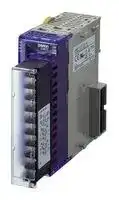


EJ1N-TC4A-QQ
Temperature Controller, PID Control, -200 °C to 2300°C, 20 V to 24.6 V, Screw, DIN Rail
- Manufacturer: OMRON INDUSTRIAL AUTOMATION
- Product type: Temperature Controllers
- SVHC: To Be Advised
- Product Range: EJ1 Series
- Thermocouple Type: K, J, T, E, L, U, N, R, S, B, W, PLII
- Output Voltage Max: -
- Output Voltage Min: -
- Operating Temperature Max: 55°C
- Operating Temperature Min: -10°C
| Delivery and price | |
|---|---|
| Units per pack | 1 |
| Price | 643.65 € |
| Current stock | 10+ |
| Lead time | 30 days |

**Modular Temperature Controller EJ1**

CSM_EJ1_DS_E_12_4

## **In-panel Temperature Controller with Flexible Modular Design and Wide Integration with Host Devices**

- The compact modular structure enables construction of temperature systems optimally suited to the application.

- Connection can be made to a Programmable Controller without any programming required, reducing the number of steps required in ladder programming design.

- One fully universal-input Unit includes a thermocouple, platinum-resistance thermometer, and analog input for easy selection and reduced inventory requirements.

- Connect directly to the G3ZA Multi-channel Power Controller using optimum cycle control for high-accuracy regulation with minimal noise.

- Autotuning (AT) can be used for independent heating/cooling PID control.

- Self-tuning (ST) can be used to calculate the PID constants with the step response method.

## Supports DeviceNet Communications.

Refer to the “Safety Precautions” on page 20.

- Up to 16 Temperature Controllers can be connected to a single DeviceNet Communications Unit.

## **Ordering Information**

## **Temperature Controller**

## **Standard Control Models**

|**Name**|**Power**<br>**supply**<br>**voltage**|**No. of**<br>**control**<br>**points**|**Control**<br>**outputs**<br>**1 and 2**|**Control**<br>**outputs**<br>**3 and 4**|**Auxiliary**<br>**output**|**Functions**|**Functions**|**Communications**<br>**functions**|**Input type**|**Terminal**|**Model**|
|---|---|---|---|---|---|---|---|---|---|---|---|
|||||||**Heater**<br>**burnout**<br>**alarm**|**Event**<br>**inputs**|||||
|Basic Unit<br>(temperature<br>control)*1<br>V1.2|24 VDC<br>supplied<br>from the<br>End Unit|2|Voltage<br>output:<br>2 points<br>(for SSR<br>drive)*2|Transistor<br>output: 2 points<br>(sinking)|None|2*3|2|G3ZA connection<br>port: RS-485<br>From End Unit:<br>Port A or port B:<br>RS-485|Thermocouple,<br>platinum<br>resistance<br>thermometer,<br>analog<br>voltage, and<br>analog current<br>selectable for<br>each channel.|M3 terminal|**EJ1N-TC2A-QNHB**|
|||||||||||Screw-less<br>clamp|**EJ1N-TC2B-QNHB**|
|||4||Voltage output:<br>2 points (for<br>SSR drive)*2||None|None|||M3 terminal|**EJ1N-TC4A-QQ**|
|||||||||||Screw-less<br>clamp|**EJ1N-TC4B-QQ**|
|||2|Current<br>output:<br>2 points|Transistor<br>output: 2 points<br>(sinking)|||2|||M3 terminal|**EJ1N-TC2A-CNB**|
|||||||||||Screw-less<br>clamp|**EJ1N-TC2B-CNB**|
|HFU with<br>Programless<br>Communications<br>*1<br>V1.2||None|None|None|Transistor<br>output:<br>4 points<br>(sinking)||4|Port C: RS-485 or<br>RS-232C<br>selectable.<br>From End Unit:<br>Port A: RS-485|No input|M3 terminal|**EJ1N-HFUA-NFLK**|
|||||||||||Screw-less<br>clamp|**EJ1N-HFUB-NFLK**|
|||||||||Port C: RS-422<br>From End Unit:<br>Port A: RS-485||M3 terminal|**EJ1N-HFUA-NFL2**|
|||||||||||Screw-less<br>clamp|**EJ1N-HFUB-NFL2**|
|HFU with<br>DeviceNet<br>Communications<br>*1|||||None||None|DeviceNet<br>communications||Screw-less<br>clamp|**EJ1N-HFUB-DRT**|
|End Unit*1|24 VDC||||Transistor<br>output:<br>2 points<br>(sinking)||None|Port A or B: RS-<br>485<br>Connector: Port A||M3 terminal|**EJ1C-EDUA-NFLK**|
|||||||||||Detachable<br>connector|**EJ1C-EDUC-NFLK**|


- *1. An End Unit is always required for connection to a Basic Unit or an HFU. An HFU cannot operate without a Basic Unit. External communications cannot be performed when using a Basic Unit only.

- *2. For heating/cooling control applications, control outputs 3 and 4 on the 2-point models are used for the cooling or heating control outputs. On the 4-point models, heating/cooling control is performed for the two input points.

- *3. When using the heater burnout alarm, purchase a Current Transformer (E54-CT1 or E54-CT3) separately.

- **Note:** Products for the EtherCAT master are also available. Ask your OMRON sales representative for details.

## **Functional Upgrades**

Refer to page 17 for details.

Upgrade functions are supported by the indicated version ("V1.1" or "V1.2") or a higher version of the software.

~~|~~ **Refer to the following manual for precautionary information and other information necessary to use the EJ1:** | ~~ee~~ **EJ1 Modular Temperature Controller User’s Manual (Cat. No. H142)** EtherCAT   is registered trademark and patented technology, licensed by Beckhoff Automation GmbH, Germany. °

**1**

**EJ1**

## **Accessories (Order Separately)**

## **Current Transformer (CT)**

|**Diameter**|**Model**|
|---|---|
|5.8 dia.|E54-CT1|
|12.0 dia.|E54-CT3|
|**G3ZA Connecting Cable**||
|**Cable length**|**Model**|
|5 m|EJ1C-CBLA050|


## **CX-Thermo Support Software Ver. 4.1**

**Model** EST2-2C-MV4 **Model** E58-CIFQ1

## **USB-Serial Conversion Cable**

## **Rail Mounting Equipment**

|**Name**|**Model**|
|---|---|
|Mounting Rail|PFP-100N|
||PFP-50N|


## **Specifications**

## **Basic Unit/EJ1** N **-TC**

## **Ratings**

|**Item**<br>**Type**|**Item**<br>**Type**|**EJ1**N**-TC4**|**EJ1**N**-TC2**|**EJ1**N**-TC2**|
|---|---|---|---|---|
|**Power supply voltage**||24 VDC|||
|**Operating voltage range**||85% to 110% of rated voltage|||
|**Power consumption**||5 W max. (at maximum load)|4 W max. (at maximum load)||
|**Input***||Thermocouple:<br>K, J, T, E, L, U, N, R, S, B, W, PLII<br>ES1B Infrared Thermosensor:<br>10 to 70°C, 60 to 120°C, 115 to 165°C, 140 to 260°C<br>Analog input:<br>4 to 20 mA, 0 to 20 mA, 1 to 5 V, 0 to 5 V, 0 to 10 V<br>Platinum resistance thermometer: Pt100, JPt100|||
|**Input impedance**||Current input: 150Ωmax., voltage input: 1 MΩmin.|||
|**Control**<br>**outputs**|**Voltage output**|Output voltage: 12 VDC ±15%, max. load current: 21 mA (PNP models with short-circuit protection circuit)|||
||**Transistor output**|---|Max. operatingvoltage: 30 V, max. load current: 100 mA||
||**Current output**|---|Current output range: 4 to 20 mA or 0 to 20 mA DC<br>Load: 500Ωmax. (including transfer output)<br>(Resolution: Approx. 2,800 for 4 to 20 mA DC, approx.<br>3,500 for 0 to 20 mA DC)||
|**Event**<br>**inputs**|**Input points**|---|2||
||**Contact input**|---|ON: 1 kΩmax., OFF: 100 kΩmin.||
||**Non-contact**<br>**input**|---|ON: Residual voltage: 1.5 V max.,<br>OFF: Leakage current: 0.1 mA max.||
|||---|Outflow current: Approx. 4 mA per point||
|**Number of input and control**<br>**points**||Input points: 4, Control points: 4|Input points: 2, Control points: 2||
|**Setting method**||Via communications|||
|**Control method**||ON/OFF control or 2-PID (with autotuning, self-tuning)|V1.2||
|**Other functions**||Two-point input shift, digital input filter, remote SP, SP ramp, manual manipulated variable, manipulated variable<br>limiter, interference overshoot adjustment, loop burnout alarm, RUN/STOP, banks, I/O allocations, etc.|||
|**Ambient temperature range**||Operating:−10°C to 55°C, Storage:−25°C to 65°C (with no icingor condensation)|||
|**Ambient humidity range**||Operating: 25% to 85% (with no condensation)|||


* Inputs are fully universal. Therefore, platinum resistance thermometer, thermocouple, infrared thermosensor, and analog input can be selected.

**2**

**EJ1**

## **Characteristics**

|**Characteristics**|**Characteristics**||
|---|---|---|
|**Indication accuracy**||Thermocouple input/platinum resistance thermometer input:<br>(±0.5% of indication value (PV) or ±1°C, whichever is greater) ±1 digit max.*1<br>Analog input: ±0.5% FS ±1 digit max.<br>CT input:<br>±5% FS ±1 digit max.|
|**Hysteresis**||0.1 to 999.9 EU (in units of 0.1 EU)*2|
|**Proportional band (P)**||0.1 to 999.9 EU (in units of 0.1 EU)*2|
|**Integral time (I)**||0 to 3,999 s (in units of 1 s)|
|**Derivative time (D)**||0.0 to 999.9 s (in units of 0.1 s)|
|**Control period**||0.5 s, 1 to 99 s (in units of 1 s)|
|**Manual reset value**||0.0% to 100.0% (in units of 0.1%)|
|**Alarm setting range**||−1,999 to 9,999 (decimal point position depends on input type)|
|**Sampling period**||250 ms|
|**Influence of signal source**<br>**resistance**||Thermocouple:<br>0.1°C (0.2°F)/Ωmax. (100Ωmax per line)*3<br>Platinum resistance thermometer: 0.4°C (0.8°F)/Ωmax. (10Ωmax per line)|
|**Insulation resistance**||20 MΩmin. (at 500 VDC)|
|**Dielectric strength**||600 VAC, 50/60 Hz for 1 min between current-carryingterminals of different polarity|
|**Vibration resistance**||10 to 55 Hz, 20 m/s2for 2 hours each in X, Y, and Z directions|
|**Shock resistance**||150 m/s2, 3 times each in 6 directions|
|**Weight**||180g|
|**Degree of protection**||Rear case: IP20, Terminal section: IP00|
|**Memory protection**||EEPROM (non-volatile memory) (number of writes: 100,000)|
|**Standards**|**Approved standards**|UL61010C-1, CSA C22.2 No.1010-1|
|**EMC Directive**||EMI:<br>EN61326<br>EMI Radiated:<br>EN55011 Group1 class A<br>EMI Conducted:<br>EN55011 Group1 class A<br>EMS:<br>EN61326<br>ESD Immunity:<br>EN61000-4-2<br>Electromagnetic Field Immunity:<br>EN61000-4-3<br>Burst immunity/Noise Immunity:<br>EN61000-4-4<br>Conducted Disturbance Immunity:<br>EN61000-4-6<br>Surge Immunity:<br>EN61000-4-5|


*1. The indication of K thermocouples in the −200 to 1,300°C range, T and N thermocouples at a temperature of −100°C or less, and U and L thermocouples at any temperature is ±2°C ±1 digit maximum. The indication of B thermocouples at a temperature of 400°C or less is unrestricted. The indication of R and S thermocouples at a temperature of 200°C or less is ±3°C ±1 digit max.

W = (±0.5% of indication value (PV) or ±3°C, whichever is greater) ±1 digit max. PLII = (±0.5% of indication value (PV) or ±2°C, whichever is greater) ±1 digit max.

The indication accuracy for K thermocouples in the −199.9 to 999.9°C range V1.2 is (±0.5% of indication value (PV) or ±1°C, whichever is greater) ±10 digit maximum. However, at a temperature of -100°C or less, it is ±2°C ±10 digit maximum.

*2. “EU” stands for Engineering Unit. The location of the decimal point depends on the type of sensor that is selected. If the decimal point locations is set to 0 (****), however, it will be treated as if it were set to 1 (***.*).

*3. B, R, S, and W sensors: 0.2°C/Ω max. (100 Ω max.)

**3**

**EJ1**

## **Communications Specifications**

|**Item**|**Port B** *1|**Port A Terminal/ Port A Connector** *1|**G3ZA Connection Port** *2|
|---|---|---|---|
|**Transmission path**<br>**connection**|RS-485 (multipoint)|||
|**Communications**<br>**method**|RS-485 (two-wire, half duplex)|||
|**Synchronization**<br>**method**|Start-stop synchronization|||
|**Communications**<br>**protocol**|CompoWay/F, Modbus*4<br>V1.1|CompoWay/F||
|**Baud rate**|9.6, 19.2, 38.4, 57.6, or 115.2 kbps|38.4 kbps fixed|57.6 kbps fixed|
|**Transmission**<br>**code**|CompoWay/F: ASCII, Modbus: RTU|CompoWay/F: ASCII||
|**Data bit length**|7 or 8 bits|7 bits||
|**Stop bit length**|1 or 2 bits|2 bits||
|**Error detection**|Vertical parity(none, even, or odd)|Vertical parity(even)||
||Block check character (BCC): with CompoWay/F, CRC-16: (with Modbus)|||
|**Flow control**|None|||
|**Interface**|RS-485|||
|**Retry function**|None|||
|**Communications**<br>**response wait time**|0 to 99 ms (default: 5 ms)<br>V1.1|1 to 99 ms (default: 1 ms)|---|
|**Number of Units**<br>**that can be**<br>**connected in**<br>**parallel** *3|64 Units (model numbers with TC4: 256<br>channels, model numbers with TC2: 128<br>channels)<br>Communications connection via port B<br>on the End Unit|64 Units (model numbers with TC4: 256<br>channels, model numbers with TC2: 128<br>channels)<br>Communications connection via port A<br>on the End Unit|8 Units (Communications connection<br>via G3ZA port on the Basic Unit)|


*1. Connection from the EJ1C-EDU. When using an HFU, port B on the End Unit can be used for distributed placement only.

- *2. A special cable (EJ1C-CBLA050) must be purchased separately for the G3ZA connection.

- *3. For the number of Units that can be connected, refer to “Connection Precautions” on page 11.

- *4. The Modbus protocol can be used with Basic Unit with version 1.1 or higher.

## **Current Transformer (CT) Rating**

|**Dielectric**<br>**strength**|1,000 VAC for 1 min|
|---|---|
|**Vibration**<br>**resistance**|50 Hz, 98 m/s2|
|**Weight**|E54-CT1: Approx. 11.5g, E54-CT3: Approx. 50g|
|**Accessories**<br>**(E54-CT3 only)**|Armatures (2), plugs (2)|


## **Characteristics of the Heater Burnout Alarm, SSR Failure Alarm, and Heater Overcurrent Alarm (TC2** @ **-QNHB Model Only)**

|**Only)**||
|---|---|
|**Maximum**<br>**heater current**|100 VAC|
|**Input current**<br>**indication**<br>**accuracy**|(±5.0A) ±1 digit max.|
|**Heater**<br>**burnout alarm**<br>**setting range**|0.1 to 99.9 A (in units of 0.1 A)<br>0.0 A: Heater burnout alarm output turns OFF.<br>100.0 A: Heater burnout alarm output turns ON.<br>Min. detection ON time: 100 ms*1|
|**SSR failure**<br>**alarm setting**<br>**range**|0.1 to 99.9 A (in units of 0.1 A)<br>0.0 A: SSR failure alarm output turns ON.<br>100.0 A: SSR alarm output turns OFF.<br>Min. detection OFF time: 100 ms*2|
|**Heater**<br>**overcurrent**<br>**alarm setting**<br>**range**|0.1 to 99.9 A (in units of 0.1 A)<br>0.0 A: Heater overcurrent alarm output turns ON.<br>100.0 A: Heater overcurrent alarm output turns OFF.<br>Min. detection ON time: 100 ms*1|


- *1. When the control output ON time is less than 100 ms, heater burnout detection, heater overcurrent detection, and  heater current measurement are not performed.

- *2. When the control output OFF time is less than 100 ms, SSR failure alarm and leakage current measurement are not performed.

**4**

**EJ1**

## **Input Ranges**

Sensor inputs are fully universal. Therefore, platinum resistance thermometer, thermocouple, infrared thermosensor, and analog input can be selected. Inputs can be set for each channel using universal inputs.

|**Input type**|**Input type**|**Platinum resistance**<br>**thermometer**|**Platinum resistance**<br>**thermometer**|**Platinum resistance**<br>**thermometer**|**Platinum resistance**<br>**thermometer**|**Platinum resistance**<br>**thermometer**|**Platinum resistance**<br>**thermometer**|**Platinum resistance**<br>**thermometer**|**Thermocouple**|**Thermocouple**|**Thermocouple**|**Thermocouple**|**Thermocouple**|**Thermocouple**|**Thermocouple**|**Thermocouple**|**Thermocouple**|**Thermocouple**|**Thermocouple**|**Thermocouple**|**Thermocouple**|**Thermocouple**|**Thermocouple**|**Thermocouple**|**Thermocouple**|**Thermocouple**|**ES1B Infrared**<br>**Thermosensor**|**ES1B Infrared**<br>**Thermosensor**|**ES1B Infrared**<br>**Thermosensor**|**ES1B Infrared**<br>**Thermosensor**|
|---|---|---|---|---|---|---|---|---|---|---|---|---|---|---|---|---|---|---|---|---|---|---|---|---|---|---|---|---|---|---|
|**Name**||**Pt100**||||**JPt100**|||**K**||||**J**||**T**||**E**|**L**|**U**||**N**|**R**|**S**|**B**|**W**|**PL**<br>**II**|**10 to**<br>**70 °C**|**60 to**<br>**120 °C**|**115 to**<br>**165 °C**|**140 to**<br>**260 °C**|
|**Tempe**<br>**rature**<br>**range**<br>**(°C)**|**2300**<br>**1800**<br>**1700**<br>**1600**<br>**1500**<br>**1400**<br>**1300**<br>**1200**<br>**1100**<br>**1000**<br>**900**<br>**800**<br>**700**<br>**600**<br>**500**<br>**400**<br>**300**<br>**200**<br>**100**<br>**0**<br>−**100.0**<br>−**200.0**||||||||||||||||||||||||2300||||||
|||||||||||||||||||||||||1800|||||||
|||||||||||||||||||||||1700|1700||||||||
||||||||||||||||||||||||||||||||
||||||||||||||||||||||||||||||||
||||||||||||||||||||||||||||||||
||||||||||1300||||||||||||1300|||||1300|||||
||||||||||||||||||||||||||||||||
||||||||||||||||||||||||||||||||
||||||||||||||||||||||||||||||||
|||850|||||||||||850|||||850|||||||||||||
||||||||||||||||||||||||||||||||
||||||||||||||||||||||||||||||||
||||||||||||||||||600||||||||||||||
||||500.0|||500.0||||||500.0|||||||||||||||||||
|||||||||||||||400.0|400|400.0|||400|400.0|||||||||||
|||||||||||||||||||||||||||||||260|
|||||||||||||||||||||||||||||120|165||
||||||100.0||100.0||||||||||||||||||||90||||
|||||||||||||||||||||||||100|||||||
||||||0.0||0.0||||||||||0|||||0|0||0|0|0|0|0|0|
|||||||||||||−|−|−||||−|||||||||||||
|||−|−|||−|||−||||||−|−|||−|−|−||||||||||
|**Setting number**||0|1||2|3|4||5|||6|7|8|9|10|11|12|13|14|15|16|17|18|19|20|21|22|23|24|
||||||||||||||||||||||||||||||||
|**Input type**||**Analog input**|||||||||||**Thermo**<br>**couple**||||||||||||||||||
|**Name**||**4 to**<br>**20 mA**||**0 to**<br>**20 mA**||**1 to**<br>**5 V**||**0 to**<br>**5 V**|||**0 to**<br>**10 V**||**K**||||||||||||||||||
|**Tempe**<br>**rature**<br>**range**<br>**(°C)**|**2300**<br>**1800**<br>**1700**<br>**1600**<br>**1500**<br>**1400**<br>**1300**<br>**1200**<br>**1100**<br>**1000**<br>**900**<br>**800**<br>**700**<br>**600**<br>**500**<br>**400**<br>**300**<br>**200**<br>**100**<br>**0**<br>−**100.0**<br>−**200.0**|Any of the following ranges, by scaling:<br>−1999 to 9999<br>−199.9 to 999.9<br>−19.99 to 99.99<br>−1.999 to 9.999|||||||||||−199.9<br>to 999.9||||||||||||||||||
|**Setting number**||25||26||27||28|||29||30|V1.2|||||||||||||||||


**5**

**EJ1**

## **HFU Unit/EJ1** N **-HFU** @ **-NFL** @

## **Ratings**

|**Ratings**|**Ratings**||
|---|---|---|
|**Power supply voltage**||24 VDC|
|**Operating voltage range**||85% to 110% of rated voltage|
|**Power consumption**||2 W max. (at maximum load)|
|**Auxiliary outputs**<br>*|**Outputs**|4|
||**Transistor outputs**|Max. operating voltage: 30 VDC, Max. load current: 50 mA|
|**Event inputs**|**Inputs**|4|
||**Contact inputs**|ON: 1 kΩmax., OFF: 100 kΩmin.|
||**Transistor inputs**|ON: residual voltage of 1.5 max., OFF: leakage current of 0.1 mA max.|
|||Outflow current: Approx. 4 mA (per contact)|
|**Programless**<br>**connection**|**Downloading**<br>**(EJ1 reads data from a PLC)**|Number of parameters that can be set: 1200<br>V1.2|
||**Uploading**<br>**(EJ1 writes data to a PLC)**|Number of parameters that can be set: 1200<br>V1.2|
||**Applicable PLCs**|OMRON: CS/CJ/NJ Series<br>Mitsubishi Electric: MELSEC-An/AnS/FX3UCSeries<br>Mitsubishi Electric: MELSEC-Q/QnA/QnAS Series<br>V1.1|
|**Ambient temperature range**||Operating:−10°C to 55°C<br>Storage:<br>−25°C to 65°C (with no icing or condensation)|
|**Ambient humidity range**||Operating: 25% to 85% (with no condensation)|


* Auxiliary outputs can be allocated using digital output allocations.

## **Characteristics**

|**Insulation resistance**|**Insulation resistance**|20 MΩmin. (at 500 VDC)|
|---|---|---|
|**Dielectric strength**||600 VAC, 50/60 Hz for 1 min between current-carrying terminals of different polarity|
|**Vibration resistance**||10 to 55 Hz, 20 m/s2for 2 hours each in X, Y, and Z directions|
|**Shock resistance**||150 m/s2, 3 times each in 6 directions|
|**Weight**||160 g|
|**Degree of protection**||Rear case: IP20, Terminal section: IP00|
|**Memory protection**||EEPROM (non-volatile memory) (number of writes: 100,000)|
|**Standards**|**Approved standards**|UL61010C-1, CSA C22.2 No.1010-1|
|**EMC Directive**||Refer to page 3.|


## **Communications Characteristics: Port C**

|**Transmission path connection**|RS-485/RS-422: Multi-point, RS-232C: Point-to-point *1|RS-485/RS-422: Multi-point, RS-232C: Point-to-point *1|RS-485/RS-422: Multi-point, RS-232C: Point-to-point *1|
|---|---|---|---|
|**Communications method**|RS-485/RS-422 (two-wire, half duplex), RS-232C|||
|**Synchronization method**|Start-stop synchronization|||
|**Communications protocol**|• OMRON PLC protocol (Connectable PLCs: SYSMAC CS/CJ/CP Series)<br>• AnA/AnU CPU common commands (Connectable PLCs: MELSEC-An/AnS/FX3UCSeries)<br>• MC protocol (form 5) (Connectable PLCs: MELSEC-Q/QnA/QnAS Series)<br>V1.1|||
|**Baud rate**|9.6, 19.2, 38.4, 57.6, or 115.2 kbps|||
|**Transmission code**|Binary|||
|**Data bit length**|8 bits|||
|**Stop bit length**|1 bit|||
|**Error detection**|Depends on protocol selected for the programless communications protocol.|||
|**Flow control**|None|||
|**Interface**|RS-485, RS-422, RS-232C *1|||
|**Retry function**|Available|||
|**Communications response wait time**|0 to 99 ms (default: 5 ms)|V1.1||
|**Number of Basic Units that can be connected in**<br>**parallel** *2|32 Units (model numbers with TC4:128 channels max., model numbers with TC2:64 channels max.)|||
|**Number of HFUs that can be connected**<br>V1.1|• CS/CJ/NJ-series PLCs: 8 (EJ1-HFU@-NFLK)<br>• MELEC Q/QnA/QnAS-series PLCs: 8 (EJ1-HFU@-NFL2)|||


*1. The communications method can be switched between RS-485 and RS-232C. A separate model must be used for RS-422 communications.

*2. For the number of Units that can be connected, refer to “Connection Precautions” on page 11.

**6**

**EJ1**

## **HFU Unit/EJ1N-HFUB-DRT**

## **Ratings**

|**Ratings**|||
|---|---|---|
|**Power supply voltage**|**DeviceNet power supply**|24 VDC (for internal circuits)|
||**EDU power supply**|24 VDC (for RS-485 communications circuits and Temperature Controllers)|
|**Operating voltage**<br>**range**|**DeviceNet power supply**|11 to 25 VDC|
||**EDU power supply**|20.4 to 26.4 VDC|
|**Power consumption (at maximum load)**||1 W max. (at maximum load)|
|**Main functions**||Remote I/O communications, explicit message communications, CompoWay/F command feed-through<br>function, parameter backup function, and configuration registration|
|**Ambient temperature range**||Operating:<br>−10°C to 55°C<br>Storage:<br>−25°C to 65°C (with no icing or condensation)|
|**Ambient humidity range**||Operating: 25% to 85% (with no condensation)|


## **Characteristics**

|**Characteristics**|**Characteristics**||
|---|---|---|
|**Insulation resistance**||20 MΩmin. (at 500 VDC)|
|**Dielectric strength**||600 VAC, 50/60 Hz for 1 min|
|**Vibration resistance**||10 to 55 Hz, 10 m/s2for 2 hours each in X, Y, and Z directions|
|**Shock resistance**||150m/s2max. 3 times each in 3 axes, 6 directions|
|**Weight**||70 g max.|
|**Degree of protection**||IP20|
|**Memory protection**||EEPROM, 100,000 write operations (backup data)|
|**Standards**|**Approved standards**|UL61010-1, CSA C22.2 No.1010-1|
|**EMC Directive**||Refer to page 3.|


## **Communications Characteristics**

|**Communications protocol**|**Communications protocol**|Conforms to DeviceNet.|
|---|---|---|
|**Communications**<br>**functions**|**Remote I/O**<br>**communications**|Master-slave connections (polling, COS, or cyclic)<br>Conforms to DeviceNet specifications.|
||**I/O allocation**|Input and output data can be allocated freely by user with the Configurator.<br>Allocations can be made to DeviceNet parameters or Temperature Controller parameters.<br>Two blocks for IN Area, up to 100 words<br>One block for OUT Area, up to 100 words (The first word is always allocated to the OUT Enable Bit.)|
||**Message communications**|Explicit message communications<br>CompoWay/F communications commands can be sent (commands are sent in explicit message format).|
|**Connection format**||Combination of multidrop and T-branch connections (for trunk and drop lines)|
|**Baud rate**||DeviceNet: 500, 250, or 125 kbps, or automatic detection of master baud rate|
|**Communications media**||Special 5-wire cable (2 signal lines, 2 power lines, and 1 shield line)|
|**Communications distance**||The values in parentheses apply when Thin Cables are used.<br>**Baud rate**<br>**Network length**<br>**Drop line length**<br>**Total drop line length**<br>500 kbps<br>100 m max. (100 m max.)<br>6 m max.<br>39 m max.<br>250 kbps<br>250 m max. (100 m max.)<br>6 m max.<br>78 m max.<br>125 kbps<br>500 m max. (100 m max.)<br>6 m max.<br>156 m max.|
|**Communications power supply**||11 to 25 VDC|
|**Maximum number of nodes that can be connected**||64 (includes Configurator when used.)|
|**Maximum number of slaves that can be connected**||63|
|**Error control**||CRC error detection|
|**DeviceNet power supply**||Power supplied from DeviceNet communications connector|
|**Applicable Temperature Controllers**||EJ1 Series (excluding the EJ1G)<br>TC4: EJ1N-TC4A-QQ and EJ1N-TC4B-QQ<br>TC2: EJ1N-TC2A-QNHB, EJ1N-TC2B-QNHB, EJ1N-TC2A-CNB, and EJ1N-TC2B-CNB|
|**Maximum number of Temperature Controllers that**<br>**can be connected** *||16 Units (model numbers with TC4: 64 channels max., model numbers with TC2: 32 channels max.)|


* For the number of Units that can be connected, refer to “Connection Precautions” on page 11.

**7**

**EJ1**

## **End Unit/EJ1** C **-EDU**

## **Ratings**

|**Ratings**|**Ratings**||
|---|---|---|
|**Power supply voltage**||24 VDC|
|**Operating voltage**|**range**|85% to 110% of rated voltage|
|**Auxiliary output**<br>*|**Outputs**|2|
||**Transistor outputs**|Max. operating voltage: 30 VDC, Max. load current: 50 mA|
|**Ambient temperature range**||Operating:−10°C to 55°C<br>Storage:<br>−25°C to 65°C (with no icing or condensation)|
|**Ambient humidity range**||Operating: 25% to 85% (with no condensation)|


* Auxiliary output can be allocated using the bus output allocation for each Basic Unit.

## **Characteristics**

|**Characteristics**|**Characteristics**||
|---|---|---|
|**Insulation resistance**||20 MΩmin. (at 500 VDC)|
|**Dielectric strength**||600 VAC, 50/60 Hz for 1 min between current-carrying terminals of different polarity|
|**Vibration resistance**||10 to 55 Hz, 20 m/s2for 2 hours each in X, Y, and Z directions|
|**Shock resistance**||150 m/s2, 3 times each in 6 directions|
|**Weight**||70 g|
|**Degree of protection**||End Unit case: IP20, Terminal section: IP00|
|**Standards**|**Approved standards**|UL61010C-1, CSA C22.2 No.1010-1|
|**EMC Directive**||Same as for the Basic Unit. Refer to page 3.|


## **Communications**

|**Communications**||
|---|---|
|**Port B** *1|Basic Unit Communications (Refer to “Communications Specifications” on page 4.)|
|**Port A**|Basic Unit Communications (Refer to “Communications Specifications” on page 4.)|
|**Port A connector** *2|E58-CIFQ1|


*1. Port B communications for the End Unit cannot be used when port C communications for the HFU is used.

*2. Port A connector communications and port A terminal communications cannot be used at the same time.

**8**

**EJ1**

## **Unit Configuration Example**

## **Minimal Configuration**

## **Small Systems with 2 Channels or 4 Channels Communicating with the Host Device via RS-485 (CompoWay/F Protocol)**

- Alarms can be allocated to the auxiliary output for the End Unit.

- G3ZA/G3PW outputs can be used.

EJ1N-TC4

or

**==> picture [241 x 94] intentionally omitted <==**

**----- Start of picture text -----**<br>
EJ1N-TC2 EJ1C-EDU<br>PWRRUNERRALM EJ1-TC4 COM1COM2COM3 Port A (connector): USB connection can be made CX-Thermo for setting<br>SW1 with the E58-CIFQ1 (sold separately).<br>ON<br>SW2 Port B: RS-485 (CompoWay/F) Host devicesPC<br>il Ss<br>im<br>PLC PT PC<br>ABCDEF0<br>35681247<br>987654321<br>**----- End of picture text -----**<br>


## **Multiple Units without an EJ1N-HFU**

## **Building Systems Communicating with the Host Device, such as a PLC, PT, or Computer, via RS-485 (CompoWay/F Protocol)**

- The 2 auxiliary alarm outputs provided on the End Unit can be used for integrated alarm systems.

- G3ZA/G3PW outputs can be used.

- Distributed placement is possible by using multiple EJ1C-EDU End Units.

**==> picture [313 x 113] intentionally omitted <==**

**----- Start of picture text -----**<br>
EJ1N-TC4<br>or<br>EJ1N-TC2 EJ1C-EDU<br>PWRRUNERRALM EJ1-TC4 COM1COM2COM3 PWRRUNERRALM EJ1-TC4 COM1COM2COM3 PWRRUNERRALM EJ1-TC4 COM1COM2COM3 Port A (connector): USB connection can be  CX-Thermo for setting<br>SW1 SW1 SW1 made with the E58-CIFQ1 (sold separately). 7<br>ON ON ON<br>SW2 SW2 SW2 Port B: RS-485 (CompoWay/F) Host devicesPC<br>G3ZAconnectionport G3ZAconnectionport G3ZAconnectionport<br>a Be io oo<br>READYSD/RDOCCERROR SW1SW2 READYSD/RDOCCERROR SW1SW2 READYSD/RDOCCERROR SW1SW2 PLC PT PC<br>ABCDEF 0 ABCDEF 0 ABCDEF 0<br>35681247 35681247 35681247<br>987654321 987654321 987654321<br>**----- End of picture text -----**<br>


**==> picture [82 x 5] intentionally omitted <==**

**----- Start of picture text -----**<br>
G3ZA G3ZA G3ZA<br>**----- End of picture text -----**<br>


## **Multiple Units with an EJ1N-HFU**

## **Using the EJ1N-HFU** @ **-NFL** @ **to Build a System Communicating 1:1 with a PLC Using Programless Communications**

- The 2 auxiliary outputs provided on the End Unit can be used.

- The 4 event inputs and 4 auxiliary outputs of the HFU can also be used.

- G3ZA/G3PW outputs can be used.

- Distributed placement is possible by using multiple EJ1C-EDU End Units

**==> picture [429 x 150] intentionally omitted <==**

**----- Start of picture text -----**<br>
RS-232C/RS-485<br>PLC<br>EJ1N-TC4<br>or<br>EJ1N-HFU EJ1N-TC2 EJ1C-EDU<br>PWRRUNERRALMSW1 EJ1-HFU COM1COM2COM3 PWRRUNERRALMSW1 EJ1-TC4 COM1COM2COM3 PWRRUNERRALMSW1 EJ1-TC4 COM1COM2COM3 PWRRUNERRALMSW1 EJ1-TC4 COM1COM2COM3 Port A (connector): USB connection can be madewith the E58-CIFQ1 (sold separately). CX-Thermo for setting<br>Note:  Port C can be connected<br>         available serial cable.with the commercially SW2 ON SW2 ON SW2 ON SW2 ON Port B Port B is used for distributed placement. PC<br>Port C<br>G3ZA connectionport G3ZA connecti-on port G3ZA connectionport<br>READYSD/RDOCCERROR SW1SW2 READYSD/RDOCCERROR SW1SW2 READYSD/RDOCCERROR SW1SW2<br>G3ZA G3ZA G3ZA<br>ABCDEF0 ABCDEF0 ABCDEF0 ABCDEF0<br>35681247 35681247 35681247 35681247<br>987654321 987654321 987654321 987654321<br>**----- End of picture text -----**<br>


**9**

**EJ1**

## **Multiple Units with an EJ1N-HFU**

## **Using the EJ1N-HFU** @ **-NFL** @ **to Build Systems Communicating 1:1 with a PLC Using Programless Communications** V1.1

- Up to eight HFUs can be connected to one port on a PLC.

- G3ZA/G3PW outputs can be used.

- Distributed placement is possible by using multiple EJ1C-EDU End Units.

- To connect more than one HFU, specific PLC and EJ1 models must be used. Refer to “Connecting EJ1 Controllers 1:N to a PLC” on page 13.

**==> picture [325 x 231] intentionally omitted <==**

**----- Start of picture text -----**<br>
SYSMAC (OMRON PLC) RS-485<br>MELSEC (Mitsubishi Electric PLC) RS-422EJ1N-TC4 Bl |<br>EJ1N-HFU or EJ1N-TC2 EJ1C-EDU PLC CX-Thermo for setting<br>ia PWRRUNERRALM =|] EJ1-HFU COM1COM2COM3 \Z PWRRUNERRALM =) EJ1-TC4 COM1COM2COM3 = PWRRUNERRALM =) EJ1-TC4 COM1COM2COM3 = PWRRUNERRALM = EJ1-TC4 la COM1COM2COM3 \_ Port A (connector): USB connection can be made with the<br>SW1 SW1 SW1 SW1 E58-CIFQ1 (sold separately).<br>ON ON ON ON<br>PC<br>SW2 SW2 SW2 SW2 Port B Port B is used for distributed placement.<br>Port C ta a<br>Ss Ss aA eT<br>Up to eight HFUs can be connected.<br>EJ1N-TC4<br>EJ1N-HFU orEJ1N-TC2 EJ1C-EDU<br>a a<br>PWRRUNERRALM =| EJ1-HFU COM1COM2COM3 PWRRUNERRALM =] EJ1-TC4 COM1COM2COM3 PWRRUNERRALM =) EJ1-TC4 COM1COM2COM3 PWRRUNERRALM =! EJ1-TC4 COM1COM2COM3<br>SW1 SW1 SW1 SW1<br>of a oO a oS i te<br>ON ON ON ON<br>SW2 SW2 SW2 SW2<br>Port C<br>D D D<br>D D D<br>D<br>D<br>C C C<br>C C C<br>C<br>C<br>E E E<br>E E E<br>E<br>E<br>B B B<br>B B B<br>B<br>B<br>F<br>F<br>F F<br>F F<br>F<br>F<br>A A<br>A A<br>A A<br>A A<br>0 0 0 0<br>0 0 0 0<br>35681247 35681247 35681247 35681247<br>35681247 35681247 35681247 35681247<br>9 9<br>9 9<br>9 9<br>9 9<br>1 1 1 1<br>1 1 1 1<br>8 8<br>8 8<br>8 8<br>8 8<br>2 2 2 2<br>2 2 2 2<br>7 7<br>7 7<br>7 7<br>7 7<br>3 3 3 3<br>3 3 3 3<br>6 6 6 6<br>6 6 6 6<br>4 4 4 4<br>4 4 4 4<br>5 5<br>5 5<br>5 5<br>5 5<br>**----- End of picture text -----**<br>


**Note:** Set the EJ1N-TC to a communications unit number that is not being used by the EJ1N-HFU.

## **Multiple Units with an EJ1N-HFU**

## **Using the EJ1N-HFUB-DRT to Build a System Communicating with a PLC**

- Up to 63 DeviceNet slaves can be connected to the DeviceNet Masters in one PLC.

- G3ZA/G3PW outputs can be used.

- Distributed placement is possible by using multiple EJ1C-EDU End Units.

**==> picture [285 x 238] intentionally omitted <==**

**----- Start of picture text -----**<br>
DeviceNet Configurator<br>DeviceNet Serial communications or CX-Integrator<br>PLC<br>=)<br>PC<br>EJ1N-TC4<br>or<br>EJ1N-HFU EJ1N-TC2 EJ1C-EDU<br>a a<br>MAXNODENo.ADR101 & S COPYMSEJ1NDRTNSTS /o PWRRUNERRALMSW1 EJ1-TC4 COM1COM2COM3 T | PWRRUNERRALMSW1 O EJ1-TC4 COM1COM2COM3 T | PWRRUNERRALMSW1 O EJ1-TC4 COM1COM2COM3 7I<br>NO EDSUP/DNTC2/4MODE ON ON ON Port B<br>SW2 SW2 SW2 Port B is used for distributed placement.<br>Port C<br>ie<br>CT EST a a<br>Up to 63 nodes (including other slaves)<br>EJ1N-TC4<br>or<br>EJ1N-HFU EJ1N-TC2 EJ1C-EDU<br>/<br>MAXNODENo.ADR101 l& COPYMSEJ1NDRTNSTS \o PWRRUNERRALMSW1 EJ1-TC4 COM1COM2COM3 T| PWRRUNERRALMSW1 O EJ1-TC4 COM1COM2COM3 T| PWRRUNERRALMSW1 O EJ1-TC4 COM1COM2COM3 FL<br>i NO EDSUP/DNTC2/4MODE ON ON ON<br>SW2 SW2 SW2<br>E<br>E<br>E<br>E<br>E<br>E<br>F<br>F<br>F<br>F<br>F<br>F<br>D<br>D<br>D<br>D<br>D<br>D<br>C C<br>C C<br>C<br>C<br>B<br>B<br>B<br>B<br>B<br>B<br>0 0<br>0 0<br>0<br>0<br>643215 35681247 35681247 35681247<br>643215 35681247 35681247 35681247<br>A<br>A<br>A<br>A<br>A<br>A<br>1 1<br>1 1<br>1<br>1<br>9<br>9<br>9<br>9<br>9<br>9<br>2<br>2<br>2<br>2<br>2<br>2<br>8<br>8<br>8<br>8<br>8<br>8<br>3 3<br>3 3<br>3<br>3<br>7<br>7<br>7 7<br>7 7<br>4 4 4<br>4 4 4<br>6 6<br>6 6<br>6<br>6<br>5<br>5<br>5<br>5<br>5<br>5<br>**----- End of picture text -----**<br>


**10** omRon ~~a~~

**EJ1**

## **Connection Precautions**

## **Communications Unit Number Setting**

- You can set communications unit numbers 0 to 7 for HFUs. With V1.2 , you can also set communications unit numbers 32 to 39.

- You can set communications unit numbers 0 to 63 for Basic Units unless connected to an HFU, in which case you can set communications unit numbers 0 to 31.

## **Restrictions on the Number of Units That Can Be Connected Restrictions for HFUs**

- One EJ1N-HFU can manage up to 32 Basic Units (EJ1N-TC4/ TC2).

- Up to 16 Units can be connected side by side including the EJ1NHFU. The End Unit is not included in the 16 Units.

- To use the CX-Thermo Support Software from a computer to set EJ1N-TC4/EJ1N-TC2 Basic Units that are connected with distributed placement, use a communications cable to connect port A (on the terminal block) on both Units.

**==> picture [236 x 228] intentionally omitted <==**

**----- Start of picture text -----**<br>
One HFU can manage up to 16 Basic Units<br>(when using the EJ1N-TC4: 4 channels × 16 Units = 64 channels)<br>To the host device<br>PWRRUNERRALM EJ1-HFU COM1COM2COM3 PWRRUNERRALM EJ1-TC4 COM1COM2COM3 PWRRUNERRALM EJ1-TC4 COM1COM2COM3 PWRRUNERRALM EJ1-TC4 COM1COM2COM3 PWRRUNERRALM EJ1-TC4 COM1COM2COM3<br>SW1 SW1 SW1 SW1 SW1<br>ON ON ON ON ON Port B<br>Port C<br>SW2 SW2 SW2 SW2 SW2<br>EJ1N-TC4<br>EJ1N-HFU or EJ1C-EDU<br>EJ1N-TC2<br>Up to 16 Units can be connected side by side.<br>Note: End Units are not included in the number<br>         of Units that can be connected.<br>PWRRUNERRALM EJ1-TC4 COM1COM2COM3<br>SW1<br>ON Port B<br>SW2<br>EJ1N-TC4 or<br>EJ1N-TC2 EJ1C-EDU<br>D D D<br>D<br>C C CD CD<br>C<br>C<br>E<br>E E E E E<br>B<br>B F B F B F B F B F<br>F<br>A A A A<br>A<br>0 0 0 A 0<br>0<br>0<br>35681247 35681247 35681247 35681247 35681247<br>35681247<br>9 9 9 9 9<br>9 1<br>1 1 1 1 1<br>8<br>8 8 8 8 2 8 2<br>2<br>2 2 2<br>7<br>7 7 7 7 7 3<br>3<br>3 3 3 3<br>6<br>6 4 6 4 6 4 6 4 6<br>4<br>5 5 5 4<br>5<br>5 5<br>**----- End of picture text -----**<br>


## **Restrictions When Connecting with the G3ZA**

- Up to 8 G3ZA Multi-channel Power Controllers can be connected to one Basic Unit (EJ1N-TC4/TC2).

**==> picture [179 x 195] intentionally omitted <==**

**----- Start of picture text -----**<br>
EJ1N-TC4 or EJ1N-TC2<br>EJ1C-EDU<br>PWRRUNERRALM EJ1-TC4 COM1COM2COM3<br>SW1<br>ON<br>SW2<br>G3ZA connection port<br>READYSD/RDOCC SW1SW2 READYSD/RDOCC SW1SW2 READYSD/RDOCC SW1SW2 READYSD/RDOCC SW1SW2<br>ERROR ERROR ERROR ERROR<br>G3ZA<br>ABCDEF0<br>35681247<br>987654321<br>**----- End of picture text -----**<br>


## **Restrictions for Basic Units**

- When the system is configured of only Basic Units (EJ1N-TC4/ TC2), up to 64 Units can be connected.

- Distributed placement is possible by using End Units (EJ1C-EDU).

- Up to 16 Units can be connected side by side. The End Unit is not included in the 16 Units.

- To use the CX-Thermo Support Software from a computer to set EJ1N-TC4/EJ1N-TC2 Basic Units that are connected with distributed placement, use a communications cable to connect port A (on the terminal block) on both Units.

**==> picture [241 x 243] intentionally omitted <==**

**----- Start of picture text -----**<br>
To the host device<br>PWRRUNERRALM EJ1-TC4 COM1COM2COM3 PWRRUNERRALM EJ1-TC4 COM1COM2COM3 PWRRUNERRALM EJ1-TC4 COM1COM2COM3 PWRRUNERRALM EJ1-TC4 COM1COM2COM3 PWRRUNERRALM EJ1-TC4 COM1COM2COM3 PWRRUNERRALM EJ1-TC4 COM1COM2COM3<br>SW1 SW1 SW1 SW1 SW1 SW1<br>ON ON ON ON ON ON Port B<br>SW2 SW2 SW2 SW2 SW2 SW2<br>EJ1C-EDU<br>EJ1N-TC4 or EJ1N-TC2<br>PWRRUNERRALM EJ1-TC4 COM1COM2COM3 PWRRUNERRALM EJ1-TC4 COM1COM2COM3 PWRRUNERRALM EJ1-TC4 COM1COM2COM3 PWRRUNERRALM EJ1-TC4 COM1COM2COM3 PWRRUNERRALM EJ1-TC4 COM1COM2COM3 PWRRUNERRALM EJ1-TC4 COM1COM2COM3<br>SW1 SW1 SW1 SW1 SW1 SW1<br>ON ON ON ON ON ON Port B<br>SW2 SW2 SW2 SW2 SW2 SW2<br>EJ1C-EDU<br>EJ1N-TC4 or EJ1N-TC2<br>Up to 64 Basic Units can be connected using distributed placement.<br>Using EJ1@-TC4 models: 4 channels × 64 Units = 256 channels<br>Using EJ1@-TC2 models: 2 channels × 64 Units = 128 channels<br>Note: End Units are not included in the number of Units that can be connected.<br>D<br>D D<br>D D<br>D<br>C<br>C<br>C<br>C<br>C<br>C<br>D D<br>D<br>D<br>D D<br>C C C<br>C C C<br>E<br>E<br>E E<br>E E<br>B B<br>B B<br>B<br>B<br>E E<br>E E<br>E<br>E<br>B B<br>B B<br>B<br>B<br>F F<br>F F<br>F<br>F<br>A A<br>A A<br>A<br>A<br>A A<br>A A A<br>A 0 0 0 0<br>0 0 0<br>0 0<br>0 0 0<br>9<br>9 9<br>9 9<br>9<br>35681247 35681247 35681247 35681247 35681247 35681247<br>35681247 35681247 35681247 35681247 35681247 35681247<br>9 9<br>9 9<br>9<br>9<br>1 1 1<br>1 1 1<br>1 1 1<br>1 1 1<br>8<br>8<br>8 8<br>8 8<br>8<br>8<br>8 8<br>8 8<br>2 2 2<br>2 2 2 2<br>2 2<br>2 2<br>7 2<br>7 7<br>7<br>7<br>7 7 7 7<br>7 7 7<br>3<br>3<br>3<br>3<br>3<br>3 3<br>6<br>6 6<br>6 6<br>6<br>3 3<br>3 3<br>6 6 3<br>6 6<br>6<br>6<br>4 4 4<br>4 4 4<br>5 5 5<br>54 54 54<br>5 5 4 4 4<br>5 5<br>5<br>5<br>**----- End of picture text -----**<br>


## **Wiring for Distributed Placement**

**==> picture [237 x 226] intentionally omitted <==**

**----- Start of picture text -----**<br>
PWRRUNERRALM EJ1-TC4 COM1COM2COM3 PWRRUNERRALM EJ1-TC4 COM1COM2COM3 Host<br>SW1 SW1 1 Port A devices<br>FG<br>2<br>3<br>ON ON 4<br>5<br>Port B<br>6<br>SW2 SW2 7<br>8<br>24 VDC<br>9<br>PWRRUNERRALM EJ1-TC4 COM1COM2COM3 PWRRUNERRALM EJ1-TC4 COM1COM2COM3<br>Port A<br>SW1 SW1 1<br>2<br>3 RS-485<br>ON ON 4<br>5<br>Port B<br>6<br>SW2 SW2 7<br>8 RS-485<br>24 VDC<br>9<br>D D<br>D D<br>C<br>C C<br>C E<br>E<br>E<br>B B E<br>B B<br>F F<br>F F<br>A<br>A<br>A<br>A<br>0<br>0 0<br>0<br>35681247 35681247<br>35681247 35681247<br>9<br>9 9<br>9 1<br>1 1<br>1<br>8 8<br>8 8<br>2 2<br>2 2<br>7<br>7<br>7<br>7<br>3<br>3<br>3<br>3<br>6 6<br>6 6<br>4 4<br>4 4<br>5<br>5<br>5<br>5<br>**----- End of picture text -----**<br>


- **Note: 1.** To use the CX-Thermo Support Software from a computer to set EJ1N-TC4/EJ1N-TC2 Basic Units that are connected with distributed placement, use a communications cable to connect port A (terminals 1 and 2 on the terminal block) on both Units.

   **2.** This wiring is for when the EJ1N-HFU is not used.

**==> picture [175 x 7] intentionally omitted <==**

**----- Start of picture text -----**<br>
Up to 8 G3ZA Power Controllers can be connected to one Basic Unit.<br>**----- End of picture text -----**<br>


**11**

**EJ1**

## **Restrictions on Unit Placement**

Always connect the HFU on the left side of the Basic Unit.

**==> picture [72 x 90] intentionally omitted <==**

**----- Start of picture text -----**<br>
PWRRUNERRALM EJ1-TC4 COM1COM2COM3 PWRRUNERRALM EJ1-HFU COM1COM2COM3<br>SW1 SW1<br>ON ON<br>SW2 SW2<br>EJ1N-TC4 or EJ1N-HFU<br>EJ1N-TC2<br>ABCDEF0 ABCDEF0<br>35681247 35681247<br>987654321 987654321<br>**----- End of picture text -----**<br>


## **Insulation Blocks**

Each EJ1 Unit is electrically insulated for each function block as shown in the following figures.

Functional insulation is applied between the power supply, input, output, and communications terminal sections.

If reinforced double insulation is required, use power supplies that comply with IEC60664 for reinforced double insulation for the EJ1's external power supply and for power supplies connected to the EJ1.

## **EJ1N-TC2**

## **EJ1N-TC4**

## **EJ1N-HFU** @ **-NFL** @

**==> picture [510 x 119] intentionally omitted <==**

**----- Start of picture text -----**<br>
Input 1 Input 1 Event inputs 1 to 4<br>Power<br>Input 2 Input 2 supply Transistor outputs 1 to 4<br>Power Event inputs 1 and 2, CT1 and 2 * Power Input 3 Communications (Port B, port C)<br>supply supply<br>Communications (Port A, port B, G3ZA) Input 4 Functional isolation<br>Transistor outputs 3 and 4 Voltage outputs 1 to 4 EJ1C-EDU<br>Voltage outputs 1 and 2/Current outputs 1 and 2 Communications (Port A, Port B, G3ZA) Power Transistor outputs 1 and 2<br>Functional isolation Functional isolation supply Communications (Port A, port B)<br>* Not provided on models with current outputs.<br>Functional isolation<br>**----- End of picture text -----**<br>


## **Programless Communications**

Communications with PLCs from OMRON (CS/CJ/CP/NJ Series) and Mitsubishi Electric (MELSEC-Q/QnA/QnAS/An/Ans/FX3UC Series) can be performed without creating ladder programming.

Using programless communications enables monitoring and changing settings for the EJ1 by simply reading and writing to PLC memory. The EJ1 automatically performs communications with the PLC, which reduces work hours spent programming for communications from the PLC to the EJ1.

|Monitoring can be<br>performed for the<br>EJ1 and the settings<br>can be changed by<br>simply reading and<br>writing to memory.|M<br>Monitor<br>Setting<br>A<br>A|PV<br>PLC<br>anipulated variable<br>Status<br>SP<br>larm value 1<br>larm value 2|The read monitor value is<br>written to the PLC memory.|EJ1N-HFU<br>PV<br>Manipulated variable<br>Status<br>SP<br>Alarm value 1<br>Alarm value 2|The EJ1N-HFU reads the monitor<br>value for the EJ1N-TC4/TC2.|EJ1N-TC4/TC2<br>PV<br>Manipulated variable<br>Status<br>SP<br>Alarm value 1<br>Alarm value 2|
|---|---|---|---|---|---|---|
||||||||
||||The EJ1N-HFU automatically<br>performs communications<br>with the PLC.<br>The EJ1N-HFU reads the value<br>written to the PLC memory.||||
||||||||
||||||The read setting is written to the<br>setting for the EJ1N-TC4/TC2.||


## **Connectable Devices**

## **Connecting an EJ1 Controller 1:1 to a PLC CS/CJ/CP/NJ Series**

|**Name**|**Model No.**|**Communications ports**<br>**Port 1**<br>**Port 2**<br>RS-232C<br>RS-232C<br>RS-422A/485<br>RS-422A/485<br>RS-422A/485<br>RS-232C<br>RS-232C<br>RS-232C<br>RS-422A/485<br>RS-422A/485<br>RS-232C<br>RS-232C<br>RS-232C<br>RS-422A/485<br>---<br>RS-232C<br>---<br>RS-232C<br>---<br>RS-232C or RS-422A/485 can be<br>used by adding an Option Board.<br>RS-232C or RS-422A/485 can be used by adding an Option Board.|
|---|---|---|
|||**Port 1**|
|Serial Communications Units *1|CJ1W-SCU21-V1|RS-232C|
||CJ1W-SCU22||
||CJ1W-SCU31-V1|RS-422A/485|
||CJ1W-SCU32||
||CJ1W-SCU41-V1|RS-422A/485|
||CJ1W-SCU42||
||CS1W-SCU21-V1 *2|RS-232C|
||CS1W-SCU31-V1|RS-422A/485|
|Serial Communications Boards|CS1W-SCB21-V1 *2|RS-232C|
||CS1W-SCB41-V1 *2|RS-232C|
|CPU Units|CJ Series|---|
||CS Series|---|
||CJ2M-CPU3@Series|---|
||CP Series||


*1. Only the CJ1W-SCU@2 Serial Communications Unit can be used to connect to an NJ-series Controller.

*2. Use only products manufactured on or after December 20, 1999.

For details, refer to the _CS/CJ Series, Serial Communications Boards/Units Operation Manual_ (Cat. No. W336).

**12**

**EJ1**

## **MELSEC-Q/QnA/QnAS Series**

|**Name**|**Model No.**|**Communications ports**|**Communications ports**|
|---|---|---|---|
|||**Channel 1**|**Channel 2**|
|Q-compatible Serial Communications Unit|QJ71C24N<br>QJ71C24|RS-232C|RS-422/485|
||QJ71C24N-R2<br>QJ71C24-R2|RS-232C|RS-232C|
||QJ71C24N-R4|RS-422/485|RS-422/485|
|QnA-compatible Serial<br>Communications Unit|AJ71QC24N|RS-232C|RS-422/485|
||AJ71QC24N-R2|RS-232C|RS-232C|
||AJ71QC24N-R4|RS-422|RS-422/485|
|QnAS-compatible Serial<br>Communications Unit|A1SJ71QC24N|RS-232C|RS-422/485|
||A1SJ71QC24N-R2|RS-232C|RS-232C|


- **Note: 1.** Refer to the Mitsubishi Electric PLC documentation for information on MELSEC PLCs.

   **2.** More than one EJ1 Controller to one PLC is not possible even with RS-422 communications. Refer to _Connecting EJ1 Controllers 1:N to a PLC_ , below, for product combinations that support 1:N connections.

   **3.** Connection ability has been verified for the above MELSEC models. Design changes and other factors, however, may prevent normal connection. Always confirm operation in advance.

## **MELSEC-An/AnS Series**

## V1.1

|**Name**|**Model No.**|**Communications ports**|
|---|---|---|
|An-compatible Computer Link Unit|AJ71UC24|RS-232C or RS-422/485|
|AnS-compatible Computer Link Unit|A1SJ71UC24-R2|RS-232C|
||A1SJ71UC24-R4|RS-422/485|
||A1SJ71UC24-PRF|RS-232C|


## **Note:** Use a MELSEC-AnA/AnU CPU.

## **MELSEC-FX3UC Series**

## V1.1

|**Name**|**Model No.**|**Communications ports**|
|---|---|---|
|Communications Adapter|FX3U-232ADP|RS-232C|
||FX3U-485ADP|RS-485|
|Function Board|FX3U-232-BD|RS-232C|
||FX3U-485-BD|RS-485|


## **Connecting EJ1 Controllers 1:N to a PLC** V1.1

The combinations of PLCs and HFUs that can be connected 1:N are listed below.

## **CS/CJ/CP/NJ Series**

|**Name**|**Model No.**|**Communications ports**|
|---|---|---|
|Serial Communications Units*1|CJ1W-SCU31-V1|Port 1 or 2|
||CJ1W-SCU41-V1|Port 1|
||CS1W-SCU31-V1|Port 1 or 2|
|Serial Communications Board|CS1W-SCB41-V1*2|Port 2|
|Serial Option Board<br>(when CJ2M-CPU3@is used)|CP1W-CIF12-V1<br>CP1W-CIF11|RS-422A/485 can be used by adding an Option Board.|
|CPU Units|CP Series|RS-422A/485 can be used by adding an Option Board.|
|EJ1N-HFU|EJ1N-HFUA-NFLK<br>EJ1N-HFUB-NFLK|Port C|


*1. Only the CJ1W-SCU@2 Serial Communications Unit can be used to connect to an NJ-series Controller.

- *2. Use only products manufactured on or after December 20, 1999.

For details, refer to the _CS/CJ Series, Serial Communications Boards/Units Operation Manual_ (Cat. No. W336).

## **MELSEC-Q/QnA/QnAS Series**

|**Name**|**Model No.**|
|---|---|
|Serial Communications Units|Channel 2 of QJ71C24N<br>QJ71C24N-R4<br>Channel 2 of A1SJ71QC24N<br>Channel 2 of AJ71QC24N<br>AJ71QC24N-R4|
|EJ1N-HFU|EJ1N-HFUA-NFL2<br>EJ1N-HFUB-NFL2|


**Note:** Refer to the Mitsubishi Electric PLC documentation for information on MELSEC PLCs.

**13**

**EJ1**

## **Connection**

## **External Connection**

- Functional insulation is applied between the power supply and the I/O sections. If reinforced insulation is required, connect the input and output terminals to devices without any exposed current-carrying parts or to devices with reinforced insulation suitable for the maximum operating voltage of the power supply and I/O sections.

- To comply with the standards for noise terminal voltage for class A in EN 61326, install a noise filter (Densei Lamda MXB-1206-33 or the equivalent) to the DC power line as close as possible to the Temperature Controller.

- Use an SELV power supply that provides overcurrent protection. An SELV circuit is one separated from the power supply with double insulation or reinforced insulation, that does exceed an output voltage of 30 V r.m.s. and 42.4 V peak or 60 VDC max. The OMROM S8VS Series is recommended for the power supply.

## **EJ1N-TC4**

## **EJ1N-TC2**

**==> picture [445 x 160] intentionally omitted <==**

**----- Start of picture text -----**<br>
OUT2 Models with  Models with<br>12 VDC B1 A1 12 VDCOUT4 linear outputsOUT2 pulse outputsOUT2<br>OUT112 VDC B2 A2 OUT3 4 to 20 mA DC/0 to 20 mA  12 VDC B1 OUT4<br>B3 12 VDC A1<br>A3 OUT1 OUT1 B2<br>4 to 20 mA DC/0 to 20 mA  12 VDC A2 OUT3<br>mA AB CH2 B4 A4 CH4 A B3 A3<br>V B B5B6 A5A6 BB mAV mA AB CH2 B4B5 A4 EV2<br>mA AB CH1 B7 A7 CH3 A V B B6 A5A6 EV1<br>V B B8B9 A8A9 BB mAV mA AB CH1 B7B8 A7 CT2 Not provided on models with linear<br>Analog  Pt Thermo- V B B9 A8 CT1 output.Provided only<br>input couple CN1 G3ZA connection port A9 on models with pulse<br>Analog Pt Thermo- output.<br>input couple CN1 G3ZA connection port<br>**----- End of picture text -----**<br>


## **EJ1N-HFU** @ **-NFL** @

## **EJ1N-HFUB-DRT**

DeviceNet Connector

**==> picture [444 x 145] intentionally omitted <==**

**----- Start of picture text -----**<br>
DeviceNet Connector<br>B1<br>A1<br>SUB4 B2 EV4<br>SUB3 A2<br>B3 EV3 V+ Power line<br>A3<br>B4<br>A4 CAN H<br>SUB2 B5 EV2 Communications line, high<br>SUB1 A5<br>B6 EV1<br>RDB (+) B (+) A6 Shield<br>Port C RDA (−) A (−) B7B8 A7 A8 RDSD SDB SDA ((+−)) Port C CAN L Communications line, low<br>Not used Not used B9 SG<br>RS-422 RS-485 A9 Not used V− Power line<br>RS-232C RS-422<br>RS-485 for port C and RS-232C can be switched.<br>A separate EJ1 model must be used for<br>RS-422 communications.<br>**----- End of picture text -----**<br>


## **EJ1C-EDUA**

## **EJ1C-EDUC**

Model with Screw Terminals

Model with Connector Terminal Block

**==> picture [396 x 173] intentionally omitted <==**

**----- Start of picture text -----**<br>
Port A connector Port A connector<br>These two ports<br>Port A B (+) cannot be used at  These two ports<br>1 the same time. Port A B (+) cannot be used at<br>RS-485 1 the same time.<br>2 RS-485<br>A (−) 2<br>3 A (−)<br>SUB2<br>4 3<br>SUB1 SUB2<br>5 4<br>Port B B (+) 6 These terminals are<br>RS-485 used for distributed  5<br>A (−+) 78 placement of Unitswhen an HFU is used. SUB1 6<br>24 VDC− 9 Port BRS-485B (+) 7 These terminals are used for distributed<br>Input power supply A (−) 8 placement of Unitswhen an HFU is used.<br>+ 9<br>24 VDC<br>− 10<br>Input power supply<br>**----- End of picture text -----**<br>


- **Note: 1.** To connect to the G3ZA, separately purchase a G3ZA Connecting Cable (EJ1C-CBLA050) and connect it to the G3ZA connection port (CN1) on the EJ1.

   **2.** To connect to a computer using the port A connector, use a separately sold E58-CIFQ1 USB-Serial Conversion Cable. The Temperature Controller can be connected to a computer using USB.

   **3.** Models with screw-less clamp terminals have terminals A10 and B10, but they are not used. Do not connect anything to them.

**14**

**EJ1**

**Nomenclature and Specification Settings**

## **Part Names**

**==> picture [212 x 219] intentionally omitted <==**

**----- Start of picture text -----**<br>
PWR 1 COM1<br>Operation  RUNERR 23 EJ1N-TC COM2COM3 Operation<br>Indicators ALM 4   OUT Indicators<br>PWR  1 OPN COM1<br>RUN  2 COM2<br>ERR  3 SW1 COM3<br>ALM  4<br>SW1<br>ON<br>SW2<br>6<br>SW2<br>9ABCDEF<br>1<br>2<br>3<br>OUT OPN 54<br>6<br>7<br>8<br>876543210<br>**----- End of picture text -----**<br>


## **Operation Indicators**

## **EJ1N-TC2/TC4**

|**Operation Indicators**|**Operation Indicators**|**Operation Indicators**|**Operation Indicators**|**Meaning: When SW2**<br>**N 6 i OFF**|**Meaning: When SW2**<br>**N 6 i ON**<br>|
|---|---|---|---|---|---|
|**PWR/1**<br>**green**<br>V1.2||||**o.  s**<br>Lights when the power is ON.|**o.  s**<br>Lit when output 1 is ON.<br>V1.2|
|**RUN/2**|V1.2||**green**|Lights during operation.|Lit when output 2 is ON.|
|**ERR/3**<br>V1.2|||**red**|Flashes or lights when<br>an error occurs.|Lit when output 3 is ON.|
|**ALM/4**<br>V1.2|||**red**|Lights when an alarm is<br>activated.|Lit when output 4 is ON.|
|**COM 1**|||**orange**|Flashes during communications via port A on the End Unit.||
|**COM 2**|||**orange**|Flashes during communications via port B on the End Unit.||
|**COM 3**<br>**orange**<br>Flashes during communications with the G3ZA.||||||
|**EJ1N-HFU**@**-NFL**@<br>**Operation Indicators**<br>**Meaning**||||||
|**PWR**<br>**RUN**|||**green**<br>**green**|Lit while the power is ON.*<br>---||
|**ERR**<br>|||**red**<br>|Flashes or lights when an error occurs.<br>||
|**ALM**<br>**COM 1**|||**red**<br>**orange**|Lights when an alarm is activated.<br>Flashes during communications via port A<br>on the End Unit.||
|**COM 2**|||**orange**|Flashes when the EJ1 system is in operation.||
|**COM 3**|||**orange**|Flashes duringcommunications via port C.||


* Some time is required for the indicators to light after the power is turned ON.

## **Specification Settings**

## **Switch Operation**

- Check that the EJ1 is turned OFF before operating any switch other than pin 6 of SW2. Settings are read only when power is turned ON.

- Set the switches with a small flat-blade screwdriver. Do not set the switches midway between settings.

- SW1 is set to 1 and SW2 pins are all set to OFF in the default settings.

**==> picture [212 x 36] intentionally omitted <==**

## **Setting the Unit Number**

SW1 and SW2 are used together to set the unit number to between 00 and 63. The factory setting is unit number 01.

|**SW2**|**SW2**|**SW1**|**SW1**|**SW1**|**SW1**|**SW1**|**SW1**|**SW1**|**SW1**|**SW1**|**SW1**|**SW1**|**SW1**|**SW1**|
|---|---|---|---|---|---|---|---|---|---|---|---|---|---|---|
|**1**|**2**|**0**|**1**|**2**|**3**<br>|**4**<br>**5**|**6**<br>**7**<br>**8**|**9**|**A**|**B**|**C**|**D**|**E**|**F**|
|**OFF**|**OFF**|00|01|02|03<br>0|4<br>05|06<br>07<br>08|09|10|11|12|13|14|15|
|**ON**|**OFF**|16|17|18|19<br>2|0<br>21|22<br>23<br>24|25|26|27|28|29|30|31|
|**OFF**|**ON**|32|33|34|35<br>3|6<br>37|38<br>39<br>40|41|42|43|44|45|46|47|
|**ON**|**ON**|48|49|50|51<br>5|2<br>53|54<br>55<br>56|57|58|59|60|61|62|63|


## **SW2 Settings**

## **EJ1N-TC2/TC4**

|**SW2**|**Meaning**|
|---|---|
|**3**<br>V1.2|Set to ON when using the Modbus communications protocol for port B.<br>OFF: The setting value for port B communications protocol is used.<br>(default: Compoway/F)*<br>ON: Modbus is used.|
|**4 to 5**<br>V1.2|Set the baud rate of port B.<br>4 = OFF, 5 = OFF:The setting value for port B baud rate is used.<br>(default: 9.6 kbps)*<br>4 = ON, 5 = OFF: 19.2 kbps<br>4 = OFF, 5 = ON: 38.4 kbps<br>4 = ON, 5 = ON:<br>115.2 kbps|
|**6**<br>V1.2|Set to ON to display the output status on the operation indicators.<br>OFF: The operation status is displayed (PWR, RUN,<br>ERR, and ALM).<br>ON:The output status is displayed (outputs 1, 2, 3, and 4).<br>**Note:**Normally keep this pin set to OFF so that the<br>operation status can be checked.|
|**7**|ON: G3ZA Multi-channel Power Controller in operation<br>ON when usinga G3PW Power Controller.<br>V1.1|
|**8**|Use when EJ1N-HFU HFUs with Programless Communications<br>are used for distributed placement of Temperature Controllers.<br>OFF:Distributed placement not used. Or, HFUs with DeviceNet<br>Communications used for distributed placement.<br>ON: HFUs with Programless Communications used for<br>distributed placement.|


- Refer to the User's Manual (Cat. No. H142) for details.

**Note:** Make sure power to the Unit is turned OFF before making settings for any pin other than pin 6. Pin 6 can be turned ON or OFF while the power is ON.

## **EJ1N-HFU** @ **-NFL** @

|**SW2**|**Meaning**|
|---|---|
|**3 to 7**|Not used (OFF)|
|**8**|• EJ1N-HFU@-NFLK<br>OFF: RS-485 is selected.<br>ON: RS-232C is selected.<br>• EJ1N-HFU@-NFL2<br>OFF (Not used.)|


**15**

**EJ1**

## **Part Names (EJ1N-HFUB-DRT)**

**==> picture [133 x 242] intentionally omitted <==**

**----- Start of picture text -----**<br>
EJ1N<br>SW1 NODEx 10 DRT<br>ADR<br>x 1 MS<br>Indicators<br>NS<br>MAX<br>SW2 No. TS<br>COPY<br>EDS<br>SW3 UP/DN<br>TC2/4<br>MODE<br>NO<br>4<br>2<br>2<br>3 5<br>3<br>3<br>2 6<br>1<br>1<br>4<br>4<br>01 7<br>0 5<br>0 5<br>6<br>5<br>4<br>3<br>2<br>1<br>FE 98<br>9<br>9<br>6<br>6<br>D A<br>8<br>8<br>7<br>7<br>CB<br>**----- End of picture text -----**<br>


## **Specification Settings Switch Operation**

- Always turn OFF the DeviceNet communications power supply and EDU power supply before setting the Unit.  *

- Set the switches with a small flat-blade screwdriver. Do not set the switches midway between settings.

- The SW1 switches are set to 00, SW2 is set to 0, and SW3 pins are all set to OFF in the default settings.

- The setting of pin 3 on SW3 can be changed while the power is ON.

## **SW1 Settings**

Use these switches to set the node address as a slave in the DeviceNet network between 00 and 63 decimal (node addresses 64 to 99 cannot be used).

**==> picture [99 x 53] intentionally omitted <==**

**----- Start of picture text -----**<br>
x 10<br>DeviceNet node<br>NODE address setting<br>ADR<br>x1<br>2<br>2<br>3<br>3<br>1<br>1<br>4<br>4<br>0 5<br>0 5<br>9<br>9<br>6<br>6<br>8<br>8<br>7<br>7<br>**----- End of picture text -----**<br>


## **SW2 Settings**

Use this switch to set the highest communications unit number (0 to F: 0 to 15 decimal) of the connected Temperature Controllers. This setting is enabled only when DIP switch pin 1 is set to ON (simple I/O allocations).

MAX Highest communications No. unit number 4

## **Operation Indicators**

## **EJ1N-HFUB-DRT**

|**Operation Indicators**|**Operation Indicators**|**Meaning**|
|---|---|---|
|**MS**<br>**Module**<br>**status**|**Green**|ON: The Unit condition is normal.<br>Flashing: The connection configuration<br>has not been set.|
||**Red**|ON: Fatal error<br>Flashing: Non-fatal error|
|**NS**<br>**Network**<br>**status**|**Green**|ON: Communications established<br>Flashing: Communications not<br>established|
||**Red**|ON: Fatal communications error<br>Flashing: Non-fatal communications error|
|**TS**<br>**Temperature**<br>**Controller**<br>**communicat**<br>**ions status**|**Green**|ON: Communicating with the<br>Temperature Controllers<br>Flashing: The copy operation is being<br>performed.|
||**Red**|Flashing: Communications error with a<br>Temperature Controller<br>Flashing: The copyoperation failed.|


## **SW3 Settings**

|**DIP switch**|**DIP switch**|**Meaning**|
|---|---|---|
|**6 (COPY)**|**---**|Upload/Download<br>OFF→ON (1 s min., 5 s max.)→OFF|
|**5**|**---**|Not used.|
|**4 (EDS)**|**OFF**|Use the OMRON Configurator.|
||**ON**|Use universal Configurator. (EDS files<br>supported)|
|**3 (UP/DN)**|**OFF**|Upload (from Temperature Controller to<br>DeviceNet Communications Unit)|
||**ON**|Download (from DeviceNet<br>Communications Unit to Temperature<br>Controller)|
|**2 (TC2/4)**|**OFF**|Simple allocation to TC2 Units.|
||**ON**|Simple allocation to TC4 Units.|
|**1 (MODE)**|**OFF**|I/O Allocation from the Configurator.|
||**ON**|Simple I/O Allocation|


NO

**16**

**EJ1**

## **Functional Upgrades** V1.1 V1.2

Functions depend on the version that you are using. The functional upgrades are given below. Refer to the User's Manual (Cat. No. H142) for details.

|**Version**<br>**Applicable Unit**|**V1.1**|**V1.2**|
|---|---|---|
|**Basic Units**<br>**(EJ1N-TC2/TC4)**|• Modbus communications can be used on port B.<br>The corresponding parameters are those for<br>variable types C4/84, C5/85, and D0/90 to D6/96.<br>• Software version 2 of the G3ZA Multi-channel Power<br>Controller can be used.<br>**Note: 1.** When more than one G3ZA Multi-channel<br>Power Controller is connected, version 1 and<br>version 2 can be mixed. (Up to 8 G3ZA Multi-<br>channel Power Controllers can be<br>connected.)<br>**2.** Software version 2 of G3ZA Multi-channel<br>Power Controller can also be used with EJ1<br>version1.0.|<br> <br>• Autotuning is provided for heating/cooling control.<br>• Self-tuning has been added.<br>• A switch can be used to display the output status on<br>the operation indicators during operation.<br>• Modbus communications can be used to read and<br>write all parameters, and to execute any of the<br>operation commands.<br>• A switch setting can be changed to use Modbus<br>communications on port B.<br>• A switch setting can be used to set the baud rate of<br>port B.<br>• A C0/80 status has been added to the variable types.<br>• Up to eight G3PW Power Controllers can be<br>connected to one Basic Unit.<br>**Note: 1.** The G3PW can be connected to EJ1 V1.1.<br>**2.** The G3PW and G3ZA cannot be used<br>together.|
|**Advanced Unit**<br>**(EJ1N-HFU**@**-NFL**@**)**|• Programless communications can be used with 1: N<br>connections.<br>• The maximum number of parameters that can be<br>specified for programless upload/download settings<br>has been increased from 300 to 600 each.<br>• Connection is now possible to MELSEC-QnA/An/<br>AnS/FX3uc-series PLCs.<br>• A new setting read operation has been added to<br>programless communications: Setting Read 2.<br>• The speed of programless communications has<br>been increased.<br>• Either "continue" or "stop" can be selected for when<br>errors occur in programless communications.|<br>• Bit specification operation commands have been<br>added to the parameters that can be specified for<br>programless download settings. This simplifies the<br>program when operation commands are executed.<br>• The G3ZA or G3PW Monitor parameter has been<br>added to the parameters that can be specified for<br>programless upload settings. Up to four G3ZA Multi-<br>channel Power Controllers or up to four G3PW<br>Power Controllers can be connected to one Basic<br>Unit.<br>• The maximum number of parameters that can be<br>specified for programless upload/download setting<br>has been increased from 600 to 1200 each.<br>• The maximum number of Basic Units that an HFU<br>with Programless Communications can control has<br>been increased from 16 to 32 Units.<br>• Communications unit numbers 32 to 39 can be used<br>in the HFU via programless communications.<br>This allows the communications unit numbers of<br>Basic Units connected to an HFU to be numbered<br>sequentially, making it easy to copy HFU and Basic<br>Unit settings to other HFUs and Basic Units.|
|**Support Software**|CX-Thermo version 3.20 or higher|CX-Thermo version 4.1 or higher|


## **Identifying Upgraded Models**

The new functionality can be used with version 1.2 (V1.2). Check the label on the Temperature Controller or the box to determine the version. Models not marked "Ver. 1.1" are version 1.0.

## **Box Label**

## **Temperature Controller Label**

**==> picture [284 x 77] intentionally omitted <==**

**----- Start of picture text -----**<br>
Version<br>Version<br>**----- End of picture text -----**<br>


**Note:** The above example is for version 1.2.

**17**

**EJ1**

## **Dimensions**

**Note:** All units are in millimeters unless otherwise indicated.

## **Temperature Controller**

## **Basic Units**

**==> picture [38 x 8] intentionally omitted <==**

**----- Start of picture text -----**<br>
EJ1N-TC<br>**----- End of picture text -----**<br>


**==> picture [470 x 152] intentionally omitted <==**

**----- Start of picture text -----**<br>
109 (Models with screw terminal blocks)<br>31 31 104.85 (Models with screw-less clamp<br>HFUs terminal blocks)<br>EJ1N-HFU @ -NFL @ PWRRUNERRALM 1234 OUT EJ1N-TC COM1COM2COM3 PWRRUNERRALM 1234 OUT EJ1N-TC COM1COM2COM3<br>OPN OPN 27.0<br>‘ SW1 omg, A SW1 2 &2LP a |<br>ON ON<br>7 Se eae alia eo cil ) iD 95.4 90 I ap 35.4<br>6 6<br>SW2 ele SW2 al) “ cab | ap cs<br>27.6<br>] L— FT (— ol a io a e an 2<br>Models with screw  Models with screw-less<br>terminal blocks clamp terminal blocks<br>9ABC DEF0 9ABC DEF0<br>OUT OPN 35681247 OUT OPN 35681247<br>8765 4321 8765 4321<br>**----- End of picture text -----**<br>


## **HFUs**

## **EJ1N-HFUB-DRT**

**==> picture [174 x 98] intentionally omitted <==**

**----- Start of picture text -----**<br>
29<br>24 82.2<br>20 65<br>NODEADR101 MSEJ1NDRT<br>NS<br>MAXNo. TS<br>COPY<br>EDS<br>UP/DN<br>TC2/4<br>90 ] NO MODE 90<br>4<br>2<br>2<br>3 5<br>3<br>3<br>2 6<br>1<br>1<br>4<br>4<br>01 7<br>0 5<br>0 5<br>6<br>4 5<br>3<br>2<br>1<br>FE 98<br>9<br>9<br>6<br>6<br>D A<br>8<br>8<br>7<br>7<br>CB<br>**----- End of picture text -----**<br>


## **End Units EJ1C-EDU**

**==> picture [254 x 159] intentionally omitted <==**

**----- Start of picture text -----**<br>
76.2 (Model with Screw Terminals)<br>79.7 (Model with Connector Terminal Block)<br>15.7 15.7 60<br>[ ici [8] mul l ] u 27.0<br>95.4 90 35.4<br>qlee tel | :4<br>cell LS ml 27.6<br>— = Seo<br>aca ara — | A |<br>EDUA EDUC<br>Model with  Model with<br>Screw Terminals Connector Terminal Block<br>**----- End of picture text -----**<br>


**18**

**EJ1**

## **Options Current Transformer (Sold Separately)**

**==> picture [508 x 643] intentionally omitted <==**

**----- Start of picture text -----**<br>
E54-CT1<br>21<br>2.8<br>15<br>5.8 dia.<br>7.5<br>25 3<br>10.5<br>40<br>Two, 3.5 dia.<br>10<br>30<br>E54-CT3 2.36 dia.<br>30<br>12 dia.<br>9<br>40@<br>Two, M3 (depth: 4)<br>15<br>30<br>E54-CT3 Accessory<br>•  Armature Connection Example<br>Approx. 3 dia. Armature<br>Plug<br>Lead<br>18<br>•  Plug<br>Approx. 6 dia.<br>(22)<br>Rail Mounting Equipment (Order Separately)<br>DIN Rail<br>PFP-100N 7.3±0.15<br>PFP-50N 4.5<br>35±0.3 27±0.15<br>* The figures in parentheses are<br>1 5 25 10 25 25 10 25 15 (5) * 1 dimensions for the PFP-50N.<br>1000 (500) *<br>End Plate 1 0<br>PFP-M 6.2<br>1.8<br>M4 × 8<br>panhead<br>screw 1<br>50 35.5 35.3<br>1.8<br>11.5<br>Note:  Two screws are included with the EJ1C-EDU for the End Plate.<br>M4 spring washer 1 0 4.81.3 Always attach End Plates to both sides.<br>**----- End of picture text -----**<br>


**19**

**EJ1**

## **Safety Precautions**

## ! **CAUTION**

Do not touch the terminals while power is being supplied. Doing so may occasionally result in minor injury due to electric shock.

Use a power supply that complies with the reinforced insulation specified in IEC 60664 for the EJ1 external power supply or the power supply connected to the EJ1. If non-compliant power supplies are used, electric shock may occasionally result in minor injury.

Do not allow pieces of metal, wire clippings, or fine metallic shavings or filings from installation to enter the product. Doing so may occasionally result in electric shock, fire, or malfunction.

Do not use the product where subject to flammable or explosive gas. Otherwise, minor injury from explosion may occasionally occur.

Never disassemble, modify, or repair the product or touch any of the internal parts. Minor electric shock, fire, or malfunction may occasionally occur.

Tighten the terminal screws to between 0.40 and 0.56 N·m. Loose screws may occasionally result in fire. For the EJ1C-EDUC-NFLK (model with connector terminal block), tighten the terminal block screws to between 0.50 and 0.60 N·m.

Set the parameters of the product so that they are suitable for the system being controlled. If they are not suitable, unexpected operation may occasionally result in property damage or accidents.

A malfunction in the product may occasionally make control operations impossible or prevent alarm outputs, resulting in property damage. To maintain safety in the event of malfunction of the product, take appropriate safety measures, such as installing a monitoring device on a separate line.

**==> picture [36 x 190] intentionally omitted <==**

## **Precautions for Safe Use**

Observe the following points to ensure safe operation.

**1.** The product is designed for indoor use only. Do not use the product outdoors or in any of the following locations.

   - Places directly subject to heat radiated from heating equipment

   - Places subject to splashing liquid or oil atmosphere

   - Places subject to direct sunlight

   - Places subject to dust or corrosive gas (in particular, sulfide gas or ammonia gas)

   - Places subject to intense temperature change

   - Places subject to icing or condensation

   - Places subject to vibration or strong shocks

**2.** Use and store the product within the rated temperature and humidity ranges. Provide forced-cooling if required.

**3.** To allow heat to escape, do not block the area around the product. Do not block the ventilation holes on the product.

**4.** Be sure to wire properly with correct polarity of terminals.

**5.** Use specified size (M3, width 5.8 mm or less) crimped terminals for wiring. To connect bare wires to the terminal block, use copper braided or solid wires with a gage of AWG22 to AWG14 (equal to cross-sectional area of 0.326 to 2.081 mm[2] ) for power supply lines and a gage of AWG28 to AWG16 (equal to cross-sectional area of 0.081 to 1.309 mm[2] ). (The stripping length is 6 to 8 mm.)

**6.** Do not wire terminals that do not have an identified use.

**7.** Allow as much space as possible between the product and devices that generate a powerful high-frequency or surge. Separate the high-voltage or large-current power lines from other lines, and avoid parallel or common wiring with the power lines when you are wiring to the terminals.

**8.** Use the product within the rated load and power supply.

**9.** Make sure that the rated voltage is attained within two seconds of turning ON the power.

**10.** It takes 30 minutes from the time the Temperature Controller is turned ON until the current temperature is displayed. Always turns ON the power supply at least 30 minutes before starting temperature control.

**11.** The switch or circuit breaker must be within easy reach of the operator, and must be marked as a disconnecting means for this unit.

**12.** Do not use paint thinner or similar chemical to clean with. Use standard grade alcohol.

**13.** Design the system (e.g., the control panel) allowing leeway for the delay required before product outputs are valid after turning ON power to the product.

**14.** Never touch the electronic components, connectors, or patterns on product boards with your bare hands. Always hold the product by the case. Inappropriately handling the product may occasionally damage internal components due to static electricity.

**15.** Use a switch, relay, or other device with contacts to turn OFF the power supply quickly. Gradually lowering the voltage of the power supply may result in incorrect outputs or memory errors.

**16.** Do not touch the electronic components with your hands or subject them to shock when removing the terminal block.

**17.** Connect only the specified number of products in only a specified configuration.

**18.** Mount the product to a DIN Rail mounted vertically to the ground.

**19.** Always turn OFF the power supply before wiring the product, replacing the product, or changing the product configuration.

**20.** Attach the enclosed cover seal to the connector opening on the left end product during installation.

**21.** Do not use port B on the end product when using port C on HFUs.

**22.** Install the product only after reading the manual provided with the End Unit.

**20**

**EJ1**

## **Precautions for Correct Use**

## **Installation**

**1.** Do not connect the End Unit directly to an HFU.

**2.** Connect the End Unit to the right side of a Basic Unit.

**3.** Connect the HFU to the left side of the Basic Units.

**4.** The Temperature Controller cannot be used as a CJ-series Unit.

## **Installation**

## **Connecting Units**

   **1.** Align the connectors and connect the Units to each other. Connect an End Unit to the Unit on the right end.

**5.** Use the EJ1G-@@ for gradient temperature control. When not using gradient temperature control, use the EJ1N-@@.

**6.** When removing the terminal block to replace a Unit, be sure that the new Unit is the same as the Unit that is being replaced.

## **Service Life**

**1.** Use the product within the following temperature and humidity ranges:

   -

   - Temperature: 10°C to 55°C (with no condensation or icing) Humidity: 25% to 85%

When the Temperature Controller is incorporated in a control panel, make sure that the controller's ambient temperature and not the panel's ambient temperature does not exceed 55°C.

**2.** The service life of electronic devices like Temperature Controllers is determined not only by the number of times the relay is switched but also by the service life of internal electronic components. Component service life is affected by the ambient temperature: the higher the temperature, the shorter the service life and the lower the temperature, the longer the service life. Therefore, the service life can be extended by lowering the temperature of the Temperature Controller.

**3.** Mounting two or more Temperature Controllers side by side, or mounting Temperature Controllers above each other may cause heat to build up inside the Temperature Controllers, which will shorten their service life. If the Temperature Controllers are mounted above each other or side by side, use forced cooling by fans or other means of air ventilation to cool down the Temperature Controllers.

**Note: 1.** Do not connect the End Unit directly to an HFU.

   **2.** Connect the End Unit to the right side of a Basic Unit.

**2.** Slide the yellow sliders on the top and bottom of the Units until they click into place.

**==> picture [119 x 25] intentionally omitted <==**

**----- Start of picture text -----**<br>
Lock<br>Slider<br>**----- End of picture text -----**<br>


**3.** Attach the cover seal to the connector opening on the Unit on the left end of the EJ1.

However, be sure not to cool only the terminals. Doing so will result in measurement errors.

## **Ensuring Measurement Accuracy**

**1.** When extending or connecting the thermocouple lead wire, be sure to use compensating wires that match the thermocouple types.

**2.** When extending or connecting the lead wire of the platinum resistance thermometer, be sure to use wires that have low resistance and keep the resistance of the three lead wires the same.

**==> picture [29 x 5] intentionally omitted <==**

**----- Start of picture text -----**<br>
Cover Seal<br>**----- End of picture text -----**<br>


## **Removing the Terminal Block**

   **1.** Press down the terminal block lever.

**3.** Mount the Temperature Controller so that it is horizontally level.

**4.** If the measurement accuracy is low, check to see if input shift has been set correctly.

## **Precautions for Operation**

**1.** A certain amount of time is required for the outputs to turn ON from the time the power supply is turned ON. Due consideration must be given to this time when incorporating Temperature Controllers in a sequence circuit.

**2.** It takes 30 minutes from the time the Temperature Controller is turned ON until the current temperature is displayed. Always turns ON the power supply at least 30 minutes before starting temperature control.

**3.** Avoid using the Temperature Controller near a radio, television set, or other wireless device. Its use would result in reception disturbance.

**2.** Pull out the terminal block.

**==> picture [40 x 5] intentionally omitted <==**

**----- Start of picture text -----**<br>
Lower the lever.<br>**----- End of picture text -----**<br>


**==> picture [21 x 5] intentionally omitted <==**

**----- Start of picture text -----**<br>
Pull out.<br>**----- End of picture text -----**<br>


## **Wiring Screw-Less Clamp Terminals**

- There are two holes for each terminal. The hole on the right is the operation hole and the

- B1 hole on the left is the wire hole. A1

- B2 Insert a flat-blade screwdriver with a width of B3 A2 2.5 mm into the operation hole, insert the wire

- A3 into the wire hole, and then remove the

- B4 A4 screwdriver. The wire will be clamped.

- B5 Use pin terminals that are suitable for the A5

- B6 cross-sectional area of the wire.

- A6

- B7 Recommended pin terminals: A7 Weidmuller H-sleeve series

- B8 A8

- B8 A8

- B9

- B10 A9 A10

**21**

**EJ1**

## **Mounting to the DIN Rail**

## **Connecting to the G3ZA (EJ1N-TC)**

## **Mounting**

Catch the hook located on the top of the Unit onto the DIN Rail and press the Unit until the Unit locks into place.

**==> picture [222 x 93] intentionally omitted <==**

**----- Start of picture text -----**<br>
(2) Catch the upper hook<br>    onto the DIN Rail.<br>(3) Press in  (4) Make sure the Unit<br>     on the      Unit. (1) Lower the hooks.       is locked into place.<br>**----- End of picture text -----**<br>


## **Dismounting**

Pull down on the hook with a flat-blade screwdriver and lift up on the Unit.

**==> picture [57 x 5] intentionally omitted <==**

**----- Start of picture text -----**<br>
Flat-blade Screwdriver<br>**----- End of picture text -----**<br>


Mount one End Plate to each side of the EJ1C-EDU (PFP-M End Plates are included with the End Unit).

PFP-M

Install the DIN Rail vertically to the ground.

**==> picture [213 x 95] intentionally omitted <==**

**----- Start of picture text -----**<br>
Correct Incorrect<br>Vertically Horizontally<br>Applicable DIN Rail (sold separately): PFP-100N (100 cm),<br>PFP-50N (50 cm)<br>**----- End of picture text -----**<br>


**==> picture [167 x 138] intentionally omitted <==**

**----- Start of picture text -----**<br>
CN1<br>READY<br>SD/RDOCC SW1SW2<br>CN1<br>ERROR<br>G3ZA<br>**----- End of picture text -----**<br>


**==> picture [232 x 101] intentionally omitted <==**

**----- Start of picture text -----**<br>
Connect the G3Z A<br>Connecting Cab le to the<br>CN1 connector o n th e  Connect the black line with a<br>bottom of the  TC  Un it. white stripe to terminal 7 on the<br>G3ZA and the black line with no<br>stripe to terminal 8.<br>EJ1C-CBLA050 (Sold Separately)<br>(cable length: 5 m)<br>**----- End of picture text -----**<br>


Refer to the “ _G3ZA Instruction Manual”_ for wiring methods.

## **Connecting to the G3PW (EJ1N-TC)**

**==> picture [174 x 170] intentionally omitted <==**

**----- Start of picture text -----**<br>
ADJ SET EV<br>%(IN)<br>%(DUTY) LVL<br>%(OUT)<br>%(PHASE)<br>A ENT<br>COMM RST<br>G3PW<br>12 RS-485B(+)A(-)<br>1210113456789 ALARM1(NPN)ALARM2(NPN)+-+-REMOTE SETDUTY SETEVENT Set the baud rate to 57.6 kbps (default value) using key operations. For details, refer to the  G3PW Operation Manual.<br>1314 RESET<br>1+ 1-5V24-20mA+ -- 3 100-240VAC4N L5<br>ManualSee N L<br>Time-laLoad g fuse T1 L1<br>Fast-acting fuse<br>**----- End of picture text -----**<br>


Connect the black line with a white stripe to terminal 1 on the G3PW and the black line with no stripe to terminal 2. EJ1C-CBLA050 (order separately) (cable length: 5 m) Refer to the _G3PW Instruction Manual_ for wiring methods.

**Refer to the following manual for precautionary information and other information necessary to use the EJ1: EJ1 Modular Temperature Controller User’s Manual (Cat. No. H142)**

**22**

**EJ1**

**I/O Devices**

## **Examples of EJ1-series Temperature Controllers/Output Devices**

**==> picture [488 x 632] intentionally omitted <==**

**----- Start of picture text -----**<br>
Input device/sensor Temperature controller SSR Load<br>+0 O O P w]<br>Voltage output Heater Load<br>terminal  INPUT LOAD power<br>supply<br>(for driving SSR)<br>-— O C} ©<br>Wo Can be directly  ——,<br>connected.<br>Analog quantities, such as temperature, G3PF (SSRs with built-in CTs)<br>flow rate, and concentration  Number of SSRs That Can<br>C S be Connected in Parallel OS 240 VAC, 25 A or 35 A<br>Converters, Digital Panel Meters, Flow Meters,Infrared Thermosensors, Displacement Sensors es EJ1 ee 480 VAC, 25 A or 35 A<br>EJ1N-TC2@-QNHB 4 Rated input voltage:<br>PWRRUNERRALM EJ1-TC2 COM1COM2COM3 PWRRUNERRALM EJ1-TC2 COM1COM2COM3 12 to 24 VDC<br>SW1 SW1 Built-in CT for heater<br>ON ON burnout detection and SSR short-circuit detection.<br>SW2 SW2<br>G3PE (Single Phase)<br>ES1B  g ili] en 240 VAC, 15 A, 25 A, 35 A, or 45 A a<br>Infrared Thermosensor Two-channel SSR outputs can be  480 VAC, 15 A, 25 A, 35 A, or 45 A<br>connected to models with  3<br>TC2@-QNHB. Rated input voltage:<br>12 to 24 VDC<br>The number of SSRs that can be<br>connected for each channel is listed  Ultra-compact and slim<br>on the right. model combined with a<br>heat radiator<br>EJ1N-TC4<br>ES2-HB-N Humidity SensorES2-THB-N Temperature/Humidity Sensor PWRRUNERRALMSW1 EJ1-TC2 COM1COM2COM3 PWRRUNERRALMSW1 EJ1-TC2 COM1COM2COM3 240 or 480 VAC, 15 A, 25 A, 35 A, or 45 AG3PE (Three Phase)<br>ON ON 2 Rated input voltage:<br>SW2 SW2 12 to 24 VDC<br>» iif me Three-phase batch  r;<br>Four-channel SSR outputs can be  alan) control combined with heat radiator Seay NEW<br>Thermocouple/Platinum  connected to models with TC4.<br>Resistance Thermometer E52 The number of SSRs that can be  G3PA<br>fF connected for each channel is listed  TT] 240 VAC, 10 A, 20 A, 40 A, or 60 A<br>on the right. 480 VAC, 20 A, 30 A, or 50 A<br>EJ1N-TC2@-CNB 3 Rated input voltage:<br>240 V: 5 to 24 VDC<br>PWRRUNERRALM EJ1-TC2 COM1COM2COM3 PWRRUNERRALM EJ1-TC2 COM1COM2COM3 480 V: 12 to 24 VDC<br>go SW1 SW1 Ultra-compact and slim<br>ge Ua T model combined with a  F<br>ON ON heat radiator<br>PTs >| SW2 ae SW2 a G3NA<br>Single-phase Power Controller 240 VAC, 5 A, 10 A, 20 A, 40 A, 75 A, or 90 A<br>G3PW 480 VAC, 10 A, 20 A, 40 A, 75 A, or 90 A<br>3<br>Kel 1%(IN)%(DUTY)%(OUT)%(PHASE)ACOMM+ 1-5V24-20mA+ 1011121314162345789-- 3ENTRSTALARM1(NPN)ALARM2(NPN)RS-485ADJREMOTE SETDUTY SET100-240VACEVENTRESETB(+)A(-)L4 SETG3PW Oe 5NEV 1%(IN)%(DUTY)%(OUT)%(PHASE)ACOMM+ 1-5V24-20mA+ 1011121314162345789-- 3ENTRSTALARM1(NPN)ALARM2(NPN)RS-485ADJREMOTE SETDUTY SET100-240VACEVENTRESETB(+)A(-)L4 SETG3PW Oke 5NEV 1%(IN)%(DUTY)%(OUT)%(PHASE)ACOMM+ 1-5V24-20mA+ 1011121314162345789-- 3ENTRSTALARM1(NPN)ALARM2(NPN)RS-485ADJREMOTE SETDUTY SET100-240VACEVENTRESETB(+)A(-)L4 SET ) G3PW5NEV Special Cable(Communications) ·   be connected to the TC2 ·  Two current output channels can Up to eight G3ZA or G3PW can be connected to each Basic Unit.Special Cable@-CNB. Four 480-VAC models (10 A/20 A/40A)One 240-VAC model (75 A/95 A) with screw terminalsRated input voltage:Standard model 5 to 24 VDC G3NE ZQe<br>240 VAC, 5 A, 10 A, or 20 A<br>(Communications)<br>1 Rated input voltage:<br>Can be mounted side by side * G3ZA  12 VDC<br>Multi-channel Power Controller<br>* Side-by-side mounting is possible only for  Compact low-cost<br>20 A or 45 A models.  models with quick-<br>G3ZA SSR SSR SSR SSR connect terminals &<br>• Concept behind the Number of SSRs That  G3PH<br>Can Be Connected in Parallel<br>(A): The maximum load current for the voltage output (to drive SSRs) for the Temperature Controller is 21 mA. READYSD/RDOCCERROR SW1SW2 4 240 VAC, 75 A or 150 A480 VAC, 75 A or 150 A<br>Rated input voltage:<br>(B): The input impedance for SSRs is 7 mA  5 to 24 VDC<br>(G3NA).<br>In this case, the number of SSRs that can  For controlling<br>be connected in parallel is (A) ÷ (B),  Eight Units max.∗ high-power heaters<br>therefore 3. —— |<br>The maximum load current in the connection  ∗The G3ZA is available with 4 or 8 control<br>example is 21 mA.   points.<br>E E<br>OMRON<br>D<br>D<br>D<br>D<br>AG<br>AGHTURAGHTURWNBVCAG<br>AGHT<br>F F<br>C C<br>C C<br>OMRON<br>D D<br>A AGHTURWNBVCDSIOLHGFAGHTURWNBVCDSIOLHGFAGHTURWNBVCDSIOLHGFAGHTU A A AGHTU A<br>AGHTURWNBVC<br>AGHTURWNBVC<br>E E<br>E E<br>B B<br>B B<br>C C<br>F F<br>A F F<br>B B<br>A A<br>A<br>0<br>0 0<br>0<br>0 0<br>A A<br>35681247 35681247<br>35681247 35681247<br>35681247 35681247<br>9 9<br>9 9<br>1 1<br>1<br>1<br>1<br>1<br>9 9<br>8 8<br>8 8<br>2 2<br>2 2<br>2 2<br>8 8<br>7 7<br>7 7<br>3 3<br>3 3<br>3 3<br>7 7<br>6 6<br>6 6<br>6 4 6 4<br>4 4<br>54 54<br>5 5<br>5 5<br>**----- End of picture text -----**<br>


**23**

## Terms and Conditions Agreement

## Read and understand this catalog.

Please read and understand this catalog before purchasing the products.  Please consult your OMRON representative if you have any questions or comments.

## Warranties.

(a) Exclusive Warranty. Omron’s exclusive warranty is that the Products will be free from defects in materials and workmanship for a period of twelve months from the date of sale by Omron (or such other period expressed in writing by Omron). Omron disclaims all other warranties, express or implied.

(b) Limitations. OMRON MAKES NO WARRANTY OR REPRESENTATION, EXPRESS OR IMPLIED, ABOUT NON-INFRINGEMENT, MERCHANTABILITY OR FITNESS FOR A PARTICULAR PURPOSE OF THE PRODUCTS. BUYER ACKNOWLEDGES THAT IT ALONE HAS DETERMINED THAT THE

PRODUCTS WILL SUITABLY MEET THE REQUIREMENTS OF THEIR INTENDED USE.

Omron further disclaims all warranties and responsibility of any type for claims or expenses based on infringement by the Products or otherwise of any intellectual property right. (c) Buyer Remedy. Omron’s sole obligation hereunder shall be, at Omron’s election, to (i) replace (in the form originally shipped with Buyer responsible for labor charges for removal or replacement thereof) the non-complying Product, (ii) repair the non-complying Product, or (iii) repay or credit Buyer an amount equal to the purchase price of the non-complying Product; provided that in no event shall Omron be responsible for warranty, repair, indemnity or any other claims or expenses regarding the Products unless Omron’s analysis confirms that the Products were properly handled, stored, installed and maintained and not subject to contamination, abuse, misuse or inappropriate modification. Return of any Products by Buyer must be approved in writing by Omron before shipment. Omron Companies shall not be liable for the suitability or unsuitability or the results from the use of Products in combination with any electrical or electronic components, circuits, system assemblies or any other materials or substances or environments. Any advice, recommendations or information given orally or in writing, are not to be construed as an amendment or addition to the above warranty.

See http://www.omron.com/global/ or contact your Omron representative for published information.

## Limitation on Liability; Etc.

OMRON COMPANIES SHALL NOT BE LIABLE FOR SPECIAL, INDIRECT, INCIDENTAL, OR CONSEQUENTIAL DAMAGES, LOSS OF PROFITS OR PRODUCTION OR COMMERCIAL LOSS IN ANY WAY CONNECTED WITH THE PRODUCTS, WHETHER SUCH CLAIM IS BASED IN CONTRACT, WARRANTY, NEGLIGENCE OR STRICT LIABILITY. Further, in no event shall liability of Omron Companies exceed the individual price of the Product on which liability is asserted.

## Suitability of Use.

Omron Companies shall not be responsible for conformity with any standards, codes or regulations which apply to the combination of the Product in the Buyer’s application or use of the Product. At Buyer’s request, Omron will provide applicable third party certification documents identifying ratings and limitations of use which apply to the Product. This information by itself is not sufficient for a complete determination of the suitability of the Product in combination with the end product, machine, system, or other application or use. Buyer shall be solely responsible for determining appropriateness of the particular Product with respect to Buyer’s application, product or system. Buyer shall take application responsibility in all cases.

NEVER USE THE PRODUCT FOR AN APPLICATION INVOLVING SERIOUS RISK TO LIFE OR PROPERTY OR IN LARGE QUANTITIES WITHOUT ENSURING THAT THE SYSTEM AS A WHOLE HAS BEEN DESIGNED TO ADDRESS THE RISKS, AND THAT THE OMRON PRODUCT(S) IS PROPERLY RATED AND INSTALLED FOR THE INTENDED USE WITHIN THE OVERALL EQUIPMENT OR SYSTEM.

## Programmable Products.

Omron Companies shall not be responsible for the user’s programming of a programmable Product, or any consequence thereof.

## Performance Data.

Data presented in Omron Company websites, catalogs and other materials is provided as a guide for the user in determining suitability and does not constitute a warranty. It may represent the result of Omron’s test conditions, and the user must correlate it to actual application requirements. Actual performance is subject to the Omron’s Warranty and Limitations of Liability.

## Change in Specifications.

Product specifications and accessories may be changed at any time based on improvements and other reasons. It is our practice to change part numbers when published ratings or features are changed, or when significant construction changes are made. However, some specifications of the Product may be changed without any notice. When in doubt, special part numbers may be assigned to fix or establish key specifications for your application. Please consult with your Omron’s representative at any time to confirm actual specifications of purchased Product.

## Errors and Omissions.

Information presented by Omron Companies has been checked and is believed to be accurate; however, no responsibility is assumed for clerical, typographical or proofreading errors or omissions.

**In the interest of product improvement, specifications are subject to change without notice.**

## **OMRON Corporation**

## **Industrial Automation Company**

2019.3

**http://www.ia.omron.com/**

(c)Copyright OMRON Corporation 2019 All Right Reserved.
Updated at April 14, 2026
With a legacy spanning over 80 years, Omron Industrial Automation is a globally recognized leader in the manufacture of advanced industrial control and automation components. Renowned for their reliability and engineering excellence, Omron delivers comprehensive solutions that enhance efficiency, machine safety, and precision across a wide range of manufacturing environments. Our extensive portfolio of Omron products is heavily focused on their industry-leading sensing and switching technologies. We offer a vast selection of sensors, excelling specifically in high-performance proximity sensors, light sensors, and temperature sensors. Complementing this range are robust switching solutions, featuring a deep inventory of power relays, solid-state relays, safety relays, and essential relay accessories designed for demanding operational requirements. Beyond sensing and switching, Omron is highly regarded for its precision automation and process control equipment. Our selection features highly accurate temperature controllers, versatile process controllers, and sophisticated panel displays and instrumentation. To support these fundamental systems, we also supply dependable Omron power supplies, notably AC/DC converters, alongside vital connectivity components like DIN rail terminal blocks to ensure secure, efficient, and complete industrial setups.
About Novapart
Novapart is a B2B electronic component broker specialising in stock shortages and cost reduction. We source hard-to-find parts and identify compliant alternatives across a catalogue of 410,000+ components from 500+ manufacturers.
Learn more →Stock Shortage Specialist
When a component is unavailable, discontinued or has an unacceptable lead time, we tap into our network of vetted European and Asian distributors to source what you need — without compromising on quality or traceability.
Request a quote →Compliant Alternatives
We identify pin-to-pin, electrically equivalent substitutes that meet the same certifications (RoHS, AEC-Q100, REACH) as your original specification — validated against datasheets, not just part numbers. Often at a lower cost.
BOM Analysis service →