
Image not available
Illustrative purposes only

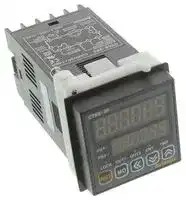
CT6S-2P4
COUNTER/TIMER, PROG, 6 DIGIT, 100-240VAC
⚠️ Reference pricing provided. In case of supply shortages, we will connect you with our trusted procurement partners to ensure your project's continuity.
- Manufacturer: AUTONICS
- Product type:
- No. of Digits / Alpha:6; Digit Height:11mm; Supply Voltage Min:100VAC; Supply Voltage Max:240VAC; Panel Cutout Height:45mm; Panel Cutout Width:45mm; Operating 89T8054
- Digit Height: 11mm
- Product Range: -
- Panel Cutout Width: 45mm
- Supply Voltage Max: 240VAC
- Supply Voltage Min: 100VAC
- Panel Cutout Height: 45mm
- No. of Digits / Alpha: 6
- Operating Temperature Max: 55°C
- Operating Temperature Min: -10°C
| Delivery and price | |
|---|---|
| Units per pack | 1 |
| Price | 136.85 € |
| Current stock | 10+ |
| Lead time | 30 days |
Datasheet

**==> picture [486 x 167] intentionally omitted <==**

**----- Start of picture text -----**<br>
DIN W48 x H48mm, W72 x H36mm, W72<H72mm counter/timer<br>(™)Upgraded [functions] . Upgrade<br>@ Available to set 6 digits (0.00001 to 999999) prescale value (4 Digit : 0.001 to 9999)<br>@Built—in Modbus communication function(Communication model)<br>@ Available to set the One-Shot output time in 10ms.(0.01sec. to 99.99sec.)<br>@Increase contact capacity to 5A(CTS, CTM Series) crac<br>@ Available to set Count Start Point.: (Initial value). 4: — Maonee ic 34 Sh<br>@Improved = 12 F456 Oe) e356 , ey<br>@Added to select memory protection function in the indicator iam33 HEEle = a3455 & 23 456<br>@ Added CounterBATCH Up-1 counter/ Up-2 function(CTM/ Down-1 / Sereis) Down—2 input modes > Scigcig Sooo—-<br>@ Added Counter TOTAL / HOLD operation modes in the indicator<br>**----- End of picture text -----**<br>


@ Added Timer TOTAL / HOLD / On Time Display operation modes in the indicator

@ Added Timer INT2 / NFD / NFD.1 / INTG output modes

@ Added Timer range 999.999s / 9999m59 / 99999.9h

## Please read "Caution for your safety" in operation C ~~€~~ Als

**==> picture [336 x 102] intentionally omitted <==**

**----- Start of picture text -----**<br>
™|integrated device management program(DAQMaster)<br>@DAQMaster is a integrated device management program for convenient<br>management of parameters and multiple device data monitoring.<br>@Visit our website (www.autonics.com) to download download user manual and integrated manual and integrated and integrated integrated<br>device management program.<br>< Computer specification for using software ><br>Windows 98 / NT / XP / Vista / 7<br>**----- End of picture text -----**<br>


**==> picture [494 x 367] intentionally omitted <==**

**----- Start of picture text -----**<br>
is a integrated device management program for convenient < DAQMaster screen ><br>of parameters and multiple device data monitoring. if<br> our website (www.autonics.com) to download download user manual and integrated manual and integrated and integrated integrated —— -| > ))<br>management program. == i 32] _20 Counter<br>< Computer specification for using software > | e- OO = ee<br>Windows 98 / NT / XP / Vista / 7 ag<br>information<br>6 |[M }— |2P|| 4 |<br>* A shaded([_]) part is upgraded or added function.<br>Communication<br>Power supply<br>;—<br>Size|<br>Item P 6 [9999996Digit) I Me Indicator type.<br>**----- End of picture text -----**<br>


## Ordering information

**==> picture [1 x 2] intentionally omitted <==**

**----- Start of picture text -----**<br>
-<br>**----- End of picture text -----**<br>


Autonics

J-6

CT Seriesa

## ~~ee~~

## ™|Specifications

||||||||
|---|---|---|---|---|---|---|
|~~Diait~~<br>~~Pa~~|||~~Pa~~|~~Pa~~|~~Pa~~|~~Pa~~|
|~~Diait~~<br>~~ModelFindicator~~||~~Pa~~|~~Pa~~|~~Pa~~|~~Pa~~|~~Pa~~|
|||~~Findicator|~~|~~|~~<br>~~Ss ~~~~|~~esi)|~~|~~|~~<br>~~revoi)~~|~~i)~~|
|||~~Findicator|~~|~~|~~<br>~~Ss ~~~~|~~esi)|~~|~~|~~<br>~~revoi)~~|~~i)~~|
|~~Model Findicator~~<br>Dial<br>size||~~Findicator |~~|~~|~~<br>~~Ss ~~ ~~|~~esi) |~~|~~|~~<br>~~revo i)~~|~~i)~~|
||||||||
|Power<br>supply<br>~~Allowable~~|||||||
|||[AGrbo Powe<br>~~voltagerange|~~|~~range|~~<br>~~90to.110%Ofratedvoltage(ACPowertype)~~||||
|~~Allowablevoltagerange|~~|||~~range|~~<br>~~90to.110%Ofratedvoltage(ACPowertype)~~||||
|~~Allowable ~~||~~voltage range|~~|~~range|~~<br>~~90 to.110% Of rated voltage(AC Powertype)~~||||
||||||||
||||||||
|Min. input<br>~~~~~<br>~~Input~~||input<br>~~|SSSR~~|Reset input<br>: Selectable lms or 20ms||||
||||~~SSSR~~<br>~~Rana~~|||~~SSSR~~<br>~~RanaaE~~<br>~~|~~|
|~~~~~<br>~~|SSSR~~<br>~~Input~~|||~~SSSR~~<br>~~RanaaE~~<br>~~|~~<br>—Voltage input<br>: input impedance is 5.4k®, 'H' level<br>: 5-30VDC, 'L' level<br>: O-2VDC<br>—No-voltage input: short-circuit impedance<br>: Max. 1k, Residual voltage<br>: Max. 2VDC||||
|~~~~~<br>~~|SSSR~~<br>~~Input~~|||~~SSSR~~<br>~~Rana aE~~<br>~~|~~||||
|=<br>Ss<br>:<br>¢|2£&|~~output~~|~~Singlepreset~~<br>:~~SPDT(1c)1EA~~||~~Singlepreset~~<br>:~~SPDT (1c)1EA~~||
|||~~output~~<br>~~output~~|~~Single preset~~<br>: ~~SPDT(1c) 1EA~~<br>~~Single preset~~<br>: ~~SPDT (1c)~~<br>~~Singlepreset~~<br>~~:INPNopencollector~~|||~~(1c) 1EA~~<br>~~Singlepreset:2NPNopencollector~~|
||.|~~output~~<br>|Contact|~~Single preset~~<br>~~: INPN open collector~~<br>Dual preset<br>:<br>SPST (la) 2EA|||~~Single preset:2NPN open collector~~<br>Dual preset:<br>SPST (1a), SPDT (1c)|
|||output|||Single preset:1NPN open collector]|Single preset:2NPN open collector|
||oo<br>©||||||
|||}output|||||
||||||||
||||||||
||||||||
||||||||
||||||||
||||||||
||||||||
||||||||
||||||||
||||||||
|Life cycle)|||||||
|||Electrical|||||
||||||||
||||||||
||||||||
||||||||
||||||||


™ ~~)/Communication specification~~

~~**e** ee~~ eeeereer eeeeeeee ~~eee ee~~ J-7 Autonics

Programmable Counter/Timer ~~Dn~~

**==> picture [535 x 731] intentionally omitted <==**

**----- Start of picture text -----**<br>
(=™|Connections A Becommunication careful that connectionsmodel and non-communicationare different between<br>model when wiring.<br>OCTLIS-2PL) OCTLIS-2PL)\T<br>12VDC 100mA 12VDC 100mA<br>INB / INH RESET INB / INH RESET<br>INA ovpc INA ovpc<br>11 6 7 8 ad () ouT2 iBpA(6 +)—>7 RS4858 <—B9 e (e - 10) (B<br>0 30vDC<br>e) OO 100mA 0 etO8 0 O<br>1 2 3 4 5 1 2 3 4 5<br>ouT1 OUT2 OUT1 OUT2<br>250VAC5A 250VAC 5A 250VAC 5A 250VAC 5A<br>RESISTIVE — RESISTIVEmn Ele RESISTIVE RESISTIVE A eles<br>OCTLIS-1PL] OCTLIS-1PLIT<br>12VDC 100mA 12VDC 100mA<br>INB / INH RESET INB / INH RESET<br>INA ovpc INA ovpc<br>11 6 7 8 ad (P) ouT (A(+6 )—>7 RS4858 <—9 y Be ( -10 )@<br>30vDC OUT<br>@) Q<br>1 2 3 4 5 1 2 3 4 5<br>NO COM NC NO COM NC<br>250VAC 5A 250VAC 5A<br>RESISTIVE LOAD A He) RESISTIVE LOAD A CJ Ce1)<br>OCT6S-IL OCT6S-ILIT w<br>12VDC 100mA 12VDC 100mA Coe<br>INB / INH RESET INB / INH RESET<br>INA ovpc INA ovpc<br>6 7 8 9 ye 10 6 7 8 9 ee 10<br>1 2 3 4 5 1 2 3 4 5<br>A i ©EJea A ; . (x1)<br>OCT6Y-2PL] OCT6Y-2PLIT<br>250VAC 3A 250VAC 3A STAGE OUT<br>RESISTIVE LOAD RESISTIVELOAD 30yDC 250VAC 3A 250VAC 3A<br>NC COM NO OUT 100mA RESISTIVE RESISTIVE A(+) B( -)<br>8 9 10 a 11 pe 12 pg 13 8 9 i)—_t_t)—_ 8)<br>&: 00 O_O O_O<br>© OUT2 ouTt AS485<br>1 2 3 4 5 6 7 1 2 3 4 5 6 7<br>INAINB12VDC/ INH 100mA OVDC RESETNolen er es inaINB42VDC/—INH 100mA| OVDC RESETA o g (x1)<br>OCT6Y-1PL] OCT6Y-1PLIT<br>250VAC 3A STATESOLIDOUT 250VAC 3A STATESOLIDOUT<br>RESISTIVE LOAD 30VDC RESISTIVE LOAD 30VDC<br>NC COM NO 100mA NC COM NO 100mA a(+) B( -)<br>8ht:9 )_t)_(D—_48) 8&:9 '}_t)_(p_)8<br>O O our S485<br>1 2 3 4 5 6 7 1 2 3 4 5 6 7<br>INAINB12VDC/ INH 100mA OVDC RESETA 4_ lH Gx1) INAINB12VDC/ INH 100mA OVDC RESETA 4_ | (x1)<br>(¢ 1) Source (0% 2) INHIBIT Signal<br>—AC Power: 100—240VAC 50/60Hz —Counter operation: If INHIBIT signal is applied, count input will be prohibited.<br>—AC/DC Power: 24-48VDC, 24VAC 50/60Hz —Timer operation: If INHIBIT signal is applied, time progressing will stop. (HOLD)<br>errr eee e eee e ener eee eee eee eeeeee<br>Autonicse J-8<br>**----- End of picture text -----**<br>


## CT Series ~~Dn~~

**==> picture [198 x 23] intentionally omitted <==**

**----- Start of picture text -----**<br>
N communicationBe careful that connectionsmodel and non-communicationare different between<br>model when wiring.<br>**----- End of picture text -----**<br>


**==> picture [477 x 652] intentionally omitted <==**

**----- Start of picture text -----**<br>
8 9 10 11 12 13<br>RS485<br>1 2 3 4 5 6 7<br>INA OVDC RESET 4_ INA OVDC RESET f _,<br>INB12VDC/ INH100mA A (x1) INB12VDC/ INH 100mA A (x1)<br>OCT6M-2PL) OCT6M-2P_|T<br>12VDC 100mA INHIBIT(0% 2) 12VDC 100mA INHIBIT(0% 2)<br>INB RESET BATCH RESET INB RESET BATCH RESET<br>INA ovpc INA ovpc<br>8 ) )_t_(D_®)_@} 8 9 )_t_(D)_))_@<br>SOLID 30vDc<br>STATE OUT jogma RS485<br>OUTPUT |—__——<br>COMMON OUT1 OUT2 BATCH 5) © 17 18<br>A(+) B( -) OUT2 BATCH<br>L H<br>SOLID STATE OUT<br>ouT1 ouT2 ouT1 our2 30vDc<br>OO O O 100mA<br>1 2 3 -4 5 6 7 1 2 3 -4 5 6 7<br>NO COM NO COM NC + NO COM NO COM NC<br>250VAC 5A 250VAC 5A 250VAC 5A 250VAC 5A<br>RESISTIVE LOAD RESISTIVE LOAD A (x1) RESISTIVE LOAD RESISTIVE LOAD A GH Ga)<br>OCT6M-1PL) OCT6M-1P_|T<br>12VDC 100mA INHIBIT(x2) 12VDC 100mA INHIBIT(0% 2)<br>INB RESET BATCH RESET INB RESET BATCH RESET<br>INA ovpc INA ovpc<br>8 9 )_t_(D)—__@) 8 9 i) _ hr) _€7) 45) __ 67)<br>OUTPUT SOLID STATE[+—OUT 30VDC$O0DE 4RS4854<br>COMMON OUT BATCH ® © 17 )<br>© A(+) B( -) OUT BATCH<br>L__<br>SOLID STATE OUT<br>OUT ouT 30vDC<br>O O 100mA<br>1 2 3 7?4 5 6 7 1 2 3 74 5 6 7<br>NO COM NC a NO COM NC<br>RESISTIVE250VAC LOAD5A mN eles) RESISTIVE250VAC LOAD5A A elo<br>OCT6M-IL) OCT6M-ILIT<br>12VDC 100mA INHIBIT(0% 2) 12VDC 100mA INHIBIT(0% 2)<br>INB RESET INB RESET<br>INA OvDC INA ovpbc<br>8 9 10 11 12 13 14 8 9 10 11 12 13 14<br>b6¢<br>A(+)  B (-)<br>1 2 3 4 5 A6 t ha7 1 2 3 4 5 /\ 6 ae 7<br>(6 1) Source (0% 2) INHIBIT Signal<br>—AC Power: 100—240VAC 50/60Hz —Counter operation: If INHIBIT signal is applied, count input will be prohibited.<br>—AC/DC Power: 24—48VDC, 24VAC 50/60Hz —Timer operation: If INHIBIT signal is applied, time progressing will stop. (HOLD)<br>**----- End of picture text -----**<br>


~~errr~~ eee e eee e ~~ener eee eee eee eeeeee~~ J-9 Autonicse

**==> picture [509 x 779] intentionally omitted <==**

**----- Start of picture text -----**<br>
Programmable Counter/Timer<br>e ee eee e eee e eee e ner<br>(s|Dimensions<br>OCTS Series<br>@Bracket 48 10 90 @Panel cut-out<br>Min. 55<br>voiCOPRTRIRIETS il —— 5 |L foul 4 =is<br>~: EEEEEE] | Il = H E | ®<br>ie)CTY Seri es 86 @Panel cut-out<br>. Te 6 77 vt<br>is<br>mee> PPREEE Giéd= = / 1— Eoi g. i i |<br>tune ste [Da L___||' p = 68<br>mm fe / aN | Ce<br>CTM Series 86 @Panel cut-out<br>O72 10 85 Min. 91<br>:<br>(o>)<br>O) EO=: EERE Ic SSeS— _ FH s| s: oevor<br>V z C (Unit: mm)<br>(=|Front panel identification<br>OCTS Series OCTY Series OCTM Series<br>@ 8<br>D g ee wae SO, .. s e<br>Ca t ct T oe!»<br>(3)7 e S 3) 6) es* im] mt Dm mt oO mt @<br>(8) S RST| « ay © re 13) c a ss0 Q R 5<br>(9) () ———a“ 10 (3)7) LOCK OUT1 OUT2 BA.O CNT TMR :<br>Model s _S OOGUG)| |x<br>CT6Y—-1P th<br>CT6S—1P PS2-PS ere are no<br>Count aaaindicator(Red LED) CT6M—1Pcras—1P | OUT20uT| PS1. OUT!8. | (9)Mode key 9 0<br>—Run mode CT6Y—I There areno| — By pressing @ key for 3sec (parameter setting)/ Ssec (communication)<br>: Count mode-Indicates count value. | CT6S—-I | PS2-PS | PS1, OUT1 in RUN mode, it moves to function setting mode.<br>Timer mode-—Indicates time progressing. |CT6éM—I OUT2 LEDs. — By pressing @ key in function setting mode, select function setting<br>—Function setting mode The indicator type does not exist in mode. By pressing @ key over 3 sec., it moves to Run mode.<br>: Indicates function setting mode. CT4S model. - By pressing @ key over [1] [sec.] [in] [function] [setting] [checking] [mode,]<br>Preset value indicator (Yellow-Green LED) it moves to Run mode.<br>—Run mode: Indicates preset value. Set key a<br>—Function setting mode: Indicates setting value1. : re ener ne RPS vast , PS2) change status and shift digit<br>TheKey  operationLock: Lightsof counter when sett i ngndicatorkey lock. : TooF  decreasesetting value\rsetting ot,value in: setting value change mode, change<br>The operation of timer indicator setting value in function setting mode, move down<br>TMR LED flashes when the timer is operatin checked value in function setting check mode.<br>TMR LED lights when th ‘i i ‘ 9. : To increase setting value in setting value change mode, change<br>6) Ch ec k ig f value Ad display ‘hat s oof it setting value in function setting mode, move up checked value in<br>PS1PS2 LEDpreselights valuewhen  ancheckinguISp!or aychanging c ange orlthe setting; value1. functionin Run mode,settingenterscheckintomode. functionBy pressingsetting check(9 key mode. over1 sec.<br>LED lights when checking or changing the setting value2. BATCH key ,<br>Output(OUT1, OUT2) indicator By pressing @§key in run mode to enter into BATCH counter indication mode.<br>OUT1 lights when output is on. OUT2 lights when output2 is on. BATCH output indicator(Red LED)<br>Reset key BATCH setting value checking and changing indicator<br>By pressing key in Run mode, the count value is initialized and output is returned. (Yellow-Green LED)<br>By pressing @ key in BATCH counter mode,BATCH count value resets. Lights when checking and changing BATCH setting value.<br>eee eeee ener erence nee eee eee<br>Autonicse J-10<br>**----- End of picture text -----**<br>


**==> picture [24 x 16] intentionally omitted <==**

**----- Start of picture text -----**<br>
Counter<br>**----- End of picture text -----**<br>


CT Series

~~a~~

## f=|Input connections

ONo-—voltage input(NPN)

**==> picture [480 x 593] intentionally omitted <==**

**----- Start of picture text -----**<br>
@Solid—state input(Standard sensor : NPN output type sensor) @Contact input<br>Sensor Counter/Timer Counter/Timer Counter/Timer<br>Brown CT Series Sensor CT Series CT Series<br>— > +12V > Brown +12V +12V<br>(1) 5.4kQ («1) 5.4kQ. 5.4kQ,<br>Black , Inner circuit Black | Inner circuit ( } Inner circuit<br>of input part of input part | of input part<br>Blue Blue<br>—— - Ov > » Ov Ov<br>(NPN output) (NPN open collector output)<br>(6«1)INA, INB/INH, RESET, INHIBIT, BATCH RESET input part<br>(6% 2)Counting speed: 1 or 30cps setting (Counter)<br>OVoltage input(PNP)<br>@Solid—state inout(Standard sensor : PNP output type sensor) @Contact input<br>Sensor Counter/Timer Counter/Timer Counter/Timer<br>Brown CT Series Sensor CT Series CT Series<br>—— > +12V —Brow >n +12V (x 2) +12V<br>Black(« 1) Inner circuita Black(1) Inner circuit | Inner circuit<br>— of input part —_—__ > of input part of input part<br>5.4kQ. 5.4kQ 5.4kQ.<br>Blue ov Blue | ov ov<br>(PNP output) (PNP open collector output)<br>(6«1)INA, INB/INH, RESET, INHIBIT, BATCH RESET input part<br>(6% 2)Counting speed: 1 or 30cps setting (Counter)<br>Input logic Selection[No-voltage input(NPN)/Voltage input(PNP)]<br>1. The power must be cut off. 3. Select input logic by using input logic switch(SW1)<br>2. Detach the case from the body. inside Counter/Timer.<br>(CTS, CTY Series) @Select No-voltage  @Select voltage<br>input(NPN) input(PNP)<br>y a (Zo NPN PNP NPN PNP<br>We —<br>AN 0<br>o<br>*Case detachment <CTS Series> <CTY Series> <CTM Series><br>Squeeze toward @ and pull toward @ as shown<br>in picture. 4. Push a case in the opposite direction of 2-@.<br>5. Then apply the power to Counter/Timer.<br>**----- End of picture text -----**<br>


Input logic Selection[No-voltage input(NPN)/Voltage input(PNP)]

A Please check if the power is cut off.

~~**e** ee~~ errr rere ~~erence eeee~~ J-11 Autonics

Programmable Counter/Timera

~~reereee~~ reer e renee eee e ~~eee~~ ee

**==> picture [509 x 731] intentionally omitted <==**

**----- Start of picture text -----**<br>
f™/Output connections<br>OContact output OSolid—state output<br>Counter/Timer Counter/Timer<br>CT Series CT Series (1)<br>| (Power of load) <i0 forPower load<br>* Use proper load not to exceed the capacity. %* Use proper load and power for load not to excess ON/OFF<br>capacity (30VDC Max. 100mA max.) of solid state output.<br>* Be sure not to apply reverse polarity of power.<br>(6 1)When use inductive load(Relay etc), surge absorber<br>(Diode, varistor etc) must be connected between both<br>sides of the load.<br>(s|Factory default<br>2<br>Input mode (! n)<br>Output mode (oUE.)<br>CPS (EPS)<br>Indication mode (indicator type) (d5PA)<br>OUT2 (alte)<br>OUT1 (oUt 1)<br>3 | Decimal point (dP) Peer<br>& | Min. reset time (-St)<br>8 Finout logic 6)<br>Prescale decimal point (SCP)<br>Prescale value (SCt)<br>Start Point setting (5Ert)<br>Counting memory (AeA)<br>Lock key (Loft)<br>Preset value<br>Preset value 2 1 (PS 2 1 )<br>Time range (Hour /al n/5EC)<br>Up/Down mode (u-d)<br>Indication mode(Indicator type) (¢5Pa)<br>Memory protection(Indicator type) (dAEA)<br>Output mode (oue.4)<br>& | OUT2 output time (ue 2)<br>£ [OUT output time (out 1)<br>input signal time (1 nt)<br>Lock key (Loft)<br>Preset value<br>1 (PS1)<br>:<br>3<br>:<br>E<br>8<br>Error display<br>Failed in data loading OFF Power on again<br>PS10 for exsiting setting values<br>PS20 Pe<br>eeereece rere<br>J-12<br>Autonics eee<br>**----- End of picture text -----**<br>


**==> picture [20 x 10] intentionally omitted <==**

**----- Start of picture text -----**<br>
ounter<br>**----- End of picture text -----**<br>


**==> picture [508 x 748] intentionally omitted <==**

**----- Start of picture text -----**<br>
CT Series<br>I<br>(™]Operations and functions (xt)<br>Change of<br>BATCH RESET RESET preset<br>se RST<br>‘BATCH counter. BA RUN \-@Qisec———-| Function setting<br>indic ation<br>% BATCH counter is<br>ee ; mode  (>| mode )< __ @"**°-_ check mode<br>settingBATCHangevalue.o CT6M-1P/2Pavailable for only. 3sec.7 8<br>(6 1)If no key is touched for 60 sec., the counter will 5SeC.3sec.Y<br>return to RUN mode without being restored. Function [uo] 3sec.: Enters into parameter 1 group<br>setting mode (9 5sec.: Enters into parameter 2 group<br>OChange of preset(Counter/Timer)<br>@FEven if changing the preset value, input operation and output control will continue. In addition, the<br>preset value could be set to O and O preset value turns ON. According to output mode, preset value could<br>not be set to 0. (When setting to 0, preset value "0" will flash 3 times.)<br>1] 2) 3]<br>(LI (LI (Ld<br>(1 (1 (1<br>LOCK OUT1 OUT2 BA.O CNT TMR LOCK OUT1 OUT2 BA . O CNT TMR LOCK OUT1 OUT2 BA . O CNT TMR<br>In Run mode, it enters into the The preset value is set to '180' The preset value is set to '200'<br>preset value setting mode using using @, ®and Gkeys, then using @, @and Okeys, then<br>key. 'PS1' LED lights and first press QB key to enter into the press (key to complete PS2<br>digit of preset value flashes. PS2 setting mode. setting and return to Run mode.<br>* Press (Bkey to save set value after changing the setting value. Then, it moves to next parameter or returns<br>to RUN mode. However, if no key is touched for 60 sec., it will return to RUN mode without being saved.<br>OFunction setting check mode<br>@Setting value of function setting mode can be confirmed using the @ and &Y keys.<br>OSwitching display function in preset indicator<br>@Setting value 1(PS1) and setting value 2(PS2) are displayed each time pressing (MB key in dual preset model.<br>(In timer, it is available for and, and. !, or andé output mode.)<br>OReset<br>@In Run mode or function setting mode, if pressing key or applying the signal to the RESET terminal<br>on the back side, present value will be initialized and output will maintain off status.<br>j=|BATCH Counter(For CT6M-1P_i_i//CT6M-2P_1_| model only)<br>In BATCH counter indication mode, 'BATCH counter value' is displayed in count indicator and 'BATCH counter<br>setting value' is displayed in preset indicator.<br>OChange of BATCH setting value<br>If pressing key in Run mode, it will enter into BATCH counter indication mode.<br>1) 2]<br>est , est . BATCH value is set to '200'<br>eS, OUT1 OUT2 BA . O CNT TR value change mode es, OUT1 OUT2 B A O CNT TMR then press @ key to<br>using @ key. complete BATCH setting<br>(BA.S lights, first digit of value and move to BATCH<br>setting value flashes.) counter indication mode.<br>**----- End of picture text -----**<br>


**==> picture [509 x 16] intentionally omitted <==**

**----- Start of picture text -----**<br>
e ee e reer rece e renee eee eene eneeee e<br>J-13 Autonics<br>**----- End of picture text -----**<br>


Counterw a

**==> picture [508 x 201] intentionally omitted <==**

**----- Start of picture text -----**<br>
Programmable Counter/Timer<br>a<br>OBATCH Counter operation<br>Power ON TOOTCCCSC‘idCNCN<br>OFF 4<br>Preset output OOO ONRON OAR AAO AANA ANAA ont<br>Batch Reset i<br>0 : it : Poi : ; : Pio :<br>BAO LED OFF | ii Diop<br>Batch output ON om 4 | mo<br>OFF<br>**----- End of picture text -----**<br>


OBATCH Counting operation @BATCH counting value is increasing until BATCH resest signal applied. BATCH counting value will be circulated when it is over 999999. 1)BATCH counting operation in Counter : Counts the number of reaching setting value of CT6M-1PHI0 or reaching dual setting value of CT6M-2PUIU]

2)BATCH counting operation in Timer: Counts the number of reaching setting time. (In case of "FLE" output mode, count the number of reaching T.off setting time and T.on setting time.) OBATCH output @lf input signal is applied while changing BATCH setting value, counting operation and output control will be performed. elf BATCH count value equals to BATCH setting value, BATCH output will be ON and maintain ON status until BATCH reset signal is applied. @When the power is cut off then resupplied in status of BATCH output is ON, BATCH ouput maintains ON status until BATCH reset signal is applied.

OBATCH reset input @lf pressing reset button or applying the signal to BATCH reset terminal on the back side panel, BATCH counting value will be reset.

@When BATCH reset is applied, BATCH counting value maintains at O and BATCH output maintains in the OFF status.

**==> picture [510 x 297] intentionally omitted <==**

**----- Start of picture text -----**<br>
OApplication of BATCH Counter function<br>eCounter eTimer<br>In case, put 5 products in a box then pack the boxes when Fills milk into the bottle for 3sec. (setting time) When<br>they reaches to 200. 500 bottles are filled, BATCH counting finish lamp is<br>~ Counter preset setting value="5", turned on.<br>BATCH setting value="200" (Setting time : 3sec., BATCH setting value : 500)<br>«= Whenvalue the"5", countthe controlvalue ofoutputcounter (OUT)reacheswill beto theon, presetand at a BATCH output Productivity7<br>this time the count value of the BATCH counter will Operation valve Ee Control o r  < Lamp on when<br>be increased by "1". The control box which is received (Open valve [7 |esenso|/ output 5 Tis completed.<br>the control output (OUT) repeatedly controls conveyor = = |CTOM-1P4 BATCH counting<br>to move the full box and to place the next empty box = Control th Fy) finish lamp<br>for standby. When the BATCH count value reaches = ye Speration vaNe<br>tobox"200",stops BATCHconveyoroutputand willprovides be:  ON.a  Thencontrol thesignal: controlfor geZ Se at Bottle sensing sensor Control box<br>packing. cyCount input BATCH output ime B BATCHlamp  output<br>- ‘Gas h cone 7 +  Control signal<br>—_ f Ea(ease |} (OUT) E an for packing.<br>QOQDODHOOG CTEM 1P4 Control box "> Pont ee<br>QO ©) Preset value = 5 —<br>Third box Second box First box<br>Current BATCH count value = 3<br>eee eee e renner ener eee eee ee<br>Autonics J-14<br>**----- End of picture text -----**<br>


**==> picture [510 x 774] intentionally omitted <==**

**----- Start of picture text -----**<br>
CT Series<br>(=)Flow chart for function setting mode<br>Run mode<br>esssssssssssssssssesseeesessssssssnssssssssecesssesesssssneoe hccssep SOOO ccccsesssssssssssssssssuesssesessssessssssssssasessssesssssesssssssssssseeo e eesCt lessesel OSes cccsssssssneeee<br>4 Counter Parameter(GrP.1)rc  group!iT ft ®. oN Parameter(Gr P2) group2 :<br>(Colin) Counter/Timer[0} %3 (k}TimerAE) © —<br>' x3 x3<br>i Input mode Time range Com. address<br>(in) (Hollr/Al n/SEL) (Addr) i<br>® x3 Ke ® x3 ® |<br>Output mode @ [Up/Down mode Com. speed<br>(aut. =) (u-d) (PS)<br>ve Indication(dSRa)mode*! © e «3 0] | :<br>#3 (d5Pn) (Prey) i<br>@ ro] Indication mode Com. parity<br>i Max. counting speed © @® i<br>(CPS) Memorize 0) Com. stop bit<br>Die x3 counting value (SEP)<br>© OUT2 output time (dA A) © i<br>3 (out 2) x3<br>rs Wo) x3 Output(GUEA)mode waitingResponsetime<br>a OUT1 output time © “3 (5 Ut )<br>£ (oUE 1) OUT2 output time @ _<br>=® iW]i j «3 (out 2) cor. neJ :<br>Prd Peeing) point Fu] «3 Lon<br>c QUT1 output time @ i<br>rT)2 Min. (-SE)reset time © 1: Indicator :<br>ra @ Input logic 2: Output type<br>mee a ©Gi 6) %* 3: value If  changingof function, the settingOUT1, — i<br>®iu Input signal time OUT2 will turn OFF a nd i<br>Prescale oe) (i nt) return to Run mode, then:<br>decimal © present value resets. i<br>: (GcdP)oint Lock key<br>©. (Lale)<br>Prescale value ©<br>H (SCL ) > Counter :<br>: © —Single preset model has no "OUT1 output setting time" setting function mode :<br>: «3 and "ok." is displayed in "OUT2 output time" setting function mode. :<br>: Start Point value —In case of dn, dn- | ordn-2 input mode, there is no "Start Point value" setting :<br>: (SErké) —Infunctioncase ofmode."F" or "n" output mode, there is no "OUT2 output time" setting :<br>: ® function mode. (Fixed to HOLD) i<br>i Memorize —In case of "5","E" or "d" output mode, there is no "OUT2 output time" setting i<br>counting value function mode.<br>H (dAEA) «Timer i<br>i ©! — Incase of "FLE. I", "FLH2" or") nEG" output mode and "ond", “ond It", i<br>: "onde" output mode of single preset model, "“oUEE" is displayed in "OUT2 :<br>: Lock key output time" function setting mode and there is no "OUT1 output time" :<br>H (LoCH) function setting mode. H<br>: — The output modes except forand", "and 1", "and2" ond", "ond.1","ond.2" :<br>i ® and "Int.2" output mode there is no "OUT1 output time" function setting mode. i<br>x If changing setting value of parameter group1, display value and output will be initialize.<br>* Press @key over 3sec./5sec. in RUN mode to enter into parameter 1 group/ parameter 2 group.<br>Press @Mkey over 3 sec. in function setting mode to return RUN mode.<br>* Input operation and output control can be set in function setting mode.<br>If changing set value of 3 marked parameters in function setting mode, OUT1 and OUT2 output will be turned OFF<br>and then the current value is reset.<br>* Parameter 2 group is not available to non—communication models.<br>e ee e eeeeeee eee ee<br>J-15 Autonics<br>**----- End of picture text -----**<br>


||(@® key: To select setting mode,<br>or<br>key: To change setting value)|
|---|---|
|||
|Counter/Timer|roy<br>1 =<br>%Coun: COUNTER|
|Input mode<br>(in)|Ud-£ ~~<>~~ UP ~~<*~~UP-<br>| ~~+~~ UP-2~~<%~~ dan~~<e~~dn- |~~<+~~edn-e ~~<r~~ ud-A~~<e~~ud-b<br>t<br>4|
|aria<br>oun<br>~~Indication~~<br>~~mode ~~<br>~~(~~d5Pn~~)~~|@ we" "uUP-<br>ft") "UP-2" or "da", "dna-<br>t", "da-2" input mode<br>F~~er~~n~~er~~ [l~~eo~~r r~~er~~ Po~~or~~ F~~oe~~ G~~e~~r<br>~~a~~<br>*In case that output mode is "F", "n", there is no "OUT2 output time" setting mode.<br>(Fixed to HOLD)<br>Wp<br>eM<br>ty<br>ge<br>mpl<br>pe<br>If output mode is set to "d" when max.<br>e~~d ~~A, ~~ud~~f<br>» Ude~~£ ~~p~~ee~~m~~oe~~ q<br>A<br>5<br>b<br>4<br>countingspeed issetto5Kcps, 10Kcps,<br>~~i~~<br>~~i~~<br>~~i~~<br>~~i~~ ~~i~~ ~~ie~~<br>max. counting speed is automatically<br> ~~a~~<br>set to 30cps. (Factory default setting)<br>@In case of the indicator<br>In case of the indicator, indicate mode selection(d5Pa)is displayed.<br>Hold ~~<~~~ EoEAL<br>~~*~~ It is ~~added that the function which can set the preset value when~~<br>~~selecting HOLD. (Refer to J-20page ‘l™lCounter operation of the indicator'.)~~|
|M<br>ii<br>ax. COUNTING<br>speed<br>(CPS)|%*Counting speed is that of one by one(1:1) duty ratio of INA<br>or INB input signal, and<br>it is applied in INA and INB at the<br>JO~~<>~~ IP ~~«S~~b<br>~~<>~~ Ob ~~<>~~<br>|<br>same time.<br>~~ft~~<br>*In case of setting "d" in output mode, you can choose 1 cps,<br>30 cps, or 1kcps.|
|OUT2<br>output time<br>(oUEZ)|@: To<br>shift flashin<br>igit<br>sition<br>of<br>~~%* Set OUT2 one-shot output time.~~<br>OUT? out**p**ut tite dig<br>| Postion<br>©<br>* Setting range: 0.01 to 99.99 sec.<br>u<br>€ value.<br>x<br>i<br>;<br>.<br>lt does not appear if<br>F orn output mode<br>Q@: To change OUT2 output time value.<br>is selected.|
|OUT1<br>output time<br>~~(aUE1)~~|@: To shift flashing digit position of<br>*Set OUT1 one-shot setting time<br>OUT1 output time value.<br>~~*Time range: 0.01 to 99.99 sec., Hold~~<br>~~Q®:TochangeOUT1outputtimevalue.~~<br>~~*Haldisdisplayedbypressing@key4times.~~|
|~~(aUE 1)~~<br>1<br>Decimal point <br>(dP)|~~Q®: To change OUT1 output time value.~~<br>~~* Hald is displayed by pressing @ key 4 times.~~<br>@6Digit type<br>---~~-~~--4~~--~~---<br>- ~~4 ~~---- -- ~~4 ~~--- --- ~~4~~<br>-- -- -- ~~te~~ - --ee<br> ~~ft~~<br>@4Digit type<br>----~~<+~~<br>> ----<+>+----<«>-.---<br>%*Setting **t**he decimal point is applied same<br>4<br>4<br>to coun ing value and setting value.|
|Min. reset<br>time<br>(r Sk)|{~~<—~~~ 2d<br>Unit: ms<br>%*Set the min. external RESET signal width.|
|i<br>Inputlogic<br>(5S! G)|Pr: No—Voltage<br>input<br>we<br>9<br>P<br>*Check input logic value(PNP, NPN).<br>PrP: Voltage input|
|*1<br>~~Prescale~~<br>~~decimal point~~<br>~~(SCdP)~~|@6Digit typ~~e~~<br>- ----o ~~4~~--~~--~~--<br>~~4 ~~----- - ~~4 ~~---- ~~4 ~~---e~~t~~ --<br>4<br>~~of~~<br>.<br>@4Digit ~~ty~~pei ~~ay~~ --<br>~~ep~~ ee<br>%*Prescale decimal point position is not set<br>4<br>.<br>.<br>belowthedecimalpointsettingdigits(dP).|
|Prescale value |<br>(SEL)|4<br>.<br>.<br>below the decimal point setting digits(dP).<br>;<br>;<br>;<br>_<br>* Setting range of prescale value<br>|@: To shift the flashing digit.<br>6Digit type: 0.00001 to 99999.9<br>QB: To change the prescale value.<br>ADigit type: 0.001 to 999.9<br>Refer to 5. Prescale function.|
|.<br>~~Start ~~Point<br>Value<br>~~(~~SErk~~)~~|*Setting range of Start Point value<br>@: To shift the flashing digit.<br>(Connected with decimal point setting)<br>OB: Toch<br>the<br>Start<br>Point<br>val<br>6Digit type: 0.00000 to 999999<br>wai.<br>19 Change<br>ine<br>start<br>Point value.<br>4Digit type: 0.000 to 9999<br>* Refer to 6. Start Point function.|
|Memory<br>protection<br>(dAEA)|a<br>EL<br>%*KCLr: Initializes count value when power is off.<br>EEE<br>ree<br>rE: Memorizes count value at the moment of power off.|
|Lock key<br>(LoLl-)|% LoFF: Cancellation of the lock mode.<br>LofF ~~«<——>~~ LoL!<br>t<br>t<br>Lol.t: Locks<br>key.<br>Lol:<br>8.8.8<br>Lola<br>Lal?<br>Lole: Locks @, @, @® keys.<br>Lo£3: Locks @, @, @, Bkeys.|


CT Series

~~eee~~ reer eee eeee ~~eee nner eee~~

~~eee eee~~

## =|Input operation mode(Counter)

**==> picture [432 x 625] intentionally omitted <==**

**----- Start of picture text -----**<br>
H No<br>INA A A AA) A) pe es<br>Li1p INB L irt| No i ;: E: Ez E | 4: EIT ifinhibitionINA is countinginput. input, INB is<br>(Up) ieaPo§ |eountin lg ) 1 | 3 |ee| ae 5 6 hibitioninhibitionIf INB is counting|input. input, INA is<br>Count ii 2<br>value 0;<br>0<br>H<br>INA L H H H — mH ¥<br>UA | INB Hobli —— — * Countsis up.( whe4 )n INA input signal<br>(Up—1) i No counting 4 | 5 INA: Counting input<br>p re 3 %INB: Inhibition input<br>Count a<br>value 0 oF<br>INA i<br>HP-¢2 INB H| ; ; > id Countsis down.( whe 7n )INA input signal<br>(Up-2)—_— :‘ :' <—M!!_—_—> : o counting , :: : 4 INA: Counting input<br>a<br>Countvalue 0 0 | 5 - %INB: Inhibition input<br>No<br>wa4 counting<br>AA) A yp cau<br>INB Hi: i ot | If INA is counting input, INB is<br>dni H t ‘ ' ?<br>(Down) L—— act! —Sounting PoP i :  Ll Li inhibitionIf INB is countinginput. input, INA is<br>Count in-3i 4) inhibition input.<br>value i 6 j 0-7<br>0<br>INA i Pot ® ®:<br>dn- | INBYHof id nd : : * Countis up.(_ wh e £n INA input signal<br>(Down—-1) : pnt! No counting x INA: Counting) input<br>~T3C~ a *INB: Inhibition input<br>Count : 27 es<br>we e e<br>value Q ———__———O<br>Ina 1<br>a Oe<br>dr-e INB,H : : :a: H; Countsis down.( whe“¥ n _)INA input signal<br>(Down—2) Dt <—Neocounting| | INA: Counting input<br>i<br>Count n-2 %INB: Inhibition input<br>value pn<br>0<br>ma,H fLAA fA fF f f fff<br>bob | O l er e O i INA: Counting input<br>Ud-Al iInpBe o S bot INB: Counting command input<br>(Up/Down-A) gy fog EL | when INB is L, counting Up.<br>Count 1 12 2 1 2 When INB is H, counting Down.<br>value 0 0<br>**----- End of picture text -----**<br>


~~et~~ J-17 Autonics

**==> picture [509 x 671] intentionally omitted <==**

**----- Start of picture text -----**<br>
Programmable Counter/Timer<br>errrnee e renee reece renee<br>=|Input operation mode(Counter)<br>INA H E FIP Y inva: Up counting input<br>(Up/Down—B)Ud-b mfH 3gs: OO P i '| 3: | %WhenINB: Downboth countingINA and INBinputare<br>| } 2: 2 7 applied to L—>H, it will remain<br>Count 0; 1 previous counting value.<br>value 9<br>wat TO moon<br>L lofelafa| When use A,B phase of encoder<br>Ue - E INB i i = n = 7 G Gq with connecting to INA, INB,<br>(Up/Down-C) Hrn’ : 3; 2 H| :5 ’| 3 please(nn) assetphase counterdifferentinputinputmode<br>Countvalue 0 P i—l L___ Wd-C).<br>%(@) signal width should be over min. signal width and ©) signal width should be over a half min. signal width.<br>If not, £1 will occur.<br>* The meaning of "H" and "L" %* Min. signal width by counting speed<br>(NPN) (PNP) . . (NB) Low<br>5—30VDC Ton | Toff<br>o-avoc | [open] Open | ~akepsSkeps 0.dims ms Ton, Toff : Min. signal width<br>=]/Prescale function(Counter).<br>This function is to set and indicate calculated unit for actual length, liquid measure, position etc. Itis called<br>"Prescale value" for measured length, measured liquid, measured position, etc per 1 pulse.<br>For example, P is the number of pulses per 1 revolution of a rotary encoder and L is the desired length to<br>be measured. Prescale value is [the desired length (L)]/[the number of pulses (P) per 1 revolution of the<br>rotary encoder.]. It is the length per 1 pulse of a rotary encoder.<br>Ex)Control length by the counter and the rotary encoder<br>Pulley<br>=— =—> Cutter [In case of 22mm diameter(D) of Pulley connected<br>—— al t with the encoder of 1,000 pulse]<br>Rotary encoder > 6 ) Ss mz X Diameter of the pully(D)<br>P SS ePrescale value = —=——_________<br>1 revolution of the encoder<br>TE The number of pulses per<br><> FKrotor _ 3.1416 x 22<br>Motor controlling ae ounter ~ 9-069mm/pulse<br>system ‘=<br>To control conveyor position in 0.lmm, set the decimal point to tenth place(-----.-) in decimal point setting<br>mode(dP) and set the prescale decimal point to thousandth place (---.---) in prescale decimal point setting<br>mode (SL.dP). Then set prescale value "0.069" in prescale setting mode (SLL).<br>**----- End of picture text -----**<br>


**==> picture [8 x 13] intentionally omitted <==**

**----- Start of picture text -----**<br>
(J)<br>**----- End of picture text -----**<br>


Start point function(Counter) This function is that start point value works as initial value when on counting mode. @In case of "dn", "dnf" or "dna-e" in timer input mode, it is not available.

@When reset is applied, the present value is initialized to start point.

e@After count up in "[","-","P" or "4" output mode, preset value starts at start point value. ~~**e** rrr~~ e reer rere ~~enereeener~~ Autonics J-18

**==> picture [509 x 773] intentionally omitted <==**

**----- Start of picture text -----**<br>
CT Seriesa<br>Dn<br>(a Output ope rat ion mode (Cou nte r) One-shot output(0.01 to 99.99 sec.) One—shot output Retained output<br>Retained output rt ial<br>mode Operation<br>c_ 999999 — ~ i: tH dt _] after count—up, counting<br>(F) PReresESET2  “YYAZ 5wlTY NR SS ce = “TONA naPee/™ 7 ae a decreasesdisplay valueuntil increasesreset signal or is<br>ee DON DN Piboir Wor parti applied and retained output is<br>OUT1 |__| maintained.<br>eo. Hr ae |nt<br>RESET Qf | ff | JQ ff Qf<br>M PR ESET 2 -.-heseeeecgpmnieeeeeceecgeeeiee an ceefeccecececeapumpefecceceseceecagemp deoeeeeey x After count— up, counting<br>(N) | presert0 HS —itPSE of i HHhi-fiengpA  fifeLO rh displayare maintained value anduntilretainedreset signaloutput<br>OUT1 is applied.<br>(OUT)QuT2 imal il oi imal im oO cr<br>RESET qn A When count—up, counting display<br>g99999  _i H i value will be reset and count<br>r PRESET2  ob gceceneegg eens . jones coceeceeepeceeeeeeuee cecceheccneeeeeny veceacesseufesesseseeseereapeseese simultaneously.<br>‘| PRESETI  peer SyFSSf ara AR AWAK Al OUT retained output will be off<br>(C) 0 A) tS} _™ Of HH after OUT2 one-shot time.<br>OUTI nT | mr * The one-shot output time of OUT1<br>i H Hi u HH i B HH one-shot output time is operated<br>our(OUT) a i tt ot ——__I_1__1_ regardless of OUT2 output.<br>RESET q q %* After OUT2 one-shot time,<br>g99999 _i H counting display value will be<br>| PRESET2 oooh ooceecceypyeeeeeeeepep eres vem ceceeceengeseececespeeeceeepe veceechesceeseceseesgppcesseeseeeceeseeseeypyeecesee: reset and count simultaneously.<br>(R) presett0 SO HH oN+S!<P ATOMPf LNA IANS OUTafter OUT2retainedone-shot output wt i llme. be off<br>outt ci rm a cm %OUT1 one-shot output time is<br>(OUT) ouT? —_—_i iF _i_— i ——_L_1_Lb Hf if fF —____I______1 B i _ output. operated regardless of OUT2<br>RESET 0 qo on * After count—up, counting display<br>999909 ii ii i Li i i i i value increases or decreases until<br>cyy [PRPRES T1-- E SE T2-! -; - L., 1eZ:pies tiene cy ae = fbf}AZ beggin.DANS | x OUT1RESETretained input is applied.output is off after<br>(K) 04 ib <x} SM 0A OUT2 one-shot time.<br>OUTI | | | | al | | ao Cir 1 % OUT1 one-shot output time is<br>our2 Hf u i i u uy operated regardless of OUT2<br>(OUT) —__1_} — —__I.__1_— ——___1 __i_ _ output.<br>* After count—up, counting display<br>RESET A value is maintained while OUT2<br>999999 — ; : output is on. Counting value is<br>' PRESET1 oniLIVE : AN : “PyFP SAKA : |NO, WheninternallyOUT2resetoutputand iscountsoff, displays<br>(P) poiber ob bs po iN bs: p Po Ji toi s countingand it increasesvalue whileor decreases.OUT2 is ON,<br>OUT1 %* OUT1 retained output is off after<br>ouT2 a oT Py a | x ; OUT2 one-shot time. _ ;<br>(OUT) %OUT1 one-shot output time is<br>operated regardless of OUT2 output<br>RESET O___ O___ —f_______ * After count—up, counting display<br>999999, =) — —_—_!, tO value increases or decreases<br>(Q) ° : — — es ; PAS j NeSX PK *OUT1OUT2 one-shotretained outputtime. is off after<br>OUT1 %OUT1 one-shot output time is<br>Qui | | i | | | operated regardless of OUT2 output.<br>reset I | | | 0 #0 |] o n n<br>ggg999 2 Ef | After count—up, counting display<br>rmn PRESET2 feegeh beget be fe sesdesussssseenecsapepefesessessesstssesagempabese value and OUT1 retained output are<br>PRESETI AVAL aSS ae aa aie fe]Sera maintained until RESET input is<br>outt ra | aa ro | onl ITT | ml %OUT1 one-shot output time is<br>out?<br>(OUT) : : ‘ i i i operated regardless of OUT2 output.<br>%* The single preset type output(OUT) is operated as OUT2 of dual preset type.<br>OUT1 output could be set to O in all modes and O value output turns ON.<br>*OUT2 output could not set to 0 in C(f), R(-), PCP) or QC4) output mode.<br>a<br>J-19 Autonics<br>**----- End of picture text -----**<br>


**==> picture [554 x 688] intentionally omitted <==**

**----- Start of picture text -----**<br>
Programmable Counter/Timer<br>e ee eee ener eee e erence eee e<br>=]Output operation mode(Counter) Peete oot<br>TL i<br>Output _ i<br>RESET<br>999999, 4}<br>c PRESET [2] [vrrvbeonsnsgprrnnnnnnn][pgp] [bennnne] [gon][ nnnrn] [rene][ i] [a] [aa] %OUT1 and OUT2 keeps ON status in<br>(S) 999099 : : : it : : it Poot : >a: Counting display v al2 PRESET1ue<br>i i Poot i j i Poi : i Counting display value 2 PRESET2<br>OUT1<br>ouT2 ml —<br>(OUT)<br>999999._—RESET A$ a Am<br>0 SE ne SE SE a % OUT2 keeps ON status in following<br>OUT | C= i r= re oe | eet Counting display value 2 PRESET2<br>QuT2 im — im<br>(OUT)<br>RESET A % When counting display value is equal<br>999989  >? to setting value(PRESET1, PRESET2)<br>(D) b i foOoMe MONZA status.<br>_999099 i Se Se Sr OS OO When setting 1kcps for counting<br>out i i i i ii H i i i i H i speed, solid state contact output<br>OUT2 i d i i should be used.<br>(OUT) (y)<br>%* The single preset type output(OUT) is operated as OUT2 of dual preset type. Counter<br>%* The dual preset model OUT1 output is operated as one-shot or retained output.(except5(S),&(T) ord(D) output nod)?  avVX—x——<br>*OUTI1 output could be set to O in all modes and O value output turns ON.<br>x OUT2 output could not set to 0 in C(C), R(r), PCP) or QC 4) output mode.<br>=|Counter operation of the indicator(CT6S-I, CT6Y-I, CT6M-I)<br>Indicate<br>mode In case of input mode is Up In case of input mode is Down Operation<br>(d5PA) (Up, Up—1, Up—2) (Down, Down-1, Down-—2)<br>RESET fo RESET Count value increases or decreases<br>; 7 i i until RESET input is applied.<br>EaEAL(TOTAL) | 999999 mooreppmPTfa 9999990 eee ecceceeeeeeepecreeeeeees | Whenmin. countreachingvalue,max.it willcountbe  valuereset andor<br>0 = count simultaneously.<br>Hold geser Torre 1  aprcsecesececesesesescbradersestorgrrmrseseeeee 1____f] 1) __ 225 VQRESETQQQQG vorfevrrrrvrrrerpocperretoctrersr=A Af CountUntil RESET value increasesinput is applied,or decreasescount<br>(HOLD) | PRESET: me PRESET value indicator flashes when reaching<br>on preset value(Up count) or 0(Down<br>! iAuH Qe Nene | count).COUND<br>@In case of the input mode is Command input( Ud-4), Individual inout( Ud-b), Phase difference input(uUd-C),<br>reset 1)<br>0 %In case of UP/DOWN ud-A, Ud-b, Ud-C) input mode,<br>indication mode (d5P.A) of the configuration is not displayed.<br>**----- End of picture text -----**<br>


~~eee~~ e reneeee ee ~~renee eee eee eee eee~~ Autonics J-20

||( [uo] key: To select setting mode,<br>or<br>key: To change setting value)|
|---|---|
|||
|Counter/Timer<br>(C-b)|roy<br>LIE<br>x Colin: COUNTER<br>rn ~~+>~~<br>hou<br>mn<br>ti AE: TIMER|
|Timer ange |<br>Holl<br>/al<br>n/SEL<br>(Horii a/3E)|@6Digit type<br>9999995)<br>j8999599)<br>899ggs<br>f9gggg<br>95999<br>0.001s to<br>0.01s to<br>0.1s to<br>1s to<br>0.01sto<br>999.999s<br>9999.99s<br>99999.9s<br>999999s<br>99m59.99s<br>t<br>t<br>SSIS)SSS<br>999594<br>0.1h to<br>0.1s to<br>99999.9h<br>999m59.9s<br>t<br>t<br>(299955]<br>(995955)<br>(9999995)<br>(999999)<br>(999959<br>1m to<br>1s to<br>1m to<br>0.1mto<br>1sto<br> oogon59m<br>99h59m59s<br>999999m<br>99999.9m<br>9999m59s<br>@4Digit type<br>SUS}S)S)<br>9949<br>99449<br>9949<br>9959<br>0.001sto<br>0.01s to<br>0.1s to<br>1s to<br>1s to<br>9.999s<br>99.99s<br>999.9s<br>9999s<br>99m59s<br>t<br>9994<br>9959)<br>9999<br>9994<br>Th to<br>1m to<br>1m to<br>0.1m to<br>9999h<br>99h59m<br>9999m<br>999.9m|
|UP/DOWN mode<br>(U-d)|xxUIP: Time proceeds from 0 to the setting value.<br>uP<br>~~<>~~<br>dn<br>;<br>;<br>dn: Time proceeds from the setting value to 0.|
|.<br>.<br>~~Indication mode~~<br>~~(~~d5PA~~)~~|% Used for the indicator only.<br>tokEAL ~~<>~~ Hold ~~<>~~ onktd<br>~~It is added that the feature which set the setting time when selecting~~<br>4<br>4<br>Hold oOrant.d<br>(Refer ~~to J—26page 'm|Timer ~~operation for the indicator’~~).~~|
|Memory<br>protection<br>(dAEA)|% Used for the indicator only.<br>Chr ~~«>~~ FEL<br>%*C£Le: Initializes time value when power is off.<br>rEC: Memorizes time value at the moment of power off.|
|Output mode<br>nee<br>(aUEn)|ond ~~<> ond.~~<br>|~~<~~ onde ~~<>~~ FLE ~~<>~~ FL I~~<~~ FL Be ~~+~~ tnt<br>'<br>Leg ~~ee~~ far~~es~~ nFod ~~<>~~ oFd ~~<>~~!nt~~.c~~<«+<br>int!|
|~~OUT2~~<br>~~output time~~<br>~~(~~UEC~~)~~|key: To shift flashing digit position of OUT2<br>Set OUT2 one-shot output time.<br>output time value.<br>~~* Setting range: 0.01 ~~to 99.99sec.<br>key: To change OUT2 output time value.<br>Hold is displayed by pressing @key4 times.|
|~~OUT1~~<br>~~output time~~<br>~~(~~ok<br>1~~)~~|key: To shift flashing digit position of OUT1<br>Set OuT1 one—shot output time.<br>output time value.<br>~~*~~ Setting ~~range:~~ 0.01 to 99.99sec., ~~Hold~~<br>key: To change OUT1 output time value.<br>«Hold is displayed by pressing<br>@key 4 times.|
|Input logic<br>Gun|nPr: No—Voltage input<br>.<br>.<br>%*<br>Check<br>im<br>|<br>PNP, NPN).<br>PnP: Voltage input<br>Check<br>input<br>logic value(<br>,<br>)|
|Input<br>signal time<br>(i nt)|%CTS/CTY: Set min. external INA, INH, RESET signal width.<br>~~i>~~ co<br>»%CTM: Set min. external INA, RESET, INHIBIT,<br>[Unit: ms]<br>BATCH RESET signal width.|
|Lock<br>key<br>(LaLFP)|-<br>% LoFF: Cancellation of the lock mode<br>LoFF ~~«>~~ iol!<br>ae<br>t<br>t<br>Lol.!: Locks<br>key.<br>LaLe: Locks<br>@,Q@, @keys.<br>Lofl.J«~~—>~~ Lole<br>;<br>Lofl3: Locks @,@, QV, Bkeys.|


~~et~~ J-21 Autonics

**==> picture [519 x 779] intentionally omitted <==**

**----- Start of picture text -----**<br>
Programmable Counter/Timer<br>e ee eeereer reer erence ee<br>[m)Output ope rat ion mode (T ime r) One-shot output ~Qne-shot output Retained output<br>Retained output rt :<br>°<br>;<br>Signal ON Delay(Power° Reset) Operation<br>power 1)—_[ [Time] [starts] [when] [INA] [signal] [turns] [on.]<br>INA(START) 4 — r—t alinen3)When INAINA signalsignal turnsis on:off, time resets,<br>INH(INHIBIT) ——p-—} i i TF] fo | Power ON Time Start is operated<br>RESET it Oo Pio of Gob | Power OFF Time Start is operated<br>! ee 4 4) Control output operates as retained<br>on d Setting time? sree feoeeeennn erg ygmpeonn ebeceeectecenbecbecnebeccnedicccadaceecbaseeecenssee gpeeccenstceccnes or one-shot output.<br>(OND) fis se 01m  —pe gr be ——<br>Display i} Pobog EE boa be ob bob ob ob bY INA<br>Setting time2 --- Sobrpt Ree ooo Socbeocbey Noe TH<br>OUT! H i wt H i OUT2 T2 I<br>rot ry (OUT) T1: Setting time1<br>ouT2 | ml | al T2: Setting time2<br>Signal ON Delay 1(Power Reset) 1)Time starts when INA signal turns on,<br>POWER | Enaonly initialsionalsignalis anionis recognized.repeater,<br>INA(START) : OO a : : | : bodi 2)WhenPower INAON signalTime Startis on:is operated<br>INH(INHIpIT) |—} Power OFF Time Start is operated<br>RESET imi im bobo H H Dl 3)Control output operates as retained<br>Bd : roPoiio:? | ; r o: or one—shot output.<br>(OND.1) | seine mapp oberg | 4OnIy fist INAinputsignalis valid in<br>|°° _setioosnes an rived wo ee | applied.<br>Display a ee INA<br>Setting time2 ae ee aea <—_—__—> (J)<br>Setting timed ------m----— eon) a an ean Sobor OUTI<br>0 H H rant H Hi H a < <—<\________"—"—-—> ><br>H i j i Hi ig :i H T2<br>aOUT2 aee_—ee|_|A fs a ee ts: ‘ i (OUT)OUT2 T1:T2: SettingSetting ] timetime2<br>Power ON Delay(Power Hold) 1)Time starts when power turns on.<br>POWER | (There is no INA function.)<br>j ri | 2)Time resets when reset turns on. Time<br>INA (START), a t} starts when reset turns off.<br>INH (INHIBIT) | 3)Control output operates as retained<br>RESET ne nO OO ce or one—shot output.<br>—+ mH 4 oa 4)It memorizes display value at the<br>Pi odd Pod dogd Pobre bt | moment of power off.<br>(OND.2) oe ler iba { _ |<br>Display. sting time2 i Sa ane | : eee Std Or Ft ERE EE Ee eet corned POWER oa as<br>oon sans° SR PSESSN]<br>rr 7 rit | OUT] “s5F— 7<br>OUuT1OUT2 aOOa ee i|| | (oun) T1:T2: SettingSetting timetime2<br>t at=a<br>Flicker(Power Reset) 1)Time starts when INA signal turns on.<br>POWER |?4 —t WinnPower INAON signalTime Startis on:is operated<br>INA(START) nh CF i Power OFF Time Start is operated<br>INH H i fot 3)Control output operates as retained<br> (INHIBIT) I 4 — output, output turns off for the T.off<br>RESET ! i Li i time and turns off for the T.off time<br>Toff : i if a tt and turns on for the T.on time repeatedly.<br>_ setting time “gp nrg bgp tegen ig | TatTb = Toff setting time<br>FL im T.on : fi i i ; 4)The T.on time and T.off time must be<br>(FLK) Up setting time “Poy H /| /| MEET y JV TD EIT : / VAT  | : | 5)Inset caseindividually. of using the contact output, min.<br>Display T.off : Hee:. ot Dot Poi a PoE bob a Dobob 4 :: setting time must be set over 100ms.<br>— : IN - IN IN IN | INA | Lofh, Ton, Toff<br>i Loff ‘T.on:Ta: : Tb Lon ‘T.off 'T.on iT off :T.on: ! T.off OUT2<br>st > fl fot Hi H i : A Hl ~ — od =<br>oureouy dE<br>eee eee e reer eee e ee eee eee<br>Autonicse J-22<br>**----- End of picture text -----**<br>


**==> picture [542 x 773] intentionally omitted <==**

**----- Start of picture text -----**<br>
CT Series<br>eee reer eee eeee eee nner eee eee eee<br>[m|Out put ope rat ion mode (Ti mer) One-shot output One-shot output Retained output Coincidence<br>' ZP etaned output rt : na output<br>Output mode Input mode<br>F Operation<br>Flicker 1(Power Reset)<br>Hold output 1)Time starts when INA signal turns on.<br>POWER oT EEE Peter i son On<br>INA(START) Ao a if' Power O FFN Time TimeStartStartisis operatedoperated<br>INH : : H : it 3)Control output operates as retained output.<br> (INHIBIT) a eS OS 4)In case of using the contact output, min.<br>RESET a: HtPoti Poa ii— setting time must be set over 100ms.<br>°<br>Display, ; LVWVY VA =f ZIV VA p ower<br>Setting time --- PogCGE, “Gaines Eb GleeEEE “eae, cae EGPKregEE Gant PESnSa EE | Saad i na—E_____<br>- 0 ;'KANTNT'—SSAA)—' gggOUT2 sb<br>cr { OQUT2(OQUT) a a, —a a — ' (OUT) T:Setting time<br>FLE.|<br>(FLK.1) One-Shot output 1)Time starts when INA signal turns on.<br>POWER J)—_oF O_r PenPower IO N  StonalTime Startis on:is operated<br>INA(START) — 0 (7) no i: 7: Power OFF Time Start is operated<br>INHONHIBIT) —}: io : i obo d 3)Control output operates as one-shot<br>RESET _ : Pid Li Po 4)In case of using the contact output, min.<br>a : : PoP Pid He PoP EG setting time must be set over 100ms.<br>0 LVI vA Val S|, Z| ll<br>DisplaySetting time --—mko------ Renee <7 cheeteeee Spock H <4 INA T T T<br>Down it ‘bo tt it OUT2 | | |<br>OUT2(OUT) — (OUT) T:Setting A time<br>Flicker 2(Power Hold) 1)Time starts when INA signal turns ON and<br>Hold output the display value at the moment when<br>power is off is memorized.<br>power henDO INA signal is on:<br>INA(START) {LI 7: ttid |] iit L PowerPower ON OFF Time TimeStartStartisisoperatedoperated<br>INH (INHIBIT) LE id im ii 3)Control output operates as retained output.<br>: Pod it PoE bid 4)Control output will be reversed when it<br>RESET Fi if reaches to setting time. (At the initial start,<br>Setting time «sehen gee gece debecbygecibebecedeeebecdeggeedeteceeyg- | OUT2 control output is OFF).<br>Up H Dib bye hit oe ——~ 5)In case of using the contact output, min.<br>0 A Z| setting time must be set over 100ms.<br>DisplaySetting time -----— eRe PoP bE EEE ope PEE Po EE: Pod GEESEEE boGEESEobi EE EET OG POWER ee ee<br>: H pot Porae i rot H La T-c Lo oT<br>c) oura(our) ——— 1 FC CC) (OUT) af i1_F<br>r L He Hold T:Setting time<br>(FLK.2) One-Shot output 1)Time starts when INA signal turns ON and<br>power [| PT thepowerdisplayis offvalueis memorized.at the moment when<br>INA(START) Pe LIT | oe 2)When INA signal is on:<br>INH : ii ; : fPob pg Power ON Time Start is operated<br> (INHIBIT) Ff) 2 fe Py Power OFF Time Start is operated<br>RESET : pop bt je ee 3)Control output operates as one-shot<br>Up Setting HME bonny opp 7 Ey pp a7” |4)In case of using the contact output, min.<br>0 VAVAVAS : adi | | setting time must be set over 100ms.<br>Setting time ARR oR Kocbrcberpgb betteredigs POWER |_|<br>0 NAT<br>tit it allit-a it OUT2 Re<br>ourz(our) oC___ i (OUT) Hold Setting time<br>* Power Reset: There is no memory protection. (Initializes the display value when power is off)<br>Power Hold: There is memory protection. (Memorizes the display value at the moment of power off, indicates the memorized<br>display value when power is resupplied.)<br>et<br>J-23 Autonicse<br>**----- End of picture text -----**<br>


**==> picture [554 x 592] intentionally omitted <==**

**----- Start of picture text -----**<br>
Programmable Counter/Timer<br>errrnee e renee reece renee<br>=|Output operation mode(Timer) One-shot output Oneshot output Retained output Coincidence<br>' ZP elaned output rt : na output<br>Output mode Input mode<br>Interval (Power Reset) Operation<br>1)Control output turns ON and time starts<br>power | rena signal turns ON.<br>INA(START) {| ae__a | | {| {| 4 | 2)WhenPower INAON signalTime Startis on:is operated<br>: : hor bg i : : ft Power OFF Time Start is operated<br>; L INH (INHIBIT) : : Pot Et Por : * + | 3)When it reaches setting time, indication<br>rae RESET 44 44 4 4 value and control output are reset<br>(INT) Setting time --+--e-esgeeeee ede gedie ded ged beedgeectgennded. | automatically.<br>u p : i Pi ob a piu : : } |4)Control output is ON when time is<br>0 | | vA vA | i | YA progressing.<br>sp ™ setting time --—ey------9 N---7 K--y Roe Robot Rone xf POWER<br>OUT2(OUT) TyH : TFH H fFoo aotA Pe)Ho : H : i (OUT2out)) 1 T:Setting i Fd time<br>Interval 1(Power Reset) 1)Control output turns ON and time starts<br>when INA signal turns ON.<br>2)When INA signal is on:<br>power LD COC~—CS SE TTTTCSCSC™C™~™CC XC SSS} Power ON Time Start is operated<br>_—— H Power OFF Time Start is operated<br>INA(START) U LU a LT 1 LI 3)When it reaches setting time, indication<br>INH ( : : CC] io : tot : value and control output are reset<br>ine.l (INHIBIT)RESET —}a sO _SS So 4)Controlautomatically.output is ON when time is<br>(INT.1) : : bio bbobbboddp | progressing.<br>Up Setting time EA a ee a _ Prd 5)INA input is ignored while time is<br>6 WA : j—| 4 4 PA | : progressing. (4)<br>: roid rt yoo H ot it yoo i Counter<br>Setting time Roped Seo -feigoee Booed er Reovheeeeoy POWER —EEE<br>0) {__ : —— i+ i—t : 1 <5,<br>ot ! bobo H io it : H OUT2<br>ouT2(OuT) rqresa Aes (our) _C—_1__ T:Setting time<br>Interval 2(Power Reset) 1)Time starts when INA input is ON and<br>resets when INA input is OFF.<br>2)INA input is ON, OUT1 output is ON during<br>poweR LF or tt,<br>INA(START) | 2 ine it reaches sting tet, cise<br>_ : H H : : value resets and OUT2 output is ON during<br>INH (INHIBIT) GS T2 or t2 output time.<br>RESET : a : : Pio «Output turns OFF when reaching the<br>—+ ——— — setting time even if one-shot time<br>H Setting time --2---fes--esseeseseygeseeseeseeee ghee beeeedbeeeeeteetbeeennngibedudebee | is longer than setting time.<br>(Iza Setting time2 veveedeeeeey: seeeey A: eevee beseecbeceeeeeeeebeeeeeesH + : jee : dagd. ' ae :<br>Display : : i : ot : ii i : INA TH<br>Setting timed ---me\y-------+-2eepeeeedieeee Raf GEEEEEREEE SEE SEER began |\<—>|<br>Down .Setting, . timed ------te----SNQgeescggges: i i} ec bece pectiNbecca i reecettbeeccce eden i beeceeteceeees : ouTi —a-a ll e |. 72 T1:T2: SettingSetting time1time2<br>0 : IN : Pot Lo i : /\N ; : i : g 1 stee: en Oneshot<br>+ ' — 1 : : OUT2 >| \ /< t2: One-shot2<br>out? i 1 : | i (Single preset model has no! nt.2 mode)<br>**----- End of picture text -----**<br>


~~**e** rrr~~ e reer rere ~~enereeener~~ Autonicse J-24

**==> picture [509 x 747] intentionally omitted <==**

**----- Start of picture text -----**<br>
CT Series<br>errrnee e renee reece renee<br>(=™|Output operation mode(Timer) One-shot output One-shot output Retained output Coincidence<br>[GO t u u i p a t modenode] toap f ZPelaines output—*drt Operation: ) na output<br>Signal Off Delay1 (Power Reset)<br>power om)  Jirinasis ON, control output remains ON.<br>— : (except when power is off and reset is on)<br>inactant) —|—| |] poo| 2)When INA signal is OFF, time processes.<br>INH(INHIBIT) hod od : oid id : 3)When [it] [reaches] [setting] [time,] [indication]<br>bobo b bd : : Pod Po ob 4 value and control output are reset<br>o c d .<br>(OFD)  RESET 4 automatically.<br> |,Up Stet mrgrepaperpeepee _——<br>A ho Vana| Poof gy Power<br>Display « stting time - oe beocfeeeeeefenneg ; : Renee A na} —<br>Down 0 i N oN [i : Pi —tPEE oE i.| NI : i: H; (OUT)ouT2 . Po T: Setting: tim; e<br>oursoun —L<br>On-Off Delay(Power Reset)<br>power Lo) J 1)Whentime is proressing,INA input is ON,thenoutputoutputis ONis OFFand<br>; H after On_Delay time.<br>nwstarn) Loo Jones na inguts OFF, output is ON an<br>INH(INHIBIT) : : : > r_] : : Dod— : timeafter Off_Delayis progressing,time.then output is OFF<br>RESET :i :i ii Popoi Gd || :i i i 3)IfstepINA2 inputstartsisagain. OFF within On_Delay time,<br>a OM Delay penne [ypetennnnnnne] [te] [chennreee] [beecbeceecfenectbecbecnecnennee] peeonerhacendionee-gemrs TA)IEINA input is ON within Off_Delay time,<br>Display : pbb of Poboob ob PoP H : INA<br>On_Delay mb bb ptr tee i agrees Xo j x , , | < q2,<br>Down : hbo . z i hot OUT2<br>: Pei il bobo : : T2: Off_Delay<br>out2(our1). —P LF Fd dP<br>On-Off Delay (Power Reset)<br>1)When INA input turns ON, time progresses<br>7<br>POWER __ [ans cutout tums ON attr OnDelay time.<br>i 2)When INA input turns OFF, time progresses<br>nara FPP Y ar tottus OFF ater OFDey<br>INH(INHIBIT) ee 3)IfINA input turns OFF within On_Delay<br>PEE RESET : i : : :— of :—i—: i iian 4)Iftime,INA inputoutput turnswill turn ON ONwithin and step2 Off_Delayoperate.<br>| On Delay oneong pnnnnfn on | UME, OubUt tun OFF and sen<br>Down On Delay eben eerie nf ceehctnferdaned ours “7*<br>ue NEN ee (OUT)<br>0 iax KS— Now Nee 7 : T2:1: O ff_Delan-Dela y<br>outz(our) FO——__F | =<br>Integration Time(Power Reset)<br>POWER a<br>INA(START) | | | — |_|<br>' ' r RESET 4 1)Time is progressingwhile INA input is ON.<br>neu Ad ZA Al ZI secceshecedheseeebeseeesfeeeeedboneyy jecaecendecceosteccnsecfensefecnsecbeseeceapeceenseecensbecensss 2)Time progress stops while INA input is<br>0 : | i | 3)When it reaches the setting time, output<br>Display PEG PoP EO EEE EP EG is ON.<br>0<br>a :<br>Power Reset: There is no memory protection. (Initializes the display value when power is off)<br>Power Hold: There is memory protection. (Memorizes the display value at the moment of power off, indicates the memorized<br>display value when power is resupplied.)<br>**----- End of picture text -----**<br>


~~**e** rrr~~ e reer rere ~~enereeener~~ J-25 Autonicse

**==> picture [534 x 779] intentionally omitted <==**

**----- Start of picture text -----**<br>
Programmable Counter/Timer<br>Dn<br>=|Timer operation of the indicator(CT6S-I, CT6Y-I, CT6M-I)<br>When memory protection setting is OFF<br>POWER _<br>INA(START) ALA ? —<br>INH(INHIBIT) [| —2 4) Time starts when INA input is ON.<br>RESET i ne 2)Setting value is initialized when Reset input<br>time ws aa. i a as sine progress stops when INHIBIT input is<br>0 — —l|. — 4)Resets when power is OFF.<br>Display : i ot io ' :<br>Fe too neeeceeeee<br>time range : :<br>= 1 D own<br>EoEAL 0 NN J<br>(TOTAL) When memory protecti on setting is ON<br>power LO<br>INA(START) ee |<br>RESET 7 o)Seutin value is initialized when Reset input<br>ve time rangeMax. “Ppai a, eeeeeee S)Time; progress; stops while; INHIBIT ;input<br>0 AL__1*| _Z|TL : 4) Display value at the moment of power OFF<br>Display Max. : i i ; is memorized.<br>Down . .<br>0)<br>When memory protection setting is OFF<br>PoweR<br>INA(START)| [—_—[-_| a<br>INH(INHIBIT) Por mf 1)Time progresses when INA input is ON.<br> ee — : Se : a 2)Time progress stops while INA input is OFF<br>RESET a ae Be 3)When time reaches setting time, display ()<br>seitetting time -o.. eed.Pott ee eee eed eee bobnn : nnbot eei value will stop. andi flash.: . Counter<br>Up oe H a fod | pot ee j : i: 4)Whenis initialized.reset input is applied, display value<br>Display Pott boi ii i 5)Resets when power is OFF.<br>Hoid |" Setting time»  ——~_ ----Ngeebern peregrine SE eed<br>When memory protection setting is ON<br>(HOLD) | SN<br>POWER _<br>INA(START) a 1)Time progresses when INA input is ON.<br>INH (INHIBIT) _ —_ Li 2)Time progress stops while INA input is OFF<br>RESET io ae i 3)When time reaches setting time, display<br>i +4___f_____—— value will stop and flash.<br>Setting time  ee 4)When reset input is applied, display value<br>P<br>0 _—_i |aEe] OOi 5)Display value the moment when power is<br>Display getting time... on b e dceed sees fam secon deedeceene OFF is memorized.<br>Down 0 ™ a ™<br>When memory protection setting is OFF<br>POWER %ON time indicate mode of INA input<br>INA(START) |—~—_ __| 1) Time reset start operates when INA input<br>INH (INHIBIT. a : a : a : COPopo SS: : : turns: ON. . . .<br>RESET : : it Pobbo : nm : |2)Time progress stops while INA input is OFF<br>H H — Tt ; ; {+ | 3)When time progress stops and power is<br>Up Setting time ee : Jacinda an the display value Sale<br>0 Z| A ae: | va Z| timeprogress when INAtimeinputis greaterturns off,than displaysetting<br>Display Setting time. <-—&eeeecenbeweeeeeeefgeeeedeeeeeesbeeeeeeefeecceceecccusfeeeceseeefemgeeee value flashes and operation stops until<br>(Onombud Time | When oom memory protection9 setting:i is ON : tot: :: reset signal is applied.<br>Display) power a |<br>INA(START) mo : Hot Prods Ea : _ Pot || 1)Time*® ON timeresetindicatestart operatesmode ofwhenINA inputINA input<br>INH(INHIBIT),) —+——+} {1} pp ing ON,<br>RESET ——-—_> + i} i) iii: if tt | 2)Time progress stops while INA input is OFF<br>Setting ; PoP dob gb bt : : : + |3)When time progress stops and power<br>time ee se es pop is off, the display value is memorized.<br>Up 0 p ZY on tii 1 YA, | 4)Iftimeprogresswhen INAtimeinputis greaterturns thanoff, displaysetting<br>Display Setting t : Poa ob ob bb dd : Poi value flashes and operation stops until<br>a I NG OS) reset signal is applied.<br>Down iit<br>a<br>Autonics J-26<br>**----- End of picture text -----**<br>


## ~~™)Timer '0'~~ time setting

**==> picture [304 x 11] intentionally omitted <==**

**----- Start of picture text -----**<br>
OAvailable output operation mode to set '0' time setting<br>**----- End of picture text -----**<br>


**==> picture [467 x 676] intentionally omitted <==**

**----- Start of picture text -----**<br>
ond, and!, onde, nFd,nFdl<br>OOperation according to output mode(at 0 time setting)<br>1) OND(Signal ON Delay) mode [ 5nd]<br>@ Setting time’ is set to 0 @ Setting time2 is set to 0<br>UP mode DOWN mode<br>INA(START) a _[ INA(START) a<br>OUT2 oe ee OUT2 a<br>2) OND.1(Signal ON Delay 1) mode [ anda. !]<br>@ Setting time’ is set to 0 @ Setting time2 is set to 0<br>UP mode DOWN mode<br>INA(START) oo —O INA(START) fy<br>RESET —____f fT RESET __ _f<br>) ZL\t 0 ——____<br>OUTI a Fy out). ~~<br>ours —___W1 Cr ours —A<br>3) OND.2(Power ON Delay2) mode [and]<br>@ Setting time’ is set to 0 @ Setting time2 is set to 0<br>UP mode DOWN mode UP mode<br>Power [PE Power _[<br>RESET — — RESET —_ _f<br>OUT1 a oo out), ————____—<br>OUT2 Fl on ie OUT2 a<br>4) NFD(ON-OFF Delay) mode [nF d]<br>@ OFF_Delay setting time is set to 0 @ ON_Delay setting time is set to 0<br>INA(START) ~~ 1p INA(START) I—_f1f1—<br>reser ———i ii. RESET {1<br>uP uF<br>;<br>DISPLAY On_Delay Kew DISPLAY Off_Delay NNT<br>our C4 MAOr our A<br>(OUT) (OUT)<br>5) NFD.1(ON-OFF Delay1) mode [nFa. !]<br>@ OFF_Delay setting time is set to 0 @ ON_Delay setting time is set to 0<br>INA(START) H+ INA(START) {1—_f1f1—<br>vr uF<br>: ;<br>DOWN 0 i DOWN 0+<br>ouT2 rm our [J]<br>(OUT) (OUT)<br>OSetting value1(PS1) is higher than Setting value2(PS2)<br>In OND (ond), OND.1 (ond!) or OND.2 (onde) output mode<br>@UP mode: If setting valuel of timer is higher than setting value2, OUT1 will not turn ON.<br>@DOWN mode: If setting value 1 of timer is higher than setting value2, OUT1 will turn ON immediately<br>when start signal is applied.<br>**----- End of picture text -----**<br>


J-27

Autonics

**==> picture [509 x 748] intentionally omitted <==**

**----- Start of picture text -----**<br>
Programmable Counter/Timer<br>errrnee e renee reece renee<br>f]Communication mode<br>OParameter setting ( @® key: To select setting mode, or key: To change setting value)<br>Settinamode | [—~=~*~*~“‘~S*”*”*”*C*WMwtoset=SSstsC=“s*‘*~*~*~*~*S*~*]<br>Com. address _| @: To shift flashing digits of Com. address. **Setting range of com. address: 1 to 127<br>(Addr) ~ Fy. . _ If the same address is applied during<br>Q@: To change the flashing digits. multicom., it will not work correctly.<br>Com.bPS)speed 7 <- > 4B <> s* Jb<" <> !190 7 4 8 4 >» 2400/4800/9600/19200/38400bps<br>Com.(PrPekparity4) nonk— fo«> EyEn <—> odd *non€EuEn:odd:: EvenOddNonenumbernumber<br>Com. stop bit ' 2<br>(EP)<br>«Setting range according to com. speed.<br>Response @: To shift flashing digits position of 16ms to 99ms<br>waiting time com. response waiting time. 4800bps<br>(SUE) Q@: To change the flashing digits position 9600bps<br>- value. 19200bps<br>38400bps<br>Com.(Con)-write En « > diJ SA *KEnAdi SA:: PermitsProhibitscom.com.write(Enable)write (Disable)<br>OApplication of system organization<br>GND<br>RS232C V(12—-24VDC)<br>-<br>— |Tx0RxD- - TxDRxD] |—  1 S©RS485 t y Bie [etminal resistance nm CT eee<br>aS «4 «R'S:232C Cable on ae .- - —<br>Computeros :iobo) ong sorr/ |i] /POBOIAHBO] CT#01Series|] CT Series#02 |" | [aw CT Series#30 sBO<br>on AH)<br>It is recommended to use communication converter, RS485 to Serial converter (SCM—38I, sold separately),<br>USB to RS485 converter (SCM—US48I, sold separately). Please use a proper twist pair for RS485 communication.<br>©OCommunication control ordering<br>1. The communication method is Modbus RTU(PI-MBUS~—300-REV.J).<br>2. After lsec. of power supply into the high order system, it starts to communicate.<br>3. Initial communication will be started by the high order system. When a command comes out from the high<br>order system, CT series will respond.<br>s s<br>8} 2 8}z<br>gle} |e g/e}_ |<<br>S\éls|2 S\E|s/2<br>Upper system Z/S/S/65 ZIS|AlG<br>8 }2<br>CT Series | | 2 |e o<br>Do SEIS<br>A B C %*A > Min. 1sec. after applying power<br>— _ 38400bps: Approx. Ims.<br>19200bps: Approx. 2ms.<br>9600bps: Approx. 4ms.<br>4800bps: Approx. 8ms.<br>2400bps: Approx. 16ms.<br>C > Min. 20ms<br>**----- End of picture text -----**<br>


**==> picture [45 x 28] intentionally omitted <==**

**----- Start of picture text -----**<br>
os<br>|<br>Cun<br>**----- End of picture text -----**<br>


~~**e** rrr~~ e reer rere ~~enereeener~~ Autonics J-28

CT Series ~~errrnee~~ e renee reece ~~renee~~

**==> picture [495 x 663] intentionally omitted <==**

**----- Start of picture text -----**<br>
©OCommunication command and block<br>The format of query and response<br>1) Read Coil Status(Func 01 H), 5) Preset Multiple Registers(Func 10 H)<br>Read Input Status(Func 02 H) @Query(Master)<br>@Que ry ( Maste r) Teor |<br>Starting No. of Or<br>Slave _ | Starting Address | No. of Points Error Check Slave _ | Address | Register | Byte Data Data Check<br>es Function (CRC 16) Function (CRC 16)<br>High fees oun igh’ Low<br>CRC16 —<br>@Response (Slave) CRC16<br>S| Error Check @Response (Slave)<br>ave Function] Byte Count} Data | Data | Data CRC 16) . . Error Check<br>Address High Slave runction Starting Address | No. of Register (CRC 16)<br>2) Read Holding. Registers(Func. 03 H), ee CRC16  3<br>Read Input Registers(Func 04 H) 6) Application<br>@Query (Master) .<br>Master reads OUT2 00002(<br>Slave : Starting Address | No. of Points<br>Address| Function (CRC 16) Master reads OUT2 00002(0001H) to 00003(0002H),<br>OUT1 output status(ON : 1, OFF : 0) from the Slave<br>(Address OD).<br>MJ CRCI6 +| @Query(Master)<br>Error Check Address |i UNCON<br>Address |Function Count] |.<br>OUT1 00002(0001H) : ON<br>CRCI6 @Response (Slave)<br>3) Force Single Coil(Func 05 H) Data Error Check<br>@Query (Master) Slave Address | Function} Byte Count (00003 to (CRC 16)<br>(sive“ Jruncton | [SoUAdsHess] | Force bata | Error I Check 00001) Low<br>High<br>1B] Read Input Register (Pune 04 H)<br>>| Master reads preset value 21004(03EBH) to 21005<br>@Response [(Slave)] CRCTE (O3ECH) of counter/timer, Slave (Address 15).<br>Slave Function RG 16) @Query(MasQ (Mas te r)r Error Check<br>3S CRC16 >| In case that the present value is 123456(0001 E240 H) in<br>4) Preset Single. Register(Func. 06 H) slave side, 31004 (03EBH): E240 H, 31005(03ECH): 0001H<br>@ Query (Master) @Response (Slave)<br>Sine cunction R egister ter Add Address Preset Data (CRC 16) Slave Function| Byte Count (CRC 16)<br>SJCRC16 9<br>@Response (Slave)<br>Address Function<br>0 oebSSJSY CRC16 |<br>**----- End of picture text -----**<br>


~~**e** rrr~~ e reer rere ~~enereeener~~ J-29 Autonicse

**==> picture [534 x 666] intentionally omitted <==**

**----- Start of picture text -----**<br>
Programmable Counter/Timer<br>errrnee e renee reece renee<br>OModbus Mapping Table<br>1) Reset/Output 4) Monitoring data<br>Notaasress] Func] Explanation [Settna ranoe] Notice<br>an00%(0000){01705| _Reset__—[O:0FF TON| BAOLED  | g.oFe 1:0N<br>00002(0001)}01 | OUT2 output |O:OFF 1:0N] aepey sats<br>90003(0002)|ooo04(oo0a)| 0 11 || BATCHOUTI outputoutput [O|0 :OFF 1: 0N[ON OUT1 LED 0:OFF 1:0N<br>Far BATCH display status 0:OFF 1:ON Bit 7<br>00005(0004)}01/05} BATCH resets |0:OFF 1:0N output mode BA.S LED . ;<br>Lisplay status 0:OFF 1:0N Bit 10<br>2) Terminal. .input status 31001(03E8)| 04 LOCK LED 0:OFF 1:ON<br>Nolaie) ( ress) unc xp anation etting range olice displayPSELEDStatus | 0:OFFpope 1:0N Bit, 12<br>10001 (0000) O:OFF 1:0N SST LED<br>10002(0001)|02 | INBinput status _[0:OFF 1:0N rerminal O:OFF 1:0N<br>10003(0002)02 | INHIBIT input status [0:OFF 1:0N] [o1minal<br>10004 (0003) RESET input status |0:OFF 1:ON statusinput display TMA LED status O:OFF : 1:ON : Bit 14<br>10005 (0004) BATCH RESET 0:OFF| . . 1:0N CNT LED 0:OFF 1:0N<br>.<br>3) Product Information 31002(03E9) 04 |Presentof BATCHvalue 0 to 999999 Foroutput BATCH<br>31003(03EA) counter model<br>soooi=s0T00] OF [Resevedff] Ld, [Present vai OH PE gsaggg [Usecounter<br>30101 (0064) Product numberH_ | -| M 04 counter/timer|fe) s>1aitoo type:_ 999 to 9999 | FFand commontimer<br>30102 (0065) Product numberL | -| odel ID 31005(03EC) Timer: Within range time setting<br>30103(0066) | 04 [Hardware version | = |__| Sounteridevmal pair |Coun<br>30104(0067) | 04 |Software version | - | sid 40058 Data<br>30105(0068) Model no. 31006(03ED)} 04 | Display unit of display value | Timor:<br>1 ee Timer:Time range 40102 Data<br>30106 (0069) Model no. 2 } ve TAI [| | Counter Dery0)<br>30107 (006A) Model no. 3 a ee 31007(03EE) 6Digit type:-99999 to Use counter<br>30108 (0068) Model no. 4 | pr’ | 04] PS(2) | visit tyoe coo roggg9 | and timer<br>gov09(006c) | 04 [Resened | - | |_ _| arooatoaer) _[°*t2 2°] tert: Rfhinrtmecesttng | im common<br>30110(006D) | 04 [Reserved ss | SO - SO] Sd range<br>30111(008E) | 04 [Reseved | - | Counter<br>sori2(o0sr) | 04 [Reseved | — [ —~+<Y _—=« Stones psi [eh YPEggggg9 |) [Use counter<br>30113(0070)sorra(oort) | 04 [Reserved«|---| 04 setting value|4piat type:909 to 9990 | and timer<br>30115(0072) 30116(0073) || 0404 [Resenea[Reserved =|| SO =|- S| |_ |  stotsHor 0SF2) Satting value Timer: vnrange  time seting Use |i common counter<br>3011710074) | 04 |Reseved =| SO  - | 04 | of BATCH 0 to 999999 and timer<br>| 08 [Resevea | —- | |_ | Siar] | Checking counter th n common<br>30119(0076) Coil Status Quantity Pp - f | @Date format of 31001(03E8) address bit<br>soreoroorn | o« |SeuSas. coo |i | ct] TR] Psi | Ps2 [Lock]Ba.s| - | - Jourifouta|pa.ol - | - | - | - | - |<br>sor21(oo78) | 04 [input stauscuaniy| || feartporfpoifoarfoalowy of  0 fomlowd oto Lope] o|<br>30122(0079) StartHoldingAddressRegister 0000 | | * 2WordsEx)31004 data: Presentformat: ValueUpper (Lowdata hasWord), high number address.<br>30123(007A) Bote easter P - | | 31005 : Present Value (High Word)<br>30124(007B) | 04 | oe Input ess Register 0064 | | 5) Preset value setting g groupgrou<br>| 4000140001 (0000)(0000)| 06 PS2 setting value 6Digitountertype:0 to andse countertimer<br>40002(0001)| 16 | PS setting value 999999 | in common<br>40003(0002)| 03 4Digit tyoe:0 to 9999] Use counter<br>40003 (0002) 06 |PS1 setting value} Timer: Within time and timer<br>40004(0003)| 16 setting range | in common<br>40005(0004) | 3 Use counter<br>‘oo0e(o008)| °°16 Reuling caine | Oto 999999 | andin commontimer<br>**----- End of picture text -----**<br>


~~**e** rrr~~ e reer rere ~~enereeener~~ Autonics J-30

## CT Series

|6)|6)|Function setting|mode (Counter|group)|group)|group)||||
|---|---|---|---|---|---|---|---|---|---|
|||~~No.(Address)| Func |~~|~~Explanation ~~|~~|~~||~~_——_—Seettingrange —~~<br>~~sd] SS CNoticle =S—~~||||
||||:<br>re|||roy<br>sh|||Use counter and timer|
|||||||0: UP<br>5idn-ea||||
|||40052(0033) |03/06/16|Input mode(} n)|||1: uP-<br>4<br>6: Ud-A<br>2: UP-2<br>7 Ud-b<br>Bi dn<br>8: uUd-C£||||
|||~~40053(0034)~~<br>~~[09/06/16 | ~~<br>40054(0035) |03/06/16}|~~Indication mode(ai 5A)| ~~<br>Output mode(ouEA) ||||A: dn-1<br> ~~0: totA 1:-Hold~~<br>~~——~——*4t___—‘Forthe~~<br>~~indicator —_—‘|~~<br>~~O:F~~<br>Bir<br>6:4<br>Orb<br> 1:7<br>Ae<br>7A<br>10:d<br>2:0<br>5: P<br>8:5||||
||||Maximum counting speed]|||0:<br>|!<br>2:<br>1b<br>4: 108||||
|||~~40056 (0037) | 03/06/16 |OUT2(OUT) Output tim ~~<br>~~40057 (0038) | 03/06/16|~~<br>~~_OUT1 Output time | ~~<br>.<br>.||||~~820~~<br>~~| to 9999~~<br> ~~8001 to 9999~~<br>Oi------ 0 Di----=-|4:|------ | 4Digit type 0: ----||
|||~~40059(003A) | 03/06/16 | ~~|~~Min. reset timetrSt)~~<br>Prescale decimal|||Jierrrri |Bi**er**<br>i e|5:|-.----- | 4Digit type||
|||40061 (003C)<br>40062(003D)<br>03/06/16)|6,<br>Prescale value(SCt~~)~~|||6Digit type: 0.0000<br>| to 999999<br>~~ADigit type: 0.00 | to 9999~~|||Connected with prescale<br>~~decimal point position~~|
|||~~40063 (003E)~~<br>~~10064(003F) | 09/08/16}~~<br>~~40065 (0040) | 03/06/16~~<br>40066(0041) | 03/06/16|~~Start value(Gtrt)~~|~~| ~~||6Digit tyoe: BO0000 to 999999<br> ~~anigit type: 0000 to 9999~~<br>O:LoFF<br>t:tol!<br>2:tole||3:Lol3|Connected with decimal<br>~~point position of display value~~<br>Use counter and timer<br>in common|
|7)||Function setting|mode (Timer group)|||||||
|||||||||||
||||.<br>rc.|||ply<br>tye|||Use counter and timer|
|||||||||||
|||||||0: 0.001s to 9.999s<br>5: 0.1m|to|999.9m||
|||||||1: 0.01s to 99.99s<br>6: 1m to 9999m||||
|||||||2: 0.18 to 999.98<br>7: 1m to 99h59m||||
|||||||3: 1s to 9999s<br>8: 1h to|9999h|||
|||||||4: 1s to 99m59s||||
|||40102(0085) |03/06/16)|qyrenrange|||0: ~~0.001s~~ ~~to 999.999s~~ 6: ~~1s~~ ~~to 9999m59s~~<br>1: 0.018 to 9999.99s<br>7: 0.1m to 99999.9m||||
|||||||2: 0.18 to 99999.9s<br>8: 1m to|999999m|||
|||||||3: 1s to 999999s<br>9: 1s to 99h59m59s||||
|||||||4: 0.018 to 99m59.99s 10: 1m to 9999h59m||||
|||||||5: 0.1 to 999m59.9s_<br>11: 0.1h|to|99999.9h||
|||||||||||
|||40104(0067) |03/06/16]|Outpt mode|||0: and<br>SO FLE<br>Titnkt<br>Tiond!<br>4:FLEI B:fmk2<br>2iande<br>5:FLHe<br>9: oFd||10: nFd<br>**1**1inFdl<br>2:1<br>nEG||
|||40105(0068) |03/06/16 /OUT2(OUT) Output time)||||gagg to9999(0<br>: Hold)||||
|||40106(0069) |03/06/16]|OUT!Ovtpsttime||||aang to$999(0<br>: Hold)||||
|||||||||||
|||~~40109(006C)|03/06/16~~||||~~O:LoFF~~<br>~~tito~~<br>~~2:tal2~~||~~3:to003~~|~~incommon~~|


~~a~~ J-31 Autonics

Programmable Counter/Timer

8) Function setting mode (Communication group) ~~SSCS F 40151 0096) [05/06/16] Com. addressiRadr)[toi@7 | 40153(0098) [03/06/16] Com. parity(Prey) [O:nonE 1:EuEn 2iodd | | 40154(0099) [os/o6/16| Stop bit(SeP) for te TasASS«dSSSSCS~S~S~~ Faors6(o0e8) | oa7G6TT6| Com witinCaAe) [weA OException processing When communication error occurs, the highest bit of received function is set to 1, then sends response command and transmits exception code. Slave Address Function+80H Exception Code ~~| seeadaess | rinctontem | Escnion cove |- in~~ @lllegal Function (Exception Code: 01H): Not supporting command @lllegal Data Address (Exception Code: 02H): Mismatch between the number of asked data and the number of transmittable data. @lllegal Data Value (Exception Code: 03H): Mismatch between asked the number of data and transmittable the number of data in device @Slave Device Failure (Exception Code: 04H): Command is processed incorrectly. Example) Master reads output status (ON:1, OFF:0) of non existing coil 01001 (O3E8 H) from Slave (Address17). @ Query (Master) Function - - - ~~es~~ Slave[Address] ~~eee~~ @Response(Slave) Error Check(CRC16) (=)Read and write of parameter value using communication ORead of the parameter area 00002(OUT2), 00003 (OUT1), 00004 (BA, 0), 10001 to 10005(Terminal input), 30101 to 30125 (Product information), 31001 to 31013 (Monitoring data) ORead and write of the parameter area 00001 (Reset starts), OOO0O5(BATCH Reset starts), 40001 to 40006 (Setting value saving group), 40051 to 40066 (Counter setting group), 40101 to 40110(Timer setting group), 40151 to 40156 (Communication setting group) ORead of communication Read parameter value using communication. (Function : 01H, 02H, 03H, 04H) It is able to read communication regardless of permitting/prohibiting communication writing. ©OCommunication write Change parameter value using communication. (Function: 05H, 06H, 10H) @®When change the parameter setting value of ‘Function setting mode Counter group! or 'f#/Function setting mode Timer group' using communication, reset indication will flash in 3 sec. and display value will be reset.(Counting display value and progress time before changing parameter setting value are not saved.) @When change the parameter setting value of 'f™l/Preset value setting group' or 'l™lFunction setting mode Communication group' using communication, counting display value or progress time will not be reset. @[n prohibit writing communication setting (fon. Y=1:d! 5A), a write command does not process. @lf set value beyond the setting range, this setting value is substituted for the value within the setting range and then memorized.

**==> picture [510 x 24] intentionally omitted <==**

**----- Start of picture text -----**<br>
—SSS<br>Autonics J-32<br>**----- End of picture text -----**<br>


CT Series

**==> picture [226 x 95] intentionally omitted <==**

**----- Start of picture text -----**<br>
(=|Proper usage<br>OThe power ON/OFF<br>Power ° [=<br>1  OFF<br>The unstable time|<br>against the input signal.<br>@The power ON/OFF<br>**----- End of picture text -----**<br>


Power voltage rises for 100ms after power on and

falls for 500ms after power off. Therefore be sure

to apply input signal after 100ms and power turns

on again after 500ms when power turns off.

@Be sure to use insulated and resistive voltage /current or Class2 supply power device to input 24VAC/24—48VDC power supply model. Olnput signal line @Use as short a cable from the sensor to this unit as possible. @Use shielded cable for long input line. @Wire as seaparating input line from the power line. OWhen selecting input logic Be sure that supply power is off when selecting input logic, then select logic input according to input logic changing method. OContact count input(When it is used as Counter) If apply contact input at high speed mode (1k, 5k, 10k), it may cause miscount by chattering. Therefore set low speed mode(lcps or 30cps) at contact input. OWhen test dielectric voltage and insulation resistance of the control panel with this unit installed. @Please isolate this unit from the circuit of control panel.

@Please make all terminals of this unit short-circuited. ODo not use below places.

@Place where there are severe vibration or impact. @Place where strong alkalis or acids are used. @Place where there are direct ray of the sun.

@Place where strong magnetic field or electric noise are generated. Olnstallation environment @It shall be used indoor.

@ Altitude Max. 2000m @Pollution Degree 2 @lnstallation Category I

~~a~~ J-33 Autonics
Updated at April 22, 2026
About Novapart
Novapart is a B2B electronic component broker specialising in stock shortages and cost reduction. We source hard-to-find parts and identify compliant alternatives across a catalogue of 410,000+ components from 500+ manufacturers.
Learn more →Stock Shortage Specialist
When a component is unavailable, discontinued or has an unacceptable lead time, we tap into our network of vetted European and Asian distributors to source what you need — without compromising on quality or traceability.
Request a quote →Compliant Alternatives
We identify pin-to-pin, electrically equivalent substitutes that meet the same certifications (RoHS, AEC-Q100, REACH) as your original specification — validated against datasheets, not just part numbers. Often at a lower cost.
BOM Analysis service →