
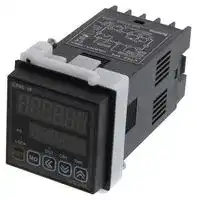
Image not available
Illustrative purposes only

CT6S-1P4
COUNTER, DIGITAL, 6DIGIT, 240VAC/48VDC
⚠️ Reference pricing provided. In case of supply shortages, we will connect you with our trusted procurement partners to ensure your project's continuity.
- Manufacturer: AUTONICS
- Product type:
- No. of Digits / Alpha:6; Digit Height:10mm; Supply Voltage Min:100VAC; Supply Voltage Max:240VAC; Panel Cutout Height:45.5mm; Panel Cutout Width:45.5mm; Operati 47W2311
- Digit Height: 10mm
- Product Range: CT Series
- Panel Cutout Width: 45.5mm
- Supply Voltage Max: 240VAC
- Supply Voltage Min: 100VAC
- Panel Cutout Height: 45.5mm
- No. of Digits / Alpha: 6
- Operating Temperature Max: 55°C
- Operating Temperature Min: -10°C
| Delivery and price | |
|---|---|
| Units per pack | 1 |
| Price | 115.41 € |
| Current stock | 10+ |
| Lead time | 30 days |
Datasheet

**CT Series**

## **DIN W48×H48mm, W72×H36mm, W72×H72mm counter/timer**

## **Upgraded functions**

**==> picture [36 x 9] intentionally omitted <==**

**----- Start of picture text -----**<br>
Upgrade<br>**----- End of picture text -----**<br>


- Available to set 6 digits(0.00001 to 999999) prescale value (4digit : 0.001 to 9999)

- Built-in Modbus communication function(Communication model)

- Available to set the One-Shot  output time in 10ms. (0.01sec. to 99.99sec.)

- Increase contact capacity to 5A(CTS, CTM Series)

- Available to set Count Start Point.(Initial value)

- Improved to select memory protection function in the indicator

- Added BATCH counter function(CTM Series)

- Added Counter Up-1 / Up-2 / Down-1 / Down-2 input modes

- Added Counter TOTAL / HOLD operation modes in the indicator

- Added Timer TOTAL / HOLD / On Time Display operation modes in the indicator

- Added Timer INT2 / NFD / NFD.1 / INTG output modes

- Added Timer range 999.999s / 9999m59 / 99999.9h

**Please read “Caution for your safety” in operation manual before using.**

## **DAQMaster(integrated device management program)**

- DAQMaster is a integrated device management program for convenient management of parameters and multiple device data monitoring.

- Visit our website (www.autonics.com) to download user manual and integrated device management program.

< DAQMaster screen >

|Item|Minimum requirements|
|---|---|
|System|IBM PC compatible computer with Intel Pentium<br>Ⅲor above|
|Operatingsystem|Microsoft Windows 98/NT/XP/Vista/7|
|Memory|256MB or more|
|Hard disk|More than 1GB of free hard disk space|
|VGA|1024×768 or higher resolution display|
|Others|RS-232 serialport(9-pin),USBport|


## **Ordering information**

|**CT**||**6**|**M**|**-**|**2P**||**4**||**T**|||||||
|---|---|---|---|---|---|---|---|---|---|---|---|---|---|---|---|
||||||||||||※**A shaded (**||**A shaded (**<br>**) part is upgraded or added function.**<br>||**) part is upgraded or added function.**||
||||||||||Communication|||출출 출출출 출<br>No mark None||||
|||||||||||||T|RS 485|||
|||||||||||||||||
||||||||Power supply|||||4|100-240VAC 50/60㎐|||
|||||||||||||2|24VAC 50/60㎐/ 24-48VDC|||
||||||Output|||||||2P<br>1P|Dualpreset<br>Singlepreset|||
|||||||||||||I|Indicator|||
||||Size|||||||||S<br>Y|DIN W48×H48mm<br>DIN W72×H36mm|||
|||||||||||||M|DIN W72×H72mm|||
|||Digit||||||||||4|9999(4digit)||※4digit type does not exist|
|Item||||||||||||6<br>CT|999999(6digit)<br>Counter/Timer||in the indicator type.|


J-8

**Programmable Counter/Timer**

## **Specifications**

|**Spec**|**Spec**|**Spec**|**Spec**|**Spec**|**Spec**|**Spec**|
|---|---|---|---|---|---|---|
|Series|||**CTS**||**CTY**|**CTM**|
|Digit|||4|6|6|6|
|Model|Dual Preset||CT4S-2P|CT6S-2P|CT6Y-2P<br>|CT6M-2P<br>|
||Single Preset||CT4S-1P|CT6S-1P|CT6Y-1P|CT6M-1P|
||Single Preset||~~-~~|CT6S-1|CT6Y-1|CT6M-1|
|Digit<br>Size|<br>Single Preset||11mm|10mm|10mm|13mm|
||Single Preset||8mm|7mm|7mm|9mm|
|Power<br>Supply|Single Preset||100-240VAC 50/60Hz||||
||Single Preset||24VAC 50/60Hz / 24-48VDC||||
|Allowablevoltagerange|||90 to 110% of rated voltage(AC Power type)||||
|Power<br>consumption|Single Preset||Max. 12VA||||
||Single Preset||AC: Max. 10VA / DC: Max. 8W||||
|INA/INB Max. counting speed|||Selectable 1cps / 30cps / 1kcps / 5kcps / 10kcps||||
|Min. input<br>signal width|Counter||Reset signal : Selectable 1ms, 20ms||||
||Timer||INA, INB RESET : Selectable 1ms, 20ms|||INA, INH, RESET, INHIBIT, BATCH<br>RESET : Selectable 1ms,20ms|
|Input|||Selectable voltage input or No-voltage input<br>[Voltage input] Input impedance is 5.4kΩ, 'H' level : 5-30VDC, 'L' level : 0-2VDC<br>[No-voltage input]Short-circuit impedance : Max. 1kΩ, Residual voltage : Max. 2VDC||||
|One-shot output|||Count, timer : Selectable 0.01s to 99.99s||||
|Control<br>output|With-<br>out<br>com.|Contact<br>output|Dual preset : SPST(1a) 2EA<br>Singlepreset : SPDT(1c)1EA||Dual preset : SPST(1a) 1EA, SPDT(1c) 1EA<br>Singlepreset : SPDT(1c)1EA||
|||Solid state<br>output|Dual preset : 1NPN open collector<br>Singlepreset : 1NPN open collector|||Dual preset:3NPN open collector<br>Singlepreset:2NPN open collector|
||With-<br>out<br>com.|Contact<br>output|Dual preset : SPST(1a)2EA<br>Singlepreset : SPDT(1c)1EA|||Dual preset: SPST(1a), SPDT(1c)<br>Singlepreset: SPDT(1c)|
|||Solid state<br>output|~~-~~||Dual preset: -<br>Singlepreset:1NPN open collector|Dual preset:2NPN open collector<br>Singlepreset:2NPN open collector|
||With-<br>out<br>com.|Contact<br>output|250VAC 5A resistive load||250VAC 3A resistive load|250VAC 5A resistive load|
|||Solid state<br>output|<br>30VDC Max. 100mAMax.||||
|Externalsens|orpower||12VDC±10%,100mAMax.||||
|Memoryretention|||10years(Whenusingnon-volatile semiconductor memory type)||||
|Timer|Repeat error||Power ON Start : Max. ±0.01% ±0.05 sec<br>Signal Start : Max. ±0.01% ±0.03 sec||||
||SETerror||||||
||Voltage error||||||
||Temperature error||||||
|Insulation resistance|||Min. 100MΩ(500VDC Megger)||||
|Dielectric strength|||2,000VAC 50/60Hz for 1minute||||
|Noise strength (AC Power)|||±2kV the square wave noise(pulse width:1㎲) by the noise simulator||||
|Vibration|Mechanical||0.75mm amplitude at frequency of 10 to 55(for 1 min.)Hz in each of X, Y, Z directions for 1 hour||||
||Malfunction||0.5mm amplitude at frequency of 10 to 55Hz(for 1 min.) in each of X, Y, Z directions for 10 minutes||||
|Shock|Mechanical||300m/s²(approx. 30G) in each of X, Y, Z directions for 3 times||||
||Malfunction||100m/s²(approx. 10G) in each of X, Y, Z directions for 3 times||||
|Relay<br>Life cycle|Mechanical||Min. 10,000,000 operations||||
||Electrical||Min. 100,000 operations||||
|Protection|||IP65(Front panel only)||||
|Environment|Ambient<br>temperature||-10 to 55℃, storage : -25 to 65℃||||
||Ambient<br>humidity||35 to 85%RH, storage : 35 to 85%RH||||
|Approval|||||||
|Unit weight|||Approx. 159g||Approx. 149g|Approx. 253g|


J-9

**CT Series**

## **Connections**

**Be careful that connections are different between communication model and non-communication model when wiring.**

**==> picture [375 x 591] intentionally omitted <==**

**----- Start of picture text -----**<br>
 CT oF S-2P oa ©  CT oF S-2P a T<br>12VDC 100mA 12VDC 100mA<br>INB / INH RESET INB / INH RESET<br>INA 0VDC INA 0VDC<br>6 7 8 Tn OUT2 A(+)  6 7 RS485  8 9 B(-) 10<br>30VDC<br>100mA<br>en t a<br>OUT1 OUT2 - + OUT1 OUT2 - +<br>250VAC 5A 250VAC 5A 250VAC 5A 250VAC 5A<br>RESISTIVE 1 2 RESISTIVE 3 in ※ 1 RESISTIVE 1 2 RESISTIVE 3 4 5 ※ 1<br>Ao atte<br> CT oF S-1P a ©  CT oF S-1P a T<br>12VDC 100mA 12VDC 100mA<br>INB / INH RESET INB / INH RESET<br>INA 0VDC INA 0VDC<br>6 7 8 9 10 6 7 8 9 10<br>OUT A(+)  RS485  B(-)<br>OUT 30VDC OUT<br>100mA<br>Pe 4 Pe 4<br>NO COM NC - + NO COM NC - +<br>1 250VAC 5A - im ※ 1 1 250VAC 5A S4 4 5 ※ 1<br>RESISTIVE LOAD RESISTIVE LOAD<br> CT6S-I Oo No ©  CT6S-I Oo T att<br>12VDC 100mA 12VDC 100mA<br>INB / INH RESET INB / INH RESET<br>INA 0VDC INA 0VDC<br>6 7 8 9 10 6 7 8 9 10<br>A(+) RS4 8 5  B (-)<br>1 2 3 4 5 1 2 3 4 5<br>- + - +<br>※ 1 ※ 1<br>AS Res<br> CT6Y-2P Oo o)  CT6Y-2P O T<br>SOLID<br>250VAC 3A 250VAC 3A STATE OUT<br>RESISTIVE LOAD RESISTIVE LOAD 30VDC 250VAC 3A 250VAC 3A<br>NC COM NO OUT 100mA RESISTIVE RESISTIVE A(+)  B(-)<br>RS485<br>OUT2 OUT1 OUT2 OUT2 OUT1<br>ae1 2 3 4 5 6 7 eee8 9 10 11 12 13<br>INA 0VDC RESET - + INA 0VDC RESET - +<br>INB / INH INB / INH<br>12VDC 100mA ※ 1 12VDC 100mA ※ 1<br>No!Li s+ Abe<br> CT6Y-1P Oo SOLID e)  CT6Y-1P O T SOLID<br>250VAC 3A STATE OUT 250VAC 3A STATE OUT<br>RESISTIVE LOAD 30VDC RESISTIVE LOAD 30VDC<br>NC COM NO 100mA NC COM NO 100mA A(+)  B(-)<br>ie: 10 11 12 13 ie: 10 11 12 RS485  13<br>OUT OUT OUT OUT<br>ao» © 3 een<br>INA 0VDC RESET - + INA 0VDC RESET - +<br>INB / INH INB / INH<br>12VDC 100mA ※ 1 12VDC 100mA ※ 1<br>**----- End of picture text -----**<br>


J-10

**Programmable Counter/Timer**

**(C) Door/Area sensor**

**(D) Proximity sensor**

**(E) Pressure sensor**

**(F) Rotaryencoder encoder**

**(G) Connector/ Socket**

**(H) Temp. controller**

**controller**

**(J) Counter Counter (K) Timer** ~~ZZ~~ **Timer**

**(K) Timer Timer (L) Panel Panel meter (M)Tacho/ Tacho/ Speed/ Pulse meter (N) Display unit (O)Sensor Sensor controller (P) Switching mode power supply (Q) Steppermotor& motor& Driver&Controller (R) Graphic/ Logic panel (S) Fieldnetwork network device (T) Software Software (U) Other**

**==> picture [460 x 631] intentionally omitted <==**

**----- Start of picture text -----**<br>
©  CT6Y-I Oo ©  CT6Y-I Oo T A(+)  B(-)  (A) Photo<br>electric<br>sensor<br>RS485  (B)<br>Fiber<br>optic<br>sensor<br>(C)<br>INA 0VDC RESET - + INA 0VDC RESET - + sensor<br>INB / INH12VDC 100mA Lepeons ※ 1 INB / INH12VDC 100mA [o] 8 9 10 [o] 1 12 13 ※ 1 (D)<br>sensor<br>o)  CT6M-2P Oo ©  CT6M-2P Oo T (E)<br>※ 2 ※ 2 Pressure<br>12VDC 100mA INHIBIT 12VDC 100mA INHIBIT sensor<br>INB RESET BATCH RESET INB RESET BATCH RESET<br>INA 0VDC INA 0VDC (F)<br>8 9 10 11 12 13 14 8 9 10 1 12 13 14 Rotaryencoder<br>30VDC<br>SOLID STATE OUT 100mA RS485  (G)<br>OUTPUT<br>COMMON OUT1 OUT2 BATCH Socket<br>— 666 ¢<br>A(+)  B(-)  OUT2 BATCH<br>(H)<br>SOLID STATE OUT Temp.<br>OUT1 aoe OUT2 OUT1 OUT2 = 30VDC<br>100mA (I)<br>SSR/<br>Power<br>NO COM NO COM NC - + NO COM NO COM NC - +<br>250VAC 5A 250VAC 5A 250VAC 5A 250VAC 5A (J) Counter<br>RESISTIVE  1 2 3 RESISTIVE  oe 6 7 ※ 1 RESISTIVE  1 2 3 RESISTIVE  o ¢ i ※ 1<br>LOAD LOAD LOAD LOAD<br>©)  CT6M-1P Oo ※ 2 nes ©)  CT6M-1P O T ※ 2 att (K) Timer<br>12VDC 100mAINB INHIBITRESET BATCH RESET 12VDC 100mAINB INHIBITRESET BATCH RESET<br>INA 0VDC INA 0VDC (L) Panel<br>8 9 10 11 12 13 14 8 9 10 11 12 13 14 meter<br>SOLID STATE OUT 30VDC100mA RS485  (M)Tacho/<br>OUTPUT<br>COMMON OUT BATCH meter<br>A(+)  B(-)  OUT BATCH (N)<br>Lu! Display<br>° : 6 o SOLID STATE OUT 17 18 unit<br>OUT OUT 30VDC<br>O O 100mA (O)Sensor<br>pea<br>NO COM NO - + NO COM NO - + (P)<br>250VAC 5A 250VAC 5A<br>1 2 3 RESISTIVE  S 2 6 7 ※ 1 1 2 3 RESISTIVE  ay! Lt ※ 1 supply<br>LOAD Ne LOAD No<br>(Q)<br>O  CT6M-I Oo ※ 2 ©  CT6M-I Oo T ※ 2 Steppermotor&<br>12VDC 100mA INHIBIT 12VDC 100mA INHIBIT<br>INB RESET INB RESET (R)<br>INA 0VDC INA 0VDC Graphic/<br>Logic<br>panel<br>8 9 10 11 12 13 14 8 9 10 11 12 13 14<br>(S)<br>RS485  Fieldnetwork<br>device<br>0000 A(+)  66000 B(-)  (T) Software<br>(U)<br>1 2 3 4 5 6 7 1 2 3 4 5 6 7 Other<br>- + - +<br>※ 1 ※ 1<br>※1: Source Ne ※2: INHIBIT Signal Aes<br>- AC Power: 100-240VAC 50/60Hz - Counter operation: If INHIBIT signal is applied,<br>- AC/DC Power: 24-48VDC, 24VAC 50/60Hz  count input will be prohibited.<br>- Timer operation: If INHIBIT signal is applied, time<br>progressing will stop.(HOLD)<br>**----- End of picture text -----**<br>


J-11

## **CT Series**

**==> picture [436 x 483] intentionally omitted <==**

**----- Start of picture text -----**<br>
 Dimensions<br>(unit:mm)<br> CTS Series<br>● Bracket 48 10 90 ● Panel cut-out<br>Min. 55<br>Min. 62<br>45.5 +0.5  0<br> CTY Series 85 ● Panel cut-out<br>72 6 77 Min. 91<br>68 +0.7  0<br> CTM Series 86 ● Panel cut-out<br>72 10 85 Min. 91<br>68 +0.7  0<br> Parts description<br> CTS Series  CTY Series  CTM Series<br>1 8<br>1 7 10<br>4 1<br>63 25 53 9 6 2<br>78 4 6 2 133 5<br>9 10 7 4<br>8 12<br>1. Count indicator(Red LED) - Run mode CT6YModelCT6S--1P1P ChanPS2→PSged NoticeThere are no  11 9 10<br>: Count mode-Indicates count value.Timer mode-Indicates time progressing. CT4SCT6M--1P1P OUT2→OUT PS1, OUT1LEDs. 9. Mode key - By pressing  MD key for 3sec (parameter setting)/ 5sec (communication)<br>- Function setting mode CT6Y-I There are no  in RUN mode, it moves to function setting mode.<br>2. Preset value indicator (Yellow-Green LED) - Run mode: Indicates preset value.: Indicates function setting mode. ※CT6SCT6Min CT4S model. The indicator type does not exist --II PS2→PS PS1, OUT1OUT2 LEDs. - By pressing - By pressing mode. By pressing MDMD key over 1 sec. in function setting checking mode, key in function setting mode, select function settingMD  key over 3 sec., it moves to Run mode.  it<br>+0.5   0<br>45.5<br>60 45<br>+0.6   0<br>31.5<br>36 30<br>Min. 40<br>+0.7   0<br>68<br>67<br>Min. 91<br>**----- End of picture text -----**<br>


   - it

   - moves to Run mode.

- Function setting mode: Indicates setting value1.

## **10. Set key**

**3. Key Lock** : Lights when setting key lock.

- ≪ : To enter into setting value(PS1, PS2) change status and shift digit of setting value(PS1, PS2).

## **4. The operation of counter indicator**

**5. The operation of timer indicator**

   - : To decrease setting value in setting value change mode, change setting value in function setting mode, move down checked value in function setting check mode.

- TMR LED flashes when the timer is operating.

- TMR LED lights when the operating time stops.

## **6. Check preset value and display change of it**

   - : To increase setting value in setting value change mode, change setting value in function setting mode, move up checked value in function setting check mode. By pressing MD key over 1 sec. in Run mode, enters into function setting check mode.

- PS1 LED lights when checking or changing the setting value1.

- PS2 LED lights when checking or changing the setting value2.

## **7. Output(OUT1, OUT2) indicator**

- OUT1 lights when output1 is on. OUT2 lights when output2 is on.

## **11. BATCH key**

- By pressing BA  key in run mode to enter into BATCH counter indication mode.

## **8. Reset key**

## **12. BATCH output indicator(red LED)**

- By pressing RST  key in Run mode, the count value is initialized and output is returned.

   **13. BATCH setting value checking and changing indicator (yellow-green LED)**

- By pressing RST  key in BATCH counter mode,BATCH count value resets.

Lights when checking and changing BATCH setting value.

J-12

**Programmable Counter/Timer**

**(A) Photo electric sensor**

**(B) Fiber optic sensor**

**(C) Door/Area sensor**

**(D) Proximity sensor**

**(E) Pressure sensor**

**(F) Rotary encoder**

**(G) Connector/ Socket**

**(H) Temp. controller**

**(I) SSR/ Power controller**

**(J) Counter**

**(K) Timer**

**(L) Panel meter**

**(M) Tacho/ Speed/ Pulse meter**

**(N) Display unit**

**(O) Sensor controller**

**(P) Switching mode power supply (Q) Stepper motor& Driver&Controller (R) Graphic/ Logic panel (S) Field network device**

**(T) Software**

## **Input connections**

## **No-voltage input(NPN)**

- **Solid-state input(Standard sensor : NPN output type sensor)**

## **● Contact input**

**==> picture [393 x 96] intentionally omitted <==**

**----- Start of picture text -----**<br>
Counter/Timer Counter/Timer Counter/Timer<br>Sensor CT Series Sensor CT Series CT Series<br>Brown Brown<br>+12V +12V +12V<br>5.4Ω 5.4Ω 5.4Ω<br>Black ※ 1 Black ※ 1 ※ 2<br>Inner circuit  Inner circuit  Inner circuit<br>of input part of input part of input part<br>Blue Blue<br>0V 0V 0V<br>(NPN output) (NPN open collector output)<br>**----- End of picture text -----**<br>


- ※1: INA, INB/INH, RESET, INHIBIT, BATCH RESET input part

- ※2: Counting speed: 1 or 30cps setting(Counter)

## **Voltage input(PNP)**

## **● Solid-state input(Standard sensor : PNP output type sensor)**

## **● Contact input**

**==> picture [392 x 97] intentionally omitted <==**

**----- Start of picture text -----**<br>
Counter/Timer Counter/Timer Counter/Timer<br>Sensor CT Series Sensor CT Series CT Series<br>Brown Brown ※ 2<br>+12V +12V +12V<br>Black ※ 1 Inner circuit  Black※ 1 Inner circuit  Inner circuit<br>of input part of input part of input part<br>5.4㏀ 5.4㏀ 5.4Ω<br>Blue Blue<br>0V 0V 0V<br>(PNP output) (PNP open collector output)<br>**----- End of picture text -----**<br>


※1: INA, INB/INH, RESET, INHIBIT, BATCH RESET input part

- ※2: Counting speed: 1 or 30cps setting(Counter)

## **Input logic Selection[No-voltage input(NPN)/Voltage input(PNP)]**

1. The power must be cut off.

2. Detach the case from the body.

- (CTS, CTY Series)

**==> picture [115 x 95] intentionally omitted <==**

**----- Start of picture text -----**<br>
①<br>②<br>①<br>**----- End of picture text -----**<br>


- [Case detachment]

- Squeeze toward ① and pull toward ② as shown in picture.

   - **Please check if the power is cut off.**

3. Select input logic by using input logic switch(SW1) inside Counter/Timer.

- **Select No-voltage input(NPN)**

- **Select voltage input(PNP)**

**==> picture [200 x 93] intentionally omitted <==**

**----- Start of picture text -----**<br>
NPN PNP NPN PNP<br>(Factory default)<br><CTS Series> <CTY Series> <CTM Series><br>**----- End of picture text -----**<br>


4. Push a case in the opposite direction of 2-②.

5. Then apply the power to Counter/Timer.

**(U) Other**

J-13

**CT Series**

## **Output connections**

**==> picture [342 x 74] intentionally omitted <==**

**----- Start of picture text -----**<br>
 Solid-state output<br>Counter/Timer Counter/Timer<br>CT Series CT Series ※ 1<br>Load (+) Power<br>(Power of load) for load<br>Load (-) (DC)<br>**----- End of picture text -----**<br>


## **Contact output**

※Use proper load and power for load not to excess ON/OFF capacity(30VDC Max. 100mA max.) of solid state output.

- ※Use proper load not to exceed the capacity.

- ※Be sure not to apply reverse polarity of power.

※1: When use inductive load(Relay etc), surge absorber (Diode, varistor etc) must be connected between both sides of the load.

## **Factory default**

||Parameter|Factorydefault|
|---|---|---|
|Counter|Input mode(IN)|UP/Down-C(UD-C)|
||Output mode(OUtM)|F(F)|
||CPS(CPS)|30cps(30)|
||Indication mode(indicator type)(DSpM)|TOTAL(TOTAL)|
||OUT2 output time(OUt2)|Hold(HOLD)|
||OUT1 output time(OUt1)|100ms(0)10)|
||Decimalpoint(DP)|------|
||Min. reset time(RST)|20ms(20)|
||Input logic(SIG)|NPN(NPN)|
||Prescale decimalpoint(ScDP)|6digit type :-.-----, 4digit type :-.---|
||Prescale value(SCL)|6digit type :1.00000,4digit type :1.000|
||Start Point setting (STRT)|000000|
||Countingmemory (DATA)|Clear(SLR)|
||Lock key (LOCK)|Lock off(lOFF)|
||Preset value 1(PS1)|1000(1000)|
||Preset value 2(PS2)|5000(5000)|
|Timer|Time range(HOUR/MIN/SEC)|6Digit type: 0.001s-999.999s,4Digit type: 0.001s-9.999s|
||Up/Down mode(U-D)|UP(UP)|
||Indication mode(Indicator type)(DSpM)|TOTAL(TOTAL)|
||Memory protection(Indicator type) (DATA)|CLEAR(SLR)|
||Output mode(OUtM)|OND(OND)|
||OUT2 output time(OUT2)|Hold(HOLD)|
||OUT1 output time(OUT1)|100ms(0)10)|
||Input logic(SIG)|NPN(NPN)|
||Input signal time(ImT)|20ms (20)|
||Lock key (LOCK)|Lock off(lOFF)|
||Preset value 1(PS1)|1000(1000)|
||Preset value 2(PS2)|5000(5000)|
|Communication|Communication address(ADDR)|01(001)|
||Communication speed(BPS)|9600bps(96)|
||Communicationparity (PRTY)|NONE(NONE)|
||Communication stopbit(STP)|2(2)|
||Response waitingtime(RSWT)|20ms (20)|
||Communication writing (COmY)|Enable(ENA)|


## **Error display**

|**Error display**||||
|---|---|---|---|
|Error display|Errors|Output status|How to return|
|PS1○<br>PS2○<br>EEP<br>FAIL|Failed in data loading<br>for exsiting setting<br>values|OFF|Power on again|


J-14

**Programmable Counter/Timer**

**(A) Photo electric sensor (B) Fiber optic sensor**

**(C) Door/Area sensor**

**(D) Proximity sensor**

**(E) Pressure sensor**

**(F) Rotary encoder**

**(G) Connector/ Socket**

**(H) Temp. controller (I) SSR/ Power controller**

**(J) Counter**

**(K) Timer**

**(L) Panel meter (M) Tacho/ Speed/ Pulse meter**

**(N) Display unit**

**(O) Sensor controller**

**(P) Switching mode power supply (Q) Stepper motor& Driver&Controller (R) Graphic/ Logic panel (S) Field network device**

**(T) Software**

## **Operations and functions**

**==> picture [411 x 127] intentionally omitted <==**

**----- Start of picture text -----**<br>
※ 1<br>RESET Change of<br>BATCH RESET preset<br>BATCH counter RUN  1sec. Function setting<br>indication mode 1sec. check mode<br>※ 1 mode<br>※BATCH counter is<br>Change of BATCH     available for<br>setting value.<br>    CT6M-1P/2P only. 3sec. 5sec.<br>3sec.<br>1. If no key is touched for 60 sec., the counter will<br>Function 3sec.: Enters into parameter 1 group<br>        return to RUN mode without being restored.<br>setting mode 5sec.: Enters into parameter 2 group<br>**----- End of picture text -----**<br>


- ※1. If no key is touched for 60 sec., the counter will return to RUN mode without being restored.

## **Change of preset(Counter/Timer)**

● Even if changing the preset value, input operation and output control will continue. In addition, the preset value could be set to 0 and 0 preset value turns ON. According to output mode, preset value could not be set to 0. (When setting to 0, preset value "0" will flash 3 times.)

**1. 2. 3.** In Run mode, it enters into the The preset value is set to ' ' The preset value is set to '200' preset value setting mode using , and keys, then using , and keys, then using key. 'PS1' LED lights press key to enter into the press key to complete PS2 and first digit of preset value PS2 setting mode. setting and return to Run mode.

In Run mode, it enters into the preset value setting mode using key. 'PS1' LED lights and first digit of preset value flashes.

※ Press key to save set value after changing the setting value. Then, it moves to next parameter or returns to RUN mode. However, if no key is touched for 60 sec., it will return to RUN mode without being saved.

## **Function setting check mode**

● Setting value of function setting mode can be confirmed using the and keys.

## **Switching display function in preset indicator**

● Setting value 1(PS1) and setting value 2(PS2) are displayed each time pressing key in dual preset model. (In timer, it is available for output mode.)

## **Reset**

● In Run mode or function setting mode, if key or applying the signal to the RESET terminal on the back side, present value will be initialized and output will maintain off status. When selecting voltage input(PNP), short no. 10 and no. 12 terminals, or when selecting no-voltage input(NPN), short no. 11 and no. 12 terminals to reset.

## **BATCH Counter(For CT6M-1P**

## **/CT6M-2P**

## **model only)**

In BATCH counter indication mode, 'BATCH counter value' is displayed in count indicator and 'BATCH counter setting value' is displayed in preset indicator.

## **Change of BATCH setting value**

If pressing key in Run mode, it will enter into BATCH counter indication mode.

**1.**

It enters into settingvalue change mode using key. (BA.S lights, first digit of setting value flashes.)

**2.**

BATCH value is set to '200' using , and keys, then press key to complete BATCH setting value and move to BATCH counter indication mode.

**(U) Other**

J-15

## **CT Series**

## **BATCH counter operation**

**==> picture [58 x 121] intentionally omitted <==**

**----- Start of picture text -----**<br>
Power ON<br>OFF<br>Preset output<br>Batch Reset<br>999999<br>Batch setting value<br>0<br>BA.O LED ON<br>OFF<br>Batch  ON<br>output OFF<br>**----- End of picture text -----**<br>


## **BATCH counting operation**

- BATCH counting value is increasing until BATCH reset signal applied. BATCH counting value will be circulated when it is over 999999.

1) BATCH counting operation in Counter : Counts the number of reaching setting value of CT6M-1P or reaching dual setting value of CT6M-2P oO 2) BATCH counting operation in Timer: Counts the number of reaching setting time. (In case of "FLK" output mode, count the number of reaching T.off setting time and T.on setting time.)

## O **BATCH output**

- If input signal is applied while changing BATCH setting value, counting operation and output control will be performed.

- If BATCH count value equals to BATCH setting value, BATCH output will be ON and maintain ON status until BATCH reset signal is applied.

- When the power is cut off then resupplied in status of BATCH output is ON, BATCH output maintains ON status until BATCH reset signal is applied.

## **BATCH reset input**

- If pressing reset button or applying the signal to BATCH reset terminal on the back side panel, BATCH counting value will be reset. When selecting voltage input(PNP), short no. 10 and no. 14 terminals, or when selecting no-voltage input(NPN), short no. 11 and no. 14 terminals to reset.

- When BATCH reset is applied, BATCH counting value maintains at 0 and BATCH output maintains in the OFF status.

## **Application of BATCH counter function**

## **● Counter**

In case, put 5 products in a box then pack the boxes when they reaches to 200.

- Counter preset setting value="5", BATCH setting value="200"

- When the count value of counter reaches to the preset value "5", the control output(OUT) will be on, and at this time the count value of the BATCH counter will be increased by "1". The control box which is received the control output (OUT) repeatedly controls conveyor to move the full box and to place the next empty box for standby. When the BATCH count value reaches to "200", BATCH output will be ON. Then the control box stops conveyor and provides a control signal for packing.

## **● Timer**

Fills milk into the bottle for 3sec.(setting time) When 500 bottles are filled, BATCH counting finish lamp is turned on. (Setting time : 3sec., BATCH setting value : 500)

**==> picture [212 x 66] intentionally omitted <==**

**----- Start of picture text -----**<br>
BATCH output Productivity :<br>Operation valve Control 500bottels<br>(Open valve output Lamp on when<br>for 3sec.) CT6M- it is completed.<br>Control the1P4   BATCH counting finish lamp<br>= a<br>operation valve Control<br>Bottle sensing  box<br>sensor<br>**----- End of picture text -----**<br>


**==> picture [162 x 97] intentionally omitted <==**

**----- Start of picture text -----**<br>
Count input BATCH output BATCH output<br>lamp<br>ae Control u s<br>output Control signal<br>(OUT) for packing<br>1 8 CT6M-1P4 Preset value = 5Control box Control signalfor conveyor<br>Third  Second  First<br>box box box<br>Current BATCH count value = 3<br>**----- End of picture text -----**<br>


J-16

**Programmable Counter/Timer**

**(A) Photo electric sensor (B) Fiber optic sensor**

**(C) Door/Area sensor**

**(D) Proximity sensor**

**(E) Pressure sensor**

**(F) Rotary encoder**

**(G) Connector/ Socket**

**(H) Temp. controller**

**(I) SSR/ Power controller**

**(J) Counter**

**(K) Timer (L) Panel meter (M) Tacho/ Speed/ Pulse meter (N) Display unit (O) Sensor controller (P) Switching mode power supply (Q) Stepper motor& Driver&Controller (R) Graphic/ Logic panel (S) Field network device (T) Software (U) Other**

## **Flow chart for function setting mode**

**==> picture [395 x 531] intentionally omitted <==**

**----- Start of picture text -----**<br>
Run mode<br>3sec. 3sec. 5sec. 3sec.<br>Parameter group1 ,  Parameter group2<br>(GRp1) (GRp2)<br>Counter ※ 3 Timer<br>(COUN) Counter/Timer (T1ME)<br>(C-T) Communication<br>※ 3 ※ 3<br>Input mode Time range Com. address<br>(IN) (HOUR/MIN/SEC) (ADDR)<br>※ 3 ※ 2 ※ 3<br>Output mode Up/Down mode Com. speed<br>(OUtM) (U-D) (BPS)<br>Indication mode ※ 1 ※ 3<br>(DSpM)<br>※ 1 Indication mode Com. parity<br>※ 3 (DSpM) (PRTY)<br>Max. counting speed<br>(CPS)<br>Memorize  Com. stop bit<br>※ 2 ※ 3 counting value (STP)<br>(DATA)<br>OUT2 output time ※ 3<br>(OUT2)<br>Output mode Response<br>※ 3 (OUtM) waiting time<br>OUT1 output time ※ 3 (RSwT)<br>(OUT1)<br>OUT2 output time<br>※ 3 (OUT2) Com. writing<br>Decimal point ※ 3 (COmW)<br>(DP)<br>OUT1 output time<br>(OUT1)<br>※1: Indicator<br>Min. reset time<br>(RST) ※2: Output type<br>Input logic ※ 3: If changing the setting<br>(SIG) value of function, OUT1,<br>Input logic OUT2 will turn OFF and<br>(SIG) return to Run mode, then<br>Input signal time present value resets.<br>※ 3 (InT)<br>Prescale decimal<br>point<br>(ScDP) Lock key<br>(LOCK)<br>※ 3<br>Prescale value<br>(RST) ※Counter<br>※ 3 - Single preset model has no "OUT1 output setting time" setting function<br>  mode and  OUtT  is displayed in "OUT2 output time" setting function mode.<br>Start Point value - In case of  DN ,  DN-1 ,  DN-2  input mode, there is no "Start Point value" setting<br>(STRT) function mode.<br>- In case of   F  or  N  output mode, there is no "OUT2 output time" setting function<br>  mode.(Fixed to HOLD)<br>Memorize counting value - In case of  S ,  T  or  D  output mode, there is no "OUT2 output time" setting<br>(DATA) function mode.<br>※Timer<br>- In case of  FLk1 ,  FLk2  or  INtG  output mode and  OND ,  OND1 ,  OND2 output<br>Lock key mode of single preset model,  OUtT  is displayed in "OUT2 output time" function<br>(LOCK) setting mode and there is no "OUT1 output time" function setting mode.<br>- The output modes except for  OND ,  ONd1 ,  ONd2  and  INt2  output mode there is no<br>"OUT1 output time" function setting mode.<br>Function setting mode<br>**----- End of picture text -----**<br>


- ※If changing setting value of parameter group1, display value and output will be initialize.

- ※Press key over 3sec./5sec. in RUN mode to enter into parameter 1 group/ parameter 2 group. Press key over 3 sec. in function setting mode to return RUN mode.

- ※Input operation and output control can be set in function setting mode.

- ※If changing set value of ※ **3** marked parameters in function setting mode, OUT1 and OUT2 output will be turned OFF and then the current value is reset.

- ※Parameter 2 group is not available to non-communication models.

J-17

**CT Series**

## Parameter setting(Counter)

( key: To select setting mode, or key: To change setting value)

|Parameter|setting(Counter)<br>(<br>key: To select setting mode,<br>or<br>key: To change setting value)|
|---|---|
|Settingmode|How to set|
|Counter/Timer<br>C-T|COUN<br> TIME<br>※CONE:COUNTER<br>TIME:TIMER|
|Input mode<br>IN|UD-C<br>UP<br>UP-1<br>UP-2<br>DN<br>DN-1<br>DN-2<br>UD-A<br>UD-B|
|Output mode<br>OUtM<br>Indication mode<br>DSpM|※In case of the indicator, indicate mode selection (DSpM)is displayed.<br>※It is added that the function which can set the preset value when selecting<br>HOLD.(Refer to J-22 page 'Counter operation of the indicator'.)<br>※If output mode is set toDwhen max. counting<br>speed is set to 5Kcps, 10Kcps, max. counting<br>speed is automatically set to 30cps. (Factory<br>default setting)<br>● UP,UP-1,UP-2 or DN,DN-1,DN-2 input mode<br>F  N  C R   K P Q A<br>● UD-A,UD-B,UD-Cinput mode<br>F  N  C R   K P Q A S T D<br>● In case of the indicator<br>HOLD TOTAL<br>※In case that output mode isF,Nthere is no "OUT2 output time" setting mode. (Fixed to HOLD)|
|Max. counting speed<br>CPS|30 1K SY 10K 1<br>※Counting speed is that of one by one(1:1) duty ratio of INA or INB input signal,<br>and it is applied in INA and INB at thesame time.<br>※In case of settingDin output mode, you can choose 1cps, 30cps, 1Kcps.|
|OUT2 output time<br>OUT2|※Set OUT2 one-shot output time.<br>※Setting range: 0.01 to 99.99 sec.<br>※It does not appear ifF,Noutput mode is selected.<br>: To shift fashing digit position of OUT2<br>output time value.<br>: To change OUT2 output time value.|
|OUT1 output time<br>OUT1|※Set OUT1 one-shot setting time<br>※Time range: 0.01 to 99.99 sec., Hold<br>※HOLDis displayed by pressing<br>key 4 times.<br>: To shift fashing digit position of OUT1<br>output time value.<br>: To change OUT1 output time value.|
|※1<br>Decimal point<br>DP|※Setting the decimal point is applied same to counting<br>value and setting value.<br>● 6digit type<br>------ -----.- ----.-- ---.--- --.---- -.-----<br>● 4digit type<br>---- ---.- --.-- -.---|
|Min. reset time<br>RST|1 20<br>※Set the min. external RESET signal width.<br>unit: ms|
|Input logic<br>SIG|※Check input logic value(PNP, NPN).<br>NPN:No-Voltage input<br>PNP:Voltage input|
|※1<br>Prescale<br>decimal point<br>ScDP|● 6digit type<br>● 4digit type<br>※Prescale decimal point position is not set below the decimal<br>point setting digits (DP).|
|Prescale value<br>SCL|:To shift the fashing digit.<br>:To change the prescale value.<br>※Setting range of prescale value<br>6digit type: 0.00001 to 99999.9<br>4digit type: 0.001 to 999.9<br>※Refer to the J-20page '<br>Prescale function'.|
|Start Point Value<br>STRT|:To shift the fashing digit.<br>:To change the Start Point value.<br>※Setting range of Start Point value (Connected with decimal point setting)<br>6digit type: 0.00000 to 999999<br>4digit type: 0.000 to 9999<br>※Refer to the J-20page '<br>Start Point function'.|
|Memory protection<br>DATA|CLR REC<br>※CLR:Initializes count value when power is off.<br>※REC: Memorizes count value at the moment of power off.|
|Lock key<br>LOCK|LOFF LOc1<br>LOc3 LOc2<br>※LOFF:Cancellation of the lock mode.<br>LOc1:Locks<br>key.<br>LOc2:Locks<br>,<br>,<br>keys.<br>LOc3:Locks<br>,<br>,<br>,<br>keys.|


- ※1. Explanation of decimal point and prescale decimal point setting

   - Decimal point setting : Set decimal point of the display value on front indicator.

   - Prescale decimal point setting  : Set prescale decimal point of counting regardless of decimal point of display value on front indicator.

J-18

**Programmable Counter/Timer**

|**Input operation mode(Counter)**|**Input operation mode(Counter)**|**Input operation mode(Counter)**|**Input operation mode(Counter)**|o counting<br>o counting<br>n-3<br>n-4<br>n-4<br>n-5<br>n-5<br>n-6<br>n-7<br>Ⓐ<br><br>Ⓐ<br>2<br>3<br>4<br>3<br>4<br>4<br>5<br>Operation<br>※If INA is counting input, INB is<br>inhibition input.<br>If INB is counting input, INA is<br>inhibition input.<br>※Counts when INA input signal is up.<br>(<br>)<br>※INA: Counting input<br>※INB: Inhibition input<br>※Counts when INA input signal is<br>down. (<br>)<br>※INA: Counting input<br>※INB: Inhibition input<br>※If INA is counting input, INB is<br>inhibition input.<br>If INB is counting input, INA is<br>inhibition input.<br>※Count when INA input signal is up.<br>(<br>)<br>※INA: Counting input<br>※INB: Inhibition input<br>※Counts when INA input signal is<br>down. (<br>)<br>※INA: Counting input<br>※INB: Inhibition input<br>※INA: Counting input<br>INB: Counting command input<br>※When INB is L, counting Up.<br>When INB is H, counting Down.<br>6<br>7<br>5|o counting<br>o counting<br>n-3<br>n-4<br>n-4<br>n-5<br>n-5<br>n-6<br>n-7<br>Ⓐ<br><br>Ⓐ<br>2<br>3<br>4<br>3<br>4<br>4<br>5<br>Operation<br>※If INA is counting input, INB is<br>inhibition input.<br>If INB is counting input, INA is<br>inhibition input.<br>※Counts when INA input signal is up.<br>(<br>)<br>※INA: Counting input<br>※INB: Inhibition input<br>※Counts when INA input signal is<br>down. (<br>)<br>※INA: Counting input<br>※INB: Inhibition input<br>※If INA is counting input, INB is<br>inhibition input.<br>If INB is counting input, INA is<br>inhibition input.<br>※Count when INA input signal is up.<br>(<br>)<br>※INA: Counting input<br>※INB: Inhibition input<br>※Counts when INA input signal is<br>down. (<br>)<br>※INA: Counting input<br>※INB: Inhibition input<br>※INA: Counting input<br>INB: Counting command input<br>※When INB is L, counting Up.<br>When INB is H, counting Down.<br>6<br>7<br>5|
|---|---|---|---|---|---|
|Input mode|Count chart||||Operation|
|UP<br>(UP)|**Count**<br>**value**<br>0<br>H<br>L<br>H<br>L<br>INA<br>INB||N|o counting<br>6<br>7<br>5|※If INA is counting input, INB is<br>inhibition input.<br>If INB is counting input, INA is<br>inhibition input.|
|||N<br>cou<br>0<br>1<br>2|o<br>nting<br>3<br>4<br>|||
|||||||
|UP-1<br>(Up-1)|0<br>H<br>L<br>H<br>L<br>**INA**<br>**INB**<br>**Count**<br>**value**|||4<br>5|※Counts when INA input signal is up.<br>(<br>)<br>※INA: Counting input<br>※INB: Inhibition input|
|||0<br>1<br>2|No counting<br>Ⓐ<br>Ⓐ<br>3|||
|UP-2<br>(Up-2)|0<br>H<br>L<br>H<br>L<br>**INA**<br>**INB**<br>**Count**<br>**value**|0<br>1||3<br>4|※Counts when INA input signal is<br>down. (<br>)<br>※INA: Counting input<br>※INB: Inhibition input|
||||No counting<br>Ⓐ<br>Ⓐ<br>2|||
|||||||
|DN<br>(Down)|H<br>L<br>H<br>L<br>**INA**<br>**INB**<br>**Count**<br>**value**<br>0||N|o counting<br>n-6<br>n-7<br><br>Ⓐ|※If INA is counting input, INB is<br>inhibition input.<br>If INB is counting input, INA is<br>inhibition input.|
|||Ⓐ|Ⓐ<br>Ⓐ|||
|||n-1<br>n<br>n-2|n-3<br>n-4<br>n-5|n-6||
|DN-1<br>(Down-1)|0<br>H<br>L<br>H<br>L<br>**INA**<br>**INB**<br>**Count**<br>**value**|||n-4<br>n-5|※Count when INA input signal is up.<br>(<br>)<br>※INA: Counting input<br>※INB: Inhibition input|
|||n-1<br>n<br>n-2|No counting<br>n-3<br>Ⓐ<br>Ⓐ|||
|DN-2<br>(Down-2)|0<br>H<br>L<br>H<br>L<br>**INA**<br>**INB**<br>**Count**<br>**value**|||n-3<br>n-4<br>n-5|※Counts when INA input signal is<br>down. (<br>)<br>※INA: Counting input<br>※INB: Inhibition input|
|||n-1<br>n<br>Ⓐ|No counting<br>n-2<br>Ⓐ|||
|||||||
|UD-A<br>(Up/Down-A)|0<br>H<br>L<br>H<br>L<br>**INA**<br>**INB**<br>**Count**<br>**value**|||Ⓐ<br>2<br>3<br>4|※INA: Counting input<br>INB: Counting command input<br>※When INB is L, counting Up.<br>When INB is H, counting Down.|
|||0<br>1<br>2<br>3|Ⓐ<br><br><br>4<br>3<br>2<br>1|||
|||||||


J-19

## **CT Series**

## Input operation mode(Counter)

**==> picture [406 x 149] intentionally omitted <==**

**----- Start of picture text -----**<br>
Input mode Count chart Operation<br>INA H<br>L<br>UD-B INB HL ※INA: Up counting inputINB: Down counting input<br>4 4 ※When both INA and INB are applied<br>(Up/Down-B) 2 3 3 2 2 3 to L->H, it will remain previous<br>Count 1 counting value.<br>value 0 0<br>INA H<br>L<br>INB H BBBB ※When use A,B phase of encoder<br>UD-C L with connecting to INA, INB, please<br>(Up/Down-C) 2 3 2 2 3 set counter input mode(phase different input( UD-CIN ) as ).<br>Count 1 1<br>0<br>value 0<br>**----- End of picture text -----**<br>


- ※ⓐ signal width should be over min. signal width and ⓑ signal width should be over a half min. signal width. If not, ±1 will occur.

|<br>If not, ±1 will occur.|||||
|---|---|---|---|---|
|※Th i f "H" d "L"|※Min. signal width bycounting speed||||
|e meanng o  an<br>Voltage input (NPN)<br>No-Voltage input (PNP)<br>H<br>5-30VDC<br>Short circuit<br>L<br>0-2VDC<br>Open|Counting<br>speed|Min. signal<br>width|High<br>Low<br>※Ton, Toff : Min. signal width<br>INA<br>(INB)<br>ON<br>Ton<br>T<br>Toff<br>ON<br>OFF<br>OFF||
||1cps|500㎳|||
||30cps|16.7㎳|||
||1kcps|0.5㎳|||
||5kcps|0.1㎳|||
||10kcps|0.05㎳|||


## **Prescale function(Counter)**

This function is to set and indicate calculated unit for actual length, liquid measure, position etc. It is called "Prescale value" for measured length, measured liquid, measured position, etc per 1 pulse.

For example, P is the number of pulses per 1 revolution of a rotary encoder and L is the desired length to be measured. Prescale value is [the desired length (L)]/[the number of pulses (P) per 1 revolution of the rotary encoder.]. It is the length per 1 pulse of a rotary encoder.

Ex) Control length by the counter and the rotary encoder

**==> picture [404 x 165] intentionally omitted <==**

**----- Start of picture text -----**<br>
Roller<br>Cutter [In case of 22mm diameter(D) of roller connected<br>with the encoder of 1,000 pulse]<br>Rotary encoder<br>● Prescale value =   [    π × Diameter of the roller(D)   ]<br>   The number of pulses per<br>                                     1 revolution of the encoder<br>Motor<br> =    3.1416 × 22<br>             1000<br>Counter =  0.069mm/pulse<br>Motor controlling<br>system<br>**----- End of picture text -----**<br>


To control conveyor position in 0.1mm, set the decimal point to tenth place( -----.- ) in decimal point setting mode( DP ) and set the prescale decimal point to thousandth place( ---.--- ) in prescale decimal point setting mode( ScDP )Then set prescale value "0.069" in prescale setting mode ( SCL ).

## **Start point function(Counter)**

This function is that start point value works as initial value when on counting mode.

- In case of DN , DN-1 or DN-2 in timer input mode, it is not available.

- When reset is applied, the present value is initialized to start point.

- After count up in C , R , P , Q After count up in

J-20

## **Programmable Counter/Timer**

**==> picture [481 x 600] intentionally omitted <==**

**----- Start of picture text -----**<br>
 Output operation mode(Counter) One-shot output(0.01 to 99.99 sec.)Retained output One-shot output Retained output (A) Photo<br>electric<br>sensor<br>Outputmode InUpp, Uut modep-1, 2 Down, Down-1, 2 Up/Down A, B, C Operation (B) Fiberoptic<br>sensor<br>RESET<br>(C)<br>PRESET9999992 ※After count-up, counting display  Door/Areasensor<br>F PRESET1 value increases or decreases until<br>(F) 0 reset signal is applied and retained  (D)<br>OUT1 output is maintained. Proximitysensor<br>OUT2<br>(OUT) (E)<br>Pressure<br>RESET sensor<br>999999<br>PRESET2 ※After count- up, counting display  (F)<br>N (N) PRESET10 value and retained output are main-tained until reset signal is applied. Rotaryencoder<br>OUT1<br>OUT2 (G) Connector/<br>(OUT) Socket<br>RESET ※When count-up, counting display value<br>999999 will be reset and count simultaneously. (H)Temp.<br>PRESET2 ※OUT1 retained output will be off after  controller<br>C PRESET1 OUT2 one- shot time.<br>(C) 0 ※The one-shot output time of OUT1 (I)SSR/<br>OUT2OUT1 one-shot output time is operated gardless of OUT2 output.  Powercontroller<br>(OUT)<br>(J)<br>RESET ※After OUT2 one-shot time, counting  Counter<br>999999 display value will be reset and count<br>R PRESETPRESET21 ※OUT1 retained output will be off after simultaneously. (K) Timer<br>(R) 0 OUT2 one-shot time.<br>OUT2(OUT1OUT) ※OUT1 one-shot output time is operated regardless of OUT2 output. (L) Panelmeter<br>RESET ※After count-up, counting display  (M)<br>999999 value increases or decreases until  Tacho/<br>Speed/ Pulse<br>K PRESETPRESET21 ※OUT1 retained output is off after RESET input is applied. meter<br>(K) 0 OUT2 one-shot time. (N)<br>Display<br>OUT1 ※OUT1 one-shot output time is operated  unit<br>OUT2<br>regardless of OUT2 output.<br>(OUT)<br>(O)<br>RESET ※After count-up, counting display valuemaintained while OUT2 output is on. is  Sensorcontroller<br>999999 Counting value is internally reset and<br>PRESET2 counts simultaneously. (P)<br>P (P) PRESET10 ※When OUT2 output is off, displays counting value while OUT2 is ON, and it increases or decreases. Switchingmode powersupply<br>OUT1 ※OUT1 retained output is off after OUT2 one-shot time. (Q)Stepper<br>OUT2(OUT) ※OUT1 one-shot output time is ated regardless of OUT2 output.oper- motor&Driver&Controller<br>(R)<br>RESET ※After count-up, counting display  Graphic/<br>PRESET9999992 OUT2 one-shot time.value increases or decreases during Logicpanel<br>Q PRESET10 ※OUT1 retained output is off after  (S)Field<br>(Q) OUT2OUT1 ※OUT1 one-shot output time is operatedOUT2 one-shot time. networkdevice<br>(OUT) regardless of OUT2 output.  (T)<br>Software<br>RESET<br>PRESET9999992 ※After count-up, counting display value  (U)<br>A PRESET1 and OUT1 retained output are main- Other<br>0 tained until RESET input is applied.<br>(A) ※OUT1 one-shot output time is oper-<br>OUT1<br>ated regardless of OUT2 output.<br>OUT2<br>(OUT)<br>**----- End of picture text -----**<br>


- ※The single preset type output(OUT) is operated as OUT2 of dual preset type.

- ※OUT1 output could be set to 0 in all modes and 0 value output turns ON.

- ※OUT2 output could not set to 0 in C( C ). R( R ), P( P ) or Q( Q ) output mode.

J-21

**CT Series**

## **Output operation mode(Counter)**

**==> picture [92 x 21] intentionally omitted <==**

**----- Start of picture text -----**<br>
Retained output Coincidence<br>output<br>**----- End of picture text -----**<br>


|**Output operation mode(Counter)**<br>Retaine|**Output operation mode(Counter)**<br>Retaine|**Output operation mode(Counter)**<br>Retaine|**Output operation mode(Counter)**<br>Retaine|**Output operation mode(Counter)**<br>Retaine|**Output operation mode(Counter)**<br>Retaine|**Output operation mode(Counter)**<br>Retaine|**Output operation mode(Counter)**<br>Retaine|**Output operation mode(Counter)**<br>Retaine|**Output operation mode(Counter)**<br>Retaine|**Output operation mode(Counter)**<br>Retaine|**Output operation mode(Counter)**<br>Retaine|**Output operation mode(Counter)**<br>Retaine|**Output operation mode(Counter)**<br>Retaine|**Output operation mode(Counter)**<br>Retaine|**Output operation mode(Counter)**<br>Retaine|**Output operation mode(Counter)**<br>Retaine|**Output operation mode(Counter)**<br>Retaine|**Output operation mode(Counter)**<br>Retaine|**Output operation mode(Counter)**<br>Retaine|**Output operation mode(Counter)**<br>Retaine|**Output operation mode(Counter)**<br>Retaine|**Output operation mode(Counter)**<br>Retaine|d output Coi|ncidenc<br>out|
|---|---|---|---|---|---|---|---|---|---|---|---|---|---|---|---|---|---|---|---|---|---|---|---|---|
|||||||||||||||||||||||||p|
||||||||||||||||||||||||||
|Output mode|Up/Down - A, B, C|||||||||||||||||||||Operation|||
|S<br>**(S)**|RESET<br>999999<br>-99999<br>0<br>PRESET2<br>PRESET1<br>OUT1<br>OUT2<br>(OUT)|||||||||||||||||||||※OUT1 and OUT2 keeps ON status in<br>following condition:<br>Counting display value≧PRESET1<br>Counting display value≧PRESET2|||
||||||||||||||||||||||||||
||||||||||||||||||||||||||
||||||||||||||||||||||||||
||||||||||||||||||||||||||
||||||||||||||||||||||||||
||||||||||||||||||||||||||
||||||||||||||||||||||||||
||||||||||||||||||||||||||
||||||||||||||||||||||||||
||||||||||||||||||||||||||
|T<br>**(T)**|RESET<br>999999<br>-99999<br>0<br>PRESET2<br>PRESET1<br>OUT1<br>OUT2<br>(OUT)|||||||||||||||||||||※OUT1 output is off:<br>Counting display value≧PRESET1<br>※OUT2 keeps ON status in following<br>condition:<br>Counting display value≧PRESET2|||
||||||||||||||||||||||||||
||||||||||||||||||||||||||
||||||||||||||||||||||||||
||||||||||||||||||||||||||
||||||||||||||||||||||||||
||||||||||||||||||||||||||
||||||||||||||||||||||||||
||||||||||||||||||||||||||
||||||||||||||||||||||||||
||||||||||||||||||||||||||
|D<br>(D)|RESET<br>999999<br>-99999<br>0<br>PRESET2<br>PRESET1<br>OUT1<br>OUT2<br>(OUT)|||||||||||||||||||||※When counting display value is equal<br>to setting value(PRESET1, PRESET2)<br>only, OUT1 or OUT2 output keeps ON<br>status.<br>※When setting 1kcps for counting<br>speed, solid state contact output<br>should be used.|||
||||||||||||||||||||||||||
||||||||||||||||||||||||||
||||||||||||||||||||||||||
||||||||||||||||||||||||||
||||||||||||||||||||||||||
||||||||||||||||||||||||||
||||||||||||||||||||||||||
||||||||||||||||||||||||||
||||||||||||||||||||||||||


- ※The single preset type output(OUT) is operated as OUT2 of dual preset type.

- ※The dual preset model OUT1 output is operated as one-shot or retained output.(except S , T , D mode)

- ※OUT1 output could be set to 0 in all modes and 0 value output turns ON.

- ※OUT2 output could not set to 0 in C( C ), R( R ), P( P ) or Q( Q ) output mode.

## **Counter operation of the indicator(CT6S-I, CT6Y-I, CT6M-I)**

|Indicate<br>mode<br>(DSpM)|Count chart|Count chart|Count chart|Count chart|Count chart|Count chart|Count chart|Count chart|Count chart|Count chart|Count chart|Count chart|Operation|
|---|---|---|---|---|---|---|---|---|---|---|---|---|---|
||In case of input mode is Up<br>(Up,Up-1,Up-2)|||||In case of input mode is Down<br>(Down,Down-1,Down-2)||||||||
|TOTAL<br>(TOTAL)|RESET<br>999999<br>0|||||RESET<br>999999<br>0<br>-99999|||||||Count value increases or decreases<br>until RESET input is applied.<br>When reaching max. count value or<br>min. count value, it will be reset and<br>count simultaneously.|
|||||||||||||||
|||||||||||||||
|||||||||||||||
|HOLD<br>(HOLD)|RESET<br>999999<br>PRESET<br>0|||||PRESET<br>999999<br>0|||||||Count value increases or decreases<br>until RESET input is applied, count<br>value indicator fashes when reaching<br>preset value(Up count) or 0(Down<br>count).|


- In case of the input mode is Command input ( UD-A ),  Individual input( UD-B ), Phase difference input( UD-C ).

**==> picture [24 x 57] intentionally omitted <==**

**----- Start of picture text -----**<br>
RESET<br>999999<br>0<br>-99999<br>**----- End of picture text -----**<br>


- ※In case of UP/DOWN ( UD-A , UD-B , UD-C ) input mode, indication mode ( DSpM ) of the configuration is not displayed.

J-22

**Programmable Counter/Timer**

**(A) Photo electric sensor (B) Fiber optic sensor**

**(C) Door/Area sensor (D) Proximity sensor**

**(E) Pressure sensor (F) Rotary encoder**

**(G) Connector/ Socket (H) Temp. controller (I) SSR/ Power controller**

**(J) Counter (K) Timer (L) Panel meter**

**(M) Tacho/ Speed/ Pulse meter (N) Display unit**

**(O) Sensor controller (P) Switching mode power supply (Q) Stepper motor& Driver&Controller (R) Graphic/ Logic panel**

**(S) Field network device**

**(T) Software (U) Other**

## **Parameter setting(Timer)**

( key: To select setting mode or key: To change setting value)

|**Parameter**|**setting(Timer)**<br>(<br>key: To select setting mode<br>or<br>key: To change setting value)|
|---|---|
|Setting mode|How to set|
|Counter/Timer<br>C-T|COUN<br> TIME<br>※COUN:COUNTER<br>TIME: TIMER|
|Timer range<br>HOUR/MIN/SEC|0.001s to<br>999.999s<br>0.1h to<br>99999.9h<br>0.001s to<br>9.999s<br>0.01s to<br>99.99s<br>1h to<br>9999h<br>0.1s to<br>999.9s<br>1m to<br>99h59m<br>1s to<br>9999s<br>1m to<br>9999s<br>1s to<br>99m59s<br>0.1m to<br>999.9m<br>0.01s to<br>9999.99s<br>1m to<br>9999h59m<br>0.1s to<br>99999.9s<br>1s to<br>99h59m59s<br>1s to<br>999999s<br>1m to<br>999999m<br>0.01s to<br>99m59.99s<br>0.1m to<br>99999.9m<br>0.1s to<br>999m59.9s<br>1s to<br>9999m59s<br>**6digit type**<br>**4digit type**<br>SEC<br>99(999<br>SEC<br>999(99<br>M    S<br>995(99<br>SEC<br>9999(9<br>SEC<br>999999<br>HOUR<br>9999(9<br>H   M<br>999959<br>H  M  5<br>995959<br>MIN<br>999999<br>MIN<br>9999(9<br>M   5<br>999959<br>M    S<br>9995(9<br>SEC<br>9959<br>SEC<br>(999<br>MIN<br>99(9<br>MIN<br>9999<br>H  M<br>9959<br>HOUR<br>9999<br>SEC<br>9(99<br>SEC<br>99(9<br>SEC<br>9999|
|UP/DOWN mode<br>U-D|UP DN<br>※UP: Time proceeds from 0 to the setting value.<br>※DN: Time proceeds from the setting value to 0.|
|Indication mode<br>DSpM|TOTAL HOLD ONtD<br>※Used for the indicator only.<br>※It is added that the feature which set the setting time when<br>selectingHOLDor ONtD(Refer to J-28 page**'**<br> **Timer**<br>**operation for the indicator').**|
|Memory protection<br>DATA|CLR REC<br>※Used for the indicator only.<br>※CLR: Initializes time value when power is off.<br>REC: Memorizes time value at the moment of power off.|
|Output mode<br>OUtM|OND ONd1 ONd2 FLK FLk1 FLk2 INT<br>INTG NFd1 NFD OFD INt2 INt1|
|OUT2 output time<br>OUT2|key: To shift fashing digit position of OUT2 output time value.<br>key: To change OUT2 output time value.<br>※Set OUT2 one-shot output time.<br>※Setting range: 0.01 to 99.99sec.<br>※ HOLDis displayed by pressing<br>key 4 times.|
|OUT1 output time<br>OUT1|key: To shift fashing digit position of OUT1 output time value.<br>key: To change OUT1 output time value.<br>※Set OUT1 one-shot output time.<br>※Setting range: 0.01 to 99.99sec., Hold<br>※HOLDis displayed by pressing<br>key 4 times.|
|Input logic<br>S1G|※NPN: No-Voltage input<br>※PNP: Voltage input<br>※Check input logic value(PNP, NPN).|
|Input signal time<br>InT|1 20<br>※CTS/CTY: Set min. external INA, INH, RESET signal width.<br>※CTM: Set min. external INA, RESET, INHIBIT,<br>BATCH RESET signal width.<br>[unit: ms]|
|Lock key<br>LOCK|LOFF LOc1<br>LOc3 LOc2<br>※LOFF: Cancellation of the lock mode<br>LOc1: Locks<br>key.<br>LOc2: Locks<br>,<br>,<br>keys.<br>LOc3: Locks<br>,<br>,<br>,<br>keys.|


J-23

## **CT Series**

**==> picture [436 x 609] intentionally omitted <==**

**----- Start of picture text -----**<br>
One-shot output<br>One-shot output Retained output<br> Output operation mode(Timer) Retained output<br>Output mode Input mode<br>Operation<br>Signal On Delay(Power Reset)<br>POWER 1) Time starts when INA signal turns on.<br>2) When INA signal turns off, time resets.<br>INA(START) 3) When INA signal is on:<br>INH(INHIBIT) Power ON Time Start is operated<br>RESET Power OFF Time Start is operated<br>4) Control output operates as retained<br>Setting time2<br>OND or one-shot output.<br>UP Setting time1<br>(OND)<br>Display 0 INA<br>Setting time2 T1<br>Down<br>Setting time1 OUT1<br>0 T2<br>OUT2<br>OUT1 (OUT)<br>T1: Setting time1<br>OUT2 T2: Setting time2<br>Signal On Delay 1(Power Reset) 1) Time starts when INA signal turns on,<br>if INA signal is applied repeatedly,<br>POWER only initial signal is recognized.<br>2) When INA signal is on:<br>INA(START) Power ON Time Start is operated<br>INH(INHIBIT) Power OFF Time Start is operated<br>3) Control output operates as retained<br>RESET or one-shot output.<br>ONd1 (OND.1) UP Setting time2Setting time1 4) Only first INA input signal is valid in case INA input signal is repeatedly applied.<br>0<br>Display INA<br>Setting time2 T1<br>Down Setting time1 OUT1<br>0 T2<br>OUT2<br>OUT1<br>(OUT) T1: Setting time1<br>OUT2 T2: Setting time2<br>Power On Delay(Power Hold) 1) Time starts when power turns on.<br>(There is no INA function.)<br>POWER 2) Time resets when reset turns on.<br>INA(START) Time starts when reset turns off.<br>INH(INHIBIT) 3) Control output operates as retained<br>RESET or one-shot output.<br>4) It memorizes display value at the<br>Setting time2 moment of power off.<br>ONd2 UP Setting time1 HOLD<br>(OND.2) 0<br>Display<br>Down Setting time2 POWER T1<br>Setting time1<br>0 OUT1 T2<br>OUT2<br>OUT1<br>(OUT) T1: Setting time1<br>OUT2 t a t-a T2: Setting time2<br>Flicker(Power Reset) 1) Time starts when INA signal turns on.<br>2) When INA signal is on:<br>POWER Power ON Time Start is operated<br>INA(START) Power OFF Time Start is operated<br>3) Control output operates as retained<br>INH(INHIBIT) output, output turns off for the T.off<br>RESET time and turns off for the T.off time<br>T.off and turns on for the T.on time repeat-<br>setting time edly.<br>FLK T.on Ta+Tb = T.off setting time<br>setting time 4) The T.on time and T.off time must be<br>(FLK) UP set individually.<br>0 5) In case of using the contact output, min.<br>Display T.off setting time must be set over 100ms.<br>setting time<br>Down T.on POWER<br>setting time INA<br>0 T.off T.on T.off<br>T.off T.on Ta Tb T.on T.off T.on T.off T.on T.off OUT2<br>OUT2(OUT) (OUT)<br>**----- End of picture text -----**<br>


※Power Reset: There is no memory protection.(Initializes the display value when power is off) Power Hold: There is memory protection.(Memorizes the display value at the moment of power off, indicates the memorized display value when power is resupplied.)

J-24

**(A) Photo electric sensor (B) Fiber optic sensor**

**(C) Door/Area sensor**

**(D) Proximity sensor (E) Pressure sensor**

**(F) Rotary encoder (G) Connector/ Socket (H) Temp. controller (I) SSR/ Power controller (J) Counter (K) Timer (L) Panel meter (M) Tacho/ Speed/ Pulse meter (N) Display unit**

**(O) Sensor controller (P) Switching mode power supply (Q) Stepper motor& Driver&Controller (R) Graphic/ Logic panel (S) Field network device**

**(T) Software (U) Other**

## **Programmable Counter/Timer**

**==> picture [435 x 590] intentionally omitted <==**

**----- Start of picture text -----**<br>
Output operation mode(Timer) One-shot outputRetained output One-shot output Retained output<br>Output mode Input mode<br>Operation<br>Flicker 1(Power Reset)<br>Hold output 1) Time starts when INA signal turns on.<br>2) When INA signal is on:<br>POWER Power ON Time Start is operatedPower OFF Time Start is operated<br>INA(START) 3) Control output operates as retained<br>output.<br>INH(INHIBIT) 4) In case of using the contact output, min.<br>RESET setting time must be set over 00ms.<br>Setting time<br>Up<br>0 POWER<br>Display INA<br>Setting time T T T<br>Down OUT2<br>0 (OUT)<br>T:Setting time<br>FLk1 OUT2(OUT)<br>(FLK.1)<br>One-Shot output 1) Time starts when INA signal turns on.<br>2) When INA signal is on:<br>POWER Power ON Time Start is operated<br>Power OFF Time Start is operated<br>INA(START) 3) Control output operates as one-shot<br>INH(INHIBIT) output.<br>4) In case of using the contact output,<br>RESET min. setting time must be set over<br>Setting time 100ms.<br>0 POWER<br>Up<br>Setting time INA<br>Display T T T<br>0 OUT2<br>Down t t t (OUT)<br>T:Setting time<br>OUT2(OUT)<br>Flicker 2(Power Hold) 1) Time starts when INA signal turns ON and<br>the display value at the moment when<br>Hold output power is off is memorized.<br>2) When INA signal is on:<br>POWER Power ON Time Start is operated<br>Power OFF Time Start is operated<br>INA(START) 3) Control output operates as retained output.<br>INH(INHIBIT) 4) Control output will be reversed when it<br>reaches to setting time.(At the initial<br>RESET start, OUT2 control output is OFF).<br>Setting time 5) In case of using the contact output, min.<br>Up setting time must be set over 100ms.<br>0<br>Display POWER<br>Setting time<br>Down INA<br>0 T T-c c T<br>OUT2<br>(OUT)<br>FLk2 OUT2(OUT) Hold T:Setting time<br>(FLK.2)<br>One-Shot output 1) Time starts when INA signal turns ON and<br>the display value at the moment when<br>POWER power is off is memorized.<br>2) When INA signal is on:<br>INA(START) Power ON Time Start is operated<br>Power OFF Time Start is operated<br>INH(INHIBIT) 3) Control output operates as one-shot<br>RESET output.<br>Setting time 4) In case of using the contact output, min.<br>Up setting time must be set over 100ms.<br>0<br>Display POWER<br>Setting time<br>Down INA T T-c c T<br>0 OUT2<br>t t t a t-a t (OUT) Hold T:Setting time<br>OUT2(OUT)<br>**----- End of picture text -----**<br>


- ※Power Reset: There is no memory protection.(Initializes the display value when power is off)

Power Hold: There is memory protection.(Memorizes the display value at the moment of power off, indicates the memorized display value when power is resupplied.)

J-25

**CT Series**

## **Output operation mode(Timer)**

One-shot output One-shot output Retained output Retained output

|Output mode|Input mode|Input mode|Input mode|||||||||||||||||||||Operation|
|---|---|---|---|---|---|---|---|---|---|---|---|---|---|---|---|---|---|---|---|---|---|---|---|---|
|INT<br>**(INT)**|Interval (Power Reset)||||||||||||||||||||||||
||RESET<br>Setting time<br>Setting time<br>POWER<br>INA(START)<br>INH(INHIBIT)<br>0<br>0<br>Up<br>Display<br>Down<br>OUT2(OUT)|||||||||||||||||||||||1) Control output turns ON and time starts<br>when INA signal turns ON.<br>2) When INA signal is on:<br>Power ON Time Start is operated<br>Power OFF Time Start is operated<br>3) When it reaches setting time, indication<br>value and control output are reset<br>automatically.<br>4) Control output is ON when time is<br>progressing.<br>T:Setting time<br>POWER<br>T<br>T<br>INA<br>OUT2<br>(OUT)|
||||||||||||||||||||||||||
||||||||||||||||||||||||||
||||||||||||||||||||||||||
||||||||||||||||||||||||||
||||||||||||||||||||||||||
||||||||||||||||||||||||||
||||||||||||||||||||||||||
||||||||||||||||||||||||||
||||||||||||||||||||||||||
||||||||||||||||||||||||||
||||||||||||||||||||||||||
||||||||||||||||||||||||||
||||||||||||||||||||||||||
||||||||||||||||||||||||||
|INt1<br>**(INT.1)**|Interval 1(Power Reset)|||||||||||||||||||||||1) Control output turns ON and time starts<br>when INA signal turns ON.<br>2) When INA signal is on:<br>Power ON Time Start is operated<br>Power OFF Time Start is operated<br>3) When it reaches setting time, indication<br>value and control output are reset<br>automatically.<br>4) Control output is ON when time is<br>progressing.<br>5) INA input is ignored while time is<br>progressing.<br>T:Setting time<br>POWER<br>T<br>INA<br>OUT2<br>(OUT)|
||RESET<br>Setting time<br>Setting time<br>POWER<br>INA(START)<br>INH(INHIBIT)<br>0<br>0<br>Up<br>Display<br>Down<br>OUT2(OUT)||||||||||||||||||||||||
||||||||||||||||||||||||||
||||||||||||||||||||||||||
||||||||||||||||||||||||||
||||||||||||||||||||||||||
||||||||||||||||||||||||||
||||||||||||||||||||||||||
||||||||||||||||||||||||||
||||||||||||||||||||||||||
||||||||||||||||||||||||||
||||||||||||||||||||||||||
||||||||||||||||||||||||||
||||||||||||||||||||||||||
||||||||||||||||||||||||||
||||||||||||||||||||||||||
||||||||||||||||||||||||||
|INt2<br>**(INT.2)**|Interval 2(Power Reset)|||||||||||||||||||||||1) Time starts when INA input is ON and<br>resets when INA input is OFF.<br>2) INA input is ON, OUT1 output is ON during<br>T1 or t1.<br>3) When it reaches setting time1, display<br>value resets and OUT2 output is ON<br>during T2 or t2 output time.<br>※Output turns OFF when reaching the<br>setting time even if one-shot time<br>is longer than setting time.<br>T1<br>t1<br>t2<br>T2<br>INA<br>OUT1<br>OUT2<br>T1: Setting time1<br>T2: Setting time2<br>t1: One-shot1<br>t2: One-shot2<br>(Single preset model has no INT.2 mode)|
||RESET<br>Setting time1<br>Setting time1<br>Setting time2<br>Setting time2<br>POWER<br>INA(START)<br>INH(INHIBIT)<br>0<br>0<br>Up<br>Display<br>Down<br>OUT2<br>OUT1||||||||||||||||||||||||
||||||||||||||||||||||||||
||||||||||||||||||||||||||
||||||||||||||||||||||||||
||||||||||||||||||||||||||
||||||||||||||||||||||||||
||||||||||||||||||||||||||
||||||||||||||||||||||||||
||||||||||||||||||||||||||
||||||||||||||||||||||||||
||||||||||||||||||||||||||
||||||||||||||||||||||||||
||||||||||||||||||||||||||
||||||||||||||||||||||||||
||||||||||||||||||||||||||
||||||||||||||||||||||||||
||||||||||||||||||||||||||
||||||||||||||||||||||||||


- ※Power Reset: There is no memory protection.(Initializes the display value when power is off)

Power Hold: There is memory protection.(Memorizes the display value at the moment of power off, indicates the memorized display value when power is resupplied.)

J-26

**Programmable Counter/Timer**

**(A) Photo electric sensor (B) Fiber optic sensor**

**(C) Door/Area sensor (D) Proximity sensor**

**(E) Pressure sensor (F) Rotary encoder (G) Connector/ Socket (H) Temp. controller (I) SSR/ Power controller (J) Counter (K) Timer (L) Panel meter (M) Tacho/ Speed/ Pulse meter (N) Display unit (O) Sensor controller (P) Switching mode power supply (Q) Stepper motor& Driver&Controller (R) Graphic/ Logic panel (S) Field network device**

**(T) Software (U) Other**

**==> picture [434 x 588] intentionally omitted <==**

**----- Start of picture text -----**<br>
 Output operation mode(Timer) One-shot outputRetained output One-shot output Retained output<br>Output mode Input mode<br>Operation<br>Signal Off Delay1(Power Reset)<br>1) If INA is ON, control output remains<br>POWER ON. (except when power is off and<br>INA(START) reset is on)<br>2) When INA signal is OFF, time pro-<br>INH(INHIBIT) cesses.<br>OFD RESET 3) When it reaches setting time, indi-<br>Setting time cation value and control output are<br>(OFD) Up reset automatically.<br>0<br>Display POWER<br>Setting time<br>Down INA<br>T<br>0<br>OUT2<br>OUT2(OUT) (OUT) T: Setting time<br>On-Off Delay (Power Reset) 1) When INA input is ON, output is<br>ON  and time is progressing, then<br>POWER output is OFF after On_Delay time.<br>2) When INA input is OFF, output is<br>INA(START) ON and time is progressing, then<br>INH(INHIBIT) output is OFF after Off_Delay time.<br>3) If INA input is OFF within On_Delay<br>RESET time, step 2 starts again.<br>NFD On_Delay 4) If INA input is ON within Off_Delay<br>(NFD) Up Off_Delay time, step 1 starts again.<br>0 INA<br>Display T1 T2<br>On_Delay<br>OUT2<br>Down<br>Off_Delay (OUT) T1: On_Delay<br>0 T2: Off_Delay<br>OUT2(OUT)<br>On-Off Delay1 (Power Hold) 1) When INA input turns ON, time<br>progresses and output turns ON<br>POWER after On_Delay time.<br>2) When INA input turns OFF, time<br>INA(START) progresses and output turns OFF<br>after Off_Delay time.<br>INH(INHIBIT) 3) If INA input turns OFF within On_<br>RESET Delay time, output will turn ON and<br>NFd1 Up step2 operate.<br>On_Delay 4) If INA input turns ON within Off_<br>(NFD.1) DisplayUp Off_Delay Delay time, output will turn OFF<br>Down 0 and step1 operate.<br>Display<br>On_Delay INA<br>Down Off_Delay T1 T2<br>0 OUT2<br>(OUT) T1: On_Delay<br>OUT2(OUT) T2: Off_Delay<br>Integration Time(Power Reset)<br>POWER<br>INA(START)<br>INH(INHIBIT) 1) Time is progressing while INA input<br>INTG Setting timeRESET 2) Time progress stops while INA input isis ON.<br>(INTG) Up OFF.<br>0 3) When it reaches the setting time,<br>Display output is ON.<br>Setting time<br>Down<br>0<br>OUT2(OUT)<br>**----- End of picture text -----**<br>


※Power Reset: There is no memory protection.(Initializes the display value and the output status when re-supplying the power.) Power Hold: There is memory protection.(It memorizes the status of power off. When re-supplying the power, it returns the memorized display value and the output status.)

J-27

**CT Series**

## **Timer operation of the indicator(CT6S-I, CT6Y-I, CT6M-I)**

|TOTAL<br>**(TOTAL)**|**When memory protection**<br>RESET<br>Max.<br>time range<br>Max.<br>time range<br>POWER<br>INA(START)<br>INH(INHIBIT)<br>0<br>0<br>Up<br>Display<br>Down|**setting is O**|**setting is O**|**FF**|||||1) Time starts when INA input is ON.<br>2) Setting value is initialized when Reset input<br>is ON.<br>3) Time progress stops when INHIBIT input is<br>ON.<br>4) Resets when power is OFF.|
|---|---|---|---|---|---|---|---|---|---|
|||||||||||
|||||||||||
|||||||||||
|||||||||||
|||||||||||
|||||||||||
|||||||||||
|||||||||||
||**When memory protection**<br>RESET<br>Max.<br>time range<br>Max.<br>time range<br>POWER<br>INA(START)<br>INH(INHIBIT)<br>0<br>0<br>Up<br>Display<br>Down|**setting is O**||**N**|||||1) Time starts when INA input is ON.<br>2) Setting value is initialized when Reset input<br>is ON.<br>3) Time progress stops while INHIBIT input<br>is ON.<br>4) Display value at the moment of power OFF<br>is memorized.|
|||||||||||
|||||||||||
|||||||||||
|||||||||||
|||||||||||
|||||||||||
|||||||||||
|||||||||||
|||||||||||
|||||||||||
|||||||||||
|HOLD<br>**(HOLD)**|**When memory protection**<br>RESET<br>Setting time<br>Setting time<br>POWER<br>INA(START)<br>INH(INHIBIT)<br>0<br>0<br>Up<br>Display<br>Down|**setting is O**||**FF**|||||1) Time progresses when INA input is ON.<br>2) Time progress stops while INA input is OFF.<br>3) When time reaches setting time, display<br>value will stop and fash.<br>4) When reset input is applied, display value<br>is initialized.<br>5) Resets when power is OFF.|
|||||||||||
|||||||||||
|||||||||||
|||||||||||
|||||||||||
|||||||||||
|||||||||||
|||||||||||
|||||||||||
|||||||||||
||**When memory protection**<br>RESET<br>Setting time<br>Setting time<br>POWER<br>INA(START)<br>INH(INHIBIT)<br>0<br>0<br>Up<br>Display<br>Down|**setting is O**||**N**|||||1) Time progresses when INA input is ON.<br>2) Time progress stops while INA input is OFF.<br>3) When time reaches setting time, display<br>value will stop and fash.<br>4) When reset input is applied, display value<br>is initialized.<br>5) Display value the moment when power is<br>OFF is memorized.|
|||||||||||
|||||||||||
|||||||||||
|||||||||||
|||||||||||
|||||||||||
|||||||||||
|||||||||||
|||||||||||
|ONtD<br>**(On Time**<br>**Display)**|**When memory protection**<br>RESET<br>Setting time<br>Setting time<br>POWER<br>INA(START)<br>INH(INHIBIT)<br>0<br>0<br>Up<br>Display<br>Down|**setting is O**||**FF**|||||※ON time indicate mode of INA input<br>1) Time reset start operates when INA input<br>turns ON.<br>2) Time progress stops while INA input is OFF.<br>3) When time progress stops and power is<br>off, the display value is initialized.<br>4) If progress time is greater than setting<br>time when INA input turns off, display<br>value fashes and operation stops until<br>reset signal is applied.|
|||||||||||
|||||||||||
|||||||||||
|||||||||||
|||||||||||
|||||||||||
|||||||||||
|||||||||||
|||||||||||
|||||||||||
|||||||||||
||**When memory protection**<br>RESET<br>Setting time<br>Setting time<br>POWER<br>INA(START)<br>INH(INHIBIT)<br>0<br>0<br>Up<br>Display<br>Down|**setting is O**||**N**|||||※ON time indicate mode of INA input<br>1) Time reset start operates when INA input<br>turns ON.<br>2) Time progress stops while INA input is OFF.<br>3) When time progress stops and power is<br>off, the display value is memorized.<br>4) If progress time is greater than setting<br>time when INA input turns off, display<br>value fashes and operation stops until<br>reset signal is applied.|
|||||||||||
|||||||||||
|||||||||||
|||||||||||
|||||||||||
|||||||||||
|||||||||||
|||||||||||
|||||||||||
|||||||||||


J-28

**Programmable Counter/Timer**

**(A) Photo electric sensor**

**(B) Fiber optic sensor**

**(C) Door/Area sensor**

**(D) Proximity sensor**

**(E) Pressure sensor**

**(F) Rotary encoder**

**(G) Connector/ Socket**

**(H) Temp. controller**

**(I) SSR/ Power controller**

**(J) Counter**

**(K) Timer**

**(L) Panel meter**

**(M) Tacho/ Speed/ Pulse meter**

**(N) Display unit**

**(O) Sensor controller (P) Switching mode power supply (Q) Stepper motor& Driver&Controller (R) Graphic/ Logic panel (S) Field network device (T) Software (U) Other**

## **Timer '0' time setting**

**Available output operation mode to set '0' time setting** OND, ONd1, ONd2, NFD, NFd1

## **Operation according to output mode(at 0 time setting)**

**==> picture [178 x 207] intentionally omitted <==**

**----- Start of picture text -----**<br>
1) OND(Signal ON Delay) mode [ OND ]<br>● Setting time1 is set to 0<br>UP mode DOWN mode<br>INA(START)<br>Setting time2<br>0<br>OUT1<br>OUT2<br>2) OND.1(Signal ON Delay 1) mode [ ONd1 ]<br>● Setting time1 is set to 0<br>UP mode DOWN mode<br>INA(START)<br>RESET<br>Setting time2<br>0<br>OUT1<br>OUT2<br>3) OND.2(Power ON Delay2) mode [ ONd2 ]<br>**----- End of picture text -----**<br>


## **● Setting time1 is set to 0**

**==> picture [165 x 95] intentionally omitted <==**

**----- Start of picture text -----**<br>
UP mode DOWN mode<br>POWER<br>RESET<br>Setting time 1<br>0<br>OUT1<br>OUT2<br>4) NFD(ON-OFF Delay) mode [ NFD ]<br>**----- End of picture text -----**<br>


## **● OFF_Delay setting time is set to 0**

**==> picture [65 x 73] intentionally omitted <==**

**==> picture [57 x 78] intentionally omitted <==**

**----- Start of picture text -----**<br>
INA(START)<br>RESET<br>On_Delay<br>Up 0<br>Display On_Delay<br>Down 0<br>OUT2<br>(OUT)<br>**----- End of picture text -----**<br>


## **5) NFD.1(ON-OFF Delay1) mode [** NFd1 **]**

## **● OFF_Delay setting time is set to 0**

**==> picture [65 x 74] intentionally omitted <==**

**==> picture [57 x 78] intentionally omitted <==**

**----- Start of picture text -----**<br>
INA(START)<br>RESET<br>On_Delay<br>Up 0<br>Display On_Delay<br>Down 0<br>OUT2<br>(OUT)<br>**----- End of picture text -----**<br>


**==> picture [112 x 176] intentionally omitted <==**

**----- Start of picture text -----**<br>
● Setting time2 is set to 0<br>INA(START)<br>Setting time 2<br>0<br>OUT1<br>OUT2<br>● Setting time2 is set to 0<br>INA(START)<br>RESET<br>Setting time1<br>0<br>OUT1<br>OUT2<br>**----- End of picture text -----**<br>


**==> picture [109 x 96] intentionally omitted <==**

**----- Start of picture text -----**<br>
● Setting time2 is set to 0<br>UP mode<br>POWER<br>RESET<br>Setting time1<br>0<br>OUT1<br>OUT2<br>**----- End of picture text -----**<br>


**==> picture [149 x 96] intentionally omitted <==**

**----- Start of picture text -----**<br>
● ON_Delay setting time is set to 0<br>INA(START)<br>RESET<br>Off_Delay<br>Up 0<br>Display Off_Delay<br>0<br>Down<br>OUT2<br>(OUT)<br>**----- End of picture text -----**<br>


**==> picture [149 x 93] intentionally omitted <==**

**----- Start of picture text -----**<br>
● ON_Delay setting time is set to 0<br>INA(START)<br>RESET<br>Off_Delay<br>Up 0<br>Display Off_Delay<br>Down 0<br>OUT2<br>(OUT)<br>**----- End of picture text -----**<br>


## **Setting value1(PS1) is higher than Setting value2(PS2)**

OND( OND ), OND.1( ONd1 )or OND.2( ONd2 )output mode

- UP mode: When the timer setting value1 is greater than the setting value 2,  OUT1 output does not turn ON.

- DOWN mode: When the timer setting value1 is greater than the setting value 2,  OUT1 output does not turn ON. If the setting value 1 is same as the setting value2 and START signal is applied, OUT1 output turns ON immediately.

J-29

**CT Series**

## **Communication mode**

|**Communication mode**|**Communication mode**|**Communication mode**|**Communication mode**|
|---|---|---|---|
|**Parameter setting**<br>(<br>key: To select setting mode,<br>or<br>key: To change setting value)||||
|**Setting mode**|**How to set**|||
|Com. address<br>(ADDR)|: To shift fashing digits of Com. address.<br>: To change the fashing digits.<br>※Setting range of com. address: 1 to 127<br>※If the same address is applied during multicom.,<br>it will not work correctly.|||
|Com. speed<br>(BPS)|24 48 96 192 384<br>※2400/4800/9600/19200/38400bps|||
|Com. parity<br>(PRTY)|NONE EVEN ODD<br>※NONE: NoneEVEN : Even numberODD: Odd number|||
|Com. stop bit<br>(STP)|1 2|||
|esponse<br>waiting time<br>(RSwT)|: To shift fashing digits position of com.<br>response waiting time.<br>: To change the fashing digits position<br>value.|※Settingrange accordingto com. speed.<br>2400bps<br>16ms to 99ms<br>4800bps<br>8ms to 99ms<br>9600bps<br>5ms to 99ms<br>19200bps<br>5ms to 99ms<br>38400bps<br>5ms to 99ms||
|||2400bps|16ms to 99ms|
|||4800bps|8ms to 99ms|
|||9600bps|5ms to 99ms|
|||19200bps|5ms to 99ms|
|||38400bps|5ms to 99ms|
|Com. write<br>(COmW)|ENA DISA<br>※ENA: Permits com.<br>DISA: Prohibits co|write(Enable)<br>m. write(Disable)||


## **Application of system organization**

**==> picture [332 x 98] intentionally omitted <==**

**----- Start of picture text -----**<br>
GND<br>V(12-24VDC)<br>RS232C RS485 Terminating<br>RxD - RxD B(-) resistance B(1)  CT Series<br>TxD - TxD A(+)<br>#31<br>GND - GND A(+)<br>RS232C Cable B(-) A(+) B(-) A(+) B(-) A(+) B(-)<br>Computer  CT Series CT Series CT Series<br>ON OFF #01 #02 #30<br>A(+)<br>**----- End of picture text -----**<br>


- ※It is recommended to use communication converter, RS485 to Serial converter(SCM-38I, sold separately), USB to RS485 converter(SCM-US48I, sold separately). Please use a proper twist pair for RS485 communication.

## **Communication control ordering**

1. The communication method is Modbus RTU(PI-MBUS-300-REV.J).

2. After 1sec. of power supply into the high order system, it starts to communicate.

3. Initial communication will be started by the high order system. When a command comes out from the high order system, CT Series will respond.

**==> picture [267 x 117] intentionally omitted <==**

**----- Start of picture text -----**<br>
Upper system<br>CT Series<br>A B C<br>Data Data<br>CRC16 CRC16<br>Command Command<br>Address code Address code<br>Data<br>CRC16<br>Command<br>Address code<br>**----- End of picture text -----**<br>


- ※A → Min. 1sec. after applying power

- B →    38400bps: Approx. 1ms.

   - 19200bps: Approx. 2ms. 9600bps: Approx. 4ms. 4800bps: Approx. 8ms. 2400bps: Approx. 16ms.

C → Min. 20ms

J-30

**Programmable Counter/Timer**

**(A) Photo electric sensor**

**(B) Fiber optic sensor**

## **Communication command and block**

The format of query and response

## **1) Read Coil Status(Func 01 H), Read Input Status(Func 02 H**

## **● Query(Master)**

|Slave<br>Address|Function|Starting<br>Address|Starting<br>Address|No. of Points|No. of Points|Error Check<br>(CRC 16)|Error Check<br>(CRC 16)|
|---|---|---|---|---|---|---|---|
|||High|Low|High|Low|Low|High|
|1Byte|1Byte|1Byte|1Byte|1Byte|1Byte|1Byte|1Byte|
|||||||||


CRC 16

## **● Response(Slave)**

|Slave<br>Address|Function|Byte<br>Count|Data|Data|Data|Error Check<br>(CRC 16)|Error Check<br>(CRC 16)|
|---|---|---|---|---|---|---|---|
|||||||Low|High|
|1Byte|1Byte|1Byte|1Byte|1Byte|1Byte|1Byte|1Byte|
|||||||||
|CRC 16||||||||


## 2) Read Holding Registers(Func 03 H), Read Input Registers(Func 04 H)

## **● Query(Master)**

|Slave<br>Address|Function|Starting<br>Address|Starting<br>Address|No. of Points|No. of Points|Error Check<br>(CRC 16)|Error Check<br>(CRC 16)|
|---|---|---|---|---|---|---|---|
|||High|Low|High|Low|Low|High|
|1Byte|1Byte|1Byte|1Byte|1Byte|1Byte|1Byte|1Byte|
|||||||||


CRC 16

## **● Response(Slave)**

|Slave<br>Address|Function <br>|Byte<br>Count|Data<br>|Data<br>|Data|Data|Data|Data|Error Check<br>(CRC 16)|Error Check<br>(CRC 16)|
|---|---|---|---|---|---|---|---|---|---|---|
||||High|Low<br>|High|Low|High|Low|Low|High|
|1Byte<br>|1Byte<br>1|Byte|1Byte|1Byte|1Byte|1Byte|1Byte|1Byte|1Byte|1Byte|


CRC 16

## 3) Force Single Coil(Func 05 H)

## **● Query(Master)**

|Slave<br>Address|Function|Coil Address|Coil Address|Force Data|Force Data|Error Check<br>(CRC 16)|Error Check<br>(CRC 16)|
|---|---|---|---|---|---|---|---|
|||High|Low|High|Low|Low|High|
|1Byte|1Byte|1Byte|1Byte|1Byte|1Byte|1Byte|1Byte|
|||||||||


CRC 16

## **● Response(Slave)**

|Slave<br>Address|Function|Coil Address|Coil Address|Force Data|Force Data|Error Check<br>(CRC 16)|Error Check<br>(CRC 16)|
|---|---|---|---|---|---|---|---|
|||<br>High|Low|High|Low|Low|High|
|1Byte|1Byte|1Byte|1Byte|1Byte|1Byte|1Byte|1Byte|
|||||||||


CRC 16

## 4) Preset Single Register(Func 06 H)

## **● Query(Master)**

|Slave<br>Address|Function|Register<br>Address|Register<br>Address|Preset Data|Preset Data|Error Check<br>(CRC 16)|Error Check<br>(CRC 16)|
|---|---|---|---|---|---|---|---|
|||High|Low|High|Low|Low|High|
|1Byte|1Byte|1Byte|1Byte|1Byte|1Byte|1Byte|1Byte|
|||||||||


CRC 16

## **● Response(Slave)**

## **5) Preset Multiple Registers(Func 10 H)**

## **● Query(Master)**

|||**● Qu**|**ery(**|**aster)**|**aster)**|||||||||||**sensor**|
|---|---|---|---|---|---|---|---|---|---|---|---|---|---|---|---|---|
|||Slave<br>Address|Function|Starting<br>Address||No. of<br>Register||Byte<br>Count|Data||Data||Error<br>Check<br>(CRC 16)|||**(C)**<br>**Door/Area**<br>**sensor**|
|||||High|Low|High|Low||High|Low|High|Low|Low|High||**(D)**<br>**Proximity**|
|||1Byte|1Byte|1Byte|1Byte|1Byte|1Byte|1Byte|1Byte|1Byte|1Byte|1Byte|1Byte|1Byte||**sensor**|
||||||||||||||||||
|||||||CRC 16||||||||||**(E)**<br>**Pressure**|
||**● Response(Slave)**|||||||||||||||**sensor**|


||**● Response(Slave)**<br>CRC 16|**● Response(Slave)**<br>CRC 16|||**(E)**<br>**Pressure**<br>**sensor**|
|---|---|---|---|---|---|
||Slave<br>Address Function<br>Starting Address<br>No. of Register<br>High<br>Low<br>High<br>Low||Error Check<br>(CRC16)<br>Low<br>High||**(F)**<br>**Rotary**<br>**encoder**|
||Read Coil Status(Func 01 H)<br>**6) Application**<br>1Byte<br>1Byte<br>1Byte<br>1Byte<br>1Byte<br>CRC 16|1Byte|1Byte<br>1Byte||**(G)**<br>**Connector/**<br>**Socket**<br>**(H)**<br>**Temp.**<br>**controller**|
||Master reads OUT2 00002(0001H) to 00003(0002H),<br>OUT1 output status(ON : 1, OFF : 0) from the<br>Slave(Address 01).||||**(I)**<br>**SSR/**<br>**Power**<br>**controller**|


|Read Coil Status(Func 01 H)<br> <br>**6) Application**|Read Coil Status(Func 01 H)<br> <br>**6) Application**|Read Coil Status(Func 01 H)<br> <br>**6) Application**|Read Coil Status(Func 01 H)<br> <br>**6) Application**|Read Coil Status(Func 01 H)<br> <br>**6) Application**|Read Coil Status(Func 01 H)<br> <br>**6) Application**|Read Coil Status(Func 01 H)<br> <br>**6) Application**|Read Coil Status(Func 01 H)<br> <br>**6) Application**|Read Coil Status(Func 01 H)<br> <br>**6) Application**|
|---|---|---|---|---|---|---|---|---|
|Master reads OUT2 00002(0001H) to 00003(0002H),<br>OUT1 output status(ON : 1, OFF : 0) from the<br>Slave(Address 01).|||||||||
|On slave side OUT2 00003(0002H) : OFF,<br>OUT1 00002(0001H) : ON<br>Read Input Register (Func 04 H)Master reads preset value<br>21004(03EBH) to 21005(03ECH) of counter/timer, Slave<br>(Address 15).<br>In case that the present value is 123456(0001 E240 H) in<br>slave side, 31004(03EBH): E240 H, 31005(03ECH): 0001H<br>**● Query(Master)**<br>**● Query(Master)**<br>**● Response(Slave)**<br>**● Response(Slave)**<br>Slave<br>Address Function Byte<br>Count<br>Data<br>Data<br>Error Check<br>(CRC 16)<br>High<br>Low<br>High<br>Low<br>Low<br>High<br>0F H<br>04 H<br>04 H<br>E2 H<br>40 H<br>00 H<br>01 H<br>E2 H<br>28 H<br>Slave<br>Address Function<br>Starting Address<br>No. of Points<br>Error Check<br>(CRC 16)<br>High<br>Low<br>High<br>Low<br>Low<br>High<br>0F H<br>04 H<br>03 H<br>EB H<br>00 H<br>02 H<br>00 H<br>95 H<br>Slave<br>Address Function<br>Starting Address<br>No. of Points<br>Error Check<br>(CRC 16)<br>High<br>Low<br>High<br>Low<br>Low<br>High<br>01 H<br>01 H<br>00 H<br>01 H<br>00 H<br>02 H<br>EC H<br>0B H<br>Slave<br>Address<br>Function<br>Byte Count<br>Data<br>(00003 to<br>00001)<br>Error Check<br>(CRC 16)<br>Low<br>High<br>01 H<br>01 H<br>01 H<br>02 H<br>D0 H<br>49 H|||||||||
|Slave<br>Address|Function|Byte<br>Count|Data||Data||Error Check<br>(CRC 16)||
||||High|Low|High|Low|Low|High|
|0F H<br>|04 H|04 H|E2 H|40 H|00 H|01 H|E2 H|28 H|
||||||||||


|Slave<br>Address|Function|Register<br>Address|Register<br>Address|Preset Data|Preset Data|Error Check<br>(CRC 16)|Error Check<br>(CRC 16)|
|---|---|---|---|---|---|---|---|
|||High|Low|High|Low|<br>Low|<br>High|
|1Byte|1Byte|1Byte|1Byte|1Byte|1Byte|1Byte|1Byte|
|||||||||


CRC 16

J-31

## **CT Series**

## **Modbus Mapping Table**

## **1) Reset/Output**

## **4) Monitoring data**

||No(Address)|No(Address)||Func Explanation<br>Settingrange|Func Explanation<br>Settingrange|Notice|Notice||No(Address)|No(Address)|No(Address)|Func|Func||Explanation<br>Settingrange|Notice||
|---|---|---|---|---|---|---|---|---|---|---|---|---|---|---|---|---|---|
||00001(0000)<br>00002(0001)|||01/05 Reset<br>0:OFF  1:ON<br>01<br>OUT2 output 0:OFF  1:ON|||||||||||BA.O LED<br>display status 0:OFF  1:ON|Bit 5||
||00003(0002)<br>00004(0003)|||01<br>01|OUT1 output 0:OFF  1:ON<br>BATCH output 0:OFF  1:ON|For BATCH<br>output model|||||||||OUT2 LED<br>display status 0:OFF  1:ON<br>OUT1 LED<br>display status 0:OFF  1:ON|Bit 6<br>Bit 7||
|**2) Terminal input status**<br>00005(0004)<br>01/05 BATCH resets 0:OFF  1:ON For BATCH<br>output model<br>No(Address)<br>Func Explanation<br>Settingrange Notice|||||||||31001<br>(03E8)|||04|||BA.S LED<br>display status 0:OFF  1:ON<br>LOCK LED<br>display status 0:OFF  1:ON<br>PS2 LED<br>display status 0:OFF  1:ON|Bit 10<br>Bit 11<br>Bit 12||
||10001(0000)|02<br>INA input status<br>0:OFF  1:ON|||||Terminal input<br>status||||||||PS1 LED<br>display status 0:OFF  1:ON|Bit 13||
||10002(0001)<br>10003(0002)<br>10004(0003)|02<br>INB input status<br>0:OFF  1:ON <br>02<br>INHIBIT input status 0:OFF  1:ON <br>02<br>RESET input status<br>0:OFF  1:ON|||||Terminal input<br>status<br> Terminal input<br>status<br> Terminal input<br>status||31002(03E9)<br>31003(03EA)|||04|||TMR LED<br>display status 0:OFF  1:ON<br>CNT LED<br>display status 0:OFF  1:ON<br>Present value<br>of BATCH<br>counter<br>0 to 999999|Bit 14<br>Bit 15<br>For BATCH<br>output<br>model||
|**3) Product Information**<br>10005(0004)<br>02<br>BATCH RESET<br>inputstatus<br>0:OFF  1:ON <br>No(Address) Func<br>Explanation<br>30001~30100 04<br>Reserved|||||||Terminal input<br>status<br>Notice<br>~~-~~||31004(03EB)<br>31005(03EC)|||04|||Present value<br>of<br>counter/timer<br>Counter<br>6digit type: -99999 to<br>999999<br>4digit type: -999 to 9999<br>Timer: Within time setting<br>range|Use counter<br>and timer<br>in common||
||30101(0064) <br>30102(0065) <br>30103(0066)|<br> <br>|04<br> 04<br> 04||Product number H<br>Product number L<br>Hardware version||Model ID<br>~~-~~||31006(03ED)|||04|||Display unit<br>Counter: decimal point<br>of display value<br>Timer: Time range|Counter:<br>40058 Data<br>Timer:<br>40102 Data||
||30104(0067) <br>30105(0068) <br>30106(0069) <br>30107(006A) <br>30108(006B) <br>30109(006C) <br>30110(006D) <br>30111(006E) <br>30112(006F) <br>30113(0070)||04<br> 04<br> 04<br> 04<br> 04<br> 04<br> 04<br> 04<br> 04<br> 04||Software version<br>Model no. 1<br>Model no. 2<br>Model no. 3<br>Model no. 4<br>Reserved<br>Reserved<br>Reserved<br>Reserved<br>Reserved||~~-~~<br>"CT"<br>"6M"<br>"-2"<br>"PT"<br>~~-~~<br>~~-~~<br>~~-~~<br>~~-~~<br>~~-~~||31007(03EE)<br>31008(03EF)<br>31009(03F0)<br>31010(03F1)|||04<br>04|||PS(2)<br>setting value<br>Counter<br>6digit type: -99999 to<br>999999<br>4digit type: -999 to 9999<br>Timer: Within time setting<br>range<br>PS1<br>setting value<br>Counter<br>6digit type: -99999 to<br>999999<br>4digit type: -999 to 9999<br>Timer: Within time setting|Use counter<br>and timer<br>in common<br>Use counter<br>and timer<br>in common||
||30114(0071) <br>30115(0072)||04<br> 04||Reserved<br>Reserved||~~-~~<br>~~-~~||31011(03F2)|||04|||range<br>Setting value<br>of BATCH<br>0 to 999999|Use counter<br>and timer||
||30116(0073)||04||Reserved||~~-~~||31012(03F3)||||||counter|in common||
||30117(0074) <br>30118(0075)||04<br> 04||Reserved<br>Coil Status<br>Start Address||~~-~~<br>0000||31013(03F4)|||04|||Checking the<br>input logic<br>0: NPN, 1 : PNP|||
||30119(0076)||04||Coil Status<br>Quantity||~~-~~|**● Date format of 31001(03E8) address bit**||||||||||
||30120(0077)||04||Input Status<br>Start Address||0000||Bit 15 <br>CNT|Bit 14 <br> TMR|Bit 13 <br> PS1||Bit 12 <br>PS2||Bit 11 Bit 10 Bit 9 Bit 8 Bit 7 Bit 6 Bit 5 Bit4<br>Bit 3 Bit 2 Bit 1 <br>LOCK BA.S~~- -~~<br>OUT1 OUT2 BA.O~~- - - - ~~||Bit 0<br> ~~-~~|
||30121(0078)||04||Input Status Quantity||~~-~~||0 or 1|0 or 1|0 or|1|0 or 1||0 or 1 0 or 1 0<br>0<br>0 or 1 0 or 1 0 or 1 0<br>0<br>0<br>0||0|
||30122(0079)||04||Holding Register<br>Start Address||0000|※2||Words||data|||format: Upper data has high number address.|||
||30123(007A) <br>30124(007B)|<br>|04<br> 04||Holding Register<br>Quantity<br>Input Register<br>Start Address||~~-~~<br>0064|**5) Preset value setting group**<br>Ex)31004 : Present Value(Low Word),<br>31005 : Present Value(High Word)||||||||||
||30125(007C)||04||Input Register Quantity||~~-~~||No(Address)||||Func Explanation<br>Settingrange|||Notice||
||||||||||40001(0000) <br>40002(0001)||||03<br>06<br>16||PS2 setting value<br>PS setting value<br>Counter<br>6digit type: 0 to<br>999999|Use counter<br>and timer<br>in common||
||||||||||40003(0002) <br>40004(0002)||||03<br>06<br>16||4digit type: 0 to 9999<br>Timer: Within time<br>settingrange<br>PS1 setting<br>value|Use counter<br>and timer<br>in common||
||||||||||40005(0004)||||03<br>06||BATCH coun-<br>ter<br>0 to 999999|Use counter<br>and timer||
||||||||||40006(0005)||||16||settingvalue|in common||


J-32

**Programmable Counter/Timer**

**(A) Photo electric sensor**

**(B) Fiber optic sensor**

**(C) Door/Area sensor**

**(D) Proximity sensor**

**(E) Pressure sensor (F) Rotary encoder**

**(G) Connector/ Socket**

**(H) Temp. controller**

**(I) SSR/ Power controller**

**(J) Counter**

**(K) Timer**

**(L) Panel meter**

**(M) Tacho/ Speed/ Pulse meter (N) Display unit**

**(O) Sensor controller (P) Switching mode power supply (Q) Stepper motor& Driver&Controller (R) Graphic/ Logic panel (S) Field network device**

## **6) Function setting mode (Counter group)**

|No(Address)|Func|Explanation|Settingrange|Notice|
|---|---|---|---|---|
|40051(0032)|03/06/16|Counter/Timer(C-T)|1: COUN1:TIME|Use counter and timer in common|
|40052(0033)|03/06/16|Input mode(IN)|0: UP<br>1: UP-1<br>2: UP-2<br>3: DN<br>4: DN-1<br>5:DN-2<br>6:UD-A<br>7: UD-B<br>8: UD-C|-|
|40053(0034)|03/06/16|Indication mode(DISM)|0: TOTAL  1: HOLD|For the indicator|
|40054(0035)|03/06/16|Output mode(OUTM)|0: F<br>1: N<br>2: C<br>3: R<br>4: K<br>5: P<br>6:Q<br>7: A<br>8: S<br>9: T<br>10: D|-|
|40055(0036)|03/06/16|Maximum counting<br>speed(CPS)|0: 1<br>1: 30<br>2:1K<br>3: 5K<br>4:10K|~~-~~|
|40056(0037)|03/06/16|OUT2(OUT)output time|0001~9999|unit: ×10㎳|
|40057(0038)|03/06/16|OUT1 Output time|0001~9999|unit: ×10㎳|
|40058(0039)|03/06/16|Decimal point(DP)|0: ------ 2:----.-- 4:--.----<br>1: -----.- 3:---.--- 5:-.-----|4digit type  0: ----<br>1:---.-2:--.--3:-.---|
|40059(003A)|03/06/16|Min. reset time(RST)|0:1 1: 20|unit:ms|
|40060(003B)|03/06/16|Prescale decimal<br>pointposition(SClD)|0: -----.- 3: ---.--- 5: -.-----<br>2: ----.-- 4: --.----|4digit type<br>1: ---.- 2: --.--3: -.---|
|40061(003C)|03/06/16|Prescale value(SCL)|6digit type: )00001to 999999<br>4digit type: )001 to9999|Connected with prescale<br>decimalpointposition|
|40062(003D)|||||
|40063(003E)|03/06/16|Start value(STRT)|6digit type: 000000to999999<br>4digit type: 0000to 9999|Connected with decimal<br>pointposition of displayvalue|
|40064(003F)|||||
|40065(0040)|03/06/16|Memory protection(DATA)|0: CLR 1: REC|Use counter and timer<br>in common|
|40066(0041)|03/06/16|Lock key(LOCK)|0: lOFF 1: LOc1 2: LOc2 3: LOc3||


## **7) Function setting mode (Timer group)**

|No(Address)|Func|Explanation|Settingrange|Notice|
|---|---|---|---|---|
|40101(0064)|03/06/16|Counter/Timer(C-T)|0: COUN 1: TIME|Use counter and timer<br>in common|
|40102(0065)|03/06/16|Time range<br>(HOUR/MIN/SEC)|4digit type|-|
||||0: 0.001s to 9.999s<br>1: 0.01s to 99.99s<br>2: 0.1s to 999.9s<br>3: 1s to 9999s<br>4: 1s to 99m59s<br>5: 0.1m to 999.9m<br>6: 1m to 9999m<br>7: 1m to 99h59m<br>8: 1h to 9999h||
||||6digit type||
||||0: 0.001s to 999.999s<br>1: 0.01s to 9999.99s<br>2: 0.1s to 99999.9s<br>3: 1s to 999999s<br>4: 0.01s to 99m59.99s<br>5: 0.1s to 999m59.9s<br>6: 1s to 9999m59s<br>7: 1m to 99999.9m<br>8: 1m to 999999m<br>9: 1s to 99h59m59s<br>10: 1m to 9999h59m<br>11: 0.1h to 99999.9h||
|40103(0066)|03/06/16|UP/Down mode<br>(U-D)|0: UP 1: DN|~~-~~|
|40104(0067)|03/06/16|Output mode<br>(OUTM)|0: OND<br>1: ONd1<br>2: ONd2<br>3: FLK<br>4: FLk1<br>5: FLk2<br>7: INt1<br>8: INt2<br>9: OFD<br>10: NFD<br>11: NFd1<br>12: INtG|-|
|40105(0068)|03/06/16|OUT2(OUT) Output time<br>(OUT2)|0000to9999(0: Hold)|unit: ×10ms|
|40106(0069)|03/06/16|OUT1 Output time<br>(OUT1)|0000to9999(0 : Hold)|unit: ×10,ms|
|40107(006A)|03/06/16|Input signal time(INT)|0: 1 1: 20|unit:ms|
|40108(006B)|03/06/16|Memory protection(DATA)|0: CLR 1: REC|Use counter and timer in common|
|40109(006C)|03/06/16|Lock key(LOCK)|0: lOFF 1: LOc1 2: LOc2 3: LOc3|Use counter and timer in common|
|40110(006D)|03/06/16|ndication mode(DSpM)|0: TOTAL 1: HOLD 2: ONtD|For the indicator|


**(T) Software (U) Other**

J-33

**CT Series**

## **8) Function setting mode (Communication group)**

|No(Address)|Func|Explanation|Settingrange|Notice|
|---|---|---|---|---|
|40151(0096)|03/06/16|Com. address(ADDR)|1 to 127|~~-~~|
|40152(0097)|03/06/16|Com. speed(BPS)|0:241:482:963:1924:384|unit: ×100bps|
|40153(0098)|03/06/16|Com.parity (PRTY)|0:NONE1:EVEN2:ODD|~~-~~|
|40154(0099)|03/06/16|Stopbit(STP)|0:11:2|~~-~~|
|40155(009A)|03/06/16|Response waitingtime(RSwT)|05 to 99|unit: ms|
|40156(009B)|03/06/16|Com. writing (COmW)|0:ENA1:DISA|~~-~~|


## **Exception processing**

**When communication error occurs, the highest bit of received function is set to 1, then sends response command and transmits exception code.**

|Slave Address|Function+80H|Exception Code|Error Check(CRC16)|Error Check(CRC16)|
|---|---|---|---|---|
||||Low|High|
|1Byte|1Byte|1Byte|1Byte|1Byte|


- Illeegal Function(Exception Code: 01H): Not supporting command

- Illegal Data Address(Exception Code: 02H): Mismatch between the number of asked data and the number of transmittable data.

- Illegal Data Value(Exception Code: 03H): Mismatch between asked the number of data and transmittable the number of data in device

- Slave Device Failure(Exception Code: 04H): Command is processed incorrectly.

## **Example)**

Master reads output status (ON:1, OFF:0) of non existing coil 01001 (03E8 H) from Slave (Address17).

## **● Query(Master)**

|Slave Address|Function|Function|StartingAddress|StartingAddress|StartingAddress|No. of Points|No. of Points|No. of Points|Error Check(CRC16)|Error Check(CRC16)|Error Check(CRC16)|
|---|---|---|---|---|---|---|---|---|---|---|---|
||||High|Low||High||Low|Low||High|
|11H|01H||03H|E8H||00H||01H|##H||##H|
|**● Response(Slave)**||||||||||||
|Slave Address||Function + 80H|||Exception Code||Error Check(CRC16)|||||
||||||||Low|||High||
|11H||81H|||02H||##H|||##H||


## **Read and write of parameter value using communication**

## **Read of the parameter area**

00002(OUT2), 00003(OUT1), 00004(BA, 0), 10001 to 10005(Terminal input), 30101 to 30125(Product information), 31001 to 31013(Monitoring data)

## **Read and write of the parameter area**

- 00001(Reset starts), 00005(BATCH Reset starts), 40001 to 40006(Setting value saving group), 40051 to 40066(Counter setting group), 40101 to 40110(Timer setting group), 40151 to 40156(Communication setting group)

## **Read of communication**

Read parameter value using communication.(Function : 01H, 02H, 03H, 04H)

It is able to read communication regardless of permitting/prohibiting communication writing.

## **Communication write**

Change parameter value using communication.(Function: 05H, 06H, 10H)

- When change the parameter setting value of ' Function setting mode Counter group' or ' Function setting mode Timer group' using communication, reset indication will flash in 3 sec. and display value will be reset.(Counting display value and progress time before changing parameter setting value are not saved.)

- When change the parameter setting value of ' Preset value setting group' or ' Function setting mode Communication group' using communication, counting display value or progress time will not be reset.

- In prohibit writing communication setting ( = 1: ), a write command does not process.

- If set value beyond the setting range, this setting value is substituted for the value within the setting range and then memorized.

J-34

**Programmable Counter/Timer**

**(A) Photo electric sensor**

**(B) Fiber optic sensor**

**(C) Door/Area sensor**

**(D) Proximity sensor**

**(E) Pressure sensor**

**(F) Rotary encoder**

**(G) Connector/ Socket**

**(H) Temp. controller**

**(I) SSR/ Power controller**

**(J) Counter**

**(K) Timer**

**(L) Panel meter**

**(M) Tacho/ Speed/ Pulse meter**

**(N) Display unit**

**(O) Sensor controller**

**(P) Switching mode power supply (Q) Stepper motor& Driver&Controller (R) Graphic/ Logic panel**

**(S) Field network device**

**(T) Software**

**(U) Other**

## **Proper usage**

## **The power ON/OFF**

|Power<br>ON<br>OFF||||
|---|---|---|---|
|||100㎳|500㎳|
|||||


Power voltage rises for 100ms after power on and falls for 500ms after power off. Therefore be sure to apply input signal after 100ms and power turns on again after 500ms when power turns off.

- Be sure to use insulated and resistive voltage /current or Class2 supply power device to input 24VAC/24-48VDC power supply model.

## **Input signal line**

- Use as short a cable from the sensor to this unit as possible.

- Use shielded cable for long input line.

- Wire as separating input line from the power line.

## **When selecting input logic**

Be sure that supply power is off when selecting input logic, then select logic input according to input logic changing method.

## **Contact count input (When it is used as Counter)**

If apply contact input at high speed mode(1k, 5k, 10k), it may cause miscount by chattering. Therefore set low speed mode(1cps or 30cps) at contact input.

## **When test dielectric voltage and insulation resistance of the control panel with this unit installed.**

- Please isolate this unit from the circuit of control panel.

- Please make all terminals of this unit short-circuited.

## **Do not use below places.**

- Place where there are severe vibration or impact.

- Place where strong alkalis or acids are used.

- Place where there are direct ray of the sun.

- Place where strong magnetic field or electric noise are generated.

## **Installation environment**

- It shall be used indoor.

- Altitude Max. 2000m

- Pollution Degree 2

- Installation Category II

J-35
Updated at April 22, 2026
About Novapart
Novapart is a B2B electronic component broker specialising in stock shortages and cost reduction. We source hard-to-find parts and identify compliant alternatives across a catalogue of 410,000+ components from 500+ manufacturers.
Learn more →Stock Shortage Specialist
When a component is unavailable, discontinued or has an unacceptable lead time, we tap into our network of vetted European and Asian distributors to source what you need — without compromising on quality or traceability.
Request a quote →Compliant Alternatives
We identify pin-to-pin, electrically equivalent substitutes that meet the same certifications (RoHS, AEC-Q100, REACH) as your original specification — validated against datasheets, not just part numbers. Often at a lower cost.
BOM Analysis service →