
Image not available
Illustrative purposes only

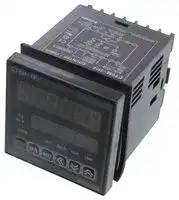
CT6
DIGITAL COUNTER/TIMER, 6-DIGIT, 100VAC TO 240VAC
⚠️ Reference pricing provided. In case of supply shortages, we will connect you with our trusted procurement partners to ensure your project's continuity.
- Manufacturer: AUTONICS
- Product type:
- No. of Digits / Alpha:6; Digit Height:13mm; Supply Voltage Min:100VAC; Supply Voltage Max:240VAC; Panel Cutout Height:68mm; Panel Cutout Width:68mm; O 18T1891
- Digit Height: 13mm
- Product Range: CT Series
- Panel Cutout Width: 68mm
- Supply Voltage Max: 240VAC
- Supply Voltage Min: 100VAC
- Panel Cutout Height: 68mm
- No. of Digits / Alpha: 6
- Operating Temperature Max: 55°C
- Operating Temperature Min: -10°C
| Delivery and price | |
|---|---|
| Units per pack | 1 |
| Price | 139.32 € |
| Current stock | 10+ |
| Lead time | 30 days |
Datasheet

**==> picture [535 x 779] intentionally omitted <==**

**----- Start of picture text -----**<br>
Touch Type Counter/Timer<br>DIN W72<H36mm, W48 x H48mm, W72 x H72mm Counter/Timer ©A<br>(=|Features Ccounter<br>@Selectable@Multi—functionalCounterCounter/Timeror Timer function(Includes 829,728 functions) SP oe . sae<br>@Prescale function. COPTATE, Counr EnTiMER<br>@High@Batchspeedcountercountingfunctionof for10kcpsCT6, CT6—2P only om 99 3m<br>@Selectable Voltage input(PNP) or No voltage ae Sen: 7<br>input (NPN) ae = eS QH.,. ~~<br>@Able to set ON/OFF time individually in Flicker A<br>(FLK) mode poe<br>@Key Lock function<br>A manualPlease readbefore"Cautionusing. for your safety" in operation C US<br>(Ordering information<br>6] [S| — [2P.<br>| | Single preset<br>DIN W72xH36mm<br>DIN  W48<br>|| DIN W72xH72mmx H48mm<br>| 6 | 9999  (Digit)99 (Digit) When using dual preset as a timer,<br>setting time is limited to one time.<br>i™|Specifications<br>CTeY cTas CTE<br>Model CT6Y-2P CT4S-2P CT6S-2P CT6-2P<br>Indicator CT6Y-I ee CT6=I<br>a<br>Digit size PV:W4.5 x H10mm PV:W7 XH1l1lmm PV:W4.5 x H10mm PV:W7xH13mm<br>g SV:W3.5 x H7mm SV:W5 x H8mm SV:W3.5 X H7mm SV:W5x H9mm<br>Power suppl 100-240VAC 50/60Hz<br>upPly 24V AC 50/60Hz/24—60VDC (Option)<br>90 ~ 110% of rated voltage (AC power)<br>CT6Y—-L:Approx. 5VA, CT4S:Approx. 4.6VA, CT6S-L:Approx. 4.3VA,}|CT6—I:Approx. 9VA,<br>AC CT6Y:Approx. 6.5VA, CT4S~—2P:Approx. 5.5VA|CT6S:Approx. 5.2VA, |CT6:Approx. 1OVA,<br>CT6Y—2P:Approx. 7VA (240VAC 50/60Hz) |CT6S—2P:Approx. 6VA |CT6—2P:Approx. 1OVA<br>(240VAC 50/60Hz) (240VAC 50/60Hz) (240VAC 50/60Hz)<br>Power CT6Y—I:‘Approx. 3W, | CT4S:Approx. 3W, CT6S—-L:Approx. 2.7W, |CT6—I:Approx. SW,<br>consumption CT6Y:Approx. 4W, CT4S-2P:Approx. 3.5W|CT6S:Approx. 3.4W, _|CT6:Approx. 5W,<br>AC/DC CT6Y—2P:Approx. 4W(24VDO) (24VDC) CT6S—2P:Approx. 4W(24VDO)} CT6—2P: Approx. 6W (24VDC<br>CT6Y-I:‘Approx. 6VA, | CT4S:Approx. 6VA, CT6S-I:Approx. 5.4VA,}CT6—LApprox. 9VA,<br>CT6Y:Approx. 7VA, CT4S—2P:Approx. 7VA |CT6S:Approx. 6.8VA, |CT6:Approx. 10VA,<br>CT6Y—2P:Approx. 7VA (24VAC 50/60Hz) |CT6S—2P:Approx. 7VA}CT6—2P:Approx. LOVA<br>(24VAC 50/60Hz) (24VAC 50/60Hz) (24VAC 50/60Hz)<br>Selectable 1 /30/1k/5k/10kcps<br>Reset input : Selectable Ims or 20ms<br>signal width | Timer INA, INHIBIT, RESET : Selectable lms or 20ms (Except CT6—D :<br>Selectable lms or 20ms<br>Selectable voltage input or No-—voltage input<br>I t [Voltage input] Input impedance : 5.4k@,"H" level : 5-30VDC, "L" level : O0-—2VDC<br>npu [No-voltage input] Short—circuit impedance : Max. 1k, Residual voltage : Max. 2VDC,<br>Open-circuit impedance : Min. 100k2<br>10 / 50/100 / 200 / 500 / 1000 / 2000 / 5000ms<br>Single preset type: Single preset type:<br>one yp SPST (1a) for first output Dual preset type : SPST a) SPST (1a) for first output<br>ac SPDT (1c) for second output for first/second output SPDT (1c) for second output<br>Control NO contact : 250VAC 3A resistive load, NC contact : 250VAC 2A at resistive load<br>output Single preset type :<br>: Type Single preset type : 1 NPN open collector 2 NPN open collectors<br>Solid—)!¥P Dual preset type : 1 NPN open collector Dual preset type :<br>state 3 NPN open collectors<br>Capacity Max. 30VDC, Max. 100mA<br>a<br>Autonics A-6<br>**----- End of picture text -----**<br>


**==> picture [508 x 774] intentionally omitted <==**

**----- Start of picture text -----**<br>
CTY/CTS/CT Series<br>a<br>™|Specifications<br>Memory protection 10 years(When using non-volatile semiconductor memory)<br>External power 12VDC £10%, Max. 100mA<br>Timer Power ON start : Max. 0.01% +0.05sec<br>accuracy | Voltage error Signal start : Max. 0.01% £0.03sec<br>Insulation resistance Min. 100M (at 500VDC mega)<br>Dielectric strength 2000VAC 50/60Hz for 1 minute<br>Noise strength +2kV the square wave noise(pulse width:lys) by the noise simulator<br>Vibration 0.75mm amplitude at frequency of 10 ~ 55Hz in each of X, Y, Z directions for 1 hour<br>Malfunction 0.5mm amplitude at frequency of 10 ~ 55Hz in each of X, Y, Z directions for 10 minutes<br>Shock 300m/s*? (Approx. 30G) in X,Y,Z directions for 3 times<br>Malfunction 100m/s? (Approx. 10G) in X,Y,Z directions for 3 times<br>Relay Min. 10,000,000 times<br>life cycle | Electrical Min. 100,000 times (NO : 250VAC 3A at resistive load, NC : 250VAC 2A at resistive load)<br>Ambient temperature -—10 ~ +55 (at non—-freezing status)<br>Storage temperature —25 ~ +65C (at non-freezing status)<br>Ambient humidity 35 ~ 85%RH<br>AC CT6Y:Approx. 160g CTAS:A 155 CT6S:Approx. 155g CT6:Approx. 264g<br>power CT6Y-—2P:Approx. 163g CTS opt Awe eo CT6S—2P:Approx. 162g] CT6—-2P:Approx. 271g<br>CT6Y—-I:Approx. 127g - “AAPPFOX. 81 CT6S-I:Approx. 136g CT6-I:Approx. 244g<br>Unitnit weigweight The. ope<br>AD/DC power |CT6Y—2P:Approx.CT6Y:Approx. 164g167g CT4S:Approx.CT4S—2P: Approx.152g1592 CTOS:Approx,CT6S—2P:Approx.152g159g} CT6:Approx.CT6—2P:Approx.263g270g<br>CT6Y-I:Approx. 130g , CT6S—L:Approx. 133g | CT6—-I:Approx. 243g<br>Approval<br>™)Connections<br>OCT6Y OCT6Y-2P<br>CONTACT OUT: CONTACT OUT:<br>NO:250VAC 3A NO:250VAC 3A<br>NC:250VAC 2A NC:250VAC 2A<br>RESISTIVE LOAD SOLID STATE OUT: RESISTIVE LOAD SOLID STATE OUT:<br>NO COM NC 30VDC 100mA NC COM NO NO COM 30VDC 100mA<br>peer | ce e:<br>pijf2|{3i4|5lel7|pa }1}2[3]4[s]e6l7ja<br>(Note1) (Note2) +12VDC OV RESET | 100-240VAC 50/60Hz (Note1)(Note2)+12VDC OV RESET ~~ 100-240VAC 50/60Hz<br>INA INB/INH 100mA (~) INA INB/INH 100mA ©)<br>24-60VDC/24VAC 24—60VDC/24VAC<br>=, 1] 50/60Hz (Option) —, +] 50/60Hz (Option)<br>SOURCE SOURCE<br>* (Note1) INA terminal<br>OCT6Y-I +* CounterTimer mode mode: Used: Usedforfor"START""count"signalor "inhibition"input signal input<br>% (Note2) INB/INH terminal<br>* Counter mode: Used for INB signal input terminal<br>¢ Timer mode: Used for INH signal input terminal<br>If the signal is applied to INH terminal, the processing time is stopped.<br>(Note1)INApijf2|{3i4|5liel7|aINB/INH(Note2) +12VDC100mA OV RESET t ©) 100—240VAC 50/60Hz %*a Connection(Time hold)of relay contact |input when voltage |input(PNP) |is selected<br>Lf_ 24"50/60HzGOVDCI24VAC(Option oll ol<br>SOURCE }1[2/3/4[5/6[7)<br>INA INB/ +12VDC OV RESET<br>INH<br>Connection of relay contact input when No—voltage input(NPN) is selected<br>O O ie)<br>}i1{2/3/4[5/6[7)<br>INA INB/ +12VDC OV RESET<br>INH<br>et<br>A-7 Autonicse<br>**----- End of picture text -----**<br>


Touch Type Counter/Timer

**==> picture [536 x 754] intentionally omitted <==**

**----- Start of picture text -----**<br>
eeereece reer ener<br>OCT4S, CT6S OCT4S-2P, CT6S-2P OCT6S-I<br>(Note1)(Note2) +4 2vpc (Note1) (Note2) +42vDC (Note1) (Note2) +12VDC (A)<br>INA INB/INH 100mA OV RESET INA INB/INH 100mA OV RESET INA INB/INH 100mA OV RESET Counter<br>SOLID STATE OUT:<br>SOLID STATE 30VDC 100mA<br>OUT: © | OUTI<br>30VDC 100mA © OUT2 *OUT2 operates on<br>PS2 value<br>O OUT2 (PS2:Second preset<br>oo | value)<br>NOCONTACTCOM OUT: NC Lo 50/60Hz100-—240VAC 7VA 250VACCONTACT 3AOUT1, OUT2: Lot 50/60Hz100-—240VAC 7VA Lo 100-—240VAC50/60Hz 7VA<br>NO 28OVAC 3h 4 +f o4-eovocnizvac RESISTIVE LOAD — +] 24-60VDC/12VAC = +] 24-60vc/12vac<br>RESISTIVE LOAD source 5°/60Hz(Option) SOURCE °0/60Hz(Ontion) SOURCE 50/60Hz (Option)<br>@Connection of relay contact input when voltage input<br>* (Note1) INA terminal (PNP) is selected<br>* Counter mode : Used for "count" or "inhibition" signal input<br>* Timer mode : Used for "START" signal input | ol<br>» (Note2) INB/INH terminal<br>* Counter mode: Used for INB signal input terminal INA Na! +12VDC OV RESET<br>* Timer mode: Used for INH signal input terminal @Connection of relay contact input when No—voltage input<br>If the signal is applied to INH terminal, the processing time is (NPN) is selected<br>stopped. (Time hold)<br>Ool O Ool<br>6INA ||NB/ 7] [8/91]] +12VDC OV RESET10)<br>INH<br>OcT6 OCT6-2P<br>(Note1) +12VDC BATCH (Note1) +12VDC (Note2) BATCH<br>INA INB 100mA OV RESET INHIBIT RESET INA INB 100mA OV RESET INHIBIT RESET<br>OUTPUT 100mA OUTPUT 100mA<br>COMMON OUT BATCH COMMON QuT1 OUT2 BATCH<br>[15 | 16 | 17 | 18 | [15 | 16| 17| 18 |<br>OUT OUTI OUT2<br>—_ O<br>ijl2|3|4a|slel7ja fi1f2|3f{4a|s5l6l7ja<br>NO COM NG r 100—240VAC NO COM NO COM NC = 100-240VAC<br>CONTACT OUT: (HI 50/60Hz 10VA CONTACT OUT: (© 50/60Hz 10VA<br>NO:250VACNC:250VAC 3A2A taf 24—60VDC/12VAC50/60Hz (Option) NO:250VACNC:250VAC 3A2A Lot 24~50/60Hz GOVDC/12VAC(Option)<br>RESISTIVE LOAD SOURCE RESISTIVE LOAD SOURCE<br>O CT6-I  (Note1)* CounterINAmodeterminal.: Used for I "count" I or uw"inhibition"' tar " signal. .input<br>(Note) +12VDC nese (Note2) * Timer mode : Used for "START" signal input<br>| 8 |INB9 ToomA[10/11/12 |13INHIBIT|14 |  (Note2)+ If the signalINHIBITis appliedsignal to INH terminal, the processing time is stopped.<br>(Time hold)<br>Solid state output is insulated from inner circuit by photocoupler.<br>1 15| 16/17] 18 | ®@Conn(Pow e ctionr supplyof relay: 5-30VDCcontact inputMax.)when voltage input (PNP) is selected<br>ll ot I<br>1) O 6) O oO<br>INA INB +12VDC OV RESET INHIBIT BATCH<br>100-240VAC<br>tf A @Connection of relay contact inout when No-—voltage input(NPN) is selected<br>(© 50/60Hz 9VA ct t t—,<br>Lol 24-60VDC/12VAC50/60Hz(Option) ol J dll<br>SOURCE | 8 | 9 | 10] 41/ [12/13/14]]<br>INA INB +12VDC OV RESET INHIBIT BATCH<br>RESET<br>e eereer reer eeeeeeeeeeeeeeeeeeeeeeereer reer eeeeeeeeeeeeeeeeeeeeeee eeeeeeeeeeeeeeeeeeeeeeeeeeeeeeeeeeeeeeeeeee enAutonicse A-8<br>**----- End of picture text -----**<br>


**==> picture [122 x 6] intentionally omitted <==**

**----- Start of picture text -----**<br>
e eereer reer eeeeeeeeeeeeeeeeeeeeeeereer reer eeeeeeeeeeeeeeeeeeeeeee eeeeeeeeeeeeeeeeeeeeeeeeeeeeeeeeeeeeeeeeeee<br>**----- End of picture text -----**<br>


CTY/CTS/CT Series eee reer eeeerenc **e** ner

eeeeee

**==> picture [508 x 727] intentionally omitted <==**

**----- Start of picture text -----**<br>
(a|Dimensions<br>OCTY Series<br>eCT6Y eCT6Y-2P eCT6Y-I<br>COUNTER / TIMER COUNTER/ TIMER COUNTER / TIMER<br>eee (0020120020201 tock ps26 (DEANERY 10<br>CT6Y Autonics CT6Y-2P ‘Autonics CT6Y-I1 ‘Autonics<br>@Panel cut-out<br>85 83<br>72 6 65 12 Min.91<br>COUNTER IME — ra —— ! | 33 106<br>i c- WODD O DO ODOT 4 © SS— = |TY| 3 . P — 9<br>CT6Y Autonics +<br>took ps [DIGDIGDIODIGDIODAY SS — 1 = 0<br>—_—_ (Unit:mm)<br>OCTS Series<br>ecT4s eCT4S-2P eCcTé6S eCT6S-2P eCT6S-I<br>COUNTER/TIMER COUNTER/TIMER COUNTER/TIMER COUNTER/TIMER COUNTER/TIMER<br>AGA FEE AC O N pupCO C LH<br>Cras@OggaAutonics CT4S-2PSlol<Iv]-)Autonics cTé6s(0000Autonics MnCT6S-2PO00Autonics Mm ©0008Autonics<br>+ 48 100 @Panel cut-out<br>|(o7 i¢s 78 12 > Min.55<br>COUNTER/TIMER — <) —<br>S20) he Ete<br>aaa <= ><br>psze PAA AAAAS — = 45 -0<br>LOCKe OUT1e OUT2e CNTO TMRe |—a a | = =><br>4 |<br>~ utonics<br>oo} (Unit: mm)<br>OCT Series<br>ecT6 eCT6-2P eCTé-I<br>COUNTER/TIMER COUNTER/TIMER COUNTER/TIMER<br>Cece ees oe CO<br>LOLOL LOL, LOLOL, Pe<br>ose eee toe<br>case QE eee UCC<br>HH\OMOUG MHeMOUCQ Mi <)v) 4)<br>CcT6 Autonics CT6-2P Autonics CT6-1 Autonics<br>86 95 e@ Panel cut-out—<br>10 73 12<br>5 4 Min.91<br>COUNTER/TIMER<br>i f<br>| o 0,070,020.see Ma) | Cu ————— il I]!a Min.91L 68-oto? |<br>@@@000 C<br>CT6-2P Autonics u (Unit: mm)<br>Dh<br>A-9 Autonicse<br>**----- End of picture text -----**<br>


**==> picture [535 x 709] intentionally omitted <==**

**----- Start of picture text -----**<br>
Touch Type Counter/Timer<br>a<br>(a|Front panel identification w<br>Counter<br>OCTY series OCTS series<br>@4 Digit @6 Digit<br>COUNTER/TIMER COUNTER/TIMER<br>(1) _ — ee — ™<br>a ° em =)Ce eq Psie = . © Dee 2)<br>ica = Cet ELoLo. Cm | (9) 8) _ cock ort ofr chr_t™a_I EY Lock OuT1 OUT2 chr_1ma I<br>(3) | ctevbara_i rms | 8) s cT4S-2Pjol<ivi4yAutonies °° 2@— | GrsshSol <[v]~Autohies a<br>qv t LT Lt<br>6) Q) 9) n @ 0<br>Display for process value(Red LED) CNT : Indicates operation as a counter<br>Count value(Counter) / Process time(Timer) TMR : Indicates operation as a timer<br>/ Setting symbols —LED flashes when timer operates<br>LED height : 11mm for 4digit, 10mm for 6digit —LED turns on when the time stop operating<br>Display for setting value(Yellow—Green LED) (6) PS1, PS2 : Indicates that preset is being displayed<br>Setting value(Counter)/Preset time(Timer) and or changed<br>setting symbols. , . OUT1, OUT2 : Indicating the operation of output<br>LED height : 8mm for 4digit, 7mm for 6digit .<br>LOCK ; oa, (8) (5) : Resetkey<br>: Key Lock indication 5 - Mode k<br>—Lock OFF : Light OFF w): Mo © Key<br>Lock ON : Light ON ©,, B: Set key<br>%* There is no 6), (7)LED in CT6Y-I, CT6S~—I.<br>*In CT4S, CT6S, CT6Y, PS2 will be changed to PS and OUT2 is OUT and there is no PS1, OUT1 LED.<br>OCT Series<br>Display for process value(Red LED)<br>COUNTER/TIMER Count value(Counter)/Process time(Timer)/Setting symbols<br>Nooooo LED height: 13mm<br>LILIELIELILOLI Display for setting value(Yellow—Green LED)<br>Setting value(Counter)/Setting time(Timer) and setting symbols<br>f|—ease(-.. LED height: 9mm<br>LOCK ouTt our2 BA.O CNT TR 9) displayed or changed<br>| a e | PS1, PS2 : Indicates which setting value(Single, Dual) is being<br>6) — 4) BA.S : Set a batch settin i<br>@ EMMOIa SO: “Use BAS Turng valueON and display the change<br>CT6-2P Autonics —Not use BA.S : Turn OFF<br>LOCK : Display Key Lock operation<br>—Use Lock : Turn ON<br>—Not use Lock : Turn OFF<br>*In CT6, PS2 will be changed to PS and OUT2 (6) OUT1, OUT2 : Preset the operation of output(Single & Dual)<br>to OUT, since there is no PS1, OUT1 LED. BA.O : Indicates operation as BATCH output<br>* There are no PSI, PS2, BA.S, OUT1, OUT 2, CNT : Indicates operation as counter<br>* BA.O LED in CT6—I. : (9) TMR : Indicates operation as timer<br> There is no key in CT6—I. —LED flashes when the timer is operating<br>—LED turns on when the timer stops operating<br>: Reset key<br>: Batch key<br>: Mode key<br>(<), (), @) : Set key<br>**----- End of picture text -----**<br>


**e** rrr e eee e rereener ee Autonics A-10

eee eee eee

**==> picture [500 x 736] intentionally omitted <==**

**----- Start of picture text -----**<br>
CTY/CTS/CT Series<br>eee eee rere eee eeee eee eee eee eee eee eee<br>f@|Input connections<br>ONo-voltage input(NPN)<br>@Solid—state input(Standard sensor : NPN output type sensor) @Contact input<br>CTY/CTS/CT CTY/CTS/CT CTY/CTS/CT<br>Sensor Series Sensor Series Series<br>Brown Brown<br>— — +12V — +12V +12V<br>5.4kQ 5.4k Q 5.4kQ<br>Black « Inner Black Inner * Inner<br>circuit circuit circuit<br>Blue ov Blue ov ov<br>(NPN voltage output) (NPN open * Please select the counting<br>collector output)<br>. . . . speed as lcps or 30cps<br>INPUT circuit of INA, INB, INHCNHIBIT), BATCH RESET, RESET are the same. when it is used for counter.<br>x INA is input terminal when it is used for Counter and can be START signal input<br>terminal when it is used for Timer.<br>OVoltage input(PNP)<br>@Solid—state input(Standard sensor : PNP output type sensor) @Contact input<br>CTY/CTS/CT CTY/CTS/CT CTY/CTS/CT<br>Sensor Series Sensor Series Series<br>Brown Brown<br>— — +12V — > +12V +412V<br>Black Inner Black % Inner Inner<br>circuit circuit circuit<br>5.4kQ 5.4kQ 5 4kQ<br>Blue Blue<br>— > OV — > OV OV<br>(PNP voltage output) (PNP open * Please select the counting<br>collector output) .<br>Xx INPUT circuit. . of INA, INB, INH(INHIBIT), BATCH RESET, RESET. are the same. speed7 weas lcps or 30cps<br>: . . _ . . . when it is used for counter.<br>x INA is input terminal when it is used for Counter and can be START signal input<br>terminal when it is used for Timer.<br>™|Input logic selection<br>OCTY/CTS Series<br>1. The power must be cut off. 3. Select input logic by using input logic switch inside<br>2. Detach the case from the body. Counter/Timer.<br>e@Select No-voltage @Select voltage<br>input(NPN) input(PNP)<br>— ®<br>"4 ) nPn PoP nn PrP<br>ol©) ds<br>xCase detachment<br>Squeeze toward @ and pull toward @ as shown<br>in picture.<br>SW1 SW1<br>A Please check if the power is cut off. < CTY Series > CTS Series ><br>4. Please assemble opposite way of the case<br>detachment.<br>**----- End of picture text -----**<br>


5. Then apply the power to Counter/Timer. **e** e eee cree e eee e eeeee ee A-11 Autonics

Touch Type Counter/Timer enerreece rece

(A) ter

**==> picture [509 x 732] intentionally omitted <==**

**----- Start of picture text -----**<br>
OCT Series<br>It is easy to change input logic by switch.<br>@Select PNP(Voltage input) @Select NPN(No—Voltage input)<br>PNP NPN PNP NPN<br>L|{ uy 4<br>T=_ o~ @<br>L| O_ Input logic<br>cl selectionswitch<br>Output connections<br>OContact output OSolid—state output<br>CT/CTS/CTY Series CT4S, CT4S—2P<br>CT6S, CT6S—2P<br>b CT6, CT6—2P CT6Y, CT6Y—2P %<br>>|O (Power of load) ee O } (+) Power<br>ees load<br>O O (—) | (0c)<br>%* Contact capacity is max. 250VAC 3A. Use<br>proper load not to exceed the capacity. Use proper load and power for load not to exceed ON/OFF capacity<br>* When use inductive load(Relay, etc), surge (Max. 30VDC 100mA) of solid-state output.<br>absorber (Diode, Varistor etc) should be *Be careful not to apply reverse polarity of power.<br>connected at both—edge of load.<br>(™|Factory default settings f™|Error display<br>CT6S—2P CT6S CT6S—I<br>CT4S—2P CT4S k<br>Cctey-2P| Cccrey | CT6Y~! CPU error OFF External“Y<br>eC UID-O) RESET input<br>30cps<br>mh =<br>ac OUT2(OUT)<br>2<br>Zz<br>3 OUT1 output time Hold —<br>6digit : 1.000, 4digit : 1.00<br>CLEr (Power reset)<br>Time range 6digit : 0.01s ~ 9999.99s<br>9 Adigit : 0.01s ~ 99.99s<br>oc Up/Down mode U (UP)<br>=<br>e ee rere reeceeee e ee ee<br>Autonics A-12<br>**----- End of picture text -----**<br>


**==> picture [508 x 727] intentionally omitted <==**

**----- Start of picture text -----**<br>
CTY/CTS/CT Series<br>a<br>f™]Counter mode Change of setting value(Counter)<br>OOperation mode in Counter OChange the setting value in the single<br>preset type<br>RUN mode(Counter)<br>forPress[MD] 3 we  ke" forPress[MD] 3 we  ke" RUN aOm Change (to)(ng<br>mode preset value<br>Input mode(: *) OChange the setting value in the dual<br>preset type<br>Maximum counting speed(L£F5)<br>@) Change Change<br>Output mode( alltJ ) RUN ~~, single —, dual<br>“ mode preset preset<br>value value<br>OUT2 output time (otlke2 ) * When register input signal during setting value change,<br>it controls counting and output.<br>~ If no keys are touched for over 60sec., during setting<br>2 OUT1 output time (aut!) value change, it returns to RUN mode.<br>ra %* After change setting value as “O” , press or input<br>S RESET during RUN mode, output will be maintained<br>S Input logic [($10] [)] as OFF status.<br>& (When set single setting as “O” in output mode<br>2 - "e (T)" it is maintained as ON status.)<br>= Minimum reset time(r5t [)]<br>no<br>S OChange of batch setting value<br>8 Decimal point(d?) Batch counter function is only available in<br>iL CT6, CT6-2P type.<br>Prescale value (SLL)<br>RUN Change of batch<br>Memory protection( dAkf) mode setting value<br>If you press(Ba) key in RUN mode, it will allow you to<br>Lock key(LofP ) make change to the batch setting value.<br>After change the batch setting value by same method<br>as the method of Counter setting value changes by<br>Counter/Timer(£-E) (<), wy, (4) keys, it will return to RUN mode by<br>pressing (mn) key.<br>When it advances to change the batch preset value,<br>the prior value of the batch counting is displayed.<br>* Batch setting is limited to single setting mode even<br>@Press key for over 3sec., in Counter RUN mode, in dual setting model.<br>it advances to Counter function setting mode and press<br>key for over 3sec in function setting mode, it (=|/How to set Lock key<br>returns to RUN mode. Be sure to set the lock mode in order to protect<br>(Note) Be careful when it advances to function setting against accidental or unauthorized key operation.<br>@lf no keysmodeareduringtouchedoperation,for overit is60sec.,reset. it returns to Lorre— (Lock OFF) : Cancellation of the lock mode<br>RUN mode. "LOCK" OFF<br>eWhen using this unit as a timer, change as timer baad. ¢ (Lock level 1) : Lock fs) key<br>(E} AE) in Counter/Timer setting item of function "LOCK" ON<br>setting mode and press key for over 3sec. then, rate (Lock level 2) : Lock @& @& @ key<br>it advances to RUN mode. (See A—21 for the specific "LOCK" ON<br>descriptionpu of Timer. ) Lows~~ (Lock level 3) : Lock (5)& @ & ()& @key<br>"LOCK" ON<br>**----- End of picture text -----**<br>


reereeerere eee e eee eeee eeeeeee A-13 Autonics

|™|Functing setting mode(Counter)<br>Setting mode|mode(Counter)<br>((w)key :Usethe(4)or(¥)keytochangethesetting) <br>How to set((a), (¥))|
|---|---|
|Input mode<br>1<br>P<br>.<br>‘~~Ug u~~d A<br>(1m)|*When "Et" or "" of input mode is set<br>r<br>db<br>"t,t," of output mode will not be<br>displayed.|
|Maximum<br>.<br>30<br>1)<br>counting speed<br>~~{_,~~ SHH ~~>»~~ Hi ~~>~~<br>roc)<br>( wero|3% Max. counting speed is determined when<br>duty ratio of INA or INB input signal is 1:1<br>Cu<br>mous<br>it<br>i<br>i<br>.<br>~~>~~ ob ~~—~~ (Te<br>; and it is applied to bothINA and INB<br>When using setting<br>"d"<br>in output mode,<br>5kcps and 10kcps are not indicated in the<br>display.|
|@Up or Down input mode<br>ee~~t~~ iee~~Se~~i<br>te<br>Output mode<br>von<br>_<br>j<br>(olfk)<br>@Up/Down-—A, B, C input <br>ir ~~>~~A~~+f,~~ ~~>~~ ~~+~~o|As output mode, ' Fon maintains ON status<br>after count up,<br>"OUT2 output time"<br>is not<br>te ~~ee~~e<br>displayed.<br>x If the maximum counting speed is 5kcps or<br>10kcps, when change output mode to "i".<br> mode<br>In order to change counting speed as 30 or<br>o ~~+~~4~~shy~~ ~~+~~b ~~w~~d<br>ikeps, configure at function setting mode<br>again.|
|~<br>-<br>~<br>~<br>-—<br>OUT2 output<br>rid sd<br>~~e~~dd S<br>time(otlté<br>)|-—<br>~<br>—_<br>--—<br>* There is no "OUT1 output time" in single<br>S~~o~~d<br>edo<br>oe<br>preset model, "OUT2 output time" will be<br>—_<br>shown as "OUT output time( alfé &)".<br>Unit:ms|
|OUT1 output<br>~~no~~on<br>r<br>rm<br>.<br>ra<br>~~> ~~o~~O~~<br>ch<br>time(attt? )|ey<br>en<br>ee<br>eo<br>~~ee~~<br>|<br>|<br>ch<br>So<br>thd > edd >So<br>> Hot dy<br>7<br>Unit:ms|
|Input logic<br>n<br>» No—voltace inout<br>c.f)<br>are<br>g<br>pu<br>(ab|inout<br>o_o. Volt<br>;<br>ae inn logicveonangedwith)and<br>rrr:<br>Voltage inpu<br>(¥) key,<br>becauseit is under confirmation<br>state of the prior input logic.|
|Min. reset time|<br>,<br>ain<br>(rok)<br>( <— ELI<br>Unit:ms|* Set the min. external RESET signal width|
|@ 6 Digit<br>cree ~~h~~o~~m~~<br>Decimal point [~~Ee~~<br>(dF)<br>@ 4 Digit<br>rere a alee|~~m~~e~~n~~s<br>mheeeare heenree<br>~~Ee~~e<br>EEX<br>an<br>“<br>* Setting the decimal point is applied same<br>to counting value and setting value.<br>ee Sad 7|
|%@@ key<br>: Shift flashing digit<br>Prescale value<br>ro<br>x (4),() key<br>: Change the prescale<br>(S522)<br>* Refer to A-18 page for prescale|digit<br>*<br>*Setting range of prescale value<br>prescale value<br>6Digit<br>: 0.001 ~ 99.999<br>prescale function.<br>4Digit<br>: 0.01 ~ 9.99|
|Memory<br>.<br>ror.<br>~~>i~~rer<br>protection<br>UmL f ~~rer~~E L<br>(dhtA )|x (LE,<br>: Reset power for count value.<br>(Initialize count value when power off.)<br>rEL<br>: Memorize count value.<br>(Memorize count value the moment when power off.)|
|Lock key<br>'<br>ce<br>rors<br>tory<br>hearer ~~L~~oud ton.<br>(Late )|ror<br>yg<br>ror<br>ton.<br>LoL. 3<br>Refer<br>to A-13|
|Counter/Timer | 7<br>a4. ~~-»~~<br>&<br>re<br>r<br>Loot <—<br>CIne<br>(f-&)<br>mere|re<br>*Loum<br>: Counter<br>CIne<br>-<br>;<br>mere<br>by AE<br>: Timer|


Autonicse

A-14

## CTY/CTS/CT Series **e** ee rererennereee eeee (a]How to change counter setting OChange the setting value of single preset type(CT6)

**==> picture [469 x 526] intentionally omitted <==**

**----- Start of picture text -----**<br>
@To change the setting value from 175 to 180.<br>COUNTER/TIMER Press (key to advance in COUNTER/TIMER Change "5" to "0" by press<br>| 10D settingPreviousvalus e ttingchangevaluemode.is aa) (¥)secondkey 5 timesdigit by andpre s hifts  to@  thekey<br>displayed and the first digit a once.<br>HOMME EHOMOMOA<br>CTé = Autonics CTé iy Autonics<br>) )<br>COUNTER/TIMER Change *7" to "8" by COUNTER/TIMER Press key to complete the<br>| TF pressing (4) key once. | IDG changereturns toof RUNsettingmode. value and it<br>(PS LED OFF)<br>(ast)(o) (mm) COVES CIC< Tv] 4)<br>CcTé Aupnics CcTé i Autonics<br>the setting value of dual preset type(CT6-2P)<br>@How to change in the dual preset type : To change the dual setting value from 500 to 1000 when the single<br>setting value is 250 and the dual setting value is 500.<br>COUNTER/TIMER Press (<)key to enter in status COUNTER/TIMER The single setting value is not<br>| AG Theof changingprior settingsettingvaluevalue.will be | AG changed.of dual settingMove valueto the by change pressing<br>a displayed and "0" will flash. key. The prior dual setting<br>a 00250 (PS1 LED ON, PS2 LED OFF) EA value "500" is displayed and<br>nfs aR aPa mea BS PS ifs ay aa ea BSD the "0" will flash.<br>GOO! 4| vi) GOR]<] vl 4)<br>CT6-2P ' Autonics cié6-2P Autonics<br>Saneraya Change "500" to '1000" using aU ey Press key to complete the<br>| A @.(¥),with change @ keys.of single(It is same PRESET | (OG changereturns t o f RUNsettingmode. value and it<br>counter setting value.) (PS1 LED OFF, PS2 LED OFF)<br>mae roe<br>He) MOG HHO POUG<br>CT6-2P Aufl gics ci6-2P Autonics<br>**----- End of picture text -----**<br>


OChange the setting value of dual preset type(CT6-2P) @How to change in the dual preset type : To change the dual setting value from 500 to 1000 when the single setting value is 250 and the dual setting value is 500.

If no keys are touched for over 60sec., during setting value change, it returns to RUN mode.

* After change setting value as "0", press or input RESET during RUN mode, output will be maintained as OFF status. (When set single setting as "0" in dual setting type with output mode "t (T)" single output is maintained as ON status.) * Whenever press @ key during setting value change, the flashing digit shifts. @ NIz ic) Nz @ N\Ilz @ NI (4) N\lz @ NI p doooog -— ofooo0 ~~-—o~~ gyoo ~~o-—~~ oooyo ~~o—~~ oooyo ~~-—~~ oo0ody+ **e** eereer reer reneeeeeee A-15 Autonics

**==> picture [508 x 319] intentionally omitted <==**

**----- Start of picture text -----**<br>
Touch Type Counter/Timer<br>A<br>(=)Batch counter function<br>OChange the setting value of Batch counter<br>@!n case of setting Batch setting value as "50"<br>CaaS Press key in RUN mode, it TOG Press (<) key once to advance<br>PMT advancesrose. (A'Sto BatchLED settingON) value I tocispiaythe secondpart. digit of setting<br>ma 00000 | Then, the first digit “O” A<br>nS = eR BD flashes and others light on. Ws a i GS oh<br>COI] 4 [vl 4) MHOMMOCE<br>CT6 " Autonics CT6 = Autonics<br>COUNTER/TIMER Change "5" to "0" by press LAE Press key, it completes<br>Batch setting value and<br>Ake times UM atc<br>‘rir returns to RUN mode. (BA.S<br>CT6 Auff rics CT6 = Autonics<br>= Gst)()( ) I CY<br>**----- End of picture text -----**<br>


**==> picture [46 x 31] intentionally omitted <==**

**----- Start of picture text -----**<br>
(A)<br>Counter<br>oo<br>**----- End of picture text -----**<br>


**==> picture [209 x 9] intentionally omitted <==**

**----- Start of picture text -----**<br>
* Batch Counter function is only in CT6 and CT6—2P.<br>**----- End of picture text -----**<br>


* When advance to Batch setting, if no key is touched for 60sec., it will return to Counter operation mode.

OBatch Counter function(CT6)

Batch Reset Batch setting value ~~aeeaeoe~~ Batch output

* When Batch counting value reaches to Batch setting value, Batch counting value is continuously increased and Batch output remains in the ON state until Batch reset is applied.

* When the Batch output turns on and if the power turns off and then turns on again, the Batch output remains in the ON state until the Batch reset signal is applied.

* When the Batch counting value counts over 999999, it resets to "0", and it counts up again.

If Batch setting value is "0 (ZERO)", Batch counting value counts up, but output remains in the OFF status.

* The Batch counting value is not changed by front key or external reset signal.

*In case of CT6—2P, "Count—up" refers to operation state of output when the counting value is reached to the preset value.

OReset the Batch counting value When the external terminal of Batch RESET is short-circuited, the Batch counting value is reset.

But the terminal number of Batch Reset is different depending on the input logic. =» When Voltage input type(PNP) is selected, please make terminal numbers 10 and 14 short-circuited. And when No-voltage input type (NPN) is selected, please make terminal number of 11 and 14 short-circuited. OCheck the Batch counting value In order to check the Batch counting value during the Counter operation, press the key to display both the Batch counting value and preset value.

After checking Batch counting value, it returns to RUN mode by press key. * There is no key lock function for Batch function.

## ~~eee~~

~~eee reer~~ e renee ~~cece~~ een ~~ene eee eee~~ Autonics A-16

**==> picture [508 x 773] intentionally omitted <==**

**----- Start of picture text -----**<br>
CTY/CTS/CT Series<br>a<br>=|Input operation mode for counter @): Over Min. signal width, @): Over 1/2 of Min. signal width<br>mi AA a oF INA : Count input<br>i 1 1 @ roe %INB : Inhibition input<br>INB i eo (Limit the count input of INA)<br>Count Dott hi 8 When INA is "L",<br>' 5 ' 3 t Configure the inhibition(INB : "L" > "H") or<br>MW value ity Cancel the inhibition(INB : "H" > "L")<br>ui 0<br>(UP) No counting<br>INA i 3XINA : Inhibition input<br>® ® (Limit the count input of INB)<br>INB H %XINB = Count input<br>CountL I 5 When INB is "H",<br>value 1ro1 4 5 ig 4 ft ConfigureCancel thetheinhibition(INBinhibition(INB: "L": ""H"> >"H")"L") or<br>0<br>0<br>ina) ff] FF FI ann %INA : Count input<br>rot ® ®: INB = Inhibition input<br>INB i ee ee (Limit the count input of INA)<br>Count Maal n-2) n—3 i! WhenConfigureINA theis L,inhibition(INB : "L" > "H") or<br>value na) Cancel the inhibition(INB : "H" > "L")<br>'<br>“. 0<br>Lt<br>(DOWN) ina 4 N o counngti xINB : Count input<br>L ® ® XKINA : Inhibition input<br>— (Limit the count input of INB)<br>4<br>INB L %*n=Setting value(Preset value)<br>Count Dati PoE When INB is H,<br>naa is Cancel the inhibition (INB : 'L" > "H")<br>vane 1 n-2 4-3! Configure the inhibition (INB : "H" > "L") or<br>a<br>wel Mot '® |. 4 '@ ® :<br>wo ' + xINA : Count input<br>(Up/Down-—A) INB i root ot INB : Command input of Count up/down<br>Command input Countvalue !| !Loo | 3. 5!! a) ! 3 WhenWhen INBINB isis L,H, countcount increases.decreases.<br>0 0! 1 | —_ 1 —_<br>a H<br>a<br>Liovgok~ INB Asi i i ' 'ot' xINA. : Count downnineinput<br>L sos %xINB : Count up input<br>(Up/Down-B) Count i i When INA and INB are applied L to H at same<br>Individual input value ; 19) 3 a! , ; 1 oot 3 time, the count remains unchanged.<br>a<br>0<br>Ha=“ - ;-. INP O fale o ee When using A, B phase of encoder and<br>(Up/Down-C) INB HL 3' lq1 5st7 = 5y 5t connectinginput mode(+n)to INA,as phaseINB, pleasedifferenceset counter<br>Phase difference Count bp 13h oy in | 3 input (ud-L).<br>input value 11 { t<br>0 0<br>* @®: Over Min. signal width,®: Over 1/2 of Min. signal width.<br>If the signal width of® or® is less than min. signal width, +1 of count error is occurred.<br>x<"H" and "L" * Min. signal width by counting speed<br>Voltage input | No—voltage input High<br>(PNP) (NPN) (NB) Low 1 ON LOeF] on LOFF<br>5-30VDC Short circuit S0cps nu Ton | Toff<br>o=2v0e —u<br>D h<br>A-17 Autonicse<br>**----- End of picture text -----**<br>


Touch Type Counter/Timer

wr Counter

**==> picture [489 x 700] intentionally omitted <==**

**----- Start of picture text -----**<br>
Application of Prescale function<br>This function is to indicate specific unit or optional multiple multiplying configured scale value by count value.<br>Ex1) Volume control by Counter and Limit Switch<br>In order to count 10 sheets of paper is produced when the cutter operates 1 time as below application, inner counter<br>counts whenever the limit switch is operated as 1, 2, 3 times... if preset value is configured as 10 in function setting<br>mode and indicates 10, 20, 30... multiplying scale value depending on count value.<br>Ex2) Length control by Counter(CT6) and Encoder<br>In case of cutting paper as 300mm using a 50mm diameter(D) roller connected with Encoder of 1000 pulse.<br>@Rectify the run—length of roller per 1 pulse, it is 0.157mm. (Refer to formula of prescale value.)<br>@Configure the value as a prescale value GfL) and 300mm of the cutting length as preset value of counter.<br>The decimal point setting (¢?) function is not used.<br>@®Counter counts as 0.157mm per 1 pulse, indicates 300mm and outputs when 1,911 pulse is inputted.<br>But when selecting "--~-~—-—" in decimal point setting (d?) mode and set preset value of counter as 300.000 same<br>with decimal point, 300.027mm is indicated and outputted for inputting 1,911 of pulse.<br>It is available to control accurately depending on decimal point.<br>Limit<br>— a==> «ea)switch «iter 7m X Diameter Diameter of o the e roller roller(D)<br>os ¢ Roller @Prescale value = —————_______-<br>= Ss a Numbers of pulse per 1<br>Se Oe Motor revolution of the encoder<br>steal’) A= 3.1416 x 50<br>6) = =~ < 1000<br>= ,{00]|ot | Brat9 | pe encesRotary Se . = 0.157mm/pulse<br>Fon00 | || ] @Count input value < Prescale value<br>S209, | mag || .<br>| | | = Display value<br>Counter CT6 Series |Counter CT6 Series <_7|_ Motor contro! signal 1911 < 0.157 = 300.027<br>(Volume control) (Length control) E Cutter control signal<br>Control box<br>Application of Batch Counter function<br>Oln case, put 5 products in a box then pack the boxes when they reaches to 200<br>@Counter preset value : Preset value (setting value) ="5", Batch setting value = "200"<br>@When the count value of Counter reaches to the preset value"5", the count value of Batch Counter<br>will be increased by "1" and the control output(OUT) will be on. When the control box receives the control<br>output (OUT), it moves the full box so the next empty box can be filled.<br>When the count value of Batch reaches to "200", Batch output will be ON.<br>Then the control box stops conveyor and provides a control signal for packing.<br>Count input Batch output Stop lamp for Batch counting<br>I] <i Control output —<br>(OUT) Eq ————> Control signal for packing<br>—- Counter CT6 Series Control  Lccou signal for conveyor<br>Preset value = 5 —_><br>38boxes 2boxes 1 box<br>VY<br>Current Batch count value = 3<br>**----- End of picture text -----**<br>


**==> picture [509 x 20] intentionally omitted <==**

**----- Start of picture text -----**<br>
e ee reer rere ener eee e nce<br>Autonics A-18<br>**----- End of picture text -----**<br>


**==> picture [509 x 774] intentionally omitted <==**

**----- Start of picture text -----**<br>
CTY/CTS/CT Series<br>reeree reer eee e eee e cece eee e eceee cence e<br>Output operation mode(Counter) One-shot output Retained Coincidence<br>(OUT1 output) One-shot output output output<br>Retained. output " (OUT2 output) inal df<br>Output Input mode ;<br>RESET<br>c ORESets sec ceeeneheefbeceeenagfledide | —kgenneeeeeneepbceeeeeeeeeeed cheney boeceeey dof * After count up, display value increases<br>(F) 0 hy ty fa so cof be | oh NG Fees ff or decreases until Reset signal is<br>| ee | ee maintained.<br>Sure rae { f EE ERED AED AS applied and retained output is<br>RESET ff<br>999999 _: ! : H i ii : i i<br>PRE SET 2 obec bee | mp | bc tdeee<br>rm | PRESET1o o oH — fe : a if P —4fee] ALeons afof oofiG H *Afterretainedcountoutputup,aredisplaymaintainedvalue untiland<br>(N) OUTI |es a oo eS ee Reset signal is applied.<br>(OUT)<br>reser J L a<br>999999 * Display value will be Reset Start status<br>r PRESET2 why ceceteeeeeggeeee |e aan eeeseeeepeeeeeeepge, | ceseeeeceseeeeypeceesesengeseeeeeseseeegeseees as soon as count up.<br>L PRESET lot “PASPx Ap A pA S % OUT1 retained output will be OFF<br>(C) Hl H H : Pooh bt Pod NY : c pit after OUT2 one-shot time.<br>OUT1 OW _f_ rr _<br>i i i i i i i i is operated regardless of OUT2 output.<br>oun # BE % The one-shot output time of OUT1<br>aroegg Q ____ {—_________ —f _______ * Display value after count up will be<br>PRESET? TT a T T Reset Start status after OUT2 one-<br>ETAT IT | ORR Rs ene shot time.<br>0 HH tot j A, * OUT1 retained output will be OFF<br>ouTt C1 al co cI co a a after OUT2 one-shot time.<br>OUT2 a is i bo : y The one-shot output time of OUT1<br>is operated regardless of OUT2 output.<br>(OUT) ——E_b_|_ pb bp bp} __ bt _t_y |<br>999999RESET LI 1]i L] 0 a qo | i uu * Afteror decreases count up, displayuntil Resetvalue increasessignal is<br>vu PRESET2.-.i-.-.--, oo i e e enn EEE Se Sanna SPEED Aad KEE eodedeeee applied.<br>(K) PRESET10 hy To To My a,—™\SPASTN wo Tao?NG INENn eeNe *OUT1after OUT2retainedone-shotoutputtime.will be OFF<br>OUT1 | TTT BEE: *The one-shot output time of OUT1<br>OUT2 i 1 i i i il is operated regardless of OUT2<br>(OUT) output.<br>RESET qo qo qo *After count up, display value is<br>999999 _! : : maintained during OUT2 one-shot time<br>PRESET2 wolfe | - Lo cecceageeeteseseeetupggeeeee seccusfesessunesseeag pssssssavessueegpyssesssees and counting operation will be Reset<br>o PRESET1 i. “I, a! . = Si f= aAALANS Ng ’ So Start status as soon as OUT2 output is<br>(P) OUT1 boii ob od ee ee Pi pip VE %OUT1 retained output will be OFF after<br>OUT2 one-shot time.<br>(OUT)our? | | | | | | *Thenothingone-shotto do withoutputOUT2timeoutput.forOUT1 has<br>aroegg O ___ O ___ —f _____ After count up, display value increases<br>PRESET? yy TT oeHheN__—oS or decreases during OUT2 one-shot<br>(Q) 0 wa [be][-£] ) Px KZv. AXP %OUTI retained output will be OFF after<br>OUTI a co al a Paona Ys —on  a| OUT2 one-shot time.<br>ouT2 vt vi ui i ui i *The one-shot output time of OUT1<br>(OUT) a eeer eeee fe is operated regardless of OUT2 output.<br>reset J. . 01 | 7 0] n q<br>q Preeer,999999 +;cana caine ie +—_+—__—a ed I ee I aSat SaRad pi AterOUT1 countretainedup,outputdisplayare maintainedvalue and<br>OUTI Toi: Gt Tt roid a Wop *The one-shot output time of OUT1<br>OUT2 —F1ra_ —1_ra— Tra is operated regardless of OUT2 output.<br>(QUT) —__L___| | __rd es es A<br>%* The output of single preset type is operating the same as OUT2 of dual preset type.<br>Dh<br>A-19 Autonics<br>**----- End of picture text -----**<br>


Touch Type Counter/Timer el

**==> picture [527 x 690] intentionally omitted <==**

**----- Start of picture text -----**<br>
Retained Coincidence<br>output output<br>of CounterHW<br>RESET re 2<br>999999$mIp<br>5 PRESET2PRESET1 a----i-7 ae,7 a,ET NT SLENRTAIR EDR | 3XinOUT1followingand OUT2conditionkeeps; ON state<br>(S) 0 a a Oa Display value [=] [Preset] [1]<br>99999our; td$$——— —LO1|| |: | || re4 Display value = Preset 2<br>OQUT2 0 a<br>(OUT)<br>reser[)<br>999999 ; ji eovalue teeis smallerOethan  wnenPreset 1 cisvalue,lay<br>L<br>I PRESET2 ~ ; but if Preset 2 is "0", OUT1 keeps<br>PRESET ay, 7 Arr an ae ON state. (But, if preset is "0", OUT1<br>(T) 0 Ya keeps ON state.)<br>ouTi = Ri: — Po re oo _sE_i|- * OUT2 keeps ON state when display<br>OUT? a = r value is equal or larger than Preset 2.<br>(OUT)<br>RESET : ri 3% When display value is equal to setting<br>999999 a value(PRESET1, PRESET2) only,<br>d PRESET2PRESET1 wrongs<i ay apose crcccnnesNe Cowegbooedgpethann nee cncssrencccnnnsseecccctncNf Nerf ff Noety WhenOUT1 orsetting OUT21kcpsoutputforkeepscounting ON state.<br>(D) 0 : fi: ae PE — Piid speed, solid state contact output<br>~99999 a should be used. (When contact<br>ouTt ri i rl ; n A oi B i f fi fn A 7 fl output is used, it can't be operated<br>: 7 : rt normally because of response time<br>OUT2 1 of contact.)<br>(OUT)<br>%* The single preset type output(OUT) is operated as OUT2 of dual preset type.<br>=|Counter operation of Indication model(CT6Y-I, CT6S-I, CT6-I)<br>@In case of input mode is Up(t) @In case of input mode is Down(¢ )<br>Reset JCS ReseT O C<br>@In case of the input mode is Command input (#d-A), Individual input (td-b) ,<br>Phase difference input (iid-f)<br>RESET i<br>0 y H<br>*If "dALA" setting value of function setting mode(count) is "CLEr", count value is reset or count value<br>**----- End of picture text -----**<br>


is memorized when it is "rEC". * CT6—-I| has an INHIBIT terminal only. e reneeee eerenee eee eee eee eee Autonics A-20

eee

**==> picture [499 x 559] intentionally omitted <==**

**----- Start of picture text -----**<br>
CTY/CTS/CT Series<br>f™]/Timer mode ™|Change of setting value in Timer<br>OOperation mode in Timer operation<br>AUN Crimen OTo change setting value in case of the<br>output is not FLK<br>forPress|MD]3 sec. key | forPress|MD]3 sec. key RUN («) Change<br>mode setting time<br>OTo change setting| value :in case of the<br>output is not FLK<br>Up/Down mode(t-d)<br>o Output mode (alt ) RUN @) Changesetting Changesetting<br>= mode |  | time of |__| time of<br>ce t.oFF t.on<br>‘ Output time.  (alikevias ) @When dual preset type is used for timer, the setting<br>= time is limited as one and only OUT2 is operated.<br>2 - - @If no keys are touched for over 60sec., after advance<br>=4 Input logic(4 st) toBe settingcareful valuenot to change mode,press key,it outputreturns istonot RUNoperatedmode.<br>S - - , and same result can occur when press key after<br>ZS Input signal time(m-t) OFF power and ON again in change mode after<br>e advance to change mode, in case, output mode is<br>im Lock key(lefP) OND.2, FLK.2. |<br>yest OChange the batch setting value<br>Counter/Timer(£-t ) RUN Change the batch<br>mode , setting value<br>@Press (Ba) key in RUN mode, it advances to Batch<br>@Press key for over 3sec., in Timer RUN mode, it setting value change mode. Press key after change<br>advances to Timer function setting mode and press Batch setting value same as counter setting value<br>key for over 3sec in function setting mode, it returns change by (@), (y). (4) keys, it completes to change<br>to RUN mode. Batch setting value and advances to RUN mode.<br>(Note) Be careful when it advances to function setting When it advances to Batch setting value change mode,<br>mode during operation, itis reset. it displays previous Batch count value.<br>@If no keys are touched for over 60sec., it returns to e@Press key to return to RUN mode after advance in<br>RUN mode.<br>@After roy: Ti oo, Batch setting value change mode.<br>of select counter (Cot!n) in Counter/Timer setting item “Batch setting is limited to single setting mode even<br>function setting mode and press MD key for over in dual setting model<br>83sec. then, it advances to Counter RUN mode. ual selling el.<br>=| Time Time range<br>1)6 Digit type Time range 2)4 Digit tyoe Time range<br>;<br>Time range Function setting mode Time; range — Function- setting mode-<br>**----- End of picture text -----**<br>


**==> picture [215 x 231] intentionally omitted <==**

**----- Start of picture text -----**<br>
=| Time Time range<br>1)6 Digit type Time range<br>;<br>Time range Function setting mode<br>%* Model : CT6Y—2P, CT6Y, CT6Y—I,<br>CT6S—2P, CT6S, CT6S—I,<br>**----- End of picture text -----**<br>


CT6—2P, CT6, CT6—-I

a A-21 Autonics

Counter

**==> picture [519 x 778] intentionally omitted <==**

**----- Start of picture text -----**<br>
Touch Type Counter/Timer<br>et<br>i=|Setting function mode(Timer) ((uo) key : Use the (4) or (v) key to Change the setting) [Gy<br>* The time range for 6digit type<br>— — — — —<br>. wo><br>Time. range — — [=<] — — =< [a— —<br>* The time range for 4digit type<br>—> [al<br>ot<br>EEC al > — —> — — >3339]<br>UP/DOWN mode re | %«UP : Time proceeds from 0(ZERO) to the setting value.<br>(ued) i i DOWN : Time proceeds from the setting value to O(ZERO).<br>m =~ = = — = —<br>(allt ) 4 oT<br>Output m i. on i g Jog — ooo<br>time . . oe oe _ a It is operation time of control output<br>(ollk.t ) Hol o Sooo ooo oe according to output mode.<br>Unit: ms<br>Input logic rn . na . The input logic is not changed with @) and<br>cor ror © No-voltage input po yap: Voltage input (¥) key, because it is under confirmation<br>(5.0) state of the prior input logic.<br>Input signal time << * CTS series : Min. external INA, INH, RESET signal width<br>pur sig im ell ..... CT series : Min. external INA, INHIBIT, RESET, BATCH, RESET<br>(in-k) Unit: ms signal width<br>Lock key(Lock) | |y nfce fL oaliy rood t btal' roo et ol.s' roo<br>(Lott )<br>Counter/Timer | ~~ _ yy_ L orc * Colin * Counter<br>(i-t) Reinert <—~ Le eth tine: Timer<br>*In function setting mode, no external input signal will be accepted and the output will stay in the OFF status.<br>*In case of output mode is FKL, INT, INT1, OFD, there is no output time setting in the function setting mode.<br>In the indicator type(CT6Y—I, CT6S—I, CT6—D, there are no output modes or output times in the function setting mode.<br>* Control output operates as OUT2 in the dual preset type(CT6Y—2P, CT6S—2P, CT4S—2P, CT6—2P), and OUT1 always<br>remains in "OFF" status. (Time setting is limited to one time.)<br>*If no key is touched for 60 sec., in change status of setting time (PRESET value) the timer will return to RUN mode.<br>(a]How to set Lock key<br>Be sure to set the lock mode in order to protect against accidental or unauthorized key operation.<br>Lore (Lock OFF) : Cancellation of the lock mode<br>"LOCK" OFF<br>Lak. ¢ (Lock level 1) : Lock=) key<br>"LOCK" ON<br>Late (Lock level 2) : Lock @ &@) &@ key<br>"LOCK" ON<br>Lil4 (Lock level 3) : Lock@J &@ &@ &@key<br>"LOCK" ON<br>a<br>Autonics A-22<br>**----- End of picture text -----**<br>


**==> picture [510 x 774] intentionally omitted <==**

**----- Start of picture text -----**<br>
CTY/CTS/CT Series<br>a<br>(s|Change of the setting time of Timer<br>OChange of setting time in case, the output is FLK(CT6S)<br>Change t.oFF time from 30sec. to 50sec., t.on setting from 40sec. to 20sec.<br>(Output mode : FLK, Time range : 99999.9)<br>COUNTER/TIMER Advance to setting COUNTER/TIMER Change "3" to COUNTER/TIMER Press key to<br>’ rrgi time change mode ) rer "5" by press (4) ) complete t.oFF<br>corr by press (4) key. cere key twice. COU] time set and<br>Ee Shift the flashing i a =e advance to t.on<br>ps3et HtHiHi su digit to position pret LtHt 4 Lut sree Lt Hy LLL setting time<br>Lock OUT NT faa "S"by press @ key Lock out NT ae Lock ouT cNT ha change mode.<br>@eOad(ast) (to) A twice. (PS LED ON) @e0G8(ist)(a) , @@0ao(ist) Wa<br>COUNTER/TIMER Shift to the third COUNTER/TIMER Change "5" to a COUNTER/TIMER Press key to<br>f] position "4" by ' 0" by press (y) complete setting<br>UE press @ key twice. Cy] key 5 times. time change and<br>tins — 77 4 returnto RUN<br>»sk RE -s« PRED a Ree<br>Lock our cnt ae Lock out cnt TMR Lock our cNT TMR OFF)<br>és) (mo) OOS Cs) (wn) © G9 GIO <iv]4)<br>CcT6S ~ Autonics CcT6éS Autonics CT6éS - Autonics<br>OChange of setting time in case of the output is not FLK(CT6S)<br>Change the setting time from 15.0 to 20.0(Output mode : OND, Time range : 99999.9)<br>COUNTER/TIMER Advance to setting COUNTER/TIMER Change "5" to COUNTERTTIMER Shift to the third<br>timeby presschange(4) key.mode LotToray key"0" by5 times.press() LOLTeal positionpress (4)"1"keyby<br>Shift the second eben a once.<br>: : wen ore ore more ora<br>psb digit to position "5 ps6: (RR ps 74: DRUG<br>Seged0000 |e Gens© OG Segedag<br>COUNTER/TIMER Change "1" to "2" COUNTER/TINER Press key to complete setting<br>Tea by press (@) key time change and return to timer<br>COLO once. RUN mode. (PS LED OFF)<br>ps7¢: ee Pse<br>e ° e 36 e e ° 36s<br>LOCK OUT CNT TMR LOCK OUT CNT TMR<br>cT6s <I v]Autihics CT6S Ci<iv~ Autonics 4)<br>* When advance to setting time change mode, time will progress continuously.<br>If no keys are touched for over 60sec., after advance to setting value change mode, it returns to RUN mode. Be careful<br>not to press key, output is not operated and same result can occur when press MD key after OFF power and ON again<br>in change mode after advance to change mode, in case, output mode is OND.2, FLK.2.<br>* Whenever press (<) key during setting value change, the flashing digit shifts.<br>@ Nl @ Nv @ Nis @ Nir @® Nl @ Nis<br>pF Aegooo ~~ ooaoo oodoo0o— ooodoo— oooo0o— aad<br>* When use CT6Y-2P, CT4S—2P, CT6S—2P, CT6—-2P as a timer, there is no dual preset function.<br>reereee rere e reece eee eee<br>A-23 Autonics<br>**----- End of picture text -----**<br>


Touch Type Counter/Timer **e** rrr e cereeee eeee **e** ee e Batch Counter function(Timer) When it reaches the batch setting value to count the number of Time-up, the batch output will be ON. But when the output mode is "FLK", the number of Time-ups will be 2 times because it will count both Toff, and Ton time-ups.

**==> picture [26 x 16] intentionally omitted <==**

**----- Start of picture text -----**<br>
(A) ter<br>**----- End of picture text -----**<br>


‘ When time reaches the Toff setting time, Batch count value will be increased. And when it reaches the Ton time, Batch count value will be increased.

OHow to set the batch setting value Batch setting value is not for setting the time, it sets the count value like a counter.

Refer to A—16 for the batch setting value using as a timer, it is same as a counter.

**==> picture [509 x 612] intentionally omitted <==**

**----- Start of picture text -----**<br>
©OBatch Counter function<br>Power [oo<br>Preset output ODOOUOUROUOURODO_[][] TUTOR OOO O ODOBoe<br>Batch Reset ;<br>BATCH setting value aAaanHTS<br>Batch output O/C ————__P]} =» 9 FPF]<br>* When count value of the number of Time-up of setting value reaches the batch setting value, the<br>batch output is operated and the batch count value is increased until the batch reset signal is applied<br>and the batch output returns to the OFF status.<br>* When the batch output turns on and if the power turns off and then turns on again, the batch output<br>remains in the ON state until the batch reset signal is applied.<br>If batch setting value is "O(ZERO)", the batch count value is increased, but the batch output remains<br>OFF status.<br>If batch setting value is O(ZERO), the batch count value counts up, but the batch output remains OFF<br>state.<br>* The batch count value is not changed by front 6s) key or external reset signal.<br>OReset the Batch count value<br>When the terminal of Batch RESET is externally short-circuited, the BATCH count value will be reset.<br>But the Batch RESET is different dependent on the input logic setting.<br>‘s» When Voltage input type(PNP) is selected, please make terminal numbers 10 and 14 short-circuited.<br>And when No-—voltage input type(NPN) is selected, please make terminal number of 11 and 14 short-—<br>circuited.<br>OCheck the Batch count value<br>In order to check the Batch count value during the Timer operation, press the (8a)key to display both the<br>Batch count value and setting value. After check Bach count value, it returns to RUN mode by press<br>(wo) key.<br>* There is no (Ba) key lock function for Batch function.<br>OApplication of Batch counter<br>Fill milk into the bottle for 30sec. (Setting time), then when 500 bottles are completed, turn Batch counting<br>finish lamp on. (Setting time : 30sec., Batch setting value : 500)<br>cet = Batch output J)” Productivity : 500pieces<br>Operation valve pend | Control output tt Lamp on when it is<br>(Open valve for — Soni completed.<br>30sec.) |<br>S CT6 Timer KF Batch counting finish lamp<br>Lo<br>2 TL 4<br>S e AA Control the operation valve Control box<br>—— 1<br>a“ Bottle sensing sensor<br>is:Ts ey)<br>e eereeceeeee ner<br>Autonics eeeeeeA-24<br>**----- End of picture text -----**<br>


**==> picture [510 x 773] intentionally omitted <==**

**----- Start of picture text -----**<br>
CTY/CTS/CT Series<br>e rrr e cereeee eeee e ee e<br>m™|Output operation mode(Timer)<br>One-shot(t=One—shotoutputoutput time) i $ Retained output<br>Output ;<br>mode Time chart Operationp<br>Signal ON Delay(Power Reset)<br>POWERYJ Prime starts when INA signal<br>: : : : turns on. When INA signal<br>INA(START) [: : 7: :i— |: i: *F 2)Timeturns off,starts’ time whenresets.power<br>INH(INHIBIT) i Oo io : H turns on and when reset turns<br>“7197 H i foro poo i : : off during INA signal on.<br>(OND)BNL RESET ;i: t +:3 i‘iodo ——tPoiob ob —+tPGio ;: ::: -;: 3)Controlretained. outputor one-shot.operates as<br>SettingOUT2(OUT)time Fy e a io an eea fi St SORE  SEboi nSbf — io ee RR : 3 7 FES : PoweR LS<br>uP bib op bo INA Ld<br>0 / | Avo] A VA vA T<br>DISPLAY : Pot PioPo bo tt : i :<br>: Po pip ob bot H : : i : OUT2 | |<br>DOWN :<br>0<br>Signal ON Delay 1 (Power Reset) 1)Time starts when INA signal<br>turns on, if INA signal is<br>powerLP applied repeatedly, only initial<br>: i signal is recognized.<br>INA(START) | || po - |_| 2)Time starts when power<br>INH(INHIBIT) qo io} oO turns on and when reset turns<br>RESET Ol Hi Oo Hiit ;i i—io | Ttbo 3)Controloff duringoutputINA signaloperateson. as<br>: 1 as : ht ri retained or one-shot.<br>OUT2(OUT) ila PEPE ob idkPEEE iot itti Cc 4)ThewheninitialinputsignalINA repeatedly.is effective<br>Setting time s--+--bereeeseeseegghpeeeecee beeen tee cect eset eeee neg eeeeeedeceeeeneeesbeneebeeneggt<br>Setting time ------—Kgeeeeeee bed enh eceeeeseeeed en ee een 7,<br>DOWN 0 : : : (OUT) T(Setting time)<br>Power ON Delay(Power Hold)<br>1)Time starts when power<br>power[Cd turns on. (There is no INA<br>i i 3 ii ii function)<br>INA(START) —}__-_— i  2)Time resets when reset<br>: ii ii it turns on. Time starts when<br>INH (INHIBIT) ao reset turns off.<br>i i Pid Pil i 3)Control output operates as<br>once RESET es eeeeesare| eeit remained or one-shot.<br>et TN tte lm Pipi :oii aiid t ee a; it=a_|4)It memorizes display value<br>(OND.2) OUT2(OUT) foe Bee i e at the moment of power off.<br>Setting time teehee fo fceedeeeeneebeneneseeebndene fog ii feocbeeneeeeenneys HOLD<br>DISPLAY oF PoPi bobo bb bid Di<br>Setting time weQgeeeieees Roepe Leccesbechecdhensfeeeedecnnneeeseeeconeed ose eee eeece ete eeeeeneeeeees .<br>0 (OUT) T(Setting time)<br>% Memory protection of the indication value:10 years<br>%* Power RESET : There is no memory protection. (Initialize the indication value when power is off.)<br>* Power Hold : There is memory protection. (Memorize the indication value for a moment of power-off, indicate<br>the memorized indication value when power is applied.)<br>errr e eee e eee e rence eee<br>A-25 Autonicse<br>**----- End of picture text -----**<br>


**==> picture [537 x 779] intentionally omitted <==**

**----- Start of picture text -----**<br>
Touch Type Counter/Timer<br>e rrr e cere eee e eee e ee e<br>(#|Output operation mode(Timer) Oneshot output retanea<br>(t=One—shot output time) j output Chanter<br>Outputout Time: chart Operation.<br>mode<br>Flicker(Power Reset) 1)Time starts when INA signal<br>turns on. If INA signal is<br>applied repeatedly, only initial<br>POWER Dot Pot 2)Time starts when power turns<br>INA(START) o q |r | :rt onduringand INAwhensignalreseton.turns off<br>INH(INHIBIT) : i ii 3)Control output operates as<br>: ii it ot retained output, output turns<br>Cru : pot 0 ii off for the Toff time and turns<br>Pee RESET —> Toit Tonta bab — Ton ton 2 ont — Ton off for the Toff time and turns<br>fT etiam GO es on for the Ton time repeatedly.<br>(FLK) ; a ae wo ii po at+Tb=Toff setting time<br>out2(ouT) — | i fa on poo | |4)The Ton time and the Toff<br>Toff / Poa dd Por bt bob dd oe ii : time must be set individually.<br>Ton setting time sorvetbereneened pocceetbecbecbcceen pf ceecbecccscodhcncoscons prcscosborbosbessrsso pocsccbooscortocostvreeseoe-s | BYELK Output mode has retained<br>setting time .....i... sesegpededs vevtgpeefeeedeeees | ccechechecheeeey on, ete . output.<br>UP 7 ALA VAV AVE AT 6)In case of using the contact<br>DISPLAY : Pobdd robot Pobrd tot Dot : output, min. setting time must<br>Toff setting time ccc de deceeeseeeceefee eeecenena gece eee [eseneesnndpeeesieereneeeeeeseneeeniee] be set over 100ms.<br>DOWN<br>0 INA Toff Ton Toff<br>ouT2<br>(out) ———_L—1_<br>Flicker 1(Power Reset)<br>Retained output 1)Time starts when INA signal<br>turns on. If INA signal is<br>powerLP) aied, repeatedly only initial<br>io H signal is recognized.<br>INA(START) a: Dt : a_iPoo 2)Timeon andstartswhen whenresetpowetu r nsturnsoff<br>INH(INHIBIT) i | O O bo during INA signal on.<br>—4 ill it i+ 3)Control output operates as<br>nesetp —-—_[o] pi:Pod i i iii iio retainedIn case ofoutput.using the contact<br>oUuT2(OUT) i ||Pod ob iid of bi |i i: - output,be set overmin. 100ms.setting time must<br>up 4 4 4 PoP EG tba EG /| ok 4 power<br>DISPLAY 0—- : “| | Al aaa “a Inq —LL<br>©ooues_ DOWN 0 (OUT) T:Setting time<br>PLL,<br>(FLK.1) Onene-sh ot output 1)Time starts when INA signal<br>power LO) TT turnsapplieson,repeatedly,if INA signalonlyis<br>INA(START) i ‘i [| i: Li: 2)Timeinitial startssignalwhenis applied.power<br>INH(NHIBIT) i i i i ii turns on and when reset<br>RESET cc boiiLId Oo iii| fob | 3)Controlturns offoutput duringoperates INA signalas<br>: i it toi} fli: ae : 4 one-shot. In case of using<br>out2(ouT) —?: : I | rr| fob od did do ob bi ietii thesettingcontacttime output,must bemin.set<br>oe<br>Setting time br i i rr pr Y iid corpo peepee Eo EEE EbppEE A pethd over 100ms.<br>DISPLAYUP /| /| J] 1 i 4 iii 4 i —|: : | { powerLO<br>0+ } | <1 ae Zit M__| q<br>Setting time --—A-------e epee eee eee eee be cteedeeoe Sean aoe * io ===} T T T<br>0 (OUT) T:Setting time<br>x Power Reset : There is no memory protection. (Initialize the indication value when power is off.)<br>Power Hold: There is memory protection. (Memorize the indication value for a moment of power-off, indicate the<br>memorized indication value when power is applied.)<br>eeennerreer e renner eee  cece eeeee eee<br>Autonicse A-26<br>**----- End of picture text -----**<br>


**==> picture [509 x 773] intentionally omitted <==**

**----- Start of picture text -----**<br>
CTY/CTS/CT Series<br>e ee rere rere renee ee<br>m™|Output operation mode(Timer) .<br>One-shot(t=One-—shotoutput output time ) in outputRetained<br>Output Time chart Operation<br>mode<br>Retained output FLICKER 2(POWER HOLD) 1)Timeturns ON.startsIf INAwhensignalINAis appliedsignal<br>repeatedly, only initial signal<br>poweri— s [recognized.]<br>Li 7 2)Control output operates as<br>ina —D0 : m io retained.<br>INH(INHIBIT)Aarii i 7 ahid 3)Controlwhen it reachesoutput willto settingbe reversedtime.<br>RESET ns fi in boii rit (At the initial start, OUT2 control<br>— rrfii; th oe output is OFF.)<br>os Oo pibd qc h oi mo —<br>OuT2{OUT) rrp ihr | rs : 4)Inoutput,casemin.of usingsettingthetimecontactmust<br>Setting time — Pib bbb Pope be set over 100ms.<br>Up 0 VAVAVATDEaa ZL power Do}<br>DisplaySettingatime epee\ | NEN Pid RE bad \ pg of Poii raeA bo“Gane bod \ | ouT2INA —1.TT-c et 1ic __T<br>rio Down 0 (OUT) Hold<br>PeeeE % Memory protection of the indication value:10 years T:Setting time<br>(FLK.2)<br>One-shot output 1)Time starts when INA signal<br>turns ON. If INA signal is<br>Power —______——SSSSS—S | aappplied repeatedly, only<br>ii : initial signal is recognized.<br>INA 2)Control output operates as<br>ii PEobd one-shot output when<br>INH (INHIBIT) 4 reaches to the setting time.<br>pid di Poif iba i 3)Time starts when power turns<br>RESET Fi ON and when reset turns<br>OUT2(OUT) — 6 : 6 fmSobdp Ugg pia tra i tl 4)InOFFcaseduringof usingINA signalthe contacton.<br>Setting ti Hoi diei Gib i of fi oobi oi output, min. setting time<br>Up etting time0 ETDMM,ON ODZolaii Yr 1||a| opoweRmust be set over 100ms.<br>Settinga [time] ---— eeefA HP eee Gi di dip: t ob Snel fii == SLE bb bo INA —f.__ira TT-cic _ T<br>Down 0 (OUT) Hold<br>% Memory protection of the indication value:10 years T:Setting time<br>INTERVAL(POWER RESET / SIGNAL RESET) 1)During INA is ON, Time starts<br>and contorl output turns ON.<br>POWERINA CT4), T_T SSW)LO 4=— FS ESE) FT | time,centerthe| outputindicationesoswill betovalueSettingresetand<br>: : TP : i | automatically.<br>INH Pid | O : + | 2)When INA is OFF, time resets.<br> (INHIBIT) rf ae ; *;_ | 3)During INA signal on<br>N i i A i ii iii : ia : Power OFF:Processing time<br>Pe RESET : : Poi bE | a Pot | and control output Reset<br>(INT) a eea Os Oe ee Power ON:Time Reset<br>OUT2(OUT) it PoPooP Eb Podi od PoE Reset ON:Processing time<br>Setting time cece ence ennennepeeeeebecceecdeenbennen ben becceessehenneebeabeeeageedheccsnennfeeenbeceeeedee and control output Reset<br>Up 0 ~——+—4 A A ZI <—_\—4  —/| 21 41| Rsetpower OFF:Time LL Reset<br>. oo EE EE INA<br>Setting time ry Tit<br>Display our2 | ye<br>Down 0 (OUT) T:Setting time<br>* POWER RESET : There is no memory protection. (Initialize the indication value when power is off.)<br>* POWER HOLD: There is memory protection. (Memorize the indication value for a moment of power-off,<br>indicate the memorized indication value when power is applied.)<br>e ee eee rereener eeeeeee ee<br>A-27 Autonics<br>**----- End of picture text -----**<br>


**==> picture [554 x 695] intentionally omitted <==**

**----- Start of picture text -----**<br>
Touch Type Counter/Timer<br>e rrr e reer erence eee eeee<br>(s|Output operation mode(Timer) One—shot output netained<br>(t=One—shot output time)  eae output Counter(A)<br>Outputput Time: chart Operation. rt<br>mode<br>Interval 1(Power Reset) 1)Control output turns ON and<br>time starts when INA signal<br>turns ON.<br>POWER 2)If INA signal is applied<br>INA(START) LL {| oa || LL:H || repeatedly,is recognized.only initial signal<br>INH Oo i ff CJ 3)When it reaches to setting time,<br>(INHIBIT) — 4 —> indication value and control<br>nr Et H ie 2 2 output are reset automatically.<br>=? RESET — ~ rp: rr 4)Time starts when power turns<br>(INT.1) ourioun —L_ FFE For) ON [and] [when] [reset] [turns] [OFF]<br>: Porto dd ii i PoP: | po it during INA signal on.<br>Setting time <r fenrenegpeen debiodd feeebefececenerfenefnnetnegfaneneedeceefeeesfneedeceediens j io | i haere 5)Controlis progressing.output is ON when time<br>Setting time ---—Xor Et coreet meee rere ne ny ea | Kon Roopoty INA T<br>DOWN H H OUT2<br>0 (OUT) : :<br>T:Setting time<br>Signal OFF Delay(Power Reset) 1)If INA is ON, control output<br>POWER _ 7 FO4 J 2)WhensinINA signal is OFF, time<br>On i: : processes.<br>INA(START) L 7|_| a: i : n1 3)When it reaches to settingong time,ti<br>INH PiooG i Oo i i i indication value and control<br> (INHIBIT) riot rt : | output are reset automatically.<br>an ee Li: i  f pi POWER —L______<br>OUT2(OUT) pi | || | |: | Lit Ina —O<br>Setting time ceccoeeccneeefecceneedfececfecesferdeagpecccneeesneecnecesnecsseeeseceneessneeefecesnedbascesneccaeeesbendienecsees OUT2 Lt<br>DISPLAY 0) : — — 4 T:Setting time<br>Setting time ------ booed Rbk Beeoeeed i<br>DOWN 0 N ~. |<br>* Power Reset : There is no memory protection. (Initialize the indication value when power is off.)<br>=|Timer operation of Indication model(CT6-I, CT6S-1I)<br>rowerP d<br>INHIBIT i<br>Max. display i<br>DISPLAY 0 —<br>Max. display i ee bE ee i<br>value for time :<br>DOWN .<br>0<br>* When power is off, processing time is initialized. (There is no memory protection.)<br>**----- End of picture text -----**<br>


et Autonicse A-28

**==> picture [132 x 29] intentionally omitted <==**

**----- Start of picture text -----**<br>
(=|Proper usage<br>OTurning power ON/OFF<br>**----- End of picture text -----**<br>


ON

**==> picture [314 x 35] intentionally omitted <==**

**----- Start of picture text -----**<br>
OFF<br>“7 100ms The unstable time It  700ms<br>against the input signal<br>**----- End of picture text -----**<br>


@®During 100ms after applying power, 700ms after cutting power, it is the unstable time for rising and fall of power @Please apply the input signal after 100ms from power supplied and apply the power after 700ms from power cut.

Olnput signal line

@Use as short a cable from the sensor to this unit as possible.

@Use shielded cable for long input line.

@Keep input cables separate from power cables.

Olnput logic selection

When selecting or changing the input logic, the power source must be cut off. Then select the input logic according to the method of changing input logic.

OContact counting input If applying contact input at high speed mode (1k, 5k, 10k), it may miscount by chattering. Therefore, set low speed mode. (1 or 30cps)

OTest circuit dielectric, impulse voltage and measure insulated resistor by installing in control panel, @Separate the unit from control box circuit. @Short—circuit all terminals in terminal block. ©ODo not use this unit in the following places @A Place where ambient temperature is over 55 or less than -10C.

@A Place where ambient humidity is over 85%RH or where condensation occurs by temperature changes. @A Place where there is severe vibration or impact.

@A Place where strong magnetic field or electric noise is generated.

@A Place where strong alkalis or acids are used.

@A Place where there are direct rays of the sun. OUse under these conditions

@Indoors @Maximum height 2000m

@Pollution Degree 2

@lnstallation category II

A-29

Autonics
Updated at April 22, 2026
About Novapart
Novapart is a B2B electronic component broker specialising in stock shortages and cost reduction. We source hard-to-find parts and identify compliant alternatives across a catalogue of 410,000+ components from 500+ manufacturers.
Learn more →Stock Shortage Specialist
When a component is unavailable, discontinued or has an unacceptable lead time, we tap into our network of vetted European and Asian distributors to source what you need — without compromising on quality or traceability.
Request a quote →Compliant Alternatives
We identify pin-to-pin, electrically equivalent substitutes that meet the same certifications (RoHS, AEC-Q100, REACH) as your original specification — validated against datasheets, not just part numbers. Often at a lower cost.
BOM Analysis service →