
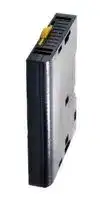


CJ1W-TER01
End Cover, CJ1M Series Controller
- Manufacturer: OMRON INDUSTRIAL AUTOMATION
- Product type: Controller Accessories
- SVHC: To Be Advised
| Delivery and price | |
|---|---|
| Units per pack | 1 |
| Price | 113.55 € |
| Current stock | 10+ |
| Lead time | 30 days |

**CJ-series CJ1M CPU Units CJ1M-CPU1** @

CSM_CJ1M-CPU_DS_E_6_2

## • Small! Fast! Flexible!

These machine controllers provide flexible control for all kinds of applications.

**CJ1M-CPU12**

## **Features**

- Compact 90 × 65 mm (H × D) dimensions are first class in the industry.

- Provides excellent high-speed control performance, with high-speed processing of 0.1 μ s for LD instructions and 13.3 μ s for floating-point calculations.

- Other models are available with special functions such as the CJ1M-CPU2 @ , which provides positioning functions and built-in I/O, and the CJ1G-CPU4 @ P.

- High-capacity Memory Cards up to 128 MB can be installed, and used to backup the program and system settings, or log customer data.

- The large instruction set can support diverse applications. Four types of programming are supported (ladder, structured text, sequential function charts, and instruction lists), with approximately 400 instructions and 800 instruction variations.

- These CJ-series CPU Units support structured programming using function blocks, which can improve the customer's program development resources.

- The various protection functions provide improved security to protect valuable software resources and property.

- The CPU Units are compatible with the CX-One Integrated Tool Package. Information for each component can be linked, and the system's data can be integrated into one database. The software can provide total support from PLC settings to network startup.

## **Ordering Information**

## **Applicable standards**

Refer to the OMRON website (www.ia.omron.com) or ask your OMRON representative for the most recent applicable standards for each model.

|**Name**|**Specifications**|**Specifications**|**Specifications**|**Specifications**|**Current**<br>**consumption(A)**|**Current**<br>**consumption(A)**|**Model number**|
|---|---|---|---|---|---|---|---|
||**Maximum number of I/O points**<br>**and mountable Units**<br>**(No. of Expansion Racks)**|**Program capacity**|**Data area memory**<br>**capacity**|**LD**<br>**execution**<br>**time**|**5 V system**|**24 V**<br>**system**||
|**CJ1M CPU Units**<br>i|640 I/O points and 20 Units max.<br>(1 Expansion Rack max.)|20K steps|32K words<br>DM: 32K words<br>EM: None|0.1μs|0.58<br>(See note.)|−|**CJ1M-CPU13**|
||320 I/O points and 10 Units max.<br>(No Expansion Racks)|10K steps|||||**CJ1M-CPU12**|
||160 I/O points and 10 Units max.<br>(No Expansion Racks)|5K steps|||||**CJ1M-CPU11**|


- **Note:** These values include the current consumption of a Programming Console. When using an NT-AL001 RS-232C/RS-422A Adapter, add 0.15A/ per Adapter.

When using a CJ1W-CIF11 RS-422A Adapter, add 0.04A per Adapter.

## **Accessories**

The following accessories come with CPU Unit:

|**Item**|**Specification**|
|---|---|
|**Battery**|CJ1M: CJ1W-BAT01|
|**End Cover**|CJ1W-TER01 (necessary to be mounted at the right end of CPU Rack)|
|**End Plate**|PFP-M (2 pcs)|


**Note:** A serial port (RS-232C) connector is not provided. Purchase a connector separately for serial port connection. Plug : XM3A-0921 (manufactured by OMRON) or equivalent

Hood : XM2S-0911-E (manufactured by OMRON) or equivalent

**1**

**CJ1M-CPU1** @

## **Specifications**

## **Common Specifications**

|**Item**|**Item**|**Specifications**|**Specifications**|
|---|---|---|---|
|**Control method**||Stored program||
|**I/O control method**||Cyclic scan and immediate processing are both possible.||
|**Programming**||LD (Ladder), SFC (Sequential Function Chart), ST (Structured Text), Mnemonic||
|**CPU processing mode**||CJ1M CPU Units: Normal Mode or Peripheral Servicing Priority Mode||
|**Instruction length**||1 to 7 steps per instruction||
|**Ladder instructions**||Approx. 400 (3-digit function codes)||
|**Execution time**||•CJ1M CPU Units (CPU12/13/22/23):<br>Basic instructions: 0.10μs min.<br>Special instructions: 0.15μs min.<br>•CJ1M CPU Units (CPU11/21):<br>Basic instructions: 0.10μs min.<br>Special instructions: 0.15μs min.||
|**Overhead time**||•CJ1M CPU Units (CPU12/13/22/23): 0.5 ms min.<br>•CJ1M CPU Units (CPU11/21): 0.7 ms min.||
|**Unit connection method**||No Backplane: Units connected directly to each other.||
|**Mounting method**||DIN Track (screw mounting not possible)||
|**Maximum number of connectable**<br>**Units**||CJ1M CPU Units:<br>Total of 20 Units in the System, including 10 Units on CPU Rack and 10 Units on one Expansion Rack.||
|**Maximum number of Expansion**<br>**Racks**||•CJ1M CPU Units (CPU 13/23 only):<br>1 max. (An I/O Control Unit is required on the CPU Rack and an I/O Interface Unit is required on the Expansion Rack.)<br>•CJ1M CPU Units (CPU11/12/21/22):<br>Expansion is not possible.||
|**Number of tasks**||288 (cyclic tasks: 32, interrupt tasks: 256)<br>With CJ1M CPU Units, interrupt tasks can be defined as cyclic tasks called "extra cyclic tasks." Including these, up to 288 cyclic<br>tasks can be used.<br>**Note: 1.** Cyclic tasks are executed each cycle and are controlled with TKON(820) and TKOF(821) instructions.<br>**2.** The following 4 types of interrupt tasks are supported.<br>Power OFF interrupt tasks: 1 max.<br>Scheduled interrupt tasks: 2 max.<br>I/O interrupt tasks: 32 max.<br>External interrupt tasks: 256 max.||
|**Interrupt types**||Scheduled Interrupts:<br>Interrupts generated at a time scheduled by the CPU Unit's built-in timer. (See note. 1)<br>I/O Interrupts: Interrupts from Interrupt Input Units.<br>Power OFF Interrupts (See note 2.): Interrupts executed when the CPU Unit's power is turned OFF.<br>External I/O Interrupts: Interrupts from the Special I/O Units or CPU Bus Units.<br>**Note: 1.** CJ1M CPU Units: Scheduled interrupt time interval is 0.5 ms to 999.9 ms (in increments of 0.1 ms), 1 ms to 9,999 ms<br>(in increments of 1 ms), or 10 ms to 99,990 ms (in increments of 10 ms)<br>**2.** Not supported when the CJ1W-PD022 Power Supply Unit is mounted.||
|**Function blocks (CPU Unit with**<br>**unit version 3.0 or later only)**||Languages in function block definitions: ladder programming, structured text||
|**CIO**<br>**(Core I/O)**<br>**Area**|**I/O Area**|1,280: CIO 000000 to CIO 007915 (80 words from CIO 0000 to CIO 0079)<br>The setting of the first word can be changed from the default (CIO 0000) so that CIO 0000 to<br>CIO 0999 can be used.<br>I/O bits are allocated to Basic I/O Units.|The CIO Area can be used as<br>work bits if the bits are not<br>used as shown here.|
||**Link Area**|3,200 (200 words): CIO 10000 to CIO 119915 (words CIO 1000 to CIO 1199)<br>Link bits are used for data links and are allocated to Units in Controller Link Systems.||
||**CPU Bus Unit Area**|6,400 (400 words): CIO 150000 to CIO 189915 (words CIO 1500 to CIO 1899)<br>CPU Bus Unit bits store the operating status of CPU Bus Units.<br>(25 words per Unit, 16 Units max.)||
||**Special I/O Unit Area**|15,360 (960 words): CIO 200000 to CIO 295915 (words CIO 2000 to CIO 2959)<br>Special I/O Unit bits are allocated to Special I/O Units. (10 words per Unit, 96 Units max.)<br>**Note:** Special I/O Units are I/O Units that belong to a special group called "Special I/O Units."<br>Example:CJ1W-AD081 Analog Input Unit||
||**Serial PLC Link Area**<br>**(CJ1M CPU Units only)**|1,440 (90 words): CIO 310000 to CIO 318915 (words CIO 3100 to CIO 3189)||
||**DeviceNet Area**|9,600 (600 words): CIO 320000 to CIO 379915 (words CIO 3200 to CIO 3799)<br>DeviceNet bits are allocated to Slaves for DeviceNet Unit remote I/O communications when the<br>Master function is used with fixed allocations.<br>The following words are allocated to the Master function even when the DeviceNet Unit is used<br>as a Slave.<br>Fixed allocation<br>setting 1<br>Outputs: CIO 3200 to CIO 3263<br>Inputs: CIO 3300 to CIO 3363<br>Fixed allocation<br>setting 2<br>Outputs: CIO 3400 to CIO 3463<br>Inputs: CIO 3500 to CIO 3563<br>Fixed allocation<br>setting 3<br>Outputs: CIO 3600 to CIO 3663<br>Inputs: CIO 3700 to CIO 3763<br>Fixed allocation<br>setting 1<br>Outputs: CIO 3370 (Slave to Master)<br>Inputs: CIO 3270 (Master to Slave)<br>Fixed allocation<br>setting 2<br>Outputs: CIO 3570 (Slave to Master)<br>Inputs: CIO 3470 (Master to Slave)<br>Fixed allocation<br>setting 3<br>Outputs: CIO 3770 (Slave to Master)<br>Inputs: CIO 3670 (Master to Slave)||


**2**

**CJ1M-CPU1 @**

|**Item**|**Item**|**Specifications**|
|---|---|---|
|**CIO**<br>**(Core I/O)**<br>**Area**|**Internal I/O Area**|4,800 (300 words): CIO 120000 to CIO 149915 (words CIO 1200 to CIO 1499)<br>37,504 (2,344 words): CIO 380000 to CIO 614315 (words CIO 3800 to CIO 6143)<br>These bits in the CIO Area are used as work bits in programming to control program execution. They cannot be used for external<br>I/O.|
|**Work Area**||8,192 bits (512 words): W00000 to W51115 (W000 to W511)<br>Controls the programs only. (I/O from external I/O terminals is not possible.)<br>**Note:** When using work bits in programming, use the bits in the Work Area first before using bits from other areas.|
|**Holding Area**||8,192 bits (512 words): H00000 to H51115 (H000 to H511)<br>Holding bits are used to control the execution of the program, and maintain their ON/OFF status when the PLC is turned OFF<br>or theoperating mode is changed.<br>**Note:** The Function Block Holding Area words are allocated from H512 to H1535. These words can be used only for the<br>function block instance area (internally allocated variable area).|
|**Auxiliary Area**||Read only: 7,168 bits (448 words): A00000 to A44715 (words A000 to A447)<br>Read/write: 8,192 bits (512 words): A44800 to A95915 (words A448 to A959)<br>Auxiliary bits are allocated specific functions.|
|**Temporary Area**||16 bits (TR0 to TR15)<br>Temporary bits are used to temporarily store the ON/OFF execution conditions at program branches.|
|**Timer Area**||4,096: T0000 to T4095 (used for timers only)|
|**Counter Area**||4,096: C0000 to C4095 (used for counters only)|
|**DM Area**||32 Kwords: D00000 to D32767<br>Used as a general-purpose data area for reading and writing data in word units (16 bits). Words in the DM Area maintain their<br>status when the PLC is turned OFF or the operating mode is changed.<br>Internal Special I/O Unit DM Area: D20000 to D29599 (100 words×96 Units)<br>Used to set parameters for Special I/O Units.<br>CPU Bus Unit DM Area: D30000 to D31599 (100 words×16 Units)<br>Used to set parameters for CPU Bus Units.|
|**Index Registers**||IR0 to IR15<br>Store PLC memory addresses for indirect addressing. Index registers can be used independently in each task. One register is<br>32 bits (2words).<br>•CJ1M CPU Units: Setting to use index registers either independently in each task or to share them between tasks.|
|**Task Flag Area**||32 (TK0000 to TK0031)<br>Task Flags are read-only flags that are ON when the corresponding cyclic task is executable and OFF when the corresponding<br>task is not executable or in standby status.|
|**Trace Memory**||4,000 words (trace data: 31 bits, 6 words)|
|**File Memory**||Memory Cards: Compact flash memory cards can be used (MS-DOS format).|


## **Function Specifications**

|**Item**|**Specifications**|**Specifications**|
|---|---|---|
|**Constant cycle time**|1 to 32,000 ms (Unit: 1 ms)||
|**Cycle time monitoring**|Possible (Unit stops operating if the cycle is too long): 10 to 40,000 ms (Unit: 10 ms)||
|**I/O refreshing**|Cyclic refreshing, immediate refreshing, refreshing by IORF(097).<br>IORF(097) refreshes I/O bits allocated to Basic I/O Units and Special I/O Units.<br>With the CJ1M CPU Units, the CPU BUS UNIT I/O REFRESH (DLNK(226)) instruction can be used to refresh bits allocated to<br>CPU Bus Units in the CIO and DM Areas whenever required.||
|**Timing of special refreshing for**<br>**CPU Bus Units**|Data links for Controller Link Units and SYSMAC LINK Units, remote I/O for DeviceNet Units, and other special refreshing for<br>CPU Bus Units is performed at the following times:<br>•CJ1M CPU Units: I/O refresh period and when the CPU BUS UNIT I/O REFRESH (DLNK(226)) instruction is executed.||
|**I/O memory holding when**<br>**changing operating modes**|Depends on the ON/OFF status of the IOM Hold Bit in the Auxiliary Area.||
|**Load OFF**|All outputs on Output Units can be turned OFF when the CPU Unit is operating in RUN, MONITOR, or PROGRAM mode.||
|**Timer/Counter PV refresh method**|CJ1M CPU Units: BCD or binary (CX-Programmer Ver. 3.0 or higher).||
|**Input response time setting**|Time constants can be set for inputs from Basic I/O Units. The time constant can be increased to reduce the influence of noise<br>and chattering or it can be decreased to detect shorter pulses on the inputs.||
|**Mode setting at power-up**|Possible (By default, the CPU Unit will start in RUN mode if a Programming Console is not connected.)||
|**Flash memory (CJ1M CPU Units**<br>**only)**|The user program and parameter area data (e.g., PLC Setup) are always backed up automatically in flash memory. (automatic<br>backup and restore.)<br>•CPU Units with unit version 3.0 or later only:<br>When downloading projects from CX-Programmer Ver. 5.0 or higher, symbol table files (including CX-Programmer symbol names,<br>I/O comments), comment files (CX-Programmer rung comments, other comments), and program index files (CX-Programmer<br>section names, section comments, or program comments) are stored in comment memory within the flash memory.||
|**Memory Card functions**|Automatically reading programs (autoboot) from the Memory<br>Card when the power is turned ON.|Possible|
||Program replacement during PLC operation|Possible|
||Format in which data is stored in Memory Card|User program: Program file format<br>PLC Setup and other parameters: Data file format<br>I/O memory: Data file format (binary format), text format, or<br>CSV format|
||Functions for which Memory Card read/write is supported|User program instructions, Programming Devices (including<br>CX-Programmer and Programming Consoles), Host Link<br>computers, AR Area control bits, easy backup operation|
|**Filing**|Memory Card data and the EM (Extended Data Memory) Area can be handled as files.||
|**Debugging**|Control set/reset, differential monitoring, data tracing (scheduled, each cycle, or when instruction is executed), instruction error<br>tracing, storing location generating error when a program error occurs.||


**3**

**CJ1M-CPU1 @**

|**Item**|**Specifications**|
|---|---|
|**Online editing**|When the CPU Unit is in MONITOR or PROGRAM mode, multiple program sections ("circuits") of the user program can be<br>edited together. This function is not supported for block programming areas.<br>(With the CX-Programmer is used, multiple program sections of the user program can be edited together. When a Programming<br>Console is used, the program can be edited in mnemonics only.)|
|**Program protection**|Overwrite protection: Set using DIP switch.<br>Copy protection: Password set using CX-Programmer or Programming Consoles.|
|**Error check**|User-defined errors (i.e., user can define fatal errors and non-fatal errors)<br>The FPD(269) instruction can be used to check the execution time and logic of each programming block.<br>FAL and FALS instructions can be used with the CJ1M CPU Units to simulate errors.|
|**Error log**|Up to 20 errors are stored in the error log. Information includes the error code, error details, and the time the error occurred.<br>A CJ1M CPU Unit can be set so that user-defined FAL errors are not stored in the error log.|
|**Serial communications**|Built-in peripheral port: Programming Device (including Programming Console) connections, Host Links, NT Links Built-in RS-<br>232C port: Programming Device (excluding Programming Console) connections, Host Links, no-protocol communications,<br>NT Links, Serial Gateway (Compoway/F master)|
||Serial Communications Unit (sold separately): Protocol macros, Host Links, NT Links, Modbus-RTU slave, No-protocol,<br>Serial Gateway (Compoway/F master, Modbus master)|
|**Clock**|Provided on all models.<br>Accuracy:<br>Ambient temperature<br>Monthly error<br>55°C<br>−3.5 min to +0.5 min<br>25°C<br>−1.5 min to +1.5 min<br>0°C<br>−3 min to +1 min<br>**Note:** Used to store the time when power is turned ON and when errors occur.|
|**Power OFF detection time**|AC Power Supply Unit: 10 to 25 ms (not fixed)<br>DC Power Supply Unit PD025: 2 to 5 ms; PD022: 2 to 10 ms|
|**Power OFF detection delay time**|0 to 10 ms (user-defined, default: 0 ms)<br>**Note:** Not supported when the CJ1W-PD022 Power Supply Unit is mounted.|
|**Memory protection**|Held Areas: Holding bits, contents of Data Memory and Extended Data Memory, and status of the counter Completion Flags<br>and present values.<br>**Note:** If the IOM Hold Bit in the Auxiliary Area is turned ON, and the PLC Setup is set to maintain the IOM Hold Bit status when<br>power to the PLC is turned ON, the contents of the CIO Area, the Work Area, part of the Auxiliary Area, timer Completion<br>Flag and PVs, Index Registers, and the Data Registers will be saved for up to 20 days.|
|**Sending commands to a Host**<br>**Link computer**|FINS commands can be sent to a computer connected via the Host Link System by executing Network Communications<br>Instructions from the PLC.|
|**Remote programming and**<br>**monitoring**|Host Link communications can be used for remote programming and remote monitoring through a Controller Link, Ethernet,<br>DeviceNet, or SYSMAC LINK network.|
|**Communicating across network**<br>**levels**|Remote programming and monitoring from Support Software and FINS message communications can be performed across<br>different network levels, even for different types of network.<br>Pre-Ver. 2.0: Three levels<br>Version 2.0 or later: Eight levels for Controller Link and Ethernet<br>networks (See note.), three levels for other networks.<br>**Note:** To communicate across eight levels, the CX-Integrator or the CX-Net in CX-Programmer version 4.0 or higher must be<br>used to set the routing tables.|
|**Storing comments in CPU Unit**|I/O comments can be stored as symbol table files in the Memory Card, EM file memory, or comment memory (see note).<br>**Note:** Comment memory is supported for CX-Programmer version 5.0 or higher and CS/CJ-series CPU Units with unit version<br>3.0 or later only.|
|**Program check**|Program checks are performed at the beginning of operation for items such as no END instruction and instruction errors.<br>CX-Programmer can also be used to check programs.|
|**Control output signals**|RUN output: The internal contacts will turn ON (close) while the CPU Unit is operating (CJ1W-PA205R).|
|**Battery life**|Battery Set for CJ1M CPU Units: CJ1W-BAT01|
|**Self-diagnostics**|CPU errors (watchdog timer), I/O bus errors, memory errors, and battery errors.|
|**Other functions**|Storage of number of times power has been interrupted.<br>(Stored in A514.)|


## **Unit Versions**

|**Units**|**Models**|**Unit version**|
|---|---|---|
|CJ1M CPU Units|CJ1M-CPU12/13<br>CJ1M-CPU22/23|Unit version 4.0|
|||Unit version 3.0|
|||Unit version 2.0|
|||Pre-Ver. 2.0|
||CJ1M-CPU11/21|Unit version 4.0|
|||Unit version 3.0|
|||Unit version 2.0|


**4**

**CJ1M-CPU1 @**

## **Function Support by Unit Version**

## **Functions Supported for Unit Version 4.0 or Later**

CX-Programmer 7.0 or higher must be used to enable using the functions added for unit version 4.0. Additional functions are supported if CX-Programmer version 7.2 or higher is used.

## **CJ1M CPU Units**

|**Function**|**Function**|**CJ1M-CPU@@**|**CJ1M-CPU@@**|
|---|---|---|---|
|||**Unit version 4.0 or**<br>**later**|**Other unit versions**|
|Online editing of function blocks<br>**Note:**This function cannot be used for simulations on the CX-Simulator.||OK|−|
|Input-output variables in function blocks||OK|−|
|Text strings in function blocks||OK|−|
|New application<br>instructions|Number-Text String Conversion Instructions:<br>NUM4, NUM8, NUM16, STR4, STR8, and STR16|OK|−|
||TEXT FILE WRITE (TWRIT)|OK|−|
|ST programming in task programs||OK with CX-Programmer<br>version 7.2 or higher|−|
|SFC programming in task programs||OK with CX-Programmer<br>version 7.2 or higher|−|


User programs that contain functions supported only by CPU Units with unit version 4.0 or later cannot be used on CS/CJ-series CPU Units with unit version 3.0 or earlier. An error message will be displayed if an attempt is made to download programs containing unit version 4.0 functions to a CPU Unit with a unit version of 3.0 or earlier, and the download will not be possible.

If an object program file (.OBJ) using these functions is transferred to a CPU Unit with a unit version of 3.0 or earlier, a program error will occur when operation is started or when the unit version 4.0 function is executed, and CPU Unit operation will stop.

## **Functions Supported for Unit Version 3.0 or Later**

CX-Programmer 5.0 or higher must be used to enable using the functions added for unit version 3.0.

## **CJ1M CPU Units**

|**Function**|**Function**|**CJ1M-CPU@@**|**CJ1M-CPU@@**|
|---|---|---|---|
|||**Unit version 3.0 or**<br>**later**|**Other unit versions**|
|Function blocks||OK|−|
|Serial Gateway (converting FINS commands to CompoWay/F commands at<br>the built-in serial port)||OK|−|
|Comment memory(in internal flash memory)||OK|−|
|Expanded simple backupdata||OK|−|
|New application<br>instructions|TXDU(256), RXDU(255) (support no-protocol<br>communications with Serial Communications Units with<br>unit version 1.2 or later)|OK|−|
||Model conversion instructions:<br>XFERC(565), DISTC(566), COLLC(567), MOVBC(568),<br>BCNTC(621)|OK|−|
||Special function block instructions: GETID(286)|OK|−|
|Additional<br>instruction functions|PRV(881) and PRV2(883) instructions: Added high-<br>frequency calculation methods for calculating pulse<br>frequency.(CJ1M CPU Units only)|OK|−|


User programs that contain functions supported only by CPU Units with unit version 3.0 or later cannot be used on CS/CJ-series CPU Units with unit version 2.0 or earlier. An error message will be displayed if an attempt is made to download programs containing unit version 3.0 functions to a CPU Unit with a unit version of 2.0 or earlier, and the download will not be possible.

If an object program file (.OBJ) using these functions is transferred to a CPU Unit with a unit version of 2.0 or earlier, a program error will occur when operation is started or when the unit version 3.0 function is executed, and CPU Unit operation will stop.

**5**

**CJ1M-CPU1** @

## **Functions Supported for Unit Version 2.0 or Later**

CX-Programmer 4.0 or higher must be used to enable using the functions added for unit version 2.0.

## **CJ1M CPU Units**

|**Function**|**Function**|**CJ1M CPU Units**|**CJ1M CPU Units**|**CJ1M CPU Units**|
|---|---|---|---|---|
|||**CJ1M-CPU12/13/22/23**||**CJ1M-CPU11/21**|
|||**Unit version 2.0 or later**|**Other unit**<br>**versions**|**Unit version 2.0 or later**|
|Downloading and Uploading Individual Tasks||OK|−|OK|
|Improved Read Protection Using Passwords||OK|−|OK|
|Write Protection from FINS Commands Sent to CPU Units via Networks||OK|−|OK|
|Online Network Connections without I/O Tables||OK|−(Supported<br>if I/O tables are<br>automatically generated<br>at startup.)|OK|
|Communications through a Maximum of 8 Network Levels||OK|−|OK|
|Connecting Online to PLCs via NS-series PTs||OK|OK from<br>lot number 030201|OK|
|Setting First Slot Words||OK for up to 64 groups|OK for up to<br>8 groups|OK for up to 64 groups|
|Automatic Transfers at Power ON without a Parameter File||OK|−|OK|
|Automatic Detection of I/O Allocation Method for Automatic Transfer at Power ON||OK|−|OK|
|Operation Start/End Times||OK|−|OK|
|New Application<br>Instructions|MILH, MILR, MILC|OK|−|OK|
||=DT, <>DT, <DT, <=DT, >DT, >=DT|OK|−|OK|
||BCMP2|OK|OK|OK|
||GRY|OK|OK from<br>lot number 030201|OK|
||TPO|OK|−|OK|
||DSW, TKY, HKY, MTR, 7SEG|OK|−|OK|
||EXPLT, EGATR, ESATR, ECHRD, ECHWR|OK|−|OK|
||Reading/Writing CPU Bus Units with IORD/IOWR|OK|−|OK|
||PRV2|OK, but only for CPU<br>Units with built-in I/O|−|OK, but only for CPU<br>Units with built-in I/O|


User programs that contain functions supported only by CPU Units with unit version 2.0 or later cannot be used on CS/CJ-series Pre-Ver. 2.0 CPU Units. An error message will be displayed if an attempt is made to download programs containing unit version s.0 functions to a Pre-Ver. 2.0 CPU Unit, and the download will not be possible.

If an object program file (.OBJ) using these functions is transferred to a Pre- Ver. 2.0 CPU Unit, a program error will occur when operation is started or when the unit version 2.0 function is executed, and CPU Unit operation will stop.

**6**

**CJ1M-CPU1 @**

## **Unit Versions and Programming Devices**

The following tables show the relationship between unit versions and CX-Programmer versions.

## **Unit Versions and Programming Devices**

|**CPU Unit**|**Functions (See note 1.)**|**Functions (See note 1.)**|**CX-Programmer**|**CX-Programmer**|**CX-Programmer**|**CX-Programmer**|**Programming**<br>**Console**|
|---|---|---|---|---|---|---|---|
||||**Ver. 3.3**|**Ver. 4.0**|**Ver. 5.0**<br>**Ver. 6.0**|**Ver. 7.0**<br>**or higher**||
|CS/CJ-series unit<br>Ver. 4.0|Functions added<br>for unit version 4.0|Using new<br>functions|−|−|−|OK<br>(See note 2.)|No<br>restrictions|
|||Not using new<br>functions|OK|OK|OK|OK||
|CS/CJ-series unit<br>Ver. 3.0|Functions added<br>for unit version 3.0|Using new<br>functions|−|−|OK|OK||
|||Not using new<br>functions|OK|OK|OK|OK||
|CS/CJ-series unit<br>Ver. 2.0|Functions added<br>for unit version 2.0|Using new<br>functions|−|OK|OK|OK||
|||Not using new<br>functions|OK|OK|OK|OK||


**Note: 1.** As shown above, there is no need to upgrade to CX-Programmer version as long as the functions added for unit versions are not used. **2.** CX-Programmer version 7.0 or higher is required to use the functional improvements made for unit version 4.0 of the CS/CJ-series CPU Units. With CX-Programmer version 7.2 or higher, you can use even more expanded functionality.

## **Device Type Setting**

The unit version does not affect the setting made for the device type on the CX-Programmer. Select the device type as shown in the following table regardless of the unit version of the CPU Unit.

|**Series**|**CPU Unit group**|**CPU Unit model**|**Device type setting on**<br>**CX-Programmer Ver. 4.0 or higher**|
|---|---|---|---|
|CJ Series|CJ1M CPU Units|CJ1M-CPU@@|CJ1M|


**7**

**CJ1M-CPU1 @**

## **External Interface**

A CJ1-series CPU Unit provides two communications ports for external interfaces: a peripheral port and an RS-232C port.

**==> picture [355 x 239] intentionally omitted <==**

**----- Start of picture text -----**<br>
LED Indicators<br>DIP Switch<br>Battery Compartment (Inside the battery compartment)<br>Used for initial settings.<br>Memory Card Indicators<br>MCPWR (green): Lit when power is<br>Memory Card Power  supplied to Memory Card.<br>Supply Switch BUSY (orange): Lit when Memory<br>Press the power supply  Card is being accessed.<br>switch to disconnect  Peripheral Port<br>power before removing  Connected to Programming Devices,<br>the Memory Card. Also,  such as a Programming Console or host computers.<br>press the Memory Card<br>Power Supply Switch to  Memory Card Connector<br>perform an easy backup  Connects the Memory Card to the CPU Unit.<br>operation.<br>RS-232C Port<br>Connected to Programming Devices<br>(excluding Programming Consoles),<br>Host Computers, general-purpose external<br>devices, Programmable Terminals, and other<br>devices.<br>Memory Card Eject Button<br>Press the eject button to remove te<br>Memory Card from the CPU Unit.<br>**----- End of picture text -----**<br>


## **Peripheral port**

The peripheral port is used to connect a Programming Device (including a Programming Console) or a host computer. It can also be used as an RS-232C port by connecting a suitable cable, such as the CS1W-CN118 or CS1W-CN @ 26. The connector pin arrangement when using a connecting cable for an RS-232C port is shown below.

**==> picture [202 x 99] intentionally omitted <==**

**----- Start of picture text -----**<br>
6<br>9<br>5<br>CS1W-CN118<br>1<br>**----- End of picture text -----**<br>


**==> picture [64 x 43] intentionally omitted <==**

|**Pin No.**<br>|**Signal**|**Name**|**Direction**|
|---|---|---|---|
|1<br>−||−|−|
|2<br>SD (TXD)||Send data|Output|
|3<br>RD (RXD)||Receive data|Input|
|4<br>RS (RTS)||Request to send|Output|
|5<br>CS (CTS)||Clear to send|Input|
|6<br>Reserved||None|−|
|7<br>−||−|−|
|8<br>−||−|−|
|9<br>SG (0V)||Signalground|−|
|Connector hood<br>FG||Protection earth|−|


**8**

**CJ1M-CPU1 @**

## **RS-232C Port**

|**Item**|**Specification**|
|---|---|
|**Communications method**|Half duplex|
|**Synchronization**|Start-stop|
|**Baud rate**|0.3/0.6/1.2/2.4/4.8/9.6/19.2/38.4/57.6/115.2 kbps<br>(See note.)|
|**Transmission distance**|15 m max.|
|**Interface**|EIA RS-232C|
|**Protocol**|Host Link, NT Link, 1:N, No-protocol, or Peripheral Bus|


**Note:** Baud rates for the RS-232C are specified only up to 19.2 kbps. The CJ Series supports serial communications from 38.4 kbps to 115.2 kbps, but some computers cannot support these speeds. Lower the baud rate if necessary.

**==> picture [88 x 99] intentionally omitted <==**

**----- Start of picture text -----**<br>
6<br>9<br>5<br>1<br>**----- End of picture text -----**<br>


|**Pin No.**|**Signal**|**Name**|**Direction**|
|---|---|---|---|
|1|FG|Protection earth|−|
|2|SD (TXD)|Send data|Output|
|3|RD (RXD)|Receive data|Input|
|4|RS (RTS)|Request to send|Output|
|5|CS (CTS)|Clear to send|Input|
|6|5V|Power supply|−|
|7|DR (DSR)|Data set ready|Input|
|8|ER (DTR)|Data terminal ready|Output|
|9|SG (0V)|Signalground|−|
|Connector hood|FG|Protection earth|−|


**Note:** Do not use the 5-V power from pin 6 of the RS-232C port for anything but the NT-AL001-E Link Adapter. Using this power supply for any other external device may damage the CPU Unit or the external device.

**9**

**CJ1M-CPU1 @**

**Dimensions**

**(Unit : mm)**

## **CJ1M CPU Units**

**==> picture [247 x 226] intentionally omitted <==**

**----- Start of picture text -----**<br>
a oe AL e aa<br>:<br>65<br>31 73.9<br>2.7<br>90<br>2.7<br>**----- End of picture text -----**<br>


**10**

**CJ1M-CPU1** @

## **About Manuals**

|**Name**|**Cat. No.**|**Contents**|
|---|---|---|
|SYSMAC CJ/NSJ Series<br>CJ1H-CPU@@H-R, CJ1G-CPU@@, CJ1M-CPU@@,<br>CJ1G-CPU@@P, CJ1G/H-CPU@@H<br>Programmable Controllers Operation Manual|W393|Provides an outlines of and describes the design, installation,<br>maintenance, and other basic operations for the CJ-series PLCs.|
|SYSMAC CS/CJ/NSJ Series<br>CS1G/H-CPU@@-EV1, CS1G/H-CPU@@H,<br>CS1D-CPU@@HA, CS1D-CPU@@SA,<br>CS1D-CPU@@H, CS1D-CPU@@S, CJ1H-CPU@@H-R,<br>CJ1G-CPU@@, CJ1M-CPU@@, CJ1G-CPU@@P,<br>CJ1G/H-CPU@@H, NSJ@-@@@@(B)-G5D,<br>NSJ@-@@@@(B)-M3D<br>Programmable Controllers ProgrammingManual|W394|This manual describes programming and other methods to use the<br>functions of the CS/CJ-series and NSJ-series PLCs.|
|SYSMAC CS/CJ/NSJ Series<br>CS1G/H-CPU@@-EV1, CS1G/H-CPU@@H,<br>CS1D-CPU@@HA, CS1D-CPU@@SA,<br>CS1D-CPU@@H, CS1D-CPU@@S, CJ1H-CPU@@H-R,<br>CJ1G-CPU@@, CJ1M-CPU@@, CJ1G-CPU@@P,<br>CJ1G/H-CPU@@H, NSJ@-@@@@(B)-G5D,<br>NSJ@-@@@@(B)-M3D<br>Programmable Controllers Instructions Reference Manual|W474|Describes the ladder diagram programming instructions supported by<br>CS/CJ-series and NSJ-series PLCs|
|SYSMAC CS/CJ Series<br>CQM1H-PRO01-E, C200H-PRO27-E, CQM1-PRO01-E<br>ProgrammingConsoles Operation Manual|W341|Provides information on how to program and operate CS/CJ-series<br>PLCs using a Programming Console.|
|SYSMAC CS/CJ/NSJ Series<br>CS1G/H-CPU@@-EV1, CS1G/H-CPU@@H,<br>CS1D-CPU@@HA, CS1D-CPU@@SA,<br>CS1D-CPU@@H, CS1D-CPU@@S, CJ1G-CPU@@,<br>CJ1M-CPU@@, CJ1G-CPU@@P, CJ1G/H-CPU@@H,<br>CS1W-SCB@@-V1, CS1W-SCU@@-V1,<br>CJ1W-SCU@@-V1, CP1H-X@@@@-@,<br>CP1H-XA@@@@-@, CP1H-Y@@@@-@,<br>NSJ@-@@@@(B)-G5D, NSJ@-@@@@(B)-M3D<br>Communications Commands Reference Manual|W342|Describes the C-series (Host Link) and FINS communications<br>commands used with CS/CJ-series PLCs.|
|SYSMAC WS02-CX@@-V@<br>CX-Programmer Operation Manual|W446|Provides information on how to use the CX-Programmer for all<br>functionality except for function blocks.|
|SYSMAC WS02-CX@@-V@<br>CX-Programmer Operation Manual<br>Function Blocks<br>(CS1G-CPU@@H, CS1H-CPU@@H,<br>CJ1G-CPU@@H, CJ1H-CPU@@H,<br>CJ1M-CPU@@, CP1H-X@@@@-@,<br>CP1H-XA@@@@-@, CP1H-Y@@@@-@<br>CPU Units)|W447|Describes the functionality unique to the CX-Programmer Ver. 7.0 and<br>CP-series CPU Units or CS/CJ-series CPU Units with unit version 3.0<br>or later based on function blocks. Functionality that is the same as that<br>of the CX-Programmer is described in W446 (enclosed).|
|CXONE-AL@@D-V@<br>CX-Integrator Operation Manual|W464|Describes operating procedures for the CX-Integrator Network<br>Configuration Tool for CS-, CJ-, CP-, and NSJ-series Controllers.|
|CXONE-AL@@D-V@<br>CX-One FA Integrated Tool Package Setup Manual|W463|Installation and overview of CX-One FA Integrated Tool Package.|


**11**

## Terms and Conditions Agreement

## Read and understand this catalog.

Please read and understand this catalog before purchasing the products.  Please consult your OMRON representative if you have any questions or comments.

## Warranties.

(a) Exclusive Warranty. Omron’s exclusive warranty is that the Products will be free from defects in materials and workmanship for a period of twelve months from the date of sale by Omron (or such other period expressed in writing by Omron). Omron disclaims all other warranties, express or implied.

(b) Limitations. OMRON MAKES NO WARRANTY OR REPRESENTATION, EXPRESS OR IMPLIED, ABOUT NON-INFRINGEMENT, MERCHANTABILITY OR FITNESS FOR A PARTICULAR PURPOSE OF THE PRODUCTS. BUYER ACKNOWLEDGES THAT IT ALONE HAS DETERMINED THAT THE

PRODUCTS WILL SUITABLY MEET THE REQUIREMENTS OF THEIR INTENDED USE.

Omron further disclaims all warranties and responsibility of any type for claims or expenses based on infringement by the Products or otherwise of any intellectual property right. (c) Buyer Remedy. Omron’s sole obligation hereunder shall be, at Omron’s election, to (i) replace (in the form originally shipped with Buyer responsible for labor charges for removal or replacement thereof) the non-complying Product, (ii) repair the non-complying Product, or (iii) repay or credit Buyer an amount equal to the purchase price of the non-complying Product; provided that in no event shall Omron be responsible for warranty, repair, indemnity or any other claims or expenses regarding the Products unless Omron’s analysis confirms that the Products were properly handled, stored, installed and maintained and not subject to contamination, abuse, misuse or inappropriate modification. Return of any Products by Buyer must be approved in writing by Omron before shipment. Omron Companies shall not be liable for the suitability or unsuitability or the results from the use of Products in combination with any electrical or electronic components, circuits, system assemblies or any other materials or substances or environments. Any advice, recommendations or information given orally or in writing, are not to be construed as an amendment or addition to the above warranty.

See http://www.omron.com/global/ or contact your Omron representative for published information.

## Limitation on Liability; Etc.

OMRON COMPANIES SHALL NOT BE LIABLE FOR SPECIAL, INDIRECT, INCIDENTAL, OR CONSEQUENTIAL DAMAGES, LOSS OF PROFITS OR PRODUCTION OR COMMERCIAL LOSS IN ANY WAY CONNECTED WITH THE PRODUCTS, WHETHER SUCH CLAIM IS BASED IN CONTRACT, WARRANTY, NEGLIGENCE OR STRICT LIABILITY. Further, in no event shall liability of Omron Companies exceed the individual price of the Product on which liability is asserted.

## Suitability of Use.

Omron Companies shall not be responsible for conformity with any standards, codes or regulations which apply to the combination of the Product in the Buyer’s application or use of the Product. At Buyer’s request, Omron will provide applicable third party certification documents identifying ratings and limitations of use which apply to the Product. This information by itself is not sufficient for a complete determination of the suitability of the Product in combination with the end product, machine, system, or other application or use. Buyer shall be solely responsible for determining appropriateness of the particular Product with respect to Buyer’s application, product or system. Buyer shall take application responsibility in all cases.

NEVER USE THE PRODUCT FOR AN APPLICATION INVOLVING SERIOUS RISK TO LIFE OR PROPERTY OR IN LARGE QUANTITIES WITHOUT ENSURING THAT THE SYSTEM AS A WHOLE HAS BEEN DESIGNED TO ADDRESS THE RISKS, AND THAT THE OMRON PRODUCT(S) IS PROPERLY RATED AND INSTALLED FOR THE INTENDED USE WITHIN THE OVERALL EQUIPMENT OR SYSTEM.

## Programmable Products.

Omron Companies shall not be responsible for the user’s programming of a programmable Product, or any consequence thereof.

## Performance Data.

Data presented in Omron Company websites, catalogs and other materials is provided as a guide for the user in determining suitability and does not constitute a warranty. It may represent the result of Omron’s test conditions, and the user must correlate it to actual application requirements. Actual performance is subject to the Omron’s Warranty and Limitations of Liability.

## Change in Specifications.

Product specifications and accessories may be changed at any time based on improvements and other reasons. It is our practice to change part numbers when published ratings or features are changed, or when significant construction changes are made. However, some specifications of the Product may be changed without any notice. When in doubt, special part numbers may be assigned to fix or establish key specifications for your application. Please consult with your Omron’s representative at any time to confirm actual specifications of purchased Product.

## Errors and Omissions.

Information presented by Omron Companies has been checked and is believed to be accurate; however, no responsibility is assumed for clerical, typographical or proofreading errors or omissions.

**In the interest of product improvement, specifications are subject to change without notice.**

## **OMRON Corporation**

## **Industrial Automation Company**

2018.11

**http://www.ia.omron.com/**

(c)Copyright OMRON Corporation 2018 All Right Reserved.
Updated at April 22, 2026
With a legacy spanning over 80 years, Omron Industrial Automation is a globally recognized leader in the manufacture of advanced industrial control and automation components. Renowned for their reliability and engineering excellence, Omron delivers comprehensive solutions that enhance efficiency, machine safety, and precision across a wide range of manufacturing environments. Our extensive portfolio of Omron products is heavily focused on their industry-leading sensing and switching technologies. We offer a vast selection of sensors, excelling specifically in high-performance proximity sensors, light sensors, and temperature sensors. Complementing this range are robust switching solutions, featuring a deep inventory of power relays, solid-state relays, safety relays, and essential relay accessories designed for demanding operational requirements. Beyond sensing and switching, Omron is highly regarded for its precision automation and process control equipment. Our selection features highly accurate temperature controllers, versatile process controllers, and sophisticated panel displays and instrumentation. To support these fundamental systems, we also supply dependable Omron power supplies, notably AC/DC converters, alongside vital connectivity components like DIN rail terminal blocks to ensure secure, efficient, and complete industrial setups.
About Novapart
Novapart is a B2B electronic component broker specialising in stock shortages and cost reduction. We source hard-to-find parts and identify compliant alternatives across a catalogue of 410,000+ components from 500+ manufacturers.
Learn more →Stock Shortage Specialist
When a component is unavailable, discontinued or has an unacceptable lead time, we tap into our network of vetted European and Asian distributors to source what you need — without compromising on quality or traceability.
Request a quote →Compliant Alternatives
We identify pin-to-pin, electrically equivalent substitutes that meet the same certifications (RoHS, AEC-Q100, REACH) as your original specification — validated against datasheets, not just part numbers. Often at a lower cost.
BOM Analysis service →