
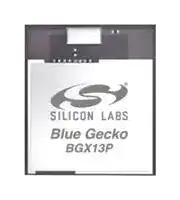


BGX13P22GA-V31
Bluetooth Module, BLE 5.0, 2 Mbps, 2.4 V to 3.8 V, -91.2 dBm, -40 °C to 85 °C
- Manufacturer: SILICON LABS
- Product type: Bluetooth Modules & Adaptors
- SVHC: To Be Advised
- Interfaces: UART
- Product Range: BGX13P Series
- Certifications: CE, FCC, ISED, KC, MIC, NCC
- Bluetooth Class: -
- Bluetooth Version: Bluetooth LE 5.0
- Supply Voltage Range: 2.4 V to 3.8 V
- Receiver Sensitivity Rx: -91.2 dBm
- Operating Temperature Range: -40 °C to 85 °C
| Delivery and price | |
|---|---|
| Units per pack | 10 |
| Price | 9.05 € |
| Current stock | 10+ |
| Lead time | 30 days |

## **BGX13P** _**Bluetooth**_ **[®] Xpress Module Data Sheet**

The BGX13P _Bluetooth_[®] Xpress Module family of serial replacement modules eliminates Bluetooth firmware development complexity with a serial interface that can operate as a raw data stream or control the device through a abstracted command API. The BGX13P can facilitate a device-to-device cable replacement link or communicate with mobile devices through the Xpress Bluetooth mobile library. The device integrates a Bluetooth 5 compliant stack to future-proof applications as Bluetooth 5 adoption increases.

The device is targeted for applications where ultra-small size, reliable high-performance RF, low-power consumption, and fast time-to-market are key requirements. At 12.9 × 15.0 × 2.0 mm (W × L × H) the BGX13P module fits applications where size is a constraint. BGX13P also integrates a high-performance, ultra-robust antenna, which requires minimal PCB, plastic, and metal clearance. The total PCB area required by BGX13P is only 51 mm[2] . The BGX13P has Bluetooth, CE, full FCC, Japanese and South Korean certifications.

## **KEY FEATURES**

- Bluetooth 5 low energy compliant

- Serial interface with hardware flow control

- GPIO control through command API

- Integrated antenna

- TX power up to 8 dBm

- Encrypted bonding and connectivity

- Integrated DC-DC Converter

- Onboard Bluetooth stack

- Centralized OTA through mobile app library

BGX13P modules can be used in a wide variety of applications:

- Health, sports, and wellness devices

- Industrial, home, and building automation

- Smart phone, tablet, and PC accessories

**==> picture [298 x 201] intentionally omitted <==**

**----- Start of picture text -----**<br>
Serial interface Bluetooth  Radio<br>controller<br>Bluetooth 5  Radio<br>compliant  transceiver<br>Command<br>stack<br>parser<br>Chip<br>Raw data  Timers antenna<br>stream<br>buffers<br>OTA  Matching<br>manager network<br>control<br>RX/TX and flow<br>GPIO  control<br>**----- End of picture text -----**<br>


**silabs.com** | Building a more connected world.

Rev. 1.1

BGX13P _Bluetooth_[®] Xpress Module Data Sheet Ordering Information

## **1.  Ordering Information**

**Table 1.1.  Ordering Information**

|**Ordering Code**|**Protocol Stack**|**Frequency Band**<br>**@ Max TX Power**|**Antenna**|**GPIO**|**Packaging**|
|---|---|---|---|---|---|
|BGX13P22GA-V31R|Bluetooth Low<br>Energy|2.4 GHz @ 8 dBm|Built-in|8|Reel|
|BGX13P22GA-V31|Bluetooth Low<br>Energy|2.4 GHz @ 8 dBm|Built-in|8|Tray|


The maximum TX power allowed by different regional certification authorities may differ from the maximum TX power the module can produce. End-product manufacturers must verify that the module is configured to meet regulatory limits for each region in accordance with the formal certification test reports.

**silabs.com** | Building a more connected world.

Rev. 1.1  |  2

## **Table of Contents**

|**1.**|**Ordering Information**<br>**.**<br>**.**<br>**.**|**.**|**.**|**.**|**.**|**.**|**.**|**.**|**.**|**.**|**.**|**.**||**.**||**.**||**.**||**.**||**.**||**.**||**.**||**.**||**.**||**.**||**.**||**.**||**.**|**. 2**|
|---|---|---|---|---|---|---|---|---|---|---|---|---|---|---|---|---|---|---|---|---|---|---|---|---|---|---|---|---|---|---|---|---|---|---|---|---|---|---|---|
|**2.**|**Electrical Specifications .**<br>**.**|**.**|**.**|**.**|**.**|**.**|**.**|**.**|**.**|**.**|**.**|**.**||**.**||**.**||**.**||**.**||**.**||**.**||**.**||**.**||**.**||**.**||**.**||**.**||**.**|**. 5**|
||2.1  Electrical Characteristics<br>.|.|.|.|.|.|.|.|.|.|.|.||.||.||.||.||.||.||.||.||.||.||.||.||.|. 5|
||2.1.1  Absolute Maximum Ratings||.|.|.|.|.|.|.|.|.|.||.||.||.||.||.||.||.||.||.||.||.||.||.|. 5|
||2.1.2  Operating Conditions<br>.|.|.|.|.|.|.|.|.|.|.|.||.||.||.||.||.||.||.||.||.||.||.||.||.|. 5|
||2.1.3  Power Consumption.<br>.|.|.|.|.|.|.|.|.|.|.|.||.||.||.||.||.||.||.||.||.||.||.||.||.|. 6|
||2.1.4  2.4 GHz RF Transceiver Characteristics||||||.|.|.|.|.|.||.||.||.||.||.||.||.||.||.||.||.||.||.|. 7|
||2.1.5  Non-Volatile Configuration Storage.|||||.|.|.|.|.|.|.||.||.||.||.||.||.||.||.||.||.||.||.||.|. 8|
||2.1.6  General-Purpose I/O (GPIO) .|||.|.|.|.|.|.|.|.|.||.||.||.||.||.||.||.||.||.||.||.||.||.|. 9|
|**3.**|**Typical Connection Diagrams**|**.**|**.**|**.**|**.**|**.**|**.**|**.**|**.**|**.**|**.**||**.**||**.**||**.**||**.**||**.**||**.**||**.**||**.**||**.**||**.**||**.**||**.**||**.**||**. 10**|
||3.1  Typical BGX13P Connections .||.|.|.|.|.|.|.|.|.|.||.||.||.||.||.||.||.||.||.||.||.||.||.|.10|
|**4.**|**Layout Guidelines**<br>**.**<br>**.**<br>**.**|**.**|**.**|**.**|**.**|**.**|**.**|**.**|**.**|**.**|**.**|**.**||**.**||**.**||**.**||**.**||**.**||**.**||**.**||**.**||**.**||**.**||**.**||**.**||**.**|**. 11**|
||4.1  Module Placement and Application PCB Layout|||||||Guidelines||||.||.||.||.||.||.||.||.||.||.||.||.||.||.|.11|
||4.2  Effect of Plastic and Metal Materials .||||.|.|.|.|.|.|.|.||.||.||.||.||.||.||.||.||.||.||.||.||.|.12|
||4.3  Locating the Module Close to|Human Body|||||.|.|.|.|.|.||.||.||.||.||.||.||.||.||.||.||.||.||.|.12|
||4.4  2D Radiation Pattern Plots .|.|.|.|.|.|.|.|.|.|.|.||.||.||.||.||.||.||.||.||.||.||.||.||.|.13|
|**5.**|**Hardware Design Guidelines**||**.**|**.**|**.**|**.**|**.**|**.**|**.**|**.**|**.**|**.**||**.**||**.**||**.**||**.**||**.**||**.**||**.**||**.**||**.**||**.**||**.**||**.**||**.**|**.15**|
||5.1  Power Supply Requirements|.|.|.|.|.|.|.|.|.|.|.||.||.||.||.||.||.||.||.||.||.||.||.||.|.15|
||5.2  Reset Functions<br>.<br>.<br>.<br>.|.|.|.|.|.|.|.|.|.|.|.||.||.||.||.||.||.||.||.||.||.||.||.||.|.15|
||5.3  Debug and Firmware Updates .||.|.|.|.|.|.|.|.|.|.||.||.||.||.||.||.||.||.||.||.||.||.||.|.15|
|**6.**|**Pin Definitions .**<br>**.**<br>**.**<br>**.**<br>**.**<br>**.**|**.**|**.**|**.**|**.**|**.**|**.**|**.**|**.**|**.**|**.**|**.**||**.**||**.**||**.**||**.**||**.**||**.**||**.**||**.**||**.**||**.**||**.**||**.**||**.**|**16**|
||6.1  BGX13P Device Pinout .<br>.|.|.|.|.|.|.|.|.|.|.|.||.||.||.||.||.||.||.||.||.||.||.||.||.|.16|
|**7.**|**Functional overview .**<br>**.**<br>**.**<br>**.**|**.**|**.**|**.**|**.**|**.**|**.**|**.**|**.**|**.**|**.**|**.**||**.**||**.**||**.**||**.**||**.**||**.**||**.**||**.**||**.**||**.**||**.**||**.**||**.**|**18**|
||7.1  Introduction .<br>.<br>.<br>.<br>.<br>.|.|.|.|.|.|.|.|.|.|.|.||.||.||.||.||.||.||.||.||.||.||.||.||.|.18|
||7.2  Communication Use Cases.|.|.|.|.|.|.|.|.|.|.|.||.||.||.||.||.||.||.||.||.||.||.||.||.|.18|
||7.3  Embedded Interface .<br>.<br>.|.|.|.|.|.|.|.|.|.|.|.||.||.||.||.||.||.||.||.||.||.||.||.||.|.18|
||7.4  Command Mode and Streaming Mode||||.|.|.|.|.|.|.|.||.||.||.||.||.||.||.||.||.||.||.||.||.|.18|
||7.5  Command API .<br>.<br>.<br>.<br>.|.|.|.|.|.|.|.|.|.|.|.||.||.||.||.||.||.||.||.||.||.||.||.||.|.19|
||7.6  GPIO Control<br>.<br>.<br>.<br>.<br>.|.|.|.|.|.|.|.|.|.|.|.||.||.||.||.||.||.||.||.||.||.||.||.||.|.19|
||7.7  Device Configuration .<br>.<br>.|.|.|.|.|.|.|.|.|.|.|.||.||.||.||.||.||.||.||.||.||.||.||.||.|.19|
||7.8  Security Features .<br>.<br>.<br>.|.|.|.|.|.|.|.|.|.|.|.||.||.||.||.||.||.||.||.||.||.||.||.||.|.19|
||7.9  OTA<br>.<br>.<br>.<br>.<br>.<br>.<br>.<br>.|.|.|.|.|.|.|.|.|.|.|.||.||.||.||.||.||.||.||.||.||.||.||.||.|.19|
||7.10  Direct Test Mode Support .|.|.|.|.|.|.|.|.|.|.|.||.||.||.||.||.||.||.||.||.||.||.||.||.|.19|
|**8.**|**Package Specifications**<br>**.**|**.**|**.**|**.**|**.**|**.**|**.**|**.**|**.**|**.**|**.**|**.**||**.**||**.**||**.**||**.**||**.**||**.**||**.**||**.**||**.**||**.**||**.**||**.**||**.**|**.20**|
||8.1  Package Outline<br>.<br>.<br>.<br>.|.|.|.|.|.|.|.|.|.|.|.||.||.||.||.||.||.||.||.||.||.||.||.||.|.20|
||8.2  Recommended PCB Land Pattern|||.|.|.|.|.|.|.|.|.||.||.||.||.||.||.||.||.||.||.||.||.||.|.21|


**silabs.com** | Building a more connected world.

Rev. 1.1 |  3

|8.3  Package Marking|.|.|.|.|.||.||.||.||.||.||.||.||.||.||.||.||.||.||.||.||.||.||.||.||.||.||.||.|.22|
|---|---|---|---|---|---|---|---|---|---|---|---|---|---|---|---|---|---|---|---|---|---|---|---|---|---|---|---|---|---|---|---|---|---|---|---|---|---|---|---|---|---|---|---|---|---|---|---|---|---|---|---|---|
|**9.  Soldering Recommendations**||||||**.**||**.**||**.**||**.**||**.**||**.**||**.**||**.**||**.**||**.**||**.**||**.**||**.**||**.**||**.**||**.**||**.**||**.**||**.**||**.**||**.**||**.**||**.**||**. 23**|
|9.1  Soldering Recommendations|||||.||.||.||.||.||.||.||.||.||.||.||.||.||.||.||.||.||.||.||.||.||.||.||.|.23|
|**10.  Certifications .**<br>**.**|**.**|**.**|**.**|**.**|**.**||**.**||**.**||**.**||**.**||**.**||**.**||**.**||**.**||**.**||**.**||**.**||**.**||**.**||**.**||**.**||**.**||**.**||**.**||**.**||**.**||**.**||**.**||**.**|**24**|
|10.1  Bluetooth<br>.<br>.|.|.|.|.|.||.||.||.||.||.||.||.||.||.||.||.||.||.||.||.||.||.||.||.||.||.||.||.|.24|
|10.2  CE<br>.<br>.<br>.<br>.|.|.|.|.|.||.||.||.||.||.||.||.||.||.||.||.||.||.||.||.||.||.||.||.||.||.||.||.|.24|
|10.3  FCC .<br>.<br>.<br>.|.|.|.|.|.||.||.||.||.||.||.||.||.||.||.||.||.||.||.||.||.||.||.||.||.||.||.||.|.24|
|10.4  ISED Canada .|.|.|.|.|.||.||.||.||.||.||.||.||.||.||.||.||.||.||.||.||.||.||.||.||.||.||.||.|.25|
|10.5  Japan<br>.<br>.<br>.|.|.|.|.|.||.||.||.||.||.||.||.||.||.||.||.||.||.||.||.||.||.||.||.||.||.||.||.|.27|
|10.6  KC South Korea|.|.|.|.|.||.||.||.||.||.||.||.||.||.||.||.||.||.||.||.||.||.||.||.||.||.||.||.|.27|
|10.7  NCC Taiwan .|.|.|.|.|.||.||.||.||.||.||.||.||.||.||.||.||.||.||.||.||.||.||.||.||.||.||.||.|.28|
|**11.  Revision History.**|**.**|**.**|**.**|**.**|**.**||**.**||**.**||**.**||**.**||**.**||**.**||**.**||**.**||**.**||**.**||**.**||**.**||**.**||**.**||**.**||**.**||**.**||**.**||**.**||**.**||**.**||**.**||**.**|**29**|


**silabs.com** | Building a more connected world.

Rev. 1.1 |  4

BGX13P _Bluetooth_[®] Xpress Module Data Sheet Electrical Specifications

## **2.  Electrical Specifications**

## **2.1  Electrical Characteristics**

All electrical parameters in all tables are specified under the following conditions, unless stated otherwise:

- Typical values are based on TAMB = 25°C and VDD = 3.3 V, by production test and/or technology characterization.

- Radio performance numbers are measured in conducted mode, based on Silicon Laboratories reference designs using output power-specific external RF impedance-matching networks for interfacing to a 50 Ω antenna.

- Minimum and maximum values represent the worst conditions across supply voltage, process variation, and operating temperature, unless stated otherwise.

The BGX13P module has only one external supply pin (VDD). There are several internal supply rails mentioned in the electrical specifications, whose connections vary based on transmit power configuration. Refer to for the relationship between the module's external VDD pin and internal voltage supply rails.

Refer to for more details about operational supply and temperature limits.

## **2.1.1  Absolute Maximum Ratings**

Stresses above those listed below may cause permanent damage to the device. This is a stress rating only, and functional operation of the devices at those or any other conditions above those indicated in the operation listings of this specification is not implied. Exposure to maximum rating conditions for extended periods may affect device reliability. For more information on the available quality and reliability data, see the Quality and Reliability Monitor Report at http://www.silabs.com/support/quality/pages/default.aspx.

**Table 2.1.  Absolute Maximum Ratings**

|**Parameter**|**Symbol**|**Test Condition**|**Min**|**Typ**|**Max**|**Unit**|
|---|---|---|---|---|---|---|
|Storage temperature range|TSTG||-40|—|85|°C|
|Voltage on any supply pin|VDDMAX||-0.3|—|3.8|V|
|Voltage ramp rate on any<br>supply pin|VDDRAMPMAX||—|—|1|V / µs|
|DC voltage on any GPIO pin|VDIGPIN||-0.3|—|VDD+0.3|V|
|Maximum RF level at input|PRFMAX2G4||—|—|10|dBm|
|Total current into supply pins|IVDDMAX|Source|—|—|200|mA|
|Total current into VSS<br>ground lines|IVSSMAX|Sink|—|—|200|mA|
|Current per I/O pin|IIOMAX|Sink|—|—|50|mA|
|||Source|—|—|50|mA|
|Current for all I/O pins|IIOALLMAX|Sink|—|—|200|mA|
|||Source|—|—|200|mA|
|Junction temperature|TJ||-40|—|105|°C|


## **2.1.2  Operating Conditions**

The following subsections define the operating conditions for the module.

**silabs.com** | Building a more connected world.

Rev. 1.1  |  5

BGX13P _Bluetooth_[®] Xpress Module Data Sheet Electrical Specifications

## **2.1.2.1  General Operating Conditions**

**Table 2.2.  General Operating Conditions**

|**Parameter**|**Symbol**|**Test Condition**|**Min**|**Typ**|**Max**|**Unit**|
|---|---|---|---|---|---|---|
|Operating ambient tempera-<br>ture range|TA||-40|25|85|°C|
|VDD operating supply volt-<br>age|VVDD||2.4|3.3|3.8|V|


## **2.1.3  Power Consumption**

Unless otherwise indicated, typical conditions are: VDD = 3.3 V. T = 25 °C. Minimum and maximum values in this table represent the worst conditions across process variation at T = 25 °C.

**Table 2.3.  Power Consumption**

|**Parameter**|**Symbol**|**Test Condition**|**Min**|**Typ**|**Max**|**Unit**|
|---|---|---|---|---|---|---|
|Active supply current, Un-<br>connected, Idle|IACTIVE_IDLE|Baud rate ≤ 9600 bps|—|3|—|µA|
|||Baud rate > 9600 bps|—|3.25|—|mA|
|Active supply current, Adver-<br>tising|IACTIVE_ADV|Interval = 546.25 ms, Baud rate ≤<br>9600 bps|—|90|—|µA|
|||Interval = 20 ms, Baud rate ≤<br>9600 bps|—|2|—|mA|
|||Interval = 546.25 ms, Baud rate ><br>9600 bps|—|3.3|—|mA|
|||Interval = 20 ms, Baud rate ><br>9600 bps|—|4.7|—|mA|
|Active supply current, Con-<br>nected, 15 ms Interval|IACTIVE_CONN|Idle, Baud Rate ≤ 9600 bps|—|660|—|µA|
|||TX/RX (acknowledged) at highest<br>throughput, Baud Rate ≤ 9600<br>bps|—|3.5|—|mA|
|||TX/RX (unacknowledged) at high-<br>est throughput, Baud Rate ≤ 9600<br>bps|—|4|—|mA|
|||Idle, Baud Rate > 9600 bps|—|3.5|—|mA|
|||TX/RX (acknowledged) at highest<br>throughput, Baud Rate > 9600<br>bps|—|5.25|—|mA|
|||TX/RX (unacknowledged) at high-<br>est throughput, Baud Rate > 9600<br>bps|—|7|—|mA|
|Supply current in low power<br>mode|ILPM|Radio disabled|—|3|—|µA|
|||Radio enabled, Advertising, Inter-<br>val = 546.25 ms|—|90|—|µA|
|||Radio enabled, Advertising, Inter-<br>val = 20 ms|—|2|—|mA|


**silabs.com** | Building a more connected world.

Rev. 1.1  |  6

BGX13P _Bluetooth_[®] Xpress Module Data Sheet Electrical Specifications

## **2.1.4  2.4 GHz RF Transceiver Characteristics**

## **2.1.4.1  RF Transmitter General Characteristics for 2.4 GHz Band**

Unless otherwise indicated, typical conditions are: T = 25 °C, VDD = 3.3 V. DC-DC on. Crystal frequency = 38.4 MHz. RF center frequency 2.45 GHz. Conducted measurement from the antenna feedpoint.

**Table 2.4.  RF Transmitter General Characteristics for 2.4 GHz Band**

|**Parameter**|**Symbol**|**Test Condition**|**Min**|**Typ**|**Max**|**Unit**|
|---|---|---|---|---|---|---|
|Maximum TX power1|POUTMAX||—|8|—|dBm|
|Minimum active TX Power|POUTMIN|CW||-27|—|dBm|
|Output power step size|POUTSTEP|-5 dBm< Output power < 0 dBm|—|0.5|—|dB|
|||0 dBm < output power <<br>POUTMAX|—|0.5|—|dB|
|Output power variation vs<br>supply at POUTMAX|POUTVAR_V|2.4 V < VVDD< 3.3 V|—|0.05|—|dB|
|Output power variation vs<br>temperature at POUTMAX|POUTVAR_T|From -40 to +85 °C|—|1.7|—|dB|
|Output power variation vs RF<br>frequency at POUTMAX|POUTVAR_F|Over RF tuning frequency range|—|0.3|—|dB|
|RF tuning frequency range|FRANGE||2400|—|2483.5|MHz|
|**Note:**<br>1. Supported transmit power levels are determined by the ordering part number (OPN). Transmit power ratings for all devices cov-<br>ered in this datasheet can be found in the Max TX Power column of the Ordering Information Table.|||||||


## **2.1.4.2  RF Receiver General Characteristics for 2.4 GHz Band**

Unless otherwise indicated, typical conditions are: T = 25 °C, VDD = 3.3 V. DC-DC on. Crystal frequency = 38.4 MHz. RF center frequency 2.45 GHz. Conducted measurement from the antenna feedpoint.

**Table 2.5.  RF Receiver General Characteristics for 2.4 GHz Band**

|**Parameter**|**Symbol**|**Test Condition**|**Min**|**Typ**|**Max**|**Unit**|
|---|---|---|---|---|---|---|
|RF tuning frequency range|FRANGE||2400|—|2483.5|MHz|
|Receive mode maximum<br>spurious emission|SPURRX|30 MHz to 1 GHz|—|-57|—|dBm|
|||1 GHz to 12 GHz|—|-47|—|dBm|
|Max spurious emissions dur-<br>ing active receive mode, per<br>FCC Part 15.109(a)|SPURRX_FCC|216 MHz to 960 MHz, Conducted<br>Measurement|—|-55.2|—|dBm|
|||Above 960 MHz, Conducted<br>Measurement|—|-47.2|—|dBm|


**silabs.com** | Building a more connected world.

Rev. 1.1  |  7

BGX13P _Bluetooth_[®] Xpress Module Data Sheet Electrical Specifications

## **2.1.4.3  RF Receiver Characteristics for Bluetooth Low Energy in the 2.4GHz Band, 1 Mbps Data Rate**

Unless otherwise indicated, typical conditions are: T = 25 °C, VDD = 3.3 V. DC-DC on. Crystal frequency = 38.4 MHz. RF center frequency 2.45 GHz. Conducted measurement from the antenna feedpoint.

**Table 2.6.  RF Receiver Characteristics for Bluetooth Low Energy in the 2.4GHz Band, 1 Mbps Data Rate**

|**Parameter**|**Symbol**|**Test Condition**|**Min**|**Typ**|**Max**|**Unit**|
|---|---|---|---|---|---|---|
|Sensitivity, 0.1% BER|SENS|Signal is reference signal1. Using<br>DC-DC converter.|—|-94.8|—|dBm|
|||With non-ideal signals as speci-<br>fied in RF-PHY.TS.4.2.2, section<br>4.6.1.|—|-94.4|—|dBm|
|**Note:**<br>1. Reference signal is defined 2GFSK at -67 dBm, Modulation index = 0.5, BT = 0.5, Bit rate = 1 Mbps, desired data = PRBS9;<br>interferer data = PRBS15; frequency accuracy better than 1 ppm.|||||||


## **2.1.4.4  RF Receiver Characteristics for Bluetooth Low Energy in the 2.4GHz Band, 2 Mbps Data Rate**

Unless otherwise indicated, typical conditions are: T = 25 °C, VDD = 3.3 V. DC-DC on. Crystal frequency = 38.4 MHz. RF center frequency 2.45 GHz. Conducted measurement from the antenna feedpoint.

**Table 2.7.  RF Receiver Characteristics for Bluetooth Low Energy in the 2.4GHz Band, 2 Mbps Data Rate**

|**Parameter**|**Symbol**|**Test Condition**|**Min**|**Typ**|**Max**|**Unit**|
|---|---|---|---|---|---|---|
|Sensitivity, 0.1% BER|SENS|Signal is reference signal1. Using<br>DC-DC converter.|—|-91.2|—|dBm|
|||With non-ideal signals as speci-<br>fied in RF-PHY.TS.4.2.2, section<br>4.6.1.|—|-91.1|—|dBm|
|**Note:**<br>1. Reference signal is defined 2GFSK at -67 dBm, Modulation index = 0.5, BT = 0.5, Bit rate = 2 Mbps, desired data = PRBS9;<br>interferer data = PRBS15; frequency accuracy better than 1 ppm.|||||||


## **2.1.5  Non-Volatile Configuration Storage**

## **Table 2.8.  Non-Volatile Configuration Storage**

|**Parameter**|**Symbol**|**Test Condition**|**Min**|**Typ**|**Max**|**Unit**|
|---|---|---|---|---|---|---|
|Update cycles before failure|UC||10000|—|—|cycles|
|Data retention|RET||10|—|—|years|
|Supply voltage during update|VDD||2.4|—|3.6|V|


**silabs.com** | Building a more connected world.

Rev. 1.1  |  8

BGX13P _Bluetooth_[®] Xpress Module Data Sheet Electrical Specifications

## **2.1.6  General-Purpose I/O (GPIO)**

**Table 2.9.  General-Purpose I/O (GPIO)**

|**Parameter**|**Symbol**|**Test Condition**|**Min**|**Typ**|**Max**|**Unit**|
|---|---|---|---|---|---|---|
|Input low voltage|VIL|GPIO pins|—|—|VDD*0.3|V|
|Input high voltage|VIH|GPIO pins|VDD*0.7|—|—|V|
|Output high voltage relative<br>to VDD|VOH|Sourcing 3 mA, VDD ≥ 3 V,<br>Drive Strength = Weak|VDD*0.8|—|—|V|
|||Sourcing 1.2 mA, VDD ≥ 1.62 V,<br>Drive Strength = Weak|VDD*0.6|—|—|V|
|||Sourcing 20 mA, VDD ≥ 3 V,<br>Drive Strength = Strong|VDD*0.8|—|—|V|
|||Sourcing 8 mA, VDD ≥ 1.62 V,<br>Drive Strength = Strong|VDD*0.6|—|—|V|
|Output low voltage relative to<br>VDD|VOL|Sinking 3 mA, VDD ≥ 3 V,<br>Drive Strength = Weak|—|—|VDD*0.2|V|
|||Sinking 1.2 mA, VDD ≥ 1.62 V,<br>Drive Strength = Weak|—|—|VDD*0.4|V|
|||Sinking 20 mA, VDD ≥ 3 V,<br>Drive Strength = Strong|—|—|VDD*0.2|V|
|||Sinking 8 mA, VDD ≥ 1.62 V,<br>Drive Strength = Strong|—|—|VDD*0.4|V|
|Input leakage current|IIOLEAK|All GPIO pins, GPIO ≤ VDD|—|0.1|30|nA|
|I/O pin pull-up/pull-down re-<br>sistor|RPUD||30|40|65|kΩ|
|Pulse width of pulses re-<br>moved by the glitch suppres-<br>sion filter|tIOGLITCH||15|25|45|ns|
|Output fall time, From 70%<br>to 30% of VDD|tIOOF|CL= 50 pF,<br>Drive Strength = Strong|—|1.8|—|ns|
|||CL= 50 pF,<br>Drive Strength = Weak|—|4.5|—|ns|
|Output rise time, From 30%<br>to 70% of VDD|tIOOR|CL= 50 pF,<br>Drive Strength = Strong|—|2.2|—|ns|
|||CL= 50 pF,<br>Drive Strength = Weak|—|7.4|—|ns|


**silabs.com** | Building a more connected world.

Rev. 1.1  |  9

BGX13P _Bluetooth_[®] Xpress Module Data Sheet Typical Connection Diagrams

## **3.  Typical Connection Diagrams**

## **3.1  Typical BGX13P Connections**

Typical connections for the BGX13P module are shown in Figure 3.1 Typical Connections for BGX13P on page 10. This diagram shows connections for:

- Power supplies

- Reset line

## **Note:**

It is recommended to connect the RESETn line to an open-drain IO pin on the host CPU.

- UART connection to an embedded host

- Optional BOOT pin connection - BOOT is an active-low digital input that will force the module into a DFU bootloader state after device reset. BOOT can be tied to IOVDD or left disconnected if it is unused.

**==> picture [394 x 230] intentionally omitted <==**

**----- Start of picture text -----**<br>
+3.3 V GND GND<br>GPIO0 RESETn RESETn<br>GPIO1 VDD +3.3 V<br>GPIO2 DNC<br>RX UART_TX DNC<br>BGX13P<br>Host CPU     TX UART_RX DNC<br>RTS UART_CTS DNC<br>CTS UART_RTS DNC<br>GPIO RESETn GPIO3 NC<br>GPIO4 NC<br>DNC NC<br>GND GND<br>BOOT<br>VSS<br>DNC GPIO5 GPIO6 GPIO7 DNC DNC BOOT<br>**----- End of picture text -----**<br>


**Figure 3.1.  Typical Connections for BGX13P**

**silabs.com** | Building a more connected world.

Rev. 1.1  |  10

BGX13P _Bluetooth_[®] Xpress Module Data Sheet Layout Guidelines

## **4.  Layout Guidelines**

For optimal performance of the BGX13P (with integrated antenna), please follow the PCB layout guidelines and ground plane recommendations indicated in this section.

## **4.1  Module Placement and Application PCB Layout Guidelines**

- Place the module at the edge of the PCB, as shown in Figure 4.1 Recommended Application PCB Layout for BGX13P with Integrated Antenna on page 11.

- Do not place any metal (traces, components, battery, etc.) within the clearance area of the antenna.

- Connect all ground pads directly to a solid ground plane.

- Place the ground vias as close to the ground pads as possible.

- Do not place plastic or any other dielectric material in contact with the antenna.

**==> picture [127 x 9] intentionally omitted <==**

**----- Start of picture text -----**<br>
Align module edge with PCB edge<br>**----- End of picture text -----**<br>


**==> picture [334 x 194] intentionally omitted <==**

**----- Start of picture text -----**<br>
GND GND<br>Antenna Clearance<br>No metal in this area<br>Place vias close to<br>each of the<br>module’s GND pads<br>Wireless Module<br>(Top View)<br>GND GND<br>**----- End of picture text -----**<br>


**==> picture [93 x 7] intentionally omitted <==**

**----- Start of picture text -----**<br>
Place vias along all PCB edges<br>**----- End of picture text -----**<br>


**Figure 4.1.  Recommended Application PCB Layout for BGX13P with Integrated Antenna**

**silabs.com** | Building a more connected world.

Rev. 1.1  |  11

BGX13P _Bluetooth_[®] Xpress Module Data Sheet Layout Guidelines

Figure 4.2 Non-optimal Module Placements for BGX13P with Integrated Antenna on page 12 shows examples of layouts that will result in severely degraded RF performance.

**Figure 4.2.  Non-optimal Module Placements for BGX13P with Integrated Antenna**

The amount of ground plane surrounding the sides of the module will also impact the maximum RF range, as shown in Figure 4.3 Impact of GND Plane Size vs. Range for BGX13P on page 12.

**Figure 4.3.  Impact of GND Plane Size vs. Range for BGX13P**

## **4.2  Effect of Plastic and Metal Materials**

Do not place plastic or any other dielectric material in close proximity to the antenna.

Any metallic objects in close proximity to the antenna will prevent the antenna from radiating freely. The minimum recommended distance of metallic and/or conductive objects is 10 mm in any direction from the antenna except in the directions of the application PCB ground planes.

## **4.3  Locating the Module Close to Human Body**

Placing the module in contact with or very close to the human body will negatively impact antenna efficiency and reduce range.

**silabs.com** | Building a more connected world.

Rev. 1.1  |  12

BGX13P _Bluetooth_[®] Xpress Module Data Sheet Layout Guidelines

## **4.4  2D Radiation Pattern Plots**

**Figure 4.4.  Typical 2D Radiation Pattern – Front View**

**Figure 4.5.  Typical 2D Radiation Pattern – Side View**

**silabs.com** | Building a more connected world.

Rev. 1.1  |  13

BGX13P _Bluetooth_[®] Xpress Module Data Sheet Layout Guidelines

**Figure 4.6.  Typical 2D Radiation Pattern – Top View**

**silabs.com** | Building a more connected world.

Rev. 1.1  |  14

BGX13P _Bluetooth_[®] Xpress Module Data Sheet Hardware Design Guidelines

## **5.  Hardware Design Guidelines**

The BGX13P is an easy-to-use module with regard to hardware application design. The additional guidelines in this section should be followed to guarantee optimal performance.

## **5.1  Power Supply Requirements**

Coin cell batteries cannot withstand high peak currents (e.g. higher than 15 mA). If the peak current exceeds 15 mA, the recommendation is to place a 47 - 100 µF capacitor in parallel with the coin cell battery to improve battery life time. Note that the total current consumption of the application is a combination of the radio, peripherals, and MCU current consumption, and all power consumers must be taken into account. BGX13P should be powered by a unipolar supply voltage with nominal value of 3.3 V.

## **5.2  Reset Functions**

The BGX13P can be reset by three different methods: by pulling the RESET line low, by the internal watchdog timer, or by software command. The reset state in BGX13P does not provide any power saving functionality and is not recommended as a means to conserve power. BGX13P has an internal system power-up reset function. The RESET pin includes an on-chip pull-up resistor and can be left unconnected if no external reset switch or source is used.

## **5.3  Debug and Firmware Updates**

This section contains information on debugging and firmware update methods. For additional information, refer to Section 7.9 OTA describing firmware update behavior.

**silabs.com** | Building a more connected world.

Rev. 1.1  |  15

BGX13P _Bluetooth_[®] Xpress Module Data Sheet Pin Definitions

## **6.  Pin Definitions**

## **6.1  BGX13P Device Pinout**

||||||||||||||
|---|---|---|---|---|---|---|---|---|---|---|---|---|
|GND||1||||||||31||GND|
||||||||||||||
|GPIO0||2||||||||30||RESET|
||||||||||||||
|GPIO1||3||||||||29||VDD|
||||||||||||||
|GPIO2||4||||||||28||NC|
||||||||||||||
|UART_TX||5||||||||27||NC|
||||||||||||||
|UART_RX||6||||||||26||NC|
||||||||||||||
|UART_CTS||7||||||||25||NC|
||||||||||||||
|UART_RTS||8||||||||24||NC|
||||||||||||||
|GPIO3||9||||||||23||NC|
||||||||||||||
|GPIO4||10||||||||22||NC|
||||||||||||||
|NC||11||||||||21||NC|
|GND||12|13|14|15|16|17|18|19|20||GND|
||||||||||||||
||||NC|GPIO5|GPIO6|GPIO7|NC|NC|BOOT||||


**Figure 6.1.  BGX13P Device Pinout**

The following table provides package pin connections and general descriptions of pin functionality. For GPIOx configuration information, please see the BGX13 command API documentation.

**Table 6.1.  BGX13P Device Pinout**

|**Pin Name**|**Pin(s)**|**Description**|
|---|---|---|
|GND|1, 12, 20, 31|Ground|
|GPIO0|2|Pin with input/output functionality configured through the command API.|
|GPIO1|3|Pin with input/output functionality configured through the command API.|
|GPIO2|4|Pin with input/output functionality configured through the command API.|
|GPIO3|9|Pin with input/output functionality configured through the command API.|
|GPIO4|10|Pin with input/output functionality configured through the command API.|
|GPIO5|14|Pin with input/output functionality configured through the command API.|
|GPIO6|15|Pin with input/output functionality configured through the command API.|
|GPI07|16|Pin with input/output functionality configured through the command API.|
|UART_TX|5|Digital output|


**silabs.com** | Building a more connected world.

Rev. 1.1  |  16

BGX13P _Bluetooth_[®] Xpress Module Data Sheet Pin Definitions

|**Pin Name**|**Pin(s)**|**Description**|
|---|---|---|
|UART_RX|6|Digital input|
|UART_CTS|7|Digital input|
|UART_RTS|8|Digital output|
|RESETn|30|Reset input, active low. To apply an external reset source to this pin, it is required<br>to only drive this pin low during reset, and let the internal pull-up ensure that reset<br>is released.|
|VDD|29|Module Power Supply.|
|BOOT|19|Active-low digital input to force module entrance into DFU bootloader state upon<br>device reset. See command API documentation for functional details.|
|N/C|11,<br>13,<br>17,<br>18,<br>21,<br>22,<br>23,<br>24,<br>25,<br>26,<br>27,<br>28|No Connect.|


**Note:** Pins labeled N/C (No Connect) and any unused GPIO pins should be left disconnected. UART flow control pins may also be left disconnected when feature is unused.

**silabs.com** | Building a more connected world.

Rev. 1.1  |  17

BGX13P _Bluetooth_[®] Xpress Module Data Sheet Functional overview

## **7.  Functional overview**

## **7.1  Introduction**

The BGX13P creates a Bluetooth 5.0 compliant Bluetooth Low Energy cable replacement interface, facilitating a Bluetooth Low Energy link to a second embedded device or a mobile device. An embedded MCU controls the device and communicates across the Bluetooth Low Energy link through a serial interface and control signals. Parameters stored in non-volatile memory and configurable through the serial interface adjust performance characteristics of the device. Silicon Labs offers iOS and Android mobile libraries for Bluetooth Xpress devices to speed mobile development and simplify communication with the device. This library also controls OTA management, facilitating secure and reliable updates to the device’s embedded stack.

This functional overview does not cover each command supported by the command API. The complete command API specification is available at https://docs.silabs.com/bgx/latest/.

## **7.2  Communication Use Cases**

The BGX13P family facilitates two types of Bluetooth Low Energy communication links:

- BGX-to-mobile

- BGX-to-BGX

In the BGX-to-mobile communication use case, the BGX13P operates as a peripheral that is discoverable and connectable when configured to that state through either the command API or the pin states driven by the embedded MCU. Using the Xpress mobile library, mobile applications can scan for BGX13P devices, connect, and communicate with the device in both streaming and remote command modes, where the mobile app can execute command API functions remotely.

In the BGX-to-BGX communication use case, one BGX13P must be configured as the central device and one or more other BGX devices should be configured as a peripheral. Devices can be configured at runtime through the command API, or those settings can be saved to non-volatile memory so that each device wakes from power-on or low power states as either a peripheral or central. For more information on advertising and connection options, please see the command API documentation.

## **7.3  Embedded Interface**

The BGX13P family uses an 8-N-1 USART interface for data and flow control signaling. The interface is used both for a raw data streaming interface and a command interface, depending on additional hardware pin configuration.

UART_TX and UART_RX are defined with flow directions relative to the BGX. Bytes sent from the embedded host to the BGX use the UART_RX pin. Bytes sent from the BGX to the embedded host appear on the UART_TX pin.

UART_CTS is a digital input that controls the state of the UART_RTS digital output on the other end of the wireless link. Assertion of a CTS/RTS pair signals that the embedded MCU driving its respective UART_CTS is available to receive bytes.

The baud rate of the BGX13P is a configurable parameter. For information on the process by which a baud rate change gets processed and executed by the device, please see the command API documentation.

State control signals and visual indicators described below can be assigned to any of the GPIO pins through the command API. These settings can be stored in non-volatile memory and take effect during the next power cycle. For information on configuration of standard GPIO and available special function I/O available on the device, please see the command API documentation.

## **7.4  Command Mode and Streaming Mode**

The BGX13P is designed to wake and offer optimized serial interface with hardware flow control. Hardware flow control signaling is disabled by default. When operating in a peripheral role and when flow control signals are monitored, the device may never need to leave streaming mode during operation.

However, when use cases require more advanced runtime configuration, the device can switch to command interface through pin or escape sequence. Commands defined here can control scanning, advertising, connection state, and GPIO settings.

The command interface is also used to configure and store customizable parameters.

Streaming mode can be switched to command mode through an escape sequence of characters if the sequence has been previously saved in the device's configuration. A command can be issued in command mode to switch to streaming mode. Stream mode and command mode entrance can be controlled through a device port pin state, if a pin has been previously defined for that purpose.

**silabs.com** | Building a more connected world.

Rev. 1.1  |  18

BGX13P _Bluetooth_[®] Xpress Module Data Sheet Functional overview

## **7.5  Command API**

Each command begins with a command name followed by arguments, and the syntax of each command is defined in the command API documentation.

The command interface saves settings as key-value pairs. These values can be used at runtime to modify the operational state, and they can also be stored in non-volatile memory. Values stored in non-volatile memory function to configure the device's startup/default state.

## **7.6  GPIO Control**

The BGX13P offers 8 GPIO pins. These pins can be configured as state control pins or visual indicator pins. Alternatively, they can be used as general purpose I/O pins. Digital output settings can be set and digital input state can be read through the command interface locally or remotely through the remote command execution using the mobile libraries.

## **7.7  Device Configuration**

Device configuration is handled through the command API, where commands are executed when the serial interface is set to operate in command mode. These commands can also be executed remotely through the mobile library unless prohibited through previous configuration.

Additionally, a device configuration can be generated and saved using Simplicity Studio's Xpress Configurator tool. A generated configuration can be submitted to Silicon Labs through the process defined in that application. Silicon Labs will then validate the configuration request, generate a custom orderable part number, and deliver first article samples for testing. Developers should contact sales representatives for more information about this process. Once first article samples have been validated by the customer, this custom orderable part number can be ordered directly from Silicon Labs.

## **7.8  Security Features**

BGX13P devices communicate with LE secure connections, establishing encrypted communication upon connection.

Device OTA requires an encrypted image signed by Silicon Laboratories. Only firmware developed, signed, and encrypted by Silicon Labs can be bootloaded successfully on the device.

## **7.9  OTA**

The BGX13P supports secure OTA of the embedded stack and the command interface. Images are encrypted and signed by Silicon Laboratories. OTA can be performed through the mobile library APIs. Specific device firmware versions can be selected and programmed through these APIs. See command API documentation for more information.

For information on new functionality including firmware updates to BGX13P, please see docs.silabs.com. BGX13P module OPN firmware will not be updated to include newly released features available through OTA and DFU updates provided by Silicon Labs. Module OPN firmware will only be updated at manufacturing time to provide security-related enhancements.

Contact Silicon Labs technical support for information on customer factory programming options for custom OPN ordering with a specified device firmware version and for customer factory programming options.

## **7.10  Direct Test Mode Support**

The BGX13P's command API offers a command set that configures the device to support the Direct Test Mode (DTM) protocol as defined in the Bluetooth Core Specification Version 4.2, Volume 6, part F.

See the command API for information about commands to support specific DTM test procedures.

**silabs.com** | Building a more connected world.

Rev. 1.1  |  19

BGX13P _Bluetooth_[®] Xpress Module Data Sheet Package Specifications

## **8.  Package Specifications**

## **8.1  Package Outline**

**Figure 8.1.  BGX13P - Top and Side View**

**Figure 8.2.  BGX13P - Bottom View**

**silabs.com** | Building a more connected world.

Rev. 1.1  |  20

BGX13P _Bluetooth_[®] Xpress Module Data Sheet Package Specifications

## **8.2  Recommended PCB Land Pattern**

The figure below shows the recommended land pattern. The antenna clearance section is not required for BGX13P module versions with a U.FL connector.

**Figure 8.3.   BGX13P Recommended PCB Land Pattern**

**silabs.com** | Building a more connected world.

Rev. 1.1  |  21

BGX13P _Bluetooth_[®] Xpress Module Data Sheet Package Specifications

## **8.3  Package Marking**

The figure below shows the module markings printed on the RF-shield.

**==> picture [238 x 307] intentionally omitted <==**

**----- Start of picture text -----**<br>
BGX13P22GAV31<br>Model: BGX13P22GA<br>Certification<br>Marks<br>YYWWTTTTTT<br>**----- End of picture text -----**<br>


**Figure 8.4.  BGX13P Package Marking**

Mark Description

The package marking consists of:

- BGX13Pxxxxxxx - Part number designation.

- Model: BGX13Pxxxx – Model number designation.

- QR Code: YYWWMMABCDE

   - YY - Last two digits of the assembly year.

   - WW - Two-digit workweek when the device was assembled.

   - MMABCDE - Silicon Labs unit code.

- YYWWTTTTTT

   - YY – Last two digits of the assembly year.

   - WW – Two-digit workweek when the device was assembled.

   - TTTTTT – Manufacturing trace code. The first letter is the device revision.

- Certification marks such as the CE logo, FCC and IC IDs, etc. will be engraved on the grayed out area, according to regulatory body requirements.

**silabs.com** | Building a more connected world.

Rev. 1.1  |  22

BGX13P _Bluetooth_[®] Xpress Module Data Sheet Soldering Recommendations

## **9.  Soldering Recommendations**

## **9.1  Soldering Recommendations**

This section describes the soldering recommendations for the BGX13P module.

BGX13P is compatible with industrial-standard reflow profile for Pb-free solders. The reflow profile used is dependent on the thermal mass of the entire populated PCB, heat transfer efficiency of the oven, and particular type of solder paste used.

- Refer to technical documentations of particular solder paste for profile configurations.

- Avoid using more than two reflow cycles.

- A no-clean, type-3 solder paste is recommended.

- A stainless steel, laser-cut, and electro-polished stencil with trapezoidal walls should be used to assure good solder paste release.

- Recommended stencil thickness is 0.100 mm (4 mils).

- Refer to the recommended PCB land pattern for an example stencil aperture size.

- For further recommendation, please refer to the JEDEC/IPC J-STD-020, IPC-SM-782 and IPC 7351 guidelines.

**silabs.com** | Building a more connected world.

Rev. 1.1  |  23

BGX13P _Bluetooth_[®] Xpress Module Data Sheet Certifications

## **10.  Certifications**

## **10.1  Bluetooth**

The BGX13P is pre-qualified as a Low Energy RF-PHY tested component, having Declaration ID of D037287 and QDID of 101562. For the qualification of an end product embedding the BGX13P, the above should be combined with the most up to date Wireless Gecko Link Layer and Host components.

## **10.2  CE**

The BGX13P22 module is in conformity with the essential requirements and other relevant requirements of the Radio Equipment Directive (RED) (2014/53/EU). Please note that every application using the BGX13P22 will need to perform the radio EMC tests on the end product, according to EN 301 489-17. It is ultimately the responsibility of the manufacturer to ensure the compliance of the end-product. The specific product assembly may have an impact to RF radiated characteristics, and manufacturers should carefully consider RF radiated testing with the end-product assembly. A formal DoC is available via www.silabs.com

## **10.3  FCC**

This device complies with Part 15 of the FCC Rules. Operation is subject to the following two conditions:

1. This device may not cause harmful interference, and

2. This device must accept any interference received, including interference that may cause undesirable operation.

Any changes or modifications not expressly approved by Silicon Labs could void the user’s authority to operate the equipment.

## **FCC RF Radiation Exposure Statement:**

This equipment complies with FCC radiation exposure limits set forth for an uncontrolled environment. End users must follow the specific operating instructions for satisfying RF exposure compliance. This transmitter meets both portable and mobile limits as demonstrated in the RF Exposure Analysis. This transmitter must not be co-located or operating in conjunction with any other antenna or transmitter except in accordance with FCC multi-transmitter product procedures.

## **OEM Responsibilities to comply with FCC Regulations:**

OEM integrator is responsible for testing their end-product for any additional compliance requirements required with this module installed (for example, digital device emissions, PC peripheral requirements, etc.).

- With BGX13P22 the antenna(s) must be installed such that a minimum separation distance of 9 mm is maintained between the radiator (antenna) and all persons at all times.

- The transmitter module must not be co-located or operating in conjunction with any other antenna or transmitter except in accordance with FCC multi-transmitter product procedures.

## **Important Note:**

In the event that the above conditions cannot be met (for certain configurations or co-location with another transmitter), then the FCC authorization is no longer considered valid and the FCC ID cannot be used on the final product. In these circumstances, the OEM integrator will be responsible for re-evaluating the end product (including the transmitter) and obtaining a separate FCC authorization.

## **End Product Labeling**

The variants of BGX13P Modules are labeled with their own FCC ID. If the FCC ID is not visible when the module is installed inside another device, then the outside of the device into which the module is installed must also display a label referring to the enclosed module. In that case, the final end product must be labeled in a visible area with the following:

## **"Contains Transmitter Module FCC ID: QOQBGM13P"**

Or

## **"Contains FCC ID: QOQBGM13P"**

The OEM integrator has to be aware not to provide information to the end user regarding how to install or remove this RF module or change RF related parameters in the user manual of the end product.

**silabs.com** | Building a more connected world.

Rev. 1.1  |  24

BGX13P _Bluetooth_[®] Xpress Module Data Sheet Certifications

## **10.4  ISED Canada**

## **ISEDC**

This radio transmitter (IC: 5123A-BGM13P) has been approved by Industry Canada to operate with the antenna types listed above, with the maximum permissible gain indicared. Antenna types not included in this list, having a gain greater than the maximum gain indicated for that type, are strictly prohibited for use with this device.

This device complies with Industry Canada’s license-exempt RSS standards. Operation is subject to the following two conditions:

1. This device may not cause interference; and

2. This device must accept any interference, including interference that may cause undesired operation of the device

**RF Exposure Statement**

Exception from routine SAR evaluation limits are given in RSS-102 Issue 5.

The models BGM13P32A and BGM13P32E meet the given requirements when the minimum separation distance to human body is 40 mm.

The models BGX13P22GA meet the given requirements when the minimum separation distance to human body is 20 mm.

RF exposure or SAR evaluation is not required when the separation distance is same or more than stated above. If the separation distance is less than stated above the OEM integrator is responsible for evaluating the SAR.

## **OEM Responsibilities to comply with IC Regulations**

The BGX13P modules have been certified for integration into products only by OEM integrators under the following conditions:

- The antenna(s) must be installed such that a minimum separation distance as stated above is maintained between the radiator (antenna) and all persons at all times.

- The transmitter module must not be co-located or operating in conjunction with any other antenna or transmitter.

As long as the two conditions above are met, further transmitter testing will not be required. However, the OEM integrator is still responsible for testing their end-product for any additional compliance requirements required with this module installed (for example, digital device emissions, PC peripheral requirements, etc.).

## **IMPORTANT NOTE**

In the event that these conditions cannot be met (for certain configurations or co-location with another transmitter), then the ISEDC authorization is no longer considered valid and the IC ID cannot be used on the final product. In these circumstances, the OEM integrator will be responsible for re-evaluating the end product (including the transmitter) and obtaining a separate ISEDC authorization. **End Product Labeling**

The BGX13P module is labeled with its own IC ID. If the IC ID is not visible when the module is installed inside another device, then the outside of the device into which the module is installed must also display a label referring to the enclosed module. In that case, the final end product must be labeled in a visible area with the following:

## “ **Contains Transmitter Module IC: 5123A-BGM13P** ”

## or

## “ **Contains IC: 5123A-BGM13P”**

The OEM integrator has to be aware not to provide information to the end user regarding how to install or remove this RF module or change RF related parameters in the user manual of the end product.

**silabs.com** | Building a more connected world.

Rev. 1.1  |  25

BGX13P _Bluetooth_[®] Xpress Module Data Sheet Certifications

## **ISEDC (Français)**

Industrie Canada a approuvé l’utilisation de cet émetteur radio (IC: 5123A-BGM13P) en conjonction avec des antennes de type dipolaire à 2.14dBi ou des antennes embarquées, intégrée au produit. L’utilisation de tout autre type d’antenne avec ce composant est proscrite.

Ce composant est conforme aux normes RSS, exonérées de licence d'Industrie Canada. Son mode de fonctionnement est soumis aux deux conditions suivantes:

1. Ce composant ne doit pas générer d’interférences.

2. Ce composant doit pouvoir est soumis à tout type de perturbation y compris celle pouvant nuire à son bon fonctionnement.

**Déclaration d'exposition RF**

L'exception tirée des limites courantes d'évaluation SAR est donnée dans le document RSS-102 Issue 5.

Les modules BGM13P32A and BGM13P32E répondent aux exigences requises lorsque la distance minimale de séparation avec le corps humain est de 40 mm.

Les modules BGX13P22GA répondent aux exigences requises lorsque la distance minimale de séparation avec le corps humain est de 20 mm.

La déclaration d’exposition RF ou l'évaluation SAR n'est pas nécessaire lorsque la distance de séparation est identique ou supérieure à celle indiquée ci-dessus. Si la distance de séparation est inférieure à celle mentionnées plus haut, il incombe à l'intégrateur OEM de procédé à une évaluation SAR.

## **Responsabilités des OEM pour une mise en conformité avec le Règlement du Circuit Intégré**

Le module BGX13P a été approuvé pour l'intégration dans des produits finaux exclusivement réalisés par des OEM sous les conditions suivantes:

- L'antenne (s) doit être installée de sorte qu'une distance de séparation minimale indiquée ci-dessus soit maintenue entre le radiateur (antenne) et toutes les personnes avoisinante, ce à tout moment.

- Le module émetteur ne doit pas être localisé ou fonctionner avec une autre antenne ou un autre transmetteur que celle indiquée plus haut.

Tant que les deux conditions ci-dessus sont respectées, il n’est pas nécessaire de tester ce transmetteur de façon plus poussée. Cependant, il incombe à l’intégrateur OEM de s’assurer de la bonne conformité du produit fini avec les autres normes auxquelles il pourrait être soumis de fait de l’utilisation de ce module (par exemple, les émissions des périphériques numériques, les exigences de périphériques PC, etc.).

## **REMARQUE IMPORTANTE**

ans le cas où ces conditions ne peuvent être satisfaites (pour certaines configurations ou co-implantation avec un autre émetteur), l'autorisation ISEDC n'est plus considérée comme valide et le numéro d’identification ID IC ne peut pas être apposé sur le produit final. Dans ces circonstances, l'intégrateur OEM sera responsable de la réévaluation du produit final (y compris le transmetteur) et de l'obtention d'une autorisation ISEDC distincte.

## **Étiquetage des produits finis**

Les modules BGX13P sont étiquetés avec leur propre ID IC. Si l'ID IC n'est pas visible lorsque le module est intégré au sein d'un autre produit, cet autre produit dans lequel le module est installé devra porter une étiquette faisant apparaitre les référence du module intégré. Dans un tel cas, sur le produit final doit se trouver une étiquette aisément lisible sur laquelle figurent les informations suivantes:

## “ **Contient le module transmetteur: 5123A-BGM13P** ”

## or

## “ **Contient le circuit: 5123A-BGM13P”**

L'intégrateur OEM doit être conscient qu’il ne doit pas fournir, dans le manuel d’utilisation, d'informations relatives à la façon d'installer ou de d’enlever ce module RF ainsi que sur la procédure à suivre pour modifier les paramètres liés à la radio.

**silabs.com** | Building a more connected world.

Rev. 1.1  |  26

BGX13P _Bluetooth_[®] Xpress Module Data Sheet Certifications

## **10.5  Japan**

The BGM13P22A and BGM13P22E are certified in Japan with certification number 209-J00282.

Since September 1, 2014 it is allowed (and highly recommended) that a manufacturer who integrates a radio module in their host equipment can place the certification mark and certification number (the same marking/number as depicted on the label of the radio module) on the outside of the host equipment. The certification mark and certification number must be placed close to the text in the Japanese language which is provided below. This change in the Radio Law has been made in order to enable users of the combination of host and radio module to verify if they are actually using a radio device which is approved for use in Japan.

Certification Text to be Placed on the Outside Surface of the Host Equipment:

## **Translation of the text:**

“This equipment contains specified radio equipment that has been certified to the Technical Regulation Conformity Certification under the Radio Law.”

The "Giteki" marking shown in the figures below must be affixed to an easily noticeable section of the specified radio equipment. Note that additional information may be required if the device is also subject to a telecom approval.

**Figure 10.1.  GITEKI Mark and ID**

**Figure 10.2.  GITEKI Mark**

## **10.6  KC South Korea**

The BGX13P22GA have certification in South-Korea.

Certification number: R-C-BGT-BGM13P22

**silabs.com** | Building a more connected world.

Rev. 1.1  |  27

BGX13P _Bluetooth_[®] Xpress Module Data Sheet Certifications

## **10.7  NCC Taiwan**

The BGX13P22GA are certified in Taiwan. ID: CCAM18LP1262T4.

|The BGX13P22GA are certified in Taiwan. ID: CCAM18LP1262T4.|The BGX13P22GA are certified in Taiwan. ID: CCAM18LP1262T4.|
|---|---|
|According to NCC Low Power Radio Wave Radiation Equipment Management Regulations:||
|Article 12|A low-power RF equipment that has passed the type approval shall not change the frequency, increase the<br>power or change the characteristics and functions of the original design without permission.|
|Article 14|The use of low-power RF equipment shall not affect flight safety and interfere with legal communications; if in-<br>terference is found, it shall be immediately deactivated and improved until no interference is found.<br>Legal communication in the preceding paragraph refers to radio communications operating in accordance with<br>the provisions of the Telecommunications Act.<br>Low-power RF equipment must withstand interference from legitimate communications or radiological, radiated<br>electrical equipment for industrial, scientific, and medical applications.|


**silabs.com** | Building a more connected world.

Rev. 1.1  |  28

BGX13P _Bluetooth_[®] Xpress Module Data Sheet Revision History

## **11.  Revision History**

## **Revision 1.1**

## June, 2020

- Updated dimensions Figure 8.3  BGX13P Recommended PCB Land Pattern on page 21

- Added note in 6.1 BGX13P Device Pinout to leave unused and no-connect pins disconnected.

- Updated OPN in Table 1.1 Ordering Information on page 2

- Updated Figure 8.4 BGX13P Package Marking on page 22

- Updated 8.1 Package Outline

- Added Figure 8.1 BGX13P - Top and Side View on page 20

- Added Figure 8.2 BGX13P - Bottom View on page 20

- Updated Certifications chapter 10.1 Bluetooth to 10.7 NCC Taiwan

## **Revision 1.0**

December, 2018

- 7.9 OTA: Updated firmware update policy.

- 2.1.1 Absolute Maximum Ratings: Corrected storage temperature.

- Table 2.8 Non-Volatile Configuration Storage on page 8: Corrected minimum supply voltage during update.

- Table 2.2 General Operating Conditions on page 6: Changed VOL parameter from "IOVDD" to "VDD".

- 3.1 Typical BGX13P Connections: Updated typical connection description and diagram with additional detail.

- 8.3 Package Marking: Replaced detailed certification marks and text description with Certification Mark area.

## **Revision 0.5**

August, 2018

- Public Release

## **Revision 0.1**

July 2018

- Initial Release.

**silabs.com** | Building a more connected world.

Rev. 1.1  |  29

**==> picture [70 x 20] intentionally omitted <==**

**----- Start of picture text -----**<br>
IoT Portfolio<br>www.silabs.com/IoT<br>**----- End of picture text -----**<br>


**==> picture [353 x 23] intentionally omitted <==**

**----- Start of picture text -----**<br>
SW/HW Quality Support & Community<br>www.silabs.com/simplicity www.silabs.com/quality www.silabs.com/community<br>**----- End of picture text -----**<br>


## **Disclaimer**

Silicon Labs intends to provide customers with the latest, accurate, and in-depth documentation of all peripherals and modules available for system and software implementers using or intending to use the Silicon Labs products. Characterization data, available modules and peripherals, memory sizes and memory addresses refer to

of use of the information supplied in this document. This document does not imply or expressly grant any license to design or fabricate any integrated circuits. The products are not designed or authorized to be used within any FDA Class III devices, applications for which FDA premarket approval is required, or Life Support Systems without the specific written consent of Silicon Labs. A“Life Support System” is any product or system intended to support or sustain life and/or health, can be reasonably expected to result in significant personal injury or death. Silicon Labs products are not designed or authorized for military applications. products shall under no circumstances be used in weapons of mass destruction including (but not limited to) nuclear, biological or chemical weapons, or missiles capable of delivering such weapons. Silicon Labs disclaims all express and implied warranties and shall not be responsible or liable for any injuries or damages related to use of a Silicon Labs product in such unauthorized applications.

## **Trademark Information**

Silicon Laboratories Inc.®, Silicon Laboratories®, Silicon Labs®, SiLabs® and the Silicon Labs logo®, Bluegiga®, Bluegiga Logo®, ClockBuilder®, CMEMS®, DSPLL®, EFM®, EFM32®, EFR, Ember®, Energy Micro, Energy Micro logo and combinations thereof, “the world’s most energy friendly microcontrollers”, Ember®, EZLink®, EZRadio®, EZRadioPRO®, Gecko®, Gecko OS, Gecko OS Studio, ISOmodem®, Precision32®, ProSLIC®, Simplicity Studio®, SiPHY®, Telegesis, the Telegesis Logo®, USBXpress®, Zentri, the Zentri logo and Zentri DMS,  Z-Wave®, and others are trademarks or registered trademarks of Silicon Labs.  ARM, CORTEX, Cortex-M3 and THUMB are trademarks or registered trademarks of ARM Holdings. Keil is a registered trademark of ARM Limited. Wi-Fi is a registered trademark of the Wi-Fi Alliance.  All other products or brand names mentioned herein are trademarks of their respective holders.

Silicon Laboratories Inc. 400 West Cesar Chavez Austin, TX 78701 USA

**http://www.silabs.com**
Updated at April 28, 2026
Silicon Labs is a recognized industry leader in secure, intelligent wireless technology and precision timing solutions. Renowned for driving innovation in the Internet of Things (IoT) and industrial automation, the company develops electronic components that deliver the performance, energy savings, and design simplicity required to build a seamlessly connected world. Our extensive portfolio of Silicon Labs components prominently features their robust wireless connectivity and timing products. This includes a comprehensive selection of Bluetooth modules and adaptors engineered for reliable, low-power communication in smart devices. Complementing these wireless offerings is a broad array of precision timing devices, particularly standard and advanced MEMS oscillators, which are critical for ensuring exact synchronization and stable frequency control in demanding circuit designs. To support a wider spectrum of networking and communication requirements, the lineup also encompasses versatile WLAN modules and USB adaptors. Additionally, engineers will find highly integrated sub-2.4GHz ISM band RF transceivers, available as both standalone integrated circuits and complete RF modules, providing exceptional range and signal resilience for complex wireless deployments.
About Novapart
Novapart is a B2B electronic component broker specialising in stock shortages and cost reduction. We source hard-to-find parts and identify compliant alternatives across a catalogue of 420,000+ components from 500+ manufacturers.
Learn more →Stock Shortage Specialist
When a component is unavailable, discontinued or has an unacceptable lead time, we tap into our network of vetted European and Asian distributors to source what you need — without compromising on quality or traceability.
Request a quote →Compliant Alternatives
We identify pin-to-pin, electrically equivalent substitutes that meet the same certifications (RoHS, AEC-Q100, REACH) as your original specification — validated against datasheets, not just part numbers. Often at a lower cost.
BOM Analysis service →