
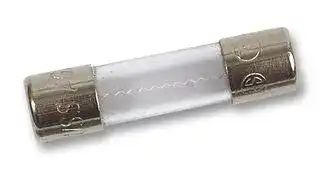


475004
Fuse, Industrial / Power, 3 A, 600 VAC
- Manufacturer: FLUKE
- Product type: Industrial & Electrical Power Fuses
- Product Range:-; Fuse Current:3A; Voltage Rating VAC:600VAC; Voltage Rating V DC:-; Fuse Size Metric:-; Fuse Size Imperial:-; Blow Characteristic:-; SVHC:No SVHC (15-Jun-2015)
- SVHC: No SVHC (15-Jun-2015)
- Fuse Current: 3A
- Product Range: -
- Fuse Size Metric: -
- Fuse Size Imperial: -
- Voltage Rating VAC: 600VAC
- Voltage Rating VDC: -
- Blow Characteristic: -
| Delivery and price | |
|---|---|
| Units per pack | 1 |
| Price | 27.33 € |
| Current stock | 10+ |
| Lead time | 30 days |

® **This manual pertains to instruments with serial number 6830XXX or higher.** **8062A** True-rms Multimeter ## Instruction Manual PN 609153 May 1997 Rev.1, 1/00 © 1997, 2000 Fluke Corporation, All rights reserved. Printed in U.S.A. All product names are trademarks of their respective companies. ## **LIMITED WARRANTY & LIMITATION OF LIABILITY** Each Fluke product is warranted to be free from defects in material and workmanship under normal use and service. The warranty period is one year and begins on the date of shipment. Parts, product repairs and services are warranted for 90 days. This warranty extends only to the original buyer or end-user customer of a Fluke authorized reseller, and does not apply to fuses, disposable batteries or to any product which, in Fluke’s opinion, has been misused, altered, neglected or damaged by accident or abnormal conditions of operation or handling. Fluke warrants that software will operate substantially in accordance with its functional specifications for 90 days and that it has been properly recorded on non-defective media. Fluke does not warrant that software will be error free or operate without interruption. Fluke authorized resellers shall extend this warranty on new and unused products to end-user customers only but have no authority to extend a greater or different warranty on behalf of Fluke. Warranty support is available if product is purchased through a Fluke authorized sales outlet or Buyer has paid the applicable international price. Fluke reserves the right to invoice Buyer for importation costs of repair/replacement parts when product purchased in one country is submitted for repair in another country. Fluke’s warranty obligation is limited, at Fluke’s option, to refund of the purchase price, free of charge repair, or replacement of a defective product which is returned to a Fluke authorized service center within the warranty period. To obtain warranty service, contact your nearest Fluke authorized service center or send the product, with a description of the difficulty, postage and insurance prepaid (FOB Destination), to the nearest Fluke authorized service center. Fluke assumes no risk for damage in transit. Following warranty repair, the product will be returned to Buyer, transportation prepaid (FOB Destination). If Fluke determines that the failure was caused by misuse, alteration, accident or abnormal condition of operation or handling, Fluke will provide an estimate of repair costs and obtain authorization before commencing the work. Following repair, the product will be returned to the Buyer transportation prepaid and the Buyer will be billed for the repair and return transportation charges (FOB Shipping Point). THIS WARRANTY IS BUYER’S SOLE AND EXCLUSIVE REMEDY AND IS IN LIEU OF ALL OTHER WARRANTIES, EXPRESS OR IMPLIED, INCLUDING BUT NOT LIMITED TO ANY IMPLIED WARRANTY OF MERCHANTABILITY OR FITNESS FOR A PARTICULAR PURPOSE. FLUKE SHALL NOT BE LIABLE FOR ANY SPECIAL, INDIRECT, INCIDENTAL OR CONSEQUENTIAL DAMAGES OR LOSSES, INCLUDING LOSS OF DATA, WHETHER ARISING FROM BREACH OF WARRANTY OR BASED ON CONTRACT, TORT, RELIANCE OR ANY OTHER THEORY. Since some countries or states do not allow limitation of the term of an implied warranty, or exclusion or limitation of incidental or consequential damages, the limitations and exclusions of this warranty may not apply to every buyer. If any provision of this Warranty is held invalid or unenforceable by a court of competent jurisdiction, such holding will not affect the validity or enforceability of any other provision. Fluke Corporation Fluke Europe B.V. P.O. Box 9090 P.O. Box 1186 Everett, WA 98206-9090 5602 BD Eindhoven U.S.A. The Netherlands 5/94 ## **Safety Information** This meter has been designed and tested in accordance with IEC Publication 348. To ensure that the meter is used safely, follow all safety and operating instructions in this manual. If the meter is not used as described in this manual, the safety features of the meter might be impaired. - Do not use the meter if the meter or test leads look damaged, or if you suspect that the meter is not operating properly. - Turn off power to the circuit under test before cutting, unsoldering, or breaking the circuit. Small amounts of current can be dangerous. - Do not apply more than 500V rms between a terminal and earth ground. - Use caution when working above 60V dc or 30V ac rms. Such voltages pose a shock hazard. - When using the probes, keep your fingers behind the finger guards on the probes. - Disconnect the live test lead before disconnecting the common test lead. ## **Symbols** The following international symbols are used in this manual: Important Safety Information in Manual AC DC Diode Test Ground Fuse Indicates Terminals At Which Dangerous Voltages May Exist Battery ## **Table of Contents** |**Chapter**|**Chapter**|**Title**<br>**Page**| |---|---|---| |**1**|**Introduction and Specifications............................................ 1-1**|| ||1-1.|Introduction ............................................................................. 1-3| ||1-2.|Specifications........................................................................... 1-4| |**2**|**Operation Instructions........................................................... 2-1**|| ||2-1.|Introduction ............................................................................. 2-3| ||2-2.|Unpacking Your Instrument..................................................... 2-3| ||2-3.|Battery Installation or Replacement......................................... 2-3| ||2-4.|Fuse Replacement.................................................................... 2-5| ||2-5.|Physical Features ..................................................................... 2-6| ||2-6.|Front Panel........................................................................... 2-6| ||2-7.|Display................................................................................. 2-8| ||2-8.|Signal Input Limits .................................................................. 2-9| ||2-9.|Operation ................................................................................. 2-10| ||2-10.|Power-On Self-Test.............................................................. 2-10| ||2-11.|AC/DC Voltage (V)............................................................. 2-11| ||2-12.|True RMS Measurement.................................................. 2-11| ||2-13.|AC-Coupled AC Measurements....................................... 2-12| ||2-14.|Waveform Comparison and Conversion .......................... 2-13| ||2-15.|High Impedance DC Voltage........................................... 2-14| ||2-16.|AC/DC Current (A).............................................................. 2-15| ||2-17.|Resistance (Ω)...................................................................... 2-18| ||2-18.|Autoranging Megohms..................................................... 2-19| ||2-19.|Autoranging Kilohms....................................................... 2-20| ||2-20.|Diode Test (�)................................................................... 2-21| ||2-21.|Relative (REL)..................................................................... 2-22| ||2-22.|Continuity (<br>)........................................................... 2-25| ||2-23.|Initial Check-Out Procedure .................................................... 2-25| |**3**|**Theory of Operation............................................................... 3-1**|| ||3-1.|Introduction ............................................................................. 3-3| ||3-2.|Functional Description............................................................. 3-3| ||3-3.|Microcomputer..................................................................... 3-3| ||3-4.|Measurement Acquisition Chip (MAC)............................... 3-5| ||3-5.|A/D Converter Cycle............................................................ 3-5| ||3-6.|Voltage Measurement .......................................................... 3-8| _i_ **8062A** Instruction Manual ||3-7.|Current Measurement .......................................................... 3-9| |---|---|---| ||3-8.|Resistance Measurement...................................................... 3-10| ||3-9.|Continuity Measurement ..................................................... 3-11| |**4**|**Maintenance............................................................................ 4-1**|| ||4-1.|Introduction............................................................................. 4-3| ||4-2.|Service Information ................................................................. 4-3| ||4-3.|General Information ................................................................ 4-5| ||4-4.|Handling Precautions for Using Static Sensitive Devices ... 4-5| ||4-5.|Disassembly and Reassembly.............................................. 4-5| ||4-6.|Calibration and Backup Fuse Access............................... 4-6| ||4-7.|Main PCB Access............................................................ 4-7| ||4-8.|LCD and Microcomputer PCB Disassembly and| |||Assembly ......................................................................... 4-8| ||4-9.|Backup Fuse Replacement................................................... 4-11| ||4-10.|Cleaning............................................................................... 4-11| ||4-11.|Performance Tests ................................................................... 4-12| ||4-12.|Initial Procedure .................................................................. 4-12| ||4-13.|Microcomputer and Display Test......................................... 4-12| ||4-14.|Voltage Test......................................................................... 4-13| ||4-15.|Resistance Test .................................................................... 4-14| ||4-16.|Continuity Test.................................................................... 4-15| ||4-17.|Current Test......................................................................... 4-15| ||4-18.|Diode Test ........................................................................... 4-17| ||4-19.|Calibration Adjustments.......................................................... 4-17| ||4-20.|Troubleshooting....................................................................... 4-19| ||4-21.|Self-Tests............................................................................. 4-19| ||4-22.|Ratio Self-Test................................................................. 4-19| ||4-23.|Switch Decoding Self-Test .............................................. 4-20| ||4-24.|Troubleshooting Guide........................................................ 4-21| |**5**|**List of Replaceable Parts....................................................... 5-1**|| ||5-1.|Introduction............................................................................. 5-3| ||5-2.|How to Obtain Parts ................................................................ 5-3| ||5-3.|Manual Status Information ...................................................... 5-4| ||5-4.|Newer Instruments................................................................... 5-4| ||5-5.|Service Centers........................................................................ 5-4| |**6**|**Accessory Information .......................................................... 6-1**|| ||6-1.|Introduction............................................................................. 6-3| ||6-2.|Deluxe Carrying Case (C90).................................................... 6-3| ||6-3.|Temperature Probes (80T-150C and 80T-150F) ..................... 6-3| ||6-4.|Current Transformer (80I-600)................................................ 6-6| ||6-5.|High Voltage Probe (80K-6) ................................................... 6-6| ||6-6.|High Voltage Probe (80K-40) ................................................. 6-7| ||6-7.|High Frequency Probe (83RF) ................................................ 6-7| ||6-8.|High Frequency Probe (85RF) ................................................ 6-8| ||6-9.|Current Shunt (80J-10)............................................................ 6-9| ||6-10.|AC/DC Current Probe (Y8100)............................................... 6-9| _ii_ **Contents** _(continued)_ ||**Contents**_(continu_| |---|---| ||6-11. AC Current Transformer (Y8101)............................................ 6-10| ||6-12. Safety Designed Test Lead Set (TL70) .................................... 6-11| ||6-13. Deluxe Test Lead Set (Y8134)................................................. 6-11| ||6-14. Slim Flex Test Lead Set (Y8140)............................................. 6-12| ||6-15. Cables and Adapters ................................................................ 6-12| |**7**|**Schematic Diagrams.............................................................. 7-1**| _iii_ **8062A** Instruction Manual _iv_ ## **List of Tables** |**Table**|**Title**<br>**Page**| |---|---| |1-1.|8062A Accessories................................................................... 1-4| |1-2.|8062A Specifications............................................................... 1-5| |2-1.|Controls, Indicators and Connectors........................................ 2-7| |2-2.|Input Overload Limits.............................................................. 2-9| |2-3.|Resistance Function Autoranges and Resolution..................... 2-19| |3-1.|Voltage Input Divider.............................................................. 3-9| |4-1.|Required Test Equipment ........................................................ 4-4| |4-2.|Voltage Test............................................................................. 4-13| |4-3.|Resistance Test......................................................................... 4-15| |4-4.|Current Test ............................................................................. 4-16| |4-5.|Switch Decoding Self-Test ...................................................... 4-21| |4-6.|Troubleshooting Guide ............................................................ 4-22| |4-7.|Troubleshooting the Resistance Function: Voltage Sources| ||for Ranges................................................................................ 4-26| |4-8.|U3 (MAC) Pin Descriptions .................................................... 4-26| |5-1.|8062A Final Assembly............................................................. 5-5| |5-2.|A1 Main PCB Assembly.......................................................... 5-9| |5-3.|A3 RMS PCB Assembly.......................................................... 5-13| |6-1.|Cables and BNC, Banana, Phone and Phono Plug Adapters ... 6-12| _v_ **8062A** Instruction Manual _vi_ ## **List of Figures** |**Figure**<br>**Title**<br>**Page**|**Figure**<br>**Title**<br>**Page**| |---|---| |2-1.|Removal of Battery Compartment Cover................................. 2-4| |2-2.|Battery Removal and Fuses...................................................... 2-4| |2-3.|Controls, Indicators and Connectors........................................ 2-6| |2-4.|8062A Display......................................................................... 2-8| |2-5.|Overrange Indicator ................................................................. 2-9| |2-6.|Voltage Operation.................................................................... 2-11| |2-7.|AC and DC Waveform Components........................................ 2-12| |2-8.|Multiplication Factors for Converting Waveforms .................. 2-13| |2-9.|High Impedance DC Voltage................................................... 2-14| |2-10.|Current Operation .................................................................... 2-16| |2-11.|Calculating Burden Voltage Error ........................................... 2-18| |2-12.|Resistance Operation ............................................................... 2-18| |2-13.|Selection of Autoranging Kilohms........................................... 2-21| |2-14.|Diode Test................................................................................ 2-21| |2-15.|Relative (REL) Operation ........................................................ 2-22| |2-16.|Continuity (<br>) Operation .................................................. 2-26| |3-1.|8062A Block Diagram ............................................................. 3-4| |3-2.|Analog Portion of the A/D Converter...................................... 3-7| |3-3.|A/D Measurement Cycle.......................................................... 3-7| |3-4.|Voltage Measurement .............................................................. 3-8| |3-5.|Current Measurement............................................................... 3-10| |3-6.|Resistance/Continuity Measurement........................................ 3-11| |4-1.|Calibration and Backup Fuse (F2) Access............................... 4-7| |4-2.|Assembling/Disassembling the Microcoputer PCB and LCD.. 4-9| |4-3.|Disassembling the LCD ........................................................... 4-10| |4-4.|General Equipment Connection............................................... 4-14| |4-5.|Equipment Connection for Current Test.................................. 4-16| |5-1.|8062A Final Assembly............................................................. 5-7| |5-2.|A1 Main PCB Assembly.......................................................... 5-12| |5-3.|A3 RMS PCB Assembly.......................................................... 5-14| |6-1.|Accessories .............................................................................. 6-4| |7-1.|A1 Main PCB Component Locations (TopView).................... 7-3| |7-1.|A1 Main PCB Component Locations (Bottom View) ............. 7-3| |7-2.|Test Point Locations ................................................................ 7-4| |7-3.|A/D Measurement Cycle.......................................................... 7-5| |7-4.|Switch Detail............................................................................ 7-6| _vii_ **8062A** Instruction Manual |7-5.|A1|Main PCB Schematic Diagram..........................................|7-7| |---|---|---|---| |7-6.|A3|RMS PCB Schematic Diagram..........................................|7-8| _viii_ ## **Chapter 1 Introduction and Specifications** ||**Contents**<br>**Page**| |---|---| |1-1.|Introduction ...................................................................... 1-3| |1-2.|Specifications ................................................................... 1-4| 1-1 **8062A** Instruction Manual 1-2 **Introduction and Specifications** Introduction 1 ## **1-1. Introduction** Your Fluke Model 8062A is a handheld, microcomputer-based 4-1/2 digit multimeter that is ideally suited for use in the field, laboratory, shop or home. The 8062A has all the features that have become accepted standards for quality handheld multimeters, as well as some new features that have not been offered before in a handheld multimeter. New features include the following: - True rms measurements for ac signals up to 30 kHz. - Resistance measurements up to 300 M Ω . - Ability to store any input signal as an offset or relative reference value. Other features include: - FUNCTIONS: Standard DMM measurement functions, such as ac and dc volts and ac and dc current, as well as resistance, continuity, and diode test. - RANGES: Leading zero suppression. Automatic polarity. Overrange indication. Protection from overloads and transients up to 1500V peak. Dual-slope integration a/d conversion to ensure noise-free measurements. Autoranging M Ω resistance range (to 300 M Ω ), as well as four fixed resistance ranges from 200 Ω to 200 k Ω . - OPERATOR CONVENIENCE: 4-1/2 digit Liquid Crystal Display. Software-control self-test routines for quick verification of internal circuitry and operation. - POWER: 170 hours of continuous operation can be expected from a 9V alkaline battery (NEDA 1604). 1-3 **8062A** Instruction Manual Low battery voltage is automatically detected and displayed. The low battery indication, BT, appears on the display when about 20% of the battery life remains. A full line of accessories is available to enhance the capabilities of the 8062A. The accessories are listed in Table 1-1 and described in Chapter 6. **Table 1-1. 8062A Accessories** |**Model No.***|**Description**| |---|---| |A81<br>C-90<br>80T-150C<br>80T-150F<br>80I-600<br>80K-6<br>80K-40<br>80J-10<br>83RF<br>85RF|Battery Eliminator<br>Vinyle Carrying Case<br>Temperature Probe °C<br>Temperature Probe °F<br>Current Transformer 2’ jaws<br>High Voltage Probe (6 kV)<br>High Voltage Probe (40 kV)<br>Current Shunt<br>High Frequency Probe (100 MHz)<br>High Frequency Probe (500 MHz)| |*BNC, banana plug, phone and phono adapters are also abaialbe as<br>accessories and are listed in Section 6.|| *BNC, banana plug, phone and phono adapters are also abaialbe as accessories and are listed in Section 6. ## **1-2. Specifications** The specifications for the 8062A are listed in Table 1-2. 1-4 **Introduction and Specifications** Specifications 1 ## **Table 1-2. 8062A Specifications** ## **Electrical** The following specifications are based on a one-year calibration cycle, an operating temperature of 18 to 28°C (64 to 82°F) and a relative humidity not exceeding 90%. ## **DC Voltage** |**DC Voltage**||| |---|---|---| |**Range**|**Resolution**|**Accuracy**<br>**±(% of reading + no. of digits)**| |200 mV<br>2V|.01 mV<br>.1 mV|0.05% + 2| |20V<br>200V<br>1000V|1 mV<br>10 mV<br>100 mV|0.07% + 2| |Response Time.............................. 1 second maximum, to rated<br>accuracy within selected range.<br>Input Impedance ............................ 10 MΩshunted by >100 pf<br>Normal Mode Noise Rejection ....... >60 dB at 50 Hz or 60 Hz<br>Common Mode Noise Rejection .... >120 dB at dc, >90 dB at 50 Hz and<br>60 Hz (1 kΩimbalance)<br>Overload Protection ....................... 1000V dc or peak ac continuous,<br>except 20 seconds maximum on 200<br>mV and 2V ranges above 300V dc or<br>rms.||| ## **DC Voltage, High Impedance Mode** All specifications are the same as for the dc voltage mode except the following (only 200 mV and 2V ranges are available): |**Range**|**Resolutions**|**Accuracy**<br>**±(% of reading + no. of digits)**| |---|---|---| |200 mV<br>2V|.01 mV<br>.1 mV|0.06% + 2| |Input Impedance ............................ >1000 MΩ, typically 10,000 MΩ<br>Overload Protection ....................... 300V dc or rms continuous, 20<br>seconds maximum 300V to 1000V dc<br>or peak ac.||| 1-5 **8062A** Instruction Manual **Table 1-2. 8062A Specifications (cont)** |**AC Voltage (True RMS,**|**AC Voltage (True RMS,**|**AC Voltage (True RMS,**||**AC-Coupled)**|**AC-Coupled)**|||||| |---|---|---|---|---|---|---|---|---|---|---| |Ranges .............................................. 200 mV, 2V, 20V, 200V, 750V||||||||||| |Accuracy *.......................................... ±(% of reading||||||+ no. of digits). See table||||| ||||||below:|||||| ||**Input**|**Resolution**||**Range**|**20 Hz -**<br>**45 Hz -**|**500 Hz -**|**10 kHz -**|||| ||**Voltage**||||**45 Hz**<br>**500 Hz**|**10 kHz**|**30**|**kHz**||| ||20.0 -|.01 mV||200 mV||0.5%|1%|||| ||199.99 mV|||||+ 20|+|40||| ||.2000 -|.1 mV||2V|1% +10|||||| ||1.9999V|||||||||| ||2.000 -|1 mV||20V|0.5% +12|5% +20|5% +40|||| ||19.999V|||||||||| ||20.00 -|10 mV||200V||||||| ||199.99V|||||||||| ||75.0 -|100 mV||750V|Not<br>1%|Not Specified||||| ||499.9V||||Specified<br>+10|||||| ||500.0 -||||2%|||||| ||750.0V||||+10|||||| ||* Not specified for input <||10% of range.|||||||| |||||||1 kHz||||| ||Input Impedance ......................... 10 MΩshunted by <100 pF|||||||||| ||Common Mode Noise|||||||||| ||Rejection..................................... >60 dB at 50 Hz|||||and 60 Hz|(1 kΩ|||| ||||||imbalance)|||||| ||Crest Factor Range..................... 1:1 to 3:1|||||||||| ||Response Time........................... Five seconds maximum to rated|||||||||| ||||||accuracy within selected range,|||12||| ||||||seconds to rated|accuracy from||an||| ||||||overload.|||||| ||Overload Protection .................... 750V rms or 1000V peak continuous|||||||||| ||||||except 20 seconds maximum on the|||||| ||||||200 mV range above 300V||rms|or||| ||||||300V dc. Input not to exceed a volt-|||||| ||||||hertz product of 1x10<br>7(for example,|||||| ||||||200V at 50 kHz).|||||| 1-6 **Introduction and Specifications** Specifications 1 ## **Table 1-2. 8062A Specifications (cont)** |**Resistance**<br>Ranges...................................... 200Ω, 2 kΩ, 20 kΩ, 200 kΩ, autoranging<br>MΩ. The MΩrange extends from .0001<br>mΩto 300 MΩin three autoranged<br>ranges. Upscale range changes are<br>made at 2 MΩand 20 MΩ. Downscale<br>range changes are made at 19 MΩand<br>1.9 MΩ.<br>Accuracy ................................... ±(% of reading + no. of digits). See table<br>below.<br>**Range**<br>**Reso-**<br>**lution**<br>**Accuracy**<br>**Full-**<br>**scale**<br>**Voltage**<br>**Max**<br>**Current**<br>**Open**<br>**Circuit**<br>**Voltage**<br>200Ω<br>0.01Ω<br>(0.1%+2+.02Ω)<br><1.1 mA<br><4.8V<br>2 kΩ<br>0.1Ω<br>(0.1%+2)<br><250 mV<br><150µA<br>20 kΩ<br>1Ω<br>(0.1%+2)<br><15µA<br><1.5V<br>200 kΩ<br>10Ω<br>(0.1%+2)<br><1.5µA<br>0-1.9999 MΩ<br>100Ω<br>(0.2%+2)<br>MΩ<br>2-19.99 MΩ<br>10 kΩ<br>(0.25%+3)<br><2.5µA<br>20-99.9 MΩ<br>100 kΩ<br>(1%+3)<br><2.5V<br><2.5V<br>100-300 MΩ<br>1 MΩ<br>(2%+3)<br>Autoranging kΩ<br>0.1Ω<br>to 1 kΩ<br>(.20%+5)<br><1.0 mA<br>Response Time.............................. Two seconds maximum to rated<br>accuracy for all ranges except MΩ.<br>For MΩ, 8 seconds maximum.<br>Overload Protection ....................... 300V dc or rms ac for all ranges|**Resistance**<br>Ranges...................................... 200Ω, 2 kΩ, 20 kΩ, 200 kΩ, autoranging<br>MΩ. The MΩrange extends from .0001<br>mΩto 300 MΩin three autoranged<br>ranges. Upscale range changes are<br>made at 2 MΩand 20 MΩ. Downscale<br>range changes are made at 19 MΩand<br>1.9 MΩ.<br>Accuracy ................................... ±(% of reading + no. of digits). See table<br>below.<br>**Range**<br>**Reso-**<br>**lution**<br>**Accuracy**<br>**Full-**<br>**scale**<br>**Voltage**<br>**Max**<br>**Current**<br>**Open**<br>**Circuit**<br>**Voltage**<br>200Ω<br>0.01Ω<br>(0.1%+2+.02Ω)<br><1.1 mA<br><4.8V<br>2 kΩ<br>0.1Ω<br>(0.1%+2)<br><250 mV<br><150µA<br>20 kΩ<br>1Ω<br>(0.1%+2)<br><15µA<br><1.5V<br>200 kΩ<br>10Ω<br>(0.1%+2)<br><1.5µA<br>0-1.9999 MΩ<br>100Ω<br>(0.2%+2)<br>MΩ<br>2-19.99 MΩ<br>10 kΩ<br>(0.25%+3)<br><2.5µA<br>20-99.9 MΩ<br>100 kΩ<br>(1%+3)<br><2.5V<br><2.5V<br>100-300 MΩ<br>1 MΩ<br>(2%+3)<br>Autoranging kΩ<br>0.1Ω<br>to 1 kΩ<br>(.20%+5)<br><1.0 mA<br>Response Time.............................. Two seconds maximum to rated<br>accuracy for all ranges except MΩ.<br>For MΩ, 8 seconds maximum.<br>Overload Protection ....................... 300V dc or rms ac for all ranges|**Resistance**<br>Ranges...................................... 200Ω, 2 kΩ, 20 kΩ, 200 kΩ, autoranging<br>MΩ. The MΩrange extends from .0001<br>mΩto 300 MΩin three autoranged<br>ranges. Upscale range changes are<br>made at 2 MΩand 20 MΩ. Downscale<br>range changes are made at 19 MΩand<br>1.9 MΩ.<br>Accuracy ................................... ±(% of reading + no. of digits). See table<br>below.<br>**Range**<br>**Reso-**<br>**lution**<br>**Accuracy**<br>**Full-**<br>**scale**<br>**Voltage**<br>**Max**<br>**Current**<br>**Open**<br>**Circuit**<br>**Voltage**<br>200Ω<br>0.01Ω<br>(0.1%+2+.02Ω)<br><1.1 mA<br><4.8V<br>2 kΩ<br>0.1Ω<br>(0.1%+2)<br><250 mV<br><150µA<br>20 kΩ<br>1Ω<br>(0.1%+2)<br><15µA<br><1.5V<br>200 kΩ<br>10Ω<br>(0.1%+2)<br><1.5µA<br>0-1.9999 MΩ<br>100Ω<br>(0.2%+2)<br>MΩ<br>2-19.99 MΩ<br>10 kΩ<br>(0.25%+3)<br><2.5µA<br>20-99.9 MΩ<br>100 kΩ<br>(1%+3)<br><2.5V<br><2.5V<br>100-300 MΩ<br>1 MΩ<br>(2%+3)<br>Autoranging kΩ<br>0.1Ω<br>to 1 kΩ<br>(.20%+5)<br><1.0 mA<br>Response Time.............................. Two seconds maximum to rated<br>accuracy for all ranges except MΩ.<br>For MΩ, 8 seconds maximum.<br>Overload Protection ....................... 300V dc or rms ac for all ranges|**Resistance**<br>Ranges...................................... 200Ω, 2 kΩ, 20 kΩ, 200 kΩ, autoranging<br>MΩ. The MΩrange extends from .0001<br>mΩto 300 MΩin three autoranged<br>ranges. Upscale range changes are<br>made at 2 MΩand 20 MΩ. Downscale<br>range changes are made at 19 MΩand<br>1.9 MΩ.<br>Accuracy ................................... ±(% of reading + no. of digits). See table<br>below.<br>**Range**<br>**Reso-**<br>**lution**<br>**Accuracy**<br>**Full-**<br>**scale**<br>**Voltage**<br>**Max**<br>**Current**<br>**Open**<br>**Circuit**<br>**Voltage**<br>200Ω<br>0.01Ω<br>(0.1%+2+.02Ω)<br><1.1 mA<br><4.8V<br>2 kΩ<br>0.1Ω<br>(0.1%+2)<br><250 mV<br><150µA<br>20 kΩ<br>1Ω<br>(0.1%+2)<br><15µA<br><1.5V<br>200 kΩ<br>10Ω<br>(0.1%+2)<br><1.5µA<br>0-1.9999 MΩ<br>100Ω<br>(0.2%+2)<br>MΩ<br>2-19.99 MΩ<br>10 kΩ<br>(0.25%+3)<br><2.5µA<br>20-99.9 MΩ<br>100 kΩ<br>(1%+3)<br><2.5V<br><2.5V<br>100-300 MΩ<br>1 MΩ<br>(2%+3)<br>Autoranging kΩ<br>0.1Ω<br>to 1 kΩ<br>(.20%+5)<br><1.0 mA<br>Response Time.............................. Two seconds maximum to rated<br>accuracy for all ranges except MΩ.<br>For MΩ, 8 seconds maximum.<br>Overload Protection ....................... 300V dc or rms ac for all ranges|**Resistance**<br>Ranges...................................... 200Ω, 2 kΩ, 20 kΩ, 200 kΩ, autoranging<br>MΩ. The MΩrange extends from .0001<br>mΩto 300 MΩin three autoranged<br>ranges. Upscale range changes are<br>made at 2 MΩand 20 MΩ. Downscale<br>range changes are made at 19 MΩand<br>1.9 MΩ.<br>Accuracy ................................... ±(% of reading + no. of digits). See table<br>below.<br>**Range**<br>**Reso-**<br>**lution**<br>**Accuracy**<br>**Full-**<br>**scale**<br>**Voltage**<br>**Max**<br>**Current**<br>**Open**<br>**Circuit**<br>**Voltage**<br>200Ω<br>0.01Ω<br>(0.1%+2+.02Ω)<br><1.1 mA<br><4.8V<br>2 kΩ<br>0.1Ω<br>(0.1%+2)<br><250 mV<br><150µA<br>20 kΩ<br>1Ω<br>(0.1%+2)<br><15µA<br><1.5V<br>200 kΩ<br>10Ω<br>(0.1%+2)<br><1.5µA<br>0-1.9999 MΩ<br>100Ω<br>(0.2%+2)<br>MΩ<br>2-19.99 MΩ<br>10 kΩ<br>(0.25%+3)<br><2.5µA<br>20-99.9 MΩ<br>100 kΩ<br>(1%+3)<br><2.5V<br><2.5V<br>100-300 MΩ<br>1 MΩ<br>(2%+3)<br>Autoranging kΩ<br>0.1Ω<br>to 1 kΩ<br>(.20%+5)<br><1.0 mA<br>Response Time.............................. Two seconds maximum to rated<br>accuracy for all ranges except MΩ.<br>For MΩ, 8 seconds maximum.<br>Overload Protection ....................... 300V dc or rms ac for all ranges|**Resistance**<br>Ranges...................................... 200Ω, 2 kΩ, 20 kΩ, 200 kΩ, autoranging<br>MΩ. The MΩrange extends from .0001<br>mΩto 300 MΩin three autoranged<br>ranges. Upscale range changes are<br>made at 2 MΩand 20 MΩ. Downscale<br>range changes are made at 19 MΩand<br>1.9 MΩ.<br>Accuracy ................................... ±(% of reading + no. of digits). See table<br>below.<br>**Range**<br>**Reso-**<br>**lution**<br>**Accuracy**<br>**Full-**<br>**scale**<br>**Voltage**<br>**Max**<br>**Current**<br>**Open**<br>**Circuit**<br>**Voltage**<br>200Ω<br>0.01Ω<br>(0.1%+2+.02Ω)<br><1.1 mA<br><4.8V<br>2 kΩ<br>0.1Ω<br>(0.1%+2)<br><250 mV<br><150µA<br>20 kΩ<br>1Ω<br>(0.1%+2)<br><15µA<br><1.5V<br>200 kΩ<br>10Ω<br>(0.1%+2)<br><1.5µA<br>0-1.9999 MΩ<br>100Ω<br>(0.2%+2)<br>MΩ<br>2-19.99 MΩ<br>10 kΩ<br>(0.25%+3)<br><2.5µA<br>20-99.9 MΩ<br>100 kΩ<br>(1%+3)<br><2.5V<br><2.5V<br>100-300 MΩ<br>1 MΩ<br>(2%+3)<br>Autoranging kΩ<br>0.1Ω<br>to 1 kΩ<br>(.20%+5)<br><1.0 mA<br>Response Time.............................. Two seconds maximum to rated<br>accuracy for all ranges except MΩ.<br>For MΩ, 8 seconds maximum.<br>Overload Protection ....................... 300V dc or rms ac for all ranges|**Resistance**<br>Ranges...................................... 200Ω, 2 kΩ, 20 kΩ, 200 kΩ, autoranging<br>MΩ. The MΩrange extends from .0001<br>mΩto 300 MΩin three autoranged<br>ranges. Upscale range changes are<br>made at 2 MΩand 20 MΩ. Downscale<br>range changes are made at 19 MΩand<br>1.9 MΩ.<br>Accuracy ................................... ±(% of reading + no. of digits). See table<br>below.<br>**Range**<br>**Reso-**<br>**lution**<br>**Accuracy**<br>**Full-**<br>**scale**<br>**Voltage**<br>**Max**<br>**Current**<br>**Open**<br>**Circuit**<br>**Voltage**<br>200Ω<br>0.01Ω<br>(0.1%+2+.02Ω)<br><1.1 mA<br><4.8V<br>2 kΩ<br>0.1Ω<br>(0.1%+2)<br><250 mV<br><150µA<br>20 kΩ<br>1Ω<br>(0.1%+2)<br><15µA<br><1.5V<br>200 kΩ<br>10Ω<br>(0.1%+2)<br><1.5µA<br>0-1.9999 MΩ<br>100Ω<br>(0.2%+2)<br>MΩ<br>2-19.99 MΩ<br>10 kΩ<br>(0.25%+3)<br><2.5µA<br>20-99.9 MΩ<br>100 kΩ<br>(1%+3)<br><2.5V<br><2.5V<br>100-300 MΩ<br>1 MΩ<br>(2%+3)<br>Autoranging kΩ<br>0.1Ω<br>to 1 kΩ<br>(.20%+5)<br><1.0 mA<br>Response Time.............................. Two seconds maximum to rated<br>accuracy for all ranges except MΩ.<br>For MΩ, 8 seconds maximum.<br>Overload Protection ....................... 300V dc or rms ac for all ranges|**Resistance**<br>Ranges...................................... 200Ω, 2 kΩ, 20 kΩ, 200 kΩ, autoranging<br>MΩ. The MΩrange extends from .0001<br>mΩto 300 MΩin three autoranged<br>ranges. Upscale range changes are<br>made at 2 MΩand 20 MΩ. Downscale<br>range changes are made at 19 MΩand<br>1.9 MΩ.<br>Accuracy ................................... ±(% of reading + no. of digits). See table<br>below.<br>**Range**<br>**Reso-**<br>**lution**<br>**Accuracy**<br>**Full-**<br>**scale**<br>**Voltage**<br>**Max**<br>**Current**<br>**Open**<br>**Circuit**<br>**Voltage**<br>200Ω<br>0.01Ω<br>(0.1%+2+.02Ω)<br><1.1 mA<br><4.8V<br>2 kΩ<br>0.1Ω<br>(0.1%+2)<br><250 mV<br><150µA<br>20 kΩ<br>1Ω<br>(0.1%+2)<br><15µA<br><1.5V<br>200 kΩ<br>10Ω<br>(0.1%+2)<br><1.5µA<br>0-1.9999 MΩ<br>100Ω<br>(0.2%+2)<br>MΩ<br>2-19.99 MΩ<br>10 kΩ<br>(0.25%+3)<br><2.5µA<br>20-99.9 MΩ<br>100 kΩ<br>(1%+3)<br><2.5V<br><2.5V<br>100-300 MΩ<br>1 MΩ<br>(2%+3)<br>Autoranging kΩ<br>0.1Ω<br>to 1 kΩ<br>(.20%+5)<br><1.0 mA<br>Response Time.............................. Two seconds maximum to rated<br>accuracy for all ranges except MΩ.<br>For MΩ, 8 seconds maximum.<br>Overload Protection ....................... 300V dc or rms ac for all ranges| |---|---|---|---|---|---|---|---| |||**Range**|**Reso-**<br>**lution**|**Accuracy**|**Full-**<br>**scale**<br>**Voltage**|**Max**<br>**Current**|**Open**<br>**Circuit**<br>**Voltage**| |||200Ω|0.01Ω|(0.1%+2+.02Ω)|<250 mV|<1.1 mA|<4.8V| |||2 kΩ|0.1Ω|(0.1%+2)||<150µA|<1.5V| |||20 kΩ|1Ω|(0.1%+2)||<15µA|| |||200 kΩ|10Ω|(0.1%+2)||<1.5µA|| ||MΩ|0-1.9999 MΩ|100Ω|(0.2%+2)|<2.5V|<2.5µA|<2.5V| |||2-19.99 MΩ|10 kΩ|(0.25%+3)|||| |||20-99.9 MΩ|100 kΩ|(1%+3)|||| |||100-300 MΩ|1 MΩ|(2%+3)|||| ||Autoranging kΩ||0.1Ω<br>to 1 kΩ|(.20%+5)||<1.0 mA|| ||Response Time.............................. Two seconds maximum to rated<br>accuracy for all ranges except MΩ.<br>For MΩ, 8 seconds maximum.<br>Overload Protection ....................... 300V dc or rms ac for all ranges||||||| 1-7 **8062A** Instruction Manual **Table 1-2. 8062A Specifications (cont)** |**Table 1-2. 8062A Specifications (cont)**|**Table 1-2. 8062A Specifications (cont)**|**Table 1-2. 8062A Specifications (cont)**|**Table 1-2. 8062A Specifications (cont)**|**Table 1-2. 8062A Specifications (cont)**| |---|---|---|---|---| |**Continuity**<br>Ranges........................................... All resistance ranges<br>Threshold....................................... Nominally <50% of range (for<br>example, 100Ωin the 200Ωrange)<br>for 200Ω, 2 kΩ, 20 kΩ, 200 kΩ<br>ranges. Nominally <100 kΩin<br>autoranging kΩ.<br>Display Indication........................... Horizontal bar across the top of the<br>display and/or 2.667 kHz tone.<br>Indication is present for a minimum of<br>200 ms.<br>Response Time.............................. 50µs maximum (10µs typical)<br>Overload Protection ....................... 300V dc or rms ac<br>**Diode Test**<br>Range ............................................ 2V<br>Test Current................................... 1 mA (typical)<br>Accuracy ........................................ ±(0.06% of reading + 2 digits)<br>(Specification applies for voltage<br>measurement)<br>Response Time.............................. 1 seconds maximum<br>Overload Protection ....................... 300V dc or rms ac<br>**DC Current**<br>**Range**<br>**Resolution**<br>**Accuracy**<br>±**(% of reading + no. of digits)**<br>**Burden**<br>**Voltage**<br>200µA<br>2 mA<br>20 mA<br>.01µA<br>.1µA<br>1µA<br>0.3% + 2<br>.3V typical<br>.3V typical<br>.3V typical<br>200 mA<br>2000 mA<br>10µA<br>100µA<br>0.7% + 2<br>.3V typical<br>.9V typical<br>Overload Protection ....................... 2A/250V fuse (operator replaceable)<br>in series with 3A/600V fuse (service<br>personnel replaceable).||||| ||**Range**|**Resolution**|**Accuracy**<br>±**(% of reading + no. of digits)**|**Burden**<br>**Voltage**| ||200µA<br>2 mA<br>20 mA|.01µA<br>.1µA<br>1µA|0.3% + 2|.3V typical<br>.3V typical<br>.3V typical| ||200 mA<br>2000 mA|10µA<br>100µA|0.7% + 2|.3V typical<br>.9V typical| ||Overload Protection ....................... 2A/250V fuse (operator replaceable)<br>in series with 3A/600V fuse (service<br>personnel replaceable).|||| 1-8 **Introduction and Specifications** Specifications 1 **Table 1-2. 8062A Specifications (cont)** |**AC Current (True RMS Responding,**|**AC Current (True RMS Responding,**|**AC Current (True RMS Responding,**|**AC Current (True RMS Responding,**|**AC Current (True RMS Responding,**|**AC Current (True RMS Responding,**|**AC-Coupled**|| |---|---|---|---|---|---|---|---| ||Accuracy *......................................|||||±(% of reading + no. of digits). See|| |||||||table below.|| ||**Input**|**Resolution**||**Range**|**20 Hz -**<br>**45 Hz -**<br>**3 kHz -**<br>**10 kHz -**||| ||**Current**|||||**45 Hz**<br>**3 kHz**<br>**10 kHz**<br>**30 kHz**|| ||20.00 to<br>199.99µA|0.01µA||200µA|||| ||.2000 to<br>1.9999 mA|0.1µA||2 mA||2% + 40|| ||2.000 to<br>19.999 mA|1µA||20 mA|1% + 10<br>0.75% + 10 2% + 20||| ||20.00 to<br>199.99 mA|10µA||200 mA|1.5% + 10<br>1% +10||| ||200.0200 to<br>1999.9 mA|100µA||2000 mA||Not Specified|| ||* Not specified for input <|||10% of scale.|||| ||Burden Voltage ..............................|||||0.3V rms typical except 2000 mA|| |||||||range, 0.9V rms typical|| ||Overload Protection .......................|||||2A/250V fuse (operator replaceable)|| |||||||in series with 3A/600V fuse (service|| |||||||personnel replaceable).|| |**Relative**|||||||| ||Selection ........................................|||||When the REL button is pushed, the|| |||||||input applied at that time is stored as|| |||||||a zero reference point. Subsequent|| |||||||readings indicate deviations (±) from|| |||||||the reference point.|| ||Accuracy ........................................|||||Error does not exceed the sum of the|| |||||||errors of the reference reading and|| |||||||the subsequent reading.|| 1-9 **8062A** Instruction Manual **Table 1-2. 8062A Specifications (cont)** ||**General**<br>**Maximum Common Mode**<br>**Voltage**............................... 500V dc or ac rms<br>**Display Update Rate**......... 2.5 readings/second<br>**Display**............................... 4½ digit duplex LCD (19,999 count), leading<br>zero suppression, autopolarity.<br>**Electromagnetic**<br>**Compatibility**.....................<br>In an RF field of 1 V/m on all ranges and<br>functions: Total Accuracy = Specified<br>Accuracy + 2.3% of range. Performance<br>above 1 V/m is not specified.<br>**Display Annunciators**....... BT (low battery indicator), REL: (relative<br>function enabled).<br>AND(continuity<br>function enabled), and — (bar indicates<br>continuity detected)."""<br>**A/D Converter**.................... Dual-slope converter<br>**Power**................................. Single standard 9V battery (NEDA 1604), or<br>Fluke A-81 Battery Eliminator option<br>available for 100, 115, or 230V ac operation.<br>**Battery Life**........................ Typically 170 hours with an alkaline battery.<br>BT appears on display when approximately<br>20% of battery life remains.<br>**Size**..................................... 180 mm L x 86 mm W x 45 mm H (7.1” L x<br>3.4” W x 1.8” H)<br>**Weight**................................ .41 kg (14.5 oz.)<br>**Shock and Vibration**......... MIL-T-28800B<br>**Environmental**<br>**Operating Temperature**.... 0 to 50°C<br>**Storage Temperature**........ -35 to + 60°C<br>**Accuracy Temperature**<br>**Coefficient**.........................<br>0.1 x the applicable accuracy specification<br>per °C (plus the initial 23°C specification) for<br>0 to 18°C and 28 to 50°C.<br>**Relative Humidity**.............. 0 to 80% R.H. from 0 + 35°C, 0 to 70%<br>from + 35°C to + 50°C except 0 to 70% R.H.<br>for MΩrange above 20 MΩ.<br>**Safety**<br>**Safety Standards**............... Designed to Protection Class II<br>requirements of IEC 348, UL1244 ANSI<br>C39.5, and CSA Bulletin 556B.<br>**Certifications**..........................|| |---|---|---| 1-10 ## **Chapter 2 Operation Instructions** ||**Contents**<br>**Page**| |---|---| |2-1.|Introduction .................................................................... 2-3| |2-2.|Unpacking Your Instrument ........................................... 2-3| |2-3.|Battery Installation or Replacement ............................... 2-3| |2-4.|Fuse Replacement........................................................... 2-5| |2-5.|Physical Features............................................................ 2-6| |2-6.|Front Panel.................................................................. 2-6| |2-7.|Display........................................................................ 2-8| |2-8.|Signal Input Limits ......................................................... 2-9| |2-9.|Operation........................................................................ 2-10| |2-10.|Power-On Self-Test .................................................... 2-10| |2-11.|AC/DC Voltage (V).................................................... 2-11| |2-12.|True RMS Measurement ......................................... 2-11| |2-13.|AC-Coupled AC Measurements.............................. 2-12| |2-14.|Waveform Comparison and Conversion.................. 2-13| |2-15.|High Impedance DC Voltage .................................. 2-14| |2-16.|AC/DC Current (A)..................................................... 2-15| |2-17.|Resistance (Ω)............................................................. 2-18| |2-18.|Autoranging Megohms............................................ 2-19| |2-19.|Autoranging Kilohms .............................................. 2-20| |2-20.|Diode Test (�).......................................................... 2-21| |2-21.|Relative (REL)............................................................ 2-22| |2-22.|Continuity (<br>) .................................................. 2-25| |2-23.|Initial Check-Out Procedure........................................... 2-25| 2-1 **8062A** Instruction Manual 2-2 **Operation Instructions** Introduction 2 ## **2-1. Introduction** This chapter describes how to make measurements with your 8062A. Even though you may have used a multimeter before, we suggest that you take the time to read this material carefully so that you can take full advantage of the wide variety of measurement functions offered by the 8062A. ## **2-2. Unpacking Your Instrument** Your instrument was shipped with two test leads (one red and one black), a 9V battery, and this manual. Check the shipment carefully and immediately contact the place of purchase if anything is missing or damaged in shipment. If reshipment is necessary, please use the original shipping container. If the original container is not available, be sure that adequate protection is provided to prevent damage during shipment. It is recommended that the instrument be surrounded by at least three inches of shock-absorbing material in the shipping container. ## **2-3. Battery Installation or Replacement** The 8062A is designed to operate on a single, common, inexpensive 9V battery (NEDA 1604). You can expect a typical operating life of up to 170 hours with an alkaline battery, or 80 hours with a carbon-zinc battery. When the battery has exhausted about 80% of its useful life the BT indicator will appear at the far left of the display. Your instrument will continue to operate properly for at least 24 hours with an alkaline battery after BT first appears on the display. The 8062A also may be operated from a standard ac power line outlet when used with the optional A81 Battery Eliminator (refer to Chapter 7 for a description). Use the following procedure to install or replace the battery: ## **Warning** ## **To avoid electrical shock, turn off the instrument and remove the test leads and any input signals before replacing the battery.** 1. Set the 8062A power switch to OFF. 2. Remove test leads from external connections and from the 8062A input terminals. 2-3 **8062A** Instruction Manual 3. Turn the instrument over and remove screw from battery cover as shown in Figure 2-1. 4. Use your thumbs to push off the battery cover as shown in Figure 2-1. 5. Slide the battery out of the compartment as shown in Figure 2-2. 6. Carefully pull the battery clip free from the battery terminals (if replacing the battery) and attach the new battery. 7. Slide the battery and its leads into the compartment and slide the cover into place. **==> picture [309 x 132] intentionally omitted <==** **----- Start of picture text -----**<br> Use thumbs to push<br>battery cover down<br>and then out from<br>instrument case.<br>Backside of<br>8060A<br>CLOSE COVER BEFORE USEINPUTS BEFORE OPENINGTO AVOID SHOCK REMOVE<br>CLOSE COVER BEFORE USEINPUTS BEFORE OPENINGTO AVOID SHOCK REMOVE<br>WARNING<br>WARNING<br>**----- End of picture text -----**<br> **==> picture [22 x 5] intentionally omitted <==** **----- Start of picture text -----**<br> dy03f.eps<br>**----- End of picture text -----**<br> **Figure 2-1. Removal of Battery Compartment Cover** **==> picture [308 x 121] intentionally omitted <==** **----- Start of picture text -----**<br> Fuse in Circuit<br>Spare Fuse<br>**----- End of picture text -----**<br> **==> picture [22 x 5] intentionally omitted <==** **----- Start of picture text -----**<br> dy04f.eps<br>**----- End of picture text -----**<br> **Figure 2-2. Battery Removal and Fuses** 2-4 **Operation Instructions** Fuse Replacement 2 You can measure the voltage of your battery by using the following procedure: 1. Select the dc voltage function and the 20V range. 2. Locate the opening for the battery eliminator jack on the right side of the instrument to the right of the display. Touch the red (V Ω S) probe tip to the side contact (not the center pin). Be sure you do not short the battery by shorting the side contact to the center pin. Battery voltage should be between 5.2V to 10V for proper operation. If the voltage is less, the battery should be replaced. ## **2-4. Fuse Replacement** There are two fuses located at the right side of the battery compartment (refer to Figure 2-2 or examine your instrument). The fuse at the far right is F1. Fuse F1, 2A/250V, protects the current input from an input overload. The other fuse is a spare fuse for F1. When you purchase your instrument, F1 should be installed and the spare fuse should be in one of the two slots next to it. The larger slot is for the American-style fuse, and the smaller slot is for the European-style fuse (either style fuse fits in the installation compartment). If you need to replace F1, use the tip of a test lead to push the fuse forward from the end and then up to release. Replace F1 with the appropriate 2A/250V fuse; American-style: fast-acting, type AGX2, 1/4 x 1”, Fluke PN 376582; European-style: 5 x20 mm, Fluke PN 460972. Do not use makeshift fuses or short-circuit the fuseholder. There is another fuse, F2, 3A/600V, which also protects the current input. The instrument cover must be removed to replace F2. This procedure is described in Chapter 4 and should only be done by a person qualified to service the instrument. The following steps provide a quick and easy way to check the condition of both fuses F1 and F2: 1. Select the resistance function and the 2 k Ω range. 2. Touch the red test lead tip to the A input jack so that the V Ω S input and the A input are shorted together. 3. If the display reads .1000 ± .0100 k Ω , both fuses are good. 4. If the display read OL, one or both fuses need replacement. 2-5 **8062A** Instruction Manual ## **2-5. Physical Features** Before you begin using your 8062A, we suggest you take a few minutes to familiarize yourself with the instrument. All of the externally accessible features are shown in Figure 2-3 and described in Table 2-1. The front panel and the display are also described in the following paragraphs. ## **2-6. Front Panel** The front panel of the 8062A is designed to make function and range selection easy. The symbols and colors on the panel indicate which switches to push or buttons to press to select the function you want. Details are provided later with the description of each function. **==> picture [309 x 269] intentionally omitted <==** **----- Start of picture text -----**<br> 12 1<br>11<br>2<br>10<br>9<br>8<br>7<br>3<br>4<br>5<br>6<br>S<br>V<br>A<br>REL<br>1000 DC M<br>2000mA 750 AC 200k<br>200<br>200mA 20k<br>20<br>20mA 2k<br>2<br>2mA200µA 200mV 200<br>DC<br>AC<br>V S<br>COMMON<br>A<br>! 500V MAX<br>2A MAX<br>1000V DC750V AC!MAX<br>**----- End of picture text -----**<br> **==> picture [22 x 6] intentionally omitted <==** **----- Start of picture text -----**<br> dy05f.eps<br>**----- End of picture text -----**<br> **Figure 2-3. Controls, Indicators and Connectors** 2-6 **Operation Instructions** Physical Features 2 |**Operation Instructions**<br>Physical Features 2|**Operation Instructions**<br>Physical Features 2|**Operation Instructions**<br>Physical Features 2| |---|---|---| |**Table 2-1.Controls, Indicators and Connectors**||| |**Item**<br>**No.**|**Name**|**Function**| |1�*|Battery Eliminator<br>Connector|External input power connector for use with<br>the A81 Battery Eliminator accessory.| |2|Function Buttons:<br>, REL|Push buttons that toggle on or toggle off the<br>‘secondary functions: visible or audible<br>continuity, or relative. These functions are<br>selected in conjunction with the primary<br>measurement functions (see items 7 and 8).| |3|Battery<br>Compartment and<br>Cover|Cover for the 9V battery and the current fuse<br>F1.| |4|VΩS Input<br>Connector|Protected test lead connector used as the<br>high input for all voltage, resistance, and<br>continuity measurements. All test lead<br>connectors accept standard or safety-<br>designed banana plugs.| |5|COMMON Input<br>Connector|Protected test lead connector used as the<br>low or common input for all measurements.| |6|A Input Connector|Protected test lead connector used as the<br>high input for current measurements.| |7|Function<br>Switches: A,V,Ω,|Interlocked switches that are used in<br>conduction with the input connectors to<br>select the measurement functions. Pushing<br>one switch releases the other, or both may<br>be pushed together.| |8|AC/DC Function<br>Switch|Push-on/push-off switch is used to select ac<br>or dc for current or voltage measurements.<br>(Does not affect selection of diode test or<br>resistance functions).| |9|Range Switches|Interlocked switches that are used to select<br>ranges. Pushing a switch selects the<br>corresponding range and released other<br>switch depressions. Also used to select<br>conductance and the diode test.| |* For safe operation, fully insert the A81.||| 2-7 **8062A** Instruction Manual **Table 2-1. Controls, Indicators and Connectors (cont)** |**Item**<br>**No.**|**Name**|**Function**| |---|---|---| |10|Tilt Bail|A fold-out stand. The bail may also be<br>removed (press on one of the legs at the<br>hinge of the bail) and reinserted from the top<br>as a hook for hanging the instrument.| |11|Power Switch|Slide switch for turning instrument on or off.| |12|Display|4½ digit LCD display (19999 maximum) with<br>decimal point, minus sign, over-range,<br>continuity and relative indicators.| ## **2-7. Display** The 8062A provides measurement results on the 4-1/2 digit LCD display (refer to Figure 2-4 or your instrument). The decimal point is placed automatically. Symbols in the upper portion of the display indicate when one of the secondary functions is enabled. The measurement units are indicated by the range switch that is pushed in. Leading zeroes not displayed. **==> picture [309 x 123] intentionally omitted <==** **----- Start of picture text -----**<br> Visible Continuity Audible<br>Continuity Enabled Continuity<br>Indicator Enabled<br>Relative<br>Low Battery Function<br>Indicator in Use<br>dy06f.eps<br>**----- End of picture text -----**<br> **Figure 2-4. 8062A Display** If you are taking a measurement and the OL symbol appears on the display (Figure 2-5), an overrange condition is indicated, meaning that the input is higher than the range selected. You should select a higher range for the measurement. The OL symbol does not necessarily mean that the instrument is being exposed to a damaging input condition. For example, when measuring resistance, an open input will cause OL to appear. 2-8 **Operation Instructions** Signal Input Limits 2 **==> picture [309 x 54] intentionally omitted <==** dy07f.eps ## **Figure 2-5. Overrange Indicator** ## **2-8. Signal Input Limits** ## **Caution** ## **Exceeding the maximum input overload limits can damage your instrument.** Before you begin to use your 8062A, it is important to note the maximum inputs that may be applied to the instrument. Table 2-2 presents the maximum inputs that are allowed for each function, range, and input terminal. ## **Warning** **To avoid electrical shock and/or instrument damage, do not connect the common input terminal to any source more than 500 volts dc or rms ac above earth ground.** **Table 2-2. Input Overload Limits** |**Function**|**Input Terminals**|**Maximum Input Limit**| |---|---|---| |AC Voltage|VΩS and COMMON|750V rms or 1000V peak<br>continuous except 20<br>seconds maximum on the<br>200 mV range above 300V<br>dc or ac rms.| |DC Voltage|VΩS and COMMON|1000V dc or peak ac<br>continuous except 20<br>seconds maximum on the<br>200 mV and 2V ranges<br>above 300V dc or ac rms.| |AC or DC Current|A and COMMON|2A maximum, fuse<br>protected to 600V dc or ac<br>rms.| |Resistance, Diode<br>Test,and Continuity|VΩand COMMON|300V dc or ac rms.| 2-9 **8062A** Instruction Manual ## **2-9. Operation** The following paragraphs describe the power-on self-test, and how to operate your 8062A in each of the seven primary functions or the two secondary functions. ## **2-10. Power-On Self-Test** To turn on your instrument, locate the green switch on the left side of the instrument and slide it forward. Whenever you turn on the instrument, the 8062A automatically performs a self-test to make sure the display and the microcomputer are functioning properly. If everything is functioning properly, all the LCD segments in the display will turn on (Figure 2-4). After about one or two seconds, the display will go blank briefly before responding to switch selections. If the LCD segments do not all turn on during the self-test, or if the instrument does not clear the display after the test and then respond to switch selections, something is probably wrong with the instrument. Try the test again, and if it fails, have a qualified person refer to Chapter 4. If there is no display when you turn on the instrument, check the battery and battery connections. You will find that if you turn off your instrument and then immediately turn it back on, a random assortment of LCD segments may be displayed. This is normal. After about a second the instrument should turn on all the LCD segments as usual during the self-test. 2-10 **Operation Instructions** Operation 2 ## **2-11. AC/DC Voltage (V)** Selection of the ac or dc voltage (V) functions is described in Figure 2-6. The 8062A offers five ac and five dc voltage ranges: 200 mV, 2V, 20V, 200V, and 750V ac/1000V dc. All ranges present a 10 M Ω input impedance, which is shunted by <100 pF. **==> picture [308 x 270] intentionally omitted <==** **----- Start of picture text -----**<br> Voltage (V)<br>Low (-)<br>High (+)<br>1. Select a range.<br>2. Set AC/DC switch out<br>for DC, in for AC.<br>3. Press switch in to select<br>voltage function.<br>4. Ensure all other switches are out.<br>5. Connect the test leads as shown above.<br>6. Heed the input overload limits (Table 2-2) and connect the leads<br>to the circuit being measured.<br>7. Read the measured value on the display.<br>Ω S<br>V<br>A<br>REL<br>2000mA 1000 DC750 AC200 M200kΩ<br>200mA 20 20k<br>20mA 2 2k<br>2mA200µA 200mV 200Ω<br>DC<br>AC<br>A COMMON V Ω S<br>2A MAX! 500V MAX<br>1000V DC750V AC!MAX<br>**----- End of picture text -----**<br> **==> picture [23 x 6] intentionally omitted <==** **----- Start of picture text -----**<br> dy08f.eps<br>**----- End of picture text -----**<br> **Figure 2-6. Voltage Operation** ## 2-12. True RMS Measurement One of the most useful features of the 8062A is the direct measurement of true rms or effective ac voltages and ac currents. Mathematically, rms is defined as the square root of the sum of the squares of the ac and dc components. In physical terms, rms is equivalent to the dc value that dissipates the same amount of heat in a resistor as the original waveform. The reason that rms is so valuable is that it greatly simplifies the analysis of 2-11 **8062A** Instruction Manual complex ac signals. Since rms is the dc equivalent to the original waveform, it can be used in the relationships derived from Ohm’s law (E = I x R), and provides a reliable basis for comparing dissimilar waveforms. Most meters in use today have average-responding ac converters rather than true rms ac converters like the 8062A. Usually the gain in averageresponding meters is adjusted so that the reading gives the rms value, provided the input signal is a harmonic-free sinusoid. However, if the signal is not sinusoidal, the average-responding meter does not give correct rms readings. The 8062A ac converter actually calculates the rms value through analog computation. This means that 8062A readings are accurate rms values not only for harmonic-free sinusoids, but also for mixed frequencies, modulated signals, square waves, sawtooths, 10%-duty-cycle rectangular pulses, etc. ## 2-13. AC-Coupled AC Measurements Input signals are ac-coupled in the ac functions. One of the major advantages of ac-coupling is that ripple measurements can be made on power supplies, phone lines, etc. Ripple measurements cannot be made with dc-coupling. Remember, however, that when the 8062A measures signals with the ac voltage function, the reading on the display does not include the dc component (if it exists). For example, consider the waveform in Figure 2-7. The ac voltage function will measure the ac rms component. The dc voltage function will measure the dc component. To obtain the total rms value for such a waveform, first measure the ac and dc values separately, then calculate the total rms value using the formula given in Figure 2-7. **==> picture [309 x 113] intentionally omitted <==** **----- Start of picture text -----**<br> AC Component<br>DC Component<br>0V<br>RMS Total = (ac rms component) [2] + (dc component) [2]<br>dy09f.eps<br>**----- End of picture text -----**<br> **Figure 2-7. AC and DC Waveform Components** 2-12 **Operation Instructions** Operation 2 ## 2-14. Waveform Comparison and Conversion Figure 2-8 shows the relationship between common waveforms and the display readings for the 8062A and average-responding meters. Figure 2-8 also illustrates the relationship between ac and dc measurements for accoupled meters. For example, consider the first waveform, a 1.414V (0-pk) sinewave. Both the 8062A and the rms-calibrated average-responding meter display the correct rms reading of 1.000V (the dc component equals 0). However, consider the 1.414V (0-pk) rectified square wave. Both types of meters correctly measure the dc component (0.707V). But only the 8062A correctly measures the ac component (0.707V). The average-responding meter measures 0.785V, which amounts to a 5.6% error in the total rms measurement calculated from the ac and dc components. |**AC Coupled**<br>**Input**<br>**Waveform**|**Peak Voltages**|**Peak Voltages**|**Display Readings**|**Display Readings**|**Display Readings**|**DC and AC**<br>**Total RMS**| |---|---|---|---|---|---|---| ||**PK - PK**|**0 - PK**|**AC Component Only**||**DC**<br>**Component**<br>**only**|| ||||**RMS CAL***|**8062A**||TRUE RMS =<br>ac + dc<br>2<br>2| |Sine<br>PK<br>0<br>PK-PK|2.828|1.414|1.000|1.000|0.000|1.000| |PK-PK<br>0<br>PK<br>Rectified Sine<br>(Full Wave)|1.414|1.414|0.421|0.435|0.900|1.000| |PK-PK<br>Rectified Sine<br>(Half Wave)<br>0<br>PK|2.000|2.000|0.764|0.771|0.636|1.000| |PK-PK<br>0<br>PK<br>Square|2.000|1.000|1.110|1.000|0.000|1.000| |PK-PK<br>0<br>PK<br>Rectified<br>Square|1.414|1.414|0.785|0.707|0.707|1.000| |PK-PK<br>Rectangular<br>Pulse<br>0<br>PK<br>X<br>Y<br>D = X/Y<br>K = D-D2|2.000|2.000|2.22K|2K|2D|2<br>D| |PK-PK<br>Triangle<br>Sawtooth<br>0<br>PK|3.464|1.732|0.960|1.000|0.000|1.000| |RMS CAL is th|e displayed value for average responding meters that are calibrated to display RMS fo|||||r sine waves.| **Figure 2-8. Multiplication Factors for Converting Waveforms** 2-13 **8062A** Instruction Manual Since average-responding meters have been in use for so long, you may have accumulated test or reference data based on them. The conversion factors in Figure 2-8 should help you convert between the two measurement methods. ## 2-15. High Impedance DC Voltage Occasionally you may want to make dc voltage measurements in high impedance circuitry where even the 10 M Ω input impedance for the normal dc voltage function could load the circuit and cause significant errors. For example, a 10 M Ω input impedance causes a .1% error when measuring the voltage across the 10 k Ω leg of a 90 k Ω over 10 k Ω voltage divider. The 8062A offers a >1000 M Ω (typically >10,000 M Ω ) input impedance dc voltage function which greatly reduces this error. Figure 2-9 describes how to select the high input impedance dc voltage function (the ac voltage function does not operate in this mode). Notice that all of the function switches must be out to select this function. Either the 2V or the 200 mV ranges may be selected. **==> picture [308 x 216] intentionally omitted <==** **----- Start of picture text -----**<br> High Impedance<br>DC Voltage (V)<br>Low (-)<br>1. Select the 2V or<br>the 200 mV range. High (+)<br>2. Ensure all function<br>switches are out.<br>3. Connect the test leads as shown.<br>4. Heed the input overload limits<br>(Table 2-2) and connect the leads to<br>the circuit being measured.<br>5. Read the measured value on the display.<br>Ω S<br>V<br>A<br>REL<br>2000mA 1000 DC750 AC200 M200kΩ<br>200mA 20 20k<br>20mA 2 2k<br>2mA200µA 200mV 200Ω<br>DC<br>AC<br>A COMMON V Ω S<br>2A MAX! 500V MAX<br>1000V DC750V AC!MAX<br>**----- End of picture text -----**<br> dy10f.eps **Figure 2-9. High Impedance DC Voltage** 2-14 **Operation Instructions** Operation 2 ## _Note_ _When taking measurements in the high impedance dc voltage function, do not select any ranges except the 2V or 200 mV ranges. Measurement in other ranges will result in erroneous readings._ ## _Note_ _When the high impedance dc voltage function is selected and no inputis applied, noise from the environment (such as rf or power line noise) may cause the 8062A to display OL (overrange)._ ## **2-16. AC/DC Current (A)** Selection of the ac or dc current (A) function is described in Figure 2-10. The 8062A offers five ac (true rms ac-coupled) and five dc current ranges: 200 µ A, 2 mA, 20 mA, 200 mA, 2000 mA. Each range is protected by a 2A/250V fuse in series with a 3A/600V fuse. When a meter is placed in series with a circuit to measure current, you may have to consider an error caused by the voltage drop across the meter (in this case, across the protective fuses and current shunts). This voltage drop is called the burden voltage. The maximum full-scale burden voltages for the 8062A are 0.3V for the four lowest ranges and 0.9V for the highest range. These voltage drops can affect the accuracy of a current measurement if the current source is unregulated and the resistance of the shunt and fuses represents a significant part (1/1000 or more) of the source resistance. If burden voltage does present a problem, you can calculate the error by using the formula in Figure 2-11. You can minimize this error by selecting the highest current range that provides the necessary resolution. 2-15 **8062A** Instruction Manual **==> picture [308 x 254] intentionally omitted <==** **----- Start of picture text -----**<br> Current (A)<br>High (+)<br>1. Select a range.<br>2. Set AC/DC switch out Low (-)<br>for DC, in for AC.<br>3. Push both switches at the same<br>time to select current function.<br>4. Ensure all other switches are out.<br>5. Connect the test leads as shown.<br>6. Heed the input overload limits (Table 2-2)<br>and connect the test leads to the circuit being<br>measured.<br>7. Read the measured value on the display.<br>Ω S<br>V<br>A<br>REL<br>2000mA 1000 DC750 AC200 M200kΩ<br>200mA 20 20k<br>20mA 2 2k<br>2mA200µA 200mV 200Ω<br>DC<br>AC<br>A COMMON V Ω S<br>2A MAX! 500V MAX<br>1000V DC750V AC!MAX<br>**----- End of picture text -----**<br> **==> picture [22 x 6] intentionally omitted <==** **----- Start of picture text -----**<br> dy11f.eps<br>**----- End of picture text -----**<br> **Figure 2-10. Current Operation** 2-16 **Operation Instructions** Operation 2 IM ES RI EB Ammeter Shunt dy12f.eps Es = Source Voltage RI = Load resistance + Source resistance Im = Measured current (display reading in amps) Eb = Burden voltage (calculated) Eb = meas. current [(200/current range in mA) + .35] Error: Error in % = 100 x Eb/(Es - Eb) Error in A = (Eb x Im)/(Es - Eb) Example: ES = 15V RI = 100 kΩ Im = 148.51 µA (.14851 mA) Eb = 148.51 x 10 -6 x [(200/.2) + .35] = 148.51 x 10-6 x 1000.35 = 148.56 mV Max, error in % = 100 x [148.56 mV/(15V - .14856V)] = 1.0003% Add this to the range spec. accuracy Max. error in % = 1.0003% ±(.2% + 2 digits) Max. error in A = (148.56 mV x 148.51 µA)/(15000 mV - 148.56 mV) = 1.486 µA Add 1.486 µA to the reading for correct current **Figure 2-11. Calculating Burden Voltage Error** 2-17 **8062A** Instruction Manual ## **2-17. Resistance (** Ω **)** Selection of the resistance function is described in Figure 2-12. There are four fixed ranges (200 Ω , 2 k Ω , 20 k Ω , 200 k Ω ) plus the autoranging M Ω range consisting of three ranges: 2 M Ω , 20 M Ω , and 300 M Ω . In all fixed resistance ranges (200 Ω , to 200 k Ω ), the test voltage is less than that required to turn on most semiconductor junctions. This feature, sometimes referred to as “low power” ohms, aids in troubleshooting by allowing you to measure resistors independent of effects of in-circuit transistors and diodes. For the fixed ranges the maximum full scale voltage across the circuit being measured is less than 250 mV. The autoranging M Ω ranges have enough voltage to turn on semiconductor junctions (maximum 2.5V full scale), but the current is very low (2.2 µ A maximum). **==> picture [308 x 253] intentionally omitted <==** **----- Start of picture text -----**<br> Resistance ( )<br>1. Select a range Low (-)<br>2. Push switch in for High (+)<br>resistance function.<br>3. Ensure all other switches<br>are out (except the AC/DC<br>switch which can be in or out).<br>4. Connect the test leads as shown.<br>5. Ensure that the device being measured<br>contains no electrical energy.<br>6. Heed the input overload limits (Table 2-2) and<br>connect the test leads to the device being measured.<br>7. Read the measured value on the display.<br>Ω S<br>V<br>A<br>REL<br>2000mA 1000 DC750 AC200 M200kΩ 2000nS<br>200mA 20 20k<br>20mA 2 2k<br>2mA200µA 200mV 200Ω<br>DC Hz<br>AC<br>A COMMON V Ω S<br>2A MAX! 500V MAX<br>1000V DC750V AC!MAX<br>**----- End of picture text -----**<br> **==> picture [22 x 6] intentionally omitted <==** **----- Start of picture text -----**<br> dy13f.eps<br>**----- End of picture text -----**<br> **Figure 2-12. Resistance Operation** 2-18 **Operation Instructions** Operation 2 Resistance measurements for all ranges are made using a two-wire ratiometric technique. This means that test lead resistance may affect the accuracy in the 200 Ω range. You can correct this error by shorting the test leads together, reading the test lead resistance, and then subtracting it from resistance readings. The most convenient way to do this is with the relative function as described later in this chapter. This technique is also useful for removing the .02 Ω error factor in the 200 Ω range (refer to resistance specifications in Chapter 1). ## 2-18. Autoranging Megohms When the autoranging M Ω range is selected, the 8062A automatically selects the range appropriate for the measurement. The measurement resolution decreases in the two higher M Ω ranges as shown in Table 2-3. Readings made at the crossover points between ranges are microcomputer-stabilized by an offset in the upscale and downscale directions. Range changes are made at 2.00 M Ω and 20.00 M Ω as readings go upscale, or at 19.0 M Ω and 1.90 M Ω as readings go downscale. **Table 2-3. Resistance Function Autoranges and Resolution** ||**Range**|**Resolution**|**No. of Digits**<br>**Possible in**<br>**Reading**| |---|---|---|---| |MΩ<br>Autorange|2 MΩ|100Ω|4½| ||20 MΩ|10 kΩ|3½| ||300 MΩ<br>20 to 99.9 MΩ<br>100 to 300 MΩ|100 kΩ<br>1 MΩ|3<br>3| |kΩ<br>Autorange|2 kΩ<br>20 kΩ|0.1Ω<br>10Ω|4½<br>3½| ||300 kΩ<br>20 to 99.9 kΩ<br>100 to 299 kΩ|100Ω<br>1 kΩ|3<br>3| 2-19 **8062A** Instruction Manual ## 2-19. Autoranging Kilohms Although it is not indicated on the front panel, there is an additional autoranging range available: the autoranging k Ω range, which consists of 2 k Ω , 20 k Ω , and 300 k Ω ranges. To select this range, you must simultaneously press the M Ω and the 200 Ω switches as shown in Figure 2- 13. Like the autoranging M Ω ranges, the autoranging k Ω ranges have enough voltage to turn on semiconductor junctions. Note that the use of the relative function with the autoranging k Ω ranges is restricted to the autoranging k Ω ranges. Refer to the description of the relative function for more information. The autoranging k Ω has the same decrease in resolution (see Table 2-3) and the same display hysteresis as the autoranging M Ω . **==> picture [308 x 217] intentionally omitted <==** **----- Start of picture text -----**<br> Low (-)<br>High (+)<br>1. Push both the MΩ and<br>200Ω switches at the<br>same time to select the<br>KΩ autorange.<br>2. Press switch in to select<br>resistance function and<br>measure resistance as<br>described in Figure 2-12.<br>Ω S<br>V<br>A<br>REL<br>2000mA 1000 DC750 AC200 M200kΩ<br>200mA 20 20k<br>20mA 2 2k<br>2mA200µA 200mV 200Ω<br>DC<br>AC<br>A COMMON V Ω S<br>2A MAX! 500V MAX<br>1000V DC750V AC!MAX<br>**----- End of picture text -----**<br> **==> picture [22 x 6] intentionally omitted <==** **----- Start of picture text -----**<br> dy14f.eps<br>**----- End of picture text -----**<br> **Figure 2-13. Selection of Autoranging Kilohms** 2-20 **Operation Instructions** Operation 2 ## **2-20. Diode Test (** � **)** Selection of the diode test is described in Figure 2-14. Notice how the test leads are placed to forward-bias or reverse-bias the diode in the figure. The diode test measures the forward voltage of a semiconductor junction (or junctions) at a 1 mA ( ± 10%) test current. Readings are displayed in the 2V range, with OL displayed for voltages greater than 2V. For a silicon diode, the typical forward voltage at 1 mA is about 0.6V. A reverse-biased semiconductor junction should display the overrange (OL) indicator provided that any resistance parallel to the junction is greater than 2 k Ω . **==> picture [308 x 324] intentionally omitted <==** **----- Start of picture text -----**<br> Diode Test ( )<br>1. Press both switches<br>simultaneously<br>2. Set switch to select<br>Low (-)<br>diode test<br>3. Ensure all other switches High (+)<br>are out (except the AC/DC<br>switch which can be in or out).<br>4. Connect the test leads as shown.<br>5. Heed the input overload limits<br>(Table 2-2) and connect the test<br>leads to diode being measured.<br>6. Read the measured value on the display.<br>Forward Bias:<br>Red Black<br>Typical reading +<br>forward-biased<br>silicon diode.<br>Reverse Bias:<br>Black Red Overrange display<br>if parallel resistance<br>is >2 KΩ.<br>Ω S<br>V<br>A<br>REL<br>2000mA 1000 DC750 AC200 M200kΩ<br>200mA 20 20k<br>20mA 2 2k<br>2mA200µA 200mV 200Ω<br>DC<br>AC<br>A COMMON V Ω S<br>2A MAX! 500V MAX<br>1000V DC750V AC!MAX<br>**----- End of picture text -----**<br> dy17f.eps **Figure 2-14. Diode Test** 2-21 **8062A** Instruction Manual A quick way to check for shorted or open junctions is to reverse the test leads. If the junction indicates the same in-scale reading both directions, it is probably shorted. If the junction indicates an overrange both directions, it is open. ## **2-21. Relative (REL)** The relative function allows you to store any reading as an offset or relative reference value. When you press the REL button, the REL indicator appears in the upper right corner of the display, and the 8062A stores the next measurement in a register along with the function and range. Subsequent measurements are displayed as the difference between the measured value and the stored relative reference (refer to Figure 2-15). **==> picture [308 x 323] intentionally omitted <==** **----- Start of picture text -----**<br> Relative (REL) Relative (REL)<br>Button<br>Low (-)<br>High (+)<br>1. Select range and function<br>(any measurement function:<br>V, A, Ω, or ).<br>2. Heed input overload limits (Table 2-2),<br>connect test leads and take desired<br>measurement (example shows a 1.5000V measurement<br>has been taken and displayed):<br>3. Press the REL button to store the next measured value<br>as relative reference (display becomes zero and the REL<br>indicator is displayed). The stored reference is subtracted<br>from subsequent measurements:<br>4. To cancel the relative reference, press REL. The REL<br>indicator disappears and the original measurement value<br>is reestablished:<br>Ω S<br>V<br>A<br>REL<br>2000mA 1000 DC750 AC200 M200kΩ<br>200mA 20 20k<br>20mA 2 2k<br>2mA200µA 200mV 200Ω<br>DC<br>AC<br>A COMMON V Ω S<br>2A MAX! 500V MAX<br>1000V DC750V AC!MAX<br>**----- End of picture text -----**<br> **==> picture [22 x 6] intentionally omitted <==** **----- Start of picture text -----**<br> dy18f.eps<br>**----- End of picture text -----**<br> **Figure 2-15. Relative (REL) Operation** 2-22 **Operation Instructions** Operation 2 For example, if a reading of 1.0000V dc is displayed when the REL button is pressed, (the display will read 0.0000 after REL is pressed), subsequent readings will have 1.0000 subtracted from them. If the next measurement is 1.2700V dc, the reading displayed will be .2700. If the next measurement is 0.8500V dc, the reading displayed will be -.1500. You may cancel the relative reference by pressing the REL button (the REL indicator disappears from the display), by turning the instrument off, or by storing a relative reference with another function. If you change ranges, the relative reference is automatically multiplied or divided by the appropriate power of ten before being subtracted from the measurement. If you change functions, the REL indicator disappears and the relative reference is stored with the original function. When you reselect the function, the relative reference is restored (the REL indicator reappears) unless a new relative reference was established in another function. The relative function may be used with all the measurement functions: ac or dc voltage, ac or dc current, resistance, and diode test. When used with continuity, the relative function stores the accompanying resistance readings. Note that the input overload limits are not affected by the use of the relative function. Another thing to be aware of when using relative reference is that the range of possible readings is still subject to the limits of the display and the 19999 counts of the analog-to-digital (a/d) converter, regardless of the relative reference. For example, suppose the instrument is in the dc voltage function with the 20V range selected, and you store a relative reference of 15V. The maximum positive voltage reading that can be displayed without overranging is 4.999V, which is actually a 19.999V input signal. Any input signal greater than 4.999V exceeds the 19999 counts of the a/d converter. The minimum (negative) voltage reading that may be displayed without overranging is - 19.999V, which is a -4.999V input signal. Any input signal less that -4.999V causes an overrange (indicated by OL on the display) because the display has reached negative full-scale. You can avoid this situation by selecting a higher range. Remember that even though the REL indicator appears on the display almost instantaneously after the REL button is pressed, the relative reference is not stored until the next measurement takes place. For all functions, the time between measurements is about 0.4 seconds. A typical way to use the relative reference is to correct for test lead resistance. Although test lead resistance is usually very small (typically two or three Ω ), it can be significant when measuring low resistances. To correct 2-23 **8062A** Instruction Manual for it, select the desired resistance range, short the test leads together, and press the REL button. The REL indicator will appear and the display will read zero. The 8062A will automatically subtract the stored test lead resistance from subsequent measurements. Other common applications for relative reference include: offset nulling (dc and ac voltage or current), diode and transistor matching (diode test), resistor matching ( Ω ) and voltage deviation (ac and dc voltage). ## _Note_ _The use of the relative function with the autoranging k_ Ω _ranges is restricted to the autoranging k_ Ω _ranges. If you take a reference reading within the autoranging k_ Ω _range and then use it as a reference outside autoranging k_ Ω _, or use a reference reading taken outside autoranging k_ Ω _within the autoranging k_ Ω _, errors will result. There is no restriction on the use of the relative function with the fixed resistance ranges or with autoranging M_ Ω _._ 2-24 Initial Check-Out Procedure **Operation Instructions** 2 ## **2-22. Continuity ( )** To select the continuity function, first select the resistance function and then press the button under the display. The button functions like a three-position switch: the first button press enables visible continuity (the indicator is displayed), the second button press enables audible continuity (the is displayed), and the third button press cancels continuity selection (the indicator disappears). The selection of continuity is summarized in Figure 2-16. When continuity is detected, visible continuity is indicated by the long bar across the top of the display. Audible continuity (if enabled) is indicated by the tone emitted from the instrument. Continuity is a quick check to verify whether circuit connections are intact. The continuity detection threshold is typically <50% of the resistance range selected for the fixed ranges (i.e. continuity is detected if resistance is less than 100 Ω in the 200 Ω range, less than 1 k Ω in the 2 k Ω range, etc.). The detection threshold is <100 Ω for the autoranging k Ω range, and <100 M Ω for the autoranging M Ω range. The 8062A can detect continuity for intervals as brief as 50 µ s (typically as brief as 10 µ s). It extends the visible of audible indication to a minimum of 200 ms to make it easy to observe results. Note that while continuity is enabled, the 8062A still makes resistance measurements and displays the readings. ## **2-23. Initial Check-Out Procedure** Here is an easy procedure you can use to verify that your 8062A is operating properly for most functions. All you need to perform these tests are the test leads and access to a standard wall socket. Remember that you are not trying to verify the instrument accuracy, but are simply confirming that the functions work. Performance tests and calibration adjustments are presented in Chapter 4. If the instrument passes the self-test when the instrument is first turned on, then the display and the microcomputer are working properly. 2-25 **8062A** Instruction Manual **==> picture [297 x 435] intentionally omitted <==** **----- Start of picture text -----**<br> Continuity ( )<br>Continuity<br>Button<br>Low (-)<br>High (+)<br>1. Select range.<br>2. Set switch in<br>for resistance function.<br>3. Ensure that other switches are out.<br>4. Press the button once to enable<br>visible continuity:<br>Press the button again to enable<br>audible continuity:<br>(Press again to disable both):<br>5. Connect the test leads as shown.<br>6. Ensure that the device being measured<br>contains no electrical energy. Heed the input<br>overload limits (Table 2-2), and connect the<br>test leads to the circuit.<br>7. Observe the display for visible continuity<br>indicated by the bar.<br>BEEEEP<br>Or listen for tone indicating audible continuity.<br>dy21f.eps<br>Ω S<br>V<br>A<br>REL<br>2000mA 1000 DC750 AC200 M200kΩ 2000nS<br>200mA 20 20k<br>20mA 2 2k<br>2mA200µA 200mV 200Ω<br>DC<br>AC<br>A COMMON V Ω S<br>2A MAX! 500V MAX<br>1000V DC750V AC!MAX<br>**----- End of picture text -----**<br> **Figure 2-16. Continuity (** **==> picture [52 x 10] intentionally omitted <==** **----- Start of picture text -----**<br> ) Operation<br>**----- End of picture text -----**<br> 2-26 Initial Check-Out Procedure **Operation Instructions** 2 1. DC VOLTAGE - Select the dc voltage function and the 20V range. Read the battery voltage by touching the probe tip from the lead connected to the V Ω jack to the side contact (not the center pin) in the opening for the battery eliminator jack on the right side of the instrument. Be careful not to short the battery by connecting the side contact to the center pin. Battery voltage should read 5.2V to 10V. If the voltage is less than 5.2V, the battery should be replaced. ## **Warning** ## **Do not touch the probe tips with your fingers, or allow the probe tips to contact each other.** Local line voltage is measured in the following step: 2. AC VOLTAGE - Select the ac voltage function and the 200V range. Take note of the preceding warning and insert the probe tips into a standard wall socket. The display should read the local line voltage. Carefully remove the probe tips from the wall socket. 3. RESISTANCE, CONTINUITY, DIODE TEST - Select the resistance function and the 2 k Ω range. Touch the red (V Ω ) probe tip to the A jack so the V Ω input is shorted to the A input (this is the fuse check procedure from section 2-4). The display should read .1000 ± .0100 k Ω (neglecting lead resistance). Push the button twice to enable the visible and audible continuity. You should see the bar in the display and hear the tone. Select the diode test (with the V Ω and A inputs still shorted together). The display should read .0102 ± .0015V. Remove the connection between the inputs. The instrument should indicate OL. 2-27 **8062A** Instruction Manual 2-28 ## **Chapter 3 Theory of Operation** ||**Contents**<br>**Page**| |---|---| |3-1.|Introduction ...................................................................... 3-3| |3-2.|Functional Description ..................................................... 3-3| |3-3.|Microcomputer.............................................................. 3-3| |3-4.|Measurement Acquisition Chip (MAC)........................ 3-5| |3-5.|A/D Converter Cycle .................................................... 3-5| |3-6.|Voltage Measurement ................................................... 3-8| |3-7.|Current Measurement.................................................... 3-9| |3-8.|Resistance Measurement............................................... 3-10| |3-9.|Continuity Measurement............................................... 3-11| 3-1 **8062A** Instruction Manual 3-2 **Theory of Operation** Introduction 3 ## **3-1. Introduction** This chapter describes how the 8062A works. An overview of the operation is provided first, followed by description of the two major components and the measurement functions. A detailed schematic of the instrument appears in Chapter 7. ## **3-2. Functional Description** The major circuits and components of the 8062A are arranged in a block diagram in Figure 3-1. Two major components make up the measurement system: a four-bit CMOS microcomputer, and CMOS integrated circuit known as the Measurement Acquisition Chip (MAC). The microcomputer selects the appropriate measurement function in the MAC according to the switches or buttons pushed by the operator. The microcomputer also controls the measurement cycles, performs calculations on measured data, and drives the display. The MAC measures the conditioned input signals with the a/d converter or the frequency counter. The MAC also controls the power supply and the continuity tone generator. The microcomputer and the MAC communicate through a four-bit bidirectional bus and four control lines. Both components are described in more detail later in this chapter. As shown in Figure 3-1, the input signals are routed by the range and function switches through the appropriate signal conditioners for input filtering and scale changes. Input signals for all measurement functions except frequency are converted to a proportional dc analog voltage that is applied to the a/d converter. The dual-slope a/d converter converts the dc analog voltage to a digital number that is sent to the microcomputer. Each of the major measurement functions are described later in this chapter. ## **3-3. Microcomputer** The four-bit CMOS microcomputer senses switch positions by reading status registers in the MAC, and senses button pushes through input lines connected directly to the microcomputer. The microcomputer processes the information and then selects the appropriate digital and analog configuration in the MAC by writing to an array of MAC control registers. 3-3 **8062A** Instruction Manual **==> picture [307 x 198] intentionally omitted <==** **----- Start of picture text -----**<br> Ohms<br>Range MAC<br>and Voltage Source and<br>Function Divider REL Push<br>V/Ω/S<br>Switches Ω/S and Buttons<br>Ohms Ref +1.0000V Digital<br>V Resistors Ω/SA/D Ref ControlLogic<br>V<br>Common DC BUS Micro-<br>computer<br>A/D<br>AC True RMS Converter CTL<br>AC Converter<br>A<br>A A Current Power Supply Power<br>Shunts Ctl. Supply<br>Cont. Tone<br>Switch Sense Logic<br>**----- End of picture text -----**<br> **==> picture [23 x 6] intentionally omitted <==** **----- Start of picture text -----**<br> Dy25f.eps<br>**----- End of picture text -----**<br> **Figure 3-1. 8062A Block Diagram** The operation of the instrument is controlled by software routines that are stored in the microcomputer memory. These routines include the normal operating routine, the power-on self-test, or special self-test routines that may be selected by the operator. When the instrument is first turned on, the microcomputer performs the self-test routine which checks the LCD segments and the interface to the MAC (refer to Chapter 2 for operating instructions). While the LCD segments are on (a minimum of 1.6 seconds), the microcomputer exercises the bus and checks the internal registers in the MAC to make sure it has control over them. If the microcomputer detects a problem with the MAC interface, it stays in the self-test routine with the LCD segments on until the problem is resolved or the instrument is turned off. After the power-on self-test routine is successfully completed, the microcomputer checks to see if the operator has selected the ratio self-test or the switch decoding self-test (refer to Chapter 4 for operating instructions). If neither of the self-tests has been selected, the microcomputer begins the normal operating routine. The operating routine consists of four steps: 1. The microcomputer reads the function and range selections and checks the two push buttons to determine the mode the operator has selected. The microcomputer then configures the a/d converter. 3-4 **Theory of Operation** Functional Description 3 2. The microcomputer initiates the a/d measurement cycle (approximately 400 ms) which is described later in this chapter. 3. The microcomputer processes the data obtained in the measurement cycle. This includes calculations for the relative (REL) offset and M Ω autoranging. 4. The microcomputer displays the results. The results remain on the display until it is updated. After the results are displayed, the routine begins again at the first step. ## **3-4. Measurement Acquisition Chip (MAC)** A block diagram of the MAC is shown in Figure 3-1. The digital control logic includes a buffer and decoder, read and write logic, status and control registers, and logic control for the continuity function. The power supply control uses the calibrated 1.0000V a/d reference voltage obtained from a bandgap reference diode to regulate the 5.2V main power supply for the instrument. When the continuity function is selected and continuity is detected, the MAC generates the tone by supplying a square wave to the external piezoelectic transducer. ## **3-5. A/D Converter Cycle** The heart of the MAC is the dual-slope a/d converter. A block diagram of the analog portion of the a/d converter is shown in Figure 3-2. The internal buffer, integrator, and comparators work in conjunction with external resistors and capacitors to convert the dc analog voltage to a digital number. The internal switches are FET switches that are controlled by the microcomputer and the MAC digital control logic. The switchable integrator gain depends of the function and range selected. The complete a/d measurement cycle is shown in Figure 3-3. It consists of three consecutive time periods: autozero (AZ), integrate (INTEG) and read. A fourth time period, overload (OL) is also used if an overrange reading is taken. The total length of the measurement cycle is 400 ms. The length of the integrate period is fixed at 100 ms. One hundred ms is a multiple of the period of 50 Hz or 60 Hz power, which helps to reduce the possible power line noise that might interfere with the measurement. The waveform at the INTEG capacitor is shown for three sample measurement readings: halfscale, full-scale, and overrange. 3-5 **8062A** Instruction Manual **==> picture [307 x 238] intentionally omitted <==** **----- Start of picture text -----**<br> 9R R<br>CInteg CAZ<br>Integ or Read<br>200 mV AZ<br>dc<br>+<br>+ 2V dc + + To Digital<br>Integrator Gain Control Logic<br>Buffer Amp<br>Read<br>Integrator Comparators<br>Reference<br>Voltage<br>Integ<br>± Unkown<br>Input Voltage<br>AZ<br>Internal to the MAC<br>**----- End of picture text -----**<br> **==> picture [22 x 5] intentionally omitted <==** **----- Start of picture text -----**<br> dy26f.eps<br>**----- End of picture text -----**<br> **Figure 3-2. Analog Portion of the A/D Converter** The measurement cycle begins with the autozero period. The AZ switches close, applying a ground reference as the input to the converter. Under ideal conditions the output of the comparator would also go to zero. However, input-offset voltage errors accumulate in the buffer amplifier loop, and appear at the comparator output as an error voltage. To compensate for this error, the error is impressed across the AZ capacitor where it is stored for the remainder of the measurement cycle. The stored level is used to provide offset voltage correction during the integrate and read periods. The integrate period begins at the end of the autozero period. As the period begins, the AZ switches open and the INTEG switches close. This applies the unknown input voltage to the input of the converter. The voltage is buffered and then begins charging the INTEG capacitor. The waveform at the INTEG capacitor is a ramp from near zero to some maximum value determined by the amplitude and polarity of the unknown input voltage. 3-6 **Theory of Operation** Functional Description 3 **==> picture [307 x 170] intentionally omitted <==** **----- Start of picture text -----**<br> A/D Measurement Cycle<br>OL<br>AZ Integ Read AZ<br>Overrange (“OL” on display)<br>Fullscale reading<br>1/2 scale reading<br>Waveform at<br>100 ms<br>the Integ<br>Capacitor<br>400 ms<br>Accumulated Counts<br>0 10000 19999 OL<br>**----- End of picture text -----**<br> **==> picture [23 x 6] intentionally omitted <==** **----- Start of picture text -----**<br> dy27f.eps<br>**----- End of picture text -----**<br> **Figure 3-3. A/D Measurement Cycle** As the read period begins, the INTEG switches open and the READ switches close. This applies the known reference voltage from a “flying” capacitor whose polarity is chosen by the a/d converter to be the opposite of the polarity of the unknown input voltage. The INTEG capacitor begins discharging at a fixed rate while a counter begins counting. The counting stops counting when the INTEG capacitor voltage equals the initial autozero voltage. The count is proportional to the unknown input voltage, and is placed on the display by the microcomputer. If during the read period the counter counts up to the maximum number of counts for a full-scale reading (19999 counts) and the INTEG capacitor charge has not yet reached the initial autozero voltage, the microcomputer knows an overrange reading has been taken. The microcomputer places “OL” on the display and commands the a/d converter to go into the overload (OL) period which rapidly slews the integrator voltage back to the initial autozero voltage. The measurement cycle ends at the end of the read period for an on-scale reading, or at the end of the overload period for an overrange reading. A new measurement cycle then begins with the autozero period. The display update rate for measurement functions that use the a/d converter is approximately 0.4s, or about 2-1/2 readings per second. 3-7 **8062A** Instruction Manual ## **3-6. Voltage Measurement** Both the ac and dc voltage ranges use an over-voltage-protected 10 M Ω input divider as shown in Figure 3-4. The over-voltage protection includes two 2-watt fusible resistors and four metal-oxide varistors for high voltage clamping. **==> picture [307 x 188] intentionally omitted <==** **----- Start of picture text -----**<br> V/Ω<br>Voltage<br>Divider<br>÷1 DC<br>÷10<br>÷100<br>÷1000<br>True RMS<br>AC HI<br>AC<br>Converter<br>÷100 Inputs<br>to A/D<br>÷1000 ÷10 Converter<br>LO<br>Common<br>**----- End of picture text -----**<br> **==> picture [22 x 6] intentionally omitted <==** **----- Start of picture text -----**<br> dy28f.eps<br>**----- End of picture text -----**<br> **Figure 3-4. Voltage Measurement** Depending on the range selected, lower leg resistors of the divider are connected to ground to perform the input signal division. The dc input voltages for all ranges are divided by the appropriate factor of 10 to produce a proportional dc signal which is then filtered and applied to the input to the a/d converter. The dc and ac voltage ranges and division factors are listed in Table 3-1 along with the corresponding range of inputs to the a/d converter. Notice in Table 3-1 that the 2V dc voltage range is divided by 1 (not 10). The microcomputer compensates by decreasing the integrator gain in the a/d converter by a factor of 10 (refer to Figure 3-2). The integrator gain is also reduced by a factor of 10 in the 1000V dc voltage range, which uses the same divider arrangement as the 200V dc voltage range. 3-8 **Theory of Operation** Functional Description 3 The ac input voltages are divided with the same divider arrangement as the dc input voltages, with the exception that the 2V ac voltage range is divided by 10. The divider output signals for ac voltages are ac-coupled to the input of a true rms ac converter which produces a current output. A negative dc representation of the ac input signal is filtered and applied to the input of the a/d converter. **Table 3-1. Voltage Input Divider** |**Function**|**Range**|**Input**<br>**Divider**|**Range of A/D Converter Input**| |---|---|---|---| |DC Voltage|200 mV<br>2V*<br>20V<br>200V<br>1000V*|1/1<br>1/1<br>1/100<br>1/1000<br>1/1000|-200 mV to +200 mV<br>-2V to +2V<br>-200 mV to +200 mV<br>-200 mV to +200 mV<br>-2V to + 2V (1V max. input)| |AC Voltage|200 mV<br>2V<br>20V<br>200V<br>750V*|1/1<br>1/10<br>1/100<br>1/1000<br>1/1000|0 to -200 mV<br>0 to -200 mV<br>0 to -200 mV<br>0 to -200 mV<br>0 to -2V (-0.75V max. input)| |*Integrator gain in a/d converter reduced by factor of 10.|||| ## **3-7. Current Measurement** Current measurements are made using a double-fuse-protected, switchable, five-terminal current shunt (0.1 ohm, 1 ohm, 10 ohm, 100 ohm or 1 kilohm) to perform the current-to-voltage conversion required by the a/d converter. A block diagram of current measurements is shown in Figure 3-5. When the dc current function is selected, the dc voltage drop across the shunt is filtered and applied to the input of the a/d converter. When the ac current function is selected the ac voltage drop across the shunt is ac-coupled to the input of the true rms ac converter. The dc representation of the ac voltage is filtered and applied to the input of the a/d converter. All current ranges use the ± 200 mV a/d converter input range. 3-9 **8062A** Instruction Manual **==> picture [307 x 217] intentionally omitted <==** **----- Start of picture text -----**<br> Current<br>Shunt<br>A<br>DC<br>True RMS<br>AC HI<br>AC Converter<br>Inputs<br>to A/D<br>Converter<br>LO<br>Common<br>**----- End of picture text -----**<br> **==> picture [22 x 6] intentionally omitted <==** **----- Start of picture text -----**<br> dy29f.eps<br>**----- End of picture text -----**<br> **Figure 3-5. Current Measurement** ## **3-8. Resistance Measurement** Resistance measurements are made using a ratio technique as shown in Figure 3-6. When the resistance function is selected, a series circuit is formed by the ohms source, a reference resistor from the voltage divider (selected by the range switches), and the external unknown resistor. The ratio of the two resistors is equal to the ratio of the voltage drop across each of them. Since the voltage drop across the reference resistor and the value of the reference resistor are known, the value of the second resistor can be determined. Input protection during resistance measurements consists of a thermistor and a double-transistor clamp. The operation of the a/d converter during a resistance measurement is basically as described earlier in this chapter, with a few exceptions. During the integrate period the voltage drop across the unknown resistor charges the INTEG capacitor. During the read period, the voltage across the known resistor (stored on the flying capacitor) discharges the INTEG capacitor. The length of the read period is a direct indication of the value of the unknown resistor. 3-10 **Theory of Operation** Functional Description 3 ## **3-9. Continuity Measurement** Continuity measurement is a voltage comparison made in the resistance mode as illustrated in Figure 3-6. The 8062A determines whether continuity exists in the circuit under test by comparing the voltage drop across the external circuit with a continuity reference voltage. If the voltage drop across the external circuit is less than the reference voltage, the comparator sends the appropriate signal to the continuity logic. The continuity logic notifies the microcomputer which turns on the visible indicator (the full-length bar across the top of the display). If the audible indicator is enabled, the continuity logic enables the tone generator. The direction threshold is typically 50% of the full scale resistance range selected. When the 8062A detects continuity for brief intervals (50 µ s or greater), the microcomputer extends the visible and audible indication to a minimum of 200 ms to allow easy perception by the operator. **==> picture [307 x 240] intentionally omitted <==** **----- Start of picture text -----**<br> Internal to the MAC<br>To<br>Continuity<br>Continuity<br>Ref V<br>CM+ Logic<br>Comp.<br>CM-<br>V/Ω/S ORef -<br>HI<br>Unknown<br>Resistor<br>Known<br>Unknown<br>Known V Ref<br>V to A/D<br>Ref to A/D<br>Converter<br>Resistor Converter<br>LO<br>Ohms +<br>Common Source ORef +<br>**----- End of picture text -----**<br> dy30f.eps **Figure 3-6. Resistance/Continuity Measurement** 3-11 **8062A** Instruction Manual 3-12 ## **Chapter 4 Maintenance** ||**Contents**|**Page**| |---|---|---| |4-1.|Introduction ....................................................................|4-3| |4-2.|Service Information........................................................|4-3| |4-3.|General Information .......................................................|4-5| |4-4.|Handling Precautions for Using Static Sensitive|| ||Devices ......................................................................|4-5| |4-5.|Disassembly and Reassembly ..................................... 4-5|| |4-6.|Calibration and Backup Fuse Access ...................... 4-6|| |4-7.|Main PCB Access....................................................|4-7| |4-8.|LCD and Microcomputer PCB Disassembly and|| ||Assembly.................................................................|4-8| |4-9.|Backup Fuse Replacement..........................................|4-11| |4-10.|Cleaning......................................................................|4-11| |4-11.|Performance Tests ..........................................................|4-12| |4-12.|Initial Procedure..........................................................|4-12| |4-13.|Microcomputer and Display Test................................|4-12| |4-14.|Voltage Test................................................................|4-13| |4-15.|Resistance Test ...........................................................|4-14| |4-16.|Continuity Test............................................................|4-15| |4-17.|Current Test ................................................................|4-15| |4-18.|Diode Test...................................................................|4-17| |4-19.|Calibration Adjustments.................................................|4-17| |4-20.|Troubleshooting..............................................................|4-19| |4-21.|Self-Tests ....................................................................|4-19| |4-22.|Ratio Self-Test......................................................... 4-19|| |4-23.|Switch Decoding Self-Test...................................... 4-20|| |4-24.|Troubleshooting Guide ...............................................|4-21| 4-1 **8062A** Instruction Manual 4-2 **Maintenance** Introduction 4 ## **Warning** **These servicing instructions are for use by qualified personnel only. To avoid electric shock, do not perform any servicing other than that contained in the operating instructions unless you are qualified to do so.** ## **4-1. Introduction** This chapter of the manual contains information regarding the maintenance of your instrument. It includes information abut disassembly, performance tests, calibration adjustments, and troubleshooting. The combined performance tests are recommended as an acceptance test when the instrument is first received, and can be used later as a preventive maintenance tool. A one-year calibration cycle is recommended to maintain the specifications given in Chapter 1 of this manual. The test equipment required for the performance tests or calibration adjustments is listed in Table 4-1. Test equipment with equivalent specifications may also be used. ## **4-2. Service Information** The 8062A is warranted for a period of one year upon shipment of the instrument to the original purchaser. Conditions of the warranty are given at the front of this manual. Malfunctions that occur within the limits of the warranty will be corrected at no cost to the purchaser. For in-warranty repair, call (toll-free) 800 426-0361 for the address of the nearest Fluke Technical Service Center designated to service your instrument (in Alaska, Hawaii, Washington, or Canada call 206-356-5400). Ship the instrument postpaid in the original shipping container (if available). Dated proof-of-purchase may be required for in-warranty repairs. Fluke Technical Service Centers are also available for calibration and/or repair of instruments that are beyond the warranty period. Call (toll-free) 800 426-0361 for shipping information. Ship the instrument and remittance in accordance with instructions received. 4-3 **8062A** Instruction Manual **Table 4-1. Required Test Equipment** ||**Table 4-1. Required Test Equipment**|| |---|---|---| |**Equipment**|**Required specifications**|**Recommended**<br>**Type**| |DMM<br>Calibrator|DC Voltage: 0 to 1000V,±(0.0075%)<br>AC Voltage:<br>200 Hz to 1 kHz, 0 to 750V,±(0.06%)<br>1 kHz to 10 kHz, 0 to 200 V,±(0.06%)<br>10 kHz to 30 kHz, 0 to 200V,±(0.1%)<br>30 kHz to 50 kHz, 0 to 200V,±(0.25%)<br>50 kHz to 100 kHz, 0 to 2.0V,±(0.75%)<br>Resistance: 100Ωto 10.0 MΩ,<br>±(0.025%)<br>DC Current: 0 to 2000 mA,±(0.075%)<br>AC Current:<br>20 Hz to 3 kHz, 0 to 2000 mA,±(0.18%)<br>Frequency: 25 mV to 200 mV, 100 Hz to<br>200 kHz,±(0.1%)|Fluke 5700A| |Reference<br>Resistors|40 MΩand 290 MΩ,±(0.1%)|Caddock<br>MG750*| |DMM|DC Voltage: 200 mV to 20V,±(0.25%)<br>DC Current: 2 mA to 200 mA,±(0.25%)|Fluke 87| |* Precision high MΩresistors may be ordered from Caddock Electronics,<br>3127 Chicago Ave., Riverside, CA, 92507. Be sure to specify 0.1%<br>tolerance.||| 4-4 General Information **Maintenance** 4 ## **4-3. General Information** ## **4-4. Handling Precautions for Using Static Sensitive Devices** ## **Caution** ## � **This instrument contains CMOS components which can be damaged by static discharge. Static sensitive components on the main pcb include U3 and U4. The microcomputer pcb includes one static sensitive component, U5, the microcomputer. To prevent damage, take the following precautions when troubleshooting and/or repairing the instrument:** - Perform all work at a static-free work station. - Do not handle components or pcb assemblies by their connectors. - Wear static ground straps. - Use conductive foam to store components. - Remove all plastic, vinyl and styrofoam from the work area. - Use a grounded, temperature-regulated soldering iron. ## **4-5. Disassembly and Reassembly** The instrument has two pcbs: the main pcb and the microcomputer pcb. To gain access to the calibration adjustments, the backup fuse, or the LCD, you have to remove only the top cover. You can also do some troubleshooting with only the top cover and the top ac shield off. For other troubleshooting or to gain access to the microcomputer pcb, you have to remove the main pcb from the case. If you remove the main pcb from the case, you will need to perform the calibration adjustments. Be sure to heed the notes and cautions about special handling requirements. 4-5 **8062A** Instruction Manual ## _Note_ _It is not necessary to remove the main pcb from the bottom case in order to disassemble or reassemble the LCD. However, because the LCD and the microcomputer require similar special handling, the disassembly and reassembly procedures are described together._ ## **Caution** **To avoid contaminating the pcbs with oil from the fingers, handle the pcbs by the edges or wear gloves.** ## 4-6. Calibration and Backup Fuse Access Use the following procedure to gain access to the calibration adjustments or the backup fuse (F2): 1. Disconnect the test leads and battery eliminator, if attached. Turn the power switch off. 2. Remove the three phillips screws from the bottom of the case. 3. Turn the instrument face-up and grasp the top cover at both sides of the input connectors. Then pull the top cover from the unit. The backup fuse and the calibration adjustments are now accessible (Figure 4-1). ## **Caution** **The function buttons below the display are part of a single elastomeric strip (Figure 4-1) that is held in place by the top cover. When the top cover is removed, the elastomeric strip will be loose and may be removed. Do not touch or contaminate the carbon-impregnated switch contacts on the bottom of the strip or the switch contacts on the microcomputer pcb. If the contacts do become contaminated, clean them with isopropyl alcohol.** 4. To reassemble, position the elastomeric strip on the microcomputer pcb so that the small rubber posts on the bottom of the strip are properly seated. Install the top cover and fasten the three screws on the bottom case. 4-6 General Information **Maintenance** 4 **==> picture [289 x 159] intentionally omitted <==** **----- Start of picture text -----**<br> AC Shield<br>Elastomeric Strip Remove before removing<br>Main PCB. When reassembling,<br>install shield after installing<br>Main PCB.<br>Kak S50<br>Green Power SSo}<br>Switch Cap<br>SSR ><br>Pry fuse out from the side. Backup Fuse F2<br>**----- End of picture text -----**<br> **==> picture [24 x 6] intentionally omitted <==** **----- Start of picture text -----**<br> dy32c.eps<br>**----- End of picture text -----**<br> **Figure 4-1. CALIBRATION AND BACKUP FUSE (F2) ACCESS** ## 4-7. Main PCB Access Use the following procedure to gain access to the main pcb: 1. Remove the screw in the center of the ac shield and remove the shield. 2. Using your index finger, lift up the lower right corner of the main pcb until it is free. Then pull the pcb to the right until it clears the shelf under the buttons. 4-7 **8062A** Instruction Manual ## **Caution** **Do not touch or contaminate the plastic insulator that is attached to the inside of the case bottom. When the instrument is assembled the insulator makes contact with the leads on the bottom of the main pcb. Contaminants could cause undesirable conduction paths. If the insulator becomes contaminated, clean with isopropyl alcohol.** 3. Reassemble in the logical reverse order and heed the following notes: - a. When reassembling, be sure to put on the ac shield after the main pcb has been placed in the case bottom. The reason for this is that the screw which holds down the ac shield has a spring attached. The spring provides the electrical connection between the top of the ac shield and the bottom of the shield (under the insulator). If the ac shield is attached to the main pcb before the main pcb is in the case, the spring may fold across the insulator and not be in proper position to make the electrical connection. - b. Be sure to place the green power switch cap over the small black power switch before sliding the main pcb into the case. - c. Be sure to route the battery-clip wires to the left side of the post under the backup fuse case. ## 4-8. LCD and Microcomputer PCB Disassembly and Assembly ## _Note_ _This procedure applies to models with s/n 4025xxx and higher._ The procedure for disassembling or assembling the LCD and the microcomputer pcb is not difficult, but the steps must be followed in sequence. Before you try the procedure, examine the components in Figure 4-2 and familiarize yourself with the following handling precautions: - The microcomputer, U5 (item 4 in Figure 4-2), is a static sensitive CMOS device. Follow standard procedures for handling static sensitive devices. 4-8 **==> picture [302 x 492] intentionally omitted <==** **----- Start of picture text -----**<br> General Information Maintenance 4<br>@ LCD Display Shock Absorber<br>LCD Interconnect<br>CAUTION:<br>Use tweezers to insert.<br>AEE Do not handle with fingers.<br>Microcomputer PCB<br>LCD Bracket CAUTION:<br>Static Sensitive.<br>LCD Plate<br>(Do not remove)<br>Microcomputer<br>LCD Support<br>Interconnect<br>CAUTION:<br>Use tweezers to insert.<br>Do not handle with fingers.<br>Display Lens<br>Gasket<br><sB<br>Align, then push down<br>Insert edge and snap into place.<br>under retainer<br>(5) Ae<br>Serial # effectivity. 3995000 So<br>dy33c.eps<br>**----- End of picture text -----**<br> **Figure 4-2. Assembling/Disassembling the Microcomputer PCB and LCD** 4-9 **8062A** Instruction Manual - The LCD interconnect (item 7) and the microcomputer interconnect (item 5) should not be touched with fingers or contaminated. Handle these items with tweezers and keep them clean. - The microcomputer interconnect (item 7) is susceptible to corrosion caused by the reaction between the metal in the connector and possible contaminates in the air such as smoke or sulfur. Store the connector in an air-tight container if the LCD is disassembled for a long period of time. - Do not get fingerprints or dirt on the LCD display, the display lens, or the gasket. - While the LCD and microcomputer pcb are assembled, take care not to press down on the display lens because pressure could damage the LCD. To disassemble the LCD, use your thumbnails and push on the corners of the LCD display, gasket, and display lens so that all three components slide out together as shown in Figure 4-3. ## _Note_ _It is not necessary to remove the main pcb from the bottom case to disassemble or reassemble the LCD._ To assemble the LCD, use the following procedure: 1. Align the LCD display (item 8) as indicated in Figure 4-2 and slide it into place. The bottom edge of the LCD display should compress the LCD interconnect (item 7) and slide underneath the two plastic notches on the LCD bracket (item 1). 2. Refer to Figure 4-2 and follow steps 9 and 10 to complete assembly. **==> picture [235 x 116] intentionally omitted <==** **----- Start of picture text -----**<br> Slide Out<br>x we<br>SQ<br>: “2<br>- a<br>J OER 2<br>Push corners with thumbnails.<br>dy34c.eps<br>**----- End of picture text -----**<br> **Figure 4-3. Disassembling the LCD** 4-10 General Information **Maintenance** 4 To disassemble the microcomputer pcb, use the following procedure: 1. Turn the main pcb face down and remove the two small screws at the top of the pcb to free the microcomputer pcb. 2. Refer to Figure 4-2. Beginning with item 7, remove items 7 through 3 (leave item 2 attached to item 1). Be sure to observe the handling precautions for items 7, 5, and 4. To assemble the microcomputer LCD, refer to Figure 4-2. Beginning with item 3, assemble items 3 through 7 (in ascending numerical order). Be sure to follow the handling precautions for items 4, 5, and 7. ## **4-9. Backup Fuse Replacement** Use the following procedure to replace the backup fuse (F2): 1. Remove the top cover by following the precautions given previously for the calibration and backup fuse access. 2. Use a flat-tipped screwdriver to pry the fuse out of its fuse holder. Pry the fuse from the side as indicated in Figure 4-1. 3. Replace the defective backup fuse with a 3A/600V type BBS-3 (Fluke PN 475004). Refer to section 2-4 for information about replacing fuse F1 (2A/250V; American style: fast acting type AGX2 1/4 x 1”, Fluke PN 376582; European style: 5 x 20 mm, Fluke PN 460972). ## **4-10. Cleaning** Clean the front panel and case with a damp cloth and mild detergent. Do not use abrasives, solvents, or alcohol. ## **Warning** **To avoid electrical shock, remove test leads and any input signals before cleaning.** 4-11 **8062A** Instruction Manual ## **4-11. Performance Tests** The following procedures allow you to compare the performance of your instrument with the specifications listed in Chapter 1. They are recommended for incoming inspection, periodic calibration, and to verify specifications. If the instrument fails any test, calibration adjustment and/or repair is needed. You do not have to disassemble the instrument to perform the tests. Throughout these procedures, the 8062A being tested is referred to as the UUT (Unit Under Test). ## **4-12. Initial Procedure** For any of these tests, make sure you do the following: 1. Allow the temperature of the UUT to stabilize in a test environment with an ambient temperature of 23 ± 5 ° C (73 ± 9 ° F) and a relative humidity of less than 80% 2. Check the fuses and battery and replace them, if necessary. 3. Make sure the leads are disconnected from the UUT. Set the power switch to on and set all other switches to the out (off) positions. ## **4-13. Microcomputer and Display Test** Use the automatic power-on self-test to test the microcomputer and the LCD display. Turn the UUT off, then turn it on while observing the display. All of the LCD segments should turn on. After about one or two seconds, the display should go blank briefly and then respond to switch selections. 4-12 Performance Tests **Maintenance** 4 ## **4-14. Voltage Test** Use the following procedure to verify proper operation of the dc and ac voltage functions. 1. Connect the UUT and the DMM Calibrator as shown in Figure 4-4. 2. For each step in Table 4-2, select the UUT function and range as indicated. Program the DMM Calibrator for the specified input signal and verify that the displayed UUT value is within the indicated limits. **Table 4-2. Voltage Test** |**Step**|**Function**|**Range**|**Input Signal**|**Input Signal**|**Display**<br>**Limits**| |---|---|---|---|---|---| ||||**Level**|**Freq.**|| |1<br>2<br>3<br>4<br>5<br>6|DC Voltage|200 mV<br>200 mV<br>2V<br>20V<br>200V<br>1000V|+ 190.00 mV<br>-190.00 mV<br>1.9000V<br>19.000V<br>190.00V<br>1000V|dc|+189.90 to 190.11<br>-189.89 to -190.11<br>1.8989 to 1.9011<br>18.985 to 19.015<br>189.85 to 190.15<br>999.1 to 1000.9| |7<br>8|AC Voltage|200 mV|100.00 mV rms|200 Hz<br>20 kHz|99.40 to 100.60<br>98.60 to 101.40| |9<br>10<br>11<br>12<br>13<br>14<br>15|AC Voltage|2V|1.0000V rms<br>1.0000V rms<br>1.0000V rms<br>1.0000V rms<br>1.0000V rms<br>200.0 mV rms<br>200.0 mV rms|200 Hz<br>1 kHz<br>10 kHz<br>30 kHz<br>20 kHz<br>200 Hz<br>30 kHz|.9940 to 1.0060<br>.9930 to 1.0070<br>.9930 to 1.0070<br>.9860 to 1.0140<br>.9890 to 1.0110<br>.1978 to .2022<br>.7940 to .2060| |16<br>17<br>18|AC Voltage|20V|10.000V rms<br>10.000V rms<br>10.000V rms|200 Hz<br>10 kHz<br>30 kHz|9.940 to 10.060<br>9.480 to 10.520<br>9.460 to 10.540| |19<br>20<br>21<br>22<br>23|AC Voltage|200V<br>200V<br>200V<br>750V<br>750V|100.00V rms<br>100.00V rms<br>100.00V rms<br>750.0V rms<br>750.0V rms|200 Hz<br>10 kHz<br>30 kHz<br>100 Hz<br>1 kHz|99.40 to 100.60<br>94.80 to 105.20<br>94.60 to 105.40<br>734.0 to 766.0<br>734.0 to 766.0| 4-13 **8062A** Instruction Manual **==> picture [307 x 215] intentionally omitted <==** **----- Start of picture text -----**<br> UUT<br>DMM<br>Calibrator<br>HI<br>LO<br>Ω S<br>V<br>A<br>REL<br>2000mA 1000 DC750 AC200 M200kΩ<br>200mA 20 20k<br>20mA 2 2k<br>2mA200µA 200mV 200Ω<br>DC<br>AC<br>A COMMON V Ω S<br>2A MAX! 500V MAX<br>1000V DC750V AC!MAX<br>**----- End of picture text -----**<br> **==> picture [22 x 6] intentionally omitted <==** **----- Start of picture text -----**<br> dy35f.eps<br>**----- End of picture text -----**<br> **Figure 4-4. General Equipment Connection** ## **4-15. Resistance Test** Use the following procedure to verify proper operation of the resistance function: 1. Connect the UUT and the DMM Calibrator as shown in Figure 4-4. 2. Select the resistance function and follow the steps 1 through 7 as listed in Table 4-3. For each step, select the UUT function and range as indicated. Program the DMM Calibrator for the specified input signal and verify that the displayed UUT value is within the indicated limits. ## _Note_ _Most DMM Calibrators do not test resistance values beyond 10 M_ Ω _. To test the resistance function beyond 10 M_ Ω _(optional steps 8 and 9 in Table 4-3), disconnect the DMM Calibrator and connect a precision Reference Resistor for each value._ 4-14 Performance Tests **Maintenance** 4 **Table 4-3. Resistance Test** |**Step**|**Range**|**Input Resistance**|**Display Limits**| |---|---|---|---| |1<br>2<br>3<br>4<br>5<br>6<br>7<br>8 (optional)<br>9 (optional)|200Ω<br>200Ω<br>2 kΩ<br>20 kΩ<br>200 kΩ<br>MΩ<br>MΩ<br>MΩ<br>MΩ|short circuit<br>100.00Ω<br>1.0000 kΩ<br>10.000 kΩ<br>100.00 kΩ<br>1.0000 MΩ<br>10.00 MΩ<br>40.0 MΩ<br>290 MΩ|0.00 to 0.04<br>99.86 to 100.14<br>.9988 to 1.0012<br>9.988 to 10.012<br>99.88 to 100.12<br>.9978 to 1.0022<br>9.95 to 10.05<br>39.3 to 40.7<br>282 to 298| ## **4-16. Continuity Test** Use the following procedure to verify proper operation of the continuity function: 1. Connect the UUT and the DMM Calibrator as shown in Figure 4-4. 2. Select the resistance function and the 2 k Ω range. Press the button once. The symbol should appear on the display. 3. Apply a resistance of 100.0 Ω . The long bar across the top of the display should appear on the display immediately. A reading of .0997 to .1003 should appear shortly thereafter (negating any test lead resistance). 4. Press the button to enable the audible continuity (the 100.0 Ω still applied). The � symbol should appear on the display with the symbol. The tone should sound. 5. Remove the connections to the input of the UUT. The tone should stop and the bar should disappear from the display. The display should indicate OL (overrange) along with the and � symbols. ## **4-17. Current Test** Use the following precautions to verify proper operation of the dc and ac current functions: 1. Connect the UUT and the DMM Calibrator as shown in Figure 4-5. 4-15 **8062A** Instruction Manual 2. For each step in Table 4-4, select the UUT function and range as indicated. Program the DMM Calibrator for the specified input signal and verify that the displayed UUT value is within the indicated limits. **==> picture [307 x 215] intentionally omitted <==** **----- Start of picture text -----**<br> UUT<br>DMM<br>Calibrator<br>HI<br>LO<br>Ω S<br>V<br>A<br>REL<br>2000mA 1000 DC750 AC200 M200kΩ<br>200mA 20 20k<br>20mA 2 2k<br>2mA200µA 200mV 200Ω<br>DC<br>AC<br>A COMMON V Ω S<br>2A MAX! 500V MAX<br>1000V DC750V AC!MAX<br>**----- End of picture text -----**<br> dy36f.eps **Figure 4-5. Equipment Connection for Current Test** **Table 4-4. Current Test** |||**Table**|**4-4. Current Test**|**4-4. Current Test**|| |---|---|---|---|---|---| |**Step**<br>**Fun**|**ction**|**Range**|**Input Signal**||**Display**<br>**Limits**| ||||**Level**|**Freq.**|| |1<br>2<br>3<br>4<br>5<br>6<br>7<br>Curr|ent dc<br>20<br>20<br>2<br>20<br>20<br>20<br>20|0µA<br>0µA<br>mA<br>mA<br>0 mA<br>00 mA<br>00 mA|190.00µA<br>-190.00µA<br>1.9000 mA<br>19.000 mA<br>190.00 mA<br>1900.0 mA<br>-1900.0 mA|dc<br>dc<br>dc<br>dc<br>dc<br>dc<br>dc|189.41 to 190.59<br>-189.41 to -190.59<br>1.8941 to 1.9059<br>18.941 to 19.059<br>188.65 to 191.35<br>1886.5 to 1913.5<br>-1886.5 to -1913.5| |8<br>Curr|ent ac<br>20|mA rms|19.000 mA|1 kHz|18.848 to 19.152| 4-16 Calibration Ad **Maintenance** justments 4 ## **4-18. Diode Test** Use the following procedure to verify proper operation of the diode test: 1. Remove any connections to the inputs of the UUT and select the diode test function. The display should indicate OL (overrange). 2. Connect the UUT and the DMM Calibrator as shown in Figure 4-4 and apply a resistance of 1.000 k Ω . A reading of .9000 to 1.1000 (typical) should appear on the UUT display. ## **4-19. Calibration Adjustments** Under normal operating conditions the 8062A should maintain the specifications given in Chapter 1 of this manual for at least one year after calibration. If your 8062A has been repaired or if it has failed any of the performance tests, you need to perform the calibration adjustments. Test equipment needed for the adjustments are listed in Table 4-1. If the test equipment is not available, your nearest Fluke Service Center will be glad to help. Call (toll-free) 800-426-0361 for assistance. After you have completed the calibration adjustments, we recommend that you complete the performance tests to verify proper operation. In the following procedure, the 8062A that is being adjusted is referred to as the UUT (Unit Under Test). ## _Note_ _The top ac shield should remain installed in the instrument while the calibration adjustments are being performed. The positions of the trimpots and trimcaps are marked on the top ac shield along with a table summarizing the calibration procedures._ ## _Note_ _The performance of the 8062A ac functions is affected by the capacitance between the main pcb and the bottom ac shield, which is dependent on the distance between them. The distance may vary, depending on whether the top cover is installed. To minimize performance variations, make certain the intstrument is firmly seated in the bottom case before making any calibration adjustments. After you have performed the adjustments and installed the top cover, if you find that the measurement values obtained for the ac function performance tests are consistently too high or too low, remove the top cover and repeat the adjustments accordingly._ 4-17 **8062A** Instruction Manual 1. Allow the UUT to stabilize with the power off for at least 30 minutes at an ambient temperature of 21 to 25 ° C (70 to 77 ° F). 2. Complete the calibration access procedure presented earlier in this chapter. 3. Connect the equipment as shown in Figure 4-4 and turn on the equipment. 4. On the UUT, select the dc voltage function and the 2 volt range. Turn R6 fully clockwise (CW), and turn R5 fully counterclockwise (CCW). 5. Program the DMM Calibrator for an input of 1.9000V dc. Adjust R5 for a display reading slightly greater than 1.9000. Adjust R6 for a display reading between 1.8999 and 1.9001. 6. On the UUT, select the 200 mV range (dc voltage function). 7. Program the DMM Calibrator for an input of 190.00 mV dc. Adjust R8 for a display reading between 189.99 and 190.01. 8. On the UUT, select the ac voltage function and the 200 mV range. Turn R18 full CW and turn R15 fully CCW. 9. Program the DMM Calibrator for an input of 100.00 mV ac at 200 Hz. Adjust R15 for a display reading slightly greater than 100.00. Adjust R18 for a display reading between 99.95 and 100.05. 10. On the UUT, select the 200V range (ac voltage function). Program the DMM Calibrator for an input of 100.00V ac at 10 kHz. Adjust C3 until the display reading is between .9990 and 1.0010. 11. On the UUT, select the 2V range (ac voltage function). Program the DMM Calibrator for an input of 1.0000V ac at 10 kHz. Adjust C7 until the display reading is between 0.9990 and 1.0010. 12. Steps 10 and 11 interact. Repeat both steps until the appropriate limits are obtained for both steps. 4-18 Troubleshootin **Maintenance** g 4 ## **4-20. Troubleshooting** ## **Caution** � **Static discharge can damage MOS components U3, U4, and U5. Follow the handling precautions for static sensitive devices previously described in this chapter. Never remove, install or otherwise connect or disconnect components without first setting the instrument power switch off and disconnecting any inputs to the instrument.** If necessary, refer to Chapter 2 for operating instructions or Chapter 3 for the theory of operation. The troubleshooting information is supported by the schematics and tables in Chapter 7. ## **4-21. Self-Tests** The 8062A offers three self-tests: power-on self-test, ratio self-test, and switch decoding self-test. The power-on self-test is automatically performed whenever the instrument is turned on. It is described in Chapters 2 and 3. The other two tests function as follows: ## 4-22. Ratio Self-Test The ratio self-test is an operating mode of the 8062A in which the reference voltage for the a/d converter is applied to the a/d converter during both the integrate and the read periods. If the instrument is functioning properly, the display should read 10000 ± 10 counts (the decimal point location depends on the range, and does not affect the number of counts). To select the ratio self-test, select a voltage or current function. Hold down the button while you turn on the instrument. After the power-self-test has been completed (the display is .8.8.8.8) release the button. The instrument should now be in the ratio self-test mode. To cancel the ratio selftest, press the button or turn off the instrument. If the count is within tolerance, it gives a strong indication that the a/d converter is working properly. If the count deviates more than 5 counts from 10000, the probable causes are as follows ( in order of probability): a/d converter in U3, leakage around or failure of C16, C18, Z3, R8, or the power supply. 4-19 **8062A** Instruction Manual ## 4-23. Switch Decoding Self-Test To select the switch decoding self-test, hold down the REL button while you turn on the instrument. After the power-on self-test has been completed (the display is .8.8.8.8), release the REL button. The instrument should now indicate the switch decoding. To cancel the switch decoding self-test, turn off the instrument. The switch decoding self-test indicates how the software in the microcomputer interprets the configuration of the eight switches and four push buttons. Each function or range that may be selected corresponds to a number that appears in one of the digit positions on the display (see Table 4- 5). Notice that if no range is selected, the microcomputer assumes the 200 ( µ A, mV, Ω ) range is selected. In some cases it may helpful to know that the microcomputer scans the switches in order from SW5 to SW8 (there is no input for switch SW4, the default range). The microcomputer assumes the first range switch detected as being pushed in is the desired range. For example, if you press in both the 200V and 1000V switches while in dc voltage, the microcomputer assumes you want the 200V range. There is one exception: if the microcomputer detects that the 2 k Ω switch is selected, it checks for the 20 k Ω switch which indicates diode test selection when pushed in. Also during the switch decoding self-test, the continuity indicator (the long bar across the top of the display) indicates the state of the continuity comparator. When the voltage at U3-4 (CM-) is less than at U3-3 (CM+), the continuity indicator is on. When the voltage at U3-4 is greater than at U3-3, the continuity indicator is off. You can use this feature to check the comparator when troubleshooting the continuity function. R9 controls the setting of the comparator offset. 4-20 Troubleshootin **Maintenance** g 4 **Table 4-5. Switch Decoding Self-Test** |**Range**|**Display Digit 0***| |---|---| |200 (µA, mV orΩ)<br>2<br>20<br>200<br>2000|0 (default if no range selected)<br>1<br>2<br>3<br>4| |**Push Button**|**Display Digit 1***| |none<br>REL|0<br>1<br>2| |**Function**|**Display Digit 3***| |AC Voltage<br>DC Voltage<br>AC Current<br>DC Current<br>Resistance<br>Diode Test|1<br>2<br>3<br>4<br>5<br>7| |*Display digits are numbered 0 through 4 from right (LSD ) to left (MSD).|| ## **4-24. Troubleshooting Guide** A troubleshooting guide is presented in Table 4-6. The guide is structured around the performance tests presented earlier in this chapter. To use this guide, complete the performance tests and note any discrepancies in performance. Then locate the test, symptom, and possible cause of malfunction in Table 4-6. When several possible causes of malfunction are listed, they are listed in order beginning with the most probable to the least probable. A section abut troubleshooting the power supply is also included. The following troubleshooting techniques can be helpful: - When troubleshooting, remember to use the switch decoding self-test to determine whether the microcomputer properly interprets the function and range selection. - Do not remove the main pcb from the bottom case unless you must do so to gain electrical access to circuits. You can gain electrical access to almost all of the input circuitry through the switch contact pins on the top of the switch deck (refer to the schematic in Chapter 7). 4-21 **8062A** Instruction Manual - One way to check the input circuitry is to attach a high impedance (>1000 M Ω ) DMM at the input of the 8062A a/d converter, U3-6. - You can do a lot of troubleshooting without the LCD and microcomputer pcb installed. Although there will be no display and the a/d converter will not work, the power supplies still work so you can check the input circuitry, the diode test and ohms sources, and the ac converter. Another advantage is that you gain access to all the pins on U3 without having to turn the main pcb over. - You can troubleshoot the input circuitry with U3 removed (be sure to disconnect the battery before removing U3). Since U3 controls the power supply, removing U3 will cause the ac converter and diode test source to stop working. However, it will also eliminate any power supply leakages that might be affecting the input circuitry. Since the input protection, input divider and ohms reference resistors, amps protection, current shunts, and a/d input circuits consist of passive components (refer to the schematic in Chapter 7) you can check them without having U3 installed. **Table 4-6. Troubleshooting Guide** |**Test and Symptom**|**Possible Cause/Suggestions**| |---|---| |**Power On/Microcomputer and**<br>**Display Test**<br>No display<br>Missing LCD segments<br>All LCD segments stay on<br>Entire display is dim<br>Some display segments are<br>dim or ghosting<br>**Power Supply**<br>VDD (voltage between<br>TP7 and common)<br>≠5.2±0.12V|Dead battery, battery connections,<br>J4, power supply circuitry.<br>Display interconnect.<br>Microcomputer connector, U5, U3,<br>pcb lands open.<br>Low battery, power supply low,<br>display interconnect.<br>Display interconnect, contamination<br>on pcb connector or LCD.<br>U3, Q1, VR1| 4-22 Troubleshootin **Maintenance** g 4 **Table 4-6. Troubleshooting Guide (cont)** |**Test and Symptom**|**Possible Cause/Suggestions**| |---|---| |**Power Supply (cont)**<br>VDG (voltage between<br>TP7 and TP8)<br>≠3.15±0.08V<br>VSS (voltage between<br>TP2 and common)<br>≠-5.1±0.27V<br>TP4≠1.225±0.025V<br>U3-11≠1.0000±0.0004V<br>**Voltage Test - DC**<br>Gross error (constant<br>reading of 0.00 or OL)<br>Ratio self-test passes,<br>but constant reading<br>of 0.00|U3, C12, U5<br>U4, C21, C23<br>Hint: if you suspect U3 power<br>supplies are bad, you can drive the<br>8062A power supplies externally.<br>Remove battery,µC pcb, and U3.<br>Apply +5.2V at TP1you can then<br>check the ac converter, diode test<br>source, VR2, U4, and the power<br>supply circuitry.<br>Perform ratio self-test in dc volts. If<br>count is good, U3 is good. If count is<br>way off, suspect U3, C9, R33, R8,<br>Z3, C16 or C18<br>R1, R2 (fusible resistorsreplace<br>with exact equivalent only). RJ1, RJ2,<br>RJ3, RJ4 (varstors turn yellow when<br>shorted), open circuit in front end,<br>bad component is input divider, U3<br>pins 6 and 7 shorted. (Hint: check<br>high impedance dc voltage first,<br>which bypasses the input divider.)<br>Refer to Table 4-1 for input divide<br>ratios.| 4-23 **8062A** Instruction Manual **Table 4-6. Troubleshooting Guide (cont)** |**Test and Symptom**|**Possible Cause/Suggestions**| |---|---| |**Voltage Test - DC (cont)**<br>High impedance dc readings<br>0.00, normal dc<br>readings correct<br>DC readings incorrect for<br>all ranges<br>DC readings correct for<br>200 mV, 2Vincorrect<br>for 20V, 200V, 1000V<br>**Voltage Test - AC**<br>DC reading correct,<br>ac readings incorrect<br>**Resistance Test**<br>All ranges incorrect<br>All ranges incorrect<br>CR1 supplying proper current,<br>but reading off|R1<br>Leakage from pcb, U3-6/7,<br>contamination<br>Input divider or input divider switches,<br>R2<br>Switches S3D, S3B<br>Check power supply connections<br>J13<br>Vss<br>J7<br>Com<br>J12<br>Vdd<br>Ohms source voltage inadequate -<br>using a voltmeter in the 2V or 20V<br>range, measure ohms source voltage<br>between TP11 and common. Refer to<br>Table 4-7 for correct values.<br>Q3, Q4, RT1, R2, R1, Z5<br>CR1 not supplying enough current<br>(particularly if 200Ωrange noisy).<br>Select diode test, connect an external<br>1 kΩresistor across the inputs and<br>measure the voltage drop across the<br>resistor - should be approximately 1V<br>(±10%).<br>Check values of the reference<br>resistors for the range not working.<br>Check voltage drops across the<br>known and unknown resistors and<br>make sure the ratio works properly.| 4-24 Troubleshootin **Maintenance** g 4 **Table 4-6. Troubleshooting Guide (cont)** |**Test and Symptom**|**Possible Cause/Suggestions**| |---|---| |**Resistance Test (cont)**<br>Low range readings correct,<br>high range readings off<br>**Current Test**<br>Constant reading of 0.00<br>Fuses F1 and F2 good, but<br>current readings off<br>High crest-factor ac current<br>readings off<br>**Continuity Test**<br>No response<br>No tone<br>**Diode Test**<br>No readings or very low<br>readings<br>**BT Indicator**<br>BT indicator not displayed<br>when battery voltage is<br>less that 5.6V|Q3 and Q4 leak-check by seeing if<br>MΩreads OL with open input. Main<br>pcb contaminated - clean carefully<br>and check performance.<br>Check fuses F1 and F2 with fuse<br>check procedure in Chapter 2-4.<br>Switches and resistors in current<br>shunt.<br>U1<br>Select switch decoding self-test<br>check for proper function decoding<br>and also confirm that the continuity<br>comparator responds. R31, S1A<br>Q6, R4, LS1. Check U3-1 (tone<br>output) with scope for 2.667 kHz<br>signal.<br>CR1 (diode test source). To check<br>CR1, select diode test, connect an<br>external 1 kΩresistor across the<br>inputs and measure the voltage<br>across the resistorshould be<br>approximately 1V (±10%).<br>U3, Z4-U3 compares voltage at pin<br>18 (BT1) with voltage at pin 10<br>(COM-analog common voltage). BT<br>turns on if U3-18 voltage is greater<br>than common. turns off if it is less<br>(±50 mV)| 4-25 **8062A** Instruction Manual **Table 4-7. Troubleshooting the Resistance Function: Voltage Sources for Ranges** |**Range**|**Voltage Source**<br>**(**±**10%)**|**Comment**| |---|---|---| |200Ω<br>2 kΩ<br>20 kΩ<br>200 kΩ<br>MΩ|4.5V<br>1.2V<br>1.2V<br>1.2V<br>2.1V|These values should be obtained when<br>no external resistors are connected to<br>the resistance inputs. Measure voltage<br>between common (J2) and TP10. Note<br>that the MΩand 200 kΩranges will be<br>loaded by a 10 MΩinput impedance.<br>Use a high impedance voltmeter for the<br>measurement or decrease the voltage<br>source magnitude appropriately. A DMM<br>with a 10 MΩinput impedance will read<br>approximately 1.9V in the MΩrange.| **Table 4-8. U3 (MAC) Pin Descriptions** |**Pin No.**|**Mnemonic**|**Description**| |---|---|---| |1|Tone|2.66 kHz square wave to tone generator.| |2<br>3<br>4|CFO<br>CM+<br>CM-|Output, + input, - input, respectively, of the<br>continuity function comparator.| |5<br>6<br>7|VSS<br>HI<br>LO|-5.1V supply (externally generated).<br>Input to the a/d converter.<br>Sense ground for the a/d converter.| |8<br>9|FC+<br>FC-|Connections to the “flying capacitor” which<br>stores the reference voltage applied to the a/d<br>converter during the read period. Plus and<br>minus signs indicate polarity of stored voltage.| |10<br>11|COM<br>VREF+|Analog common.<br>Input for 1V reference voltage for a/d converter<br>and power supply.| 4-26 Troubleshootin **Maintenance** g 4 **Table 4-8. U3 (MAC) Pin Descriptions (cont)** |**Pin No.**|**Mnemonic**|**Description**| |---|---|---| |12<br>13|OREF-<br>OREF+|Reference input to a/d converter during<br>autozero period for resistance functions.| |14<br>15|BFH<br>BFL|Output of the a/d buffer circuit.| |16<br>17<br>18<br>19<br>20<br>21<br>22<br>23|AZ<br>INT<br>BTI<br>VIA<br>CV<br>VDD<br>VID<br>VDG|Input for AZ capacitor.<br>Input for INTEG capacitor.<br>Battery test input.<br>+5.2V supply feedback (nominally 1V)<br>Gate drive for JFET. Series pass element<br>+5.2V supply.<br>Reference voltage for the U3 and U5 digital<br>power supply.<br>Output of the U3 and U5 digital power supply.| |24<br>25<br>26<br>27|AD0<br>AD1<br>AD2<br>AD3|Four-bit parallel data bus between U3 and U5.<br>During the first part of a data transfer operation<br>they carry the address of the register being<br>read or written to. During the remainder of the<br>operation they carry data.| |28<br>29<br>30|WR/<br>ALE/<br>RD/|Register write strobe.<br>Address Latch Enable.<br>Register read strobe.| |31<br>32<br>33<br>34<br>35<br>36<br>37|IN10<br>IN11<br>IN12<br>IN13<br>IN20<br>IN21<br>IN22|SW5<br>SW6<br>SW7<br>Inputs to U5 indicating the switch<br>SW8<br>positions.<br>SW1<br>SW2<br>SW3| |38|CLKO|40 kHz clock which drives the U5 clock input<br>(crystal frequency divided by 80).| |39<br>40|XTALI<br>XTALO|Connections to the crystal oscillator.| 4-27 **8062A** Instruction Manual 4-28 ## **Chapter 5 List of Replaceable Parts** ||**Contents**<br>**Page**| |---|---| |5-1.|Introduction ...................................................................... 5-3| |5-2.|How to Obtain Parts ......................................................... 5-3| |5-3.|Manual Status Information ............................................... 5-4| |5-4.|Newer Instruments............................................................ 5-4| |5-5.|Service Centers................................................................. 5-4| 5-1 **8062A** Instruction Manual 5-2 > **List of Replaceable Parts** 5 ## **5-1. Introduction** This section contains an illustrated list of replaceable parts for 8062A True RMS Multimeters. Parts are listed by assembly; alphabetized by reference designator. Each assembly is accompanied by an illustration showing the location of each part and its reference designator. The parts lists give the following information: - Reference designator - An indication if the part is subject to damage by static discharge - Description - Fluke stock number - Total quantity - Any special notes (i.e., factory-selected part) ## **Caution** **A * symbol indicates a device that may be damaged by static discharge.** ## **5-2. How to Obtain Parts** Electrical components may be ordered directly from the manufacturer by using the manufacturers part number, or from the Fluke Corporation and its authorized representatives by using the part number under the heading FLUKE STOCK NO. In the U.S., order directly from the Fluke Parts Dept. by calling 1-800-526-4731. Parts price information is available from the Fluke Corporation or its representatives. Prices are also available in a Fluke Replacement Parts Catalog which is available on request. In the event that the part ordered has been replaced by a new or improved part, the replacement will be accompanied by an explanatory note and installation instructions, if necessary. To ensure prompt delivery of the correct part, include the following information when you place an order: - Part number and revision level of the pca containing the part. - Reference designator - Fluke stock number - Description (as given under the DESCRIPTION heading) - Quantity - Instrument Model, Serial Number, and Firmware Numbers 5-3 **8062A** Instruction Manual ## **5-3. Manual Status Information** The Manual Status Information table that precedes the parts list defines the assembly revision levels that are documented in the manual. Revision levels are printed on the component side of each pca. ## **5-4. Newer Instruments** Changes and improvements made to the instrument are identified by incrementing the revision letter marked on the affected pca. These changes are documented on a manual supplement which, when applicable, is included with the manual. ## **5-5. Service Centers** To locate an authorized service center, call Fluke using any of the phone numbers listed below, or visit us on the World Wide Web: www.fluke.com 1-800-44-FLUKE (1-800-443-5853) in U.S.A and Canada 31 40 267 8200 in Europe 1-425-356-5500 from other countries _Note_ This instrument may contain a Nickel-Cadmium battery. Do not mix with the solid waste stream. Spent batteries should be disposed of by a qualified recycler or hazardous materials handler. Contact your authorized Fluke service center for recycling information. ## **Warning** **This instrument contains two fusible resistors (pn 474080). To ensure safety, use exact replacement only.** 5-4 > **List of Replaceable Parts** 5 |**List of Replaceable Parts** 5|**List of Replaceable Parts** 5|**List of Replaceable Parts** 5|**List of Replaceable Parts** 5| |---|---|---|---| |**Manual Status Information**|||| |**Ref or**<br>**Option No.**|**Assembly Name**|**Fluke Part**<br>**No.**|**Revision**<br>**Level**| |A1<br>A2<br>A3|Main PCB Assembly<br>Digital PCB Assembly<br>RMS PCB Assembly|865808<br>538306<br>609120|L<br>C<br>| **Table 5-1. 8062A Final Assembly** |**Ref.**<br>**Des.**|**Description**|**PN**|**Qty**|**Notes**| |---|---|---|---|---| |A1<br>A2<br>BT1<br>F1<br>F2<br>H1<br>H2<br>H3<br>H4<br>MP1<br>MP2<br>MP10<br>MP3<br>MP4<br>MP5<br>MP6<br>MP7<br>MP8<br>MP9<br>MP11<br>MP12<br>MP13<br>MP14<br>MP15<br>MP17|*<br>MAIN PCB ASSEMBLY<br>*<br>DIGITAL PCB ASSY<br>BATTERY,9V,0-15MA<br>W<br>FUSE,.25X1.0,2A,250V,FAST<br>W<br>FUSE,.406,1.375,3A,600V,FAST<br>SCREW,PH,P,AM THD FORM,STL,4-14./375<br>SCREW,PH,P,THD FORM,STL,7-19,.750<br>SCREW,FH,P,STL,6-32,.375<br>WASHER,COUNTER SUNK,STAINLESS STEEL<br>BAIL-STAND, MED PEWTER<br>BRACKET,LCD MOUNTING<br>TOP SHIELD<br>BUTTON,FUNCTION SWITCH-DK PEWTER<br>BUTTON, POWER SWITCH<br>BUTTON,RANGE SWITCH-DK UMBER<br>CASE,BOTTOM, MED PEWTER (CE)<br>CASE,TOP 8060A MODIFIED (573980)<br>COVER, BATTERY,MED PEWTER<br>DECAL, TOP CASE<br>FLANGE, SWITCH<br>FOOT, NON-SKID<br>GASKET, LCD<br>CONN,ELASTOMERIC,LCD TO PWB,2..153 L<br>CONN,ELASTOMERIC,LCD TO PWB,2.153 L<br>LENS|865808<br>538306<br>696534<br>376582<br>475004<br>448456<br>447953<br>837682<br>614529<br>616961<br>795112<br>604801<br>606889<br>456491<br>606871<br>664984<br>638635<br>649126<br>604785<br>455881<br>604397<br>605170<br>783191<br>587014<br>612747|1<br>1<br>1<br>2<br>1<br>2<br>3<br>1<br>1<br>1<br>1<br>1<br>3<br>1<br>5<br>1<br>1<br>1<br>1<br>1<br>4<br>1<br>1<br>1<br>1|1<br>W<br>W| 5-5 **8062A** Instruction Manual **Table 5-1. 8062A Final Assembly (cont)** ||**Table 5-1. 8062A Final Assembly**|**(cont)**||| |---|---|---|---|---| |**Ref.**<br>**Des.**|**Description**|**PN**|**Qty**|**Notes**| |MP19<br>MP21<br>MP22<br>MP23<br>MP24<br>MP25<br>MP27<br>MP28<br>MP39<br>MP40<br>S10<br>TM1<br>TM2<br>TM3<br>U3<br>U6<br>W1|PLATE, LCD<br>INSULATOR, SHIELD<br>SHIELD, LOWER<br>SHOCK ABSORBER,LCD<br>SHOCK ABSORBER<br>SPACER, CASE<br>SUPPORT, LCD<br>SUPPORT, TOP SHIELD<br>TEST LEAD ASSY, TL70A<br>BUTTON,FUNC,SW,DK PEWTER, MODIFIED<br>SWITCH, ELASTOMERIC 2 POSITION<br>8062A INSTRUCTION MANUAL<br>8062A OPERATOR GUIDE<br>DMM ACCESSORY GUIDE<br>FINAL TESTED PLASTIC PKG-8060<br>LCD, 4.5 DIGIT, MULTIPLEXED<br>GROUND STRIP,BECU,1.980+-.035|612762<br>604777<br>587048<br>605188<br>428441<br>458588<br>612754<br>612770<br>855820<br>930347<br>604827<br>609153<br>632703<br>825851<br>704759<br>800003<br>817254|1<br>1<br>1<br>1<br>1<br>2<br>1<br>1<br>1<br>1<br>1<br>1<br>1<br>1<br>1<br>1<br>1|2| |1.<br>THIS ASSEMBLY IS NON-REPAIRABLE. ENTIRE ASSEMBLY MUST BE REPLACED.<br>2.<br>THIS COMPONENT IS INSTALLED ON A2 ASSEMBLY.<br>3.<br>RECOMMENDED SPARE PARTS KIT, PN 646885.<br>W TO ENSURE SAFETY, USE EXACT REPLACEMENT ONLY.||||| 5-6 > **List of Replaceable Parts** 5 **==> picture [62 x 19] intentionally omitted <==** **----- Start of picture text -----**<br> Test & Button Up<br>(1 of 2)<br>**----- End of picture text -----**<br> **==> picture [24 x 6] intentionally omitted <==** **----- Start of picture text -----**<br> dy37c.eps<br>**----- End of picture text -----**<br> **Figure 5-1. 8062A Final Assembly** 5-7 **8062A** Instruction Manual **==> picture [87 x 44] intentionally omitted <==** **----- Start of picture text -----**<br> Test & Button Up<br>(2 of 2)<br>dy38c.eps<br>**----- End of picture text -----**<br> **Figure 5-1. 8062A Final Assembly (cont)** 5-8 > **List of Replaceable Parts** 5 **Table 5-2. A1 Main PCB Assembly** |**Ref.**<br>**Des**|**Description**|**PN**|**Qty**|**Notes**| |---|---|---|---|---| |A3<br>C1,C023,<br>C32,C34<br>C2<br>C3<br>C4<br>C5<br>C6<br>C7<br>C9,C18<br>C10,C14<br>C11,C15<br>C12,C21<br>C13,C30,<br>C37<br>C16<br>C17<br>C22<br>C29<br>C36<br>CR1<br>CR2<br>CR3,CR4<br>J1-3<br>J4<br>J5<br>J6-8,<br>J10-14<br>LS1<br>MP1<br>MP2<br>MP3<br>MP5<br>MP6|*<br>RMS PCB ASSEMBLY<br>CAP,AL,100UF,+-20%,6.3V,SOLV PROOF<br>CAP,CER,8PF,+-0.25PF,1000V,C0H<br>CAP,VAR,0.25-1.5PF,1700V,TEFLON<br>CAP,CER,47PF,+-2%,100V,C0G<br>CAP,CER,0.01UF,+-2%,50V,C0G<br>CAP,CER,820PF,+-2%,50V,C0G<br>CAP,VAR,3-11PF,100V,CER<br>CAP,POLYPR,0.22UF,+-10%,160V<br>CAP,CER,0.01UF,+-20%,50V,Z5U<br>CAP,CER,0.22UF,+-20%,50V,Z5U<br>CAP,AL,10UF,+-20%,16V,SOLV PROOF<br>CAP,CER,0.01UF,+-20%,50V,X7R<br>CAP,TA,1UF,+-20%,35V<br>CAP,POLYES,0.01UF,+-10%,1000V<br>CAP,POLYPR,0.1UF,+-10%,160V<br>CAP,CER,68PF,+-2%,100V,C0G<br>CAP,AL,22UF,+-20%,16V,SOLV PROOF<br>*<br>I-REG DIODE,1MA,10%,SEL,TO-226<br>DIODE,SI,100V,1A,DO-41<br>*<br>DIODE,SI,75V,150MA,DO-35<br>RECEPTACLE<br>ACK,PWB,RT ANG<br>CONTACT ASSY TERMINATION<br>PIN,SINGLE,PWB,0.025 SQ<br>AF TRANSD,PIEZO,22MM,400UW,4KHZ<br>FUSE CASE<br>FUSE CLIP<br>FUSE CLIP<br>SPACER,SWAGE,.250 RND,BR,6-32,.687<br>SPRING|609120<br>615906<br>643551<br>218206<br>832295<br>631044<br>631002<br>641712<br>446799<br>659045<br>831982<br>602326<br>816249<br>161919<br>822361<br>446781<br>362756<br>614750<br>334839<br>698555<br>659516<br>508606<br>423897<br>651653<br>603910<br>602490<br>540716<br>534925<br>535203<br>544254<br>535211|1<br>4<br>1<br>1<br>1<br>1<br>1<br>1<br>2<br>2<br>2<br>2<br>3<br>1<br>1<br>1<br>1<br>1<br>1<br>1<br>2<br>3<br>1<br>1<br>8<br>1<br>1<br>1<br>1<br>1<br>1|| 5-9 **8062A** Instruction Manual **Table 5-2. A1 Main PCB Assembly (cont)** |**Ref.**<br>**Des**|**Description**|**PN**|**Qty**|**Notes**| |---|---|---|---|---| |MP12-15<br>Q1<br>Q3,Q4,Q6<br>Q5<br>R1,R2<br>R3<br>R4<br>R5<br>R6<br>R7<br>R8<br>R10<br>R15<br>R16<br>R18<br>R20<br>R22<br>R31<br>R32<br>R34,R35<br>R36<br>R37<br>RJ1-4<br>RT1<br>S1<br>S9<br>U1<br>U4<br>VR1<br>VR2<br>VR3<br>W1<br>XU3|SPACER,LED .330 LG<br>*<br>TRANSISTOR,SI,N-JFET,SEL,TO-92<br>*<br>TRANSISTOR,SI,NPN,60V,310MW,SEL,TO-92<br>*<br>TRANSISTOR,SI,NPN,30V,1W,TO-92<br>RES,MF,1K,+-1%,100PPM,FLMPRF,FUSIBLE<br>RES,CC,100M,+-10%,0.5W<br>RES,CF,5.6K,+-5%,0.25W<br>RES,VAR,CERM,2K,+-20%,0.3W<br>RES,VAR,CERM,200,+-20%,0.3W<br>RES,MF,154K,+-1%,0.125W,100PPM,1206<br>RES,VAR,CERM,1K,+-20%,0.3W<br>RES,MF,3.65K,+-1%,0.25W,100PPM<br>RES,VAR,CERM,3K,+-20%,0.3W<br>RES,MF,383K,+-1%,0.125W,100PPM<br>RES,VAR,CERM,100,+-20%,0.3W<br>RES,CC,220K,+-10%,1W<br>RES JUMPER,0.02,0.25W<br>RES,CF,10,+-5%,0.25W<br>RES,CC,100K,+-5%,1W<br>RES,CF,12,+-5%,0.25W<br>RES,CF,51K,+-5%,0.25W<br>RES,CF,68K,+-5%,0.25W<br>VARISTOR,430V,+-10%,1.0MA<br>THERMISTOR,RECT.,POS.,1K,+-40%<br>SWITCH ASSY<br>SWITCH,SLIDE,SPDT,PWB,RA<br>DIODE BRIDGE,SI,50V,1A,DIP<br>*<br>IC,VOLTAGE CONVERTER,10.5 V MA<br>ZENER,UNCOMP,6.2V,5%,20.0MA,0.4W<br>*<br>IC, 1.22V,50 PPM T.C.,BANDGAP<br>ZENER,UNCOMP,12.0V,10%,10.5MA,0.4W<br>WIRE,NONINSUL,JUMPER,.150CTR<br>SOCKET,IC,40 PIN,DUAL WIPE,RETENTION|930342<br>721936<br>886916<br>242065<br>474080<br>190520<br>442350<br>603753<br>603738<br>289447<br>614065<br>810754<br>689627<br>288498<br>614057<br>109652<br>682575<br>807669<br>641282<br>442178<br>376434<br>376632<br>447672<br>446849<br>535021<br>453365<br>418582<br>586248<br>325811<br>508259<br>741074<br>643452<br>756668|4<br>1<br>3<br>1<br>2<br>1<br>1<br>1<br>1<br>1<br>1<br>1<br>1<br>1<br>1<br>1<br>1<br>1<br>1<br>2<br>1<br>1<br>4<br>1<br>1<br>1<br>1<br>1<br>1<br>1<br>1<br>1<br>1|1| 5-10 > **List of Replaceable Parts** 5 ## **Table 5-2. A1 Main PCB Assembly (cont)** |**Ref.**<br>**Des**|**Description**|**PN**|**Qty**|**Notes**| |---|---|---|---|---| |Y1<br>Z1<br>Z2<br>Z3<br>Z4<br>Z5<br>Z6|CRYSTAL,3.2MHZ,+-0.005%,HC-18/U<br>RNET,MF POLY,SIP,8060 HI V DIVIDER<br>RES,WW,NET,TOL MATCHED<br>RNET,MF,POLY,SIP,8060 LO V DIVIDER<br>RES,CERM,NET,TOL/TC MATCHED<br>RES,CERM,NET,TOL/TC MATCHED<br>RNET,CERM,SIP,8060 I SHUNT|513937<br>539213<br>435727<br>611467<br>614164<br>614149<br>737569|1<br>1<br>1<br>1<br>1<br>1<br>1|| |1. FUSIBLE RESISTOR. TO ENSURE SAFETY, USE EXACT REPLACEMENT ONLY.||||| 5-11 **8062A** Instruction Manual **==> picture [60 x 24] intentionally omitted <==** **----- Start of picture text -----**<br> 8062A-4031<br>iv39c.eps<br>**----- End of picture text -----**<br> **Figure 5-2. A1 Main PCB Assembly** 5-12 > **List of Replaceable Parts** 5 ## **Table 5-3. A3 RMS PCB Assembly** |**Ref.**<br>**Des**|**Description**|**PN**|**Qty**|**Notes**| |---|---|---|---|---| |C1<br>C2<br>C3<br>C4<br>CR1<br>Q1<br>R1,R2<br>R3<br>R4,R15,<br>R16<br>R5,R6<br>R13<br>R14<br>RT1<br>U1<br>U2<br>U3<br>VR1<br>VR2,VR3|CAP,TA,22UF,+-20%,6V,6032<br>CAP,TA,2.2UF,+-20%,6V,3216<br>CAP,TA,10UF,+-20%,6V,3216<br>CAP,CER,0.1UF,+-10%,25V,X7R,0805<br>*<br>DIODE,SI,DUAL,100V,200MA,SOT-23<br>*<br>TRANSISTOR,SI,PNP,50V,225MW,SOT-23<br>RES,MF,10K,+-0.1%,.125W,25PPM,1206<br>RES,MF,8.45K,+-0.1%, 0.125W,25PPM,1206<br>RES,CERM,15K,+-1%,.125W,100PPM,1206<br>RES,CERM,200K,+-1%,0.1W,100PPM,0805<br>RES,CERM,10K,+-1%,.125W,100PPM,1206<br>RES,CERM,10M,+-5%,.125W,300PPM,1206<br>THERMISTOR,RECT,POS,1.5K,+-30%<br>*<br>IC,OP AMP,BPLR,LOW VOS,PA IB,S08<br>IC,RMS-TO-DC CONVERTER,200 MV,TO-100<br>*<br>IC,OP AMP,FET,PREC,LOW PWR,SNGL S,S08<br>ZENER,UNCOMP,5.1V,5%,20MA,0.2W<br>ZENER,UNCOMP,3.3V,5%,20MA,0.5W|876545<br>930248<br>105954<br>942529<br>821116<br>820910<br>106366<br>689528<br>769810<br>928882<br>769794<br>783274<br>822015<br>689224<br>604819<br>929828<br>837179<br>641925|1<br>1<br>1<br>1<br>1<br>1<br>2<br>1<br>3<br>2<br>1<br>1<br>1<br>1<br>1<br>1<br>1<br>2|| 5-13 **8062A** Instruction Manual **==> picture [307 x 324] intentionally omitted <==** **----- Start of picture text -----**<br> Circuit 1 Ref Des View<br>Circuit 2 Ref Des View<br>8060A-4003M<br>**----- End of picture text -----**<br> **==> picture [22 x 6] intentionally omitted <==** **----- Start of picture text -----**<br> dy60f.eps<br>**----- End of picture text -----**<br> **Figure 5-3. A3 RMS PCB Assembly** 5-14 ## **Chapter 6 Accessory Information** ||**Contents**<br>**Page**| |---|---| |6-1.|Introduction ...................................................................... 6-3| |6-2.|Deluxe Carrying Case (C90) ............................................ 6-3| |6-3.|Temperature Probes (80T-150C and 80T-150F).............. 6-3| |6-4.|Current Transformer (80I-600)......................................... 6-6| |6-5.|High Voltage Probe (80K-6) ............................................ 6-6| |6-6.|High Voltage Probe (80K-40) .......................................... 6-7| |6-7.|High Frequency Probe (83RF) ......................................... 6-7| |6-8.|High Frequency Probe (85RF) ......................................... 6-8| |6-9.|Current Shunt (80J-10)..................................................... 6-9| |6-10.|AC/DC Current Probe (Y8100)........................................ 6-9| |6-11.|AC Current Transformer (Y8101).................................... 6-10| |6-12.|Safety Designed Test Lead Set (TL70) ............................ 6-11| |6-13.|Deluxe Test Lead Set (Y8134)......................................... 6-11| |6-14.|Slim Flex Test Lead Set (Y8140)..................................... 6-12| |6-15.|Cables and Adapters......................................................... 6-12| 6-1 **8062A** Instruction Manual 6-2 **Accessory Information** Introduction 6 ## **6-1. Introduction** This chapter of the manual contains information concerning the accessories available of use with your multimeter. Each accessory, as shown in Figure 6- 1, is described in general terms under a separate major heading containing the accessory model number. The depth of detail is intended to give the prospective user an adequate first acquaintance with the features and capabilities of each accessory. Additional information, when necessary, is supplied with the accessory. ## **6-2. Deluxe Carrying Case (C90)** The C90 Deluxe Carrying Case is a pliable, vinyl, zipper-closed pouch that provides in-field-transport protection for the instrument as well as convenient storage locations for test leads, operator guide and other small accessories. A finger- or belt-loop is included on the case as a carrying convenience. ## **6-3. Temperature Probes (80T-150C and 80T150F)** The 80T-150 Temperature Probe coverts the instrument into a direct-reading (1 mV dc/ ° ) ° C (80T-150C) or F ° (80T-150F) thermometer. It is ideally suited for surface, ambient, and liquid measurements and lends itself easily to a wide range of design, troubleshooting, and evaluation applications. A rugged, fast-responding probe-tip with a 350V dc standoff makes the 80T150 one of the most versatile and easy-to-use temperature probes available. RANGE ( ° C/ ° F) |80T-150C ........................................|-50°C to +150°C| |---|---| |80T-150f .........................................|-58°F to 302°F| |ACCURACY.....................................|±1°C (1.8°F) from 0°C to 100°C,| ||decreasing linearly to±3°C (5.4°F)| ||at -50°C and +150°C| |VOLTAGE STANDOFF ..................|350V dc or peak ac| |POWER.............................................|Internal disposable battery; 1,000| ||hours of continuous use.| 6-3 **8062A** Instruction Manual **==> picture [23 x 6] intentionally omitted <==** **----- Start of picture text -----**<br> dy55c.eps<br>**----- End of picture text -----**<br> **Figure 6-1. Accessories** 6-4 **Accessory Information** Temperature Probes (80T-150C and 80T-150F) 6 **==> picture [24 x 6] intentionally omitted <==** **----- Start of picture text -----**<br> dy56c.eps<br>**----- End of picture text -----**<br> **Figure 6-1. Accessories (cont)** 6-5 **8062A** Instruction Manual ## **6-4. Current Transformer (80I-600)** The Model 80I-600 extends the maximum 2A ac current measuring capability of the instrument up to a maximum of 600 amps. A clamp-on transformer designed into the probe allows measurements to be made without breaking the circuit under test. In use, the current carrying conductor being measured serves as the transformer’s primary, while the 80I-600 serves as the secondary. Because of a high efficiency, quadrature type of winding, wire size and location of the conductor within the transformer jaws do not affect the accuracy of the current measurement. RANGE............................................. 1 to 600A ac ACCURACY..................................... ± 3% FREQUENCY RESPONSE.............. 30 Hz to 1 kHz, 10 kHz typical DIVISION RATIO............................ 1000:1 INSULATION................................... 5 kV MAXIMUM CONDUCTOR SIZE ... 2-inch diameter ## **6-5. High Voltage Probe (80K-6)** The 80K-6 is a high voltage probe designed to extend the voltage measuring capability of an ac dc voltmeter to 6000 volts. A 1000:1 voltage divider provides the probe with a high input impedance. The divider also provides high accuracy when used with a voltmeter having a 10 megohm input impedance. A molded plastic body houses the divider and protect the user from the voltage being measured. VOLTAGE RANGE ......................... 0 to 6 kV, dc or peak ac INPUT IMPEDANCE....................... 75 megohms ± 25 nominal DIVISION RATIO............................ 1000:1 ACCURACY DC to 500 Hz .................................. ± 1% 500 Hz to 1 kHz .............................. ± 2% Above 1 kHz ..................................... Output reading falls. Typically, -30% at 10 kHz 6-6 **Accessory Information** High Voltage Probe (80K-40) 6 ## **6-6. High Voltage Probe (80K-40)** The Model 80K-40 extends the voltage measurement capability of the instrument up to 40 kV. Internally, the probe contains a special 1000:1 resistive divider. Metal-film resistors with matched temperature coefficients comprise the divider, and provide the probe with its excellent accuracy and stability characteristics. Also, an unusually high input impedance (1000 M Ω ) minimizes circuit loading, and thereby contributes to measurement accuracy. VOLTAGE RANGE ......................... 1 kV to 40 kV dc or peak ac, 28 kV rms ac INPUT RESISTANCE...................... 1000 M Ω DIVISION RATIO............................ 1000:1 ACCURACY DC (OVERALL) ........ 20 kV to 30 kV ± 2% (calibrated at 25 kV) UPPER LIMIT .................................. Changes linearly from 2% at 30 kV to 4% at 40 kV LOWER LIMIT ................................ Changes linearly from 2% at 20 kV to 4% at 1 kV ACCURACY AC (OVERALL) ........ ± 5% at 60 Hz ## **6-7. High Frequency Probe (83RF)** The 83RF Probe extends the frequency range of your multimeter’s voltage measurement capability to include 100 kHz to 100 MHz inputs from 0.25 to 30V rms. The probe operates in conjunction with the instrument’s dc voltage ranges, and provides a dc output that is calibrated to be equivalent to the rms value of a sinewave input. |<br>value of a sinewave input.|| |---|---| |AC-to-DC RATIO.............................|1:1| |RATIO ACCURACY (At 1 MHz|| |and loaded with 10 MΩ)|| |Above 1V ........................................|±1 dB| |Below 1V ........................................|±1.5 dB| |FREQUENCY RESPONSE|| |(Relative to 1 MHz)|| |100 kHz to 100 MHz.........................|±1 dB| 6-7 **8062A** Instruction Manual ## EXTENDED FREQUENCY RESPONSE....................................... Useful for relative readings from 20 kHz to 250 MHz RESPONSE....................................... Responds to the peak value of an input and is calibrated to read rms value of a sine wave. VOLTAGE RANGE ......................... 0.25 to 30V rms MAXIMUM INPUT VOLTAGE...... 30V rms, 200V dc INPUT CAPACITANCE .................. Approximately 3 pF TEMPERATURE RANGE Operating......................................... +10 ° C to +35 ° C Storage ............................................ -40 ° C to +75 ° C HUMIDITY ...................................... <90% R.H. OUTPUT CONNECTOR.................. Fits standard 0.75-inch dual banana connectors ## **6-8. High Frequency Probe (85RF)** The Model 85RF High Frequency Probe allows measurements over a frequency range of 100 kHz to 500 MHz from .25V to 30V rms. It operates in conjunction with the instruments dc voltage ranges and provides a dc output that is calibrated to be equivalent to the rms value of a sinewave input. |AC-to-DC RATIO.............................|1:1| |---|---| |RATIO ACCURACY (At 1 MHz|| |and loaded with 10 MΩ)|| |Above 0.5V .....................................|±0.5 dB| |Below 0.5V .....................................|±1.0 dB| |FREQUENCY RESPONSE|| |(Relative to 1 MHz)|| |100 kHz to 100 MHz.......................|±0.5 dB| |*100 MHz to 200 MHz ...................<br>*200 MHz to 500 MHz ...................|±1.0 dB| |*Referred to high and low inputs at|±3.0 dB| |probe tip.|| |EXTENDED FREQUENCY|| |RESPONSE.......................................|Useful for relative readings from 20| 6-8 **Accessory Information** Current Shunt (80J-10) 6 kHz to 700 MHz RESPONSE....................................... Responds to the peak value of an input and is calibrated to read rms value of a sine wave. VOLTAGE RANGE ......................... 0.25 to 30V rms MAXIMUM INPUT VOLTAGE...... 30V rms, 200V dc INPUT CAPACITANCE .................. Approximately 3 pF TEMPERATURE RANGE Operating......................................... +10 ° C to +35 ° C Storage ............................................ 40 ° C to +75 ° C HUMIDITY ...................................... <90% R.H OUTPUT CONNECTOR.................. Fits standard 0.75-inch dual banana connectors ## **6-9. Current Shunt (80J-10)** The Model 80J-10 Current Shunt extends the current measuring capability of the DMM to 10 amps continuous (20 amps for periods not exceeding one minute) dc to 10 kHz at an accuracy of ± 0.25% in excess of the voltmeter accuracy. SHUNT ............................................. 10 amps at 100 mV ACCURACY (18 ° C to 28 ° C) DC to 10 kHz .................................. ± 0.25% 10 kHz to 100 kHz .......................... Rising to 1 dB at 100 kHz typical TEMPERATURE COEFFICIENT ... 0.005%/ ° C INDUCTANCE................................. 18.3 nH in series w/0.01 Ω shunt OVERLOAD..................................... Up to one minute at 20A with a 1/4 duty cycle for recovery after currents between 10A and 20A. CONNECTS TO ............................... 3/4 inch center banana jacks CONNECTORS ................................ 5-way binding posts (red and black) ## **6-10. AC/DC Current Probe (Y8100)** The Fluke Y8100 AC/DC Current Probe is a clamp-on probe that is used with a voltmeter, multimeter, or oscilloscope to read dc, ac or composite (ac on dc) current measurements. The jaws on the Y8100 are designed to clamp 6-9 **8062A** Instruction Manual around conductors up to 3/4 inch in diameter. The pistol shape allows safe, easy, one-hand operation when making current measurements. The Model Y8100 probe is battery powered with size AA cells. It measures current to 200A dc or ac rms using most any voltmeter. Two ranges, 20A and 200A, produce a 2V output at full-range current. RANGES........................................... 20A ac or dc 200A ac or dc RATED OUTPUT............................. 2V at full range ACCURACY DC to 200 Hz .................................. ± 2% of range 200 Hz to 1 kHz .............................. <100A add ± 3% reading >100A add +6% reading CALIBRATION CYCLE.................. 1 year FREQUENCY RESPONSE.............. dc to 1.0 kHz RECOMMENDED LOAD................ ≥ 3.0 k Ω TEMPERATURE RANGE............... +15 ° C to +35 ° C; for specified accuracy -10 ° C to +50 ° C; storage and operation at reduced accuracy. HEATING LIMITATION................. Prolonged operation above 200A ac or 1 kHz can cause damage to the Y8100. WORKING VOLTAGE RATING.... Core to output; 600V dc or 480V ac maximum output to ground; 42V dc or 30V ac Max. |HEATING LIMITATION.................<br>WORKING VOLTAGE RATING....|Prolonged operation above 200A ac<br>or 1 kHz can cause damage to the<br>Y8100.<br>Core to output; 600V dc or 480V ac<br>maximum output to ground; 42V dc<br>or 30V ac Max.| |---|---| |APERTURE SIZE.............................|3/4” (19 mm) diameter| |SIZE OVERALL...............................|9” x 4-1/2”x 1-7/16” (230 mm x 115| ||mm x 37 mm)| |WEIGHT...........................................|14 ounces (0.4 kg), with batteries| |POWER.............................................|Battery, four AA cells| |BATTERY LIFE...............................|Alkaline-20 hours continuous| ## **6-11. AC Current Transformer (Y8101)** The Model Y8101 is a small clamp-on current transformer designed to extend the current measuring capability of an ac current meter up to 150 amperes. A clamp-on coil designed into the probe allows measurements to 6-10 **Accessory Information** Safety Designed Test Lead Set (TL70) 6 be made without breaking the circuit under test. This coil serves as the secondary of a 1:1000 transformer. The current-carrying conductor being measured serves as the primary. CURRENT RANGE ......................... 2A to 150A ACCURACY, (48 Hz to 10 kHz)...... ± 2%, 10A to 150A ± 8%, 2A to 10A DIVISION RATIO............................ 1000:1 WORKING VOLTAGE.................... 300V ac rms max INSULATION DIELECTRIC WITHSTAND VOLTAGE ............... 3 kV rms MAXIMUM CONDUCTOR SIZE ... 7/16” (1.11 cm) ## **6-12. Safety Designed Test Lead Set (TL70)** The TL70 Test Lead Set includes one red and one black test lead. Each probe has an anti-slip shoulder near the test tip and is connected to the multimeter via a safety-designed shrouded banana connector. This set will fit Fluke instruments with safety-designed input jacks. ## **6-13. Deluxe Test Lead Set (Y8134)** The Y8134 is a deluxe test lead set. The attachments provided allow interconnection with a wide variety of leads and electronic components. Included in the kit are: 1. Two test leads (one read and one black). The Y8134 leads have a shrouded banana connectors on each end. 2. Two test probes 3. Two insulated alligator clips 4. Two spade lugs 5. One squeeze hook 6. One test lead pouch 7. One instruction sheet 6-11 **8062A** Instruction Manual ## **6-14. Slim Flex Test Lead Set (Y8140)** The Y8140 Test Lead Set consists of one red and one black 60-inch (1.52 meter) test lead, each with a standard banana plug on one end and an extendable tip probe on the other end. This flexible metallic tip conductor may be extended up to 2.5 inches and is insulated to within 0.1 inch of its tip. This insulation reduces the chance of creating an inadvertent short circuit while using the probes in their extended configuration. Intended primarily for measuring voltages, the Y8140 leads may also be used for measuring modest currents. ## **6-15. Cables and Adapters** A variety of cables and adapters are available for use with the 8062A, and are listed in Table 6-1. **Table 6-1. Cables and BNC, Banana, Phone and Phono Plug Adapters** |**Model**|**Description**| |---|---| |Y9105<br>Y9106<br>Y9107<br>Y9108<br>Y9109<br>Y9110<br>Y9111<br>Y9112<br>Y9113<br>Y9114<br>Y9115<br>Y9116<br>Y9117<br>Y9118<br>Y9119|Adapter: Insulated alligator clip-banana plug (pkg. of 10)<br>BNC Tee, jack-jack-jack<br>BNC Tee, jack-plug-jack<br>Adapter: BNC-double banana plug<br>Adapter: Binding post/double banana plug-BNC plug<br>Adapter: BNC jack-pcb pins<br>3-foot BNC cable (97 cm), 50ΩRG 58C/U<br>6-foot BNC cable (1.95 cm), 50ΩRG 58C/U<br>Adapter: BNC plug-double banana plug<br>Adapter: BNC jack-.250” phone plug<br>Adapter: BNC plug-.250” phone jack<br>Adapter: BNC jack-phono plug<br>Adapter: BNC plug-phono jack<br>Adapter: Phone jack-double banana plug<br>Adapter: Phono jack-double banana plug| 6-12 ## **Chapter 7 Schematic Diagrams** |**Figure**<br>**Title**<br>**Page**| |---| |7-1. A1 Main PCB Component Locations (TopView) ............. 7-3| |7-2. Test Point Locations........................................................... 7-4| |7-3. . A/D Measurement Cycle .................................................... 7-5| |7-4. . Switch Detail ...................................................................... 7-5| |7-5... A1 Main PCB Schematic Diagram.................................... 7-7| |7-6. . A3 RMS PCB Schematic Diagram..................................... 7-8| 7-1 **8062A** Instruction Manual 7-2 > **Schematic Diagrams** 7 **==> picture [61 x 24] intentionally omitted <==** **----- Start of picture text -----**<br> 8062A-4031<br>iv39c.eps<br>**----- End of picture text -----**<br> **Figure 7-1. A1 Main PCB Component Locations (TopView)** 7-3 **8062A** Instruction Manual **==> picture [304 x 445] intentionally omitted <==** **----- Start of picture text -----**<br> TP3 - Z4-1<br>(Accessible<br>only on bottom<br>of A1 Main PCB)<br>yl<br>TP10<br>Top of R16<br>TP5<br>77\/o3J at Top of VR3<br>TP9<br>TP8<br>| a -—frad |<br>TP7<br>TP8<br>TP4<br>Thru-hole<br>TP11<br>S2A/N.O.<br>TP2<br>S2D/Wiper<br>(hole in AC Shield)<br>Test Point Description<br>TP1 VDD, +5.2V supply.<br>TP2 VSS, -5.1V supply.<br>TP3 VDG, digital supply, +3.15V ref. to VDD (TP7)<br>TP4 VBG, bandgap ref., 1.2345V<br>TP5 Supply ground.<br>TP6 U5/57, scope trigger, A/D cycle<br>TP7 VDD, +5.2V supply (on uC pcb)<br>TP8 VDG, digital supply, +3.15V ref. to VDD (TP7)<br>TP9 uC clock, 40 kHz nominal<br>TP10 Freq./Continuity comparator output<br>TP11 Ohms Source Output<br>iv41c.eps<br>**----- End of picture text -----**<br> **Figure 7-2. Test Point Locations** 7-4 > **Schematic Diagrams** 7 tt **1V** tet ty **50mS** HPAL| ANNEEe HHpp | r |MN NENGNEHHHtT NRC P/N Y_| PNEEEENL 0% pepepepe pepe pepepepe Ettet tt Shown, is the a/d measurement cycle for three readings: halfscale, fullscale and overrange (refer to Figure 4-3 and Section 4 for theory of operation). The three overlaid traces shown were made on a storage oscilloscope connected to U3-17 and triggered by TP6. dy42f.eps **Figure 7-3. A/D Measurement Cycle** dy43c.eps **Figure 7-4. Switch Detail** 7-5 **8062A** Instruction Manual 7-6 **==> picture [76 x 21] intentionally omitted <==** **----- Start of picture text -----**<br> 8062A<br>Instruction Manual<br>**----- End of picture text -----**<br> **8062A** Instruction Manual **==> picture [716 x 418] intentionally omitted <==** **----- Start of picture text -----**<br> 8060A-1003<br>**----- End of picture text -----**<br>
Updated at April 17, 2026
Fluke Corporation is globally recognized as the premier manufacturer of electronic test tools and diagnostic software. Since its founding in 1948, the company has built an industry-leading reputation for producing rugged, reliable, and highly accurate instruments utilized by technicians, engineers, and electricians worldwide. Their solutions are essential for industrial maintenance, electrical testing, precision measurement, and quality control across diverse manufacturing and service sectors. While renowned for its comprehensive testing equipment, maintaining the safety and functionality of these high-performance tools requires precise circuit protection. Our selection of Fluke components primarily features specialized replacement fuses designed to meet the rigorous safety ratings of their test instruments. These precision-engineered fuses provide reliable overload protection, safeguarding both the user and the equipment during critical electrical testing and troubleshooting tasks. To support modern data management and device connectivity, our inventory also includes genuine Fluke cable assemblies, such as USB communication cables. These high-quality accessories allow professionals to seamlessly connect their advanced test equipment to software platforms, ensuring secure data logging, efficient reporting, and accurate process calibration analysis.
About Novapart
Novapart is a B2B electronic component broker specialising in stock shortages and cost reduction. We source hard-to-find parts and identify compliant alternatives across a catalogue of 410,000+ components from 500+ manufacturers.
Learn more →Stock Shortage Specialist
When a component is unavailable, discontinued or has an unacceptable lead time, we tap into our network of vetted European and Asian distributors to source what you need — without compromising on quality or traceability.
Request a quote →Compliant Alternatives
We identify pin-to-pin, electrically equivalent substitutes that meet the same certifications (RoHS, AEC-Q100, REACH) as your original specification — validated against datasheets, not just part numbers. Often at a lower cost.
BOM Analysis service →